Windows 10 news recap: ebook store available for some users, people experience delayed and more

Welcome back to our Windows 10 news recap. We are continuing the trend of our weekly “Windows 10 news recap” series where we go over the top stories of the past week in the world of Microsoft’s flagship operating system.

Take a look at build 15014 for the Windows 10 Creators Update

Microsoft released build 15014 to Windows Insiders this week, as part of the Windows 10 Creators Update. Watch our hands-on video to see what’s changed:

Windows 10 people experience delayed until after Creators Update

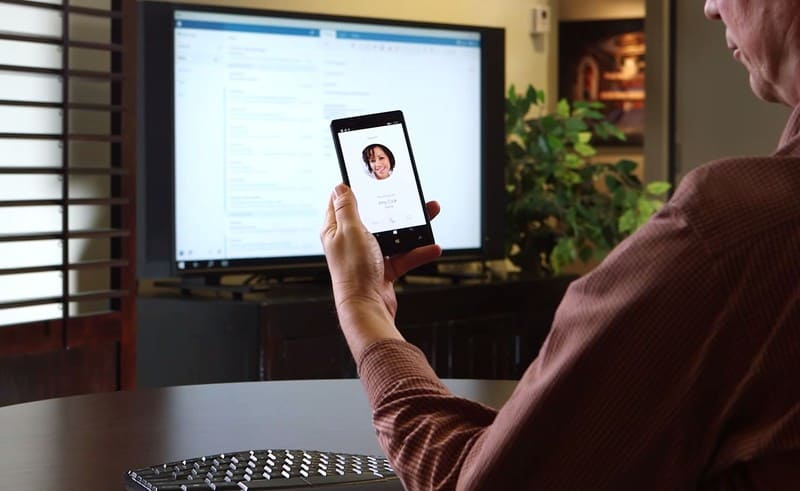
Back in October 2016, Microsofdt announced a feature it was working on to bring people you’re connected with to the front and center of the computing experience on Windows 10. In its latest update, the company has announced that the “My People” feature will not be arriving in the Windows 10 Creators Update.

Fujitsu is launching a 6-inch Windows 10 tablet in Japan

Fujitsu has announced that it will be launching a new Windows 10 tablet. The tablet will be 6-inch. The first tablet, known as ARROWS Tab V567/P, will launch this month, with 3 more models launching at a later date.

Chrome users on Windows 10 offered Personal Shopping Assistant extension “ad”

Using Chrome on Windows 10? Microsoft has begun showing an ad to users of Chrome, promoting one of its own extensions for the Chrome browser, Personal Shopping Assistant.
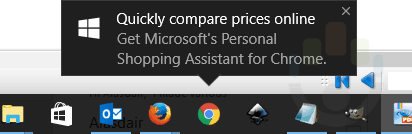
chrome Windows 10 Personal shopping assistant notification

Microsoft’s Windows 10 ebook store is now live for some users

Microsoft is bringing an ebook store to Windows 10 through the Windows Store and some users in the Windows Insider program already have access to it. The books will be read via Microsoft Edge, rather than a dedicated reading or ebook app.

Ebooks in Windows 10 Windows Store and Microsoft Edge Browser

That’s the top Windows 10 news this week – we’ll be back next week with more!
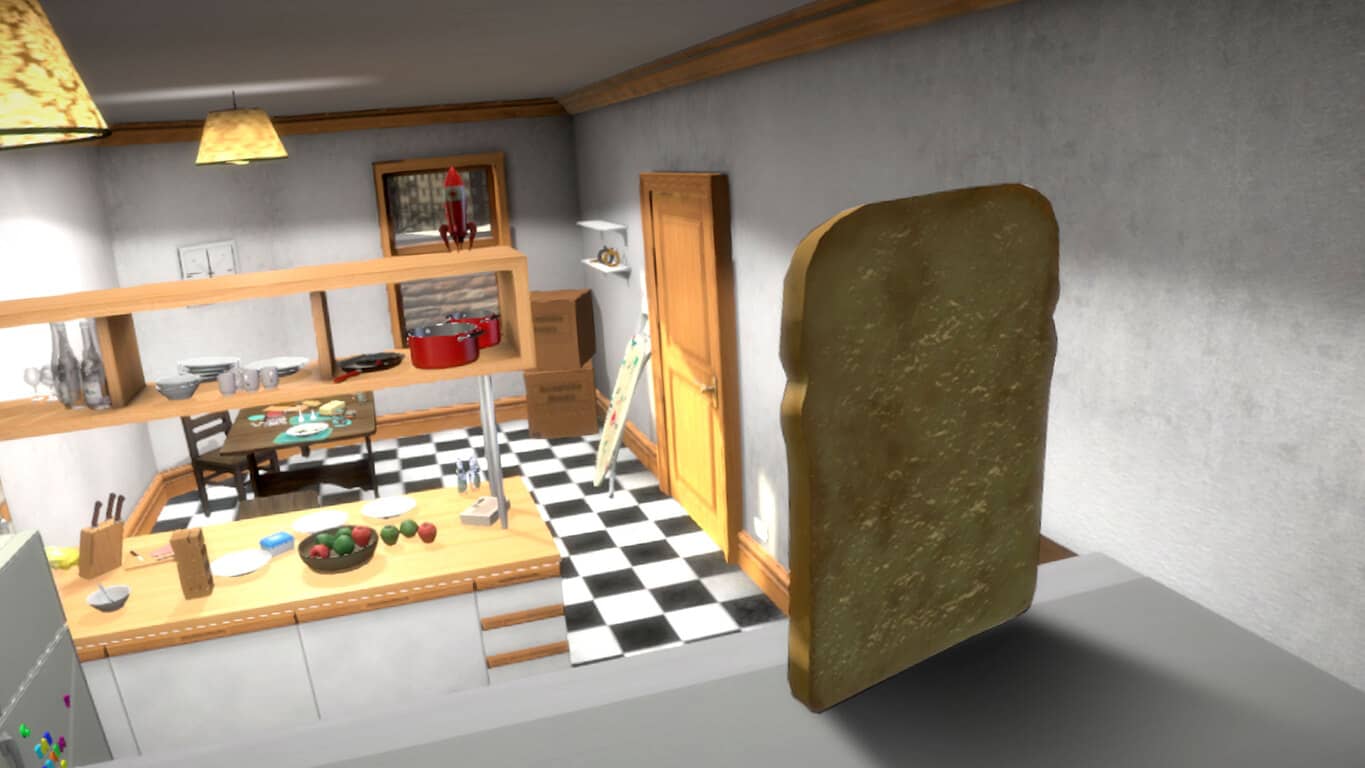
Strangely named I Am Bread video game launches on Xbox One

A video game with probably one of the strangest titles in recent history, I Am Bread, is now available to download and play on Microsoft’s Xbox One. The game is about a slice of bread who wishes to become toast and the whole thing is pretty surreal and is also getting quite a bit of buzz online due to its uniqueness. Here’s the official game description:

Embark on an epic journey to become toast! Take on all hazards to deliciousness as you embark on your adventure throughout the home of Bob. the unsuspecting owner: from the kitchen, through the house, to the lounge, and then venture outside into the garden and beyond. Is Bob going mad, or has a slice of bread really come to life? You may even have met Bob before, he’s the passive patient from Surgeon Simulator and this explores the story of his downfall that leads him to the operating table . . .In addition to the deepest story ever seen in a videogame, about a slice of bread, there are a wealth of baked options to sink your teeth into. Additional game modes and other types of bread will cater for all tastes! Set speed records racing across the levels as a bagel; realise your destiny as crispbread in cheese hunt mode; relieve your stress as the baguette and smash everything in sight in rampage mode. Oh, and did we mention bread goes into space too?

Buy I Am Bread on Xbox One

Have you played I Am Bread yet on your Xbox One? Share your impressions with the community in the comments below.

Microsoft, Volvo, and Cortana offer a glimpse of a sexy driverless car future

Volvo announced their partnership with Microsoft that would bring Skype for Business to future Volvo cars a few weeks ago but the company has now released a very cool video showcasing not only Skype but Microsoft’s virtual assistant, Cortana, and their payment solution, Microsoft Wallet, as well.

This new video, first spotted by MSPoweruser, showcases Microsoft’s tech in a near-future scenario where driverless cars are the norm. Beyond the Skype for Business interactivity within the car, there are also some rather interesting uses of Cortana, which is shown being used via a small earpiece, and, what looks like Microsoft Wallet being incorporated into a small cufflink device for a contactless payment at a café.

Microsoft Wallet is a fairly new project of Microsoft’s and works in the same way Apple’s Apple Pay and Google’s Google Wallet do. The Microsoft Wallet app is available in all regions on most Windows phones but the actual contactless payment functionality is currently limited to users in the United States. The project appears to be picking up steam though with several new banks having added support in just the last few months alone.

What do you think about this video? Would you like to see Microsoft Wallet made accessible through a cufflink? Would you wear a Cortana earpiece? Let us know in the comments below.

Bandai Namco’s WRC 6 racing video game coming to Xbox One in March

A new Xbox One car racing game called, WRC 6, has just been given the general release date of “March 2017” in a new teaser trailer. The game is an officially licenced title based on the 2016 FIA World Rally Championship and places a heavy emphasis on realism and representation of official WRC drivers and teams.

A product page has already appeared in the Xbox Store with an official description and Xbox One pre-order details however orders don’t appear to have been activated as of this writing. According to the description, digital pre-orders of WRC 6 will get exclusive access to the YARIS WRC Test car.

Pre-order WRC 6 now and get exclusive free access to the YARIS WRC Test car!On a race track, the car makes all the difference. In a rally, it’s the driver.WRC 6 puts you to the test: fog, mud, punctures, night racing, engine breakdowns… you have to deal with it all. WRC 6 also includes: all of the official 2016 content, 11 Super Special Stages on a 1:1 scale, local split-screen multiplayer, worldwide leaderboards and new online challenges every week, all the cars and courses in very high definition, two brand new modes, even more spectacular game cameras and free access to the entire 2017 eSports WRC!

The listing also confirms eight-player local multiplayer (which is highly unusual and could possibly be a listing error) and eight-player online multiplayer.

Are you excited for WRC 6 on Xbox One and doing you like racing games in general? Share your favorites with the community in the comments below.

Xbox One version of Cities Skylines video game to be shown at GDC

The upcoming Xbox One video game, Cities Skylines, is reportedly going to be shown working the Xbox One at GDC 2017 late next month.

The game had been announced for Microsoft’s video game console almost a year and a half ago during a Gamescom teaser trailer. While no release date has been set yet for the Xbox One version, the fact that it’s ready to be shown to the public is promising and suggests that it isn’t being cancelled like the recently pulled Scalebound title.

Cities Skylines is an incredibly popular city-building video game that’s not too dissimilar from the famous Sim City series. It’s currently available on Windows via Steam, Mac, and Linux machines.

Have you been waiting for Cities Skylines on Xbox One? Let us know in the comments below.

Xbox One glitch reveals secret Achievements’ details

A Reddit user by the name of MoltenPanthar has discovered a rather amusing glitch on Microsoft’s Xbox One video game console that reveals the hidden descriptions of secret Xbox Achievements.

Secret Xbox Achievements are the same as regular Achievements except that their text description remains hidden from users until unlocked by playing the related video game. This is implemented mostly to stop the listings from spoiling video game plot points but can also be used to make an Achievement harder to get and to encourage gamers to play through a game more naturally without the aim of only meeting certain Achievement criteria.

The glitch that reveals the content of these hidden descriptions involves the use of the Xbox One’s voice narrator, which is usually used to assist disabled players in navigating the console’s menu system. The narrator can be turned on by holding down the Xbox button on a controller until a menu pops up. Then simply press the Menu button (the small one with the three horizontal lines) to activate the narrator.

Once activated, begin viewing Xbox Achievements for a game and select a secret one. The narrator will actually read aloud the hidden text! Not bad!

While clearly a glitch that many will find useful, it’s unclear how long it will remain functional now that it’s become more widely known. Would you use this glitch or do you prefer to find out what the secret Achievements are on your own? Let us know in the comments below.

Explorer.exe crash loop fixed in latest Windows 10 build

Many Insiders who installed the latest Windows 10 builds experienced Explorer.exe crashes on various occasions. The good news is that build 15014 finally fixes the annoying Explorer.exe crash loops.

More spefically, this build fixes two issues that caused Explorer.exe to crash loop and improves the system tray logic so as reduce its impact on Explorer.exe. Microsoft explains that desktop shortcuts that include the “%” character would cause Explorer.exe crash loops when users clicked them. Also, Explorer.exe would crash when users projected to a secondary monitor.

Here’s what has been fixed in build 15014:

We fixed an issue where Desktop shortcuts containing the “%” character (usually URI shortcuts with escaped characters) would result in an Explorer.exe crash loop.
We fixed an issue where projecting to a secondary monitor could result in an Explorer.exe crash loop. […]
We’ve updated the system tray logic to be more robust when faced with bad data that could potentially result in Explorer.exe reliability issues.

Explorer.exe crash loops are common issues for users who upgrade to Windows 10 as well. Apparently, there are various apps that somehow interfere with Explorer.exe and cause it to behave in an unusual manner.

I upgraded from Win 7 to 10 last Friday (the last free upgrade day), and after some struggles, I’m in the brave new world. However, every minute or so, everything locks on the desktop, then explorer.exe restarts. I’ve tried a variety of things found in this forum and elsewhere, to no avail. All drivers are up to date. Problem happens even when booted in safe mode.

Most likely, Explorer.exe crash loops are caused by damaged or corrupt files, as users report that installing and running a registry cleaner usually fixes this issue.

Tried everything and finally i just tried to clean with simple program ccleaner, cleaned absolutely all stuff.  Everything works fine now.

RELATED STORIES YOU NEED TO CHECK OUT:

Valve revamps Dota 2 in-game interface

Valve recently added some changes to Dota 2’s in-game interface. These improvements focus mainly on the Shop layout and Hero Control Console. More specifically, the new Shop layout restores the item grid to the right-side, while the Hero Control Console shows both the base and bonus values for damage, armor, and attributes by default.

Dota 2 interface improvements

Valve offers more information about the recent Dota 2 UI changes in its patch notes:

Shop UI improvements:

  • Popular items are now generated automatically per hero based on the top 12 items from players with 5k mmr and above from the most recent two weeks of games
  • Popular items are now highlighted on the item grid directly
  • Shop item grid is now shown on the right side with guides extending to the left
  • A global customizable Pinned Items section has been added to the shop. This section can be used to customize the shop to the items you use most frequently and are not tied to the currently selected hero.

Dota 2 Hero HUD layout changes:

  • Attribute bonuses now show up permanently on the screen
  • Base values for damage, armor, strength, agility and intelligence are now displayed alongside the bonus values (rather than being totaled)
  • HP/Mana Bars are now slightly bigger
  • Added Guide support for Talent Trees
  • Fixed unpublished guides (that were in your cloud) not showing up in your Guide browser.

Dota 2 hotkey changes:

  • Restored the optional ability to bring up learn mode with a hotkey, allowing for a two stage input for leveling abilities
  • Added a hotkey for opening the talent tree UI (your old key used for leveling attributes). While the talent tree UI is open, the hotkeys 1 and 2 can be used to select the left or right branch.

What do you think about these changes? Share your thoughts in the comment section below.

RELATED STORIES YOU NEED TO CHECK OUT:

Xbox news recap: UI update incoming, Beam website revamped, Phil Spencer teases new IP and more

Welcome to our weekly Xbox news recap series, where we go over the top stories of the past week in the world of Xbox. Let’s get started.

New Guide coming in UI update

A new UI update is coming to make Xbox look a little better, and it’s going to slightly change the way you do things on your Xbox One. While there could easily be more updates to the UI, an enterprising Twitter user snagged a screenshot from a stream of what the new Guide is going to look like. It’s been streamlined to offer a more elegant way to switch between tasks, but still stays true to the usual Xbox One style.

Beam website totally revamped

Beam, a game streaming service recently bought by Microsoft, just had its whole website redone. The frontend of Beam has been made to look much cleaner and easier to navigate, creating a more welcoming experience for new and old users alike. With Microsoft pushing Beam further with the impending Creators Update, now is an excellent time for a redesign like this to happen.

Phil Spencer teases new IP

Without its big franchises making their return in 2017, Xbox needs to rely on the undervalued lifeblood of the games industry: new intellectual properties (IP). In a tweet from Xbox boss Phil Spencer, it was noted that a ton of new IP’s are going to be lining the yellow brick road to Project Scorpio later this year. In a time where many companies are terrified to take risks and let new franchises breath, this should be extremely exciting news for Xbox fans.

Microsoft outspends Sony for holiday gaming ads

For those who are still battling it out in the console wars, you’ll be happy to know that Xbox is enjoying a period of victory. The holiday season was excellent for Xbox, and it turns out that a big part of the reason why is because of their advertising budget. Microsoft’s spending on Xbox advertising made up 36.5% of game advertising – a number that dwarfs Sony’s 21.8%. If that advertising keeps up, 2017 might be an even better year for Xbox One. Especially with Scorpio on the way.

Playdead teases new game on Twitter

Remember INSIDE? That haunting game with the kid running from horrible dangers in a physics-based platformer? What about LIMBO – that other haunting game with a kid running from horrible danger in a physics-based platformer? Well, those classics were made by Playdead  – a well respected indie company that’s baffled us with truly memorable experiences. On Twitter, the developers made a very unexpected tease about some “new adventures” that will be dazzling us in the future – complete with a screenshot (or, potentially, piece of concept art) to give us a taste. If I had my guess, I’d say this one looks to be taking place in space, on some sort of desert planet. You should try and interpret it yourself.

Console modder Ben Heck puts an Xbox One into a laptop

It’s not likely that Microsoft will release an Xbox tablet any time soon, but Ben Heck can get you the next best thing. The popular console modder managed to rip apart an Xbox One and put it back together in the form of a laptop, giving it a truly portable form and a pretty sleek look. While the device doesn’t function as a laptop, clearly, it’s a pretty neat way to carry around your Xbox One. Heck put up a 25 minute video detailing the process, and it’s definitely an interesting watch if you’re an Xbox fan with a mind for tinkering.

Ben Heck Xbox One S laptop

Thanks for joining us. To keep up to date with all the latest Xbox news, keep a close eye on our Xbox One news hub.

Windows 10 Mobile news recap: Common shell includes mobile, Microsoft Store selling unlocked Alcatel IDOL 4s and more

Welcome back to our weekly Windows 10 Mobile news recap series, where we go over the top stories of the past week in the world of Microsoft’s mobile operating system. Let’s get started.

PC, Mobile, Xbox to join “One Windows” shell

The “One Windows” promise is something that everyone familiar with Microsoft has been seeing them working towards. With Windows 10 becoming the centerpiece for all of Microsoft’s products, the focus on uniting the company’s ecosystem of products has been extremely important. According to some recent news, we’ll soon be seeing Microsoft rolling Windows 10 on PC, Mobile, and Desktop into one big shell – something familiar across all devices. This will start happening over the course of the next few major updates, after the Creators Update.

Unlocked Alcatel IDOL 4s on sale in Microsoft Stores

The Lumia brand is on the way out, with some phones being unlisted in Microsoft Stores already. 2017 is going to be the year of the third party manufacturers, and we’re kicking it off with the sale of the unlocked Alcatel Idol 4s. The phone goes for about $470, making it significantly more affordable that its $800 competitor in the HP Elite X3.

New Fitbit notifications go into private testing

Those Fitbit users who happen to have a Windows 10 Mobile device can rejoice knowing that a big improvement is coming – eventually, anyways. Private testing has begun for the technology that will open up things like SMS and calendar notifications on Fitbit devices through Windows 10 Mobile. While the testing isn’t available for the public to sign up to yet, this phase of testing means that it can’t be too far off.

Fitbit Surge

Scientists sequence DNA with a Windows Phone

It took a bit of modification, but some scientists over in Sweden used a Lumia 1020 to sequence DNA. The Lumia wasn’t the only phone used in the study, and it wouldn’t have been possible without some custom modification in order to improve the 1020’s capabilities, but the fact remains that our humble operating system helped to make leaps and bounds in science this week.

The new NexDock will turn your phone into a desktop – sort of

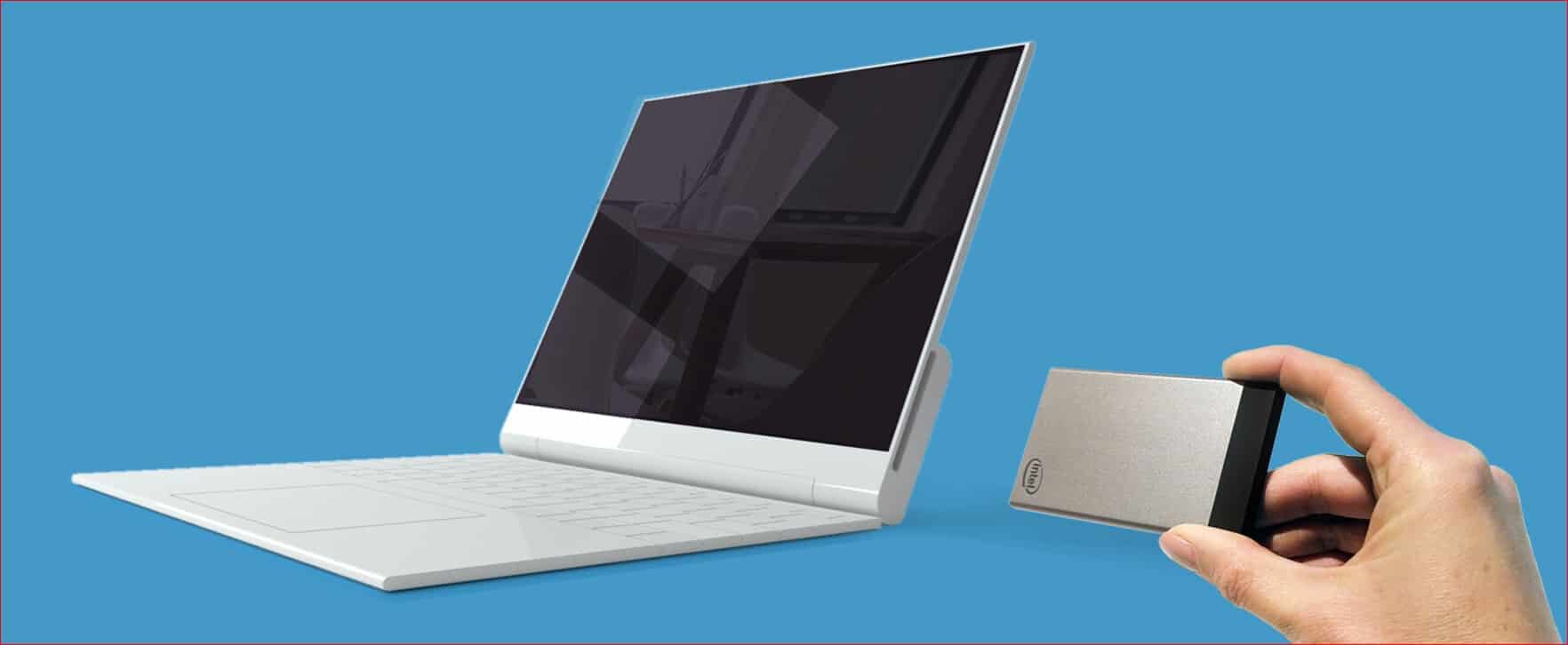
The NexDock – a docking unit that’s compatible with a great number of desktop and mobile devices – is going to be working with Intel’s new Compute Card. The Computer Card, which is a fully functional computer that’s roughly the size of a credit card, will be combining with the NexDock to turn any device – including your Windows 10 Mobile handset – into a fully functional desktop. While it’s not clear if many people will adopt this “all-in-one” approach with their tech lives, it’ll be interesting to see how this makes waves.

Thanks for joining us. If you want all of the news as it happens, keep an eye on our Windows 10 Mobile tag.

Disqus Beta updated for Windows 10 devices, brings social login, bug fixes and more

Disqus has released an update to its beta app for Windows 10 devices. The app uses the Universal Windows Platform to work across multiple devices.

This update brings the app to version 4.0.12, with the following changelog:

  • You may now log in with Facebook or Twitter accounts
  • You will now see AdDuplex app promotion ads in feeds
  • Fixed some issues where mentions were inserting in the wrong place
  • Fixed a crash that occurred sometimes in a discussion
  • Fixed an error that occurred when an unregistered user replied to your comment
  • Other small, likely unnoticeable, bug fixes

Overall, a smoother, more stable experience is to be enjoyed, with the added bonus of being able to login with 2 of the top social networks – Facebook and Twitter. Unfortunately, though, you’ll begin to see advertisements in the feeds.

Disqus Beta
Disqus Beta
Developer:
Disqus
Price:
Free

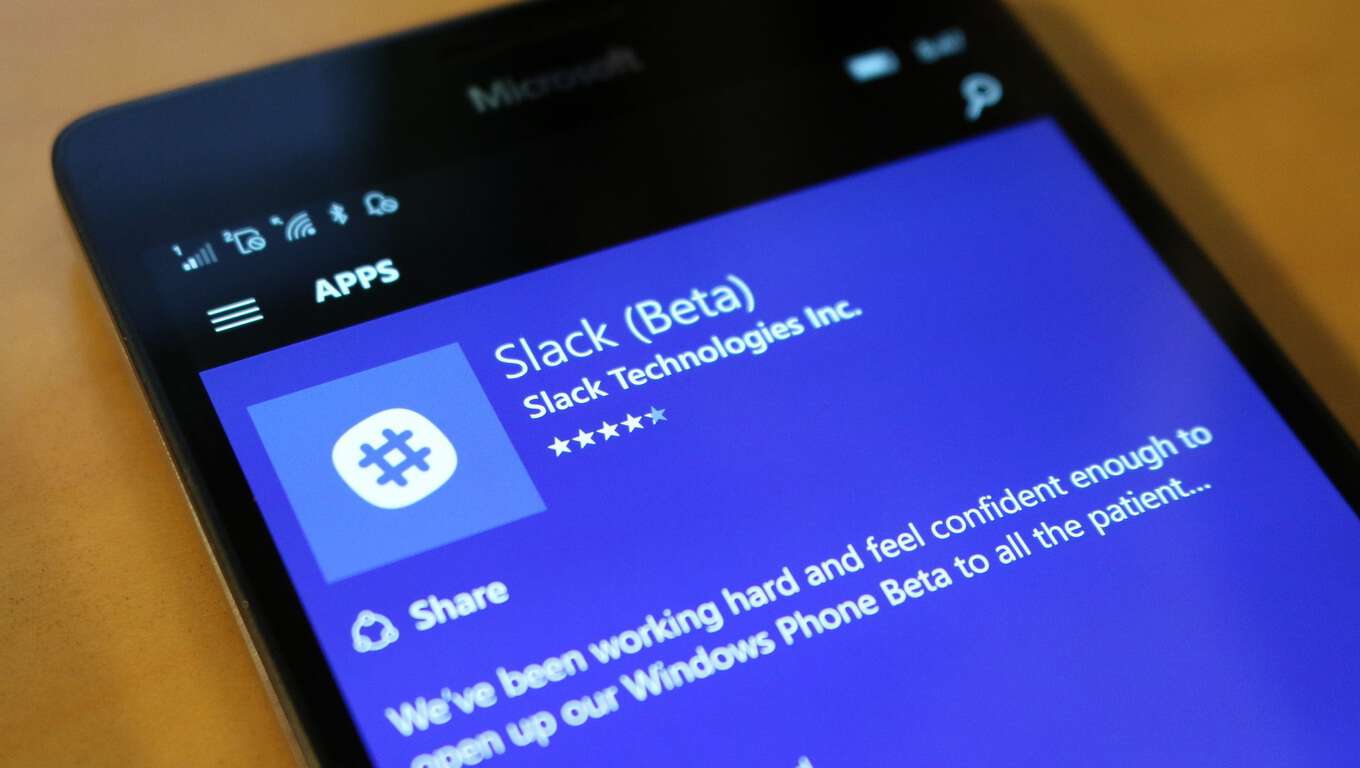
Slack’s new Windows 10 app takes advantage of Project Centennial

A couple of weeks ago, we told you about the launch of Slack’s new app on the Windows Store. The app was made with Microsoft’s executable-to-app bridge known as “Project Centennial,” or “Desktop Bridge.” As a result of using the desktop bridge, Slack’s transition to the Windows Store was painless – both for the developers and the end users. As a result of using this conversion program, Slack’s new version on the Windows Store is effectively the same as its Win32 version.

It promotes Microsoft’s desktop bridge as being a good tool for getting Win32 programs into the Windows Store, as well as providing centralized updates.

For most people, this is where that story begins and ends. If you happen to be interested in doing a deeper dive into what makes Slack tick, the developers have put together a blog post for you to dig through for all of those details.  The post talks about WinRT, NodeRT, the Electron framework and more – complete with snippets of code to read if you need a few examples to follow along with.

The Slack engineers ended the blog post by expressing their excitement about the future of Slack on the UWP, and the promise of doing more work with Electron. For any savvy engineers out there, they even extended an offer to come work with them as an Electron engineer.

Try Halo Wars 2 Blitz beta on Xbox One and Windows 10 PC today!

Until 30th January, 2017, Halo Wars 2 is hosting its Blitz beta. The beta is available to play on both Xbox and Windows 10 PC.

Halo Wars 2 Blitz Multiplayer provides a new way to play real-time-strategy (RTS) by replacing some of the core functionality with something a little different. Many people will be used to RTS as involving resource collection, base building and tech tree planning. With Blitz, these aspects change, offering a new way to build an army. Players now select their army and Leader Powers before a match even begins.

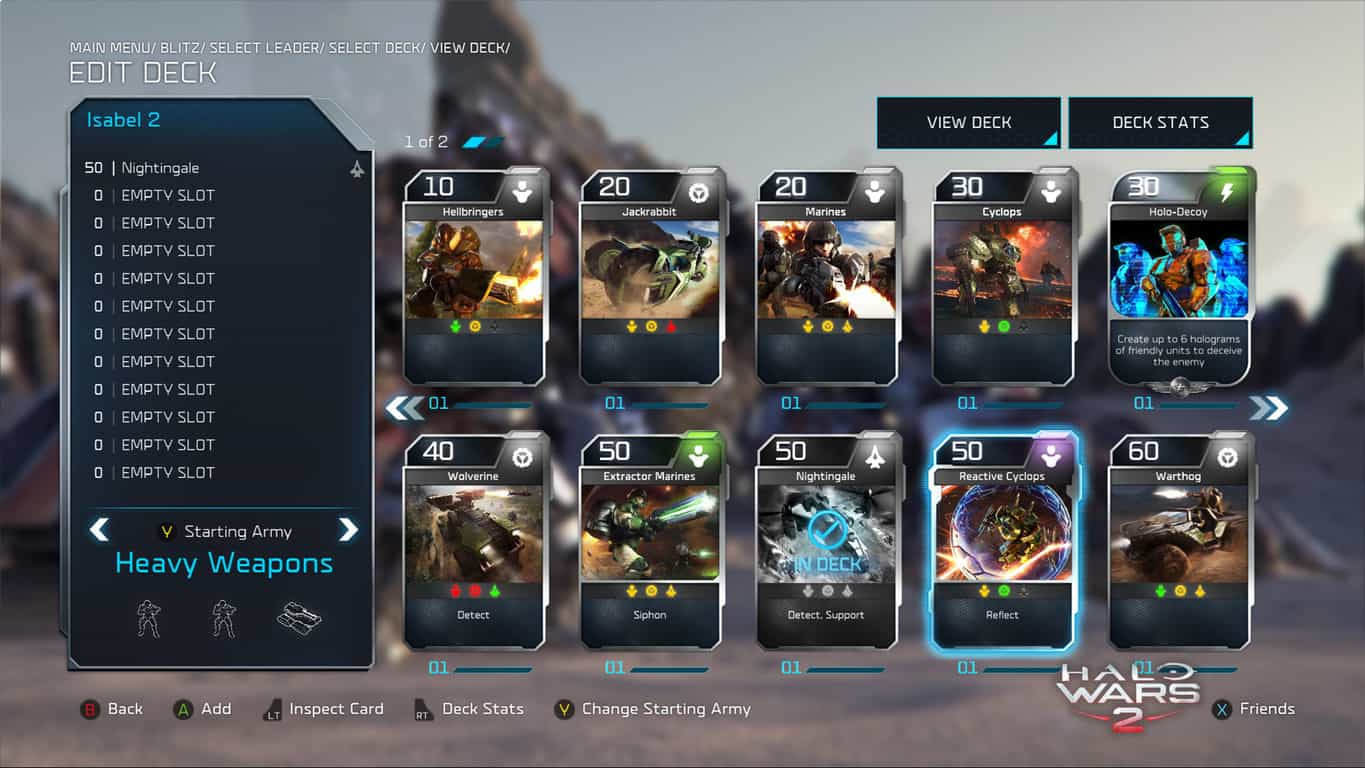
Players will select a Leader and build a deck of 12 cards, with each card representing a type of unit or Leader Power. All units and Powers have an energy cost associated; finding the right balance of cheap and weak vs. expensive and high-tech units is all part of the deeper strategy.

Halo Wars 2 Blitz Card Deck

All Windows 10 PC users with compatible hardware are able to take part in the beta. For Xbox One players, you’ll need to have an active Xbox Live Gold subscription in order to partake.

Halo Wars 2 Blitz Beta
Developer:
Microsoft Studios
Price:
Free

Dropbox keeps downloading unspecified files [Full Fix]

Dropbox is one of the most popular cloud storage services in the world. However, even a powerful service like Dropbox has its limitations that some people even consider as flaws.

A lot of users have been complaining on Dropbox forums about an error that causes them to download unspecified files instead of real downloads. Reportedly, this issue occurs when you try to download a file or folder from the browser version of Dropbox, and goes without any error message or warning.

Users find this quite annoying as most of them don’t actually know what’s going on. In this article, we’re going to explain the phenomenon of unspecified Dropbox files and tell you what you can do to avoid downloading them in the future.

How can I fix Dropbox downloading unspecified files?

1. Use WinZip

One alternative that could spare you from downloading unspecified files would be to use WinZip before uploading a file on Dropbox. In doing that, most certainly you will not exceed the 1GB download limit size that Dropbox has.

WinZip is one of the most used compression tools for Windows 10. Aside from compressing, WinZip also allows you to manage, share, and backup your files.

The formats that WinZip unzips are RAR, GZIP, VHD, XZ, Zip, Zipx, and more. The tool also allows you to share your files via several social media channels.

With WinZip, you have easy access to convert your PDF files, manage your archives, and integrate them with cloud services.

That being said, you manage various file formats easily without issues and avoid unspecified information on your PC, just by using WinZip.

Here are some of the pros of using WinZip:

  • Archives your data fast.
  • Share your files via social media
  • File management.
  • Converting files, PDF’s, watermarks or images
  • Privacy of your data

2. Download smaller files

Dropbox doesn’t allow you to download files or folders larger than 1GB using the web client. The same goes for folders containing more than 10,000 files.

If you need to download a larger file from Dropbox, break the download into smaller pieces.

So, log in to your Dropbox account, find the folder you want to download files from, and download a bulk of files smaller than 1GB.

While this method allows you to download files directly from the web browser, it can be time-consuming and boring work in general. Another more practical solution is to simply download the Desktop application.

3. Use the desktop client

The Unspecified files rule doesn’t affect Dropbox’s Desktop client. As soon as you have the application installed on your computer, you can move as many files and folders from it to your local storage.

You can download the Dropbox Desktop client for Windows 10 from this link. It’s free of charge.

We doubt Dropbox will change this policy in the future. So, if you deal with files and folders larger than 1GB on a regular basis, we highly advise you to install the Desktop client on your Windows 10 computer.

Not only you’ll be able to download as many files as you want, but you’ll have some additional benefits of using the Desktop application.

That’s about it. If you follow our suggestions you should have no issues in the future when downloading Dropbox files.

If you have any comments, questions, or suggestions, let us know in the comments below.

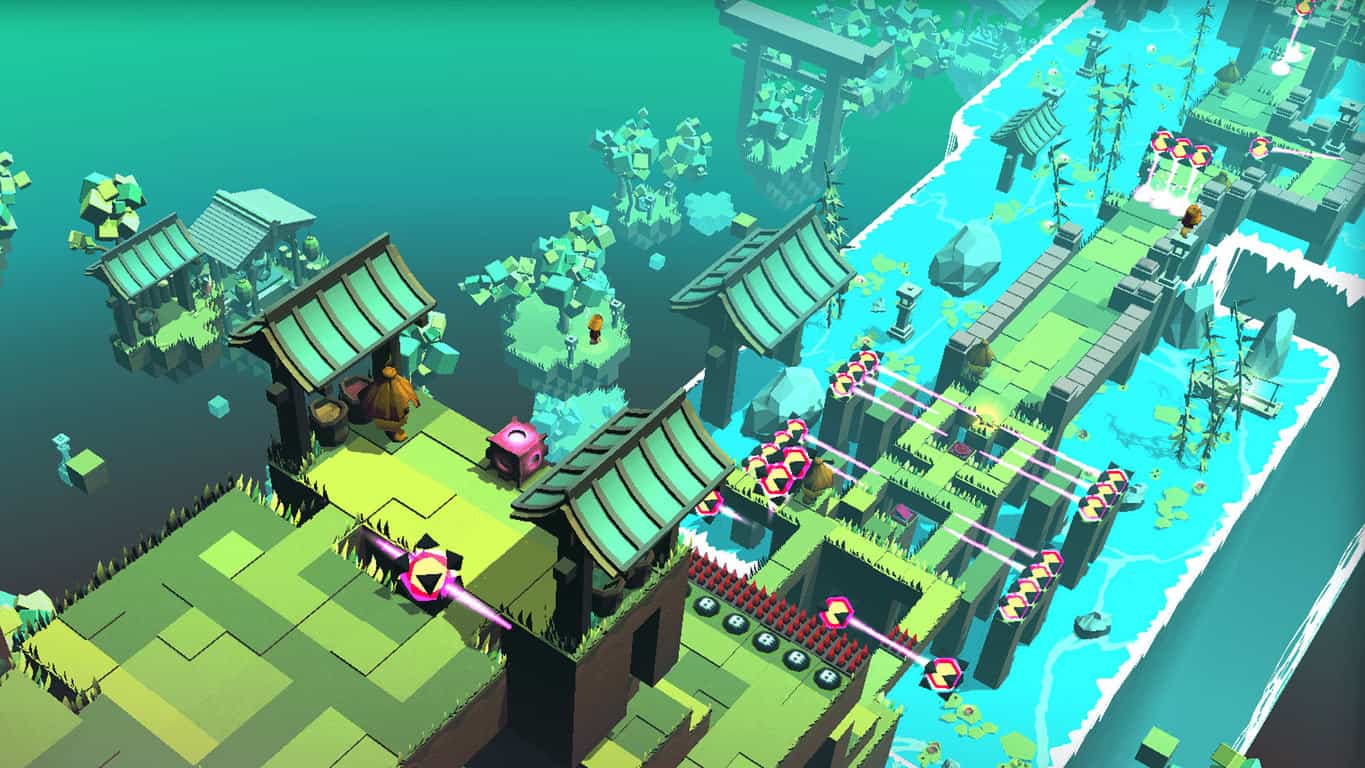
New puzzle video game KYUB launches today on Windows 10

The puzzle game, KYUB, has finally launched on Windows 10 after enjoying several months of release on Microsoft’s Xbox One console. The Windows 10 version also features Xbox Live connectivity and a host of Xbox Achievements to unlock despite the strange absence of the recognizable green Xbox stripe on its promotional artwork in the store listing.

The game is a three dimensional puzzler with over 80s levels spread across four worlds. Here’s the official game description:

Move the “Kyub” and use its abilities to solve devious puzzles and escape malicious traps. Switch between action and puzzle phases where you manipulate other cubes to climb walls and destroy obstacles with lasers or activate switches to trigger new paths. Protect yourself and change the Kyub’s status to become immune to the elements. Master the Kyub and discover all its insane possibilities.

Design your journey at slow pace or furiously fast rhythm. But always be wise & creative because memory, reflexes and rapid execution are the keys to completing each challenge. Die a lot, unlock secrets, collect every medal, and be the fastest among your friends on leaderboards. With more than 80 levels the mysterious world of Kyub offers simple mechanics yet a deep gameplay with thousands of combinations!

Have you played KYUB yet? Let us know if you’re enjoying it in the comments below.

Kyub
Kyub
Developer:
Ninja Egg
Price:
$9.99

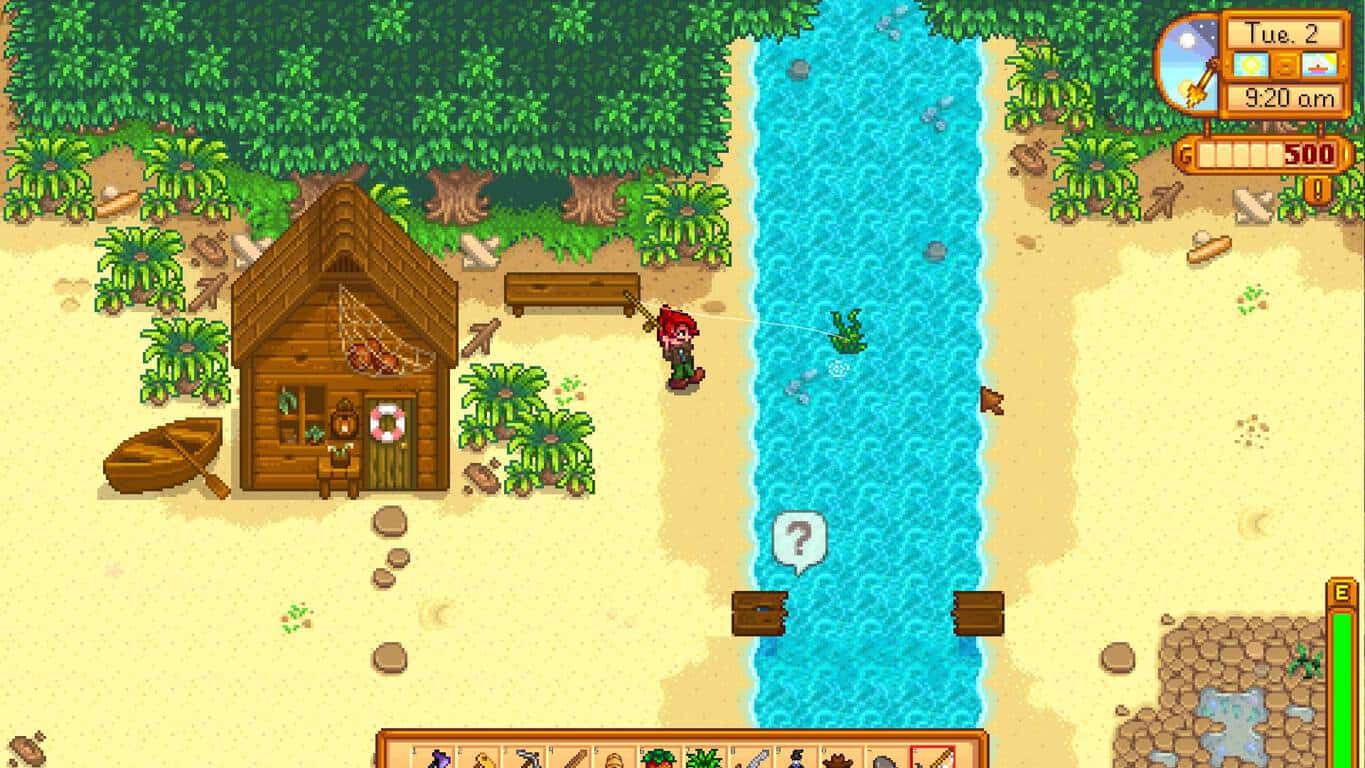
New Stardew Valley update will fix a lot of problems on Xbox One

The open-ended roleplaying video game Stardew Valley launched on the Xbox One recently and despite it being rather popular with gamers has suffered from a rather serious bug that’s been corrupting save files and preventing players from continuing from where they left off.

The developer behind Stardew Valley, ConcernedApe, announced in a blog post on the official Stardew Valley website earlier today that an update is being worked on that will fix these save issues. It will be pushed out to consoles in early February after more testing is done. Once this update is downloaded, it should fix the corrupted files and players will no longer have problems saving their progress. Several other unspecified problems will also be fixed.

Are you a fan of Stardew Valley and have you encountered any problems since downloading it on your Xbox One? Let us know in the comments below.

Microsoft’s Windows 10 ebook store is now live for some users

Microsoft’s new ebook store is now available as part of Windows 10’s Store app on both Windows 10 PCs and tablets as well as Windows 10 Mobile devices for Windows Insiders in the U.S.A. with build 15014.

The new ebook section of the Store app, labelled ‘Books’, is fully functional for those that can see it and users are being encouraged by Microsoft to purchase some titles and give them feedback on both the shopping and reading experience.

Interestingly, Microsoft doesn’t seem to have plans to release a dedicated ebooks app for Windows 10 and is instead adding the functionality to its Microsoft Edge web browser. This appears to be a similar strategy to how the company has encouraged Windows 10 users to use Edge for viewing PDF files instead of a separate PDF viewer app.

With this update for Windows Insiders, Microsoft Edge has gained a new hub entry, next to the favorites icon in the upper-right corner of the app, which will act as a user’s personal ebook library. The Edge ebook experience also supports Cortana integration for looking up words, font size and spacing customization, theme and navigation control options, and EPUB file support.

Windows Insiders are a select group of Windows 10 users who test early versions of Windows updates and features before they’re rolled out to the general public. The Windows 10 ebook store will likely become available for everyone when the Creators Update launches sometime during the next few months.

Are you excited for ebooks in Windows 10? Is using Edge as the ebook reader a good decision? Let us know in the comments below.

Microsoft will no longer include Internet Explorer in security updates

Microsoft had implemented an update approach called rollup model for Windows 7 and Windows 8.1 in late 2016 to break away from the individual patches method. The update approach comprises three different parts: Security Monthly Quality Update, a Preview of Monthly Quality Rollup, and a Security Only Quality update. The last method in particular included Internet Explorer patches. Now, the software giant is rolling out changes to how it provides Windows security updates to organizations.

Beginning in February, Microsoft will no longer include Internet Explorer updates and patches in the security-only update. That means Windows security updates will be rolled out in a smaller size for a quicker deployment to users. Also, IE security updates will once again become separate patches as a result of the changes. Security-only updates include new security fixes for a given month, meaning It’s not a cumulative rollup. On the other hand, the IE security updates will be cumulative once the changes take effect. That means the IE patches will contain all previous updates starting next month.

Microsoft will start to enforce the new policy for Patch Tuesdays – the security and quality updates Microsoft rolls out every second Tuesday of the month. The next Patch Tuesday will occur on February 14. The company will also roll out a preview of monthly quality rollup on the third Tuesday of each month. It aims to allow IT professionals to preview the upcoming updates before their release. The preview release will consist of IE security updates as well.

The company began to include IE patches in the security-only updates in December last year. However, the method became a burden for some organizations due to the bulkiness of the updates. With the new approach, the goal is to minimize bandwidth requirements for organizations that use the security-only updates approach.

The Windows security-only updates and IE security updates apply to organizations that use the Windows 7 SP1, Windows 8.1, Windows Server 2008 R2, Windows Server 2012, and Windows Server 2012 R2. Keep in mind, though, that the changes won’t affect consumers using Windows Update to receive updates.

RELATED STORIES YOU NEED TO CHECK OUT:

You can now turn off Skype notifications in OneDrive and Outlook

In a bid to make Skype a universal communication platform for all of its services, Microsoft baked the program into a wide array of services, including OneDrive and Outlook. However, the action led many users to complain about the inability to turn off Skype notifications in Microsoft’s portfolio of websites. Now, it appears the Redmond giant has heard the complaints loud and clear and fixed the issue.

The notification issue started to crop up after Microsoft introduced a plug-in-free version of its Skype pane to Outlook.com, OneDrive.com and other portfolio of websites. As a consequence, the update resulted in the loss of a significant feature that lets users disable Skype notifications.

Fortunately, Windows reporter Paul Thurrott spotted a new button in the Settings menu under Notifications which gives users back the ability to turn notification sounds off in OneDrive and Outlook. Moreover, he disclosed that he turns off Skype notification alerts because he finds them “superfluous and annoying.”

How to disable Skype notification alert sounds

The new button seems to have quietly come into being. Nonetheless, it only means your complaint might not have fallen on deaf ears. Now, here’s how to turn off the notification sounds in Outlook.com or OneDrive.com:

  1. Visit OneDrive.com or Outlook.com.
  2. Click the speech bubble icon of Skype found at the top.
  3. Go to the settings by clicking its icon at the bottom right corner.
  4. Disable the Sound option under the Notifications pane.

Keep in mind that if you turn off the notification sounds in Outlook.com, the change is reflected in OneDrive.com or other Microsoft websites too. Have you checked out the new button already? Share your thoughts about it in the comments.

RELATED STORIES YOU NEED TO CHECK OUT:

Microsoft Teams is hosting very exclusive online sessions; you can register today

Microsoft is launching a new series of online sessions to help collaborators of all kinds find a new home in technologies like Microsoft Teams. The sessions are going to be limited-space affairs that let a roundtable of participants talk to one another about their individual challenges.

If you sign up for a session, here’s what Microsoft says you’ll learn:

  • How Microsoft Teams, the newest collaboration tool
  • How to keep information secure while being productive—Make it easier to work securely and maintain compliance without inhibiting your workflow.
  • How to quickly visualize and analyze complex data—Zero in on the data and insights you need without having to involve a BI expert.
  • How to co-author and share content quickly—Access and edit documents even while others are editing and reviewing them all at the same time.
  • How to get immediate productivity gains—Most attendees leave with enough time-saving skills that time invested to attend a Customer Immersion Experience more than pays for itself in a few short days.

There are only 12 slots available per session, so you’re going to have to sign up quickly if this is something that interests you. Slots could be eaten up fairly quickly – we’re not sure how many sessions there are to fill. If you’ve ever been interested in Microsoft Teams, this should definitely be a valuable experience.

Ultimate Marvel vs. Capcom 3 brings the fight to PC, Xbox One this March

Ultimate Marvel vs. Capcom 3 is going to be releasing on Xbox One and Windows PC’s via Steam on March 7th. The popular fighting game initially launched back in 2011, and its sequel -Marvel vs Capcom Infinite –  is currently slated to launch this year, as well.

The game will also be getting a new limited edition physical release for fans who are looking to forego the digital copy and get themselves a box. The physical version will be coming with a comic book that explains some of the story behind the crossover series of fighting games, and should be a valuable find for any long-time fans of the franchise.

BMP Wrap lets you hide any file as image

If you’re trying to send an email attachment in ZIP file format but are unable to because your ISP smells something wrong with the file, you might want to try obscuring it using BMP Wrap.

The software allows you to hide a file as image inside a BMP shell before you send the file to friends or colleagues. The recipient can then extract and view the hidden file using BMP Wrap too. With the tool, you can send any file in any format, including .exe or .dll, without being scrutinized by the destination mail server.

The free Windows application lets you disguise any file as an image if you wish to keep certain files private. This is especially helpful for a common desktop at home or in the office. It’s a small application whose file size takes no more than 20KB. Also, it’s a standalone program with no user interface. After downloading the software, you can run the program right away without having to install it.

How BMP Wrap works

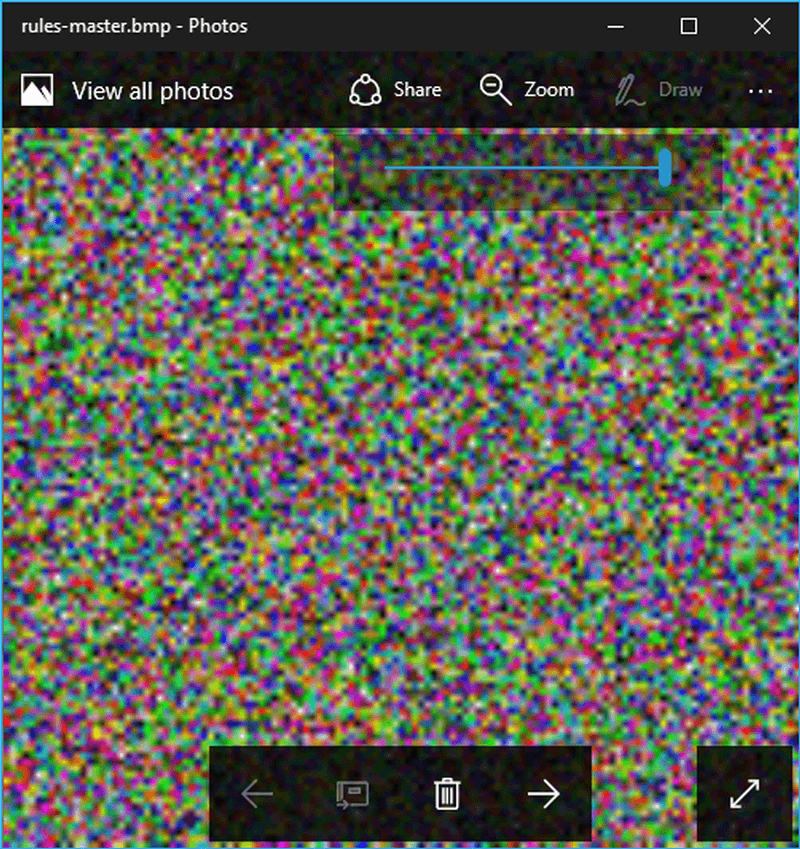
You can simply drag and drop a file onto the BMP Wrap icon to hide a file. The program will then create a valid BMP file or bitmap image that bears the same name as the original file. You can choose to store the resulting image file in your PC or send it to a certain recipient.

The tool prevents any unauthorized access. For instance, if someone else tries to open the bitmap image, the file presents a distorted image. For Gmail users, BMP Wrap also helps you to attach .exe or .dll file which are otherwise not allowed as email attachments.

However, BMP Wrap lacks password protection compared to other steganography application. Also, it does not use a source image as cover. For its simplicity, though, BMP Wrap deserves a try. Download BMP Wrap now to check it out.

RELATED STORIES YOU NEED TO CHECK OUT:

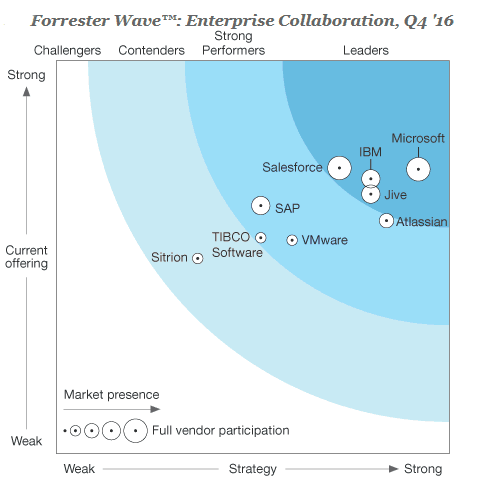
Microsoft leads in enterprise collaboration, says Forrester

Audit and research consulting group, Forrester, reports that Microsoft leads the way in enterprise collaboration. According to the Forrester Wave: Enterprise Collaboration, Q4 2016 report, Microsoft beat out Salesforce, IBM, Jive, and others to take the top spot for enterprise collaboration.

Forrester Wave: Enterprise Collaboration, Q4 2016 report

The report cites Yammer, part of Office 365, as being the leading cause of Microsoft taking the top spot:

“Yammer is a core component of the Office 365 suite and the choice for connecting across organizations and for broad enterprise collaboration functions, but collaboration will increasingly take place in applications integrated with Office 365 Groups, with conversations, files, calendars, and notes as basic functions. Office 365 Groups sit at the center of Microsoft’s vision: Group members become objects in Azure Active Directory, where administration and connectors to other services are strongest.

Microsoft excelled across all the categories we evaluated except templates, communities, and application integration. Near-term investments will aid further integration with Office 365. Today, Yammer sends signals to Microsoft Graph and uses Graph to recommend groups and people to follow. Microsoft plans to add signals like conversations and files in the future. Delve incorporates links shared in Yammer for greater discovery across Office 365 and will soon enable inline conversations so that colleagues can share and discuss any content in Yammer directly from within the Delve experience.”

Overall, Forrester reviewed nine leading enterprise vendors of enterprise collaboration platforms. However, Microsoft was found to provide “better customer experiences, evolve toward broader communication needs, and integrate more tightly with other business applications,” than any other vendor.

Download the Forrester Wave: Enterprise Collaboration, Q4 2016 report.

TEKKEN 6, two more titles coming to Xbox One Backward Compatibility today

The list of Xbox One Backward Compatible titles is always growing and today three more have joined the fray. Heading to the catalog this week is TEKKEN 6, Mutant Storm Empire, and Midway Arcade Origins. As always, we have included game descriptions, download links, and trailers for you below.

TEKKEN 6:

With over 34 million copies sold worldwide, TEKKEN is the #1 fighting game franchise.  The series appears on the Xbox 360 console for the first time with the latest installment, TEKKEN 6!  A large roster of unique characters, fast-paced action, a deep level of strategy, and the rich background story have all helped make the TEKKEN series the top in its genre. TEKKEN 6 has the largest character roster to date, Online VS Battle, and other new content created for the home version. Use the improved, more in-depth character customization options to customize your favorite characters and face off against rivals online!
Mutant Storm Empire:

Ready to challenge the full might of the evil emperor’s minions? Upgrade to the full version now for sixteen levels of ever-increasing excitement and cheerful mayhem, alone or with a buddy. It’s time to start the frenzy!
Midway Arcade Origins:

Midway Arcade Origins delivers the ultimate arcade experience with more than 30 classic games from the arcade golden age. Players can enjoy their favorite genre defining Midway titles now with local co-op multiplayer, achievements, and Leaderboard support.

Which of these titles do you currently own? Are you looking forward to more Xbox 360 games joining the Backward Compatibility list in the future? As always, please do drop us a comment to let us know your thoughts!

Windows E3, E5 Enterprise CSP customers can now upgrade 7, 8.x PCs to Windows 10 for free

Microsoft today announced that Windows Enterprise CSP customers can now upgrade 7, 8.x PCs to Windows 10 for free. The announcement means that customers subscribed to Windows 10 Enterprise E3 and E5, as well as Secure Productive Enterprise E3 and E5 plans, can now upgrade their Windows 7 and Windows 8.1 PCs and devices to Windows 10 without the need to purchase separate upgrade retail licenses.

To take advantage of the offer, Microsoft recommends that tenant admins for customers with Windows cloud subscriptions log in to the Office 365 Admin center with their Azure Active Directory admin credentials and see options to begin the upgrade on the device they are currently using. According to Microsoft, tenant admins can also share the download link with others in their organization, create installation media or troubleshoot the installation. The company notes:

This is an important benefit addition to Windows cloud subscriptions in CSP as it enables customers who have yet to purchase a new Windows 10 device, or who missed out on the free upgrade to Windows 10 campaign, to take advantage of enterprise-grade security, managed by a trusted partner, for the price of coffee and a donut. The Windows 10 upgrade licenses issued as part of this process are perpetual and associated with the device. This means the license will not expire or be revoked if the customer chooses to end their Windows cloud subscription in the CSP program.

Options for Windows 10 upgrades and links in the Office 365 Admin center are rolling out now, so they should be available within the next 48 hours.  Since this adds an upgrade SKU to CSP plans (which previously was not available), the news also means that customers with CFP plans will no longer need to buy Windows 10 Pro at the full price of $199.

Xbox Live parental controls to get even better with Windows 10 Creators Update

A few days ago, the web was buzzing when some details emerged on the Xbox version of the Windows 10 Creators Update. Today there is some more news to throw into the mix, as word is spreading that Xbox Live parental controls will get even better with Windows 10 Creators Update.

As seen above, Xbox’s Mike Ybarra responded to a Xbox fan on Twitter who pointed out that the Xbox Parental controls exceed the “draconian” level controls seen on the PSN. Microsoft’s head of Xbox marketing then mentions that these controls will improve even more with the Creators Update soon. It’s still not clear, however, how the controls will improve, but more details are sure to emerge in the future as the April release date of the Creators Update approaches.

From what was already revealed by Ybarra on a live stream on his Beam account, the Parental Control features would join a revamped Xbox Guide, improved multitasking, and increased options for GameDVR clips. Do you like the fact that more parental controls are heading to the Xbox One? Let us know what you think by dropping us a comment below!

Microsoft Germany pulls link to post urging Windows 7 users to move to Windows 10 (updated)

Update: Apparently, although the Microsoft News post linking to the original story looks like it has been pulled, the original TechNet post is still available (Thanks for pointing it out Usama!)

+++

A few days ago, Microsoft Germany  urged Windows 7 users to switch to Windows 10 for “a more secure and modern IT.” The Microsoft Germany post is no longer available, apparently due to backlash from some IT pros. InfoWorld found a cached copy of the blog post.

According to the rough English translation by Google, Microsoft Germany gave some reasons why Windows 7 users should switch to Windows 10:

“One of the most successful operating systems from Microsoft is gradually approaching the end of its life cycle : the extended support of Windows 7 will be completed in three years. This means for all customers with Windows 7 PCs that from January 14, 2020 there will be no security updates, updates and no technical support from Microsoft. After more than 10 years on the market a logical decision: 2009 appeared, Windows 7 was the first step on the way to the cloud. Today, Windows 7 can no longer keep up with the increased security requirements.

Rather, it provides for higher operating costs – for example, maintenance, lost working time due to increased malware attacks, or increased support requests. At the same time, many hardware manufacturers no longer provide drivers for Windows 7, which means that modern peripherals such as printers are no longer recognized. In order to offer users a modern interplay of software and hardware, new processor generations are only supported by the latest Windows platform: Windows 10 is the only Windows version that provides support for the latest Intel, AMD and Qualcomm chips . In addition, many programs are already written or developed for the newer versions of Windows.”

OnMSFT previously reported on Microsoft Germany’s post just a few days ago regarding their comments on switching from Windows 7 to Windows 10. While it’s thought that Windows 10 could overtake Windows 7 by December 2017, maybe Microsoft Germany hoped that it could falsely claim that Windows 7 would face more security threats than Windows 10 to push its enterprise customers to make the switch earlier.

Xbox chief looking for a fun year even without Halo or Gears of War releases

Microsoft’s Xbox One enjoyed some well deserved momentum last year following the release of the Xbox One S in August. Last week, the company announced that Xbox One was the top selling console in the US in the second half of 2016 according to NPD, even though it was outsold by Sony’s Playstation 4 during the holiday season. Moreover, we also had some great Xbox exclusive games last year, with the open-word racing game Forza Horizon 3 ranking #7 on Metacritic’s list of best reviewed games of 2016.

Can Microsoft top that in 2017? Well, with Project Scorpio to be launched in late 2017, this year should be another good one for the Xbox fans even though the cancellation of the Xbox exclusive game Scalebound was much talked about last week. Fortunately, Microsoft still a lot of exciting exclusives in the pipeline such as Halo Wars 2, and Xbox head Phil Spencer assured on Twitter that we should expect a “fun year” despite the lack of blockbuster releases.

As a reminder, this year’s Xbox exclusives will include new exciting IPs such as Sea of Thieves and Cuphead, but we also had very few details so far about Crackdown 3, State of Decay 2 or We Happy Few (and all these games have no precise release date yet). We’re really looking forward to learn more about all these, and if you didn’t do it yet we invite you to check out our extensive list of Xbox games to be released in 2017.

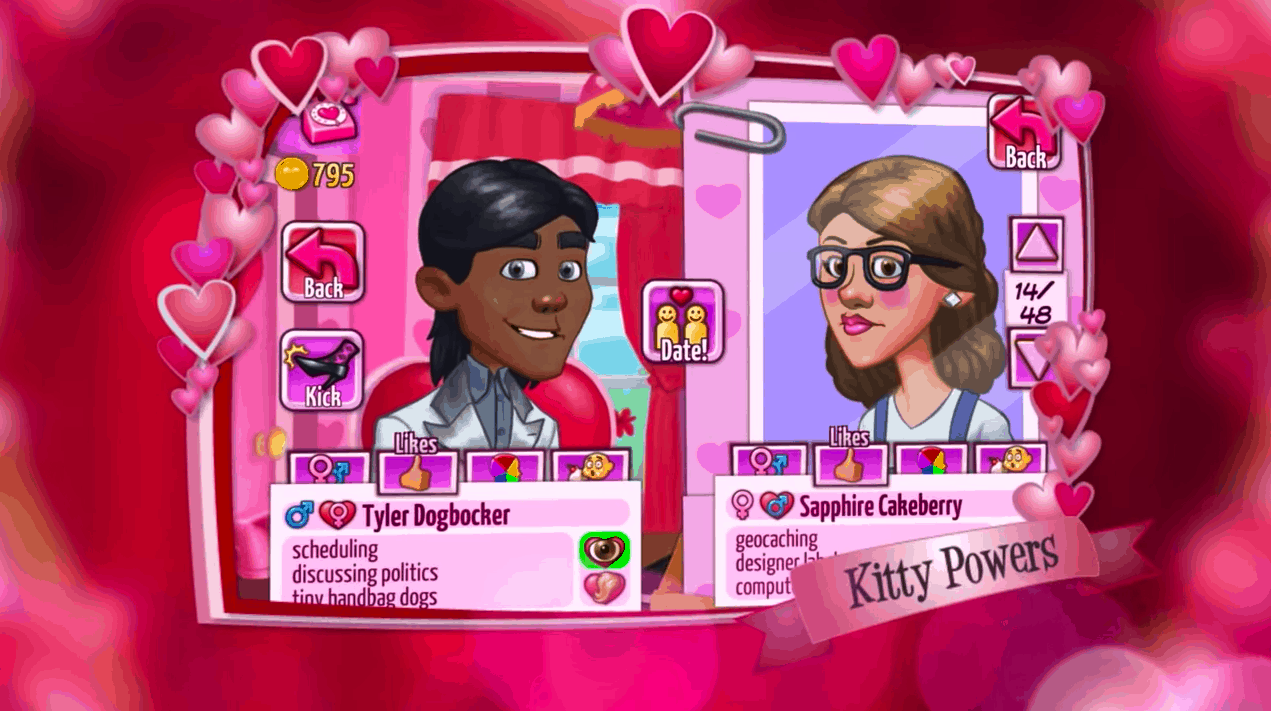
Kitty Powers’ Matchmaker video game is coming to Xbox One on February 7

Kitty Powers’ Matchmaker, a dating simulator developed by UK indie studio Magic Notion will be released on the Xbox One on February 7th (via VentureBeat). The game was first released on mobile in PC back in 2014, and the developer shared in a blog post announcing the news that that the game “looks amazeballs on the big screen.”

While this isn’t the typical kind game you expect to find on a gaming console, the PC version of the LGBTQ-friendly dating simulator currently enjoys very positive reviews on Steam, with gamers praising the over-the-top humor and the actually difficult challenge of managing a dating agency. The official game description notes:

Kitty Powers’ Matchmaker is a hilarious dating simulator with a difference. Manage your own matchmaking agency with the guidance of your fabulous boss, drag queen diva Kitty Powers! Match an endless parade of desperate clients with candidates from Kitty’s little black book and guide them through awkward conversations and dozens of perilous dating dilemmas.

As your reputation grows you’ll unlock new date venues, more demanding clientele and upgrades for your agency. Send your hopefuls out with the right look and perfect gift to maximize their chance of finding love. Are you ready to bring romance to the world? Or will you leave a sea of broken hearts in your wake?

For those of you who already played the game on PC or mobile, this console version will feature new additions such as an upgraded avatar system and dynamic dialogue. Let us know in the comments if you’re looking forward to play this game on your Xbox One ahead of Valentine’s Day.

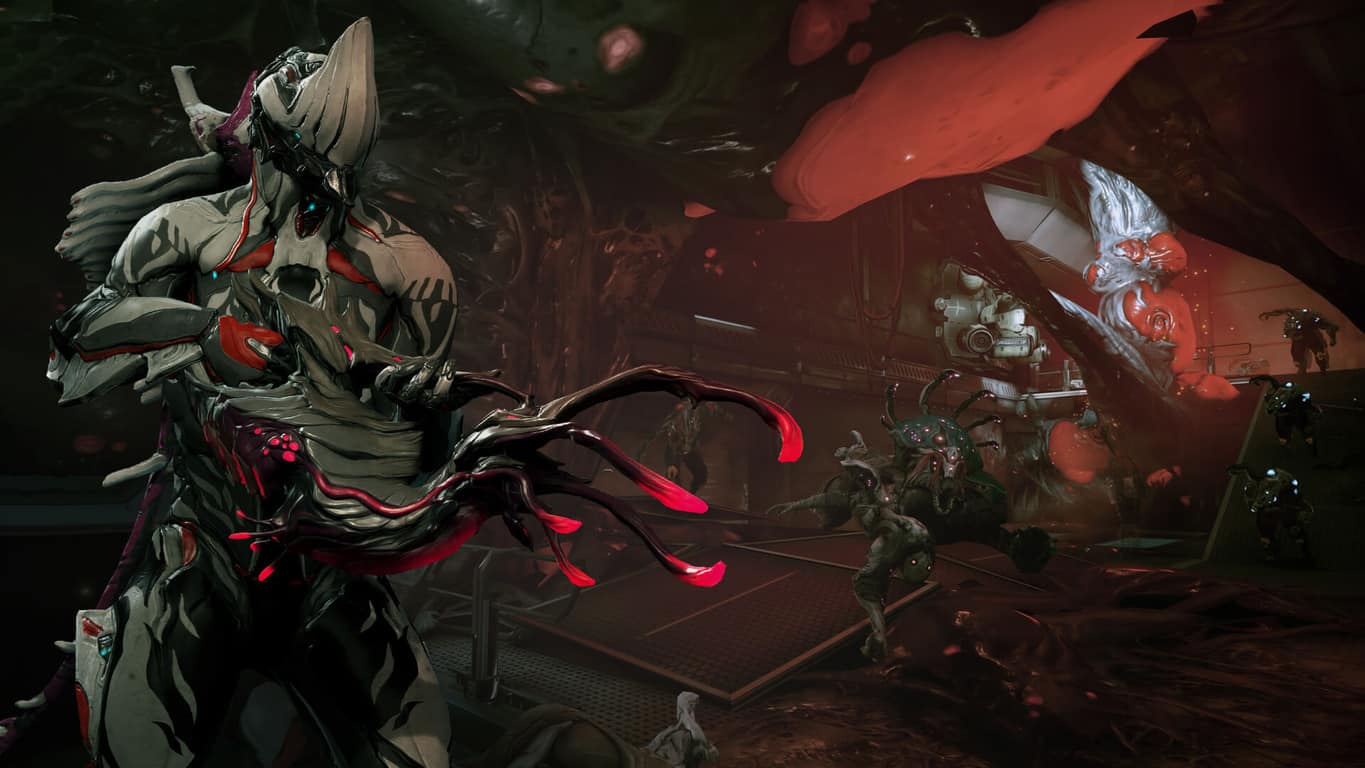
The Glast Gambit update comes to Warframe on Xbox One

The Glast Gambit update rolls out to the Xbox One version of Warframe today. This update is rather significant and adds a new Warframe character/suit, fresh story content, a variety of special items created by fans, new weapons, new customizations, and new mods. Installing the The Glast Gambit update also adds an entirely new game mode called, Infested Salvage, which has been given the following description:

A ship and its crew have fallen victim to the Infestation they were researching. Locate the ship’s manifest to recover their extensive research, but be fast as a corrosive gas fills the ship degrading your armor integrity.

Warframe is a free-to-play video game that has enjoyed significant success on PC, PlayStation 4, and Xbox One and, despite being labelled as a free-to-play game, has an impressive amount of content to enjoy that requires no payment whatsoever.

Are you a fan of Warframe on Xbox One? Let us know in the comments below.

Grab the new Power Rangers video game today on Xbox One

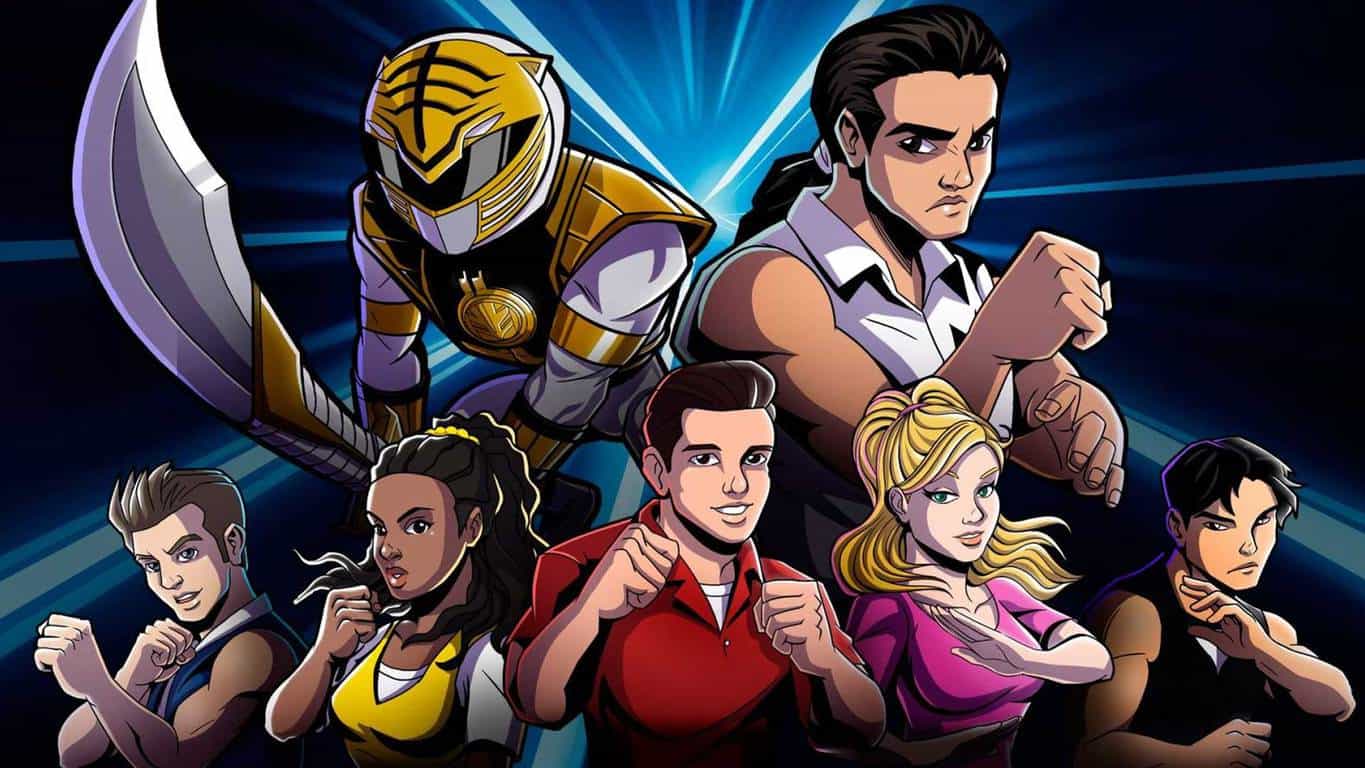
The Saban’s Mighty Morphin Power Rangers: Mega Battle (or “Power Rangers” for short) video game is now available to play on Microsoft’s Xbox One console. The game is an old school brawler with support for four-player multiplayer and features characters and storylines from the first two seasons of the popular superhero TV show. Here’s the official game description:

Saban’s Mighty Morphin Power Rangers: Mega Battle provides a creative and modern re-imaging of the classic multiplayer beat-em-up genre. Level up your rangers, team up with friends, summon the Megazord, and fight your way through levels stylized after classic Mighty Morphin Power Rangers episodes! • CLASSIC POWER RANGER DNA INTACT: Morph, use weapons & martial arts, and summon the larger-than-life Megazord!• INTUITIVE & DEEP BATTLE SYSTEM: Includes light, heavy, weapon and projectile attacks. Players will be able to integrate weapon strikes into different combo strings!• LEVELING & CUSTOMIZATION: Players can level-up and unlock new moves, attacks and weapons.• NOSTALGIC: Each level is based on a classic episode from the TV series. The levels are filled with familiar dialogue, background details, cut scenes, and enemies pulled straight from the first two seasons of the show!

Buy Power Rangers on Xbox One

The creation of this game is likely part of a plan to remind casual fans of the brand before the release of the major Power Rangers movie which premieres in March 2017 and is also based on the early seasons of the show.

Are you excited for more Power Rangers? Let us know in the comments below.

Resident Evil 7 will be an Xbox Play Anywhere video game

It was rumored a couple of months ago but now it has been confirmed. Resident Evil 7 will be an Xbox Play Anywhere title. This means that gamers can buy the video game on either Xbox One or Windows 10 and gain the other version for free. All content will also carry over between each version.

The confirmation came today in a tweet from Xbox’s Phil Spencer who said, “RESIDENT EVIL 7 biohazard confirmed for Xbox Play Anywhere – buy once, play on both Xbox One & Windows 10 PC.” You can see his tweet below.

Microsoft began their Xbox Play Anywhere initiative in 2016 and has already released several video games under its banner with Forza Horizon 3, ReCore, Killer Instinct, and Gears of War 4 being some of the bigger titles. Halo Wars 2 will also be an Xbox Play Anywhere game. Resident Evil 7 is due for release on Xbox One and Windows 10 on January 24th.

RAR Opener app upgrades to version 3 on Windows 10 devices

The RAR file opener/extractor Windows 10 app, RAR Opener has just updated to Version 3 and now boasts several big improvements such as faster extracting, pin to Start, drag and drop for expanded files, and a new design that looks and works better on Windows 10 Mobile devices.

RAR Opening is a free app though does contain in-app purchases for some features. Here’s the official app description:

The Missing RAR Opener – Open any RAR file in seconds! New update: Now in addition to RAR, it handles dozens of popular Internet file types, like 7Z, Zip, TAR, LZH, etc. Don’t clutter and overwhelm your computer with file openers that handle hundreds of file types you’ll never need. RAR Opener is a tiny and super-fast utility that focuses on RAR files and doesn’t clog up your PC or waste your RAM.

RAR Opener has a small size and memory footprint to keep its operation quick without slowing down your computer. It’s beautifully simple: just double click once on the file you want to open and that’s it. Your opened file is waiting for you in Downloads. You can, of course, launch RAR Opener to manually select files you want but when it comes to RAR files, RAR Opener is all you need.

Do you use RAR Opener on your Windows 10 device or do you prefer an alternative? Share your recommendations in the comments below.

RAR Opener
RAR Opener
Developer:
Tiny Opener
Price:
Free

Microsoft plans to discontinue support for Service Bus for Windows Server 1.1 next year

If you rely on Service Bus for Windows Server 1.1 to do anything, you might want to start thinking about replacing it. Microsoft announced in a blog post today that they’re going to be discontinuing support for the service in a year – the cutoff date being January 9, 2018.

The cutting of support for the service came “after a careful analysis of market and community needs, trends, and considering what [Microsoft’s] true technology strengths are.” It accompanied an announcement that the future of cloud computing is in hybrid technology, and a successor to Windows Server 1.1 will not be immediately available.

The exact wording in the blog post is that Microsoft will be discontinuing “mainstream support” in January – not necessarily constituting a full stop. While it’s certainly not advisable to rely on the service as it goes into obsolescence, it’ll be interesting to see if anything else happens with it after 2018.

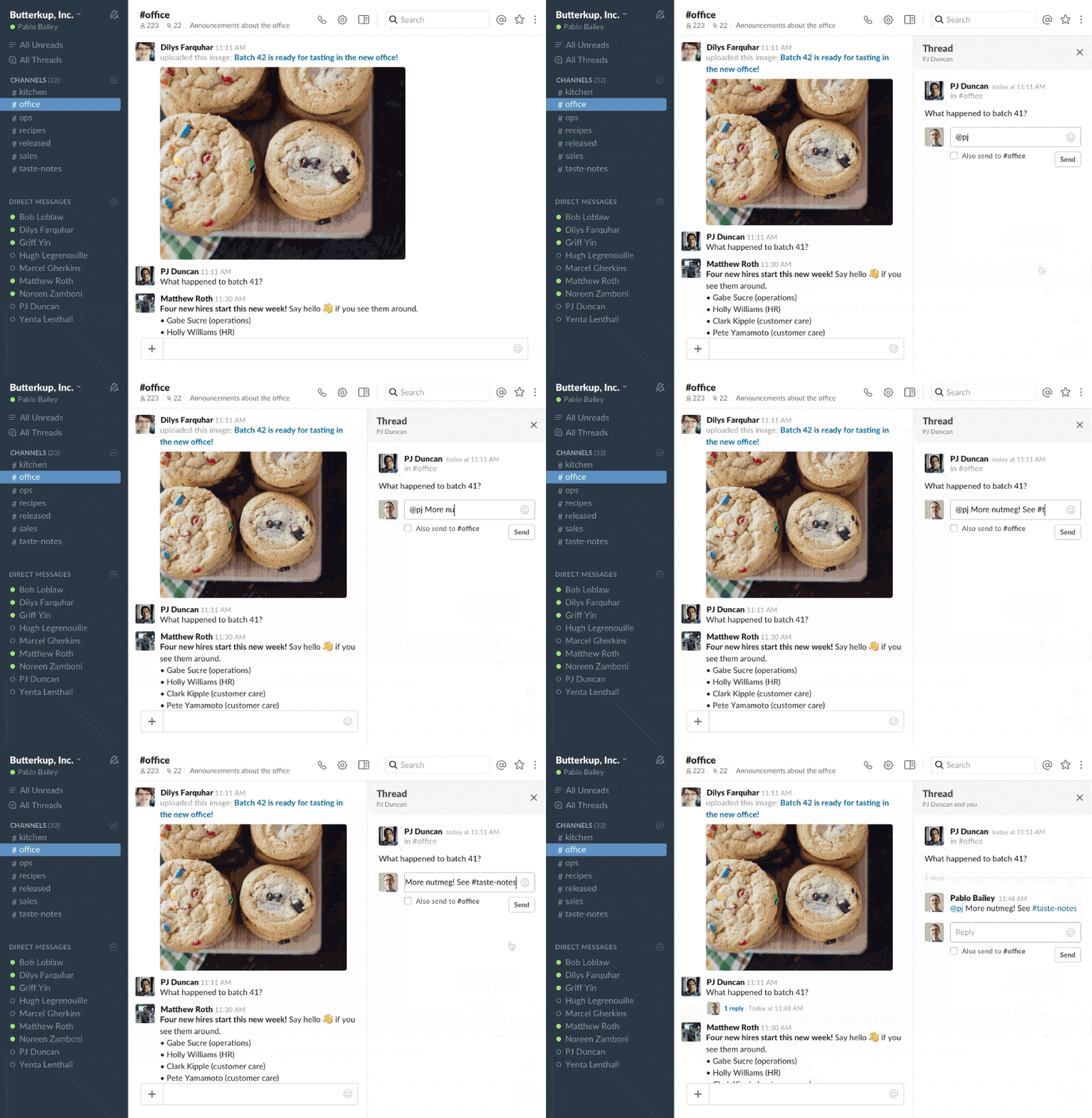
Slack fights Microsoft Teams by adding threaded messaging

One of the major advantages Microsoft Teams had over its competition at its announcement was the threaded conversations. This is the feature that branches messaging under a previous topic, making communication much smoother and less cluttered. Now, Slack fighting back with the same feature in their arsenal (via Windows Central.)

As announced earlier today, Slack will be rolling out a new update for its app starting today. In the next week or so, the thread messaging feature is expected to be available to everyone. Users will be able to hover over a message and start a new thread from the topic, or they can join in on others that have already been started. Furthermore, View All Threads and View All Unreads will make catching up a breeze in the updated Slack.

On a more productive note, subthreads won’t notify you unless you are specifically mentioned or you join in. That way you can work in a clear space without the need to read through every unnecessary detail of collaboration. Also, you can search through all of the threads conveniently.

Slack seems excited for the feature, undoubtedly eager to push back against Microsoft’s claim over enterprise team collaboration. Currently, Microsoft Teams is expected to overthrow Slack and Google Hangouts within the next two years. Even so, the projected deployment plans for businesses has less than a 10% margin difference. The race is close, and new features on both ends could keep the competition fierce.

Slack (Beta)
Slack (Beta)
Price:
Free

Microsoft to reportedly extend One Windows to a common shell for PC, Mobile, Xbox

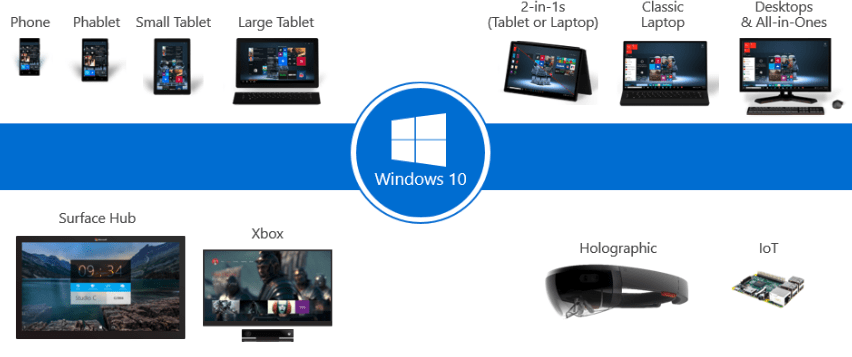
When Microsoft officially unveiled Windows 10 during a much anticipated media event in September 2014, the company explained that it made the bold bet to create a operating system that could run on many platforms: PCs, tablets, phones, IoT devices and its Xbox One console. Since then, new devices have joined the Windows 10 ecosystem such as the Surface Hub and the HoloLens mixed-reality headset, which further confirmed the versatility of Microsoft’s latest operating system.

Of course, all Windows 10 devices don’t run the exact same Windows 10 version, but all of them share some common elements such as the OneCore subsystem and the Universal Windows Platform. But according to a new report from Windows Central, Microsoft plans to push further its Windows Everywhere ambition by making the Windows Shell the next universal element of Windows 10.

Windows 10 ecosystem
The Windows 10 ecosystem.

For those unfamiliar, the Windows Shell is the collection of UI elements that let Windows users run apps and manage the operating system. On Windows 10, we’re talking about the desktop, the task bar, the task switching interface, the Start menu and more. While the familiar Windows shell is present on both Windows 10 PCs and tablets, other Windows 10 devices such as phones, the Xbox One and HoloLens are currently using different shells that coexist with the main Windows shell, but Microsoft is willing to change that.

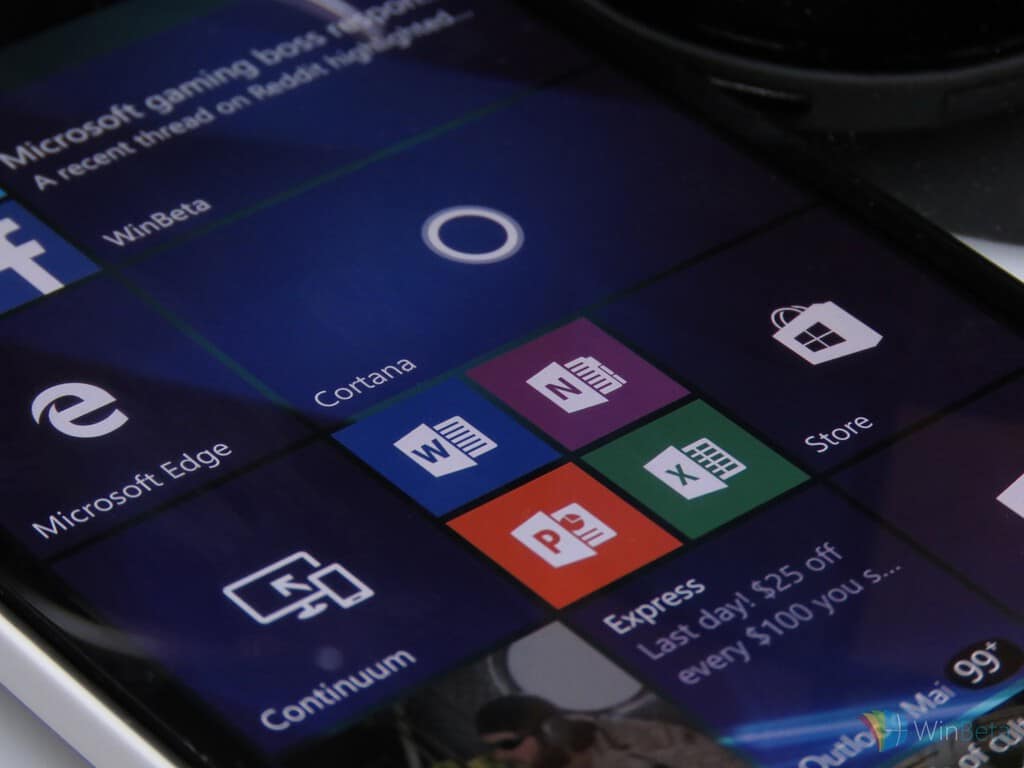
According to the report, the Redmond giant is working on a new universal shell (known internally as “Composable Shell”) that can scale across different devices and form factors. On Windows 10 Mobile devices, this will lead to Continuum improvements with a UI that looks more familiar to the classic Windows 10 desktop. During its Ignite 2016 conference last year, Microsoft actually teased some of these Continuum improvements such as the ability to pin apps to the taskbar, a more PC-like system tray and Action Center plus the support for windowed apps.

Continuum on Windows 10 Mobile is pretty limited as of today.

But this new Composable shell should also benefit Windows 10 tablets. Yesterday, we reported that Japanese Fujitsu was releasing a 6-inch Windows 10 tablet for the Japanese market, but it’s pretty clear that today’s Windows 10 tablet mode is not completely optimized for the phablet form factor. With a universal Windows 10 shell though, such small tablets may be able to switch to an optimized phone UI that would be definitely be more usable in certain circumstances.

It’s not clear yet what this new universal shell could bring to the Xbox One or the HoloLens. According to Windows Central, “that doesn’t mean certain devices will be encumbered with features and behaviors they don’t need or play well with. Xbox will still be primarily Xbox orientated, Mobile will be primarily Mobile orientated, and Desktop will be primarily Desktop orientated.” Obviously, the Composable Shell should be especially important for 3-in-1 devices such as the rumored Surface Phone, which could definitely leverage this universal shell to switch dynamically between a phone interface and a tablet/PC interface.

The Composable Shell reportedly will “begin showing up over the next few major Windows 10 updates, for Mobile, then Desktop, and eventually Xbox too.” In other words, don’t expect to see it in the upcoming Creators Update, which fetaures will reportedly be locked this month. Anyway, this universal shell is definitely exciting: it seems that one day, it won’t matter if you use Windows 10, Windows 10 on ARM or Windows 10 Mobile, because the device you use could be able to dynamically adapt to what you want to do with it.