Mute sound on webpages with Silent Site Sound Blocker for Google Chrome

Audio content on Internet comes in two versions: the one that you intentionally play (YouTube videos, Spotify songs, etc.), and the annoying one that plays automatically (ads, or notifications). When you want do disable the second kind, all browsers require you to do it manually, which can be as annoying as hearing that sound.

For Google Chrome users, that doesn’t have to be the case anymore. With one handy extension for Google’s browser, you can block sound from any site you want, and avoid hearing unwanted audio. The extension is called Silent Site Sound Blocker, and you can download it from Chrome’s Web Store for free.

This extension serves as an audio firewall for Google Chrome, and gives users complete control over audio playback in the browser. It comes with a few modes and options, so you can choose the regime that fits you the best.

Here’s what modes Silent Sound Blocker offers:

  1. “Allow Whitelisted Only — This setting plays audio only if the site is found on the whitelist.
  2. Block Blacklisted Only — This plays audio on all sites except on sites that are on the blacklist.
  3. Silence All Sites — This blocks audio playback on all sites.
  4. Allow All Sites — This allows audio playback on all sites.”

By default, the extension allows playback only from whitelisted sites (the first mode), but you can easily change that. Whenever you open a site that tries to play audio content, a prompt asking you for permission to play the sound will pop up. From there you have an option to whitelist the site, play audio and reject it only once, or completely blacklist the site. You can also whitelist and blacklist sites manually.

This prompt shows every time a site tries to play audio, as there’s no way to disable it. This, as well, can be annoying to some users, but it’s definitely better than hearing that guy who tries to show you how to make a million in one month.

All in all, this is a very useful extension, if you don’t want to disable audio on each site manually. You can download it for free, from the Chrome Web Store.

RELATED STORIES YOU NEED TO CHECK OUT:

Microsoft technologies help Crystal Group keep up with fashion at record speeds

If you pay attention to the fashion world, you know that things move fast. This is attributed to “fast fashion,” which has completely turned the art of clothes manufacturing on its head. Back in the day, it used to take up to 30 days for fashion to come from the runway to your clothes store – which, in many cases, was enough time for it to be out of fashion.

With fast fashion, clothes can be ready much quicker, which is an absolute necessity for a market that moves as quickly as this one.

Using Microsoft technologies, Crystal Group is able to make fast fashion even faster. By using Universal Windows Platform applications, they’re able to maximize the mobility of their entire sales force, keeping one cohesive set of tools wherever they go. As far as Crystal Group’s customers are concerned, this also means that they can use automated apps to design their custom clothes, instead of manually trying to figure out each detail. Where the production of a prototype used to take up to 7 days, Crystal Group can now do the same work in under 12 hours. A faster prototype means a happier customer, and that’s always a good thing.

If watching the video wasn’t enough to shed light on Crystal Group’s story, you can also ready Microsoft’s blog post on the subject, which sheds a little bit more light on everything. You’ll also be able to learn a little bit more about Crystal Group by checking out their customer story on Microsoft’s website, where they talk a little bit more about their digital transformation, and what challenges they faced during the process. If you’re considering upgrading your business model to something a little bit more digitally focused, this is a pretty inspirational story.

Microsoft will be removing apps without age ratings from the Windows Store starting tomorrow

The September 30 deadline looms closer for developers with abandoned apps on the Windows Store (via Neowin). As of tomorrow, apps that haven’t complied with Policy 11.11 will be removed from the store entirely.

Earlier in June, Microsoft sent out an email that declared their new stance on age ratings. Their attempt to bring compliance by app developers was able to be met by simply filling out a questionnaire that would take approximately five to ten minutes to complete. The multiple choice would then determine the app’s age rating by asking about violence, nudity, and other topics that might change age a child might be restricted from. This includes apps that are in beta whether they are in private or not.

It’s hard not to consider this the smarter move on the part of Microsoft. From what we can understand, there won’t be any bias for popular or long-term apps. It will only depend on if the developer has complied by taking the rating questionnaire. The removal of apps likely will cause a lot of outrage particularly in cases of popular apps that aren’t kept up to date anymore.

However, the attempt to make clearer ratings for their apps will be useful for customers that use the Add Family feature and monitor the downloads and purchases of their children’s Microsoft/Xbox account.

The certainty is that after tomorrow, we will see a lot fewer apps on the Windows Store. Could Microsoft be shooting itself in the foot by removing an undetermined amount of their precious apps? Or will the end justify the means and encourage developers to take the extra step to ensure compliance once Microsoft changes its policy in the future? No doubt it’s a hot topic so make sure to let us know all about what you think in the comments below.

Choose what Windows 10 updates are installed with this tool

Windows 10 is all about updates! We say that at the beginning of almost every update-related post and this article is not an exception. The system cannot function normally without updates, so it is advised users install them regularly.

However, many users are not satisfied with how Microsoft delivers Windows 10 updates. It all started when Windows 10 was released as a free upgrade for Windows 7 and Windows 8.1. People were furious at Microsoft because the company basically forced them to upgrade to Windows 10.

A year has passed and while Microsoft isn’t offering Windows 10 for free anymore, the problem of updates remain, with users unhappy mainly because they’re not in charge of installing them: Windows 10 forces them to install every new update — including major updates — even if they don’t want to.

There’s no way to completely control updates installation unless you stick to Windows 10’s features only. But if you’re looking for a third-party solution, there are a couple of options. And while there are a few similar tools allowing users to take control of updates in Windows 10, we decided to choose one called Windows Update MiniTool. Let’s see what this software has to offer.

Windows Update MiniTool controls updates in Windows 10

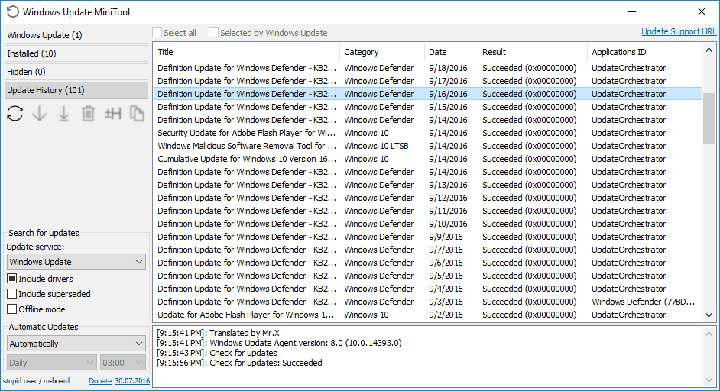
Windows Update MiniTool is a free tool that allows you to choose which updates you want to install along with some additional options. When you open it, it checks for Windows 10 updates but doesn’t install them manually. It allows you to choose which updates you want to install just like in Windows 7. So, if you want to install a latest driver update but don’t want a new update for Windows Defender, you can just uncheck it from the list of available updates.

You don’t have to worry about downloaded updates because MiniTool downloads them directly from Microsoft’s servers, not from some unverified source. Once updates are downloaded, MiniTool stores them in the SoftwareDistribution folder, just like Windows Update does.

Next, you can choose how updates are installed. The offered options are:

  • Automatically
  • Disabled
  • Notification Mode
  • Download only
  • Scheduled
  • Managed by Administrator

windows update minitool 2

If you choose to install updates automatically they will be installed the same way they are as with Windows Update — something you probably don’t want if you’re using this software. You can completely disable updates, but this is not recommended. You can set the notifications mode to inform you whenever a new update is available. The download only option allows you to just download updates without installing them, later choosing which patches to install. The tool even offers you Update History just like the ‘original’ Windows Update did.

But, there’s one MiniTool feature we especially like. This tool allows you to download every update manually by providing the download links. This is a great way to install the latest updates on computers without internet connection. Also, users won’t have to use Internet Explorer or perform  tricks to manually download updates from the Update Catalog.

windows update minitool 1

All in all this is a very useful tool, especially for users who want to change the way of receiving updates. Still, it’s good to be careful with third-party tools that download Windows Updates because some of them might not be what you think they are. However, Windows Update MiniTool is completely safe to use, so have no worries when downloading it.

If you’ve already downloaded Windows Update MiniTool, let us know what do you think about this handy program in the comments.

RELATED STORIES YOU NEED TO CHECK OUT:
Windows 10 build 14393.222 (KB3194496) available for Release Preview and Slow Ring

Microsoft recently rolled out a new Windows 10 build to Release Preview and Slow Ring Insiders. Build 14393.222 improves the Windows Update Agent, shared drives, virtual private network, HTTP downloads, Internet Explorer 11, multimedia playback, and Microsoft Edge.

Since this build was pushed out to the Release Preview ring, it means this version is pretty stable. Its fixes and improvements it brings will most likely be available to the general public on the next Patch Tuesday on October 4. The current build actually comes packaged as cumulative update KB3194496.

Build 14393.222 brings the following improvements:

  • Improved performance of push and local notifications, Hyper-V platform, and some social media websites using Microsoft Edge.
  • Addressed issue where mapping a drive from an elevated command prompt doesn’t work with administrator credentials.
  • Addressed issue causing movies that were ripped using the transport stream (.ts) format to play without sound in Windows Media Player and the Xbox One Media Player app.
  • Addressed issue causing the Movies & TV app on the Xbox to stop working when attempting to play content that was just purchased from the Store.
  • Improved support for networks by adding new entries to the Access Point Name (APN) database.
  • Addressed issue causing “Print all linked documents” to not work in Internet Explorer 11. […]
  • Addressed additional issues with multimedia, Windows kernel, Windows shell, enterprise security, storage file system, Remote Desktop, core platform, Hyper-V platform, Windows Update for Business, display kernel, near field communication (NFC), input and composition, Bluetooth, Microsoft Lync 2010 compatibility, Windows Storage API, app registration, Trusted Platform Module, Group Policy, Internet Explorer 11, virtual private network (VPN), BitLocker, wireless networking, datacenter networking, Cortana, PowerShell, Active Directory, connection manager and data usage, Microsoft Edge, Windows Recovery Environment, file clustering, Universal Windows Platform (UWP) apps, audio playback settings, DShow Bridge, app compatibility, licensing, cloud infrastructure, domain name system (DNS) server, network controller, USB barcode reader, and Adobe Flash Player.

If you downloaded and tested cumulative update KB3194496, tell us more about your experience in the comment section below.

RELATED STORIES YOU NEED TO CHECK OUT:

Xbox One sales up 989% week-on-week in UK as BluRay drives sales rise

Earlier this month, we reported that Microsoft’s Xbox One gaming console was outselling Sony’s PlayStation 4 for the second month in a row according to new data from NPD. At the time, Xbox marketing boss Mike Nichols said in a public statement that this success was a consequence of the release of the brand new Xbox One S, “the only console available this holiday with built-in UHD 4K Blu-ray, 4K video streaming, and HDR for video and gaming,” explained the exec.

Today, MCV UK is sharing additional data from GfK proving the early success of the new Xbox One S in the country (via Pocket-Lint):

  • Xbox One sales have increased by 989% week-on-week.
  • The Xbox One claimed a 71% share of the console market for the week ending September 24th, which represents an increase of 76% year-on-year.
  • Sony’s PlayStation 4 had a 19% market share in the country last week, even though the company launched a slimmer PlayStation 4 on September 16th.
  • Comparing the launch weeks for the Xbox One S and the PlayStation 4 Slim in the country, Microsoft’s sales were 361% higher than its rival.

In a statement released to MCV UK, Xbox UK marketing boss Harvey Eagle reiterated that the Xbox One S 4K UHD Blu-ray player and 4K video streaming support have clearly resonated with consumers:

It’s great to see how popular both the Xbox One S and the FIFA 17 Xbox One S consoles are with fans, not just over the last week but since the Xbox One S was released in August. 4K video streaming and 4K UHD Blu-ray have been extremely well received and we believe there is no better value right now for those looking to upgrade their console.

As of today, Microsoft’s Xbox One S is clearly the best option for 4K video enthusiasts as the console supports both 4K Blu-rays and 4K video streaming. Sony’s PlayStation 4 Pro which is expected to be released in November will also support 4K video streaming, though the premium console won’t feature a 4K Blu-Ray player. It’s not clear yet if 4K video content is a big incentive to upgrade today as 4K TV sets remain pretty expensive for now.

However, we expect Sony to put a heavy emphasis on 4K gaming with its PlayStation 4 Pro later this year, even though President and Global CEO of Sony Interactive Entertainment Andrew House recently explained that “the majority (of games) will be upscaled.” In the end, games are the real system sellers and we can’t wait to see how the upcoming Xbox One exclusives will compare to what Sony will have to offer in the holiday season.

Simple Disable Key: A Comprehensive Review

A hotkey is a standalone key or combination of keys that perform a particular task when pressed. You can set hotkeys to launch apps you frequently use because it’s quicker than using a mouse.

However, the hotkeys you set can also be used by other users and could accidentally access restricted content, for example. In order to avoid such situations, you can use Simple Disable Key.

Is Simple Disable Key free?

Simple Disable Key is free software that disables particular keys or key combinations. 

This feature is very useful, especially when you are playing a game and want to limit errors caused by hitting the wrong keys.

How do I use Simple Disable Key?

  1. Launch Simple Disable Key.
  2. Press the key or key combination, and then press Add Key.add key
  3. Configure the settings and click OK on all windows to save the changes.

That’s it! It’s this simple to disable keyboard shortcuts using the software!

The disadvantage is that Simple Disable Key doesn’t support all key combinations, only regular ones. In other words, this tool can’t disable system hotkeys involving Windows or state on its own, such as Caps Lock.

There are three modes available: 

  • Program: Allows you to select any application on your system and turn off the specified key as long as the app is running.
  • Schedule: This lets you specify exactly when you want the keys to be ineffective.
  • Always: Permanently disables the specified hotkeys.

The tool’s interface is simple and straightforward. There are nine menus available in the newer versions of Disable Simply Key, but you will mainly use only three, File, Options, and Tools.

The software is easy to use, and a few minutes on it will get you acquainted with most of the actions and features. And we did find it useful, though there were a few drawbacks, as discussed earlier.

Before you leave, check the best software to configure keyboard shortcuts in Windows.

Leave your review of the software in the comments section below.

Microsoft widens its Bug Bounty program for Edge, get paid to find and report browser bugs

Microsoft has been busy expanding its Bug Bounty program this year. So far the company has added rewards for finding exploits in .Net Core, ASP .Net Core, and OneDrive. Last month, Microsoft also added Edge to the Bug Bounty program. Specifically, Microsoft started offering rewards to anyone who found Remote Code Execution vulnerabilities in Edge on Windows Insider Preview builds.

According to a report from The Register, Microsoft is now expanding their Bug Bounty program for Edge beyond just Remote Code Execution. The program will now also payout up to $6,000 for proof of a flaw in Edge that violates W3C standards. W3C is the World Wide Web Consortium is an international standards organization for the web which has produced industry-leading standards that define the Open Web Platform. Microsoft is looking for violations of W3C standards that compromise privacy or integrity of user date. This includes violation of SoP and Referrer spoofs.

Recently announced Edge sandboxing might make many bugs a thing of the past.
In the future, Edge sandboxing might make many bugs a thing of the past.

Violations of XSS will only result in up to $1,500 rewards. Finding a Remote Code Execution bug is still the highest payout, of up to $15,000. The Edge bug bounty program only runs until May 15th, 2017. And it has to be found on Windows 10 Insider Preview builds from the slow ring.

There are also a few standards for what makes up an eligible submission. The include:

  • Identify an original and previously unreported vulnerability in the current Microsoft Edge on WIP slow
  • The vulnerability has to reproduce on the recent WIP slow builds in order to qualify for a bounty
    • If a submission reproduces in a previous WIP Slow build but not the current WIP Slow at the time of your submission then the submission is ineligible
  • Include concise reproducibility steps that are easily understood. (This allows submissions to be processed as quickly as possible and supports the highest payment for the type of vulnerability being reported.)
  • Include the WIP slow build number on which the vulnerability reproduces

If you think you might have found a bug in Edge related to RCE or W3C violations, head over to Microsoft’s TechNet site to submit to the Microsoft Edge Web Platform on Windows Insider Preview Bug Bounty Program.

Here’s what Xbox is up to at this year’s Twitchcon

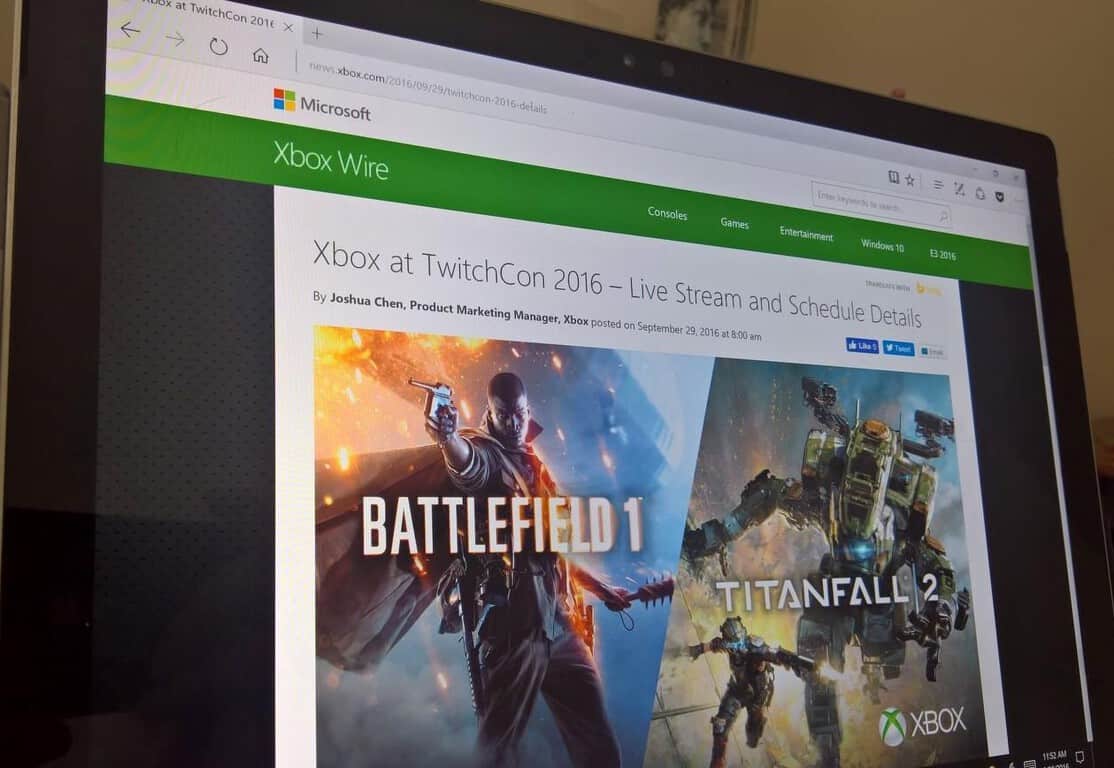
At this year’s TwitchCon, Microsoft is partnering with EA to showcase Battlefield 1 and Titanfall 2 multiplayer gameplay on Xbox One. TwitchCon 2016, in San Diego, will begin this Friday, September 30, and run through Sunday, October 2, 2016.

On Saturday, October 1st, 1:00 pm PDT, Xbox will take a special look at Battlefield’s 1 single player campaign and speak with Eric Holmes, Design Director at DICE, to discuss the new content in the latest Battlefield 1 trailer.
Here’s a look at full broadcast session and guest list for the Xbox EA event at TwitchCon 2016:

Broadcast Schedule:
Friday: 2 – 5pm Battlefield 1  /  5:30 – 8pm Titanfall 2
Saturday: 10am – 1pm Battlefield 1  /  1 – 1:30pm Exclusive Battlefield 1 Single Player Gameplay  /  2 – 5:30pm Titanfall 2
Sunday: 10:30am – 1:30pm Titanfall 2  /  2 – 5:30pm Battlefield 1

Guest List Slated to Include:
Alination, BFF – Recon, CodeName_Deus, CreamTV, Darkness429, DooM49, Duxativa, EatMyDiction1, ekolimits, FairlightExcalibur, GameSager, Giggle_Monster, GoldenboyFTW, IncredibleOrb, LEQIGN, LostAiming, Major Nelson, MugsTV, NukemDukem, Oolala87, PanikKontrol, Pansy, Sattelizer, Scarfino, Smokealoke, Sovindictive, Starsnipe, Stodeh, Tactical Pinup, TOMMYRAGE, TwoAngryGamersTV, Westie, Wolv21, Xfactor

Xbox, Microsoft, Xbox One, Xbox One S, Twitch, TwitchCon
Xbox One S Special Edition Consoles

In addition, Microsoft will be offering a chance to win four special edition Xbox One S bundles, including: Xbox One S (2TB), an Xbox One S Battlefield 1 Special Edition Bundle (1TB), a custom Battlefield 1 Xbox One S (500GB), or a custom Titanfall 2 Xbox One S (500GB).

The Xbox One S Battlefield 1 Special Edition Bundle (1TB) is a military green Xbox One S console with matching stand and controller, Battlefield 1 Early Enlister Deluxe Edition (play Battlefield 1 early, starting October 18), the Hellfighter Pack, Red Baron Pack, and Lawrence of Arabia Pack, in addition to five extra Battlepacks. The Battlefield 1 Special Edition Bundle also includes one free month of EA Access. To enter, follow @Xbox on Twitter and retweet the Battlefield 1 and Titanfall 2 #XboxSweepstakes tweets.

Microsoft wanted to sell 200 million Xbox Ones, says Phil Spencer

Head of Xbox Phil Spencer recently visited Australia for the launch of hit first-party title Forza Horizon 3 (which is set in Australia, in case you didn’t know it) and the exec gave an interesting interview to Australian website Stevivor. Spencer, a 27 years Microsoft veteran and long time Xbox exec had a lot to share about the team’s original vision for the Xbox One.

As you may recall, previous Xbox head Don Mattrick initially introduced the Xbox One as an all-in-one entertainment device back in 2013, with a heavy emphasis on Kinect, digital content and TV. While the response from Xbox enthusiasts was far from great at the time, Spencer still thinks that “there were some goals that were genuine and well-founded.” Moreover, the exec explained that the previous Xbox team (which he belonged) thought that a more versatile Xbox could potentially be much more popular in the market than previous consoles which have been laser-focused on video games:

The goal that the team had was to figure out how could we sell 200 million game consoles. We’ve never seen a console sell that many units. The biggest individual console, the PS2, did 120 million or something like that. The approach the team took was people are moving to OTT Video Services [over-the-top, like Netflix and Stan] and television’s getting disrupted — and if we could build a console that could be at the center of this transition and really embrace not only people playing video games, but also people with the changing habits in television, you really take the console market and the gaming market and you expand it potentially.

The original Xbox One with its Kinect sensor.

At the time, the Xbox team executed on this vision pretty well: the Xbox One was a better multimedia machine than the Playstation 4 thanks to an HDMI pass-through that let users connect other peripherals including cable boxes. Microsoft even created Xbox Entertainment Studios to produce first-party TV content for the console (the studio was disbanded in 2014). “I look at all of those and from a pure business standpoint and goals, they’re all completely sound ideas. It’s not like somebody was out with evil thoughts or something. It’s a rational approach,” added Spencer.

However, consumers voted with their wallets and it became clear early on that the Xbox One, which was initially $100 more expensive than the Playstation 4 was trailing behind its rival. When Spencer became the new head of Xbox back in 2014, he knew that the Xbox team should clearly refocus the Xbox One on games:

When we came in after two-and-a-half years ago and started running the Xbox program, I centered us back on not trying to become something other than a game console. You don’t earn the right to be relevant in other categories of usage for the console until you’ve earned the gaming right, so let’s go make sure that’s what we deliver.

While the PlayStation 4 reportedly sold twice as more units than the Xbox One so far, this new strategy still seems to have delivered positive results so far. The brand new Xbox One S received some well-deserved praise following its release in the summer and the upcoming Project Scorpio which promises to bring true 4K games on consoles is really exciting. Additionally, the Xbox Play Anywhere initiative which lets gamers buy a game once and play it on an Xbox One or a Windows 10 PC is a great way to give more value to Xbox enthusiasts.

The new Xbox One S.
The new Xbox One S.

According to the current head of Xbox, the technology giant now takes video games very seriously. “The idea that video games are a category that Microsoft should go be in a whole number level, full support, it only happened a number of years ago,” he explained. Moreover, Microsoft execs are well aware that all big tech companies are currently investing in video games and Redmond can’t really afford to lose its edge in this market:

Today, if you sit down with Satya Nadella, the CEO, Amy Hood, the CFO of the company, they will talk about gaming as a core capability of Microsoft, not gaming as a bridge to somethings else, but gaming into itself. It’s not just Microsoft, you see Google investing time in gaming, you see Facebook buying Oculus, you see Amazon buying Twitch, you see multi-billion dollar transactions going on at the gaming space, not so you can go be something else, but because gaming is a very high engagement, high monetization use on any electronic device that you see.

In the end, Microsoft may never be able to sell 200 million Xbox One consoles during this generation, but we guess that it doesn’t really matter anymore for the company. This year, Redmond stopped reporting Xbox One sales during its quarterly earning reports, claiming that Xbox Live engagement was a more important metric to consider, although it will be reporting Gaming Revenue in future earnings reports. Indeed, the Xbox ecosystem now includes Windows 10 devices as well, and the Xbox Play Anywhere initiative and the ID@XBOX program could be instrumental to make Xbox games much more popular and accessible to everyone. Lastly, Microsoft may well delight hardcore gamers disappointed by the recently unveiled PlayStation 4 Pro with its top-of-the-line Project Scorpio next year. Do you trust Phil Spencer and Microsoft to push Xbox to the next level? Let us know your thoughts about the future of Xbox in the comments below.

Test your knowledge with a Microsoft themed Microsoft Rewards quiz

In case you did not already know, Bing Rewards recently became Microsoft Rewards. While nothing major has changed except for the name, and the way the points and rewards work, unique daily quizzes and bonus quizzes for using Edge have been a part of the program for quite a while. One of these unique quizzes has appeared for some via the main Microsoft Rewards page, and it involves testing your Microsoft knowledge for a cool 50 point reward.

quiz
The Microsoft Rewards Quiz

The rewards quiz poses a series of five Microsoft related questions, all of which can be answered via searches on the Bing search engine. The questions cover a wide area of Microsoft trivia, and might be easy for casual Microsoft fans and hardcore enthusiasts alike. Questions include:

  • “Microsoft was founded in which state?”
  • “The Windows 95 launch featured the song ‘Start Me Up’ by which band?”
  • “Which actor starred in a 2008 Microsoft commercial with co-founder Bill Gates?”
  • “Microsoft co-founder Paul Allen owns which professional football team?”
  • “Which brand recently acquired by Microsoft was originally created in Sweden?”

Would you  be able to answer these questions without using the help of Bing? (I myself specifically had trouble on the commercial question!) How have you been spending your accumulated points on Microsoft Rewards? Let us know your thoughts by dropping us a comment below.

Fallout 4 and Nuka World get PC and Xbox One updates

Bethesda is releasing an update today for both Fallout 4 and the Fallout 4 Nuka-World DLC. This update is coming first to PC and Xbox One players and will update the game to version 1.7.19.

The patch is mostly just big fixes but it spans Fallout 4 and all of its DLC. The latest expansion, Nuka World, just launched at the end of last month and is the final DLC installment for Fallout 4.

Today’s update to version 1.7.19 include the following fixes:

Fallout 4 1.7.19 UpdateFixes General updates to Bethesda.net Mods

Nuka-WorldFixes Fixed issue where “The Grand Tour” could not be completed if Gage was your active companion when the quest started.

Far Harbor and Contraptions Workshop

  • Far Harbor and Contraptions were also updated on PC, Xbox One and PS4 with minor updates
  • Far Harbor (JP) was updated to fix untranslated strings

The update should be rolling out now for PC and Xbox One players. PS4 owners will have to wait as Bethesda says it is coming at a later date.

Gurdeep Singh Pall transitions out of Skype leadership role

Seems there’s another bit of news coming out of Microsoft today, along with the decidedly sad news that Qi Lu is leaving the company to recover from injuries suffered in a bicycle accident, and Harry Shum will be heading up a new AI and Research Group.

In an internal email obtained by GeekWire, Satya Nadella also revealed that Skype head Gurdeep Singh Pall will be transitioning out of that role:

Gurdeep Singh Pall and I have decided this is the right time for him to transition to his next role. Gurdeep will transition the Skype team to Rajesh over the coming weeks.

Management of Skype will now fall to Rajesh Jha, who is taking over many of Qi Lu’s duties as head of the Office Product Group. It’s a bit unclear whether Gurdeep Singh Pall’s next role will be within the company, we’ll ask Microsoft what his next role may entail.

Battlefield 1 single player info leaks before Xbox One release

A month ago, EA Dice and Electronic Arts opened the gates for the limited Battlefield 1 Open Multiplayer Beta on Xbox One, which gave us a first look at the much anticipated shooter. While the multiplayer experience already promises to be enjoyable, not much was known about the game’s solo campaign, which takes place during World War 1.

Two months ago, Reddit user Lobix300 posted that the game’s solo campaign would include seven episodes and 20 missions in total (via OnlySP). Since then, it seems that the leak has been proved to be accurate as the official Battlefield website has now published the name of each of the episodes and they all match the information previously found on the Reddit thread. Please find all the details below:

Episode 0 : Prologue

  • Chapter 1 : Prologue

Episode 1 : Friends in High Places

  • Chapter 1 : Flight School
  • Chapter 2 : Total War
  • Chapter 3 : Carry Your Friend
  • Chapter 4 : Blitz

Episode 2 : Nothing is Written

  • Chapter 1 : Hidden in Plain Sight
  • Chapter 2 : Young Mens Works
  • Chapter 3 : Hear The Desert

Episode 3 : Through Mud and Blood

  • Chapter 1 : Tank Assault
  • Chapter 2 : Fog of War
  • Chapter 3 : Out of Gas
  • Chapter 4 : Steel on Steel

Episode 4 : Avanti Savoia!

  • Chapter 1 : ?
  • Chapter 2 : ?

Episode 5 : The Runner

  • Chapter 1 : ?
  • Chapter 2 : ?
  • Chapter 3 : ?

Episode 6 : Epilogue

  • Chapter 1 : Gallipoli
  • Chapter : The Runaround
  • Chapter 3 : Saving a Life

Moreover, the game’s official single player trailer has been published on YouTube earlier this week and you can watch it below:

Battlefield 1 will be available worldwide on Windows, Xbox One and Playstation 4 starting October 21. Sound off in the comments if you’re excited by the game’s solo campaign.

Harry Shum to lead Microsoft’s new AI and Research Group

Microsoft has announced that it has formed the Microsoft AI and Research Group, bringing together Microsoft’s world-class research organizations in order to focus on the company’s AI product efforts. The new group is led by computer vision luminary Harry Shum and, in part, marks the company’s dedication to democratize AI and make it accessible and valuable to everyone.

In addition to the leadership of Harry Shum, several other members of Microsoft’s engineering teams will be joining the new group. These teams and members include the Information Platform, Cortana and Bing, and Ambient Computing and Robotics teams led by David Ku, Derrick Connell and Vijay Mital. Ultimately, though, the groups will all combine to encompass AI product engineering, basic and applied research labs, and New Experiences and Technologies. Harry Shum put the situation best and said:

Microsoft has been working in artificial intelligence since the beginning of Microsoft Research, and yet we’ve only begun to scratch the surface of what’s possible… Today’s move signifies Microsoft’s commitment to deploying intelligent technology and democratizing AI in a way that changes our lives and the world around us for the better. We will significantly expand our efforts to empower people and organizations to achieve more with our tools, our software and services, and our powerful, global-scale cloud computing capabilities.

The initiative from the Microsoft AI and Research Group will involve four key areas, including agents, applications, services, and infrastructure.  For the complete details on Microsoft’s plans, head over to this webpage. Once you’re checked it out, be sure to come back to WinBeta and let us know what you think by dropping us a comment in the section below.

MSN Money and Sports updated with dark theme support for Windows Insiders on the Fast Ring

Microsoft has released a new update to the MSN News, Money, Sports and Weather app for Windows Insiders on the Fast Ring. The four apps have been bumped to version 4.16.14.0 on Windows 10 devices and while there is no new changelog, we spotted that both MSN Money and Sports now support dark theme mode. As a reminder, the dark theme first appeared in the MSN News app two months ago and it’s nice to see that Microsoft is bringing some consistency to its MSN portfolio. You can find the dark theme option in the settings and you can see how it looks in the screenshots below:

MSN Money and Sports now support dark theme.

However, please note that the MSN Weather app has yet to be updated with this new dark theme option. If you’re a Windows Insider in the Fast Ring, you can download the latest versions of the MSN apps right now, let us know in the comments if you spot anything new.

Microsoft News
Microsoft News
Price:
Free


MSN Sports
MSN Sports
Price:
Free


MSN Money
MSN Money
Price:
Free


MSN Weather
MSN Weather
Price:
Free

Ride over 170 bikes in Ride 2, available to pre-order now on Xbox One

Motorbike racing game, Ride 2, is now available to pre-order on the Xbox One ahead of its October 7th release date. The game boasts over 170 different bikes to choose from and a variety of different racecourses and modes to compete in. Ride 2 supports two player local multiplayer and games with up to 12 players in online multiplayer. The game bears more than a striking resemblance to the Forza race car video game franchise and will likely appeal to the same audience. Here’s the official game description:

Discover, transform and test out the fastest and most iconic motorbikes in the world’s largest digital garage! More than 170 bikes, new models and categories, like the legendary Two-Strokes for real fans, the Supermoto with their ad hoc physics and the Café Racers with their retro style. Collect them all! Travel around the world in an unforgettable and extraordinary sequence of events: GP circuits, country tracks and city tracks. Over 30 tracks, including the legendary Nürburgring Nordschleife.

Set up your bike by customising the aesthetics, motor, brakes, suspension and transmission and enjoy more than 20 brands in Ride 2 to bring your rider to life, choosing gear and riding style! 16 game modes: speed down the queen of tracks, Nürburgring, ride in typical motard style and slalom race through street cones for the most enjoyable riding experience ever!

Pre-order Ride 2 on Xbox One

Ride 2 is available in a special Pre-Order Edition which comes with the main game and the Kawasaki DLC and Ducati Bonus Pack. This pack contains the Ducati Hypermotard SP and Kawasaki ZZR1400 with original liveries and 10 exclusive helmets that feature brands like Nolan, X-Lite, Suomy, and AGV can’t be purchased anywhere else.

Have you been waiting for Ride 2? Do you prefer to play motorbike racing games over car ones? Let us know in the comments below.

Fantasy puzzle game Castles launching on Xbox One October 5th

A new puzzle game, Castles, is coming to the Xbox One on October 5th. The game is set in a magical fantasy world and involves a combination of action and grid-based puzzle challenges as well as a variety of different modes such as multi-player and a solo-player story mode. Here’s the official game description:

Castles is an exciting puzzle game with high doses of action, set in a fantasy medieval world. Up to two players have to match rows of 3 or more blocks with the same color or tool.  The players don’t control blocks, instead, they control the “engineers”, which makes for a very different game experience. The whole game takes place in a 7×7 block grid, in which the perimeter is limited exclusively to the character movement.  Blocks will fall from above onto the central 5×5 grid, where the player have to push and pull them in order to make combinations. If you complete the level goals, the tower grows taller. As it grows, different challenges in the shape of weather effects or enemies will get in the way.  These challenges will be randomly generated, so you’ll never play the same game twice. In Castles, you lose the game when the 5×5 grid gets full of blocks. Play the Adventure mode to follow the story and defeat Kind Edmund, or the Survival mode where the challenge is to build the tallest tower.  If you want to play against a friend you could try Battle mode, where each player builds a tower and tries to ambush his opponent.

Castles isn’t yet available to purchase in the Windows Store but we’ll make sure to post about it as soon as it goes online. Do you enjoy playing puzzle games on the Xbox One? Share your favorite titles with the site community in the comments below.

Microsoft’s Phil Spencer discusses the importance of physical disk drives and pricing Project Scorpio

During a trip to Sydney, Australia for the launch of Forza Horizon 3 on Xbox One and the Xbox FanFest, Phil Spencer sat down with NZ Gamer to talk about the announcement and launch of the new Xbox One S console and the upcoming Project Scoprio. While a lot of what was discussed had been stated previously in other recent interviews, of particular interest was the part of the conversation concerning the implementation of 4K streaming capability on the Xbox One S and upcoming Project Scorpio consoles and the reality that, right now, not many regions have internet speed high enough to take advantage of it.

“It was one of the reasons we made the physical media decision that we did,” he says in response to a statement about slow internet speeds in countries like Australia and New Zealand. “I know that if you look at usage on the box, you would say ‘Hey, everybody is watching YouTube, everybody is watching Netflix. Why would you do anything physical?’ But I do think markets where bandwidth capabilities and caps, and cost is prohibitive. So we wanted to make the decision that there would be physical media. I think for us games and the native rendering of 4K games is going to be important for Scorpio, which obviously alleviates any kind of need to stream. But I think we’ve been conscious that not everybody lives in a bandwidth happy, uncapped world.”

While incredibly likely that Project Scorpio, like the Xbox One S, will have a 4K physical disk drive, Phil Spencer is quick to state that that hasn’t been confirmed yet. “We’ve seen great adoption of it with the S. People seem to like it, but those kinds of decisions aren’t the decisions that we announced at E3,” he clarifies. “That’s not a push-back, I’m just saying those are the kind of decisions that can kind of bind later, what the drive is. But it has been really great to see how people have responded to the S, and it seems like we would want to continue to ride that option.”

Another detail many gamers and developers have been keen to learn is the eventual price of the new Xbox console, something that could equally make or break the device in regards to overall sales and adoption. As expected, he doesn’t reveal any specific details but does provide some insight into where abouts the price will sit in regards to the Xbox One S and previous video game consoles.

“So you can see the price of the S today. When we designed both of these, which we kind of designed it in parallel. We thought about the price performance of what we wanted to hit with the Scorpio, relative to what we were going to be able to do with the S. So that we would have a good price continuum, so people wouldn’t look at these two things as so disconnected because of the price delta,” Spencer explains. “So I think you will feel like it’s a premium product, a premium console. And not something, anything more than that. So I wouldn’t get people worried that this thing is going to be unlike any console price you’ve ever seen. We didn’t design it that way. That said, the opening price point for the Xbox One S, and the different hard drive sizes that is a critical part of this whole product. When I think about it as a product line, you should expect the pricing to kind of be in line with that.”

Project Scorpio is expected to release publically sometime during the fourth quarter of 2017 and specific details concerning pricing and its final name (Project Scorpio is just a temporary codename) should drop sometime next year.

Is having a physical drive and 4K streaming capability important to you? What sort of price point would you like to see Scorpio hit? Let us know in the comments below.

Report: Microsoft executive Qi Lu is leaving the company due to health reasons

Re/Code is reporting tonight that Qi Lu, Executive Vice President of the Applications and Services Group, is leaving the company. The report says that Lu suffered injuries from a bicycle accident several months ago. Microsoft has declined to comment on the report. There’s no word from the Re/Code report on the extent of Lu’s injuries.

Re/Code says that Corporate VP Rajesh Jha, who has been leading Microsoft’s efforts with Outlook and Office 365, will take over many of Lu’s duties.

Lu came to Microsoft in 2008, leading what was called Online Services at the time, and pushing Microsoft’s efforts with Bing. He has been responsible for “all of the research and development teams across Microsoft Office, Office 365, SharePoint, Exchange, Yammer, Lync, Skype, Bing, Bing Apps, MSN and the Advertising platforms and business group,” according to his executive biography.

Qi Lu came to Microsoft from Yahoo, where he spent 10 years.

King’s Quest Chapter 4: Snow Place Like Home launches today on Xbox One

The fourth entry in the King’s Quest video game series is now available to buy, download, and play on the Xbox One console for those who are buying each chapter individually. Gamers who have bought the King’s Quest Season Pass or the King’s Quest The Complete Collection should find the new content downloading automatically on their consoles.

King’s Quest is an interactive story-based video game series, not dissimilar to Telltale Games’ popular titles. Like Telltale Games’ video games, King’s Quest is also released as individual chapters which allows players to try out the first chapter for a rather cheap price and purchase the additional entries at their own leisure. Fans of the series can also buy the Season Pass, which is essentially a pre-order of all future chapters (there will be five King’s Quest chapters in total), or The Complete Collection, which also contains all five chapters plus an additional extra epilogue storyline.

Here’s the official game description for the King’s Quest Complete Collection:

Save money with King’s Quest: The Complete Collection (Chapters 1-5). This collection gives you full access to all 5 chapters plus an additional story epilogue exclusive to The Complete Collection, offering even more gameplay at an incredible value! King’s Quest is a collection of five different chapter releases, each focusing on an untold tale in Graham’s past. In each chapter, an aging King Graham reflects on his life of adventure with his granddaughter, Gwendolyn, while players are transported back to influence first-hand the decisions and events that shaped a kingdom.

Embark on an extraordinary journey across the world of Daventry, full of whimsical characters, charming puzzles and perilous dangers. Chapters can be downloaded from in-game upon individual release throughout 2015 and 2016.

Buy King’s Quest Chapter 4 on Xbox One

Buy King’s Quest Complete Collection on Xbox One

Have you been playing King’s Quest on your Xbox One? Let us know which chapter you’re up to in the comments below.

Xbox boss Mike Ybarra talks about a number of topics including Project Scorpio, Windows 10 gaming, and Cortana

There’s always been a rift between Windows operating systems and the Xbox gaming console. It wasn’t until the Windows 10 Anniversary Update this year that we saw a significant merge between the two. Windows Central had the opportunity to speak with Xbox Lead Mike Ybarra personally about the integration between Windows 10 and Xbox with the development of versatile Universal Windows Platform

Microsoft has been pushing development for UWP by encouraging interested parties to join their growing platform. Now that Xbox and Windows 10 have found a happy medium between the two, Ybarra clarified that Microsoft isn’t intending on one taking over the other.

We’re not out to turn the console into a PC, or vice versa, but by providing a common operating system, application platform, gaming services and developer tools, we can make it easier for developers to create and ship games and apps across multiple platforms.”

He also admitted to Jez Corden that there is still a lot of work to be done to make the UWP as versatile as they want.

The use of UWP development will also move forward towards Project Scorpio; the VR enabled 4k resolution console projected to release in the later months of 2017. When asked about the availability of games on Project Scorpio compared to Xbox One, Mike shared that only VR games with accessories that Xbox One cannot support will be on the chopping block of support. Otherwise, it should be 100% compatible with all Xbox One titles.

Even Cortana was mentioned. Jez from WC asked if we could expect to see Cortana being integration for UWP apps on the horizon. Mike gave a basic answer indicating that Cortana has a lot of potential, but her introduction to Xbox One is basically in its infancy since the Summer Update last month.

Obviously, Mike couldn’t confirm any suspicions or reveal any details on upcoming features or content, but the interview is worth a read if you’re curious about the future of Xbox gaming through the Universal Windows Platform. The full back and forth can be found over on Windows Central.

Windows 10 now runs on 400 millions devices

A couple of months ago, Satya Nadella, CEO at Microsoft, announced the company would change the way it monitors Windows 10 growth, observing monthly active users instead of devices. This comes after the company noticed the sales of Windows phones were so low that they could not achieve the goals it originally set of selling one billion devices by the middle of 2018.

At Ignite, however, Microsoft announced another milestone for the devices, declaring that the operating system is now running on 400 million devices. It is indeed a big number but only shows that once the company stopped offering Windows 10 for free, growth slowed.

In the beginning of May, Windows 10 was present on 300 million devices. Two months later, the number went up to 350 million. Another three months and the number added another 50 million. But if you’re thinking this is the number of users that installed the new OS voluntarily, you’d be wrong. In this calculation, Microsoft includes all devices running the OS, including tablets and computers found in warehouses or shops around the world that haven’t been sold yet.

The company also keeps track of the Windows install base. Back in June, Windows 10 owned 39% of the global market, 50% in the US and 51% in the UK. It remains to be seen where the OS will be placed when its next update is released and whether the canceling of the free download will also be reflected in the numbers.

At the end of this week, NetMarketShare should release the latest figures for users, not for devices. The last similar infomation was released for August and showed Windows 10 occupying 22.99% of the world. These numbers only take into account the desktop users and also include some older OS, such as Windows XP.

RELATED STORIES TO CHECK OUT:

You can now alphabetize Microsoft Edge Favorites in Windows 10 version 1607

Microsoft Edge is obviously Microsoft’s favorite browser, but this doesn’t mean that users can’t criticize its design and capabilities. In fact, alphabetizing folders in the Favorites Bar in Edge was one of the reasons users refused to switch to Edge.

Fortunately, Microsoft resolved this issue with the latest Windows 10 Anniversary Update. Now, Edge automatically sorts the content of the Favorites Bar. This ended the wave of complaints that were invading Microsoft’s forums ever since the browser was first launched.

Many users also criticized Microsoft for not having fixed this issue earlier, suggesting that adding the option to sort the Favorites Bar in an alphabetical order was a very easy task and that the company shouldn’t have waited until the launch of the Anniversary Update to make this feature available.

Although users will be happu to hear the news, some users criticize Microsoft further still for not having spread the information to all users:

It’s a pity MS didn’t feel it was necessary to tell the millions of MS Edge users they have fixed it. Perhaps because that would mean admitting there was a problem in the first place.

As stated before, alphabetizing Favorites in Edge is only supported by the Anniversary Update. All the other versions of Windows 10 don’t support sorting. This means that if you want to use the sorting feature in Edge, you need to upgrade to the latest Windows 10 version 1607.

The bad news is that the free upgrade offer has expired on July 29 and because of that, you’ll need to shell out $119 if you want to purchase this OS. If you’re satisfied with the current version of Windows 10 you’re running and you don’t want to install the Windows 10 Anniversary Update, you can use the good old drag-and-drop technique to organize Favorites.

RELATED STORIES YOU NEED TO CHECK OUT:

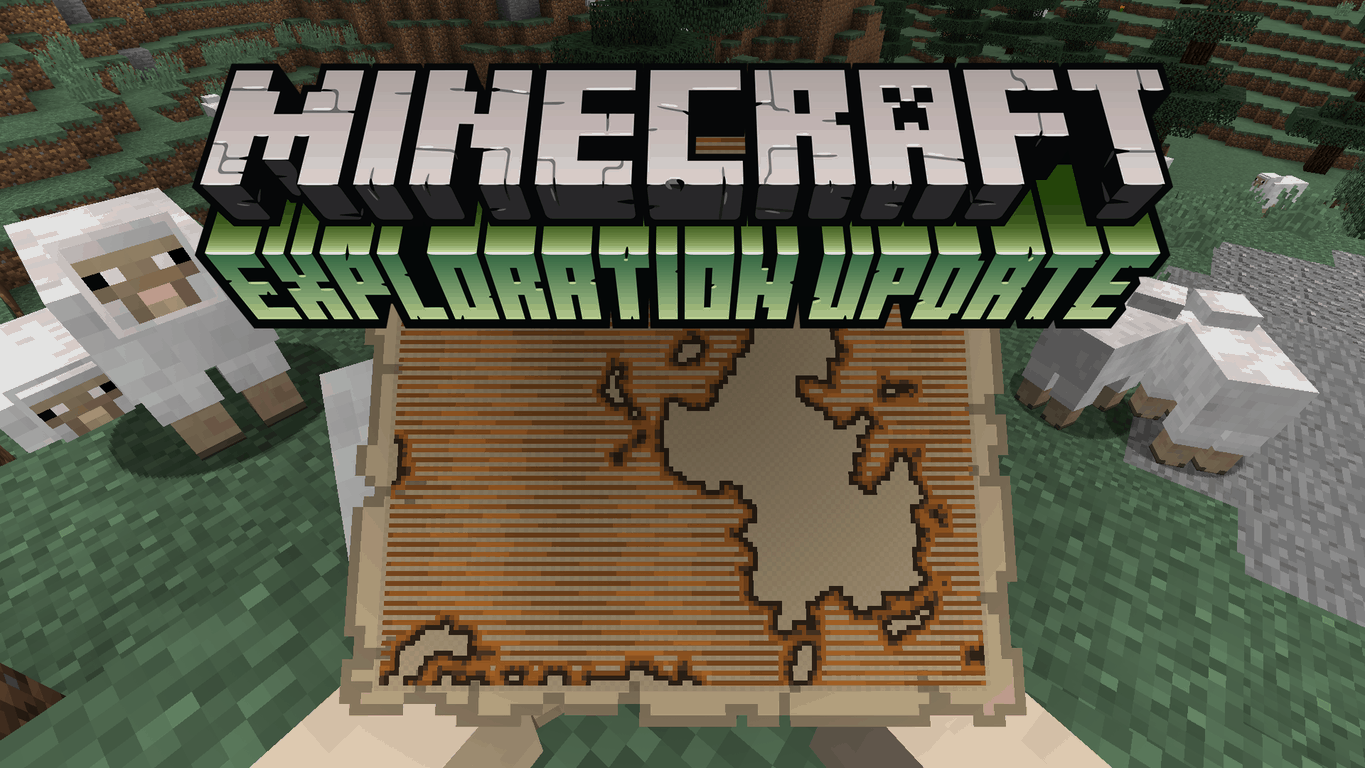
Mojang releases Minecraft for PC Exploration Update snapshot, adding cursed enhancements, Observer block, and more

The snapshot we’ve been waiting for since Minecon is finally here! Or at least for Minecraft PC version players. Snapshot 16W39A was teased to us during Minecon over last weekend with just enough to whet our whistle and get our appetite flowing. Aptly named The Exploration Update, the update includes many new adventures to undertake as you lay claim to the world block by block.

We’ve already covered the major key features of The Exploration Update snapshot, but to remind you there will be new Cartographer villagers in the library where you can buy maps. These will help you locate generated Ocean Monuments and a new location called the Woodland Mansion with its own list of horrible mobs to cut through.

Of course, the snapshot changelog shows that there’s more:

  • Added cursed enchantments
  • Added the Observer block
  • Added escape portals in The End
  • Added the Shulker Shell and Shulker Box
  • Added exploration maps
  • Added the Woodland Mansion
  • Added Illagers, and the Vex
  • Added Llamas
  • New command: /locate
  • Removed Herobrine

It’s not surprising that there is a list of bug fixes included in the snapshot as well. Fixes are being rolled out to correct a GUI capitalization issue, adding missing sound files, and so on.

Bugs fixed in 16w39a:

  • [Bug MC-58677] – GUI has inconsistent capitalization
  • [Bug MC-92139] – Too many tipped arrows in the “Combat” section of the creative inventory
  • [Bug MC-106077] – Missing sound files (largeblast1.ogg / largeblast_far1.ogg) because of CamelCase in 1.11.json
  • [Bug MC-107154] – Junk potion from fishing is uncraftable potion
  • [Bug MC-107165] – Brewing icon displays the incorrect color in Creative inventory tab
  • [Bug MC-107166] – Experience bottles produce pink particles.
  • [Bug MC-107170] – writeString method of PacketBuffer is not creating correct exception text
  • [Bug MC-107284] – disabling shields with axes doesn’t work
  • [Bug MC-107320] – Sort order of command autocomplete confusing

Just in case you don’t know, a snapshot is a small update that is in beta. You can access this preview by selecting it for download in your Minecraft installer profile. It’s important to remember that updating to a snapshot can corrupt your current save games and may not always be stable, and so remember to back up your save files.

It’s hard to believe that the original PC version of Minecraft is seven years old now. Through blood, sweat, and many, many tears, fans keep coming back for more. And there’s still plenty to come for Minecraft- like llamas! Download the snapshot (after backing up your save files) and jump into The Exploration Update today.

Microsoft Stores at Town Center at Boca Raton and The Mall at Green Hills to open in November

Microsoft’s retail initiative has been a focus of the company’s for a few years now. They’ve opened new stores at a fairly decent clip and have made a concerted effort to provide good coverage across the U.S. Today, the Microsoft Store team let us know that two new outlets will be opening up fairly soon, this time in Boca Raton, Florida and Nashville, Tennessee.

Here are the details:

• Microsoft Store at Town Center at Boca Raton will officially open its doors at 11 a.m. ET on Thursday, Nov. 3.
• Microsoft Store at The Mall at Green Hills will officially open its doors 11 a.m. CT on Thursday, Nov. 17.

If you’re in the area, then you’ll want to line up early in the day to attend the openings. Microsoft will be hosting some nice events and giving away some prizes, but you’ll want to be among the first to show up.

During a high-energy ribbon cutting ceremony, Microsoft will award technology grants to deserving community organizations in the area, as well as offer customer giveaways and one-day only product offers. More details to come!

The first 200 customers in line at Microsoft Store at Town Center at Boca Raton will receive a ticket to meet retired Hall of Fame Quarterback of the Miami Dolphins, Dan Marino, on Saturday, Nov. 5 from 12:30-2:30 p.m. ET.

Additionally, the first 200 customers in line at The Mall at Green Hills will receive a ticket to meet retired Tennessee Titan, Eddie George, on Saturday, Nov. 17 from 12:30-2:30 p.m. CT.

Microsoft Stores provide perhaps the best opportunity to get your hands on Microsoft’s own first-party hardware as well as select OEM products. Whether it’s the Surface line, new hybrids and notebooks, Xbox One, or accessories, the Microsoft Store is a great place to visit. Let us know in the comments if you’re excited to see these two new Stores.

Skype Preview for non-Insiders Windows 10 gains conversation hiding, loudspeaker improvements, and more

The Skype team has released a new update to the Skype UWP app on Windows 10 devices running the Anniversary Update. The app has been bumped to version 11.8.190 for non-Insiders and the update brings some of the new features that have been available for Windows Insiders for a few days ago such as the ability to hide conversations, loudspeakers improvements, and more.

Here is the detailed changeling:

  • Clean up your recent list by hiding conversations.
  • Hear people better with loudspeaker improvements.
  • Easily add new contacts with the add contact button.
  • Support for Skype URIs, a simple way for people to start Skype calls and chats directly from websites, desktop and mobile apps.

If you’re wondering, this new version has not brought support for the « SMS Relay » feature yet. For now, only Windows Insiders running the preview version 11.8.192 are able to set the app as the default messaging app on Windows 10 Mobile as well as sending and receiving messages from their Windows 10 PC. We expect this feature to roll out to non-Insiders in the coming weeks.

Skype
Skype
Developer:
Skype
Price:
Free

Microsoft to report Gaming Revenue, Cloud Services Revenue Growth in next earnings reports

Next month will be full of quarterly earning reports for many publicly traded companies. Among them will be Microsoft, which will be reporting their earnings for the first quarter of their Fiscal Year 2017 on October 20th.

Investors are sure to pay attention to this earnings report for a few reasons. Since their last earnings report, Microsoft has issued $20 billion in debt, announced a $40 billion buyback of shares, and plans to increase dividends.

But now, Microsoft Investor Relations has announced the company’s upcoming SEC Filings will include a few new metrics. These investor metrics help capture various aspects of the company’s performance beyond what’s on the balance sheet and income statement. Some of these metrics include figures like how much Window’s OEM revenue has grown or how many more subscribers have signed up for Office 365.

Three new investor metrics

The first quarter of Fiscal Year 2017 filing will include a total of 20 investor metrics, three of which are brand new. The newest metrics are Commercial cloud gross margin percentage, Windows Commercial products and cloud services revenue growth, and Gaming revenue.

investor-metrics
List of investor metrics for FY2017 via Microsoft Investor Relations

Commercial cloud gross margin percentage will measure the profitability of Microsoft’s Commerical cloud business. This will give investors insight into the collective profitability of Office 365, Azure, Dynamics Online, and other commercial cloud services.

The next two new investor metrics both fall under Microsoft’s More Personal Computing business. This includes their Windows, Surface, and Xbox businesses. One of the new metrics is Windows Commercial products and cloud services revenue growth. Microsoft says this figure will show how much “all Windows products and services sold through commercial channels” has grown. That will include “Windows Volum Licensing, new Windows cloud services, and other Windows commercial offers aimed at specific customer segments (e.g. Academic).”

Lastly, Microsoft will begin reporting Gaming Revenue. The company defines this as all revenue dollars from “Xbox consoles, Xbox Live service, first party games, and third party game royalties.” This figure should give a clearer picture of how their entire Xbox business is performing, particularly when coupled with Xbox Live active users metric.

So why these metrics now?

These investor metrics certainly help paint a picture of how the company is performing. But just like every company that files earnings reports to the SEC, investor metrics are a selective view of their business unit performance. Results are constructed and chosen by the company itself, and companies always want to put their best foot forward with their financial statements. They also don’t want to give away too much intelligence to their competitors about the inner workings and performance of their divisions.

steve ballmer
Former CEO Steve Ballmer

One notable Microsoft shareholder, former CEO Steve Ballmer, openly criticized the company’s investor metrics, specifically their reporting of cloud revenue. Microsoft has until now liked to boast about the annualized run rate of their cloud revenue. The company has set an ambitious goal to hit $20 billion in annualized cloud revenue. But Ballmer balked at this, noting that just reporting revenue gives no measure of profitability.

It is one thing if revenue is growing incredibly fast. But if costs are growing faster than revenue, or even surpass it in overall terms, then that business most likely isn’t very sustainable. And only reporting the run rate says nothing about how cloud revenue is growing in terms of its costs.

The new ‘Commercial cloud gross margin percentage’ may very well be a concession of sorts to Ballmer’s concerns. Again, as Microsoft describes it, this metric will give “visibility into gross margin contribution from the commercial cloud.” But we’ll have to wait until October 20th to see how investors respond to these new metrics and what these new figures reveal about Microsoft’s growth.

Microsoft retools sales force under Judson Althoff to sell the cloud

Judson Althoff, Microsoft’s business sales chief is currently working on finding better ways to sell the company’s enterprise solutions. The new exec who replaced previous COO Kevin Turner in July gave an interesting interview to the Seattle Times this week where he explained that trying to bundle Azure with other Microsoft enterprise products was not a good sale strategy. “It was a flawed strategy to try to sell Azure like, ‘Do you want fries with that?’ But it isn’t our approach today,” he said.

Indeed, Microsoft’s previous strategy was inefficient as enterprise customers who used to buy Azure in a bundle including other business products from Redmond often didn’t know what to do with the cloud services. “Our sales approach has changed entirely,” explained Althoff, which you can tell by the fact that Microsoft has hired more than 1,000 salespeople specialized in the company’s cloud product over the last year. This new sales team is now perfectly prepared to explain to business customers how they can leverage Microsoft’s cloud technologies to accomplish their digital transformation.

In the end, the exec acknowledges that Azure has become “a bit of an anchor tenant” for his salespeople’s pitch, especially with customers interested in Microsoft’s machine-learning capabilities. “It really does put Azure at the center,” he added.

Windows Insider teams travel to Ignite in Atlanta and Lagos, Nigeria

The Windows Insider program is expanding under the leadership of Dona Sarkar to not only push out new builds, but to help spread the word about the program and do some good in the world at the same time. Sarkar has been working to push a “WINsiders4Good” program, and recently travelled to Lagos, Nigeria, to meet with present and future Windows Insiders:

While there, we also met with several key business and IT decision makers to understand the current landscape for tech usage in their companies as well as their goals for the coming year. From us they learned…the ways of the #NinjaCat.
Windows Insiders in Lagos, Nigeria

Windows Insiders were also well represented in Atlanta this week at Microsoft’s Ignite conference, as

Director of Program Management, Windows Insider Program & OS Fundamentals, Bill Karagounis gave a talk called CoCreate(Community), addressed a number of other audiences, and met with Windows Insiders.
The Windows Insider program will have more to share on these and other activities coming up, so stay tuned to WinBeta for all the latest!

Is Microsoft planning a Surface branded Bluetooth keyboard?

Could a Surface-branded keyboard be in the pipeline for Microsoft? German website WinFuture.de has spotted a listing for a Surface Ergonomic Keyboard on the Bluetooth Special interest Group website earlier this week (via Windows Central). For now, we don’t know much about the keyboard except that it will use the latest Bluetooth 4.2 norm.

The listing for the Surface keyboard on the Bluetooth SIG website.

Microsoft is already selling a wide portfolio of wired and Bluetooth keyboards, though a Surface-branded keyboard would be a first for the company. The technology giant is reportedly planning a hardware event in October and this new keyboard could well be unveiled at this occasion. If you read our previous reports about the event, you may already know that Microsoft is rumored to introduce an all-in-one Surface PC code-named “Cardinal” and we’ll have to wait to see if this new Surface keyboard may be bundled with it.

New Office 365 App Launcher adds tabbed layout, resize-able, movable tiles

Microsoft has officially taken to the Office 365 blog to announce a new version of the Office 365 App launcher. The new launcher marks the company’s continued commitment to improving and tying together the Office 365 experience and also an expansion of the set of online tools available for Office 365 users.

Office 365 App Launcher

Overall, the new Office 365 App Launcher has a new tabbed layout which will allow you pin and organize tiles in a “Home” section for faster and familiar access to your favorite Office 365 apps.  Recently added apps will also appear in a “NEW” section, along with badge notifications for when a new app is added.  Additionally, there is also an “ALL” apps section, which lists the apps available for download, enabling faster access to your entire catalog of Office 365 applications.

Similar to the Windows 10 Start menu, with the new launcher, you can also resize, pin, and organize tiles for your Office 365 apps. Then, for added customization, the redesigned App Launcher supports Office 365 themes, including your company’s custom theme. According to Microsoft, these features make switching between applications as seamless as possible.


introducing-the-new-office-365-app-launcher-3
Office 365 Launcher teams

These features will be coming later this month to customers who have opted into First Release. Only customers with Exchange will be able to pin, resize and customize tiles, or see the tabbed layout. Support for accessing recent files from across Word, Excel, PowerPoint and OneNote Online simply by clicking the icon’s ellipsis menu is also in the works and will be coming soon.

The limited edition Storm Grey Xbox One S is available to pre-order from Walmart

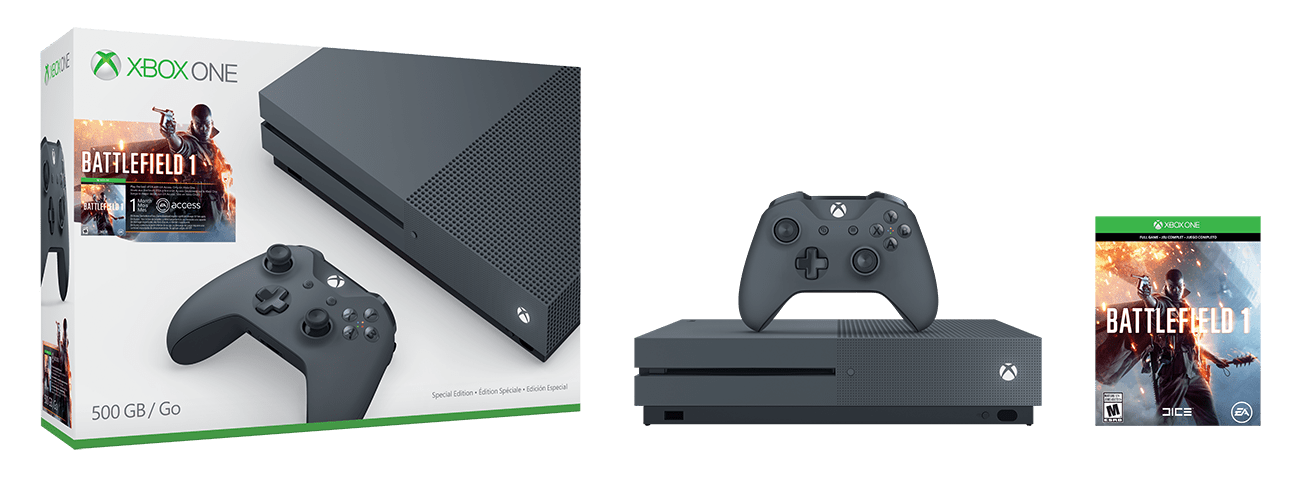
There are many Xbox One S bundles available, but the much more unique Storm Grey Battlefield 1 Xbox One S is now available to pre-order from Walmart.

battlefield-1-storm-gray-bundle
Battlefield 1 Storm Grey Bundle

Priced at $299, Walmart lists that the bundle will ship on October 1st, 2016. The bundle includes a storm grey controller and console which of course has support for 4K Blu-ray and 4K video streaming, and High Dynamic Range audio. Additionally, a full game download of Battlefield 1, and one month of EA Access is included. As an added bonus, a special offer of 5 Free movies and 5 additional movies for only $5 to enjoy from the VUDU app on your Xbox One console is also added into this bundle.

This latest Xbox One Bundle joins the many others, including the 2 TB launch bundle, a Minecraft bundle, the Madden NFL 17 bundle, the FIFA 17 bundle, Gears of War 4 bundle, and the Halo Collection bundle.  Which of these bundles are your favorite? Let us know what you think by dropping us a comment below!

Dona Sarkar hints again at a new Windows Insider build, 14936 is incoming

As she’s prone to do, Dona Sarkar has again hinted at a new build being readied for Windows Insiders, and this time she’s enlisted some help in announcing that the next Windows Insider build will be 14936:

The puppies have spoken, indeed! While we’re hoping for a “usual” 10am release (in just over 2 hours from this posting), the last release didn’t happen until later in the day so get your “F5” finger ready and get ready for Windows 10 Insider version 14936!

Check out the latest Xbox One S commercial, “the ultimate games and entertainment system”

Head of Xbox Arron Greenberg has tweeted out a new advertisement for the Xbox One S. The new ad highlights the features of the console and labels it “the ultimate games and entertainment system.”

Overall, the advertisement features the same upbeat techno music and female voice from the previous Xbox One S ad which was released back on August 16th. This time, however, there is extra focus on theMicrosoft gaming system being the only console with 4K Ultra HD Blu-Ray, 4K video streaming, and high dynamic range gaming.

Just like last time, it’s safe to say you might see this Xbox One S commercial more than a few times over the next few days if you’re on the web or just watching TV. Did you like the advertisement? As always, please do let us know your thoughts on the commercial by dropping us a comment in the section below!

Microsoft’s new blue Xbox One controller available today

If you’re looking for an Xbox Controller which can brighten up your console, then Microsoft has the solution for you. The company’s new blue Xbox One controller is now available for purchase from the Microsoft Store or Best Buy for the price of $64.99.

The blue controller features the enhanced comfort and feel of the new Xbox Wireless Controller, and has a sleek, streamlined design and textured grip for those moments when your games get extra intense.  It also boasts a 3.5 mm headphone jack, new Bluetooth technology, and support for custom button mapping and up to twice the wireless range. This new technology also offers up seamless profile and controller pairing, and up to twice the regular range than previous controllers.

Will you be picking up this controller? What are your impressions on the Xbox One Blue controller? As always, please do let us know what you think by dropping us a comment in the section below!