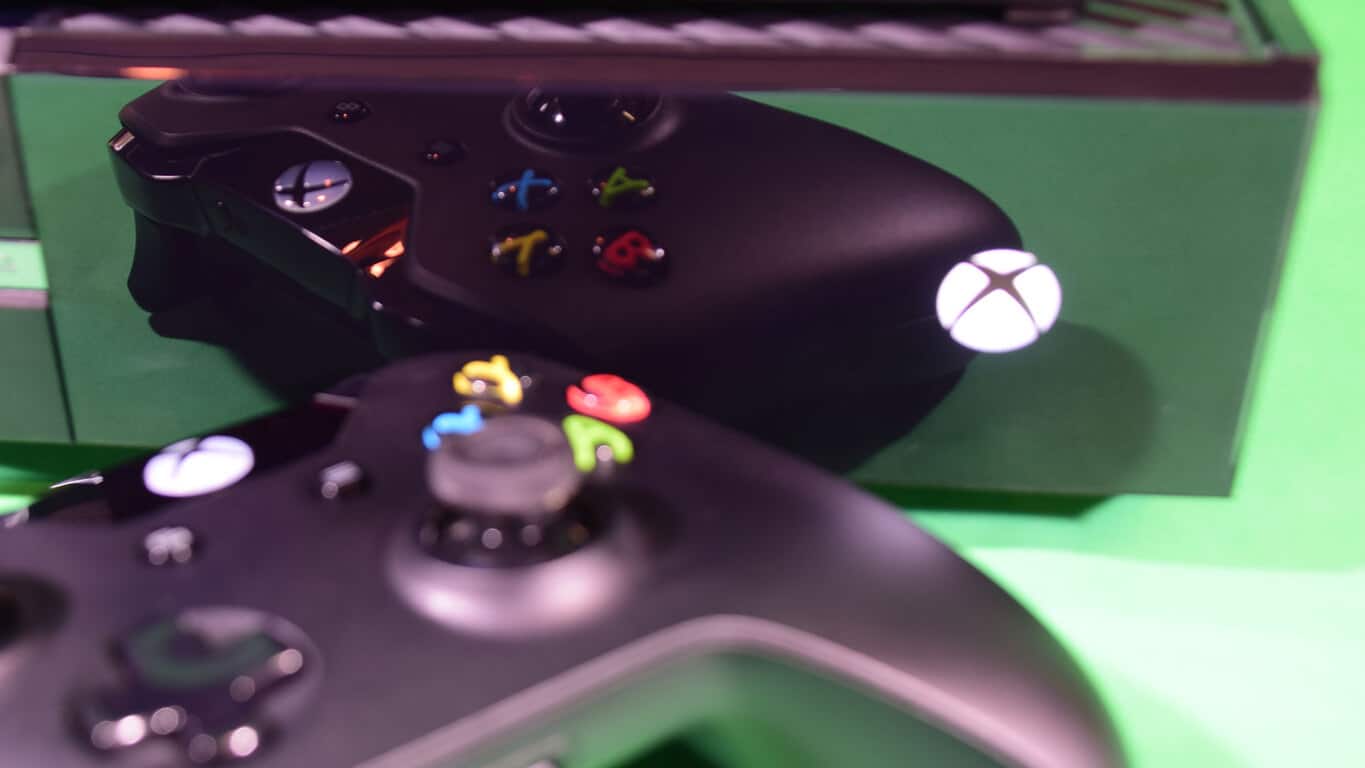
Buy a Surface Book or Surface Pro 4, get a free wireless Xbox controller

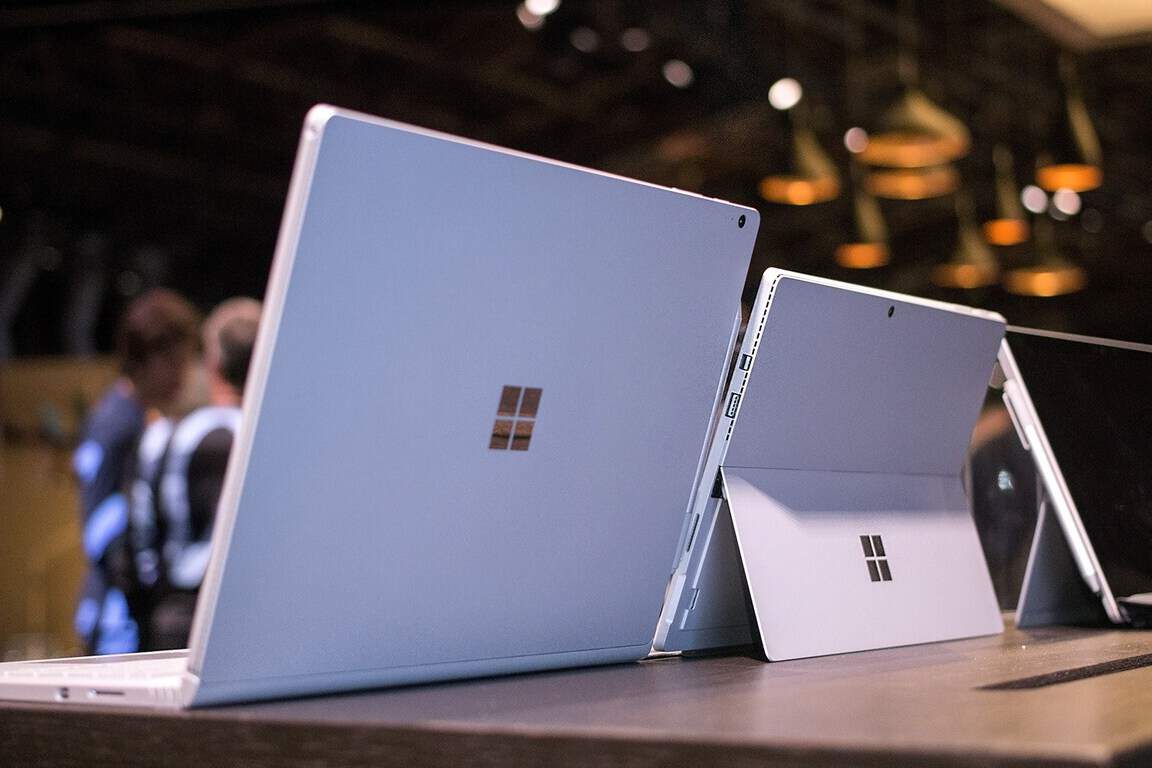
The online Microsoft Store is offering a month-long promotion for the month of April, allowing customers to purchase a new Surface Book or Surface Pro 4 and receive a free Xbox controller or a discount towards the Surface Dock. If you are in the market for a new tablet or laptop hybrid, now is the time to pull the trigger.

Head over to the below links to check out the offer.

The Surface Dock, for those curious, transforms your Surface into a desktop PC by offering a wide variety of ports including two high-definition video ports, a gigabit Ethernet port, four USB 3.0 ports, and an audio output. The Dock costs $200 if you were to purchase it separately. The Xbox wireless controller lets you experience advanced precision and comfort on Windows 10 and normally runs for $80.

Here’s the fine print for those curious:

Windows 10 Mobile Insider Build 14322: here’s what’s new

Windows 10 Mobile is refusing to go the way of the dinosaurs after Microsoft released a new build in the form of build 14322 to the fast ring. This version of the operating system has brought several improvements but no new features.

The most notable improvements are the visual changes to Notifications and the Action Center. From what we have seen, the icons for each notification within the Action Center is not shown repeatedly. We can’t say if this is a good move or not seeing as we had no problem with the previous setup and we have no problem with the current.

When it comes down to the visual changes in Notifications, the layouts are more flexible than before. This is similar to the layout of the Live Tiles. Notifications with images will now be displayed in a larger fashion. Great improvement, but it did not have an effect on us.

Cortana is one of the most important features of Windows 10 Mobile. We’ve been using it to set reminders, make internet searches among others things. We’re glad to find out that Microsoft added two new ways to make a reminder.

Taking a picture:

Yes, it is possible now to take an image with your smartphone to be reminded about. For example, are you a person who just can’t remember to give your child a bath? No problem, just take an image of the child, send it over to Cortana and she’ll handle the rest like a super nanny.

App reminders:

Your friend sent you an article about a bear drinking a beer. This surreal, but totally legitimate, trust us. However, you’re too busy to see what all the fuss is about; well, just tell Cortana to set a reminder for you to read this article later in the day or whenever else.

Let’s talk a little about Continuum for mobile because Microsoft added some cool things here.

According to the software giant via a blog post, “Continuum-capable phones now include support for most USB Ethernet adapters. If you connect a USB Ethernet adapter your Lumia 950 or Lumia 950 XL via the Microsoft Display Dock for example – you will have network connectivity through an attached Ethernet cable.”

Bear in mind that not all adapters are supported at the moment, but the list should increase with future updates.

Microsoft patents ‘shy’ user interface to minimize buttons and maximize display

We’ve been thinking about user interfaces the same way for a long time. You’ve got a menu full of buttons, and you tap or click those buttons to do things. It sounds pretty simple, and many people think that it’s a formula that doesn’t really need to be improved. Microsoft is not comprised of these people. Always content to outdo itself, the people at Microsoft have registered a patent for something called a Multiple Stage Shy User Interface, or MSSUI. This “Shy” user interface is meant to change the way that we approach user interfaces, primarily on our smartphones, where screen real estate is absolutely precious.

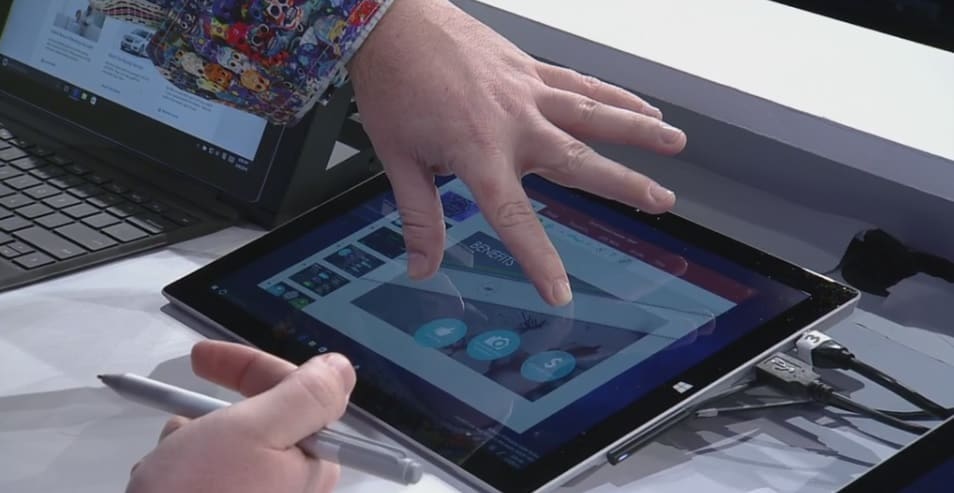
Here’s the gist: Instead of tapping your screen when watching a movie and having all of your DVR-like options pop up right there for you, Microsoft’s goal with MSSUI is to break everything down into a minimalist package, presenting more options, but only presenting them to the user when they indicate that they’re interested in using said options. Detection of intent here is described only loosely, citing “three-dimensional (3D) touch or hover sensors that detect the presence, position, orientation, direction of travel, or rate of travel of a pointer (e.g., user’s finger, implement, stylus, pen).”

Figure a
Figure b

In short, by using various sensors to detect the intent of the user, the device will be able to determine what the user means to do, and show only the relevant UI elements. For example, in the example figures shown above, the user is initially looking at the basic play, pause, and rewind buttons – when they hover over the play button, however, the irrelevant UI elements fade away, and the user is left with two fast forward buttons and a skip button.

Using this “shy” interface, Microsoft plans on re-inventing the wheel in a way that’s really quite interesting, and, providing it makes its way into Windows 10 and Windows 10 Mobile within the next year or so, could make for a shift in the way that people view UI design and make us value our screen real estate more.

April Patch Tuesday brings security updates for Windows 10, IE, Microsoft Edge & more

Microsoft claims that Windows 10 is the most secure Windows operating system ever. However, attackers always find ways to break into the system through some of its features and do damage to regular users.

As a part of this April’s Patch this past Tuesday, Microsoft released a handful of new security updates for Windows 10, aiming at known vulnerabilities mainly located in Internet Explorer, Microsoft Edge, and through Adobe Flash Player. The pack consists of 13 security updates, 6 critical, and 7 important ones, and each update targets a specific feature of the system.

Microsoft releases security updates for Windows 10 and its features

Critical updates

  • MS16-037 – This update resolves six vulnerability issues in Internet Explorer, which allow attackers to gain user rights of a user. Attackers can collect users’ data through specially crafted website, which uses a special ‘mechanism’ to expose users’ data. Microsoft marks this update as “Patch Now,” therefore, it is highly recommend to install it.
  • MS16-038 -This patch does basically the same thing as MS16-037, but it’s aimed for Microsoft Edge. Microsoft marks this update as “Patch Now,” as well.
  • MS16-039 – The update targets vulnerabilities in .NET Framework, Microsoft Office, Skype for Business, and Microsoft Lync. These vulnerabilities could allow remote code execution if a user opens an infected file through one of these services.
  • MS16-040 – This patch updates MSXML Services Version 3, removing a possibility of leaving system vulnerable to system vulnerable to remote code execution. Unfortunately, this update only targets Version 3, as other versions are left off, so it’s only helpful if you’re running some older program, developed for earlier versions of Windows.
  • MS16-042 – This update aims to solve reported vulnerabilities in Microsoft Office. The update should remove the possibility of leaving users’ system exposed to attackers if a user opens suspicious Office document. This patch is also marked as the “Patch Now” update, so you should install it.
  • MS16-050 – The last patch in this pack of critical updates is not related to Microsoft’s products. This update removes vulnerabilities in Adobe Flash Player, and it should arrive to all newer Windows operating systems (Windows 7, Windows 8/8.1 and Windows 10). If you want to find out more about this update, check Adobe’s support page.

Important updates

  • MS16-041 – The first important update is mainly aimed to Server 2008 and Windows 7 users. It should deal with reported vulnerability issues with .NET framework.
  • MS16-044 – This update resolves a single privately reported vulnerability in the core Windows OLE component. If Windows OLE fails to validate user input, an attacker could execute a malicious code through an infected program.
  • MS16-045 – This update removes vulnerabilities exposed in Hyper-V created operating systems. However, if you don’t run Hyper-V, you won’t be exposed.
  • MS16-046 – Resolves the reported vulnerability in Windows Secondary Logon process.
  • MS16-047 – Resolves the reported vulnerability in Windows Logon Security and Domain policy.
  • MS16-048 – Resolves the reported vulnerability in the Windows Client/Server Runtime subsystem.
  • MS16-049 – Updates the HTTP.SYS file, in order to resolve the vulnerability that could lead to a denial of service scenario.

If you want to find out more details about all Patch Tuesday’s updates, check TechNet’s support page.

Windows 10 cumulative updates KB3147461, KB3147458 issues already being reported

We received two new cumulative updates, KB3147461 and KB3147458, for both public versions of Windows 10 (the July 2015 release and Version 1511) this week. Although both updates were minor and devoid of any new features, they actually caused some serious problems to users who installed it.

Various complaints flooded Microsoft forums recently, with a lot of unsatisfied users demanding solutions from Microsoft, with the company finally taking a look at the problems reported by users: forum moderator John W started a thread in which people could report their issues.

Will Microsoft listen to user feedback? We’ll see, but until then, let’s check out the biggest problems that occurred upon the release of KB3147461 and KB3147458 updates.

KB3147461 and KB3147458 updates reported problems

The most common problem of both the Windows 10 updates is the installation problem — we probably don’t even have to tell you about it at this point. As you can guess, some users had problems installing the latest update. Forum moderators suggested Windows update troubleshooter as the solution, and it was actually helpful to some users. To run the troubleshooter, do the following:

  1. Go to Search, type troubleshooter and open Troubleshooting
  2. Select View All from the left pane
  3. Open Windows Update troubleshooter, and follow further instructionswindows update troubleshooter
  4. Restart your computer, and try to install the update once again

If Windows Update troubleshooter doesn’t get the job done, you can look up for the solution in our article about Windows 10 update problems, or run the WUReset script.

One user reported quite a serious problem that occurred upon installing the KB3147458 update for Windows 10. Namely, after he installed the update, Windows Explorer, Start Menu, and all non-Win32 apps stopped working.

“After installing KB3147461 today, Explorer, the Start Menu, my desktop, and all my non-Win32 apps broke.

Here are the problems:

  • Clicking the start menu does nothing. Pushing the Windows key does nothing.
  • Clicking the search icon on the taskbar does nothing.
  • Clicking the show desktop button on the taskbar does nothing.
  • Trying to open Calculator gives an error: “Explorer.EXE Class not registered”. The Calculator icon on my taskbar does not render.
  • Trying to open Control Panel via Run gives an error: “::{26EE0668-A00A-44D7-9371-BEB064C98683} No such interface supported”
  • Trying to open folders via Run gives an error: “[File path here] No such interface supported”
  • shellexperiencehost.exe does not run
  • Windows Photo Viewer does not open. Thumbnails for images on the desktop do not render.”

No one from the forums had a proper solution for this problem. Since the update caused too much damage, probably the best solution would be to uninstall it and wait for another update. Since Windows 10 updates are cumulative, you’ll get all bug fixes and improvements from this update in the next release.

Another user reported that upon installing the update, he’s unable to log back into his computer whenever his computer goes to sleep:

“Since the update KB3147458, whenever my computer goes to sleep I am unable to login again. This is only since the update and has never occurred before.”

For this problem, we recommend our article about Login problems in Windows 10 — a possible solution may be found there.

Another reported problem is the issue with internet connection, with one user experiencing internet connection loss: “I installed updates earlier today and internet connectivity kept dropping out. When I ran troubleshooter it said that one or more protocols were missing. Since uninstalling the problem has stopped.”

For this problem, we also recommend our article about internet connection problems in Windows 10. The user who reported the issue said that uninstalling the update solved the problem for him, so keep that in mind.

There are some minor problems caused by the update, as well. For example, one user complained on the Microsoft forums that he’s unable to drag and drop files into Outlook 2016 app. Unfortunately, no one from the forums had a proper solution for this issue.

As you can see, even minor cumulative updates for Windows 10 can cause a lot of problems to users. These are just some of the reported problems, and we’re sure that even more issues caused by KB3147461 and KB3147458 are frustrating users right now.

If you encountered any problems we haven’t listed here, please let us know in the comments below!

RELATED STORIES TO CHECK OUT:

U.S. Department of Defense praises Windows 10’s security, transition on track

Microsoft Windows 10 just got an unofficial endorsement from one of its biggest and arguably most important customers: the U.S. Department of Defense, whose Pentagon CIO Terry Halvorsen praised the operating system in a press event last Friday.

Halvorsen has been one of the staunchest pusher of Windows 10 throughout the Defense Department, and cites two advantages of Windows 10 as reasons for his attitude: Windows 10’s “baked-in security”, and it’s cloud-friendliness to Azure. In fact, per his words, Windows 10 will be the first “operating system that had this much security baked in from the beginning” for the DOD.

“If you’re using a computer at home and you’re not on Windows 10, you’re doing yourself an injustice — you ought to be moving to Windows 10.”

-Terry Halvorsen, Pentagon CIO

Close integration with Azure will also allow the DOD’s various services and agencies to set up “secure, integrated communications and “independent clouds.” Harvolsen gave an example of a separate cloud for the Army, the Navy, the Air Force, and a joint Army-Navy cloud. Cloud sharing and communication fast becoming the norm in the corporate world with their clear advantage in boosting collaboration and productivity, and it’s good to see a governmental body adopting the market’s leader, Azure.

“We’re going to put out some guidance to our employees in general — it’s not an endorsement of Windows 10 or Microsoft specifically — listing what the characteristics of Windows 10 would give you if you put it in your home system,” “That’s as close to an endorsement as I can get for a software product.”

Halvorsen’s enthusiasm for Windows 10 seems to have convinced the right people in the DOD, as all four of its military services and agencies are reportedly  set on “a tight timetable” to transition to the new operating system in a year’s time: other supporters include Army CIO Robert Ferrell, the rest of Army leadership, and the DOD secretary. While the deadline of January 31, 2017 may sound too tight to some, the Pentagon’s tech chief seems confident that at least all the DOD’s major networks will be on board, which will accounts for more than 80 percent of the upgrades.

“We have an opportunity…to improve the way we can all communicate because we’ll all be on a standard baseline.”

DOD employees may also get guidance to install Windows 10 at home, and stopping just short of officially endorsing the OS, Halvorsen also revealed that the DOD is pressing its foreign allied partners to adopt Windows 10, to have a “standard baseline”. Whichever the reason, this is a big win for Microsoft, and should help boost its OS’ credibility and usage start by a big amount.

Microsoft’s engineering legend, Dave Cutler, to be honored as a Computer History Museum Fellow

Microsoft News Center is featuring one of the legends of computing today with a long (and deservedly so) post on Dave Cutler, a Microsoft Senior Technical fellow and the force behind the 32 bit VAX computers at DEC, Microsoft’s NT operating system, Azure, and most recently the hypervisor in Xbox One that allows the Xbox to run apps, and Windows to run Xbox games.

Cutler came to Microsoft on Halloween day, 1988, after moving in 1982 to Seattle to work on projects for DEC. After his Prism project at DEC was killed, Cutler left that company, and wooed by Bill Gates, moved operations from Bellevue Wa. to Redmond to work on Windows NT.

Much of that work is detailed in a fascinating look at the early years of Microsoft in Showstopper!, a 1994 book that tells the story of NT, but also introduces a number of important players like David Treadwell, Soma Somasegar, and Nathan Myhrvold, along with interesting insights into Bill Gates, Steve Ballmer and of course Cutler himself. If you’re at all interested in Microsoft, it’s well worth the read (and only a penny at Amazon!)

Valerie-Chen-with-Cutler-and-Bell-
Gordon Bell, recent Living Computer Museum honoree Valerie Chen, and Dave Cutler

Next up for Cutler was what was to become Azure, as Ray Ozzie and Amitabh Srivastava convinced him to delay his planned retirement to work on a project that was “different. This could change the world,” Srivastava told Cutler, and after visiting every Microsoft team running cloud services from MSN to Hotmail to Xbox Live, Cutler was convinced and Azure became what it is today.

Cutler then took his work on the hypervisor to Xbox, as Boyd Multerer convinced Cutler to come to what was then Entertainment and Devices to work on a new generation of Xbox:

“It was probably the scariest meeting of my life,” Multerer said, “just the anticipation of it.”

Cutler has been known as a sometimes intimidating presence, defined by his fanaticism about writing quality code and setting a high bar for his co-workers. Nathan Myhrvold, a former Microsoft CTO and co-founder of Intellectual Ventures, compared him to Brad Pitt’s character in Inglourious Basterds as a tough but loyalty inspiring character.

The News Center feature (along with Showstopper!) are fascinating reads about one of the most fascinating men in modern computing history, both at Microsoft and beyond. Be sure to check them out.

Microsoft claims The Division and Killer Instinct are the reason for Xbox One’s success in March

Things appear to be going very well for Microsoft’s Xbox One video game console. In February this year, Xbox One exclusive game sales were up 49 percent compared to the same time period last year, and total hours spent on the console had apparently increased by 93 percent year-over-year.

Come March 2016, the Xbox One continues to do well with total hours spent on the Xbox One increasing by 89 percent compared to March 2015. One of the reasons for this increase is the launch of The Division, which broke a variety of sales records when it launched, and Killer Instinct, which according to Microsoft, attracted over 6 million players in March due to the launch of the fighting game’s third season.

It is hard to interpret the Killer Instinct numbers in regards to profit for the company or even success for the franchise as the title is essentially free to download and play (players must purchase addition characters either individually or as part of a “season” package) and it also launched on PC for the first time in March, which probably encouraged an entirely new demographic to give the game a try.

It’s unclear how many players paid for additional content on PC and even with the players on the Xbox One, previous versions of the game were upgraded to Season 3 for free automatically and while all of the new characters had to be purchased individually, it’s likely a lot of the players were simply opening the game to see what changes were made. All we can really do is speculate until solid sales numbers are released. Killer Instinct player numbers for April, if released, will be much more telling.

Microsoft’s Mike Nichols released a statement in regards to the numbers saying, “We can’t thank our fans enough for their continued support and we’re looking forward to bringing more unprecedented experiences on Xbox One, Windows 10 and Xbox Live later this year”.

Do you think you’re using your Xbox One more this year than in 2015? Let us know in the comments below.

Soda Drinker Pro could possibly be the worst Xbox One video game ever

Soda Drinker Pro is available on Microsoft’s Xbox One console today and it looks like (possibly intentionally) one of the worst video games ever released on the console.

To its credit, it does claim to be the first-ever game in the first-person soda drinking genre, so it has that going for it but with its dated graphics and box art that looks like it was made for a website back in the 90s… it’s honestly hard to tell where being ironically bad ends and just being plain bad begins.

Here’s the official game description in all its glory:

Soda Drinker Pro is the premier in software in the first person soda drinking genre. Experience what it’s truly like to drink a soda at the beach, in the park, and even… in SPACE!!! With Soda Drinker Pro, you don’t need to have a soda in hand to experience a soda in your mind.

And here’s the official teaser video.

Soda Drinker Pro apparently uses the Xbox One Kinect to simulate the soda drinking experience and the game does come with a variety of Xbox Achievements. What’s your take on Soda Drinker Pro? Let us know if you’ll be giving it a go in the comments below.

Buy Soda Drinker Pro on Xbox One

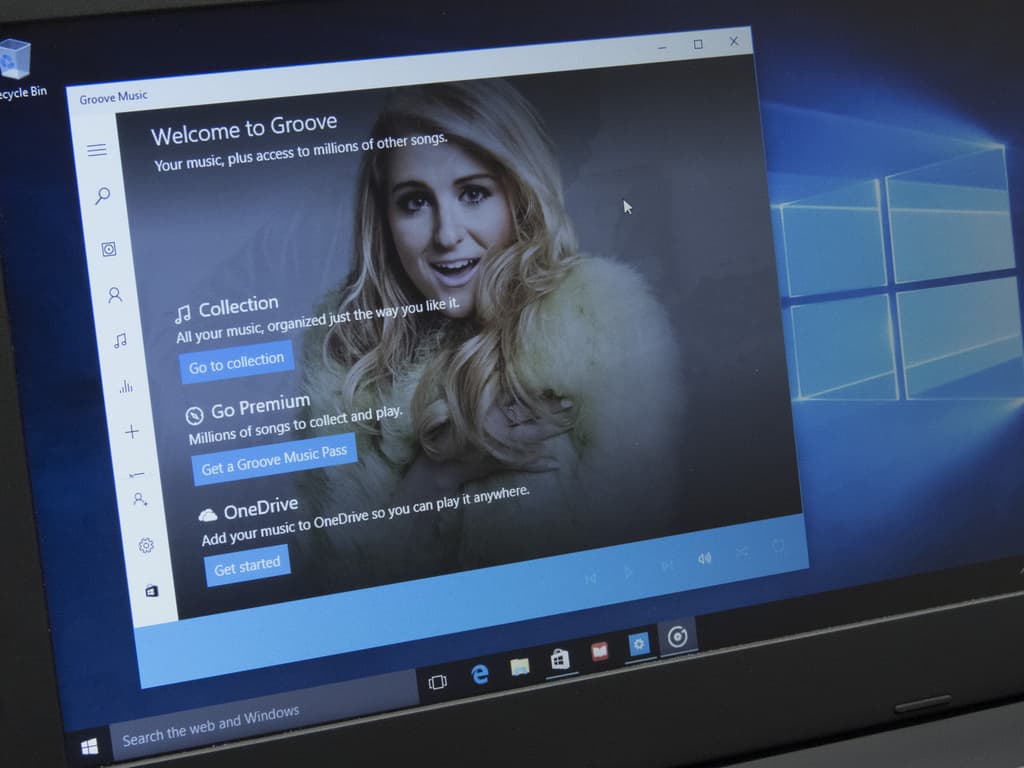
Microsoft Groove app gets Insider-like flighting and new jump list tweaks with new update

Software engineer Ellen Kilbourne has quietly become the Microsoft Groove app whisperer. Similar to vice president of WDG engineering systems team, Gabe Aul, Kilbourne consistently reaches out to Insider and Windows users alike via her Twitter handle or forum pages to update on Groove- and other Microsoft media-related developments.

https://twitter.com/ellenment/status/720751911591260160

Today, Kilbourne reached out to the Groove community via Twitter to whet their appetites for a feature-packed update coming to the app soon. According to Kilbourne, the Groove app for Windows 10 devices will now be ‘truly universal’ and brings a handful of user-requested tweaks and additions that include:

  • When unplayable tracks appear in Now Playing, we properly gray them out and jump over them without displaying an error
  • We prevent you from playing unplayable content (for instance, if you are offline and try to play a streaming album we won’t try to play it, we’ll immediately tell you it can’t be played and why)
  • We added extra telemetry to playback errors so that we can continue to improve the app
  • We removed the app’s dependencies on Xbox Live which means you don’t need a Xbox Live account to use Groove (and sign-in is much faster and more reliable)!
  • It’s easier to tell what’s happening when Groove is syncing your collection for the first time.
  • You’ll see “Unknown Artists” less often in your collection because the app looks at both song artist and album artist metadata.
  • The process we use to show additional metadata to what’s in your local files is 10x faster and gives better results!!
  • The app defaults to Explore for search results if you have a Groove Music Pass, and you have don’t have a limited data plan.
  • When viewing artists, you can view their work by albums or songs. Try it by selecting “Songs view” when viewing an artist.
  • Radio stations can be started from albums and songs – the app will start the radio based on the artist.
  • The app now shows your collection size at the top of the collection views.
  • On mobile, background art fills the screen so that it’s seen under the system icons at the top.
  • You can use ‘Refine’ to filter your collection by source (OneDrive, Pass, Purchased, On this device only).
  • If something gets really out of whack in your collection, you can now choose to ‘Reset’ your cloud collection.
  • We added jump list support for collection views organized by release year.
  • The ‘hotlinks’ in Album Reviews and Artist bios now work on mobile.
  • We added a simple lock screen setting for Continuum. We made lots of styling updates for Continuum

Interestingly, Kilbourne and the rest of the Groove team are taking a similar approach to this update as Aul and the Windows team by parsing the update through Insider rings. Previously, Groove updates landed on all devices at the same time regardless of rings or early previews. Now, it seems the Groove team would like to test out some features and additions before seeding them to every user.

This update represents another first for us – we’re publishing the update for Insiders before sending it to the Store for everyone. We’re flexing the app flighting rings for the first time and plan to push out today’s update as follows:”

  • PC: Windows Insiders Fast Ring
  • Mobile: Windows Insider Fast & Slow and Release Preview Rings

So, it seems as though today’s update will hit the Windows Store for Insiders first and then eventually make its way to the rest of Groove users. For Insiders (of which there are 7 million) this is fortunate happenstance of participating in the program, unfortunately, for everyone else, this seems like a tease. Hopefully, the wait times between Insider and regular user releases are short.

The update should be hitting the Windows Store later today.

Windows Media Player

Microsoft issues porting guide to help migrate apps from Silverlight to the Universal Windows Platform

It seems like every chance they get, Microsoft reminds developers that converting to the Universal Windows Platform is the best choice for most apps. They have gone out of their way to make step-by-step instruction guides to ease new apps onto the UWP and today’s blog from the Windows App Team is no different.

The Windows Dev Center has issued a porting guide, with significant detail, to help you manually migrate Windows Phone Silverlight apps over to UWP. However, the Silverlight to Windows 10 bridge can help you circumvent up to 80% of the work by converting the code automatically.

Step One: Download the Bridge

You can easily find the Silverlight to Windows 10 bridge on Mobilize.NET, along with the Visual Studio 2015 (with at least Update 1) that can be downloaded for free.

Step Two: Run the Tool

Running the Windows Phone Silverlight-to-UWP conversion tool will take care converting your app’s manifest files to the new format. The only input needed to run the tool is the path of the project file you want to convert to UWP and the directory of where you want the newly created UWP files to be saved.

The Silverlight to USP conversion tool is very simple to use.

Step Three: Troubleshooting the missing DLLs

The most common cause of missing DLLs is the result of third party libraries being used in the Silverlight app. If the codes reference to DLLs that haven’t been migrated to UWP, it will cause unrecognized namespaces to crop up in your conversion. The best way to fix the missing DLL issues is to manually replace them with similar standard controls.

Step Four: Troubleshooting unconverted Silverlight code

While the bridge tool for Silverlight to UWP has approximately 2,300 mappings for API and XAMLs, sometimes it’s still not enough to cover every case of Silverlight’s coding. When it comes to these hiccups between the conversion process, you can consult the namespace and class mappings resource that will help identify code that doesn’t have a UWP counterpart. If not, then you can decide whether you want to alter the unconverted code to use a different UWP class or create a helper class to wrap the unconverted class code.

Step Five: Troubleshooting controls and events

Your app is almost converted, but some mappings are not working as they should in the Universal Windows Platform. The controls behaving different could be adjusted by defining a field for the control and assigning it the control’s Loaded event. Using an MVVM approach by binding to decouple controls is also an option.

Windows Phone Panorama control had to be replaced by Hub internally while being converted to a UWP.

Since the Silverlight Bridge to Window tool is still in developer preview, it’s not ready to handle all of the conversions and requires some finesse. Even so, it is significantly more efficient than porting apps manually. Converting your Windows Phone Silverlight app to the Universal Windows Platform will not only enable you to have a longer reach, but doing so will also bring a new audience to your product. With the UWP, apps are able to be accessed across many more devices to ultimately enhance your developing experience.

Doom 3 BFG Edition and Monaco are the latest Xbox One Backward Compatible titles

The list of Xbox 360 titles that can run on the Xbox One console keeps growing and growing. At present, over 150 games are in the list of Backward Compatible titles, meaning that anyone making the transition to the newest Microsoft gaming platform may not have to give up too many of their favorite titles.

Today, Xbox Live’s Major Nelson (a.k.a. Larry Hryb) announced two new titles:

We can’t speak to the popularity of those new Backward Compatible games, but perhaps they’re enough to tip you over to picking up that new Xbox One. If not, then stay tuned, as we’ll continue to keep you apprised of new titles as they arrive.

Windows 10 Audible app snags latest Series Discovery feature in new update

If you like to listen to audiobooks, then one of the best–and oldest–choices around is Audible, the purveyor of audiobooks purchased from Amazon awhile back. Interesting, of all of Amazon’s properties, Audible has provided the best support for Microsoft’s platform, with excellent apps for Windows PCs and smartphones. If only other Amazon properties were as good.

In any event, Audible has updated their app, albeit this is a minor update. Here’s the only change:

  • Now you can easily discover and sort your books in a series!

The Audible app provides access to the service’s extensive library of well-produced audiobooks. If you’re already using it, then go to the Windows Store and hit the update button. Otherwise, you can download the app below.

Audiobooks from Audible
Developer:
Audible Inc
Price:
Free+

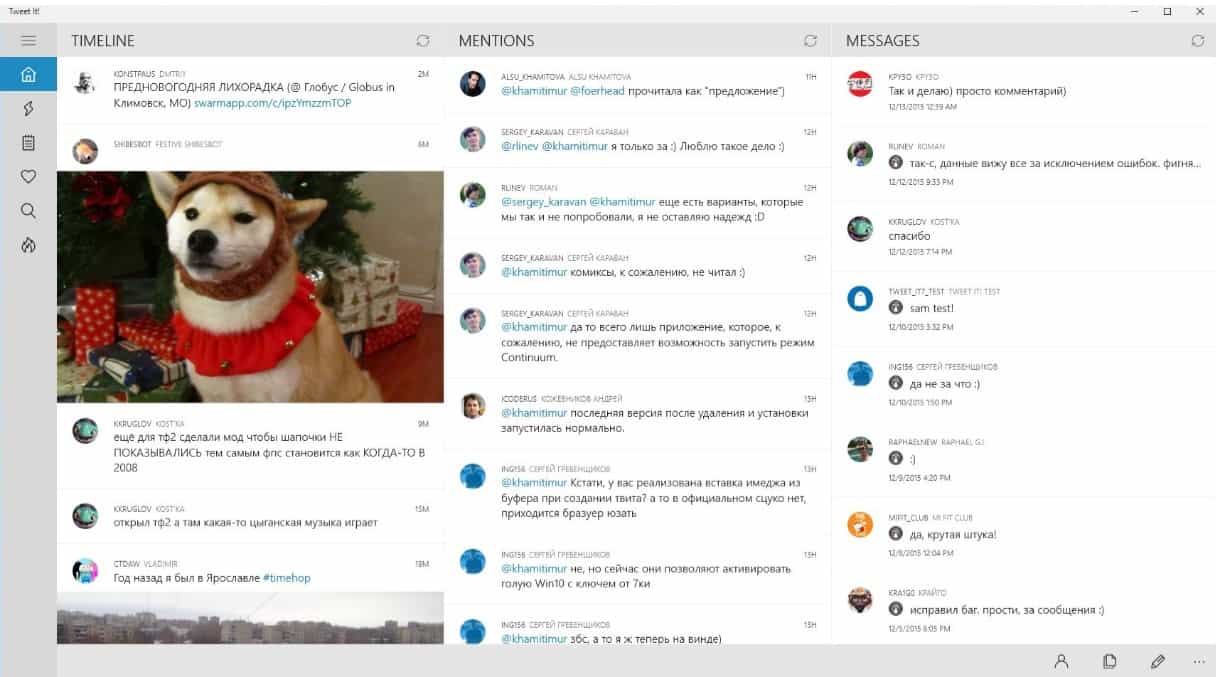
Universal Windows App Tweet It! snags huge update, UI and performance improvements abound

As one of the best apps for Twitter on the Windows 10 platform, Tweet It! has just updated to v 2.7.0 with a slew of new features and improvements. The developer has provided all of the details on their blog, and here’s everything that’s new.

Changelog:

– UI improvements for mobile devices
– Huge UI improvements for Continuum

– Performance improvements when streaming tweets
– Performance improvements for rendering tweets and etc.
– Improved composing tweet experience
– Added support for GIF upload
– Added GIF search panel when composing tweet
– Added last photos panel when composing a tweet
– Ability to show quick action buttons under tweets

– Microsoft Band sync improvements
– Localization improvements
– New style for CommandBar (panel with buttons at the bottom)
– New style for ScrollBar
– Filters improvements
– Sharing improvements
– Added ability to lock display rotation in native orientation
– Added panel with all hotkeys list
– Added settings for composing tweets

– Improved application launch experience
– Added preview in appearance settings panel

Tweet It!

The Tweet It! app can be downloaded from the Store and is currently having a sale for only $1.49 USD until the end of the week. Then it will return to its normal price of $5.99.

Tweet It! for Windows

Optional Windows update prevents mousejacking

Amongst the patches released yesterday for patch Tuesday there was an optional updated which deals with a very specific flaw in wireless mice. As Lucian Constantin writes for IDG News Service (via CIO.com), the exploit was revealed earlier this year by IoT security firm Bastille Networks.

Dubbed MouseJack, they found vulnerabilities in the protocols wireless mice and keyboards use to speak with their little USB dongle receivers. This vulnerability allows an attacker transmit rogue keystrokes from up to 100 meters away by pretending to be a wireless mouse. MouseJack effects wireless mice and keyboards from multiple manufacturers, including Microsoft.

To counter MouseJack, Microsoft released the optional security update KB3152550. This update introduces a filter which makes sure any rogue keystrokes do not sneak into the system disguised as wireless mouse clicks. KB3152550 is available for Windows 7, 8.1, and 10.

In their security advisory, Microsoft details that the following Microsoft wireless mice are affected.

  • Sculpt Ergonomic mouse
  • Wireless Mobile Mouse 3000 v2.0
  • Wireless Mobile Mouse 3500
  • Wireless Mobile Mouse 4000
  • Wireless Mouse 1000
  • Wireless Mouse 2000
  • Wireless Mouse 5000
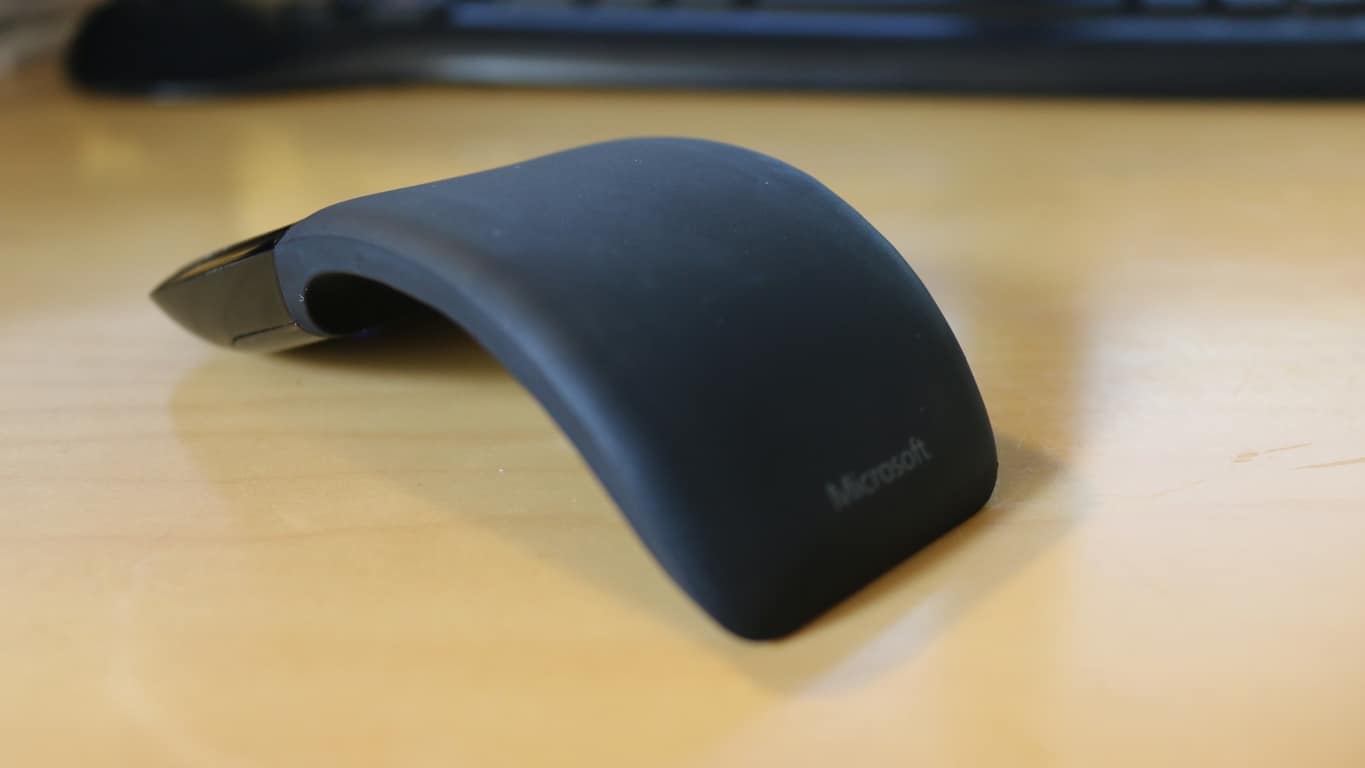
  • Arc Touch Mouse

In a twist since the update was released, one of the original security researchers who discovered the MouseJack vulnerability tweeted that KB3152550 fails to completely resolve the issue.

If you use a wireless mouse and want to install the update you can learn more about how to perform a manual installation on Microsoft security advisory page for KB3152550.

Microsoft is suing the US Justice Department over secrecy orders

Microsoft is now one of the latest tech companies to take a bold step against the United States government. Documents filed just moments ago in U.S. District Court in Seattle have revealed that the company is suing the U.S. Justice Department.

In the lawsuit, Microsoft is asking a federal judge to declare unconstitutional a provision of U.S. law that lets the government stop Microsoft and other tech companies from informing their customers when investigators seek access to private information. At issue is section 2705 (b) of US law, and as reported by Geekwire, Microsoft says in the complaint:

“This statute violates both the Fourth Amendment, which affords people and businesses the right to know if the government searches or seizes their property, and the First Amendment, which enshrines Microsoft’s rights to talk to its customers and to discuss how the government conducts its investigations—subject only to restraints narrowly tailored to serve compelling government interests.”

After a battle with Apple over a terrorist’s iPhone, this action is just the latest proverbial bullet in the arm for the U.S. government.  Microsoft, nonetheless, does business with the U.S. government and recently announced that the DoD will upgrade 4 million of its seats to Windows 10.

We’ll be keeping our eye on this story as it develops. Data security and privacy is clearly of interest to anyone who uses today’s ubiquitous cloud services, and Microsoft’s action could go a long way to helping determine just what government must do in accessing our information.

Skype introduces Skype TX 4, next generation Skype integration for broadcasters

While Skype is almost ubiquitous in the consumer world when it comes to VoIP and video chatting, not everyone knows of its business-focused equivalent Skype for Business (granted, the name is still new). Probably even fewer know that Skype is also involved in broadcasting, with its studio-grade version Skype TX since April 2014. In fact, Skype TX 4 has just been announced to the world via the Skype Blog, and we will have a look at what it has to offer to broadcasters worldwide.

Touted as being “more flexible and scalable than its predecessors”, Skype TX4 allows the integration of multiple studio-grade Skype video calls into one broadcasting, on top of its already impressive ability to include a 300-million-user potential cast into “the studio workflow.” This means less equipment and setup time for broadcasters who now only have to deal with one system, saving control room space and overall cost.

Emre Can on Skype 44
Skype broadcasting command center.

The first Skype TX 4-compatible hardware from new partners are also introduced. Candidates include NewTek TalkShow VS4000 – a “facility-class, 1RU rack mountable hardware unit with 4-in, 4-out industry-standard I/O for integration into SDI workflows and IP video workflows via NDI™” – and the Quicklink TX Multi for converting “multiple Skype calls into studio-grade quality video/audio transmissions.” These two new pieces of equipment will be showcased at NewTek’s and Quicklink’s booth respectively at NAB show on April 18-21, where Skype TX 4 will also make it debut at the Microsoft booth.

Skype TX has enjoyed great popularity in recent years thanks to the growing market for participatory television, facilitating real-time, high-quality interactions between viewers and remote guests ranging from professional wrestlers to new superstars, and even presidential candidates. Currently, Skype TX has been used by broadcasters in nearly 100 countries, and the new version along with its new hardware should propel that number forward in the future.

Image credit: Skype blog

Kent, WA School District to install Windows 10 on all 24,000 school computers

In today’s modern world, having access to a computer and other technology is one of the keys to being successful in school. So, with that in mind, Washington’s Kent School District is taking steps to make sure that every one of its students has access to advanced technology and devices.

The school district was one of the early adopters of Windows 10, and is expecting to install Windows 10 on all 24,000 of the devices in the school district by the start of the 2016/2017 school year. In addition, Kent has previously distributed HP laptops and Microsoft Surface Pro 3 devices to students from kindergarten all the way to 6th grade. Ultimately, though, the goal when distributing these devices and originally upgrading to Windows 10 was to empower students to be more efficient, and do less “teching” and more “teaching.”

Prior to the upgrade to Windows 10, the Kent School district’s devices sat on a shelf in the summer months while they were reimaged for the next school year. This meant for a dip in technical proficiency for students, but now with Windows 10, the updates can continue and the summer reset is eliminated.

Kent School district’s upgrade to Windows 10 also lowered the district’s IT costs and streamlined IT management. Additionally, the Windows 10 upgrade meant that the Kent district was able to replace the process of manually refreshing each device, as well as take advantage of the free online services and tools for teachers and students in Office 365 education.

The Kent School district currently has over 28,000 K-12 students and employs 4,500 teachers, administrators, and other staff at 43 campuses in the city of Kent. You can learn more about the Kent School District by reading this Microsoft case study. Additionally, you can check out all the great education features heading to the Windows 10 Anniversary Update by clicking this link here.

Check out the launch trailer for Dark Souls III for Xbox One and PCs

Dark Souls III is finally available to purchase worldwide on both the Xbox One and Windows PCs. While the game has been previously released in Japan on March 24, 2016, gamers in the rest of the world could also pre-order the game and get a digital copy of the original Dark Souls game (which is backwards compatible on the Xbox One) since mid-February.

If you’re not familiar with the franchise, Dark Souls III is an action role-playing game set in a third-person perspective. Please find the official description below along the launch trailer:

Winner of Gamescom 2015 “Best RPG” and over 35 E3 2015 Awards and Nominations,
Dark Souls III continues to push the boundaries with the latest, ambitious chapter in the critically-acclaimed and genre-defining series. Players will be immersed into a world of epic atmosphere and darkness through faster gameplay and amplified combat intensity. Fans and newcomers alike will get lost in the game hallmark rewarding gameplay and immersive graphics. Now only embers remain… Prepare yourself once more and embrace the darkness!

If you want to get the game on your Xbox One, you can either get the standard edition for $59.99 or the $84.99 Deluxe Edition which also includes the game’s season adding “new maps, bosses, enemies and additional weapon and armor sets”. Please tell us in the comments if you’re excited to play this game on your Xbox One!

Get Dark Souls III Standard Edition / Deluxe Edition

Gear Gauntlet brings the 2D arcade action back to the Xbox One

Arcade games have always been my favorites. I’m not much of a hardcore gamer so I prefer to get my hands on games which I can play in my free time, and don’t have to worry about unlocking stuff, beating villans, finding hidden chests, and what not. Gear Gauntlet appears to be one such game, although it’s not yet officially available, but the trailer of the game sounds promising, and addictive (via Major Nelson).

As a player, you just have to use your reflexes to survive by breaking through barriers and obstacles, collecting items on the way and getting points to stay on top. You can check out the trailer of the game to get a glimpse of what it’s all about.

The game description says:

Test your patience through ever more punishing gauntlets while boosting, teleporting, reversing and rotating to survive. Use your reflexes to break through coloured barriers and earn your place on the leaderboard.

Head over to the Xbox One Store to grab the game — it costs $9.99. The game is available for pre-download but you won’t be able to play it until the official release date, which is April 15th.

Windows 10 Anniversary Update to get Picture in Picture feature

Microsoft could add a new feature called “Picture in Picture” for Windows 10. The update will most likely land with Windows 10 Anniversary Update and the tech company hinted at it in its official roadmap for Windows 10.

According to the same roadmap, the feature will be available only on Windows 10 PCs and tablets. However, it is quite possible that the Redmond company brings this nice feature to Windows 10 Mobile shortly after its launch on PCs and tablets. Speaking of tablets, such a feature will be very useful allowing users to better manage their apps.

Basically, this feature lets you overlay a media content over other apps or parts of the operating system. In other words, you can watch a video from YouTube while you are watching the news via an online TV app – if your multitasking skills allow you do to that.

Most users have to work with more than one app at a given time, so monitoring media content while focusing on other tasks could come in very handy.

[irp posts=”29736″ name=”Windows 10 Anniversary Edition could land in July”]

This new feature comes as a response to Apple’s Picture in Picture for iPads and could be considered as an attempt to make the Windows 10 tablets as attractive as Apple’s. Given the range of new features introduced by the company, Microsoft’s tablets will definitely be extremely appetizing for potential buyers.

Speaking of new features, Microsoft has been very generous in offering details about the upcoming Windows 10 Anniversary Update. We know for sure that Windows Ink will allow users to write on their devices as if it were paper and easily share their analog thoughts in a digital format. Cortana will be more helpful and proactive than ever with access to thousand of app. Let us not forget Microsoft Edge, the most secure browser of the company.

Given this flood of new features, we are sure that Microsoft engineering team will work at full speed to include the Picture in Picture feature into the upcoming update, although the company has not yet confirmed this.

RELATED STORIES YOU NEED TO CHECK OUT:
Latest Windows 10 Mobile build 10586.218 now available

Microsoft just started to roll out the latest build 10586.218 for Windows 10 Mobile. The build is available for all Insiders on the Release Preview ring, phones officially updated to Windows 10 Mobile, as well as all devices that originally came with Windows 10 Mobile.

After Microsoft finished internal tests, this build was originally available only to Insiders on the Release Preview Ring. However, a couple of hours later retail Windows 10 Mobile devices received it, as well. The same build was also released to PC, in form of a cumulative update, so two versions of the operating system have the same build number again, with .218.

[irp posts=”29810″ name=”Microsoft attempting to lure businesses to upgrade to Windows 10″]

This is just a minor update, so you shouldn’t expect any notable and visible changes. As usual, the new build fixes a few bugs and brings some reliability and performance improvements.

Windows 10 Mobile build 10586.218 features

Microsoft released the full changelog of build 10586.218 on its forum, so you can check it out below:

  • “Reliability, performance and stability improvements.
  • Support for Visual Voicemail on Dual SIM phones. 
  • Improvements for Bluetooth connectivity, including the reliability of connecting to and staying connected with Bluetooth devices. 
  • Fix for a problem that caused audio playback to get occasionally interrupted in Groove Music and other music apps when phone display was turned off. 
  • Improvements for Microsoft Edge browser, including support for configuring a prompt before a file download occurs, support for background downloads, and a fix for a problem where opening a link from an another app wouldn’t load the web page. 
  • Reliability improvements for Cortana reading text messages aloud and usability improvements for Quiet Hours feature. 
  • Improvements for Store reliability, including a fix for a problem that prevented some apps from being updated and installed. 
  • Fix for a problem that occasionally caused some apps to show blank tiles after upgrading from Windows Phone 8.1. 
  • Improvements for PC connectivity via USB on some phones that were upgraded from Windows Phone 8.1.”

If you didn’t receive this build automatically yet, you can install it by going to Settings > Update & security > Phone update > Check for updates. If you encountered any problems upon installing this build, please let us know in the comments, so we can write a report about it.

RELATED STORIES YOU NEED TO CHECK OUT:

Here’s how Windows Unlock will work in Windows 10

Microsoft is currently developing a series of interesting features for its upcoming updates. One of these new features is Windows Unlock, allowing you to unlock your PC with your phone or with a companion device. This is another feature that could land with the Windows 10 Anniversary Update.

The companion devices can range from your Windows 10 Phone to your Microsoft Band 2. Its main purpose is to act in conjunction with your Windows 10 desktop to enhance the user authentication experience. There are four possible ways to connect the companion device to your desktop as Microsoft described this on its blog:

  1. Attach the companion device to PC via USB, then touch the button on the companion device and this will automatically unlock the PC.
  2. Carry a phone that you have already  paired with your PC over Bluetooth. When you press the spacebar on your PC, the phone receives a notification. All you have to do is approve it and the PC unlocks.
  3. Tap the companion device to an NFC reader quickly unlocking the PC.
  4. Wear a fitness band that has already authenticated the wearer. When you approach the PC and you perform a certain gesture, the PC unlocks. In this case you have to define that specific gesture beforehand, otherwise the unlocking process won’t work.

In order for the unlocking feature to work, three conditions must be reunited:

  1. Intent signal: showing that you want to unlock the PC. This signal is collected on the companion device.
  2. User presence signal: to prove the presence of the user, in other words, you are the one physically doing it.
  3. Disambiguation signal: showing which specific PC you want to unlock.

There are two ways to start the authentication process:

  1. Open up the lid on laptop, or hit the space or swipe up on PC.
  2. Perform a gesture or an action on the companion device.

Given all this information, there is however one question still unanswered: is Windows Unlock more secure than a PIN code or any other authentication means?  Microsoft has not provided an explicit answer for this, all it said was that users had to seta  PIN on their Windows 10 desktop systems before using a companion device:

Before a companion device can be used, a PIN needs to be set up on Windows 10 desktop device. This ensures the user has a backup in case their companion device is not working. The PIN is something that Windows manages and that apps never see.

If you want to read more about Windows Unlock, go to Microsoft’s page.

RELATED STORIES YOU NEED TO CHECK OUT:

Cortana now translates French, German, Italian and Spanish in Windows 10

Microsoft has added a new feature to Cortana, the digital assistant can now translate from French, German, Italian and Spanish on Windows 10. You can directly ask Cortana to provide you with the translation or you can simply type the sentence you want it to translate.

This update follows the English release of the instant translation app from last September. The principles are the same, ask Cortana to translate for you and you get the answer right away. This is a very useful feature especially when you are travelling to a foreign country or you are talking to a foreigner and neither of you speaks the language of the other.

If the assistant does not understand the sentences you want it to translate, it will open a web page after performing a web search for it. This situation is more likely to occur when you utter the sentence since speech recognition technologies are extremely sensitive to outside noises and sounds.

[irp posts=”29504″ name=”India and Japan to get Cortana in Windows 10 this summer”]

The list of languages Cortana can translate into is, of course, limited and it includes: Bosnian,Bulgarian,Catalan, Chinese,Croatian, Czech, Danish, Dutch, English, Estonian, Finnish, French, German, Greek, Haitian Creole, Hebrew, Hindi,Hungarian, Indonesian, Italian, Japanese, Klingon, Korean, Latvian, Lithuanian, Malay, Maltese, Norwegian, Persian, Polish, Portuguese, Romanian,Russian, Serbian, Slovak, Slovenian, Spanish, Swedish, Thai, Turkish, Ukrainian, Urdu, Vietnamese and Welsh.

Microsoft is making efforts to deploy its translator software to a wide range of devices and platforms because it strongly believes in its mission:

Microsoft Translator’s mission is to break the language barrier by providing translation whenever and wherever you need it. In addition to being integrated into Cortana, you can also download the Translator app for Windows 10 to get translations from your webcam or to translate when you are not connected to the internet.

Microsoft Translator apps are also available for iPhone, Apple Watch, Android phones and is also integrated into other Microsoft products such as Office, Bing and Skype Translator.

RELATED STORIES YOU NEED TO CHECK OUT:

 

The Division’s ‘Incursions’ patch brings a plethora of new features and bug fixes

The first major content patch for Tom Clancy’s The Division landed yesterday. The pack offers many new interesting features, games changes and bug fixes. This update is sure to bring the gaming experience to the next level.

Ubisoft brings a series of new features to the game, making it more interesting and unpredictable. Falcon Lost is a new incursion you can enjoy after having reached level 30, namely after having completed the mission “General Assembly”. Only four players can confront one another at this level.

You can now trade weapons with other players. You can also share weapons but only during the first 2 hours after you acquired them and only with players from your group. If another player has lost his weapon and you find it, it’s your lucky day, you can take it.

Other important features include:

  • Gear set equipment can be found by completing the most challenging activities in Manhattan.

  • Collecting and wearing gear sets grant powerful stat bonuses and talents.

  • Gear sets of varying gear scores can be found for many playstyles. Find the set that best suits yours.

  • Improving your gear and increasing your overall Gear Score will grant your agent access to the most dangerous high-end challenges.

  • Assignments are automatically obtained when you log in and can be tracked from the map via the menu called “Mission Overview”.

  • Assignments are available for a limited time (24h for Daily Assignments and 7 days for Weekly Assignments), after which, they will be replaced by different assignments.

  • Most assignments can be completed while playing alone but some will require enlisting other agent’s assistance to complete.

  • Dark Zone Supply Drops is a new feature allowing the Strategic Homeland Defense agency airdrops multiple supply caches to assist Division agents.

  • Supply drops will occur multiple times over the course the day and are heavily sought after by other agents and enemy factions that roam the Dark Zone, so be ready for resistance.

As for the game changes, the hottest feature involves enemies of level 30 and more and their equipment. When they are killed, they will now always drop one High-End item. Here are other interesting game changes:

  • Turret skill can no longer suppress enemy NPCs, as this allowed named NPCs to be defeated too easily.

  • Ranks requirements for Superior and High-End quality items at the Dark Zone Vendors have been adjusted.

  • Level 32 named enemies will have 40% chance to drop Division Tech materials.

  • The vendor in the Church Safe House will now sell items in Dark Zone Funds instead of Phoenix Credits.

The patch also fixes more than 40 annoying game and PC specific bugs making the gaming experience more pleasant. Here are the most important fixes:

  • Fixed a bug that could prevent characters from accessing the game if they had too many items in their inventory.

  • Fixed a bug where Daily Hard and Challenging missions would no longer reset every day.

  • Fixed a bug where voice chat volume indicators would overlap in the group UI frame.

  • Fixed various prop collisions so that players no longer become stuck.

  • Fixed several issues with Logitech peripherals.

  • Added support for reporting players on PC. Players can now type in chat /report.

If you want to check out the entire list of updates and fixes, go to Ubisoft’s Division page.

RELATED STORIES YOU NEED TO CHECK OUT:

Here’s an updated list of Xbox One beta titles

If you haven’t had all of your time eaten up by the recent release of Dark Souls III, then you may want to take a look at the hefty number of open betas that have either opened up just this week or are coming up on the horizon. Incredible games are lined up for the coming season, and with Xbox’s access to their betas, you’re going to be able to dip your feet into them a little bit early.

Here’s a look at all of the betas coming up, and when you can get into them.

Battleborn – (4/13 – 4/18)

A tremendous band of badass heroes fight to protect the universe’s very last star from a mysterious evil in this next-gen shooter by the creators of Borderlands. Slash and parry, run and gun, cast and dash, or simply obliterate foes while building and growing your personal team of heroes.

Author’s note: Battleborn’s open beta launched today on PC, PS4, and Xbox One, and it’s pretty incredible. This first-person MOBA from Gearbox studios brings together all of the best parts of League of Legends and Halo – It’s definitely worth checking out, as entry is totally free right now.

Overwatch – (5/03 – 5/04)

Clash on the battlefields of tomorrow and choose your hero from a diverse cast of soldiers, scientists, adventurers, and oddities. Bend time, defy physics, and unleash a dizzying array of extraordinary powers and weapons. Engage your enemies in iconic locations from around the globe in the ultimate team-based shooter. Take your place in Overwatch…the world needs heroes.

Overwatch

Overwatch, Blizzard’s shooter, has been in closed beta for a long time and has received rave reviews. It’s absolutely incredible, bringing together some of the best elements of shooters like TF2 and Dirty Bomb to create a fast-paced objective-based shooter with a memorable cast of characters. This beta isn’t open, and so if you want entry, you’re going to have to sign up.

DOOM – (4/15 – 4/17)

Developed by id Software, the studio that pioneered the FPS genre, the DOOM Digital Deluxe Bundle includes the brutally fun and challenging base game plus Season Pass with access to all three DOOM multiplayer DLC packs for one price. Relentless demons, impossibly destructive guns, and fast, fluid movement provide the foundation for intense, first-person combat – whether you’re obliterating demon hordes through the depths of Hell in the single-player campaign, competing against your friends in numerous multiplayer modes, or expanding your gameplay experience using the DOOM SnapMap game editor.

DOOM is one of the most important franchises in all of the FPS genre, as without it, we probably never would have gotten any of the games that we have nowadays. The multiplayer beta is available starting in just a few days, and if you want in, you can go ahead and pre-order the game.

Gears of War 4

 Gears of War 4 – (4/18 – 5/01)
A new saga begins for one of the most acclaimed video game franchises in history. After narrowly escaping an attack on their village, JD Fenix and his friends, Kait and Del, must rescue the ones they love and discover the source of a monstrous new enemy.
Gears of War is one of the featured franchises that everyone thinks of when they hear “Xbox.” After being gone for some time, the Gears of War franchise is coming back for its fourth numbered installment. Gears of War 4’s multiplayer beta is coming, and it’s ready for the Xbox One’s floodgates to open. Starting on 4/18, anyone who has played Gears of War: Ultimate Edition can get into Early Access for the beta. On 4/24, everybody else is going to be invited.

Installer companion app for Windows App Studio hits the Windows Store

The Windows App Studio team has announced today that they are releasing a new companion app designed to make sideloading and installation processes easier. The Windows App Studio Installer app is already available for download in the Windows Store for all Windows 10 devices.

The app will check to see if the necessary certificate is installed or update it automatically if it isn’t. It will also guide the user through enabling side loading mode and open up the proper settings page with a step by step guide. After it is done, it will install the application installer package on the local computer.

Windows App Studio Installer makes it easier to install and share your apps.
The Windows App Studio Installer app makes it easier to install and share your apps.

Here is how it works:

Installing Apps

  • Generate your app in Windows App Studio and build an installable package.
  • Click the link to install the app.
  • The link will open up the Installer app, and from there, all you need to do is click the install button. Note: If you are not already in side loading or developer mode for Windows 10, this tool will also prompt you to make that change and automatically open the correct settings page.
  • Once you click “Install,” the app deploys the certificate (if necessary) and installs the app. Once the installation process completes you can open it from the Installer app, or however you normally prefer to open programs, like with the Win key + app name shortcut.

Sharing Apps

With the Installer app, it’s now much easier to share apps with your friends and family, regardless of their level of expertise with Windows.

  • When you generate installable package, look for links just below the install button for sharing via email, Twitter, and Facebook.
  • Click one of those links to share your app through email, Facebook, and/or Twitter.
  • Whoever you shared it with will get a link to a page about your app and will have the link to download it with the Installer app.
  • Once they click “Install App” on the page, it will open up the Installer app. It’s just one more click from there to install the app.

Since this is the first version, the team is asking for feedback on how it can be improved. With Microsoft adding another of it’s own apps to the Universal Windows Platform, the installer will add to the list of building blocks that make developing apps across all Windows devices a lot more appealing to users.

Educator outlines why OneNote is an excellent tool for education

Most educators spend countless numbers of hours on lesson programming. Each plan has a list of criteria to meet, special needs to consider, and must be approved by an executive in a timely manner. For some teachers, this means rummaging through messes of USB sticks, shared folders, and printed copies looking for exactly what they need to bring the best learning program they can to their students.

Lynette Barker understood that spending all of that valuable time on searching instead of collaborating wasn’t doing anyone good. Starting as a librarian at St. Therese’s Primary School in New Lambton, Australia, she has set on a journey to integrate an easier means of helping teachers, executives, and classroom assistants collaborate creatively through the use of OneNote.

According to the guest blog she wrote for the OneNote Team, Lynette felt that it was the natural tool of choice. Calling the project ‘Grade Book,’ she and a few other staff members began to deconstruct the lesson programming by bringing it down to basics. Adding information over time through the contribution of other teachers, the OneNote program allowed all of the teachers to begin assessing how they approach their time in the classroom.

Each KLA standards for teaching programs were included in the OneNote 'Grade Book' for each class.
Each KLA standards for teaching programs were included in the OneNote ‘Grade Book’ for each class.

As the tool progressed, it included the ability to invite executive staff members in as mentors, bridging the communication gap. Teachers could add outcomes of their lesson plans in real time, search for withdrawn resources, and take advantage of the Insert Audio feature to include verbal feedback. Moving forward, the EPIC Planning initiative hopes to teach other educators through workshops how to use OneNote and encourage them to actively participate in creative planning.

“We are at the beginning of our journey, and staff attitude will be crucial to the success of this project. I have been honest with the staff, telling them that initially some will struggle with OneNote and this new way of programming. However, I assure them that once their skills and confidence develop, they will love this EPIC Planning process and will become true OneNote Avengers!”

Lynette isn’t the only educator that has been able to build bridges with the Microsoft OneNote. Mrs. Petreska from Kicevo, Macedonia helped used the tool to make learning fun and efficient for her students. With the Office 365 and OneNote Staff Notebooks made easily available for educators, Microsoft has drastically changed the environment that students learn in.

WordPress adds support of share buttons for Skype, Telegram and WhatsApp

If we could compare WinBeta to a PC, we would tell you that WordPress is the motherboard of our operations. Winbeta is powered by WordPress, and our team of writers uses the WordPress backend every day to bring you the latest Microsoft news and information. Today, though, we are here to report to you that WordPress is seeing an update, which will be adding in sharing buttons for three more services.

The update adds in sharing buttons for WhatsApp, Telegram, and Skype. If you’re just like us and also use WordPress to publish content, you can set the new buttons up by following these steps:

  1. Go to My Sites → Sharing.
  2. Select the Sharing Buttons tab, and then Edit Sharing Buttons.
  3. Select any of the three new options (in addition to our many other sharing possibilities).

Thanks to this update, the millions of people who view content created through WordPress will now have news ways to share material.

Microsoft teams with indy radio station to present “Inside the Music of KEXP” in Seattle this month

Microsoft has always been active in the Seattle community, deservedly so, and they have even recently donated to the Seattle Zoo. Microsoft’s involvement in the community, however, is now going musical, as the software giant is teaming up with KEXP to present “Inside the Music of KEXP” in Seattle this month.

The presentation is part of a celebration of the opening of KEXP’s new home in the Seattle Center. Previously, the radio station worked with Microsoft to turn the 4,000 square foot vacant office space into an interactive installation.

Curated by KEXP’s Kevin Cole, music in the presentation will respond intuitively to visitor’s movements and interactions in the ever evolving environments. KEXP’s presentation at the facility will use Kinect, so participants can remix songs by KEXP musicians including alt-J, Floating Points, Ólafur Arnalds, and Samaris.

If you’re in the Seattle are and are interested in this presentation, you can check it out by visiting the Settle Center at 472 1st Ave N. The installation will be open  Mon-Fri from 12Pm to 7 PM and Sat-Sun from 10 AM- 5 PM from April 16th to May 8th.

Microsoft is rolling out a new streamlined home page for Office 365 Online

If you’re an Office 365 user, you may have spotted that Microsoft recently introduced a new streamlined home page for its online productivity suite. Today, a new post on the Office 365 blog explains that this new home page started to roll out to users earlier this month, bringing along some new features for both administrators and users. The Office 365 shared in the blog post:

The Office 365 team shared in the blog post:

“We’re constantly looking for opportunities to improve the way our users get things done. The new Office 365 home page enables more consistent and unified experiences for work, education and home users across every device. This new platform also helps us respond to user feedback and deliver innovative new features at a faster pace than ever before.”

As you can see below, the new home page experience simplifies how users access their Office 365 applications and documents with immediate access to Office online apps and recent online documents. The Office team also shared that the new home page features a responsive design with “improved page responsiveness for a better, more consistent experience across all your devices”.

The new home page experience for Office 365 users.

More, Office 365 users can now install Office apps more seamlessly thanks to a new download button on the home screen. Clicking on this button will not only download an install Office on your device in one click, but users will also be able to easily install Office 365 mobile apps by sending download links by email or SMS to their mobile device.

You can now download and install Office on your device with one click from the home screen.

Last, the Office team also brought new tool tips to highlight recently added applications, unused features, and actions that users need to take. If you can’t see this new home screen yet, hold tight as the full roll out will be completed “over the next few months.” Please tell us in the comments what you think of this new home page experience.

Writing tool Grammarly planning an Edge extension, release date undetermined

Anyone who does any sort of writing (which includes just about everyone) can usually benefit from another set of eyes. Publications like WinBeta have editors to check over our writing, and while nobody’s perfect and editors do miss things, without them, our stories would be crammed full of errors.

For people who write without the benefit of editors, even simple email and forum postings, tools like grammar checkers can be invaluable. Going beyond mere spell-checking, services like Grammarly can catch a number of writing errors that can make a message far less effective. That’s why we’re glad to hear that Grammarly is planning to release an Edge extension to go along with the ones they offer for competing browsers.

WinBeta reader Patrick (thanks for the tip!) contacted the company about Edge, and received the following response:

“Diana (Grammarly Support)
Apr 11, 1:35 PM

Dear Patrick,

Thanks for contacting Grammarly. I appreciate the opportunity to assist you with your questions.
Grammarly does not currently operate from within Microsoft Edge. It is a planned feature, but unfortunately I cannot provide you with a release date.

Please do not hesitate to contact us with any questions or concerns you might have. We are committed to making your experience at Grammarly pleasant and rewarding.

Sincerely,
Diana”

While we’d love to have a release date to plan around, it’s enough at this point to know that Grammarly is planning to support Edge. It appears to be easy to port over from a Chrome extension and so technical issues should not be among the potential holdups. More likely, is the fact that we’re waiting for this summer’s Windows 10 Anniversary Update for official Edge extension support.

Let us know in the comments if you’re looking forward to a Grammarly extension in Edge. We here at WinBeta use Grammarly ourselves for an extra check, and so we’re looking forward to Grammarly support ourselves.

Microsoft takes to Twitter to help users with Windows Update issues

Yesterday, Microsoft leveraged its reoccurring monthly PC release, “Patch Tuesday,” to issue updates KB3147458 and KB3147461 to Windows 10 PCs, bringing them to build 10586.218. While this latest cumulative update only brought several bug fixes and improvements to Windows 10 users, these kind of updates are not always smooth installs for everyone. Microsoft seems to be aware of that, as a report from Infoworld explains, Microsoft engineer John Wink was on the deck yesterday to help users troubleshoot problems with this latest Windows 10 build.

Wink appears to have started his efforts in March, and he currently maintains a ubiquitous presence on Twitter, the Microsoft Answers forum and Technet. He looks to be doing great work according to the report:

Wink is bound to become overwhelmed in the next couple of days, as the volume of questions and complaints undoubtedly mounts. It’s a Herculean task — cleaning out the Win10 update stables — but he’s tackling the problem head-on. And I must say that every answer I’ve seen from Wink has been spot on.

However, Wink is actually not the only Microsoft employee to be ready to help the Windows 10 community: if you’re a Windows Insider, we strongly encourage you to follow Gabe Aul as well as the official Windows Insider Twitter accounts. As dealing with Insider builds can sometimes be confusing, both accounts are a great source of information while also listening to the community on Twitter. However, we could also mention other Microsoft employees such as Jen Gentleman (active on both Twitter and Reddit) and Jason “NorthFaceHiker” (active on Twitter and Microsoft Answers Forum) who are both very helpful resources for your various Windows 10 queries.

We’re now in the “Windows as a Service era”, and it means that Microsoft is building Windows 10 with the help of its users. That’s also why all Windows 10 users will soon get an improved Feedback Hub that will open the way for more conversations between Windows Insiders and Microsoft engineers. Do you like what Microsoft is doing for the Windows 10 community? Please tell us about it in the comments.

This week looks “pretty good” for new Windows 10 Fast Ring builds, says Gabe Aul

At this point, it’s almost like playing with Windows lovers’ hearts is part of Gabe Aul’s job description (you never know). Sure enough, Microsoft’s VP in WDG system engineering is up on his favorite social media platform, Twitter, to deliver some mysterious clues about the next Windows 10 Fast Ring build’s arrival.

Specifically, Gabe Aul replied to a fan’s “new build today?” question with a diversion to the recently-released Cumulative Update for 10586, along with a mysterious lead on this week’s chance of a new build. In two words: “pretty good”.

What can we deduce from Gabe Aul’s tweet? The new build is not coming today, but the week is already half over. When it will arrive, only time can tell, and we can only keep waiting. Stay tuned to get updated on new Windows 10 build releases.

FCC filings point to possible Xbox One hardware revisions

Could Microsoft actually release a new version of the Xbox One this year? After we recently heard rumors about Sony’s plans for an upgraded “Playstation 4.5” later this year, Phil Spencer gave a lengthy interview to GameInformer following Build 2016 where he clearly stated that was “not a big fan of Xbox One and a half”. Furthermore, he added that “I can understand other teams’ motivations to do that. For us, our box is doing well”.

While it looked like at the time that Phil Spencer gave a definitive answer to these Xbox One upgrade rumors, we spotted via Ars Technica that a member of gaming forum NeoGAF called “Mike R” discovered that Microsoft filed two FCC filings for wireless radio devices in March 2016. One filing is for part 1683 which seems tied to the original Xbox One WLAN module FCC filing (thanks to a PDF user manual that makes reference to the original Xbox One’s model number). The new wireless chip mentioned in the FCC filing features 802.11ac wireless capabilities, and that could suggest a modest upgrade to the Xbox One with better (slimmer?) design and connectivity.

The second FCC filing is for part 1682 which is also a dual-band radio. However, there is no obvious link to the current Xbox One model this time, so it’s not possible to be sure what this FCC filing could mean. Last, both filings have confidentiality requests that won’t expire before E3 (June 25 for the 1682 filing and July 29 for the 1682 filing).

As always, you should take this latest report with a grain of salt. We’re still quite early in the Xbox One lifecycle, and do you remember that Microsoft actually waited 5 years before introducing the redesigned Xbox 360 S in 2010? However, a modest redesign of the Xbox One could definitely make sense, and we’re pretty sure Microsoft wouldn’t let Sony introduce a better PS4 that supports 4K gaming without fighting back. Do you think Microsoft could reveal an improved Xbox One this year? Please tell us about it in the comments.

Why did Windows 10 crash? Learn more with a QR code

Since the release of build 14316 to Insiders, we’ve been trying to pinpoint some of its unannounced yet new aspects. Whether it be features or just random stuff, we’ve been on the hunt. Recently, we learned Microsoft added something new to the operating, but chances are most users of build 14316 won’t come across the issue unless they’re taking a look at their ex on Facebook or Twitter.

The new addition we’re talking about is a QR code on the blue screen of death — or the infamous BSOD for short. The BSOD is legendary for having always offered up obscure, completely unhelpful information when it appeared. In the past, this piece of information would fly by faster than the speed of light but these days, the Blue Screen of Death is a little bit more forgiving. We understand that the newly added QR code is to help troubleshoot the issue at hand — a smart move by Microsoft to give users a somewhat palpable feeling of control in a pretty terrible situation.

At the moment, we can’t tell how useful these QR codes actually are in the troubleshooting process. While we haven’t come across one ourselves, a forum user at BetaArchive did and decided to share an image of what he saw. Apart from the QR code, nothing much has changed but who would expect a lot of changes to be implemented on an error screen?

The question right now is whether or not this QR code will stay as a key feature of the BSOD, or is it just something Microsoft is testing for a limited time. There’s a high chance that most folks using Windows 10 have a smartphone but despite that, not everyone might understand how to use a QR code or what it is for. Because of this, we doubt the QR code feature will stick for the long haul. Let’s wait and see — and hopefully avoid future BSODs while we do.