Silksong arrives on Xbox Store, sparking fan frenzy

Hollow Knight was a massive success as a game, and for years fans have been waiting for a sequel. The game was delayed numerous times, and many fans started losing hope.

Well, it appears that we got some information about Silksong on April 1st, leading many to question if this is just a prank.

Silksong just got its Xbox Store page, on April 1st

As written by IGN, Hollow Knight: Silksong just got its Xbox Store page and the page contains all the necessary information about the game.

However, the page went up on April 1st, and the gaming community wonders if this is just an elaborate prank by the developers.

Even Team Cherry’s Matthew Griffin tweeted the page:

This news sent games into a frenzy and the Silksong community on Reddit is actively arguing whether or not this is real.

What are your thoughts, is this real or is this just a marketing trick by Team Cherry? Let us know in the comments!

In other gaming news, Diablo 4 will need Battle.net to run on your PC, but we have a great guide on how to install it.

Copilot for Security: The AI-powered security is now available for all

Microsoft announced that Microsoft Copilot for Security will be available globally starting April 1, 2024. It can process prompts and provide responses in eight languages, with support for an additional 25 languages via its multilingual interface. Therefore, Copilot for Security can be easily used in different regions, including Europe, North and South America, and Asia.

What is Copilot for Security?

Vasu Jakkal, Corporate Vice President, Security, Compliance, Identity, and Management at Microsoft, said:

Microsoft Copilot for Security is a force multiplier for the entire Microsoft Security portfolio, which integrates more than 50 categories within six product families to form one end-to-end Microsoft Security solution. By implementing Copilot for Security, you can protect your environment from every angle, across Security, compliance, identity, device management, and privacy

This is the first generative AI solution that will enable security and IT professionals to catch what others miss, move faster, and strengthen team expertise.

Copilot is empowered with large-scale data and threat intelligence, including over 78 trillion security signals Microsoft processes daily. This data is complemented by large language models, which provide customized insights and assist you in identifying the next steps.

According to the second Copilot for Security economic study:

Experienced security professionals are faster and more accurate when using Copilot, and they overwhelmingly want to continue using Copilot. The gains are truly amazing:

  • Experienced security analysts were 22% faster with Copilot.
  • They were 7% more accurate across all tasks when using Copilot.
  • And, most notably, 97% said they want to use Copilot the next time they do the same task.

You also get Microsoft Defender Threat Intelligence (MDTI) capabilities, including intel profiles, articles, and the analyst workbench, with Copilot for Security, without additional cost. However, you can’t utilize MDTI’s API endpoints for automated enrichment against incidents or develop advanced scripts via Copilot at the moment, and you need to get the MDTI API license.

To get an accurate price for Copilot for Security, visit Azure’s pricing page and mention your region and currency.

How do I use Copilot for Security?

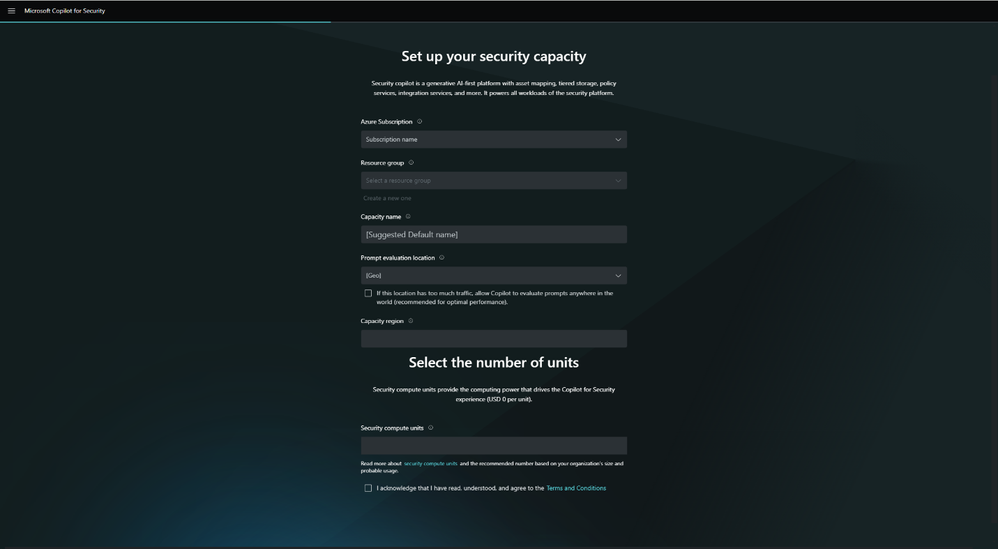
To start using Copilot for Security, you need to have an Azure subscription, or you can get the SCUs (Security Compute Units) from the Copilot for Security portal or Azure portal.

Once you have the subscription, you need to manage your data-sharing settings and define role assignments.

The in-product dashboard allows you to view the organization’s available number of SCUs and monitor usage patterns. This will help you decide whether to allocate more capacity as usage increases.

Before getting started, if you wish to learn more about how Copilot for Security helps you deal with threat actors, check out our detailed guide on the subject.

What do you think about Copilot for Security? Mention your thoughts in the comments section below.

KB5036567 update for Windows 11 just dropped, recovery issues are no more!

Windows KB5035942 update has been out for a few days, but its release was followed by various issues.

Luckily, Microsoft was quick to respond, and it has released a new update that should address some of its issues.

KB5036567 update was just released, here’s what’s new

In case you missed it, KB5035942 brought various fixes to Windows 11, but the update came with its set of issues, as Neowin writes.

Fortunately, Microsoft was quick to respond and it has released a KB5036567 update that fixes this issue.

As per the Microsoft support page, this update addressed the following:

This update makes improvements to the Windows recovery features for Windows 11, version 22H2 and Windows 11, version 23H2.

If you’re having issues with the recovery features, be sure to get this update. Do keep in mind that this update is only available via Microsoft Update Catalog.

Did you have any issues with the KB5035942 update? If so, let us know in the comments.

AMD Zen 5 might dramatically improve your PC gaming performance

AMD’s Ryzen 9000 Zen 5 models might bring a huge performance boost for gaming. The company will release the new CPUs between April and June. In addition, according to @Kepler_L2, a regular leaker, they will have a 40% Instructions Per Clock (IPC) uplift compared to Zen 4. Thus, Zen 5 will have a faster program execution and reduced latency.

The leaker used the Standard Performance Evaluation Corporation (SPEC) standardized benchmarks to compare Zen 5 to Zen 4. Thus, if the leaker is accurate, the new Zen 5 will be the latest AMD innovation milestone. Moreover, Kelper confirmed in a tweet that AMD is mass-producing Granite Ridge CPUs.

Does AMD’s Ryzen 9000 Zen 5 require a new socket?

If you are an AMD 7000 user, you could put the new Zen 5 into your system using the Socket AM5 platform. This option makes the new AMD CPUs easier to use than Intel’s 15th Arrow Lake processors. After all, they require a new CPU socket and architecture.

According to @All_The_Watts, the new CPU could see the following IPC uplifts: 7% in Fortnite, 11% in Passmark, 20% in the Cinebench R23 single-core, 28% in 7-zip, 33% in V-Ray CPU, 38% in Metro Exodus, 71% in Dolphin Bench, and 86% in WPrime. Thus, the Zen 5 might increase its IPC uplifts by 30% instead of 40%. However, the AMD’s Ryzen 9000 Zen 5 might get a re-testing before its official announcement.

The 71% in Dolphin Bench and 86% in WPrime IPC uplifts are due to the AVX-512 instruction set. So, do not expect an over 70% performance in apps that don’t support it. After all, the tool improves 3D modeling, video processing, and machine learning.

Additionally, for the Socket AM4 platform, AMD will release the Ryzen 5000XT on it. So, if you use Ryzen 1000, 2000, or 3000, you might get a cheaper upgrade version.

In a nutshell, if the leaks are right, the new AMD’s Ryzen 9000 Zen 5 models will greatly improve your overall performance and gaming experience. In addition, they will be available faster than Intel’s Arrow Lake. So, if you are in a hurry to upgrade consider getting them, especially since you might not need a new motherboard.

What are your thoughts? Are you going to upgrade to AMD’s Ryzen 9000 Zen 5? Let us know in the comments.

Microsoft Engineer Advances Rust integration in Linux kernel with Module initialization patches

Microsoft has been contributing to the Linux kernel for quite some time now, and the introduction of Rust programming language support is one of the examples.

This time, Wedson Almeida Filho, a Microsoft engineer who works closely in the Rust for Linux initiative, has revealed that patches have been sent to revolutionize module initialization within the kernel.

The latest patches, by Filho, show Microsoft’s commitment to facilitating the growth of Rust within the Linux ecosystem. These patches will refine the Allocation APIs for Rust Kernel code and introduce a new concept, i.e., in-place module initialization for Rust kernel modules

The second iteration of the Rust Allocation APIs for the Linux kernel:

We currently have a fork of the crate with changes to `Vec`; other changes have been upstreamed (to the Rust project). This series removes the fork and exposes all the functionality as extension traits.

Additionally, it also introduces allocation flag parameters to all functions that may result in allocations (e.g., `Box::new`, `Arc::new`, `Vec::push`, etc.) without the `try_` prefix — the names are available because we build `alloc` with `no_global_oom_handling`.

Lastly, the series also removes our reliance on the `allocator_api` unstable feature.

Long term, we still want to make such functionality available in upstream Rust, but this allows us to make progress now and reduces our maintainance burden.

In summary:

  1. Removes `alloc` fork
  2. Removes use of `allocator_api` unstable feature
  3. Introduces flags (e.g., GFP_KERNEL, GFP_ATOMIC) when allocating

Changes in v2: –

  • Updated description of `alloc` crate.
  • Renamed vecext and boxext modules to vec_ext and box_ext.
  • Added derive directive to `AllocError`.
  • Updated safety comment in `BoxExt::new`.
  • Updated `VecExt::push` and `VecExt::extend_from_slice` to use `spare_capacity_mut`
  • Add directive to not compile `destructure` and `rebuild` in when `test` or `testlib` are configured. Otherwise we have a warning because `push` and `extend_from_slice` don’t use them anymore.
  • Updated indentation in `Arc::new_uninit`
  • Moved the removal of `TryReserveError` convesion to `Error` to patch 7, where usage of `TryReserveError` is actually removed.

Earlier, the module initialization in the Linux kernel included returning an instance that would be moved to its designated memory space.

However, with the new patches, modules can be initialized directly in their intended memory location. This eliminates the need for unnecessary memory allocations and lets modules proficiently manage complex data structures such as locks.

Filho further said:

This allows us to have modules whose state hold objects that must be initialized in place like locks. It also allows us to implement registrations (e.g., driver registration) in place and have them similar to their C counterparts where no new allocations are needed.

This development has profound implications. By using Rust’s capabilities for in-place initialization, kernel developers can efficiently initiate modules and optimize memory usage.

In addition, this step will line up Rust-powered modules more closely with their C counterparts, which will reduce the gap between conventional and modern kernel development practices.

What was once thought of as an unusual union now seems to be the attestation of the transformative power of collaboration and innovation

What are your thoughts on the matter? Share your opinions with our readers in the comments section below.

Windows 11 lost market share amid big AI push

Microsoft has quickly been filtering in several artificially intelligent pre-generative and machine learned enhancements to Windows 11, but apparently not fast enough to grow its installed user base in the month of February.

While conventional wisdom would speak to a growing users base as a company adds free features to a product, Microsoft has unconventionally lost operating system market share the more it added to Windows 11 in the month of February, according to Statcounter.

Statcounter, the web traffic analysis website, reported that in February Microsoft’s Windows 11 operating system dropped 1.46 points or from a 28.18 percent share in January to 26.72 percent for the month of February.

Despite some conspiratorial analysis that would attempt to attribute Windows 11’s drop due to a surge in people buying new MacBooks, adopting ChromeOS or this finally being “the year of Linux”, MIcrosoft lost out to another version of Windows.

Tangentially, Windows 10 saw a 1.81-point uptick in market share during the same February period measured by Statcoutner. Windows 10 now sits with a 69 percent overall market share of the total operating system sector.

Microsoft has repeatedly explained the end of support for Windows 10 is just a little over a year away with October 2025 being the official end-of-life date for the nine-year-old operating system.

However, Microsoft also muddied the water with a handful of recent announcements of backward compatibility of its new hot AI features as well as some additional ways to extend support of Windows 10 beyond the October 2025 date for some businesses.

Perhaps, in their attempt to ease the transitional period between Windows 11 and Windows 10, Microsoft has inadvertently provided IT admins who were testing a jump to Windows 11, a bit more runway to stave off a full organization wide shift to the company’s latest OS.

Older Microsoft operating systems have always managed to keep an audience with versions such as Windows XP and Windows 7 still holding to 0.39 and 3.04 percent of the OS market share respectively, despite being unsupported for years.

Microsoft is making a concerted effort to bring a lot of its Windows 11 features to Windows 10 as well as extending support in various circumstances.

The move to obfuscate its traditional hardline support stance is part of a new vision for how Microsoft now views its operating system as more of fluid platform held together by AI rather than truncated by version-number exclusives and hardware limitations.

We’ll have to wait and see how this gambit pays off for the company.

Introducing Intel Next-Gen CPU cores: Douglas Cove For Adams Lake & Sheldonmont For Cooper Forest

According to Intel’s latest Linux Code patches, the company is developing new cores and two new CPU families: Adams Lake Client and Cooper Forest Server chips.

Both new families, Adams Lake and Cooper Forest, have been defined with new core architectures. As the image shows, Adams Lake will feature Douglas Cove P-Core architecture, and Cooper Forest will include the new Sheldonmont E-Core architecture.

However, it is not clear which CPU families these two will replace. So far, we know that Panther Lake is the successor to Arrow Lake and Lunar Lake, and there are also talks about Nova Lake being the successor to Panther Lake.

The new families may show up under the new Family ID around 2027. Adding up new families could be Intel’s attempt to replace its Family 6 CPU name, which has been around since the 1990s.

However, the Intel Family 6 IDs will be present for a few more years as Clearwater Forest and Lunar Lake are using them.

What do you think about it? Share your opinions on the matter in the comments section below.

End of an era: Ubisoft pulls the plug on The Crew, game not playable from April 1, 2026

The Crew, the first game of the franchise released by Ubisoft almost a decade ago, reached its final chapter on March 31, 2024!

That was the last day you could play The Crew. From April 1, one of the most loved racing games won’t be accessible anymore to players on any platform, including PC, PlayStation 4, Xbox 360, Xbox One, Amazon Luna, and Ubisoft+.

Last year, Ubisoft shared the decision with the community in a blog post on December 14. On the same day, the game, all its editions, and virtual currency packs were delisted from digital stores. The Crew was to remain playable to users who had already downloaded it until March 31, 2024.

Some reminisce the good old days of The Crew, others vow to not buy Ubisoft games again

Forums are filled with players sharing their experience of The Crew, what attracted them to the game, their favorite memories with it, and more!

For a game that actually gave you the entire (scaled down) US map to roam around, this is a hard pill to swallow.

Absolutely fell in love playing this game the past few weeks!! , loved the storyline a lot where Alex the main character gets revenge for his brother’s murder with the help of his crew members . Grinded for some good cars for each specs in-game since my season pass dlc cars was not accessible which has been a problem for quite a few ubisoft games now for many people which was a big downside.

Farewell The Crew, we’ve had lots of good memories together.

A few also directed their anger towards Ubisoft for discontinuing The Crew. Many believe that the developers should have kept the already available offline single-player version alive instead of pulling the plug on the game altogether.

If I can’t play at least singleplayer after 31-st of march I will never buy a Ubisoft game ever again.

Welcome to the wonderful world of games as a service. There’s a post like this every other month it seems. Either stop buying games that require a constant online connection or accept that these games have a built-in expiry date when you rent them out.

Thanks Ubisoft for making this game unplayable without a server Now i know to never give you my money again

Not exactly a replacement, but the sequels to The Crew, The Crew 2, and the recently launched, The Crew Motorfest, may deliver a similar experience. Although Ubisoft has made a lot of changes to the two, which is another reason behind the anger directed towards it!

If you are a fan of the genre, discover the best racing games on the Microsoft Store and the top-rated online racing games.

What are your thoughts on Ubisoft shutting down the servers for The Crew? Share with our readers in the comments section.

Microsoft: Teams will no longer be included with Office suite worldwide

Recently, Microsoft announced that it will sell the chat and video conferencing app Teams separately from its Office suite globally. The announcement came six months after the Redmond tech giant unbundled the two products in Europe to prevent the EU antitrust fine.

Microsoft Teams was added to Office 365 in 2017, replacing Skype for Business. Because of its video conferencing feature, it became popular during the pandemic.

However, with its growing popularity, its competitors were not happy, as it was available with the Office suite for free, which gave Microsoft an unfair advantage over them.

The European Commission has been investigating Microsoft because Teams came bundled with Office and the new OS Windows. This irked Slack, the Salesforce-owned messaging app the most, and they complained and urged the regulator to force Microsoft to remove Teams.

Therefore, Microsoft took this step and the company spokesperson said:

To ensure clarity for our customers, we are extending the steps we took last year to unbundle Teams from M365 and O365 in the European Economic Area and Switzerland to customers globally.

Doing so also addresses feedback from the European Commission by providing multinational companies more flexibility when they want to standardise their purchasing across geographies.

So, from now on, the new lineup of commercial Microsoft 365 and Office 365 suites will not include Teams in regions outside the European Economic Area and Switzerland. Also, a new standalone Microsoft Teams app will be available to Enterprise customers.

From April 1, customers can opt to stay with the current licensing deal or update, renew, or get the new offers instead.

As for prices, the new commercial customers can get Office without Teams at $7.75 to $54.75, which depends on the product you choose, and a standalone Teams app will be available at $5.25. The price for the Microsoft Teams app may vary by currency.

Now, we all have to wait and see whether this step of unbundling could save Microsoft from getting fined. Also, we don’t know how other companies will react to the low price of the standalone Teams app.

What are your thoughts on the matter? Share your opinions with our readers in the comments section below.

Microsoft is developing an auto-healing system that automatically repairs cloud virtual machines and it’s a total game-changer

Microsoft recently introduced Windows 365 Switch to the business world, allowing organizations everywhere to run Windows 11 on almost every device, whether we’re talking about a Mac, iPad, or Android device. The system also has multiple capabilities, including the Desktop Indicator, allowing users to easily differentiate between cloud and local PCs.

Windows 365 Switch installs a cloud-based Windows 11 on a device and allows the owner of that device to switch between their local operating system and the cloud operating system. The latter is also called a Virtual Machine. Basically, when installing Windows 365 Switch, the local machine becomes a host for the virtual machine Windows 11.

Now, every time the VM Windows 11 runs into a problem, the IT manager of the organization deals with it by identifying the problem, and manually deploying updates through Microsoft Intune.

However, according to a patent Microsoft recently published, it seems that the Redmond-based tech giant might be coming up with a technology that would transform the IT management of cloud-based virtual machines, such as Windows 365 Switch, into an automatic process.

Microsoft the auto-repair VM system a PEER VIRTUAL MACHINE MONITORING AND AUTO-HEALING SYSTEM, and according to the paper, which can be read here, it functions as follows:

There is a system that keeps track of the health of virtual machines (VMs), by designating leader VMs responsible for keeping the other VMs safe, intact, and healthy.

First, it figures out how many leader VMs are needed for a group of VMs. These VMs are running on multiple computers. Then, it picks a certain number of VMs from the group to be the leaders. The number of leaders matches the count determined earlier.Microsoft repair VM system

This system regularly checks on the VMs. It stores health data for each VM in a database. The leader VMs then use this data to find any VMs that aren’t working well, which we can call “sick” VMs. Once these sick VMs are identified, the system automatically tries to fix them to make them perform better. This is known as the healing process.

Microsoft also envisions this auto-repair VM system as capable of auto-scaling the resources of each cloud device based on their current activity, intending to maintain and preserve the hardware of the device, without overworking it.

The cloud computing system may also include an autoscaler for adjusting the number of available computational resources. Autoscaler may be configured to monitor one of more metrics indicative of the load on the cloud computing system, such as processor usage, memory usage, number of connections, and the like, and then scale the resources accordingly.

If this system sees the light of day, it could potentially revolutionize VM health, and IT management, as a whole: it would not only become an automatic process, sparing time and financial resources for organizations, but its sustainable approach to the cloud environment coupled with the self-sufficient technology means that the system can repair itself even when one of the leader VMs becomes faulty.

With minimal human input, this means IT managers can focus elsewhere in the organization, such as security issues, and cyber threats.

Ultimately, the system can be updated to support newer cloud-based VMs, ensuring not only its longevity but its performance, as well. The future VMs can be built to fit the system’s technicalities: which means it could become the industry’s standard.

For now, the patent is published, as it can be read in its entirety here. The actual technology might take some time to be properly developed and implemented, but it could be done within a few years.


Not-so-obvious tip: Don’t uninstall Steam before uninstalling all your games

As the title suggests, the tip is not so obvious. Most of us who have played on Steam for years don’t know what would happen if the gaming platform is removed without first uninstalling the individual games.

Over the years, we have seen several cases where Steam users had to spend hours trying to figure things out. The situation arises when users hurriedly uninstall Steam, expecting that it will also remove the games. But that’s not always the case!

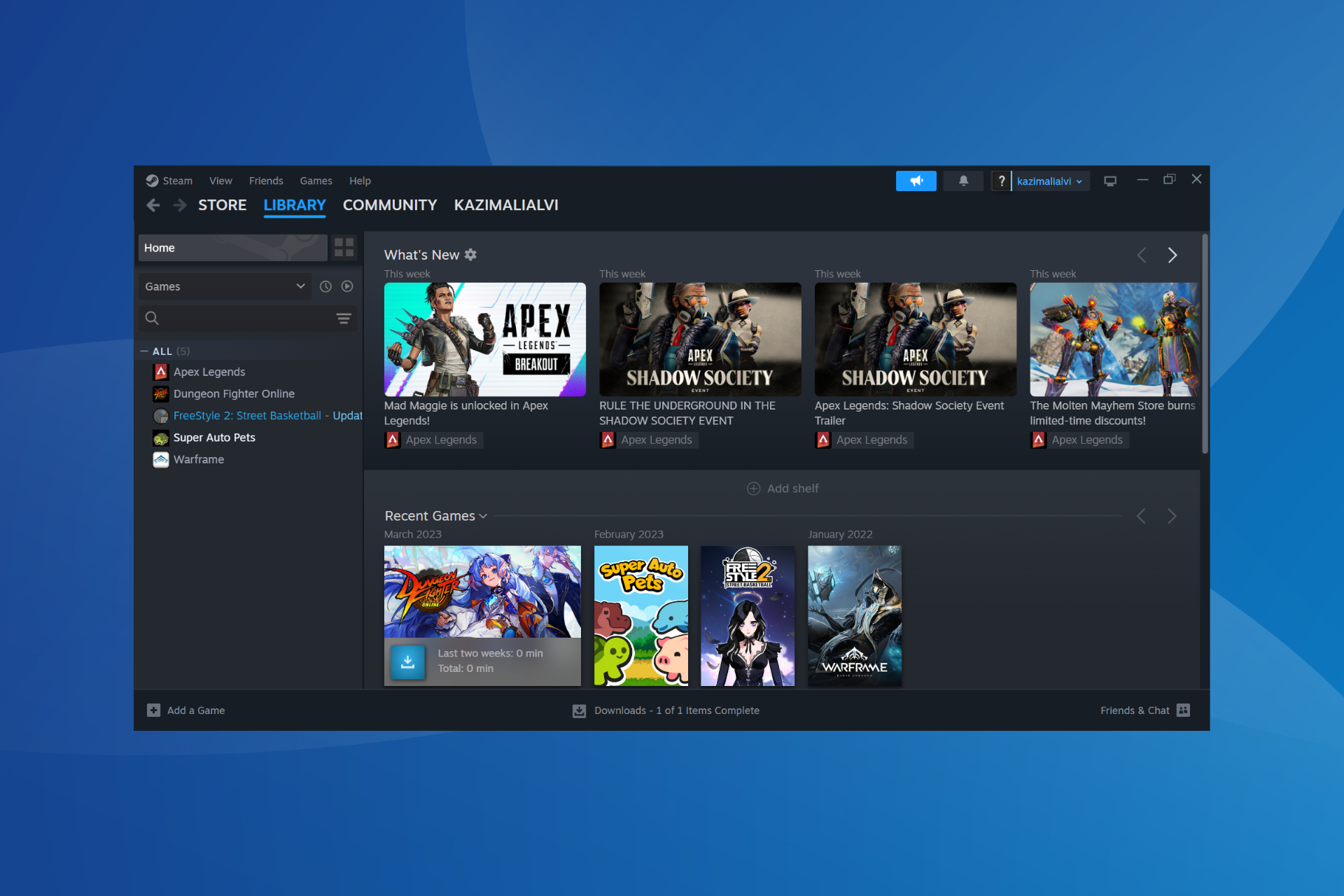
A user was recently stuck in a similar situation and shared the ordeal on Reddit. He basically couldn’t uninstall any games from the Windows’ built-in settings after uninstalling Steam from the PC.

Our tip here is to check the storage space the game takes on your PC. If it’s negligible, the game has most likely already been uninstalled, but a few Registry entries or leftover files give Windows the impression that it’s still present, but the OS can’t locate those. Subsequently, you get an error while trying to uninstall the game!

In this case, you will need an effective software uninstaller tool that will help clear any leftover files and Registry entries. Or you could manually search for the Registry entries and files, and delete them.

Another option is to reinstall Steam, download all the games that you previously had, then uninstall the games individually using the native method, and finally, uninstall Steam. This way, the leftover files and Registry entries will be re-linked to the game after download and then removed during the uninstall.

Uninstalling games via Steam

A user explained it very well in the same Reddit thread,

The default location Steam places games (you say you aren’t good with computers so I’m assuming you didn’t change it) is inside its own folder. When your wife uninstalled Steam, it deleted its folder and by extension all the game folders contained inside, but those games were never properly uninstalled so Windows still has remnants of them in other places like the Registry. This causes Windows to think the game is still there, even though it isn’t.

You’ll probably have to reinstall Steam, reinstall the games, uninstall the games, and uninstall Steam to get rid of the issue.

In layman terms, think of Windows as a warehouse. Their inventory system says they have the games, but the employee running the game section (Steam) was fired, got mad, and threw all the games into the trash compactor on their way out.

Will uninstalling Steam also uninstall the games?

It all comes down to the location of the steamapps folder!

If the steamapps folder is in the default location (C:\Program Files\Steam\steamapps), uninstalling Steam will remove all the games. However, if you have moved the steamapps folder to another directory, say the D: drive, uninstalling Steam will not remove that game.

Also, if you have games spread across multiple drives, only the ones in the default location, i.e., the C: drive, will be removed.

This Steam uninstall tip will come in handy and save you hours. Besides, it will be of great help to Steam users on a limited Internet plan. The next time you are about to uninstall Steam, the games, or the entire setup, just keep this tip in mind!

Before you leave, discover the most expensive games on Steam and try one out!

Have you ever faced similar problems with Steam? If yes, share it with our readers in the comments section.

Indie devs facing tough times as Epic Store and Xbox Game Pass cut funding

Releasing an indie game does take a lot of hard work and more importantly – funding.

In the past, large publishers would fund indie game studios, but that won’t be the case anymore.

Xbox Game Pass and Epic Store won’t offer deals to indie developers

Until recently, indie developers were able to get exclusivity contracts with Epic Store on with Xbox Game Pass, but that’s not the case anymore according to TwaekTown.

The reason for this is the market crisis with massive layoffs and budget cuts, which makes signing a deal harder than ever before.

Casey Yano from Mega Crit had to say the following:

I talked to at least five small teams during GDC, like 35 people and under, and they’re like: Cuts, cuts, cuts, funding canceled, talks that were going on for a year, canceled.

Epic Games had a loss that exceeded $700 million last year, so it’s obvious why the company doesn’t want to invest in indie games.

It’s not just Epic Games and Microsoft, Sony had to lay off 900 employees, with EA laying off 5% of the workforce.

With the gaming market crisis, this doesn’t come as a surprise, but we hope that the market will recover soon.

This Microsoft Outlook privacy bug will reveal your meeting’s hidden attendees

If you are a regular Outlook user, there’s another bug you should be worried about because this one concerns privacy and could prove detrimental when setting up meetings with hidden attendees.

An Outlook user on Reddit describes that when forwarding the meeting request with hidden attendees to another participant, the latter can see all the other attendees in a quoted message under the invite.

Even upon verifying this by sending a request to another non-Outlook email, the same pattern emerged, highlighting that it was a bug in Outlook itself and not a one-time issue.

The Outlook user goes on to call a Major privacy issue, and it indeed is. Also, such glaring loopholes should be identified in the testing phase and should never make it to the stable version.

Besides, users have, for a long time, been complaining about other aspects of Outlook, for instance, issues with search, problems with sign-in, constraints on the maximum number of emails that can be moved at once, and the slightly tricky UI.

Outlook’s data collection has also been under the radar, especially after Proton flagged it in a blog post!

At the same time, Outlook is introducing new features to keep its existing user base intact, and that has worked to some extent. But unless Microsoft fixes basic issues like the hidden attendees’ bug in Outlook, users may switch to Outlook alternatives.

Have you faced any bugs in Outlook? Share with the our readers in the comments section.

Microsoft Outlook and SharePoint are available as modules on Chrome’s New Tab page. Could Teams be next?

After Google announced that it’s releasing a native ARM Chrome browser for Windows, a few days ago, the tech giant is taking even more steps to offer further integration of its browser with Microsoft apps.

This time we’re talking about Outlook and SharePoint, and according to tech enthusiast @Leopeva64, they will be available as modules on Chrome’s New Tab page, allowing users to quickly access them.

Both platforms can accessed on the New Tab page in Chrome on Windows, Linux, Mac, Chrome OS, Fuchsia, and Lacros, according to the flags, and, fortunately, they are optional, as users can enable/disable them at will.chrome outlook sharepoint

For now, the modules are gradually rolling out to Chrome Canary users, and they will be generally available in the next weeks when the stable version gets updated.

The modules will most likely open up Outlook for Web, and SharePoint for Web, and users will be able to work on the platforms from Chrome. It’s interesting given that both Outlook and SharePoint are Microsoft 365 apps, so this means more modules from this productivity suite are coming.

We wouldn’t mind a Word, Excel, and PowerPoint module, and maybe even a Microsoft Teams module for Chrome. Even though Edge supports them better (and many would say the browser is even superior to Chrome), Chrome is still the most popular browser, by far. However, Edge is coming in second place, and it’s rising in popularity.

However, since they’re both Chromium-based browsers, their capabilities, features, and even vulnerabilities will be similar, down the road. For instance, both Edge and Chrome are currently experiencing a critical vulnerability, and users should update their browsers as soon as possible.

Ultimately, it will be possible for Google to update Chrome to support more Microsoft 365 apps because it has the technical architecture to do so. But it will be down to how much the tech company wants to prioritize the productivity suite of a competitor rather than its own.

What are your thoughts on this?

Microsoft honors Akira Toriyama with a new Xbox dynamic background

The legendary mangaka Akira Toriyama passed away recently and gaming fans are honoring the Dragon Ball creator all over the World.

To celebrate Toriyama’s work, Microsoft is offering a new dynamic background for Xbox as a tribute to the classic Xbox 360 JRPG Blue Dragon brought by the Japanese 17 years ago.

Microsoft posted this announcement on the Xbox X account:

Honoring a true legend. We’ve added a new dynamic dashboard background featuring Xbox 360’s Blue Dragon, with art and character designs by Akira Toriyama.

The Blue Dragon game was launched worldwide in 2007 and it was supervised by Hironobu Sakaguchi, the creator of Final Fantasy. At that time, the game was published by Microsoft as an Xbox 360 exclusive to get attention on the Japanese market.

Toriyama had memorable contributions to video games and its art from the Dragon Quest series is easily recognizable as bearing his magic touch.

Coming back to Microsoft’s homage, the background is free and you can set it up from Xbox’s Personalization options from the Settings menu.

Did you enjoy Akira Toriyama’s ar within games? Tell us all about that in the comments section below.

Act fast or miss out: Samsung Galaxy Book3 Pro is currently 32% off

Samsung is well-known for the quality of its devices with Galaxy Book3 Pro being one of its most popular laptops.

If you’re looking for a new laptop, you’ll be pleased to hear that this model is available at a hefty discount.

You can now get Galaxy Book3 Pro cheaper than ever

According to PC Guide, Galaxy Book3 Pro is available at a 32% discount on Amazon. As for the hardware, this laptop comes with a 16-inch Dynamic AMOLED Screen, 2880 x 1800 resolution, and 120Hz refresh rate.

The device is powered by a Core i7-1360P processor, and it comes with 32GB RAM and 1TB of SSD storage, which should be more than enough for most of your needs.

Regarding connectivity, you can find Wi-Fi 6E, Bluetooth 5.1, Thunderbolt 4, HDMI 2.0, and USB-A ports. Lastly, we have to mention a FullHD webcam and a built-in fingerprint scanner for extra security.

Overall, Galaxy Book3 Pro is an amazing device, so be sure to consider getting it. If you’re looking for something more powerful, new information reveals that Galaxy Book5 Pro will use Intel’s Lunar Lake CPUs, but you might want to wait a bit before they are released.

Microsoft raised the character limit on Edge Copilot to 8000, allowing users to give it more complex inputs

It seems the Redmond-based tech giant raised the character limit on Edge Copilot to 8000 for the More Creative, and More Precise modes, and to 4000 for the More Balanced mode., according to tech enthusiast @Leopeva64.

Previously, in the More Creative, and More Precise modes the limit was 4000 characters, while the Balanced mode was limited to 2000 characters.

The raise is currently rolling out gradually to Edge Canary users, and you might get it in the next few days if you haven’t gotten it already (for instance, we haven’t).

This would allow users for a more complex input. For instance, this is quite useful when copying/pasting large passages of text into Copilot’s text box. With double the amount of characters, users won’t have to break those passages into parts, and potentially lose all the context, as they can now upload all the passages without worrying Copilot won’t be able to explain them properly.

On the same page, Copilot will also allow users to delete their entire chat history at once, without having to delete each entry. This allows for better management, and it’s coming to Copilot on Edge, and Copilot on Windows, as well. One of the best things about the chat history deletion is that it can be done quite easily, with just 3 clicks.

And speaking of characters, Copilot on Edge is also set to introduce the new Notebook capability, which has an impressive limit of 18,000 characters that can be used to visualize complex answers.

Until now, Notebook has been available on the Copilot website and other platforms, but not directly within Microsoft Edge when using Copilot. However, Microsoft has brought it to Edge. By default, Notebook is not available in the release version.

What do you think about all these changes coming to Copilot in Edge?

Easter Sale: Get Windows 11 Pro at $11.5, Office 21 Pro at $15.05, and more at unbeatable prices

If you were planning to upgrade to Windows 11 Pro or get a bunch of software to increase productivity, there couldn’t be a better time!

Godeal24 is offering massive discounts during the Easter Sale on Windows 11 Home and Pro editions, Windows 10 (multiple editions), the Microsoft 365 suite, Ashampoo software, Internet Download Manager, IObit Driver Booster, and CCleaner.

You can get a licensed copy of the Windows 11 Pro key at just $11.5 by buying the 3-key bundle. An individual copy of Windows 11 Pro costs $13.25. If the Pro edition isn’t the right choice, the Windows 11 Home edition is available for $13.05.

In case your PC doesn’t meet the system requirements for the latest iteration, there are exciting deals on Windows 10 Pro, with license keys starting at just $8.25 when purchased individually. Get a bundle of 5 keys, and it effectively costs just $6.83 per key!

As for Microsoft Office 2021 Pro Plus, a 5-PC license is priced at $75.25, which equals $15.05 for individual PCs.

Here are a few other deals that will save you a few hundred dollars combined:

  • Windows 10 Pro + Office 2021 Pro Plus (Bundle) – $32.56
  • Windows 11 Pro + Office 2021 Pro Plus (Bundle) – $36.59
  • Microsoft Office 2021 Pro Plus (100 keys) – $2000
  • Windows 10 Professional (100 keys) – $600
  • Windows 11 Professional (100 keys) – $750

As you can see, the bigger the order, the more discounts there are! It’s a great opportunity for organizations planning to deploy the OS or software.

For comparison’s sake, a Windows 11 Pro key typically costs $20-$75 when purchased from third-party sources and $199 from Microsoft. And with Godeal24, you get it for as low as $13.25, even when purchasing a single copy. Go with bulk orders, and the prices will drop roughly 50%!

Check out all the products available at a discounted price during the Easter Day sale on Godeal24 today!

Tell us how much you saved on Windows and related products during the Easter Sale in the comments section below.

Completing all the monthly Microsoft Rewards tasks will earn you fewer points in 2026 than in 2023

Microsoft Rewards is a pretty awesome program initiated by the Redmond-based tech giant that allows users to complete daily, weekly, and monthly tasks to earn Rewards points that they can use to purchase dozens of goodies from Microsoft, including Game Pass subscriptions, gift cards, and even Xbox consoles.

The program recently added a new app for Xbox, allowing those with a Microsoft account to keep track of their monthly progress, and also make sure they don’t miss on important quests.

However, it seems that no matter how much effort users put into getting their maximum set of points each day (we have a guide for that if you’re interested), it seems that Microsoft has somehow stitched the rules.

According to this Reddit user, who claims they have been completing every quest available in one month, the number of maximum points made in March 2024 is far below the number of maximum points made a year ago, in March 2023.

In March 2024, they managed to earn a maximum number of 20,502 points, while a year ago, in March 2023, that number was much higher: 32,573 points.

The user is from the US, but it seems that the situation is not just bound to this region, as the other regions, such as Brazil, are affected, so it seems that earning Microsoft Rewards points in 2024 is indeed harder:

Damn dude I barely got 8k points this month, and everything is 33% more expensive for Brazil now.

Reddit user


I don’t have pics but that’s about the same as my exp in US. Was regularly hitting 30k last year and checked today it was a little over 20k

Reddit user


Same dude. 20,300 this month and 31K last March. My 15 minute cooldown went away middle of this month so that helped getting more points from search but still no where as much as it used to be, ah well

Reddit user

Are you a Microsoft Rewards points collector in 2024? How much have you earned this year compared to 2023?

Don’t miss out! Xbox Game Pass Ultimate is currently available for 46% off

Xbox Game Pass is great if you want to try new games or get access to multiple titles with a monthly subscription.

If you want to give this service a try, you should know that it’s currently available at a discount, so make sure you get it.

Get your Xbox Game Pass Ultimate subscript for a month at a massive discount

Xbox Game Pass Ultimate subscription allows you to get access to over 100 different titles on Xbox, and PC, and you’ll even get cloud gaming support.

With the subscription, you’ll also get day-one access to Microsoft titles as well as access to the EA game catalog. If this sounds interesting to you, you can get a one-month subscription for just $8 according to CNET.

StackSocial currently has a deal that will allow you to get a one-month subscription for 46%, so this is perfect if your subscription has expired or if you just want to try Game Pass Ultimate.

The deal will end on April 2nd, so be sure to get it while it lasts! With leaks suggesting that the new Xbox might be fully digital, an Xbox Game Pass doesn’t look like a bad option.

As for Game Pass, you should know that Harold Halibut and Flintlock: The Siege Of Dawn are coming to Xbox Game Pass this month, so don’t miss them.

You can replace almost all the components from Surface Pro 10 and Surface Laptop 6

We wrote intensively about the Right to repair movement and we even conducted a survey that spread the word about the laws that have been adopted in many states, including California, New York, Colorado, Massachusetts and more. Now, we’re starting to really feel the changes, and Microsoft, with their Surface Pro 10 and Surface Laptop 6 set the tone for what’s next in the consumer electronics industry.

Both devices were designed for business and enterprises but they are highly repairable, having an unprecedented number of replaceable components.

They have easy serviceability with clear visual icons and built-in repair instructions.

Nancie Gaskill, general manager of the Surface business, in an interview with The Verge

In the interview, Gaskill also says that the parts will have QR codes on them for easier identification and that will make for the most easily serviceable Surface devices ever.

What components can I replace on Surface Pro 10?

On Surface Pro 10, you will be able to replace the display module, the SSD, the battery, the motherboard (including the CPU and RAM), the Surface Connect pot, the thermal module, the microphone module, the SSD door, the speakers, front and rear cameras, power and volume buttons and the kickstand.

iFixit has partnered with Microsoft since 2021 to provide service tools to consumers and be able to repair their devices. Later, in 2022, after Microsoft lunched Surface Pro 9, iFixit gave it a 7 out of 10 score for reparability.

Recently, Lenovo also worked with iFixit and got a 9/10 reparability score for their latest laptops.

The things are slowly moving in the right direction and soon, you will be able to fix your laptops and replace the components at home, because the manufacturers are forced to allow you access to parts tools and instructions for that.

However, that all comes with an additional cost from manufacturers who might translate into higher prices for us, the consumers. All those QR codes, the easily detachable connectors inside the device, and others don’t come cheap. If until now, the manufacturers struggled to eliminate all those elements for the sake of portability and compactness, now they need to add them back, and all the process is costly.

We have to give it a bit of time until we get the numbers on how the Right to repair impacts the electronics industry. Until then, we should be happy that we can prolong the life of our electronics and don’t have to throw them away. A quick look at the latest e-waste statistics could give anyone a chill down the spine so this is quite a right step forward.

Would you repair your device at home or get a new one instead? Let’s talk about this in the comments section below.

Microsoft should bring its Encarta Encyclopedia back online at least, users agree

Remember the Encarta Encyclopedia, Microsoft’s personal multimedia Wikipedia, published from 1993 to 2009, annually?

The encyclopedia used visual, audio, and text-based content to provide Windows users with an array of information on a variety of subjects, ranging from politics to arts, culture, history, science, and so on.

From 1993 to 2009, Microsoft Encarta ran in different formats: from CD/DVDs to the online format until one day, in March 2009, when the Redmond-based tech giant decided it should be discontinued. It even had a dedicated site (however, accessing it doesn’t seem to work).

By that time, Wikipedia (the real one) says the encyclopedia had more than 62,000 articles, including photos and illustrations, music clips, videos, interactive content, timelines, maps, atlases, and homework tools.

There were ways to download the encyclopedia in its entirety, but for unknown reasons, Microsoft has closed all the official ways to get it.

Well, the Redmond-based tech giant might want to reconsider it, as it seems there is increasing interest from Windows users and Microsoft enthusiasts to experience it again. On this Reddit post, which became quite popular in a span of a few hours, there are signs, that people would want to access the encyclopedia once again.

We actually need to bring this back.

Reddit user

Even though some of its information might be outdated to today’s standards, the Redmond-based tech giant brings its Microsoft Encarta encyclopedia back online, as a website platform that uses contemporary technology to preserve its UI mechanisms.

As most devices don’t use CD/DVSs anymore, and the Internet speed is much better nowadays, this could easily be accomplished, while also catering to those who feel nostalgic about the product. And there are not a few.

Encarta was very good. I remember it had a collection of samples of music around the world that you could play, I remember I liked Trinidad and Tobago music.

Reddit user

I remember there was a time in school where they preached that encyclopedias were on the way out and in the future everyone would use Microsoft Encarta for all of their research.

Reddit user

As a long-time fan of encyclopedias myself, and a self-described Wikipedia nerd, the online version of the Microsoft Encarta would give newer generations a chance to experience a Wikipedia-styled encyclopedia back when the Internet wasn’t readily available to everyone.

Not to mention, the access to the information of those times.

Should we start a petition to ask Microsoft to bring its Encarta encyclopedia back?

At long last, Minecraft will finally make its way to PlayStation 5

Microsoft and Sony have been in a console war since day one, but that seems to be coming to a slow end with Microsoft planning to bring almost all Xbox games to PlayStation.

Speaking of which, another game will make its way to PlayStation, and this time, it’s Minecraft.

Minecraft to finally make its way to PlayStation 5

Minecraft has been available for PS4 for a while, but we never saw a PS5 version. The reason for this was revealed during the legal battle that Microsoft had with Activision Blizzard.

During the hearing, Microsoft was accused of not releasing a PS5 version of Minecraft, but Xbox’s Phil Spencer responded that this was because Sony didn’t provide dev kits to Microsoft.

That seems to be water under the bridge since Minecraft is finally making its way to PS5, as PlayStation LifeStyle claims.

This comes after users on the PS5 subreddit found title IDs for the PS5 version of the Minecraft on PSN backend. Unfortunately, we don’t have any official confirmation from Microsoft or Sony, so be sure to stay tuned to keep up with the latest news.

Speaking of Xbox games, it seems that Xbox ports are dominating PlayStation charts, and we can’t wait to see Minecraft available among other Xbox hits.

Update Edge and Chrome browsers now to avoid ANGLE exploits

ANGLE, or Almost Native Graphics Layer Engine was a feature introduced by Google in 2010 to allow Chromium browsers running WebGL content without the need for OpenGL drivers.

However, as it has been discovered, ANGLE had a critical vulnerability, CVE-2024-2883, allowing attackers to exploit heap corruption using a HTML page, ghacks.net reports.

Use after free in ANGLE in Google Chrome prior to 123.0.6312.86 allowed a remote attacker to potentially exploit heap corruption via a crafted HTML page. (Chromium security severity: Critical)

Microsoft updated Edge and Google updated Chrome

Microsoft released an urgent Edge update to version 123.0.2420.65 which patches this vulnerability, but also points out that all the Chromium-based browsers have the same problem.

In the summary, of this vulnerability report, Microsoft also acknowledges that the CVE was assigned by Chrome and that it has been exploited:

This CVE was assigned by Chrome. Microsoft Edge (Chromium-based) ingests Chromium, which addresses this vulnerability. Please see Google Chrome Releases for more information.

Google is aware that an exploit for CVE-2024-2883 exists in the wild.

However, strangely enough, although Google also updated Chrome to version 123.0.6312.86/.87 to patch this vulnerability, they don’t seem to know about any such exploits. They also restricted the access to bug details to protect the users who didn’t update the browser yet.

Note: Access to bug details and links may be kept restricted until a majority of users are updated with a fix. We will also retain restrictions if the bug exists in a third party library that other projects similarly depend on, but haven’t yet fixed.

Regardless, you should update your browser now to the latest version to avoid this issue. For Chrome, go to Settings > About Chrome and the browser will perform an update automatically. In Edge, go to Settings > About Microsoft Edge to do the same.

If you have another Chromium-based browser such as Vivaldi or Brave, you should also update it swiftly. After that, restart the app for the changes to take effect.

Did you receive the latest update? Let us know if you had any problems in the comments section below.

This is how Windows 11 would’ve looked like if Microsoft had continued improving the Aero design

Microsoft’s Aero (it apparently stands for Authentic, Energetic, Reflective, and Open) design was first introduced to Windows in 2006 with the release of the Vista operating system and brought a transparent, glass-like design to the Windows interface.

In other words, Windows Vista looked modern, sleek, and translucid. The design would go on to be improved upon in Windows 7, which was released in 2009. However, with the release of Windows 8, in 2012, Microsoft left behind the transparent interface for a more solid, flatter, and geometrical look, and the Aero design became a thing of the past.

Neither Windows 10 nor Windows 11 would see the Aero design again, which left some Windows users wishing for it, and idealizing it in various mockups. One of those mockups was created by a Reddit user who imagined how Windows 11 would’ve looked like if Microsoft had continued improving the Aero design.

As you can see in the image below, Windows 11 Aero would keep the main elements of the operating system, such as a centralized taskbar, and similar Start menu design, but making it all translucid. windows 11 aero

The user hasn’t revealed anything else, aside from the Windows 11 Desktop, but it’s not hard to imagine how the rest of the operating system would look like with the Aero design on. It is very similar to Windows 7, but it sports all the UI elements of Windows 11.

Other Reddit users would happily download this Aero theme for their Windows 11 if given the chance:

AMAZING original FA art needs more regonition. Btw I would absoloutley use windows 11 if this theme existed

Reddit user

I wish this was a theme available for download now!

Reddit user

This looks………amazing. The future we all wanted but never had.

Reddit user

However, another user correctly pointed out that it’s missing an essential Windows 11 feature. And that’s it, of course, Windows Copilot.

It needs more Copilot.

Reddit user

We don’t know how Windows Copilot would fit the overall Aero theme of the mockup, but the creator behind the mockup said they actually thought about it.

Until Microsoft releases an Aero theme for Windows 11 (highly unlikely, but we can all dream), there are ways to enable parts of it on Windows 11. It’s not the same, sure, but at least some of the UI elements will be translucent.

After Chrome, Microsoft Edge helps you change autofilled form information

Microsoft is testing an Undo Autofill feature in the Edge Canary browser, which helps you get rid of inaccurate information that may have been filled by Edge from saved information in the wallet or Password Manager.

Microsoft Edge gains Autofill undo support

Web browsers such as Google Chrome and Microsoft Edge come with the ability to save and autofill your addresses and phone numbers the next time you visit related websites that request your information. The information will be autofilled as you start typing your name, among other details.

Until now, you either had to disable autofill or remove individual entries if, for instance, the browser filled in an old address, or you didn’t want to enter your phone number due to privacy reasons. The situations mentioned above demand an Undo Autofill feature, which the Google Chrome release already supports, and a flag is available for the same.

UndoAutofill Allows reverting Autofill filling operations. Replaces Clear Form functionality – Mac, Windows, Linux, ChromeOS, Android, Fuchsia, Lacros.

To avoid privacy concerns, the Edge wallet doesn’t save or show your payment and address info in the browser when required to fill in on websites by default.

Microsoft is now testing the feature in Edge Canary. Here is how you can use it:

How do I use the Undo Autofill feature in Edge?

  1. Open Edge and visit Settings > Profiles > Open Wallet.
  2. Under Personal Info, ensure that Save and Fill Basic Info and Automatically Fill My Info on Sign-Up Forms. are turned on.
  3. Now, if you visit any shopping website or one that requires entering your address or phone number, Edge will autofill it as you start to type, or you can right-click and select Addresses and More under Fill in Form and choose from the personal info displayed. If you’ve entered the wrong info, right-click and select Undo Autofill; all filled form information, or individual entries, will be cleared.

The feature is being A/B tested on select users in Canary, with no guarantee that it will make it into release like other experimental features.

What’s your take on Microsoft Edge getting an Undo Autofill option? Let’s talk about this in the comments section below.

Google will use Lacros to split Chrome from the ChromeOS

Chromebooks evolved from simple notebooks with Chrome installed to devices with ChromeOS. In addition, there are some useful features and advantages to using the Google OS. For example, it works on low-cost computers, receives automatic updates, and has good security.

On top of that, it runs Android apps, boots fast, and offers integration with Google services and Android phones. Unfortunately, one of their biggest con is that the browser depends on the OS. To fix this issue, Google created Lacros.

What is Lacros?

Google’s Lacros is a new software architecture that splits Chrome from ChromeOS on Chromebooks. Yet, this doesn’t mean they won’t come with the browser anymore. Instead, with the help of the new feature, Google can update Chrome and ChromeOS separately. This way, Chrome will get new features even after the OS meets the AUE date.

Unfortunately, a downside of Chromebooks is that Google stops updating them after they reach the AUE date. So, their security stops getting any fixes or new features. On top of that, the notebook becomes e-waste, even if you can continue using it. However, Google guarantees ten years of updates for devices released since 2019.

Additional features

Lacros is going to bring more features to Chromebooks. For example, you won’t have to switch between user accounts if you have multiple profiles. In addition, the notebooks will get new Chrome features matching the ones available on the browser for the other devices. Thus, Chrome won’t feel so outdated on Chromebooks compared to other devices.

Another good feature of the Lacros software architecture is that it can bring faster security patches to the browser and the OS because Google won’t have to update them simultaneously. Thus, it will fix the four-week update cycle problem. As a result, Chrome had delays every time developers encountered bugs and issues.

By the way, you can enable Lacros before its official release by heading to chrome://flags/#lacros-only. Afterward, you will have a Restart button at the bottom of your screen. Click it and wait a few minutes until your notebook calibrates.

Ultimately, the new Lacros software architecture will change Chromebooks, especially if Google implements it right. So, we will get updates for Chrome even after the AUE date and during the four-week update cycle if needed. Also, the newer browser updates won’t force developers to improve the OS.

What are your thoughts? Are you going to try the Lacros software architecture? Let us know in the comments.

The new Azure safety features will protect your AI model and generations

Microsoft brings new safety features for Azure customers. Thus, you can use the Azure AI Studio tools to detect AI hallucinations and malware. Additionally, they can block malicious prompts from any model from the Azure platform. On top of that, you can access and use them with ease.

The new Azure safety features will protect those of us who don’t hire red teamers to test the AI services. In addition, Microsoft aims to defend users from injection attacks and hateful comments. Also, you can take a look at the video below to learn how to protect your Azure AI applications.

Microsoft learned from past errors

According to The Verge, Microsoft learned from AI controversies like Gemini’s historically inaccurate images or Designer’s celebrity fakes. So, the new safety features for Azure will restrict prompts. Thus, users won’t be able to generate misleading content.

Azure AI has three safety features you can preview: Prompt Shields, Groundedness Detection, and safety evaluations. The first feature prevents malicious queries that trick AI into generating content against their training and restrictions. The second one finds and blocks hallucinations. The third one assesses vulnerabilities in your AI model and generations.

AI hallucinations are errors. Thus, a learning model might generate them upon encountering new types of content that don’t fit its training data. Threat actors can use hallucinations to trick the AI into believing that spammy emails or malware are harmless. This way, they can bypass security measures.

Microsoft also trained Azure’s safety features to check for banned words in queries or hidden prompts. If the system finds any, it won’t send them to the AI model. Afterward, it will verify the answer received to see if the AI hallucinated information that isn’t present in the prompt.

Azure’s safety features will help system administrators

The company added a user report that warns administrators about who’s responsible for triggering unsafe outputs. This feature is helpful to organizations using red teamers because it aids them in distinguishing them from wrongdoers.

By the way, if you use a less popular AI model, you might need to enable the safety features manually.

In a nutshell, the new Azure safety features protect you from injection attacks and hateful content. In addition, they prevent malicious users from using AI hallucinations to trick the models. Furthermore, they will generate a user report for you and assess the security vulnerabilities of your AI model and generations.

What are your thoughts? Are you an Azure user? Let us know in the comments.

Xbox bans FFXIV players for saying ‘Free Company’

Xbox reportedly banned several FFXIV players after mentioning Free Company while using in-game chat. Free Company is a term for groups run by players from where one can recruit resources to complete tasks that are difficult to do single-handedly.

It’s not a surprise for players to recruit others to join their guild (Free Company) because more people working towards the same target can help complete tasks faster. However, it seems some players are serving a ban from Xbox just for advertising their Free Company on Xbox. 

Here’s why Xbox is banning FFXIV players after mentioning ‘Free Company’

No one is entirely sure of the reasons behind the ban. However, many talked about responses they got from Xbox on the matter. Apparently, the phrase ‘Free Company’ triggers the Xbox’s word filter suspecting the user of solicitation or self-promotion.

A Reddit user (@TGB_B20kEn) shared a post on the Final Fantasy 14 subreddit to report the issue. A part of the post shared by the Redditor reads: 

I have just gotten banned by Xbox because they believe that “Free Company” is solicitation in their looking for group posts. I filed an appeal and that got denied and have no idea what else to do.

Further down the thread, the user also shared the details of the message that triggered the ban. It reads:

Hello Sprouts! We are currently recruiting for a new Free Company that accepts anyone! Please have Discord because we have PC Players! Pm if interested friends!

According to the user, he is banned for 61 days, and in between the specified period, the user can’t communicate with others, join multiplayer games, or upload media to the Xbox network.

This is just one case, the Reddit post by the user has a pool of comments that point in the same direction. It has been just over a week since Final Fantasy 14 debuted on Xbox and is already in controversy. 

Are you also among the affected FFXIV players? Let us know in the comments below.

The ‘All apps’ list in the Start menu of Windows 11 gets a new grid layout

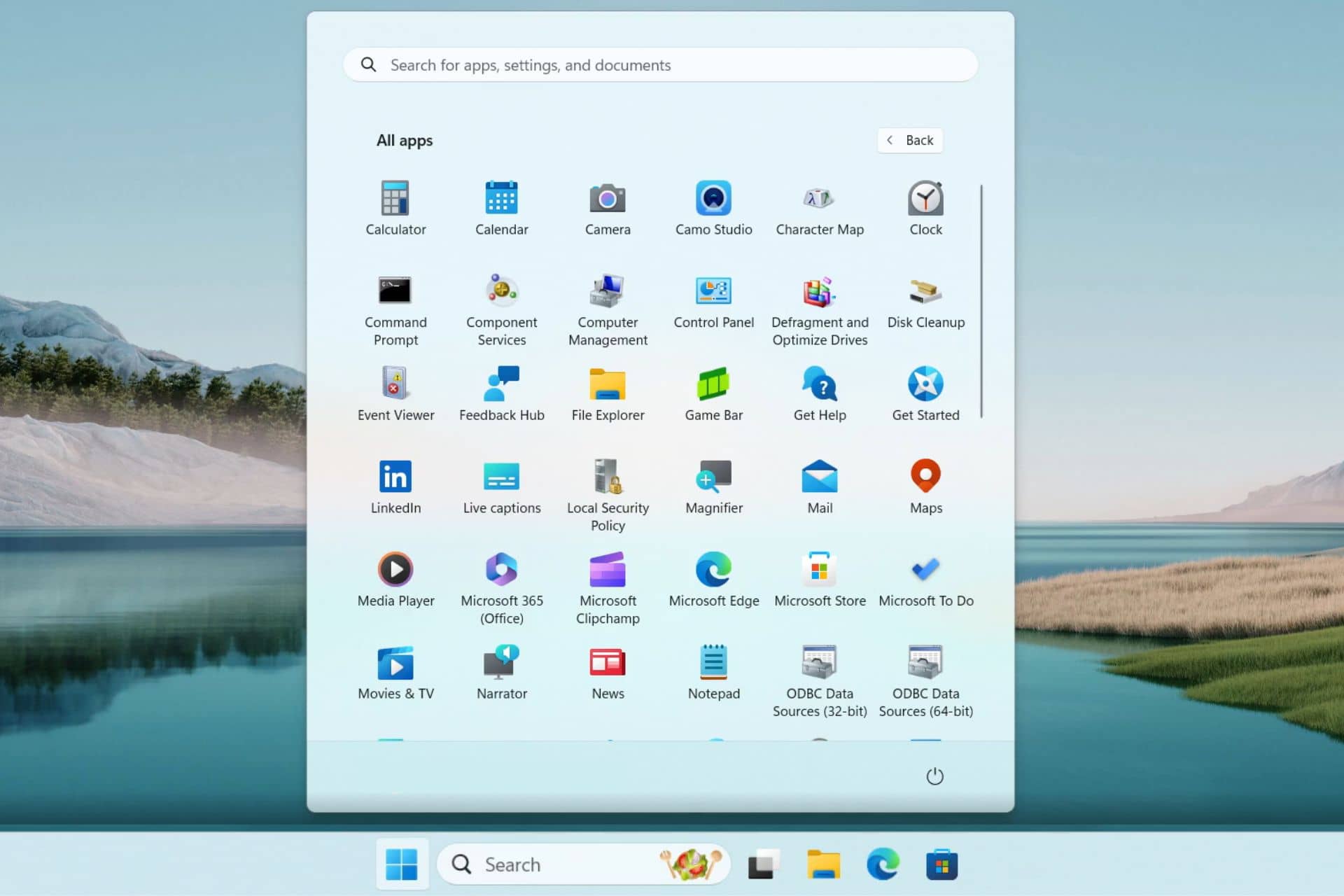
Microsoft is testing a new grid layout to display every single app under the All apps list in Windows 11’s Start menu. The new layout offers a similar vibe to the Windows 10X’s Start menu and is available in the beta builds.

The change was first reported by a Reddit user (@PhantomOcean3) who shared a screen recording to showcase the grid layout for the All apps list. The video showcases that the app icons are placed side-by-side and on top of each other to form a grid layout. This makes the app list look more organized and screen-efficient. 

That’s not all, the new grid layout for the All apps list lets you see more apps without having to scroll more as you would generally do in the current vertical list. Also, you can find the apps quickly, thanks to the bigger icons that are easy to spot.

Although the new grid layout looks promising, there are a few concerns. Since many things are happening visually in the list, you might find it harder to read the app names. Also, if there are way too many apps on your device, the list might look cluttered at your end. 

Moreover, if you’ve been using the vertical layout for a long time now; it will take some time to adapt to the new grid layout.

Do you like the new grid layout for the All apps list in the Start menu of Windows 11? Share your thoughts with our readers in the comments below. 

Microsoft brings 9 more AI voices for Azure AI service users in all regions

Microsoft has recently updated Azure AI services with nine additional AI voices for better human-bot conversations which are generally available now. Back in September 2023, Microsoft introduced several realistic voices to Azure AI services for all the business customers 

In a recent blog post, Microsoft mentioned the newly added AI voices in Azure are useful for multiple tasks. They are useful for gaming, e-learning, entertainment, voice assistant, chatbots, and more. 

Here’s the list of nine AI voices made available in all regions:

  1. en-US-AvaMultilingualNeural, 
  2. en-US-AndrewMultilingualNeural
  3. en-US-EmmaMultilingualNeural
  4. en-US-BrianMultilingualNeural
  5. De-DE-FlorianMultilingualNeural
  6. De-DE-SeraphinaMultilingualNeural
  7. Fr-FR-RemyMultilingualNeural
  8. Fr-FR-VivienneMultilingualNeural 
  9. zh-CN-XiaoxiaoMultiligualNeural

Talking about the newly added realistic-sounding voices in Azure AI services, Microsoft added: 

This expansion broadens our capacity to articulate content across 91 languages and their variants. This advancement underscores our steadfast commitment to surmounting language barriers and promoting a more inclusive and accessible global communication landscape.

All the AI voices have distinctive tones and styles and are suitable for various applications. For example, Microsoft mentions en-US-EmmaMultilingualNeural voice is a friendly, light-hearted, and pleasant female voice that works well for e-learning and more. Likewise, the en-US-AndrewMultilingualNeural voice has a warm tone with an engaging male voice that sounds like someone you want to know.

Additionally, Microsoft mentioned other voices previously added to Azure services like en-US-RyanMultilingual and en-US-JennyMultilingualV2 (merged with en-US-Jenny Multilingual) are now generally available in all regions.

Let’s not forget that the updated version of en-IN-NeerjaNeural and hi-IN-SwaraNeural voices with three different styles in Southeast Asia, West Europe, and East US are available in preview.

Microsoft also mentioned that new female voices like en-IN-KavyaNeural, en-IN-AnanyaNeural, en-IN-AashiNeural, hi-IN-KavyaNeural, hi-IN-AnanyaNeural are available in preview in Central India. 

While it is true that Microsoft is adding many realistic-sounding AI voices in Azure, it’s worth noting that the service also offers over 400 Text-to-Speech voices covering 140 languages and locales. 

Microsoft, OpenAI partner on $100 billion ‘Stargate’ supercomputer project

Microsoft is reportedly partnering with OpenAI to build a data center with a supercomputer codenamed Stargate for AI training. Reportedly, the total money behind this project is a whopping $100 billion. Yes, you read that correctly.

As per a report by The Information, Microsoft and OpenAI are in the third of a five-phase supercomputer project Stargate. The report also claims that the supercomputer will reportedly feature millions of specialized chips from different suppliers.

The report further suggests that Microsoft and OpenAI aim to complete the Stargate supercomputer project over the next six years. Let’s not forget that Microsoft is likely financing the project, which could cost 100 times more than some of the biggest data centers available today.

That’s not all, the Redmond giant is reportedly also working on a fourth-phase supercomputer for OpenAI, which will launch in 2026. However, the completion of the Stargate project is subject to the availability of OpenAI’s next-gen AL LLM model, GPT-5.

Although Microsoft and OpenAI are running the AI race together, this project might draw regulators’ attention in the near future. Antitrust regulators in the US, UK, and EU have been closely monitoring the partnership of the two entities for some time now. How can we forget the European Union (EU) investigation of Microsoft’s $13 billion OpenAI investment?

Microsoft tests hiding full URL in Edge browser address bar

Microsoft Edge in the Canary version has begun showing only the full domain name by default in the address bar. The complete URL is revealed only when you click on it.

Microsoft Edge hides the Full URL and shows the domain only by default

This approach isn’t entirely new. Back in 2022, Google conducted a similar experiment in Chrome to raise user awareness of phishing attacks and scams by controlling URL visibility in the address bar. Similar to Edge’s current test, Chrome displayed only the domain name initially, revealing the full URL on hover. Additionally, Chrome offered a right-click option in the Omnibox to permanently display full URLs, addressing concerns for users who found the abbreviated version confusing.

Currently, Chrome hides the “HTTPS” and “WWW” prefixes in the address bar, showing only the remaining parts of the link. Users who prefer to see the full URL, including “HTTPS” and “WWW,” can enable the “Always show full URLs” option by right-clicking in the Omnibox. Since most websites utilize HTTPS for security, this shouldn’t be a significant issue for most users.

Following Google’s discontinued experiment, it seems Microsoft Edge is now testing a similar feature. Users within the Canary channel might observe the browser hiding a portion of the URL behind ellipses in the address bar. Clicking on the address bar reveals the complete URL.

Microsoft hasn’t made any official announcements regarding this feature. It’s currently part of an ongoing experiment in the Canary version, which is unstable and prone to surprises. Canary users should expect unexpected features and changes.

There’s no guarantee that Microsoft will release this hidden URL functionality to the public. This applies to all features being tested in the Canary version.

If you intentionally want to hide the address bar entirely, you can utilize the F11 keyboard shortcut. This shortcut works across most modern browsers, including Microsoft Edge and Chrome, and hides the entire address bar, not just the URL.

If you’re an Edge user, you should be aware that Microsoft is testing a new Resource Controls feature, that allows users to select the amount of RAM their browser utilizes. Additionally, Edge has recently updated the First Run experience in beta.

After in-app games, LinkedIn is testing a TikTok-like video feed in its app

LinkedIn is testing a vertical video feed feature in its app similar to TikTok. With this experiment, the popular networking platform moves in the direction of numerous short-form video apps like YouTube, Snapchat, Instagram, and more.

An Instagram employee Jenny Eishingdrelo shared a screenshot on the Threads app showcasing LinkedIn’s experimental video feed feature. Also, an influencer marketing executive, Austin Null, shared a video where a separate video feed is visible in the app. 

Expect more professional and careers-related videos in the LinkedIn video feed

LinkedIn’s vertical video feed will focus on careers and professionalism rather than the different types of videos you generally see on TikTok, Instagram, or YouTube. While one can think that the video posting feature has been on LinkedIn for many years now, this one is different.

The new feature will allow users to scroll vertically to move between posted videos, similar to TikTok and Instagram Reels. You can also post short videos in the video feed and have better chances of getting more views and engagement.

The new experiment is no surprise because LinkedIn has been trying new trendy features for a while now. How can we forget the experimental disappearing story feature discontinued in less than a year? More recently, we covered a story about LinkedIn experimenting with in-app games. 

That’s not all, LinkedIn could also introduce monetization features for the video feed, just like other apps. The move could be an encouraging factor for content creators out there to share informative videos on the networking platform. Moreover, TechCrunch reported that LinkedIn confirmed the tests, but there is no official release date for now.

All that said, there’s a different side to this story. There are a few users who are expressing concerns about the new addition. Time will tell how well people will receive LinkedIn’s video feed feature once it goes live across the globe. 

OpenAI announces a risky voice cloning AI model ‘Voice Engine’

OpenAI has announced a new AI voice cloning model called Voice Engine. However, the public release is not happening any time soon due to associated risks. 

OpenAI’s new voice cloning AI model can recreate a person’s voice with a 15-second audio sample

On Friday, OpenAI announced its new custom voice creation model – Voice Engine. It is worth noting that OpenAI filed a trademark application for the model name a few weeks back.

Talking of the same in its blog post, OpenAI says the new AI voice cloning technology can recreate a natural-sounding person’s voice with just 15 seconds of audio recording of the person.

OpenAI opted to preview the newly announced Voice Engine and not widely release it, at least for now. It also mentioned that this move is an attempt to curb the risk of misinformation that could affect the US elections. A part of the statement from the company reads:

We recognize that generating speech that resembles people’s voices has serious risks, which are especially top of mind in an election year. 

The AI giant said the early Voice Engine testers agreed to their usage policies. It prohibits early testers from impersonating individuals or entities without their consent or legal rights. Moreover, they need to disclose that the voices are AI-generated. 

More recently, citing similar risks, the OpenAI CTO Mira Murati confirmed the company’s plan to push the SoraAI public release after the presidential elections. It seems OpenAI is well aware of the risks AI models bring into the picture. 

Will Voice Engine be the next big thing from OpenAI? Let us know your thoughts in the comments below.

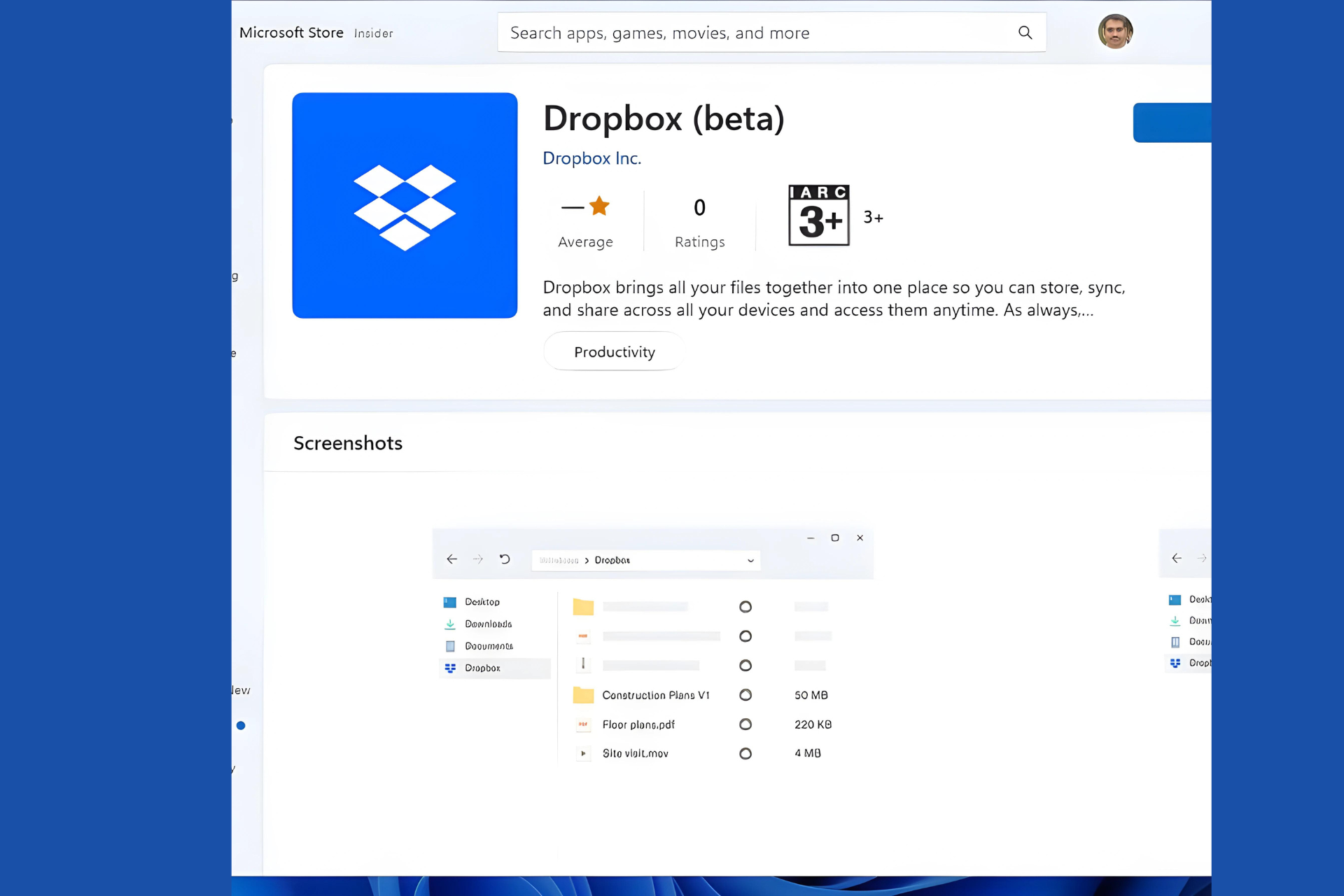
The new Dropbox App, currently in beta, comes to the Microsoft Store, providing access via File Explorer and the Taskbar

Good news for Dropbox users! The full-fledged Dropbox app for Windows in beta version is now available for download on the Microsoft Store for Windows 10 and Windows 11 devices. This means you can enjoy the complete Dropbox experience directly from your File Explorer and Taskbar.

Download Dropbox (beta) for Windows from the Microsoft Store

Previously, only a limited version called “Dropbox Lite” was accessible on the Microsoft Store, but it worked only in Windows S mode. Now, that the full app is here, Dropbox has quietly released it to the Microsoft Store.

When you install Dropbox from Microsoft Store on Windows 10 or Windows 11, you’ll be prompted to uninstall the existing desktop app. After uninstalling, you can sign into your Dropbox account via a web browser and then resume the installation process on your desktop.

System Requirements:

To use the Microsoft Store version of Dropbox, make sure you’re running Windows 10 version 21H2 (build 10.0.19044.0) or higher. However, Dropbox recommends that Dropbox teams should continue using the desktop app for now.

With this release, Dropbox now has two apps available on the Microsoft Store. However, you cannot use both the Dropbox desktop app and the Microsoft Store app simultaneously. You’ll need to choose one. But if you prefer, you can use Dropbox Lite alongside the Microsoft Store app on supported Windows versions.

Do note, that the Dropbox app from the Microsoft Store does not support Microsoft Office add-ons.

Features of the Dropbox Folder for Desktop:

  • Faster Uploads: Upload files to Dropbox more quickly than using the web interface.
  • Local Access: Access all your content directly from your desktop.
  • Space Savings: Easily move local files on your computer to online-only storage in Dropbox, saving hard drive space.
  • Taskbar Integration: Check the upload status and recent file activity by clicking the Dropbox icon in your PC’s taskbar.
  • File Management: Right-click on files to sign them, send them for signature, view version history, and perform other actions—all from your desktop.
  • So, if you’re a Dropbox user, give the Microsoft Store version a try and see how it fits into your workflow!

Download the Dropbox beta from the Microsoft Store here. Check the help page recently updated by Dropbox here.

If you’re using the Dropbox Desktop App, learn how to add Dropbox to File Explorer and use selective Sync.