Microsoft found its Panos Panay replacement for Windows and Surface businesses

Microsoft has tapped twenty-three-year company veteran Pavan Davuluri as the new corporate vice president of Windows + Devices business following Panos Pany’s departure last year.

Microsoft shuffled the decks last year when its head of Windows and Surface hardware business moved on to work at Amazon. During the past year, Microsoft appointed its former consumer marketing lead with the task of managing the Windows and Surface business while Mikhail Parakhin oversaw a team dedicated to Windows and web experiences exclusively.

However, as The Verge is reporting, Davuluri will now be tackling the whole enchilada that is both Microsoft’s Windows and Surface businesses while Mikhail will now report to Kevin Scott as he presumably transitions out of the company to explore “new roles”.

To christen the new appointment, recently promoted Rajesh Jha penned a company memo detailing the changes occurring with its Windows and Surface hardware.

I want to share an update on the Windows and Web Experiences (WWE) team following last week’s announcement and the creation of the Microsoft AI organization.

Mikhail Parakhin has decided to explore new roles. Satya and I are grateful for Mikhail’s contributions and leadership and want to thank him for all he has done to help Microsoft lead in the new AI wave. He will report to Kevin Scott while supporting the WWE transition.

As part of this change, we are bringing together the Windows Experiences and Windows + Devices teams as a core part of the Experiences + Devices (E+D) division. This will enable us to take a holistic approach to building silicon, systems, experiences, and devices that span Windows client and cloud for this AI era. Pavan Davuluri will lead this team and continue to report to me. Shilpa Ranganathan and Jeff Johnson and their teams will report directly to Pavan. The Windows team will continue to work closely with the Microsoft AI team on AI, silicon, and experiences. 

The Web Experiences team will report into Mustafa in the new Microsoft AI organization.

Jordi Ribas will lead Search, Maps, and Platforms with Andrey Proskurin, Fatima Kardar, and Nick Lee reporting to him.

Rukmini Iyer will lead Advertising with Paul Viola and Weiqing Tu reporting to her.

Mike Davidson continues to lead Design and will work with Pavan and team on how to realign Windows design.

Ali Akgun, Kya Sainsbury-Carter, Qi Zhang, and Rajesh Sundaram’s roles remain unchanged. They will join the Microsoft AI leadership team along with Jordi, Mike, and Rukmini, all reporting to Mustafa.

We are excited for this team to help Microsoft AI achieve its bold ambition to build world-class consumer AI products. And I very much look forward to closely partnering with Mustafa and the team as we bring our AI products, including Copilot, to the breadth of our E+D products and services.

Thanks,

Rajesh

Last week, Microsoft held another reorg where it appointed Google DeepMind co-founder Mustafa Suleyman as its new CEO of Microsoft AI business, which converged its Bing, Copilot, and Edge divisions under a single hierarchy.

Microsoft establishing its AI business before it settled on a clear direction for Windows raised a lot of eyebrows last week, however, flash forward 72 hours and the company has delivered its vision for the future of Windows and Surface for the near future.


Microsoft 365 mobile app’s new Create section allows users to create and edit documents in seconds

The Redmond-based tech giant introduced a new Create section to the Microsoft 365 mobile app that is easing the way users can create, edit, and share documents with others. The new Create button will function on platforms such as Word, Excel, or PowerPoint.

One interesting and quite useful feature is that the new Create button will also allow users to scan, sign, edit, and convert PDF files to Word documents with just a few taps. This could become one of the most popular features of the Microsoft 365 mobile app down the road, as it can be excellent in time-tight situations.

On the other hand, this new section will also allow Android users to preview Microsoft Designer, the AI image editor the Redmond-based tech giant released in 2023. Designer AI will let users quickly come up with designs for their projects: all AI generated according to the scope of their projects.

A preview of the Designer AI is now available for free within the new Create section of the Microsoft 365 mobile app, but moving forward, a Microsoft 365 subscription will be required to continue using some of these features post-preview, says the Redmond-based tech giant in a blog post.

Other than the new Create section, the Microsoft 365 mobile app also introduced an enhanced Copilot which now uses the latest OpenAI models, GPT-4 and DALL·E 3 to answer users’ prompts and tasks. The app is also making it easier for users to intuitively use the AI model when working in Word, Excel, or PowerPoint.

The new Microsoft 365 app look and feel makes it easy to find Copilot alongside your content, apps, and shortcut to create something new. 

Microsoft

The app also has an enhanced OneDrive which offers a variety of ways to search and look up files and documents.

The Microsoft 365 mobile app lets you access and seamlessly store all your content in OneDrive for easy access from anywhere. It  offers a list of files you  recently opened, a list of all files stored in your OneDrive under My files,  and access to all your offline and favorite content. You can also use the search capability to find to the content you are looking for. 

Microsoft

According to Microsoft, all these mobile enhancements and features will be available to consumer accounts by the end of April or sooner.

You can read the full blog post here.

Windows Subsystem for Linux (WSL) now enables DNS Tunneling, providing a more stable, but vulnerable Internet connection

Microsoft has enabled DNS Tunneling in Windows Subsystem for Linux (WSL), and with it, the Redmond-based tech giant is providing a more stable Internet connection to a platform that has been plagued with various Internet connection issues: from users not being able to access the Internet, to the Windows host being blocked due to a variety of issues, such as firewall settings, VPNs, or others.

Even more, the Redmond-based tech giant is also integrating DNS Tunneling with Windows Subsystem for Linux native Docker, making it even better and more suitable for the platform.

The entire changelog can be seen on GitHub, but we’ll add it here, as well, since it’s quite short:

  • Enable DNS tunneling by default
  • Integrate DNS tunneling with Linux native Docker
  • Change the default reclamation mode to drop cache
  • Fix hang when the guest crashes during distro initialization
  • Retry when hitting errors that could indicate that an installation is in progress (solves #11282)
  • Remove the MSIX package before ‘CreateShortcuts’ runs during MSI installation (solves #11252,#10872)
  • Update Microsoft.WSL.Kernel to version 5.15.150.1-2
    • Enables CONFIG_HIDRAW and CONFIG_USB_HIDDEV
  • Update WIL to 1.0.240308.1

It’s also worth mentioning that DNS tunneling is used by hackers to embed malicious code or programs into messages that could seem to be DNS requests. They do so by exploiting all sorts of Trojan horses that allow them to easily override certain networks.

This could potentially leave the platform in a vulnerable state, in which networks could be compromised. Even though DNS tunneling, per se, is not part of the malicious strategy, it can be used as a tool to spread malicious software into the platform.

The Windows Subsystem for Linus will soon be integrated into the Dev Home platform, as well, according to the latest reports, and the WSL is known for helping Linux gain its largest market share in history, although it’s still far behind Microsoft’s Windows.

The latest 2.21 update for WSL can be downloaded from GitHub.

You can open the old Windows 11’s Task Manager by using this simple trick

Even though it’s been a while since Microsoft debuted new UI options for Windows 11’s Task Manager, not everybody has gotten used to the new layout, even though it displays useful information such as app history, or performance, in a way that feels more intuitive.

But worry not: if you want to access the old Windows 11 Task Manager UI, you can do so by employing a simple trick.

You’ll need to open up Command Prompt, and you’ll need to run a special command, thanks to tech enthusiast λlbacore (@thebookisclosed on X, formerly known as Twitter), we have the command that once you run it, it will take you back to the old UI.

  1. Open up Windows 11’s Command Prompt.
  2. Once there, type in the following command: taskmgr -d
  3. This will automatically open up Task Manager, but without the new UI options, as you can in the image below.Windows 11 task manager

However, you have to keep in mind that you’ll need to repeat the process every time you want to open Windows 11’s Task Manager this way. If you use the classic way: CTRL + Alt + Delete, Windows 11 will open the new Task Manager, so in the end, it’s not really intuitive, even though, practically, it offers a more compact view of the ongoing processes taking place.

The spotter is not entirely sure when this new command was added, and we’re running it on a device with the latest Dev updates installed, so it’s working in the Dev channel within the Windows Insider Program.

Microsoft must’ve added the option to offer more versatility to those Windows 11 users not used to the new UI changes that took place with the latest 23H2 update. However, it would be nice to have an option to automatize the command, without having to run it through Command Prompt every time.

If you want to purchase a Windows 11 laptop, then this deal will also get you a free Samsung tablet

If you finally made up your mind to buy a Windows 11 laptop so you can benefit from its AI capabilities, such as Copilot, why not get free perks, such as a Samsung tablet, as well?

Can I do this? Yes, of course. However, you’ll have to hurry, as this Samsung deal is only available for the next 2 days, until March 27.

If you want to purchase a new Windows 11 laptop, you’ll need to pick the newest Galaxy Book laptop – you’ll have 4 options here: Galaxy Book4 Pro (16″, Core Ultra 7, 16GB), Galaxy Book4 Pro (14″, Core Ultra 7, 16GB), Galaxy Book4 Ultra (16″, Core Ultra 9, 32GB), and Galaxy Book4 Ultra (16″, Core Ultra 7, 16GB).

Choosing one of these 4 will also come with a completely free Tab S9 FE worth £389, and again you’ll have to hurry: the offer is ending in 2 days.

We exclusively reported about the new Galaxy Book lineup, last year, when we found out that the Samsung laptops are quite powerful to operate on. The new laptops are a real competitor to Microsoft Surface laptops or Apple’s MacBooks, and they can be used for a variety of tasks: from light gaming sessions to ultra-productive sessions, as well.

It’s also worth mentioning that these Windows 11 Samsung laptops are ultraportable, and can be carried away easily.

The Windows 11 Samsung laptops deal comes with a Tab S9 FE, which is a powerful device in its own right: it has a design similar to Apple’s iPad, and it features a 10.9-inch LCD display with an Exynos processor. Its design also includes a single-lens camera, and it is IP68 water resistant, which is excellent when dealing with unexpected situations.

While its 128 GB of storage might be small, its large 8,000mAh battery will make up for it, as you can use the tablet all day without having to recharge it. The tablet will also connect with the Galaxy Book Windows 11 laptops easily, so you won’t have to stress about not being able to access the videos or pictures you took with it on your new laptop.

The Windows 11 Samsung laptop deal is also quite good: you can get two excellent devices at a relatively good price.

Hurry up and purchase them!

You can find all about the deal here.

This New Zeeland-only Xbox contest that makes your console look very funky should allow global participants

Do you remember that cool Xbox contest taking place in Australia and New Zealand that would give Aussie and New Zealand Xbox users a chance to gain a very funky-looking Xbox console?

The contest is back, but now only New Zeeland Xbox users can participate. Arnott’s Shapes, in collaboration with Xbox New Zeeland, is running a contest between 25th March and 9th June 2024 that will give participants a chance to win the green-wrapped Xbox console, as you can see in the image above.

The cool fact is that the two companies are basically giving an Xbox Series S console with 512 GB storage every single day of the contest, so you can have more than one chance to win it. There are also instant prizes in the form of a 10,000 Xbox 1-month Game Pass.

To enter the contest, all you need to do is buy a bag of Arnott snacks, keep the receipt, and upload it to https://www.shapeswin.com/. You can do so every day, but certain terms and conditions will apply.

And for those who are big fans of the Shapes snacks, the New World, Pak N Save, and Four Square customers will have extra chances to win the Xbox Series X consoles, as well, as the unique Barbecue-themed wrapped Xbox Series X consoles.

Arnott’s are excited to once again be teaming up with Xbox ANZ on this epic collaboration to bring joy to our loyal Shapes fans. In addition to providing Kiwis with the opportunity to win an Xbox Series X every day, we’re also excited to offer true Shapes fanatics a one-of-a-kind custom-wrapped console through our exclusive Foodstuffs campaign, offering something truly unique and exciting for gamers and snack enthusiasts alike.

Arnott

All we can say is that we wish this contest was generally worldwide, right?

Nvidia won’t update its RTX 4060, 4060 Ti, and 4070, but it will label them as such, and charge users for it

A new lineup of changes and upgrades is coming to the popular Nvidia RTX 4060, 4060 Ti, and 4070, however, the tech giant won’t really update them, even though it’s labeling them as such and will most likely charge potential users for it.

Spotted by a tech enthusiast @Zed__Wang, who goes by the name of MEGAsizeGPU on X (formerly known as Twitter), a series of changes and updates will indeed hit the popular GPUs, but practically these updates won’t do anything, as you can see in the image below:Nvidia RTX 4060 4070

As you can see the new 4060 GPU will be released with the AD106-255 chip, which is currently used for the 4060Ti GPU, while the new 4060Ti GPU will use the current 4070’s AD104-251.

The new chips will most likely require more power when used, and some of them will even require a new cooler, as is the case with the new 4060Ti AD104. It’s also worth mentioning that according to the spotter, these new GPUs won’t be released with any new specs. They will only have a new chip and that’s all.

So, no 4070 with Bus 256 bit and 16GB VRAM: users won’t get new shaders, Tensor core mounts, or ray tracing.

However, Nvidia will most likely treat them as proper upgrades to the popular GPUs, and users will have to pay an extra price to get them, even though, practically, they won’t see any new upgrades. Currently, they cost around $385 – $525, so the new GPUs will most likely cost the same, but they wouldn’t be worth it, with no benefits around.

You might want to wait. as the tech giant will release a new lineup of the popular RTX 4060, and RTX 4070 GPUs in the following months, ahead of its Blackwell mid-range cards (Nvidia will also release a Blackwell chipset in collaboration with Microsoft, and it will be an AI processor).

But for now, it’s not worth it.

Microsoft unites political parties over Bing’s China-backed censorship

Microsoft has managed to unite polarized political parties with Democrat and Republican Senators Mark Warner and Marco Rubio respectively calling for the company to pull its search engine from China.

Following an investigative report published by Bloomberg Businessweek a few weeks ago which detailed Microsoft’s censoring practices with its Bing search engine to comply with China’s laws, Rubio emailed a statement to Bloomberg which reads,

Every company doing business in China makes concessions to a genocidal, authoritarian regime. American companies try to rationalize their choices to US lawmakers and regulators, but there is no defending censorship at the behest of the Chinese Communist Party.

In addition, Warner also called on Microsoft to reconsider providing Bing services to China on similar grounds of opposition to state-sponsored censorship. Warner is cognoscente of the decisions other US-based companies have made in regard to pulling services in China rather than remaining complicit with censorship and human rights abuses perpetrated by the country and suggests that Microsoft “should consider doing the same.”

While most international companies based outside of the country find the digital “Great Firewall of China” cumbersome to providing services, there are a handful of other businesses that continue to jump through the censorship hurdles to provide services to the region.

Microsoft, despite recent bi-partisan pressure, seems resolute in it continues business relationship in China, responding to questions from Bloomberg on the matter with the following statement:

We only censor a result in response to a narrow legal order that we conclude obligates us to do so, and we regularly push back when we believe an order doesn’t comply with proper interpretation of Chinese rules. The alternative is to leave the market which would only serve to cut people off from information they otherwise have through Bing.

Dissecting the word salad provided by Microsoft; the company is under the impression that Bing’s presence in China is less of puppet service but a lifeline to Chinese locals to the outside world. Microsoft, Bing, and China have cuddled up to controversy over the years with the US-based software company reported to have censored terms in its autosuggestion model back in 2022, and providing pro-state results a decade earlier.

Microsoft is being called upon by interim China director at Human Rights Watch Maya Wang, to be more transparent when it’s asked to participate in censoring content from its search engine. Additionally, Wang is also suggesting Microsoft point to other local providers that have a vested interest in protecting human rights.

Amazon, Google, Facebook, and Yahoo famously pulled its service portfolio out of China due to similar state-requested censorship request, while Apple and Microsoft continue to offer products and services to the country for the time being.

Horizon Forbidden West is a smashing hit on PC, give us Bloodborne next, users say

Horizon Forbidden West was a highly anticipated game, and it was released just a few days ago.

It seems that PC gamers love the game, and they are clamoring for additional ports from PlayStation.

Forbidden West is a hit on PC, and gamers expect to see more ports in the future

As you may know, Horizon Forbidden West had a rocky launch on PC, and the game was cracked on the release day.

We’re not sure how big of an impact this had on PC sales, but despite this, Steam users are thrilled with this PC port, as Game Rant writes.

The game has an overall Very Positive score on Steam with 93% of the 2819 reviews giving it a positive review.

Interestingly, the reviews are filled with comments asking Sony to port Bloodborne to the PC, since the developers did such an amazing job with Forbidden West.

The team behind this port is Nixxes Software and they already have a great track record with ported games such as Spider-Man Remastered, Ratchet & Clank: Rift Apart, and the upcoming Ghost of Tsushima: Director’s Cut.

If anyone can bring Bloodborne to the PC, it’s them, and hopefully, Sony will listen to the fans and finally release the game for PC as well.

Have you tried Horizon Forbidden West already? If you haven’t, be sure to check the game’s official hardware requirements before diving in.

With this deal, ASUS ROG Strix G16 laptops might be out of stock really fast

With a 15% discount, these two ASUS ROG Strix G16 laptops, which are arguably the lineup’s best gaming laptops, can be purchased on Amazon at just $1,299, and $1,699, respectively, and you should get them now.

Why should you? Well, because these metal-designed laptops are usually quite expensive, for the rest of the year, it could be a good opportunity to save some money, while getting the best of the best.

The ASUS ROG Strix G16 laptops are known to sport some impressive specs that will make your gaming sessions run smoothly and perfectly. The laptops come with the popular RTX 4060 and RTX 4070 GPUs that are excellent not only for gaming but for content creation as well – you could literally have your own video editing studio within one device.

Both ROG Strix G16 gaming laptops are equipped with 1TB of PCIe NVMe Gen 4 SSDs, 16GB DDR5 RAM – which is a faster type of RAM, and Wi-Fi 6E adapters, for incredible Internet connections. If you have the budget, try to go for the ASUS ROG Strix G16 with RTX 4070 GPU, but the other version should do just as fine, especially if you’re looking to get great gaming experiences for a lower price.

Plus, one thing that is good to know is that these laptops are specifically made for long gaming sessions: as such, they are equipped with some very performant cooling systems, each carrying no less than 3 fans which will keep your device at a good temperature, all the time.

There is no word on how much these deals will be up, but you should definitely buy one of these, especially if you’ve been saving up for a good gaming laptop. These two are not just good, they are some of the best out there.

Microsoft is planning on enhancing Xbox consoles and games with AI

Soon, Microsoft will add AI features to its games and consoles. The technology is already present in most of their software and hardware products. Also, the company is hiring members for their Gaming AI team. This indicates that they have great plans for the future of gaming. In addition, some games already use AI for their NPCs’ behavior, especially in their interaction with players.

AI NPCs will make your game experience more pleasant because you won’t have to go through the same dialogue. However, the training process for the large language model will be tedious because the AI NPC needs to follow a strict conduit. Otherwise, it might result in unwanted exploits. For example, imagine a character telling you where are all the secret items from the game.

Does Xbox have an AI?

Xbox consoles don’t have AI. However, this is subject to change. The newest console might support AI in games. Additionally, according to Microsoft, it will be the most powerful Xbox. Unfortunately, it will have no CD-ROM and will be fully digital.

The future of Microsoft gaming is AI because the company keeps trying to bring such experiences to Xbox games and engines. In addition, the company will focus on gamers and developers to offer them a better sense of community. Also, Microsoft founded an Xbox Gaming AI group that will use advanced LLMs for gaming. Now, the company is looking for a Senior Director of Applied Sciences for the team, who will work with multiple studios to bring AI to games.

Last but not least, we can’t wait to see the future of Microsoft AI Gaming, and we hope that the new console will have at least some new features. After all, AI NPCs in gaming will finally change the way we interact with monotonous dialogues. Furthermore, imagine the bosses from Souls games learning our fighting patterns to counter our attacks. By using generative AI in games, Microsoft might create a new difficulty level.

What are your thoughts? What features would you like to see improved by AI in games? Will you buy the new fully digital console if it uses AI? Let us know in the comments.

VLC maker put on the spot by Microsoft & Google, says app stores were a mistake

When Apple was accused by developers that they don’t open up their store to more apps, or that they need to comply to almost unattainable conditions to do so, Microsoft and Google were on developers’ side.

Recently, the U.S. Government went after all the big tech companies, including Apple, Amazon and Google regarding monopoly concerns, according to abc News. There are obviously higher issues at stake but it all starts with the small developers asking for help and recognition.

Now, the French from VideoLAN (the developers of the VLC media player) are complaining on X that they cannot update their app on Google Play and Microsoft Store because the tech companies refuse to help them. The developer clearly is fed up with the big companies’ lack of cooperation or flexibility, asking for attention on social media.

VideoLAN has also posted an update about their problems on updating their VLC Android app:

If you wonder why we can’t update the VLC on Android version, it’s because Google refuses to let us update:

– either we give them our private signing keys,

– or we drop support for Android TV before API-30, and all our users on TV API<30 can’t get fixes.

From what we understand, the issue is not really about updating the app, but in fact about reducing security or dropping a lot of users, as the VLC officials mention in the X post.

So, about the Android version, VideoLAN says that the update would mean dropping support for Android TV before API-30 and leaving the Android TV users without fixes for their potential problems.

A similar issue is also reported for the Microsoft Store platform, as posted by VideoLAN on X:

If you do wonder why we don’t update VLC on the Windows Store or why VLC/iOS can’t connect properly to OneDrive shares, it’s because Microsoft Kafkaïesque bureaucracy refuses to help us. We’re only trying to contact someone since 2years… Any day now…

To this accusation, the French finally got a reaction from Rudy Huyn, Principal Architect from Microsoft. In his reply, the official said that there is a misunderstanding on VideoLAN’s part and they need to log into the Cloud AI Partner Program using a Microsoft Entra ID account, not a personal, MSA account.

VLC replied later to say that this approach isn’t working either, issuing another cry for help.

Setting the technical problems aside, the VideoLAN representative said that they asked for help repeatedly for a year without any results from either companies.

Is it just a misunderstanding or is it the fact that Google and Microsoft don’t really care about solving some issues for a French developer who is offering a free media player? We can’t make assumptions or put anyone in the corner but most of the times, there isn’t smoke without fire.

And the most affected by this issue are really the VLC users who can expect instability and security issues in the absence of an update. Fortunately, the Windows users can still download the latest VLC version directly from the dedicated website. However, there is no download link for the Android app on their website.

What do you think about this whole situation? Let us know about your opinion in the comments section below.

After becoming independent from Microsoft, Toys for Bob is working on games with Microsoft again

Toys for Bob, the game studio behind the popular Skylanders series, announced its independence from Microsoft earlier this month, with its founders stating that they’re excited to work on new games independently, again.

However, Toys for Bob had only good words for the Redmond-based tech giant, and the game studio said that if given the opportunity of a partnership between the two companies, it would take the chance of working with Microsoft on new games.

Well, less than a month after they went independent, Windows Central reports the sources confirmed to the publication that Toys for Bob is indeed working with Xbox on new games after they finalized an agreement with Microsoft to fund their new title.

According to Windows Central, some Microsoft representatives revealed at a recent town hall meeting that the Redmond-based tech giant has finalized a deal with the game studio, and it should see the release of new games that would follow Toys for Bob’s past games.

It will be similar to games Toys for Bob has made in the past.

Microsoft

There aren’t many details about the new title, but it could reportedly end up being available on Game Pass, as Windows Central says.

Microsoft has been focusing on strengthening Xbox’s business strategy: the Redmond-based tech giant is expected to release a new Xbox console by the end of this year, which will be the biggest technological leap in the console’s history.

The tech giant will also release several ABK titles to Game Pass, after acquiring the company last fall, and the first to be released will be Diablo IV.

Microsoft is also experiencing major success with the recently released Palworld, which took the gaming industry by storm and will continue to do so until PocketPair releases its other platforms.

So, in a way, it’s good that Toys for Bob has forged a partnership with Microsoft, but this time, keeping their independence. It could greatly benefit the small game studio.

The ARM laptops boosting Snapdragon X Elite will run PC games with emulation

We have reported about the Snapdragon’s X Elite new chip and its mighty power. However, we found out, as highlighted by The Verge, that Snapdragon brought up a new feature of their CPU at GDC 2024.

Up until now, if you had an ARM machine, you couldn’t run a Windows x86 or 64-bit app unless the developer ported it. Microsoft already created a way to port Windows 11 apps to ARM using ARM64EC a few years ago. However, the developers were not that enthusiastic about this method.

Now, Snapdragon announced that one of the perks of the new Snapdragon’s X Elite chip is that it can run native Windows games and apps using a built-in emulator.

Will the Windows games run on ARM laptops at the same speed?

Qualcomm admitted that the built-in emulator is not capable of running the games at full speed but they will be close to that. The performance issue will occur when the emulator translates the code at the game’s start.

They also mentioned that they are working on a way to include the anti-cheat drivers that most of today’s games require.

The most important fact is that it will be a lot easier to run native Windows applications on ARM laptops outfitted with the new Snapdragon X Elite clips.

The chipmaker is now testing many titles from Steam with confidence that they will run well enough to get the gamers interested.

Are you interested in buying an ARM laptop? Tell us more about your decision in the comments section below.

Microsoft releases Out-of-band updates to address a Windows Server domain controller issue

Recently, Microsoft announced that it had acknowledged issues with Local Security Authority Subsystem Service (LSASS) memory leaks on various Windows Server versions, resulting in an unplanned domain controller reboot.

Now, the Redmond tech giant is releasing out-of-band updates to fix the LSASS memory leaks in Windows.

Microsoft mentioned in the announcement on March 22, 2024:

Microsoft has identified an issue that affects Windows Server domain controllers (DCs), and has expedited a resolution that can be applied to affected devices. Out-of-band (OOB) updates have been released for some versions of Windows today, March 22, 2024, to addresses this issue related to a memory leak in the Local Security Authority Subsystem Service (LSASS). This occurs when on-premises and cloud-based Active Directory domain controllers service Kerberos authentication requests.

Updates are available on the Microsoft Update Catalog only. These are cumulative updates, so you do not need to apply any previous update before installing them, and they supersede all previous updates for affected versions. If your organization uses the affected server platforms as DCs and you haven’t deployed the March 2024 security updated yet, we recommend you apply this OOB update instead.

The update, as mentioned, is available on the Microsoft Update Catalog webpage; you can check out the detailed information about the update related to your version of Windows:

  • Windows Server 2022: KB5037422
  • Windows Server 2019: Available soon
  • Windows Server 2016: KB5037423
  • Windows Server 2012 R2: KB5037426

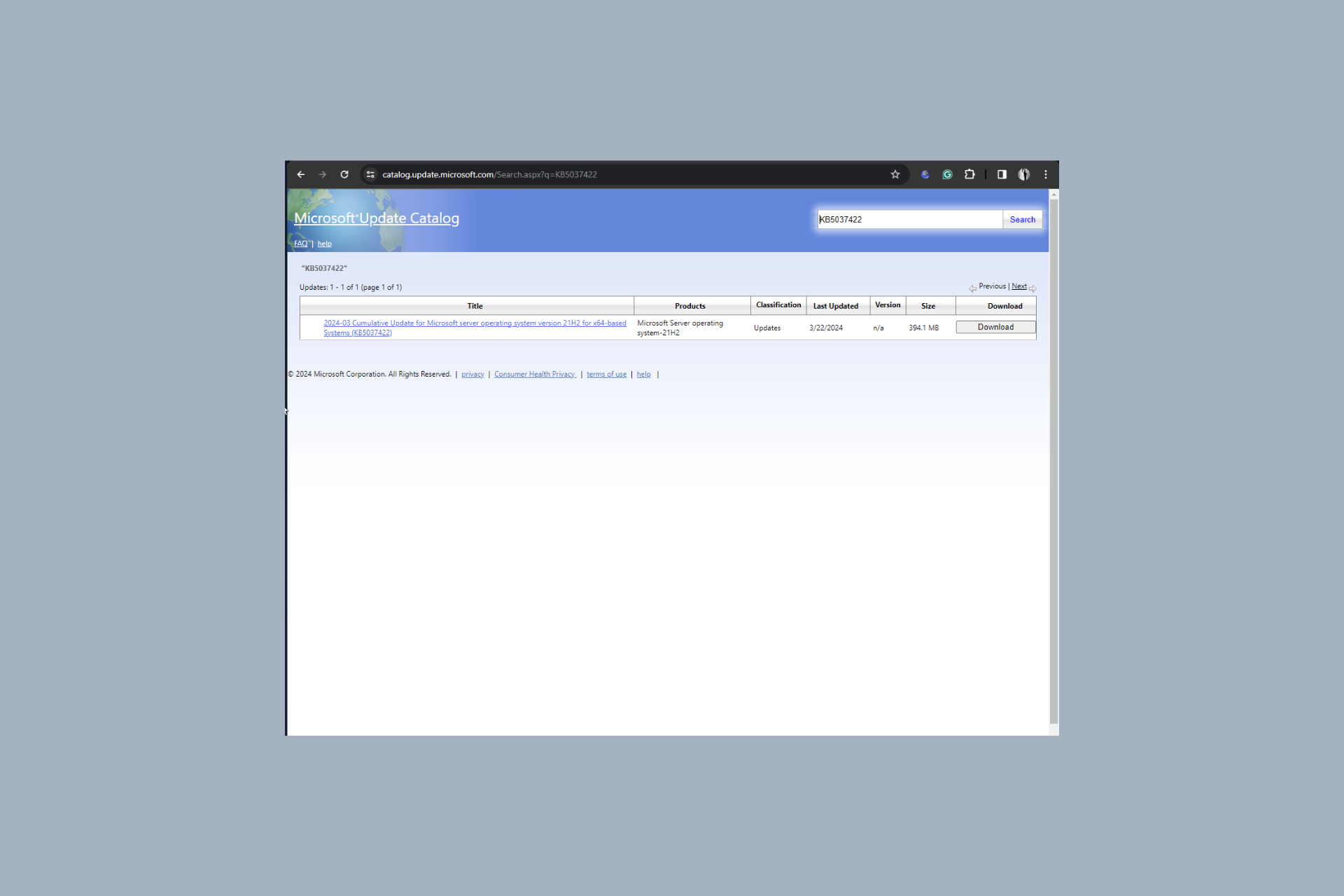
You can go to the Microsoft Update Catalog website, click the search bar, and type in the build number according to your Windows Server version; for Windows Server 2022, it is KB5037422. Click Download and follow the on-screen instructions to install the update.

We have a detailed guide for you if you want to learn how to download and install the update manually.

The announcement also mentioned that the issue affects only some versions of Windows Server and doesn’t affect Windows Home users, as domain controllers are not usually used in personal and home devices.

Have you installed the update on your Windows Server? If so, please share your experience with our readers in the comments section below.

Confused between desktops and laptops? Recent study suggests laptops are just as good

If we were to look at the desktop vs laptop market share, it’s evident that the demand for the former is falling while that for the latter is on the rise. And there are several reasons for that. A recent study also concludes that modern-day laptops perform just as well as desktops.

Performed by Pudget Systems, a company specializing in tailored computer systems, the study compares laptops and desktops in the same price bracket and with identical configurations.

Here’s a brief overview of the test results:

  • Graphic design: Desktops lead
  • Motion graphics: Desktops lead
  • Video editing: Similar performance
  • Gaming performance: Laptops lead by a significant margin
  • CPU rendering: Similar performance
  • GPU rendering: Desktops lead

In tests where desktops perform better, the margin is small. But when it comes to gaming, laptops are performing much better. This could also be attributed to improved gaming on Windows 11. Many have ditched their desktop setup for a gaming laptop!

Overall, laptops were able to deliver 80% of the performance of desktops!

Besides, as per the study, laptops delivered consistent performance, which wasn’t the case up until a few years ago. Aspects like cooling and hardware quality have witnessed a massive upgrade over the years.

The study goes on to highlight that if they are similarly priced, laptops won’t be as fast as desktops, and there are valid reasons for this.

Given the limitations of a mobile platform (limited cooling, power, etc.) and the fact that it includes the cost of traditional peripherals (display, keyboard, mouse, and battery backup), it is expected that a mobile workstation won’t be as fast as a desktop at a similar price point.

The desktop vs laptop debate has been raging for the last two decades, and neither side backs down!

For regular users, it all comes down to the following questions:

  • What is more important, mobility or performance?
  • Would slightly reduced performance at the same price range but with improved mobility work?
  • What tasks do you primarily intend to perform on the device?

Give these some thought, and you will identify which one of the two, desktop or laptop, to go for!

Remember, Pudget Systems used its own laptops for the test. The result could vary on other devices. Read the complete study to find out the exact configuration and how the devices performed under the different tests.

Which one would you pick, a desktop or a laptop? Share with our readers in the comments section.

The Exchange Active Sync issue on Outlook has been fixed

We recently reported about an issue in Exchange Active Sync that is affecting Outlook users. Well, we have good news because Microsoft managed to patch the Outlook desktop clients for Microsoft 365.

This problem affected you only if you updated the Outlook for Microsoft 365 desktop app to version 2401, Build 17231.20182.

Microsoft reported that it has fixed the issue by applying an update to Version 2402 Build 17328.20068.

How can I fix the Exchange Active Sync issue on Outlook?

According to Microsoft, all you need to do to fix this issue is to update your Outlook client.

To do that, just open the Outlook desktop client and go to File > Office Account > Update Options, and click on Update Now.

Before this update, Microsoft suggested to revert the build by using the Office M365 Click-to-Run installation to version 2312 (Build 17126.20132). If you did that, you will need to reenable the updates. For this, you will need to go to File > Office Account > Update Options and check Enable Updates.

While this is issue has been apparently fixed, there are people who are saying that the new Outlook doesn’t cut it although the software giant is pushing it to new users.

Did you try the new Outlook desktop app? Tell us about your experience with the tool in the comments section below.

Soon, there will be a ultimate dark mode option on Google Chrome, but you can turn it on now

If a bright white website theme at night irritates you, soon you will be able to see all the sites you visit in dark mode.

Google Chrome is working on a new experimental feature, Auto Dark Mode for Web Contents, which will apply dark mode support to every site on the web.

It will allow you to transform any website into a dark theme, regardless of whether the web developer has added the necessary elements.

The feature has been speculated to be under development for a few years, but until now, it was not available, and it is still under the chrome://flags/ under Experiments Features on all the compatible operating systems, including Windows, Linux, macOS and ChromeOS, Android, Fuchsia, Lacros

It is not available for iOS and iPadOS as of now, but we hope it appears on these platforms as well,.

To turn on the feature, you can type chrome://flags/ in the address bar of Google Chrome; you will get the list of Experimental features.

Search for Auto Dark Mode for Web Contents and select the Enabled option from the drop-down menu. For it to work, click the Relaunch button to launch Chrome again.

The feature is not working perfectly at the moment. I turned on the feature on my Google Chrome on my Windows 11 computer, and it darkened the theme of WordPress and even some other websites efficiently.

However, I was not able to turn it off, and I got stuck with the dark theme until I restarted my computer. Also, the feature didn’t work properly for Google Docs as well. This can be expected as it has not been released as a general feature and is stuck in the Chrome flags.

In case you want to use this experimental feature, you must read the warning presented first, which says:

By enabling these features, you could lose browser data or compromise your security or privacy. Enabled features apply to all users of this browser. If you are an enterprise admin you should not be using these flags in production.

So, if you don’t want the risk of losing the data or compromising your security, we advise you to wait until the feature is publicly available on Google Chrome.

Are you excited about the release of this feature? Share your thoughts in the comments section below.

What is the Best YouTube Video Editing App For PC [Free & Paid]

A good YouTube video requires excellent editing and a video editing app can take your video to the next level.

YouTube had a built-in editor that performed the basics of adding music, trimming and merging clips but since it was discontinued, you’ll have to rely on third-party apps.

Factors to consider when selecting a YouTube video editor

  • Compatibility – Your video footage can come from different sources so you want to ensure your video editing app supports a variety of formats without unnecessary conversions that could potentially downgrade the quality of the video.
  • Cost – A lot of apps offer a free and paid version, The paid version usually has a huge chunk of the functionalities so narrow down all you’ll need from a video editor and select one that meets your requirements. You can also consider getting an additional app for where the free app is lacking.
  • Performance – An app that easily renders videos and exports them in record time should be on your bucket list. This also depends on your hardware so check and ensure your device meets the system requirements before downloading an app that will only give you headaches.
  • Ease of use – Usability is a key factor. Granted, most apps will have a learning curve especially, for advanced features but you should be able to do basic editing without too much hassle.

Which app is best for YouTube video editing?

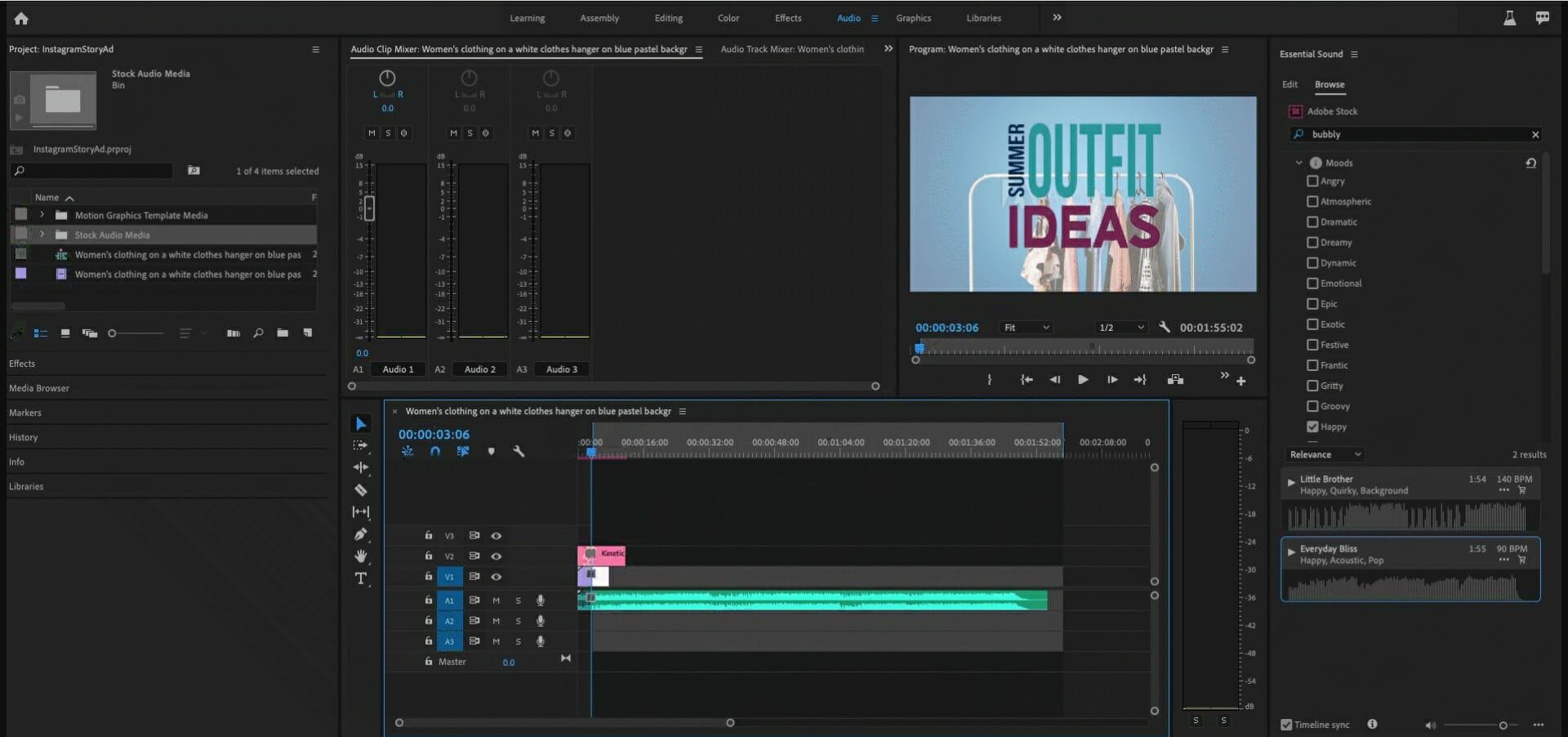
Adobe Premiere Pro – Best app for YouTube editing

Any editor can tell you Adobe Premiere Pro is an OG in the game so it should come as no surprise why it is high up in this list. Over the years, it has undergone transformations and it just keeps getting better with all the improvements.

First off, high-resolution support. Before your viewers notice all the transitions or excellent audio-matching for particular scenes, they see the resolution. If it’s a low-resolution video, chances of one watching to the end are very limited. Unless of course, they’re a die-hard subscriber or a family member.

Luckily, this is not something you will struggle with because with its 360 VR, 4K video support, you’ll get crisp clear videos.

Once you’re set with the resolution, you have an array of creative tools from video transitions, effects, color grading and white balance that ensure your video’s visual appeal is spectacular.

Audio is another factor that can make or break your video and Adobe Premiere Pro ensures you achieve high-quality audio from noise reduction to audio keyframing.

All these are availed on a very user-friendly interface that doesn’t require too much from you. Whether you’re a beginner or an advanced user, you’ll find it extremely easy to navigate and quickly edit your YouTube video.

And once you’re done, its integration with Adobe Creative Cloud makes your work easier especially if you need feedback before posting.

You’ll also benefit from the Adobe Media Encoder package that comes with a variety of presets optimized for output formats and green screen editing capabilities.

Some important reasons to consider Premiere Pro:

  • Easy multicam editing
  • Customizable interface
  • Fast load speeds
  • Seamless DVD and Blue-ray export 
  • Team collaboration

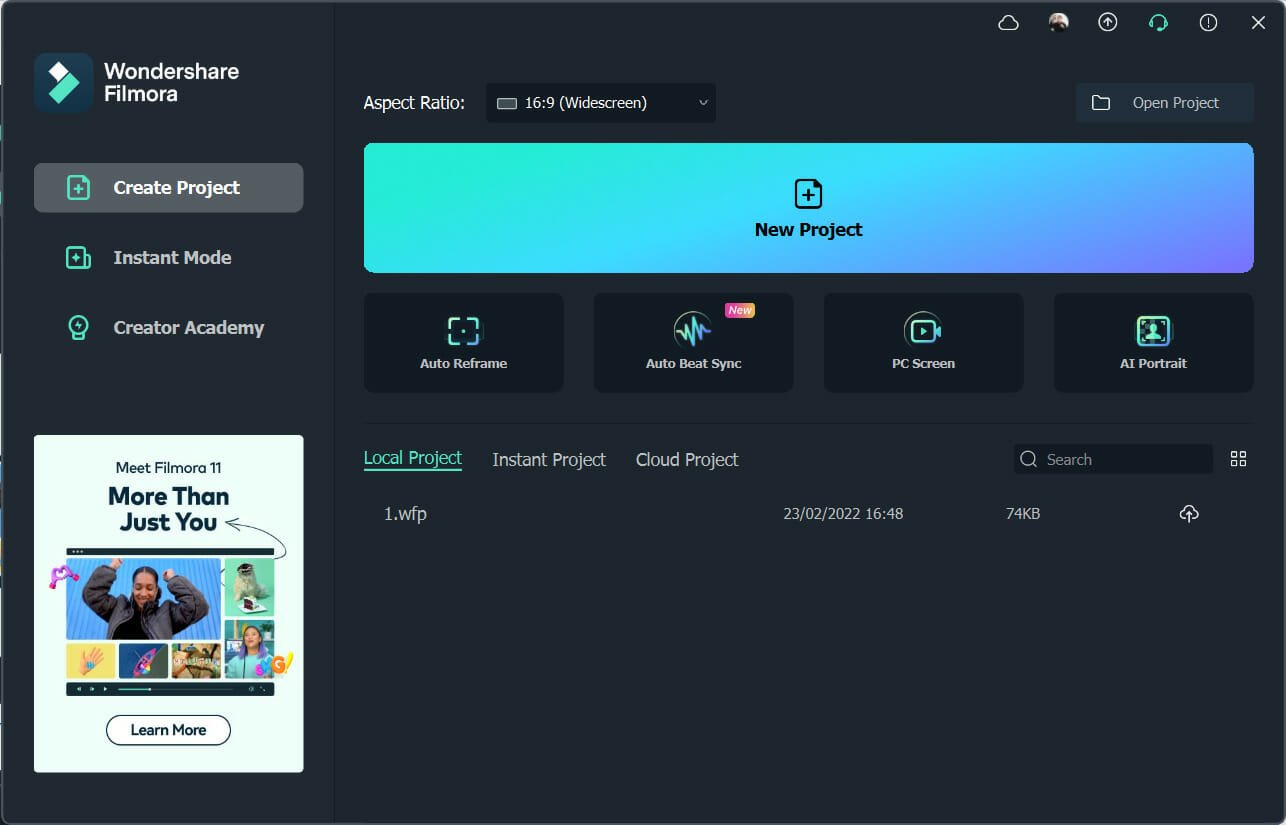
Wondershare Filmora – All-in-one video editing app

When looking for apps that are easy on your hardware, Filmora should be at the top of the list. It’s very lightweight so you don’t have to worry about storage.

Another thing you won’t have to worry about is the video format. Most video editing apps may not support various video formats.

For instance, you may record videos in the HEVC format but once you transfer it to your video editing app, it lacks support. Further, you can create your videos in high-quality resolution up to 4K.

Aside from the basic video editing tools, it has video presets and effects that will aid in creating a high-quality video. When it comes to adding music to your videos, copyrights prevent creators from using music so it may end up being a boring video.

Not with Filmora though. It has its own library of royalty-free songs saving you the time and money of searching for external songs that have probably not been whitelisted.

Screen recording is another feature often overlooked by most video editing apps but Filmora includes it. This makes it easier for you to create tutorials.

Filmora gets constant updates so you can be assured that new features are always being launched that will enhance your video creation capabilities. The app has a free and paid version.

Of course, the paid version offers more of these features but even in the free version, you get access to decent features that will still produce a professional-looking YouTube video. Not to pre-empt the tool but for a more comprehensive review, we have an article on that.

Let’s review some of its most important features:

  • Rich library of video special effects
  • Record a live cast of your PC screen
  • Compatible with Windows OS from 7 and later

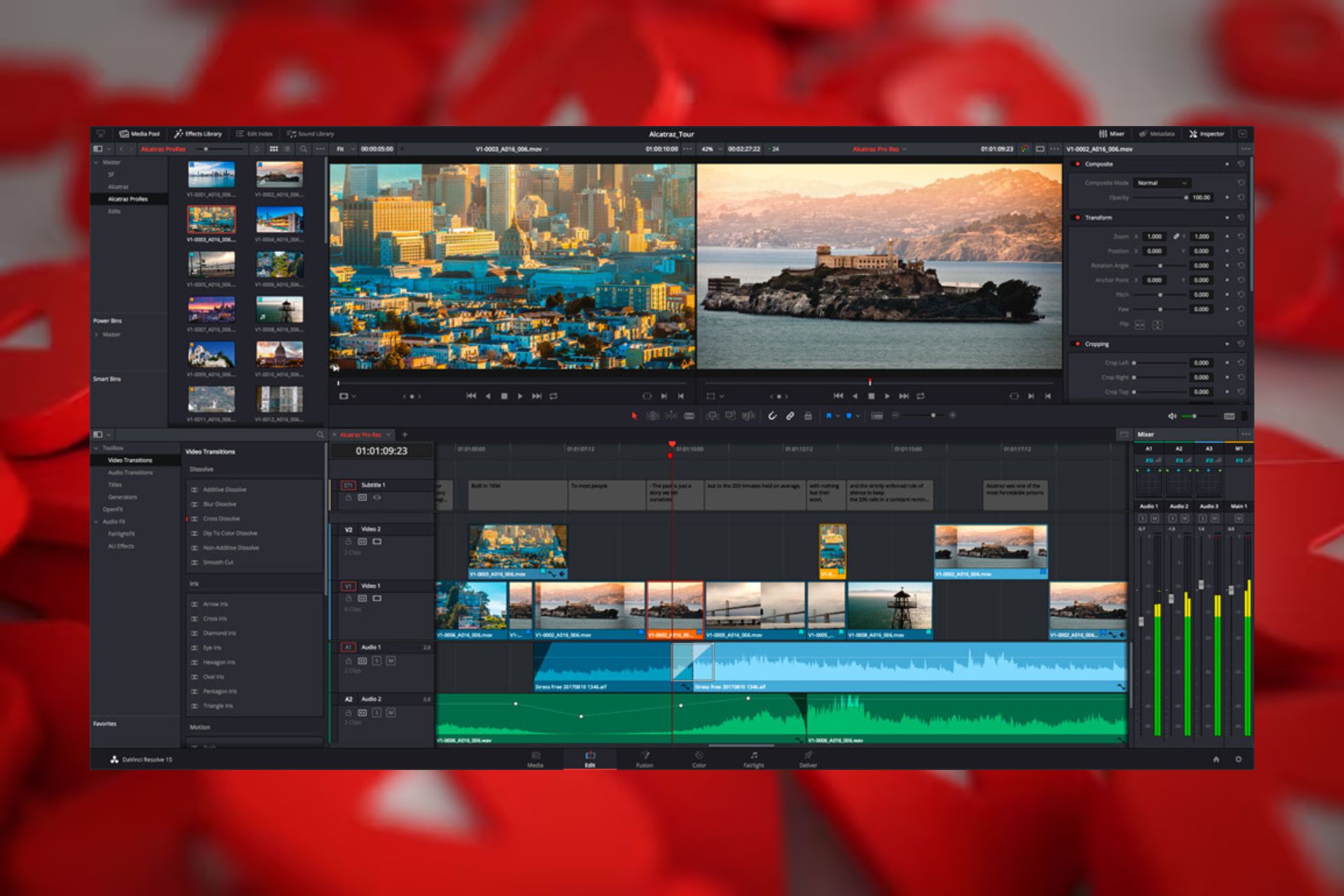
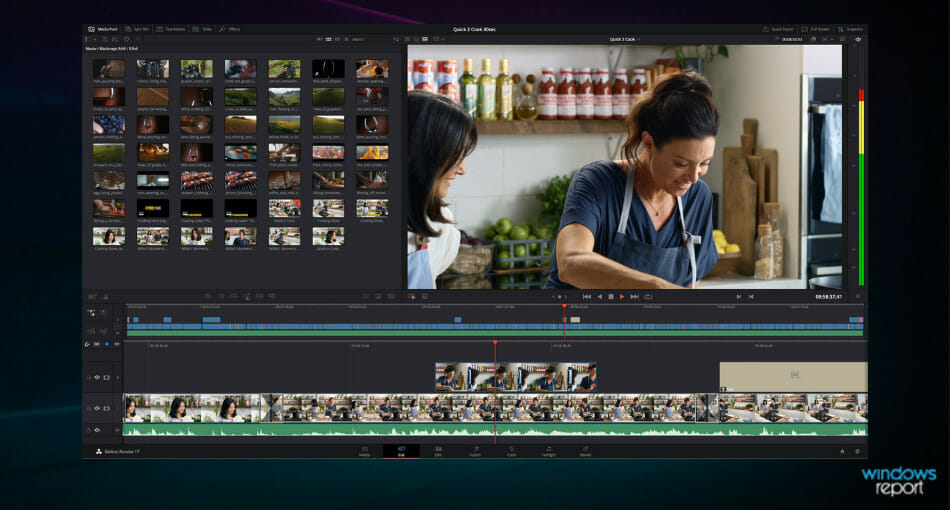
DaVinci Resolve – Fan-favorite tool

DaVinci Resolve is YouTuber’s favorite video editing app on PC. Even though there isn’t a lot of noise about it on the grapevine, it is a top contender.

After some digging, we can see why it would scoop the number one spot. It has lots of features for both beginners and advanced users. Online and offline editing is definitely a feature that is a winner.

Not to mention, the rich color correction tools, audio editing and visual effects that take your video from basic to high-quality. It’s the perfect app for creating a great video without trying too hard.

What’s better is that it offers post-production way after you’ve finished editing. This means that if you look back and find that the audio is off or not matching a particular scene in your video, you can correct that with audio mastering!

Another winning feature is its performance metrics. Most video editors cannot handle a video that requires too much RAM. For instance, if your video goes above 1GB, you might experience slowdowns with your hardware,

However, with DaVinci Resolve, this is not something you’ll have to worry about. Even with lower-end hardware.

And if you’re a creator who is collaborating and needs to share the video before posting, you don’t have to worry about the gruesome back-and-forth exporting and editing.

The free version offers a decent feature list so you may not need to upgrade to the premium version for high-quality and professional-looking videos.

Some important reasons to consider DaVinci Resolve:

  • Cross-platform compatibility
  • Supports high-resolution formats
  • Fast load speeds
  • Team collaboration

⇒ Get DaVinci Resolve 17

Vegas Movie Studio – Powerful video editing app

The user-friendly interface displayed on Vegas Movie Studio is one of the first things you’ll notice about the tool. There are no complex, multi-step menus to navigate before you get to what feature you’re looking for.

Next, you’ll be introduced to its powerful editing tools that make it a great video editor for your next YouTube video. You can edit on your own or use the templates for transitions and any visual effects you wish to add to your video.

Keep in mind that the tool supports multiple video formats so compatibility will be one less thing you have to worry about. It also supports 4K resolution so your upload will be a high-quality video.

After creating your video with diverse video effects, you can now move to the audio. Vegas Movie Studio’s audio editing capabilities range from audio mixing, audio effects and even noise reduction to capture the sounds you’d like to come out in your video.

And once you’re done, you can make a direct upload to YouTube! For all these features, you’ll have to part with a pretty penny. However, we’d say it’s worth it.

Consider its key features below:

  • Direct upload to YouTube
  • Huge library of video and audio effects
  • Video templates
  • Support for High DPI monitors
  • User-friendly interface

⇒ Get Vegas Movie Studio

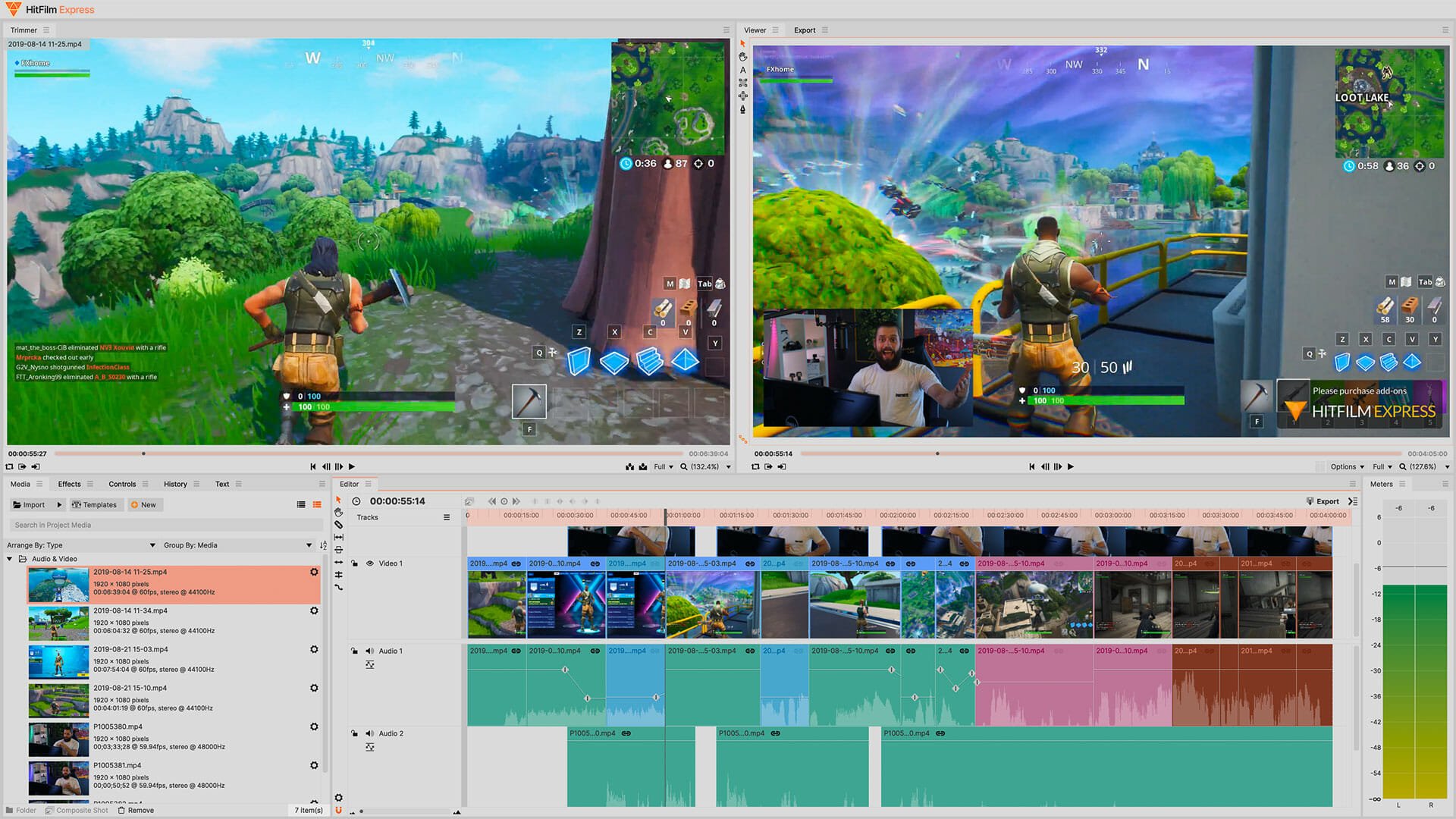
HitFilm Express – Excellent effects library

HitFilm Express is one of the free video editors for YouTube that is worth your time. It’s almost like getting a paid version for free if its feature-rich list is anything to go by.

First off, the interface. Aside from being user-friendly, it is customizable. This means you can tweak things around and arrange it to your liking. This makes editing easy as you keep your frequently used tools close enough.

HitFilm Express supports a wide range of video formats and is compatible with most Windows OSes. Video editing is made easier with the over 150 effects. There are also 3D effects and animation effects all with 4K support.

In addition to these effects, HitFilm comes with an integrated HitFilm store. Here, you can purchase additional effects or addons that further enhance your video editing. This is a cheaper way of getting access to additional features than paying for a premium version of the app.

Some of the other notable features include:

  • Upload YouTube videos directly
  • Supports multiple video formats
  • Ability to copy effects from one clip to another
  • Has an audio stabilizer

⇒ Get HitFilm Express

OpenShot – Free open-source video editor

OpenShot isn’t really a well-known video editing app but it holds its own weight. If you’re looking for a simple editing app, this is the one. It has a user-friendly interface which is perfect for beginners who do not want to be bombarded with a myriad of features when you first launch the tool.

Although we’re discussing YouTube video editing apps for PCs, OpenShot is a cross-platform app. Your PC may fail you at times so it’s good to know you can use it anywhere.

The editing is basic from trimming, merging, resizing and a couple of effects but being an open-source app opens it up to versatility. A community of developers is always in the background working towards making improvements.

The drag-and-drop feature is a great addition as it facilitates easier editing right from your desktop. You also get access to over 400 transitions and unlimited tracks and layers for your video.

Audio mixing has been made easier as you can split it from your video and adjust it individually then merge it.

Some of the other notable features include:

  • Multi-format video support
  • Real-time preview for video transitions
  • Title templates
  • Background remover

⇒ Get OpenShot

VSDC Video Editor – Non-linear video editor

Most beginners require a simple and free video editing app and VSDC is the one for you if you’re in such a position. Further, since it supports a wide range of audio, image and video formats, you can easily merge videos with different formats without worrying about compatibility.

It is often referred to as the non-linear app because you don’t have to necessarily follow a predefined sequence to edit and merge clips. This makes editing flexible and you can experiment with various edits without altering original footage.

Video editing allows you to choose from a wide range of effects but you can also customize with color correction tools. Advanced users can also make use of the chroma keying (green screen), and replace that specific color.

Aside from visual effects, audio effects are in plenty. These allow you to normalize sound, adjust the volume or add some effects. All these can be done all the while knowing that it supports 4K. You get high-quality videos for upload with ease.

With all these features, you’d think your current hardware is insufficient to run this app. Well, VSDC is one of the few apps that doesn’t require much. The system requirements are fairly minimal and works even on outdated PCs.

For more advanced features, you can upgrade to the Pro version where you’ll get real-time voiceovers, audio waveform, video masking and more stability.

Some of the other notable features include:

  • Multi-format video support
  • Direct YouTube upload support
  • Supports video capture and screen recording
  • File converter

⇒ Get VSDC Video Editor

Capcut – Intuitive video editing tool

You’ve probably seen CapCut featured on other platforms like TikTok but you can also use the sem tool as a YouTube video editing app on your PC.

CapCut has an excellent catalogue of video editing tools. Aside from the basics, you also get filters and transitions for your videos.

An eye-catching feature is its powerful search tool. While editing your video, you may be looking for a particular scene and if it’s too long, it could take some time to locate it. With CapCut, you can search based on dialogue, people and objects.

What’s more, is that you can edit your video from any device. Once you’re signed in, your progress is saved and next time you open it on a different device, you can pick up from where you left off.

Some of the other notable features include:

  • Automatic caption generator
  • Extensive built-in music library
  • AI-generated video effects

⇒ Get CapCut

This here is our list of the top YouTube video editing apps for PC but remember that preferences are subjective. What may be number one on our list may be a number five in yours.

It all boils down to your specific editing needs, cost and ease of use. Whichever tool suits your requirements is what you should go for. If cost is a limitation, you can always go for the free version and use additional software like YouTube volume boosters for sound enhancement.

Once you’ve successfully created and edited the perfect YouTube video, you need to get it to the right audience. YouTube SEO software will help you rake in those numbers and grow your channel.

Still, on YouTube, should you feel so inclined to create YouTube remixes, we have lined up some of the best video apps for YouTube poops to help you achieve this. You can also make Shorts to engage your audience.

That’s all we had for this article but we’d like to hear from you. Is there a YouTube video editing app for your PC you feel should be on this list? What makes it a great app in your opinion? Let us know in the comment section below.

Pure Storage is capable of making 1200 TB SSDs but you can’t use them yet

We all know that SSDs are faster and more reliable than HDDs, but they have significant capacity limitations. However, Pure Storage, a well-known storage devices manufacturer, announced last year that by 2026, they will release 300 TB drives.

Now, according to TechRadar, they are coming with even more ambition plans: 1200 TB SSDs. However, don’t check your bank account because there are a few issues they must overcome first.

Why can’t we have 1200 TB SSDs right now?

In an interview for Blocks and Files, a Pure Storage official explained that an off-the-shelf SSD’s capacity is directly linked to the amount of DRAM from a machine. So, for every 1 TB of NAND storage, you need 1 GB of DRAM.

So 30 terabyte drive, 30 gigabytes of DRAM, 75 terabyte drives, 75 gigabytes of DRAM, so on and so forth. You can imagine when you start to look at something like a 75 terabyte drive with 75 gigs of DRAM, that’s roughly as much DRAM inside an individual drive as there is in servers today.

Shawn Rosemarin, Pure Storage VP for R&D

So, basically, the problem is that the DRAM is absolutely necessary for the SSD’s firmware controller because it holds all the Flash Translation Layer (FTL) mappings and metadata. It’s like the mastermind who knows where every bit of data is stored and with what information.

Another problem is that DRAM cost is higher than NAND storage and overall, this drives the price of such a device a lot higher.

However, Pure Storage also has a solution for this conundrum and that is with their Direct Flash Modules:

We need to essentially move that capability that today is being delivered via DRAM directly into software, which is what we’ve done at Pure with Direct Flash Modules. We don’t have that reliance on DRAM.

Shawn Rosemarin

The Direct Flash Module (DFM) is all about flash chips that use software that runs on the controller to ensure the FTL working properly. And with this solution, they can scale up to virtually any amount of NAND storage.

We will see if this works next year, when Pure Storage promised to deliver their first 150 TB SSDs. In the meantime, we will steel need to rely on cloud storage.

What do you think about having so much storage on your PC? Let’s talk about that in the comments section below.

Attackers manipulate Xbox’s automatic banning system through Minecraft, could get your account suspended

Back in August’23, there were reports of a tool letting attackers fool Microsoft into banning any Xbox account. At that point, Microsoft had categorically denied the possibility. Now, as it turns out, similar reports are emerging, but this time, linked to Minecraft.

Experts claim that there is reportedly a bug in Minecraft which lets attackers use a dedicated tool to get accounts suspended. All they have to do is input the user’s Gamertag to automatically send out slurs and then have the tool mass report the account to Microsoft.

On receiving so many reports, Xbox’s automatic banning system comes into action and suspends the account.

Nike (GhillieYT) was reportedly one of the first popular users to get banned in the latest series of attacks. His account had a total of 21 strikes, all through the manipulation by an attacker.

The good news is that Nick’s Xbox ban has been lifted after 3 days. In a post on X (formerly Twitter), he confirmed the same and shared a YouTube video.

But Nick’s wasn’t the only instance of an erroneous account ban. Several others had to face the same problem, all due to exploits present in Xbox and Minecraft.

Nick’s issue was reported to Sarah Bonds, President of Xbox, in a reply to one of her posts on X.

Maybe it had something to do with the suspension being revoked, or maybe not. The point is, it shouldn’t come down to this. If an exploit exists, Microsoft should acknowledge the issue and work on a fix. Players shouldn’t be forced to reach out to the support team over false strikes.

An improved and user-oriented content moderation system is the need of the hour. Microsoft could maybe rely on artificial intelligence to verify the report before initiating action. As we learned today, bombardment of reports can’t be a good enough reason to suspend an account!

If you want to find out how attackers exploit the existing vulnerabilities in Minecraft on Xbox, check the YouTube video by Gtamen, a YouTuber & Twitch Streamer. He explains the entire process in detail!

While the Xbox account ban through Minecraft exploit can cause problems, some can also prove beneficial. For instance, you can hack Xbox and run old games, all using a memory card!

What’s your take on the latest vulnerability being exploited by attackers? Share with our readers in the comments section.

Is Copilot chatting with Gemini to provide answers?

When you input a prompt into Copilot AI, the bot looks over on Bing search and finds the most relevant answers. However, lately, as spotted by a Reddit user, Copilot prompted to Google’s Gemini as a resource of information.

The problem is that the gemini.google.com link from the references doesn’t bring you to the actual information. The question is if Copilot is actually asking Gemini the same prompt and picks up relevant information from the other bot.

So, is Copilot that smart to chat with Gemini and get some scoops that it can’t get from Bing search? If so, that would be only in our best interest, of course, if Gemini’s results would be accurate.

However, a Reddit commenter had one of the most plausible explanation for this situation:

Copilot only searched Bing. So somehow a Gemini link is showing up in the Bing results and Copilot is clicking it.

Reddit thread

So, it could be that simple. Someone shared an answer from Gemini, which showed up on Bing, and Copilot picked it up.

Another explanation would be that if a prompt is right on spot with a subject covered by Gemini, Bing brings it up in the search results and Copilot includes the link although it’s not directly relevant to the prompt it received.

Right now, we can’t exclude that Copilot may be using Gemini’s resources directly although that is highly unlikely. Read more about this on MSPowerUser.

What do you think about LLM’s collaboration in the future? Let’s talk about this in the comments section below.

Cross Device Experience Host: What It Is & Use

The new Cross Device Experience Host from Microsoft allows a more feature-rich connection with an Android phone or tablet. For instance, it facilitates using your phone as a webcam on the PC.

Today, we’ll walk you through the main uses of this feature, show you how to enable it and touch on how to fix common issues.

Sounds good? Let’s get started.

Cross-Device Experience: Setup & Troubleshooting

The Cross-Device Experience Host comes with some great features to link up your Windows PC and Android devices, such as:

  • using your Android phone as a webcam for video calls and streaming
  • transfer files to and from your PC without messing with cables
  • get your phone notifications right on your Windows 11 PC
  • open your mobile apps on your PC for easier multitasking
  • connect multiple Android devices for a smooth experience

It’s typically installed once you update to Windows 11, as it comes bundled with the system. However, if it doesn’t install automatically, you can enable it through the settings.

How to enable the Cross-Device Experience Host

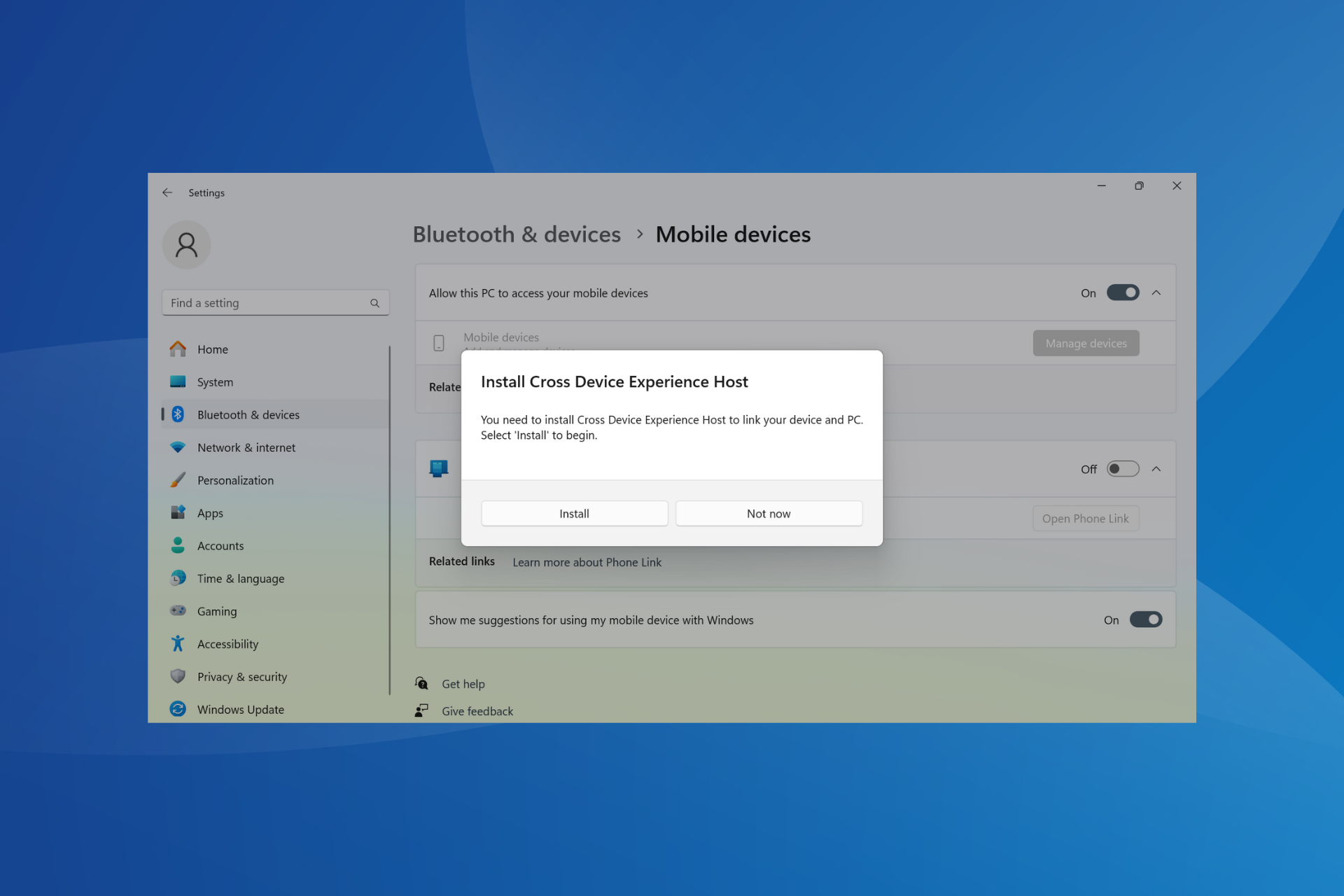
To get Cross Device Experience Host, press Windows + I to open Settings > go to Bluetooth & devices from the navigation pane > select Mobile devices > enable the toggle for Allow this PC to access your mobile devices > click on Install > wait for the process to complete.

Installing Cross Device Experience Host

How to fix common installation errors

Run SFC and DISM:

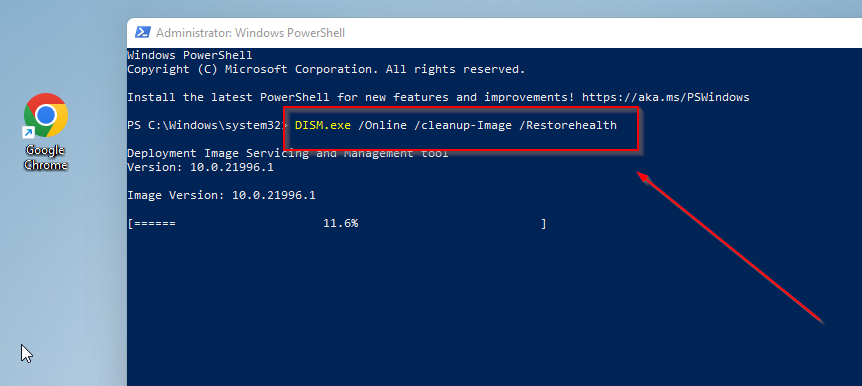
  1. Open Command Prompt as an admin (right-click the Start button and choose Windows Terminal (Admin)).
  2. Type: DISM /Online /Cleanup-Image /RestoreHealth and press enter.dsim
  3. After that, run sfc/scannow.SFCSCANNOW CMD
  4. Restart your PC when done.

Use the Windows Troubleshooter:

  1. Open Settings > System > Troubleshoot.
  2. Select Other troubleshooters.
  3. Find Windows Store Apps and click Run to check for issues.windows store apps troubleshooter

Installation issues with the upgraded version of Phone Link, Cross Device Experience Host, are the most prevalent. A few users reported that it wouldn’t progress past the Pending stage.

I am on an MSI GE68 HX 13V. I am running Windows 11 Pro. If you navigate to the settings app, then to bluetooth & devices, then to mobile devices, you should see a new option available directly above the option to turn phone link on. I can turn the option on. When I do it tells me it has to install cross device experience host but then nothing happens and it simply says pending under the on switch.

Cross Device Experience Host’s installation stuck at Pending

A few who were able to initially install the feature got an update error later on when managing devices. The message read, Cross Device Experience Host needs an update, but we’re unable to apply the update right now.

Also, Cross Device Experience Host offers support only for Android devices. So, iOS users will need to go with other ways to use the iPhone as a webcam on the PC.

Are you able to install Cross Device Experience Host, or facing issues? Share with us in the comments section.

A tiny NFC key is all it takes to log into the new Microsoft Surface Pro 10

Microsoft released Surface Pro 10 and Laptop 6 as high performance business devices. Many have missed a smart feature of Surface Pro 10 which is the NFC connectivity, but not Yubico, a manufacturer specialized in security keys for business devices.

The Redmond giant helped Yubico to implement all the Microsoft login business accounts into the key. This includes Entra ID or Microsoft 365 accounts, Windows 11, Active Directory Certificate Services (ADCS), and other applications for enterprises.

How does the Yubico NFC key work on Surface Pro 10?

Microsoft Surface 10 has the NFC sensor embedded in the bezel of the screen on the upper-left corner. So, all you need to do to log in is to bring the key to that point, which is indicated on the screen.

In the Yubico press release, Microsoft emphasizes the need for security measures to prevent cyberattacks:

Our enterprise customers rely on Surface for industry leading security and seamless user experiences. The ability to quickly and securely sign-in to the device and authenticate with NFC security keys is a critical experience that we’ve added to Surface Pro 10. YubiKeys take full advantage of the integrated NFC reader and delivers a huge win on both fronts. We are excited to work with Yubico to enable the use of YubiKeys, providing users with secure and innovative authentication options to protect against the increasing threat and volume of identity-based cyber attacks. 

Nancie Gaskill, General Manager at Microsoft

For those of you who don’t know, NFC or Near Field Communication is a short-distance communication technology similar to Bluetooth that can be used to transfer small amounts of data, and it is ideal for applications like these.

The NFC key is already on the market, it’s called YubiKey 5C NFC and you can buy it straight from the manufacturer. According to Windows Central, the gadget is $55 a piece, but you can perhaps negotiate an enterprise deal for bulk orders.

YubiKey 5C also has a USB-C connector, not only the NFC sensor so you can also plug it straight into the device’s port for the same effect.

Would you buy the new YubiKey for Surface Pro 10? Tell us all about that in the comments section below.

Microsoft to offer Windows 11 24H2 update to OEMs to test it on new & existing PCs soon

With all the Windows enthusiasts waiting for the Windows 11 24H2 update to be released to the public, Microsoft is about the offer the update to PC makers (OEMs), which will allow them to test the new version on their upcoming and current devices.

According to Zac Bowden, senior editor at Windows Central, posted on X (formerly known as Twitter) that the RTM (Release to Manufacturers) would happen sometime in April.

If you are a Windows Insider, you must know that the impending release is in the final stages, as Microsoft has fixed all the bugs and errors.

Windows 11 24H2, code name Germanium, has been in the talks since the first news broke about the version, as it is supposedly bringing many changes and enhancements to Windows 11.

The Windows 11 24H2 features are expected to be rolled out in two phases; the first base update will come with the Snapdragon X Elite PCs in June 2024.

Next, the update will come to the existing PCs in September or October 2024. Around the same time, we can expect another feature update, probably a Moment update, to enable the new AI features on all supported devices, including the new Snapdragon X Elite.

Changes and improvements expected

  • AI-powered Voice clarity for all machines—The feature uses low-complexity AI models to minimize background noise, thereby helping you sound better on video calls.
  • New Color Management options in the Settings app.
  • Sudo for Windows.
  • Microsoft Teams client, which is based on Microsoft Edge WebView and React.
  • Energy saver options in the Settings app.
  • Labels for context menu in Windows File Explorer.
  • Option to create archives.

You could also get an AI explorer, which will help you search your computer for activities to track everything you do on your PC much easier.

With RTM weeks away from release, many independent developers have concerns about the slow speed at which stable preview builds of Windows 11 24H2 are released.

To that, Brandon LeBlanc, Senior Program Manager on the Windows Insider Program Team at Microsoft, responded: 

I wouldn’t be too concerned nor should you get too hooked into what is “RTM’ing” and when.

In response to this statement, Albacore, an independent developer, posted:

This kind of mentality is exactly how we end up with several hundreds of MBs big ZDPs and genuinely awful and long first run experiences on brand new low and mid range PCs. Please don’t enable it.

Brandon LeBlanc responded:

I am not personally trying to enable anything but at the same time, being concerned on a rumored RTM date isn’t really something y’all should be worried about. We’ve got a lot of smart engineers working on builds over here and fixing bugs is all I am saying.

To which Albacore said:

“We’ll fix it in post” is annoying for pretty much anyone using something weaker than an i5 nowadays and there’s very little thought given to this category of consumers. OS upgrades fare even worse, making the client do LCU integration instead of shipping an updated base image.

These tweets ahead of the RTM release are concerning, and they make us wonder if people with lower configuration or even medium configuration devices would be better off with this update until its credibility is well-established.

We understand that Microsoft will work on the bugs and issues that will occur after the public release, as it always has. However, it makes us wonder if the problems could be fixed in the preview builds if they take considerable time before releasing to the public, keeping us, the loyal Windows users, safe ahead of time.

What are your thoughts on the matter? Share your opinions with our readers in the comments section below.

Good news for Windows users, Microsoft Copilot to be available on more devices

Microsoft’s native chatbot, Copilot, has largely been a success and is witnessing increased integration into more and more products, including Microsoft Office and Microsoft Advertising.

Now, to reach more users, Microsoft is rolling out Copilot on additional eligible Windows 10 and Windows 11 devices.

The Microsoft’s official announcement reads,

Starting today, Copilot in Windows (in preview)* begins to roll out to more Windows 11 and Windows 10 devices. In addition, starting this week, you can access up to 10 Copilot requests before signing in with a Microsoft account or Microsoft Entra ID

So, in addition to more devices getting Copilot, sign-in requirements have also been relaxed. You now enjoy up to 10 requests!

This is in line with Microsoft’s plan for a gradual rollout to ensure seamless delivery and minimal hassles at the user’s end!

As per Microsoft, Copilot will be enabled by default on Windows 11, 23H2, but disabled on Windows 11, 22H2.

The latest Microsoft Copilot rollout began on 21 Mar’24 for Windows 11. As for Windows 10, it’s set to start by March end for PCs that are not managed by an organization. The Copilot rollout will continue until May for both iterations!

As soon as your device receives Microsoft’s chatbot, a new Copilot (preview) entry will appear under the Taskbar settings.

Copilot (preview)

Micorosft is confident of the long-term success of Copilot, primarily because of its extensive integration. Soon, users will rely on Copilot in all Microsoft products for every task, whether trivial or intricate!

However, some are still disappointed with Copilot because it doesn’t generate accurate responses or is too slow. So, Microsoft will have to work on that for Copilot to achieve mass adoption.

What’s your review of Microsoft Copilot? Share with our readers in the comments section.

With upcoming GUI support, managing distros in WSL will be a breeze

WSL has been a part of Windows for years, and it allows users to use Linux inside Windows without having to use dual-boot or virtual machine software.

Microsoft is determined to improve on this feature by allowing users to manage easier installed distributions.

Microsoft is working on an easier way to manage Linux distributions

WSL is incredibly useful for developers, but currently, it only works with a command line interface. This can make managing and installing different distributions more complicated for first-time users.

According to Windows Latest, Microsoft plans to change that as listed on their WSL GitHub page. The company has a plan to integrate WSL management right into the Dev Home app.

Microsoft has also shared its concept design that shows the Dev Home app with a special tab for WSL. In there, users would be able to launch an installed distro with ease, stop it, or remove it entirely.

It will also be able to add distros from a list, or local file, mount Linux disk, view hardware utilization for each distro, and more.

Overall, this sounds like an exciting feature that will make setting up distros in WSL faster and easier than ever before. Speaking of which, WSL has helped Linux gain a significant market share, so why not give it a try?

Microsoft also had a Windows Subsystem for Android, but the WSA was retired a few weeks ago.

Never let your Xbox reward points expire: Enable Auto Redeem to save extra money

Xbox reward points are an innovative idea from Microsoft that keeps the community engaged. Many use them for the Game Pass membership or to get $5-10 gift cards, amongst other things.

However, reward points don’t last forever. They will expire after 18 months of inactivity, as per Microsoft’s official website. If redeemed for a voucher, say a $10 Gift Card, it will expire within 90 days, unless used. So, you should keep a tab of rewards points or redeemed vouchers.

Can’t do that? There’s an easier option. Enable Auto Redeem on Xbox for the preferred reward!

This way, any accumulated reward points over the month are automatically redeemed for the item of your choice, given you have sufficient points. If not, the points won’t be auto-redeemed!

The number of points for each reward varies. More so, it often varies from region to region. Also, there could be a slight fluctuation in the value of each reward, as reported by users in a Reddit post.

Yeah, a quick check of the spreadsheet I made a few months ago to compare the values of various redemption methods shows 8,750.
Maybe this was changed to 9,500 earlier this week when the other GC point costs went up, but now it’s back down to the previous value?

It went up recently. I canceled my auto redeem because it did. Now I guess it’s back down.

With the Xbox Rewards app being discontinued, you will now have to use the Rewards Hub for Auto Redeem.

Not everyone is a fan of Auto Redeem on Xbox

90-day expiry and frequent issues are two aspects of Auto Redeem on Xbox that upset users. For instance, often, at the start of the month, the reward is not auto-redeemed even when you have the required point count.

Others, too, complained about Auto Redeem not working on one or more occasions in another Reddit thread.

I recently set up auto-redeem for a 1 month subscription for Game Pass Ultimate but when it went to redeem it this morning, it said that it is either out of stock or no longer offered.

I’ve had auto redeem for a while. I got a message saying “one of my auto redeems was out of stock” it did not say no longer offered, and it also said check back later.

A few claim, Auto Redeem on Xbox never worked for them.

Auto redeem has never worked for me. I tried it for multiple months and sent in tickets as well. Neither helped..

Some Xbox users reported losing money due to Auto Redeem as the redeemed gift card disappeared after expiry.

Biggest issue with auto redeem is the gift card disappears after 90 days if unspent. Lost about 70 dollars, never got it back.
Not sure if this is different now.

Enabling Auto Redeem on Xbox is a matter of preference. It comes with a set of pros and cons and is not all bad.

One of the key benefits of Auto Redeem is the added discount. For instance, a normal Xbox Game Pass purchase costs 12,000 reward points, while with Auto Redeem, it comes down to 10,500.

Though you won’t be able to save too many gift cards for expensive rewards, it was never the idea. Microsoft intends you to use the purchased vouchers right away!

Share your experience with Auto Redeem on Xbox in the comments section.

Microsoft finally pays attention to Google Chrome font issues on Windows 10 & 11

If you see blurry or thin text on Google Chrome, it is not your eyes to blame. It is a known issue on Windows 11 and 10, and Microsoft is working to fix it.

Although the issue doesn’t seem to appear for all the display styles and only with Google Chrome, we tend to think that the browser company is responsible for that. However, in reality, Chrome is not completely to blame.

Let us understand the issue and why it happens. Windows inbuilt apps use various contrast and gamma values for text rendering using DirectWrite, a native text stack API. Google also uses the same, but the implementation is restricted to specific tasks such as detecting fonts.

Also, Google depends on the Skia graphics library, which means it takes care of its text shaping and rendering on all platforms. However, this leads to notable differences in how text appears on Windows compared to other apps.

This bug was reported by Windows Latest. It is not the first time that Microsoft has improved the look and feel of the browser in its operating system. Earlier, the Redmond tech giant worked on enhancing the Chrome experience on touch PCs.

According to a document posted on Chromestatus, Windows ClearType Text Tuner will soon be integrated into Chrome. In 2021, ClearType Tuner was added to Edge as well.

The overview on Chromestatus mentioned:

This feature tracks the work to support picking the contrast and gamma values from the Windows ClearType Text Tuner setting and applying them to Skia text rendering. This ensures that users’ text rendering preferences are respected on Windows devices.

Historically, Chromium/Skia has used compile-time constants for text contrast and gamma, with different values hard-coded per platform. This means that these values are not adjustable by the end user. Windows has a ClearType Text Tuner that guides the user through various contrast and gamma values for text rendering. Native applications generally automatically pick up these values if they use a DirectWrite based text stack. Chromium uses Skia for text rendering, and thus was not picking up these user adjustments on Windows.

To fix this ongoing problem, Microsoft will make changes to the Chromium code base to pick up the contrast and gamma values from the Windows ClearType Text Tuner setting and apply them to Skia text rendering.

Microsoft spokesperson said:

Full ClearType support is not possible in Chrome, due to it using Skia for text rendering. However, the latest Canary will apply values for the ClearType Tuner on Windows and map them to Skia text rendering, which is as close to ClearType support as is currently possible.

These changes can now be seen in Chrome Canary for Windows 10/11, and their general availability can be expected with Chrome version 124.

Did you also experience the Chrome blurry effect on Windows? If so, share your experience in the comments section below.

Some Copilot users are disappointed by the model and here’s why

Copilot users are disappointed because the AI doesn’t work as they thought. Some Redditors claim that the assistant can’t handle basic requests, while others complain about its performance. Also, after reading through the comments, it’s clear that some of us need to learn how to use the tool. After all, it requires a few specific things, such as Windows 11 and the right applications.

Additionally, you might get disappointed by Copilot if you don’t know how to write prompts. The AI assistants can’t do things they don’t understand, and neither can we. So, simple prompts are not their favorite. But, you have a chance to get the answer you’d like.

What is Copilot bad at?

Copilot could improve at some things, such as understanding simple tasks and using structured data. On top of that, if you use the free version, you have a limited number of questions per topic. So, it would be best if you learned how to write prompts to get what you’re searching for. Also, according to Arxiv, most of the code Copilot generates is vulnerable 40% of the time, and it can be a bit disappointing. However, you can use the GitHub Copilot for the code scanning autofix feature.

By the way, Copilot might also disappoint you if you use an older Windows version or another OS. After all, Windows 11 is the one that supports it best. Also, try using the new Outlook if you don’t do it already.

How do I create an AI prompt?

You need to follow a few rules to create good AI prompts. The first one is to be very specific about what you want. So, to do this, you can use examples, do’s and don’ts, and details. The second rule is to be careful about the position of your words. Don’t make writing mistakes, and use punctuation. Also, try to be creative and ask the AI for prompt examples. If you learn to write prompts, you can increase your efficiency, and Copilot won’t be that disappointing anymore.
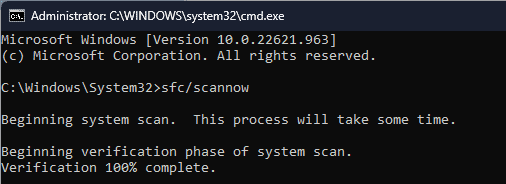
For example:

  • Instead of telling Copilot: Organize the text and rearrange it in a different notebook.. Try to break this prompt into three others. Make each of them an action and specify what you need. So, you can ask Copilot to:
    • Organize the following text:
    • Rearrange it to be similar to:
    • Put it into a different notebook
  • If you need Copilot to act differently towards you or to examine your text, you can tell the AI to act as if…. This is a very useful prompt when you need explanations of a subject.
    • Act as if I am a toddler and explain how the large language machines work.

You can also use the guide from Harvard University.

Ultimately, there are some negative aspects of Copilot, but they aren’t strong enough to make it disappointing. The AI assistant might be better than other models, but slowly, with all of the new features, it will get there. So, before denigrating it, others should learn how to use it efficiently.

What are your thoughts? Are you disappointed by Copilot? Let us know in the comments.

China bans using Intel and AMD chips in government PCs, sidelines Windows OS too

The new guidelines introduced by China require replacing foreign technology, which will ban the use of Intel and AMD chips in its government computers. This move aims to promote Chinese enterprises involved in hardware and software solutions, the Financial Times reported on Sunday.

The guidelines also require sidelining the Windows operating system and other foreign database software to support domestic options. It is safe to assume that the move is due to ongoing tension between the US and China. 

Chinese officials have reportedly started following the new guidelines introduced by the Finance Ministry and the Ministry of Industry and Information Technology (MIIT) on December 26, 2023. The same day, the China Information Technology Security Evaluation Center (CITSEC) unveiled the first list of safe and reliable processors and operations systems from Chinese manufacturers.

Processors from popular entities like Huawei and Tianjin Phytium Information Technology are on the list. It is interesting because those entities are already on the export blacklist released by the US. 

It is worth noting that the US has imposed various sanctions on several Chinese companies due to national security concerns. The government has also passed many policies that lure companies to manufacture new technologies within its boundaries. It has also halted exports of advanced chips to China.  

China’s Finance Ministry, the MIIT, and CNITSEC reportedly didn’t comment when asked about the ban on Intel and AMD chips.

What do you think about the ongoing tension between China and the US? Share your thoughts in the comments below.

Mozilla releases security patches to fix critical zero-day bugs in Firefox

Mozilla recently released security patches to fix two critical zero-day vulnerabilities in Firefox 124.0.1 and one in Firefox ESR 115.9.1. It became the first vendor to release patches for critical bugs discovered during the Pwn2Own Vancouver 2024.

Mozilla fixes two security vulnerabilities in Firefox 124.0.1 and one in Firefox ESR 115.9.1

A recent tweet by Zero Day Initiatives confirmed that Manfred Paul won $10000 and 10 Master of Pwn points at the Pwn2Own 2024 as he exploited the Out-of-bounds (OOB) Write flaw for the Remote Code Execution (RCE) and escaped Firefox’s sandbox using an exposed dangerous function.

It is worth noting that Paul topped the leaderboard with 25 Master of Pwn points at the hacking competition.

Talking about the first security vulnerability (CVE-2024-29943), Mozilla explained:

An attacker was able to perform an out-of-bounds read or write on a JavaScript object by fooling range-based bounds check elimination.

Additionally, Mozilla also talked about the second vulnerability (CVE-2024-29944) that affected Firefox on desktop devices:

An attacker was able to inject an event handler into a privileged object that would allow arbitrary JavaScript execution in the parent process. Note: This vulnerability affects Desktop Firefox only, it does not affect mobile versions of Firefox.

Mozilla acted quickly on the identified vulnerabilities and rolled out security patches for Firefox a day later. Moreover, a security patch is also released in Firefox ESR 115.9.1 to block RCE attacks targeting Firefox on desktop devices.

A fully native Xbox handheld console is in the works, industry insider claims

Recently, a new claim revealed that a fully native Xbox handheld console is in the works. After the success of devices like Steam Deck and Nintendo Switch, the possibility of similar devices from Microsoft has always been there.

Xbox is reportedly working on a new fully native handheld console

Industry insider Jez Corden hinted that the gaming wing of Microsoft is working on a fully native handheld console. He shared the news about the rumored hardware on the latest episode of the Xbox Two podcast. 

Answering a question from a Superchat, the host, Rand al Thor 19, said he has heard a lot of talk about the handheld console recently. He further inquired Corden about the registration of a new Xbox DevKit (XDK) console in South Korea, as seen in the tweet below.

Speaking more on the same, Corden said:

I know that they’ve got handheld prototypes right now and these are new handheld prototypes. 

Corden pointed out in the podcast that prototypes don’t necessarily mean they will make it to the market. He further stressed that it would be insane of Microsoft not to pursue this. Later, he firmly mentioned that the rumored prototypes are not a cloud handheld, but a fully native Xbox handheld. 

It is worth mentioning that previous rumors suggested the next-gen Xbox console could resemble the design of a Nintendo Switch. Moreover, we don’t know the exact launch or announcement date of the rumored native Xbox handheld console for now.

Xbox has been hinting the new hardware quite often

Phil Spencer, CEO of Microsoft Gaming and Xbox, said the new console will be unique and powerful. Talking on the Official Xbox Podcast last month, the Xbox president, Sarah Bond, said Xbox will launch a new console this holiday season.

So, it is safe to assume that the rumored fully native Xbox handheld console could be the actual thing. 

What are your thoughts about the rumored Xbox handheld console? Please share your thoughts with our readers in the comments below. 

Chrome boosts Clipboard Privacy in Incognito mode on Mac

Chrome offers incognito mode, which allows you to browse websites without saving your browsing history to the browser. Google is now working to improve how the clipboard (also known as the pasteboard) behaves in Incognito mode for Mac users.

In normal browsing mode, the clipboard on macOS functions as expected. When you copy text, images, or other data, it’s stored in the clipboard and readily available for pasting elsewhere.

The Chrome Incognito mode, designed for private browsing, protects your anonymity to a certain extent by not storing browsing history, cookies, or other data.

However, macOS doesn’t have a dedicated type for pasteboard history. This means that clipboard data copied while browsing in Chrome on macOS can be shared across different devices, even in Incognito mode.

Google prevents Clipboard sharing from Chrome Incognito with other devices on Mac

To address this issue, Google is adding a privacy mode for the clipboard on Mac for Chrome. This feature marks the clipboard as current host only in Incognito mode, preventing pasteboard data from being shared across devices.

By restricting clipboard data to the current host (the website or application you’re interacting with), Chrome ensures that sensitive information doesn’t leak unintentionally to other devices or services. This is particularly important when dealing with confidential data or passwords.

Google has noted the improvement for Chrome Incognito Clipboard on MacOS as below.

[Clipboard] Add privacy mode on Mac. macOS doesn’t have a special type for pasteboard history, but in incognito mode, pasteboard can be marked as current host only so the data doesn’t get shared across different devices.

This change has been implemented and integrated into Chromium. Mac users running Chrome will benefit from this improvement soon. The feature will be first available in the Canary channel, followed by dev, beta, and finally, the public release.

Why this matters

Most users utilize incognito mode in Chrome to prevent their browsing history from being seen by others with whom they share their devices. This change goes a step further by stopping the leakage of copied data in the clipboard to other devices or services while in Incognito mode.

Microsoft deprecates password payload in MPR notifications to enhance security

On Friday, Microsoft added password payloads in MPR notifications to its list of deprecated features. It comes after the tech giant’s recent decision to bid farewell to certificates using RSA keys shorter than 2048 bits. 

Password payload in MPR notifications to deprecate starting in Windows 11 24H2

Microsoft has yet to mention the exact deprecation date, but we assume it will be later this year. Although the news of a deprecated feature may sound bad, this decision is good, as far as users are concerned.

Deprecating NPLogonNotify and NPPasswordChangeNotify APIs will enhance the security further. Talking of the same, the company says those APIs allow the caller to extract users’ passwords which poses a big threat of exposing passwords to malicious users. 

In addition, Microsoft will still allow including password payload by setting the EnableMPRNotification policy to enabled. 

Adding the feature to the deprecated list, Microsoft says: 

Starting in Windows 11, version 24H2, the inclusion of password payload in MPR notifications is set to disabled by default through group policy in NPLogonNotify and NPPasswordChangeNotify APIs. The APIs may be removed in a future release. The primary reason for disabling this feature is to enhance security. When enabled, these APIs allow the caller to retrieve a user’s password, presenting potential risks for password exposure and harvesting by malicious users. To include password payload in MPR notifications, set the EnableMPRNotifications policy to enabled.

Summing up, it is worth noting that Microsoft has announced the deprecation of three features this month only.

KB5037422 out-of-band update is here to fix memory leak issues

On Friday, Microsoft released a KB5037422 Out-of-band update to fix the memory leak and other issues users faced after the KB5035857 update. We reported earlier that Microsoft confirmed the issues and is working on a fix.

KB5037422 update fixes known issues that emerged from KB5035857 update

Microsoft talks more about the issues in the release notes for KB5037422, which reads:

This update addresses a known issue that affects the Local Security Authority Subsystem Service (LSASS). It might leak memory on domain controllers (DCs). This issue occurs after you install KB5035857 (March 12, 2024). The leak occurs when on-premises and cloud-based Active Directory DCs process Kerberos authentication requests. This substantial leak might cause excessive memory usage. Because of this, LSASS might stop responding, and the DCs will restart when you do not expect it.

The official bug reporting page titled Issue with Kerberos requests on domain controllers may cause LSASS memory leaks has a new Resolution section that confirms the same. Microsoft also mentions instructions related to installing KB5037422 Out-of-band update:

This issue was resolved in the out-of-band (OOB) update KB5037422, which is only available via the Microsoft Update Catalog. We strongly recommend you do not apply the March 2024 security update on DCs and install KB5037422 instead. As this is a cumulative update, you do not need to apply any previous update before installing KB5037422.

It is worth noting that the KB5037422 Out-of-band update won’t install automatically and isn’t available directly from Windows Update. Therefore, you need to search for KB5037422 in the Microsoft Update Catalog. You can download the update from the Microsoft Update Catalog.

It is still surprising that the KB5037422 update will not install automatically. Nonetheless, a fix is always a thing to cherish. Microsoft says you can refer to WSUS and the Microsoft Update Catalog page for more help.

Did the emergency update help fix issues with KB5035857? Share your thoughts in the comments below.