All You Need to Know About Getting a Second-Hand AIO Cooler

Any PC can heat up and surpass optimal temperatures so having an AIO cooler whether new or second-hand can save you the trouble of frequent shutdowns.

An all-in-one cooler is particularly handy if you’re a gamer because of the CPU and GPU-intensive games and heavy users who tend to open numerous windows and tabs at once or those who use overclocking software.

And while a CPU cooler is an option, it tends to be more expensive. Further, an AIO cooler is more efficient, reliable and less noisy.

What should I look out for when getting a second-hand AIO cooler?

  • Degree of usability – Any hardware component that has been through vicious wear and tear will be visible on the naked eye. Look out for obvious damage like leaks, radiator bends and the general appearance of the AIO cooler.
  • Extent of functionality – Just because the cooler is used doesn’t mean it doesn’t have to operate normally. Ensure you test it out and verify that it does what it is supposed to do.
  • Compatibility – Your second-hand AIO cooler should be compatible with your CPU. The last thing you want is to purchase an AIO cooler that would be useless for your system
  • Warranty – Insist on a warranty and ask whether it is transferrable from the previous owner. Coverage is important since you’re unaware of the usage history. In the event that it malfunctions, you can have it checked out at no extra cost.
  • Legitimate reseller – Anyone can sell you their AIO cooler so ensure you do your due diligence before making a purchase. If from a manufacturer, ensure they’re reputable and verify their reviews.

Should I get a second-hand AIO cooler?

Pros

1. Inexpensive option

If you’ve ever had your PC shut down abruptly in the middle of an important task, you’ll appreciate the essence of an AIO cooler. However, since new ones are not within the budget for everyone, a second-hand cooler is more appealing.

You’re likely to get a second-hand AIO cool at a fraction of the cost of a new one. The good thing is that the functionality is the same and it’s great value for your money!

2. Secure older unique models

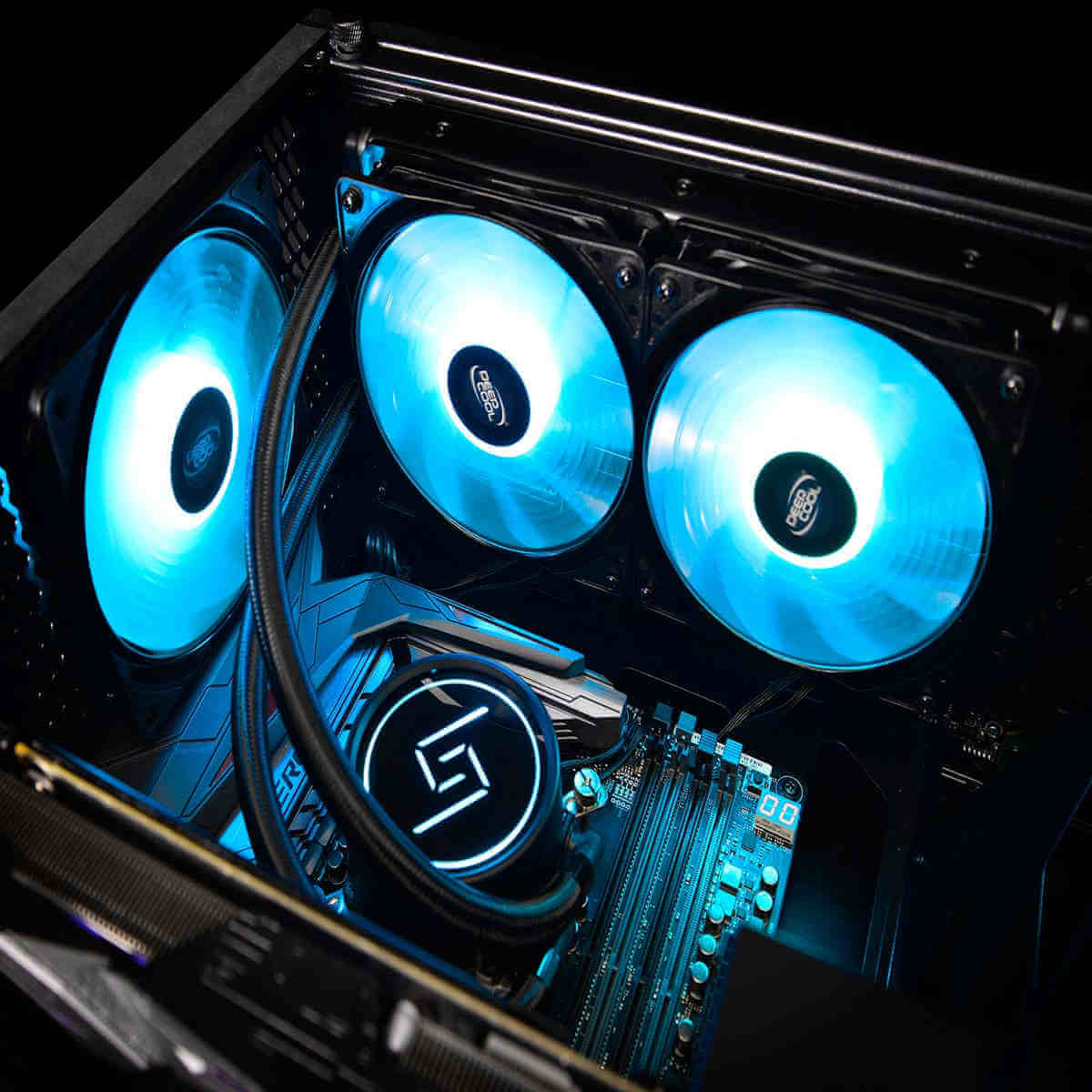
With advancing technology, most manufacturers are phasing out older AIO models and no longer offering support. Even though these phased-out models offer excellent performance, it may be difficult to find them in the market.
Best AIO Coolers

And for users who cherish specific models or unique functionalities, this is an excellent opportunity to acquire these discontinued models and, at a cheaper cost.

Cons

1. Hidden defects

Although you may have done your due diligence and purchased your second-hand AIO cooler from a reputable seller, there’s still no way of verifying unknown defects.

The previous owner may have failed to properly maintain it and even though there may be no obvious signs of damage, the AIO cooler may malfunction sooner rather than later.

You might end up spending more on repair and maintenance costs which beats the essence of buying a second-hand AIO cooler.

2. No warranty

The possibility of getting a warranty for your AIO cooler is greatly limited. And even if you were to get one, it would not match up to the original one and would probably expire too soon. This puts you at risk of spending your money in case the AIO cooler malfunctions.

3. Degraded performance

No matter how well-taken care of the AIO cooler is or how many functionality and reliability tests it passes, there’s still degraded performance because it’s been used before. This in turn limits its lifespan.

Since the average life cycle of a new AIO cooler is 5 to 7 years, a second-hand would probably make it to half of this time. If you have to keep buying an AIO cooler every three years with regular checkups and maintenance costs, you’re better off purchasing a brand-new one.

4. Compatibility issues

Most second-hand AIO coolers are from older and discontinued models. This may not be compatible with newer hardware and even if it was, there would still be the issue of missing some components which would require you to purchase them for a complete installation.

These extra costs when put in perspective tend to add up making acquiring a second-hand AIO cooler an expensive affair after all.

How can I get the most out of my second-hand AIO cooler?

  • Check and refresh the thermal paste – Thermal paste is like the glue that holds your AIO cooler. Since it ensures there’s efficient heat transfer, clean it and apply a fresh coat regularly.
  • Keep tabs on CPU temperature – Your CPU temperatures can spike at any given time so monitoring software can help you keep an eye on and alert you if you should make any adjustments.
  • Clean the cooler – The cooler needs a clear pathway for optimal cooling efficiency. Any dirt or debris that accumulates over time should be cleared.
  • Check for leakages – Leakages will not only damage the cooler but may also affect other components. Regular checkups to ensure all components are in good condition so that your cooler is at peak performance.
  • Overclock your CPU – Whereas overclocking enhances performance, it should only be done on high-performing CPUs. This would be counter-productive for an old system. Still, you can get an AIO cooler suitable for overclocking.

Hopefully, this exhaustive piece helps you make a decision on whether a second-hand AIO cooler is cost-saving activity. If it were up to us, we’d say go for it. Your PC could always use extra cooling and if it comes at a cheaper price, why not? It’s a win-win situation.

And while we’re on the topic of second-hand hardware, you might be interested in used HDDs or used SSDs.

If your budget allows, we have lined up some of the best AIO coolers with liquid cooling systems. You can also opt for laptop cooling software if second-hand AIO coolers are still a bit pricey for you.

Would you consider purchasing a second-hand AIO cooler? Do you have any reservations on used items? Let us know in the comment section below.

Say Goodbye to the Xbox Rewards app and the weekly streaks

Microsoft is all set to discontinue its Rewards app on Xbox in April 2024 and will replace it with the new Rewards hub app. Microsoft Rewards is a program that allows you to earn points when you use the company’s services, such as Edge, Bing, etc.

You can redeem them for shopping. However, the program has undergone various changes in the last few months, indicating that Microsoft is working on making the program more efficient.

Microsoft has no intention of discontinuing the program but has hinted to users with several notifications that the Xbox Rewards app will no longer be available.

In December 2023, many users got notifications that indicated that Microsoft might be removing the Xbox Rewards app.

It went quiet for a while until Idle Sloth posted on X (formerly Twitter) that users in Brazil started getting the same notifications about the discontinuance of the Xbox Rewards app, and now it comes with a date, i.e., April 15, 2024, which means soon there will be no more weekly streaks.

Here is the message that appears on the notifications:

Rewards with Xbox has a new home. Check out the new Rewards hub, your go-to destination for Xbox activities and offers, available across devices. Now, you can see available activities, set up a goal, and redeem your rewards in one place. The new activities focus on what matters most: earning points while having fun playing games.

With the new Rewards hub and gaming activities coming to Xbox, we will no longer publish offers in the Microsoft Rewards app on console, Starting April 2024. This means the current Weekly Set and Weekly Streak on this app will end as of April 15, 2024.

We’re excited to bring the Rewards hub with new activities to Rewards with Xbox, and we’re looking forward to providing even more ways to earn Rewards in the future.

What do you think about this change? Share your thoughts in the comments section below.

Disaster strikes as Horizon Forbidden West PC port gets cracked on day one

We were all waiting for Horizon Forbidden West, and the game is finally here, however, we have some unfortunate news.

It seems the game was already cracked by hackers, and it’s being distributed on third-party websites.

Horizon Forbidden West was just released and it’s already cracked

We wrote about Horizon Forbidden West hardware requirements not that long ago, and the game has launched just as planned, for the most part.

As TheGamer writes, the PC version of Forbidden West was cracked just 30 seconds after it was launched. To achieve this, a special tool called Fairlight was used to bypass Steam’s protection.

This isn’t anything new for Sony ports, and Steam’s DRM is pretty basic and it can easily be bypassed.

This is unfortunate news for the developers and hopefully, this won’t affect the success of the game too much.

With the game’s release, Intel also released Intel Game On driver 31.0.101.5379 which improves the performance of the game, so be sure to get it.

Edge & Node is developing an AI-powered web3 network, and Microsoft should support it

web3 is a relatively new concept in the tech industry that has captured the public’s attention, and with it, the interest of bigger companies, such as Microsoft. But the idea behind it might not benefit the Redmond-based tech giant in certain areas. In other areas, though, Microsoft might win big by investing in this technology.

web3 is an idea of a new iteration of the World Wide Web which would include decentralization blockchain technologies as well as token-based currencies and economics.

Microsoft has shown an interest in the technology, especially due to web3’s AI integration: artificial intelligence is an important key in web3 technologies because it can be used to curate and generate content tailored to each user.

The Redmond-based tech giant has been investing a lot of resources in AI, and currently, the company is probably the best AI developer in the world. The web3 technology would require a lot of AI assistance, and generally, it will be an AI-driven Internet.

Microsoft could see an opportunity here, to become the most important player on the market. Considering the other giants, such as Google, Amazon, or Meta, already have a sort of monopoly in their respective fields, Microsoft sometimes struggles with it, and the competition in the OS market is fierce.

However, the Redmond-based tech giant might want to partner up with Edge & Node, a company that is now working on a new web3 network. Edge & Node has been also supporting The Graph, which many see as the Google of web3, and now it’s trying to develop a web3 network, using, of course, AI.

In an interview with TechCrunch, Tegan Kline, CEO and co-founder of the company, says:

Web3 is still being built, we’re still working on building this decentralized internet that is censorship resistant. So, the innovation is happening today and I believe that this is where the internet will go, this will be the next evolution of the internet. It’s a growing industry as opposed to a shrinking one. The one thing that’s really important about AI is that it’s all about data. There’s a saying that who rules the data rules the world, and so it really is important that data is not owned and controlled by any one company, especially in the AI space.

Tegan Kline

However, Kline says the AI must be open-source, as in they must be trained using only open-source methods. She thinks that otherwise, web3 could end up being the same as the other versions of the Internet.

Microsoft should support the company, as the Redmond-based tech giant also believes in the open-source community to develop AI technologies. However, it must also take the pledge that it won’t try to monopolize the new version of the Internet when it gets there.

White window issue is blocking Microsoft Store and Edge login for many

Not being able to access Windows services on your PC can be a huge problem, and this is exactly the type of issue many have been having recently.

Users reported not being able to log in to Edge and Microsoft Store on their PC, and instead of a login screen they would get a blank window instead.

Many are having Microsoft Store and Edge login issues on Windows

This issue was reported on the Microsoft subreddit and users are claiming that they are completely unable to log in:

Whenever i want to login into MS Edge (to get synchronisation between Edge mobile & Edge desktop) i got small windows appearing with white, blank filling.

Same happen in MS Store. I cant proive i’m human, as window content is not showing.

According to the comments, it seems that this issue is affecting users with Polish systems:

btw. are you using polish system? i have found some ppl with the same issue and all of them were polish

This led users to find a quick and easy workaround:

  1. Press the Windows key + I to open Settings.
  2. Select Time & language and then choose Language & region.
  3. Lastly, set the Windows display language to English.

Few users suggested that disabling a metered connection worked for them. To do that, just do the following:

  1. Open the Settings app and navigate to Network & internet.
  2. Select your connection type.
  3. Lastly, disable the Metered connection setting.

If that doesn’t work, you might have to remove recently installed Windows updates.

Overall, this looks just like a temporary issue on Microsoft’s end, and hopefully, the problem will be resolved soon. In the meantime, you can try using the solutions listed in this guide.

The next Xbox console is reportedly in development and it could be coming by the end of the year

Xbox’s new console might be coming by the end of 2024, and Microsoft should make an announcement about it in the next months, as Xbox News for Koreans posted on X (formerly known as Twitter) that Microsoft’s new Xbox Dev Kit (XDK) console was certified National Radio Research Agency in Korea on March 18, allowing developers to use it to create new games.

This means video game developers need to have access to the new console so that they can build their games to suit its architecture.

At the Xbox Business update, Phil Spencer said that the future of Xbox looks bright and that Microsoft is preparing a handheld console that will be the biggest generational leap for an Xbox console ever.

We’re also invested in the next-generation roadmap, and what we’re focused on there is delivering the largest technical leap you will have ever seen in a hardware generation. Which makes it better for players and better for creators and the visions that they’re building.

Microsoft

As with all new consoles, the new Xbox will be released around the winter holiday season, most likely at the end of November, or December, so by Christmas 2024, we should all get our hands on it.

The new Xbox Dev Kit has a different model number compared to the one used for the Xbox Series S, Xbox Series X, and other Xbox consoles, so this pretty much confirms that a new console is coming soon.

The Redmond-based tech giant is set to release a new version of the Xbox Series S console, most probably in June. The new console, titled Ellewood, comes with bigger storage, and some new enhancements, but it will mostly keep its current capabilities.

So, in the end, with a new console coming later this year, is it worth spending money on a new version of an existing console, or just going all the way for the new device? What do you think?

Third-party breaches increased in 2023, but fewer companies were impacted

We have discussed the rise in cyber attacks powered by artificial intelligence and how security analysts have a challenging task ahead of them. If fighting individual threat actors wasn’t enough, companies now have to tackle advanced AI-based threats.

As expected, third-party breaches witnessed an uptick in 2023, according to a report by Black Kite. The number in 2023 stood at 81, while it was 63 in 2022, a 28.5% increase. Surprisingly, the list of affected companies fell to 251, compared to 298 last year.

According to the report, Technical Services were the most affected, followed by Healthcare Services, Software, and IT Management. Ever since COVID-19, more and more companies have gone digital without deploying the necessary security protocols, leading to a rise in third-party breaches.

Black Kite found unauthorized network access to be the primary cause of breaches, responsible for nearly 50% of the cases. This highlights the fact that threat actors are now employing advanced technologies to gain access to systems!

Also, attacks created weak spots in the company’s network, which left them vulnerable to future attacks.

However, a promising trend emerged last year. Companies have swiftly responded to third-party breaches, contained the damage, and quickly reported the incident. The reporting time fell to 76 days in 2023, compared to 108 in 2022.

The report goes on to state that the CLOP group took advantage of every vulnerability across systems and platforms and was the primary source of data leaks.

The report also warns against the increased integration of artificial intelligence and losing focus on cyber security. It states that companies are now spending more money on AI and less on developing an efficient security infrastructure, which makes them an easy target!

On the other hand, artificial intelligence has emerged as a helping hand for security analysts. Microsoft Security Copilot uses AI to break down the scripts in the malware, contains the damage, and helps deploy fixes company-wide in no time.

So, while AI helped threat actors with breaches last year, the next few will witness security analysts deploying it as an effective defence mechanism. Companies like Microsoft will pump more money into the development of such tools because of the growing demand!

You can read the full report on the official website.

What’s your prediction for the next few years? Share with our readers in the comments section.

The new Copilot Plugins will help you plan vacations, get groceries and more

Copilot is getting plugins from Microsoft similar to the ones OpenAI has in the GPT Store for ChatGPT Pro. So, the AI assistant will get more functions and do more for us. Some of the existing plugins are Instacart, Kayak, Klarna, OpenTable, and Shopify. In addition, Microsoft is giving Copilot more features that will allow the AI to make changes in your Windows 11 settings to make it more efficient. Also, some of the upcoming Windows features, such as Clipchamp and Photos, will get AI integrations too.

How do I install Microsoft Copilot plugins?

You don’t have to install the Copilot plugins. They will be available in the application. Also, you will most likely find them in the top right corner. All you have to do is to log in with your Microsoft account. If you are a Windows 11 user, you most likely have Copilot integrated into your OS. Thus, you might not even need to log in.

Additionally, the plugins follow the OpenAI schema to ensure proper communication with the AI and offer you a great experience. The plugins contain three parts: an API, an API specification, and a plugin manifest. Also, with the help of these tools, developers can create better plugins for Copilot. The whole interaction between the AI and plugins is a simple one. First, you ask a question, then the chatbot will reach the API needed, and afterward, it sends you the answer.

The Copilot plugins provide various options for understanding, summarizing, predicting, recalling, translating, and generating content. After all, they should help you with daily tasks. The plugins tap into Microsoft Graph to index data, such as emails, chats, and documents. By doing this, they can become more efficient and productive.

Ultimately, the Copilot plugins will help you reduce the time spent planning and daily tasks. After all, you can book travel tickets with Kayak, use OpenTable for restaurant reservations, and Instacart to get groceries. On top of that, the plugins give you easier access to Shopify. So, if you want to start a business, that’s your cue. By the way, for

What are your thoughts? Are you going to use this new feature? Let us know in the comments.

Experience 2x faster File Viewer with Copilot integration and people view after the latest update

The File Viewer in Microsoft 365 is a great help, especially when we want to preview files without downloading them. Microsoft hasn’t made many changes to it over the last few years. But with the latest update, File Viewer will have a new interface and deliver superior performance.

As per Microsoft’s official blog, these changes will be implemented in File Viewer:

Performance improvements: Your files now display up to 2 times more quickly than the previous version.
Copilot: Use Copilot right in file viewer to get file summaries, answer questions about file content, and extract information This seamless integration of Copilot enhances your file experience and helps you get the most out of your files.
People view: See a list of people who have access to the file by tapping the people images.
Favorites: Add the file to your favorites list by tapping the star icon.
Open in app: There may be times when you need to fully interact with a file. In those instances, you can quickly open files in their native applications by using the “Open in app” option. When you’re done working with that file in its native app, you can save it and the changes will sync back to OneDrive. The open in app feature which is now accessible in file viewer.
PDF page removal and merging: Remove pages from PDFs and merge multiple PDFs into one.
Annotations: Mark up and draw on a number of file types such as .ai, .dwg, .epub, .pdf, .rtf, and .tiff. Once done you can hide or display the annotations by selecting the annotations icon.
eSignatures: Securely request electronic signatures directly in file viewer.
Copilot in File Viewer (Source: Microsoft)

The integration of Copilot in File Viewer is in line with Microsoft’s strategy to introduce AI into as many products as possible. Copilot in File Viewer does a great job at providing quick summaries and describing different parts and objects in the image.

In the example shared by Microsoft, Copilot could identify a drill bit, suggest that it had undergone wear and tear, and even assess the extent.

Microsoft is currently rolling out the updated File Viewer to OneDrive for work and SharePoint users, including GCC customers. Microsoft Teams will receive the update later this year.

What do you think about the new and updated File Viewer? Share with our readers in the comments section.

Mere hours after its release, Dragon’s Dogma 2 is already breaking records

Dragon’s Dogma 2 was just released on Microsoft Windows devices, Xbox Series S, and X, and PlayStation 5, a few hours ago, and the game is already breaking records on Steam, amassing 173,000 players, according to this X (formerly known as Twitter) post.

The game has become Capcom’s highest concurrent user peak record for a single-player game, beating out Resident Evil 4 and Village, according to the post.

Dragon’s Dogma 2, which is out today, 22 of March, is the sequel to the 2012 cult classic Dragon Dogma, and it’s inspired by games such as Devil May Cry; its high fantasy setting, as well as its breathtaking graphics at the time, made it quite popular at the time.

Now, 12 years after it, Dragon’s Dogma 2 is here. We previously reported that the game was already available to preload on Xbox and PlayStation 5, with one of our colleagues managing to pre-install the game on their Xbox consoles.

However, that doesn’t mean they could just access it. Pre-installing lets users install the game in advance, but the game will be available for playing on the release day.

You can watch the Dragon’s Dogma 2 trailer below:

Coolest throwback: This is how an overpowered Windows XP build looks like in 2026!

Windows XP has been retired for a while now, but it seems that some users are still using the legacy system.

This isn’t as uncommon as we thought, and it seems that many of these users are running Windows XP on relatively modern hardware that can handle newer operating systems.

Although it’s not supported anymore, some users are still running Windows XP

Recently there was a discussion on the Windows XP subreddit where one user showcased its PC running Windows XP.

What comes as a surprise is that Windows XP SP3 32-bit is running on relatively modern hardware, which includes an ASUS P8Z68-V PRO motherboard and Intel Core i7 2600K.

The device also has AMD Radeon HD 7970 GPU and 16GB of DDR3 memory.

Users were surprised to see that a 32-bit version was able to handle 16GB of RAM, but that was achieved via a hack.

You need the PAE hack to enable accessing RAM beyond the 4GB in 32 bit.

Many were surprised that this user was using a 32-bit version, which is unheard of in the current year. The reason for this is probably a compatibility issue that Windows XP 64-bit had:

 Win xp 64 was and is still very incompatible with most software of its era, the x86 compatibility later was.. Not too good to say the least. If you want to do gaming for example, xp 32 is a must 

He’s not the only one who is still running Windows XP, as other users joined the discussion and shared their configurations:

lol and i thought my build was overkill…

core 2 quad and a 750ti

Another user reported running Windows XP on an AMD CPU with the following configuration:

Just built a XP x64 rig with an FX 8350 @ 4.812Ghz, on an Asus ROG Crosshair V Formula Z, 16GB DDR3 @ 2400, GTX 980 Ti (modded drivers), and a SSD RAID 0 array. With native SATA III & USB 3, It’s very snappy.

The question remains, why would someone run Windows XP in the current year? According to some, it’s for hardware testing:

FX-6100, Radeon HD 7950, 16GB. It’s got a removable SATA drive bay, so I use it for more than just XP. Swap out the drive for whatever I need/want to run. Also use it to test random hardware. Old enough to support XP, new enough to still support modern OSes and hardware.

Others claim that this configuration is perfect for retro gaming:

Bit of overkill but lots of great choices here for XP gaming. The HD7970 is still supported in XP, will laugh at any XP game, and is cheap on the secondary market. No XP game needs more than 2 cores AFAIK, so a CPU with good single-core is what you want

As you can see, there are still users that use Windows XP, and while it’s possible to run Windows XP, it’s not recommended for various reasons.

Meta is bringing Poke on Facebook back from the dead, but was it ever killed?

Recently, Neowin spotted a very old feature on Facebook, Poke on Facebook. As per the Tech Crunch report, Meta, Facebook’s parent company, is the reason behind it.

Pokes have been a part of Facebook since the platform’s inception in 2004 when it was only available to limited regions. Also, in 2012, Facebook introduced a standalone Pokes app for iOS, which was discontinued just after 15 months in 2013.

The feature was fun for those who liked to tease their friends, but it was also annoying for many users. Eventually, the feature didn’t remain popular, but it was never dead. It was not easy to find anymore, and you might not have the exact URL for years.

Now, Meta is trying to regain its traction with new changes and improvements introduced to the platform. One significant UI change was displaying the Poke button when searching for existing friends.

According to this Facebook post by Meta, the Poke feature is attention again:

THE POKE IS HAVING A MOMENT. There’s been a 13x spike in poking on Facebook in the past month.

So, be honest: who’s poking who?

The younger generation, the people between 18 to 29 years, are mostly responsible for the surge.

Have you ever used Poke in its glory years, and what are your thoughts on the revival of this feature? Share your opinions with our readers in the comments section below.

Brave browser’s new version doesn’t install its VPN to all users anymore

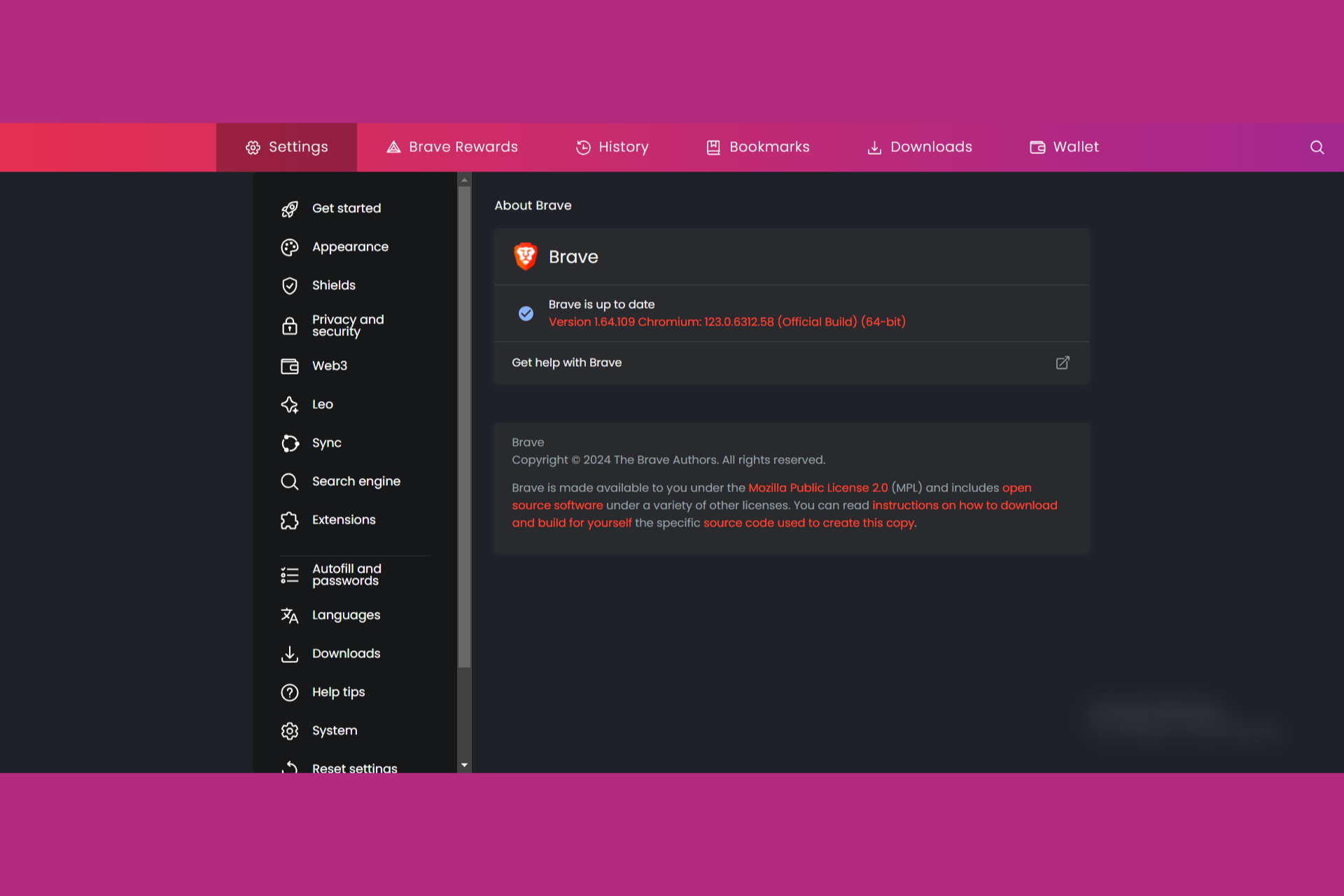
Brave released its latest v1.64.109 browser version with a ton of updates, fixes and new features. However, everyone had their eyes on its VPN-related services.

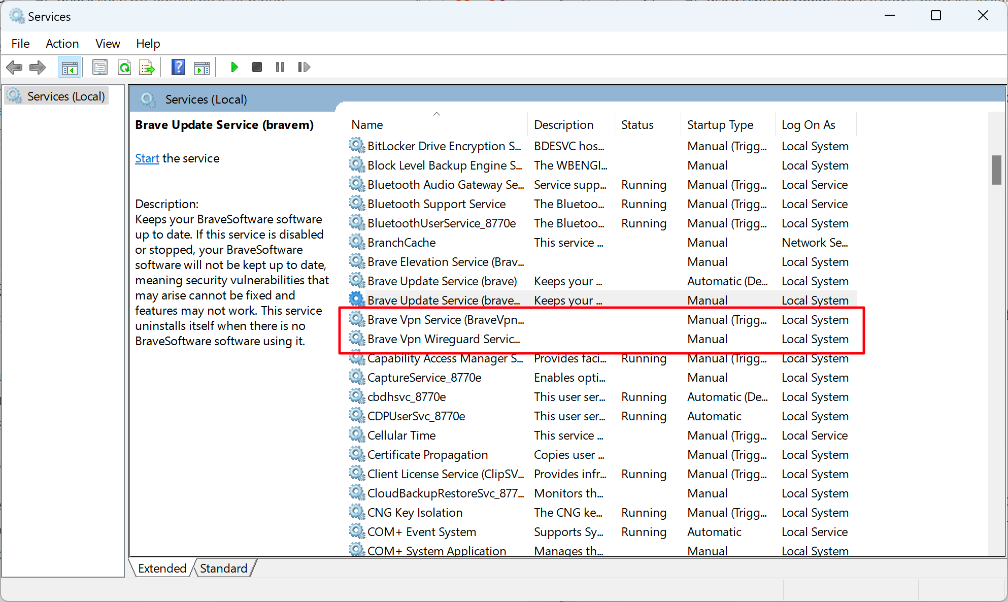
Last year, Brave installed its VPN app on Windows by default but you had to activate it manually. But some users found the services in Task Manager, and they didn’t like that, even though they were disabled.

With the latest release, Brave doesn’t install the VPN services unless you want that.

Fixed Brave VPN to not install VPN services until VPN is purchased or enabled. (#33726)

Brave blog

We installed this update and truly noted, the Brave VPN services that appeared in Task Manager are no longer there.

What are the best new features of Brave 1.64?

Brave browser now has a so-called right-click assistant called Leo. When you right click on a webpage, you can select the Brave AI Tools with a few options. You can get a summary of the text on the page, or employ a rewriting option. It’s not like Copilot but it’s still something.

A worth mentioning information for admins is that they can disable Brave Leo by using a policy.

If you scattered your tabs in multiple windows, now there’s a feature called Bring all tabs to this window which will move them in the active window where you apply the command.

Brave also added a Show scrollbar setting for vertical tabs that you can set up if you input brave://settings/appearance in the address bar.

It’s also worth mentioning that the developer improved the Tor functionality inside Brave and also made the Chromium storage partitioning feature compatible with Brave’s ephemeral storage implementation.

If you want to know more about Brave, take a look at a Brave – Chrome – Opera comparison.

Brave is free so you can give a try to its new version and let us know about your experience in the comments section below.

Microsoft Incident Response can detect threat actors by tricking them with decoy accounts

It’s now known that threat actors will use every technology available, including AI, to release all sorts of threats, from ransomware to phishing, malware, and more.

Microsoft platforms, such as Outlook or Microsoft 365 are some of the most affected by it: for instance, in 2022, alone, more than 80% of Microsoft 365 accounts were hacked, at some point.

However, Microsoft says its Microsoft Incident Response system can employ a variety of cybersecurity tools, from Microsoft Defender for Identity to Microsoft Defender for Endpoint to eradicate such threats in a matter of minutes. Plus, together with the new Copilot for Security, Incident Response can swiftly deal with any kind of cybersecurity issues without worrying that the system is compromised.

The Redmond-based tech giant showcased an example where an organization was targeted by the Qakbot modular malware, which spread to the servers after being accessed in an email.

The Qakbot attacks the infrastructure through a variety of means, and it’s used to steal credentials including but not limited to financial data, locally stored emails, system passwords or password hashes, website passwords, and cookies from web browser caches.

Microsoft stepped in, and with the Incident Response system, it was able to deal with the issue in a multi-platform approach, as it states:

Microsoft Incident Response stepped in and deployed Microsoft Defender for Identity—a cloud-based security solution that helps detect and respond to identity-related threats. Bringing identity monitoring into incident response early helped an overwhelmed security operations team regain control. This first step helped to identify the scope of the incident and impacted accounts, take action to protect critical infrastructure, and work on evicting the threat actor. Then, by leveraging Microsoft Defender for Endpoint alongside Defender for Identity, Microsoft Incident Response was able to trace the threat actor’s movements and disrupt their attempts to use compromised accounts to reenter the environment. And once the tactical containment was complete and full administrative control over the environment was restored, Microsoft Incident Response worked with the customer to move forward to build better resiliency to help prevent future cyberattacks.

Microsoft

One of the most interesting aspects of the Microsoft Incident Response is its ability to use honeytokens, a security method that employs decoy accounts to trick and lure threat actors into believing they’re targeting real accounts.

The decoy accounts are called honeytokens, and they can provide security teams with a unique opportunity to detect, deflect, or study attempted identity attacks. The best honeytokens are existing accounts with histories that can help hide their true nature. Honeytokens can also be a great way to monitor in-progress attacks, helping to discover where attackers are coming from and where they may be positioned in the network.

Microsoft

The Redmond-based tech giant advises customers to get in touch with Microsoft so that the Incident Response system can be properly implemented when dealing with cyber threats or cyberattacks.

You can read the full blog post here.

If you get a Computer has been locked up message from Microsoft, here’s what you can do

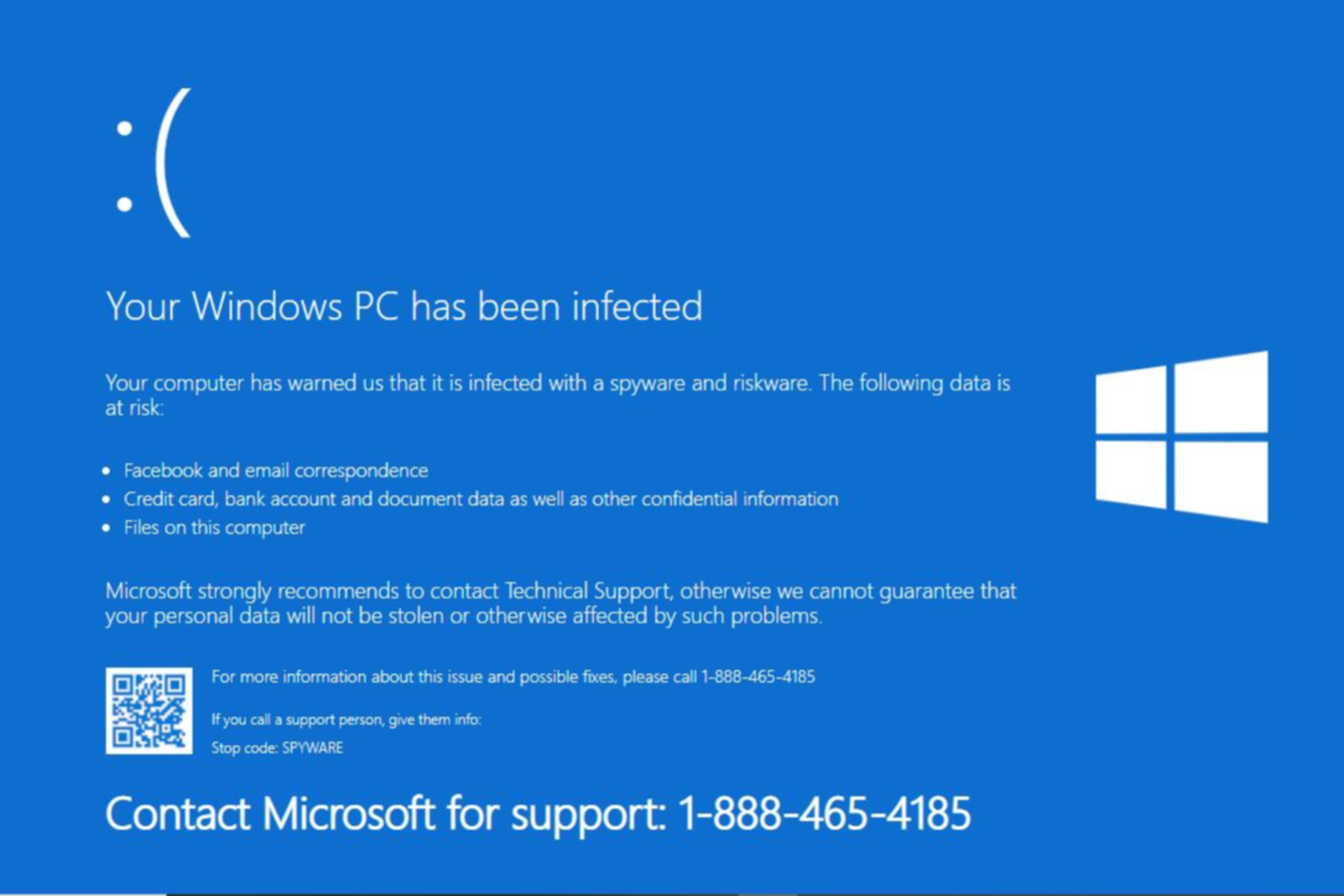
Don’t be too worried if you get the Computer has been locked up message. It’s a scam, and your PC is, in all likelihood, safe!

Though the instances have reduced, the message is still a common occurrence. It appears when you visit or are redirected to a hacked website or one hosted for this very purpose.

The scam works by creating a sense of urgency. The message is either the following or along similar lines.

Important security message.  Your computer has been locked up. Your IP address was used without your knowledge or consent to visit websites that contains identity theft virus. To unlock the computer, please call support immediately.  Please do not attempt to shut down or restart your computer. Doing that may lead to data loss and identity theft.   The computer lock is aimed to stop illegal activity.  Please call our support immediately.

Based on our research, the message mostly highlights visiting a website that contains an identity theft virus. This justifies the presence of the message on a browser.

How do I get rid of the Computer has been locked up scam?

  • Terminate the browser: Press Ctrl + Shift + Esc to open the Task Manager > select the browser’s process from the list > click on End task. If this doesn’t work, access Task Manager from the Ctrl + Alt + Del screen.end task
  • Scan the PC: Launch the built-in Windows Security > go to Virus & threat protection > select Scan options > choose Full scan > click Scan now. You can also use an effective third-party antivirus.full scan
  • Uninstall any suspected programs: Press Windows + R to open Run > type appwiz.cpl in the text field and hit Enter > select any recently installed program(s) > click Uninstall > follow the on-screen instructions.uninstall to fix computer has been locked up scam

The message does create confusion. Even if you are certain that it’s a scam, the browser’s non-responsiveness will make you question that. Subsequently, you might call the provided number and end up falling victim to the scam.

Here’s what others who got the message had to say:

I suspect it’s a scam, but wanted to share the info in case it isn’t. I was online, had just paid a bill with my credit card, and was picking up a news article on a site I have accessed several times before. I shut everything down immediately and rebooted.

I received a scam on my computer saying my computer has been locked up and ip address was used to access programs to identiy theft. Call microsoft at 8*4*2*29*2. How do I get rid of this and be able to use my computer? It is locked with this scam on it.

My laptop is locked because my IP address was used without my knowledge or consent to access identity theft. I was given Microsoft support number 1-888-586-6472 is this your support number?

Remember, in such moments, it’s vital to remain calm and think objectively!

Similar tech support scams have been reported in the past, and companies continue to spread awareness. Beyond that, there isn’t much they can do.

How did you deal with the Computer has been locked up scam? Share with our readers in the comments section.

Microsoft Mesh promises hybrid human interaction, but in the end, it feels like a Sims simulation

Microsoft Mesh was released to Teams a while ago, and with it, the Redmond-based tech giant promised organizations a platform where they can host hybrid, but still very human interactions with the help of virtual 3D environments and the use of Teams avatars.

Mesh is somehow a quite useful platform: Microsoft has given developers the ability to work on customized environments, meaning the platform can be set up to support a variety of different settings.

From beaches to mountains to a virtual retreat near the lake, to a camp, even, where employees can take on their virtual avatars and hang out, professionally, and, Microsoft emphasizes, personally.

The platform is quite easy to set up, as well, and it can be done by accessing Teams. However, for a truly immersive experience, a VR set should be used to access these environments.

However, even then, something is off with Microsoft Mesh. We reported, earlier this year, that the platform feels like a Black Mirror episode: it offers a chance to hang out with other work colleagues and forge some sort of bonds, but in the long run, if it proves to be a success (most likely not), the Redmond-based tech giant might be adding ads to it.

Microsoft, on the other hand, says Mesh is helping its employees build connections and strengthen bonds within Mesh. In a blog post published recently, the Redmond-based tech giant says some employees think the whole experience of using Microsoft Mesh is magical and special, and that is due to the spatial audio capabilities of the platform, which makes other users feel as if they are near you.

Most employees agree that this is one of Mesh’s biggest and most intriguing features. The immersive audio capabilities allow users to perceive sounds as they would in real life. For example, the effects of fading in and fading out appear when someone is distancing themselves from a Mesh group.

You’ll get a visual notification on your screen, and you will notice the audio fade out and you can no longer hear those people that you were standing with. But now you can hear this other group that you’ve walked over to. This experience is more akin to being together physically.

Microsoft employee

Others agree:

Spatial audio is amazing. It really does feel like you’re in the room by mimicking real audio behavior, and it helps capture nuances and non-verbal cues that don’t always come through in standard online meetings but are so important for the group dynamic. Immersive spaces makes people confident, and that goes a long way toward building social connections.

Microsoft employee

Microsoft says the Mesh impressed even the most skeptical of testers:

Of course, it was a little unusual at first, because you’re in a meeting room with people, but we’re not actually in a meeting room. But it really did feel like we were in a space together. It’s all just on Teams on the computer, yet it gives you that sense of social connection. It’s more casual. More intimate. And that opens us up to more collaboration and connection, and that engagement enhances any kind of remote or hybrid team experience.

Microsoft employee

However, is it? Is it indeed more casual? Or intimate? According to statistics from Exploding Topics, Metaverse, another immersive virtual space platform, has over 400 million users, so you say the platform is popular. But, over 80% of these users are younger than 16.

So that means that the current generations currently active in the working field: Gen Z, which are now around 20, and older, or Millenials, who are approaching their 40s, are not currently interested in virtual spaces.

Microsoft might mean well, and I really think it does, but for now, Microsoft Mesh seems too early, and way too soon. The recent pandemic changed the whole work dynamic, and hybrid jobs, or remote jobs are becoming more and more popular among the workforce: this means people don’t really want to get personal when it comes to work.

But even if they would want to, a physical and real interaction would still be preferable, to hanging out in a virtual space.

What do you think?

You can read Microsoft’s full blog post here.

Is it Safe to Use a Second-Hand HDD?

An HDD is an essential component for your PC, so if yours has failed but you can’t afford a new one, you should consider second-hand HDDs.

An HDD can be reused as long as it is not damaged. Most HDD errors are bad sector-related, which can be fixed with software. Even if it is damaged, the extent of the damage should be established and evaluated to determine whether components can be reused.

Even though an HDD has an operational lifespan, it’s good to go if it’s in excellent working condition and has been reformated for reuse.

Factors to consider before using a second-hand HDD

  • Health – The health of the HDD should be your main concern. Because HDDs are prone to suffer from physical damage, wear and tear should be easy to tell. However, you may need to check the complete symptoms list of a failing HDD to make a decision.
  • Reliability – If you’re using your second-hand HDD as a secondary HDD for non-critical data, optimal performance is a good benchmark. However, if you’re looking to store critical data, you must test how reliable it is.
  • Security – It is important that the previous owner gets rid of their data completely before handing it over. The last thing you want is to put your data at risk from being infected with unknown viruses from residual data.
  • Compatibility – While the cost may make the purchase attractive, you also have to consider whether the HDD will be compatible with your device. RAID compatibility and interface type are some of the aspects to look out for.

What are the pros and cons of using a second-hand HDD?

Pros

1. Cheaper option

Second-hand HDDs are attractive because they are affordable, as new ones cost quite a penny. Most regular PC users are okay with the integrated HDD, but continued usage can strain the HDD and cause things to slow down.

A second-hand HDD can help even out the workload and unburden your primary HDD. If your PC was slow, introducing a second-hand HDD should speed things up.

2. Availability of older phased-out models

For users who keep souvenirs or are skeptical about letting go of their older hardware, newer HDDs may not be compatible with such models. However, older, used HDDs tend to possess unique features or specifications perfect for such hardware.

Some organizations may be unable to upgrade to newer models, so acquiring a used HDD may be the only option, especially if you require specific configurations only found in older models.

3. Increased storage capacity

Purchasing second-hand HDDs of phased-out models can be a cost-effective way to extend your setup’s storage capacity or performance without investing in entirely new hardware.

old hdd not showing up

Gamers or video editors are a particular group of people who need extra storage, so if you want to increase your storage without breaking the bank, a second-hand HDD will do that for you.

4. Environment-friendly

The manufacturing of new HDDs isn’t exactly environmentally friendly. If you avoid making purchases so often and instead opt for used HDDs, the new HDD market will go down, and the used market will increase.

Cons

1. Unknown mechanical issues

When you purchase a new HDD, you never know what unknown issues you may inherit. The reseller may not disclose the actual health condition of the second-hand drive, and even with diagnostic tests, there may still be hidden mechanical issues that will resurface during usage.

In hindsight, you may spend a lot more resources trying to address the issues, and when added up, it will not make financial sense to purchase a second-hand HDD.

2. Short lifespan

Second-hand HDDs already have a short life span even when straight out of the box. A typical HDD will last you between three to five years. A refurbished one is likely to be a fraction of this time.

Therefore, you’ll have to upgrade sooner than you would have if you bought a new HDD. In the end, the money spent upgrading every year, when compounded, would probably get you a new HDD with better performance metrics.

3. Easily compromised

Even the best HDDs are not exempt from failure. The thing about HDDs is that they’re prone to firmware failure, logical failure and BSODs. Further, ransomware attacks, data breaches, and environmental factors contribute to its failure.

This makes it highly risky to purchase a used HDD. Even in the best-case scenario where the previous owner took good care of it, the vulnerabilities it is exposed to make it a risky purchase.

4. Compatibility issues

Most second-hand HDDs are older and, therefore, outdated. This makes them incompatible with newer OSes and hardware that may require strict system requirements.

And while there may be tricks to bypass these restrictions, they may be costly for you ultimately making the acquiring of the second-hand HDD expensive due to the hidden costs.

5. No warranty

Second-hand HDDs don’t come with warranties that cover any eventualities in case they stop working. And even though your manufacturer may offer a warranty, it will only be for a limited period and much less than if you had bought a new one.

If your HDD were to fail after you’ve bought it, you’ll have to cover the repair costs out of pocket. Worse still, if the issue is recurring. You’ll have to cater for the expenses, which, when added up, acquiring the second-hand HDD doesn’t seem like a cost-saving decision.

How can I improve the performance of a second-hand HDD?

  • Defragmentation – Over time, the data you store on your HDD will become fragmented and cause your PC to slow down. Regular defragmentation will ensure it is at peak performance.
  • Health check – Now more than ever, you need to run regular health checks on your HDD. It’s better to identify potential issues early enough to prevent catastrophic failures.
  • Update OS and drivers – Keeping your system up-to-date will ensure your HDD works well and there are no compatibility issues.
  • Disk Cleanup – Built-up cache and unnecessary clutter have no place in your system because they tank the performance of your device. Regular Disk Cleanup will keep your HDD clutter-free and efficient.

Even though a second-hand HDD has already undergone some wear and tear, you can still perform some tricks to optimize its performance.

Finally, while purchasing a second-hand HDD may cut costs and is a viable option for increasing storage, you must consider many factors. If the benefits outweigh the disadvantages, secure your second-hand HDD.

However, before you make that bold step, ensure you have done your due diligence, thorough testing, and vetting the reseller for legitimate products. You’ll also need to be proactive in maintaining your second-hand HDD for optimal performance, as it already comes degraded.

And if you do get it, you may also be interested in a second-hand SSD. But if you can afford it, we have a collection high-speed HDDs that may be of interest to you.

Have you used or purchased a second-hand HDD before? What was your experience, and is the performance degraded compared to a new one? We’d love to hear about your experiences, so share them with us in the comment section below.
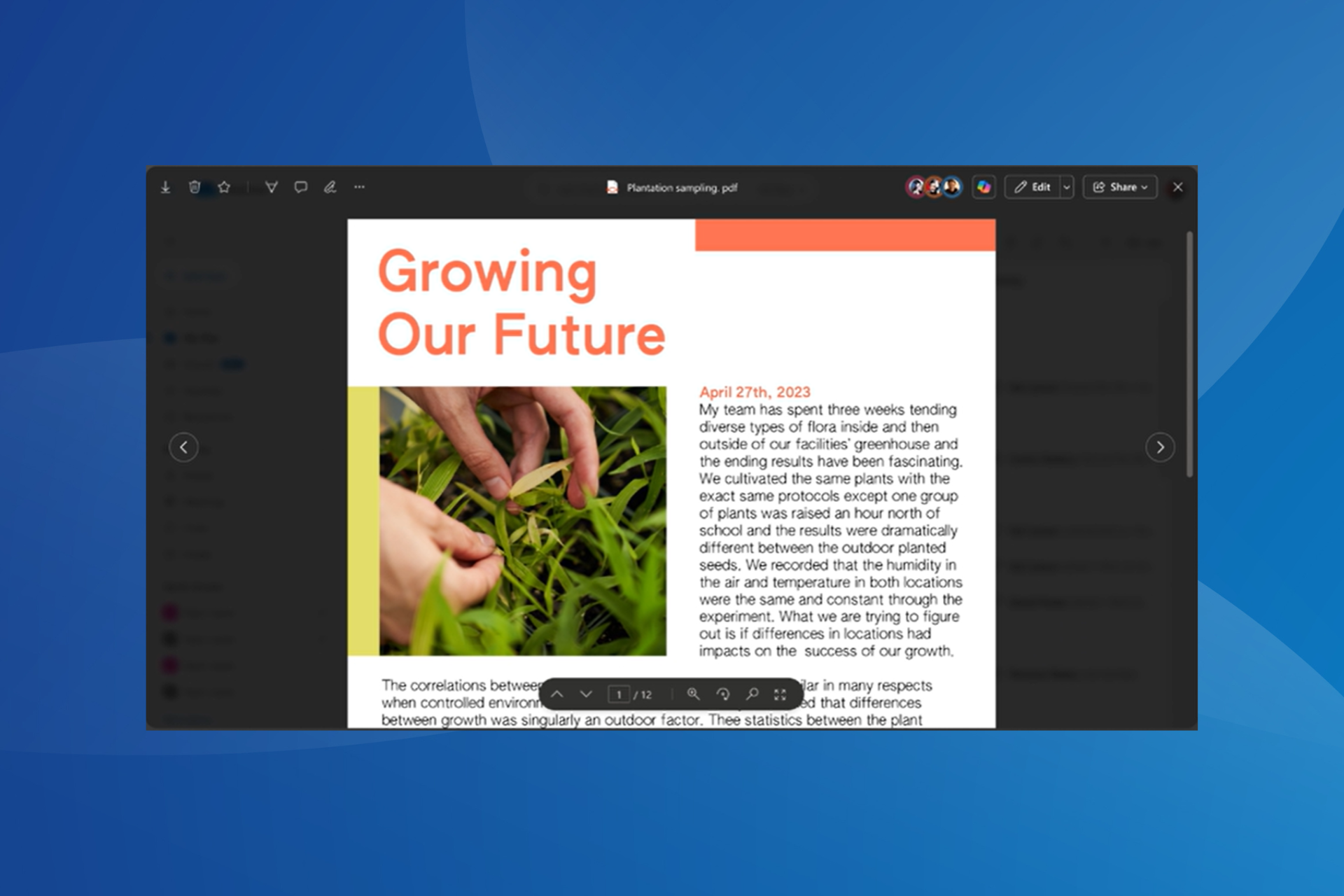
March Madness: YouTube TV gets multiview on iOS and iPadOS but looks like Android has to wait

Google is rolling out multiview support to YouTube TV, letting iOS and iPadOS subscribers watch multiple games simultaneously. However, the feature is not yet available for Android devices, but the company promises to launch on the platform in the coming months.

The feature is already present on TVs, and it comes with preset options, allowing you to watch 2 to 4 games simultaneously. Furthermore, you can use the build-your-own-choice feature to select the games you want.

Subscribers on iPads and iPhones need to update the YouTube app to version 8.11 or later to use the Multiview feature.

The feature can be accessed from the Home tab, which includes other options like Top Picks for You and Watch in Multiview, but it works only for sports events. Once you’ve used it, press the back button to close the Multiview stream.

According to YouTube TV, device and content restrictions apply for Multiview, and it is limited to pre-selected games only.

A basic YouTube TV plan costs $72.99 per month, and other add-on packages are available, including NBA League Pass, which can cost $49.99 for the entire season.

As soon as the company was announced, many users responded to the news on Reddit. One user, thepottsy said:

I tried it out on my iPad yesterday. I was very skeptical that I would ever use it, on such a small display. I was wrong, it’s pretty darn cool.

However, some of the users commented that the company should have released the feature on Android first.

Have you used this feature on your device yet? If so, please share your opinions with our readers in the comments section below.

Harold Halibut & Flintlock: The Siege Of Dawn are coming to Xbox Game Pass in April

Xbox Game Pass is great if you’re looking to try a set of fresh games or get access to Microsoft titles on day one.

We have some good news for all Game Pass owners as several new games have been announced during the Future Games Show event, and they will make their way to the Game Pass upon their release.

These three newly announced games are coming to Xbox Game Pass

Xbox Game Pass is a great source of new games, and according to Pure Xbox, the service is getting three new games.

The first one is Harold Halibut, a story-driven game with a unique art style that follows explorers on a spaceship. The game will be available on all major platforms on April 16th.

If you’re looking for something more exciting, then Still Wakes the Deep might be right up your alley. This is a horror adventure that takes place on an oil rig.

The game offers a claustrophobic and haunting atmosphere, and it’s made in Unreal Engine 5, so it looks impressive. As for the release date, we can see it on all major platforms on June 18th.

The last game is Flintlock: The Siege Of Dawn, and it’s an action role-playing game, somewhat similar to the Dark Souls series. Unfortunately, there’s no exact release date available but is expected to be released this summer.

These are all great games, and if you’re an Xbox Game Pass subscriber, you’ll get them for free. This is great news, especially following the rumors regarding the new digital-only Xbox Series X.

In case you don’t have a Game Pass, no worries, you can try it out for free since earning free Xbox store credit is easier than before.

Microsoft confident of its AI setup, CEO says, not reliant on OpenAI

Microsoft has over $13 billion worth of investment in OpenAI, and the two companies share excellent relations. As per reports, the Redmond-based tech giant relies on OpenAI for several projects.

However, statements from Microsoft CEO Satya Nadella tell us a different picture!

A picture where Microsoft is confident of its independent AI infrastructure, has full faith in the development and deployment domains, and is certain of its dominance in the AI space even in the absence of any support from OpenAI.

These comments came during a podcast with Kara Swisher when OpenAI was in crisis after the termination of Sam Altman. Satya Nadella said,

We have all the IP rights and all the capability. We have the people, we have the compute, we have the data, we have everything. We are below them, above them, around them.

Nadella went on to reassure users and investors about Microsoft’s capabilities and how it won’t be affected if the partnership ceases to exist.

I mean, look, if tomorrow OpenAI disappeared, I don’t want any customer of ours to be worried about it, quite honestly, because we have all of the rights to continue the innovation, not just to serve the products. But we can go and just do what we were doing in partnership, ourselves, and so we have the people, we have the compute, we have the data, we have everything.

Microsoft also recently introduced a new AI division within the company to oversee further development of Copilot, Bing, and Edge and to boost innovations in the field of artificial intelligence.

Microsoft’s relationship with OpenAI over the years

Microsoft’s investments worth billions in OpenAI are known to the world. Satya Nadella played a crucial role in getting Sam Altman reinstated as the CEO of OpenAI after he was terminated from the role last year.

Also, there are reports that Microsoft wanted Altman to lead its new AI division and had already offered him the role before he rejoined OpenAI. Then, Microosft hired Mustafa Suleyman, co-founder of DeepMind, to head Microsoft AI.

In the meanwhile, several Microsoft employees are concerned about the relationship with OpenAI. They believe Microsoft isn’t as focused on its native products, especially ones that don’t cater to an extensive user base.

Ultimately, both companies, Microsoft and OpenAI, benefit from the partnership. Microsoft has employed several technologies developed by OpenAI into its native tools. Similarly, OpenAI gets financial support!

In these times, when every major tech giant, including Google and Apple, is pushing for AI integration, Microsoft’s partnership with OpenAI becomes all the more critical. Especially when it needs to polish out bugs in the native chatbot, Copilot.

What do you think of Satya Nadella’s comments about OpenAI? Share with our readers in the comments section.

Finally, Microsoft Edge will automatically restore tabs after a crash without asking users

Microsoft is testing a change in Edge Canary where it will automatically restore tabs without asking, every time a crash occurs. We have tried to crash the Edge intentionally and it has restored all tabs without asking on the next launch.edge automatically restore tabs

Previously, when a web browser crashed due to navigation to a webpage or other reasons, the browser with all tabs would close immediately. When you open the browser next time, the browser remembers it exited unexpectedly last time and prompts the user to restore tabs that were open at the time of the crash.

Now, Microsoft Edge shows the dialog “Restore pages. Microsoft Edge closed unexpectedly. The browser prompts users to hit the Restore button to get the pages from the previous session back.

Chrome also shows a similar dialog on startup after the crash, and it makes sense since both browsers are based on the Chromium code.

The main benefit of this feature is that now users won’t have to worry about losing their previous crashed browsing experience because they didn’t select the right button, and if I’m being honest, this is one of my main concerns every time this error happens: I always worry that I might somehow miss the button that prompts the browser to restore the pages.

So, ultimately, it’s quite useful and needed.

The feature is currently being A/B tested on select users in Edge Canary, and Microsoft might release it in the following weeks.

Edge Canary also introduced the Tearing of Web App Tabs, allowing users to move webpages from one window to another, within the same session, and Microsoft also gave content creators further options to manage content credentials when creating it using Designer, which is Edge’s newest image editor.

While we don’t know for sure if the features are going to make it to Edge’s stable channel, the Redmond-based tech giant is currently testing them on the Canary version.

Would you use Edge if it automatically restored tabs after a crash?

The playback never stops as Twitter teases minimize video feature

Twitter or X, is a great platform for following certain creators or discovering news, but it has its limitations.

According to the Twitter employees, we might get some interesting changes in the feature regarding video playback.

Twitter engineer teases the ability to minimize videos

While watching videos on Twitter, you’re stuck on the current video, and you can only scroll through the comments.

That’s about to change, according to Twitter’s Joanah Katz.

In a recent tweet, Katz shared a screenshot of a Twitter app with a minimized video playing. The video has a Play/Pause button available, and there’s also a button that you can use to close the video.

We’re not sure how exactly this feature will work, but we expect we’ll be able to scroll through the main feed while the video keeps playing minimized, similar to the YouTube app.

While this seems like a mobile-only feature, users in the comments voiced their desire to see this available on the web app as well, and we’re not opposed to this idea.

Sadly, there’s no information available regarding the release date, but according to Katz, we should see it available soon.

In other news, X launched Grok-1 AI, so if you haven’t tried it, this might be a perfect chance to do so.

Edge is adding support for the Tear of Web App Tabs, allowing users to move webpages from one window to another

Tab tearing is a feature supported by web browsers. It allows users to detach a tab from the current window and move to another. This helps to compare two websites side by side and is useful if you have a multimonitor setup where you can move tabs across screens.

When it comes to Web Apps or Progressive Web Apps, the tearing of a tab opens it as a separate window within the app itself. Until now, Chrome has been the only browser that supported this feature.

However, it seems that Microsoft is adding the tab tearing support to Web apps in Edge, as well. The feature is currently being tested in Edge Canary.

If you use a lot of web apps simultaneously, you may find this useful. Here is how to enable and use it:

  1. Visit edge://flags
  2. Look up Tear Off Web App Tab, and select Enabled.Tear Off Web App Tab
  3. Restart your Edge.

Now, when you try to detach a YouTube app tab, it will automatically open in the App window rather than in the browser window. Do note, that you need to have Respective PWAs installed to try out this feature.

Tab Tearing for Web Apps in Edge is being experimented on Mac, Windows, Linux, and Android platforms. We can confirm Edge for Android has this experimental feature available.

Microsoft also recently made Designer the default image editor in Edge Canary, and together with its AI features, the Redmond-based tech giant is also allowing users to sort of copyright their content by adding and managing content credentials. The features will probably make it to the Edge stable channel in the following weeks.

It’s worth mentioning that not all features presented and tested in Edge Canary make it to the stable channel, and depending on users’ feedback, Microsoft might decide not to release them at all.

Stay on top of your chats: Pin upto 3 messages on WhatsApp

If you actively use WhatsApp for text messages and file sharing, there’s good news!

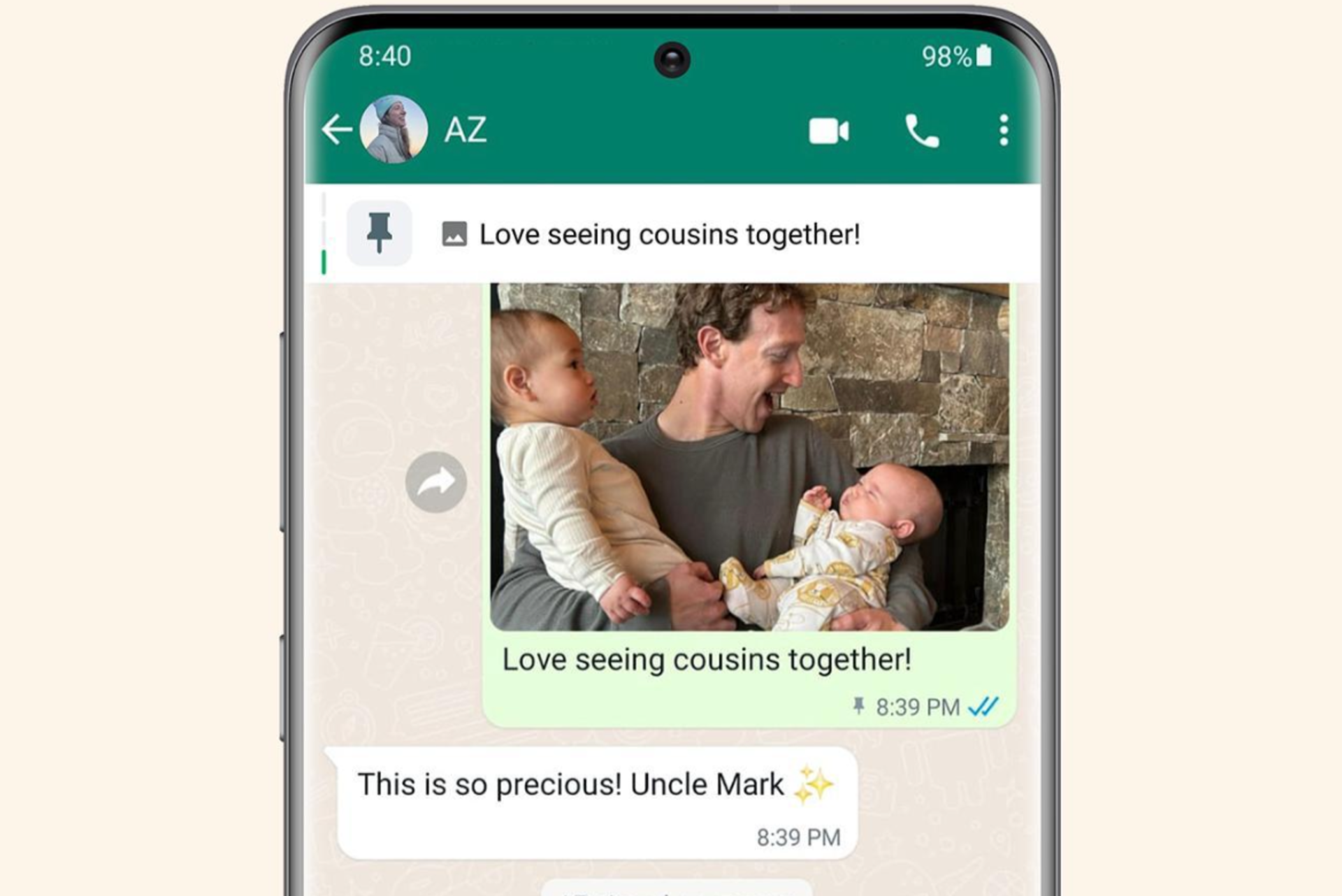
Mark Zuckerberg, on his official WhatsApp channel, announced that you can now pin up to 3 messages in chats. Previously, you could pin only 1.

Source: WhatsApp

To pin a message, tap and hold it and select Pin. Similarly, you can pin two more messages from the chat. You will also see the number of pinned messages in the banner and the most recent one will appear first.

This information has also been updated in the WhatsApp FAQ.

When we tried, the feature wasn’t yet available. After pinning the first message, we couldn’t add any more, and WhatsApp notified us that this action would remove the previous one. An update for WhatsApp on the Apple App Store wasn’t available as well.

Also, there have been no changes to the available time frames for the pinned message. It remains the same at 24 hours, 7 days, and 30 days.

To have any message at the top of the chat for longer, you will have to pin them again. Or to save important messages, simply Star them or forward them to your chat.

What do you think about WhatsApp increasing the pinned message limit to 3? Share with our readers in the comments section.

Microsoft Lists’ Forms feature now helps you gather information like a professional

Microsoft recently announced that the company is releasing the new forms experience in Microsoft Lists for Microsoft 365 work and school.

This move aims to make collecting and gathering information directly into your lists easier, thereby saving time and effort. The updated forms are clean, easier to design and easily shared. Moreover, the respondents can fill them out on any device.

The feature, with feature ID 124865, was already mentioned in the Microsoft 365 roadmap and is expected to roll out in March 2024. Now, the wait is over.

In the blog post on the Microsoft tech community site, the Redmond tech giant also shared a video showing how it works:

The List form has a modern design and can be easily created and shared with anyone within your organization or school through a link.

Once received, the recipient can fill out details without checking the full list, and the submitted responses appear as the new list items right away.

Microsoft mentioned:

Lists forms work well to track recruitment, manage orders, intake customer issues, file expenses, and more. For example, an event organizer can create and manage multiple forms for the same list tracking attendees, feedback, logistics and more – each form collecting elements of the full list.

You can use the built-in features to make your forms more relevant and professional-looking. Soon, you will be able to add custom logos, select from various themes, and add descriptions and questions in place of column names without making changes to the list itself.

Furthermore, form designers give you options to hide unnecessary fields and add new ones. They also allow you to build the whole schema of a list inside the form designer.

How to create forms?

You can click Forms from the command bar at the top of the list. You will have options to create new forms or access the existing ones listed by the list of collaborators.

When you choose to create a new form, the form builder will open and use the fields mentioned from the list schema. You can add or hide fields, change the theme, and, once done, share it through a link.

You can always stop receiving responses whenever you like, but this option is only visible to people who have permission to edit the list.

Once you send the link and receive a response, the information collected is stored in your list as a new list item. It is just like any other item in the list; you can manage it, including applying formatting, rules and adding a rating column to rate the submissions as they are added.

The respondents can fill in the information using a desktop app or mobile browser; it totally depends on them; the only catch is the form the user must sign in with their Microsoft 365 account.

Microsoft also informed:

Note: The new Forms experience in Microsoft Lists are native within Lists and do not use or require Microsoft Forms, Power Apps, or Power Automate. All previous integrations still exist, to further configure and customize your lists, for certain scenarios like reaching anonymous audiences, showcasing a number of data sources in one view, and adding rich business logic/flow – respectively.

Once the feature is rolled out to everyone, you will be able to create forms on all modern lists whenever you have sufficient permissions.

In case you want to see the demo of the new feature, you must watch the  Microsoft 365 & Power Platform community call: Tuesday, April 16th, 2024, at 8:00 AM PDT.

Do you think the update can help you and your organization? Share your opinions with our readers in the comments section below.

Want to become an AI expert? It only takes 11 minutes a day, Microsoft says

It only takes 11 minutes/daily for about 11 continuous weeks to not only become an expert in Copilot but also acknowledge and learn to reap its benefits, says Microsoft, after it experimented with over 1300 Copilot for Microsoft 365 users across different industries.

We asked 1,300 Copilot for Microsoft 365 users across different functions and industries about AI’s impact on their productivity, work enjoyment, and more. Then we analyzed which factors were more likely to influence these outcomes. 

Microsoft

In a blog post, the Redmond-based tech giant says that 11 is a magic number and the common element when it comes to not only adopting AI, but learning to use it for your benefit, and even getting to a point where it becomes indispensable.

What do people need to do?

First off, they need to save up or reserve 11 minutes a day, where they only use AI to work. Microsoft says these minutes can be taken at the end of the day when users can ask AI models, such as Copilot, to complete various tasks for them, from summarising emails to composing them, or listening to meetings, and so on.

First, find the easy wins that immediately save 11 minutes a day. To model how to catch up on missed meetings, tell your people not to worry about taking notes or listening to the recording, and instead ask AI to recap the key points. Executives can use it to summarize long documents or drawn-out email chains. Think about examples specific to different roles too: recruiters, for instance, can easily save 11 minutes by using AI to write up job descriptions.

Microsoft

The second step is to follow the first step for 11 weeks: that is, every day, for 11 weeks, Microsoft wants users to find 11 minutes to use AI for whatever purposes.

After 11 weeks, which is roughly the equivalent of a business quarter, Microsoft said the company saw an increase in Copilot usage in 4 sectors: productivity, meeting relief, work enjoyment, and work-life balance, as follows:Microsoft 11 minutes AI

While Microsoft’s survey is ongoing, and its theory can be a good idea, our survey shows that it takes more than 11 minutes to actually motivate people to use AI: 30% of those who have access to Copilot, never use it, while 16% use it a few times during the day, or week, with 14% using it only when it’s necessary. Only 27% of users claimed they use Copilot all the time.

However, Microsoft’s recommendations are welcomed, and those 11 minutes/daily of using AI are not that much, however, for most of us, it could still feel like a chore.

You can read all about Microsoft’s Copilot experiment here.

Samsung Galaxy M55 5G specs leave M54 in the dust, release date is closer than expected

We have seen amazing devices from Samsung over the years, and it seems that Samsung will expand its roster by releasing Galaxy M55 5G.

Rumors are floating around that the phone will be released soon, and here’s what we know so far.

Samsung Galaxy M55 5G will launch soon, according to leaks

As reported by MSPowerUser, Samsung M55 5G is coming, despite no official announcement from Samsung.

According to the leaked information, the phone will come with a 6.7-inch FHD+ Super AMOLED+ display, 120Hz refresh rate, and 1000 nits brightness.

The device is powered by Qualcomm’s Snapdragon 7 Gen 1 SoC and up to 12GB, so it should be able to handle any task without a hitch.

Regarding the storage, you can choose between 128GB or 256GB, but if that’s not enough, you can expand it with up to 1TB microSD card.

As for cameras, there’s a 50MP OIS Wide-angle main camera, an 8MP Ultra-Wide camera, a 2MP Macro Camera, and a 50MP Selfie camera. In terms of software, the device runs on Android 14 and One UI interface.

Other features:

  • 5000mAh battery
  • Super Fast Charging 2.0 (45W)
  • Under display fingerprint sensor
  • Dolby Atmos support
  • Dual-SIM support
  • Bluetooth v5.2
  • NFC
  • Weighs only 180g

No information is available regarding the price or the release date, but the sources claim that it’s imminent.

If you’re a fan of Samsung, you’ll be pleased to hear that you can now use Samsung Notes on any Windows 11 PC, so be sure to try it out.

Spellcheck still not available in Notepad, here’s why

The introduction of spellcheck in Notepad is one of the most significant changes to the basic text editor in a long time. It has been introduced in Notepad 11.2402.18.0 for users in the Windows 11 insiders in the Canary and Dev Channels.

Microsoft also brought dedicated Spellcheck and Autocorrect settings to help users configure things. As per reports, a few users have already got spellcheck on Notepad in Windows 11.

New Notepad settings

As it turns out, most still don’t have the new Notepad and, subsequently, no spellcheck.

This isn’t a major problem. Much like any other major update, spellcheck in Notepad is also a phased rollout.

Microsoft, in its official blog, said,

We are beginning to roll out spellcheck in Notepad, so it may not be available to all Insiders in the Canary and Dev Channels just yet as we plan to monitor feedback and see how it lands before pushing it out to everyone.

Even if you are a Windows Insider in the Dev and Canary channels, wait for a few days. The feature should make it to your device soon. And if you are not, sign up for the Windows Insider Program.

To anyone who received it, send your feedback. Microsoft will monitor it in the initial days before a mass deployment of the feature.

As for users on the stable Windows 11 builds, reports suggest spellcheck should be released alongside Windows 11 24H2 in a few months.

Have you received the spellcheck Notepad update? If yes, share your honest review in the comments section.

Edge is already updating its Designer editor to allow users to copyright their content easily

Microsoft Edge’s new image editor, Designer, was recently updated with AI features, but as always, the Redmond-based tech giant didn’t stop here, and it quickly followed with a new set of features that make the editor way easier to use.

According to the tech enthusiast, @Leopeva64, who first spotted these features, Designer in Microsoft Edge was updated to support image crop, and will also let users manage their content credentials.

While the image cropping settings can be easily accessed by simply clicking on the crop icon, the management of the content credentials can be easily accessed through the Download button, as you can see below.

The feature will ask users if they want to include additional credentials in the content, possibly as a way to not only mark the content but also copyright it.Microsoft Edge Designer

Certain credentials are applied to work made with generative AI. Would you like to include additional content credentials?

Microsoft Designer

You’ll be given the option to include the content credentials in the files you generate/edit with Microsoft Designer inside Microsoft Edge.

Designer has been recently released to Microsoft Edge, and it already allows users to engage in multiple actions, such as using AI to edit and work on different types of visual content, however, the content credential feature could be a game-changer in the long run.

It could allow users to easily copyright their content, after editing it, even if it was initially created using AI.

Commenting on the spotter’s X (formerly known as Twitter) post, Derek Johnson, Director of Product for Microsoft Designer, also apparently confirmed these features, and he said that users should expect more features coming to Designer soon.

Microsoft Edge has become one of the best browsers around, and in many ways, the Redmond-based tech giant updated it with so many useful features that it is possible the browser might be the best one on the market right now.

However, it pales in terms of popularity, when compared to Google Chrome, for instance. But it’s still the second most used browser.

The features are available in Edge Canary.

LG’s 2026 Gram laptops will have on-device AI, but there’s a catch

LG made a surprising move with their on-device AI for the Gram laptops. Normally, you would expect a company like LG to use popular AI. However, that’s not the case because there’s a catch. LG will use AI services developed by homegrown startups for their 2025 Gram laptops. In addition, they are collaborating with Intel and Microsoft to create an on-device AI challenge program.

How does the LG program work?

The LG project will support ten new startups financially and technologically. To join the program, fledgling Korean companies have to show their worth by creating innovative technologies in various domains for on-device AI. Additionally, the Minister of SMEs and Startups, Oh Young-joo, said that AI is similar to new industry discoveries like logical processors.

In addition, the Korean ministry will support projects like the LG one. After all, it will help small startups gain a leading role on the global scale. Furthermore, according to Jang Ik-hwan, executive vice president of LG Electronics’ corporate IT service business, LG will start helping startups discover innovative on-device AI technologies. Afterward, they will integrate them into the next-gen Gram laptops.

What is on-device AI?

On-device AI technology allows artificial intelligence applications to work without an internet connection. While the 2025 LG Gram laptops will have this tech, we might see it in other devices. For example, we could use it on phones when we travel for real-time translation. Also, think about your data privacy. The on-device AI doesn’t need to send your information to the internet. Additionally, in case of natural disasters, this technology could potentially save a lot of people by guiding them.

By the way, Jang Ik-hwan sees the on-device AI tech as an opportunity to advance in the U.S. service robot market. However, this market is new, and we might need to wait a while for new products.

In a nutshell, the LG 2025 Gram Laptops will use the on-device AI tech developed by startups. On top of this, the Korean ministry will support similar projects in the future, and LG will continue to aid small companies. Also, this tech is safer for our data and is handy because it doesn’t need access to an internet connection.

What are your thoughts? Will you get the 2025 LG Gram laptops for their on-device AI? Let us know in the comments.

OpenAI’s GPT store could be dangerous for you due to its chatbots

The GPT store of OpenAI is not the platform where developers showcase their chatbots as we were expecting. Also, it doesn’t make it easy for us to pick secure generative pre-trained transformers (GPTs). It is the opposite because it harbors various spam and impersonation Bots.

Also, many chatbots available there break the rules. For example, some hide that they are AI, and others that impersonate celebrities. Their presence could jeopardize ChatGPT, especially in the EU, since the AI Act is almost here. According to its regulations, ChatGPT might become an unacceptable risk AI.

Do I need to pay for the GPT store?

You have to pay $20 monthly to use the OpenAI GPT store because you need ChatGPT Plus to access most features. So, if you are not an enthusiast of AI or don’t have a way to get your money’s worth, it would cost you $240 yearly for a product you don’t need. Additionally, you could use the LM Studio instead, which allows you to use local large language models (LLMs).

The OpenAI GPT store has been facing many problems lately due to spam bots and GPT models that break the rules. For example, you might already know how harshly Disney treats people who violate their copyrights, and you can find on the store chatbots featuring Star Wars and Marvel themes. However, the Digital Millennium Copyright Act might protect the company from lawsuits.

In addition, the store holds a plethora of problematic chatbots known as humanizers. They claim to pass detection, and their text is supposedly similar to ours. So, others could use them to trick us. Also, in the store, you could find bots capable of generating adult content or who mimic famous people.

To ban illegal and problematic chatbots, OpenAI has a mix of security protocols based on automatic checks, human reviews, and user reports. Yet, they are not fast enough to deal with the 3 million custom chatbots in the GPT store.

Ultimately, the OpenAI GPT store is a luxury you don’t need unless you use ChatGPT a lot. Even then, there are various free chatbot models that you could try from other sources. So, until the company solves the challenges, the store is just a platform for dangerous tools.

What are your thoughts? Is it worth paying for ChatGPT Plus to access the GPTs available? Let us know in the comments.

The Code Scanning Autofix feature from GitHub will help you with coding

A recent update for the GitHub AI brings you a tool that can automatically fix Code vulnerabilities. The feature, known as code scanning autofix, uses GitHub Copilot and CodeQL. The new option is handy because it simplifies verifying and fixing codebase security problems. So, the tool could become a norm for automated code maintenance and security practices.

Can AI solve programming problems?

AI can solve some programming problems. After all, it can understand, interpret, and generate code while also being capable of analyzing patterns, identifying problems, and finding solutions. In addition, the new code scanning autofix feature from GitHub can give you more details about your programming security problems. On top of that, it can make suggestions to decrease the number of vulnerabilities in your code. Thus, with the help of AI, you can work faster and more efficiently.

How to use the GitHub code scanning autofix feature?

The GitHub code-scanning process incorporates the auto-fix option. So, when it detects security problems, it will let you know. Also, it is smart enough to follow your code and to understand its context. As a result, it generates optimized suggestions and explains them. You can check it out below.

If you are not using GitHub, contact the company and request a demo version. This way, GitHub invites companies and organizations to try their code scanning autofix feature. Also, the company aims to standardize workflows and establish the best practices for projects.

Lately, GitHub introduced many great features among Copilot AI meant to help you grow as a developer. For example, you can learn to code better while having the option to get explanations for other developer’s code.

Ultimately, the platform aims to create a better digital environment for developers, companies, and you. The code scanning autofix feature will be your assistant. After all, with it, you won’t have to spend so much time fixing errors. Thus, you can focus on other projects in your extra time.

What are your thoughts? Will you contact GitHub to request a free trial of the code scanning autofix? Let us know in the comments.

Researchers hacked the Tesla ECU during the Pwn2Own competition

Pwn2Own is an annual hacking competition held at the CanSecWest security conference. The event is similar to a capture-the-flag game for security researchers. If successful, the organizers reward them with the devices and software they exploited and cash prizes. Also, to ensure the safety of the competition, participants have to share their methods in detail.

This year, during the Pwn2Own competition, various products from companies like Microsoft, Oracle, and Tesla got hacked by researchers.

How does the Pwn2Own competition work?

The organizers of the Pwn2Own competition collaborate with tech companies to announce the software and devices that will be present at the competition. For example, some companies that joined this year are Windows 11, Tesla, and Ubuntu Linux. Additionally, they could bring a special version of the product for the event.

The participants of the Pwn2Own competition must prepare exploits to take advantage of the security vulnerabilities they find in software, hardware, or firmware. Also, know that they are zero-day attacks. So, the vulnerabilities are not publicly disclosed and aren’t patched. After all, who would need a competition of hacking if anyone would know about the system’s vulnerability and how to exploit it beforehand?

The stars of the show

Abdul Aziz Hariri was the first contestant of the Pwn2Own competition who swiped a $50,000 prize for gaining code execution on a MacOS. To do this, he exploited a fault in Adobe Reader with the help of an API restriction bypass and a command injection bug. His method could give him complete control of a MacOS by using Adobe Reader.

The Synacktiv team targeted a Tesla Model 3’s Electronic Control Unit. They exploited its system using Integer Overflow and Vehicle (VEH) CAN BUS Control. The first one allowed them to overflow the Tesla ECU system with a specific value. By using this trick, they gained control over the CAN BUS. Afterward, they gained access to the car’s functions. Ultimately, they got a Tesla Model 3 and $200,000. Also, last year, the team won $1,035,000 and a Tesla car for discovering 27 zero-day exploits at the Pwn2Own competition.

The security researchers from Theori, Gwangun Jung, and Junoh Lee targeted the VMware Workstation and earned $130,000. By doing this, they gained SYSTEM-level access to the host Windows OS. In addition, they exploited various vulnerabilities by chain-targeting an uninitialized variable bug, a UAF weakness, and a heap-based buffer overflow.

In a nutshell, the Pwn2Own competition facilitates the discovery of zero-day vulnerabilities. Also, through it, companies can learn how to patch the exploits, especially since the researchers need to provide detailed information about their ways. However, we need to wait 90 days until Trend Micro’s Zero Day Initiative discloses the vulnerabilities used.

If you want to learn more about the contestants or companies in this competition, check out BleepingComputer’s article. Below, you can find the leaderboard.

What are your thoughts? Are you looking forward to seeing the Zero Day exploits used? Let us know in the comments.

Another Microsoft service, Azure SQL Database gets public preview of Copilot

It looks like Microsoft is on a roll. It is announcing the integration of Copilot in its products and services back-to-back, this time in Azure SQL Database.

Recently, the company announced that Copilot in Azure SQL Database will be available in a limited public preview. This step aims to streamline the design, operation, optimization, and health of applications in Azure SQL Database.

This, in turn, provides natural language to SQL conversion and assists in database administration, enhancing productivity in the Azure portal.

Copilot in Azure SQL Database comes with two Azure portal experiences, as explained in the blog post:

  • Natural language to SQL: This experience within the Azure portal query editor for Azure SQL Database translates natural language queries into SQL, making database interactions more intuitive.
  • Azure Copilot integration: This experience adds Azure SQL Database skills into Microsoft Copilot for Azure, provides customers with self-guided assistance, and empowers them to manage their databases and solve issues independently.

Copilot in Azure SQL Database integrates data and formulates applicable responses using public documentation, database schema, dynamic management views, catalog views, and Azure supportability diagnostics.

Natural language to SQL

In the Azure portal query editor for Azure SQL Database, you can interact with your database using natural language. This means you can refer to the table and view names, column names, primary key, and foreign key metadata to generate T-SQL code. Then, you can review and execute the code suggestion.

 Launch inline copilot

To use natural language to SQL in Copilot in Azure SQL Database, click the Launch inline copilot button in the query editor toolbar.

Next, you can go to Table selection and choose an appropriate option.

 go to Table selection and choose an appropriate option.

Type in your question in the input box, then click the Generate Query button. You will get the T-SQL code statement; you can review it and then accept or decline the suggestion.

Generate Query

Once you accept the query, you can click Run to execute it.

Azure Copilot integration

This will enable you to ask and receive context-rich Azure SQL Database suggestions from Microsoft Copilot for Azure within the portal.

Currently, Copilot in Azure SQL Database is in public preview and limited to a few early adopters, and there is no information on when it will be available for the general public.

If you want to sign up for the program to access the feature early, go to the Request Access to Copilot in Azure SQL Database: Limited Access Public Preview page.

Will you be signing up to use Copilot in the Azure SQL Database? Share your thoughts with our readers in the comments section below.

The Long Animation Frames API, a new Chromium-based capability, will finally solve this years-old webpage issue

Chrome developers have been working on the Long Animation Frames API (also shortened as LoAF), which is a new API that will address the issue of animations slowing down webpages, to effectively make these webpages run faster even if they have multiple animation areas playing at the same time.

The Chromium-based browsers, such as Google Chrome, or Microsoft Edge, currently use the existing Long Tasks API, which allows users to monitor for long tasks, tasks that occupy the main thread for 50 milliseconds or longer.

However, while the Long Tasks API can improve a web page’s loading time, it fails to provide why the web page is running so slow when it has animations, in the first place.

Measuring long tasks in the field using a Performance Observer is only somewhat useful. In reality, it doesn’t give that much information beyond the fact that a long task happened, and how long it took.

Chrome developers

The Long Animation Frames API, on the other hand, provides developers with the necessary tools to find out what’s causing the responsiveness problems, effectively allowing them to come up with actionable plans to optimize animations on a webpage.

LoAF is a way to measure how long it takes for animations or visual updates on a webpage to happen. Imagine you’re watching an animation, like a loading spinner or a transition between pages. LoAF measures how slow or fast that animation happens.

In other words, LoAF helps developers understand why animations might be slow and what consequences that has. For example, it can tell us if a long animation frame is blocking user interactions (like clicking buttons) or causing delays.

The Long Animation Frames API is an alternative approach to measuring blocking work. Rather than measuring the individual tasks, the Long Animation Frames API—as its name suggests—measures long animation frames. A long animation frame is when a rendering update is delayed beyond 50 milliseconds (the same as the Long Tasks API’s threshold).

Chrome developers

For a long time, the Long Tasks API was the best and the most efficient way to improve the reliability of webpages that run lots of animations, but this new API might single-handedly give developers the means to understand why there are so many reliability issues with this kind of web pages.

On Chrome, this new way of understating animations will be available to developers starting with version 123 (which is also set to introduce theme support for DevTools), and you can check to see if this API is supported by implementing the following lines:

if (PerformanceObserver.supportedEntryTypes.includes('long-animation-frame')) {
  // Monitor LoAFs
}

Check out the full blog post on the new Long Animation Frames API, and if you’re more on the coding side of things, head over to GitHub to learn more about it.

Microsoft testing widget-like info cards on Windows 11 lock screens

Microsoft is expanding its exploration of real-time info embedded on Windows-powered device lock screens as it begins testing the new functionality on Windows 11 PCs with the latest Release Preview build.

Last week, Microsoft’s Windows team began reimplementing Windows 10 era functionality as it brought back finance, sports, and traffic info to the Lock Screen.

With the release of the latest Windows 11 Release Preview build, Insiders are also beginning to see similar Lock Screen info widgets appear at the bottom of their displays.

While its something Microsoft had already experimented with during the height of Windows 10 support, the latest Windows 10 Preview Channel has brought back Lock Screen widgets, but this time around they’re getting a bit of Windows 11 UI treatment with larger and more prominent screen real estate than their simplistic icon and number count predecessors.

The new info-widgets are identical in style to the Weather widget Microsoft introduced to Windows 11 Lock Screens earlier this year, and rest at the bottom of the screen as well.

However, for users who may be annoyed or simply want to keep their Lock Screens as clutter-free as possible, there are ways to revert to the spartan Windows 10 or 11 display.

Users can head to the Start icon, select Setting, then Personalization followed by Lock Screen to change options.

With Microsoft testing this additional functionality in Release Preview Rings, it’s almost certain that it will be included as part the larger AI-focused Windows 11 release scheduled for later this Fall.

The only outstanding question will be if Microsoft offers more customization than it did with Windows 10, which arguably led to a lack of use and the Windows team ultimately shelving development the first time around.