IPVanish on Sale: 81% Off For Biennial Plan, 71% For Yearly

VPNs are generally known as one of the best (if not the best) ways to protect your online digital presence.

Regardless of where you may be, you can just strap a VPN to your connection and your privacy becomes truly yours.

However, VPNs have this reputation of being somewhat expensive and thus not exactly accessible to many.

Sure, if you want to buy a monthly subscription you may have to pay a small fortune for one year’s worth of VPN service.

However, providers have already thought of this and provided us with deals (such as Black Friday) that apply for bigger subscription plans.

These deals cut a huge chunk of the monthly price. The downside is that you have to buy the whole plan.

Such a provider is IPVanish, which is a popular VPN provider that can anonymize your digital presence in no time.

Just as its name not-so-subtly indicates, your IP will no longer be visible to others. And that goes for other things, as you’ll soon learn.

What are the best IPVanish deals?

VPN

  • Biennial + 3 months free – 81% off ($2.49/mo; $67.23)
  • Yearly + 3 months free – 77% off ($2.99/mo; $44.85)

VPN + Storage (500 GB of data)

  • Annual – $99.99 ⇒ $49.99 (SAVE 50%!, $49.99 first year, then $99.99 per year)
  • Monthly – $10.99 ⇒ $5.49 (SAVE 50%!, $5.49 first month, then $10.99 per month)

Note that the annual discount will apply only to the first billing cycle. After the first billing cycle comes to an end, normal rates will apply.

IPVanish

Check out the IPVanish best deals and protect your privacy at a bargain price.
81% OFF! Buy it now

Why choose IPVanish?

IPvanish

IPVanish is one of the most popular VPN providers for a good reason.

It offers a lot of privacy and security features that will make your connection impenetrable and your identity unrecognizable.

Unless you go around revealing it by yourself, which would render the VPN useless.

But assuming that you aren’t going to do that, you’ll be happy to learn that IPVanish can encrypt your traffic and route it through secure tunnels, away from hackers, firewalls, ISPs, and even the government.

It also has a zero-logging policy, so even if authorities seize IPVanish’s servers, they might find absolutely nothing on you.

Your private online activity remains private, so there’s nothing to share, even with authorities.

IPVanish lets you bypass geo-restrictions for various services, such as Netflix, BBC iPlayer, and Amazon Prime Video.

It may not have as many servers as other services, but it gets the job done, and it does it well.

If you can’t seem to get past geoblocks, just switch the server and all should be fine. It’s a torrenting-friendly VPN, so you can safely engage in P2P/torrenting activities on any of IPVanish’s servers.

Last, but not least, you can connect an unlimited number of devices on the same account, since IPVanish doesn’t meter VPN connections.

Main features of IPVanish

  • Strict zero-logging policy to protect your data
  • P2P/torrenting-friendly
  • Offers over 1500 servers in more than 55 countries
  • Can unblock geo-restricted services such as Netflix and Amazon Prime
  • Military-grade encryption to protect your traffic from being sniffed
  • Lets you connect unlimited devices on the same account
  • SugarSync secure cloud storage included in any IPVanish plan
  • Can remove ISP throttling
  • Doesn’t throttle bandwidth/speed
  • Has SOCKS5 web proxy
  • Provides you with 24/7 customer support

Long story short, if you’ve been delaying purchasing a premium VPN subscription, consider getting a biennial plan for 81% off ($2.49/mo; $67.23 or a yearly plan for 77% off ($2.99/mo; $44.85).

However, purchasing a big subscription plan can help you achieve peace of mind for three months, or even a year, depending on your budget and preferences.

Microsoft details additional Surface product support lifecycles in new documentation

Microsoft on November 13 released a new webpage that details the product support and lifecycle periods for all of its Surface devices. As spotted by Mary Jo Foley at ZDnet, the webpage helps Surface customers plan and manage their hardware and software deployments.

According to Microsoft’s documentation, there are two parts to this support period. It includes the device support period, which is when a Surface will support driver and firmware updates up from when it was released — usually four years. There’s also the OS version support, too, which defines the operating system versions supported by Surface during the device support period.

If you’re confused, here’s what Microsoft has to say, putting it in simpler terms.

Surface devices will receive driver and firmware updates for at least 4 years from when the device was first released. In cases where the support duration is longer than 4 years, an updated end of servicing date will be published in advance of the date of last servicing.

Surface devices will receive driver and firmware updates for Windows OS versions released in the prior 30 months. Surface will not support Windows OS versions earlier than the OS versions supported at device release.

Keeping this in mind, there’s also another interesting note. According to Microsoft, once the device support period is concluded at the End of Servicing Date, devices will continue to receive Windows OS feature and security updates. This is in accordance with the Windows Lifecycle Policy. You can see these Surface support dates in the table below.

Device Name Release Date End of Servicing Date
Surface Pro 4 October 26, 2015 November 13, 2021
Surface Laptop 2 October 16, 2018 October 16, 2022
Surface Pro 6 October 16, 2018 October 16, 2022
Surface Go with LTE Advanced November 20, 2018 November 20, 2022
Surface Laptop 3 October 22, 2019 October 22, 2023
Surface Pro 7 October 22, 2019 October 22, 202
Surface Pro X November 5, 2019 November 5, 2023
Surface Go 2 May 6, 2020 May 6, 2024
Surface Book 3 May 26, 2020 May 26, 2024
Surface Pro X SQ2 October 13, 2020 October 13, 2024
Surface Laptop Go October 13, 2020 October 13, 2024

It’s interesting to see that Microsoft now has such a detailed page documenting the Surface device life cycle. It’s something that many Surface fans long requested.

Black Friday Offer: ExpressVPN 49% Off For a 12-month Plan

Online privacy is a huge issue today as Internet users debate about taking control over their data or letting companies collect it to create a better, personalized web browsing experience.

If you fall in the second group, then a VPN like ExpressVPN would be a huge help.

This VPN service has more than 3,000 VPN servers in 160 locations and 94 countries. It also runs special offers during Black Friday.

What are the best ExpressVPN deals and offers?

  • 12-month plan + 3 months free for $12.95/mo. $6.67/mo. (49% OFF!, billed $155.40 $99.95 every year)

It comes with a 30-day money-back guarantee and 24/7 live chat support. You can also make anonymous payments using Bitcoin.

ExpressVPN

Maximize your online security and unblock streaming content using one of the most powerful VPNs!

Why use ExpressVPN

ExpressVPN is one of the most popular VPNs in the market, thanks to its wide network of servers and super-fast connections.

It has a transparent, no-logging policy, which is backed by zero-knowledge DNS servers and the British Virgin Islands safe jurisdiction, making ExpressVPN trustworthy.

You can get around geo-restrictions, stop ISP throttling, bypass government censorship, as well as use ExpressVPN to unblock Netflix US and other streaming services,

It’s compatible with all major operating systems and devices, including Windows, Mac, iOS, Linux, and routers. You can even use ExpressVPN in China.

If you want to enjoy streaming on devices that don’t support VPN, you can easily do this by turning to ExpressVPN’s Smart DNS service, called MediaStreamer.

The VPN service uses the OpenVPN protocol with up to 256-bit AES encryption to protect your personal data.

It also comes with private DNS to speed up your Internet connection, a kill switch (Network Lock), and split tunneling mode.

Don’t hesitate and get ExpressVPN for 49% off on a 12-month plan and surf the Web privately!

5 best digital photo frames for grandparents and the elderly

Looking for a really cool and convenient way to display all your beautiful family pictures taken over the years? Then you should definitely consider getting a digital photo frame.

A digital photo frame is a device that displays multiple pictures (and sometimes videos) without the need for a printer or a computer.

They basically serve the same purpose as traditional photo frames, but instead of having a single picture inserted, it operates digitally and displays pictures from the cloud, Wi-Fi, or a flash drive.

They have become very popular lately as they decrease clutter and boost the home’s modern-day appeal.

As the holidays approach and the search for the perfect gift thickens, they can be a great option to consider for the elderly and grandparents. What better way to reminisce about the good times and also display multiple pictures of their families than this?

Of course, finding the best ones that don’t require too much technical know-how while also offering the quality that is required can be a bit tricky, which is why we have compiled a list of our 5 best digital photo frames for the elderly.

What are the best digital picure frames for seniors?

Skylight Frame: 10 inch WiFi Digital Picture

  • Can email photos directly from the frame
  • Easy to set up, in just 60 seconds
  • 1280x800 resolution and a 10-inch color touch-screen
  • Not too many customizations options

The Skylight Frame: 10 inch WiFi Digital Picture Frame is the most convenient picture frame to use, and the best option for grandparents. It utilizes a plug and play design which simply requires the upload of pictures onto the frame’s internal storage.

Moreover, the pictures can be sent to Skylight Frame from anywhere, and you will see them in just a few seconds.

It requires no additional software installation or update and plays automatically once connected to a power source.

Feelcare 10 Inch 16GB Digital Picture Frame

  • Free app
  • Sharing photos made easy
  • Detachable solid rack
  • Wall-mountable
  • One year warranty
  • Comes in black color only

The Feelcare 10 Inch 16GB Smart WiFi Digital Picture Frame comes with the ability to wirelessly share your latest captured photos with family members that also have the picture frame.

You are able to share photos with each other, irrespective of distance. This product is capable of storing a maximum of 5,000 photos and comes with a high-resolution display.

Iske 10.1 Inch Wi-Fi Cloud Digital Picture Frame

  • Wirelessly update the photo gallery
  • Built-in 16GB storage
  • Photo sharing through Wi-Fi
  • Gravity sensor
  • Detachable solid rack
  • Auto-rotate
  • Motion sensor
  • No color diversity

The Iske 10.1 Inch Wi-Fi Cloud Digital Picture Frame is an incredible option for the elderly. This picture frame offers an awesome viewing experience on a high-quality resolution screen.

It is user-friendly, as minimal technical knowledge is required. An instruction manual is included in the package as well as a handy and easily accessible dedicated customer service for any extra help.

Nixplay 2K Smart Digital Photo Frame

  • User-friendly interface
  • 2K Ultra Picture Quality
  • Perfect gift for grandparents
  • Stylish design
  • High resolution
  • Very expensive

One of the best digital photo frames for grandparents is the Nixplay 2K Smart Digital Photo Frame. Your grandparents have given their unconditional love and more to you, and they certainly deserve the best.

This product is a remarkable piece of technology. Your grandparents will have the opportunity to share and receive the latest photos of the family wirelessly.

And they can control the frame through their smartphones. They can choose to hang this on the wall or display it on their shelf or table.

Aluratek 17.3” WiFi Digital Photo Frame

  • Touchscreen LCD
  • Extremely clear photos
  • Built-in 16GB memory storage
  • User-friendly navigation system
  • More expensive than average

The Aluratek 17.3” WiFi Digital Photo Frame is the perfect gift for grandparents and the elderly. It is capable of sharing and receiving photos from all over the world.

This picture frame does not require any additional software installation or setup, and it is set to be used once it’s out of the packaging. It requires minimal technical know-how and should be easily utilized by the elderly.


Finding the perfect tech present for grandparents and the elderly can be quite difficult. However, that has been made easy by the introduction of these picture frames.

They are straightforward, easy to use, and offer a wide range of awesome attributes such as being able to sync and share pictures with other family members. We’ve chosen our top 5 picture frames for the elderly covering every category and budget.

While there are thousands of picture frames on Amazon, we’ve chosen the few we consider to be the best based on quality, convenience and storage capacity.


[wl_navigator]

7 best desktop PC speakers [Bluetooth, Wired]

If you often utilize your desktop or laptop for gaming and media player playback, its speakers are one of the most essential peripherals.

Many desktops come with relatively bog-standard external speakers, so it’s usually worth adding a new set of speakers to boost the audio quality.

You can enhance your PC‘s audio with 2.0, 2.1 (which includes a subwoofer for low-pitched audio), and wireless Bluetooth speakers. These are some of the best PC speakers.

PC speakers for music lovers

Creative Pebble Plus 2.1

  • Provides great audio performance
  • Pebble Plus speakers
  • Comes with High Gain Mode feature
  • Can hear a screeching noise

The Creative Pebble Plus 2.1 USB-Powered Desktop Speakers is a versatile set of premium Bluetooth speakers that provides an unprecedented number of connection options.

Aside from Bluetooth connectivity, the speakers include optical and analog aux inputs so that you can hook them up with a wide variety of devices.

Furthermore, you can connect an extra subwoofer (not included) to them to get deeper bass frequencies for some extra rumble.


Razer Leviathan

  • Dolby 5.1 virtual surround sound
  • 25-inch subwoofer, 2×2.5-inch drivers, 2×0.74-inch tweeters
  • Bluetooth aptX technology
  • 180Hz-20KHz frequency range
  • 5mm port
  • Its control panel has no volume indicators

If you’re a gamer and you want to have immerse gaming experience, perhaps this speaker might be just what you need. This speaker has a 5.25-inch subwoofer, 2×2.5-inch drivers and 2×0.74-inch tweeters.

In order to provide you with maximum sound quality, this speaker supports Dolby 5.1 virtual surround. As for the frequency, this device supports 180Hz-20KHz frequency range. It’s worth mentioning that this speaker supports Bluetooth aptX technology, so you can play music remotely from any Bluetooth device.

The device also has a 3.5mm port, so you should be able to connect it to any other device that has a 3.5mm audio port. Overall, Razer Leviathan offers 5.1 virtual surround sound, so it will be a perfect companion for your PC or any other device.

Bluetooth support is another welcome addition, so you can also use this speaker with your Android or iOS device.


Harman Kardon Soundsticks III

  • An innovative transparent design
  • The multimedia sound system provides rich and realistic audio
  • Includes a 3.5 mm audio connection
  • Poorly designed cables

As you can see from the image above, Kardon Soundsticks III has an innovative transparent design. Aside from its stunning design, the 2.1 Soundsticks III multimedia sound system provides rich and realistic audio that few other speakers can match.

As this speaker system comes with an adjustable subwoofer, it pumps out low-frequency audio that really rumbles. Soundsticks III also includes a 3.5 mm audio connection, so you can utilize the speakers with most devices that have stereo line-level outputs.


Cyber Acoustics CA-3602FFP 2.1

  • Delivers 62 watts peak power and 30 watts RMS
  • Quickly to connect your cell phone, tablet, MP3 player, or gaming system
  • Fantastic and attractive design
  • A little overpriced compared to others alike

Cyber Acoustics CA-3602FFP 2.1 Speaker Sound System is a highly rated speaker system that really rocks with its 30-watt RMS. The speakers allow you to enjoy clear, nice sound at any level, expecting it to fill any large room from your house.

The Cyber Acoustics has two volume controls for both the subwoofer and satellite speakers so that you can get just the right balance between the two.


Logitech Z313

  • Easy-access Volume Control
  • PC, Mobile Device, TV, DVD/Blueray Player, and Game Console Compatible
  • 80 Watts Peak/40 Watts RMS
  • Could hear a bit of noise at a higher volume

The Logitech Z313 is one of the best value of 2.1 speakers for 2018. The Logitech provides rich and balanced audio at medium volume, and its subwoofer further enhances bass.

It includes RCA and 3.5 mm inputs with which you can connect tablets, mobiles, DVD players, iPods, and TVs. An alternative Z313 package also includes the Logitech Bluetooth Audio Adapter for wireless connectivity and media streaming.


Audioengine A2+

  • Stylish, wooden design
  • Include three alternative color options
  • 95 dB with substantial bass
  • A static nose could come from the speaker from time to time

This is not a new set of speakers, but the Audioengine A2+ remains renowned 2.0 stereo speakers. These compact six-inch speakers have a stylish, wooden design and include three alternative color options.

For relatively small speakers, the 60 W A2+ pumps out surprisingly high volume at 95 dB with substantial bass.

The A2+ has a good range of connectivity ports, which include 3.5 mm, USB, and RCA. As such, you can use these speakers with DVD players, mobiles, tablets, and consoles as well as desktops and laptops.

You can also add a subwoofer to the A2+ to rev up its rumble. In addition, you can utilize the A2’s W3 wireless adapter for wireless audio playback.


KEF EGG

The KEF EGG is indeed a cracking (LOL) set of Bluetooth speakers for 2018 that has had rave reviews. The main novelty of the EGG digital music system is the rounded oval design that distinguishes it from standard rectangular speakers.

The EGG incorporates innovative audio tech such as the Uni-Q driver array for more coherent frequencies that give it immaculate sound quality.

This is a versatile set of Bluetooth speakers with which you can wirelessly stream full stereo music and connect to TVs, desktops, laptops, and other devices via its 3.5 mm AUX and USB B inputs.

There’s also an additional port for subwoofers so that you can upgrade the KEF EGG to a 2.1 speaker system. Few other speakers can match the EGG’s flexibility and design and sound quality.

Specifications:

  • Max output: 95 dB
  • Amplifier RMS: 50 watt
  • Sampling rate: Up to 96 kHz
  • Analog input: 3.5 mm aux
  • Digital input: USB Type B
  • Wireless: Bluetooth 4.0 (aptX codec)
  • Website: KEF EGG

⇒ Buy it now on Amazon

Those are six great speaker sets that have top-notch audio and designs. You can add the speakers to your Windows desktop or laptop, and utilize them with other devices. So some of those speakers can also considerably enhance audio for tablets and mobile devices.

This specific deal is part of our bigger selection of the speakers deals you can find on the market.


[wl_navigator]

5 Best 11-inch laptops under $500

All laptops are supposed to be portable, right? Yet, higher specification gaming laptops generally have substandard batteries and more expansive displays that greatly reduce their portability. So, gaming laptops are generally best left at home.

Laptops of the 11-6 inch display variety are more lightweight, portable, and affordable alternatives to bigger ones.

The 11-inch laptops are ideal for users who only need more basic productivity PCs they can take out and about. These are some of the better 11-inch laptops available for less than $500.

Note: Deals are subject to change. Sometimes, some of the deals listed in our guides may no longer be available by the time you hit the buy button. So, hurry up and grab them while they’re hot.

What are the best 11-inch laptops for less than $500?

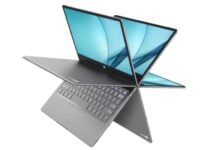
VivoBook L203MA

  • 10-hour battery
  • Good range of ports
  • MicroSD card slot more than doubles its storage
  • Very affordable
  • 180-degree hinge
  • Comes with Windows 10 S

The VivoBook L203MA is a very affordable 11-inch laptop with a premium design. The VivoBook’s Intel Celeron N4000 CPU clocks up to 2.6 GHz with a turbo boost and provides decent performance for a budget laptop.

This laptop also packs in 64 GB storage, four GB RAM, and an Intel UHD Graphics 600 GPU.

The VivoBook also has a surprisingly large number of ports for a small laptop. It incorporates a couple of USB 3.0 ports, one HDMI port, one USB-C 3.1 port along with a micro SD card slot, and headphone/mic jack.


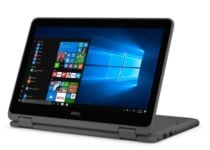
Dell i3168-3272GRY

  • It’s a laptop and a tablet
  • 500 GB hard drive storage
  • N3710 processor has a higher max clock speed than most budget laptops
  • Lacks a full-size SD card reader

The Dell i3168-3272GRY is a higher performance 11-inch laptop that just about falls within $500. This laptop’s Intel Pentium N3710 processor boasts a maximum clock speed of 2.56 GHz.

It also incorporates 500 GB storage, which is much more substantial than the 64 GB storage many budget laptops have.

Another good thing about the Dell i3168-3272GRY is that it’s a 2-in-1 laptop with a 360-degree hinged touchscreen display. So, you can utilize this PC with a tablet, laptop, stand, or tent modes.


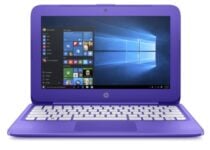
HP Stream

  • Decent performance for a budget laptop
  • Long-lasting battery
  • Comes with a one-year Office 365 subscription
  • Ultra cheap and very good value
  • Very limited 32 GB storage space

The HP Stream 11 is an ultra-cheap laptop that compares very favorably with most other budget laptops in performance benchmarking.

It shares the same N4000 processor as the VivoBook L203MA. This laptop also incorporates an Intel HD Graphics 400 GPU, four GB RAM, and 32 GB storage.

The best thing about the HP Stream 11 is its stellar battery. HP claims the battery can last up to 12 hours without a recharge. However, reviews say this laptop’s battery lasts more like nine hours, but that’s still a decent battery time.


Dell Inspiron 11 3000

  • First pro
  • Second Pro
  • First con
  • Second con

The Dell Inspiron 11 3000 has very decent specifications for a laptop under $500. This laptop has a seventh-generation AMD Dual-Core A9 9420e processor and AMD Radeon RG GPU.

It is one of the few 11-inch laptops that pack in eight GB RAM, and its 256 SSD storage eclipses most alternatives.

This is also a 2-in-1 laptop that comes with Windows 10. As a 2-in-1, it’s more flexible than other most other budget laptops with its various tablet stand modes.


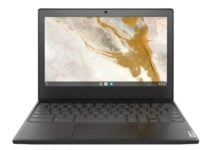
Lenovo Flex 3

  • Good range of connectivity ports for a small laptop’s
  • Excellent amount of HDD storage
  • Its Harmony software optimizes Flex 3 for its various modes
  • Includes a one-year subscription for Office 365
  • Slow performance

The Lenovo Flex 3 is a reliable 11-inch laptop with a stylish design. It comes with an Intel Celeron N3050 processor, Intel HD Graphics GPU, and four GB RAM. Its 500 GB hard drive is far bigger than what most other 11-inch laptops offer for storage.

This is another 2-in-1 touchscreen laptop you can utilize as a tablet. So, this laptop offers very similar stand modes to the Dell i3168-3272GRY and Inspiron 11 3000.

The Flex 3 also optimizes settings and recommends apps for the mode you’re utilizing it in.


These 11-inch laptops aren’t great PCs in terms of specifications. However, they’re among the most economical, portable, and flexible laptops.

They’re well worth noting if you only need a laptop for a word processor, spreadsheet, presentation, and web-browsing software.

[wl_navigator]

5 best UPS battery backups to buy on Cyber Monday

If you have ever experienced power outages when you have a deadline-stricken project, then you know how important it is to keep battery-powered tools in the house.

Electric surges, brownouts, and power outages can wreak havoc on your electronics and while a surge protector can keep your gear safe from surges, UPS battery backups will come in handy.

A UPS which stands for Uninterruptible Power Supply is an electronic apparatus that provides backup power in the event of power outages, condition the power as it comes in, and keep your gear safe from surges.

These are the apparatus that will give you enough power to complete your projects uninterrupted, while at the same time protecting your gear from a power surge.

Without UPS protection, there is a risk that your computer or any other electronic device that plugs into the wall could be rendered useless by a single power surge.

To mitigate suck risks, buying a UPS battery backup is something that you should seriously consider. Different types of UPS battery backups exist in the market.

To make it easier for you to choose the right one, we’ve synthesized the multitude of options to bring you only the best 5 UPS battery backups.

What are the best UPS battery backups deals?

APC Back-UPS 600VA

  • Arrives assembled, charged, and ready for use
  • Compatible replacement battery
  • Will work with model BE600M1
  • 1 year replacement warranty included
  • Nothing noticeable

APC has made quite a reputation in the UPS market and their APC Back-UPS 600VA is the top-of-the-line UPS and the product of choice by many.

This is a high-quality rechargeable sealed lead acid battery that is manufactured to provide excellent performance and long service life.

You get 1 year replacement warranty, and the lifetime expectancy is between 3-5 years.


APC UPS 1500VA

  • 5 UPS battery backup with surge protection outlets
  • 5 surge protector only outlets
  • 3-5 year battery life
  • 1 GB network dataline protection
  • Large size

The APC 1500VA UPS backup power supply offer great power protection for your home and small business devices.

Unlike other UPS systems that come with 6-8 outlets, the this backup power supply packs 10 surge protected outlets, 5 of which are for battery backups. It features the Automatic Voltage Regulation (AVR) technology that instantly corrects low/high voltage fluctuations.

In addition to using less electricity in normal operations, the APC 1500VA UPS backup power supply is designed to automatically shut down idle equipment to further conserve energy. 


CyberPower CP1350AVRLCD

  • 1350VA/815W Intelligent LCD battery backup
  • 10 NEMA 5-15R outlets
  • Multifunction LCD panel
  • Automatic Voltage Regulation
  • Strong electronics/plastic smell

The CyberPower 1350 is hailed as one of the best UPS battery backups due to its longevity and the price to performance ratio.

This 810W / 1350 VA UPS has a mini LCD display that gives visual cues with respect to load capacity, battery charge, device’s health, as well as record any issues or faults with the system.

Its design is not bulky but slim enough to fit under a desk and is well designed for computer workstations and for home theater setups.

The CyberPower 1350 UPS utilizes the simulated sine wave output to provide extended battery backup and surge protection for all the connected devices.


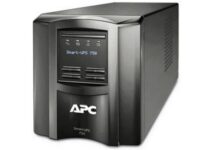
APC Smart-UPS 750 VA

  • Intuitive LCD interface
  • Predictive replace battery date
  • Green mode
  • Energy meter
  • Pure sine wave output on battery
  • Nothing noticeable

If you are looking for a high-performance UPS that can back up even your point of sale (POS) devices, then the APC Smart-UPS 750 VA will do you good.

This 750 VA unit has 6 outlets which are all battery-backed and surge-protected, giving all your connected devices the best protection from sudden electrical fluctuations.

The batteries are fully replaceable so you can perform upgrades or replacement that reduces the repair time. It also has an intuitive LCD interface that can display information in multiple languages.


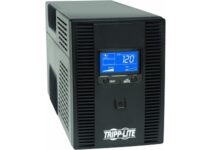
Tripp Lite SMART1500LCDT

  • 10 Outlets protect desktops & all peripherals
  • AVR corrects brownouts & overvoltages
  • Free management software/user replaceable batteries
  • 3-year warranty
  • Fan makes a little noise

The Tripp Lite Smart 900Watts UPS is a high-performance battery backup UPS that has a nominal input voltage of 120V.

This line-interactive UPS has 10 outlets, USB port, LCD screen, and AVR $ surge protection that protects your gear from damage, downtime, and data loss.

The AVR corrects power sags and overvoltages while the battery backup supports the connected devices during outages.

The guaranteed protection is solidified by a $250,000 insurance on equipment and a 3 years warranty.


The UPS market is very diverse and the first thing you should do before buying a power backup is to determine your power requirements.

There are low-end UPS capable of supplying power to your desktop for about 10 minutes after the blackout all the way to high-performance UPS deployed in data centers, capable of keeping a bank running through a storm.

As such, expect the price to vary from a few hundred dollars to more than you can afford.

But if the essence of the UPS is for office or home entertainment purposes, then the above-discussed UPS power backups should get the job done easily and efficiently.

5 best Surface Go keyboards to buy [2020 Guide]

Surface Go devices can be utilized as both tablets and laptops when users have keyboards for them.

However, users who get Surface Go devices without keyboards can only utilize them as tablets with Windows 10’s Tablet mode, which isn’t great.

These are a few of the more highly rated Surface Go keyboards, or type covers, users can turn their SG tablets into laptops with.

Note: Deals are subject to change. Keep in mind that the price tag often varies. We recommend going on the vendor’s website to check the price. Some products may be out of stock by the time you’ve made your purchasing decision. So, hurry up and hit the buy button.

What are the best Surface Go keyboard deals on the market?

Arteck Microsoft Surface Go

  • Bluetooth Keyboard
  • Functional Media Keys and touchpad
  • Comes with a longer two-year warranty
  • Users confirm it also works with Samsung Tab S6
  • Doesn’t have a backlight effect

The Arteck Microsoft Surface Go type cover is a more economical alternative to other SG keyboards. It’s a mechanical keyboard with a rechargeable battery that can last up to about 50 hours without recharge.

This is a slightly more flexible keyboard as users can also utilize it with other tablets, such as the Samsung Tab S6. It’s not especially fancy, but this is a solid and reliable keyboard for Surface Go devices.


Microsoft Surface Go Type Cover

  • Full key set, backlit keys, and large trackpad
  • Slim and compact
  • Alternative color variations
  • Expansive trackpad
  • Pricey compared with alternative Surface Go keyboards

This is Microsoft’s official Surface Go keyboard. It incorporates a mechanical keyset with optimum spacing that ensures fast and fluid typing. The keyboard’s keys include LED backlights that illuminate it in darkness.

In addition, this keyboard is available with alternative burgundy, cobalt, platinum, and black color variations.


Fintie Microsoft Surface Go Type Cover

  • 7-Color elegant LED backlight
  • Built-in 750mAh rechargeable lithium battery
  • Built-in two-button trackpad
  • Slim and Lightweight
  • The backlight is not very bright

The Fintie Microsoft Surface Go type cover is a keyboard that users can connect with Bluetooth. The most notable thing about this keyboard is perhaps its several backlight colors that users can select.

This keyboard incorporates a 750mAh rechargeable battery to support its backlighting for about five hours. There are also five alternative Fintie cases available for this keyboard that users can get separately.


Inateck Surface Go Keyboard

  • Lightweight design
  • Independent shortcut keys
  • Customizable backlight colors
  • Has the latest Bluetooth connectivity
  • Users need to recharge the keyboard’s battery

The Inateck Surface Go Keyboard that is in some respects similar to the Fintie SG type cover. It includes backlit keys that users can customize with several color options and a 750mAh battery.

At the top of the keyboard there’s a row of independent shortcut keys for volume control, screenshots, lock screen, etc. This is also a Bluetooth 5.1 keyboard, which is the latest connectivity specification.


MoKo Microsoft Surface Go Type Cover

  • 7 colors LED backlights
  • Built-in with a responsive trackpad
  • Lightweight design
  • Spaced out keys
  • Bluetooth connectivity can be inconsistent

The MoKo Microsoft Surface Go type cover is a lightweight and durable keyboard for 10-inch SG tablets. This keyboard features slightly more spaced out keys for smoother typing than other SG type covers.

It includes several backlit colors that users can adjust. The keyboard’s magnetic stripe enables users to link it with tablet with two different viewing angles.

MoKo has also released alternative cases for this SG keyboard.


Overall, there isn’t a huge disparity between the various Surface Go keyboards. You may also want to explore the options highlighted in this guide to the best Surface Pro keyboards for a broader comparison.

All the aforementioned type covers will enable users to utilize their Surface Go devices as laptops instead of tablets, which is perhaps the most important thing.

If you really want to have a Surface Go keyboard that isn’t black with a backlighting effect, go for an official burgundy or platinum Microsoft SG type cover.

[wl_navigator]

Best gaming laptops under $400 with great specs

Since the gaming laptops require a dedicated GPU to perform well, these laptops are usually on the expensive side of the spectrum.

However, not all of us is a hardcore gamer and want a laptop for school work and some casual gaming without breaking the bank.

Gaming laptops under $400 are an excellent choice for school going students and working professionals. These laptops offer an outstanding balance of power, performance and value.

In this article, we have listed the best gaming laptops under $400 to help you get the best value for your money.

What are the best gaming laptops under $400?

Acer Aspire 5

  • Excellent battery life
  • Good performance for the price
  • Superfast SSD
  • 15.6″ Full HD backlit display
  • Windows 10 S

Acer’s Spire 5 is an AMD Ryzen powered laptop with good performance and battery life for the price. It is powered by Ryzen 3 3200U processor complemented by Vega 3 integrated graphics. This hardware combination offers decent performance for office work and casual gaming.

The thin and lightweight structure houses a 15.6″ Full HD display – further complimented by a super-fast 128 GB SSD for blazing-fast performance. The laptop only has 4GB of RAM that can be expanded using the expansion slot.

The built-in backlit keyboard gets the job done. For connectivity, it comes equipped with USB 3.1 Gen 1, USB 2.0, and HDMI port out of the box. The Ryzen CPU and GPU combo make it an excellent choice under $400.


ASUS VivoBook F512DA

  • Good build quality and premium look
  • Affordable
  • Good performance with all Ryzen CPU and GPU hardware
  • Good battery life
  • The display could have been better

Being one of the biggest gaming laptop manufacturers, Asus has top of the line gaming laptops from its TUF series, but it also has a budget under $400 gaming laptops such as VivoBook F512DA.

The ASUS VivoBook F512DA is a Ryzen 3200 U powered laptop with Vega 3 integrated graphics offering optimal performance for both professional work and gaming.

ASUS VivoBook F512DA features a 15.6″ Full HD display, 4GB of RAM, 128 of SSD, and Windows 10 Home out of the box. For connectivity, you have a card reader, HDMI, USB 3.1, and 2.0 support.


Lenovo IdeaPad 3

  • Good build quality
  • Solid performance for the price
  • NVMe 256 GB SSD drive
  • Good battery life
  • The keyboard is not backlit

Lenovo IdeaPad 3 is the third budget gaming laptop in this list that comes with the same Ryzen CPU and GPU combination as earlier laptops. A simple office laptop with enough power to take on your casual gaming sessions with ease.

Powered by a Ryzen 3200U CPU and Vega 3 graphics, Lenovo IdeaPad 3 is a well-built laptop for the price. It also houses an 8GB RAM stick with an empty expansion slot, a 256 GB of SSD drive and comes with Windows 10 installed out of the box.

Additionally, it features a standard set of connectivity features including Bluetooth, WiFi, USB 3.1 and 2.0 ports and an HDMI port. Included web camera shutter is a nice touch for privacy concerned people.


ASUS F512JA-AS34 VivoBook 15 

  • First pro
  • Second Pro
  • First con
  • Second con

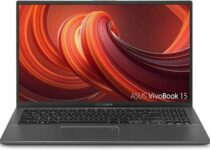
If you would rather put your money on an Intel laptop, consider the Asus VivoBook 15. This is the lower-end variant of Asus’s VivoBook 15 lineup, but features similar design language, build quality, and decent performance.

Featuring a 10th Gen Intel i3 processor, 8GB of RAM and 128 GB of SSD, Asus VivoBook 15 offer good performance for an entry-level intel laptop. The gaming aspect of the device is fully dependent on its UHD graphics, that can run last-gen games at lower settings.

It also has a fingerprint sensor, backlit keyboard and comes with Windows 10 Home installed out of the box. For connectivity, there is a USB Type_C and USB Type-A Gen 3.2 ports along with HDMI, WiFi and Bluetooth functionality.

The relatively large 15.6″ Full HD display offers a good viewing experience for personal use.


Finding a gaming laptop under $400 can be a difficult task, due to hardware limitations.

Hopefully this guide will help you find the best laptop for your money.

[wl_navigator]

5 best backup batteries for PC you can rely on

Power interruptions are extremely dangerous for your computer. They can cause various hardware problems that, in the worst-case scenario, could force you to replace the damaged equipment.

The best manner to protect your computer against power fluctuations and blackouts is to use a backup battery.

Depending on the size of the backup battery, they can power your computer for a few minutes to a few hours. Backup batteries also help you stay relaxed when there’s a storm outside that could interrupt power and delete your unsaved work.

H2: What are the best backup batteries for computer?

AmazonBasics Standby UPS

  • Comes with 6 outlets in total
  • Compact size
  • 1-year warranty
  • It turns off once the battery power runs off and needs to be open manually

AmazonBasics Standby UPS 400VA provides guaranteed power for desktop computers during blackouts, and can also protect your equipment against power fluctuations, such as spikes caused by storms, lightning, circuit overloads, power cycling, etc.

The device comes with a 1-year warranty, including the battery, and a $75,000 equipment protection policy.

The battery offers 6 total outlets – 3 battery backup, 3 surge-protected outlets. This means that you can plug other valuable electronic devices, such as wireless networking devices, gaming consoles, security systems, and more.

Tripp Lite 600VA PC Battery Backup

  • It comes equipped with 8 outlets
  • Provides reliable battery backup
  • Offers free PowerAlert software
  • The backup supply could be better

This PC backup battery prevents computer damage, data loss, and performance issues due to power problems. It comes equipped with 8 outlets (4 UPS-supported, 4 surges only) and single-line tel/DSL surge protection.

The device provides reliable battery backup that can keep a basic desktop PC operational for up to 17 minutes during blackouts.

Tripp Lite 600VA also offers free PowerAlert software that notifies you about unattended computer shutdown and file saves. The device comes with a 3-year warranty and $100,000 connected equipment insurance.

BE850M2 backup battery

  • Can power your computer for almost an hour
  • Conveniently located USB ports
  • Small, does not occupy much space
  • The battery backup could be of better quality

If you need a powerful backup battery, then the BE850M2 is the right choice for you. Thanks to its 850VA capacity, it can power your computer for almost an hour and your wireless networking equipment for 2 to 6 hours after safely shutting down your PC.

Also, the conveniently located USB ports allow you to charge your mobile devices during power outages. Thanks to its 5.47 x 12.87 x 4.13-inch dimensions, this device doesn’t take too much space on your desk.

Additionally, BE850M2 protects your devices against power surge and lightning. When the power goes out, the APC BE850M2 will continue to power critical devices allowing you to maintain your internet connection and safely shut down equipment.

CyberPower EC850LCD Ecologic

  • Comes with a total of 12 outlets
  • Help reduce power usage and energy costs
  • A 3-year limited warranty
  • Customer service could be improved

With the CyberPower EC850LCD battery backup, your computer is safe from blackouts, brownouts, surges, spikes, sags, and other power abnormalities. With a total of 12 outlets, 6 battery backup, and surge-protected outlets, 6 surge-protected outlets out of which 3 are ECO controlled, EC850LCD allows you to connect and protect all your important devices.

When the battery backup detects that the computer is off or in sleep mode, the peripherals connected to the ECO Mode and surge-protected outlets will be automatically turned off. In this manner, power usage and energy costs are reduced.

EC850LCD is perfect for home and small office computers. A 3-year limited warranty and $100,000 connected equipment guarantee are offered upon purchasing this battery backup.

CyberPower CP750LCD

  • Interactive LCD display
  • Offers 8 output connections
  • 3-year warranty and $150,000 connected equipment guarantee
  • Requires 12V-7Ah battery which is a bit difficult to find

If you’re looking for a PC battery backup that offers detailed information about the remaining battery, you can safely purchase CyberPower CP750LCD. Its interactive LCD display provides runtime in minutes, battery status, load level, and other status information.

The device offers 8 output connections: 4 battery backup and surge-protected outlets, and 4 surge-protected outlets. Its compact design allows for horizontal or vertical placement.

This battery backup comes with a 3-year warranty and a $150,000 connected equipment guarantee. The PowerPanel Personal Edition software is available for free download and features a user-friendly dashboard interface for controlling and monitoring your backup battery system.

This software includes advanced functionality, such as runtime management, self-testing, event logging, and more.


[wl_navigator]

Microsoft shares some data about its biggest Xbox launch ever

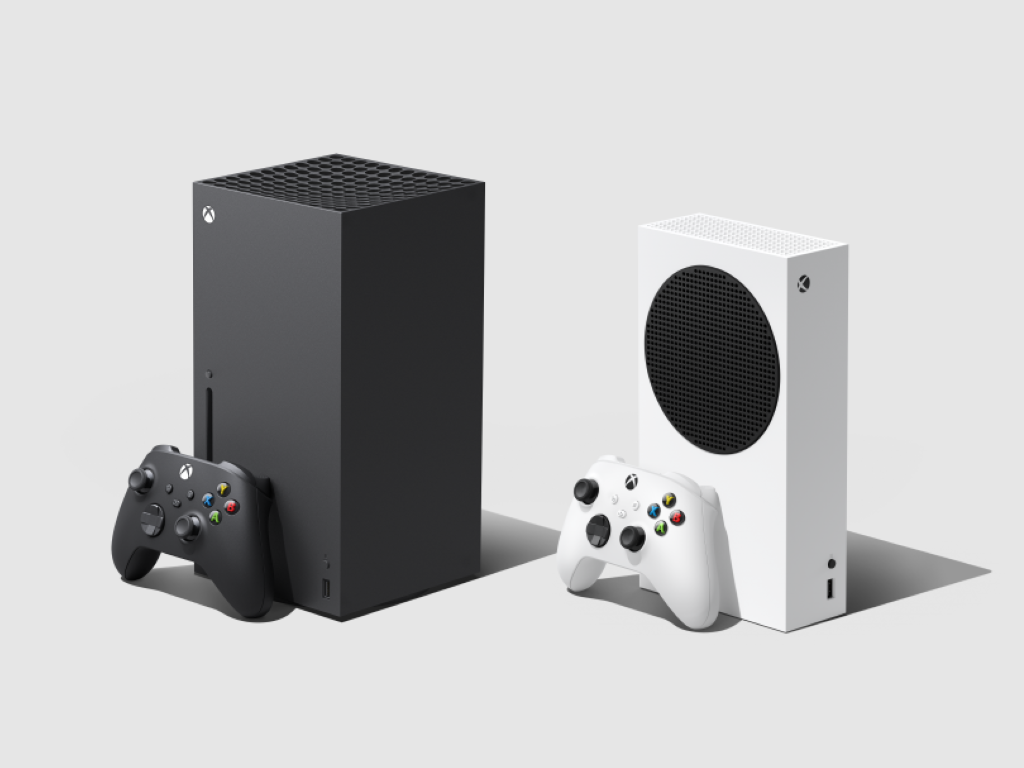
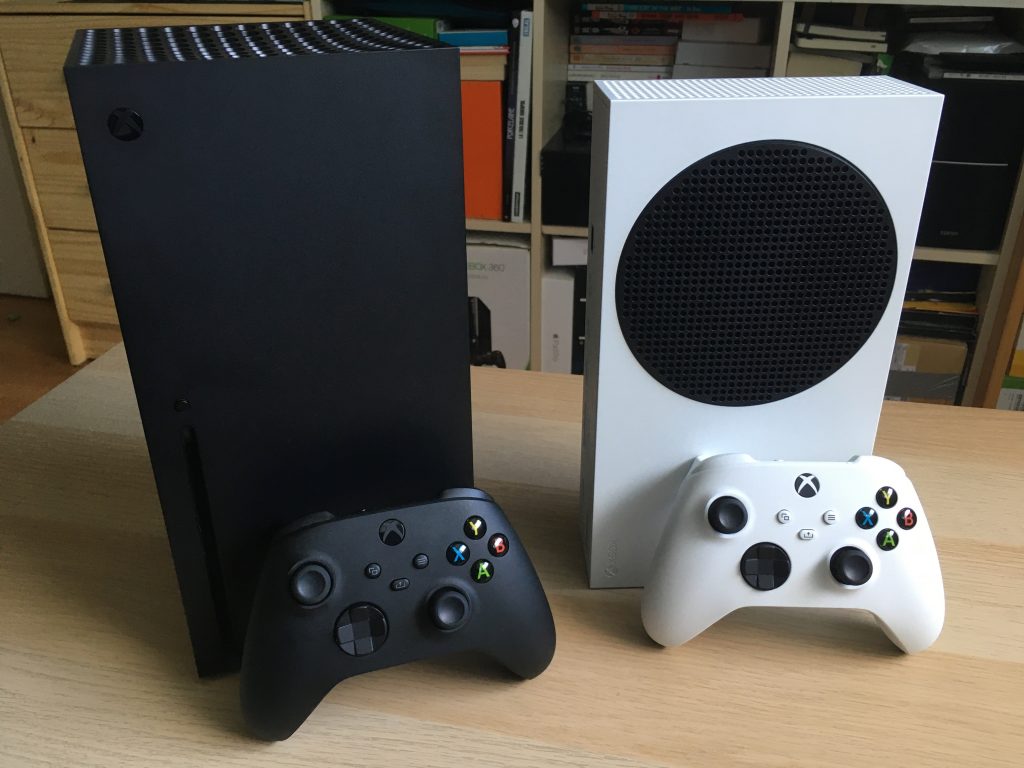
Microsoft just had the biggest launch in Xbox history with its new Series X and Series S consoles released in 40 markets on November 10. If Xbox head Phil Spencer reiterated this week that the company won’t discuss console sales numbers, preferring to focus on Xbox Live engagement, the Xbox team does have some new data to share about this exciting console launch.

Liz Hamren, CVP, Gaming Experiences & Platforms said on Xbox Wire today that Microsoft saw this week “more new consoles sold than any prior generation, with Xbox Series S adding the highest percentage of new players for any Xbox console at launch.” At just $299, the Xbox Series S is the most affordable next-gen console on the market right now, being $100 cheaper than Sony’s PlayStation 5 Digital Edition.

Hamren also revealed that the majority of early adopters who purchased the company’s next-gen Xbox consoles this week are Xbox Game Pass subscribers. “Next gen means more ways to discover and play, 70 percent of Series X|S consoles are attached to new and existing Xbox Game Pass members,” the exec wrote.

Additionally, we have another engagement number with the number of Xbox games played since the launch of the Xbox Series X|S. “More games played, 3,594 in total, spanning four generations, setting a record for the most games ever played during an Xbox console launch,” said Hamren.

Last but not least, the exec announced that the company is “working tirelessly with our partners around the world to bring as many new consoles to as many of you as possible over time.” If you didn’t get the chance to get your hands on the new Xbox consoles this week, you’re invited to keep an eye on your local retailers to see when new stock becomes available.

If Microsoft won’t talk about Xbox sales anymore, you can expect Sony to continue to do so. Back in October, Sony Interactive Entertainment CEO Jim Ryan said in an interview with the Financial Times (paywalled) that the company expected to sell over 7.6million PlayStation 5 units by March 31, 2021.

Lenovo Smart Clock Essential review: Simplistic flexibility

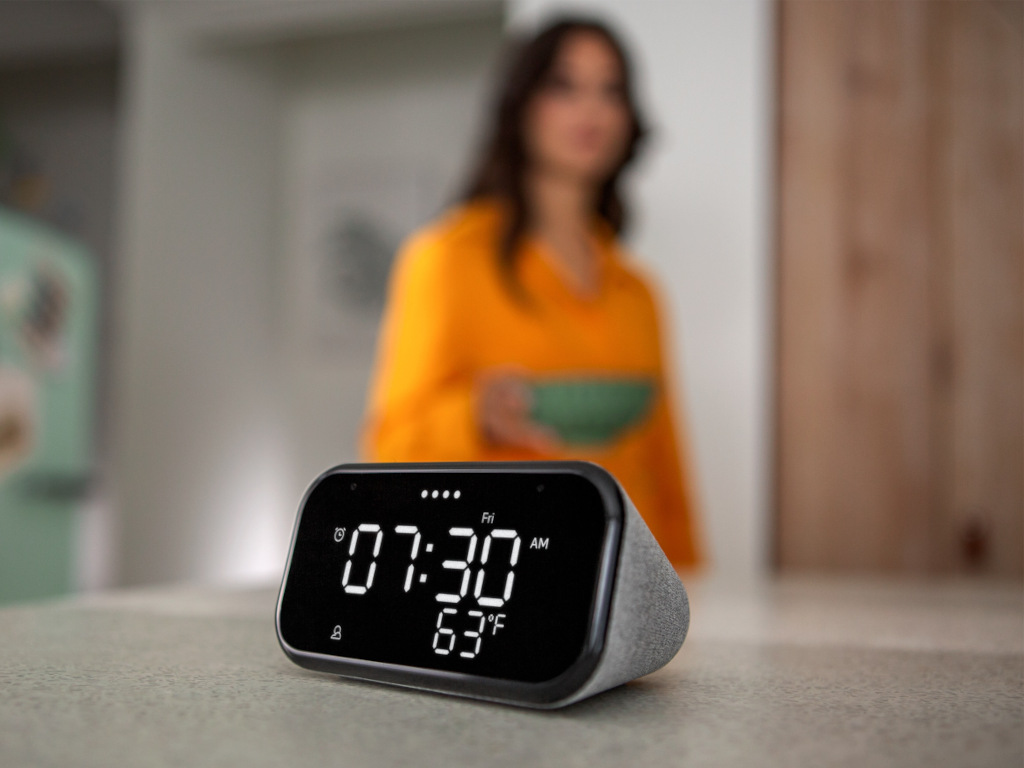
Lenovo’s Smart Clock Essential is a fresh breath of smart home air. The simple $49.95 smart clock from Lenovo excels at something perhaps long forgotten as devices mount more and more features to their value proposition, which is the ease of use.

While devices such as Amazon’s Echo Show 5, Google’s Nest Hub, or Facebook’s Portal Mini offer full touchscreen displays with photo gallery support, video conferencing, video playback, and some browser connectivity, it seems that much of The Lenovo Smart Clock Essential’s ambient functionality gets lost in menus and tiny (albeit high resolution) text.

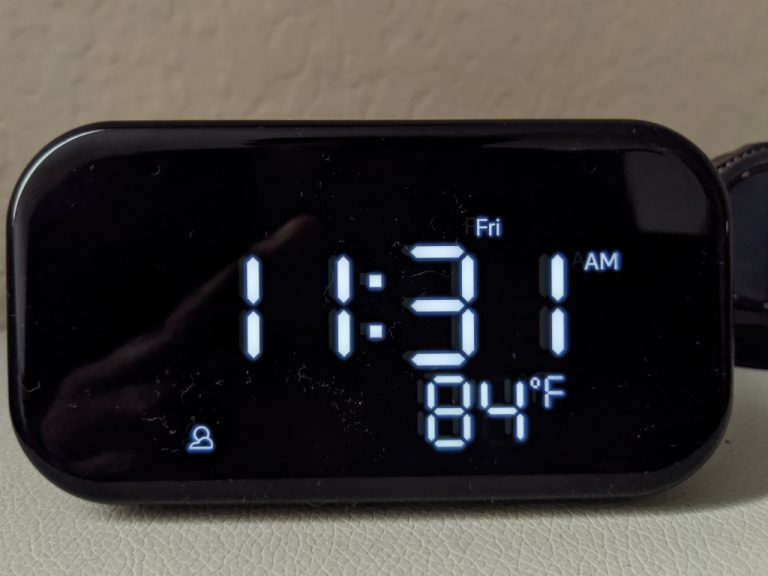
In other words, it can be hard to simply look over at any of those devices and a get clear unadulterated view of information. The Echo Show 5, perhaps comes the closest to matching Lenovo’s Smart Clock Essentials sizable LED white text on black background aesthetic, but the sheer simplicity of the display on the Clock Essential is an ideal blend of functional ambient computing, in my opinion.

Lenovo Clock Essential Front Cropped

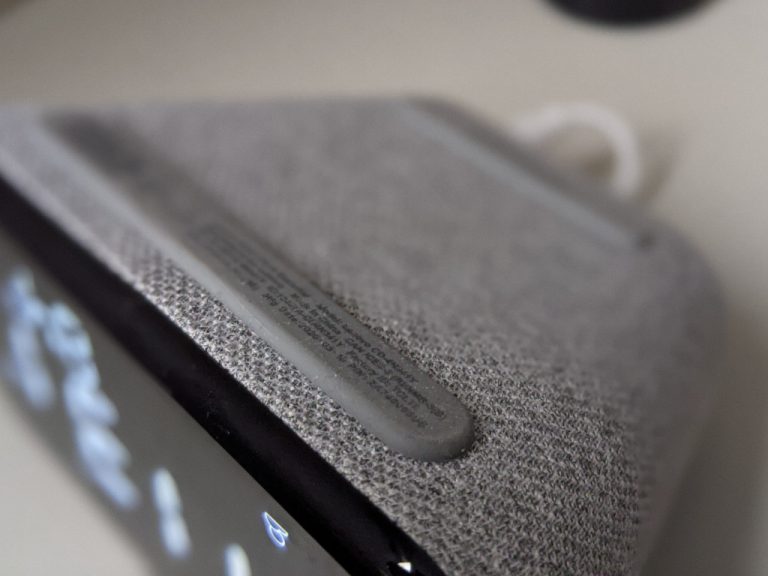
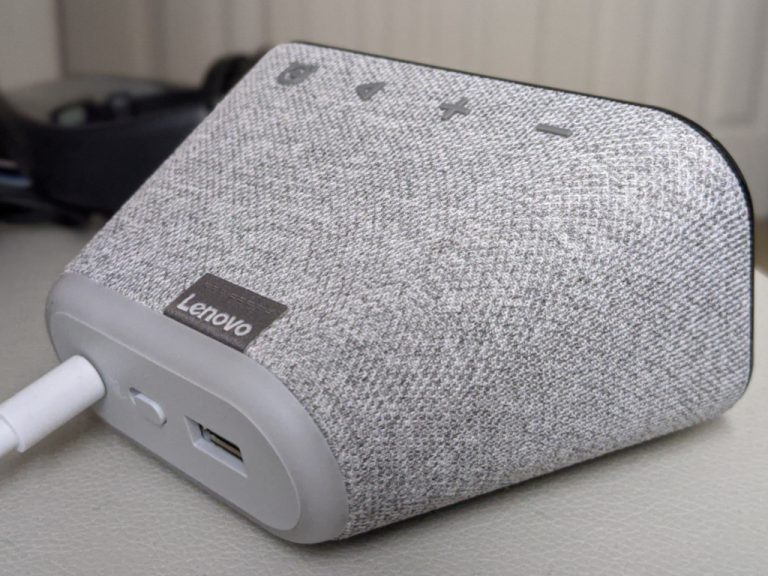
For $49.95, buyers get a discretely wedge-shaped designed smart home clock draped in a gray fabric material that offers roundly defined tactile volume up and down buttons as well as play and pause commands. Around the back of the device is just a simplistic as the front and top with a single power outlet connector, a single USB-A port to plug in the occasional nightstand device to charge, a tiny nightlight, and a manual mute switch. The showcase of the Clock Essential resides in the crisp LED display that offers sizeable text for the time, programmed weather conditions, and current alarms or timers.

The Clock Essential is a well-built clock with a premium heft to its compact design that addresses concerns about it shifting on a nightstand, coffee table, or countertop.

Lenovo Clock Essentials Bottom Cropped

In use, the Clock Essential excelled at being a bedside alarm clock equipped with the power of Google Assistant. Each day I was woken up at 5:30 with a Google Assistant schedule that included the time, weather, daily schedule, and continuation from my favorite podcast. While the speakers are admittedly weaker than most other smart speakers and lacking any sort of reasonable bass, they were adequate enough for the confines of my bedroom, in particular, my side of the bed.

The Clock Essential sports an always-on screen which I initially feared would be a concern trying to sleep in the dark, but Lenovo built-in an ambient light sensor that adjusts the brightness of the display to match the light in the room. While the clock’s time and weather were always visible, the contrast of the white text atop the black background can be muted. I also position the clock to face parallel to my bed so the light is never facing me as I sleep.

Lenovo Clock Essential Top Cropped

Without all the bells and whistles of other smart home clocks or speakers, the very focused functionality of the Clock Essential renders this review limited, and quite pleasant. There was no need to fiddle with on-device setups, no-fail points for content, and no software glitches to experience. Perhaps, my favorite thing about the Clock Essential was its ability to reboot back to its saved state. Without a backup power source, the clock is beholden to an always connect electrical current. Here in Florida, when tropical storms hit, home power supplies can be finicky at best. During my reviews, my Clock Essential lost power two or three times, but when power was restored, the time, weather and schedule Google Assistant tasks were all right back in place.

As I mentioned at the top of this review, the Lenovo Smart Clock Essential is a refreshing take on the ambient smart home experience. With voice, touch, and tactile controls as well as large, clear, and simplistic fonts, the Lenovo Clock Essential makes for a great transitional smart home device. For anyone looking to finally get their parents, tech cautious friends, or family into the world of ambient smart home experiences, there is no better device.

No swatting at the device in hidden areas to tune the volume, no yelling commands to mute alarms the Google Assistant doesn’t recognize, and no worrying about touch happy children messing with the display when it comes to the Lenovo Smart Clock Essential.

At the end of the day, the Smart Clock Essential can serve as a simple clock or users can harness the vast potential of Google Assistant, at their own comfort level and gradual experiences, for as simplistic as it appears, this clock offers a lot of flexibility.

5 Best DVD players with Bluetooth in 2026

DVD players are still holding strong, and they are becoming more and more versatile. This means that now DVD players not only include HDMI outputs, but some even come with USB and Bluetooth support.

This allows them more flexibility in terms of playback, and it also makes them much more desirable.

We’ve compiled a list of some of the best DVD players that offer support for HDMI, USB, and Bluetooth, so finding one that suits your taste will be a lot easier.

Note icon NOTE
Deals are subject to change. Keep in mind that the price tag often varies. We recommend going to the vendor’s website to check the price because some of the products may be out of stock by the time you’ve made your purchasing decision. So, hurry up and hit the buy button.

What are the best DVD players with HDMI, USB, and Bluetooth?

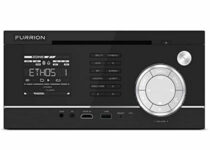
Furrion 3-Zone Entertainment System

  • USB, Bluetooth 4.0, NFC, HDMI connectivity
  • Built-in DVD Player
  • VibrationSmart, ClimateSmart & SignalSmart design
  • LCD display with illumination
  • Does not support Wifi speakers

Furrion delivers a complete entertainment system equipped with a built-in DVD player, USB media input, video support (AUX-In), headphone jack, and HDMI display.

The device is as versatile as it durable boasting a reliable structure that can withstand constant vibrations and extreme climates.

To top it all, the device is also stylish and esthetically appealing.

DDAUTO Android Headrest DVD Player

  • IPS Touch Screen
  • Supports WiFi, Bluetooth, HDMI Output
  • Built-in 4500mAh Battery
  • Adjustable headrest mounting brackets
  • Does not support Blu-Ray discs

Fully portable, this is the perfect addition to your car or home. The DVD player boats a wide IPS LCD touch screen and fully adjustable mounting brackets to easily fit the headrests in your car.

Connectivity is also privileged and you can choose to go wireless or use Bluetooth. If you’re on the road also, you will also appreciate the 4500mAh built-in rechargeable battery that lasts as long as you need it to.

Additional features include Sync Screen, Phone Mirroring, and HDMI Out for you to take full advantage of this versatile device.

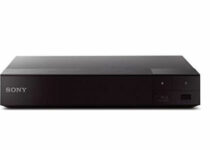
Sony BDPS6700

  • Inputs/Outputs: 1 HDMI, 1 USB, 1 Coaxial, 1 Ethernet
  • Features built-in Wi-Fi 2.4 GHz, 5 GHz with Mimo
  • Can wirelessly access popular streaming apps and services
  • 4K Upscaling
  • Issues with the remote control

One of the few full-fledged DVD players on our list, the Sony BDPS6700 is here to offer you some of the best multimedia experience there is.

It features 4K upscaling so your movies will look crystal-clear, and you can connect to headphones via Bluetooth to listen to music all around the house.

NAVISKAUTO Car DVD Player

  • Sync up to 1080P video and audio from your computer, mobile phone, and more
  • Built-in USB/SD/MMC card slot
  • Share the same movie by AV cable or play different videos simultaneously
  • Last memory/resume function can start from where you left
  • Quality control issues

The NAVISKAUTO Car DVD Player looks more like a tablet than an actual DVD player, and it also comes with some built-in games.

The sleek design makes it great to look at, and the portability makes it great for carrying wherever you go. Additionally, you can easily mount it in the car for everyone to watch movies on the road.

YACEG Portable DVD Player

  • Can support all known disks
  • Equipped with a USB port and stereo speakers
  • Acts like a portable DVD/CD player
  • Can be used as an FM radio, Bluetooth HiFi speaker, Mini home Boombox
  • Remote needs to be right in front of the DVD player to actually work

The YACEG Portable DVD Player is an all-purpose portable DVD player that you can mount pretty much everywhere in the house so you can watch movies.

It can be used as an FM radio, Bluetooth HiFi speaker, Mini home Boombox, and it can be connected to an external speaker for even more powerful sounds.


The DVD players that we were used to only had HDMI ports. However, times have changed, and since now pretty much all devices come with USB ports, DVD players have gotten them as well.

More so, we live in the age of wireless connections, so Bluetooth support is yet another feature that DVD players are learning to incorporate.

Microsoft reports hacking attempts targeting COVID-19 vaccine makers, some successful

Microsoft today revealed that North Korea and Russian state-sponsored hackers had been involved in cyberattacks targeting leading pharmaceutical companies. These seven companies are currently researching COVID-19 drugs and vaccines.

“In recent months, we’ve detected cyberattacks from three nation-state actors targeting seven prominent companies directly involved in researching vaccines and treatments for Covid-19. The targets include leading pharmaceutical companies and vaccine researchers in Canada, France, India, South Korea and the United States. The attacks came from Strontium, an actor originating from Russia, and two actors originating from North Korea that we call Zinc and Cerium,” said Tom Burt, Corporate Vice President, Customer Security & Trust.

These cyberattacks attacks, which were largely successful, were conducted by three hacker groups, including Fancy Bear/APT28, Lazarus, and Cerium. The Russian state-sponsored hacker group Strontium used password spraying techniques to steal researchers’ login credentials associated with the pharmaceutical companies. On the other hand, the Lazarus Group and Cerium used targeted spear-phishing emails to attack their victims; there is no word on the number of successful attacks, though.

Today’s blog post coincides with Microsoft President Brad Smith’s appearance at the Paris Peace Forum, where he plans to call on nations to protect health care companies from cyberattacks. “We believe the law should be enforced not just when attacks originate from government agencies but also when they originate from criminal groups that governments enable to operate – or even facilitate – within their borders. This is criminal activity that cannot be tolerated,” the company explained today.

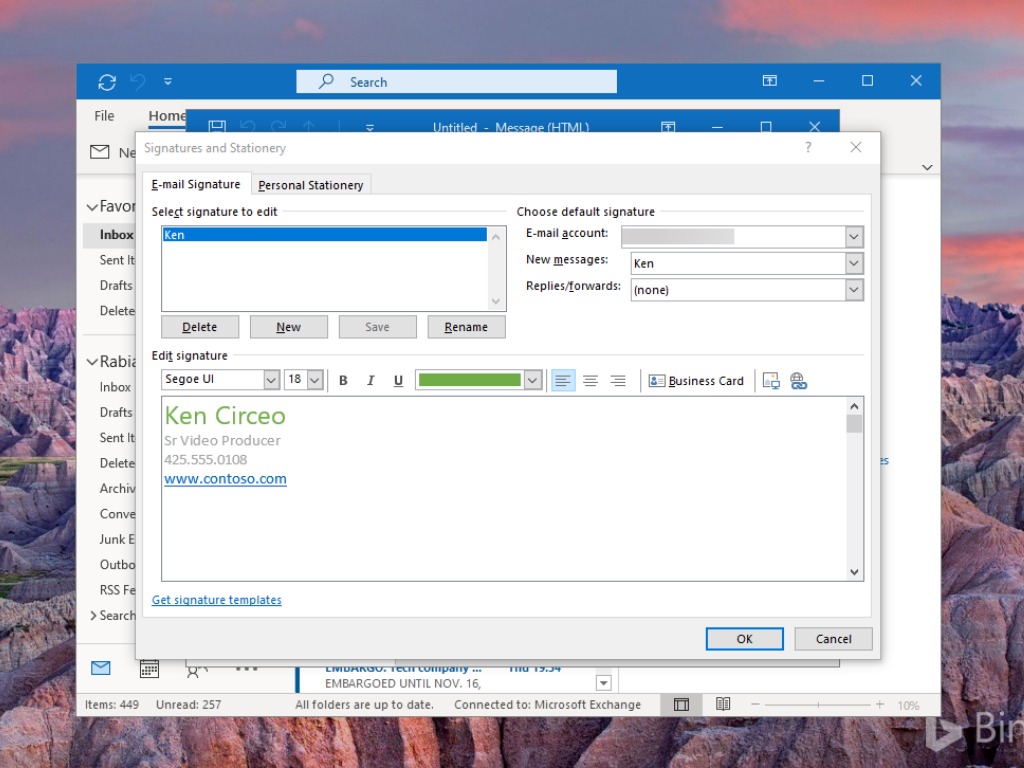
Outlook for Windows to get roaming signatures in December, but some users get it early

In May, we learned that Microsoft is working to bring cloud support to Outlook for Windows email signatures. The feature has been delayed several times and it’s now scheduled for December 2020, according to the Microsoft Outlook Roadmap.

However, it appears that users will soon have an option to configure an email signature and have it saved in the cloud. This one comes from ZDNet’s Simon Bisson, and according to his tweet, the feature is already rolling out. In addition, Richard Hay also spotted roaming signature settings on his Windows device.

Until now, email signatures are stored locally on Windows devices, and users have to configure the signature settings manually every time they install their email client. With this feature, email signatures will be saved inside the user’s Microsoft 365 account.

Roaming signatures can be easier to manage because it will allow users to set up their account once, and new installations of Outlook will have their signatures. The new experience should enable them to have a consistent signature across devices. Since the feature is turned on by default, be aware that third-party add-ins that provide this functionality will no longer work on your PCs.

At launch, Outlook for Windows is the first one to get the cloud signature support, and Outlook for iOS and Android will get this capability at later dates. You can read more about the feature in this support article. Have you spotted this feature on your PCs? Sound off in the comments section below.

5 best tablets for visually impaired [Low Vision]

Technology hasn’t yet evolved to the point where fully-interactive tablets would have tactile feedback in the form of Braille.

So we can’t talk about a fully-compatible choice for the visually impaired, but there are a few low vision tablets that you might want to consider in this situation.

These tablets were developed with visually impaired customers in mind as devices that can cater to this category of customers’ needs in an effective manner.

Note: Deals are subject to change. Keep in mind that the price tag often varies. We recommend going on the vendor’s website to check the price. Some of the products may be out of stock by the time you’ve made your purchasing decision. So, hurry up and hit the buy button.

What are best tablets for impaired vision on the market?

Lenovo ThinkPad X1 Tablet 3rd Gen

  • Top-notch performance
  • Large 13-inch screen
  • Windows comes with many great accessibility features
  • Bluetooth, Wi-Fi-enabled
  • The price is a bit high

Lenovo ThinkPad X1 Tablet 3rd Gen is a powerful machine that could be a perfect fit for low vision users, thanks to its 13-inch screen and Windows operating system.

It’s a known fact that Windows had great accessibility settings ever since Windows 98, so naturally, the Windows 10 edition of the operating system can’t be any less than its ancient predecessor.

Dragon Touch Max10 Tablet

  • 1200x1920 FHD Display
  • Octa-Core Processor
  • 32GB storage plus 2GB RAM
  • 5G WiFi and GPS-enabled
  • Does not have an HDMI port

Fueled by a 64-bit Octa-Core high-performance processor with 32GB of storage and Wi-fi connectivity, the Dragon Touch Max10 will definitely improve your usability, viewing and hearing experience in many ways.

The Full HD, 1920 x 1200 resolution supporting, IPS touch screen with dual speakers will make sure of that.

Its slim body manages to encase all the modern technology you could want in a tablet at it can store up to 128GB of content via a microSD card.

Samsung Galaxy Tab S5e

  • POGO pin connectors
  • Sensible, user-friendly key placement
  • Shockproof material
  • Stylish and comfortable design
  • Some users reported that the magnet may be a bit flimsy

This keyboard case is as elegant as it is effective. With pleasant esthetics combines with durable shockproof protection, the cover is just what you need to keep your device secure and intact.

But there’s more! The keyboard is productivity-focused and it delivers all the right features to help you achieve this starting with the DeXmode which allows you to open multiple resizable windows at the same time to a friendly key placement with a comfortable key layout meant to reduce typos and improve overall accuracy.

The intuitive POGO pin connectors will further speed up your workflows for maximum efficiency.

Mag&Read Low Vision Tablet

  • Can be voice-operated
  • Comes with integrated accessibility settings
  • Includes a scanner with a read-back feature
  • Displays high-contrast and large text
  • The price is a bit high

Mag&Read Low Vision Tablet’s name is pretty suggestive, as it’s nothing short of a tablet that’s been especially designed for being used by visually impaired users.

Among its features, you can find an 8MP camera with a 20x zooming ability, a powerful reader that quickly scans text and reads it back, high contrast and large text settings, menu, and selected text reading, as well as touchscreen or voice command operation.

Microsoft Surface Pro X

  • A large 13-inch screen
  • It’s incredibly fast
  • Build quality is great
  • 8GB Memory plus 128GB SSD
  • Not a 64-bit device

Everybody heard that Microsoft Surface Pro X is the new hype, but thinking of it as a good choice for visually impaired users is taking it to a whole other level.

The 13-inch screen combined with Microsoft’s ready-to-go accessibility settings (screen magnifier, text to voice engine, and high-contrast mode) and a hardware keyboard turn this device into a perfect match for low vision users.


Even though we didn’t reach that point in history where tablets for the visually impaired are actually a thing, there are many products that can be safely used as substituents for now.

Check out our list above and let us know what was your favorite by hitting the comments section.

5 best joysticks for flight simulators [Microsoft]

As you may know, Flight Simulator can be played using a variety of controllers. However, if you want to replicate the feeling of flying a plane, then you will need to use a joystick.

Joysticks have been around for some time, but have been steadily replaced by controllers, and now most of the joysticks that exist are for flying games anyway.

That is where they got the monickers of Flightsticks, and we’ve decided to make a list of what we think are the best joysticks that you can use for flight simulators.

Note: Deals are subject to change. Keep in mind that the price tag often varies. We recommend going on the vendor’s website to check the price. Some of the products may be out of stock by the time you’ve made your purchasing decision. So, hurry up and hit the buy button.

What are the best joysticks for flight simulators that I can buy?

Extreme 3D Pro

  • 12 action buttons
  • An eight-way hat switch
  • A rapid-fire trigger
  • Button customization and multiple controller configurations
  • It’s USB driven
  • Is a bit stiff

If you’re looking to turn your flying games such as Flight Simulator or War Thunder feel like the real thing, then getting the Extreme 3D Pro is a good starting step.

It is a universally acclaimed joystick and comes with plenty of buttons for you to bind commands and make flying feel like an adventure.


Thrustmaster T-Flight Hotas X

  • Wide hand-rest for optimal comfort
  • Programmable: the 12 buttons and 5 axles are entirely programmable
  • Dual-system aerodynamic control
  • Internal memory
  • High-precision joystick with adjustable resistance
  • Detachable, real-size, ergonomically-designed throttle control
  • Feels cheap at times

Ultra-simple to install, and ultra-simple to use for an ultra-fast flight session, the Thrustmaster T-Flight Hotas X not only looks the part, but it also acts the part of a flight stick.

It can store your settings so you can always log in with your preferred profile anytime anywhere, and the detachable throttle control will make you feel like you are actually controlling a plane high in the sky.


Thrustmaster T16000M FCS HOTAS

  • 16 action buttons with braille – style physical button identification
  • Exclusive precision
  • 4 independent axes, including twist rudder
  • 14 action buttons + 8-way POV hat
  • The occasional quality control issues

If you want to know what it feels like to hold a real flight controller in your hands, then getting a Thrustmaster T16000M FCS HOTAS will bring you pretty close to that feeling.

Not only is it ergonomically designed to fit into your hand perfectly, but the programmable buttons are great for flying games where fighting is an option.

Thrustmaster HOTAS Warthog

  • Joystick replica of the U.S. Air Force a 10c attack aircraft flight Stick
  • Detachable handle crafted entirely of metal
  • 19 action buttons in total + one 8 way
  • Metal dual trigger
  • 2 x Push buttons and 2 x Pinkie push buttons
  • The USB connector and upgradeable firmware
  • No Z-axis rotation

If realism is what you seek when playing Flight Simulator, or any other flying game, then the Thrustmaster HOTAS Warthog is the joystick you should be looking towards.

It is a joystick replica of the U.S. Air Force a 10c attack aircraft flight stick and comes with 19 action buttons so you can always have your most-used keybinding at hand.

Logitech G X56 HOTAS

  • Military-grade Space and flight sim precision
  • New mini analog stick control surfaces
  • RGB backlighting
  • Ideal for VR
  • Fully featured HOTAS
  • Suitable for big strong hands

Logitech G X56 HOTAS is the latest in a long series of flight sticks that were created for users to enjoy flying games in a more authentic way.

It feels right in the hand, and the RGB backlight make it a wonder to behold during gaming sessions, while still maintaining a  certain degree of authenticity thanks to the design and ruggedness.


As mentioned before, flight simulators can be played with pretty much any type of controller, or even using a mouse and a keyboard.

But for those of you that like authenticity, going for a good old-fashioned joystick is a huge step forward. It will allow you to feel just what it’s like to control a 5-ton machine that is flying miles up in the sky.


5 best AV receivers with Amazon Alexa

Amazon Alexa is Amazon‘s proprietary version of the Google Assistant or Siri, and it allows you to control a wide variety of other gadgets via simple voice control.

One category of gadgets that offer Alexa support is AV receivers. Using Alexa is especially great when you are watching a movie or listening to music and just don’t feel like going to the device to turn a dial.

However, many AV receivers now offer Alexa support, so picking one can be tricky. That is precisely why we’ve compiled a list for what we think are the best AV receivers with Amazon Alexa support.

Note: Deals are subject to change. Keep in mind that the price tag often varies. We recommend going on the vendor’s website to check the price. Some of the products may be out of stock by the time you’ve made your purchasing decision. So, hurry up and hit the buy button.

What are the best AV receivers with Amazon Alexa support?

Yamaha RX-V685

  • 7.2-channel AV receiver
  • Compatible with Qobuz, Pandora, Napster, Internet Radio, Deezer, TIDAL, and Spotify Internet services
  • Wi-Fi, Bluetooth, airplay 2, Spotify connect, and music cast multi-room
  • 4K, HDR10, Dolby vision, hybrid log-gamma and BT.2020 HDMI (5-in/2-out) with HDCP 2.3 and eARC
  • Alexa works only with MusicCast

If you like enjoying your music or watching your movies with a 7.2-channel surround sound system, then you couldn’t go wrong with the Yamaha RX-V685.

Not only is the sound crystal-clear and enveloping, but the Amazon Alexa support makes it great for those that hate leaving their chair or couch to make any music selection.


Denon AVR-S960H

  • 5.2 channels (90Watt X 7)
  • 4K UHD Home Theater surround sound
  • Wi-Fi, Bluetooth, and AirPlay 2 connections
  • HEOS Built-in
  • Expensive

You can’t go wrong with this Denon AVR-S960H receiver. It has a 7 channel configuration with 90Watt X 7 W high power channels, it comes with Wi-Fi, Bluetooth and AirPlay 2 wireless connectivities and Alexa is just the perfect cherry on top.

And although managing this high tech equipment might seem intimidating, the Denon receiver comes with an extremely friendly on-screen set-up assistant that will help you every step of the way.


Denon AVR-X2700H

  • 7.2 channels, 95W each
  • Dolby Atmos Height Virtualization
  • Dual subwoofer outputs
  • 8 HDMI inputs and 2 outputs with eARC
  • Expensive

With discrete high-current amplifiers on all channels, the AVR-X2700H delivers 95W per channel. It comes with low impedance drivers that provide operational stability for a plethora of speaker range.

The AVR-X2700H supports Dolby Atmos, Dolby Atmos Height Virtualization Technology, DTS:X, and DTS Virtual:X, plus an HDMI section with HDCP 2.3 support and 4K upscaling for HDMI sources.

It’s pretty clear that you’re not dealing with your grandma’s receiver here and you will need to pair it with no less than excellent quality speakers.


Yamaha R-N303BL

  • AirPlay, Bluetooth, Wi-Fi connectivities
  • Two channels of 100 W high-power output
  • Phono input terminals for turntables
  • Optical and coaxial Audio inputs for TV
  • The panel display is minimal

The Yamaha R-N303BL lets you enjoy your smartphone, networked audio, streaming services, or just the TV all in Hi-Fi quality, with exceptional sonic integrity on everything you hear.

More so, the built-in Amazon Alexa support makes it so that controlling the AV receiver is easier than ever before, just as long as you know what to tell it.


Denon AVR-X1600H

  • 7-channel amplifier
  • 4K Ultra HD 60Hz video with full HDCP 2.3 support
  • Dolby Atmos Height Virtualization Technology that creates virtual height effects
  • Support for Pandora, Spotify, Tidal & more via Bluetooth, Wi-Fi, & AirPlay 2.
  • Amazon Alexa, Google Assistant, and Apple Siri voice control
  • The 3D audio is a bit lacking

If you’re looking for a multimedia powerhouse, then the Denon AVR-X1600H is just the right thing for you.

It comes with a 7-channel amplifier with the latest audio technology that also supports the latest in Dolby Atmos technology so that the soundtrack of your movies or the music that you are listening to seem truly 3D.


When you want to sit back and relax, you really want to put an emphasis on the sitting back part.

That is why having your multimedia system with voice control is great, since you can just give voice commands without ever lifting a finger.

As such, go ahead and buy yourself an AV receiver that features Amazon Alexa support, and see what voice control truly feels like.


[wl_navigator]

6 best USB tablet cooling pads to fight off the heat

Tablets can also overheat when used over long periods of time. Since the hardware pieces are all crammed on a relatively small device, it is even more difficult for your tablet to cool down properly.  

Unfortunately, most cooling pads manufacturers focus on laptops. There are a few cooling pads specially designed for tablets and some laptop coolers can also be used for tablets.  We have 2-in-1 tablets, therefore why not also have 2-in-1 cooling pads?

We did the research for you and brought you the best cooling pads to use for tablets.


What are the best USB tablet cooling pads?

Cooler Master NotePal X-Slim

Ultra-slim 160 mm fan - 1500 RPM Cable grooves for easy cable management USB cable with passthrough May be not enough cooling power

This super-slim cooling pad is suitable for 7-17″ laptops, according to its manufacturer. Thanks to its small size, you can also use it as a tablet cooling pad.

It is compact and easy to carry thanks to its dimensions, 14.9 x 10.6 x 1.08 inches, weighing only 1.6 pounds. This cooling pad has only one 160 mm with 1500 RPM speed.


KLIM Pro

  • Extra USB port
  • Light, compact, and easy to carry
  • 2 x 120 mm fans running at 1200 RPM
  • Only 26 dB of noise
  • The USB pass-through connector can harm the handler

If you need a silent but powerful for either your laptop or tablet, KLIM Pro can be a perfect choice. It only produces 26 dB of noise so it’s extremely silent although it doesn’t skimp out on power. The double 120 m fans run at 1200 RPM for a great cooling effect.

This cooling pad is great for 10 to 15.6-inch laptops but it can very well cool your tablet. We have to mention that KLIM Pro doesn’t have a USB hub but the USB cable has a pass-through connector so you won’t lose a port from your laptop.


KLIM Serenity +

  • Up to 15.6-inch laptops or tablets
  • Only 17 dB of noise
  • Stable and sturdy metal grid
  • 4 x 1200 RPM fans
  • It's better for tablets than laptops

If you need a powerful and silent tablet cooler, KLIM Serenity + can be your best choice. It has 4 powerful 1200 RPM fans that can create 65 CFM of cooling power. 

However, some users believe that this cooling pad is better suited for a tablet than a laptop and the 17 dB of noise is just whispering loud, perfect even for night usage. 

It doesn’t have a USB hub and it only has 2 angle levels to work with.


Thermaltake CL-N002-PL12BL-A

  • Dual 120 mm fans
  • Adjustable temperature sensor
  • Multi-function display panel
  • Brushed aluminum panel
  • Problems with the turbo feature

This is another laptop-designed cooling pad you can use for your tablet. It compatible with 10” to 17” devices. It has a multi-function display panel with lock button and fan control, allowing you to adjust the fan speed.  

The fan speed can reach 1000 R.P.M ( Turbo 1300 R.P.M) with a 31 dBA noise level. Dimensions: 15.94 x 11.22 x 2.2 inches


Gamenote Gaming Laptop Cooler

  • 4 fans with adjustable speed
  • Up to 17 inch laptop
  • 2 USB ports
  • Two foldable legs for height adjustment
  • Only 2 height settings

This Gamenote cooling pad is for cooling gaming laptops so it will be excellent for cooling your smaller tablet. Moreover, its size can host even 17-inch laptops so, with a little bit of luck you will be able to cool 2 tablets at the same time.

The pad features 4 powerful fans with adjustable speed and two USB ports so you can power other peripherals.


SIIG Ergonomic

  • Mesh cushioned base
  • 20 dBA noise level
  • Aluminum faceplate
  • Up to 1700 RPM fan speed
  • The design is not very nice

This cooling pad is for up to 17-inches laptops so it will easily cool down 2 tablets. Even though it has powerful 1700 RPM 5-inch fans it only produces 20 dBA noise and that means it’s pretty quiet.

It’s got an aluminum faceplate and a bottom metal mesh for optimum heat dissipation so you can be sure that your laptop or tablets will be cooled down in no time.


When it comes to tablet cooling pads, users’ choice in very limited. Manufacturers have not yet developed this branch probably thinking that a cooling pad would make a tablet less portable.

However, many people  use tablets for hours on end at home or at work and they would very much use a cooling pad for their tablet without worrying about the extra weight.

There is also a more technical explanation: tablets and smartphones use ARM architecture, which is designed for power efficiency, while laptops and desktops use x86 architecture, which focuses on the processing speed.

In other words, the processors in laptops work at higher power levels than those on tablets. Also, tablets are optimized for battery use and cooling pads increase the level of power consumption.

We also need to mention that all these devices are also great Surface Pro cooling pads.

We’ll keep scouting the market and update our list as soon as possible. Meanwhile, do leave us a comment if you would like us to add a specific cooling pad to our list.

[wl_navigator]

10 + best USB-C adapter hubs for Windows 10/11 PCs

Many new laptops and PCs have a new USB Type-C connector. This type of connector offers great speed, but unfortunately, it isn’t natively compatible with standard USB devices. In order to use a USB Type-C connector with standard USB devices, you need a special adapter.

There are many devices that can help you with this problem, and today we’re going to show you the best USB-C adapter hubs for your Windows 10 PC.

What are the best USB-C adapter hubs?

VAVA USB C Hub

  • 1 Gbps RJ45 Ethernet port
  • 100 W PD charging port
  • 4K HDMI port
  • SD/TF card reader slots
  • The cable is a bit too short

We start off this list with a USB-C adapter hub that has almost every modern port you would think of. Firstly, you have an RJ45 Ethernet port that is sometimes missing from the latest portables.

Next, you’ve got a 100 W PD charging port so you can use the latest fast chargers for the latest Windows PCs and Macs. Now add the 4K HDMI port, the 2 x USB 3.0 ports, a USB 2.0 port, and 2 card reader slots.

This is the ultimate adapter hub and all this is available in a very compact device that you can easily take in your pocket or in the laptop backpack. 

AUKEY USB C Hub 8-in-1

  • 8 in 1 adapter hub
  • Ethernet Port
  • USB-C PD port for charging
  • SD/TF card reader
  • Some problems with setting it up

AUKEY USB C Hub 8-in-1 is built like a swiss knife for the adapter world. You have every port you need in there, including 3 USBs, a USB-C PD port for charging the latest laptops, and even the SD/TF card reader slots.

Do you want a speedier Internet connection? No problem because you also have an RJ Ethernet port to connect your laptop dirrectly with a cable. And if your PC or laptop lacks a proper HDMI port, you will be happy to take advantage of the provided 4K HDMI port from the AUKEY hub.

APANAGE 4 Port Powered USB 3.0 Hub Splitter

  • Individual power switches and LEDs
  • Compatible with all USB devices
  • Maximum transfer speed of 5 Gbps
  • Light and compact
  • Only USB 3.0 ports

If you only need USB 3.0 ports but you want complete control over them without pulling them out and reconnecting them all the time, this APANAGE USB hub is exactly what you need.

The perfect thing with this hub is that you have individual power switches and activity lights for each port. That means you can turn the port off when you don’t need it instead of pulling out the cable and that translates to a longer life for your cables or peripherals.

This way, you can also manage the 4 USB 3.0 ports for ideal transfer speeds.

UGREEN USB C Hub

  • 100 W PD Charger
  • 4K HDMI port
  • Sleek aluminum casing
  • Foldable cord
  • Slight problems with the 4K port

This 5 in 1 adapter hub from UGREEN is perfect for travel thanks to it’s foldable USB-C cable that neatly snaps on the back of the device. The hub comes with 3 USB ports (2 USB 3.0 ports and one USB 2.0 port), a USB-C PD charging port, and a 4k at 30Hz HDMI port.

It’s not the most complete hub out there but it certainly has a very attractive price so check it out!

MOKiN 5 in 1 Dongle

  • SD/TF card reader
  • 2 USB 3.0 ports
  • 4K HDMI 30 Hz port
  • Good price
  • Doesn't have an Ethernet port

If you like to take a lot of pictures with your camera you will be happy for the SD,SDHC,SDXC ,Micro SD,MMC (SDXC up to 2TB) card reader in the MOKiN 5 in 1 Dongle.

You will also find two USB 3.0 ports for your USB sticks and external drives, printer, or any other peripheral. And if you want to extend or duplicate your screen, there is also the 4K HDMI port ready for a second display.

HyperDrive USB Type-C Hub

USB-C adapter hubs are useful if you have a single USB Type-C port but you need to connect multiple legacy USB devices. HyperDrive USB Type-C Hub can help you to easily fix this problem, and it will turn a single USB Type-C port into four USB ports.

This USB-C adapter hub has one HDMI, two USB 3.0 ports, and a single USB Type-C port with power delivery.

You’ll be able to charge your laptop thanks to the Type-C port with power delivery. This hub has an aluminum CNC precision-machined enclosure, and it comes with a flexible USB Type-C cable.

The device is available in Space Gray, Gold, Rose Gold, and Silver color, so you can choose the color that best matches your laptop.

HyperDrive USB Type-C Hub works with Mac devices and Chromebook Pixel, but it should also work with any other laptop that has a USB Type-C connector available.

⇒ Buy it now on Amazon

Satechi Slim Aluminum Type-C Multi-Port Adapter

Just like the previous model on our list, this model also comes with two USB 3.0 Type-A ports for legacy USB devices. There’s also 4K HDMI video output so you can connect your laptop easily with any external display that has HDMI port. We have to mention that the HDMI output uses 30Hz, so keep that in mind.

The device also has a USB Type-C connector that you can use for charging since it works as a pass-through port. This is especially useful if you need to charge your laptop, but you don’t want to disconnect the USB hub.

Satechi Slim Aluminum Type-C Multi-Port Adapter comes with brushed aluminum design, so it looks sleek. Since this device is slim and compact you can easily carry it with you wherever you go. This is a great USB-C adapter hub, and it should work with all Type-C devices without any problems.

⇒ Buy it now on Amazon

HooToo USB C Hub

Similarly to the previous devices on our list, HooToo USB C Hub comes with three USB 3.0 ports so you can easily attach multiple USB devices to it. The device also has a USB Type-C port that you can use for charging while the hub is connected.

Unlike the previous entries on our list, this hub also has an SD memory card slot, so you can connect expansion cards to it easily. The hub also has an HDMI port so you can easily stream 4K UHD or Full HD 1080p video to any external display. Regarding HDMI video, 4K video is limited at 30Hz while 1080p video uses 60Hz.

The device comes with 2.5D unibody aluminum case, ionized finish, reinforced TPE cable coating and LED activity indicator. There’s also EMI protection that prevents interference with wireless devices.

⇒ Buy it now on Amazon

Anker Premium USB-C Hub

This USB-C adapter hub comes with a sleek, minimalistic design, and it has an aluminum exterior. Regarding the ports, the hub has three USB 3.0 ports, so you can easily attach the necessary USB devices. The hub also has a USB-C port so you can easily recharge your laptop even while using the hub.

This hub has amazing design and decent features, but it lacks HDMI port that previous models on our list have. This isn’t a major problem, but it might turn away some users. The device is light and portable and you can easily carry it with you at all times.

⇒ Buy it now on Amazon

Satechi Type-C USB 3.0 3 in 1 Combo Hub

This USB hub comes with an aluminum design, so it looks rather sleek. The device has two USB 3.0 ports so you can easily connect additional USB devices to your laptop. The hub also has an SD card slot as well a microSD card slot.

Just like all other USB hubs on our list, this one comes with a USB Type-C pass-through port that is used to recharge your laptop while this hub is connected.

This hub is light and compact, so you can easily carry it with you at all times. Satechi Type-C USB 3.0 3 in 1 Combo Hub doesn’t have a cable, and it connects directly to your laptop which can be a flaw for some users.

The device is available in four different colors, and you can get Satechi Type-C USB 3.0 3 in 1 Combo Hub on Amazon.

⇒ Buy it now on Amazon

Monoprice Select Series USB-C Hub

Another USB Type-C hub that can help you connect multiple USB devices to your laptop is Monoprice’s Select Series USB-C Hub. This device has four USB 3.0 ports, so you can easily attach all the necessary devices such as your phone, external storage, etc.

Each USB 3.0 port can deliver up to 5Gbps transfer speed, which should be more than enough for most users.

The device comes with minimalistic low-profile design, and it will look great alongside your laptop. It’s worth mentioning that this device has a USB-C power port so you can easily recharge your laptop even if the hub is connected to your laptop.

Unlike some other models on our list, this one doesn’t have an HDMI port, so you can’t use it with an external display.

Monoprice’s Select Series USB-C Hub is sleek and portable, and it will be perfect for any laptop user.

⇒ Buy it now on Amazon

AUKEY USB C Hub

If you need extra USB ports on your USB Type-C PC, AUKEY USB C Hub might be just what you need. This device has four SuperSpeed USB 3.0 ports, so you can easily attach multiple USB devices to it. Each port offers up to 5Gbps transfer speed and it’s fully compatible with older USB 2.0 or USB 1.1 devices.

In addition to regular USB ports, the device also has a USB Type-C port that can be used for charging. This allows you to charge your device even if the USB hub is connected.

Unfortunately, this hub doesn’t have HDMI port, so you can’t connect it to external displays. AUKEY USB C Hub has a durable metallic matte aluminum body, and it has a decent design.

⇒ Buy it now on Amazon

Moshi USB 3.0 Type-C Multiport Adapter

This is another USB Type-C adapter hub. First thing that you’ll notice about this hub is the number of available ports. This hub has only one USB 3.0 port, so you can only attach a single USB device to it.

In addition to the USB 3.0 port, the device also has an HDMI port that supports both 1080p and 4K output. Regarding HDMI, we have to mention that 1080p output uses 60Hz while 4K output uses 30Hz. The device also has a USB-C connector that is used for charging.

This hub has a small Smart LED indicator that will show you the charging status. The hub has a unibody aluminium enclosure with reinforced stress relief for extra durability. This is a light and sleek USB device that should work with any PC that has USB-C or Thunderbolt 3 port.

⇒ Buy it now on Amazon

ChoeTech USB 3.1 Hub

If you have just one USB Type-C port, you might be interested in this hub. This hub works with USB Type-C devices and it adds three ports to your laptop. The hub has a single USB 3.0 port that offers 5Gbps transfer speed. Of course, this device is compatible with older USB 2.0 devices as well.

This hub also has a USB Type-C port that is used for charging, so you can charge your laptop even while using this hub. The hub also supports external displays thanks to the HDMI port. Using the HDMI port you can mirror the display from your laptop in 4K resolution to any external display.

ChoeTech USB 3.1 Hub offers a simple design, and it will allow you to connect your Type-C device to an external display and to attach any legacy USB device to it. The biggest flaw of this device is only one available USB 3.0 port, so if you require more ports you might want to consider a different device.

⇒ Buy it now on Amazon

Elago Aluminum USB-C Hub

If you’re looking for a simple USB-C adapter hub, Elago Aluminum USB-C Hub might be just what you need. This hub has two USB 3.0 ports that offer up to 5Gbps transfer speed. In addition, both USB ports are fully compatible with all USB devices.

There’s also a USB Type-C port that is used for charging, so you can easily charge your laptop and all connected devices on the hub.

In addition to USB ports, the device also has card slots so it works as a card reader. Regarding the card slots, there are SD and microSD slots available. Elago Aluminum USB-C Hub offers decent features, and it’s perfect if you want to connect up to two USB devices to your laptop.

⇒ Buy it now on Amazon

Satechi Aluminum Multi-Port Adapter

This is another USB-C adapter hub from Satechi. The hub comes with three regular USB 3.0 ports that you can use to attach any USB device. The device also has a USB Type-C port for charging so you can easily charge your laptop even while using this hub.

Satechi Aluminum Multi-Port Adapter also has an HDMI 4K port, so you can connect your laptop to any HDMI display.

The hub offers microSD and SD card slots, thus allowing you to easily expand your storage. Another interesting feature that we didn’t expect to see is an Ethernet port. This is extremely useful if you have a laptop that doesn’t have an Ethernet port.

⇒ Buy it now on Amazon

Hyper Sanho HyperDrive

If you’re looking for a simple USB-C adapter hub, Hyper Sanho HyperDrive might be just what you need. This drive has two USB 3.0 ports, so you can attach any USB device to your laptop.

In addition to two USB ports, the device has USB Type-C port that supports pass-through charging so you can charge your laptop while using the hub.

Additional features include SDXC and microSDXC card slots. The device comes with a brushed aluminum casing and it looks quite sleek. The hub doesn’t have an HDMI port, which can be a flaw for some users.

It’s also worth mentioning that this hub connects directly to your laptop, so it doesn’t come with a special cable, which can be a problem if you want to connect this device to your desktop PC.

⇒ Buy it now on Amazon

Macally USB Type C Hub

If you’re looking for USB-C adapter hub, you might be interested in Macally USB Type C Hub. This hub comes with three USB 3.0 ports that offer up to 5Gbps transfer speed. Of course, all USB 3.0 ports are fully compatible with older USB standards and devices. In addition, the device also has a USB-C connector that you can use to recharge your laptop.

It’s also worth mentioning that the device has an Ethernet port. This is especially useful if your laptop doesn’t have a built-in Ethernet port. This device is fully compatible with MacBooks and any other PC that has a USB-C port available.

Macally USB Type C Hub is a solid USB-C adapter hub, especially if you need a hub that has an Ethernet port available. Regarding the price, you can get this model for $61. We also have to mention that there are models with VGA and HDMI ports available.

⇒ Buy it now on Amazon

Kensington CH1000

There are all sorts of USB-C adapter hubs on the market, but if you’re looking for a simple one, Kensington CH1000 can be just what you need. The device has three USB 3.0 Type-A ports so you can easily connect any USB device to it.

It’s also worth mentioning that this device has a USB Type-C port that you can use to connect your smartphone, tablet, or any other USB-C device.

Unlike other devices on our list, this hub doesn’t support power delivery so you can’t charge your laptop using the USB-C port. This means that you’ll have to disconnect the USB hub in order to charge your laptop, which is a major flaw.

⇒ Buy it now on Amazon

Dell USB Type C Adapter

If you’re looking for a simple USB-C adapter, Dell Adapter might be the perfect one for you. This device has a single USB 3.0 port that offers up to 5Gbps transfer speed. In addition to a single USB port, this device has both HDMI and VGA output so you can connect it to almost any display.

Regarding the resolution, the HDMI output supports 2048 x 1152, while VGA supports 1600 x 1200 resolution.

There’s also an Ethernet port available, so you can use this adapter if you don’t have an Ethernet port on your laptop. Dell USB Type C Adapter is a great device, and its biggest flaw is the lack of additional USB ports.

⇒ Buy it now on Amazon

Anker USB-C to 3-Port USB 3.0 Hub

Another simple USB-C adapter hub for your PC is Anker USB-C to 3-Port USB 3.0 Hub. This hub has three USB 3.0 ports that offer 5 Gbps transfer speed. Of course, all USB 3.0 ports are fully compatible with older USB 2.0 devices.

In addition to USB 3.0 ports, this device also has an Ethernet port that can be useful if your laptop doesn’t have a built-in Ethernet port. The device has a sleek aluminum design, and it’s rather compact, so you can easily carry it with you.

It’s worth mentioning that this device doesn’t have a USB-C port for charging, so you can’t charge your laptop while using this USB hub.

⇒ Buy it now on Amazon

Inateck Unibody Aluminum Hub

While some USB-C adapter hubs offer advanced features, Inateck Unibody Aluminum Hub brings only basic features to its users. This hub doesn’t have display ports or a card reader, but it has seven USB 3.0 ports that offer transfer speed up to 5 Gbps.

Of course, all USB 3.0 ports are compatible with USB 2.0 standard. The device doesn’t have USB Type-C port for charging which means that you can’t charge your laptop while using this port.

Inateck Unibody Aluminum Hub is a solid USB-C hub, and it will be perfect for desktop users or laptop users that have two or more USB-C ports.

⇒ Buy it now on Amazon

StarTech USB-C Multiport Adapter

StarTech USB-C Multiport Adapter is a USB-C adapter hub that can work with HDMI and DVI displays since it has both ports. In addition to display ports, this adapter has a single USB 3.0 port that you can use to connect any USB device. Of course, there’s also an Ethernet port available, which is perfect if you don’t have an Ethernet port on your laptop.

This is a solid USB-C adapter hub, and its only flaw is the lack of additional USB ports. It’s worth mentioning that this device doesn’t support power delivery, so you can’t recharge your laptop using this hub.

If you need a power delivery feature, there’s a model that supports it and it has two USB 3.0 ports, but it doesn’t have a VGA port.

⇒ Buy it now on Amazon

There are many great USB-C adapter hubs on the market, and choosing the perfect one isn’t easy. We showed you all sorts of great devices in this article, and we hope that you found a suitable device for you. Leave us a comment below with any suggestions or choices.


Best gaming laptops under $300: Game on!

Gaming laptops are great since they allow you to play your favorite games while on the move. Although high-end gaming laptops are expensive, you can also get an affordable gaming laptop.

Keep in mind that these laptops can’t handle the latest games, but if you want an affordable laptop for light gaming, today we’ll show you the best gaming laptops under $300.

What are the best gaming laptops under $300?

Jumper EZbook X3

  • 13.3-inch IPS screen, full HD resolution
  • Apollo Lake N3350 dual-core CPU
  • 4GB DDR3 RAM, 64GB EMCC
  • Intel HD Graphics 500
  • 7.6V 4500mAh battery
  • Can’t handle resource-intensive tasks

Jumper EZbook X3 is an affordable laptop and it comes with a 13.3-inch IPS screen and 1920×1080 resolution. The laptop is 8mm thick and it weighs just 2.7lbs.

As for the hardware, this laptop runs on Intel Apollo Lake N3350 dual-core CPU, so it should be able to handle some older games. Regarding the memory, this model comes with 4GB DDR3 RAM.

The device has HD Graphics 500 and a 7.6V 4500mAh battery. As for storage, there’s a 64GB EMCC which might be enough for basic needs and older gaming titles.

In terms of software, the device comes with Windows 10 preinstalled as well as 1-year Office 365 subscription.

Jumper EZbook X3 is a cheap gaming laptop, and if you want to enjoy in some light gaming and multimedia, this model might be perfect for you.


YELLYOUTH Laptop

  • 15.6-inch display, full HD resolution
  • Intel 64-bit Celeron quad-core processor
  • 8GB LPDDR3 RAM, 128GB eMMC, SSD expansion slot
  • 7.6V 4500mAh battery
  • Single USB 3.0, USB 2.0 port, Mini HDMI port
  • Speakers could be better

YELLYOUTH Laptop is a cheap gaming laptop and it comes with a 15.6-inch display and 1920×1080 resolution. As for the hardware, this model is powered by Intel 64-bit Celeron quad-core CPU.

The device has 8GB LPDDR3 RAM, so it should be able to handle all sorts of applications and multitasking with ease. In terms of storage, there’s 128GB eMMC available.

If you need more storage space, there’s an expansion slot for an HDD or SSD. Regarding additional features, there’s Wi-Fi 802.11 b/g/n with support for 2.4GHz and 5GHz networks.

As for the ports, there’s a single USB 3.0 port, a USB 2.0 port, mini HDMI port, microSD card slot, RJ-45 port, and a 7.6V 4500mAh battery.

YELLYOUTH Laptop offers decent hardware, and it should provide enough hardware power for multitasking and some light gaming.


TECLAST F7S

  • 14.1-inch display, full HD resolution
  • Intel Dual-Core Apollo Lake 3350 CPU
  • 8GB RAM, 128GB storage, M.2 SSD expansion slot
  • Intel HD Graphics 500
  • 38Wh battery that lasts around 7 hours
  • Some users had problems with the initial setup

If you’re looking for a cheap gaming laptop, then this model might be a perfect choice for you. This device comes with a 14.1-inch display and a 1920×1080 resolution.

TECLAST F7S is powered by Intel Dual-Core Apollo Lake 3350 CPU and it has 8GB of RAM, so it’s perfect for multitasking and some light gaming. As for the storage space, there’s 128GB for your files.

There’s also an M.2 SSD expansion slot, allowing you to easily add more storage space if needed. The device weighs around 3lbs, so it’s relatively easy to carry around.

As for the GPU, there’s Intel HD Graphics 500 and a 38Wh battery that can about 7 hours. Additional features include two USB 3.0 ports, mini HDMI port, 802.11a/b/g/n/ac Wi-Fi, and Bluetooth 4.2.

TECLAST F7S offers solid hardware specs, and it should be a good choice if you want a laptop for some light and casual gaming.


Lenovo IdeaPad

  • 14-inch LED-backlit display, 1366x768 resolution
  • AMD A6 CPU, AMD Radeon R4 integrated graphics
  • 4GB DDR4 memory, 64GB eMMC flash memory
  • Two USB 3.0 ports, HDMI 1.4 port, audio combo port
  • Windows 10 Home 64-bit edition preinstalled
  • Can’t handle resource-intensive tasks

Another affordable gaming laptop that we want to show you is Lenovo IdeaPad. This model comes with a 14-inch LED backlight display and 1366×768 resolution.

As for the hardware, there’s AMD A6 APU that works as both CPU and GPU. In terms of RAM, there’s 4GB DDR4 memory, but some users might not find this enough.

Regarding the storage, Lenovo IdeaPad comes with 64GB eMMC flash memory, and this should be enough for basic tasks.

Additional features include 802.11ac Wi-Fi, two USB 3.0 ports, single HDMI 1.4 port, combo audio port, Windows 10 64-bit Home Edition, and Microsoft Office 365 Personal 1-year subscription.

Lenovo IdeaPad is an affordable laptop, and it should be able to handle basic tasks and some light gaming with relative ease.


HP 14

  • Intel Celeron N4020 CPU
  • 14-inch display, 1366x768 resolution
  • 4GB DDR4 RAM, 64GB eMMC storage
  • Intel UHD Graphics 600
  • 3-cell 41Wh Li-Ion battery
  • Comes with Windows 10 S Mode enabled

If you need a cheap gaming laptop, then HP 14 might be just what you need. The device is powered by Intel Celeron N4020 CPU and it comes with a 14-inch 1366×768 display.

As for the memory, this laptop uses 4GB DDR4, which should be enough for basic tasks and some light gaming. On the other hand, there’s 64GB eMMC for storage available.

Regarding the graphics, there’s Intel UHD Graphics 600 available that will be able to handle multimedia with relative ease.

Additional features include Wi-Fi 5 (2×2), Bluetooth 5.0, USB 3.1 Gen 1 Type-C port, two USB 3.1 Type-A ports, HDMI 1.4b port, audio combo jack, and a 3-cell 41Wh Li-Ion battery.

HP14 is a solid laptop for its price, and it should be a great choice for some basic tasks and light gaming.

When it comes to gaming laptops, these models will only handle some light gaming and older titles, but they are the best gaming laptops that you can find for under $300, so be sure to consider them.

  • Do gaming laptops come with windows 10?

Some gaming laptops come with Windows 10 preinstalled, but many others don’t.

  • Should I buy a gaming laptop if I don’t game?

Gaming laptops come with powerful hardware, and they can be used for any resource-intensive tasks, such as video editing.

  • Is it bad if your laptop gets hot?

Excessive heat can damage your laptop, so it’s advised that you clean it and use a cooling pad to keep it cool.

[wl_navigator]

Best gaming laptops for around $600

Budget gaming laptops have been around for a while now. However, the newer generation of budget gaming laptops can outperform the last generation’s mid-range gaming laptops. So, are gaming laptops under $600 worth it?

Many gaming laptop makers like Acer, Asus, and Lenovo offer gaming laptops under $600 that allows you to play Triple-A titles such as PUBG and COD WarZone at medium settings at 60 FPS with ease.

In this article, we show you the best budget gaming laptops and what features to look for in the best gaming laptops for $600.

What are the best gaming laptops under $600?

Acer Nitro 5

  • Solid specs for the price
  • Good thermal performance with customizable fan
  • Excellent I/O selection
  • Fast NVMe SSD storage
  • Heavy

With solid specifications, good design, customization options, and plenty of I/O ports, the Acer Nitro 5 is one of the highly recommended gaming laptops under $600.

Powered by 9th Gen i5 CPU, the Acer Nitro 5 is a capable machine for the office, school, and some heavy work like video editing that is also benefitted by a 15.6″ Full HD display. Under the hood, it also features a GTX 1650 that is capable of running most modern Triple-A titles on medium settings at 60 FPS.

Other features of the laptop include a super-fast NVMe SSD, latest Wi-Fi 6, backlit keyboard, 8GB DDR4 RAM, and plenty of I/O ports. It makes it an excellent gaming laptop for under $600.


Asus EB51

  • Good build quality
  • Excellent productivity and gaming performance
  • Good keyboard and touchpad
  • Good selection of I/O ports
  • Average battery life

While the traditional gaming laptops tend to go overboard with their gaming design, Asus EB51 is a sleek looking laptop packing powerful hardware for both professional and leisure work.

Asus EB51 features AMD’s R5-35000U processor paired with AMD Radeon Vega 8 graphics to take care of your gaming needs. It also features a stunning full HD 15.6″ display, 8GB f RAM, super-fast 256 GB PCIe NVMe M.2 SSD, and a backlit keyboard.

The laptop’s port selection for connectivity is good with a USB 3.2, a Type-C, a USB 2.0, and an HDMI port. Asus EB51 is a great choice if you are looking for lightweight laptops for both gaming and work/school.


Acer Aspire 5

  • 10th Gen Intel i5 CPU and dedicated Nvidia GeForce MX350 GPU.
  • Good thermal performance under load
  • Good selection of I/O ports with USB Type-C and USB 3.1
  • Backlit keyboard
  • Below-average battery life

Acer Aspire 5 is a reliable workhorse laptop that offers decent performance without breaking the bank. It is affordable, offers good sound quality, a decent selection of connectivity ports, and stays cool under load.

Powered by Intel’s 10th Gen Core i5 processor and Nvidia GeForce MX350, Acer Aspire 5 can handle a good number of modern games at respectable frame rates.

On the storage front, it has 8GB of RAM, 512 GB of NVMe SSD, and an expansion slot to expand RAM. The backlit keyboard is decent, while the built-in WiFi 6 helps you take full advantage of your high-speed wireless network.


ASUS TUF FX505DD

  • AMD Ryzen 5 and GTX 1050 offers great performance
  • Value for money
  • Good keyboard
  • Plenty of connectivity options and expand slots
  • Bulky form factor

With great performance and an affordable price tag, the ASUS TUF FX505DD is one of the best mid-range gaming laptops you can buy under $600. The laptop looks like any other modern laptop from the company’s TUF series.

Under the hood, it packs an AMD Ryzen 5 processor that is paired with GTX 1050 for optimal gaming performance. The backlit keyboard offers a good typing experience.

For storage, Asus included a single 8 GB RAM stick with an empty expansion slot. It also features a super-fast 256 GB NVMe SSD out of the box. ASUS TUF FX505DD is a solid gaming laptop with a 15.6″ display offering good viewing angles.


Asus VivoBook 15

  • Premium looking lightweight laptop
  • Powerful AMD CPU and GPU
  • Good I/O ports and expansion slots
  • Affordable
  • Average battery life

The Asus VivoBook 15 is a good looking laptop with premium looking chassis and features AMD’s Ryzen 3 3200U and AMD Radeon Vega 3 graphics.

With a 256 GB NVMe SSD taking care of the storage requirement, Asus VivoBook 15 feels lightning fast when used for day-to-day tasks. The gaming performance of the laptop is average but can play last-gen games at moderate settings with ease.

Featuring a 15.6″ Full HD display, this laptop gets bright enough and offers good picture quality. For connectivity, it comes with both Type-A and Type-C 3rd Gen ports.


Finding a gaming laptop under $600 is not the easiest of the task. However, there are some great options to consider.

All the laptops listed in this article offer great value for money and decent gaming performance out of the box. Make sure to explore the list to find the best laptop that meets your requirements.

[wl_navigator]

Check out These Best Surface Pro 4 Deals [Cyber Monday]

Microsoft launched the Surface Pro 5  three years ago. Meanwhile, the company launched the Surface Pro 6, a powerful 2-in-1 device that’s ultra-light, versatile, and suitable for intense multitasking.

Surface Pro 7 is the newest addition to the Surface family line.

The Windows Store is not the only place where you can purchase a Surface Pro 4 device from. For example, the Surface Pro 4 bundle, 128GB SSD, 4GB RAM, Intel Core m3, Alcantara Signature Type Cover, can also be found on BestBuy.

If you’re still not convinced you should purchase a Surface Pro 4 device, check out this review:

I bought the core i5 128gb 4gb RAM model and its performance is great! I am able to have lots of windows open at once and practically no buffering. Also it has very little fan noise. I got the signature type cover and it feels great. There is just a joy in typing with it and the trackpad is awesome. The pen feels great and writes very well. I can play games and Cortana is awesome. Battery Life is alright and brightness is good. Don’t worry about tripping over the charging wire, it’ll come right out.

What are the best Surface Pro 4 deals to get?

  • Very easy to carry around
  • Switch from tablet to laptop
  • Bluetooth Wireless 4.1 technology
  • 256 GB, 8 GB RAM, Intel Core i5
  • Customer service could be better

Microsoft Surface Pro 4 with 256 GB, 8 GB RAM, Intel Core i5 is a great device if you are looking for quality, lightness, efficiency, and professionalism.

You will be able to switch from tablet mode to laptop in just a few seconds and you’ll have your notebook and textbook with you at any time.

The 7-9 hours of battery is more than a decent time to help you carry on with your work even on a busy day. Although gaming is not its main selling point, you can play some games and enjoy its features.


Microsoft Surface Pro 4 SU3-00001

  • High color contrast through
  • Multi-position Kickstand and improved keyboard
  • Light and easy to carry around
  • The surface pen and keyboard sold separately

Microsoft Surface Pro 4 SU3-00001 12.3-Inch Laptop is very lightweight, the screen is beautiful and clear, with a very distinguished design.

Can be used easily as a tablet or laptop and if you are looking for a small device, where you can put in all your notes, then this would be the perfect choice for you.

The quality of the laptop has been praised by all users while the exceptional customer service will ensure all your technical issues will get solved in a professional manner, as soon as possible.


  • 256 GB, 16 GB RAM, Intel Core i7e
  • Lightweight, easy to carry
  • Great design
  • Customer service could be better

This Microsoft Surface Pro 4 comes with 256 GB, 16 GB RAM, Intel Core i7e, and just as the other options we discussed above, is a great choice for work, school, or any other activity where it will take the place of your notebook.

Easy to carry around and with a great design, you will feel that this is the best choice for a laptop that you could have made.

It’s reliable and you can always count on getting any technical issue solved in no time through their support service.

Skype ups calls participants to 100 with latest update

The Skype team has released a new update on all platforms that makes it possible to add up to 100 participants to a group call (via Windows Central). Skype group calls are a nice thing to have during a worldwide pandemic, especially since they’re completely free. though please note that the maximum number of video streams will vary depending on your platform.

Here are the full release notes for this new Skype update (version 8.66), which is now available on Windows, Mac, Linux, the web, as well as iOS and Android:

What’s new:

  • It’s a big room: Now you can have those big conversations, because Skype calls now support up to 100 participants. Learn more about making a Skype call.
  • Bug fixes and stability improvements. We’ve moved some bugs to a nice farm upstate and made some improvements.

What’s fixed:

  • New messages don’t pop up at the top of Recent Messages.
  • The language settings automatically changed to English.
  • Signing out freezes the app on Android.
  • Issues with uploading or downloading files.
  • Issues with favorites disappearing from the contact list on Windows.

Skype is definitely a solid option group calls, though the messaging app is now facing the competition from the free version of Microsoft Teams, which Microsoft launched on mobile earlier this year. Microsoft Teams for consumers supports group chats, voice and video calling, as well as group calendars and other shared activities, though all these consumer features are mobile-only for now. It will be interesting to see how Skype and Microsoft Teams will coexist going forward, though Teams has been enjoying a much higher level of momentum this year due to its Microsoft 365 integrations.

iFixit tears down the Xbox Series X – it’s modular, but not as repairable

A lot of attention has been turned to blowing vape smoke into, and falsely levitating ping pong balls over Microsoft’s new Xbox Series X, but repair website iFixit has something much better for curious minds — a teardown. Indeed, iFixIt recently disassembled the next-gen Microsoft console, finding that it is modular, but not as repairable.

In the four and a half minute long video, the repair website digs into the console, inside and out, top and bottom. They begin by opening the case and then removing the optical drive, which isn’t a hard process once removing screws and prying off the back cover. Unfortunately, though, there, it is discovered that the optical drive is the same as the previous generation console. Once the drive is removed it becomes locked to the system, making repairs difficult without desoldering a control board.

Elsewhere, the video shows the removal process of the Series X fan, which slides out from its module on the left side. Once out of the way, it gives access to the rest of the system. Here, we see that the remainder of the Xbox Series X is enclosed in a metal case, wrapped in a black rubber strap. There’s also an antenna board on this part of the console, too, which when removed will give access to the other components such as the 315-watt power supply, and cooling system.

Interestingly enough, the teardown reveals that the console doesn’t have just one motherboard. Rather, it’s a series of two motherboards that are stacked on top of each other, with an aluminum block in between for cooling. The first board has the controls for the I/O and has the southbridge chip. The second board, meanwhile, has the heat sync, the processor, and the GPU. There’s even the m.2 2230 NVMEe SSD, too, which can be replaced but isn’t easy to format and partition.

iFixit gives the Xbox Series X a total reparability score of 7 out of 10. They were in favor of the fact that few tools are needed for disassembly and really like the modular design. However, software locks, and the fact that the SSD is  buried take away from the final scoring.

4 best USB Wi-Fi adapters for lower latency and faster speed

This article explores the features and capabilities of using the best USB Wi-Fi adapters.

Before technological advancement brought about the innovative USB WiFi adapters, Ethernet cables were the main connectivity means. However, the trend has changed.

Now users enjoy faster speed, lower latency, and more mobility with the help of these USB WiFi adapters under review.

What are the best USB Wi-Fi adapters for Windows 10?

TP-Link TL-WN725N USB Wi-Fi Adapter

  • Nano-size
  • Wi-Fi speed increase of up to 150 Mbps
  • Advanced security
  • Unstable connection

TP-Link is a known name in the router industry and they can’t be ignored when it comes to Wi-Fi adapters.

Their nano-size 2.0 USB dongle is designed to be carried around everywhere you’d go to get the most of the existing connection and avoid buffering and freezing.

It can increase wireless speed up to 150Gbps, covering 2. 4GHz bandwidth.

In order to use the device, you might have to download the dedicated driver from the manufacturer’s website.


TP-Link AC600 Wi-Fi Adapter

  • Dual-band 2. 4 GHz and 5 GHz
  • 5dBi high-gain antenna
  • 2-year warranty
  • Functionality issues early on

This plug and play Wi-Fi antenna offers greater flexibility than a regular dongle, thanks to the dual-band operation mode.

You will be able to cover more of your household range with this convenient adapter, while also increasing the Wi-Fi speed 3 times compared to regular adapters.

As such, the device offers 200Mbps on 2.4 GHz or 433Mbps on 5GHz, which is ideal for smooth streaming and gaming.


NET-DYN AC1200 USB Wireless Wi-Fi Adapter

  • Dual-band
  • USB 3.0
  • Supported by all WLAN routers
  • Connection drops constantly

Two unique features make the NET-DYN AC1200 an immediate delight. First, NET-DYN has the capacity to reach as much as 100 yards within the vicinity without latency in speed. Secondly, the USB wireless device has 3.0 capabilities. Having 3.0 means lower latency levels or interruptions during transmission.

NET-DYN offers multiple options for both light and heavy users to stream videos live without buffering. Using the 5 GHz feature means fast to download ability. The 2.4HGz makes it possible to surf the Internet, read emails, and engage on social media sites. With NET-DYN users enjoy 3 times faster wireless speed of up to 300Mbps and 867Mbps.

The lifetime warranty helps ensure the user can get more value for their money.

The NET-DYN AC1200 is a plug n play device which means no hassle with installation from any location. It is also compatible with multiple operating systems, and all versions of Windows. Due to the presence of WPA/WPA2/WEP configurations, the NET-DYN works well with WLAN routers and any internet service provider.


Panda Wireless PAU06 300Mbps N USB Adapter [Budget Friendly]

  • Runs on Intel/AMD based PCs or Raspberry Pi 0/1/2/3/4
  • 300Mbps maximum wireless speed
  • Compatible with Ubuntu, RedHat, Fedora, Raspbian, Linux Mint, and more
  • Unstable connection

Panda Wireless PAU06 combines excellent technology standard plus pocket-friendly prices to give users a unique internet experience. The Panda wireless was designed in 2014 to help improve the user experience with speedy internet access.

Panda users can surf the internet at a reasonable speed of 300Mbps. With 802.11g – 2.4GHz band and backward compatibility, the user can access their preferred internet service provider without restrictions. It also offers a lot of comfort for portability that allows the user to be truly mobile. Running on 2.0 and 3.0 means the Panda can work on older system models and newer ones.

Being a USB wireless dongle makes it very easy to install with the installation cd attached. It is a plug n play device; therefore, it requires no technical knowledge to install. The Panda wireless PAU60 works well with Windows 10 and other lower versions of Windows.

The Panda PAU60 power structure helps save the laptop battery due to low consumption. The easy-to-use graphical user interface allows the user to connect with much ease always.

It corporates security and encryption features to allow transmission without compromising vital information. The 64/128bit WEP, WPA, WPA2 keeps it secure from interference.

Acquiring the best USB WiFi adapter depends on a lot of factors to include user’s preferences and needs. But generally and for specific reasons, all four mentioned above offer an exceptional experience for users.

Have a splendid USB Wi-Fi and virtual reality experience!


[wl_navigator]

These top tips will help you reduce work fatigue and stay productive in Microsoft Teams

As you use Microsoft Teams for work or school, you might experience a little fatigue throughout your day. You could be getting too many notifications, or you could be finding it hard to focus during meetings. Well, Teams has some in-built features which can help you tune things out and stay a bit more productive. Here’s a look at some of our top tips on how you can use this to your advantage.

Tip 1: Mute conversations and threads you don’t want to be notified about

Teams Notifications Threads Turn Off

Our first tip is one that a lot of people might appreciate — muting a conversation or a thread. You might want to do this when you end up getting bombarded with notifications from threads that you no longer want to be notified about. That’s because, by default, Teams will notify you about all threads that you left a message In.

To turn off notifications for a specific thread, you can hover over that thread with your mouse until you see the ( . . . ) more options button. From there, you’ll want to click Turn off notifications. Once you click that, you’ll only be notified if someone directly @mentions you or reacts to your message in that thread.

Since Teams doesn’t currently let you delete chats, you also can mute a conversation or a private message that you don’t want to be a part of, too. To do this, just hover over the chat, click the ( . . . ) more button, and then choose Mute. Simple as that!

Tip 2: Change your status

Teams Status

While muting conversations or threads is one way to reduce fatigue from notifications, another method is a bit simpler: change your status. When you change your status in Teams, notifications won’t come in depending on which status you’ve chosen. You can change your status by clicking your profile photo and then choosing one from the menu.

When you’re Available, you’ll get all notifications. When you don’t want to be distributed at all, it’s best to choose Busy as this status will stop all notifications from popping up. Do not disturb is when you want to focus or present your screen and don’t want notifications to pop up. Appear away is when you need to work without responding right away. Appear offline is when you want to indicate that you’re not signed in to Teams, so will not be responding until you’re back online. You’ll still receive notifications if anyone messages you.

Tip 3: Control your notifications

Teams Notifications

If you’re hoping to stay focused in Teams, a good way to do so is to take complete control of your notifications. You can do this by clicking your profile photo, and then choose Settings. From there, select Notifications in the sidebar.

From notification settings, there’s quite a lot that you can control. If you’re getting bombarded with emails from Teams, you can turn off missed activity emails. You also can turn off message preview, and the sound for notifications, if you’re constantly getting notified, too.

In addition, you have the ability to set custom notification settings for teams and channels. Usually, if you don’t want to be over notified, it’s best to set these to only show in feed. You also can turn off All new posts, too. There’s a lot of options here, and we invite you to check out our post here for more information.

Tip 4: Record meetings, and take notes!

Meeting Notes


The last tip on our list comes in two parts. It’s related to recording meetings and taking notes. Often, the stress point with meetings is that there’s a worry you might miss something important, which is why people often take notes. Well, did you know that you can record meetings, and take notes, right from within Teams?

With your coworker’s permission, you can record a meeting by hovering your mouse to the top of the screen, click the three dots, and then Start Recording. The meeting will then be saved to Microsoft Stream, for you to view later. Of course, it’s best to ask permission, first, as a meeting can sometimes be private.

In addition to recording a meeting, you also can take meeting notes directly from Teams, too. To do this, click the three dots, and then choose Meeting notes. Meeting notes will open up OneNote, where you can take your notes, and access them later, directly from the chat for that meeting. We explained how this feature works in another piece, so you can check out our article for more.

Check out our Teams hub for more

This is just our latest entry into the Microsoft Teams series. We invite you to check out our Microsoft Teams hub for more information. We’ve covered topics like Lists in Teams, how to make the most out of the chat feature, and even how to join meetings across multiple devices. If it’s about Microsoft Teams, we have you covered!

Microsoft releases PowerShell 7.1, now available on the Windows 10 Microsoft Store

Microsoft today announced the release of a new version of PowerShell, the company’s command-line-based configuration tool. The latest update brings up to version 7.1, and it includes several improvements and fixes over version 7.0, which was made generally available in March.

“For PowerShell 7.1, we decided to build on the foundation established in PowerShell 7.0 with a strong focus on community issues, especially where we could make additive changes and quality-of-life improvements without introducing instability or breaking changes,” the company explained.

In addition to these changes, there are also new cmdlets, build and packaging improvements, and fixes in this release. The full changelog is available here.

As usual, you can download the latest version of PowerShell from the GitHub releases page. With PowerShell version 7.1, PowerShell is now also available for installation from the Microsoft Store on Windows 10. If you’re interested, more information on installing the tool across various platforms and architectures is available on this support page.

PowerShell
PowerShell
Price:
Free

Microsoft’s new Xbox Series X|S had the “largest launch in Xbox history”

It’s just been two days since Microsoft launched its new Xbox Series X|S worldwide, but the company’s next-gen consoles are already off to a very good start. According to Xbox head Phil Spencer, the company just had its biggest console launch ever, going back to the release of the original Xbox 19 years ago.

“Thank you for supporting the largest launch in Xbox history. In 24 hrs more new consoles sold, in more countries, than ever before. We’re working with retail to resupply as quickly as possible, Phil Spencer wrote on Twitter.

As usual, Microsoft isn’t sharing how many Xbox Series X|S consoles it has sold since launch, and Spencer said in a recent interview with The Guardian that the Xbox division still prefers to highlight Xbox Live active users, a metric that better reflects the health of the Xbox ecosystem.

“I know it seems manipulative and I’ll apologise for that,” he says, “but I don’t want my team’s focus on [console sales]. The primary outcome of all the work that we do is how many players we see, and how often they play. That is what drives Xbox. If I start to highlight something else, both publicly and internally, it changes our focus. Things that lack backwards compatibility become less interesting. Putting our games on PC becomes a reason that somebody doesn’t have to go and buy an Xbox Series X. I’ll hold fast to this. We publicly disclose player numbers. That’s the thing I want us to be driven by, not how many individual pieces of plastic did we sell.”

Microsoft is estimated to have sold around 50 million Xbox One consoles since 2013,  which is less than the 84 million Xbox 360 units sold in the previous console generation. Still, the Xbox division has continued to be a big money maker for Microsoft, with new services like Xbox Game Pass crossing more than 15 million subscribers in September. Compared to the Xbox One/PS4 launch, Microsoft seems in a much stronger position this time around, keeping the power advantage with the Xbox Series X and providing tremendous value to gamers with Xbox Game Pass Ultimate.

Sony will likely sell more PlayStation 5 consoles in the short term due to its huge install base of over 110 million PS4 consoles, though the Nintendo Switch should continue to do very well. In its latest earnings report, the Japanese company revealed that the Switch its has now sold 68.3 million units worldwide in just three years, and the portable console should remain a best-seller during the holiday season.

Best Ocr Scanner Deals To Grab Right Now

Optical character recognition scanners, also know as OCR scanners, are specialized devices that convert printed, typed, or handwritten characters into digital text. They are widely used to electronically store and edit printed text.

If you’re working in any machine processes like text-to-speech, translation, or cognitive computing, then you surely have to check out these amazing deals that we’ve prepared for you.


What are the best OCR scanners that I can buy?

Portable

While most OCR scanners are wired and can somewhat restrict your workspace, there are some portable scanners on the market.

These devices are especially helpful if your digital conversion takes place in different places. Check out the best portable OCR scanners on the market and choose the one that best suits your needs.

⇒ Best handheld OCR scanners to buy


Duplex

If you convert paperwork into digital files on a daily basis, then you must check out these duplex scanners with OCR. They significantly increase productivity with faster speeds, top-notch accuracy, and seamless conversion. And the majority of them are also pretty compact and have multiple connectivity options.

⇒ Best duplex scanners with OCR

OCR scanners are a necessity, especially now when old documents and manuscripts are becoming rarer. Whether you own an OCR scanner or you want to get one, you’ll also need specialized software. Fortunately, you can check out this handy article to find the best OCR software.

[wl_navigator]

Microsoft tells gamers to stop blowing vape smoke into their new Xbox Series X consoles

With the launch of Microsoft’s new Xbox Series X console earlier this week, there’s been a bizarre trend on social media of vapers blowing smoke into the system and claiming that it’s overheating, others blowing vape smoke into it just to see what all the buzz is about, and an unfortunate combination of the two with people taking footage of vapers having fun and claiming that they’re proof of major Xbox Series X defects.

Here’s one such tweet that I spotted earlier this morning:

Noticing the viral nature of these clips, Microsoft responded directly with a tweet from the official Xbox account advising Xbox Series X owners not to blow vape smoke into their new consoles. This was a smart idea as not only will this advice prevent new consoles from being damaged but it also informs casual gamers that the viral clips don’t actually show smoke caused by overheating.

Have you seen any of these vape smoke clips circulating online? Let us know in the comments below and then follow us on Twitter and Pinterest for more Xbox news.

5 best laptop insurance providers in USA [Student Friendly]

With the increasing trend towards ultrabooks, convertible tablet hybrids and all kinds of similar form factors, the need to get a laptop insurance plan is becoming more and more important. This happens especially if you are a frequent business traveler and you bring your laptop back and forth with you at work.

There are lots of laptop insurance plans on the market and purchasing the best one depends on various factors including whether you are a consumer, a large corporation or small business, and so on.

We picked the best five insurance plans for your laptop, and we’ll detail their features below in order to make your choice a lot easier.

What are the best laptop insurance plans?

Gadget Insurance

budget gaming laptops

The team from Gadget Insurance known how crucial it is to protect your most valuable items from phones, and digital cameras to laptops and they offer excellent services.

Take a look at the most important features that come with purchasing a Gadget Insurance plan for your laptop below:

  • Your laptop will be covered for accidental damage, liquid damage, and theft.
  • The 90 days Worldwide Cover is provided in any single 12-month period of insurance, so whether you are traveling on a short weekend break or you are in a one-week vacation, you can rest assured that your laptop is covered.
  • The pack offers protection all over the world, so you have to make sure not to leave your home without it.
  • There are some benefits that come with insurance plans, and they include low excesses.
  • Home insurance policies have a varying range of excesses.

Some home insurance policies may restrict cover to your gadgets outside of the home, and this is why you have to make sure that you check your home insurance policy carefully before getting a policy from Gadget Insurance.

Gadget Insurance

Gadget Insurance

The best laptop insurance in case of accidental damage, liquid damage, and theft. Get the best deal now!
Check price Visit website

Trusted Insurances

Trusted Insurances pack comes with four plans including personal, student, business, and family bundle.

You can ensure all your gadgets and the best value securing is for one to three devices. Obviously, insurance plans are appropriate for your laptop as well, and we will list the most important features of this insurance pack below:

  • The number of claims you can make is unlimited.
  • There’s no limit to the number of accidental damage or theft or loss claims in a year.
  • The engineers from Trusted Insurances are highly trained in repairing the latest technology to ensure that your laptop will be returned looking and functioning flawlessly.
  • The engineers only use high-quality parts as replacements.
  • They offer a free collect and return to your doorstep via the specialized courier service to make sure the laptop is safe and secure.
  • 93% of claims are fully completed and assessed.
  • The replacements are backed by a 12-month warranty.

⇒ Get Trusted Insurances


Gadget Cover

The laptop insurance pack from Gadget Cover includes the following: accidental damage, liquid damage, breakdown, theft, unauthorized usage, loss, accessories, worldwide cover, family cover, and E-wallet cover.

Take a look at the most useful features that will come with laptop insurance plan:

  • You will get one month free of annual policies.
  • You get an unlimited number of claims.
  • The plan comes with a low excess fee.
  • Another feature is the free collect-return of the laptop.
  • The plan comes with UK based customer support.
  • The plan comes with a 14-day money-back guarantee.

Whether you use your laptop for gaming, work, or just everyday personal use, you can protect it with a Gadget Cover policy that will help you get everything back to normal as quickly as possible.

A stand-alone plan for your laptop will make sure that you are covered, and all you have to do is take a quote for laptop insurance and see what Gadget Cover can offer you.

⇒ Get Gadget Cover


With Protect Your Bubble insurance, you can protect more gadgets including your laptop, of course. The plans cover theft, liquid damage, cracked screens and many more issues.

Take a look at the most important features that come with this insurance for your laptop and other of your gadgets:

  • You will have unlimited repairs available.
  • You will get the same-day cover.
  • You will also receive multi-gadget discount.
  • You have monthly or annual payments available.
  • A liquid can be deadly for your laptop, and whether it gets accidentally wet, you will be covered.
  • You must be 18 years or older to purchase the policy.
  • The gadget must be fewer than 12 months old, and it either has to be purchased from a manufacturer, network provider or retail store.
  • If your gadget is refurbished, it must have been purchased directly from a manufacturer or a network provider, and not from an online outlet.
  • There is no limit to how many times you can claim for damage.
  • You are limited to two theft/loss claims per year.

Protect Your Bubble repairs over 1,700 gadgets per month. To find out more about the insurance plans for your laptop, it’s best to visit the official website of Protect Your Bubble insurances.

⇒ Get Protect Your Bublbe


Helpucover

Helpucover helps you cover your gadgets insurance including the one for your laptop so you can relax knowing that your electronic items are protected against loss or theft, accidental damage and mechanical breakdown.

Take a look at the most important features that are included in the insurance plans:

  • You will get the opportunity to register an unlimited number of items.
  • There is no registration required for items that are worth less than £150 and items worth more than this must be registered.
  • The cover includes items owned by you and by the members of your family living at the same address as yourself.
  • You will get a worldwide cover for up to 90 days, and this will be perfect for when you have to travel.
  • You can make up to two successful claims in a rolling 12 month period.
  • There is no limit on the number of items covered by the premium.
  • The insurance plans provide repair or replacement cover for the mechanical or electrical breakdown of your items following the expiry of a manufacturer’s guarantee or warranty.

There is a deferred period of 14 days when there is no cover under the policy. The delayed period applies after the policy start date shown on the welcome letter, and then after the date, you register additional gadgets.

It’s also essential that this policy does not cover students who live away from home and they should have their own policy in their own name.

You can find out more details about the insurance for your laptop on the official website of Helpucover.


These are five of some of the best programs that can cover your laptop in case of all kinds of issues. Check them all out and visit the official websites for additional data and for finding out more about the fees.

After you make up your mind and decide which insurance plan is best for you and your laptop, purchase it and relax because your device will be safe from now on no matter what.


[wl_navigator]

Xbox cloud gaming comes to Australia, Brazil, Japan, and Mexico this month in Project xCloud Preview

Microsoft’s new Xbox cloud gaming service is set to expand to four new regions next week. Beginning on November 18th, Android smartphone and tablet owners in Australia, Brazil, Japan, and Mexico will be able to sample cloud-powered video games via the Project xCloud Preview program.

Registrations for the preview are already open here and participation is completely free when/if accepted.

Because it’s a preview intended for testing, the range of titles will be limited but games such as Minecraft Dungeons, Halo: The Master Chief Collection, Forza Horizon 4, Black Desert, PlayerUnknown’s Battlegrounds, and Yakuza 0 have already been confirmed.

It will be interesting to see how the Xbox cloud gaming test goes in these countries as the quality of the internet infrastructure varies greatly between them. Japan, for example, has phenomenal internet coverage while Australia is notorious for having some of the worst internet infrastructure, ranking 32nd out of the 35 OECD nations for internet speed in a recent study.

The game streaming service is expected to launch properly in Australia, Brazil, Japan, and Mexico as part of the Xbox Game Pass Ultimate subscription service sometime in 2021.

Xbox cloud gaming basically allows gamers to play high end video game titles on devices with low specs by having the games run entirely on Microsoft’s own servers. Android devices are getting Xbox cloud gaming first due to the platform’s support for such streaming services and a Windows 10 and Xbox console launch is expected in the very near future. The rollout of Xbox cloud gaming on iOS had been delayed due to Apple’s strict App Store policies though it was revealed earlier this month that Microsoft is planning to work around these restrictions by offering game streaming via web browsers.

While a launch of Xbox cloud gaming on the Nintendo Switch and PS5 hasn’t been announced, Microsoft has stated that they are open to such a collaboration.

Are you excited to try Xbox cloud gaming? Let us know why or why not in the comments below and then follow us on Pinterest and Twitter for more Xbox gaming news.

5 Best motherboards for Intel Core i7 9th & 10th gen

Intel has recently released its latest generation of processors, and while they offer great performance, you’ll need a new motherboard to use them.

In today’s article we’re going to show you the best motherboards for i7 processors from the latest 10th generation and the older 9th generation, so let’s get started.

What is the best motherboard for i7?

MSI Z390-A PRO

  • LGA1151 socket
  • Four DDR4 slots
  • M.2 slot, 6x SATA3 ports
  • 2x PCI-E x16 slots
  • Audio Boost HD audio processor
  • Minor issues when using M.2 slot and SATA drives

This motherboard comes with an LGA1151 socket, and it can use Intel processors from the 8th and 9th generation. As for the memory, there are four dual-channel DDR4 memory slots available that can support memories up to 4000MHz.

Regarding the maximum memory, the motherboard can support up to 128GB. The motherboard has an M.2 slot that can deliver up to 32Gb/s bandwidth thanks to the PCI-Express Gen3 x4 technology.

Of course, there are six SATA3 ports available, allowing you to connect additional storage. It’s important to mention that the motherboard has two PCI-E x16 slots available allowing you to use the Crossfire feature.

Additional features include four USB 3.1 ports on the front and 1x USB Gen2 Type-C port, 1x Gen2 Type-A, and two Gen1 Type A USB 3.1 ports on the back.

MSI Z390-A PRO is a great motherboard if you want to use an i7 processor from the 9th or 8th generation, so be sure to consider it.


Asus Prime Z390-A

  • LGA 1151 socket for 9th and 8th generation processors
  • Four DDR4 slots, support up to 4266MHz
  • 2x M.2 sockets, 6x SATA3 ports
  • Two PCI-e x16 slots
  • Integrated Intel HD Graphics, HDMI, and Display port 1.2
  • Pin and screw locations could be better placed

Another great motherboard for i7 processors from the 9th and 8th generation is Asus Prime Z390-A. The motherboard comes with LGA 1151 socket, so it won’t work with the 10th Gen of Intel CPUs.

The motherboard supports Intel Boost Technology 2.0 and it uses Intel Z390 chipset. Regarding the memory, there are four DDR4 slots that support modules up to 4266MHz (OC).

As for the storage, there are two M.2 sockets as well as six SATA3 ports. Support for Raid 0, 1, 5, and 10 is also available.

There are two PCIe 3.0/2.0 x16 slots, 1x PCIe 3.0/2.0 x16, and 3x PCIe 3.0/2.0 x1 slots. The motherboard also has integrated Intel HD Graphics, and it fully supports HDMI and DisplayPort 1.2 at 4K resolution.

Asus Prime Z390-A is an amazing motherboard, and if you’re looking to get an i7 processor, this motherboard will be perfect for all your needs.


MSI Z490-A PRO

  • LGA1200 socket, support for 10th generation of Intel CPUs
  • 4x DDR4 memory slots
  • Two M.2 slots, six SATA 3 ports
  • Two PCI-E x16 slots, 3x PCI-E x1 slots
  • Two USB 3.2 Gen2 ports, seven USB 3.2 Gen 1 ports
  • No major cons

MSI Z490-A PRO comes with an LGA1200 socket, and it’s fully compatible with the 10th Generation of Intel CPUs. Regarding the memory, this motherboard supports dual-channel DDR4 memory up to 4800MHz.

The motherboard has two M.2 slots that offer transfer speeds up to 32GB/s. Of course, there are six SATA3 ports available for SSDs and hard drives.

As for expansion, there are two PCI-E x16 slots with Crossfire support and three PCI-E x1 slots. It’s important to mention that there’s also an HDMI port as well as DisplayPort available.

Regarding the ports, there are two USB 3.2 Gen 2 10Gbps ports, Type-A on the front, and Type-C on the back. Also, there are seven USB 3.2 Gen 1 Gbps ports and six USB 2.0 ports available.

MSI Z490-A PRO is a great solution if you want to purchase Intel i7 10th generation processor, so be sure to consider it.


MSI MAG Z490 Tomahawk

  • LGA 1200 socket, supports 10th generation of Intel processors
  • Support for up to 128GB of DDR4 at 4800MHz
  • Two PCI-E x16 slots with Crossfire support
  • Two M.2 slots, six SATA3 ports
  • Easy to overclock
  • Some minor issues with legacy SSD/HDD

This motherboard comes with an LGA1200 socket, and it can support the 10th generation of Intel processors. As for memory, the board can handle up to 128GB of DDR4 memory at 4800MHz.

Regarding the storage, this motherboard has two M.2 slots and six SATA3 ports available. Of course, support for RAID is also available.

The motherboard supports Crossfire thanks to the two PCI-E x16 slots, and there are also three PCI-e x1 slots available. As for the USB ports, there are three USB 3.2 ports available on the front, one Type-C, and two Type-A.

On the back, there’s a single Gen 2×2 Type-C port, Gen 2 Type-A port, and four Gen 1 Type-A ports. As for additional ports, there are both DisplayPort and HDMI ports available.

MSI MAG Z490 Tomahawk is a great motherboard, and if you’re planning to get an i7 CPU from the 10th generation, then this motherboard will be perfect for you.


ASUS ROG Strix Z490-E

  • Uses LGA1200 socket and supports 10th generation of Intel CPUs
  • Two PCI-E x16 slots with support for CrossFireX and SLI
  • Support for DDR4 memory with clocks up to 4800MHz
  • Integrated graphics processor and wireless LAN
  • Two M.2 slots and six SATA3 ports
  • Memory slots are too close to the CPU

If you’re a gamer and you’re looking for a motherboard for your i7 CPU, then ASUS ROG Strix Z490-E might be what you need. This motherboard comes with an LGA1200 socket, so it works with the 10th generation of Intel CPUs.

The motherboard uses the Intel Z490 chipset, and it supports dual channel DDR4 memory. There are 4 memory slots available and the motherboard can work with memory up to 4800MHz.

Regarding the expansion slots, there are two PCIe x16 slots with support for CrossFireX and SLI technology. There are also three PCIe 3.0 x1 slots and a single PCIe 3.0 x4 slot.

As for the storage, there’s a single M.2_1 socket and a single M.2_2 socket as well as six SATA3 ports available. Features such as RAID and Intel Optane Memory Ready features are also available.

ASUS ROG Strix Z490-E is an amazing motherboard for gamers and advanced users alike, and it’s one of the best choices for the latest generation of i7 processors.

Purchasing a new motherboard can be a daunting task, but we hope that our guide helped you find the right motherboard for your new i7 processor.

[wl_navigator]

5 Best 11-inch laptops with 8GB RAM

Laptops are great devices since they are so compact, but if you want something compact, then a smaller laptop would be a perfect choice for you.

Speaking of which, in today’s article we’re going to show you the best 11-inch laptops that you can easily carry with you at all times.

What is the best 11-inch laptop?

BMAX 2 in 1 Convertible Laptop

  • 11.6-inch display, full HD resolution, IPS multi-touch display
  • 8th generation Intel Gemini Lake N4120 1.10GHz CPU
  • 8GB DDR4 RAM at 2133MHz
  • 256GB M.2
  • 10.8 x 7.4 x 0.5 inches, weighs 2.2 lbs
  • Minor slowdowns

If you’re looking for an 11-inch laptop, perhaps BMAX 2 in 1 Convertible Laptop might be just what you need. This is an 11.6-inch device, but it uses full HD resolution and it comes with an IPS multi-touch display.

Under the hood, there’s 8th generation Intel Gemini Lake N4120 1.10GHz CPU, but you can boost it up to 2.6GHz using the Turbo Boost feature.

BMAX 2 in 1 Convertible Laptop comes with 8GB DDR4 memory at 2133MHz, so it should be able to handle multitasking with ease. As for the storage, there’s a 256GB M.2 SATA SSD.

For multimedia, there’s an Intel UHD Graphics 600. Additional features include 720p webcam, two-channel speaker, 802.11AC (2×2), and Bluetooth 4.2 support.

The device measures 10.8 x 7.4 x 0.5 inches and it weighs 2.2 lbs, so it’s comfortable to carry. It’s worth mentioning that there’s a single USB-C port available as well as an SD card reader.

BMAX 2 in 1 Convertible Laptop is a solid device, and it can provide you with up to 8 hours of battery life, so you might want to consider it.


Lenovo 3 Chromebook

  • Dual-core 1.8GHz AMD A6 processor
  • 4GB LPDDR3 SDRAM
  • 11.6-inch display with 1366x768 resolution
  • Wi-Fi, Bluetooth, 2x2W speakers
  • Chrome OS preinstalled
  • Only suitable for web browsing

This is a dual-core device, and it comes with a 1.8GHz AMD A6 processor, but you can boost it up to 2.7Ghz. As for the memory, there’s 4GB LPDDR3 SDRAM available, which should be enough for basic needs.

In terms of storage, there’s an integrated 32GB EMMC available. The device uses an 11.6-inch display with a 1366×768 resolution.

As for the available ports, there are two USB 3.1 Type-C ports and two USB 3.1 Type-A ports. There’s also built-in Wi-Fi, Bluetooth as well as 2x2W speakers.

The device weighs 2.42lbs and it measures 0.67 inches in thickness, so it’s easy to carry. As for the software, this model comes with Chrome OS preinstalled.

Overall, Lenovo 3 Chromebook is a humble device, and if you need a laptop for light browsing and web apps, then you might consider this model.


HP Stream

  • 11.6-inch display
  • 2.6GHz Intel Celeron N4000 processor
  • 4GB DDR4 2400MHz RAM
  • 32GB eMMC storage
  • Ultra HD Graphics 600
  • Not designed for resource-intensive tasks

HP Stream is an 11.6-inch laptop, and it comes powered by a 2.6GHz Intel Celeron N4000 CPU. As for the memory, there’s 4GB DDR4 2400MHz, which should be enough for basic tasks.

Regarding the storage, there’s 32GB eMMC storage available, which may not be enough for more demanding users. As for the battery, it can last up to 12 hours with moderate use, which is a plus.

Additional features include 802.11b/g/n/ac Wi-Fi and Bluetooth 4.2, and for multimedia, there’s Ultra HD Graphics 600 available, so you’ll be able to enjoy multimedia.

It’s important to mention that this laptop comes with Windows 10 Home in S mode and a one-year subscription to Office 365.

HP Stream is a decent laptop, and if you looking for a compact laptop for some browsing and text editing, be sure to consider this model.


Dell Inspiron 2-in-1

  • 11.6-inch 1366x768 touchscreen display
  • Intel Pentium N3710 Quad-Core 1.6GHz CPU
  • 8GB DDR3L RAM at 1800MHz
  • 256GB SSD
  • 32WHr, 2-cell battery
  • Built quality could be better

This device comes with an 11.6-inch display and a 1366×768 touchscreen display. As for the hardware, the laptop is powered by an Intel Pentium N3710 Quad-Core 1.6GHz CPU that can be boosted up to 2.56GHz.

Regarding the memory, this device has 8GB of single-channel DDR3L memory at 1800MHz. As for storage, there’s a 256GB SSD available.

Dell Inspiron 2-in-1 comes with Intel HD Graphics, so it should be able to handle multimedia with ease. Speaking of multimedia, there’s also an HDMI port available, so you can connect this device to a larger screen.

Additional features include a microSD card reader, USB 3.0, 802.11bng, and Bluetooth 4.0. It’s important to mention that the laptop also comes with a Windows 10 Home 64-bit preinstalled.

Dell Inspiron 2-in-1 is a solid device if you’re looking for a small 2-in-1 laptop, so be sure to consider it.


HP Pavilion x360

  • First pro
  • Second Pro11.6-inch 1366x768 IPS touchscreen display with 360-degree flip design
  • 1.10GHz Intel Quad-Core Pentium Silver N5000 CPU
  • 8GB DDR4 SDRAM
  • 500GB hard drive
  • Up to 8.5 hours of battery life
  • Not designed for resource-intensive tasks

If you’re looking for an 11-inch laptop then HP Pavilion x360 might be a perfect choice for you. This model comes with a 1366×768 IPS touchscreen display and a 360-degree flip and fold design.

The device is powered by a 1.10GHz Intel Quad-Core Pentium Silver N5000 CPU, but you can boost it to 2.70 GHz. As for the memory, the device has 8GB DDR4 SDRAM, which should be enough for most needs.

As for storage, there’s a 500GB hard drive available, which should be enough for your needs. If you want to enjoy multimedia, the device should be able to handle it thanks to integrated Intel UHD Graphics 605.

Additional features include three USB 3.1 Gen 1 ports, one HDMI port, audio combo jack, SD media card reader, up to 8.5 hours of battery life, and Windows 10 Home 64-bit preinstalled.

HP Pavilion x360 is a great device, and if you’re looking for a compact laptop, this model is the best choice for you.

When it comes to 11-inch laptops, the market is constantly shrinking since users are moving to larger devices, but if you looking for a compact laptop, then be sure to consider these models.

[wl_navigator]

3 best 360° mini projectors that you can take anywhere

The evolution of 360-degree imagery has revolutionized the way we see and do things. 360-degree technology has touched, refined, and polished the digital platform in limitless ways, most notable being the 360-degree cameras.

Though an increasing number of cameras can shoot 360-degree videos, only a limited number of display devices can show the videos the way they were shot.

Read on to discover the 360-degree projectors that can display the images and videos as a seamless 360-degree panorama.

What are the top 360-degree projectors for home entertainment?

Anker Nebula Capsule

  • 100 ANSI-lumen image
  • 360-degree speaker
  • HDMI and USB ports
  • Image is clear only in dark environments

Anker’s projector is a small portable device that you can use with your USB or HDMi-connected devices. You’ll also have to download the dedicated Nebula Capsule app to control the streaming content via your phone entirely.

Also, using the app, you’ll be able to stream content to Capsule via Airplay, Miracast or Bluetooth.

It runs on Android 7.1, but can be used with iOS devices as well.

Battery playtime is around 4 hours; charging time is about 2.5hrs with Quick Charge 2.0 9V2A.


Anker Nebula Apollo

  • 200 ANSI lumen DLP lamp
  • Touch panel
  • 4hrs battery life
  • Unintuitive usage instructions

With the 200 ANSI lumen DLP lamp this projector boasts, you’re likely to get excellent image quality and a clear 100-inch picture at a 16:9 display resolution.

The device is light and portable, weighing only 1.65 pounds, and can be easily moved around wherever you decide to install your home cinema.

Movie playtime is 4 hours on battery mode, while music playtime is 30 hours on Bluetooth Speaker Mode.

For easier control, you have the physical remote control, but you can also download the dedicated Capsule app and control everything from your phone.

Additionally, the upper interactive panel allows for quick navigation, or enter mouse mode for pixel-precise control.


CINEMOOD 360

  • 360-degree VR projector
  • Up to 12-feet projection
  • Comes with preloaded Disney content
  • HDMI isn't supported

This small portable cubic projector was designed not just for movie or photo streaming, but mostly for educational purposes.

As such, it includes a digital library with 40 Disney e-books and 25 short videos and cartoons, as well as 75+ episodes of other cartoons, shadow puppets, motion games and 360 degree videos.

You can access several popular streaming apps such as Netflix, YouTube or Disney+ directly from the projector’s menu, without the need to download them.

Last but not least, this is the only 360 VR projector on the market which allows for a safe almost-VR experience without the need for a special headset. And it’s definitely much cheaper than a VR headset, as well.

While the 360-degree projectors are few, we expect more to hit the market due to the ever-growing demand for 360-degree videos.

360-degree projection technology is on the rise and we’ve seen companies such as Pixelwix investing heavily in 360-degree projection screens and domes.

However, the price for the 360-degree projectors will most likely be on the top end as seen in the few projectors we’ve listed.

[wl_navigator]