Microsoft updates reasons for Cortana removal from Dynamics, hints at more open integration

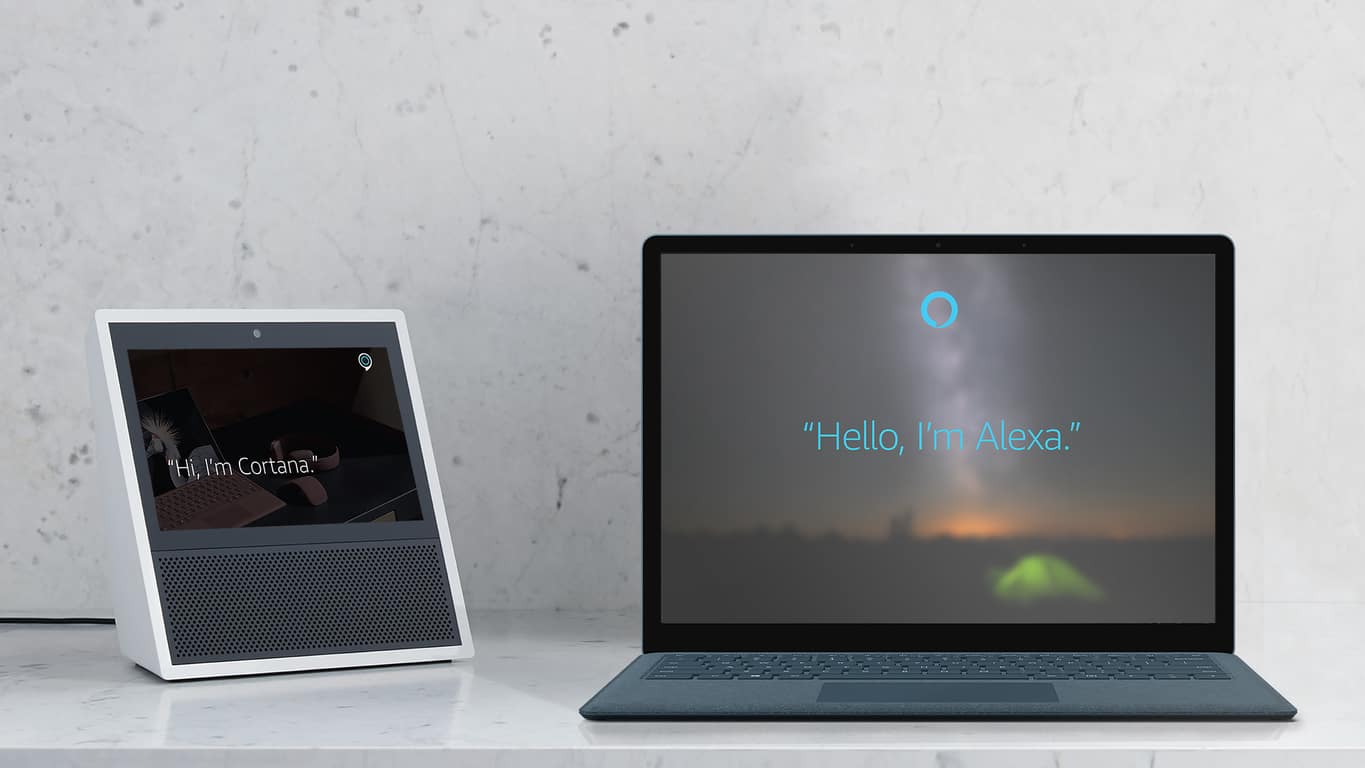
A couple of days ago, Microsoft backed off adding Cortana integration to Dynamics 365 There was no definitive reason as to why this was occurring, and the company even noted: “we welcome your feedback and ideas.” Today the saga has developed a bit more, and Microsoft is now hinting at a more open integration in the future (via Neowin.)

The same blog post about Cortana integration with Dynamics 365 now headlines: “Work continues on Dynamics 365 digital assistant experiences.” Though not mentioned specifically, this does hints that Microsoft may be working to bring Alexa and Cortana together in Dynamics 365. See the statement for yourself below.

We are working to deliver a robust and scalable digital assistant experience across all of our Dynamics 365 offerings. This includes natural language integration for customers and partners across multiple channels including Cortana. To that end, we are discontinuing the current Cortana integration preview feature that was made available for Dynamics 365 and we are focusing on building a new long term intelligent solution experience, which will include Cortana digital assistant integration.

As you may recall, Microsoft previously detailed they would be working with Amazon to integrate Cortana with Alexa. The two companies missed the deadline, but Microsoft recently insisted that the two are still working on the integration. With this so, Dynamics 365 somehow could now be involved in the Cortana and Alexa partnership, especially because of the “long-term intelligent solution experience.” and “partners” phrasing.

Again, just speculating, as Microsoft has not said anything beyond the new statement seen in the blog post. It also could be the way of the company being more open to the competition, and allowing digital assistant integration to all, but there’s no telling, especially with the news that Amazon Alexa would be coming to some Windows 10 PCs.

[Updated] Microsoft no longer accepting Bitcoin as form of payment

According to a report from Bleeping Computer, Microsoft is temporarily no longer accepting Bitcoin as a form of payment. The reason is due to the “unstable state” of the cryptocurrency and worldwide payment system.

UPDATE: Microsoft has since restored the ability to pay with Bitcoin online.

Although there was some confusion and temporary hault, Microsoft has long allowed users to use Bitcoin in order to add $10, $15, $25, $50, $,75, or $100 amounts to their Microsoft account balance. The company also previously adopted Bitcoin as a payment method in 2014.

Bitcoin in Microsoft account (Image via Bleeping Computer)

This move from Microsoft makes sense, as Bitcoin values tend to fluctuate higher and then ower every day. The fluctuation also means that Microsoft could be taking up loses if they accept the payment.

This, along with high fees, is also why Steam recently stopped accepting Bitcoin as a form of payment. Anyway, the company is urging those who previously used Bitcoin as payment to consider using credit or debit cards, a PayPal account, or a direct bank account.

Some AMD PCs won’t boot properly after installing latest Windows 10 security patch

When word got out on an exploit in AMD and Intel Processors, Microsoft and other tech giants were quick to respond and patch their systems or devices. Although Microsoft issued an emergency Windows Update to address the issue, it is apparently causing more harm than good for those with AMD PCs (via Neowin.)

Some users are reporting that their older AMD based PCs with Athlon processors will no longer boot into Windows after installing the latest KB4056892 security patch. Their devices instead give a roll-back error, 0x800f0845, with no way to go back and restore. It’s an issue that is well noted on the Microsoft Support forum, where over 457 people have marked that they have the same question/problem.

Top comments in the forum state that the best fix for those experiencing the problem is to clean install Windows 10 and then disable or pause Windows Updates to prevent KB4056892 from being installed. Microsoft has yet to acknowledge the issues or reply the support forum, but that is likely to change soon. Be sure to keep tuned for more updates.

FIX: Windows 10/11 failed to resume from hibernation

Many Windows 10 users reported that their computers won’t resume from hibernation. This issue has been affecting users ever since the first version of Windows 10 was launched.

There are also many errors codes that appear on the screen when this problem occurs, including error 0xC000009A, 0xc0000001, 0xc0000411 or error 0xc000007b.

In this article, we’ll list a few solution that will help you fix this issue and resume your Windows 10 session in no time. It is worth mentioning that this problem manifests itself in different ways for users: some may be stuck on the hibernating window and the PC doesn’t allow any commands, while others may have access to their session despite the initial error message.

How to fix Windows 10 failed to resume from hibernate

1. Turn off Ethernet connection

Many users confirmed that turning off Ethernet connection when waking up your computer reduces the number of instances where this issue occurs.

As simple as this solution may seem, it work wonders.

2. Remove the battery and AC adapter several times

Try removing the battery as well as the AC adapter. Then insert the battery back in and boot the device without connecting the power cable.  When the hibernating screen appears, remove the battery again and reboot the device using only the power cord. Then boot the device using only the battery.

So, here’s a step-by-step guide:

  1. Disconnect the power cord and boot your computer using only your laptop’s battery. The hibernating screen will appear shortly
  2. Turn off the computer by pressing the power about for about 10 seconds
  3. Remove the battery and plug the power cord
  4. Boot up your computer. The hibernating screen will appear again
  5. Unplug the powercord. Don’t press the power button. Simply interrupt electricity supply to your laptop.
  6. Insert the battery again, press the power button to start your laptop.
  7. This time, the log in screen should be available.

3. Check your disk for errors

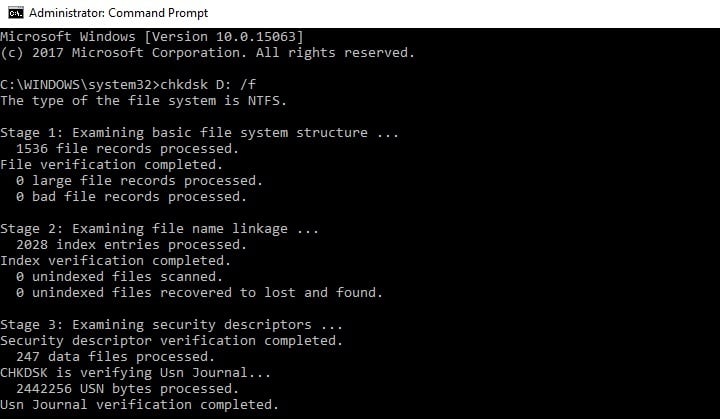
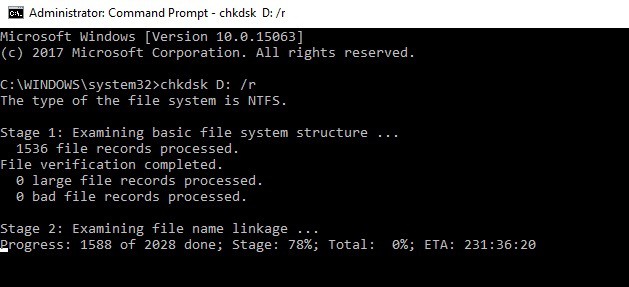
Start Command Prompt as administrator and type the chkdsk C: /f command followed by Enter. Replace C with the letter of your hard drive partition.

As a quick reminder, if you do not use the /f parameter, chkdsk displays a message that the file needs to be fixed, but it does not fix any errors. The chkdsk D: /f command detects and repairs logical issues affecting your drive. Then run the /r parameter as well to repair physical issues.

4. Repair your Windows Registry

The simplest way to repair your registry is to use Microsoft’s System File Checker to check for system file corruption. This tool verifies the integrity of all system files and repairs them if necessary. Here’s how to run an SFC scan:

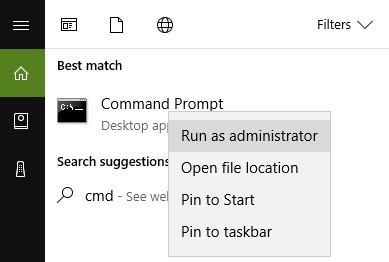
1. Go to Start > type cmd > right-click Command Prompt > select Run as Administrator

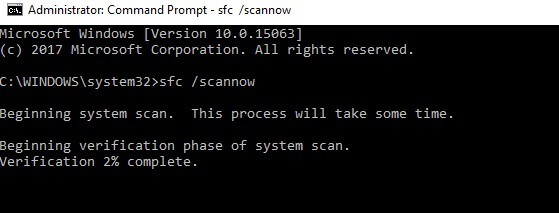
2. Now type the sfc /scannow command

3. Wait for the scanning process to complete and then restart your computer. All corrupted files will be replaced on reboot. You should now be able to resume your session.

5. Update your drivers/ Windows OS

If  Windows 10 does not resume from hibernation, this issue is usually related to a driver problem. Make sure that you’ve installed the latest driver and well as Windows 10 OS updates.

The quickest and simplest way to do this is to go to Settings > Update & Security > and hit the ‘Check for updates’ button. Your computer will automatically install the latest OS version available, including the newest drivers.

update windows 10

You can also go to Device Manager and check if there is any yellow exclamation point next to your drivers. This indicates that the respective driver is not working properly and needs to be updated. To install the latest driver version, right-click on the respective driver and select ‘Update driver’.

exclamation mark device manager

Did any of these solutions fixed the problem for you? Let us know in the comments below.

RELATED STORIES TO CHECK OUT:

Xbox news recap: Kinect ceases production, PUBG to be exclusive to Xbox for “some time” and more

Welcome to our weekly Xbox news recap series, where we go over the top stories of the past week in the world of Xbox. Let’s get started.

Kinect sensors cease production

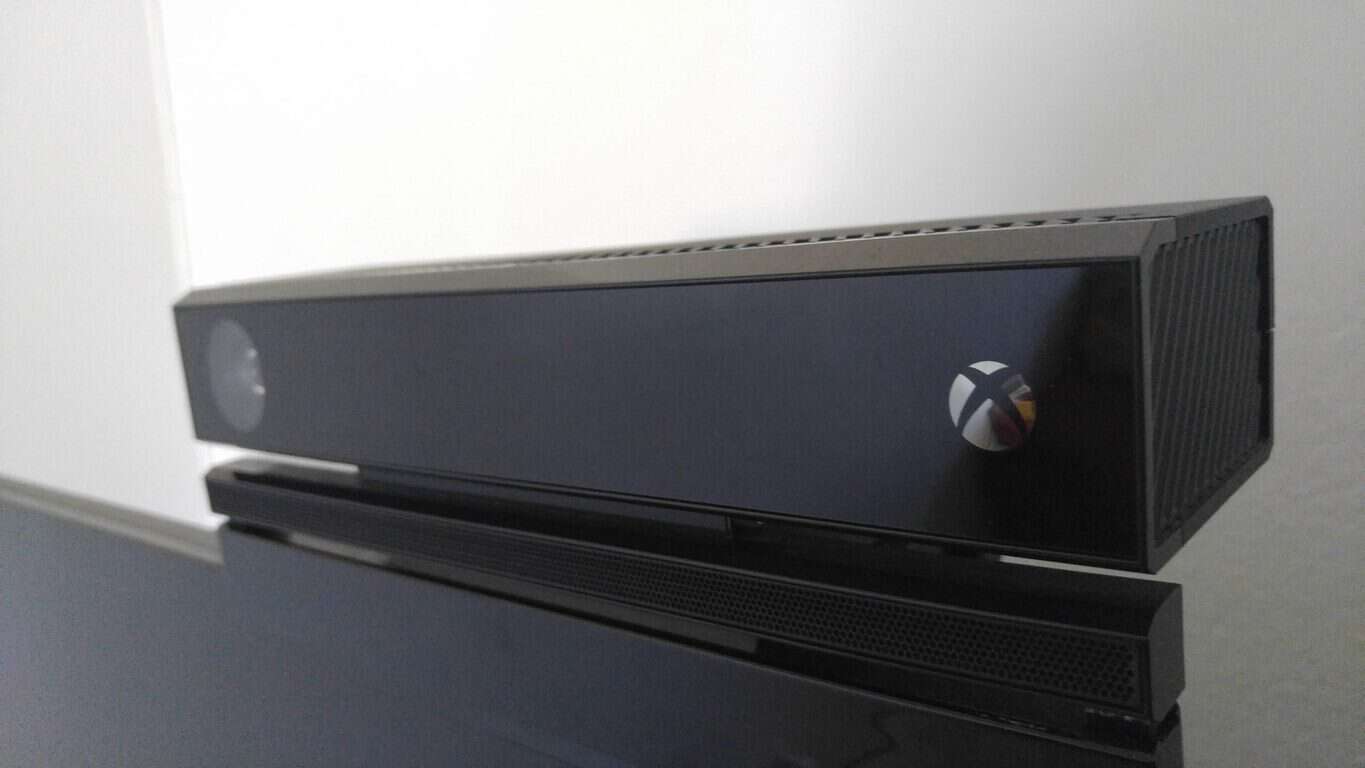
After years of being brushed under the rug and being more or less forgotten by gamers at large, the Kinect has finally been shut down. It was announced by Microsoft this week that the little-peripheral-that-could would completely cease production. The sensor has been mostly irrelevant to the majority of Xbox gamers, but a significant community has broken out that uses it to develop all sorts of applications for other platforms.

PUBG to be Xbox exclusive for some time

PUBG has been one of the biggest things to happen to the gaming industry in the past few years – it’s a massive deal. The battle royale game became a massive success for both gamers and streamers, becoming one of the most successful titans of gaming culture right beside Overwatch and League of Legends. The game launched on Xbox in mid-December, and according to an interview with the CEO in charge of PUBG, the game will stay there for a while. Although it’s certain to come to other platforms at some point in time, the game will likely remain a console exclusive for a comfortable period of time.

Microsoft accused of dishonest advertising with Xbox One X and Kinect

With the Kinect being shut down, attention has been brought to some potentially dishonest advertising behaviors from Microsoft in regards to the Xbox One X. The console isn’t compatible with the Kinect sensor – and while that isn’t a massive problem in and of itself, it seems like most of the console’s advertising suggests otherwise. In several pieces of marketing, it’s suggested that “Xbox One accessories work with Xbox One X.” All of them. With the Kinect undoubtedly being an Xbox One accessory, it’s easy to see why some people are calling foul play on Microsoft’s advertising.

Xbox One X Accessories

Sea Of Thieves custom controller available for pre-order

Looking for a new controller to fawn over? Sea Of Thieves is well on its way, and the custom controller that’s coming out to promote the game is one of the most gorgeous controllers I’ve seen so far. The controller is purple with spatterings of seafoam green, and compass markings surrounding the left stick. The controller also glows in the dark, for night owls who wanted to have some novelty with their gaming experience. The peripheral is pretty snazzy, and is available for pre-order for about $75.

Thanks for joining us. To keep up to date with all the latest Xbox news, keep a close eye on our Xbox One tag.

Microsoft news recap: decides against adding Cortana to Dynamics 365, Azure customers shouldn’t notice performance impact from CPU patches and more

Microsoft (MSFT) news recap is a weekly feature highlighting the top Microsoft news stories of the past week. Sit back, grab some coffee, and enjoy the read!

Microsoft backs off adding Cortana integration to Dynamics 365

Despite having Cortana integration for Dynamics 365 in preview, the company has decided against adding its own virtual assistant, Cortana, to its CRM platform.

Microsoft Dynamics CRM

Redesigned calendar is coming soon to Outlook.com beta

Beta users of Outlook.com are to receive a redesigned calendar. A teaser image of the new calendar shows more consistency between Calendar and Mail.

https://twitter.com/OfficeNews/status/949295293488599041

Microsoft to publish fiscal year 2018 second-quarter earnings on Jan. 31

At the end of the month, we’ll be seeing how Microsoft’s different divisions are performing, as the company publishes its second-quarter earnings for 2018 on 31st January.

Azure customers should not see a “noticeable performance impact” due to Intel, AMD CPU vulnerability patches

As news of 2 vulnerabilities in CPUs from Intel, ARM and AMD broke out, reports have suggested that the patches to resolve the flaws would deliver a performance hit of between 5% and 30%. Despite this, Microsoft is saying that its Azure customers should not see a “noticeable performance impact”.

That’s it for this week. We’ll be back next week with more Microsoft news.

Windows 10 news recap: Surface firmware update to patch CPU vulnerabilities, MEGA extension arrives on Microsoft Edge and more

Welcome back to our Windows 10 news recap. We are continuing the trend of our weekly “Windows 10 news recap” series where we go over the top stories of the past week in the world of Microsoft’s flagship operating system.

Windows 10 Mobile receives a new security update, potentially patches for Meltdown and Spectre flaws

In light of the CPU vulnerabilities affecting Intel, ARM and AMD, Microsoft has released a new security update to all versions of Windows 10 Mobile that are suspected to include patches for the flaws.

New Surface firmware updates are rolling out with fixes for Intel CPU vulnerabilities

Alongside Windows 10 Mobile, Microsoft’s Surface line of products have received firmware updates that also fix the known processor vulnerabilities. The firmware update is rolling out to the following devices:

  • Surface Pro 3
  • Surface Pro 4
  • Surface Book
  • Surface Studio
  • Surface Pro Model 1796
  • Surface Laptop
  • Surface Pro with LTE Advanced
  • Surface Book 2

You still have a few days to upgrade to Windows 10 for free

For those who still haven’t taken Microsoft up on its offer of a free upgrade to Windows 10, the accessibility upgrade is still available for a few more days.

The new MEGA extension for Microsoft Edge is now live

MEGA has released its own extension for Microsoft Edge, available now in the Microsoft Store, making it easier for users to access their MEGA cloud storage.

That’s it for this week. We’ll be back next week with more Windows 10 news!

Windows 10 updates trigger display issues on AMD computers

Microsoft rolled out a series of Windows 10 updates a few days ago in order to patch the latest CPU security vulnerabilities identified by Google.

Unfortunately, many users reported that the latest Windows 10 updates often caused more harm than good. Microsoft already added a series of bugs on the list of known issues, but users revealed that the list is actually much longer than that.

We recently published an article listing the most frequent issues that users have experienced after installing the latest updates. The respective post echoed a lot of comments and we noticed that all of them referred to AMD CPUs.

Severe display problems on AMD computers

Our readers confirmed that AMD systems lock up with the Windows logo showing on a black screen as soon as they update their computers.

This problem is even more severe when office computers are affected, as this reader reports:

Know someone where all machines using AMD CPUs in their office have this issue. They can’t restore or anything. All Intel CPU machines updated fine.

Indeed, it seems that there is a compatibility issue between the latest Windows 10 updates and AMD CPUs. Intel machines don’t seem to be affected by this problem.

Microsoft has yet to issue any comments on this matter despite the significant number of user complaints.

This is not the first time when computers powered by AMD processors have been plagued by display issues. As a quick reminder, just one month ago thousands of users complained about display problems on AMD Radeon video cards.

Microsoft quickly released KB4057291 but even back then the update failed to fix the issue for all users. The nightmare is not over yet for AMD PC owners as January updates brought a new problem.

Have you encountered the same issues after installing the Windows 10 updates released this month? Did you find any workarounds to fix the problem?

Quick reminder: Firefox ends support for Windows XP and Vista this year

Mozilla announced that it’s ending support for its Firefox web browser on Windows XP and Vista in 2018. Mozilla also announced a while back that users who were on these older versions of Microsoft’s operating system would be moved to something called Firefox Extended Support Release (ESR).

The company initially announced that support would be offered until September 2017, but later changed its mind, extending it to June 2018.

While we don’t know what the exact date will be, Mozilla should give users more details about it in the coming months. This way, users and organizations have more time at their disposal to move away from the two operating systems Microsoft stopped supporting back in April 2014 and April 2017.

Mozilla finally gives up on Windows XP and Vista

Firefox was one of the few browsers that continued to support Windows XP and Windows Vista. Mozilla also stated that Firefox users still lingering on these platforms should expect some security updates until then Users will not have to take any additional action in order to get those updates.

Upgrade your OS to avoid attacks and exploits

Mozilla advises users still running these old versions of Windows to consider upgrading. Users are strongly encouraged to upgrade their systems to a newer version of Windows that is safer and still supported by Microsoft. All unsupported OS will no longer receive security updates and they’ll become more favorable targets of cyber attacks and exploits.

RELATED STORIES TO CHECK OUT:

KB4056892 bugs: Install fails, browser crashes, PC freezes, and more

Microsoft recently pushed KB4056892 to Windows 10 Fall Creators Update users in order to patch the Meltdown and Spectre CPU vulnerabilities.

The Redmond giant confirmed that the update also brings issues of its own — three of them to be more precise. However, recent user reports confirmed that KB4056892 causes more problems than initially acknowledged by Microsoft.

So, the question is: will you still install KB4056892 and patch those CPU security vulnerabilities knowing that the update may break your PC?

If you haven’t installed the latest Windows 10 updates yet, continue reading this article to learn what are the most common KB4056892 issues reported by users. If you already installed the update, well, reading this article may make you fell a bit better knowing that you’re not the only experiencing these problems.

KB4056892 reported bugs

1. KB4056892 won’t install

Many users can’t install the update because the install process gets stuck, fails with error 0x800f0845 or the computer suddenly uninstalls the update.

Okay, been trying this on my Toshiba laptop for the past few days, keeps getting to 30%, restarts, locks at the blue Window icon, I have to force a restart, and then after forcing a second restart, it then diagnoses the problem, uninstalls the update, and then does nothing. Error code is 0x800f0845. […]  I have downloaded the manual install file, but it doesn’t appear to work either.

If you can’t install KB4056892 on your Windows 10 computer, the following troubleshooting guides may help you fix the problem:

ALSO READ: How to block KB4056892 from installing on your Windows 10 PC

2. Browsers crash

Some users reported that the latest Windows 10 version 1709 update breaks browsers. More specifically, the browser window become white, it freezes for a few seconds and then the browser crashes completely returning to desktop.

After update KB4056892, this Chrome is crashed and auto quit, Firefox and Geforce Experience too, but gaming PUBG, BF1 and Overwatch are normal. How to fix it???

If you’re experiencing the same problem, the articles below may be of help:

3. Certain apps and programs fail to work

Windows 10 users also reported that certain programs stopped running after they installed KB4056892. These include: SlimWare DriverUpdate, ASUS AI Suite 3, EPLAN, etc.

These updates cause SlimWare DriverUpdate program to stop running. With the updates installed a BugSplat error report is generated and the program will no longer run. I uninstalled the updates and the program ran perfectly until the updates got reinstalled by windows automatic update process.

We don’t have a solution for these program failures, but we do have a suggestion on how to solve the ASUS AI Suite 3 issue. So, to fix ASUS AI Suite 3 issues on Windows 10, first download the latest AI Suite 3, right click the zip file and select “Properties”.

Select the “Unblock” check box and hit OK. Unzip the zip file and run AsusSetup.exe as Administrator. Keep in mind that your need to unblock the ZIP first before you extract the files. Reboot your computer and the AI Suite 3 should work smoothly now.

4. KB4056892 bricks or locks up computers

According to user reports, this update sometimes freezes computers. When users boot up or restart their machines, the Windows logo just sits on the screen and the boot up process stops.

Unfortunately, when I did a restart it bricked my system. I had a large windows logo on the screen and it just sat there. I rebooted and was able to trigger a repair. The repair said it was backing out the last update as it would not be completely installed.
With KB4056892 is Awaiting restart I did another restart and had the same problem. At the end I was staring at a Windows logo that just sat there. Again I triggered a repair and the system is now usable.

5. The app list is unavailable

If the list of apps is nowhere to be found in the Start menu, you’re not the only one experiencing this issue.

Just got the January 3, 2018 KB4056892 update, and now my start button will not show app list in start menu any longer. I’ve already checked Settings, Personalization, Start and set & reset the option to “Show app list in start menu” with no luck. How do I fix this?

For more information on how to troubleshoot this problem, go to Microsoft’s support page.

These are the most common KB4056892 issues reported by Windows 10 users. Did you encountered other bugs after installing the latest updates on your computer? Tell us more about your experience in the comments below.

RELATED STORIES TO CHECK OUT:

Grab a free Marvel’s Black Panther Xbox Avatar item here

Microsoft is offering a free Black Panther suit fr your Xbox Avatar in the Xbox Store. As noted via a Reddit post, all you need to do to don this Black Panther suit is TO head over to the Xbox Marketplace. It’s free, so you have nothing to lose by picking up this Xbox Avatar item.

Microsoft, Marvel, Xbox
There are separate Marvel Black Panther suits for your female and male Avatars, so obviously you can’t purchase both Black Panther suits from the Xbox Store.

Unfortunately, this free Marvel Black Panther suit is available for Xbox Avatars in the US only. So if you are in other regions, you are SOL. Possibly, Marvel may add Black Panther to its highly successful line of console games, so don’t be surprised if you see Black Panther on Xbox One sometime soon. You can go see Marvel’s Black Panther movie in theaters starting on February 16, 2018.

Microsoft India briefly lists Xbox One X launch on January 15th, takes page down

The Xbox One X launched last November in select markets across the world, but India was not included in the launch party. Noted by Digit, it turns out that Microsoft may have recently caused some false excitement and confusion in India, as the company briefly listed the Xbox One X launch on January 15th and then took the page down.

This page briefly had the Xbox One X at the price of Rs 44,990 (about $710 US), but it’s since gone offline. Microsoft also tells Digit that there is “nothing to share” at the moment in regards to the Xbox One X coming to India. The company instead recently put up the Xbox One S for sale in India at, which originally launched in the US back in 2016.

The listing (Image via Technocodex)

It’s still not certain if Microsoft will ever bring the Xbox One X to India, but some Indian gamers seemed angry at the high price noted on the since removed page. This, though, is not the first time that an Xbox related page has been pulled in a foreign country. As you may recall, Xbox Poland revealed keyboard, mouse support is coming for Xbox One consoles soon, but then pulled the page.

(via MSPU)

Xbox One consoles not affected by recent CPU vulnerabilities, according to Microsoft

The recent discovery of serious security flaws in Intel, AMD and ARM CPUs hit the tech industry pretty hard this week. We recently learned that the Meltdown vulnerability affects nearly all Intel processors released since 1995, while the more serious Spectre vulnerability affects all modern Intel, AMD and ARM processors.

As you may know, Microsoft’s Xbox One family of consoles are powered by a custom AMD Jaguar CPU, and they run a customized version of Windows 10. In some reassuring news for Xbox gamers, Xbox head of engineering Mike Ybarra shared today that all Xbox One consoles are protected against these recently discovered CPU flaws:

While the tech industry is still figuring out how these two serious vulnerabilities will affect PCs, servers, smartphones, tablets and more, it’s good to know that our Xbox One consoles are safe to use. Overall, Microsoft has been pretty good at dealing with this concerning news so far, releasing an emergency Windows 10 patch earlier this week which was followed by new firmware updates for Surface devices. If you haven’t done it yet, we invite you to make sure that your Windows 10 PC or Surface device is up to date.

Cortana cannot recognize music: Here are some alternatives

Microsoft recently ended support for the popular Groove music streaming service. Unfortunately, this decision lead to an annoying problem among Windows 10 users: Cortana can no longer recognize songs.

Microsoft’s virtual assistant music recognition feature is attached to Groove Music, but since the service has been retired, this also means that this option is no longer available.

Jason Deakins, who works on Cortana at Microsoft confirmed the bad news on Twitter:

What you are seeing is expected. Due to the shutdown of the Groove Music service Cortana music recognition has also been retired.
— Jason Deakins (@JasonDeakins) January 3, 2018

Now, when you try to use Cortana‘s music recognition icon, a “Song unrecognized” error message appears on the screen, informing you that “this service has been retired.”

Many Windows 10 users criticized this decision, saying that the removal of Groove Music is one of the worst decisions Microsoft has ever made. The company is always boasting about Cortana’s top-notch AI capabilities, but the decision to remove the music recognition feature makes the assistant less appealing to users. Indeed, there are many Windows 10 users who enabled Cortana exclusively for its music recognition feature.

Alternatives to Cortana’s music recognition service

The good news is that there are plenty of music recognition software out there that you can use for song identification.

As a matter of fact, Windows Report already compiled a list of the best music recognition tools that you can use on your Windows 10 computer.

Check out our list, read the description for each program and install the one that best suits your needs.

What do you think about Microsoft’s decision to remove Groove Music and its subsequent consequences?

RELATED STORIES TO CHECK OUT:

Windows 10, 7 January security updates fix Intel, AMD & ARM CPU vulnerabilities

Microsoft released a series of Windows 10 updates aimed at fixing the recently revealed security bug affecting Intel, AMD and ARM CPUs.

As a quick reminder, Google recently revealed more information about two security vulnerabilities (Meltdown and Spectre) that allowed hackers to abuse CPU data cache timing so as to leak information, leading to virtual memory read vulnerabilities across local security boundaries.

Microsoft fixed this security issue by releasing the following updates:

  • Windows 10 version 1703 KB4056891 (OS Build 10240.17738)
  • Windows 10 version 1607 KB4056890 (OS Build 14393.2007)
  • Windows 10 version 1511 KB4056888 (OS Build 10586.1356)
  • Windows 10 version 1507 KB4056893 (OS Build 10240.17738)

All the updates have a generic description:

Security updates to Microsoft Edge, Internet Explorer, Microsoft Scripting Engine, Windows Graphics, Windows Kernel, Windows Datacenter Networking, Windows Virtualization and Kernel, and the Windows SMB Server.

Windows 7 is also affected by this security bug. Microsoft also released a security patch for this OS version and you can download it automatically via Windows Update, or get the standalone package from the Microsoft Update Catalog website.

Update issues

Before you hit the update button, you should know that all the patches listed above bring two issues of their own:

  •  When calling CoInitializeSecurity, the call will fail if passing RPC_C_IMP_LEVEL_NONE under certain conditions. Microsoft is working to find a fix for this issue.
  • If you installed certain third-party antivirus solutions, the updates are only applicable to the machines where the antivirus ISV has updated the ALLOW REGKEY.

Microsoft advises you to contact your antivirus solution provider to confirm that their software is compatible and have set the following  REGKEY on the machine:
Key=”HKEY_LOCAL_MACHINE”Subkey=”SOFTWARE\Microsoft\Windows\CurrentVersion\QualityCompat”
Value Name=”cadca5fe-87d3-4b96-b7fb-a231484277cc”
Type=”REG_DWORD”
Data=”0x00000000”

For the time being, users didn’t report any issues regarding the install process, so the download and install phase should go smoothly.

If you already installed the updates listed above and you encountered various bugs, describe the issues in the comments below.

RELATED STORIES TO CHECK OUT:

Download KB4056892 to fix memory issues, Edge delays, crashes and more

Microsoft rolled out an important Windows 10 version 1709 update that makes Edge more stable, fixes server memory issues and patches a series of security vulnerabilities.

Update KB4056892 takes the build number version to 16299.192. You can download and install it automatically from Windows Update or get the standalone package from the Microsoft Update Catalog website.

KB4056892 changelog

  •  Fixed the issue where event logs stop receiving events when a maximum file size policy is applied to the channel.
  • Printing an Office Online document in Microsoft Edge should now work as intended.
  • Touch keyboard now support the standard layout for 109 keyboards.
  • Addressed video playback issues, including in Microsoft Edge that prevented devices from playing video on multiple display configurations.
  • Fixed the bug where Microsoft Edge stops responding for up to 3 seconds.
  • The issue where only 4 TB of memory is shown in Windows Server version 1709 has been fixed. The Task Manager now displays accurate information about the installed, configured, and available memory.
  • Security updates to Windows SMB Server, the Windows Subsystem for Linux, Windows Kernel, Windows Datacenter Networking, Windows Graphics, Microsoft Edge, Internet Explorer, and the Microsoft Scripting Engine.

KB4056892 bugs

Unfortunately, KB4056892 also brings issues of its own. Microsoft listed three know issues on the list, which include:

  •  Install may get stuck at 99% and may show high CPU or disk usage if a device was reset using the Reset this PC functionality after installing KB4054022.
  • Windows Update History reports that KB4054517 failed to install with error 0x80070643.
  • When calling CoInitializeSecurity, the call fails if passing RPC_C_IMP_LEVEL_NONE under certain conditions.

The good news is that the first two issues can be quickly fixed using the workarounds that Microsoft posted on KB4056892’s support page.

Have you installed the latest Windows 10 Fall Creators Update patches on your computer? If you encountered other issues apart from the ones listed above, tell us more about your experience in the comments below.

RELATED STORIES TO CHECK OUT:

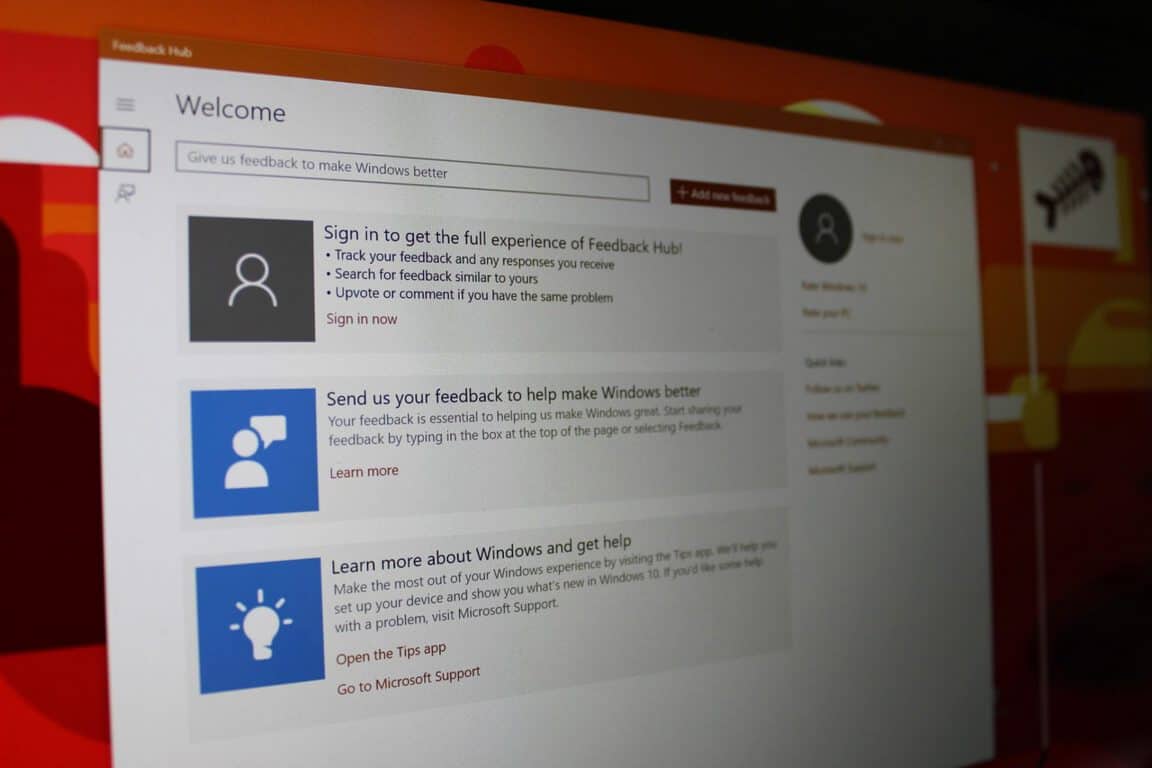
Feedback Hub UWP update adds support for multiple Microsoft accounts

According to a report from Windows Latest, Microsoft has updated the Feedback Hub UWP app with support for multiple Microsoft accounts. The update applies to all devices and brings the Feedback Hub app to version 1.1711.3412.0. Have a look at what’s new below:

  • Read and comment on both mobile and PC feedback, whether you’re using your PC or mobile device
  • Easily switch between your Microsoft accounts while in Feedback Hub
  • Translate inline sticky comments with Bing Translate.

These are definitely some welcome changes, helping make the Feedback Hub a better place for interacting with both Microsoft and fellow Windows Insiders. It also comes right after Microsoft added a comment reply feature and new notification improvements in past updates.

A look at Microsoft’s 2018 conference and event schedule

With the events of 2017 way behind us, it’s time to look forward to 2018. As usual, Microsoft will be holding several pre-announced conferences this year in 2018: Build 2018, Inspire 2018, Ignite 2018, and more. There are also the usual non-Microsoft sanctioned events, and the “surprise” Windows 10 and Spring and Fall hardware events. Here is a look at the biggest events you can expect from Microsoft in 2018.

CES 2018: January 9-12 in Las Vegas

The Consumer Electronics Show, otherwise known as CES, is the world’s gathering place for all those who thrive on the business of consumer technologies. Microsoft normally does not have a direct presence at CES, but the company works with many of the OEMs and device manufacturers who have booths at the event. You can expect to hear more about upcoming Windows 10 PCs and devices, including Always Connected PCs. This year CES runs from January 9-12 in Las Vegas.

CES 2018

Redstone 4 or 2018 Surface Event (???):

Microsoft usually holds an event in New York City during the Spring or Fall to unveil upcoming Surface devices and show the world more about the next featured update to Windows 10. In 2017, the company held a Spring “Learn What’s Next” event on May 2 in New York. Last year this event was a bit of a surprise and was education focused, all about Windows 10 S, and the Surface Laptop.

Unlike in 2016 (when Microsoft held an event for RS2/ Creators Update) we didn’t really see a big dedicated 2017 NYC event for Surface or the Fall Creators Update/RS3. We instead saw the Fall Creators Update naming/RS3 reveal at Build 2017. The Surface Pro was also instead unveiled at a separate event in Shanghai, the Surface Pro LTE at Future Decoded in London, and the Surface Book 2 revealed online ahead of the Fall Creators Update release.

Surface Book 2
Surface Book 2

Since the Spring of 2018 may be too early for any Surface Hardware, there might NOT be a dedicated Surface hardware event in NYC for the Spring of this year. Instead, maybe Microsoft could hold an event for Redstone 4 software, and save the hardware event for the Fall, but that’s just me speculating.

E3 2018: June 12-14 in Los Angeles

E3 is always a big spot on the calendar for Microsoft, as it is the stage for the company to show off the latest and greatest games in Xbox technology. Last year the company unveiled the Xbox One X at the event, and we’re still not certain what the company has planned this year. Anyway, it runs from June 12-14 in Los Angeles and is the must-attend and watch event for experiencing the future of Xbox.

Xbox Logo Featured Image Hero
The Xbox Logo

Microsoft Inspire: July 15-19 in Las Vegas, Nevada

At Microsoft Inspire (previously known as the Worldwide Partner Conference, WPC) Microsoft is focused on their global partner community. It’s Microsoft’s biggest partner and enterprise event, and partners learn more about Microsoft’s plans for the upcoming year. Microsoft specifically calls this “the event where the world meets to transform business.” Thousands of partners have the chance to connect with Microsoft personnel for a week of networking, innovation, and ingenuity. The 2018 event is co-located with Microsoft Ready, the company’s largest internal readiness event. Registration is now open. 

Microsoft Inspire

Gamescom 2018:  August 22-25 in Cologne, Germany

Around 335,000 gaming fans from all over the globe attended Gamescom in 2017. This event is one of the world’s largest video gaming conventions. We usually see a lot of the same stuff unveiled at E3 during Gamescom, but it’s still exciting since it gives Europeans a chance to get hands-on with the latest video games and Xbox hardware.

Gamescom 2016

Microsoft Envision/Ignite: September 24-28 in Orlando, Florida

Microsoft Envision and Ignite used to be separate events, but they were combined together under Ignite in 2017. At this event, Microsoft usually talks about cloud infrastructure, productivity, and how upcoming and current tech can be used by business leader and decision makers in the future. It ran from September 23-29 in Orlando, Florida in 2017. It’s confirmed that Microsoft Ignite will be returning to Orlando for 2018, and registration is now open.

Microsoft, Ignite
Microsoft Ignite 2017

Build 2018: TBA

Build is one of Microsoft’s biggest events. This annual conference is aimed at towards software engineers and web developers using Windows, Microsoft Azure and other Microsoft technologies. As 2017 showed, there’s also a consumer and Windows 10 side to things, where the company goes over features in the upcoming Windows 10 release. It first started in 2011 and has gone on every year since then. Build 2017 was held on May 10 – 12 in Seattle, and the company has not yet announced a date or venue for Build 2018, but we’re expecting to hear more soon.

Laptops on a table
Microsoft logo at Build 2017

Future Decoded: TBA

Microsoft’s Future Decoded event is all about current and emerging trends at the cross over of business and technology. The event was held in London last year from October 31-November 1st. No official dates have been announced for 2018 yet.

Microsoft at Future Decoded

Microsoft Connect(): Online, TBA

Microsoft Connect() is the online event where Microsoft discusses how they are empowering developers to lead the new digital revolution with apps. We learned a lot about Visual Studio in this event in 2017 from November 15-17 , and you can expect more of the same in 2018 when it’s announced

Microsoft Connect();
Microsoft Connect()

Tech Summit: Multiple Cities, Dates

Microsoft tech summit is a free technical learning event for IT decision makers, professionals, and developers. Those attending the events can connect with experts from Microsoft and ask questions, choose from a variety of learning opportunities, customize learning, and find the latest trends in tech. There are multiple cities and dates for Tech Summit, and most run in the Summer, though Irvine, Dallas, Burlington, Los Angeles, New York, Pittsburg, and more.

As usual, we’ll be here to cover all of these Microsoft events. There are definitely exciting times ahead this year, and we hope you keep tuned to us for all your Microsoft, Windows 10 news and information. Let us know in the comments below if you’re looking forward to any of these events!

Build 2018: TBA in TBA

Build is one of Microsoft’s biggest events. This annual conference is aimed at towards software engineers and web developers using Windows, Windows Phone, Microsoft Azure and other Microsoft technologies. There’s also a consumer and Windows 10 side to things, where the company goes over features in the upcoming Windows 10 release. It first started in 2011 and has gone on every year since then. Build 2017 was held on May 10 – 12 in Seattle, and the company has not yet announced a date or venue for Build 2018, but we’re expecting to hear more soon.

A free Xbox One Kinect Adapter is Xbox One gamers’ most-popular request

Demand for the Kinect Adapter had been pretty intense over the past few months due to its rarity but yesterday’s confirmation that Microsoft has now ceased production of it altogether has pushed interest in it into overdrive.

As a result of this demand, the most-popular trending suggestion over on Microsoft’s Xbox UserVoice website is now one about Xbox One X buyers and how they should be provided with a free Kinect Adapter as Microsoft likely stopped making them before the Xbox One X even came out. This means that any Xbox One console owner who is upgrading to an Xbox One X is essentially being forced to dump their Kinect sensor due to the newer console not featuring a Kinect port. A few lucky Xbox One X buyers have been fortunate enough to track down an elusive Kinect Adapter but most haven’t been either due to them all being sold out in stores being resold at prices as high as $399 on auction sites like eBay.

There also seems to be a few loyal Xbox gamers who had been planning to upgrade to an Xbox One X console but are having second thoughts due to its lack of Kinect support.

It should be noted that while a lot of people are voting on this idea for a free adapter, many of those commenting are saying that they would be happy to buy a Kinect Adapter if Microsoft made them available again so this is more than just a bunch of people asking for something for free. With quite a few new Xbox One S and X buyers making their purchases after being told by official Microsoft marketing that their new consoles would support the Kinect though, perhaps a free Kinect Adapter is the least Microsoft could do to compensate them.

Microsoft choosing to discontinue the Kinect Adapter is definitely an odd decision given how in-demand the accessory is. One possible explanation could be that the company completely misread how many of its users actually use the Kinect sensors or factor its functionality into a new Xbox console purchase decision. Another could be that Microsoft is well-aware of the number of Kinect users but decided to deliberately force gamers off it in an attempt to push the market more towards traditional gaming titles and their new focus on 4K HDR and Windows 10 crossplay.

Let us know what you think the reason was for the dumping of Kinect and the Kinect Adapter in the comments below and head on over to the UserVoice idea and vote for it if you’d like to see more Kinect Adapters be made.

PlayerUnknown’s Battlegrounds (PUBG) next Xbox One update teased

The PUBG Development and Community Team released some information on the next update for PlayerUnknown’s Battlegrounds (PUBG) Game Preview on Xbox One which is expected to be submitted to Microsoft for approval sometime during the next 24 hours and should go live for gamers to download soon after.

This next PUBG update is said to focus mainly on fixing the numerous crash issues that have been plaguing players and will also have some “quality of life improvements and gameplay adjustments.” Details on the latter weren’t specified though.

PlayerUnknown’s Battlegrounds was one of the biggest PC games of 2017. It came to Xbox One in Game Preview (aka open beta for testing) before the end of the year which made it the first home console to get the game. A physical disk version for the Xbox One has also been released in stores. The game itself is an online survival shooter and has already become one of the most-played titles on the Xbox One over the past few weeks since its launch.

Are you playing PUBG on your Xbox One? Let us know if you’re enjoying the experience in the comments below.

Microsoft responds to AMD and Intel processor exploits, now rolling out emergency fix

A few short hours ago, we noted that Microsoft was planning on releasing an emergency Windows Update to address the ongoing security concerns with Intel and AMD processors. According to multiple media outlets, including Windows Central, said KB4056892 update (OS build 16299.192) is now rolling out to Windows 10 users (though we’re not seeing it just yet on any of our machines here at OnMSFT.)

As we previously noted, the security update is set to automatically roll out to all Windows 10 desktops today starting at 5 PM ET, and later to other Windows 7 and Windows 8 on January 16th via a Patch Tuesday update. We’re not finding this update on any of our machines just yet, but Microsoft has released a changelog for it and also made it available via the Microsoft Update Catalog as a manual download.

Here’s a look at the changelog:

  • This update includes quality improvements. No new operating system features are being introduced in this update. Key changes include:
  • Addresses issue where event logs stop receiving events when a maximum file size policy is applied to the channel.
  • Addresses issue where printing an Office Online document in Microsoft Edge fails.
  • Addresses issue where the touch keyboard doesn’t support the standard layout for 109 keyboards.
  • Addresses video playback issues in applications such as Microsoft Edge that affect some devices when playing back video on a monitor and a secondary, duplicated display.
  • Addresses issue where Microsoft Edge stops responding for up to 3 seconds while displaying content from a software rendering path.
  • Addresses issue where only 4 TB of memory is shown as available in Task Manager in Windows Server version 1709 when more memory is actually installed, configured, and available.
  • Security updates to Windows SMB Server, the Windows Subsystem for Linux, Windows Kernel, Windows
  • Datacenter Networking, Windows Graphics, Microsoft Edge, Internet Explorer, and the Microsoft Scripting Engine.
  • If you installed earlier updates, only the new fixes contained in this package will be downloaded and installed on your device.

Importantly, this update carries a set of known issues and workarounds, relating to installation, and Antivirus software. Please see the known issues below. We invite you to check out Microsoft’s official changelog for more step by step details on how to resolve these issues, especially because the workarounds are rather technical.

  • Update installation may stop at 99% and may show elevated CPU or disk utilization if a device was reset using the Reset this PC functionality after installing KB4054022.
  • Windows Update History reports that KB4054517 failed to install because of Error 0x80070643.
  • When calling CoInitializeSecurity, the call will fail if passing RPC_C_IMP_LEVEL_NONE under certain conditions.
  • Due to an issue with some versions of Anti-Virus software, this fix is only being made applicable to the machines where the Anti virus ISV has updated the ALLOW REGKEY.
Windows 10 Logo Featured Image Generic Hero
A Windows 10 Logo

Noted by The Verge, Microsoft also issued a statement about the processor exploits. The company addressed how it is an industry-wide issue, and how it has worked with chip manufacturers to test mitigations:

We’re aware of this industry-wide issue and have been working closely with chip manufacturers to develop and test mitigations to protect our customers. We are in the process of deploying mitigations to cloud services and have also released security updates to protect Windows customers against vulnerabilities affecting supported hardware chips from Intel, ARM, and AMD. We have not received any information to indicate that these vulnerabilities had been used to attack our customers.

It’s really great to see Microsoft stepping up here and supporting their consumers and customers. This processor exploit is rather worrying for the average consumer, and true or not, it’s nice that Microsoft is here to assure customers that they’re not being attacked as a result of the vulnerabilities.

Microsoft to release emergency Windows Update to address Intel, AMD processors security concerns

Earlier today we reported on a memory leak flaw in Intel Processors which puts the systems of certain Windows users at risk. Though Intel was quick to dismiss the reports, saying the bug is not exclusive to Intel chips but also impacted AMD, things have since escalated very quickly. Indeed, The Verge has learned Microsoft is set to issue an emergency Windows Update to address the latest Intel processor security concerns. Google has also disclosed the full details on these processor flaws today, confirming that AMD and ARM processors are also affected.

According to the report, the update is a “rare out of brand” security update and will be issued for all supported versions of Windows. The security update is set to automatically roll out to all Windows 10 desktops today at 5 PM ET, though we’re not seeing it on any of our systems just yet. It’s also set to become available on other Windows 7 and Windows 8 systems, though it will not appear automatically on these systems until Tuesday, January 16.

UPDATE: The emergency Windows Update is now rolling out. Check out our dedicated post here.

This update mainly relies on kernel fixes, and it may be required for anti-virus programs to be updated in order to work properly once this update is installed. In its previously released statement, Intel dismissed claims that fixes would slow down computers using impacted chipsets, adding that slowdowns from any security updates may be “workload-dependent.” Their full statement on this issue can be seen below:

Intel and other technology companies have been made aware of new security research describing software analysis methods that, when used for malicious purposes, have the potential to improperly gather sensitive data from computing devices that are operating as designed. Intel believes these exploits do not have the potential to corrupt, modify or delete data.

Recent reports that these exploits are caused by a “bug” or a “flaw” and are unique to Intel products are incorrect. Based on the analysis to date, many types of computing devices — with many different vendors’ processors and operating systems — are susceptible to these exploits.

Intel is committed to product and customer security and is working closely with many other technology companies, including AMD, ARM Holdings and several operating system vendors, to develop an industry-wide approach to resolve this issue promptly and constructively. Intel has begun providing software and firmware updates to mitigate these exploits. Contrary to some reports, any performance impacts are workload-dependent, and, for the average computer user, should not be significant and will be mitigated over time.

Intel is committed to the industry best practice of responsible disclosure of potential security issues, which is why Intel and other vendors had planned to disclose this issue next week when more software and firmware updates will be available. However, Intel is making this statement today because of the current inaccurate media reports.

Check with your operating system vendor or system manufacturer and apply any available updates as soon as they are available. Following good security practices that protect against malware in general will also help protect against possible exploitation until updates can be applied.

Intel believes its products are the most secure in the world and that, with the support of its partners, the current solutions to this issue provide the best possible security for its customers.

With basically all modern Intel processors being impacted by this flaw, this is definitely a PR nightmare for Intel, and it’s still unclear how the emergency Windows updates will affect performance on PCs with Intel chips. Even if the founder said today that these patches won’t slow down systems, this is likely to impact consumer’s trust in the company’s premium chips moving into the rest of 2018.

Turok video game remasters are coming to Xbox One soon

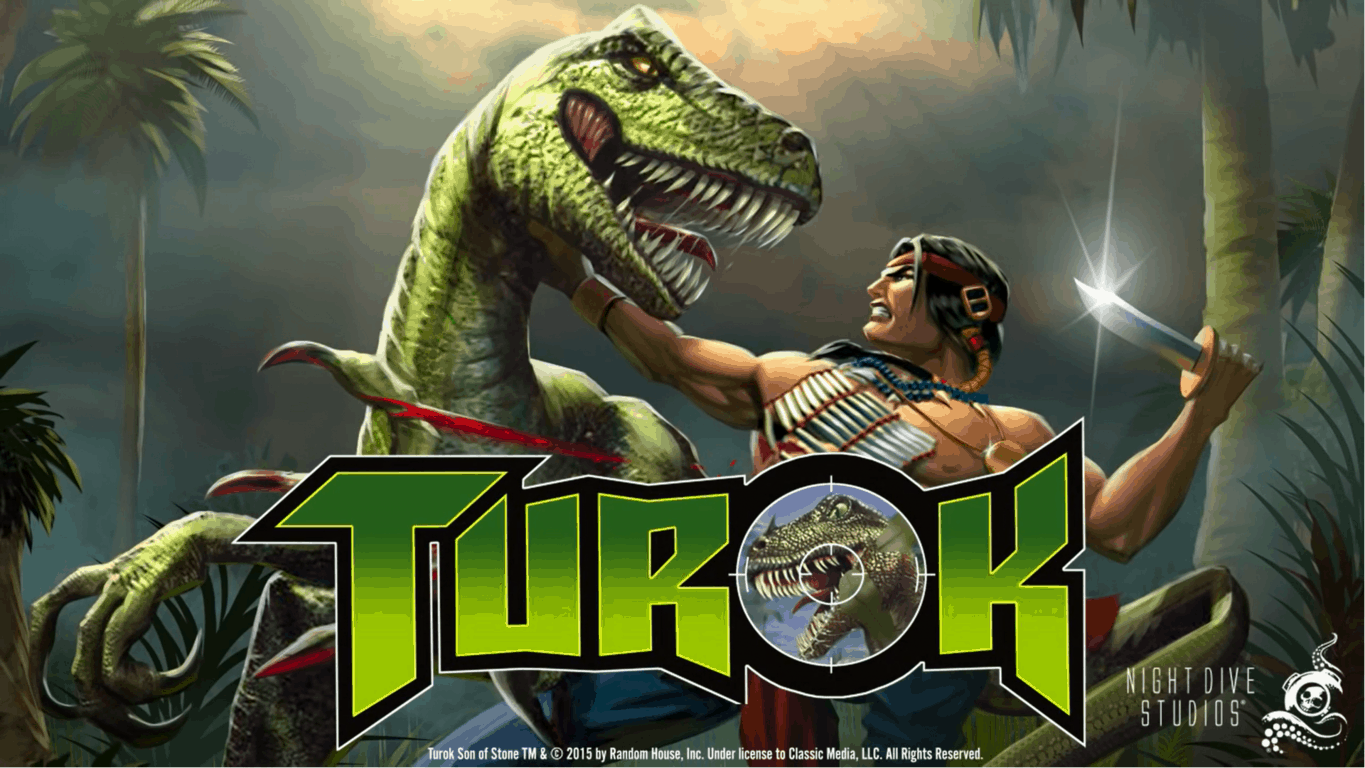
Turok is a big deal, for the history of shooters. It’s one of the classic games that helped the FPS genre find its legs in a new and evolving market. Thanks to Night Dive studios – a team that’s dedicated to remaking and/or remastering all sorts of different titles – we should be seeing a much-improved version of Turok in the near future (via Windows Central.)

Night Dive’s remade versions of Turok 1 and 2 have been available on PC for quite some time now, so they’re technically nothing new. That being said, this tweet from the PEGI Rating System suggests that an Xbox One version of Turok is well on its way to releasing. While no official statement has been made by Night Dive studios, you can probably expect to hear something fairly soon. Rating is something that happens in the very late stages of development and should mean that they’ll have something to announce soon.

Microsoft profiles KC Lemson, who created the Ninja Cat

After profiling Dona Sarkar last year, Microsoft published today a profile of KC Lemson, senior director of program managers in Surface, and creator of the Ninja Cat meme. The 19-year Microsoft veteran, which describes herself as “totally socially awkward” and “a bull in a china shop” is indeed a very interesting personality.

Lemson already revealed the origin of the Microsoft Ninja cat last year: when she was working on a Powerpoint presentation about what would soon become Windows 10, she included a graphic that showed the cat standing on a unicorn and holding a flag with the Microsoft logo.

Windows 10, Anniversary update, Microsoft, Ninja Cat

The whole thing was actually inspired by the popular Welcome to the Internet meme by Jason Heuser, and it really resonated with Microsoft employees. As Lemson sums it, Ninja Cat quickly became “a visual that spoke to a sort of zeitgeist about where we were headed.”

A very creative person, Lemson has also created Bedlam, a humourous Microsoft version of the Cards Against Humanity game. “Making fun of ourselves, it’s just literally fun,” she said of the game based on inside jokes and the company’s culture. The game is currently being sold at the internal Microsoft company store, and Lemson has been using sales to raise money for charity.

KC Lemson’s Bedlam card game.

After having close to 10 different roles at Microsoft, Lemson is now a very passionate member of the Surface team. “Technology has the potential to be so cool, but if I don’t want to use it, if it’s not going to change my habits, then I don’t care,” she said. “Technology has to benefit human beings, and this company has the will and the DNA to do that.” You can follow KC Lemson on Twitter here.

Game console modder combines Xbox One X and Laptop with the Xbook One X

We’ve seen some interesting creations from game console modder Eddie Zarick before. He’s the mind behind the Xbox One S and PS4 slim combo dubbed the Xstation and even the Xbox One S Laptop. Given Microsoft’s recent release of the Xbox One X, Zarick took it on to create a portable version of the console, appropriately named the Xbook One X (via Digital Trends.)

In a short YouTube video, Zarick shows off the 21-inch 1080p screen, built-in keyboard/speakers, and the original Xbox One X power and eject buttons on his Xbook One X. A post on his blog reveals the entire system is built into a custom housing, and the keyboard can be used for the navigation of the UI without having the controller on. The Xbook One X also keeps the original Xbox One X cooling system, perfect for “extreme gaming.”

Interestingly, the Xbook One X only works with a power cable, since it’s impossible for a modern gaming console to run on just batteries. Other features on the custom console include 5 buttons for controlling all of the functions of the LCD, one USB port on the front of the system. The back of the system sees an HDMI out for 4K output, Ethernet and optical audio out, and 2 USB ports.

If you so happen to have $1,000 to deposit on this system, you can purchase one directly from Eddie Zarick by contacting him on his website. This $1,000 is nonrefundable, but it gets your name on the list for the Xbook One X. Zarick lists that the console takes 2-3 weeks to complete, and you can contact him with any questions along the way.

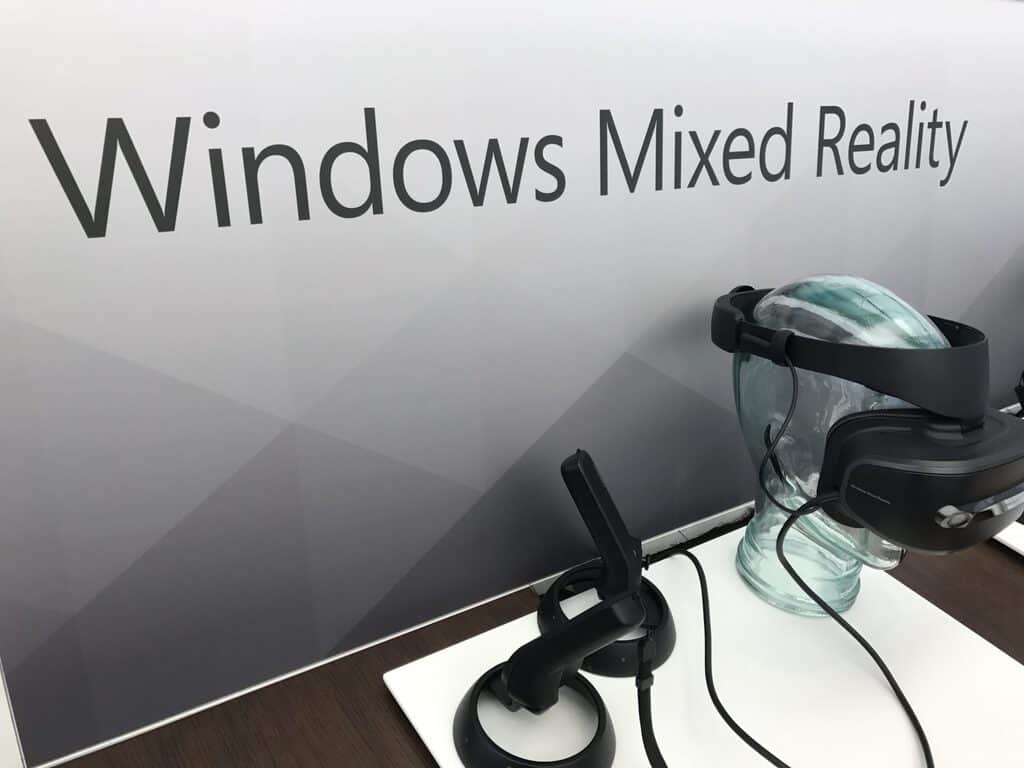
Windows Mixed Reality headset use gains traction on Steam, now up to 4.35% usage share

It’s been nearly two months now since SteamVR games launched in early preview on Windows Mixed Reality headsets, and the Windows VR headsets are already gaining traction on Steam. As noted by Road to VR this week (via MSPoweruser), the latest Steam hardware survey revealed that Windows Mixed Reality headsets more than doubled their usage share from 2% to 4.35% last month.

While the HTC Vive (47.26%) and the Oculus Rift (46.14%) remain far ahead in the chart, Windows Mixed Reality headsets should gain more usage share on Steam once the SteamVR bridge officially drops its beta tag.

As Microsoft and its hardware partners have yet to reveal sales data, it’s still hard to know if Windows Mixed Reality headsets are selling well. But thanks to their inside-out tracking technology, Windows VR headsets are much easier to set up compared to the HTC Vive or Oculus Rift, which both require external tracking hardware. Moreover, Windows Mixed Reality are really affordable, and most of them were on sale during the holidays.

Like most VR headsets these days, Windows Mixed Reality headsets should remain focused on PC gaming scenarios for the time being, and SteamVR is a great platform for that. Unfortunately for Xbox One owners, Microsoft believes that console VR should be wireless, so we could wait quite some time before seeing Windows Mixed Reality support on the Xbox One.

Microsoft to acquire high performance storage provider Avere Systems

We’re just three days into 2018 and Microsoft has already announced its first acquisition of the year, which is cloud-related. Avere Systems, a Pittsburgh-based company specialized in providing fast data access for hybrid cloud infrastructures, will help Microsoft improve its Azure offering.

“Avere uses an innovative combination of file system and caching technologies to support the performance requirements for customers who run large-scale compute workloads,” explained Jason Zander, Corporate Vice President, Microsoft Azure. The company already has many high-profile customers in the media industry including Sony Pictures Imageworks, as well as several US government agencies such as NASA and Library of Congress.

In a separate blog post, President and CEO of Avere Systems Ronald Bianchini Jr. said that Microsoft completely shares Avere’s focus on large enterprise applications. “Our shared vision is to continue our focus on all of Avere’s use cases – in the datacenter, in the cloud and in hybrid cloud storage and cloud bursting environments,” he explained. “Tighter integration with Azure will result in a much more seamless experience for our customers.”

Microsoft’s “Connect Americans Now” advocacy group aims to get more rural Americans online

Microsoft has long been pushing for the use of TV White Space tech in rural America to help more folks get online, but the company recently took things to a new level. As noted by Venture Beat, Microsoft formed the “Connect Americans Now” advocacy group, helping advocate the FCC to remove regulations that are in the way of rural broadband initiatives.

The news comes right after Microsoft President Brad Smith pushed out a note on the top 10 tech issues for 2018, with technology for rural communities making the list. Anyway, The App Association, a software trade organization, and the National Rural Education Association join Microsoft as members of the Connect Americans Now advocacy group.

According to a website for Connect Americans Now, the group plans to “engage policymakers in a meaningful dialogue on the most effective ways to ensure that all American communities can benefit from high-speed broadband coverage.” The website also cites that roughly 34 million Americans lack a broadband connection and 23.4 million live in rural areas.

TV White Space technology depends on the use of open unused broadcast spectrums (mainly from TV stations) to bring internet to rural areas. These airwaves also can travel greater distances and can better penetrate through walls and other obstacles. Microsoft plans to provide small investments in capital expenditure to build the TV White Space broadband networks, but like any commercial environment does not take a return on investment into consideration. The tech was in use in Puerto Rico and the US Virgin Islands following hurricanes.

Xbox One X’s marketing is still deceiving consumers about support for Kinect

It’s no secret that Microsoft has pretty much abandoned the Xbox One’s Kinect sensor. Native support for it wasn’t added to the newer Xbox One S and Xbox One X consoles and the adapter which was needed to make it work on either of them has now ceased production. While this is terrible news for the many Xbox One owners who enjoy using their Kinect (or even bought an Xbox One because of it), discontinuation of hardware is something that often happens with technology so this isn’t too controversial in and of itself. What is an issue though is Microsoft continuing to falsely advertise the Xbox One X as being fully compatible with the Kinect.

When the Xbox One X was officially unveiled during 2017’s E3, Microsoft made a point to mention that it would work with all current Xbox One accessories, which includes the Kinect. Take a look in the video below.

Along with the E3 presentation, Microsoft also released some marketing material which confirmed that their upcoming console would indeed support all Xbox One-branded accessories. Not only that, the material even stated that no adaptors would be necessary.

No Kinect Adapter NeededNow, sure, plans change and products evolve between their announcements and launch so this can be forgiven but the problem is that all of the current promotional material for the Xbox One X continues to state that it will work with all Xbox One accessories and no effort is being made to correct the messaging already put out. Take a look at this section from the official Xbox One X website.

Xbox One X Accessories

Admittedly that graphic doesn’t feature the Kinect but most consumers will simply read that and assume it does. Very few will read the linked-to fine print at the bottom of the page specifying that a Kinect Adapter is needed for the Kinect to work with an Xbox One X. Since that product is no longer being made though, that should absolutely be mentioned on the site.

The worst offender is the official Xbox One X product listing on Amazon which not only proudly proclaims that the new console supports all Xbox One accessories but even includes a detailed chart that breaks down all of what the Xbox One X and Xbox One S can do. Both are said to support all accessories.

Xbox One X on Amazon

Xbox One X on Amazon

This ambiguous communication is confusing new and existing Xbox One owners. I’ve personally had to explain the Kinect situation to several people in person over the holidays who were planning on getting an Xbox One console for their family for Christmas. All pretty much assumed that the Kinect would work with the Xbox One S or X as that’s what the marketing has been telling them. There are many more confused consumers online.

“I’m sorry but this really is a slap in the face I’m pretty sure its also false advertising since it was claimed the X supported all your Xbox One accessories which clearly isn’t the case. Really soured my whole experience to the point where I’m really considering returning my Scorpio Edition,” says one entry on Microsoft’s UserVoice website. “I bought your hype and fell in love with Kinect, then you killed it,” says another. “Please give us access to our Kinect again! You may want to pretend like it doesn’t exist, but it is something me and my kids used often before my Original Xbox One failed earlier this year.”

Predictably, social media users are voicing their frustration and sense of betrayal too.

There’s really no way to heal the burn many Xbox One and Kinect early adopters are feeling after the Kinect abandonment (myself included) but a lot of the confusion with recent console purchases could easily be solved if Microsoft chose to clearly state on Xbox One X and S product listings and packaging that they aren’t compatible with the Kinect. Especially now that there’s little chance of a new buyer getting their hands on a Kinect Adapter.

I started this article by saying that it’s no secret that Microsoft has killed support for the Kinect but it really does seem like it is. On one hand, it’s understandable, as choosing to promote the cancellation of something so heavily associated with the Xbox brand to the casual consumer could create doubt in the marketplace. On the other though, it does look like Microsoft is deliberately misrepresenting their latest consoles to make more sales. It could only be a matter of time before some angry consumers take out their Kinectless rage on Microsoft in the courts. After all, this wouldn’t be the first time (or second) that gamers have sued a company that let them down.

Where do you stand on this issue? Do you think Microsoft should do a better job at communicating with consumers? Let us know in the comments below.

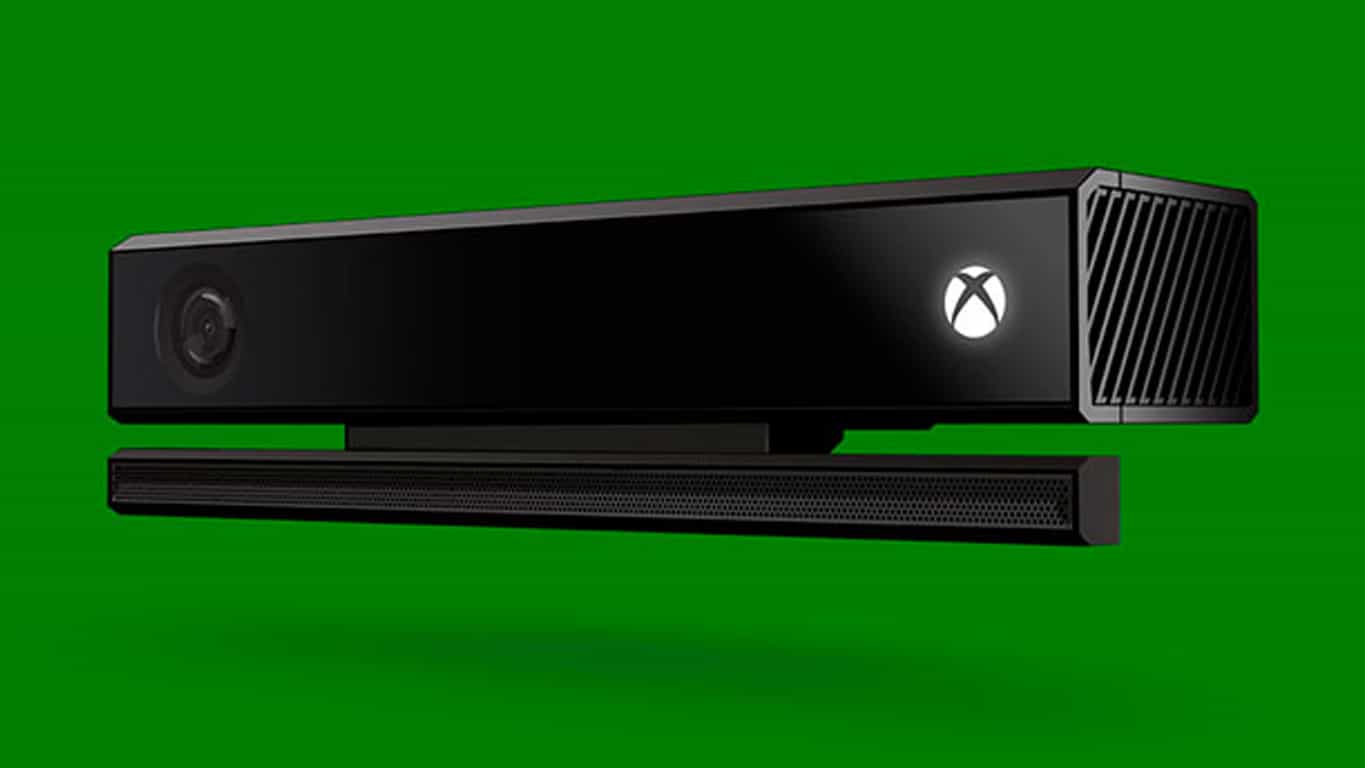
Microsoft confirms the Xbox One Kinect Adapter is no longer being made

Microsoft has finally confirmed that they have ceased production of their Kinect Adapter and that none will be made available in the future.

“After careful consideration, we decided to stop manufacturing the Xbox Kinect Adapter to focus attention on launching new, higher fan-requested gaming accessories across Xbox One and Windows 10,” the company’s statement given to Polygon earlier today reads.

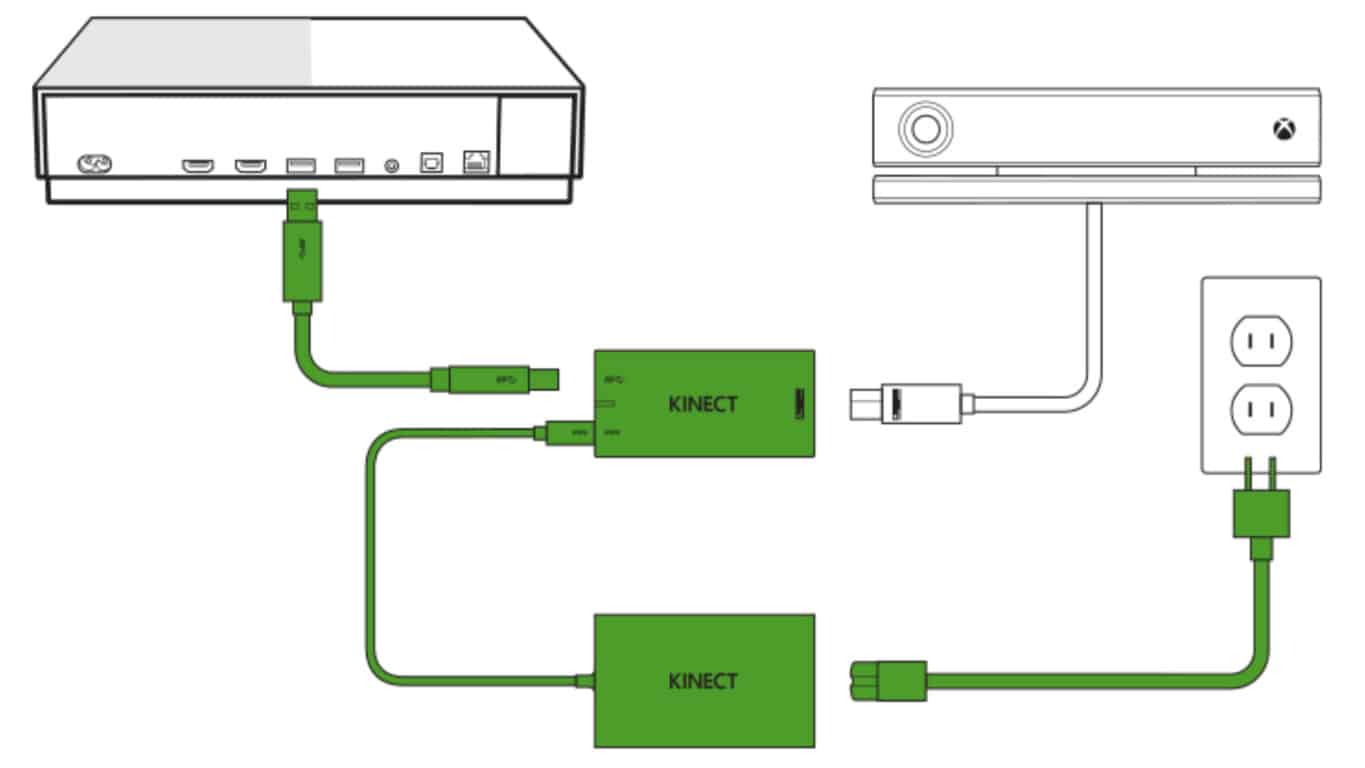
The Kinect Adapter is an accessory needed to connect the Xbox One’s Kinect sensor to the newer Xbox One S and Xbox One X video game consoles. Some were given away for free to a select group of early Xbox One S buyers but most latter customers, and all who bought the new Xbox One X, were forced to order their own online or find one in store. During the 2017 holiday season with the uptick in Xbox One S sales and the launch of the Xbox One X, stock completely ran out pretty much everywhere in all regions and the Kinect Adapter is now being resold on Amazon and eBay for up to US$399.

Xbox One Kinect Adapter

Many Xbox One users who had reached out to Xbox Support had been receiving mixed messages about Kinect ranging from plans for new stock of the Kinect Adapter to be made and even a possible alternative to the accessory being planned for the future so some clarification from Microsoft was definitely needed. This just isn’t the confirmation that most were expecting.

The Kinect sensor allows gamers to play motion games like Just Dance, Dance Central, and Fruit Ninja, and can also be used for video calls via Skype and for webcam footage when streaming on Twitch or Mixer. The most-used Kinect function though is likely its voice commands which can be used to turn the console (and/or the TV) on and off, change the volume, pause and play video, record in-game footage or take a screenshot, and more. Right now, anyone looking to upgrade to an Xbox One S or Xbox One X will have to sacrifice all of this added functionality and for many angry consumers on Twitter, Reddit, and Microsoft’s own UserVoice, this is something that they just don’t want to do.

Are you a Kinect user that’s been affected by this decision? Let us know about your experience in the comments below and then head on over to this UserVoice Kinect suggestion to make your voice heard.

Xbox news recap: Kodi app launches on Xbox One, Games for Gold release early and more

Welcome to our weekly Xbox news recap series, where we go over the top stories of the past week in the world of Xbox. Let’s get started.

Kodi app launches for Xbox One

The popular media center app, Kodi, has recently gotten an app for Xbox One. The app lets you explore media content across your network, peeking into the hard drives of connected devices. The app should be useful for people with several devices who intend for the Xbox One to become the center of their entertainment suite, and is available on the Xbox store for free. Unfortunately, the app currently doesn’t support the Xbox One Media Remote, so you’ll have to just use your controller for now.

Tomb Raider and Van Helsing: 2018 come to Gold members early

Every month, Xbox Live Gold users get a handful of free games. This time around, January’s games came early – dropping at the very end of December for people who want something to do on New Year’s, and don’t have a party lined up. The Incredible Adventures of Van Helsing and Tomb Raider: Underworld are on the menu this time, in addition to Zombi and Army of Two. The Incredible Adventures of Van Helsing comes at a great time, especially, since the third game in its franchise launches today. Feel free to try out the first game, and decide if you want to buy into the third.

PlayerUnknown’s Battlegrounds frequently updated after Xbox launch

PUBG has been getting a star treatment for its launch on the Xbox platform, practically having a red carpet rolled out for it in light of its massive popularity. In that same interest, the game has been getting frequent updates to clean up bugs and make sure it’s pristine as soon as possible. The latest update released just a few days before Christmas, and offered a ton of bug fixes,  optimization tweaks, and UI shifts.

Deals with Gold release on top of the Xbox Countdown Sale

While the Xbox Countdown Sale has been a big focus for anyone shopping for games during the holidays, there’s still more to come. Microsoft has also brought us their monthly “Deals with Gold,” giving out some new deals for you to peruse before the holiday comes to a close. Highlights of this month’s Deals with Gold include Worms Battlegrounds and Lords of the Fallen, which are both going for about $6. Not too shabby!

Thanks for joining us. To keep up to date with all the latest Xbox news, keep a close eye on our Xbox One tag.

A quick look ahead: What to expect from Microsoft in 2018

2017 has been in many ways a banner year for Microsoft. Not one but two major updates to Windows 10, the release of Windows Mixed Reality devices, the release of the Xbox One X, and the continued long slow agonizing death of Windows 10 Mobile all made headlines this year.

Perhaps the biggest story of the year was the company’s both cultural and financial resurgence under CEO Satya Nadella. 2017 was Nadella’s third year at the helm, and he’s managed to begin to change the perception of Microsoft and Windows in the marketplace. Thanks in part to a Surface Laptop and the Surface Book 2, and the company’s continued successes with Azure and Office 365 have captured all the attention of Wall Street, with Microsoft stock trading at record highs and continuing to climb.

So it was a good year for Microsoft. There were blunders, of course, and Redmond’s continued across the board failures in mobile, with Windows 10 Mobile now in “maintenance mode,” puts the company in a difficult position, with no entry into the most lucrative and forward-looking sector of the market.

There’s lots of hoopla about Xbox, but it still lags behind Sony’s PlayStation in market share and mindshare amongst gamers. The same holds true for Azure, and even though the cloud is a big money-maker, it still trails AWS significantly. Sure, Microsoft is making money at being number two in both gaming and cloud, but where’s the fun in that?

On to 2018, and indeed it’s shaping up to be another big year for Microsoft. How big a year we’re about to find out. Will Microsoft find a solution to its lack of presence in mobile? Will Azure and Office and Surface and Xbox all continue to push boundaries? How will the company do in its quest to change the culture? Let’s take a quick look at what may be in store for 2018.

Windows

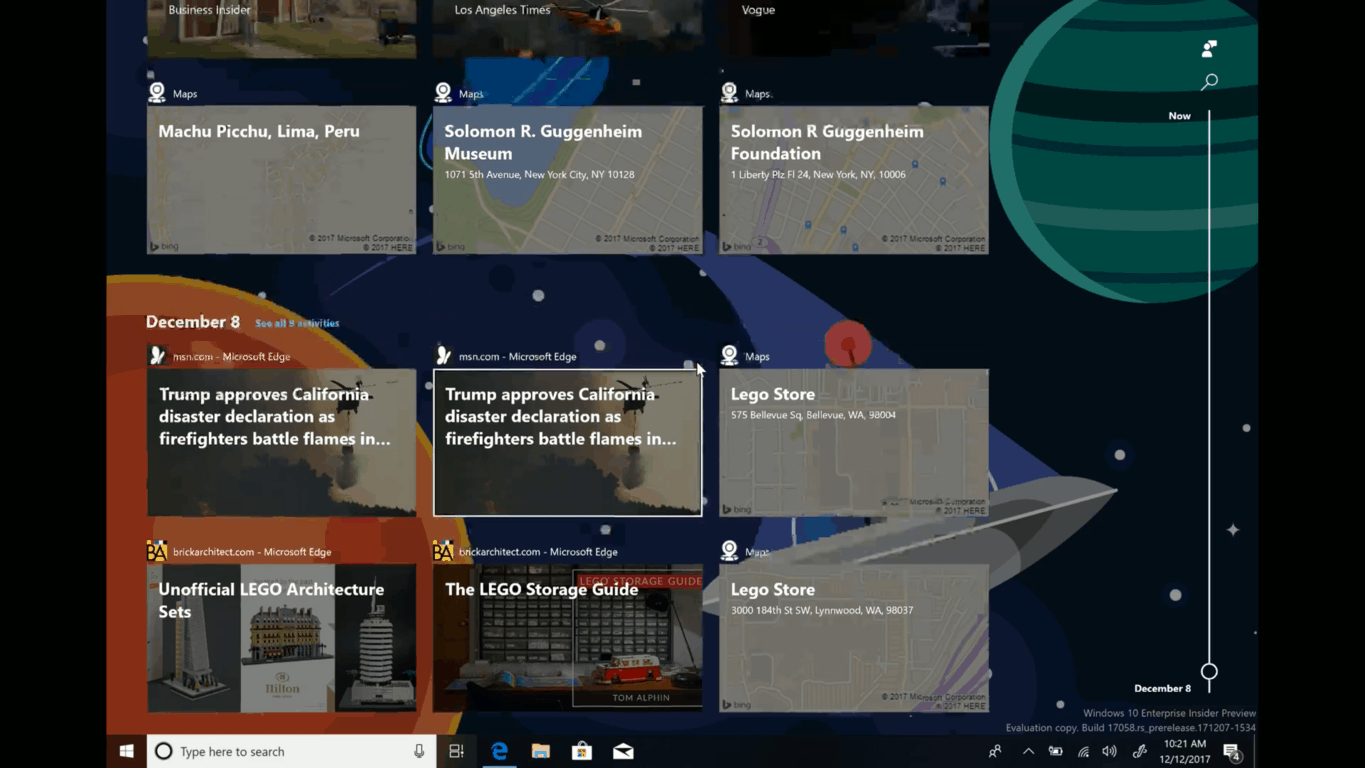
2017 gave us the Spring and Fall Creators Updates, and we’re expecting another two major revisions to Windows 10 in 2018. The first update, expected again in the Spring, will lay the groundwork for a couple of major enhancements to Windows, Timeline and Sets. The features may not make it into production until the fall with RS5, but Windows Insiders should have plenty of time to test and react to probably the most fundamental change to Windows since Windows 10 itself.

Xbox

Microsoft pulled out all the stops in 2017 by releasing the Xbox One X in November, leapfrogging Sony and introducing a next generation console early in the cycle. What Microsoft or its gaming partners didn’t do, however, was release significant new games for the new platform, and in 2018, they’ll have to start to do just that.

Sea of Thieves will be arriving in March, but Microsoft will be under the gun to wow once again at E3 in June. Will we hear about Halo 6? Will Microsoft Studios break out a new franchise, or at least announce one? How will Microsoft’s push to bring Xbox into Windows evolve? By releasing the Xbox One X, Microsoft has set itself some pretty high expectations. We’ll see if they meet them in 2018.

Progressive Web Apps

The death of Windows phone has been a blow to Microsoft in a lot of areas, but strategically, perhaps the biggest blow is to its Universal Windows Platform, the basis for Windows 10’s apps and Windows 10 S. Without a mobile counterpart to drive app development, there’s not much universal about these apps at all.

Microsoft may be trying to solve that with Progressive Web Apps. These web based apps that can run offline in a “native” experience are being embraced by Microsoft, and will be generally supported by Edge beginning with the next Windows 10 update (you can enable support for them now with a flag). Unlike the proprietary Universal Windows Apps, PWAs will run cross browser and cross devices, with support already in place by Google. Microsoft has already announced plans to not only support, but actively push PWAs in the Microsoft Store, and while we think it’s far to early to sound a death knell for the Universal Windows Platform, PWAs seem to be much less of a dead end path to follow.

Taxes

A major new tax cut goes into effect in the United States in January, and one portion of it will have a huge impact on Microsoft and other tech giants. Currently, Microsoft has over $130 billion stashed in low tax offshore holdings, mostly in Ireland and in the Caribbean. The new tax law will allow these companies to repatriate some of that money back to the US, and in effect punish them if they don’t.

What Microsoft does to re-invest some of those earnings, or even if they’ll take advantage of the new laws at all, will be a big deal in 2018. Donald Trump and the Republicans are counting on companies to bring back money and spend it here, but will that really happen? Will Microsoft continue their “good citizen” efforts by helping to improve the US economy? This will be a very interesting space to watch in the coming year.

Surface Phone and Surface

Of course the big question for 2018 will be all about the Surface Phone. While all indications are that the rumored new foldable device won’t even be a “phone,” per se, and there’s probably little chance that this new device will launch anytime soon, we should start hearing about it, if it does indeed exist, sometime mid-year.

Panos Panay and his team may well have a few more tricks up their sleeve in the new year, too, as they try to capitalize on the momentum building with the Surface Pro, the Surface Laptop, and the Surface Book 2. Will they hold all their eggs in a Surface Phone basket, or will there be more Surface devices on the way?

New horizons

While we won’t see a new HoloLens in 2018, we should begin to hear more about a version 2, planned for a 2019 release. We’ll also be hearing lots more about bots, AI, and the Internet of Things, all buzzwords that will only gain volume in the upcoming year. While it’s further out than even a new HoloLens, we’ll hear more about Quantum Computing, too. Microsoft will be looking to get ahead of the curve on new technology, having been left behind in both mobile and more recently digital assistants. We may also be hearing quite a bit more about Cortana in 2018, although Microsoft once again finds itself on the outside looking in as Amazon’s Alexa continues to gain ground and Google Home makes a strong push.

Another good year?

While we won’t see any groundbreaking new technology (we don’t think), 2018 promises to be another big year for Microsoft. Perhaps infused with some new repatriated cash, and building on solid foundations in Xbox, on Azure and Office 365, and with Surface, Microsoft is definitely headed in the right direction. What do you think 2018 will bring? Let us know in the comments below.

Official Kodi app launches in preview on Microsoft’s Xbox One

Kodi, the popular media center app born as the Xbox Media Center (XBMC) on the OG Xbox One is now available on Xbox One consoles (via Windows Central). The app is launching in preview and will show up as “Kodi 18.0-ALPHA1” once you install it from the Microsoft Store.

On a Windows PC, Kodi lets you easily browse media content from your hard drive, optical disc, local network and other Internet sources. Even better, there are also many third-party add-ons to give you access to live TV and more entertainment sources.

The Xbox One app features the same interface, but there are several limitations for now. The developer explained:

Due to the nature of how UWP works our hands are tied in some areas. Some parts are not even finished yet and our developers are still working on getting it up to the regular standard. As of this writing there’s limited access to only what’s part of your Video and Music folders. Network support is limited to only NFS:// shares. No access to the Blu-ray drive to start the disc or even an attached storage drive. There might still be problems with certain general python modules that are used by add-ons and we are finding and reporting them to the developers as testing progresses. I’m sure there’s more that might not work as intended yet as there are so many features it just will take a while to go over them. We cannot promise to what extend we can get every feature working as it all depends on what is available to us developers.

During our quick hands-on with the app, we also noticed that Kodi doesn’t support the Xbox One Media Remote as of yet, so you’ll have to use your Xbox One controller to navigate the app. This is a minor annoyance, though we hope Microsoft’s official remote will be supported in the near future. You can download Kodi on your Xbox One from the link below, or just search for the app in the Xbox Store.

Kodi
Kodi
Developer:
XBMC Foundation
Price:
Free

5+ best dual SIM Windows phones

Are you a Windows user interested in a Windows phone with intriguing features? Today, we are going to show you some of the best dual SIM Windows phones.

Dual SIM mobile phones enable you to use two SIM cards on your phone. However, Windows Report has compiled this list for you.

What are the best dual SIM Windows phones?

Microsoft Lumia 535 Dual SIM

lumia 535

This smartphone was launched in November 2014. It comes with a 5.00-inch touchscreen display and a resolution of 540 pixels by 960 pixels with a 220 pixels per inch PPI.

The device is powered by a 1.2GHz quad-core Qualcomm Snapdragon 200 processor.

It has 1GB of RAM, 8GB of internal storage, a 5-megapixel primary camera and a 5-megapixel at the front suitable for selfies.

It runs on Windows 8.1 and has a 1905mAh removable battery.

The Microsoft Lumia 535 Dual SIM accepts Micro-SIMs. Connectivity options include GPS, Wi-Fi, FM Bluetooth and 3G. Sensors include Accelerometer, Proximity sensor and Ambient light sensor.

Buy the Lumia 535 Dual SIM from the Microsoft Store.

  • ALSO READ: Check out the Mirabook laptop powered by Windows Phone

Microsoft Lumia 950 XL Dual SIM

Lumia 950 XL

This smartphone was launched in October 2015. It comes with a 5.70-inch touch screen display and a resolution of 1440 pixels by 2560 pixels with 518 pixels per inch PPI.

Octa-core Qualcomm Snapdragon 810 processor powers the Microsoft Lumia 950 XL Dual SIM and it comes with 3GB of RAM. It has 32GB of internal storage, a 20-megapixel primary camera and a 5-megapixel at the front suitable for selfies.

It runs on Windows 10 Mobile and has a 3340mAh removable battery. The phone consists of sensors such as Proximity sensor, Compass Magnetometer, Ambient light sensor, Accelerometer, Gyroscope and Barometer.

Buy the Lumia 950 XL Dual SIM from the Microsoft Store.

Microsoft Lumia 430 Dual SIM

lumia 430

It was launched in March 2015. It comes with a 4.00-inch touchscreen display and a resolution of 480 pixels by 800 pixels with 235 pixels per inch PPI.

1.2GHz dual-core Qualcomm Snapdragon 200 processor powers it. This smartphone comes with 1GB of RAM. It has 8GB of internal storage, 2-megapixel primary camera and a 0.3-megapixel at the front suitable for selfies. It runs on Windows Phone 8.1 and has a 1500mAh removable battery.

Microsoft Lumia 430 Dual SIM accepts Micro-SIMs.

Connectivity options consist of GPS, Wi-Fi, FM, Bluetooth and 3G. Sensors include Accelerometer, Proximity sensor, gyroscope and Ambient light sensor.

Microsoft Lumia 540 Dual SIM

lumia 540

This smartphone comes with a 5.00-inch touchscreen display and a resolution of 720 pixels by 1280 pixels with a 294 pixels per inch PPI. 1.2GHz quad-core Qualcomm Snapdragon 200 processor Powers it.

It comes with 1GB of RAM, 8GB of internal storage, a 8-megapixel primary camera and a 5-megapixel at the front suitable for selfies.

It runs on Windows Phone 8.1 and has a 2200mAh removable battery.

The Microsoft Lumia 540 Dual SIM accepts Micro-SIMs. Connectivity options include GPS, Wi-Fi, FM Bluetooth and 3G.

Sensors on the phone include Proximity sensor, Accelerometer, Compass Magnetometer and Ambient light sensor.

Microsoft Lumia 640 XL LTE Dual SIM

lumia 640 xl dual sim

This smartphone was launched in March 2015. It comes with a 5.70-inch touchscreen display and a resolution of 720 pixels by 1280 pixels with a 259 pixels per inch PPI. 1.2GHz quad-core Qualcomm Snapdragon 400 processor powers it.

This smartphone comes with 1GB of RAM. It has 8GB of internal storage, a 13-megapixel primary camera and a 5-megapixel at the front suitable for selfies.

It runs on Windows Phone 8.1 and has a 3120mAh removable battery.

Microsoft Lumia 640 XL LTE Dual SIM accepts Micro-SIMs. Connectivity options include GPS, Wi-Fi, NFC, Bluetooth, FM, 3G and 4G. Sensors include Proximity sensor, Accelerometer, Compass Magnetometer and Ambient light sensor.

Buy the Lumia 640 XL from Amazon.

Microsoft Lumia 532 Dual SIM

Lumia 532

This smartphone was launched in February 2015. It comes with a 4.00-inch touchscreen display and a resolution of 480 pixels by 800 pixels with a 233 pixels per inch PPI. 1.2GHz quad-core Qualcomm

Microsoft Lumia 532 Dual SIM comes with 1GB of RAM, 8GB of internal storage, 5-megapixel primary camera and a 0.3-megapixel at the front suitable for selfies.

It runs on Windows Phone 8.1 and has a 1560mAh removable battery. It accepts Micro-SIMs. Connectivity options include GPS, Wi-Fi, FM, Bluetooth and 3G. Sensors include Accelerometer, Proximity sensor and Ambient light sensor.

Microsoft Lumia 640 XL Dual SIM

Lumia 640 XL

This smartphone was launched in March 2015. It comes with a 5.70-inch touchscreen display and a resolution of 720 pixels by 1280 pixels with a 259 pixels per inch PPI. 1.2Gz quad-core Qualcomm Snapdragon 400 processor powers it and it comes with 1GB of RAM. It has 8GB of internal storage, a 13-megapixel primary camera and a 5-megapixel at the front suitable for selfies.

It runs on Windows Phone 8.1 and has a 3000mAh removable battery. Microsoft Lumia 640 XL Dual SIM accepts Micro-SIMs.

Connectivity options include GPS, Wi-Fi, NFC, Bluetooth, FM and 3G. Sensors include Proximity sensor, Compass Magnetometer, Ambient light sensor and Accelerometer.

Buy the phone from Amazon.

Microsoft Lumia 950 Dual SIM

This smartphone was launched in October 2015. It comes with a 5.20-inch touch screen display and a resolution of 1440 pixels by 2560 pixels with 564 pixels per inch PPI.

1.8GHz hexa-core Qualcomm Snapdragon 808 processor powers it. This smartphone comes with 3GB of RAM. This phone has 32GB of internal storage, a 20-megapixel primary camera and a 5-megapixel at the front suitable for selfies.

However, it runs on Windows 10 Mobile. Microsoft Lumia 950 has a 3000mAh removable battery. In addition, it accepts Nano-SIMs.

Connectivity options consist of GPS, Wi-Fi, Bluetooth, FM, NFC, 3G and 4G. Sensors consist of Proximity sensor, Accelerometer, Compass Magnetometer, Gyroscope, Ambient light sensor and Barometer.

Buy it from Amazon

Do share with us your experience in using any of these dual sim Windows phones.

Xbox Beta iOS app begins testing Xbox Live Party Chat

Microsoft’s Xbox Beta app for iOS devices has updated to Version 712.1222.0301. This latest update adds support for the Beta Testing of Xbox Live’s Party Chat, the system that allows for voice chat between gamers on Xbox 360, Xbox One, and Windows 10. The Android Xbox Beta app also began testing Party Chat recently.

The iOS Xbox Beta isn’t available for the average consumer to download like the Windows 10 Xbox Beta app and instead interested users are required to register and wait for approval from Microsoft. The app is used to test features before pushing them out to the average gamer who has the main Xbox app.

Would you want to use Party Chat on your iPhone or iPad? Let us know in the comments below.

Feedback on Timeline in Windows 10 Insider build 17063 skews toward ways to remove or filter cards

Windows Timeline is definitely a revolutionary feature for Windows 10, currently allowing Windows Insiders to continue content across multiple devices. The feature is obviously in its infancy, and so Microsoft is collecting feedback from Windows Insiders in order to improve it. Indeed, a quick visit to the “Suggestions” section of Feedback Hub shows that many Windows Insiders are looking for Microsoft to improve the ways to remove or filter cards in Windows Timeline.

I myself suggested for Microsoft to add an “X” to remove activity cards from Windows Timeline, and my suggestion has gathered up nearly 280 votes in the Feedback Hub. Microsoft’s Jen Gentleman told me on Twitter that the company is considering my feedback, which is great because many Windows Insiders also have the same thought. It’s especially important to me because the only way to dismiss cards is by right-clicking on it, which is annoying if you want to remove multiple cards at the same time.

For instance, one Windows Insider wants an option to filter or group websites in Timeline, another one wants the search to automatically appear when Timeline invoked. Other suggestions include adding an option to exclude some programs in Timeline, integrating Timeline with Launcher on Android, or even adding a “clear all” button to the experience.

So, if you have something to say about Windows Timeline, voice your opinion on the Feedback Hub. Microsoft is clearly listening to your thoughts, and the more popular it becomes on Feedback Hub, the more likely it will be put into future builds.