Microsoft finds end-around to battle Russian hackers Fancy Bear

Despite the White Houses reluctance to hold Russia fully accountable for meddling in the 2016 US election, Microsoft has taken it upon themselves to begin counter measures to mitigate the power of associate Russian GRU’s Fancy Bear hacking group.

Fancy Bear has been linked to Russia’s covert military intelligence agency on occasion and is believed to be the operating force behind last years Democratic National Convention hack.

Fancy Bear has been conducting cyber espionage since at least 2007, breaching NATO, Obama’s White House, a French television station, the World Anti-Doping Agency and countless NGOs, and militaries and civilian agencies in Europe, Central Asia  and the Caucasus.  Fancy Bear’s most notorious intrusions targeted the Democratic National Committee and the Hillary Clinton campaign last year, as part of Moscow’s efforts to help Donald Trump win the White House, according to U.S. intelligence findings.

However, unlike in the movies, battling Fancy Bear hackers won’t put Microsoft behind a monitor and keyboard chasing code across command prompt screens.

Instead, as The Daily Beast is reporting, Microsoft has been slowly building a legal case to bring Fancy Bear into court for reserving domain names that infringed on the company’s trademark. Admittedly, less thrilling than glamorized cyber terrorism seen on screen, Microsoft’s approach has already produced substantive results.

As of The Daily Beast’s reporting, Microsoft has managed to seize roughly 70 Fancy Bear domains used to conduct presumably nefarious acts such as injecting malware on computers and proliferating the spread of fake news onto social media sites.

Furthermore, seized domains allow Microsoft an interception point as Fancy Bear’s server network relays information to now Microsoft controlled domains. Microsoft’s ability to become the man in the middle now enables the company jump in and disrupt future foreign attacks or hacks when observed.

In other words,” Microsoft outside counsel Sten Jenson explained in a court filing last year,  “any time an infected computer attempts to contact a command-and-control server through one of the domains, it will instead be connected to a Microsoft-controlled, secure server.”

As an embattled and courtroom tested company Microsoft’s approach of legal seizure seems well within the company’s purview as well as seemingly coming as a bit of a surprise to the less legally resourceful methods of hackers.

It will be interesting to see how much damage Microsoft can inflict before the hackers alter their methods.

Update: Microsoft didn’t ban cop for using police officer photo on Xbox Live

It’s only been a week since Xbox One’s public release of custom gamerpics, and already there is controversy about what is or is not allowed on the Microsoft gaming platform. Officer Michael Lee was logging onto his Xbox Live account to realize that he was under suspension from Microsoft. Being a man of action, Lee contacted Xbox Live support to discover that supposedly his avatar, a photo of a police man with a folded American flag (seen above), was the “violation”.

“This account featured an inappropriate Gamerpic on Xbox One or Xbox on Windows. The content of this Gamerpic may include nudity or lewd material, extreme violence, profane or offensive terms or gestures, or other content designed to sound like, look like, reference, or allude to these topics.”

As a result, the Gamerpic was removed and the account suspended for a day. “I tried to find out which rule it violated with a customer service representative,” Lee shared on social media about the event. But since it was only a 24-hour ban, the customer service replied to him that he wasn’t allowed to file any case reviews. The response in full:

“Thank you for your kind understanding. I really understand that you want some clarifications with regards on your suspension about a police holding a flag. However, you can only get in touch with the Enforcement team by submitting a case review on them. Since your suspension is only 24 hours, You are not able to file any case review with regards on the Gamerpic about the police. I do recommend that you refrain from putting any police or military photos to avoid this happening again.”

As imagined, the response to avoid using images of men in uniform has many upset, including Lee. Police supporters at Blue Lives Matter are also calling the Xbox Live reply a “World’s Worst Customer Service Response”. Microsoft has yet to make a comment about the incident or to clarify what was offensive about the image.


UPDATE: A Microsoft spokesperson has made a statement concerning the image. According to Microsoft, the image provided by Lee was not the one that the user was banned for, but instead, one that was uploaded previously.

“Images like the one described by this user would not be removed from our service or subject to enforcement action. Every image uploaded to our service is subject to our Code of Conduct and may be reviewed for compliance. Images violating that code can result in enforcement action against the user’s account, which may prevent any images from being uploaded for a short period. Our investigation found that this user had previously uploaded a different image not in compliance with our Code of Conduct, and the resulting enforcement action prevented the user from uploading further images for a short time.” – a Microsoft spokesperson.

Furthermore, Lee stated that the previous picture was only up ‘for a second’ that he clicked by accident. The image itself is an NSFW of a woman in a thong holding the American flag which Lee submitted to Blue Lives Matters and will not be shown here.

Remove unwanted files from your PC with Quantom

Quantom is one of the best file shredding and file cleaning tools available in the Windows Store. It is described as being the strongest file shredding application in the Store, and it promises to compile most of the military standards.

Quantom features

With the great UWP called Quantom, you can shred and permanently remove all unwanted files from your computer and pendrive beyond recovery.

The app is recommended for personal and office usage as well in order to protect your personal privacy and to keep company data confidential.

Data wiping standards include the following:

  • German VSITR
  • Russian GOST R 50739-95
  • US Army AR380-19
  • US Dept of Defense DoD 5200.22 M(3)
  • and Peter Gutmann’s Algorithm

Just in case you didn’t know, CCleaner also uses a few of these standards.

The app gets all the available help of the big data analysis and machine learning, and it combines all the standards and design for a better and a quicker algorithm which is considered for both performance and speed.

The app’s features include File Shredding, File Removing, File Deleting, Data Wiping, Data Erasing, File Erasing.

Quantom system requirements:

The app is compatible with Windows 10 or Windows 10 Mobile systems featuring 2 GB of memory, integrated touch and multi-core processors.

You have to get the app while you are signed in to your Microsoft account and install on up to ten Windows devices.

According to users’ experiences, the process performed by the app is fluid and quick, and all you have to do is to select the file and press the fingerprint button to destroy the information. The only minus of this app might be the fact that it doesn’t allow you to select a folder or multiple folders. But this is not such a setback compared to its other features.

Download Quantom from the Windows Store.

RELATED STORIES TO CHECK OUT:

Conga Master is now available to play on Xbox One

The musical party game, Conga Master, is now playable on the Xbox One console. The new game supports local multiplayer for up to four players and boasts a fun retro art style. Here’s the game description, shopping link, and trailer:

The dance floor fills, the line gets longer… come on down, it’s time to conga! Shake your virtual hips to the ridiculously fun arcade action of Conga Master as everyone fights to make the longest conga line possible. No rhythm required – anyone can conga! Playing Conga Master couldn’t be easier: steer your dancer across the floor, adding people to your line as you go. Longer congas let you add people faster, but watch out for pigs stinking up your line! Even better, drag three friends onto the dance floor for some local multiplayer conga madness and see who’ll become the true Conga Master!

Buy Conga Master on Xbox One

Have you bought any new Xbox One video games recently? Let us know what you’re playing right now in the comments below.

Skype for Linux gets group video calls in latest update

The official Skype for Linux app, which is currently in beta, has updated to Version 5.4, fixing several unnamed bugs and added some new features such as Group video calling. Here’s the full release notes:

  • Enabled the Group video calling
  • Updated to Electron 1.7.4 for performance and security improvements
  • Fixed the Skype Update repository keys
  • Bugfixes and improvements

Skype for Linux has yet to update to the newly redesigned look seen in other versions of the app but Linux users are encouraged to update to the latest version as support for previous iterations of the app have now ceased all functionality. In short, if you find you Skype for Linux app isn’t working properly, a simple update may fix the problem. Skype for Linux can be downloaded here.

Do you use Skype for Linux? What features would you like to see in future Skype updates? Do you want it to look like other versions of the app? Let us know in the comments below.

LinkedIn Lite app now available to download in India, launching internationally soon

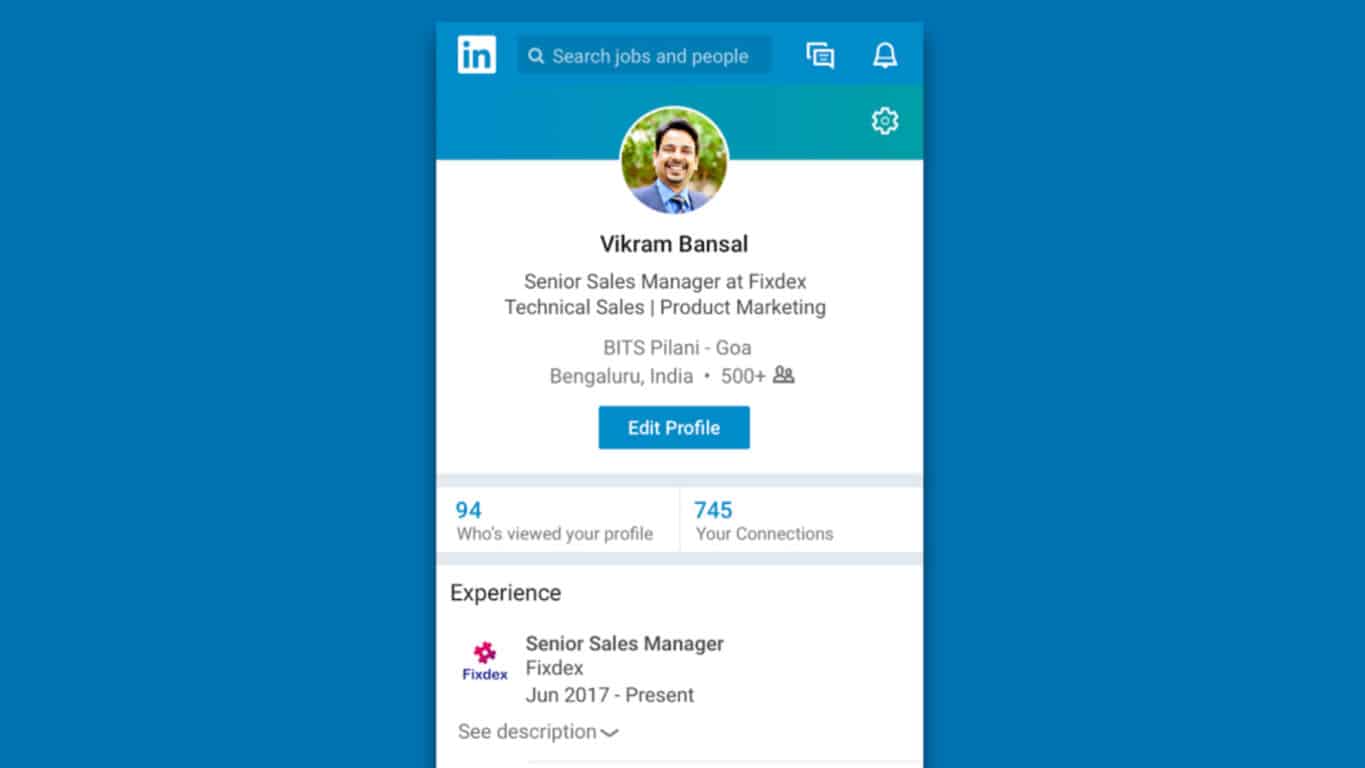
The official LinkedIn Lite app designed for Android devices in the Indian market is now available to download. The app offer access to most of the main LinkedIn features but reduces the amount of bandwidth required for it to function and is itself only one MB in size.

“Developed by LinkedIn’s R&D team in Bengaluru, LinkedIn Lite app is first being rolled out to members in India. The Lite app was inspired by the success of the lightweight mobile website, which was launched in September 2016. LinkedIn plans to roll out the mobile web version and the Android app in over 60+ countries shortly,” the official app launch announcement reads. “To help overcome the challenges of unpredictable internet connectivity, LinkedIn designed Lite to make the platform more easily accessible to the growing population of mobile internet users. Built to run smoothly and offer faster access even on lower end smartphones, the app loads extremely fast – in under five seconds, even on 2G network. The app size is only 1MB and reduces data usage by 80 percent. It also offers all key features like news feed, jobs, profile, network, messaging, notifications, and search.” Here’s the official app description:

The new LinkedIn Lite app is less than 1 MB in size. It can help you find jobs, make useful connections and get professional news even if your phone has limited storage capacity and slower internet conditions. LinkedIn Lite makes it easier for you to succeed in your career. It’s more than just your resume — it shows the world who you are and how you are building your career:

  • Search for people, alumni, seniors, jobs and companies
  • See all types of jobs including government jobs, MNC jobs, fresher jobs or entry level jobs, tech jobs, software jobs and more
  • Make useful connections with people who can help you find your dream job
  • Chat with your connections to get job referrals and career advice
  • Make your professional profile that shows your skills, education, projects, internships and work experience
  • Get the latest industry news and updates that can help you stay informed, interviews preparation, etc.

Would you like more apps like this? Let us know in the comments.

LinkedIn Lite: Easy Job Search, Jobs & Networking

Analyst predicts an Xbox One X failure in the near future

The launch of Microsoft’s Xbox One X console is still a few months out and people are already weighing in on whether they think it will succeed or not. Someone who thinks it might not do so well is analyst, Michael Pachter, who suspects that the $500 price tag could be an issue for consumers.

“An Xbox One X costs as much as an Xbox One S and PS4 Slim combined,” Pachter states. “So if you don’t have an Xbox One yet, any kind, why would you buy a One X instead of a One S, and a PS4 to go with it too? I just don’t get it. I don’t think they are doing themselves any favour at this price point. I know they are selling the appeal of 4K, but let’s be real, probably fewer than 10% of US households have a 4KTV, and certainly way less than that in any other developed country. So who is waiting for this? Next year, maybe around the end of 2017, we’ll probably be closer to 20% US households, and 10% for the rest of the world. And by the end of 2018, we’ll probably be at 35% and 20% respectively, and by 2019, we’ll probably be at 50% and 30%. So yes, it’s a more relevant purchase down the line, but… at $500, if I had only that money in my pocket, and I had to choose between an Xbox One X and a 4KTV, I wold buy a 4K TV. So, they’re only appealing to people who have $1100, because they have to buy a TV as well. This is the same problem Oculus faced. I really think the Xbox One X will not do well.”

Something Pachter fails to acknowledge though is that while the Xbox One X will be selling for a higher price than the Xbox One S, it’ll actually be retailing for the same price as the original Xbox One when it launched a few years ago (though it was also bundled with the Kinect sensor). The price isn’t actually that high especially when it’s compared to the cost of building a gaming PC with similar specs and/or the price of an HDR 4K Blu-ray player which can retail between $150 and $400 depending on the brand. There’s also the fact that the Xbox One X does more than offer 4K graphics in video games, it will also make them load faster and run smoother, something a 4K television set isn’t needed to experience.

What do you think? Do you agree with this analyst’s predictions or has he missed the mark? Let us know in the comments below.

HashMe is a straightforward hashing app for PC

The HashMe app is the most comprehensive collection of cryptographic hash functions such as MD5, SHA1, SHA256 and much more. In case you ever need to get MD2 or RIPEMD hash of your life, you are looking at the perfect solution.

The compatible operating systems include the following Windows 10, Windows 8.1, Windows 10 Mobile, Windows Phone 8.1.

The app’s approximate download size in 804.44 KB – 15.47 MB.

HashMe app’s main features

  • The app provides support for hashing text and files from any source.
  • It offers fast, native implementation for MD5, SHA1, SHA256, SHA384, and SHA512.
  • MD2, MD4, SHA224, RIPEMD, Panama, Tiger and Snefru implemented using 3rd party library.
  • You can perform easy File Drag&Drop (Windows 10).
  • You can make an easy comparison between expected and actual hash value.
  • Share Target contract – you have the ability to share your file into HashMe for instant hash.

Users’ experiences with HashMe

Users have found the app to have a slick, useful and snappy user interface. You can select your file; then you have to select your algorithm and then all you have left to do is paste the expected results. The app will calculate and will compare the results for you.

The app returns the hashes perfectly well, and it features many hash options. Some users also asked for enhanced functionality. Some of them said that it would be really nice if you were able to select multiple files at once to calculate their hashes. Some users asked for a button beside each hash value and for the ability to copy it to the clipboard. This way, you could compare more hashes against a list. Most users are happy with the app and with its nice layout, especially with its excellent amount of various hash check types.

Download HashMe from the Windows Store.

RELATED STORIES TO CHECK OUT:

Gigantic comes out of beta with full launch on Xbox One, Windows 10, and Steam

Gigantic has been in beta for years now, giving its users one of the more unique MOBA-esque experiences out on the market. Putting players in a dynamic third-person action battlefield with a number of objectives and characters to choose from, it’s managed to capture some of the things that make games like SMITE, League of Legends, and Heroes of the Storm so great. For those who never got into the game during its beta, there’s finally a full launch to enjoy.

https://twitter.com/GoGigantic/status/888022468245430273

Gigantic is one of the first competitive online games to be funded by Microsoft directly, and its success could drastically influence the future of Microsoft Studios in the gaming market, changing the direction they take going forward. If you want to help the game succeed, or are just curious about it, you can play it right now on Xbox One or Windows 10 for free. It’ll be supported post-launch, hoping to hold onto a community of dedicated people.

Xbox revenue growing slow and steady for Microsoft in Q4 17′ earnings

Despite being soundly in the passenger seat this console gaming generation, Microsoft’s Xbox division posted some pretty impressive numbers during the company’s Q4 17′ earnings report.

Microsoft reported that its Xbox saw gaming revenue increase by $44 million in the past three months. For investors, the $44 million increase represents a 3% bump year over year and ultimately an indicator of software and services demand.

Even though the hardware revenue for Xbox’s dropped by 29% due to lower cost alternatives hitting the market such as the Xbox One S and fewer consoles being sold, owners are showing more demand of software and service on their devices. Xbox software and services revenue increased by 11% highlighting a bump in the company’s subscription transactions with Xbox Live.

Microsoft’s attempt to blur the lines between consoles and PCs may be starting to reveal the company’s true intention of introducing Xbox Play Anywhere as it managed to grow Xbox Live monthly active users despite relatively underwhelming console sales. During the past three months, Microsoft managed to grow Xbox Live users by 8% or a total of 53 million users.

While Microsoft may never truly recover in console sales compared to Sony’s stellar PS4 lead, the company may be quietly laying the foundation for an evolutionary transition in gaming where subscription services may be more important than the device they’re attached to and muting, the war cries of gaming fanboy’s over time.

Microsoft’s Surface production caused the company’s Q4 17′ revenue decline

While Microsoft may be taking to flight in the clouds with its Q4 17′ fiscal earnings, its Surface division alongside its slumping Windows phone revenue is keeping the company somewhat grounded for now.

After reporting gains and increases in its Intelligent Cloud and Office 365 services for Q4 17′ which has moved the company needle to the tune of $6.5 billion net income, Microsoft also had to disclose that its Surface line shrunk 2% in the past three months.

Despite releasing the Surface Laptop and refreshed Surface Pro devices and receiving praises for its Surface Studio, Microsoft’s hardware crown jewel hardware division brought in $948 million this year compared to the $965 million from last year.

Microsoft is attributing the decline to ‘product lifecycle transitions’ which was a combination of expansion of the product line as well extended life cycles on products such as the Surface Pro and Surface Book.

While the Surface Pro, Surface Laptop, and eventual Surface Book refreshes will help to level out those revenue numbers for the next quarterly earnings results, it’s Microsoft’s failed Windows phone that is now leaving an immaterial mark on the company’s bottom line. Microsoft is now only in the hole for its failed smartphone platform to the tune of $4 million compared to the multiple millions just a couple of years ago.

However, for a mainly software focused company, having the Surface division only down 2% in a three month span when new hardware was absent isn’t that bad of deal.

Has Microsoft given up on Bing Webmaster Tools? Pages don’t load, “unstable and unusable,” say reports

If you’re a webmaster, you know that it’s very important to control how your website appears in search results, including those provided by Microsoft’s Bing. Yes, the search engine has always been lagging behind Google in most markets since launch, but you can’t deny that Bing is the default option on Microsoft’s Edge browser on Windows 10 PCs. Moreover, Redmond also has a long time partnership with Apple to make Siri search Bing for results, which probably helps to drive Bing usage on iPhones and iPads.

It may not be as popular and full-featured as Google’s Search Console and Analytics apps, but Microsoft’s Bing Webmaster tools is the place to go if you want to improve how your website is indexed on the search engine. Over the years, Microsoft has improved its online suite with various reporting and diagnostic tools, but the whole website seems to be somewhat broken these days.

As Search Engine Roundtable is reporting today, many users are currently encountering various errors when browsing the website. In our own testing, we also had many issues when trying to add a website to the dashboard.

Three months ago, Microsoft updated Bing Webmaster Tools with a new feature allowing webmasters to view pages that have been affected by Copyright Removal Notices. Since then dedicated blog has been completely silent, and the company did not answer user complaints on Twitter either. We’ve reached out to Microsoft to see if the company is aware of any issues with the service, and we’ll update this post if we get an answer.

Here are the top four quests in the latest Windows 10 Insiders bug bash

As Microsoft puts the final touches on the Windows 10 Fall Creators Update, the Windows Insiders team is still calling on program participants for its final Bug Bash event before the big update.

The current Bug Bash started last week and is heading into its last leg, ending at 11:59 pm PT on Sunday, July 23rd. Dona Sarker tweeted today sharing a fun insight that Windows Insiders actually had the same top quests as the production team. She followed up with a list:

Looks like both Windows Insiders and the production team are hard at work sorting everything out for the Windows 10 Fall Creators Update. Don’t forget that the second Bug Bash webcast will be streaming via Mixer tomorrow morning at 10:00 a.m. PT Friday, July 21st.

Did you take part in this final Windows 10 Bug Bash for the summer? Let us know what your top quests were in the comments below.

Investors optimistic as Microsoft gets ready to release 4th Quarter, full year earnings today

Today is the day for Microsoft’s Q4 2017 earnings reports, and investors are holding hopes for big numbers while Microsoft rides an all-time high of its current $74 share price.

The tech giant has had a decline in revenue as it branched out, but the massive cuts worldwide have also marked major dollar signs for Microsoft. Investing.com reports that because they’ve let go of employees, Microsoft profit has risen from $4 billion to $6.5 billion.

Even then, its personal computing market has been bleeding revenue over the last two year. With only a 12% increase in productivity software, it’s actually Microsoft Azure that has the shares soaring at a high. Last earnings report, Microsoft announced approximately 100% revenue growth for Azure

The cloud is exactly where investors are expecting the biggest numbers. The Street is expecting $24.3 billion in revenue for the quarter thanks to Azure with a predicted $7.3 billion sales increase. Productivity software is estimated to see an 8.4 billion rise as well.

Stay tuned to OnMSFT.com throughout the day as we bring you the latest from Microsoft’s earnings reports.

Microsoft launches new Surface Diagnostic Toolkit app in Windows Store

Microsoft has released their Surface Diagnostic Toolkit as an app in the Windows Store for users running Windows 10 S on their device. Windows 10 S doesn’t allow for the running of traditional, non-Windows Store, apps so the creation of this new app was a necessity (Great discovery, MSPU).

Interestingly, this Windows Store version of the Surface Diagnostic Toolkit is showing as unavailable on my Windows 10 Surface Pro 4 so it could be limited to Windows 10 S devices (Let us know in the comments if you can download it on your device). Here’s the official app description:

Part educator, part detective, and part doctor, the Surface Diagnostic Toolkit guides you through a set of software repairs and hardware diagnostics to quickly and efficiently uncover and resolve issues you are experiencing on your device. Use this app to check your battery health, lookup information about your device, repair common software issues, and validate your Surface hardware. The Surface Diagnostic Toolkit is the best place to start troubleshooting, and will guide you to the best support avenue for the quickest resolution, so you can get back to turning ideas into actions and accomplishing more with your Surface.

The Surface Diagnostic Toolkit is usually the go-to answer for many Windows 10 tech support problems as it’s able to test most of a Windows 10 device’s hardware and can also check to see if important software or parts of the operating system were installed correctly. The original version of the app can be downloaded here.

PSA: New Xbox One dashboard displays your email address. Here’s how to hide it

The latest update to the Xbox One console definitely packed in a lot more changes than was officially announced. In addition to the new loading screen and removal of OneGuide (now Entertainment), the new Dashboard now shows, by default, the active user’s email address associated with their Microsoft/Xbox account.

This was probably done as a way for users to differentiate themselves from other logged-in users on the same console or maybe to remind them of their account details. Despite the good intentions though, this is clearly a major privacy concern for Xbox One owners who stream their gaming online and don’t want their personal or business email shared with their entire audience. This can also be a problem with consoles in public places such as a bar or school and can even be unwanted when having friends and acquaintances over.

One of the reasons this has gone unnoticed by so many Xbox One owners so far is because the email is displayed on a rotational basis in the upper-left corner of the screen where it’s shown alongside the user’s real name before switching back to the Xbox Gamertag. Thankfully, there is an option that hides the email address once again and it’s fairly easy to implement.

To disable the email display on the Xbox One Dashboard, simply go to Settings > Account > Sign-in, security & passkey > and then uncheck the first option that says Show on Home. The change will take effect immediately.

Were you aware of this change and are you choosing to hide or display your email address? Let us know in the comments below.

The Xbox One X Wireless module may have just passed FCC clearance

The Xbox One X was the Belle of the ball when Microsoft unveiled it during this year’s E3, but – contrary to most peoples’ expectations – there was no opportunity to pre-order there. This was, at the time, blamed on the fact that the FCC hadn’t yet cleared everything on the console, making it unfit for sale. According to a bit of reporting from Neowin and a touch of guesswork, we can conclude that this issue is about to clear up.

A device with model number 1817 – some kind of wireless module – has been cleared through the FCC recently. To our knowledge, the Xbox One X is the only device in the works that would need this kind of clearance at the moment, and so we can safely assume that it’s one of the last bits of technology that needed to get cleared.

Like the folks at Neowin, we’re under the impression that pre-orders will open up for the device during Gamescom next month. The annual conference is considered by many to be the most announcement-heavy conference next to E3, and frequently has plenty of new games and other gaming-related news break there.


Outlook.com brings families even closer with new Calendar integration and more

For families that love to use Microsoft products together, you’ll love the new features in Outlook.com. Today, Microsoft announced the Microsoft Family calendar to keep all of your household up to date on scheduling and events. Here’s a look at some of the features:

  • Microsoft Family calendar—Keep your family up-to-date with a single place for all of your events that everyone in the family can access.
  • Improved calendar sharing—Easily share your Outlook calendar with anyone who has an Outlook.com or Office 365 account.
  • Expanded support for events in your email—Outlook now automatically adds dinner reservations and other events to your calendar.
  • Expanded support for Interesting calendars—Interesting calendars now supports more languages, teams and sports.
  • Cortana can schedule your remote meetings—Stop emailing back and forth to set up a meeting. Sign up for the Calendar.help Preview and ask Cortana to schedule a phone or conference call for you.

The calendar setup is exceptionally easy for those that already have Microsoft Family accounts put together. The feature is already integrated into Outlook.com and will show up in your list of other calendars on the left.

Of course, that’s not all the news for Outlook Calendar. Microsoft has also improved sharing across any persons with Outlook.com or Office 365 accounts. Outlook will also detect dinner confirmations, much like its travel information, and place that on your calendar automatically.

Rounding up the list of announcements, Cortana was spotlighted with her Calendar.help preview which has been improved. Select Outlook.com users are able to email Cortana for assistance in scheduling, and she’ll take it from there to set things up with your correspondences at available times.

Xbox is coming to San Diego Comic-Con

Earlier in the month, Microsoft announced that Xbox One X would be making its first appearance in Europe at Gamescom 2017. Well, American Xbox fans too can now have a glimpse of the upcoming Xbox console for themselves, since it was just announced that Xbox will be making appearances at San Diego Comic-Con from July 20-23.

Microsoft is saying that is has planned a week of fun Xbox activities for San Diego Comic-Con. If you’re attending, you can expect to see Middle-earth: Shadow of War gameplay, a photo experience, and an explosive Crackdown 3 panel. And, if you’re not attending, you can still expect exclusive Mixer streaming and a Comic-Con Game Night sweepstakes.

Here is a look at the events which will be happening on the ground in San Diego, you will need a Comic-Con Badge to attend.

  • Xbox Booth: Hall A, Booth #100: Play Middle-earth: Shadow of War in the Xbox booth and check out the new Xbox One X. In this highly anticipated sequel to Middle-earth Shadow of Mordor, go behind enemy lines to forge your army, conquer fortresses and dominate Mordor form within.
  • After you’ve gotten a chance to get hands on with the game hop onto our life-sized drake and share with your friends to immortalize your Comic-con experience.
  • Crackdown 3 Panel: Room 7AB, Saturday July 22 from 11:00 AM-12:00PM PDT: Boom, son! Terry Crews, the voice of Commander Jaxon, will join Xbox host Larry Hryb, writer Jon Goff, and members of the Crackdown 3 development team from art, design and narrative to discuss the behind the scenes development of Crackdown 3

If you’re not able to attend in person, you can still enjoy some of the action on Mixer. You can tune into the official Bandai Namco US Mixer channel from July 20 – 23 to see a Tekken 7 tournament. You also can join Join Janina Gavankar and Major Nelson as they chat with special guests during an  Entertainment Weekly Bash from Saturday, July 22 from 9pm-12am PDT on the Xbox Mixer channel.

As is routine with these special events, you also can enter for a chance to win the Xbox Comic-Con Game Night package, packed with a Samsung 4K TV, an Xbox One S, and more. To enter, you Follow @Xbox on Twitter and keep an eye out for the special tweet, or Log on to Xbox Live on your Xbox One, and look for the Xbox Comic-Con Game Night Sweepstakes experience on the Dashboard. The sweepstakes runs until July 28th.

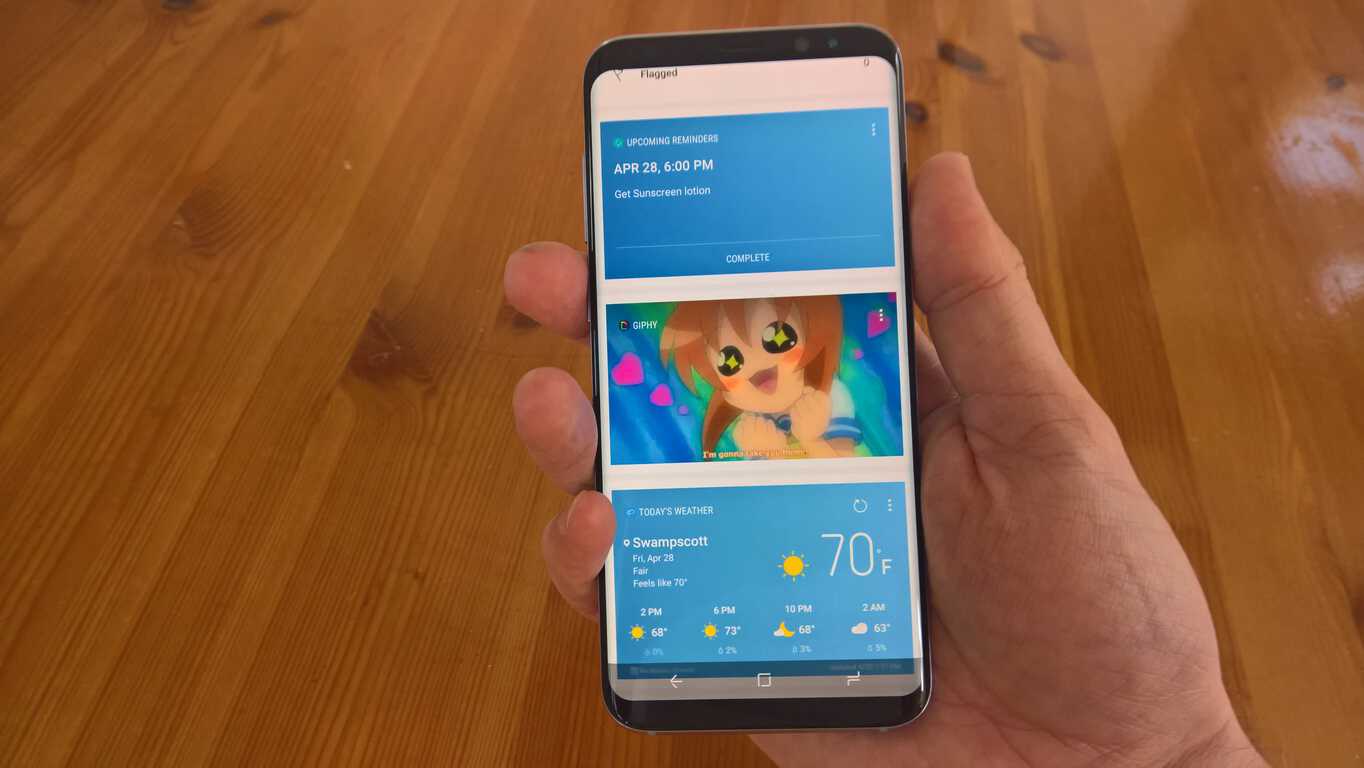
Bixby now available in the US: here’s what Samsung’s assistant can do that Cortana can’t

Now that the complete features of Bixby are available with the release of Bixby Voice to all US users, I decided to share my views on how Bixby compares to Cortana. Since abandoning Windows 10 Mobile for Android, I was able to upgrade my Lumia 950 to the Samsung Galaxy S8+ on AT&T. Fact: The Samsung Galaxy S8 and Samsung Galaxy S8+ are the best phones out right now. They’re big, they’re beautiful, and they are blazing fast. Samsung is looking to enter the digital assistant market with Bixby.

In my opinion, Microsoft’s Cortana is second in line to the throne among digital assistants, easily beating out Google Assistant and Siri, but still falling slightly behind Amazon’s Alexa; at least for the time being. Samsung is using many Bixby features that remind me of old Windows Phone 8 applications that used to be available; including JobLens and CityLens.

Samsung Bixby

Samsung claims Bixby is a “new way to interact with your phone.” Microsoft’s Cortana is already able to do many of the same things that Samsung’s Bixby can do. However, there are three things that Bixby can do that Cortana can’t: context awareness, cognitive tolerance, and completeness.

Here is a look at Bixby in action:

Content Awareness

As far as context awareness, Bixby-enabled applications will supposedly be able to understand in what context a person is using an app; what they are doing or trying to do when using an app. Bixby will also allow the user to use multiple use modes, like touch and voice at the same time. At the moment, Cortana can’t handle using touch and voice at the same time.

Cognitive Tolerance

Cognitive tolerance refers to how Bixby understands what action you intend to complete through voice commands. As the number of Bixby commands undoubtedly grows, in theory, you won’t need to remember all the new Bixby commands. Instead, Bixby will be able to understand what command you are trying to give, even if you are giving incomplete information; Bixby will try to complete the command based on its best guess. With Cortana, this is another

Completeness

As far as completeness is concerned, Bixby is able to support almost everything any Android application is able to complete using the traditional touch interface. Samsung claims that Cortana and other already available virtual assistants can only complete a few selected task for applications. Whereas, Bixby can do almost anything that an application can do via touch, just by using your Bixby Voice.

Bixby Voice

Bixby Voice appears to offer more options than Cortana at the moment. I just recently received the Bixby Voice update. For some reason, it appears that AT&T Samsung users were left out of the Bixby Voice beta program. Bixby is easier to access than Cortana on a phone. Instead of relying on saying “Hey Cortana,” the Samsung Galaxy  S8 and S8+ have a dedicated Bixby button.

Plus, you can use Bixby Voice to change your phone settings, like background and ringtones, whereas Cortana is not quite the same experience when used on operating systems other than Windows 10 Mobile. That is not to say Bixby is not without its disadvantages.

One big problem that Samsung faces with Bixby is big data. While Samsung had very little problem with delivering Bixby Voice on the Galaxy S8 and S8+ in its native South Korea, transferring the same user experience to English and other languages has proved to be a challenge for Samsung. Microsoft is already an enterprise pro when it comes to handling the issues that come with analyzing and compiling big data, so Cortana has little, if no problem with that.

Microsoft Cortana

Hey Cortana on Lumia 950 XL Windows Phone

Although there is a Samsung Galaxy S8 “Microsoft Edition,” Cortana is still a separate application on Android and offers a similar, but not the same experience as Cortana does on Windows 10 Mobile. Using Cortana natively on Windows 10 and Windows 10 Mobile is still the better virtual assistant experience than using Cortana on any other platform.

Cortana is better in the car

I will say that one thing I miss about Windows 10 Mobile is pairing my phone over Bluetooth in my car. On Windows 10 Mobile, I was able to set up Driving Mode within my Lumia 950 phone settings. On Android, it appears that you need to download multiple apps to handle all of the things that Cortana is able to handle in your car, hands-free.

Unlike Cortana on Android, Cortana on Windows 10 Mobile can help you read and respond to your text messages while driving. Even if you are listening to music and driving directions, Cortana quickly interrupts you to read off any text messages you might get while driving. When you are finished reading and/or responding to a text message, Cortana resumes your music and/or driving directions, without you having to touch or say anything. Bixby is not yet able to mirror what Cortana can already do in a car.

After using Android Auto, I found that  does not come remotely close to providing a comparable experience to Cortana on Windows 10 Mobile. With Android Auto, you need to download other apps to handle what Cortana can handle via your voice. Android Auto does let me send messages via my voice. However, Android Auto doesn’t read me any text messages I receive and won’t let me respond to them either. Android Auto does not come close to Cortana in the car just yet.

Bixby is a Social Experience

At the moment, Samsung is looking to turn Bixby into a social experience. While still in its infancy, Bixby is split into four areas: Bixby Home, Bixby Reminders, Bixby Vision, and Bixby Voice. Bixby Home has much of the same feed details that you get with Cortana; local news, trending news topics from Twitter and Facebook, recent photos, etc.

Bixby Reminders integrates with Bixby Home and Bixby Voice and offers the typical reminder feed for upcoming appointments, and reminders, based on time and locations, for the day. Bixby Vision is in no way revolutionary, but is another way Bixby offers a more enhanced experience.  Bixby Vision allows you to find products online by using your camera, but also opens the door to more interesting ways of applying Bixby Vision in other useful scenarios for real-world usage.

I believe the overall UI experience that Bixby provides appears to be a big problem for Cortana, at least on the mobile front. With the announcement that Windows 10 on ARM won’t be coming to current Windows phones, Microsoft looks to be hitting the refresh button on its mobile market aspirations. So unless Microsoft plans to bring Cortana to Android as a more native UI experience, the only way you’ll be able to use Cortana will be on Windows 10.

At the moment, there are some things that Bixby can do things that Cortana just can’t.

How to set your own accent colour in the Windows 10 Creators Update

Windows 10 has come with a large array of accent colour options since launch. With the Windows 10 Creators Update, Microsoft added the ability to set your own custom colour, greatly expanding the customisation possibilities for the operating system.

Screenshot of Windows 10 colour settings

The accent colour options are found in the Settings app under “Personalisation.” Click the “Colours” page to see all the areas you can customise. You’ll see a grid of all of Windows’ built-in colours, as well as any colours you’ve recently been experimenting with.

Screenshot of Windows 10 custom colour settings

To add your own colour, click the “Custom colour” button. This will launch a robust colour picker dialogue that lets you choose from the entire spectrum. Use the spectrum to select the base colour to use and then change its saturation with the slider below. The dialogue shows a preview of what the colour will look like and warns you if you’ve picked a shade that might be difficult to read.

Screenshot of Windows 10 custom colour settings

If you’re looking for even more control, click the “More” button. Here, you can define your accent colour using an RGB, HSV or hex colour code. This lets you match your accent colour to your company branding or a theme you use across different platforms. Type in the colour code and press “Done” to confirm the choice.

Screenshot of Windows 10 colour accent settings

For some added visual flair, you can choose to show your accent colour on the Start menu, taskbar and Action Center backgrounds from the main Colours settings page. You can also set your colour to appear on app title bars but this only applies to Windows Store apps. Finally, at the bottom of the page, you can change your overall system theme between “Light” and “Dark,” letting you choose the default look for Windows Store apps.

The upgraded accent colour tools introduced with the Windows 10 Creators Update make the operating system more personal. You can now set your accent colour precisely without resorting to using the registry or unofficial tweaks. If you ever want to revert to a stock Windows colour, you can return to the Colours settings page and pick one from the grid.

Microsoft is fixing weird My Little Pony Xbox One bug

Xbox One users have been greeted with a rather Equestrian error message this morning. The strange “mock error” that popped up confused many who encountered it on the Xbox Store.

“This would be some long description about the error. Read it and weep! If you haven’t looked up this phrase on the internet, please do! You will find a My Little Pony episode called ‘Read It and Weep.’ Cloudchasers and Wonderbolts, you’ll never be forgotten!”

The error message is a clear homage to the four legged friends in the animated series My Little Pony. In the mentioned episode, Rainbow Dash has an accident while flying, an event that is often coined as ‘Rainbow Crash’ by fans.

While a strange way to find out that people at Microsoft are into MLP, the error isn’t one that should concern users, it seems. Mike Ybarra has confirmed that the error is a test string and should have never seen the light of day, not to the public anyway (via VG 24/7).

Does this mean that the people behind the scenes at Microsoft are bronies? We’ll let you decide that for yourself, but the test message should be fixed to its rightful place by tonight.

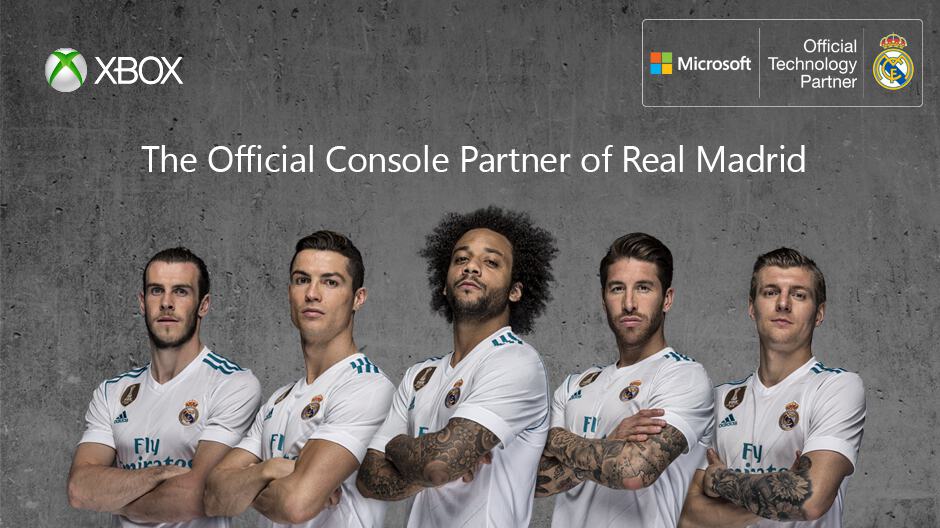
Xbox becomes official Console Partner of Real Madrid soccer team

Microsoft today announced that Xbox is now the official console partner of the five-time world champion soccer team, Real Madrid. As part of the announcement, and the Real Madrid US Summer Tour, the tech giant will be inviting fans to join various soccer themed events across the United States, and to enter competitions for a chance to win a trip to a real soccer match.

The first of the events is an “Hour of Code” as the Microsoft Century City Store in California. This event is part of a Microsoft partnership with the Real Madrid Foundation, giving local youth groups the opportunity to engage in coding alongside Real Madrid players. Occurring on Friday, July 21 and Saturday, July 22, other events include free FIFA 17 tournaments at various Microsoft Stores across the US.

With the tournaments, fans will have a chance to win tickets to a local Real Madrid Match. Participating locations can be seen below, and you can check the full details on Facebook.

  • Microsoft Store at Westfield Valley Fair (Santa Clara)
  • Microsoft Store at Westfield Century City (Los Angeles)
  • Microsoft Store at Dadeland Mall (Miami)
  • Microsoft Store at Oakbrook Center (Oak Brook)

The Flagship NYC Microsoft Store, though, is hosting a special tournament, and participants can compete for an exclusive grand prize on Friday, July 21 at 4 p.m. local time with a championship round on Saturday, July 22 at 6 p.m. Everyone else who can not participate in these events is invited to follow Xbox on Twitter and Retweet the #RealMadridXboxSweepstakes Post for a chance to 3 unique Xbox Design Lab controllers inspired by Real Madrid’s 2017-18 on-field jersey, and a copy of FIFA 18.

Xbox One’s Titanfall 2 gets 4-player co-op

In a new, free content update, Titanfall 2 has 4-player co-op mode on Xbox One. Titanfall 2: Operation Frontier Shield brings this new 4-player co-op mode, so now you can play with your friends locally or online on Xbox Live.

Operation Frontier Shield contains an all-new 4-player co-op survival mode, Frontier Defense, where you and your Titanfall team must protect a Harvester through multiple waves of enemy forces. You can build your team with the latest Titanfall and Pilot weaponry, gear, and upgrades to ensure victory. Here’s a look at the Operation Frontier Shield trailer.

Operation Frontier Shield brings new Frontier Titan Warpaints to showcase how much you’ve leveled-up in Frontier Defense matches and offer special XP boosts. For Frontier Pilots, there are also special Elite Weapon Warpaints. These Elite Weapon Warpaints offer special in-game bonuses to you and your team during your matches. For example, each Elite Weapon Warpaint you or your teammates own, offer a 10% greater chance you’ll earn a 2x XP token at the end of each match (max 30% total).

Lastly, Operation Frontier Shield includes a re-mastered map from the first Titanfall (Rise) and a new Live Fire map for Titanfall 2 (Township). Rise features sheer walls for Pilots to run along and plenty of zip lines to ride, and long, expansive hallways for Titans to fight.

Microsoft, Titanfall 2, Xbox

The new Titanfall 2 Live Fire map, Township, offers no place for your Titan to hide with the close-quarters combat atmosphere of a small town.

Microsoft, Titanfall, Xbox

This is a free content pack for Titanfall 2, download Operation Frontier Shield now on Xbox One and Windows 10.

First Xbox Live Creators Program titles now available for Xbox Alpha Insiders

Back at the Games Developer Conference, Microsoft announced the Xbox Live Creators Program, which will allows any independent developer to integrate Xbox Live into their game and publish to Xbox One and Windows 10 without the need for concept approval. Now that a few months have passed since the initial announcement, the first set of these titles has become available on the Xbox One for Xbox Alpha Insiders (via Windows Central.)

At the moment,  only six titles are available for Xbox Alpha Insiders to download via an “Insider content” section of the Insider Hub app. Three of the titles are paid, and three titles are free. Of course, given the fact that these are work in progress titles from independent developers, you can expect to experience glitches and other issues while playing. You can see the titles in the list below.

  • Whispers in the Dark
  • Stereo Aereo
  • Animal Rivals
  • Derelict Fleet
  • Space Cat!
  • Solitaire HD

Again, due to the nature of the limits set forth by the Xbox Live Creators Program, these titles will not have features such as Xbox Live Multiplayer or Xbox Live Achievements. As Chris Charla, director of ID@Xbox explained at GDC, developers in the program do still have the option of taking things further and gain access to these features by joining the ID@Xbox program after their game ships.

If you’re eager to try out these new games, you can check out this website for directions on how to join the Xbox Insider Program. And, if you’re a developer who would like to have your games published on Xbox and Windows 10, you can head here to learn more about the Xbox Live Creators Program.

Slow Ring Office Insiders on Windows 10 get a new build, brings support for 3D models in Excel, Word, more

Slow Ring Office Insiders on Windows 10 PCs are receiving a big update this week, bringing a lot of new features to the Office suite of applications. The update bumps the latest Slow Ring Office version number to 1707, build 8326, and brings support for 3D models in Excel, Word, PowerPoint, and Outlook (via Neowin.)

Leading off the list of new features is the ability to use 3D models in Word, Excel, Powerpoint, and Outlook. The Office team notes that this feature you can “Easily insert a 3D model, and then rotate it through 360 degrees” and “Bring 3D models to life in PowerPoint presentations with the Morph transition.” Next up, Excel receives support for Collaborative editing, which allows you to work with others at the same time in your notebook. Interestingly, the Office team also highlights that changes during collaborative work are now autosaved to the cloud, so you can “see others’ updates in seconds.”

There are many other changes and enhancements which are a part of this build. You can see a small preview of these changes by reading below.

  • Designer transforms more types of slides (PowerPoint:) Designer now recommends design ideas for timelines presented as bulleted lists.
  • See what’s changed (PowerPoint:) Slides that have been modified by other users are highlighted
  • While you were away (PowerPoint:) Changes made by others to your worksheets or presentations since your last visit are highlighted.
  • A smarter To: line (Outlook:) When you click the To: line to address a message, we suggest recipients you’re likely to choose. Plus, you can see their picture so you know you’re sending to the right person.
  • Math equations (Outlook:) You can now create and edit math equations using LaTeX syntax.
  • Cloud attachments just got better (Outlook:) Now, when you save or drag and drop OneDrive attachments to your computer, we download the file for you.
  • Editing a new item is more accessible (Access) Use a quick shortcut (Ctrl+E) to edit a new item from a Combo Box or List Box.

If you’re not already an Office Insider on Windows 10, you can opt in by going to the file menu, selecting account, click on the Office Insider tile, and then select “get early access to new releases of Office.” You can then visit the Additional Install Options page of My Account, and then choose Insider Fast or Insider Slow from Version menu, and press Install.

Lenovo launches its new range of future-ready laptops in India

In a press event in New Delhi today, Lenovo unveiled its latest collection of future-ready laptops for India. The new range consists of ultra-sleek laptops and convertibles that offer powerful computing to today’s millennials.

According to Rajesh Thadani, Executive Director – Consumer Business and Ecommerce, Lenovo India, the new ‘clutter-breaking, future-ready products’ boast of category-first features at mainstream pricing. The portfolio offers features like AC 2*2 Wi-Fi connectivity, Type-C USB ports, and immersive audio that aren’t mainstream on even premium notebooks in the market.

Lenovo Yoga 720 and Yoga 520

The Yoga 720 and Yoga 520 are the company’s premium convertibles that offer a mix of style and performance. Both convertibles come with NVIDIA graphics, Full HD display, as well as a fingerprint reader.

With up to 7th Genaration Intel Core i7 processor, the Lenovo Yoga 720 sports a sleek finish and aluminum design and weighs only 1.25 kgs with just 19 mm thickness. The Lenovo Yoga 520 is another addition to the Yoga line-up with up to 128G PCIe SSD + 1TB SATA HDD hybrid storage. The Yoga 720 packs in JBL Speakers and Dolby Audio Premium while the Yoga 520 sports Harman Speakers.

The two devices offer great Windows Inking experience with the optional Lenovo Active Pen that provides a natural, intuitive pen experience with pin-point accuracy, palm-rejection technology, and pressure sensitivity.

The Yoga 720 is priced at ₹74,500 while the Yoga 520 is priced at ₹39,600.

Lenovo Ideapad 720S, 520S, 320S

These ultra-thin and light powerhouses come with a backlit keyboard, up to 8 hours of video playback battery life, JBL Speakers with Dolby Atmos, and with a starting weight of just 1.12kgs.

The Ideapad 720S is priced at ₹74,850, the Ideapad 520S priced at ₹47,450, while the Ideapad 320S is priced at ₹34,750.

Lenovo Ideapad 520 and 320

The devices are positioned as multimedia entertainment devices and offer top-of-the-line processing and advanced graphics up to NVIDIA GeForce 940MX. The Ideapad 320 has Dolby Audio-optimized speakers while the Ideapad 520 features Harman Speakers with Dolby Audio.

The Ideapad 520 is priced at ₹42,400 while the Ideapad 320 is priced ₹17,800

8 easy tips to improve mouse battery life

The world has moved on from wired to wireless and the same holds good for keyboard and mouse. More than often these peripherals suffer from short battery life and it’s partly our fault that it happens. Well, no one wants to run out of mouse battery juice during work and it is for this reason, we will guide you on how to improve the battery life of a wireless mouse and the keyboard.

1.Switch off the Wireless Mouse/Keyboard when not in use

Well, even I have been guilty of not switching off my mouse while not using the same. Every model of the mouse will come with a toggle switch underneath which can be used to switch off the mouse. If you suffer from absent mindedness as I do, here is another solution that is sure to help you. Even if your mouse goes into sleep mode it will wake up once moment is detected so whenever you think of putting it inside your bag just toggle the switch off.

As suggested by Labnol you can simply change the default “System Shutdown” and “System Logoff” sounds to an automated voice message that reminds you to turn off the mouse. In order to set the reminder open Control Panel>Change System Sound. Choose “Exit Windows” and then direct it to the .wav files that you want to use. Repeat the same steps for “Windows Logoff” event and this way you will always be reminded to turn off wireless mouse and remote.

2.Use mouse of surface with light color shade

Wireless mouse works pretty well on glossy surfaces including granite table and glass tops, however, surfaces like this cause the tracking sensor to zap more power and thus have a negative effect on the battery life. It is always recommended using a light colored mouse pad with the wireless mouse.

3. Type of Batteries

Try your best to use Alkaline batteries, not only do they last longer but also generate sufficient voltage for your mouse to work. It is also suggested that you don’t mix up the brands or the type of batteries. Also, ensure that the batteries don’t leak, usually Alkaline doesn’t leak but it’s always better to make sure.

4.Proximity with the receiver

Believe it or not, the further your mouse is away from the nano receiver the more power it needs. Nano receiver is the small receiver that we get along with the wireless mouse and plug it into the USB port. Also, ensure that the nano receiver and the mouse are both on the same level.

Also Read: Best tools to extend Windows 10 battery life

5. Use Group Policy Editor to set a reminder

If you are a Pro user and know your way around Windows Group Policy Editor you can set an alert that reminds you to switch off the mouse every time you shut down the machine. That being said the steps required for this is pretty complex.

6.Use Keyboard Shortcuts

Eureka! One of the best ways to save the wireless mouse battery is to use the Keyboard shortcuts instead of the mouse. One needs to realise that every time you move the mouse the laser sensor consumes energy and thus by using keyboard shortcuts, you will be reducing the load on the wireless mouse.

7.Buy Mouse from Good Brands

Well, this is more of a personal observation, at times when I had opted for cheap wireless mouse the battery life hasn’t been that impressive. However with regular brands like Dell or HP, the battery life was way better, I personally feel that one should invest in a branded mouse rather than opting for a cheap one.

8. Avoid interference from other electrical devices

Metal surfaces and other electrical devices, especially wireless ones tend to cause interference. If you have a pile of wireless device lying around stash it away from the mouse. It is also advisable to move other electronic devices away so as to avoid further intereference and enhance mouse battery life.

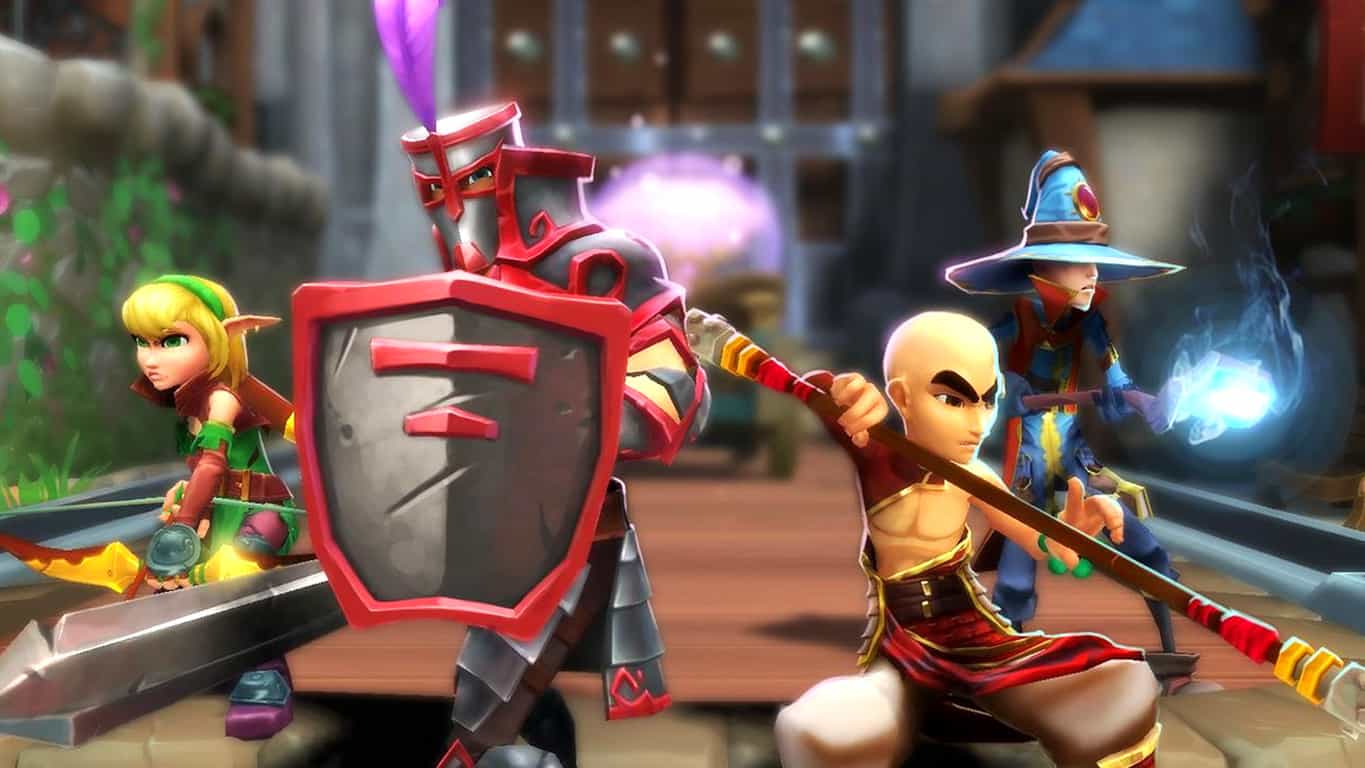
Dungeon Defenders 2 gets another massive update on Xbox One

Dungeon Defenders launched a few weeks ago, and received a fairly positive response from its player base. Several small patches have come out in the meantime to help “put out the fires” server-side and fix up a few things, but the game is getting ready for its first significant content patch.

The patch, being labeled Patch 1.0.3, comes with a free item bundle as well as some brand new content. The free item bundle will include a bunch of defender medals, a new pet, and some new accessories for your characters. The update will end up getting some new maps, as well as plenty of balance changes and new UI elements that should help clarify some gameplay nuances.

You’ll only be able to get your free item bundle for a little while after the patch comes out, as it’s a reward for people who stuck by the team during a hectic launch week. Be sure to log in soon to get your free stuff!

Windows Insider PM posts “Guide to RS3,” a compilation of Fall Creators Update features

Alright, are you ready to read? Like, a lot? Because we have access to a pretty massive amount of new features coming in the Fall Creators Update, and we’ve finally got a list where they’re all compiled. Usually for something like this we’d copy-paste the changelog, but we’re actually looking at a 51 page document here.

Here’s a list of some of the highlights, for those who want a taste:

  • Copy and Ask Cortana
  • Updated emojis
  • Enhanced text prediction
  • Shape writing
  • Scrolling with pen
  • Improved game settings
  • Revert VM
  • Braille/Narrator improvements

This is a helpful resource for people who install the Fall update and aren’t quite sure what they just put into their computer. While so much of this consists of little things, it amounts to a significant update full of meaningful accessibility updates, and a better quality-of-life overall for so many different nooks and crannies of Windows 10 as a whole.


Here are the best Fidget Spinner apps for Windows 10 PC/ Mobile

Every year, a few of trends will completely dominate the internet but also jump into the physical world. While everyone knew that something was going to mark 2017 in one way or another, no one was prepared for the Fidget Spinner. For those who somehow managed to completely remain oblivious of this trend, Fidget Spinners are little devices that are marketed as stress removers. These spinners will offer a really cool visual effect when their three arms start spinning.

The Fidget Spinner community has come a long way since the first iteration of the product hit the market. Now, people are putting their Fidget Spinning skills up to the test and that means performing all kinds of tricks from the harmless variety all the way to the pretty dangerous type.

Do you think you look great spinning a Fidget Spinner? How about spinning two at once? What about three, and one on your nose? You can find all kinds of challenges on YouTube from people who really push the capabilities of these little stress spinners to the limit. While you might think that you’ve seen everything there is to see, you can still be surprised by some of the things that people think of.

Just like any other trend, there’s no telling when it will die down but for the time being it seems like Fidget Spinners are here to stay. And just as you might have expected, Fidget Spinners follow the philosophy of this technological era we find ourselves in, and now “there’s an app for that”. Yes, there are apps that specifically catered to the needs of Fidget Spinner aficionados.

These apps offer various Fidget Spinner experiences and if you’re really into Fidget Spinners, you will probably enjoy these apps more than you might want to admit it. That being said, check out these top Fidget Spinner apps and see if any of them is what you are looking for to round up your Fidget Spinner collection and credentials.

The best virtual Fidget Spinners

Fidget Spinner by Real Gamers Inc.

This is the first great Fidget Spinner app for Windows and it comes with a nice little interface that’s pleasing for users to look at while they go about their spinning. The background image is straight out of Minecraft, so for those who also love or play that game, it’s an added bonus.

Other than the pretty nice background, this app provides a spin counter which lets you track just how many spins you managed to squeeze in. That’s a cool little feature which you can use to turn the app into a 2017 version of Flappy Bird. Of course, it would be without all the raging and pretty much the opposite sine Fidget Spinners are about relaxing and de-stressing, while Flappy Bird loves to get its players mad.

How the game works

In this app, you have a total of 5 swipes which you can use almost like you would at a carnival attraction or fortune wheel. You need to get your best spin in and collect the rewards that drop when you do good. You have 5 swipes because you are going to need more than one try to get in your best swipe. You need to make use of all your swipes however if you want to have great results.

The app has a collection of Fidget Spinners that you can unlock. In order to unlock them, you have to keep playing and eventually, you will be able to unlock them all. It’s a bit of work to be put in, but it’s definitely great that you can unlock them all without paying.

Speaking of paying, the app itself is free which means that anyone interested can download it and try it out.


Fidget Spinner UWP by HutApps

Those who don’t want to risk their money on an app that they don’t like shouldn’t have to worry about this one. The app is free and it is available to anyone who wants to give it a try. That makes it great because at the very least you could try it out and see how you enjoy it. If you come to the conclusion that it’s not for you, there’s nothing stopping you from uninstalling it right away.

It gets competitive

If you’re the competitive type, you might enjoy this app because it brings in the social element which allows you to compete with your friends and see just who has the best Fidget Spinner score. Whether you’re a sore loser or a proud winner, you will be able to experience all these things with this Fidget Spinner app thanks to the way in which you can compare your results.

It’s all about getting in the best spin possible. To do this, the app gives you access to no less than 5 tries, or spins. Each time you spin, you have to aim for the biggest score so that you can get the best rewards. Yes, unlike the physical version of a Fidget Spinner, the digital version will offer rewards for great performance and that’s what draw more people to trying the app out.

Not only can you make history in the leader boards, but you can also use the resources you win from Fidget Spinning to upgrade your Spinner and do even better the next time you’re going to spin it. It’s not just about upgrading your current Spinner but also about unlocking new ones. The joy of getting a fresh Fidget Spinner is enough for many to spend hours on this app and try to get the best possible score.


Super Fidget Spinner Battle by Unit M Limited

Designed for mobile devices, this game offers a completely new experience that most Fidget Spinner enthusiasts might not be familiar with. However, there might be a firm number of Fidget Spinner lovers that actually get a familiar vibe from this game, but more on that in a little bit.

The multiplayer experience

This app can be used to kill time in single player, just like the others, but it also features a multiplayer component that is like nothing else on the market. Revolutionizing how people view Fidget Spinners, it’s actually not an entirely new concept. The kids from the 90’s and 2000’s might remember the Beyblade.  That’s what this is practical, although in digital form. Still, if you want to go down memory lane, this app is the perfect vehicle to get you there.

Aside from the pleasant memories, this app is actually a great time killer in both single player and multiplayer. If you feel competitive, you can take it up against your friends. If you share a love for Fidget Spinners, you can settle it once and for all, who the best Fidgeter is in your friend group.

A lot of choices

In this app you get not only to impress your friends with your Fidget Spinner skills but also with the variety of Spinners that you have unlocked and collected in the app. Similar to other options on the list, this app allows you to choose from a varied list of Fidget Spinners, which means that you will be able to customize your experience and put your personal touch or twist on the Fidget Spinner which will be representing you online or that will please your eyes when you’re just lazy on the couch, spinning away.

Available for the Windows Mobile platform, the app opens its doors to a lot of users on Microsoft’s mobile platform. So if you want to start spinning today, you can already go download it from the official store.


Fidget Spinner + BY Match 3 Fun Games

Fidget Spinner + is another solid solution for those that want to bring their Fidget Spinner obsession into the digital world. With this app, users can enjoy all the benefits of using a Fidget Spinner without actually having to own one. So if you didn’t get around to buying a Fidget Spinner, you might not even want to buy one anymore. If you usually need a bit of stress relief at your computer or during your office hours, you could easily just use this Windows app instead.

With the help of Fidget Spinner +, users get to de-stress and to calm down when they’re having a bad day or even just preemptive, to make sure that stress doesn’t get to them in the first place. When you’re under a lot of pressure, it’s really easy to just lose your temper and say and do things you normally wouldn’t and you end up regretting.

Having a trusty Fidget Spinner app on your computer which can get you out of a tight spot when stress is at its highest can be a really valuable tool to hold on to. Just make sure that you actually get some work done and don’t just spend all your time at the office using the Fidget Spinner app instead.


Fidget Spinner – Fun Spinner Action by UAB Tag of Joy

If the title of this app is any indication, you know what to expect from the Windows compatible game which promises a lot of excitement and the authentic Fidget Spinner experience.  Just like the rest of apps presented in this top, you can use Fidget Spinner – Fun Spinner Action to get a great Fidget Spinner session going while you’re waiting in the doctor’s waiting room or while you’re in a meeting that isn’t all that productive.

Are you obsessed with collecting Fidget Spinners in real life? That can be quite an expensive hobby but luckily you have a digital alternative which can help you save a pretty penny by not buying every Fidget Spinner under the sun. With the digital mobile app, you are able to unlock numerous variations of Fidget Spinners. Once they are unlocked, they are part of your collection and you can use them as you wish.

This game tests your limits as it’s not as easy as some might think when it comes to advancing further. If you want to advance in levels you will have to give it your all and actually be good at Fidget Spinning. If you’re the kind that doesn’t back off from a fight, you will be happy to know that you will definitely have a challenge on your hands with Fidget Spinner – Fun Spinner Action.


Covfefe Spinner by Sinime

The name of this app pretty much speaks for itself and users that give it a try definitely have to expect interesting things. When an app bears evident inspiration for a tweet coming from the US President, there’s no doubt about the fact that the app is of immense value and is one of the best apps of its kind in the store, right?

Nevertheless, users should no doubt give Covfefe Spinner a try if they need more covfefe in their lives or if they feel like covfefe has been absent as of late from their regular lifestyles. With even more covfefe added to the original product, Covfefe Spinner by Sinime brings to the table everything that people know and love about covfefe.

It’s definitely a different app when you put it side by side with the others, especially since it has a pretty interesting design which doesn’t limit itself to the traditional Fidget Spinner shapes or standards. Users are able to enjoy all kinds of Fidget Spinner models in this app, ranging from TRON like Fidget Spinners to the most extravagant of options, like Minecraft inspired Fidget Spinners.


Final words about these great Fidget Spinner apps for Windows

So there you have it folks, these are the best Fidget Spinner apps available for Windows at this time. If you’re looking for a cheap thrill to get you through your daily commute or a much deeper experience which will last you until you get bored, you can definitely bet on one of these Fidget Spinner solutions to get you through the day and to provide quality entertainment.

It’s not just about entertainment, however, as these Fidget Spinner apps also have the great property of relieving stress. That was to be expected since after all, we’re talking about Fidget Spinner apps. Fidget Spinners, in their original, physical version, were introduced and promoted as stress relieving toys, making it the perfect opportunity for app developers to bring that kind of experience into the digital spectrum.

There are of course more platforms out there, but if Windows is your platform of choice, you can at least be certain of the fact that you will have access to the Fidget Spinner apps present in this top.

RELATED STORIES TO CHECK OUT:

Costume Quest 2, Frontlines: Fuel of War, two other titles added to Xbox One Backward Compatibility catalog

Microsoft today added Costume Quest 2, Frontlines: Fuel of War and two other titles to the Xbox One Backward Compatibility catalog (via Neowin.) As always, you can learn more about these titles by checking the links, trailers, and descriptions below.

Costume Quest 2 :$14.99

Trick, treat and pick a fight with villainous dental soldiers in Costume Quest 2, the sweet sequel to Double Fine’s hit original, Costume Quest, that turned fans of all ages into candy obsessed crusaders. This inspired RPG adventure includes a range of new features and gameplay improvements to double the amount of mischievous fun. Explore spooky time-traversing landscapes, don adorable new costumes that transform into powerful Hallo-warriors, and collect even Creepier Treat Cards to wield in combat against a legion of hygiene obsessed baddies. Only heroic siblings Wren and Reynold can save Halloween forever!

Frontlines: Fuel of War: $14.99

Frontlines: Fuel of War is a military-themed infantry and vehicle based, open-world first person shooter. The newly formed Red Star Alliance, led by Russia and China, clash with Western Coalition (U.S. & the European Union) forces over increasing energy shortages. This sets the stage for a massive conventional apocalypse pitting the biggest military powers against each other as they try to defend their interests and support their collapsing economies.

 Quantum Conundrum: $9.99

When you arrive to visit your uncle, you notice something’s wrong. He’s not there to greet you and there was an explosion just as you arrived. Rescue your uncle using his newest invention, the Interdimensional Shift Device. Shift between five different dimensions in real time and work your way through his crazy complex mansion!

Virtua Fighter 2: $4.99

Go back to the roots of 3-D fighting with Virtua Fighter 2, the second title in AM2’s flagship fighting franchise. Experience the legendary polygon-based 3-D graphics and fluid fighting mechanics that made the game so influential in the arcades, and later on the Sega Saturn. With all-new online play you can battle friends throughout the world. Features include: True to its arcade form with all-new online modes All 10 original characters and arenas Online versus mode for head-to-head matches Online Room match mode for up to 6 players.

The addition of these titles brings the total list of Xbox One Backward Compatible titles to 399. Last week we saw the additions of F1 2014, Earth Defense Force: IA, and Super Street Fighter IV.

What are ‘Apps for websites’ in Windows 10?

If you’ve looked through Windows 10’s Settings app lately, you may have noticed a category called “Apps for websites.” The chances are there won’t be many – if any – apps listed there and you might never have seen the feature in action. Apps for Websites is actually a useful but relatively unknown Windows 10 capability introduced with the Anniversary Update.

Screenshot of Windows 10 Apps for Websites

Apps for Website’s Settings page explains the functionality as “Some websites can be opened by an app or a browser.” This isn’t the clearest description and it doesn’t really provide the whole story. Apps for Websites is a feature developers can use to associate their app with their website. The operating system can then divert you to the app, assumed to be a richer experience, if you visit the website or web app in a browser.

By default, the Apps for Websites page will be empty if you’ve never used an app that supports it. To try the feature out, install and launch an app such as Groove Music or Microsoft To-Do. It should appear in the list with the website address it’s assigned to.

Screenshot of Apps for Websites prompt in Edge

For Groove Music, you can see it’s linked to “mediaredirect.microsoft.com,” the domain used to serve Groove’s online music pages. This association lets you open an album, artist or song in Groove when you’re browsing the app’s music catalogue online. Similarly, To-Do’s link to “to-do.microsoft.com” means the To-Do app will open when you land on the website homepage.

To see this in action, head to one of the websites in your favourite browser. You’ll see a prompt appear asking for permission to switch from your browser to the website’s associated app. Because the connection is managed by Windows – rather than the app or the website itself – this will work with any modern web browser. The look and feel of the prompt will vary between browsers but should give you the choice of launching the app or continuing to browse online.

Screenshot of Apps for Websites prompt in Chrome

Apps for Websites is a Windows 10 convenience feature that’s meant to make it easier to access rich experiences on your PC. In general, native apps remain more feature-complete than their web-based counterparts. Apps for Websites simplifies switching to the fully-fledged Windows app when you’re already browsing online. You can disable the feature for each supported app using the toggle buttons on the Apps for Websites Settings page.

Unfortunately, Apps on Websites suffers from the same issue as many other Windows 10 UWP features: app support is lacking. We’re aware of only a handful of third-party apps that use Apps for Websites. Of Microsoft’s own line-up, just Groove and To-Do have website associations. There’s several conspicuously absent links, such as Outlook.com and the Windows 10 Mail app, MSN and News, Xbox.com and Xbox and the Skype website and app.

Take note Skype: Facebook Messenger style Chat heads in the Xbox Android app are awesome

Microsoft has always been making it easier for you to keep in touch with those you care about most. We’ve seen the company roll out a “My People” feature for Windows Insiders which allows them to pin people to the taskbar, and view multiple communication apps together as one. Well, the company recently rolled out an update for the Xbox App on Android, bringing a “Chat Bubbles” functionality that allows you to use your mobile games and apps while keeping your Xbox conversations within reach. Here is a hands on look at the experience, and what you can expect once you have updated.

The “Chat Bubbles” feature was first noted by Major Nelson in the announcement post for a recent Xbox System update. On the surface, the feature is very similar in functionality to Facebook’s Chat head functionality for Messenger. The feature is on by default in the Xbox App, as when you’re signed into the Xbox app, and you receive a message from your friend, a small notification bubble with the person’s gamer pic or Xbox live avatar will pop up from the side of your screen.

The “Chat Bubbles” on Android Xbox app

You can drag the chat bubble to any side of the screen along the top, bottom, or left and right, but you can’t drag it to the center, presumably so you won’t cover up app icons.  As you drag the bubble, it will follow you and stay on top of whatever app you have open, in our case the Twitter app. Pressing on the bubble will then open the message which was sent to you. After you respond, you can press the Xbox button to see all of your messages, or you can press again on the bubble to close it and drag it to the bottom to permanently remove it.

Interestingly, Xbox’s Chat Bubbles work alongside Facebook’s Chat Heads feature. Both bubbles will show up whenever you get a message, and they both can be dragged around the screen. Facebook’s Chat heads, though, will show you a preview of your message and has a count for how many messages you have received. The Xbox Chat Bubbles rather just shows you a small message icon next to the bubble for when there is an unread message.

Chat Bubbles next to Chat Bubbles next to Facebook's Chat HeadsFacebook's Chat Heads
Chat Bubbles next to Facebook’s Chat Heads

This feature is very welcoming, and it indeed does make it easier to access Xbox messages while using other apps on an Android phone. It does, however, remain questionable as to why Microsoft choose to include this in the Xbox app, and not the Skype app for Android. Perhaps the company is just testing to see if users will use “Chat Bubbles,” and may indeed bring the feature to Skype, but for now, one can only hope that the Skype team takes note, and rolls out a similar functionality in the near feature.

Microsoft’s Azure to power Baidu self driving car project in new partnership

Over the past few months, several car manufacturers such as BMW, Toyota, Renault-Nissan and Volvo have partnered with Microsoft to leverage the company’s cloud technology for their connected vehicle solutions. Today, the Redmond giant is announcing a new partnership with Chinese technology giant Baidu, which launched the Apollo open autonomous driving project earlier this year.

If Baidu has already snagged more than 50 different partners including TomTom, Continental and Asian transportation app Grab for its autonomous driving platform, Microsoft will now be able to provide its Azure cloud technology to Apollo partners operating outside of China. “By using Azure, our partners outside of China will have access to a trustworthy and secure public cloud, enabling them to focus on innovating instead of building their own cloud-based infrastructure,” said president of Baidu Ya-Qin Zhang in statement.

“We’re excited to partner with Baidu to take a giant step in helping automotive manufacturers and suppliers fully realize the promise of autonomous driving,” shared Microsoft Corporate Vice President Kevin Dallas. “Today’s vehicles already have an impressive level of sophistication when it comes to their ability to capture data. By applying our global cloud AI, machine learning, and deep neural network capabilities to that data, we can accelerate the work already being done to make autonomous vehicles safer,” he added.

First of two Windows Insiders Bug Bash webcasts coming up today on Mixer

Coming after the release of Windows 10 Insider Preview build 16241 for PC, Microsoft today is promoting the first of two Windows Insider bug bash webcasts. The first webcast is starting today at 1:30 PM PDT, and can be seen here on the Mixer page for Windows Insiders.

You can convert the time into your local time zone by clicking here, but Microsoft is also saying that the entire stream will be available as video on demand after it has ended.  The second webcast, meanwhile, will be at 10:00 AM this Friday, July 21st, and you can convert that into your time zone by checking here.

Microsoft previously ran Bug Bash webcasts in February and in May of this year, so now is the perfect chance to tune in and interact with the Windows Insider team if you missed the last two opportunities. The final bug bash for the Windows 10 Fall Creators Update is also running throughout this week, and up until Sunday, July 23rd. So, be sure to keep your feedback coming to Microsoft!