Microsoft actually revealed 2 new Type Covers today

Along with the big (though not surprising) announcement of the Surface Pro 4 during today’s Windows 10 Devices Event, Microsoft also revealed a brand new Type Cover to accompany it. This new Type Cover was shown to be lighter, thinner, and sturdier than previous models and boasts a newly designed glass track pad (which is four times larger than before), a new-look keyset, and is fully backwards compatible with the Surface Pro 3.
Microsoft also revealed a second new Type Cover during their presentation. Glimpsed during the Surface Pro 4 portion of the show, a new Type Cover features a fingerprint reader next to the track pad which can be used to log in or switch profiles. A cute video was shown featuring Microsoft’s Panos Panay’s two children using the fingerprint reader to change profiles on their new Surface Pro 4 and it was shown to be a major feature of both the Surface Pro 4 and its new Type Cover. It was given such a big focus that it would be easy to assume that all of the new Type Covers came with the fingerprint reader. But they don’t. There are in fact two separate versions of this new cover.
After tracking down the individual product pages on Microsoft’s site, there appears to be some contradictory information in regards to which devices the new Type Covers work with as they claim to only work with the Surface Pro 4 in the specs after being promoted as backwards compatible with Surface Pro 3 during the Windows 10 Devices Event.

Surface Pro 4 Type Covers

As of the time of this writing, both of the new Type Covers are up for pre-order on Microsoft’s website and can be selected via the color variant boxes on the product page and thankfully the store page confirms that both Type Covers will work with both the Surface Pro 4 and Pro 3.
Here’s the information on the regular new Type Cover:
Works with Surface Pro 4
11.6″ x 8.54″ x 0.19″ (295mm x 217mm x 4.65mm)
0.63lbs (285 grams)
Black, blue, bright blue, red, and teal1
Layout: QWERTY, full row of function keys (F1 – F12)
Dedicated buttons for Windows shortcuts, media controls, and screen brightness
Right click button
Magnetic attachment
Accelerometer
1 year limited hardware warranty
 
And here’s the specs for the new Type Cover with the fingerprint reader:
Works with Surface Pro 4
11.6″ x 8.54″ x 0.19″ (295mm x 217mm x 4.65mm)
0.63lbs (285 grams)
Available in black
Fingerprint scanner
Mechanical keys that are spread out for precision typing
Layout: QWERTY, full row of function keys (F1 – F12)
Dedicated buttons for Windows shortcuts, media controls, and screen brightness
Right click button
Magnetic attachment
Accelerometer
1 year limited hardware warranty
 
As you can see, they’re fairly similar with the only real differences being the colors available and the fingerprint reader. The regular Surface Pro 4 Type Cover’s RRP is US$129.99 while the Surface Pro 4 Type Cover with Fingerprint ID is US$159.99.
There’s bound to be some confusion amongst consumers with these different variants so make sure to double check you’ve selected the correct one before ordering. Is the fingerprint reader something that you’d pay extra for? Let us know in the comments below.
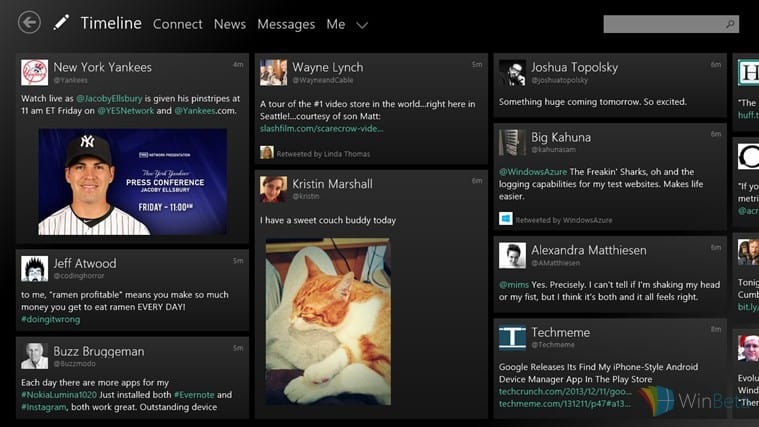
Tweetium for Windows 10 just hit 4.0, gets interactive notifications

Tweetium is my favorite Twitter app for Windows 10, and i’m sure many of you feel the same way too. The developer of Tweetium has just rolled out an awesome new update, bumping the app version number to 4.0. Here’s what’s new with this update:
The app now features new photographic theme options as well as interactive notifications so you can easily reply back to someone who mentions you. The update also adds image preview enhancements and new settings, as well as a Column mode option to always use a vertical layout. How cool is that? Grab the updated app from the download link below and enjoy the free app! Tweetium also has a pro version with more features, allowing you to have up to 7 accounts, push notifications (mentions, DMs, RTs, quotes, favs, and new followers), a richer Connect view powered by Tweetium Pro notification servers, TweetMarker sync, and integrated news reading powered by Newseen.

Tweetium
Tweetium
Developer:
B-side Software
Price:
Free

Watch Microsoft's #Windows10Devices event again, on-demand

Microsoft fans have been patiently (or not so patiently) waiting for today’s big event. Earlier this morning Microsoft took the stage for almost two hours ushering in a new era of Windows devices. Microsoft streamed their launch event live this morning and now the presentation is available to watch on-demand.
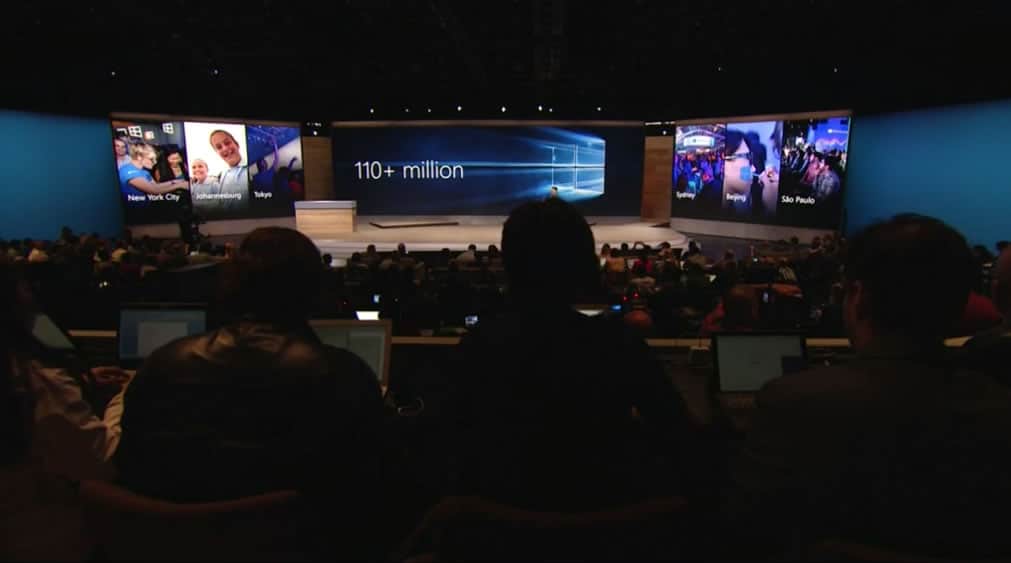
There were quite a few announcements made today. The presentation began with Microsoft announcing over 110 million Windows 10 installs in just eight weeks. We are then given a very interesting look at the HoloLens with Project XRay. The presentation then went into the introduction of the Microsoft Band 2 and the numerous improvements made to the fitness and health device.
From here, Microsoft formally presented the very much leaked Lumia 950 and 950XL. We were fortunate enough to receive a demonstration of continuum for Windows 10 mobile and a brief demo of the iris scanner on these devices, however. Microsoft then swiftly moves into the announcement of the Surface Pro 4. Although this device was very impressive, the Surface Book stole the show. Although rumors indicated we might see two sizes for the Surface Pro 4, instead we were given a hybrid laptop/tablet that’s lack of leaks made for a truly great presentation of a technological marvel.
Were you able to tune in for the presentation this morning or are you planning to sit back with a bowl of popcorn and relive the magic?

Pollapalooza: A bunch of polls about today's Windows 10 devices event

Pollapalooza!! We have a ton of polls today because of the major event. There are mind blowing devices to study and details to digest. Today is more than a home run for Microsoft, it’s a grand slam. Surface Book, Surface Pro 4, Lumia 950 XL, Lumia 950, Lumia 550, HoloLens. These devices bring features we’ve never seen and hardware innovations that would make an orchard of apples jealous. So today we have a special treat, a load of polls. We’ll split them into categories and you can tell us about it. Join us for the WinBeta Podcast this week to swoon like school children over the hardware Microsoft announced today.
First up is the Surface, with the Surface Pro 4 and the surprise of the day the Surface Book there’s stiff competition in house let alone against other OEMs.
 Next up is phones. The Lumia 950 and Lumia 950 XL have high end specs, crisp finish, and were used to show off Continuum. Microsoft had so many big name devices that they basically announced the Lumia 550 under their breath but it was announced nonetheless.

There were even more devices announced and even though they don’t line up well against each other poll wise since they’re in different categories, we’ll have them face each other anyway. The next Microsoft Band shined, the latest Surface Type Cover looks gorgeous and has a fingerprint scanner (and works with the Surface Pro 3 as well), and both the Surface dock and Continuum dock look like natural companions to their respective devices.

Though mostly a hardware event, Microsoft also covered some gaming news. They talked about the new Xbox One experience, a slate of coming Xbox One games, Xbox One backwards compatibility to play Xbox 360 games, and mixed reality gaming that allows you to play games anywhere and hold holograms (really, that’s a thing now).

Today will take more than a day to digest and the media and fans will spend weeks if not months reviewing and analyzing these new devices. There were some other announcements today

Watch it here: Microsoft's Windows 10 devices event

It’s game time everyone. Microsoft is set to start it’s #Windows10Devices event shortly and we’ve got you covered. We’re live at the event, taking photos and going hands-on with whatever is being announced. We’re expecting the Surface Pro 4, Microsoft Band 2, new Lumia flagship phones, and more.
You can head over to our dedicated event page to watch the live stream, see the latest news as it gets posted, and discuss the event as it unfolds. This is a huge day for Microsoft and for the communities that follow the company. Grab some coffee and enjoy the event!
Watch the event here.

Microsoft's Ringtone Maker app gets improved usability and more

Just a few hours ago we saw an update from Fitbit and now Microsoft’s very own Ringtone Maker has received an update as well. According to the change log, Microsoft has worked to improve the app’s stability, add notification alerts for messaging, emails, reminders, and alarm clock, as well as the minimum ringtone length now being one second.
Ringtone maker is an app that does exactly what is says, it allows users to create customer ringtones from DRM free music. Once the app is launched, you are promoted to pick a song that is saved locally on your device. This of course does not include music you may have downloaded with your Groove music pass.
Once you have selected a song, creating your ringtone is extremely simple. The song’s title appears at the top left of your screen and in the center of the app there is a bar holding a dumbbell-shaped slider. This slider allows you to manipulate where the ringtone begins and ends. After selecting your snippet, the ringtone can be saved for use. There is even a prompt to make this your current ringtone
.app1app3app2
Over all, the app is extremely simple and easy to use. Although not much has changed from the previous version, the app’s usability has certainly improved. Are there any other improvements you would like to see from Microsoft’s Ringtone Maker? Let us know in the comments below.
Ringtone Maker
Ringtone Maker
Price:
Free

Microsoft to offer Windows 10 Enterprise for Azure customers

Just a few days ago we reported that Microsoft was implementing user feedback into Azure cloud services, and today we learn a little more about Microsoft’s future plans. For those of you who do not know what Azure is, Azure is a cloud solution for businesses that allows companies to manage all of their IT needs for all of their employees. Through Azure, companies can collaborate on projects online with numerous tools for programing in JavaScript, Python, PHP, .Net and more.
Granted, with cloud services, users have access to company tools but Azure can do even more. Going a step future, companies have the ability to provide virtual PCs for their employees, effectively delivering a complete computer on a network that users can access remotely.
Azure has often allowed this feature with a BYOL (bring your own license) model, until now. It appears as Microsoft is poised to allow businesses to run Windows 10 Enterprise on virtual machines with Azure. What this means is companies will have the option to subscribe to Windows 10 Enterprise and deploy Window’s latest OS to virtual machines for employees. With Microsoft’s bold proclamation of 1 billion users running Windows 10 in the next few years, this seems like a step in the right direction.

Intel shows love for Microsoft with new Windows 10 blog post ahead of big launch

If there’s ever a partnership in the tech world so close that the two sides literally made each other’s success, it’s Intel and Microsoft (so much so that “Wintel” has come to refer to any machine with Intel processor and Microsoft’s Windows OS). And now Intel has reaffirms it commitment to do good with Windows 10 and its partnership with Redmond in a recent blog post.
The blog post, aptly titled “Intel + Microsoft = A new era of computing,” details the ways in which new, innovative features on Windows 10 can deliver “fresh, unsurpassed experiences” with Intel hardware and software. These range from battery optimization for “Hey Cortana” off-hand feature, Intel RealSense camera and Windows Hello, to a new wireless standard for peripherals called WiGig and improvements to Microsoft Edge. The blog post comes at a special time, just days before Microsoft’s biggest ever product launch. The fruits of the collaboration between the two companies will most likely be seen in the upcoming Surface Pro 4, set to be unveiled tomorrow.
Apart from these specific features, Intel also echoes Microsoft’s ambition for converging all Windows devices into running its latest OS, and that Windows 10 will bring a “new era of computing experience” with its universality and ubiquity. We can safely assume, as the blog also stated, that Intel will be right with Microsoft, providing the right platform for its vision to thrive, and their decades-long partnership will continue for yet some time.

Microsoft announces partner events in October to "share exciting news"

Everyone at Microsoft is getting in on the marketing blitz around tomorrows Windows 10 hardware events. This time, we have the Windows team talking up Microsoft partners, which makes sense. Microsoft is introducing some exciting new Windows 10 hardware, and they’re walking a fine line between creating halo devices and stepping on OEM partner toes.
At the same time, Windows 10 fans should be excited that OEMs will continue to introduce new hardware leveraging the operating system’s awesome new features. Microsoft feels the same, and to prove it they’re sending top executives to take part in a number of upcoming OEM events.

Then, over the next few weeks, in conjunction with our partners, we will share exciting news about their new devices designed for Windows 10 at events happening around the world. Microsoft executives, including Terry Myerson, Nick Parker, Yusuf Mehdi and Joe Belfiore will join partners at their press events. Here’s the schedule:
• October 7, we’ll take the stage with HP in Barcelona
• October 8, we’ll be in New York City with Dell
• October 9, we’ll be in San Francisco, with ASUS
• October 12, we’ll be in Taipei with Acer
• October 13, we’ll be in Tokyo with Toshiba
• October 19 we’ll be back in San Francisco with Leno

Microsoft’s success is closely tied to a strong Windows 10 ecosystem, and that comes down to strong OEMs. To that end, Microsoft is making it crystal clear that they support their OEMs. That’s good news for all of us.
As always, hit up our dedicated page to keep up-to-date on Microsoft’s massive Windows 10 event.

Microsoft drops major hints on HoloLens appearance at Windows 10 event

Microsoft’s marketing machine is in full swing in preparation for tomorrow’s big Windows 10 event. We already have a good idea about some of the hardware that will be rolling out, but it appears that Microsoft has even more in store. One of the most exciting products introduced at Microsoft Build 2015 event, HoloLens, appears to be on the docket as well.
The evidence is fairly clear. First, we have a banner on the HoloLens site people to visit the event site.

Microsoft's hinting at a HoloLens appearance.
Microsoft’s hinting at a HoloLens appearance.

That’s not terribly convincing, but check out the Microsoft email sent to HoloLens aficionados with an explicit invite (via Twitter user @paulstorms):

HoloLens announcement

Finally, HoloLens guru Alex Kipman also tweeted about the event and challenged us not to miss it:

HoloLens guru Alex Kipman seems pretty pumped up about the event.

You don’t need a crystal ball to conclude that HoloLens might make an appearance tomorrow. Microsoft CEO Satya Nadella called HoloLens a long-term play recently, and indeed it’s not a product that anyone expects to ship anytime in the near future. But it’s hardware that runs Windows 10, and tomorrow’s event is all about Windows 10 hardware.
We believe our logic is undeniable. Tune in tomorrow for more exciting HoloLens information, and we’re guessing some other surprises as well.

Rumor suggests Google will debut apps on Windows 10 soon

Less than 48 hours before the feverously anticipated Windows 10 Devices event on Tuesday, rumors have been circulating the internet suggesting that Google of all companies may present its own apps for the Windows 10 ecosystem at the event. This move, if true, is quite surprising given the historically antagonistic relationship between the two technology giants.
Perhaps the most prominent example of the storied feud between the two is the Android patent dispute. Other examples include Google blocking Microsoft’s perhaps rather invasive first party Windows Phone YouTube app, or Microsoft threatening Google for potential antitrust behavior. Even Google getting rid of Exchange ActiveSync support for its Gmail service.
And yet, there are plenty of signs things are changing. As we reported this week, Microsoft and Google have finally agreed to drop all lawsuits between each other, agreeing to cooperate for the benefit of the consumer. “Google and Microsoft have agreed to collaborate on certain patent matters and anticipate working together in other areas in the future to benefit our customers,” both companies said in a joint statement.
Microsoft is putting its apps on every platform. The company is even developing apps for iOS and Android that has not yet been developed for its own platforms, such as Send. Microsoft is working to get Google-developed VP9 codec into the Edge browser. Both companies, alongside several others in the industry, are working together to create royalty free video formats for the future.
If this rumor is true, that Google is going to present apps for Windows 10, what does this mean for Microsoft’s future? I’m of the opinion that Google doing such is great for Microsoft’s future.
One of the most common criticisms against Microsoft’s mobile platform is the lack of quality apps for its modern/store/metro/universal/touch-centric ecosystem. This creates a big chicken and egg dilemma where app developers have no incentive to develop for the Windows Store because there aren’t enough customers, and no customer wants to buy into the Windows ecosystem because “there are no apps.”
Google’s refusal to participate in the Windows system was a sign that the company believed not participating did not hurt its position in the mobile industry. In fact, refusing to do so might have even hurt Microsoft’s competitive ability.
Google changing its tune is pivotal because it suggests Google can no longer safely ignore the Windows ecosystem. It would be a sign to the industry that Microsoft’s platform is viable, especially given its rapid adoption rate and expanded Steam usage. Which would invite other developers to follow-suit.
It could perhaps even damage Google’s position. If one of the major reasons for why Windows Phone was shunned was the lack of strong support for Google services, Google presenting at the event removes one of the major obstacles to Windows 10 Mobile adoption. Microsoft’s ecosystem also has a competitive edges that Google doesn’t: the Xbox gaming platform, and virtually every legacy desktop application in existence. Adobe, in it’s own way, is also populating the Microsoft platform, with its support for touch-based versions of its full heavyweight creative applications like Photoshop and Illustrator.
Microsoft, in recent years, has gone from a company trying to extinguish the competition, to a company trying to make as many friends as possible. The Surface team is sponsoring the Adobe MAX conference. Microsoft presented its Office offering for the iPad Pro, as well as partnering with Apple in the enterprise. Microsoft is open sourcing several of its most prized projects, and is now willing to make peace with Google.
Some vocal loyalists have panned Microsoft for catering to the whims of other platforms over its own. If, and it’s admittedly a really big “if”, Google is actually putting its foot into Microsoft’s door, this may be a sign that Nadella’s strategic leadership is really paying off. I honestly see no downside to having Google’s support in Microsoft’s ecosystem.
Perhaps what goes around, comes around.
Editor’s note: This rumor originates from a random Arabic site, which has no proven track record at the time of this post. However, given the nature of recent events between Google and Microsoft, this rumor may have some validity to it — you be the judge of that. We’ll just have to wait until October 6th to find out. In the meantime, discuss in the comments below if you think this is possible and the impact it may create.

Fix: Package not Available for This Phone on Windows 10 Mobile

Windows 10 is available on variety of devices, and you can run Windows 10 on your desktop, laptop, tablet or smartphone. Speaking of smartphones and Windows 10, some users aren’t pleased with Windows 10 and they want to downgrade to Windows 8 but they keep getting Package not available for this phone error.

Package Not available For This Phone on Windows 10 Mobile

How to Fix ‘Package Not available For This Phone’ Error on Windows 10 Mobile

Package not available for this phone is an annoying error, but there are few solutions that you might find useful. If you’re getting this error, it might be because Microsoft’s servers are busy or unavailable at the moment, so sometimes it doesn’t hurt that you wait a few hours before trying to downgrade again. If the error keeps on showing, you might want to try some of these solutions.

Solution 1 – Use Windows Phone Recovery Tool

  1. If you don’t have Windows Phone Recovery Tool make sure that you download it and install it.
  2. Start the application, and if your phone isn’t detected choose My phone is not showing up.
  3. When asked, plug in your phone and perform a soft reset by holding down volume down and power key for a few seconds.
  4. Follow the instructions from the Recovery Tool to complete the downgrade.

Solution 2 – Use Nokia Care Suite and NaviFirm+

Warning: This method is intended for advanced users and if not performed properly and carefully it can damage your phone. Use this method at your own risk. If you don’t know how to flash your phone, please take your device to a local repair shop or hire a professional to do it for you.

  1. Download and install Use Nokia Care Suite and NaviFirm+.
  2. Connect your phone and run Nokia Care Suit.
  3. Find the ProductID of your phone in the right column.
  4. Run NaviFirm+ and find firmware for your phone using the ProductID from the previous step.
  5. Place your firmware into this folder (Remember to change xxx with your product code. For example, product code for Lumia 920 is 821, but different models will have different product code):
    • C:\ProgramData\Nokia\Packages\Products\RM-ххх
  6. Connect your phone and click Recover.
  7. Nokia Care Suit will start flashing your phone, and this process should take about five minutes.

Once again, flashing your phone is intended only for advanced users, if you don’t know how to do it, ask a professional to do it for you.

Read Also: Word 2016 Hangs When Saving Files in Windows 10, but a Fix is Coming

Windows 10 news recap: 100m installs and a new leaked build

Welcome back to another edition of the Windows 10 news recap. This week, it was revealed that Windows 10 had surpassed the 100 million installations milestone. Windows 7 remains the most popular Windows version by far, but 100 million Windows 10 installations is nothing to sneeze at. The impending release of Windows 10 Mobile and new flagship hardware, including the Surface 4 and new high-end Windows 10 Mobile handsets in the Lumia 950 and 950XL, should also help increase these numbers.
Also this week, Microsoft began sending out press invites for an upcoming devices event, in which the company is expected to announce a wide-array of new Windows 10 devices. The Microsoft hosted celebration will take place at Skylight at Moynihan Station in New York City from 8 pm to 12 am EDT where lucky fans will enjoy food, drinks and “exclusive hands-on experiences”. Those experiences will include a chance to use the brand new Windows 10 powered Xbox interface, the Windows 10 Xbox app, and a chance to play Rise of the Tomb Raider and Halo 5 4v4 Arena multiplayer.
In other news this week, Microsoft released a new cumulative update for Windows 10. “This update includes improvements to enhance the functionality of Windows 10. Windows 10 updates are cumulative. Therefore, this package contains all previously-released fixes (see KB 3081448). If you have installed previous updates, only the new fixes that are contained in this package will be downloaded and installed to your computer,” Microsoft explains.
It was also revealed this week that Insiders would not be getting any new builds before October 6th. While the news may be unfortunate for eager Insiders wanting to test a newer preview over the weekend, it seems Gabe may be hinting at build(s) being made available shortly after the October 6th event. Arguably, Microsoft will be showcasing features of Windows 10 Mobile that complement the new hardware, and some of those features may include software Insiders have yet to test. If that is the case, Insiders could expect to see the same ‘showcase’ builds, soon after the event.
Although Insiders didn’t receive an official build, they did get an unofficial one that leaked onto the web. Windows 10 build 10558 comes with several refinements throughout the operating system, including the new Messenger and Skype Video apps, which we told you would be arriving soon. Build 10558 also allows you to install apps to a different drive (you are no longer restricted to “This PC”). Microsoft Edge, the default browser in Windows 10, now features tab previews, yet another feature we talked about last month. Check out our hands-on video of the new build below.

And finally, we end asking you to check out our new Windows 10 devices page. If you’re interested in the upcoming hardware event from Microsoft, you’ll want to stay tuned to that page as everything related to the event will be there!
That’s all for this week, what was your favorite news story?

Windows 10 build 10558: Find My Device feature and Windows Spotlight

Microsoft has implemented a “Find my device” feature in Windows 10 build 10558 — a new build of Windows 10 which leaked onto the internet yesterday. Find my device is a useful feature that allows you to find your device is you lose it, allowing you to see it’s last known location. This feature doesn’t quite work yet in the leaked build, but we definitely see where Microsoft is going with this.


It looks like Enterprise users will be able to utilize the Windows Spotlight feature in Windows 10 after all. Windows 10 build 10558 was leaked yesterday and it features Windows Spotlight for those who are running Windows 10 Enterprise.


Back at Build 2015, Microsoft introduced a new Windows 10 lock screen experience. The new lock screen is designed to give the user the ability to provide feedback on the lock screen background image directly from the lock screen itself.
The new lock screen feature, which Microsoft calls the Windows Spotlight, will not only show you beautiful images from Bing, but also images of Windows devices running certain apps for example. You can choose to ‘like’ or ‘not like’ the lockscreen images so you can curate the types of images which will be displayed on your lockscreen. So for example, if over time, you’ve ‘liked’ images of nature, you’ll start seeing more images of nature show up on your lockscreen, the same goes with pictures of kittens.
Previously, Windows Spotlight was an exclusive feature to Windows 10 Home. After enough feedback from Microsoft, the company implemented the feature on Windows 10 Pro (as of the latest Windows Insider build) and now Windows 10 Enterprise as well.
Stay tuned for more Windows 10 news coverage.

Edge browser in Windows 10 build 10558 gets tab preview, new refinements

We’ve known that tab previews were coming to Microsoft Edge in an upcoming Windows Insider build. In fact, we learned about this from Joe Belfiore, who accidentally revealed the feature during the Microsoft Ignite keynote at New Zealand.
In Windows 10 build 10558, which leaked onto the internet not too long ago, this new feature is available. Tab previews are easy to use and are enabled by default. Simply place your mouse cursor over a tab and you will be greeted with a small preview. How cool is that? Check it out below.

tabpreviews
Tab previews in Edge

Other notable improvements in Windows 10 build 10558 include refinements to the Settings flyout menu in Microsoft Edge. As you can see in the two images below (the first image is of build 10558 and the second image is from build 10547), Microsoft has cleaned up the menu a tad bit. Clearing your browser history is now given a bigger font size and is hard to miss.
Microsoft has also moved “show the favorites bar” to it’s own area under “View favorites settings.” In this area, you can also import favorites from another browser. These two minor improvements simply organize the menu a little bit better.

edgemenuchanges
Microsoft Edge — Windows 10 build 10558

edgemenuchanges2
Microsoft Edge — Windows 10 build 10547

Check out our hands-on demo of this new build here. Microsoft is holding a Windows 10 Devices event on Tuesday, October 6th, and we expect a new build of Windows 10 shortly thereafter. Stay tuned, next week is set to be exciting! Don’t forget to bookmark our #Windows10Devices event page here.

Fix: Unable to Rollback from Windows 10 Mobile to Windows Phone 8.1

Windows 10 is imagined as a single operating system for wide range of devices from tablets and PCs to smartphones. Speaking of smartphones, some users might not be pleased with Windows 10 on their smartphone, and there are users reporting that they are unable to downgrade from Windows 10 to Windows Phone 8.1, so let’s see if we can fix that.

Unable to Rollback From Windows 10 Mobile To Windows Phone 8.1

Here’s What to do if You Can’t Rollback From Windows 10 Mobile To Windows Phone 8.1

Solution 1 – Use Windows Device Recovery Tool

If you’re using Lumia smartphone follow these steps to downgrade to previous version of Windows.

  1. Download and install Windows Device Recovery Tool.
  2. Start the Windows Device Recovery Tool and connect your device when the software tells you. If your phone isn’t automatically detected make sure that you disconnect all other phones from your PC and choose My phone was not detected option. Wait for your phone to be connected with the software, but if the tool isn’t connected after a minute you can try restarting your phone.
  3. Keep your phone connected to your computer and hold Power and Volume down buttons at the same time. Release them when phone starts vibrating.
  4. Press Install software to install it to your phone.
  5. Follow the instruction on your phone to complete the downgrade process.

If you’re using other Nokia phone, you’ll need to do this:

  1. Download and install Nokia Software Recovery Tool.
  2. Start the Nokia Software Recovery Tool and connect your phone with your computer. If you’re asked, select the proper
  3. USB mode on your phone Nokia Suite or Modem.
  4. Follow the instructions given by the Nokia Software Recovery Tool to complete the downgrade.

Solution 2 – Use ROM Recovery Tool

We have to warn you, this solution is difficult and potentially dangerous if not performed correctly. If you’re not careful you could damage your smartphone, so use this solution at your own risk. If you’re not sure how to do this, it’s probably better to take your device to a repair shop or hire a professional to do it for you.

  1. Find Recovery Tool folder on your computer. If you don’t have it installed install it first. The folder location should be:
    • C:Program Files (x86)Microsoft Care SuiteWindows Phone Recovery Tool
  2. Open an administrator command prompt here.
  3. Locate ROM Recovery Tool, it should be located in:
    • C:ProgramDataMicrosoftPackagesProducts
  4. Now you need to find FFU file for your device, it should be something like:
      • C:ProgramDataMicrosoftPackagesProductsrm-914RM914_3058.50000.1425.0005_RETAIL_eu_hungary_4 29_05_443088_prd_signed.ffu

    Warning: Location of FFU file for your device might be different, please be careful when locating your FFU file. Do not use the location above for next step.

  5. Now enter the following into Command Prompt (Again, change the file location to match the location of your FFU file. Do not use the location specified above, it’s just an example):
    • thor2 -mode uefiflash -ffufile “C:ProgramDataMicrosoftPackagesProductsrm-914RM914_3058.50000.1425.0005_RETAIL_eu_hungary_429_05_443088_prd_signed.ffu”
  6. Your phone should begin the flashing process so you’ll need to wait until it’s finished.
  7. After flashing process is complete enter this into Command Prompt to reboot your phone.
    • thor2 -mode rnd -bootnormalmode

Once again we have to mention, this step is intended for advanced users, so if you’re not sure how to do it, please find a professional to do it for you.

Read Also: Fix: This Program Doesn’t Run on Windows 10

Word 2016 Hangs When Saving Files in Windows 10, but a Fix is Coming

According to the Microsoft support forums, it seems that a very annoying issue has been affected Windows 10 users. According to them, Word 2016 hangs when saving files. Here are some more details.
word 2016 save file hangs
Recently Microsoft has announced that there are around 1 million users across OSX and Windows, but it seems that plenty of them have various problems. Today we’re going to talk about one that seems to be affecting Office 2016 users when they are trying to save a file.

Here’s what one of the affected users has been saying:

“I recently installed Office 2016 and Word will lock up constantly when saving a file. I’m using on a Win10 Preview (10547), so I don’t know if they creates issues. After crash, I have to reboot or repeatedly try to open the document. Word will try to recover, ask if I want to open in safe mode, etc. to try to retrieve the file again. After working with it, I can finally get the file to open. I don’t know how to duplicate the crash or what I’m doing to get the file to finally open.”

So, as we can see, it seems that his problems are also caused by the Windows 10 Build 10547, as we’ve reported about various other problems related to that particular build. Among the solutions that have been suggested is to perform an online repair of Office, but it seems it gets stuck on step 1 of 4 or another one.

A Microsoft representative has reached out, saying that this problem should be resolved in the upcoming build 10550 of Windows 10:

“I’m pleased to report that a fix has been identified and should be resolved in build 10550 of Windows 10. If you are still seeing this issue after build 10550, please let us know by replying to this post again.”

So this means that this particular bug is Windows-related and isn’t caused by the Office software itself. However, before that specific build will be released, if you happen to know a temporary working fix, go ahead and leave your comment below so that we could share it with the community.

READ ALSO: Windows 10 Increases Market Share, but Trails Behind Windows 8.1

Microsoft's Gabe Aul wishes Happy Anniversary to Windows Insiders

Everyone’s favorite Microsoftie, Gabe Aul–otherwise known as “he with the big red update button”–took to Twitter to remind everyone that Microsoft’s Windows Insider program is enjoying its first anniversary. As hard as it might be to believe, the Windows 10 Insiders program launched on October 1st, 2014, and has managed to produce a very nice Windows 10 and continues to plug away at Windows 10 Mobile in anticipation of next week’s hardware event.

Gabe Aul tweet that isn't an update announcement.
Gabe Aul tweet.

Head on over to the Insider Hub on Windows 10 for an announcement of the programs one year anniversary. Here’s the gist:

Today marks the one-year anniversary since we first opened the Windows Insider Program. This is a really happy moment for me personally, and a great milestone for the program. It has been amazing to see the impact that the Windows Insider Program has made to how we engineer Windows. The release of Windows 10 the world 2 months ago was made so much better because of your help and feedback throughout the year. Over the last 12 months, we’ve released 27 PC and mobile builds for you to try out and share your feedback, and you’ve seen the highs and lows of developing software with insights and transparency like never before. We continue to be humbled and grateful at the amount of effort and energy that Insiders bring to the program, and we hope that you’ve had a lot of fun along the way too. You got to see things first, try them early in their development, and shape the direction we went. You suggested ideas that made it into the release (and more to come!) and sent bug reports that allowed us to fix problems so that your friends and family running the final release could have a smoother experience.

Of course, the Windows Insider program didn’t end with the official release of Windows 10, and it won’t be ending with Windows 10 Mobile’s release either. It seems like Microsoft will continue to be serious about collecting feedback on its unified operating system well into the future.

How to Run Windows 10 on Raspberry Pi 2

If you own a Raspberry Pi 2, and you want to install Windows 10 on it, you’ve came to the right place. In this article we’re going to show you how to install Windows 10 on Raspberry Pi 2, and why you should do it.

How to Run Windows 10 On Raspberry Pi 2

Why Should You Install Windows 10 on Raspberry Pi 2

Microsoft did a great thing when it introduced its IoT Core version of Windows 10, so since you have the opportunity, you definitely should use this free OS. But what exactly Windows 10 IoT Core is? Windows 10 IoT Core is a ‘stripped-down’ version of Windows 10, which is used in smaller, low-cost pieces of electronics, like Raspberry Pi 2.

Of course, you won’t be able to use Raspberry Pi 2 for some more demanding tasks, like playing modern games, but it is very useful for working on some simpler projects. So, find out below how to install Windows 10 Iot Core on your Raspberry Pi 2 device. If you want to find more instructions, you can also check out Microsoft’s GitHub page with additional info.

How to Install Windows 10 on Raspberry Pi 2

Here’s how to install Windows 10 IoT Core on Raspberry Pi 2:

  1. Create an account at Microsoft Connect
  2. Download the file Windows_IoT_Core_RPI2_BUILD.zip which contains flash.ffu file, which is necessary for installing Window IoT on Raspberry Pi 2
  3. Insert a blank a SD card into your computer, with minimum 8 GB of space
  4.  Open a command prompt, type the following commands, and press Enter after entering each one (This will allow you to find the drive number for your SD card, which you’re going to use in step 6):
    • diskpart
    • list disk
    • exit
  5.  Follow Microsoft’s own instructions for flashing the SD card in Windows 10
  6. Now open the command prompt with administrative rights, apply the image to your SD card by running the following command: (be sure to replace PhysicalDriveN with the value you found in the previous step, for example, if your SD card is disk number 3, use /ApplyDrive:\\.\PhysicalDrive3 below):
    • dism.exe /Apply-Image /ImageFile:flash.ffu /ApplyDrive:\\.\PhysicalDriveN /SkipPlatformCheck
  7.  Now safely remove the SD card from your computer
  8. The card is now ready, and you can boot it in your Raspberry Pi 2

It is great to see that Microsoft decided to support Raspberry Pi project with releasing a new operating system for it. Combination of Raspberry Pi and Microsoft Windows will surely bring a lot of benefits to education and computer science.

Read Also: Fix: Some Settings are Managed by Your Organization in Windows 10

Microsoft and Akamai partner on CDN solution for Azure customers

Content Delivery Networks (CDN) are all the rage, offering up speed, performance, and reliability advantages for organizations. At the same time, Microsoft’s Azure cloud services platforms continues to grow, creating an important revenue source for the company. A new partnership between Microsoft and CDN provider and long-time Microsoft partner Akamai therefore promises to bring new innovative options to Microsoft Azure customers.
Microsoft provides an update on the partnership over at the Azure blog. Essentially, Microsoft has already announced that Azure will be offering Standard and Premium CDN bundles. Now, Akamai will be tasked with providing yet another CDN option.

This partnership is significant because we are integrating Akamai’s industry-leading CDN capabilities directly into the Microsoft Azure cloud platform. Through this new strategic partnership, Microsoft and Akamai are helping usher in the next generation of content delivery both using the cloud and tailored for cloud platform customers. With Akamai, Azure customers will enjoy an expanded global footprint and reach, particularly in Latin America and Asia, as well as access to more capabilities and advanced features. Public sector customers will also enjoy more convenient access as both platforms have achieved the FedRAMP JAB’s highest certification.

All Azure customers will be able to roll out an Azure CDN based on the Akamai Network architecture in early 2016. In the meantime, a handful of target customers will be able to check out the new solution starting on November 1, 2015.

Microsoft Surface 3 has industry-leading display quality

The Surface 3 is an excellent tablet that offers real PC capabilities in a form factor that rivals more limited tablets like Apple’s iPad Air 2, and even the iPad Pro. The Surface 3 runs full Windows 10, and thus enjoys access to the largest library of applications on the planet, is relatively thin and light for such a powerful machine, and is an affordable option. According to DisplayMate, makers of various products related to enhancing display quality, the Surface 3 also has one of the best displays on the market.
DisplayMate analyses delve into a number of key details in determining a display’s quality. Everything from brightness to color accuracy to sharpness and power usage are measured, analyzed, and compared to the relevant competition. In many categories, the Surface 3 led the pack, even against more expensive competition, and Microsoft’s entry-level tablet was competitive in almost every category that DisplayMate considers.
The Surface 3 has a 10.8″ IPS/PLS display with a 3:2 aspect ratio and a resolution of 1920X1280 pixels. Pixels per inch (PPI), which defines how sharp a display is and whether pixels can be seen at typical viewing distances (which Apple defines as “Retina” quality), stands at 214PPI, which makes the display “perfectly sharp” at 16.1 inches. Microsoft’s ClearType sub-pixel rendering further improves text quality.
DisplayMate presents their quantitative analysis in handy tables that provides ratings of Green, Yellow, and Red (essentially best to worst), and the Surface 3 is one of only a handful of displays that have rated almost all Greens across the board. The only exception is brightness decrease as viewing angle increases, where the Surface 3 joins all devices using LCD technology to score a Red for a large decrease.

DisplayMate summary assessment of Surface 3 display.

Areas of particular strength, where the Surface 3’s display received Very Good or Excellent ratings, include:

  • Contrast Ratio
  • Contrast Rating for High Ambient Light
  • Screen Readability in High Ambient Light
  • Black Brightness at 0 lux
  • Lowest Peak Brightness
  • Color of White
  • Relative Power Efficiency

The Surface 3 receives specific praise for being one of a select few devices with displays that maximize color accuracy in typical indoor ambient lighting conditions. While most displays are calibrated in the dark (0 lux), the Surface 3’s display was optimized to provide excellent colors in the conditions where most people use their devices, specifically where ambient lighting is somewhere around 300 lux). The Surface 3 is tied with the Surface Pro 3 and the Samsung Galaxy Tab S 10.5 in this important metric.
DIsplayMate concludes that the Surface 3 is an all-around excellent display:

Based on our extensive Lab tests and measurements on the display for the Surface 3, Microsoft has produced an excellent high performance display for Windows. In fact, the Surface 3 has one of the very best and most accurate displays available on any mobile platform and OS. It joins near the top of a small set of Tablets that have excellent top tier displays – ideal for both professionals that need a very accurate high performance display for their work, and for consumers that want and appreciate a really nice and beautiful display.
The Surface 3 delivers uniformly consistent all around Top Tier display performance: it is only one of a few displays to ever to get all Green (Very Good to Excellent) Ratings in all test and measurement categories (except for Brightness variation with Viewing Angle, which is the case for all LCDs) since we started the Display Technology Shoot-Out article Series in 2006, an impressive achievement for a display. See the Shoot-Out Comparison Table for the detailed test and measurement results. Comparisons with the other leading Tablets are examined below.

If you’re in the market for an entry-level tablet, then head over to the DisplayMate site and check out the complete analysis. You can add a superior display to the already-excellent value represented by Microsoft’s most affordable tablet.

Microsoft's first flagship store set to open October 26th in NYC

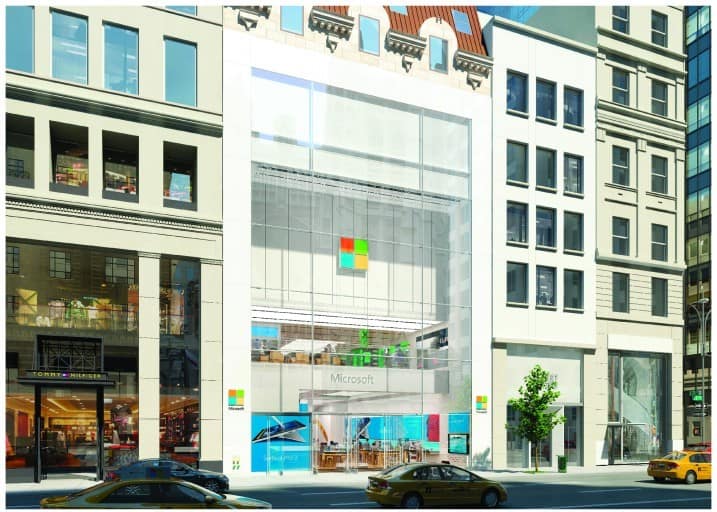
Earlier this month we reported that Microsoft’s first flagship store located at 677 Fifth Avenue in New York City was looking close to finished. The temporary scaffolding had been removed and the store received a fresh new cover to conceal the storefront until its ready for the grand opening.


Turns out the store is definitely almost ready as Microsoft announced today that the five floor 22,269 sq. foot store in Manhattan will open Monday, October 26th at noon ET. Microsoft also announced that their second flagship store will open in Sydney, Australia on Pitt Street Mall on Thursday, November 12th at noon AET.
In today’s announcement, Microsoft said:

“These flagship stores have been in the making for six years. When we architected our retail plans, we committed to providing exceptional choice, value and service, and making a positive impact on the communities in which we operate. These flagship stores will deliver on these commitments, offering premier shopping destinations. During the past several months, both flagship store sites have transformed into cutting-edge spaces that represent the best of Microsoft – we can’t wait to open our doors to those who work, live, visit and shop in these areas.”

Microsoft's renderings of their first two flagship stores. NYC (top) and Sydney (bottom).
Microsoft’s renderings of their first two flagship stores. NYC (top) and Sydney (bottom).

To celebrate the opening of the stores, Microsoft has also announced they will be donating more than $5 million in software and technology grants to select local organizations in the New York and Sydney communities. The stores will include familiar Microsoft store features such as the Answer Desk and the Community Theater, but as we have previously reported, Microsoft has said that there will also be a new floor in the store that is an “experimental space” for customers to come and see.
With Microsoft set to announce next week a new lineup of Windows 10 devices, including the rumored Lumia 950/950XL, the Surface Pro 4, and the Band 2, the Microsoft flagship store might be one of the best first places to experience the new devices in person.

How to Fix Epson Scanner Problems in Windows 10/11

Epson is one of the most renowned manufacturers of scanners and printers in the world, and its peripherals are used by millions of users. But, some of these users reported that they’re unable to run Epson scanners after Windows 10 upgrade, so we’ll show them a couple of solutions for that problem.

How to Fix Epson Scanner Problems in Windows 10

Here’s How to Fix Epson Scanner Problems in Windows 10

Solution 1 – Configure Scanner For Your Connection

First thing we’re going to try is to configure your connection with the scanner. Here’s exactly what you need to do:

  1. Go to Start Menu, All Apps, Epson, and then to Epson Scanner Settings
  2. Check Network, and then go to Add
    epson problems windows 10
  3. Now, select IP address of your device and click OK
    epson scan problems windows 10
    If you configured your network, and you’re still unable to run Epson scanner, try some of the following solutions.

Solution 2 – Make Sure WIA Service is Running

If Windows Image Acquisition (WIA) service is disabled, you can’t run any scanner on your computer, so we’re going to check if it’s enabled, and enable it if it isn’t. Here’s exactly what you need to do:

  1. Go to Search, type services.msc and open Services
  2. Find Windows Image Acquisition service, right click on it and go to Properties
  3. Set startup type to Automatic, and click on Run 
    epson scanner problem windows 10
  4. Click OK to save the changes

Solution 3 – Download the Latest Scan Event Manager

Epson Scan Event Manager is a utility software which runs your scanner, and if you’re running an older version of this software, there’s a big chance it’s not compatible with Windows 10. So, go to the Epson website, and look for the latest version of Scan Event Manager for your scanner.

If your issue is driver-related and not just software compatibility, you may need to reinstall the correct package. For models like the Epson i5290, you can follow this Epson i5290 driver download guide to get the proper driver for Windows.

Since we’re talking about compatibility, if you’re using a scanner which is more than 10 years old, it’s probably not compatible with Window 10 at all, so you should consider getting a new scanner.

Read Also: Fix: Unable to Send or Receive Bluetooth Data Between Laptop and Smartphone

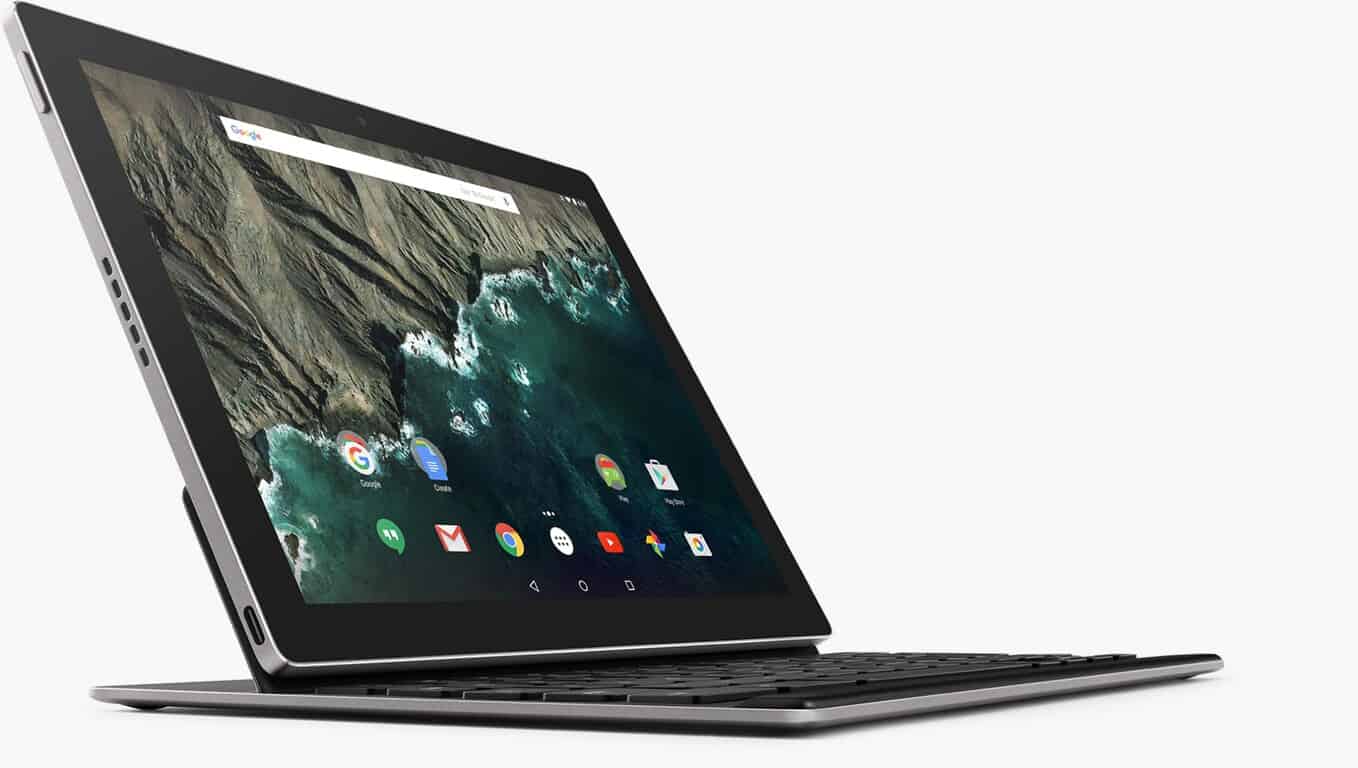
Google's Pixel C vs Microsoft's Surface 3

Over the past few weeks we have seen numerous Surface clones appear, from Apple’s recently announced iPad Pro to Lenovo’s new 2-in-1, the Mix 700. With today’s announcement from Google, it looks like the Pixel C, which is set to release later this year, will be the newest contender for Microsoft’s Surface 3. Although Android, as a mobile OS, leads the market, Windows 10 is gaining steam and with the Surface 3, users have access to full Win 32 applications, a real advantage over the Pixel C.

Google's Pixel C
Google’s Pixel C

Like the Surface 3, the Pixel C is a 10.2-inch tablet that will feature its own optional keyboard, although priced $20 higher than Microsoft’s offering.

Microsoft's Surface 3
Microsoft’s Surface 3

A few notable differences between the two 10-inchers is that the Pixel C’s screen is slightly smaller but packs 307 ppi in its 2560×1800 display. This device will run on a NVIDIA Tegra X1 processor with 3GB RAM. The Pixel C will ship with either 32 or 64GB of storage, however, unlike the Surface 3 there is no room for expandable memory. Both tablets come with USB support although the Pixel C totes the newer USB Type-C connector. The Pixel C will also come with both a front and rear facing camera although the specs have yet to be announced. Finally, both devices will start at $499, although the Surface 3 potentially can come with more RAM and LTE connectivity.

Pixel C Surface 3
OS Marshmallow (Android 6.0) Windows 10 Pro
Display 10.2 inch at 2560×1800 10.8 inch at 1920×1280
Processor NVIDIA Tegra X1 Intel Quad Core Atom
GPU NVIDIA Maxwell GPU Intel Gen 8 Broadwell Graphics
RAM 3GB 2 or 4GB
Storage 32 or 64GB 64 or 128GB
Ports USB Type C USB 3.0, Mini Display Port
Camera Front and Rear (Not specified) 3.5 MP FFC 8.0 MP Rear
Network Wi-Fi, Bluetooth Wi-Fi, Bluetooth, 4G LTE
Keyboard Additional $149 Additional $129
Pen Support No Yes

It will be interesting to see how these two tablets fare in the market. Do you think Google’s Pixel C stands a chance against the Surface 3? Let us know in the comments below.

Groove Music App for Windows 10 Mobile and Desktop Users Updated with New Features

Microsoft has decided to rename Xbox Music into Groove Music as part of its internal restructuring. Now the app has been updated for both Windows 10 Mobile and desktop users with a couple of features worth taking int account.

groove music windows 10 app

Microsoft’s Groove Music has been updated with several new features and options for both Windows 10 Mobile and desktop users, as well. Of course, the traditional bug fixes and various other minor enhancements are here, as well.

According to the Windows Store notification, the new update allows users to filter their music by genre, which is a long overdue feature. Prior to this update, Windows users could only filter by albums, artists, and songs. So if you want to look only for romantic songs, or only for rock songs, it’s now possible to do it easily.

Furthermore, it’s now possible, in the case if there are songs that you can’t find in your music library to continue your music search in the Windows Store. Furthermore, the Explore hub has been updated to allow users to make use of new and featured music.

If you still don’t have the official Groove Music app installed on your Windows 10 tablet, PC, laptop or smartphone, then go ahead and follow this link to download it. Also let us know what’s your take on the latest version by leaving your input below.

READ ALSO: Fix: Windows 10 Prevents Antivirus Installation

SEC filing shows the financial breakdown of Microsoft's new reporting segments

More details about Microsoft’s new reporting segments have emerged. As we reported yesterday, Microsoft has announced its new ‘new’ financial reporting structure. Microsoft’s new plan is to trim down the semantic word categorization of its business segments from five to three. Microsoft is moving away from filing its business segments under Devices and Consumers and Commercial areas, each with sub categories such as Hardware, Licensing (in both areas) and undisclosed ‘Other’ sections.
The new reporting structure now consist of three neatly titled catch-all segments, Productivity and Business Processes, Intelligent Cloud, and More Personal Computing. Thanks to folks over at Business Insider who caught an SEC filling document from Microsoft, we’re given an early look at which businesses will shine with the company’s new structure.
Items of note to consider are the one-time massive write down of the Nokia acquisition that stands at $7.6 billion dollars. There are other “Corporate and Other” segments that aren’t entirely broken out but account for some broader expenses from the company. Some of the “Corporate and Other” segments cover items such as legal disputes, administrative costs and on-going licensing deals.
Nevertheless, based on the numbers, it comes as no surprise that Microsoft’s Intelligent Cloud segment is a shining star, and will look to be for some time to come. Items such as Windows Server, Azure Cloud, Visual Studios, and SQL Servers are showing solid growth. Meanwhile, the More Personal Computing segment took a hit as it incurred losses from Xbox One development costs and a free Windows 10 upgrade campaign.

Microsoftrev
Microsoft revenue

We are also able to see exactly where each of Microsoft’s business areas fall into each of the new reporting segments. As for Microsoft’s Productivity and Business Processes:

  • Office Commercial, including volume licensing and subscriptions to Office 365 Commercial, for products and services such as Microsoft Office, Exchange, SharePoint, and Skype for Business, and related Client Access Licenses (“CALs”).
  • Office Consumer, including Office sold through retail or through an Office 365 Consumer subscription, and revenue from Outlook.com, OneDrive, and consumer Skype services.
  • Microsoft Dynamics business solutions, including Dynamics ERP products, Dynamics CRM on-premises, and Dynamics CRM Online (“Microsoft Dynamics”).

Expect Microsoft to spend a lot of time on its new all-star segment, Intelligent Cloud, that now houses:

  • Server products and services, including Windows Server, Microsoft SQL Server, Visual Studio, System Center, and related CALs, as well as Microsoft Azure.
  • Enterprise Services, including Premier Support Services and Microsoft Consulting Services.

Windows10-1
As much as it would perhaps like to shy away from, rounding up the rear is Microsoft’s More Personal Computing segment that includes all the stuff we like discussing:

  • Windows, including Windows OEM licensing (“Windows OEM”) and other non-volume licensing of the Windows operating system, volume licensing of the Windows operating system (“Windows VL”), patent licensing, Windows Embedded, MSN display advertising, and Windows Phone licensing.
  • Devices, including phones, Surface, and Microsoft PC accessories.
  • Gaming, including Xbox hardware; Xbox Live, comprising transactions, subscriptions, and advertising; first-party video games; and second- and third-party video game royalties.
  • Search advertising.

Clearly, Microsoft is hedging its bets by no longer obscuring its businesses in sub-categories and layers of cross reporting. As a whole, each of the three new business segments will need to stand on their own going forward, and Microsoft seems prepared to identify outlying products and services.

Partnering with Microsoft is good for Apple customers, says Tim Cook

Apple CEO Tim Cook, at a BoxWorks fireside chat alongside Box CEO Aaron Levie, made some interesting remarks about its long-term strategy and how Microsoft factors into that equation.
According to Cook, there has long been an opaque dichotomy between consumer and enterprise industries:

We have always been about making tools that allow people to do things that they couldn’t do without them. So for a while, when the world was bifurcated between the consumer and enterprise, we focused on consumer.

However, times have changed, and the company must change along with it. Consumer and enterprise, in the eyes of Apple, are now one and the same. Products that work well for the consumer must also work well for the enterprise.
While Cook emphasized Apple’s deep-seated qualifications for producing enterprise-level products and services, including security features and its iOS software offerings, he admitted that the enterprise is still unfamiliar territory for the tech giant.

What we don’t bring is we don’t have deep knowledge of all the verticals that the enterprise deals with. So to do great things we need to partner with other people. This is all about giving a suite of applications to the enterprise so we can really change how people work.”

Who better to assist in this regard than Microsoft, who has one of the most storied legacies in catering to the needs of the lucrative enterprise market.
keynote_apple_21
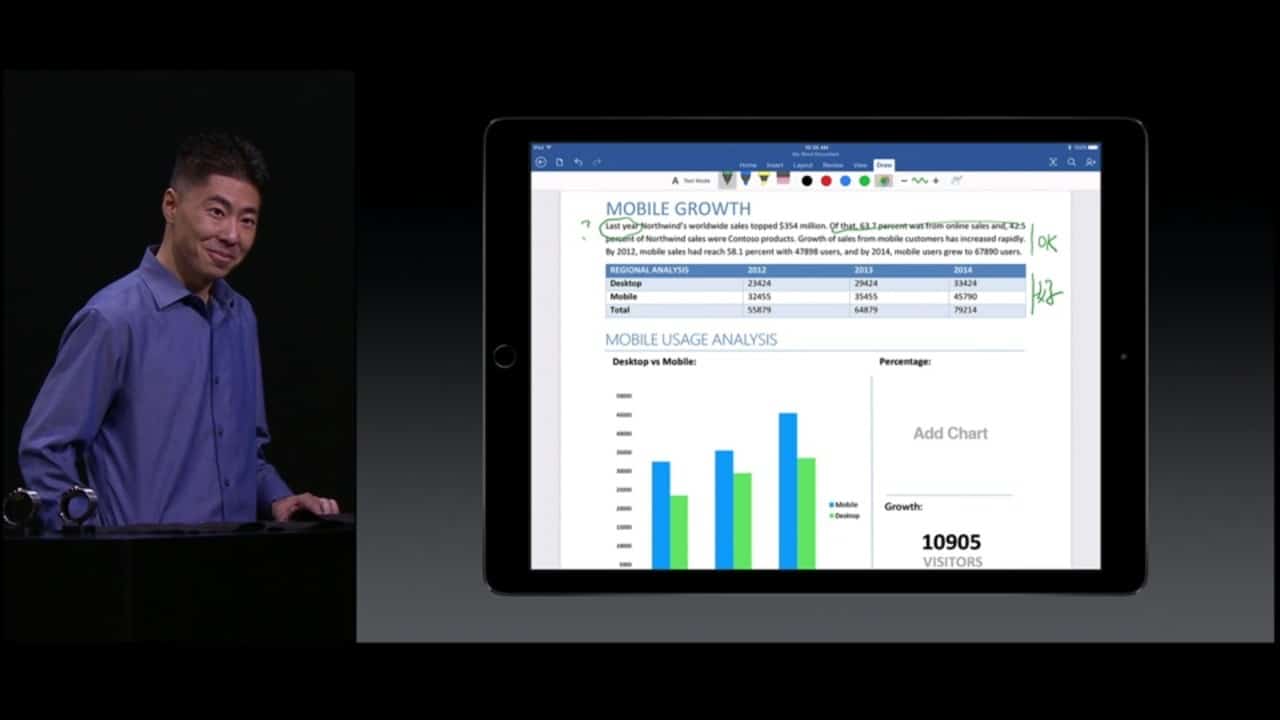
Nowadays, it seems the two companies are much more friends than they are rivals. Between patent sharing agreements, and Tim Cook welcoming Office 365 to the iPad with open arms, perhaps the most notable evidence of the ever-strengthening bond between the two companies is the recent Apple keynote. During it’s October hardware event, Apple invited Microsoft Product Manager Kirk Koenigsbauer onstage to present the latest Office offering on the iPad Pro, arguably Apple’s competitive answer to the Surface Pro.
Cook further elaborates:

Apple and Microsoft can partner on more things than we can compete on and that is what the customer wants… Office on the Mac is a force. Partner with Microsoft is great for our customers, and that’s why we do it.

Interestingly, Cook later offers his thoughts on converging iOS and Max OS X:

We don’t believe in having one operating system for PC and mobile. We think it subtracts from both, and you don’t get the best experience from either. We’re very much focused on two.”

One can easily infer that Cook, through this statement, also voices his disagreement with Microsoft’s “one true OS” strategy. Despite their increased willingness to partner on the enterprise and cloud world, they are clearly still competitors with different views on what the consumer wants.
As it should be. Strong competition between the two innovators is ultimately what benefits consumers the most.

Microsoft tackles Internet of Things with Azure IoT Suite

The Internet of Things (IoT) has a fairly fuzzy definition, but basically means adding Internet connectivity to pretty much anything where collecting and sharing data might provide value. Microsoft Azure is a leading cloud computing infrastructure offering businesses a myriad of services from hosting Web apps and virtual machines to running SQL databases and enabling powerful machine learning. It should come as no surprise, then, that Microsoft plans to plug the IoT into Azure to provide companies with the ability to gather and analyze information from anywhere.
At AzureCon 2015, Microsoft’s conference covering all things related to their Azure platform, the company announced the Azure IoT Suite on their IoT blog, intended to create the “Internet of Your things”.
Microsoft has posted the entire session, which goes into copious detail on how Azure Stream Analytics combines with Event Hubs, Azure Machine Learning, and PowerBI.com to do incredible things with IoT.

Essentially, the Azure IoT Suite is a combination of products and services that already exist into neat packages that Microsoft customers can select to access preconfigured solutions to specific problems. Today’s announcements center around two specific offerings:

• Availability of the Microsoft Azure IoT Suite: Now available to purchase, the Azure IoT Suite offers preconfigured solutions built on Microsoft’s cloud platform.
• A new Microsoft Azure Certified for IoT Program: In order to get IoT solutions up and running quickly, Azure Certified for IoT program helps customers quickly identify hardware and software offerings verified to work with Azure IoT services.

In Microsoft’s marketing materials, the company predicts tremendous growth for IoT in general. Given these stakes, Microsoft’s investment in the technology should come as no surprise:

Potential economic benefits are enormous. The Internet of Things has the potential to create economic impact of $2.7 trillion to $6.2 trillion annually by 2025, according to McKinsey Global Institute.

Here’s a much shorter video that hits the main points:

A number of Microsoft customers have been using Azure IoT already to tie together millions of IoT devices to accomplish measurable business objectives:

We’ve seen powerful results from effective Internet of Things strategies and technologies. Companies like Rockwell Automation and ThyssenKrupp Elevator have leveraged Azure to support real-time insight, predictive analytics and preventive maintenance—ultimately creating entirely new business models based on IoT.
There are a vast number of companies who can realize the benefits of IoT, but may have encountered roadblocks to deployment in the past, including struggling with the resources needed to deal with millions of devices with real time data streams, the time to move from ‘proof of concept’ to ‘production ready,’ and managing the complexity of implementation.

Microsoft offers some powerful enterprise solutions, and offering preconfigured IoT solutions makes it possible for companies to implement complex solutions without reinventing the wheel. While today’s Azure IoT suite is limited to remote monitoring, advanced capabilities such as predictive maintenance will be available in future iterations.
Learn more about the Internet of Your Things here, and Microsoft partners have a dedicated portal into all things Azure and IoT here.

Windows Device Recovery Tool includes firmware for the HTC 8x

Yesterday we reported that the Windows Phone Recovery Tool that allows users to rollback their Windows Phones from technical previews was renamed to the Windows Device Recovery Tool. While a small change in name, it could have more implications down the line since there are many more Windows devices than phones. One of those additional devices is already being supported in the HTC 8x as reported by Windows Blog Italia (via WMPowerUser), or at least firmware for the 8x is included in the new tool.
One reason this is good news for HTC 8x owners is that some of them were mistakenly sent out a Windows 10 Mobile preview build. Despite the HTC 8x not supporting the latest technical preview, some received the update and found their devices unusable. With the Windows Device Recovery Tool adding support for this device, users can roll back to the comfort of a stable operating system in Windows Phone 8.1. Some users on a Microsoft Answers thread are reporting that the tool still is not working for them, so the work to recover those devices may still be ongoing.
It’s unclear at this point if the name change for the recovery tool will only bring support for more phones such as the HTC 8x or if other Windows devices will be added as well.

Fix: Unable to Send or Receive Bluetooth Data Between Laptop and Smartphone

Although Bluetooth is an old technology it has drastically improved over the years, and it’s present on both PCs and smartphones. Speaking of smartphones and Bluetooth, it seems that some users are having problems with sending and receiving Bluetooth data between their laptops and smartphones, so let’s see if we can fix this issue on Windows 10.

Bluetooth Logo

What to do if You’re Unable to Send or Receive Bluetooth Data Between Laptop and Smartphone

Before we start it’s good that you check your Bluetooth drivers. You can do so by going to the Device Manager and checking for Bluetooth drivers. If no Bluetooth drivers are available, or if they have an exclamation mark next to them you might need to download latest drivers from the manufacturer’s website. If your drivers are updated but the problem still persists check some of these solutions.

Solution 1 – Use fsquirt to transfer your files

Fsquirt is a small application that comes with Windows and it’s used for file transfer. To use this application just follow these instructions:

  1. Type fsquirt in the Search box and start the application.
  2. If you want to send files, just click Send files, choose your Bluetooth device and click Next to select which files you want to transfer.
  3. To receive files select Receive files option. You’ll get Waiting for a connection message and now you can send files from your device to your computer.

Solution 2 – Use Bluetooth icon in system tray

If you have Bluetooth drivers installed you probably have a Bluetooth icon in your system tray in the bottom right corner of the screen.

  1. Right click the Bluetooth icon in the system tray.
  2. Choose Send a File or Receive a File.
  3. Follow the steps to send or receive a file.

As you can see, sending files from your laptop to your smartphone over Bluetooth isn’t that hard, but before trying to send files make sure that your Bluetooth drivers are installed and working properly.

Read Also: Fix: Yahoo Messenger Video Doesn’t Work in Windows 10

Fix: Can’t Upload Pictures to OneDrive in Windows 10/11

Integration of OneDrive and Windows 10 is a really great thing. You can keep safe every file or photo of yours from any device you own, with just a couple of clicks or taps. But sometimes certain problems with upload can occur, especially if you’re uploading pictures, so I prepared a couple of solutions for this problem, for both PC version of Windows 10 and Windows 10 Mobile.

onedrive pictures problem windows 10 wind8apps

How to Fix Pictures Not Uploading to OneDrive Problem in Windows 10

Solution 1 – Reset OneDrive

First thing we’re going to try in order to solve your photo uploading problem is to reset your OneDrive settings. You probably read somewhere that you should enter skydrive.exe/reset command in the Command Prompt, but since SkyDrive has been re-branded to OneDrive, the command won’t be recognized. However, there’s another way to reset OneDrive, without Command Prompt. Here’s exactly what you need to do:

  1. First, we’re going to stop OneDrive process, by right-clicking on the taskbar and choosing Task Manager
  2. In Task Manager find Microsoft OneDrive process, right click on it, and choose End Task onedrive problem windows 10
  3. Now when the OneDrive process is stopped, move all files from OneDrive folder on your computer to another location onedrive pictures problem windows 10
  4. Now delete OneDrive local content folder (it’s probably placed in C:\Users\’your user name’) onedrive pictures upload problem windows 10
  5. Start OneDrive process from Task Manager again, let it finish syncing, move your old files back to the new OneDrive folder, and try to upload your images (If you have any syncing problems with OneDrive, check out for the solution here)

Solution 2 – Make Sure You Have Enough Space

Maybe you just missed the fact that you don’t have enough storage space on your OneDrive. This could especially apply to users of Lumia phones with super-quality cameras, like Lumia 1020, whose HD pictures take a lot of space. So, just in case, head to the Storage section of your OneDrive service, and check if you have enough storage space to upload your photos.

Solution 3 – Make Sure File Path Isn’t Too Long

Maybe the name of your picture is too long, so you’re not able to upload it to OneDrive. OneDrive allows only files with less than 440 characters in name, so it won’t take any files with longer name. This is specific to photos, because sometimes photos from your camera or mobile phone can have really long names, like “DSC100032215.” So, make sure your photos don’t have more than 440 characters in the name, and rename them before upload, if they do.

For now, we don’t have a lot of complains about uploading problem on Windows 10 Mobile (which is a bit surprising, since we know the mobile OS is still buggy), there we don’t have particular solutions yet. But if you face the problem with uploading your pictures to OneDrive on Windows 10 Mobile, maybe the best thing you can do is just wait for the new build, because Microsoft will probably fix it, along with other bugs.

Read Also: OneDrive for Windows 10 Mobile Gets Improvements to Files and Folders Sorting

Microsoft invites fans to celebrate October 6th Windows 10 event

Microsoft’s competitors have had their hardware launch events and now it’s the Redmond company’s time to shine. Microsoft is well overdue to release devices like the Surface Pro 4 or new flagship phones and they will be doing that very soon in New York City. The exciting Windows 10 device extravaganza is due to take place in just over a week on the morning of Oct. 6 but today Microsoft, via Major Nelson (Larry Hryb), is inviting guests to partake in a late night celebration after the main Windows 10 event.

preview-invitation-FAN-EVENING-22
Microsoft invitation

The Microsoft hosted celebration will take place at Skylight at Moynihan Station in New York City from 8 pm to 12 am EDT where lucky fans will enjoy food, drinks and “exclusive hands-on experiences”. Those experiences will include a chance to use the brand new Windows 10 powered Xbox interface, the Windows 10 Xbox app, and a chance to play Rise of the Tomb Raider and Halo 5 4v4 Arena multi-player.
However, in order to experience all this, you have to be picked from a draw by Larry Hryb and to get into that draw, you need to email him. There are a few stipulations too which need to be considered:

  • Date / Time: 06 October starting at 8:00pm EDT (What time is that in your time zone?)
  • Location: Skylight at Moynihan Station in New York City (360 West 33rd Street, between 8th & 9th avenues)
  • If you are randomly selected, you will receive an email with directions how to RSVP.
  • Invitation requests are being accepted via email until Thursday, 01 October at 12:00p EDT.
  • If chosen, you’ll be on a guest list with two passes under your name – one for you and one for a guest.
  • Due to alcohol being served at the event, all attendees must be 21 and over.
  • This offer is only for an invitation to the event – you are responsible for all other travel and/or lodging expenses.

Next week is going to be a big one for Microsoft and hopefully they will hit a home run in terms of great hardware. If you can’t attend the events, don’t forget you can watch the Windows 10 device event live online and we’ll be there live to keep you updated on what’s new.

Microsoft Showcase School program is a vision for the future of education

For some time now, Microsoft’s software and services have stood unencumbered by the competition in education. For better or for worse, Windows and Office were the default tools for many students over the years. However, as schools began to incorporate more of the Internet into their curriculum and coursework, the need for Microsoft’s services changed. Recently Microsoft has responded with changes to its online software and service offerings for schools and teachers.

Alongside some much need updates to their software and service, Microsoft is also providing real-world examples of how its changes are helping students, faculty and school districts. With its Microsoft Showcase Schools; the company can show the best of the best of what an educational institution can accomplish powered by its hardware, software, and services.
More to the point, Microsoft would like to encourage more schools to participate in the program. Recently, Microsoft highlighted some stats about the program and offered support for schools interested in applying for the program.
Surface3
A Microsoft Showcase School is one in which Microsoft partners with a school to provide personalized learning experiences. The learning experiences center around the use of Microsoft hardware such as the Surface, and software such as Office 365, Office Mix or OneNote.

Dunbar’s Technology Academy Programs prepare students for college and a career by offering over 24 IT certifications. The school is also home to Microsoft Office World Champions, students Juliana Toyloy-Stanton (Class of 2013, 3rd place – PowerPoint 2007) and Tyler Millis (1st place – PowerPoint 2007).”

In Canada, the schools seem to be taking off as well. Cal Armstrong, the director of teaching and technology innovation at Appleby College, recalls how OneNote became a game changer for his school.

We introduced laptops in 1998 and pen tablets in 2004, but we never achieved that huge pedagogical shift in the classroom until we introduced OneNote four years ago. It was the one thing that propelled tablet use across our school and motivated the deepening of collaboration.”

There are 150 current schools partnering alongside Microsoft to provide Microsoft Showcase Schools around the world. These schools have gone through a ‘whole-school approach’ transition to demonstrate innovative teaching and learning, which are shaping plans for overall educational improvement.

From that vision comes whole-school transformations, creating innovative learning environments enabled by technology, where students participate in their own learning to make their education and achievements more exciting.”

Even though fall semesters for most schools are underway, students, teachers, and faculty are encouraged to apply by October 30, 2015, to be a part of the Microsoft Showcase School experience. Specifically, contact with a Microsoft representative at [email protected] is encouraged for more details such as a list of current schools, program details, Associate Showcase School programs features and private Yammer community involvement.

Microsoft PR contractor Waggener Edstrom is now 'WE'

Waggener Edstrom announced it would be rebranding itself as simply “WE”. Founded in 1983 by Melissa Waggener Zorkin and Pam Edstrom, the aptly named public relations firm is best known for being a longtime representative for its biggest client, Microsoft. Also of note, Pam Edstrom was Microsoft’s first public relations director before moving on to found Waggener Edstrom in 1983.
WE provides PR support for Microsoft’s corporate communications, its Windows, mobile, and server divisions, as well as its business units in Hong Kong and Europe.
The Bellevue-based company’s CEO, Melissa Waggener Zorkin, wrote in a blog post today:

But this isn’t just about a new name; this change is a reflection of what WE has always been. Because it’s never been about me, or my partner Pam Edstrom, or any one individual. WE is about us. It’s the power and insight that comes from the collective — our amazing clients, our people, our partners, and the influencers we work with every day. Together, we are WE.

With most rebranding’s a new logo is typically accompanied, and WE is no exception. It features a flattened, professional, minimalist “WE” logo with bold, Lumia-esque colors.
WE-logo-color

The flattened look is not at that all unlike Microsoft’s transition to flat, bold-colored live tiles.
The fresh logo seems to be working its magic, as WE announced a new partner in the form of leading branding agency Salt. Salt is known for its big-name clients you might have heard of: Coca-Cola, Disney, Red Bull. WE also announced other partners, including YouGov, Radius Global Market Research, Illuminas, The Garrigan Lyman group, Point It, and Play Big Inc.
2015-brand-session-5590
Zorkin also announced new clients: Allrecipes, Boehringer Ingelheim, VSP, Zoom+, Lucid, and Kymeta. It will continue working with current clients ZTE, Volvo, Woodford Reserve, Safeway, and of course, Microsoft.
Finally, Zorkin welcomed two new employees: Katie Huang Shin as Global Client Lead Executive Vice President, and Heather Scott, Vice President of Customer Insights.
For Zorkin, this rebranding is very personal, as it’s not just about putting on new makeup, but reaffirming what the company has always been about since the beginning. “We”.

Microsoft confirms they do not infringe on your privacy in Windows 10

Windows 10 has certainly suffered from its share of controversy since its official release on July 29, 2015. Activation uncertainties and privacy concerns have led the way in creating unwelcome negativity around Microsoft’s most important Windows release, and the company has finally provided some feedback to answer the nagging questions, and clarify that it does not infringe on your privacy.
Microsoft answered some questions about Windows 10 activation the other day, outlining a new “digital entitlement” concept that drives the activation process. And just this morning, the Windows Blog provided some clarification on Windows 10 privacy, outlining their “More Personal Computing” initiative aimed at earning the trust of their various Windows constituencies.

Trust is a core pillar of our More Personal Computing vision, and we know we have to earn it. We’ve taken time to expand the documentation on our approach today with this blog, and new content we’re posting today for consumers and IT Pros, designed to complement our One Microsoft Privacy Policy. We look forward to the next round of questions and feedback on these new posts. I assure you that no other company is more committed, more transparent and listening harder to customers on this important topic than we are.

We’ve reported on Windows 10 privacy issues in the past, because frankly Microsoft generated real concerns with some unclear practices. Some of the privacy accusations that were widely reported were dubious from the very beginning, while some reflected reasonable concerns. In all cases, the kind of information provided in today’s blog post is exactly the kind of transparency that’s been needed to deflect the various concerns, real and imagined.
Microsoft asserts two privacy principles in defining how Windows 10 gathers and stores information:

1. Windows 10 collects information so the product will work better for you.
2. You are in control with the ability to determine what information is collected.

So, information is collected to make Windows 10 work better, and you’re in control of the information that’s collected. Sounds reasonable, doesn’t it?
The devil is always in the details, however, and Microsoft has those covered as well by providing additional detail on the three specific areas where information is and, just as important, is not gathered and stored.
The first area is Safety and Reliability data, that is, the completely anonymous information on how machines are functioning that helps Microsoft identify security and reliability issues that need resolving. The company stresses that personal information, e.g., name and email address, are explicitly excluded, and they provide a cogent example of where this information comes in handy:

A great example of how this data was used effectively was just last month, when aggregate data showed us that a particular version of a graphics driver was crashing on some Windows 10 PCs, which then caused a reboot. This driver was not widely used, but still the issue was impacting customers. We immediately contacted the partner who builds the driver and worked with them to turn around a fix to Windows Insiders within 24 hours. We used the data on Insiders’ devices to confirm that the problem was resolved, and then rolled out the fix to the broad public via an update the next day – all-in-all, this data helped us find, fix and resolve a significant problem within 48 hours.

Next, Microsoft covers perhaps the most controversial information that Windows 10 gathers, specifically the kind of information that’s required to make Windows 10 a highly personal experience. In reality, of course, many users enjoy things like receiving up-to-date scores for their favorite teams and, as Microsoft points out, accurate text completion suggestions based on personal typing patterns. This kind of personalization wouldn’t be possible, obviously, if Microsoft were unable to gather information about individual users.
Choice is the real issue here, though, and Microsoft stresses that the user is in control of what information is collected. Windows 10 also makes it a point to request permission to gather information with the activation of each new feature that can make use of it.

Windows 10 privacy settings.

Just as important as the information that is collected is the information that is not. Microsoft pulls no punches in making it clear that they’re unlike some other companies in terms of the information that’s examined simply to serve up ads:

Unlike some other platforms, no matter what privacy options you choose, neither Windows 10 nor any other Microsoft software scans the content of your email or other communications, or your files, in order to deliver targeted advertising to you.

Microsoft deserves some credit for working hard throughout the development of Windows 10 to gather customer feedback and actually use it to inform their design and policy decisions. The success of Windows 10 is vital to Microsoft’s future as a viable company, and they’re actively soliciting feedback to help ensure this success. As always, your input is vital to helping Microsoft better understand what you want from Windows 10 going forward. Windows Insiders can provide general feedback here, and every can provide their thoughts on privacy here.
Hopefully that information will help stem some of the tide of controversy that’s surrounded Windows 10 since its launch. At the very least, there’s good reason to believe that Microsoft has its users’ interests in mind as they implement new Windows 10 features.

Microsoft introduces its number-centric fact site, By the Numbers

If you like math and Microsoft, then you’re in for a treat, as Microsoft just rolled out Microsoft by the Numbers, a site dedicating to present facts about the company, all in easy-to-get statistics, reported the company’s blog.
The site is presented in a friendly and modern manner, with most numbers accompanied by playful fully-animated 3D objects (the cute kind you can spend hours staring at.)

A personal favorite.

Among the statistics, which include impressive numbers that reflect Microsoft’s achievement in each of its businesses (like 75 million Windows 10 installs from 190 countries all over the world, 1.5 billion Office users, and 80% of Fortune 500 companies being on Azure), there are also some interesting, and some downright silly-fun, tidbits. Did you know that 20% of Azure VM servers are on Linux? Or 984,000 orders of french fries are consumed each year in Microsoft’s Redmond campus area? Or how Microsoft’s optics fiber cables can stretch 3 times the distance to the Moon? Many more are waiting for you at the site, so visit it now.