Amid uproar, Sony cancels the Helldivers 2 PSN account linking update

It’s been one hell of a week for Helldivers 2 fans. When Sony first announced mandatory linking for Helldivers 2 and PSN (PlayStation Network) accounts, players didn’t realize the ramifications. As it turned out, the move led to Helldivers 2 being unavailable for sale in as many as 177 countries where PSN is not available.

What followed was an uproar and a barrage of negative reviews on Steam, numbering hundreds of thousands. Early on, the developers, Arrowhead Game Studios, confirmed that they were actively in touch with Sony regarding the Helldivers 2 fiasco and were looking for solutions.

Sony finally concedes to pressure

A few hours ago, Sony confirmed that it is not moving forward with the Helldivers 2 PSN account linking update.

In a tweet on X (formerly Twitter), Sony, directly addressing the Helldivers fans, said that the May 6 update, which would have required all new and existing players to link the Helldivers 2 and PSN accounts by May 30, would not be enforced.

This comes as a relief to millions of players who couldn’t access Helldivers 2 after it was taken off Steam in 177 countries (list shared by SteamDB). Even countries like Japan were affected, with a different game package available for download.

While players could bypass these requirements by choosing a different region, it would have gone against PlayStation’s Terms of Service and attracted a penalty.

Surprisingly, Steam has been quite supportive during the entire episode. Many confirmed receiving a full refund from Steam for their Helldivers 2 purchase, even after exceeding the 2-hour playtime and post the 14-day period.

We are yet to receive confirmed reports about Helldivers 2 being re-available in countries and regions where it was taken down. But the changes should reflect in a day or two!

An important lesson from this entire episode is that if enough players start to challenge and complain about a change, developers and publishers could be forced to back down.

Also, as Sony is conceding to players’ demands, it should consider requests for bringing Helldivers 2 to Xbox.

Were you affected by the Helldivers 2 PSN account linking change? If so, share your experience in the comments section.

Microsoft pauses public testing of new Copilot features in Windows 11

Microsoft has recently announced its plans to pause public testing of new Copilot features in Windows 11. AI is one of the trendy topics these days. And, Microsoft being one of the big global tech giants is rapidly working towards launching its AI products in the market.

Without a doubt, it is the company’s move to stay ahead in the competitive AI market that’s ever-growing. However, there’s a change of plan.

Microsoft announces to pause of the testing of new Copilot features, says it wants to ‘refine’ experience

Talking of AI products, Copilot is one of the hot products of Microsoft which currently has a love-hate relationship with users. While the AI assistant is great for streamlining the workflow in almost all Microsoft apps, it has been criticized too.

Now it seems Microsoft is responding the same by announcing a pause to public testing of new Copilot features for Windows 11 users. The news must have pleased many who felt the company was rushing way too much with its AI assistant, Copilot.

Microsoft announced the news with the release of the latest Beta Channel Build 22635.3570. In the recent Windows Insider blog post, the company adds:

Over the last few months, we’ve been trying out different experiences for Copilot in Windows (Preview) with Windows Insiders across the Canary, Dev, and Beta Channels. Some of these experiences include the ability for Copilot in Windows to act like a normal application window and the taskbar icon animating to indicate that Copilot can help when you copy text or images. We have decided to pause the rollouts of these experiences to further refine them based on user feedback. Copilot in Windows will continue to work as expected while we continue to evolve new ideas with Windows Insiders.

Microsoft didn’t specify any specific reason behind this move

The exact reason behind pausing the Copilot feature testing in Windows 11 isn’t clear. However, one possible reason we could think of is the backlash Copilot faced in recent times. Another reason behind this could be associated with its development cost. However, these are only assumptions.

More recently, there were a few reports that Microsoft is going too fast with AI development. One of the engineers even anonymously said the company is competing in an AI rat race that is eventually taking a toll on AI engineers. It could be another possible reason why the company wants to take things slow, who knows.

What do you think about Microsoft’s decision to pause the testing of new Copilot features? Let us know in the comments below.

The latest update for WhatsApp adds new multi-window support & more on Windows 10 & 11

Meta doesn’t seem to compromise when adding new features to WhatsApp, be it smartphones or Windows users. Windows Latest in its latest report confirmed the same as Meta rolls three new features with the latest update for WhatsApp on Windows.

The latest update to WhatsApp’s Windows app includes three new features a hamburger menu, multi-window support for chats, and an adaptive interface. Let’s discuss these changes in detail starting from the multi-window support.

Windows 10 & 11 users can now use a multi-window feature on WhatsApp

With the latest update for Windows, Meta now adds a new Pop-out chat option to WhatsApp. Clicking on it opens a new chat window which is identical to Telegram’s new window feature.

WhatsApp multi-window feature ‘Pop-out chat’ | Image credit: Windows Latest

Notably, when you choose this new option, the selected chat opens in a new window keeping aside all other features. In short, the individual chat windows opened by this feature offer a clean look given the UI is quite compact.

The next minor change that rolled out to the WhatsApp Windows app via the latest update is an adaptive UI. Now, the chat window takes center stage, and contact lists get hidden in the menu.

Earlier you could see contact lists and chat together when trying to make the app’s window more compact by resizing it. Honestly, things looked quite cluttered, but it will change now.

Lastly, there’s a new hamburger menu that expands three different options – Chats, Calls, and Status.

While the latest update is not the biggest for WhatsApp on Windows, it will surely improve how users interact on the desktop app. Not to forget, these new features are also available in the Stable version of the app.

More recently, the company added Meta AI to WhatsApp. While one can access the AI chatbot on their smartphone, Windows 11 users can use it with a workaround.

A new unofficial tool ‘Oh Freak Go Back’ lets you remove Windows 11’s ads

A Linux user has created a handy tool that removes annoying ads in Windows 11. Yes, you can also turn off ads in the Start menu of the operating system, too. So, if you also feel betrayed by Microsoft’s decision to add Start menu ads on Windows 11, it is great news.

For those unaware, with the KB5037000 update, the company started showing app recommendations in the Start menu. Users and former Microsoft employees criticized the decision to add ads in Windows 11’s Start menu.

‘Oh Frick Go Back’ is the new unofficial tool that allows removing different types of ads in Windows 11

However, the new Oh Frick Go Back (OFGB) tool has changed the same. It allows users to disable different types of ads in Windows 11 with a click of the mouse. Yes, it’s that easy.

Tom’s Hardware reports Maddy who goes by the username @xMaddy on GitHub developed the OFGB tool. The user happens to be a programmer who uses Arch Linux instead of Windows.

Using the OFGB tool is pretty straightforward. The Oh Frick Go Back tool offers you a simple checklist of all locations Windows 11 can show ads. As a user, all you have to do is checkmark/uncheckmark the listed types of ads. And, based on that the tool disables the ads in Windows 11.

The tool is good and easy to use. With the help of the Oh Frick Go Back tool, you can simply remove ads in Windows 11 without replacing the entire part of your OS. It won’t be wrong to say that Maddy’s tool surely takes you to a different era when ads in Windows 11 were not a thing.

Maddy, who created the tool, says seeing ads here and there was quite annoying for her

In a recent interview with Tom’s Hardware, Maddy says that she is pleased that people are using the Oh Frick Go Back tool. And, more importantly, it makes disabling ads in Windows 11 a breeze.

Talking more about the tool, Madds says:

I think the most important thing the tool has done is getting people to talk about ads and their place in paid software like Windows. is getting people to consider taking a look at alternative software like Linux. Remember, competition is good for consumers. I only made this after Windows gave me an error when I ran ‘sudo pacman -R ads.

Maddy also replies to a question on why she developed a tool for Windows 11 despite being a Linux user. She adds:

I was getting more and more annoyed by ads in random places and decided to try to find an easy fix. After coming across a .reg file by Shawn Brink, I found my answer. After thinking more about it, I figured it may be accessible to more people if there was a GUI so that less tech-savvy people could easily set the registry keys without needing any knowledge of the registry.

Courtesy of Maddy’s Oh Frick Go Back tool, now all Windows 11 users have a way to remove ads. You can now find the latest OFGB version 0.3 on GitHub.

Despite the tool offers an unofficial way of removing ads in Windows 11, it is getting great reception from users.

Ads are not the only thing Microsoft has messed up with. More recently, it confirmed that the April update breaks VPN in Windows 10 and 11.

X unveils ‘Stories’ which delivers summarized news with the help of GrokAI

X is now supercharged by a new feature called Stories. The latest feature announced by Elon Musk’s company leverages GrokAI to summarize trendy news.

The official announcement was made via X’s Engineering team’s handle and mentions that Stories will be only available for Premium users.

The new Stories feature will use GrokAI to summarize trendy news for you

In short, the Stories on X will summarize trending news for the users and will display them in the app’s For You tab in the Explore section.

Generally, users visit the For You section to catch up with everything that’s trending on X. That’s the one section where they can read the latest news and topics in your network without scrolling much.

Now that Stories is available, you’ll see a summary of the post that you opened in the For You tab, all thanks to GrokAI. 

‘Grok can make mistakes,’ X adds a disclaimer below the summarized stories

As with every AI-generated result, these summaries are also prone to inaccuracy. TechCrunch which tested the Stories feature on X added that a warning message appears below the summary which reads – Grok can make mistakes, verify its outputs.

Not to forget, Premium users were the ones who got exclusive access to the GrokAI when it was first available. Since GrokAI powers the latest feature, only premium users can only use this feature for now. It could be one of the plans by the company to push users to pay for premium subscriptions.

Notably, Stories on X will be available only for iOS and web users at the moment. Hopefully, it will soon become available for premium Android users too.

More recently Elon Musk’s AI company xAI unveiled GrokAI-1.5 Vision which beats its market rivals in the RealWorldQA benchmark.

Did you use Stories on X? What do you think about it? Let us know in the comments below.

Microsoft releases Edge 126 in the Dev Channel with a few new features

Microsoft recently released Edge 126 version 126.0.2552.0 in the Dev Channel with some new features. The latest version now adds a mute button on the taskbar. The latest Dev Channel update also adds a new capture menu toolbar to the PDF file.

Microsoft Edge Dev 126, version 126.0.2552.0, also fixes multiple issues

Apart from introducing minor updates, the Edge Dev 126, version 126.0.2552.0, also fixes a few issues in the browser. Microsoft has listed all of them in the release notes which read:

Improved Reliability:

  • Fixed an issue where the browser would crash when users clicked on ‘Leave workspace’.
  • Fixed a browser crash on Android.
  • Fixed an issue that caused the browser to crash upon closing the final tab.

Microsoft has also addressed a few behavioral changes it introduced with the latest Edge Dev channel update. Here’s the full list:

Changed Behavior:

  • Resolved an issue where the share box would briefly appear blank and then vanish after a few seconds.
  • Fixed an issue where tabs that had been deleted reappeared after restarting.
  • Resolved a problem where there were visual style discrepancies on the product detail page, including issues with margins, colors, border radius, and shadows, within the extension.
  • Resolved a problem that caused visual distortions when tabs were grouped in a vertical layout.
  • Fixed an issue where horizontal scroll bar and vertical bar appeared in FRE.
  • The issue where the side pane would unexpectedly open after FRE has been resolved.
  • Fixed an issue where the page at edge://settings/appearance/CustomizeToolbar was displaying as blank.
  • Fixed an issue that prevented the sharing of screenshots via Outlook.
  • iOS: Fixed an issue where the string in the toolbar settings page needed to be changed.
  • Mac: Resolved an issue where the Send Feedback feature initially displayed a blank screenshot. Subsequent attempts would then show the previously captured screenshot on Mac.
  • Android:
    • Resolved a problem where the keyboard focus was not moving to the ‘Earn More Rewards’ link within the Microsoft Rewards section on Android.
    • Fixed an issue when altering the background color, the page no longer flashes on Android.

Microsoft encourages users to report issues or bugs with the latest update through in-app feedback. You can share feedback by going to … menu > Help and feedback > Send feedback.

Microsoft Starts’s new AI models could make 30-day weather forecasting more accurate

The research team at Weather from Microsoft Start is developing AI-powered weather models. These models will be able to predict 30-day weather forecasts more accurately. While Microsoft Start has been lauded for their work in the past, they seem to keep up the good work.

Notably, Weather from Microsoft Start was honored with the title of the World’s most accurate global forecast provider. ForecastWatch, a US-based weather forecast monitoring company honored the team with the title back in March last year.

On 3rd May 2024, Microsoft took to Bing blogs to inform that the Start team published an article on the ArXiv website regarding the new medium-range weather forecast model.

Microsoft’s new AI weather modeling is better than the current ones used by the ECMWF

The published article explains how AI weather models compare to the latest state-of-the-art European Centre for Medium-range Weather Forecasts (ECMWF).

Microsoft in its recent Bing blogs says that instead of using a single AI model, it combined five different trained models. This includes three other deep learning architecture together which ensures weather forecasting of one month in advance.

The company further adds that these AI models can learn from decades of weather to understand the pattern to accurately predict the weather in advance. Talking more on the same, Microsoft adds:

They operate in much the same way as an NWP model, though: given the current state of the atmosphere on a 3-D globe (latitude, longitude, and height), predict the state of the atmosphere for some future time, say one hour later. They then feed this prediction back into the model to predict two hours later, and so on.

The new AI models can predict the weather much faster and can only take minutes using a GPU. This allows models to run much more frequently ensuring better weather forecasting.

The new weather forecasting AI model developed by the Start team can measure temperature errors more effectively. Microsoft says:

The results are quite encouraging: when measuring temperature errors using the Continuous Ranked Probability Score (CRPS) metric, our out-of-the-box AI ensemble outperforms the ECMWF model by 17% for one-week forecasts and 4% for four-week forecasts (Figure 1).

Overall, the latest AI weather models could potentially bring major improvements to weather forecasting of above ten days. Hence, it is adding the 30-day weather forecasts to its ever-growing Microsoft Start weather modeling.

You can check out more details here.

An engineer who builds GPU ‘from scratch’ in two weeks finds out that the process is ridiculously hard

A self-taught hardware engineer who builds a GPU from scratch found out that the process is much more complex and incredibly hard. Notably, he went on to create a complete CPU after investing his time learning the fundamentals of central processing architecture.

Well, designing a basic CPU is possible if one has the right tools, abundant knowledge, and patience. Although, the CPU might not match the standards of processors currently available in the market.

But surely, one can make it. What about GPUs, though? Both aren’t similar after all despite sharing a lot of common aspects.

A self-taught hardware engineer builds GPU from scratch but says it was way harder than he expected

Well, a self-taught hardware engineer tried building a GPU from scratch. Encouraged by the success of building a CPU, the self-taught hardware engineer tried his luck with GPU this time around.

Despite sharing a lot of commonalities, GPUs are way different in how they manage threads as well as memory usage. He went on to realize that building a GPU from scratch wasn’t child’s play. Rather, it was incredibly tougher than he expected.

Tom’s Hardware which first reported this news adds that Twitter/X user @MajumdarAdam who is a hardware engineer has been sharing his progress building a GPU from scratch.

The tweet embedded below shows the flow of work the engineer did throughout his journey to build a GPU from scratch. Since it was a start-from-scratch project, he had to acquire lots of knowledge before taking the first step.

Tom’s Hardware earlier shared the engineer’s concern about GPUs being a relatively tough field of study. All because of the dominance of proprietary tech. Sadly, his predictions came true. He felt that building a GPU from scratch with no prior experience was more hard than he expected.

Hard work paid off as he completed building the GPU by fixing several issues with the help of others

The publication explains that Majumdar wasn’t aiming for a ‘graphics’ CPU. In fact, he was building a GPGPU. PC Gamer further explains GPGPU in simple words. It says a general-purpose parallel computing system includes a triangle setup, TMUs, ROPs, or any number of fixed function circuits that are usually in graphics cards’ chips.

Ultimately, the engineer’s hard work paid off, as the GPU design he built worked post resolving several issues with the help of others. His basic GPU design was able to run a small number of instructions and could perform some matrix calculations in software simulation.

Let’s not forget that Majumdar’s CPU and GPU design will be given a physical form via the Tiny Tapeout project. If you are interested and want to know more about his homemade GPU design, you can head to his Twitter handle or go through the dedicated Tiny-GPU GitHub page.

Notably, the GPU isn’t available to the public, so if you looking for one to aid your video editing capabilities, check this guide. Those looking for CPUs can jump to this page. We have listed some of the top CPU-related roundups in there.

Chrome’s New Performance Feature Will Alert If Your CPU Usage is High

Google is working to add a new toolbar button to Chrome that will display performance notifications based on CPU usage. It’s no surprise that this is being built upon the Memory Saver feature already integrated into the Chrome browser.

One of the key features that Chrome has introduced to improve browser performance and address resource usage concerns is the Memory Saver mode. This feature is designed to reduce Chrome’s RAM usage by pausing tabs that aren’t being used, thereby freeing up memory for the tabs that are in active use. Memory Saver is particularly beneficial for systems with limited memory or for users who multitask with other memory-intensive applications.

View Preview

Google Chrome already displays tab memory usage on hover. You can also disable it if you find the memory usage in the tab hover card annoying. Now, another performance control is being added to the performance tools present in the Chrome browser, alongside the existing memory saver and memory usage card.

Chrome to Add Performance Notification Button on Toolbar for CPU Usage Alerts

According to a Chromium commit spotted by us, Chrome will get a new performance notification toolbar button. This button will be shown permanently on the toolbar and won’t do anything when clicked in the initial stages. Google is working on the logic to determine when to trigger the toolbar button to show/hide and to display a dialog when clicked.

Introduce the performance notification button This CL introduces the performance notification toolbar button. Currently, the button is permanently shown on the toolbar button and doesn’t do anything when it is clicked. Logic to trigger the toolbar button to show/hide and show a dialog when clicked will be added in follow up CLs.

The commit reveals the Performance Intervention Button responsible for the feature, which triggers the notification based on a tabs CPU usage. Google has set the resource type to CPU for the Performance Detection Manager. Based on the notification, Chrome users can either close that tab or activate Memory Saver mode. The details about what CPU usage threshold the notification triggers are unclear at the moment.

We can’t rule out the possibility of this being linked to Chrome’s Battery Saver, allowing users to improve battery life by reducing CPU usage based on the action suggested by the notification.

Apart from this, we’ve recently reported Chrome Startup performance getting a speed boost as well as Clear browsing data dialog requires you to select a time range going forward in a test conducted by Google.

AI engineers at top tech companies like Microsoft and others are reportedly facing burnout

Artificial Intelligence (AI) engineers at top tech companies around the globe are reportedly experiencing burnout. Well, it seems the ongoing AI race is to blame.

Back in November 2022 when OpenAI unveiled ChatGPT, it sparked a race among global tech giants to launch their AI services as fast as they can.

Top tech giants including Google, Microsoft, Amazon, and more are the notable ones trying their best. But with a potential cost – burnout of their AI engineers.

The ongoing AI race is taking a toll on engineers at major tech companies

A dedicated report on burnout among AI engineers was first published by CNBC on May 3, 2024. The news agency reports that it received several messages from AI engineers.

Reportedly, the messages claim the superiors in such companies are pressing them too hard to get AI-related products released.

Some other claims made by these AI engineers are enough to raise your eyebrows about some of the companies running the AI race.

Microsoft is running an “AI rat race” according to its engineer

One name that emerged in the report was none other than Microsoft. In a message to CNBC, one of the Microsoft engineers tipped that the company is competing in an “AI rat race.”

That’s not all, the engineer further adds that the tech giant prefers speed over ethics and safety. And, it is pushing too hard so that it can quickly launch its AI products released in the market.

When the news agency reached Microsoft to get a comment on the same, there was no response. Interestingly, all these claims came right after Microsoft published its first responsible AI transparency report.

Amazon is also prioritizing ‘speed’ like Microsoft over everything else to launch its AI products as soon as possible

Amazon is reportedly another company that has been pushing its AI engineers too hard resulting in burnout. One anonymous engineer told CNBC about a bizarre incident from late last year. CNBC narrates the engineer’s words and reports:

Late last year, an artificial intelligence engineer at Amazon was wrapping up the work week and getting ready to spend time with some friends visiting from out of town. Then, a Slack message popped up. He suddenly had a deadline to deliver a project by 6 a.m. on Monday.

There went the weekend. The AI engineer bailed on his friends, who had traveled from the East Coast to the Seattle area. Instead, he worked day and night to finish the job. But it was all for nothing. The project was ultimately “deprioritized,”

Amazon’s AI engineer who talked about burnout also says that the company is doing the same thing as Microsoft and trying to launch AI products faster without giving testing and accuracy much priority.

When CNBC reached out to get a comment, an Amazon spokesperson replied via an email and said the company is focused on building and deploying useful, reliable, and secure generative AI innovations that reinvent and enhance customers’ experiences.

The spokesperson’s email to CNBC also talks about the engineer’s experience which reads:

It’s inaccurate and misleading to use a single employee’s anecdote to characterize the experience of all Amazon employees working in AI.

While the above examples only include Amazon and Microsoft, AI engineers at Apple and Google are also experiencing burnout resulting from immense work pressure, short deadlines, lack of resources, etc.

Microsoft adds a speed tester to the Edge browser with the latest update

Microsoft recently released Edge version 124.0.2478.80 in the Stable Channel which adds a new internet speed tester to the browser. While this update to Microsoft Edge brings no major changes, a few need to be discussed.

The latest version 124.0.2478.80 now includes an internet speed tester and fixes two security vulnerabilities. More recently, Microsoft removed the infamous 8KB Copilot app from the Windows Server with Edge version 124.0.2478.67 in the Stable Channel.

The latest Edge update in the Stable Channel adds a speed tester, but it is somewhat weird

You can access the Edge’s built-in speed tester tool from the top of the built-in Toolbox located at the sidebar. Worth mentioning that the toolbox has a bunch of options including a calculator, world clock, unit converter, translator, etc. 

While you can access the speed tester from the sidebar, it doesn’t run within the sidebar itself. Rather, when you click the “Start” button on the speed tester, a new Microsoft Bing tab opens and tests your internet speed. 

While we’re unsure why this is happening, that certainly kills the motive behind introducing a speed tester in the Edge browser’s sidebar. These tools are added so that you can perform actions without having to open a new tab. That’s quite weird, honestly. 

Microsoft has also mentioned the new addition to the changelog of Edge version 124.0.2478.80 which reads: 

Feature updates

  • Sidebar Tools App – SpeedTest. Adding a SpeedTest answer by default to the Tools app in the Microsoft Edge sidebar. For more information, see Manage the sidebar in Microsoft Edge.

Edge version 124.0.2478.80 also patches two security vulnerabilities

With the latest Edge browser update not only did it add a speed tester but also fixed two high-severity security vulnerabilities of the Chromium project:

  • CVE-2024-4331: Use after free in Picture In Picture in Google Chrome prior to 124.0.6367.118 allowed a remote attacker to potentially exploit heap corruption via a crafted HTML page. (Chromium security severity: High)
  • CVE-2024-4368: Use after free in Dawn in Google Chrome prior to 124.0.6367.118 allowed a remote attacker to potentially exploit heap corruption via a crafted HTML page. (Chromium security severity: High)

If you are using Edge and looking to update it to the latest Stable version 124.0.2478.80, click here. Once you land on the About page, the browser will auto-detect the update and start installing it. All you have to do after that is relaunch the browser.

Did you update the Edge browser and try the internet speed tester? If yes, share your thoughts about the same in the comments below.

Outlook for personal use now comes with Copilot and better security features

Recently, Microsoft talked about the recent innovations introduced in Outlook for personal use that are now available worldwide. These innovations range from Copilot on Outlook on mobile and Windows to showing sender emails in the Junk mail folder to warning users before visiting malicious links in the Junk folder. Let’s know about them more.

Copilot on Outlook

  • Mobile

If you have a Microsoft Copilot Pro subscription and use Outlook on mobile devices, including iOS and Android, you can now use Microsoft Copilot with Outlook.

This means you don’t have to read the whole email chain to understand a problem. You can ask Copilot to summarize long email threads. You can also ask the AI assistant to compose rich and personalized emails or give suggestions to draft a better response.

  • Windows

If you are a person who prefers using Outlook on your Windows computer and has Copilot Pro, then you can experience it with just a touch of a button

Microsoft also mentioned they have started offering coaching by Copilot, which means you will get input on emails you draft so that you know you have hit the right sentiment and tone for the reader.

Soon, you will also get a draft with Copilot, which will make composing impressive emails from square one.

Showing sender emails in the Junk mail folder

The Redmond tech giant took the feedback seriously and introduced a change. Now, when you open the Junk Mail folder, you will see the sender’s name, email address, and subject line, helping you decide whether to open the message or delete it. Previously, to know more about the sender, you had to hover over the sender’s name or open the message, which could be risky.

The feature is currently available in outlook.com, the new Outlook for Windows, Android, and iOS, and soon you will see it on Mac.

Junk email security

With the latest changes made to the Junk email experience, now you will be more vigilant while clicking a link from an email in the Junk folder.

You will get a pop-up alert warning you before you visit a link in any messages from the Junk folder.

The feature will be available globally to Outlook.com and the new Outlook for Windows, iOS, Android, and Mac.

IMAP/POP support in the new Outlook for Windows

The vision is to make the new Outlook for Windows free for every user with a PC, regardless of the email provider or account type. Previously, the focus was on users with personal Microsoft accounts or renowned email providers like iCloud, Gmail, and Yahoo.

However, as many users also have email accounts configured using IMAP (Internet Message Access Protocol) or POP (Post Office Protocol), Microsoft extended support to users with IMAP or POP accounts, thus broadening the reach.

To sum up, the introduction of these features shows Microsoft’s commitment to making Outlook for Windows accessible to all users. Furthermore, the security features and Copilot integration make the experience of using Outlook for Windows not only accessible but also seamlessly secure and collaborative.

Email reveals Microsoft was mighty worried about Google gaining ground in AI

The US Department of Justice’s antitrust case against Google has revealed inside information that hints at Google’s dominance in the AI landscape in the last decade. According to emails made public, Microsoft was very, very worried about the progress Google had made in AI.

First shared by Business Insider, the email, titled Thoughts on OpenAI, sent by Microsoft’s CTO Kevin Scott to Satya Nadella, Microsoft’s CEO, and Bill Gates, highlighted how the company was several years behind the competition in terms of ML (Machine Learning) scale.

While most parts of the email were redacted, the sections made public clearly expressed Microsoft’s fear of losing to Google in the race for AI dominance. In the email, Scott cited the example of auto-fill in Gmail. He said,

Their auto-complete in Gmail, which is especially useful in the mobile app, is getting scarily good.

Talking about OpenAI, DeepMind, and Google Brain, Scott shared how he was earlier dismissive about their efforts but soon realized how Microsoft fared compared to them when NLP (Natural Language Processing) models were first developed,

When all these programs were doing was competing with one another to see which RL system could achieve the most impressive game-playing stunt, I has highly dismissive of their efforts. That was a mistake. When they took all of the infrastructure that they had built to build NLP models that we couldn’t easily replicate, I started to take things more seriously. And as I dug in to try to understand where all of the capability gaps were between Google and us for model training, I got very, very worried.

Scott sent the email on June 12, 2019, and Microsoft and OpenAI announced an exclusive partnership on July 22, 2019. This can’t be a coincidence!

While it’s possible that talks for a partnership might have been underway at the time, given Bill Gates’ control over Microsoft and his relations with Sam Altman, CEO of OpenAI, we can’t ignore the fact that Microsoft was concerned about the developments in the space, and it not playing a significant part.

But, that seems like ancient history now!

In the last few years, Microsoft has heavily invested in OpenAI, integrated AI-powered solutions into native products, such as Copilot in Windows, introduced image creation capabilities, and brought AI into manufacturing.

This push has delivered results, with Microsoft Azure emerging as an alternative against AWS (Amazon Web Services) and Google Cloud, Bing reaching 140 million daily active users, and other native products witnessing increased adoption.

Microsoft presently is the biggest player in the AI landscape, with all major tech giants far behind. And given its continued efforts, the picture is not going to change soon.

Who do you think will dominate the AI landscape in the future, Microsoft or Google? Share with our readers in the comments section.

Microsoft introduces Defender for Identity Health Alert API: Enhance security integration and response

Microsoft Defender for Identity (MDI) is a cloud-based security solution that helps you monitor and protect identities & infrastructure across your organization.

Now, the Redmond tech giant has released a new feature, the Defender for Identity Health Alert API, which can be recognized as a direct line to keep tabs on your organization’s security health, and it could be a game-changer.

In the blog, Microsoft mentioned that these alerts could prove to be crucial in ensuring a secure environment and are into two main areas:

  • Domain-related or aggregated health issues, listed on the Global health issues tab in the Microsoft 365 portal. 
  • Sensor-specific health issues, listed on the Sensor health issues tab in the Microsoft 365 portal.  

Now that you know the areas it covers, let us talk about the benefits of Health API:

  • Dashboarding – You can now seamlessly integrate MDI health alert information into your favorite dashboarding tool, which ensures real-time visibility.
  • Automation – If you use ticketing systems for IT support, this new API enables automatic ticket creation when a new health alert is opened.
  • Status updates – MDI closes a health alert automatically once it detects resolution. And, you can suppress the alerts for up to 7 days if you know the issues will last for a few days.

To start using the MDI health alerts APIs, you need to fulfill these requirements mentioned on the Microsoft website:

  • Permissions: user requires at a minimum M365 role permission:  Authorization and settings –> System Setting –> Read only (Defender for Office, Defender for Identity). thumbnail image 2 of blog post titled 


							Introducing the new Defender for Identity Health Alert API
  • Entra ID Enterprise Application consent permissions for Graph Explorer.
    • SecurityIdenitiesHeath
      • SecurityIdentitiesHealth.Read.All
      • SecurityIdentitiesHealthRead Write.All (only required to update the status of a health alert.) thumbnail image 3 of blog post titled 


							Introducing the new Defender for Identity Health Alert API


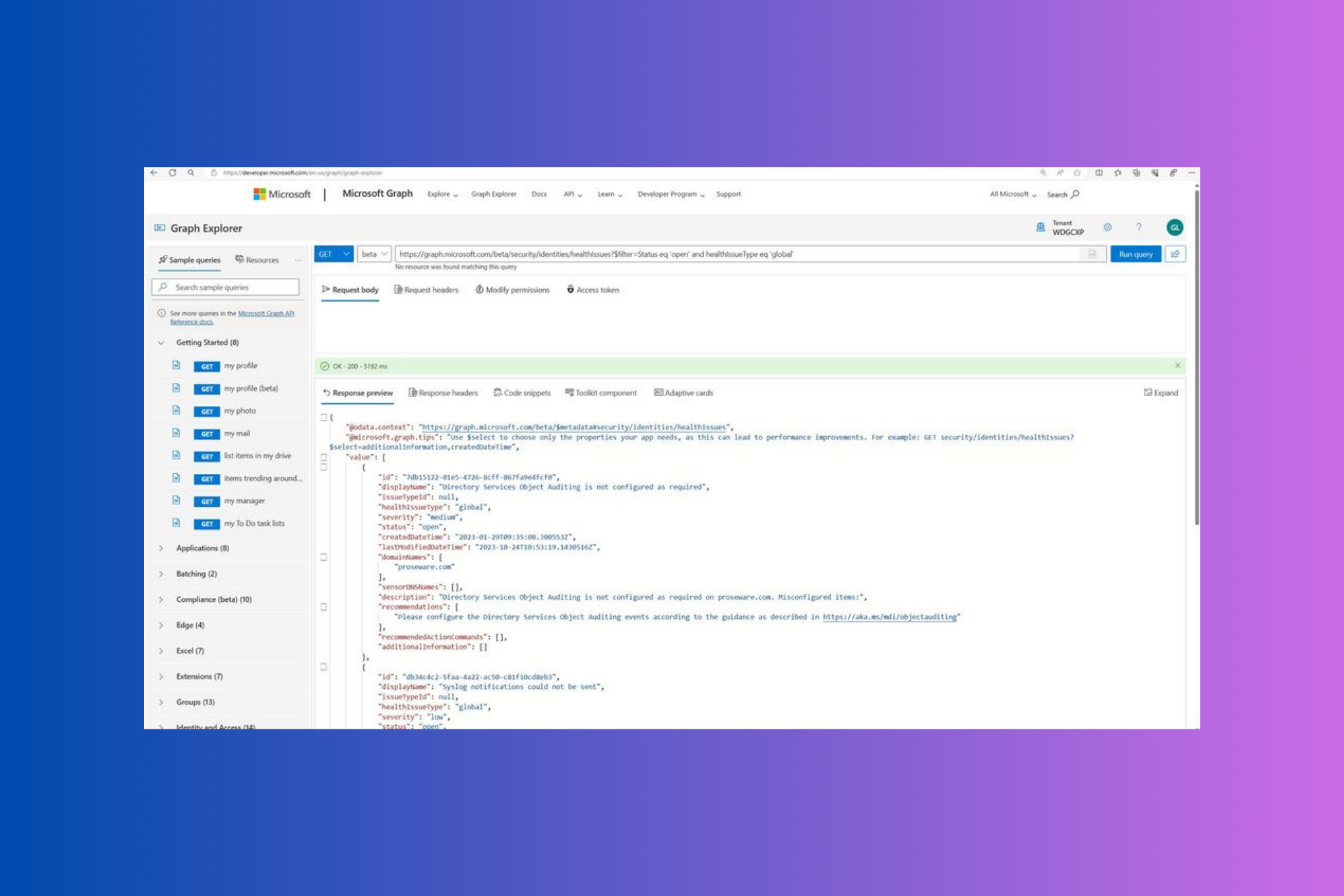
If you are wondering how to kickstart your journey with the MDI Health Alert API, you can use Graph Explorer. First, check you have the minimum necessary permissions, then mention the query in the Graph Explorer’s query bar. Now execute the query and start leveraging the MDI Health Alert API’s power. To check out the sample API queries, you can go to the official website.

To sum up, the newly introduced feature will strengthen your organization’s security further, thereby offering unparalleled visibility, automation, and better control over health alerts and issues.

Have you tried it yet? If yes, please share your experience with our readers in the comments section below.

Microsoft brings passkey to consumer accounts, move aimed at reducing the impact of phishing attacks

Microsoft has long been a proponent of passwordless sign-ins. Almost a decade ago, it first announced Windows Hello, negating the need for passwords while logging into Windows devices. Now, the Redmond-based tech giant has introduced passkeys for signing into the native Microsoft account.

Explaining how passkeys work, Microsoft in the official announcement, states,

Passkey access uses two unique keys, known as a cryptographic key pair. One key is stored safely on your device, guarded by your biometrics or PIN. The other key stays with the app or website for which you create the passkey. You need both parts of the key pair to sign in, just as you need both your key and the bank’s key to get into your safety deposit box. Because this key pair combination is unique, your passkey will only work on the website or app you created it for, so you can’t be tricked into signing in to a malicious look-alike website.

When it comes to passkeys, no information ever leaves the device, eliminating the likelihood of a successful phishing attack. But they do sync across devices, so you don’t have to set up a new one every time you switch devices.

Last year, Microsoft introduced passkeys in Windows 11, and most of us guessed that its integration into account sign-in is around the corner.

The best part is that passkeys work across the Windows, Google, and Apple ecosystem. Although initially, only desktop devices would be able to use passkeys. Microsoft has committed to expanding passkey support for Microsoft apps on mobile devices in the coming weeks.

The process to set up a Microsoft login passkey is simple. All you have to do is visit the official website on the relevant device and follow the on-screen instructions. It shouldn’t take more than a minute!

Passkey creation on a Microsoft account (Image source: Microsoft)

Microsoft also shared a video on YouTube to get users acquainted with the concept of passkeys and to boost adoption.

Apple and Google have already introduced passkeys for their users. In a recent blog post, Google highlighted how passkeys have been used over 1 billion times across 400 million accounts.

We will have to wait and see if Microsoft passkeys deliver the same results!

Are you excited about the change? Share with our readers in the comments section.

Xbox Update preview: Manage networks, simplify search, & control game saves on browsers and Samsung TVs

Recently, Microsoft released a new Xbox Update preview to the Alpha ring, which introduced several changes, including the ability to remember up to 10 password-protected wireless networks.

Here are the details of the system update:

  • OS Version: XB_FLT_2406ZN\25398.4790.240429-2000
  • Available: 2:00 p.m. PT – May 1, 2024
  • Mandatory: 3:00 a.m. PT – May 2, 2024

With this update, the Redmond tech giant has made network management easier than ever. If you connect your console with more than one wireless network, you will be pleased to know that your Xbox’s network settings now allow you to remember up to 10 password-protected wireless networks.

This means you don’t need to disconnect the wireless network; instead, you can select another one from the available networks and then go back to your preferred network anytime from the list again.

To start, go to Settings>General>Network settings>Manage wireless networks. To remember your current wireless network, disconnect it first, then set up a wireless network, then choose your network again, and enter the password; you will get the option to remember it.

Now that you have the wireless network saved, you can go to Manage wireless networks, then select Manage any of the saved networks to connect or forget them.

Remember that only one wireless network can be active at a time; however, you can switch between networks at any time.

Apart from these, the Xbox console update brought these changes:

Search – People

Today, a random subset of users will be able to search for People directly from the search experience in Home or the guide. To check it out, start by searching for a Gamertag, then navigate to the new People tab.

Xbox Cloud Gaming (Beta)

Starting today, Xbox Insiders can now manage their game saves and storage for titles played through Game Streaming via supported browsers and Samsung Smart TV’s.

Note Users will need to enable Preview features on their browser to gain access to the feature. This is done by clicking on your profile picture at xbox.com/play and then select Settings and then enable “Preview features.”

Note This feature does not work with Backwards Compatible titles.

Managing your game saves

Resync game saves with Xbox network syncs your device with the games saves on the cloud. If you try to resync your games saves and nothing happens, check to see if there’s a network outage preventing the sync.

Xbox Status

Note If your saved data on the Xbox network is less recent than your cloud gaming data, you might lose progress when you resync your game saves.

Delete reserved space refers to space used by the game title to store data other than game saves (including mods, video, logs, and more). Deleting reserved space doesn’t affect your game saves, but may slightly affect your gameplay experience depending on the title.

Delete game saves refers to the save files for this game. This will completely delete the game save data across all platforms.

Note Choosing Delete game saves is a permanent action and cannot be undone.

The update also fixed a few known issues, here is the detailed information presented by the company:

Thanks to all the great feedback Xbox Insiders provide and the hard work of Xbox engineers, we are happy to announce the following fixes have been implemented with this build:

Capture & Share

  • Fixes to improve the low space warning when uploading to OneDrive with a large cloud storage plan.

Clubs

  • Fixes to improve an unexpected error that could occur when viewing official game clubs.

Installation

  • Fixes to address an unexpected error that could occur when installing some titles, such as Pinball FX3 (0x87e00017).

Parties

  • Fixed an unexpected error that could occur when accepting a Looking for Group invite (0x89240001).
  • Fixes to address party audio being lost unexpectedly after switching profiles.

System

  • Various updates to properly reflect local languages across the console.
    • Note: Users participating in Preview may see “odd” text across the console. 

Microsoft acknowledged the issues related to Xbox Elite Wireless Controller Series 2 paddles remaining active when there is no active profile & issue affecting the 3.5mm joysticks used with the Xbox Adaptive Controller. The company informed that the team is working to find a fix for them.

If you encounter any other issues, you can use Report a Problem to mention them, which could help the Xbox staff better understand them. Microsoft also encourages Xbox Insiders to visit the community subreddit if they need support.

You can also follow Xbox Insider on X (formerly known as Twitter) to learn about the Release Notes on Xbox Insider features.

The Alpha Skip-Ahead ring on Xbox is an exclusive testing group; you have to enroll to get the pre-release versions. Given the potential for errors in these builds, Microsoft only restricts access to them by invitation.

However, if you are interested in joining the group, navigate to the Xbox Insider Hub> Activities > Available > Joining new rings from your console, then complete the survey.

Have you opted in Xbox Insider Program? If so, share your experience using new features in the preview with our readers in the comments section below. 

Windows 11’s market share falls for second straight month, here’s why

Microsoft, which has been getting everything right in recent years, has surprisingly failed when it comes to Windows 11. The operating system hasn’t been as big a success as Microsoft would have wanted. Reports coming in now suggest that the Windows 11 market share fell again in April for the second consecutive month!

After reaching an all-time high of 28.16% in February 2024, the iteration’s adoption seems to be on a freefall, dropping to 26.68% in March’24 and finally to 25.69% in April’24, as per Statcounter.

That’s a 2.47% drop in two months. If we look at pre-February figures, it took Windows 11 roughly five months to gain this number.

Image source: Statcounter

This, and the previous failures, raise several questions about Microsoft’s strategy and the user-friendliness of the operating system itself. Because Windows 11 is failing despite continued AI integrations, including Microsoft Copilot and the much-anticipated AI Explorer!

Where did Microsoft go wrong with Windows 11?

In my opinion, two things went against Windows 11. One, the high system requirements left out a large set of users who couldn’t make the upgrade. Second, almost every Windows 11 update introduced bugs or broke functionality, with VPN issues in KB5036893 being a recent example.

Surprisingly, Microsoft hasn’t improved either!

It has made installing Windows 11 on unsupported PCs difficult over the years. Older CPUs can’t run Windows 11 anymore, and bypassing the system requirements to install the latest iteration isn’t as seamless as before.

I have two laptops, one running Windows 11, and another, Windows 10. Even though I often thought about upgrading the OS on the latter, the increased complexity of the process always discouraged me. While this is in line with Microsoft’s approach of enhanced security on the latest iteration, far too many were left out.

Then again, AI integration, an exclusive in Windows 11, was brought to Windows 10 with the release of Copilot. What additional benefits is the latest iteration offering then?

And let’s not forget the updates. They are a mess on Windows 11. As someone who’s up-to-date with such developments, I can tell you that with almost every new update, problems emerge with the search functionality, Microsoft Store, File Explorer, or network connectivity, amongst others.

All these factors combined prevented a large number of users from upgrading. And many of those who did quickly reverted to Windows 10, owing to the increased system stability. Subsequently, the Windows 10 market share increased as Windows 11’s fell in recent months.

This should be a major concern for Microsoft as Windows 10 is about to reach the EOL (End of Life)!

Is Windows 12 the answer?

Many suggest that a new Windows 12 will deliver the success Microsoft expected from Windows 11. Users now want a whole new iteration with enhanced built-in AI capabilities, a stable experience and updates, and preferably a UI that resembles Windows 10. Just updates to the current iteration won’t do!

Besides, there’s another theory doing rounds about alternate iterations of Windows delivering results.

For instance, while Windows XP was good, the next one, Windows Vista didn’t receive the same response. Then came Windows 7, a huge hit, and the one that followed, Windows 8, failed terribly. Similarly, Windows 10 became one of the most popular iterations of the OS, and Windows 11 couldn’t attract users.

There were previously rumours about Windows 12 but Microsoft soon dispelled these and confirmed the release of Windows 11 24H2.

Now, Windows 11 24H2 will be the ultimate test for the iteration, and if the adoption rate still fails to pick up, Microsoft might be forced to make a difficult call!

Do you think Windows 11 share will fall further, or will it only go up from here? Share with our readers in the comments section.

Unity 6 Preview reduces CPU load, introduces support for ARM-based Windows devices

The game development engine, Unity, is headed for significant developments in the latest Unity 6 Preview. Now available for download, the latest preview gives you a peek into the upcoming changes to Unity 6.

For the unversed, Unity has confirmed that Unity 6 Preview will be similar to Tech Stream in terms of structure and will give you early access to new and updated features.

Amongst the wide array of upgrades, the two that will deliver an improved experience are performance enhancements and support for ARM-based Windows devices.

With Unity 6 Preview, you don’t just get faster production and rendering, but also lower CPU workload. The latest iteration boasts a 30–50% reduction in CPU workload, allowing you to simultaneously work on different programs.

The next in line, support for ARM-based devices, is another key improvement to the game engine, expanding its usability across devices. With this upgrade, you can start creating Unity games on ARM-based Windows devices, often preferred for their low power requirement and better performance.

Windows on ARM-powered devices offers several key benefits, including reduced power consumption, compact design, and higher performance. Even Microsoft’s AI Explorer runs only on ARM-based devices and not on Intel and AMD chips.

While it’s not officially confirmed by Unity, reports suggest that Unity 6 Preview will augment game development for mobile phones, given that smartphones more commonly ship with an ARM chip. That’s good news for all game developers out there!

Another improvement in the latest iteration that we found worth mentioning is the introduction of Artificial Intelligence with Unity Sentis. It’s a neural engine used for the integration of AI models into the runtime.

To learn more about all the upgrades in the latest preview, head to Unity’s official blog.

If Unity doesn’t seem like the best option, discover our top picks for cross-platform game engines!

What’s your favourite new feature in Unity 6 Preview? Share with our readers in the comments section.

51% off on Lenovo ThinkBook 16, get it for just $847

If you are looking for a budget laptop, this deal is all you should think about right now. Lenovo is offering a 51% discount on the ThinkBook 16 Gen 6 laptop, reducing the price from $1,729 to $847.21. So, you save $881.79.

Hurry up, it’s a limited-period deal!

The Lenovo ThinkBook 16 Gen 6, powered by the 13th Generation Intel Core i7 processor and integrated Intel Iris Xe graphics, is a value-for-money device. It’s perfect for basic gaming and multitasking, with the 16″ display enhancing the overall usability.

The laptop comes with a fingerprint reader (integrated into the power button) and facial recognition software, boosting the security and simplifying the sign-in process.

The Lenovo ThinkBook 16 Gen 6 also features AI-powered noise cancellation and Dolby Audio, making it the preferred choice for students and remote workers alike. And at this price, you couldn’t ask for more!

Upon checking the user review, we discovered that most were satisfied with the laptop’s performance and display. The wide array of ports surely improves the ability to connect multiple devices. And due to the sleek design, the larger size doesn’t affect portability as much as you would expect.

Lenovo ThinkBook 16 Gen 6’s specifications

Processor13th Generation Intel Core i7-1355U (E-cores up to 3.70 GHz P-cores up to 5.00 GHz)
GraphicsIntegrated Intel Iris Xe
Storage512 GB SSD M.2 2242 PCIe Gen4 TLC
RAM16 GB DDR5-5200MHz (SODIMM)
Operating SystemWindows 11 Pro
Display16″ WUXGA (1920 x 1200), IPS, Anti-Glare, 300 nits, 60Hz
KeyboardIntegrated NumPad, backlit
SecurityFingerprint scanner, facial recognition software

If interested, get the Lenovo ThinkBook 16 Gen 6 from the official website today, as it’s a limited-time deal!

Or, to discover other available options in the price range, check our top picks for laptops under $1000.

Do you think the Lenovo ThinkBook 16 at this price is a value-for-money purchase? Share with our readers in the comments section.
Firefox to get Bounce Tracking Protection, Profile Manager, and Weather Info in the address bar

The upcoming Firefox update is set to protect users against bounce tracking. Similar to Chrome, the browser will soon make it possible to manage, create, and launch profiles (with multiple profile support) right from the hamburger menu. These features are available and being tested in Firefox 127 Nightly.

Firefox is getting Bounce Tracking Protection in Nightly

Mozilla is working on a new anti-tracking feature called Bounce Tracking Protection. It works similarly to the existing protections against redirect tracking in Firefox, but instead of using a tracker list, it relies on heuristics to detect bounce trackers.

Firefox is enabling bounce tracking in Nightly in the dry-run mode first. When it is stable, Mozilla will fully enable the feature in Nightly. Bounce tracking protection is a web browser feature that prevents websites from using bounce tracking to monitor your browsing activity.

Here’s how bounce tracking works: When you click a link on a website, you might be secretly taken through a hidden website controlled by an advertiser or analytics company. This site might set a cookie or store information about your visit before redirecting you back to your original destination, often so quickly that you don’t realize it happened. Bounce tracking protection prevents this by identifying and clearing any cookies or data these hidden websites involved in bounce tracking may have stored about you.

Google Chrome and Brave already support bounce-tracking mitigations. Now, Firefox is set to join them.

Firefox will allow you to manage multiple profiles from the main menu

Until now, Mozilla Firefox lacked a Profile Manager like Chrome’s, where profiles could be managed seamlessly. You had to visit the about:profiles page in the browser for profile management. Mozilla is addressing this by developing the ability to view, manage, and create new Firefox profiles directly from the hamburger menu in the Profiles submenu, under the Sync and Save Data option. The Profiles submenu will display all the Firefox profiles you have created, allowing you to launch any of them, close the current profile, or create a new one. This feature is still in development.

Firefox to display weather in the address bar, with a catch

Like Chrome, Firefox supports showing rich suggestions from the default search engine, such as Google. An additional feature is the ability to display weather information in the address bar when you input the query weather. However, this feature is a sponsored suggestion, similar to Yelp.

The Firefox features that allow managing multiple profiles, protect against bounce tracking, and show weather in the address bar are being tested in Nightly and are not guaranteed to ship with any particular release.

Related to Firefox 127, we already reported, that Firefox is getting ability to close duplicate tabs, auto start with Windows, and selected text translation.

Microsoft confirms April update breaks VPN, Windows 10, 11, & Server affected

Windows updates, though meant to enhance the feature set and boost security, often become the reason for broken functionality. And it has happened yet again. This time, it’s the Windows’ April KB5036893 update to blame for issues with the VPN!

Microsoft has acknowledged the issue on its official website. The description reads,

Windows devices might face VPN connection failures after installing the April 2024 security update (KB5036893) or the April 2024 non-security preview update.

According to Microsoft, the affected versions/iterations include,

Client: Windows 11, version 23H2; Windows 11, version 22H2, Windows 11, version 21H2, Windows 10, version 22H2, Windows 10, version 21H2.

Server: Windows Server 2022, Windows Server 2019, Windows Server 2016, Windows Server 2012 R2, Windows Server 2012, Windows Server 2008 R2, Windows Server 2008.

At this point, Microsoft hasn’t shared a resolution for the VPN connection failures after installing the KB5036893 Windows update, and an investigation is still underway.

I can confirm that the KB5036893 update is not affecting every device. It’s installed on my Windows 11 PC, and the device shows no signs of lags or throws a blue screen error, let alone trigger the VPN certificate validation error.

KB5036893 breaks VPN
KB5036893 installed on PC

So, the issue might have to do with some local configuration incompatibility or third-party software conflict. Although, it’s best that we wait for Microsoft’s investigation report.

How do I get rid of VPN issues caused by the KB5036893 Windows update?

  • Uninstall the update: Press Windows + I to open Settings > go to Windows Update from the left pane > select Update history > choose Uninstall updates from the bottom > click Uninstall next to KB5036893 > confirm the change > restart the PC.
  • Disable Windows updates: If you haven’t yet installed the update or removed it, make sure to disable the automatic installation of updates. Simply go to Windows Update settings and choose between 2-4 weeks from the Pause updates dropdown menu.
pausing Windows update for 2-4 weeks
Pausing Windows updates

Since it’s a critical Windows update, we don’t recommend uninstalling KB5036893. The action will leave your PC vulnerable to threats patched in the update!

Also, if it’s been a while since you installed KB5036893, the Uninstall option could be missing. But you can always use advanced ways to uninstall Windows updates.

We had previously reported how the KB5036893 update is causing lags and BSOD errors. Countless reports emerged within days of Microsoft releasing the update. Let’s hope everything is patched in the next release!

Did you face VPN issues with the Windows’ April update? Let us know in the comments section.

Microsoft inks 10.5-gigawatt renewable energy deal to help power its AI future

Microsoft and Brookfield Asset Management came to an agreement yesterday for the latter to provide 10.5 gigawatts of renewable energy to the former as one of the largest energy purchases by a single company to date.

Microsoft’s new partnership with Brookfield Asset Management’s energy division stands as almost eight times larger than any other deal of similar reference and could total up to $17 billion in investment to build up towards the 10.5-gigawatt goal between 2026 and 2030 according to an estimate from Bloomberg.

In a press release from Brookfield, the company explains that the initial agreement is aimed at purchasing the energy for Microsoft for use the U.S. and Europe, but also leaves open an opportunity to expand the partnership into other regions that include Asia-Pacific, India, and Latin America.

In addition to helping Microsoft move closer to its carbon neutral commitments, the Brookfield partnership doubles as fuel for its massive AI investments which require absorbent amounts of energy to deliver the nascent cloud and server pre generative AI features the company has been pitching for the past two years.

Brookfield acknowledges the energy purchases are, in part, an answer to the growing concern of how to power the ambitious AI experiences companies are pitching to both customers and investors.

As the global trend of digitalization and the adoption of AI continues to drive growth in demand for electricity, we are thrilled to collaborate with Microsoft to support their customer demand with the build-out of over 10.5 gigawatts of renewable energy capacity.

Connor Teskey
CEO of Brookfield Renewable and President of Brookfield Asset Management

While it doesn’t get into the dollar and cents of the deal, Brookfield does outline a few ways it will address getting Microsoft the energy it needs through wind, solar, and carbon free energy generation technologies.

With AI expected to weigh on current electrical grids as much as tenfold over the next couple of years, Microsoft and others are looking to get out ahead of demand with deals such as this.

LinkedIn launches thinking-oriented games to make you more productive

Lakshman Somasundaram, Director of Product Management at LinkedIn, announced the launch of a daily lineup of thinking-oriented games brought to you by LinkedIn News.

LinkedIn games aim to provide a quick mental break between meetings or a fun way to unwind after a long working day. These games are developed to exercise your brain while cultivating connections between friends, colleagues, and business partners.

With these games introduced, LinkedIn has tried to integrate games, knowledge, and news together seamlessly on the platform. From logic puzzles to word associations, everyone will find something they like.

What are the games offered on LinkedIn?

Pinpoint

It is a word association game with a twist. All you have to do is guess the common category of five hidden words, with only one word revealed at a time. The target is to guess the category in as few reveals as possible.

Queens

It is a logic game in which you have to fill the grid with queens so that each column, row, and region can only have one queen. No queens should touch each other or even be diagonally placed with each other. There is only one answer, and the clock is ticking. The goal is to place queens in the right places on the grid in less time.

Crossclimb

It is a trivia game that combines a crossword and a word ladder. In this game, you use a combination of your trivia and work knowledge to fill out the words on the ladder. The aim is to fill in the words in the crossword puzzle in a way so that when you rearrange them each word in the ladder differs by only one letter. This will unlock the two final clues to win the game.

These games are designed by Paolo Pasco and Thomas Snyder, the top puzzle makers, to fit into your work schedules seamlessly. They offer a brief mental experience during commutes, between meetings, or at the end of long work days.

And there is more: LinkedIn’s move can relax your mind and also help you build deeper connections among professionals, as you can see scores and streaks and share them with your connections.

Once you have played the games on LinkedIn, you can see which of your connections have participated, which could spark opportunities to reconnect with old acquaintances.

In addition, LinkedIn’s News team will post daily updates about each game, thereby providing a platform for players to engage with the wider puzzling community, share tips and tricks, interact with creators, and make new connections.

The games lnkd.in/pinpoint, lnkd.in/queens, and lnkd.in/crossclimb are available in the LinkedIn News section on the desktop and in the My Network tab on both desktop and mobile devices.

Have you tried these games on LinkedIn yet? If so, please share your experience with our readers in the comments section below.

Anthropic announces Claude AI chatbot app for iOS users

On May 1, 2024, Anthropic announced an iOS app for its Claude 3 AI model similar to OpenAI’s ChatGPT. The recent unveiling by Anthropic extends the list of AI chatbot apps for mobile devices.

Not to forget, there’s a separate mobile application for other popular AI chatbots too. This includes Google Gemini, Microsoft Copilot, ChatGPT, Perplexity AI, and more.

Anthropic announces the Claude iOS app that works like the ChatGPT app

Anthropic’s Claude iOS app lets you interact with the chatbot. You can also upload photos and ask the Claude AI chatbot for an explanation like you’d do with Microsoft Copilot.

Previously, you could use Claude through a website, API, and other Claude-powered apps. The company says an Android app is also in the works and coming soon.

Notably, the iOS app is currently free to download for all the Claude Pro users including those who are also using the free version. This is further applicable to the subscribers of the latest Claude Team plan.

Back in March, Anthropic announced three different model sizes for Claude 3 LLM. It included Claude Opus, Claude Sonnet, and Claude Haiku. Notably, the latest iOS app leverages Sonnet and Opus for regular and Pro uses, respectively.

Besides, Claude’s web and mobile app version syncs the conversation history when you log in. That means, you can access all the conversation history in the web app even if you have interacted with the chatbot in the mobile app and vice-versa.

Not only did Anthropic announce its Claude iOS app, but it also launched a new subscription for group collaboration called Team Plan.

Claude Team Plan and its benefits

As far as the Claude Team Plan is concerned, Anthropic has designed it for a group of at least five users which will cost $30 per month per user. Talking of benefits, the new Team Plan offers more chat queries and access to all three language models.

The Team Plan also provides a 200K token window for businesses to process lengthy documents like research papers, discuss complex topics, and maintain multi-step conversations like customer support inquiries. The plan further offers admin tools and billing management.

Undoubtedly, Anthropic has been a vital part of the AI industry for a while now. But entering the mobile app space could be challenging given that established players like Google, Microsoft, and OpenAI are already ruling it. Therefore, it’ll be interesting to see the feedback from the users down the line.

Are you also using the recently unveiled Claude iOS app by Anthropic? If yes, share your experience with our readers in the comments below.

Sanctuary AI and Microsoft collaborate to develop AI models for humanoid robots

Microsoft has recently partnered with Vancouver-based robotics startup Sanctuary AI to develop AI models for general-purpose humanoid robots. This also includes the recently unveiled Phoenix robot by Sanctuary AI.

The company further added that the collaboration would help it achieve the mission of creating the world’s first human-like intelligence in general-purpose robots. The news comes months after Microsoft invested in Figure, a rival company to Sanctuary AI.

Sanctuary AI will leverage Microsoft’s Azure infrastructure to explore the future of general-purpose robots

Both companies will work together to strengthen AI research and development. Sanctuary AI says it will use Microsoft’s Azure in its workloads as it works to build large behavior models (LBMs). LBMs will ground AI in the physical world. And, will further help it understand and learn from real-world experiences.

The robotics startup says that it is leveraging these models for Carbon, Phoenix robots’ AI control system. The said AI control system allows the robot to perform complex tasks as it is based on high-quality behavioral data.

Besides, the company says that Microsoft’s Azure will come in handy for training, inference, networking, and storage. A statement from Geordie Rose, CEO, and Co-Founder, is also published in the announcement post which reads:

Creating systems that think like, and understand us, is one of the biggest civilization-level technical problems and opportunities that we will ever face. A challenge like this requires the best global minds to work together. We’re excited to be working with Microsoft to unlock the next generation of AI models that will power-general purpose robots.

Talking more about the present capabilities of Sanctuary AI’s robots, the robotics startup adds:

The dexterous capabilities of Sanctuary AI’s robots have been tested across 400 customer-defined tasks across 15 different industries, with a focus on automotive, manufacturing, and logistics.

Ashley Llorens, Corporate Vice President and Managing Director, Microsoft Research, also states:

We’re excited to be working with Sanctuary AI to accelerate AI model innovation and embodied AI research in areas like reasoning, planning, and human-agent collaboration.

Microsoft also says that by leveraging Azure resources Sanctuary AI can explore the future of general-purpose robots that can be useful in different industries.

Microsoft continues its global investments in AI with $2.2B in Malaysia

Microsoft has invested over $12B into its partnership with North American based pre-generative artificial intelligence company OpenAI, but it’s also shelling out money to have similar partnerships with global AI services that now includes $2.2B into Malaysia.

Earlier today Microsoft announced it would be supporting Bersama Malaysia AI expansion to the tune of $2.2B over the next four years.

According to a press release from Microsoft, the company will attempt to address the following sectors through strategic investments that include:

  • building cloud and AI infrastructure in Malaysia 
  • creating AI skilling opportunities for an additional 200,000 people in Malaysia 
  • strengthening its partnership with the Government of Malaysia to establish a national AI Centre of Excellence and enhance the nation’s cybersecurity capabilities 
  • supporting the growth of Malaysia’s developer community. 

The Malaysian Minister of Investment, Trade and Investment, YB Senator Tengku Datuk Seri Utama Zafrul Abdul Aziz welcomes Microsoft investment a bit of praise following the company’s 32-year presence in the region.

“Microsoft’s development of essential cloud and AI infrastructure, together with AI skilling opportunities, will significantly enhance Malaysia’s digital capacity and further elevate our position in the global tech landscape. Together with Microsoft, we look forward to creating more opportunities for our SMEs and better-paying jobs for our people, as we ride the AI revolution to fast-track Malaysia’s digitally empowered growth journey.” 

YB Senator Tengku Datuk Seri Utama Zafrul Abdul Aziz, Malaysia’s Minister of Investment, Trade & Industry

Today’s announcement builds on Microsoft’s previous ‘Together with Malaysia’ initiative which was announced in 2021 and aims to support technological and economic growth for the region.

Microsoft has conducted several of these ‘Together with’ programs over the past decade that centers around the building of Microsoft sponsored data centers in Ireland, Japan, and Montana just to name a few. However, it wasn’t until recently that the company has championed AI as often in its announcements as it has been recently with its strategic global investments.

Like other ‘Together with’ programs, Microsoft is aiming to provide AI skilled opportunities to over 2.5 million people in the Association of Southeast Asian Nations (ASEAN).

Microsoft’s skilling commitment is expected to benefit 200,000 people in Malaysia by providing: 

  • technical and vocational education and training students with AI skills through the AI TEACH Malaysia program 
  • women with opportunities and support to build careers in cybersecurity via the Ready4AI&Security program 
  • young people with AI fluency training to enhance the employability and work readiness of those from underserved and underrepresented communities 
  • employees of non-profit organizations with knowledge of, and skills in, AI and digital technologies.

Microsoft also plans to partner with the National Cyber Security Agency of Malaysia (NACSA) via the Persiai Siber (Cyber Shield) program to bolster data center usage with comparable digital security during this time.

Microsoft shares an extensive list of improvements in Teams, boasts seamless collaboration and enhanced user experience

Microsoft Teams has become the go-to software across organizations, be it workplaces or educational institutions. The reason, Microsoft is regularly introducing user-oriented features and solutions to the app.

In April’24, Microsoft Teams users stand to benefit from the wide array of latest features brought to the app, as per an official blog post. The best part, there’s something useful for everyone, whether regular users or IT administrators.

Latest features in Microsoft Teams in April’24

First on the list is, of course, Microsoft’s much-talked-about Copilot. You can now ask Copilot follow-up questions or get the AI-based chatbot to elaborate on a particular point in the generated summary, which Microsoft refers to as multi-turn conversations.

Copilot in Microsoft Teams (Image source: Microsoft)

As for improvements to channels in Teams, you can create a new one with ease. Also, you can hide all non-critical general channels from the left pane to unclutter the interface and focus only on what’s important.

Next comes a new feature that will help better organize and find group chats in Microsoft Teams. Starting April’24, any group chat member can set a new group chat profile picture from the available illustrations and emojis.

My personal favourite from the collaboration section of the list is the context-based file attach suggestions feature. From now on, when you are about to attach a file, Teams will automatically identify the context of the conversation and populate the list with the five most relevant files stored on OneDrive and SharePoint.

Context-based file attach suggestions in Teams

We had previously reported that Voice Isolation was coming to Teams. Microsoft has now confirmed its full integration, amongst the other latest features, into Teams. With Voice Isolation, Teams will suppress all background noise using AI and help you feel confident in meetings and interactions!

Teams’ Townhall is also receiving a host of the latest features, including support for up to 10 languages in live translated captions for the Premium license holders. Attendees, upon joining, can switch between the available languages. Besides, a red dot now appears at the corner of the Q&A icon when attendees ask a new question and remains visible until the section is viewed.

Choosing from the live translated captions in Townhall

A new virtual store dedicated to devices compatible with Teams has also been introduced in the app. The store lists compatible webcams, headsets, monitors, speakers, and more, all under separate sections!

At present, the in-app store is only available to commercial Teams customers with upto 300 licenses in the USA and Canada.

As for the latest features in Microsoft Teams for administrators, they can now control what a presenter can do in meetings.

For frontline workers, Microsoft earlier introduced Walkie Talkie in Teams. Now, it has brought another useful feature that will let administrators pre-fill the domain name on the Teams’ sign-in page to streamline the login process for frontline workers.

To discover all the latest features brought to Microsoft Teams in April’24, go to Microsoft’s official blog.

Which new feature do you think is the most useful in Teams? Share with our readers in the comments section.

Xbox reportedly has lots of games coming out in the second half of 2026

Xbox reportedly has lots of game launches scheduled for the latter half of 2024. In fact, the release windows for the games have been resurfacing online for a while now.

Let’s not forget that Microsoft announced that it will be streaming the 2024 Xbox Games Showcase on June 9. And, the company is likely to share release dates for its first-party games across Xbox, Bethesda Softworks, and Activision Blizzard.

Xbox gears up for a packed second half of 2024 with multiple game releases

According to a recent report by The Verge (via undisclosed sources), the game release window is jampacked with similar titles coming later in 2024. The release date for Senua’s Saga: Hellblade II from developer Ninja Theory is already out, it’s coming on May 21.

In the report, The Verge adds that Microsoft is likely to announce the release date for Starfield: Shattered Stars, the expansion pack for Bethesda Game Studios space-based RPG. These titles are coming in September 2024 according to Todd Howard.

Besides, the next Call of Duty game said to debut at the mystery Direct event is reportedly coming in October. Next up is the Avowed, an upcoming fantasy RPG by Obsidian Entertainment, which is coming later in November 2024.

Not to forget, Microsoft Flight Simulator 2024 is also due in November. The Verge also reports that Indiana Jones and the Great Circle are coming out in December 2024. However, The Verge doesn’t mention about launch windows of all other Xbox games coming later in 2024.

A few other games could be showcased in the upcoming event, but won’t be released this year

The two expansion packs by Blizzard might be released sometime in 2024. However, exact dates are unknown as of now. This includes the next World of Warcraft expansion, The War Within, and Diablo IV: Vessel of Hatred.

Additionally, Xbox Games Studios is also due to launch two more non-first-party games this year. This includes PC-exclusive games Ara: History Untold and Towerborne.

It is also possible that games like Everwild, Clockwork Revolution, South of Midnight, and State of Decay 3, as well as the Fable and reboot for Perfect Dark, might show up at the Xbox Games Showcase 2024. All that said, these titles won’t likely be released this year, at least.

All in all, it is pretty much evident that Microsoft’s gaming calendar for 2024 looks pretty good. Are you eagerly waiting for the launch of particular Xbox games in 2024? Let us know about it in the comments below.

As Minecraft turns 15, this 98-second video will bring back all the memories

This year, on May 17, Minecraft will celebrate its 15th anniversary. But, the game’s popularity graph shows no signs of slowing down, even more than a decade after its release. Even right now, all everyone’s talking about is the Minecraft video released by Mojang Studios!

Mojand Studio’s 98-second music video features Douglas Haines’s song and makes subtle references to things peculiar to Minecraft. The video is truly a piece of art, be it the lyrics, music, casting, or acting. Every aspect of it will evoke memories of the first time you played the game.

The video is not all! A lot more changes are coming to Minecraft in the coming days, including the Tricky Trials update. You will see 20 more pixelated paintings in Minecraft, 5 of which will be released alongside the Tricks Trials update.

The 98-second video evokes nostalgia, players share their experience

As soon as the video hit YouTube, it became an instant rage in the Minecraft community. Soon, users took to forums to share golden memories and experiences they had with the blocky sandbox game.

I remember being on /v/ and /g/ and people just making endless fun of how lame this game was, me included, until I played it. Then my wife made fun of me for playing that game with “the worst graphics ever”.

I still have the email. I bought it in January 2011, a few weeks after the Beta release, for 14.95 euro, or $19.80 US at the time.

I remember scoffing at the graphics, and then a friend sitting me down and basically forcing me to play the alpha version. I very quickly no longer cared about the graphics.

Played early alpha in 2009 when all you could do was add and remove blocks. There’s a website that has our user creations documented.

Minecraft remains one of the few games to have received regular improvements and updates after a decade. Over the years, it’s been released on more platforms, adding millions of new users to its kitty. Let’s see what the future holds for Minecraft!

If you are an avid player, discover our tips to stay safe on Minecraft!

What do you think about the Minecraft video by Mojang Studios? Share with our readers in the comments section.

“0x80070643 – ERROR_INSTALL_FAILURE” error isn’t fixable in Windows 10, says Microsoft

Microsoft has recently admitted that it won’t release an update for the “0x80070643 – ERROR_INSTALL_FAILURE” error in Windows 10.

It is worth noting that on January 9th Microsoft released KB5034122 and KB503412 as a part of the first Patch Tuesday updates of 2024 for Windows 10 and 11, respectively. 

Previously, in an article, Microsoft detailed another security fix for a BitLocker Secure Boot bypass vulnerability. In the article, the Redmond giant mentioned that this security flaw might allow bad actors to bypass BitLocker encryption. And, it is possible if they get physical access to a PC with vulnerabilities. 

However, the company addressed the issue with WinRE (Windows Recovery Environment) updates KB5034441 and KB5034440 on Windows 10 and Windows 11, respectively. 

The company further warned that the “0x80070643 – ERROR_INSTALL_FAILURE” error message might be visible while installing the WinRE WIM (Windows Imaging Format) update. And, the possible reason behind this was insufficient space on the recovery partition. 

Microsoft said that it would release a fix for the same and confirmed that users without WinRE partition could skip the KB5034441 update altogether. But, it seems there’s no automatic resolution for the same.

Microsoft confirms it can’t fix the “0x80070643 – ERROR_INSTALL_FAILURE” at least in Windows 10

The company recently confirmed that the automatic resolution for the “0x80070643 – ERROR_INSTALL_FAILURE” issue won’t be available with future updates. However, the company detailed manual steps that you can try to complete the installation of KB5034441 update of affected devices. Microsoft says:

The WinRE partition requires 250 megabytes of free space. Devices which do not have sufficient free space will need to increase the size of the partition via manual action. For guidance on making this change, review the following resources:

Completion of these manual steps will allow the installation of this update to succeed.

Summing up, it seems Microsoft has indirectly admitted that it can’t fix “0x80070643 – ERROR_INSTALL_FAILURE” issue at least in Windows 10.

We hope that this doesn’t happen with Windows 11 as the issue is still haunting the users. Hopefully, we will see a fix for the same, fingers crossed! 

Microsoft’s first Responsible AI Transparency Report sheds light on the efforts and challenges

Someone rightly said, 2024 is the year of AI. There have been significant developments in the field, with Microsoft emerging as the biggest player.

Be it the AI-powered chatbot, Copilot, a vital Windows-based solution like AI Explorer, or integrating AI into manufacturing, the Redmond-based tech giant is leaving no stone unturned to dominate the landscape.

This push also raises concerns, particularly about the aspects of transparency, accountability, reliability, and privacy. To address these and highlight the change enforced in the last year, Microsoft has released the first-ever Responsible AI Transparency Report, as committed in July’23.

Microsoft, in an official blog post, announced the release of the 40-page report. The report includes practices incorporated by Microsoft as it makes advancements in the generative AI landscape, ranging from supporting customers to taking measures that benefit the entire AI community.

Microsoft’s Responsible AI Transparency Report provides valuable insights

To highlight the measures taken to put Responsible AI into practice, Microsoft shares how its system aligns with the standard framework and is repetitive in nature to mitigate any risks.

In 2023, we used our Responsible AI Standard to formalize a set of generative AI requirements, which follow a responsible AI development cycle. Our generative AI requirements align with the core functions of the National Institute for Standards and Technology (NIST) AI Risk Management Framework—govern, map, measure, and manage—with the aim of reducing generative AI risks and their associated harms

As for risk management, any existing risks are identified through threat modelling, responsible AI impact assessments, incident response and learning programs, customer feedback, external research, and AI red teaming.

Microsoft then goes on to discuss how the AI Red Teams work to discover non-traditional risks associated with the application of AI, as well as the teams’ expansion over the years.

In 2018, we established our AI Red Team. This group of interdisciplinary experts dedicated to thinking like attackers and probing AI applications for failures was the first dedicated AI red team in industry. Recently, we expanded our red teaming practices to map risks outside of traditional security risks, including those associated with non-adversarial users and those associated with responsible AI, like the generation of stereotyping content. Today, the AI Red Team maps responsible AI and security risks at the model and application layer.

In its Responsible AI Transparency Report, Microsft also takes up the Content Credentials, an easy way to identify if any image or video has been tampered with. Recently, Microsoft brought Content Integrity to the EU, citing its benefits in the election year and how the tool would help combat misinformation.

Microsoft’s Content Integrity

As per the report, Microsoft has released 30 AI tools with over 100 features to support responsible AI development. These tools map and measure AI risks, along with offering real-time detection and filtering, and ongoing monitoring.

Towards the end of the report, Microsoft goes on to highlight how AI is still limited to a small set of people and steps must be taken to ensure that everyone benefits from the latest innovations in the landscape.

Like many emerging technologies, if not managed deliberately, AI may either widen or narrow social and economic divides between communities at both a local and global scale. Currently, the development of AI applications is primarily influenced by the values of a small subset of the global population located in advanced economies. Meanwhile, the farreaching impact of AI in developing economies is not well understood.

To find out more about Microsoft’s approach and practices, read the complete Responsible AI Transparency Report.

Microsoft was one of the first companies to start working on AI. At the time, its partnership with OpenAI surprised many. But over the years, the approach has delivered results, be it a 40% increase in Bing’s daily user base or Microsoft Azure emerging as a key player against AWS and Google Cloud.

The next few years will witness some exciting developments in the AI landscape, as companies globally invest more in artificial intelligence.

What do you think about Microsoft’s Responsible AI Transparency Report? Share with our readers in the comments section.

One-tap video enhancements: This Google Photos feature will make you a pro at editing

Google Photos started off as a photo/video storing and sharing application and has, since then, transformed into your go-to editing app. And the latest feature, Enhance your video, in Google Photos is set to take things to the next level!

First spotted by Android Authority, the feature is quite similar to the one-tap image enhancement functionality available in Google Photos. It automatically adjusts the contrast, brightness, colour saturation, and other vital video parameters, which otherwise has to be done manually.

Denoted by a Magic Wand icon, the feature was first spotted on Google Photos, version 6.81.0.628906483. However, it’s not available for everyone yet and requires employing workarounds for access.

Android Authority also demonstrated how the Enhance your video feature worked. The video that it’s applied to exhibits higher saturation levels and contrast, giving an impression that it’s been captured in a more professional manner. The lighting appears to have been optimized!

While Google hasn’t yet confirmed rolling out the feature in Beta testing or the app’s stable version, there’s some good news. Video enhancements on Google Photos are device-centric, meaning everything happens on the phone, and you don’t need an Internet connection.

The changes currently take some time depending on the video’s duration, and as is the case with the photo equivalent of the feature, you can download the video post-rendering.

The release date for the video enhancement feature in Google Photos is yet to be shared. Also, since the automatic editing operations take place on the device, it will be interesting to see whether all mobile phones are supported or if the feature is exclusive to phones equipped with AI-supported chips.

More details about the Enhance your video feature may emerge during Google I/O 2024, scheduled for May 14, 2024.

Would you use video enhancements in Google Photos or prefer third-party editing software? Share with our readers in the comments section.

Twitch will soon have a Discovery Feed feature on Android and iOS

Twitch announced on X (formerly Twitter) this week that the app will have a scrollable feed like TikTok called Discovery Feed. The feature will be available on the Twitch mobile app on Android and iOS. We can also expect the mobile app redesign this year.

Scrollable feedback was first made popular by TikTok, a short video social media platform, which was then adopted and named Reels on Instagram, Shorts on YouTube, and now Discovery Feed on Twitch.

The aim of introducing Discovery Feed on Twitch is to bring creators and streamers’ show clips and live streams to you, thereby making viewing new content easier than ever.

How does the Discovery Feed work?

Discovery Feed will show you live streams and clips from creators that meet the guidelines of the platform, and feature clips will be given priority. You will be able to see personalized content from your favorite creators and new communities that the platform thinks you’ll like.

In the official blog, Twitch mentioned:

There are two tabs within the feed – a live feed, and a clips feed. Scroll vertically through preroll-free previews of live streams in the feed and tap the streamer’s avatar to enter theater mode and join the live stream. We’re working on making it possible to enter a live stream just by tapping the screen in the near future!

The clips feed allows you to browse top moments across Twitch so that you can find content from streamers even when they are not live. In case you don’t want to miss future content, you can follow the streamer directly from the feed or sign up to get notifications as and when they go live next time.

To personalize the Clips feed, you can use thumbs up and thumbs down buttons to signal if you want to or don’t want to view similar content. Twitch also mentioned that the choice would not be shared with streamers but is only for the viewer’s feed experience

The blog further mentions:

The Discovery Feed is available to all, but we’re just getting started. You may see the location and experience of the feed change over time as we continue to experiment with improvements and work towards a redesign of the mobile app later this year.

Starting in May, select users will see the discovery feed as the home page of the Twitch mobile app, as opposed to seeing the Feed tab. The rest of the app will remain the same for those users.

The Discovery Feed is rolling out to the Twitch Android and iOS apps. You can download the latest version from the respective app marketplace to enjoy the new feature.

What do you think about Discover Feed on Twitch? Share your thoughts with our readers in the comments section below.

Reports suggest OpenAI’s search engine may be released before May 14

We had previously reported that OpenAI is developing a web search product. While there was no timeline provided at the time, several sources now suggest that OpenAI’s search engine may hit the market before May 14, 2024, the day Google I/O 2024 is about to be held.

The insider, Jimmy Apples, in a series of posts on X, revealed that OpenAI was actively hiring for house events staff and events marketing in January and onboarded an events manager last month. He even shared information about OpenAI registering 50+ new async subdomains between April 24 and April 28.

Jimmy then goes on to share the release date for OpenAI’s search engine. It’s 10 AM on May 9, 2024!

So far, Microsoft and OpenAI have been tight-lipped about the developments and haven’t confirmed or denied it. But, given the previous reports and more insider information emerging now, it’s highly likely that OpenAI will unveil its native search engine on May 9.

Is Google’s dominance in the search landscape about to falter?

Google has been the biggest player in the search engine landscape for as long as I can remember. At present, Google has an 86.99% market share, followed by 5.8% of Bing, 3.06% of Yahoo, and 1.61% of Yandex, as per Statcounter.

All previous efforts by Microsoft’s native search engine, Bing, to counter Google’s supremacy failed to yield any significant results. But, with Bing’s daily user base hitting 140 million, many have started to believe that the winds of change are finally blowing. EU’s DMA (Digital Markets Act) also played a significant role in this shift!

So, at a time when the Mountain View-based tech giant is losing users to smaller players, OpenAI’s native search engine might spell trouble for Google.

OpenAI’s previous venture, ChatGPT, was a huge success and was the first interaction with an AI-based chatbot for most of us. Riding on that wave, OpenAI’s next offering, a search engine, might be an instant hit with users.

Whether it manages to maintain the momentum depends on the search engine’s effectiveness and Google’s response.

But if OpenAI does release a search engine, Google will undoubtedly be in some trouble!

Want to get a peek into how artificial intelligence could enhance the search experience? Discover our top picks for AI-powered search engines.

What’s your take on OpenAI’s latest offering? Share with our readers in the comments section.

Microsoft SharePoint roadmap – What can we expect in 2026?

At the Microsoft 365 Community Conference 2024, Microsoft announced its goal to make SharePoint the best platform for creating captivating and interactive intranet sites.

What should you expect from SharePoint updates?

Microsoft mentioned:

The core themes of our journey are the same: simpler authoring, compelling content, deeper engagement, and a flexible platform.

Let’s talk about them.

Simpler authoring

Microsoft is working on making content creation easier for people on its intranet sites. Previously, the Redmond tech giant also introduced improvements to page sharing with the aim of helping multiple editors collaborate to create beautiful pages.

  • Copilot in SharePoint—This May, Copilot will come to SharePoint and will use AI and data from Microsoft to help you write captivating content. Furthermore, the company is introducing a new SharePoint start experience to make creating personal pages easy.
  • Real-time coauthoring – Microsoft plans to introduce real-time coauthoring for SharePoint pages in June, which will allow you to collaborate with others on a page in real-time.
  • Section-level inline commenting – Later this year, section-level inline commenting will be added to SharePoint, which will allow you to leave comments on specific parts of a page for feedback.
  • Section design ideas– This will help you choose a beautiful layout and design for every page that suits your content.
  • Text formatting updates – Various enhancements, including text styling/formatting, table formatting, bulleted lists, and copy-and-paste, will be coming this year

Compelling content

Microsoft is working to enhance SharePoint’s visual design capabilities to make sure your intranet’s web content meets the expectations. Here are features that are included to accomplish the goal:

  • Brand Center in SharePoint – Currently, it is in preview, but it will allow you to customize fonts and, in the future, expand to colors, logos, and more.
  • Section backgrounds – This gives you the ability to select from a set of curated background visuals for your page sections and soon be able to upload your images.
  • Image shapes – You can add image shapes to add visual interest, which can complement your content effortlessly.
  • Video Pages – With new video page templates, you can create video-centric page content that highlights meeting content or executive messages.
  • Microsoft Stream – Trim – This feature eliminates the need to render a new video as you can trim the length of videos right in the Stream app
  • Microsoft Clipchamp – subtitle generator – Allows you to make engaging and accessible videos with subtitles in any language.
  • Microsoft Stream – Interactivity – You can add a Microsoft form or callout with text and links at specific points in your videos.
  • Microsoft Clipchamp – AI voiceover generator – With the AI text-to-speech generator, you can create lifelike voiceovers that suit any video.

In the forthcoming updates, SharePoint will be bringing several exciting features to make your content better. The Content pane helps you browse and add content to SharePoint pages, while Themes in Brand Center introduce a new theme creation experience for managing website themes

Brand Center in sites will offer font customization, the Flexible layout section will enable designing dynamic layouts, and the Reimagined Hero web part will add a new carousel layout and styles. Furthermore, Copilot in Stream will enhance video navigation, and the Title area updates with the new Banner web part will help you control the top-of-page experience.

Deeper engagement

Microsoft added Viva Amplify last year to make communication between companies and their employees easier. And, with Viva Connections, it gave employees a place to hang out in Microsoft 365.

To ensure news posts reach their audience via email, you can use News in Outlook. This makes SharePoint news posts pop up in emails, and from now on, it will be the default setting for all SharePoint news posts.

In addition to this, they’re jazzing things up with video page templates, so your videos can play smoothly in emails as well.

Copilot deployment kit thingy for Viva Amplify was introduced in April 2024, which promotes AI and Copilot. In forthcoming updates, Viva Connections will support company branding and dark mode and the ability to personalize views in the Viva Connections dashboard.

Flexible platform

Microsoft recently rolled out  Graph API for SharePoint Pages, which allows you to interact with SharePoint pages and News posts programmatically.

With Bot Framework powered Viva Connections extensibility, which enables the seamless integration in the existing Microsoft Teams bot framework integrations through Viva Connections.

And, the company makes sure the tool is up to date to keep supporting Typescript 4.7 and Node.js 18. Previously, Figma SharePoint Web UI Kit which offers templates, style options, web parts, and detailed guidance to design engaging sites & pages in Figma.

In November 2023, SharePoint Embedded introduced an API-only approach for developing file and document-centric applications in the Microsoft 365 ecosystem.

Further developments include:

  • SPFx and Copilot integration scenarios.
  • Alignment with the Teams packaging model.
  • Improved experience for blocked 3rd party cookies.
  • Tooling improvements. 

As we look ahead, SharePoint, the largest and most flexible content management platform, is set to introduce a range of exciting features. These additions will further enhance your ability to engage with critical content, ensuring SharePoint remains a valuable tool in your arsenal.

What do you think about SharePoint? Share your experience with our readers in the comments section below.

Eight newspapers sue Microsoft and OpenAI over copyright infringement

Legal troubles don’t seem to end for OpenAI and Microsoft as both companies were sued by eight daily newspapers under Alden Global Capital on 20 April 2024.

All eight newspapers have accused OpenAI and Microsoft of using news articles illegally to feed their AI chatbots. The list of eight daily newspapers that filed the complaint against both the companies in the U.S. Southern District of New York are as follows:

  1. The New York Daily News
  2. The Chicago Tribune
  3. The Orlando Sentinel
  4. The Sun Sentinel of Florida
  5. The San Jose Mercury News
  6. The Denver Post
  7. The Orange County Register
  8. The St. Paul Pioneer Press

The newspapers have sued OpenAI and Microsoft over the use of millions of copyrighted articles without permission

The New York Times reports that the newspapers have sued OpenAi and Microsoft over the use of copyrighted articles. Not hundreds or thousands, but these numbers are in millions as per the filed complaint.

The publications accuse both companies used all those articles without permission to train and feed their AI chatbots, Copilot and ChatGPT. While the filed lawsuit does not demand any specific monetary damages, it does ask for a jury trial. And, added that the publishers were owed compensation for the use of the content.

The law firm Rothwell, Figg, Ernst & Manbeck which filed the lawsuit on behalf of Alden accused OpenAI and Microsoft of copyright infringement, unfair competition by misappropriation, and trademark dilution.

The filed complaint also talks about how the chatbots of OpenAI and Microsoft responded with the entire text of the articles of the newspapers behind a subscription paywall. That too, without even linking back to the source.

This practice eventually led to reductions in the subscription paid by readers to support the local newspapers. It further hampered publishers’ revenue which usually comes from subscription and content licensing.

In a statement, Frank Pine, the executive editor at MediaNews Group and Tribune Publishing, said:

We’ve spent billions of dollars gathering information and reporting news at our publications, and we can’t allow OpenAI and Microsoft to expand the Big Tech playbook of stealing our work to build their own businesses at our expense.

This practice by OpenAI and Microsoft has seemingly tarnished the publications’ reputation

The newspapers have also accused both companies’ chatbots have falsely crediting the publications for inaccurate or misleading reporting. The lawsuit mentions a few examples.

One of them included ChatGPT’s response to a query about an infant lounger recommended by The Chicago Tribune. To which ChatGPT responded with Boppy Newborn Lounger.

It is nothing but a shocker as the lounger was recalled for being related to infant deaths and was never recommended by The Tribune. This is just one example, the filed lawsuit has a few more.

Let’s not forget that in December last year, OpenAI and Microsoft were sued by The Times for somewhat the same reasons. The publication then accused the companies of using copyrighted content to train their AI chatbots.

However, Microsoft and OpenAI have asked some of the parts of The Times’ lawsuit to be dismissed. Both companies argued similarly and said that the publication failed to show any harm done to them. They further mentioned that AI chatbots powered by LLMs hadn’t taken over the news articles’ market.

OpenAI enters into deals with a few publications for compensation and use of their content

That said, other publications have agreed on a deal for compensation by the companies. Recently, The Financial Times said that it is securing a deal with OpenAI. The agreement would allow the AI company to use publications’ content to train ChatGPT.

In addition, the AI company recently finalized deals with Axel Springer (the German Publication), Le Monde (the French News outlet), and The Associated Press for similar purposes.

Not to forget, OpenAI had recently ridiculed and denied all the allegations made by Elon Musk and sought the lawsuit’s dismissal. So, time will tell what will the outcome of this lawsuit. But, one thing is sure OpenAI since its introduction has found itself in the midst of legal battles.

What do you think will be the outcome of this lawsuit? Do let us know your thoughts in the comments below.