Microsoft announces new DirectX Raytracing API for DirectX 12

Microsoft made a pretty big announcement for game developers at the Games Developer Conference yesterday. The company unveiled a new DirectX Raytracing API for DirectX 12, which will be able to supplement current rendering techniques to improve visual quality in video games.

For those unfamiliar with it, raytracing is a technique that is often used for CGI in films, but some games also use the technology for some tasks like pre-calculating the brightness of virtual objects. “DXR will initially be used to supplement current rendering techniques such as screen space reflections, for example, to fill in data from geometry that’s either occluded or off-screen.  This will lead to a material increase in visual quality for these effects in the near future,” Microsoft explained.

Raytracing calculates what a pixel would look like if a virtual world had real light.

Leaving some of the technical details aside, you should know that Microsoft’s goal to bring real-time raytracing to video games, with dedicated hardware acceleration and seamless integration with existing DirectX 12 content. According to the company, the new API could “open the door to an entirely new class of techniques that have never been achieved in a real-time game.”

Microsoft said that developers can use existing hardware to get started with DirectX Raytracing, and popular game engines such as Unity, EA’s Frostbite and Epic Game’s Unreal Engine will soon natively support the API. It remains to be seen if DirectX Raytracing can lead to a graphics revolution, but developers now have a powerful new tool to make it happen.

Microsoft makes changes to its Service Agreement, to take effect May 1st

Have you ever curled up under the covers on a rainy day with a good service agreement as your choice of entertainment? I haven’t either, but Microsoft is making some changes and updates to its Microsoft Services Agreement and for the next month you may want to familiarize yourself with the new terms before they become permanent fixtures in your life as of May 1, 2018.

A quick FAQ posted to the Microsoft blog regarding Service Agreements covers some of the items users will need to know about their products going forward, such as which services are and are not covered by the newly adjusted Services Agreement. Another handful of Service Agreement topics are covered including what changes are actually being made, how are parents of children with access to Microsoft services being held accountable, and how users can go about accepting the new terms for their respective services.

Despite many of the adjustments being run-of-the-mill semantic tweaks, we suggest every user of Microsoft products or service take a look at the updated terms located here for their own piece of mind.

Microsoft reduces “offline time” for Windows 10 featured updates to an average of 30 minutes

Microsoft’s Joseph Conway, a Senior Program Manager on the Windows Fundamentals team, recently took to a blog post to explain the company has acted on a top request from Windows 10 users. Indeed, he says Microsoft worked on the phases of Windows Update to help reduce the “offline time” when Windows 10 is unusable during featured updates.

According to Conway, there are four phases in the installation of a featured update, each of which is done in online and offline phases, with multiple reboots required. An online phase happens in the background while the device and OS are running, and means the user can continue working on a PC. An offline phase, meanwhile, means the OS is not running, and there will be an offline period where the user can’t use their PC.

Here’s how updates word under the old model, with an average offline time of 82 minutes for installation of the Creators Update.

Online Phase of Update:

  • PC checks for available feature updates (manually or automatically)
  • Feature update payload is downloaded
  • PC waits for a required reboot to begin update installation

Offline Phase of Update:

  • PC reboots to begin update installation process
  • User content is prepared for migration
  • New operating system is placed into a temporary working directory
  • Drivers and other required operating system files are migrated
  • User content is migrated
  • PC reboots and completes the update
  • OOBE begins

Now, with the upcoming Redstone 4 release, Conway says Microsoft has done additional work to reduce the offline time to just 30 minutes. He provided the following explanation, saying Microsoft worked to move portions of the mitigation process from offline phase to the online phase:

Online Phase of Updates:

  • PC checks for available feature updates (manually or automatically)
  • Feature update payload is downloaded
  • User content is prepared for migration
  • New operating system is placed into a temporary working directory
  • PC waits for a required reboot to begin update installation

Offline Phase of Updates:

  • PC reboots to begin update installation process
  • Drivers and other required operating system files are migrated
  • User content is migrated
  • PC reboots and completes the update
  • OOBE begins
  • Average Offline time of 30 minutes (Insiders Program)

With these changes, the online portion of a featured update should take longer to complete, but most users will not feel the slowdown. At any rate, these are some welcome changes, helping speed up the update process and make it less infuriating for most Windows 10 users. Do you like these changes? Or do you feel that Windows Updates still take too long? Let us know your thoughts below.

Here are the launch times for Sea of Thieves in your area

After months of anticipation, the moment is finally here for those who have been waiting for Sea of Thieves. The game is launching 9 PM PDT tonight on March 19 here in the United States, so here is a quick look at what time you can start playing in some other popular regions across the world.

If you’re located in New Zealand, you can start playing at 11:00 UTC on March 19th, 2018. Similarly, if you’re in Australia, you can start playing at on March 19th at 13:00 UTC. Finally, if you’re in India, you can start playing on March 19th at 18:30 UTC. Of course, you can check the full list of launch times for other regions here.

In other news, Sea of Thieves will be getting a Day One Patch, complete with the latest in pirate eyewear. Microsoft has also heavily marketed the title by launching a pirate out of a cannon, offering Sea of Thieves free with an Xbox One X, and even sending people on a real-life treasure hunt.

Fix: Touchscreen not working on ASUS laptop

Issues with touchscreens are quite common, especially on Windows 8/8.1 where Microsoft still was experimenting with hybrid input. There are various reported issues, glitches and lackluster performance on Asus laptops powered by Windows 8. But, of course, the gravest issue is when the touchscreen won’t react at all.

For that purpose, we enlisted the most common solutions, so make sure to check them out below. If you’ve encountered any touchscreen issues, these instructions should come in handy.

How to fix Touchscreen issues on Asus laptops in Windows 8/8.1

Table of contents:

  1. Reinstall Graphics drivers
  2. Check the HID-compliant touchscreen drivers
  3. Reset calibration for touchscreen
  4. Disable USB Selective Suspend
  5. Refresh your system

Solution 1 – Reinstall Graphics drivers

As we already stated, these sudden touchscreen issues emerge mostly after Windows updates your drivers on its own. There are various drivers in the game, but the best thing to start with is to reinstall graphics drivers.

Nonetheless, it’s recommended to skip the system resources while doing so. What you’ll need to do is to navigate to the official Asus support website, locate your device, and download proper drivers.

In order to ease it on you, here’s how to do it in a few simple steps:

  1. Navigate to the Asus’ Download Center, here.
  2. Enter your device’s name and locate GPU drivers.
  3. Download the driver package and extract it.
  4. Now, in the Windows Search bar, type Device and open Device Manager from the list of the results.
  5. Expand Display adapters.
  6. Right-click on your GPU and click on ”Update Driver software”.
  7. Choose to browse for drivers on your PC and navigate to the driver package you downloaded and unpacked.
  8. Wait for the installation to complete and restart your laptop.

Update drivers automatically

If you don’t want the hassle of updating drivers manually, we strongly suggest doing it automatically by using a third-party tool. Using a dedicated tool is a time-saver solution and will keep you safe from any PC malfunction.

⇒ Get Fortect Driver Updater

Solution 2 – Check the HID-compliant touchscreen drivers

While we’re referring to drivers, there’s a chance that the touchscreen drivers are the ones causing the problem. These drivers are mostly generic and Windows Update should be enough to get you going. What you’ll need to do is to look for the exclamation mark beside HID-compliant touchscreen drivers.

If that’s the case, your touchscreen drivers are faulty, hence you won’t be able to use this feature on your Asus laptop/hybrid. Here’s how to check HID-compliant touchscreen drivers and resolve the issue at hand:

  1. In the Windows Search bar, type Device, and open Device Manager.
  2. Navigate to Human Interface Devices and expand this section.
  3. Right-click on HID-compliant touchscreen drivers click on ”Update Driver Software” in the contextual menu.
  4. Here, you can individually update all HID-compliant touchscreen drivers or select the ones with the exclamation point and update only those.
  5. Also, right-click on every respective driver and open Properties.
  6. Under Power Management, uncheck the ”Allow the computer to turn off this device to save power”.
  7. After you’re done, restart your laptop.

Solution 3 – Reset calibration for touchscreen

Another possible resolution for the touchscreen misbehavior is to reset the calibration settings. Namely, it’s not unusual for Windows updates to meddle with your settings, changing them in the process. This can cause a large variety of errors and the touchscreen isn’t an exception.

Follow these instructions to reset calibration settings and, hopefully, address touchscreen issues for good:

  1. In the Windows Search bar, type Calibrate and open ”Calibrate the screen for pen or touch input”.
  2. Under the Display tab, click Reset to restore the default calibration values.
  3. Confirm changes and restart your PC.

Solution 4 – Disable USB Selective Suspend

The previous step covered the power management of the individual devices. However, there’s more to power settings than this. Namely, a lot of users managed to resolve the issue by disabling USB selective suspend, an option which disables USB’s automatically in order to preserve power and add to battery longevity.

This can be done by following these steps:

  1. Click on the Battery icon and open Power options.
  2. Click on ”Change plan settings” under your preferred power plan.
  3. Select ”Change advanced power settings”.
  4. Expand USB settings > USB selective suspend setting.
  5. Set both options to ‘Disabled’ and confirm changes.

Solution 5 – Refresh your system

This isn’t the last resort (a clean reinstallation is still an option), but this way you’ll get to keep your files unharmed while resetting the system to its original values. This procedure is simple to run and it should be safe. However, just in case, we advise you to backup your data from the system partition before starting.

Follow these instructions to reset your Asus laptop to its default values:

  1. Open Settings.
  2. Click Update and recovery.
  3. Click Recovery.
  4. Expand ”Refresh your PC without affecting your files”.
  5. Click Get started.

Finally, if none of the aforementioned steps worked out for you, make sure to send the ticket to the manufacturer. Touch screens are a touchy subject (no pun intended), and most of the time they’re hard to address on your own if the issue emerged due to hardware malfunction.

Also, don’t forget to share your thoughts on the subject or add some alternative solutions. You can do so in the comments section below.


Xbox news recap: Shadow of the Tomb Raider trailer releases, New avatars will ship “when they’re ready” and more

Welcome to our weekly Xbox news recap series, where we go over the top stories of the past week in the world of Xbox. Let’s get started.

Shadow of the Tomb Raider trailer releases

The trailer teasing Shadow of the Tomb Raider has been released, giving us a 20 second look into the world that Square Enix is sharing with us in the Fall of this year. Included in the trailer was the release date for the game, and the announcement that pre-orders are open. Shadow of the Tomb Raider will be launching on September 14th, and we’ll see a full reveal on April 27th.

Xbox Avatars will ship “When they’re ready”

Rumors that the new Xbox avatars would be coming out in April were dispelled by Xbox’s Mike Ybarra this week, when he told us that the avatars will “ship when they’re ready.” The new avatars will look quite a bit better than the ones we’ve been using for so long, and will include a ton of customization options to help people better express themselves.

PUBG crosses 5 million players on Xbox One

Although Fortnite has been overshadowing it in the news lately, PUBG is still a force to be reckoned with. It was recently announced that the Battle Royale giant has surpassed 5 million players on the Xbox One alone, making it one of the most successful non first-party games that Microsoft has put onto the platform.

Xbox One mobile players can now cross-play with Xbox, PC

Fortnite has now been updated in order to support cross-play between Xbox players, PC players, and Mobile players. While it isn’t so easy to get into Fortnite Mobile at the moment (unless you have a friend willing to send you an invite) the community is going to be growing considerably as a result of this some time in the future.

Thanks for joining us. To keep up to date with all the latest Xbox news, keep a close eye on our Xbox One tag.

Microsoft wants to know Windows 10 users’ thoughts on bringing Feedback Hub to the web

Feedback Hub is Microsoft’s way of collating user feedback from users of Windows 10. The app not only gives users an avenue to express concern, report bugs, and make suggestions, but it also acts as a useful tool that provides the right diagnostic information at the right time, which is usually necessary for debugging a reported issue. As it’s baked into the OS through an app, obtaining this diagnostic information per report is extremely useful for Microsoft.

However, a Microsoft software engineer on the Feedback Hub team recently took to Twitter to respond to some users’ requests to bring the Feedback Hub to the web, so that it can be accessed in a web browser or while not at your Windows 10 PC.

Soliciting Thoughts: Feedback Hub web presence? from Windows10

As noted, Devin on the Feedback Hub team isn’t saying Microsoft will bring it to the web, but that it is listening to requests to make it happen and would like to know why people feel they need the ability to access it from the web.

Having the Feedback Hub on the web would bring some potential benefits to users. If you weren’t at your PC and suddenly thought of the next cool idea, it would be a case of opening your favourite web browser and posting the idea. It would also make it easier to get involved in comments, being able to respond on-the-go, as well as upvoting things while you’re out and about. The only obvious drawback being that, when it comes specifically to bug reports, Microsoft wouldn’t necessarily be able to obtain the diagnostic data for that report.

What are your thoughts on bringing the Feedback Hub to the web? Let us know in the comments!

NET Framework 4.7.2 arrives in April alongside Redstone 4

The .NET Framework 4.7.2 is feature complete and has been available for testing since February 5, 2018, for members of the .NET Framework Early Access community. Now we have the information that it’s about to be released.

The latest stable Framework (4.7.1) was released on October 17, 2017, and it came with changes based on developer feedback. Many improvements were made to accessibility in narration, high contrast and focus control areas, configuration builders, ASP.NET Execution step feature, ASP.NET HttpCookie parsing, enhancements in Visual Tree for WPF applications, performance, and reliability.

Official blog post confirmed the release of .NET Framework 4.7.2.

Microsoft is trying to conceal future update release, but certain details have already leaked which suggest that users will soon benefit from the new improvements. Sneaking information from the official Microsoft blog post, we can share two major updates coming together.

I hope the Release Date is 05.04.2018 for Spring Creators Update, Windows 10 everytime in Dependency with .NET Framework. Now this Framework (4.7.2) is Testphase, is that right ????.
Hi Christian, we don’t have a final release date for the 1803 version yet but it’s probably around this date. Framework 4.7.2 will be most likely be released with RS4.

As you can see, Microsoft is reportedly planning to release both the Spring Creators Update and Framework 4.7.2 at the beginning of April.

Now it’s time to add a new date on the history of .NET Framework release in this overview offered by Wikipedia:

Overview of NET Framework release history

.NET Framework 4.7.2 is the next version of the .NET Framework. As development continues on the original .NET Framework, Microsoft has released build 3052 a preview of .NET Framework 4.7.2 with updates to ASP.NET, ADO.NET, WCF, WPF, and even Windows Forms.
While testing, build 3052 includes improvements in several areas shared in this representative set:

  • [ASP.NET] Support for SameSite cookie in ASP.NET
  • [ASP.NET] Support for ASP.NET Dependency Injection
  • [ClickOnce] Per-monitor support for WPF and HDPI-aware VSTO apps deployed via ClickOnce
  • [SQL] Always Encrypted enhancements in SQL Connectivity
  • [Networking & BCL] Enhanced .NET Framework support for .NET Standard 2.0
  • [BCL] Cryptography improvements
  • [WPF] Diagnostic enhancements

Wonder if it will come exactly one year after the release of .NET Framework 4.7? Place your best guess in the comments below and keep up to date with recent changes.

Microsoft’s new Cloud Gaming division will reach gamers on any device

Microsoft recently announced that it’s launching a Cloud Gaming division in order to reach as many gamers as possible in the coming years.

Yes, Microsoft believes that cloud gaming is the future of gaming and it definitely doesn’t want to miss this train. This new division will allow the company to further develop game streaming and improve its existing game streaming service – the Xbox Game Pass.

Microsoft wants to break platform barriers

Although there is not much information available about the new Cloud Gaming division, its leader, Kareem Choudhry, revealed that one of its main goals is to bring content to gamers on any device.

Choudhry is a 20-year Microsoft veteran who has a lot of experience when it comes to Xbox-related tasks.

Indeed, the Redmond giant has some bold plans. It is estimated that there will soon be 2 billion gamers in the world, and Microsoft wants to reach as many of them as possible.

Microsoft also wants to convince game developers and game publishers to rely more on its cloud services among other things. This will also improve the multiplayer gaming experience allowing gamers who use different platform devices to play together.

cloud gaming microsoft

Taking into account the success of the Xbox Game Pass, the company wants to use the same recipe when it comes to cloud gaming. Most likely, the upcoming cloud gaming service will be a subscription-based service.

Despite Microsoft’s good intentions, convincing gamers to choose its cloud gaming platform won’t be an easy task when there are already so many reliable alternatives.

There is also another variable to take into account: Will developers and publishers accept to use Microsoft’s technology and, subsequently, its game streaming service? Or will the company’s cloud gaming service have the same fate as Windows 10 Mobile?

RELATED STORIES TO CHECK OUT:

This PowerShell script blocks Windows 10’s bloatware and telemetry features

Ever since Microsoft released the first Windows 10 version, users have been criticizing the company for adding a bunch of unnecessary bloatware and suspicious telemetry and privacy features.

However, removing Windows 10 bloatware is not an easy task, especially if you’re not a tech-savvy user. Fortunately, there are quite a few specialized programs out there that help you get rid of unwanted Windows 10 content.

All you need to do is download and install the respective software, run it and wait until it completes the scan and bloatware removing process.

The only downside to using some of these bloatware removing tools is that they tend to specialize. This means that you will only be able to remove particular types of bloatware.

We recently came across an interesting PowerShell script that allows you to block the majority of default bloatware and telemetry features running on Windows 10.

Here are some of the key features that this script disables:

  • Telemetry, Wi-Fi Sense, Smart Screen, app suggestions, background apps
  • Lock Screen Spotlight, location tracking, map updates, feedback, advertising ID, Cortana, error reporting
  • AutoLogger, DiagTrack, WAPPush, Admin Shares, SMB1, NetDevicesAutoInst, Firewall, Defender, Defender Cloud,
  • Update driver, update restart,Home Groups, shared experiences, remote assistance, remote desktop, autoplay, autorun, Sleep button, Action Center, Lock Screen, shutdown from Lock Screen, Task Manager details,
  • File delete confirmation, Taskbar search box, People icon, tray icons, sync notifications, and more.

At the same time, this script hides a series of documents from PC or Explorer, including: desktop files, documents, downloads, music, pictures, videos, and more.

The script also adds a series of app tweaks to the table that allow you to uninstall various apps and features, such as: OneDrive, Windows Store, Xbox features, Adobe Flash, HyperV, and other such options.

Before you run this PowerShell script, you may want to read it in order to understand what exactly it does.

You can get the script from GitHub.

RELATED STORIES TO CHECK OUT:

Here’s what’s fixed, improved & outstanding for Windows 10 RS4 build 17123

As with most Insider releases, there’s always room for improvement and the Windows team has recently updated its blog to include Fast Ring build 17123’s list of fixes and general improvements.

  • We fixed an issue from the last flight on PCs with the Dolby Access app installed and expired Dolby Atmos license, where the Windows Audio service (audiosrv) would crash with a stack overflow exception and the PC won’t have sound.
  • We fixed an issue resulting in a bug check with the error message SECURE_KERNEL_ERROR in recent flights.
  • As of Build 17063, a change was made that may have caused some older drivers to not load properly. This may have caused update failures or bugchecks (GSODs) shortly after the PC was rebooted. This build includes fixes for this that should prevent these update failures and bugchecks from occurring.
  • Thanks everyone who’s shared feedback about our Embedded Handwriting Panel so far – we’re making a change such that if you clean install, reset your PC, or upgrade straight to this build from the Fall Creators Update this experience will be turned off by default. The setting will remain on for Insiders who have upgraded from previous builds where it was enabled, and can be turned on by anyone with a pen capable device via the “Write directly into text field” option under Pen & Windows Ink Settings.

The previous build for Fast Ring testers was declared to have had no known issues, so the list of fixes and improvements is unsurprisingly short and welcomed for some.

However, there is one issue Insiders might experience with this latest preview, but fortunately, it’s a rather small one relatively speaking.

  • If you had your phone linked to your PC prior to upgrading, you’ll find it has become unlinked after upgrading. You can relink your phone from Settings > Phone.

We don’t know the numbers on how many people are toying with this option but I think its safe to say it’s probably not going to affect that many testers in any meaningful way.

Windows 10 RS4 build 17123 for Fast Ring PCs brings HEIF to desktops as part of ‘What’s New’

The Windows Insiders fearless leader has surfaced with a bountiful basket of preview release builds. According to Dona Sarkar’s latest tweet, there is something to test for Insiders on various development rings.

As far Windows Insiders on the Fast Ring are concerned, they can look forward to a new high-efficiency image file format as well as some additional tweaks to Windows Mixed Reality platform.

Here is what’s new for Windows Insider preview 17123 for Fast Ring PCs:

Introducing High Efficiency Image File Format (HEIF) in Windows 10

The High Efficiency Image File Format (HEIF) has arrived for Windows 10 and the Photos app! HEIF is an image container that leverages modern codecs like HEVC to improve quality, compression, and capabilities compared to earlier formats like JPEG, GIF, and PNG. In addition to traditional single images, HEIF supports encoding image sequences, image collections, auxiliary images like alpha or depth maps, live images & video, audio, and HDR for greater contrast. We have heard your feedback that these features and the ability to share photos easily with other platforms is important to you. This release we are delivering essential viewing support (You cannot edit HEIF images in this release).

In order to try this out, you need to join the Windows App Preview Program for the Photos app and make sure you are running the March release of the  Photos app (Version 2018.18022.13740.0 or newer). This version of the Photos app has been updated for RS4 to support viewing the primary image inside a HEIF file and to guide the install of dependencies like the HEIF and HEVC media extensions from the Microsoft Store. Once installed, these media extensions enable HEIF viewing in Photos as well as thumbnails and metadata in File Explorer.

Additionally, any application that uses WIC, WinRT Imaging APIs, or the XAML Image control can now add similar support for viewing single HEIF images.

Click here to open Feedback Hub and send us feedback on the HEIF experience with the Photos app and Windows 10.

Windows Mixed Reality

With this build, the Windows Mixed Reality Team would like to let you know about a few known issues as you try out the new Windows Mixed Reality features:

  • We’re investigating reports of a performance regression for Windows Mixed Reality on hybrid laptops on this build.
  • In some cases, the inbox apps will fail to load inside of Windows Mixed Reality and newly placed Holograms may be empty. Restarting Windows Mixed Reality should resolve both issues.
  • Occasionally there may be a long delay and restart of mixed reality when transitioning to a new place (Skyloft or Cliff House).

Since the last build, the following bugs should now be fixed:

  • The ambient sound in Skyloft should now the correct volume.
  • Launching the Store from Movies & TV should no longer crash either app.
  • 360 videos should render correctly inside of the Edge app, and the 360 Viewer can be launched from directly from the Store app.

Seems as though the end is near for the development of Redstone 4 as the list of new and exciting features continues to be widdled down with each passing release. Fortunately, that means an official update should be on its way soon.

Get free Sea of Thieves copy with new Xbox One X purchase during limited-time promotion

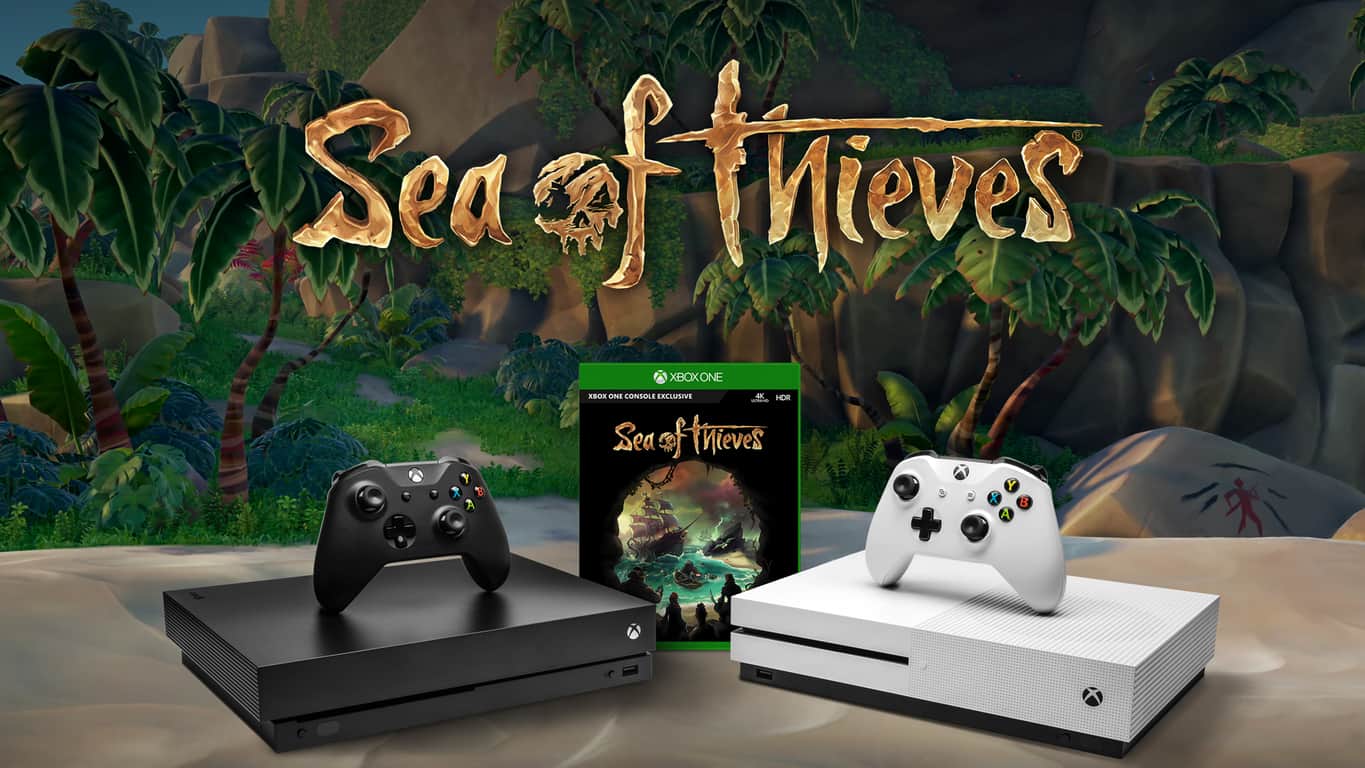
To celebrate the upcoming release of Sea of Thieves on the Xbox One next week, Microsoft will be offering a free digital copy of the game with new Xbox One X purchases. The limited-time offer will kick off on Sunday, March 18 and will last through March 24.

Microsoft notes that the promotion should be available at participating retailers in most Xbox One markets, though start and end dates may vary. Microsoft previously bundled PUBG with new Xbox One X purchases this year, but Sea of Thieves seems to be an even better value. Indeed, the pirate game supports Xbox Play Anywhere as well as cross-platform multiplayer between Xbox One and Windows 10.

If the $499 Xbox One X is too expensive for you, the cheaper $299.99 Xbox One S Sea of Thieves bundle is also available for pre-order and will start shipping on March 20. On this same date, Microsoft is also inviting enthusiasts to come celebrate the game’s release at the nearest Microsoft store.

Minecraft tests new Aquatic Bedrock update on Xbox, Android, & Windows 10

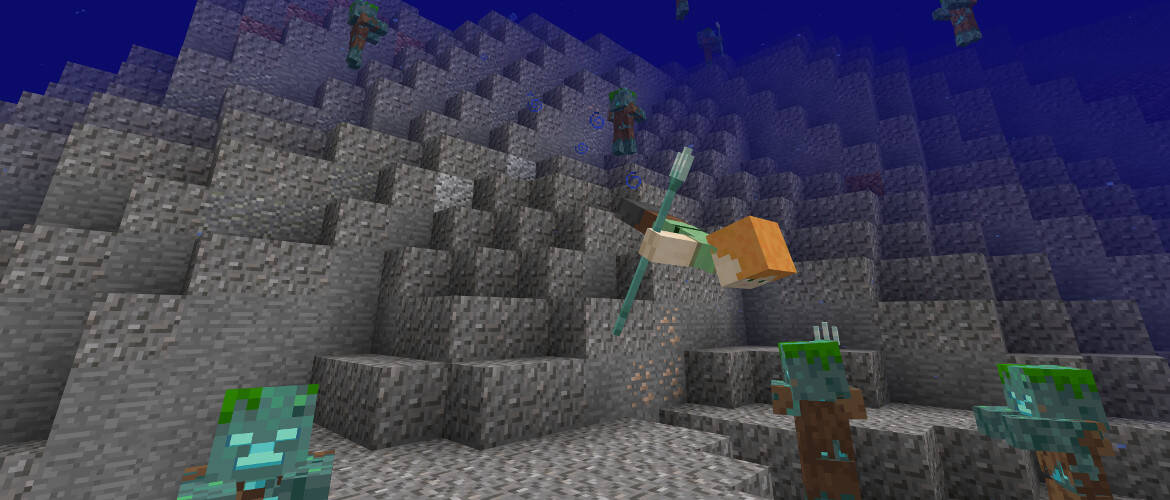
Mojang yesterday announced Minecraft players on Android, Windows 10, and Xbox One can now try out a beta of the Minecraft Aquatic Update. As advertised four months ago, this update includes new swimming animations, dolphins, water biomes, and more.

Players interested in the beta are urged to check out this guide, which explains how you can access the beta on any of the Minecraft Bedrock platforms. Once all worlds are backed up, and the beta is downloaded, you’ll need to check off “Use Experimental Gameplay” in the Game Settings to proceed.

Keep in mind that this beta does not include all the features coming with the Aquatic Update. Mojang mentions most features will come in future betas, and it is best not to toggle the beta off since it may cause problems with your worlds.

Java players are also getting a Snapshot today, and you can learn more about that by checking it out here.

Xbox One Fortnite gamers can now play with PC, Mac, and mobile users

Fortnite Battle Royale updated on Xbox One today with support for cross-platform play with PC, Mac, and mobile versions of the video game.

To start cross-platform play with other users, Xbox One gamers will first need to link their Xbox/Microsoft account with their Epic Games account and enable the option in the game’s settings. Linking the Xbox and Epic Games accounts will also allow for cross-save and access to items between platforms.

The official Fortnite Battle Royale faq page was updated with specific questions Xbox One players may ask. Here are some of the important ones.

If I play Fortnite Battle Royale on Xbox One, can I squad up with friends on PC, Mac, and Mobile?

Yes, as long as you’ve linked your Xbox One account to your Epic Games account, you can crossplay with PC, Mac, and Mobile players.

If I play Fortnite Battle Royale on Xbox One, do I still have access to all my items and will my progress count across PC, Mac, and Mobile?

Yes. As long as you’ve linked your Xbox One account to your Epic Games account, all purchased content is present and all progress is recorded across Xbox, PC, Mac, and Mobile.

If I buy a Fortnite Founder’s Pack on Xbox One, can I play Save the World on PC/Mac? Are my items and progression cross-platform?

Yes. As long as you’ve linked your Xbox One account to your Epic Games account, all purchased content is present and all progress is recorded across Xbox, PC, Mac, and Mobile.

I already bought a Fortnite Founder’s Pack or redeemed a friend code on PC. Why can’t I play Save the World on Xbox One?

Starting in the next couple of weeks, you will be able to play Save the World on Xbox One if you purchased it on PC or Mac.

In the meantime, please do not repurchase.

I’m on Xbox One – How do I squad-up with a friend on PC, Mac or iOS?

  1. Link your Xbox Live account to an Epic Games account.
  2. Download the Epic Games launcher on PC or Mac, or if you have an invite, download the game on iOS.
  3. Add your friend from within the Epic Games Launcher, the game on PC or Mac, or the game on iOS.
  4. When you return to the game on Xbox One, set your Fortnite in-game “Game Privacy” setting to either “Public” or “Friends.”
  5. Select Duos or Squad mode.
  6. Tell your friend to join your party.

I’m on mobile, PC or Mac – How do I party up with a friend on Xbox Live?

You will have to become friends on PC or mobile first.

The Xbox One player then needs to be in a non-solo queue and have the game privacy setting set to either “public” or “friends”.

This will allow you to join your Xbox One friend’s lobby to squad up.

When does the cross-play notification appear on Xbox One?

The notification only appears when you load into Save the World for the first time or a PC or Mobile friend has joined your party.

After it appears the first time, you can change this in the Settings > Game menu.

Fortnite Battle Royale is a free-to-play video game that has become incredibly popular with gamers due to its entertaining multiplayer and zero-fee price point. Are you a Fortnite fan? Let us know what platform you play on in the comments below.

Fortnite
Fortnite
Developer:
Epic Games Inc.
Price:
Free

New Xbox One YouTube app has voice search but doesn’t support Kinect

The official Xbox One YouTube app updated earlier this week with a cleaner, streamlined design that loads significantly faster than the previous version and looks a lot better too.

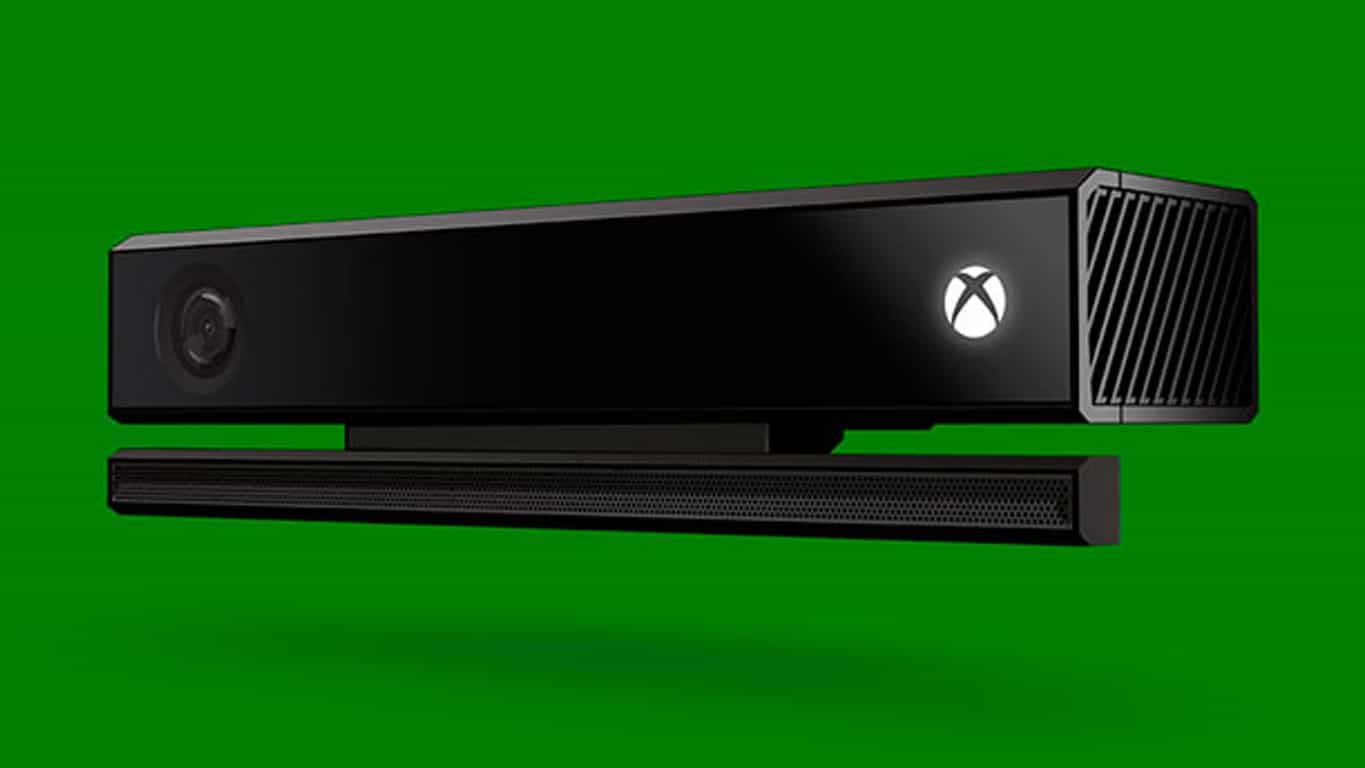
One rather odd addition to the new YouTube app is the option for voice search which can be activated from the Search screen by pressing LT on the Xbox One controller. Once activated, the app prompts for the user to say the phrase they want to search YouTube for and, while this works with a headset, the app can’t detect anything spoken to the Kinect sensor.

Microsoft has been shifting away from the Kinect sensor for a while now but it’s extremely odd that any app with voice functionality would ignore the peripheral considering that owners of it would be the biggest supporters of voice commands in general and would likely use the Kinect to play and pause YouTube videos within the same app (that functionality thankfully does still work with Kinect).

Are you frustrated by this oversight or are voice controls something that you very rarely use anyway? Let us know in the comments below.

Notepad++ app can now be download from the Windows Store

Notepad++ is a popular free text editor and source code editor for Windows PC users. Initially hosted on SourceForge.net, the project gradually moved onto the TuxFamily and since 2015, Notepad++ has been hosted on GitHub.

Used by millions worldwide, the software has now been made available for download on the official Microsoft Store. This was made possible through Project Centennial which enables developers of existing.Net and Win 32 apps to convert them to the Universal Windows Platform.

Here’s a bit of history:

Notepad++ was developed by Don Ho in September 2003.  The developer used JEXT (a Java-based text editor) at his company but, dissatisfied with its poor performance, he began to develop a text editor written in C++ with Scintilla. He developed it in his spare time since the idea was rejected by his company. Notepad++ was built as a Microsoft Windows application; the author considered, but rejected, using wxWidgets to port it to the Mac OS X and Unix platforms.

Download now NotePad++ for Windows 10

The app is available as a free download here, being developed by NightRisde. Another similar example with NotePad++ is Paint.NET, which was made available for download on the Microsoft Store back in October, last year.

RELATED: 6 of the best Notepad alternatives to use

Windows 10 KB4088776 bugs: browser won’t work, shutdown issues, and more

Windows 10 Fall Creators Update KB4088776 fixes a bevy of issues and brings many system improvements to the OS. However, this patch also brings some issues of its own, as many users already reported.

In this article, we’ll list the most frequent issues affecting KB4088776 as well as their corresponding workarounds to help you fix them.

KB4088776 bugs affect many users

1. Download and install fails

Many Windows 10 users are still struggling to install KB4088776 on their computers. Although the download process starts, the update downloads again and again.

Windows-10-update-KB4088776, loads Version 1709, Build 16299.309; however, the same update downloads again and then fails over and over again. This is the same problem with the last update (build 16299.248. This occurs over and over creating a permanent loop. Please fix it.

Other users reported that the update process fails with error 0x80092004:

I am trying to install 2018-03 Cumulative Update for Windows 10 Version 1709 for x64-based Systems (KB4088776) and keep getting Error 0x80092004. I tried downloading it physically and running it, bit it will not install.

If you can’t install the latest updates on your machine, try running the built-in update troubleshooter. Go to Settings > Update & Security > Troubleshoot. Locate the Windows Update troubleshooter and run it.

fix windows update

2. Local network disappears

If you can’t find your local network after installing KB4088776, blame this update. Many users complained they can’t find their drivers and other devices as if these items suddenly became invisible.

After updating with KB4088776 and rebooting my PC, whole local network “disappear”. In the explorer (see img) there are not any ather divice (laptops, PC, NAT server et.) The update rool-over my network drivers from Intel to Microsoft. I rool-back my drivers, than try with newest one, but no result.

3. Shutdown issues

Other users reported that the shutdown process fails to complete, causing various reboot issues and slowdowns. When users hit the Shutdown button, the system hangs for quite a while, failing to power off completely.

after yesterdays installation of KB4088776 which worked ok my 16299.309 desktop workstation doesn’t behave as it normally would. […] Now the system when being restarted uses a processor reset which takes a little longer. To me it seems as if the shutdown isn’t proceeded as normally would and thus the system doesn’t come up itself timely and then uses a processor reset to come up at all. This conforms to the second problem of not being able to shutdown normally. After issuing a shutdown the system hangs and does not power-off. I then have to power-off manually.

4. White noise affecting headsets

Many Windows 10 users heard a strange white noise after installing this update. Despite muting the microphone, the noise is still there.

After the most recent update my computer got,Cumulative Update (KB4088776), my logitech G430 headphones encounter an unusual issue. […] However when the mic is unmuted, I hear white noise and I can hear myself through my headset. […] I’ve tried to isolate the issue to see if it was an voice application running on my desktop or in background, but I discovered it isn’t.

For more information on how to fix white noise issues, check out this troubleshooting guide.

5. Browsers fail to work

If your third-party browser is unresponsive or fails to connect to the Internet, maybe you should simply uninstall the latest Windows 10 updates.

I can no longer access the Internet using either Google Chrome or Mozilla FireFox. Edge and IE continue to work. Both FireFox and Chrome claim to be blocked by the Windows Firewall or Proxy server, but I checked my settings and both are allowed.

These are the most common issues reported by Windows 10 users. If you encountered other problems after installing KB4088776, tell us more about your experience in the comments below.

RELATED STORIES TO CHECK OUT:

PlayerUnknown’s Battlegrounds (PUBG) crosses 5 million players on Xbox One

Three months after its launch on the Xbox One, PlayerUnknown’s Battlegrounds (PUBG) has already crossed 5 million players. So far, securing the hugely popular battle royale game as a limited-time Xbox exclusive seems to have paid off for Microsoft, and the Xbox user base is definitely growing very fast.

“We’re very excited that the community continues to grow – reaching over 5 million players in less than 3 months is a major accomplishment and we’re happy so many of you are enjoying the game, wrote Sammie Kang, Lead Community Manager at PUBG Corp.

To celebrate this new milestone, the Xbox community will be rewarded with an exclusive PUBG5 jacket, which you can see below. The free cosmetic item will be rewarded to all console players who have created a character in the game as of March 22, 2018 at 12:01AM PST.

The Xbox One version PUBG is still in preview, and it receives frequent updates with performance and gameplay improvements. PUBG Corp. recently shared its Spring development roadmap with the community, which includes UI optimizations, improvements to game matchmaking, the new Miramar map, and much more. The developers will need to iterate fast as PUBG competitor Fortnite has just announced support for cross-play multiplayer with PC and mobile.

Microsoft Store in Houston’s Galleria moving in next door to Apple

Microsoft and Apple have long been rivals, but Houston residents may soon have an easier and more convenient way to choose between Macbook or Surface. Indeed, according to the Houston Chronicle, the Microsoft Store in Houston’s Galleria is moving in right next door to Apple’s retail store.

The former Microsoft store in the Houston Galleria was located in a different wing and required a bit of walking to get to. Now, the new and more central Microsoft Store location is close to the Galleria ice skating rink, and the mall’s primary elevators. It also happens to be right next to the Apple Store, with only a Swarovski crystal separating the two tech giants.

A Microsoft spokesperson tells the Chronicle that the new location will have more “customer-facing space.” The statement goes on:

“We identify Microsoft Store locations based on our customers’ needs and preferences and the best shopping destinations. This location ticked all those boxes plus gives us added flexibility for greater in-store consumer experiences”

The new Microsoft Store at the Houston Galleria is set to open on March 23rd. The first 100 customers at the store will receive a $50 gift card, and there will be discounts and giveaways.

Over 50 Sega Genesis video games coming to Xbox One in May

50 Sega Genesis games will be coming to Xbox One and PlayStation 4 as part of the Sega Genesis Collection – a library of Sega Genesis classics that was accidentally revealed by Sega. The video showing the collection off was taken down quickly, but it was snagged by some eagle-eyed users and you can watch it right here.

The collection is going to be launching on May 29th, but we don’t know much beyond that. We can definitely expect classics like ToeJam & Earl and Sonic the Hedgehog to make an appearance, as well as many other classics. If the game is anything like the Sega Genesis Classics Collection that came out on Steam seven years ago, it should have a pretty comprehensive list of titles for you to check out.

Microsoft’s redesigned Outlook.com webmail starts rolling out to all users

Roughly seven months ago, Microsoft launched Outlook.com beta to help make Outlook inboxes faster, personal, and more efficient. Millions of people enrolled to help shape the experience, and today the new Outlook design will finally be exiting the preview stage (though Calendar and People will remain in beta.)

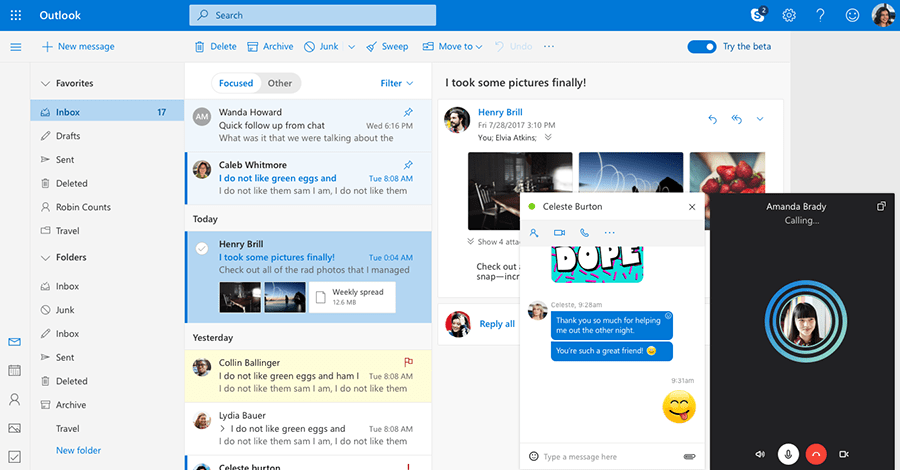
With the new Outlook.com mail, you can expect all the original features launched in the beta. Microsoft also added an updated Skype integration, easier ways to personalize and access settings, and improved category organization,  Here is what you need to know about the new features coming your way:

  • It’s easier than ever to chat in real-time right from your Outlook.com inbox and see all your contacts. Start an instant message or a free video call and participate in multiple chats at once. Just select the person you want to talk to and your conversation appears in its own chat window.
  • Now you can assign a name and color to each category and apply multiple categories to a single message, for those situations when emails belong in many buckets. Filtering messages by category is now easier than ever—just type the category name in the search bar or add a favorite category to the very top of your left sidebar
  • With Quick settings you can access the most popular ways to personalize your inbox in one click. You can change the theme of your inbox, the way conversations are displayed, and manage your Focused Inbox. Click the gear icon on the top right corner of your inbox to display Quick settings.

Additionally, Microsoft has simplified the add-ins experience on the new Outlook.com so you can pin and access them right next to your mailbox. Once a message is open. more add-ins can be found from the drop-down menu in an email by selecting “Get Add-ins.” You can see this it in action below.

If you have yet to check out the Calendar and People beta, here is what you need to know: With Calendar beta, you’ll notice reduced clutter and faster ways to navigate a calendar. Thanks to new event icons, there is now an extra emphasis on TV shows, sports teams, and other events. You’ll also notice simplified event creation, as clicking on “New event” will now allow you to add details without opening a new window.

Lastly, with the People beta, you’ll notice a refreshed profile card, enriched people and mail integration, and expanded contact information. Microsoft updated the look of profile cards to make it easier for you to mark contacts as favorites, and edit your contacts and contact lists. You’ll also notice that you can now see recent conversations and attachments from a specific contact at a glance.

Please be aware you’ll need to toggle the “Try the beta” switch on Outlook.com to try out the new People and Calander experience. Microsoft will roll out the new Outlook.com mail to all users over the next few weeks, so if you don’t see it at first, you might need to keep using the toggle switch. Feel free to check out these new experiences, and let us know your thoughts in the comments below.

Preview of Power BI for Windows Mixed Reality now available, and it looks pretty cool

Microsoft has announced the availability of a preview for Power BI on Windows Mixed Reality. The app is based on the UWP Power BI program and comes with some cool capabilities that show off the power of both HoloLens and Windows Mixed Reality.

With Power BI on Windows Mixed Reality, HoloLens users can interact with report pages and dashboard right on top of real-world environments. There are also two specific use modes where you can pin Power BI on top of a specific location in the real world, or have it follow you around as you look through different dashboard and reports. See it in action in the image below.
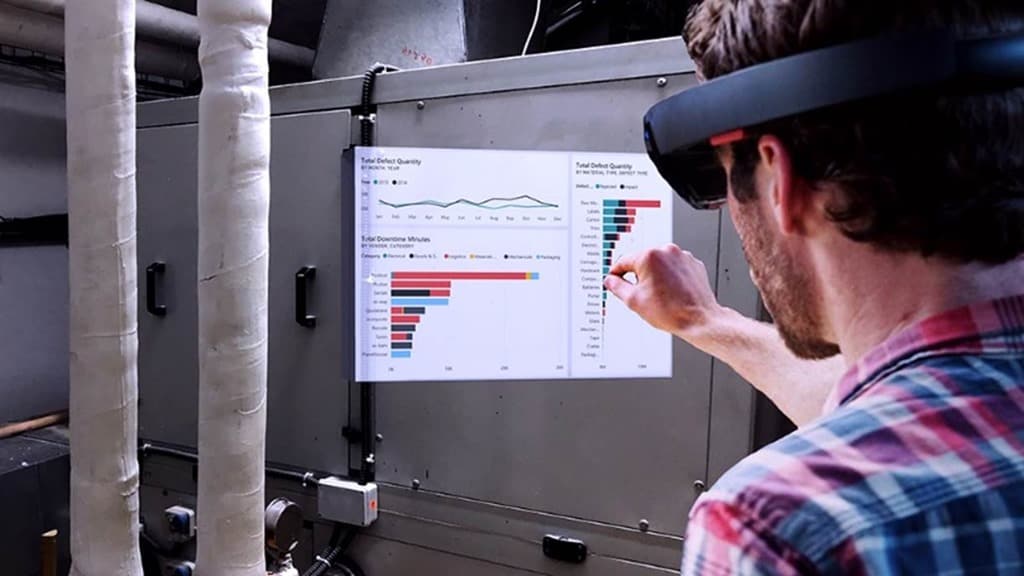
Other features include support for voice commands, meant to complement the gestures mentioned above. There’s also support for opening report pages by using QR codes. “This could be very useful to load and view the digital data relevant for a specific physical object or location in the working environment,” explained Microsoft.

You can learn more about Power BI for Hololens by clicking here. Our own Abhishek Baxi put together a guide on how to get started with Power BI, so you might want to check it out along with the app below.

Power BI
Power BI
Price:
Free

ID@Xbox introduces 18 new indie games

The annual Game Developer Conference is coming up, and ahead of the moment, Microsoft is announcing 18 new ID@ Xbox titles will be coming soon. The new titles come from a variety of genres and seem to be pretty promising. We’ve highlighted some of the most interesting titles below, but you can check out the full list here.

Apocalypse Cow (Monsters)

A girl, a rapper who can’t rhyme and a redhead enter a bar. The music stops. “Have you seen a giant robotic cow?” the girl asks politely and OMG SHE’S KILLING THEM! Wait, they were ready to talk, WAAAAIT! Explosions, regrets and time bending in a broken digital world; this is Apocalypse Cow, a cinematic arcade adventure that redefines storytelling for platformers.

9 Monkeys of Shaolin (BUKA Entertainment Enterprises & Sobaka Studio)

The true rebirth of iconic brawler genre in vein of old-school video games! As a simple Chinese fisherman Wei Cheng you have to avenge the death of your friends and family slaughtered in a pirate raid at your peaceful village. So get your trusty battle staff ready for a challenging adventure in Medieval China and for merciless fights with hordes of various enemies.

Thief of Thieves (Rival Games)

Based on the best-selling comic by Robert Kirkman, Thief of Thieves: Season One is a story of heists and the people behind them. It’s time for Celia, protege of master thief Redmond, to make the leap from apprentice to master. A new continent and a new team, will you make the cut?

As a reminder, Microsoft has cut the price on some of the best ID@Xbox Puzzle games. You can check out that sale here. The company also today announced the date and venue for its E3 2018 conference, promising the “biggest showing ever.” There are definitely some exciting times ahead for Xbox fans, so be sure to keep tuned to OnMSFT for all your gaming and Xbox related news and information.

New Xbox Live Avatars will “ship when they’re ready,” says Xbox’s Mike Ybarra

Last year, Microsoft teased an exciting redesign for the Xbox Live Avatars, which have barely evolved since the Xbox 360 era. According to what we know, the redesigned avatars will be powered by the Unity engine and will be more inclusive than ever. In the video below, you can see prosthetic limbs, a wheelchair, a pregnant woman and many more customization options.

Microsoft originally planned to ship the new Pixar-looking avatars last Fall, but they have since been delayed to some time this year. Xbox’s head of platform engineering was recently spotted rocking the new avatar design on Xbox Live, and with the Xbox Spring update incoming we could hope that the Xbox team was getting ready to ship them in the coming weeks.

Unfortunately, it looks like this may not happen. Xbox’s Mike Ybarra has just dismissed recent reports saying that the redesigned avatars would arrive in April, adding that “they’ll ship when they’re ready.”

It’s not exactly clear what’s causing the delay, but as usual Xbox Insiders should get access to the new avatars before everyone else. We’ll let you know if we learn more information, but in the meantime there is quite a lot to be excited about in the upcoming Xbox Spring update: between support for 1440p displays, Mixer controller sharing and the redesigned Microsoft Edge browser that can finally download media files, the Xbox One should is getting some much welcome improvements in the coming weeks.

Microsoft and 21ViaNet extend cloud services partnership in China

Microsoft today announced they have agreed with the leading Chinese data center services provider, 21Vianet, to extend their cloud services partnership. This agreement means Chinese customers can continue to experience Microsoft’s world-class public cloud services and location operations expertise offered with 21Vianet’s local footprint.

To line up with the extension, Microsoft shared that Microsoft Azure and Office 365 operated by 21Vianet have seen three-digit growth in four consecutive years in China. Microsoft claims this is a “successful method for a legal and compliant operation of international cloud services in China.”

In 2013, Microsoft became the first cloud provider to bring their tech to China. Since then partners such as Haier, Lenovo, Huawei, and Xiaomi have come on board with Microsoft’s services and cloud solutions operated by 21Vianet. In fact, Azure and Office 365 have since won 10 trusted cloud certifications, which make 21Vianet the most trusted cloud service provider in China.  Microsoft will now triple their capacity with 21Vianet, hoping to meet the needs of Chinese customers and empower more multinational companies.

Microsoft shares venue for E3 2018, promises “biggest showing ever”

After early word got out this morning, Microsoft just made the venue, date, and time for their E3 2018 conference official. The company is promising the “biggest showing ever” once their E3 briefing kicks off on June 10th at 1 PM PT at the Microsoft Theater in LA.

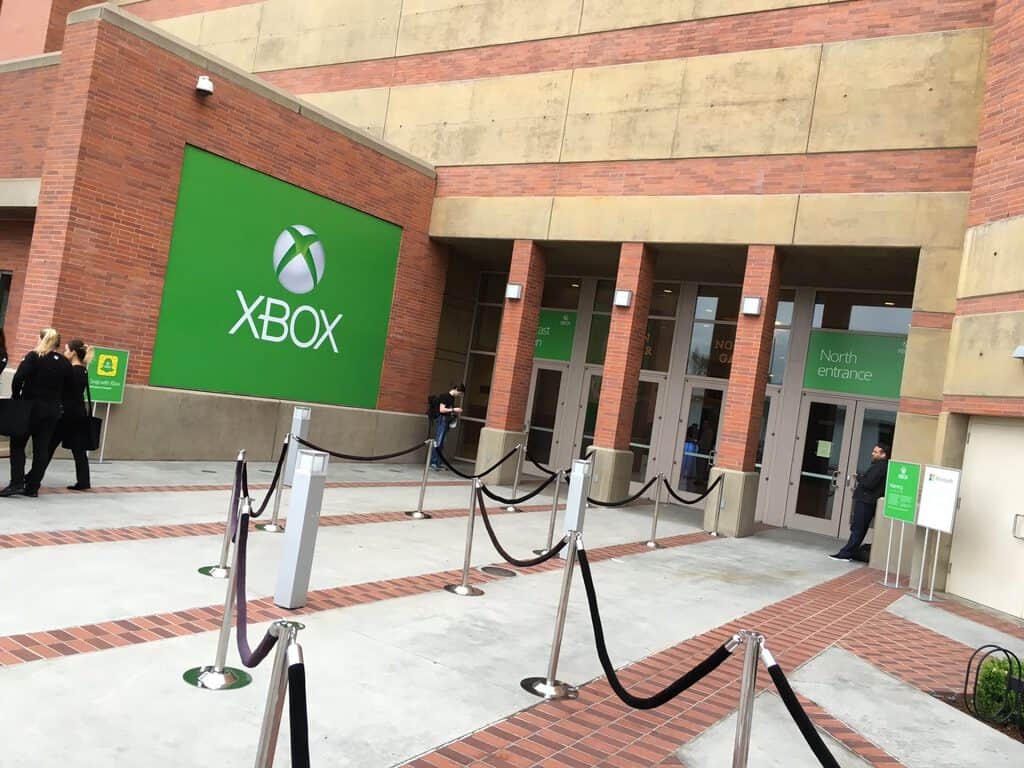
According to Mike Nichols, Xbox Corporate Vice President and Chief Marketing Officer, Microsoft is “creating an entirely new show experience” for E3 attendees. The company will host their E3 2018 events at their own-branded Microsoft Theater in Los Angeles, right across the street from the Los Angeles Convention Center (LACC) where the main E3 event is occurring.

In addition to the E3 2018 Xbox Briefing, the Microsoft Theatre will also welcome Xbox FanFest opportunities, hands-on gameplay, and demos for all E3 attendees. “Not only does the Microsoft Theater allow us to centralize our Xbox presence at E3, but its size enables us to include even more fans and partners in the Xbox E3 2018 Briefing than ever before,” explained Nichols.

Microsoft and Xbox will still have a presence at the main LACC with a Mixer booth where show attendees can stream games, interact with new titles, and catch up on the E3 news live. It is definitely interesting to see this change since it likely will allow for Microsoft to put more spotlight on the games and gamers themselves. As always, we’ll be watching E3 live, so be sure to keep tuned to OnMSFT all summer long for all your Xbox news and information.

Microsoft to add new data centers in Europe and Middle East

Microsoft yesterday announced that it would be adding new data centers and expanding its cloud services in Europe and the Middle East. The expansion is the result of customer demand, showing Microsoft is following their money and further pushing to compete with Amazon and Google in the cloud wars.

Switzerland will get two new datacenters in Geneva and Zurich, which are primarily due to Microsoft’s engagement with financial institutions in the region. Microsoft also said that it plans to deliver its first datacenters in the United Arab Emirates, which will be located in Abu Dhabi and Dubai.

Additionally, the company will offer Germans access to Microsoft Azure, Office 365 and Dynamics 365 from new data center locations, as we reported yesterday. The offerings provide enterprise-grade reliability and complement what was already delivered from outside of Germany and via the Microsoft Cloud Germany. This makes Microsoft the first global cloud operator to introduce cloud regions in the country.

Lastly, Microsoft also opened new datacenters in Paris and Marseille, helping open the Microsoft Cloud to thousands of customers and partners in France. In this region, Azure and Office 365 are now available, with Dynamics 365 coming in early 2019. “We are convinced that this opening is the beginning of a new adventure – one in which we want as many French organizations and companies as possible to embark on, in order to accelerate the digital transformation of our ecosystem,” said Carlo Purassanta, General Manager, Microsoft France.

Date & time of Microsoft’s E3 2018 conference revealed

The Verge’s Tom Warren has tweeted that this year’s E3 Microsoft conference will be held 1pm PT (4pm ET) on the 10th of June. Warren is generally a reliable source of information and news and there’s no reason to doubt that this is false.

Intriguingly, Warren also tweeted about Microsoft’s “different” approach to E3 this year which is something Microsoft employees have also teased on their own Twitter accounts over the past few months.

There’s been no real details released on what this “different” approach is so it could be anything from the flow of the conference to a possible shift to digital presentations (ala Nintendo) to something else entirely. Microsoft usually puts on a pretty entertaining conference so it’s bound to be worth a watch regardless of how “different” it is.

Are you pumped for Microsoft’s E3 2018 conference? What do you think it will be like? Let us know in the comments below.

Microsoft Teams PWA begins testing for small group of users

For some, the Progressive Web App future cannot get here fast enough, especially for those who believe in a Phoenix-like rebirth of Microsoft’s mobile and desktop operating usage. PWA’s have been positioned as one of the great equalizing factors to Microsoft’s attempts to keep their operating systems competitive in a world of mobile productivity powered by apps and robust browsing experiences.

To that end, the Windows-centric Petri blog is reporting that Microsoft has been dipping its toes in the PWA waters and recently began testing a PWA version of its very popular business communication tool, Microsoft Teams. A small group of Teams users have been given access to a PWA version of the software that can be downloaded from the Windows Store. The alpha build of PWA Teams is still in rough-cut form and can not be found through any Windows Store searches for normal Windows 10 users.

However, the hosted Teams PWA (or HWA) is coming along rather nicely according to users and developers have found the app to work in a very similar version to a local representation. As it stands the presence of an alpha build that’s being tested outside of the trusted Redmond ring of developers should be an encouraging sign for PWA advocates as well as those wagering their mobile futures on a possible Surface-phone being released this year with PWA’s as its differentiator.

Music streaming service Deezer is now available on the Xbox One

Spotify competitor Deezer has launched a new Xbox One app today, allowing subscribers to listen to its catalog of 53 million tracks on their console. Deezer already has an UWP app for Windows 10 and Windows 10 Mobile, and the Xbox One version is pretty well designed with transparency effects here and there.

Unlike the Windows 10 app, the Xbox One Deezer app requires a Premium+, HiFi, Family or Student plan subscription. That’s a bit unfortunate, especially since its rival Spotify is free to use on the Xbox One. However, Xbox One users who download the app on their console can try it free for 90 days.

In addition to millions of music tracks, Deezer also offers curated playlists and Stream Flow, your personal soundtrack that uses smart data to recommend you new music. Deezer is currently available in over 180 markets worldwide, and the Xbox One app should be available in most countries where the console is currently sold.

Deezer Music
Deezer Music
Developer:
Deezer SA
Price:
Free+

[Updated] Edge in Windows 10 build 17120 picks up bug fixes to help Variable Fonts shine

Microsoft today announced Edge in Windows 10 build 17120 picked up bug fixes to help Variable Fonts and SVG animations shine. This feature allows for custom font styles to adapt and generate from a single font programmatically without the need for multiple files. This comes several months after Microsoft initially added Variable Fonts to build 17074.

You can see an example of Variable Fonts in this GIF below, which according to Microsoft is “animated along an astounding 15 axes using variable fonts.”

Animation of the phrase "A single font" cycling through different styles, sizes, and weights.

The Redmond giant also put together an interactive guide which explains how the freshly added CSS font-variation-settings and font-optical-sizing can make life easier for web developers and designers. The guide is best viewed in Microsoft Edge and also demonstrates how variable fonts can be more expressive and powerful.

Microsoft, Adobe, Apple, and Google originally pioneered the OpenType Variable Font a few years ago. Please feel free to check out the guide once you’re up and running with build 17120, and do let us know your thoughts in the comments below.

Update: We’ve updated the headline and this article to clarify that support for Variable Fonts were previously added in build 17074. Build 17120 only picks up a few bug fixes to make the Variable Fonts demo shine. Thanks, Kyle Pflug from the Edge Team for the correction!

Microsoft’s Amazing Indie Puzzle Sale cuts 75% off the best Indie Xbox puzzle games

Looking to give your brain a boost without leaving the comfort of your own home and Xbox? If so, you might want to check out the Amazing Indie Puzzle Sale, which is cutting 75% off some of the best Indie Xbox puzzle games.  This sale will run from today until March 19, so be sure to check out the full list by heading here. We’ve also selected a few of our favorites and have included them below.

Never Alone Arctic Collection: Was $17.99 now $3.60

Never Alone is an atmospheric puzzle platformer developed in collaboration with the Iñupiat, an Alaska Native people, drawn from a traditional story that has been shared across the generations. Guide both characters in single-player mode or play cooperatively with a friend or family member as you trek through frozen tundra, leap across treacherous ice floes, swim through underwater ice caverns, and face numerous enemies both strange and familiar in the journey to save the girl’s village.

Rememoried: Was $14.99 now $8.99

Rememoried is an independent video game, a virtual place where memories change to dreams and the only possible way is forgetting, which becomes a mechanism for proceeding to the next layer of dreams. The Surrealist explorative first-person adventure game

RIME: Was $29.99 now $17.99

Explore the beautiful yet rugged world of RiME, a single-player puzzle adventure. In RiME, you play as a young boy who has awakened on a mysterious island after a torrential storm. You see wild animals, long-forgotten ruins and a massive tower that beckons you to come closer. Armed with your wits and a will to overcome—and the guidance of a helpful fox—you must explore the enigmatic island, reach the tower’s peak, and unlock its closely guarded secrets. Features: Explore – Discover the mysterious island at your own pace. Interact with wildlife, search for hidden items or simply take in the sights and sounds.

In other Xbox news, we’d like to remind you that Wolfenstein II: The New Colossus and many other titles are up 50% off with this week’s Deals with Gold. Microsoft also added Tom Clancy’s Ghost Recon: Future Soldier and two other Xbox 360 games to the Xbox One Backward Compatibility catalog today.

Windows Server Project Honolulu, RSAT also get new builds today

Following the roll out of a new Redstone 4 build (17120) today, the Windows Insider team also announced the release of Project Honolulu Technical Preview 1803 to Windows Server Insiders. The new browser-based tool for server administration has been updated with Azure Active Directory (AAD) based access control, an updated logging schema, resizable UI elements, as well as several improvements for existing tools.

The Windows Insider team also highlighted today that Project Honolulu can now be updated via Microsoft Update. “If you do not have the “Give me updates for other Microsoft products when I update Windows” setting enabled on the machine, the Honolulu installer will give the choice to toggle it during deployment,” the blog post reads.

In addition to this new Technical Preview of Project Honolulu, Microsoft has also released the Remote Server Administration Tools (RSAT) build 17108, which brings two minor fixes. Be aware that this new preview build can only be installed on Windows 10 Insider build 17110 or higher. The latest build for Project Honolulu and RSAT can be downloaded from Microsoft’s Windows Insider website.

This month’s Patch Tuesday brings fixes for Windows Mixed Reality, several security updates

Microsoft has just released new Patch Tuesday updates for all shipping versions of Windows 10, and consumers running the Fall Creators Update should be able to download the build 16299.309 now. This latest cumulative update should appear as “KB4088776” in Windows Update, and it addresses an issue with the Windows Mixed Reality failing to launch. Additionally, Microsoft has lifted the AV compatibility check that prevented some users to install the latest cumulative updates, including protections against the Meltdown and Spectre exploits.

This Patch Tuesday update also brings security updates for Microsoft Edge, Windows Desktop Bridge, Windows Shell and more. While we couldn’t find an explicit mention of it in the changelog, this update should also include a patch for CVE-2018-0886, a critical vulnerability in Microsoft’s Remote Desktop protocol. You can read the full release notes below:

  • Addresses issue where Internet Explorer stops working when using F12-based developer tools.
  • Addresses issue with printing XML documents with Internet Explorer and Microsoft Edge.
  • Updates legacy Document Mode cell visibility in Internet Explorer.
  • Addresses issue with pinch and zoom gestures on some hardware in Internet Explorer.
  • Addresses issue where Internet Explorer is unresponsive in certain scenarios when a Browser Helper Object is installed.
  • Addresses issue to prevent media and other applications from becoming unresponsive or failing when upgrading graphics drivers.
  • Addresses issue where customers receive “Check your account, you don’t own this content” errors when attempting to play or install owned content. This issue can also result in customers getting kicked out of a game in the middle of play.
  • Addresses issue where, after installing KB4056892,KB4073291, KB4058258, KB4077675, or KB4074588 on a server, you may not be able to access SMB shared files in directory junction points or volume mount points hosted on that server. The error is “ERROR_INVALID_REPARSE_DATA”. As a result, editing some group policies using GPMC or AGPM 4.0 may fail with the error “The data present in the reparse point buffer is invalid. (Exception from HRESULT: 0x80071128)”.
  • Addresses issue where an AD FS server issue causes the WID AD FS database to become unusable after a restart. This might prevent the AD FS service from starting.
  • Addresses issue where, after installing KB4090913, the Mixed Reality Portal may fail to initialize. This results in an “SXXXXXXX-X” error or a “We couldn’t download the Windows Mixed Reality Software” message may appear after the software is successfully downloaded.
  • Lifts the Anti-Virus (AV) compatibility check to expand the number of Windows 10 devices that are offered cumulative Windows security updates. This includes cumulative Spectre and Meltdown protections for 32-Bit (x86) and 64-Bit (x64) versions of Windows, except the KB4078130 update that was offered to disable mitigation against Spectre Variant 2.
  • Addresses issue that only affects some versions of antivirus software and only applies to computers on which the antivirus ISV updated the ALLOW REGKEY.
  • Security updates to Internet Explorer, Microsoft Edge, Microsoft Scripting Engine, Windows Desktop Bridge, Windows Kernel, Windows Shell, Windows MSXML, Device Guard, Windows Hyper-V, Windows Installer, and the Microsoft Scripting Engine.

If you have a Windows Mixed Reality headset, let us know if this update has the fixed the issue with the Windows Mixed Reality Portal. If you encounter any other issues after installing this update, you’re also welcome to drop us a comment below.

Tom Clancy’s Ghost Recon: Future Soldier, two other Xbox 360 games added to Xbox One Backward Compatibility catalog

Microsoft today added three new games to the Xbox One Backward Compatibility catalog. The new titles are Tom Clancy’s Ghost Recon: Future Soldier, Axel & Pixel, and Metal Gear Solid Peace Walker HD Edition.

You can find all the details of these titles below the tweet, with the exception of Axel and Pixel, which is not downloadable in the Microsoft Store. That point-and-click adventure video game will only work on your Xbox One if you have the physical disc.

Tom Clancy’s Ghost Recon: Future Soldier: ($9.99)

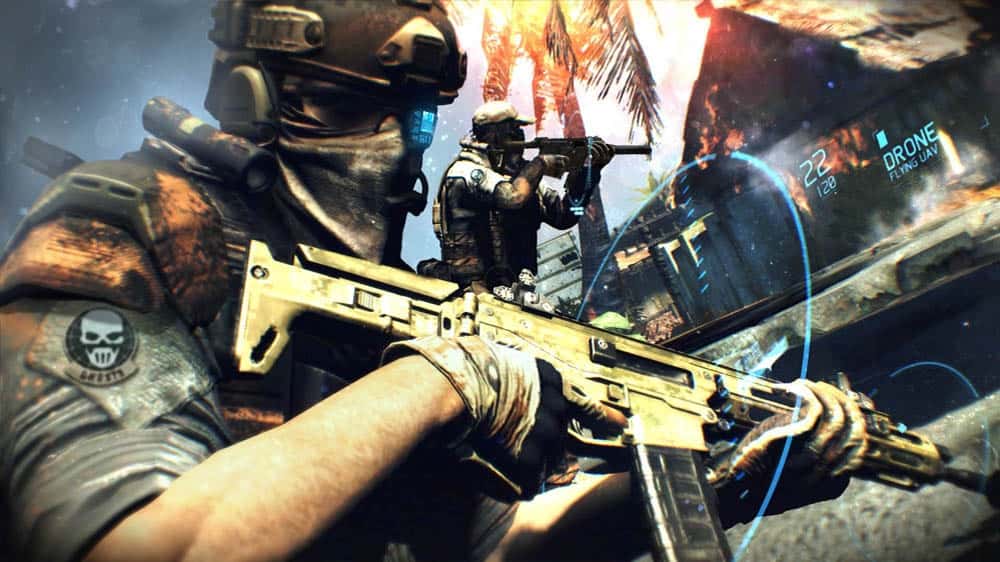
Join the Legendary Ghosts –Control Sergeant Kozak and his unit, across 14 missions in 8 spectacular locales, from Africa to the Arctic Circle. All-Access Pass to Future War Tech: Fight using the tech of tomorrow including, optical camouflage, augmented reality, drones and more. Wield over 50 Weapons and Customize Them with Gunsmith Mode- Harness the immense firepower of an army and optimize every aspect of your arsenal in the Gunsmith mode. Intense Multiplayer- 4 game modes, 10 maps and multiple classes along with GR’s classic siege mode.

Metal Gear Solid Peace Walker HD Edition ($14.99)

1974 The Peace Walker Incident The era is the 1970s. Big Boss has stationed his “Army without a Nation” in Colombia, South America, where he is approached by visitors from Costa Rica– “a Nation without a Military.” In the wake of the Cuban Missile Crisis, Latin America became key to maintaining the power balance between East and West. But now, a mysterious armed force threatens to disrupt this balance. To preserve peace and neutrality in Costa Rica, the “Soldiers without Borders” move into action. In time, they would come to be known as the founders of “Outer Heaven

Last week, Hitman: Blood Money and LEGO Star Wars III: The Clone Wars were added to the Xbox One Backward Compatibility catalog. As always,  if you own digital copies of these titles they should appear in the ready to download section of the Xbox One guide now. And, if you own physical copies, all you need to do is insert the disk into the Xbox One.