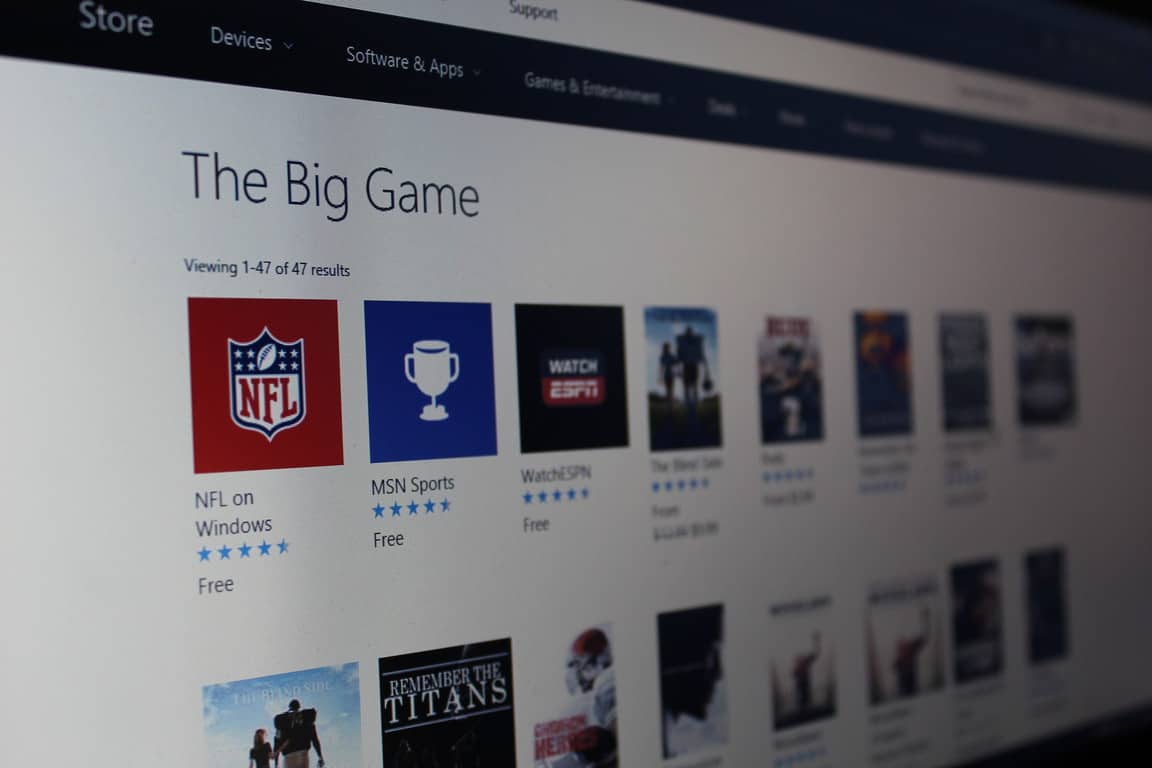
The Super Bowl is just a few short days away, so before buying your snacks and essentials for the big game, you might also want to prepare yourself by firing up your Windows 10 device. Microsoft currently is highlighting “The Big Game collection” in the Windows Store, and it is a great way to enjoy all things football before the biggest professional football game of the year.
The collection includes all sorts of football-themed apps, games, movies, and entertainment. A prime Example includes NFL on Windows, which is useful for tracking favorite teams and even fantasy players. Other examples also include movies such as the “The Blind Side,” starring Sandra Bullock, and “Remember the Titans,” starring Denzel Washington.
For added fun, you even can also head to the collection to download the iHeartRadio app so you can listen to music from halftime show performer Lady Gaga. Be sure to check out the full collection here, and let us know what you think by dropping us a comment below!
Arrival, the critically-acclaimed sci-fi movie which was released in the US back in November is now available to purchase on the Windows Store. The film features A-listers Amy Adams, Forest Whitaker and Jeremy Renner and tells the story of an elite team investigating a dozen alien spacecraft who landed to Earth. Here is the more detailed synopsis:
When mysterious spacecraft touch down across the globe, an elite team – led by expert translator Louise Banks (Amy Adams) – races against time to decipher their intent. As tensions mount between fearful governments, Banks discovers the aliens’ true purpose and, to avert global war, takes a chance that could threaten her life, and quite possibly humanity.
Arrival will cost you $12.99 for the SD version or $14.99 for the HD version, and both versions also include a short bonus where composer Jóhann Jóhannsson reveals how he created its unusual sound and why he was so inspired by the storyline. You can get purchase Arrival on the web or find in the the Movies & TV section of the Windows Store, sound off in the comments if you would recommend this movie to sci-fi fans.
From laptops, tablets, convertibles, 2-in-ones, plain old desktop PC’s, and even mirrors, there are roughly 400 million active Windows 10 devices in the world today. While that falls short of Microsoft’s 1 billion device goal, just a while ago at the WinHEC 2016 conference in December in Shenzhen, Microsoft detailed to over 140 OEMs the kind of devices that they would like to see for the holiday season. In a recently release video of the session titled, “Next Generation of Windows Devices,” the Redmond giant explained that it would like to see five specific device types for this year’s upcoming holidays (via ZDNet.com)
According to the report, Microsoft is also urging OEM marketing campaigns to focus on Windows Hello and Security between January and March of 2017, then Cortana from April to June of 2017 (just in time for graduations, and the summer gifting season.) The five device types, meanwhile, include “PCs for the modern creator”, “modern peripherals for everyone,” “PCs to power mixed reality,” “PCs for the gamer and media fanatic,” and “IoT devices for verticals.”
When it comes down to the fine details, “PCs for the modern creator” include devices with Cortana for “command and control,” and devices that feature pens, and touch support, as well as world facing and user-facing cameras. Though Dell’s devices are centered on the education market, we previously saw Dell highlight devices with these exact features in their upcoming Windows 10 education laptops for 2017.
Next up, “modern peripherals for everyone” includes Windows Hello external devices, wearables, headsets, keyboards, dials, and so forth. Microsoft previously pointed the public to these devices, and about a month ago, highlighted a growing list of Windows Hello enabled companion devices and the increasing opportunity for their partners to capitalize on the password free solution to logging into a Windows 10 device.
Stats about a modern PC
Third up, “PCs to power mixed reality” cover desktops, notebooks, and backpack devices which might end up powering the many planned Windows Holographic headsets. In line with this, “PCs for the gamer and media fanatic” cover high-end gaming PCs which are powered by DX12 GPUs; HDR or WCG displays and Xbox-compatible peripherals. This would make sense, as Microsoft is bringing Xbox and Windows 10 together with Xbox Play Anywhere, and through an expanded wireless ecosystem featured in new PCs and accessories.
Rounding out the list is “IoT devices for verticals” which are devices that are powered by Windows 10 IoT. With this area, Microsoft would like to see devices for smart manufacturing, smart retail and smart home portfolios. We previously heard Microsoft mention this with Cortana in cars and speakers, and Windows 10 powered fridges.
What do you like to see in a Windows 10 device? Let us know what you think by dropping us a comment below! And, be sure to keep it tuned to OnMSFT by following us on Twitter, so you won’t miss a single minute of your Windows 10 device news and information.
Recent Netmarketshare numbers show that Edge, while still far behind Chrome, IE, and even Firefox, is picking up a tiniest bit of steam, having risen to its latest share numbers of 5.48%, according to the analytics (this for Desktop Top Browser Share Trend):
Microsoft’s move away from the legacy Internet Explorer and all the baggage it brings with it hasn’t done much for keeping browser market share in house, though, as more and more people switch to Chrome as their browser of choice.
Microsoft continues to make advances with Edge, including improvements coming with the Windows 10 Creators Update, and the browser is an integral part of Windows 10, powering far more than just web browsing.
But as a web browser, usage of Edge has been disappointing, to say the least.
What browser do you use? In this week’s poll, we give you a chance to let us know, and sound off in the comments below on why you do or don’t use Edge, and what you need from Microsoft’s latest browser to get you to switch:
If anything, Microsoft’s move away from the once dominant Internet Explorer has only strengthened Google Chrome’s position in the market, but is there hope for a resurgence in Edge market share, perhaps with the Creators Update release this spring?
Vote in our poll and sound off below, and don’t forget to follow @OnMSFT on Twitter for all the latest news on everything Windows 10, Edge, and beyond!
Riptide GP: Renegade, the latest hydrojet racing game from indie game studio Vector Unit will finally launch on Xbox One and Windows 10 on Februrary 24. The game studio announced the good news on Twitter yesterday (via Windows Central):
Vector Studio first unveiled the game during PAX West 2015, which was released a year later on iOS, Android, Steam and Playstation 4. In a blog post published back in December, the game studio announced that Riptide GP: Renegade would be an Xbox Play Anywhere title, with full support for cross-play multiplayer between Xbox One consoles and Windows 10 PCs. More importantly, the developer claimed that the Xbox One version of the game was “the only version that lets you play local split screen with up to six players.”
Overall, the latest installment in the Riptide GP franchise is the first to be designed from the ground up for modern consoles and PCs, and you can expect much better graphics and gameplay compared to the mobile versions. You can find below the game’s official description as well as the latest trailer:
Riptide GP: Renegade drops players into a futuristic world of illicit hydro jet racing, where armored riders kick out death-defying stunts over massive waterfalls, outrun cops, and boost at breakneck speeds across surging waves. With a deep career mode and both split screen and online multiplayer, Riptide GP: Renegade is the first game in the popular racing series designed especially for modern consoles.
The developer has yet to share pricing details, though the game is currently a $9.99 purchase on Steam and Sony’s Playstation Store. Hopefully, the price of the Xbox Play Anywhere version will be in the same range. Let us know in the comments if you’re looking forward to playing the hydrojet racing game on your Xbox One or Windows 10 PC later this month.
It’s always a refreshment to see a retro-looking game being released today. The fourth installment of Double Dragon certainly falls into this category. The legacy beat ’em brings a new fighting experience to all fans of the classic arcade genre.
However, besides the nostalgic feeling, Double Dragon IV also brings something players won’t be so happy about. Even though the game is just one day old, various complaints and issue reports have started pouring in. We’ve found some of the most common issues that might bother new players of the game, and listed them in this article. So, if you’re planning to purchase Double Dragon IV, you should have these things in mind.
Double Dragon IV issues
Wrong regional pricing
If you’re living outside the US, you may find an unpleasant surprise with the game’s price. Namely, some users have reported that the game’s price is different in different regions of the world.
“The game is more expensive in South Africa, Russia and Brazil than in US. For me it’s 2x more expensive than Double Dragon Neon, which costs $10 in US.”
Background glitch
Apparently, Double Dragon IV has some graphical issues, that may occur to some players. For example, one player has said that he’s unable to see the game’s background.
“Hey, I can play DD4, but game’s background can’t apper.”
Unable to change resolution
Speaking of graphical problems, there’s also a glitch that prevents some players from changing the game’s resolution.
“In both fullscreen and in a window whenever I launch the game the game window is too large, and I can’t see to the left and right edges of the screen. Can’t find any settings in the options menu to change resolution, so how do I fix this?”
A few players have reported the same issue, but unfortunately, no one has a proper solution for this problem.
That’s about it, as you can see, the game isn’t as troublesome as it might be, as we’ve only found a couple of more serious issues. However, Double Dragon IV is still young, so if you’ve encountered some problems we didn’t list in this article, please let us know in the comments below.
Although we’re still relatively far from the next Patch Tuesday, Microsoft decided to release a new cumulative update for Windows. The new update is labeled KB4010672 and unsurprisingly isn’t available for Windows 10 computers. Only users of Windows Server 2016 are able to download and install this update.
This is a minor update as it only fixes one known issue from the previously-released updates. Microsoft says that the update “addresses issue that causes Azure VMs to lose network connectivity on reboot.” This changelog probably won’t reveal much to the regular users, but it’s not for them after all. So, we’re sure IT admins will understand what the new update brings.
Besides the new bug fix, according to Microsoft, cumulative update KB4010672 is also likely to cause one issue to users who install it. Namely, after installing the update, the Cluster Service may not start automatically on the first boot.
However, there’s a know solution for this problem, so you shouldn’t worry about it. To fix the issue with the Cluster Service, it is advised to start it with the Start-ClusterNode Powershell cmdlet. The alternative solution is to reboot the node. Once you’ve done any of these things, the problem should disappear.
Since the update is only available to Windows Server 2016, the only way to obtain it is through the Microsoft Update Catalog. If you’re interested in downloading cumulative KB4010672 update, you can do so by visiting this link.
In case you’ve already installed the update, and notice some issues that Microsoft didn’t mention, feel free to let us know in the comments below.
Riding Chocobos in Final Fantasy 15 is a lot of fun. These giant chicken-like creatures can help your cover more ground faster, can learn various tricks, and perform slides and drifts while running.
However, sometimes you may notice that your Chocobo is not as fast as you expected. The good news is that there are a few tips and tricks that you can use to ride your Chocobo faster.
How to increase Chocobo speed and endurance
First, you need to know that sprint wears off after your Chocobo takes its eighth step. Also, Chocobos retain their sprint speed while gliding, which allows your stamina to recover while in the air. Braking while sprinting boosts your Chocobo a bit, allowing it to slide and recover some stamina.
Taking into account this information, here’s what actions you need to perform to ride your Chocho faster:
Press sprint
Between the Chocobo’s 7th and 8th step, jump and glide.
As soon as the Chocobo lands, brake to make it slide.
Sprint again and repeat the steps listed above.
Try drifting as much as possible in every corner. When you’re into a corner, quickly sprint and when you hit the apex, halt your Chocobo while retaining your analog to the corner to drift. In this manner, your Chocobo will slide and jump a bit onwards.
Using the tips listed above will give you the upper-hand against your opponents, and will help you win more Chocobo races. If you’ve come across other tricks to boost your Chocobo’s speed, feel free to list the necessary steps in the comment section below.
If you’re interested in doing some advertising on Microsoft’s several services, you may be interested in the Universal Campaign program. The program is Microsoft’s new way of sending advertisements out on services like MSN, Skype, Microsoft Solitaire, and more.
Any campaigns that use auto-targeting will automatically be designated Universal Campaigns, and as such will be sent out on all of those Microsoft platforms. You’ll still be able to make a Universal Campaign if you don’t want to enable auto-targeting, however. Just make sure to enable the “Universal” option when you’re in the Audience section of your campaign.
Microsoft is making this improvement to advertising in the hopes that it can expand the reach of 3rd party developers who want to get the word out regarding their app. If you decide that you want to take the step into expanded advertising with the Universal Campaigns feature, Microsoft urges you to share your feedback in order to improve it for future users.
Just like any other software, Google’s Chrome web browser receives constant updates throughout the year. The latest version of the web browser is Chrome 56, which improves page reload times.
Google improves Chrome’s speed with the latest update
Facebook’s help
Apparently, Facebook is behind the update as the social media giant let Google know Chrome reload times were subpar compared to browsers. Google proceeded to make the necessary modifications and now claims that Google Chrome will reload a lot faster by making the most out of the cached data stored by the browser.
There are several elements that are influenced by this change and all for the better. These include latency, energy consumption, and data consumption. They should be lower in comparison to pre-update Chrome.
To put a number on it, Facebook and Takashi Toyoshima of Google both confirmed the new improved Chrome is able to reload web pages 28% faster than it was a before the issue was looked into. One of the big issues revolved around validation. After the update, up to 60% less validation was requested by Google Chrome in comparison to what Facebook’s data detected prior.
Although this is a very small update that isn’t likely to influence day to day web surfing a lot, it’s still nice to see that Google is always looking to improve its services.
If you’re looking to drop $2,000 on a gadget for the sake of impressing your friends, then we might have something to pique your interest. We reported on the theory behind the Windows 10 Magic Mirror a while back, but now it seems like a company has put the product out for public consumption. Getting your hands on one of these Windows 10 mirrors is going to cost you a little over $2,000.
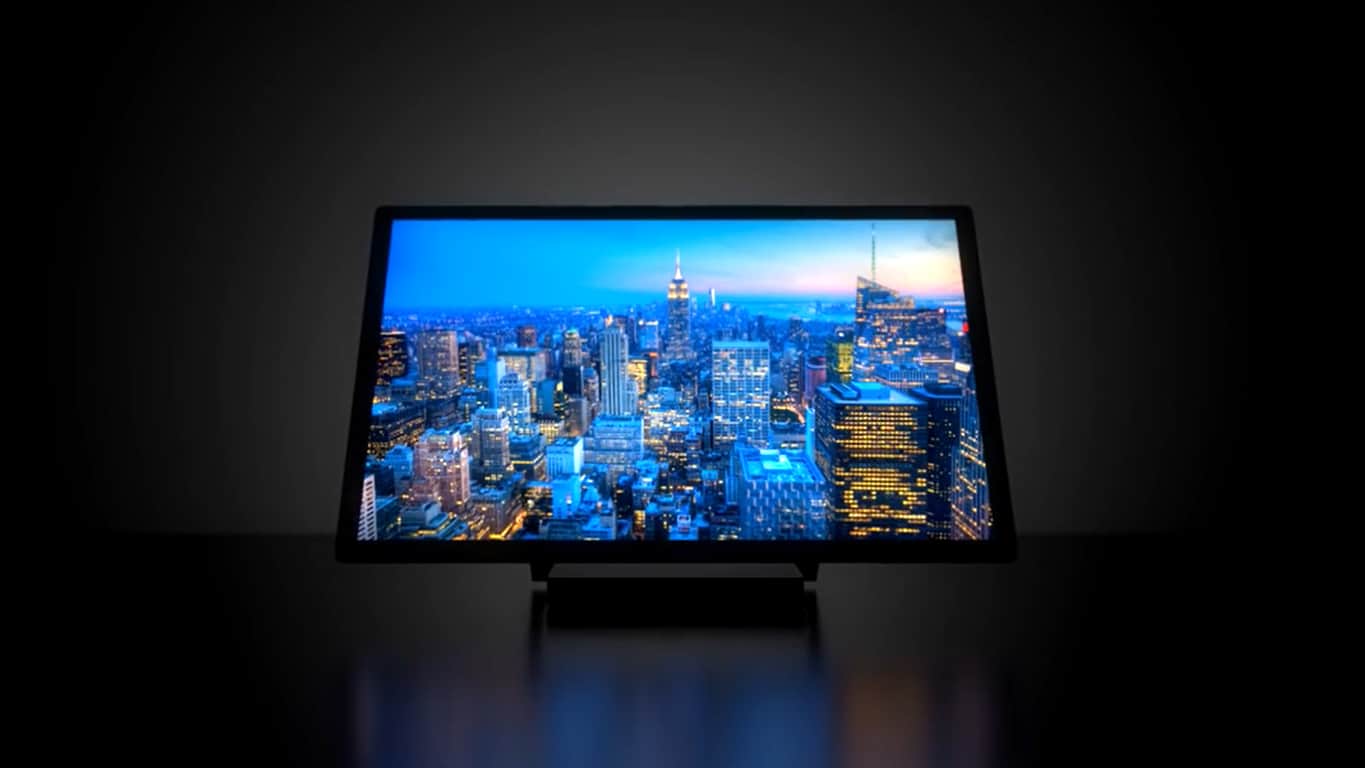
The mirror is called the Dirror, a portmanteau of digital and mirror. It’s a fairly average looking mirror that you can hang up on a wall, and effectively use like a tablet. The device doesn’t necessarily look all that practical, but it has an incredible amount of novelty.
You can get three different types of Dirrors: the Dirror S (Small), the Dirror M (Medium), and the Dirror L (Large). The Dirror S has 2 GB of RAM and 32GB of hard drive space, while its older brothers have 4GB of RAM and 128 GB of hard drive space. Other than that, you’re mostly going to be looking at differences between the sizes of the mirrors. The S is 10.1 inches, the M is 23 inches, and the L is 27 inches.
Showing this off to a friend seems like the ultimate statement of “the future is now.” If you have the money to drop, you should definitely look in to picking up a Dirror.
Minecraft players on console will finally be able to dress up for their villainous plots. While the console edition got a big update yesterday, Microsoft announced today that the newest DLC added for Xbox One and other consoles is the Villains Skin Pack.
“Each of these skins is inspired by one of the most evil things in ‘Minecraft’ – cakes, silverfish, trapdoors to name just a few,” writes Mojang’s Owen Jones, who adds, “Pure nastiness incarnate.”
This is the same Villains Skin Pack released for Windows 10 and Pocket Edition half a year ago. That being said, it’s nice to have more parity between the versions even if it is just some skin texture DLC.
The pack comes with 17 skins for you to choose from including the Stronghold Seer, Lava Fiend, Silverfish Monger, Patchkin, Endergaunt, Eyece, Terror Spawner, Dungeon Spectre, Slymime, Cake Maniac, and more.
The best part is that if you bought the version for Windows 10 and/or Pocket Edition then you’ll have this one for free! Otherwise, it’s a measly $1.99 which is a cakewalk compared to the joy of unleashing your darkest evil. Even if it is only skin deep.
Some engineers from Google are actually saying some nice things about Microsoft for a change. The comments are contained in and around a thread started by “Anti-virus, malware and infosec expert” @VessOnSecurity, regarding an ex-Mozilla employee’s rant a few days ago imploring people to “Disable Your Antivirus Software (Except Microsoft’s).”
Apparently the disdain for 3rd party AV solutions runs deep amongst browser developers, as in response to the threads a Google engineer, Justin Schuh, had this to say:
Browser makers don't complain about Microsoft Defender because we have tons of empirical data showing that it's the only well behaved AV. https://t.co/ClGwEWCoWu
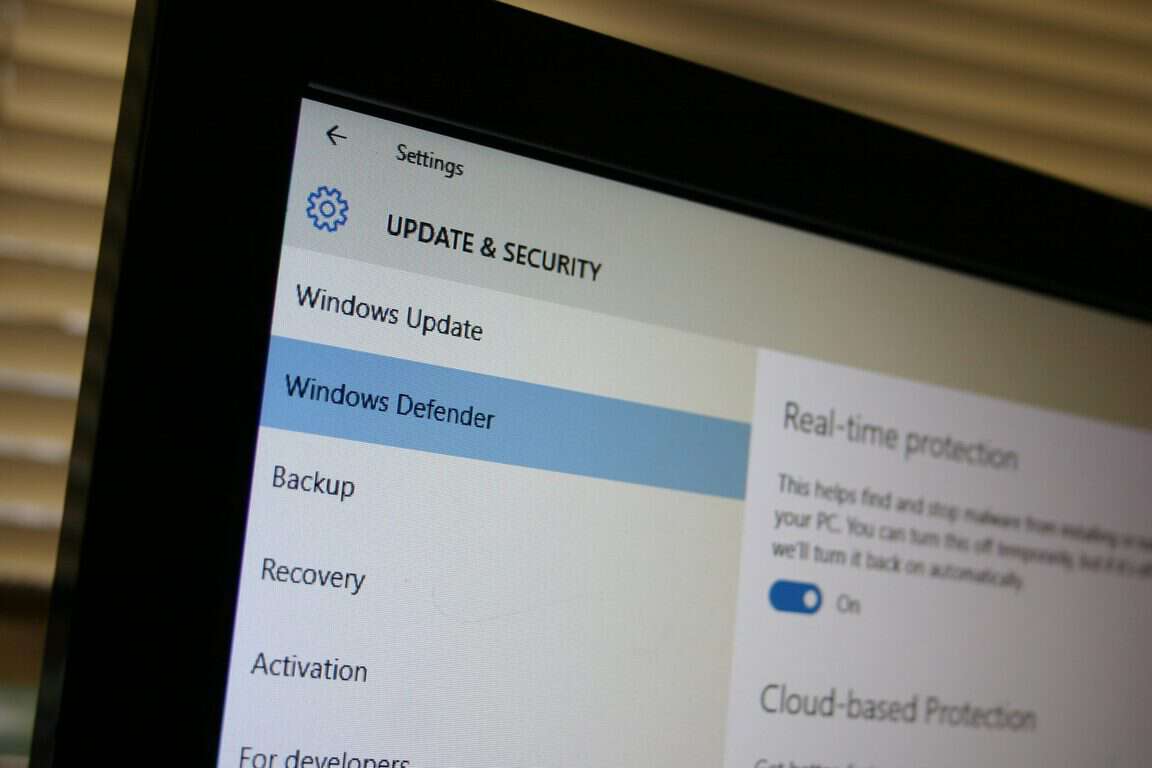
While the blog post, threads and the comments aren’t likely to make many friends in the AV community, we agree that Microsoft has come a long way in its AV efforts, adheres to a “first do no harm” mantra, and if you’re somewhat careful about where and what you browse, Windows Defender should be all you need.
In England, the Football Association is the governing body of the association football and the Crown dependencies of Jersey, Guernsey, and the Isle of Man. It was formed in 1863 and it is the oldest football association in the world, responsible for overseeing all aspects of the amateur and professional game in its territory. Today, it was announced that the Football Association has tapped Microsoft head of digital Georgina Lewis as new marketing lead (via TheDrum.com)
According to the report, Lewis will replace Russell James, who moved into the head of digital marketing position internally at the end of 2016. Lewis is expected to start on February 27th, and will take over the helm from long-term FA consultant Ed Coan, who was there on an interim basis. While at Microsoft, Georgina Lewis was a marketing manager, then moved to head of social media and eventually landed in her current role as head of digital. Georgina Lewis issued the following statement:
“There has never been a better time to step into this role, with marketing possibilities and technological innovation giving us the opportunity to deliver an experience for and with our audiences they have never had before. I can’t wait to get started”
New responsibilities for Georgina Lewis will include overseeing marketing, digital and customer relations teams. We wish Georgina Lewis well in her new position! As always, let us know what you think of this latest news by dropping us a comment below!
Microsoft continues to tease new features for its Windows 10 Creators Update as we move closer to the expected rollout in April. Today, Windows blog shared a preview of its upcoming features for Microsoft Edge and even shared a video.
The crowned feature of today’s blog post is the completely revamped browser tab management. Users will not only be able to multitask through preview thumbnails of their open web pages, but they’ll be able to toss them all aside without the risk of losing their place. This way, all of those cute animal pictures you want to look at can go to the side while you work, just waiting for your lunch break.
On a more professional note, the tab management isn’t the only efficient addition to Edge. The Windows 10 Creators Update also includes:
3D Experiences in WebVR – The growing use of virtual reality on the web is something that Microsoft wants to embrace. In doing so, they have built in support for Edge to let users interact with the new media.
Window 10 Ebooks – The new Windows Store section for e-books was an exciting discovery. But before that, we had first learned about the ePub reader in Edge. Putting the two together, users will be able to purchase e-books from the Windows 10 store and read them straight from their browser no matter where they are complete with custom fonts, layouts, themes, navigation, and Cortana integration.
Microsoft Wallet w/ Payment Request – Of course, we all needed a way to spend our money easier. Many users enjoy Microsoft Wallet’s ease of payment and with the Windows 10 Creators Update, that will be even easier. The Payment Request API lets websites and developers sell their product through the ease of Microsoft Wallet so the user will spend less time checking out and more time spending money. How handy!
One reason that many users preferred the competition over Microsoft Edge was the availability of its extensions. These are modifications and additions to the browser to make it personalized and efficient, downloaded and installed by the user themselves. Fortunately for Edge, one of the major focuses in the Windows 10 Creators Update is to expand the available extension APIs to developers. This also includes more partners that will be available on release
Overall, Edge is getting a lot of security and performance tweaks to improve the user experience. While many of these features have already been introduced to Windows Insiders in the Fast ring, it’s always nice to see them up close for those without preview devices.
On the Office blog, Microsoft posted what’s new in the January 2017 update feature list for Office 365 administration. Anne Michels, senior product marketing manager for the Office 365 Marketing team, points out all the new features available in January, including improved setup access and help, a new Yammer device usage report and the introduction of a new OneDrive for Business admin center to all Office 365 customers.
Here’s a look at all the January updates in more detail:
Access all setup settings in one place—To ensure that you’re getting the maximum value out of Office 365, a new Setup section on the navigation menu now provides access to all setup related settings in one place and gives you improved setup guidance.
Products page—This new page allows admins to quickly understand how many licenses they have available and which software products are included in each of their subscriptions. Setup guides provide detailed step-by-step guidance for various services—including OneDrive, Office Pro Plus, SharePoint and Hybrid for Exchange Online—and help your organization get up and running quickly.
Domains page—Admins can update or modify their domain settings at any point and access frequent tasks such as adding a domain, deleting a domain or checking the health of a domain.
Data Migration page—Provides admins with automation tools and step-by-step guidance to help you migrate your data from on-premises or other cloud services to Office 365, including migrating from your local Exchange server or Google.
Get more insights on Yammer usage—To provide you with a complete picture of how your organization is using Office 365, we continue to include more reports in the Office 365 admin center. The report shows a breakdown of activity across web and mobile clients, and lets you see the device types commonly used by people in your organization. To access the report, click Usage from the admin center home page and then select Yammer device usage from the dropdown list at the top of the page.
New OneDrive for Business admin center—To help IT admins better manage sync and sharing capabilities, we are rolling out a new OneDrive admin center. The admin center controls how and from where a user will access the files in OneDrive—across device, location and app. Additional features include sync, storage and device access settings. You can access the OneDrive admin center by clicking Admin Centers and then OneDrive in the left navigation.
In addition to these new features, there is also a new filter on the Active users page that allows admins to view and manage licensed and guest user access.
Over the next few months, the Office team hopes to add more reports for SharePoint and OneDrive for Business users. In addition, Microsoft will make the Office 365 adoption content pack in Power BI via general availability and introduce new public APIs to access usage data and add the ability to integrate that data into custom enterprise apps.
Provide your feedback, comments, or suggestions on the new features for the Office team via the feedback link in the lower right corner of the Office 365 admin center.
After several leaks on Reddit, Microsoft today finally announced its latest Xbox Wireless Controller options. The new controllers allow you to expand your arsenal, and give you more ways to game in style. Both controllers will be coming to retailers worldwide February 7 for the price of $69.99, and both will seamlessly pair with the Xbox One S.
Ocean Shadow Special Edition
The first of the new controllers is the Ocean Shadow Special Edition, which is the next evolution of the Shadow controller series that was introduced last year. Ocean Shadow Special Edition features a sleek, matte black top case and sides that fade to a light blue metallic finish. The buttons, triggers, and D-pad also have a glossy black finish with light blue highlights on the ABXY and menu buttons.
Winter Forces Special Edition
Next up is the Winter Forces Special Edition, which is the newest entry to the Forces series of controllers. This controller is inspired by the popularity of the previous Armed Forces, Covert Forces, and Midnight Forces controllers, and features a modern, arctic camo pattern with light and dark gray accents.
What are your impressions of these new controllers? Which controller do you use with your Xbox One or Xbox One S? Let us know what you think by dropping us a comment below!
As you likely know by now, this past Friday, US President Donald Trump issued an Executive Order suspending entry for all refugees into the US for 120 days and also placed a 90-day ban on entry for visa and green card holders from seven predominantly Muslim countries.
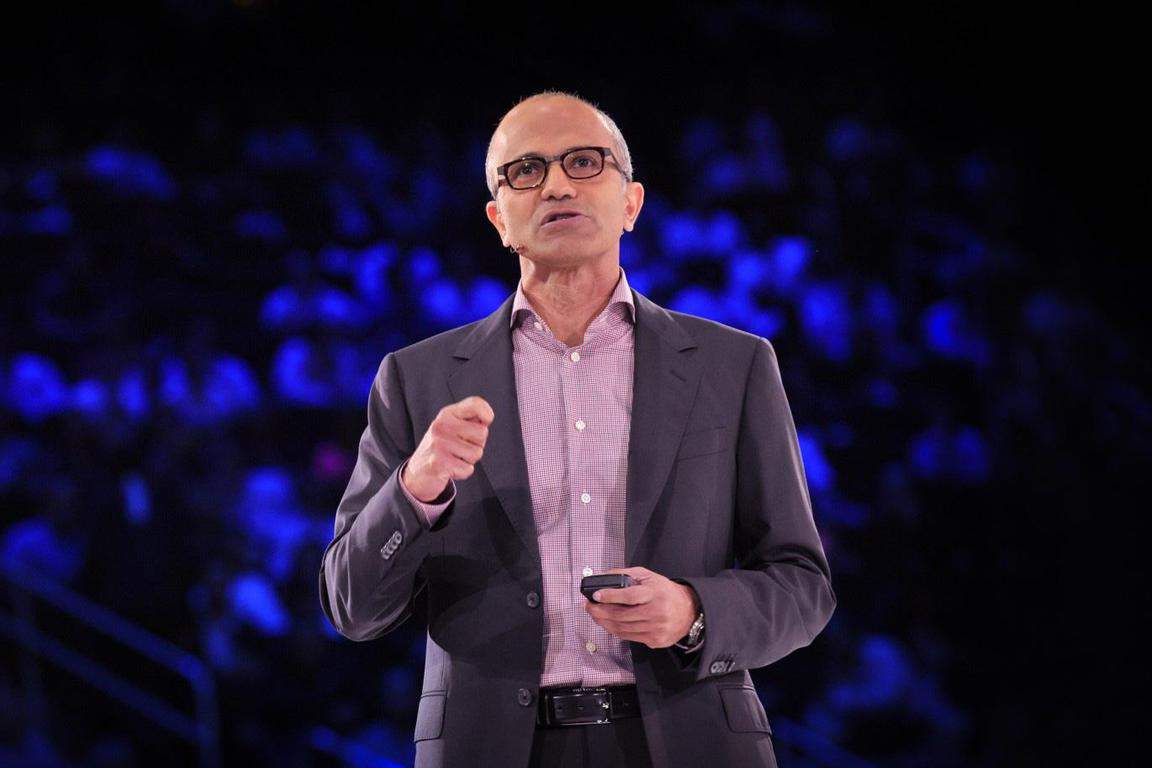
Many tech giants have since come out against the executive decision, including Microsoft, which revised their statement on the issue to say that it is a “misguided and a fundamental step backward.” Microsoft is already working with the state of Washington on a suit which challenges the order, and today the company released Satya Nadella’s remarks to employees on immigration policy.
The statement, which is seen here in full, contains Satya’s personal remarks on the executive order. The Microsoft CEO discussed how the company stands up for diversity and inclusion, and how he is the product of the fundamental greatness of the United States. He also discusses his personal journey and how the immigration policy of the US made it possible for him to become a CEO. Satya’s statement reads:
“I always come back to two things. One is the enduring principles and values that drive us as a company, that have made us and this country what it is, and my own personal story.
There is no place for bias or bigotry in any society, in any context. That’s where we start from. We will always as a company stand for that diversity and inclusion. And we’ll keep pushing at it, pushing at it, and making progress. That’s core to who we are. That I believe is core to what America is.
I mean, think about it, I am a product of the fundamental greatness of the United States. It is the ingenuity of the American technology that reached me where I was growing up that even made it possible for me to dream of being able to be part of this journey. It is the enlightened immigration policy of this country that even made it possible for me to come here in the first place, and gave me all this opportunity.
And so I always think about that. I will always advocate for that America that I know and that I’ve experienced.
And we will do that consistently. We’re not going to overreact because of any one incident, but we will always stand for what we believe are these enduring principles that really are going to be about us as a company, but also recognizing that we’re a multinational company that is an American company.”
Microsoft’s post also makes it clear that company will continue to work directly with employees and their families affected by the executive order, including providing them with legal and other assistance. What are your thoughts on Satya’s statement? Let us know what you think by dropping us a comment below.
Indeed, Preview Alpha participants had no way to choose the Xbox One consoles they’d like to enroll in the testing program, and it didn’t make a lot of sense for Microsoft to enroll consoles that are not being actively used. Fortunately, the company heard the feedback and announced on Reddit that participants will now be allowed to enroll up to 10 consoles in Preview Alpha. Here is how they can do it:
On the Xbox One console you wish to enroll, launch the Xbox Insider Hub.
Navigate to Insider content.
Select the Xbox One Update Preview under System.
Select Join or Manage.
From the available options, select Xbox One Update Preview Alpha.
Select Done to complete the enrollment.
Be aware though that Microsoft can decide to remove consoles from Preview Alpha if participants are not using them enough. “Consoles which are removed will revert to the current publicly released build and factory refresh in the process,” explained the company. Last but not least, Preview Alpha participants can also lose the ability to enroll more consoles in Preview Alpha if they’re not active enough on any of their enrolled consoles.
Overall, these are welcome changes which will give more flexibility to members of the Xbox Insider Program. If you own multiple consoles that are being used by different members of your family, it’s probably best to choose the one you want to test preview builds on it. Sound off in the comments if you think the Xbox team came up with the best solution possible.
Earlier today we reported that the PGA Tour released an updated Windows 10 app, and now some more Windows 10 app news has also entered the fray. Napster, the music streaming service, has updated their Windows 10 app and given it the UWP treatment, complete with a new design, and much more (via Windows Central.)
The update brings the modern Windows 10 UI to the app, as well as a dark theme and simple navigation buttons. The UWP will make it easier for developers to push out new updates to app users. It is worth mentioning that you must have an active subscription to try out the app, though if you already have one, you can download the version 1.1.144.0 update with no issues at all.
If you’re interested in downloading this app, you may check it via the link below. Once you’ve checked it out, let us know what you think in the comments below!
If you are as old as I am, you’d know how big a rage arcade games like Street Fighter were back in the day. São Paulo-based game developer, Play Systems attempt a similar free fighting game inspired by the arcade games of the 80s and 90s with Underground Fighters.
At its heart, Underground Fighters is a pretty straightforward game. All you need to do is choose between 8 fighters from different parts of the world, each with his/her own technique of fight and special powers, to participate in frantic battles. Of course, the key is getting skilled to use the varied combos during a fight and use weapons during confrontations.
Underground Fighters is a UWP game available for Windows 10 PCs, tablets, and mobiles. You can play it using touch or keyboard, or via Xbox controller. Playing with latter is great fun because of multiple controls required to attack and defend, especially when unleashing a combo.
Underground Fighters is free, although ad-supported, so give it a whirl and let us know how you like it.
Google Chrome may be the top performing web browser today, but its impressive features often take their toll on battery. That is because Chrome tabs consume a lot of system resources even when they are running in the background. Google is now working on a timer that would throttle background pages in an effort to help improve battery life and browser performance.
Chrome will start throttling background pages to improve battery life
The throttling system will be shipping with Chrome 56 and limit the number of JavaScript operations for background tabs. Google intends for the limitation to minimize the CPU usage of Chrome’s background pages, supposedly leading to improved browser performance and prolonged battery life as an indirect result.
Google explained the new mechanism in detail in a Google Docs document which is available for viewing now. The goal is to take on resource intensive JavaScript timers that have grown in significance over the last couple of years as real-time web-based applications proliferate.
Think of the emails and chat messages you are notified about in real time: Developers use JavaScript timers to trigger actions at certain points. These timers, however, have been subject to abuse as many developers tend to overload pages with non-stop timers, leading Chrome background tabs to consume huge amounts of memory on a device.
With the new update coming to the stable version of Chrome 56, Google will implement a time budget for each tab. The time budget will control the access to Chrome’s JavaScript processing engine for background pages. Time budget for background tabs can run out if the unfocused pages trigger excessive amount of timers.
Google engineer Alexander Timin describes the throttling mechanism:
Each WebView has a budget (in seconds) for running timers in background.
A timer task is only allowed to run when the budget is non-negative.
After a timer has executed, its run time is subtracted from the budget.
The budget regenerates with time (at rate of 0.01 seconds per second).
Google plans to roll out the new feature for Windows, Mac, Linux, Chrome OS, Android, and Android WebView, though there’s no official release date for the stable Chrome 56 yet.
Similar to how a mobile device would come pre-loaded with applications that serve one purpose or another, Microsoft’s Windows 10 comes with stock applications that cannot be deleted. This permission has suffered multiple changes since Windows 10 has been released, but only on the Windows Insiders platform.
In a previous build of the Windows Insider platform, users discovered they were granted the ability to delete certain stock apps that couldn’t be previously. Some of these apps include the Xbox app, OneNote, the apps for Mail, Music, Movies and TV and Calendar, and even the audio playback player Groove Music.
This feature could have been a useful one for many Windows 10 users because these apps would just occupy space if they weren’t being used. Having the option of deleting them should have been implemented from the get-go. It seems, however, that this feature didn’t make it through the beta testing phase because in a more recent build it was removed.
The more recent build comes without the permission of uninstalling those apps and if you look for the uninstall option, it is grayed out and unavailable. There are plenty of users that haven’t opened the Xbox app a single time since installing Windows 10, so there is no point for them to have it. Microsoft doesn’t see it that way, though, and people will just have to continue housing the Xbox app and all the other aforementioned apps on their computer.
When asked why the feature was removed after being introduced in an earlier build, a Microsoft representative went on to remind everyone that the Windows Insider program is a platform for testing and tuning the operating system, looking at what works and what doesn’t work as far as resonating with the community goes.
One of the biggest struggles of modern-day parents is keeping their kids away from video games the entire day. As Microsoft works in favor of parents, the company constantly comes up with new tools for parents to keep control of how much time they spend using Xbox/PC, and what they do.
The freshest parental control feature that Microsoft has introduced is Screen Time for Xbox One. As this feature is already present in Windows 10, parents who already have experience working with this feature will find it easy to get around on Xbox One.
For those who aren’t familiar with Screen Time, this feature allows you to set a daily time allowance and limits on the web for each of your children. You’re able to set a specific time range for every day of the week and your child will be able to browse the web only during allowed hours.
“Parental controls are a huge priority for us at Microsoft, as we strive to offer the most comprehensive and customizable family features possible so gamers of all ages feel safe and secure when using our platforms. That’s why the family timer we know and love is coming to Xbox One as screen time, updated for today’s digital family.”
This feature will come to everyone with the Creators Update for Xbox One. For now, only users of Xbox One Insider Program are able to try it.
To find more info about Screen Time and other upcoming features for Xbox One, visit Microsoft’s official announcement page.
The Xbox Live team has sent an email to Xbox Live Gold subscribers in India informing about the increase in subscription price starting February 28, 2017.
According to Microsoft, the price adjustment is a result of careful evaluation of the currency changes in the country and the company believes that the subscription continues to offer a good balance of service and value to the customers.
The prices have almost doubled going from ₹350 to ₹699 for monthly subscription or ₹3,999 from ₹2,240 for annual subscription.
If your subscription is currently set to auto-renew before February 28, you will be charged the current price at the time of your next scheduled auto-renewal. If your subscription is currently set to auto-renew after the date, you will be charged the new price at the time of your next scheduled auto-renewal. If, however, you’d like to cancel your subscription that just renewed to the higher price, you can contact support for a refund.
You can change how you pay for Xbox Live Gold, check your renewal date or cancel your subscription here. Note that prepaid subscriptions are not renewing subscriptions so you will not pay the new price until you purchase a new prepaid subscription.
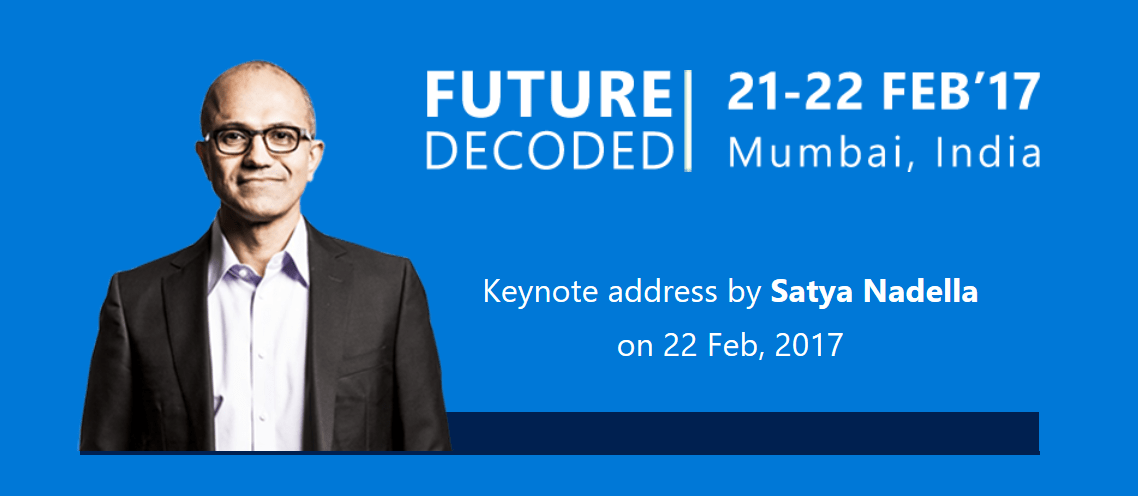
Microsoft will host a unique tech-business convention – Future Decoded – in Mumbai, India next month. The uniquely curated, future-centric technology conference will see keynote from Microsoft CEO Satya Nadella.
The conclave will be a successor to the ‘Future Unleashed’ event held in November 2015. According to Microsoft, the last edition of the event saw participation from over 3000 influential leaders and had 10 keynotes and over 50 breakout sessions. Last year, Microsoft hosted the Future Decoded convention in London.
The February event will focus on exploring and discovering significant topics which will equip business leaders with the insight, motivation, and skills to steer their organization to the future. The convention will feature world-class subject matter experts that will talk about transforming businesses using digital technology and have industry focused Immersive Zones for attendees to engage with businesses who have digitally transformed themselves.
The Technical Day
The first day of the event will provide the vision, hinting as to where the industry is going, while the technical break out tracks will dig in today’s modern languages, platforms, frameworks, and tools.
The day will see keynotes from top industry leaders presenting their vision, and showcase how to design the architecture of a business to become fully digital and how to integrate data and algorithms into everything one does with practical, hands-on tech sessions.
The Business Day
The second day of the event is designed for business leaders and decision makers and is packed with inspirational keynote speakers, actual growth case studies, and real relevant examples that demonstrate how one can make their business more aligned to a complete digital business.
The session will offer practical, tangible advice to begin or extend one’s organization’s digital transformation journey and look at the long-term benefits of artificial intelligence on businesses. Experts in the expo area will help attendees design and build their digital business with presentations and breakout sessions to support them in successfully reaching their goals.
Click here to check out more details of the Future Decoded event, and register for either of the days. I’ll be at the event, and will report from the ground, so stay tuned.
Some users of Microsoft’s productivity suite of products believe the software giant made a mistake by ditching the personal and small business finance app Microsoft Money.. That is why a discontented user took to online petition platform Change.org to try to get the app back online.
It states:
“Satya Nadella has done a wonderful job putting Microsoft back on the map with his ‘productivity first’, ‘mobile first’ leadership at Microsoft. However Microsoft has a very glaring omission in its Office productivity suite, one that it didn’t have not so long ago, the omission of Microsoft Money for personal and small business finance.”
Fortunately, Intuit’s Mint app remained in place to provide Windows users another choice for managing finances. However, the app left the platform last year. Using Mint, Windows users were able to view their money and bills in a single dashboard, get alerts, and set schedule for their payments. The app also provided users the ability to save money and reduce fees through Mint’s free custom tips.
While the web version of Mint remains available for all, the website is not mobile friendly when viewed using a Windows phone or tablet. Some believe Microsoft is losing a huge opportunity by removing the app from the Windows Store. The move seems to be running contrary to the company’s goal that aims to adopt a “mobile first, productivity first” approach.
The petitioner has proposed several enhancements to the improved Microsoft Money app. The petition states the app must:
Be able to connect to all our online accounts and aggregate the data using one single-sign-on to Money.
Be able to do Budgeting.
Show us our bottom line “net worth”.
Be easy to query spending trends and look for tax write-offs.
And as part of its business model it should partner with credit card companies and other financial institutions to offer financial products to its users based off typical usage.
If you agree with these objectives, you can visit the petition’s web page and sign up for it.
Each new major update for Windows 10 focuses heavily on improving the gaming experience in Windows 10, and further integration between PC and Xbox One. The latest Windows 10 build packs many major gaming features that will take the PC gaming experience to the next level.
Windows 10 build 10 is all about gaming, and brings a handful of the gaming-improving features. One of these features is a brand new Gaming Mode for Windows 10.
Gaming Mode is a part of Windows 10’s Gaming bar, along with other already-present features. Activating this mode will enhance your computer specifically for gaming, and allow you to have better performances while playing more demanding titles.
Last year, we set out to make Windows 10 the best Windows ever for gaming. With Game Mode, it’s our goal to now take things a step further to make the gaming experience on Windows even better. Our vision is that Game Mode optimizes your Windows 10 PC for an improvement in overall game performance. This week’s Windows Insider build represents the first step on our journey with Game Mode.
Gameplay boosters are a known thing in PC gaming, and a lot of users use them to enhance their overall experience. But as Microsoft introduced its own tool now, there will be no need for third-party programs. At least, that’s how it looks now.
To activate Gaming Mode while in-game, you need to pull up the Game bar (Windows key + G) and click on the Settings button. There, you’ll be able to ‘transfer’ the running game into the Game Mode. This feature should work equally well with both win32 and UWP games.
Dropbox is attempting to “transform” their file sharing experience to break into the business market. As Business Insider reports, even though only 200,000 of its 500 million users are business customers, it seems the company is willing to follow in the footsteps of Microsoft’s OneDrive for Business. The company posted a blog post today emphasizing the importance of managing and accessing files in the workplace.
In fact, Dropbox announced that it has new services and products on the chopping block specifically for the business perspective. Their new web experience for Dropbox Business is available through an early access program starting today and streamline accessing files faster. It also has an activity manager for seeing which team members have viewed, shared, and edited recently.
Sound familiar? OneDrive for Business recently demoed the same thing.
The file sharing platform also highlighted Dropbox Paper, the real-time doc sharing tool. While it has been in open beta for half of a year, they have recently decided to bring it to ‘full release’ with a large update of features:
Collaborate across the globe: Paper is now available in 21 languages on the web (coming soon to mobile)
Keep your team on track: Moving projects along is easier than ever now that you can assign due dates when you make task lists
Get organized: With projects, your team’s work is organized in a single, shared place. An early preview of projects will be rolling out to select teams starting today.
Work from anywhere: Paper iOS and Android apps will soon give you offline access
With this and Smart Sync adding seamless access across all files from hard drive to the cloud, it’s clear that Dropbox is bringing their A game to Microsoft and its other competitor Google.
It will be interesting to see the battle between these file sharing platforms as businesses begin to convert. Which do you think is doing it better? Let us know in the comments below or tweet us @OnMSFT
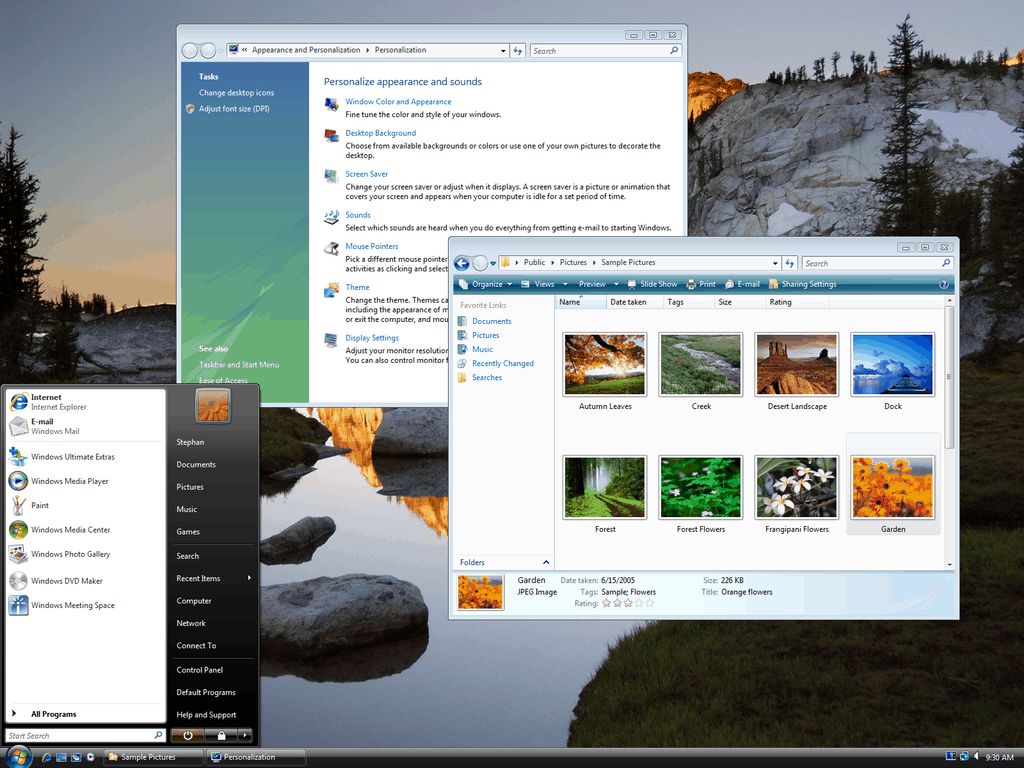
Since most Microsoft fans and Windows enthusiasts these days are focused on installing new Windows 10 builds, or asking Dona Sarkar when the latest build will drop, it is sometimes easy to forget Microsoft’s past Windows ventures. While Windows 95 and 98 were ushered out long ago, and Microsoft ended support for Windows XP just three years ago, today marks the 10 year anniversary of the release Windows Vista, the Microsoft operating system that users loved to hate.
Though Vista had a fair share of issues, it did modernize Windows and bring several new operating system features which we continue to see in Windows 10 today. For instance, Vista introduced the GUI visual style named Aero, a simpler search component called Windows Search, redesigned networking, enhanced Windows Live Essentials tools, and also several other multimedia tools.
Coming five years after the successful release of XP, Windows Vista, (which was codenamed Longhorn) was plagued with many issues when compared to Microsoft’s previous operating system. Users who adopted the operating system frequently faced glitches, crashes, and massive driver support problems. In fact, upon announcing that he would be leaving the company, former Microsoft CEO Steve Balmer mentioned that his biggest regret while at Microsoft is Windows Vista.
“Oh, you know, I’ve actually had a chance to make a lot of mistakes, and probably because, you know, people all want to focus in on period A, period B, but I would say probably the thing I regret most is the, what shall I call it, the loopedy-loo that we did that was sort of Longhorn to Vista. I would say that’s probably the thing I regret most. And, you know, there are side effects of that when you tie up a big team to do something that doesn’t prove out to be as valuable”
Microsoft officially ended mainstream support for Windows Vista in April of 2012, and is planning to end extended support to April 2017, just a few short months away. Other companies have also stopped supporting Vista, and Firefox has even announced that it would drop support in September of 2017. What is your favorite memory from Windows Vista? Let us know what you think by dropping us a comment below!
We’re still a couple of months away from Microsoft’s Build 2017 developer conference, but those of you who have an RSVP code can now register for the event on the official website. The news was spotted earlier today by developer Rafael Rivera who shared it on Twitter:
This year, Microsoft has chosen to hold its developer conference at the Washington State Convention Center in Seattle, close to its Redmond headquarters. The three-days event will kick off on May 10, a little later in the Spring compared to last year’s Build conference.
If you have an RSVP code, you can now register your $2,195 seat by using your Microsoft account or your LinkedIn account. Once you’re done, you’ll be able to choose from one of the hotels near the venue and take advantage of discounted rates negotiated by Microsoft. Lastly, you can also join the official mailing list to get the latest news on upcoming Microsoft Build events.
During last Thursday’s quarterly earnings call, Satya Nadella discussed that Microsoft Teams has picked up some momentum since an initial rollout following the November Microsoft Office event in New York City. As a follow-up, today, Kirk Koenigsbauer, the Corporate Vice President, Office 365 Client Applications has taken to the Microsoft Office blog to highlight that Microsoft Teams is being used by 30,000 organizations, and in 145 markets and 19 languages.
In the post, Koenigsbauer also addresses how Microsoft is inspired by the early usage, and how customers have guided the company to adding new features in Microsoft Teams. Of course, he highlights how the features of Microsoft Teams is being used at various organizations such as NASCAR’s Hendrick Motorsports, and Interknowlogy, the think tank of makers who create for all digital surfaces.
In the last month alone, 30,000 organizations across 145 markets and 19 languages have actively used Microsoft Teams… We’re especially inspired by this early usage. Not only does it show that the product fills a real market need, but it gives us a ton of information to help shape the product leading up to General Availability, which is still on track for this current quarter, Q1 2017. Our customers have been a great guide as we’ve delivered numerous features into the product even since the preview launched—including built-in audio calling on mobile and named group chats, an easy way to keep track of the context of a conversation. Customers are telling us Microsoft Teams is compelling by itself, but as an integrated part of Office 365, it can be a massive game-changer.
Things may indeed be looking for Microsoft Teams in the future as a recent report by IT network Spiceworks found that Microsoft Teams is expected to pass Google Hangouts and Slack for enterprise chat. Do you think Microsoft Teams will surpass the competition in the future? As always, let us know what you think of this latest news by dropping us a comment below!
Microsoft Azure Germany launched last year in September and since then it has been developing its services to better cater to the needs of European businesses. Today, their team announced four major functionality releases along with some crowning achievements that make Microsoft Azure Germany stand on its own two feet.
The latest services for Azure in Germany include:
HDInsight on Linux – Business customers can extract important information from their data sources with open sourced Spark, Hive, MapReduce, HBase, Storm, Kafka, and R Server technologies.
Power BI – Similar to other Power BI services provided through Microsoft Azure, German and EU customers can turn their data processing into analytics and build customized reports.
Cool Blob Storage – Announced almost a year ago, Azure Germany now has access to storing large volumes of data for longer terms. These are perfect for backups, media content, or archives considering their retrieval processing yet at a lower cost than what customers are paying now.
Mobile Apps for Azure App Service – EU customers are now able to take advantage of making mobile application development cross platform with the Azure App Service.
On a high note for Microsoft Azure Germany, their services now meet the ISO/IEC 27001 certification and ISO/IEC 27018 compliance attestation. What this means is the commitment to security that Microsoft often displays has been approved by global security standards by EU data-protection laws.
These new services and achievements ride on the heels of Microsoft’s announcement to keep German Office 365 customer data within their own borders. Perhaps we’ll see similarly for Azure in the months to come.
Talk Microsoft’s live stream time is moving to Friday afternoons starting this week. This helps us recap all the week’s news and also allows listeners to watch or listen to the rebroadcast over the weekend.
The stream time is 1pm PST so make sure to check what time that is in your own timezone.
Indeed, ZDNet reporter Mary Jo Foley explained today that Windows 10 Cloud may be a simplified version of Windows 10 that can only run UWP apps. According to the report, Microsoft may have developed this new SKU as a reaction to the growing popularity of Chromebooks, are increasingly popular in US schools:
Windows 10 Cloud is a simplified version of Windows 10 that will be able to run only Unified Windows Platform (UWP) apps installed from the Windows Store, my contacts say. Think of it as being similar to the version of Windows 10 formerly known as Windows RT or the Windows 8.1 with Bing SKU.
Windows 10 Cloud is meant to help Microsoft in its ongoing campaign to attempt to thwart Chromebooks with a simpler, safer, cheaper version of Windows 10, my contacts say, though Microsoft is unlikely to position it that way (publicly).
Microsoft declined to comment, but Foley added that “given that references to Windows 10 Cloud are showing up now in Windows 10 Creators Update test builds, I’d guess Microsoft will debut this new edition of Windows 10 on or around April 2017, when sources say the company will begin rolling out the Creators Update to mainstream users.”
For now, it’s quite hard to make sense of this new Windows 10 Cloud SKU. For those unfamiliar, Windows RT, which looked like Windows 8 but didn’t support legacy Win32 apps, was poorly received by both consumers and third-party manufacturers.
It’s worth remembering though that Microsoft ported its Office 2013 desktop apps to Windows RT, which were more functional than the current Office Mobile UWP apps (which also can’t be used without an Office 365 subscription on devices with screen sizes bigger than 10.1″). Could Microsoft shoot itself in the foot once more by releasing another compromised version of Windows that could confuse consumers?
Additionally, the Redmond giant announced last month Windows 10 on ARM, another SKU which will allow manufacturers to design affordable PCs that can run Win32 apps through emulation. As of today, Windows 10 on ARM seems more versatile, especially if you add the cellular connectivity options provided by ARM chips.
However, maybe Microsoft is counting on developers to leverage its new Desktop App Converter (aka Project Centennial) to bring more desktop apps to the Windows Store, though it’s still very early days. Do you think a Windows 10 version that only supports Windows Store apps could appeal to consumers and manufacturers? Let us know your thoughts in the comments below.
Candleman, a 3D platformer developed by Chinese indie game studio Spotlightor Interactive, may be one of the most interesting games to be released on the Xbox One this week. The game was first released in the Chinese market last year, but it will finally see a worldwide release on Wednesday, February 1.
In Candleman, gamers play a little candle that can only burn for 10 seconds, creating a gameplay that relies heavily on dynamic lighting effect. According to the game’s official website, the initial prototype was created in 2013 during a game jam themed with the topic “10 seconds.” After the idea received praise from gamers, the game studio joined the ID@XBOX program to pursue development of what became an “immersive fairytale that highlights everyday issues.” The official description notes:
A distinctive 3D platformer, Candleman’s action adventure gameplay uses the mechanics of light and shadow to tell an immersive story. Players take on the role of a lowly candle with the ability to burn for a meager 10 seconds. This power, though small, is Candleman’s only resource against the challenges and obstacles in the darkness ahead. Trapped in the darkness, Candleman must burn himself to illuminate the nearby environment and find the way out. A wide range of stunning environments provide the backdrop as players experience this unsettling yet intriguing adventure.
Candle will launch as an $14.99 Xbox One exclusive on Wednesday, but the developer shared that the game will be ported to other platforms “including PC, other consoles and handheld devices in due course.” Let us know in the comments if you’re looking forward to play that game on your Xbox One.