Surface Book and Surface Pro 4 get huge discounts on the Microsoft Store

This week marks the start of Microsoft’s 12 Days of Deals, the software giant’s annual promotion with steep discounts on its products, including the Surface Pro 4 and the Surface Book. Microsoft first announced the list of all the deals last week ahead of their launch, sans the convertibles.

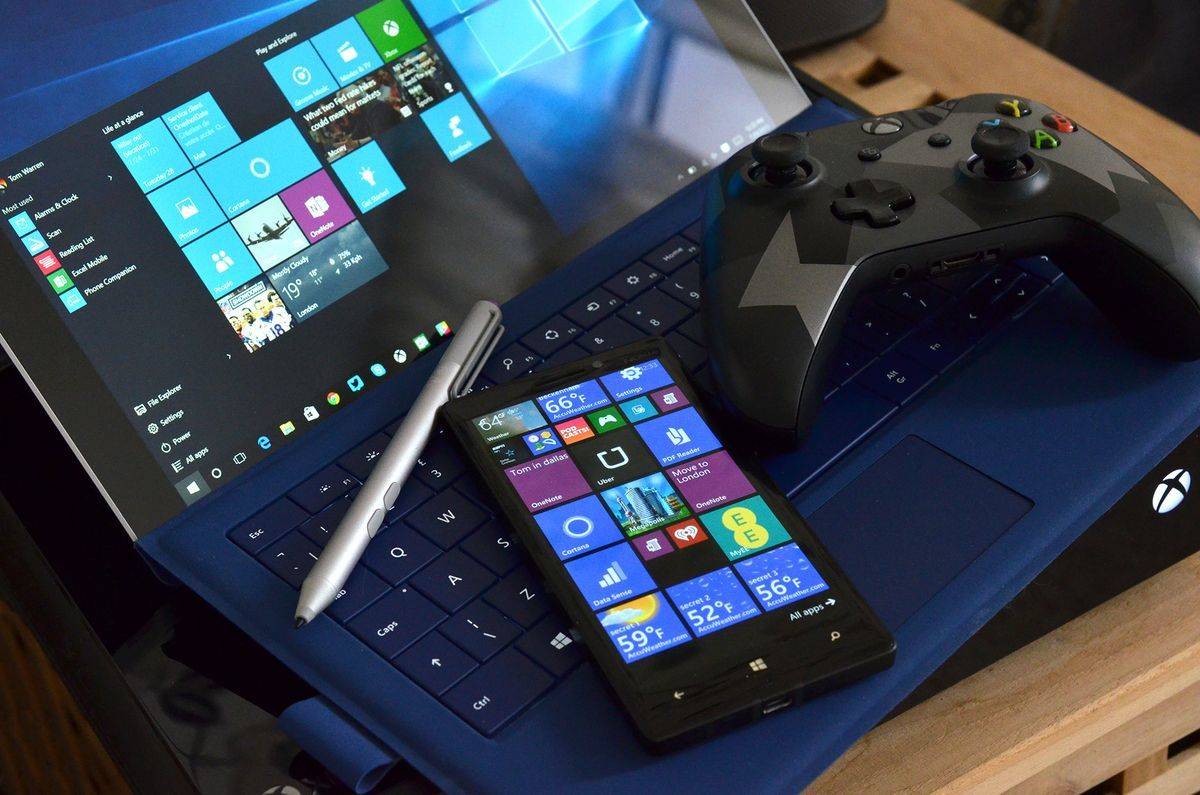
For starters, the Surface Book is mainly a laptop that doubles as a tablet, complete with a keyboard and a Surface Pen. The Surface Pro, on the other hand, is primarily a tablet that turns into a laptop with a Surface Pro Type Cover keyboard.

So if you missed out on any of Microsoft’s Black Friday and Cyber Monday deals, you now have a chance to snag any of these products at huge discounts via the Microsoft Store.

Surface Book

  • Intel Core i5, 8GB RAM/128GB SSD model – $1,299 ($200 off from regular price of $1,499)
  • Intel Core i5, 8 GB RAM/256GB SSD dGPU model – $1,649 ($250 off from regular price of $1,899)
  • Intel Core i7, 8GB RAM/256GB dGPU model – $1,899 ($200 off from regular price of $2,099)
  • Intel Core i7, 8GB RAM/512GB dGPU model – $2,499 ($200 off from regular price of $2,699)

Surface Pro 4

  • Intel Core i5, 4GB RAM/128GB SSD model – $849.00 ($150 off from regular price of $999)
  • Intel Core i5, 8GB RAM/256GB SSD model – $1,099 ($200 off from regular price of $1,299)
  • Intel Core i7, 8GB RAM/256GB SSD model – $1,399 ($200 off from regular price of $1,599)
  • Intel Core i7, 16GB RAM/256GB SSD model – $1,599 ($200 off from regular price of $1,799)

Other deals include big discounts on gaming laptops, including Alienware 15 Touch Signature Edition Gaming Laptop with $1,000 off its regular price. The Dell Inspiron 15-inch laptop also goes on sale at $399, down from its usual price of $749. The deals run from December 5 and will conclude on December 16.

  • December 5: Grab Intel-powered PCs for $199, save up to $1,000.
  • December 6: Save $100 for a Lenovo Ideapad 110 laptop, on sale at $199.
  • December 7: Xbox One games for $19.99 (save up to 50%).
  • December 8: Surface Pro 4 with Intel Core m3 and 128GB SSD for $649 (save $250).
  • December 9: Windows 10 tablets for as low as $49 (save up to 70%).
  • December 10: Windows Premium Collection devices for as low as $499 (save up to $250).
  • December 11: Grab Xbox controllers and get a $25 Microsoft Store gift code.
  • December 12: Snag Xbox One consoles and save $50 with 2 free games.
  • December 13: Grab HTC VIVE or Oculus Rift and get a $100 Microsoft Store gift code.
  • December 14: Save up to $1,000 on select gaming PCs, starting at $799.
  • December 15: Grab Dell PCs for as low as $199 (save up to 40%) .
  • December 16: Save up to $200 on select Surface Pro 4 and get a free Type Cover (up to $359 value).

Read also:

Project Bletchley blockchain initiative gets new partners on Azure Marketplace

The Microsoft Azure team is continuing to improve their blockchain ecosystem, otherwise known as Project Bletchley. Just last month we saw the implementation in Azure Marketplace to develop and deploy blockchain networks from the Azure Portal. Today, they announced that two new partners, Ethcore and Blockstack, have joined the project in the Marketplace with their own solutions.

Ethcore’s published their Parity Ethereum node onto Azure. This blockchain client makes it possible for users to set up their own private Ethereum network for development within minutes compared.

Furthermore, Blockstack has added their hat in the ring with an architecture that can let users control their own data. The Blockstack Core v14 provides a platform to build decentralized apps without a server. Now that it has nodes available on Microsoft Azure, users can likewise access the functionality to process insights of apps and get a full view of security measures.

The team has more in store for Project Bletchley as more partners jump into the Azure Marketplace integration.

Microsoft provides a sneak peek at its new Azure Cloud Console

In a post on the Azure blog, Microsoft previewed a look at the upcoming Azure Cloud Console. Azure users are likely familiar with the Azure portal, but Microsoft wants to provide a more useful interface experience with the Azure Cloud Console.

Traditionally, cloud interfaces are offered via a web-based graphical interface, much like Azure portal, or via a command line terminal interface. In both instances, these types of interfaces are useful, depending on their uses, but Microsoft found that many Azure users use both interfaces to manage their Azure applications. Switching between these interfaces also takes some time and delays productivity and efficiency. Thus, Microsoft decided to create the Azure Cloud Console.

The Azure Cloud Console is an integrated interface that allows users to build their applications on Azure using both graphical and command-line tools. Today, Microsoft is giving a preview of the Azure Cloud Console in action, take a look at these two video examples:

Azure Cloud Console: Deploy a VM

Azure Cloud Console: GIT

At launch, Microsoft’s Azure Cloud Console will offer three key features:

  • Automatic authentication to the command line tools from your existing web login
  • All Azure command line tools, as well as relevant command line utilities pre-installed
  • Personalized, persistent work space that preserves your code, configuration and activity across cloud shell sessions

If you are willing to test and give feedback on Microsoft’s Azure Cloud Console, you can sign up here. Azure Cloud Console should be available via general availability in the next few months.

Microsoft Enterprise Mobility + Security (EMS) gets some new capabilities

Despite Microsoft’s very public retreat from the smartphone market, the company is adversely putting resources into helping others by way of its Enterprise Mobility + Security (EMS) tool.

Microsoft’s general manager of EMS product marketing Andrew Conway announced today that the company’s EMS tool will be gaining a set of new additions that include:

  • Pass-through authentication with Azure Active Directory, available today in preview, enables secure single sign-on to cloud resources without requiring syncing of passwords to the cloud, or modification to existing on-premises network infrastructure.
  • Microsoft Intune’s new Admin Console in Azure, rolling out in preview, makes setting up integrated security and management scenarios across EMS services even easier.
  • Azure Information Protection updates that provide even greater flexibility and security for protecting data at the file level.  These updates include support for more file types, integration with your on-premises encryption key network, and new options for creating classification and protection policies.

The additions to EMS further prove Microsoft’s drive to empower all users, including those who use non-Microsoft-crafted mobile devices, to do more. Conway also closes his announcement on the note that Microsoft’s EMS tool is gaining wider customer appeal as both Avanade, a digital and cloud service provider and Whole Foods have recently deployed the service.

Microsoft and Cray announce partnership to speed up deep learning on supercomputers

At the 2016 Neural Information Processing Systems (NIPS) Conference in Barcelona, Cray Inc. released details of a report on deep learning that was developed in partnership with Microsoft and the Swiss National Supercomputing Centre (CSCS), a reputable super computing institution. In the report, Cray supercomputers were using deep learning algorithms running at scale.

Microsoft and Cray found that there is a significant scientific advantage at running larger deep learning models, but that too much time is wasted creating training the deep learning models. Thus, Cray worked with Microsoft and CSCS to use the Microsoft Cognitive Toolkit (previously known as CNTK) running at scale on a Cray XC50 supercomputer at CSCS nicknamed “Piz Daint”.

Cray, Microsoft, and CSCS scaled Microsoft Cognitive Toolkit to more than 1,000 NVIDIA Tesla P100 GPU accelerators on “Piz Daint.” With the help of Microsoft Cognitive Toolkit, data scientists and researchers will be able to run bigger and more complicated deep learning projects at scale.

Director of the Swiss National Supercomputing Centre (CSCS), Dr. Thomas C. Schulthess explains how Cray contributed to their collaboration:

“Cray’s proficiency in performance analysis and profiling, combined with the unique architecture of the XC systems, allowed us to bring deep learning problems to our Piz Daint system and scale them in a way that nobody else has. What is most exciting is that our researchers and scientists will now be able to use our existing Cray XC supercomputer to take on a new class of deep learning problems that were previously infeasible.”

Instead of waiting weeks or months for deep learning models to complete the training process, Microsoft Cognitive Toolkit helped data scientists get results within hours or even minutes in some cases. By improving the speed of deep learning frameworks, there are more opportunities to solve solve supercomputing issues, including moving from image recognition to video recognition, or switching from simple speech recognition to natural language processing with context.

In addition to Microsoft Cognitive Toolkit, Microsoft, Cray, and CSCS used the Cray XC Aries network and a high performance MPI library, adding the ability to leverage more computing resources for each individual deep learning model, thus reducing the training time.

Microsoft AI and Research’s renowned Dr. Xuedong Huang added his take on the collaboration and Microsoft Cognitive Toolkit’s role:

“Applying a supercomputing approach to optimize deep learning workloads represents a powerful breakthrough for training and evaluating deep learning algorithms at scale. Our collaboration with Cray and CSCS has demonstrated how the Microsoft Cognitive Toolkit can be used to push the boundaries of deep learning.”

Cray’s director of deep learning and machine learning, Dr. Mark S. Staveley, remarked on how Microsoft helped Cray:

“We are working to unlock possibilities around new approaches and model sizes, turning the dreams and theories of scientists into something real that they can explore. Our collaboration with Microsoft and CSCS is a game changer for what can be accomplished using deep learning.”

Microsoft Netherlands joins 13 organizations to sign Diversity Charter

Microsoft has taken their commitment to diversity quite seriously in the last few years. However, in Microsoft Netherlands, only nine percent of technological positions are filled by women.

We know that Microsoft as a whole has been suffering from the Nokia employee layoffs and has been making active efforts to encourage and hire more females into their company. According to the General Manager of Microsoft Netherland, Ernst-Jan Stigter, diversity is not a ‘nice to have’ it is a ‘need to have.’ That is why Microsoft Netherlands invited thirteen other organizations to a recent event to sign the Diversity Charter.

The Charter is a voluntary commitment to promote and provide for a diverse workplace. This includes a variety of ages, genders, orientations, cultures, ethnicities, and religions.

The event to gather and sign the Diversity Charter was driven by studies that have shown companies with more variety have more successful innovations and are generally just more satisfied with their jobs. Companies that have signed the Diversity Charter intend to provide equal opportunity for the belief that more difference in its employees will beget a more productive and efficient workplace.

There isn’t any legal obligation for these companies to act upon their commitment. In fact, the Charter signature is merely an act of ethical code. However, it’s still good to see organizations such as Microsoft Netherlands making these goals.

Intel integrates True Key password manager extension with Windows Hello

Intel Security announced their newest integration for the True Key application today to work with Windows Hello. More specifically, Windows 10 users can use the True Key extension for Microsoft Edge to keep all of their accounts safer.

The True Key application by Intel is a singular sign in to protect passwords across their account. The app also fills in log in credentials automatically and can work across multiple browsers seamlessly. True Key can lock all of this information behind unique identifiers such as facial recognition, fingerprints, or any other multi-factor authentication methods.

This is the start of a ‘password-free future’ according to Richard Reiner, CTO of True Key. As he explained in the press statement:

“The password problem won’t disappear overnight, which is why working with Windows Hello is a big step in the shared vision between Intel Security and Microsoft of a password-free future. By providing True Key app users with enhanced multi-factor protection and support for dynamic web form-filling – we continue to build an application that will encourage better password management and online security.”

Alongside the announcement True Key also got an update with improved authentication methods and can now support mobile browsers. Here’s what else they’ve added:

  • Additional Desktop Browser Support: In addition to supporting Internet Explorer, Microsoft Edge, and Chrome, the True Key app now supports the Firefox web browser for a seamless and more secure desktop browsing experience.
  • Advanced Login Preferences for Mobile Devices: Android and iOS users can now combine up to three different authentication factors to log in to their True Key app account. Users can select from factors such as their face, fingerprint, trusted device or a master password to log in to their True Key application.
  • Enhanced Android Features and Browser Support: Android users can now log in to the True Key app using their fingerprint as an authentication method, untrust a lost or unused PC or mobile device, and use the native Android browser or Opera browser to surf the web safely and securely.

While users can only store fifteen credential pairings for free, the premium $20 yearly subscription will give you unlimited use. If you’d like to try out the True Key extension for Microsoft Edge, you can download it from the Windows Store by clicking the Appbox below. Afterward, enable Windows Hello in your security preferences to take full advantage of the app’s features.

If you’d like to try out the True Key extension for Microsoft Edge, you can download it from the Windows Store by clicking the Appbox below. Afterward, enable Windows Hello in your security preferences to take full advantage of the app’s features.

True Key
True Key
Developer:
McAfee LLC.
Price:
Free

Travelling for the holidays? It’s easier than ever to take Xbox gaming along with you

The holiday season is usually a great period to take advantage of interesting discounts on electronics, catch up with the latest movies, TV shows and games, and of course spend time with your family and close ones. But for the video games fans among our readers, the Xbox team shared this week a few tips to help you make the best use of your Xbox One or Windows 10 PCs during the holidays, highlighting the fact that the Xbox ecosystem has become nearly ubiquitous this year.

First of all, if you don’t use the Xbox app a lot on your Windows 10 PC, you really should: since Microsoft shipped the Windows 10 Anniversary Update in August, the Xbox app has received several new features and now integrates with popular Win32 (non-Windows Store) games. Here are some examples of what you can do with this app on your Windows 10 PC:

  • Chat with your friends on Xbox Live through text and voice and create party chats to stay connected with your friends when playing a multiplayer game.
  • Use the Game Bar (press the Windows key + G) to capture screenshots and videos of your gaming moments, edit them with the Xbox app and share them on Xbox Live
  • Use the new Clubs and Looking for Groups features to create your own gaming community or easily find people to play with.
  • Use Xbox Live’s Game Hubs to get the latest news about your favorite games and see what other gamers are sharing.
  • If you own an Xbox One, you can use the Windows 10 Xbox app to stream your Xbox One games to any Windows 10 PC on your home network.
Xbox App on Windows 10
The Xbox app on Windows 10.

If you’re interested in Microsoft’s Xbox Play Anywhere initiative, then the Windows 10 Xbox app will even more useful to you. As a reminder, buying a digital copy of an Xbox Play Anywhere title will allow you to play the game on both your Xbox One and Windows 10 PC at no additional cost, with shared progress and achievements.

You can start playing on your Xbox One and pick up where you left off on your PC, and you can also use the Windows 10 Xbox app to keep track of your achievements, create party chats for cross-platform multiplayer games such as Gears of War 4 and Forza Horizon 3 and more.

Lastly, if you’re traveling and lot and need a powerful laptop to play your favorites games anywhere, Microsoft has you covered. For a limited time, the US Microsoft Store is offering great discounts on two gaming laptops from Asus and Alienware:

Do you plan to play a lot of games during the holidays, and if so what will be your favorite gaming device? Let us know some details about your holiday gaming plans in the comments below.

Inky is a universal PDF reader for Windows 10 with support for annotations

Inky is the new PDF reader on the block that supports ink annotations. Launched as Dink, and then renamed, Inky is a UWP app compatible with both Windows 10 and Windows 10 Mobile.

Still in beta, Inky is an app to read and modify PDF files that also supports annotations. With support for Windows Ink, you can not only use the pen for annotations on Windows 10 devices like the Surface, but you can also add annotations on Windows 10 Mobile devices with touch.

inky-screenshot-mobile

You can create notebooks and add PDFs to the same using drag and drop and share the documents with anyone from within the app.

Inky is free at the moment, although ad-supported. It works well for most parts, but the user experience could be more intuitive. It took me a while to understand what notebooks are and where are my files were getting saved. But it’s in beta, so hopefully things would get better. Download Inky from the Windows Store, and let us know how you like it.

Microsoft Accelerator and Wipro partner to help startups in India

Microsoft has announced that Microsoft Accelerator and Wipro Limited have entered into a partnership to provide startups in India with greater opportunities to innovate and grow their business. The announcement was made at Think Next 2016, which is the Accelerator’s flagship event that brings together thought leaders who are driving transformation via innovation.

Under the partnership, Wipro will refer select startups for Microsoft Accelerator programs and events. These referred startups will also gain access to Wipro Open Innovation initiatives such as Global GTM reach to rapidly build scale, an opportunity to integrate their solutions with select Wipro solutions, targeted Wipro marketing support for proactive business opportunities, and more. The partnership is also part of the Microsoft Accelerator #CoInnovate program which provides startups with more go-to-market (GTM) opportunities by working with enterprise businesses.

In a statement, Bala Girisaballa the CEO-In-Residence at Microsoft Accelerator commented on the Microsoft Accelerator #CoInnovate program and the partnership with Wipro.

“Microsoft Accelerator #CoInnovate program bridges the gap between corporates and startups. Connecting startups to corporates and crafting a win-win relationship is a critical need of the ecosystem today. The partnership with Wipro allows us to leverage our combined strengths and market reach to provide a whole new level of market access for our startups.”

Similarly, K.R. Sanjiv the Chief Technology Officer at Wipro Limited also commented on the partnership.

“Wipro has built strong connects in the global startup ecosystem, over the last three years, as part of our focus on building new open innovation capabilities. We are confident that our partnership with Microsoft Accelerator will be an important enabler in developing critical solutions for our customers, harnessing both the innovation taking place within Wipro and the external ecosystem.”

The Microsoft Accelerator is a global program built to empower startups. Wipro, meanwhile, is a leading information technology, consulting and business process services company.

There’s a new red Xbox One controller launching next month

A new, completely red, Xbox One controller is launching in January 2017 and it will be a GameStop exclusive. The new red controller can be pre-ordered now for $64.99 and is expected to release on January 10th. Here are the official details that confirm that it’s one of the newer models that also work with Windows 10 devices.

Experience the enhanced comfort and feel of the new Xbox Wireless Controller, featuring a sleek, streamlined design and textured grip. Enjoy custom button mapping and up to twice the wireless range. Plug in any compatible headset with the 3.5mm stereo headset jack. And with Bluetooth® technology, play your favorite games on Windows 10 PCs and tablets.

Do you like specially designed Xbox One controllers? Share your thoughts with the community in the comments below.

USA Today app updates with Xbox One support

The official Windows 10 USA Today app has updated and now supports functionality for Microsoft’s Xbox One video game console. This means that the app can now be used across updated Windows 10 and Windows 10 Mobile devices, Xbox One, and HoloLens. Here’s the official app description:

Updated for Windows 10. The latest news stories, photos, and videos you’ve come to expect from USA TODAY are now available in a beautiful way on your phone, tablet, or desktop. Staying informed has never been this quick, easy, or enjoyable.

Do you enjoy watching USA Today? What other media apps do you watch on Xbox One? Let us know in the comments below.

USA TODAY
USA TODAY
Developer:
USA TODAY
Price:
Free

Goat Simulator: PAYDAY video game brings the craziness back to Xbox One

Goat Simulator: PAYDAY is now available to download and play on the Xbox One. This sequel to the original Goat Simulator features several new animals and a variety of new challenges and unlockables but does require the original Goat Simulator to be installed to function which kind of makes it more downloadable content (DLC) than a standalone sequel. Here’s the official game description:

Introducing Goat Simulator: PAYDAY, the latest in goat simulation technology. Being a goat has never been this realistic! Includes four awesome goats. Be a camel, flamingo or even a dolphin in a wheelchair, there are no limits (except the 4 playable goats). Use your goat crew to smash & grab, then blast away all your money at Goat Gambling. Buy things using your easy-earned cash. Mostly masks. Okay only masks. Unlock new, even dumber stuff.

Buy Goat Simulator: PAYDAY on Xbox One

Are you a fan of Goat Simulator and will you be buying PAYDAY? Let us know in the comments below.

Gears of War 4 Title Update 2 causes the game to crash

The long awaited Gears of War 4 Title Update 2 is now out. The update brings two new maps, as well as many bug fixes. Unfortunately, many players are complaining that this update also causes the game to crash.

The Gears of War 4 TU2 brings its fair share of issues, according to gamers’ reports. Many players are complaining that Gears of War 4 has stopped working right after they installed the latest Title Update.

 Gears of War 4 Title Update 2 bugs

BRILLIANT. INSTALLED TU2 AND NOW THE GAME WONT WORK
1. Stuck on press a screen. After quitting and retrying 3 attempts, it finally let me on. Oh and now it takes like 1 minute to get into the main menu. Seriously what is this *****?

2. I pick customisation, its says that it was unable to retrieve my customisation.
3. I go to the store and browse through all items with a ! and the game crashes.

[…] Can you people get anything right? This game has been a mess.

GoW4 players also noticed that the game isn’t pulling it up their progress yet. This means that player data isn’t syncing right now. This is definitely not a good start for the new patch.

Players can’t check out the new GOW4 maps, Glory and Speyer, because the game crashes when they try to open them. Also, gamers report that the free packs are nowhere to be seen.

If you’re experiencing other issues related to the latest Gears of War 4 Title Update 2, use this dedicated forum thread to report them. Judging by the number of gamers affected by these TU2 bugs, it seems that The Coalition’s engineers will be really busy this week.

RELATED STORIES YOU NEED TO CHECK OUT:

Gears of War 4 Title Update 2 brings two new maps in December

Gears of War 4 fans are in for a treat in December. The Coalition has just released the long awaited GoW4 Title Update 2, bringing two new maps to the table: Glory and Speyer.

The two maps are now available in the Versus and Horde Developer Playlist from December 6th for Season Pass owners. Actually, Glory and Speyer will also be available in public playlists for all the gamers starting from December 13.

The arrival of Glory and Speyer also means that Gridlock and Relic have to go. The good news is that you can still use these maps until December 13. As a quick reminder, Gears of War 4 maps are added to playlists for free, and they rotate in and out of public playlists. Non-Season Pass holders can also purchase individual maps in the Gears of War store and use them for as long as they want.

Gears of War 4 Title Update 2 new features and improvements

  • A Daily Rewards system that will become fully functional in the near future
  • Improved visual feedback for damage dealt with the Gnasher. The more blood you see, the more damage you dealt.
  • Vertical Split-Screen for Windows 10 players
  • Audio levels for friendly footsteps have been reduced, and enemy footstep audio levels have been increased.
  • Audio and Video settings are now retained if the game is closed
  • Power weapon pickups are now prioritized over ammo pickups
  • Players will no longer spawn facing the wrong way at round start
  • Bonus objective score now counts towards total team score.

Gears of War 4 Title Update 2 bug fixes

  • Fixed an exploit allowing players to move before the wave has begun after a Boss Wave
  • Fixed a rare issue where a player could appear invisible to other opponents
  • Fixed an issue where campaign completion achievements may not correctly unlock.
  • Also, an issue that could cause players to warp or teleport when evading or mantling has now been fixed.

For more information about the full list of updates and fixes, check out The Coalition’s dedicated forum thread.

RELATED STORIES YOU NEED TO CHECK OUT:

Windows 10 Insider builds paused for now as Microsoft prepares something huge

There is some unfortunate news for Windows Insiders that recently came to light. The steady stream of preview builds for Windows 10, that come through via the Fast ring are about to stop.

Well, at least for now as far as we now. Microsoft has decided to pause the release of Windows 10 Insider Preview builds on both the Fast and Slow rings.

The Windows 10 Insider Preview builds for PCs, is revealed to be paused for the new Unified Update Platform delivery system transition.

Microsoft’s Dona Sarkar broke the news in a blog post. Addressing the release of Windows 10 Mobile Insider Preview Build 14977 she stated:

“We are getting ready to start releasing PC builds to Insiders using UUP. To prepare for this, we are going to pause all PC builds for both the Fast and Slow rings starting this evening (Friday 12/2). We will begin flighting the latest builds via UUP starting with our internal rings first then to Insiders based on each ring’s promotion criteria. We’re excited to be able to release builds for PC to Insiders using UUP! Mobile builds are not impacted by this.”

If you recall, Microsoft announced its Unified Update Platform (UUP) technologies about a month ago. That brought up several new features to Windows 10, mostly related to optimizing updates.

Microsoft further claimed that UUP will offer more control over the timing of when updates are installed. That will ultimately need less local processing and in turn, improves battery life. Moreover, UUP is equipped with technologies that uses differential downloads.

The new update mechanism will be available to Windows Insiders across PC, tablet, phone, IoT, and HoloLens.

Here’s a comprehensive look at the new features of UUP:

UUP Basic Features

  • Bring the best of PC to Mobile: Unlike PCs, mobile devices require you to install in two-hops (updates) to get current.With UUP, Mobile will be able to jump to the latest build in one “hop” just like PC does today. That is, update the latest build in a single operation, irrespective to what base build you are currently running.
  • Modified and efficient update mechanism: Microsoft is also revamping how Windows 10 checks for updates. “We are reducing the update data sent to client devices as well as the amount of processing we are doing on devices,” said Microsoft Director Bill Karagounis in November. This especially important for devices built on the Mobile OS. UUP will render the Windows Update service to assess which updates are needed by the device. That happens of course, when your device checks for updates.
  • Selective builds download: Enables a device to only mark the latest build, rather than the full one and download it. It only adds the package that has been changed since you last updated your device.

This pause can be seen as a good thing after all. As it represents the beginning of the second phase. Allowing a change where PC-based Insiders builds will also start to be delivered via UUP. The official release of Windows 10 builds will be transitioned to this new system later in 2017.

Plex now integrates OneDrive, Google Drive and Dropbox services

Cloud storage fans will be pleased to find out that Plex came out with a new range of cloud options that will work within their Cloud Sync function. Now offering support for OneDrive, Google Drive and Dropbox, Plex provides its users with a simple and fast way to store data which can be used at any time. This allows you to always have your important files at hand while they are also backed up or simply stored for security purposes.

One of the great things about this is that it comes compatible for all major platforms. This means it will be available not only on PCs running Windows 10, but also on Mac computers and TVs. Users can even access it from their Xbox One gaming console.

If you are using Plex, the app will allow you to access your stored goods directly from the cloud, which many users will find appealing due to how much space you can free up by using the feature.

Getting started with Plex Cloud is as easy as it can be. All users have to do is navigate to their Plex Account, which can be found on the top right corner in Plex Web. Once on the Account page, access the Plex Cloud option on the left and set up whatever cloud storage service you are currently using. To use Plex Cloud, you need to be a Plex Pass user. This will cost $5/month and while some might disapprove, a lot of people will find the offer attractive, keeping mind what it offers.

It’s an important upgrade for Plex to offer cloud support as all technology seems to be shifting towards cloud, and securing three of the most important cloud services available is a great way to entice consumers.

RELATED STORIES TO CHECK OUT:

Microsoft announces new training and certification options for its cloud partners

As Microsoft continues to pivot towards the cloud, it appears the company is trying to drag some of its old stalwarts in the enterprise arena, into the world of cloud computing as well.

Microsoft’s corporate VP of the company’s worldwide partner group Gavriella Schuster recently announced a new Azure training course intended to provide a self-paced environment to learn about the cloud.

These courses are designed to help partners respond to the surging demand, realize positive returns, and grow their market opportunity. Technology professionals can start with our Azure Fundamentals or those wishing to become multi-cloud specialists can check out our Azure for AWS Experts courses, or dive right into more specific courses like Azure Storage or Azure Networks. It’s also a great way to strengthen customer dialogue about what cloud technology can do for their business.

The details of the courses include an initial six-session course that Schuster notes, “we’re adding six more in the next few weeks – with more coming over the next few months!”, as well as opportunities for Azure certification as steep discounts for participants.

Azure Skill chart

The new Azure training course is being added to the Microsoft Virtual Academy and the Massive Open Online Course (MOOC) as part of the company’s investment in technical training for the next frontier of computing.

According to IDC, hiring managers find candidates with certifications easier to fill in positions to the tune of 25% as well as more productive than peers without.

Also, “And compared to their peers, Microsoft certified developers are 90% percent more productive and nearly 60% percent more efficient.”

It would seem that not only is Microsoft’s new cloud-focused courses a benefit for early adopters, but may soon become a requirement for anyone looking for a job in an enterprise environment in the future.


Check Dead Rising 4’s system requirements to avoid technical issues

Dead Rising 4 is now available on both the Xbox One and Windows PC. If things are pretty simple for Xbox One owners, PC gamers need to first check if their computers are capable of running the game, before actually buying it.

It’s very important to make sure that your machine is perfectly capable of running Dead Rising 4. Otherwise, you may encounter various technical issues that will severely limit your gaming experience.

Dead Rising 4 minimum system requirements

  • CPU: Intel i5-2400 / AMD FX 6300
  • RAM: 6GB
  • GPU: GTX 760 (2 GB) / HD 7850 (2 GB)
  • DX: DirectX 11
  • OS: Windows 10
  • Store: 50GB

Dead Rising 4 recommended system requirements

  • CPU: Intel i7-3770 / AMD FX 8350
  • RAM: 8GB
  • GPU: GTX 970 (4 GB) / R9 290 (4 GB)
  • DX: DirectX 11
  • OS: Windows 10
  • Store: 50GB

Also, don’t forget to install the latest drivers on your Windows PC. As a quick reminder, INVIDIA already released a dedicated Game Ready Driver for Dead Rising 4. For the PC version, NVIDIA recommends a GeForce GTX 970. On the other hand, if you’re looking to build a PC for Dead Rising 4, the newer and faster GeForce GTX 1060 is a better choice.

Also, Capcom informs that there is a first-launch-only crash that occurs when players boot up for the first time. The company is currently working on a fix. The good news is that the game will run normally after this crash. Rest assured, this bug won’t affect the rest of the gameplay experience.

In case you encounter any technical issues while playing Dead Rising 4, you can report them on Capcom’s official website.

If you’re already playing Dead Rising 4, use the comment section below to tell us more about your experience.

RELATED STORIES YOU NEED TO CHECK OUT:

Windows Phone market share continues to drop

This year has not been a good one for Windows Phone so far. Just recently, Delta Air Lines, one of the major carriers in the United States, ceased support for its Windows Phone app. Prior to that, eBay also pulled the plug on its mobile app for Windows Phone users in a sharp blow to Microsoft’s Universal Windows Platform initiative. These and other recent setbacks are not without a good reason: Windows Phone’s market share continues to plummet.

NetMarketShare’s latest statistics of browser, mobile platforms, and operating system market share for November 2016 show a lackluster market performance for Microsoft in the mobile arena. Windows Phone snagged only 1.75% of the market in November, a slight drop from 1.95% in October. Android is still the dominant mobile operating system with a 68.67% market share, followed by iOS with 25.71%.

Desktop and browser market share performing better than mobile

What Microsoft failed to achieve in the mobile race, it managed to compensate in the desktop market. For the month of November still, Windows remains the leading desktop operating system, with a 90.95% market share. Nonetheless, the figure marks a slight drop from 91.39% in October. Mac and Linux accounted for only 7% and 3% of the market, respectively, during the previous month.

In the browser market share, Microsoft managed to snag a collective 26.87% market share. Internet Explorer accounted for 21.66%. On the other hand, Microsoft Edge failed to grow its adoption after its initial release 20 months ago with only 5.21% of market share. Google Chrome is still the top choice for users, having grabbed 55.83% of the market in November.

Meanwhile, Windows 10 now holds 23.72% of the market, though the operating system’s growth came to a drag after Microsoft concluded the free Windows 10 upgrade. It seems Windows 7 is what’s keeping Windows 10 from soaring high, as the older Windows version remains the widely used desktop operating system with a 47.17% market share.

Read also:

Dead Rising 4 will be available on Steam in March 2017

The long awaited Dead Rising 4 is finally out on both Windows PCs and Xbox One consoles. As a player, you’ll join ultimate zombie slayer Frank West on his return home for the holidays. Your task is to investigate the source of a mysterious zombie outbreak and, of course, stop it.

Many fans rushed to Steam to get the game, but were surprised to see that there is no Dead Rising 4 Steam page. As a quick reminder, Dead Rising 4 will be exclusively available in the Windows Store for the first 90 days of release. The game will also be an Xbox One timed exclusive for an entire year.

Dead Rising 4 on Xbox One is developed by Capcom and will be published in partnership with Microsoft. Fans will be able to play ‘Dead Rising 4’ first on Xbox One and Windows 10 PC this December. It will remain a Windows 10 exclusive for the first 90 days and console exclusive on Xbox One for one year.

Dead Rising 4 comes to Steam in March 2017

In other words, if you want to buy Dead Rising 4 from Steam, you’ll need to wait until early March 2017. As surprising as this may sound, many fans who are willing to wait until March to get their hands on the game.

Actually, this is a very wise choice. Dead Rising 4 will definitely be affected by many technical issues, especially on Windows PCs. There are too many possible PC configurations for the game developers to test them all. As a result, it’s impossible to detect all the potential  bugs that could affect the game.

Most likely, Capcom will have detected and fixed all the major Dead Rising 4 issues by March 2017. This means that the players who install the game next year will enjoy a better, more stable gaming experience.

RELATED STORIES YOU NEED TO CHECK OUT:

Windows 10 used by almost 50% of the Steam gamers

According to reports, Windows 10 has reached its all-time high market share on Steam, with 49.6% of Steam users now currently using the OS to play video games.

The latest survey clearly shows that 48.37% of Steam users have computers running Windows 10 64-bit, while the other 1.23% are using the 32-bit variant of the operating system. At the same time, the 64-bit version of Windows 7 is the only other operating system that has seen an increase in usage, currently at 28.82% of the Steam gamers. It seems that all other versions of the operating system have shown a decline or remained stagnant.

Currently, Windows is used by 95.40% of all Steam gamers, a 0.06% decline compared with last month. On the other hand, the macOS user base has increased by 0.07%, likely because there are more people who have started using version 10.12.1 of the platform. In other words, all versions of macOS are used by about 3.59% of Steam gamers. Unfortunately, Linux continues to decline with just o.88% of Steam gamers using the OS.

The most preferred system configurations are 8GB of RAM with 1GB of VRAM. The preferred resolution on a single monitor is 1920×1080 pixels, while the resolution on a multi-monitor setup is at 3840×1080 pixels. When it comes to the video card, you should know that NVIDIA’s GTX 970 is the most used video card with about 4.90% of Steam gamers having it installed on their machines.

Are you using Steam on your computer? Tell us what operating system you are using and what specifications your computer has!

RELATED STORIES TO CHECK OUT:

5 best relaxing sounds apps for your inner peace

Did you know that you sleep better when the wind blows gently through the trees or the rain falls steadily on the outside? That’s what scientists call ‘Pink Noise’—a combination of sounds with varied frequencies that has a weighty effect on reducing brain wave complexity. These sounds impact relaxation which in turn induces stable sleep. Relaxing sounds also have many other applications in our day to day life, from creating the right atmosphere for working to relaxing our minds from the hustles and bustles of a busy day.

The trick is to know which sounds are best for your unique set of circumstances. Today, the web is flooded with ‘white noise’ apps and websites which generate these relaxing sounds and there is also quite a number of YouTube channels that play different relaxing sounds for different occasions. To ease you the trouble of scouring the web looking for the right sounds to unwind your brain, we present to you the 5 best relaxing sounds apps so you can download and have them right on your PC.

Read also: The best Windows 10 weather apps to use


The best relaxing sounds apps for your PC

Relaxing Sounds

relaxing_sounds_app
Find your inner peace with Relaxing Sounds app for Windows that offers 29 soothing sound loops in four categories:

  • Nature – Nature relaxing sounds include desert winds, sea waves, slow stream, blizzard wind, bird songs, crackling fire, and beehive sounds.
  • Rain – Various landscapes of dripping rain including rain on a tent, summer rain etc to enable you to sleep fast and easily.
  • Appliances – Relaxation sounds in this category include washing machine, clothes dryer, dishwasher, wind chimes and more.
  • Country – This category consists of relaxation sounds like thunder cracks, windy storm, froggy ponds, night crickets and more that you most likely hear at night.

The app has a sleep timer that allows you to set a specific duration after which the sound will go off. And since it’s enabled to play in the background when other apps are running, Relaxing Sounds app can bolster your concentration as well as relax your mind for sleep.

Download Relaxing Sounds 


White Noise

relaxing_sounds_white_noise
The highly-rated White Noise app will help you sleep better at night and relax during the day. This app has received very positive reviews from some of the high-profile brands including CNET and New York Times due to its awe-inspiring features. You can listen to the thousands of sounds included in the app with no need for internet connection as well as create, record and mix sound together. It also has an inbuilt alarm system that supports multiple sound timers and alarms.

White Noise comes with a huge collection of soothing sounds including but not limited to Car Passing, Extreme Rain, Amazon jungle, Thunder, Running Water, Wind Blowing, Crickets Chirping, Beach Waves Crashing, Boat Swaying, and Frogs Croaking. It also comes with 26 alarm sounds that support multiple sound timers. Plus, it allows you to create your own soundscape which you can also upload and share to the White Noise community.

More: Pandora app for XBox One now supports background music

Get White Noise for PC


Ambiance

relaxing sounds - ambiance Ambiance is a multi-platform relaxing sounds app designed to enable you to create the perfect ambient atmosphere to relax, concentrate or reminiscence. Here you will find thousands of ambient sounds to listen to, download, and remix, but they are not just the usual waterfall or forest thing—there are also urban sounds too like airports, shopping centers etc. Plus, it gives you flexibility for painting your own soundscape, allowing you to create customized sound remix and cycle through playlists.

Get Ambiance for PC 


Sleep Bug

relaxing_sounds_sleep_bug
If you are having trouble sleeping, then Sleep Bug should be your daily pill. The relaxation music from this app has a soporific effect powerful enough to induce the mind of an adult, children, and even babies to sleep. Its superior sound contents include 83 different sound effects, 24 scenes, and over 300 different relaxation sounds to match everyone’s ambiance needs. You can also use Sleep Bug in office to mask out distracting noises, increase concentration and productivity in the long run. Sleep Bug is a cross-platform application and is available for Windows, Mac, iOS, and Android devices.

Download Sleep Bug


Serene

relaxing_sounds_apps_serene
Just as the name suggests, the app is designed to bring you to an island of serenity after a busy and a rough day. The beautiful backgrounds give a visual of where the sound is coming from while the crisp sound slowly relaxes your mind for a better sleep. Simply select the sound that matches your mood and relax. It also has a sleep timer so you can set the time when you want the app to turn off the music. Serene Sounds app is available for Windows, Android, and iOS devices.

Download Serene Sounds app 


Conclusion

While too much of anything is poisonous, a little whistle while working might bolster creativity and improve concentration levels. Many experts including medical practitioners have found these apps very useful at inducing sleep and causing mind relaxation. What you need is the right sound for the right job. If you have always felt that you do better with some soft music or relaxing sounds around, then research is on your side. We hope you found this article useful. Feel free to comment and share.


Related stories you need to check out

EU clears Microsoft’s LinkedIn acquisition, deal will close in the coming days

Following Microsoft’s $26 billion takeover bid of LinkedIn earlier this year, the Redmond giant had to obtain many regulatory approvals in the US and other countries to complete its biggest acquisition ever. Today, the European Commission was the last institution which had to rule on the buyout but Microsoft’s President and Chief Legal Officer Brad Smith has just announced that the deal has finally been given the all clear. “We’ve now obtained all of the regulatory approvals needed to complete the acquisition, and the deal will close in the coming days,” he explained.

As Salesforce (which also tried to buy the professional social network) previously made moves to block Microsoft’s acquisition of LinkedIn in the European Union, we reported last month that Redmond promised the EU that LinkedIn APIs would remain available to other companies going forward. Today, Smith reiterated Microsoft’s commitment to let LinkedIn remain an open platform, and these are the five specific points that Microsoft has promised to respect to for the next five years:

  • We’ll continue to make our Office Add-in program available to third-party professional social networking services. The Office Add-in program enables developers to integrate their services into Microsoft Outlook, Word, PowerPoint and Excel, providing users an enhanced experience using Office. As we continue to improve this program, these improvements will be available to third-party professional social networking services.
  • We’ll continue to make promotional opportunities in the Office Store available to third-party professional social networking services.
  • We’ll ensure that IT administrators and users can customize their Office experience by choosing whether to display in the user interface the LinkedIn profile and activity information that may be integrated in the future.
  • If we develop a LinkedIn application or a tile for Windows PCs and include it in Windows, we’ll allow PC manufacturers to choose not to install them on their Windows PCs in the European Economic Area, or EEA. Similarly, we’ll ensure that users can uninstall the application and tile if they wish. We also won’t use Windows itself to prompt users to install a LinkedIn application, although it can remain available in the Windows Store and be promoted in other ways.
  • In the EEA we won’t enter into agreements with PC manufacturers for pre-installation of a Windows LinkedIn application or tile that would favor LinkedIn on an exclusive basis and thereby bar the distribution of competing professional social networking services.
LinkedIn profile connecting to all of your Office apps.
LinkedIn has become much more than a professional social network over the years.

Interestingly, the Chief Legal Officer also reflected on recent political events such as the Brexit vote in the UK as well as the election of Donald Trump in the US. “On both sides of the Atlantic, it has become increasingly apparent that many people feel left out and unable to participate in the economic growth and opportunities created by the rising digital economy. While technology tools are not a panacea for current economic challenges, we believe they can make an important contribution,” he explained

Indeed, LinkedIn has become much more than a professional social network as of today: it’s increasingly becoming a true economic graph, with many features for job seekers (including freelancers) and professionals wanting to develop new skills with the new LinkedIn Learning platform. “Microsoft and LinkedIn together have a bigger opportunity to help people online to develop and earn credentials for new skills, identify and pursue new jobs, and become more creative and productive as they work with their colleagues,” shared Smith, before adding that both companies could “help governments use better data and analytical capabilities to pursue economic development strategies to help connect people with new opportunities.”

Overall, the exec acknowledged that with great power comes great responsibilities, even though he also admitted that “no single company can come close to solving the many economic challenges that confront the world today.” It remains to be seen how Microsoft will use LinkedIn’s very valuable data to help improve economic opportunities for everyone, but Smith seems quite optimistic about it. “Across the private and public sectors, we all will need to come together and act with a sense of shared responsibility,” he added.

That time an ad for the original Xbox got banned in the UK

In 2002, Microsoft released a commercial for the original Xbox that got banned in the UK. As you can see, the controversial commercial was a bit unorthodox in trying to attract people to buy an Xbox.  Titled Champagne, the commercial aired in 2002 in the UK.

The TV ad shows a man being born like he is being shot out of cannon and rapidly ages as he flies through the air. The commercial ends with the old man crash landing into his grave. The commercial tagline is “Life is short, play more.” The UK’s Independent Television Commission (ITC) received 136 complaints from viewers about the commercial and it was banned from TV. Viewers didn’t find the birth scene particularly upsetting, but a large portion of the complaints came from people who found the theme of death disturbing.

The ITC also issued a warning to the Broadcast Advertising Clearance Center (agency that approved commercials) to avoid commercials that involve death because they can be upsetting to the general TV audience. Commercials apparently were subject to different standards as to TV programs that involve death. ITC’s position was that because there were no warning at the beginning of the Xbox commercial, viewers would be unaware of the possibly disturbing subject matter.

ITC’s banning of the Xbox commercial had the opposite intended purpose; the ad became the most successful Xbox commercial in the UK market. Essentially, it went viral before YouTube existed. Harvey Eagle, a UK advertising manager, joined Xbox in 2000 and was tasked with creating the commercial. Eagle was given the daunting task of defining the Xbox brand Europe.

Eagle reminisces about what led to the creation of the infamous Xbox commercial in his interview with GamesIndustry.biz.

“I remember that there was no rule book, none of us had launched a console before, and it was a very exciting time to be part of that small launch team. We were heading into the unknown at a really rapid rate, and it was the thrill of knowing that we had a small bunch of people who were absolutely committed to trying to make this work. We were able to really work on something that we think is quite unique in terms of a career opportunity. There aren’t that many people that gets the chance to work on something that big, from scratch, with such a small group of dedicated people.”

Eagle did not create the idea for the Xbox commercial himself, instead it was an idea that was pitched to him by a a pair of “renowned marketing creatives,” although the idea was not intended for TV at all.

“I remember that we set out to create a piece of content that would get shared virally and that we thought would be a really cool way to introduce people to the Xbox brand. The ad agency at the time we were working with was BBH [Bartle Bogle Hegarty], and within BBH we had been assigned a young upcoming creative team, who were French and were two guys called Fred and Farid. They were a highly talented, very prolific creative team.”

Champagne, originally called “Missile,” was one of the many ideas that were pitched to Eagle. Eagle thought it would be the best commercial idea because it was one of the simplest ideas.

“I always think that the very best ideas are the ones that are simple enough to be described in just a few of sentences. They basically described to me that: ‘There’s a baby who catapults through the hospital window at birth, it ages from cradle to grave as it flies through the air, and then it crashes into the grave as an old man. Then words comes up that says: ‘Life is Short Play More’.” At that moment I knew that that was the one, because of its brilliant simplicity. I remember we had to crunch down the file format to under 2MB because it had to be able to be passed around over email. YouTube didn’t exist in those days, and the only method of sharing something virally was over email. I also remember inserting a tracking device, a piece of code embedded into the file, so that we could essentially track the number of shares that it was getting.”

According to the tracking device, the commercial was shared over 1 million times. Based off amount of email shares, Microsoft gave Eagle the green light. While the commercial was banned by the ITC, the commercial still went on to win several awards. To this day, Eagle believes he made the intended splash for the UK market with the Xbox brand for Microsoft: “When you’re new, you have to be clear about what you stand for as a brand. And I think that particular idea really encapsulated everything that we were trying to represent as a new brand in the video games industry.”

Microsoft releases a new Xbox Insider build overnight, fixes game installation issues

If you’re an Xbox Insider, you might want to head over to the system settings now and check for a system update. Microsoft released a new Xbox Insider build overnight, and it has resolved the known issues with game installations (via Windows Central.)

The latest rs1_xbox_rel_1610.161202-1900 update was available starting 6:00PM PST on 12/5 (1:00AM GMT 6/12.) According to the Xbox Forum, the update fixes the following issues:

Installation:

  • Games should now install more reliably and encounter fewer installation failures on slower connections.
  • Resolved an issue which prevented users from successfully downloading games.

Are you a member of the Xbox Insider program? Let us know if you have downloaded this latest build, or if you have experienced any other issues or noticed any new fixes/features by dropping us a comment below!

Enpass, the popular password manager, brings Cortana integration in the latest update

Enpass, the popular cross-platform, offline password manger, has just updated its Windows UWP app to version 5.2.4. With a universal app and support for Windows Hello since a while, the latest update brings Cortana integration on Windows 10 and Windows 10 Mobile.

The app’s Cortana integration works on both PCs and phones across supported languages, and allows you to fire the app using the digital assistant (Hey Cortana! Open Enpass.) or search for a specific item in Enpass. A command like Find Amazon on Enpass, for example, will show all your saved Amazon items in Enpass immediately. Of course, you’d have to enter the master password (or authenticate via Windows Hello) to unlock the app.

enpass-cortana

Also, this update brings improved field sharing. The new selective field sharing allows you to manually select the fields of your choice of any item and share them easily, instead of the whole item. This also saves the need of copying those fields and sharing them over email and is a pretty neat improvement. There are few more improvements and fixes in this update as per the change-log.

While it is a cross-platform app, Enpass doesn’t treat Windows users as second-class citizens, and have always brought the platform’s marquee features to its app. Big props to Enpass for the UWP app, and now the Cortana integration. Give it a whirl, and let us know how you like it.

Enpass
Enpass

Free Christmas DLC coming for The Escapists on Xbox One

Xbox One video game, The Escapists, is getting a free content update this week that will add a new holiday-themed prison for players to play, 20 new items and craftables, and a new leaderboard for everyone to rank on. The announcement was made via the official The Escapists Twitter account earlier today which said, “Buddy the elf is back in a free wintery content update for The Escapists! Break out of Frosty Pines from Thursday 8th in new Jingle Cells!”

The Escapists is a popular strategy game that has developed a strong loyal following of fans. The series has seen a The Walking Dead spin-off game and a series sequel, The Escapists 2, has been announced for release in 2017.

What do you think about this The Escapists news? Let us know in the comments below.

New Xbox One video games Wand Wars and ABZU are sparkly and shiny and out today

New video games, ABZU and Wand Wars, are now available to buy download and play on Microsoft’s Xbox One console. ABZU is visual adventure title made by one of the creators of the hit game, Journey, and Wand Wars is a magical sports game and is currently selling with a 25% discount. ABZU now has a 15% discount but only for Xbox Live Gold members. Here are their descriptions and links.

ABZU on Xbox One

From the artistic mind behind Journey® and Flower®, ABZÛ is a beautiful underwater adventure that evokes the dream of diving. Immerse yourself in a vibrant ocean world full of mystery and bursting with color and life. Perform fluid acrobatics as the Diver, using graceful swimming controls. Discover hundreds of unique species based on real creatures and form a powerful connection with the abundant sea life. Interact with schools of thousands of fish that procedurally respond to you, each other, and predators. Linger in epic seascapes and explore aquatic ecosystems modeled with unprecedented detail. Descend into the heart of the ocean where ancient secrets lie forgotten. But beware, dangers lurk in the depths. “ABZÛ” is from the oldest mythologies; AB, meaning water, and ZÛ, meaning to know. ABZÛ is the ocean of wisdom.

Buy ABZU on Xbox One

Wand Wars on Xbox One

Wand Wars is a fast-paced, top-down, magical sports game. Players ride brooms over ancient arenas, cast arcane spells and turn opponents into adorable chickens. Try to control a deadly magical sphere that bounces around the arena, increasing in speed and size over time. The game’s epic stages, colorful characters and quirky powerups generate competitive gameplay that is incredibly fun to participate in and spectate. Hone your skills and uncover the magical universe of Wand Wars in story mode or battle your way through the unlimited chaos of the Endless Trials.

Buy Wand Wars on Xbox One

Have you had a chance to play either of these games yet? Give us your impressions in the comments below.

How to change the language in Steep if the game is in Chinese

Mountain lovers with a passion for gaming will definitely enjoy playing Steep. The game lets you ride the high peaks of the Alps and Alaska, and master the world’s most challenging mountains on skis, wingsuit, snowboard, and in paraglide.

Just like any newly launched title, Steep is affected by a series of bugs. Players already listed a number of issues affecting the game. Fortunately, there are various workarounds available to fix at least some of these bugs.

Speaking of bugs, many gamers complain that they have the wrong language for their game. More specifically, when they launch Steep, the game is in Chinese.

I bought Steep Gold Edition from Uplay for PC, and expirienced same problem – after launching the game everything was in chinese. I assume this problem actual only for russian players because Ubisoft limited settings of language for our region in only chinese and russian.

Steep: how to change the game language

Ubisoft has already acknowledged this issue and offered a quick workaround. Follow the steps listed below to change the game language:

  1. Close Steep.
  2. Restart Steam
  3. Start the game
  4. Choose the right language in the game options.

Unfortunately, this solution doesn’t work for all Steep players. Many gamers who still can’t choose the right language, got tired of searching for solutions and simply demanded a refund.

The fact that we are not just allowed to chose language by ourselves is beyond me…
They post a “fix” and sticky it that does nothing for 99% of the people affected, such great service.

Clearly, Ubisoft still needs more time to look into this matter. At the same time, the company should offer more information to gamers as to when a permanent fix should become available.

If you’ve come across a solution to fix these annoying Steep language problems, feel free to list the troubleshooting steps in the comment section below.

RELATED STORIES YOU NEED TO CHECK OUT:

Missing contact photos return to Windows 10 People app

For the past month or two, there has been a mysterious bug concerning the Windows 10 People app on both PC and mobile that’s been causing the random deletion of contact photos. It was affecting both public users and Windows Insiders (those who test preview build of the Windows 10 operating system and apps) and there appeared to be no rhyme or reason behind it.

During the last 48 hours though, the bug appears to have been fixed and images are once again populating the app. There has been no official announcement from Microsoft about the update that appears to have been done on the server side however plenty of users have begun to notice the fix on their devices, myself included.
Were you affected by this bug and do you now have your contacts’ images back again? Let us know in the comments.

Dead Rising 4 launches today on Xbox One but can it beat Final Fantasy XV?

Dead Rising 4 is now available to play on both Xbox One and Windows 10 devices. It’s important to remember though that, unlike some other recent video games, Dead Rising 4 is not an Xbox Play Anywhere title. Buying it on Xbox One won’t unlock the Windows 10 version and visa versa. Here’s the official game description:

Dead Rising 4 marks the return of photojournalist Frank West in an all-new chapter of one of the most popular zombie game franchises of all time. All of the classic hallmarks of the ground breaking series return, including a huge array of weapons and vehicles players can combine to combat the horde ranging from the practical – to the practically insane. Players will also enjoy ambitious new features including new zombie classes, EXO Suits, and 4-player co-op multiplayer. With intense action and an unmatched level of weapon and character customization, Dead Rising 4 delivers a heart-pounding experience as players explore, scavenge and fight to survive in an epic open world sandbox. Available this holiday on Xbox One and Windows 10.

Buy Dead Rising 4 on Xbox One / Windows 10

Dead Rising 4 faces some serious competition launching so soon after Final Fantasy XV which has been incredibly popular. Reviews for Dead Rising 4 have been positive though and our own Michael Cottuli described it as a game that’s, “thoroughly enjoyable, and well worth the price tag” with over 10 hours of content and a lot of replayability.

Have you played Dead Rising 4 yet? Are you going to get it on Windows 10 or Xbox One? Let us know in the comments below.

Maize issues: game crashes, motion blur, and more

Maize is a first-person adventure game where corn fields become sentient. This happened because two scientists misinterpreted a memo from the U.S. Government and created sentient corn. From that moment on, a series of unbelievable events will unfold.

Gamers will explore an abandoned farm and an underground research facility as they uncover the mysteries around Maize. The game has a colourful cast of characters and depicts an absolutely absurd world. It’s a unique gaming experience that keeps the surprises coming.

And by surprises we also mean game bugs. Judging by gamers’ reports, Maize brings its fair share of issues that sometimes severely limit the gaming experience.

Maize reported issues


1. Maize crashes on start up: gamers report that when they hit the Launch button, the game stops working and an error message appears on the screen.

I hit ‘launch’ and immediately get a “maize.exe has stopped working” message. I’ve varified the game catch and it says all files are verified. Went into the steam folder and tried to play as administrator and recieve the error message that “api-ms-win-crt-string-l1-1-0.dll” is missing. I’ve uninstalled and reinstalled and nothing changed.


2. Motion blur: gamers complain that the motion blur is very strong, making their eyes hurt. The game developers offered a quick workaround to fix this issue. Here are the steps to follow:

  1. Run the game at least once, then quit
  2. Hit the Windows key and type %localappdata%\Maize
  3. Hit enter and this will open a Windows Explorer window
  4. Navigate to \Saved\Config\WindowsNoEditor
  5. Open Engine.ini
  6. Copy and paste the following to the bottom of the file and save.
    [SystemSettings]
    r.MotionBlurQuality=0
  7. Launch Maize.

3. Graphics issues: quite a significant number of players are affected by FPS rate drops, lagging, and texture bugs.

Hi there. I’m having a rather alarming amount of fps drops, lagging, textures popping in, going blank, and popping back in. As far as I can tell, I’m around the recommended spec (i5-2400 @ 3.1GHz, 8gb RAM, RX 480 8gb). Verified the cache, checked for driver updates. etc. Not even trying to play at the highest settings. Just want 60fps on medium.

Gamers also report that some objects appear completely faded, if not simply pitch black, as you can see on the screenshot below.

maize graphics issues


4. No mouse invert option: Finish Line Games explained that mouse invert is unavailable due to the time crunch at the end. However, the game developers also said they are considering adding this feature to a future update.

Can you please add the option to invert the mouse y-axis? Why do you left it out? 🙁 Unplayable for me.


These are the most frequent Maize bugs reported by gamers. If you’ve encountered other issues that we didn’t list in this article, use the comment section below to tell us more about your experience. Also, you can report these bugs on the game’s official Steam page or on Maize’s official website.

RELATED STORIES YOU NEED TO CHECK OUT:

FFXV Fish Not Biting: 3 Ways to Fix it

Many Final Fantasy XV gamers are complaining they can’t catch any fish. Despite their best efforts, the elusive fish always escape as they are not biting in FFXV.

Judging by gamers’ reports, it appears that the game doesn’t detect their input for them to get the fish to bite. It appears that the fishing bug is prevalent for the Xbox One console. Here’s how one gamer describes the issue:

I’m having the same problem (Xbox One). […] I’m in the same position as you, i can’t get the fish to bite in the second phase, it’s not registering my input, and my guess is that the tutorial dialogue has glitched out. it’s expecting you to press “A” to close the next help window but it never pops up, and because it doesn’t pop up the controller input is disabled (not seeing your analogue stick movement) and the game doesn’t freeze, resulting in the fish getting away.

I think this has come about for me, because during my first attempt at fishing, a fish immediately latched on to my line (i didn’t need to bait the fish) which sent the pop-up help dialogue into some weird out-of-sync state.

How do I get my fish to start biting in FF XV?

1. Remove the additional controllers

To get things running, all you need to do is remove the additional controllers attached to your Xbox One. Several users have confirmed this.

But remember, this a just a workaround and not an actual fix though it does help alleviate the problem and get users to enjoy FFXV.

2. Update the game

Since we already know that the problem arose due to a bug in FFXV, a patch should be out. And to verify that, you need to update the game.

Check for any pending updates and install them. Make sure to restart the device for the changes to take effect before you relaunch FFXV.

3. Reinstall the game

If nothing works, it could be an installation issue triggering the problem where the fish are not biting in FFXV.

And in this case, the best option is to reinstall the game. Remove it from the device, clear any leftover files and cache, and then reinstall FFXV.

Before you leave, do check the most played Triple-A games for Xbox and get these today!

Tell us what worked for you in the comments section below.

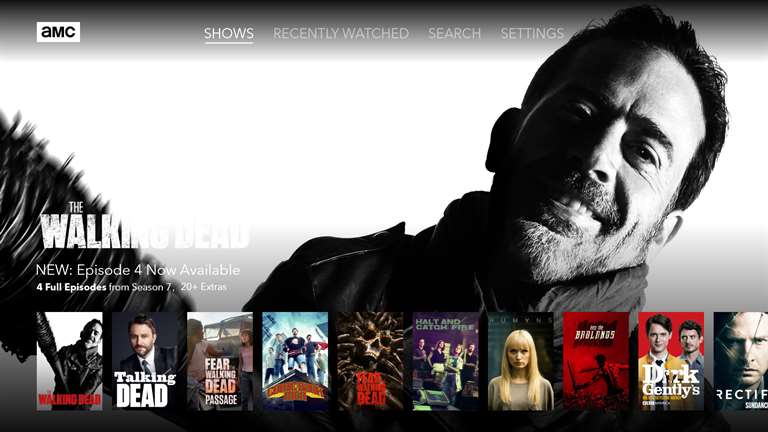
AMC brings its best TV series to your Xbox One with new app

Staying up to date on your favorite AMC shows hasn’t been any easier than it is now. Xbox One users will be able to find the recently released AMC application on the Xbox Store.

Now you can watch The Walking Dead, Better Call Saul, Humans, Breaking Bad and many other episodes from the convenience of your Xbox One with a few commercials, of course.

The AMC app for Xbox One works the same way as the PC version available on the Windows Store. Similar to other TV apps, many season premieres, and video extras can be accessed without signing in. However, to access full episodes and seasons available you’ll need to sign into a TV subscription provider. AT&T, DirectTV, Optimum, and Xfinity are just a few among the long list that can be viewed from the AMC for Xbox One FAQ.

AMC
AMC
Price:
Free

This is how you can fix Titanfall 2 texture issues

Titanfall 2 recently received an important update that brings a series of new features, new Titan kits, as well as advanced options for aiming. Titanfall 2 Angel City patch also offers a long list of bug fixes that optimize the overall game performance.

Unfortunately, this update also brings issues of its own. Many gamers have been complaining about texture issues after installing the recent patch. More specifically, Titanfall 2 has clay-like textures. Actions such as resetting the settings to recommended and setting them back up don’t help at all.

Titanfall 2 low texture bugs

After the Angel City update, all my textures look like as if it’s on ‘very low’ even though I have them on ‘Very High’. I’ve repaired the game, updated drivers, restarted, etc all to no avail. I’ve been running TF2 on Very High textures smoothly and most of the other settings on high since launch, and everything looked as it was supposed to be.
Can reproduce 100% of the time.

How to fix Titanfall 2 low texture issues

Fortunately, one resourceful gamer managed to find a way to fix this. Follow the steps listed below to fix the annoying Titanfall 2 texture bugs.

1. Launch Origin
2. Disable Cloud Saves in Origin so that the game doesn’t override your config file before actually starting
3. Go to :Users\DocumentsRespawnTitanfall2local
4. Open “settings.cfg” with Notepad or Wordpad
5. In the bottom of the file add: gpu_vram_size_mb “1800”
You can set a number corresponding to your actual amount of VRAM. For more information about it, check your video adapter settings via Device Manager, under “Dedicated Video Memory” on the first tab of the window. Note that if the value is lower than 1800, the config prompt won’t have any effect at all.
6. Save and close the file and launch the game.

The prompt is automatically deleted from the config file when you close the game. This means that you’ll have to perform these steps every time you launch the game.

Indeed, this workaround is not a permanent solution, but at least it helps you fix these annoying Titanfall 2 texture bugs.

RELATED STORIES YOU NEED TO CHECK OUT: