Microsoft has decided to rename Xbox Music into Groove Music as part of its internal restructuring. Now the app has been updated for both Windows 10 Mobile and desktop users with a couple of features worth taking int account.
Microsoft’s Groove Music has been updated with several new features and options for both Windows 10 Mobile and desktop users, as well. Of course, the traditional bug fixes and various other minor enhancements are here, as well.
According to the Windows Store notification, the new update allows users to filter their music by genre, which is a long overdue feature. Prior to this update, Windows users could only filter by albums, artists, and songs. So if you want to look only for romantic songs, or only for rock songs, it’s now possible to do it easily.
Furthermore, it’s now possible, in the case if there are songs that you can’t find in your music library to continue your music search in the Windows Store. Furthermore, the Explore hub has been updated to allow users to make use of new and featured music.
If you still don’t have the official Groove Music app installed on your Windows 10 tablet, PC, laptop or smartphone, then go ahead and follow this link to download it. Also let us know what’s your take on the latest version by leaving your input below.
More details about Microsoft’s new reporting segments have emerged. As we reported yesterday, Microsoft has announced its new ‘new’ financial reporting structure. Microsoft’s new plan is to trim down the semantic word categorization of its business segments from five to three. Microsoft is moving away from filing its business segments under Devices and Consumers and Commercial areas, each with sub categories such as Hardware, Licensing (in both areas) and undisclosed ‘Other’ sections.
The new reporting structure now consist of three neatly titled catch-all segments, Productivity and Business Processes, Intelligent Cloud, and More Personal Computing. Thanks to folks over at Business Insider who caught an SEC filling document from Microsoft, we’re given an early look at which businesses will shine with the company’s new structure.
Items of note to consider are the one-time massive write down of the Nokia acquisition that stands at $7.6 billion dollars. There are other “Corporate and Other” segments that aren’t entirely broken out but account for some broader expenses from the company. Some of the “Corporate and Other” segments cover items such as legal disputes, administrative costs and on-going licensing deals.
Nevertheless, based on the numbers, it comes as no surprise that Microsoft’s Intelligent Cloud segment is a shining star, and will look to be for some time to come. Items such as Windows Server, Azure Cloud, Visual Studios, and SQL Servers are showing solid growth. Meanwhile, the More Personal Computing segment took a hit as it incurred losses from Xbox One development costs and a free Windows 10 upgrade campaign.
Microsoft revenue
We are also able to see exactly where each of Microsoft’s business areas fall into each of the new reporting segments. As for Microsoft’s Productivity and Business Processes:
Office Commercial, including volume licensing and subscriptions to Office 365 Commercial, for products and services such as Microsoft Office, Exchange, SharePoint, and Skype for Business, and related Client Access Licenses (“CALs”).
Office Consumer, including Office sold through retail or through an Office 365 Consumer subscription, and revenue from Outlook.com, OneDrive, and consumer Skype services.
Microsoft Dynamics business solutions, including Dynamics ERP products, Dynamics CRM on-premises, and Dynamics CRM Online (“Microsoft Dynamics”).
Expect Microsoft to spend a lot of time on its new all-star segment, Intelligent Cloud, that now houses:
Server products and services, including Windows Server, Microsoft SQL Server, Visual Studio, System Center, and related CALs, as well as Microsoft Azure.
Enterprise Services, including Premier Support Services and Microsoft Consulting Services.
As much as it would perhaps like to shy away from, rounding up the rear is Microsoft’s More Personal Computing segment that includes all the stuff we like discussing:
Windows, including Windows OEM licensing (“Windows OEM”) and other non-volume licensing of the Windows operating system, volume licensing of the Windows operating system (“Windows VL”), patent licensing, Windows Embedded, MSN display advertising, and Windows Phone licensing.
Devices, including phones, Surface, and Microsoft PC accessories.
Gaming, including Xbox hardware; Xbox Live, comprising transactions, subscriptions, and advertising; first-party video games; and second- and third-party video game royalties.
Search advertising.
Clearly, Microsoft is hedging its bets by no longer obscuring its businesses in sub-categories and layers of cross reporting. As a whole, each of the three new business segments will need to stand on their own going forward, and Microsoft seems prepared to identify outlying products and services.
Apple CEO Tim Cook, at a BoxWorks fireside chat alongside Box CEO Aaron Levie, made some interesting remarks about its long-term strategy and how Microsoft factors into that equation.
According to Cook, there has long been an opaque dichotomy between consumer and enterprise industries:
We have always been about making tools that allow people to do things that they couldn’t do without them. So for a while, when the world was bifurcated between the consumer and enterprise, we focused on consumer.
However, times have changed, and the company must change along with it. Consumer and enterprise, in the eyes of Apple, are now one and the same. Products that work well for the consumer must also work well for the enterprise.
While Cook emphasized Apple’s deep-seated qualifications for producing enterprise-level products and services, including security features and its iOS software offerings, he admitted that the enterprise is still unfamiliar territory for the tech giant.
What we don’t bring is we don’t have deep knowledge of all the verticals that the enterprise deals with. So to do great things we need to partner with other people. This is all about giving a suite of applications to the enterprise so we can really change how people work.”
Who better to assist in this regard than Microsoft, who has one of the most storied legacies in catering to the needs of the lucrative enterprise market.
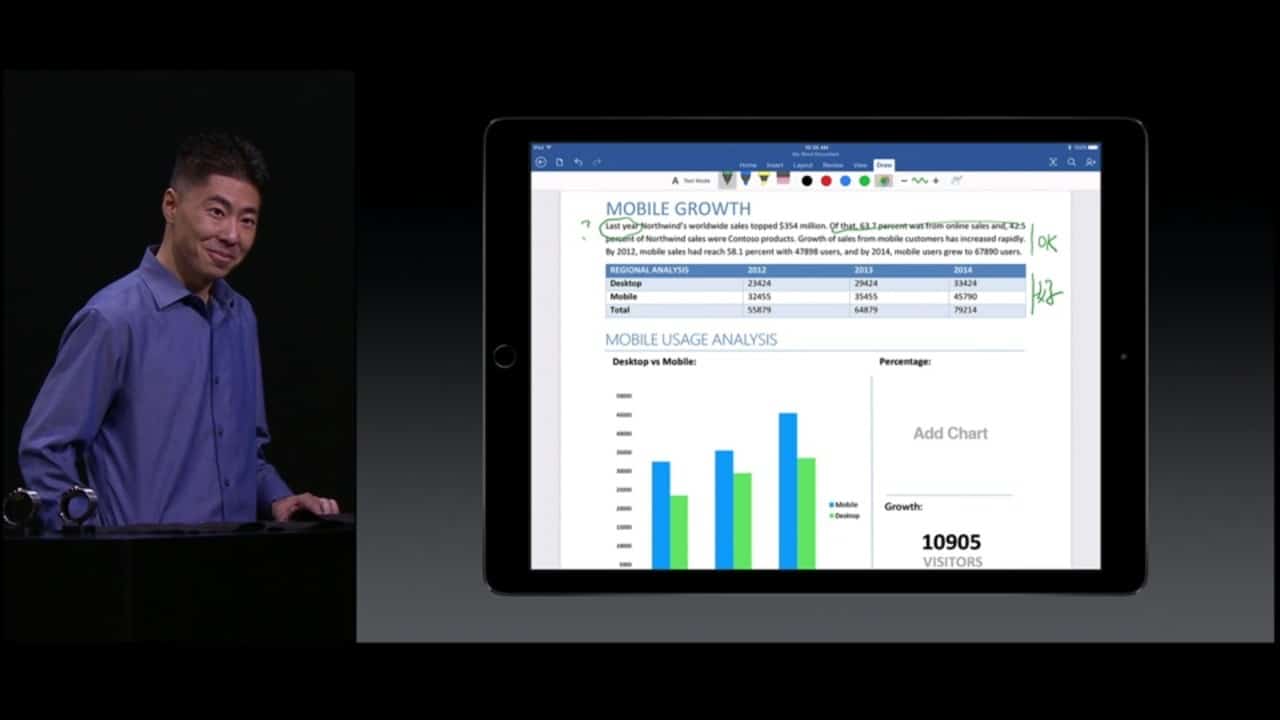
Nowadays, it seems the two companies are much more friends than they are rivals. Between patent sharing agreements, and Tim Cook welcoming Office 365 to the iPad with open arms, perhaps the most notable evidence of the ever-strengthening bond between the two companies is the recent Apple keynote. During it’s October hardware event, Apple invited Microsoft Product Manager Kirk Koenigsbauer onstage to present the latest Office offering on the iPad Pro, arguably Apple’s competitive answer to the Surface Pro.
Cook further elaborates:
Apple and Microsoft can partner on more things than we can compete on and that is what the customer wants… Office on the Mac is a force. Partner with Microsoft is great for our customers, and that’s why we do it.
Interestingly, Cook later offers his thoughts on converging iOS and Max OS X:
We don’t believe in having one operating system for PC and mobile. We think it subtracts from both, and you don’t get the best experience from either. We’re very much focused on two.”
One can easily infer that Cook, through this statement, also voices his disagreement with Microsoft’s “one true OS” strategy. Despite their increased willingness to partner on the enterprise and cloud world, they are clearly still competitors with different views on what the consumer wants.
As it should be. Strong competition between the two innovators is ultimately what benefits consumers the most.
The Internet of Things (IoT) has a fairly fuzzy definition, but basically means adding Internet connectivity to pretty much anything where collecting and sharing data might provide value. Microsoft Azure is a leading cloud computing infrastructure offering businesses a myriad of services from hosting Web apps and virtual machines to running SQL databases and enabling powerful machine learning. It should come as no surprise, then, that Microsoft plans to plug the IoT into Azure to provide companies with the ability to gather and analyze information from anywhere.
At AzureCon 2015, Microsoft’s conference covering all things related to their Azure platform, the company announced the Azure IoT Suite on their IoT blog, intended to create the “Internet of Your things”.
Microsoft has posted the entire session, which goes into copious detail on how Azure Stream Analytics combines with Event Hubs, Azure Machine Learning, and PowerBI.com to do incredible things with IoT.
Essentially, the Azure IoT Suite is a combination of products and services that already exist into neat packages that Microsoft customers can select to access preconfigured solutions to specific problems. Today’s announcements center around two specific offerings:
• Availability of the Microsoft Azure IoT Suite: Now available to purchase, the Azure IoT Suite offers preconfigured solutions built on Microsoft’s cloud platform.
• A new Microsoft Azure Certified for IoT Program: In order to get IoT solutions up and running quickly, Azure Certified for IoT program helps customers quickly identify hardware and software offerings verified to work with Azure IoT services.
In Microsoft’s marketing materials, the company predicts tremendous growth for IoT in general. Given these stakes, Microsoft’s investment in the technology should come as no surprise:
Potential economic benefits are enormous. The Internet of Things has the potential to create economic impact of $2.7 trillion to $6.2 trillion annually by 2025, according to McKinsey Global Institute.
Here’s a much shorter video that hits the main points:
A number of Microsoft customers have been using Azure IoT already to tie together millions of IoT devices to accomplish measurable business objectives:
We’ve seen powerful results from effective Internet of Things strategies and technologies. Companies like Rockwell Automation and ThyssenKrupp Elevator have leveraged Azure to support real-time insight, predictive analytics and preventive maintenance—ultimately creating entirely new business models based on IoT.
There are a vast number of companies who can realize the benefits of IoT, but may have encountered roadblocks to deployment in the past, including struggling with the resources needed to deal with millions of devices with real time data streams, the time to move from ‘proof of concept’ to ‘production ready,’ and managing the complexity of implementation.
Microsoft offers some powerful enterprise solutions, and offering preconfigured IoT solutions makes it possible for companies to implement complex solutions without reinventing the wheel. While today’s Azure IoT suite is limited to remote monitoring, advanced capabilities such as predictive maintenance will be available in future iterations.
Learn more about the Internet of Your Things here, and Microsoft partners have a dedicated portal into all things Azure and IoT here.
Yesterday we reported that the Windows Phone Recovery Tool that allows users to rollback their Windows Phones from technical previews was renamed to the Windows Device Recovery Tool. While a small change in name, it could have more implications down the line since there are many more Windows devices than phones. One of those additional devices is already being supported in the HTC 8x as reported by Windows Blog Italia (via WMPowerUser), or at least firmware for the 8x is included in the new tool.
One reason this is good news for HTC 8x owners is that some of them were mistakenly sent out a Windows 10 Mobile preview build. Despite the HTC 8x not supporting the latest technical preview, some received the update and found their devices unusable. With the Windows Device Recovery Tool adding support for this device, users can roll back to the comfort of a stable operating system in Windows Phone 8.1. Some users on a Microsoft Answers thread are reporting that the tool still is not working for them, so the work to recover those devices may still be ongoing.
It’s unclear at this point if the name change for the recovery tool will only bring support for more phones such as the HTC 8x or if other Windows devices will be added as well.
Although Bluetooth is an old technology it has drastically improved over the years, and it’s present on both PCs and smartphones. Speaking of smartphones and Bluetooth, it seems that some users are having problems with sending and receiving Bluetooth data between their laptops and smartphones, so let’s see if we can fix this issue on Windows 10.
What to do if You’re Unable to Send or Receive Bluetooth Data Between Laptop and Smartphone
Before we start it’s good that you check your Bluetooth drivers. You can do so by going to the Device Manager and checking for Bluetooth drivers. If no Bluetooth drivers are available, or if they have an exclamation mark next to them you might need to download latest drivers from the manufacturer’s website. If your drivers are updated but the problem still persists check some of these solutions.
Solution 1 – Use fsquirt to transfer your files
Fsquirt is a small application that comes with Windows and it’s used for file transfer. To use this application just follow these instructions:
Type fsquirt in the Search box and start the application.
If you want to send files, just click Send files, choose your Bluetooth device and click Next to select which files you want to transfer.
To receive files select Receive files option. You’ll get Waiting for a connection message and now you can send files from your device to your computer.
Solution 2 – Use Bluetooth icon in system tray
If you have Bluetooth drivers installed you probably have a Bluetooth icon in your system tray in the bottom right corner of the screen.
Right click the Bluetooth icon in the system tray.
Choose Send a File or Receive a File.
Follow the steps to send or receive a file.
As you can see, sending files from your laptop to your smartphone over Bluetooth isn’t that hard, but before trying to send files make sure that your Bluetooth drivers are installed and working properly.
Integration of OneDrive and Windows 10 is a really great thing. You can keep safe every file or photo of yours from any device you own, with just a couple of clicks or taps. But sometimes certain problems with upload can occur, especially if you’re uploading pictures, so I prepared a couple of solutions for this problem, for both PC version of Windows 10 and Windows 10 Mobile.
How to Fix Pictures Not Uploading to OneDrive Problem in Windows 10
Solution 1 – Reset OneDrive
First thing we’re going to try in order to solve your photo uploading problem is to reset your OneDrive settings. You probably read somewhere that you should enter skydrive.exe/reset command in the Command Prompt, but since SkyDrive has been re-branded to OneDrive, the command won’t be recognized. However, there’s another way to reset OneDrive, without Command Prompt. Here’s exactly what you need to do:
First, we’re going to stop OneDrive process, by right-clicking on the taskbar and choosing Task Manager
In Task Manager find Microsoft OneDrive process, right click on it, and choose End Task
Now when the OneDrive process is stopped, move all files from OneDrive folder on your computer to another location
Now delete OneDrive local content folder (it’s probably placed in C:\Users\’your user name’)
Start OneDrive process from Task Manager again, let it finish syncing, move your old files back to the new OneDrive folder, and try to upload your images (If you have any syncing problems with OneDrive, check out for the solution here)
Solution 2 – Make Sure You Have Enough Space
Maybe you just missed the fact that you don’t have enough storage space on your OneDrive. This could especially apply to users of Lumia phones with super-quality cameras, like Lumia 1020, whose HD pictures take a lot of space. So, just in case, head to the Storage section of your OneDrive service, and check if you have enough storage space to upload your photos.
Solution 3 – Make Sure File Path Isn’t Too Long
Maybe the name of your picture is too long, so you’re not able to upload it to OneDrive. OneDrive allows only files with less than 440 characters in name, so it won’t take any files with longer name. This is specific to photos, because sometimes photos from your camera or mobile phone can have really long names, like “DSC100032215.” So, make sure your photos don’t have more than 440 characters in the name, and rename them before upload, if they do.
For now, we don’t have a lot of complains about uploading problem on Windows 10 Mobile (which is a bit surprising, since we know the mobile OS is still buggy), there we don’t have particular solutions yet. But if you face the problem with uploading your pictures to OneDrive on Windows 10 Mobile, maybe the best thing you can do is just wait for the new build, because Microsoft will probably fix it, along with other bugs.
Microsoft’s competitors have had their hardware launch events and now it’s the Redmond company’s time to shine. Microsoft is well overdue to release devices like the Surface Pro 4 or new flagship phones and they will be doing that very soon in New York City. The exciting Windows 10 device extravaganza is due to take place in just over a week on the morning of Oct. 6 but today Microsoft, via Major Nelson (Larry Hryb), is inviting guests to partake in a late night celebration after the main Windows 10 event.
Microsoft invitation
The Microsoft hosted celebration will take place at Skylight at Moynihan Station in New York City from 8 pm to 12 am EDT where lucky fans will enjoy food, drinks and “exclusive hands-on experiences”. Those experiences will include a chance to use the brand new Windows 10 powered Xbox interface, the Windows 10 Xbox app, and a chance to play Rise of the Tomb Raider and Halo 5 4v4 Arena multi-player.
However, in order to experience all this, you have to be picked from a draw by Larry Hryb and to get into that draw, you need to email him. There are a few stipulations too which need to be considered:
Date / Time: 06 October starting at 8:00pm EDT (What time is that in your time zone?)
Location: Skylight at Moynihan Station in New York City (360 West 33rd Street, between 8th & 9th avenues)
If you are randomly selected, you will receive an email with directions how to RSVP.
Invitation requests are being accepted via email until Thursday, 01 October at 12:00p EDT.
If chosen, you’ll be on a guest list with two passes under your name – one for you and one for a guest.
Due to alcohol being served at the event, all attendees must be 21 and over.
This offer is only for an invitation to the event – you are responsible for all other travel and/or lodging expenses.
Next week is going to be a big one for Microsoft and hopefully they will hit a home run in terms of great hardware. If you can’t attend the events, don’t forget you can watch the Windows 10 device event live online and we’ll be there live to keep you updated on what’s new.
For some time now, Microsoft’s software and services have stood unencumbered by the competition in education. For better or for worse, Windows and Office were the default tools for many students over the years. However, as schools began to incorporate more of the Internet into their curriculum and coursework, the need for Microsoft’s services changed. Recently Microsoft has responded with changes to its online software and service offerings for schools and teachers.
Alongside some much need updates to their software and service, Microsoft is also providing real-world examples of how its changes are helping students, faculty and school districts. With its Microsoft Showcase Schools; the company can show the best of the best of what an educational institution can accomplish powered by its hardware, software, and services.
More to the point, Microsoft would like to encourage more schools to participate in the program. Recently, Microsoft highlighted some stats about the program and offered support for schools interested in applying for the program.
A Microsoft Showcase School is one in which Microsoft partners with a school to provide personalized learning experiences. The learning experiences center around the use of Microsoft hardware such as the Surface, and software such as Office 365, Office Mix or OneNote.
Dunbar’s Technology Academy Programs prepare students for college and a career by offering over 24 IT certifications. The school is also home to Microsoft Office World Champions, students Juliana Toyloy-Stanton (Class of 2013, 3rd place – PowerPoint 2007) and Tyler Millis (1st place – PowerPoint 2007).”
In Canada, the schools seem to be taking off as well. Cal Armstrong, the director of teaching and technology innovation at Appleby College, recalls how OneNote became a game changer for his school.
We introduced laptops in 1998 and pen tablets in 2004, but we never achieved that huge pedagogical shift in the classroom until we introduced OneNote four years ago. It was the one thing that propelled tablet use across our school and motivated the deepening of collaboration.”
There are 150 current schools partnering alongside Microsoft to provide Microsoft Showcase Schools around the world. These schools have gone through a ‘whole-school approach’ transition to demonstrate innovative teaching and learning, which are shaping plans for overall educational improvement.
From that vision comes whole-school transformations, creating innovative learning environments enabled by technology, where students participate in their own learning to make their education and achievements more exciting.”
Waggener Edstrom announced it would be rebranding itself as simply “WE”. Founded in 1983 by Melissa Waggener Zorkin and Pam Edstrom, the aptly named public relations firm is best known for being a longtime representative for its biggest client, Microsoft. Also of note, Pam Edstrom was Microsoft’s first public relations director before moving on to found Waggener Edstrom in 1983.
WE provides PR support for Microsoft’s corporate communications, its Windows, mobile, and server divisions, as well as its business units in Hong Kong and Europe.
The Bellevue-based company’s CEO, Melissa Waggener Zorkin, wrote in a blog post today:
But this isn’t just about a new name; this change is a reflection of what WE has always been. Because it’s never been about me, or my partner Pam Edstrom, or any one individual. WE is about us. It’s the power and insight that comes from the collective — our amazing clients, our people, our partners, and the influencers we work with every day. Together, we are WE.
With most rebranding’s a new logo is typically accompanied, and WE is no exception. It features a flattened, professional, minimalist “WE” logo with bold, Lumia-esque colors.
The flattened look is not at that all unlike Microsoft’s transition to flat, bold-colored live tiles.
The fresh logo seems to be working its magic, as WE announced a new partner in the form of leading branding agency Salt. Salt is known for its big-name clients you might have heard of: Coca-Cola, Disney, Red Bull. WE also announced other partners, including YouGov, Radius Global Market Research, Illuminas, The Garrigan Lyman group, Point It, and Play Big Inc.
Zorkin also announced new clients: Allrecipes, Boehringer Ingelheim, VSP, Zoom+, Lucid, and Kymeta. It will continue working with current clients ZTE, Volvo, Woodford Reserve, Safeway, and of course, Microsoft.
Finally, Zorkin welcomed two new employees: Katie Huang Shin as Global Client Lead Executive Vice President, and Heather Scott, Vice President of Customer Insights.
For Zorkin, this rebranding is very personal, as it’s not just about putting on new makeup, but reaffirming what the company has always been about since the beginning. “We”.
Windows 10 has certainly suffered from its share of controversy since its official release on July 29, 2015. Activation uncertainties and privacy concerns have led the way in creating unwelcome negativity around Microsoft’s most important Windows release, and the company has finally provided some feedback to answer the nagging questions, and clarify that it does not infringe on your privacy.
Microsoft answered some questions about Windows 10 activation the other day, outlining a new “digital entitlement” concept that drives the activation process. And just this morning, the Windows Blog provided some clarification on Windows 10 privacy, outlining their “More Personal Computing” initiative aimed at earning the trust of their various Windows constituencies.
Trust is a core pillar of our More Personal Computing vision, and we know we have to earn it. We’ve taken time to expand the documentation on our approach today with this blog, and new content we’re posting today for consumers and IT Pros, designed to complement our One Microsoft Privacy Policy. We look forward to the next round of questions and feedback on these new posts. I assure you that no other company is more committed, more transparent and listening harder to customers on this important topic than we are.
We’ve reported on Windows 10 privacy issues in the past, because frankly Microsoft generated real concerns with some unclear practices. Some of the privacy accusations that were widely reported were dubious from the very beginning, while some reflected reasonable concerns. In all cases, the kind of information provided in today’s blog post is exactly the kind of transparency that’s been needed to deflect the various concerns, real and imagined.
Microsoft asserts two privacy principles in defining how Windows 10 gathers and stores information:
1. Windows 10 collects information so the product will work better for you.
2. You are in control with the ability to determine what information is collected.
So, information is collected to make Windows 10 work better, and you’re in control of the information that’s collected. Sounds reasonable, doesn’t it?
The devil is always in the details, however, and Microsoft has those covered as well by providing additional detail on the three specific areas where information is and, just as important, is not gathered and stored.
The first area is Safety and Reliability data, that is, the completely anonymous information on how machines are functioning that helps Microsoft identify security and reliability issues that need resolving. The company stresses that personal information, e.g., name and email address, are explicitly excluded, and they provide a cogent example of where this information comes in handy:
A great example of how this data was used effectively was just last month, when aggregate data showed us that a particular version of a graphics driver was crashing on some Windows 10 PCs, which then caused a reboot. This driver was not widely used, but still the issue was impacting customers. We immediately contacted the partner who builds the driver and worked with them to turn around a fix to Windows Insiders within 24 hours. We used the data on Insiders’ devices to confirm that the problem was resolved, and then rolled out the fix to the broad public via an update the next day – all-in-all, this data helped us find, fix and resolve a significant problem within 48 hours.
Next, Microsoft covers perhaps the most controversial information that Windows 10 gathers, specifically the kind of information that’s required to make Windows 10 a highly personal experience. In reality, of course, many users enjoy things like receiving up-to-date scores for their favorite teams and, as Microsoft points out, accurate text completion suggestions based on personal typing patterns. This kind of personalization wouldn’t be possible, obviously, if Microsoft were unable to gather information about individual users.
Choice is the real issue here, though, and Microsoft stresses that the user is in control of what information is collected. Windows 10 also makes it a point to request permission to gather information with the activation of each new feature that can make use of it.
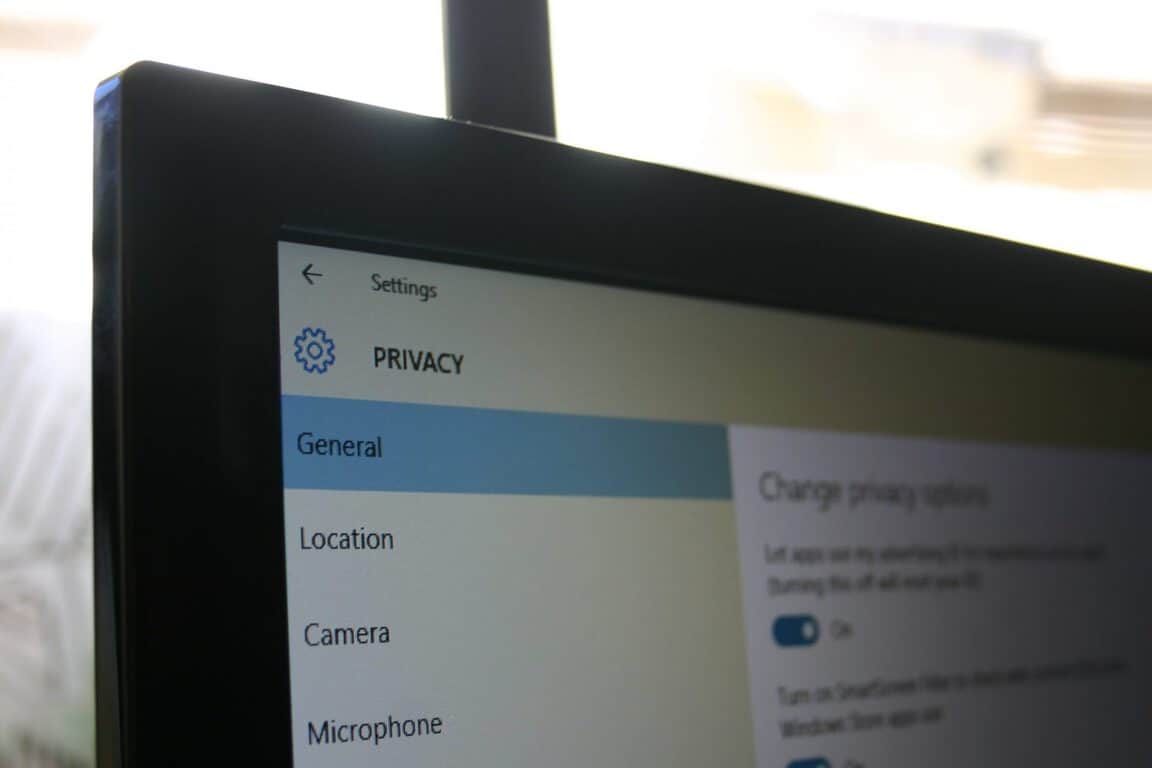
Windows 10 privacy settings.
Just as important as the information that is collected is the information that is not. Microsoft pulls no punches in making it clear that they’re unlike some other companies in terms of the information that’s examined simply to serve up ads:
Unlike some other platforms, no matter what privacy options you choose, neither Windows 10 nor any other Microsoft software scans the content of your email or other communications, or your files, in order to deliver targeted advertising to you.
Microsoft deserves some credit for working hard throughout the development of Windows 10 to gather customer feedback and actually use it to inform their design and policy decisions. The success of Windows 10 is vital to Microsoft’s future as a viable company, and they’re actively soliciting feedback to help ensure this success. As always, your input is vital to helping Microsoft better understand what you want from Windows 10 going forward. Windows Insiders can provide general feedback here, and every can provide their thoughts on privacy here.
Hopefully that information will help stem some of the tide of controversy that’s surrounded Windows 10 since its launch. At the very least, there’s good reason to believe that Microsoft has its users’ interests in mind as they implement new Windows 10 features.
If you like math and Microsoft, then you’re in for a treat, as Microsoft just rolled out Microsoft by the Numbers, a site dedicating to present facts about the company, all in easy-to-get statistics, reported the company’s blog.
The site is presented in a friendly and modern manner, with most numbers accompanied by playful fully-animated 3D objects (the cute kind you can spend hours staring at.)
A personal favorite.
Among the statistics, which include impressive numbers that reflect Microsoft’s achievement in each of its businesses (like 75 million Windows 10 installs from 190 countries all over the world, 1.5 billion Office users, and 80% of Fortune 500 companies being on Azure), there are also some interesting, and some downright silly-fun, tidbits. Did you know that 20% of Azure VM servers are on Linux? Or 984,000 orders of french fries are consumed each year in Microsoft’s Redmond campus area? Or how Microsoft’s optics fiber cables can stretch 3 times the distance to the Moon? Many more are waiting for you at the site, so visit it now.
Corporate Vice President of Microsoft Dynamics CRM, Bob Stutz, took to the company blog today to announce Microsoft’s acquisition of a long-time partner, Web portal and application lifecycle management solutions provider Adxstudio Inc.
According to the post, Microsoft will acquire “key product and technology assets” of Adxstudio Inc, and this will translate into features that customers can “immediately take advantage of.” Adxstudio Web portals are built natively on Microsoft’s Dynamics CRM and can also be used with its Parature Service. The acquisition also delivers pre-built engagement solutions both on-premises and in the cloud, and will enable independent software vendors (ISVs) to “build their own CRM Web engagement solutions on Microsoft technologies.”
The acquisition is said to be “another step” towards fulfilling Microsoft’s commitment to “delivering intelligent customer engagement solutions.”
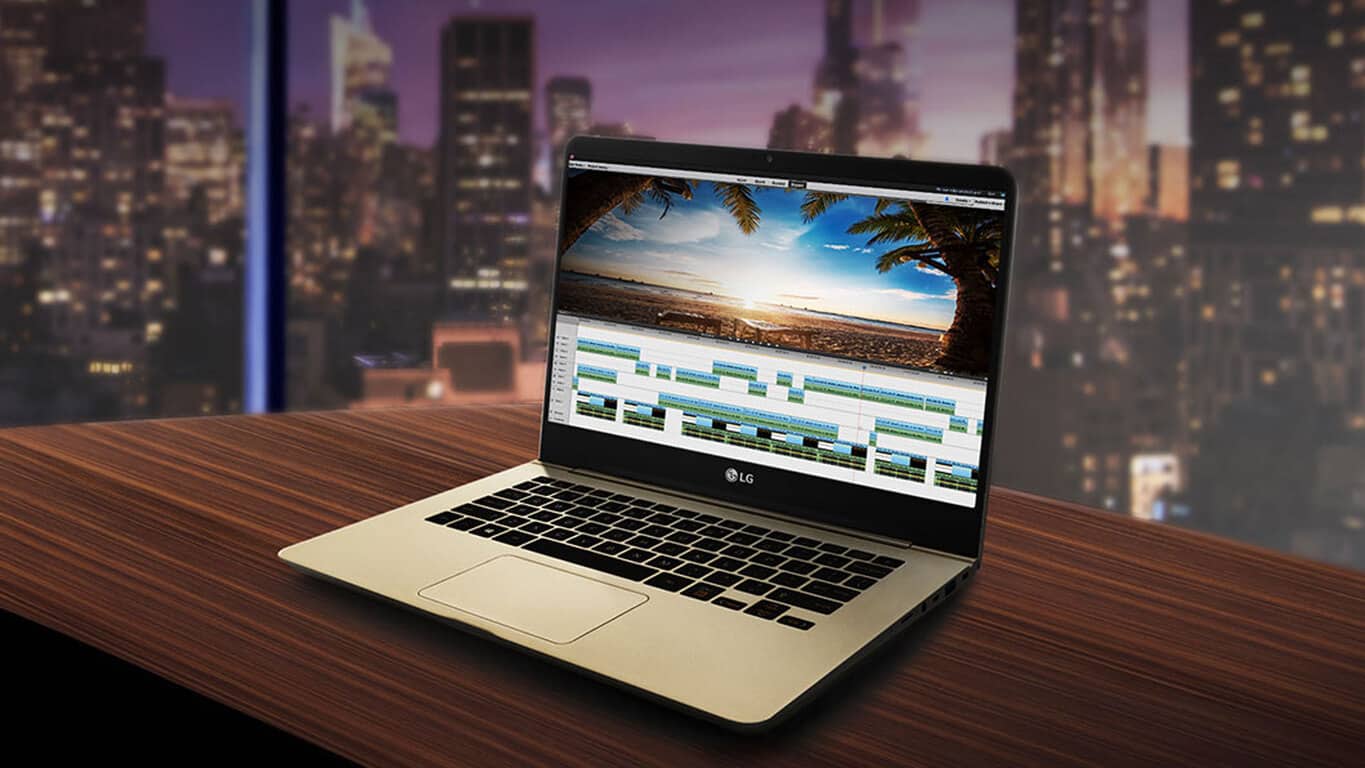
The Verge is reporting that LG’s 14” ultrabook, the Gram, is coming to the US as a Microsoft Signature Edition and will be available in the Microsoft Stores across the US today.
Vlad Savov of the Verge did a quick review of the Gram in his announcement of today’s news and notes that this device seeks to one up the dominant ultrabook on the market, the Macbook Air, in terms of display with an impressive looking 1080p IPS. But other than its display, the Gram falls short of being a hands down winner compared to the MacBook Air. Savov comments that the construction is a little flimsy in comparison to the Macbook Air’s aluminum unibody design. Also, the Gram comes with Windows 10, but does not feature a touch screen or Intel RealSense camera to best utilize some of the new features in Microsoft’s latest OS.
The Gram does weigh in at less than a kilogram (980 grams or 2.16 lbs to be precise) and has a slim profile. But it is also shipping without the latest Skylake generation of processors from Intel and is instead going with the 5th generation Broadwell Core i5 and i7 chips. The Gram is currently listed on Amazon for $999 for the 14” base model with a Core i5 processor and 128GB of storage and $1,399 for the more top of the line Core i7 model with 256GB of storage. The official Microsoft Store listing has not been posted but will probably have comparable, if not identical pricing. For those unfamiliar with Microsoft Signature Edition, it is their line of PCs sold without bloatware pre-installed in order to boost performance both in terms of speed and battery life.
While LG certainly knows how to build impressive displays, the Gram may face steep competition from other similarly priced ultrabooks. For example, the Dell XPS 13 comes the same gen processor but with more features like a higher resolution screen, touch enabled, and better battery life. Not to mention the slew of Skylake powered devices set to be unveiled as the PC manufacturers and sellers gear up for the holiday season. Ultrabooks may also face an uphill battle in this next commercial cycle as the 2-in-1 form factor continues to grow in popularity with Apple recently unveiling its own version of the concept Microsoft pioneered, and with Microsoft’s rumored Surface Pro 4 set to be shown off for the first time next week on October 6th.
While speaking at a dinner in honor of visiting Indian Prime Minister Narendra Modi, Microsoft’s CEO Satya Nadella said the Redmond-based company aims to bring low-cost broadband to 500,000 villages in India as a part of Digital India initiative (via Times of India).
“We believe that lost-cost broad band connectivity coupled with the scale of cloud computing intelligence that can be harnessed from data can help drive creativity, efficiency and productivity across governments and businesses of all sizes… A key part of both Make in India and Digital India, bringing world class infrastructure into India, respecting India’s digital security, sovereignty and privacy is a key milestone for us.”
Microsoft’s jumping on the Digital India initiative program will be a large help as they have the capacity and the technology to make sure high-tech equipment is available in the country. While technology such as broadband internet can be taken for granted, it is not as widely available as some would initially believe. Last week Engadget reported on the United Nation’s findings that indicate over 4 billion people in the world will go without internet access in 2015.
Microsoft has recently released the Windows 10 build 10547 which brought a lot of improvements. But as it is the case with almost every new build, various problems have been reported.
The most recent Windows 10 build 10547 brings some much need updates, and this is all great and nice, but there are plenty of problems that have been recently reported by those who have downloaded and installed it.
I’ve been looking around the Microsoft support forums and found plenty of problems and have decided to put here some of the most annoying ones. If you have other problems that aren’t listed here, do leave your comment below and let us know which these are, so that we could compile all of them together.
Windows 10 build 10547 problems
Here are some of the main problems, bugs and glitches that we have managed to find and put together:
“Check your connection” issue on Windows 10 Store with error 0x80004005
Windows 10 displays windows mark and small white points circling below it as usual, and after that screen turns black, and begins strange behavior. Sometimes goes dumb, sometimes white flash repeats. Sometimes ctrl+alt+del brings to login screen, but other times I need to turn off and on. Then suddenly I see login screen. After login screen I can log in normally.
I am trying to install build 10547 for Windows 10 pro and, the installation is failing, and reverting to current build 10240. I had the same issue with other insider builds like previous 10532. I am currently stuck on build 10240. The installation completes but upon restart of PC reverts back to previous build i.e. 10240.
It seems like I have a problem when upgrading my PC from build 10532 to 10547. The upgrade progress gets stuck at 93% overall (Configuring settings 75%) and it has been like that for around one hour or two. The hard drive light blinks, but it only blinks once every few seconds which causes me to worry. Apparently, a program called mcbuilder.exe opened before progress gets stuck there.
I upgraded to Windows 10 Build 10547 just now. And, when I try to logoff em logon, I am stuck on a blank screen, with internet status and power icons in the right corner, but no sign-in box. The same happens when I try to reboot, or turn off and On.
I’ve always been on the fast ring and I always got builds with no problem. But today, after almost an hour after a new one has been made available, it’s still not showing up to me!
I have just upgraded from a troublesome Windows 10 build 10532, which kept freezing, to a new build 10547-has anyone else had the same problem
So, as we can see, there are plenty of problems listed here. Of course, many of them have fixes, but I invite you to leave your comment below with a problem that hasn’t a fix yet. Hopefully, a future build will take care of these current issues.
There are now over 669,000 apps in the Windows Store, which includes apps for both Windows (desktop) and Windows Phone, as well as Universal apps which work on both platforms. The Redmond giant is highlighting this achievement on it’s “Microsoft by the Numbers” website, which you can take a look here (first spotted by Neowin).
There are quite a few other cool stats mentioned by the company. For example, 80% of the Fortune 500 is on the Microsoft cloud, more than 75 million devices are running Windows 10, Skype Translator can translate voice calls in six different languages, and Office has been downloaded more than 100 million times on iOS and Android.
Microsoft also mentions that there are over 48 million Xbox Live users in 42 different countries. Outlook.com has more than 400 million active users and more than 1.2 billion people use Office.
Probably the most interesting statistic is the 669,000 apps in the Windows Store. Over the past year, new apps have made their debut and some developers are even jumping onboard the Universal app train (TuneIn, iHeartRadio, Fitbit, etc).
You can check out the webpage here. Do you believe the Windows Store has improved over the past year? Let us know in the comments below.
Welcome back to another addition of the Windows 10 news recap. This week, Microsoft began hinting at a lot more features coming for Windows 10 apps very soon. Joe Belfiore, corporate vice president at the Operating Systems Group at Microsoft, shared on Twitter that the apps bundled with Windows 10 will receive many more new features. Although we don’t know what features exactly, we hope Microsoft will detail their plans soon.
Also this week, Microsoft released an update for the Photos app on Windows 10. The update doesn’t appear to add any new features to the app so it most likely brings performance or stability improvements. The Photos app receives regularly updates and just recently it was updated with an option to browse content by folders from the sidebar.
Up next, the Redmond giant announced a brand new partnership with Baidu in China. As China continues to become an increasingly strong point of interest for outside companies, Microsoft’s new partnership with one of the largest used Internet gateways in China is pivotal. As much as Bing is heavily touted in the US (features wise, not usage) it’s great to see Microsoft opening Windows 10 to arguably offer a better-localized experiences.
Microsoft also detailed its new activation methods with Windows 10. Gone are the days of requiring a product key to activate your copy of Windows. Microsoft is introducing a new term called “digital entitlement.”
“Activation helps verify that your copy of Windows is genuine and hasn’t been used on more devices than the Microsoft Software License Terms allow. Depending on how you got your copy of Windows 10, activation will use either a digital entitlement or a 25-character product key,” Microsoft explains.
Finally this week, Microsoft mentioned that a new Windows 10 desktop insider build could be making its way to insiders soon.Gabriel Aul, head of Windows Insiders, revealed on Twitter that build 10550 is in Microsoft ring at the moment, and it may roll out to Windows Insiders Fast ring soon. He didn’t mention an exact availability date, but it shouldn’t be too far off.
That’s all for this week, what was your favourite story? Leave your comments below!
Microsoft news recap is a new weekly feature highlighting the top Microsoft news stories of the past week. Sit back, grab some coffee, and enjoy the read! Let us know in the comments section if you would like to see this particular recap every week!
At the start of the week, we learned that Microsoft has filed a lawsuit against software recycling firm Global Electronics Recycling for improper disposal of its Office software. The Arizona-based recycling company reportedly unknowingly allowed as many as 10 employees to steal 70 thousand copies of Office 2010 meant for disposal, which went on to be sold on the black markets. The company and its owners Danny and Gary Kirkpatrick are liable for the copyrights damage, according to Microsoft’s lawsuit.
Skype faced a massive outage this week, with frustrated users unable to log into the service or use it. Turns out, a “larger-than-usual” configuration change was the culprit, causing some versions of Skype to disconnect users from the network. Microsoft offered an apology shortly after the services were restored. “No matter how quickly we were able to resolve this issue, it would not have been quick enough. We know many of you needed to use Skype during the outage, and finding that you couldn’t would have been incredibly frustrating. We are extremely sorry for any inconvenience caused to our users, and appreciate your patience while we addressed the issue.”
Familiar with Amiibo? Nintendo’s hugely successful figure-slash-interactive-toys that are all the rage these days? Well it looks like the market has caught Microsoft’s attention, as it filed a patent for a similar device. The patent, filed in April and published on September 17, feature a device akin smart bracelet or accessory, consisting of a “connecting element” and “two or more smart beads” which are user-re-arrangeable. Each smart bead will have its own ID and data storage, and can presumably interact with some sort of base, similar to how Nintendo’s Amiibos work with Wii U and Nintendo 3DS. No word if Microsoft actually has something planned in this arena.
Office 2016 was released this past week, and you can read our hands-on review right here. Alongside the Windows release, Microsoft is also rolling out Office 2016 for Mac, which brings the same much needed features over to the Apple platform.
Microsoft and Baidu have partnered up to deliver a local Windows 10 experience in China. In other words, Baidu.com will become the default homepage and search for Microsoft Edge in Windows 10 (at least in China). Chinese President Xi Jinping, First Lady Peng Liyuan and other high-profile Chinese executives also visited Microsoft’s Redmond campus this past week, talking about the importance of a global partnership between the US and China. After the welcoming session, the visitors were taken on a tour around the Redmond campus, where they met with executives, watched tech demos and potentially had a hands-on with Microsoft’s most game-changing product in recent years, the HoloLens. Interestingly enough, while this get together was occurring, China’s government debuted NeoKylin OS, a Windows XP clone.
Do you know who Brad Anderson is? He is the Corporate VP of Cloud and Enterprise at Microsoft. Our very own Kip Kniskern had lunch with him and it was on video. Check it out below.
Expect to see two new Microsoft Stores opening up in the United States in November. International Plaza and Bay Street in Tampa, Florida, and the King of Prussia Mall in Pennsylvania are the two new locations. You can check out the details here.
A few years ago, Microsoft applied for a patent of a 3D cube-based user interface element based on its Live Tile theory. The patent covered a cube based Live Tile that could rotate in 3-dimensional space and house smaller cubes or subfolders within the larger Live Tile. Microsoft has now been granted this patent and we wonder if the company plans to do anything with it.
Windows 10 has been available for quite some time now but one aspect of the new operating system still has people scratching their heads — activation. Gone are the days of requiring a product key to activate your copy of Windows. Microsoft is introducing a new term called “digital entitlement.”
“Activation helps verify that your copy of Windows is genuine and hasn’t been used on more devices than the Microsoft Software License Terms allow. Depending on how you got your copy of Windows 10, activation will use either a digital entitlement or a 25-character product key,” Microsoft explains.
The following scenarios fall under digital entitlement and will not require a 25-character product key:
You upgraded to Windows 10 for free from an eligible device running a genuine copy of Windows 7 or Windows 8.1.
You bought genuine Windows 10 from the Windows Store and successfully activated Windows 10.
You bought a Windows 10 Pro upgrade from the Windows Store and successfully activated Windows 10.
You’re a Windows Insider and upgraded to the newest Windows 10 Insider Preview build on an eligible device that was running an activated previous version of Windows and Windows 10 Preview.
The following scenarios will require a 25-character product key:
You bought a copy of Windows 10 from an authorized retailer. (on a label inside the retail packaging)
You bought a digital copy of Windows 10 from an authorized retailer. (in a confirmation email)
You have a Volume Licensing agreement for Windows 10 or MSDN subscription.
You bought a new device running Windows 10. (pre-installed or included with your device)
So there you have it. Upgrading for free to Windows 10 from a genuine copy of Windows 8.1 gives you digital entitlement, whereas purchasing a retail boxed copy of Windows 10 will require a product key to activate. Hopefully this clears up some confusion regarding activation on Windows 10.
Windows 10 Mobile is just around the corner and many current Windows Phone owners are wondering if they will be able to make the upgrade. There’s good news for owners of BLU Win HD devices, read below to find out more. BLU, the American mobile phone manufacturer, has confirmed via their official Twitter account that their BLU Win HD smartphones will be updated to Windows 10 Mobile.
The phonemaker didn’t reveal exactly when will that happen but they said that once Windows 10 for phones is out, Blu owners will get it. Of course, this could change once Windows 10 Mobile is released, so if the actual availability date gets delayed, that shouldn’t be too surprising.
Nonetheless, it’s great news that BLU Win HD will be updated to Windows 10, but it would be really awesome of other devices from their portfolio, such as BLU Win JR, and others, will get it, too.
BLU is specialized in affordable devices, and such is the case with the Win HD. The phone currently retails for around $130 and comes with
a 5-inch IPS HD Display, 8MP camera, Dual SIM, 8GB storage/microSD 32GB and is available in five colors – grey, white, pink, orange, yellow.
Are you excited regarding the upcoming Windows 10 upgrade? Shout below and let us know what’s your take.
Having the ability to view maps on a smartphone is quite a remarkable feature that has come up in the past several years, considering in the past we would need an expensive GPS device or a heavy map book. Unfortunately, viewing maps on a smartphone can eat up quite a bit of data, or it can be problematic to view a map when you don’t have a data connection.
Fortunately, for all the travelers out there who don’t have immediate access to a data connection, there is a way to download maps for offline viewing in Windows 10 Mobile. Here’s what you need to do in order to accomplish this:
First, go into Settings and tap on “System”
Tap on “Offline maps”
Tap on “Download maps”
Simply select the maps you want to download and you are done!
There is no denying that Microsoft is in a very ‘collaborative’ mood as of late. The software and services company at its core has always been about partnerships, deals, and collaborations. However, over the last few years, Microsoft has muddied the waters a bit, on where it wanted to stand in certain industries. To its defense, some industries benefited from Microsoft-led competition, while other endeavors left people scratching their heads.
Armed with a new CEO, a clearer goal for its future and a new top-down philosophy, Microsoft is once again about collaborating and partnerships.
Peggy Johnson, the executive vice president of Business Development, recently spoke about the five partnership principles for the new Microsoft. Peggy joined the Re/code Decode podcast hosted by Kara Swisher, where she talked about her recent high profile acquisitions and partnerships. She began her discussion withthe importance of Microsoft and its valued partnerships.
Since joining Microsoft a year ago to lead business development, I often get asked how I think about partnerships. To me, partnerships are a path to innovation. By coming together with others, we’re able to unlock new opportunities, chart new territories and reach people in new ways. Office 2016, released this week, is a great example of partners like Salesforce, Dropbox and Uber bringing so much innovation to the Office platform.
When you work with competitors, as we often do, it’s easy to think that partnerships are about competing for value. They are not. Partnerships are about creating mutual value. Competition is not a barrier to partnership. Even with companies that compete, if you open your eyes and mind to the potential, you can often find rich areas of collaboration.”
To Peggy, every relationship is different but she believes are five universal understandings to every partnership. Respect
Simple and almost self-explanatory – respect for the people at the table and the experiences they bring, respect for the other company and its mission, according to Peggy. Listen
Perhaps the easiest of her five focuses, listening is another form of respect. Listening also helps with connecting while establishing a relationship built on effective communication. “Plus it’s just hard to build a relationship with a bad listener, Peggy says. Say what you mean and mean what you say
Peggy encourages being straightforward as a way to not only keep pace in continually innovating industry but as a way to achieve a mutually agreeable outcome. While we in the press might mock Microsoft for its lack of transparency or communication at times, its contracts and negotiations with its partners are often very clear. Stay focused
Starting small and providing accomplishments is Peggy’s way of staying focused. Rather than tackle a broad scope of interest, the idea is to start with one or two areas of focus and prove that the each contributing partner can work together, successfully. Then expand from there. Don’t be afraid to take a pause or hit reset
At first blush, this may seem like a horrible idea in a partnership. However, this is more about constantly evaluating and reevaluating the partnership so that parties involved do not begin to strain the relationship or stagnate. “Sometimes, it’s critical to look at an existing relationship with a fresh set of eyes,” Peggy believes.
As the landscape of technology and business continues to shift and evolve it’s crucial for Microsoft to do the same. Fortunately, for the company, the person helping to change its business development is not interested in playing hardball. Rather, Peggy Johnson and the new Microsoft are more interested in building relationships and establishing partnerships.
For some time now, China has made it clear that it would like to transition away from the governmental use of Microsoft’s Windows operating system. Part of the Chinese government’s wish to transition away from Windows was due to Microsoft dropping support for the fourteen-year-old operating system. Over the years, we’ve seen reports of the Chinese government partnering with Linux based developers and engineers to build its own operating system offering. Every so often, news about the Chinese Linux-based operating system would flare up for a month or two and then the stories would subside and government offices in China would go back to Windows usage.
As the Chinese government undoubtedly realized, building an operating system from the ground up is a rather arduous and daunting task. Even more difficult, is retraining thousands, if not millions, to learn a newly developed operating system. It would seem the Chinese government has a solution for both instances, rebuild Microsoft’s Windows XP on Linux.
Recently, screenshots and walkthroughs of China’s new Linux-based operating system codenamed NeoKylin surfaced from Quartz. NeoKylin is the successor to the Chinese government’s first attempt to transition away from Microsoft’s Windows operating system in 2013. In the two years since Kylin’s first appearance, the Chinese government learned a thing or two, and its result is an operating system that looks and operates suspiciously similar to Windows XP.
NeoKylin comes equipped with a Start Menu, Media Center, Taskbar, Jump List and Linux alternatives to games such as Minesweeper. Other similarities include an identically looking office alternatives bundled into the software as well as references to ‘My Computer’ ‘Control Panel’, etc.
The overall look and feel of the NeoKylin is unabashedly Microsoft’s Windows XP, and for good reason. Historically, government offices have been slow to transition between operating systems. While Microsoft may have killed support for Windows XP last year, it still runs on an estimated 27 percent of Windows-based machines in China. Arguably, much of that 27 percent Windows XP usage is hanging around on government-issued laptops and desktops.
Beyond government, it seems that the NeoKylin Operating system is also being picked up commercially thanks to Dell in China shipping it on various laptop and desktop offerings. “The NeoKylin OS is available on Dell Latitude commercial laptops, Dell OptiPlex commercial desktops, and DellPrecision workstations,” a spokesperson for Dell in China told Quartz. As it stands, Dell in China is reporting that 40 percent of its commercially sold PCs are running the new operating system.
This begs the question, where does Microsoft and Windows stand in China?
Microsoft’s ability to monetize its Windows usage in China due to piracy has been an ambiguous numbers game. Just because people are transitioning to NeoKylin does not necessarily translate to a lost customer for Microsoft. While the hoopla over Windows XP losing support and the Chinese government banning Windows 8 in protest, Microsoft has been providing the Chinese government with copies of Windows 7. We’ve also recently reported a partnership between Microsoft and Baidu that places China based Baidu front and center on Windows 10. Microsoft’s position in China is definitively in flux, but the company has laid the ground for a positive future in the area.
For those of you hoping Microsoft’s newest browser Edge becomes the ideal replacement to Chrome, Firefox, or Internet Explorer, Microsoft is reassuring consumers that they are committed to making Edge the best tool for browsing the web. Today, the company has revealed upcoming accessibility improvements for the browser– useful for those who depend on assistive technology in Windows 10.
“We’ve made a major step forward with architectural changes in Microsoft Edge, some of which regress experiences compared to Internet Explorer in the short term, but which are in the interest of creating a more inclusive experience for everyone in the long term,” the company stated in an official blog post.
According to Microsoft, the following new accessibility features will be made available to Microsoft Edge in the coming months:
Better keyboarding and narrator support in major UI elements such as the address bar, settings, favorites, history, and downloads
Support for semantically tagged PDFs for paragraphs, links, and images including alternative text specified for links and images. PDF improvements also include better keyboarding for links within a document
Improved Flash accessibility
Improved ARIA and HTML mapping to UIA
“We recognize Microsoft Edge isn’t where it needs to be to provide a fully accessible browsing experience. Building a new browser required new user experience work in all levels of the product, including accessibility. Windows Insiders and others in the accessibility community have provided valuable feedback which we’re using to prioritize improvements to the accessibility of the browser’s controls and the web itself in Microsoft Edge that will be available in the coming months,” the company explained.
Alongside WebDriver support for automating accessibility API testing, the following improvements to Edge are considered high priority to Microsoft and are longer-term investments:
HTML Semantic Elements and Narrator Landmark Navigation
Accessible Name and Description: Computation and API Mappings 1.1
Improvements to Core Accessibility API Mappings 1.1 (ARIA implementation)
Improvements to HTML Accessibility API Mappings 1.0 (HTML accessibility implementation)
Including text in default Narrator navigation
Improved Tagged PDF support
These improvements are based on your feedback, so continue chiming in! No word from Microsoft on when we might see other improvements to Edge like support for extensions.
Microsoft promised an improved performance with Windows 10, and while that has been the case, there still are some issues with the iteration. One of the more serious problems is increased fan noise, though not always an OS issue. But, users can quickly reduce fan noise in Windows 10.
So, what exactly causes fan noise, whether the fan is as effective, and ways to make your fan quiet are a few questions users keep asking on forums. Since there are several underlying causes, you must follow a comprehensive troubleshooting approach. Keep reading to find out!
Why is my Windows 10 fan so loud?
A common question many ask is, why is my Windows 10 fan so loud? And here are the reasons for it:
High resource consumption: A common reason behind the problem is high resource consumption. When you have 100% CPU or high RAM usage, the fan tends to run faster to maintain temperature levels and, as a result, makes more noise.
Dust accumulation: In many cases, the dust accumulation around and inside the fan case led to increased noise. This usually happens over time and has to be resolved manually.
Broken parts or hardware malfunction: There is also a chance that a part is broken or a component is malfunctioning. And to reduce fan noise in Windows 10, repairing or replacing it is the only viable solution.
How do I reduce fan noise on a Windows 10 laptop?
Before we head to the slightly complex solutions, here are a few quick things to try:
Restart the computer.
Check for dust accumulation and remove it with a can of compressed air. Do not use pointed objects to clear dust deposits.
Open Task Manager. You can open it by pressing Windows + X and selecting Task Manager from the menu.
Now you need to locate processes that use a lot of your CPU power. The most common processes are IAStorDataSvc, NETSVC, IP Helper or Diagnostic Tracking Service, but there could also be some other process that is using your CPU.
If you find any of these processes using your CPU power more than they should, terminate them by selecting End task, and see if the fan noise is lowered.
If this helps, you can also go to the Startup tab in Task Manager and right click the process that is using your CPU and disable it from starting with your Windows 10.
2. Disable duplicated display drivers
Open Device Manager. You can open it by pressing Windows + X and choosing Device Manager from the list.
Find the Display adapters section and expand it.
If there are two drivers available, right-click the one you don’t use and choose Disable.
Users have reported that Windows 10 sometimes installs two graphic card drivers, and sometimes that can cause fan noise. The easiest way to fix this is to disable the graphic card driver that you don’t use. Or you could also update the graphics driver.
If nothing works, a quick solution is to manually control the CPU fan and set it to run at a lower speed. Because speed is often linked to noise, the lower the speed, the lesser the noise.
But, be careful when making the change, as setting the speed to low could lead to an increased temperature which might damage the sensitive components. So, you will have to find a perfect balance.
These are simple solutions that can reduce your CPU usage and reduce fan noise on a laptop in Windows 10. Before you leave, check some quick tips to make Windows faster while also lowering the fan speed.
Tell us which fix worked for you in the comments section below.
A few years ago, Microsoft applied for a patent of a 3D cube-based user interface element based on its Live Tile theory. The patent covered a cube based Live Tile that could rotate in 3-dimensional space and house smaller cubes or subfolders within the larger Live Tile. We could only assume at the time, the idea was for Microsoft to expand, what it thought, would be the future of the Live Tile.
After the push back of Live Tile usage in Windows 8 and 8.1, it’s understandable that we didn’t see much movement on this project. However, it looks like Microsoft hasn’t completely given up on the idea. Rumors had Microsoft working on a new touch (or lack thereof) implantation of a 3D-like touch interface for its unannounced Lumia flagship last year. The mystery handset codenamed the McLaren was rumored to bring along some form or expanding Live Tile functionality. A user would be able to hover over a regular functioning Live Tile and trigger an ‘explosion’ of information from within the tile. Mini tiles of information pertaining to an app would propagate the screen similar to the Zune interface for desktops. While not identical to the patent, the idea still encompasses the fundamental layering of information the 3D cubed tile patent would.
3D live tile
Microsoft specifically highlights the activity with its 3D cube as such:
A basic concept used herein will be that of a three-dimensional volume with faces. A volume or its faces may correspond to applications or elements (sub applications) thereof, with appropriate icons or graphic representations displayed thereon. A volume may be any three-dimensional volumetric shape, such as a pyramid, cube, and polyhedron, etc. When displayed, the volume may have graphic faces and edges, or alternately, transparent or semi-transparent faces and edges (or no edges).”
We found that Microsoft has been granted the patent. Even though much of Windows 10 relies on flat 2D interactions and transitions, the 3D cube patent could be a sign of Microsoft looking to turn Windows 10 3D with the help of the HoloLens. During Build 2015, Microsoft showed a lengthy demo of HoloLens and isolated apps that were already open and functioning. It’s not hard to image a series of floating cubes that can be manipulated in 3D spaces to access layered information populating the screen on start up.
However, don’t be surprised if nothing comes out of this patent. Thanks Adrian for the tip!
Microsoft recently announced that it is to open a new flagship store at 677 Fifth Avenue in New York City, but that’s not the only US city lucky enough to be getting a new Microsoft store. Other locations with new Microsoft stores on the way are two cities in Florida and Pennsylvania.
Here are all the details:
International Plaza and Bay Street (2223 N Westshore Blvd, Tampa, Fla. 33607) – Thursday, Nov. 5. The store will be located on the upper level Nordstrom wing. This will be Microsoft’s eighth retail store in Florida. The store will have 3,521 square feet of retail space and employ approximately 30 people. King of Prussia Mall (160 N Gulph Rd, King of Prussia, PA 19406) –Saturday, Nov. 7. The store will be located on the Plaza lower level near the fountain. This will be Microsoft’s first full line store in Pennsylvania. The store will have 3,565 square feet of retail space and employ approximately 30 people. It is an exciting time for King of Prussia Mall with the upcoming wing expansion and Microsoft is excited to be a part of the second largest mall in the country.
We’ll bring you more details about all the activities surrounding the opening of these stores as soon as we receive them.
It’s great to see Microsoft rolling out more stores across the country as these are a much needed physical presence in the community. Microsoft stores offer customers technical guidance and give them the opportunity to go hands on with Microsoft hardware such as the Surface tablet devices or Microsoft Band.
We’ve been reporting recently on how many designer and luxury brands have opted to use Microsoft’s Office 365 to help them get their products to customers, and that trend is still ongoing.
Pandora is a luxury jewelry company that sells coveted pieces to over 9,500 stores in over 90 countries and is an avid customer of Office 365. Philip R. Kennedy, the director of Information Technology at Pandora, recently spoke about how Office 365 has helped the company make sweeping changes in its interactions with its franchisees.
We adopted Microsoft Office 365 a while back and find ourselves constantly benefiting from the continuing innovations that Microsoft adds. For example, we recently gave Microsoft Office 2016 a try so we could take advantage of lots of time-savers. Our geographically dispersed employees have already become enthusiastic users of the new Office Groups features, which give them an easy, organized way to share conversations, calendars and notebooks. Office Groups are easy for anyone to create, and they’re particularly effective when used in conjunction with Microsoft Outlook, because everything related to a team project shows up right within Outlook, which is where I spend most of my day.”
Specifically, Kennedy is a fan of Microsoft’s OneNote, claiming it “may be the best app ever developed.” Kennedy enjoys the ability to have a single place to put anything he can think of such as notes, images, jewelry design, sketches, production schedules and logistical information. On top of Microsoft’s OneNote catch-all ability, Kennedy is also pleased he and others can now make those ideas and notes searchable, accessible from any device and share that access to anyone.
In fact, one of our executives used to be a strictly paper guy. He had special notebooks that he carried around everywhere. When we showed him OneNote, he immediately switched over completely, and now he uses it for everything, making his notes available to the executive team, who comment on them electronically.”
When dealing with the terms ‘luxury’ and ‘designer’, it’s easy to get lost in the idea of only top-level executives benefiting from highly niche services. Kennedy is quick to note that Office 365 did more than help the executives make faster decisions that moved the company forward. Pandora employees routinely make use of Skype for Business for instant messaging, telephony, presence and video calls. Beyond the connections that occur when sharing something face-to-face, many of Pandora’s employees use screen sharing of marketing campaigns and IT schematics to effectively collaborate.
[pullquote align=”left” cite=”” link=”” color=”” class=”” size=””]”Use Office 365 on Microsoft Surface Pro 3, MacBook Pro, and an iPad, all without missing a step in productivity”[/pullquote]
Another tool Kennedy points out is the use of OneDrive for Business among employees. Using OneDrive for Business means employees don’t have copies of changing project plans or spreadsheets cluttering up their inboxes. Instead, Kennedy can just send out links that take employees to the latest version of the document, and he can continue to modify the docs after his link has been sent out.
Arguably, Office 365’s biggest strength is in its cross-platform functionality. Kennedy notes that he’s able to use a Microsoft Surface Pro 3, MacBook Pro, and an iPad, all without missing a step in productivity. The same goes for his employees, many of which are free to use whatever device works for them.
We’re getting so much value from Office 365 and the new Office 2016 suite, but I feel like we’ve only scratched the surface of what it can do for us.”
Kennedy is so impressed with Office 365’s ability to streamline processes within the company; he’s already looking forward to using expanded Office toolsets. Items, such as Sway for more polished presentations and Outlook Clutter to keep his emails prioritize, are next on his list.
There have been murmurs and rumors about Windows 10 for IoT. From its early announcements, many have questioned whether Microsoft could target small embedded devices that don’t have screens with Windows 10. During Build 2015, Microsoft made an impressive albeit brief argument that it could. However, since Microsoft’s developer conference in April, the news about the company’s development of Windows 10 for IoT has sputtered out in dribs and drabs.
Here we are in late September, and Microsoft is finally offering a clear picture of what’s to come for Windows 10 for IoT. The news includes support for pulse width modulation (PWM), analog-to-digital converters (ADC) and Windows IoT Core Starter Kits.
Back in early August Microsoft announced the Windows Insider release of its Windows 10 IoT Core. Also, the Windows team says they are receiving tons of feedback that is helping them build out the next update to the Windows 10 IoT Core.
Your feedback on Windows 10 IoT Core has been tremendously influential in improving the quality and completeness of this release, and we’ll be including many of the changes and requests that you have made, such as adding support for pulse-width modulation (PWM) and analog-to-digital converters (ADC) via an integrated and extensible provider API, addressing issues around the USB HID class driver, and many bug fixes. We also saw how popular the web-based device management interface is with customers, so we’re continuing the investment in it and delivering new functionality to change the device name, password and the ability to start processes.”
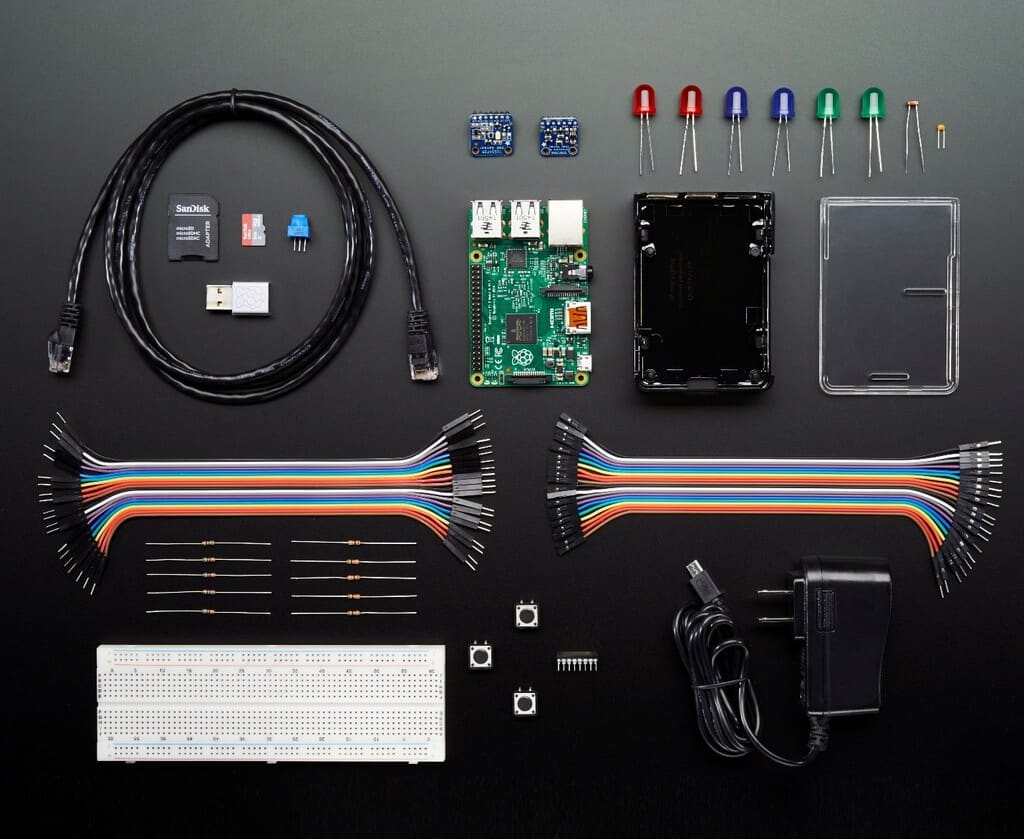
On top of those additions, Microsoft is also announcing a partnership with Adafruit. The partnership has enabled Microsoft to release a new Starter Kit, “designed to get you started quickly and easily on your path of learning electronics or Windows 10 IoT Core and the Raspberry Pi 2.” The new kit includes a set of compatible sensors, wires, electronic parts and cables that all work with Windows 10 IoT Core. Users will also receive a preloaded Windows 10 IoT SD card in their kits along with instructions and sample codes for beginning projects to get them up and running immediately.
Kits can be ordered from www.adafruit.com/windows10iotpi2 or picked up at Microsoft’s booth at World Maker Faire in New York on September 26th and 27th. Other information about Microsoft’s Windows 10 IoT progress can be found at both Windows Insider Program and WindowsOnDevices.com
Microsoft’s progress with Windows 10 for IoT is impressive and fortunately for the company the IoT revolution has yet to be fully realized. No one company has come up with a centralized hub for connected devices, and Microsoft has as much a chance of turning Windows 10 into that hub.
Okay, music fans, Rock Band 4 download is now available for pre-order, according to MajorNelson.com. The game should be available for download on October 6, 2015, and if you order now you get 12 free bonus tracks:
All That Remains – “What If I Was Nothing”
BABYMETAL – “Gimme Chocolate!!”
Earth, Wind & Fire – “September”
Interpol – “All The Rage Back Home”
Jefferson Starship – “Jane” – Linkin Park ft. Daron Malakian
“Rebellion” – Marilyn Manson – “The Mephistopheles Of Los Angeles”
Mastodon – “High Road”
My Morning Jacket – “One Big Holiday”
Pierce The Veil ft. Kellin Quinn – “King For A Day”
“Weird Al” Yankovic – “My Own Eyes”
The Wild Feathers – “Backwoods Company”
Rock Band 4
Here’s the official description of Rock Band 4, in case you’re just getting caught up:
With Rock Band 4, players get access to the incredibly deep music library, featuring over 1500 great songs. Additionally, Rock Band 4 supports most songs you have purchased for previous Rock Band titles. All this, combined with a cutting edge visual presentation and a soundtrack featuring some of rock’s biggest acts, makes Rock Band 4 the defining music gaming platform for this generation.
The game comes in at $59.99, and requires some equipment. If you have Xbox 360 wireless music controllers, you can buy an adapter to use them with the Xbox One. If you don’t have the Xbox 360 controllers, then you’ll want to hold off and purchase the Rock Band 4 guitar bundle or the Rock Band 4 Band in a box. The Xbox One controllers don’t seem to be available as a separate purchase.
So there you have it. If you just can’t wait to get your musical fix, head on over and hit the pre-order button.
Chinese President Xi Jinpin, First Lady Peng Liyuan and other high-profile Chinese executives visited Microsoft in Redmond, reported Microsoft on their blog.
The group was greeted by Microsoft CEO Satya Nadella at the company’s Executive Briefing Center, and talked about the importance of a global partnership between the US and China “based on cooperation and mutual respect” in advancing technology in various areas including healthcare, energy and data sciences. Nadella also expressed optimism regarding the development of tech education in China, as well as a future shaped by technology.
After the welcoming session, the visitors were taken on a tour around the Redmond campus, where they met with executives, watched tech demos and potentially had a hands-on with Microsoft’s most game-changing product in recent years, the HoloLens (hinted at with the phrase “reviewed innovative new devices” in the original blog post.) President Xi also met with other tech companies CEOs and had a private meeting with Bill and Melinda Gates.
Microsoft has scheduled an event on October 6th where the company is expected to take the wraps off a number of new devices alongside the new Windows 10 Mobile operating system, a new Surface Pro 4 and the Microsoft Band. It’s not just the high-end flagships which we’re anticipating, rumors hint that Microsoft will also take the wraps off a few mid-range devices, and one of them could be the alleged Lumia 750.
AdDuplex’s head Alan Mendelevich recently posted a teaser about the company’s upcoming data. In the recent data collected by AdDuplex, they spotted a mid-range device with a model number RM-115 which appears to be the Lumia 750.
AdDuplex stats teaser: meet RM-115[0,2,4,6] a 5″ 720p Lumia Windows 10 Mobile phone. #windev#uwp#windows10#not550
In addition, the teaser also revealed some of the internals of the upcoming handset, which is said to come with a 5-inch display boasting a resolution of 1280 by 720 pixels, and will ship with Windows 10 Mobile as its operating system out of the box.
There’s no information about more specifications, but it seems we’ll see a handful of new devices next month. Stay tuned to WinBeta as we’ll make sure you get every bit of the October 6th event as it happens.
The relationship between Microsoft and China recently, has been prickly, to put it nicely. While, Microsoft’s Windows OS has a significant desktop presence there, the awkward level of nationwide piracy obscures Microsoft ability to monetize its efforts in the area effectively. Added complications include Microsoft’s mobile ambitions in China that are all but extinguish, as Android and iOS have become the platforms of choice, leaving Microsoft with a less than 1% OS presence.
However, Microsoft’s relationship with China may be turning around and charting a new course. Recently, the Windows team spoke about partnerships between Microsoft and China that would have the two working on groundbreaking devices and consumer experiences for Windows 10.
As it stands, with the help of a few established partnerships such as Tencent, Qihoo 360, and Lenovo, Microsoft has seen Windows 10 installed on over 10 million devices in China. It’s Microsoft’s newly announced partnership with China-Baidu though that will help Microsoft tap into over 600 million active Baidu Internet users.
The outlined strategy between the two includes making it easier for Baidu customers to upgrade to Windows 10 by delivering ‘custom experiences’ such as local browsing and search, according to Microsoft.
Baidu.com will become the default homepage and search for the Microsoft Edge browser in Windows 10. Baidu’s new Windows 10 distribution channel, Baidu “Windows 10 Express” will make it easy for Chinese Internet users to download an official Windows 10 experience. Additionally, Baidu will deliver Universal Windows Applications for Search, Video, Cloud and Maps for Windows 10.”
As China continues to become an increasingly strong point of interest for outside companies, Microsoft’s new partnership with one of the largest used Internet gateways in China is pivotal. As much as Bing is heavily touted in the US (features wise, not usage) it’s great to see Microsoft opening Windows 10 to arguably offer a better-localized experiences.
We use printers a lot, and since printers are quite useful devices having problems with your printer can be quite a bother, especially if you print a lot of documents on daily basis. If you’re having printing problems on Windows 10 there are few solutions that you can try.
What to do if You Have Printing Problems in Windows 10
Solution 1 – Troubleshoot your printer
Search for printers in the Search box and select Devices and Printers from the list.
Locate your printer in Printers or in Unspecified category.
Right click it and choose Troubleshoot from the menu.
Follow the instructions to complete the troubleshooter.
If Windows 10 troubleshooter cannot fix your problem, perhaps your printer isn’t installed. To check if the printer is installed do the following:
Make sure that your printer is connected and turned on.
Click Start and go to Settings > Devices > Printers and scanners.
If your printer isn’t listed click Add a printer or scanner and wait to see if Windows 10 tries to detect it. If the printer is detected follow the onscreen instructions to finish its installation. Don’t worry about drivers, Windows 10 should download them automatically. If your printer isn’t listed, proceed to step 4.
If for some reason your printer isn’t detected, click The printer I’m trying to install isn’t listed.
Select My printer is a little older. Help me find it and click Next.
Windows 10 will search for connected printers, and you’ll be notified if your printer is recognized.
Solution 3 – Install your printer manually
For this step you’ll need to go to your printer manufacturer’s website and find your printer model and download the proper drivers for it. Try to download the latest driver, especially if it’s optimized for Windows 10, but if no Windows 10 driver is available, you can also download Windows 8 drivers instead. Also, if universal driver for all printers made by your manufacturer is available you can try downloading it as well.
We hope that these solutions were helpful to you, but there can be other problems with printers such as printer being offline in Windows 10, but we already have already covered that issue in one of the previous articles.
The Dell Venue 8 Pro was a very capable tablet, good enough to tackle the routine tasks such as checking emails on-the-go, browsing and more. Earlier this month, a rumor popped up hinting at the launch of its successor, and it turns out the leak was spot on.
Dell has introduced the all-new Venue 8 Pro and Venue 10 Pro 5000 series tablets, and this time, they are shipping with Windows 10 as their operating system (via Windows Central). The new tablets also ship with improved internals, and feature an Intel Atom quad-core processor, 4GB of RAM, and USB Type-C port for fast data transfers. Additionally, they support Wacom styli, have LTE connectivity, an option for NFC, and more.
The Venue 8 Pro ships with an 8-inch display with option to go for either the FHD version with 1920 by 1080 pixels resolution or and HD version which comes with a resolution of 1280 by 800 pixels. On the other hand, the more powerful Venue 10 Pro boasts a 10.1-inch Full HD display and can be used as a 2-in-1 device which are quite popular these days. There’s a detachable keyboard which give users the ability to use it as a laptop as well as a tablet when removed.
The Dell Venue 8 Pro starts at $299, while the bigger Venue 10 Pro starts at $429. The exact availability details are not available yet, previous reports indicate that we may get to see it by November this year. We’ll update you as soon as we get to hear anything about its availability.