Microsoft’s Lync Room System gets a new Room PC View in the June update

Lync Room System gets a new Room PC View in the June update

Microsoft has rolled out the June update (15.10.0) for the company’s Lync Room System, adding a new Room PC View button on the console that controls the display of the in-room PC share screen. Now, if you want the screen share to display the room, you can easily toggle the button on or off.

“Apart from the usual fixes and minor updates, the June Update contains one major new feature, Room PC View. We added Room PC View to add functionality to improve the content capture experience for a computer that is always connected in the Lync Room System,” Microsoft stated.

For those that didn’t know, Lync Room System is basically Lync for a conference room. This new Room PC View feature is optional and system admins can control whether or not the Room PC View button is present. This option is perfect those those who are using a hard-wired in-room PC.

Head over to the VIA link below to check out the full change log.

KB2969339 Patch Released to Fix Some Windows 8.1 Update Errors

A while ago, we told you about various errors Windows 8.1 users were receiving when trying to install the latest Windows 8.1 Update. And now, finally, after more than 2 months, it seems that Microsoft has found a fix for it.
windows 8.1 update errors
By releasing frequent updates to Windows 8.1, Microsoft is making sure that it’s taking care of various bugs and glitches that are affecting its users. Microsoft has recently rolled out a fix during the June 2014 Patch Tuesday which is aimed at resolving errors 0x80073712, 80070005 and others which appears when trying to install the update file KB 2919355, containing the latest Windows 8.1 Update. According to the official patch description, here’s how the issue is described:

This issue occurs because a new component in update 2919355 contains a file version that is later than the file version that was already installed on the computer.

Some problems fixed with failed Windows 8.1 Update installation

And the cause is said to be this:

This issue occurs because a new component in update 2919355 contains a file version that is later than the file version that was already installed on the computer.

There are many users who are still complaining on the Microsoft support forums that they are unable to update to the latest Windows 8.1 version and we know that as of June 10th, it’s mandatory to have it installed, if you want to receive security updates. You just need to go to Windows Update and check for the latest updates if you want to finally install Windows 8.1 Update.

Read Also: Fix Released for Windows 8.1 Update 0x80071a91 Error

Share to Speech App for Windows 8 Makes Text-to-Speech Seem Incredibly Easy

If you are looking for a a really good text to speech app for your Windows 8 device, be it a desktop or a touch one, then you need to try out the award winning Share to Speech one that we are going to talk about below.
share to speech app for windows 8
Before Windows 8.1 there were almost no text to speech apps on the Windows Store. The reason was that Windows 8 did not support text to speech for Windows Store apps, so they could eventually use only web services to achieve that. After Windows 8.1 was introduced, several such apps have appeared and we decided to review the app that has most features among them – Share to Speech.

Read Also: Steam Tile App for Windows 8 Receives a Big Update, Still Free to Download

As the title suggests, a distinctive characteristic of the app is that it integrates with the Share charm. For people that use pps like IE11 or Twitter, it means a great convenience and a feeling that app is always at the reach of the hand. The good thing is that you can really just share the web page (or tweet with a link), the app will detect language, and try to find the piece of the page that you actually want to hear. In nearly all cases it works without any problem.

Share to Speech is one of the best Windows 8 text to speech apps

The app has three sections in the interface:

  1. Now Speaking is a read aloud list
  2. To Listen is a list of MP3 files that can be moved to other folders automatically or from the
  3. interface
  4. Library is a searchable history of the texts you have processed with this app

Users that don’t use Windows Store apps can use the Clipboard to paste the text or URL from the AppBar, which is not as convenient as the Share charm, but still convenient enough. There is even integration with File explorer to choose Share to Speech from Open with in context menu and Share to Speech can open Microsoft Word, PowerPoint, and some other textual files as a new speech.
share to speech app for windows 8
Opening of those files is also available from the AppBar. The app is limited to Windows 8.1 text to speech engines, which do have very good quality, but for most languages (except US English) only female voices are available, so while you can set up your preferred voice gender in Options (including random gender), it might not have any effect. Still this is the best Windows 8 app in this category, and as it uses some of the Windows unique features it even has some edges over similar apps on other platforms.

Download Share to Speech app for Windows 8 

Microsoft releases SQL Server 2012 Service Pack 2 (SP2) RTM

Microsoft releases SQL Server 2012 Service Pack 2 (SP2)

Microsoft has rolled out SQL Server 2012 Service Pack 2 (SP2), which hit Release to Manufacturing (RTM) just a few days ago. SP2 contains fixes to issues that were reported internally as well as via customer feedback platforms. The SP2 update provides fixes up to and including SP1 Cumulative Update 9.

“As part of our continued commitment to software excellence for our customers, this upgrade is free and doesn’t require an additional service contract. Both, the Service Pack and Feature Pack updates are available for download on the Microsoft Download Center. This includes Slipstream installation packages that can be utilized with existing licenses to install (or upgrade to) new instances with SP2 pre-installed,” Microsoft stated in an official blog post.

Microsoft is planning on rolling out yet another update – called the Cumulative Update of SQL Server 2012 SP2 – at the end of July. This update will contain hotfixes that have been delivered in SQL Server 2012 Service Pack 1 Cumulative Update 10. You can read the full change log of fixes by heading over to this KB support article. Here are some of the new customer-requested improvements:

  • Enhanced informational messages about AlwaysOn availability groups.  Support for COPY_ONLY backups of an AlwaysOn secondary through DPM.
  • Support for local cube creation.  More Analysis Services and Reporting Services logging to improve troubleshooting.
  • Performance improvements for SQL Server Integration Services around SSIDB deadlock/cleanup.
  • Query planning enhancements and improved troubleshooting diagnostics for hash join/aggregate operator spills of data in tempdb and full text indexes.
  • Replication supportability and functionality enhancements.
  • Storage engine performance enhancements.

Microsoft will also roll out SP2 via Microsoft Update by the end of July 2014. But you can hit the download link below to snag the update right now.

Microsoft runs out of US IPv4 addresses for Azure, taps into global reserves

Microsoft runs out of US IPv4 addresses for Azure, taps into global reserves

The world supply of IPv4 addresses has been on the verge of running out for some time now. It has not come out of the blue, and most companies with a need for large numbers of IP addresses bought them up en masse — Microsoft included. But this week the company revealed that it had completely run out of IPv4 address space, and this had an odd knock-on effect for Azure users.

In a post on the Azure blog, Senior Program Manager Ganesh Srinivasan said that “IPv4 address space has been fully assigned in the United States, meaning there is no additional IPv4 address space available.” The solution? Obviously it would be out of the question to simply stop assigning IP addresses to Azure services, so Microsoft was forced to tap into its worldwide reserves. The situation “requires Microsoft to use the IPv4 address space available to us globally for the addressing of new services.”

While this seems like a simple enough solution, there was a side-effects: “at times your service may appear to be hosted in a non-US location.”

The blog post was updated a couple of days later with a slight clarification. “Currently, Microsoft has IPv4 space in US regions. That said, inventory space is a dynamic situation. In the past some customers were assigned non-US IPv4 addresses as a result of limited inventory. We have already updated many major geo-location databases to ensure customers do not experience any confusion in the future.”

So there is still US IPv4 space available. But there wasn’t. And there will be point when there isn’t again. Dynamic, you see. Regardless of whether there is IPv4 space available in a particular region at any given moment, the fact remains that there are a limited number of IPv4 addresses available. There will come a time when there are simply no more available and global stocks cannot be reorganized to overcome the problem.

It highlights the need to move to IPv6 which opened up a much, much larger number of addresses — some have referred to it as offering an almost unlimited number of addresses. But there are compatibility issues and costs associated with switching to IPv6, and this — at least partly — explains why the standard has not yet been more widely adopted.

But ultimately, time will run out.

USB Device Not Recognized in Windows 8: How to Fix it

Recently, many had this issue with where every time they plugged in a USB device, all the others stopped working. It kept displaying the prompt that the USB device was not recognized in Windows 8.

The problem affects all iterations of the OS, including Windows 7, Windows 10, and Windows 11. And the solutions, too, remain similar. Keep reading to find out!

What can I do if the USB device is not recognized in Windows 8?

1. Update the driver

Often updating the driver is the quickest solution when a USB device is not working. Each of these has a dedicated driver, and even though Windows should automatically install them when the device is connected, you may sometimes need to manually install the driver.

While updating the drivers, it’s best you let Windows take care of it or use a dedicated driver update tool since the manual method often leads to more problems, if an unstable or incorrect driver is installed.

2. Scan for hardware changes

  1. Press Windows + R to open Run, type devmgmt.msc, and hit Enter.
  2. Select the affected device, click on the Action menu, and choose Scan for hardware changes.scan for hardware changes to fix usb device not recognized windows 8

Often you find that a USB device is not recognized in Windows 8 when there have been changes to the hardware configuration. In this case, you can quickly check and register them to fix things.

3. Reset the BIOS

In computers, resetting the BIOS can be done either by removing the battery from the motherboard or via a dedicated Clear CMOS switch.

Since the process is different for all manufacturers, we recommend you head to the official website for the exact steps. The process is intricate and needs to be performed properly.

If none of these methods work when the USB device is not recognized in Windows 8, then you could be dealing with a faulty device or USB controller. Try a different USB cable/device or visit your computer technician and ask for a diagnosis.

Before you leave, find out how to update the graphics driver and get better performance from apps.

Tell us which fix worked for you in the comments section below.

Microsoft opens up specialty store at the Columbia mall in Baltimore Maryland

Microsoft opens up specialty store at the Columbia mall in Baltimore Maryland

Microsoft has opened up the first specialty retail store in Maryland inside the Columbia mall. The kiosk-style specialty store, which is smaller than a typical Microsoft retail store, has 12 employees and is located inside the Columbia mall.

The kiosk-style store is located in the mall’s center court on the lower level. The Store offers Xbox, Windows Phone, Windows 8.1 PCs, Surface, and much more. Employees at the Store also offer technical support and assistance. 

The specialty store opened June 12th with nearly 100 eager shoppers gathered around waiting to check it out. Justin Miller, manager of the specialty store, said that the Columbia mall was the “ideal location” for the first specialty store in Maryland.

“Microsoft wants to have a large footprint and we want to be here for the customer. The customer is our main focus and they demand more stores,” said Justin Miller, manager of the Columbia store. “We have a lot of products and services.. that the customers love and want to see.”

“We track where our customers are spending and where they are buying, and Columbia is one of those areas we really wanted to be in,” Miller added. “Columbia is a really great area, a nice community.”

As part of the store’s opening festivities, Microsoft offered the Surface RT 64GB at a discounted price of $199. 

Do you live in the area? Have you checked it out yet? Let us know in the comments below.

Dealing with fake, misleading and copyright infringing apps: Microsoft responds

Dealing with fake, misleading and copyright infringing apps: Microsoft responds

Just last week we posed the question “how should Microsoft deal with problematic apps in its stores?” Looking at some of the less trustworthy apps that have found their way into the stores. There was particular concern about those apps that are misleading, and essentially scam buyers out of money. We spoke to Microsoft and a spokesperson answered some of our concerns.

Much of the onus is placed on developers and end users to report problem apps. “First, we encourage developers to take advantage of obfuscation tools for an added layer of protection. Because the Windows Store is the only authorized source of public apps and games for Windows, developers can more easily police infringement of their apps by monitoring the Windows Store and notifying Microsoft if infringement occurs.”

To help to over the problem of infringing on copyright and intellectual property, Microsoft places a good deal of emphasis on educating developers: “our developer agreements and policies do not permit infringement of intellectual property of others.”

the App certification process appears to be rather flawed

Microsoft insists that every app in its stores is certified before it is published but, as many people have found, this does not stop fake apps, misleading app, and dishonest apps from slipping through the net. The certification and vetting process is not explained, but Microsoft says, “an application may present content after publication that was not present during certification.” This would imply that the certification process is rather flawed. There is potential for a developer to submit one version of an app for checking, and ultimately end up publishing a different version.

“We may identify policy issues through our own mechanisms,” but the involvement of users and developers is encouraged. The [email protected] email address can be used to report problematic apps, or to voice concern about copyright infringement. The developer of the complained-about app has the right to reply. Users are encouraged to make use of the “report concern to Microsoft” links in the Store. Microsoft also insists that “other times we may identify policy issues through our own mechanisms.”

It’s good to hear that there are measures in place, but it does seem as though Microsoft could be more pro-active in weeding out the chaff — or preventing it from entering the stores in the first place. Consumers and developers have a right to be protected, and the burden of responsibility really should not be on either sets of shoulders.

Microsoft Developer Says Cortana for Windows 8 to be Released in the Near Future

A while ago we were discussion that Cortana needs time to make its way on Windows 8.1, and we’ve recently seen hints to this in some internal build of the upcoming Internet Explorer 12.
cortana windows 8.1
The above screenshot shows the Microsoft developer going by the username of “Talderon” who has posted some interesting details on the WP Central forums with regards to the coming of Cortana on Windows 8 device, as it’s already available on Windows Phone. Talderon says that Cortana for the desktop is in the works right now and it’s going to make its way soon on Windows 8.1, as internal developments have been underway at Microsoft for a few good days.

Microsoft developer confirms Cortana to get landed on Windows 8.1 soon

However, what Talderon is currently saying could also mean that the internal development is actually meant for Windows 9 and not an update to Windows 8, like Windows 8.2, or 8.3. While many have been suggesting that Windows 9 will be here in early 2015, I take that with a grain of salt and don’t really see why Microsoft would do that. Sure, many hate Windows 8 and some want the latest Windows 8.1 update uninstalled, but this is a wonder product and it just needs a little more months to get the much needed traction.

Many are still looking forward to the return of the Start menu ( I don’t and I find it hard to understand why some are being bothered so much by this) and this could very well happen in Windows 8.2, as we’ve seen screenshots of this at the recent Build 2014 event. However, pesonally, I think Cortana is a much more needed feature, but it will be interesting to see how exactly will it be available – as a separate app or built deeply inside Windows 8? We’ll just have to wait and see.

Read Also: Office Touch Apps for Windows 8 Demoed, 2014 Launch

Fix This: Windows 8.1 Doesn’t Detect Secondary Monitors

A number of users have complained that after they’ve updated to Windows 8.1, their multi-monitor setup was no longer functioning properly. In some cases, only one monitor was detected and for others, only some of the monitors worked (in cases where users had 3 or more monitors).
windows-8-1-doesnt-detect-secondary-monitors
I won’t ramble on how awesome multi-monitor setups are, but I will say this: after you get used to it, you won’t want to go back to a single monitor ever again. Most of the issues with Windows 8 multi-monitor setups were experienced when the update first came out, but even now there are users complaining about Windows 8.1 not detecting secondary monitors. In this guide, we’ll show you how to deal with these issues and fix your multi-monitor system.

Solve problems with Windows 8.1 not detecting secondary monitors

More often then not, issues like this one are caused by out-dated or faulty drivers. Of course, there can also be a hardware issue lurking somewhere, and these are usually harder (and more expensive) to fix. Having a multi-monitor array myself on a system which runs Windows 8.1, I have encountered a few issues myself, but luckily, nothing which involved hardware fails (this time at least).

Read Also: VLC Player to Soon Add Chromecast Support for Windows 8

The multiple monitor settings can be found by either pressing the Windows Key + P or by right clicking on your desktop and selecting “Screen Resolution“. From here, you can configure which monitors you use and how they are arranged. In this window you can see how many monitors Windows 8.1 is recognizing. If you see all of them, then it’s only a matter of switching them on and arranging them accordingly. (Tip: use the “Detect” option to see the order of your monitors).

Some possible fixes

In order to determine where the problem originated, we’ll be looking at software fixes and hardware tests which will tell you where the issue resides. Before we download or update anything, let’s get the obvious out of the way and run a few diagnostic tests:

  • Unplug the device, restart your system and plug it back in
  • If available, try using a different out put (DVI / HDMI / VGA)

Note: Windows 8.1 on some computers have problems sending analog signals via certain VGA cables. Try another cable or if possible, use a digital DVI, HDMI or DisplayPort

  • If possible, hook up your monitor to another system and see if it works at all. If it doesn’t, try a different cable / power cord / outlet. If none of these work, then you be dealing with a DOA (Dead-On-Arrival) product

If your monitor/s work on different systems and on all their inputs, then the problem can be from the physical ports on your computer or from the drivers which run on your Windows 8.1 device. Before we go about modifying BIOS settings or swapping out hardware components, do a thorough inspection of your operating system:

  • Make sure your Windows 8.1 system is up to date
  • Run Windows Update and install any missing updates
  • Check your video card manufacturer’s website for updated drivers. If there aren’t any, uninstall your current driver and re-install it with a fresh one downloaded from the manufacturer’s website

In the vast majority of cases, your issues should be resolved by now. A new driver and updated operating system is pretty much all you need to run multi-monitor setups on Windows 8. On the other hand, if you’re still experiencing problems and Windows 8 still doesn’t detect your secondary monitors, try the following:

  • Do a hard reset (for laptops) or BIOS reset
  • Test your video card on another computer, maybe some ports aren’t working as they should
  • Do a Windows 8 system refresh

Read Also: LG Dual Monitors Don’t Work in Windows 8.1 for Some Users


Throw Axes With your Finger in Max Axe Game for Windows 8 Tablets

From Windows Store you can download various games, whether you want something easy to play, just for fun, or complex games for testing your hardware performances. Well, if you looking for an addictive and extremely fun app, then you need to try Max Axe.max axe windows 8
As the name suggest, Max Axe is yet another game that tests your ability and patience while you will try to outbest your friends and your opponents. You will struggle to obtain high scores which can be then easily shared through various social media networks and within Max Axe community. This action game will guaranty fun ours spend on throwing axes and collecting treasures while advancing from one level to another – don’t worry, you have more than 100 worlds to discover.

Read Also: Pocket Avenger Game for Windows 8 is a Must-Download for Tablet Owners

Max Axe: Great fun within a swipe

With Max Axe you will through crazy axe by simply swiping your finger on your Windows 8 based device. While the game can run on any dual core powered handset, the best will be to try it on a Windows 8 / Windows 8.1 or Windows RT tablet in order to get and enjoy the proper user experience. What you have to do? Well, basically you will be Max, a mighty Viking barbarian who is set for total destruction actions in a high speed adventure.max axe game

Of course, there will be crazy combos, lot of fun and humorous situations from which you will have to escape by throwing your axes. While advancing through different worlds, you can unlock skills, buy new weapons and develop your own strategy in order to outrank your friends.

This Windows 8 axe-throwing game can be anytime tested as Max Axe is available for free on Windows Store. Do note that you will have to own a dual core powered tablet in order to run this app, so first check your hardware performances.

Download Max Axe for Windows 8

Microsoft makes bigger commitment to electronics recycling

Microsoft makes bigger commitment to electronics recycling

Computers and other electronics present a unique problem when it comes time to dispose of them. The innards of many device are not particularly friendly to the environment. Some company’s sponsor recycling programs to responsibly dispose of discarded items, and Microsoft is one of them. Now the company is taking a further step in a new partnership just announced. 

“Earlier this week Microsoft, along with organizations like Goodwill Industries, Xerox and Sony America, were announced as founding members of R2 Leaders. R2 Leaders are organisations that encourage use of the R2 Standard and have demonstrated a commitment to the safe, sensible and sustainable repair and recycling of used electronics”, says Microsoft’s Josh Henretig. 

R2 is a standard for how to properly dispose of or recycle used electronic devices. However, Microsoft points out that it was already following many of the practices set forth in those guidelines. The company offers several different programs for recycling, but this move will bring it inline with industry standards. 

Yahoo! Messenger App for Windows 8 is Not Official, but Gets the Job Done

Even though Yahoo Messenger for Windows 8 isn’t yet official, you can still download a dedicated app that can offer you all the features you want and need in order to stay in touch with your friends, family or coworkers.yahoo messenger windows 8
Nowadays the social media networks are becoming more and more popular, which means that the old services we used for chatting and video-calling with our friends will be left behind. Well, hopefully that’s not the case for Yahoo Messenger, which is still struggling to survive as more and more users are choosing Facebook messenger or Hangouts instead.

Read Also: Windows 8 Line App Updated with Performance Improvements

Yahoo Messenger for Windows 8 is now better and more stable

Anyway, on Windows 8 based devices we can’t download the official Yahoo Messenger app, but we can use several dedicated tools that works just fine. With the new version of the software, which by the way can be anytime downloaded for free from Windows Store, you can complete all the tasks you want, as now the touch based app is almost the same as the desktop client.

Thus, using Yahoo Messenger for Windows 8 and Windows 8.1 you will be able to send and receive various files, set your status and stealth mode, change your profile image, save your history, engage chat texts and use emoticons, perform video callings and lot more. Furthermore, the instant messaging service is stable and run without lags or bugs on any Windows 8 / Windows 8.1 based device, whether we are talking about tablets, laptops or desktops.yahoo messenger interface

During time, Yahoo Messenger for Windows 8 received several updates that revealed important stability improvements and bug fixes, while for Windows 8.1 systems the IM+ software has become fully optimized for daily uses. I have already pointed out before, Yahoo Messenger can be anytime tested, the app being free distributed on Windows Store.

Download Yahoo! Messenger for Windows 8.

Microsoft updates its terms and policies, says it won’t look into your emails

Microsoft updates its terms and policies, won't look into your emails

Over the past few months Microsoft has shown its concerns toward users’ privacy. Today, in an effort to make things more transparent to users and gain people’s trust, Microsoft updated its service agreement and privacy policy. The software giant said that it will no longer look into users’ emails to target ads to them.

It is worth noting that Microsoft runs Scroogled campaigns, where it criticizes Google for — in any way — for look at user’s emails to target ads to them. Microsoft made its stance clear today when it said that it will not look into emails, chats, photos or any other personal files for advertising purpose. “Nor do we use your documents, photos, or other personal files to target advertising to you”.

The company also updated its Code of Conduct to make it easy for users to understand what affects their account. Microsoft said that parents will be held responsible for minor children’s use of Microsoft accounts and services, and that includes purchases as well.    

These new policies apply to not only Outlook, but other Microsoft services such as OneDrive, and Bing as well. However, this will only go in effect starting July 31, 2014.     

Microsoft to open up a brand new Microsoft Store in Syracuse New York soon

Microsoft to open up a brand new Microsoft Store in Syracuse New York soon

Microsoft is all set to open up a brand new retail store in the Destiny USA luxury shopping complex soon. This shopping complex is located in Syracuse, New York. The 4,000 square foot retail store will take a spot from the recently vacated Coach store.

The retail store will be located near the center atrium on the second level of the mall’s older section. Interestingly enough, the Microsoft Store will be near the Apple store, which just so happens to be on the same level.

The Microsoft Store will open this fall and will be the second store located in upstate New York. Microsoft recently opened a Microsoft Store at the Walden Galleria near Buffalo, New York. There are five other retail stores in New York, in the New York City area and on Long Island.

A Microsoft Store is a fantastic place to check out the latest offerings from the Redmond giant. You can go hands-on with various products, including tablets and laptops, as well as software and games. Microsoft also has the Surface Pro 3 on display as well.

Microsoft’s Services Agreement updated, focuses on privacy, transparency, and simplicity

Microsoft's Services Agreement updated, focuses on privacy, transparency, and simplicity

Microsoft is rolling out a change to it’s Services Agreement, which is now focused on privacy, transparency, and simplicity. These new changes take affect July 31st and those of you with a Microsoft Account will receive an email about this change soon.

“Part of that is also making sure our service agreements are as easy as possible for everyone to understand. In that vein, I am sharing a few updates coming to the Microsoft Services Agreement (MSA) well in advance of when they take effect, so that the people who use some of our most popular services, including OneDrive, Outlook.com, Bing and MSN.com, know what to anticipate and understand what the updates mean,” Microsoft’s Ryan Gavin, General Manager of Search, Cloud and Content stated in an official blog post.

The Services Agreement will now explicitly state that Microsoft does not use consumer documents, photos, or personal files for targeted advertising. The same rule applies to what is said via email, chat, video calls, or voice mail. Microsoft will also offer transparency in the Services Agreement by condensing the separate Code of Conduct and Anti-Spam documents into a single list of activities that can result in a customer’s account being closed. Microsoft has also added language about parental responsibility for children using Microsoft services.

Finally, Microsoft has made the agreement simple. “We tailor our privacy statements for each product and organize content for consistency, so people can easily find it. This includes a new Windows Services Privacy Statement that covers Microsoft account, Outlook.com and OneDrive,” Microsoft explained.

An email will be delivered to those who have a Microsoft Account prior to July 31st, to give everyone a heads up on these new changes. “We hope you agree that these updates are good for our customers, and that you continue using the products we work every day to make exceptional,” Microsoft adds.

You can read more about these changes by heading over to the VIA link below.

Stem cell research breakthrough aided by Windows bug-testing software

Stem cell research breakthrough aided by Windows bug-testing software

Software that is usually used to probe Windows applications for bugs and problems has been put to another use — helping out with stem cell research. Scientists have long been trying to determine just what it is that influences the type of tissue stems cells turn into, and the answer is now a step closer.

Scientists were pleased and surprised to find that the reasons were not as complicated as first thought. Stem cells take one of two routes — either continually replicating themselves or transforming into another type of cell. A good deal of stem cell research has focused on restorative medicine such as treating spinal injuries, and it is hoped that the Windows software will play a key role in the future.

It has already proved invaluable in predicting what happens to stem cells. The software may be used to track bugs, but it can also be used to reverse-engineer software and determine the algorithms controlling outcomes. And this is what the scientists were able to do with the stems cells, feeding data about genetic and chemical makeups into the software. This enabled them to identify a series of interactions between a small number of proteins and environmental factors.

In turn, this made it possible to predict how stems cells would respond to various changes — with an accuracy of 70 percent. “It signals a future where many discoveries in this area are driven by predictive model building,” said Simon Tomlinson from the Institute for Stem Cell Research in Edinburgh.

From fighting bugs in Windows to working with stems cells, the “formal verification” process used has proved fantastically versatile.

Important Windows 8 Apps That Are Still Missing in the Windows Store

When Microsoft introduced Windows 8, the company also released Windows Store, a place from where you can download and install various apps and programs for your tablet, laptop or desktop. While Windows Store wants to be similar with Apple Store or Google Play, there are some important apps that are still missing from Microsoft’s own market.windows store
The apps and programs that aren’t available in Windows Store, but can be found on Google Play for example, are important software that can ease your daily work and which can help you schedule your daily program, or why not, entertain you and your family. So, during the following lines I will list these apps that aren’t yet available on Windows Store; of course, we hope that each tool mentioned here will be eventually released for our Windows 8 based devices.

Read Also: F-Secure Releases Tool to Check if your Windows 8 PC is Infected by GameOver Zeus Botnet

Most relevant programs which aren’t yet available on Windows Store

  • Pinterest: Even though on Windows Store we have third party apps that offer access to this social media network, the official Pinterest client isn’t officially released for Windows 8, Windows 8.1 or Windows RT users.
  • Google Calendar: In order to organize and schedule your daily activity you need to use a dedicated calendar app. While Google Calendar is the most popular app in that matter, on Windows Store you can’t find it, though there are several third party tools related to the same.
  • Pandora: This Internet Radio service has been recently made available for Windows Phone 8 devices, but the app is still messing for Windows 8 and Windows RT based tablets and desktops.
  • HBO GO: Unfortunately, if you own a Windows 8 based device you will not be able to watch your favorite movies from HBO, as HBO GO is still unavailable on Windows Store (you can stream HBO from your browser but you will not get a mobile-optimized interface) – instead you can use Hulu Plus.
  • Pocket: If you want to get in touch with everything that’s new by using Pocket, a dedicated app in that matter, you will not be able to do so, as the tool is still unavailable on Windows Store.
  • Spotify: Similar with Pandora, Spotify is available for Windows Phone 8 handsets, but no for Windows 8 and Windows RT tablets and desktops.
  • Instagram: As you might have noticed, the official Instagram client isn’t released on Windows Store, though you can any time use other dedicated third party tools.
  • Google Drive, Google Maps or YouTube: Google will not release dedicated Windows 8 apps for its own services, so Google Drive, Google Maps and even YouTube can’t be downloaded from Windows Store.

These are only few apps that are available on Google Play or Apple Store but not on Windows Store. Nowadays, we have around 150,000 apps released on Microsoft’s market, though we can’t even compare this number with the apps that are available on Google: more than one million. Anyway, let’s hope that more and more devs will develop new apps for the Windows 8 system, so that in the future this gap will be erased.

Read Also: My Windows 8 Laptop was Stolen: What To Do

Surface Pro 3 launch day festivities to take place at every Microsoft Store on June 20th

Surface Pro 3 launch day festivities to take place at every Microsoft Store on June 20th

While you can pre-order the device right now, Microsoft is set to officially launch the Surface Pro 3 on June 20th. In celebration of the launch day, the company is hosting launch day festivities at every Microsoft Store location in the US and Canada.

“To celebrate the arrival of the Surface Pro 3, all Microsoft retail stores in the U.S. and Canada will host launch day activities starting when stores open on Friday, June 20, including VIP white-glove pre-order pickup, giveaways, music, food and more. Attendees will have the opportunity to win dozens of giveaways and prizes, including a family vacation to Honolulu, Hawaii, for four,” Microsoft stated in an official blog post.

The fun continues with the Surface Summer Celebration event, which takes place in Microsoft retail stores on Saturday, June 28rd. This event features summer-themed activities and giveaways and ten select stores will have a family-inspired afternoon of fun featuring games, food, and a chance to meet local sports celebrities. Attendees can also meet the Surface Pro 3. The following Stores will partake in this special summer celebration event:

  • Bellevue Square, Bellevue, Washington
  • Aventura Mall, Aventura, Florida
  • Westfield San Francisco Centre, San Francisco
  • Westfield Garden State Plaza, Paramus, New Jersey
  • Scottsdale Fashion Square, Scottsdale, Arizona
  • Woodfield Mall, Schaumburg, Illinois
  • The Fashion Centre at Pentagon City, Arlington, Virginia
  • Square One Shopping Centre, Mississauga, Ontario
  • South Coast Plaza, Costa Mesa, California
  • The Shops at La Cantera, San Antonio

Keep an eye out for your local Microsoft Store on June 20th and head over to any of the above listed Microsoft Stores on June 28th to partake in the summer celebration. Have any of our readers pre-ordered the Surface Pro 3?

Microsoft takes a shot at Google Docs, calls it a ‘suboptimal experience’

Microsoft takes a shot at Google Docs and calls it a 'suboptimal experience'

In an official Office blog post, Microsoft is touting better collaboration across devices with modern Office experiences. The company also takes a shot at Google’s offerings, such as Docs and Sheets/Slides, saying that they offer a ‘suboptimal experience’ compared to Office.

“Why settle for a suboptimal experience using Google Docs, Sheets and Slides when Office provides you the best experience available with the modern Office experience on PC and iPad already. Office will be available on other platforms soon. These Office experiences will continue to make collaborating across devices easier, richer and more complete than ever,” Microsoft stated in an official blog post. Office is already available on iPad, and the Redmond giant is rumored to launch a touch-first Office for Android soon.

Collaboration is essential when working on a team or on a project, and that is why you need productivity tools that are available no matter what device you and your team members use, and perform well in every situation. Everyone is familiar with Office, which happens to offer a consistent experience across devices and platforms. 

Microsoft also touts Office’s ability to retains the file fidelity and document formatting, no matter what device you access the document, spreadsheet, or presentation from. “If you open an Office document, spreadsheet or presentation on a PC, you will get the rich Office experience you’ve come to expect. Open that same Office file on an iPad, and the look and feel will be the same – right down to the formatting,” Microsoft adds.

If one of your team members moves the file to Google Drive, for example, you no longer experience the familiar Office look. Formatting also becomes a mess. Microsoft suggests that you do not waste your time reformatting your work when you can easily get it done with Office. In other words, don’t waste your time with Google’s offerings.

Microsoft stands up for customer rights — fights US government search warrant


Microsoft has been issued with a search warrant from the US government asking that the company hand over details about customers that is held on servers outside of the US. But the company is fighting back, saying that the warrant cannot be used across borders to obtain data from overseas, and is not justified by law.

The resistance is the latest stance from Microsoft after it recently called for reforms to be made to government surveillance. Brad Smith, Microsoft’s General Counsel & Executive Vice President, Legal & Corporate Affairs said that the US government should only be able to request access to data held within its own boundaries, and pointed out that user trust was being undermined by requests for overseas data.

The latest battle concerns a warrant that seeks to gain access to emails stored at a Microsoft data center in Ireland that related to an on-going drug-trafficking investigation. The warrant was issued back in December by a judge in New York but Microsoft is keen to at least be seen to be fighting for customer rights and privacy. This is partly out of a sense of integrity, but also out of fear that simply caving in to such demands could be bad for business as customers could move elsewhere.

An anonymous Microsoft official is quoted by the Washington Post as saying that the revelations about government surveillance “certainly put a premium on demonstrating to people that we are fighting”.

As more and more businesses and services move to the cloud, it is becoming increasingly common for US companies to host data outside US borders. While the data has to be subject to some laws, Microsoft argues that the arm of US law should not reach that far. Moreover, the company agues that the US government should communicate with the government of the country in which data is stored so that the correct legal routes can be followed.

For example, as the Washington Post points out, in Ireland the approval of an Irish district court judge is needed to obtain data about email. But it is not just Ireland that is of interest; Microsoft has data centers in dozens out countries all around the world.

Of course there is a counter argument. The US government suggests that the location of data is unimportant. Microsoft is a US-based company so it should be subject to US law, is the implication. The matter is further complicated by the route emails take. Which country’s law should apply first in cross-border communication — the country the email was sent from, or where it was received and opened?

Do you feel that Microsoft is fighting your corner? Do you feel the reach of the US government should be curtailed?

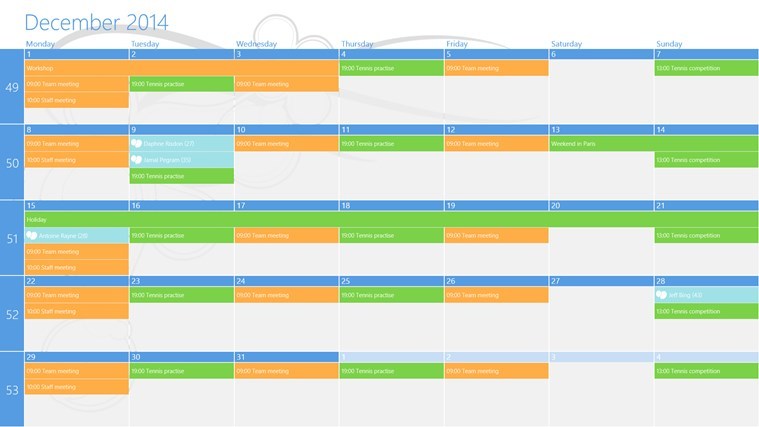
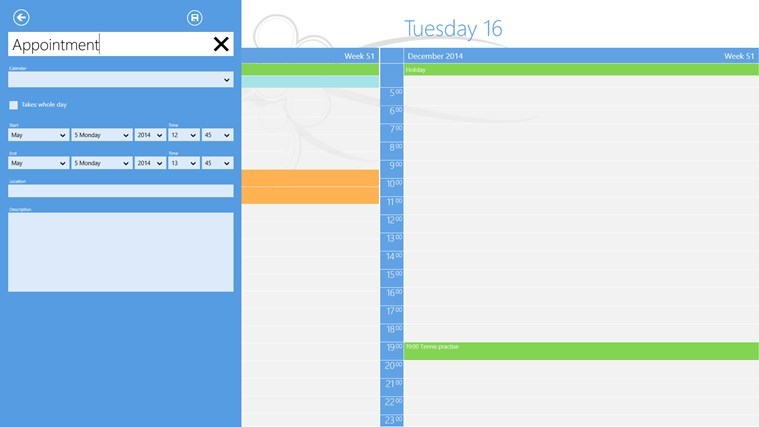
OneCalendar Launches for Windows 8, One of the best Calendar Apps Yet

Windows Store provides various calendar apps and clients, but for the best user experience, which tool should you use on your Windows 8 based device? In order to help you decide, during the following lines I will review the OneCalendar software for you, so don’t hesitate and check it out.OneCalendar Windows 8

In case you are using your Windows 8, 8.1 device as a daily basis, and probably you are, then you should also use some dedicated apps that can help you schedule your program and plan your daily activities. In that matter, downloading and installing a calendar app is a must. So, due to same reasons, you might want to try the OneCalendar app, which is one of the best calendar app we tested so far.

Read Also: How to Fix OneDrive Not Syncing Problems in Windows 8.1

OneCalendar for Windows 8 seems like a good replacement for Google Calendar

We all know that Google Calendar is not available on Windows, so without being able to use the official Google client, you should try other apps that can provide similar features and abilities. OneCalendar can definitely satisfy your needs as by using this complex app you can manage your other online calendar profiles such as Google Calendar, Windows Live, Hotmail and so on. Moreover you can work offline when internet connection can’t be established, you can view a single day, the whole week, or even the whole year, you can save birthday events, you can plan your future activities and set various reminders.
onecalendar app windows 8The tool comes with great features that can customize and optimize your calendar activity right on your Windows 8 or Windows 8.1 powered device. OneCalendar can be downloaded for free from Windows Store (go to this page) and can be installed also on Windows RT based systems.

In case you need to try other calendar clients in order to decide which tool to use, you can anytime test Gardener’s Calendar, Birthday Reminder or you can check our Windows 8 Calendar selection from Windows Store. Also, you can share with us your own favorite software and we will update our review accordingly.

Download OneCalendar app for Windows 8 

Become a Real Stuntsman with New ‘Fail Hard’ Game on Windows 8

If you are bored and want to test a new Windows 8 game that is fun and easy to play, then you must try Fail Hard. This game is available for Windows 8, 8.1 and Windows RT and can be anytime downloaded for free from Windows Store – if you want to learn more about this game and if you want to learn how to become a real stuntsman, take a look below.fail hard stunts game windows 8
Fail Hard is a typical addictive game that tests your abilities and skills by providing an intuitive interface and well-designed levels from which you can develop your stunts. Basically you will be driving a vehicle and you will have to complete several and various routs. Of course, there will be numerous obstacles and other traps that will make you “fail hard” while performing unwanted and hilarious stunts – thus, in the end you will definitely become a real stuntsman.

Read Also: Finally, Grand Theft Auto V Will Land on Windows 8 PCs This Fall

Perform dangerous stunts on your Windows 8 tablet with this game

fail hard stunts game for windows 8

Experience the evolution of becoming the greatest stuntman in the world. * Make it big in the stunt show business and don’t back down even from the most dangerous of stunts and jumps. * Take yourself to your limits and beyond by facing the challenges of physics bending stunts. * Collect coins to upgrade your equipment to enable the biggest and most entertaining feats ever attempted. * Rise from the bottom as an promising up-and-comer to true stardom. * As a stunt man it’s trial and error that counts

You will never get bored with this app, as Fail Hard provides different vehicles to ride, various challenges, great levels and tricky obstacles. You can also unlock new events, words, abilities and vehicles to use on your crazy ride.

As mentioned, Fail Hard can be downloaded for free from Windows Store (you can get the app by accessing this link) and you can install this game on any device you want, whether we are talking about your Windows 8, 8.1 or Windows RT laptop, tablet or desktop – you should try it on a touch based handset though, just for more fun. In case you want a more “serious” game you can try Arena of Heroes instead, which is an addictive PVP turn-based tactical combat game, or you can read our latest Windows 8 games reviews.

Download Fail Hard game for Windows 8 

Microsoft: Here is why Internet Explorer 11 is faster and safer than older versions

Microsoft: Here is why Internet Explorer 11 is faster and safer than older versions

Internet Explorer 11 is Microsoft’s latest version of the Internet Explorer browser. In an official blog post today, Microsoft is touting several reasons why Internet Explorer 11 is the perfect browser, since it is faster and safer than older versions.

“The latest version of Internet Explorer is faster, more secure, and has better web standards support than older versions. For Windows 7 and Windows 8.1 users, upgrading to Internet Explorer 11 has significant benefits – and enabling automatic updating ensures that users will always be up-to-date. This is important, because two-thirds of all desktop computers are still using older, less secure browsers despite years of security advancements and updates,” Microsoft stated in an official blog post.

Every new version of Internet Explorer includes newer and improved security protection, building on improvements from the previous Internet Explorer version. This helps make socially-engineered attacks and browser exploits more difficult on modern versions of Internet Explorer. 

Microsoft also recommends that you install all the security updates that are released during Patch Tuesday, especially security updates for Internet Explorer. June 2014 Patch Tuesday features a Critical update for Internet Explorer 11 and must be installed to ensure you are protected against exploits.

Microsoft states the obvious by saying: “The most recent, fully-patched version of Internet Explorer is more secure than older versions.”

Now you must be thinking, “well, duh, its obvious that a newer version of Internet Explorer would be safer than an older version.” But the problem is, two thirds of desktop browsers being used today are outdated, according to figures from NetApplications. Older browser are a problem for web developers and they are more likely to be susceptible to attacks.

“Microsoft recommends enabling automatic updates to ensure your computing experience is always up-to-date. Regular updates provide significant benefits, such as improved security and reliability, and Windows Update can automatically install updates for Internet Explorer and Windows. To turn on or check the status of automatic updates, simply press the Start button, type “Update,” and select Windows Update,” Microsoft adds.

The Redmond giant plans to continue the efforts in making significant investments and improvements to Internet Explorer’s security. Microsoft is also “ramping up” focus on helping consumers and commercial customers upgrade and stay up-to-date with the latest Internet Explorer browser.

Fix This: Taskbar not Responding in Windows 8, 8.1

Even though Microsoft are actively trying to improve the quality of their operating systems by constantly releasing new updates and fixes, some of the issues fall through the cracks and only get resolved after a log time. One issue which has been reported by users is a system problem which causes the Taskbar to become unresponsive in Windows 8.
fix-taskbar-not-working-windows-8

Image Credit: gawkerassets

Users who have experienced this issue have reported that the Taskbar and sometimes other Windows components such as PC Settings or the new Start screen or Charms bar  become unresponsive and they cannot change any settings or access any features. The problem usually presents itself when certain applications are launched, both in desktop and in Modern UI mode.

Read Also: Download the Latest Dolby Version for Windows 8.1

How to fix Taskbar not Responding in Windows 8

These errors usually occur because of infected or corrupted files whiting the system which means that they’re really hard to fix. Of course, as Windows 8 users, you have a few options at your disposal, and we’ll show you how you can fix the Taskbar not responding issue.

First of all, make sure that you have system restore disk handy, If your computer has serious issues and you cannot create a system restore disk, know that you can create this drive (either on a USB drive or on a DVD ) on a different computer and use it on yours. Also, if you have a bootable disk with Windows 8, that can work also. For more information on how to create such a disk, please refer to this Microsoft help article.

Now that you have your Windows 8 recovery disk, you are all set to try and fix this issue. Here are the methods you can use in this regard:

1. System Restore – This is great way to go about many of your issues, if you don’t have any very important files on your hard drive and you are in the habit of crating restore points. If so, just try to revert to a previous version of Windows 8.

2. System Refresh – As an alternative to restore, a system refresh leaves all your files intact but resets all your Windows 8 settings to their default values.

3. System Recovery – More advanced troubleshooting options are available when you use your recovery disk to start up Windows 8 in recovery mode. From here you can easily refresh or repair your system in the hopes that this will fix your issue with the Taskbar.

4. System Restart – This feature leaves you with a clean Windows 8 operating system. It deletes all the files you have stored on your C:/ drive as well as resetting all the features to their factory settings.

5. Reinstall Windows 8 – If everything else fails, your only option is to back up all your data and reinstall your Windows 8 operating system and get a fresh start.

Read Also: How to Disable Taskbar Transparency in Windows 8.1


Microsoft has plans for a touchscreen games controller

Microsoft has plans for a touchscreen games controller

Think of the words ‘Microsoft’ and ‘games controller’, and it’s probably an Xbox or Xbox One controller that springs to mind. But a patent that has just come to light shows that Microsoft could well have plans for a touchscreen controller in the pipeline.

The patent describes a touchscreen games controller that sounds very much like the on-screens controls that are found in many mobile games. It describes a future device:

“…controlling a game with a mobile touch-enabled device. A thumbstick and a mode selection button can be rendered on a display of the mobile touch-enabled device. The thumbstick can be rendered on a reassignable area of the display and the mode selection button can be rendered on a mode selection area of the display.”

The “reassignable area of the display” sounds particularly interesting as it implies that different button layouts will be possible. The patent was originally filed back at the end of 2011 and was published in March this year to little fanfare. There’s no hint about when, or even if, the patent will be used to creat.e a piece of hardware, but it’s a device that has huge potential

It is likely that the patent refers to a new, yet-to-be-released touchscreen controller, but there is no reason to think that the software could not be ported to Windows Phone — could your handset be used to control Xbox One games?

Scandalous software: how should Microsoft deal with problematic apps in its stores?

Scandalous software: how should Microsoft deal with problematic apps in its stores?

Any apps that appear in the Windows App Store or Windows Phone Store are open to scrutiny. Microsoft, and anyone who downloads and uses the apps, is free to evaluate them, and it could be that given titles do not quite live up to expectations. There is always the possibility that an app is not entirely what it appears to be, or it could even violate copyright.

Every app in the stores has a link that can be used to report questionable titles to Microsoft. There are many reasons you might feel like reporting an app. If you have designed an app of your own, you would probably feel inclined to report a copycat title. But you might also feel that you have been misled into purchasing an app that is not exactly what it first appeared. It would seem reasonable to expect that reporting an app would lead to an investigation and the possible removal of it from the store.

The reporting process does not quite have the expected results

Some store browsers such as WinBeta reader Steve have found that the reporting process does not quite have the expected results. He has been disappointed by Microsoft’s response — or lack thereof — to app reports he has made. Take the innocuously named Temple Run 2.. — seems reasonable enough, yeah? But what are those two periods in the name?

This is in fact not the second Temple Run game, despite what the description would have you believe. Hand over your $0.99 and you get an app that bears the following description: ” Navigate perilous cliffs, zip lines, mines and forests as you try to escape with the cursed idol. How far can you run?!” Sounds good, yeah. But there’s a little extra bit tacked on the end. “My app will provide you the best way to finish”.

The additions to the name of the game, and the little caveat at the end of the description are very easy to miss. Steve felt angered enough by the existence of the app to report it. One would rightly expect Microsoft to investigate the app and then either remove it, or at least insist that the name or description be changed. Steve then took to Twitter, pointing out the app to Microsofter Pete Brown:

But the app’s still in the store. It still has the same title and description, and there are still negative reviews building up. Now it could be argued that the review system should be enough to allow other users to determine the value of an app they stumble across, but is it really fair for others to have to test the water and get stung first?

Microsoft should have a team dedicated to policing the Windows Store

Steve suggests that Microsoft should have a team dedicated to policing the Windows Store, checking for those that have been approved and ensuring that they do what they claim. How about a copy of Skype for Windows 8 for $0.99? This is the sort of thing you would expect Microsoft to notice really yet the app remains in the store. There are currently no reviews so it’s hard to tell is there are many disgruntled users — maybe they were put off by the description that reads “Skype for windows8 now you can enjy all about skype… my app will help you alot in the usage of skype in windows8” (sic).

All highlighted is the problem of scam apps — those get-rich-quick schemes that are all-too common line, translated into app form. Again, Steve has taken it upon himself to report many of these apps, but he is not a one-man vigilante team. Is it reasonable to expect that Microsoft should be doing more?

On one hand there is the argument that Microsoft should be vetting every single app that hit the stores. This is similar to the approach adopted by Apple, but it is obviously very time, money and labor intensive. Is Microsoft happy to see apps hitting the store just to push the numbers up? On the other hand, it is better to give apps the benefit of the doubt and take the ‘innocent until proven guilty’ approach?

This latter option seems fair, if flawed, but it only works if apps that are reported are investigated and dealt with in a timely fashion.

We’ve reached out to Microsoft to ask them to explain how the reporting and investigation process works, but we’re yet to hear back; we’ll update the post as soon as we hear anything. Does it make a difference if a copyright complaint comes from a copyright holder, or just from a concerned user?

What do you feel is the best approach? Proactively seeking out apps, waiting for them to be reported, or vetting them prior to allowing them in the stores in the first place? Have you been stung by an app that wasn’t what it claimed to be? Share your stories in the comments.


Fixed: Error H7353 When Resuming a Movie Playback on Netflix Website in Windows 10

As part of its most recent updates, Microsoft has issued a fix for some Windows 8.1 users who have been having problems with the Netflix website on their Internet Explorer browsers. Here’s more details.
neflix movie playback windows 8.1

Consider the following scenario: You have a computer that is running Windows RT 8.1, Windows 8.1, or Windows Server 2012 R2. You browse to the Netflix website in Internet Explorer. You sign in to Netflix. You select a movie that you previously watched, and the movie has a bookmark. You resume playback from the bookmark. In this situation, playback fails, and you receive error code H7353.

Read Also: Music Maker Jam App for Windows 8 Receives Many new Music Styles and More Features

Netflix video playback problems get a fix for some Windows 8.1 users

I personally have never  encountered the H7353 error code when browsing on Netflix or resuming a movie playback, but I’ve seen plenty of mentions regarding this online, so have decided to inform the community about this improvement. Windows 8.1 Enterprise, Pro and as well as RT 8.1 and all three versions of Windows Server 2012 R2 have received the update which solves the above mentioned problem.

As we can see from the official description of the problem, it refers only to Internet Explorer browsers, but I’ve seen it happen with Chrome and Firefox, as well, so make sure you do update regularly via Windows Update to get much needed improvements and fixes. This fix has been made available in the past month and we’re looking forward to the problem solving solutions for this month, as well.

Read Also: Insteon App for Windows 8 Now Available, Use it to Control your Home

Watch Microsoft’s keynote during Computex 2014 (video)

Watch Microsoft's keynote during Computex 2014 (video)

Microsoft’s Nick Parker and Tony Prophet took the stage during Computex 2014 in Taipei and spoke about Microsoft’s view of computing. The company also unveiled the latest Windows 8.1 and Windows Phone devices during the event. If you missed the coverage of the event, watch this video!

“On Wednesday, June 4th, Nick Parker, corporate vice president responsible for device partnerships, delivered a keynote that covered Microsoft’s view of computing, how we are delivering on this today, a view into the future, the business opportunities the Windows platform creates for partners and unveil the latest Windows and Windows Phone devices. Nick was joined on stage by Tony Prophet, Corporate Vice President of Windows Marketing, Nick Hedderman, Group Manager in the Windows Product Management team, and Dr. Hsiao-Wuen Hon, Managing Director of Microsoft Research Asia & Distinguished Scientist of Microsoft,” the video description reads.

At the event, Nick Parker began the keynote speaking about Microsoft’s vision for devices in a rapidly changing market and how Microsoft is constantly innovating across its products, partnerships, and business model to create opportunity for partners. He also spoke briefly about the company’s device partner strategy to help drive scale and innovation with Windows via partnerships and new technology. 

We’ve embedded the video below for your viewing pleasure. It is close to one hour and thirty minutes long. Enjoy!

Fixed: Video Playback Stops in Windows 8.1, 10 Modern Camera app

Many Windows 8.1 users, especially those on touch devices, have reported that they have been experiencing problems with the video playback in the Camera app, and now it seems that Microsoft has listened to them as it has issued an update to fix it.
video playback camera app windows 8.1 stops

Video playback stops when you use the Modern Camera app in Windows 8.1 or Windows Server 2012 R2. This issue occurs when you repeatedly preview recorded videos in the Modern Camera app in Windows RT 8.1, Windows 8.1, and Windows Server 2012 R2.

Read Also: Fix: Skype Camera is Upside Down in Windows 8, 8.1

Problems with video playback on Windows 8.1 camera have been solved

Recently, there has been issued an important update for the Camera app, as its codec pack has been updated. Now, those of you who are using the Modern Camera app and have been affected by the above mentioned issue, just need to make sure they don’t miss the KB  2955164 install file that will be available via Windows Update. Here’s the list of affecte d Windows versions:

  • Windows 8.1 Enterprise
  • Windows 8.1
  • Windows 8.1 Pro
  • Windows RT 8.1
  • Windows Server 2012 R2 Datacenter
  • Windows Server 2012 R2 Essentials
  • Windows Server 2012 R2 Foundation
  • Windows Server 2012 R2 Standard

I, for one, have had other problems with the Camera app, such as various not working problems, but also the inability to take pictures. But just like the above mentioned issue, they have been taken care off. Have you been affected by video playback problems in Windows 8.1 with the camera app?

Read Also: Bing Translator Translates Text in Reaal Time from Camera

This is how Microsoft envisioned the ‘smart home’ back in 1999 (video)

This is how Microsoft envisioned the 'smart home' back in 1999 (video)

There is no denying it – technology has indeed come a long way. From those tin cans containing AOL internet access trial CDs to the pesky dial-up internet connection we all had to suffer through, technology sure has changed since 1999. While we were anticipating and wondering about the “Y2K bug,” Microsoft was envisioning what our home would look like in the future.

In the video, which is narrated by Alie Chang, who happens to be a critically acclaimed environmental designer and architectural planner, we get to see Microsoft’s smart home in action. Pay close attention to the video and see if you notice any of these “futuristic” technology concepts being used today. Keep an eye out for the Pocket PC cameo!

“As technology progresses in every aspect of our everyday lives, our home environment is catching up with the latest internet and other electronic inventions. Alie Chang shows us how Microsoft envisions a futuristic “smart-home,” the video description reads. We’ve embedded the video below for your viewing pleasure.

Remember how the screen sizes of PC monitors used to be so small? Sound off in the comments below and share your fond memories of the old technology world.

Internet Explorer 12 to feature ‘substantial changes’ to the user interface?

Internet Explorer 12 to feature 'substantial changes' to the user interface?

In an official Microsoft blog post late last month, it was revealed that the Redmond giant had already begun development on the next version of Internet Explorer – currently known as Internet Explorer 12 (IE12). Microsoft outlined some of these new features and indicated that they were in development, as part of Microsoft’s commitment of delivering interoperable implementations for the latest features on the modern Web.

But it seems like Microsoft has more up it’s sleeve with the development of IE12. One of our readers reported an issue with Internet Explorer 11’s bookmarks bar requiring some user interface improvements. The issue was reported to Microsoft’s Internet Explorer team on Microsoft Connect. While this may be considered a minor issue (if you want to call it that), the interesting part about this is Microsoft’s response. “Thanks for the feedback. We’re making substantial changes to the UI, we’ll keep this in mind. Best Regards, The Internet Explorer Team.”

From the sounds of it, Microsoft is looking to make some big changes to Internet Explorer 12, especially to the user interface. Will there be changes for the desktop or the Modern interface? Or will it be for both interfaces? Details are nonexistent right now but we are sure to hear more about this as development continues. Mozilla Firefox, Internet Explorer’s primary competitor, recently underwent a major user interface overhaul too.

Thusfar, Microsoft has outlined a few new features for IE12, such as Web Audio, Media Capture, and HTTP/2 support. Web Audio, for those that did not know, is a specification that describes a high-level JavaScript API for processing and synthesizing audio in web applications. Media Capture allows access to a device’s camera or microphone, while HTTP/2 is a major revision of the Web’s protocol and is intended to decrease the wait time spent loading web pages. You can see a list of planned features by visiting status.modern.ie.

In the mean time, what interface improvements would you like to see in Internet Explorer 12?

Thanks for sending this in, Joshua!

Microsoft calls on government for surveillance reform, and increased transparency

Microsoft calls on government for surveillance reform, and increased increased transparency

Microsoft is calling on the US government to make a series of radical changes to its web surveillance. Some of the surveillance and monitoring took the form of requests for information enforced by legal orders, but there have also been numerous instances of web traffic simply being intercepted.

Government surveillance of internet users has hardly been out of the news for the last year or so. Since Edward Snowden blew the lid off the activities of the NSA, there has been extreme interest in just what sort of monitoring is taking place and the sort of data that is being stored and analyzed. Companies such as Microsoft have also been inundated with legal requests for information about users, and — despite an apparent desire to be open with users about the number and nature of requests that have been received — are unable to report anything about them.

There was huge public backlash when details about government surveillance came to light, but many feel that the reforms that have been suggested do not go anywhere near far enough. General Counsel & Executive Vice President, Legal & Corporate Affairs at Microsoft, Brad Smith, says there is much more to be done, referring to the “unfinished business” of reform.

Everyone understands the need to protect national security, but it is important that this is balance with civil liberties and privacy. Smith suggests that the US government should only be able to request data using legal orders within the boundaries, suggesting that user trust has been undermined by requests for data about users held in other countries.

He also call for reform of the FISA Court so that the legal processes involved are open to scrutiny, and for an end to bulk data collection. He is looking for assurances from government that there will be no government organized hacks of data centers or interception of web traffic. Finally, there is a desire for greater overall transparency. Company served with FISA orders have been able to report, in broad terms, the number of requests they have received, but Smith feels that “even more detail can be provided without undermining national security”.

This is just the latest in a series of calls for governmental reform, but there is yet to be a response from either the government or any of the agency involved to any of the campaigns.

What do you think the US government needs to do about data collection and surveillance? Is transparency enough?

Developers can now pre-order Kinect for Windows v2 sensor starting today

Developers can now pre-order Kinect for Windows v2 sensor starting today

Kinect for Windows v2 sensor gives developers the ability to develop interactive voice and gesture based applications, using its precision, responsiveness, and intuitive capabilities. At Microsoft Build Developer Conference in April, the company announced that they will be releasing Kinect for Windows V2 sensor and SDK this summer. With this release, developers will also be able to create Windows Store apps for the first time.

Microsoft has announced that developers can pre-order the Kinect for Windows v2 sensor starting today, and it will be available as a public beta in July 2014. The company will be shipping all the pre-orders in July. This move has been made to give developers a head start, giving them access to improved features like increased depth-sensing capabilities, full 1080p video, improved skeletal tracking, and enhanced infrared technology.

According to Microsoft, lots of developers requested to be a part of their Developer Preview program and they’re still receiving requests. Microsoft urges anyone who wants to be part of this, to pre-order as soon as possible since the supplies won’t last for long. Although, as soon as the pre-order inventory is finished, they’ll provide additional sensors for general purchase later this year.

“The Kinect for Windows v2 sensor does not ship with any software. It is intended for use with the Kinect for Windows SDK 2.0 (licensed separately) and will only operate with applications developed for Kinect for Windows v2. Developers can use the Kinect for Windows SDK 2.0 to build applications with C++, C#, or Visual Studio Basic by using Microsoft Visual Studio 2010.” Microsoft mentioned.

Improvements made are:

  • Real Vision: Kinect Real Vision technology dramatically expands its field of view for greater line of sight. An all-new active IR camera enables it to see in the dark. And by using advanced three-dimensional geometry, it can even tell if you’re standing off balance.
  • Real Motion: Kinect Real Motion technology tracks even the slightest gestures. So a simple squeeze of your hand results in precise control over an application, whether you’re standing up or sitting down.
  • Real Voice: Kinect Real Voice technology focuses on the sounds that matter. Thanks to an all-new multi-microphone array, the advanced noise isolation capability lets the sensor know who to listen to, even in a crowded space.

“I love what the Kinect sensor and SDK can do. Getting the v2 sensor into the hands of more developers and getting the SDK more widely available is the next step.” said Microsoft Corporate Vice President and Chief Evangelist Steven Guggenheimer. The company has also promised to bring more features for the v2 technology in the coming months.

The timing for this release comes just weeks after Microsoft announced a Kinect-less Xbox One console for $399. Are developers still interested in developing for the Kinect after this move? We will have to wait and see.

UPDATE:

Microsoft will be selling the Kinect for Windows V2 sensor for $199 and start shipping on July 15.

Fixed: Windows 8.1, 10 Stuck After a Bluetooth Mouse is Installed

As part of the latest big rollup of updates, Microsoft has issued one for those annoying moments when a Bluetooth mouse is installed and it makes the Windows 8.1 device get stuck. Here’s the detailed description:
bluetooth mouse installed windows 8.1 stuck

Assume that you start a computer that is running Windows 8.1, Windows RT 8.1, or Windows Server 2012 R2 for the first time. When a mouse pairing wizard is shown, you configure a Bluetooth mouse and it is installed successfully. It should then progress to a keyboard wizard or a Microsoft Software License Terms page. However, the wizard or the page is not displayed, and you remain on the “Setting up your device” screen.

Read Also: Play To Feature in Windows 8.1 Improved with Reliability Update

Windows 8.1 gets stuck while installing a Bluetooth mouse – fix issued for this

So, as you can see from the detailed description from above, this seems to be like an issue which has been affecting thousands of users, and it’s been solved, at least for some. It will have effect for users of the following operating systems – Windows 8.1, Windows 8.1 Enterprise, Windows 8.1 Pro, Windows RT 8.1, Windows Server 2012 R2 Datacenter, Windows Server 2012 R2 Essentials, Windows Server 2012 R2 Foundation and Windows Server 2012 R2 Standard. We’ve reported on many other Bluetooth-related problems with Windows 8 devices, here’s a list of them:

If you have used Windows Update to get all the most recent updates, then you will have received this, as no hotfix as been made available. Let us know if this really managed to fix troubles for you.

Read Also: OpenTable App for Windows 8 Welcomes Many New Features

Nokia X2 is reportedly launching later this month

Nokia X2 is reportedly launching later this month

Whether or not you like the Nokia X lineup, a new device to that family — possibly the next iteration of Nokia X is coming shortly. We recently heard that the next iteration of Nokia device will include power-button, and also got a glimpse of its specification. Today, our friends at BGR India have learned that the new device is expected to launch later this month — place your bets on June 23rd.

Apparently, the Nokia X2 is codenamed RM-1013 and it was doing rounds in India among beta testers earlier this year. Nokia X2, as you remember, includes the home-button, a key that many users demanded after using Nokia X device.

The handset could launch in India, though, the information isn’t very concrete at the moment. From the specifications, Nokia X2 will have a 4.3-inch WVGA display, 1.2 GHz dual-core Snapdragon 200 processor. Nokia is adding more memory to the device, doubling the amount of RAM to 1GB. Also, there is a front facing camera, and the rear shooter could be of 5-megapixels. Excited about this device?