Windows 8, 10 App Check: Fitbit, the Fitness Tracker

I’ve been using a Fitbit fitness tracker device for more than a year now and can say that I’m very pleased with it. But I have only recently discovered that there was also an official Fitbit app in the Windows Store. Even more, the Fitbit app has been recently updated to allow syncing on Windows 8.
fibit windows 8 app
The official Windows 8 Fitbit app has been available in the Windows Store for a while now, but I haven’t noticed it until recently. To dissipate the confusion from the beginning, this app is not like the Fitbit Connect tool for Windows 8 and it also doesn’t contain the drivers needed to run Fitbit (links at the end). It’s a standalone app that will also work on desktop Windows 8 machines, but is aimed at Windows 8 touch devices, especially tablets.

The Fitbit family of products motivate you to stay active, live better, and reach your goals. This app enables you to view graphs of your activity levels, sleep and weight and gives you a clear picture of your health and fitness trends. Important: This app is designed to be used with Fitbit devices. Syncing data from your Fitbit tracker via this computer requires the wireless sync dongle be plugged in to this PC.

Fitbit: among the best fitness apps for Windows 8

Many users of the Fitbit Windows 8 app have given it a poor rating because it was lacking an essential ability – the syncing feature. Now, the latest update will let you sync your Fitbit tracker to the app with the wireless sync USB dongle. Here are the Fitbit devices that are supported:

Read Also: Parrot AR Drone and Zik get Windows 8 Support

  • Fitbit Force
  • Fitbit Flex
  • Fitbit One
  • Fitbit Zip

fitbit windows 8Just like the Android or iOS versions, you will also get daily and historical graphs of your step, calorie burn and floor climbing patterns and you will be able to see how you fare against your friends or other competitors. Without any doubts, one of the best Windows 8 fitness apps that needs to be downloaded and installed right away if you have a Windows 8 tablet.

Even more, you will also get feedback on your progress compared to your daily and longer term goals. And this is not all, there’s also a trend graph showing the weight, body dat and BMI (body mass indicator). If your Fitbit device comes with this function, you will also see  your nightly sleep patterns. Follow the direct link from below to the Windows Store and download it.

Download Fitbit for Windows 8

Download Fitbit drivers for Windows 8

Windows 8, 10 App Check: WordPress, the Free Hosted Blogging Platform

Automattic has released the official WordPress app in the Windows Store and it is currently one of the best Windows 8 blogging apps to be used. There’s only the free hosted WordPress version as we are still waiting for the self hosted app to be released, as well. More details are below
wordpress windows 8 app
This website, like many out there, is based on the WordPress free blogging backbone and many are probably looking to be able to create content from their Windows 8 tablets with the use of the self-hosted WordPress app, which is WordPress.org. That kind of app is still absent in the Windows Store as Automattic has released only the app for WordPress.com users

Browse the best original content on WordPress.com, including articles and photography on travel, art, entertainment, food, and much more. Sign in with your WordPress.com account to read blogs you follow and easily share cool content you find on the web by reblogging it on your WordPress.com site.

The best Windows 8 blogging app

So, by using the official WordPress.com Windows 8 app you will be able to create new posts and publish them to your WordPress.com blog very fast. Of course, you will need to have an account first of all. If you don’t have one, you will be able to create one from the app which will take you to a dedicated web page where you will complete the creation of your first blog. Then, you will be able to share photos, links, and quotes from any Windows 8 app on your WordPress.com blog.

Read Also: Fix: Windows 8.1 External Hard Drive Keeps Disconnecting

Besides managing your own WordPress.com blog, you will also have the option of seeing the content from other blogs that you follow, and you will even be able to reblog the content that you find and share it with your readers. After using the app for a while, I’ve seen that it is fast and well-designed, however, I couldn’t help but notice the low rating that it has.

I went to the Windows Store and started looking through the reviews and realized that many of the problems were caused by the fact that there were many bugs caused by crashes and various other bugs. However, the release notes contains a changelog which points to some bug fixes and general improvements. So, go ahead and download the app and see how it works this time. I, for one, was very pleased with it.
Download WordPress app for Windows 8

Windows 8, 10 App Check: Fruit Ninja, the Popular Game

After reviewing dozens of Windows 8 apps, I have realized just now that I missed a very popular one – Fruit Ninja. Many are still wondering whether there is an official Fruit Ninja game available in the Windows Store. We’re giving it a short review along with the description of the features
windows 8 fruit ninja
My wife loves Fruit Ninja, it is her favorite game and whenever she has a free moment, she will grab my Windows 8 tablet and start playing Fruit Ninja on it. I’ve been playing the game on my laptop just as fine, and my mouse has been an equally good tool just like the finger. Of course, nothing can match the fun when interacting with a touchscreen, but at least you know it can be played on a Windows 8 desktop device, as well.
Read Also: Best Windows RT Games For You to Play

Popular Fruit Ninja game is enjoyable on a Windows 8 tablet

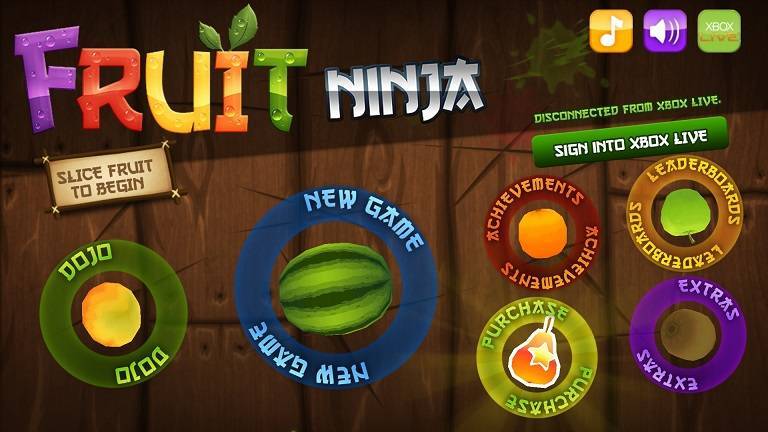
Slice across the screen to deliciously slash and splatter fruit like a true ninja warrior. Be careful of bombs – they are explosive to touch and will put a swift end to your juicy adventure! Fruit Ninja features Classic, Zen and the amazing Arcade mode! Your success will also please the wise ninja Sensei, who will accompany your journey with wise words and fun fruit facts. Fruit Ninja is the messiest and most satisfying fruit game ever!

fruit ninja windows 8Those who have played Fruit Ninja on Android and iOS will find that the Windows 8 version is an exact copy of the original game. Just like always, carve, splatter, and slash piles of colorful fruits. You can choose from three different game modes to play: Classic, Arcade, and Zen. Also, you can choose to customize your gaming experience with unlockable weapons and backgrounds. The game costs $1.99 but there’s a trial available to see whether or not it seems enticing for you.

Download Fruit Ninja for Windows 8

Windows 8, 10 Game Disney ‘The Little Mermaid Undersea Treasures’ Launched

We’ve got a lot of Disney games in the Windows Store coming from Disney itself, but this time, the Little Mermaid Undersea Treasures game is getting launched by Microsoft Studios in the Store. More details are below.
windows 8 disney game little mermaid
Only yesterday were we sharing with you the latest updates to two other Windows 8 Disney games – Where’s my Water and Seven Dwarfs: The Queen’s Return. Now, we’re seeing that another Windows 8 Disney game has been launched in the Windows Store. Not officially launched by Disney, the Disney The Little Mermaid Undersea Treasures game gets published by Microsoft Studios.

Read Also: Windows 8 App Disney Infinity: Toy Box now in the Windows Store

The right Windows 8 Disney game for your kids

Explore the site of an old shipwreck at the bottom of the sea in this exciting preview of The Little Mermaid: Undersea Treasures!  Search for lost items from the mysterious human world above the waves.  Find each treasure quickly to earn bonus points and claim a place on the leaderboard!  Check back often for more updates to Undersea Treasures, including the first full episode of this adventure-filled prequel to the classic Disney film.

disney game windows 8

Inside the Disney game The Little Mermaid Undersea Treasures you will be able to do a lot of fun things, such as  searching an old shipwreck for lost human items and exciting hidden objects. Your accuracy and speed will earn you bonuses and even a place on the leaderboard! Designed with kids as the auditory in mind, the game is just as enjoyable for grown-ups. So, follow the link from below to download this new Disney game on your Windows 8 tablet and start exploring the vibrant world of King Triton’s kingdom.

Download Disney The Little Mermaid Undersea Treasures

Discovery Channel Releases Windows 8, 10 App Discovery News

There is already the Windows 8 Discovery Channel app in the Windows Store with many positive reviews and great feedback from those using it. Besides it, there’s also the TLC and Animal Planet apps for Windows 8 and now the Discovery News app has been launched, as well. Find below more details about it
discovery news windows 8Discovery Communications has just launched a brand new app for Windows 8.1 and Windows 8 users in the Windows Store – Discovery News. The app is one of the best looking apps I’ve seen in a while, with high-quality content. You will discover several categories inside Discovery News for Windows 8, like Earth, Space, Tech, Animals, History, Human and Adventure.

Are you curious about the world? Do you want to be smarter? From the people who bring you the Discovery Channel, Discovery News is the collective effort of a team of experienced journalists dedicated to satisfying the curiosity of our readers by bringing them stories and perspectives they won’t find anywhere else. With the Discovery News app for Windows, you’ll be constantly updated with news articles, videos, photos and more – with a primary focus on explaining the world through a lens of curiosity.

High-quality content inside the Windows 8 Discovery app

Read Also: Windows 8 App Check: PBS Channel

By using the Discovery News app for Windows 8, you will get new stories and videos that will be added daily. In the video section, you will be able to watch countless episodes of DNews and get every weekday from hosts Anthony Carboni, Laci Green and Trace Dominguez. In the Photos section, you will be able to brows through a vast catalog of stunning photo galleries.

An interesting section is the Discovernator where you will be served daily crazy, amazing facts. The apps is really, really snappy on a Windows 8 tablet and I recommend it to anybody, not only to the true fans of the Discovery Channel. Follow the link from below to download and install it on your Windows 8 device.

Download Discovery News for Windows 8

Windows 8, 10 App Check: Grand Theft Auto: iFruit

While we are still waiting for an official game from the Grand Theft Auto series to be launched in the Windows Store by Rockstar Game, you might download the companion app Grand Theft Auto: iFruit on your Windows 8 tablets.
gta ifruit windows 8
A while ago, I was thinking about the fact that an official Grand Theft Auto game would look awesome on my Windows 8 tablet and that I am eagerly expecting the moment when that will happen. Until that happens, we can resort to the single touch app released by Rockstar in the Windows Store for Windows 8 users – Grand Theft Auto: iFruit. For those who don’t know, this is the official companion app for Windows 8 tablets.

iFruit hooks directly into your experience of Grand Theft Auto V with some fun activities to further postpone the need for real social interaction. Keep up-to-date on the latest Grand Theft Auto V news, log into the Rockstar Games Social Club and stay connected on LifeInvader

Use the GTA cmpanion app on Windows 8 for more features

So, by using the Grand Theft Auto iFruit app on your Windows 8, Windows 8.1 or Windows RT tablet, you can satisfy your GTA obsession while not playing the game. Here are the main features of the app:

  • Latest Grand Theft Auto V news
  • Log into the Rockstar Games Social Club
  • Stay connected on LifeInvader
  • Use the Los Santos Customs app to create the ultimate vehicle in Grand Theft Auto V

Read Also: Best 8 Windows 8 Gamepads for Playing Games

gta app windows 8An interesting feature of the app is Chop the Dog:

Depth of content, high production values, defecation. It’s the app that has it all. Because who doesn’t love tending to a virtual pet? Chop is Franklin’s canine sidekick in Grand Theft Auto V. Look after him well in the “Chop the Dog” app and you will reap the benefits when playing as Franklin in Grand Theft Auto V. Pet him, feed and water him, play fetch and tug-of-war, teach him tricks. Too much or too little of an activity, however, will cause Chop to become unhappy, and nobody likes an unhappy Rottweiler. Take Chop on walks to give him a chance to work off last night’s steak and Piswasser and to mark his turf in the hood – defending his ladies, fending off gang members and even protecting the beach babes of Los Santos from unsightly tan lines by removing their bikinis.

Follow the link from below to download the game on your Windows 8 tablets

Download Grand Theft Auto: iFruit for Windows 8

Windows 8, 10 App Check: PBS Channel

While we’re still waiting for the official PBS app to hit the Windows Store for Windows 8 users, there are some third-party apps from developers that we can use. Read below a short review of PBS Channel, a cool PBS app developed by Binto Aden windows 8 pbs app
The Public Broadcasting Service, or PBS, as it is known, is an American non-profit broadcast television network with 354 member television stations. Windows 8 users have long been looking for a reliable PBS app to use on their Windows 8 tablets; but alas, an official one is not released in the Windows Store. However, the PBS Channel seems to be the best replacement, as it has garnered a lot of positive reviews.

Not the greatest, but the single Windows 8 PBS app

PBS’s educational media helps prepare children for success in school and opens up the world to them in an age-appropriate way

pbs app windows 8  Read Also: Valid Key Media Center Activation Doesn’t Work in Windows 8.1

Unfortunately, the app is far from being similar to what an official PBS should look like, but it’s the single one that is currently available. The app is divided in three big categories, with PBS content from Youtube, Flickr and a Twitter section with mentions related to the PBS television network.

It isn’t that easy to follow some PBS programs, such as Frontline, Nova, Masterpiece, or Nature by using this app, as you will have to scout for them. I only have the hope that the developer will manage to release more features in a future update.

Download PBS Channel for Windows 8

Windows 8, 10 App Check: iFixit Repair Manual

Many might not know this, but iFixit has released the official app in the Windows Store for Windows 8 users, called the  iFixit Repair Manual that is available for a free download.
windows 8 ifixit
iFixit is probably the best known repair company, especially thanks to the fact that iFixit is known to have an active presence online. The company already has apps for iOS and Android and if you have been using them, you should know that there is also a Windows 8 version available for download in the Windows Store. I’m not sure when it was released, but I think it happened not so long ago, since there were no updates recently made available in release notes.

The most popular repair manual in the world! Thousands of free how-to guides make it easy to repair your stuff. Fix your own things with step-by-step repair instructions. With step-by-step instructions, you can repair anything! Explore inside thousands of devices—before you take yours apart. Need more detail on a step? Zoom into high resolution images to see all the fine details! Completely free—no in-app purchases.

Your favorite repair manual, now on Windows 8

Read Also: Dell Venue 8 Pro: the Best Windows 8 iPad Mini Competition?

The app is actually a repair manual and you will find there thousands of how-to repair guides for so many different things, like your Xbox, PC, laptop, PlayStation, Nikon, Canon and other digital cameras, smartphones, bikes and even cars! The visual, step-by-step instructions include photos and videos and are very explicit and easy to use.

What’s really, really cool is that you are not bound to your app, as you can download your favorite repair manuals from the Windows 8 iFixit repair app to be available for later use offline. The app is free but iFixit suggests that buying parts and tools from them, you will support further development. Follow the link from below to download and install the official iFixit: Repair Manual app for Windows 8 users.

Download iFixit: Repair Manual for Windows 8

Fun Windows 8, 10 Christmas Game: North Pole Invasion

Christmas is just around the corner and everybody is talking about Santa Claus and his elves. North Pole Invasion is an unusual, but fun game with a Christmas theme where elves get transformed into zombies. Read below for more details.
windows 8 christmas game
North Pole Invasion is not a traditional Christmas game, but one with an unusual twist. If you are also counting how many days there are left until Christmas, you could kill the waiting time with North Pole Invasion. The game is better to be played on your Windows 8 or Windows RT tablet, but you can also enjoy it on your Windows 8 laptop by using your mouse. Your job is to defend Santa Claus’ gift from the elves that have turned into zombies after an invasion on the North Pole.

Read Also: Windows 8.1 Winter Themes for Christmas [Download]

Zombies have invaded the North Pole, infected the elves, and created a zombie elf army! Take control and help defend Santa’s gift bag from the zombie elf invasion. Use your fingers or mouse to toss and fling the zombies around using an advanced ragdoll physics engine! Battle through 70 levels of intense physics action!

Lots of hours of fun gameplay

By using your fingers or your mouse, you can grab the zombified elves and toss, fling or throw them in their to transform them into green gift boxes that will earn you points.  You can then spend your earned gifts in the Workshop to upgrade your attacking means, as there are 15 unlockable weapons to choose from. The game is very well designed, with top notch art and animation. What’s really awesome is that another friend can play along on the same screen! Here are some more important features that it has:

  • 70 progressively difficult missions
  • Up to 10 point multi-touch support for crazy ragdoll tossing action!
  • Survival Mode
  • Bonus rounds
  • 14 unique zombie types
  • 5 big bosses to battle!
  • 15 physics based weapons to deal out massive damage to the zombie elf horde

Download North Pole Invasion for Windows 8

Spark is the Best Windows 8, 10 Campfire Chat Client

Campfire is one of the best team collaboration tools with real time chat built-in. There are plenty of Campfire apps for iOS and Android users, but when it comes to the Windows Store, Spark is the one that stands out from the crowd.
windows 8 campfire
If you’re a frequent user of the 37signals Campfire group chat, you may want to check out Spark which has been released to Windows Store for Windows 8 and looks stunning. Better still; at the moment, you can get it for 50% off the regular price, so hurry up if you were looking for a reliable Campfire chat client for your Windows 8 tablet for a long time.

Read Also: Viber Windows 8 Voice App Released for Download in Windows Store

The best Campfire chat client for Windows 8

As stated in its Windows Store page, Spark is a modern, full-featured, fast and beautiful client for 37Signals Campfire chat designed to let you do what you need and get out of your way on your Windows 8 tablet or Windows 8 desktop device. Designed and optimized for Modern Windows 8, Spark offers a number of useful features, such as the following:

windows 8 campfire app

  • Send messages to your Campfire rooms from other apps via search contract
  • Roaming support — get consistent experience across all your devices
  • Background support — get notified even if app is not running
  • Contacts integration
  • Spark – pin room to start
  • Fast and intuitive interface — works great in snapped mode
  • Advanced notifications settings (sound, live tiles, toast, unread counters) — customizable per room level and per each keyword
  • Upload multiple files at once, paste files from clipboard or take and upload photo using camera
  • Inline previewing of images — whether from uploads, image links, or from a number of other sites (YouTube, Dropbox, Instagram, Imgur, Twitpic, 9 GAG and many more)
  • Support for multiple Campfire accounts
  • Full emoji and Campfire sounds support and autocomplete
  • Highlights any messages that mention you
  • Send messages via voice!
  • Favorite rooms
  • Built-in search and transcripts support
  • Shows user avatars
  • Customizable time zones
  • Ignore enter/leave messages
  • Animated GIFs support
  • Real time streaming of messages for instant notifications

Download Spark Campfire chat client for Windows 8

Colorings is a Fun Windows 8, 10 Color Book App

Your kid can interact with your Windows 8 tablet without harming its healthy growth, if you know the right apps to be used. One such app is Colorings, a color book app that looks great on a Windows 8 tablet.
windows 8 color book
Color books are one of the best tools to increase your kid’s creativity and make him discover the colors that surround us. While I still side with the traditional paper and pencil, there’s no way to stop the technological advance and we must adapt to it. Coloring digital books on a Windows 8 tablet is actually fun, and I’ve tried this myself with the Colorings app.

Simple and fun to use Windows 8 color book app

color book app windows 8With more than 90 shapes to choose from, Colorings impresses with the rich choice that it offers. You will find inside the app a lot of animals, such as donkeys, bears, rams, camels and many others. There are also cooks, doctors, characters from your favorite story tales, cars, planes and many other objects that await you to color them. This is an app that goes into our list of the best educational Windows 8 apps for kids to use.

Read Also: Best 10+ Windows 8 Apps for School

colorbook windows 8After choosing the shape that you want to color, you will be given 18 colors to choose. After you or your kid will have finished the masterpiece, you can choose to go back and select another one or, you can save it directly to your Windows 8 computer or tablet. If you are really proud with your creation, you can also share it with your friends on social networks. Follow the link from below to download Colorings for Windows 8.

Download Colorings for Windows 8

Epix Windows 8, 10 App Brings Movies & Concerts to Windows 8, 10 Tablets

The new Epix app for Windows 8 users is available in the Windows Store and it lets users enjoy over 3,000 big Hollywood hit movies, concerts, comedy specials and originals. Of course, they are not for free, as you will still need a subscription.
epix windows 8
There are not too many apps that you can use to watch free movies on your Windows 8 tablets, as it is pretty hard to find legal ways to do it. Of course, if you have a subscription with a service such as Netflix, you don’t need to pay anything extra to see the movies in Windows 8. A similar app is Epix, that is available for a free download from the Windows Store. Here is its description goes like:

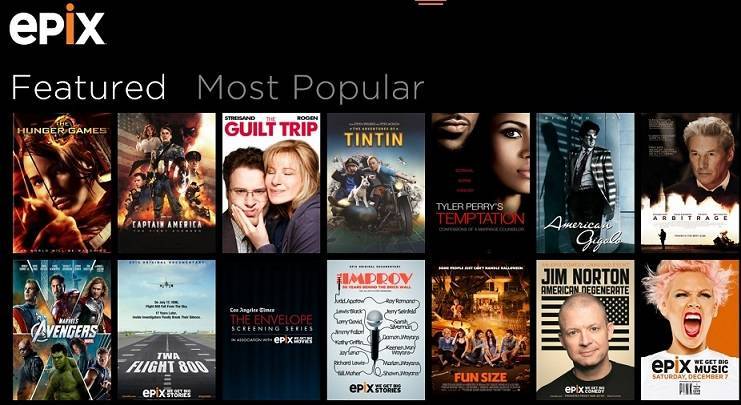
Instantly stream over 3,000 BIG Hollywood hit movies, concerts, comedy specials and originals with the EPIX app. Get unlimited access to the best of Hollywood uncut and commercial-free on your Windows 8.1 App FREE with your EPIX subscription through your TV service provider. Not a subscriber, log on to EPIX.com for a FREE 14-day trial – no credit card required.

Read Also: Best Windows 8 Movie Applications for Film Fans

I, for one, don’t have a Epix subscription, so I went to their website and tried to opt for a free 14-day trial, but discovered that the service is only available for U.S. residents. If you don’t have a subscription, try out the trial version to see if it’s worth the effort. By using the service, you will be able to stream such movies a Skyfall, Marvel’s the Avenger, Jack Reacher and many others. What’s really cool is that the movies are cut and free of any commercials.

Besides movies, you can also enjoy concert performances from artists like Coldplay, Madona, Pink and many others. Wait, there’s more! Stand-up comedy shows are also available, as well as many other interesting documentaries. So, without further ado, follow the link and get Epix for your Windows 8 devices right away.

Download Epix for Windows 8

Windows 8, 10 Game Riptide GP2 now in the Windows Store

Riptide GP2 is one of the best hydro racing games and it has now finally got launched for Windows 8 users in the Windows Store, after being previously available for Android and iOS users. Read below for more features about the game.
riptide gp2 windows 8
More and more awesome games make their way for Windows 8 users in the Windows Store. One of the latest additions is Riptide GP 2, a hydro racing game that has proved to be very popular for iOS and Android users. Riptide GP2 comes with upgradeable hydro-jets and riders and a new stunt system that has plenty of new tricks. Also, there are 50 hydro races to be completed in deep career mode. If you want, you can also compete head-to-head against your friends in the VR challenge mode, and what’s really cool, is that you can keep your hydro races synced to the cloud.

Read Also: Asphalt 8: Airborne Game Launched in the Windows 8 Store

Hydro-racing on Windows 8 at its best

Riptide GP 2 kicks everything into overdrive, with intense dynamic water racing, upgradeable hydro jets and riders, improved graphics, an all-new career mode, and a whole new stunt system with dozens of new tricks! Featuring rocket-powered hydro jets racing around futuristic tracks across a dynamic and interactive water surface, Riptide GP2 delivers a fast, fun, and visually stunning racing experience. From Vector Unit, developers of acclaimed racing games Riptide GP and Hydro Thunder Hurricane.

In the deep career mode, besides the usual races, there are also Hot Lap, Elimination, and Freestyle events. Like any great racing game, this one too lets you upgrade your “vehicle, in your situation, a watercraft; choose from 10 powerful new hydro jets and upgrade their performance and colors. The game supports gamepad, keyboard, tilt/accelerometer, and touch-screen controls, so it can be played on your Windows 8 desktop or touch device.

Download Riptide GP2 for Windows 8

Viber Windows 8, 10 Voice App Released for Download in Windows Store

Users of the desktop version of Viber for Windows 8 have been awaiting for an official Viber app to be released in the Windows Store for quite a while. And today is that day when Skype needs to pay attention – Viber is now available for a free download from the Windows Store.
viber windows 8
There are enough free messenger official apps in the Windows 8 Store, despite of the common belief. Besides Skype, you will find ICQ, the all in one IM+ messenger, Vkontacte, Line, Yammer and many others. But today, users of Viber who also own a Windows 8 or Windows RT tablet can download the app on their devices and start using right away.

With Viber, everyone in the world can connect. Freely. More than 200 million Viber users text, call, and send photo and video messages worldwide over Wifi or 3G – for free. Viber is available for Windows 8, Android, iPhone, Windows, Mac, Blackberry, Windows Phone and many more devices and platforms.

As its release is done after the Windows 8.1 update, this means that the app is optimized for the Windows 8 software sequel new live tile size are available as well as the ability to pin specific conversations to the Start screen, which is really useful. By using Microsoft’s Snap multitasking feature, you can run Viber while in the same time using another app. So, you could be speaking to someone and minding your own business while you do – multitasking at its best.

Viber, one of the best VOIP apps, hits Windows 8

Another cool feature is the fact that you can transfer conversations between different devices, from your Windows 8 tablet to your smartphone. Windows Store version include stickers and group calling. But, in order to set up Viber for Windows 8, you will need to have it already running on your mobile phone as it needs your phone number.

Read Also: How to Turn off the Facebook Chat in Windows 8.1 App

Viber is one of the best Windows 8 VOIP apps to be used and it will definitely put a lot of pressure on similar apps, such as Skype. By using Viber in Windows 8, you can create groups with up to 40 participants, send stickers and emoticons and even share photos, receive videos, and attach locations.

Even if your Windows 8 tablet’s screen will be locked, you will still receive notifications, if you so choose. Download Viber for Windows 8 from the Windows Store and start making free calls with HD sound quality.

Download Viber for Windows 8

Windows 8.1, 10 Star Wars Tiny Death Star gets Big Update

Disney’s Star Wars Tiny Death Star game for Windows 8 users has instantly become a major success after its release in the Windows Store. Now, the mobile game has received its biggest update since they game was launched. More details below.
star wars tiny death stars best windows 8 appsDisney Mobile, along with LucasArts and Nimblebit, have made the game Star Wars Tiny Death Star that has become an instant hit in the Windows Store after its release. We featured the game in the middle of November as part of our best 10 Windows 8 Apps This Week series. The Emperor is building a Death Star level by level, and he needs your help. Will you help him out?

Live life on the dark side, and join Emperor Palpatine and Darth Vader on a mission to attract Galactic bitizens, run intergalactic businesses, and build an all-new Death Star! With that hard-earned money, fund the Empire’s evil schemes to defeat the Rebels and conquer the galaxy once and for all!

According to the release note, the game has now received its biggest update since it was launched for Windows 8 users. Here’s what has made new:


  • The festive Imperial Decorator Droid will help you decorate enough levels to earn exclusive, limited-edition rewards!
  • Deliver special characters with a question mark to any level you desire!

The game will take only 77 megabytes of your space and is available in the following languages – English, German, Spanish, Japanese, French, Portuguese, Italian, Korean. Follow the link from below to download it form the Windows Store.

Download Star Wars: Tiny Death Star for Windows 8

Catan Strategy Game for Windows 8, 10 now Available for Download

Catan is one of the most popular strategy games worldwide and now, it has received an official version that was released in the Windows Store. Below are more details about the release.
windows 8 catan
I first thought that Catan was a physical board game, but then I realized that the board game was actually made after the game. The popular strategy game has now been released in the Windows Store and is available as trial or for $3.49, the full version (download links at the end). The Catan game has just been launched in the Windows Store, so give it time if there will be a few bugs or glitches.

Catan”, the legendary strategy game provides gaming fun any time, anywhere. True to the original game, you can compete with up to four players for the most settlements, the longest roads and the largest army. You can trade with each other and claim the precious land with all its resources. Various Catanians, each with their own individual characteristics, will prove themselves worthy competitors: the pirate Jean, who knows no compromise, Vincent the merchant, who never allows himself to be cheated, Sean the knight, who takes what is rightfully his…

Popular board game Catan comes to Windows 8 users

The game also comes with popular Catan expansions like “Seafarers” and “Cities and Knights” which are available as in-app purchases. Playing Catan on your Windows 8 tablet is really something, as the detailed graphics make it look like a great game. You can select the classic mode of playing if what you’re looking for is agenuine board game feeling in Windows 8. Here are the main features of the game:

Read Also: Yahtzee in Windows 8: Best Apps from the Store

  • Original “Settlers of Catan” rule set
  • Multi-User game on one Windows 8 tablet with customized UI
  • 10 Smart computer opponents with individual strategies
  • 2 different graphic modes to choose from
  • Freely combinable game settings
  • Situation-related music and sound effects
  • Comprehensive Tutorial and Catan Almanac

The game is very authentic to the original one because it was developed in collaboration with Catan designer Klaus Teuber. Are you ready to be become the Lord of Catan?

Download Catan for Windows 8

Windows 8, 10 App Check: Grepolis, the Popular MMO Game

As part of our Windows 8 App Check series, this time, we take for a ride the popular MMO game Grepolis, which has millions of users across the world. We go through its main features and how it can seem appealing to Windows 8 tablet users.
grepolis windows 8
I used to play Grepolis for quite a long time, as this is yet another addictive MMO game from InnoGames. This is the same company that has made TribalWars, but we’re still waiting for an official app to be released for Windows 8 users for that successful game. As for Grepolis, the app is masterfully executed and players are complained of its Windows 8 performance as an application-game.

The free browser game Grepolis lets you create ancient Greece just the way you want it. Forge powerful alliances with other players and use the powers of the Greek Gods Zeus, Poseidon, Hera, Athena, and Hades to your advantage. Recruit armies on water and land, and create mythical units, such as the Hydra, Pegasus, and Manticore. Build unique World Wonders to help you become ruler of the world of Grepolis!

Grepolis is a free-to-play strategy MMO that has landed for Windows 8 users, and from more than 18 million players worldwide, there’s definitely going to be a good number of Windows 8 or Windows 8.1 users among them who will find the launch in the Windows Store much welcome.

Awesome Windows 8 MMO game

grepolis windows 8 appAs you very well know, you start the game in Grepolis with one town that slowly evolves to a powerful empire. You garner resources and trade with other cities in order to grow and get to research 30 innovative technologies and build 13 unique buildings. And boy, the look smashing on a Windows 8 tablet, you can have my word for it!

It’s ancient Greece here, so Gods are there to help you with their spells. But you also have to fight, so you can create 26 unique army units that you will use to fight in alliances against other real players. What’s awesome is that the Windows 8 app also supports cloud gaming. If you are ready to start building your empire, download the app by following the link from below.

Geico’s Windows 8, 10 Insurance App Gets More Features

Geico, the Government Employees Insurance Company, is one of the biggest auto insurance companies in the United States with more than 12 million policy holders. There’s also an official Windows 8 app in the Windows Store that has recently received an update.
geico windows 8 app
Managing your auto insurance from your Windows 8 tablet is possible with such apps as GEICO. Actually, it was one of the first important apps to be released in the Windows Store and now, it has received a notable update that brings some more features. We don’t know how many Windows 8 users have the Geico app on their Windows 8 devices, but we know there are more than 13 million insured cars in the United States.

The GEICO App for Windows 8. More GEICO. More Mobile! The GEICO App for Windows 8 is so easy to use. Quick access to the stuff you want and easy ways to explore your insurance policy. Go ahead, swipe and explore! Connect with GEICO: Send us your feedback using the Feedback links in the app!

According to the release note of the Geico Windows 8 app, version 1.3.0 brings more functionality and features based upon feedback from Windows 8 users that have posted their inputs as reviews in the Windows Store. The update Geico app now supports login for GEICO customers with multiple policies and a lot of other bug fixes have been put in place.

By using the Windows 8 Geico app, you can view, print, email and save your important policy documents, like your digital insurance ID cards. You can pay your bill inside the Windows 8 Geico app and also view your payment information and a breakdown of your discounts, coverages, driver and vehicle information. Download the app following the link from below

Download GEICO App for Windows 8

Windows 8, 10 App Check: Remote for Roku Player

Albeit an official Roku app for Windows 8 users hasn’t been released yet in the Windows Store, there are some reliable third-party apps from independent developers that we can use. We explore the Remote for Roku Player Windows 8 app and go through its features below.
windows 8 app roku
We’ve just shared with you the fact that the official SlingPlayer app has been made available for download in the Windows 8 store, as we have previously told that it would happen. Now, it’s time to talk another related app that will prove to be highly useful for Roku owners. The Windows 8 app Remote for Roku Player will let you remotely control your Roku streaming box from your Windows 8 tablet.

Control your Roku player from your Windows 8 tablet

App offers an onscreen remote control for changing channels in Roku Player. Also features “Play On Roku” for streaming audio/video to Roku player. Supported formats: mp3, mp4, wma, mov and m3u8. Provides keyboard support for fast input to Roku applications. Roku channels are displayed in a beautiful image tiled layout.

Of course, for the app the work, you need to have the Roku player hardware connected to your TV. If you already own it, you can stream mp3, mp4, wma, mov, m3u8 audio/video to the Roku player from your Windows 8 device. The app also comes with auto device discovery feature and it can let you use it in a  snapped view with remote control for multitasking. The annoying part are the ads that you can remove for $4.49. If you don’t mind them, the go ahead and download Remote for Roku Player for Windows 8 from the Windows Store.

Download Remote for Roku Player for Windows 8

Manage Your Lego Collection in Windows 8, 10 with Brick App

There are many LEGO fans out there, both young and adult ones, that are looking for reliable LEGO apps to be used on their Windows 8 devices. Alas, there aren’t too many such apps, but Brick is one of them. We go through its details below.
lego collection windows 8 app
In Windows 8, there isn’t an official LEGO app, if I can say so, but there are some that have great options that can serve as replacements. One such app is Brick Collection for Windows 8, Windows 8.1 and Windows RT. Recently, we also shared with you the fact that LEGO Mindstorms EV3 Robots can be controlled from Windows 8.1, if you were wondering.

The only app you will need to perfectly manage your Lego collection! Brick Collection enables you to easily add Lego sets, parts, minifigs, accessories, books and catalog to your collection and keep it organized. All your data are automatically synced across all your devices including Windows PCs, tablets and phones. Ready to start building?

Read Also: Windows 8 Game Despicable Me: Minion Rush Released in the Windows Store

All your LEGO parts in a single place

The Brick app is free, but there are advertisements inside, so you can purchase the full version to get rid of them. By using the app, you can search for any LEGO set, part, minifig, accessory, book, or catalog and add it easily to your collection. There’s also the option of managing the number of missing items and also download instructions on building. Also, there are many customization options, such as background image, opacity, text color, accent color, and more.

The Brick app comes with a complete database of all Lego products and the data is synchronized across all your devices. You can download LEGO building instructions to set and there’s also the option of you sharing your LEGO statistics on social networks. A cool feature that LEGO aficionados will appreciate is the ability to track missing LEGO items. We know how easily they can get lost…Download Brick Collection following the link from below.

Download LEGO Brick Collection for Windows 8

Windows 8, 10 App Check: National Geographic’s World Atlas

Alas, we’re still waiting for the complete National Geographic app to be released for Windows 8 users, but until then, we can explore some other apps released by them. One such app is World Atlas that is an unusual map app. Below are more details about it.
national geographic windows 8
We’ve become so accustomed to using services like Google’s Maps or Bing Maps in Windows 8 and any other platforms, that we have forgotten what an “atlas” really means. National Geographic wants to remind us with its World Atlas app for Windows 8 users that is currently available in the Windows Store. Here’s how its description goes like in the Windows Store:

Unlike other map applications, the World Atlas by National Geographic utilizes our highest resolution map images, providing you the same rich detail, accuracy, and artistic beauty found in our award-winning wall maps and bound atlases. The app is preloaded with 3 different styles of world maps, down to country-level detail. With a network connection, you can continue zooming through continent-level maps into detailed Microsoft Bing maps – close enough to see your home!

Read Also: Google Earth not Working in Windows 8.1: How to Fix it

The word that you should be paying attention to in the above description is – “artistic  beauty” because that’s what this app is all about. It looks like as if it was drawn by the human’s hand. There are three styles of world maps each country has its stats, history, and more other details. The high resolutions lets you zoom in as much as you’d like. The single drawback about this app is the fact that there’s no trial available so users could try out and see whether this Windows 8 apps is for them or not.

Download World Atlas by National Geographic for Windows 8

Windows 8, 10 App Package Tracker Notifies About your Package Delivery

For those of you who own a Windows 8 tablet, the Package Tracker is a much needed app that you can use to track the delivery status of your packages from such carriers as FedEx, DHL, UPS or others.
windows 8 package tracker app
These days, we order so many things online, that we have become accustomed to tracking packages and inquiring about their delivery status. But if you have ordered more items and with different carriers, then you will need to login to your account for multiple times, which might be annoying. If you have a Windows 8 tablet, there is now a solution under the form of the Package Tracker app.

Package Tracker is a tool for tracking the delivery status of packages on your Windows 8 and Windows Phone devices and supports over 60 carriers. Package Tracker saves you to visit the website of the respective carrier again and again and notifies you automatically with live tile updates (push notifications) when the status of a package has changed. When entering package numbers, the integrated barcode scanner will support you.

Track packages from your Windows 8 tablet

Currently, Package Tracker is available for half the price, as part of Microsoft’s weekly Red Stripe Deals in the Windows Store, but the offer is temporary, so you need to hurry up if you need such a service. Package Tracker for Windows 8 supports an impressive number of over 60 carriers and saves you of the trouble to open multiple web pages to check the delivery status of your package.

Read Also: Microsoft Sues U.S. Customs For Allowing Imports of Motorola Banned Phones

By using live tiles, you won’t event have to open the app, as it will show updates on your Windows 8 start screen. And with the Windows 8.1 update, there’s now the option to choose the big live tile, so that why you surely won’t miss it. Here are some more features that it comes with:

  • Cloud synchronization
  • Barcode scanner for scanning package labels
  • Bing map showing the last known position of a package
  • Details of a package with complete tracking history
  • Share target for sharing tracking numbers from email
  • Share package status via mail

Also, the latest update makes it possible to mark manually delivered packages. Follow the link from below to get it for your Windows 8 device.

Download Package Tracker for Windows 8

Discounted Windows 8 Apps & Games This Week #4

Another round of discounted top Windows 8 apps and games is here, as part of Microsoft’s weekly Red Stripe Deals that has been recently launched in the Windows Store for Windows 8 users, as well. This time, we have much more apps and games – 12. Find below all of them.
red stripe deals windows 8
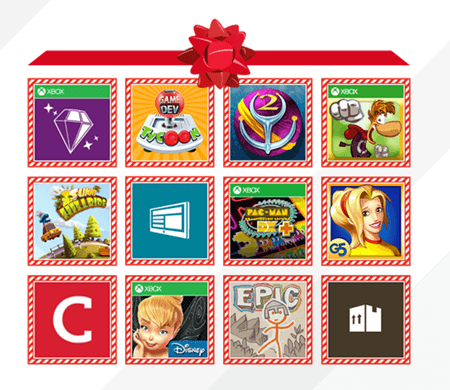
For this week’s Red Stripe Deals, Microsoft has prepared a nice surprise as it has decided to discount 12 top apps and games instead of only 3. It seems that this is a holiday edition and will probably last until January, but that’s just my guess. Anyway, there are a lot of interesting apps and games that you can now get for a discounted 50% price. Here’s what Microsoft said:

However starting today we’re doing something a little different to celebrate the holidays: we’re doing 12 Red Stripe Deals running through the rest of the month! You can take advantage of amazing deals on the following apps and games from the Windows Store.

Among the following games you will find Pacman that we have talked about, and Draw a Stickman, as well. Without further ado, here’s the list of the 12 Windows 8 apps and games that have been discounted this week for at least half their prices.

Read Also: Windows 8.1 Dell Venue 8 Pro 32 GB Tablet Discounted on Amazon

  • PacMan CD DX+ – 50% Off. Original price: $9.99. Sale price: $4.99
  • Collins Learn Thesaurus – 50% Off. Original price: $6.99. Sale price: $3.49
  • Game Dev Tycoon – 50% Off. Original price: $7.99. Sale price: $3.99
  • Bejeweled LIVE – 60% Off. Original price: $4.99. Sale price: $1.99
  • Sunny Hillride – 50% Off. Original price: $2.99. Sale price: $1.49
  • Supermarket Mania 2 (Full) – 57% Off. Original price: $6.99. Sale price: $2.99
  • Rayman Jungle Run – 50% Off. Original price: $2.99. Sale price: $1.49
  • Package Tracker – 50% Off. Original price: $2.99. Sale price: $1.49
  • Draw a Stickman: EPIC – 50% Off. Orig. Price: $2.99. Sale price: $1.49
  • Disney Fairies Hidden Treasures – 50% Off. Original price: $4.99. Sale price: $2.49
  • NextGen Reader – 50% Off. Original price: $2.99. Sale price: $1.49
  • Sparkle 2 – 75% Off. Original price: $5.99. Sale price: $1.49.

Windows Experience Index Returns in Windows 8.1, 10 with This Tool

The Windows Experience Index is long gone and for ever missing in Windows 8.1, so there’s no point searching for it. But now, a new software has been released that brings it back in Windows 8.1. Below are more details.
windows experience index windows 8.1
Like many other software and features, such as Outlook Express or Microsoft Office Communicator and more recently, even the Windows Live Messenger, the Windows Experience Index that we used to test how “awesome” our Windows systems were, has been deprecated in Windows 8.1 and it hasn’t been replaced with anything else. Now, a new tool has been released, called “ChrisPC Win Experience Index” and it brings back the Windows Experience Index for Windows 8.1 users.

You wonder what gaming or graphical processing power unleashes your PC/Laptop hardware? Just get the Windows indexing scores calculated by Windows using ChrisPC Win Experience Index. Totally convenient, ChrisPC Win Experience Index runs on any Windows version on 32 or 64 bits, but aims to be used mainly for Windows 8.1. The best is that this software is a gift from ChrisPC and as any gifts from Santa, this Christmas Chris P.C. srl gives it for free! ChrisPC Win Experience Index is a free software for non-commercial use.

Read Also: What is the RAM Limit in Windows 8.1?

As we can see, the software is fresh and it’s currently available as a free download (link at the end). We’re not sure how much it will cost after the promotional period ends, so you should hurry up if you need such a software. Now, by using this tool, you evaluate the performance of your Windows 8.1 CPU, RAM, disk drive, graphics card, on a scale between 1.0 to 9.9. As you can see in the above image, mine isn’t that great…

Windows’s built-in benchmark system has been available in Windows 8, but Microsoft has decided users don’t need it anymore in Windows 8.1. The ChrisPC Win Experience Index is fully compatible with both 32-bit and 64-bit Windows 8.1 systems and can be downloaded by following the link from below.

Download ChrisPC Win Experience Index for Windows 8.1

Start menu could return to Windows before Threshold’s release

Start menu could return to Windows before Threshold's release -- Windows 8.1 to be updated?

Talk of the Start menu has been rife in recent days and it something that people have been begging for since the release of Windows 8 saw it wrenched from the operating system. Now it seems as though we could see the return of the Start menu sooner than expected.

There has been speculation that Threshold — the codename for the next big Windows release — could be the release that sees Microsoft adding the Start menu back. But if Mary Jo Foley is to be believed we may not have to wait that long. Writing for ZDNet, Foley cites unnamed sources who claim that the Start menu is due to make a reappearance.

Internally it is being referred to as “mini-Start” there are no hints as to just what form the menu may take, but the fact that it is not just being called the Start menu should probably be taken as indicative that it is going to be different to the menu found in Windows 7. The obvious conclusion to jump to would be that it is a smaller menu.

May it will be a miniature version of the Start screen — not quite the Start menu we all came to know and love, but getting close to it. There is no official word on quite what form mini-Start will take but the question that is going to be on everyone’s lips is “when will we see it?”.

The obvious suggestion would be that it will show its face when Threshold is released, but Foley suggests that it could see the light of day before then. She refers to a rumored “Update 1” for Windows 8.1. Could this service pack style be the vehicle that is used? If so, we the Start menu could be back with us as early as spring next year!

What form do you want the Start menu to take? Would you be happy with a straight lift from Windows 7 or would you prefer something slightly different?

Windows 8 Gas Price App GasBuddy gets Windows 8.1, 10 Support

If you’re looking for a Windows 8 app that could provide real-time gas prices to help you find the cheapest gas in your area, then the new GasBuddy app for Windows 8 should be your choice. Even more now, that the app has received Windows 8.1 support in latest update
windows 8 gas price app
Gas is expensive these days and we must look for every possible way to find cheap gas whenever possible. If you own a Windows 8 tablet, then you need to know that the GasBuddy app is available in the Windows Store and now, thanks to the latest update, it also comes with Windows 8.1 support.

Get the most comprehensive real-time gas prices, and find the cheapest gas in your area and beyond with the new GasBuddy for Windows 8! Now with all new 8.1 features like re-sizable window support and support for all sizes of tiles (with real-time gas trend live tile support)! Enjoy!

Read Also: Windows 8 Font Packs & How to Change Them

By using GasBuddy for Windows 8 you can find the cheapest gas near you or search locations throughout North America. You can also save gas stations to have quick access in the future. Windows 8.1 support means that the big live tile can now be used and also the re-sizeable windows. Of course, several bug fixes have been put in place and the performance has been improved. So what are you waiting for? Start saving gas with GasBuddy!

Download GasBuddy for Windows 8

Adobe Flash Player for Windows 10 Receives Security Updates

Microsoft and Adobe have both announced the availability of a new security update for the Flash Player for Windows 8 and Windows 8.1 users. Read below to find more about this security improvement.
adobe flash player windows 8.1
Adobe updates frequently its Flash Player and we have previously talked about an update that put an end to a lot of bugs, and also those that were causing the Flash Player to not work in Windows 8.1. Now, Adobe and Microsoft have released together a security bulletin that updates the Adobe Flash Player for Windows 8.1, Windows 8 and the other supported Windows versions.

Adobe has released security updates for Adobe Flash Player 11.9.900.152 and earlier versions for Windows and Macintosh and Adobe Flash Player 11.2.202.327 and earlier versions for Linux. These updates address vulnerabilities that could cause a crash and potentially allow an attacker to take control of the affected system. Adobe is aware of reports that an exploit designed to trick the user into opening a Microsoft Word document with malicious Flash (.swf) content exists for CVE-2013-5331. Adobe Flash Player 11.6 and later provide a mitigation against this attack.

Read Also: Windows 8.1 Refresh Problems Caused by Missing Files

So, as we can see, Adobe and Microsoft have taken care together of various crashing problems reported by Windows 8 and Windows 8.1 users with the Flash Player. If you have set automatic updates to on, then you have probably received them; if not, you can go to Windows Update and perform a check to get them installed.

Save Almost $500 on Windows 8 Dell Latitude and Lenovo ThinkPad Tablets

New Windows 8.1 tablets are getting launched on the market, but you might be wasting a good deal on older Windows 8 tablets that currently have great prices on Amazon. We talk below about the Windows 8 Dell Latitude and the Lenovo ThinkPad Tablets.

Cheap Windows 8 tablets are quite a lot on the market, but what some of you might overlook are the older Windows 8 tablets that have been launched earlier during this year, but have gone out of the spotlight. I’ve managed to find two such tablets on the Amazon retailer websites – the Dell Latitude 10 and the ThinkPad Tablet 2 10. Find below their discounted prices and their tech specs.

What needs to be said is that these prices could go up or down, so hurry up and buy them if you find them worthy. You save more than $220 on each of these two, which is quite the deal.

Dell Latitude 10 – $376

dell latitude windows 8 tablet

discounted price – $376, original price – $599, you save $222

  • Intel® Atom™ processor Z2760 (1.8GHz with Intel® Burst Technology, 1.5GHz HFM, 600MHz LFM)
  • Windows 8, 32-bit, no media, English
  • Office Trial, MUI
  • 10.1″ IPS (1366 X 768) Wide View Angle LCD, Corning® Gorilla® Glass, Capacitive 5 Finger Touch
  • 2GB2 DDR2 SDRAM at 800MHz
  • 64GB of Solid State Storage
  • Intel® Graphics Media Accelerator (533MHz)
  • 1.43 lbs

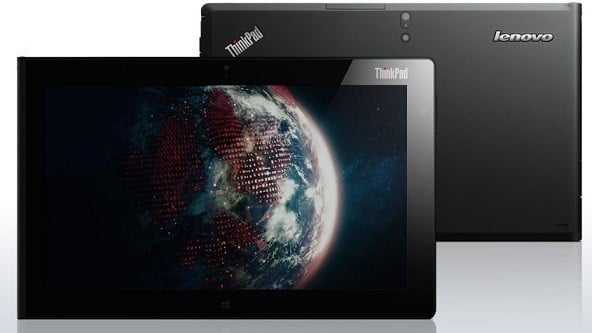
ThinkPad Tablet 2 – $488

thinkpad tablet 2


discounted price – $488, original price – $720, you save $232

  • Intel® Atom Z2760 processor
  • Windows 8
  • 10.1″ IPS Panel (1366×768), with 5-point multitouch
  • 2GB LP DDR memory
  • 64GB SSD storage
  • Integrated 802.11 a/b/g/n Wi-Fi, Bluetooth 4.0, GPS
  • MicroSD card, Mini HDMI, USB 2.0
  • 2.0MP front 720p HD, 8MP back w/LED flash webcams
  • Built-in speakers, Microphones, 3.5mm combo audio jack

Windows division loses two program management directors to Bing — fresh blood on the way?

Windows division loses two program management directors to Bing -- fresh blood on the way?

It’s not just Steve Ballmer’s position that is up for grabs at Microsoft at the moment, there are plenty of other changes taking place as well. Two directors who were involved in the changes introduced in Windows 8 and Windows 8.1 have left the company’s operating system division and moved across to the Bing teams.

The duo are Ted Dworkin, who was involved in the development of the Windows Store, and Jensen Harris who was the director of program management for the Windows User Experience.

Of the two, Harris is probably the better known, largely thanks to the fact that he introduced the new user interface of Windows 8 and then Windows 8.1.

Microsoft has reportedly confirmed the moves to GeekWire, but at the moment there is no word on the specific roles that Dworkin and Harris will be taking on, nor who might be in line to replace them on the Windows side of things.

So it looks as though Microsoft is really shaking things up at the moment, which could be indicative of an injection of fresh blood to work on Threshold.

Windows 8, 10 App Check: Wheel of Fortune

Wheel of Fortune is a very popular game on all kinds of platforms, being desktop or mobile. Now, the game has been released in the Windows Store for Windows 8 users by Sony. Below are more details.
wheel of fortune windows 8
Sony has recently released the very popular Wheel of Fortune game in the Windows Store for Windows 8 users. You might not believe it, but that game is actually four decades old, so it has managed to acquire quite a lot of followers and aficionados. There are more than 1,000 puzzles that you can play as a single-player, or join in with friends and family in the multiplayer mode.

Read Also: Play Backgammon in Windows 8: Five Best Apps

Celebrate over 30 years of Wheel of Fortune – it’s a new spin on America’s #1 Game show, more fun and easy to play than ever before! Step up to the wheel and take a spin through a rich Wheel of Fortune experience. With over 1,000 puzzles from show writers and a variety of gameplay modes, you will feel like a real contestant. Wheel of Fortune is available for all Win 8 devices, and has been specially designed for All-in-One personal computers that support simultaneous multiple touch points on screen.

Those of you who have the following Windows 8 devices – Dell XPS 18, Sony Tap 20, Sony Tap 21, HP Rove, Lenovo Horizon and the Acer Rio, you should know that you can challenge your friends in-person with a split-screen mode. The game also comes with the immersive single player “Spin Solo” Mode that will show you 30 years of Wheel of Fortune History. So, what are you waiting for? Start spinning

Download Wheel of Fortune for Windows 8

What would you like to see in the 2015 release of Windows?

Windows Threshold (unofficial logo by WInBeta.org)

Details regarding the next major version of Windows have begun appearing online, detailing a few things we might expect to see in the 2015 release. But it’s still early days, so anything heard at this stage can only be considered a rumor. That doesn’t stop us from speculating and wishing though, so we’d like to know what you want to see in the next version of Windows.

Don’t be shy. Let us know! However big or small the feature, idea or concept. We’d like to know what you’d love Microsoft to do with Windows in 2015. Would you like to see the return of Aero? A better mold between the desktop and Modern UI? Better Apps? A new Desktop interface? Heck, what about a new cursor? Leave us your crazy and interesting ideas below.

We’ll even share ours too! I’ll go first just to get it going: I’d love to see a brand new Desktop Interface with an overhauled Taskbar to match the Modern UI. I want borderless Windows, much like Office 2013. I’d also like new window animations because why the hell not?

We might even pick the best and most creative ideas and feature them in an upcoming post. So make sure your ideas are cool!

(Windows Threshold logo us unofficial. Created by WinBeta.org)

Best 6 Windows 8 Apps This Week

It’s that time of the week again when we sat down and review only the best new Windows 8 apps that have been released in the Windows. For this week, we have Mint, Disney Infinity Toy Box, Trend Micro SafeSurfing, Origami HD and others that you will find below

More and more Windows 8 apps are being released in the Windows Store, as it keeps on growing. According to some recent data, the application growth in Windows Store has broken the 2,000 new apps mark this week. This has last happened more than five months ago. At the moment, the total number of apps in the US Windows Store has reached more than 96,000 apps which represents an increase bigger than 2000.

If you’ve missed our past Windows 8 roundups, here are links to the last three of them, as well as to the latest discounted Windows 8 apps and games, part of the weekly Red Stripe Deals:

Without further ado, here are the 6 best new Windows 8 apps that have been released in the Windows Store for the past week.

Mint

mint windows 8 appMint is one of the best personal finance tools available for United States and Canada consumers and now it has finally been released as a Windows 8 app. Follow the above link to read more details about this important banking app that teaches you how to save money and how to keep your finances in a single place.

Disney Infinity: Toy Box

disney infinity toy box windows 8The Disney Infinity: Toy Box game has been recently made available in the Windows Store as a Windows 8 game that has quite the size – 2GB. Disney has been one of the most active companies in the Windows Store and with the launch of the Disney Infinity: Toy Box game, it keeps Disney lovers pleased.

Trend Micro SafeSurfing

safe surfing windows 8.1

Trend’s new Micro SafeSurfing browser has been released especially for those of you who want to ensure that they have a safe and secure browsing session on their Windows 8 tablets. Internet Explorer 11 is pretty good, indeed, but if you are looking for a great alternative, then you should try this one.

Origami HD

windows 8 app origami

Making origami shapes straight from your Windows 8 tablet is really fun with Origami HD. The Windows 8 app has a lot of free shapes that you can use, but there’s option of buying the more advanced ones. Follow the above link for a short review of the app.

MusiXmatch Lyrics Player

windows 8 music player lyrics

If you are looking for a Windows 8 music player that could also display the lyrics, so you could be a real karaoke star, then look no further than MusiXmatch Lyrics Player. It also comes with the option of letting you buy songs and sharing with your friends.

Bing Maps Preview

bing maps windows 8

I understand why Google Maps is missing for Windows 8 consumers, but the fact that even Bing Maps is getting such a huge delay is rather outrageous. Finally, Bing Maps is here, not yet in final form, as this is only the preview. But it’s still better than nothing.

Winter Holiday Themes to Dress up Windows 8.1, 10 [Download]

Christmas is almost here and winter is already reigning supreme. If you want to dress up your Windows 8.1 laptop, computer or tablet into the holiday spirit, here are some themes that you can download.
holiday theme windows 8.1
Not so long ago, we were sharing with you some Christmas themes that you can install on your Windows 8.1 tablet, laptop or computer. Now, it is time to share with you some more winter holiday oriented themes, all of which are completely free, of course. So, without further ado, here they are:

Winter themes for Windows 8.1

Microsoft Explains how Client Hyper-V Works in Windows 8.1, 10

When Microsoft launched Windows 8, the company also included native Client Hyper-V support, which means you don’t have to install any extra software to be able to run Virtual Machines. Now, with the coming of Windows 8.1, a few things have been improved.
hyper v windows 8.1
On the Extreme Windows Blog, Garvin Gear is explaining a particularity of Client Hyper-V in Windows 8.1 – the Enhanced Session Mode. As Garvin observes, the Enhanced session mode brings following new capabilities for Virtual Machine Connections: Display Configuration, Audio redirection
Printer redirection, Full clipboard support (improved over limited prior-generation clipboard support), Smart Card support, USB Device redirection, Drive redirection, Redirection for supported Plug and Play devices.

The best news: you don’t need a network connection to the VM session like you would with Remote Desktop Connection. Enhanced Session Mode is enabled by default on Windows 8.1.

So, if your Windows 8.1 device has hardware virtualization capabilities, then you can run Client Hyper-V. One of the great improvements of Hyper-V in Windows 8.1 is the Enhanced Session Mode. You can also follow this complete guide on this important feature that Client Hyper-V brings in Windows 8.1.

Did Microsoft quietly extend Windows 7 retail sales life after quietly killing it?

Did Microsoft quietly extend Windows 7 retail sales life after quietly killing it?

Just yesterday, we reported that Microsoft quietly discontinued the sale of Windows 7 to retailers. Now, within a few hours, it appears that Microsoft may have changed their minds. According to the Windows lifecycle webpage, the retail software end of sales life of Windows 7 shows “to be determined.”

“End of sales refers to the date when a particular version of Windows is no longer shipped to retailers or Original Equipment Manufacturers (OEMs). Examples of OEMs are Dell and Toshiba – PC manufacturers who often preinstall Windows software. When a version of Windows reaches its end of sales date, it’s a good time to think about upgrading,” Microsoft explains on the lifecycle website.

We reported yesterday that Windows 7 had reached its end of sales life on October 30th of this year – with an end of PC sales on October 30th of 2014. Now, it appears that Microsoft either accidentally entered the wrong dates or decided to quietly extend the end of sales date, as the lifecycle page now says something completely different.

As of right now, Windows 7 end of software sales is “to be determined” and end of PC sales is “to be determined.” Did Microsoft have a change of heart, seeing as how Windows 7 is still quite popular? Or did Microsoft originally publish the wrong dates. We will update you once we receive word from Microsoft.

Update: Microsoft has confirmed the October 30th end of sales life for Windows 7 – but has not provided a clear date on when the sales of PCs would end. “We apologize for any confusion this may have caused our customers. We’ll have more details to share about the Windows 7 lifecycle once they become available. Additionally, we are confirming that the Retail software end of sales date for Windows 7 did happen on October 30, 2013,” a Microsoft spokesperson stated.

Windows 8, 10 Reddit App ReddHub Receives Important Update

An official Reddit app for Windows 8 and Windows 8.1 is still lacking in the Windows Store, but there are some reliable Reddit apps to be used. Reddit on ReddHub is such an app and it has recently received an important update
reddit app windows 8
A while ago, we have shared with you how to track your Reddit feed on Windows 8 or Windows 8.1 with Redditopia. However, if you are looking for another reliable Reddit app for your Windows 8 tablet, you might Reddit on ReddHub which has recently received an important update in the Windows Store.

Love funny pictures? What about cute animals? Or interesting Topics? Want to kill some time on things you enjoy? ReddHub is your go to source! ReddHub is the next evolution of client apps for Reddit.com and the premier reddit app for Windows 8. While maintaining a rich modern experience, ReddHub is feature rich and designed from the ground-up to make it easy to browse your favorite reddit content whether you’re using touch or keyboard! Do you love Reddit? Then you will love ReddHub.

Explore Reddit from your Windows 8 tablet

The update brings a tweaked night theme for improved reading and users can now re-select the currently viewed link. Besides this, the broken subreddit ‘about’ panel scrolling has been fixed and search to auto-focus the search box has been put in place.

Of course, several other minor bugs for improved stability and performance have also been released by the developer. Do you know of any other reliable Reddit Windows 8 app?

Download Reddit on ReddHub for Windows 8