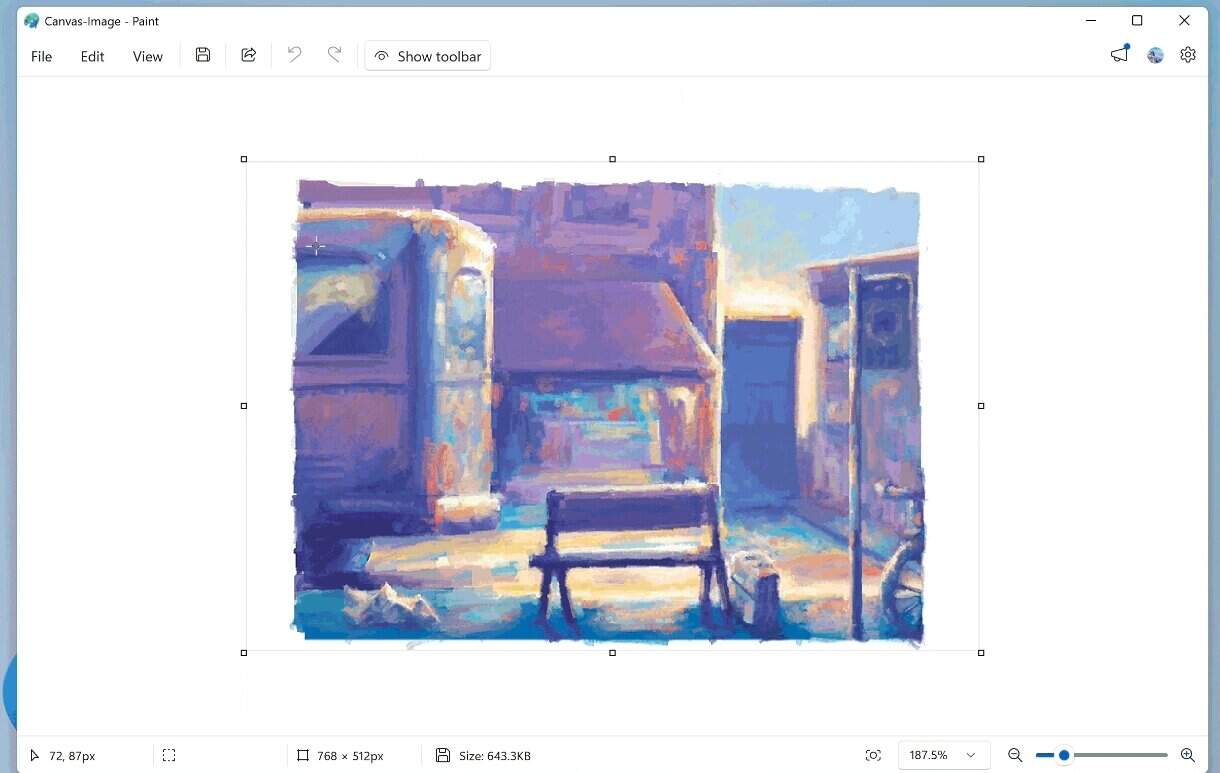
If you are an Insider in the Dev and Canary channel and use Paint app, there is a new update that you should know about. As part of the latest update, Microsoft is rolling out a new collapsible toolbar inside Windows 11 Paint app, a feature that’s designed to free up screen space while you work.
The latest feature is available in the Paint app version 11.2511.281.0 and gives users more control over how much of the interface stays visible. Thanks to the update, the robbons are not permanently pinned; Paint now allows you automatically hide it when it’s not needed.
GIF source: Microsoft
To enable the feature, open Paint and click the chevron icon at the bottom-right of the ribbon to enable Automatically hide toolbar. When you need it back, a Show toolbar button appears, allowing you to quickly switch tools without digging through menus.
Hiding the toolbar again is just as simple. You can click the Hide toolbar button or tap anywhere outside the toolbar area. If you prefer the usual layout, the default view is still available. Not to forget, clicking the chevron and choosing Always show toolbar restores the ribbon permanently.
This update is especially useful on smaller displays or when working on detailed edits, where every bit of canvas space matters. What do you think about this change? We’d love to hear your thoughts in the comments below.
The latest Windows 11 Insider update, KB5072043, is now rolling out to Dev and Beta Channel testers, moving devices to a newer 26220-series build. This update focuses mainly on fixing some of the most repprted issues related to File Explorer, its search performance, and accessibility.
First of all, Microsoft has fixed a bug that caused File Explorer to briefly show a white flash when switching between pages after recent preview builds. The issue affected navigation and was especially noticeable during frequent folder changes.
KB5072043 also improves Search performance inside File Explorer. Microsoft has removed duplicate file indexing operations, which should reduce background system usage and make searches return results faster. In addition, search reliability has been improved across both system drives and secondary storage, helping File Explorer deliver more consistent results regardless of where files are stored.
The update also resolves an issue that could prevent OneDrive files from opening in RemoteApp sessions, which previously triggered error 0x80070057 for some users.
On the accessibility side, Voice Access support in File Explorer’s Gallery view has been updated. Users can now open photos by saying “click [number]”, removing the need to use the “double click” command and making voice navigation more straightforward.
The latest Windows 11 Insider update, KB5072043, is now available, bumping systems to Build 26220.7523 for testers in the Dev and Beta channels. Alongside the usual under-the-hood tweaks, Microsoft is rolling out a notable accessibility improvement focused on Narrator.
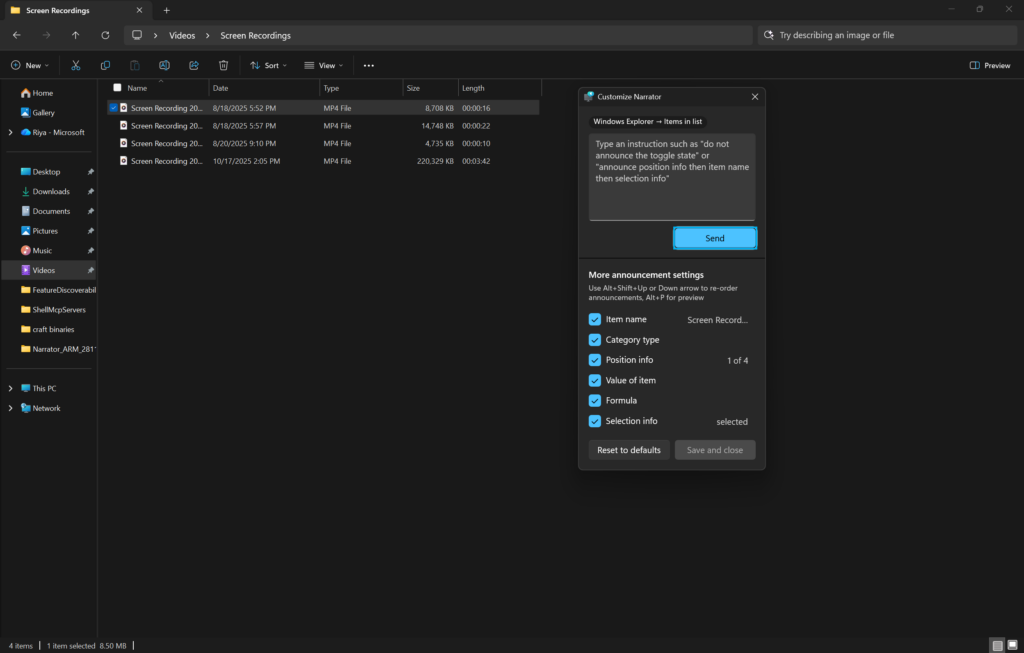
With this update, Windows 11 now lets users personalize what Narrator announces when navigating apps. Until now, Narrator followed a fixed pattern when reading UI elements like buttons, checkboxes, sliders, or text fields. That worked, but it didn’t always match how people actually process information.
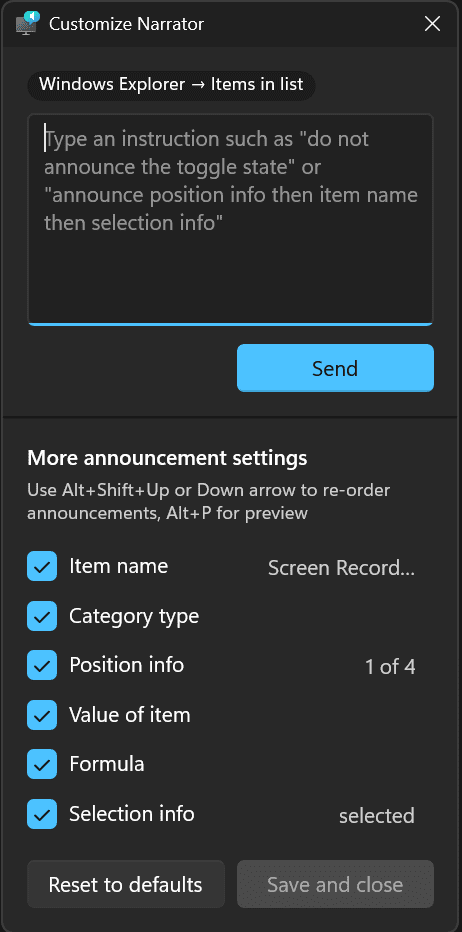
The new option changes that. Users can decide which properties Narrator speaks, and just as importantly, the order in which they’re spoken. For example, when landing on a “Submit” button, you can choose whether Narrator announces the label first, the control type first, or skips one entirely. The same applies to checkboxes, where the “checked” state can be moved, delayed, or removed from the announcement.
Image: Microsoft
You can access customization using Narrator key + Ctrl + P, where properties can be selected, unselected, and reordered per control type. On Copilot+ PCs, Microsoft is also testing a faster method using a natural language input box. You can simply type instructions like, “Don’t announce selection info,” and Narrator adjusts accordingly.
Changes apply across the current app, and there’s a built-in preview option so users can hear the result before saving. If needed, everything can be restored with a single Reset to default.
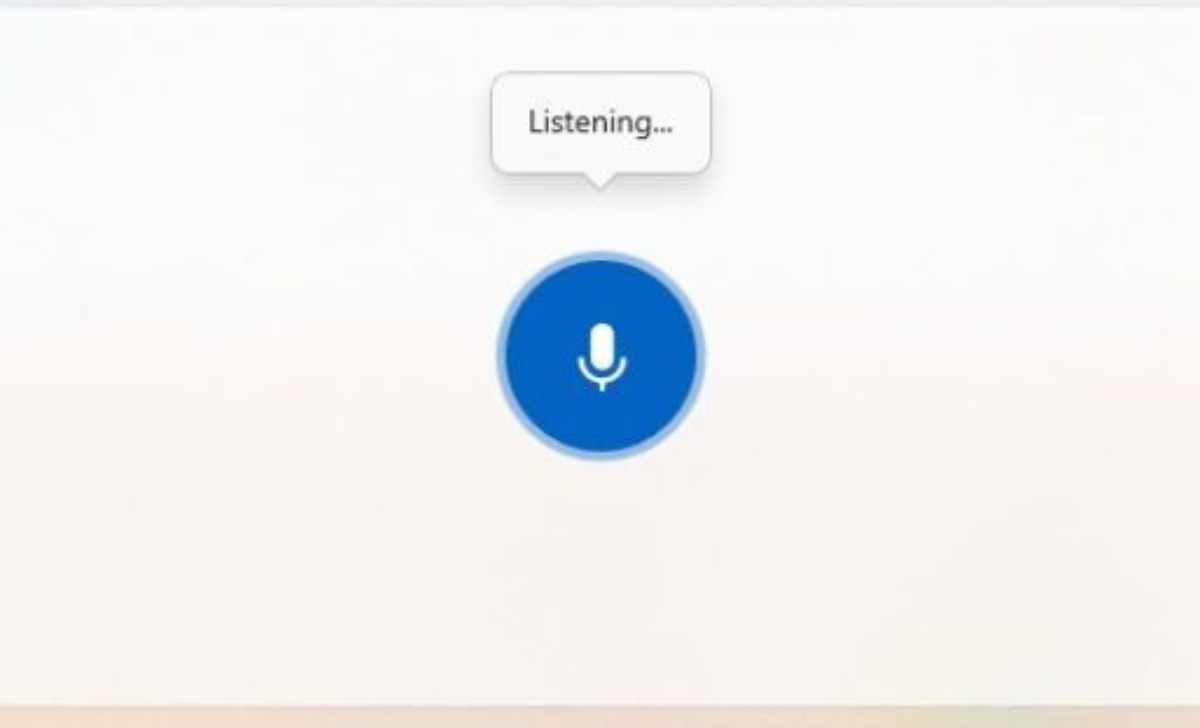
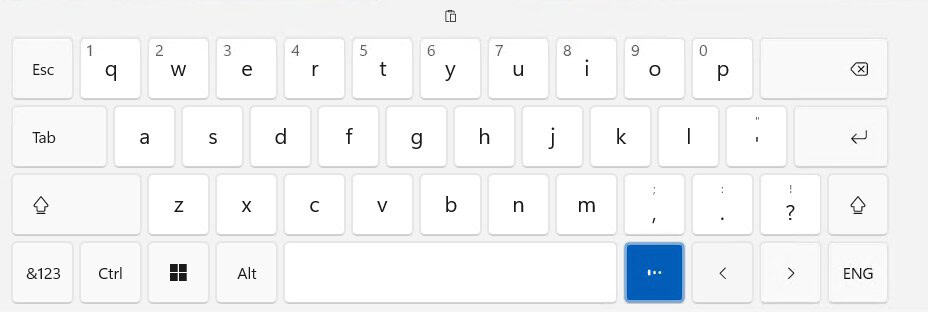
Microsoft is making a small but an imortant change to voice typing on Windows 11, which will help users focused while they type. The update, rolling out in the Beta and Dev channel of Windows Insider program, with new build 26220.7523 (KB5072043), reworks how voice dictation appears when using the touch keyboard, removing a visual element many found distracting.
Previously, pressing the dictation key brought up a full-screen overlay. While functional, it often pulled attention away from the task at hand, especially during quick edits or short messages. With the new approach, that overlay is gone.
Image: Microsoft
Windows now shows voice typing status directly on the dictation key itself. Subtle animations indicate when the system is listening, processing, or paused. The rest of the screen stays exactly where it is. You keep typing, editing, or navigating without interruption.
The change makes voice input feel more integrated with the keyboard rather than a separate mode. It’s still easy to tell when dictation is active, but it no longer demands center stage. For touch-first devices and tablets, this should make voice typing feel quicker and more natural.
Besides this update, Microsoft is also testing a new Discover Windows widget. It offers short, practical tips about Windows features at moments when they’re likely to be useful. These range from keyboard shortcuts to security reminders and productivity hints.
Not to forget, the widget can be added to the Widgets Board or placed on the lock screen. It’s optional, easy to remove, and designed to stay quiet unless you choose to engage with it.
Microsoft is rolling out a new framework called Agent Launchers in Windows 11 Insider Preview Build 26220.7523 (KB5072043), which it says will give apps a standardized way to register AI agents and make them visible across Windows.
Agent Launchers allow developers expose interactive AI agents at the system level, instead of keeping them locked inside individual apps. Once registered, these agents can be surfaced and launched by Windows itself or by other supported applications. When opened, the agent launches directly into its chat interface, allowing users to begin working immediately.
Image: Microsoft
Unlike passive tools, these agents are designed to be active and task-driven. They can ask follow-up questions, retain context, and take actions to complete work. Microsoft describes them as collaborative experiences rather than simple command responders.
A key part of the framework is single registration. Developers register an agent once, and it becomes available anywhere Agent Launchers are supported. That includes Ask Copilot on the taskbar with Microsoft 365 Copilot, as well as other Windows apps that adopt the framework.
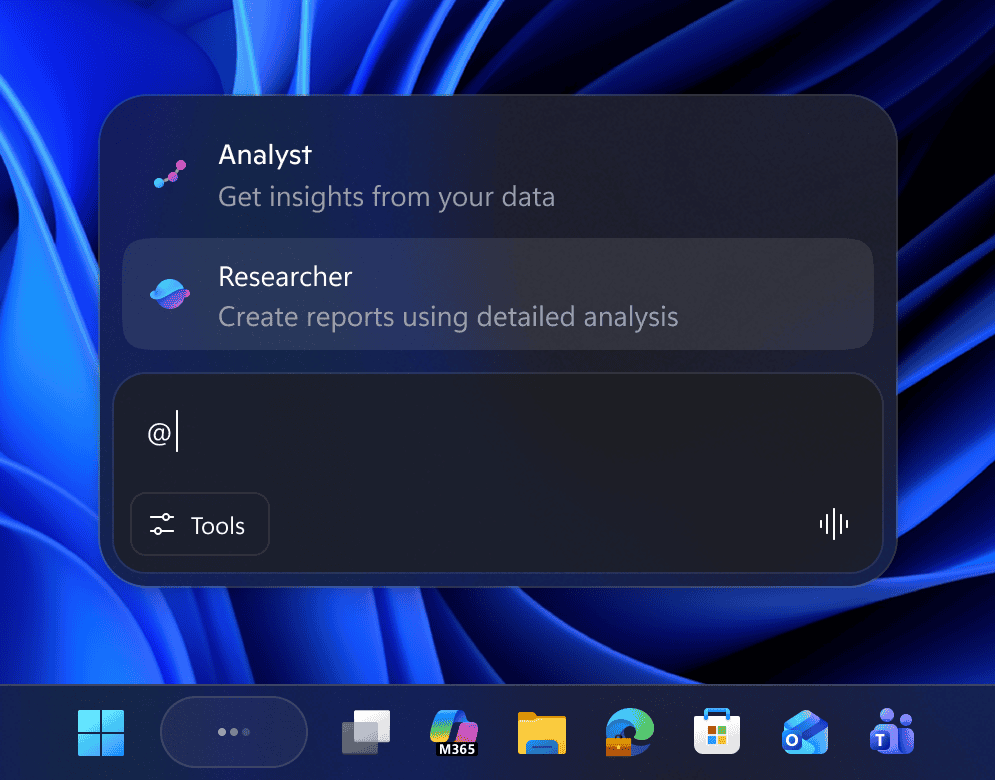
Microsoft 365 Copilot already uses Agent Launchers internally. Agents like Analyst, which focuses on extracting insights from data, and Researcher, which builds detailed reports, are registered through this system. This same mechanism is now opening up to third-party developers.
Agents can be registered in two ways. Static registration happens during app installation, while dynamic registration allows agents to appear or disappear based on conditions such as sign-in status, subscriptions, or licensing. That gives developers control over when agents are available without requiring system-level changes.
From a platform perspective, Agent Launchers moves Windows closer to acting as a shared surface for AI agents rather than just an app launcher. For users, it means AI tools can be discovered and accessed consistently, regardless of which app originally installed them.
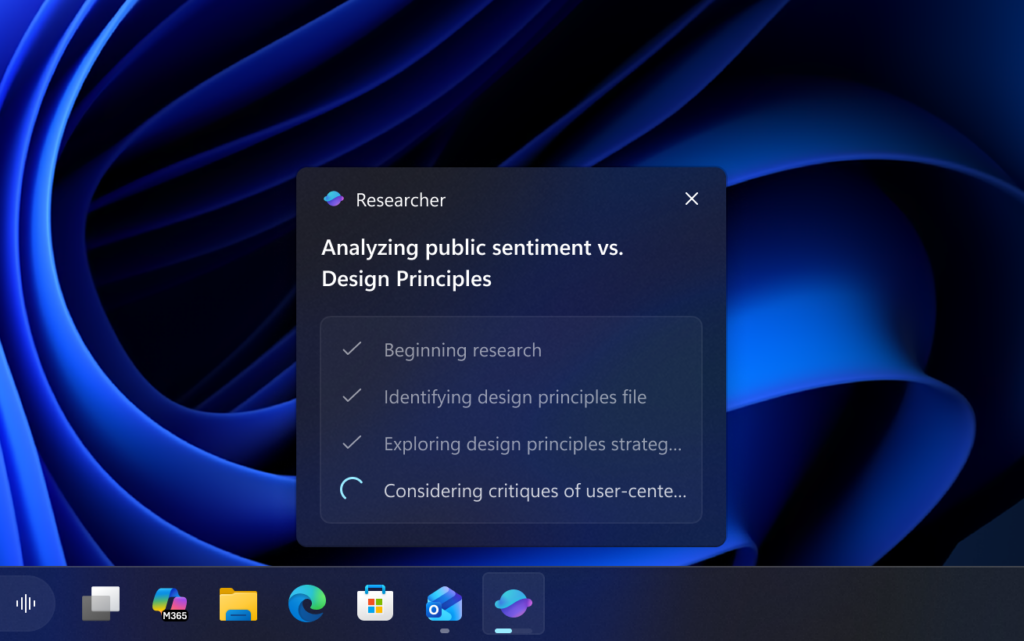
Microsoft is testing a new way to monitor AI agent work directly from the taskbar in Windows 11 Insider Preview Build 26220.7523 (KB5072043). The update introduces Agents on the taskbar, starting with Researcher in Microsoft 365 Copilot.
Researcher is designed to handle longer, more complex tasks, such as building structured reports from broad questions. With this update, once a task is started inside the Microsoft 365 Copilot app, users no longer need to keep that app open to know what’s happening. Progress is now visible on the taskbar.
Image: Microsoft
Microsoft is also testing a hover-based view. When users hover over the Copilot or Researcher icon, Windows shows live progress updates that indicate how the task is advancing. Researcher will also surface a clear completion state once the report is finished.
When a task completes, users receive a notification and can click it, or the taskbar icon itself, to return to Microsoft 365. From there, the completed report can be reviewed and used immediately. The goal is to reduce interruptions while still keeping users informed about long-running agent tasks.
The feature is optional and will roll out gradually to business Windows Insider Program users in the United States who have Microsoft 365 Copilot licenses. Microsoft says it is still experimenting with how agent activity appears on the taskbar, either grouped under the Copilot icon or shown as a separate Researcher icon.
Microsoft is expanding Copilot integration in Windows 11 with the latest Insider Preview Build 26220.7523 (KB5072043), which is now rolling out to the Dev and Beta Channels. This update introduces a business-focused version of Ask Copilot on the taskbar, following its earlier debut for consumer users.
The new experience, first teased at Microsoft Ignite, is designed for business and enterprise customers with Microsoft 365 Copilot licenses. Microsoft says the rollout will happen gradually over the coming weeks, starting with Windows Insider Program members in the United States.
Ask Copilot on the taskbar acts as a single entry point for Microsoft 365 Copilot, AI agents, and Windows search. Instead of jumping between apps or panels, users can now engage Copilot directly from the taskbar using voice or text. The goal is to make Copilot feel like a natural extension of everyday PC use, rather than a separate tool.
Image: Microsoft
With one-click access, commercial users can pull in contextual information tied to their work environment, including data surfaced through Microsoft 365 Copilot and connected AI agents. Agents can also be invoked directly from the taskbar using the tools button or by typing “@,” streamlining workflows that previously required multiple steps.
KB5072043 also introduces a refreshed, faster search experience within Ask Copilot, making it easier to locate apps, files, and system settings. Microsoft stresses that Ask Copilot relies on existing Windows APIs, similar to traditional Windows Search, and doesn’t grant Copilot unrestricted access to personal files or content.
You can try the feature by enabling it manually by navigating to Settings > Personalization > Taskbar > Ask Copilot.
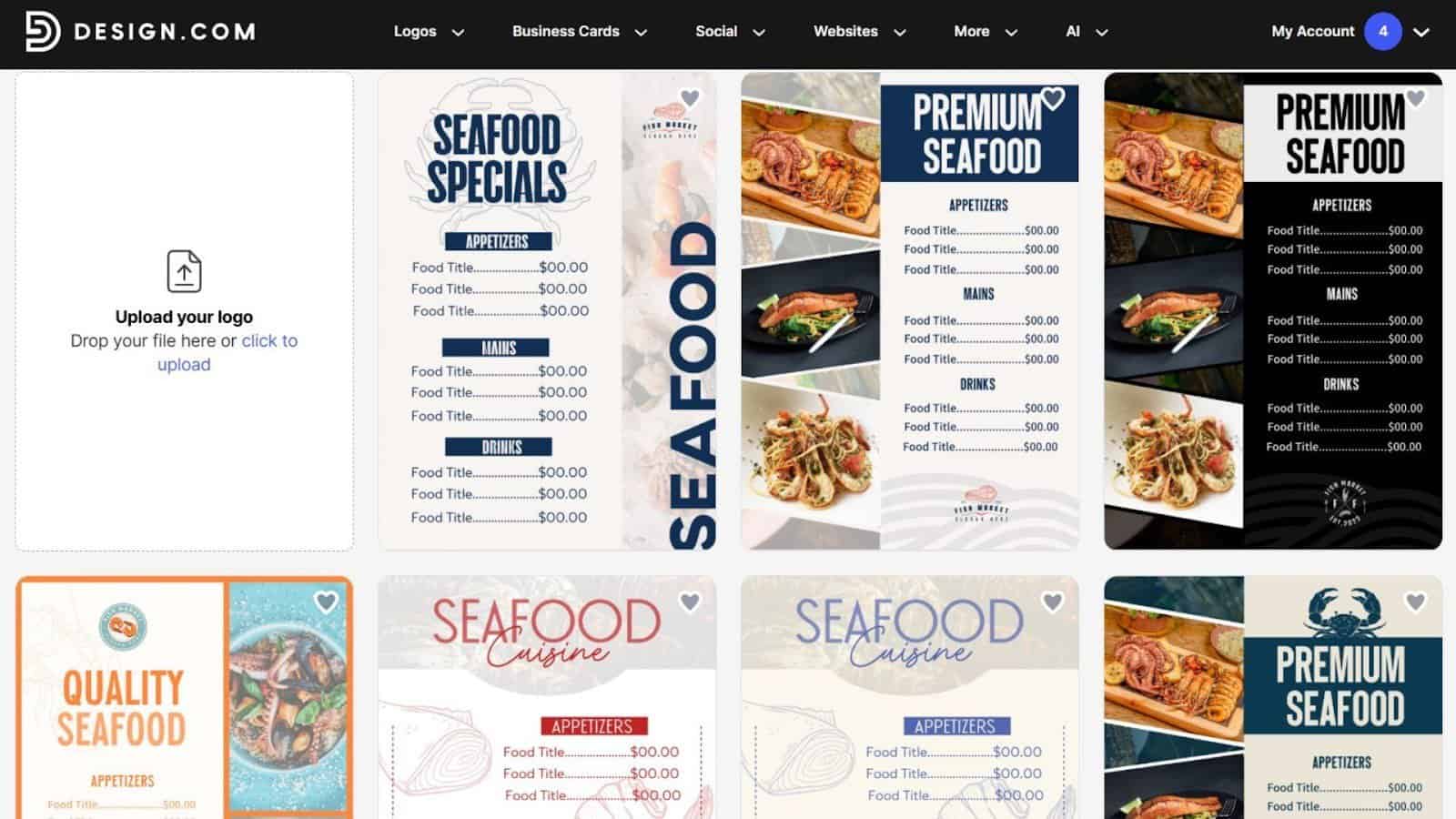
A great brand is not just a logo. It is a full visual system. Colors, fonts, templates, and consistent layouts are what make a brand feel cohesive across every touchpoint. Design.com streamlines this entire process by combining an AI powered Logo Maker with the industry’s largest library of ready to use branding templates. With over 360,000+ logo templates and 1M+ design templates, anyone can build a polished brand kit in minutes.
This guide walks you through the exact steps to create a complete brand kit using Design.com’s Logo Maker, templates, and automated brand identity tools.
1. Start With Your Logo: The Foundation of Your Brand Kit
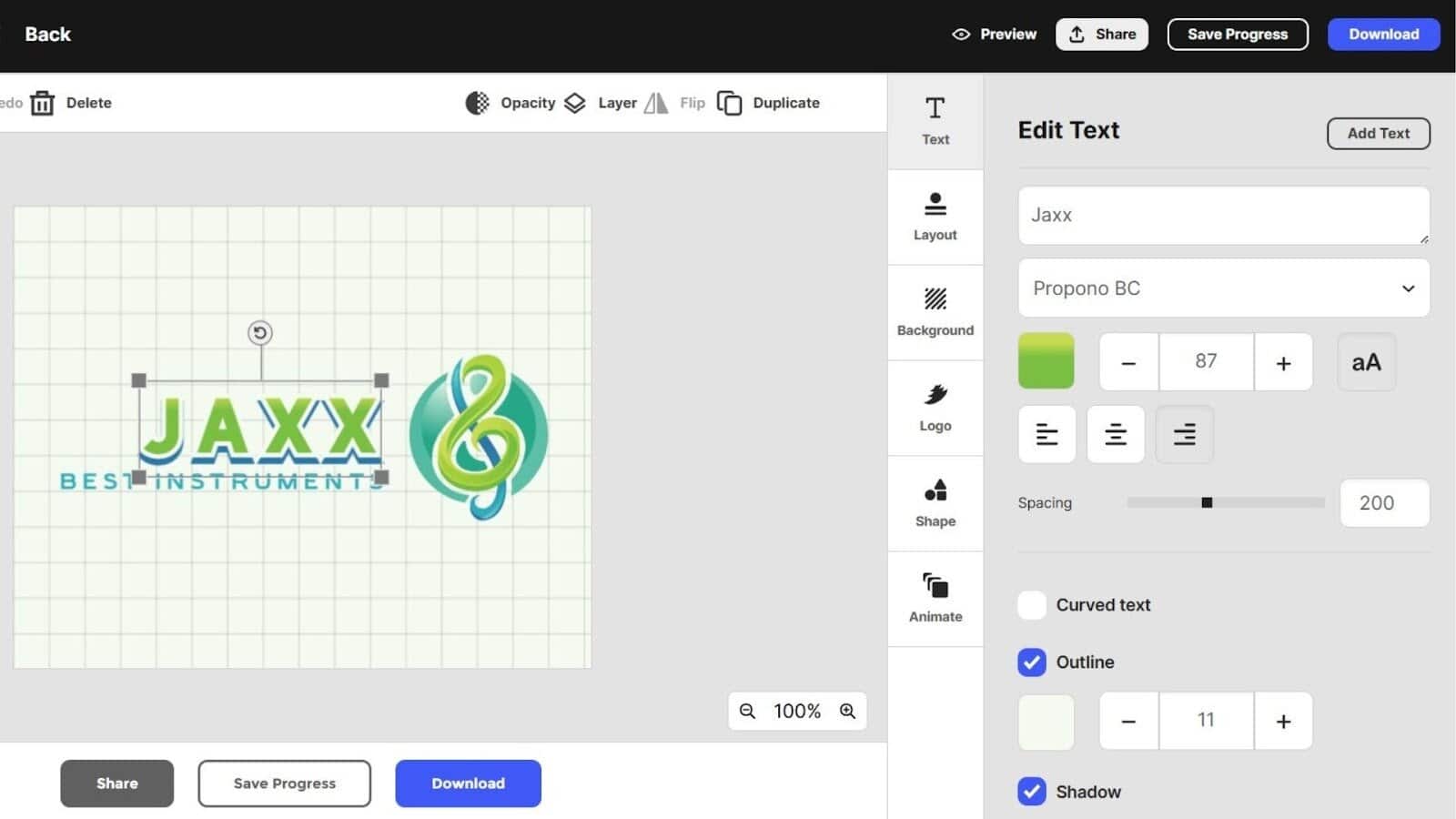
Your logo sets the tone for all other visuals, so it is the first step in building a consistent brand kit. Design.com makes this simple and efficient by letting you generate dozens of tailored logo concepts in seconds.
Enter your brand name, choose your industry, and let the AI instantly create a large variety of concepts. This quick process saves you time and provides multiple strong directions to explore.
Step 2: Select Your Style
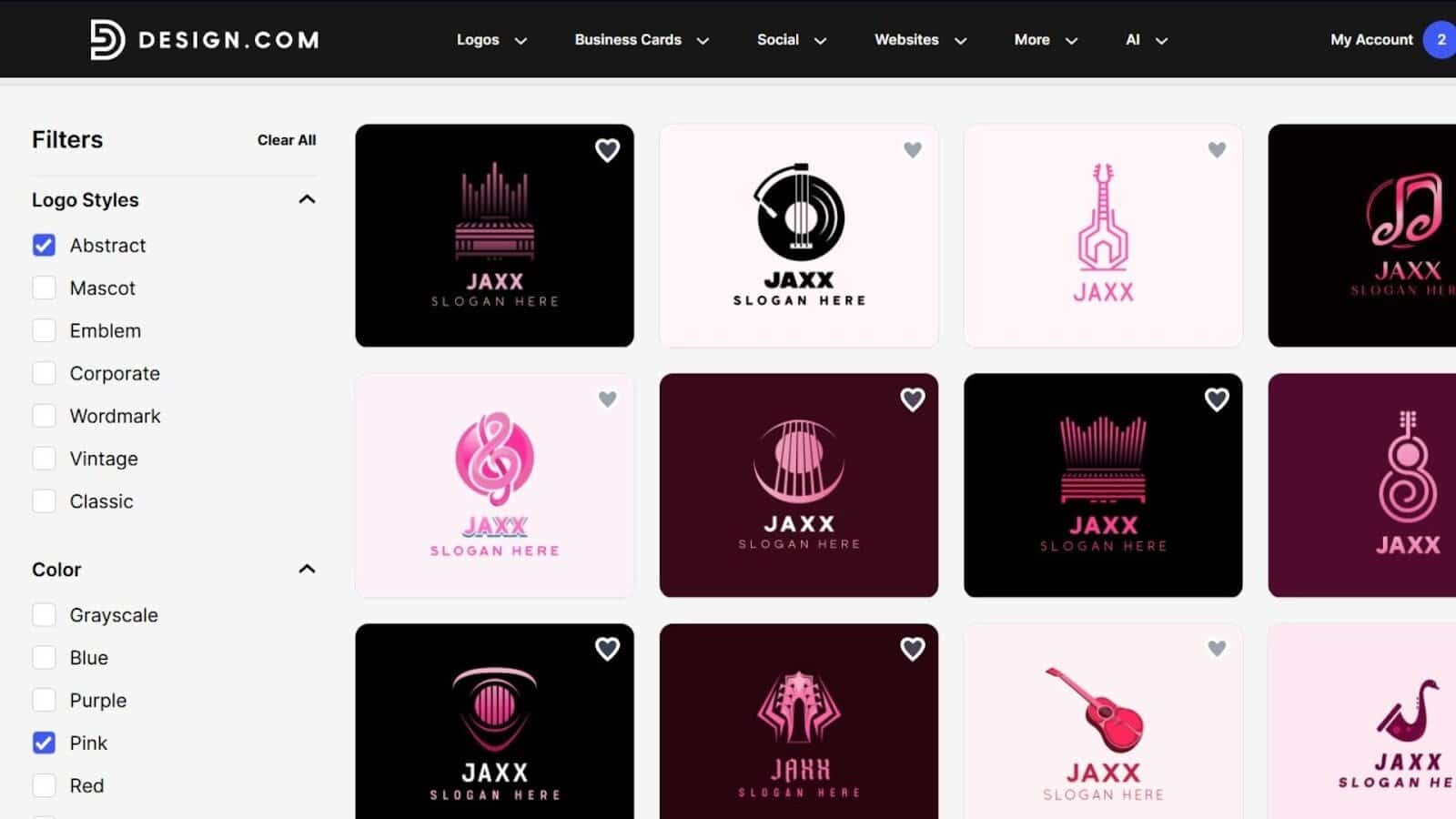
Use Design.com’s filters to narrow down by style:
Abstract
Mascot
Emblem
Corporate
Wordmark
Classic
Vintage
These style filters help you quickly identify a visual language that suits your brand’s personality. Choosing a strong style direction early creates a more cohesive brand kit later.
Step 3: Customize for Uniqueness
Refine your logo using:
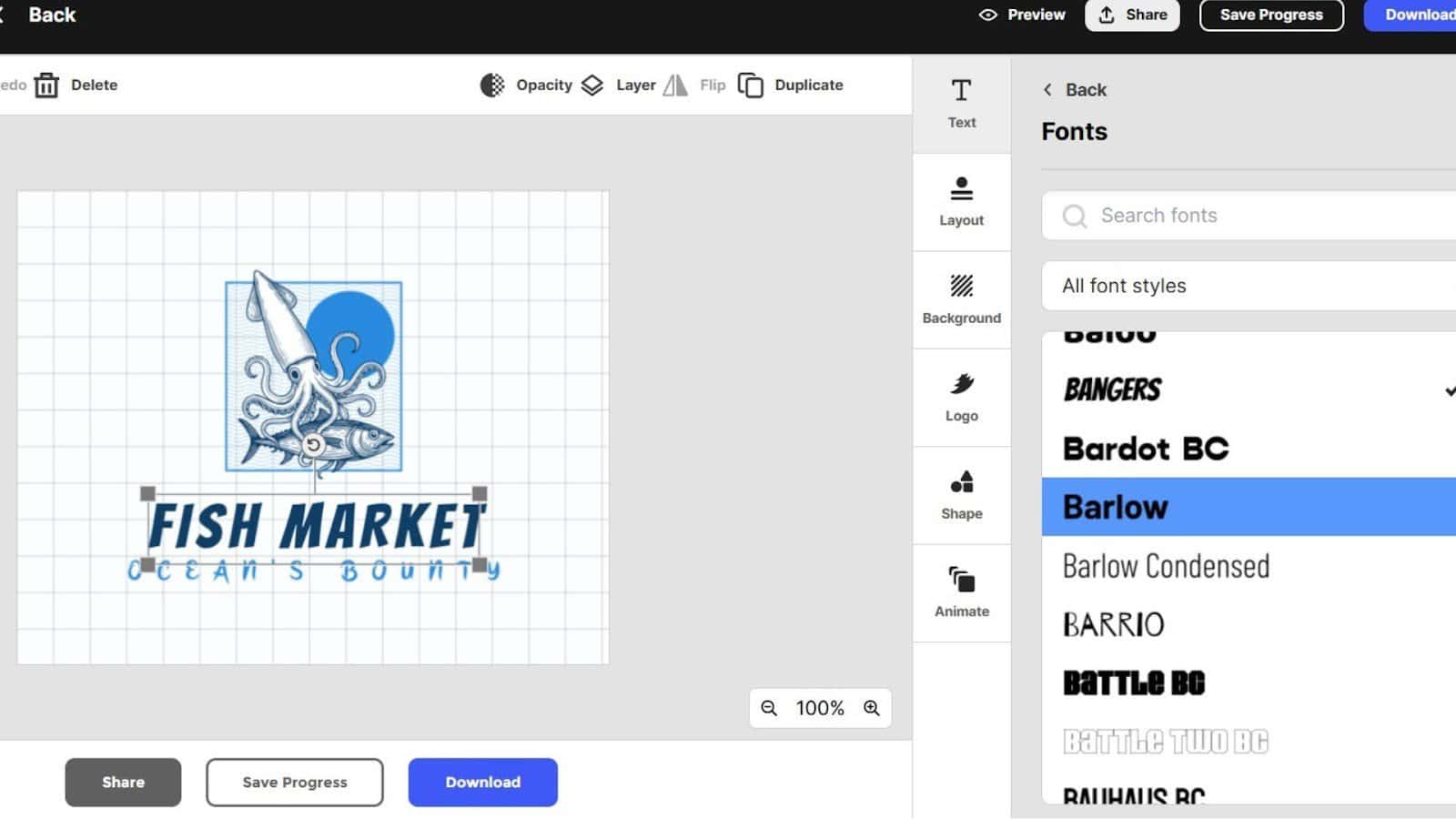
525+ exclusive fonts
62,000+ custom shapes and icons
Color adjustments
Slogan options
Layout presets
These customization tools allow you to make your logo feel distinct and aligned with your brand identity. Even beginners can easily fine tune spacing, balance, and visual hierarchy.
2. Establish Your Color Palette
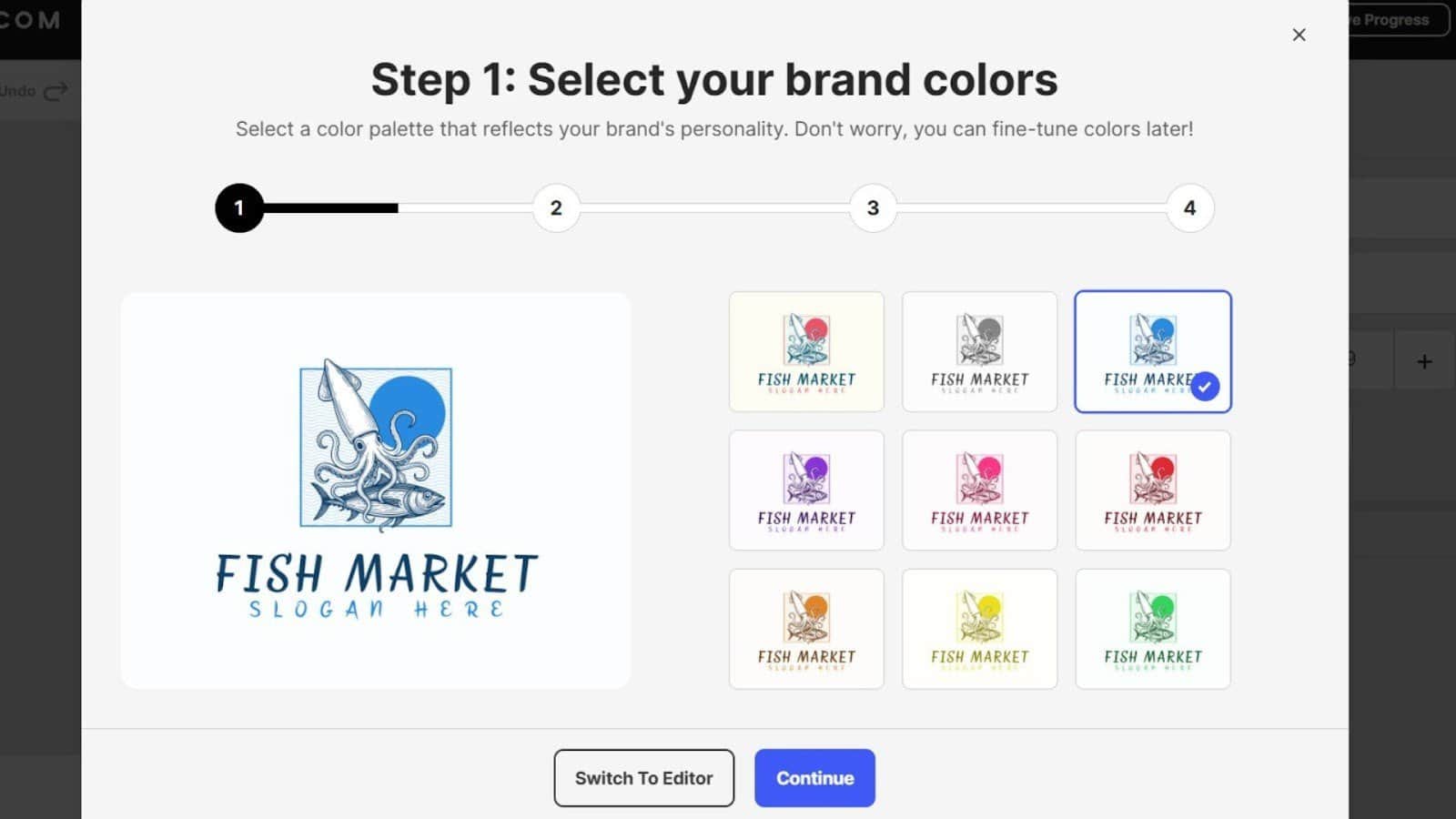
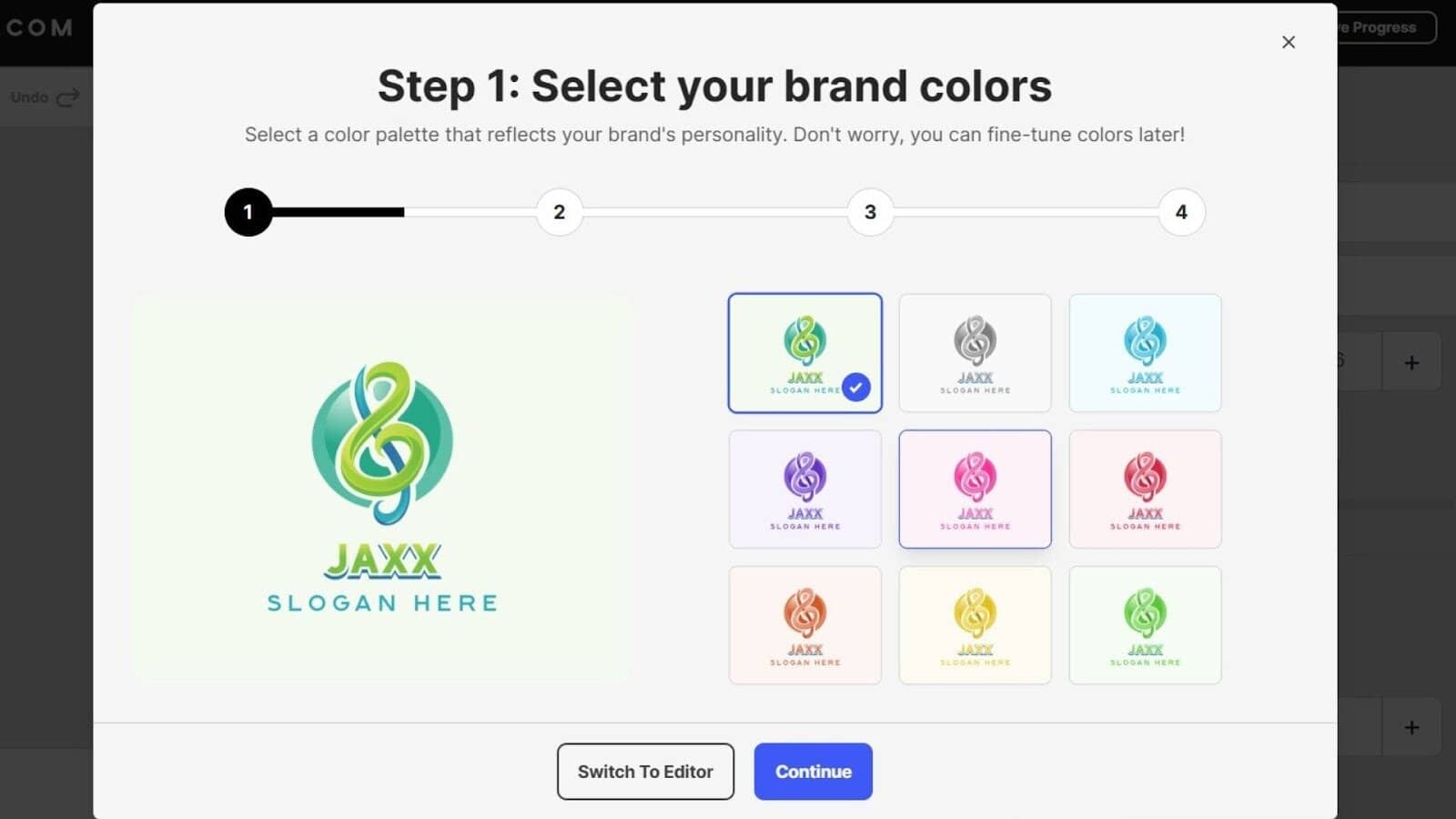
Your color palette forms the emotional and visual backbone of your brand. Design.com automatically extracts colors from your logo, giving you an instant set of coordinated brand tones.
Why this matters:
A strong brand kit always includes:
1 to 2 primary colors
2 to 3 secondary colors
A supporting neutral (black, white, gray)
This structure ensures your brand feels intentional and versatile across print, digital, and social media designs.
How Design.com helps:
Your color palette automatically syncs across:
Social templates
Business cards
Flyers
Posters
Websites
Email signatures
Presentations
This automatic inheritance ensures consistency without requiring manual color setup, saving time and reducing design mistakes.
3. Choose Your Brand Fonts
Fonts communicate your brand’s tone, personality, and level of professionalism. With 750+ fonts including 525+ exclusives Design.com gives you unmatched flexibility in shaping your brand’s voice.
How to pick your brand fonts using Design.com:
Open your logo in the editor.
Experiment with the built in font library.
Select a headline font (bold, expressive, or modern).
Select a body font (readable and clean).
This process ensures your typography works well across digital and print materials. Once selected, your fonts automatically apply to all branded templates.
4. Build Your Core Brand Kit Materials
Now that your logo, fonts, and colors are set, it is time to build the main components of your brand kit. Design.com automatically adapts your styles into branded templates that stay visually consistent across every format.
Your brand kit should include the following core assets:
A. Business Cards
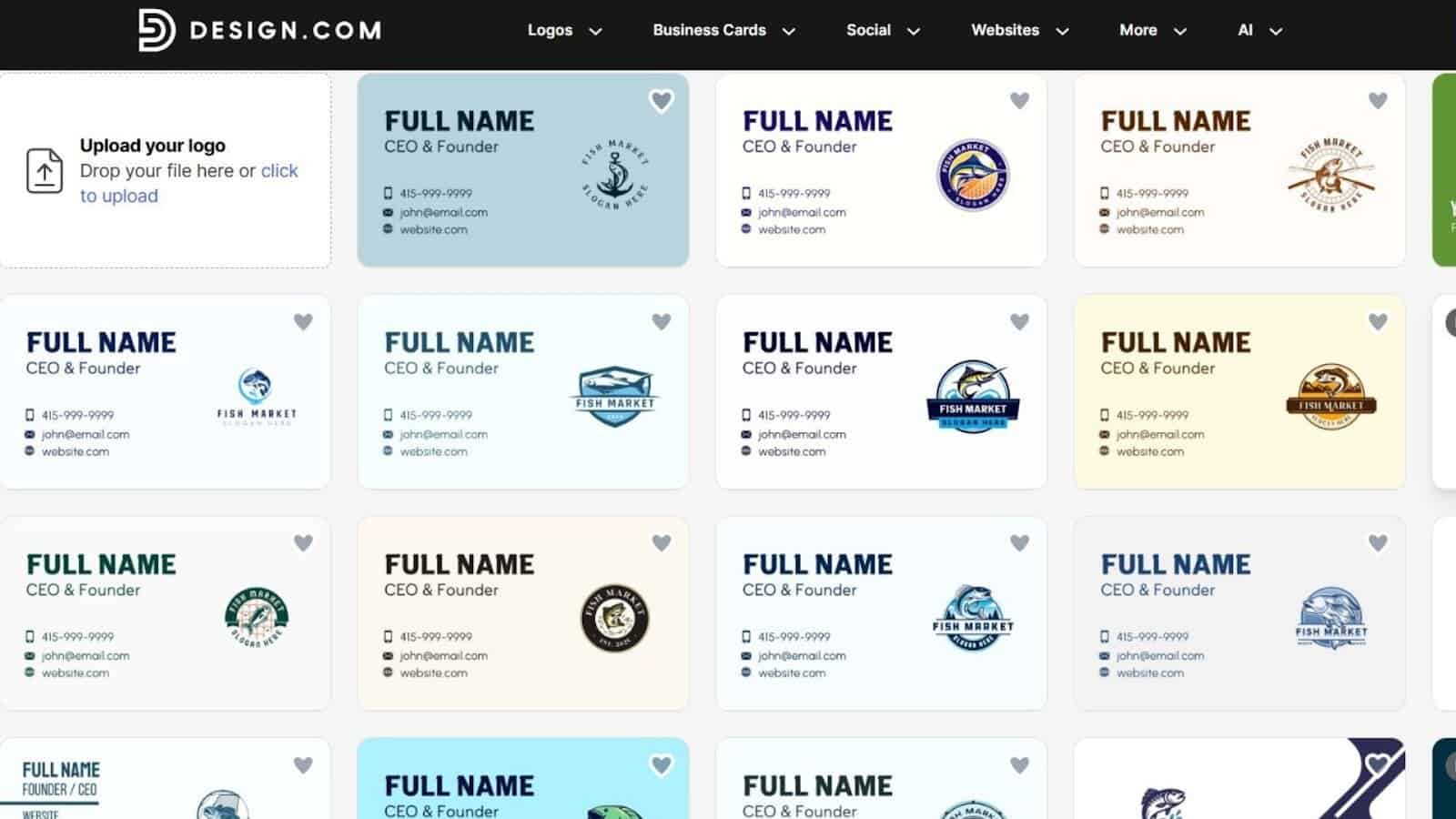
Design.com instantly generates business card layouts using your logo, colors, and typography. This ensures your brand’s identity is clear and professional from the first point of contact.
B. Social Media Templates
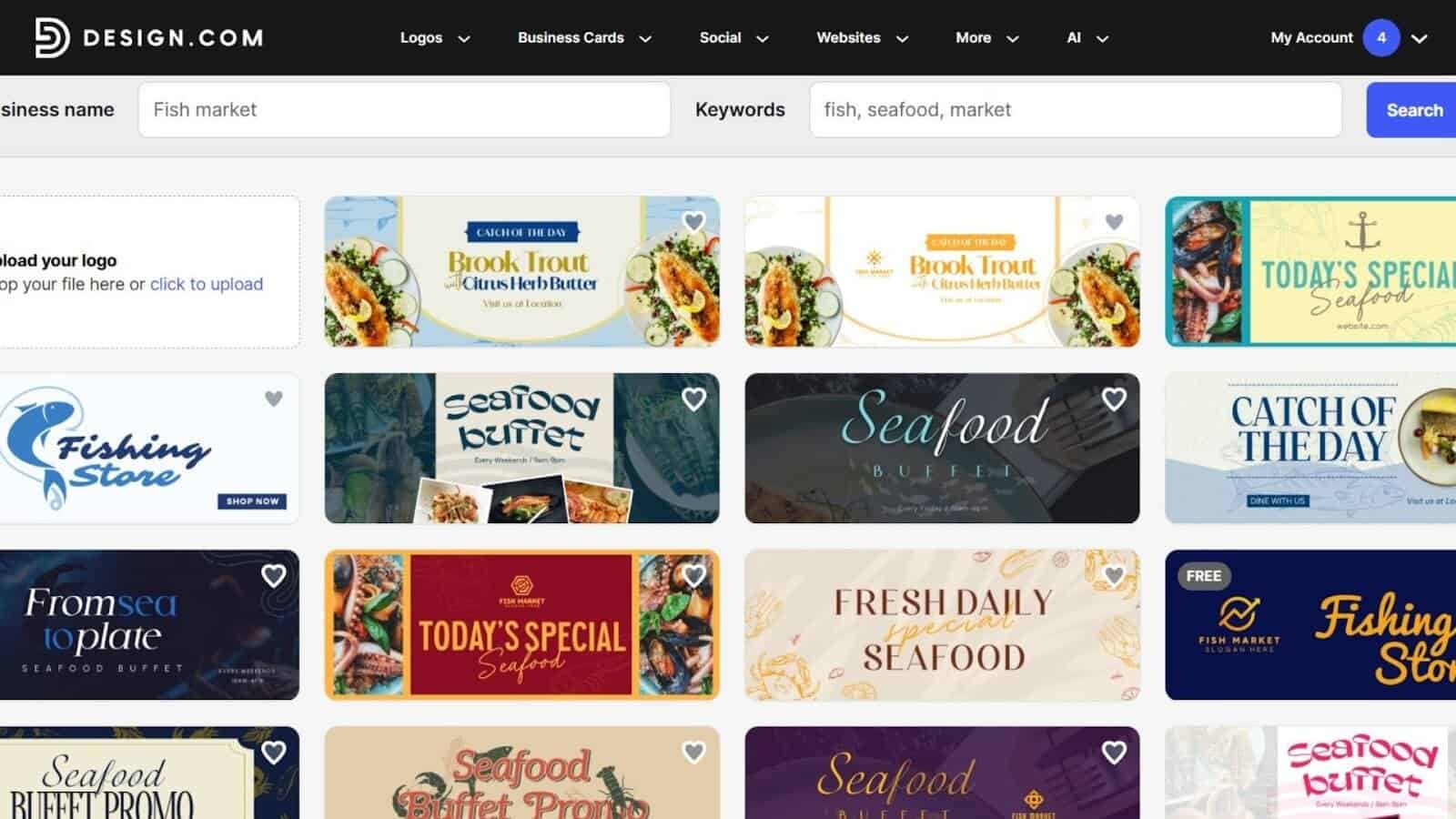
With over 1 million templates, you can quickly build:
Facebook covers
Instagram posts
Instagram Stories
YouTube thumbnails
LinkedIn banners
These templates automatically match your brand colors and fonts, giving your social presence a cohesive and polished look with minimal effort.
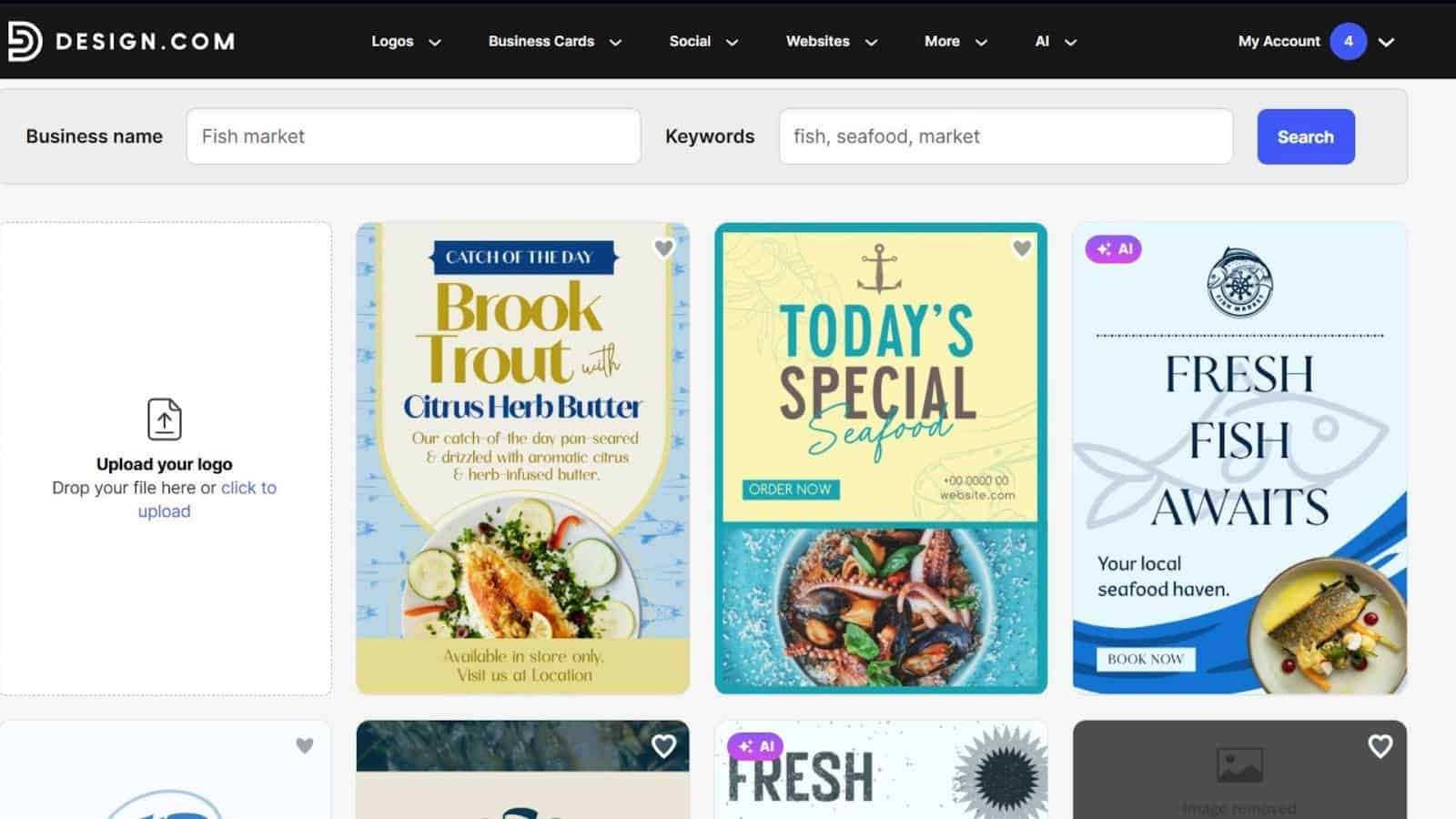
C. Flyers and Posters
Perfect for:
Promotions
Events
Campaigns
Product launches
Design.com’s layout engine seamlessly applies your brand identity across print materials. This consistency helps reinforce brand recognition across all marketing channels.
D. Company Documents
Your brand kit can include:
Letterheads
Presentations
Email signatures
Menus
Brochures
QR codes
These documents inherit your brand’s visual system instantly, making it easy to create internal and external materials that always look professional.
5. Extend Your Brand to a Website
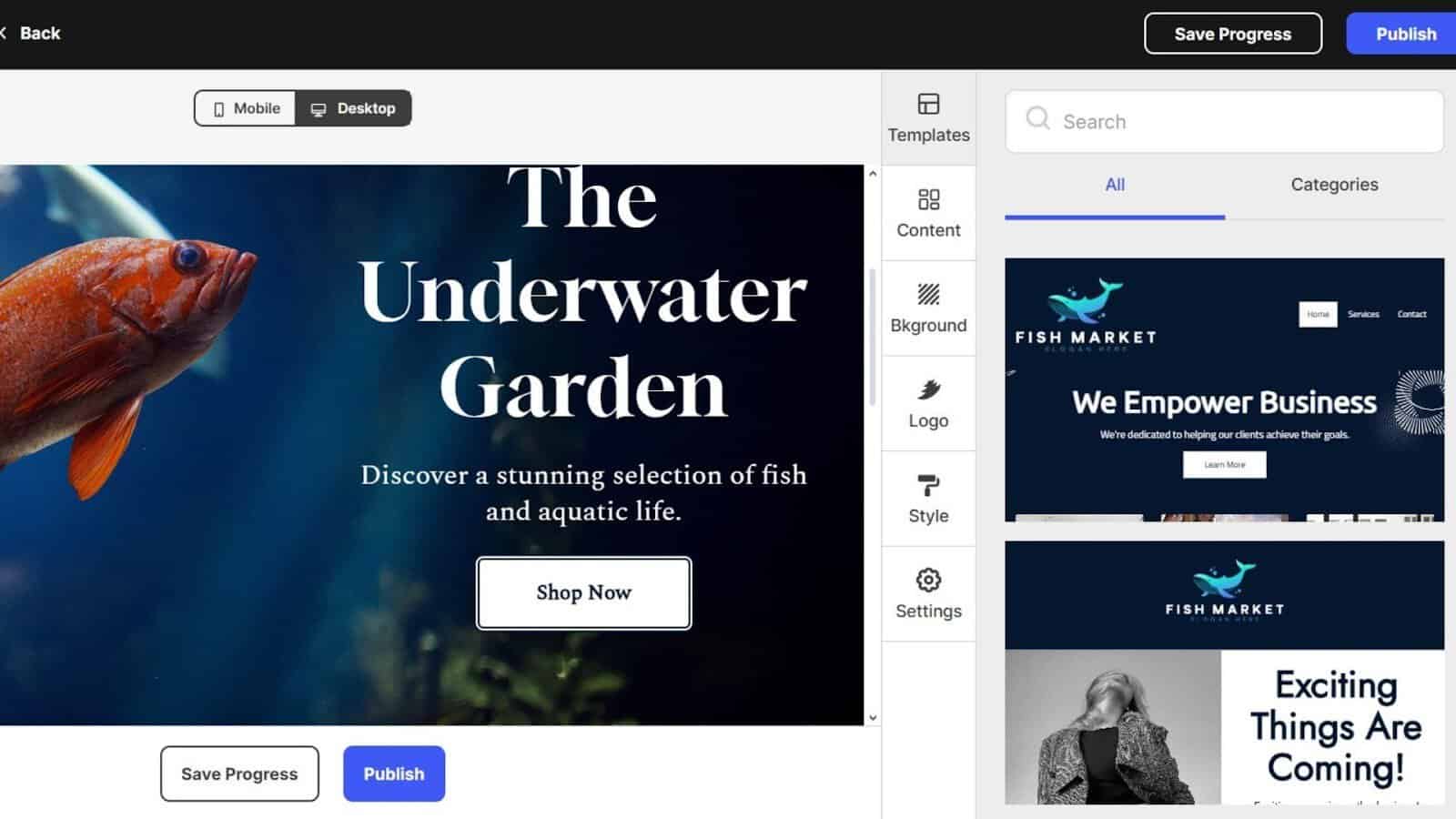
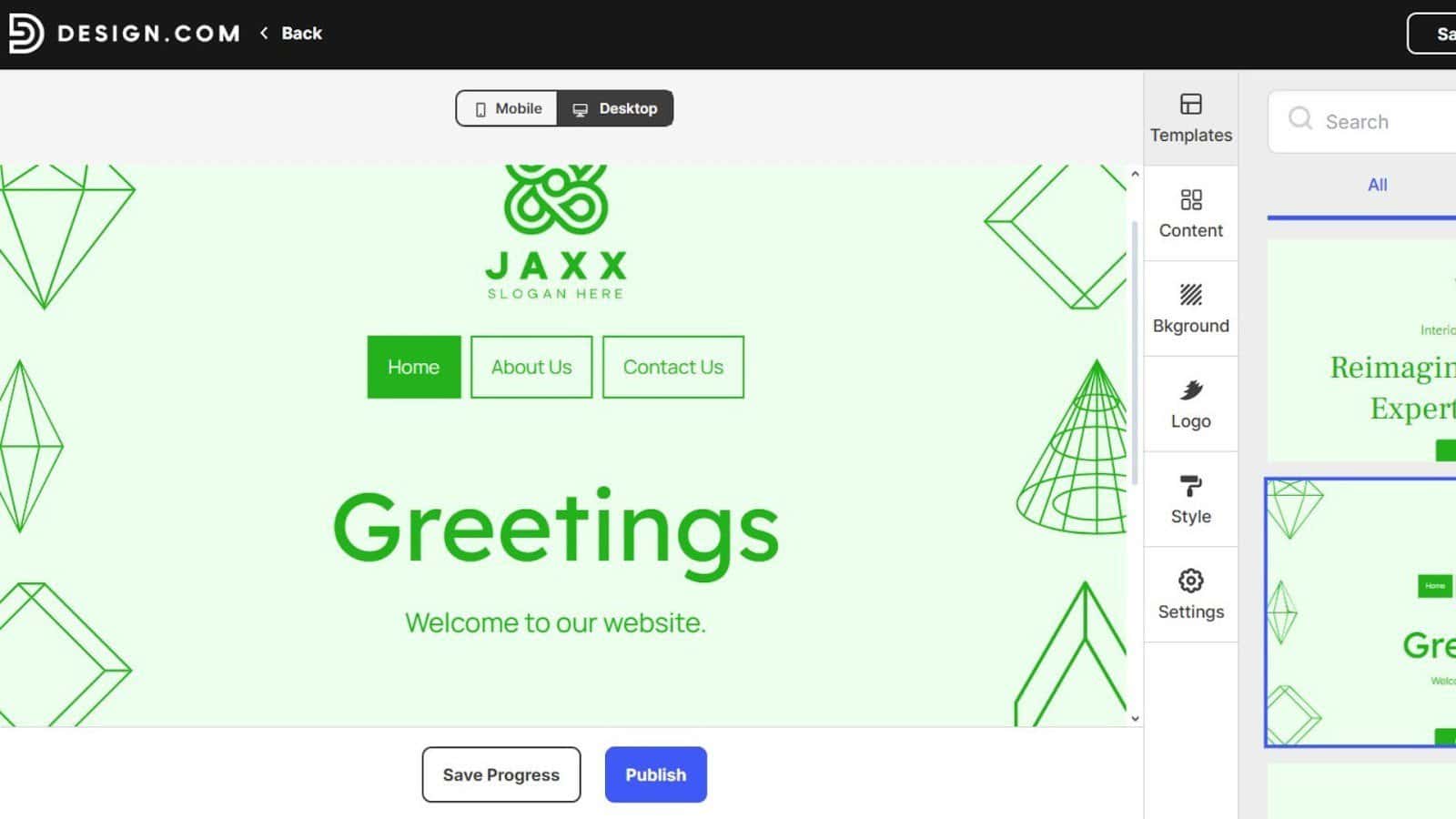
Your brand kit is not complete without an online presence, and Design.com makes this step accessible to everyone. Every plan including free logos includes website building tools that automatically apply your brand identity.
How to apply your brand to your website:
Open the website builder.
Choose a layout that fits your business.
Your logo, custom fonts, and color palette automatically appear across the site.
Replace the placeholder content with your own.
Publish instantly.
These free tools include a website builder, link in bio page, and digital business card (freemium with Design.com footer branding). They offer a fast way to launch your brand online without needing technical skills.
6. Download Your Brand Kit Assets
With your brand kit complete, you can export your assets in multiple professional formats. These files are ready for use in marketing materials, websites, merchandise, and print.
Logo file formats available:
Vector: SVG, EPS, PDF
Raster: PNG, JPG
Animated: GIF, MP4
Transparent background
Icon only versions
These formats ensure you can use your brand visuals at any scale, from business cards to large signage.
Brand materials include:
Social templates
Posters and flyers
Business cards
Presentations
Email signatures
Letterheads
Website assets
Digital business cards
Everything created is commercially safe, original, and ready for professional use.
7. Keep Your Brand Organized on Design.com
Design.com includes built in tools that help you maintain and manage your brand kit over time. These features make ongoing brand management simple and efficient.
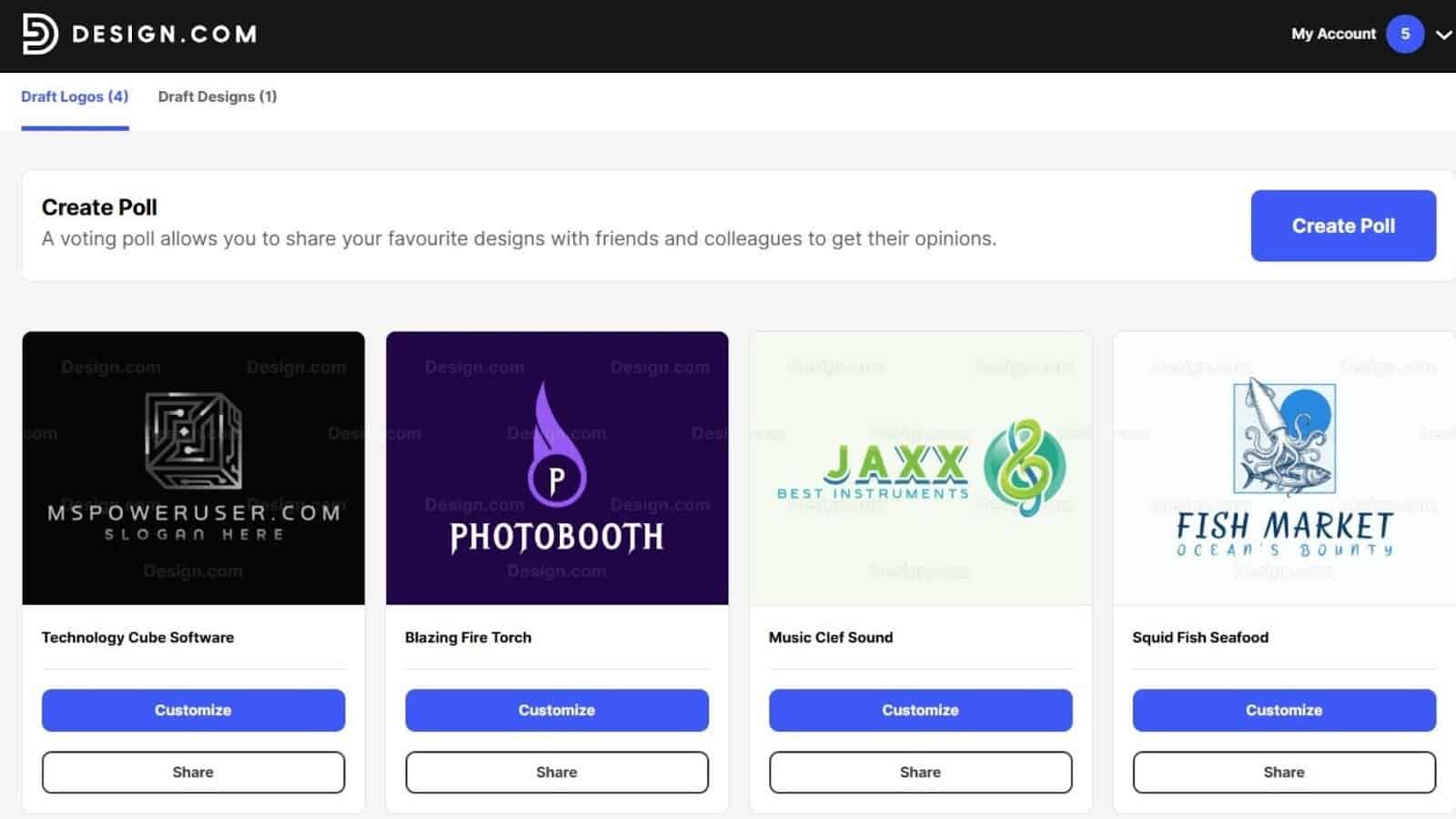
Favorites list: Save your preferred logo concepts.
Voting polls: Share branding options with teammates or friends.
Brand consistency engine: Ensures all templates inherit your styles.
24/7 support: Access email and live chat anytime.
Multi language support: English, Spanish, French, German, Portuguese, Canadian French, and Brazilian Portuguese.
These tools help you refine your brand whenever needed without losing visual consistency.
Final Thoughts: A Complete Brand Kit in Minutes
Design.com makes it remarkably easy to build a complete and cohesive brand kit even with no design experience. Its powerful AI, extensive template library, and automatic style syncing create a streamlined workflow that saves hours of manual design work.
With the largest logo library, exclusive fonts, AI driven branding, and 1M+ templates, Design.com stands out as a complete branding platform rather than just a logo maker. Whether you are launching a new business or refreshing an existing identity, Design.com gives you everything you need to create a polished and professional brand kit in minutes.
Microsoft has pushed a few new out-of-band updates for different versions of Windows 10 that fixes long list of confirmed MSMQ issues given below:
MSMQ queues becoming inactive
IIS sites failing with “Insufficient resources to perform operation” errors
Applications unable to write to queues
Errors such as “The message file ‘C:\Windows\System32\msmq\storage*.mq’ cannot be created” when creating message files
Misleading logs like “There is insufficient disk space or memory”, despite sufficient disk space and memory being available
Here’s the changelong for the update:
[Message queuing (MSMQ) (known issue)] Fixed: After installing the Windows updates released on December 9, 2025, users experienced issues with the Message Queuing (MSMQ) functionality. This issue also impacts a clustered MSMQ environment under load. This issue might lead to message queues becoming inactive, messages about insufficient resources, applications unable to write to message queues, error messages about the message cannot be created, or messages about insufficient disk space or memory. Individuals using Windows Home or Pro editions on personal devices are very unlikely to experience this issue. This issue primarily affects enterprise or managed IT environments.
The company reportedly also advised IT administrators to contact Microsoft Support for Business to receive guidance on temporary mitigation steps. You can read more about it here.
Xbox fans looking forward to the annual Xbox Wrapped might be disappointed this year. According to Windows Central, the 2025 edition won’t be happening, as Microsoft has plans to reallocate its community event budget to prepare for next year’s celebrations.
Jez Corden’s source suggest that Xbox is gearing up for a massive 25th anniversary in 2026, which will include not only Xbox milestones but also major anniversaries for some of the company’s top franchises. Expectations around celebrations of Halo’s 25th, Blizzard’s 35th, and Bethesda’s 40th anniversaries has also been pointed out in the report. So, it’s clear that Xbox is sort of promising an event-packed year for gamers.
Here’s what Corden noted in his report for Windows Central:
For sure, I’m told Microsoft has some big plans to celebrate Xbox’s 25th anniversary in 2026, which is why you’ve seen some decreased activity for Xbox community events in 2025. Some of that budget was moved through to next year to accommodate.
While Xbox Wrapped has become a fan-favorite recap of gaming highlights from a year, it’s absence might be dissaoointing for many. But, worry not, True Achievements has you covered with their own version of Xbox Wrapped.
Earlier this week, a Reddit post became a talking point for LG TV owners. What began as a mere complaint about Microsoft Copilot on Reddit quickly turned into a big backlash; they were fuming about the idea of an AI assistant appearing on their TVs and that they couldn’t remove/uninstall it.
Image credit: Reddit/u/defjam16
The Reddit post thread quickly went viral, with many accusing Microsoft of forcing AI even into living rooms. The post grabbed over 36,000 upvotes, with many claiming that the Copilot pop-up was intrusive and unnecessary. That’s not all; privacy advocates also jumped in, and rightly so, calling out the possibility of Copilot even using the TV’s built-in microphones. Well, LG is now backing down, thankfully.
In an email statement provided to Bloomberg, an LG spokesperson attempted to calm the situation while clarifying how Copilot works on its televisions. “We want to clarify that Microsoft Copilot is provided as a shortcut icon to enhance customer accessibility and convenience,” the spokesperson said. They added that Copilot isn’t a native TV app but simply a link that opens Microsoft’s AI assistant in a web browser.
LG also addressed privacy fears directly. According to the spokesperson, Copilot will only activate the TV’s microphone with “the customer’s explicit consent,” pushing back on claims that the assistant listens by default. More importantly, LG confirmed that it will allow customers to delete the Copilot shortcut entirely in an upcoming webOS software update. That change appears to be a direct response to the growing backlash.
Microsoft is wrapping up 2025 with a quiet note regarding its achievements related to the Microsoft Store. For the first time in a while, the company has openly acknowledged that usability was the real concern. And that fixing the basics mattered more than redesigning the Store.
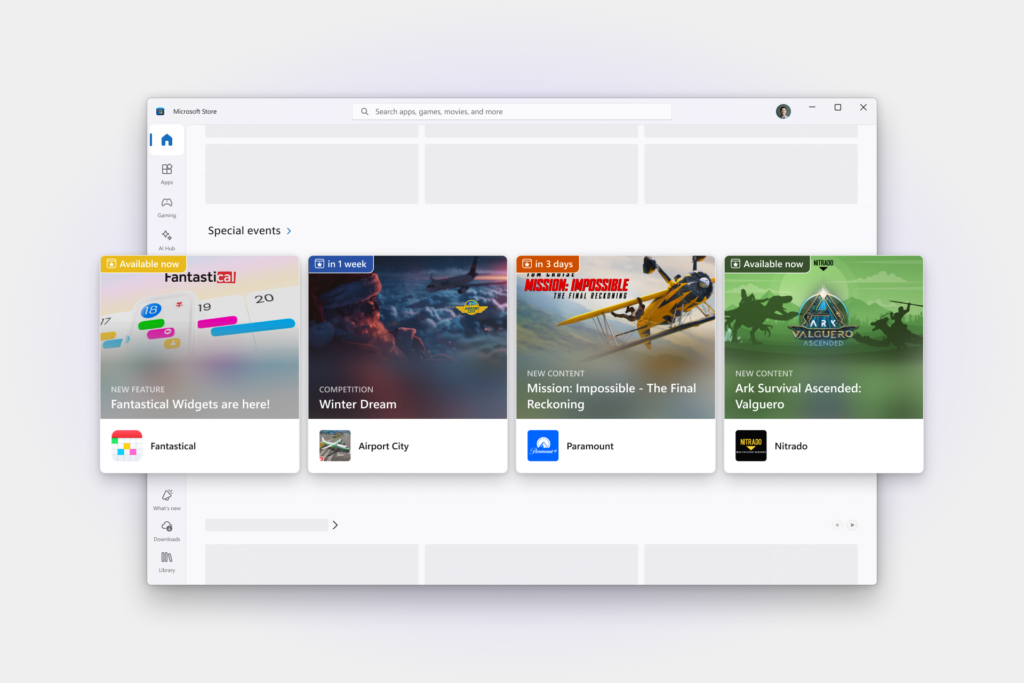
According to Microsoft, the Store now reaches more than 250 million monthly users on Windows, which it says is due to some much-requested changes. To catch you up, Microsoft introduced Special Events, a new way to surface in-app events, seasonal updates, and feature launches directly inside the Store. The company is rolling out the feature gradually in select markets, including the U.S., UK, Canada, Australia, and New Zealand.
Image credit: Microsoft
Apart from that, Microsoft also made some updates to recommendations across app and game pages, factoring in interests, regional trends, and timely deals. The goal, Microsoft says, is to reduce intensive searches and make each visit feel relevant. More importantly, these recommendations are fully controllable via Microsoft Store settings.
More recently, Microsoft Store also added a new Themes section, which gives users a place to browse curated visual styles. It’s a small addition, but one that makes users feel Windows is a personal space. Moving on, multi-app installs now let users install bundles with one click on the web in select regions.
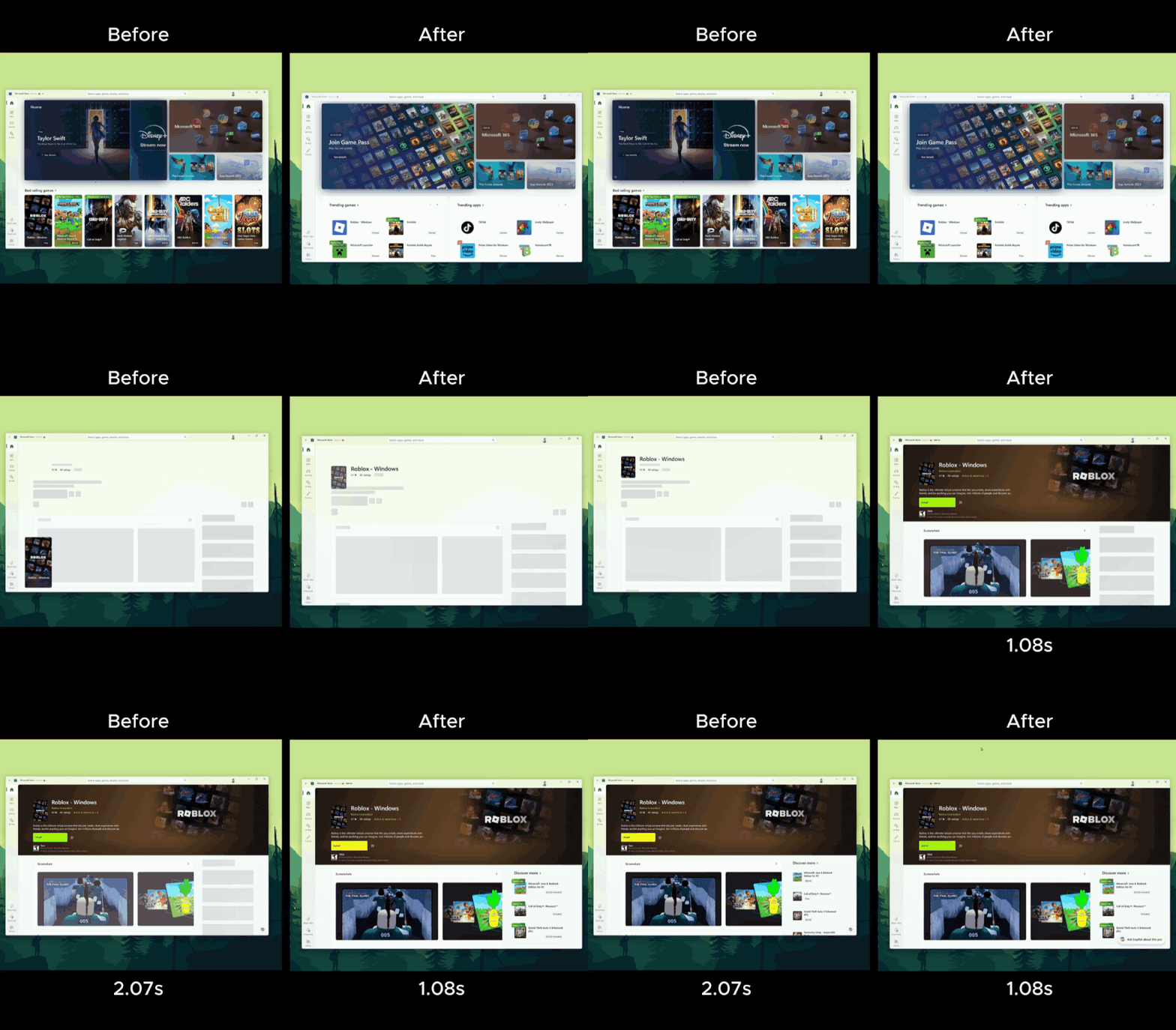
Performance-wise, the Microsoft Store now launches faster, navigation is smoother, and background updates are now better scheduled for smoother performance and minimal disruption while devices are in use.
GIF Source: Microsoft
Do you think Microsoft Store has evolved in a better way, in a way you may have liked? Or does it still feel incomplete? We’d love to hear your thoughts in the comments below.
We’re quite sure that you must have gone through your Steam Replay 2025 stats. But Valve isn’t done for the year just yet. The company has kicked off the Steam Winter Sale 2025, and it’s now live and running through January 5, 2026. If you don’t want to look for what’s discounted and what’s not, here is a list of some of the popular titles that have received heavy discounts on the Steam Winter Sale 2026.
Steam Winter Sale 2025 – Some of the Biggest Game Deals
Note: Discount percentages are calculated based on the original vs. the sale price.
Game
Sale Price
Original Price
Discount
Tomb Raider
$2
$20
90%
Rise of the Tomb Raider
$3
$30
90%
Shadow of the Tomb Raider
$4
$40
90%
Assassin’s Creed Valhalla
$6
$60
90%
Still Wakes the Deep
$8
$65
88%
Assassin’s Creed Odyssey
$9
$60
85%
BioShock: The Collection
$12
$60
80%
Slay the Spire
$6
$25
76%
Resident Evil 2
$10
$40
75%
Resident Evil 3
$10
$40
75%
Star Wars Outlaws: Ultimate Edition
$39
$130
70%
Deep Rock Galactic
$9
$30
70%
Assassin’s Creed Mirage
$15
$50
70%
Dredge
$9
$25
64%
Routine
$22
$55
60%
Resident Evil 4
$20
$50
60%
The Alters
$24
$55
56%
Kingdom Come: Deliverance II
$30
$60
50%
Assassin’s Creed Shadows
$35
$70
50%
Rust
$20
$40
50%
Planet Coaster 2
$25
$50
50%
Cult of the Lamb
$13
$25
48%
Sulfur
$13
$25
48%
Dragon Ball Sparking Zero: Ultimate Edition
$60
$110
45%
Monster Hunter Wilds
$39
$70
44%
Atomfall
$30
$50
40%
Frostpunk 2
$27
$45
40%
RuneScape: Dragonwilds
$21
$30
30%
Hell Is Us
$35
$50
30%
Call of Duty: Black Ops 7
$49
$70
30%
Ball X Pit
$11
$15
27%
Once Upon a Katamari
$30
$40
25%
Cronos
$45
$60
25%
Palworld
$23
$30
23%
Digimon Story: Time Stranger
$56
$70
20%
Jurassic World Evolution 3
$48
$60
20%
Titan Quest II
$28
$35
20%
Terminator 2D: No Fate
$27
$30
10%
Escape From Duckov
$16
$18
11%
Unbeatable
$26
$28
7%
So, which of the games are you planning to buy right now? Drop your top picks in the comments below.
As the year comes to a close, every Xbox player waited for 2025 Wrapped, but it seems the team had other plans. Today, Xbox dropped what I call a “Thank You Note” to all the gamers out there for what it calls a truly remarkable year.
Across Team Xbox, we’ve been creating new worlds, telling fresh stories and bringing legendary franchises back to our screens – and ensuring you can enjoy these experiences on more devices than ever before. For all of us, it truly is more than a game.
According to Xbox, 2025 has been one of the most award-winning and game-packed years in the company’s history. The company notes that fans have enjoyed new stories, immersive experiences, and even returns of some beloved franchises, all while exploring them on consoles, PCs, and other supported devices.
Image credit: Microsoft
It’s been one of the most game-packed, award-winning years in our history – and none of it would have been possible without you. With 2025 coming to a close, we want to take this opportunity to reflect, relive our favorite moments, and say thank you for joining us to play together this year.
Besides, Phil Spencer has already teased that the company is working on a first-party Xbox. While we’re still unsure if it will drop next year, we hope some new details pop up. Putting it simply, 2026 is going to be “a memorable one for players, with more to come from many of the studios we’ve seen this year, and many more at Xbox.”
Also, don’t forget to check out this Xbox video celebrating the highlights of 2025; it’s worth a watch.
If you have ever wondered how Cloud Gaming is doing so far, there are some clear indications of an upward trend, especially during the holiday season. Per the report, cloud gaming quietly had its strongest holiday season yet. Usage reportedly jumped 45% year over year, thanks to larger game libraries, expanded device support, and more aggressive subscription pushes from major platforms.
Xbox Cloud Gaming has been in the spotlight, with console players streaming games more than they did last year. That’s not all; playtime on TVs, phones, and other non-console devices also saw an upward trend. Another reason contributing to the jump in cloud gaming during the holiday season is the expansion of content.
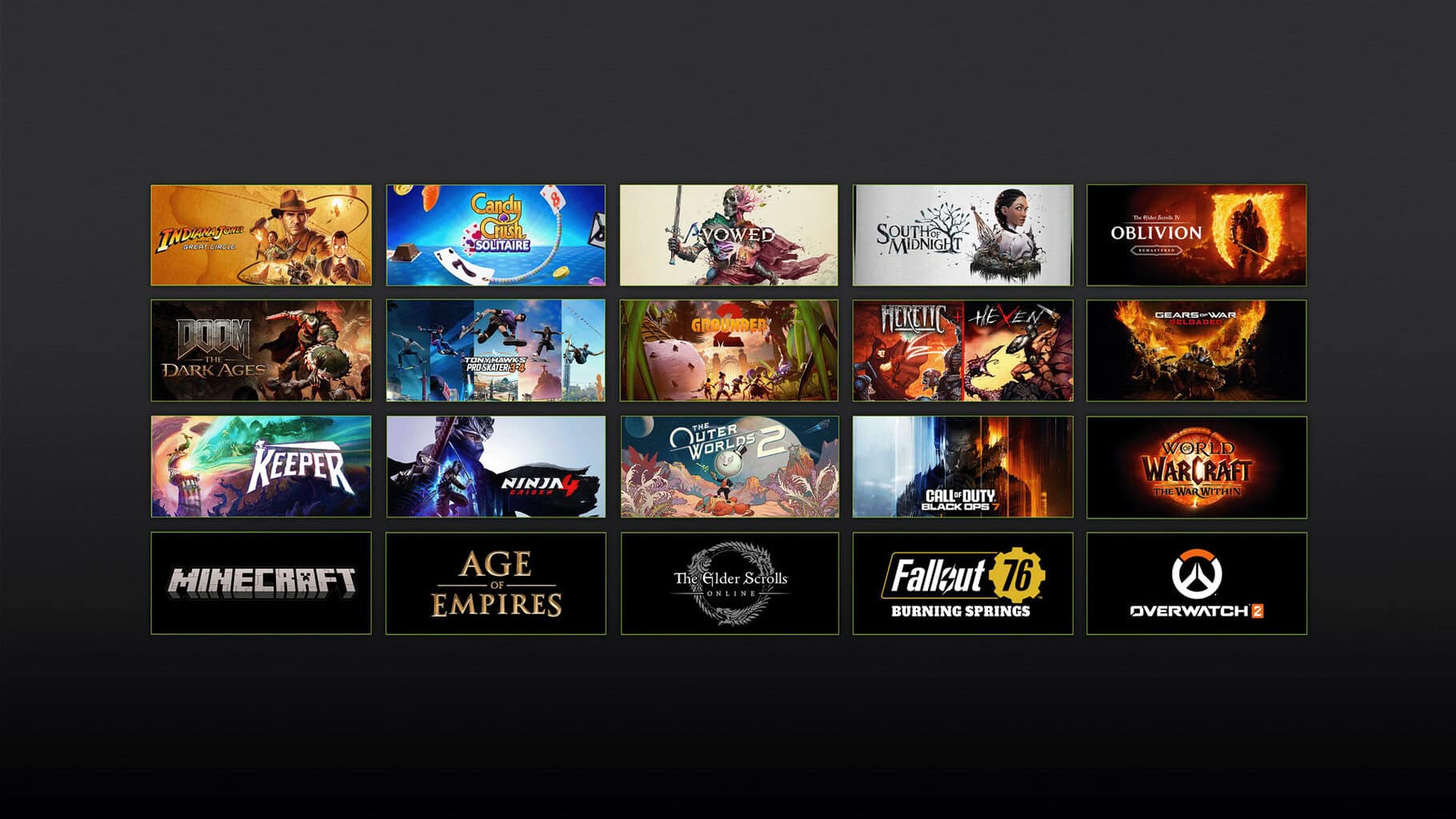
These days, some high-profile titles are making their way to cloud gaming, which gives gamers some breathing room from the storage space dilemma, updates, and downloads. That applies to NVIDIA’s cloud gaming service, GeForce Now. The December lineup of the cloud gaming service now includes 30 playable titles, including Hogwarts Legacy, which recently hit a milestone of 40 million copies sold worldwide.
To top it off, the expansion of cloud gaming services in various countries is also helping to attract many players. Moreover, different factors like improving streaming tech and holiday discounts have also fast-tracked the adoption of cloud gaming among players out there.
Are you also streaming games these days or sticking with console gaming? What are your thoughts about cloud gaming, and what’s its future down the line? Do let us know your thoughts in the comments below.
The memory crunch has started to take effect across the industry, and the GPU market is on the receiving end. According to a new report, NVIDIA is reportedly already scaling back on the production of its GeForce RTX 50 Series graphics cards. Well… the heavy demand for AI is reportedly behind it.
The news comes via Chinese news outlet BoBantang (via Benchlife), NVIDIA is scaling back the production of its latest GPUs as much as 30-40% compared to the first half of 2025. The report adds that this is being done to curb the memory shortage for GDDR6 and GDDR7 RAM.
That’s not all; Benchlife has also added that partners and component suppliers are already preparing for declining supply. If the report turns out to be true, the first models likely to be affected are the GeForce RTX 5070 Ti and RTX 5060 Ti 16GB, both of which depend on higher memory configurations.
Per the report, this shortage has seen RAM prices skyrocket as AI companies buy up all of the available supply. Notably, Nintendo has reportedly been facing much higher manufacturing costs for making Switch 2 amid rising global RAM prices.
As AI data centers expand aggressively, consumer PC hardware continues to feel the heat. Memory prices have shot up sharply across the industry, and any reduction in GPU output could further limit availability while keeping prices in the upward trend for gamers and PC builders. As of now, there’s no official confirmation from NVIDIA about claims made in the report.
If the report is accurate, this might be the boldest move by the company and the clearest sign that the company is ready to move away from Windows 11 for portable gaming. As you may know, the Legion Go Gen 2 is already a flagship handheld lineup, but the complaint is coming back, especially with unoptimized Windows 11.
Back in September, Microsoft promised that it would join the Xbox Full-Screen Experience in 2026. But it seems Lenovo isn’t willing to wait long. Per the news outlet, the SteamOS version reportedly keeps the same AMD Ryzen Z2 Extreme chip, up to 32GB of LPDDR5X memory, up to 2TB of PCIe storage, and the 144Hz PureSight OLED panel. So, yes, nothing changes on the hardware side; it’s entirely software-related.
There’s no word on the pricing for the SteamOS model yet, but given the price tag of $1049 for the Windows 11 model, you can expect the price tag to be somewhere close. If Lenovo’s most powerful handheld performs better once Windows is removed, it sends a clear message. Promises alone won’t keep Windows relevant in portable gaming. Microsoft needs to act fast before other OEMs turn their head away.
If you want to check the full specifications of the Lenovo Legion Go Gen 2 (SteamOS), Windows Latest has shared a full sheet; check here.
FIFA once ruled football video games, but the franchise disappeared after its high-profile split from EA. Now, FIFA is officially making a comeback—and this time, Netflix will publish the game.
Netflix has confirmed a new FIFA video game in collaboration with FIFA, set to launch under the Netflix Games banner. The announcement marks FIFA’s return to officially licensed football games after EA transitioned its long-running series into EA Sports FC.
A new direction for FIFA games
Unlike previous FIFA titles, the upcoming game will not launch on traditional consoles or PC storefronts. Netflix will offer the game exclusively to Netflix subscribers, playable directly through the Netflix app. This move aligns with Netflix’s broader push into mobile and cloud-adjacent gaming experiences.
Netflix describes the project as a “newly reimagined FIFA football simulation,” though it has not shared concrete details about gameplay systems, modes, or presentation.
Delphi Interactive will develop and publish the game. The studio has not released its first commercial title yet, although it is currently working on 007 First Light. That limited track record makes this FIFA project a bold and somewhat risky debut at a global scale.
Netflix confirmed support for solo play and online multiplayer with friends. Players will access the game on mobile devices and TVs, with phones acting as controllers for TV gameplay. Netflix has not revealed details about competitive modes, leagues, or licensing depth.
Netflix has not announced an official title, screenshots, or a release date. However, reports suggest a launch ahead of the FIFA World Cup 2026, pointing to a summer 2026 release window.
FIFA’s return through Netflix represents a major shift for football games. Whether this new entry can satisfy long-time fans will depend on execution, depth, and how well Netflix supports the project long term.
While you wait for the new FIFA game, why not check the latest Xbox Countdown Sale and get a few games at a discount?
Microsoft has rolled out a major update for the Phone Link app that strengthens how Android devices connect with Windows 11 PCs. The 25102.140.0 update, released on December 8, focuses on security, file sharing, and smoother cross-device interaction.
Remotely lock your Windows 11 PC from Android
The standout feature in this update lets Android users lock their Windows 11 PC remotely through the Link to Windows app. By pressing the new Lock PC button, users can instantly secure their computer even when they are not nearby. This feature helps protect devices from unauthorized access if a PC is left unattended.
Improved file sharing between phone and PC
Microsoft has also enhanced the Send files feature. Users can now choose files directly from the Phone Link app and send them to their PC using the send option. Windows then shows a notification once the transfer finishes, making the process clearer and more reliable.
Cross-device clipboard sharing now available
The update adds clipboard sharing between Android and Windows 11. Once devices are linked, users can copy text or images on their phone and paste them on their PC, and the same works in reverse. This feature simplifies quick copy-and-paste tasks across devices.
Phone Link now includes a Recent activity section. This area displays shared files and clipboard items in one place, allowing users to review recent cross-device actions at a glance.
Easier phone screen mirroring
Screen mirroring has also received a usability upgrade. Users can now start mirroring directly from the app using Mirror to PC or Cast to PC buttons. Earlier versions required more steps on the PC, so this change makes casting faster.
Laptop status details on your phone
Laptop users will now see their PC’s battery level and network strength inside the app. The update does not allow remote system control, such as changing volume levels.
These features are available now as part of Microsoft’s broader push to make Windows and Android work more seamlessly together. In other news, the latest KB5072033 breaks WSL networking with VPNs, so be cautious if you install it.
Fortnite Winterfest 2025 officially kicks off on December 18, 2025 and runs until January 5, 2026 at 9:00 AM ET, according to Epic Games.
Winterfest returns for Chapter 7 Season 1 and brings back the Winterfest Cabin, where you can unwrap one free present per day. The cabin refreshes daily at 9:00 AM ET, so you can log in, open a gift, and start building your holiday cosmetic collection.
What can you earn in the Fortnite Winterfest 2025 event?
Epic says Winterfest includes 14 presents to open this year, with a mix of cosmetics and festive goodies.
Your reward pool includes:
Harvesting tools
Back Blings
A Glider
A weapon wrap
Stickers
A contrail
A Jam Track
Winterfest also brings seasonal gameplay flavor, and Epic highlights holiday items like Blizzard Grenades and Snowball Launchers as part of the event vibe.
Epic Games has confirmed a Harry Potter collaboration for December, so we’ll probably see it with this update, with possible rewards from Hogwarts.
Besides Harry Potter characters, the teaser shows Hatsune Miku and Sabrina Carpenter, so we expect to see them in game as well.
Winterfest 2025 start times
US East Coast: 9:00 AM ET
US West Coast: 6:00 AM PT
United Kingdom: 2:00 PM GMT
Epic also teased the start on social media via its official Fortnite account:
Surrounded by stars, gifts, and cheer…the spirit of Winterfest is almost here ❤️
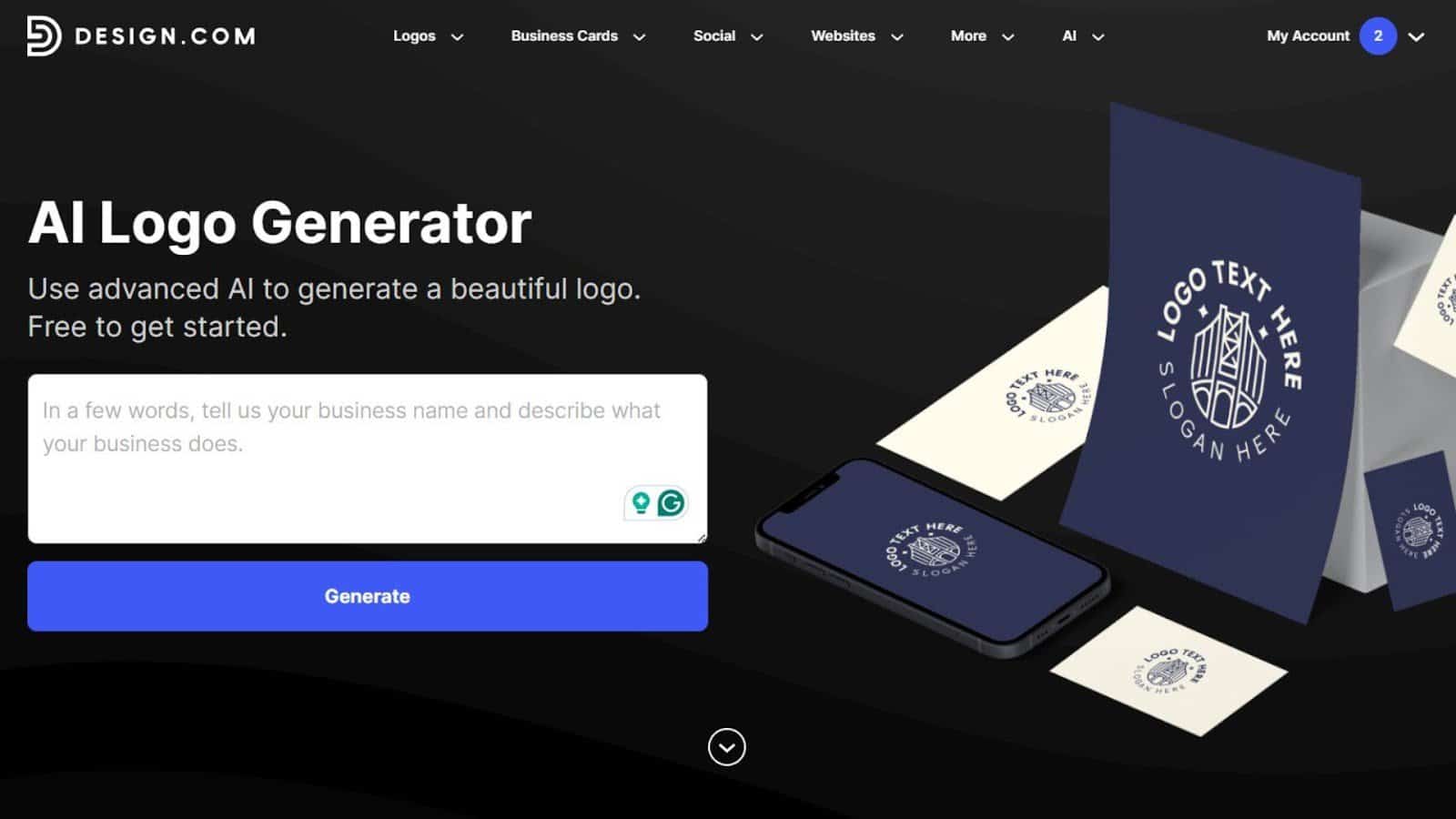
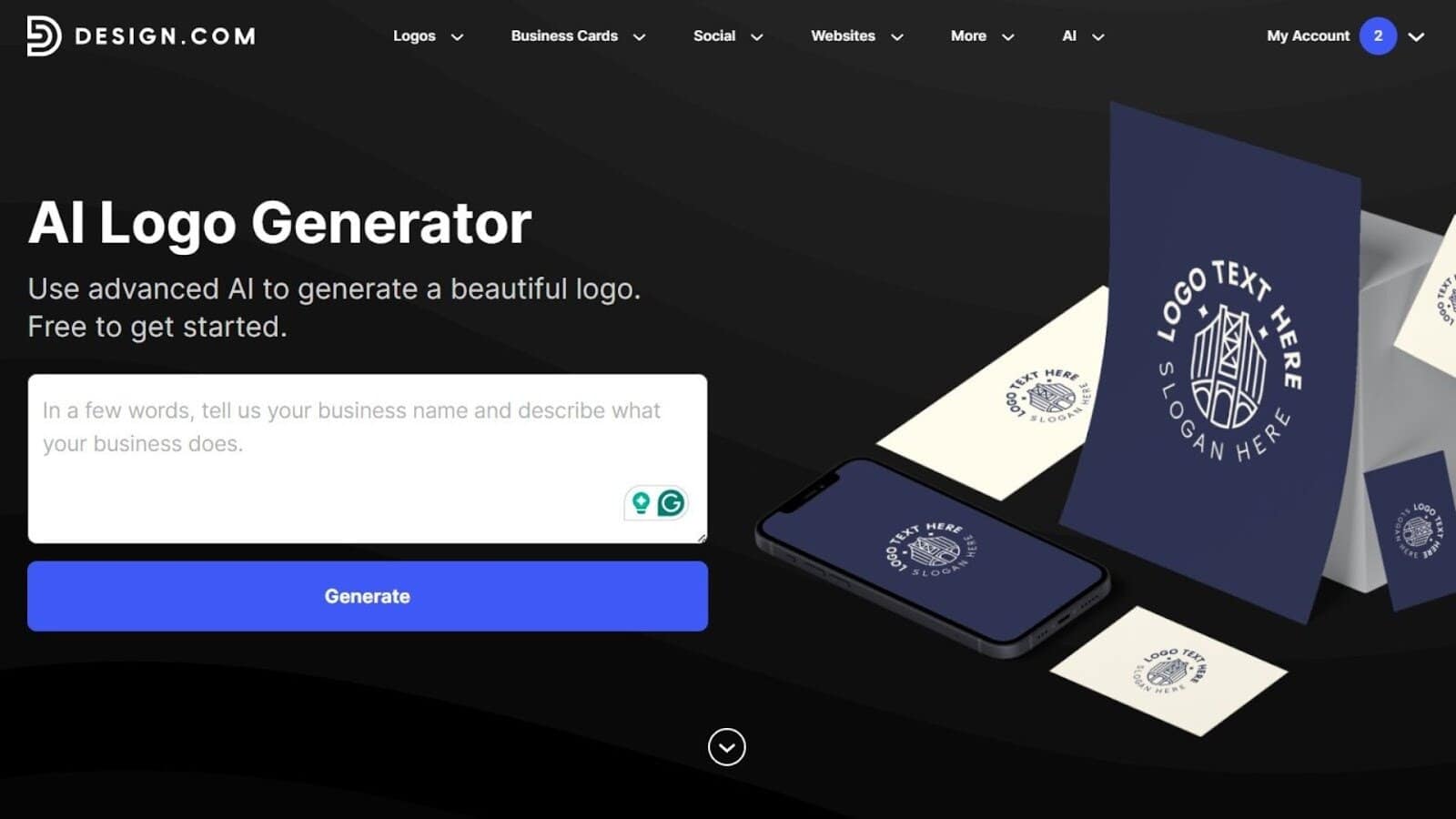
Creating a professional logo no longer requires complex design software or hiring a designer. With Design.com’s AI Logo Generator, you can build a polished, unique logo in minutes using simple on-screen prompts. The platform combines cutting-edge AI, the world’s largest logo library, and easy editing tools to make logo creation simple for anyone, even if you have zero design experience.
This guide walks you step-by-step through the entire process so you can create a high-quality, customizable logo for your business or project.
Before You Start: Why Use Design.com?
Design.com is the #1 logo maker in the world, backed by 3,000+ reviews and a 4.7 rating. It offers:
Over 360,000+ logo templates
1M+ design templates for social, print, and branding assets
Exclusive icons, shapes, and 525+ exclusive fonts
A full AI branding suite that extends your logo into business cards, websites, flyers, presentations, and more
Automatic brand consistency, with your colors applied everywhere
Free tools (website builder, link-in-bio, digital business card) are included in every plan
Now let’s build your logo.
How to Create a Logo Using Design.com’s AI Logo Generator
This instantly brings you to the tool where you can start generating logos right away. No software installation is required; everything runs in your browser.
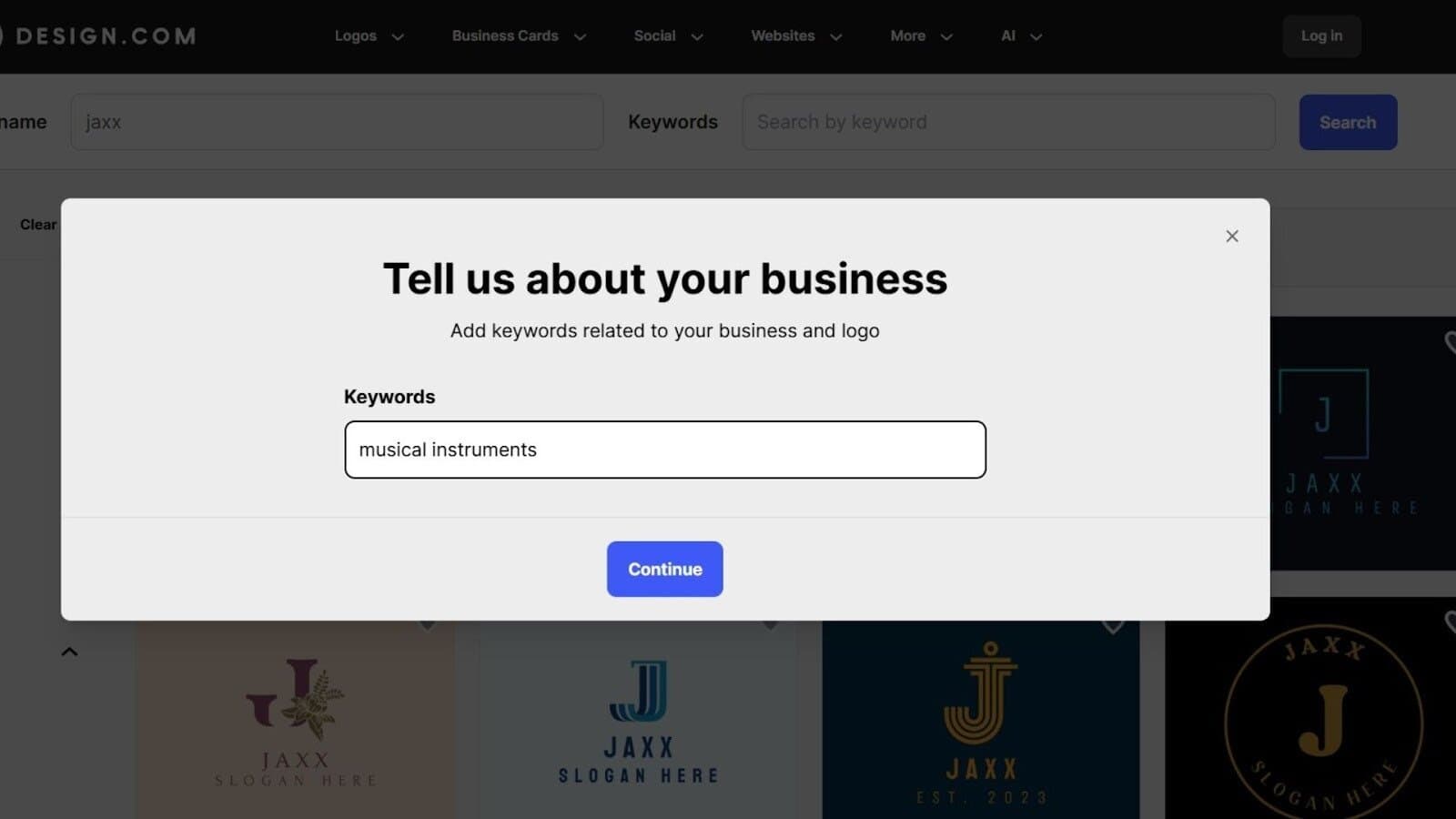
2. Enter Your Business or Brand Name
Type in the name you want displayed on the logo.
You can add:
Your business name
A product name
A personal brand name
A project or event title
Design.com’s AI uses this text to create logo concepts tailored to your brand identity.
3. Generate Logo Concepts
Click Generate and wait a few seconds.
Design.com instantly produces:
Dozens of logo ideas at once
Multiple styles: abstract, emblem, mascot, corporate, vintage, modern, and wordmark
Icons and shapes pulled from 62,000+ exclusive vector assets
This gives you a huge variety of starting points, far more than most AI logo makers.
4. Filter Your Results
Use filters to narrow down styles and get designs that fit your taste.
You can filter by:
Logo Style
Abstract
Mascot
Emblem
Wordmark
Classic
Vintage
Corporate
Color Themes Choose from curated color palettes or specific tones to match your brand mood.
These filters make it easier to find designs that feel intentional instead of random. Browse through your generated results. When you find a concept you like, click it to move into the editor.
Don’t worry if it’s not perfect yet, the next steps let you refine everything.
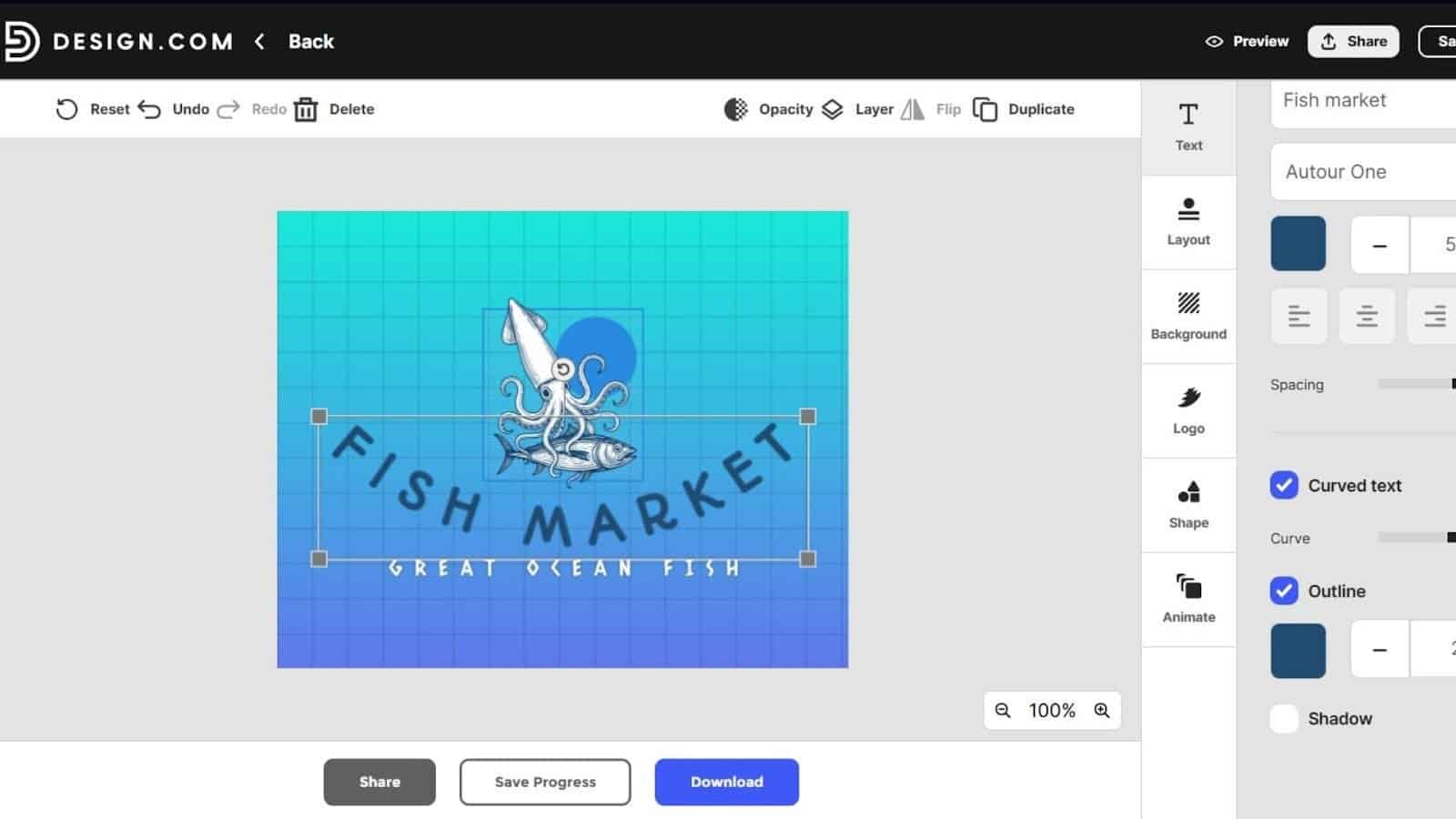
5. Customize Your Logo in the Editor
Browse through your generated results. When you find a concept you like, click it to move into the editor.
The editor is beginner-friendly but powerful enough for deeper adjustments.
You can customize:
a. Text & Slogan
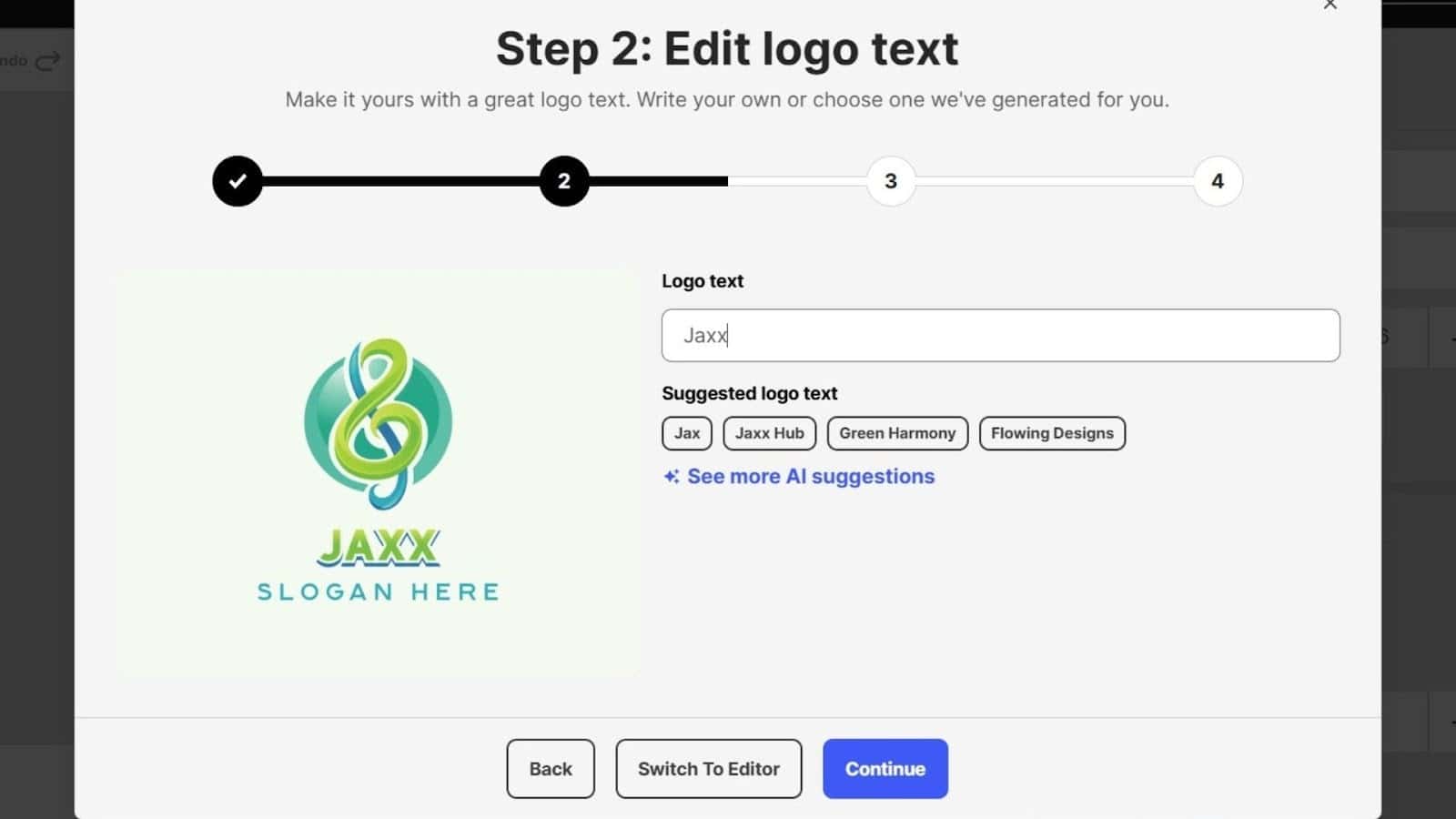
Edit the business name
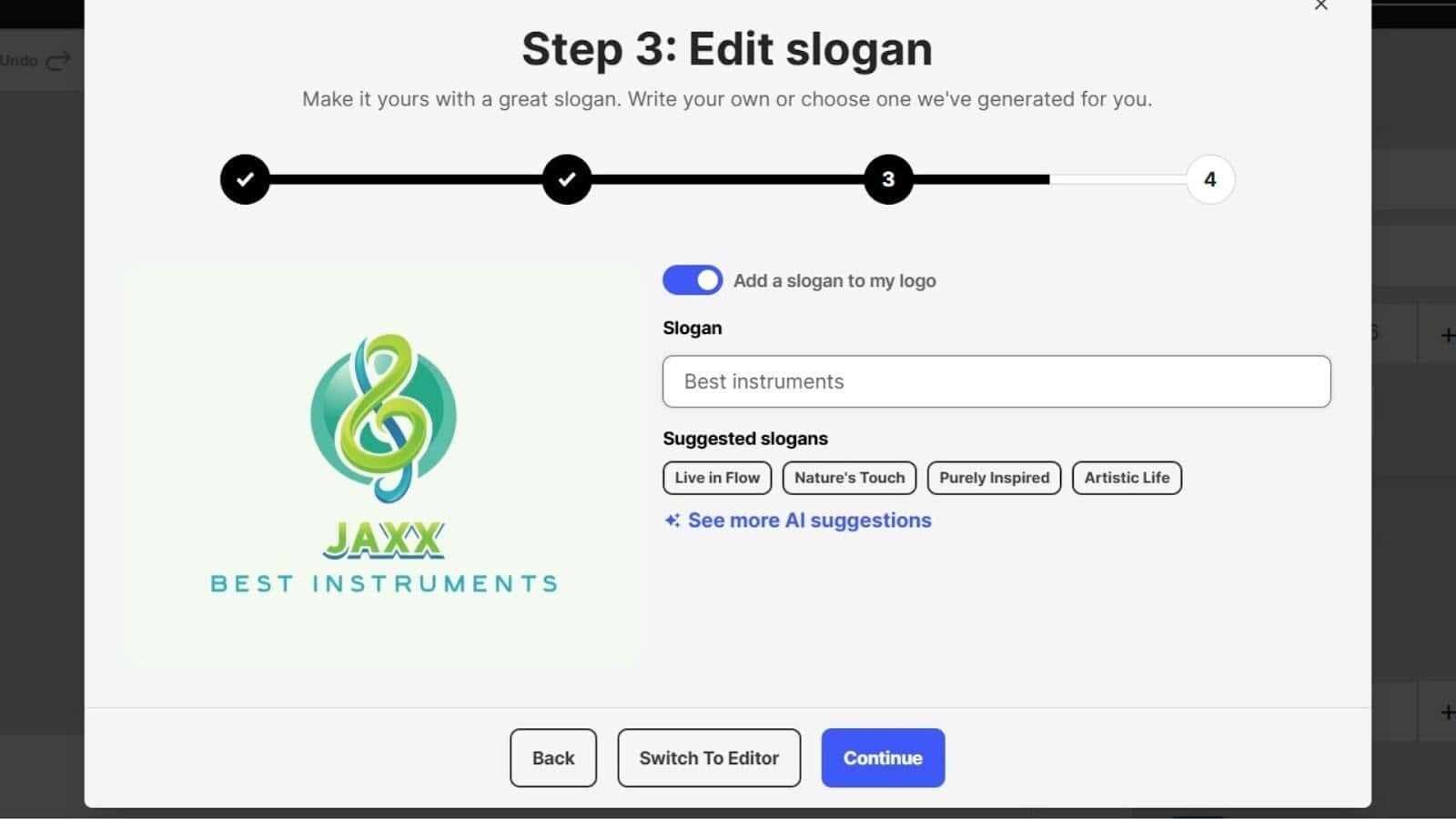
Add or remove a slogan
Adjust spacing and alignment
b. Layouts
Modify:
Horizontal layouts
Stacked layouts
Icon-only versions
Spacing and proportions
Advanced Editor
If you want deeper precision:
Fine-tune spacing
Adjust icon/text proportions
Control element alignment
a. Fonts
Choose from:
750+ total fonts
525+ exclusive fonts not available anywhere else
b. Colors
Use auto-generated palette suggestions
Apply brand colors manually
Preview multiple color combinations instantly
c. Icons & Shapes
Swap icons using Design.com’s library of exclusive shapes and elements, or adjust the size and position of existing ones.
Even non-designers can create a professional finish with just a few tweaks.
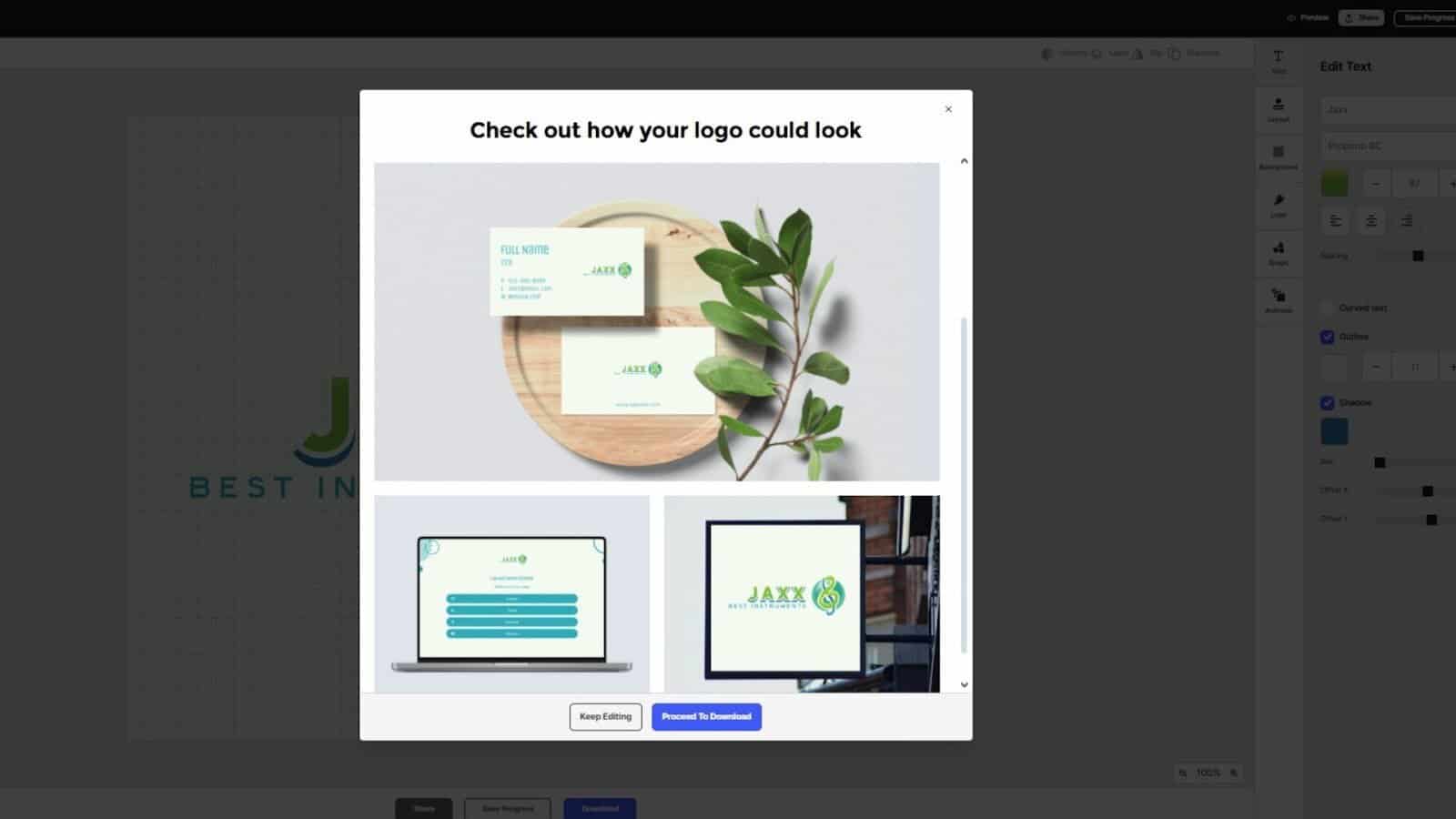
6. Preview Your Logo on Real Branding Materials
Design.com automatically shows your logo on:
Business cards
Posters
Flyers
Social media posts
Websites
Letterheads
Apparel and merchandise mockups
These previews use your exact colors and fonts, thanks to Design.com’s automatic brand consistency system.
It’s one of the easiest ways to see how your brand will look in the real world.
7. Download Your Logo Files
Once you’re satisfied, you can download your files in multiple formats depending on your plan.
Available file formats include:
Vector files: SVG, EPS, PDF
Raster files: PNG, JPG
Animated files: GIF, MP4
Transparent backgrounds
Icon-only exports
All logos are commercially safe, original, and quality-checked.
8. (Optional) Build Your Website for Free
Every plan, even free logo use, includes:
Free website builder
Free link-in-bio page
Free digital business card
These freemium versions have minor limitations and include Design.com branding in the footer, but they’re perfect for launching your brand quickly.
Final Thoughts
Design.com’s AI Logo Generator makes it incredibly easy to create a unique, professional logo in minutes, even if you’ve never designed anything before. Its combination of the largest logo library, exclusive fonts, powerful AI tools, and complete branding suite makes it one of the best all-in-one solutions available today.
Whether you’re launching a new business, refreshing your brand, or creating your first visual identity, Design.com gives you everything you need in one place.
Xbox hardware sales have taken a major hit in 2025, with new data showing a sharp decline across the U.S. gaming market. Xbox recorded an estimated 70% year-over-year drop in gaming hardware sales by November 2025, marking the steepest decline among major console platforms.
Analysts link this downturn primarily to Xbox console price increases introduced earlier this year. Microsoft raised prices in both May and September 2025, a move that appears to have dampened consumer interest during key shopping periods, including Black Friday and early holiday sales.
Xbox hit hardest as hardware demand cools
While the entire console market struggled in 2025, Xbox felt the impact more strongly than its competitors. Sony’s PlayStation 5 reportedly saw hardware sales decline by around 40% year-over-year, while Nintendo experienced a more modest 10% drop compared to last year’s Switch-only performance.
Industry analysts note that overall gaming hardware demand softened significantly this year. Black Friday and holiday shopping periods generated less excitement around consoles, and many consumers chose to delay upgrades or skip purchases altogether.
Higher console and accessory prices have played a key role in this shift. As costs increased, more players turned toward cheaper alternatives, focused on existing hardware, or invested in software and subscriptions instead of new consoles.
Worst November for hardware sales in decades
The November 2025 hardware market posted historically low figures in the U.S., delivering the weakest November performance in more than 20 years. Total hardware spending dropped sharply across all platforms, reflecting a combination of weaker demand, elevated pricing, and aging console lifecycles.
Xbox’s current-generation hardware now faces stiffer challenges as the market matures, while Sony’s PS5 and Nintendo’s newer Switch 2 platform managed to maintain stronger relative momentum. Reports suggest the PS5 significantly outsold the Xbox during recent promotional events.
Not all bad news for Microsoft
Despite the console slump, Microsoft still has bright spots in its gaming business. The Xbox Ally X reportedly achieved record sales, showing strong interest in alternative Xbox hardware experiences beyond traditional consoles.
Xbox players also continue to benefit from ecosystem-focused initiatives. Programs like Xbox Free Play Days allow gamers to try popular titles at no extra cost, helping maintain engagement even as hardware sales slow.
As 2025 comes to a close, Xbox faces clear challenges in the hardware space, but Microsoft’s broader gaming strategy suggests the picture remains more complex than console sales alone indicate.
Xbox has kicked off a new Free Play Days event, giving players a chance to try several major games for free this weekend. The promotion runs from December 18 through late December 21, 2025, and includes popular shooters, sports titles, and RPGs.
These games run at no extra cost on Xbox consoles, with PC support available where applicable, as long as the Free Play Days window remains active.
All Xbox Free Play Days games (Dec 18–21)
Players can download and play the following titles for a limited time:
Ark: Survival Ascended
Call of Duty: Black Ops 7
Fallout 76
NBA 2K26
WWE 2K25
Progress earned during the trial period typically carries over if you decide to purchase the full game after the event ends.
Extended trial periods for select games
Two of the featured titles come with slightly longer free trial windows:
These extensions give players extra time to explore multiplayer modes, progression systems, and live-service content beyond the standard Free Play Days schedule.
How to access Free Play Days
To start playing, head to the Xbox Store on your console or PC, search for any of the eligible titles, and select the Free Trial or Free Play Days option. An active Xbox subscription may be required, depending on the title and platform.
With a strong mix of shooters, sports games, and long-running live-service experiences, this Free Play Days weekend offers plenty to try before the holidays.
If you’re looking to get games at a massive discount, don’t miss the Xbox Countdown sale.
The Indie Game Awards 2025 livestream is happening today, marking the second edition of the event dedicated entirely to independent games. If you follow the indie scene closely, this show highlights many of the most talked-about releases of the year.
When and where to watch the Indie Game Awards 2025
GameSpot will stream the Indie Game Awards live on Thursday, December 18, 2025. The broadcast starts with a countdown show at 3:30 PM PT / 6:30 PM ET / 11:30 PM GMT.
You can watch the ceremony directly on GameSpot’s website or via the official GameSpot YouTube live stream.
Who is hosting the show
The ceremony will be hosted by Mike Towndrow, Kelsey Lynn Towndrow, and Kyle Stephenson from Six One Indie. The trio returns to guide viewers through the awards, nominee highlights, and category winners.
What to expect from the Indie Game Awards
This is the second annual Indie Game Awards, focusing purely on celebrating indie game achievements. Unlike The Game Awards 2025, the show will not feature new game announcements or reveals.
Instead, the spotlight stays on recognition, with awards covering categories such as:
Game of the Year
Best Debut Game
Best Narrative
Best Music
Additional design and creativity awards
Notable nominees to watch
Several standout indie titles from 2025 appear among this year’s nominees, including:
Absolum
Ball x Pit
Blue Prince
Clair Obscur: Expedition 33
Hades II
Hollow Knight: Silksong
The event continues to grow as a dedicated platform for indie developers and their work.
Escape from Tarkov has reached a major commercial milestone following its long-awaited full release. The hardcore extraction shooter has sold over 1 million copies in roughly one month after its official 1.0 launch on November 15, 2025, according to information shared via GameSpot.
This figure counts only players who joined after the full release. It excludes users who previously bought access through closed beta editions, which makes the post-launch performance even more notable.
Players log 135 million hours in a single month
Alongside strong sales, player engagement has surged. Escape from Tarkov players have collectively spent more than 135 million hours in the game since launch. That total equals approximately 15,410 years of combined playtime in just one month.
These numbers highlight how effectively the full release has pulled both new and returning players into Tarkov’s punishing gameplay loop, where risk management, survival, and extraction remain central.
Only a handful of players have seen the ending
Despite the massive player count, very few have reached the finish line. Only around 500 players have successfully escaped from Tarkov and unlocked one of the game’s endings so far.
This small number reinforces the game’s reputation for extreme difficulty. Even with the story now complete, most players remain far from seeing its conclusion.
The Xbox Countdown Sale is officially live on the Microsoft Store for Xbox consoles and PC. This marks the final major Xbox sale of 2025 and gives players a long holiday window to lock in discounts.
Microsoft kicked off the sale on December 18, 2025, and it runs through January 7, 2026. That timing covers both the holiday break and New Year, making it one of the biggest shopping events for Xbox players this year.
Over 1,000 games discounted across Xbox and PC
The sale includes more than 1,000 games, with additional deals on DLC and add-ons. Discounts start around 20–30% for newer releases and climb as high as 85% for select editions and older titles.
Some of the most notable early deals include:
Call of Duty: Black Ops 7 – Cross-Gen Bundle — around 30% off
Battlefield 6 — 30% off
Borderlands 4 — 20% off
Fallout 4: Anniversary Edition — around 35% off
ARC Raiders — around 20% off
The Outer Worlds 2 — 30% off
Cyberpunk 2077: Ultimate Edition — 50% off
Red Dead Redemption 2: Ultimate Edition — 80% off
Warhammer 40,000: Space Marine 2 — 60% off
Hogwarts Legacy: Digital Deluxe Edition — up to 85% off
How to access the Xbox countdown sale
You can find the Countdown Sale directly on your Xbox console by heading to the Deals section and selecting the Countdown Sale tab. The same discounts also appear in the Xbox PC app and on the Microsoft Store website.
Alongside the sale, Microsoft is also expanding Xbox Game Pass with four new retro titles. If you enjoy classic games, this update adds extra value on top of the holiday discounts.
Xbox is expanding its Game Pass lineup once again, and this time it focuses on retro gaming fans. After adding more than 20 new titles to the service recently, Microsoft has confirmed four additional games for its Xbox Retro Classics collection as part of the December 2025 update.
Four new games join Xbox Retro Classics
Microsoft announced that the following classic titles will soon become available to Xbox Game Pass subscribers through the Retro Classics program:
Codename: Iceman – A story-driven PC adventure game released in the early 1990s
Plaque Attack – An Atari 2600 title from 1983 with fast-paced arcade-style gameplay
Police Quest II: The Vengeance – A late-1980s adventure game focused on police procedural storytelling
Space Shuttle – Another Atari 2600 classic from 1983 that simulates NASA shuttle missions
These games expand the existing Retro Classics catalog, which allows players to experience older titles through emulation while benefiting from modern Xbox features.
What is Xbox Retro Classics?
The Xbox Retro Classics program brings classic PC and console games to Game Pass using emulation. Players can earn achievements, compete on leaderboards, and enjoy improved accessibility while playing games that originally launched decades ago.
Microsoft says more than 1 million players have already tried Xbox Retro Classics, which explains the company’s continued investment in expanding the library.
Release timing and availability
Microsoft has not confirmed an exact release date for these four games. However, the company expects them to arrive within the next few days, likely before the January 2026 Xbox update rolls out.
With strong player interest and steady additions, Xbox Retro Classics continues to grow into a standout feature for Game Pass subscribers who enjoy revisiting gaming history.
A new Windows 11 cumulative update, KB5072033, may cause unexpected performance issues for some users, and early reports point to unusually high memory usage in the background.
According to user reports, one of Windows 11’s core system services, Delivery Optimization, can quietly consume a large amount of RAM after the update installs. This service, also known as DoSvc, helps speed up Windows Update and Microsoft Store downloads by allowing PCs to retrieve update files from other users on the local network or the internet.
Delivery Optimization shows signs of a memory leak
Several users who monitored system performance noticed that DoSvc steadily increased its memory consumption over time. Compared to other background services, Delivery Optimization kept using significantly more RAM, which strongly suggests a possible memory leak, as users on Reddit reported.
This behavior can explain why some PCs show higher-than-expected memory usage even when no demanding apps run in the foreground. On systems with limited RAM, the issue may lead to sluggish performance, slower multitasking, or stuttering during normal use.
KB5072033 may enable background services automatically
KB5072033 reportedly turns on certain background services by default, which could amplify the problem. If Delivery Optimization remains active for long periods, the accumulated memory usage becomes more noticeable, especially on laptops and lower-end desktops.
No official fix yet from Microsoft
So far, Microsoft has not published an official acknowledgment or workaround for the Delivery Optimization memory issue linked to KB5072033. There is also no confirmed timeline for a fix.
Until Microsoft addresses the problem, affected users may want to keep an eye on RAM usage through Task Manager or consider limiting Delivery Optimization activity if performance drops become severe.
Microsoft’s December 2025 Patch Tuesday update for Windows 11, KB5072033, is causing new problems after its release on December 9, 2025. While the update delivers important security fixes and system improvements, Microsoft has now confirmed multiple unresolved and newly discovered issues.
WSL loses network access when using VPNs in KB5072033
Microsoft confirmed a bug affecting Windows Subsystem for Linux (WSL) when users enable mirrored networking mode alongside certain third-party VPNs. The issue impacts popular solutions like Cisco Secure Client (formerly AnyConnect) and OpenVPN.
Affected systems lose network connectivity inside WSL, triggering errors such as “No route to host.” These errors block access to services and network resources while the VPN remains active.
Microsoft explained that the problem occurs because the VPN’s virtual network interface fails to respond to ARP (Address Resolution Protocol) requests. As a result, network traffic inside WSL cannot route correctly.
Home and Pro users rarely encounter this issue, according to Microsoft. Enterprise environments face higher risk due to heavier VPN and WSL usage.
Some users still report brief white flashes when opening new File Explorer tabs, despite the update being installed. This contradicts earlier expectations that the issue was fully resolved.
Microsoft acknowledged the WSL and VPN bug and confirmed that a fix will not arrive before the January 2026 Patch Tuesday update, expected around January 13, 2026.
Until then, enterprise users relying on WSL and VPNs may want to delay deployment or adjust configurations.
Hopefully, Microsoft addresses these issues quickly in upcoming updates.
The long-awaited Cold Snap Update for ARC Raiders has officially arrived, and it delivers more than just a visual refresh. Alongside snowy weather conditions, update 1.7.0 marks the return of a fan-favorite activity that raises both risk and reward.
Locked Gate event returns in Cold Snap update
The Locked Gate event has made its comeback in ARC Raiders with the Cold Snap update. The event appears exclusively on the Blue Gate map and requires players to manually select it as a map modifier before deploying.
Once active, the Locked Gate opens access to hidden underground areas packed with high-tier loot. These zones contain rare weapons, valuable blueprints, and other premium rewards that rarely spawn elsewhere.
How to unlock the Locked Gate
To open the gate, players must collect four security codes scattered across Blue Gate. Each code spawns in a fixed region, encouraging full-map exploration:
Ancient Fort in the eastern section
Pilgrim’s Peak in the southern area
Raider’s Refuge in the western region
Reinforced Reception in the northern section
After collecting all codes, players must head to the Gate Control Room inside the Warehouse Complex to unlock the underground area.
Higher risk, higher reward gameplay
The event increases tension by limiting escape options. Normal Return Points are reduced, Raider Hatches remain disabled, and multiple enemy groups guard the control room and underground sections.
Bobcat SMG blueprint makes a return
One of the standout rewards includes the Bobcat SMG blueprint, previously considered extremely rare. Community reports suggest the blueprint spawns randomly in high-value containers during the Locked Gate event, with no guaranteed location. Underground rooms and fortified areas on Blue Gate seem to offer the best chances.
For players seeking a tougher challenge and top-tier rewards, the Locked Gate event offers one of ARC Raiders’ most demanding experiences yet.
OpenAI has launched a new App Directory for ChatGPT and opened its Apps SDK to developers, marking a major step toward turning ChatGPT into a full app platform. While OpenAI announced the feature earlier this year, it is now available in preview for ChatGPT Business, Enterprise, and Edu customers.
What the ChatGPT App Directory does
The new App Directory lets users browse all tools currently available inside ChatGPT. OpenAI has also rebranded what it previously called “connectors” into ChatGPT apps. These include built-in tools like file search and deep research, alongside third-party integrations.
ChatGPT apps allow users to interact with external services directly inside a conversation. You can request music, browse listings, make bookings, or run detailed research tasks without leaving ChatGPT. Some apps even display interactive UI elements such as maps, playlists, or curated results directly in the chat interface.
How users discover and use apps
Users can find apps through the new App Directory, access them using the “+” button inside a chat, or rely on ChatGPT to suggest relevant apps based on the conversation context. This approach makes app discovery more dynamic and task-focused.
Apps SDK opens to developers
OpenAI has released the Apps SDK in preview, allowing developers to build and test apps that integrate directly with ChatGPT’s conversational flow. These apps can connect to backend services, enable user login, and provide full functionality without sending users to external websites.
Early pilot partners include Booking.com, Canva, Coursera, Expedia, Spotify, and Zillow, with more integrations expected over time.
The App Directory and SDK signal a broader shift for ChatGPT. OpenAI now positions it as more than a chatbot, potentially functioning as an app platform where users complete tasks and access services in a single interface. You can read the official announcement on the OpenAI blog.
After resuming work on JPEG XL in Chrome, Google is now testing another media-related change behind the scenes. The company is experimenting with a Rust-based audio decoder as a possible alternative to the long-standing FFmpeg system in Chrome’s open-source Chromium project. This involves integrating Symphonia, an audio decoding library written in Rust, as an optional decoding path inside Chromium.
FFmpeg is the media engine Chrome relies on today for decoding audio and video. It supports many common formats and works behind the scenes during normal browsing.
Symphonia: The Rust-Based Audio Decoder Chrome Is Testing
Symphonia is an open-source audio decoding library written in Rust. Google is testing it in Chromium as an optional audio decoder alongside FFmpeg.
The work traces back to a Chromium issue opened in 2023 that examined whether parts of FFmpeg could be replaced with a Rust-based alternative. At the time, the discussion focused on feasibility rather than a concrete plan, with Symphonia noted as a possible candidate.
Since then, the work has moved into active development. In 2025, Chromium developers began landing a series of commits that add experimental support for decoding audio using Symphonia. These changes add Symphonia to Chromium builds, enable it across more desktop platforms, and keep it behind feature flags for testing. Early work is limited to a small set of audio formats to check stability before expanding further.
The Symphonia Audio Decoding flag enables an experimental Rust-based audio decoder in Chrome Canary. Image Credit: Venkat | WindowsReport.
The experimental support spans multiple platforms, including desktop systems and Android, and remains controlled through feature flags.
Despite this progress, FFmpeg still handles audio decoding in Chrome. The Symphonia-based decoder remains experimental, disabled by default, and treated as a testbed rather than a replacement. Google has not announced any plans or timeline to ship Rust-based audio decoding as the default option in stable Chrome releases.
For now, this work stays internal to Chromium and does not change how Chrome handles audio for users. Existing audio systems remain in place while Rust-based components are tested.
Microsoft has confirmed it is investigating reports of service disruptions impacting Microsoft 365 services and Microsoft Copilot in Japan. The company acknowledged the issue through a service health alert and directed administrators to the Microsoft 365 admin portal for updates.
Microsoft 356 and Copilot Outage in Japan, Here’s What We Know
According to Microsoft, some users in Japan may experience problems accessing or using Microsoft 365 workloads, including Copilot features. The company has not yet shared technical details about the cause of the disruption or the exact services affected.
We're investigating user reports of impact to Microsoft 365 Services and Microsoft Copilot in Japan. For more information, please see MO1198797 in the admin portal.
The incident is currently tracked under MO1198797 in the Microsoft 365 admin center. Microsoft uses this channel to provide status updates, impact assessments, and guidance for IT administrators managing affected environments.
At this stage, Microsoft has not announced a workaround or provided an estimated timeline for resolution. The company continues to analyze user reports and service telemetry to determine the root cause and restore normal functionality.
Microsoft recommends that enterprise customers and IT administrators in Japan monitor the admin portal for the latest information and further instructions. Additional updates are expected as the investigation progresses and more details become available.
Issues such as these are somewhat common, and Copilot was down in Europe recently as well, so we hope that Microsoft will quickly resolve the issue.
Buying software keys online is a great way to save money, while getting quick access to the product. But, with so many sites out there, how do you know which is the best?
We recently tested the popular Mr Key Shop, and in this review, you will learn more about software keys and everything Mr Key Shop has to offer.
Why Buy Software Keys Online? Main Advantages
When it comes to buying software keys online, there are many advantages to enjoy.
Traditionally, you may have purchased physical copies of software from common retailers or official websites. However, getting cheap Windows software keys from third-party resellers like Mr Key Shop is the real game changer.
The most immediate benefit you can get is price: because platforms like this purchase software keys in bulk at a discount, they can pass significant savings on to customers, often reducing the cost by up to 70% compared to regular retail prices.
The experience is also far more convenient, as you receive your key instantly after payment and only need to download the software—no more waiting for a disc to arrive or visiting a store. Furthermore, this fully digital process is also more environmentally friendly, eliminating plastic and paper waste and avoiding the emissions tied to manufacturing and shipping physical products.
There are security benefits as well, since digital keys are harder to lose or damage and can be easily recovered if needed. On top of that, choosing software keys from Mr Key Shop gives you access to strong customer support: You still benefit from the official support provided by the software vendor, and you also receive dedicated technical assistance from Mr Key Shop, something you wouldn’t always get elsewhere.
Where to Buy Secure Software Keys at an Affordable Price?
Although you can sometimes go to the developer or vendor directly, Mr Key Shop is our top pick to buy secure software keys online. Discounts are as high as 70% off!
Moreover, once you start buying software, it becomes a convenient hub for all future purchases, rather than going through different sites and processes for each individual program.
Mr Key Shop stands out for many reasons, including their excellent pricing policy. When you compare software key deals across leading products from Windows, Microsoft Office, Autodesk, Adobe, and more, Mr Key Shop consistently comes out on top for price. What’s more, it regularly offers discount codes, such as 20% off, especially for new customers.
Another key factor to Mr Key Shop’s excellence is security. All aspects of the Mr Key Shop site are secured with SSL encryption. Its software keys are authentic and completely digital, ensuring immediate delivery to your chosen email address once the payment is processed.
Secure payment can be made by debit or credit card, PayPal, PostePay, Amazon Payments, Apple Pay, and Google Pay. Keys are traceable, so there is always a record of your purchase, and the software can be recovered if something goes wrong.
With a history going back 18 years and many positive reviews, Mr Key Shop has a great track record. It’s not a fly-by-night company that’s too good to be true. It’s a well-known and transparent business owned by UK Soft LTD, based in London.
Such a positive track-record is further proven by the seal of quality issued by Trusted Shop, an independent entity that rates European companies by criteria such as transparency and reliability.
Buy Cheap Software Keys: Windows, Microsoft, and More
One of the best things about Mr Key Shop is the variety of legitimate and cheap software keys available. Depending on the product, this includes both lifetime licenses (one-off payment) and subscriptions (recurring payment).
Among the lifetime licenses, you can save on the best Microsoft products, such as Office 2024, Office 2021, and more; buyWindows 11 Pro Key, or one of the many Windows Server editions available.
As we mentioned, the catalog also includes many subscriptions, such as Microsoft 365, security tools like Antiviruses and VPNs like Bitdefender and NordVPN, utilities including Canva and Adobe CC. Furthermore, this is the best place where you can buy Autodesk Software keys online.
Mr Key Shop offers you the best guarantees for the purchase of your software licenses
The web is filled with places where you can purchase software licenses. Not every site is reliable or even safe. One of the first aspects you should examine before buying from a given seller is the guarantees offered, as well as legal compliance.
Mr Key Shop is a legitimate software key seller, offering 100% genuine and legal software keys under European Union regulations, with all the warranties you should expect from a legit reseller.
The purchase process is very easy to follow. We tested the service and received instructions immediately for downloading, installing, and activating the software.
Other users agree, as it boasts an excellent 4.7 out of 5 rating on Trustpilot and a 4.78 on Trusted Shops.
It has also been independently verified by Trusted Shops and awarded its Buyer Protection guarantee. This means it has been verified for supplier traceability, transparency, data protection and privacy, after-sales support, and buyer protection. You can also count on a guaranteed refund of up to €2,500.
Mr Key Shop’s policy includes a 100% money-back guarantee if you made the purchase in error or you’re not satisfied with your product.
It also offers free technical support before and after purchase from real human support staff.
Is it safe to purchase used software licenses online?
To ensure the best variety and pricing, Mr Key Shop facilitates other certified sellers on its platform. This means some licenses are technically “used”.
However, used software licenses refer to legitimate software keys that have been purchased and are resold, only after the original buyer is no longer using the software. These are often sourced by businesses or individuals who upgrade to newer versions of the software or switch to a different product.
They are safe because they are no longer registered to a user and are back on the market. Unlike second hand physical media, a used software key is functionally brand new but still allows for a much cheaper price.
As per many rulings by the European Court of Justice, starting in 2012, and other national courts, it is perfectly legal to sell and buy used software licenses in the EU, where Mr Key Shop is based.
Mr Key Shop Review – Verdict
In conclusion, if you are looking for a fast, secure, and legitimate place to buy cheap software keys online, Mr Key Shop should be your number one choice.
It offers both the latest and older versions of all popular PC software, at prices hard to beat.
We found the entire process to be straightforward and had no problem with activation.
Stardew Valley remains one of the most beloved cozy indie games ever released, and new content is officially on the way. Creator Eric “ConcernedApe” Barone has confirmed that the Stardew Valley 1.7 update is currently in development, signaling another major expansion for the long-running farming sim.
More character interactions coming to Stardew Valley 1.7
Barone revealed that the upcoming update will focus heavily on social elements. He specifically mentioned “more character and social stuff,” which points to new interactions, events, or deeper relationship systems involving Stardew Valley’s NPCs. Social gameplay has always been a core strength of the game, and this update looks set to expand that aspect further.
A new farm type likely included
Following tradition, Stardew Valley 1.7 will likely introduce a brand-new farm type. Most major updates have added fresh farming layouts that change how players approach resource management and progression. While Barone did not confirm details, he strongly hinted that a new farm will be part of the update.
Details remain limited for now
Beyond these confirmations, Barone teased that the update includes “lots more,” but chose not to share specifics yet. He explained that the update is still early in development and wants to avoid overhyping features before they are fully ready. As a result, there is no release date or full feature list at this stage.
Haunted Chocolatier development continues
Barone also reassured fans that work on Stardew Valley 1.7 should not significantly delay development on his upcoming game, Haunted Chocolatier. While some planning may overlap, both projects continue to move forward.
For now, fans will need patience, as Barone plans to share more information once development progresses further. In other gaming news, it seems that Starfield might get an overhaul if rumors are true.
Starfield launched as Bethesda’s first new universe in decades, but the game struggled to meet expectations. Performance issues, repetitive exploration, and frequent loading screens left many players disappointed. Now, new rumors suggest Bethesda plans a significant Starfield overhaul in 2026, potentially giving the game a second chance.
Starfield’s rocky launch still haunts Bethesda
Starfield already received a DLC expansion, but it failed to address many of the game’s core problems. Exploration still feels fragmented, spaceflight lacks depth, and technical limitations remain noticeable. Insiders believe these lingering issues pushed Bethesda to reassess its long-term plans, including slowing development on The Elder Scrolls VI to avoid repeating the same mistakes.
Internal showcase hints at big changes
According to multiple sources, Bethesda recently held a secret internal event where it showcased upcoming Starfield plans to a small, select audience. While details remain scarce, insiders claim the studio demonstrated major system-level improvements rather than minor content additions.
Reported changes include reworked spaceflight mechanics, smoother exploration flow, and improved core gameplay systems designed to make the universe feel more cohesive and immersive.
Creation Engine upgrades could reduce loading screens
One of the most interesting rumors focuses on technical improvements to the Creation Engine. Sources suggest Bethesda plans engine-level upgrades that could significantly reduce loading screens across Starfield’s planets and interiors. These changes would not only benefit Starfield but also carry forward into future Bethesda titles.
Expansion timing avoids GTA 6 competition
Insiders also claim Bethesda plans a new Starfield expansion for the first half of 2026. The timing appears strategic, as it would avoid direct competition with Grand Theft Auto VI and give Starfield space to regain attention.
So far, Bethesda has not confirmed any of these plans. Still, if even part of this rumored overhaul becomes reality, Starfield could see a meaningful comeback. Do you think Bethesda can turn things around for Starfield, or has the moment already passed?