123movies, once the most-popular pirate streaming site, was shut down in 2018 after hitting ~98 million monthly users and facing legal pressures. Today, most so‑called mirrors are unreliable, ad-ridden, or insecure.
So if you’re looking for the best 123Movies alternative, here are safer and faster options to stream movies and TV shows online.
(Proceed at your own risk; these are typically illegal and often filled with ads or pop‑ups)
456Movies
Familiar 123movies-style interface
Fresh releases + TV series
Minimal pop‑ups
M4uHD.tv
HD streaming for both new and older shows
Usually 1–2 pop‑ups per stream
FMHY.net
Forum-based hub with community-vetted links
No built‑in playback; requires external links
Yarrlist
Curated directory of active streaming sites
Zero ads on their own site
RARBG Mirrors
Torrent-based archives with no ads
Requires a torrent client and VPN
Tip
Accessing these 123movies alternatives may put your privacy and identity at risk, especially in certain geo-locations. We recommend that you use a VPN like NordVPN, which has multiple security features like obfuscated servers, Double VPN, and Onion-over-VPN servers.
These features will keep you completely anonymous and will help you defend your rights to online privacy.
This new feature pulls together games from Xbox, Game Pass, Battle.net, and other major PC stores directly into the Xbox app. Microsoft hasn’t named all the supported storefronts, but Steam, Epic Games Store, Ubisoft Connect, and EA Play are likely on that list.
A better way to see all your games in one place
Here’s how it works: once a supported game is installed on your system, it shows up under “My Library” and “Most Recent” inside the Xbox app. No need to launch five different apps just to find what you’ve played.
The company also says the feature will support ROG Xbox Ally and Ally X handhelds later this year, timed for the holidays. These devices will run a customized version of Windows with a gaming-first experience.
Users can fine-tune what they see, too. In the Settings under “Library & Extensions,” you can turn off specific stores or hide individual games if your library gets too cluttered.
Microsoft calls this just “the beginning” and promises wider support over time. If you want to try it now, just install the Xbox Insider Hub on your PC and enroll in the preview.
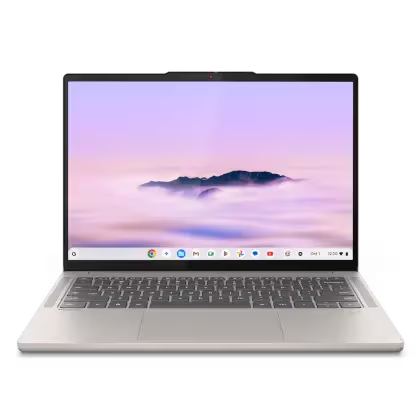
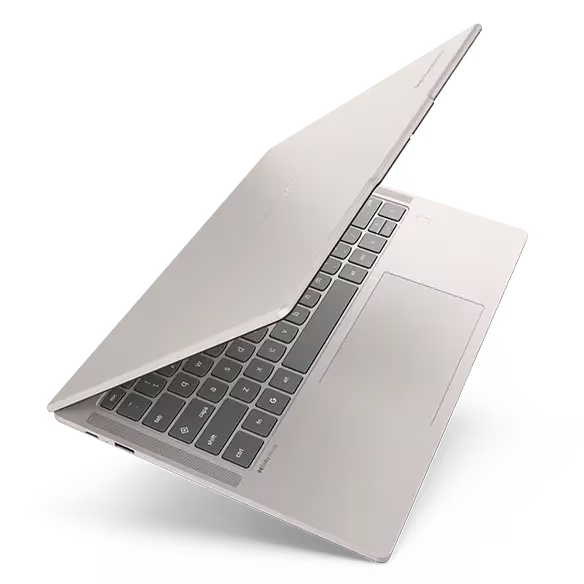
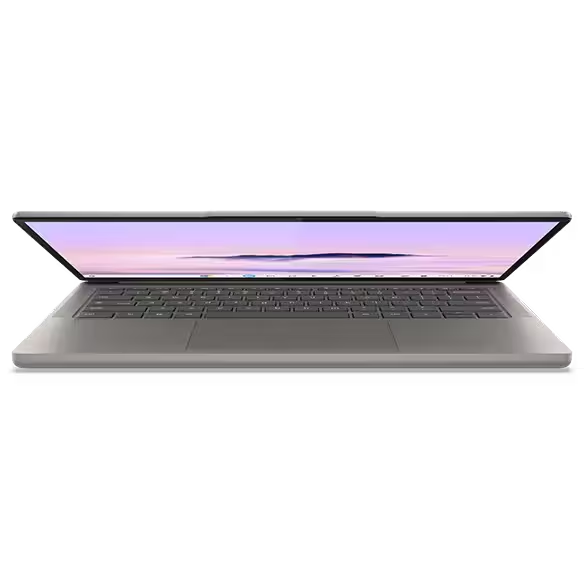
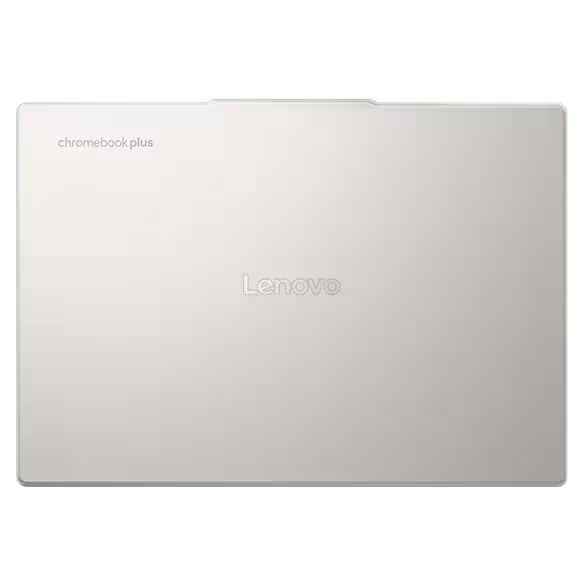
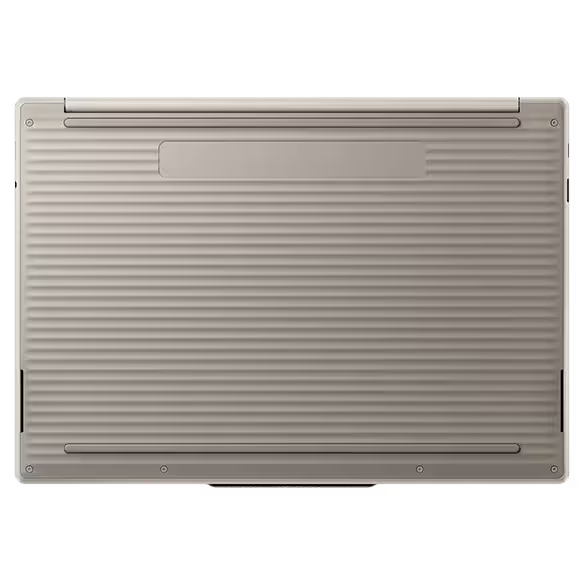
Lenovo has unveiled the Chromebook Plus 14, its most powerful ARM-based Chromebook yet. It’s powered by MediaTek’s Kompanio Ultra 910 chip, with an NPU delivering up to 50 TOPS of AI performance.
The 14-inch Chromebook Plus comes with an OLED display (touch optional) and supports up to 16GB of RAM. Battery life is rated at up to 17 hours, which Lenovo claims is the longest on any Chromebook Plus to date.
Image: Lenovo
Image: Lenovo
Image: Lenovo
Image: Lenovo
Image: Lenovo
Lenovo Chromebook Plus 14 now on sale, with AI perks from Google
The Chromebook is available in the US starting at $649 through Best Buy and Lenovo’s online store. Every purchase includes a one-year Google AI Pro subscription, normally valued at $240. Google is also rolling out exclusive features to this model:
Smart Grouping: AI organizes open tabs and documents into clusters.
Gallery AI tools: Remove image backgrounds, create stickers, and more.
Meanwhile, all Chromebook Plus models—including Lenovo’s—are getting broader AI updates today:
Select to Search & Text Capture: Long-press the launcher or use screenshot tools to search or extract text from images.
Quick Insert (QI) upgrades: Users can now generate images via AI.
Simplify tool in Help Me Read: Breaks down complex content for easier understanding.
NotebookLM pre-installed: Google’s research and note-taking tool is now built-in.
Squid Game: Unleashed on desktop: Optimized with keyboard and mouse controls, plus exclusive in-game skins.
With this mix of powerful hardware and Google-backed AI features, the Lenovo Chromebook Plus 14 is clearly presenting itself as a worthy rival among the group of premium Windows laptops.
Forget writing down your passwords in docs, Sticky Notes, or even physical sheets. Google’s built-in Password Manager stores every login you approve, and you can view or export them in seconds from passwords.google.com from anywhere. Follow the steps below, access your passwords, then tighten security with the tips that follow.
How to see your Google Passwords on passwords.google.com
Step-by-Step guide on how to access Google Saved Password from Any Device
Time needed: 2 minutes
This is how to easily access Google saved passwords on password.google.com:
Open your browser
-Launch Chrome, Edge, or any modern browser you have on your device.
Head to passwords.google.com
-Type the address https://passwords.google.com/, press Enter, and wait for Google Password Manager to load.
Step 3: Sign in to your Google account
-Enter the email and password linked to the passwords you want to see (if you have multiple Google accounts, make sure you are entering the credentials for the right one) . If prompted, complete two-step verification.
Browse your saved logins
-You’ll see a list of sites and usernames. Click the eye icon to reveal a password or the copy button to place it on your clipboard.
Pro Tips for Better Password Management
Turn on biometric unlock in Chrome. The latest update lets you confirm password access with Windows Hello or a phone screen lock. See the full rundown in our password security boost article.
Run Google’s Password Checkup to spot compromised or reused credentials.
Delete logins you no longer need to keep the list tidy.
Can I view my passwords on someone else’s computer?
You can, but only after signing in. Remember to log out when finished.
How do I export my passwords?
Click the settings cog ➜ Export passwords. Google generates a .csv you can import into another manager.
What if I forget my Google account password?
Go to Google’s account recovery page and follow the prompts to reset it.
Does Google delete passwords if I disable syncing?
No. Syncing stops future updates, but existing passwords stay in your account until you remove them.
Wrap-Up
Accessing your Google-saved passwords takes less than a minute, and Google’s extra security layers like biometric unlocks, passkeys, and regular checkups keep intruders out. You can quickly view passwords and store them safely. Follow the guide, review your logins, and stay ahead of security threats.
UPDATE (23/06/2025):Politiken has updated its original report (via PC Gamer) to clarify that only Microsoft Office is being phased out by the Danish Ministry of Digital Affairs—Windows will remain in use for now. Windows Central also shared an Edge-translated LinkedIn message from Danish Minister for Digital Affairs, Caroline Stage Olsen.
ORIGINAL STORY: If you follow Microsoft-related news, you must be aware that last year, one of Germany’s state offices began shifting 30,000 workers away from Microsoft software in favor of Linux and LibreOffice. Now, Denmark is taking a similar path, moving away from tools like Microsoft 365 and Windows.
Starting next month, the country’s Ministry for Digital Affairs will begin phasing out Windows and Microsoft 365. Half the staff will make the switch first. If the rollout stays on track, the rest will follow by autumn, according to Danish news outlet Politiken.
The move is part of Denmark’s new four-year digital strategy. Minister for Digital Affairs, Caroline Stage, says the goal is greater “digital sovereignty.” That means cutting costs, reducing dependency on American tech, and having more control over what runs inside government systems.
There’s also timing at play. Windows 10 support ends in October, and rather than switching to a new version from Microsoft, the ministry sees this as a good moment to go open-source. Still, Stage admits it’s not a one-way door. “If phasing out proves to be too complicated, we can revert back to Microsoft in an instant,” she told Politiken.
This isn’t just about one office. Both Copenhagen and Aarhus are looking at similar exits, driven in part by years of political pressure to move away from U.S. software vendors. If successful, Denmark could be the latest example of a European government betting on open tools, trying to prove that public infrastructure doesn’t have to come with a Microsoft license attached.
Not to forget, Russian President Vladimir Putin had a similar stance, suggesting that companies like Microsoft and Zoom must be “throttled.”
If you’ve updated to KDE Plasma 6.4, the first round of fixes is nearly here. Plasma 6.4.1 arrives June 24 with a focus on resolving key usability issues and broken behaviors across widgets, clipboard tools, and Discover.
According to the KDE blog post, the following are bug fixes included in Plasma 6.4.1:
Selection bugs in the Folder View widget
Clipboard popup failing to highlight the top item
Discover’s list view rendering and shortcut cleanup
Wallpaper plugin bugs caused by changing data formats
System locking or suspending earlier than expected
Scan-out issues on rotated displays
Blank entries when installing wallpaper plugins
Keyboard shortcut bugs and UI glitches in KRunner have also been patched. Not to forget, Plasma 6.3.6 is also getting another update on July 8 to fix older bugs like missing shortcuts after upgrades and overflow in faded text.
Looking ahead, the KDE team detailed what’s next in This Week in Plasma. Plasma 6.5 development is underway, and it includes:
A redesigned, more compact emoji picker
Image: KDE
Activity Manager trimming history to four months by default to prevent bloat
Removal of the vertical line between time/date in the clock widget
A relocated “Add New” button in Shortcuts settings for better space use
Image: KDE
Smaller custom tiling tile minimums (useful for ultrawide setups)
Redesigned captive portal banner for cleaner network popups
The Plasma team continues weekly iteration, improving both functionality and visual polish. Plasma 6.5 doesn’t have a set release date yet, but development work is already active.
Microsoft has released a new Microsoft Defender update package for Windows 11, Windows 10, and Windows Server installation images. This follows a similar update for Lumma last month and helps address outdated Defender components that come bundled with installation media.
When setting up a new system, the anti-malware tools included in the image can be weeks or months out of date, creating a temporary security risk.
Microsoft’s updated Defender package aims to close that gap by delivering the latest definitions and software components directly into install images.
According to Microsoft’s documentation, the update enhances detection capabilities for a range of threats, including trojans and backdoor exploits.
While the current version of Microsoft Defender’s intelligence update is 1.431.155.0, this image-specific package is designed for new installs only. Besides patching early vulnerabilities, Microsoft notes that these updates can also improve performance on some systems after setup.
If you’ve been waiting for progress on the next Linux kernel, Linux 6.16-rc3 is now available—and it’s back to normal size. Announced by Linus Torvalds, this third release candidate includes a mix of bug fixes and updates for both new and older features.
Torvalds noted that, unlike last week’s rc2, which was unusually small. However, this week’s rc3 looks “entirely normal” for this stage of development.
As reported by Phoronix, wireless networking and GPU driver changes are related to this release. Notable updates include “amdgpu” and “amdkfd” fixes for job handling, engine resets, display glitches, and power features. Qualcomm Adreno GPU drivers also saw better fault handling and display sync improvements.
The open-source Nouveau (NVIDIA) driver received several patches for memory safety, addressing overflows, buffer sizes, and use-after-free issues. Intel’s i915 driver was updated to fix early wedge conditions and memory initialization problems.
On the architecture side, there are improvements to ARM64 KVM for stability, as well as updates to RISC-V KVM and Intel’s Trust Domain Extensions (TDX) for virtualization security.
Other subsystems seeing changes include ath12k and iwlwifi (Wi-Fi), ALSA (audio), AMD power management, and file systems like OverlayFS, EROFS, XFS, and NFS.
Linux 6.16 is expected to reach stable release by the end of July. As always, the newest kernel helps Linux support more hardware, so it’s worth checking out if you’ve had compatibility issues. Torvalds has urged users to keep testing and reporting bugs during the rc phase.
Death Stranding 2: On The Beach is finally releasing this week, but your access time depends on which version you bought and where you live. As expected, there are two release dates.
First, June 24, for those who preordered the Digital Deluxe or Collector’s Edition (this is the 48-hour early access window). Secondly, June 26, for the Standard Edition.
Sony hasn’t officially posted a global release map, but GameSpot exclusively reported the exact times using the countdown timer found in the Deluxe Edition pre-install.
Since PlayStation follows a rolling midnight release, the game unlocks at midnight in the earliest time zone in your region. That means you’ll get access sooner if you’re west of your region’s easternmost zone.
Early access launch times (Deluxe & Collector’s Editions – June 24)
Pacific Time (PT): June 23 at 9:00 PM
Eastern Time (ET): June 24 at 12:00 AM
British Summer Time (BST): June 24 at 5:00 AM
Japan Standard Time (JST): June 24 at 1:00 PM
Australian Eastern Standard Time (AEST): June 24 at 2:00 PM
Central European Summer Time (CEST): June 24 at 6:00 AM
India Standard Time (IST): June 24 at 9:30 AM
Standard edition release times (June 26)
Pacific Time (PT): June 25 at 9:00 PM
Eastern Time (ET): June 26 at 12:00 AM
British Summer Time (BST): June 26 at 5:00 AM
Japan Standard Time (JST): June 26 at 1:00 PM
Australian Eastern Standard Time (AEST): June 26 at 2:00 PM
Central European Summer Time (CEST): June 26 at 6:00 AM
India Standard Time (IST): June 26 at 9:30 AM
Hideo Kojima has described Death Stranding 2 as his “most difficult challenge” to date, even saying the project nearly got canceled at one point. If you are planning to get your hands on the standard edition, pre-order now on Amazon for $69.99.
The icon has been a topic of controversy for years, mainly because the current version resembles a post box, especially when files are in it. That’s due to the clean, letter-like appearance of the contents and the closed-lid design.
The redesigns now being considered aim to fix that. The proposed versions are open-topped to make the bin purpose clear and use crumpled paper graphics to represent deleted files. Contributor ochi12 has been posting updated icon sets in different sizes, testing their visibility and clarity at small dock resolutions.
While early versions are available, nothing has been finalized just yet. Contributors continue to give feedback on design tweaks, and there’s no guarantee a new icon will be approved at all.
Ubuntu’s trash icon conversation actually began years ago, with discussion first closing in 2019 before being revived this May. Now that it’s back on the table, some users have voiced support for keeping the existing design, underscoring how subjective visual UI changes can be.
If the redesined trash icon get approval in time, it could appear in Ubuntu 25.10. If not, you could see it in April 2026 with the Ubuntu 26.04 LTS release. Moreover, if you are willing to install Microsoft Edge on Ubuntu, check this detailed guide.
If you’ve been waiting for AMD’s 3D V-Cache magic to hit a more affordable CPU, your time might be coming soon. The Ryzen 5 9600X3D recently showed up unexpectedly in the support list for AMD’s new Radeon AI R9700 graphics card.
First spotted by MelodicWarrior on X, the leak suggests AMD is prepping a 6-core, 12-thread Zen 5 chip built on “Granite Ridge” that includes the company’s second-generation 3D V-Cache.
Image: X/@MelodicWarrior
That’s 64 MB of vertical cache stacked on top of the usual 32 MB, for a total of 96 MB of L3. It’s the same performance-boosting tech seen in higher-end chips like the 7800X3D, just at a likely lower price point.
A mainstream gaming CPU with serious cache
Expected specs point to boosting clocks up to 5.4 GHz and a 65-watt TDP. That balance of speed and efficiency could make it a solid pick for budget builds, especially with DDR5-5600 support and compatibility with AM5 motherboards.
Let’s not forget that Intel’s Core Ultra 7 265KF just dropped to $229, and AMD’s rumored 9600X3D could directly challenge chips like the i5-14600K and Core Ultra 5 245K.
There’s still the question of how long a 6-core chip will hold up as more modern games lean toward 8-core recommendations. But AMD is betting that the extra cache will give it an edge in today’s gaming workloads even if the core count isn’t top-tier.
Speaking of launch, AMD’s Ryzen 5 9600X3D will likely see retail launch later this year. There’s no official word just yet.
Intel is moving ahead with a major overhaul of its marketing operations, and employees are starting to feel the impact. As reported by OregonLive, many roles in Intel’s marketing division will be handed over to Accenture, which plans to use AI to perform tasks previously handled by Intel employees.
The company hasn’t revealed how many people will be affected, but staff have been told they’ll know by July 11 whether they still have jobs. Only small, “lean” teams are expected to remain.
The marketing division helped build its direct-to-consumer reputation starting in the early ’90s with the “Intel Inside” campaign. Now, Intel says it wants to free up internal teams to focus on creative and high-impact work, while Accenture’s systems handle more routine marketing functions.
That includes task automation, data processing, and personalized messaging, areas where the company believes AI can deliver faster, more cost-efficient results. Intel claims this will help modernize its brand and improve service to customers.
In a message shared with OregonLive, Intel said:
As we announced earlier this year, we are taking steps to become a leaner, faster, and more efficient company. As part of this, we are focused on modernizing our digital capabilities to serve our customers better and strengthen our brand. Accenture is a longtime partner and trusted leader in these areas and we look forward to expanding our work together.
It should be noted that the part of the transition may involve current employees walking Accenture through Intel’s internal systems—essentially training their replacements.
It’s unclear how long that process will take. Well, layoffs have been rampant across the tech industry these days. Earlier this month, a report suggested that Microsoft will soon lay off thousands from the sales department.
A black-and-green Meta Quest 3S branded with Xbox styling might be hitting shelves tomorrow. Images of the special edition VR headset just popped up online thanks to X user @Zuby_Tech.
Now, the publication, Game Sandwich, claims that this bundle might go on sale as early as Tuesday, June 24. It won’t be a major hardware shakeup, though. Reports suggest that the specs reportedly match the standard Meta Quest 3S, including the 128 GB internal storage.
What sets it apart is the Xbox-focused packaging. The Meta Quest 3S Xbox Edition likely ships with matching accessories, an Elite Strap, an Xbox wireless controller, and a three-month Xbox Game Pass Ultimate trial. It is rumored to have a price tag of $399.
As you may know, Meta has been laying the groundwork for third-party collabs since it opened up its VR platform to outside makers last year. Microsoft, for its part, has already pushed Xbox Cloud Gaming to Quest headsets, allowing players to stream titles onto a massive virtual screen.
So even if this limited edition doesn’t light up sales charts, Xbox is showing up wherever it can, from your TV and phone to now—your VR headset.
If you were excited about the potential partnership between the Xenia emulator team and Microsoft, sadly, that’s not happening. Folks over at Xenia, the Xbox 360 emulator for PC, have announced that they’re not working with Microsoft in any capacity.
Xenia denies partnership rumors with Microsoft on Xbox backward compatibility
This comes after growing buzz around social media suggesting the two were collaborating to bring original Xbox and Xbox 360 games to PC through some kind of official emulation effort. In a message shared through their official Discord, the team addressed the situation head-on:
Hey everyone, I just wanted to clear some confusion regarding a rumor that has recently surfaced online.
The Xenia (and Xenia Canary, by extension) team is by no means associated with, nor working alongside, Microsoft in any capacity. Microsoft uses their own emulation to provide backward compatibility on Xbox One/Series consoles and as such has no reason to collaborate with Xenia, even if they decided to bring these titles to PC.
Xenia continues to be a community-run effort that encourages and enforces legal emulation practices both in development and within this server.
Xenia also pointed out that Microsoft already has its emulation system for Xbox One and Series consoles and has no reason to lean on outside projects like Xenia, even if Xbox classics ever make their way to PC.
For the uninitiated, the rumor was served by a renowned tipster, Extas1s, who previously leaked credible Xbox hardware details. The tipster claimed that Microsoft was building a “new advanced emulation platform” with Xenia’s help, supposedly tied to Xbox’s 25th anniversary in 2026.
But soon after that story started circulating, Xenia developers began debunking the rumors in Discord threads. This weekend’s public statement is the first time they’ve addressed it as a team.
Adding weight to the denial, Windows Central’s Jez Corden also said there’s “no such collaboration happening.” Still, Extas1s didn’t walk it back. Instead, they teased, “We’ll see you in 2026.”
Mozilla has started implementing the Mica effect in the Firefox browser toolbar on Windows 11. We managed to get the feature working in Nightly version 141, without the need for custom CSS tweaks. It activates automatically when using the system’s Light or Dark theme.
Mica is a Windows 11-exclusive visual material that adds a soft, blurred, and slightly transparent background to application windows. It’s part of Microsoft’s Fluent Design system and helps apps feel more native to the OS.
Microsoft describes Mica as: “An opaque, dynamic material that incorporates theme and desktop wallpaper to paint the background of long-lived windows such as apps and settings.”
While Firefox already supported Mica in context menus and the tab bar, this latest change brings the effect to the toolbar itself — the section containing the address bar, navigation buttons, and extension Menu icons.
Until now, the toolbar had retained a flat, opaque appearance, even as other UI elements adopted Fluent Design. With Mica now applied natively to the toolbar, the entire top chrome of Firefox adopts a unified, translucent look that blends beautifully into Windows 11.
Mozilla is working on improving the backdrop tint behavior for the toolbar to reflect theme settings and wallpaper colors better. These improvements are being tested and are targeted for full implementation in Firefox 141.
What’s your take on this? Do you like that Firefox Nightly now supports Windows 11’s mica material effect in its UI? Let us know in the comments below
Seeing Trojan:PowerShell/DownInfo.BA warnings from Windows Defender? This malware uses PowerShell scripts to harm your PC, affecting internet access and overall security. Follow these simple, structured steps to fully remove it from Windows 10 or 11.
✅ Step 1: Disconnect from the Internet
Immediately disconnect to stop further infection or data theft.
✅ Step 2: Update and Run Windows Defender Full Scan
Open Windows Security.
Select Virus & threat protection.
Click on Check for updates and then perform a Full scan.
✅ Step 3: Perform a Second Scan with Malwarebytes
Download and install Malwarebytes (it catches malware Defender might miss).
Run a full system scan and remove detected threats.
✅ Step 4: Check and Remove Malicious Scheduled Tasks
Press Win + R, type taskschd.msc, press Enter.
Inspect and delete suspicious PowerShell-related tasks.
✅ Step 5: Reset PowerShell Execution Policies
Open PowerShell as Admin (right-click Start > PowerShell Admin).
Open Run (Win + R), type %temp%, press Enter, delete all files here.
Check and clear unwanted scripts from shell:startup.
✅ Step 7: Restart and Verify
Reboot your computer.
Run another quick scan with Windows Defender to confirm the threat is gone.
Trojan:PowerShell/DownInfo.BA can cause serious issues but is easily removable with the right approach. Always double-check your PC afterward with a secondary scan to be completely safe.
If you’re seeing the message “Refunds aren’t available for digital purchases that have been played or used” when requesting an Xbox refund, here’s exactly what’s happening and how you might still be able to fix it.
✅ Why Xbox Is Denying Your Refund
Xbox’s official refund policy states clearly:
You must request the refund within 14 days of purchase.
The content should not have been significantly played or used.
However, the definition of “significant use” isn’t clearly outlined by Xbox, causing confusion among players. Even briefly downloading or starting the game can be considered “used.”
✅ How to Successfully Request an Xbox Refund
Follow these steps carefully:
Act Quickly
Request refunds within 14 days of purchase.
Don’t Open the Game if Possible
If you’ve just downloaded the game without launching it, mention clearly “downloaded but never played” in your request.
Provide Clear Reasoning
State performance issues, accidental purchase, or incorrect version clearly and honestly in the refund request form.
Escalate If Denied Initially
If your initial refund is denied, reapply immediately or escalate through Xbox’s live chat or phone support.
Provide Evidence
Screenshots or transaction timestamps can sometimes help overturn the decision.
✅ Alternatives if Xbox Refuses Your Refund
If Xbox won’t budge, consider these future solutions:
Purchase from other platforms (like Steam or Epic), which typically have clearer refund policies.
Buy physical copies of games—these can usually be returned or resold.
Wait for reviews and demos before committing to digital purchases.
✅ Why the Policy Feels Unfair
Xbox’s unclear wording causes confusion.
Refund approvals appear inconsistent—some players report refunds after minimal playtime; others get denied immediately.
Many users report frustration on forums and community boards due to inconsistent enforcement.
Xbox’s refund denial message – “Refunds aren’t available for digital purchases that have been played or used” – is frustrating, but sometimes reversible. Act quickly, be clear in your request, and escalate if needed. If refunds matter, consider alternative purchasing strategies moving forward.
Getting the NSIS error when installing Ubisoft Connect on Windows? It’s usually due to a corrupted installer or antivirus interference. Follow these easy steps to resolve the issue quickly:
✅ Step 1: Completely Close Ubisoft Connect
Press Ctrl + Shift + Esc to open Task Manager.
Find UbisoftConnect.exe, right-click it, and select End Task.
✅ Step 2: Temporarily Disable Antivirus or Firewall
Turn off Windows Defender Real-time protection or your antivirus briefly.
Antivirus programs often mistakenly block Ubisoft’s installer.
✅ Step 3: Use an Older Ubisoft Connect Installer (Recommended)
Download and run the January 2025 Ubisoft Connect installer (trusted by the community).
After installation, Ubisoft Connect will automatically update itself.
✅ Step 4: Run Installer as Administrator (Compatibility Mode)
Right-click the Ubisoft installer → Properties → Compatibility tab.
Check “Run this program as administrator”.
If problems persist, select compatibility for Windows 8 or Windows 10.
✅ Step 5: Install from Microsoft Store (Alternate Method)
Open the Microsoft Store, search “Ubisoft Connect”, and install directly from there.
Following these steps will resolve the Ubisoft Connect NSIS error quickly and reliably. If you still encounter issues or need further assistance, reaching out to Ubisoft Support or exploring community forums like Reddit can provide extra help. Happy gaming!
After installing the May 2025 Cumulative Update (KB5058411) for Windows 11, many users have spotted a mysterious ZTHelper service appearing in their Task Manager or services list. Is it malware – or a new Windows component?
Let’s explore what it actually does and whether it’s safe.
📌 What Is ZTHelper?
According to an answer on the Microsoft community forum, ZTHelper.exe is a legitimate, newly introduced Windows component tied to Microsoft’s Zero Trust DNS initiative – part of its enhanced security efforts.
✅ Is ZTHelper Safe?
Yes. The executable is digitally signed by Microsoft, and forums like Reddit confirm it’s authentic and linked to the Zero Trust DNS feature rollout in Windows 11.
✳️ Other Theories?
One Reddit comment suggested it might relate to the discontinued Maps app, but most evidence and Microsoft’s digital signature point clearly toward Zero Trust DNS – especially since Maps is already deprecated.
🔐 What Is Zero Trust DNS?
Microsoft is gradually rolling out Zero Trust DNS, a security model that verifies every connection regardless of network trust. Though currently available only in private preview, this service likely began appearing in the update mentioned above.
To understand more about safe network connections and domains used by major tech companies, check out our detailed guide on gstatic.com, which explains its purpose and safety in your browser.
⚙️ Can You Disable ZTHelper?
While it’s technically possible to disable services via services.msc or tools like Glary Utilities, it’s not recommended – especially since ZTHelper supports Microsoft’s security layer. It runs on-demand and doesn’t consume significant resources.
🔻 How to Disable (If You Must)
If you’re sure you want to disable it:
Press Windows + R, type services.msc, and press Enter
Find ZTHelper in the list
Right-click → Properties → set Startup type to Manual or Disabled
Click Stop, then OK
⚠️ Note: Disabling system services may reduce security. Only proceed if you understand the potential impact.
Minecraft’s new Vibrant Visuals feature brings immersive lighting, volumetric fog, and reflections to Bedrock Edition. But many users report the option being greyed out – even on capable devices. We investigated community feedback and official guidance to help you access and customize this visual upgrade.
🔍 What Is “Vibrant Visuals”?
Part of the Chase the Skies update (June 17, 2025), Vibrant Visuals adds shader-like effects – realistic shadows, directional lighting, and improved torches – without changing gameplay or world compatibility.
🛠️ Why the Vibrant Visuals Option Is Greyed Out
Common reasons include:
Hardware or platform limitations
Only Bedrock Edition is supported. Java, older consoles, or unsupported devices (like early Switch models or certain Chromebooks) won’t show the option
In‑world settings vs main menu
You must enable Vibrant Visuals before entering a world. Doing it in‑world will appear greyed out.
Texture or resource pack conflicts
Non‑vanilla packs—including official ones like “Programmer Art”—can disable the option
Need “Allow In‑Game Graphics Mode Switching” enabled
This lets you toggle graphics modes from the world menu; if it’s off, options stay greyed out reddit.com.
✅ How to Enable Vibrant Visuals
Follow these steps:
From the main menu, go to Settings > Video
Set Graphics Mode to Vibrant Visuals
Ensure Allow In‑Game Graphics Mode Switching is turned ON
Disable or remove any resource/texture packs
Then enter your world—the option will no longer be greyed out
💬 From Reddit:
“Try leaving your world and change the video settings from the main menu (not in-world options). Turn on ‘Allow In-Game Graphics Mode Switching’…”
🌍 Realms-Specific Fix
If Vibrant Visuals is greyed out in a Realm, ensure it’s not overridden by global resource packs—you may need to disable conflicting resources in Settings > Global Resources
⚙️ Performance Tips
Features like volumetric fog and resolution scaling are FPS-intensive—especially on high-end rigs. Users recommend adjusting these rather than disabling Vibrant Visuals entirely reddit.com.
Many players who own Gears of War: Ultimate Edition are wondering why they haven’t received their Gears of War: Reloaded access code. Whether you own the game on disc or digital, this guide covers what’s going on, who’s eligible, and what steps to take.
🔍 Who Is Eligible for the Gears of War: Reloaded Code?
Microsoft and The Coalition confirmed that eligible players will receive a code via Xbox messages. You’re eligible if:
✅ You pre-ordered the digital Ultimate Edition
✅ You have Xbox Game Pass Ultimate or PC Game Pass
✅ You owned the Ultimate Edition before May 5, 2025
Note: Game Pass subscribers don’t need a code — the game should appear automatically in your library.
📦 What About Physical Disc Owners?
If you own the disc version of Gears of War: Ultimate Edition, you may still receive a code. Several users have confirmed receiving theirs via Xbox Message Center, though the rollout seems slower and less consistent for disc-based editions.
🕐 When Are Codes Being Sent Out?
Codes began rolling out on June 11, 2025, in waves — so not everyone will get them at once.
If you’re eligible and haven’t received yours yet:
Be patient — delays are common
Double-check that your Xbox account region and game ownership are valid
✉️ Where to Find Your Code
Check your:
Xbox console – Messages or Notifications
Xbox mobile or PC app – same inbox syncs across devices
Look for a message from Xbox Live or Microsoft
That’s where your code will appear if issued.
❗ Still No Code After June 13?
If it’s past June 13–15 and there’s still no code:
Want to upgrade your PC to Windows 11 without waiting for the automatic rollout or creating a bootable USB? The Windows 11 Installation Assistant is the simplest and safest way to get started.
This free tool from Microsoft lets you manually trigger the upgrade process while preserving your files, settings, and apps. Here’s everything you need to know – from downloading the tool to running the installer.
🟦 What Is the Windows 11 Installation Assistant?
The Installation Assistant is an official Microsoft utility that helps users upgrade eligible Windows 10 PCs directly to Windows 11. It checks system compatibility, downloads the latest OS version, and launches the upgrade no ISO or USB drive needed.
Under Windows 11 Installation Assistant, click Download now
Save the .exe file to your PC
💡 Tip: Make sure your PC is eligible for Windows 11 – use the PC Health Check Tool first.
🚀 How to Use the Installation Assistant
Run the downloaded file as Administrator
Follow the on-screen prompts to begin the upgrade
The tool will check for compatibility, then start downloading Windows 11
Once ready, your PC will restart and complete the upgrade
🕒 Installation time: 30 minutes to 1 hour depending on your internet speed and device specs.
❓ FAQs
Q: Is the Installation Assistant safe to use? ✅ Yes. It’s an official Microsoft tool — no third-party risk.
Q: Will I lose my data? No, unless you choose a full reset. Your files and apps will remain.
Q: Is there a Windows 11 Installation Assistant for unsupported PCs? No. The tool only works on officially supported hardware. For unsupported devices, consider using the Media Creation Tool or an ISO workaround.
If you’ve ever had to dig through the Control Panel just to set a second time zone, you won’t need to do much longer. Microsoft is finally bringing some of those clock features into the main Settings app.
You can now add up to two additional clocks, label them as you wish, and adjust the AM/PM display—all without affecting the legacy UI.
Image: X/@phantomofearth
These changes are now located under Settings > Time & Language > Language & Region > Regional Format.
The new clock setup supports dark and light modes, with larger UI elements and better accessibility. Basically, it works the same as before, but it actually looks like it belongs in Windows 11. Windows tipster @phantomofearth spotted the change in builds 26200.5651 and 26120.4441.
Image: X/@phantomofearth
Other features like keyboard settings are also starting to move over, though Microsoft hasn’t made a formal announcement yet. So yes, slowly but surely, Control Panel is fading.
If your OneDrive search isn’t turning up the files you know are there, you’re not imagining it. Microsoft has confirmed a new bug affecting search in OneDrive on Windows, iOS, Android, and the Web. macOS appears to be unaffected.
The issue shows users blank or missing results, even though the files still exist in storage. That means you might need to dig through your folders manually to find what you’re looking for.
This isn’t a universal issue. According to Microsoft, it only affects “a subset of users.” Unfortunately, there’s no fix or workaround right now.
Microsoft says it’s working “with urgency” to resolve the problem. You can view the full list of known OneDrive issues on Microsoft’s support site.
If Twitter/X won’t let you log in, first check your username and password, ensure your internet connection works, and try again. If it still fails, clear your browser or app cache, update the app or browser, and disable VPNs or extensions. You can also reset your password or use a backup login method.
Mistyped login details are the #1 cause. Click Forgot password? if needed.
3. Clear browser cache and cookies
Corrupted cookies can block login sessions. Go to browser settings > Privacy > Clear browsing data.
4. Disable VPNs or extensions
VPNs and ad blockers sometimes block Twitter’s login systems. Turn them off and try again.
If your login finally works but UI elements still won’t respond (for example, the Show button won’t expand tweets), check this related fix: Twitter Show Button Not Working.
5. Try a different browser or incognito mode
This bypasses any saved data or session conflicts.
6. Update your browser
Make sure you’re running the latest version of Chrome, Edge, Firefox, etc.
7. Contact Twitter Support
If all else fails, visit Twitter Help Center and submit a login support form.
📱 How to Fix Twitter Login Problems on Mobile (iOS/Android)
1. Restart your phone
This clears temporary glitches that may block app logins.
2. Update the Twitter app
Go to App Store or Google Play → Update Twitter (now called X).
iOS: Delete and reinstall the app (iOS doesn’t allow direct cache clearing)
4. Reinstall Twitter
A fresh install can fix corrupted app files.
5. Check your time settings
Go to Settings → Date & Time → Enable “Set Automatically.” Incorrect time can block logins or 2FA.
6. Switch networks
If Wi-Fi fails, try mobile data—or vice versa. Also try toggling airplane mode.
7. Try logging in from a browser
Go to twitter.com using Chrome or Safari on your phone.
Seeing Twitter error 467 when trying to log in or load tweets? Troubleshoot rate limits, network settings, and app cache with this step by step guide: Fix Twitter error 467.
🔐 How to Fix Two-Factor Authentication (2FA) Login Issues
If you’re stuck on the verification screen:
Use a backup code you saved when you set up 2FA
Open your authenticator app and enter the latest code
Make sure your device time is correct
If using SMS, wait 60 seconds and request a new code
If you can’t access any method, submit a recovery request on Twitter’s support page
⚠️ What If My Twitter Account Is Locked or Suspended?
Fill out the appeal form and follow the instructions
Twitter will notify you via email once your case is reviewed
💡 Tip: If your account is locked but you’re logged in on another device, you can still access settings and download data.
FAQs
Why can’t I sign in even with the right password?
Autofill may use an old password; type it manually or use Forgot password. If you registered with Google/Apple, sign in with the same method.
Two factor codes aren’t working. What now?
Sync device time, check signal, try an authenticator app or backup codes. If all else fails, start account recovery.
App won’t log in but the website works. How do I fix it?
Update the app, clear cache/data, then retry on Wi-Fi and mobile data; temporarily disable VPN/proxy/private DNS.
I see “account locked” or “suspicious activity.” What should I do?
Complete the verification, change your password, review connected apps; if still blocked, file an appeal in the Help Center.
🧠 Common Twitter Login Error Messages and What They Mean
Error Message
What It Means
What to Do
“Incorrect password”
Wrong login details
Try again or reset password
“Account locked”
Suspicious activity detected
Follow steps in Twitter email or appeal
“Oops, something went wrong”
Generic error (cache, network, etc.)
Refresh, clear cache, or try later
“Invalid code”
2FA issue or time mismatch
Sync device time and re-enter code
For a stronger browser experience while you troubleshoot the app, you can switch to TweetDeck and follow this guide on how to use TweetDeck to manage your X account from a multi column dashboard.
Looking for Windows Media Player in Windows 11 or Windows 10? Here’s exactly how to find it, reinstall it, or switch to the new Media Player app.
✅ Quick Answer:
To open Windows Media Player in Windows 11, press Windows + S, type Windows Media Player, and hit Enter. If it’s missing, you can reinstall it from Optional Features.
📍 Where to Find Windows Media Player in Windows 11
Windows Media Player is still available in Windows 11, though it’s hidden behind newer apps like Groove or the new Media Player Legacy.
To find it:
Press Windows + S to open Search.
Type Windows Media Player.
Select it from the results.
If it doesn’t show up, it may not be installed. See below.
🔄 How to Reinstall Windows Media Player on Windows 11
If you can’t find Windows Media Player, it might have been removed. You can add it back easily:
Open Settings → Apps → Optional Features.
Click View features next to Add an optional feature.
Search for Windows Media Player.
Click Install and restart your PC if prompted.
🎵 Windows Media Player vs. New Media Player App
Feature
Windows Media Player
New Media Player App
Interface
Classic (Windows 7 style)
Modern, Fluent Design
Format Support
MP3, WMA, WMV, etc.
Broader modern codec support
Available on
Windows 10/11
Windows 11 only
Recommended for
Legacy users
Modern users
To install the new Media Player:
Go to Microsoft Store → search for Media Player by Microsoft → click Install.
🧩 Can You Still Use Windows Media Player in 2025?
Yes, it works well for basic audio and video playback. However, for new features, better UI, and better format support, Microsoft recommends using the new Media Player app.
🛠️ Troubleshooting: Media Player Not Working?
If you face issues:
Make sure it’s enabled in Optional Features.
Run the Windows Media Player troubleshooter:
Open Settings → Troubleshoot → Other troubleshooters.
Try using the System File Checker: bashCopyEditsfc /scannow
Or install a modern alternative like VLC Media Player.
📝 Final Thoughts
Windows Media Player is still available in Windows 11 — you just need to know where to look or how to bring it back. For most users, the new Media Player is a better option. But for those who love the classic interface, it’s still just a few clicks away.
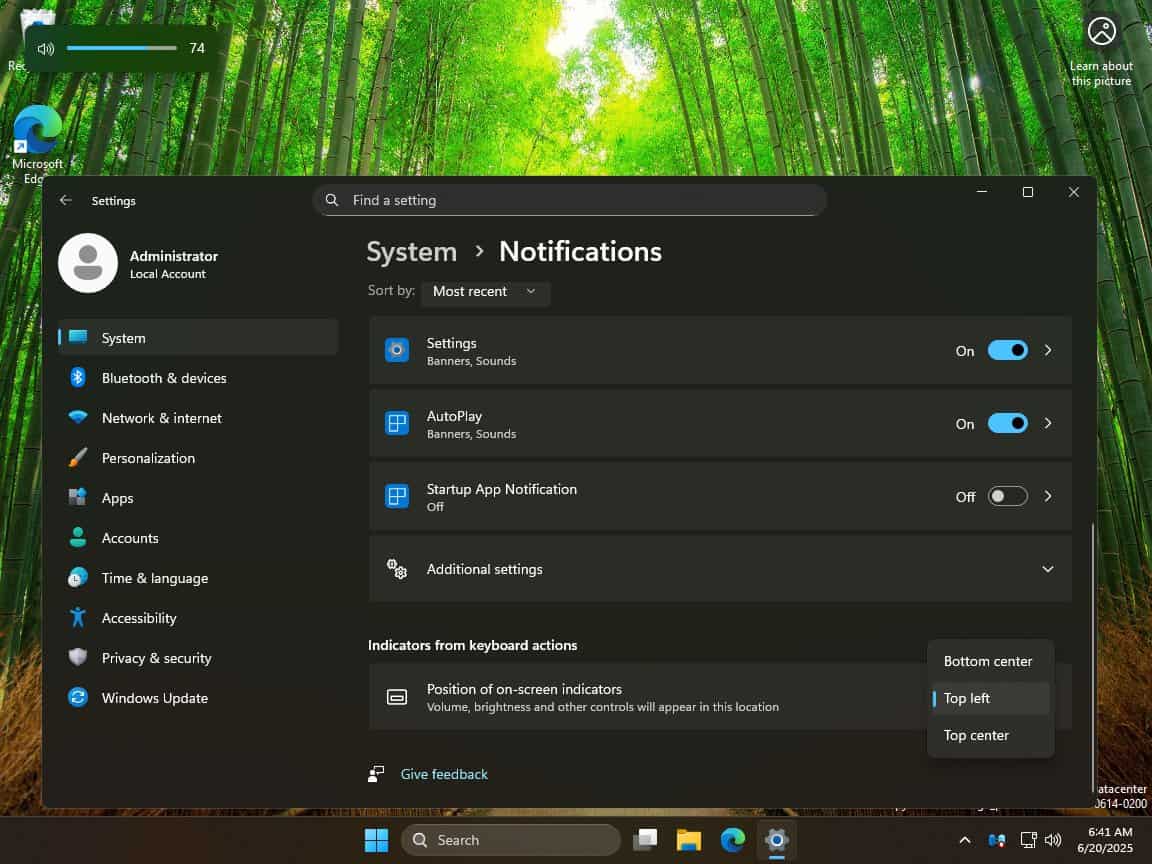
Microsoft has experimented extensively with personalization in Windows 11. Well, the company isn’t stopping just yet. A recent tweet from popular Windows tipster @phantomofearth shows an early version of the on-screen indicator’s position customization in Windows 11.
Yes, the feature will enable you to choose how the indicators, like volume and brightness, are visible on your PC. Windows 11 currently always shows the on-screen indicators at the bottom center.
However, the new customization option would let you move them to the top left, as in Windows 10, or top center. You can also keep them at the bottom center if that’s what you prefer.
Image: X/@phantomofearth
If you’ve used a PC for more than a few years, you probably remember the old-school flyouts in the top left corner. Windows 11 kept them centered at the bottom, and while they do look modern, there wasn’t any way to move them, until now.
Once available, you can view the on-screen indicators customization option in Windows 11 by going to Settings > System > Notifications > Position of on-screen indicators. It covers more than just volume and brightness.
The feature’s short description also mentions “other controls.” So, you might also get to reposition other system indicators like camera access or virtual desktops.
Microsoft hasn’t officially confirmed the setting, but it’s already showing up in preview builds. So, it could be a hint that it might hit public Insider channels soon.
If your child’s Chrome browser suddenly won’t open on a Windows PC, you’re not alone. Microsoft Family Safety, which is designed to protect kids from inappropriate content, is mistakenly flagging Google Chrome as unsafe. Not to mention, it’s causing major headaches for families and schools.
Following the release of Chrome versions 137.0.7151.68 and 137.0.7151.69, users have reported that Microsoft Family Safety immediately shuts down the browser and prevents it from reopening. Strangely, Microsoft Edge works fine under the same settings.
The issue is mostly affecting Windows 11 users, though some reports mention Windows 10 and macOS as well. As The Verge notes, the first report about the issue began surfacing on the Microsoft forum earlier this month.
There’s a workaround—for now
Some users have had success by renaming chrome.exe to something like chrome1.exe. But that’s more of a hack than a fix. A Google Chrome community manager, Ellen T, confirmed that Microsoft Family Safety is the root cause. The good news is that she has shared a fix for the issue, which is as follows:
Windows 11 is finally within reach of becoming the most used desktop operating system. According to StatCounter’s June 2025 report (via Windows Central), it gained 4.44% market share last month, jumping from 43.22% to 47.66%.
At the same time, Windows 10 slipped from 53.19% to 49.03%, a 4.16% drop. That leaves just a 1.4% gap between the two, making a Windows 11 takeover likely as early as next month.
Windows 11 jumps to 47.66%, Windows 10 falls to 49.03%
StatCounter’s numbers don’t guarantee a trend, but this is one of the clearest signs yet that Windows 11 is on track to take the lead.
Meanwhile, Windows 7 still holds 2.21% of the desktop market. That number has barely moved this year, showing some users remain loyal to the now-retired OS.
Windows 10 may not disappear quickly, though. Microsoft is offering a paid support extension in 2026, which may keep its numbers from collapsing too fast.
Microsoft is reportedly ready to walk away from its ongoing negotiations with OpenAI, according to the Financial Times (via Reuters). Talks have stalled over key issues, including how much of a future stake Microsoft will hold in the company.
If the two sides can’t reach a deal, Microsoft may pause discussions and instead rely on its existing commercial agreement with OpenAI. That contract gives Microsoft access to OpenAI’s technology until 2030.
Microsoft–OpenAI alliance under pressure amid stalled talks
The partnership, which helped cement Microsoft’s lead in AI, has recently come under strain. Earlier this week, a report by the WSJ suggested that OpenAI executives have even considered accusing Microsoft of anticompetitive behavior.
Both companies are now discussing possible changes to the terms of Microsoft’s investment. That includes revisiting Microsoft’s future equity share in the ChatGPT maker. At the same time, OpenAI still needs Microsoft’s approval to transition into a public-benefit corporation—something it sees as critical to securing future funding.
In response to the WSJ report, both companies said, “Talks are ongoing and we are optimistic we will continue to build together for years to come.”
Microsoft’s multibillion-dollar investment has played a central role in giving it an edge in AI infrastructure and applications. But with negotiations stuck and tensions surfacing, the future of the alliance may depend on how much control each side is willing to give up—or keep.
Samsung is expanding its Gaming Hub lineup by adding EA SPORTS FC 25 through Xbox Cloud Gaming. The feature is now available on supported Samsung TVs and monitors using the Xbox app, no console required.
To play, users need a compatible controller and an Xbox Game Pass Ultimate subscription, which includes EA Play. “We are delighted to bring EA SPORTS FC 25 to Samsung TVs and monitors through cloud gaming on Samsung Gaming Hub,” said Hun Lee, EVP of Visual Display at Samsung Electronics.
EA SPORTS FC 25 launches on Samsung Gaming Hub
The deal comes with a two-month Xbox Game Pass Ultimate offer for new subscribers. It’s available to both existing Samsung TV owners and those buying eligible new models. To redeem it, users can open the Samsung Promotions app on their TV, click the Xbox banner or scan the QR code, then follow the on-screen steps.
EA SPORTS FC 25 lets players team up in 5v5 Rush, manage clubs, and compete with over 19,000 athletes, 700+ teams, and 30 leagues. The game focuses on tactical control with a system called FC IQ and emphasizes authenticity with real-world teams, players, and stadiums.
Samsung Gaming Hub launched in 2022 and supports cloud-based games directly on TVs and monitors. That includes the 2025 series of Neo QLED 8K, Neo QLED 4K, OLED, QLED, The Frame, and The Frame Pro. These devices feature Samsung Vision AI for enhanced visuals and sound.
Microsoft is starting a routine cleanup of outdated drivers on Windows Update. The company says that it wants to tighten security and improve overall system stability across the Windows ecosystem.
The company confirmed this strategic move in a notice to its hardware partners, explaining that drivers with newer replacements already available on Windows Update will be the first to go.
Microsoft says this won’t be a one-time process. It’s the beginning of a recurring effort to optimize the driver pool that ships through its update channel.
Microsoft begins cleaning legacy drivers from Windows Update
The cleanup process, as Microsoft describes it, involves “expiring” drivers. That means those drivers will no longer be assigned to any device audience via the Windows Hardware Development Center. Once expired, Windows Update stops offering them entirely.
Partners can still choose to republish any expired drivers, but they’ll need to justify the move. If no action is taken, the expired drivers will be permanently removed after six months.
Microsoft says this move is all about maintaining a stronger security posture. Outdated or duplicate drivers can pose compatibility issues or create unnecessary risk. By narrowing the driver pool to only those that are current and widely needed, Microsoft hopes to improve reliability across devices.
This initial wave focuses only on legacy drivers with newer versions already available. However, the company plans to broaden the scope of future cleanups. Each round will be announced in advance, giving partners time to respond or update their publishing practices.
Microsoft encourages vendors to review and manage their driver listings proactively, suggesting this new routine may influence future publishing guidelines.
A new rumor served by Xbox leaker eXtas1s hints that Xbox is working with the Xenia Canary emulator team to revive original Xbox and 360 games. Microsoft apparently wants to bring them to PC, Game Pass, xCloud, and modern consoles with performance upgrades.
This initiative, reportedly part of a “Classics” program, would launch around Xbox’s 25th anniversary in 2026. Games will reportedly roll out in phases, starting with fan favorites like Fable 2, Skate 3, Gears of War 3, and Batman: Arkham Asylum.
Older titles like the original Ninja Gaiden and its sequel are also under review. Microsoft is reportedly sorting out technical and licensing hurdles before finalizing the lineup. The program would allow players to access Xbox legacy games natively on PC—something not possible for many titles today.
While this all sounds plausible given Microsoft’s push for backward compatibility, it remains unconfirmed. Xbox hasn’t issued any official statement just yet. Thefore, we recommend you take this news with a grain of salt.
After the claims made by the tipster went viral, Windows Central’s Jez Coden refuted this rumor. Replying to a post on X, which cites these claims, Corden noted, “Xbox is gunning to bring Xbox games to more devices, but this particular scenario isn’t a thing at the moment.”
Meanwhile, Microsoft is focused on future hardware. The company is working with AMD on next-gen chips built for higher fidelity graphics and AI-driven enhancements.
The European Commission is reportedly in talks to move its cloud services away from Microsoft Azure, according to Euractiv. Per the news outlet, the information came via three senior sources familiar with the matter. Apparently, France-based OVHcloud is the front-runner in these discussions. While other European cloud service providers like IONOS, Scaleway, and Aruba are also being considered.
Well, this isn’t just about performance or pricing. It’s part of a broader push for European digital sovereignty. In simpler words, the European Commission wants tighter control over where its data is stored and who can access it.
The urgency has been shown by the Commission after a U.S. executive order reportedly led to Microsoft shutting down access for an EU institution employee. Since then, concerns about relying too heavily on U.S. cloud services have grown louder in Brussels.
As Euractiv points out, once the Commission switches its cloud service providers, national public administrations may follow, funneling contracts toward European tech firms.
Two of the Commission’s key departments—DG CNECT and DG DIGIT—are now overseen by one Commissioner, Henna Virkkunen, whose portfolio includes tech sovereignty. That’s reportedly also helping speed up talks and coordinate priorities across policy and infrastructure.
An OVHcloud spokesperson confirmed the news outlet about ongoing talks to the news outlet. The spokesperson said:
Discussions are indeed underway, both with the Commission and with other public and private institutions and organisations that are evaluating projects to migrate to a sovereign cloud.
A Commission spokesperson also reportedly confirmed that it “has a contract with OVHcloud.” However, there was no confirmation whether the European Commission would replace Microsoft Azure. More recently, there were reports about Denmark moving away from Microsoft 365 and Windows in favor of open-source software.
Ubisoft has teased what’s next for The Division 2, and it looks cold—literally. The game’s official Twitter account shared a new image of Washington, DC’s Capitol Building covered in snow, a major seasonal shift from the game’s usual summer setting.
Image: Ubisoft
Alongside the above image, the post on X notes:
Agents, thank you so much for joining the Battle for Brooklyn. The team is working on the next update, as well as starting something entirely new in The Division 2…
No other details were revealed, but the winter setting and “entirely new” tease hint at a bigger shift.
Fans just wrapped up Battle for Brooklyn, a compact 6-to-10 hour expansion that brings players back to New York to track the Cleaners and their brutal tech. It also reintroduces familiar faces like Theo Parnell and Aaron Keener—with a surprising twist.
There’s no release date for the new content yet, but with that winter backdrop and narrative tease, something larger may be brewing. Let’s keep the hopes high!
Star Citizen has released Alpha 4.2, dubbed Storm Breaker, for all backers in the Live channel. This update adds survival mechanics, radiation zones, dynamic weather, and a new narrative-driven sandbox mission.
Storm Breaker is also the name of the new in-game event. It continues the Regen Crisis storyline across Pyro 1 and 4. Players investigate secret experiments by the Associated Sciences & Development group while surviving harsh new conditions.
Irradiated areas now appear across planets. Players must wear protective gear and monitor radiation levels to survive. If ignored, exposure leads to injury or death. New visual cues and HUD elements track radiation buildup in real time.
This is the first version of the new Genesis: Dynamic Weather system. Rain now appears randomly on Stanton and Pyro. It comes with atmospheric effects, sound, and plans for future improvements like lightning and wet clothing shaders.
The update also improves missile and torpedo tracking for better space combat. There are new explorable locations and dangerous irradiated juvenile sandworms. Cloud Imperium has also fixed space station clipping and other landing zone glitches.


 Tip