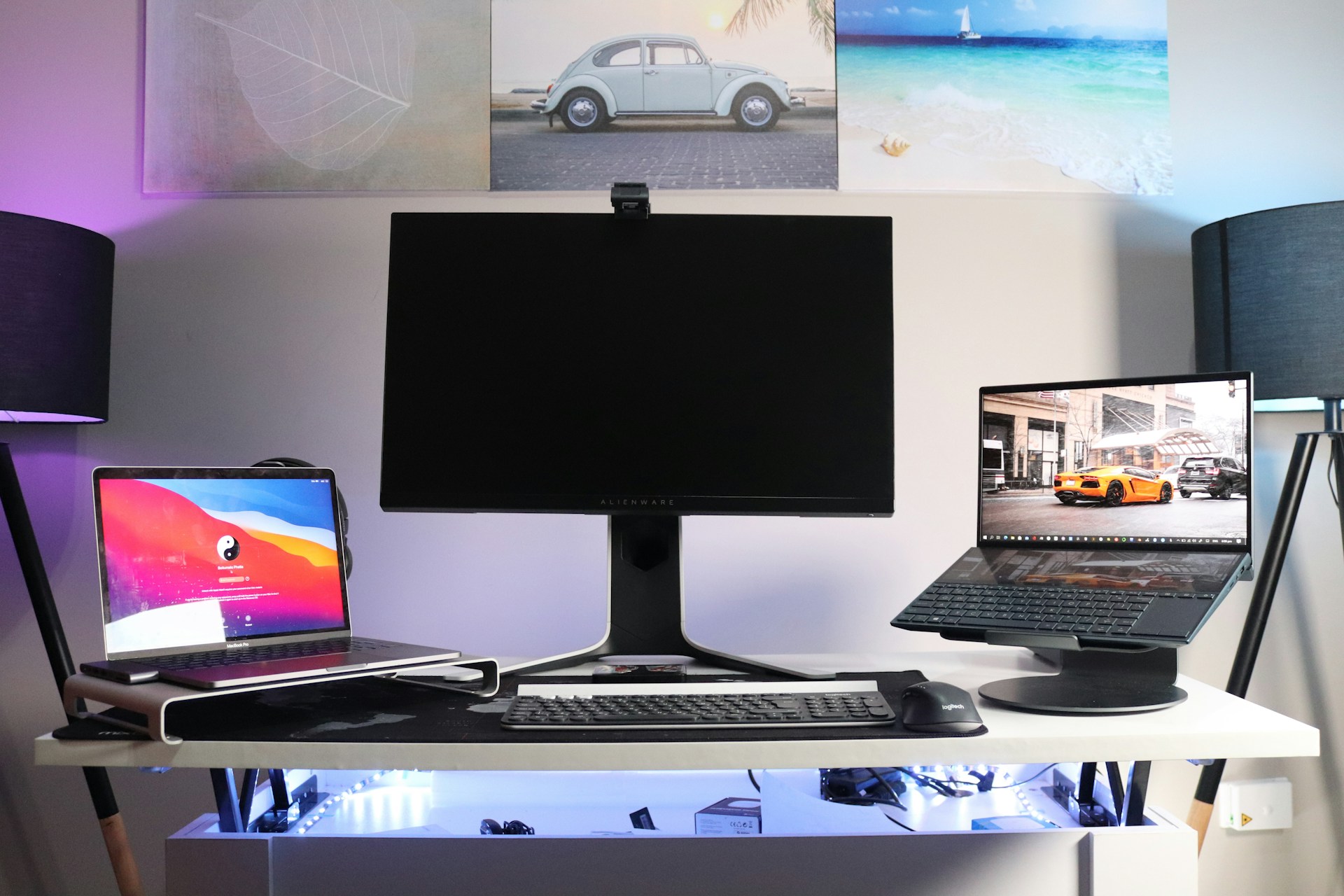
As bigger laptop screens become the new normal, portability takes a back seat

It wasn’t long ago when mobile phones featured 3″ – 3.5” displays. This was across manufacturers, be it Apple, Samsung, or Motorola. Then came the 6″ display, which quickly became our go-to option. Similarly, laptop screens have gotten bigger over the years!

HP, Lenovo, ASUS, and Dell are all coming up with creative ways to increase the laptop’s display without affecting its portability. Dual displays and foldable screens, which were first featured on mobile phones, are slowly coming to laptops.

The trend picked up as employers adopted hybrid and remote work models and children had their classes online during the pandemic. Pairing a monitor with the setup isn’t the first choice of many, and as soon as manufacturers introduced 16″-18″ laptops, many jumped ship.

With bigger displays, multitasking and gaming feel like a breeze

At work, you often have to work simultaneously across multiple programs, and on a smaller display, it looks too cluttered. With the new 17″-18″ displays, you can have 2-4 apps occupying different parts of the screen, and everything remains legible.

Another market that this segment cashed upon is gaming. Gamers prefer a bigger display, and the conventional options from a few years ago usually sported a 13″-15″ screen. The moment bigger displays hit the shelves, gamers were quick to upgrade.

That’s what fuelled the popularity of big screen laptops!

Subsequently, models like the HP Spectre Foldable 17 and ASUS Zenbook Duo quickly became popular.

Users are giving up portability for bigger screens and improved performance

Although people are still divided between bigger screens and portability, an increasing number is picking up the former over the latter. A major reason behind this is that you don’t have to carry around the laptop as frequently anymore.

For those working at home, there’s usually a dedicated setup. It’s the same for gamers. And even when you have to move it around, it’s usually around the house.

Personal preference, mostly, provided that they are both the same resolution.
That said, I have a 17″ laptop and I wouldn’t trade it for anything; just get a bigger backpack. It’s worth it.

Do you value size ovet mobility? It depends really. in my opinion though if you arent going for pure mobility might as well get the more powerful or bigger machine anyway.

Years ago when laptops had big bezels, I would have said 14-15″. But I’ve been using a slim bezel 15.6″ for over three years, and now I definitely want to go bigger. Either those 16″ 16:10 laptops or a 17.3″.

I have 15.6 inch laptop and I hate it because the screen is too small. If I buy a laptop in the future it will be 17.3 inch for sure and the extra weight for carrying it around doesn’t matter that much.

I have a Razor 18 4080 and the screen is amazing. It is overall smaller then the M18, so I can’t speak to how that fits in a bag, but the Razer 18 fits in the same bags a 16″ would fit. And it’s 2″ bigger diagonally, which is a huge difference. I’ve compared other 16″, even with mini-led and I’d take the 18″ any day.

The argument, The bigger, the Better, fits perfectly well in the context of laptop screens. But we can’t ignore the fact that a big set of users still value portability over display size and prefer models featuring a 13″-15″ display.

If that’s you, perhaps consider getting a bezel-less monitor. 27″-32″ options are common these days!

Where do you stand on the whole big laptop screen vs portability debate? Share with our readers in the comments section.


This RPG is a Fallout clone made entirely in Microsoft Excel

Fallout TV show has been a massive success, and it has rekindled the love for the games leading to the Fallout franchise having 5 million players in a single day.

However, that’s not all, as one devoted fan has developed its own Fallout-inspired game in Excel.

A fan created a Fallout-inspired game in Excel from scratch

It’s no secret that the Fallout series started as a top-down RPG in the 90s, and one devoted fan tried to replicate the feel of old Fallout games as XDA Developers writes.

This game is been created by Dynamic Pear on YouTube, and unlike other games, this one is designed entirely in Excel.

This isn’t Dynamic Pear’s first rodeo, and he has created other games in Excel, such as Baldur’s Game clone as well as a horror survival game.

The game doesn’t look too visually appealing since you move a single dot around the screen, but the game has everything you expect from an RPG including quests, battles, levels, and skills.

Despite its appearance, the game is incredibly complex for something that runs in Excel, so we have to give credit where credit is due.

You can download the game for free from the Storyteller blog if you want to take it for a spin. In case you’re looking for something more modern, Fallout 4 next-gen version should be out by now, so check it out.

Microsoft files for a new patent that can boost your social media presence

Recently, the United States Patent and Trademark Office (USPTO), the US government’s patent agency, published a patent application from Microsoft that demonstrates a system of customized social media notifications based on engagement.

So, this means the Redmond tech giant is working on developing a system for special media apps to send notifications, which are tailored on the basis of whether the recipient engages with the poster’s content a lot.

The 22-page document with patent number 11968165 was filed on December 21, 2022, and the patent date is April 23, 2024. The inventors are Ivan Lopez Moreno, Xuexin Ren, Ying Han, Shaunak Chatterjee, and Ajith Muralidharan.

This image shows a content notification feedback cycle in a communications network system.

What does it do?

If you are wondering how it works, let us explain. When you follow people on social media platforms like X, Instagram, and YouTube, you can choose to receive notifications about their stories, Instagram posts, videos, and other activities.

However, this thing has become outdated as not everyone who follows you or everyone you follow opts in to get new post notifications.

With this patent, Microsoft wants to change it. According to it, if you have followed or subscribed to these accounts, the system will only show you notifications of an account if you engage with their content a lot, which means you click, Like, and Watch someone’s content regularly.

Apart from this, it will only send you notifications on occasion. This will be great for content creators, as they can use the information to create the content according to your audience’s liking, making it viral.

This one shows a social activity push notifications chart showing the Click-Through-Rates for some notification types and volume percentages.

How does this method work?

This method employs a scoring system called rAffinity, which evaluates the chances of content creators engaging with notifications when a viewer interacts with their content.

This scoring system guides content recommendations, which will help content creators identify their most engaging content.

This system is slightly similar to YouTube’s feature, which lets you select the All, Personalized, or None option for your subscribed channel. However, there is a difference; it is not you but the rAffinity, the scoring system, that decides the intensity of these notifications here.

The USPTO granted this patent and published it on April 23, 2024, the same day as a few other patents filed by Microsoft, including Mixed standard accessory device communication utilizing host-coordinated transmission (11968732).

As the patent has been granted, we may see it in action soon. However, there are no social media apps under Microsoft’s hood except Skype and LinkedIn, so the Redmond tech giant might have to collaborate with other companies.

What do you think about this patent or will it be beneficial? Share your opinions with our readers in the comments section below.

Microsoft releases more information about the classic Teams app’s end-of-support and availability

Microsoft made Teams 2.0 available on March 31, 2024; however, the company has given people who are using the classic Teams more time to make the transition to the latest version. The date mentioned for the same was July 1, 2024.

According to the latest development, the Redmond tech giant has offered more information about the end of support and availability for Classic Teams.

On Microsoft’s support page, it is mentioned that:

Starting in March 2024, any classic Teams users who haven’t updated to new Teams will begin seeing an informational banner to remind them about the classic Teams end of support timeline. This banner will appear in the main Teams client window at the top of the page (underneath the main bar).

Shows the banner at the top of the Teams client that reads

So, from now on, you will see notifications on your Classic Teams app warning you the app is about to reach the end-of-support date. Furthermore, the app will not get any updates, new features, or patches after July 1, 2024.

However, let me clarify one thing: you will not get updates for the app, but that doesn’t mean you or your organization can’t use the app until you transition to the new Teams desktop app.

Here are the list of messages you might see:

ScenarioEnd of support warningEnd of supportEnd of availability warningEnd of availability
Unsupported operating systemClassic Teams will soon be unsupported, and your OS needs to be updated to run the new Teams. Starting July 1, 2024, we’ll no longer be supporting classic Teams. Update your OS or contact your IT department. View minimum requirementsClassic Teams is no longer supported and your OS needs to be updated to run the new Teams. As of July 1, we’re no longer supporting classic Teams. Update your OS or contact your IT department. View minimum requirementsClassic Teams will soon be unavailable, and your OS needs to be updated to run the new Teams. Starting July 1, 2025, classic Teams will no longer be available for use. Update your OS or talk to your IT department. View minimum requirementsClassic Teams is no longer available, and your OS needs to be updated to run the new Teams. As of July 1, 2025, classic Teams is no longer available for use. Update your OS or talk to your IT department. To experience the new Teams, you can try it out on the web. View minimum requirements
Windows GPO policy blocked usersClassic Teams will soon be unsupported, but due to org policy, we couldn’t update you to the new Teams. Starting July 1, 2024, we’ll no longer be supporting classic Teams. To update to the new Teams, contact your IT department. Learn about installation issuesClassic Teams is no longer supported, but due to org policy we couldn’t update you to the new Teams. As of July 1, we’re no longer supporting classic Teams. We couldn’t update to the new Teams due to org policy. Contact your IT department. Learn moreClassic Teams will soon be unavailable, but due to org policy, we couldn’t update you to the new Teams. Starting July 1, 2025, classic Teams will no longer be available for use. To update t othe new Teams, contact your IT department. Learn about installation issuesClassic Teams is no longer available, but due to org policy, we couldn’t update you to the new Teams. As of July 1, 2025, classic Teams is no longer available for use. Contact your IT department for more info. To experience the new Teams, you can try it out on the web. Learn about installation issues
Any install and launch issuesClassic Teams will soon be unsupported, and we couldn’t update you to the new Teams. Starting July 1, 2024, we’ll no longer be supporting classic Teams. To update to the new Teams, contact your IT department. Learn about installation issuesClassic Teams is no longer supported, and we couldn’t update you to the new Teams. As of July 1, we are no longer supporting classic Teams. We couldn’t update to the new Teams. Contact your IT department. Learn moreClassic Teams will soon be unavailable, and we couldn’t update you to the new Teams. Starting July 1, 2025, classic Teams will no longer be available for use. To update to the new Teams, contact your IT department. Learn about installation issuesClassic Teams is no longer available, and we couldn’t update you to the new Teams. As of July 1, 2025, classic Teams is no longer available for use. Contact your IT department for more info. To experience the new Teams, you can try it out on the web. Learn about installation issues

Once the end of support date, i.e., July 1, passes, classic Teams users will get another notification reminding them that the app is no longer supported.

You can dismiss these notifications, but if you continue to use the classic app, these pop-ups will appear from time to time.

Microsoft also mentioned that Classic Teams users who have encountered issues while moving to new Teams or don’t meet the prerequisites to upgrade can still access the Classic Teams client app until July 1, 2025.

However, if you are using classic Teasms on older or unsupported OSes like Windows 7, 8, 8.1, and macOS Sierra 10.12, you will start seeing warnings in August stating that the app will no longer work after October 23, 2024. After this date, you will no longer be able to use the app but can access Teams on compatible web browsers.

As of March 31, 2024, admins will have complete control over transitioning their tenants to the new Teams using policies and can deploy the new Teams using a bulk installer with offline capability.

However, after that, Microsoft will continue to roll out new Teams but won’t uninstall the classic one for 14 days. Admins, except for VDI users, will be able to control the rollout through policies until the start of April.

Also, the new Teams app will be the default client, with the option to go back to classic Teams. However, after mid-May, new Teams will be installed, but the toggle to revert to classic Teams will disappear.

Are you still using classic Teams, or have you moved to Teams 2.0? Share your experience of the new app with our readers in the comments section below.

AI push yields results, Microsoft emerges as a key player against Amazon and Google

Microsoft’s collaboration with OpenAI and other firms working on AI is finally delivering the results it wanted. Figures coming in suggest that Microsoft Azure is set to take on Amazon Web Service (AWS) and Google Cloud!

According to a report published in Reuters, Microsoft Azure, the tech giant’s cloud computing platform, is expected to grow by 28.9% in Q1, 2024. In comparison, Amazon Web Service and Google Cloud will witness an estimated growth of 14.9% and 25%, respectively.

This further bridges the gap between the market share of the top two players, Microsoft and Amazon!

Behind this meteoric rise of Microsoft are billions of dollars of investments it has made in AI over the last few years.

Microsoft’s collaboration with OpenAI and investments in firms across Europe and the Middle East, amongst other regions, have helped it integrate more and more AI-powered, user-oriented features into Microsoft Azure.

This led to users switching from Amazon Web Service to the Redmond-based tech giant’s cloud computing platform, Microsoft Azure. The market share of Azure is expected to rise even higher in the coming years, given Microsoft’s future plans. We have reported how Microsoft’s $2.1B investment in Mistral focuses on Azure.

However, experts are certain that Amazon won’t sit back and let Microsoft capture the market. According to Reuter’s report, analysts D.A. Davidson and Gil Luria believe,

Microsoft has gained a lot of ground last year based on its AI prominence, but AWS is still a much bigger business and we expect Amazon to catch up to those capabilities over the next couple of years.

While Amazon hasn’t so far publicized any AI-powered features, it could do so in the near future. Amazon has investments worth $4 billion in Anthropic, an OpenAI competitor. Anthropic’s Claude 3 has proven its mettle in the AI landscape, outperforming all available options.

We will have to wait another few days as the top three players, Microsoft Azure, Amazon Web Service, and Google Cloud, share the official figures to ascertain Microsoft’s dominance in the market.

Which of the two, Microsoft Azure or AWS, do you find more user-oriented? Share with our readers in the comments section.

Rumors claim that Microsoft has closed Bethesda France

The gaming industry can be extremely unforgiving, and sometimes to cut costs, certain teams need to be shut down entirely.

It appears that this has happened to Bethesda France recently, so here’s what we know so far.

Microsoft has supposedly shut down Bethesda France

This rumor comes from Insider Gaming, as many are claiming that Bethesda France was closed. This is no surprise since Microsoft has announced layoffs a few months ago.

The company already had 1900 layoffs in Activision Blizzard following the acquisition. Regarding the rumors of the Bethesda France shutdown, a Twitter user SCOTTY, a community manager at Bethesda France, posted the following tweet recently:

The tweet says the following:

8 years of wonderful encounters, memories that I will never forget, and unique opportunities. A page that is turning and which hurts many people.

In the comments, SCOTTY elaborated that he was let go due to “mass layoffs at Microsoft, globally”.

As for Bethesda France, the company has existed for 12 years and it had 15 employees.

The majority of the workforce was focused on marketing and publishing games in the country, so shutting down the studio won’t affect the development of new titles in any way.

So far, Microsoft hasn’t commented on these rumors, so the shutdown hasn’t been officially confirmed yet.

On the bright side, the Fallout franchise had 5 million players in a single day recently, so things are still going pretty well for Bethesda.

Blackbird Interactive shares system requirements for Homeworld 3, most PCs should be able to run it

In a surprising move, Blackbird Interactive shared the detailed system requirements for Homeworld 3 weeks before launch. The game is set to hit release on May 13, 2024.

The comprehensive list of system requirements for the different graphical performance scenarios shared by Blackbird Interactive helps get some insights into the level of performance and gameplay you will experience on your PC.

PC system requirements for Homeworld 3 (Source: Blackbird Interactive)

As for the minimum requirements or the Low in-game graphics preset, you need an Intel i5-8600K or AMD Ryzen 5 3600X CPU, NVIDIA GTX 1060 or an equivalent GPU, 12 GB RAM, and 6 GB VRAM, which is pretty basic.

Even for the recommended and high segments, the system requirements are pretty reasonable when it comes to CPU, not requiring anything above Intel i7-12700K or AMD Ryzen 7 5800X. And there’s a reason for it, as explained by Blackbird Interactive to PC GAMER.

Due to the amount of physics and calculations happening throughout gameplay Homeworld 3 is CPU bound, not GPU bound. In terms of the way Homeworld 3 interacts with players CPU’s, we’ve found during development that core count doesn’t matter nearly as much as core speed. Six cores are the expected minimum, as the game routinely uses four fully. Essentially, more cores won’t necessarily translate to better performance.

An even more surprising aspect of Homeworld 3’s system requirements is the storage. It’s just 40 GB!

That’s way too low, considering modern popular titles can easily occupy double that. Baldur’s Gate 3 needs 150 GB of free storage, while Helldivers 2 requires 100 GB.

Blackbird Interactive hasn’t yet shared what FPS (frame rate per second) we can expect under the different graphical performance scenarios. But with Homeworld 3’s launch just weeks away, we won’t have to wait that long to find out!

If you plan on downloading Homeworld 3 on Windows 11, discover our quick tips to improve the gameplay.

What’s your take on the Homeworld 3’s system requirements? Share with our readers in the comments section.

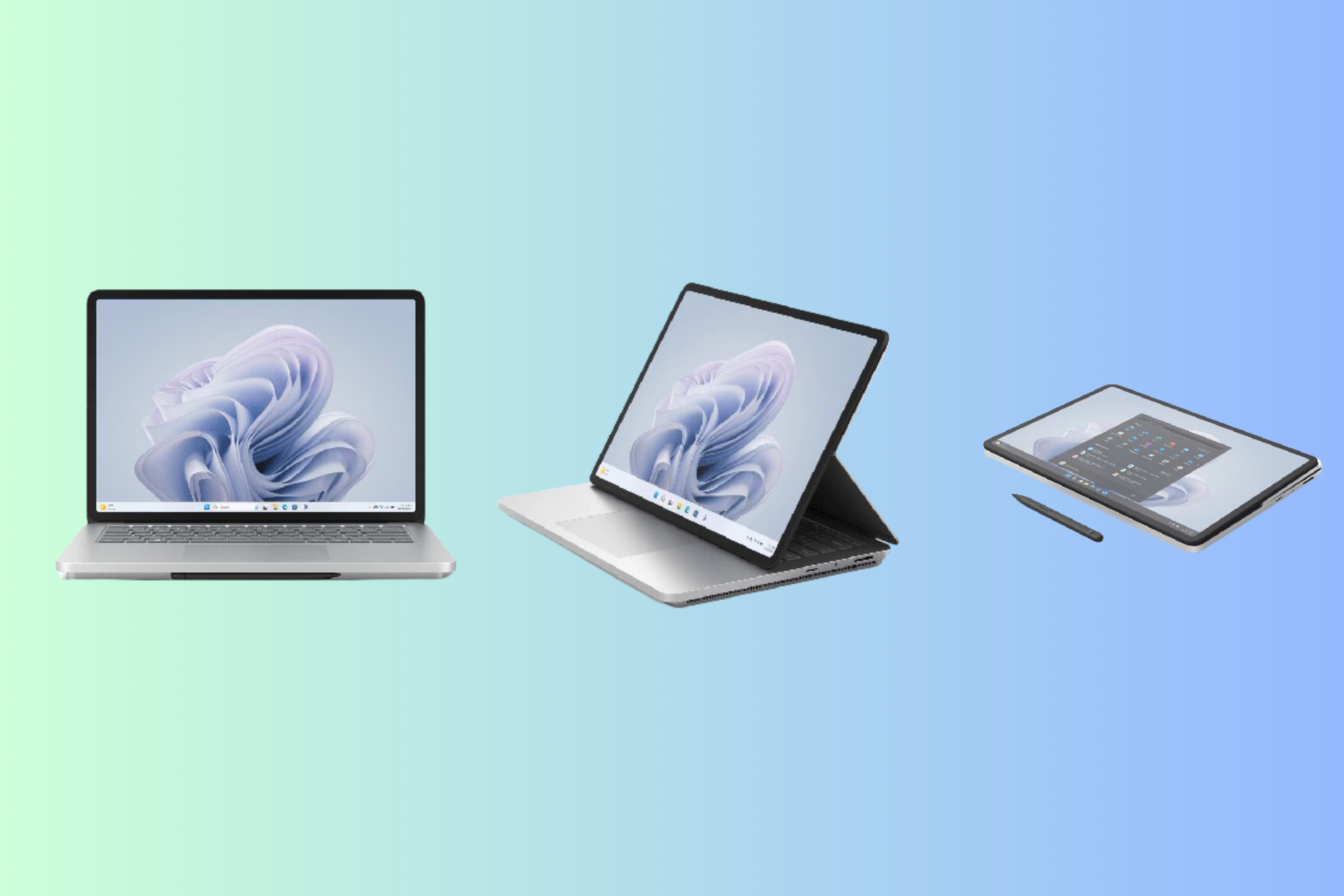
Great deal alert: Microsoft Surface Laptop Studio 2 is now available with a $500 discount

Surface Laptop Studio 2 is a laptop that allows you to switch between a high-performance touchscreen laptop, a perfectly angled display for entertainment, and a versatile canvas for creative work.

Right now, the powerful 3-in-1 device is available at a huge discount of $500. Earlier, the laptop was available at $2,799.99; now, you can get it for $2,241.33. 

However, the price available is for an Intel Core i7-13700KF with 32GB of RAM, 1TB SSD storage, and an NVIDIA GeForce RTX 4050 graphics card. You will have to pay more for a higher version with higher specifications.

Here are the tech specifications in detail:

CategoryMicrosoft Surface Laptop Studio 2 Specifications
TouchscreenYes, 14.4 PixelSense Flow Display
Screen2400 x 1600 (200 PPI) 
Aspect ratio: 3:2
Color profile: sRGB and Vivid
Contrast ratio: 1500:1
Individually color-calibrated display
VESA DisplayHDR 400 certified
Dolby Vision IQ11 support
Touch: 10-point multi-touch
Corning Gorilla Glass 5 display
Audio Quad Omnisonic Speakers and Dolby Atmos
Refresh rate120 Hz
Processor 13th Gen Intel Core i7-13700H Processor
Built on the Intel Evo platform
Intel Gen3 Movidius 3700VC VPU AI Accelerator
Memory 16GB, 32GB or 64GB LPDDR5x RAM
Storage Removable solid-state drive (Gen 4 SSD) options: 512GB, 1TB or 2TB
Graphics Graphics options:
NVIDIA GeForce RTX 4050 Laptop GPU with 6GB GDDR6 vRAM
2130 MHz boost clock speed, 80W maximum graphics power
NVIDIA GeForce RTX 4060 Laptop GPU with 8GB GDDR6 vRAM
2010 MHz boost clock speed, 80W maximum graphics power

NVIDIA RTX 2000 Ada Generation Laptop GPU with 8GB GDDR6 vRAM
2115 MHz boost clock speed, 80W maximum graphics power
Intel Iris Xe Graphics
Operating systemWindows 11
SoftwarePreloaded Microsoft 365 apps
Xbox Game Pass Ultimate 30-day trial
Microsoft 365 Family 30-day trial
ColorPlatinum
Slim Pen 2Comes with built-in storage and charging
Supports Microsoft Pen Protocol (MPP) 
Keyboard layoutActivation: Moving (mechanical) keys  
Layout: English, full row of function keys (F1-F12)  
Windows key and dedicated buttons for media controls, screen brightness, and mute
Backlight 
Precision Haptic touchpad
Battery capacity & life Battery Capacity Nominal (WH) 58
Battery Capacity Min (WH) 56
Intel Iris – Up to 19 hours of typical device usage
NVIDIA – up to 18 hours of typical device usage
2 TB SSD NVIDIA – up to 16 hours of typical device usage
Size and weightLength: 12.72”
Width: 9.06”
Height: 0.86”
Intel Iris Xe graphics model – 4.18 lbs

NVIDIA graphics models – 4.37 lbs
Security Windows Hello face sign-in
Firmware TPM 2.0
Connections (Ports)2 x USB-C with USB4/ Thunderbolt 4 (with DisplayPort and Power Delivery)
USB-A 3.1
MicroSDXC card reader
3.5 mm headphone jack 
Surface Connect port
Network and connectivityWi-Fi 6E: 802.11ax compatible
Bluetooth Wireless 5.3 technology
SensorsAuto brightness via Ambient Color Sensor
Accelerometer
Gyroscope
What’s in the boxSurface Laptop Studio 2
Power supply:
Intel Iris Xe graphics model: 102W
NVIDIA graphics models: 120W
Quick start guide 
Safety and warranty documents  

You can get this robust and versatile device at this irresistible price from the Amazon website. So visit the site to secure yours today.

What do you think about this versatile device by Microsoft? Share your opinions with our readers in the comments section below.

Microsoft unveils new sub-bank technology for computer memory chipsets that addresses the limitations of the current ones

Microsoft is a tech company that focuses mainly on software products, such as the Windows operating system and the Microsoft 365 suite and its adjacent services. The company is not known for dabbling with hardware technologies but does it sometimes.

For instance, the Redmond-based tech giant’s first in-house AI chips, Azure Maia 100 and Cobalt 100 are slated to arrive in 2024, but there are signs the company is thinking about developing more chips from now on.

The first of these signs is a recently published patent that sees Microsoft coming up with a new design for computer memory banks (aka chipsets, from CPU to RAM, and so on) that addresses the limitations of the current ones, while also improving the performance of these chipsets and allowing them to store more data.

The design envisioned by Microsoft uses so-called flying bit lines to improve computer memory chipsets’ performance and allow them to store more data. The flying bit lines are organized in sub-banks, which are themselves smaller parts of the memory chipsets.

Each sub-bank has its bit lines, which are used to read and write data. These bit lines are similar to tiny wires that connect the memory cells, where data is stored, to the rest of the computer.

Usually, manufacturers design them to be long: they fit the chipset, and they store more data, but their performance is impacted overall, meaning these chipsets will reach a performance limit at some point.computer memory bank

Here’s where Microsoft chimes in: the patent presents a design where instead of making the bit lines longer, each sub-bank has its own separate bit lines. These separate bit lines are called flying bit lines because they operate independently of the bit lines in the other sub-banks.

This means Microsoft can add more memory cells without slowing down the memory because the bit lines don’t have to be made longer. This, in turn, increases the amount of data that the memory can store and also makes it work faster.

The paper says this design can be implemented in various pieces of storage-oriented hardware such as RAM, flash memory, ROM, EPROM, EEPROM, HDD, or SDD.

The embodiments disclosed herein may be embodied in hardware and in instructions that are stored in hardware, and may reside, for example, in RAM, flash memory, ROM, EPROM, EEPROM, HDD, SDD, or any other form of computer-readable medium.

The new sub-bank technology for computer memory chipsets is a sign Microsoft wants to delve into the hardware territory as well, and with such innovative tech, the company would become a serious competitor to Intel or AMD, two manufacturers that build chipsets for Windows devices.

You can read the full paper here.

Get Xbox Game Pass Ultimate and Overwatch 2 skins as a free gift

Xbox Game Pass is perfect if you want to always have a roster of fresh games that can try, and it’s no wonder that many users choose it over buying individual games.

The subscription also comes with certain perks, and the latest set of perks brings you free skins for Overwatch 2.

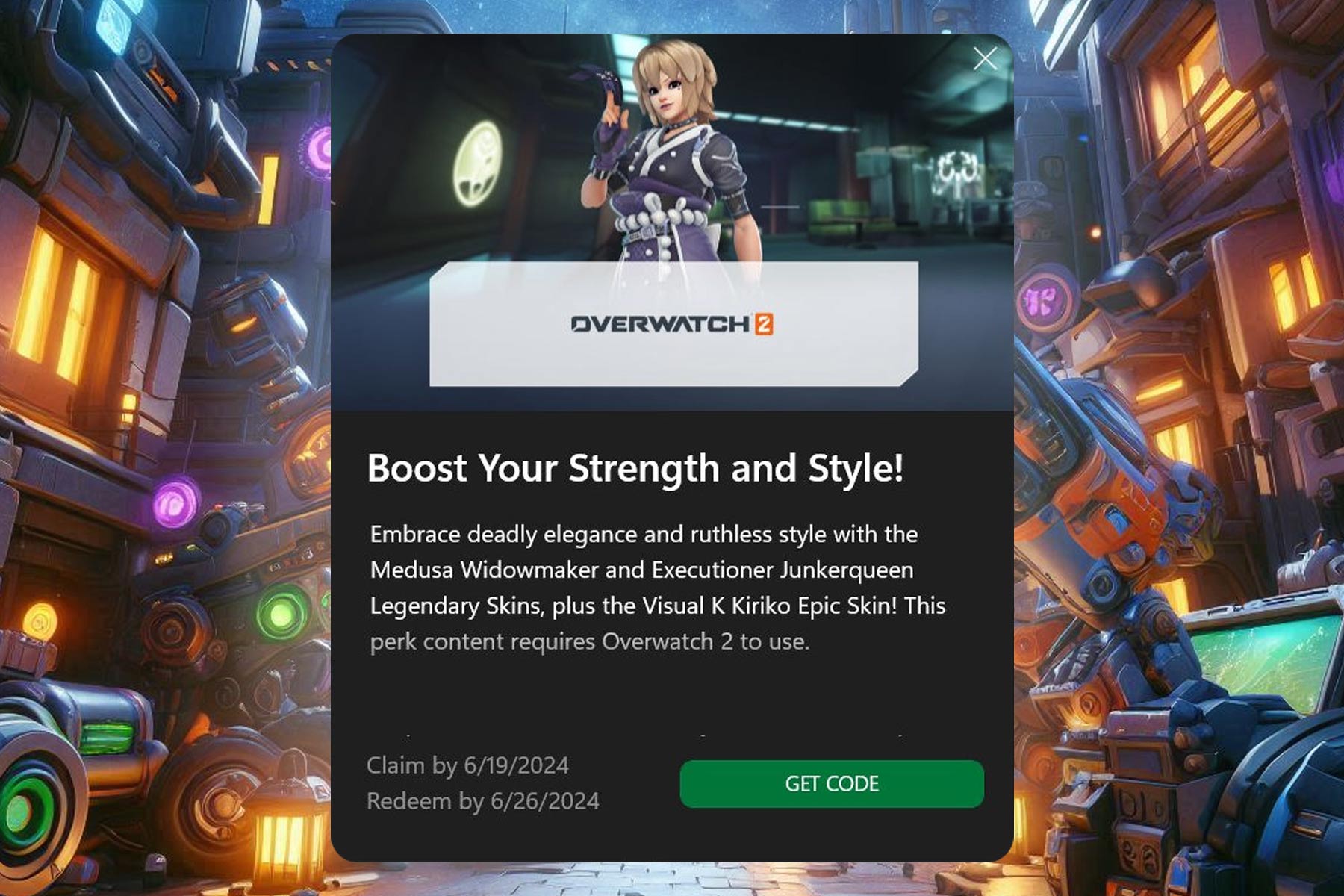
Grab a Game Pass Ultimate subscription and get 3 free Overwatch 2 skins

Xbox Game Pass Ultimate subscription will give you various perks in certain games, and as Windows Central writes, you can currently get three skins for Overwatch 2 as a bonus perk.

The list of skins includes the following:

  • Visual K Kiriko epic skin
  • Medusa Widowmaker legendary skin
  • Executioner Junker Queen legendary skin

To claim these skins, you can use the Game Pass PC or mobile app, or right from the Game Pass perks tab on the Xbox dashboard.

It’s worth noting that this is a limited-time offer, and the skins will be available until June 16th. Once you claim them, you’ll get a code that you need to redeem by June 29th to get access to these skins.

As for Blizzard, executives stated that Microsoft doesn’t interfere with the development after acquisition which is great to hear.  

That’s not all, Blizzard executives stated that the World of Warcraft console port is under consideration, so we might see the game on other platforms someday.

Previewing Microsoft’s Q3 earnings: OpenAI boosts its technology aspirations

Investors and stakeholders eagerly await Microsoft’s financial performance report as time approaches. The Redmond tech giant is set to unveil its third quarter (Q3) earnings on Friday, 26 April, at 6:05 a.m. AEST (GMT +10) after the market closes.

According to the latest Microsoft reports, cloud services remain the company’s most profitable segment, propelling Intelligent Cloud revenue to an impressive $25.88 billion in Q2, with a substantial 20% year-over-year increase.

They contribute to more than 40% of the group’s total revenue, and this positive trajectory is expected to continue in Q3 as well, with projected revenue of $26–$26.3 billion.

Revenue is anticipated at $60.86 billion in the current quarter, which is lower than the previous quarter’s $61.13 billion.

However, the EPS (Earnings per share) is estimated to grow to $2.84, which is higher than last quarter’s $2.77.

If we talk about Year-over-year performance, the anticipation of the revenue growth (year-over-year)is expected to be 19%, which is lower than the EPS growth (year-over-year), i.e., 27%.

Fiscal outlook

Microsoft is expecting modest yet strategic growth in fiscal year 2024’s third quarter. If we talk about all operational segments, there is a projected increase of less than 1 percent point without significant changes to the current cost structure.

The aim of this strategy is to maintain stable operational expenses and the cost of goods sold (COGS)

The detailed financial projections are as follows:

  • Revenue – Anticipated to be between $19.3 billion and $19.6 billion.
  • Cost of Goods Sold (COGS) – Estimated to range from $18.6 billion to $18.8 billion. This also includes $0.7 billion attributed to amortization expenses related to acquiring intangible assets from Activision.
  • Operating expenses – Expected to be approximately $15.8 billion to $15.9 billion. This includes costs related to purchase accounting adjustments, which are around $0.3 billion, and expenses from integrating and transacting with Activision.

Impact of Microsoft and OpenAI’s partnership

From the introduction of Copilot to the integration of the AI assistant into existing Microsoft products, the whole world is witnessing AI advancements by the tech giant.

With its substantial investment in OpenAI, Microsoft has strategically shifted towards integrating AI capabilities throughout its technological ecosystem.

As ChatGPT is gaining more traction, investors are optimistic about Microsoft’s future and ready to witness the further integration of AI and forthcoming strategic initiatives, given the company’s leverage in the AI domain.

Despite all the AI hype and revenue boost, other segments, like its devices and Office commercial products, saw declines of 9% and 17%, respectively, in the last quarter, and the weakened PC market is to blame.

However, as the PC shipments are surging back to pre-pandemic levels, you might see a bit of an increase in this quarter or the next one.

Microsoft’s shares

Due to prevailing risk-averse sentiment, Microsoft’s shares have encountered a setback since the start of Q2. This, in turn, has interrupted the upward trajectory that saw the company’s stock prices surge to 38% from October 23 to March 2024.

At the time of writing, Microsoft’s share price is between $406.78 and $412.47, which is low compared to its all-time high of $427.

To conclude, as Microsoft is preparing to reveal its third-quarter earnings in the middle of challenges and opportunities, the company’s trajectory remains under scrutiny.

What do you expect from Microsoft’s financial performance report for Q3? Share your thoughts with our readers in the comments section below.

NVIDIA helps Japanese build the ultimate quantum supercomputer with AI power

In a groundbreaking move that’s setting the tech world abuzz, NVIDIA has teamed up with Japan to create the ABCI-Q supercomputer, a marvel designed to push the boundaries of quantum computing. The supercomputer will actually benefit Japan’s National Institute of Advanced Industrial Science and Technology (AIST) and will become a hybrid cloud system of quantum computers and supercomputers.

In fact, ABCI-Q will be designed to be used for high-fidelity quantum simulations for research across multiple industries.

NVIDIA’s Hopper Architecture and CUDA-Q are at the heart of ABCI-Q, combining to offer a powerhouse for quantum simulations across various industries. Imagine having over 2,000 NVIDIA H100 Tensor Core GPUs at your disposal, interconnected by the groundbreaking NVIDIA Quantum-2 InfiniBand. It’s like having the keys to a supercar that can navigate the complex highways of quantum computing with unprecedented speed and efficiency.

Why is the ABCI-Q supercomputer so important?

In NVIDIA’s press release, one of the officials emphasizes the important role of the future supercomputer:

Researchers need high-performance simulation to tackle the most difficult problems in quantum computing. CUDA-Q and the NVIDIA H100 equip pioneers such as those at ABCI to make critical advances and speed the development of quantum-integrated supercomputing.

Tim Costa, director of high performance computing and quantum computing at NVIDIA

Quantum computing holds the key to solving problems that are currently beyond the reach of classical computers. From drug discovery to climate modeling, the potential applications are vast and transformative. ABCI-Q is designed to be a sandbox for innovation, where researchers can experiment with quantum circuit simulation, quantum machine learning, and even the development of new algorithms inspired by quantum principles.

What’s truly remarkable is the open-source nature of NVIDIA’s CUDA-Q platform. It’s like giving scientists and researchers a universal translator for quantum computing, enabling them to program hybrid quantum-classical systems with ease. This democratization of technology is a game-changer, making quantum computing more accessible to a broader range of innovators.

The partnership between NVIDIA and Japan’s G-QuAT/AIST is a pretty bold step forward in the quest to harness the potential of quantum computing. Not only because of the technology behind it, but mostly for the answers it might unravel to scientists.

Joe Biden signs bill seeking to ban TikTok, what happens next

US President Joe Biden has signed the bill that calls for a ban on TikTok if ByteDance doesn’t divest its stake in the app. The bill, cleared by the Senate yesterday, was tied with foreign aid packages to expedite the process.

The move was expected, given Biden had previously come out in support of the bill and vowed to sign it as soon as it reached his table.

Now that the controversial bill stands approved by the US President, ByteDance has 9 months to either divest its stakes or face a ban in the USA. If progress is made, as per the bill, Biden can allow another 3 months for the sale to go through.

TikTok calls the bill unconstitutional, vows to fight in court

TikTok’s official statement calls the bill unconstitutional, confirms challenging it in court, and highlights how the platform is safe. The statement reads,

This unconstitutional law is a TikTok ban, and we will challenge it in court. We believe the facts and the law are clearly on our side, and we will ultimately prevail. The fact is, we have invested billions of dollars to keep U.S. data safe and our platform free from outside influence and manipulation. This ban would devastate seven million businesses and silence 170 million Americans. As we continue to challenge this unconstitutional ban, we will continue investing and innovating to ensure TikTok remains a space where Americans of all walks of life can safely come to share their experiences, find joy, and be inspired.

CEO of TikTok, Shou Zi Chew, in a 2-minute video posted on the app, said,

We are confident and we will keep fighting for your rights in the courts. Rest assured, we aren’t going anywhere.

Experts believe that if TikTok was to approach the court, it would take at least several years before the US government can legally block the app. Previous orders to block TikTok at the state level were set aside by a federal judge in Montana.

So we are most likely headed for an endless legal battle between the US government and TikTok. While the former believes that the app is a national security risk, the latter has refuted the claims, citing that it doesn’t share the user’s data with China.

Ever since it became apparent that the bill be cleared, TikTok has been urging users for support. Now that the bill has transformed into law, it will be interesting to watch how users show their support!

What’s your take on Joe Biden signing the bill to ban TikTok? Share with our readers in the comments section.
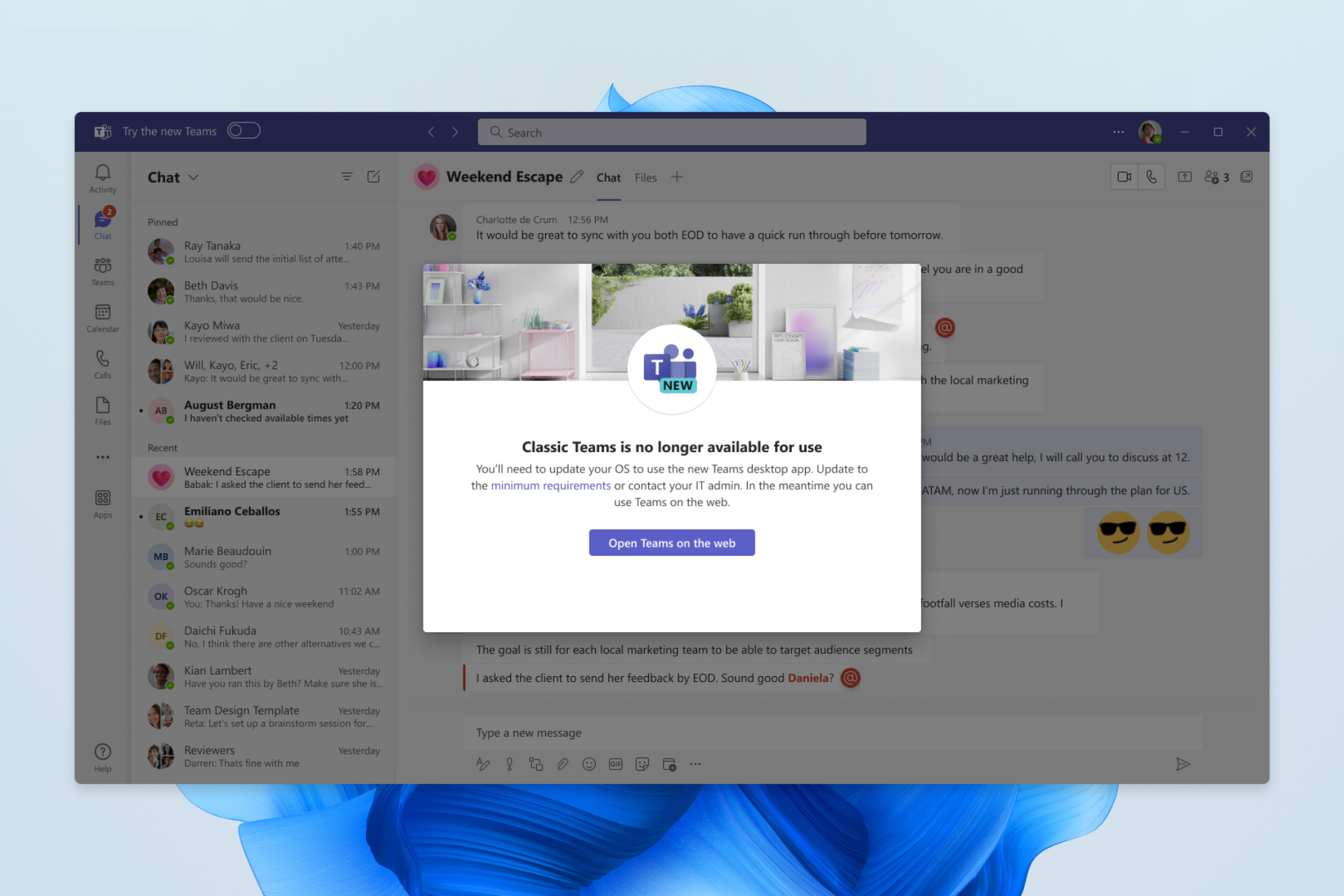
How to Use Bold Letters in Discord

Bold letters have been used in communication as a way to emphasize a point or highlight key areas but in Discord, this feature is not as easy as CTRL + B. Still, it’s not entirely hard to bold letters if you want to add some flair.

How do I make text bold in Discord?

  1. Launch Discord and open a chat or channel where you wish to bold the letters.
  2. Start by typing out your message and once you’re done, identify the word(s) you’d like to bold.
  3. Before the intended word, place two asterisks (*) and two others at the end of the word. For instance, if your message is: Hi Claire, please join the channel by ** noon EST time 29th April ** Once you send your message, it will appear as Hi Claire, please join the channel by noon EST time 29th April.
  4. You can also preview the text before you send just to make sure it appears as you intended.

Additional tips and best practices

  • Avoid bolding too much– Bold letters emphasize a key point but increased usage can water down the message and the main point can easily get lost.
  • Combine with other formats – If you want to avoid watering down your message, combine with other formats like italics or underlining. This can help communicate better without overwhelming the receiver.
  • Less is more – Avoid bolding an entire paragraph or too many words as it takes away from the initial intended message. An entire paragraph in bold can be misunderstood as your preferred way of communication rather than emphasizing something.

Discord uses markdown formatting that allows you to do more than bold text. You can also italicize, underline or advanced features like hyperlinking and code blocks. Moreover, you can spice up your conversations with GIFs and change your password for extra security.

And it’s not just on Discord where you can emphasize your communication. You can also make your text bigger in Windows. It doesn’t necessarily have to be for emphasis but it can help you see better if you have an issue with small letters. Additionally, you can hide messages with spoiler tags.

If the size is okay, perhaps a change of font in Windows can help shake things. This can be if you like trying out new things or even for aesthetics.

Speaking of aesthetics, holidays are always in plenty. As such, we have some exciting Christmas fonts that you can use even for an upcoming birthday and add that extra cheer.

That’s all we had for Discord lovers. Have you tried to add some flair to your communication? How did you do it? We’d love to know so drop us a line below.

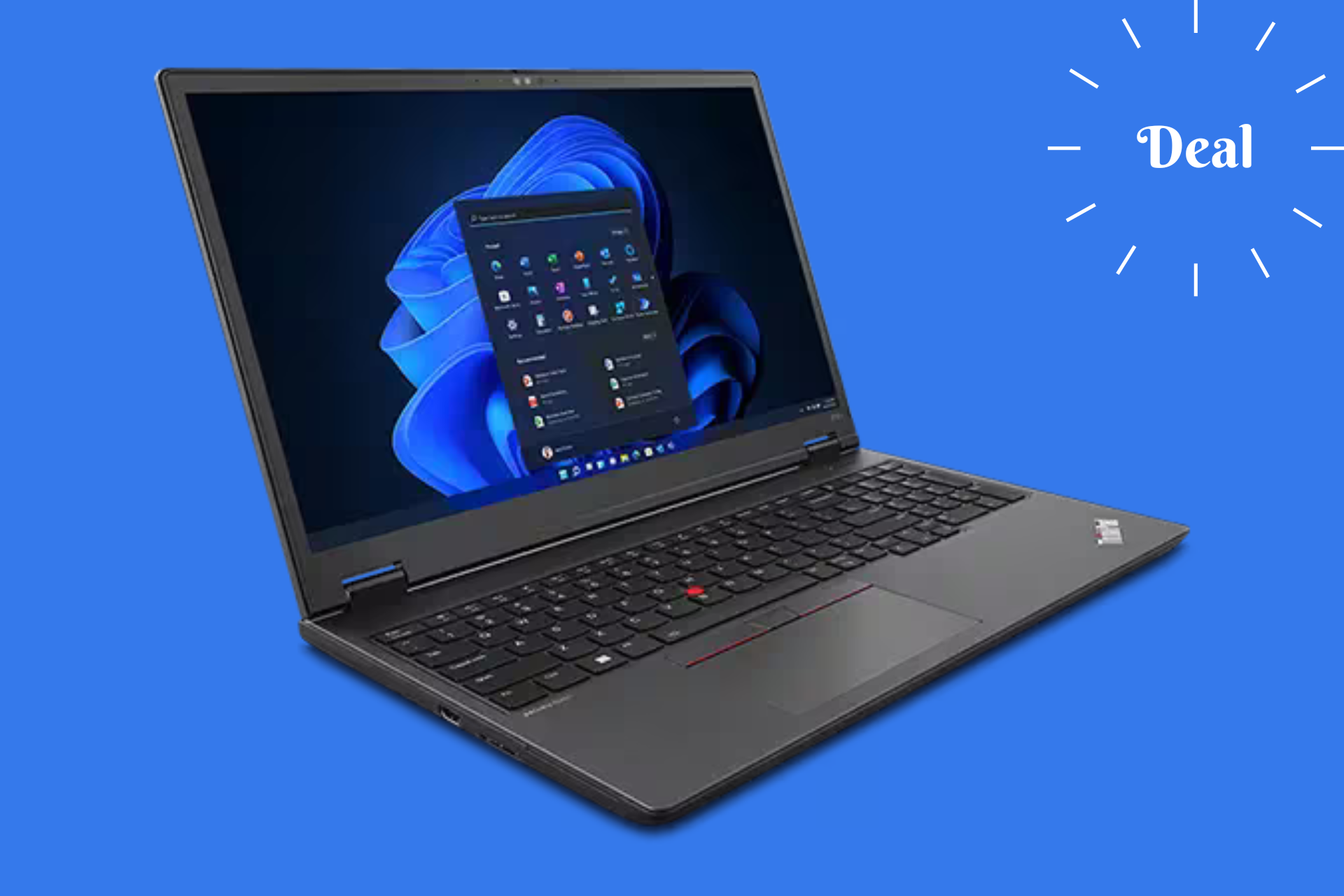
Lenovo drops $1,540 from their ThinkPad P16v Gen 1 AMD mobile workstation

That’s right! Wil Lenovo working on their 2024 lineup, the prices are seriously slashed on the older models. The 16-inch ThinkPad P16v Gen 1 AMD mobile workstation which was $3,079 is now priced at only $1,539 which is a huge, over 50%, price reduction. And that’s not all. If you get an account with your email on Lenovo’s website, you can get another $100 discount!

Why should I buy the ThinkPad P16v Gen 1 AMD laptop?

This is a sweet deal because this laptop packs serious heat even for gaming. It’s powered by an AMD Ryzen 7 PRO 7840HS Processor (3.80 GHz up to 5.10 GHz) and an NVIDIA RTX A1000 GPU with 6GB of GDDR6 memory. That’s not something to look away from, especially if you add up the 16 GB DDR5 memory clocked at 5600MHz.

Actually, the only downside is the storage. The 512 GB SSD might be pretty small for today’s requirements , but that is upgradeable.

We left the best for last, because the 16-inch IPS screen has a 3840 x 2400 pixels resolution, with 800 nits of brightness and a 60Hz refresh rate. That’s pretty good even for graphics design. And all this power is stored into a 4.85lbs case.

When it comes to connectivity, you’ve got two USB-A and two USB-C port at your disposal. Add a HDMI connector and a SD Express 7.0 card reader to the list.

The bottom line is that the ThinkPad P16v Gen 1 has an incredible price right now for its tech specs. The only issue is that if you have the budget grab it right now, before they run out. If you have a bigger budget, you can check out the Razer Blade deals.

Tell us what you think about this offer with a comment in the dedicated section below.

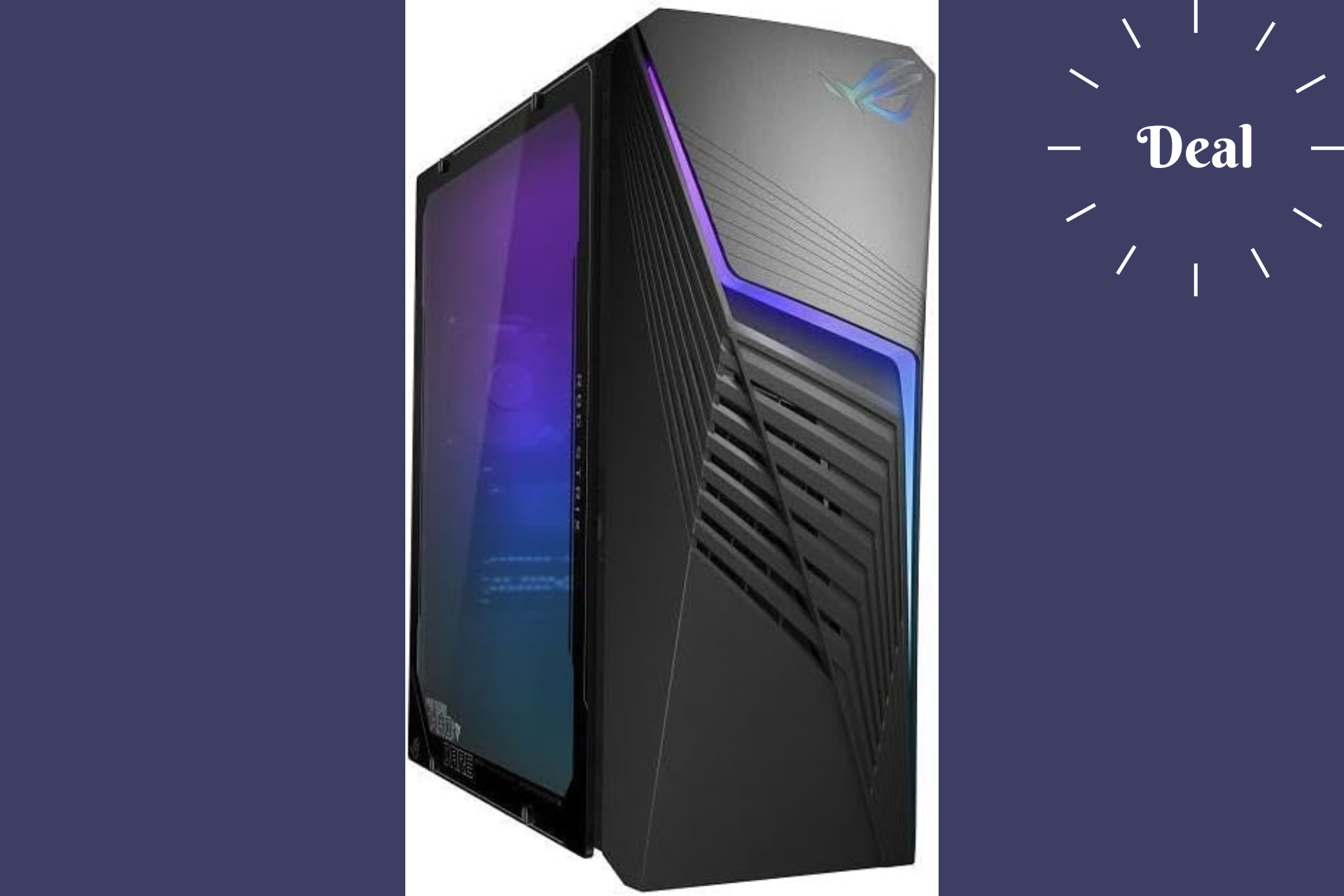
The ASUS ROG G13CH (2023) gaming PC price dropped under $1,000

When most gaming desktops today jump over $2,000, ASUS ROG G13CH (2023) gaming PC comes with a pretty nice deal at only $942. This compact powerhouse promises to deliver a solid gaming experience even though it doesn’t feature top performance specs.

Why should I buy the ASUS ROG G13CH (2023) gaming PC?

At the heart of the ASUS ROG G13CH lies an Intel Core i5-13400F processor. Now, while it might not be the top-of-the-line CPU, it’s more than capable of handling most games you throw at it, ensuring smooth and responsive gameplay. Coupled with an NVIDIA GeForce RTX 3050 GPU, this machine is ready to bring your favorite digital worlds to life with good visuals and smooth frame rates. Whether you’re diving into solo adventures or battling it out in multiplayer arenas, this setup has got you covered.

With 8GB of DDR4 RAM and a 1TB NVMe PCIe SSD, you’re looking at decent performance and reasonably quick load times. Sure, if you’re planning to score in the latest action games, you will need a little RAM upgrade. But hey, with the savings from this deal, you could easily invest in another 8GB module or a 16GB DDR5 one. Plus, with Windows 11 pre-installed, you’re all set with a familiar and intuitive operating system right out of the box.

Now, let’s talk aesthetics. The ROG G13CH isn’t just a workhorse; it’s a show pony too, thanks to its customizable RGB lighting. And with Aura Sync technology, you can synchronize the lighting effects with other compatible devices to create an immersive gaming environment that’s truly your own.

So, is the ASUS ROG G13CH (2023) gaming PC worth your hard-earned cash? For casual gamers or those just dipping their toes into the gaming world, absolutely. ASUS is known for its quality and reliability, and this model is no exception. While it may not boast the highest specs, its build quality, high-end components, and the potential for upgrades make it a solid choice. And with the current discount at Amazon, it’s an opportunity that’s hard to pass up.

In conclusion, if you’re in the market for a stylish, reliable, and affordable gaming desktop, the ASUS ROG G13CH (2023) should definitely be on your radar. With its current price point and the quality it offers, it’s a deal that’s tough to beat.

You might also take a look at this deal for a HP Omen gaming PC as well. Tell us your thoughts in the comments section below.

Microsoft brings Content Integrity tools to EU, aims to combat misinformation

2024 is the election year, with over 60 countries heading to the polls. And this time around, misinformation is at its peak. Fake news, AI-generated images, videos, audio clips, and tampered media have become major problems. This is where Microsoft’s Content Integrity comes into the picture.

Initially released for U.S. political campaigns, Microsoft is now bringing the preview version of Content Integrity tools to the EU. These will help the electorate identify misinformation often found online.

Also, the Content Integrity tools will aid political campaigns and newsrooms, as these help the two verify whether the suspected misinformation available online is from their official channels or has been edited using AI.

Political campaigns and newsrooms can attach Content Credentials to their original media to ascertain the source and identify tampering attempts. Any changes made to the media can be verified through the editing history once Content Credentials are added.

Microsoft’s official blog enumerates the three components of Content Integrity:

1. An easy-to-use private web application available to political campaigns, news organizations, and election officials so they can add Content Credentials to their owned, authoritative content.

2. A private mobile application to capture secure and authenticated photographs, video, and audio by adding Content Credentials in real-time from a smartphone, developed in partnership with Truepic.

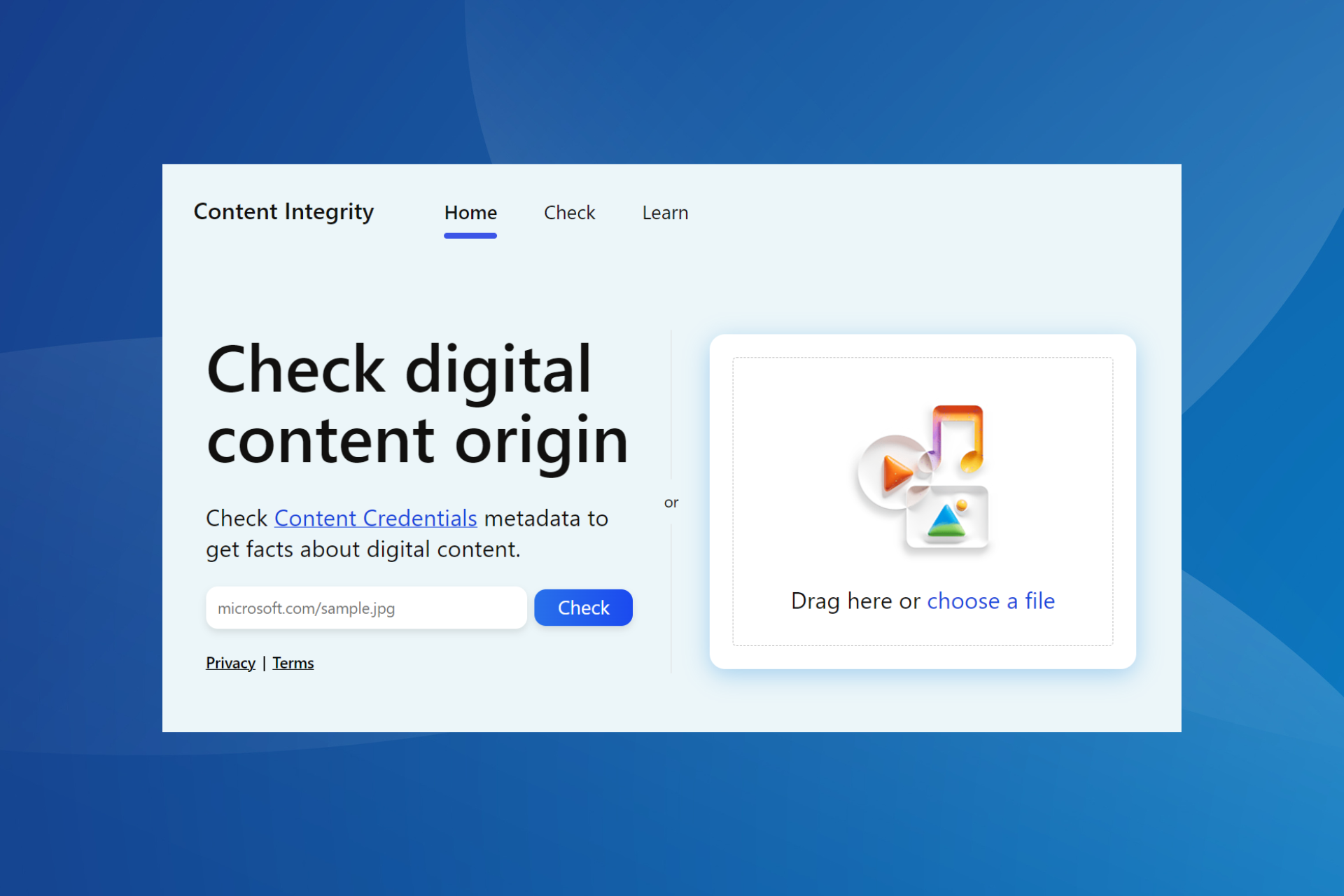
3. A public website for factcheckers and any member of the public to check images, audio, or videos for the existence of Content Credentials.

Trying Microsoft’s public Content Integrity website

So, as soon as Microsoft launched a Content Integrity website, we thought of testing its reliability. The results weren’t too impressive. But it was expected initially, given that most political campaigns across the globe have yet to integrate Content Credentials into their official media.

Upon running images from UK PM Rishi Sunak’s and US President Joe Biden’s official X (previously Twitter) handles, the publically available tool read, No Content Credentials found.

Testing Microsoft Content Integrity Tool with Joe Biden's picture
Running Joe Biden’s picture on Microsoft’s Content Integrity

Then, we ran an AI-generated image from Copilot. This time, the tool was able to identify the image’s source and labelled it as, AI generated.

testing AI-generated image with Content Integrity
Running an image generated by Copilot on Microsoft’s Content Integrity

We expect better results from Microsoft’s Content Integrity as more political campaigns, candidates, and newsrooms attach Content Credentials to their media.

Released earlier this year, a report by The Center of Countering Digital Hate (CCDH) explains how Microsoft’s AI-based tools are used to spread misinformation during the elections.

Also, while Microsoft has denied threat actors access to its AI tools, it remains to be seen how effective this would be, especially in the biggest election year!

Have you tried Microsoft’s Content Integrity? If so, share your review with our readers in the comments section.

Valve updates its Steam refund policy, closing the Early Access loophole

Steam had a pretty fair refund policy that allowed users to refund the games if they weren’t happy with them or if they had any issues.

However, some users found a way to exploit this, and Valve was forced to update its refund policy and put an end to this practice.

Valve updates its refund policy, cracking down on freeloaders

As you know, Steam has Early Access and Advanced Access offers that allow you to play games before the official release date.

The company has a policy that allows you to refund a game if you have played it for more than two hours after the release, but since games in Early Access and Advanced Access aren’t released, these limitations didn’t apply.

This allowed some users to play the games for far more than two hours and then request a refund. Valve caught on to this behavior and decided to put an end to it as Ars Technica writes.

Valve has updated its refund policy and now the two-hour trial period will apply as soon as you purchase a game, and not once the game is released:

When you purchase a title on Steam prior to the release date, the two-hour playtime limit for refunds will apply (except for beta testing), but the 14-day period for refunds will not start until the release date.

For example, if you purchase a game that is in Early Access or Advanced Access, any playtime will count against the two-hour refund limit.

It’s good to see that Valve has addressed this issue, but this means that some players will have to be more cautious when purchasing games that are in rough shape during the Early Access stage.

Speaking of Steam, Helldivers 2 is now available at 15% off, so go ahead and grab it.

Microsoft’s latest patent describes a technology capable of hiding parts of the Windows desktop

Windows sorts of allows users to hide applications when doing other things, such as sharing the screen at a presentation, but the hiding doesn’t automatically truly hide these apps.

It just minimizes them in the taskbar, and when there is activity going on, these apps will display notifications, potentially creating anxiety, or even ruining the presentation altogether. (No one wants to receive WhatsApp messages on Windows in the middle of a presentation, trust me.)

Microsoft is somehow trying to accomplish this the Teams, by releasing the new Programmatic Desktop Sharing that allows users to share only specific parts of their apps in presentations. However, it’s not the same as entirely hiding the apps.

The same process goes when sharing your devices with someone else. You might have sensitive information stored on these devices, which can be easily compromised in these situations.

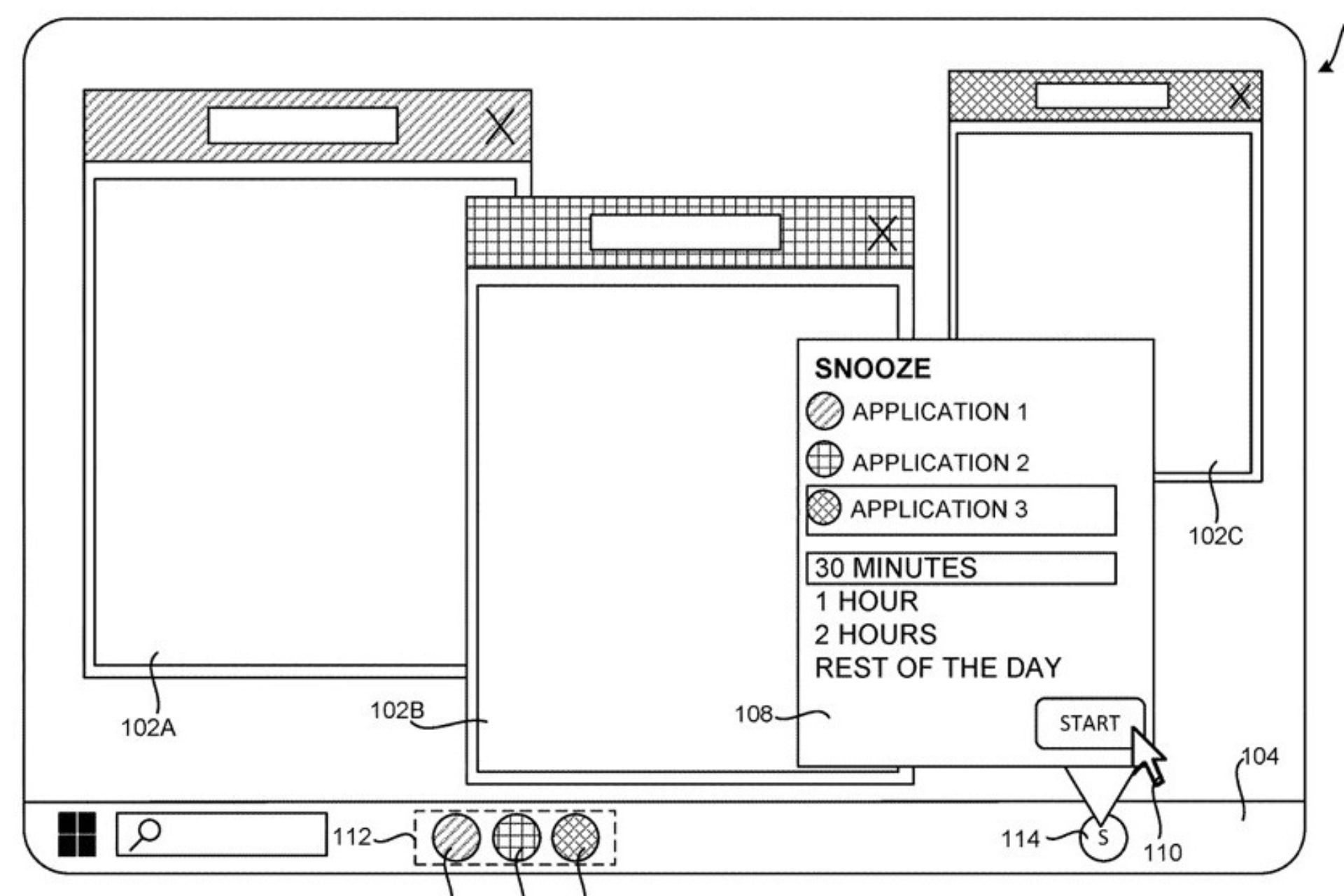
It seems that Microsoft is thinking about it. According to a recently published patent, the company is working on a technology that lets you temporarily hide parts of a computer’s user interface (like windows or tabs), entirely. In other words, you could be able to hide parts or apps on the Windows desktop.

The system snoozes them, while keeping them active, but not really. They won’t be available to access during a designated period, but they won’t be entirely closed, as well.

Here’s how it works: you can ask the system to hide a part of the interface for a certain amount of time.

When you do this, the part you want to hide disappears from the screen. An icon or label that represents this part (called an identifier) is moved from one area of the taskbar to another area.hide windows desktop

While the part is hidden, the application that’s showing it uses fewer computing resources and this will help the computer run more efficiently. It’s also worth mentioning that any notifications related to the hidden part are turned off while it’s hidden.

When the specified time is up, the hidden part reappears on the screen. The identifier is moved back to its original place on the taskbar.

The technology can hide parts of the Windows desktop, but the paper says it’s not limited only to this operating system, and not only to the desktop, as it can be used to hide certain parts of an application, such as an Internet browser.

Examples of tasbars, include, but are not limited to, the taskbar provided by the Windows operating system from Microsoft.

It also has an array of advantages: it saves resources, reduces distractions, and can provide a safer experience of sharing screens in presentations or sharing devices with other users.

There isn’t currently any kind of native Windows technology that would allow this to happen, but the operating system can be carefully set up to not display notifications, and apps, per se, can be minimized.

While it can’t be compared with the technology presented above, it can be a safe and relatively stress-free experience when screen sharing. Not the same thing can be said when sharing the device with others.

There is strong evidence Microsoft might actually release this technology to Windows, due to a similar patent being published earlier this year. That one describes a local dimming technology for gamers, which dims certain areas of the screen to enhance the gaming experience and provide more immersive gameplay.

These technologies are also theoretically environment-friendly, and Microsoft might release them together with sustainable computing, another technology that the Redmond-based tech giant has been working on.

So, Windows could soon be updated to allow users to hide parts of their desktop, and the company should do it as soon as possible: it’s actually a very useful technology (speaking as someone who loves privacy).

If you’re a ROG Ally owner, with a simple update you will get a huge frame rate boost

Asus has a great announcement for gamers: ROG Ally gets a significant boost, thanks to the addition of AMD’s Fluid Motion Frames (AFMF) technology. Asus and Lenovo promised to bring this technology into their handheld consoles and it seems that Asus is taking the first step.

What is AFMF and why do we need it?

AFMF is all about making your games run smoother than ever, with added motion clarity. It’s like giving your gaming experience a turbo boost without having to do much. Just a simple update and voilà, you’re set for an even better gaming session.

With the Super Resolution 3 feature based on AFMF, you can jump from an average of 59 FPS to 169 FPS in Immortals of Aveum which is a huge boost. At least that’s how it shows up in Asus tests from the clip above.

Now, we’ve been following the ROG Ally updates closely, and the ASUS team really made some significant improvements to the console. Last year, they’ve added gyroscope support, tweaking the CPU boost options and bumped up the VRAM to 6G, and most gamers agree that they see a difference in gameplay smoothness.

With the ROG Ally 2 on the horizon, it’s clear they’re committed to pushing the envelope further. However, not long ago, ROG Ally users had a lot of issues due to Windows & AMD driver updates, so let’s hope that it won’t happen again.

If you own a ROG Ally, hit the update button because the update will be issued today, 04.25. And if you’re on the fence about getting one, this might just be the nudge you needed.

Did you get the update? Let us know if you see the improvements that Asus is touting in a comment below.

You will be seamlessly transfer Google Meet calls between devices soon

Many use Google Meet for calls, however, the service has certain limitations, especially when using multiple devices.

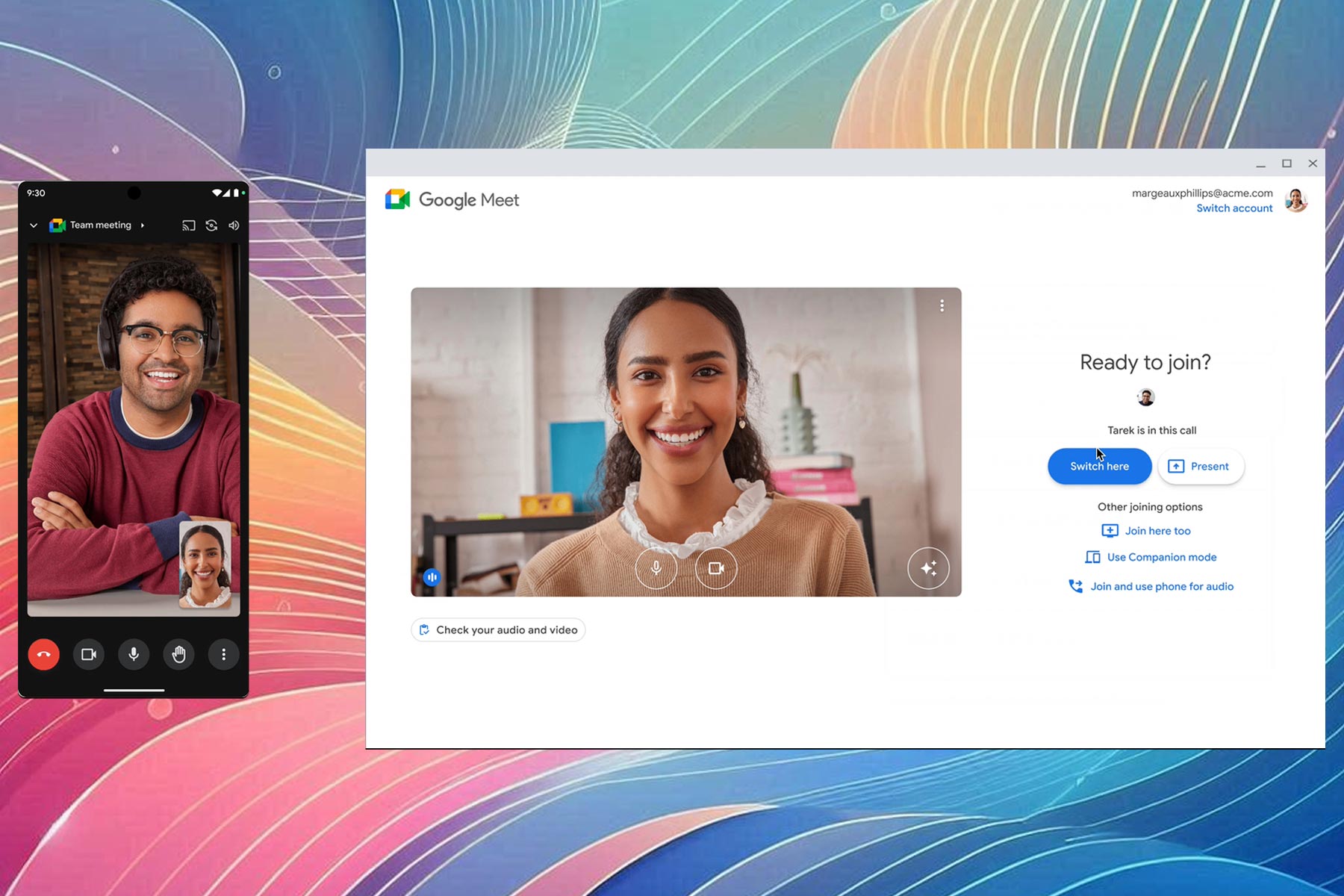
Google has decided to address some of these issues by giving users the ability to seamlessly transfer calls from one device to another.

Transferring calls across devices is a breeze after the latest Google Meet update

Sometimes during a Google Meet call you need to switch from one device to another, and this usually means exiting the meeting and joining again. Well, not anymore!

According to the Google Workspace page, you can now easily transfer Google Meet calls across devices without having to drop the call.

If you join a meeting with a different device, you’ll see a Switch here option that you can use to transfer the call from one device to another, so you won’t miss out on any important information.

This feature is available to all Google Workspace customers and users with personal Google accounts. Regarding the availability, the gradual rollout has already started for users on Rapid Release domains.

However, most users are on Scheduled Release domains, and the full rollout is expected to start on May 9th.

This is an exciting feature, however, Microsoft is also working on some changes, and Teams presenters will soon be able to drag the toolbar anywhere on the screen.

That’s not all, as Microsoft plans to add Intelligent Call Recap to Teams in the future.

Windows 11’s Caps Lock notification drives people mad, but there’s a way to turn it off

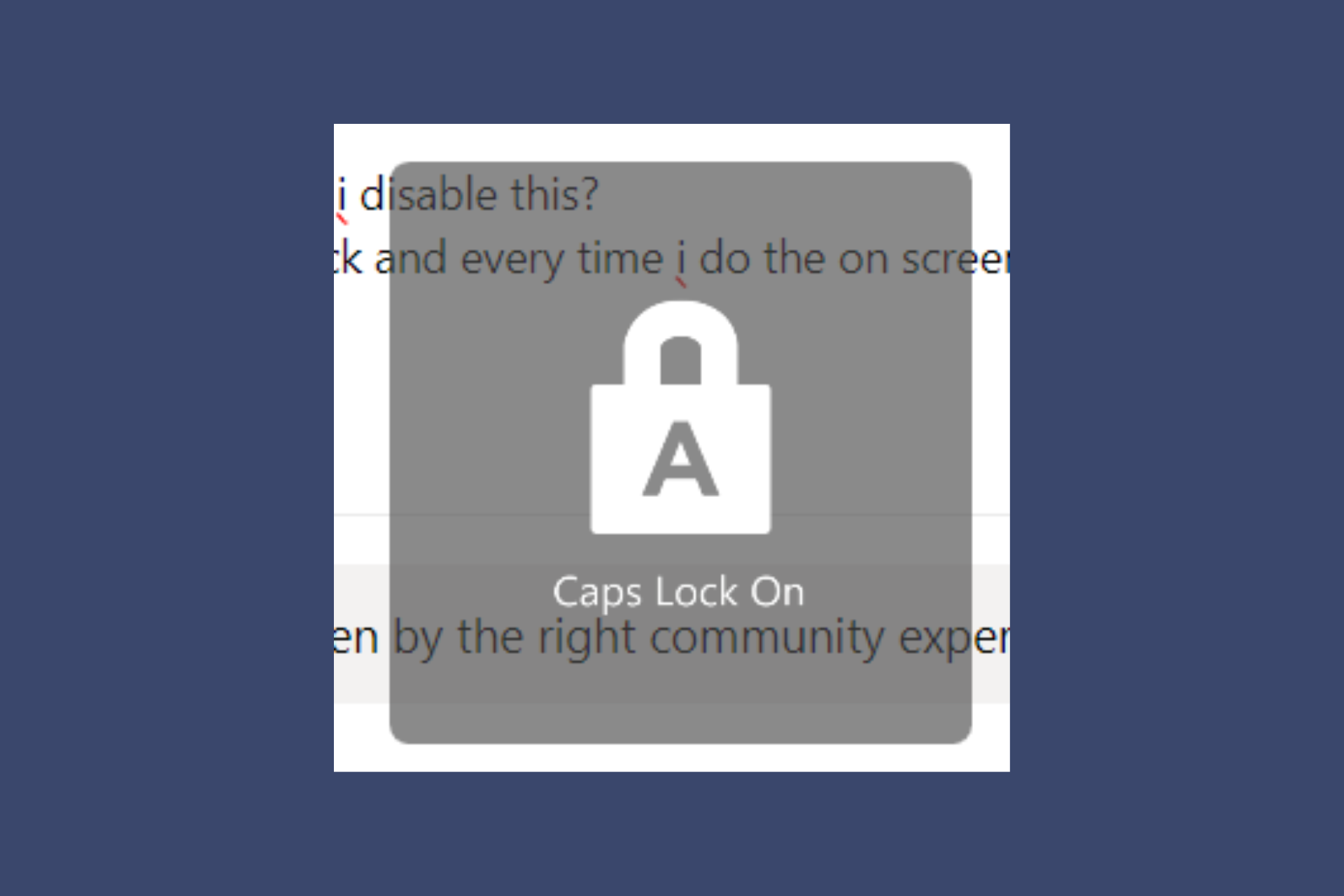
It seems that recently, HP desktop and laptop owners are complaining on Microsoft’s Answers forum that a Caps Lock notification pops up on their screen whenever they press the key. Some pretend that they’ve pressed a combination of keys and some blame it on the latest Windows updates. However, it’s a particular problem for HP desktops and laptops and one user says that after talking with someone from Microsoft support, the specialist confirmed that it’s a bug related to the HP System Utility task:

Hey guys. last night i talked to someone from Microsoft support; it seems directly related to HP. if you go into your task manager and end the HP system event utility task, it will stop. i would also disable it in startup. I’m gonna try contacting hp and telling them about it, the agent told me it seemed like a bug.

How can I get rid of the Caps Lock notification on Windows?

According to the Microsoft specialist, all you need to do is to terminate the HP System Utility task from Task Manager. To do that, right-click the Start button and select Task Manager from the list. Then, look in the list for HP System Utility and click on End task to close it.

However, you should know that after restarting your PC or laptop, the task will reappear. You can uninstall the HP System Event Utility app completely from Settings > Apps > Installed Apps if you want to get rid of this problem permanently.

You may also try our solutions from our complete guide on how to disable the Caps notification on Windows 11. Using this guide, you won’t need to uninstall anything.

You may also try contacting HP support and tell them about this issue so they can patch the app and fix the problem.

Hopefully, now you’re not annoyed anymore about the Caps Lock notification on your HP device and everything is fine again.

If you still didn’t manage to fix the problem, let us know in the comments section below.

You’ll soon be able to ask Copilot to generate quizzes based on your data in Microsoft Forms

Copilot is surely becoming more advanced as time passes. Microsoft is updating the AI model to support a variety of capabilities, including being able to come up with a SWOT analysis that could potentially save SMBs a lot of money.

The Redmond-based tech giant has recently added Copilot to Microsoft Forms, its forms and quizzes-oriented platform. The AI model is capable of filling out forms, which can save managers a lot of time.

But Microsoft is not stopping here. According to the latest entry in the Microsoft 365 Roadmap, Copilot in Microsoft Forms will also generate quizzes based on users’ data, in just a few seconds.

The Redmond-based tech giant will enhance Copilot with this new capability in June 2024, and AI model will make use of every piece of information it is provided with to come up with intriguing quizzes. We’re talking about notes, textbooks, and documents.

The AI model will come up with a draft that can be further edited until it meets the preferred criteria. Users can also type in further prompts to allow Copilot to make further edits to the drafts.

Generating quizzes from provided materials is one of the most commonly requested features in the education industry, and it is now available in Forms. To save time, users can create quizzes from documents, textbooks, or notes using Copilot. Copilot can create draft quizzes based on the provided materials and users’ prompts.

Microsoft

The capability will be released to all versions of Copilot within Microsoft 365, so not only Forms users will be able to use it.

As the entry says, it can be quite useful to teachers, educators, and all those working in the education industry, but not limited to it. The business industries can use it as a form to conduct marketing campaigns, as well.

What do you think about it? Are you excited for it?

Samsung starts mass-scale production of 9th-gen V-NAND

In a major development in the memory market, Samsung has started the mass production of 9th-generation V-NAND (Vertical NAND) this month, i.e., April’24. It delivers a 50% improvement in bit density over the previous generation and comes equipped with the Channel Hole Etching technology.

According to the official press release, the new generation of V-NAND is more effective, reliable, and long-lasting, given the application of recent innovations like cell interference avoidance and cell life extension.

The 9th-generation V-NAND consumes 10% less power, making it an ideal solution for years to come as concerns regarding carbon emissions are on the rise.

On the release of the 9th-generation V-NAND, SungHoi Hur from Samsung Electronics said,

We are excited to deliver the industry’s first 9th-gen V-NAND which will bring future applications leaps forward. In order to address the evolving needs for NAND flash solutions, Samsung has pushed the boundaries in cell architecture and operational scheme for our next-generation product. Through our latest V-NAND, Samsung will continue to set the trend for the high-performance, high-density solid-state drive (SSD) market that meets the needs for the coming AI generation.
Image source: Samsung

With a new NAND-flash interface, Toggle 5.1, the 9th-generation V-NAND improves the data input/output to 3.2 Gbps, a 33% increase over the previous generation.

Samsung beginning the mass production of the 9th-generation V-NAND comes at the heels of Artificial Intelligence (AI) gaining prominence and finding integration in a wide array of tasks. And with the latest innovation, Samsung aims to create an AI-oriented solution!

It will also be interesting to watch how the 9th-generation V-NAND affects the cost factor, as SSD and HDD prices have increased recently.

The South Korea-based tech giant is also expected to begin production of the QLC (Quad-level Cell) model by the second half of 2024.

Are you excited about Samsung’s latest 9th-generation V-NAND? Share with us in the comments section.

Microsoft Teams admins can now manage the deployment of each app individually

Some big changes are coming to Microsoft Teams next month: the platform will be updated to allow a new app management method. According to the latest entry in the Microsoft 365 Roadmap, there will be a new policy for admins to control who can have specific Teams apps preinstalled, and who cannot have them.

In other words, admins will be able to manage the deployment of each app individually, by using three new policies:

  • Deployed to all users: The app is preinstalled for everyone in the organization.
  • Deployed to specific users and groups: The app is preinstalled only for certain users or groups that the admin selects.
  • Deployed to no users: The app is not preinstalled for anyone.

This feature replaces the current Installed apps section in the Microsoft Teams Admin Center. Here’s what the entry says:

App centric management for app deployment will introduce a new admin setting to control who in the tenant has specific Teams apps preinstalled. Similar to app assignments, admins will be able to select from three options: ‘Deployed to all users’, ‘Deployed to specific users and groups’, or ‘Deployed to no users’. This feature replaces the existing Installed apps section of app setup policies and provides admins with the ability to manage app deployment individually. The Installed apps section of app setup policies for existing customers will be migrated to maintain existing admin settings in the tenant.

Microsoft

The new method will ensure the Teams environment is aligned, while also providing a safer and more secure infrastructure. After all, managers will be able to easily tell if certain suspicious apps were installed in the environment.

We said big changes are coming to Teams, because it’s true: for instance, alongside the new app management method, Teams will also enhance its Do Not Disturb option to allow mobile users to quietly set it up while screen sharing.

But the platform will also change the way users leave feedback on new features. The new updates to the Teams feedback policies will see the Give Feedback/Suggest a Feature app within the platform not using Teams policies anymore. Instead, they will regulated through the Cloud policy service in Microsoft 365.

Google’s plan to block all cookies in Chrome takes a setback after CMA & ICO disagreement

Cookies have been an essential part of the Web since its early days, however, Google has unveiled its plan to phase out cookies for all Chrome users.

Although this sounds like an exciting endeavor that will change the Internet forever, it seems that it has been postponed.

Chrome will not block all third-party cookies, at least not until 2025

While cookies can be useful, they can be used for tracking users and other malicious intents, and Google wants to remove them entirely with features such as Google Privacy Sandbox.

With this feature, you would get targeted ads to Chrome users while limiting cross-site tracking.

This feature has been delayed since Google, the Competition and Markets Authority (CMA) and the Information Commissioner’s Office (ICO) didn’t reach an agreement, as ZDNet writes.

CMA is concerned that Google could benefit from user activity while preventing competitors from accessing the same data.

In such circumstances, Google could control the inclusion of competitors in the sandbox, which could lead to anticompetitive practices.

However, a CMA spokesperson has released a statement:

We welcome Google’s announcement clarifying the timing of third-party cookie deprecation.

This will allow time to assess the results of industry tests and resolve remaining issues. Under the commitments, Google has agreed to resolve our remaining competition concerns before going ahead with third-party cookie deprecation. Working closely with the ICO, we expect to conclude this process by the end of 2024.

Advertisers and industry groups are also concerned since limiting their third-party cookie access in Chrome will negatively impact their business.

Google has also released a statement on its Privacy Sandbox page:

Given both of these significant considerations, we will not complete third-party cookie deprecation during the second half of Q4.

We remain committed to engaging closely with the CMA and ICO and we hope to conclude that process this year. Assuming we can reach an agreement, we envision proceeding with third-party cookie deprecation starting early next year.

It’s not the question if Google will block third-party cookies, it’s when, and according to its statement, we can see this at the beginning of the next year.

In other news, Google is adding new privacy information in Chrome that should allow you to stay informed on how Chrome handles your data.

That’s now all, as the port randomization feature is being tested in Chrome, but we probably won’t see it soon.

Microsoft Copilot will be able to handle SWOT analysis, meaning it can be a business consultant

Microsoft has updated Copilot to be able of many useful capabilities: it can scour the Internet to answer your questions, it can compose texts and edit them, it can summarize data, and it can create images with Microsoft Designer.

But Microsoft users, especially entrepreneurs will be pleased to find out Copilot will be able to act as a business consultant. How? Well, according to the latest entry to the Microsoft 365 Roadmap, the Redmond-based tech giant will update the Microsoft Copilot to be able to generate a SWOT analysis.

SWOT stands for Strengths, Weaknesses, Opportunities, and Threats, and it’s a usual method for asserting the viability of a business by approaching all the general key points. As you can tell, such analysis takes into consideration all the existing data of a company, to which Copilot already has access.

The entry says the SWOT analysis generated by Microsoft Copilot will also come with a pro/con list of actions business owners need to do to make sure their businesses stay afloat and thrive in the long run.

Users can ask for a SWOT analysis or pro/con list of a document or topic that will analyze their document and bring in relevant enterprise and web context to inform the derived analysis.

Microsoft

It’s worth mentioning that, for now, this feature is only mentioned to be available on Microsoft 365, starting next month, in May 2024.

The SWOT analysis can be especially useful to SMBs as these businesses often do not have the necessary budget to hire a business consultant to devise plans of action for them. By purchasing a Microsoft 365 subscription, however, they can get Copilot to devise such plans.

It might not be perfect, of course, but the AI model will take into consideration all existing data and will come up with achievable plans that can be further discussed and improved if needed.

Viva Connections will soon be accessible directly from your Internet browser

Microsoft has decided to expand the Viva platform outside of its Teams borders. For instance, according to a recent entry to the Microsoft 365 Roadmap, the Redmond-based tech giant will be adding linked content to the platform, allowing managers to add external sources, such as YouTube or Vimeo videos to their learning courses.

But the company isn’t stopping here: another recent entry to the Roadmap unveiled that Viva Connections will soon be accessible directly from the Internet browser, without having to open Microsoft Teams.

According to the entry, the new form of login to Viva Connections will be introduced in May 2024. The Redmond-based tech giant says the web version of the platform will retain all of its existing capabilities from Teams.

Viva Connections is now available directly on the browser. All the same functionalities that exist in Teams now also surface directly in the browser, providing a consistent experience with other Viva Modules.

Microsoft

With Microsoft allowing Viva Connections to be accessible from the Internet, users will have way more flexibility when it comes to engaging with their workmates. For instance, this will allow them to log in to Viva Connections on devices that don’t have Microsoft Teams installed.

While the entry doesn’t mention anything about a mobile version, it’s safe to say you can tweak your way around to log in to Viva Connection from a mobile device, such as a tablet or mobile phone.

This is excellent for those remote or digital employees who are always on the road with limited devices at their disposal. Additionally, the web version of Viva Connections will have all the capabilities of the Teams version one, so employees won’t have to worry about not being able to access certain features.

What do you think about this new Viva Connection version? Are you excited about it?

eScan antivirus compromised, GuptiMiner malware deployed through updates

Malware attacks are becoming more common than ever. The latest in the series is eScan, an antivirus vendor with headquarters in India, compromised by threat actors to sideload the GuptiMiner malware on the end user’s PC.

Threat actors exploited eScan’s update process since it relied on HTTP to deliver updates, instead of the latest and more secure HTTPS protocol, to sideload the malware.

Researchers at Avast were the first to identify the vulnerability and share it with eScan. The latter acknowledged the loopholes in the update process and patched it on July 31, 2023.

Avast describes the GuptiMiner malware as,

GuptiMiner is a highly sophisticated threat that uses an interesting infection chain along with a couple of techniques that include performing DNS requests to the attacker’s DNS servers, performing sideloading, extracting payloads from innocent-looking images, signing its payloads with a custom trusted root anchor certification authority, among others. The main objective of GuptiMiner is to distribute backdoors within big corporate networks.

The report also links the GuptiMiner malware to Kimsuky, a North Korean state-backed hacker group.

Breaking down the GuptiMiner attack through eScan’s updates

Threat actors employed the Man-in-the-Middle (MitM) attack to distribute the malware amongst unsuspecting users. It starts with the antivirus requesting an update package from the server, which threat actors intercept and replace with a malicious one

Although the malicious package contains the relevant updates, it also downloads an infected version.dll file, which has the same permissions as the antivirus. On subsequent reboots, the DLL downloads additional files from the threat actor’s server, at which point the PC is completely compromised.

Image source: Avast

Avast reports that the GuptiMiner malware also checks for any active Wireshark, WinDbg, TCPView, 360 Total Security, Huorong Internet Security, Process Explorer, and Process Monitor processes and terminates any instances of Cisco Talos Intelligence and AhnLab.

While the attack’s real motive remains unknown, it did sideload XMRig, a package for mining cryptocurrency. Other than that, the attack deployed two backdoors, one to scan the network for vulnerable systems and another to scan the PC for cryptocurrency wallets and stored private keys.

When BleepingComputer reached out to eScan for a comment, the latter confirmed receiving similar reports in 2019 and resolving it in 2020. Besides, it started facilitating downloads over HTTPS to utilize the encryption capabilities of the protocol.

If you are an eScan antivirus user, we recommend reaching out to the developers right away and enquire what changes could be implemented on your end for a safer experience.

The whole eScan GuptiMiner incident highlights that even antiviruses are prone to attacks. And while there’s no absolute protection, using an effective antivirus solution can lower the possibility of such attacks.

What’s your take on threat actors deploying GuptiMiner via eScan’s updates? Share with our readers in the comments section.

Latest from Qualcomm: Snapdragon X Plus for Windows ARM PCs announced

Qualcomm is famous for its Snapdragon processors, and we’ve seen its CPUs on various devices in the past.

The company has unveiled a new CPU, called Snapdragon X Plus that is intended for Windows ARM PCs.

Qualcomm Snapdragon X Plus announced, has 10 cores and Adreno GPU

This information comes from Neowin, and according to them, the Snapdragon X Plus is a ten-core CPU based on Oryon CPU architecture.

Regarding the cores, this model has six performance and four efficiency cores, and it runs at speeds up to 3.4GHz. Regarding the memory, it can support up to 64GB of LPDDR5X RAM.

The CPU is optimized for AI processing thanks to the Neural Processing Unit. The NPU can output up to 45 TOPs of AI performance which should be enough for all your AI needs.

Regarding the GPU, there’s Qualcomm Adreno that will deliver up to 3.8 TFLOPs. It’s also worth mentioning that the GPU can power three external displays at 4K 60Hz HDR, two at 4K 120Hz, or one at 5K 60Hz.  

This CPU has joined the Snapdragon X Elite lineup, and it offers similar specs as the Snapdragon X Elite X1E-78-100, albeit with 2 fewer cores. However, other X Elite CPUs outshine the X Plus, but not by much.

Regarding the release date, we’re expecting to see the first models available in the middle of 2024. It is rumored that there will be a Surface Pro 10 Snapdragon X Plus variant, but this hasn’t been confirmed yet.

Speaking of Snapdragon, Dell has confirmed that AI Explorer will be exclusive to Snapdragon X Elite CPUs, so maybe this is the right time to consider getting one.

Dropbox announces Microsoft 365 integration, introducing real-time co-authoring of 365 documents

Deemed by the company as one of the most-requested features ever, Dropbox announced the introduction of real-time co-authoring integration with Microsoft 365, earlier today.

What does this mean? Well, basically, according to the official announcement, co-authoring allows multiple team members to collaboratively edit Word, Excel, and PowerPoint files from desktop, web, and mobile, natively within Dropbox.

The co-authoring capability also allows users to see who’s currently editing the document, to make sure everyone is working on the same version.

The Dropbox-Microsoft integration also includes Dropbox Replay for OneDrive, allowing users to access and bring files from OneDrive to Dropbox Replay easily.

The company has been focusing on its partnership with Microsoft for a while now. Months ago, Dropbox launched an integration with Microsoft Teams, that saw users being able to easily preview, upload, and share content in Dropbox without leaving the Teams app.

Copilot for Microsoft 365 was also updated to access those files through a plugin, and users could enable the AI tool to edit, summarize, and even add new ideas to them.

The new Microsoft 365 – Dropbox integration is just one of the many new releases the company announced earlier today. The other include seamless end-to-end encryption, advanced key management, but also new features to Dropbox Replay, and AI-powered universal search.

These new releases alongside the new real-time co-authoring capability are now available in Dropbox Beta, and users can sign up to try them by accessing this link.

Given the new capability has been one of the most requested features ever, according to Dropbox, it might end up increasing the popularity of both platforms. Microsoft 365, although a versatile productivity suite, still faces serious competition from Google Suite.

However, Dropbox deprecated many of its native integrations with the latter, including the integration with Google Docs, Sheets, and Slides

So, the new integration between Dropbox and Microsoft 365 might give the Redmond-based tech giant the edge it needs.

You can read the full blog post here.

Windows 10 updates will be much smaller from now to suit slow Internet speeds

Earlier this week, Windows 10 received the KB5036979 package that installed a series of security updates to the operating system. However, if you’ve noticed a faster download and install process, then you should know that it’s deliberate.

Microsoft just announced that starting with the KB5036979 package, all the Windows 10 quality and security updates will be much smaller. According to the official announcement, this is done to reduce the demands on users’ Internet networks.

Microsoft releases security and quality updates for Windows every month, resulting in a substantial amount of content that can quickly consume the network bandwidth of users operating on slower networks. To reduce the demands on your network, Microsoft is now taking a page from the Windows 11 playbook and reducing the size of Windows 10 update packages.

Microsoft

The Redmond-based tech giant says the updates will be smaller in size starting this month, and users should expect to get even smaller updates as time goes by.

Microsoft is bringing the same functionality to Windows 10, version 22H2, thereby decreasing the size of the monthly Latest Cumulative Update (LCU) package. This feature will be available starting with the April 23, 2024 (KB5036979) monthly release, which helps you and your organization to conserve network bandwidth.

Microsoft

The decision comes with a lot of benefits, including reduced bandwidth usage, faster downloads, minimized network traffic, and improved performance on slow connections. Basically, you can download Windows 10 updates with mobile data, anywhere, without having to worry that it’ll cost you too much.

Speaking of mobile data, you can now install Windows 11, and even Windows 10 on smartphones and even play games, thanks to a new software called Project Renegade. It currently runs on Android-based smartphones, so it’s not available on iOS, and it’s not that easy to install it, but it can be done.

Microsoft Viva will allow managers to add linked content, such as YouTube videos, to courses

Microsoft Viva has been updated to support some quite useful features lately. For instance, back in 2023, with the hype of AI, the platform was enhanced with a brand-new AI summarization capability that helps users understand certain engagement trends within their organization much better.

The Viva Engage network within the platform has also seen some useful updates, with Microsoft adding long-form formatting to it, effectively allowing users to create, edit, and publish long forms of content.

But speaking of content, it seems that Microsoft will expand Viva by allowing managers to add linked content, such as YouTube or Vimeo videos, to their learning course within the platform.

The linked content comes in the form of links that will direct users to content stored internally within the organization’s services like SharePoint and Stream, or to content found online through platforms like YouTube, Vimeo, and other sources.

The new feature is set for a July 2024 release to Desktop and Web users, according to the latest entry in the Microsoft 365 Roadmap.

Here’s what it says:

Global administrators/knowledge administrators can now add links to content sets in Viva Learning. These links can direct users to content stored internally with services like SharePoint and Stream or found online through YouTube, Vimeo, and other sources. The capability to add links to content allows admins to add content found online to featured sets, in addition to formal learning courses from connected providers.

Microsoft

This is quite important for organizations, as it allows managers to create and customize their courses with various internal and external sources.

In cases where internal sources don’t always come up with sufficient information on how to complete certain tasks, managers can use YouTube or Vimeo to search for more videos on the said topic.

It not only saves time and enhances productivity, but it also provides a comprehensive approach to an issue, by allowing you to add as many voices and sources of information as possible.

Microsoft Teams will enhance the Do Not Disturb option to be easily accessible when screen-sharing

It’s been some time since Teams allowed users to log in to the platform but appear offline, and ever since that feature was released, I have always wondered if Microsoft could somehow update the DND (Do Not Disturb) option on Teams to be quietly accessible in certain situations, such as screen sharing.

Well, it seems that the Redmond-based tech giant listened. According to the latest entry in the Microsoft 365 Roadmap, the company will update the Do Not Disturb option to Teams for mobile users to opt out automatically when screen sharing happens.

Even if the option is enabled, and users are presented under the Do Not Disturb status, they can still receive call notifications on Teams, but they won’t have to adjust their presence status anymore.

Here’s what the entry says:

We’re introducing a setting that allows Teams Phone Mobile users to opt-out of your presence automatically transitioning to Do Not Disturb when presenting or screen sharing. When this setting is enabled, users will be able to continue to receive call notifications when presenting, without having to manually adjust their presence status.

Microsoft

It’s quite useful: the update provides more flexibility for Teams Phone Mobile users, allowing them to choose whether they want their presence to automatically switch to Do Not Disturb when they are presenting or sharing their screen.

Additionally, they won’t miss any important calls while doing so, as the option will notify them of any calls when they’re set to Do Not Disturb.

Teams users won’t have to wait for long, as the new change will be released in June 2024: however, initially, only the Teams for Mobile users can enjoy this change.

The change will be generally available to all Teams users, so it won’t be bound by regions. What do you think about it? Let us know in the comments section below.

Microsoft Teams is changing its feedback policies for Desktop & Web users

Microsoft will be changing the way Teams users leave feedback about the platform’s capabilities, starting June 2024, according to the latest entry in the Microsoft 365 Roadmap.

The new updates to the Teams feedback policies will see the Give Feedback/Suggest a Feature app within the platform not using Teams policies anymore. Instead, they will regulated through the Cloud policy service in Microsoft 365.

Teams Desktop and Teams for the Web users will both be impacted by these changes, which aim to unify all of the Microsoft 365 apps under a new feedback umbrella.

Here’s what the entry says:

We are updating the Settings menu for “Help & Feedback” and the in-app “Give Feedback/Suggest a Feature” experience for Teams Desktop & Web clients. Teams Desktop and Web clients will no longer use Microsoft Teams feedback policies for the in-app “Give Feedback/Suggest a Feature” experience, and instead use the Cloud Policy service for Microsoft 365.

Microsoft

The new policies effectively label Microsoft Teams as a Microsoft 365 app, even though in some regions Teams won’t be distributed alongside the 365 Suite, so it will be interesting to see how these new changes will be implemented in those cases.

With this update Microsoft seeks to improve the way feedback is collected and managed in the Teams Desktop and Web clients, to enhance the user experience and ensure that user suggestions are effectively addressed.

Previously, the Teams Desktop and Web clients used specific feedback policies set by Microsoft Teams. However, starting in June 2024, the Teams Desktop and Web clients will use the Cloud Policy service for Microsoft 365, and they have to be aware of the change.

The Redmond-based tech giant will most likely remind Teams users of the change, as the date approaches, so they can prepare for it, and agree to the new terms.

CoralRaider abuses a CDN cache to spread information-stealing malware

Researchers have found a new threat actor who is using a content delivery network (CDN) cache to spread information-stealing malware as part of an ongoing campaign targeting systems in the UK, Germany, the US, and Japan.

According to Cisco Talos, CoralRaider is identified as the threat actor behind it based on similarities in techniques, tactics, and procedures with past attacks. It focuses on stealing credentials, social media accounts, and financial data.

The hackers distribute Cryptbot, Rhadamanthys, and LummaC2 info stealers that are accessible from underground forums from malware-as-a-service platforms for a subscription fee.

How does the attack happen?

The attack chain starts with victims opening an archive consisting of a malicious Windows shortcut file (.LNK). Meanwhile, the delivery method of the archive is not clear, but it could be easily sent through emails, malvertising, or downloads from untrusted sources.

Once executed, the .LNK file sets off the PowerShell commands, which in turn download and execute a heavily obfuscated HTML Application (HTA) file from an attacker-controlled subdomain on the Bynny CDN platform

By using the CDN cache for malware delivery, the threat actor focuses on bypassing network defense and preventing request delays.

The HTA file comprises JavaScript that decodes and runs the PowerShell decrypter script, which then unpacks the second script, which writes a batch script in a temp folder to make changes to the Windows Defender exclusions.

Furthermore, the FoDHelper.exe LoLBin is used to modify registry keys and circumvent User Access Control (UAC) security features.

After this, the PowerShell script downloads and runs one of three information stealers: Cryptbot, LummaC2, or Rhadamanthy, which are already added in locations excluded from Defender’s scanning.

CoralRaider usually uses the latest versions of Rhadamanthys and LummaC2, which are popular because of their advanced features, like reviving expired Google account cookies and capturing RDP logins.

However, in some recent attacks, the latest variant of Cryptbot, released in January, was used. It has enhanced obfuscation, anti-analysis mechanisms, and an expanded list of targeted apps.

Cisco Talos also mentioned that Cryptbot aims at databases for password managers and authenticator app data, with the notion of stealing cryptocurrency wallets protected with two-factor authentication.

CoralRaider has been active since 2023, and according to researchers, it is based in Vietnam. Its primary victims are from Asian and Southeast Asian countries. However, its operations have expanded and victimized users in other regions, including the US, Pakistan, Nigeria, and more.
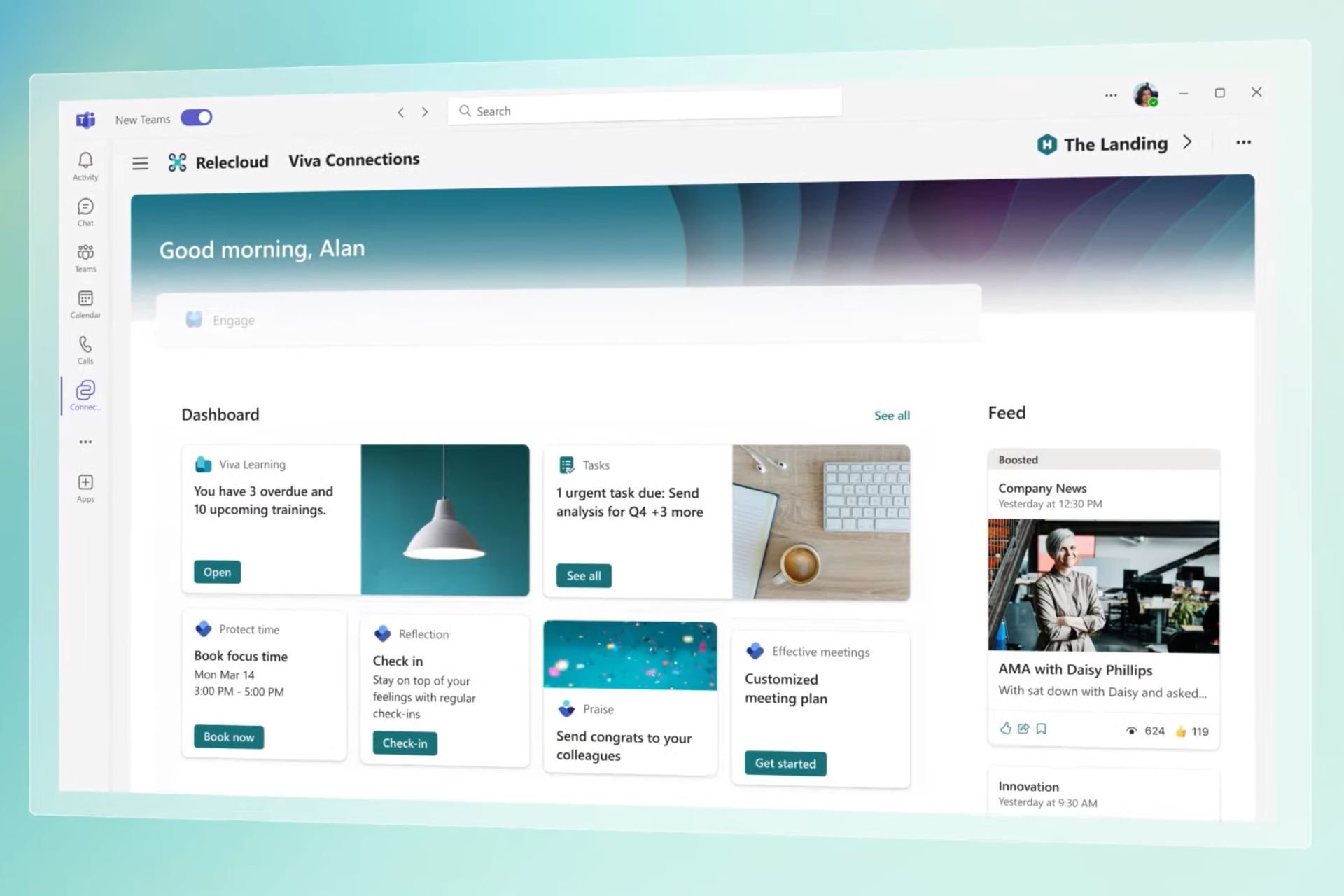
The researchers have tried to track and reduce CoralRaider’s activities. The threat actor has been evolving its tactics and expanding its reach, but it still poses a significant threat to individuals and companies globally.

What are your thoughts on the matter? Share your opinions with our readers in the comments section below.