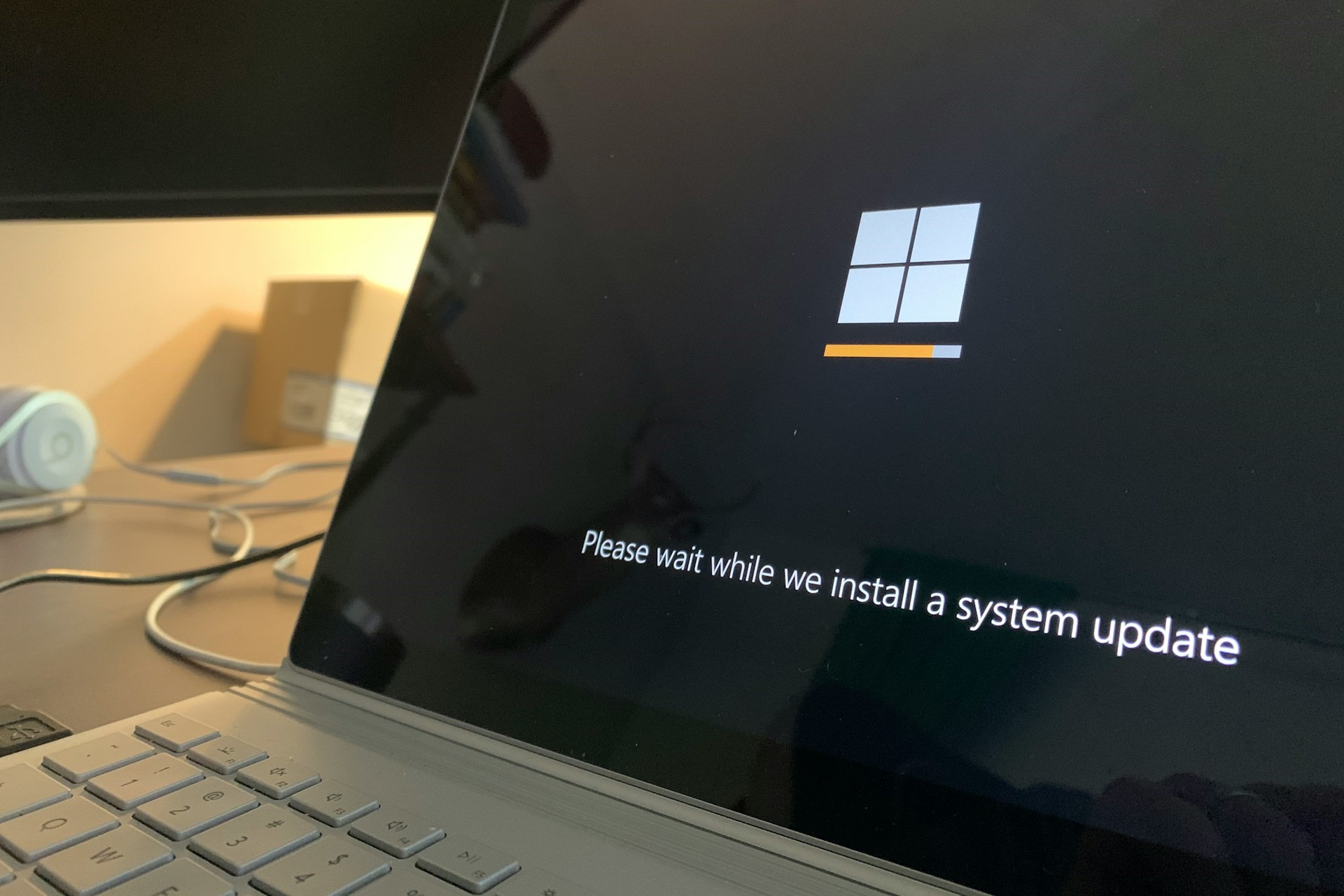
Spellcheck still not available in Notepad, here’s why

The introduction of spellcheck in Notepad is one of the most significant changes to the basic text editor in a long time. It has been introduced in Notepad 11.2402.18.0 for users in the Windows 11 insiders in the Canary and Dev Channels.

Microsoft also brought dedicated Spellcheck and Autocorrect settings to help users configure things. As per reports, a few users have already got spellcheck on Notepad in Windows 11.

New Notepad settings

As it turns out, most still don’t have the new Notepad and, subsequently, no spellcheck.

This isn’t a major problem. Much like any other major update, spellcheck in Notepad is also a phased rollout.

Microsoft, in its official blog, said,

We are beginning to roll out spellcheck in Notepad, so it may not be available to all Insiders in the Canary and Dev Channels just yet as we plan to monitor feedback and see how it lands before pushing it out to everyone.

Even if you are a Windows Insider in the Dev and Canary channels, wait for a few days. The feature should make it to your device soon. And if you are not, sign up for the Windows Insider Program.

To anyone who received it, send your feedback. Microsoft will monitor it in the initial days before a mass deployment of the feature.

As for users on the stable Windows 11 builds, reports suggest spellcheck should be released alongside Windows 11 24H2 in a few months.

Have you received the spellcheck Notepad update? If yes, share your honest review in the comments section.

Edge is already updating its Designer editor to allow users to copyright their content easily

Microsoft Edge’s new image editor, Designer, was recently updated with AI features, but as always, the Redmond-based tech giant didn’t stop here, and it quickly followed with a new set of features that make the editor way easier to use.

According to the tech enthusiast, @Leopeva64, who first spotted these features, Designer in Microsoft Edge was updated to support image crop, and will also let users manage their content credentials.

While the image cropping settings can be easily accessed by simply clicking on the crop icon, the management of the content credentials can be easily accessed through the Download button, as you can see below.

The feature will ask users if they want to include additional credentials in the content, possibly as a way to not only mark the content but also copyright it.Microsoft Edge Designer

Certain credentials are applied to work made with generative AI. Would you like to include additional content credentials?

Microsoft Designer

You’ll be given the option to include the content credentials in the files you generate/edit with Microsoft Designer inside Microsoft Edge.

Designer has been recently released to Microsoft Edge, and it already allows users to engage in multiple actions, such as using AI to edit and work on different types of visual content, however, the content credential feature could be a game-changer in the long run.

It could allow users to easily copyright their content, after editing it, even if it was initially created using AI.

Commenting on the spotter’s X (formerly known as Twitter) post, Derek Johnson, Director of Product for Microsoft Designer, also apparently confirmed these features, and he said that users should expect more features coming to Designer soon.

Microsoft Edge has become one of the best browsers around, and in many ways, the Redmond-based tech giant updated it with so many useful features that it is possible the browser might be the best one on the market right now.

However, it pales in terms of popularity, when compared to Google Chrome, for instance. But it’s still the second most used browser.

The features are available in Edge Canary.

LG’s 2026 Gram laptops will have on-device AI, but there’s a catch

LG made a surprising move with their on-device AI for the Gram laptops. Normally, you would expect a company like LG to use popular AI. However, that’s not the case because there’s a catch. LG will use AI services developed by homegrown startups for their 2025 Gram laptops. In addition, they are collaborating with Intel and Microsoft to create an on-device AI challenge program.

How does the LG program work?

The LG project will support ten new startups financially and technologically. To join the program, fledgling Korean companies have to show their worth by creating innovative technologies in various domains for on-device AI. Additionally, the Minister of SMEs and Startups, Oh Young-joo, said that AI is similar to new industry discoveries like logical processors.

In addition, the Korean ministry will support projects like the LG one. After all, it will help small startups gain a leading role on the global scale. Furthermore, according to Jang Ik-hwan, executive vice president of LG Electronics’ corporate IT service business, LG will start helping startups discover innovative on-device AI technologies. Afterward, they will integrate them into the next-gen Gram laptops.

What is on-device AI?

On-device AI technology allows artificial intelligence applications to work without an internet connection. While the 2025 LG Gram laptops will have this tech, we might see it in other devices. For example, we could use it on phones when we travel for real-time translation. Also, think about your data privacy. The on-device AI doesn’t need to send your information to the internet. Additionally, in case of natural disasters, this technology could potentially save a lot of people by guiding them.

By the way, Jang Ik-hwan sees the on-device AI tech as an opportunity to advance in the U.S. service robot market. However, this market is new, and we might need to wait a while for new products.

In a nutshell, the LG 2025 Gram Laptops will use the on-device AI tech developed by startups. On top of this, the Korean ministry will support similar projects in the future, and LG will continue to aid small companies. Also, this tech is safer for our data and is handy because it doesn’t need access to an internet connection.

What are your thoughts? Will you get the 2025 LG Gram laptops for their on-device AI? Let us know in the comments.

OpenAI’s GPT store could be dangerous for you due to its chatbots

The GPT store of OpenAI is not the platform where developers showcase their chatbots as we were expecting. Also, it doesn’t make it easy for us to pick secure generative pre-trained transformers (GPTs). It is the opposite because it harbors various spam and impersonation Bots.

Also, many chatbots available there break the rules. For example, some hide that they are AI, and others that impersonate celebrities. Their presence could jeopardize ChatGPT, especially in the EU, since the AI Act is almost here. According to its regulations, ChatGPT might become an unacceptable risk AI.

Do I need to pay for the GPT store?

You have to pay $20 monthly to use the OpenAI GPT store because you need ChatGPT Plus to access most features. So, if you are not an enthusiast of AI or don’t have a way to get your money’s worth, it would cost you $240 yearly for a product you don’t need. Additionally, you could use the LM Studio instead, which allows you to use local large language models (LLMs).

The OpenAI GPT store has been facing many problems lately due to spam bots and GPT models that break the rules. For example, you might already know how harshly Disney treats people who violate their copyrights, and you can find on the store chatbots featuring Star Wars and Marvel themes. However, the Digital Millennium Copyright Act might protect the company from lawsuits.

In addition, the store holds a plethora of problematic chatbots known as humanizers. They claim to pass detection, and their text is supposedly similar to ours. So, others could use them to trick us. Also, in the store, you could find bots capable of generating adult content or who mimic famous people.

To ban illegal and problematic chatbots, OpenAI has a mix of security protocols based on automatic checks, human reviews, and user reports. Yet, they are not fast enough to deal with the 3 million custom chatbots in the GPT store.

Ultimately, the OpenAI GPT store is a luxury you don’t need unless you use ChatGPT a lot. Even then, there are various free chatbot models that you could try from other sources. So, until the company solves the challenges, the store is just a platform for dangerous tools.

What are your thoughts? Is it worth paying for ChatGPT Plus to access the GPTs available? Let us know in the comments.

The Code Scanning Autofix feature from GitHub will help you with coding

A recent update for the GitHub AI brings you a tool that can automatically fix Code vulnerabilities. The feature, known as code scanning autofix, uses GitHub Copilot and CodeQL. The new option is handy because it simplifies verifying and fixing codebase security problems. So, the tool could become a norm for automated code maintenance and security practices.

Can AI solve programming problems?

AI can solve some programming problems. After all, it can understand, interpret, and generate code while also being capable of analyzing patterns, identifying problems, and finding solutions. In addition, the new code scanning autofix feature from GitHub can give you more details about your programming security problems. On top of that, it can make suggestions to decrease the number of vulnerabilities in your code. Thus, with the help of AI, you can work faster and more efficiently.

How to use the GitHub code scanning autofix feature?

The GitHub code-scanning process incorporates the auto-fix option. So, when it detects security problems, it will let you know. Also, it is smart enough to follow your code and to understand its context. As a result, it generates optimized suggestions and explains them. You can check it out below.

If you are not using GitHub, contact the company and request a demo version. This way, GitHub invites companies and organizations to try their code scanning autofix feature. Also, the company aims to standardize workflows and establish the best practices for projects.

Lately, GitHub introduced many great features among Copilot AI meant to help you grow as a developer. For example, you can learn to code better while having the option to get explanations for other developer’s code.

Ultimately, the platform aims to create a better digital environment for developers, companies, and you. The code scanning autofix feature will be your assistant. After all, with it, you won’t have to spend so much time fixing errors. Thus, you can focus on other projects in your extra time.

What are your thoughts? Will you contact GitHub to request a free trial of the code scanning autofix? Let us know in the comments.

Researchers hacked the Tesla ECU during the Pwn2Own competition

Pwn2Own is an annual hacking competition held at the CanSecWest security conference. The event is similar to a capture-the-flag game for security researchers. If successful, the organizers reward them with the devices and software they exploited and cash prizes. Also, to ensure the safety of the competition, participants have to share their methods in detail.

This year, during the Pwn2Own competition, various products from companies like Microsoft, Oracle, and Tesla got hacked by researchers.

How does the Pwn2Own competition work?

The organizers of the Pwn2Own competition collaborate with tech companies to announce the software and devices that will be present at the competition. For example, some companies that joined this year are Windows 11, Tesla, and Ubuntu Linux. Additionally, they could bring a special version of the product for the event.

The participants of the Pwn2Own competition must prepare exploits to take advantage of the security vulnerabilities they find in software, hardware, or firmware. Also, know that they are zero-day attacks. So, the vulnerabilities are not publicly disclosed and aren’t patched. After all, who would need a competition of hacking if anyone would know about the system’s vulnerability and how to exploit it beforehand?

The stars of the show

Abdul Aziz Hariri was the first contestant of the Pwn2Own competition who swiped a $50,000 prize for gaining code execution on a MacOS. To do this, he exploited a fault in Adobe Reader with the help of an API restriction bypass and a command injection bug. His method could give him complete control of a MacOS by using Adobe Reader.

The Synacktiv team targeted a Tesla Model 3’s Electronic Control Unit. They exploited its system using Integer Overflow and Vehicle (VEH) CAN BUS Control. The first one allowed them to overflow the Tesla ECU system with a specific value. By using this trick, they gained control over the CAN BUS. Afterward, they gained access to the car’s functions. Ultimately, they got a Tesla Model 3 and $200,000. Also, last year, the team won $1,035,000 and a Tesla car for discovering 27 zero-day exploits at the Pwn2Own competition.

The security researchers from Theori, Gwangun Jung, and Junoh Lee targeted the VMware Workstation and earned $130,000. By doing this, they gained SYSTEM-level access to the host Windows OS. In addition, they exploited various vulnerabilities by chain-targeting an uninitialized variable bug, a UAF weakness, and a heap-based buffer overflow.

In a nutshell, the Pwn2Own competition facilitates the discovery of zero-day vulnerabilities. Also, through it, companies can learn how to patch the exploits, especially since the researchers need to provide detailed information about their ways. However, we need to wait 90 days until Trend Micro’s Zero Day Initiative discloses the vulnerabilities used.

If you want to learn more about the contestants or companies in this competition, check out BleepingComputer’s article. Below, you can find the leaderboard.

What are your thoughts? Are you looking forward to seeing the Zero Day exploits used? Let us know in the comments.

Another Microsoft service, Azure SQL Database gets public preview of Copilot

It looks like Microsoft is on a roll. It is announcing the integration of Copilot in its products and services back-to-back, this time in Azure SQL Database.

Recently, the company announced that Copilot in Azure SQL Database will be available in a limited public preview. This step aims to streamline the design, operation, optimization, and health of applications in Azure SQL Database.

This, in turn, provides natural language to SQL conversion and assists in database administration, enhancing productivity in the Azure portal.

Copilot in Azure SQL Database comes with two Azure portal experiences, as explained in the blog post:

  • Natural language to SQL: This experience within the Azure portal query editor for Azure SQL Database translates natural language queries into SQL, making database interactions more intuitive.
  • Azure Copilot integration: This experience adds Azure SQL Database skills into Microsoft Copilot for Azure, provides customers with self-guided assistance, and empowers them to manage their databases and solve issues independently.

Copilot in Azure SQL Database integrates data and formulates applicable responses using public documentation, database schema, dynamic management views, catalog views, and Azure supportability diagnostics.

Natural language to SQL

In the Azure portal query editor for Azure SQL Database, you can interact with your database using natural language. This means you can refer to the table and view names, column names, primary key, and foreign key metadata to generate T-SQL code. Then, you can review and execute the code suggestion.

 Launch inline copilot

To use natural language to SQL in Copilot in Azure SQL Database, click the Launch inline copilot button in the query editor toolbar.

Next, you can go to Table selection and choose an appropriate option.

 go to Table selection and choose an appropriate option.

Type in your question in the input box, then click the Generate Query button. You will get the T-SQL code statement; you can review it and then accept or decline the suggestion.

Generate Query

Once you accept the query, you can click Run to execute it.

Azure Copilot integration

This will enable you to ask and receive context-rich Azure SQL Database suggestions from Microsoft Copilot for Azure within the portal.

Currently, Copilot in Azure SQL Database is in public preview and limited to a few early adopters, and there is no information on when it will be available for the general public.

If you want to sign up for the program to access the feature early, go to the Request Access to Copilot in Azure SQL Database: Limited Access Public Preview page.

Will you be signing up to use Copilot in the Azure SQL Database? Share your thoughts with our readers in the comments section below.

The Long Animation Frames API, a new Chromium-based capability, will finally solve this years-old webpage issue

Chrome developers have been working on the Long Animation Frames API (also shortened as LoAF), which is a new API that will address the issue of animations slowing down webpages, to effectively make these webpages run faster even if they have multiple animation areas playing at the same time.

The Chromium-based browsers, such as Google Chrome, or Microsoft Edge, currently use the existing Long Tasks API, which allows users to monitor for long tasks, tasks that occupy the main thread for 50 milliseconds or longer.

However, while the Long Tasks API can improve a web page’s loading time, it fails to provide why the web page is running so slow when it has animations, in the first place.

Measuring long tasks in the field using a Performance Observer is only somewhat useful. In reality, it doesn’t give that much information beyond the fact that a long task happened, and how long it took.

Chrome developers

The Long Animation Frames API, on the other hand, provides developers with the necessary tools to find out what’s causing the responsiveness problems, effectively allowing them to come up with actionable plans to optimize animations on a webpage.

LoAF is a way to measure how long it takes for animations or visual updates on a webpage to happen. Imagine you’re watching an animation, like a loading spinner or a transition between pages. LoAF measures how slow or fast that animation happens.

In other words, LoAF helps developers understand why animations might be slow and what consequences that has. For example, it can tell us if a long animation frame is blocking user interactions (like clicking buttons) or causing delays.

The Long Animation Frames API is an alternative approach to measuring blocking work. Rather than measuring the individual tasks, the Long Animation Frames API—as its name suggests—measures long animation frames. A long animation frame is when a rendering update is delayed beyond 50 milliseconds (the same as the Long Tasks API’s threshold).

Chrome developers

For a long time, the Long Tasks API was the best and the most efficient way to improve the reliability of webpages that run lots of animations, but this new API might single-handedly give developers the means to understand why there are so many reliability issues with this kind of web pages.

On Chrome, this new way of understating animations will be available to developers starting with version 123 (which is also set to introduce theme support for DevTools), and you can check to see if this API is supported by implementing the following lines:

if (PerformanceObserver.supportedEntryTypes.includes('long-animation-frame')) {
  // Monitor LoAFs
}

Check out the full blog post on the new Long Animation Frames API, and if you’re more on the coding side of things, head over to GitHub to learn more about it.

Microsoft testing widget-like info cards on Windows 11 lock screens

Microsoft is expanding its exploration of real-time info embedded on Windows-powered device lock screens as it begins testing the new functionality on Windows 11 PCs with the latest Release Preview build.

Last week, Microsoft’s Windows team began reimplementing Windows 10 era functionality as it brought back finance, sports, and traffic info to the Lock Screen.

With the release of the latest Windows 11 Release Preview build, Insiders are also beginning to see similar Lock Screen info widgets appear at the bottom of their displays.

While its something Microsoft had already experimented with during the height of Windows 10 support, the latest Windows 10 Preview Channel has brought back Lock Screen widgets, but this time around they’re getting a bit of Windows 11 UI treatment with larger and more prominent screen real estate than their simplistic icon and number count predecessors.

The new info-widgets are identical in style to the Weather widget Microsoft introduced to Windows 11 Lock Screens earlier this year, and rest at the bottom of the screen as well.

However, for users who may be annoyed or simply want to keep their Lock Screens as clutter-free as possible, there are ways to revert to the spartan Windows 10 or 11 display.

Users can head to the Start icon, select Setting, then Personalization followed by Lock Screen to change options.

With Microsoft testing this additional functionality in Release Preview Rings, it’s almost certain that it will be included as part the larger AI-focused Windows 11 release scheduled for later this Fall.

The only outstanding question will be if Microsoft offers more customization than it did with Windows 10, which arguably led to a lack of use and the Windows team ultimately shelving development the first time around.

At 165Hz, Lenovo Yoga Pro 9’s new mini LED display is great for gaming

Lenovo has finally unveiled its Yoga Pro 9 laptops, and they come in different versions, each sporting a unique set of technical specifications, but all of them find common ground in one technicality: their mini LED display that makes them great for gaming.

The ultraslim laptops might not seem suitable for gaming, but their specifications surely say the opposite. These beasts sport the latest Intel Core Ultra 7, and Ultra 9 processors, and can be customized to support 16, 32, and 64 GB of RAM, and those interested can choose between Lenovo Yoga Pro 9 which has the NVIDIA GeForce RTX 4050 / 4060 / 4070 graphic cards.

However, these laptops’ true special spec is their mini LED displays, and every gamer knows just how important it is to experience your favorite games on mini LED displays. The technology can enhance both backlighting and local dimming to bring new colors into video games.

Thus, the visuals will be vivid, with vibrant colors, and true black, allowing for a deeper immersion into the games’ worlds.

This is something Lenovo has been learning over the years, to cater to the most pretentious of gamers: from Legion Go to the Legion gaming laptops, the new Lenovo Yoga Pro 9 shouldn’t disappoint, as you can see in the full list of specifications, below:

ProcessorIntel Core Ultra 7 155H
Intel Core Ultra 9 185H
Display16 inches
IPS LCD or Mini LED
Touch (optional)
16:10
Anti-glare or glossy finish
400 nits (IPS) – 1200 nits (Mini LED) brightness
100% P3 and sRGB color gamut
165Hz dynamic refresh rate
RAM16GB
32GB
64GB LPDDR5x-7467
Soldered, Dual-channel
Storage1TB NVMe PCIe 4.0 SSD
Up to 1TB M.2 2280 PCIe 4.0 expansion slot
GraphicsIntegrated Intel Arc
NVIDIA GeForce RTX 4050 / 4060 / 4070
Resolution3.2K (3,200 x 2,000)
Battery84Wh with 100W Type-C
130W Barrel Jack Power Adapter
Webcam5.0MP + IR with e-shutter
FF
Audio4 or 6 stereo speakers
Dolby Atmos
Dimensions362.72 mm x 253.69 mm x 17.90 – 18.30 mm
KeyboardFull-size with dedicated numpad
LED backlighting
Touchpad with PTP support
Weight1.93 – 2.05 kg
Ports2x USB 3.2 Gen 1 Type-A (1x Always on)
1x USB 3.2 Gen 2×2 Type-C
1x Thunderbolt 4
1x HDMI 
1x SD card reader
1x 3.5mm Headphone jack
1x Power interface
ConnectivityWiFi 6E (MIMO) 2×2
Bluetooth v5.3
DesignAluminium body, 
MIL-STD-810H standard passed
ColorsLuna Grey, Tidal Teal
Operating SystemWindows 11

The laptops were announced on March 10, and Lenovo plans to ship them in the following months.

KB5035942 brings more bug fixes to Windows 11, but this ‘bug’ shouldn’t be fixed at all

Microsoft released KB5035942 to the Release Preview Channel on Windows 11 and the Redmond-based tech giant fixed a lot of bugs with this build, including an annoying (or maybe excellent, depending on how you look at the situation) bug that stopped Windows users from getting Windows apps.

And, after Microsoft previewed the richer lock screen experience on Windows 10, which one of our writers says is only more visual clutter, the Redmond-based tech giant will do the same for Windows 11, as well, as the new build adds weather, sports, traffic, and finance cards to the screen.

Either way, you can see all the bugs that were fixed with the release of the KB5035942 build below:

  • New! This update adds more content to your lock screen. In addition to weather, sports, traffic, and finance content will appear. To turn on this feature, go to Settings > Personalization > Lock screen. Note this feature might not be available to all users because it will roll out gradually.
  • New! This update turns on the Autopilot 2.0 feature.
  • New! This update affects Windows Hello for Business. IT admins can now use mobile device management (MDM) to turn off the prompt that appears when users sign in to an Entra-joined machine. To do this, they can turn on the “DisablePostLogonProvisioning” policy setting. After a user signs in, provisioning is off for Windows 10 and Windows 11 devices.
  • New! This update improves the Remote Desktop Session Host. You can now set up its “clipboard redirection” policy to work in a single direction from the local computer to the remote computer. You can also reverse that order.
  • This update supports daylight saving time (DST) changes in Greenland. To learn more, see Greenland 2023 time zone update now available.
  • This update supports DST changes in Kazakhstan. To learn more, see Interim guidance for Kazakhstan time zone changes 2024.
  • This update supports DST changes in Samoa. To learn more, see Interim guidance for Samoa DST changes 2021.
  • This update affects MSIX applications. It helps their UI to localize correctly for all languages when you upgrade your OS.
  • This update addresses an issue that affects the COM+ component. Some applications that depend on it stop responding.
  • This update addresses an issue that stops some apps and features from being available. This occurs after you upgrade to Windows 11.
  • This update addresses a deadlock issue in CloudAP. It occurs when different users sign in and sign out at the same time on virtual machines.
  • This update addresses an issue that affects a network resource. You cannot access it from a Remote Desktop session. This occurs when you turn on the Remote Credential Guard feature and the client is Windows 11, version 22H2 or higher.
  • This update addresses an issue that affects Containers that you create or deploy. Their status does not progress past “ContainerCreating.”
  • This update addresses an issue that affects the time service. You can configure it using mobile device management (MDM) or a Group Policy Object (GPO). But the Windows Settings app does not match what you have configured.
  • This update addresses an issue that affects certain Neural Processing Units (NPU). They do not show in Task Manager.
  • This update addresses an issue that affects the touch keyboard and the candidate window for the Japanese and Chinese Input Method Editors (IME). They do not show after you come out of Modern Standby. To learn more, see Microsoft Japanese IME and What is Modern Standby.
  • This update addresses an issue that occurs when you use LoadImage() to load a top-down bitmap. If the bitmap has a negative height, the image does not load and the function returns NULL.
  • This update addresses an issue that affects the Settings app. It stops responding when you use it to remove Bluetooth devices.
  • This update makes Country and Operator Settings Asset (COSA) profiles up to date for some mobile operators.
  • This update addresses an issue that affects Notepad. It fails to print to certain Internet Printing Protocol (IPP) printers when you use a print support app.
  • This update addresses an issue that affects USB audio. It fails on some processors. This occurs after you pause, play, or resume from sleep.
  • This update addresses an issue that affects Windows Defender Application Control (WDAC). It prevents a stop error that occurs when you apply more than 32 policies.
  • This update addresses an issue that affects the existing AppLocker rule collection enforcement mode. It is not overwritten when rules merge with a collection that has no rules. This occurs when the enforcement mode is set to “Not Configured.”
  • This update addresses an issue that affects the Group Policy service. It fails after you use LGPO.exe to apply an audit policy to the system.
  • This update addresses an issue that affects Secure Launch. It does not run on some processors.
  • This update addresses an issue that affects the Combine taskbar buttons and hide labels setting. The app labels in the taskbar sometimes do not have the correct length, which cuts off the label text. This occurs when this setting is set to “When taskbar is full” or “Never.”
  • This update addresses a reliability issue. It affects a Virtual Remote App product when you use a custom shell to open it.
  • This update addresses an issue that affects some wireless headphones. Bluetooth connections are not stable. This occurs on devices that have firmware from April 2023 and later.
  • This update addresses an issue that affects Transport Layer Security (TLS), version 1.3. It causes Azure App Services to fail. This occurs when the web server attempts to connect to a third-party Lightweight Directory Access Protocol (LDAP) server.
  • This update addresses an issue that affects dsamain.exe. When the Knowledge Consistency Checker (KCC) runs evaluations, it stops responding.
  • This update addresses an issue that affects the Microsoft Message Queue (MSMQ) PowerShell module. It does not load.

You can read the full blog post here.

Surface event brings new Surface Pro keyboard & adaptive accessories for business

At the Surface event, Microsoft announced two new Surface devices for business customers: the Surface Laptop 6 for Business and the Surface Pro 10 for Business. In addition, Microsoft talked about new accessories.

The Redmond tech giant discussed the Surface Pro Keyboard, which provides better accessibility and adaptive accessories for business customers.

The new  Surface Pro keyboard has a bold keyset, bold font, and brighter backlight, which makes it easier to read and reduces eye strain, especially for people with disabilities or those who spend most of their time in front of a screen.

Just like the Surface Laptop 6 for business, it comes with a dedicated Copilot key right next to the arrow keys, which allows you to swiftly access the AI assistant.

However, if you don’t want to use it as a Copilot button, you can switch to other accessibility features, such as live captions, magnifiers, and more.

Microsoft informed us that the keyboard will be available only in the United States and Canada with only a US English layout for now, which is a bummer.

Microsoft’s Adaptive Accessories are now made available for commercial customers, which can be a great help for people who are not used to a traditional mouse and keyboard to create their ideal setup, which thereby can increase productivity and use the apps they like more efficiently.

The devices listed in Adaptive Accessories are:

  • Microsoft Adaptive Mouse – A mouse with a detachable tail and thumb support.
  • Adaptive D-pad Button
  • Adaptive Dual Button 
  • Adaptive Joystick Button

These accessories can be connected to the Microsoft Adaptive Hub or can be used directly with your computers via USB-C cables or Bluetooth.

All these devices mentioned were announced in May 2022 and were made available in October of the same year.

The entire Surface event focused on Microsoft’s work to integrate Copilot into our lives and make people’s lives more efficient with their new Surface devices.

If you want to read more about the Surface Event, we have a list of articles you can check out:

If you want to watch the entire event, click here, and if you’re going to read about it, check this blog.

What do you think about these announcements? Share your thoughts with our readers in the comments section below.

Nvidia’s GeForce Now was down again, for the second time this month

Nvidia’s cloud gaming service, GeForce Now, is reportedly down and has been so for the past hour. Nvidia confirmed the news, stating that it’s working to bring the servers back online.

Investigating – GeForce NOW is currently experiencing a global outage. We are working on a fix to bring back the service as soon as possible. Thank you for your patience!

Nvidia

All global areas are affected, meaning players cannot access their games on the platform, no matter where they’re located. The service is experiencing yet another outage, for the second time this month, after its first outage, earlier this month, on March 10.

It’s quite unfortunate, though: today Alone in the Dark and Dragon’s Dogma 2, two very popular titles were added to the platform, and many users were excited to play them.

The official status says the platform is still down, and Nvidia is currently investigating and bringing the platform back to life.GeForce Now down

Nvidia says it has implemented a fix, and the company is monitoring the results, so the platform should be back online shortly.

GeForce Now should be up and running now, and players should be able to access their favorite games on the platform, as Nvidia deems it operational everywhere.

However, this is the second time this month that the platform has been down, and while Nvidia is quite quick to solve the issues, this might be a sign that GeForce Now is more vulnerable than ever: are the cloud gaming services really that reliable? Could this become a Stadia situation?

You’ll be able to repair the new Surface laptops without having to take them to a service shop

Microsoft introduced the new Surface devices: Surface Laptop 6, which can reduce display reflections up to 50%, and Surface Pro 10, which Microsoft says has the best display ever on such a device, will be shipped to customers starting April 9, but they can be pre-ordered now.

Alongside the latest Intel® Core™ Ultra processors, and equipped with the NPUs ready to take on AI challenges, the new Surface laptops are also quite sustainable. Why? Well, Microsoft has equipped them with QR codes on their internal components, allowing users to easily identify them by scanning these codes.

Microsoft says that this decision will have a significant impact on reducing carbon emissions and waste reduction benefits. But it also allows users to repair their Surface laptops by themselves, without even having to visit a service shop.

Both devices are even easier to service and repair with built-in QR codes that provide convenient access to service guides. In Surface Pro 10 we’ve also included internal markings that identify the number of screws and driver types needed for key components. This increased device repairability can offer significant carbon emissions and waste reduction benefits. We are also making trade-in more convenient and secure for our commercial customers in the U.S. to help limit device waste.

Microsoft

How can you repair your Surface laptops? By simply replacing the damaged internal part with a new one. For instance, for the Surface Laptop 6, you will be able to replace the following parts:

  • Display assembly (including cameras)
  • Keyboard assembly
  • SSD
  • Battery
  • Motherboard (including CPU and soldered RAM)
  • Surface Connect
  • Thermal module
  • Audio jack
  • Speakers
  • Touchpad
  • Casing
  • Rubber feet

For the Surface Pro 10, you’ll be able to replace the following parts:

  • Display module
  • SSD
  • Motherboard (including CPU and soldered RAM)
  • Surface Connect Port
  • Thermal module
  • Microphones
  • SSD door
  • Speakers
  • Casing
  • Front and rear cameras (separately)
  • Power and volume buttons
  • Kickstand

You can read Microsoft’s full blog post here.

Microsoft says the Surface Pro 10 has the best display it has ever shipped on a device

Equipped with the best display Microsoft has ever shipped on a Surface Pro device, so far, the new Surface Pro 10 will be available to users starting April 9, alongside the new Surface Laptop 6, which also has a great display that reduces reflections up to 50%.

However, Surface Pro 10 is a device that debuts many firsts: together with the best display ever on such a device, Microsoft also introduces 5G4 to its Intel Core Ultra processors and the Redmond-based tech giant says this will greatly enhance productivity all around:

It brings a new level of productivity and versatility – whether used as a powerful tablet for frontline workers out in the field, a versatile laptop in the conference room, or anywhere in between – Surface Pro 10 adapts to our customers’ needs and to how they use technology.

Microsoft

The company also adds the Copilot key to the device, allowing users to quickly access the AI capabilities of Windows 11. However, the display will remain the main character on this device, and here’s what Microsoft has to say about it:

This device comes with the best display we’ve ever shipped on a Surface Pro. Whether working under fluorescent office lighting or outside in the field, the display looks incredible in almost any lighting condition. We’ve made it 33% brighter and with a higher contrast ratio and have added a custom designed durable anti-reflective coating, all without making any sacrifices to the experience when using it with touch, and pen.

Microsoft

Below you can find the complete list of specifications for this device:

Surface Pro 10 for Business
Display13″ 2,880 x 1,920 PixelSense Flow display with Adaptive color
3:2 aspect ratio, 600 nits brightness (SDR)
120Hz dynamic refresh rate, 1300:1 contrast ratio
Corning Gorilla Glass 5 with anti-reflective coating
CPUIntel Core 5 Ultra 135U
Intel Core 7 Ultra 165U
RAM8GB, 16GB, 32GB, and 64GB LPDDR5x
StoragePCIe 4.0 256GB, 512GB, and 1TB
Battery48 Wh of nominal capacity, up to 19 hours of “typical use”
39W charger included
Ports2x USB 4/Thunderbolt 4 Type-C
Surface Connect Port
Surface Pro Keyboard Port
Cameras1440p front-facing Surface Studio camera with Windows Hello
10.5MP UHD rear-facing camera
SoundDual Studio microphones with voice focus
Dual 2W stereo speakers with Dolby Atmos
SensorsAmbient Color Sensor
Accelerometer
Gyroscope
Magnetometer
NFC
NetworkWi-Fi 6E, Bluetooth 5.3, and optional 5G (coming later in 2024)
OSWindows 11 Pro or Windows 10 Pro
ColorsPlatinum and Black
PriceStarting at $1,199

Similar to the new Surface Laptop 6, Microsoft will allow users to replace the following parts:

  • Display module
  • SSD
  • Motherboard (including CPU and soldered RAM)
  • Surface Connect Port
  • Thermal module
  • Microphones
  • SSD door
  • Speakers
  • Casing
  • Front and rear cameras (separately)
  • Power and volume buttons
  • Kickstand

You can read Microsoft’s full blog post here.

Surface Laptop 6 reduces reflections by 50%, the most ever, making it perfectly portable

Microsoft just announced the Surface Laptop 6 is available for pre-order, with general shipping starting April 9, and the device looks quite incredible.

The Redmond-based tech giant describes it as the ultimate laptop for business and will allow users to carry and use it everywhere for quite demanding activities such as dealing with huge data documents in Excel or using it to build applications in Visual Studio.

Surface Laptop 6 for Business is the ultimate laptop that’s built for business. It is powered by the latest Intel® Core™ Ultra H-Series processors and designed with improved thermal capacity to deliver incredible performance. 

Microsoft

The laptop is equipped with a new Surface Studio Camera that captures 1080p video and uses AI-driven Windows Studio Effects to enhance the visual quality of video calls. Plus, its display comes with anti-reflective and adaptive color technology that reduces reflections by up to 50% and allows users to see clearly in almost any environment.

As we correctly guessed earlier this year, the laptop will also sport NPUs, alongside its latest Intel® Core™ Ultra H-Series processors, but you can see the full specifications of the laptop below:


Surface Laptop 6 for Business 13.5″
Surface Laptop 6 for Business 15″
Display13.5″ 2,256 x 1,504 Pixel Sense display with Adaptive color
3:2 aspect ratio, 400 nits brightness (SDR)
60Hz, 1300:1 contrast ratio
Corning Gorilla Glass 5 with anti-reflective coating
15″ 2,496 x 1,664 Pixel Sense display with Adaptive color
3:2 aspect ratio, 400 nits brightness (SDR)
60Hz, 1300:1 contrast ratio
Corning Gorilla Glass 5 with anti-reflective coating
Size12.1 x 8.8 x 0.66 inch
308 x 223 x 16.7 mm3.06lbs (1.38 kg)
13.4 x 9.6 x 0.67 inch
340 x 244 x 16.9 mm3.71lbs (1.68 kg)
CPUIntel Core Ultra 5 135H
Intel Core Ultra 7 165H
GPUIntel Graphics (8GB configurations)
Intel Arc Graphics
RAM8GB, 16GB, 32GB, and 64GB LPDDR5x
StoragePCIe 4.0 256GB, 512GB, and 1TB
Battery47Wh of nominal capacity
Up to 18.5 hours of “typical use”
39W charger included
47Wh of nominal capacity
Up to 19 hours of “typical use”
65W charger included
Ports1x USB4/Thunderbolt 4 Type-C
1x USB-A 3.1
1x 3.5 mm headphone jack
Surface Connect port
2x USB4/Thunderbolt 4 Type-C
1x USB-A 3.1
1x 3.5 mm headphone jack
Surface Connect port
Optional smart card reader
Camera1080p Full HD camera with Windows Hello
SoundDual Studio microphones with voice focus
Omnisonic Speakers with Dolby Atmos
SensorsAmbient light sensor
NetworkWi-Fi 6E, Bluetooth 5.3
OSWindows 11 Pro or Windows 10 Pro
ColorsPlatinum and Black
PriceStarting at $1199

Users will also be able to replace the following parts:

  • Display assembly (including cameras)
  • Keyboard assembly
  • SSD
  • Battery
  • Motherboard (including CPU and soldered RAM)
  • Surface Connect
  • Thermal module
  • Audio jack
  • Speakers
  • Touchpad
  • Casing
  • Rubber feet

You can read Microsoft’s blog post here.

OpenAI closes in on updated GPT-5 model release

OpenAI has been sprinting from updated pre-generative large language model (LLM) to (LLM) the past three years as it shifted the underlying platform of its ChatGPT service from GPT-3 to GTP-4 and rumors have it that a fifth iteration could be dropped soon.

According to a report from Business Insider, OpenAI may be gearing up to release an update to ChatGPT with a GPT-5 model as its source as soon as this summer.

Currently ChatGPT is powered by OpenAI’s GTP-4 and 4 Turbo models but over the past few months, users have noticed performance issues that have accompanied the latest update, and it would seem the company is fast tracking a new model to address those concerns.

As Business Insider reports, OpenAI CEO Sam Altman has stated that GPT-5 will be a “materially better” upgrade over GPT-4. Altman and company have already begun “red teaming” and testing internally GPT-5’s capabilities that tease autonomous task performance and enhanced prompt recognition and new features.

While Business Insider is reporting on a summer release for a GPT-5 model, it should be stated that Altman has recently stated that he doesn’t know when GTP-5 will be released, but he does plan to launch an “amazing model” sometime this year.

GPT-5 continues to undergo rigorous testing to address performance issues, reliability, accuracy, response times as well privacy and copyright regulations which takes time, so Altman could be discussing another independent pre-generative model like Sora or MusicFX destined for a release later this year.

AMD’s new FSR 3.1 capability will make your video games look hyper-real

AMD announced FSR 3.1, the next version of its FSR capability, at the Game Developers Conference 2024, and it is coming in Q2 to developers on GPUOpen, and various video games, later this year.

Speaking of video games, FSR 3, which was released last September, will soon be available in 40 games, including Cyberpunk 2077, Dragon’s Dogma 2, Dying Light 2 Stay Human, Frostpunk 2, Ghost of Tsushima Director’s Cut, NARAKA: BLADEPOINT, Ratchet & Clank: Rift Apart, and Warhammer 40,000: Space Marine 2.

But coming back to FSR 3.1, AMD promises some exciting features coming with the new version of this capability. One of them, for instance, is quite exciting, as it will make the video games look hyper-real. We’re talking about the upscaling image quality improvements.

With these new improvements, FSR will be capable of preserving graphic details, and it will also greatly reduce ghosting, which will enable a better gaming experience when connecting your desktop or laptop to external monitors.

These improvements will also deal with flickering and fizziness issues, which means the overall graphic stability when moving or resting in movement will be much higher and more real.

Here are all the new features coming with FSR 3.1:

  • Upscaling image quality improvements:
    • Improved temporal stability at rest and in movement – less flickering and/or shimmering and “Fizziness” around objects in motion.
    • Ghosting reduction and better preservation of detail.
  • Decoupling FSR 3 upscaling from frame generation:
    • Allows FSR 3.1 frame generation technology to work with other upscaling solutions.
  • New AMD FidelityFX API:
    • Makes it easier for developers to debug and allows forward compatibility with updated versions of FSR.
  • Vulkan® and Xbox Game Development Kit (GDK) support.

AMD also provided users with some pragmatic examples, which can be seen in the official blog post about FSR 3.1, and Ratchet Clack, the tech giant was able to show exactly how these new capabilities work: the attention to detail is higher, the graphic quality is better, the framing looks more real.

The GIF examples were taken while running the game at 1080p using AMD FSR 2.2/3.1 Performance mode.

Windows 11 will also release a similar capability in the following weeks, called Auto Super Resolution, which also highly increases attention to detail, and the overall aspect of graphics while playing video games.

You can read more about the new FSR 3.1 from AMD, and the upcoming availability of FSR 3 in this blog post from the tech company.

Windows 11 24H2: All signs, including the HLK build, point to hardware compatibility changes, but are you ready?

Recently, Microsoft introduced preview build 26085 to fix a lot of issues faced in the previous builds, as well as a new Windows Insider Build for Hardware Lab Kit (HLK) under the same build number.

You can download the build on Microsoft’s official website and the description mentioned on the company’s website:

Install Windows HLK Insider Preview

The latest Windows Hardware Lab Kit (Windows HLK) helps you ensure that the drivers and the system you develop are certified as compatible with Windows 10.

To get the RTM version, visit the Hardware Dev Center HLK download page.

According to a post on Xeno on X (formerly Twitter) and the description mentioned above shows that the HLK is compatible with Windows 10 instead of Windows 11, which is a mistake or a glitch:

In response to the post, Brandon LeBlanc, senior program manager of Microsoft, posted:

After a few hours, he posted a comment mentioning the issue was fixed.

The HLK (Hardware Lab Kit) is a tool used in the Windows Hardware Compatibility Program (WHCP). This test framework helps hardware vendors and Microsoft partners test and make sure that their hardware and drivers are compatible with Windows 10 and 11. Once the devices are compatible, they can get Windows Hardware Quality Labs certification, indicating they meet the quality standards.

When Microsoft released HLK for 23H2 in September 2023, the Redmond tech giant informed that they hadn’t made changes that could affect hardware compatibility from 22H2 to 23H2. Therefore, the WHCP certification was not updated and it kept using the same name for version 23H2.

However, this time, the jump from 23H2 to 24H2 will not be the same, and Microsoft is working on making hardware compatibility changes. Rumor has it that the new version of Windows 11 might not support old processors that are missing PopCnt instructions.

Are you ready for the change? Share your thoughts with our readers in the comments section below.

Between by the search box or in the system tray, most prefer Copilot…gone?

Copilot has become the essential Windows 11 feature, and Microsoft has been incorporating it in all of its major services.

Microsoft allows users to choose its location, but the question remains what is the best location for Copilot? In this article, we’ll try to find that out.

What is the best position for Copilot on Windows 11? Here’s what users had to say

Recently, Copilot got its own separate window, and there was an interesting discussion on the Windows 11 subreddit, regarding the preferred placement of Copilot on Windows 11.

Users were asked to choose between the Taskbar or the system tray, but surprisingly, many responded that they don’t even want to use Copilot or have it on their screen at all times:

I disabled it and hid it immediately.

The reasoning for this is probably Microsoft’s campaign to promote Copilot and integrate it into every aspect of Windows.

Me too, like immediately. I’m very intrigued by AI and think copilot is cool, but just the way it was thrust into such prime real estate was ridiculous.

Many are also criticizing Copilot for being a “fancy WebView”:

It’s just a fancy webview tho. Same as using in edge but eating space on the task bar.

Other users find ChatGPT more effective in performing tasks, even though Copilot might be faster:

I wanted to try it with Word & Excel, but so far, copy-pasting stuff in ChatGPT 4 was way more effective. Slower to reply, but it gets much deeper in the writing and doesn’t suddenly decides to stop the conversation because it doesn’t like it.

Many were displeased with Copilot, and they had to share their tips on how to hide it:

you can disable Copilot via Group Policy Management

Disable it via the taskbar’s settings. Does not run unless you initiate it.

Some users don’t want to see built into the operating system, simply because it’s unnecessary.

I use AI chatbots and image cleanup tools but I don’t want or need them built into my OS.

Others just don’t want visual bloat on their screen and they keep the icon hidden and only activate the chatbot with a shortcut.

Disabling it and using Windows + C instead.

One curious user was surprised by the response as much as we were and asked why so many wanted to get rid of Copilot. According to some, it’s not used often by casual users, and it just takes up unnecessary space:

Because not many people use it. It’s just a waste of space for most people.

As you can see, not too many are pleased with Copilot on Windows 11, simply because they don’t use it daily, and therefore having it on your Taskbar or system tray seems unnecessary.

If Copilot becomes able to read all your data and access private files, even more users might stop using it, permanently.

While this comes as a surprise, Microsoft remains confident that Copilot will be successful in the long run.

Users don’t like Bitwarden’s new UI, but its developers confirms it’s not definitive

Bitwarden is a freemium open-source password management service, and also one of the best products of its kind, according to our review of it. The app encrypts credentials and stores sensitive information in encrypted vaults, and it can be used on a variety of platforms: from Windows to macOS, Android, WatchOS, and so on.

The app recently debuted a new design and many of the users are not really happy about it, with some of them questioning the updates made to the app’s navigation interface, claiming that Bitwarden now has a lot of unused space, and inconsistent styling, as well its filtering capabilities, and the lack of more info when accessing the Details page.

On Reddit, for instance, users even posted screenshots circling all the areas in design that would benefit from several changes.

Users agree that the Bitwarden is a great product, nonetheless, but its design should be worked on:

I saw the initial image and got really excited thinking Bitwarden had already updated the UI. I dislike the new UI and want the old one back. This mock up is amazing and makes much more sense than the current Bitwarden web UI.

I understand redesigning a UI takes time, but I would have preferred they hold off on releasing the new one until it was more complete.

Ah well, still a great product.

Reddit user

Others feel that they don’t understand why Bitwarden updates the UI this way:

So we all know Bitwarden recently updated their web app interface. I sincerely could not understand the point of this update. They’ve done their researches but the result is so underwhelming. The only change is that the top bar is now on the side…?

Not to discredit their design team, they did a great job on keeping Bitwarden as funtional as it ever is, but so much more could be done. Especially that none of Bitwarden’s clients follow the design system that the home page uses, they really should move to that direction.

Anyway, here’s my take on how the layout could be improved, using elements on bitwarden.com and a bit of my own thoughts. Would love to know your feedback!

Reddit

However, in the same Reddit post, a Bitwarden developer unveiled that the current UI updates are not final, nor definitive, and the app will suffer some changes based on users’ feedback.

I think it’s important to note that the update we did is just an iterative navigation design update, not an app redesign by any means, so effectively the original design is still there. We have greater plans for more of a redesign like your concept in the future and u/kevinBitwarden and his team are working on those things in the bigger picture of design changes to the Bitwarden product line.

Bitwarden developer

Even more, Bitwarden encourages users to leave their feedback, so that the developers can use it to improve the platform.

Thank you for sharing your thoughts on our recent navigation update. Your feedback is invaluable as we work to enhance the Bitwarden experience for all users. This update is just the beginning of our efforts to improve our products.

We’re excited about the broader design changes we’re working on, starting with our extension. We’d love to hear more of your insights and perspectives. Would you be interested in meeting with our design team to discuss these upcoming changes in more detail? Your input would be greatly appreciated as we continue to evolve Bitwarden.

Bitwarden employee

Do you use Bitwarden? What do you think of the latest updates to the platform?

Ray tracing coming to Diablo 4 by March end, confirms team

We finally have a confirmation that ray tracing is coming to Diablo 4, and the developers are aiming for a March-end release.

Adam Fletcher, Global Community Development Director at Diablo, in the latest campfire chat, confirmed the release. He also informed that an official blog post detailing every aspect concerning the PC and console version of the game will be out by next week.

NVIDIA has previously confirmed the date to be March 26, 2024. According to the guys at NVIDIA, the update will add two ray tracing effects to Diablo 4, shadow and reflection.

With ray tracing, Diablo 4 graphics are looking at a major upgrade. Ray tracing in Dying Light 2 enhances the entire experience, and we expect something similar in Diablo 4.

As it turns out, new driver releases are also supporting ray tracing in Diablo 4, Intel Game On driver version 31.0.101.5379 being one.

Are you excited about ray tracing in Diablo 4? Share with our readers in the comments section.

Windows 11 Insider Preview build 26085 patches the known errors that affect games and more

Windows 11 Insider Preview Build 26085 was recently released to the Canary and Dev Channels. It brought many changes and improvements, including issues with the most popular games.

The Redmond tech giant has mentioned an important note for gamers in the Insider blog:

Most popular games should work correctly again in the most recent Insider Preview builds in the Canary and Dev Channels.

They also urged you to submit feedback in Feedback Hub on any issues you face while playing games on the latest builds.

Microsoft also mentioned that the company is investigating reports of rollbacks with error code 0xC1900101 while installing the latest build.

They are also informed that they are working on a fix for an issue in which some Insiders see File Explorer using the old design, and the tabs are also missing in the latest builds.

The new build temporarily turns off a new pointer indicator accessibility setting for low-vision Windows users. Microsoft introduced this feature with build 26052, and the company plans to enable it.

Furthermore, Insiders with Bluetooth LE Audio capable assistive hearing devices can set up and manage their devices through Settings>Accessibility>Hearing aids.

Here are the known issues and the fixes applied after the new build mentioned in the blog post:

[General]

  • Fixed the underlying issue believed to be the cause of shutdown and hibernation not working in the previous flight.

[File Explorer]

  • Fixed an issue where the context menu in File Explorer was missing an acrylic background.
  • Fixed an issue where when opening the context menu in File Explorer, the icons might appear out of place and overlapping text.
  • Fixed an issue which was causing File explorer to leak GDI objects and heap memory for every folder navigation, leading to stability and rendering issues over time.
  • Fixed a memory leak when interacting with archive folders in File Explorer.
  • Fixed an issue causing thumbnails in File Explorer to sometimes unexpectedly be black in the previous flight.

[Sudo]

  • Fixed an issue believed to be the cause of the setting to enable sudo (under System > For Developers) not working for some Insiders.
  • Fixed an issue where if you ran the command “sudo pwsh”, it wasn’t working properly in recent builds.

[Windows Security]

  • Fixed a high hitting Windows Security app crash in the previous flight, which is believed to potentially be the cause of Insiders reporting that the Windows Security app icon in the system tray was sometimes missing in that flight.

[Input]

  • With this build, the recent issues with the mouse cursor disappearing, and other recent issues related to the mouse cursor behaving abnormally should be fixed.

[Settings]

  • Fixed an underlying issue which was causing Settings to freeze sometimes so you couldn’t interact with any of the pages.
  • Fixed an issue where the list of Bluetooth devices under Bluetooth & Devices wasn’t being read out by screen readers in recent builds.

[Windows Update]

  • Fixed the issue causing Insiders in the Dev Channel to see error 0x80070002 when trying to install cumulative updates.
  • Fixed an issue where using “Update and Shutdown” wasn’t shutting down your PC upon completion.

[Other]

  • Fixed an issue that was causing some Insiders to see bugchecks with CRITICAL_STRUCTURE_CORRUPTION recently.
  • Fixed an issue which was causing Voice Access to crash on launch for some Insiders in recent builds.
  • Fixed an issue where after renaming your printer, it might not work with print support app association.

The Windows Insider blog post also mentioned problems related to Copilot in Windows, including Voice access and Windows Ink. They also acknowledged the issues with Copilot resizing issues and missing bring focus to and refresh buttons.

Soon, all Windows features in the Canary and Dev Channels will be released for general availability. However, to experience them before the public release, you must join the Windows Insiders program.

Are you facing any issues while using the new build? If so, we encourage you to report them on Feedback Hub or mention them in the comments section below.

Experience enhanced precision with controller support on Call of Duty Warzone Mobile

Call of Duty Warzone Mobile, one of the most talked about mobile games, offers controller support. Just connect your gaming controller and play as if you were on an actual console.

Activision disclosed the information when they revealed the March 21 release date in the official blog.

Soon, CharlieIntel, a platform covering games-related news, took to X (previously Twitter) to share about controller support in Call of Duty Warzone Mobile with the community.

According to CharlieIntel, controller support will be present in Call of Duty Warzone Mobile since launch. As per reports, the game supports the following controllers (and more):

To connect your controller, put it in Pairing Mode > open the Bluetooth settings > select the controller name from the list > follow the on-screen instructions to complete the process > launch Call of Duty Warzone Mobile to use the controller.

In another blog post, Activision highlights that some of the game’s functionalities, say, picking a playlist, can only be modified via the touch screen or any native controls.

The developers also underline the fact that, in the initial days after launch, players using controllers and the native touch functionality will be a part of the same matchmaking pool. Later, changes can be expected as the developers analyze things.

At worldwide launch, players using native touch controls, or any type of controller, will be matchmade together in the same pool of recruits. As the game evolves, we will evaluate balancing player matchmaking pools by native touch and controllers, as well as, potentially implementing different rules for control playstyles in competitive play.

Controller support on Call of Duty Warzone Mobile is a welcome step. In a few days, it will be clear how well the feature has been implemented. Similarly, cross-progression between different platforms, too, will undergo scrutiny.

Share your review of using a controller in Call of Duty Warzone Mobile in the comments section.

Running out of space on your Xbox? Get 20% off the WD_BLACK 1TB C50!

Having enough storage on your Xbox is crucial, especially if you tend to download games frequently.

If you’re not too keen on deleting your games, you can easily expand your storage space during Amazon’s Big Spring Sale.

You can get a WD_BLACK 1TB C50 storage expansion card for 20% off on Amazon

Amazon is currently having a Big Spring Sale, with a wide array of products being on a discount, including the WD_BLACK 1TB C50.

As 9to5Toys reports, this model usually costs $150, but it’s currently on sale and you get it for $129.99. The card rarely goes on sale, and it currently costs less than other similar models.

Regarding the features, this card uses Xbox Velocity Architecture and it provides the same performance as the internal storage.

The card is officially licensed with Xbox, so you won’t have any compatibility issues. As for the setup, it’s pretty simple, you just plug it into your console and that’s it!

So, what are you waiting for, head to Amazon and get this expansion card while the discount lasts!

If you’re tired of your Xbox, there are rumors that we might get a handheld gaming PC from Microsoft someday in the future, so stay tuned for more news.

Intel Game On driver 31.0.101.5379: Boosts performance by 174%, adds support for 4 new titles

With Windows emerging as the preferred platform for gaming, developers are more focused than ever on fine-tuning every aspect of their products. The latest Intel Game On driver version 31.0.101.5379 is an example of that!

The Game On graphics driver is focused on gaming, delivering significantly improved performance compared to the previous version. The latest driver also complements the Intel Arc A-Series and Core Ultra, boosting their output.

Improvements in Intel Game On driver version 31.0.101.5379

Support for four new games

The latest driver introduces support for the following games on Intel Arc A-series Graphics:

  • Diablo IV Ray Tracing Update
  • Dragon’s Dogma 2
  • Horizon Forbidden West
  • The Legend of the Condor Heroes

Boost in performance

As per the Intel release notes, the latest Game On driver results in the following improvements on Intel Arc A-Series Graphics compared to the previous version:

  • Assassin’s Creed Origins (DX11)
    • Up to 35% average FPS boost at 1080p with Ultra High settings.
  • Conqueror’s Blade (DX11)
    • Up to 54% average FPS boost at 1080p with Highest settings.
  • Detroit: Become Human (VK)
    • Up to 137% average FPS boost at 1080p with Ultra settings.
    • Up to 172% average FPS boost at 1440p with Ultra settings.
  • Dragon’s Dogma 2 (DX12)
    • Up to 36% average FPS boost at 1080p with High settings and Progressive Rendering Mode.
    • Up to 31% average FPS boost at 1440p with High settings and Progressive Rendering Mode.
  • Fortnite (DX12)
    • Up to 6% average FPS boost at 1080p with Epic settings.
    • Up to 6% average FPS boost at 1440p with Epic settings.
  • God of War (DX11)
    • Up to 36% average FPS boost at 1080p with Ultra settings.
  • Granblue Fantasy: Relink (DX11)
    • Up to 174% average FPS boost at 1080p with Ultra settings.
  • Horizon Forbidden West (DX12)
    • Up to 6% average FPS boost at 1440p with High settings.
  • Sons of the Forest (DX11)
    • Up to 8% average FPS boost at 1080p with Ultra settings.
    • Up to 9% average FPS boost at 1440p with High settings.

Similarly, the improvements on Intel Core Ultra with built-in Intel Arc GPUs compared to the previous driver version are also profound.

  • Assassin’s Creed Origins (DX11)
    • Up to 117% average FPS boost at 1080p with Medium settings.
  • Conqueror’s Blade (DX11)
    • Up to 27% average FPS boost at 1080p with Medium settings.
  • Dragon’s Dogma 2 (DX12)
    • Up to 18% average FPS boost at 1080p with Low settings and Progressive Rendering Mode.
  • Fortnite (DX12)
    • Up to 6% average FPS boost at 1080p with High settings.
  • God of War (DX11)
    • Up to 17% average FPS boost at 1080p with Original settings.
  • Granblue Fantasy: Relink (DX11)
    • Up to 29% average FPS boost at 1080p with Standard settings.
  • Sons of the Forest (DX11)
    • Up to 5% average FPS boost at 1080p with Low settings.

The list of supported products for Intel Game On driver version 31.0.101.5379 can be found on the download page. Known issues with the latest driver can be checked in the release notes.

The latest Intel Game On graphics driver, though compatible with both Windows 10 and Windows 11, may deliver superior results with the latter. Because, as per reports, the latest iteration, Windows 11, is better for gaming!

Has the latest driver improved gaming performance on your PC? Share with our readers in the comments section.

Is it Safe to Use a Second-Hand SSD? (Pros & Cons)

SSDs are known for their reliability and efficiency, but they’re not exactly cheap. As such, you may want to acquire a second-hand SSD card to meet your storage needs.

With faster write speeds and quick boot times, it’s a no-brainer why one would choose an SSD over an HDD. However, because of budget constraints, not everyone may be able to afford a new SSD.

Used or refurbished SSDs are a fraction of the cost of new ones; if you’re lucky, they work just as well.

What should I look out for when purchasing a second-hand SSD?

  • Compatibility – Your second-hand SSD must augur well with your hardware and OS. If not, you’ll experience a lot of performance issues and risk losing data when an inevitable catastrophic crash happens.
  • Health – We all know SSDs have a lifespan so purchasing a second-hand one means that its health is not at 100%. Luckily, you can check its health status and optimize it if need be to stretch out its lifespan a little longer.
  • Manufacturer – A well-known and reputable brand is more likely to sell high-quality second-hand SSDs than unknown brands. Before settling on one, make it a point to check for reviews from previous buyers.
  • Warranty – Just because it’s a second-hand SSD doesn’t meet it shouldn’t have a warranty. This coverage ensures your SSD is covered for any damages for a limited time while you use it.
  • Security – A second-hand SSD should be appropriately formatted and all data from the previous user wiped out. This ensures your data will be secured once you store it.

What are the pros and cons of using a second-hand SSD?

Pros

1. Inexpensive

Used or refurbished SSDs are a fraction of the cost of new ones. To put it in perspective, you’d probably get a 2TB second-hand SSD for the price of a 256GB new SSD. Therefore, you’re getting more for less and excellent performance.

2. Sustainability

Getting a second-hand SSD extends the lifespan of these devices and aids in the recycling of electronic devices, promoting environmental sustainability. This circulation ensures minimal environmental impact when manufacturing new products.

3. High-performance metrics

Although used, a second-hand SSD is still far better than an HDD. SSDs are widely compatible with many devices, and their performance metrics are commendable. You also save on energy, as HDDs are energy monsters compared to SSDs.

Cons

1. Reduced lifespan

A used SSD has a finite lifespan because of the limited write cycles. Other factors like environmental factors, power surges and the workload also greatly reduce the lifespan.

You’re also unaware of the previous owner’s usage patterns and whether the SSD was exposed to excessive stress. If your refurbished SSD has been through a lot of wear and tear, you may only use it for a short period before it gives in and dies.

2. Compatibility issues

Whereas SSDs are compatible with most hardware, second-hand SSDs are usually older models incompatible with newer hardware. Further, they’ve been reconfigured and may lose some functionality that makes it harder to work with your device.

3. Hidden defects

Because a second-hand SSD had a previous owner, you can never be too sure whether you’re getting a legitimate product. There may be hidden defects even after passing all your inspection tests. What’s worse is that these defects may even be unknown to the reseller.

Over time, these defects may start manifesting slowly, and once your SSD starts to malfunction, your data will be at risk.

4. Short warranty period

New SSDs have a warranty period ranging from three to five years. Second-hand SSDs, if you’re lucky, have a warranty period of six months to one year.

Such short periods expose you to additional costs if the SSD malfunctions after the warranty period expires.

5. High risk of data loss

If you purchase your second-hand SSD from an unreliable or unauthorized reseller, there is a chance that previous data was not properly wiped out. Since such resellers do not have quality control, there’s a high risk that your SSD could be counterfeit.

If there is no quality control, there is no guarantee that your data will be safe. Your sensitive information could be exposed to unauthorized parties and risk data corruption from residual data or even software that collects it.

How long does a used SSD last?

Newer SSDs have a longer lifespan compared to used SSDs. However, depending on usage history, environmental conditions, workload, and overall health at purchase, your used SSD can last for a decent time.

Still, there are some best practices you can implement to get more out of your refurbished SSD, such as:

  • Regularly update firmware – Your SSD manufacturer will release performance updates and bug fixes to enhance compatibility and reliability. Keeping up-to-date will extend its lifespan.
  • Perform TRIM – Check how often you should perform a TRIM on your SSD to ensure garbage collection is done in time. This ensures your SSD has no unused data blocks.
  • Back up data – You can never predict an SSD failure but when it slows down, you can assume these are symptoms. A reliable backup software can help mitigate any data loss risks.
  • Data protection – Because you’re unaware of the SSD’s history, it’s good to have SSD encryption software to prevent any data breaches.
  • Check health status regularly – Refurbished SSDs require health monitoring twice as much as new ones. You can use diagnostic tools to monitor health status and reliability.

Overall, purchasing and using a second-hand SSD is compelling, but you have to consider the pros and cons before making that decision. If it were up to us, we’d say go for it. Just emphasize acquiring reliable and functional products.

You’ll be saving money and still getting a high-performance and efficient product. However, if you’re not a fan of used products, we have a collection of the largest SSDs you can get your hands on so feel free to check it out.

For more second-hand items, you can also get your hands on a second-hand RAM or second-hand HDD.

We’re curious. Have you used a refurbished SSD before? What was your experience, and how long did you use it (or are you still using it?)? Share your experience with us and any pointers you would like us to know in the comment section below.

I’ve preloaded Dragon’s Dogma 2 on my Xbox and PS5. Here’s how

Dragon’s Dogma 2 is a highly anticipated game, and many are eager to try it. With the game releasing tomorrow, many want to get a head start and preload the game on their console.

This is pretty simple to do, and it doesn’t require any additional configuration. In this article, we’re going to show you how to properly do that.

Here’s how to preload Dragon’s Dogma 2 on Xbox Series X/S and PS5

As Beebom writes, to preload the game, first you need to pre-purchase it, regardless of the platform you’re using. After that, you just need to follow the steps for your console of choice.

On Xbox Series X/S

  1. Navigate to the Microsoft Store on your console.
  2. Locate Dragon’s Dogma 2 in the store and select it.
  3. Choose the Pre-Install option and wait for the game to download.

Keep in mind that the game requires 69.95 GB of storage space before you can install it. If you’re low on storage, you can get WD_BLACK 1TB C50 for 20% off on Amazon.

On PlayStation 5

  1. Navigate to your library on PS5.
  2. Locate Dragon’s Dogma 2.
  3. Select it and choose the Download option to start the process.

Note that the PS5 version requires 65+ GB of storage available to preload the game.

As the game is releasing tomorrow, by preloading it, you’ll be able to start as soon it launches, without having to wait for the game download first.

Are you excited for Dragon’s Dogma 2? If so, make sure you preload the game and be the first to try it!

Make your Windows desktop look like a Mac with ObjectDock

Stardock, known for making the best customization tools for Windows, has released an update for ObjectDock, making it compatible with Windows 11 and 10. This will make it look like a Mac and help you access your frequently used apps and files.

Here are the list of features added:

  • Allows you to quickly access & launch your frequently used apps, shortcuts, and files.
  • Enables you to create a dock to customize your desktop with various content types and styles.
  • Can change a dock’s size, color, transparency, font, and background
  • Add a tabbed dock to your desktop to keep frequently used apps, files and links.
  • Allows you to add multiple docks to your desktop.
  • Advanced customization tools to set dock on top or hidden when using other apps.
  • Adjust the icon size, effect, transparency and more to change the effects of a dock.

So, whether you are using Windows 10 or 11 for gaming or school or want to keep your desktop organized for better accessibility, ObjectDock can help you make your Windows desktop manageable. It acts as a complete replacement.

For more information, you can visit the official website of ObjectDock. You can try it for 30 days and purchase it for up to 5 active installs.

It now comes in 64-bit, with improvements to animations like Zoom, support for UWP applications, high-resolution displays, and more.

Would you use ObjectDock on your Windows computer? If so, share your thoughts about the readers in the comments section below.

Microsoft, Meta, Epic Games, & Spotify join forces to challenge Apple’s pricing policies

Apple is notorious for its high store fees, and this sparked trouble between Apple and the EU in the past.

This is just the beginning, Epic Games has already filed a lawsuit against Apple, but now it seems that other tech giants are joining in.

Four additional tech companies are joining the fight against Apple

Apple Store policies have been criticized for a while, and as MSPowerUser writes, it seems that Meta, Microsoft, Spotify, Match Group, and Epic Games are teaming up to challenge them.

The main concern is Apple’s commission fees which can reach up to 30% for in-app purchases. Apple already had legal issues due to this, and to address them, it allowed the developers to include a single link to an external payment system.

Other tech giants are arguing that this decision doesn’t follow the court’s decision because the external links don’t allow users to learn properly about different and cheaper alternatives.

Although many are criticizing the high fees, Apple was quick to defend them stating that they are necessary to cover the costs of development, security, and maintenance of the App Store.

Department of Justice is still deciding whether to file an antitrust lawsuit against Apple, and we expect to find out the official verdict soon.

As for Apple and its problems with the EU, after Apple complied with the DMA the number of Opera users is rising which leads us to believe that Apple, like many other tech giants, is using unfair business practices.

Channels and calls made fun with Xbox’s Discord Voice – Soundboard Audio feature

Yesterday, Xbox rolled out a series of new features and bug patches to the Alpha Skip-Ahead ring, Build 2408.240318-2200. What caught our attention was the Discord Voice – Soundboard Audio feature.

The official description read,

Xbox players who have joined Discord Voice will now be able to hear soundboard audio from others in the channel or call. A mute button for soundboard audio can be found in the Discord Voice options in the Guide. At this time, you cannot trigger soundboard audio from the console.

Soundboard lets users play pre-recorded short audio clips, often used to express emotions. It enhances the fun element in calls. And with Soundboard coming to Xbox, you should be in for an exciting ride!

Also, Xbox has introduced a mute button for anyone not in the mood for some playful or weird sounds.

The only problem we see right now is that players on the Xbox console can’t trigger soundboard audio. But with Xbox making strides, extensively introducing new features and enhancing the existing ones, you should, most likely, be able to prompt soundboard audio in future updates.

Details for the update introducing Discord Voice – Soundboard Audio:

  • OS Version: XB_FLT_2408GE\26085.1502.240318-2200
  • Available: 2 P.M. PT – 20 March’24

For more information about Discord Voice – Soundboard Audio on Xbox or to discover the latest fixes, check the release notes.

Recently, Xbox introduced many changes in 2404.240314-2000, including improved search in the Microsoft Store. You can expect more features and enhancements to be included in the coming days!

What do you think of the Discord Voice – Soundboard Audio feature? Share with our readers in the comments section.

Microsoft confirms KB5035857 is riddled with bugs, triggers memory leaks & reboots on DCs

Every few months, the release of a Windows update makes it to the news for all the wrong reasons. This time, it is Windows Server 2022, KB5035857, on OS Build 20348.2340!

Released on March 12, 2024, the buggy security update only affects environments on the Windows Server platform and not home devices.

On the official bug reporting page, the KB5035857 report titled Issue with Kerberos requests on domain controllers may cause LSASS memory leaks reads,

Following installation of the March 2024 security update, released March 12, 2024 (KB5035857), Local Security Authority Subsystem Service (LSASS) may experience a memory leak on domain controllers (DCs). This is observed when on-premises and cloud-based Active Directory Domain Controllers service Kerberos authentication requests.

Extreme memory leaks may cause LSASS to crash, which triggers an unscheduled reboot of underlying domain controllers (DCs).

Affected platforms, as reported by Microsoft, include Windows Server 2022, Windows Server 2019, Windows Server 2016, and Windows Server 2012 R2.

The good news, Microsoft has identified the underlying cause and is working on developing and deploying a patch. Microsoft says all memory leaks, random crashes, and reboot issues with KB5035857 should be resolved in a few days.

Have you faced the same problems with KB5035857? Share with our readers in the comments sections.

Say goodbye to typos in Notepad as Microsoft is testing a new spell-check feature

Notepad has been an integral part of Windows for decades, and it was left unchanged until Windows 11 came.

We saw an array of new features being added to Notepad, and it seems that the most known text editor will get a spell-check feature in the future.

Microsoft is currently testing a spell-check feature for Notepad in Windows 11

Notepad recently got Copilot support with the Explain with Copilot feature,  but Microsoft has additional features planned for it, according to the XDA Developers.

This feature was first discovered by PhantomOcean3 on X, and we can see the new Spelling section in the Notepad settings.

Users will have the option to use spell check along with the autocorrect feature, so they won’t have to worry too much about spelling.

The spell check settings can be expanded and you can choose the file types that you want to use spell check for.

This feature is available in Notepad 11.2402.18.0, but currently, there’s no information regarding its release date.

These brand-new laptops from Lenovo might last for years, with a 9/10 iFixit repairability score

If you are planning to get a new laptop, Lenovo’s latest ThinkPad L series and X13 series would be the perfect pick. Equipped with powerful processors, these two are designed using recycled materials and have an iFixit repairability score of 9/10.

The 13″ Lenovo Thinkpad X13 series comprises the ThinkPad X13 Gen 5 and ThinkPad X13 2-in-1 Gen 5, both featuring similar specifications with the exception of storage. You get up to 1 TB for the former, while the latter offers up to 2 TB. Details of the ThinkPad X13 series:

  • Lenovo ThinkPad X13 Gen 5: Available from April’24, priced at $1239
  • Lenovo ThinkPad X13 2-in-1 Gen 5: Available from April’24, priced at $1399

Need to store more files, go with the latter!

As for the Lenovo ThinkPad L series, it features a 16″, 16:10 ratio display and comes with new tactile markings on the keyboard to help people with blurry vision. The series comprises of:

  • Lenovo ThinkPad L14 i Gen 5: Available from April’24, priced at $1179
  • Lenovo ThinkPad L14 Gen 5 AMD: Available from Mar’24, priced at $999
  • Lenovo ThinkPad L16 i Gen 1: Available from April’24, priced at $1179
  • Lenovo ThinkPad L16 Gen 1 AMD: Available from Mar’24, priced at $999
  • Lenovo ThinkPad L13 Gen 5: Available from April’24, priced at $1199
  • Lenovo ThinkPad L13 2-in-1 Gen 5: Available from April’24, priced at $1319
Tactile markings on keys (Source: Lenovo)

All laptops from the ThinkPad L and ThinkPad X13 series are designed for the latest OS, Windows 11. These feature an NPU (Neural Processing Unit) to boost the machine learning and AI capabilities. Soon, NPUs will become a vital part of PCs, given Microsoft’s push for AI-driven features.

For more information about the series or specifications, check the official blog post.

Why should you care about the iFixit repairability score?

The iFixit repairability score highlights how easy it will be to repair the laptop. The higher the score, the easier it would be!

Devices with higher scores tend to have a simpler design, easy component replacement, and sufficient information from the manufacturer to facilitate third-party repair. This increases the life span of the device by a few years.

Besides, you won’t be forced to contact the manufacturer for every hardware issue, thus saving a significant amount in the long run. Third-party repairs are both quicker and cheaper!

Ever since the right-to-repair movement gathered momentum, we have become more careful with our choices, especially when it comes to expensive electronics like mobiles and laptops. And it makes sense. If you are spending $1,000-1,500 on a device, it should last 5-7 years.

Experts recommend you go for devices with an iFixit repairability score of 7 or higher.

What’s the repairability score of your current device? Share with our readers in the comments section.

Microsoft Edge Super Drag and Drop now supports Google search (sort of)

Edge is constantly getting new features, and not that long ago we wrote about Edge’s Super Drag and Drop feature.

This feature has been improved, and now it allows you to change its default search engine and use something other than Bing.

Super Drag and Drop in Edge now works with Google Search

For the longest time, Microsoft has been trying to push Edge and Bing to unsuspected users. We already wrote how Edge imports Google tabs without the user’s knowledge.

But that’s not all, there are reports that Microsoft is showing Bing pop-ups in Chrome in an attempt to make users switch.

If you’re not familiar with the Super Drag and Drop feature, it allows users to drag and drop links and text anywhere on the page to open in a new tab.

Currently, when users perform this action a new tab will open and Bing will search for the dropped text, ignoring your currently selected default search engine.

Well, that has finally been changed, and Microsoft is testing the feature that will allow you to change the default search engine that Super Drag and Drop uses in Edge Canary.

You can change the default search engine by doing the following:

  1. Open Edge and navigate to edge://flags
  2. Now locate Microsoft Edge Super Drag Drop, enable it, and restart the browser.
     
  3. Next, open Settings and go to Appearance. Select Super Drag and Drop.
  4. Choose Configure Super Drag and Drop.
  5. Set Search mode to Using Default Search Engine.

After that, you’ll finally get rid of Bing and you’ll be able to use your preferred search engine with this feature.

We’re glad that Microsoft is finally giving users the option to properly switch to a different search engine, and we can’t wait to see this feature available to the stable version of Edge.

Amazon Spring Sale brings the Surface Pro 9 to an incredible price

Surface Pro 10 will soon be here, but there aren’t details about its release date. Yet, while waiting for it, you could get the Surface Pro 9 from Amazon for $1,100.49. Additionally, you can buy the keyboard too for $122.99. Also, you could get the keyboard with the signature reader for $124.00 and the Surface Pen 2 for $89.97. However, if you have a Surface device on your wishlist, hurry to get a Pro 9. They might run out of stock soon.

Is Microsoft Surface Pro 9 worth buying?

There are a few things that make Microsoft Surface Pro 9 worth buying. The first one is the Amazon Spring Sale. After all, it’s the reason the price of the tablet dropped by 28%. With the new price, you could get the keyboard too. So, you would have the full utility.

Specifications

Processor12th Gen Intel Core i5-1235U
OSWindows 11 Home
Display13 inches
Resolution2880 x 1920
Storage256 GB
Memory (RAM)16 GB
Battery lifeUpto 15.5 hours
CameraFront: 5 MP, Rear: 10 MP

If you attach the keyboard to a Surface Pro 9, it feels similar to a 2-in-1 laptop. In addition, its selling point is the ultra-portable feature. After all, it weighs less than 1kg and has a long battery life. So, it is a perfect fit if you are working on the run or from various locations. It has decent internal audio capabilities and a good camera. Thus, you can join meetings from anywhere.

Another great feature of the Surface Pro 9 is the display because it is a bright 2880 x 1920 panel with a 120Hz refresh rate. The only downside is the reflectiveness of it. Performance-wise, it is not the greatest tablet. However, it will get office tasks done at the expense of a lot of fan noise.

In a nutshell, the tablet is worth it, especially if you are a Microsoft fan. It can do a lot of tasks, and depending on its specifications, you can increase its performance. While it might fall a bit under other tablets, it gains bonus points for its display and portability.

Alternatively, you can get the tablet and keyboard combo from Best Buy.

What are you thinking? Are you going to buy the tablet and keyboard? Let us know in the comments.