14 Best Startup Managers for Windows 10/11 [Updated List]

Every PC has startup programs that start along with it. Startup applications can be useful, but sometimes certain startup applications can cause problems and slow down your PC. Since these applications can slow down your PC, today we’re going to show you the best tools to manage your startup items on Windows 10.

What is the best tool to manage startup programs?

CCleaner

best-tools-manage-startup-items-ccleaner-1

CCleaner is a famous tool that can clean any old and temporary files from your PC. Although this tool is designed for removing files, you can also use it to manage startup items. To do that, simply go to Tools section and select Startup tab.

From Startup tab you can see the startup applications on the list. You can easily disable or delete any startup item from the list. You can also view scheduled tasks or context menu items. By using CCleaner you can easily enable or disable startup items, but you can also open their containing folder or view their registry entry.

CCleaner allows you to easily configure your startup applications, and if you already have this tool installed, you should definitely check its Startup section.

CCleaner

Download CCleaner now to easily manage your startup items. This software also comes with other powerful functionalities that you should try.
Check price Visit website

Autoruns

best-tools-manage-startup-items-autoruns-1

Autoruns is a simple software and a part of Sysinternals, but it can be downloaded separately. This tool will show you all startup items, but you can sort them by clicking the appropriate tabs.

For example, you can only display printer monitors, startup services, or startup Explorer items.

Autoruns will display all sorts of startup items, and you can easily disable any item on the list simply by unchecking it. This tool allows you to see the location of each startup item, so if you have a malicious software that automatically starts, you can easily find its location and delete it.

In addition, you can switch to the registry entry of each startup item right from the Autoruns. If you don’t want to accidentally disable any Windows services, you can choose to hide them in Autoruns.

This is a powerful tool but it can be a bit confusing for basic users. If you are an experienced PC user you should have no problems with using this tool.

⇒ Get Autoruns


Startup Delayer

best-tools-manage-startup-items-Startup-Delayer-1

Startup Delayer is another application that allows you to configure your startup items. By using this tool you can easily delay the startup of certain applications in order to speed up your PC.

When you start the application you’ll see a message asking you for how long do you want to delay your startup apps. You can choose one of the available presets by moving the slider, but we decided to skip that step entirely.

When Startup Delayer starts, you’ll see the list of all startup applications. If you want, you can stop or disable any of these apps simply by right-clicking them and choosing the desired option.

Some of them should remain enabled so you won’t lose some of the functionality. For instance, if you want to control your computer remotely, let the software automatically start-up for the best results. You can also see the best programs for controlling Windows 10 from another computer.

This tool also allows you to change startup settings for different users on your PC. If you want, you can show only the common apps for all users and change their startup settings.

One useful feature of this application is its automatic delay feature. By using this feature you can delay an app and set it to start only if a certain percent of your CPU and disk is idle.

There’s also a manual delay option that allows you to set a timer that will start the application after a certain time period.

Startup Delayer allows you to add new apps to startup and you can also create startup profiles and back up your startup settings.

The application also allows you to view running tasks, check their properties or disable them. Lastly, there’s a System Services tab that allows you to check your services and enable or disable them.

Startup Delayer is a simple app that will help you manage your startup tasks. Although this is a free application, there’s a premium version available.

The premium version adds support for backup and restoration, startup profiles and scheduled launching. In addition, with premium version you can convert running tasks to startup or copy and paste applications between the users.

Even though the premium version offers some new features, the free version will be more than enough for most users.

⇒ Get Startup Delayer


WhatInStartup

best-tools-manage-startup-items-whatinstartup-1

WhatInStartup is a small and portable application that lets you manage your startup items. Since this application is portable, you can easily run it on any PC without installing it.

The app will list all startup applications along with the relevant information such as file version, location, etc.

If you want to disable an app from starting, simply right click it and choose the option from the context menu. In addition, you can also disable or enable applications by using the menu on the top.

WhatInStartup comes with a simple user interface which makes this application perfect for basic and advanced users alike. If you’re looking for a small and portable application that lets you change your startup items, be sure to try WhatInStartup.

⇒ Get WhatInStartup


Quick Startup

best-tools-manage-startup-items-quick-startup-1

Quick Startup comes with a simple user interface that allows you to quickly and easily disable certain startup items. All startup items are grouped in tabs and you can easily sort them.

The application will display the total number of programs and services that are started along with Windows. In addition to the number of startup items, you’ll also see the estimated time that it takes for all apps to start.

All startup items are sorted into one of the following tabs: Startup Programs, Scheduled Tasks, Plug-Ins, Application Services and Windows Services.

Regarding startup programs, you can easily disable or delete them from the startup list. In addition, you can also delay startup items from starting. If you want, you can also add programs to the startup right from the Quick Startup tool.

Quick Startup comes with a simple and friendly user interface, so it will be perfect for basic users.

⇒ Quick Startup


Starter

best-tools-manage-startup-items-starter-1

Starter is another free application that allows you to configure your startup items. This application is available as a portable application so you won’t have to install it on your PC in order to run it.

The application has a relatively simple user interface and you can see the CPU and memory usage on the graph in the bottom left.

Startup tab will display all the startup applications so you can easily configure them. In addition to editing startup items, you can also add your own startup items if you wish.

The Processes tab will display all running processes and you can terminate the running processes or change their priority.

Last option allows you to configure your services. From there you can easily change the service startup type, start a service or disable it.

We have to mention that service status and startup type is represented with a small icon which makes it easy to distinguish service startup type and state.

Starter is a simple and portable application that lets you easily configure your startup items, processes and services. This application is completely free, so be sure to try it out.

⇒ Get Starter


WinPatrol

best-tools-manage-startup-items-winpatrol-1

WinPatrol is a simple application that you can use to configure startup items. This application sorts all your startup items in different tabs, which makes it somewhat easier to find a specific application or service.

WinPatrol has 15 different tabs to choose from, and we have to say that its user interface can be bit confusing, especially for new users.

Using WinPatrol you can see startup programs, scheduled tasks, services, active tasks, hidden files, cookies, etc. There’s also a file size monitor available that you can use.

As for startup applications, you can easily disable them or move them to delayed start category. There’s also an option to delete the file on restart, which can be useful if you’re infected by malware.

WinPatrol does a great job when it comes to configuring your startup items. This application can be bit daunting with its interface and features, so it’s safe to assume that this tool is made for advanced users.

If you’re looking for a powerful tool that will allow you to configure your startup items, you might want to check WinPatrol.

⇒ Get WinPatrol


Autorun Organizer

best-tools-manage-startup-items-autorun-organizer-1

Autorun Organizer is a simple and visually appealing tool for organizing startup items. The tool comes with simple user interface with all your startup applications listed in two categories.

Primary startup locations will list startup items that need startup optimization the most often. If you want, you can also show all startup locations and configure all startup applications.

You can easily temporarily disable an application, or you can delay its start. There’s also an option to remove the application from startup list and to check its installation directory and registry entry right from this tool.

You can also add new items to the startup if you wish to do so. Autorun Organizer also displays potentially dangerous applications, so you can easily check if you have any malware in your startup.

Autorun Organizer is a decent application for organizing your startup items, and its only flaw might be the lack of ability to configure your services.

Despite some minor flaws, this application will be perfect for basic users that want to configure their startup items.

⇒ Get Autorun Organizer


Disable Startup

best-tools-manage-startup-items-disable-startup-1

Disable Startup is a bit older application, but it can still be useful. This is a simple and free application, and once you install it, you’ll see a list of settings.

From there you can configure how will the application respond to startup changes. If you want, you can disable all new startups, allow them or show warning message when new startup is added.

This is useful because you can see if any third-party or potentially malicious application is added to the startup.

In addition, this application will also protect any changes to Internet Explorer start pages. If you want, you can also see the list of all startup applications and disable them manually.

Disable Startup is a simple application, but as you can see, it doesn’t offer many features and it feels a bit outdated. If you want a simple application to configure your startup, you might want to consider Disable Startup.

⇒ Get Disable Startup


StartEd Lite

best-tools-manage-startup-items-started-lite-1

First thing that you’ll notice when you start StartEd Lite is its slightly outdated user interface. Despite the interface, this application allows you to configure startup apps and services with ease.

When you start the app you’ll see a list of startup programs. You can disable startup applications, delete them or add new applications to the list. If you want, you can also change the application’s startup type.

In addition to startup applications, you can also configure startup services. You can easily disable, pause or resume services with a single click. The only option that is missing is the ability to change startup type for services.

We also have to mention that all services and applications are highlighted by certain color, so you won’t accidentally delete or disable an important service or application.

StartEd Lite is a decent tool, and with the option to highlight important services, you can be sure that you won’t accidentally disable any crucial Windows 10 service from running.

⇒ Get StartEd Lite


SterJo Startup Patrol

best-tools-manage-startup-items-SterJo-Startup-Patrol-1

If you’re looking for a simple tool that will allow you to configure your startup applications, SterJo Startup Patrol might be just what you need. As soon as this application starts, you’ll see the list of startup items.

You can easily disable any item on the list or even delete it completely from startup. Of course, you can also add new startup applications as well. The app also allows you to edit startup items if you wish to do so.

SterJo Startup Patrol is a simple and straightforward application, so it’s perfect for basic users that want to configure their startup items.

We have to mention that portable version of this app is also available, so you can easily run it on any PC without installation.

⇒ SterJo Startup Patrol


Synei Startup Manager

best-tools-manage-startup-items-Synei-Startup-Manager-1

This tool comes included with Synei System Utilities and it allows you to configure your startup applications. Synei Startup Manager comes with a simple interface so you can easily enable or disable certain startup items.

If you want, you can even delete or delay certain apps from starting. There’s also an ability to add new startup items if you wish to do so.

This tool doesn’t have any advanced options, so it’s perfect for basic users that want to disable startup applications or configure their startup applications.

Synei Startup Manager is available as a portable application, so you don’t have to install it on your PC in order to run it.

⇒ Get Synei Startup Manager


Сhameleon Startup Manager

best-tools-manage-startup-items-Сhameleon-Startup-Manager-1

Сhameleon Startup Manager Lite is another tool for configuration of startup items. This tool will list all startup applications for the current user and for all users. In addition to applications, the tool will also list scheduled tasks and third-party services.

All startup items can be disabled or deleted from startup with just a single click. If you want, you can also add new items to the startup. We have to mention that Lite version has several limitations.

The premium version allows you to save profiles, restore settings, schedule applications and so much more. The free version offers only basic features, and all features are easily accessible.

⇒ Get Chameleon Startup Manager


PC Startup Master

best-tools-manage-startup-items-PC-startup-master-1

PC Startup Master is another simple that lets you configure your startup items. We have to mention that free version only allows you to see your startup applications.

If you want to see Windows services and Scheduled tasks, you’ll have to purchase the premium version.

The application allows you to easily disable or delete any startup application from the list. If you want, you can also add new startup items. There’s also an option to set a delay for desired applications.

We have to mention that advanced delay options aren’t available in free version. There’s also a Startup Guard feature, but it’s not available in free version.

PC Startup Master is a decent application, but its main flaw is the lack of features in free version. Many free applications offer these features as well, so if you really need these features, you might want to consider using a different application.

⇒ PC Startup Manager


AnVir Task Manager Free

best-tools-manage-startup-items-anVir-Task-manager-free-1

This tool is mostly a Task Manager alternative, but you can also use it to configure your startup items. Once you open the Startup tab you’ll see a tree of startup categories. Using the tree you can simply find the desired application or service.

All required options such as disabling, deleting and delaying are supported. You can also stop any process or add new applications to the startup. You can also view all running applications and processes.

If you require even more configuration, you can view all running services. From there you can enable or disable services and even change their startup type.

AnVir Task Manager Free is a Task Manager replacement, and it offers an overwhelming amount of information. The app will allow you to configure your startup items, but it also allows you to do so much more.

This application is completely free for personal use, and since there’s a portable version available, you don’t even have to install it on your PC.

As you can see, there are many great tools that will allow you to configure your startup items. If you don’t want to use third-party tools, you can also use System Configuration tool to configure startup items.

⇒ Get AnVir Task Manager Free


Microsoft starts shipping new Windows 10 features to Insiders through the Windows Feature Experience Pack

Microsoft just announced what can be seen as a big change for the Windows Insider program. In a short blog post, the Windows Insider team explained that it now will start shipping new Windows 10 features to Insiders through the Windows Feature Experience Pack, instead of requiring users to install full builds.

Being tested first with Windows Feature Experience Pack 120.2212.1070.0 in the Beta Channel today, Microsoft says this move will benefit Windows 10 users in a few ways. First off, the company believes it can improve certain features and experiences that are now developed independently of Windows 10. This comes as a change, and Microsoft admits that a “limited number of features are being developed this way, so we are starting out very scoped.”

Additionally, the plan is to expand this out in the future to everyone else into the existing way Windows is updated, through Windows Update. But, for now, if you’re a Windows Insider, these are the new features you’ll be seeing once you install the latest Windows Feature Experience Pack.

  • Based on Insider feedback, you can now use the built-in screen snipping experience in Windows (WIN + SHIFT + S) to create a snip of your screen and paste it directly into a folder of your choice in File Explorer to save the screenshot there. Try it out!
  • Using the touch keyboard in a portrait posture on a 2-in-1 touch device now supports split keyboard mode.

Do note, though that you’ll only be seeing this Feature Experience pack if you’re running the Windows 10 20H2 update, build 19042.662 or higher. It’ll show up in Windows Update, and then you’ll still have to reboot your system to apply the changes.

As you may recall, we first saw the Windows Feature Experience Pack back in June of 2020 with the Windows 10 May 2020 Update. It was then mysterious, but speculation quickly spread that Microsoft could be using this to make Windows 10 more modular. This now confirms those rumors, and it looks as though Microsoft could be setting up for adding new features in Windows 10 in the year 2021.

Microsoft Forms will soon allow users to collect survey responses from specific people

Microsoft’s online survey creator tool, Microsoft Forms, is finally adding support for collecting responses from specific users or security groups. The company has announced via a Microsoft 365 Admin center message that the feature will begin rolling out in December on its desktop and mobile clients.

With this update, only the users/groups specified by the Form owner will be able to view and submit a response to the form or quiz. The new option should make it easier for owners to manage response collection by preventing all other users from submitting their responses.

Setting desktop

The ability to send and collect responses from specific people should help teachers engage with select students or collect feedback from a group of people during business meetings.

Keep in mind that the new option will be disabled by default, and the Form owner will have to enable it manually. The company noted that the change will be applicable to both old forms as well as new ones.

Microsoft fixes bug allowing hackers to see emails associated with Xbox gamertags

While many of us were safely gaming away this holiday weekend in the US, it was only done so because Microsoft was able to quietly patch a bug that prevented further Xbox Live members’ email addresses to be hacked.

Last week, Motherboard had received some anonymous information about hackers being able to capture the emails associated with any Xbox Gamertag. Through an independent verification, where Motherboard gave the hacker’s test Gamertags, the claims were confirmed.

Fortunately, it seems the anonymous hackers were less nefarious in their intentions because they also pointed Motherboard in the direction of the root cause. A bug in the Xbox Live enforcement portal is how the hackers claimed to gain access to email information from Xbox’s online gamer profiles.

In addition to pointing out the bug, the anonymous hackers also asked that Motherboard report on the issue only after Microsoft had a chance to patch it. The secrecy behind quietly allowing Microsoft a chance to address this was due in large part to a similar bug being used to dox Instagram celebrities back in 2017, a result the anonymous hackers sought to prevent this time around.

Even as the company was made aware of the vulnerability, Microsoft’s Security Response Center waived off immediate concern, citing that while emails “may be considered sensitive information, however since it provides nothing else to identify the issuer, is not something that meets MSRC bar for service.”

Perhaps, the MSRC’s tone-deaf response to an obvious user threat reached the doorsteps of the higher-ups because 24 hours later, Microsoft issued a release regarding an update that we sent out to patch the bug.

5 Best HP Monitors To Buy Now

Hewlett-Packard (aka HP) is a leading manufacturer of computer components and electronics that have made a name for itself thanks to the quality of their products, and how widely available they are.

They make pretty much everything you can think to attach to a computer, including monitors. This is why we decided to compile a list of the top best HP monitors you can currently buy so that you won’t have to go around randomly searching all by yourself.

How can I choose the best HP monitor?

Our team of expert testers, with a combined experience of 15 years, has tackled a variety of testing tasks for any device you could imagine.

Their experience comes into play as a very important element when choosing the products we described in this guide, and a large variety of factors have been taken into consideration.

The options that have been chosen offer great quality and cover the entire spectrum of price ranges, thus enabling everybody to find something that fits their needs both financially and otherwise.

Which are the best HP monitors that I can get?

HP V27i

  • 3-sided Micro Edge design
  • Low Blue Light screen
  • HDMI and VGA ports
  • Full HD resolution
  • Tilt the screen up to 5 degrees forward or 20 degrees backward
  • The power cord can be a bit loose

If you’re looking for a regular office monitor, don’t settle down with just anything. The 27-inch display HP V27i doesn’t have a very attractive design but the 3-sided tiny edge recommends it for a multi-monitor setup.

You can tilt it 5 degrees forward and 20 degrees backward to set it in optimal viewing conditions.

The Full HD resolution will suffice any office applications and the low blue light display will defend you against eye fatigue.

It’s also a good thing you can choose between the HDMI and VGA inputs because older PCs might not have a HDMI output.

HP Pavilion 22cwa

  • Full HD (1920×1080) IPS
  • Enjoy vibrant images with 178-degree wide-viewing angles
  • Crystal-clear visuals and vibrant image quality
  • 7 ms response time
  • Great value for its price
  • Some users reported the screen having a short lifespan

The HP Pavilion 22cwa is a monitor that’s worthy of your family’s content. Few other monitors beat the price-performance ratio that this monitor has.

Of course, it also has something to brag about, such as the 21.5-inch diagonal Full HD display, which delivers traditional HP performance while also boasting a modern exterior design.

Anyway, 22cwa is a LED-backlit panel so you can expect great brightness and contrast, ideal for office applications.

HP VH240a

  • Full HD (1920×1080) micro-edge IPS
  • Crystal-clear visuals
  • Response time and refresh rate: 5ms and 60Hz
  • Integrated speakers
  • Display Colors:16.7 Million
  • The integrated speakers are subpar

The HP VH240a is a simplistic computer monitor that lets you experience a striking view from all angles on the virtually borderless display.

It also incorporates an ergonomic stand, built-in speakers, and ultra-slim design at a competitively low price point.

The screen is also ultra-wide, and the good response times make it good as a gaming monitor, albeit not at a competitive level.

HP V223ve

  • 75Hz refresh rate
  • Full HD resolution
  • TÜV certified Low Blue Light mode
  • Ergonomic Tilt
  • 3000:1 contrast ratio
  • HDMI & VGA ports
  • The edges are not thin

The HP V223ve is one of the cheapest LCD displays from this list with HP monitors but its 75Hz refresh rate is also OK for gaming.

Of course, the design is not that great and the edges are not thin but the native 3000:1 contrast ratio is perfect for a monitor that is so inexpensive.

Moreover, the display is TÜV certified for its low blue-light emissions so your eyes will be safe if you use it for 8 hours at the office.

HP Pavilion 27xw

  • Features In-plane switching (IPS) Technology
  • Boasts a thin profile is enhanced by the modern white and silver colors
  • Color and clarity radiate from the screen with full HD 1920 x 1080 resolution
  • 10,000,000: 1 Dynamic Contrast Ratio
  • Frameless Display
  • Power supply socket is reported to be quite sensitive

One of the high points of the HP Pavilion 27xw is the elegance with which it presents both itself, and the images it displays, making it akin to an electronic piece of jewelry.

The ultra-thin design and borderless frame make it perfect for multi-monitor setups without taking too much space on your desk, allowing for greater work productivity and even gaming sessions.

If your main concern is having a monitor that is both reliable and affordable, then you should know that few other brands perfectly balance these two aspects the way HP does.

For other buying ideas, you can take a look at the best monitors with speakers and webcam and make a choice.

Make sure you leave us a line in the comments below with the product you selected. That may help other readers too.

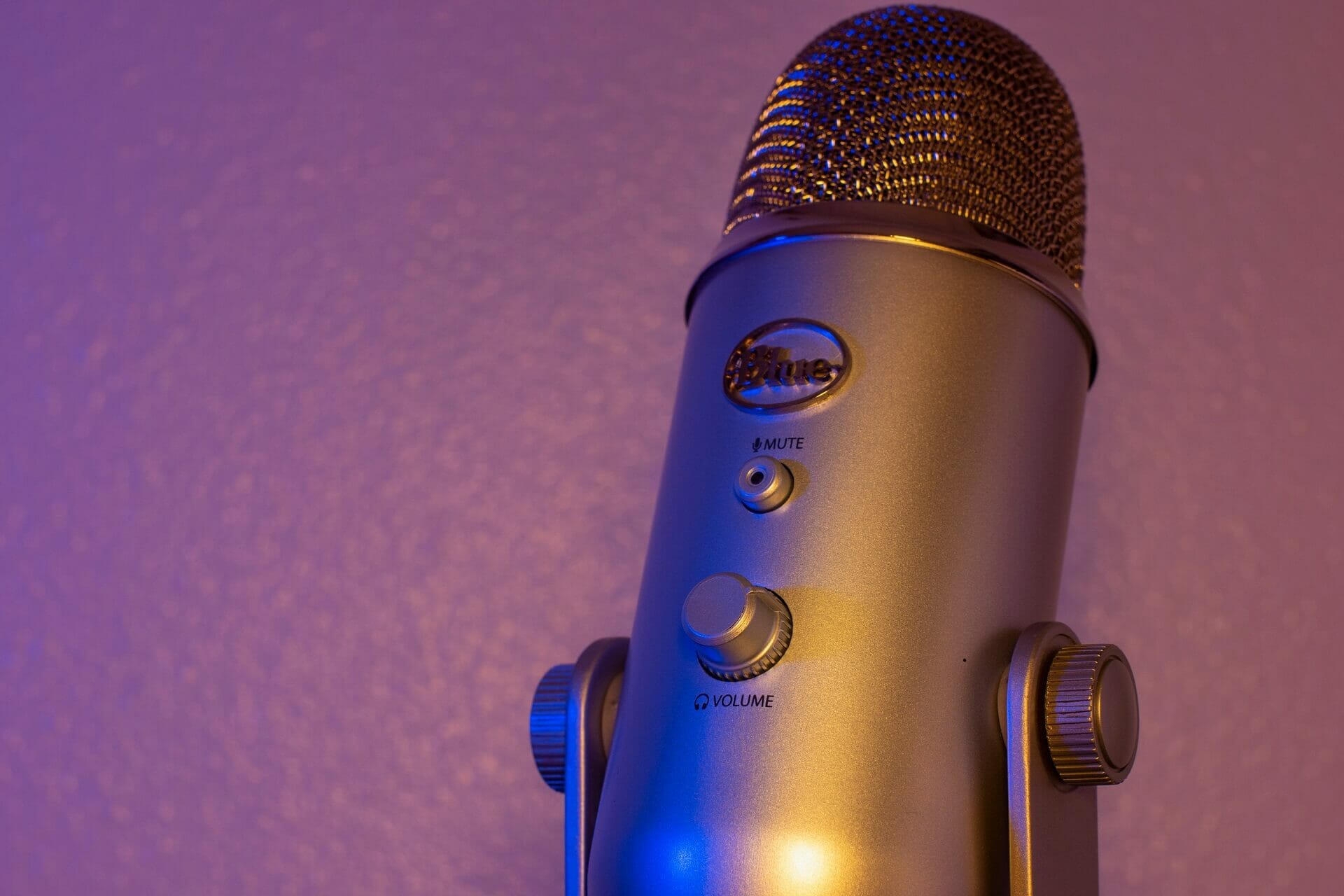
5 Best Mic Stands For Blue Yeti To Elevate Your Audio Game

If you are a vlogger, an influencer, or maybe you only create content for some streaming platforms, a good microphone with a quality stander is a must.

Blue Yeti microphones are some of the best on the market, that are not only record excellent audio but are also affordable.

But if you have some recording tasks that imply working with your hands, then you definitely need a microphone stander. There is no better time than this Black Friday to buy a perfect mic stand for your Blue Yeti microphone.

In this article, we have listed the best Black Friday deals for mic stands that you should not miss. 

What mic stands work with Blue Yeti?

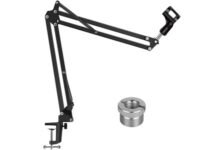
  • Adjustable microphone stand
  • Adjustable shock mount
  • Screw adapter
  • Table mounting clamp with sponge pad
  • Weak pop filter

The Luling Arts adjustable microphone stand is a professional recording studio equipment with mic clip holder, adjustable shock mount, and double layer pop filter.

This mic arm has strong compatibility with the Blue Yeti, Snowball, or mount most standard-sized microphones. The maximum support weight is 70 oz/2 kg (4.4 pounds).

The 3/8-inch to 5/8-inch screw adapter is in line with all industry standards. The adjustable shock mount and the universal mic clip also gives more mounting options to make your recording easier.


  • High quality foam microphone windscreen
  • One table mounting clamp with protective layer of sponge
  • Adjustable positioning screw
  • Universal compatibility
  • Not very resistant to high weight

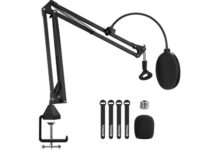
InnoGear is a pioneer company in the art of music that will make your recording work easier.

The Heavy Duty Microphone Stand is a long-lasting and durable structure mic stand, equipped with an adjustable positioning screw which can be clipped easily to a desktop with a thickness of 2-inch.

The double-layered screen pop filter keeps the plosives down to a minimum and also lowers down the sibilance.


  • Foldable arm band
  • Upgraded desk mount
  • Heavy-duty steel structure
  • Max load: approx.53oz/1.5 kg
  • Some complaints about the clamp

The InnoGear Adjustable Microphone Arm Stand is made of durable steel to ensure your mic stability.

It is compatible with Blue Yeti Snowball, Yeti Nano, Yeti X, and other radio broadcasting studio mics, or voice sound recording mics.

Even it is exceptionally light, it stands up for a maximum load of approx.53oz/1.5 kg. The mic arm can also bend back and forth at the base, and it is easy to carry around.


  • Rotation angle: 360°
  • High-quality & super-tension springs
  • High grade steel rods
  • Metal adapter
  • Doesn't work on a curvy desk

The TONOR T20 Microphone Arm Stand is made of durable steel for outstanding bearing capacity, with a maximum load of 4lbs/1.8 kg.

Thanks to its upgraded desk clamp, the mic arm stand has now a 4 times larger contact area for easily clip to any desk up to 2.4”/60 mm thick.

Another great feature is the metal adapter. That makes it suitable for different kinds of shock mounts and can be attached to microphones like Blue Yeti and Snowball.


Pipishell Boom Arm

  • Super-strong spring & high-quality foam
  • Filterable, adjustable & flexible
  • Double-layer filter
  • Widely used
  • Stiff range of motion

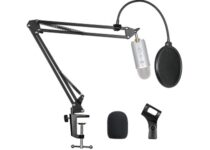
The Pipishell Boom Arm microphone stand can be installed on most standard-sized hand-held microphones and partial condenser microphones, including Blue Yeti, Blue Yeti Pro, Snowball, and others.

This mic arm stand consists of two adjustable arms of 35 cm and it can be folded up and bent for better storage.

The microphone windscreen is used for filtering the plosives, and the background noise for a better quality of sound.


Microphone standers are the most practical solution for demanding recordings. It helps you reduce your recording work as well as provide better sound quality.

Go through the list and let us know your favorite mic stand for Blue Yeti microphone in the comments below.


[wl_navigator]

Best Cyber Monday Deals on Blue Light-Blocking Glasses

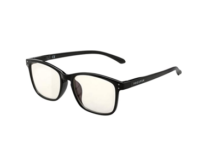
Black Friday & Cyber Monday are here and we can all agree on the fact that those days when malls were the best place to look for the latest discounts are gone. But don’t worry, many manufacturers will continue to offer fantastic deals during the holiday season.

You may also look for the best blue light blocking glasses deals online. These glasses have specially crafted lenses that can easily block or at least filter out the blue light of most digital screens.

The lenses are known to protect your eyes from glare and can reduce eye fatigue and even potential damage to your retina as a result of prolonged exposure to blue light.

What are the best deals on blue light-blocking glasses?

PROSPEK

  • Extremely durable
  • Comfortable polycarbonate frame
  • No less than 7 layers of blue light protection lens
  • Modern look
  • Glare issues

Let us tell you from the very start that PROSPEK anti-blue light glasses are third-party tested and can provide immediate and lasting relief.

To be more precise, PROSPEK computer glasses help all users relieve migraines, eye strain, and dry eye conditions that are usually associated with too much blue light.

You’ll notice a major improvement as well, not to mention that the glasses will look great on your face and you’ll receive tons of compliments.


KENZHOU

  • Two pairs of anti-blue ray computer glasses
  • Easily minimize the eyestrain
  • Super lightweight
  • Complimentary frame packing cloth bag and a cleaning cloth
  • Very fragile

Another great model worthy of your attention is none other than this one. KENZHOU blue light-blocking computer glasses are unique since they can prevent harmful blue-ray emitted by screens from having a major impact on your eyes.

The frame is very comfortable, and the lenses’ light transmittance is great. Even more, do note that we are talking about two pairs of anti-blue ray computer glasses.

Give them a try too and stay away from the computer visual syndrome – vision getting unclear, fatigue, bulging, and so on.


TIJN

  • High-quality acetate material
  • Comfortable frames
  • Fresh design
  • Great quality
  • Small lens

Don’t hesitate to take a closer look at the TIJN blue light-blocking glasses. You should note from the start that the plastic frame doesn’t feel at all cheap.

We are actually talking about a high-quality acetate material that passed the CE certification. Even more, you are about to prevent eye fatigue for good.

Thanks to the anti-harmful blue light, screen flicker, and anti-fatigue protection, you can keep on working in front of your PC all day long.


Which of these blue light-blocking glasses is perfect for you? Let us know your choice in the comments area below.

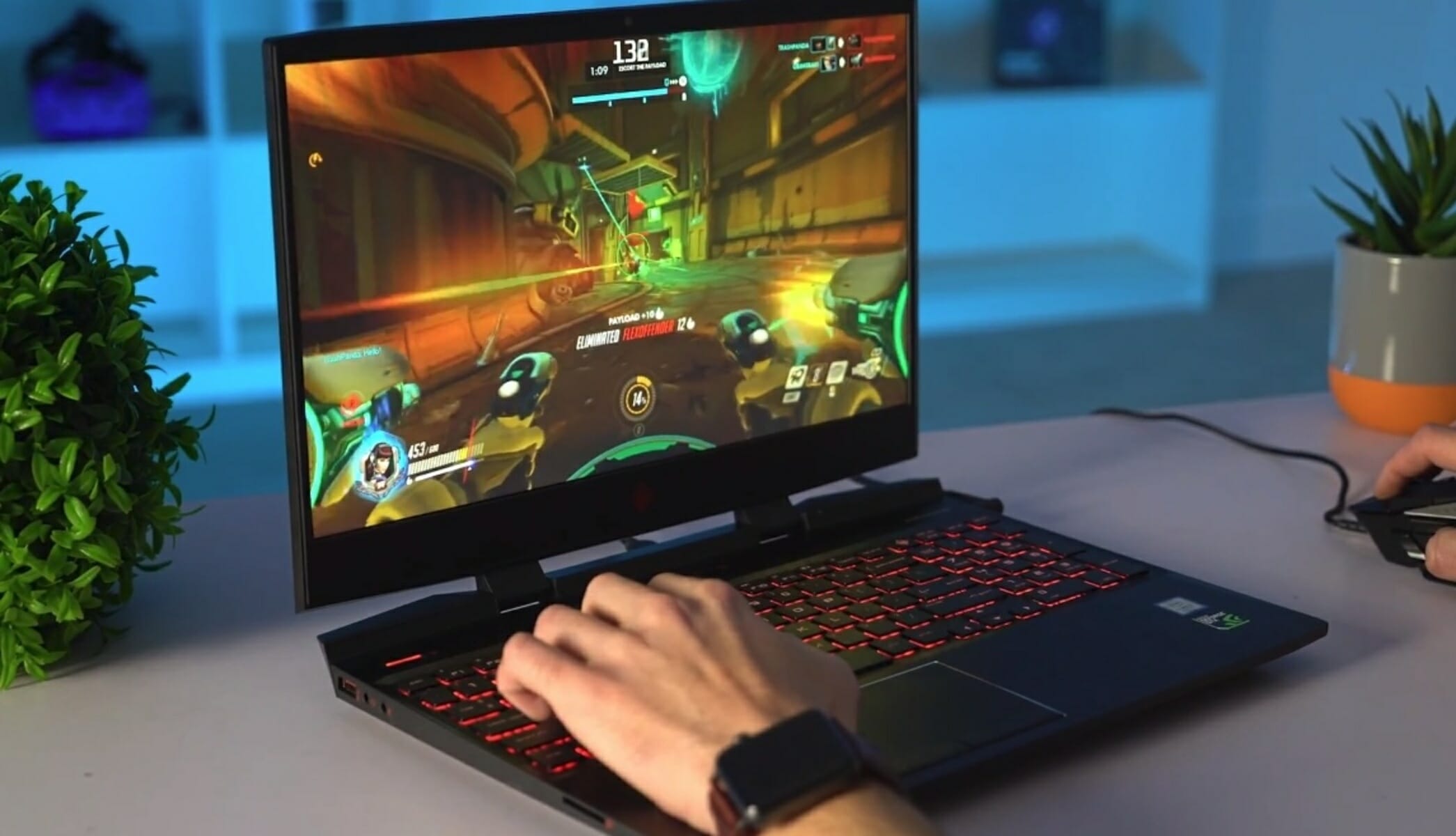
5 Best laptops to play Overwatch

Overwatch is one of the most popular games from Blizzard Entertainment, one of the biggest game companies out there. In other words, the game is an action-packed FPS with MOBA elements, carefully crafted to keep the players on edge by matching them with each other in competitive environments.

As a result, lots of gamers throughout the world are trying the game out. Fortunately for us, the game is well optimized, having light system requirements, while still looking gorgeous.

In conclusion, having a laptop with 4 GB of RAM or more, at least an i3 processor, a graphics card that is better than the Nvidia GTX 460, and you’re running the 64 bits version of Windows 10, you should be good to go.

What are the best laptops that can run Overwatch?

Acer Nitro 5

  • Intel Core i5-9300H Processor which goes up to 4.1 GHz
  • NVIDIA GeForce GTX 1650 Graphics with 4GB of dedicated GDDR5 VRAM
  • 8GB DDR4 2666MHz Memory
  • 256 GB SSD and one open slot for future upgrades
  • No HDD for extra storage

Acer Nitro 5 is the best budget choice on our list, being more than capable of running Overwatch at a high preset if you tweak some settings.

Moreover, it has a full HD display and 256GB SSD storage, along with an RGB keyboard. The GTX 1650, 9th generation i5 processor, and 8GB of RAM are enough to run most modern games with no problem.


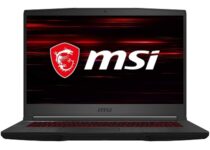
MSI GL65 Leopard

  • NVIDIA GeForce RTX 2070 with 8G GDDR6 memory
  • Intel Core i7-10750H which goes between 2.6 and 5.0GHz
  • 16GB DDR4 2666MHz RAM memory upgradeable up to 64GB
  • Gen1 3 Steel Series per-Key RGB with Anti-Ghost key and silver lining
  • 720p HD Webcam
  • Expensive

The most powerful product on our list is the MSI GL65 Leopard, featuring a 144Hz IPS-level thin-bezel display, a graphics card capable of real-time ray tracing, and the latest 10th Gen CPU.

Dedicated thermal cooling for both GPU and CPU, using 2 fans and 7 dedicated thermal pipes, ensures maximum performance under extreme gaming. In addition, the laptop is geared with a 512 NVMe SSD.


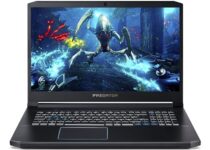
Acer Predator Helios 300

  • 10th Generation Intel Core i7-10750H 6-Core Processor which goes up to 5.2 GHz
  • NVIDIA GeForce RTX 2060 with 6GB of dedicated GDDR6 memory
  • 16GB DDR4 2933MHz Dual-Channel Memory
  • 4-Zone RGB Backlit Keyboard
  • High power consumption when idling or under medium load

Another similar item to the previous one on the list is the Acer Predator Helios 300, which is also geared with an RTX-ready GPU, the latest generation of Intel CPU, and a flashy 144Hz monitor.

In addition to these powerful specs, the laptop comes with RGB, a 512GB NVMe SSD, and Wi-Fi 6.


Lenovo Legion 5

  • AMD Ryzen 7 4800H mobile processor
  • NVIDIA GeForce GTX 1660Ti GPU with 6GB DDR6 video memory
  • Dual Burn Support, which pushes the CPU and GPU together for improved framerates
  • Legion Coldfront 2.0 for thermal tuning
  • The 16GB of DDR4 memory works in single-channel

Our first medium-range choice is the Lenovo Legion 5, which is equipped with an AMD Ryzen processor and an NVIDIA GPU. If you are more of a casual gamer, you probably do not need the most powerful machine out there.

This laptop is more than enough to max Overwatch and many other current games, while still being fairly cheap compared to the other choices. Moreover, this laptop also has a 512GB NVMe SSD.


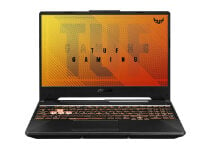
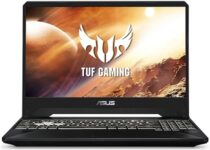
ASUS TUF Gaming A15

  • NVIDIA GeForce GTX 1650 4GB GDDR6
  • AMD Ryzen 5 4600H processor which goes up to 4.0GHz
  • 8GB DDR4 3200MHz RAM
  • Dual fans with self-cleaning anti-dust technology
  • No Wi-Fi 6

Our last entry on the list is another mid-ranged laptop. The ASUS TUF Gaming A15 falls a bit shorter than the aforementioned products in terms of computing power, but its price-to-value ratio is incredible.

Moreover, the laptop will run Overwatch and many other games with not much of a problem.

Its specs are fairly similar to the previous product, with the exception of a slightly cheaper GPU and less RAM, resulting in a cheaper laptop overall with no significant power loss.


This concludes our list regarding the best gaming laptops that are capable of running Overwatch. We hope it covered everything you need to make the right decision.

We value your input so feel free to leave any kind of feedback in the comments below.

5 Best Portable Cassette Recorder

A portable cassette recorder is still very nice to have and use, especially for that nice feeling of immersion into old memories lane.

Playing your favorite song, from the original cassette is something that can bring a lot of joy and satisfaction.

There are some great cassette recorders out there and we have compiled a list with the best ones, in order to make your search easier.

What is the best cassette recorder for music lovers?

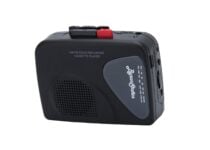
Byron Statics Portable

  • Small and compact
  • Easy to carry
  • Plug and play
  • Does not come with a mic jack

Byron Statics Portable Cassette Player is a lovely device that can be carried around with ease if you need to listen to music outdoors.

If you were looking for a cassette player that will allow you to listen to all your favorite songs, then definitely this player is a fantastic choice.

It works with all kinds of tapes and you have the rewind, fast forward, stop play, and record buttons that are also very easy to use.


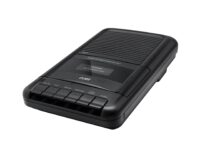
Coby CVR-22

  • Recording function
  • Built-in microphone
  • Retractable handle
  • Some users report that it is too big

Coby CVR-22 Portable is another good cassette recorder that will allow you to record and play all the information you want it to.

It’s easy to use, it does not have any complicated steps you need to do and its design is very intuitive with all the buttons placed in the same place.

The sound quality is good and the device really has enough power to fill in the whole camera with music when playing it.


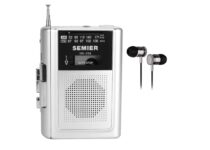
SEMIER

  • Audio playback and recording functions
  • Two types of power source
  • High-quality sound
  • The components are a bit fragile

SEMIER is a compact and lightweight cassette recorder that allows you to record, play your favorite songs anywhere, be it indoors or outdoors.

It has two types of power sources which ensures that the cassette recorder will be able to run for longer hours than usual.

The quality sound is impressive for recorded files, as well as for the tapes you are simply playing to listen to your favorite songs.


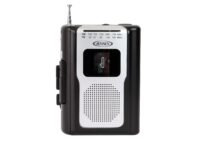
Jensen Retro

  • Built-in speaker
  • Lovely design
  • Tape Cassette Playback
  • The sound quality could be a bit improved

Jensen Retro Portable AM/FM Radio is a compact, lightweight device that comes with a built-in microphone and mini speaker.

You can listen all over again to your memory songs with the tape cassette playback option that allows you to easily play them.

It also comes with a build-in headphone Jack & Recorder with a built-in FM Antena, which comes in hand anytime you want to simply listen to the radio.


Choosing the best portable cassette recorder should be a fun thing to do, that is what we have compiled this list with our best recommendations.

We hope that we have helped you find the best cassette recorder you always wanted to have. Just let us know your choice in the comments area below.

[wl_navigator]

Best Cyber Monday deal for Lenovo ThinkPad X1 Carbon Gen 8

The second biggest shopping day of the year is finally here and we’ve found the best deal on a Lenovo laptop that is worthy of your full attention.

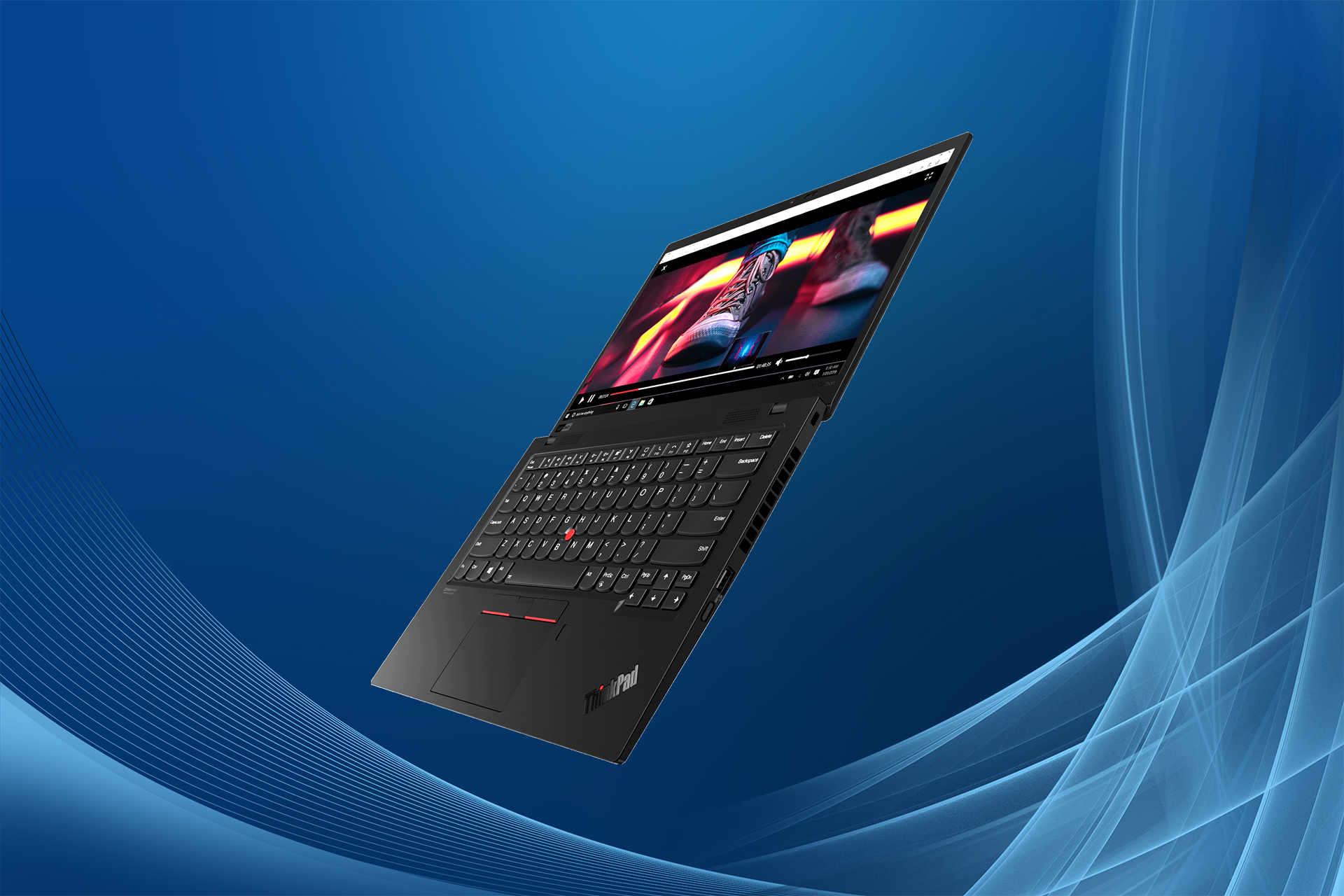
When premium performance is essential, ThinkPad X1 Carbon Gen 8 cannot disappoint. Let us tell you from the start that it is tested against 12 military-grade requirements from zero gravity to desert dust storms.

If you like the idea of durability, long-lasting battery life, and speed, then don’t hesitate to discover more about this Cyber Monday offer.

What is the best Lenovo ThinkPad X1 Carbon Gen 8 offer?

ThinkPad X1 Carbon Gen 8

Our top pick for exquisite detail is none other than ThinkPad X1 Carbon Gen 8. Its elegant design is unquestionable, while the backlit keyboard is quite impressive as well.

The top row includes dedicated Home and End keys, some useful function keys for volume and brightness, as well as shortcuts for answering Microsoft Teams and working all day long.

Moreover, this powerful laptop is equipped with a 1.7GHz Core i5-10310U processor, 8GB of memory, and a 256GB NVMe solid-state drive.

Don’t leave aside its full HD (1,920-by-1,080-pixel) IPS display that’s ready to surprise you with bold and vivid colors. As for the 720p webcam, it’s free of digital noise, just as you’re expecting it to be.


  • Great battery life of up to 19.5 hours
  • HD 720p webcam with ThinkShutter privacy
  • Backlit spill-resistant US English keyboard
  • Dolby Atmos Speaker System
  • Tested against 12 military-grade requirements
  • Non-touch IPS display

Whether you’re in the market for a PC tablet, smart device, or phone, Lenovo is offering the very best deals we’ve seen this year. Take a peek at the official Lenovo page, then let us know your final choice.

4 fastest SD card readers [Best deals]

SD card is a type of non-volatile memory card for portable devices. Devices like cameras and phones use a microSD or SD card to store your files and pictures.

If you need to move your data on a computer, you will most probably need an SD card reader, because modern laptop and desktop do not include card readers anymore.

When buying a card reader, you should consider things like the connection type, card format, and read-write speed. With SD cards having more storage memory and cameras taking photos at high resolutions, speed is an important feature for a card reader.

What are the best SD card readers?

Anker 2-in-1

  • Very small and portable
  • USB 3.0 for fast transfer rates
  • Slick design
  • Only 2 slots for cards

Anker is a small 2-in-1 card reader solution, with support for both SD and microSD cards.

Compatible with both Windows and Mac, this device does not require any additional drivers to work as soon as you connect it. It uses a built-in USB 3.0 connector for transfer speeds up to 5GB/s.

If you’re looking for something compact and easy to use, Anker 2-in-1 is a good choice.


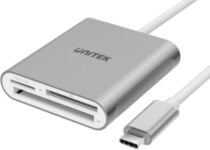
UNITEK SD Card Reader

  • Best USB Type-C card reader
  • 3 slots for most frequently SD card types
  • Plug&Play device, no drivers needed
  • Not compatible with all USB Type-C devices

This Unitek SD reader is the best option for anyone who needs a universal card reader for a device with USB-C ports.

Unitek USB C reader helps you to easily transfer data from a memory card to your USB Type-C ( or Thunderbolt 3 Port) computer or tablet. It is compatible with devices such as MacBook and MacBook Pro, iPad Pro, Surface Book 2, Samsung Galaxy, Pixelbook, Galaxy Book, and others.

You can plug up to 3 types of cards: microSD, SD and CF. The USB type C connecter offers the same speed as USB 3.0, so the read-write speed is up to 5GB/s.

If you need a card reader that can transfer data from your phone to your tablet, consider this one.


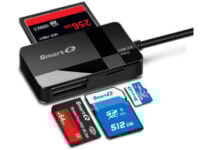
SmartQ C368 Card Reader

  • Best value for the price
  • Plug&Play device compatible with all popular OS
  • USB 3.0 connector
  • No simultaneous use of all the slot

SmartQ is another great SD card reader, well priced and with a lot of positive feedback from its customers.

This device can read up to 4 types of cards: microSD, SD, CF, and MF. The last 2 are pretty rare nowadays, but there are still some devices that use them. Unfortunately, you can not use all of the 4 slots at the same time.

In terms of performance and OS compatibility, SmartQ is almost the same as the above UNGREEN, with transfer speed up to 5GB/s, and compatible with the same OS platforms.

The SmartQ C368 is a decent reader, small enough so that you can store it anywhere. 


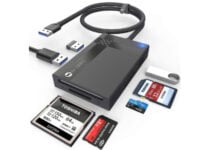
WARRKY Multi-Card Reader

  • 3 USB 3.0 available ports
  • Supports up to 2TB SD/Micro SD card
  • Plug&Play, no drivers needed for most popular OS
  • It gets hot in case of heavy use

Warrky multi-card reader is the best you can get if you want a hub not only with SD slots but also with USB ports.

If your computer or laptop has a few USB ports, you will definitely like this reader. Besides the four types of SD slots, it comes with three more USB 3.0 ports. All the slots can work simultaneously.

The reader comes with a USB 3.0 connector, to ensure a read-write speed up to 5 GB/s.

Not too expensive compared with other readers, Warkky multi-card is a great deal if your computer lacks USB ports.


All of the above card readers have the maximum transfer file speed available today, due to the USB 3.0 or USB Type-C connectors. The budget should not be an issue as they cost less than 20$.

Depending on what type of connecter or SD slots you need, you can choose the one perfect for you.

[wl_navigator]

5 Best GPUs For Video And Photo Editing

Graphics processing unit, GPU, is a specialized processor designed to handle graphics rendering tasks.

A GPU can be integrated on the motherboard or connected to the motherboard on its own separated card, a so-called dedicated graphic card.

While many computer applications can run well with integrated GPUs, video editing software require more resources and performance. Therefore a dedicated graphics card is better suited to the job.

 If you work with high-resolution files, 4K or 360-degree video, you need a dedicated GPU to help you transcode the files at a reasonable speed.

What are the best GPUs for photo and video editing?

AMD Radeon RX 580

  • Best value or the price
  • 8GB VRAM
  • Overclocking possibility
  • Variety of ports
  • Consumes quite a lot of power

With an affordable price, Radeon RX 580 designed by AMD, is one of the best cards for beginners serious about video editing.

It is built on the latest Polaris architecture and has 8GB of memory with factory overclocking to 1425 GHz. This card is also VR ready and supports AMD Crossfire configuration for multiple GPUs.

If you work with applications based on the OpenCL framework, this video card improves video editing performance considerably.

You can connect up to 3 monitors, and the display outputs include support for DVI, HDMI, DisplayPort.

If budget really matters, RX 580 is an excellent choice.


Nvidia GeForce RTX 2080TI

  • Best for 4K video editing
  • New technologies
  • Silent work without overhitting
  • 11GB DDR6 memory
  • Expensive for a limited budget

The best graphics card you can buy on the market is GeForce RTX 2080. If you’re not on a limited budget, then this is the right choice.

RTX 2080 is powered by Turing architecture and comes with a huge 11GB DDR6 memory with a bandwidth of 616 GB/s. This is more than enough if you work with multiple 4K displays.

This is the most performant GPU offered by Nvidia. It can easily render video with a resolution of 4K or above and offers more performance when you apply multiple GPU-accelerated effects.


AMD Radeon VII

  • 16GB HBM2 memory
  • 1 TB/s bandwidth
  • New architecture and process technology
  • Suitable for 4K video editing
  • Increased temperature and power consumption

Radeon VII from AMD is the first GPU using the 7nm processors which leads to stunning experience at 4K resolution.

It is based on VEGA 20 architecture and comes with a huge 16GB HBM2 memory. HBM2 memory is better for computer intensive task, like video editing and rendering.

It also has the highest bandwidth, 1 TB/s. This helps reduce latency, meaning that editing tasks take less time, even at higher resolutions.

Radeon VII is a perfect choice for professional video editing and rendering.


Nvidia GeForce RTX 2060 Super

  • Power-efficient
  • Affordable price
  • Best for 1080 and 1440 resolutions
  • Good cooling system
  • Not so good for 4K resolution

RTX 2060 Super is the best valued graphics card in the RTX 2060 series cards. More expensive than RTX 2060 but better in all the other aspects.

Like other RTX, is running on the Turing architecture and comes with 8GB DDR6 VRAM with a bandwidth of 448 GB/s. This is enough for most video editing tasks.

The OC scanner feature is an automated function that will find the highest stable overclock settings. The cooling system does not let the temperature rise beyond the safe limit, which is an admirable feature.

If you are a beginner but serious about video editing, you should definitely consider this card.


AMD Radeon RX 5700

  • 8GB DDR6 memory
  • 4K support
  • Efficient and fast
  • Radeon image sharpening
  • Uncomfortably hot operating temperatures

Radeon RX 5700 stands up better than other graphics card in the same price range. It offers decent performance at 4K resolution and exceeds expectations for intensive video editing.

Radeon RX5700 is built on the new RDNA architecture, and, because of the Radeon Image Sharpening technology, this architecture displays sharper and dynamic images.

You get 8GB DDR6 VRAM that runs at a decent bandwidth of 448 GB/s, and it also supports 4K H264 decoding and encoding rendering formats.

Great choice for a mid-range performance graphics card.


If you work in video editing and looking to build a computer, you can choose one of the above GPU. Any of them will help you render video and graphics in higher-definition formats, faster and easier.

Many video editing software take advantage of processor graphics acceleration and can speed up the 3D visualization of effects and improve rendering.

By buying a dedicated GPU, you’ll also avoid wasting precious time waiting for projects to render and encode.

[wl_navigator]

5 best 2 in 1 laptops under $200

Laptops have kept up with the new technological trends becoming multi functional without being costly, so in this article we’re going to rank the best 2 in 1 laptops under 200$.

These type of laptops incorporate a detachable touchscreen that can function independently as a tablet but they can also be used as a PC when they are attached to the keyboard.

Owning a good 2 in 1 laptop doesn’t have a to be an expensive investment so let’s see which are the best devices under 200$.

What is the best budget 2 in 1 Laptop?

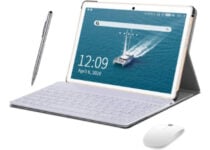
AOYODKG Tablet with Keyboard

  • 4GB DDR3 of system memory
  • Powerful quad-core processor
  • Up to 8 hours of battery life
  • Rear and front camera
  • Stylus tablet pen and mouse
  • The display could be better

The AOYODKG Tablet with wireless Keyboard is the first worthy mention for a 2 in 1 laptop that mixes quality with an affordable price.

It offers a 10.1 inch display touchscreen and features a powerful CPU that facilitates performing multiple tasks at the same time.

You also get a 1.3GHz quad-core processor and generous storage space of 64GB along with a micro SD card expandable to 128GB.

This device supports 4G, WiFi connection, Bluetooth so you can connect to the internet anywhere you might be.


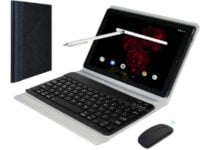
ADLWLVE 2 in1 Tablet PC

  • Good memory storage
  • 5MP front and 8MP rear cameras
  • The latest 9.0 Android system
  • Expandable TF card up to 128GB
  • Prolonged battery life
  • Small display

The ADLWLVE 2 in1 Tablet PC is another great laptop if you’re on a budget, considering that it displays a 10.1-inch touchscreen with a resolution of 1280×800, and offers generous storage of 64 GB.

With a fast processor and 4 GB RAM of operating memory, this laptop is definitely made to cater perfectly to your essential needs.

The device also provides a dual SIM card slot and offers an OTG function that allows you to connect the tablet to other devices.


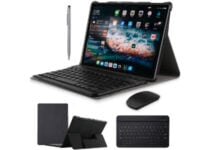
DUODUOGO 2 in 1 Tablet

  • High power quad processor
  • Android 9.0 system
  • Storage capacity
  • Dual camera
  • Micro SD card slot
  • The voice to text feature is not great

Duoduogo comes with a device that gives you everything you might need from a laptop, it features a 10 inch touchscreen, a powerful quad core processor and all of the essential characteristics.

This 2 in 1 laptop has 64Gb of storage that can can be extended to 128Gb, a built in Bluetooth, WiFi and GPS.

Some other fun is the dual-use pen and the USB light that allows you to get your work done even in the dark.


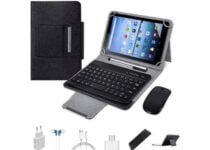
ADLWLVE 2 in 1 tablet

  • 4GB RAM
  • Expandable SD card up to 128GB
  • Stylus
  • High definition dual cameras
  • USB led lighting
  • Touch screen resolution could be better

ADLWLVE introduces a multi functional tablet that features a 10.1 inch touchscreen, a Bluetooth keyboard and an OTG converter, all this at a very reasonable price.

The 64Gb storage and the quad-core processor make this device easy to operate when you’re accessing the web or using the apps.

It support 4G calls and uses 4G network for internet access so it allows you make phone calls or hold video meetings.


Simbans TangoTab 2 in 1

  • Powerful CPU
  • Good storage capacity
  • Preinstalled Microsoft Office apps
  • Android 9 Pie system
  • Low res cameras

The tablet with keyboard from Simbans is an excellent 2 in 1 laptop that offers a 10.1 inch touchscreen and has a 64-bit 2GHz CPU with a powerful quad core processor that allows multitasking.

This device offers 64Gb storage that allows you to download plenty of apps, audio, and video files. It also features Bluetooth, GPS, and a micro-USB.


These 2 in 1 laptops under 200$ offer the essential features you need for office work or watching a movie so the fact that they are not high-power devices, makes them manageable.

We’d like to hear your recommendations as well so use the comment section below.

[wl_navigator]

5 Best Instant Cameras For Travel [Top Picks]

In an era where most people are used to taking digital pics with their phone, the classical instant cameras have become even more wanted, mainly because there’s a personal aura to this type of photos.

Our article takes a look at the best instant cameras, that will suit your needs while travelling so you can capture those fun moments with your friends.

Keep in mind that these devices don’t rely on the quality of the image like common analog or digital cameras do, their main purpose is to deliver photos that captures the moment in all of its beautiful imperfections.

You could say that they are a precursor of Instagram, with the instant gratification and feedback from your friends, only that you can actually offer the physical photo right away.

Which is the best instant camera?

Polaroid Originals OneStep

  • Compatible with I-type and 600 film
  • Classic flash vacuum discharge tube strobe
  • High-performance lithium battery, rechargeable through USB
  • Self-timer
  • The instruction manual needs to be more detailed

The Polaroid Originals OneStep makes the first spot on our list, as a great instant camera, with a powerful flash, a focal lens length of 103mm, and a battery that can last up to 60 days.

Thanks to the Bluetooth connectivity you can access various editing features like exposure feature, light painting or noise trigger, which will definitely make your traveling photos look amazing.

Another interesting characteristic is that you get two different types of lenses with this camera, standard, and portrait. With the portrait lens, you can take photos from 1ft to 3ft away from your subject. The standard lens gives you the possibility to shoot from over 3ft away.


Fujifilm Instax Wide 300

  • Useful information available from the display: shots left, exposure compensation, flash mode
  • Adjustable exposure compensation from ±2/3 EV
  • Excellent sharpness and grain structure of the images
  • The tripod included in the bundle does not function well

Another instant camera that stand out because of its versatility is the Fujifilm Instax Wide 300. This device features retractable 95mm f/14 Lens, built in flash and an LCD screen.

An element that makes this instant camera really suitable for travelling conditions is that the ISO goes up to 800 making so you can take pictures in poor lighting conditions.

This device also incorporates a 0.37x optical viewfinder and target spot so your photos are in full focus everytime.

With this camera you also get a bundle that includes a variety of accessories like 3 Twin Packs of 60 Sheets of film, a close-up lens with selfie mirror and so much more.


KODAK Digital Instant Camera

  • Storing images that are not printed right away
  • Downloading photos unto PC with Micro SD card
  • Compatible with iOS or Android devices
  • Digital shots possible only with film removed

This instant camera from Kodak is a very surprising mix between the vintage qualities of classic cameras and the practicability of the digital technology incorporated in the numerous features.

It has a built-in Zink printer that helps create vibrant and clear images. One of the characteristics that makes this device perfect for travelling is that it allows you to take big format photos 3.51” x 4.25” at a resolution of 16 megapixels.

If you don’t want to print all of your photos, this instant camera can store those images. The device also has a micro SD card slot that gives you the possibility to download the photos on your PC.

Thanks to The Kodak Classic you can add effects to your images like augmented reality, sync your photos and share them on social media.


Polaroid Now i-Type

  • Rechargeable USB battery
  • Vintage quality pictures
  • User-friendly thanks to automatic settings
  • Costly instant film

Polaroid introduces a point and shoot instant camera that is mostly automatic which means that you don’t need to struggle with the settings to get a clear photo, while on vacation.

It has autofocus and self timer so you can take group pictures with your friends and not worry about blurred images.

There’s also a kit of useful accessories that comes with this instant camera. You’ll get a pack of Polaroid Color i-Type Instant Film with 16 exposures and an 5″ photo album where you can place up to 32 wide prints.


Fujifilm INSTAX Mini

  • Fujifilm kit with 40 exposures film, camera case and a cleaning cloth
  • Exposure counter of remained shots
  • Good photo quality
  • The camera makes blank pictures sometimes

A great option for a high-quality camera is the Fujifilm INSTAX Mini, that comes with a 60mm lens that can focus from 11.8″ ft away, built in flash and automatic exposure.

With this instant camera you get a viewfinder with an integrated target spot that helps you create your composition depending on the subjects’s type.

Some really useful features for taking different types of photos especially when you’re on a vacation is Party Mode and Kids Mode . The first one allows the camera to illuminate the background when the foreground is lightened by the flash. The Kids Mode helps you take photos of fast-moving subjects even in low light.


There are numerous benefits to using instant cameras instead of the classical modern methods, the most striking one is that you can actually make memories and share them on the spot in the form of physical photos.

We hope that our guide about the best instant cameras you can take with you while travelling was helpful.

We’d like to hear some of your personal recommendations and experiences with these devices so feel free to use the comment section.


[wl_navigator]

Why Is My Chrome Opening Automatically on Android & How to Fix

Chrome browser opening on Android without your command signals misconfigured settings, intrusive permissions, or even malware. If that’s happening to you, follow the methods below to fix it fast:

How do I stop Android from automatically opening my browser?

1. Clear cache and browser data

  1. On your phone, go to Settings > Apps > All and then select your web browser.
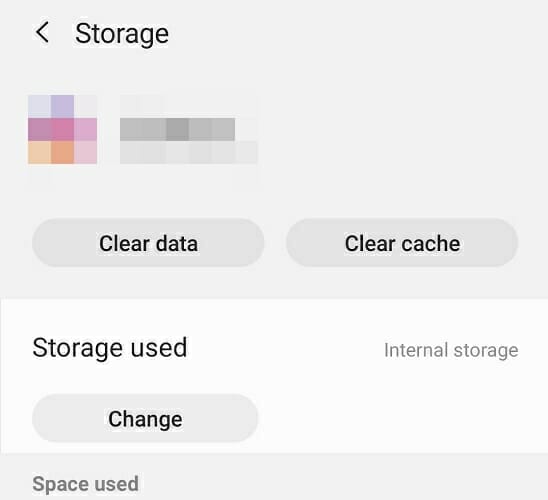
  2. Now select Force Stop, Clear Cache, and Clear Data.
    clear browser cache browser
  3. Note: If you use the same browser on your PC, it’s advised to clear its history and cache and turn off syncing temporarily.
  4. Start the browser again and check if the problem is resolved.

2. Remove any suspicious apps

  1. Go to Settings > Apps > All.
  2. Locate the app that has no name and select it. It’s usually located at the bottom.
    unknown app
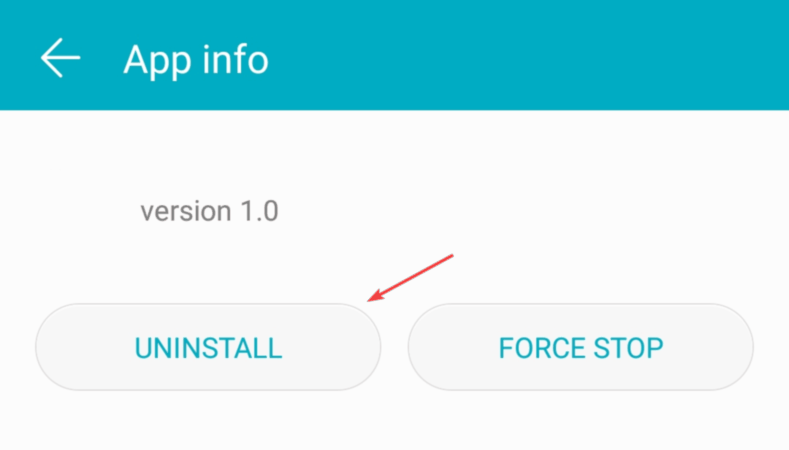
  3. Now choose the Uninstall option.
    uninstall app

Some apps might interfere with your browser and cause annoying bugs on your phone. Make sure to remove any suspicious apps that you don’t recognize and avoid uninstalling anything outside the Google Play Store.

Some of the most common apps that are linked to this error include:

  • Bluetooth Auto Connect
  • GPS Averaging
  • ApkExtractorLite
  • Bluetooth Toggle
  • Deleo
  • Spelling Corrector
  • Peel Remote
  • S Voice
  • Save & Repost for Instagram

3. Scan your phone for viruses

  1. Go to the Google Play Store and download a reputable antivirus. We recommend ESET Mobile Security.download eset mobile security
  2. Install it on your phone and launch the app.
  3. Tap on Antivirus.eset mobile security antivirus
  4. Select Scan device.scan device
  5. Wait for the process to complete. If any threats are found, make sure to remove them.

If your browser keeps opening by itself, the most common cause is a malicious third-party application, so be sure to check installed apps and remove any apps that look suspicious to you.

Use the comments section below to let us know if you have any questions or suggestions.

5 Best Gaming Chairs With Lumbar Support

Whether it’s relaxation or for your daily job, using the right chair for a correct posture is one of the most important factors when it comes to spending a lot of time in front of the computer.

This is significant for your body’s health and for a better concentration during long gaming sessions. Also, an increased comfort can ensure you a victorious advantage in front of others.

One of the most suitable gaming chairs for a good posture is the chair with lumbar support.

We’ve compiled a list of the best gaming chairs with lumbar support deals, so be sure to check them out below.

What are the best gaming chair with lumbar support deals?

RESPAWN 110 Racing Style

  • Adjustable and headrest pillow
  • Reclining control
  • Extendable footrest
  • Padded armrests
  • The footrest is a bit short

RESPAWN is an award-nominated brand that offers you a limited lifetime warranty. The ergonomic gaming chair RESPAWN 110 in Blue delivers you real comfort during your daily job at the PC.

The bonded leather seat offers support and comfort, not to mention that it holds up to 275 lb.

You can find the perfect angle thanks to the 155-degree tilt recline, and the adjustable lumbar and head pillow can be positioned for your needs and comfort.


Gtracing Gaming Chair

  • Ergonomic design
  • Armrest and seat height adjustable
  • Large reclining and rocking
  • 360 degree swivel
  • Arm rests are easily moved when bumped

The Gtracing game chair in red color features an ergonomic design, and it advertises to be more efficient at work and more comfortable at game.

It has removable headrest pillow and lumbar cushion and it’s made of metal frame with easy to clean artificial leather.

Further notable functions are: adjustable backrest with a 90 degree to 170-degree safety angle, also the armrest and seat height are adjustable.


On Shine Gaming Chiar

  • High-density foam
  • Headrest and lumbar cushion
  • 90-170° angle adjuster
  • 360° nylon smooth roller
  • Nothing noticeable

The On Shine Gaming chair is made of high-density foam with smooth high-quality PU leather, and it comes in three colors.

The game office chair is practical and ergonomic with its included headrest and lumbar cushion. It also has a 90-170° angle adjuster with a tilt locking mechanism to find the most comfortable position for you.


  • Comfy and supportive
  • Adjustable configuration
  • 360° swivel
  • 330-pound maximum weight capacity
  • A little stiff

The Cooler Master Caliber R1 gaming chair is made of high quality PVC leather, and is water resistant. It’s also wear-resisting for long service life, offering you a firm support while gaming.

This gaming chair features high density neck and lumbar support cushion to offer you the best level of comfort, and to reduce back pain.

Its solid steel frame and aluminum alloy 5-star base are designed for a better stability. It supports 330 pound maximum weight.


  • Tilt locking mechanism 90 to 180 degrees angle adjuster
  • Height adjustable gas spring cylinder
  • Sturdy five star base
  • Headrest pillow and lumbar cushion
  • Non-adjustable arm rests

The Homall gaming chair is suitable for computer gaming, or just to work and have a rest. Its modern and elegant design will fit into your space perfectly.

This gaming chair is designed to the bodies natural shape, and it features support for the shoulders, head, and neck. It is durable, reliable and supports up to 300 lbs.


We hope this article will help you get the right gaming chair with lumbar support for your needs. Don’t forget to leave us your opinion in the comments section below.

[wl_navigator]

6 Best Windows Gaming Routers on Cyber Monday Sales

If you are into competitive gaming, a stable Internet connection is a must as even a 2-seconds lag can make you win or lose the game.

Even for those who are not into competitive gaming but play multiplayer games online, an unstable connection can sore the gaming experience real soon. This is where the gaming routers find their audience.

Having a top-of-the-line tri-band gaming router with a 5GHz frequency band doesn’t mean your Internet connection will become faster because the Internet speed is something your ISP decides.

However, these gaming routers allow you to make the most out of your Internet speed, delivering stable speed while covering a good part of your home or office.

If you are willing to invest in one of these gaming gears, this quick gaming router buying guide will help you out. We have gathered the best gaming routers offering exceptional value for money.

What is the best gaming Wi-Fi router?

NETGEAR Nighthawk R6700

  • 1GHz dual-core processor
  • 3 amplified antennas
  • Beamforming plus
  • Dynamic QoS
  • Smart Connect
  • Random firmware issues

If you want to find the best Windows 10 gaming router, the NETGEAR Nighthawk Smart Wi-Fi R6700 wireless speed model is a great choice.

Do note that it is recommended for up to 25 devices, therefore you can use it for more than gaming. Other activities could include streaming videos or simply surfing the web.

As for Netgear’s Armor, rest assured that it protects your network and connected devices from all the latest threats.


TP-Link AC5400 tri band

  • AirTime Fairness
  • 2 x USB 3.0 ports
  • 8 x external antennas
  • Bluetooth / Alexa / IFFT compatible
  • Built-in malware protection and VPN support
  • Intermittent signal

The TP-Link AC5400 is one of the best tri-band gaming routers since it comes with Dynamic optimization that prioritizes traffic to reduce latency.

It is powered by a 1.8 GHz 64-bit quad-core CPU and can protect your network and connected devices with a free lifetime subscription to TP-Link HomeCare­ featuring next-level antivirus.

Moreover, it comes with MU-MIMO and Airtime Fairness features to maximize the total throughput and response rate.


D-Link AC2600

  • Dual-core processor
  • Ideal for 4K streaming and online gaming
  • MIMO support
  • Advanced Smart Beam and QoS traffic optimization
  • Two USB ports
  • Inbound filter implementation issues

D-Link EXO AC2600 is a Wi-Fi router built for gaming, 4K streaming, and much more, as long as it offers a solid close-range performance.

It is easy to install, and the QoS engine is as good as it can get. While the 5GHz long-range is decent, the Advanced Smart Beam tracks all connected devices for enhanced Wi-Fi speed throughout your home.

No less important, it has two USB ports in order to remotely deliver high-speed data transmissions for storage devices.


ASUS RT-AC5300

  • Tri-band router
  • Supports every operating system
  • Trend Micro protection
  • ASUS Smart Connect
  • Unique design
  • Slow menu GUI

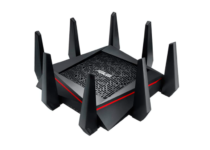
The AC5300 is a supremely fast and powerful ASUS router aimed at online gamers and casual users for streaming media content.

The 8x antennas offer solid coverage covering all corners of your home and office, so the idea of stable Internet for all is not just a promise.

Even more, there’s no surprise that the router’s design will please the gamer in you. It is perfect if you don’t want to settle for a regular-looking model.


ASUS AC2900

  • MU-MIMO technology
  • Adaptive QoS Engine support
  • WTFast game Accelerator
  • Built-in malware protection from Trend Micro
  • AiMesh support
  • 2.4 Ghz radio issues

The ASUS AC2900 is one of the best low-cost gaming router all-around packages. Do note that it is designed for lag-free online gaming and flawless 4K UHD streaming.

It comes with the latest set of features, built-in security for all the connected devices, and the dual-band 5GHz + 2.4GHz powers through the walls at home or office equally.

Moreover, Trend Micro provides built-in 24/7 protection from all external attacks and threats that you may fear these days.


Linksys MR9000

  • Up to 3000 square feet coverage
  • 25 plus wireless devices
  • No buffering
  • Tri-band Wi-Fi speeds
  • Simple setup through Linksys app
  • Random signal issues

What makes this Linksys MR9000 router stand out from the crowd is that it works with the Velop mesh Wi-Fi system to easily expand Wi-Fi coverage up to 6000 square feet and eliminate all dead zones.

It is compatible with the existing modem and rests assured that a simple setup is waiting for you, through the Linksys app.

When it comes to its actual speed, there are numbers up to 3Gbps (5 GHz/ 1733 Mbps) + (5 GHz/ 867 Mbps) + (2.4 GHz/ 867 Mbps) in the cards this time.


Finding a gaming router can be a tricky task, but this quick buying guide should help you find the best gaming router based on your requirements.

Let us know your final pick in the comments area below.

4 Best 2-in-1 laptops under $300 for budget buyers

The convertible and detachable laptops have been in the market for a long time now. Your inner desire to bend, flip and transform your device into multiple states can be expensive as the best 2-in-1 laptops are usually pricey.

Fortunately, there are a few mainstream laptop manufacturers who make budget 2-in-1 laptops. So, if you are looking for the best 2-in-1 laptops under $300, this is the article you need.

This article explores the best 2-in-1 laptops $300 that goes beyond the design offering good display, performance and battery life.

What are the best 2-in-1 laptops under $300?

Lenovo 300e

  • Rugged and flexible design
  • 11.6 inches touchscreen display
  • Lightweight and compact
  • Good performance in the segment
  • The keyboard feels a bit crammed

The Lenovo 300e is the best 2-in-1 Windows 10 laptop under $300 that is designed for schools, and users who want a computer that can do basic computing tasks. Being a convertible, it can bend backward to be used as a tablet using the 11.6-inches touchscreen display.

The Lenovo 300e is powered by an Intel Celeron N3450 CPU clocked at 2.2GHz, and is paired with 4GB of RAM and 64GB of eMMC storage. It comes preinstalled with Windows 10 S, but you can switch back to the full-fledged Pro version if you don’t want to use the S mode.

For connectivity, it comes with Bluetooth and Wi-Fi along with the usual HDMI, USB 3.0, and media card reader feature. Lenovo 300e offers up to 8 hours of battery life in mixed usage.


Lenovo Chromebook C330

  • Long battery life up to 10 hours
  • Comfortable keyboard
  • Affordable price tag
  • HDMI and USB ports
  • Low-res display

If you are not heavily invested into the Windows ecosystem, and looking for a laptop with an excellent battery life that can keep you connected all day, the Lenovo Chromebook C330 is a good choice.

This 11-inch convertible features HD IPS display, and is powered by a MediaTek processor coupled with 4GB of RAM and 64GB of eMMC storage. There is a built-in SD card reader if you want to expand the storage further.

Lenovo Chromebook C330 runs on Chrome OS and comes with a reasonably comfy keyboard that offers a good typing experience. For connectivity, it comes with Bluetooth, WIFI, a USB port, and an HDMI port.


HP Chromebook X360 – 12B

  • Excellent battery life
  • Comfortable keyboard
  • Exceptional Chrome performance
  • Great build and design
  • Dim display

HP Chromebook X360 is a budget 2-in-1 Chrome OS-powered laptop for the people who are always on the go and relies heavily on the Chrome browser to get things done.

HP Chromebook X360 is the best 2 in 1 touchscreen laptop that features a 12″ HD+ touchscreen display with universal stylus support. Powering the laptop is Intel’s Celeron N4000 CPU coupled with 4GB of RAM and 32GB of eMMC storage. Thankfully there is a Micro SD card slot for memory expansion.

The HP Chromebook X360’s USP is it’s an incredibly long battery life that will last up to 10 hours. The build quality is good, and the keyboard is comfortable to type on.


Acer Chromebook Spin 311

  • Good design and build
  • Excellent touch screen and convertible mechanism
  • Compact size
  • Performs well with Chrome
  • Dim screen

The Acer Chromebook Spin 311 is a fun little convertible for work and play. The 11.6″ HD touch display offers good touch interaction and stylus support.

Under the hood, it features the Intel Celeron N4020 CPU, 4GB of RAM and 32GB of eMMC storage that is further expandable using the SD card slot.

Acer Chromebook Spin 311 is a well-built laptop and looks good aesthetically. Other features of the laptop include Wi-Fi 5, Bluetooth and USB connectivity.


Most of the 2-in-1 laptops under $300 listed in this article offer touchscreen and stylus support that can be used for taking handwritten notes or flip 360 degrees when using for media consumption.

Go through the list and let us know your favorite budget 2-in-1 laptop in the comments.

[wl_navigator]

3 Best Black Friday & Cyber Monday Deals for Surface Pro 7

The very best Christmas Microsoft deals are right around the corner. If you are interested as well to find the latest deals on the full range of Microsoft products, you cannot forget about Surface Pro 7.

Since it is ultra-light, powerful, and versatile, it can help you get more done with ease. Rest assured that it is accessible even on a tight budget.

That’s what Holiday sales are all about. Many of you may wait an entire year for these incredible discounts on high-end products and Microsoft Surface Pro 7 is no exception.

What are the best deals for Surface Pro 7?

As a reminder, Surface Pro 7 packs a laptop-class Intel Core processor and that’s one of the main reasons for getting the versatility of a tablet and the power of a PC combined in a single device.

If your wish is to type, draw, write, and work more naturally, Surface Pro 7 easily adapts to you. It takes a second to convert it from laptop to tablet, then to portable studio.

Then, simply pair it with the colorful Surface Type Cover to complete your experience. Don’t ever worry about not being able to take it with you.

It’s ultra-slim at just 1.70 pounds, it brings the promise of all-day battery (up to 10.5 hours), along with the ability to go from empty to full in just over an hour.

That’s why these great deals are worthy of your full attention:


  • Next-gen, best-in-class laptop
  • Includes USB-c and USB-a ports
  • Battery life up to 10.5 hours
  • Unique design
  • Competitive price
  • Microsoft Office isn’t included

If you’re looking for the best Christmas deals from the Microsoft Store and not only, keep an eye on us. More discounts are about to be revealed in the upcoming days.

Finally, don’t hesitate to let us know what devices are you expecting to see this Christmas. Just use the comments area in that regard.

5 Best Monitors Without Bezels To Maximize Your Viewing Experience

A monitor bezel is the plastic or metal border that surrounds it. There’s no such thing as a best monitor with no bezel at all, but VDUs (Visual Display Units) with bezels less than one cm in width are becoming increasingly prevalent. So, bezel-less VDUs are ones with almost borderless designs.

Some users prefer the elegant and stylish designs of bezel-less VDUs. VDUs with minimal bezels are also better for side-by-side dual monitor setups. These are some of the best small bezel monitors.

Note: Deals are subject to change. Sometimes, some of the deals listed in our guides may no longer be available by the time you hit the buy button. So, hurry up and grab them while they’re hot.

What are the best slim bezel monitors?

Dell Ultrasharp U2718Q

  • Excellent 4K picture quality
  • Wide range of connectivity ports
  • HDR tech
  • Very fast response time
  • Lacks AMD FreeSync

The Ultrasharp U2718Q is a 27-inch monitor that boasts a 3,840 x 2,160 4K resolution for excellent picture quality.

It covers 99.9% of the sRGB color gamut, which makes it ideal for video and photo editing. This VDU’s picture quality is further enhanced by its HDR technology, which adds greater color depths.

The U2718Q supports HDCP 2.2, which enables its users to watch copy-protected Blu-ray content. This monitor also includes several preset viewing modes for users to select.


Viotek GNV32DB

  • Excellent refresh rate
  • Supports both AMD FreeSync and NVIDIA G-Sync
  • Curved design
  • Expansive display size
  • Monitor ghosting can arise in higher paced games

The Viotek GNV32DB is a low-bezel monitor with a 144Hz refresh rate and AMD FreeSync support for super-smooth gaming.

This monitor boasts a QHD 1,440p resolution and a wide 107% sRGB color gamut for superior picture quality. The GNV32DB is also a 32-inch ultrawide VDU with a curved display.

The GNV32DB has some good features to boot. This VDU provides a GamePlus crosshair for shoot em ups. Furthermore, you can utilize its Picture in Picture mode to view a small picture overlapping another.


Samsung Space

  • Expansive 32-inch display
  • 4K resolution picture quality
  • Its Easy Settings Box is a handy addition for multitasking
  • Not great for gaming

The Samsung Space is a 32-inch thin-bezel monitor that incorporates a novel clamp-mounting arm to attach it to desks with.

It’s a high-resolution 4K monitor with sharp picture quality and vibrant colors.

This monitor has Picture-in-Picture and Picture-by-Picture modes for viewing multiple display outputs.

Samsung Space users can also partition the display into various layouts. So, this monitor enhances multitasking with those features.


Acer R240HY

  • Excellent value
  • Strong color reproduction
  • 178-degree viewing angles
  • Low response time for an IPS monitor
  • Some backlight bleeding

Acer’s 23.8-inch R240HY bidx monitor is a good value VDU with a stylish bezel-free design. Its 1080p resolution and 60Hz refresh rate specifications are relatively standard.

However, this monitor’s IPS panel provides superior color reproduction and viewing angles than many alternatives.

Although the R240HY isn’t quite a high-end gaming monitor, it still boasts a low 4 ms response time. That response time enhances this monitors gaming performance by minimizing ghosting and motion blur.


ASUS Designo MX27UC 27

  • Excellent 4K resolution picture quality
  • Built-in speakers
  • Supports adaptive sync
  • Limited mounting flexibility

The 27-inch ASUS Designo MX27UC monitor has had rave reviews. This VDU’s stunning 4K IPS display has super sharp image quality and great color accuracy.

The Designo’s 178-degree wide viewing angles, built-in speakers, adaptive sync, and a good range of connectivity ports are additional plus points.

The Designo has numerous exclusive bonus features. It incorporates eight preset modes to choose from.

Users can optimize this VDU’s sound with its AudioWizard. Hotkeys for photo previews, an FPS counter, and an in-game crosshair for games are also nice extra features of the Designo.


Those are five of the best small bezel monitors to take your pick from. The above monitors with thin bezels have very decent picture quality and some good bonus features on top.

Spotify error code 4: No Internet connection detected [FIX]

Many Windows 10 users encountered error code 4 when trying to connect to Spotify. Despite having a full working Internet connection, they received the error message No Internet connection detected. Spotify will automatically try to reconnect when it detects an internet connection.

Oftentimes, Spotify error 4 is triggered by incorrect Internet connection settings, including the usual DNS and proxy issues that you are no stranger to.

In rare cases, this error may also be triggered by software compatibility issues, such as incompatible firewall settings.

The issue is very frustrating for Spotify users, as they have to pay a monthly subscription to listen to their favorite music.

In the guide below, we can provide you with a series of fixes worth trying. We’re sure one of these solutions will fix your problem.

How can I fix Spotify error code 4?

  1. Fix Spotify error through Windows Firewall
  2. Disable your antivirus
  3. Change DNS settings
  4. Fix error code 4 by changing the proxy settings
  5. Reinstall Spotify

1. Fix Spotify error through Windows Firewall

  1. Press the Start button and open the Control Panel.
  2. Click System and Security > Firewall.
  3. Select Allowed Apps.
  4. Find the Spotify app and tick its checkbox.
  5. Click OK and try to see if it now works.

Sometimes certain apps could be blocked by the firewall itself. If Spotify is blocked, it won’t connect to the Internet. In order to manually unblock Spotify, you need to follow the above steps.

2. Disable your antivirus

In some cases, your antivirus could be blocking Spotify‘s Internet access. Therefore, open your antivirus software and find the settings giving you the option to turn the software off.

Check to see if disabling your antivirus had any effect on Spotify. If it didn’t work, make sure to turn your antivirus back on.

However, if it did work, we recommend you to switch to a better antivirus software that won’t interfere with Spotify. You should always make sure that your PC is protected.

3. Change DNS settings

  1. Press the Start button and open the Control Panel.
  2. Click Network and Internet > select Network and Sharing Center.
  3. Choose Change Adapter Settings.change adapter options dns server can't be found
  4. Open your active Network Adapter > click Properties.
  5. Click Internet Protocol Version 4 (TCP/IPv4) > select Properties.
  6. Select the Use the following DNS server addresses.
  7. Set Preferred DNS server to 8.8.8.8 > Alternet DNS server to 8.8.4.4.
  8. Click OK > check if the Spotify issue was repaired.

You could also try changing the DNS settings. Sometimes, Spotify does not recognize your DNS, so it’s better to manually input a different DNS server address.

4. Fix Spotify error 4 by changing proxy settings

  1. Open the Spotify app > go to the Settings window.
  2. Click Show Advanced Settings.
  3. In the Proxy settings select Auto Detect from the drop-down menu > click Update Proxy.Update Proxy spotify

Some users reported that changing the proxy settings in the Spotify app fixed the error. To use this fix, just follow the steps described above.

5. Reinstall Spotify

If none of the methods listed above worked for you, try removing the app and installing it back again. Just make sure to back up your playlists before attempting to reinstall Spotify.

The Spotify error code 4 issue isn’t the only one that users complain about. They report getting repeated login errors as well. If that’s your issue too, just take a look at this guide dedicated to solving Facebook login errors on Spotify.

We hope that at least one of our solutions helped you fix the Spotify error code 4. If you’d like to suggest any other fixes, make sure to leave them in the comments section below.

[wl_navigator]

3 Cyber Monday Deals for Microsoft Arc Mouse

It’s that time of the year again when all retailers are trying to draw in more customers in a few weeks than they did in several months, also known as the shopping season.

Microsoft also features their own Black Friday & Cyber Monday sales, and they even give you a sneak peek ahead of time so that you can prepare your wallet for the gadgets you wanted the most.

One good example is how Microsoft just slashed the prices of several Arc mouse models, and we will be showcasing you the best deals that you can take advantage of.

Those bargains are still available for the Christmas holiday, so keep reading if you’re looking for the finest gift for your buddies.

Here are the best Microsoft Arc mouse deals

Surface Arc Mouse

  • Ultra-slim and lightweight
  • Snaps flat and slips easily into a pocket or bag
  • Optimized design for the most natural interaction
  • Connects wirelessly to your Surface device via Bluetooth
  • An innovative full scroll plane lets you scroll both vertically and horizontally
  • Gamers may not like the design

The Microsoft Surface laptops are for people that are always on the go, and that was the thinking when they created the Surface Arc mouse as well.

Besides the lightweight and iconic Arc design, the mouse is also extremely flexible, easy to fold, and great for carrying around, even when your pockets are small.

Besides, it comes with refined control options such as advanced vertical and horizontal scrolling, so whatever you navigate will be easy to manage.


Microsoft Arc Mouse

  • Ultra-slim and lightweight
  • The battery life of up to 6 months
  • Snaps flat and slips easily into a pocket or bag
  • Compatible with Microsoft Windows 10, 8.1, and 8
  • Innovative full scroll plane lets you scroll both vertically
  • May feel a bit too large for some

Another very similar entry in our list like the first one is the Microsoft Arc Mouse, which has pretty much the same functionalities as the Surface Arc mouse, although it is a bit bulkier and more durable.

Featuring a battery life of up to 6 months, you can work your heart out using it before needing a recharge.

It comes with the same advanced control features as the Surface Arc mouse, and it will work on all versions of Windows 8 or newer.


Arc Touch Mouse

  • Works on virtually any surface with BlueTrack Technology
  • 2-way touch scrolling for smooth, intuitive navigation
  • Flattens for portability, curve to use
  • Designed for use with either hand
  • Plug-and-go nano transceiver
  • Connectivity USB only

When you first look at this mouse, the first thing that may come to your mind is that it is probably too delicate to be practical, but you would be terribly wrong.

One thing that makes it stand out is that there is no mouse wheel, and the scrolling is done by a separate sensor pad where you move your finger in the same up and down the way.

Besides, the BlueTrak technology allows this mouse to be used on any surface, regardless of what it is made of or how smooth it may be.

This concludes our list of the best Microsoft Arc mouse deals that you can take advantage of this Christmas holiday.

Which model are you thinking of buying? Let us know which caught your eye the most by leaving your feedback in the comments section below.

6 Best 240Hz Monitor Sales & Deals

Having top-notch gaming hardware can give an edge in competitive gaming. While 144Hz monitors are a popular choice among the gamers, the new 240Hz monitors take the competitive gaming a notch above.

These extremely fast refresh rate monitors make the gameplay as smooth as possible providing individual frames in utmost details. Needless to say, to be able to utilize the monitor to its full extent, you also need a beefy graphics card.

If you are looking to upgrade your gaming setup, consider one of these 240Hz monitors this Black Friday. We have listed the best 240Hz monitor deals that offer the best value for your money.

What are the best 240Hz monitor deals?

Alienware AW2720HF

  • Ultra-smooth visuals with 240Hz display
  • Excellent viewing angles
  • Versatile stand
  • Thin bezels
  • Expensive

The Alienware AW2720HF offers all the speed that you seek from a 240Hz monitor without compromising on other quality features. It features a 27″ Full HD 240Hz IPS LED panel with an aspect ratio of 21:9 offering smooth visuals.

Alienware AW2720HF also comes equipped with the AMD Radeon Free Sync feature to minimize graphic distortion during gameplay. The viewing angles are excellent, and the versatile stand not only gives it a futuristic look but is also practical in use.


Lenovo Legion Y25-25

  • Excellent response time
  • Good value for money
  • Versatile stand
  • Heavy in weight

The latest Monitor from Lenovo promises not only super high refresh rates but also excellent viewing angles with its IPS panel. The Lenovo Legion Y25-25 is one of the most affordable 240Hz monitors you can buy today.

It features a 24.5″ Full HD LCD IPS panel with 1ms response time. Its Nano IPS HDR400 display covers 99% of the sRGB color gamut. It also features the AMD Radeon FreeSync out of the box.


LG UltraGear 27GN750-B

  • Super high refresh rate display
  • Low response time at 1ms
  • AMD FreeSync and NVIDIA G-Sync support
  • Good viewing angles
  • Low contrast ratio

The UltraGear 27GN750-B is a 240Hz gaming monitor from LG that offers super high refresh rate with 1ms response time and all the bells and whistles of a gaming monitor including USB, DisplayPort and HDMI support.

This 27″ Full HD display offers adequate brightness and comes with native AMD FreeSync support while also being certified by NVIDIA’s G-Sync compatibility.

The motion looks exceptionally smooth on this monitor thanks to its outstanding response time even at 60Hz. The input lag is also low, thus resulting in faster reaction time when gaming.


ViewSonic ELITE XG270

  • Excellent response time
  • Great viewing angles
  • Flicker-free backlight
  • Low contrast ratio

With low 1ms response time, 240Hz super high refresh rate and low input lag, ViewSonic ELITE XG270 is one of the best 240Hz gaming monitors you can buy.

ViewSonic ELITE XG270 offers decent HRD gaming performance. It also has a wide color gamut that works for both gaming and media creative professionals.

Similar to other performance monitors in this segment, ViewSonic ELITE XG270 also comes with G-Sync compatibility for tear-free gaming. Included versatile stands offer swivel, tilt, and pivot functionality.


MSI OPTIX MAG251RX

  • 24.5 inches IPS panel
  • 1ms response time
  • Great viewing angles
  • Fully compatible with G Sync
  • Motion-Blur Reduction not top of the line

The MSI OPTIX MAG251RX offers the best of 240hz gaming monitors with a vibrant IPS panel, excellent response time and good viewing angles all at a reasonable price.

MSI OPTIX MAG251RX features a 24.5 inches IPS panel with a 1ms response time offering good viewing angles, and color accuracy for both creative professionals and gamers.

Additionally, it also comes with G-Sync compatibility, Motion Blur Reduction, a versatile stand, and rich connectivity options.


BenQ ZOWIE XL2546K

  • Excellent response time and input lag
  • Versatile stand
  • Good viewing angles
  • Included S Switch for navigation
  • Expensive

The BenQ ZOWIE XL2546K is one of the best eSports monitors around. This 24.5″ Full HD IPS panel offers 240Hz refresh rate and 1ms reponse time offering super smooth motion during gaming sessions.

BenQ ZOWIE XL2546K comes equipped with DyAc+ panels that make vigorous in-game actions such as spraying less blur.

This allows gamers to see the position of crosshair and impact points more clearly.

The Included S Switch enables you to change the display settings with ease without fiddling with the physical controls at the back.


If you are into competitive gaming or just getting started, a high refresh monitor should be a definite choice.

These High refresh monitors not only offer smooth, tear-free gameplay but excels when it comes to low input lag resulting in faster reaction time.

[wl_navigator]

Microsoft Edge Canary gets the ability to rename browser windows


Microsoft is working on a new tab management feature that will let users set custom names for browser windows in Microsoft Edge. As noticed by Reddit user Leopeva-2, the experimental feature is not hidden behind any flag and should be available to all Edge Canary Insiders running the recent builds.

The ability to rename multiple tabs is a nifty addition for people who usually have multiple tabs opened in Microsoft Edge. It should make it easier for them to classify their browser windows based on their contents and quickly identify them. Most importantly, it helps to distinguish between different tabs while switching between them using the Alt-Tab shortcut.

To take advantage of this new feature, right-click on the window title bar area, and select the “Name window” option from the context menu. In the set Windows name dialog, enter a unique name click “OK” to confirm the changes. You can repeat these steps to rename all browser tabs you have opened on your PC.

Notably, a similar option is already available in the Canary builds of Google Chrome, designed to improve multitasking and tab management experience for power users. While the new capability is already live for Edge users on Canary builds, it could be a while before the feature makes its way to the Stable channel.

3 Best mini photo studio box [Portable / LED]

Professional photographers prefer photo studios to capture excellent pictures as they offer all the necessary lighting in one place. However, this becomes difficult if you want to click small objects. Smaller objects have minimal focus area making it difficult to capture shadow-less pictures.

A mini photo studio box can help professional photographers to click great pictures of small objects with optimum lighting. It is a portable setup, thus making it easier to carry around.

In this article, we have listed the best mini photo studio boxes that offer the same convenience as a large size studio allowing you to click excellent images.

Note: Deals are subject to change. Keep in mind that the price tag often varies. We recommend going on the vendor’s website to check the price. Some of the products may be out of stock by the time you’ve made your purchasing decision. So, hurry up and hit the buy button.

What are the top deals on portable photo studio boxes with LED?

AmazonBasics Photo Studio Box

  • Large, portable mini photo studio box
  • Bright built-in LED lights
  • Front 3-door opening
  • Set-up in less than a minute
  • Nothing noticeable

AmazonBasics Photo Studio Box is made for those who move and assemble their photo studio box frequently. It is a mid-range, durable, and robust studio box offering super bright lighting large space to click bigger products.

The AmazonBasics Photo Studio Box measures 25” x 30” x 25” in size and can be set up in less than a minute. The high output built-in LED lights are positioned for optimum contrast and provide up to 5600k daylight balanced output.

It also comes with a front 3-door system for taking images from multiple angles.


Emart 14″ x 16″ Photography Table Top Light Box

  • Affordable mini studio box
  • Multi-angle shooting
  • Bright LED lights
  • 4 color photo backdrops
  • Doesn't look too resistant

If you are looking for a low-cost alternative with basic settings, the Emart 14″ x 16″ Photography Table Top Light Box is a sub $50 lightbox that is extremely portable and offers optimum lighting for the price.

The box is ideal for clicking images of small objects like jewelry and toys. It also comes with a strip of LED lights at the front and back of the box with multiple openings for shooting from different angles.


HAVOX – Photo Studio HPB-60D

  • Premium quality mini photo studio box
  • High quality dimmable LED lights
  • Easy to use
  • 13,000 lumens
  • Nothing noticeable

HAVOX – Photo Studio HPB-60D is a premium mini photo studio box. The box justifies the price tag with the excellent build quality along with super bright dimmable LED lighting.

HAVOX – Photo Studio HPB-60D comes equipped with 120 special dimmable SMD LED photo lights offering optimum lighting to click excellent pictures. It also allows the photographers to adjust the angle based on the size of the object with multiple opening at the side and top.

In this article, we have listed mini photo studio boxes to meet all the budgets as well as sizes. These portable lightboxes help you to capture consistent, shadow-free results irrespective of the place and time.


[wl_navigator]

5 best scanners to use with your Chromebook

If you are looking for the best scanner to use with your Chromebook then you already know that this is not as easy as it seems.

Especially since there are so many options out there, with all kind of features and options.

Don’t worry though, we have searched and tested through many options and we’ve come up with the best options for you, so keep on reading to decide which one suits your needs best.

What are the best scanners for Chromebook?

Raven Original Document Scanner

  • Comes with an LCD Touchscreen
  • Wireless scanning to Cloud
  • Scans stacks automatically
  • Slow post-processing for large documents

Finding a scanner that meets all your needs is not always an easy task but we believe that Raven Original Document Scanner is a great choice due to all its amazing features.

It’s compatible with Chromebook and you can scan directly to integrated cloud services such as Raven, Cloud, Dropbox, Google Drive, Evernote, One Drive, and many more.

Moreover, if you are tired of all the usual cables surrounding most devices, this scanner can connect easily through Wi-Fi or Ethernet.


Canon PIXMA MX492

  • Small, occupies little space
  • Wireless print
  • Auto Document Feeder
  • The cartridges are a bit difficult to insert

Another great printer, Canon PIXMA MX492, Wireless is a dream come true for using it at work or even in your house.

Due to its reduced size, it is very easy to find a place for the printer anywhere.

It allows you to easily print from your iPhone, MacBook, and also Chromebook with the help of the Canon PRINT app.


Brother Mobile Color Page Scanner

  • Fantastic scanning speed
  • Compatible with BR-Receipts
  • Lightweight
  • The placement of the power cord is very poor

The Brother Mobile Color Page Scanner is a fantastic printer that will ease your printing process. The brightness and contrast feature allows you to optimize the scans, by adjusting them accordingly.

You can scan multi-pages within seconds with the Multi-Page Output function and you can also adjust the Page Orientation. Moreover, the DSmobileCapture software will automatically find and align the top edges.


Fujitsu ScanSnap S1300i Portable

  • Document feeder
  • Easy to use
  • Scans directly into the cloud
  • It does not index documents

If you are looking for ways to stay organized and scan your documents with ease and efficiency then Fujitsu ScanSnap S1300i is the best option to choose.

This printer offers fantastic performance and durability. You can scan your documents directly into clouds which will definitely save you some good time.


Epson EcoTank ET-2760

  • Low-cost replacements ink bottles
  • Less waste
  • Excellent print quality
  • Is a little loud

Epson EcoTank ET-2760 is yet another great scanner recommendation. It offers good printing quality, especially if you are printing photos.

Moreover, you can copy straight from the scanner without having to follow complicated settings, only with the push of a button.

The scanners is compatible with most devices, including Chromebooks. Once you set your wireless connection you are ready to go and print all your favorite moments and memories.


Finding the perfect printer is not always an easy task but we hope that our recommendations have helped you choose the right one for you.


[wl_navigator]

3 best Xbox gaming headset with mic [Noise Cancelling]

If you’re a pro gamer or you just want to play with the best possible conditions on your Xbox, you will need an excellent gaming headset with a mic to properly communicate with your teammates.

The said headset needs to have noise-canceling features, a capable mic that will convey your voice perfectly, and a great sound to be able to pinpoint the faintest sounds produced by your enemies.

We have studied a lot of options available on the market and put together a list with the best Xbox gaming headset with mic for you to choose from.

What is the best gaming headset for Xbox One?

  • World-class noise canceling
  • Wired and wireless connection
  • Discord and TeamSpeak-certified boom mic
  • Optimized for Amazon Alexa and Google Assistant
  • Pretty expensive

The Bose QuietComfort 35 Series 2 is the tip of the iceberg in the gaming world. The mic is certified for Discord and TeamSpeak but it will reject any noise in any other communication platforms.

It works on any possible system, and it can connect with the 3.5 mm jack or wirelessly through Bluetooth. And if you use them with Bluetooth you will still have 20 hours of battery life.

The cushions are perfectly adapted for all-day wearing, and the drivers have the best-in-class noise-canceling technology so you will always enjoy crisp and clear sound.

The QC35 II headset also comes with a PC controller that you can connect optionally and will let you adjust the master volume and monitor your mic.

The mic module is detachable and features a 2.5 mm jack so if you just want to listen to music or any other audio, you can put away the mic so it doesn’t get in the way.


  • Noise-canceling mic
  • Flip-to-mute the mic
  • XXL plush velvet ear pads
  • Compatible with PC, Mac, Xbox One, PS4, Nintendo Switch, and smartphones
  • Not the greatest for music

The EPOS Sennheiser GAME ONE is a great open acoustic headset for gaming. The open-back ear cups and the transducer technology delivers extremely accurate sound and high fidelity audio.

The EPOS speaker system delivers natural and organic sound with all the details and game cues that you need for lightning-fast game reaction.

The flexible boom arm of the mic can be adjusted for the best voice pick-up positioning and the mic’s design reduces background noise for acoustic clarity and crystal-clear sound when communicating with your teammates.

A very clever addition: you don’t need any mute button because the microphone mutes when you raise the boom arm. And when you need to adjust the volume, you don’t need to interrupt your game. Just reach for the volume dial conveniently placed on the right ear cup.

This is a very versatile headset as it’s compatible with PCs, gaming consoles like Xbox One, PS4, Nintendo Switch, and even your Mac.


  • THX 7.1 spatial surround sound
  • 50 mm drivers
  • Detachable microphone
  • Compatible with Xbox One, Xbox Series X and S, PC, PS4, PS5, and Nintendo Switch
  • Not the most comfortable for every ear shape

Razer BlackShark V2 is one of the best-selling gaming headsets and it’s not very hard to see why. The 50 mm drivers deliver a THX 7.1 spatial surround sound that can help you pinpoint the faintest sound coming from the enemy and they perfectly immerse you in any virtual environment.

The other important element here, the detachable Razer Hyperclear cardioid mic is tuned to have a more focused voice pickup area. And you can also get the best out of this mic by using the advanced voice tweaking options from Razer Synapse 3.

When you’re gaming, the relativity of time becomes obvious so you’re going to need the best possible wearing conditions. The Razer headset comes with ultra-soft breathable memory foam ear cushions with improved foam density that reduces the clamping force and reduces the sweat and heat build-up.

When it comes to sound quality, the earphones feature advanced passive noise cancellation. The outside noise is completely cut out with special closed earcups and plush cushions that offer greater sound isolation.

The headset can adjust to all needs as it’s compatible with your Xbox One but also with the latest Xbox Series X and S. Of course, you can also use it with your PC, PS4, or Nintendo Switch without any problem.


We hope you enjoyed exploring our selection of the best Xbox gaming headsets with a microphone.

As you read through this article, we think you might enjoy exploring the subject even further with other great deals:

If you decide on one of the products from our list, let us know in the comments section below.

[wl_navigator]

5 Best Kano Pc & Computer Kit Deals

Learning how to code from an early age can have a lot of benefits in the long and short term but is not always easy for young kids to concentrate for longer periods of time on difficult tasks.

Thankfully, they don’t have to because the Kano Kits are fun, interactive and with challanges designed specifically for their ages.

We will give you more details and information in this article about the best deal to have, so keep on reading.

What are the best Kano PC kit deals on the market?

Kano PC Education bundle

It could be a tedious task to find an affordable and also fast Laptop but the Kano PC Education bundle is definitely the best choice in this regard.

It will allow you to organize the remote learning session in a way that is simple, easy to follow and it will also let you work on projects and set various tests.

With this device, the students will emerge into the fascinating world of computers with ease and enhanced curiosity.

Kano PC Education

Kano PC Education

A fantastic device to make your tasks or online lessons easy and simple, with great benefits and less time consumption.
Check priceVisit website

Kano Computer Kit

  • Creative
  • Interesting challenges
  • Includes Lifetime care and 1-year Warrant
  • Not so good for 6 years old

The Kano Computer Kit is a nice challenge for kids to embark on and discover fascinating things about building a computer.

The kit comes with a Micro USD and 100+ coding challenges, and 100+ apps. Being bored or out of ideas will definitely not be an issue with this kit.

Kids will be engaged and will learn how to code through challenges and stories, without having to feel pressured or frustrated.


Kano Computer Screen Kit

  • Comes with a storybook
  • Simple steps
  • Works with any HDMI device
  • A bit expensive

It’s never been easier for kids to learn how to build than it will be with using the Kano Computer Screen Kit.

The kids are guided by a story in their endeavor, with simple and easy to follow steps that will guide them in how to wire, plug, and hack an HD screen.

The design is unique and fascinating, and kids will learn with ease how liquid crystal, gamma, and pixels all work together.


Kano Disney Frozen 2 Coding Kit

  • Detects 3D hand motion
  • Can make fractals
  • Allows to create new stories
  • It can lose connectivity at times

Kano Disney Frozen 2 Coding Kit is another great choice for helping kids how to learn coding in a playful way, that does not put pressure and where boredom is not interfering with the learning process.

The kit comes with activities and lessons where are explained all the actions needed to be made and afterward the creation section is next.

The Kano Disney Frozen 2 Coding Kit has won the red dot design award, which is yet another confirmation of its utility and innovation.


Kano Pixel Kit

  • 500, 000+ creations
  • Wireless
  • 30+ creative challenges
  • The code execution stops when disconnected from PC / PC is off

Kano Pixel Kit is a very creative way of building and coding through 128 lights and 16 million colors. 

It comes with a step by step guide with creative challenges detailed that will help you kid make games, art, and even data to light up instantly.

Moreover, it works wirelessly and in just a few easy steps you will be able to connect it with your PC, Mac, Linux, and any other Kano Computer Kit.


We hope that with our list we have given your all the needed information in order for you to choose the best Kano kit for your kid.

[wl_navigator]

Best Mortal Kombat X & 11 Cyber Monday Deals [ List]

Anyone who’s ever owned d a PC or a gaming console has at least heard of the Mortal Kombat games franchise. 

This series of games redefined the fighting genre and has become a staple that new games always try to live up to.

Well, the latest games in the series, Mortal Kombat X and Mortal Kombat 11: Aftermath Kollection are now on sale during Black Friday, and the discount is so high that missing it would be a grave mistake for those that haven’t played them yet.

Get Mortal Kombat X and 11 on this year’s Black Friday

Punching, kicking, burning, slashing, and freezing your opponents has never been easier, as Mortal Kombat X and 11 bring together new moves, new stories, but most importantly, new fatalities.

Pummel your opponents into submission in both single and multiplayer matches today with just a fraction of the cost!

⇒ Mortal Kombat X

⇒ Mortal Kombat 11: Aftermath Kollection

This concludes our article covering Mortal Kombat discounts.

Keep in mind that these discounts won’t last forever, so go ahead and get these 22 fantastic games at an all-time low price while you still can. 

FIGHT!

5 Best business laptops under $1500

Business laptops are designed more for productivity users. They’re laptops some users will take to their offices. So, business laptops generally have more limited GPUs and processors than gaming and multimedia ones, as their users don’t get them to play the latest Windows games.

Yet, that doesn’t mean business laptops are generally low specification PCs. Some users will need higher specification business laptops for more system resource-heavy image and video-editing software. So, you should choose a business laptop based on the sort of software you need.

The best business laptops are generally less pricey than the top gaming ones. So, you can snap up some great laptops that can handle more system resource-heavy business software for less than $1,500. These are some of the best business laptops available at under $1,500.

Note: Deals are subject to change. Sometimes, some of the deals listed in our guides may no longer be available by the time you hit the buy button. So, hurry up and grab them while they’re hot.

What are the best laptops under $1500 for business?

Dell XPS 13 (2020)

  • Outstanding battery life
  • Its best model has a 4K resolution
  • 10th generation Intel Core processors
  • Best models are costly

The Dell XPS 13 is an award-winning 13-inch business laptop that packs in a decent 10th generation Intel Core i5 processor (or an i7 one for its better models). The XPS 13 models available for less than $1,500 typically include eight GB RAM, at least 256 GB SSD storage, and Intel UHD graphics GPU.

The great thing about the XPS is its excellent portability. This is a lightweight 13-inch laptop with a superb battery that can last up to 20 hours. So, this is an ideal business laptop to take to the office.


Lenovo ThinkPad X1 Carbon 7th Gen

  • Compares favorably with other laptops in processor performance
  • Excellent battery life
  • Includes a good range of connectivity ports
  • Intuitive and stable keyboard
  • Lacks an SD card slot

The Lenovo ThinkPad X1 Carbon 7th Gen is a lightweight 14-inch laptop with a stylish design.

With an eighth-gen Intel i7-8565U CPU and 16 GB RAM, this laptop is more than adequate for system-resource intensive business software and heavy multitasking.

This is another laptop with impressive battery life. The X1 Carbon’s battery can last up to 14 hours without a recharge. That’s a good enough battery to make the X1 Carbon an ultraportable laptop.


Microsoft Surface Pro 7

  • QHD resolution display
  • Supports dual displays for 4K monitors
  • 10th generation Intel Core i7 CPU boosts performance
  • 15-month Office 365 subscription included
  • Battery quality not as good as older models

Microsoft Surface Pro 7 is one of the best 2-in-1 laptops for business users. Its best model incorporates a 10th generation Intel Core i7 processor and 16 GB RAM that ensure a snappy performance. This 12.3-inch laptop also has very decent 2,736 x 1,824 QHD display resolution.

As this is a 2-in-1, it can also be considered a very high specification Windows 10 tablet. You can utilize the tablet with its Surface Pen in its studio mode or close its kickstand to stand it with the tablet mode.


The HP Envy 13

  • Incorporates 10th generation Intel processors
  • Its best models include a discrete NVIDIA GPU
  • 4K resolution display
  • Good value
  • Just one USB-C port

The Envy 13 is a great value laptop with fast performance, an excellent 13.3-inch 4K resolution display, and a long-lasting battery (for its FHD model at least).

Its 10th generation Intel Core i7-1065G7 can clock up to 3.9 GHz. The best Envy 13 model also packs in up to 16 GB RAM and one TB storage.

HP Envy 13 is a business laptop that incorporates a discrete NVIDIA GeForce MX350 graphics card, which has two GB RAM.

Although that’s an entry-level NVIDIA graphics card, it still makes the HP Envy 13 more viable for gaming than laptops that only have integrated Intel GPUs.


Galaxy Book S

  • Very lightweight laptop
  • Good battery life
  • Supports faster Wi-Fi 6 connections
  • Quality speakers
  • Its 512 GB storage will be enough for most users
  • Lackluster keyboard

The Galaxy Book S is a 13-inch laptop with alternative Qualcomm and Intel processor models. The Intel one has an i5-L16G7 processor and the Qualcomm variant includes a more unique Snapdragon ARM one. The Intel Galaxy Book 3 has a faster processor, which gives it better performance.

The Galaxy Book S is among the most lightweight and portable business laptops with a terrific battery. The Snapdragon model’s battery is the most impressive that can last up to 17 hours without a recharge. The Intel Galaxy Book S has a more limited 10-hour battery, but that’s still a good battery time.

The Your Phone app included with the Galaxy Book S might also be a handy addition for some business users.

That app enables users to access their mobile phones’ contents on their Book S laptops. Your Phone mirrors Galaxy mobile displays and syncs the phones with the Book S laptop.


Those are five of the best business laptops you can snap up for less than $1,500. The above laptops are smaller, more portable ones that are more than adequate for utilizing most business (office) software.

[wl_navigator]

5 Best Gaming Wide Frameless Monitors

Whether you are looking to set up a multimonitor setup or trying to upgrade your gaming setup with multiple monitors, a frameless monitor will always add to the aesthetics and essential for the seamless gaming experience.

Most of the modern monitors strive to make the bezels as thin as possible. However, not all monitors are made the same nor offer similar frameless design.

Apart from the frameless design, other things to consider when looking for a monitor are the size, screen resolution, display type, color accuracy, and refresh rate depending on whether you are a gamer, a creative artist, or looking for a budget monitor.

In this article, we have listed the best frameless ultrawide and curved monitors for gaming and work.

What are the best borderless wide monitors?

AOC U2790VQ

  • Display Port and HDMI hardware interface
  • 4K resolution LED display
  • Excellent color accuracy and details
  • Good value in the segment
  • No HDR and USB Type-C

The AOC U2790VQ is an excellent 4K monitor that undercuts other premium 4K monitors without compromising on details and color accuracy. Although, affordable price tag means the monitor misses out on USB Type-C and HDR.

The AOC U2790VQ boasts a 27″ 4K resolution frameless design with up to 108% sRGB making it one of the most color-accurate displays in the segment that can be used by artists and other creative professionals.

The refresh rate is capped at 60Hz with a response time of 5ms, making it an ideal choice for creative professionals than gamers.


Sceptre 305B-200UN

  • Excellent performance in the segment
  • Up to 200Hz refresh rate via DP
  • Massive 30 inches curved display
  • Good hardware interface selection
  • Not very sturdy monitor stand

Sceptre 305B-200UN is one of the best borderless gaming monitors with a 200Hz refresh rate and an affordable price tag in the segment. It features a 30-inch full HD Ultra-Wide LED curved display.

Sceptre 305B-200UN supports both display port and HDMI interface. However, the former is capable of delivering up to 200Hz refresh rate while the latter is limited to 120Hz only.

Additionally, it supports AMD Free Sync, comes with a custom set display settings, Blue Light Shift Reduce mode, and VESA mount support.


Dell P2419HC

  • Affordable USB Type-C monitor
  • Color accurate IPS panel
  • Plenty of connectivity options
  • Slow response time

If you are looking for an affordable USB Type-C supported monitor to work with your MacBook and other Thunderbolt 3 supported devices, the Dell P2419HC is an affordable choice.

This 24″ Full HD frameless monitor comes with plenty of I/O options including USB, DisplayPort, USB Type-C, and an HDMI interface. The refresh rate is at a respectable 60Hz with a 5ms response time.

Dell P2419HC is a very elegant looking monitor with a sturdy stand that can swivel both ways. With a 97% color coverage of the sRGB gamut, this monitor is decently color accurate for work that demands color accuracy and sharp details.


Acer Nitro XZ342CK

  • Excellent 1ms response time
  • VRR support
  • Large and high-resolution display
  • Good I/O options
  • Average contrast ratio

The Acer Nitro XZ342CK is a top of the line 1440p curved gaming monitor offering 144Hz refresh rate with a massive 34″ VA display panel.

The curved display offers sharp picture quality and an immersive gameplay experience due to its broader view. The zero-frame chassis offers more space allowing one to look from edge to edge.

This monitor features multiple I/O options including a Display Port, and 2x HDMI 2.0. It also features AMD FreeSync and offers 95% sRGB gamut for decent color accuracy.


Philips 276E9QDSB

  • Excellent performance for the price
  • Lightweight
  • Modern design in a frameless chassis
  • Lower power consumption
  • No built-in speakers

The Philips 276E9QDSB is an excellent 27″ Full HD frameless monitor that packs some advanced features in a budget package with a modern touch.

The IPS panel gives widescreen viewing angles and good picture quality but with a slower response time. The AMD Free Sync, however, helps by giving the monitor a 75Hz refresh rate to reduce lag.

With Philips 276E9QDSB, the company has managed to match or even surpass some of the specifications of high-end monitors that are way more expensive.


Ultrawide monitors have quickly become favourite among gamers and content creators. The massive display sizes these monitors feature have made the use of dual monitors setup redundant for many users.

All the monitors listed in this article feature a frameless/borderless design, thus offering edge to edge view with great picture quality for gamers and content creators.

[wl_navigator]

5 best surge protectors for computers [Battery backup]

Nowadays, surge protectors are a must have as you never know when you may need an extra protection from voltage spikes.

Voltage spikes can simply happen due to lighting storms or random energy fluctuations, so is best to be careful.

We’ve put up a list with the best surge protectors for your computer with the thought that you will find the best one for you.

What are the best surge protector with battery backup?

APC UPS, 600VA UPS Battery

  • USB charger
  • Backup battery
  • The battery can be replaced
  • The instructions could be better

APC UPS, 600VA UPS Battery is a surge protector with USB chargers with 7 outlets and 5 UPS batteries along with 2 surge protectors only outlets.

This APC UPS is fantastic for home and home offices assuring continuous power supply for computers, external hard drives, and any other electronics available in your house.

All in all, this is surge protector could not be a better choice and acquisition that will ensure that all your electronic devices remain protected regardless of any power surges.


APC UPS, 1500VA Sine Wave

  • USB Charger ports
  • 1500VA / 900W Backup Battery power supply
  • 3 Year Warranty
  • After a while, the USB charging ports fails

This product features 10 Total Outlets (NEMA 15-15R), 6 Battery backup outlets, and 4 Surge-protection only outlets.

APC UPS, 1500VA Sine Wave UPS Battery Backup & Surge Protector will allow you to save all the documents safely before shutting down your device which in turn also protects it from any long-term damage.

With the 3 year warranty you can rest assured that if anything were to happen you will be able to contact support and get the damaged or broken item changed.


CyberPower EC450G Ecologic

  • Ecologic battery
  • 8 NEMA 5-15R OUTLETS
  • Has eco mode
  • It can't handle 700-watt system

CyberPower EC450G Ecologic is an ecologic battery backup that comes with an uninterruptible power supply.

The 8 NEMA outlets offer your devices, workstations, or network services a safeguard. Moreover, the eco mode function will automatically detect when the device is in the power-off mode, and it will turn off the power.

With all the features it comes with, CyberPower EC450G Ecologic is a fantastic choice especially if we are to consider its eco mode feature and also the ecologic battery.


AmazonBasics Standby UPS 600VA 360W

  • Uninterruptible power supply
  • 1-year warranty
  • Has 8 total outlets
  • Does not power back up automatically

AmazonBasics Standby UPS 600VA 360W is more than just the average surge protector, as it offers an uninterruptible power supply with 600VA/ 360 W battery backup.

It’s ideal for desktop computers and home networks and even home entertainment devices.

The most fantastic thing is that it comes with a 1-year guaranty where the battery is also included.


APC UPS, 650VA UPS

  • Dataline Protection
  • Uninterruptible Power Supply
  • Backup Battery power supply
  • Low battery time

APC UPS, 650VA UPS Battery Backup is yet another great surge protector with features that will not let you down. It has 8 outlets from which 4 UPS Battery Backup with Surge Protection Outlets and 4 Surge Protector Only Outlets.

Moreover, it comes backed with a 3-year warranty and additionally a $ 75,000 connected equipment policy.

With this surge protector, you will ensure an uninterrupted power supply to your electronic devices, regardless of the outside circumstances.

[wl_navigator]

5 best budget mini PCs for gaming

Nowadays a PC does no longer mean a big heavy noisy box full of circuits, especially when it comes to gaming devices.

Technology has kept up with the gamers’ needs for entertainment, and to this purpose mini PCs were created to be a smooth running machine that can live up to the consumers’ expectations.

Although this kind of devices tend to be be quite expensive, in this article we are going to provide you with useful information about some great mini PCs for gaming that won’t break the bank.

What is the best mini PC on a budget?

Beelink U57

  • Dual HDM for connecting two monitors at the same time
  • Pre-installed Windows 10 Pro
  • Powerful fast processor
  • Issues with upgrading the SSD

Beelink introduces a device equipped with fast Intel Core i5-5257U processor and Intel Iris Graphics 6100, making it a perfect choice for a gaming PC that ensures quality entertainment.

With this mini PC you get 8GB RAM and 265GB hard-disk storage. In addition it can support a microSD card expandable to 512GB.


Intel BOXNUC

  • Connectivity through Wireless – AC 2×2 802.11ac and Bluetooth v5
  • 4K Ultra HD screen for excellent images
  • Preinstalled Windows 10 Home for immediate use
  • No USB-C or Thunderbolt port

From Intel comes a device that provides a 8th Generation Intel Core processor along with Radeon 540 graphics that guarantee an exciting experience for all gamers.

You can add an extra SSD card for improved performance, thanks to the 8GB of memory and and to the empty M.2 2280 slot. This means that you also have the possibility to store big files and run multiple online programs at the same time.


CHUWI CoreBox

  • High-quality visuals thanks to 4096 × 2160 screen resolution
  • Rear webcam resolution with 500 lines per inch
  • Advanced multitasking thanks to great RAM capacity
  • Does not support 4K videos

With Intel Core i5-5257U CPU processor and a Intel Iris Graphics6100 GPU, you can count on this mini PC from CHUWI for countless hours of gaming.

Aside from the 8GB RAM, you get 256GB SSD storage capacity that allows to keep all your photos, videos or software and run complex programs.

There is also the possibility to expand the flash memory because this device supports 1TB M.2 SSD, 2TB 2.5 inch HDD and 128GB TF cards.


CHUWI HeroBox

  • Stable and fast processor
  • Good transmission frequency thanks to wireless connectivity
  • Support of 4K videos for excellent visuals
  • Non-upgradable DDR4 RAM

Chuwi comes with another mini PC that features all you need for some awesome gaming action. It incorporates an Intel Gemini Quad Core processor, 8GB RAM along with 256 flash memory, making it a powerful and stable device.

It provides wireless connectivity with Dual-Band 2.4G+5G Wi-Fi and a great speed of 450Mbps on the 2.4GHz band and 1300Mbps on the 5GHz, which will make online gaming a smooth ride.

One element that will improve your entertainment experience is the fact that this mini PC offers a 1920 x 1080 resolution and supports 4K videos.


AK1 Mini PC

  • Fast powerful processor
  • Expandable storage thanks to multiple slot cards
  • 4K ultra high definition screening
  • Noisy fan after many hours of use

ACEPK introduces a mini PC that comes with a Intel Gemini Lake Celeron J4125 processor, 4GB RAM and 64GB of flash memory, making it an amazing mini PC that can satisfy basic gaming needs.

When it comes to the visual experience you’re in for a treat because this mini laptop comes with a 4K ultra high definition desktop, that will make the images come to life.

You also get wireless connectivity with 802.11ac Dual Band 2.4 and 5GHz Wi-Fi so internet browsing and running online programs is easy and fast.


With a high-quality resolution and a fast processor, the devices that we presented you with in this article are made to offer hours of entertainment.

Count on these mini PCs to let your imagination go wild in the realms of gaming without worrying about the technological issues caused by the system unit.

We’d like to hear about your experience and opinions so please use our comment section.


5 Best Oculus Quest Controller Grips

For gaming passionate nothing is more important than comfort and an experience as closer to reality as possibliy.

A controller grip is one of the items that will definitely enhance your gaming experience to a level that you will find yourself staying in your chair for hours and hours playing your favorite game.

They are specially designed to for you to feel comfortable when using them and to be as immersed in the VR world as much as possible.

We have put together a list in this article with the best controllers, so keep on reading.

What controllers are compatible with Oculus Quest?

COOLWUFAN Touch Controller Grip Cover

  • Nonslip feature
  • Very easy to use
  • Fantastic protection
  • Not so perfect for Quest2

COOLWUFAN Touch Controller Grip Cover for Oculus Quest is awesome and users report an excellent quality product.

They fit perfectly with the controllers and the thickness is also the right measure.

Using them will definitely give you more confidence in swinging your controller and will enhance your gaming experience.


[Pro Version] KIWI design Grip Cover

  • Premium material
  • Adjustable
  • Easy to install and remove
  • Not so great for bigger hands

[Pro Version] KIWI design Grip Cover are the best ones you could use. The quality is top-notch and cannot be more perfect for the Oculus Quest.

You won’t waste time setting them up, all you need to do is connect the 2 rabbit ears which will go over the control in order to secure it in place. Once they are attached, you are all set.

It accommodates all hand sizes although some users did say that they are not extremely comfortable with big hands.


AMVR Touch Controller Grip Cover

  • Unique design
  • Easy to use
  • High-quality material
  • Not the best option for large hands

AMVR Touch Controller Grip Cover is another great choice for Oculus Quest. Its original and patented design has been specially crafted so that it will prevent the controllers to be thrown out while playing games.

Alongside the premium material they are made of, you will also have adjustable elastic bands that are made out of silicone and elastic fiber.

The protective shell offers a better grip, increases airflow, and wicks away the perspiration.


MASiKEN Professional Touch Controller

  • Anti dropping strap
  • Made of high-quality material
  • Humanized design
  • Installation can take some time

The MASiKEN Professional Touch Controller Grip Cover is designed to protect the Oculus Quest and Oculus Rift, controllers.

The controller grip is closely connected with the controller so that it enhances the overall grip sensation.

You will receive in the package 2 touch controllers made out of silicone and 2 knuckle straps. with the humanized design you can rest assured that it will feel very comfortable and nice regardless of the size of your hand.


Asterion Evolution Controller Skins

  • Great grip
  • Sensor tracking
  • Easy access
  • A bit difficult to change the batteries

Asterion Evolution Controller Skins is yet another controller that comes with some really nice features that you can enjoy.

Thanks to their patent-pending flat studded handle design you will not lose grip when playing games and your hand will stay immersed in the VR world.

Using them is pretty simple, the open button is intuitively placed so that you can find it with ease as well as the other buttons when needed.


As it can be a tedious task to find the perfect controller grips that are also compatible with the Oculus quest, we hope that our list helped you choose the one that is best for you.

[wl_navigator}

5 Best palm grip mouses for gaming

Being a gamer doesn’t require skill only. In order to defeat your opponents in battle, you need precision and trustworthy accessories for your computer. Moreover, you need to be as comfortable as possible while doing it.

The most important peripheric that you need for gaming is your mouse. Consequently, a quality mouse will improve your aim, thus improving your gameplay. Similarly, a mouse that is precise will make your life easier when playing RTS or MOBA games.

Likewise, if you play MMOs or MOBAs, a mouse with extra buttons will help you with your macro-management, making your life easier during boss fights, allowing you to access important abilities or items.
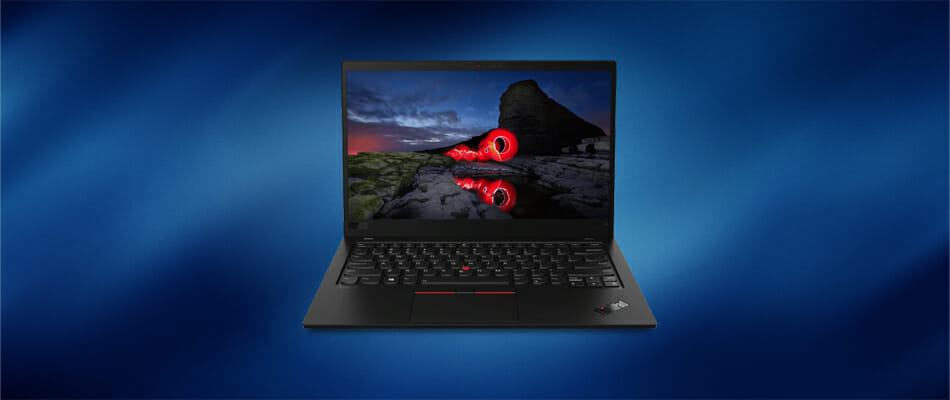
Even if you’re a casual gamer or an aspiring professional, you will find that having a mouse that perfectly suits your taste will make all the difference in the world.

Fortunately, manufacturers are working hard to fulfill your wish, constantly improving the design of their products to fit your needs.

What are the 5 best palm grip mouses for gaming?

PICTEK Wired Gaming Mouse

  • Adjustable DPI (1200/2400/3500/5500/7200)
  • All 7 mouse buttons are programmable with the PITEK gaming software
  • 16 Million customizable, fancy LED backlight
  • Ergonomic design, great for all types of grips
  • The cable feels and looks cheap

The PICTEK Wired Gaming Mouse is our go-to budget choice in the list. Offering great value and quality for its cheap price, the mouse is perfect for both palm grip and claw grip users.

Not only is the mouse comfortable, but it is also fast and highly customizable. Likewise, it claims to have a 30 million clicks lifespan, intricate manufacturing processes, and a meticulous assembly.


Razer DeathAdder v2 Pro Wireless

  • Focus+ 20k DPI Optical Sensor
  • Immersive and customizable Chroma RGB lighting
  • Includes preset profiles that sync with other Razer Chroma-Enabled peripherals
  • Up to 120 hours of battery life in Bluetooth mode
  • Really pricey

Hands down, the best gaming mouse you can possibly get on the market, yet the most expensive. The Razer DeathAdder v2 Pro- Wireless mouse is the best choice you could make, worth every penny of your hard-earned money.

Razer has once again outdone itself with an over-the-top quality product, having the most comfortable and fully customizable design while also being aesthetically pleasing.

The product also comes with its own charging station, the option to play wired or wireless, depending on preference, and a lightweight design.


Logitech G502 SE Hero

  • High-Performance Hero sensor, up to 16k DPI
  • Over 11 fully customizable buttons and up to five ready to play profiles
  • Adjustable weight system, allowing you to arrange up to five removable 3.6-gram weights inside the mouse
  • Programmable RGB and light sync technology from over 16.8 million colors
  • The cable is stiff

Our next recommended product is the infamous Logitech G502 Special Edition Hero. The mouse is equipped with 11 Programmable Buttons and fancy LEDs for RGB and has an ergonomic design for comfortable use.

The G502 is Logitech’s biggest accomplishment in terms of mouses, bringing quality and precision at an affordable price.


Logitech G203 Prodigy

  • Up-to 8 times faster response than standard mice. Every mouse click is near-instantaneous
  • Advanced button tensioning that helps reduce the force needed to click left and right buttons
  • Equipped with RGB LEDs
  • Can only store a single gaming profile

Our first mid-range pick is the Logitech G203 Prodigy. With its custom design inspired by Logitech G100s, it offers top-notch comfort and precision at an affordable price.

The mouse offers up to 6000 dpi which is more than enough for esports or FPS players because speed and precision are the vital points in gaming.


Redragon M602 RGB

  • 7 programmable buttons and 5 memory profiles, each with a different led color option for fast identification
  • Anti-Skid Scroll wheel and durable smooth TEFLON feet pads for ultimate gaming control
  • Over 7200 DPI which is more than enough for serious gaming
  • A limited spectrum of available led colors

This list hopefully covered all you need to know in order to buy a mouse of your preference that perfectly suits you.

We hope you found this article more than helpful. Do not hesitate to share your experience and recommendations in the comment section below.

10+ Best Gaming Laptops Deals to Get on Cyber Monday

The gaming cultural revolution is taking over the world. And what’s a better way to enjoy some of the AAA titles than on a sturdy and capable portable machine?

They’re usually pricey but if you’re willing to spend some cash, now’s the right time. We picked out the best gaming laptop offers we could find and listed them below.

We guarantee an enjoyable holiday season with one of these bad boys.

What are the best gaming laptop deals you can’t miss?

Acer Predator Helios 300 Gaming Laptop

  • Overclockable NVIDIA GeForce RTX 2060 with 6 GB of dedicated GDDR6 VRAM
  • 15.6-inch Full HD (1920 x 1080) Widescreen LED-backlit IPS display
  • 10th Generation Intel Core i7-10750H 6-Core Processor
  • 16 GB DDR4 2933MHz Dual-Channel Memory
  • 4th Gen All-Metal AeroBlade 3D Fan
  • 512GB NVMe SSD (2 x M.2 slots
  • The price tag

Gaming is all about power, and that’s what the Acer Predator Helios 300 Gaming Laptop brings to the table.

Featuring a cutting-edge i5 processor with a powerful GPU, the latest games will run at 60 FPS without any trouble at all.

More so, it comes with Acer CoolBoost technology with twin fans and dual exhaust ports, so you the only things heating up will be your gaming moments and not your hardware.


Acer Nitro 5 Gaming Laptop

  • NVIDIA GeForce GTX 1650 Graphics with 4 GB of dedicated GDDR5 VRAM
  • 9th Generation Wireless: Intel Wireless Wi-Fi 6 AX200 802.11ax
  • 15-ich Full HD Widescreen IPS LED-backlit display
  • Intel Core i5-9300H Processor (Up to 4.1 GHz)
  • 8GB DDR4 2666MHz Memory
  • 256GB PCIe NVMe SSD
  • The LCD screen is a bit lacking

Another member of the Acer family joins the list, and while it may not pack the same punch when it comes to delaying with games, the price tag is more than acceptable for what it offers.

Featuring a powerful i5 CPU and a powerful Nvidia GPU, this game can still handle the latest titles of today and above-average settings for 6- FPS.

More so, the SSD is very fast and offers more than enough storage space for the games of this generation, so you don’t have to worry about a limited gaming library.


Lenovo Ideapad L340 Gaming Laptop

  • 9th-generation Intel Core i5 processors
  • Advanced Dopoundsy audio technology
  • Game in quick Mode or work in quiet Mode
  • Includes 8GB DDR4 RAM and 512GB NVMe SSD
  • 15.6-Inch screen delivers a stunning full HD IPS Display with 1920 x 1080 resolution
  • May have issues with the firmware

Gaming laptops don’t all have to be about flashy colors and powerful stats, although the latter does come in handy.

The Lenovo Ideapad L340 Gaming laptop proof of that, as it is a gaming laptop that can also be used for day-to-day activities such as work or school featuring different working modes.

However, it has a powerful CPU and GPU, and the RGB backlight is there to remind you that gaming is still this laptop’s main purpose.


ASUS TUF FX505DT Gaming Laptop

  • A durable gaming laptop with MIL-STD-810 military standard construction
  • RGB backlit Keyboard rated for 20-million keystroke durability
  • 15.6-inch 120Hz Full HD (1920x1080) IPS-type display
  • Quad-core AMD Ryzen 5 r5-3550h processor
  • Nvidia GeForce GTX 1650 4GB graphics
  • 8GB DDR4 RAM | Windows 10 Home
  • Dual fans with anti-dust technology
  • 256GB NVMe SSD
  • The keyboard is not very silent

Gaming laptops are supposed to be able to handle a lot of punishment, from angry keystrokes to the occasional punch in the keyboard.

That’s precisely why the ASUS TUF FX505DT Gaming Laptop exists, sporting military-grade materials and build, so it is built to last.

The specs are incredibly good as well, sporting a very fast AMD processor, GPU, 8 GB of RAM, and enough storage space for plenty of modern-day games.


MSI GF65 Gaming Laptop

  • Memory: 16GB (8G*2) DDR4 2666MHz 2 Sockets; Max Memory 64GB
  • 15. 6-inch Full-HD (1920*1080), IPS-Level 120Hz thin Bezel
  • Graphics: NVIDIA GeForce GTX1660Ti 6G GDDR6
  • Processor: Core i7-9750h 2. 6 - 4. 5GHz
  • Storage: 512GB NVMe SSD
  • Problems with the MSI firmware

One great thing about gaming is that it is a portal to another world where you can be whatever you want, and that is achieved masterfully by the MSI GF65 Gaming Laptop.

This is especially thanks to the screen which features incredibly thin bezels, allowing you a level of immersive that few other laptops can deliver.

The specs are impressive as well, especially the i7 processor and the 6GDDR6 GPU that will propel your games at lightning speeds.


Razer Blade 15 Base Gaming Laptop

Of course, you can’t have a list of gaming laptops without a Razer laptop, and the Razer Blade 15 Base Gaming Laptop deserves to be on this list.

Featuring a 10th Gen Intel Core i7-10750H processor CPU that can be powered up to 5.0 GHz max turbo and 6 cores.

This together with the powerful NVIDIA GeForce RTX 2070 GPU with Max-Q Design will make all present and even future games run smoothly.

⇒ Check price


ROG Zephyrus S Ultra Slim Gaming Laptop

ROG Zephyrus S Ultra Slim Gaming Laptop

ROG Zephyrus S specs:

  • CPU: Intel i7-8750H Processor
  • GPU: GeForce GTX 1070
  • Display: 15.6” 144Hz IPS-Type
  • RAM: 16GB DDR4
  • HDD: 512GB PCIe NVMe SSD
  • OS: Windows 10

Description: Military-grade metal ultra-thin chassis gaming laptop with powerful specs and ROG Active Aerodynamic System (AAS). The device is equipped with 12v fans and anti-dust tunnels to preserve cooling performance and system stability.

ROG is a powerhouse in the gaming segment and for a good reason.

⇒ Check price


Dell G5587 Gaming Laptop

Dell G5587 Gaming Laptop

Dell G5587 Gaming Laptop specs:

  • CPU: 8th Gen Intel i7 Processor
  • GPU:NVIDIA GeForce GTX 1050Ti
  • Display: 15.6″ LED Display
  • RAM: 16GB Memory
  • HDD: 128GB SSD+1TB HDD
  • OS: Windows 10

This laptop comes in licorice black chassis with dual storage options and Windows 10. NVIDIA GPU is able to get you where you want, graphics-wise, combined with the latest generation Intel i7 will work like magic on all new game titles.

⇒ Check price


Acer Predator Helios 500 Gaming Laptop

Acer Predator Helios 500 PH517-51-72NU Gaming Laptop

Acer Predator Helios 500 specs:

  • CPU: Intel Core i7-8750H
  • GPU: GeForce GTX 1070 Overclockable Graphics
  • Display: 17.3″ Full HD 144Hz G-Sync Display
  • RAM: 16GB DDR4
  • HDD: 56GB PCIe NVMe SSD, 1TB HDD
  • OS: Windows 10

Helios series by Acer slowly but steadily established a close-to-top place on the gaming laptop market. This particular laptop brings the most Acer has to offer, with ultra-high specs for a tolerable sum.

⇒ Check price


Acer Aspire 7 Casual Gaming Laptop

Acer Aspire 7 Casual Gaming Laptop

Acer Aspire 7  gaming laptop specs:

  • CPU: Intel 6-Core i7-8750H
  • GPU: NVIDIA GeForce GTX 1050Ti 4GB
  • Display: 15.6″ Full HD IPS Display
  • RAM: 8GB DDR4
  • HDD: 128GB SSD + 1TB HDD
  • OS: Windows 10 64bit

We can say with certainty that Acer Aspire 7 Casual is a great value-for-money gaming laptop.

Besides all the usual goodies, it also comes with the built-in fingerprint scanner for that extra layer of security. Capabilities far from casual gaming.

⇒ Check price


Acer Predator Triton 700 Ultra-Thin Gaming Laptop

Acer Predator Triton 700 PT715-51-71W9 Ultra-Thin Gaming Laptop

Acer Predator Triton 700 specs:

  • CPU: i7-7700HQ
  • GPU: Overclockable GeForce GTX 1080 8GB MAX-Q Design
  • Display: 15.6” FHD 120Hz G-SYNC Display
  • RAM: 32GB DDR4
  • HDD: 512GB PCIe NVMe SSD
  • OS: Windows 10

Another gaming laptop from Acer that, besides the ludicrous specs, comes with a special cooling system (Dual All-Metal Aero Blade 3D Fans with 5 Copper Heat Pipes) and in an ultra-thin chassis.

It weighs only 5,4 pounds, which is amazing if we consider the presence of an advanced cooling system.

⇒ Check price


Dell Inspiron i5577 Gaming Laptop

Dell Inspiron i5577 specs:

  • CPU: 7th Generation Intel Core i7-7700HQ Quad Core
  • GPU: NVIDIA GTX 1050 4GB GDDR5
  • Display: 15.6-inch FHD (1920 x 1080) Anti-Glare LED-Backlit Display
  • RAM: 16GB DDR4
  • HDD: 512GB Pie SSD
  • OS: Windows 10 Home 64-bit

This mid-range gaming laptop should fit perfectly with all of those avid gamers looking for something around $1000.

All contemporary games should work on high settings without any issues and, if you’re in need of good battery longevity, look no further.

⇒ Check price


ASUS TUF Thin & Light Gaming Laptop PC (FX504)

ASUS TUF Thin & Light Gaming Laptop PC

Specs:

  • CPU: Intel Core 8th Gen i5-8300H
  • GPU: GeForce GTX 1050 2GB
  • Display: 15.6” Full HD
  • RAM: 8GB DDR4
  • HDD: 1TB FireCuda SSHD
  • OS: Windows 10 64-bit

A great bang-for-the-buck machine, with all the high-end essentials and at an affordable price. Both CPU and GPU should take you where you need with most of the contemporary games.

⇒ Check price


If you’re interested in a new laptop but are on a budget, check out the best laptops that you can get for under $1000.

  • Is RAM important for Gaming laptops?

Yes, a lot of RAM means more memory for your games. Here are some great laptops that feature over 16GB of RAM.


Have you decided? Make sure to tell us which one of these is your next companion in the comments section below.