Windows Vista is an operating system by Microsoft for use on personal computers, including home and business desktops, laptops, tablet PCs, and media center PCs.
Release date
Prior to its announcement on July 22, 2005, Windows Vista was known by its codename “Longhorn”.
Development was completed on November 8, 2006, and over the following three months, it was released in stages to computer hardware and software manufacturers, business customers and retail channels.
The official launching date (when it was released worldwide) is January 30, 2007.
It was probably the most despised operating system that was installed on any PC. People remember it by the huge hard drive space that was necessary (details below). Also, its many bugs and lack of compatibility with previous software and hardware were contributing factors to this negative image.
Microsoft tried to save Windows Vista and installed many update patches, trying to correct these errors. Despite this, several initial issues persisted. Its predecessor was by Windows XP and its successor was Windows 7.
Microsoft ended mainstream support for Windows Vista on April 10, 2012, while extended support ended on April 11, 2017.
Editions of Windows Vista
There were six editions of Windows Vista, but only the first three from the list below were widely available on the market.
Windows Vista Ultimate
Windows Vista Business
Windows Vista Home Premium
Windows Vista Starter
Windows Vista Home Basic
Windows Vista Enterprise
All editions of Windows Vista are available on both 32-bit and 64-bit versions. The exception is Windows Vista Starter, which is only for the 32-bit format.
On October 22, 2010, Microsoft ceased sales of all copies of Windows Vista for all editions, amid the launching of Windows 7 in October 2009.
Windows Vista main features
Microsoft brought with Windows Vista many new features in various aspects of an operating system, such as security and safety, networking, new software, and new tools.
The interface was changed from Windows XP. Premium editions included Windows Aero (Authentic, Energetic, Reflective and Open). The intention was to make the user interface more pleasant with new animations and transparencies.
Also, Windows Defender and Backup and Restore Center were extremely useful tools to protect and recover your computer and your data.
The following features are just a few from a long list:
Windows Media Center
Backup and Restore Center
Windows Defender
Windows Search
Windows Aero
From this point of Windows development forward, it is clear that Microsoft tried to incorporate more and more tools that otherwise came as third-party software.
Windows Vista updates came in two service packs and one Platform Update. The SP1 and SP2 came first and their purpose was to fix several issues with security and system, along with new features.
Platform Update was a little bit different. It also included several fixes and features, but its other main purpose was to pave the way for the next Microsoft operating system. Major components from this update were then shipped to Windows 7.
Minimum requirements for Windows Vista
As we said at the beginning, the disk space it required was huge. This is especially available for older PCs on which people used Windows Vista. The random-access memory (RAM) requirement is also big, and computers from that time had issues on keeping the operating system afloat.
RAM: 512 MB (recommended 1 GB)
Hard Drive: 15 GB free of 20 GB (recommended 15 GB free of 40 GB)
32-bit versions of all editions of Windows Vista are limited to 4 GB, excepting Windows Vista Starter, which is limited to 1 GB.
Some 64-bit versions support up to 192 of RAM, such as Windows Vista Business, Enterprise, and Ultimate. Windows Vista Home Basic supports 8 GB and Home Premium 16 GB.
Regarding physical processors, the limitation is 2 for Windows Vista Business, Enterprise, and Ultimate. For Windows Vista Home Basic, Premium, and Starter, the limitation is 1.
Logical CPU limitations are 32 for 32-bit versions and 64 for 64-bit versions.
Back in May, Microsoft announced a new version of its operating system and we are referring of course to Windows 10 S.
Issues with Windows 10 S
Windows 10 S comes pre-installed on the brand new Surface Laptop, and its main feature is the fact that you can only install apps from the Windows Store on it, this way having the benefit of another layer of security added to the operating system.
On the other hand, it comes with a few non-Store apps that are pre-installed such as the OneDrive sync client, and this is the origin of all issues. More specifically, while you can uninstall the client on Windows 10 S, you will not be able to download and reinstall it. This leaves you with the only option of getting it back by getting a factory reset or by upgrading to Windows 10 Pro.
For most users, this is not such a big deal since you really haven’t got that many reasons to uninstall OneDrive unless you don’t use it and you want to free up some space. You will just have to be aware of the fact that as things stand right now if you do decide to remove it, you will not be able to get it very easy back.
This seems to be a bigger problem for Microsoft itself, as users who uninstall it thinking that they will never use it, would be less likely to change their minds.
How to reinstall OneDrive on Windows 10 S
Meanwhile, a user found a workaround for installing the client sync, besides having to get a factory reset.
You can actually bypass the screen that tells you that Windows 10 S only runs verified apps from Windows Store by turning off the Internet connection, but this will not also work for other apps.
If you’re a frequent reader of this site, there’s a good chance that you don’t need anyone convincing you that mixed reality is going to be a pretty revolutionary – and practical – part of the future’s technology. That said, there are plenty of people out there who need to be shown just how important an advancement like this can be. Yijun Xie, Operation Manager at VR company Shadow Creator, recently jumped on the Microsoft Education blog to talk a bit about how Mixed Reality can help in the world of education.
There’s tons of ways that Mixed Reality can help out in schools, but here are the three that Xie lists:
1. Ease your searching in the library
With an augmented reality product like Halo Mini, you do not need to find books by barcodes anymore; the categories and book names will be displayed simultaneously and overlaid in the real world. Once you enter a book title, it will show you where the book is and how you can get there, which will decrease your search time significantly
2. Retrieve relevant information and place it anywhere
When you are reading an astronomy book with an augmented reality product, the related astronomical 3D holograms will be presented on the page synchronously, helping you to better understand and therefore absorb knowledge
3. Exhibit teaching material in 3D models
Show content in a holographic way and turn pictures in books into dynamic images or 3D models. Bring subjects like atomic structure and organ anatomy into the real world.
With Mixed Reality becoming a more feasible part of our education system with each passing day, it’s beyond exciting to see minds like Xie’s tackle the subject. With the promise of a more entertaining and productive education system, teaching can be that much more effective .
An update for Xbox Insiders rolled out to Alpha Ring yesterday and gamers are still catching changes that they didn’t expect. One such is the allowance of moving or copying multiple games.
According to an Xbox fan on twitter (via Stevivor), the long fan requested feature found in the preview build gives you a checkbox next to games to switch between storage options.
Until now, users had to move one game at a time. However, it’s just one of many features on the Xbox Insider preview. You can read more about its other highlights including the Microsoft Fluent Design makeover on our earlier post.
Microsoft today announced the launch of an Outlook.com beta program. Non-Premium Outlook users who are interested in joining the program and testing out new features will soon be able to toggle a “try the beta” switch to receive several enhanced experiences currently in beta testing.
The new beta experiences leverage advances in programming design and artificial intelligence. Microsoft is saying that the beta experiences will bring a faster Outlook.com experience, a smarter inbox, and better personalization options. If you’re looking to opt into the beta, here is what you need to know.
We’re implementing a more responsive web development framework that delivers an upgraded search feature, a fresher look with a modern conversation style and a new design to let you see, read, and attach files and photos faster.
Your inbox now shows you Quick Suggestions as you type—so you can easily add information about restaurants, flights, or your favorite teams’ schedules to your conversations.
An improved photo experience puts all the pictures sent or received in your email in one place and makes it easier to share them with others.
The new modern conversation style makes it easier to manage and preview photos and attachments.
You can personalize your inbox with your favorite people and folders to make it easier to find the friends, files, and conversations that matter to you and give your communications a personal touch with an easier way to access tons of expressions, including popular emojis and GIFs right inside Outlook.
Outlook Beta
Any standard Outlook user who sees the icon can join the program, though Outlook.com premium users won’t be able to partake in the beta. More details are available on the Outlook.com beta support article. You should also be aware that add-ins are not supported for the beta. Once you join, you can always switch back to the regular Outlook.com web experience to use add-ins by switching back the “Try the beta” toggle.
The “Try the beta” toggle
More enhancements will be coming soon, especially for Calendar and People, so your feedback will be key to the adding of more features to Outlook.com. For now, you can opt into the Outlook.com beta when you see the “try the beta” toggle switch appear on the top right corner of your inbox. If you don’t see the option at first, don’t be alarmed, as you should be seeing it in the next few weeks. Microsoft is not sure how long the beta will last, so be sure to keep giving your feedback once you’ve opted in!
Alternative browser Mozilla Firefox was updated today to version 55.0. Among a giant list of new features and improvements, developers added in the availability for WebVR support.
For those just tuning in, WebVR is a relatively new technology to spread virtual reality experience across devices. With the browser, users can experience WebVR applications on multiple platforms adjusting to which is necessary for the time.
As Windows Central points out, this is the first browser for Windows that offers WebVR support cross-platform. It even beat out Microsoft Edge where WebVR support is still in the developer previews since last year. Mozilla even put together a MozVR site with plenty of virtual reality demos to try out the new feature.
The rest of the Mozilla Firefox update can be read and downloaded over on their official site.
Mike Ybarra, Head of Platform Engineering for Xbox teased the new Light Theme yesterday after reviewing the redesigned Xbox One dashboard on Mixer. The new setting is not currently available in the first build that rolled out to Preview Alpha members a couple of hours ago, but the exec said that it “looks awesome.” Xbox Insiders can expect to see it in a couple of weeks before the Fall Creators Update makes its way to all Xbox One consoles.
The new Light theme option for the Xbox One OS will bring a bit more consistency with Windows 10, but overall the announcement of a redesigned UI seems to have surprised many yesterday, especially since the Xbox team shipped the “New Xbox One Experience” nearly two years ago.
Do you like the direction the Xbox team chose to follow, even though it means that Xbox One owners will soon have to learn how to use this new UI? Or would you have preferred the team to stick with the current interface with the addition of a Light Theme plus some Fluent Design touches? Let us know your thoughts in the comments below
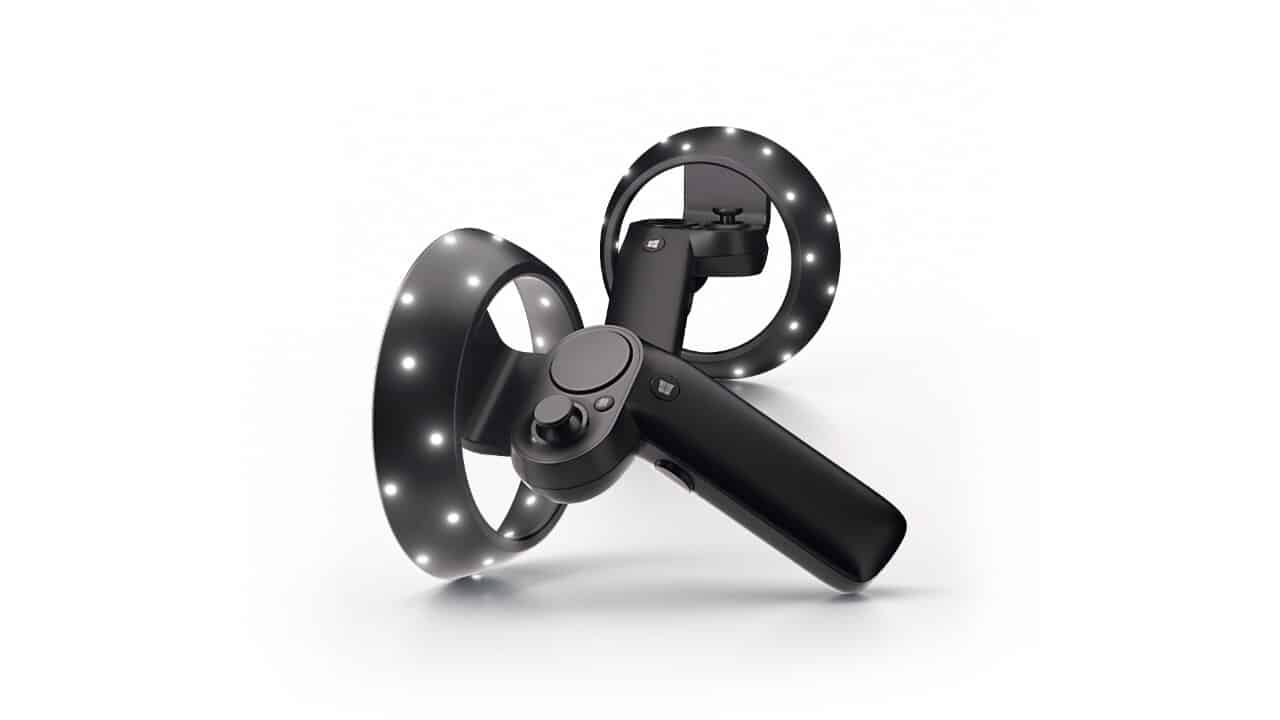
Back at Build 2017, Microsoft unveiled the world’s first motion controllers for Windows Mixed Reality. The controllers are meant to be paired with a Windows Mixed Reality device (such as the Acer Mixed Reality Headset) and help users experience a rich and immersive experience across creativity tools, productivity, games, and entertainment.
Our friend Sean Ong has just posted the world’s first unboxing of these Mixed Reality Controllers, offering a first real world look at the Windows Mixed Reality accessory.
Along with Nima Zeighami, Sean provides us a look at the packaging of the Windows Mixed Reality controllers, revealing a Bluetooth adapter, two different motion controllers, and USB cables. Sean also dives in and shows us how light the controllers really are, and offers us his thoughts and a tour of the buttons on the controllers. He even reveals that the controllers use rechargeable AA batteries, though there is also an interchangeable firmware updated battery blank.
Be sure to keep tuned for more, as Sean Ong will be plugging his Mixed Reality Motion Controllers into his computer and going full hands on and demo in a later video.
Do you think these controllers are something you will purchase for your Windows Mixed Reality Device? Let us know your thoughts below.
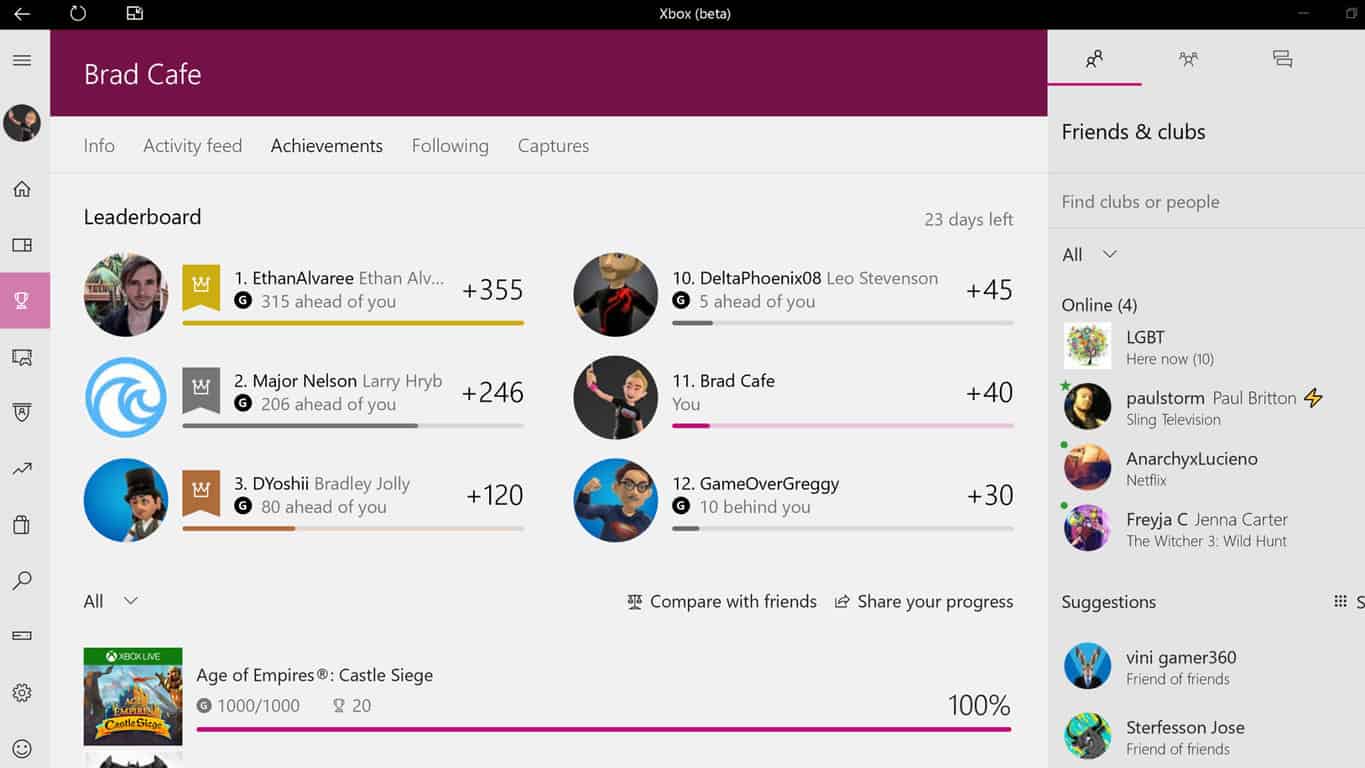
Microsoft has just updated their Xbox Beta app and has added a new Light Theme option in the settings (see above) and has also removed the current 3D model Xbox Avatars from every aspect of the app. The removal of the Avatars is likely part of the transition to the new Xbox Avatars that were announced at E3 earlier this year. Currently within the Xbox Beta app, any users who had an animated Avatar on their profile have had it replaced with their default Gamerpic.
The Xbox Beta app is a special version of the regular Xbox app where Microsoft tests special features and design elements before rolling them out to the general public a few weeks or months later. Anyone can download this Xbox Beta app in the Windows Store.
Do you like the new Light Theme and are you excited for the new Xbox Avatars? Let us know in the comments below.
Microsoft’s Xbox One console has finally got a new surfing game with Surf World Series which is available to download and play today for free in a limited capacity with the demo version while those that wish to unlock more content can pay to upgrade to the full version.
Surf World Series should appeal to old school gamers who remember the classic California Games series and have been longing for some digital surfing ever since. While there have been the occasional surfing game released over the years, it is very much a genre that’s been almost abandoned by most game developers. Here’s the official game description, shopping link, and video:
Grab your board and take on legendary waves in this demo version of Surf World Series, the arcade surfing game that brings you to 5 of the world’s most infamous surfing destinations, including Bell’s Beach (Australia), Supertubos (Portugal), and Jeffreys Bay (South Africa). Enjoy afternoon, evening, night, and bad weather variations with different waves and visual aesthetics. Perform surfing’s most intense tricks, including the Superman and Sushi Roll, against 15 different surfers. Upgrade to the full game to design your own signature surfer with 6 playable characters and thousands of customizations to have the freedom to design your own unique slick style. Compete in 3 multiplayer online modes: Big Heat Battle, Championship and Survival.
Microsoft’s stock has been on a bit of rollercoaster since the company released its most recent quarterly earnings.
Almost immediately after Microsoft reported moderately impressive revenue numbers for three of it four largest product categories for the three months ending in July, early investors saw their shares rise. Unfortunately, the wave of enthusiasm for Microsoft’s future ended abruptly as analysts began questioning the company’s realistic place among cloud providers.
Fortunately, Microsoft has to disclose its numbers in more detail in its annual 10K regulatory filings and observers can now see some of its revenue categorized by major product line.
In Microsoft’s 10K regulatory filing, we see a company’s swift investment in the cloud already bearing fruit with the Server products and tools category bringing in $21.8 billion in revenue. The Server products and tools division of Microsoft houses its new lead product Azure cloud platform as well as other cloud based initiatives.
Another key find in Microsoft’s 10K filing are numbers the company’s commercial cloud are pulling in, such as the combination of Azure, Dynamics 365 and Office 365 commercial bringing in $14.9 billion beating out the company’s own prediction of $14.8 billion for the quarter.
Despite the constant emphasis on Microsoft’s standing (or lack thereof) in the ongoing smartphone wars, the company has managed to subtly transition its core products from Windows and Office to Azure and a cloud based version of Office. Microsoft’s new cloud based transition should see it through the next wave of computing that will have its largest customer, enterprise, begin incorporating aspects of machine learning and artificial intelligence into business models.
Knowing that Microsoft already has a growing presence in cloud computing should help ease investors minds for the time being.
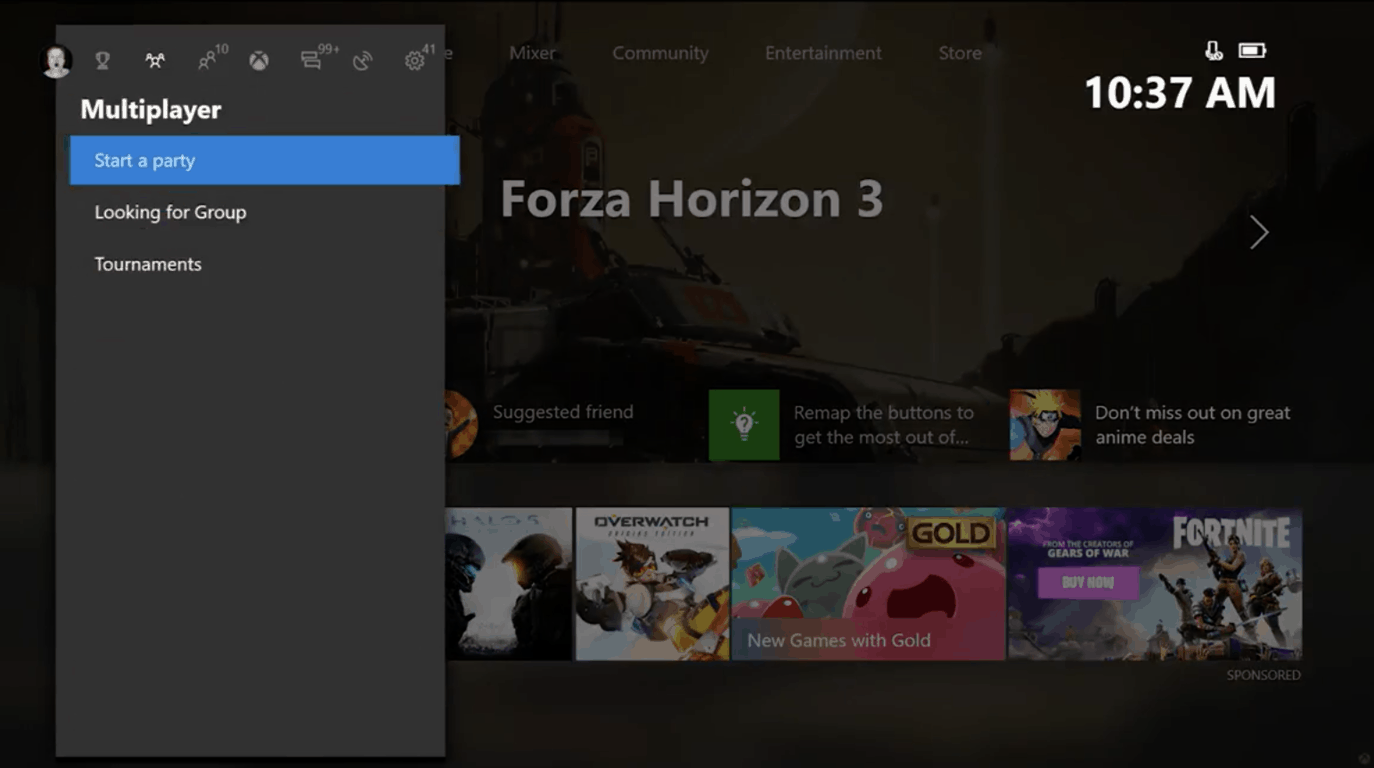
The Windows 10 Fall Creators Update is setting up for even more gaming improvements across PC and Xbox One. Today, Alpha Ring users on console are being greeted with a new update including the long requested customizable Home feature. Additionally, overall updates to Home, Guide, and Community are available today as well.
For Xbox gamers, the Home is the front of their gaming experience. Microsoft is improving it by not only adding its smoother Fluent Design for performance and making it easier on the eyes, but adding a customizable experince. Selecting a game or friend with the menu button now has an ‘Add to Home’ option. This will fill in content related chunks on the players home page such as an activity feed from your favorite game’s developers, friends playing that game, or achievements to get. According to Xbox Wire, more content block types will be added later.
Home, Social, and My Games and Apps are also being consolidated into one experience. Furthermore, it will be faster to switch between content with a new Guide layout. Gamers can use the left thumbstick, d-pad, or bumpers to move between Sign-in, Achievements, multiplayer, People, Home, recent activity and the new action center. Speaking of the community tab, a new Activity Feed layout gives an easier view of what’s been going on with Friends and Clubs, along with some improvements across Game Hubs, Profiles, and Clubs over all.
On Windows 10, gaming continues to be a focus of content for the Fall Creators Update. The Game Bar accessible by using the Win+G shortcut is getting an update. It will now be available on a per-game basis, adding a switch onto the bar itself. Microsoft’s streaming integration with Mixer will also have better audio settings to share game-only or system sounds. A link to Xbox Live Network Troubleshooting has been added to the settings menu.
This update is rolling out to Xbox Insiders in the Alpha Ring starting today with more in the next few months as we move closer to the Fall Creators Update. Let us know what you think of the changes!
Some Microsoft employees have created a chatbot for sex ads, but one that works to slow down, not promote sex trafficking. The chatbot was created as a part of Project Intercept, started by some Microsoft employees after watching a documentary about sex trafficking in Seattle called Rape for Profit.
Microsoft’s Project Intercept chatbot behaves in a way unlike Microsoft’s other chatbots. Instead of trying to attract customers to buy products, the Project Intercept chatbot poses as a person in a fake online ad offering sex in exchange for money. Depending on the conversation that is initiated through the fake ad, and once an offer of money for sex has been made, the Project Intercept chatbot will issue a warning:
“Buying sex from anyone is illegal and can cause serious long term harm to the victim, as well as further the cycle of human trafficking,” goes one such message. “Details of this incident will be reviewed further and you may be contacted by law enforcement for questioning.” The warning can vary based on the conversation, if, for example, a potential buyer expresses an interest in someone underage.”
So far, the chatbot has been tested in Seattle, Atlanta, and Washington, D.C. Project Intercept’s lead partner, Seattle Against Slavery (SAS) is looking to deploy the chatbot in more than 21 cities nationwide, including Boston and Houston, to fight sex trafficking.
Since its inception, the chatbot has exchanged over 14,000 messages with almost 1,000 people who responded to the fake online ads. In more than half of those cases, the chatbot found that it had to respond with a warning message. SAS executive director, Robert Beiser sees an increased need for chatbots like Microsoft’s in helping Project Intercept.
“If law enforcement perform stings in a city they might get a few dozen people, but we know there have to be thousands and thousands of guys out there looking to buy sex. Wasting their time and delivering a deterrence message could change their perspective on what they’re doing.”
SAS is also offering a second service in addition to Project Intercept, called Victim Reachout. Victim Reachout harvests, thousands of phone numbers from real sex ads and offers text messages to offer help to get victims out of the sex trade. While SAS is hopeful that Microsoft services will help cut down on sex trafficking, it may prove a tougher job to eradicate sex trafficking altogether. Only time will tell.
Windows 10’s adoption rate keeps rising and Windows 8 usage is still going down, according to the latest StatCounter’s monthly worldwide traffic report.
Microsoft’s operating systems in statistics
Microsoft’s operating systems are used by 84.48% of users, while OS X is running on 11.3% of the world’s computers. Linux has a total market share of 1.79%, Chrome OS holds a 0.46% market share, while other OSs are used by 1.97% of users. FreeBSD is not being used anymore.
Let’s check out more facts about the Microsoft’s operating systems. Off all the tracked operating systems, it seems that Windows 10 usage has risen to 36.93% in July from 36.6% the month before. Windows 8 usage, on the other hand, has dropped from 2.4% to 2.32% and Windows 8.1 usage fell from 9.37% to 9.14%. Windows Vista and Windows 7 usage have slipped as well.
What does all this mean?
Even if these numbers reflect a marginal rise-and-fall effect, they are very significant from a statistical point of view because these things have been happening for quite a while now.
Windows XP managed to crawl up to 4.94% n July from 4.86% in June, and this was entirely unexpected. StatCounter’s data for the past year showed that XP has been in a constant decline except for a bump that occurred back in December when the operating system went up to 5.93% from 5.92% in November. We could even say that the operating system is making an effort to come back to life. But these changes are so tiny, and this will probably turn out not to be a long-time trend.
Regarding Windows 98 and Windows 2000, these operating systems remained unchanged; their usage is stuck at 0.1%.
Windows 10 Fall Creators Update bring along Microsoft’s vision for the future of UI design. The company added more Fluent Design elements to its own first party apps such as Calculator, the Start menu, Store, Maps, and Groove Music. If you’re not completely satisfied with the new look, you can get rid of it and we’ll tell you how.
Disabling Fluent Design visual effects in Windows 10
Open the Settings app.
Head to Personalization – Colors.
Turn off the option Transparency effects from the right.
These steps will disable the Fluent Design bits instantly.
Disabling Fluent Design visual effects in Advanced System Properties
You can also use the classic System Properties applet to do the same thing.
Press the Windows key and R. the Run dialog will appear on the screen. Type the following into the text box and press Enter: SystemPropertiesAdvanced
Advanced System Properties will open. Press the Settings button in the Performance section on the Advanced tab.
A dialog will open with various presets available at the top
Let Windows choose what’s best for my computer – the OS will automatically enable/disable some visual effects that it determines will run smoothly on your hardware
Adjust for best appearance – enable all available visual effects
Adjust for best performance – all visual effects will be disabled
Custom – enable/disable visual effects manually
To disable Fluent Design in Windows 10, check the Adjust for best performance option. This will remove the check mark from all options which enable the visual effects.
Press Apply and then OK. Close all opened windows.
Now, the Fluent Design elements are disabled along with other unnecessary visual effects that you didn’t like and that you wanted gone. The UI of the operating system will now become more responsive.
Microsoft (MSFT) news recap is a weekly feature highlighting the top Microsoft news stories of the past week. Sit back, grab some coffee, and enjoy the read!
The BBC teams up with Microsoft to create a voice-controlled iPlayer service
Remix 3D, Microsoft’s hosted 3D content site, gets an update
Microsoft has released a rather large update for Remix 3D that enables users to see breakdowns of how models are put together, as well as see how their models are used in creations after being uploaded.
Public previews are now available for Microsoft account, Azure AD sign in experience to more testers
Our colleagues at Aggiornamenti Lumia have gotten their hands on what is claimed to be screenshots of the much-teased Xbox One Spotify app, and it looks pretty good. While the new Spotify app doesn’t have that much separating it from its PlayStation 4 or Android TV counterparts, it’s perfectly functional looking.
Here’s the official description, as well:
Soundtrack your gaming with the new Spotify app, free on Xbox One. Listen to your favorite music as you play any game, and browse playlists for every mood using your Xbox One Controller. Take listening to the next level with Spotify.
Listen to music in the background while you game, for free.
Browse your favourite albums, songs and playlists.
Easy playback from your Xbox One Controller, or change tunes from your mobile or tablet without leaving the game.
Find the perfect playlist for epic gaming in the Gaming genre (in Browse) on Spotify.
Premium users can listen in higher quality audio and without ads.
Is this the kind of thing you wanted to see for the Xbox One Spotify app? Are there any features or UI elements that you think could be added in or tweaked here? With Spotify being such a hotly requested feature for Xbox One, we’re just happy that it’s finally on its way. It’ll be interesting to see how the Xbox One’s take on the application is going to be received by the community.
Welcome to our weekly Xbox news recap series, where we go over the top stories of the past week in the world of Xbox. Let’s get started.
Cross platform gaming is here to stay
Unsurprisingly, cross-platform gaming is something that a lot of people want. It’s a feature that has been universally praised by players, and Microsoft is ready to step into the future with some degree of finesse. Unfortunately for some gamers, there are companies who aren’t quite so accepting of the trend – namely PlayStation, who has previously been the user-favored company when it comes to most games. Replying to a tweet regarding PlayStation’s close-minded nature regarding cross-play, Mike Ybarra mentioned that the feature “Isn’t going away.” So, if you’re looking forward to more cross-play, you can be assured that it’s coming soon.
Our data shows people want larger multiplayer pools of people to play with and the choice to play together. This isn't going away. https://t.co/QRLhLrSoth
Spotify is something that Xbox One users have wanted for years now, since the service was brought to PlayStation 4 users as one of the core features of the console. Microsoft has been dropping all kinds of hints on us about the imminent release of a Spotify feature, with the latest being a clip of the app being used during an episode of “This Week in Xbox.” It’s only a matter of time now until we get an official announcement about the feature.
A week ago, we got a taste of a fairly odd problem: spambots. A lot of them. Xbox Live users from all over started getting friend requests and messages from spambots, sometimes trying to coax out personal information from unsuspecting victims. This week, Microsoft confirmed that they’re aware of the problem with the mod team of /r/XboxOne, so it’s just a matter of time before it’s cracked down on.
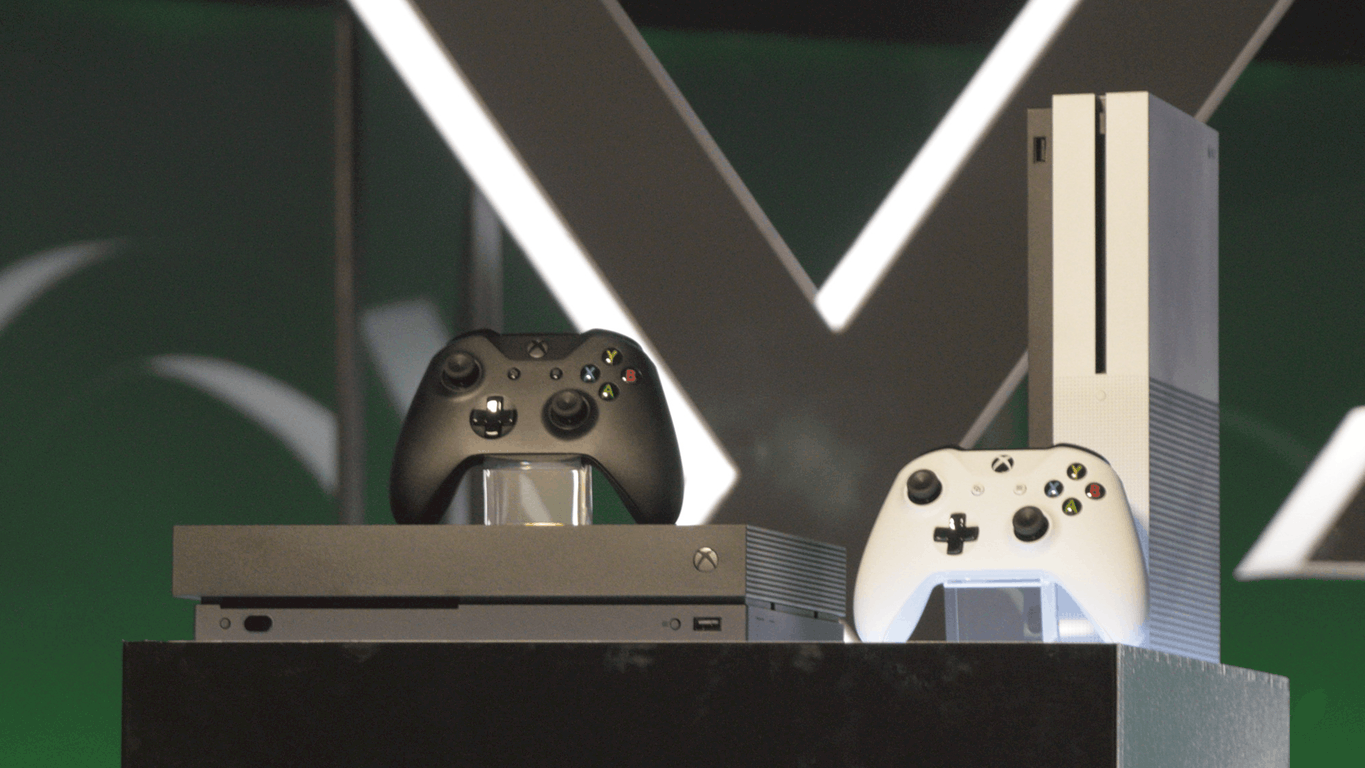
The Xbox One X is getting a dedicated event dedicated to it near release this year, setting up a showfloor for some of the native 4k gaming that it’ll be bringing to the table. Unfortunately, the new event means that Xbox will be mostly absent from the Armageddon Expo in New Zealand this year – an event that the Xbox brand usually has a pretty large presence in. We don’t know any details about the new event yet, although we know that it’ll be showing up sometime near the November 7 release.
Titanfall 2 is being added to the EA access vault, for those of you who have EA access and are curious about trying the game. It’s a conspicuously recent game to the added to the library, and adds a fairly massive amount of value to the membership. For those looking for a recommendation, I can say that Titanfall 2 was one of the best titles that’s come out in the shooter genre recently, and is a must-play for shooter fans.
Dropbox, Google Drive, and OneDrive’s privacy policies might make some users a bit nervous. Fortunately, there is another option: the privacy advocate MEGA’s cloud storage and file sharing app. The app is currently available in open beta in Windows Store after being in closed beta.
MEGA privacy app’s features
The app provides you 50GB of free storage space and your data will be encrypted and decrypted by your client devices only, and never by the company itself. In other words, they never become aware of what your online archive contains.
You can upload your files from your smartphone or your tablet and search, store, download, stream, view, share, rename, and also delete your files. You will also be able to share folders with your contacts and check out their updates in real time.
Due to the fact that everything is encrypted with your own personal key, the company won’t be able to reset your password. In case you lose it, you will also lose access to all your data, the hallmark of an actual secure device.
Pricing plans
If you fill up your 50 GB, you will be able to upgrade your storage space and transfer quota with a monthly/yearly subscription. Here are the available options:
PRO LITE subscription: €4.99 ($4.99) each month or €49.99 ($49.99) each year for 200 GB storage space and a 1TB of transfer quota each month
PRO I subscription: €9.99 ($9.99) each month or €99.99 ($99.99) every year for 1 TB of storage space and a 3TB of transfer quota every month
PRO II subscription: €19.99 ($19.99) every month or €199.99 ($199.99) every year for 4 TB of storage space and a 8TB of transfer quota every month
PRO III subscription: €29.99 ($29.99) every month or €299.99 ($299.99) every year for 8 TB of storage space and a 16TB of transfer quota every month
In an undisclosed policy change, Microsoft is now allowing owners of its Xbox One console to change their ‘home’ console up to 5 times per year. Previously, the home console could only be set 3 times per year.
Setting a home Xbox designates which console automatically downloads purchased content from the Xbox Store, as well as the console which shares games and Xbox Live Gold.
When setting a home console, you’ll now be informed of how many changes are remaining, and this now shows the maximum of 5 changes, with Xbox Support confirming to one user that this is now the case:
Credit to alexeymakarov (via Reddit)
While a small change, it is likely welcomed by those who switch their home console often – such as between friends or when moving around.
Traditional media is in big trouble, as they are not the only source of news and information anymore. These days, social media and the Internet have become the primary sources for news sharing. For instance, 62% of Americans get their news from social media. Its rise also means that anyone is now able to create and distribute news stories even if they are not true.
All consumers are being bombarded with lots of stories that have no disclosure of whether their content is real or not. The cost of publishing fake news is zero, and this is the reason for which trustworthy news distributors are becoming fewer every day.
Artificial intelligence detects fake news
There are lots of software developers who are already creating AI systems in order to identify if the story is fake. Lots of them are working to develop false news detecting systems which would analyze text and assign it a score that represents its likeness to be fake news. To increase the transparency, these scores are broken down into more components that will explain the rating.
According to experts, artificial intelligence can detect the semantic meaning behind a web story by analyzing its headline, the geolocation, the subject, and the main body text. Natural language processing engines can examine all these factors to determine how one site’s coverage compares with how other sites are reporting the very same fact and how the mainstream media sources are handling the same news.
Even if artificial intelligence is not yet completely up to the job, there are a few tools that can raise red flags on narrowly scoped news articles.
Some browser extensions and other specialized software can help you stop falling for fake news stories or that could at least offer a timely reminder that you shouldn’t believe everything that you read online.
Fake news detectors for Windows PCs:
B.S. Detector
B.S. Detector is a browser extension that alerts users to unreliable news sources. The tool has been nominated for a Golden Kitty from Product Hunt for Chrome Extension of the year.
The app is a rejoinder to Mark Zuckerberg’s claims that Facebook is unable to address the proliferation of fake news on the platform substantively. B.S. Detector is a browser extension for both Mozilla and Chrome-based browsers, and it works by searching all links on a given web page for references to unreliable sources. It checks against a manually compiled list of domains, and it provides visual warnings about the presence of questionable links or about the browsing of questionable websites.
The app is powered by OpenSources which is a professionally curated list of unreliable or at least questionable sources.
Here are some examples of domain classifications just as they are listed on the software’s official website:
Fake News – Sources that fabricate stories out of whole cloth with the intent of pranking the public.
Satire – Sources that provide humorous commentary on current events in the form of fake news.
Extreme Bias – Sources that traffic in political propaganda and gross distortions of fact.
Conspiracy Theory – Sources that are well-known promoters of kooky conspiracy theories.
Rumor Mill – Sources that traffic in rumors, innuendo, and unverified claims.
State News – Sources in repressive states operating under government sanction.
Junk Science – Sources that promote pseudoscience, metaphysics, naturalistic fallacies, and other scientifically dubious claims.
Hate Group – Sources that actively promote racism, misogyny, homophobia, and other forms of discrimination.
Click-bait – Sources that are targeted at generating online advertising revenue and rely on sensationalist headlines or eye-catching pictures.
Proceed With Caution – Sources that may be reliable but whose contents require further verification.”
The extension supports Chrome, Chrome-based browsers, Mozilla, and Mozilla-based browsers and support for Safari and Edge is also on its way, according to the official website of the tool.
FiB is an excellent tool that makes sure your newsfeed is always accurate. The tool has over 1.5 billion users and works according to a two fold algorithm.
First, it revolves around content-consumption. The Chrome-extension goes through the Facebook feed in real time, while you browse it and it checks the posts’ authenticity. These posts can be either status updates, links or images. AI checks the facts within the posts, and it verifies them using keyword extraction, image recognition, and source verification. It also uses a Twitter search to check if a screenshot of a Twitter update is authentic. The posts will then be visually tagged on the top right corner according to their source. In case a post is false, the AI will try to find the truth and then show it to you.
Secondly, the tool involves content creation. Every time a user shares content, the chat bot uses a web hook to get a call. The chat bot then uses the same backend AI as content consumption to see whether the post contains unverified data. If it doesn’t, the user will be notified and can then choose to take the news down or let it up.
This Chrome-extension was built using java script that uses advanced scraping techniques to be able to extract posts, links, and images. The data is then sent to an AI which is a collection of API calls that are processed to produce a single trust factor. The APIs include Microsoft’s cognitive services like text analysis, image analysis, Bing web search, Google’s Safe Browsing API, Twitter’s search API. The backend is then written in Python, and Heroku hosts it.
Media Bias / Fact Check will not scan your Facebook, but it will successfully help you when you end up on a site with questionable news or any type of story. This tool functions by scraping data from Media Bias Fact Check which is a cool website that checks for bias across all ideological spectra.
When you reach a news page, and you press the MB/FC icon in your Chrome browser the extension will let you know exactly what kind of bias you can expect from your current source that you are reading. The tool will let you know who is lying to you and when.
The website Media Bias Fact Check (MBFC News) is an independent online media outlet which is targeted at educating the public on media bias and deceptive news practices.
Its aim is to inspire both action and rejection of overly biased media, and the developers would like to return to an era of straight forward news reporting.
The funding for MBFC News is provided by site advertising, by the pockets of the bias checkers, and by individual donors. The MBFC News follows quite a strict methodology for determining the biases of the sources, and it also provides random fact checks, original articles about media bias, significant news, especially breaking news related to USA politics.
PolitiFact is a Pulitzer Prize-winning website which is available also in app form. Instead of flagging questionable sources, the app enables to check the statements that are made by politicians or by other people on the net.
The website rates the accuracy of claims made by elected officials and by other individuals who speak up in the American politics. Editors and reporters run the site from the Tampa Bay Times which is an independent newspaper in Florida.
The PolitiFact staffers research statements and after that, they rate their accuracy on the Truth-O-Meter from True to False. The ridiculous news will get the lowest rating which is called Pants on Fire.
PolitiFact relies on on-the-record interviews and publishes a list of sources with every Truth-O-Meter item. When possible, the list includes links to sources that are freely available, although some sources rely on paid subscriptions. The goal is to help readers judge for themselves whether they agree with the ruling.
The Truth-O-Meter has six ratings which decrease according to their level of truthfulness:
True: when the statement is accurate, and there is nothing of great importance missing from it.
Mostly true: when the statement is accurate, but it needs more information.
Half true: when the statement is partially accurate, and it leaves out important information, or it takes things out of context.
Mostly false: when the statement contains an element of truth, but it also leaves out some essential facts.
False: when the statement is simply not accurate at all.
Pants on Fire: when the statement is not accurate, and it makes ridiculous claims.
The principles used in this Truth-O-Meter rulings involve the following:
Words matter and the context is essential.
The burden of proof is also important because people who make factual claims are accountable for their words and they should be able to provide evidence to back up what they are saying.
There are statements which can be both right and wrong.
Timing is another important issue because it is essential when an announcement was made and what information was available at the time.
This is an extension for Chrome that marks fake news in the pages that you are browsing. It will mark with red the fake news and with orange the click-bait links and the potential false news.
While you are browsing on Facebook, the page may load new posts while you are scrolling, this will cause problems to the detector. There is no problem, as you just click on the logo to check all the new posts again.
Most users think this is a great add on, but they also have some concerns. A user said that he saw it work on some specific pages but, never saw it in action as a scrolled through his actual timeline. Along with that, there are more accurate websites that are known to be fake and should be included.
Using this extension for Chrome you can identify fake news web sites based on whether they are similar to known false news sites using the power of AI.
The extension will add a button to your browser bar, and it will allow you to instantly check whether a news site is false using a neural network, the same technology as Siri and self-driving cars use!
Fake News Detector only analyzes websites when you ask it to do so. It is entirely inactive otherwise, so it won’t be able to slow down your browsing!
In case you are curious, here’s how it works: the extension will analyze a given news web site for factors like its writing sophistication, site popularity, headline content, code structure, and so on. It will then send these factors to a neural network, which combines these elements numerically to produce a prediction.
The best way to understand what the neural network is doing with the factors is by thinking of an analogy: when you reach a news website and try to determine whether it is false, your brain combines all of the factors it sees and produces a guess based on intuition. The neural network does the same thing, except it does so with numbers, in such a way that it provides accurate predictions on a list of known fake and real web sites.
The users like the way that this tool works, but according to their reviews it would help if there were more explanations on the analysis. Some of them don’t feel comfortable just blindly accepting this detector’s decision about whether something is real or fake.
As a conclusion, there are many fake news sources out there. If you want to eliminate fake news from your feed, install one of the tools recommended above. They will quickly cut out the noise.
Microsoft recently revealed that Windows 10 would soon receive support for eye tracking through a brand new feature called Eye Control.
The new technology’s origins
The new feature is currently available in beta on the latest Windows 10 Insider build. It comes from a project which inspired by a person with amyotrophic lateral sclerosis, or ALS.
Microsoft explained that eye control could make Windows 10 more accessible by giving people with disabilities the power to operate an on-screen mouse, a keyboard and to have a text-to-speech experience only by using their eyes.
Tobii 4C eye tracker
This amazing experience will require a compatible eye tracker such as the Tobii 4C. This will unlock access to Windows and will give the operating system the possibility to do the tasks that could previously be accomplished with a physical mouse and a keyboard.
PC gamers may already know Tobii by now for its eye tracking technology in PC and VR games.
Tobii Dynavox
Microsoft also established a division focused on accessibility called Dynavox that’s developing lots of accessibility functions using eye tracking on Windows PCs. Tobii Dynavox is currently working to make sure that current and new generations of eye tracking devices and software will be compatible with the Eye Control feature in Windows.
We don’t know for sure yet if the Eye Tracking feature will be ready for the upcoming Windows 10 Fall Creators Update, but this is exactly the type of improvement that demonstrates the company’s commitment to empowering users to achieve more. It remains to be seen if the Windows Insider team will analyze this new eye tracking feature when the new Windows 10 preview builds will come out.
If you use Feedly as your RSS reader of choice to keep up with the news, there are some solid third-party Feedly clients on the Windows Store. One of them is FeedLab, a free RSS reader that is really capable and customizable (it’s available on Windows 10 Mobile, too).
The FeedLab team is currently working on the version 3.0 of the app, which will bring several UI and UX improvements including a new menu, new settings, new actions to mark as read the articles and more. You can see how it looks below and learn more about the new features on this page.
A quick look at FeedLab 3.0.
Before the major update is finalized, the team is allowing Windows 10 users to test an Insider Preview version of the RSS client. To sign up for the preview, you’ll have to complete the registration form on this page (remember that you’ll need a free Feedly account to use FeedLab). If you haven’t done it yet, you can also check out the current Windows 10 app with the download link below.
A new video game called Thumper will launch on Microsoft’s Xbox One console and in the Windows Store for Windows 10 PCs on August 16th. The game, which is described as a “rhythm violence” game by its developers, Drool, will carry over all progress, Xbox Achievements, and rankings between the Xbox One and Windows 10 versions.
While this does make it sound like an Xbox Play Anywhere titles which also carries over content and has linked Achievements, Thumper is in fact not one so gamers will need to buy the game twice if they want to play it on different devices.
“We think Thumper shines on Xbox One, Drool co-founder, Marc Flury said in a blog post. “The key element to “rhythm violence” is how good it feels to play. So of course, the Xbox One controller is ideal for our game because if feels so dang good! We’ve fine-tuned the game’s controls to feel perfect on the Xbox One. We also take advantage of the controller’s impulse trigger vibrations. As you scrape into rails, slam into turns, and slide across lanes, you’ll feel an immersive stereo vibration effect through the triggers.”
Of particular interest is the fact that the game will get an update later in the year that will add 4K graphics support. This won’t mean much for many current Xbox One owners but those who are planning to invest in the upcoming Xbox One X console can now add this to the growing list of 4K titles that will be available to play in the coming months.
Digital pre-orders aren’t available yet for the game on Xbox One or Windows 10. Are you interested in Thumper? Let us know in the comments below.
Today on Reddit, a user called GhostlyCrowd posted a screencap (see below) he took from the Microsoft ExpertZone website which is used to train retail staff in Microsoft products and services. The page dated June 23rd appears to be promotional material for the Windows 10 and Xbox One Spotify app. Interestingly, the Spotify app did launch on Windows 10 in the Windows Store around that time so this could suggest that the Xbox One app was also expected to launch in June alongside it but was delayed for some unknown reason.
While this page has since been deleted from the web portal, rather hilariously, the official Microsoft ExpertZone Twitter account tweeted about it back on July 20th and that tweet is still online despite the lack of any Xbox Spotify app launch.
It’s safe to assume now that an official Spotify app is indeed coming to the Xbox One sometime in the near future. Are you excited for Spotify to finally be made available on the Xbox One console? Will it make you drop rival services like Pandora or Groove Music? Let us know in the comments below.
A couple of weeks ago, the Windows Insider team decided to pause app updates for Windows 10 native apps for Windows Insiders in the Fast and Slow Rings. As the team explained, this was intended to improve the quality of inbox apps that will ship with the Fall Creators Update in September.
While this decision is understandable, the situation remained a bit confusing for Insiders who recently saw some features disappear and then come back with app updates over the past few days. According to Windows Insider Chief Dona Sarkar, this is all because a targeting issue caused Fast and Slow Ring Insiders to receive updates for the Photos, Groove Music, Movies and TV and Paint 3D apps by mistake. Sarkar shared more details about what happened in the Feedback Hub today.
“Because it is critical that Insiders are experiencing the same versions of the inbox apps that will be released as the default for all Windows customers when we release the Windows 10 Fall Creators Update, we are releasing updates to the inbox apps that restores them to what they were previously,” explained Sarkar.” This means that Insiders may notice some new features and capabilities disappear again temporarily until we officially resume flighting app updates to the Fast and Slow rings.”
Sarkar said that all Windows 10 stocks apps should be affected by this change and receive updates to bring back things as they were. Here is what you can expect:
For Photos, Insiders will notice the loss of features like video editing and search.
For Groove Music, Insiders may notice the loss of the Top Music Video Gallery and Mini-View features. If you are signed in and have more than 100 local playlists, playlists beyond 100 will be lost. Any playlist that has been created and not synced to the cloud will be lost. All music will need to be re-grovelled and re-matched, a process that could take up to an hour depending on collection size.
For the Movies & TV app, Insiders may notice a loss of some UX improvements such as spacing reduction, scrolling headers, and other usability improvements as well as better support for personal videos on SD cards, share functionality from trailer browse, and defaulting to maximized full screen for video playback. Any purchases will need to re-synced to your PC. Uncompleted downloaded rentals will need to be manually executed via File Explorer (they’ll show as expired within Movies & TV).
For Paint 3D, Insiders will notice the loss of Line and Curve and ability to Save/Load .glB files as well as some other smaller UX changes. Insiders will be unable to open any saved projects created while they had the newer build of Paint 3D.
This shouldn’t affect Fast Ring Insiders who recently chose to “skip ahead,” and as a result opted in to receive Redstone 4 builds as well as app updates for Windows 10 stock apps. As for Windows Insiders on the Release Preview Ring, they should also keep receiving updates as usual.
After being out of the gaming market for so long, it seems like Microsoft’s Kinect was made to be an artistic piece of hardware. For years now, we’ve been seeing artists use Kinect sensors to do all sorts of things – none of them involved with the Xbox. The latest artist to use the Kinect is Alison Wonderland, who’s spoken to Microsoft about how she uses Microsoft technology in her shows.
Regardless of whether or not you like electronic music, Alison Wonderland’s performances are off the wall – and she owes the latest visual tricks in her performance to Microsoft. Watching the new promotional video and reading Microsoft’s accompanying piece, you’ll find that the DJ and her team are putting together something truly spectacular.
It’s another example of how Microsoft’s technology is being used in unexpected ways to do things it was never meant for. The Kinect was made to be a gaming peripheral, but as it was tossed out by the gaming community, other inventive people were able to pick it up and use it to do some truly fantastic things. Here’s hoping that Alison Wonderland’s new tour – starting on August 5th – will run without a hitch.
Using a word processor is handy until you start to wonder why exactly half of your project is underlined with red squiggly lines. Jacob Brogan from Slate online magazine believes that Microsoft Word isn’t teaching people how to write better. In fact, the argument in their article is that Microsoft’s favorite word processor is making matters worse overall.
Brogan’s history of teaching college-level writing gives him an interesting perspective on Word’s goal. The job is to teach impart dictations of how writing should be approached, hosting general rules of thumb that good writers use as mandatory. In some of the examples provided, Brogan analyzes that Microsoft Word’s ‘corrections’ often create more problems than they fix.
Especially when Microsoft claims that Word’s features provide an accurate analysis of submitted text. However, Brogan points out that the suggestions provided by Word’s corrections not only confuse grammatical objects of the sentences but just produces more errors to fix in retaliation.
If there’s one thing that makes Word’s grammar and style tools frustrating, it’s this insistence on unneccessary fixes that produce worse problems. Despite its hatred for the adverb “actually,” which it consistently tries to strike from sentences, Word’s grammar checker is the mansplainiest of all digital assistants, butting in even when it has no idea what it’s talking about. Lest you imagine that I was overselling the program’s distaste for “actually,” here’s an image showing that it sometimes flags the word even when you’re talking about the word itself:
Image Credit: Slate
In his example, Microsoft Word actually tries to get him to delete the word ‘actually’ completely, leaving even more grammatical errors in its wake. Even though Microsoft is working to improve its word processing with the more recently announced Editor with its fancy machine learning, Brogan notes that it will also make unnecessary changes such as replacing ‘the majority of’ with ‘most’.
Like many, hassling with Word has been so conflicting in most regards that experienced writers at this point just turn the feature off. Do you believe Microsoft Word is putting semantics before good writing? Let us know your thoughts in the comments below.
There has been a long running narrative of Microsoft being the functionally uncool software provider for a large portion of the tech industry; a title well warranted after providing the software bits to millions of nondescript beige workstations over the years.
Microsoft’s seemingly negative perception has helped fuel many a fanboy war where sides declare their platform of choice victorious while often unanimously deriding Microsoft’s efforts.
However, Microsoft may have found a reprieve from its long standing and seemingly negative public perception as a younger generation comes to associate the company with great cloud solutions.
Two teen tech entrepreneurs were recently interviewed by Geekwire about their experiences within an industry lead by likes of tech giants such as Amazon, Apple, Google, and Microsoft.
Geekwire sat down with Atul Ajoy after he attended Microsoft’s Build conference this year as well as Michael Royzen who managed to snag a seat WWDC as well. Ajoy, a tenth grader with his own startup called Chromata, and Royzen, a senior and CEO of his own company called Mlab Technologies are but two in a sea of thousands that are beginning to see that perception and reality can be deciphered by the end results of a company’s efforts.
“Microsoft’s really relevant today because not only do they care about their first-party applications, but their cloud platform Azure and then other services that they provide really help third-party companies — even my own startup — to get started and build products that anyone in the world can use,” Ajoy said. “Microsoft doesn’t get enough credit for this, but they’re doing a lot of cool things that enable the next generation of technology.”
With a clear focus on cloud powered solutions such as Microsoft’s HoloLens mixed reality platform or artificial intelligence, Royzen and Ajoy are beginning to see a divergence amongst what was previously cool and what could be in the future.
“Apple, I think is a very different company,” he said. “Apple is mostly a hardware company that’s focused on selling to consumers. They really ride waves of popular culture.” One notable difference, as he pointed out, is that Apple is doing machine-learning processing on-device vs. in the cloud.
Ironically, lost in all of this hullabaloo is the fact that the two young men diversify their portfolios to include AWS as their storage solution while praising Azure and the ease of use, rapid release schedules and features its cloud solutions.
Fortunately for Microsoft, the next wave of computing is less about the beige workstation and more about providing platforms and services that feed into the smartphones, smart homes and interactive displays that encompass our lives.
If you can’t send or receive any messages on Skype, you’re not the only one. Microsoft has officially acknowledged this issue and is working on a fix.
Here is the message posted on Skype’s official channel:
We are aware of a problem, where users may not be able to send or receive Skype chat messages. Our engineering team is already on the case!
More specifically, the Skype message status is rolling for a few minutes after users hit the Send button. The main regions affected by this issue are North America and Europe.
This issue comes one month after another major Skype bug. As a quick reminder, tens of thousands of Skype users reported connectivity issues in June. It actually took Microsoft about 2 days to fix this problem for all users.
Fortunately, this time Microsoft was quick to acknowledge the issue. The good news is that after a few minutes, your contacts will eventually receive your messages. At least, this is what we noticed. After about 2 or three minutes, the messages we sent were eventually delivered to our contacts.
We’ll update this article as soon as new information is available.
Are you experiencing any message-related issues on Skype right now? Tell us more about your experience in the comments below.
Today is Thursday, which means Microsoft has just added new titles to the Xbox One Backward Compatibility catalog. Entering the catalog this week are Disney Epic Mickey 2: The Power of Two and Sega Vintage Collection: ToeJam & Earl. As always, you can find the descriptions, download links, and trailers for these links below.
Unleash the power of the brush in an all new co-op adventure. Join Mickey and Oswald in an epic battle to save the magical world of Wasteland and change it forever. Interact with your favorite characters like never before in the most heroic adventure yet.
Join aliens ToeJam and Earl in their adventures across space in classic titles ToeJam & Earl™ and ToeJam & Earl in Panic on Funkotron™!This classic journey of two funky aliens has been updated for release on Xbox LIVE Arcade! Earn all new achievements, complete challenging new game trials, and take on zany Earthlings with a friend in two player co-op across Xbox LIVE!
Since we first reported on the recent Xbox spam problem last week, the problem has only gotten worse with more and more Xbox Live users being followed and messaged by automated spambot accounts. This has resulted in an increasing number of users taking to social networks and sites such as Reddit to voice their concerns and it’s gotten so bad that a new Reddit mega thread has been created for users to talk about the issue. It currently has over 3,000 comments.
The first post states that Microsoft is aware of the issue (how could they not be) and gives some good advice that people should adhere to such as not clicking on any links these account send you and to report the messages that you receive. It might seem like basic advice but the fact remains that people use these bots because they do actually work on many users who aren’t as tech-savvy as we would all hope.
How many fake accounts have followed or messaged you? Let us know in the comments below.
NHL 18 is now in open beta on the Xbox One console until August 8th. Participants in the open beta will be able to play the new 3-on3 matches as well as the improved online mode.
Interested gamers can register for the open beta by downloading the NHL 18 Beta package on the Xbox One but the official announcement does state that not everyone is guaranteed access. As with all beta’s this open beta is primarily being done to test the game and features and the number of players on at any one time is likely being limited for technical reasons.
NHL 18 is due for release on September 18th. Here’s the official description:
EA SPORTS NHL 18 delivers the creativity of today’s young NHL with new Creative Attack controls and the first-ever Defensive Skill Stick. Play the fast-paced, arcade-inspired 3-on-3 EA SPORTS™ NHL® THREES mode, or reshape the league entirely with the new Expansion Draft and your own custom 32nd NHL team. Do it all with the most co-op and competitive multiplayer options ever delivered in an EA SPORTS NHL game.
Microsoft today released Windows 10 build 16257 for Windows Insiders in the Fast ring. Though the build comes with new features such as support for Tobii’s Core eye tracking, it also improves other core areas of the operating system such as Microsoft Edge, and Windows Defender. Here is what you need to know.
Microsoft Edge Improvements:
We’re giving Microsoft Edge a refreshed and more modern look in the browser frame, inspired by the Fluent Design System. The use of Acrylic material provides depth and transparency to the tab bar and other controls, and we’ve improved button animations to feel more responsive and delightful.”
Based on your feedback we’ve adjusted the design of the address bar so now even if the address bar isn’t in focus to start with when you click and drag the text it will remain under the cursor. Previously the text would shift as the “https://” appeared – this change will make it easier to quickly edit parts of the URL.
We fixed an issue where right-clicking on an image in Microsoft Edge and selecting copy then later pasting the clipboard content would result in the image URL being pasted rather than the image itself.
We fixed an issue where if a tab had been opened while Microsoft Edge was in full screen mode, using Ctrl + W to close that tab while still in full screen mode would close the content but leave the tab in the frame.
We fixed an issue where if you had two unrelated tabs in Microsoft Edge and opened a link from the first in a new tab, the new tab would appear to the right of the second tab rather than the first.
Improvements to Edge
Windows Defender Application Guard (WDAG) Improvements:
We have added new status strings to the WDAG splash dialog to provide more information about the startup stages for WDAG. These new strings will be displayed to users when WDAG is starting up and when it’s being resumed from a paused state.
We have also made significant improvements to container launch times by optimizing background preparation of the WDAG container.
We fixed a number of issues that were impacting networking inside the WDAG container as well as a poor user experience when connecting to the WDAG container.
Fixed an issue where the WDAG launch resulted in Error Codes 0x02 / 0x00 or 0x02 / 0c.
Fixed an issue where only part of the WDAG window was being displayed after launch.
Added a registry key to allow users to optimize WDAG launch times during active browsing by not suspending the WDAG container when the WDAG window is closed. You can set the registry key to optimize for performance here: Computer\HKLM\Software\Microsoft\HVSI\, Value name: SuspendOnContainerClosed, REG_DWORD, Value data: 1.
Note: Setting this key will result in the container not pausing and the container will not release committed memory.
We’ve improved the performance of launching the touch keyboard after tapping the touch keyboard button in the taskbar.
We fixed an issue where using WIN+H to dictate into a UWP app’s text field wasn’t working.
We fixed an issue resulting in the Japanese IME prediction candidates position being shifted and overlapping with typed text if you set the page zoom level to something other than “100%” in Microsoft Edge.
We’ve adjusted the design of the Japanese curve-flick touch keyboard to display numbers and English letter keys in a smaller font that’s more consistent with the size of the Japanese character keys.
As you can tell, Microsoft is working to improve the core areas of the operating system before the Fall Release of the Windows 10 Creators Update. It’s best to keep the feedback coming to Microsoft, as it will only help make things more stable in future build.
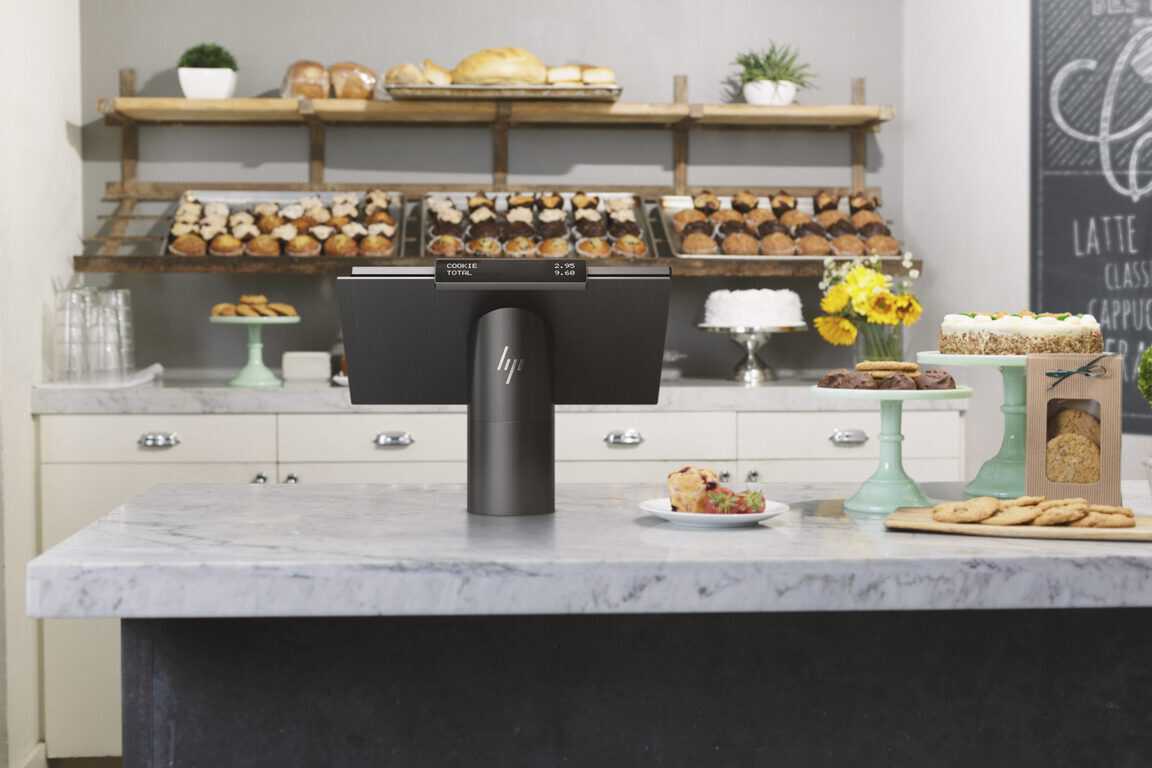
HP has unveiled a new Point-Of-Sale (POS) terminal, which is going to be running off of Windows 10. The new POS is called ElitePOS, and it’s something that both HP and Microsoft seem to be quite proud of. You can take a look at the press-release regarding the POS right here, although if you’re looking for Microsoft’s take on the announcement, you would be better served looking here. ]
— Microsoft Partner Innovation (@MSPTNR_Innovate) August 2, 2017
While most of you won’t be interacting much with this particular piece of technology in the near future, it’s still a pretty bit of hardware to look at. It’s a sleek terminal with a touchpad and an interface that makes use fairly simple. Also, outlined in Microsoft’s blog post is the vast array of security features it provides, including a self-healing BIOS, a bolt-to-counter configuration, Windows Hello integration and more.
For the first time in twenty years, Microsoft is updating the Windows console with more legible colors. Windows 10 preview build 16257 rumored to be available later today should include the overhaul of the legacy color scheme.
The Verge reports that an official Microsoft blog has been shared early, but the link has since been removed. Through the magic of caching, however, the blog was recovered.
The legacy default scheme was not built for modern displays and does not render as well on newer high-contrast LCD displays. This is particularly apparent with deeply saturated darker colors like blue.
The new default colors will modernize the look of the Windows Console and make it more congruent with other terminal experiences, such as the integrated terminal in VSCode.
A clean install of Windows 10 with the new build will show the new default colors, but simply upgrading will not affect them. Microsoft says that this is because they don’t want to overwrite any existing custom color settings.
We’ll keep our eyes out for Windows 10 Preview build 16257 and more information as it comes.