Outlook Mail gets some eye-catching Fluent Design effects

Some improvements on their way to Outlook Mail will involve various cool Fluent Design elements such as motion, acrylic, and light — which is great: we can’t get enough of Fluent Design since Microsoft showed off its newest design language at Build 2017. This was one of the most important revelations for developers as it’s the latest design language set to arrive for various kinds of applications.

The updated Outlook Mail client – light with smooth animations and blur

It’s time to take a peek at the in-house apps that have been updated with Fluent Design, one of the most interesting ones being Outlook Mail. This one is a very popular Windows 10 application and it will be joining the Edge browser and other apps being updated with Fluent Design.

During Build 2017, Microsoft made sure it showed everyone Outlook Mail’s new features and the first ones who will get to check them out and enjoy them will probably be Insiders.

The updated Outlook Mail client includes new features such as a light for going over items and sidebar menus, motions with smooth animations when you open and close various UI elements, and acrylic for blurring certain areas.

The borderless experience

There’s another improvement that comes with the app: a borderless design. The company already mentioned how developers will be able to make some elements stretch out to cover the entire window to create a borderless experience. Like this, apps will get a more clean and streamlined look.

Until now, we could only analyze a few aspects of the Fluent Design applied in a just a small number of select apps that have been updated by Microsoft. Build 2017 gave everyone the occasion to check out everything that the company has planned.

With Fluent Design, Microsoft has managed to improve the flat UI design the company constantly forced into its apps and onto developers for so long.

RELATED STORIES TO CHECK OUT:

New evidence suggests most WannaCry victims were running Windows 7, Windows XP is ‘insignificant’

It has been one week since the WannaCry ransomware made its way into computers around the globe, but now that the dust has settled, researchers have had time to examine the true impacts. According to new reports, new evidence is suggesting that most WannaCry victims were running Windows 7, meaning that Windows XP is ‘insignificant’ when it comes to the distribution of the ransomware across Windows machines (via The Verge).

The data fueling the latest reports comes from Kapersky Lab, a Russian multinational cyber security and anti-virus provider. Their data shows that when put all together, about 98% of computers affected by WannaCry were running Windows 7. Windows XP, meanwhile, only accounted for about one in a thousand infections.

This latest data raises concerns: while most media emphasis was on Windows XP, Windows 7 was impacted too, and this one is still the most popular version of Windows nearly eight years after its release. It is worth noting that several months ago, Microsoft had issued a patch for recent versions of Windows which was aimed at protecting from the attack, but most administrators could have likely not installed it. Microsoft also recently issued an emergency patch for Windows XP, Windows 8, and Windows Sever 2003, aimed at stopping the exploit, but not before it had already spread worldwide.

The hacking group linked to WannaCry has suggested that more exploits could come, perhaps even having an impact on Windows 10. Microsoft, nonetheless, has criticized the government’s stockpiling of software vulnerabilities following the WannaCrypt ransomware attack.  As recently as yesterday, a French-based researcher has also suggested a method for WannaCry victims to decrypt their data without paying the ransom.

How to stay safe online after the WannaCrypt attacks

On an otherwise regular Friday morning, the entire world experienced the effect of the malicious WannaCrypt cyberattack.

WannaCrypt’s effects

On Microsoft’s blog, President and Chief Legal Officer Brad Smith debated the subject of this year’s latest cyberattack. The WannaCrypt malicious software started in UK and Spain and spread globally at an extremely quick rate. The software blocked customers from their data and forced them to pay a ransom with Bitcoin to regain access. What’s worse, the WannaCrypt exploits used in the cybernetic attack were drawn from exploited data stolen from the NSA.

On March 14, Microsoft released a security update to patch the vulnerability that allowed the malware to work. This patch protects the newest Windows systems and computers that have it installed but unfortunately, many machines remained un-patched — including those found in hospitals, businesses, home computers, and governments.

Microsoft takes action

On its blog, Microsoft said that it is currently taking action to help all of the affected customers. The company’s actions include “a decision to take additional steps to assist users with older systems that are no longer supported,” said Microsoft’s Brad Smith. “Clearly, responding to this attack and helping those affected needs to be our most immediate priority.”

Lessons learned

Microsoft will add new security functionality across the entire software platform, including “constant updates to our Advanced Threat Protection service to detect and disrupt new cyberattacks.” The company will also work with the Microsoft Threat Intelligence Center and Digital Crimes unit and will share all new information with governments, law enforcement agencies, and all the other customers throughout the world.

The attack has proven that cybersecurity has become a shared responsibility between customers and tech companies. Cybercriminals are now more and more skilled and customers can’t protect themselves unless they receive updates for their systems.

The attack also provided another example why stockpiling vulnerabilities by governments is an issue. Remember WikiLeaks? Microsoft advises governments to treat this cyberattack as a wake-up call and to take into consideration the immense damage to civilians coming from hoarding these vulnerabilities instead of fixing them.

Read more on what Microsoft has to say about the cyberattack on the company’s blog page.

RELATED STORIES TO CHECK OUT:

Xbox Play Anywhere game A Walk in the Dark is now available

Microsoft’s Xbox Play Anywhere catalog is welcoming a new action platformer today: A Walk in the Dark, a game set in a dark fantasy world will let you run and jump on both your Xbox One and Windows 10 PC at no additional cost.

Bruno Vidal, Lead Developer of A Walk in the Dark shared the following description of the game on Xbox Wire:

In our game you’ll be playing as Bast, a cat on a mission to rescue his best friend Arielle, from an ancient evil creature that turned their hike into a fight for survival. This journey will take you through 100 levels that will put your skills as a gamer to the test. For the bravest of players, we have added 10 additional Challenge levels that require exceptional precision and mastery to complete.

If Vidal is really excited about making the game an Xbox Play Anywhere title, the developer also praised the Xbox Live Creators Program and the ability to turn retail consoles into dev kits. “We had the full game running on a retail Xbox One months before we even reached out to ID@Xbox,” he explained. “Seeing the barriers for console game development being brought down, makes me truly excited for the future.”

A Walk in the Dark can be yours for just $6.99 on the Windows Store and you can get it from the download link below.

A Walk in the Dark
A Walk in the Dark
Developer:
Flying Turtle
Price:
$6.99

WhatsApp Windows 10 PC app may release on the Windows Store this year

The WhatsApp desktop app could join Spotify and iTunes in the Windows Store in the near future. According to new reports from Aggiornamenti Lumia, it seems that a ported version of the popular messaging client will soon be released for the ever-expanding Windows Store for Windows 10 machines.

WhatsApp for Windows 10 PC

  • Simple and reliable messaging for free
  • The possibility of keeping in touch with groups using group chat: share posts, videos, and photos with up to 256 people; you’ll also be able to assign the name for a specific group, to mute or to customize notifications, and more
  • Default security: the most recent version of the app will be encrypted end-to-end therefore messages and calls will be highly protected
  • Easy document sharing: send documents, PDF files, spreadsheets, presentations, and more without being hassled with email or other apps for sharing files; you’ll be able to send files up to 100MB

The report said that the forthcoming WhatsApp Windows Store application was created with Microsoft’s Project Centennial and appears to be a straight conversion of the currently available WhatsApp Desktop app for Windows using the Desktop Bridge.

You won’t find the app available for download just yet, but you’ll definitely need the Windows 10 Anniversary Update to install it. There is no clear indication as to its exact release date.

RELATED STORIES TO CHECK OUT:

Office 365 users can now share OneDrive files with expiring links

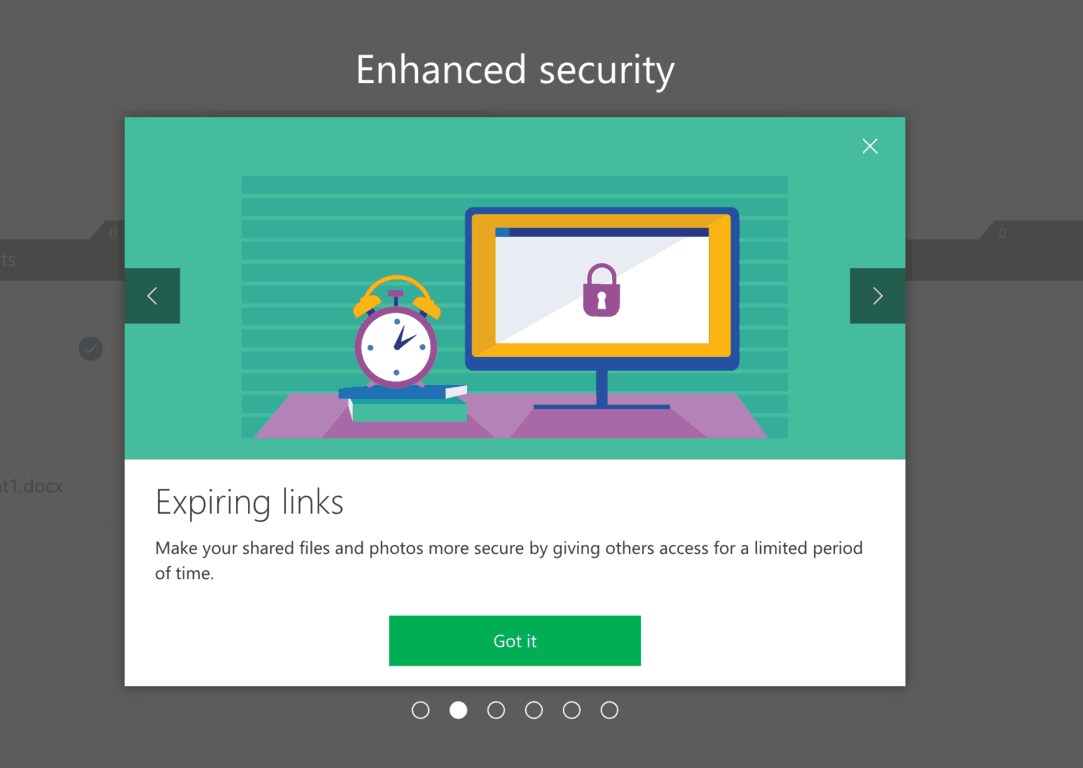
If you often use OneDrive links to share content with your contacts, you’ll be pleased to learn that Microsoft has quietly added a new expiring link feature (via Neowin.) This is a useful addition as you’ll no longer have to remember to delete old OneDrive links that you created months or years ago.

For now, expiring links are only available on the web for Office 365 Personal and Home subscribers. If you don’t have a premium subscription, you’ll see a pop-up advertising the feature when you try to share a file on OneDrive:

Expiring links require an Office 365 subscription.

This is an interesting addition that will certainly make your Office 365 subscription more valuable. As a reminder, Office 365 Personal gives you 1TB of OneDrive Storage, Office 2016 for PC or Mac and other exclusive productivity features for just $69.99 a year. If you’re not already a subscriber, let us know if the addition of OneDrive expiring links could help you change your mind.

Windows 10 PC build 16199 and Mobile build 15215 are available for Insiders

Microsoft recently rolled out a new Windows 10 Fall Creators Update build to Insiders in the Fast ring for both PC and Mobile.

Windows 10 build 16199 and Windows 10 Mobile build 15125 takes us one step closer to the Fall Update. The Mobile build includes a series of fixes, but doesn’t bring any new features. The PC build brings some interesting new features and changes to the table..

Windows 10 Mobile build 15125

According to Sarkar’s post on the Windows blog, the Mobile build brings changes, improvements, and also fixes.

  • It brings a fix for the issue where the Call audio didn’t move to the speaker after removing the headset on some devices.
  • It improves apps’ power and performance.
  • It fixed an issue where notification weren’t mirrored to the user’s PC and Cortana’s cross-device settings didn’t persist.

The known issues for Mobile include an incorrect copyright date, and, in some cases, a crash of the WeChat app when launching.

Windows 10 build 16199

Emotive Experience in My People: new features are available for My People and they include the following:

  • You can now see emojis from your pinned contacts.
  • You can enjoy notification badging.
  • People-first sharing feature that allows easier sharing with your contacts.

Improved Game Settings:

  • You can now broadcast using game-audio only.
  • Audio settings is now Game DVR in the Game bar.

More PC novelties include:

  • Expanding Storage’s Sense’s abilities
  • Streamlining Narrator Feedback
  • Incoming call notifications
  • Updated Windows Defender Security Center
  • Fixed issues related to various Win32 apps not launching
  • Windows Defender Application Guard is fixed.
  • The Note quick action has been removed due to low usage.
  • The migration logic was updated for preserving the state of rotation lock.
  • The issue with color profiles was fixed.
  • The context menus for apps and tiles in Start have been updated.

To check out all the changes, improvements, fixes, and known issues for both Mobile and PC, you should go check out the entire post by Dona Sarkar on the Windows blog.

If you’ve encountered any Windows 10 build 16199 issues or Windows 10 Mobile build 15125 bugs, use the comment section below to tell us more about your experience.

RELATED STORIES TO CHECK OUT:

Skype online community moving to Microsoft Community next week

The Skype team has announced today that the Skype online community will be moved to the Microsoft Community on Tuesday, May 23. This consolidation was decided to address “major changes” at Skype which have brought some “new challenges to our customers,” the team explained.

Following the launch of the Skype Insider Program last year, Microsoft had already created several boards for Skype Preview on Android, Skype Lite and feature suggestions on Microsoft’s main community website (answers.microsoft.com). According to the team, this change should benefit both consumers and developers:

The move to Microsoft Community will bring Skype customer support staff into the community for the first time – helping you get answers to your questions quickly.

We also want to strengthen the relationship between our customers and our developers. Joining the Microsoft Community will allow us to deliver your insights and feedback directly to our engineering teams.

The old Skype community website was quite active and a great resource if you had questions about the messaging app. We hope that Skype users will embrace the change and accept to move to the new website. If you’re interested, you can already sign up here.

Destiny 2 to run at 30 frames per second on Xbox One, 4K on Scorpio unknown

Game developer, Bungie, release a lot of information this week regarding Destiny 2 which was announced earlier this year. Among the numerous bits of information was confirmation that while the PC version of Destiny 2 will support 4K resolution and run with an uncapped framerate, the console version on Xbox One and Sony’s PlayStation 4 would be limited to 30 frames per second and 1080p resolution.

When asked about Microsoft’s upcoming powered-up Xbox console currently codenamed, Project Scorpio, Project Lead David Shaw stated that they would announce Scorpio information only after Microsoft has released details on the new console at E3.

Destiny 2 will launch on Xbox One on September 8th and can be pre-ordered now right here. Is framerates and resolution important to you? Let us know in the comments.

Microsoft apparently has no plans to revive Scalebound, despite rumors

Earlier this month, Microsoft quietly renewed the trademark to Scalebound, the promising Xbox exclusive title that was officially cancelled in January. It shouldn’t be too surprising to see Microsoft still protecting the trademark of the much talked about video game, though this morning you may have heard some positive rumors about Scalebound being back in development.

Microsoft has just renewed the trademark to Scalebound.

More precisely, Twitter user Xrays_Insider claimed that the action-RPG title initially developed by Platinum Games was now in the hands of another team close to Microsoft. Howerver, these optimistic claims have since been contradicted by Windows Central, which own sources confirmed that “Scalebound is not in development by Microsoft or a “trusted team.” Microsoft did not comment these rumors at the time of our writing.

Scalebound was initially unveiled during E3 2014, and the ambitious game was set to join the growing list of Xbox Play Anywhere titles. The news about its cancellation was obviously a huge disappointment for Xbox fans, though Xbox head Phil Spencer promised that 2017 would be a “fun year” despite the lack of blockbuster releases. E3 is just a few weeks away, so we won’t have to wait much longer to see what the Xbox team has in the pipeline.

Lenovo introduces colorful new IdeaPad laptops, new FlexPads, more

Hot on the heels of Microsoft’s recent announcement of the Surface Laptop and Windows 10 S, Lenovo is getting geared up for the back to school season too. Today, Lenovo announced their new lineup of IdeaPad laptops, FlexPads, and Legion gaming laptops. While there will be some laptops available in the new Lenovo lineup later this month, most will be available starting in June 2017.

The new Lenovo lineup of IdeaPads includes the re-designed IdeaPad 320, as well as two new slim options; the IdeaPad 320S and IdeaPad 720S. Lenovo introduces a new FlexPad, the all-new Flex 5. For all the gamers out there, Lenovo introduces its most powerful gaming laptop yet, the new Lenovo Legion Y920.

Here’s a more in-depth look at the new Lenovo lineup.

IdeaPad 320

Windows 10, Lenovo, Microsoft

The Lenovo IdeaPad 320 comes in two sizes, 15.6-inch and 17.3-inch, with customization options ranging up to an Intel i7 7th-gen “Kaby Lake” processor, 2 TB SATA HDD, 16GB RAM, and an optional fingerprint reader for Windows Hello. The smaller 15.6-inch Ideapad 320 has a touchscreen option available. Both IdeaPad 320 sizes come with a USB Type-C port (non-charging). The Lenovo IdeaPad 320 is available in Onyx Black and Platinum Grey.

IdeaPad 320S

Microsoft, Windows 10, Lenovo
Lenovo introduces the IdeaPad 320S as a cheaper alternative to Microsoft’s Surface Laptop. The IdeaPad 320S (S stands for slim) is available in three colors; Coral Red, Mineral Grey, and Snow White. The IdeaPad 320S offers two 14-inch and 15.6-inch options, with up to an i7 Intel processor, 8 GB RAM, 256 SSD in 14-inch version, up to 512 GB SSD in 15.6-inch version. Base pricing starts at $739.99 (14-inch) and $749.99 (15.6 inch).

IdeaPad 720S

Microsoft, Lenovo, Windows 10

For those looking for beefier RAM, Lenovo has the IdeaPad 720S, sporting a 14-inch display, up to a 7th-gen Intel i7 processor, 16 GB RAM, and 512 GB PCIe hard drive. Base price starts at $969.99.

Flex 5

Microsoft, Windows 10, Lenovo
The creator of the 360-degree hinge, the Lenovo FLex 5 has two available size options, 14-inch and 15-inch displays, with up to an Intel i7 processor, 16 GB RAM, 1TB HDD. The Flex 5 also has integrated pen support, a 360-degree hinge to use your Flex 5 in a variety of different positions, and a precision trackpad. 4K UHD IPS Display is available, as is an optional fingerprint reader for Windows Hello support. Pricing starts at $719.99 (14″) and $829.99 (15″).

Legion Y920

Microsoft, Windows 10, Lenovo, Gaming

The most powerful gaming laptop Lenovo has produced yet, the Legion Y920 offers multiple GPU options, a NVIDIA G-Sync Panel, and Mechanicla Keyboard with full RGB. The Legion Y920 also has a 7th Gen Intel Core i7-7820HK / i7-7700HQ, NVIDIA GTX 1070 (8GB) GDDR5 with PCI Express, 16 GB RAM, 512GB SSD / 1TB HDD, Dolby Home Theatre Audio, 2x 2W JBL Speakers, 3W Bass Subwoofer, and a 17.3″ FHD (1920×1080) Gsync IPS display. Pricing starts at $2,699.99.

Which Lenovo laptop is right for you?

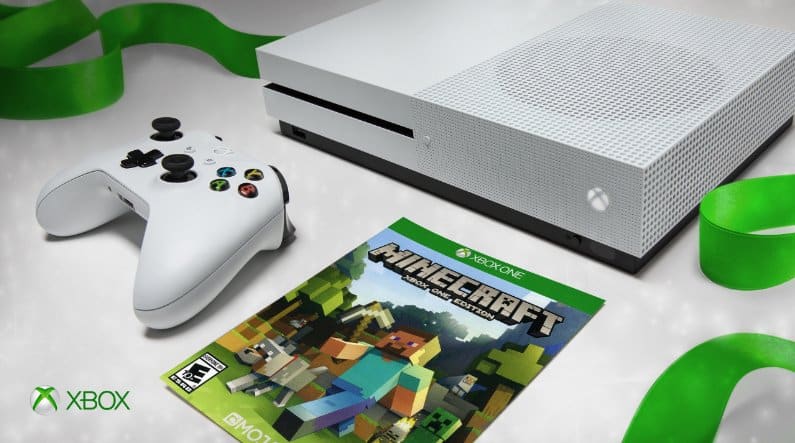
Xbox Live Multiplayer is free from May 18-21, play Minecraft Xbox One Edition for free!

A recently uploaded YouTube video has revealed that Microsoft will be hosting a Multiplayer All-Access weekend from May 18th-21st, and included is free play in Minecraft Xbox One Edition.

This means that those without an active Xbox Live Gold Subscription can test out Microsoft’s gaming service and play online with fellow friends and gamers in any game worldwide for free on both Xbox One and Xbox 360. And, for even more fun, during the same time, everyone can enjoy free access to Minecraft Xbox One Edition (usually priced a $19.99,) which features endless opportunities to create and explore your very own world where the only limit is what you can imagine.

Will you be taking advantage of this offer? Or are you an already Xbox Live Gold subscriber enjoying the benefits of Games With Gold and Deals with Gold? Let us know your thoughts in the comments below!

Microsoft is taking Build 2017 on tour, to visit Beijing, Warsaw, more

Microsoft wrapped up its Build 2017 developer conference in Seattle last week, but the company is already getting ready to hit the road and meet more developers all around the word. That’s right, the company is bringing back the Microsoft Build Tour this year, which will kick off next month with a first stop in Shanghai, China.

In total, Microsoft will visit the following seven countries in June:

  • June 5-6: Shanghai, China
  • June 8-9: Beigjing, China
  • June 12: Munich, Germany,
  • June 13-14: Seoul, Republic of Korea
  • June 14-15: Helsinki, Finland
  • June 19-20: Warsaw, Poland
  • June 21-22: Hyderabad, India
  • June 29-30: Syndey, Australia

This year, Microsoft wanted the tour to be a two-day event, except for Munich (June 12) which will be a single day, session-focused event. On the first day, you can expect a keynote and many demo-driven sessions focusing on all the developer tools that Microsoft announced at Build 2017. On the second day, you’ll have the opportunity to join Microsoft developers for full day hackathon.

Last but not least, attendess will be able to have a hands-on demo with the first Windows Mixed Reality headsets that will ship to consumers later this year. Seating will be limited, so hurry up to register for the location of your choice on the dedicated website.

Microsoft is adding data centers in Africa, now has more regions than any other cloud provider

Microsoft today announced that they are planning to add data centers in Africa, bringing the total number of Microsoft data centers worldwide to 40, which is more than any other cloud provider. Initial availability will come in 2018, and the new centers will offer enterprise-grade reliability and performance combined with data residency.

According to Microsoft, these new Microsoft Cloud data centers (located in Johannesburg and Capetown, in South Africa) will deliver Azure, Office 365, and Dyanamics 365, along with enterprise-grade reliability and performance combined with data residency. Scott Guthrie, Microsoft’s Executive Vice President of Cloud and Enterprise Group explains what this means for the people of Africa.

We see enormous opportunity for the cloud to accelerate innovation, support people across the continent who are working to transform their businesses, explore new entrepreneurship opportunities and help solve some of the world’s hardest problems… Customers across Africa, including local startups and NGOs, will be able to use the cloud services delivered from these new regions to power innovation and opportunity for Africa and the world. For example:

  • M-KOPA Solar has used mobile and cloud technology to develop an affordable pay-as-you-go solar energy solution to provide electricity to more than 500,000 homes.
  • AGIN has leveraged the cloud to enable an app to connect 140,000 smallholder farmers to key services, enabling them to share data and facilitate $1.3 million per month in finance, insurance and other services.

This announcement brings us to 40 cloud regions around the world — more than any other cloud provider — and will help organizations and people from Cairo to Cape Town accelerate their journey to cloud computing.

Microsoft believes that the new investment marks a major milestone in the company’s mission to empower every person and every organization on the planet to achieve more. In fact, Microsoft has beaten rivals Amazon and Google to launching a data center in Africa, marking a significant step forward in the company’s cloud division. The data centers, nonetheless, are also an addition to other Microsoft efforts on the African continent, including using the Microsoft Cloud to bring access to training and education, building job skills for more than 775,000 people in Africa.

Marvel Heroes Omega Xbox One release date announced

A month after Marvel Heroes Omega was announced for Xbox One, the game has been given the release date of June 20th 2017, just one month from today.

The game is an MMO with roleplaying game elements and features a huge cast of characters from Marvel Comics series such as X-Men, Avengers, Guardians of the Galaxy, The Defenders, and more. When the game launches on Xbox One on June 20th there will be 38 characters to choose from but this roster will expand going forward, much like the original PC version which is still adding characters on a regular basis.

Are you excited for Marvel Heroes Omega on Xbox One? Let us know in the comments below.

Microsoft issues guidance for Azure customers to protect from WannaCry attacks

You may have heard of the WannaCrypt (Known by many as WannaCry) ransomware that’s been hitting everyone recently. In fact, you may have heard about it directly from Microsoft, when they passed the buck onto the NSA for being the cause of the whole problem. Regardless of the politics around the origination and context of the cyber attack, Microsoft still wants its customers to be safe. In that spirit, they’ve published a post on the Azure blog to help keep people safe.

No preamble here – Microsoft just put together a checklist of things for you to do in order to keep it clean. Here it is.

  • This recent WannaCrypt malware exploits a Service Message Block (SMB) vulnerability (CVE-2017-0145). Customers should immediately install MS17-010 to resolve this vulnerability.
  • Review all Azure subscriptions that have SMB endpoints exposed to the internet, commonly associated with ports TCP 139, TCP 445, UDP 137, UDP 138. Microsoft recommends against opening any ports to the internet that are not essential to your operations.
  • Disable SMBv1 – instructions located here: https://aka.ms/disablesmb1
  • Utilize Windows Update to keep your machines up-to-date with the latest security updates. If you are running Azure Cloud Services (Platform as a Service Web Roles and Worker Roles or Infrastructure as a Service (IaaS)) automatic updates are enabled by default, so there is no further action required.  All Guest OS versions released after March 14th, 2017 contain the MS17-010 update. You can view the update status of your resources on an on-going basis in Azure Security Center.
  • Use the Azure Security Center to continuously monitor your environment for threats. Collect and monitor event logs and network traffic to look for potential attacks using the Azure Security Center, and check for new security alerts and quickly investigate any threats detected.
  • Use Network Security Groups (NSGs) to restrict network access. To reduce exposure to attacks, configure NSGs with inbound rules that restrict access to only required ports. You can use network firewalls from a range of companies for additional security. Azure Security Center provides a view of the security for all your networks in Azure and helps you identify those with internet accessible endpoints, insufficient NSG protections, and in some cases recommends a firewall solution.
  • Confirm that anti-malware is deployed and updated. If you are using Microsoft anti-malware for Azure or Windows Defender, Microsoft released an update last week which detects this threat as Ransom:Win32/WannaCrypt. If you are running anti-malware software from any number of security companies, you should confirm with your provider that you are protected. You can also use Azure Security Center to verify that anti-malware, and other critical security controls, are configured for all of your Azure virtual machines.
  • Configure backups with multifactor authentication. An important part of recovery from any compromise is having a strong backup solution in place. If you are already using Azure Backup, you can recover data if your servers are attacked by ransomware. Only users with valid Azure credentials can access the backups stored in Azure. We also recommend enabling Azure Multi-Factor Authentication to provide an additional layer of security to your backups in Azure.
  • Microsoft reminds you that you can check on their security bulletin to get the official look at MS17-010, the update that’s aimed at fixing this mess. Be sure to update to MS17-010, and stay safe out there.

    How to disable HP’s built-in keylogger on PC

    HP delivers some of its laptops with a pre-installed keylogger with its audio drivers. Here’s what you need to do to remove it.

    What does this keylogger do?

    Researchers have discovered a keylogger that comes packaged with the Conexant HD Audio Driver Package in version 1.0.0.46 and earlier.

    Along with this audio driver, there is a file named MicTray64.exe that features a scheduled task to run each time the users longs on to their system. From this, all keystrokes are then stored in a plaintext file (at C:\users\public\MicTray.log), something most users won’t be too excited about.

    Other users of that specific machine will be able to access the file and it may even possible that any program installed on the computer could access it. In the case there is malware involved, the results can be quite devastating.

    If you are using Windows 11, check out how to disable Windows 11’s keylogger.

    How to block HP’s key logger

    On Reddit, a user named “_My_Angry_Account_” presented a successful solution that will prevent the built-in keylogger from running. Here are the necessary steps you need to take:

    1. Start the Registry Editor.
    2. Go to HKEY_LOCAL_MACHINE\Software\Microsoft\Windows NT\currentversion\image file execution options.
    3. Right click on the image file execution options > New > Key
    4. Name the new key MicTray.exe
    5. Right click new MicTray.exe key > New > String Value
    6. Assign a name to the new value debugger
    7. Set the new debugger string value to: devenv / debugexe

    Further on, the user explains what all this will result in:

    It forces any .exe file named MicTray or MicTray64 to go through a debugger and this causes it to fail. This is also how I nerfed the GWX.exe that would auto upgrade computers to Windows X.

    *edit to add – If you are running Windows 64-bit then steps 4 and 5 should be:

    1. Name the new key MicTray64.exe
    2. Right click new MicTray64.exe key > New > String value

    To check your version of Windows the shortcut is to hold down your Windows Key and press Pause (Break) or in Windows 8.1 and 10 you can right click on the start button and click on System. In previous versions you can right click on Computer or My Computer and click on Properties to find out what version of Windows you are running.

    28 models of machines released by HP seem to be affected by this keylogger for now.

    RELATED STORIES TO CHECK OUT:

    No more “J” – Microsoft finally fixes Wingdings emoji bug in Outlook

    If you’ve ever noticed a strange ‘J’ at the end of your emails, likely you’ve wondered where it came from. The answer was simple. Microsoft’s Wingdings font, used by Outlook to render the smiley emoticon, was not recognizable by other mail providers and browsers, thus turning the simple smiley emotion into the letter J.

    However, it looks like Microsoft has finally figured out the issue or at least has taken the time to fix it nearly seven years later (via Business Insider.) Now however you access Outlook, it will recognize the emoji accurately. A writer for The Guardian found the unexpected update:

    https://twitter.com/alexhern/status/864127616206483457

    While ‘game changer’ might a little intense for the emoji correction, it’s nice to see that Microsoft has taken the initiative to fix these little foul-ups. As an official response, the tech giant explained that this is because emojis are now “true emojis” so any email app should be able to display them correctly.

    On a completely unrelated note, The Emoji Movie hits theaters June 28.

    Hackers could use Chrome on Windows 10 to steal passwords – Google is working on a fix

    Given the recent Google discovery of a flaw in Windows Defender, and the Google discovery of a flaw in Internet Explorer and Edge, it would appear that Google and Microsoft aren’t exactly friendly when it comes to working together. This time, however, a new flaw has been discovered which could perhaps have both tech giants to blame, as hackers can exploit the flaw so they could use Chrome in Windows 10 to steal passwords (via ZDNet)

    While Google has said it is working on a fix for this flaw, DefenseCode security researcher Bosko Stankovic recently detailed how the flaw could trick the latest version of Chrome in Windows 10 into downloading a SCF file (show desktop icon shortcut) that can trick Windows (and help hackers) into capturing a user’s LAN Manager (NTLMv2) password hash.

    Once downloaded, the request is triggered the very moment the download directory is opened in Windows File Explorer to view the file, delete it or work with other files (which is pretty much inevitable). There is no need to click or open the downloaded file – Windows File Explorer will automatically try to retrieve the “icon“. The remote SMB server set up by the attacker is ready to capture the victim’s username and NTLMv2 password hash for offline cracking or relay the connection to an externally available service that accepts the same kind of authentication (e.g. Microsoft Exchange) to impersonate the victim without ever knowing the password.

    Currently, the attacker just needs to entice the victim (using fully updated Google Chrome and Windows) to visit his web site to be able to proceed and reuse victim’s authentication credentials. Even if the victim is not a privileged user (for example, an administrator), such vulnerability could pose a significant threat to large organisations as it enables the attacker to impersonate members of the organisation. Such an attacker could immediately reuse gained privileges to further escalate access and perform attacks on other users or gain access and control of IT resources.

    The primary use case of this flaw is the way in which Chrome and Windows handle SCF files. Chrome does not label these types of files as malicious and does not scan these files for malicious intent, and Chrome relies on the default Windows settings once the file is downloaded. Because of this, the user does not even need to click or open the file, and Windows Explorer will automacially try to retrieve the icon when the user goes into the download directory, causing the capturing of the LAN Manager (NTLMv2) password hash.

    To protect yourself, it is recommended for you to go to Settings> Show advanced settings> and Check the “Ask where to save each file before downloading” option.

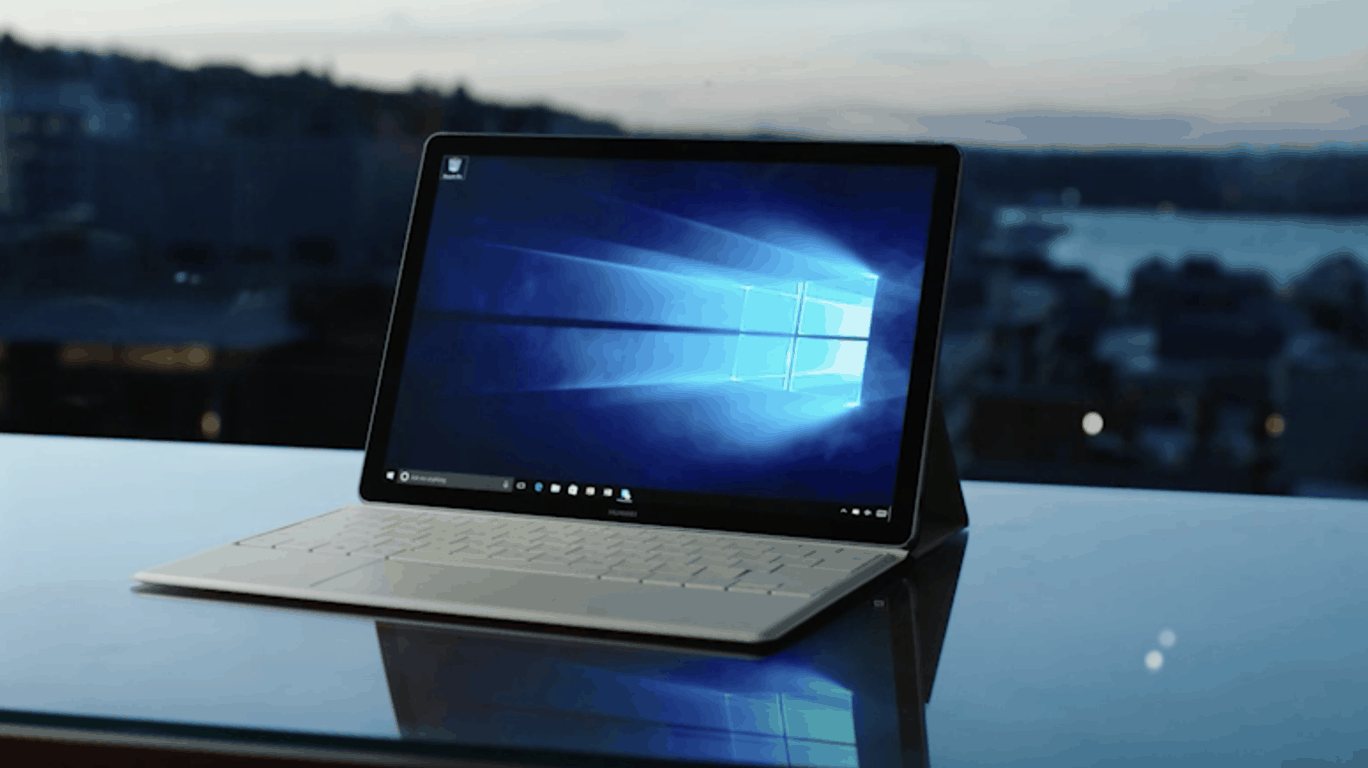
    Huawei to launch new portfolio of MateBook Windows 10 devices next week

    A month ago, well known leaker Evan Blass revealed that Chinese manufacturer Huawei had three new Windows 10-based MateBook devices in the pipeline: the 2-in-1 MateBook E and the ultrabooks Matebook D and X. The official announcement is expected to take place on Tuesday, May 23 during a press event in Berlin starting at 5AM PST (via Pocketnow).

    As you may remember, Huawei first MateBook device was a beautiful hybrid tablet with a premium design and decent specs (12-inch full HD screen, Intel Core m3 processor and 4GB of RAM). When it launched in July 2016, it was slimmer and lighter than Microsoft’s Surface Pro 4, and it also came with a handy fingerprint sensor. We hope the company will continue to raise the bar with its upcoming MateBook portfolio, and we’ll let you know all the details next week. Actually, May 23 will be quite busy as Microsoft will also hold a mysterious Surface-related event in Shanghai on this same day.

    Poll: The best thing about Build 2017

    Microsoft pulled off another blockbuster show at this year’s Build developers conference, showing off everything from HoloLens to Ubuntu, with lots of announcements in between.

    Among the major announcements (most of them, at least for the consumer audience, coming on day two), Microsoft announced that the latest update to Windows 10 will be called “The Fall Creators Update.” A number of features coming to that update were revealed, including Windows Story Remix, OneDrive On-Demand, and the introduction of the Fluent Design System, or Project Neon.

    Day One had its own share of important announcements, including Cosmos DB, new capabilities for the Microsoft Graph, IoT Edge, and the Cortana Skills Kit.

    So what were your favorite announcements? Let us know in the poll below:


    Were you impressed by Microsoft’s offerings at Build? Are you excited for the Fall Creators Update? Let us know in the comments below.

    Hacking group the Shadow Brokers hints at more exploits to come, and this time it could impact Windows 10

    This past weekend, Windows computers around the world were affected by the WannaCry ransomware attack. While Microsoft issued a security patch for Windows Server 2003, Windows XP, and Windows 8 to patch the WannaCry exploit, the hacking group linked to the original attack is now hinting that they will soon release and sell the codes for much newer exploits, which could, in turn, be used to attack Windows 10, and phone handsets (via Reuters)

    According to reports, the Shadow Brokers group released an online statement in “trademarked garbled English” highlighting that starting in June, they will release software to those who are willing to pay to access the tech industry’s secrets. The statement also shows that a “monthly data dump” has been set up, which could offer hackers the necessary tools to break into routers, phones, and even web browsers.

    Worryingly, reports show that the Shadow Brokers also has plans to sell access to undisclosed vulnerabilities which could be used by hackers to attack Windows 10. Though the Shadow Brokers’ online statement did not mention any other tech industry product by name, there was mention of threats to dump data from banks using the SWIFT international money transfer network and to dump data from Russian, Chinese, Iranian or North Korean nuclear and missile programs.

    Microsoft has not yet given a statement in regards to the latest threats and a spokeswoman is instead saying to Reuters that the company is “preparing a response.” Since the WannaCry attacks are believed to have been based on an NSA exploit codenamed “EternalBlue,” Microsoft released a statement about the WannaCry attacks and criticized the government for stockpiling software vulnerabilities. The US government responded at a White House briefing via homeland security advisor Tom Bossert on Monday, saying the malware “was not a tool developed by the NSA to hold ransom data. This was a tool developed by culpable parties, potentially criminals or foreign nation-states.”

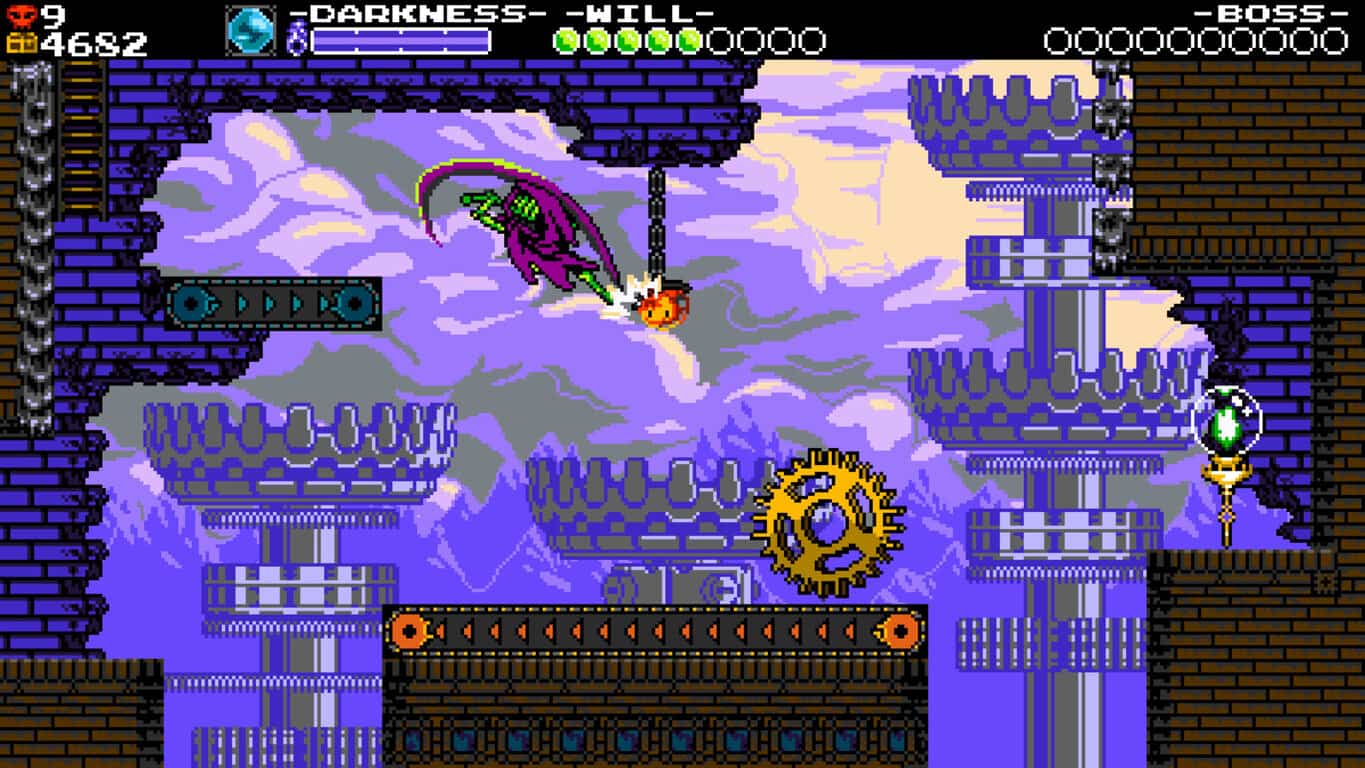
    Specter of Torment launches as a free update to Shovel Knight on Xbox One

    The popular Shovel Knight video game is getting a significant free update on Xbox One that essentially adds an entirely new game. Called, Shovel Knight: Specter of Torment, this new free add-on adds all-new levels to complete and a new character called the Enchantress to play as. Here’s the official description and trailer:

    Shovel Knight: Specter of Torment is the action-packed prequel to Shovel Knight! Take control of Specter Knight, servant to the Enchantress, in a quest to recruit a cadre of knights and create the Order of No Quarter. With his scythe and preternatural agility at the ready, he can glide across the ground, clamber up walls, and command an arsenal of curious weapons.

    If he carries out his duties, Specter Knight may have a chance at regaining his lost humanity and breaking his chains of servitude. But what cruel tricks might the Enchantress have up her sleeve? Experience perfect platforming, world-class visuals, all new stage designs, new music, new bosses, and even meet a friend or two in Shovel Knight: Specter of Torment!

    Have you got this new update yet? Let us know if you like it in the comments below. Hard to complain about free video game content!

    Turn your iPad into an extra display for your Windows PC with Duet Display

    Duet Display is the first application that allows iPad owners to turn their devices into an extra display, courtesy of ex-Apple engineers. This tool is one of the most useful apps we’ve seen in long time — there is no latency due to the Lightning connection. The app’s Pro mode allows it to work as a fully sensitive-pressure display-integrated drawing tablet.

    Speed, productivity, and interaction

    Duet Display delivers Retina-level clarity 60 frames per second with no lag at all. This helps you increase your productivity by up to 48% according to Rahul Dewan, the app’s creator and engineer who worked for Apple.

    With the help of this tool, you will be able to interact with your operating system more efficiently than you ever did before. You’ll also be able to add a Touch Bar to any iDevice from any machine by connecting your system running Sierra 10.12.2 and enabling the feature in the tool’s menu bar settings.

    Duet Display compatibility

    Here are the requirements you need to get things going with Dual Display:

    • OS X 10.9 or later // Windows 7 or later
    • iPads with iOS 7.0 and later // iPhones running iOS 7.0 and later.

    You can download the desktop app for Windows at https://duetdisplay.com/windows.

    Energy saving options

    Duet Display offers energy-saving options for users of older computers that are not so powerful and offers the option to switch between a 30Hz and a 60Hz refresh rate. The tool works in both portrait and landscape mode.

    For more information, you can check out Duet Display’s official support page.

    RELATED STORIES TO CHECK OUT:

    The best Caps Lock software to use in Windows

    The Caps Lock key capitalizes all text entered when activated. Does this key ever come in handy for anything? We’re not sure it does aside from those very infrequent moments when you need to enter lots of capitalized text. Most keyboards have indicator lights that highlight if you’ve activated that button, but most wireless and notebook keyboards don’t usually have those LED lights.

    Luckily, Caps Lock software can provide you with status indicator software that highlights if your Caps key, and other buttons, are on or off. The programs usually highlight the status of your Caps, Scroll and Num Lock keys by adding icon indicators to the Windows system tray. Some programs might just add basic color indicators to the system tray, but others might also provide balloon pop-ups or audio notifiers that highlight if Caps Lock is on/off.

    Below are some of the best Caps Lock software to use in Windows.

    TrayStatus

    TrayStatus is a piece of keyboard status software with free and Pro versions with more extensive options than most other programs. It actually has four Pro versions with little difference between them except with their usage restrictions. The Pro Standard version retails for $9 and adds CPU and RAM usage indicators along with audio notifiers not included in the free package. Press the Download Now button on this page to add TrayStatus to Windows 10, 8.1, 8 or 7.

    TrayStatus is one of the best keyboard status programs because it also adds system resource indicators to the Windows system tray. Aside from its Caps, Num, Scroll, Kana, Alt, Ctrl and Shift key system tray icons, TrayStatus also has hard drive activity, RAM, and CPU usage indicators. Furthermore, users can click the system tray indicators to toggle lock status on/off. The Pro version also includes an option that plays an audio effect when you adjust a key’s status. Overall, this is an intuitive program with minimal system resource requirements and a variety of system tray indicators.


    Keyboard LEDs

    Keyboard LEDs is free software that doesn’t have any additional pro versions. Add this program to your PC by pressing the Download EXE button on this page. Keyboard LEDs is compatible with all the more recent Windows platforms from XP up.

    This software adds a single icon indicator to the system tray for the Caps, Num and Scroll Lock keys. The icon has three colors to highlight if the Caps, Num and Scroll keys are on. Although Keyboard LEDs has fewer key indicators than TrayStatus, it has more extensive customization options for them as you can customize their colors or select to add an on-screen display to the desktop.

    The on-screen displays have customizable text, background colors, and transparency. In addition, the program includes a Beep on lock state change option that activates an audio effect when you press one of the lock keys.


    Caps Lock Indicator

    Caps Lock Indicator is proprietary keyboard status software specifically for Caps Lock. Although it doesn’t have any other key indicators, it has plenty of customization options for its one status indicator. The software is available for $9.99 on the publisher’s website and is compatible with Windows XP to 8 (and probably Windows 10).

    Caps Lock Indicator adds a diamond icon to the system tray to highlight the key’s status. Furthermore, the software also adds pop-up text notifications to the bottom right corner of the desktop to highlight when the lock key is activated or deactivated as in the shot directly above.

    You can customize the notification text’s color, background, opacity, and animation with the software’s options. The software also has an option that adds a Balloon tooltip to the system tray icon that states whether Caps Lock is on/off when you enable or disable it. In addition, users can select preset sound notifications for the Caps key.


    Keyboard Indicator

    Keyboard Indicator is another handy program that adds Caps, Num and Scroll Lock key indicators to your system tray. This software is freeware, portable and has customizable labels that notify you when the lock keys are on or off. Furthermore, it’s also a lightweight 62 KB program. You can save Keyboard Indicator’s Zip to Windows by clicking Download Keyboard Indicator v1.6.1.0 on this web page.

    The best thing about Keyboard Indicator is its keyboard labels have lots of customization options. These include settings that adjust the text and background colors, font and position of the keyboard labels. Furthermore, you can also adjust the keyboard labels’ messages. For example, instead of stating “Caps Lock On” you can configure the label so that it states “Caps Lock Enabled.” The software lacks customization options for its indicator icons, but it’s still a decent keyboard status program.


    Caps Lock Commander

    Caps Lock Commander adds Caps and Num Lock indicators to the Windows system tray. While that’s not many compared to TrayStatus, the program still has various customization options for its on-screen lock key status indicators. This is $9.99 proprietary software available for Windows platforms from XP to 10.

    Like the other programs, Caps Lock Commander adds lock key indicators to the system tray that have alternative colors to highlight if the buttons are on or off. However, most of its customization options are for the on-screen Caps and Num Lock indicators. CLC has options to configure the position, text color, font and background color of the on-screen indicators.However, what really sets this software apart from other alternatives is that it enables users to completely deactivate the Caps and Num Lock keys. Or you can select settings that always keep the keys on.


    If your keyboard doesn’t have a Caps Lock indicator light, these are some of the best programs to make it crystal clear if Caps Lock and other keys are on or off. Windows 10 also includes its own audio indicator for the Caps, Scroll and Num keys, and this article provides further details for that option.

    RELATED STORIES YOU NEED TO CHECK OUT:

    Windows 10 Fall Creators Update features: Here’s what we know so far

    Microsoft recently unveiled the Windows 10 Fall Creators Update. This upcoming major OS overhaul is scheduled for release in September, but the company has already started revealing some of the changes  this update will bring.

    In this article, we’re going to list everything we know about the Fall Creators Update, so that you know what to expect in terms of features and improvements.

    Windows 10 Fall Creators Update — What’s new?

    • A brand-new UI

    The Microsoft Fluent Design System will revamp the operating system’s UI. The new design language will help Microsoft deliver a more intuitive user experience across all Windows devices. The new Windows 10 UI revolves around two elements: animations and blur.

    To give you an idea of what the UI will look like, check out the new Groove Music look, these UI animations or this Mail App design concept.

    • OneDrive Files on Demand

    Microsoft will adopt a minimalist approach to OneDrive in the Fall Creators Update. More specifically, this new feature will download your files only when you need them, saving space on your disk.

    • App timeline

    The Fall Creators Update will help you better track the tasks you performed in the past. All you need to do is launch the new Timeline feature and you can immediately resume work.

    • Clipboard syncing

    The Windows 10 Fall Creators Update will support Clipboard syncing, meaning that you’ll be able to copy and paste anything between your devices, irrespective of the platforms you use. In other words, you’ll be able to copy that inspiring quote from your Windows 10 PC and paste it on your Android phone.

    • Pick up where you left

    Cortana allows you to pick up where you left off across Windows, iOS, and Android devices. For example, after you log off your PC, the document you were editing pops up on your phone. Cortana then asks you if you want to pick up where you left off — or, as Microsoft puts it, ” your PC and your phone finish each other’s sentences.”

    • Windows Story Remix

    Story Remix is an app that automatically brings your photos and videos together into relevant video stories, each with a soundtrack, theme, and transitions. If you’re an Insider, you can already test this app out by downloading build 16193.

    You can keep the suggested video stories or edit them yourself in the story editor. You can then upload your video stories to YouTube and Facebook or share them via email or via OneDrive.

    • The Windows Store opens up to other platforms

    The Fall Creators Update will revolutionize the Windows Store. We know it’s hard to believe, but iTunes, Ubuntu, SUSE, and Fedora are slated to arrive in the Store this fall.

    • New payment instruments

    Microsoft will add 35 new payment instruments for consumer applications this year, with support for payments in 247 markets globally.

    • Autodesk will add support for Windows Mixed Reality

    Windows Mixed Reality fans will be glad to learn that Autodesk will extend its Windows Store offerings to include support for Windows Mixed Reality in Autodesk Stingray.  This 3D game engine and real-time rendering software will take the Windows Mixed Reality experience to the next level.

    • Windows for developers: NET Standard 2.0 for UWP, XAML Standard and Xamarin Live Player

    Microsoft wants to make Windows home for all developers. In order to reach this goal, the company will roll out .NET Standard 2.0 for UWP and XAML Standard later this year. In addition to that, Project Rome will soon support iOS, and Xamarin Live Player enables developers to build, test, and debug their iPhone applications from their Windows PC.

    • Windows Mixed Reality motion controllers

    Microsoft has created a new tool for the Fall Creators Update: the new Windows Mixed Reality motion controllers. These will enable you to touch virtual reality. You can also use the motion controllers across creativity tools, productivity, games, and entertainment.

    We’re sure that Microsoft will unveil more Windows 10 Fall Creators Update features in the coming weeks through the Windows Insider Program. Stay tuned!

    RELATED STORIES YOU NEED TO CHECK OUT:

    • Windows 10 Fall Creators Update will make Edge faster
    • Xbox Live Creators Program adds keyboard and mouse support on Xbox One

    Latest Xbox One update brings Arena on Xbox Live, Party Chat overlays and more to all gamers

    Following weeks of testing with Xbox Insiders, the Xbox team is rolling out today a new Xbox One update which brings several new features to the Microsoft gaming console. Coming today are Arena on Xbox Live Tournaments for Killer Instinct, a new Party Chat overlay, Looking for Group notifications as well as a new Beam integration for Xbox Live Clubs.

    First of all, the free-to-play Xbox Play Anywhere title Killer Instinct is the first game to support Arena on Xbox Live Tournaments: gamers will see a new “Tournaments” tab in the official Game Hub where they will be able to register for upcoming events. Owner or admins of Xbox Live Clubs can also create their own Killer Instinct tournaments by using the Xbox app on a Windows 10 PC and select the “Tournaments” tab. “Be sure to advertise your tournament to your Club’s Activity Feed to recruit players and hope you can stay friends even after you take first place,” explained the Xbox team.

    Next, Xbox Live Clubs are now integrated with Microsoft’s live streaming video service Beam: you will now see a “Beam” tab in your Clubs that will feature all Beam broadcasts from members of a Club, and admins will be in control of the content that will be displayed to gamers.

    This new update also brings Looking for Group notifications, which will alert you every time someone you follow on Xbox Live creates an LFG post. Additionally, it’s now possible to share LFG posts to your Activity Feed or your friends via private messages.

    Another much-anticipated feature coming today is the new Party Chat overlay, which will display the speaking Party members’ names in a small transparent window during a gaming session. You can adjust the overlay’s position and transparency to your liking, but you can completely deactivate it if it’s too distracting.

    The new Party Chat overlay.

    Last but not least, the Xbox team announced today that Dolby Atmos audio will soon be available for games, movies and TV shows. To enable the immersive sound experience on the Xbox One, you’ll have to download the Dolby Access app when it will become available on the Xbox Store (the app is already available on the Windows Store for Windows 10 PCs). The Xbox team explained:

    This app enables Dolby Atmos audio, creating sound that flows around you, even overhead, through Dolby Atmos enabled AVRs and sound bars. With an additional store purchase, Dolby Atmos for Headphone enables this same immersive experience on almost any set of headphones.

    The experience delivers breakthrough audio that takes you deeper inside your favorite games, movies, and TV shows. For gamers, a robust slate of native Dolby Atmos titles are coming to Xbox One later this year. Additionally, the upmixing capabilities of Dolby Atmos will create a more immersive audio experience for your existing multichannel games.

    You can watch the following video to learn more details about all these new features:

    You should receive this latest update (the build number is 10.0.15063.3054) in the next couple of hours if your console is set to update automatically, but you can get it right now if you don’t want to wait. To do so, open the Xbox Guide and go to Settings, then select System and then Updates. Once you’re done, let us know in the comments how is your experience with the latest stable version of the Xbox One OS.

    Microsoft reveals more about OneDrive On-Demand during SharePoint Summit

    Microsoft briefly went over the new features coming to OneDrive during its developer’s conference last week. During the presentation, Microsoft explained that OneDrive files would be transitioning from the traditionally referred to the shorthand of placeholders to a much more nuanced called On-Demand state.

    After a brief demo by Windows executive Joe Belfiore which highlighted the feature and “upcoming” development, the company quickly moved on, leaving some in the audience wondering about the details the company had yet to reveal.

    Fortunately, Microsoft was ready to talk about On-Demand and OneDrive rather quickly after the developer’s conference. In fact, during its SharePoint Summit, the company went into rather explicit details about SharePoint, Windows 10 and OneDrive.

    OneDrive:

    When it comes to OneDrive and new features, users can expect to share files directly from File Explorer while either on Windows or Finder for the Mac.

    “Today, we also announced that starting this summer you will be able to share Office 365 files directly from File Explorer on PC and Finder on Mac. The sharing experience has been simplified, so you can share a file or folder with specific people or send a link that enables anyone who needs access, inside or outside your organization. In addition, you can now control how long a link provides access, and you can easily view and modify the permissions you have granted. The new sharing experience is the same, whether you share on the web, in Explorer on Windows 10 and Windows 7, or in Finder on Mac.”

    SharePoint:

    As for SharePoint customers are now going to be able to connect even more services to the project management software as well as leveraging PowerApps to create custom forms and new digital experiences.

    “Over the last year, we modernized SharePoint team sites and connected them with Office 365 Groups. Today, we announced additional enhancements—coming later this year—which will further unify collaboration experiences in Office 365, including:
    The ability to connect existing SharePoint team sites to Office 365 Groups, so you can augment existing sites with shared conversations, calendar, and Planner.

    Support for adding SharePoint pages as tabs in Microsoft Teams so you can add a tab to a news article or your team site’s homepage, for example. This builds upon the existing ability to add tabs for SharePoint document libraries in Teams. More integration between Teams and SharePoint will be shared at Microsoft Ignite.”

    Other features coming to SharePoint include an improved search engine to find contacts quicker, the ability generates communication sites due out this summer, streamlined approval processes, and tweaks to the SharePoint admin center.

    The laundry list of new and upcoming features is a rather impressive one and customers can find out more about today’s announcements by either visiting the Office Blogs or taking a look at the SharePoint Virtual Summit page.

    Microsoft expands its Surface Hub partner programme in the UK to address “huge demand”

    It’s now been a year since Microsoft launched its Surface Hub digital whiteboard in select markets last year, and the Redmond giant is already seeing strong interest from business users. Today, the company announced that 15 new resellers have joined its Surface Hub partner programme, emphasizing the “huge demand” for the device in the UK.

    “The 15 new partners all have extensive experience in working with audio, visual and communications solutions, but will also benefit from Microsoft support in sales and deployment of Surface Hub to customers,” explained the company. In the UK, the collaboration device has already been adopted by high profile instutions such as the University of Bristol.

    “The Surface Hub is currently being used by more than 2,000 customers in 24 markets across the world, up from 500 customers last July,” added the company. This is a significant milestone for this brand new device category, and the expansion of the company’s Surface Hub partner programme seems to be exactly what the company needs to do to drive adoption among business users.

    Check out this week’s Deals With Gold And Xbox One Backward Compatibility Super Sale

    This week is a great opportunity for Xbox gamers to save big on great Xbox One and Xbox 360 games. This time, Xbox Live Gold subscribers can take advantage on cool discounts on recent Xbox One games such as Final Fantasy XV, Mirror’s Edge Catalyst or Destiny – The Collection, but everyone should also check the 100+ Xbox 360 games featured in the Xbox One Backward Compatibility Super Sale.

    There are many old gems included in the list such as the BioShock trilogy, Call of Duty: Black Ops 2, Fallout 3, Portal 2 and Red Dead Redemption, and you don’t need an Xbox Live Gold subscription to save up to 75% of those games! As usual, you can find more details about or favorite deals below and we invite you to check the full list of discounted titles on Major Nelson’s blog post.

    Xbox One Deals

    Final Fantasy XV ($35.99 with Xbox Live Gold)

    Noctis, crown prince of the magical Kingdom of Lucis, embarks on a quest to reclaim his homeland in this action RPG. Take up the steering wheel and hit the road with your colorful companions to explore a vast and breathtaking world. Invoke the power of your ancestors and effortlessly warp through the air in thrilling combat. Longtime fans and fresh faces alike, get ready to experience cutting-edge interactive entertainment in this fantasy based on reality.

    Destiny – The Collection ($38.99 with Xbox Live Gold)

    Destiny – The Collection contains every release from the award-winning first-person shooter franchise to date. It’s a great way for Guardians to embark on journeys they may have missed, as well as a perfect starting point for new players who want to join the Destiny community. It includes: Destiny, Expansion I: The Dark Below, Expansion II: House of Wolves, The Taken King, and the newest adventure, Rise of Iron. It also includes a character boost to send you immediately into the battle.

    Mirror’s Edge Catalyst ($6.60 with Xbox Live Gold)

    Follow Faith, a daring free runner, as she fights for freedom in the city of Glass. What appears to be an elegant, high-tech city on the outside, has a terrible secret hidden within. Explore every corner from the highest beautifully lit rooftops to the dark and gritty tunnels below. The city is huge, free to roam and Faith in at the center of it all. Through the first-person perspective, combine her fluid movement and advanced combat with the city’s surroundings to master the environment and uncover the conspiracy. This is Mirror’s Edge for this generation, raising the bar for immersion in action-adventure games.

    Xbox 360 Deals

    All discounts will be valid through May 22, let us know in the comments if you plan to purchase one of these titles on your Xbox One or Xbox 360.

    Street Fighter V: Common PC problems and how to solve them

    Fighting video games are probably one of the oldest genres in the gaming business. And one of the most distinctive names in the genre is no doubt Street Fighter.

    The latest installment, Street Fighter V, is a true successor to the previous releases, with a well-known fighting system and remodeled characters. Why change a recipe that’s worked for ages? The game is, besides improvements, known for cross-platform gaming, since it supports PC versus PS4 battles.

    However, even though the game runs smoothly on the Unreal 4 engine, it’s not without common problems. Because of that, we prepared the list of the most common issues reported by the players, along with solutions. So, if you have a hard time in the arena, make sure to check the list below.

    How to resolve most common Street Fighter V issues on PC

    The first rule of the PC gaming club is: meet those requirements. And Street Fighter V is one demanding game. These are the requirements you should meet in order to play the game:

    • OS: Windows 7 64-bit
    • Processor: Intel Core i3-4160 @ 3.60GHz
    • Memory: 6 GB RAM
    • Graphics: GeForce GTX 480, GTX 570, GTX 670, or better
    • DirectX: Version 11
    • Network: Broadband Internet connection
    • Sound Card: DirectX compatible soundcard or onboard chipset

    However, even if you meet the minimum requirements, we can’t guarantee that the game will run smoothly. For that, you’ll need the recommended specs:

    •  OS: Windows 7 64-bit
    • Processor: Intel Core i5-4690K @3.50GHz
    • Memory: 8 GB RAM
    • Graphics: GeForce GTX 960
    • DirectX: Version 11
    • Network: Broadband Internet connection
    • Sound Card: DirectX compatible soundcard or onboard chipset

    As you can see, you’ll need a much stronger configuration in order to run the game as intended on at least 60 frames per second. Have in mind that you can use Intel/ Nvidia counterparts to run the game.

    Once we got over requirements, let’s take a look at the burning issues that occur in the game.

    Connection issues

    Some users may fancy playing PvP or PvE in standard offline manner. But, most of the players are more than keen to test their combat experience online. And there, sadly, we may encounter certain problems. Sometimes you may disconnect from a contest for no apparent reason. On other occasions, the servers can’t be reached.

    Luckily, the most common connection-related problems may get addressed in a simple manner. First, let’s check some standard workarounds you should take into the consideration.

    • Use wired connection instead of Wi-Fi. Wi-Fi may be good enough for browsing online. However, for gaming, a LAN cable is a must.
    • Restart your router/modem frequently. If you’re using more than one device on the same network, IP conflicts are quite common.
    • Make sure that the server maintenance isn’t being performed at the moment. You can check the server status changes here.
    • Update the game. It’s of utmost importance to run the latest game version and the latest Steam client. Major Street Fighter V updates are provided trough the Steam client, while minor ones are delivered through the in-game update.
    • Disable connection-related programs from running in the background. They can hog on your bandwidth, slow down overall connectivity, and affect your gameplay. The named program categories are as follows:
        • VoIP applications like Skype
        • Torrent and other peer-to-peer download clients.
        • Cloud services.
        • uPlay or other game portals.
    • Forward your ports. In order to connect to game servers, you’ll need certain ports opened. These are the ports you should open:
        • TCP ports: 80, 443, 20002, 30840, 30850, 30870
        • UDP ports: 30840-30859, 30870-30879

    These should resolve the majority of your connection issues.

    Frequent crashes

    Even though the game is well-optimized, crashes are not uncommon for many users. Starting with on-start crashes and going through unexpected errors, there are more than a few ways for Street Fighter V to sell you out and close unexpectedly. On the other hand, there’s a large variety of available workarounds and frequent patches that address some of the mentioned issues.

    These are some steps you can take to resolve the most common crashing issues on your Street Fighter V, from simple to a more advanced:

    • Restart your PC or/and restart your Steam client. Sometimes, the most obvious steps are the best-suited for the job.
    • Add the game destination folder to the Exceptions list in third-party antivirus and firewall. Additionally, you can disable both while playing, but have in mind that these acts are not advised due to security threats liability. Since the procedure differs for different security solutions, make sure to google it and exclude the game folder.
    • Unplug touch input devices. For no apparent reason, they are known provokers of crashes. Moreover, make sure to kill their respective processes in the Task Manager before you start the game.
    • Disable the IP6v protocol and use exclusively IP4v. This can be done by following these steps:
      1. Right-click the connection icon in the notification taskbar area and open Network and Sharing center.
      2. Select Change Adapter settings.
      3. Right-click the ethernet network you use and open Properties.
      4. Under Networking tab, uncheck the box beside the Internet Protocol version 6.
      5. Click OK to confirm the selection.
    • Check the game’s integrity with the built-in Steam tool. Sometimes, the game’s files may get corrupted or be incomplete due to malware:
      1. Open the Steam desktop client.
      2. Under the Library tab, right-click on Street Fighter V and open Properties.
      3. Choose the Local files tab and click the Verify integrity of game files.
      4. After the procedure is finished, restart the PC and start the game.
    • Reset Street Fighter V to default configuration settings. There’s always a possibility that your configuration settings or implemented mods are provoking the crash. So, it’s worth a try to clear them and start from scratch. Follow the instructions below to apply this workaround:
      1. Close the game and restart the PC.
      2. Enable View Hidden folders and navigate to C: Users: username:LocalAppDataStreetFighterVSaved and backup the Saved folder.
      3. Delete everything inside.
      4. Now, navigate to C:Program Files (X86)SteamsteamappscommonStreetFighterVStreetFighterVcontentPAKS~MODS and delete MODS folder.
      5. Start the game and look for changes.

    Lagging and frame drops

    Besides the crashes, it’s not unusual for the game as demanding as this one to have frequent lags and frame drops. But, of course, that there are the ways to address this issues, and, if not resolve them completely at least to reduce their effects. Here are some steps you should take into consideration when the lagging and FPS drops appear:

    • Reduce graphics settings. This may sound too obvious but the preset settings are too often too overwhelming for your PC. However, we don’t advise you to disable the V-sync, but rather to solely disable Adaptive V-sync.
    • In dual-GPU configurations, make sure the game runs on a dedicated GPU. Integrated graphics will get you nowhere.
    • Update GPU drivers. Make sure that your graphic driver is up to date. However, it’s a known fact that some graphic cards function better with older drivers, so you can try rolling them back, as well.
    • Disable Battery saving mode and enable High Performance on gaming laptops. It’s intolerable to use battery saving mode for this kind of game, even on powerful gaming laptops.
    • Disable resource-hogging programs that run in the background. It’s imperative to disable the background programs before starting the game.
    • Force the multicore affinity. For some configurations, you’ll need to force multicore affinity in order for you to run the game in a seamless manner. You’ll need to repeat this procedure each time you restart the game. This is how to do it:
      1. Start the game, press Ctrl + Alt + Delete, and open Device Manager.
      2. Under the Details tab, right-click on StreetFighterV.exe and click Set Affinity.
      3. Uncheck the CPU 0 box and retain all the others.
      4. Save changes and return the to game.
    • Use command line parameters when starting the game. There are a few of the commands you can use to improve Street Fighter V performance by utilizing Steam’s command line console. You can access and change the startup settings by following these instructions:
      1. Open the Steam desktop client.
      2. Under the Library section, right-click on Street Fighter V and open Properties.
      3. Under the General tab, open the Set launch options button.
      4. Type the following commands for a different effect:
        • -windowed – to force the game to start in the Windowed mode
        • -FULLSCREEN – to force the game to start in the Fullscreen mode
        • -resx=1680 -resy=1050 – to start with the custom screen resolution. Change the numbers to respond to preferred resolution.
        • -NOSPLASH – to avoid splash screen at the startup.
        • -NOFORCEFEEDBACK – to stop feedback on the controllers.
        • -NOTEXTURESTREAMING – to enable the highest texture quality.
        • -USEALLAVAILABLECORES – to force the game to run on all of the available cores in multi-core processors.

    Additional advanced commands can be found here.

    Controller issues

    Yes, you can play this exquisite game on your keyboard, but there’s a chance that you’ll break your fingers while doing so. Fighting games and controllers are closely related and most of the time you’ll use the controller to play the game on your PC. Too bad that some players were bumped into serious issues with controllers. For that purpose, it’s worth checking the list below:

    • Disable/uninstall 3rd-party wrappers like DS4 or x360c. You can use the Steam input to emulate the controller.
    • Update drivers. Make sure that you have appropriate drivers.
    • Check in-game options related to your controller.
    • Switch the USB port and check the USB drivers. If the certain USB port is unresponsive, make sure to restart your PC and try another. Additionally, make sure that the USB port you’re using is covered with appropriate drivers.
    • Disable all the controller support options under the Steam’s Big Picture mode.
    • Browse for the best-suited drivers on this site.

    Full-screen issues

    Users also encountered a distinctive issue that prevents them from playing the game in the fullscreen mode. The solution is, comparing to previous issues, simple and includes just one step.

    Namely, the main culprit for this issue hides behind the 3rd-party overlay tools that work in the background while playing. Because of that, make sure to disable the likes of Skype, TeamViewer or any other overlay program.

    In addition, you can try to force the fullscreen by entering command -FULLSCREEN in the Steam’s command line console.

    Sound issues

    Last but not least: sound issues. Without the spectacular soundtrack and arena sounds, your experience is condemned to disaster. A lot of users have reported various sound issues, starting with missing sound sequences and leading to non-existent in-game sound. For that purpose, we conducted a thorough search and collected some solutions you should check out:

    • Update Sound drivers. Make sure that the sound drivers are proper and that your playback device is functioning as intended.
    • Check the cables. If you’re certain that everything is connected well, try to plug in/out HDMI. Additionally, uninstall the audio drivers and plug in HDMI cable.
    • Check in-game settings. There’s a chance that the audio output is not properly set.

    Update issues

    Since this game packs two uploaders, one in-game and one trough Steam, there’s always a chance that something will go wrong. On those occasions, we advise you to take some of these measures:

    • Delete old update files.
    • Verify game cache files trough Steam.
    • Remove MODs.
    • Disable antivirus, firewall, VPN or proxy before you start updating.
    • Stop connection-hogging programs before an update is performed.

    Wrap Up

    That should do it. If you have any questions or suggestions, we’ll be glad to answer them or add them to the list. The comments section is below.

    RELATED STORIES YOU NEED TO CHECK OUT:

    Custom Gamerpics coming to Android Xbox Beta app today

    Microsoft’s Larry Hyrb announced via his Twitter account that the company would be activating the new feature that allows for the uploading of custom Gamerpics on the Xbox Beta app on Android devices. “Xbox Beta app on Android users: We’re enabling the ability to set your custom gamer pix later today via the Beta Xbox App on Android,” his tweet read.

    Custom Gamerpics is a feature Xbox gamers have been wanting for years now and Microsoft has finally begun to rollout the feature in the past few weeks. Previously, users would have to either select a pre-designed Gamerpic from a library of images or create one with the 3D Xbox Avatar models. All Xbox users should be able getting this feature in the near future.

    Have you changed your Gamerpic yet? Let us know in the comments below.

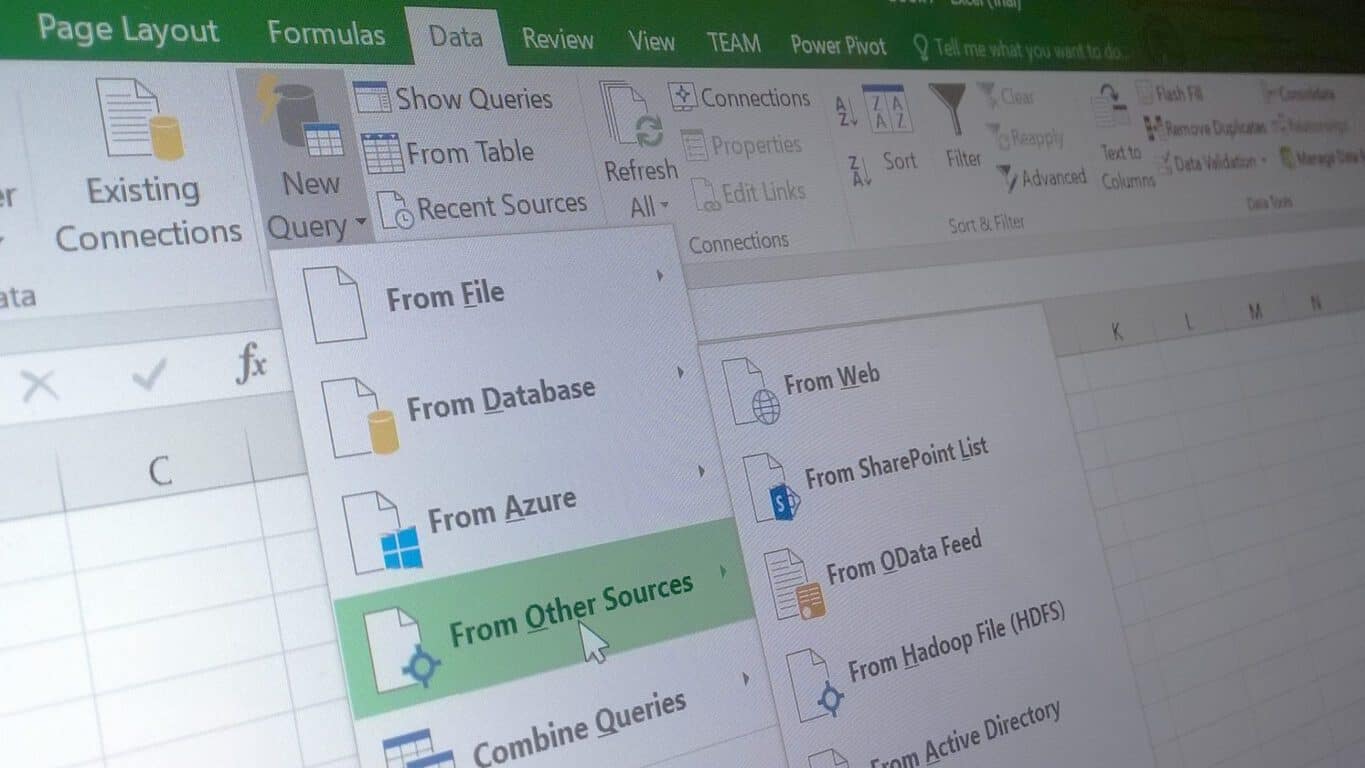
    Microsoft announces personalized enhancements to PivotTables functions for Excel

    Microsoft’s Office Apps have become so utilitarian and appliance-like in the enterprise work sector that the thought of personalizing an Excel document can easily be laughed away as the fever dream of an overworked data analysis.

    However, Microsoft’s Office team did just that this week; they came bearing the gift of personalized default layouts in the form of PivotTables.

    “As part of this month’s update, a new Excel feature gives you the ability to personalize the default layout for your PivotTables. Enabling users to personalize the PivotTable defaults started as a feature request in our Excel UserVoice forum. Now, when you’re building complex reports or performing one-off analyses, you can quickly get started with your favorite PivotTable layout. This feature is available for Excel 2016 on Windows as part of an Office 365 subscription.”

    Users will now have the option to choose between two adjustment layout settings when applying their PivotTable defaults. The first option is the most streamlined for anyone wanting to try out the new PivotTable by simply clicking the newly added Edit Default Layout option in the menus settings. The second option is to import a layout a previously saved PivotTable in a preexisting workbook.

    The Office team is adding tips for experimenting with OLAP PivotTables. Users can visit the Office Blog or the support page to find out how to take advantage of the performance improvements this new update brings over previous Excel releases.

    Download Windows Defender KB4022344 to stop WannaCry ransomware

    The recent Wannacry/WannaCrypt ransomware attacks have reminded us once again the importance of keeping computers up-to-date since this malware targets particularly out-of-date systems.

    Fortunately, Windows 10 computers are immune to WannaCry/WannaCrypt attacks. On the other hand, all other unsupported and supported versions of Windows are vulnerable to this type of ransomware attack, so the safest way to prevent WannaCry ransomware attacks is to install the latest updates on your computer.

    If Windows Defender is your main antivirus tool, make sure you install KB4022344: this Windows Defender update addresses a severe security vulnerability that could allow code to be remotely executed if the Microsoft Malware Protection Engine scans a specially crafted file. An attacker who successfully exploits this flaw could execute arbitrary code in the security context of the LocalSystem account.

    Windows Defender can block WannaCry ransomware

    Microsoft confirms that Windows Defender AV successfully detects and removes this threat capable of stopping you from using your PC or accessing your data.

    Microsoft already fixed this vulnerability in security bulletin MS17-010, released in March. If you’ve already installed the updates rolled out starting with March 2017, your system should be secured.

    If it’s been a while since you last updated your computer, please do hit the “Check for updates” button. You can also download the latest Windows security updates from the Microsoft Update Catalog website.

    Do not delay updating your computer because the next mass malware attack may catch you off guard. Also, don’t forget to install one of these anti-ransomware tools as well!

    RELATED STORIES YOU NEED TO CHECK OUT:

    Microsoft patents Windows 10 “kill switch” technology to deter piracy

    Windows 10 is one of Microsoft’s pride when it comes to the development of security. What many have forgotten, however, is that since launch there has been a feature in place to identify illegally contained content.

    Now, the controversial anti-piracy tactics that Microsoft has placed into Windows 10 has recently seen light with the acceptance of its patent (via Digital Music News.) On April 4, the patent was officially approved for the Windows 10 Operating System to allow activation, potentially spelling trouble for those that want to share content illegally. As the patent spells out:

    “Objects in a shared storage system can be marked as including prohibited content. Incidents that result in objects being so marked can be stored in an incident history associated with a user responsible for those objects. The incident history can be processed to identify repeat offenders and modify access privileges of those users. However, when objects are shared by one user with another user, prohibited content is blocked from being shared, while the remainder of the shared objects can be accessed by the other user.”

    To put in standard terms, users that download or share illegal content on a regular basis will be flagged as offenders. Not to mention files received that aren’t original would not be accessible while running Windows 10.

    The article makes a good point that Microsoft could opt to use the anti-piracy feature for its own Windows 10 OS, identifying and reporting pirated copies. But it could have the opportunity to be used on a broader scale if employed. Currently, we don’t know how Microsoft will utilize it or if at all, and no statement has been made.

    Windows 10 on ARM runs x86 apps: The Surface Phone or a new Surface tablet is in the works

    During Build 2017, Microsoft showed off Windows 10 ARM. For the first time, the company confirmed that your already existing x86 Windows apps will also run even when they’re downloaded straight from the internet.

    The trajectory of Windows 10 for ARM

    Back in December 2016, Microsoft demoed Windows 10 and Adobe Photoshop running on a Qualcomm Snapdragon 820 with the help of an emulator. Now, Microsoft has demoed even more functionality on the Windows 10 for ARM release, but this time a Snapdragon 835 was used.

    Could this hint at a future Surface Phone or Surface tablet?

    Following Microsoft’s demo, many fans concluded that this was clearly a hint at an upcoming Surface Phone in the best case scenario or a Surface tablet in the worst case scenario. This actually came as a sigh of relief for many Windows 10 Mobile fans who got very disappointed by Microsoft’s recent lack of commitment to its mobile platform.

    Windows 10 ARM supports both Store apps and apps from outside the store

    The emulator currently supports apps from the Store, but also applications traditionally available online, suggesting that Microsoft would allow both Windows 10 S and Windows 10 Pro to run on ARM laptops. This is pretty useful as a large number of Chromebook devices are now powered by ARM processors. This software will allow manufacturers to release something that could be seen as a better version of the same device since there’s a wider set of software available for use.

    Windows 10 S vs. Windows 10 ARM

    Windows 10 ARM will be able to run legacy apps developed for computers with x86 processors but you’ll also be able to download any old Win32 app from the internet, install it, and run it on a computer running Windows 10 ARM. In other words, Windows 10 S runs on devices with ARM or x86 processors but it only supports Windows Store apps.

    Windows 10 ARM only runs devices with ARM chips but, supports apps from any source. Developers won’t need to convert their software because Windows 10 ARM includes a built-in emulation layer that allows Win32 apps to run on an ARM-powered system.

    RELATED STORIES TO CHECK OUT: