Check out these stunning Overwatch Xbox One controllers

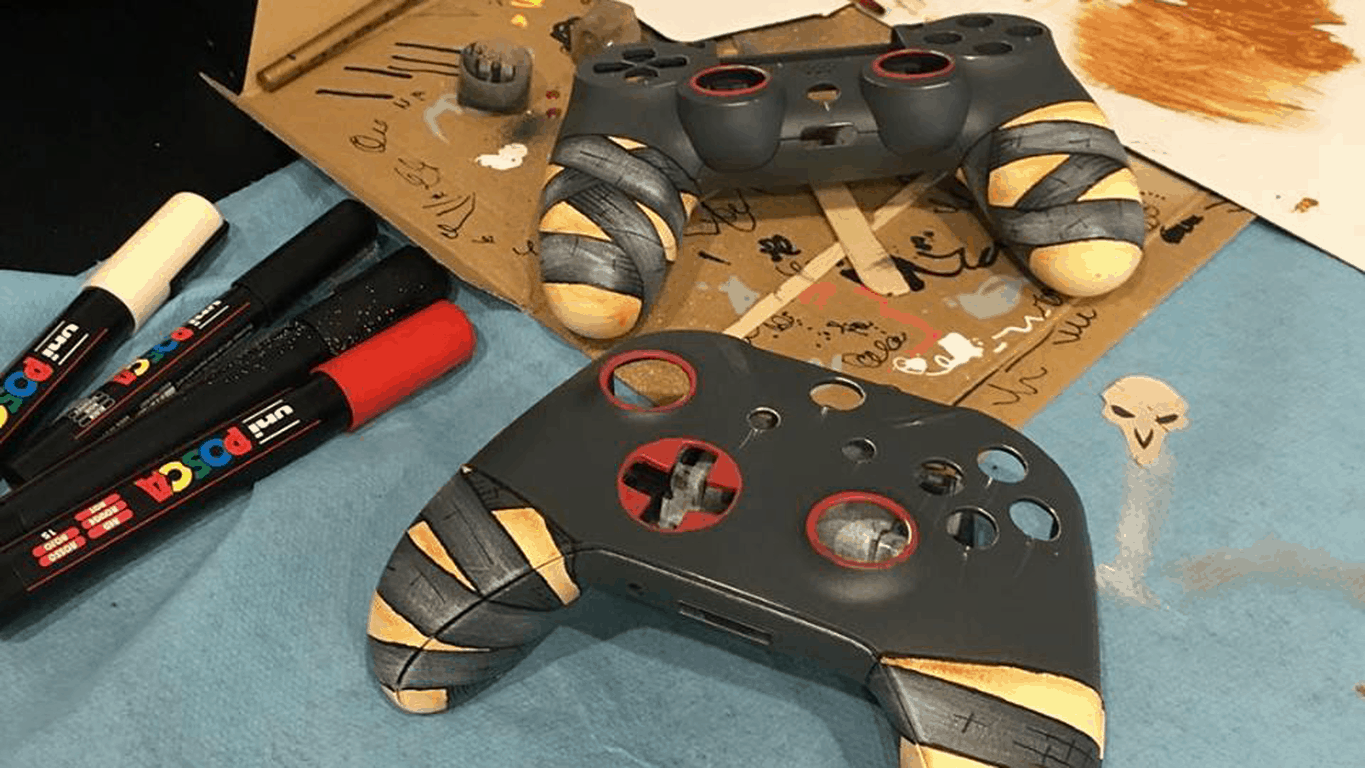
Blizzard Entertainment is celebrating the Overwatch Anniversary with 24 very limited edition Xbox One controllers. The Overwatch Xbox One controllers were created in partnership with ARTtitude and represent all 24 Overwatch characters.

All of these awesome Xbox One controllers were handmade by European street artists and will be available to win in a special Overwatch giveaway provided by ARTtitude. Stay tuned to their Instagram and Facebook channels to check out ways to win.

Take a look at some of the Overwatch Xbox One controllers being offered in the giveaway below.

Sorry US, this giveaway is only available in Europe.

Microsoft MS Rewards will launch in France on June 12, French Windows Insiders can test it now

Only a week after Microsoft Rewards officially launched in the UK, we just learned that the company’s new rewards program is set to arrive in France on Monday, June 12. Microsoft France gave members of the local House of Fans program early access to Microsoft Rewards last week, and the subsidiary has started to send email invites to French Windows Insiders yesterday

Microsoft Rewards is also expected to launch soon in Germany and Canada, though it’s not clear yet if Microsoft has chosen the same June 12 launch date for these two other markets. As of today, the new rewards program is available in the US, Australia and the UK and it lets consumers earn points and then rewards by doing Bing searches or making purchases on the Windows Store and Microsoft Store.

If you’re a Windows Insider in Canada or Germany, let us know in the comments if you have received an email invite to give you early access to Microsoft Rewards!

Collectible card game Fable Fortune to launch on Xbox Game Preview next month as an Xbox Play Anywhere title

Fable Fortune, the collectible card game developed by Flaming Fowl Studios and Mediatonic Games will bring the beloved Fable franchise back to life next month. Following the launch of a private beta earlier this year, the developers announced yesterday that the game will hit Xbox Game Preview and Steam Early Access on July 11.

Just like Gwent: The Witcher Card Game, another digital card game developed by CD Projekt Red, Fable Fortune will support Xbox Play Anywhere with cross-play and cross-save functionality between Xbox One consoles and Windows 10 PCs. The game will be free-to-play when it launches later this year, but you’ll have to purchase the $14.99 Founder’s pack to play the game in early access next month.

“Fable Fortune combines pioneering CCG systems with some of the Fable’s most cherished moments; featuring timeless heroes, despicable villains, armies of bemused (and conveniently expendable) peasants, and some good old fashioned, family-friendly necromancy,” shared the developers. A first game trailer has been published earlier this year and you can watch it below:

Following the cancellation of Fable Legends and the subsequent closure of Lionhead Studios last year, it will be interesting to see if Fable fans will embrace Fable Fortune. Microsoft, which still owns the Fable IP, seems to be confident in the franchise’s future. Last month, Xbox head Phil Spencer enigmatically said that “the IP has a lot of places it could go,” even though he had nothing to announce at the time.

Microsoft will discontinue version 4.3 of Skype for Linux next month

Microsoft will be killing the classic version of Skype for Linux on July 1st. In order to keep using it, Linux users will have to move to the new Electron-based app.

Remembering the classic Skype for Linux

The traditional Skype for Linux is at version 4.3, the latest version of using the peer-to-peer protocol support. Microsoft will soon drop server-side support for all older Skype clients that use the P2P protocol to establish connections between clients.

This version of Skype already has some issues with the current modern Skype clients including the web version of Skype and the new Skype for Linux.

Get the new version 5.2 of Skype

Microsoft offers Linux users a brand new Skype app, a web application created with its own Electron engine. This app will not be compatible with older versions of Skype but will work with all modern releases of the application available on other platforms.

On the official download page of Skype for Linux, there is a particular note stating that all Skype for Linux clients at version 4.3 and older versions of Skype will retire starting July 1, 2017. Users who want to keep chatting are asked to install the latest version of Skype for Linux.

You can install the latest version of Skype from the official page and you’ll be able to enjoy the following features: messaging, voice calls, video calls, group video calls, pictures, file sharing and translating calls and messages.

RELATED STORIES TO CHECK OUT:

OneNote update for Windows 10 comes with fast track moving

The OneNote for Windows 10 app and the OneNote 2016 desktop app feature resemble one another, but there are also some differences. OneNote for Windows 10 is regularly updated and below you can see the latest updates of the app.

Insert meeting details

Go to Insert and then to Meeting Details and choose an Outlook Meeting. The meeting details will be added to a new note, and they will include place, time, date, who will be invited and more information. You will be able to change, edit and delete any part of the meeting details with out this affecting the original meeting notice.

Print straight to OneNote

You can now send anything from your machine straight to OneNote and for this, you just have to install the Send to OneNote app from the Store. Then, select Send to OneNote when printing a file.

Checking spelling in another language

You are now able to set Language to specify the language you want to use when you test the spelling of a particular text that you previously selected.

Page versions

You can recover older versions of your pages by right-clicking any page and clicking Page Versions. You will then see a pane with various versions of the page, so just choose one.

Fast track moving or copying pages

You have to right-click a page and choose to cut it or to copy it. Then, you have to paste it to the desired destination.

Select multiple pages

To select more pages, you just have to use Ctrl+Click or Shift+Click and then you can move them, copy them or delete them all together. You can also use this to create or to promote groups of subpages.

These are the improvements made for OneNote for Windows 10 in May, in version 18.8241.5759.

RELATED STORIES TO CHECK OUT:

Windows Hello issues after installing the Creators Update [Fix]

Windows Hello is a great security-oriented feature introduced with Windows 10. Most users are enjoying the advanced log-in features it offers like fingerprint scanning, camera face recognition, and iris scanning. Together, it’s a much faster and more reliable way to keep your PC safe from the unwanted access.

However, after the Creators Update, a lot of users reported critical issues related to Windows Hello, like being unable to access their PC without the PIN or password since Hello features went down – especially Surface users. Luckily, there’s solutions or at least temporary workarounds before the Microsoft addresses this issue.

So, while you’re waiting for the patch, it’s worth browsing through these workarounds we presented below.

How to resolve Windows Hello issues in Windows 10 Creators Update

Reset facial recognition/fingerprint

The first step you should take is to restart your device. If the problem is persistent, it’s worth trying to reset the Hello configuration and setting it up again.

Follow these instructions to reset your device and set up a new fingerprint/ facial recognition settings:

  1. Open Settings.
  2. Open Accounts.
  3. Choose Sign-in options.
  4. Click Remove under Fingerprint or Facial recognition.
  5. Now, establish them both by clicking Get Started.
  6. Follow the instructions on the screen and you should be good to go.
  7. Restart your device and look for changes.

If the problem is still there, try the additional steps on our list.

Use the Software Repair Tool

For software-related troubleshooting, Microsoft provided a specific tool and while it’s not a guarantee, it’s certainly worth a shot. Before we start with the procedure, make sure that your laptop or Surface is plugged into an electrical outlet or, if you’re unable to do so, make sure that the battery is at least at the 30%.

After that, follow these instructions to obtain and utilize the Software Repair tool:

  1. Download the tool here.
  2. Run the tool.
  3. Accept the Microsoft’s License Agreement and click ”Next”.
  4. When the tool finishes identifying and resolving possible issues, click Restart Now.
  5. Once your device powers on, check for improvements with Windows Hallo.

If this nifty tool is unable to deal with update-inflicted issues, continue to alternative steps.

Change group policy

As with the Anniversary Update, there’s a chance the Creators Update changed some of the group policies and affected Window Hello. Luckily, there’s a way to restore your policy settings in the Group Policy Editor. To perform this procedure, follow the instructions below:

  1. In the Search bar, type gpedit and open Group Policy Editor.
  2. Click on Computer configuration.
  3. Open Administrative Templates.
  4. Click Windows Components.
  5. Open Biometrics.
  6. Open Facial Features.
  7. Right-click on the ”Configure enhanced anti-spoofing” feature and open Edit.
  8. Disable it.
  9. Restart your device.

After that, facial recognition issues should be resolved and your device should recognize you at the log-in screen.

Update Hello, webcam, and fingerprint reader drivers

Even though Microsoft provides timely updates and the latest drivers for their devices, there’s a chance some of them became corrupted after the update. As you know, without the proper drivers your device won’t work as intended. You can check and update your drivers by following these instructions:

  1. In the Search bar, type device manager, and open Device Manager.
  2. Navigate to Hello, webcam, and fingerprint driver individually.
  3. Right-click and choose Remove driver software for each of them.
  4. Restart your device.
  5. The device should automatically install removed drivers.
  6. Check for any changes in the Hello behavior.

Disable Fast Startup

Fast Startup is the feature that appears on all Windows-powered devices. However, even though it substantially speeds up startup and reduces waiting time, it can negatively affect Windows Hello. So, we advise you to try and disable it temporarily and look for changes. If you’re unsure how to disable Fast Startup, follow the instructions below:

  1. Open Power Options from the notification area.
  2. Click on the ”Choose what power buttons do” option under the left pane.
  3. Click on the ”Change settings that are currently unavailable” option.
  4. Uncheck the box next to Fast Startup.
  5. Confirm changes and restart your device.

However, if the problem is still there, you’ll be forced to reset your computer in order to overcome the update-inflicted issues with Windows Hello.

Reset your PC

This step is your last resort. Indeed, you’ll lose your settings but at least your data will stay preserved. Additionally, you can backup your data prior to this procedure, just in case. This is how to perform Reset process on your personal computer and hopefully retrieve the functionality of your Windows Hello:

  1. Click Start.
  2. Open Settings.
  3. Open Update & Security.
  4. Choose Recovery.
  5. Click Get Started under the Reset this PC.
  6. Choose Keep my files.
  7. After the procedure is finished, your Windows Hello features work like before.

That should be enough to get you going. In case you have any additional issues or perhaps an alternative solution, make sure to tell us in the comments.

RELATED STORIES YOU NEED TO CHECK OUT:

Microsoft Flow finally reaches Windows 10 Mobile

Until now, Microsoft Flow was not available on Windows 10 Mobile after first arriving on iOS and Android.

Microsoft Flow is an IFTTT competitor and allows particular tasks to be performed if certain conditions are met in the same way.

Microsoft Flow available for Windows 10 Mobile

Microsoft Flow’s features include the following:

  • You can create new flows whenever you need them, and from anywhere you want;
  • You can trigger flows to run, and all you have to do is tap a button;
  • You will also be able to manage your flows from anywhere and also to monitor the flow’s success;
  • You will get the opportunity of reviewing detailed run history reports;
  • You can view and filet the runs by notification type;
  • The Flow is now available in 36 languages.

Microsoft Flow User Experience

Regarding its UX, most users seem to enjoy the app’s functionality. According to them, it was exactly the one they were expecting. A small flaw in the app ould be leaking the ability to rerun a failed flow. A user stated that while he was reworking some flows to use the new feature, he noticed that notification steps did not work, which delayed his work.

Microsoft answered his concern by beginning work on fixing the known flaws.

Other app limitations, according to the users include the following:

  • Sluggish performance;
  • The app’s unavailability for PC;
  • Glitch quality, especially on Lumia 950.

Users recommendations for improving the app’s functionality include the integration of MS instead of using the web browser and the need to be updated with Fluent Design APIs.

RELATED STORIES TO CHECK OUT:

Pre-orders for LEGO Marvel Super Heroes 2 are now open on Xbox One

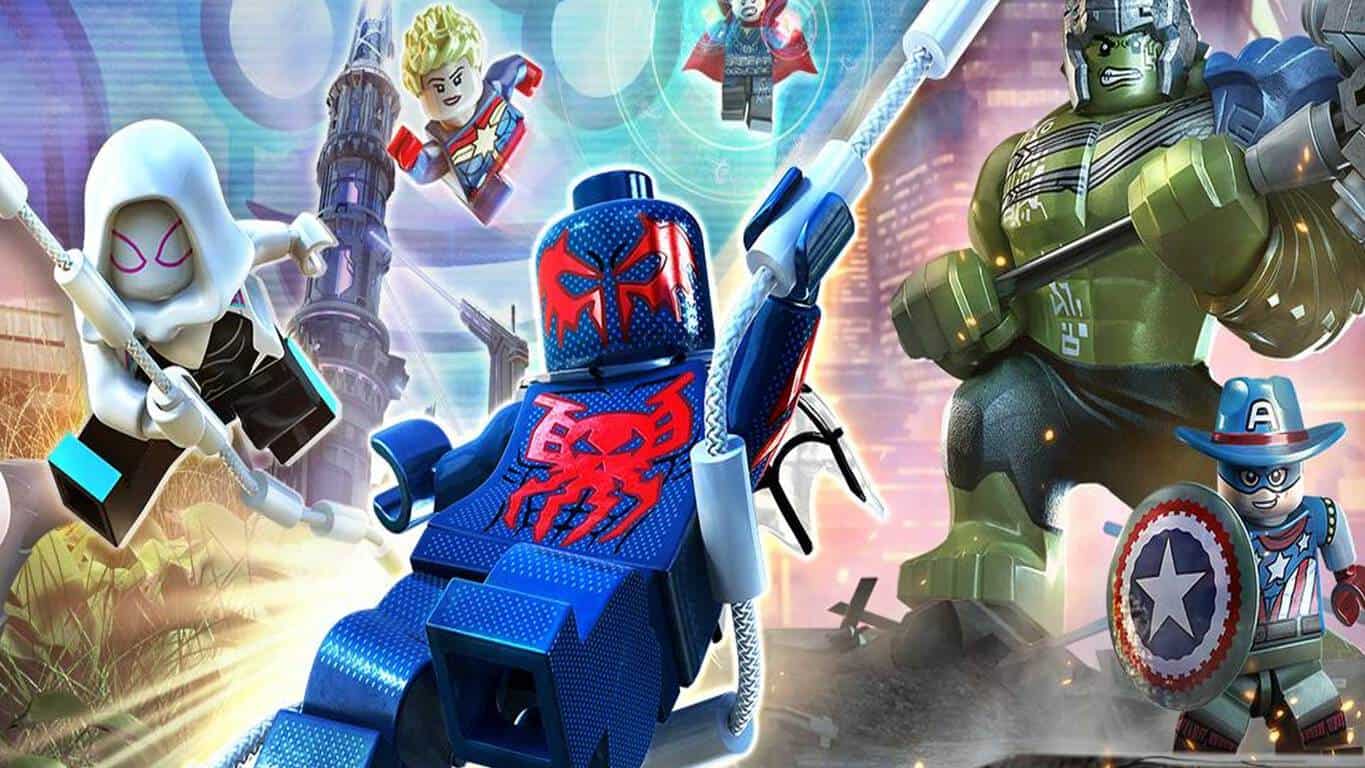
Digital pre-orders for LEGO Marvel Super Heroes 2 are now open for Microsoft’s Xbox One video game console. The game is a sequel to the original LEGO Marvel Super Heroes title which also came out on the Xbox One and the Xbox 360 and is also a follow-up to the recent LEGO Marvel’s Avengers which featured a lot of similarities but was based mostly on the live action Marvel movies instead of the comic books. Here’s the official game description:

It’s about TIME! Join your favorite Super Heroes and Super Villains from different eras and realities as they go head-to-head with the time-traveling Kang the Conqueror in the all-new, original adventure, LEGO Marvel Super Heroes 2! Play as the Guardians of the Galaxy, Spider-Man, Thor, Hulk, Black Panther, Captain Marvel, Doctor Strange, Carnage, Green Goblin and dozens of other Marvel Super Heroes and Villains in this cosmic battle across the time-tossed city of Chronopolis! Travel across lands — from Ancient Egypt to The Old West, Planet Hulk and New York City in 2099 — and transport objects or characters through the centuries! And, with new battle modes, friends and family can play against each other in a series of themed challenges and battle arenas!

Pre-order LEGO Marvel Super Heroes 2 on Xbox One

LEGO Marvel Super Heroes 2 is being sold in a regular version and a Deluxe version which contains a Season Pass for all of the future downloadable content (DLC). It’s due for release on November 15th 2017.

Are you a LEGO video game fan? Let us know which game is your favorite in the comments below.

Wordament gets massive update on Windows 10, now Microsoft Ultimate Word Games

Microsoft’s Windows 10 Wordament app has undergone a huge update and has been essentially rebuilt from the ground up. The app is now called Microsoft Ultimate Word Games and contains full versions of Wordament, Jumble, and Crosswords.

Like the previous Wordament app, Microsoft Ultimate Word Games also connects to Xbox Live but being an app built for Windows 10, this new collection of games rewards the more modern-looking Xbox Achievements as seen on the Xbox One and Windows 10 as opposed to the older Xbox 360 and Windows 8 ones. Similar updates have already been done to several other Microsoft games on Windows 10 such as Microsoft Mahjong and Bingo.

The Wordament app on Windows phone hasn’t updated yet so it’s unclear if Windows 10 Mobile users will be given a new app to play with. The official store listing does say it supports mobile however so the update may still be rolling out to users on different devices. Of particular note is the fact that the Xbox Games Hub for Microsoft Ultimate Word Games lists it as an Xbox One game which suggests that it could be coming to console. It is possible this is just a technical glitch though.

Have you tried Microsoft Ultimate Word Games yet? Let us know if you like the update in the comments below.

Edit movies and clips with the free Windows Video Editor Master app

The Video Editor Master app supports UWP with user-friendly interface and unique video filters with which you can edit your video clips with just a single touch.

Video Editor Master features

The app helps you organize your pictures easily in a slideshow view without reselecting or having to remove previous images. You can also combine your video clips with video and photos, attach audio clips in the background of your videos, and personalize your videos by adding customized text.

Other features of the program include:

  • Trim Multiple Clip and Merge
  • Sepia, mirror, stickers and more effects
  • New multi-effects integration on selective portion of your videos for dynamic video creations
  • Redesigned Toolbox with enhanced Sharpness, Brightness and Video controls for the best video experience
  • Frame Grabber that offers the ability to capture frames while streaming videos; you can capture a single frame at a time or you can use In-Depth capturing for ten frames at once
  • One touch sharing on social media
  • Stylish text designs and fading effects

The app also supports multiple resolutions and HD quality videos in 480p, 720p and 1080p and is available on PC and mobile devices running at least Windows 10, Windows 10 Mobile, or Windows Phone 8.1 with an ARM x86 or x64. In-app purchases are available for $1.99.

Based on the user experiences with the program, it seems to be an easy and convenient app to edit and create from cellphones to digital cameras. Even if the interface is a bit choppy and the ads are distracting, regularly updating the program will have the app work much better.

You can download Video Editor Master for free from the Windows Store.

RELATED STORIES TO CHECK OUT:

Set in a post-apocalyptic world, Dead Purge: Outbreak is a fantastic FPS game for Windows 10

Dead Purge: Outbreak is a modern first-person zombie shooter for Windows 10 PC set in an unforgiving post-apocalyptic world where ‘every minute can be your last’.

With an intense action-packed gameplay, you are one of the few who have survived the outbreak of an epidemic disease that infected most of the world’s population and now you must fight for the survival of humanity.

You need to purge waves of vicious zombie hordes, scavenge for supplies, research new skills, and improve your equipment as you go along. There are dozens of weapons you can use and multiple game modes to play.

When it comes to system requirements, Dead Purge: Outbreak needs some muscle. While the minimum system requirements indicate 4GB of memory and 2GB of video memory, double of that is recommended. Similarly, while you need to have an Intel Core i5-4460, 2.70GHz or AMD FX-6300 processor and NVIDIA GeForce GTX 760 or AMD Radeon R7 260X graphics unit at the minimum, you’d really want an Intel Core i7 3770 3.4GHz or AMD equivalent with NVIDIA GeForce GTX 1060 with 3GB VRAM for the best performance.

Dead Purge: Outbreak is a fantastic first-person shooter set in beautiful locations and offers realistic combat gameplay. At $14.99, it’s not cheap for an independent game, but if you like shooting zombies, you’d quite like this one. Download it for Windows 10 PCs from the Windows Store.

Microsoft details how, when to watch E3 events

Microsoft’s Xbox E3 briefing is just five days away here in the United States, and the company wants to make sure you know how, and when you can watch all the action from the annual Electronic Entertainment Expo. As we previously highlighted on Friday, you will be able to watch on the Xbox Twitch Channel, YouTube, Twitter, and Facebook Live, and much more.

To begin, things will kick off with the Xbox E3 2017 briefing, which will be live across multiple platforms beginning on Sunday, June 11 at 2:00 p.m. PDT. You’ll even be able to watch the Xbox E3 2017 briefing live in 4K on the official Xbox Mixer Channel or on the Mixer app for Xbox One. The briefing will be available in English, German, French, Italian, Spanish (LATAM), Portuguese (LATAM,) with support for English Closed Captions.

For those who want to watch away from home, Microsoft will be hosting an E3 celebration at local Microsoft Stores in the U.S., Canada, Puerto Rico, and Australia. In the store, you will be able to watch the Xbox E3 2017 briefing live, and also enjoy Xbox gear giveaways. And, as an added bonus, Xbox fans in New York will enjoy a premium viewing experience in the Mixer NYC Studio.

Microsoft’s Xbox E3 daily news show also makes a return for E3 2017, hosted by Major Nelson, Julia Hardy and Graeme Boyd. Giveaways will occur, and it will be live on the official Xbox Mixer channel, the Xbox Twitch Channel, YouTube, and Facebook Live. Showtimes can be seen below.

  • Monday, June 12, from 3:00 p.m. to 4:00 p.m. PDT
  • Tuesday, June 13, from 1:00 p.m. to 4:00 p.m. PDT
  • Wednesday, June 14, from 1:00 p.m. to 4:00 p.m. PDT
  • Thursday, June 15, from 10:00 a.m. to 4:00 p.m. PDT

Lastly, Microsoft will be partnering with Fuse to bring the Xbox E3 2017 briefing to cable and satellite subscribers in the U.S. and Canada at 2:00 p.m. PDT. And, to relieve the moment, you’ll be able to watch encores on FM starting June 12 at 9:00pm/ET and June 15 at 1:00am/ET.

How will you be watching E3 2017? Be sure to keep it tuned to OnMSFT, as our own Kip Kniskern will be on the ground live in Los Angeles, and we will be bringing you all the latest Xbox news live all day long!

Xbox VR won’t be shown at E3 this year, Alex Kipman says

Mixed reality is a big talking point for Microsoft as it continues to develop augmented and virtual reality for Windows PC. However, when it comes to Xbox, the tech giant’s console will have to wait just a bit longer.

Even though the next generation gaming console is planned to have 4K resolution and touted to be ‘the most powerful console built’ so far, Polygon reports that the presentation at E3 won’t be showing off mixed reality. Instead, Microsoft’s plans to focus more on the Scorpio’s other features rather than its virtual reality capabilities.

Alex Kipman from Microsoft stated:

“Our primary focus is making our mixed reality experiences a success on Windows 10 PCs. We believe that right now a Windows PC is the best platform for mixed reality as its open ecosystem and enormous installed base offer the best opportunity for developers, and Windows offers the most choices for consumers.”

“Windows has been the birthplace of a variety of technologies, and we believe this will hold for mixed reality too. Given the efforts we have underway on Windows for mixed reality, and our belief that console VR should be wireless, right now we are focused on developing mixed reality experiences for the PC, not on the console.”

So far, it sounds like mixed reality is still on track with its promise of seeing VR on console in 2018. For now, we’ll have to be patient and just bask in the glory that Project Scorpio has to offer – sans mixed reality.

Lenovo launches the 2017 range of Think PCs in India

In a press conference today, Lenovo announced the launch of its extensive 2017 Think product line powered by 7th Generation Intel Core i7 Processors. The new 2017 range of ThinkPads, ThinkCentres, and TIOs aim to deliver an unparalleled portfolio of business machines.

“The Think brand in essence has continuously and constantly redefined the boundaries of business PCs. These machines have always been synonymous with toughness, reliability and performance. Over the years, with changing business needs and increased need for mobility as well as security, these machines have evolved to provide a more rounded offering without losing their core value proposition. With the new Intel® processor coupled with our legendary Think product attributes, this latest range is equipped to meet the critical and evolving business requirements.”

– Rahul Agarwal, Managing Director & CEO, Lenovo India

Some of the key technology innovations in the latest range of devices include:

  • Lenovo Smartbeep Technology for troubleshooting identification
  • New antenna design with engineered Wi-Fi and WWAN
  • Infrared camera for facial recognition with Windows Hello for secure log-in
  • Fingerprint reader with Dedicated Chip
  • Low Temperature Solder (LTS) manufacturing process for improved system reliability and a lower emission footprint
  • Low blue Light technology to prevent eye fatigue
  • New wave keyboard for the best Tablet mode experience and protection from smudges
  • Windows Signature Image for assured speed and performance

The new range of ThinkPads include the flagship ThinkPad X1 Carbon, the premium ThinkPad X1 Yoga, the ThinkPad X270 and X370, the economical ThinkPad L470, and the ThinkPad T470 and T470s.

There’s also few desktops launched which include the ThinkCentre M710 Tiny Desktop, ThinkCentre M710 Tower & Small Form Factor (SFF), ThinkCentre M910 Tower, and the ThinkCentre Tiny-In-One 22 & 24 All-in-Ones.

The company also announced the ultra-slim ThinkVision X1 monitor, the ThinkVision P27h performance monitor, and the affordable ThinkVision T24i.

Mega Man Legacy Collection 2 announced for Xbox One, pre-orders open

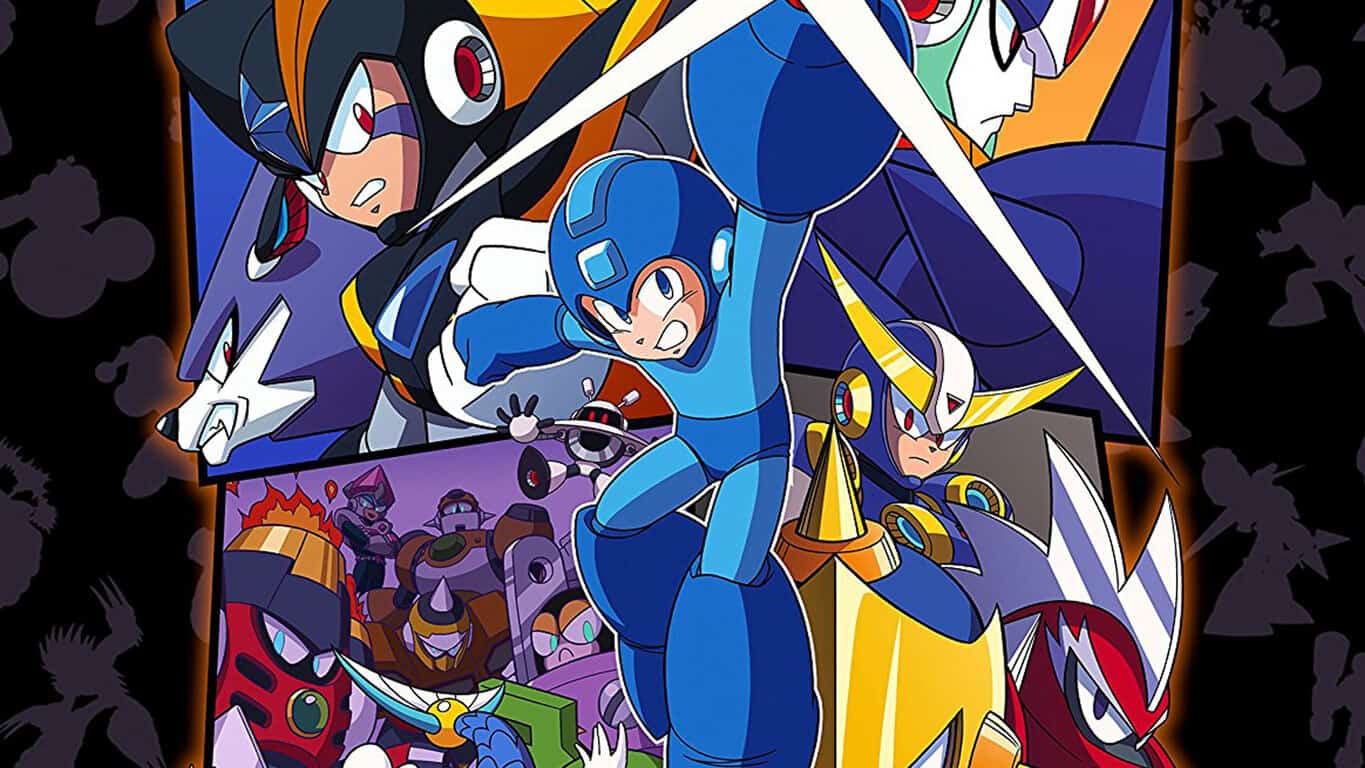
Mega Man Legacy Collection 2 has been officially announced for Xbox One and a new trailer has gone up on YouTube showcasing the game’s content.

Like the first Legacy Collection game on Xbox One, this second one also contains a collection of classic Mega Man video games, this time around Mega Man 7 through 10. The digital pre-order for the game hasn’t gone up on the Microsoft Store yet but the physical version is now open for pre-order on Amazon. Here’s the official game description:

The legacy continues with this collection of four of the iconic Blue Bomber’s classic side-scrolling adventures, complete with all-new features and new ways to play these expansive games. A follow up to Mega Man Legacy Collection which contained the series’ original 8-bit titles, Mega Man Legacy Collection 2 spans the evolution and retro revolution of the series!

Pre-order Mega Man Legacy Collection 2 on Xbox One

Mega Man Legacy Collection 2 is due for release on August 8th 2017.

Want free calls and messages? Download the LINE app

The free messaging app LINE can bring you closer to family, friends, and loved ones.

LINE app features

The app includes voice and video calls, messages and a vast variety of amazing stickers to help you better express yourself. LINE’s platform is always expanding, with 600 million users throughout the entire world. The LINE platform will continue to grow also in the future and promises to provide new and exciting experiences.

The app’s features include the following:

  • Free voice calls and video calls: If you have LINE on your Windows 10 device you will be able to enjoy high-quality calls wherever you are.
  • Quick messaging: You can use LINE’s message function instead of emails to send messages easier.
  • Enjoyable and convenient communication: Use the Timeline feature to update your friends on your activities using photos, text, movies, stickers and locations.
  • Optimization for Windows 10: LINE’s UI has been improved for Windows 10.

It is available for PC and mobile devices, and the recommended system requirements for optimal functioning includes the following: Windows 10, Windows 10 Mobile, Windows Phone 8.1, Windows Phone 8 OSs, ARM, x86, x64.

App limitations

It seems that the app only allows one recipient to forward and it crashes quite often after a few videos play. The stability problem was reported by the same users who also asking for improved speed and responsiveness because it seems a bit slower when compared to WhatsApp, for instance.

The app also provides less functionality than similar products, and the registration process is not the greatest one because it “forgets” who the user is even when the user is on the same device every time. Another issue is the fact that messages are not syncing at the beginning and you care not able to open your old messages from the phone with it.

All in all, when the application does work correctly, it seems to be working better than the Facebook messenger.

You can download the LINE app for free from the Windows Store.

RELATED STORIES TO CHECK OUT:

Popular image-editing apps from Macphun are coming to Windows this fall

Macphun, the California-based developer of comprehensive photo-editing apps, has shared that the company will bring its apps to Windows users in the fall of 2017. Established in 2008, Macphun has created a multitude of innovative photography software like Snapheal, Focus, Intensify, Tonality, Noiseless, FX Photo Studio, Aurora HDR, and Luminar.

Apps from Macphun have been rated very highly on the Apple App Store and the company’s flagship product – Luminar – won the prestigious TIPA award for Best Imaging Software 2017 only 5 months after its launch.

“We have been delivering award-winning products to Mac users for almost a decade, and now are very excited to bring Windows users products they have frankly been missing in the PC market. Combining power and simplicity, Luminar and Aurora HDR give users a new way to express themselves through striking images they can create within minutes.”

– Kevin La Rue, Vice President, Macphun

Aurora HDR

First released in November 2016 and co-developed with the world’s pre-eminent HDR photographer Trey Ratcliff, Aurora HDR makes the complex task of HDR photography effortless and unintimidating. It offers one-click presets and advanced tone-mapping, as well as layers, noise reduction, and powerful luminosity masking controls.

Luminar

The all-in-one photo editor offers smart, cutting-edge solutions to make complex photo editing processes simple and straightforward. Luminar furnishes an innovative user interface that adapts to the user’s skill level, and includes dozens of creative photo filters, and over 300 other tools that together help photographers create bold images in minutes.

Macphun’s best-selling photo editors, Luminar and Aurora HDR, aim to bridge the gap between professional and consumer image-editing tools. Macphun will be launching a public beta of Luminar in July with the final version along with the new version for Mac in November. The full new version of Aurora for Mac and Windows will release simultaneously in October.
PSA: Starting July 1st, older versions of the Skype desktop app for Linux will no longer work

If you’re using version 4.3 and older of the Skype desktop app for Linux, it will no longer work starting July 1st. Microsoft is notifying users of the impending retirement via the Skype for Linux download page and is instead directing Linux users to install the latest version of the application (via omgubuntu.)

A notice of the impending retirement

As the image above shows, the most recent versions of Skype for Linux are not impacted by the retirement, including Skype for Linux Beta 5.3. Though the new version of the app has its advantages, it is only a web wrap and lacks features from the older versions and classic app which Linux users may have found useful, including screen sharing, API access, and advanced video and audio control.

The news should not come as a surprise, as Microsoft is clearly a cross-platform kind of company these days, and also depreciated older versions of Skype on both MacOS and Windows. For now, though Linux users will have to settle for Skype for Linux Beta 5.3, or turn to other third party VOIP or messaging services to fulfill their needs.

Delayed patch makes Friday The 13th game playable; Xbox One matchmaking is still broken

Have you ever just wanted to stab someone without the hassle of falling through the floor? That’s pretty much how many players felt while playing the newly released Friday The 13th video game on Xbox One this last week.

The launch was a bit rough to begin with. starting on May 26, complaints immediately rose up about the game’s performance, bugs, and various issues that made Friday The 13th virtually unplayable. Some couldn’t even log in due to database errors, let alone the multiplayer matchmaking being completely down and the team relying on Xbox One’s LFG to make up for it. It took the entire launch weekend to bring back the server’s on May 29th, but even that didn’t fix all of the problems (via Games Radar.)

Within the week, the PC version on Steam was updated, even though it was rolled back due to errors. Ultimately though, both PC and consoles managed to get the updated patch fix. And just looking at the list, it’s easy to see that there’s very little that wasn’t broken.

-New intro cinematics for Tommy Jarvis spawn, Game Intro, and Game Outro.
-Fixed crash for VoIP that would during gameplay
-Fix for out of memory crash with a bug in the texture system bloating out textures after playing a couple of rounds.
-Fixed getting stuck when interactive with drawers.
-Fixed getting stuck when climbing through windows
-Fixed camera getting stuck when interactive with doors, windows and drawers.
-Fixed Jason getting stuck in a chop loop when breaking down doors.
-Fixed Jason getting off aligned when breaking down doors. He will no longer keep popping back in a new position.
-Fixed environment and grab kills being off.
-Fixed environment and grab kill jittering.
-Made knife pickup grab animations more accurate.
-Fixed some knife pickups from not working.
-Fixed the shotgun and flare gun sometimes not firing.
-Fixed weapon swapping from floating.
-Fixed firecrackers going through the world
-Fixed physics on car. No longer can a group of counselors push it around.
-Fixed getting in and out of a car where animations would get off sync.
-Fixed players standing up in the car.
-Fixed pocket knife not working when getting pulled out of the car.
-Fixed more than one player being able to get into the driver’s seat at the same time.
-Fixed physics on boat. No longer can a group of counselors push it around.
-Fixed getting in and out of a boat where animations would get off sync.
-Fixed players standing up in the boat.
-Fixed more than one player being able to get into the boat driver’s seat at the same time.
-Fixed HUD getting stuck when getting in and out of armoire.
-Fixed blood getting stuck on screen when dying.
-Fixed blood getting stuck on screen when coming back as Tommy Jarvis.
-Fixed repair mini game getting stuck on screen when getting hit with a weapon while doing the mini-game.
-Fixed exploit where users were able to go into combat stance and then sprint sliding around the character but not burning any stamina.
-Fixed Jason sliding around when getting stunned.
-Fixed counselors sliding around when playing the falling animation.
-Fixed Jason grabbing someone out of a car and them becoming a ghost.
-Fixed driving the car getting out of sync with the server / host then teleporting the player back to where they got into a car.
-Made session invitations a lot more reliable.
-Fixed crash where you would exit a match and then start a new Private Match.
-Added movable hair to the female characters.
-Optimized all maps to have a nice performance increase on Xbox One when action gets intense.
-Did a warmer lighting pass to increase visual quality.
-Fixed crash when getting grabbed by Jason.

While a lot has been fixed for Friday The 13th, there’s still the issue of matchmaking on Xbox One. With players at an unrest, the official response from the dev team states that “a lot of big news” about matchmaking is coming. Hopefully, this means another patch will be soon to kill the issues once and for all.

Take a tour of the Xbox Project Scorpio development kit with Major Nelson

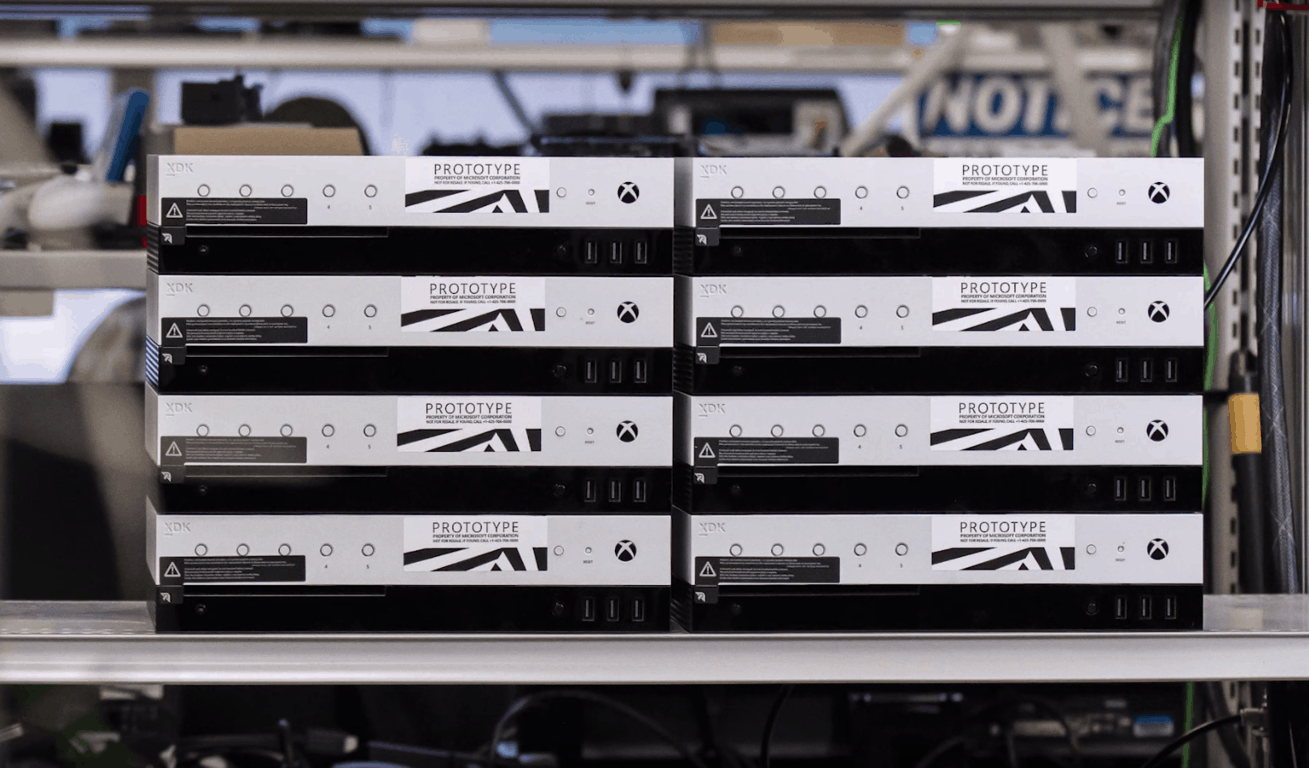
E3 2017, and the reveal of Project Scorpio is just a few days away, and Microsoft is sharpening the appetite of Xbox fans by giving them a tour of a different type of console. Indeed, the company is now showing off the Xbox Project Scorpio development kit which was previously unveiled and started shipping to developers about a month ago.

Seen above, Microsoft’s Kevin Gammill from the Xbox Engineering team recently joined Major Nelson to discuss the power and functionality of theXbox Project Scorpio development kit, and what it means for games and the average consumer. The discussion begins with the revelation that Microsoft choose to create a Project Scorpio dev kit so developers could be enabled to create the games they wanted, with the additional headroom to get games up and running as the retail console gets close to shipping.

Also discussed are the physical differences between the dev kit and retail console. The console has four more CU’s than the retail kit, 12 more GB of RAM, and a 1 TB SSD, so developers can quickly debug something, deploy it to the kit, test the kit, and repeat the process over and over again.

Of course, the extra buttons which are seen on the front of the dev kit are also covered in this discussion. It was revealed that the 5 programmable buttons and front panel display are designed for the development lab, and for scenarios where developers don’t want to have a monitor for each console, and instead use the mini display to change the gameplay.

Project Scorpio Front Panel

Interestingly, Kevin Gammill pointed out that the Project Scorpio development kit also has an additional network port, so developers can monitor the debug network traffic, without colliding with the main network. And along with this is the Xbox Transfer device, which many have noticed stick out from the back of the console. It was explained that this transfer device supports the deployment of game builds from a PC to the console in less than 4 minutes.

With Microsoft giving such a powerful dev kit to the developers, there is no doubt going to be great games for Project Scorpio in the months ahead. Again, we invite you to check out the full video above and to let us know your thoughts in the comments below.

Mistaken release of Windows 10 internal build reveals CShell elements

Last Friday, Microsoft accidentally smacked the big red button and released something they weren’t intending. Across PC and mobile devices, Insiders began to see automatic updates for the release of an internal pre-release build. But what exactly was tucked away in these builds? Zac Bowden from Windows Central discovered a working version of the brand new Windows CShell.

In case you didn’t know, CShell (a.k.a. Composable Shell) is Microsoft’s attempt to make a single platform user experience across all devices. From PCs, to phones, to gaming consoles, and more, the Windows CShell is intended to pull everything together into a scalable UI that will seamlessly integrate together flexibly. As Bowden puts it, it is indeed ‘a big deal’.

So how does CShell look so far? It’s actually looking pretty good! For a pre-release software, CShell is already functioning as we’d expect it to. Most significantly, the Start Menu is the same experience as it is on the Windows 10 desktop including all the bells and whistles. Context menus, more live tile sizes, turning live tiles on/off for individual apps, and more are now on Windows 10 Mobile with CShell.

Even the Action Center with quick actions and interacting with notifications is now possible. The popularly requested landscape mode on mobile is even possible now in CShell, turning Start tiles on their side and even opening apps straight into landscape mode.

Image Credit: Zac Bowden

Not only that, but CShell reboots Windows Continuum with a simple but significant change. When hooking up your Windows 10 Phone to a monitor, you’ll be able to take full advantage of this Windows Phone only feature even more with CShell. Multiple apps can be opened in windowed mode on the desktop as if it were running Windows 10 for PC, only powered by your phone.

There’s still more to learn about Windows CShell, and given the pre-release mix-up, it’s fair to say that the update isn’t ready to go live. Speculations indicate that it could be on the back burner to simmer until the next Windows phone, assisting in Microsoft’s push back into the declining mobile market. We’d love to hear what you think so feel free to leave a comment in the section below.

Microsoft trademarks a gaming console related logo

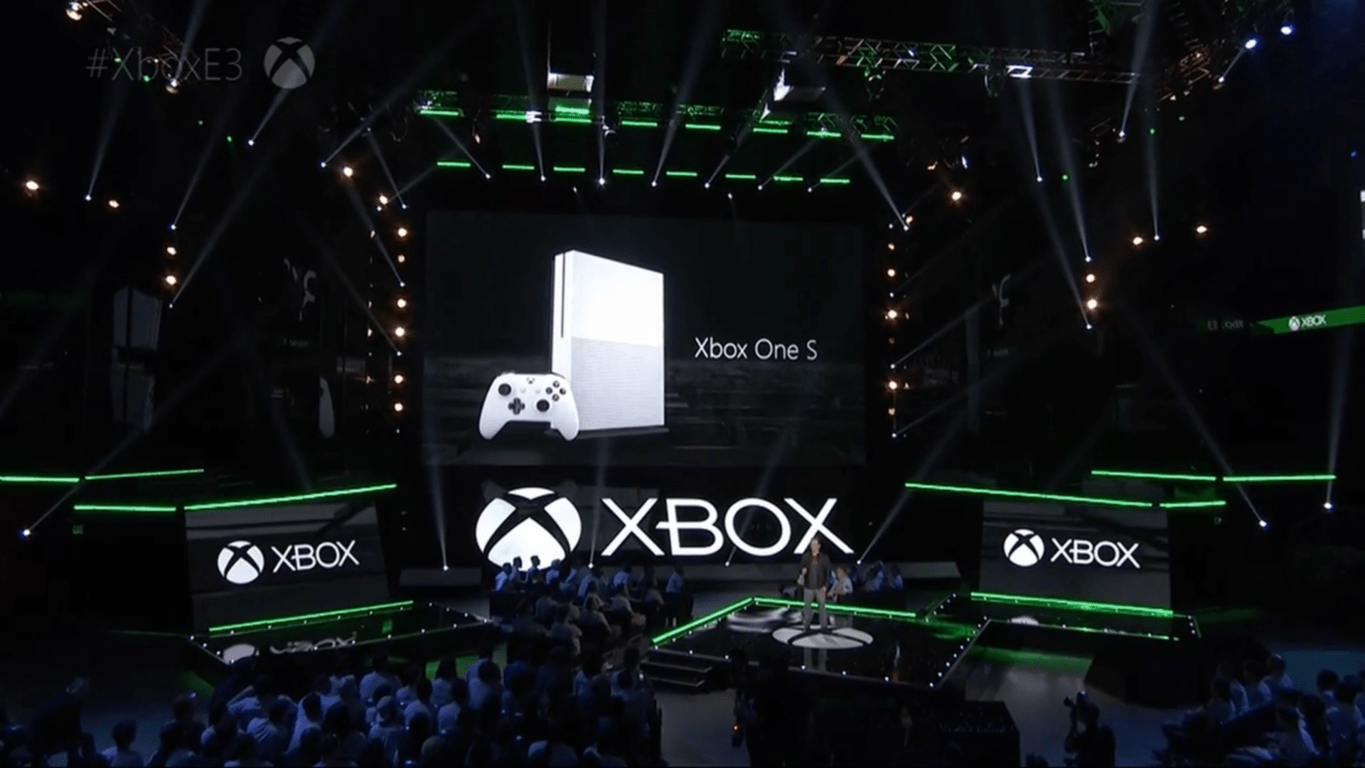
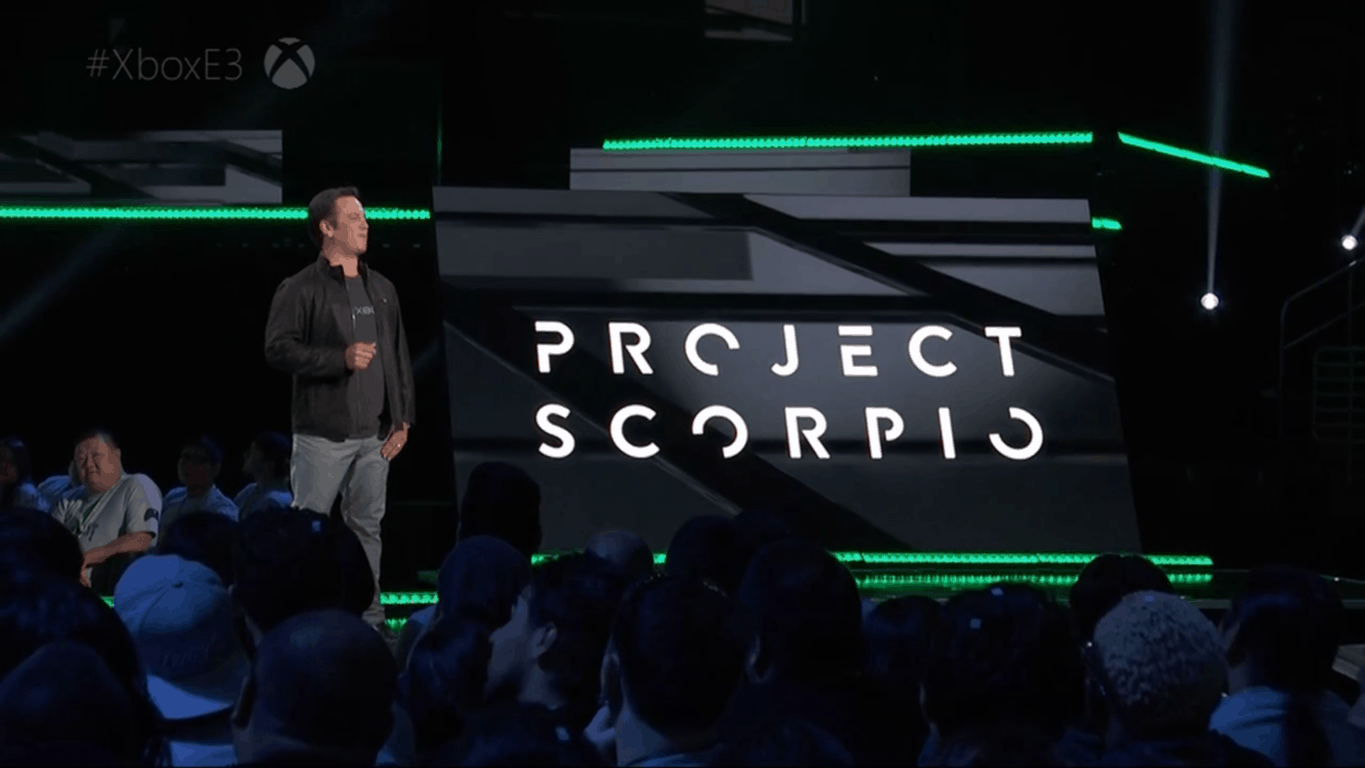
As you may know, Microsoft is expected to officially unveil Project Scorpio, its new 4K-enabled gaming console during its E3 press briefing this Sunday, June 11. If many gamers are already familiar with the Scorpio name, the company previously said that this was just a codename for the much-anticipated new hardware. Moreover, it seems that Microsoft doesn’t have any trademarks filed for the “Scorpio” name as of today.

Even if Microsoft doesn’t stick with Scorpio for the branding of its new console, the company has recently filed a new trademark for a gaming-related logo at the European Union Intellectual Property Office. The S-shaped logo was discovered on NeoGAF (via Reddit) and the application is still under examination.

With no more information available about this new logo on the EUIPO’s website, it’s not clear if this related to Project Scorpio, or another gaming-related product that has yet to be announced. The “Nice Classification” for the trademark application does provide some clues, however:

9: Computer game software for use with personal computers and video game consoles.

28: Video game consoles for use with an external display screen or monitor; video game interactive remote control units.

We’ll likely get more details about it later this week, let us know your thoughts about this mysterious logo in the comments below!

Microsoft is reportedly working on new Windows 10 SKUs, including a Workstation edition for demanding users

Last week, Microsoft mistakenly released several internal builds for PC and Mobile to both Insiders and non-Insiders, but fortunately, the Windows Insider team was pretty quick to stop the deployment once it realized what was happening. According to the head of the Windows Insider Program Dona Sarkar, only a small portion of Windows 10 users received these internal builds, including the Windows 10 build 16212.

As we previously reported, this build ships with the new Control Center that the Windows Insider team accidentally revealed a few weeks ago, but it also includes some interesting information about several new Windows 10 SKUs that Microsoft is apparently working on.

By digging into the Windows 10 build 16212 pkeyconfig, Twitter user @AndItsTito discovered mentions of “Windows 10 Pro for Advanced PCs,” “Windows 10 Pro N for Advanced PCs” and “Windows Server 2016 ServerRdsh.”


According to leaked slides published by another Twitter user called @GrandMofongo, Microsoft has been using the “Windows 10 Pro for Workstations PCs” moniker for the Windows 10 Pro for Advanced PCs SKU (via The Verge).

The slides reveal that this new Windows 10 edition has been specifically created for advanced users of server grade hardware, with it including the following four key capabilities:

  • Workstation mode: Microsoft plans to optimize the OS by identifying “typical compute and graphics intensive workloads” to provide peak performance and reliability when Workstation mode is enabled.
  • Resilient file system: Microsoft’s file system successor to NTFS, dubbed ReFS, is enabled in this new version, with support for fault-tolerance, optimized for large data volumes, and auto-correcting.
  • Faster file handling: As workstation machines are typically used for large data volumes across networks, Microsoft is including the SMBDirect protocol for file sharing and high throughput, low latency, and low CPU utilization when accessing network shares.
  • Expanded hardware support: Microsoft is also planning to allow Windows 10 Pro for Workstation on machines with up to 4 CPUs and a memory limit of 6TB. Windows 10 Pro currently only supports 2 CPUs.

Microsoft also explained that “the above capabilities are just a starting point” and that it’s committed to supporting its advanced users with more features. The company has yet to officially announce this new Windows SKU, but it’s interesting to see that Microsoft is ready to make Windows 10 a better OS for workstation use cases.

Plan and furnish spaces with the free Planner 5D design app

Planner 5D is a free, user-friendly app that allows you to create beautiful, realistic interior and exterior designs in both 2D and 3D. You have at your disposal a vast palette of interior and exterior items to choose from to plan and furnish your home or other spaces.

Planner 5D features

With this app, you can view your interior and exterior design in 2D and 3D both online and offline. The free version of the app contains more than 150 items and you have the ability to change the size and the texture of any object. If you decide to purchase the full catalog, you will have access to more than 3000 items that will be available on all devices running Windows 10.

Creating realistic photos and interior/exterior designs

The app allows you to create your very own floor plans with accessories, furniture, decor and other items from a catalog that’s updated on a regular basis. You can apply hundreds of colors and textures while also changing the size of your items.

To create the most realistic photos, you just have to choose an angle of your project and to push the Photo Camera icon. After rendering, you can enjoy Full HD pictures of your projects.

Planner 5D system requirements:

  • Windows 10 operating system
  • Integrated touch
  • Keyboard and mouse
  • Version 11 of Direct X
  • 2GB of memory
  • 1GB of HDD available space.

You can buy in-app purchases for $9.99 to $19.99.

Overall, users seem to be pretty satisfied with the app, but some are not very happy because the app lacks export and share features nor the option of walking around through the insides and check out the way everything looks.

You can download Planner 5D from the Windows Store.

RELATED STORIES TO CHECK OUT:

Microsoft revamps Skype and makes it look like Snapchat and Facebook

Skype has been part of our lives since 2003 and now is rebuilt: the next generation app improves the ways you can connect with your favorite friends. This is important because staying connected can be very challenging these days and having a familiar place you can share with those close to you is imperative.

The rebuilt Skype makes chats more expressive and personalized, with the app now offering countless ways to share moment along with creating and playing with the people you care about the most.

Skype offers deeper connections

You are now able to show off your personal style by customizing Skype with your favorite palette of colors. When you’re in a conversation, make sure that your voice is heard and your emoticon is seen by tapping on the action icon next to any message or video call to express your feelings in colorful ways

Check out the new Highlights feature

Highlights allows you create a highlight reel of your day with photos and videos. After you post a one, your friends will get the opportunity to react to it by using emoticons or by jumping into a conversation. Like this, you can now turn talk into action with group discussions, bots, and add-ins. New bots and add-ins will be added to the app to make your Skype experience more robust and richer.

Many users criticized the new Highlights feature, suggesting that Microsoft’s engineers should have used their creativity instead of adding a series of features available on other social media apps. Skype users also say that not every communication app should be revamped to appeal to teenagers.

Skype availability

The new Skype version has been designed so that users enjoy easier everyday communication. You can now take the app anywhere on your favorite devices and now, smart speakers.

The newest Skype began its roll out to mobile devices and will also come to desktops. It will first be available on Android devices and will be released gradually over the future weeks. The versions for iPhone, Mac, and Windows are also on their way, so stay tuned.

RELATED STORIES TO CHECK OUT:

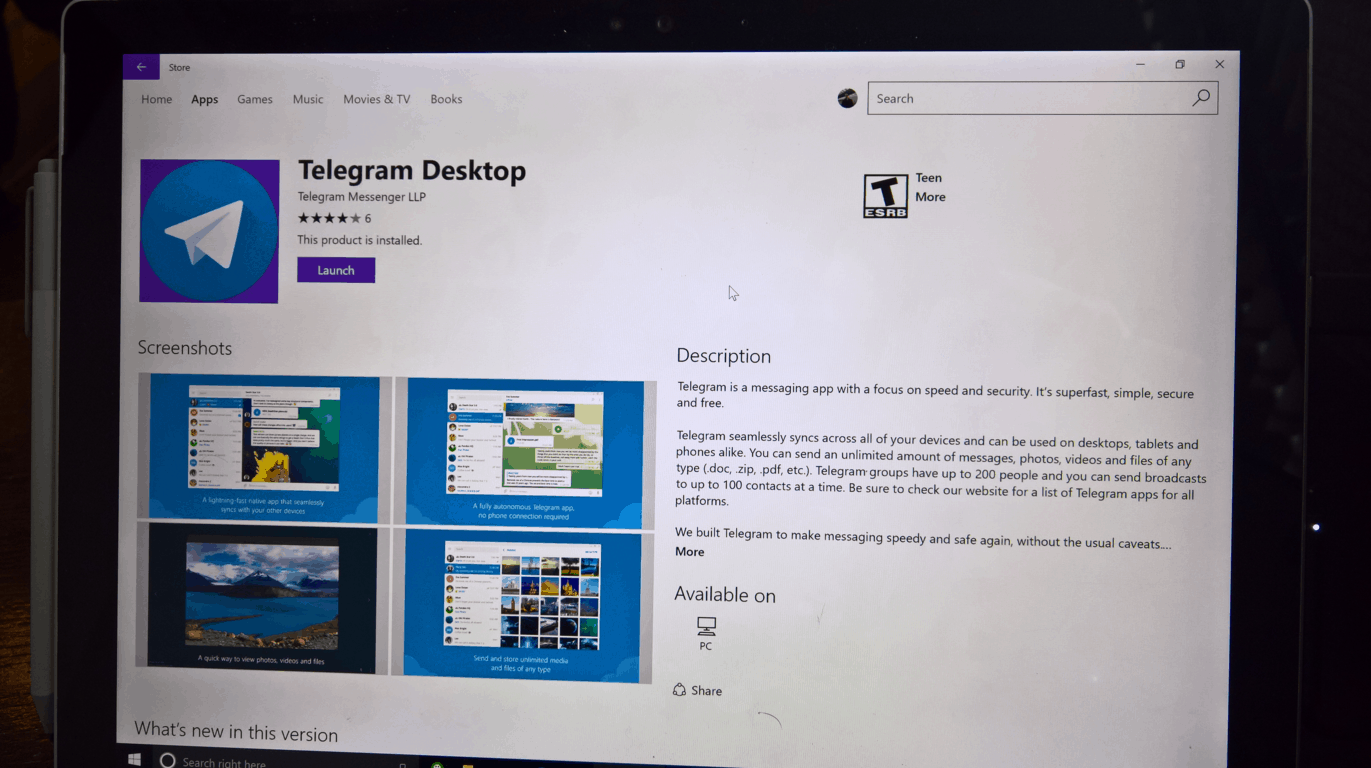
Telegram Desktop gets Picture-in-Picture support and more in latest update on Windows 10 PCs

Telegram is continuing to support its Windows 10 desktop app with fairly significant updates. The latest update for the private communication app has added support for Windows 10’s Picture-in-Picture (via Win Central), allowing you to view video while viewing other windows in Windows 10, as well as a few other changes and additions, as noted in the changelog for version 1.1.7:

  • Improved video messages: radial playback progress, Picture-in-Picture support, duration countdown.
  • Voice and video messages now automatically play one after another.

This update is available now in the Windows Store for Windows 10 PCs.

Telegram Desktop
Telegram Desktop
Price:
Free

Windows 10 news recap: unintentional release of builds, File History could be removed and more

Welcome back to our Windows 10 news recap. We are continuing the trend of our weekly “Windows 10 news recap” series where we go over the top stories of the past week in the world of Microsoft’s flagship operating system.

Microsoft explains the reason for unintentional Windows 10 builds, gives advice for those who installed

This week saw a flurry of builds from various branches being released to Insiders, non-Insiders and on incorrect devices. It all boiled down to an issue with the deployment process, with Dona Sarkar sayingsaying it was an “inadvertent deployment to the engineering system that controls which builds/which rings to push out to insiders.”

Microsoft appears to be planning to remove File History in Windows 10 this year

As incorrect builds were being released, some people managed to dig through them for information on Microsoft’s future plans. One person discovered references to File History being removed in a future version of Windows 10, likely this year.

https://twitter.com/h0x0d/status/870796940056838144

Windows 10 Mobile’s keyboard is coming to Windows 10 PCs with swipe and pen functionality

Adding on to information being discovered from incorrect builds; it would appear that Windows 10 Mobile’s keyboard, or a version very similar to its current state, will be coming to Windows 10 PCs in the future. Information suggests it will incorporate Swiftkey’s technology, a popular third-party Android keyboard that Microsoft acquired last year, as well as support for swiping and pen input.

https://twitter.com/h0x0d/status/870783819862786049


Both Windows 10, Windows 7 gain shares as Windows XP hits its lowest, says NetMarketShare data

As we reached June this week, NetMarketShare have released their latest stats for operating system market share. The stats show that Windows 10’s share has grown slightly, while XP’s has finally hit below 7%, now sitting at around 5.66% share.

That’s all the top Windows 10 news for this week – we’ll be back next week with more!

Microsoft news recap: disappointed with Paris Agreement withdrawal, Microsoft Rewards coming to more countries and more

Microsoft (MSFT) news recap is a weekly feature highlighting the top Microsoft news stories of the past week. Sit back, grab some coffee, and enjoy the read!

Microsoft expresses disappointment at the US withdrawal from Paris Agreement on climate change

This week saw President Donald Trump pull the US out of the Paris Agreement, which aimed to set targets for many countries around the world to meet in terms of emissions, in order to help the environment. Microsoft has expressed disappointment at Trump’s decision to pull out.

Microsoft runs an Outlook.com Spam Fighters program, random users asked to grade email

Email spam plagues email users on a daily basis – constantly – but Microsoft has a program that little know about, called the Spam Fighters program, it aims to help develop its Smartscreen system on Outlook.com to detect if an email is spam or not, by asking recipients to vote on whether they perceive it to be spam.

Outlook.com Spam Fighters Program

Microsoft rolling out curated Bing Video Feed, currently in beta

To help users of Bing discover videos that they may be interested in, Microsoft is opening up a beta of a new Bing Video Feed, which is a curated feed of videos from around the internet, from sites such as YouTube, Dailymotion and others.

Microsoft Rewards comes to UK, coming soon to France, Germany, Canada

Microsoft has officially confirmed that Microsoft Rewards is now available in the UK and, has also said that it is coming to other European countries, including France and Germany but, also Canada.

Microsoft Rewards

That’s it for this week – we’ll be back next week with more Microsoft news!

Open any RAR file instantly with the RAR Opener free app

The free RAR Opener app from the Windows Store can open RAR files along with more popular file types such as 7Z, TAR, Zip, LZH and more.

RAR Opener, the tiny & fast utility

Don’t overwhelm your computer with file openers that don’t work properly: the RAR Opener app focuses on RAR files and will not clog up your machine or waste more RAM than necessary.

The utility features a small file size and memory footprint to maintain fast operation without slowing down your device. The app is regularly updated, with the last update having brought a faster RAR expansion process and a slick, new mobile-friendly layout. The utility promises to the easiest, smallest, fastest and most efficient RAR opener. It features newly added support for dozens of other file formats, as well.

The app is available on Windows Holographic, PC and mobile devices. The necessary requirements for the utility include Windows 10, Windows 8.1 and Windows 10 Mobile operating systems and ARM x86 or x64. You also have the opportunity to benefit from in-app purchases for $1.99.

RAR Opener vulnerability

Regarding user opinions and reviews of the app, most of them are very satisfied with the way it works.

I’ve only had this program for a few days but so far it’s been one of the best in terms of ease and reliability.

However, there were also some particular cases in which some users were not able to find their program after it was unzipped. The issue is related to a vulnerability discovered by Intel and a patch to fix it will soon be released.

You can download RAR Opener for free from the Windows Store.

RELATED STORIES TO CHECK OUT:

Microsoft appears to be planning to remove File History in Windows 10 this year

In a build that accidentally escaped outside of Microsoft earlier this week, we’ve been able to discover new information, such as Windows 10 Mobile’s keyboard coming to Windows 10 PCs but, now we’re finding out that Microsoft looks to be planning to remove its built-in backup solution, File History, from Windows 10.

WalkingCat, well-known for digging out information from builds, has discovered references in build 16212 to dialogs that state “File History is no longer supported”:

https://twitter.com/h0x0d/status/870796940056838144

With no official announcement from Microsoft, it is unclear what the company’s plans will be, as File History is commonly used for backups, negating the need to rely on potentially confusing and costly third-party alternatives.

The Windows 10 Mail app now features image previews

The Mail application in the Windows 10 Insider Fast Ring is receiving image previews. The information was offered by a Windows 10 Insider who was able to view a few picture attachments as a preview of the contents, OnMSFT reports.

The early availability of the message list image previews seems to only to be working for a few Fast Ring devices and doesn’t work on others for some reason. In the same way, some users can view the option as a grayed out feature that is ‘not available for any of their accounts.’ Either way, it is interesting to see this new feature pop up without any notice.

The app was last updated in February

The new version of Outlook Mail was rolled out to Fast Ring Insiders back in February and featured some interesting new UI tweaks at the time. Back then, Fast Ring Insiders noticed colorful contact icons next to each one of the emails along with the first letter of every contact’s name. The vivid image popped up next to any contact that wasn’t already on the users’ phone. If the contact was stored in the device along a picture, users could see the image instead. While it was a minor change, but overall it did manage to make the app look better.

The Mail and Calendar apps can be downloaded from the Windows Store and can help you stay updated on your email, manage your schedule and also stay in touch with people you care about the most. These apps are designed for both work and home and will help you communicate quicker and focus on everything that is important across all of your accounts.

RELATED STORIES TO CHECK OUT:

Microsoft expresses disappointment at the US withdrawal from Paris Agreement on climate change

Yesterday, President Donald Trump announced that the United States intends to withdraw from the Paris Agreement for climate change. And Microsoft couldn’t be more disappointed.

“We all live on a small planet and every nation needs to work with others to protect it,” Brad Smith explained in the company’s official address to the current events. According to the statement via LinkedIn, Microsoft has been a headstrong supporter to the Paris Agreement since its initiation in 2015. Of course, when the newly appointed Trump Administration declared their interest in withdrawing ‘for economic growth in America’, the tech giant attempted to sway the decision.

In the last few months, Microsoft admits that it has worked in tandem with other American business leaders to plead the case of retaining a position in Paris Agreement. Even so much as to use full-page ads in New York Times, Wall Street Journal, and New York Post.

We believe that continued U.S. participation benefits U.S. businesses and the economy in important and multiple ways. A global framework strengthens competitiveness for American businesses. It creates new markets for innovative clean technologies, from green power to smart grids to cloud-enabled solutions. And by strengthening global action over time, the Agreement reduces future climate damage to people and organizations around the world.

It’s been no secret that Microsoft has been advocating for cleaner carbon emissions and overall global health. The tech company has its hands in various declarations and initiatives that help worldwide environmental organizations.

Whether it’s a stance for business innovation or a sincerely a concern for the health of people everywhere, more than likely both, Microsoft wants the public to know their stance is in favor of tackling climate change. And that they, once again, oppose President Trump’s actions.

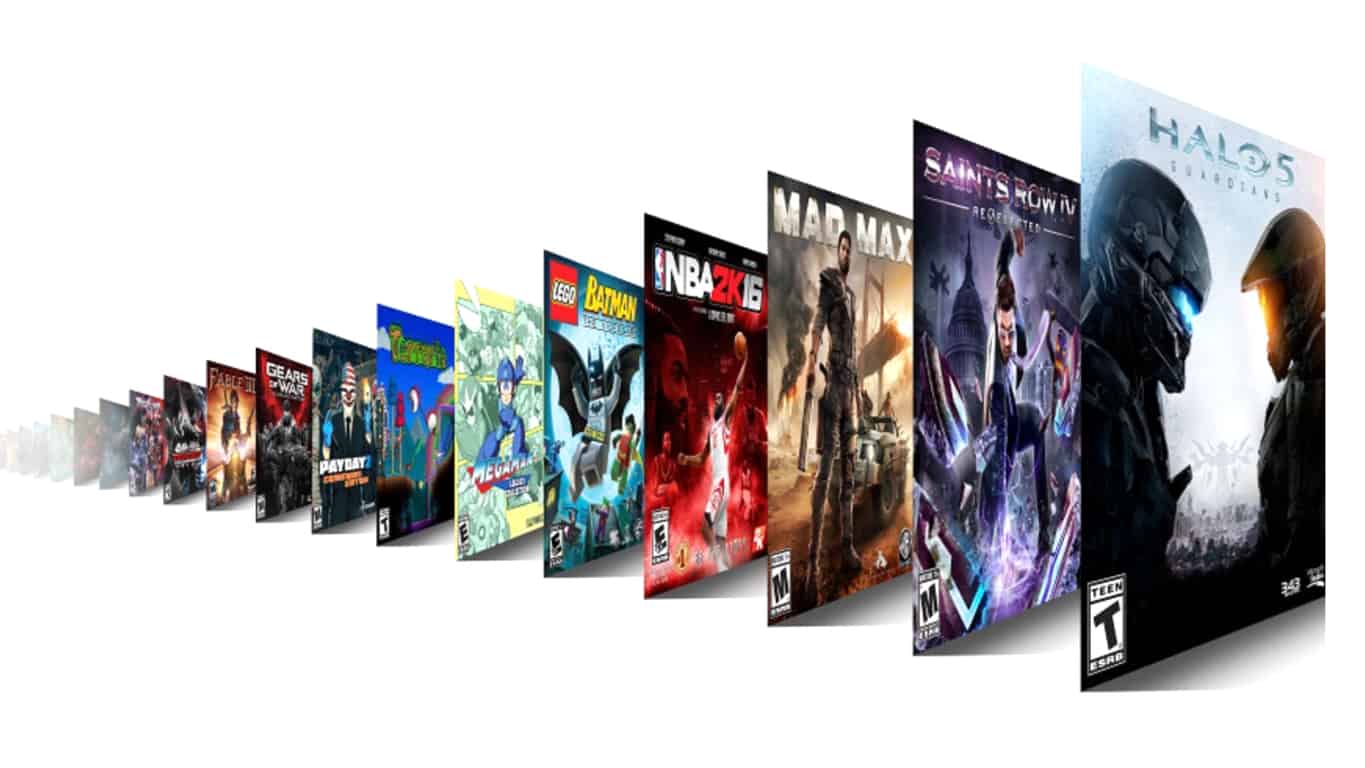
Earn Xbox Game Pass access with Microsoft Rewards points

Microsoft just introduced Xbox Game Pass, a $9.99/month subscription service that gives you access to around 100 Xbox One and Xbox 360 games to download and play, all for one low monthly price. If you’re new to Xbox gaming, or don’t have a catalog of titles built up, it’s a pretty good deal, although the list doesn’t include the latest titles or even all of the most popular ones.

You can give Xbox Game Pass a try with its 14 day free trial, but if you want a way to get the games for nearly free, Microsoft has just added Xbox Game Pass as an option at Microsoft Rewards.

Xbox Game Pass on Microsoft Rewards

For 7000 points (less if you have levelled up in Rewards), it’s an achievable monthly goal if you use Edge, Bing, and don’t mind clicking through a quiz or two to build up points. The Xbox Game Pass on Microsoft Rewards is a pretty good deal in its own right, as a good rule of thumb is 5,000 Microsoft Rewards points equals about $5 in rewards.

Of course, you can use Microsoft Rewards points for other items and services, too, including gift cards, subscriptions to Xbox Live and Groove Music, sweepstakes entries, and a lot more. Microsoft Rewards has been US only, but just this week has expanded to Canada, France, the UK, and Germany, so Microsoft fans from all over can win cool stuff by amassing points.

You can learn more about Microsoft Rewards and Xbox Game Pass from these links.

(via Reddit)

Microsoft will livecast the Xbox E3 briefing on June 11th from all over the place (and you can watch it here)

The Electronic Entertainment Expo (E3) 2017 is just around the corner, and Microsoft today is reminding fans how they can watch the upcoming Xbox E3 Briefing on June 11th. Our own Kip Kniskern will be on the ground in Los Angeles at E3, and we’re going to be bringing you live coverage here too, so here are all the ways how you can watch!

The briefing is scheduled to begin on Sunday, June 11th at 2:00 PM PDT. It will be live-casted on Xbox One, and various platforms, including Microsoft’s own Mixer. Other platforms (and the links) can be seen below.

As you recall, last year’s E3 was quite exciting for Microsoft, as the company announced announcement of Forza Horizon 3, teased the upcoming next generation Project Scorpio Xbox console, and announced Xbox Play Anywhere.

Xbox chief Phil Spencer is impressed with the lineup of games set to be announced a week from Sunday:

We’re expecting another big show this year, including the full unveil of Project Scorpio, so be sure to keep it tuned to OnMSFT for all your Xbox news and information!

Buy Tekken 7 on Xbox One and get Xbox 360’s Tekken 6 for free

Tekken 7 is now available to play on Microsoft’s Xbox One console. The game is the first in the franchise to launch on the Xbox One with the previous entry, Tekken 6, having come out on the Xbox 360. Here’s the official game description:

Discover the epic conclusion of the Mishima clan and unravel the reasons behind each step of their ceaseless fight. Powered by Unreal Engine 4, TEKKEN 7 features stunning story-driven cinematic battles and intense duels that can be enjoyed with friends and rivals alike through innovative fight mechanics. Love, Revenge, Pride. Everyone has a reason to fight. Values are what define us and make us human, regardless of our strengths and weaknesses. There are no wrong motivations, just the path we choose to take. Expand your fighter’s journey by purchasing the Tekken 7 Season Pass separately and gain access to stunning additional content.

Buy Tekken 7 on Xbox One

As a special offer, those who purchase the digital version of Tekken 7 will also be sent a code to unlock the full version of Tekken 6 which is playable on the Xbox One via backwards compatibility.

Have you played Tekken 7 yet? Let us know if it’s worth the purchase in the comments below.

Microsoft ending Content Network and Content Ads in the US, affects Bing Ads, Windows Media, and Windows Apps

Today, Microsoft has announced that it will be sunsetting its Content Network and Content Ads (powered by Bing Ads) in the United States, having already ended it in other non-US markets. The Content Network allowed advertisers to display ads on Windows Media and Windows Apps,  somewhat similar to Google AdWords’ Display campaigns, albeit with much less reach.

The Content Network is being sunset due to “low traffic” and Microsoft wants to “deliver great ROI” for their Bing Ads advertisers.

In the announcement post, the Bing Ads team outlines the timeline for closing out the Content Network and associated Content Ads:

Through July 30th:

  • Bing Ads UI: Content ads creation as an option in the Bing Ads UI. After July 30th, we will stop the ability to create ad groups with a content distribution or update ad groups’ content distribution based information. In addition, customers will not see the content distribution option when creating or editing ad groups.
  • Bing Ads Editor: When syncing account changes, customers can try to create a search + content ad group, but it will be saved as a search ad group. If customers try to create a content only ad group or update content ads distribution information, an error will be shown. In later BAE versions, the option to make these changes will be removed completely.
  • API: When trying to add a new search + content ad group, it will save it as a search ad group. If you try to add a content ad group an error will be shown. If you try to update content ads based information an error will be shown.
  • Google Import: If you import a Search and Display campaign from AdWords, the ad group distribution will be changed to Search in Bing Ads. If you try to import a Display campaign from Adwords, it will not be imported, since Bing Ads does not have Display Advertising.

After July 30th:

  • Current search + content ad groups will automatically become search ad groups in the next few months. For the few customers who have content only ad groups, those will automatically become paused search ad groups.

Bing Ads’ search ads will continue to work as normal.