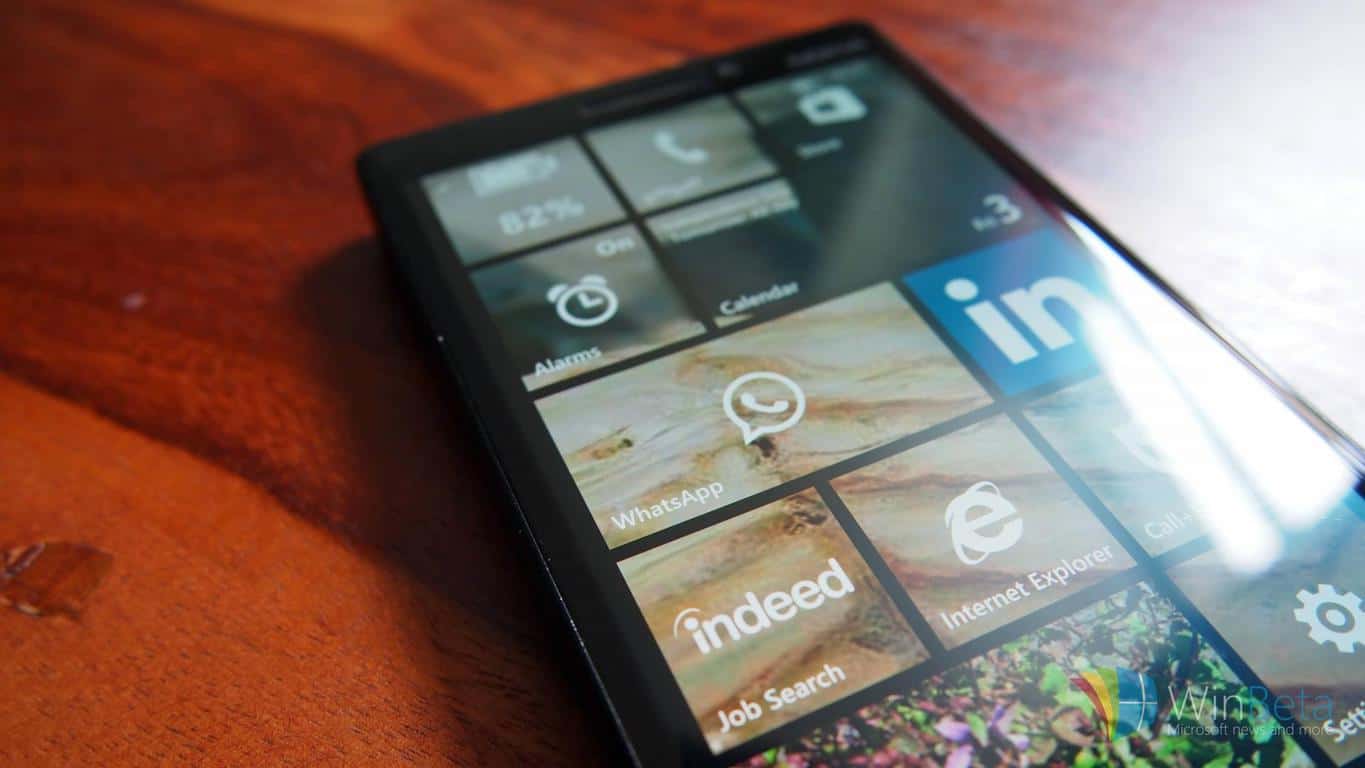
Lumia 640 XL finally gets Windows 10 Mobile

Back in March, Microsoft revealed a few of its devices that would be receiving a Windows 10 Mobile upgrade. So, owners of the Lumia 640 XL should now be pleased to know that their device was among the approved list and should head straight to its system settings to check for the software upgrade that has just been released.

AT&T first released the news of the update’s approval on their Community Forums page which has now arrived seven months after of the Lumia 640 XL’s release. The AT&T cares Administrator stated that users would need to opt in and download the Windows Upgrade Advisor application to receive the upgrade. The app is used to perform a basic check on the device to enable users to download and install the upgrade. Though AT&T passed the approval in early June, it is still not known why the release took another five months to be released to the Lumia 640 XL.

Because of this, users of the handset were not notified about the upgrade finally being available. The news of the Lumia 64o XL upgrade resurfaced within 24 hours of its release in a post on Reddit. But nonetheless, with no official notification generated on the device, many users are still unaware of the newly released update. Seems like Microsoft is waiting for Windows 10 users to find out about the upgrade for on their own.

The new OS upgrades the device to version 14393.321, and has flooded the device with tons of new features,

“Update summary Effective October 27, 2016, AT&T and Microsoft released a software update for the Microsoft Lumia 640 XL. You can download the update via Firmware Over The Air (FOTA). A Wi-Fi connection is required for the update.”

For users who still don’t have the Upgrade Advisor running on their devices, head over to this link.

Windows 10 KB3200970 issues: install fails, high CPU usage, battery drain and more

Cumulative update KB3200970 for Windows 10 is now available for download. This security update includes improvements and fixes in the functionality of Windows 10 Version 1607.

However, all Windows 10 users know that cumulative updates often bring issues of their own. Unfortunately, KB3200970 is no exception to the rule and brings its fair share of bugs.

Windows 10 KB3200970 reported bugs:

KB3200970 causes high CPU usage

One Windows 10 user reports that Windows Update caused high CPU usage while downloading and installing KB3200970. He managed to fix this issue by downloading the update from Microsoft’s Update Catalog.

Svchost was eating my CPU for 2 hours until I noticed that windows update was stuck in a loop trying to download. Restarted the service via this article and it fixed the problem 🙂 You only need to do the net stop and then net start parts

KB3200970 breaks the Internet connection

If you haven’t installed the previous Windows 10 updates, get ready to download a 467 MB update package for the x86 version and 871 MB for the x64 version. The download process shouldn’t take long with a decent connection, but some Windows 10 users complain that the update saturates the Internet connection.

[…] my family complains why the internet stopped working and I have to explain it’s Windows update throttling the internet has arrived.  It’s not the bandwidth speed, we have 10mbps, it’s just saturates the connection in a way where everything else stops working. I mean I can download a file at 10Mbps and it still won’t kill my connection the way Windows Update does. I can still load things, albeit slower. With Windows Update, I can’t even slowly load a webpage, it will just error out intermittently. It’s ridiculous.

KB3200970 download won’t start or gets stuck

One user reports that the download process of KB3200970 got stuck at 96%. Another user reports that he tried to install  KB3200970 via Windows Update, but he couldn’t because the update won’t download completely. He also tried to download the standalone package from the Update Catalog, to no avail.

Tried via Windows Update, either 0% or fails to install because it doesn’t download completely. Tried standalone MSU, error after error, won’t update.

KB3200970 fails to install with error code 0x800f0900

Users also report that they can’t install this update due to error 0x800f0900. For the time being, it appears there is no workaround available to fix this bug.

KB3200970 drains laptop battery

It seems that the “battery drain curse” is back. Windows 10 users complain that KB3200970 drains their laptops’ battery and it appears that the culprit is a task called “NT Kernel and system”.

My laptop installed the following update: Cumulative Update for Windows 10 Version 1607 for x64-based Systems (KB3200970). Since then my battery life has been cut from six hours to two. There is a task called System that describes itself as ‘NT Kernel and system’ that is taking 10% of my CPU time. Anyone know what has happened? What is Windows busying itself with constantly?

Have you downloaded KB3200970 on your machine? Tell us more about your expereinece in the comment section below.

RELATED STORIES YOU NEED TO CHECK OUT:

Microsoft releases cumulative update KB3198585 for Windows 10 version 1507

Microsoft just released a handful of new updates for its operating systems, during this month’s Patch Tuesday. As all versions of Windows 10 are still supported, the first one, July 2015 release also received a new cumulative update. The update is dubbed KB3198585, and brings a bunch of improvements to the system.

Since this is just a cumulative update, it brings no notable features, but only some system enhancements and bug fixes. Because of the way Windows 10 cumulative updates work, if you’ve missed any of the previous cumulative update, you’re going to get all improvements and bug fixes with this one.

Here’s the complete changelog of cumulative update KB3198585 for Windows 10 version 1597 (July 2015 release):

  • “Addressed issue to update the Access Point Name (APN) database.
  • Addressed issue with deadlocks occurring after a user password reset.
  • Addressed issue with point rendering in Internet Explorer 11 and Microsoft Edge.
  • Addressed issue with Japanese characters that are missing when converted by the Input Method Editor.
  • Addressed additional issues with filter drivers, enterprise security, Windows shell, and Internet Explorer 1.
  • Security updates to the Windows OS, Microsoft Edge, Internet Explorer 11, Windows File Manager, Microsoft Graphics Component, Windows authentication methods, kernel-mode drivers, Microsoft Virtual Hard Drive, Microsoft Video Control, OpenType, and the Common Log File System driver”

Besides this cumulative update, Microsoft also released updates for two newer versions of Windows 10, version 1511 and the Anniversary Update. Windows 10 version 1511 received cumulative update KB3198585, while Windows 10 version 1607 (the Anniversary Update) got cumulative update KB3200970.

To install this update on your computer, just head over to the Settings app > Updates & security, and check for updates. For more info about cumulative update KB3198585, and all other updates released by Microsoft, visit the Windows 10 Update History page. 

In case you’ve already installed the update, and encountered some issues, feel free to let us know about them in the comments below.

RELATED STORIES YOU NEED TO CHECK OUT:

The mysterious Windows 10 Z drive: Here’s what you need to know about it

After upgrading to Windows 10, many users reported a new SYSTEM (Z:) drive appeared on their computers. Since there isn’t much information available on this mysterious drive, every time Windows 10 users see this partition appear on their machines, they fear they’re under a virus attack. Rest assured, this isn’t the case.

Tens of thousands of users viewed this particular forum thread, but Microsoft’s vague answers only deepened the mystery around the Z: partition.

Like others, the Z drive mysteriously appeared in the file manager of my Windows 10 Surface 2 Computer.  Trying to access it was denied.  Used diskmgmt.msc as suggested and, although multiple recovery areas were listed, none had any letter and Z was absent from the list.

The Z: drive appears for no apparent reason and as users confirm, there is no security tab to take ownership and gain access to the content of the partition. When users try to access it, a pop-up window displays the following message: “You don’t currently have permission to access to folder“.

Also, this disk doesn’t show up under the Disk Management window. Many users also report that the Z: drive appears and disappears randomly. Windows 10 users tried various solutions to find out if this drive is malicious or not. They scanned it with Malwarebytes and ran Chkdsk, but no errors or viruses were detected.

Fortunately, HP explained why Windows 10 adds the Z: drive, shedding light on this mystery.

That new drive labeled (Z: ) is the restore partition which is added to give you the option of restoring back to your previous version of windows. It is nothing to worry about, and should not be deleted.

In a nutshell, this partition should never have appeared on users’ computers. Indeed, it should exist on Windows 10 machines, but it is supposed to be hidden. It appears that a bug randomly makes this drive visible, causing much stir among Windows 10 users.

RELATED STORIES YOU NEED TO CHECK OUT:

Record videos in Chrome with the Screencastify Chrome Screen Recorder

Screencast software enables you to record a desktop or full software windows, but what if you only need to record a browser tab? Then you should add Screencastify to Google Chrome.

This is an extension with which you can record websites, on the desktop or capture video with a webcam. It’s a great add-on to record website pages with and a good alternative to some desktop screencast software.

There are two versions of Screencastify. The Lite version is freely available and can record 10-minute videos. Open this page to add Screencastify Lite to Google Chrome.

The Premium version retails at $24 per year and gives you unlimited recording time and includes an extra Crop/Trim video-editing option.

Recording Website Tabs with Screencastify

Once you’ve added the Screencastify extension to Chrome, you’ll find a Screencastify button on the toolbar as in the snapshot directly below.

screencastify
  • Click the extension’s button to open the Screencastify setup.
  • Select Locally on this Device to save recordings to hard disk and press Next.
  • Press Skip for the Google Account sign in.
  • Next, press Setup Tab Recording and click Allow. A quick Screencastify video will then open.
  • Now you can record a tab video by opening a website page in Google Chrome.
  • Click the Screencastify button on the toolbar and select Tab to open the window directly below.
screencastify2
  • Microphone and Tab Audio options are selected by default, so the video includes audio. Click the microphone icon to further configure the audio.
  • Click the Advanced button to open further options. Then you can select alternative frame rates and resolutions for the video.
  • Press the Record Tab button to start recording the tab video. Note that Screencastify only records the selected tab, so you can’t record multiple tabs with the extension.
  • A toolbar opens at the bottom left corner of the browser when the video is recording. There, you can select a Pen option to draw on the website page with the cursor as shown directly below.
screencastify4
  • Click the Eraser option to erase drawing from the page if needed.
  • You can click the Focus Mouse option to highlight the cursor as in the snapshot below. The cursor is usually in the center of the circle but isn’t captured in screenshots.
screencastify5
  • The Embed Camera option on the toolbar enables you to record a small webcam overlay at the bottom right of the browser within the tab video. So you can select that option to combine a webcam and website recording into one.
screencastify6
  • Click the Screencastify toolbar button and select Show preview window to include a live preview of the recording at the bottom right corner of browser window. That preview window is also included on the taskbar.
  • When you’re done recording, click the Screencastify button on the toolbar. Then select End Recording from the window.
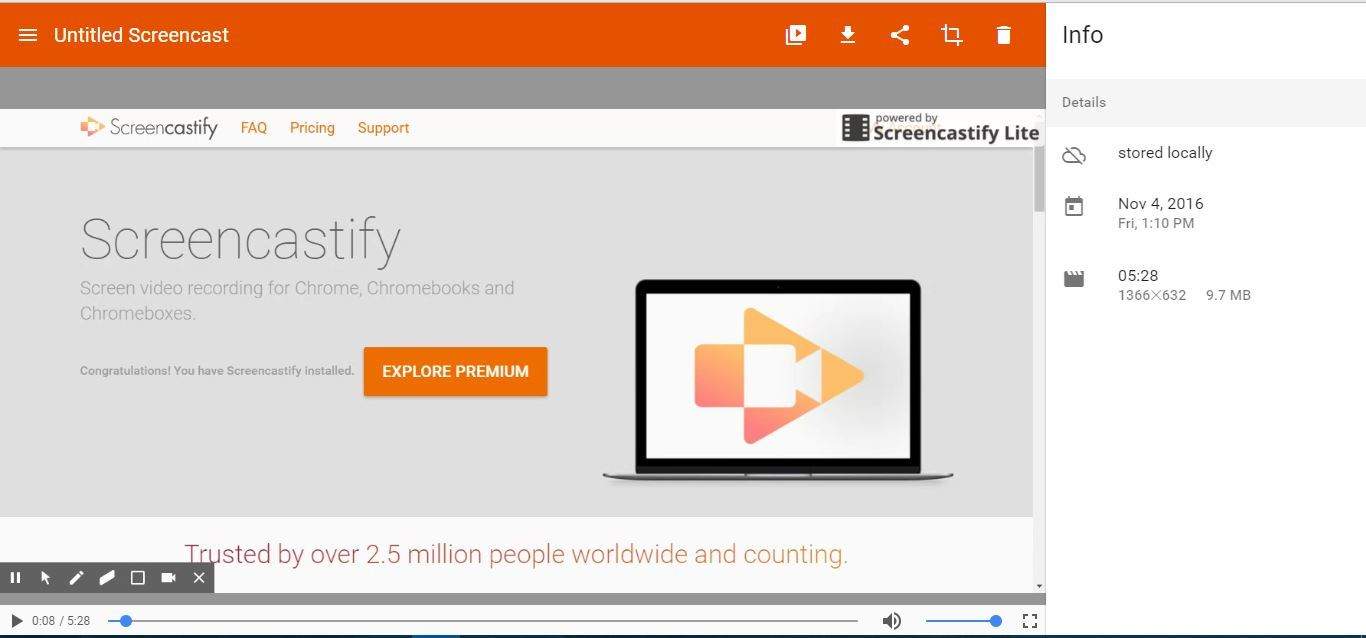
  • Now you can play the video on the Untitled Screencast tab.
screencastify7
  • Click Untitled Screencast at the top left of the page to enter an alternative title for the video.
  • Click the Save to Disk button to save the video to your default download folder. The videos save with a WebM/VP8 file format supported by most browser software.
  • Press the Your Recordings button to open your recorded Screencastify videos as below.
screencastify8
  • There click the dustbin icons and press Delete to erase clips.

Recording Desktop Videos in Screencastify

Recording the desktop is done in much the same way in Screencastify. You can select to record either the full desktop with taskbar included or a single application window. The desktop recordings do not include the annotation options you can include for website tab videos. This is how you can record the desktop with the extension.

  • Click the Screencastify button on the toolbar and select Desktop.
  • Next, press the Record Desktop button to open the window shown directly below.
screencastify9
  • Now you can select Entire Screen or Application Windows to record all the desktop or just specific software. Note that application window recordings do not include any audio.
  • If you select Application Windows, you’ll also need to choose a software window to record. Then press the Share button to start the recording.
  • When you’ve finished the video, you can click the Stop Sharing button.

Recording Video with Camera

  • Screencastify also enables you to record videos with webcams. To record video with webcam, you should first select Screencastify > Cam to open the options below.
screencastify10
  • If you have multiple webcams, click the Camera drop-down menu to select one from there.
  • Click the Show preview window mode check box to include a recording preview.
  • Then press the Record Webcam button to start the recording as below.
screencastify11
  • Press the End Recording button to stop recording.

Configuring the Extension

  • Screencastify also includes some options that you can customize the extension with. Right-click the Screencastify button and select Options to open the window shown below.
screencastify13
  • There you can select Google Drive to save recordings to cloud storage with Google Account.
  • Click Configure Recording Shortcuts to open the window directly below. There you can customize the Screencastify hotkeys by selecting their text boxes and entering new keyboard shortcuts.
screencastify12

Overall, Screencastify is one of the best screen recording extensions for Google Chrome. With that add-on, you can record website pages with extra commentary. Its desktop and webcam recording options might also come in handy for video tutorials and other presentations.

And if you want more options to pick from, rest assured that our Recording videos on Chrome: A step-by-step guide is exactly what you’re looking for.

Surface Pro 4 helps Skimm’bassador and DIY crafter Kathy Capeluto build a nice side business

Over the last few months, Microsoft has been sharing a series of testimonials from professionals using its portfolio of Surface products to be more productive in their daily lives. From SMBs managers to attorneys to creatives, the company has been showcasing a lot of use cases proving that its hybrid devices, especially the Surface Pro range really deserves its “Pro” moniker.

Today, Microsoft Surface Product Marketing Manager Sohana Punithakumar published another blog post to reveal how the Surface Pro 4 allows writer and crafter Kathy Capeluto to balance life, work and crafting. “I met Skimm’bassador Kathy Capeluto recently through our partnership with popular e-mail news brief theSkimm,” explained Punithakumar, before adding that “she’s been a diehard Surface Pro 4 fan since she got it last year as a birthday present from her family.”

Kathy Capeluto, writer, crafter and Surface Pro 4 fan.

A former MacBook Pro user, Capeluto recalled her excitement when she discovered her birthday gift a year ago. “When I first started using Surface Pen, I shrieked with joy and immediately went to hug my mom to thank her for the gift she unknowingly gave me: my time back!”

Indeed, the hybrid tablet allowed her to transform her crafting passion into a successful side business. A firm believer in the fact that “work craft balance” is better than “work life balance,” she used that same motto to create her own professional website that features some of her creations.

As she explains, being able to draw and edit her creations on the Surface Pro 4 allows her to save time, explore more creative options and manufacture better products

“I draw on my Surface and then upload my work into the Cricut Design Space plug in, where I can clean up the images with ease thanks to the Surface Pen. Then my Cricut (imagine a printer that has a blade instead of an ink cartridge, and can cut cardstock, vinyl, and other materials) brings the digital shape to life.”

Capeluto designs these photo booth props on her Surface and then cut them on her Cricut.

“Surface Pro 4 is everything I never knew I needed and can’t live without now,” explained Capeluto. To learn more about her crafting activity, we invite you to check her creations on her seasonal Etsy shop.

Xbox One’s Clubs and LFG are broken down with FAQ and new videos

Major Nelson had the opportunity to share an FAQ with Program Managers Jasmine Lawrence and Keith Kline on his website. The two new features highlighted, Clubs and LFG, are both part of the upcoming Xbox Holiday Update. Gamers will be able to connect and play with the Xbox Live community in more ways than ever before thanks to these additions inspired by other gaming networks.

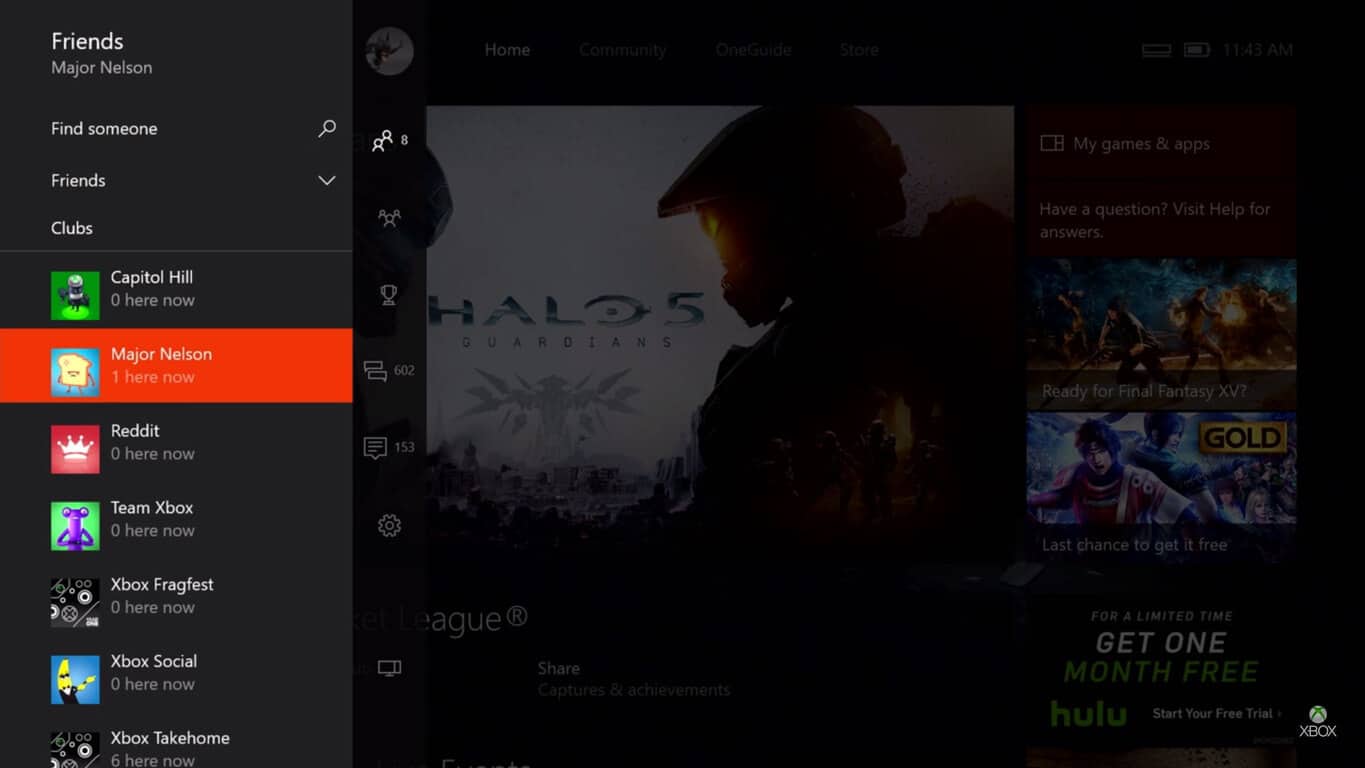
Clubs

If you weren’t in the loop, Clubs are community groups on Xbox Live that will combine people of like interests. This means searching for a specific video game will result in a list of clubs that you can join that play that game often. The gamer-created groups can be set to Public, Private, and Hidden depending on the owner’s preferences for joining. Jasmine explained that there were many suggestions to add into the Clubs feature and it was difficult to decide which ones to go with first.

As it stands, Clubs are able to be filtered by a variety of tags from having a microphone to deciding if trash-talking is allowed. This lets the user find exactly the community that they want to be part of, building comradery across multiple games in different user-moderated hubs.

There are already unique groups for more than just specific games, however. From sharing awesome screenshots to a club specifically made for meeting new gamers, the community already has thousands of players testing the realm of the feature’s possibilities. The team hopes to add more integrations with Arena and Gamerscore Leaderboard in the future to further customize the community’s experience in Clubs.

Here is a new video with Jasmine giving us a full walkthrough of Xbox Live’s Clubs.

Looking for Group

A term more often used in multiplayer games rather than on Xbox Live, this new community feature will pair up players of the same game. Users can request to join other groups or create their own groups for others to join by choosing a game, tags that determine what the group is for and posting it to either their friends list, club, or Xbox Live. This can be particularly useful if you’re setting up a team to take on daily quests or finally get that hard achievement you’ve been trying for.

Another feature of the LFG that is a game changer is setting your listing in advance. Gamers will be able to schedule a group event up to seven days in advance.

Keith Kline, a.k.a Kramer on Xbox Live, shared with Major Nelson that the LFG feature was created with a balance in mind for older titles. This means gamers can easily use the method they are so used to along with finding matches with the new tool. After finding all of the players your group needs, you can gather your group with a button to send out their party invites and then proceed as normally.

Check out the new LFG walkthrough presented by Keith.

Both of these Xbox Live Features that will become available to Windows 10, Android, and iOS applications in the holiday update for Xbox. Current Insiders with the Xbox Preview Program can already create, join, and play with them. Read more about the team’s thoughts of the LFG and Clubs through the FAQ on Major Nelson’s blog.


Microsoft cloud services are enabling the digital transformation of UK’s Ministry of Defense

Ron Markezich, the corporate vice president for Microsoft, has taken to the Office blog to detail how Microsoft’s cloud services are enabling the digital transformation at the UK’s Ministry of Defense.

Overall, the post addresses how a government entity such as the Ministry of Defense can find the right balance between enabling employees with anytime, anywhere data access while also ensuring security.

Other areas covered include the fact that thanks to Microsoft’s Cloud Services, more than 95,000 UK Ministry of Defense mailboxes will be protected with Office 365 Advanced Threat Protection, and the fact that staff will stay productive and secure around the clock. Of course, Microsoft’s Advanced Threat Protection, Customer Lockbox at a UK data center, are also addressed. A statement in the post from Mike Stone, chief digital and information officer (CDIO) at the Ministry of Defence also reflects how Microsoft’s Cloud Services fit with the Ministry:

“The MOD chose Microsoft cloud technologies to support our transition to a more cost-effective, modern and agile organisation. Microsoft offers the security, privacy, control and transparency that meets our stringent criteria for cloud services—all available from data centres in the U.K. Additional cloud-based services such as Advanced Threat Protection provide us with complementary capabilities to keep our employees productive and our network secure.”

To learn more about Office 365 Advanced Threat Protection, and the Microsoft Cloud be sure to check out our news hubs for the subject here and here. As always, please do let us know what you think by dropping us a comment below!

New Xbox One Metro video game leaked

It’s not every video game series that needs to lay out a timeline of events to explain the span of their story. But for Metro, the convergence of digital to text between games and books has prompted an online spread. Of course, the timeline makes it easier for players that aren’t up to date on the Metro universe but for die-hard fans; it had something even more exciting.

“The next Metro video game” it announced at the bottom set for a 2017 release date (via ICXM). The brief description reads: “It all adds up to something. Where the books end their story, the game will pick it up. An era of great discoveries lies ahead…”

It seems that the new game will take place directly after the events of the Metro 2035 book. The post World War 3 plotline follows the events of Metro: Last Lididght, a video game released for Xbox 360 and PC.  Metro 2035 is described as the final part of the trilogy that brings together characters from all the books and games together and intertwines them to turn the reader’s knowledge of the Metro world upside down.

This is just another piece of the puzzle, so to speak, for Metro fans. “Do you want to know the truth?” a tagline teases on the site. If you’re looking for hints into the next video game, you can check out the first look of Metro 2035 for free or pre-order it via Amazon. The book will be released on December 10, 2016.

Microsoft launches new Security Updates Guide website to provide better information

In our modern world where cyber breaches are becoming ever so more common, cyber security is very important. It is fitting then that Microsoft has just announced that it has launched a new Security Updates Guide in order to provide its customers with better security updates information.

The new guide marks the company’s commitment to bringing comprehensive security updates to customers and comes after many asked for better access to update information, and simpler ways to customize and view security related information. The Microsoft Security Response Center (MSRC) investigates all reports of security vulnerabilities affecting Microsoft products and services, and provides this information as part of the ongoing effort to help you manage security risks and help keep your systems protected.

Seen here, this month’s Security Updates Guide is now in a single destination. According to Microsoft, the new portal will “let customers search security vulnerabilities in a single online database.” Uses for the portal include:

  • Sort and filter security vulnerability and update content, for example, by CVE, KB number, product, or release date.
  • Filter out products that don’t apply to you, and drill down to more detailed security update information for products that do.
  • Leverage a new RESTful API to obtain Microsoft security update information. This eliminates the need for you to employ outdated methods like screen-scraping of security bulletin web pages to assemble working databases of necessary and actionable information.

It is worth noting that Security updates will continue to be pushed on both the Security Bulletin and the Security Updates Guide until January 2017. According to Microsoft, after the January 2017 Update Tuesday release, update information will only be pushed to the Security Updates Guide.

How to fix Windows 10 0xc1800118 error on WSUS

Installing Windows 10 updates can sometimes be quite tricky due to all the errors that may occur during and after the installation process. The error message 0xc1800118 is one of the most frequently encountered errors when installing Windows 10 updates or new OS builds.

Error 0xc1800118 affects many Windows 10 users

I am receiving “Feature update to windows 10, version 1607 error 0xc1800118″ and the installation fails. Can anyone shed light on what error 0xc1800118 means. Thank you

This problem occurs if the Windows 10 Version 1607 update is encrypted but does not appear as encrypted in the WSUS Database. Microsoft also explains that this problem may occur if the updates are synced before you apply KB3159706.

Steps to fix error 0xc1800118


1. Detect whether WSUS is in a bad state, which is indicated by a “TotalResults > 0” result.To do this, run the following query:
select TotalResults = Count(*)
from tbFile
where (IsEncrypted = 1 and DecryptionKey is NULL) or (FileName like ‘%14393%.esd’ and IsEncrypted = 0)


2. Disable the “Upgrades” classification (USS or stand-alone WSUS). To do this, run the following command in PowerShell:
Get-WsusClassification | Where-Object -FilterScript {$_.Classification.Title -Eq “Upgrades”} | Set-WsusClassification -Disable


3. Delete the previously synched upgrades (all WSUS – start at the topmost server). Run this PowerShell command:
$s = Get-WsusServer
$1607Updates = $s.SearchUpdates(“version 1607”)
$1607Updates | foreach { $_.Decline() }
$1607Updates | foreach { $s.DeleteUpdate($_.Id.UpdateId) }

In the second command, “version 1607” represents English language updates. For non-English updates, substitute the language-appropriate titles for the SearchUpdates string.

Important note: You may have the impression that Powershell fails to do anything. You won’t be able to type commands, as the tool just hangs there. Deleting the upgrades can sometime take more than 30 minutes.  Just let it run until you get back to a prompt.


4. Enable the “Upgrades” classification (USS or stand-alone WSUS). Run this PowerShell command:
Get-WsusClassification | Where-Object -FilterScript {$_.Classification.Title -Eq “Upgrades”} | Set-WsusClassification


5. Delete files from the tbFile table in the WSUS database (all WSUS – start at the topmost server) using this command:
declare @NotNeededFiles table (FileDigest binary(20) UNIQUE);
insert into @NotNeededFiles(FileDigest) (select FileDigest from tbFile where FileName like ‘%14393%.esd’ except select FileDigest from tbFileForRevision);
delete from tbFileOnServer where FileDigest in (select FileDigest from @NotNeededFiles)
delete from tbFile where FileDigest in (select FileDigest from @NotNeededFiles)


6. Perform a full sync (USS or stand-alone WSUS) using the following PowerShell command:
$sub = $s.GetSubscription()
$sub.StartSynchronization()


7. If error 0xc1800118 still appears on the screen, run the following command in Command Prompt:

  • net stop wuauserv
  • del %windir%SoftwareDistributionDataStore*

8. Scan for updates.


RELATED STORIES YOU NEED TO CHECK OUT:

Console players rejoice as Blizzard announces Diablo Seasons coming 2017

Blizzard has developed many memorable franchises over the course of its long and fruitful history, and one of them is Diablo. Even though the last full length Diablo game has been out for four years, fans are still eager to hear any Diablo III related news Blizzard throws their way, and one of the best places to do it is BlizzCon.

BlizzCon is a special get-together held by Blizzard annually, in which the communities of all the Blizzard titles unite and partake in numerous different activities. The things you can enjoy at BlizzCon range from interviews and QnA’s with the developers of your favorite Blizzard game, to multiplayer competitions and fun games that can earn you cool prizes.

At the 2016 edition of BlizzCon, which also marked BlizzCon’s 10th anniversary, there has been an announcement concerning Diablo Seasons. Xbox One and PlayStation 4 users were delighted to find out that Blizzard will be bringing Diablo Season to their preferred console, giving them the opportunity to do what PC and Mac users already could.

For those that aren’t familiar with Diablo Seasons, it is an opportunity for Diablo players to reach goals that in exchange reward 6-piece class sets. In addition, players can also compete in the Season leaderboard. Rewards aren’t restricted to gear, however, as there are also pets and cosmetic items to be gained. The concept behind is that players create a new character each time a new season starts, so that everyone has even chance. Additionally, none of the gold, items, points or levels can be brought over from your already existing characters on your normal account.

The Diablo Seasons, which brings backs Diablo 2 into Diablo 3,has been available to PC and Mac users ever since 2014, when Blizzard released the feature in August, towards the delight of fans all across.

RELATED STORIES TO CHECK OUT:

Diablo 3 Rise of the Necromancer newest expansion comes with hype-building trailer

Diablo is one of Blizzard’s highly successful game series, with the latest title being Diablo III, released over 4 years ago. Although it has been some time since Blizzard released Diablo III, the title has maintained its popularity to this day. The game has also received an expansion in the meantime, called Reaper of Souls, in which players must face a new threat that emerges after the defeat of Diablo in the original Diablo III campaign.

Recently, Blizzard held the latest edition of BlizzCon, and Diablo fans had a reason to rejoice, as something new and exciting is coming to Diablo III: Reaper of Souls. We are talking, of course, about the Necromancer, the newest hero class that will be available to play in the game.

While not all details regarding the new class have been yet made available, quite a few details regarding the ability palette that necromancers will have at their disposal, such as the ability to throw bones, make enemies explode and siphon their blood, but also the ability to command an entire army of undead.

Diablo players hyped by the announcement while have to wait a little longer, however, as the new content has been scheduled for a 2017 release. Players buying the new  necromancer pack, appropriately named Rise of the Necromancer, will also receive a bag of goodies for Diablo III, such as a portrait frame, a banner and banner sigil, and also a pennant. Other perks include two character slots, and stash tabs, and last but not least, a pet.

The price for the new pack has not yet been disclosed, so fans must stay tuned to find out more about the price and availability of the Rise of the Necromancer pack.

RELATED STORIES TO CHECK OUT:

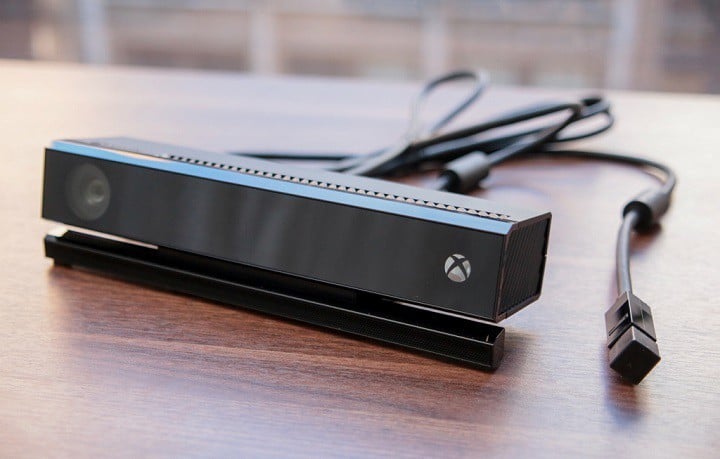
You can now use Kinect as a webcam in Windows 10

Microsoft is making big steps towards improving Kinect in Windows 10. In that manner, the company just released the new Kinect v2 driver for Windows 10, which can be downloaded from the Device Manager.

The biggest highlight of the new Kinect update for Windows 10 is that it allows users to use Kinect as a webcam. Once you set everything up, you’ll be able to use Kinect during video calls, or for biometric face recognition for Windows Hello, just like any other webcam.

It has always been possible to do such thing with Kinect in Windows 10, but now it’s easier than ever. All you have to do is to go to the Device Manager, find your Kinect device, check for driver updates, and you’re good to go. As simple, as that.

Additionally, Microsoft also enabled the new UWP APIs, that will allow third-party universal Windows apps to absorb depth, RGB, and infrared data from the sensor. All code samples related to Kinect for Windows UWP APIs are available for developers to download:

“First, by popular demand, the code that Alex Turner used during his Channel 9 video is now available on GitHub as part of the Windows universal samples. With this sample, you can use Windows.Media.Capture.Frames APIs to enumerate the Kinect sensor’s RGB/IR/depth cameras and then use MediaFrameReader to stream frames. This API lets you access pixels of each individual frame directly in a highly efficient way.”

For more info about all the innovations for Kinect on Windows 10, and the latest driver, visit Microsoft’s official blog. 

RELATED STORIES YOU NEED TO CHECK OUT:

Hitman fans rejoice as second season is confirmed

The very popular stealth game franchise Hitman has taken a new direction with its last installment, when it decided to release the game over the course of six episodes, each with its own interesting flavor, instead of doing things the traditional way in which customers get the entire game upfront.

It appears that this new method of delivering content has worked for Hitman and its developer, as in a recent interview for French gaming website Gamergen, Hakan Abrak, who serves as production director, confirmed that there will be a second season for Hitman.

Back in August, the game’s developer, Io Interactive has announced that a continuation for the game will happen only as long as the first season will be successful, meaning that if the game did well, we would get another two seasons worth of assassinations.  Since the production director was confident in saying that season two is happening, it must mean that the first season met or even surpassed expectations.

Although in previous Hitman games, everyone meets their demise except for Diana, which is Agent 47’s handler, Io Interactive stated that with the new Hitman installment, they are taking a “ TV show” approach, meaning that not everyone dies in the end, as we saw at the end of season one, and that characters will continue to grow and have an impact on the overall story, with each of them lasting as much as needed, just like in a TV series.

As for season two, it seems that we will be able to visit some locations previously explored in season one, such as Paris, with a twist however, while also enjoying the brand new locations coming to the second season. The main goal with Hitman is to create a world where players can feel connected to what’s around them.

RELATED STORIES TO CHECK OUT:

StarCraft 2’s final Nova Covert Ops mission due later this month

Blizzard, on the opening ceremony at the Blizzcon 2016, announced that the third and final set of Nova Covert Ops mission packs for StarCraft 2 will be released later this month. However, here were no official details revealed about the new co-op commander game, just that the release is expected to be on November 22.

The game Starcraft 2: Nova Covert Ops is a downloadable content (DLC) trilogy of single-player mission packs for Starcraft 2: Wings of Liberty. It includes 9 exclusive missions,  coming in packs of three a mission. The first mission pack was released on Mar. 29, 2016 followed by the second mission pack on Aug. 2.

The final mission pack is also to feature a new Zerg-infested commander for Co-Op Missions, a former Terran, Alexei Stukov. Have a look at it in the trailer:

The description below the trailer reads:

“Former Terran vice admiral and current-infested leader of Stukov’s forces, Alexei Stukov will be joining the ranks as the newest StarCraft ll commander! Leading forces of infested units and structures, this unorthodox commander is sure to overwhelm foes.”

The third pack is to have a price tag of $7.49 but the bundle offer for all trilogy packs will be available at a discounted price of $14.99. As for the users who already own the first mission pack, are abstained from availing the mission bundle at a discounted price. So the undiscounted price for the mission bundle in $22.47 as reported in the official Nova Covert Ops website in Battle.net. There is also an in-game ghost unit skin reward for gamers who purchase all mission packs.

Blizzard has further revealed that they are planning to share StarCraft 2 APIs to the Deep Mind AI team at Google and build a learning AI with this joint collaboration, that would  eventually play – and beat – some of the best SC2 players in toe world. The Deep Mind official account tweeted about the collaboration.

Microsoft shows how easy it is to create connected SharePoint Online team sites

Teams that decide that they want to coordinate using SharePoint have a ton of options to do so. If the existing options don’t quite do it for you, however, you can now set up a site for your team that can serve as a hub to work within. To help potential users get used to creating their own team sites through SharePoint, Microsoft has added a post to the Office blog that explains a bit about how it’s done.

create-connected-sharepoint-online-team-sites-in-seconds-2

If you’ve ever needed to organize a team for any reason, whether it be for a school assignment or a team project at work, Microsoft seems convinced that this is going to be the tool for you. All you need to do is fill in some information, and you’ll be ready to start collaborating online through SharePoint.

This functionality has now completely rolled out to every Office 365 First Release customer, so if you’re one of them, you should give this a shot. Microsoft’s full blog post pretty effectively holds your hand through the process.

Trakt for Windows now has a Universal Windows App

Trakt is a Universal Windows 10 App, that has just been released to Windows Store as a third-party service. The service called ‘TV Show Tracker – trakt.tv client’, is a well perceived entertainment tracking app, designed to track the progress of TV shows and movies as soon as they are aired. Users of the app can keep track of their favorite movies or serials as they stay alerted whenever there is a new content to watch, which is the courtesy of the service’s ability to mark contents as watched or not watched.

The description of the app on the store reads:

“-FAST access to your tv shows

– CLEAN and efficient design

– DISCOVER popular and trending shows

– CALENDAR of incoming episodes

– KEEP TRACK of your progress

– OFFLINE ACCESS to your data

– IMPORT your TVShow backup

– STATS about your tv shows consumption

– LIVE tiles for the app and shows

– FREE access to all main features with no restriction on show number

– BACKUP your data to your trakt.tv account

Thousands and thousands of tv shows are available through the app.”

The app is designed to use the Trakt.tv tracking service at the back end and a few days ago there was an update pushed to the store that upgraded the app to version 1610. The features that come with the update are no doubt quite handy ones, including on-tap notifications, a check-in button to navigate to the check-in page, and some login bug fixes.

There is no official Windows Store app for Track that is dedicated to Windows devices, however, with this initiative of a third-party Windows app, users will get a similar experience to trakt.tv for Windows, on their Windows 10 Mobiles.

To use the app, users have to go through the simplest procedure, just create a Track account and earn all privileges that are available in the trakt.tv Windows app. To download and run the app, the minimum PC requirement is to have a device running the OS Windows 8.1 or up.

Don’t have the app yet? Get it here.

Guardian Heroes and Operation Flashpoint: Red River the two latest additions to Xbox One Backward Compatibility

The Xbox One Backward Compatibility program just keeps rolling on, with 250+ Xbox 360 titles that will run on Microsoft’s newest console and climbing. Today, two new titles rolled into the program, Guardian Heroes and Operation Flashpoint: Red River.

As usual, the word comes via Major Nelson’s Twitter account:

If you’re a fan of either title, then you’ll want to get them installed pronto. Let us know in the comments how you feel about the addition of these two new titles, and which Xbox 360 games you’re most looking forward to making their way to the Xbox One.

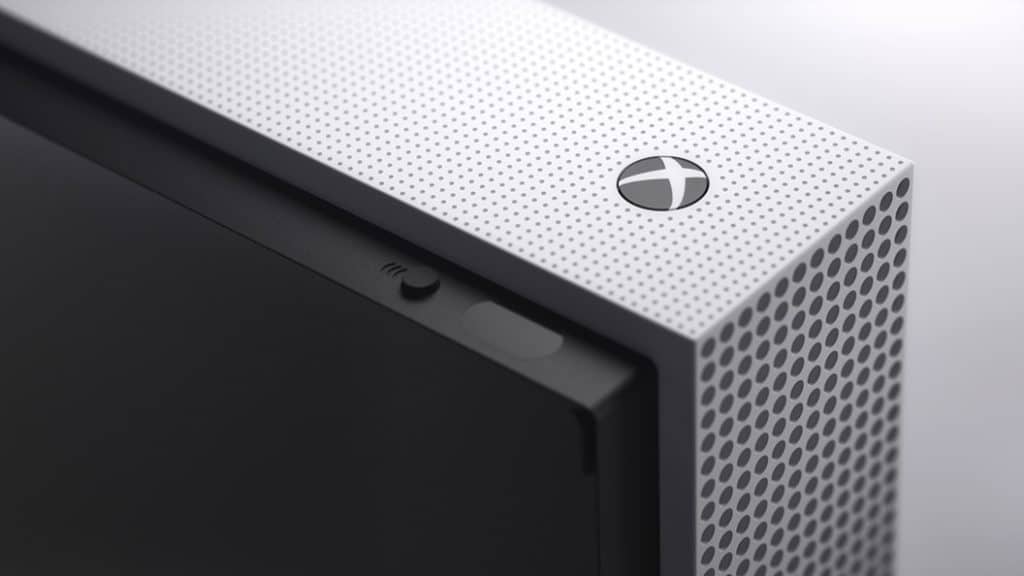
No, you won’t actually be able to buy an Xbox Onesie

Onesies are some of the most comfortable clothing and what better outfit to bunker down in for a bout of gaming than an Xbox version. Unfortunately, according to Neowin, the popularly requested Xbox Onesies revealed by the Australian branch are no longer available.

Originally given away as the Xbox One S launch across social media, these personalized Onesies could be customized by size, color, and gamertag/name on the breast. Even Major Nelson had the opportunity to pass out a limited amount to give away on his blog.

Neowin reached out to Microsoft spokesperson that had some unfortunate news for comfort lovers:

The Xbox Onesies were for a limited-time activation led by our Xbox Australia team and are no longer available at this time.

Gamers are still able to get the digital version for their Xbox Live avatar. For now, the comfortable cloth cocoon is out of stock. Maybe the high demand will bring Microsoft to distribute some more in the future. Until then, we’ll have to settle with our normal pajamas.

Travel back in time to 1997 with this WordArt generator

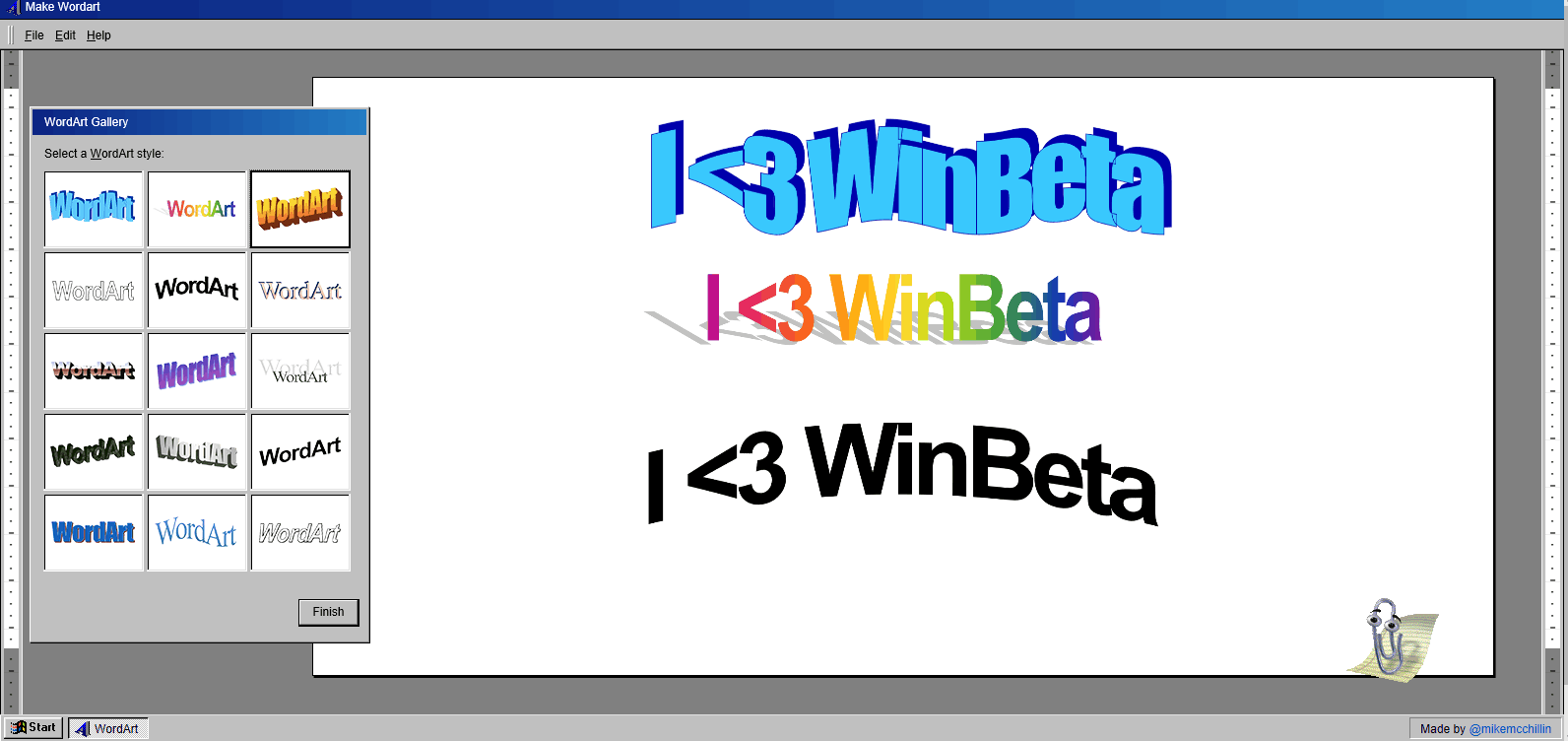
If you’re looking for some nostalgia, it’s time to look no further. You can now travel back in time to 1997 with a free WordArt generator (via The Verge.)

Free WordArt Generator

As seen here, designer Michael McMillan has created a free WordArt generator that you can use to spice up plain old boring text and words. The format of the online generator brings back memories of the Windows 95 days with it’s Windows 95esque user interface. Of course, the generator also features Clippy, who can either get in your way or guide you to choosing the right WordArt style.

Anything that is created using the generator can also be resized, or shared online via Twitter, Tumblr. And, for those who truly love their design, you can even use the generator to buy custom swag and order a t-shirt, mug, sticker, mouse pad, or hat.

Will you be making any custom WordArt designs? What do you think of the design we created above? As always, let us know what you think by dropping us a comment in the section below!

Fon to provide access to millions of paid Wi-Fi hotspots, now available via the Windows Store

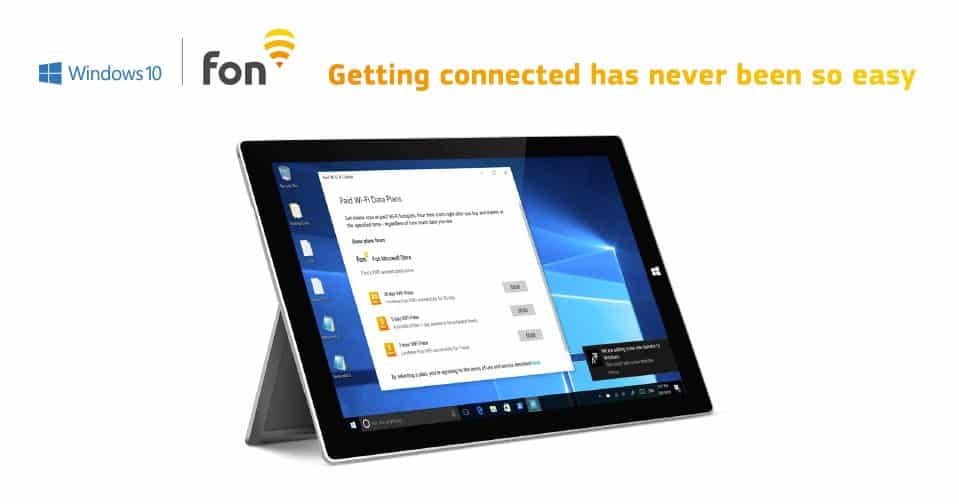
Fon Wireless, a global provider of wireless services, has announced today that Windows 10 users will be able to pay for accessing to the company’s 20 million WiFi hotspots by using their Windows Store credentials. According to the company, purchasing WiFi passes through this new Windows 10 OS integration will offer “a seamless, secure user experience” to consumers as it doesn’t require them to install a dedicated app.

Windows 10 users with registered payment details will be able to pay with just one click. These customers will not need to login every time they start a session or go to a different Fon Hotspot – connectivity will be seamlessly enabled by Windows 10 throughout the validity of their WiFi pass.

You can now purchase WiFi passes right from the Windows Store.

In a press release published today, Microsoft’s Windows Store Core Program Management Director Gregg Harmon shared that “We’re thrilled to be working with Fon to bring a better WiFi experience to millions of hotspot locations globally.” However, it’s worth reminding that Microsoft is competing with Fon with Skype Wifi, a service that lets Skype users use their Skype credit to access 2 million Wi-Fi hotspots worldwide. Last year, the company announced the launch of a simpler Microsoft Wifi service which works with a Windows 10 app for now.

If you’re looking forward to trying this new payment method to access Fon WiFi hotspots, the company shared that the roll-out started today and “will gradually be extended throughout the Fon network.”

Microsoft releases Feature Pack 1 for SharePoint Server 2016

Bill Baer, the senior product manager for the SharePoint team, has taken to the Microsoft Office Blog to announce that Microsoft has launched Feature Pack 1 for SharePoint Server 2016. The availability will bring several new features, all of which were based on the feedback of customers.

Overall, the new features will be delivered through the November 2016 Public Update. The new features cover a broad range of areas, and as described by Bill Baer, can be seen below.

  • Administrative actions logging for common SharePoint administrative actions.
  • MinRole enhancements to support small and medium-sized farms.
  • A OneDrive for Business modern experience.
  • Custom tiles in the SharePoint app launcher.
  • SharePoint hybrid auditing unified across site collections on-premises and in Office 365.
  • Hybrid taxonomy unified across on-premises and Office 365.
  • OneDrive API for SharePoint on-premises.

For the complete details and a bigger look at each of these features, be sure to check out Bill Baer’s full post on the Office Blog. Once you’ve checked it out, let us know what you think by dropping us a line in the comment section.

Microsoft and Webjet partner to build online booking service concept built on blockchain

Blockchain technology has plenty of potential to redefine how many different markets interact with data. Including Webjet, a travel booking website that handles transactions for hotels and sunhotels.

Today, ZDNet reported that Webjet has announced a collaboration with Microsoft to reinvent hotel bookings. For them, the cost of data mismatches is getting too high. The industry standards currently leave much to be desired with millions of transactions that can result in 5%-10% discrepancies and cost billions of dollars.

The company hopes to use the blockchain technology released by Microsoft earlier this year as a means to correct those errors and make the industry more efficient. As John Guscic, managing director of Webjet, explained:

“Blockchain eliminates transaction errors by having an indisputable record of truth. As we’ve tested the technology, we quickly realized it had the potential to improve processes with the rest of our travel partners who face similar complexities. It didn’t just benefit the Webjet environment; it could potentially assist every one of our partners in the supply chain to improve their efficiency.”

Currently, Webjet is still in the proof of concept phase. Soon, it will be switching over to phase 2 where trials of blockchain’s automated features to process transactions weekly will roll out across Hotels and Sunhotels. This all works forward to the ultimate goal of establishing the technology across the travel industry.

Microsoft gains patent for full color 3D printing as 3D becomes a focal point

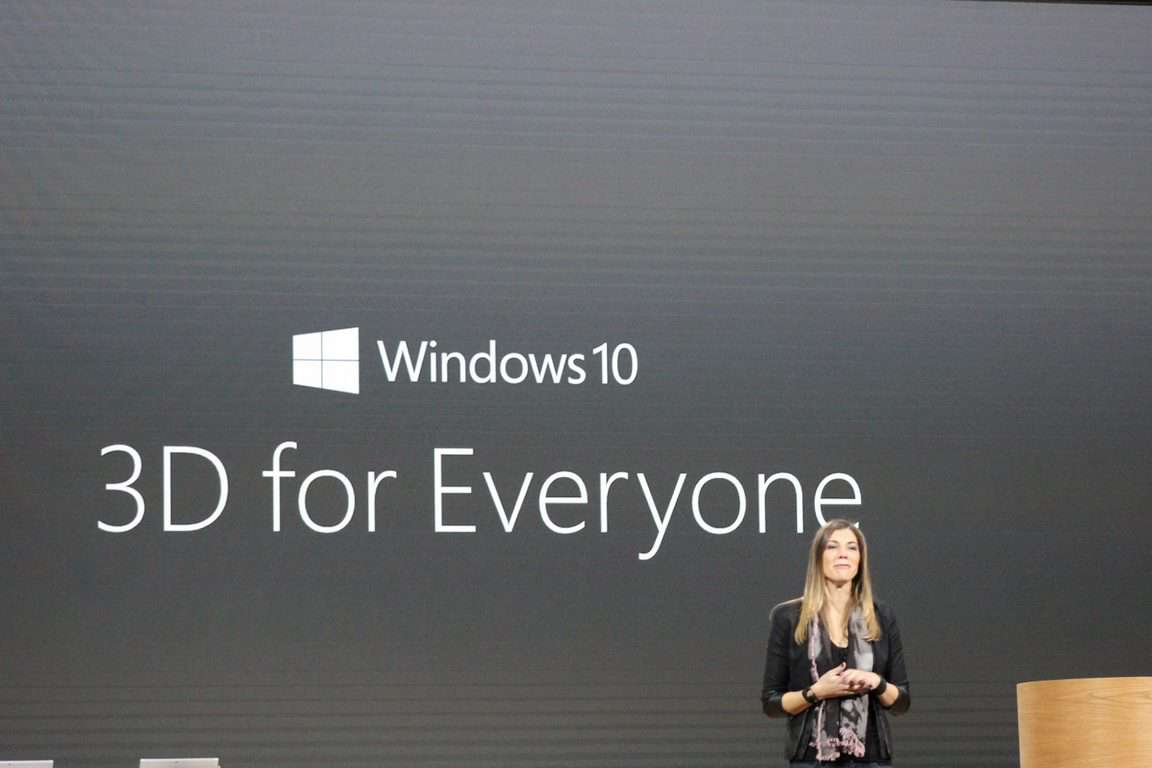
Microsoft threw its hat into the 3D ring in a big way a few weeks ago during its Fall Windows 10 Event. Aside from its Surface Studio hardware geared for touch manipulation of 3D creations, Microsoft also revamped its Paint software to now be the home of consumer-facing 3D creation.

Microsoft isn’t satisfied hanging its hat on its Fall announcements and is bolstering its 3D offerings with a new patent for full-color 3D printing with mixed CMYKW materials.

Thanks to 3ders.org we get summation of the patent in laymen’s terms:

So how does it work? In a nutshell, this patent covers various techniques for mixing CMYKW (cyan, magenta, yellow, key or black and white) 3D printable materials and expressing the design from computer software to a physical device – from CAD model to 3D printed object.”

microsoft-awarded-patent-for-full-color-3d-printing-with-mixed-cmykw-materials-1

Understandably, 3D printing is a bit more complicated and requires new processes to get solid results, but it looks like Microsoft and its Windows 10 operating system is attempting to get out ahead of the potential complications to make it as assessable as possible.

Skype accounts are getting hacked, and it’s a problem

Hundreds of Skype accounts have been hacked and it didn’t just happen overnight. Thanks to a tip sent by one of our readers, we’ve found that users have been reporting messages from hacked accounts since August. Users say that they have received multiple Baidu links from their friends’ accounts, even if they didn’t send it themselves. This includes those that have Microsoft’s two-factor authentication security measure in place.

So what is the hack exactly? For those users that linked their Skype accounts to Microsoft accounts, the former Skype password is still activated. This leaves a security hole that can be used to break into your account and use it as you would. But it isn’t a breach in Skype security according to a statement to The Verge.

“Some Skype customers have reported their accounts being used to send spam,” says a Microsoft spokesperson in a statement to The Verge. “There is no breach of Skype security, instead we believe criminals are using username and password combinations obtained illegally to see if they exist on Skype. We continue to take steps to harden the login process and recommend customers update their Skype account to a Microsoft account to benefit from added protections such as two-factor authentication.”

The Verge also  reached out to an anonymous Microsoft employee whom also got their Skype account compromised. The solution, they pointed out, was to shirk the former Skype account password and opt for a Skype alias. Haven’t heard of the setting? No, neither had most people. The feature is hidden and not publicized even towards the users that have been repeatedly reporting the hacking.

Here’s how to secure your Skype account:

  • Go to https://account.microsoft.com, if you’re already signed in, sign out.
  • Enter your Skype name, not your Microsoft Account email address, and use your Skype password to sign-in
  • If you’ve linked your Microsoft Account previously, you’ll be prompted to sign-in and merge the accounts to create a Skype alias

Once the two accounts are properly merged, Microsoft creates a Skype alias to let you keep signing in with a Skype username. You can continue using this or disable it under the aliases preferences, to ensure nobody can try to sign in with your Skype username. Either way, you won’t be able to use your old Skype password anymore, and attackers will have to know the email address associated with your account.

Hopefully, Microsoft’s attempts to integrate Skype with their accounts won’t cause troubles as we look forward to the new Microsoft Teams application with built-in Skype chat, video, and voice. Let us know if this solution worked for you.

Microsoft Project Hobart was going to be a streaming Xbox stick

Microsoft’s Xbox One gaming console has had an interesting year so far. Back at E3 2016, Microsoft unveiled two new Xbox consoles: the sleeker Xbox One S (which was the best gaming console in the US for the third time in a row in September) and the 4K-enabled Project Scorpio which won’t be released until late 2017.

Additionally, Microsoft made significant efforts this year to make Xbox a more powerful consumer brand. Indeed, following the launch of the Windows 10 Anniversary Update the Xbox app has become a true gaming hub on Windows 10 PCs. Furthermore, Microsoft has been promoting cross-platform gameplay experiences through the new Xbox Play Anywhere initiative which lets consumers buy a game once and play it on both the Xbox One and Windows 10 for free.

However, Microsoft reportedly had other plans to make Xbox a bigger consumer play this year. Just a few weeks before E3 2016, blogger Brad Sams revealed on his podcast that Microsoft could release two Xbox streaming devices this year, one about the size of a Chromecast and a larger one which could have been able to run apps and games. Considering that Microsoft’s Xbox One S is still a $300 purchase, both products would have been a more affordable way to access the Xbox and Windows ecosystems on your TV.

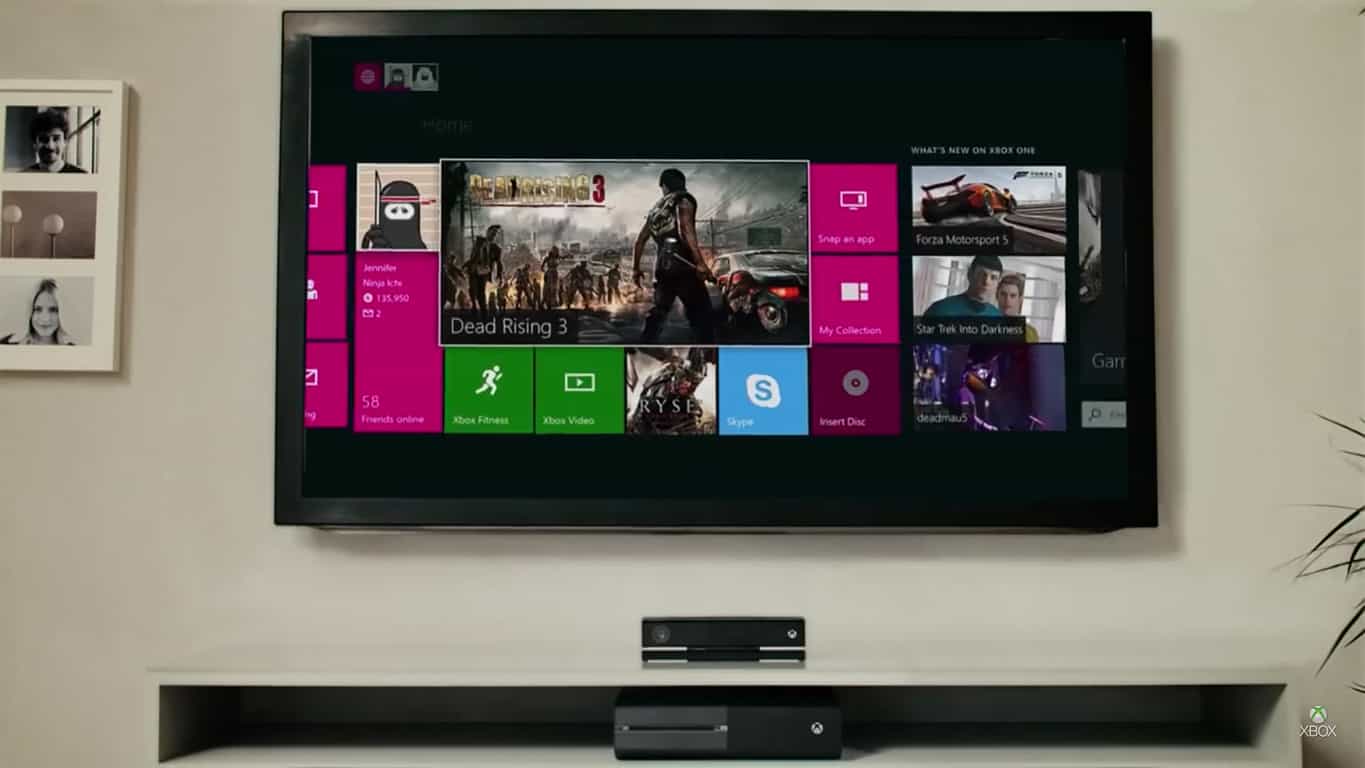
The Xbox One dashboard.

According to a new report from Windows Central, Microsoft may have ultimately decided to change its plans as rumors about a more powerful Playstation 4 started to materialize:

“Hobart” was the codename for Microsoft’s Xbox streaming stick, and the device was pretty much ready to go. Microsoft was due to order 300,000 units for manufacture, set to launch a few weeks after E3 2016. A change in plans led to the device being canned, however, and while we don’t know the exact reason why the leak of the PlayStation 4 Pro might have had something to do with it.

A source familiar with Microsoft’s plans also told Windows Central that Project Hobart would have been priced at $99 and support Windows 10 Universal apps as well as some UWP games. “The stick would also be capable of streaming your Xbox One or Project Scorpio over your home WiFi, presumably via the Windows 10 Xbox app,” added Windows Central.

We may never know why Microsoft scrapped Project Hobart, though it wouldn’t be the first time that Microsoft canceled a product late in its development cycle. Microsoft reportedly canned the Microsoft Band 3 earlier this year while Surface fans may remember that a Surface Mini model powered by the unpopular Windows RT was also canceled back in 2014.

As Microsoft UWP ecosystem is still immature, the company may well have been right not to release a product targeted at a niche market. Indeed, it probably wouldn’t have been easy to compete with other streaming sticks from Google, Amazon, and Roku. However, bringing Xbox and Windows 10 experiences to the big screen at a cheaper price point than the current Xbox One models should remain on the company’s agenda. Let us know in the comments if you think Microsoft was right to cancel Project Hobart this year.

New patent reveals Microsoft’s Cortana could become a lot more human

Microsoft created the digital assistant Cortana to keep your calendars, notify you of texts and emails, and launch your applications through voice activation. But a new patent discovered by Network World reveals that her artificial intelligence might be getting improved in the future.

The patent published on November 3, 2016, is titled Providing Personalized Greetings on a Digital Assistant. Microsoft Technology then shares that the premise is to build greetings that draw from user-specific and contextual information. This means that Cortana would know the account’s name, birthday, work, weather, hobbies and more to say ‘Hello’ in different ways.

 “A goal of the personalized greeting system described herein is to mimic a human experience with the user. Providing the same greeting to the user twice in one day is not typical of how the user would be greeted by a human. As such, embodiments provide for mechanisms to alternate or rotate through a list of personalized greetings so that the experience is heightened for the user.”

One example is to say Happy Birthday to the user when they first check their email for the day, but then to wish them a wonderful day the second time they interact with Cortana.

Another example shows that the personalized greetings aren’t exclusive. Some could be combined such as “Welcome Home! The temperature is expected to be above 85 today!” loading location values and weather. Interests, hobbies, and even how busy you are on your calendar will all play a part in the selection of greetings thanks to a ranking system.

It looks like Cortana’s personalized greetings would be available across all devices and includes audio, text, voice, images, etc. This very well could be the next step for Cortana but as it is still a patent, we might not see it too soon.

Microsoft issues Azure Container Registry preview

Steve Lasker, the Program Manager at Azure Developer Experiences has taken to an official Microsoft Blog to announce that Microsoft has issued Azure Container Registry preview. The move brings major upgrades to Azure Container offerings, and makes Azure a cloud provider with the broadest support for container deployments.

The Azure Container Registry Preview also comes after Microsoft made Azure Container Service generally available in April 2016, and after Microsoft announced container support for Azure Batch and Azure Service Fabric container support. Azure Container Registry Preview will also include a preview of Azure Container Registry, which is a private registry for hosting container images. According to Steve Lasker, Azure Container Registry has several uses such as:

  • Store and manage images for all types of container deployments
  • Automated Container Builds, Testing and Security Scanning
  • Support for Store your container image in local, network-close storage on Azure
  • Use Common Command Line Interface (CLI) to interact with the registry
  • Use Azure Active Directory to manage access, including Service Principals for headless connections like automated CI/CD and vulnerability scanning
  • Manage Windows and Linux container images in a single registry

To learn more about Azure Container Registry Preview, you can visit this official Microsoft website and also stay on the watch for more details during Microsoft Connect().  Once you’ve checked it out, let us know what you think by dropping us a comment in the section below.

Skype launches the Skype Insider program

While Microsoft is currently busy transitioning its Skype messaging service from a peer to peer infrastructure to a cloud-based one, the Skype team has announced today the launch of a new Skype Insider program. Just like the company’s Windows Insider and Office Insider programs, the new initiative will allow Skype enthusiasts to get access to preview releases and provide feedback to improve the messaging app:


As a Skype Insider, you can help us shape your Skype experiences as:

  • You will have early access to Skype software and services updates and improvements.
  • You will be able to give early feedback on these improvements and as well as help us iron out any quirks before we release them broadly.
  • On top of that you will be able to submit your suggestions on what you would like to see in the Skype app in the future

You can join the Skype Insider Program right now by signing up online at the Skype Insiders Registration From and you’ll be given the choice to indicate the platform you want to sign up for. The Skype team notes that this program doesn’t include the Skype Preview UWP app for Windows 10 devices (Windows Insiders on the Fast Ring can already test preview builds of the messaging app) and that you’ll be able to install preview versions alongside the regular Skype app.

This announcement comes just a day after the Xbox team announced the rebranding of the Xbox Preview Program as the Xbox Insider Program and we applaud the company’s naming consistency. Sound off in the comments if you’re looking forward to see what’s next for the popular messaging app.

Fix: Xbox One 0x87de07d1 error

Xbox One allows you to play hundreds of games online with your friends, but certain issues can occur once in awhile. Users reported error 0x87de07d1 on their Xbox One, and today we’re going to show you how to fix it.

Xbox One 0x87de07d1 error, how to fix it?

Fix – Xbox One error 0x87de07d1

Solution 1 – Set your account as home console

Xbox One allows you to share games and downloadable content with your friends and family members, but in order to do that your console has to be set as home console. This happens automatically the first time you sign in to your Xbox One, but if your account isn’t set as home console, you might encounter error 0x87de07d1. To fix this error, do the following:

  1. Scroll left on the Home screen to open the Guide.
  2. Choose Settings > All Settings.
  3. Now select Personalization > My home Xbox.
  4. Check the information on the screen and select Make this my home Xbox.

After setting the buyer’s account as home Xbox, allow all profiles on the same Xbox to play the games. Lastly, the other person has to be signed in to buyer’s account and connected to Xbox Live in order to play online. After that, this error message should be resolved. We have to mention that you can change home Xbox only three times a year, so keep that in mind.

Solution 2 – Check the status of Xbox Live services

If you’re getting this error while trying to run a digital game on your console, be sure to check the status of Xbox Live services. Digital games rely on Xbox Live in order to work properly, and if certain Xbox Live service is down, you may encounter this and many other errors. To check the status of Xbox Live, simply visit Xbox website. If certain Xbox Live services are down, you can only wait until Microsoft fixes this issue.

  • READ ALSO: Old school Atari games come to the Xbox One

Solution 3 – Prevent your disc from inserting

Users reported this error while trying to play a game from a game disc. We’re not sure what causes this error to appear, but users reported that you can fix it simply by preventing your disc from being inserted. To do that, try to insert the disc, but when the console tries to pull it inside, hold it with your hand for a few seconds and let it go. After doing that you game should start without any problems.

Solution 4 – Clean your disc

Sometimes error 0x87de07d1 can appear if you game disc is damaged, therefore be sure to clean your disc. To do that use a soft, slightly damp cloth and clean your disc from the center to edges. While cleaning the disc hold it by its edges and try not to touch its top or bottom surface with your fingers. In addition, you can also take your disc to any shop that has a disc polishing machine and ask them to polish the disc for you.

Solution 5 – Replace the disc

If cleaning the disc doesn’t fix the error, you might want to consider replacement. Before you replace the disc be sure to try it on a different Xbox One console. If the problem persists on a different console it’s possible that your disc is damaged so be sure to replace it.

Solution 6 – Restart the game or app

Sometimes you can fix error 0x87de07d1 on Xbox One simply by restarting the problematic app or game. To do that, you need to follow these steps:

  1. Make sure that the problematic game or app is started.
  2. Press the Xbox button on your controller to go back to Home screen.
  3. Highlight the big application tile and press the Menu button on your controller.
  4. Choose Quit from the menu.

After closing the app, try to start it again and check if the problem is resolved.

  • READ ALSO: Xbox 360 titles Blue Dragon and Limbo now available on Xbox One

Solution 7 – Restart your console

You might be able to fix this problem simply by restarting your console. Restarting your console clears all sorts of temporary files, so you might want to try that. To restart your Xbox One, do the following:

  1. On the Home screen scroll left to open the Guide. You can also do that by double tapping the Xbox button on your controller.
  2. Choose Settings > Restart console.
  3. Select Yes to confirm.

You can also restart your console simply by holding the power button on the front for 10 seconds. After your console turns off, press the power button again to turn it on.

Solution 8 – Clear Persistent storage

Your Xbox One sometimes downloads additional content for Blu-ray discs, and that content can become corrupted thus causing this and many other errors. To fix this error you just need to clear the Persistent storage by following these steps:

  1. Go to Settings.
  2. Choose Disc & Blu-ray.
  3. In the Blu-ray section select Persistent storage.
  4. Now choose Clear persistent storage option.

After clearing the Persistent storage check if the problem is resolved.

Solution 9 – Clear the Alternate MAC address

Sometimes your network configuration can interfere with your games and cause error 0x87de07d1 to appear. To fix this problem you need to clear Alternate MAC address by following these steps:

  1. Go to Settings.
  2. Select Network.
  3. Navigate to Advanced settings.
  4. Choose Alternate MAC address.
  5. Select Clear and restart your console.

After restarting your console the Alternate MAC address will be cleared and the issue will hopefully be resolved.

Solution 10 – Disable Instant-on feature

Xbox One comes with Instant-on feature that allows you to quickly turn on or off your console. This feature puts your Xbox One into sleep mode thus allowing you to turn it on quickly. Few users reported that you might be able to fix this error simply by disabling Instant-on feature. To do that, follow these steps:

  1. Go to Home screen and press the Menu button on your controller.
  2. Choose Settings > Power & startup.
  3. Select Power mode and press the A button on the controller.
  4. Choose Energy-saving mode.

After doing that, restart your console and enable Instant-on feature again. In addition, turn off Resume Games Quickly option and check if the problem is resolved.

  • READ ALSO: Seagate external drive for Xbox One improves loading times and storage capacity

Solution 11 – Remove and download your Xbox profile again

Xbox One error 0x87de07d1 can appear if your current Xbox profile is corrupted, but you can easily solve that by removing your profile. To do that, follow these steps:

  1. Scroll left on the Home screen to open the Guide.
  2. Select Settings > All Settings.
  3. Go to Account and choose Remove accounts.
  4. Select the account that you want to remove and choose Remove to confirm.
  5. After you’re done, select Close.

After deleting your account, you need to download it again by following these steps:

  1. Scroll left on the Home screen to open the Guide.
  2. On the Sign in tab scroll all the way down and choose Add & manage option.
  3. Select Add new.
  4. Enter your Microsoft account login information.
  5. Read Microsoft Service Agreement and Privacy Statement and choose I Accept.
  6. Follow the instructions on the screen to configure Sign-In & Security settings.

After removing and downloading your profile, check if the error is resolved.

Solution 12 – Reinstall the game

Few users reported that they managed to solve this issue simply by reinstalling the problematic game. To do that on Xbox One, you need to follow these steps:

  1. Go to My Games & Apps section.
  2. Highlight the game that you want to remove and press the Menu button on the controller.
  3. Select Manage Game option from the menu.
  4. Now you should see relevant game information such as the amount of space that it occupies and its saved games. Select the Uninstall option and wait until the game is removed.
  • READ ALSO: Fitbit app now available on Xbox One with new sync modes

After removing the game, you need to install it again by following these steps:

  1. Open My Games & Apps section.
  2. Scroll all the way right and you’ll see Ready to install list. This list consists of all games that you currently own but don’t have installed on your console.
  3. Select the game that you want to install and wait for the installation process to complete.

We have to mention that installation process can take a while depending on your Internet connection, so keep that in mind.

Solution 13 – Move the problematic game to internal hard drive

According to some users, this error can appear if your game is installed on an external hard drive. Using external hard drive with your Xbox One is a great way to preserve space, but that can cause some games to stop working and give you 0x87de07d1 error. One way to fix this problem is to move your game to the internal hard drive by following these steps:

  1. Go to My games & apps section.
  2. Highlight the game that you want to move and press the Menu button.
  3. Choose Manage game from the menu.
  4. Relevant game information will now appear. Highlight the game and press the Menu button again.
  5. Choose Move option from the menu.
  6. Select the Move button and wait until the move process is completed.

After the game is moved to your internal hard drive, check if the problem is resolved. Before moving the game to the internal hard drive, make sure that you have enough storage space. If not, you’ll have to delete certain apps and games and then move the game.

Solution 14 – Try ejecting your game disc

If you’re trying to run a game from a disc, you might want to try ejecting the game disc few times. Users reported that issue was resolved after ejecting and inserting the game disc a few times, so be sure to try that.

Xbox One error 0x87de07d1 can prevent you from playing your favorite game, but we hope that you managed to fix this error by using one of our solutions.

READ ALSO:

Riptide GP: Renegade to be an Xbox Play Anywhere video game
Vector Unit, the developers behind Riptide GP: Renegade, have just announced that their upcoming game will be one of the first third-party Xbox video games to release under the Xbox Play Anywhere label.

“Riptide GP: Renegade is going to be one of the very first third-party titles released with the “Xbox Play Anywhere” label.  That means you’ll be able to buy it once and you’ll get it on both Xbox One and Windows 10.  You’ll also be able to sync your game progress, earn Xbox Achievements and Gamerscore, and play online multiplayer across both Xbox One and Windows 10. (And of course, don’t forget that the Xbox One is the ONLY version that lets you play local split screen with up to SIX players!),” a statement on the Vector Unit website said. “We’re very excited to finally be bringing our latest game to the Xbox platform, and we hope you agree that when the game finally releases — it will have been worth the wait!”

Here’s the official game description:

Riptide GP: Renegade drops players into a futuristic world of illicit hydro jet racing, where armored riders kick out death-defying stunts over massive waterfalls, outrun cops, and boost at breakneck speeds across surging waves.  With a deep career mode and both split screen and online multiplayer, Riptide GP: Renegade is the first game in the popular racing series designed especially for modern consoles.

No release date has been revealed yet for the release of Riptide GP: Renegade but the game is now in final certification testing at Microsoft apparently so a date should drop soon.

Are you excited to see the announcement of another Xbox Play Anywhere video game? Would you like to see more? Let us know in the comments below.

Two Factor Authentication is on its way to WhatsApp on Windows 10

Two-Factor Authentication is on its way to Windows 10 Mobile and Windows 10 Desktop versions of the popular WhatsApp chat app according to leaked emails concerning translation requests between app developers. The emails, via MicrosoftInsiders, which you can see below, clearly show that documentation concerning Two-Factor Authentication is in production for a future update.

WhatsApp Emails

Two-Factor Authentication adds an extra layer of security for accessing an app or service. The process involves the use of the traditional user password but also something else, such as a code sent to the user’s mobile device, for a successful login.

Do you prefer Two-Factor Authentication or are you fine with the good ol’ name and password? Let us know in the comments below.

Mirror’s Edge and Mass Effect video games now in EA Access on Xbox One

Microsoft finally brought Mass Effect 2 and 3 to the Xbox One via the system’s backwards compatibility functionality yesterday and now both titles have arrived on the Xbox One EA Access program as well. Alongside Mass Effect 2 and 3, the original Mass Effect video game is also now on EA Access.

As an extra treat for fans, the original Mirror’s Edge and its sequel, Mirror’s Edge: Catalyst, are both set to launch on EA Access sometime tomorrow and EA Sports UFC 2 the day after. Star Wars Battlefront is also expected to appear on EA Access before the end of the year though no date has been set yet.

EA Access is a paid subscription service that lets Xbox One owners play select previously released EA Access titles for free and also offers early access to many EA video games before their public release.

Do you subscribe to EA Access? Which games are you playing right now? Share your thoughts with the community below.

HTC Vive 2 confirmed, codenamed Oasis

The original HTCVive was released in April 2016. But after a relatively short period of its existence and not-so-satisfying sales results, the company decided to start over and announce the second HTC Vive device.

Rumors all over the internet originally suggested that HTC has already started working on a second-generation version of its Vive VR headset, codenamed Oasis. Most recently, the company’s spokesperson, Rikard Steiber, recently confirmed these rumors to be true and revealed some additional details about the upcoming device.

According to Stieber, the new HTC Vive device will focus on the “design factor” and “performance” the current headset apparently lacks. The exec also said that the device was set “to evolve”, which means we should expect some hardware improvements, as well.

“This is year one as far as this set of virtual reality experiences go,” Steiber told TechCrunch. “I think with the amount of innovation going on in the space and the amount of players coming into the space, I do think that innovation cycles will be sort of annual.”

Of course, we don’t know anything about the alleged device. Its exact specs are still unknown as well as the list of actual improvements and enhancements compared to the original HTC Vive. As Stieber didn’t confirm the device’s name, it could easily be changed during the development process.

Some sources suggest that HTC will unveil the Oasis at next year’s CES event, or at least reveal some more details. Whatever happens in the next few months, we’re going to make sure to let you know about it.

What do you expect from VR going forward? And what do you think about HTC Vive? Tell us in the comments.

RELATED STORIES YOU NEED TO CHECK OUT:

Win custom Pizza Hut Xbox One controllers this Christmas

Microsoft has announced a special Xbox promotion for the holiday season which will be run in collaboration with Pizza Hut. From November 7th through December 24th, customers who purchase the restaurant chain’s Triple Treat Box will receive one entry into a draw for a new Xbox One S console and exclusive Pizza Hut-themed Xbox One controller with one console being given away every hour within the campaign period. Participants will also have the opportunity to win $10 Xbox One discount coupons.

Xbox’s general manager, Aaron Greenberg , said of the promotion, “Xbox One S is the now best-selling console in America with over 100 exclusive games, the only system with a built in 4K Blu-ray player, 4K video streaming, and HDR gaming. We are excited to partner with Pizza Hut on their Triple Treat Box, an offer like this is definitely going to make a lot of holiday dreams come true.”

Are you going to try win a new Xbox One S console and Pizza Hut controller? Let us know in the comments below.