Xbox Play Anywhere games now available for pre-order

Windows 10 PC owners can now pre-order Xbox Play Anywhere games from the Windows Store. You can now pre-order ReCore, Forza Horizon 3, and Gears of War 4 and play these games wherever you want. Microsoft promises more games will soon be available for pre-order, such as: Sea of Thieves, Scalebound, Crackdown 3 and more.

The Xbox Play Anywhere feature allows you to buy your favorite games once and play them on your Windows devices whenever you want. You can buy an Xbox Play Anywhere digital game from the Xbox Store or Windows Store, and play it on your Xbox One or Windows 10 PC.

Plus, when you start playing any Xbox Play Anywhere game, you can pause and pick back up where you left off on another Xbox One or Windows 10 PC, bringing all your saves, game add-ons, and Achievements with you. In all cases, Xbox Play Anywhere titles act as one game with one account and can be accessed across multiple devices.

For the time being only four games are available for pre-order in the Windows Store: ReCore, Forza Horizon 3, Halo Wars 2 and Gears of War 4.

ReCore is a perfect mix between action and platformer gameplay with incredible visuals, and an emotionally charged story. The game follows the journey of Joule Adams, a young survivor of a terrible cataclysm who leaves Earth and goes to Far Eden to build a new home for mankind. The game will be available in North America on September 13, in Japan on September 15 and in  EMEA on September 16.

Forza Horizon 3 lets you test the world’s best cars while exploring Australia. All online modes, co-op and multiplayer modes will support cross-play between devices. This game will be released on September 23.

Halo Wars 2  lets players take the role of the Master Chief, humanity’s best defense against the evil Covenant forces, but they can also assume the identity of the Covenant Elite known as the Arbiter. Thanks to its new graphics, this game will definitely hook you for hours. Halo Wars 2 will be released for Xbox One and Windows 10 PC on February 21, 2017.

Gears of War 4 lets players take part in a new saga in the Gears of War universe as the game’s heroes unite to rescue their loved ones and discover the source of a huge new threat. Gears of War 4 will be released on Windows 10 PC and Xbox One on October 11.

RELATED STORIES YOU NEED TO CHECK OUT:

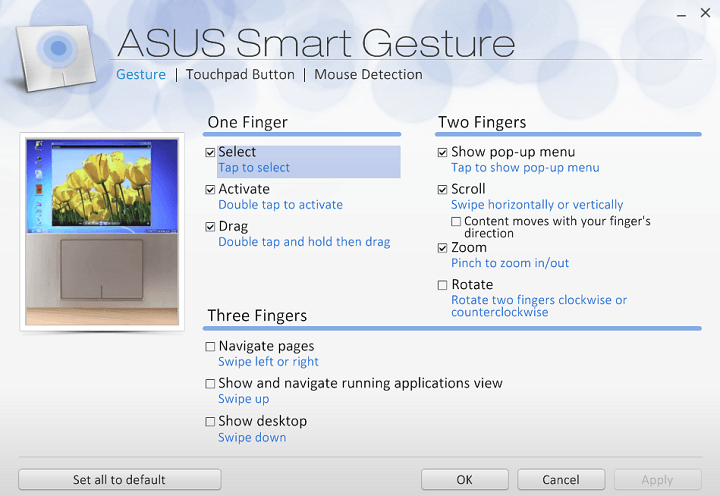
Windows 10 Anniversary Update breaks Asus Smart Gesture touchpad settings

The Windows 10 Anniversary Update is known to break settings: it restores settings to default, resets pen settings, and changes font size and font in menu. Recent reports have also revealed that the Anniversary Update also breaks the Asus Smart Gesture touchpad settings.

Many users reported that after installing the Anniversary Update their customized touchpad driver features were disabled. It appears that all the settings are automatically disabled and even if users try to enable them, the OS simply disables them again.

The Windows 10 Anniversary Update breaks Asus Smart Gesture touchpad settings

After the Windows 10 anniversary update I found my customized touch-pad driver features disabled. All the features have been disabled automatically and even if I turn them back on they get disabled automatically. My laptop make and model is Asus X555LJ and the touch pad driver is Asus Smart Gesture. Please help me fix this.

Microsoft’s support engineers offered some general solutions to fix this issue, but according to users, none of them actually solved the problem. Judging by the users’ reports, this problem is caused by the touchpad’s driver. One user reported that after having installed again the touchpad driver, he could use the Smart Gesture feature.

I have found a solution after trying every version of asus smart gesture and ATK Package. The driver of the touch pad was the problem for me. My Laptop has an Elan touch pad and the driver in the new windows build was causing problems.
I have installed that driver. Now it works. (The smart gesture I am using is V4.0.5).

If you’re experiencing this touchpad issue, you can download the latest touchpad driver for your laptop and see if this solves the problem. The list of available drivers can be found on Asus’ website.

RELATED STORIES YOU NEED TO CHECK OUT:

Windows 10 build 14915 causes Wi-Fi connection failure on some Surface devices

Microsoft released the new Windows 10 Preview build 14915 for PCs and Mobile last week. As one of the early Redstone 2 builds, this release didn’t bring any major changes, but instead a few system improvements, bug fixes, and of course, its own share of issues!

We already told you which problems bother users in build 14915, but it appears that one problem is bigger than others. The most serious issues in Windows 14915 build is the problem with WiFi connections on select Surface devices.

Here’s what devices are affected by this issue:

  • Surface Pro 1
  • Surface Pro 2
  • Wi-Fi adapters using early Marvell drivers
  • (There may be other similar drivers affected, research is ongoing)

surface pro wifi problem

Microsoft actually warned us about this problem in build 14915’s announcement blog post, so we can’t say the company didn’t acknowledge the problem. Redmond immediately said that there’s no solution for this problem until the new build gets released, due to the nature of the bug. Actually, the only possible solution is to rollback to the previous build, and wait for Microsoft to release a new, perhaps more stable one.

What’s at least the good news is that a cable connection should work fine, so users of affected devices who want to connect to internet, or roll back to the previous version would have to use this method of connecting to internet.

Although Microsoft made us aware of this problem from the beginning, a lot of users are furious because the team behind Windows 10 Preview builds even let this issue to slip through their hands. Because being unable to change a taskbar color is one thing, but being unable to connect to internet is another.

Microsoft assured users that it is working on a solution. It remains to be seen if the company will deliver the fix with the next Preview build or as a cumulative update. But one thing’s for sure, Microsoft must act fast.

Have you managed to install Windows 10 Preview build 14915 on your device? What’s your experience with it? You noticed some major issues that need to be resolved as soon as possible? Tell us in the comments.

RELATED STORIES YOU NEED TO CHECK OUT:

Microsoft extends Bug Bounty program to include .Net Core and ASP.Net Core

Microsoft is expanding its Bug Bounty Programs to include .NET Core and ASP.NET to its suite of financially sponsored bounty searches. Starting earlier this month, September 1, 2016, Microsoft will be offering bounties for Windows and Linux versions two of its popular developing codes in .NET Core and ASP.NET Core. Many Windows observers may already know about the .NET Core, but ASP.NET Core may be a new enterprise for some.

As a bit of a refresher:

ASP.NET Core is a new open-source and cross-platform framework for building modern cloud-based internet connected applications, such as web apps, IoT apps and mobile backends. ASP.NET Core apps can run on .NET Core or on the full .NET Framework. It was architected to provide an optimized development framework for apps that are deployed to the cloud or run on-premises. It consists of modular components with minimal overhead, so you retain flexibility while constructing your solutions. You can develop and run your ASP.NET Core apps cross-platform on Windows, Mac and Linux. ASP.NET Core is open source at GitHub.”

For those interested in getting started, Microsoft has issued these details:

  • Microsoft will pay a bounty for critical and important vulnerabilities on the latest RTM version, or supported Beta or RC releases of latest versions of Microsoft .NET Core, ASP.NET Core
  • It includes vulnerabilities in the default ASP.NET Core templates provided with the ASP.NET Web Tools Extension for Visual Studio 2015 or later
  • Also included is Kestrel, Microsoft’s new web server
  • The supported platforms are Windows and Linux versions of .NET Core and ASP.NET Core
  • The vulnerability must both be submitted on and reproduce on the latest RTM version, or on supported Beta or RC releases above the current RTM version to qualify for a bounty
  • The better the quality of your report, the greater will be the payment
  • The bounty will begin on September 1, 2016 and run indefinitely (ending at Microsoft’s discretion)
  • Bounty payouts will range from $500 USD to $15,000 USD

For anyone looking to test out .NET Core or ASP.NET Core for themselves, Microsoft is encouraging downloads of the respective sources with Visual Studio 2015 Update 3, .NET Core 1.0.0 – VS 2015 Tooling Preview 2 or .NET Core SDK for Windows.

Halo 5 custom game browser coming to Xbox and PC

Developer studio 343 Industries has pumped out a lot of new content and features for Halo 5: Guardians. Their live support and continued progress for the gameplay has kept a lot of the community coming back time and time again to enjoyed the latest installments. Many fans are waiting patiently for the next update aptly named Anvil’s Legacy with the Forge file content browser coming in a few short days. What they didn’t expect was the confirmation that a custom game browser was already in the works.

343 Industry dev Frank O’Connor (also known by the username Stinkles) posted on NeoGAF to talk about his recent experience with Halo 5’s new gameplay. “Once the custom game browser is available I think the community might get crazy legit,” he shared casually with the ‘nexus for gamers’ forum.

It wasn’t until the follow up by Josh Holmes that fans really started to get excited about the ability to browse, join, and create custom games. According to VG247, he confirmed by making a statement:

“To be clear, it’s a new feature that will provide similar functionality to a custom game browser, extending the existing file browser. It’s something we’ve wanted to build for years and managed to get done as part of our ongoing support for the game. We’ll be talking in more detail as we near release, but yeah it’s pretty megaton for Halo and will be a great addition on both PC and console.”

Not much more is known about the custom game browser beyond that it is being worked on. However, the file browser will be released on September 8. It’s also worth noting that since the team took off for PAX, the next information dump will be during a livestream that will be tomorrow. “There’s lots of cool stuff on the way, and we can’t wait to jump in with you,” B for Bravo confirmed on the latest preview blog post. Hopefully we’ll learn more about the game browser as well since the cat’s out of the bag.

With a week to go before launch, here’s a recap of ReCore gameplay videos

On September 13th, futuristic action-adventure game ReCore will be the first the first Xbox Play Anywhere title to launch on both the Xbox One and Windows 10. If you missed our previous coverage about this brand new IP from Microsoft Studios, a new blog post on the game’s website has just been published to feature the most important gameplay videos that have been shared on the internet over the last few weeks, and you should really take a look at them if you’re interested in upcoming Xbox exclusives.

A few words about the game first: ReCore has been developed by Japanese game studio Comcept in partnership with American company Armature Studios, and the game was first announced during E3 2015. ReCore follows the journey of Joule Adams, a young survivor in a dangerous post-apocalyptic world controlled by robots. This first gameplay trailer made its debut back at E3 2016:

Below is the game’s official launch trailer which was published last week by the Xbox team:

Lastly, our colleagues at Polygon have shared the following 15 minutes video of hands-on gameplay over the week-end, and this will probably be your best look at the game so far:

Overall, ReCore seems really fun to play and we can’t wait to see if it will resonate with Xbox enthusiasts over the coming weeks. As a reminder, ReCore is a $39.99 title and you can already pre-order it on the Microsoft Store. Starting September 13th, you will be able to play the game on both your Xbox One and Windows 10 PC with shared progress and achievements. Let us know what you think of the game in the comments below!

Pre-order ReCore on the Microsoft Store

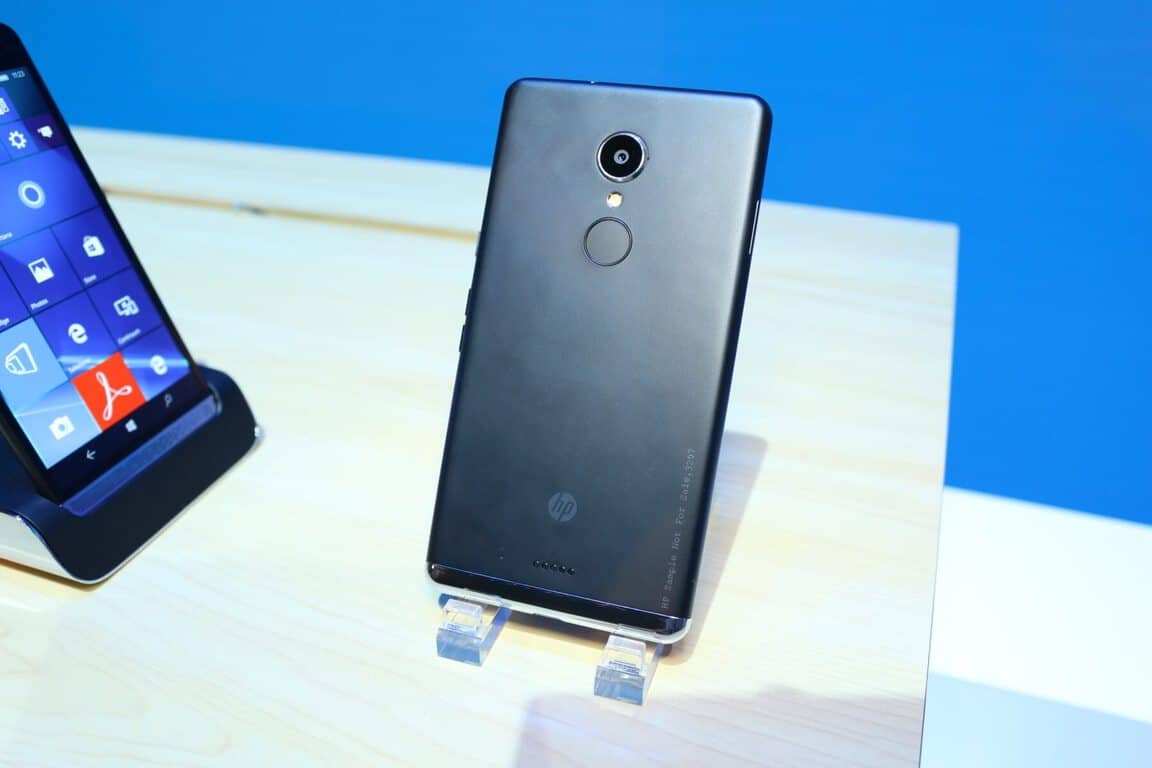
HP Elite x3 US release date delayed, won’t ship until September 26th

While the HP Elite x3 finally started shipping to consumers in the UK last week, it seems that US customers who pre-ordered the handset from the Microsoft Store won’t receive the premium handset on September 12th as was originally planned. As of today, the store listing on the US Microsoft Store indicates a September 26th shipping date, which is two weeks after the previous release date which was announced by HP last month (via Neowin).

The HP Elite x3 on the US Microsoft Store.

This is actually the second time that the premium handset’s shipping date is delayed in the country as HP initially revealed that it would start selling the Elite x3 on September 5 in the US. Moreover, the manufacturer has yet to start accepting pre-orders for the handset on its own website.

The US Microsoft Store currently sells the unlocked HP Elite x3 for $799 (Desk dock included), and those of you who will receive it later this month will be able to download the Windows 10 Mobile Anniversary Update which is expected to be available for the handset on September 13th. While the premium handset features an iris scanner to easily unlock the device via Windows Hello, installing the latest Windows 10 Mobile version will be necessary to enable the device’s fingerprint sensor which will support Windows Hello as well.

New USB-C to HDMI cable connects USB-C devices to HDMI displays

Connecting USB-C devices to HDMI displays is now possible thanks to a new standard developed by the HDMI Founders. The new HDMI Alternate Mode has especially been developed for the USB Type-C specification, allowing HDMI-enabled source devices to use a USB Type-C connector to connect to HDMI-enabled displays.

In other words, the source side will use a USB Type-C connector, while the display side will use a HDMI connector. In this manner, native HDMI signals can be delivered over a simple cable, eliminating all adapters or dongles.

The HDMI Alt Mode can support the following features:

  • Resolutions up to 4K
  • Surround sound
  • Audio Return Channel (ARC)
  • 3D (4K and HD)
  • HDMI Ethernet Channel (HEC)
  • Consumer Electronic Control (CEC)
  • Deep Color, x.v.Color, and content types
  • High Bandwidth Digital Content Protection (HDCP 1.4 and HDCP 2.2).

This new HDMI Alt Mode will definitely become very popular among users as it connect two of the most popular connectivity solutions. USB-C connectors are heavily used on smartphones and tablets due their reduced size, while HDMI is the main display interface used on billions of displays.

USB Type-C is quickly becoming the connector of choice for many types of consumer electronics products wanting a single solution for audio, video, data and power. Easily connecting devices with USB Type-C to the huge installed base of HDMI-enabled TVs is a substantial benefit to consumers. We’re also coordinating with HDMI Licensing to ensure consumers can recognize when HDMI Alt Mode is supported on USB Type-C devices.

The availability of this new USB Type-C to HDMI cable is up to the manufacturers, but according to HDMI Founders’ estimates, products incorporating this feature may be launching at the beginning of 2017.

For more information about the HDMI Alt Mode, you can check out the FAQ section of HDMI Founders.

RELATED STORIES YOU NEED TO CHECK OUT:

Microsoft (MSFT) news recap: Apple, Google support Microsoft’s lawsuit, Bing Rewards begins transition and more

Microsoft (MSFT) news recap is a weekly feature highlighting the top Microsoft news stories of the past week. Sit back, grab some coffee, and enjoy the read!

Beam gets busy after Microsoft acquisition, plans announcements at TC Disrupt

Microsoft acquired interactive live streaming service Beam last month and this week we heard about the changes they’ve been making, as well as their plan for TechCrunch Disrupt.

Apple and Google have joined Microsoft’s fight for digital privacy

Microsoft’s fight against the United States’ Department of Justice continues after both Apple and Google join Microsoft’s lawsuit against the department over restricting when it can tell customers that the government is trying to access their data.

Mozilla throws its support behind Microsoft in gag order lawsuit

Adding on to both Apple and Google, Mozilla has also shown its support for Microsoft’s fight against the Department of Justice.

Microsoft deprecating “obsolete” SmartScreen spam filters in Outlook and Exchange

Spam and scams are a huge part of the online world, particularly when it comes to email. For years, Microsoft’s SmartScreen service has been helping keep peoples’ inboxes around the globe free of known spam and scam emails, however, the company is beginning to deprecate the feature in both Outlook and Exchange.

Bing Rewards replaced by Microsoft Rewards as the switchover begins

Microsoft appears to have begun the change from Bing Rewards to Microsoft Rewards, with our Senior Editor, Kip Kniskern, seeing his points increase by 10x, in tally with the cost of rewards, too.

That’s it for this week, we’ll be back next week with more. What’s your favourite Microsoft story? Let us know in the comments!

Windows 10 news recap: market share continues to climb, discovered Redstone 2 features and more

Welcome back to our weekly “Windows 10 news recap” series where we go over the top stories of the past week in the world of Microsoft’s latest operating system. Let’s get started.

Nearly 50% of Steam gamers prefer Windows 10

Microsoft is continuing to attract gamers to Windows 10, as shown by Steam’s latest survey for August 2016, which attributes almost 50% of Steam users using Windows 10 as their choice of operating system.

Windows 10 continues to gain share, now on 23% of all PCs worldwide

Following on from Steam seeing increasing Windows 10 usage, NetMarketShare’s latest report also shows Windows 10 gaining traction overall, with it now being on 23% of PCs worldwide.

People Bar may be in the works in Windows 10 Redstone 2 builds

Redstone 2 builds are already being pushed to Windows Insiders on the Fast Ring, and as such, hidden features that Microsoft is working on are being discovered. One of them is called a People Bar. It allows contacts to be placed in the taskbar and accessed easily by clicking their profile picture, which will provide access to places to contact or collaborate on them from, through apps such as Skype and Office.

Microsoft looks to be working on a Blue Light Reduction feature for Windows 10 PC and Mobile

Blue Light causes issues with the eye as well as disrupting sleep schedules. Programs such as f.lux aim to help mitigate this by reducing the blue light emitted from displays during certain periods of time. In Redstone 2, Microsoft appears to be working to implement this functionality directly into Windows 10, known internally as Blue Light Reduction.

You can now order Windows 10 Play Anywhere games from the Windows Store

Microsoft is continuing to bring Xbox and Windows 10 closer together. This week, the company made a big stride forward by offering Xbox Play Anywhere titles in the Windows Store, allowing users to pre-order some of the upcoming titles for the price of 1 and own them on PC and Xbox.

For builds this week, here’s what we got:

That’s all for this week – let us know what you’re thinking about Redstone 2 in the comments below!

Windows 10 Anniversary Update has Antivirus-related issues

It seems that the antivirus software industry has been struggling lately, as Google’s Project Zero has discovered a good amount of vulnerabilities on many antivirus products out there. The problem is that even leading antivirus products have a good amount of vulnerabilities.

Most of these vulnerabilities have been found on Symantec’s flagship antivirus software. It seems that the antivirus engine was loading itself in the Windows kernel in order to scan malware. By bringing potentially malicious code in the Windows kernel is a very bad thing that could mess up your computer.

To make things even worse, it seems that many top antivirus programs are now useless after installing the Windows 10 Anniversary Update on your computer. According to reports, there are problems with Avast, Intel Security, Kaspersky lab and many others. It seems that some of the features that these antivirus programs come with are being disabled, the systems are crashing and there are a good amount of blue screens.

Microsoft has already confirmed that the problem is with the Windows 10 Anniversary Update’s compatibility checks and that it is currently working on a patch that will fix all these issues. The patch is expected to be released this month, but it seems that Kaspersky has already its own update in order to temporary fix this problem.

In concordance with Intel Security’s advisory, “the intent was to have upgrade and installation checks implemented in the Windows 10 Anniversary Update to ensure that no incompatible McAfee product versions could be installed or present. Because of time constraints, these checks could not be implemented prior to the release of the Windows 10 Anniversary Update on August 2, 2016.”

There are reports which are suggesting that Microsoft had the resources to implement these checks and avert these issues. However, for some reason the company doesn’t seem to care much about these antivirus programs.

Have you installed the Windows 10 Anniversary Update on your Windows 10 PC? Do you have any issues with the antivirus program that protects your computer?

RELATED STORIES TO CHECK OUT:

Mozilla throws its support behind Microsoft in gag order lawsuit

Earlier we reported on Microsoft’s lawsuit against the United States Department of Justice, showing that a ton of companies (including Apple and Google) are standing behind Microsoft in the interest of a more well-protected standard of privacy. If that wasn’t enough, it turns out that the lawsuit (which aims to take down the government’s right to issue gag orders to companies) just got another big ally: Mozilla.

Transparency  – or more appropriately the lack thereof – is why we care about this case.  When requesting user data, these gag orders are sometimes issued without the government demonstrating why the gag order is necessary. Worse yet, the government often issues indefinite orders that prevent companies from notifying users even years later, long after everyone would agree the gag order is no longer needed. These actions needlessly sacrifice transparency without justification. That’s foolish and unacceptable.

Mozilla has long stood as one of the shining examples of transparency online, which should make it no surprise to anyone that they’ve decided to throw their support behind Microsoft in this case. Regardless of whether or not you think these orders are justified, it only makes sense that an organization like Mozilla would be against something that keeps a company from disclosing vital information to its users. It’s yet to be seen if Mozilla’s support for Microsoft here presents any sort of tangible benefit, but it’s a show of good will that privacy advocates will be very happy to see.

Intel’s Joule module supported in Windows 10 IoT Core Anniversary Edition

Intel’s Joule module seems like it was made for Microsoft’s IoT. The device is defined on Intel’s website as something meant to “contribute to a new generation of robots, drones, and IoT devices that are equipped with Intel® HD Graphics, 3D modeling, object recognition, and interactive capabilities.” Being a piece of hardware that’s meant to work so strongly in conjunction with IoT, it’s no surprise that Microsoft has announced its partnership with Intel on its Windows blog today, showing off some of the new technology that’s powered by Joule and Microsoft’s IoT Core.

There’s a fair amount of variety in what the technological power couple has been able to accomplish, as several organizations were keen to show off at the Intel Developer Forum 2016 over in San Francisco. Possibly one of the most interesting things to come out of the event was Bamboo, a charming robot panda that can listen to you speak in any language and translate what you said in English on the spot. Beyond this, Joule and Microsoft’s IoT Core wowed audiences with the EZ-B V5 robot and Torch, a mixed-reality gaming table that – according to the blog post – blends the “physical/digital divide.”

If you’re a Windows developer who wants to sink your teeth into the possibilities with Joule as soon as possible, you’re not going to be waiting very long at all. Assuming you have the hardware necessary (most notably the Joule module itself) you should be able to start working with Joule very soon. Windows Insiders should be getting access to Joule-supporting builds of Windows IoT Core sometime this month. Microsoft made it very clear that they can’t wait to see what you developers out there are going to make, and we’re just as excited.

Synergy Research: Microsoft outranks Salesforce as the leading Software as a Service provider

Microsoft is progressing in its cloud business and has reached a new milestone in their cloud enterprise. Microsoft has taken the lead as the leading Software as a Service (SaaS) provider.

Other rivals in this subject include Salesforce, SAP, Oracle, Adobe, ADP, IBM, Workday, Intuit and Cisco, and Microsoft now successfully took the lead from Salesforce after tieing with them in Q1 at 14 percent, as reported by eWeek.

Microsoft’s push at their Azure division has definitely made great progress in the cloud service market. Microsoft caught up to other leaders and even the giant Salesforce and finally surpassed them, but could lose in the future to Oracle that is the fastest growing SaaS provider with Microsoft following shortly after.

Let us know what you think about Microsoft’s cloud offerings in the comments below!


Microsoft Solitaire Collection to be released for iOS and Android

Microsoft  announced the Microsoft Solitaire Collection has reached achieved than 100 million unique users. The collection includes five of the best Solitaire games: Spider, Freecell, Pyramid, Tripeaks and Klondike. In addition, the collection also comes with new daily Challenges, Xbox Live achievements and Star Club.

Here are more stats about Microsoft Solitaire Collection:

  • In its 26-year run, Solitaire still remains one of the most played games of all time on any Windows OS and with today’s Microsoft Solitaire Collection on Windows 10 and Windows 8, that legacy continues.
  • On average, 55 million Microsoft Solitaire Collection games are played per day – that’s equivalent to 20 billion games per year, 2.29 million each hour and 38,194 each minute.
  • You can earn some serious Xbox Live gamer cred by playing. Since Microsoft Solitaire Collection added support for Xbox Live when it released on Windows 10 and 8, the game has awarded more than 1.3 billion Gamerscore to players to date.

To make things even better, Microsoft officially announced that the Microsoft Solitaire Collection will also be released for devices that run on iOS and Android OS. This will happen this fall with the Xbox Live integration and cross-platform play.

This fall, the company will also release a new game mode in Microsoft Solitaire Collection on Windows 10 called Events, and will allow players to win tons of awards. Thanks to Events, you will be able to play your favorite games and build your Solitaire legacy.

Below you can see a teaser video related to the upcoming Events release:

What are your thoughts about the Microsoft Solitaire Collection? Are you happy that this collection is making its way to iOS and Android devices?

RELATED STORIES TO CHECK OUT:

Microsoft Bing achieves 21.9% search market share in the United States

While Bing is not as popular as Google, we can say the in the United States, this application now owns 21.9% of the desktop search market. Back in June 2016, the application had 21.8% of the desktop search market, which means that only in one month, the application’s popularity has increased by 0.1%.

Bing is now in second position but is still far away from Google, which has 63.4% of the search market in the United States. However, it is good to know Google decreased by 0.4% last month.

In third position we find Yahoo! with an increase of 0.2% in the last month. The fourth position is occupied by Ask with 1.5% and finally AOL search, with 1.1% of the search market.

Google will have the leading position for a while but in time, we might see Bing closing in on it. However, let’s not forget Bing was released by Microsoft back in 2009, while Google has existed since 1998.

Do you use Bing to search for information online, or do you prefer Google because you’re used to it and you think it’s more reliable?

RELATED STORIES TO CHECK OUT:

Round-up: Windows 10 build 14915 reported issues

Windows 10 build 14915 is now available for download, bringing many fixes and improvements to the OS. Builds offer many system improvements, but they also bring issues of their own. Build 14915 is no exception, as Insiders are already complaining about various issues they encounter after installing this update.

1. For some Insiders, the issues began from the moment they tried to install the latest Windows 10 Redstone 2 build. When the installation got to 100%, installation suddenly froze and computers became unresponsive.

“When the build got to 100% it went to a light grey screen with a long rectangle on the bottom left and a smaller one above it also has a very small square on the bottom right. Can’t go anywere with the install as it is frozen. Tried reboot and went to same screen.”

2. Insiders can’t report all the issues they encounter because the Feedback Hub crashes when it’s launched. Some Insiders were luckier and managed to launch the Feedback Hub, but couldn’t use it because it was blank. They waited for a few minutes, white boxes then showed up on the screen, but it wasn’t clear for what options they represented.

“The Feedback Hub is blank but if I wait for 10min or so a few white boxes show up. I can’t send feed back because I have no idea what I’m clicking on. When I move my cursor it “highlights” what I’m on but it’s a white box. When I right click I get a white box in response.”

3. Apparently, there are many essential drivers that are missing, preventing users from properly using their computers. Insiders are reporting Wi-Fi drivers that cannot initialize, forcing them to roll back to previous builds. Actually, judging by user feedback, it appears the drivers most affected by this issue are the display and Wi-Fi drivers.

“My Surface Pro 1 WiFi drivers would not initialize after the update. I reinstalled the drivers and it did not fix it. I had to roll back to the previous build.”

4. Speaking of driver issues, the app list is literally invaded by white boxes, and it’s not just the Feedback Hub. This prevents users from reading text, making it very hard to roll back. If your PC display is full of white boxes and you want to roll back, type into Cortana the sentence “Go back to earlier build”. Click on the sixth white box in the middle of the screen and this will bring a text up asking you if you want to go to an earlier build.

“I’m also getting these white blocks where text should be.  Hopefully this can be fixed quickly as I can’t even roll back since I can’t read the text.”

5. Insiders also report that build 14915 doesn’t recognize external hard disks. This bug also plagued previous build releases as well, and it appears the latest Redstone 2 build is no exception.

6. Under Homegroup settings, Insiders can’t allow all devices to be shared because the setting immediately crashes. However, it appears that the crashes don’t stop the sharing process itself.

“I’m still getting crashes when trying to “allow all devices…” to share, under homegroup settings. The good news is even though it crashes, it seems to be sharing.”

7. Insiders are also complaining Cortana is extremely slow — almost useless. However, it seems that only a few users are affected by this issue, as many Insiders confirmed they used Cortana to roll back to previous builds because of the white boxes described above.

“No problem with settings personalization and Adobe Reader  doesn’t crash. However Cortana is so slow it’s all but useless.”

8. It appears that Windows 10 Mobile users are luckier as they haven’t reported as many bugs as PC users. However, build 14915 doesn’t always run smoothly on Windows phones. For example, after scrolling all the way down the Action Center, it doesn’t go away when scrolled up from the middle of the screen. The only solution is to grab it from the bottom and throw it up.

9. Other Insiders aren’t as lucky and can’t even fully install the build on their phones. Many Insiders actually reported their devices got stuck at the Windows logo splash screen. The volume and power button combo used to restart the phone in such situation no longer works.

“Downloading new build 14915 on my Lumia 950XL. Restarted as prompted and now phone is stuck at Windows logo splash screen and not progressing. […] I’ve tried restarting multiple times but the phone just hangs at the Windows splash screen. I don’t know if I need to just leave it and see if it eventually progresses on its own […].”

These are the issues Insiders have reported so far. If you’ve encountered other issues, tell us more about your experience in the comment section below.

RELATED STORIES YOU NEED TO CHECK OUT:

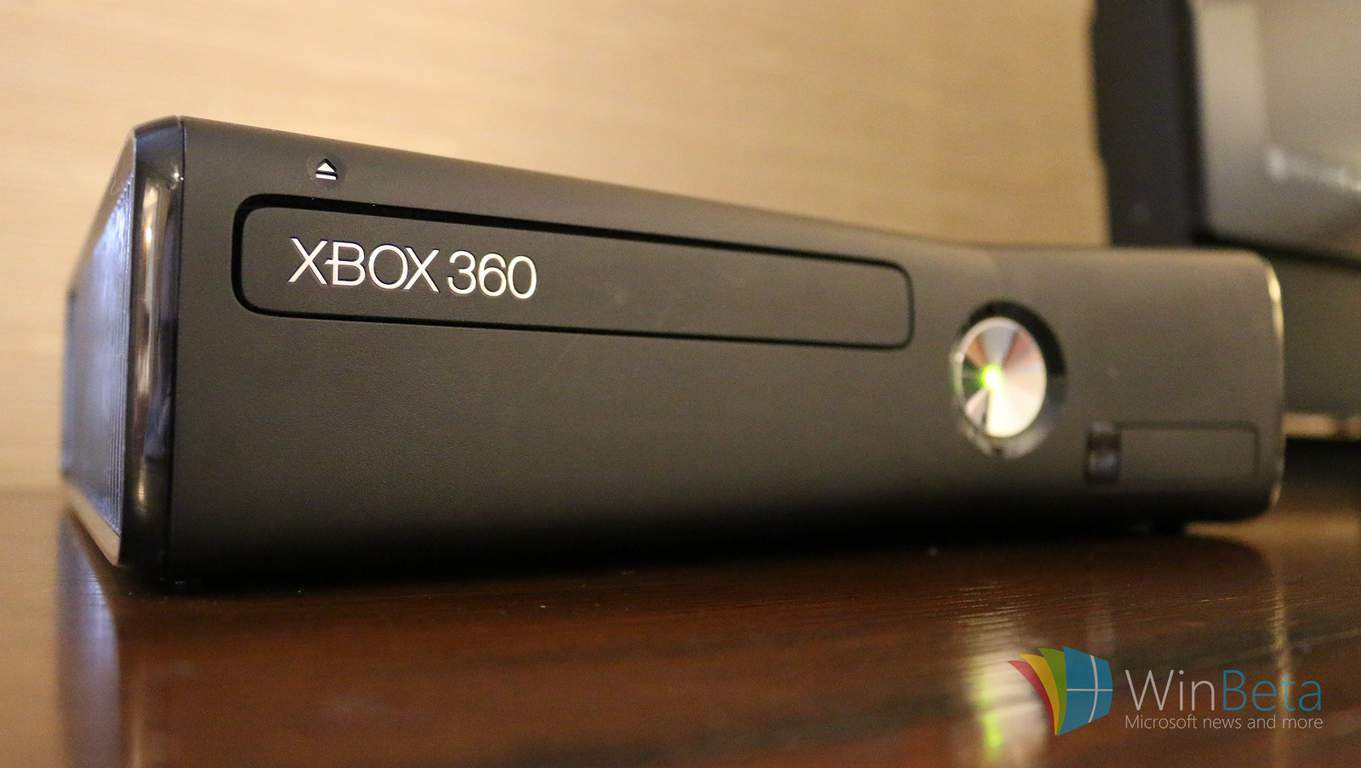
This guy really wanted to play Madden on his Xbox 360 while on a train

From manspreading, the pizza rat, or even the woman who most recently dropped live bugs in a packed subway car, the New York City Subway System has been home to many bizarre moments. A new moment for the list, however, is a man that was captured playing his Xbox 360 while riding the subway.

Screen Shot 2016-09-02 at 3.14.06 PM
The man and his Xbox (Photo from m4h_gaming/ Instagram)

As posted on Urban Leak, the man in the photo above reportedly paid no mind to the commuters around him but was rather focused on playing Madden on the portable TV and Xbox 360 just a couple of feet away from his face. It’s not exactly clear how he managed to power both the TV and Xbox 360 while on the go (we’re assuming it’s a battery of some kind and not a flux capacitor), but it’s safe to say that this brings “Xbox anywhere” to an entirely new level.

There is, nonetheless, a homemade portable option available for new Xbox One S. As we originally reported back in August, Ed Zarick created the Xbook One S laptop and sells the device for the hefty price of $1,200. Perhaps this gentleman could consider investing in an upgrade.

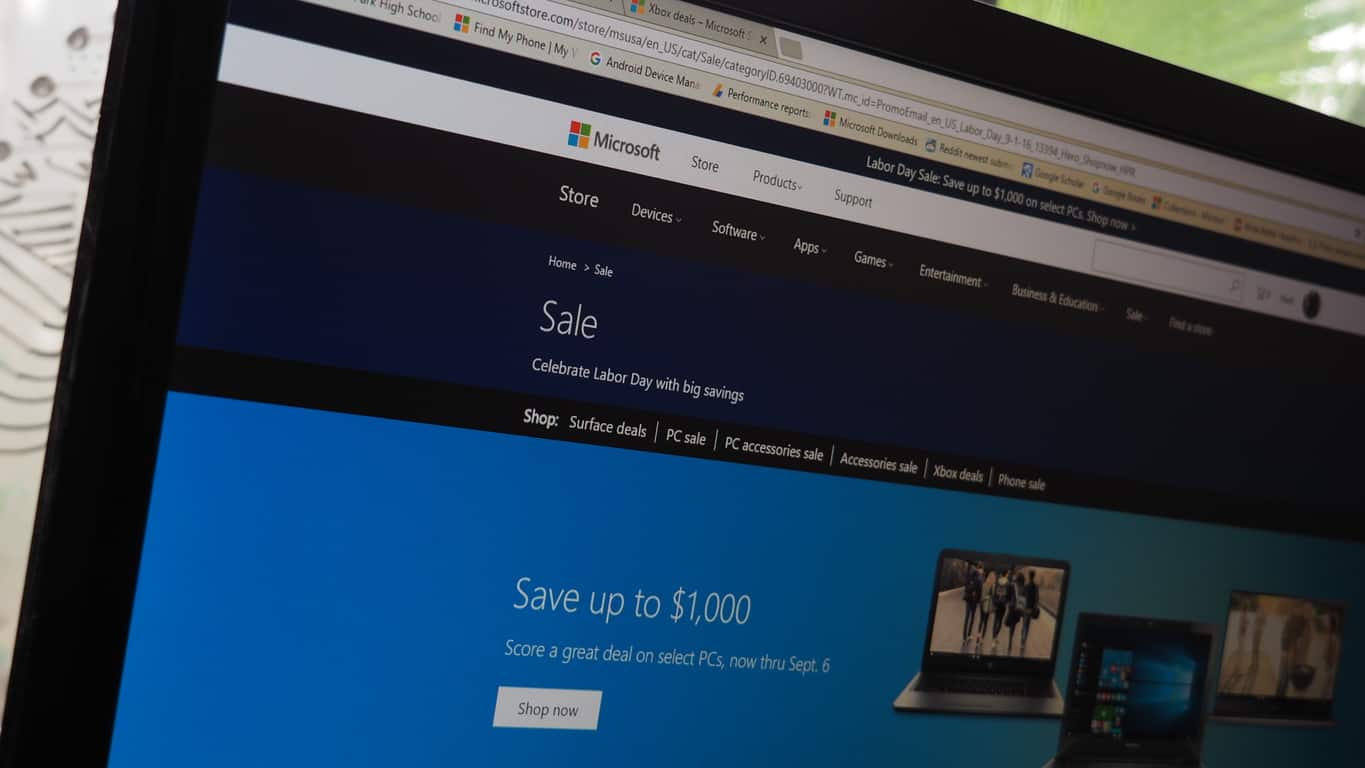
Microsoft Store Labor Day sale lets you save up to $1000 on a new Windows 10 PC

Holidays are great things for a number of reasons. Not only do we often get time off at work and enjoy fun and often tasty celebrations, but we usually enjoy opportunities to save some serious money as well. This year’s Labor Day holiday in the U.S. is no different, as the Microsoft Store is joining with a number of other retailers in offering up some significant discounts on a variety of PCs.

Here’s a list of some of the best PC deals available at this year’s Microsoft Store Labor Day sale. Note that you also get a free NuVision 8″ Windows 10 tablet with select PC purchases.

It’s not only PCs that are on sale this weekend. The Microsoft Store also has some nice offers on select Xbox One games, Surface, and accessories. If you’re looking for a good way to say goodbye to Summer and hello to Fall, then saving some money on PC hardware and gaming titles seems like a good idea to us. Let us know in the comments if you plan on making a trip to a Microsoft Store this Labor Day weekend or entering your credit card information online.

People Bar may be in the works in Windows 10 Redstone 2 builds

Microsoft’s development features for its next scheduled Windows 10 release, internally being referred to as Redstone 2, has been much of a mystery to date. Reading the tea leaves and following the gossip leads us to conclude that the Windows team is focusing on restructuring the OneCore of Windows 10 while also adding some enterprise features to its Mobile SKU of the operating system.

While the broad strokes of Windows 10 future development are focused on enterprise and mobile, some lesser highlighted items coming to users could be just as useful. According to a report from Windows Central, for example, the Windows team is currently testing out a new feature to Windows 10 for PCs dubbed the People Bar, which could make its way into the Redstone 2 release of the operating system in early 2017.

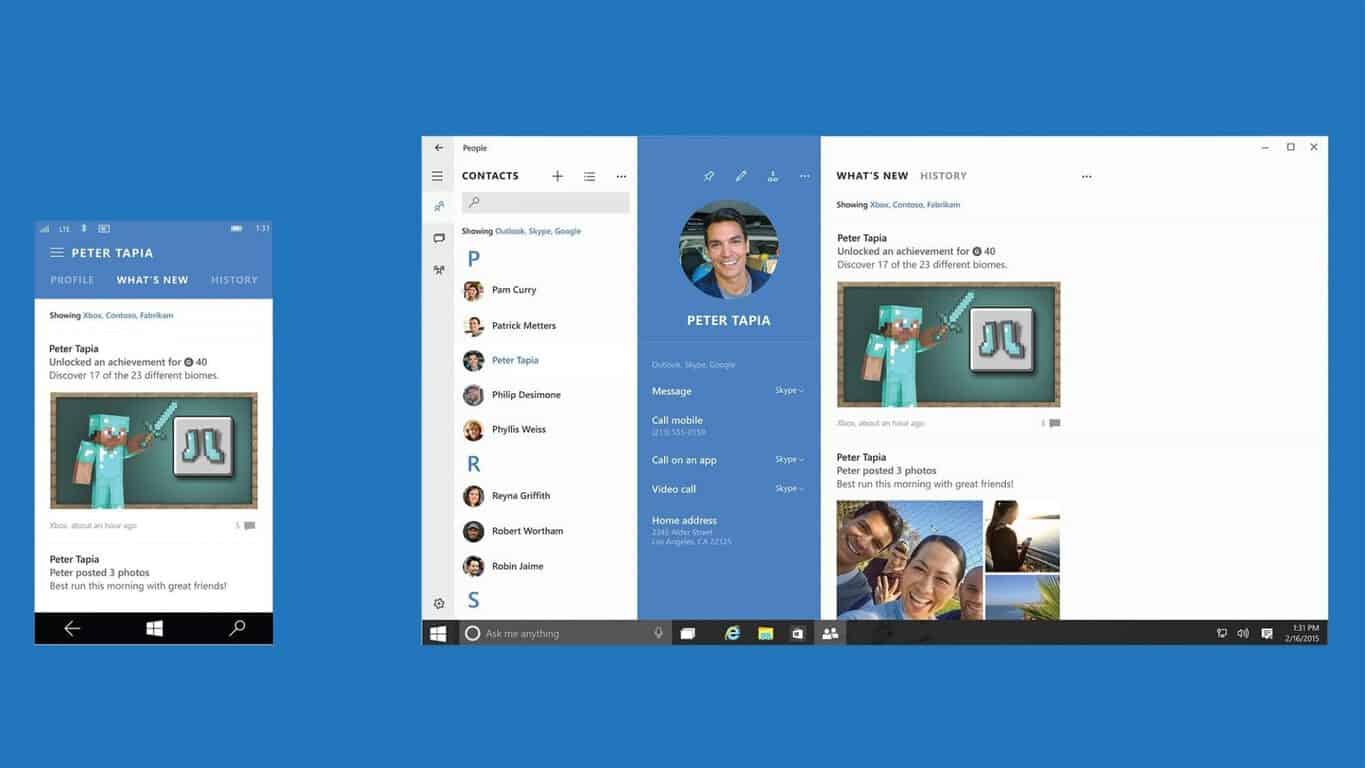
The People Bar seems to be an evolution of the People Hub functionality mixed with the familiarity of the well-known Windows Task Bar. Apparently, the idea of the People Bar is a take on the Pinned Contacts feature enabled on Windows Phones or the Start Menu in Windows 10.

W10_PeopleBar_Concept

However, instead of having the contact buried in the Start Menu on Windows 10 PCs, it would rest in plain sight on the Task Bar. Contacts placed in the People Bar will have communication support from services and apps such as Skype, GroupMe, and Office, to help encourage more active and quick collaboration from anywhere within the operating system.

We’ll be keeping our eyes on Redstone 2 and its development over the next several months. Along with the apparent “blue light” functionality that we reported on the other day, the People Bar makes it obvious that the Windows 10 team intends to continue to make their premier operating system increasingly functional in anticipation of the new hardware that’s apparently coming with the Redstone 2 release in 2017.

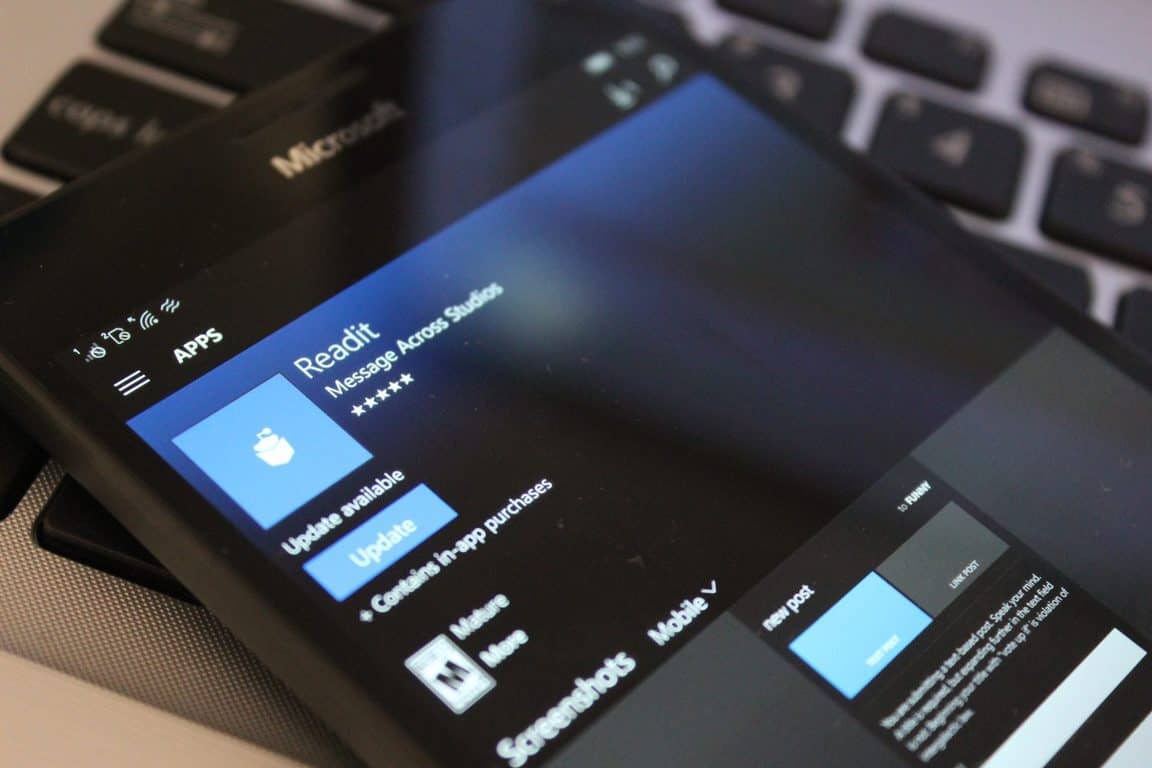
ReadIt app launches on the Xbox One gaming console

Readit, the Reddit app of choice for many Windows phone and Windows 10 users, has joined the Xbox party and the app is now available on the Xbox One platform.

Now, you can read about apps like NASA TV Live coming to the Xbox platform right from your Xbox! Readit offers a number of features useful to Reddit users, according to the app description:

The best Reddit client for Windows phone is now available on any of your Windows devices. Readit has moderator support and support for many gold features as well! Welcome to Readit! A beautiful, well-crafted reddit app for the Windows Platform. From features like secondary tiles, a stunning interface, and complete markdown support, you are missing out if you aren’t using Readit for your reddit browsing habits on Windows. Readit supports so many features, including the following:

• Gold Feature Support
• Secondary Tiles
• Toast Notifications – Detailed for specific users/messages/comment replies
• Pinning Subreddits to your start screen for easy access
• Complete Imgur integration with native Album browsing
• Gilded comments indicator
• Complete Reddit markdown support
• Very high performance
• Customizable Theme
• A stunning and beautiful interface
• Many more features

If you’re a Reddit user, or if you’re not and want to be, check out Readit for the Windows Platform, now including on Xbox One.

ReCore is coming to Xbox One and PC on September 13th, watch the launch trailer here

ReCore, a futuristic action-adventure game developed by Armature Studio, is one of the most exciting Xbox exclusive games, set to be released on both the Xbox One and Windows 10 on September 13. Today, Senior Creative Director for ReCore Joseph Staten shared on Xbox Wire the game’s launch trailer as well as more details about the game’s story and voice cast.

ReCore will let you play as Joule Adams, one of the last remaining humans on a planet controlled by robots out to kill you. Staten explains that this new trailer is narrated by Joule’s father, Dr. Thomas Adams, and reveals “new gameplay and characters from ReCore’s cinematic story as well as the qualities Joule inherited from her father; qualities that will help her and her Corebot companions to bring new life and hope to Far Eden.”

Staten also shared that Armature Studio hired some familiar actors to bring the game to Life: the game features Erika Soto (Halo Wars 2) as Joule , Connor Trinneer (Stargate: Atlantis and Star Trek: Enterprise) as Dr. Adams and
Harry Shum Jr.(Shadowhunters: The Mortal Instruments and Glee) as Kai Brehn, the latest game character to be unveiled in this new trailer.

Erika Soto as Joule Adams.
Erika Soto played Joule Adams.

ReCore will be available on September 13 in North America, Latin America, Asia Pacific (except Japan), September 15 in Japan and September 16 in EMEA. The game will be available for $40 in the US, and as with all upcoming Xbox Play Anywhere titles you’ll be able to play it on both your Xbox One and Windows 10 PCs with shared progress and achievements.

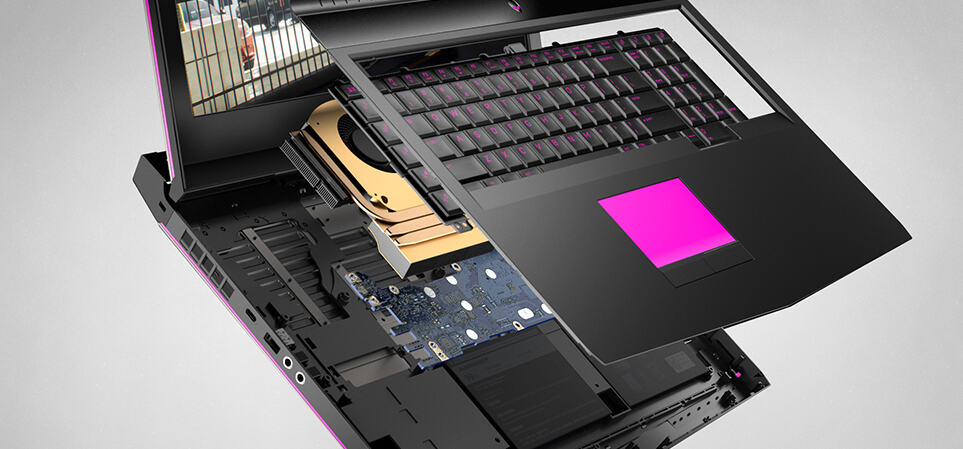
Dell unveils new Alienware Windows 10 PCs at PAX West

IFA 2016 kicked off earlier this week in Berlin and several PC manufacturers including Acer and Lenovo already introduced their latest line up of Windows 10 PCs to the public. In the US, PAX West 2016 is also officially underway in Seattle, WA and Dell attended the show yesterday to unveil a brand new portfolio of Alienware gaming notebooks available in three editions.

The Alienware 13 is the company’s smallest gaming laptop but it’s configurable with an NVIDIA GeForce GTX 10-Series GPU which makes it VR-ready. If you’re looking for a slightly bigger option, The mid-size Alienware 15 with its 15.6-inch Full HD display may provide you a better gaming experience. This model is also VR-ready thanks to its NVIDIA GeForce GTX 1060 GPU, and additional options include a FHD 120Hz display with NVIDIA G-Sync and a UHD IGZO option for 4k resolutions.

The Alienware 15 gaming laptop.

If you’re not looking for the most portable solution, the Alienware 17 is Dell’s flagship gaming laptop which features a thinner design, anti-smudge finishes as well as a new hinge that improves system ventilation. Other features include:

  • Overclocked Intel Core i7 processors and DDR4 memory running up to 2667 Mhz.
  • Optional IR Tobii eye-tracking technology adds great accessibility features based on where you’re looking
  • New speaker design includes internal smart-amps that monitor audio waveforms, enabling the use of the entire thermal margin of the speaker for stronger sound
The Alienware 17 gaming laptop.

Dell’s latest Alienware gaming laptops can also be plugged into the Alienware Graphics Amplifier which can power up to three displays and boost your gaming experience with more dedicated graphics power. All Alienware notebooks will be available in the coming weeks on Alienware.com or Dell.com in the United States and in select countries around the world but exact specifications, prices, and availability may vary by region. Let us know in the comments what do you think of Dell’s latest Alienware lineup.


Gamers can now watch NASA livestreams from their Xbox One

Martin Suchan is a huge fan of astronomy, and has been working on creating apps to be able to watch NASA TV live broadcasts for years. He first brought an app to Windows Phone 8.1, brought that to Windows 8.1, moved up to the Universal Windows Platform for Windows 10, and only three years later than expected, has brought the app to the Xbox One.

Suchan describes the app in a thread on Reddit:

 It’s super simple app – one click for launching the NASA TV Live stream, second click for full screen. The current version is free and without Ads, but If you like it, you can purchase optional Pro upgrade which costs like 1.5 USD.

NASA TV Live provides access to both the public and media channels, allows viewing of live broadcasts, shows playback in a “full chrome-less mode for the best experience,” and is available for Windows 10 PC and Mobile, and now Xbox One.

You can get NASA TV Live from the Windows Store, or from searching for “NASA TV Live” on your Xbox.


Mike Ybarra teases Age of Empires on Xbox One (update: maybe not)

Age of Empires is a classic PC game, first launched way back in 1997, with revisions and new titles appearing all the way up until this year. Now, it looks like you just may be able to play Age of Empires on an Xbox One soon, according to a somewhat cryptic tweet by Mike Ybarra, Xbox’s Director of Program Management:

For an Age of Empires elephant to be featured in a Microsoft stairwell might not be news, as the game is one of the most popular games on PC, selling some 20 million copies (not quite Solitaire, but still!), according to Wikipedia. However Ybarra tagged the tweet with an #Xbox tag, giving hope to those millions that they might be seeing a new version capable of running on an Xbox One as well as PC.

Update: now Ybarra is backing down, tweeting out that it was “just a picture:”

Are you an Age of Empires player? Would you be excited to play it on a console as well as PC? Let us know in the comments below.

Halo 5: Forge for Windows 10 PC system requirements

Microsoft announced that Halo 5: Forge for Windows 10 will be released on September 8, 2016, giving you the opportunity to play Halo 5: Forge on your Windows 10 PC with a keyboard and mouse along with the opportunity to do so at 4K resolution.

The game also comes with a new content browser that allows you to showcase and share your creations easier than ever, along with the ability to play your creations with friends online via custom games.

Microsoft confirmed this game back in May 2016 and until now, nobody knew when Halo 5: Forge would exactly be released for Windows 10. Below, you can see the features that the Halo 5: Forge comes with:

• Keyboard & Mouse Support – For the first time ever, Forgers will have the option to use a keyboard & mouse, allowing for more precision control than ever before;
• Increased Resolution – Support for multiple resolutions including 4k;
• Test and Play with Friends – Enlist the help of Friends to help build, test, and play your Forge creations on Windows 10;
• Build on Windows 10 and Publish to Xbox One – Experiences built on Windows 10 can be published to and played on Xbox One, opening the doors for countless new experiences to be enjoyed by players all over the world.

Halo 5: Forge for Windows 10 PC: System Requirements

Minimum requirements:

• CPU: Intel Core i5 clocked at 2.3GHz or AMD equivalent
• Graphics card: GeForce 650 TI
• VRAM: 2GB
• RAM: 8GB
• HDD: 40GB

Recommended requirements:

• CPU: Intel Core i5-3570k clocked at 3.4GHz or an AMD equivalent
• Graphics card: GeForce GTX 970
• VRAM: 4GB
• RAM: 12GB
• HDD: 40GB

Requirements for playing at 4K resolution:

• CPU: Intel Core i7-4770k clocked at 3.4GHz or AMD equivalent
• Graphics card: GeForce 980 TI
• VRAM: 6GB
• RAM: 16GB
• HDD: 40GB.

RELATED STORIES TO CHECK OUT:

Change default audio playback in Windows 10 Anniversary Update

Although the Windows 10 Anniversary Update is almost a month old, that’s not a reason to not explore it some more. We wrote about almost every important feature now available to users of Windows 10 version 1607, but let’s now talk about smaller improvements that can be more than useful.

One of these additions is the ability to change a default sound playback device directly from your taskbar. Microsoft introduced this feature with the Anniversary Update to make it easier to switch between sound playback devices instead of digging through sound properties.

So, if you have multiple sound playback devices on your Windows 10 PC and you’re running the latest version of the system, you can use this feature. To change your default playback device, click on the sound icon in the taskbar. You’ll notice an expandable menu at the top, so click on it and choose a new audio playback device.

If you don’t have an alternative sound playback device, the expandable menu won’t show up, so sound taskbar settings are going to be the same for you as they were in the previous version of Windows 10. You’ll just be able to adjust sound or mute it completely.

This indeed is just a minor improvement that a lot of users won’t even notice. However, it could be extremely useful if you need to change a default audio playback device quick. Of course, it won’t save you a lot of time, but why doo things the harder way?

RELATED STORIES YOU NEED TO CHECK OUT:

The 7 Best Windows 10/11 Word Games To Play

Word games are easily among the oldest form of puzzles that mankind have been addicted to. They are not only great time killers but help improve your vocabulary as well. Then there is also the exciting prospect of testing your skills on a world stage and against the best out there.  What’s more, the games are all completely free.

The most popular word games for Windows 10

Alphajax

AlphaJax xbox 2

Alphajax is clearly one of the best word games that you can have on Windows 10. It’s a must-have for those who love words. It can be played on both the PC and Phone and can be played against anyone in the world. And in case you don’t like the idea of playing with strangers, you can always invite your friends to test out your word skills.

Wordament

wordament

Wordament is another extremely popular world game and should appeal to hard-core word enthusiasts. Essentially an Xbox title that can also be played on the phone and PC, Wordament offers a significantly enlarged scope in that you get to compete against thousands of players from all over the world and in real time. That’s not all as you compete on the same board and against all at the same time. No wonder Microsoft is calling it a word tournament given its extensive scope.

3rd Floor Word Search

3rd floor word search

As the name implies, you will be searching for words that are already there, instead of making up those using given hints. There are 150 categories, four game modes and four difficulty settings which ensure there is a new game each time one plays and none gets repeated.

Word Search

word search

It’s another game where you will be searching for a particular word. Also the biggest plus here is that the game can be played in several languages such as German, English, Spanish, Portuguese and French.

Hangman Pro

hangman pro

It is a classic word game where you have time till the hangman drawing is complete to guess both single words and phrases. Then there are lots of word categories to choose from and can be played in both single and dual player modes. Surely a must-have for anyone addicted to crosswords, sudoku or the different varieties of hang man games.

4 Pics One Word
4 pics 1 word

Here is a game where you have four picture clues to guess the right word. The target for you will be to reach level 325 without having used a single coin or with more than a 1000 coins to spare. You can use the coins to reveal one of the correct letters or to remove the incorrect ones in your quest for the right word.

Master of Words

master of words

It is essentially a word construction game where you will be sharing your board with thousands of players from around the world. Ranking are provided at the end of the game, so you know where you stand or how much progress you need to make.

Word Connection

word connection

It’s sort of a word association puzzle where the first and the last word are already given. Your job will be to come up with those words that connect to the first and last given words. Also with 450 levels, there will never be any dearth of words to start playing with. Another unique aspect of the game is that new levels gets added automatically and does not call for updating the app for the same.

Word Twirl

word twirl

Here you will be required to unscramble words from six letters. It is a time based game in that the player who unscrambles the most words in each 2 minute round will have the highest point. You can play against yourself or against anyone in the world in each round.

Word Teaser- Challenging Word game

word teaser

It is another fast paced game where you will be required to find the right word from inside the grid. Time allowed is just 90 secs, which means the game can be a real challenge of your vocabulary skills. You can either hit upon the right word or make as many as you can that is closest to the target word. The words can be found on the grid in all possible directions – up, down, left, right, diagonal and so on. You can challenge yourself or play against anyone in the world. Then there is also the option to play with a word of your choice, which again can be chosen from an exhaustive category list.

Lexiqo: Word Puzzle

lexiqo

It is an interesting game where the game board tends to fill up on its own and the only way you can prevent that from happening is building your own words. The game tracks your progress and you can also compare your scores against others in the online leaderboard. The game also offers dictionaries in French and English.

Crossword Puzzle Plus

Crossword Puzzle Plus

The good old crossword puzzle that will allow you to discover new words and further enhance your general knowledge skills.

Microsoft Vancouver invites local startups to first annual Tech Foosball Championship

You’d be forgiven for thinking that foosball is just a silly game for college kids with too much time on their hands, but it’s actually a silly game for adults who work at technology start-ups, too. Microsoft Vancouver invited local tech companies to compete in their first annual Tech Foosball Championship recently, and the result is what seems to have been an incredibly fun day where like-minded people could get together, put on ridiculous mascot costumes, play foosball, and just have a good time.

The tournament’s highlights were put up on YouTube for those interesting in seeing what the tournament was like. Fans of Microsoft Vancouver, fans of foosball, and fans of the nebulous concept of “fun” should all take a few minutes to watch. The winners of the tournament (Spoiler: the winners were from Global Relay, a communications company) got themselves a trophy to take home, along with the ever-important bragging rights going into next year’s tournament.

No ground-breaking news or serious events to analyze here–just a reminder that Microsoft and all of the other tech geeks out there running businesses still like to have fun every now and again. Here’s hoping that the 33 tech companies that took part in the tournament all have a fruitful future ahead of them.

Blizzard making Overwatch on Xbox One free to play September 9-12

If you can take a break from World of Warcraft’s latest expansion, there’s some other Blizzard-related news that may give you a good reason to be excited. Overwatch, Blizzard’s slam-dunk success of a team-based shooter, is going to be enjoying a free weekend from September 9th to September 12th.  This presents an opportunity for those on the fence about Overwatch to try out the game and see if it’s for them before they decide to take the plunge and buy their copy.

This free weekend doesn’t have any complications to it – the deal is pretty simple. You get to play Overwatch for three days for free, and you can earn loot boxes, level up, play every hero, play on every map, do every game mode, etc. If you fall in love with Overwatch after the free weekend, buy the game and you can pick up where you left off.

If this is your first time taking part in a free weekend and you’d like something to clear up any confusion, you can read Blizzard’s blog post. The post includes an FAQ about the free weekend, launch schedules with times listed for each time zone, and more. Whether you’re new to the genre or have been playing similar games for years, Overwatch is an extremely good time – you’re going to want to get on this trial if you’re at all on the fence about the game. As long as you have an active Xbox Live Gold membership and an empty schedule, next weekend is primed to be a fun time for you.

Windows 10 Insider Preview build 14915 kills WiFi for some users

Microsoft released Windows 10 Insider Preview build 14915 this week to the Fast Ring, bringing fixes to a number of issues that were introduced in the previous Insider build. However, as sometimes happens with beta programs, a new issue has been introduced that affects a limited but meaningful number of users.

Microsoft acknowledges the issue at the Answers community:

Hello Windows Insiders,
After the release of build 14915 to to the Fast ring for PC yesterday, a Wi-Fi bug has been discovered that is impacting a subset of users. Please review the following:

  • Surface Pro 1
  • Surface Pro 2
  • Wi-Fi adapters using the Marvell driver
  • (There may be other similar drivers affected, research is ongoing)

You may review in Device Manager to see if your PC is affected. You will see an icon on your Wi-Fi adapter similar to this:

Image

The percentage of users impacted is limited, but for those affected, all Wi-Fi functionality is lost and there is no temporary fix to restore Wi-Fi on this build given the nature of the bug. Affected users will need to use a wired connection if available or roll back to the previous OS version on their device to bypass this issue.

Our Engineering teams have quickly completed a root cause analysis of the issue and are working to get the fix checked-in to make it available in our next flight.

Thank you as always for the feedback that has been provided and for the quick efforts to share this issue with us.

There’s some evidence that this issue is affecting a number of other machines, including this writer’s homebuilt desktop using a Netgear A6210 802.11ac adapter. This Answers thread provides a discussion of various unsuccessful attempts to resolve the issue.

We’ll be looking forward to the next Insider build, where this issue will hopefully be rectified. Those without a wired Ethernet connection will likely need to roll back to the previous build and then update to the next build to get around this issue. Let us know in the comments if you’re suffering from the bug, and what system you’re running.

PlayStation Now released for PC along with the wireless DualShock 4 USB adapter

PlayStation Now, the platform that gives access to all PlayStation titles on demand, is set to be launched for Windows PC starting in Europe and then making its way to North America.

Not only this initiative is going to bring an extensive range of PlayStation titles for gamers to play using their Windows PC, but Sony is also making possible to use a DualShock 4 USB wireless controller adapter for PlayStation 4 gamepads on both Mac and Windows computers. The latest device is set to be unveiled at the earliest of September with an expected price of $24.99 ($29.99 CAD).

The adapter reportedly functions with PlayStation Now, but the really exciting news for PS4 users is its compatibility with PS4 Remote Play that lets users play on a local connection, unlike the previous physical USB cable connection to your PS4 controller. The featured controller functions the device offers include: buttons, analog sticks, touchpad, light bar, motion sensors, vibration, and stereo headset jack. If you still haven’t downloaded the remote, get it here.

Noteworthy classics include the Uncharted, God of War, and Ratchet & Clank franchises, along with popular PS3 games like The Last of Us and Journey.

PlayStation Now was released in June of last year and features 400 games in its library. Current PS Now subscribers can use a different approach to access the library. The streaming feature saves you the trouble of having to install each title locally and saves your progress so gamers can get to gaming anywhere.

PlayStation Now-adapter

For PS Now to work on Windows PC, you need to have the following hardware specs.

  • Windows 7 (SP1), 8.1 or 10
  • 5 GHz Intel Core i3 or 3.8 GHz AMD A10 or faster
  • 300 MB or more; 2 GB or more of RAM
  • Sound card; USB port

Users will need a minimum 5Mbps connection for PS Now to work on any device, although a wired network will work optimally. Until now, an exact date has not been confirmed for the North America release but do stick around for latest updates and news.

Microsoft deprecating “obsolete” SmartScreen spam filters in Outlook and Exchange

Microsoft is making changes to SmartScreen, a spam content filter, available in Windows 10. These changes will affect Outlook and Exchange users. In Outlook and Exchange, SmartScreen analyzes each email message and rates the email according to SmartScreen’s Spam Confidence Level (SCL). These emails are then sent to Outlook’s junk folder. SmartScreen is also available in Edge and Internet Explorer browsers, offering online protection against malicious websites and online content, including downloads.

Here’s a look at the changes to SmartScreen, according to Microsoft:

  1. On November 1, 2016, Microsoft will stop generating updates for the SmartScreen spam filters in Exchange Server 2016 and earlier (2013, 2010, 2007), Outlook 2016 for Windows and earlier (2013, 2010, 2007) and Outlook 2011 for Mac.
  2. The SmartScreen spam filter will be removed from future versions of Exchange Server and Outlook for Windows. (SmartScreen is not available in any other version of Outlook).
  3. This announcement does not affect the SmartScreen Filter online protection features built into Windows, Microsoft Edge and Internet Explorer browsers. While branded similarly, those features are technically distinct. These SmartScreen Filters to help people to stay protected from malicious websites and downloads.”

After November 1, 2016, Microsoft will no longer release spam definition updates to SmartScreen filters in Outlook and Exchange. Your existing SmartScreen spam filters will remain in place; Microsoft will simply no longer provide updates for them.

Microsoft clarifies that the changes to SmartScreen in Outlook and Exchange will unlikely impact many users and most “should not experience any change in their email experience or see an increase in spam.” SmartScreen’s spam filters in Outlook and Exchange are being replaced by Exchange Online Protection (EOP), a cloud-based email filtering service utilized by Office 365 subscribers.

EOP is already built into all Office 365 and Outlook.com email accounts. EOP is also available for on-premises Exchange Server enterprise customers, and is available for just $1.00 per user per month.

Minecraft releases Battle Map Pack 3 on consoles, updates experimental Snapshot

It’s a great day to be a Minecraft fan, as there is news to report on two fronts. Mojang, the Minecraft developer, has released Battle Map Pack 3 for consoles and has also updated an experimental Snapshot.

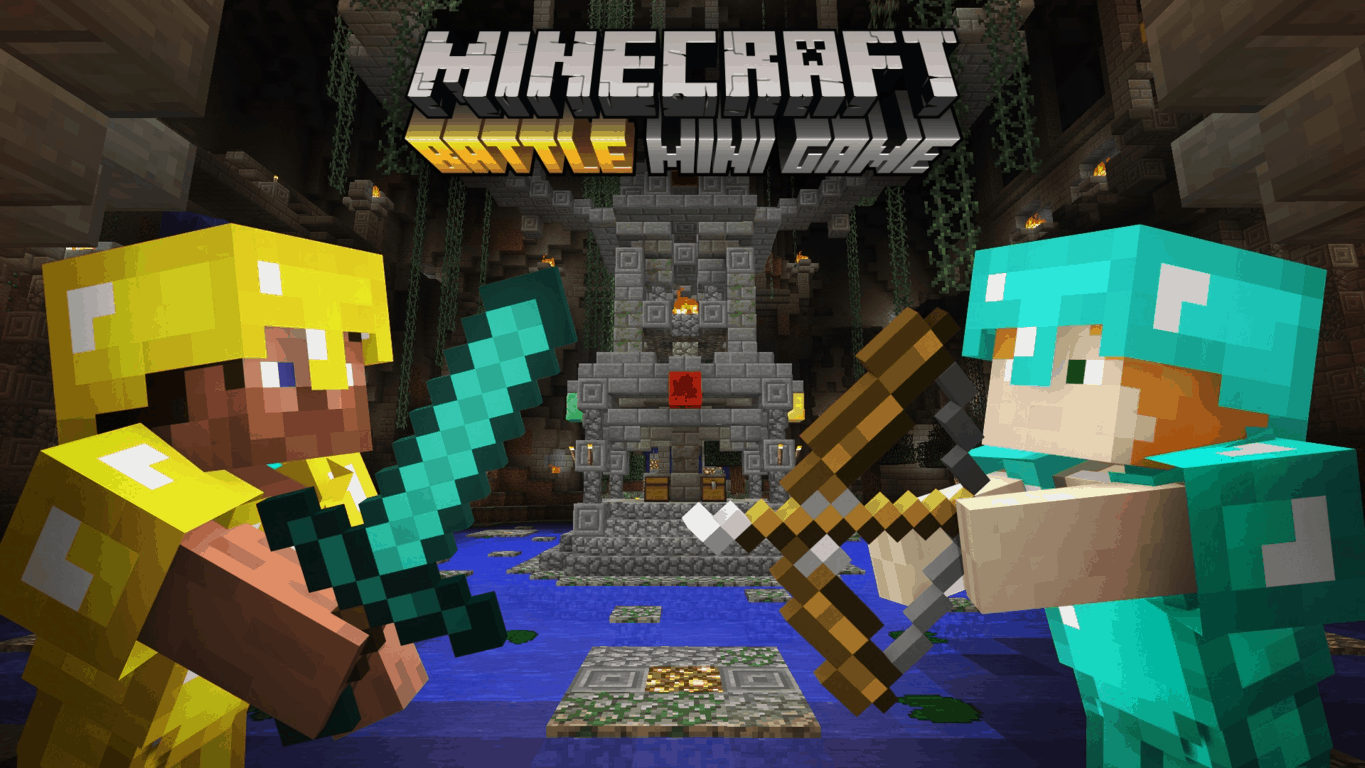
Available for the price of $2.99, Battle Map pack 3 includes three new locations for you to enjoy. The first of the three locations is Castle, which features majestic halls for some good hand to hand combat. Second is Invasion, which is a modern city that’s been destroyed by an unknown presence. Last up is Shipyard, which is a city built around an airship suspended miles above the ground.

On the other side of things, Mojang also released Minecraft Snapshot 16W35A today. This Snapshot brings a text change to bring the Snooper Data description into line with the updated privacy policy. It also brings a multitude of Bug fixes, some of which can be seen below.

Notable changes:

  • Some bugs have been asked to bother another game
  • Most bugs agreed to move on

Bugs fixed in 16w35a:

  • [Bug MC-2298] – Placing trapdoors / fence gates right beside a redstone source will not update them to the open state
  • [Bug MC-4603] – The Ender Dragon is hostile to players in Creative
  • [Bug MC-83337] – Eye of Ender in the mainhand doesn’t block offhand item usage
  • [Bug MC-84095] – Ender Dragon destroys fireballs/Fireballs invisible
  • [Bug MC-85805] – Two pistons smashing a shulker glitch
  • [Bug MC-94274] – Hitbox of cocoa beans too small
  • [Bug MC-94485] – Hand animation continue swing when cocoa block placed already
  • [Bug MC-95738] – Slimes health resets to max when setting any nbt-tag

For the complete details on the Snapshot, be sure to head over to this official post on the Mojang blog. After you’ve checked it out, please come back to WinBeta and let us know what you think of the latest Battle Map and Snapshot by dropping us a comment below.

Wipfli uses Office 365 to provide the best service to its accounting customers

Wipfli, a business accounting, tax and consulting company with 36 offices across the United States and two offices in India, is moving to Office 365 to improve the productivity of its employees. Michael Pynch, technology partner at Wipfli explained in a new guest post on the Office blog what pushed the company to switch to cloud-based solutions from Microsoft. “We are doing this by empowering our more than 1,700 associates with the mobility, connectivity and security of Microsoft cloud technologies, including Office 365, Microsoft CRM Online and the Azure cloud platform,” he explained.

Pynch expects Office 365 to improve the workflow of Wipfli employees in many ways, and the company will also leverage Microsoft’s FastTrack program to implement mobile device and application management services on the company’s iOS and Windows devices.

The technology partner also highlighted the following Office 365 use cases:

  • Wipfli employees now easily share documents with OneDrive for Business and SharePoint Online.
  • Yammer is also used by employees across the country to start conversations and help serve clients.
  • Skype for Business will gradually replace previous audio conference solutions as well as the 13 various phone systems that the company previously accumulated through acquisitions. “We expect to save a significant amount annually,” explained Pynch.
  • The company will also move its development environments, website and other production servers to the Azure cloud to “save time and money managing on-premises infrastructure.”

Overall, Pynch thinks that moving to Office 365 will allow Wipfli to “realize our own goals for a more efficient, connected enterprise.” He added:

Creating an environment that reflects the changing workplace expectations of our associates ensures that we employ and retain top talent. Not only do we reduce the cost of turnover, but our clients enjoy greater consistency, and our associates have better job satisfaction. This three-way win is a great example of the multiple levels of business value we get with Microsoft cloud technologies.

Wipli is not the only big consulting company to choose to roll out Office 365 to all its employees: last month, we reported that design company Atkins which has 18,600 employees worldwide also became a new Office 365 customer.

Microsoft Partners can now deliver Windows 10 Enterprise E3 and E5 via Cloud Solution Provider program

Microsoft Partners pushed to get Microsoft to offer a partner-managed, cloud-based subscription service for enterprise users. At the Worldwide Partner Conference (WPC 2016) in July, Microsoft introduced the Windows 10 Enterprise E3 for the Cloud Solution Provider (CSP) program. The CSP program offers enterprise users the latest security, management, and control features available in Windows 10 Enterprise Edition without requiring enterprise users to enter into a long-term licensing agreement.

Earlier today, Microsoft announced the details of Windows 10 Enterprise E3, including information on Windows 10 Enterprise E5 program details that will come in October 2016:

“Starting today from $7 per user/per month, businesses of any size can purchase Windows 10 Enterprise E3 through the CSP program and take advantage of enterprise-grade security and management functionality. Windows 10 Enterprise E3 was designed for businesses that handle sensitive customer data (such as credit card or social security numbers), operate in regulated industries, or create and monetize intellectual property. These businesses need enterprise-grade security and management capabilities found in the Windows 10 Enterprise edition such as Device Guard, Credential Guard and Managed User Experience. Additionally, Windows 10 Enterprise E5, which includes all the features and functionality available in Windows 10 Enterprise E3 plus Windows Defender Advanced Threat Protection and advanced IT administration management functionality will be available for CSPs to start selling October 1.”

The Windows 10 Anniversary Update allows enterprise customers to quickly and easily move their devices to a Windows 10 Enterprise edition with the Cloud Solution Provider program and an Azure Active Directory login. There is a large number of Microsoft Partners available in the CSP program, giving more options to customers using the Windows 10 Enterprise edition.

Microsoft launch partners, ALSO, Tech Data, and Synnex, will be offering the Windows 10 Enterprise E3 to enterprise customers starting today. For more program specifics, visit Microsoft’s Windows For Business website.