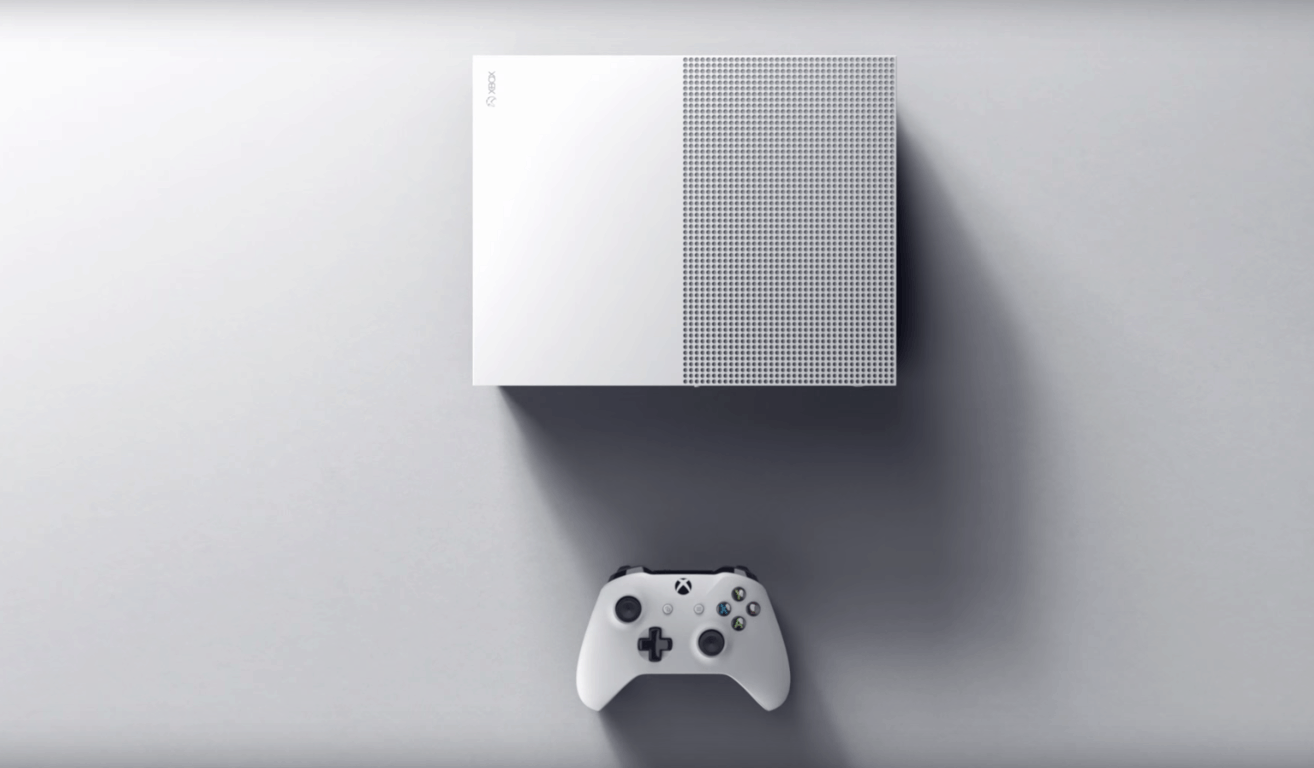
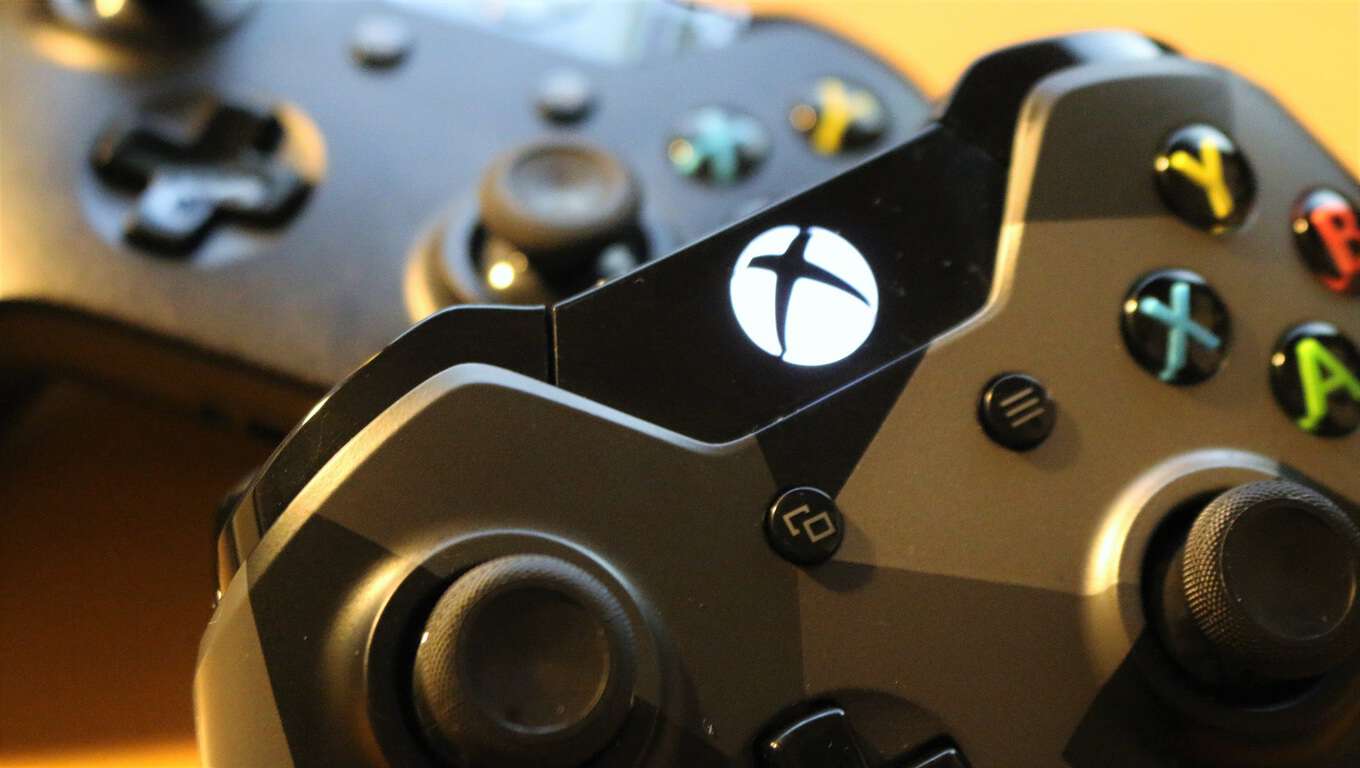
Win an Xbox One S with Elite Controller from Major Nelson

Yesterday, we reported that the Xbox team was bringing back its Summer Spotlight giveaway: over the next six weeks through September 5, 25 new digital Xbox One titles will be released on the Xbox Store, and the Xbox team is celebrating by giving away an Xbox One S, Xbox Elite Wireless Controllers, and copies of every Summer Spotlight title including We Happy Few, Inside, and Kerbal Space Program.

To enter for a chance to win, you will have to check the dedicated blog post on Xbox Live’s Major Nelson official blog, watch the Summer Spotlight trailer and register using the form below it. Please find what you can win below:

  • The first place winner will receive an Xbox One S, Xbox Elite Wireless Controller and digital Xbox One codes for each title featured in Summer Spotlight.
  • The second place winner will receive an Xbox Elite Wireless Controller and digital Xbox One codes for each title featured in Summer Spotlight.
  • The third place winner will receive digital Xbox One codes for each title featured in Summer Spotlight.

The contest is open to everyone, though prize availability might not be available in all regions. There is only one entry per person and the deadline to enter is 11:00 am ET / 8:00 am PT on Tuesday, September 6 (winners will be notified on or about September 7). In the coming weeks, you’re invited to keep the blog post in your bookmarks as Major Nelson will update it every Tuesday to announce the additional Xbox One games to be released during Summer Spotlight.

As a reminder, we will also be giving our Microsoft-themed, OnMSFT.com engraved custom controller to one of our readers, so stay tuned to WinBeta to get more details about the contest (spoiler: that’s not all we will be giving away as part of our rebranding to OnMSFT.com!). We wish everyone good luck!

Microsoft appears to be open sourcing PowerShell

PowerShell is an automation platform and scripting language for Windows and Windows Server that allows you to simplify the management of your systems. It appears now, though, that Microsoft may be making moves to open sourcing the scripting language.

https://twitter.com/tomhounsell/status/758313989487091712

As seen above, the move was noticed by both Tom Hounsell and WalkingCat on Twitter. Like the photo in the tweet proves, Tom noticed a message in the package metadata stating, “PowerShell is an open-sourced, cross platform, scripting language and rich object shell.”

No official announcements have not yet been made from Microsoft, but once one happens we will be here to cover it for you. Be sure to follow us on Twitter at @OnMSFT, when we bring you the news. Also, and as always, be sure to drop us a comment below to let us know your thoughts on what this means for the future of PowerShell.

Watch Microsoft Fuse Lab’s Botness conference sessions, now online

Earlier this year, Microsoft held its Build 2016 annual developer conference where it announced the Microsoft Bot Framework. The new platform aims to encourage developers to build AI-based chat bots and reinvent how we interact with online services.

Hot on the news of the announcement, the Microsoft Bot Framework team later held a two-day gathering dubbed “Botness” in June in San Francisco, inviting all the companies interested in the platform such as Kik, Slack, Uber, Howdy, Highway 1, and Betaworks to further collaborate on bots and the idea of “conversation as a platform.” If you’re looking to know more about what happened during the event, Microsoft Engineer and General Manager Lili Cheng announced today on a blog post that all the talks are now posted on the official site.

There are nearly 50 different sessions to watch, and you should really have a look at the full list of sessions featuring developers and engineers discussing how bots could simplify and reinvent UI and UX  around a conversational experience. Let us know in the comments what do you think of potential of “conversation as a platform.”

Poll: Do you like being a Windows Insider?

Microsoft has run beta programs for its software and services for years, but there’s never been anything quite like the Windows Insiders program. Initially slated to be capped at 50,000 users or so, the program has grown to include over 5 million Windows Insiders, testing out new builds, joining Fast Rings or Slow Rings, and getting to new builds in some cases earlier than those working at Microsoft.

It’s been an unqualified success, thanks to the Red Button, Gabe Aul, and now Dona Sarkar, who has big plans for the program as we move from the Anniversary Update to the next phase of testing, only known so far as “RS2.”

But now that the program has a chance to take a breather with next week’s release of the Windows 10 Anniversary Update, we thought we’d take an informal little poll and find out what you think of being a Windows Insider:

See the poll results

Has it been fun for you? Do you feel like you’re contributing? Has the pace of new builds been too much, too little, or just right? Let us know what you thing of the Windows Insider program and how it’s going for you in the comments below!

Don’t forget to follow us on Twitter @OnMSFT for all the latest Microsoft news.

Download Microsoft Security Essentials for Windows

Protecting your PC from online threats such as malware and viruses is crucial. This is why Microsoft developed its own antivirus software called Microsoft Security Essentials, one of the most popular antivirus programs in the past.

Let’s take a look at how this tool works on Windows 10.

How to install Microsoft Security Essentials on Windows 10?

Microsoft Security Essentials is a free antivirus software designed to protect your PC from computer viruses, spyware, rootkits and other online threats.

The first version of this software was released in 2009, and it supported Windows XP and all newer versions of Windows.

Just like many other antivirus tools, this one provides the same type of protection by scanning your computer in real time while monitoring downloaded files for viruses.

Microsoft Security Essentials was designed as a replacement for Windows Live OneCare and Windows Defender in earlier versions of Windows.

If Microsoft Security Essentials locates malicious software, the user will be asked for the course of action. If the user doesn’t choose any action in 10 minutes, the program will perform the default action and deal with the threat.

It’s worth mentioning that Microsoft Security Essentials received positive reviews due to its simplistic user interface, freeware license, and low resource consumption.


Want to know how Microsoft Security Essentials compares to other antiviruses? Check out this article for more info.


However, users weren’t pleased with its protection rating. Compared to other antivirus tools, Microsoft Security Essentials achieved lower results than its competitors.

Unlike other tools on the market, Microsoft Security Essentials doesn’t include firewall protection but managed to still achieve tremendous popularity around the world.

Due to this fact, malicious clones of Microsoft Security Essentials have appeared over the years.

Microsoft is still developing this tool, and the latest stable version was released in February. Since this is such a popular tool, we decided to test it and see if it works on Windows 10.

As we previously mentioned, Microsoft Security Essentials was designed as a replacement for Windows Defender in previous versions of Windows, since Windows Defender only provided adware and spyware protection until Windows 8.


Looking for the best antivirus to use on Windows 10? Check out this list with our top picks.


This means that Microsoft Security Essentials works only on older operating systems, excluding Windows 8 and Windows 10.

Both Windows 10 and Windows 8 use Windows Defender as the default antivirus software, and since Windows Defender uses the same antivirus definitions as Microsoft Security Essentials, it means that Windows Defender is a successor of Microsoft Security Essentials.

When you try to install Windows Security Essentials on Windows 10 you’ll get an error message saying that you already have Windows Defender installed, and offers the same level of protection along with some new features that aren’t available in Windows Security Essentials.
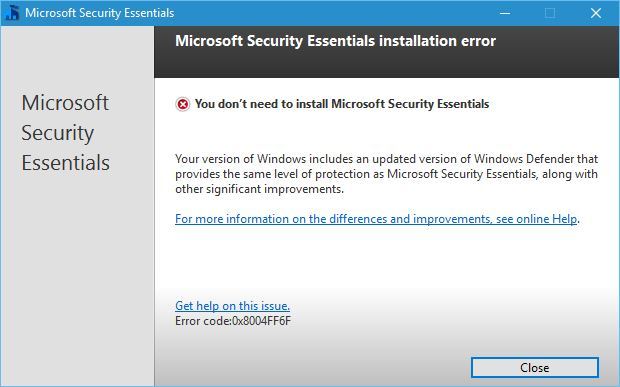
microsoft-security-essentials-install-error

Windows Defender comes preinstalled with Windows 10 and runs automatically every time you start your PC. This tool offers real-time protection, but it also comes with browser integration that scans files before they are downloaded.

Unfortunately, this feature doesn’t support third-party browsers and it currently works only with Internet Explorer and Microsoft Edge.

It’s worth mentioning that Windows Defender will turn itself off if you have a third-party antivirus software installed in order to avoid causing interference.


Don’t expose yourself to unnecessary risks. Find out why Windows Defender is the only malware barrier you need!


If you have a third-party antivirus software installed you won’t be able to start Windows Defender at all, so keep that in mind.

Windows Defender offers decent protection out of the box but in most cases, third-party antivirus software should offer better protection.

To check Windows Defender configuration, just press Windows Key + S and enter defender and choose Windows Defender from the list of results.
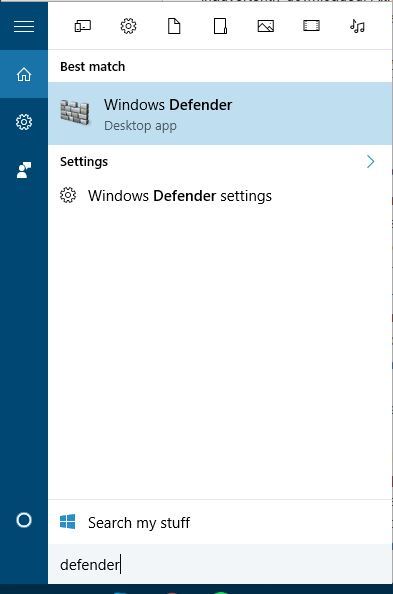
microsoft-security-essentials-defenderIf you have a third-party antivirus installed, you should see a message saying that Windows Defender is turned off.

The only way to enable Windows Defender again is to completely remove your third-party antivirus software — and that might not be the best solution, especially if you have a premium license for your antivirus program.
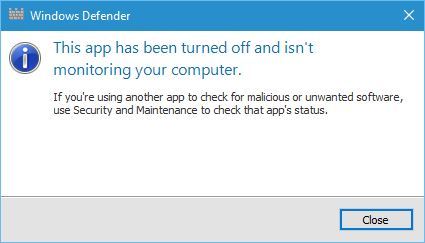
microsoft-security-essentials-defender-error

Microsoft Security Essentials can’t be installed on Windows 8 or later because it’s replaced with Windows Defender.

Windows Defender might be a decent antivirus software, but if you have any other third-party antivirus software installed, you won’t be able to use Windows Defender at all.

If you have any more questions or suggestions, don’t hesitate to reach for the comments section below.

READ ALSO:

TIMVision to launch all-new Universal Windows 10 app

In Italy, TIMVision is a popular streaming app which lets folks watch TV series, cartoons, films, and documentaries from anywhere, anytime, and from any device for just 5 euros a month.  The service long had an app available on Windows Phone, but it never proved to be too popular with Windows Phone fans.  A Universal Windows Platform version of the app, however, is now in the works (via WindowsBlogItalia.)

TIMVision Windows 10 Mobile
TIMVision Windows 10 Mobile (Image from WindowsBlogItalia.)

Seen above, The Italian Windows supersite managed to get their hands on an early version of the app. According to a rough translation, the website is even claiming that the new app is cross-platform and has the ambition of offering TIM customers with Windows service on a par with other platforms.  As is expected with the Universal Windows Platform, there is even a Windows 10 desktop version of the app, which looks pretty sleek, clean, and modern (seen below.)

3
TIMVision Windows 10 desktop (Image from WindowsBlogItalia.)

If anything, this is perhaps an indication that more and more developers are embracing the Universal Windows Platform, and are also listening to the complaints of Windows Phone fans.  We would love to hear your thoughts on the look of this app, so be sure to drop us a comment below!

Here’s what’s good, bad, and ugly in tonight’s new Xbox One Preview Build

The latest Xbox Preview Build (rs1_xbox_rel_1608.160725-1822) will begin rolling out in a few hours and it will feature a variety of refinements to the current version as well as a few more improvements.

Here are the official notes concerning the changes for the new release. Of note is the information on how being in the Xbox Preview Program affects game purchases (for now) and the inclusion of Microsoft’s SmartScreen security feature:
  • Certain content (games, apps, DLC) purchased in the new Store may only be available on consoles enrolled in the latest Preview update. This means…
  • Games purchased on a console running the latest Preview update can only be played on that console or other consoles running the latest Preview update.
  • Games purchased via Xbox.com can be played on any console.
  • Games purchased on a console running the previous update can be played on any console.
  • Certain parental control features aren’t functioning appropriately in the current build. As a result, we encourage users to exercise caution when letting children access a console that is using the latest Xbox One update until these issues are resolved.
  • We’ve added several settings that are already found on Windows today. These include SmartScreen Filter, which sends URLs you visit in apps to Microsoft to check against a list of potentially harmful sites, and advertising ID, which helps Microsoft present you with more personalized ads in Universal Windows Apps. You can choose to turn these off and manage your preferences for how Xbox One uses your information in Settings.

Here are the official notes on the fixes in this build.

  • My Games & Apps: Resolved an issue which could cause a blank tile to remain after uninstalling a universal app. Resolved an issue which could sometimes cause universal apps to fail to launch.
  • Home Universal app tiles should no longer show up as 0% installation progress on the Home dashboard.

There are some problems that users will still encounter with this build, mostly regarding apps and media on the Xbox One. This is to be expected when taking part in the Xbox Preview Program which is literally used by Microsoft to test for bugs like these. Here are the notes.

  • If a universal app version of an app is available, the version which is not currently installed may appear under Ready to Install (causing what appears to be the same app both installed and in Ready to Install).
  • You may encounter an an installation error (0x800700002) when attempting to install or update universal apps. Workaround: Uninstall and reinstall the app. If you have the app installed on both the internal hard drive and an external hard drive, be sure to uninstall from both.
  • You may be unable to answer calls through Skype notifications.
  • You may experience a “Do you own this game or app?” error when launching or using Netflix if it was installed by another user on the console. Workaround: While signed in as the primary user, uninstall Netflix, navigate to the Store, search for Netflix and select Free to download and install it.
  • When selecting “Add new” to add a new profile, the add profile interface may take up to 30 seconds to appear.
  • If you have pins on your Home to movies, TV shows, or music, they will disappear from Home when that app takes its new app update. The pins for the apps will stay on your Home, easy to get to.
  • Community Calendar Links to the Store in Community Calendar event details do not currently function.

A lot of these features (if not all of them) are expected to roll-out to the general public with the big Xbox One Anniversary Update next month. Are you looking forward to this update? Let us know your thoughts in the comments below.

Help the Windows Insider program choose an official t-shirt design, vote now!

The Windows Insiders are a group of people who are all fairly devoted to one cause: crushing bugs and making Windows 10 a better operating system. Like any group of like-minded individuals, it only makes sense that the Insiders get themselves a fancy new t-shirt to signify their love of the community. If grabbing a t-shirt like that sounds good to you, then you ought to go take a peek at the latest survey coming from the Insider team, which asks you to take your pick of which potential t-shirt design you prefer.

They aren’t making any firm commitments that the winner of the survey is going to be the shirt that ends up on the store, but it’s clear that just like input into the Windows Insider program itself, your opinion is going to be valuable in the decision making process. There are designs ranging from minimalist shirts to shirts that almost look like they belong in a biker gang, ensuring that people of all tastes should be able to find something they like.

shirt2
very fancy!
shirt6
The Windows family
shirt7
Bug Crusher!

There are seven t-shirts in all to choose from: check them out and then vote simply by clicking on the one you like and then hitting “submit” at the bottom. No information just yet on how to get one of these beauties, we’ll keep you posted! Which one is your favorite?

IMO.IM app is now available for Windows phones

If you’re a chat fan, you may want to check out the new IMO.IM app for Windows phone. IMO is a free app, allowing users to send text messages and make voice and video calls with their friends, no matter what device they are on.

Here are the features offered by the IMO.IM app:

  • “Send unlimited instant messages
  • Group chat with friends, family, roommates and others
  • Keep chats in sync with mobil
  • Make high-quality video and voice calls
  • Share photos and videos
  • Express yourself with hundreds of free stickers.”

However, there are some features available on the other platforms, which are not yet supported by the IMO.IM app for Windows. For example, in the official app description for Android, users are informed they can make group video calls with friends, whereas the Windows version of the app supports only the group chat feature.

Also, the Android version for the app clearly mentions that chats and calls are encrypted, whereas the Windows description of IMO.IM doesn’t mention anything about such a security feature.

Judging by the user feedback, the IMO.IM for Windows Phone is not a very good app, as it currently has a rating of 3 out of 5 stars.

When you first install the app, you need to provide a valid phone number so that the app can send a verification code to that number. However, it appears there is a problem with the verification code, as many users reported they didn’t receive it and cannot access the app.

Where’s my verification code?? I’m still waiting for the verification code :\


I don’t get the verification code so the app is totally useless!!

You can download IMO.IM for Windows Phone 8.1 and Windows 10 Mobile from the Windows Store.

RELATED STORIES YOU NEED TO CHECK OUT:

Microsoft will give you a free tablet when you buy a Windows 10 PC

The Microsoft Store in both the U.S. and Canada is running a new promotion where customers who purchase a Windows 10 PC walk away with a brand new 8-inch tablet from NuVision. It’s a good deal, but will only last for a limited time so if you’re interested, make a move now.

The NuVision tablet usually goes for $99, so consumers are not getting a powerful piece of kit, just something for basic use. In the past, Microsoft made a similar deal where it offered the same tablet for $40 along with a purchase of a Windows 10 computer.

Bear in mind that not all Windows 10 PCs are eligible. There are a selected few and Microsoft made sure to list them for all to see before they decide to jump in. The cheapest Windows 10 PCs on this list go for $699 while the most expensive is $3,499.

Most computers on the list are on sale. One in particular, the Alienware 15 Touch Signature Edition Gaming Laptop, sports a $500 discount that brings it MSRP down to $1,999.

There’s ample time to take advantage of this deal seeing as it won’t go out of commission until September 9, 2016. Microsoft is clearly targeting those who are in full back to school mode, and the plan might just work out in the software giant’s favor.

If you’re not seeking a Windows 10 computer but a smartphone instead, the Acer Liquid Jade Primo is going for cheap on the Microsoft Store right now.

RELATED STORIES YOU NEED TO CHECK OUT:

IDC: Microsoft in third in Worldwide Cloud Systems Management Software, and gaining fast

Businesses are constantly looking for better deals in cloud computing. The prospect of a cost-effective and simple management across products and services is appealing for enterprise customers. Every day, consumers embrace the expanding market for cloud services. Premier market intelligence firm IDC estimates that “worldwide spending on commercial cloud systems management software and SaaS solutions grew 24.6% and totaled $2.9 billion in 2015.”

IDC expects that by the end of 2017, over 80% of enterprise IT organizations will commit to hybrid cloud architectures encompassing multiple public cloud services, as well as private cloud and/or noncloud infrastructure resources.

Following the tireless creed of “Cloud first, Mobile first,” Microsoft has made certain to cement their spot near the top of the list. In fact, the recent report by Mary Johnston Turner, IDC research vice president, gave detail to the expanding growth of Microsoft Azure as a worldwide cloud system compared to its competitors.

Worldwide Cloud Systems Management Software Market Share
Source: IDC.

According to the publication, Microsoft is hot on the tail of market leader VMware. Both offered cost efficient management suites and unified licenses to their customers, a strategy that seems to be working well in the market for many vendors.

Worldwide Cloud Systems Management Software Revenue by Vendor
Source: IDC.

The report attributes much of Microsoft’s growth to a variety of announcements and innovations as a result of the ‘cloud first’ solution. Such as the release of Microsoft Operations Management Suite and Azure Stack.

Microsoft emphasized it will continue to support on-premises System Center upgrades and deployments for many years. As Azure gains traction with enterprise customers, more and more Microsoft systems management software including portions of System Center, Window InTune, and OMS are being deployed to support cloud.

Turner also noted in the analysis that the market demand for cloud systems are still strongest in the Americas. That doesn’t count out the rest of the world, though. Interest has continued to build in EMEA and Asia/Pacific regions compared to previous data.

While the report doesn’t note any expected predictions for the next year’s growth, it does state that the market did meet their former expectations. Customers are gaining confidence and selecting cloud systems that meet their needs at low costs with efficient services. Microsoft intends to provide just that through the Azure cloud as they race their way towards the top.

Boom Boom Rocket and Syberia join in the Xbox One Backward Compatible fun

One of the more popular and, dare we say, successful Microsoft programs has been the Backward Compatible feature for Xbox One. The growing list of Xbox 360 titles that can be played on Microsoft’s latest console continues to add value, and Microsoft seems intent on continuing the stream of games that can be played on the Xbox One.

Today, two new titles were added, according to Major Nelson’s Twitter account:

Boom Boom Rocket: $9.99

Boom Boom Rocket.

Set off an amazing display of fireworks with Boom Boom Rocket. As rockets fly against a spectacular cityscape, time their detonation to the beat of the music to unleash some awesome pyrotechnics. Featuring four game modes including two multiplayer modes, and a great soundtrack, Boom Boom Rocket is the explosive must-have game for Xbox Live Arcade. Download the trial version now.

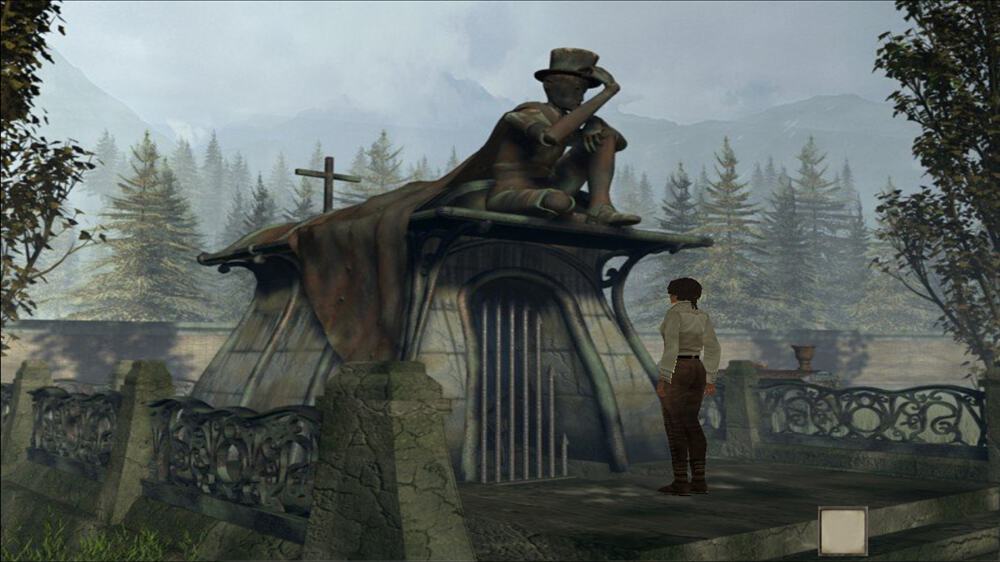
Syberia: $9.99

Syberia.

The critically acclaimed adventure jewel from Benoit Sokal arrives on Xbox Live Arcade.Embark on an unforgettable journey into Syberia’s enigmatical universe and explore a bewitching world full of larger than life automatons! Incarnate Kate Walker, in her quest to unveil the mystery around the disappearance of the Voralberg factory’s heir, a formerly glorious company, and experience situations that will put Kate’s lifestyle under question!

There you have it, the latest two additions to the Xbox One Backward Compatible program. Let us know in the comments if you plan to play either of these titles on your Microsoft console.

This Windows 10 app helps Pokémon Go fans cheat

It’s a shame that Windows 10 Mobile users can’t play Pokémon Go, a topic that’s been of some interest since the augmented reality title became the most popular mobile game ever. Rumors abound that an app might be coming to Windows smartphones, petitions keep popping up, and Microsoft’s most important Pokémon Go platform so far has been HoloLens.

Pokémon Go Find ’em app running on Windows 10.

That didn’t stop some developers from putting together a Windows 10 app that utilizes an exploit to helps Pokémon Go players all of the important Pokémon’s in their general vicinity. According to Windows Central:

Find ’em all is a new app from developer Daniel Gary, who threw the it together literally in one night. The concept is simple: using data gathered from the Pokémon Go servers, users can see in real-time where Pokémon are based on their current location. Tapping any Pokémon on the display reveals the name and time the imaginary collectible expires. Tapping anywhere else on the map will initiate a scan in that region.

If you’re a Pokémon Go player and registered with the Pokémon Trainer Club, then you can at least use your Windows 10 device to get a head start on local Pokémon’s. You can download the app here (it may not be active in the Windows Store quite yet), and let us know in the comments what you think of using your Windows 10 device to get a leg up on your competitors.

Xbox Summer Spotlight returns, highlighting new games today through September 5th

The Xbox team is bringing back its Summer Spotlight. Judging by the list, this summer’s gameplay will be dominated by exclusive betas for the month of August 2016. The idea behind Xbox’s Summer Spotlight is to highlight new games coming to the Xbox One over the next six weeks (July 26 – Sept 5) as summer kicks into full swing, and the lure of air condition gameplay grows even stronger. Major Nelson is planning big things for the Summer Spotlight:

To celebrate the Summer Spotlight, I will be giving away an Xbox One S, Xbox Elite Wireless Controllers and copies of every Summer Spotlight title. Details coming soon!

But wait there’s more! Earn 4,000 Rewards Credits for diving into these releases featured in Summer Spotlight. Just spend $40 on featured game betas, previews, and digital releases Enjoy these great games with the convenience of downloading them right from your living room to your Xbox One!

For those interested, here are names and dates of games soon to be available for download:

15 July:

Kerbal Space Program

The Solus Project

19 July:

Sword Coast Legends

26 July:

We Happy Few (Game Preview)

Dungeon Punks

Hyper Light Drifter

27 July:

Action News Heroes (coming soon)

29 July:

Uno (coming soon)

Most notably among the betas is We Happy Few which was well received by crowds at this year’s E3 2016 convention. Rewards members will be among the first to get their hands on this eerily dystopian version of BioShock. As previously stated, there will be more titles coming down the pipe and the gamers are encouraged to follow either Xbox representative Major Nelson or the various official Xbox social media accounts for updated listings every Tuesday.

Here’s August’s Xbox Games with Gold and this week’s Deals With Gold savings

Another month has passed in the world of Xbox, and that means it’s time for a fresh set of free Games With Gold titles. We’ve checked out August’s free titles, and the weeks Deals With Gold savings and have detailed them for you below.

August Xbox One Games With Gold:

August 1st- August 16th- WARRIORS OROCHI 3 Ultimate ($59.99 ERP)

The WARRIORS OROCHI series is a series of tactical action games in which heroes from the DYNASTY WARRIORS and SAMURAI WARRIORS franchises work together in an effort to defeat Orochi, the Serpent King. The latest title in the series, WARRIORS OROCHI 3, features over 120 playable characters, who can be played freely in three-character teams. Themes of loyalty, betrayal, friendship and love are explored in the human drama created as these heroes clash on the field of battle.

August 16th to September 15th- WWE 2K16 ($39.99 ERP) :

Get in the ring and Raise Some Hell with WWE 2K16!  The undisputed champion of wrestling games returns with the biggest roster in WWE games history and the “Texas Rattlesnake” Stone Cold Steve Austin as its Cover Superstar!  Play as your favorite Superstars from the past, present and future and experience the most authentic, comprehensive, in-your-face WWE video game of all-time!

Xbox One Deals With Gold:

As always, this week’s Xbox One Deals with Gold savings includes a wide range of titles and add ons. On the add on side, Battlefield Hardline Crimnal Activity becomes free because of Deals with Gold, and Killer Insict Character Aria sees a 80% discount.  When it comes down to actual games, however, the following titles have been discounted:

  1. Metal Gear Solid: Ground Zeroes  75% off
  2. Worms Battlegrounds 75% off
  3. EA SPORTS Rory McIlroy PGA TOUR 70% off
  4. The Escapists 66% off
  5. Another World – 20th Anniversary Edition 50 % off
  6. Bridge Constructor 50% off
  7. Starpoint Gemini 50% off
  8. Knight Squad 33% off
  9. Metal Gear Solid: The Phantom Pain 33% off
  10. Pro Evolution Soccer 2016: Digital Exclusive Bundle 33% off
  11. Sheltered 33% off
Xbox One
Xbox One With Controller

August Xbox 360 Games With Gold:

August 1st- August 15th Spelunky ($19.99 ERP) :

Spelunky is a unique platformer with randomized levels that offer a new and challenging experience each time you play! Journey deep underground and explore fantastic places filled with monsters, traps, and treasure. Fully-destructible environments open up lots of strategies and make it a blast to master the game’s many secrets.

August 16th- August 31st: Beyond Good & Evil HD ($14.99 ERP) :

Beyond Good & Evil™, the award-winning action-adventure game is back! This time play through this innovative thriller in full high-definition graphics. Play as Jade, a young investigative reporter, and expose a terrible government conspiracy. It is up to you and your loyal pig friend Pey’j to save your planet and its inhabitants.

Xbox 360 Deals With Gold:

Just like on Xbox One, there are many savings on DLCs and Xbox 360 titles this week. On the DLC side is once again Battlefield Hardline Criminal Activity. There are also 50% discounts on a few Xbox 360 Arcade titles such as Castlevania: Symphony of the Night, Frogger,  and Alien Breed. Other deals include the following Xbox 360 games:

  1. Pro Evolution Soccer 2016 25% off
  2. Metal Gear Solid V: The Phantom Pain 33% off
  3. Metal Gear Rising Revengeance 50% off
  4. METAL GEAR SOLID 2 and 3 HD 50% off
  5. Metal Gear Solid HD Collection 50% off
  6. Metal Gear Solid Peace Walker HD Edition 50% off
  7. Castlevania: Lords of Shadow 2 75% off
  8. Metal Gear Solid V: Ground Zeroes 75% off
An Xbox 360
An Xbox 360

So, there you have it! Those are this week’s Deals With Gold savings, and August’s Games With Gold. The fun is always doubled for those who have Xbox Live Gold, because as part of the Games with Gold program you can play both Xbox 360 titles on your Xbox One with Backward Compatibility.

As always, please let us know what you think of these deals and titles by dropping us a comment below!

Microsoft kicks off internal //oneweek with Hackathon

On Monday, 14,000 Microsoft employees from over 72 countries around the world opened up the first day of the annual //oneweek festivities, including a Hackathon.

ready for Hackathon
ready for Hackathon

Complete with thunder sticks, capes, and sunglasses, the employees all came together at the event to see and demo the latest Microsoft products, ask questions about what’s coming in the next fiscal year, volunteer in their communities and celebrate their accomplishments.  In an official post about the event, Microsoft notes that there are more than 3,200 registered Hackathon projects, and employees hack everything Microsoft, from bots, to HoloLens, and more. It is also noted that the employees focus on cognitive services, accessibility, and  inclusive design while at the event.

This is the third annual //oneweek gathering. The event first started back in 2013 , and is centered on helping Microsoft employees become aware of the company’s ambitions.  We would love to hear your thoughts on //oneweek, so be sure to drop us a comment below!

New video games Hyper Light Drifter and Dungeon Punks out now on Xbox One

Hyper Light Drifter and Dungeon Punks are both now available on the Xbox One.

Dungeon Punks is a brawler which can be played with a single player or up to three players in local multiplayer. It features 12 different areas, a variety of boss battles, over 12 hours of gameplay in story mode, and a special New Game Plus Mode. Here’s the official description: Dungeon Punks is a fast paced Action RPG with a unique Tag-Team fighting system and Local Player vs. Player Brawl Mode. Adventure awaits whether you’re going solo, playing with friends, or beating each other to a pulp in one of the many battle arenas! Total mayhem is bound to break loose as you blast your enemies senseless with crazy magical spells and custom combo attacks. If you enjoy other Arcade-Style Brawlers or Action RPGs, you’re going to absolutely love Dungeon Punks. We spent almost five years on it to bring you what we hope you’ll agree is the most fun 2.5D brawler of all time!

Buy Dungeon Punks on Xbox One

Hyper Light Drifter is an action and adventure title with hand-drawn animation, upgradable weapons, and branching skill trees. Here’s the official description: Echoes of a dark and violent past resonate throughout a savage land, steeped in treasure and blood. Hyper Light Drifter is an action adventure RPG in the vein of the best 16­bit classics, with modernized mechanics and designs on a much grander scale.

Drifters of this world are the collectors of forgotten knowledge, lost technologies and broken histories. Our Drifter is haunted by an insatiable illness, traveling further into the lands of Buried Time, hoping to discover a way to quiet the vicious disease.

Buy Hyper Light Drifter on Xbox One

Have you played either Hyper Light Drifter or Dungeon Punks on Xbox One? Let us know which one you think is best in the comments below.

Here’s how to fix Surface Pro 3 battery drain issue without paying $500 for a new battery

The battery drain issue on the Surface Pro 3 is a never-ending saga, just like the random reboots on Lumia 950 and Lumia 950 XL. Actually, all Surface devices have been affected by battery drain issues, although Microsoft tried to fix them by rolling out various updates.

Fortunately, we have good news for all Surface Pro 3 owners. Juanmaq is a Windows Insider who has managed to recover his Surface Pro 3 battery at 100% capacity, after having experienced severe battery problems. It appears that his workaround really works as other Insiders approved and upvoted it.

His solution was tested on a Surface Pro 3 powered by a SIMPLO battery after he noticed that his Surface battery got to 31mWh of full charge capacity, and it was degrading consistently all days 2% to 3%.

The user performed a series of actions meant to improve his Surface Pro 3 battery life: he reinstalled the battery driver, and changed the way he used the equipment, meaning that he always left his Surface Pro 3 disconnected of the electrical power supply or unplugged from the dock after turning it off while he was not using it.

First of all, I went back to the previous version of the driver of the battery and reboot, then update it again with the last driver of the battery and restart.

Afterwards I started to always leave it disconnected from the electrical power supply after turning it off or Hibernate, for many hours, basically throughout the night and part of the day.

Then, each day with patience used it only on battery up to 50% or 60% and then connecting it to charge it. While I was doing this I realized that is was taking more time for  loading when arrived to the 99% and when it got to the 100%, the capacity of load was of 2 to 3% more than the charge capacity of the previous day, and I did it during a week, until now  that it reached the 100% of the capacity again. […]

In order to verify, I’ve tried to use it on battery up to 15% with use of normal light web browsing tasks, eventually some videos, etc. lasting now more than 8 hrs. then charge to the 100% of the normal capacity again.

If you’re experiencing battery issues on your Surface Pro 3, don’t hesitate to use this workaround. The alternative is to pay $500 for a new battery.

RELATED STORIES YOU NEED TO CHECK OUT:

Microsoft releases another Anniversary Update… update – go download 14393.5 now!

As we hinted at this weekend, Microsoft isn’t quite done with updating the Anniversary Update, and has just released another point release, this time 14393.5. According to the Feedback Hub announcement, here are the changes:

We have released a Cumulative Update (KB3176927) to Windows 10 Insider Preview Build 14393 on PCs and Mobile devices which will bring the build number to 14393.5. This Cumulative Update includes a handful of fixes:

  • We have improved reliability and performance of Microsoft Edge with AdBlock and LastPass extensions enabled. These extensions should continue to work after installing other extension updates from the Store.
  • We fixed an issue causing battery to drain due to runaway CPU processes while a device is idle. We also fixed a battery life issue due to the proximity sensor always running on some devices.
  • We fixed an issue causing Store apps to stop launching due to a licensing issue.
  • We have fixed an issue that results in Windows Updates being delayed on systems with Connected Standby.
  • We fixed an issue where the Korean IME would not have the correct composition on some custom TSF3 edit controls on PC.
  • We fixed an issue where you might not be able to type in text into Search or some Store apps without having to restart the process.
  • We have fixed an issue where keyboard input on some Windows tablet devices would not rotate to landscape normally.

If you’re on 14393 already, you should be able to get this latest update via Windows Update, and if you’re waiting til next week’s Anniversary Update release, well it just keeps getting better and better!

Excel’s July 2016 update add new Get & Transform and PowerQuery add-in features

It’s that time of the month again for Microsoft’s Excel 2016 software. The July update included a list of features for its Power Query technology. To be specific, the Get & Transform has been tweaked with many new connectors and controls that enhance the ability to gather and organize data easier.

These updates include the following new or improved data connectivity and transformation features:

  • New SAP HANA connector.
  • New SharePoint Folder connector.
  • New Online Services connectors category.
  • Improved DB2 connector, now leveraging the Microsoft driver for IBM DB2.
  • Improved Text/CSV connector, now exposing editable settings in the preview dialog.
  • Improved relational database connectors, now including Schema information as a part of the Navigation hierarchy.
  • Data Source Settings enhancements, including “Change Source” capability.
  • Advanced Filter Rows dialog mode within the Query Editor.
  • Inline Input controls for Function invocation within the Query Editor.
  • Support for reordering Query Steps within the Query Editor by using drag and drop gestures.
  • Date picker support for input Date values in Filter Rows and Conditional Columns dialogs.
  • New context menu entry to create new queries from the Queries pane within the Query Editor.

Last month, Excel 2016 saw major improvements built into the PivotTables. Users were able to take advantage of the faster OLAP servers thanks to caching improvements, increasing query efficiency and reducing the number of queries. The July update seems to continue building on that, empowering the ability of Power Query through the Get & Transform section on the Data ribbon.

All Office 365 subscribers can take full advantage of the update with their purchase. Likewise, users that have the older 2010 or 2013 Excel versions can download the Power Query add-in for Excel. The team’s blog went into even more detail for each of the new features today so make sure to check out the latest Office 365 blog post.

Microsoft provides updated virtual machines supporting Windows 10 Preview build 14393 and EdgeHTML 14

If you make use of Microsoft’s preconfigured virtual machines to test against the latest Windows 10 builds, then the company wants you to know that some new versions have been published. According to the MS Edge Developer Twitter account, the latest Windows 10 Preview builds with the latest EdgeHTML version are now available.

As you can see, you have a number of choices in which virtual machines you can download:

MIcrosft Edg Dev Virtual Machines
MIcrosft Edg Dev Virtual Machines.

As always, these will expire in 90 days, and so they’re not intended to replace full licenses. Let us know in the comments if you plan to utilize any of these virtual machine images.

Seagate launching Gears of War 4 themed 2TB drive for Xbox One, pre-order now

Earlier this month, Microsoft announced that there would be custom Xbox One S consoles for certain bundles, with the first one being an amazing Xbox One S Gears of War 4 Limited Edition 2TB bundle that you can already pre-order for a cool $449.99. However, if you’re a Gears of War fan looking for an external hard drive that matches the design of this custom Xbox One S (or if you’re just looking for an awesome external hard drive for your current Xbox One or PC), Digital Trends is reporting today that Seagate will release a limited edition Gears of War-branded 2TB hard drive which has been designed with input from both Microsoft and Gears of War 4 developer The Coalition.

You can see how it looks below:

This external hard drive will be an even better match with the Xbox One S Gears of War 4 Limited Edition console.

According to Seagate, the 2TB external hard drive, which supports USB 3.0, has also been optimized for Microsoft’s gaming console:

Games playing from the Seagate Game Drive will perform just as if they were playing from the console’s internal hard drive. It is also possible to unplug the Seagate Game Drive and take an entire game library to a friend’s house. It is small enough to slip into a pocket, doesn’t need a power cord, and can store a catalog of downloaded games and achievements for continued gameplay on any Xbox One S or Xbox One console.

The 2TB external hard drive is up for pre-order exclusively at GameStop for $99.99 before its global launch on September 16. Moreover, gamers who buy the Gears of War 4 branded item will also get a digital code for two bonus Gears of War 4 Gear Packs including skins, experience boosts and more.

Do you think this limited edition hard drive is good value for Gears of War fans? Let us know what you think in the comments below.

New version of PicsArt app offers exclusive feature just for Windows 10 users

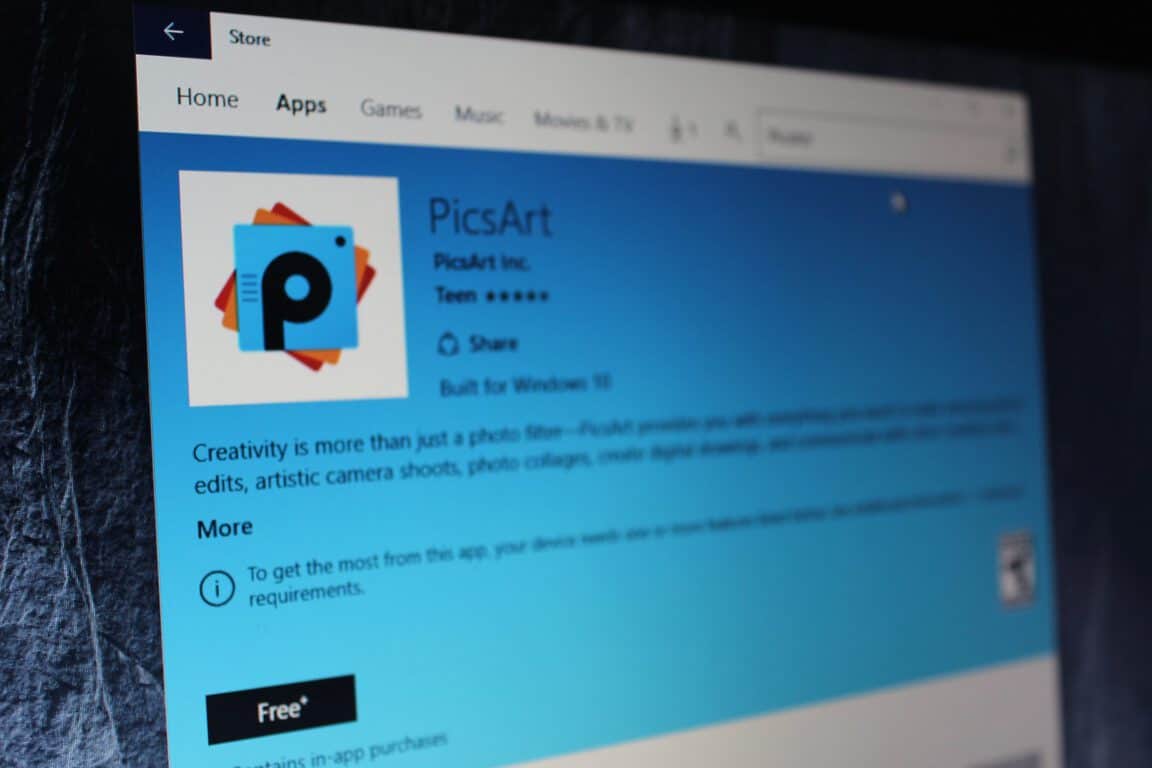
With over 300 million installs and 75 million monthly active users, PicsArt, the leading photo editing, collage, and drawing app has already been enjoyed by plenty of people worldwide. Today, though, the developers of PicsArt have released a new version of the PicsArt app that brings AutoEdit to the PicsArt experience on Windows 10.

The new version of the app now means you have an easy way to make your pictures look awesome straight from your favorite Microsoft device. So, thanks to the Windows 10 exclusive AutoEdit feature seen in the new version, you can instantly transform your images into works of art with a single tap.  AutoEdit can be used with the vast collection of more than 300,000 #FreeToEdit creations, and can be accessed from the bottom of the toolbar in the Editor.

An AutoEdited image in PicsArt

Additionally, the new version also includes a Square Fit Tool, which enables you to fit any of your rectangular images into a square shape. Using the tool you can adjust the color of your background, use a blurred version of your photo as a background, or choose from a selection of fun background images to make your pictures look amazing.

If you’re not already using PicsArt, we’ve done you a favor and have included a download link for you below! As always, though, once you’ve downloaded the app and tried it out, be sure to drop us a comment below and let us know how the app experience is going for you!

Picsart Photo Editor
Developer:
PicsArt Inc.
Price:
Free

Skype for Linux Alpha 1.2 improves stability, adds device settings and HD avatar support

Nearly two weeks ago, Microsoft announced an alpha release of a Skype client for Linux built on the WebRTC protocol and that looks quite similar to the Skype for web client. This new foundation means that the Skype team is now able to iterate faster, and Neowin reports today the Linux client has been updated to version 1.2.

The new version should improve both stability and usability and you can see the full changelog below:

  • We’ve improved the stability of chat service when you’ve been signed in and chatting for a long time
  • You can now change your audio and video device settings.
  • Opening the app from tray will bring it to the front and into focus.
  • You can now close the app to system tray.
  • Contacts with an apostrophe in their name will now be displayed correctly.
  • You can now Quit the app with Ctrl+Q (although we’d be really sad to see you go).
  • We’ve started to support HD avatars.
  • You can now set your mood message from Profile settings.
  • The Post-install script registers the Debian repository and has the correct architecture specified (64bit).

If you’ve already tried the new Linux client, don’t hesitate to share your feedback on the online Skype community. Of course, you can also share your thoughts about the new client in the comments below.

Starbuck’s official Universal Windows 10 app shows up on website, clearly on its way soon

One of the marquee developers promising support for Microsoft’s vital Windows 10 and Office platforms at this year’s Build 2016 event was Starbucks, the purveyor of expensive and trendy coffee products. There’s a Starbucks add-in for Outlook available, and a Universal Windows 10 app has been planned for Windows 10 PCs and smartphones for awhile now.

Apparently, that support is coming very soon (via Windows Central), because the Windows 10 app is now officially listed on the Starbucks web site. The link isn’t live yet, but that’s not something we imagine Starbucks wants hanging out there for long.

Starbucks Windows 10 app
Starbucks Windows 10 app.

Keep your eyes open for more information on when you can use your Windows 10 device to order your coffee, charge up your cards, and make the most of your Star Rewards points. Let us know in the comments if you’re looking forward to joining the hip crowd using their official Starbucks apps.

Epic Games’ co-founder continues to rail against Windows 10’s moves toward a “closed platform”

Gears of War has long been a very successful title for both Microsoft and Epic Games founder Tim Sweeney. Despite the success, however, the founder of Epic Games famously went on a tear of Microsoft where he detailed how he believed Win32 apps are better for consumers than Microsoft’s UWP. To perhaps add insult to injury, more recently Tim Sweeny went on another rant, and labeled Microsoft as a  monopolistic threat to gaming.  Now a few months removed from these rants, Sweeny is at it again by railing against Windows 10’s moves towards a closed platform (via gamespresso)

In an interview seen in Edge in Edge, Sweeney comments how Microsoft made “sneaky PR moves” with Windows 10 after having Surface RT devices which only would run apps from the Windows Store. As noted by gamespresso, Sweeney says:

“The trouble started when Microsoft began shipping some PCs and regular Surfaces that were so locked down that you couldn’t run Win32 apps; you could only run apps that had been bought from their store. That is a complete travesty. With Windows 10 they removed some more capabilities. They’ve been able to do this via some sneaky PR moves. They make a bunch of statements that sound vaguely like they’re promoting openness, but really they’re not promising anything of the sort.”

Surface RT
A Surface RT with Windows RT

Tim Sweeney also spoke out about the UWP as a phasing-out of Win32 apps, and how he sees it as a forcing of the distribution of games and apps through a closed-platform Windows Store. He tells Edge in Edge:

“The risk here is that, if Microsoft convinces everybody to use UWP (Universal Windows Platform), then they phase out Win32 apps. If they can succeed in doing that then it’s a small leap to forcing all apps and games to be distributed through the Windows Store. Once we reach that point, the PC has become a closed platform. It won’t be that one day they flip a switch that will break your Steam library – what they’re trying to do is a series of sneaky manoeuvres. They make it more and more inconvenient to use the old apps, and, simultaneously, they try to become the only source for the new ones.”

IMG_1079
Windows Store Apps

Of course, it does not end there, and Sweeney mentions how the UWP will “flip a switch which will break your Stream library” and how Microsoft will “force-patch Windows 10 to make Steam progressively worse and more broken.” He says to Edge in Edge:

“They’ll never completely break it, but will continue to break it until, in five years, people are so fed up that Steam is buggy that the Windows Store seems like an ideal alternative. That’s exactly what they did to their previous competitors in other areas. Now they’re doing it to Steam. It’s only just starting to become visible. Microsoft might not be competent enough to succeed with their plan, but they’re certainly trying.”

UWP on various platforms

Regardless of his comments, and with the Windows 10 Anniversary Update just a week away, Microsoft is obviously still pushing its plans for the Universal Windows Platform. In fact, (and perhaps to Sweeney’s dismay,) Universal Windows Platform apps are even coming to the Xbox One, with MSN Weaher just being one prime example.

Again, this is just another set of controversial anti-Microsoft comments from Sweeney. So. regardless of which side of this situation you stand on, we would love to hear your thoughts, and so be sure to drop us a comment below!

US Govt asks court to throw out Microsoft court case on unlawful search and seizures

Over the last few months we have been closely following Microsoft’s battle with the US Government over secrecy orders, otherwise known as the ability for the company to disclose to customers the fact if  private emails have been accessed by government investigators. The U.S. government is now asking the court to throw out Microsoft’s case on unlawful search and seizures (Via Bloomberg).

In its decision, The U.S. government is noting that  federal law permits authorities to obtain electronic communications (such as emails) without a warrant or without disclosure of a specific warrant if it would endanger an individual or an investigation.  The government also highlights that Microsoft has, “no authority to sue over whether its users’ constitutional protections against unlawful search and seizure are being violated.”  A statement from the lawsuit, as seen on Bloomberg, puts this situation best:

“Microsoft’s challenge effectively asks this court to adjudicate the lawfulness of thousands of such court orders from across the U.S., without regard to the basis for, and terms of, those orders, which necessarily vary from case to case.”

In a case that dates back to April, this is just the latest move by the United States government, perhaps indicating that this case my drag on for a long time ahead. Bill Gates, however, recently added his support to Microsoft’s secrecy lawsuit against the US government, and claimed that, “no one was an absolutist” on either side of the digital privacy debate.

Since this issue can be quite controversial for both Microsoft and the U.S. government, we would love to hear your thoughts on what this case means. Do you support Microsoft in this lawsuit? Or do you support the United States government? Please let us know what you think of this highly controversial situation by dropping us a comment below!

Microsoft previews Upgrade Analytics to help businesses with Windows 10 performance tests

Microsoft has just taken to an official blog to announce that Upgrade Analytics  is now available in a public preview. Upgrade Analytics was first announced a few weeks ago, and allows businesses to get telemetry from Windows 10 devices, and also helps them analyze system performance Business apps are performing.

This availability means that Upgrade Analytics can now be added to an existing OMS workspace. New users also can can sign up for a new OMS workspace with the Upgrade Analytics solution enabled. In line with this, Microsoft is noting that Data generated by Upgrade Analytics is not counted towards the OMS quota, so businesses can use a free-tier OMS workspace for Upgrade Analytics. Additionally, Microsoft notes there will be no extra charges generated by Upgrade Analytics data if the business  are using a Standard of Premium tier workspace.

For the complete details on how to see your organization data in Upgrade Analytics, you can visit this official webpage. Microsoft highlights the fact that once the data is sent will usually show up in Upgrade Analytics within 48 hours. Lastly, the Redmond giant also notes that as an IT Pro you decide whether or not data is sent to the service. Data is only sent from Windows 7, 8 and 8.1 computers if the Opt In flag is set as described in step 4 or the computers are opted in to the Customer Experience Improvement Program (CEIP).

Here’s what happens after August 2nd for Windows 10 Insiders

On August 2nd, Microsoft officially releases the Anniversary Update (aka Redstone 1 and Version 1607) for Windows 10. With over 350 million devices running Windows 10, Microsoft is betting big on this new update, which adds numerous new improvements to the Microsoft Edge browser, Cortana, and other key features across the operating system. The August 2nd release is scheduled to be a “global rollout” and not everyone will receive it on that day, but you have nothing to worry about if you are a part of the Windows Insider program.

As an Insider, you will have the Anniversary Update on August 2nd without any further action required. In fact, if you are running Windows 10 build 14393, you already have the Anniversary Update installed. Microsoft will be releasing additional updates and fixes to build 14393 like the recent KB3176925 which bumped the build number slightly from 14393 to 14393.3.

Those of you still enrolled in the Windows Insider program after August 2nd will begin to receive Redstone 2 builds. Redstone 2, for those curious, is the next big update to Windows 10 slated for Spring of 2017, news we exclusively revealed back in March of this year. Redstone 2 is slated to add new improvements and features that did not make the cut in Redstone 1 (aka the Anniversary Update).

Here’s what a Microsoft spokesperson told us:

“Windows Insiders will have the Anniversary Update on August 2nd, no further action will be required. We expect the build number to not change; however, additional updates and fixes are likely for both OS and Apps. After August 2nd, Windows Insiders will continue to receive new builds related to their choice of fast or slow rings.”

For those of you who are not enrolled in the Windows Insider program and are running Windows 10 version 1511, you will be able to download the Anniversary Update beginning August 2nd. It’s going to take time, so don’t freak out if you do not see the update available right away.

As August 2nd nears, we’ve got quite a bit of feature stories lined up for those of you who are new to the update and looking to learn more about what’s new. Stay tuned for that! We also have a hand-on video review of the Anniversary Update in the works.

Disney releases a new coloring book app for Windows 10, Surface Pen supported

Disney recently released a new app for youngest users of Windows 10. The app is called Art of Coloring by Disney, and, as its name says, is a digital coloring book featuring a handful of Disney-themed art and characters.

To complete the experience of on-screen coloring, Disney included support for the Surface Pen. All young users of Windows 10-compatible Surface devices will be able to give their own tone to Disney characters using this accessory.

Here’s the complete list of Art of Coloring by Disney features:

  • “CURATED DISNEY DESIGNS! Create uniquely beautiful designs of your favorite Disney Princesses, characters from The Jungle Book, The Lion King, Frozen and many other classics.

  • FLORALS, ANIMALS, CATS AND MORE! Try your hand at the intricate detail of some of your favorite coloring themes.

  • DOZENS OF ARTISTIC DISNEY PALETTES! Use lots of shades and gradients, and even inspired palettes from such films as Tangled, Cinderella, and Pinocchio to inspire your masterpiece.

  • DESIGNS FOR ALL LEVELS! The intricacy and range of the designs are perfect for all types of artists, from beginners to experts.

  • SHARE YOUR CREATION! Your friends won’t believe what you’ve accomplished!”

As we said,  Art of Coloring by Disney works best on Surface devices, but since it’s a UWP game, it can be used on all compatible Windows 10 and Windows 10 Mobile devices.

The game is completely free (but contains in-app purchases, though), and you can download it from the Windows Store, and give your kid some fun with characters of his/her, and probably yours childhood.

RELATED STORIES YOU NEED TO CHECK OUT:

Readit for Windows 10 receives huge update, numerous fixes and improvements

Third-party Reddit app, Readit, has received a huge update that brings with it many fixes for issues that users were experiencing, as well as some improvements that lead to a better experience when using the app. The app is available across many Windows 10 devices, including PCs, Mobile, HoloLens and the Surface Hub.

The developer behind the app, Caleb Keith, took to his app’s sub-reddit to announce the update. Some of the notable improvements include:

  • Improvements to Mobilizer functionality
  • Receive toast notifications for new posts in a sub-reddit
  • Save entire picture albums
  • Various improvements to user profiles
  • Open links in a new browser window
  • Improved performance and faster loading

There have also been many bug fixes:

  • Fixed slow loading of youtube videos/video players in general
  • The subreddit name and OP name of posts will now be in the same order for post lists and when viewing a single post
  • When submitting a new post, the subreddits list will now be in alphabetical order
  • The subreddits list will now be in alphabetical order for wallpaper and lockscreen subreddit pickers
  • In a new link window from comments (such as viewing an inline image) on mobile, you can now tap on any edge of the screen to dismiss these windows.
  • The comment count, to go directly to comments, now has a larger hitbox and you can tap in the blank space above or below it as well to go directly to comments.
  • Fixed i.reddituploads.com posts not loading in user profile pages
  • Advanced settings will now load immediately
  • Fixed sidebar overflowing above the top of the screen on mobile

To view the full changelog, take a look at the announcement on Reddit.

Readit
Readit
Price:
Free

Windows 10 news recap: data protection concerns, Stan for Windows 10, new Sonic game and more

Welcome back to our weekly “Windows 10 news recap” series where we go over the top stories of the past week in the world of Microsoft’s latest operating system. Let’s get started.

Project Sonic 2017 coming to Windows 10

A teaser trailer has been released for an as yet unnamed Sonic game that is arriving holiday 2017. It will be released for Windows 10 PCs and Xbox One.

Sonic Dash for Windows 10 receives an update

Sega Networks has released an update for its Sonic Dash game on Windows 10, which works on both PC and Mobile. The update adds a new character and level to the free-to-play game.

Microsoft releases an update to its Desktop App Converter Preview

The latest update to the Desktop App Converter Preview adds support for Windows 10 builds 14388 and later. The Desktop App Converter is used to convert standard Windows programs into packageable apps that can be distributed via the Windows Store.

Evernote app for Windows 10 found in the Windows Store

A new app for Evernote on Windows 10 has been discovered in the Windows Store, although, it doesn’t function quite yet and appears that Evernote is still early in the development process.

Dona Sarkar says that not everyone will get the Windows 10 Anniversary Update at the same time

The Windows 10 Anniversary Update begins its rollout on August 2nd, however, those hoping to receive the update on that exact day may be disappointed as Dona Sarkar, Head of the Windows Insider program, took to Twitter to state that it will be a phased rollout and not everyone will receive it at the same time.

Stan, an Australian streaming service, releases it Windows 10 app

Australian streaming service, Stan, has released its Windows 10 app, allowing users to stream movies and TV shows on Windows 10, in a similar vein to Netflix.

Disney launches its now colouring app to show off the Surface Pen

Disney has released a new colouring app on Windows 10 which works just like a colouring book, whilst also offering support for Microsoft’s Surface Pen.

France’s National Data Protection Commission has an issue with the data Windows 10 collects

France’s NCIL has claimed that Windows 10 violates several French laws in regards to data protection, due to the data that it believes Windows 10 collects on its users and their use of the Operating System.

Microsoft updates the Get Windows 10 app

Microsoft has made some changes to its Get Windows 10 app, adding a new countdown clock, as well as a warning icon in the system tray.

Windows 10 Anniversary Update will bring performance improvements to TCP connections

The Anniversary Update for Windows 10 will bring TCP improvements that will lead to improved performance on TCP-based connections that will assist IoT devices and services connecting to the cloud.

In terms of new builds, here’s what we got this week:

And that’s it. Let us know what you think about Windows 10 this week in the comments below.

All versions of Windows, including Windows Server, now headed up by Executive VP Terry Myerson

According to a report by ZDNet, Microsoft is reshuffling its Windows Server engineering team, by moving them out of its Cloud and Enterprise Group and into its Windows and Devices Group.

As part of the change, Executive Vice President Scott Guthrie will no longer head up any of the company’s Windows versions but will continue to be in charge of its Cloud and Enterprise offerings. This reshuffle means that all versions of Windows will be managed by Microsoft’s Executive Vice President Terry Myerson.

Mike Neil and Brad Anderson who oversee the Windows Server engineering team and Remote Desktop Services team respectively will be staying with the company’s Cloud and Enterprise Group, remaining in control of their current teams. A spokesperson for Microsoft released this statement on the way its teams are managed:

As we advance our goal to build operating systems that provide the best experiences from the smallest IoT devices to the largest scale server deployments in public and private clouds, the Windows Server team will move from the Cloud and Enterprise Group to the Windows and Devices Group. These groups already work closely together, and we believe this move will help us bring even more value to our customers as we deliver our most cloud-ready server OS with the Windows Server 2016 launch this fall.

Originally, Microsoft’s Windows Server and Cloud teams were brought together in 2009, as the company believed that having its server team with its cloud team made sense, as they both worked closely on servers, however, as Microsoft moves to a shared core amongst its Operating System offerings with Windows 10, it makes more sense to bring its Windows Server team in-line with its other Windows teams, so that they can work closely together and provide a better product overall.

Pop-out functionality for Outlook Mail app on Windows 10 will return soon

If you were worried about the pop-out functionality for Outlook Mail going missing recently, you don’t have be without it that much longer. In order to calm the fears of people who were worried the feature might not be coming back, Microsoft put out a support forum post today to let everyone know that the pop-out functionality’s absence is strictly a temporary one. According to the post, the feature was taken out of Insider builds so that they could fix a few outstanding bugs before it goes public.

We had the feature enabled for Insiders for a few months and learned through your use and feedback about several bugs, mostly crashes and memory leaks, that we need to fix before releasing broadly to all users. We were keeping the feature isolated to Insiders by limiting it to Anniversary Update builds, but as we approach general availability of the Anniversary Update, we needed to disable the feature while we finish the fixes.

The post is pretty brief, so we’ve got no ETA as to when exactly we’ll get our hands on the feature again. It’s possible that the functionality might be gone until the Anniversary Update goes live, but there’s no telling for sure. For now, all you can count on is that Microsoft is trying their best to get things polished for the live release on August 2nd.

Sonic Dash for Windows 10 gets a cool new character and level

Sonic has a long and storied history of games. Sonic Dash, the franchise’s free to play mobile entry, arguably holds a place in the first category. The reason that Sonic Dash – which plays a lot like Subway Surfers or Temple Run – works is because it scraps all of the design conventions put forth by later games and sticks to the things that people liked in the classic game. Putting the focus on moving very quickly through a level and keeping momentum, Sonic Dash’s gameplay has always felt like something of a love letter to the original Sonic formula.

With this in mind, you shouldn’t be all that surprised that the team is introducing new DLC that lets you relive the original Sonic games – at least a little bit. The DLC comes with the addition of Classic Sonic as a new character and gives us the classic Green Hill Zone as a stage. The model for Classic Sonic is the same one that was used during Sonic Generations, and Green Hill Zone is a pretty faithful adaptation that classic Sonic fans are going to get a kick out of.  If all of this sounds up your alley, the update is available for $5.99 as an in-app purchase, or you can get a chance to pick him up free by participating in a limited time event where you collect cartridges.

Thanks to Ethan for the tip!

Sonic Dash
Sonic Dash
Price:
Free

Microsoft releases Desktop App Converter Preview update supporting Windows 10 build 14388 and later

Microsoft’s efforts to encourage developers to convert their applications to the Universal Windows Platform. With the Desktop App Converter (Project Centennial), allows developers to run their desktop installers in a silent mode.The pre-release tool also lets them convert an MSI  or .exe into an AppX package

The recent update for the converter brought it up to version 0.1.22. The tool is now prepared for builds leading up to the current Anniversary Update preview. Specifically, Windows 10 builds 14388, 14390, and 14393 all are now supported with the Desktop App Converter.

The download is available on its official page. Interested in learning more about converting apps from desktop to UWP? Check out Microsoft’s detailed instructions released earlier this year.