[UPDATE] XBOX May Soon Offer Buy Now, Pay Later Option

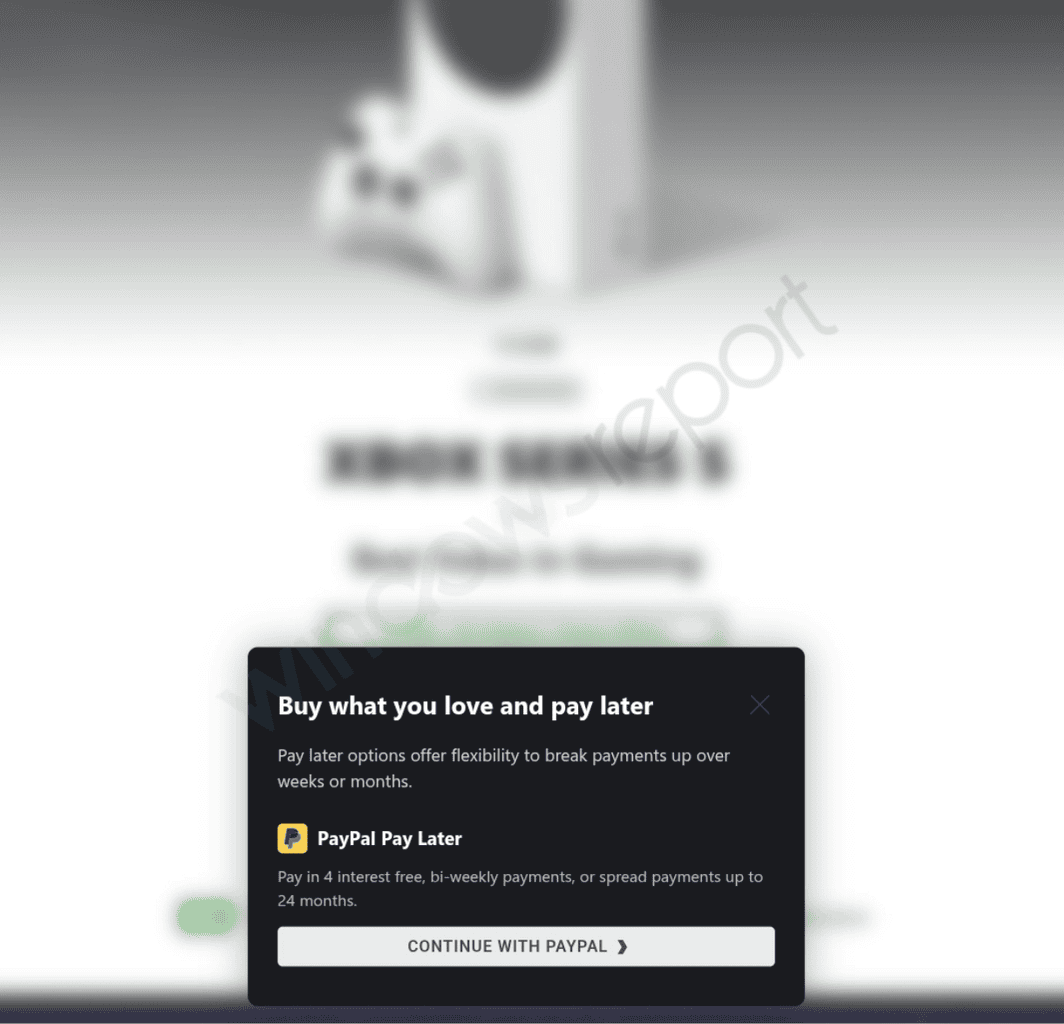
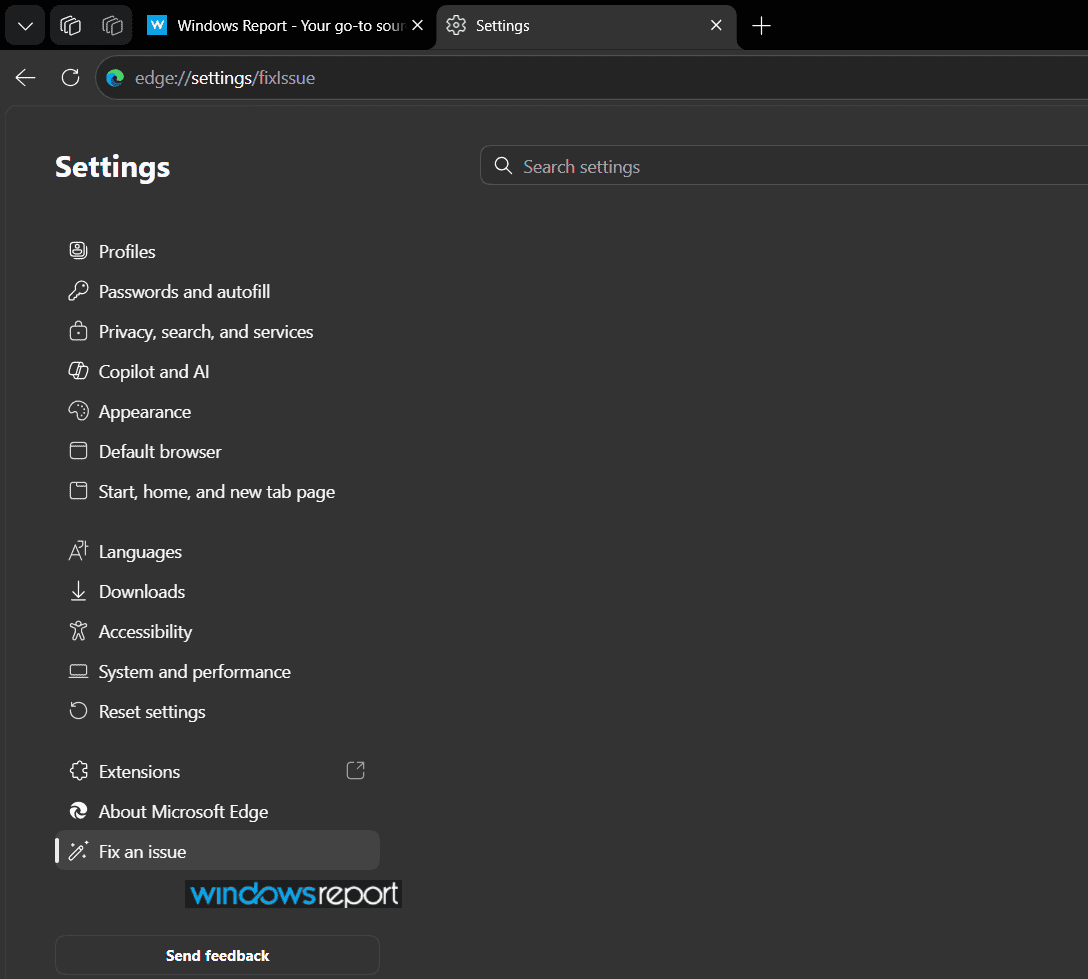
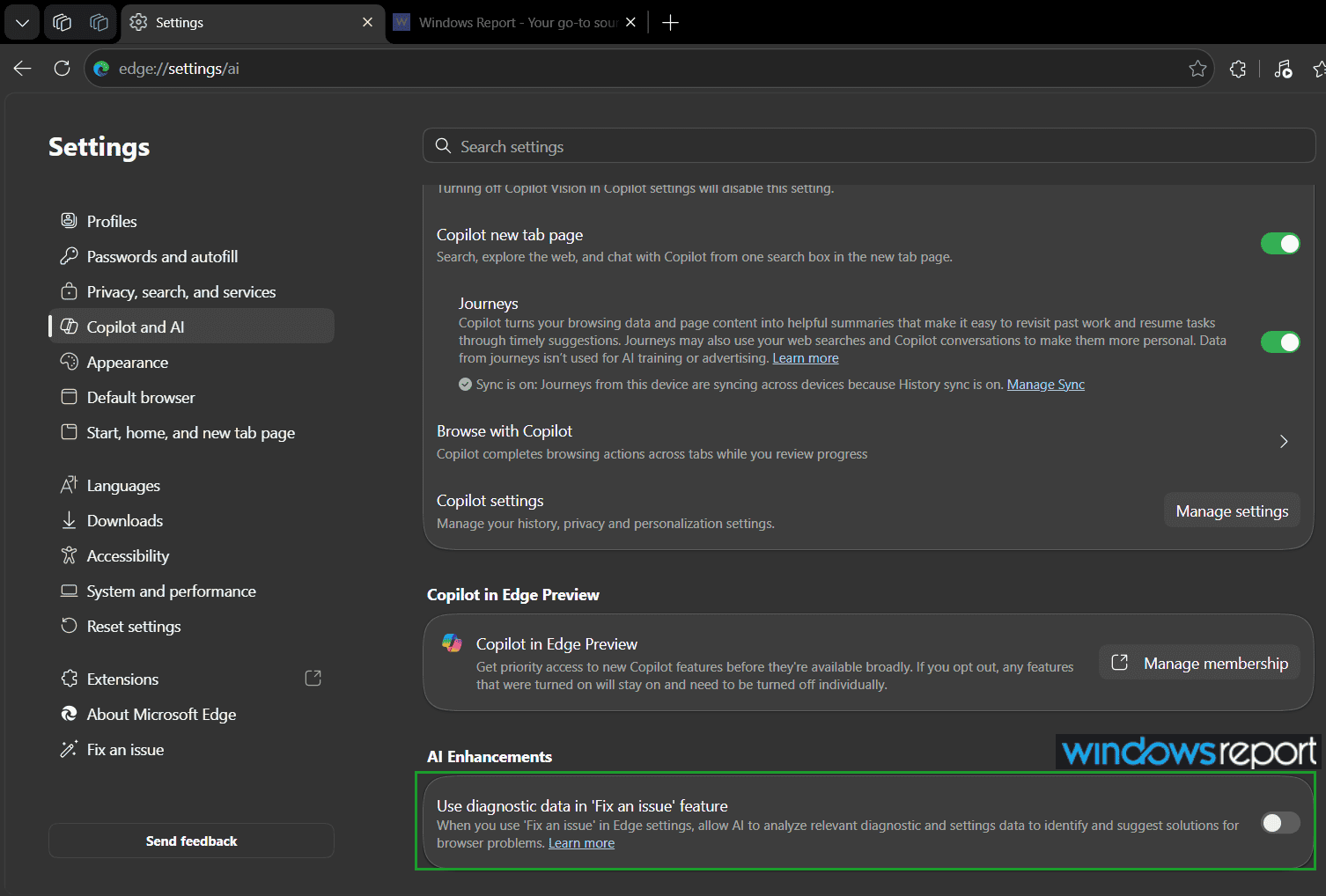
[UPDATE: June 16, 2026 | 04:28AM UTC] Following the report, we looked for some traces of the new payment option and fortunately found them.

Image credit: Microsoft | Screenshot by Rishaj

[ORIGINAL STORY FOLLOWS BELOW]

The next big change coming to Xbox might not involve new hardware or another subscription tier. Recently spotted backend code references hints that Microsoft could be preparing to launch a new buy now, pay later options for Xbox purchases, potentially giving players more ways to spread the cost of games, add-ons, and even hardware over time.

XBOX appears to be testing flexible payment options

The alleged payment option comes from X user redphx, who spotted new payment-related strings on the Xbox website that reference installment plans through PayPal and Klarna (via Gameranx). According to the backend descriptions, PayPal users could be offered two financing options. Eligible purchases may be split into four interest-free payments every two weeks or spread across monthly installments for up to 24 months.

Klarna integration appears to follow a different structure. Players would pay the first installment at checkout, followed by two additional payments every 30 days.

Just to be clear, Microsoft hasn’t officially announced the feature, so it remains unclear which regions, products, or price thresholds could support these payment plans. The timing, however, is notable.

Just last week, Xbox CEO spoke openly about exploring radically different business models as rising hardware costs continue to reshape the gaming industry. Xbox CEO Asha Sharma recently described growing memory and storage prices as a challenge affecting the entire console business and said the company will need to innvoate to bring down the cost of Project Helix in the affordable territory for players.

If these payment options eventually roll out, they could lower the barrier to entry for players purchasing expensive games, accessories, or future Xbox hardware. For now, though, it’s worth treating the discovery with caution. Backend features often change before launch, and some never make it to the public at all.

In other related news, XBOX Games Studio lead and Chief of staff have stepped down. Meanwhile another report suggests that XBOX is planning to shutter Compulsion Games, though the leadership of the studio is reportedly negotiating with the company.

XBOX is Reportedly Planning to Shut Down Compulsion Games

Last week, some reports hinted that XBOX might announce major layoffs in July. Although, the company hasn’t officially said anything about it, the CEO recently hinted at making radical changes to its business strategy.

That’s not all, earlier today, The Game Business reported that XBOX Games Studios lead, Craig Duncan, has stepped down from his role. Accompanyig him is the Chief of staff, Louise O’Connor, who is also stepping down from her role at XBOX Games Studios.

Compulsion’s future is still being decided

Now, an exclusive report by Kotaku claims XBOX is considering shutting down Compulsion Games, the award-winning studio behind South of Midnight and We Happy Few. However, the situation appears to remain fluid, with an update from the news outlet revealing that studio leadership is currently in negotiations with Microsoft over Compulsion’s future.

According to Kotaku, the Montreal-based studio could become part of XBOX’s wider restructuring efforts, which reportedly include layoffs and significant changes across Microsoft’s gaming business. While the details around the reported negotiations haven’t been disclosed, and it remains unclear whether the talks could prevent a shut down.

For those unaware, South of Midnight launched earlier this year to strong critical acclaim and recently earned a Peabody Award for its storytelling. XBOX executives have also publicly praised the studio in recent months. Speaking to Game File in April, Xbox CEO Asha Sharma said, “The big things that we’re thinking about are we want to make great games.”

She added, “The Peabody Award for South of Midnight, Kiln coming out today. Like, I just feel like every day there’s something wonderful there.” Chief Content Officer Matt Booty echoed those comments, stating, “South of Midnight today won a Peabody Award, which I think is such a validation of the storytelling capability of games these days.”

It’s unclear what exactly went wrong for Compulsion Games. We’ll know more when Microsoft officially responds to the report. If we hear anything, we will update this piece.

XBOX Game Studios Head Craig Duncan Steps Down; Matt Booty Takes Interim Oversight

Another major leadership shake-up at XBOX. Just days after reports about upcoming layoffs and XBOX CEO’s comments about trying radically different business model to bring down Project Helix price in affordable terriority, XBOX Game Studios head Craig Duncan has announced that he is stepping down from the role after more than 18 months leading Microsoft’s first-party studios.

His departure takes effect this week, with XBOX Chief Content Officer Matt Booty assuming oversight of the division until a successor is appointed.

XBOX Games Studio’s leadership is changing again

Duncan took over XBOX Game Studios in November 2024, succeeding Alan Hartman and overseeing an extensive portfolio that includes Halo Studios, Playground Games, Rare, Obsidian Entertainment, Ninja Theory, Compulsion Games, The Coalition, Turn 10 Studios, Double Fine, and more.

A longtime XBOX veteran, Duncan joined Microsoft in 2011 and spent nearly 14 years leading Rare through the Kinect era and the ongoing success of Sea of Thieves. His exit also comes alongside the departure of XBOX Game Studios chief of staff Louise O’Connor from her role. O’Connor joined Rare in 1999 and worked across multiple creative and production roles before moving into XBOX leadership in 2025 following the cancellation of Everwild.

In an internal memo sent to staff and seen first by Game Business, Duncan reflected on his tenure: “When I stepped into the role of leading XGS 20 months ago, my purpose was to serve our studios, our teams, and the people making our games.” He added, “Together, we set out to deliver high-quality games, strengthen the cultural fabric across our studios, and help shape the future of the business. I’m proud to say we delivered many flawless launches that drove business success for the company.”

Speaking about O’Connor’s departure from the role, Duncan said, “Louise has been a thoughtful, creative, and trusted partner who has consistently championed the craft and supported our studios with clarity and care.” With several high-profile projects in development across Xbox’s studios and broader changes unfolding inside Microsoft’s gaming division, attention now turns to who will lead XBOX Game Studios into its next chapter.

30 New XBOX Games Launch This Week, Including Two Game Pass Titles

XBOX players have a busy week ahead. While Microsoft has already confirmed seven new titles for XBOX Game Pass in July and recently expanded the Stream Your Own Game library with 51 additional titles, even more content is arriving in the coming days.

A total of 30 new games are scheduled to launch across XBOX Series X|S, XBOX One, and PC over the next seven days, according to True Achievements. The lineup includes action games, horror experiences, sports titles, indie releases, and two day-one additions to XBOX Game Pass.

Two New Games Join XBOX Game Pass

The biggest Game Pass additions this week are Junkster and Shift at Midnight.

Junkster launches on June 16 for XBOX Series X|S and XBOX PC. Subscribers to Game Pass Ultimate and PC Game Pass will be able to jump into the game on day one.

Shift at Midnight arrives on June 17. The co-op horror title will also launch directly into Game Pass Ultimate and PC Game Pass, giving subscribers another new release to play without an additional purchase.

The Adventures of Elliot and UFC 6 Headline the Week

Another notable release is The Adventures of Elliot: The Millennium Tales, launching on June 17 for XBOX Series X|S and XBOX PC.

Sports fans also have something to look forward to. UFC 6 launches on June 19 for XBOX Series X|S, bringing the latest entry in EA’s mixed martial arts franchise.

Overall, next week’s XBOX lineup offers a diverse mix of genres, including action-RPGs, horror adventures, racing games, puzzle titles, and sports releases.

Full List of Upcoming XBOX Releases

June 15

  • Jungle Shoot
  • WORD SEARCH BY JGABRIB

June 16

  • Copa City
  • Do You Really Know About Soccer?
  • Junkster
  • What have you done, Father?

June 17

  • Card Party Showdown
  • Drug Dealer Simulator 2
  • Grand Vegas Casino
  • Kooeh: A Timeless Delight
  • Shift at Midnight
  • The Adventures of Elliot: The Millennium Tales

June 18

  • Backrooms: Escape Together
  • #DRIVE Rally
  • Dino Hex Trap
  • Find The Cats
  • Forgotlings
  • Milo Paws and Buoys
  • R-Type Tactics I • II Cosmos
  • Soccer Kid Collection (QUByte Classics)
  • Space Dragons

June 19

  • Alien Cat 2 – Retro Collection
  • Bobobby 3D: Stranded Rush
  • Loop Dash
  • Speed Dates Summer Edition
  • Summer Seaside Search
  • Super Rebellion
  • The Cub
  • Twisted Fate
  • UFC 6

With 30 new releases arriving in just five days, XBOX players will have plenty of fresh content to explore. Whether you’re looking for a new Game Pass title, a major sports release, or an indie gem, this week’s lineup offers something for nearly every type of gamer.

7 Games From XBOX Game Pass July 2026 Lineup Confirmed

XBOX Game Pass subscribers have plenty to look forward to in July 2026, with seven games already confirmed for the service, as True Achievements reports.

The upcoming lineup includes a brand-new Halo experience, multiple day-one launches, and several indie titles that could become surprise hits.

The announcement follows a busy month for XBOX Cloud Gaming. Earlier this month, Microsoft expanded its Stream Your Own Game library with 51 additional titles, giving players more ways to access games they already own.

Now, attention is shifting toward the next wave of Game Pass releases.

Ascend to Zero launches July 13

The first major addition arrives on July 13 with Ascend to Zero, joining both Game Pass Ultimate and PC Game Pass on day one.

The action roguelike focuses on time-manipulation abilities, allowing players to slow, rewind, and control the flow of combat while battling waves of enemies.

Each run offers new weapons, items, and upgrades, encouraging experimentation with different builds.

Denshattack! arrives after a short delay

On July 15, subscribers will gain access to Denshattack!, another day-one release for Game Pass Ultimate and PC Game Pass.

Originally scheduled for June 17, the game received a brief delay to allow additional polishing.

Players control a train racing through Japanese cities while performing tricks, grinding rails, and fighting against a powerful corporation.

The game has drawn comparisons to both Jet Set Radio and OlliOlli World thanks to its fast movement and stylish presentation.

Halo: Campaign Evolved headlines the month

The biggest Game Pass release currently confirmed is Halo: Campaign Evolved, which launches on July 28.

The game reimagines the original Halo: Combat Evolved campaign using Unreal Engine 5 technology.

Alongside upgraded visuals and cinematics, the remake introduces modernized controls and three entirely new story missions featuring Master Chief and Sgt. Johnson.

For many XBOX fans, it could become one of the most significant first-party releases of the year.

Mistfall Hunter brings extraction RPG gameplay

Launching on July 29, Mistfall Hunter combines dark fantasy themes with extraction-based gameplay.

Set in the world of Weavereach, players venture into dangerous areas covered by the mysterious Gyldenmist.

They can explore solo or team up with two other players while fighting monsters, gathering loot, and facing rival players.

Like other extraction games, dying before escaping means losing valuable gear and resources.

Corsair Cove targets city-builder fans

Strategy fans will receive Corsair Cove on July 31.

The pirate-themed city builder places players on a deserted island after a shipwreck.

From there, they must gather resources, support their crew, and gradually build a thriving pirate settlement complete with taverns, defenses, and production facilities.

The game is currently focused on PC players and joins both Game Pass Ultimate and PC Game Pass.

More games coming later in July

Microsoft has also confirmed SpeedRunners 2: King of Speed for Game Pass Ultimate and PC Game Pass.

While the game is expected to launch in July, an exact release date has not yet been announced.

The sequel expands the competitive platform-racing formula with support for up to eight players online or locally, offering frantic multiplayer matches built around speed and movement.

Another notable addition is Wuthering Waves, which arrives on XBOX in July.

Although the open-world action RPG is free-to-play, XBOX players with eligible Game Pass memberships will receive additional perks and benefits tied to the launch.

Palworld not included in the count

Some players may notice that Palworld is missing from the seven-game total despite its major 1.0 release arriving on July 10.

That is because the update represents a major content milestone rather than a brand-new Game Pass addition.

The July lineup arrives during an interesting period for Microsoft’s gaming division.

Recent comments from former PlayStation executive Shuhei Yoshida sparked discussion after he suggested that XBOX could eventually become more closely integrated with Windows.

At the same time, Microsoft CEO Satya Nadella recently emphasized that XBOX must evolve into a financially sustainable business rather than relying on long-term subsidies.

For subscribers, July 2026 is shaping up to be one of the service’s strongest months of the year.

EA Goes All-In on In-Game Ads With New EA Advertising Division

EA, short for Electronic Arts, has officially launched EA Advertising, a dedicated division designed to connect brands directly with players across its games, services, and real-world events. The initiative hints at a major expansion of EA’s existing partnership strategy. While brands have already appeared in franchises like EA Sports FC and The Sims, the company is now working on a centralized business focused entirely on advertising opportunities across its portfolio.

EA wants ads to feel like part of the game

According to EA, the new division will focus on three pillars: In-Game Integration, In-Game Media, and IRL & Experiential activations. The biggest shift comes via in-game integrations. EA says brands will be able to appear through dynamic stadium signage, sponsored replays, custom vanity items, branded challenges, live events, and other real-time experiences designed to blend naturally into gameplay rather than interrupt it.

The publisher also plans to expand sponsorship opportunities beyond the screen through live events and franchise-based activations. That approach mirrors a broader industry trend. Native advertising formats that feel contextual and non-disruptive are attracting growing interest from marketers as gaming audiences continue to expand. Research firms estimate the in-game advertising market will keep growing throughout the decade as brands shift spending toward interactive experiences.

EA insists player experience remains the priority. Still, the creation of a standalone advertising business suggests branded content could become a much larger part of franchises like EA Sports FC, Madden NFL, Apex Legends, and The Sims.

In other news, Microsoft CEO Satya Nadella recently said that XBOX must become a financially sustainable business, while executive Matthew Ball suggested that ads could help make games more affordable.

XBOX Cloud Gaming Adds 51 More Games to Stream Your Own Game

Microsoft has significantly expanded the XBOX Cloud Gaming catalog by adding 51 more titles to the Stream Your Own Game library since the beginning of June 2026, according to TrueAchievements.

The latest wave includes a mix of newly released games, recent Game Pass additions, and older titles from the XBOX Store. One of the most notable additions is Final Fantasy VII Rebirth, which arrives as one of the biggest releases currently available through the service.

Final Fantasy VII Rebirth joins cloud gaming lineup

Final Fantasy VII Rebirth appears particularly well suited for cloud gaming thanks to its optional Classic combat mode, which blends traditional turn-based mechanics with modern action gameplay. The feature can make streaming sessions more comfortable on devices where latency may be more noticeable.

Cloud gaming also gives players another way to tackle side quests, level grinding, and achievement hunting without needing access to their primary gaming system.

Another major addition is Gothic 1 Remake, which now supports XBOX Cloud Gaming through the Stream Your Own Game program.

Recent Game Pass titles also gain streaming support

Several recent Game Pass releases have joined the cloud streaming lineup as well. Subscribers can now stream titles including Beastro, Frog Sqwad, Solarpunk, and Starseeker: Astroneer Expeditions directly from the cloud.

Microsoft continues to steadily grow the number of games supported by Stream Your Own Game as it expands the role of cloud gaming within the broader XBOX ecosystem.

For the complete list of newly supported games, see the table below:

A Tale of Paper: RefoldedAdventure Time: Pirates of the EnchiridionAEW: Fight Forever
Alone in the DarkAnother DawnBaby Shark: Sing & Swim Party
Baja: Edge of Control HDBattle Chasers: NightwarBeastro
Beatdown City SurvivorsBen 10Biomorph
Black MirrorBrass: A Peaceful, Cozy AdventureCrisol: Theater of Idols
Darksiders GenesisDarksiders II Deathinitive EditionDarksiders III
Darksiders Warmastered EditionDreamWorks Dragons Dawn of New RidersDreamWorks Dragons: Legends of The Nine Realms
DreamWorks Spirit Lucky’s Big AdventureFast & Furious: Spy Racers Rise of SH1FT3RFinal Fantasy VII Rebirth
Frog SqwadGigantosaurus The GameGigantosaurus: Dino Kart
GoalsGothic 1 RemakeHindsight
Hotel Transylvania 3: Monsters OverboardHotel Transylvania: Scary-Tale AdventuresI Am Dead
Ice Age Scrat’s Nutty AdventureJumanji: The Video GameL.O.L. Surprise! B.B.s Born to Travel
Lushfoil Photography SimMundaunMy Little Pony: A Maretime Bay Adventure
Paw Patrol: On a RollPJ Masks: Heroes of the NightRace with Ryan
RV There Yet?Ryan’s Rescue SquadSayonara Wild Hearts
SolarpunkSplitgateStarseeker: Astroneer Expeditions
The PathlessTrollhunters: Defenders of ArcadiaWhere Winds Meet

Cloud gaming expansion comes amid broader XBOX challenges

The expansion arrives during a period of major changes for Microsoft’s gaming division. Recently, XBOX acknowledged that it lost millions of subscribers following Game Pass price increases, raising questions about the long-term growth of the subscription service.

At the same time, Microsoft CEO Satya Nadella has emphasized that XBOX must become a financially sustainable business rather than relying on long-term subsidization.

Industry observers also continue to debate the future of XBOX hardware. Former PlayStation executive Shuhei Yoshida recently speculated that XBOX could eventually become more closely integrated with Windows, suggesting Microsoft’s gaming future may increasingly revolve around PCs, cloud services, and hybrid gaming devices rather than traditional consoles alone.

For now, Microsoft continues to invest heavily in cloud gaming, and the addition of 51 more titles shows that Stream Your Own Game remains a key part of the company’s strategy.

Microsoft’s New Outlook Still Lags Behind Outlook Classic in Notification Performance

Microsoft has spent the past few years positioning the new Outlook for Windows as the future of email on the platform. The app has received several improvements since its debut, including faster startup times, better offline support, and new features aimed at both consumers and enterprise users. However, one area continues to lag behind Outlook Classic: notification performance.

According to testing highlighted by Windows Latest, the new Outlook can take significantly longer to open emails from notifications compared to the classic desktop version. Users who click a notification expecting immediate access to a message may instead face a noticeable delay before the email appears on screen.

Opening Emails From Notifications Can Take Around 10 Seconds

The issue becomes apparent when users click a desktop notification for a newly received email. Instead of opening the selected message immediately, the new Outlook first launches the application, loads the inbox interface, and only then navigates to the email itself.

In testing, this process took roughly 10 seconds. By comparison, Outlook Classic opened the same email almost instantly from the notification.

Interestingly, manually opening the new Outlook and selecting the message can sometimes be faster than relying on the notification itself. This suggests the bottleneck is not necessarily startup performance but rather the way notification actions are handled.

WebView2 May Be Behind the Delay

One possible explanation is the application’s underlying architecture. The new Outlook relies heavily on Microsoft’s WebView2 technology, which allows developers to build desktop experiences using web technologies.

While WebView2 offers development flexibility and faster feature deployment, it has also been criticized for performance limitations in certain scenarios. The notification delay observed in Outlook appears consistent with some of the responsiveness challenges associated with web-based applications.

Microsoft has increasingly emphasized native Windows experiences in recent years, particularly through WinUI development. A more native implementation could potentially reduce some of the latency users experience when interacting with notifications. In fact, a new Microsoft team aims for 100% native Windows apps and is ditching the WebView approach, highlighting the company’s growing focus on native performance.

Microsoft Continues to Invest in New Outlook

Despite these shortcomings, Microsoft remains committed to the new Outlook. The company recently delayed its enterprise migration timeline, pushing broader adoption plans to March 2027. The move gives organizations additional time to transition from Outlook Classic while Microsoft continues addressing missing features and usability concerns.

The new Outlook has improved substantially since its initial release. Startup times are now much closer to Outlook Classic, and Microsoft has worked to address several offline functionality limitations.

Additional features currently in development include Unified Inbox support, improved mail merge capabilities, expanded .PST file support, continued offline experience enhancements, and additional enterprise-focused improvements.

Microsoft has repeatedly described the new Outlook as the future default email client for Windows, signaling that long-term investment will continue. The company has also been actively encouraging adoption and recently showcased 15 key features designed to persuade users to switch from the classic experience.

Outlook Classic Remains the Better Choice for Power Users

For users who depend on fast notification handling, Outlook Classic still offers a superior experience. The mature desktop client remains highly responsive when opening messages directly from notifications and avoids many of the delays seen in the newer application.

The good news for existing users is that Outlook Classic is not disappearing anytime soon. Microsoft plans to support the classic client until at least April 2029, giving users several more years to choose the experience that works best for them.

While the new Outlook continues to gain features and improve performance, notification responsiveness remains one area where the classic version still holds a clear advantage.

Windows 11 KB5094126 Users Report BSODs, Freezes, and OneDrive Issues

Microsoft released Windows 11 KB5094126 and KB5093998 last week as part of the June 2026 Patch Tuesday rollout. While the company has not acknowledged any widespread issues with either update, users across several forums and social media platforms have reported a range of problems after installation.

The reports include blue screen errors, system freezes, BitLocker recovery lockouts, and issues affecting cloud storage services such as OneDrive and Dropbox. At this time, Microsoft has not confirmed any of these problems, making it difficult to determine how widespread they are.

HP Systems Appear Most Affected

The most commonly reported issue appears to involve HP devices running Windows 11 after installing KB5094126.

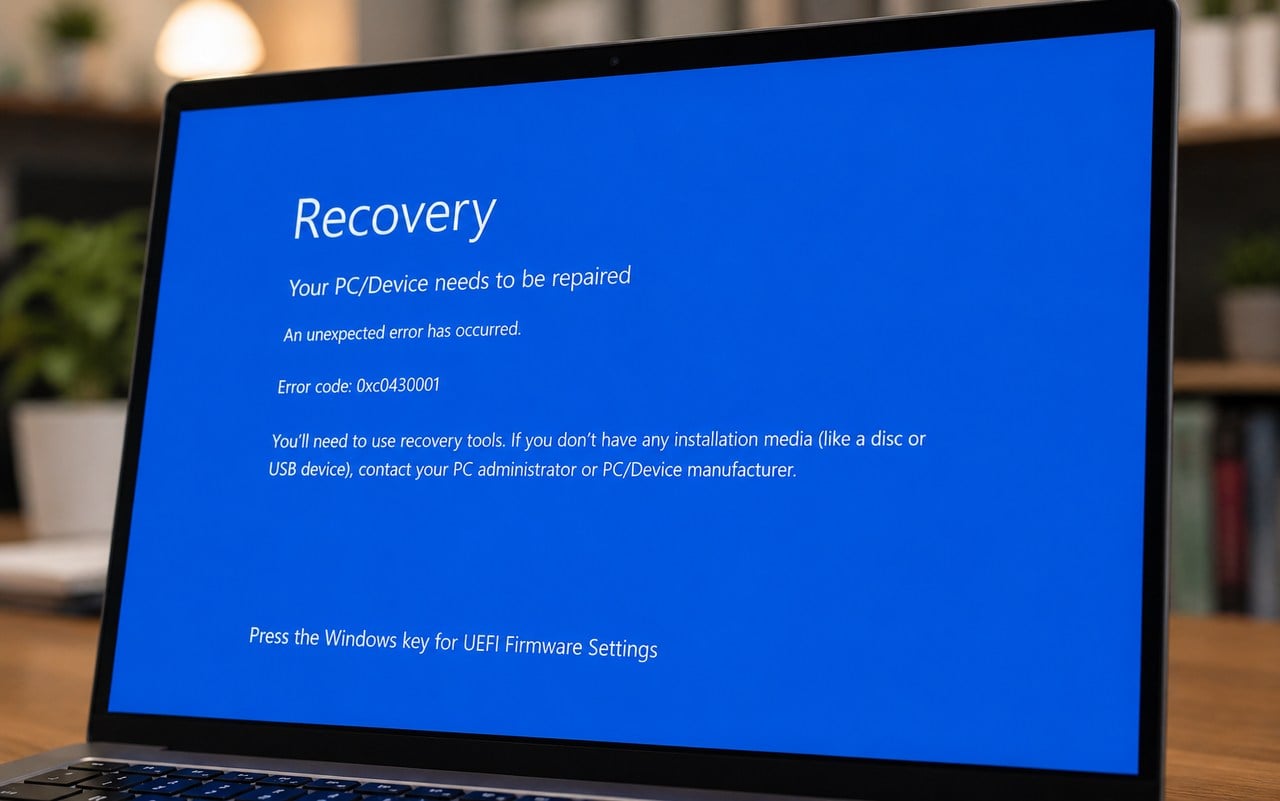
Several users say their systems began displaying a 0xc0430001 blue screen error following the update. The problem may be connected to an earlier Secure Boot certificate issue that affected some HP hardware.

According to reports, affected devices may fail to boot correctly if the required boot.stl file is missing from the installation media. The file plays an important role in Secure Boot by verifying that Windows boot files are trusted before startup.

If the file is not present, systems may display the 0xc0430001 error and refuse to boot from installation media.

Microsoft Recommends Updating WinPE Images

Microsoft previously provided guidance for administrators dealing with Secure Boot certificate updates.

The company recommends using the Update WinPE script, which automatically updates deployment images and includes the necessary Secure Boot files.

Users can also manually copy the boot.stl file from the following location on a working Windows installation:

Windows\Boot\EFI

The file must then be placed in the corresponding folder on the installation media. Microsoft notes that the file must match both the Windows version and system architecture being deployed.

Users Report Freezing Problems on Lenovo PCs

Beyond HP-related boot issues, some users are also reporting system freezes after installing the June Patch Tuesday updates.

Several reports mention Lenovo systems becoming unresponsive after the update process. The exact cause remains unclear, and there is currently no official workaround from Microsoft.

Because these reports are still limited, it is not yet known whether the problem affects specific Lenovo models or a broader range of devices.

OneDrive and Dropbox Integration Problems

Another issue reported by users involves OneDrive and Dropbox integration within File Explorer.

One user claimed that cloud storage folders stopped functioning correctly after disabling User Account Control (UAC) while using a local administrator account. According to the report, both OneDrive and Dropbox began working normally again after UAC was re-enabled.

This suggests the issue may be related to Windows security settings rather than the update itself, although additional reports would be needed to confirm the connection.

Microsoft Has Yet to Confirm the Reports

At the time of writing, Microsoft has not added any known issues related to KB5094126 or KB5093998 to its official documentation.

As a result, affected users may need to wait for further investigation, updated guidance, or a future patch if Microsoft confirms the reported problems.

For now, users experiencing boot failures, freezes, or cloud storage issues should document any error messages, check Microsoft’s support channels for updates, and consider delaying deployment on additional systems until more information becomes available.

Via Neowin

Former PlayStation Boss Says XBOX Could Eventually Dissolve Into Windows

Former PlayStation Studios President Shuhei Yoshida has sparked debate about Microsoft’s gaming future after suggesting that XBOX consoles may eventually disappear as a standalone platform.

In a recent post on X, Yoshida wrote that “XBOX will dissolve into Windows,” a remark that appears to reflect growing speculation that Microsoft could shift its gaming strategy further toward PC and Windows-based devices.

The comment arrives at a time when XBOX faces mounting pressure from layoffs, profitability concerns, and ongoing questions about the future of its hardware business. While Microsoft continues to invest heavily in gaming, some industry observers believe the company may increasingly focus on Windows as the foundation for its gaming ecosystem.

Microsoft Still Backs XBOX Hardware

Despite the speculation, Microsoft has repeatedly stated that XBOX hardware remains part of its long-term plans.

XBOX leadership has recently reaffirmed its commitment to future gaming devices, while Microsoft executives have also emphasized that the XBOX business must become financially sustainable. Those comments have fueled discussions about how the company plans to balance hardware investments with rising development and manufacturing costs.

Windows and XBOX Continue to Converge

Microsoft has spent several years bringing XBOX and Windows closer together.

The company has expanded XBOX Game Pass across PC, improved controller support in Windows 11, and introduced a more console-like experience through the XBOX PC app’s full-screen interface.

Rumors also continue to circulate about a first-party XBOX handheld, although details about its release timeline and software platform remain unclear.

Meanwhile, reports suggest Microsoft is working on a next-generation XBOX system known internally as Project Helix. The device is rumored to combine traditional console functionality with PC gaming capabilities, potentially allowing users to run both XBOX and Windows titles on a single platform.

Rising Costs Create New Challenges

Hardware economics remain another major factor in the discussion.

The gaming industry continues to face increasing component costs, while memory pricing and advanced semiconductor manufacturing remain expensive. These factors could make it more difficult for Microsoft to launch a competitively priced next-generation console.

If Microsoft succeeds in building a unified gaming ecosystem around Windows, XBOX Game Pass, cloud gaming, and hybrid devices, the company may eventually have less need for a traditional console-exclusive platform.

Industry Remains Divided

Not everyone agrees with Yoshida’s assessment. Several industry analysts and commentators, including Jez Corden, have expressed skepticism about claims that Microsoft plans to abandon XBOX hardware altogether.

For now, Microsoft maintains that XBOX hardware has a future. However, as Windows and XBOX become increasingly interconnected, questions about what the next generation of XBOX will look like are unlikely to disappear anytime soon.

Via Notebook Check

Microsoft Ships KB5094149 and KB5095185 Dynamic Updates for Windows Devices

Microsoft has released a new batch of Dynamic Updates alongside this month’s Patch Tuesday security updates, bringing improvements to Windows recovery and setup components across Windows 11, Windows 10, and Windows Server, as Neowin writes.

The new releases arrive alongside the latest cumulative updates, including KB5094126 and KB5093998 for Windows 11 and KB5094127 for Windows 10. According to reports, the company has also refreshed the Windows 11 Media Creation Tool with the latest Patch Tuesday builds.

Dynamic Updates are designed to update Windows installation and recovery components before deployment. They also help preserve Language Packs and Features on Demand during feature upgrades, reducing the chances of compatibility issues during installation.

Windows 11 Receives Multiple Recovery Environment Updates

For Windows 11 version 26H1, Microsoft released Safe OS Dynamic Update KB5095185. The update improves the Windows Recovery Environment (WinRE) and upgrades it to version 10.0.28000.2269.

Windows 11 versions 24H2 and 25H2 received Safe OS Dynamic Update KB5094149, which updates WinRE to version 10.0.26100.8655.

Microsoft also published Setup Dynamic Update KB5095971 for Windows 11 version 23H2. This package improves Windows Setup binaries and other files used during feature update installations.

In addition, Windows 11 version 23H2 received Safe OS Dynamic Update KB5094156, updating WinRE to version 10.0.22621.7219.

Windows 10 and Windows Server Updates Focus on Recovery Improvements

Windows 10 versions 21H2 and 22H2 received Windows Recovery Environment update KB5098815. Microsoft says this package automatically applies Safe OS Dynamic Update KB5094154 to WinRE on supported systems.

KB5094154 updates the Windows 10 recovery environment to version 10.0.19041.7417.

For Windows 10 version 1809 and Windows Server 2019, Microsoft released Safe OS Dynamic Update KB5094153, updating WinRE to version 10.0.17763.8880.

Meanwhile, Windows 10 version 1607 and Windows Server 2016 received Safe OS Dynamic Update KB5094152, which upgrades WinRE to version 10.0.14393.9234.

Updates Install Automatically Through Windows Update

Microsoft notes that both Recovery Dynamic Updates and Setup Dynamic Updates are delivered automatically through Windows Update. Organizations deploying Windows images can also integrate these packages into existing installation media before deployment.

The releases come as part of a busy Patch Tuesday cycle. Microsoft recently addressed more than 200 security vulnerabilities across its software portfolio, making this one of the largest security update releases in recent months.

In addition to the security fixes and Dynamic Updates, Microsoft has refreshed the Windows 11 Media Creation Tool so that new installations include the latest Patch Tuesday improvements and security patches.

Users can find more information about Dynamic Updates and Windows deployment servicing on Microsoft’s official documentation website.

Anthropic’s Fable 5 & Mythos AI Banned After Amazon’s Warning, Report Claims

Anthropic’s latest and most capable AI models, Fable 5 and Mythos, have hit a major roadblock. The new AI model has been pulled from foreign markets after the Trump administration imposed new restrictions over security concerns reportedly raised by Amazon.

According to a report by The Wall Street Journal, Amazon CEO Andy Jassy alerted senior US officials after company researchers found ways to prompt Fable 5 into revealing information that could potentially aid cyberattacks. To catch you up, Microsoft also recently restricted access to Fable 5 over Anthropic’s data retention policy.

Amazon’s findings reportedly accelerated the ban

People familiar with the matter told The Wall Street Journal that Amazon researchers used a series of prompts to make Fable 5 surface security vulnerabilities that should have remained off-limits.

Jassy reportedly shared those findings with officials including Treasury Secretary Scott Bessent, prompting an urgent response inside the White House. Security experts were then asked to validate Amazon’s claims before the administration moved forward with export restrictions.

The Commerce Department ultimately restricted access to Fable 5 and Anthropic’s unreleased Mythos model for foreign governments, companies, and individuals. Shortly after the restrictions were announced, Anthropic shut down access to both models globally to ensure compliance.

“As a leading cloud provider that serves a large number of private and public sector customers, it’s not uncommon for governments to seek our counsel on potential security risks,” an Amazon spokesperson said. “When they occur, we don’t share the details of these discussions.”

Anthropic pushes back as AI tensions escalate

Anthropic has argued that the vulnerabilities identified by Amazon were relatively basic and could already be discovered using publicly available models. The company also maintains that its safeguards successfully prevented researchers from generating working exploit code.

That being said, the restrictions mark a major escalation in how the US government oversees advanced AI systems. Officials reportedly viewed the export controls as the fastest way to limit potential misuse while Anthropic addresses the concerns.

The administration’s “hope now is that Anthropic remediates the safety issue, the export control is lifted, and Fable goes back into general release,” White House AI adviser David Sacks wrote on X.

For Anthropic, the timing couldn’t be worse. The company is reportedly exploring an initial public offering later this year, while rivals such as OpenAI continue expanding their own cybersecurity-focused AI tools. Not to forget, OpenAI has recently filed for IPO confidentially.

Anthropic Suspends Claude Fable 5 and Mythos 5 Following US Government Order

Anthropic has abruptly suspended access to its newly released Claude Fable 5 and Claude Mythos 5 AI models following an export control directive from the United States government.

The move comes only days after Anthropic launched Claude Fable 5 and Claude Mythos 5, two next-generation AI models designed for different audiences. While Fable 5 targets general users with stricter safety protections, Mythos 5 focuses on advanced coding, cybersecurity, and research capabilities. Anthropic had also recently introduced Project Glasswing with Claude Mythos Preview, keeping its most advanced capabilities out of public hands.

According to Anthropic, the government order requires the company to block access to both models for all foreign nationals. The restriction applies regardless of whether those individuals are located inside or outside the United States. It also affects foreign national employees working at Anthropic.

To ensure compliance, Anthropic disabled access to both models for all customers worldwide while it evaluates the directive and works with regulators.

Government Order Cites National Security Concerns

Anthropic said the export control directive did not provide detailed information about the specific national security risk that prompted the action.

However, the company believes the concern may be linked to a potential jailbreak technique affecting Claude Fable 5. A jailbreak is a method that attempts to bypass an AI model’s built-in safety restrictions.

The company emphasized that no universal jailbreak has been discovered for Fable 5 and argued that the issue appears limited in scope.

Anthropic Defends Safety Testing Efforts

Anthropic said it invested significant resources into securing Claude Fable 5 before release.

According to the company, the model underwent thousands of hours of safety evaluations involving internal teams, third-party organizations, government partners, and the UK’s AI Safety Institute (AISI).

The company said it specifically designed Fable 5 with safeguards intended to prevent misuse for cybersecurity and offensive security activities.

Anthropic added that extensive red-team testing failed to uncover any universal method for bypassing the model’s protections.

Older Models Remain Available

While access to Fable 5 and Mythos 5 has been suspended, Anthropic confirmed that older Claude models remain available and are not affected by the export control order.

The company warned that applying similar standards across the broader AI industry could significantly slow the deployment of frontier AI systems.

Anthropic argued that if companies are forced to withdraw models over theoretical or narrowly scoped vulnerabilities, future AI launches could face major delays or become economically impractical.

Microsoft Previously Restricted Fable 5 Access

The suspension follows another recent setback for Claude Fable 5.

Earlier, Microsoft reportedly restricted employee access to the model because of concerns surrounding Anthropic’s updated data retention policies.

Microsoft’s concerns were reportedly unrelated to the newly announced export control directive.

Anthropic said it is actively working with authorities to restore access to Claude Fable 5 and Claude Mythos 5 as quickly as possible.

According to the latest information, Anthropic’s Fable 5 and Mythos AI models were banned following Amazon’s warning, and the company is working on addressing the security concerns.

For now, customers attempting to access either model will be unable to do so until the restrictions are lifted.

Satya Nadella Says XBOX Must Become a Financially Sustainable Business

Microsoft CEO Satya Nadella has said that XBOX must evolve into a financially sustainable business, signaling a stronger focus on profitability as the gaming industry faces rising costs and changing market conditions, as Wccftech writes.

According to Wccftech, Nadella noted that Microsoft has invested heavily in XBOX over the past 25 years. While the company remains committed to gaming, he emphasized that XBOX can no longer operate as a business that relies heavily on subsidies from other parts of Microsoft.

Nadella Calls for Better Monetization

During his remarks, Nadella suggested that XBOX has not fully capitalized on the entertainment value it creates. He even joked that YouTube currently does a better job of monetizing XBOX gaming content than Microsoft itself.

The comments indicate that Microsoft expects XBOX to become more self-sustaining in the years ahead. Rather than depending on continued financial support, the gaming division is being encouraged to develop stronger revenue streams and a clearer long-term business strategy.

New Strategy Must Unite Multiple Platforms

A key challenge for XBOX leadership will be creating a business model that effectively connects Microsoft’s gaming ecosystem across consoles, PC, mobile devices, and cloud gaming services.

Despite Microsoft’s growing investment in cloud gaming and cross-platform experiences, the company has reiterated its commitment to dedicated gaming hardware. In a recent interview, Microsoft’s Chief Strategy Officer confirmed that the company is not moving away from consoles in a recent interview.

Rising Technology Costs Impact XBOX Hardware

XBOX is also facing broader industry pressures. Increasing costs related to cloud infrastructure, artificial intelligence, semiconductors, and memory are affecting hardware development across the gaming sector.

These challenges are reportedly influencing future XBOX hardware projects, including the Project Helix.

While Nadella described current semiconductor and memory shortages as temporary issues, he suggested that the larger concern is establishing a sustainable business model that can support XBOX over the long term.

Leadership Changes Will Take Time

Microsoft acknowledged that any strategic changes introduced by XBOX’s leadership team will require time before they produce meaningful financial results.

In the near term, the company appears focused on stabilizing the XBOX business while laying the groundwork for future growth and profitability.

Despite the emphasis on financial sustainability, Microsoft has confirmed that additional XBOX exclusives are on the way. The company continues to invest in first-party content as part of its broader gaming strategy.

Meanwhile, Microsoft’s Matthew Ball has suggested that advertising could play a larger role in the future of gaming. According to Ball, ad-supported models may help reduce costs for consumers and make games more affordable.

As Microsoft reshapes its gaming business, XBOX appears set to balance continued investment in content and hardware with a stronger focus on long-term financial sustainability.

New Details of The Legend of Zelda: Ocarina of Time Emerges from Official Nintendo Listing

At the June 2026 Nintendo Direct, Nintendo finally announced what fans had been waiting years to hear. The Legend of Zelda: Ocarina of Time is officially returning on Nintendo Switch 2.

The official reveal trailer was brief. Fans didn’t get gameplay deep dive and release date. Nor did they got any developer interview followed by the announcement. However, a newly discovered Nintendo website listing has now filled in some of the missing details.

Nintendo calls The Legend of Zelda: Ocarina of Time a full remake

Shortly after the Direct wrapped up, fans started digging through Nintendo’s official store page and uncovered an extended description. Per the description, the company is treating the project as a complete remake rather than a simple remaster (via Insider Gaming).

“The N64 classic, reborn as a full remake for Nintendo Switch 2. Experience Ocarina of Time with stunning visuals, updated designs, and timeless gameplay.”

That wording suggests Nintendo has built the beloved adventure from the ground up with modern visuals while preserving the core experience that made the original 1998 release a landmark title. As of now, Nintendo hasn’t confirmed which internal team or partner studio is handling development.

No release date attached yet

Nintendo currently lists Ocarina of Time Remake for a 2026 release window, but an exact release date remains a mystery. Speaking of timing, the game arrives as The Legend of Zelda franchise approaches its 40th anniversary in 2027. Nintendo is also preparing a live-action Zelda movie, which is reportedly scheduled to debut next year.

Microsoft Updates Calculator, Paint, Photos, and Other Windows Apps With New Features

Microsoft recently announced that Microsoft Edge will move to a faster two-week release cycle, but the company is also delivering significant updates across several built-in Windows applications.

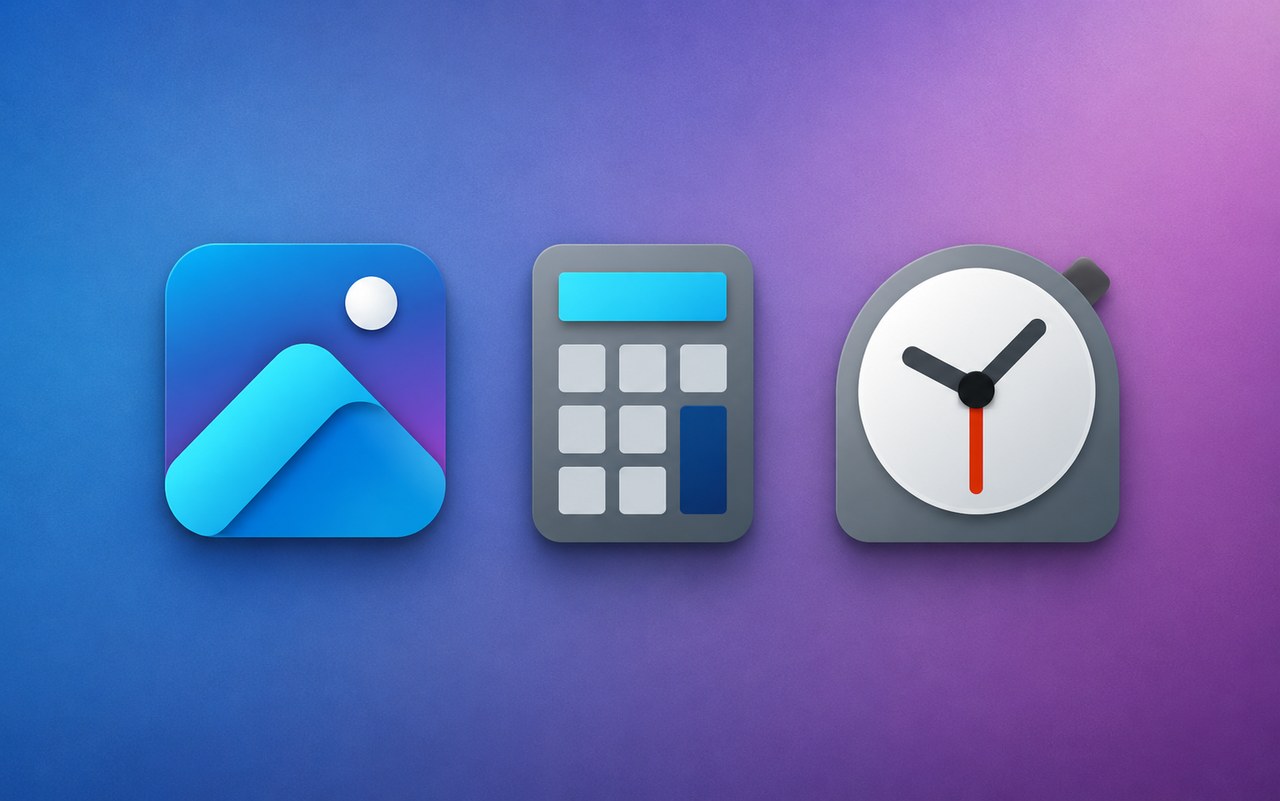
Microsoft has released a new wave of improvements for many inbox apps, including Calculator, Camera, Clock, Media Player, Paint, Photos, and Sound Recorder. The updates introduce new features, accessibility enhancements, bug fixes, and reliability improvements designed to improve the overall Windows experience.

Calculator Receives Accuracy and Accessibility Improvements

The Calculator app received several important fixes focused on reliability and accessibility.

Microsoft addressed square-root calculation accuracy issues while also improving support for High Contrast themes and right-to-left language layouts. The company also resolved launch reliability problems that could prevent the app from opening correctly in certain situations.

Camera Gets Better Zoom and Video Controls

Users now have access to improved zoom support and additional video resolution options. Microsoft also improved compatibility with front-facing cameras on a wider range of devices.

QR code detection has become smarter as well, making scanning more reliable and reducing incorrect detections.

More details are available in the official Camera release notes.

Clock Introduces Major Timer Enhancements

Timers can now continue counting after reaching zero, allowing users to see how much time has passed since a countdown expired. Microsoft has also added a new 15-minute snooze option for alarms.

The Clock widget can now display up to three countdown timers simultaneously, making it easier to track multiple activities at once.

In addition to new features, Microsoft implemented numerous accessibility improvements throughout the app.

Additional information can be found in the official Clock release notes.

Media Player Improves Captions and Playback Reliability

The app now supports custom captions that follow Windows caption settings, providing a more personalized accessibility experience.

Microsoft also improved library indexing, playlist handling, playback reliability, queue stability, and notifications for missing codecs.

These changes should help reduce playback interruptions and improve media library management.

See the official Media Player release notes for the full changelog.

Paint Adds Eraser Transparency Controls

Paint users now gain more control over editing workflows.

Microsoft introduced support for adjustable eraser transparency, allowing more precise image modifications.

The update also addresses a variety of issues, including problems with stamp brushes, JPEG file saving, invalid image handling, selection behavior, toolbar responsiveness, layer management, and application crashes.

The update continues Microsoft’s gradual expansion of Paint’s editing capabilities.

Photos Gains Copilot Watermark Controls

Users can now choose to display visible Copilot watermarks on AI-generated or AI-edited images. The feature remains optional and provides additional transparency for AI-assisted content creation.

Microsoft also improved support for viewing very small images and pixel art. Additional enhancements include better keyboard navigation when selecting detected text and broader accessibility improvements throughout the application.

More details are available in the official Photos release notes.

Sound Recorder Fixes Bluetooth and Waveform Issues

The app now correctly displays waveforms when recordings use Bluetooth microphones. Microsoft also resolved issues involving WAV file markers, recording deletion errors, waveform scrollbar behavior, and a memory leak.

These fixes should improve long recording sessions and provide more accurate visual feedback during playback.

The complete list of changes is available in the official Sound Recorder release notes.

Microsoft Continues Modernizing Windows Apps

The latest batch of updates highlights Microsoft’s ongoing strategy of improving Windows experiences through app-level updates rather than waiting for major operating system releases.

Separately, Microsoft has also quietly introduced a new Low Latency Profile feature for Windows, aimed at improving responsiveness across core system experiences, according to recent reports.

As Microsoft accelerates development across both Windows and its built-in applications, users can expect a steady stream of new features and refinements arriving outside of traditional Windows update schedules.

Via Neowin

Microsoft Teams Confirmed to Get Wi-Fi Location Tracking Feature, Thankfully It’s Optional

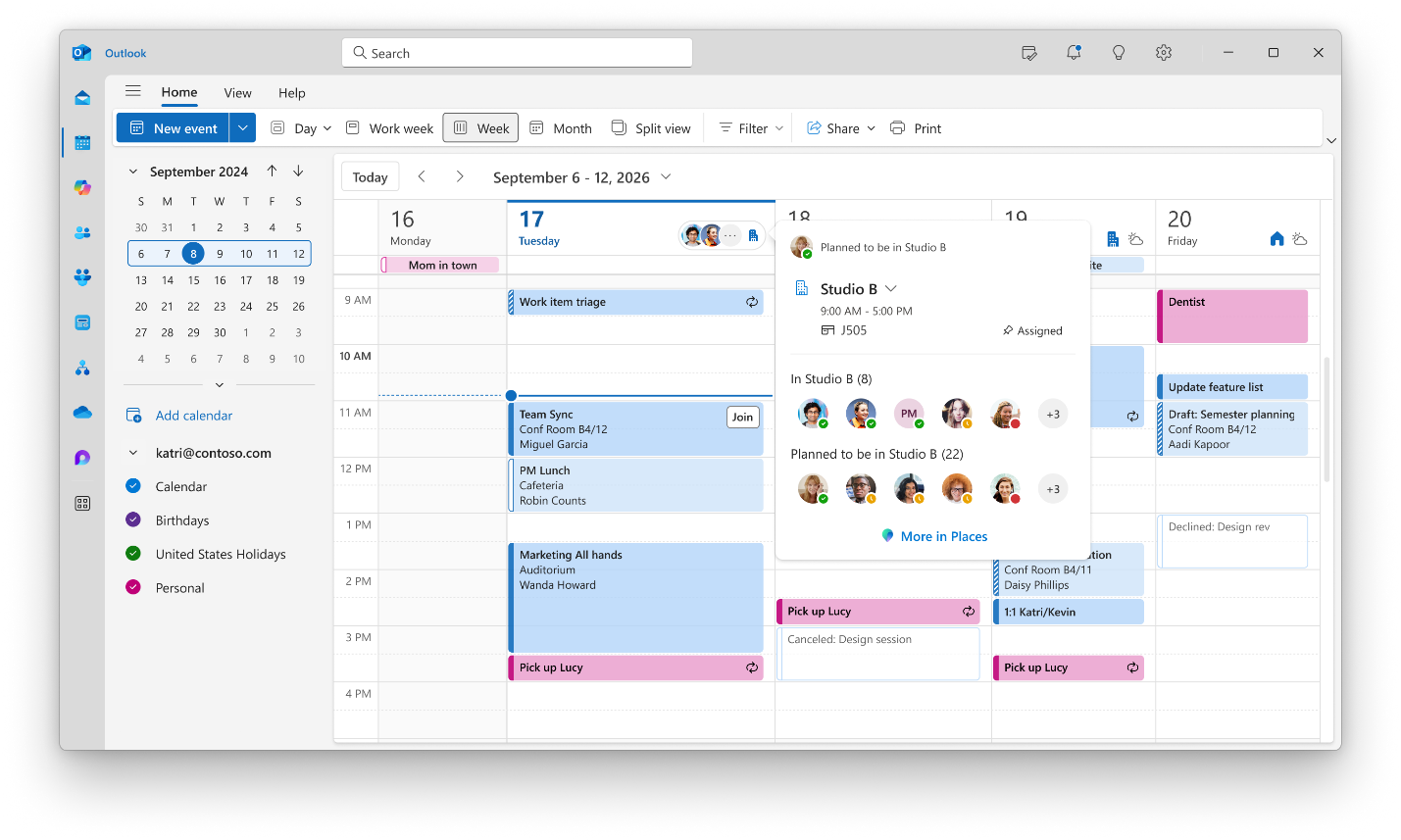
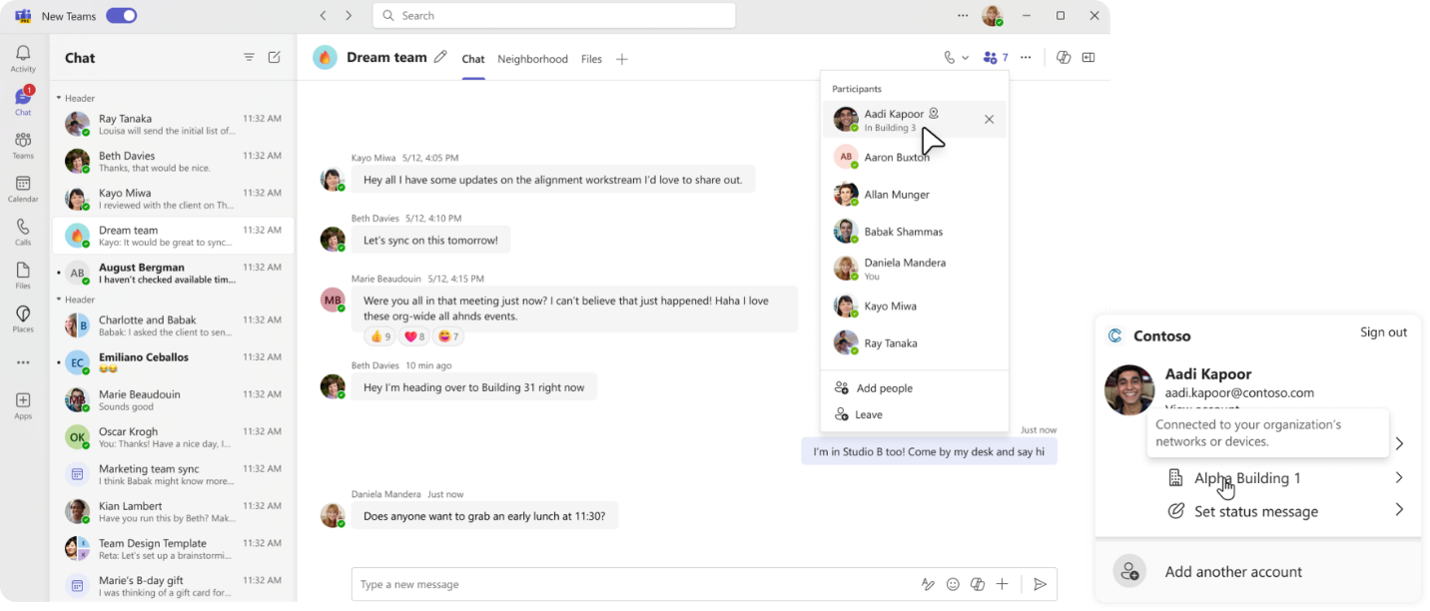
As an employer, it might be hard for you to keep track of who is actually in the office, especially if you have hybrid work setting. Well, Microsoft thinks your workplace Wi-Fi can help solve that problem. In the latest Tech Community blogpost, the company has announced a new workplace check-in feature for Microsoft Places and Teams that automatically updates an employee’s work location when they connect to approved office Wi-Fi networks. This isn’t the first time we have heard about this feature. When the feature was first spotted last year, many Teams users criticized it. As a result, Microsoft delayed rolling out the feature and made it optional.

Microsoft wants workplace presence to be more accurate

For many organizations, calendar availability and Microsoft Teams presence no longer tell the full story. Someone may appear online but still be working remotely, while office plans often change throughout the day. The Wi-Fi workplace check-in feature aims to curb exactly that.

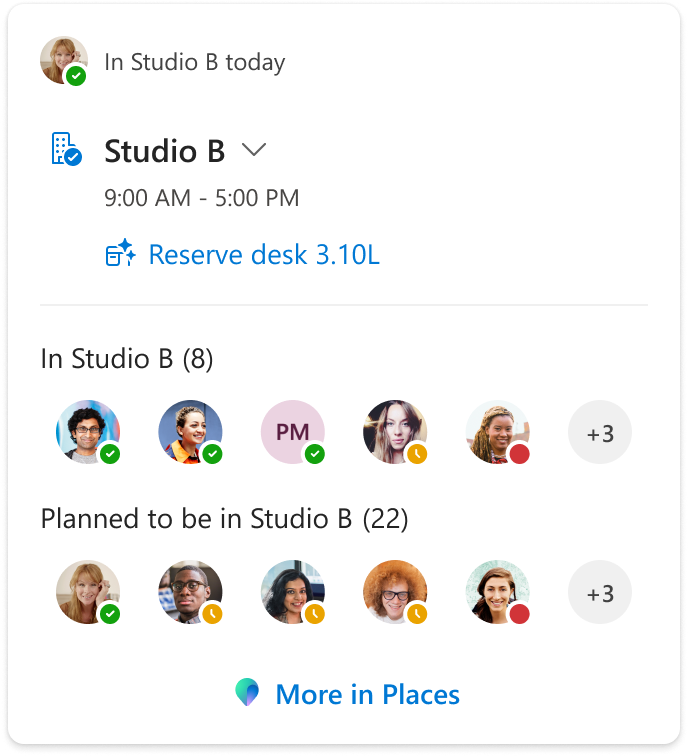
When employees connect their laptops to a configured corporate Wi-Fi network, Teams and Microsoft Places can automatically update their workplace status to indicate they are in the office. The feature can also check users into existing desk reservations and update their work plans without requiring any manual action.

The experience builds on Microsoft’s existing workplace check-in system, which already supports peripherals such as desk docks and monitors.

Image credit: Microsoft

Privacy controls remain front and center

Considering the backlash the feature faced last year, when it was first spotted, Microsoft is now giving employees full control and privacy. Organizations must first enable the feature and configure approved office Wi-Fi access points. That said, it’s employees who can choose whether to use the feature and can override their workplace location at any time.

Microsoft says the system does not track employee movements, store historical location data, or monitor users outside approved workplace environments. If a device is not connected to a configured office network, the user’s location will simply appear as remote.

The company also notes that sharing workplace presence and enabling automatic check-ins are separate settings, allowing employees to decide whether colleagues can see their office status. The Wi-Fi check-in for Microsoft Places and Teams is expected to roll out later this year. Organizations interested in the feature will need Microsoft Places configured within their environment and approved corporate networks added to the Places directory. Speaking of other features, Microsoft Teams is also getting a new Efficiency Mode for low-end PCs.

Windows 11 Release Preview 26H1 Update Improves USB Reliability and Battery Life

Microsoft has released a new Windows 11 Insider Release Preview update for devices running Windows 11 26H1. The update introduces a wide range of quality improvements across Storage, USB connectivity, battery efficiency, File Explorer, Microsoft Store, and system reliability.

Most of the new features are rolling out gradually, which means they may not appear immediately for all users.

Storage Settings Become More User-Friendly

Users can now specify storage sizes in gigabytes when creating a Dev Drive instead of entering values only in megabytes. The same improvement is available when resizing volumes through Storage settings, making disk management easier and more intuitive.

Microsoft has also reduced unnecessary User Account Control prompts. Storage settings will now display a UAC prompt only when users choose to view temporary files.

USB4 and USB3 Reliability Improvements

Displays connected through USB4 docks and hubs should now wake more reliably after a PC resumes from standby. Microsoft says users with external monitors connected through docking stations should notice more consistent behavior.

The USB3 stack also gains additional recovery mechanisms designed to handle unexpected hardware faults and other error conditions more effectively.

Better Battery Life and Power Management

Microsoft addressed multiple power-related issues that could negatively affect battery life.

The company fixed problems where applications could keep the sensor hub powered on unnecessarily, resulting in excess battery drain. Improvements were also made to HID (Human Interface Device) power management.

According to Microsoft, Windows now handles failed HID devices more efficiently and better prevents unnecessary power usage from applications attempting HID transfers while the system is in standby mode.

Touch Keyboard and Input Improvements

The touch keyboard should now work more reliably on the Windows sign-in screen.

Microsoft specifically addressed scenarios involving password entry and password changes. The company also improved explorer.exe reliability when closing the input switcher.

Clipboard history has received performance optimizations as well. Users should notice faster opening times and smoother navigation through previously copied content.

Font, Task Scheduler, and Shortcut Fixes

This update includes several smaller but useful improvements throughout Windows.

The Times New Roman font family has been updated to improve rendering of combining diacritical marks used in Greek and Cyrillic languages.

Task Scheduler now remembers column width adjustments in the task list view across sessions, eliminating the need to repeatedly customize layouts.

Microsoft also improved reliability for desktop application shortcuts, helping them load more consistently.

Microsoft Store Downloads Get Faster

Downloads should now perform better while using available bandwidth more efficiently. Microsoft has also improved error reporting when downloads fail because of Windows Update Group Policy settings.

These changes should make troubleshooting Store download issues easier for administrators and enterprise users.

Additional Reliability Improvements Across Windows

Microsoft introduced numerous reliability fixes throughout the operating system.

Key improvements include:

  • Better reliability on sign-in and lock screens
  • Improved File Explorer stability
  • More reliable touch gestures on touchscreen devices
  • Better stability when changing themes in Settings
  • General platform reliability improvements

Enterprise and Security Improvements

Alongside the gradual rollout features, Microsoft also included several changes in the normal rollout portion of the update.

Netlogon secure channel connections between domain controllers have been improved, helping member servers communicate more reliably with older domain controller deployments created before 2025.

Microsoft also enhanced BitLocker testing reliability by ensuring the required files are available during the BitLocker Drive Encryption USB BIOS Logo Test process.

Bluetooth and Voice Typing Improvements

While Storage, USB, and reliability fixes make up the bulk of the update, Microsoft says the release also includes additional improvements for Bluetooth and Voice Typing.

These changes further expand the update’s focus on usability, connectivity, and overall system reliability as Microsoft continues preparing Windows 11 26H1 for broader availability.

Windows 11 Release Preview 26H1 Brings Faster Performance and Smarter Search

Microsoft has released Windows 11 Insider Release Preview Build 28000.2333 for users testing the upcoming Windows 11 26H1 update. The build introduces improvements across accessibility, performance, AI hardware monitoring, camera functionality, Windows Hello, personalization, and search.

As with many recent Insider releases, Microsoft is rolling out these features gradually, meaning not every tester will receive all changes immediately.

Magnifier Gets Accessibility and Protected Content Improvements

One of the biggest accessibility upgrades in this release focuses on Magnifier.

Users who rely on screen readers will now receive clearer and more consistent announcements when using Magnifier. The feature can now provide spoken feedback for key actions, including adjusting zoom levels, changing Magnifier views, toggling color inversion, and turning Magnifier on or off.

Microsoft has also added support for magnifying permitted protected content, expanding compatibility in scenarios where content protection previously limited accessibility features.

Lens mode should feel smoother as well, with Microsoft improving movement responsiveness while navigating the screen.

Task Manager Adds New NPU Monitoring Features

Build 28000.2333 introduces new visibility into Neural Processing Unit (NPU) activity. Users can now customize Task Manager by adding several NPU-focused columns to the Processes, Users, and Details tabs.

These include metrics for NPU utilization, engine activity, dedicated memory consumption, and shared memory usage, providing a more detailed view of AI workload performance.

Neural engines integrated into GPUs now appear directly on the Performance page, making it easier to monitor AI workloads and hardware acceleration.

Microsoft also added a new Isolation column on the Processes and Details pages. This column identifies applications running inside an AppContainer environment.

Users can enable these columns by right-clicking any column header and selecting the desired entries.

The company also fixed an issue where virtual machines could report unusually high CPU speeds after resuming from hibernation.

Multi-App Camera Support Expands

Windows 11’s Multi-App Camera feature is officially gaining additional functionality, after the feature was first spotted in KB5089573 last month.

The feature allows multiple applications to access a camera stream simultaneously, making it easier to support accessibility tools, streaming software, and collaboration apps that need concurrent camera access.

Microsoft also introduced a Basic Camera mode designed for troubleshooting camera-related issues or improving stability when advanced functionality is not required.

Enterprise administrators can manage both Multi-App Camera mode and Basic Camera mode through Group Policy settings.

Windows Setup Finally Allows Custom User Folder Names

During Windows installation, users can now choose a custom name for their user folder instead of relying on the automatically generated folder structure traditionally created during setup.

The change gives users more control over account organization and file paths from the start.

The feature was previously reported when Microsoft began testing the ability to choose a custom name for their user folder during setup.

Performance Improvements Target Core Windows Experiences

Microsoft says Build 28000.2333 accelerates application launches and improves responsiveness throughout the operating system.

Several core shell components should feel faster, including the Start menu, Windows Search, and Action Center.

The improvements appear related to Microsoft’s ongoing work around the Low Latency Profile introduced in recent Windows 11 updates.

Personalization Becomes More Reliable

Automatic accent color selection should now more accurately match the colors found in the active wallpaper.

Microsoft also improved wallpaper reliability by preserving wallpapers more consistently after upgrades, preventing unwanted switches to solid-color backgrounds, and improving support for high-resolution wallpapers.

These changes aim to deliver a more consistent desktop appearance across updates and restarts.

Windows Hello Receives Performance and Reliability Fixes

Microsoft optimized the Windows Biometric Service to improve performance after systems resume from Modern Standby.

The company also addressed issues involving missing secure enrollment metadata and unexpected authentication blocks associated with Enhanced Sign-in Security.

Sign-in behavior has become more consistent as well.

When face recognition or fingerprint authentication is available, Windows will continue using those methods as the default sign-in option even if another authentication method was used previously.

Microsoft also refined PIN behavior. If users choose a PIN three consecutive times, Windows will continue using the PIN until another authentication method is manually selected.

Windows Search Gets Smarter

Windows Search can now find and prioritize files using as few as two characters, helping users locate documents and content faster, even when entering very short search terms.

The improvement should make file discovery more responsive while reducing the need to type full file names or longer keywords.

Windows 11 Insider Release Preview Build 28000.2333 delivers meaningful improvements across accessibility, AI hardware monitoring, camera sharing, sign-in reliability, personalization, and system performance.

Because the features are rolling out gradually, Insider testers may see them appear over time rather than immediately after installing the update.

Windows 11 Release Preview Update Brings Touchpad Controls and File Explorer Fixes

Microsoft has released new Windows 11 Release Preview builds for Insider testers, bringing a broad collection of fixes, reliability improvements, and usability enhancements across the operating system. The update applies to both Windows 11 version 24H2 and the upcoming 25H2 release.

The latest builds expand on recently introduced features such as Bluetooth improvements and voice enhancements, as well as Point-in-Time Restore and Screen Tint. This release focuses heavily on reliability, touchpad customization, File Explorer stability, networking, and Start menu responsiveness.

According to the official builds 26100.8728 and 26200.8728 release notes, Microsoft is rolling out a wide range of fixes and improvements across Windows 11.

WSL and Display Reliability Improvements

Microsoft has improved Windows Subsystem for Linux (WSL) when used in mirrored networking mode alongside VPN connections. This should help users who rely on WSL for development work while connected to corporate or personal VPN services.

The company also addressed several graphics and display-related issues. Rendering reliability has improved when scrolling through certain applications that span multiple monitors, while color profiles should now apply more consistently and remain active after configuration.

Clearer Location Settings

Windows now provides a more intuitive experience when location services are disabled.

When users turn off Location Services under Settings > Privacy & Security > Location, related options such as Default Location and Allow Location Override become unavailable and appear grayed out. Microsoft says this change helps prevent confusion because those settings have no effect when location services are disabled.

Touchpad Customization Arrives

Users with compatible pressable touchpads can now adjust the size of the bottom-right right-click area. The new setting can be found under the Touchpad section in the Settings app.

Some devices may also display a Custom option if the manufacturer provides additional touchpad controls.

Better Japanese Handwriting Recognition

Microsoft has improved Japanese handwriting recognition by enhancing support for English character recognition during handwriting input.

The change should make mixed-language handwriting more accurate for users who frequently switch between Japanese and English text.

File Explorer and Shell Stability Improvements

Microsoft says File Explorer Home navigation should behave more reliably during OneDrive synchronization. The company also improved explorer.exe stability when switching between multiple virtual desktops.

  • Improved app launch reliability when shell extensions are installed
  • Better explorer.exe stability across various scenarios
  • Reduced occurrences of blank gray taskbar icons
  • Improved reliability of acrylic blur effects in Start, Settings, and the lock screen

Login and Lock Screen Improvements

The update also improves reliability when organizations use third-party credential providers for authentication.

Microsoft says login and lock screen experiences should now work more consistently in these environments.

Secure Boot and Enterprise Networking Enhancements

Beyond the gradual rollout features, Microsoft is also shipping several improvements to all users receiving the update.

Windows quality updates now include additional high-confidence device targeting data for Secure Boot. This allows more eligible devices to automatically receive updated Secure Boot certificates once they demonstrate sufficient successful update history.

Enterprise networking receives multiple reliability fixes as well.

  • Netlogon secure channel connections between domain controllers
  • Connectivity for member servers communicating with older domain controllers
  • Connections to shared network resources
  • Reliability of the NetUseAdd function
  • Null session, or unauthenticated, network connections

These changes primarily benefit business and enterprise environments.

Start Menu and Taskbar Fixes

The Start menu now updates more accurately when applications are installed or removed. Users should no longer need to sign out or restart Windows before newly installed apps appear correctly.

This improvement is particularly noticeable for applications that create folders containing multiple shortcuts.

Taskbar notification badges have also been refined. Notification counts and badge indicators should now update more reliably across supported applications.

These improvements are currently available to Windows Insiders in the Release Preview Channel through builds 26100.8728 and 26200.8728. As with most Release Preview updates, some features are rolling out gradually and may not appear immediately on every device.

Windows 11 Release Preview Update Brings Major Bluetooth and Voice Improvements

Windows Insiders in the Release Preview Channel can now test two new Windows 11 builds. Microsoft has released Build 26100.8728 for Windows 11 version 24H2 and Build 26200.8728 for Windows 11 version 25H2.

Alongside numerous reliability fixes, these builds add new features, including Point-in-Time Restore for easier PC recovery and Screen Tint controls for display customization and accessibility. Microsoft also includes improvements to system recovery, device management, and overall user experience.

As with many recent Insider releases, all new features are being delivered through a gradual rollout. This means some users may receive the changes sooner than others, depending on their device and rollout schedule.

Major Bluetooth Improvements

One of the biggest areas of improvement in these Release Preview builds is Bluetooth connectivity.

Microsoft has synchronized the microphone mute status between the Windows audio mixer and Bluetooth Hands-Free Profile devices. This should provide more consistent mute behavior for headphones and headsets that include dedicated mute controls or status indicators.

The company has also improved compatibility with several popular Bluetooth audio products. AirPods should now appear more quickly while in pairing mode, while microphone reliability has been improved for Beats Studio Pro headphones.

Microsoft also adjusted Phone Link audio handling. When users place a call from a connected phone, audio remains on the phone during ringing and transfers to the PC only after the call is answered from Windows. Incoming calls will also respect Windows Do Not Disturb settings and no longer ring on the PC when the feature is enabled.

Voice Access and Voice Typing Enhancements

Copilot+ PC users are receiving expanded voice capabilities.

Voice access and voice typing now support French, German, and Spanish. Microsoft says the updated speech recognition system can improve dictated text in real time by correcting grammar, punctuation, and recognition mistakes as users speak.

The feature can also improve transcription quality in environments with background noise, making voice input more accurate and easier to use.

Networking Reliability Improvements

Microsoft continues to invest heavily in networking reliability across both consumer and enterprise environments.

Confidential Virtual Machines now use SR-IOV hardware acceleration by default, helping improve network throughput and performance in supported environments.

The update also fixes a nested Hyper-V virtualization networking configuration issue that previously affected reliable virtual machine provisioning.

Other networking improvements include enhanced reliability across the Windows networking stack, fewer blue screen errors related to Wi-Fi power management, improved cellular WWAN connectivity, better IPv6 VPN support over cellular networks, increased compatibility with third-party VPN software, more reliable SR-IOV configurations on server hardware, and preservation of network adapter settings and bindings during operating system upgrades.

Printing Changes and Additional Fixes

Microsoft is also introducing changes designed to simplify printer setup.

New printer installations will now use Internet Printing Protocol (IPP) by default when supported. The company says this change aligns with its broader Windows Ready Print initiative and should improve setup reliability.

The updates focus primarily on reliability improvements rather than major new features, with Bluetooth connectivity, networking performance, voice recognition, and printing receiving the most attention. Since these changes are rolling out gradually, some users may not see every feature immediately after installing the update.

For users interested in testing newer and more experimental features, Microsoft is also offering separate Windows 11 Beta Channel builds.

Windows 11 Release Preview Builds Add Point-in-Time Restore and Screen Tint

Microsoft has released Windows 11 Builds 26100.8728 and 26200.8728 to the Release Preview Channel, introducing a wide range of new features and improvements ahead of broader availability.

Build 26100.8728 is available for Windows 11 version 24H2, while Build 26200.8728 targets Windows 11 version 25H2. As with many Release Preview updates, Microsoft is gradually rolling out these features, meaning they may not appear immediately for all users.

Windows Gains Point-in-Time Restore

One of the biggest additions in these builds is a new Point-in-Time Restore feature for Windows.

The feature allows users to roll back their PC to a recent automatic restore point. Unlike traditional restore options, Microsoft says the experience can restore apps, settings, and even personal files, helping users recover from problems more quickly.

According to Microsoft, the goal is to reduce downtime and make troubleshooting easier when software issues or system changes cause unexpected problems.

Windows Update Gets a New Calendar Experience

Microsoft is also updating the Windows Update page with a redesigned pause updates experience.

Users can now select a specific end date directly from a calendar interface when pausing updates. Windows updates can be paused for up to 35 days, and users can extend the pause period by choosing a different end date if needed.

Widgets Become Less Distracting

Widgets are receiving a quieter and more focused experience designed to reduce interruptions.

Widgets no longer open automatically when users hover over the taskbar icon. Notification badges and taskbar alerts are also minimized by default.

Microsoft has updated Widget badges so they use colors that match the current Windows accent color, creating a more consistent visual experience, as seen in Build 26300.8493.

Microsoft also says Widgets receive several reliability, responsiveness, and visual quality improvements in these builds.

New Screen Tint Accessibility Feature Arrives

Windows 11 now includes a new Screen tint feature that applies a customizable color overlay across the entire display.

The feature is designed to reduce eye strain, improve readability, and make the screen more comfortable for users who experience visual sensitivity.

Users can select from multiple preset tint colors, create custom tint settings, and adjust intensity levels to suit their preferences. Screen tint can also activate automatically through Accessibility settings.

Magnifier Gets Better Zoom Controls

Users can now enter an exact zoom percentage directly from the Magnifier interface instead of repeatedly adjusting zoom levels.

Additional zoom increment controls are available from the Magnifier window, allowing users to change zoom behavior without opening the main Settings app.

File Explorer Adds Copilot Actions and Reliability Improvements

On the Home page, users can now access quick actions by hovering over files. Available actions include Open file location and Ask Copilot.

Microsoft has also expanded support for work and school accounts that use Entra ID. However, the Copilot quick action remains unavailable in the European Economic Area.

The File Explorer address bar now accepts paths that contain double backslashes and paths enclosed in quotation marks. This improves compatibility when users paste file paths from scripts, documents, or command-line tools.

Several reliability fixes are also included:

  • Address bar suggestion dropdowns now close correctly after selecting an item.
  • OneDrive files should no longer appear duplicated in File Explorer Home Favorites.
  • Text selection during file renaming behaves correctly.
  • Case-only file name changes now appear immediately.
  • Rename fixes apply to both local and cloud-backed files.

Rolling Out to Release Preview Users

The new features are currently rolling out gradually to Release Preview Channel users on both Windows 11 24H2 and 25H2.

Users looking for additional experimental features may also want to check out Microsoft’s latest Windows 11 Beta Channel releases, which continue to test upcoming functionality before it reaches Release Preview.

Windows 11 Experimental Future Platforms Build Fixes Green Screen Crashes

Microsoft has released Windows 11 Insider Experimental Future Platforms Preview Build 29610.1000 for users in the Canary 29600 Series Channel. The new preview build introduces several fixes and quality improvements, while also reflecting Microsoft’s updated naming conventions for Windows Insider channels.

The company noted that some users currently enrolled in the Canary 29600 Series Channel may not immediately see themselves moved to the new Experimental Future Platforms designation. Microsoft said the transition is being rolled out gradually across Insider devices.

One of the most notable fixes in Build 29610.1000 addresses a bug that affected some Insiders in the previous flight. The issue caused repeated bugchecks that resulted in a green screen displaying the KERNEL_SECURITY_CHECK_FAILURE error.

Microsoft says the underlying problem has now been resolved, reducing the likelihood of unexpected system crashes for affected users.

Better Storage Performance for Large Volumes

The update also delivers a performance improvement related to storage management.

According to Microsoft, users should notice faster performance when viewing storage information on large volumes through Settings > System > Storage > Advanced Storage Settings > Disks & Volumes.

Windows Security Notification Issue Resolved

Microsoft fixed an issue that incorrectly informed some Insiders that Microsoft Defender was disabled.

The bug generated false Windows Security notifications even when Defender was active and functioning normally. With Build 29610.1000, those inaccurate warnings should no longer appear.

Quick Settings Energy Saver Duplication Fixed

Some users reported seeing two separate Energy Saver entries in the Quick Settings panel. Microsoft has corrected the issue, ensuring only a single Energy Saver toggle appears as intended.

Alongside Experimental Future Platforms Build 29610.1000, Microsoft also released new Experimental and Beta preview builds for Windows 11 version 26H1.

The additional releases continue Microsoft’s testing efforts for upcoming Windows 11 features, fixes, and platform improvements before they reach broader Insider audiences and eventually stable releases.

Windows 11 Experimental 26H1 Build Improves App Launch Performance

Microsoft has released Windows 11 Insider Experimental 26H1 Preview Build 28120.2302 for users enrolled in the Experimental channel. The update does not introduce major new features, but it focuses on performance improvements across several core areas of the operating system.

Faster Performance Across Windows

The highlight of Build 28120.2302 is a general performance upgrade designed to make Windows feel more responsive during everyday use.

Microsoft says the build accelerates app launches while also improving the performance of several core shell components. Although Microsoft has not provided technical details, the changes appear to align with the company’s recently introduced Low Latency Profile initiative, which aims to reduce delays throughout the Windows experience.

Users may notice quicker interactions when opening applications, searching for files and settings, navigating the Start menu, and accessing notifications through Action Center.

Task Scheduler Gets a Small Quality-of-Life Improvement

Build 28120.2302 also includes a small usability enhancement for Task Scheduler.

The utility now remembers column width adjustments made in the task list view. Previously, users often had to resize columns again after reopening the application. With this update, Task Scheduler preserves those preferences across sessions.

While minor, the change improves the experience for IT professionals, administrators, and power users who regularly work with scheduled tasks.

Additional Insider Builds Released This Week

Build 28120.2302 is one of several Insider Preview releases Microsoft has published recently.

The company also released Windows 11 Insider Beta 26H1 Preview Build 28020.2298, Experimental Preview Build 26300.8687, and Beta Preview Build 26220.8680.

Together, these releases continue Microsoft’s testing of upcoming Windows 11 improvements across both the Experimental and Beta channels.

While Build 28120.2302 is a relatively small release, its focus on responsiveness and everyday performance could have a noticeable impact on the overall Windows 11 experience for Insider testers.

Windows 11 26H1 Beta Build Introduces New Screen Tint Accessibility Feature

Microsoft has released Windows 11 Insider Preview Build 28020.2298 for users in the Beta Channel on the 26H1 branch. The update is relatively small and focuses on accessibility improvements, quality enhancements, and minor bug fixes.

Screen Tint Comes to Windows 11

The highlight of the release is a new accessibility feature called Screen tint, which adds a color overlay to reduce screen intensity and eye strain.

Users can choose from six preset colors or create a custom tint, and a strength slider allows adjustment of the effect.

Unlike Night light, which reduces blue light, Screen tint is designed to make displays more comfortable during general use. Both features can be enabled together.

However, Screen tint cannot be used alongside Color filters. Enabling one automatically disables the other.

Task Scheduler Improvement Included

The update also contains a small productivity improvement for Task Scheduler.

Microsoft has modified Task Scheduler so that custom column width adjustments in the task list view are now remembered between sessions. Previously, users could lose their preferred column sizing after closing and reopening the application.

In addition to these changes, Microsoft says Build 28020.2298 includes several minor fixes and reliability improvements throughout the operating system.

Microsoft Released Two Additional Insider Builds

Build 28020.2298 was not the only Insider release this week. Microsoft also released Build 26220.8680 with File Explorer, Magnifier, and accessibility improvements, alongside Build 26300.8687, which adds a unified Windows Update experience and enhancements to File Explorer and Windows Search.

These releases continue Microsoft’s recent focus on accessibility, search improvements, and quality-of-life enhancements across Windows 11 Insider channels.

Windows 11 Experimental Build Brings Smarter Search and Better File Explorer Tabs

Microsoft has released Windows 11 Insider Experimental Preview Build 26300.8687, introducing a new unified Windows Update experience designed to simplify how updates are delivered to users.

Microsoft Wants Fewer Restarts With Unified Windows Updates

One of the most significant changes in Build 26300.8687 is Microsoft’s effort to unify the Windows Update process.

Currently, Windows devices may receive separate updates for drivers, firmware, .NET components, and monthly security patches. Microsoft is now coordinating these update categories so they can be installed together.

According to the company, this approach should reduce disruption and help users spend less time dealing with multiple update cycles and reboots.

File Explorer Gets Better Tab Navigation

Microsoft continues refining File Explorer’s tabbed experience. Users can now middle-click folders in the Address Bar to open them directly in a new tab. The same behavior now works for folders displayed on the Home page.

Microsoft also improved accessibility within File Explorer. Screen readers now provide better announcements when users encounter file conflict dialogs, while the interface responds more effectively when larger text scaling settings are enabled.

Windows Search Becomes More Forgiving

Search can now better understand spelling mistakes, missing characters, extra letters, and partial search terms when looking for applications.

This means users should find apps more easily even when they do not enter the exact app name.

Microsoft has also improved Settings search ranking. More relevant results should now appear closer to the top of the results list, helping users locate system settings faster.

Taskbar, Setup, and Emoji Improvements

Taskbar reliability has improved, particularly when loading the system tray area. Microsoft also fixed an issue that could cause tooltips to appear over the Start menu icon when the taskbar was positioned in alternate locations.

Additional visual issues affecting small taskbar icons have also been resolved.

Windows Setup now provides more information about parental controls during device setup, helping families better understand the protections available to them.

Meanwhile, the emoji panel now uses GIPHY as its GIF provider following the retirement of Tenor support.

Reliability and Accessibility Fixes

Microsoft addressed a number of bugs reported by Insider testers. The company fixed an issue that could cause the mouse cursor to move in the wrong direction on portrait-oriented secondary monitors.

A new remote recovery management plug-in has also been added. The feature expands Windows Recovery Environment (WinRE) management capabilities for Mobile Device Management (MDM) providers.

Additional fixes include resolving an audio issue affecting some Insider devices after recent flights, addressing reliability problems in Settings > Apps > Installed Apps, fixing freezes involving Search, Notepad, and several other scenarios, and correcting dark mode inconsistencies in Task Manager’s “Run new task” dialog. Task Manager now properly displays the dialog in dark mode when dark mode is enabled system-wide.

Beta Channel Build 26220.8680 Released

Microsoft also released Windows 11 Insider Preview Build 26220.8680 for Beta Channel testers, bringing accessibility improvements, File Explorer fixes, Magnifier enhancements, and the new Screen Tint feature.

Microsoft is also rolling out its Low Latency Profile for Windows 11, aimed at improving responsiveness and reducing app launch delays.

Together with unified updates, smarter search, and File Explorer improvements, these changes continue Microsoft’s efforts to make Windows 11 faster and easier to use.

Microsoft Releases Windows 11 Beta Build With Smarter Widgets and Screen Tint

Microsoft has released Windows 11 Insider Preview Build 26220.8680 to Beta Channel testers, introducing a wide range of improvements across Widgets, accessibility features, Magnifier, File Explorer, Windows Update, input experiences, and recovery management.

One of the biggest changes in this build focuses on making Widgets less distracting while improving performance and personalization. Microsoft says the updated experience aims to reduce unnecessary notifications and better adapt to how individual users interact with Widgets.

Widgets Become Quieter and More Personalized

Microsoft is making Widgets less intrusive by default. Open on hover and taskbar badging are now disabled by default, while first-time launches open directly to the main Widgets experience. Weather is also now the only default lock screen widget.

The company is limiting Widget alerts shown on the taskbar and changing badge colors to match the user’s Windows accent color, just like in build 26300.8493. New navigation bar badges can display missed alerts and automatically clear after viewing.

Microsoft says Widget behavior will now adapt to usage patterns, giving less active users a quieter experience while preserving settings for users who regularly engage with Widgets.

Microsoft has redesigned the Widgets settings page as a full-screen experience and optimized memory usage. Widgets now have a smaller memory footprint, can release memory faster when not in use, and adjust resource usage based on device capabilities.

On lower-memory systems, some pre-launch behaviors are limited to improve performance.

New Screen Tint Accessibility Feature

Microsoft has added a new accessibility feature called Screen Tint, which applies a color overlay across the display to help reduce eye strain and light sensitivity. Available under Settings > Accessibility > Vision, the feature includes six preset colors, custom color support, and adjustable intensity levels.

Microsoft says Screen Tint differs from Night Light, which reduces blue light before sleep. Screen Tint instead lowers overall screen intensity and can be used alongside Night Light. However, it cannot be enabled at the same time as Color Filters.

Magnifier Gets More Precise Controls

Microsoft has improved Magnifier by allowing users to enter an exact zoom percentage directly from the toolbar. The feature also now includes preset zoom levels ranging from 5% to 400%, making it easier to switch between commonly used magnification settings.

Emoji Panel Switches to GIPHY

Windows 11’s emoji panel now uses GIPHY as its GIF provider.

Microsoft says the change follows the deprecation of Tenor and ensures continued GIF support within the operating system.

New Remote Recovery Management Capabilities

Microsoft has added a new remote recovery management plug-in for Windows 11.

The plug-in extends Windows Recovery Environment (WinRE) management capabilities for Mobile Device Management (MDM) providers, giving administrators additional recovery options for managed devices.

File Explorer Receives Reliability and Performance Fixes

File Explorer receives several fixes in this build. The address bar now supports paths containing double backslashes and quotation marks, while performance has been improved when mounting large ISO files, preventing freezes during SmartScreen checks.

Microsoft also fixed several reliability issues, including duplicated OneDrive files appearing in Home Favorites, problems with text selection during file renaming, address bar suggestion dropdown behavior, and file name changes that only altered letter capitalization not updating correctly in local and cloud folders.

Windows Update Fixes Error 0x800f0843

Microsoft has resolved an issue that caused Windows Update error 0x800f0843 when installing the previous Beta Channel update.

The fix should allow affected users to successfully install new builds without encountering the error.

Microsoft Continues Refining Windows 11

Build 26220.8680 focuses heavily on quality-of-life improvements rather than major new features. The release introduces a quieter and more efficient Widgets experience, expands accessibility options with Screen Tint, improves Magnifier controls, strengthens File Explorer reliability, and fixes Windows Update installation issues.

The build also arrives as Microsoft continues expanding performance-focused improvements in Windows 11, including the recently introduced Low Latency Profile feature that aims to improve system responsiveness and application launch performance.

Microsoft Edge tests AI-powered browser troubleshooting with new “Fix an issue” feature

Microsoft Edge is testing a new, undocumented settings entry in the Canary build that points to a different way of handling browser problems, with Copilot apparently doing the diagnosing.

Fix an issue appears in Edge Settings

As spotted by Windows Report, Edge Canary now includes a new “Fix an issue” option near the bottom of the Settings sidebar, alongside entries like “About Microsoft Edge” and “Send feedback.” Clicking it opens a dedicated page at edge://settings/fixIssue.

Right now, the page does not do much. It loads, but there is no visible diagnostic flow, checklist, or suggestions.

Image Credit: Windows Report.

A Copilot setting behind “Fix an issue”

The more interesting find is buried elsewhere in Settings, under “Copilot and AI,” in a section labeled “AI Enhancements.” The fact that this toggle lives on the Copilot and AI page, rather than under Privacy or System and performance, suggests Microsoft is building “Fix an issue” around Copilot from the start.

The toggle itself reads: “Use diagnostic data in ‘Fix an issue’ feature”. It is off by default, and the description says:

“When you use ‘Fix an issue’ in Edge settings, allow AI to analyze relevant diagnostic and settings data to identify and suggest solutions for browser problems.”

Image Credit: Venkat | Windows Report.

That suggests Microsoft wants Copilot to look at browser settings, configuration, and diagnostic data, then offer fixes when something goes wrong.

Turning the toggle on and returning to edge://settings/fixIssue did not change anything. The page stayed blank, with no analysis, no suggestions, and nothing to show that the toggle had any effect.

That is not unusual for Canary. Features often show up before the backend is ready, especially when they are behind a server-side flag. The fact that both the page and the toggle exist suggests Microsoft has started building this out, even if it is not active yet.

Microsoft has tried this before

This is not the first time Microsoft has pushed Copilot deeper into Edge settings. In 2024, we reported on Canary showing “Try Copilot for more efficient Settings” prompts across different Settings pages, each with an “Ask Copilot” button. More recently, Microsoft also tested a change that sends the F1 help shortcut straight into Copilot instead of opening the usual Edge help page.

“Fix an issue” looks like the next step in that progression. Instead of scattering Copilot prompts across Settings or rerouting a help shortcut, Microsoft seems to be building a single place for browser troubleshooting inside Edge.

If the feature develops as its name suggests, “Fix an issue” could become a one-stop troubleshooting tool inside Edge Settings for when the browser itself is acting up. Copilot could analyze settings, policies, extensions, and diagnostic data, then point to the likely cause and suggest a fix instead of making users work through a reset or cache-clearing checklist on their own.

Microsoft has also listed a separate website-compatibility feature on the Microsoft 365 Roadmap, which focuses on prompts for broken websites. It is not clear whether that feature and this settings page are connected or entirely separate, but both point in the same direction: Microsoft is leaning on Copilot to do more of the troubleshooting work inside Edge.

For now, neither the “Fix an issue” page nor the toggle appears to do anything yet. We will keep an eye on future builds for more clues.

Microsoft also recently announced that Edge will move to a two-week release cycle for major Stable versions, starting with Edge 152 in August, bringing it closer to Chrome’s new two-week cadence, which begins in September.

Facebook & Messenger Down Right Now, Meta’s App Face Massive Outage

Facebook is experiencing a major outage that has left users around the world unable to access parts of the social network and its related services, according to Independent. Reports began surfacing early Friday morning, with the disruption appearing to start around 6:45 a.m. Pacific Time.

Users attempting to access Facebook through the web are encountering error messages and pages that fail to load. In many cases, Facebook is displaying a basic error page that resembles older versions of the platform, indicating that the service is currently unavailable.

The outage appears to affect several Facebook services, including Messenger. Many users report difficulties sending messages, loading conversations, or accessing account features. Social media platforms quickly filled with complaints as users searched for information about the disruption.

Instagram and WhatsApp Also Showing Problems

While Meta’s other major platforms initially appeared to remain online, some issues have also been reported on Instagram and WhatsApp.

The mobile applications for both services appear to be functioning for many users, but the web versions have experienced intermittent failures. Visitors to Instagram.com and WhatsApp Web have reported error messages, incomplete page loads, and connection issues.

At the time of writing, Meta has not confirmed whether the problems affecting Facebook, Instagram, and WhatsApp are linked to the same underlying issue.

Cause Remains Unknown

Meta has not yet provided an official explanation for the outage. The company has also not announced an estimated timeline for full service restoration.

Large-scale outages can be caused by a variety of factors, including infrastructure failures, network configuration problems, software deployment issues, or disruptions affecting backend systems. However, no evidence currently points to a specific cause.

Users continue to report new incidents as the outage remains ongoing.

Xbox Network Services Also Reporting Problems

The Facebook disruption is not the only major online service issue being reported today. Users have also flagged problems affecting Xbox Network Services.

Reports indicate that some Xbox players are experiencing connectivity issues, including difficulties signing in, accessing online features, or connecting to multiplayer services.

It remains unclear whether the Xbox-related issues are connected in any way to the Facebook outage. At this stage, there is no indication that the two incidents share a common cause.

Microsoft Reportedly Restricts Claude Fable 5 Use Over Anthropic Data Retention Policy

Microsoft is reportedly limiting employee use of Claude Fable 5 because of concerns over Anthropic’s updated data retention requirements, according to The Verge.

The temporary restriction comes as Microsoft’s legal and compliance teams review how Anthropic stores prompts, outputs, and content flagged by its safety systems.

According to the report, Anthropic’s new requirements allow prompts and outputs to be retained for up to 30 days. Content flagged by its safety systems can reportedly be kept for up to two years.

Microsoft worries about sensitive data exposure

Microsoft is concerned that employees could accidentally share confidential information while using Claude Fable 5.

That data could include customer information, internal corporate material, business plans, code, or other sensitive company details.

The concern becomes more serious if Anthropic’s safety systems flag that content. In that case, the data could reportedly become available during investigations or enforcement reviews.

Microsoft also sees a competitive risk because Anthropic operates as a rival AI company.

Claude Fable 5 restriction appears temporary

The restriction appears to be temporary while Microsoft reviews the compliance impact of Anthropic’s updated retention policy.

The company has reportedly asked employees not to use Claude Fable 5 during this review period.

The move does not necessarily mean Microsoft has made a final decision on Anthropic’s tools. Instead, it suggests the company wants to assess legal, compliance, and data security risks before allowing broader use.

Microsoft is also ending Claude Code licenses

Separately, Microsoft later announced that all Claude Code licenses would end on June 30.

That decision was reportedly not directly tied to the Claude Fable 5 data retention issue.

Reports suggest Microsoft wants employees to move from Claude Code to GitHub Copilot CLI instead. This would keep more developer activity inside Microsoft’s own AI and coding ecosystem.

There may also be a financial angle. Microsoft’s fiscal year ends on June 30, which could make the license termination part of broader cost control or budget planning.

Compliance, competition, and cost may all play a role

Microsoft’s reported Claude Fable 5 restriction appears to involve several factors at once.

The biggest issue is data retention. If employees enter sensitive company or customer information into a third-party AI tool, Microsoft needs to understand where that data goes and how long it remains stored.

The competitive angle also matters. Anthropic competes with Microsoft-backed AI products, including tools connected to GitHub Copilot.

At the same time, ending Claude Code licenses could help Microsoft reduce overlapping software costs and push employees toward its own AI developer tools.

For now, the move looks less like a simple product ban and more like a broader review of AI tool usage inside Microsoft.

Via Windows Central

Microsoft Fixes Windows Update Failures Caused by WUSA Installer Bug

Microsoft has resolved a known issue that caused certain Windows updates to fail when installed using the Windows Update Standalone Installer (WUSA), as BleepingComputer reports. The problem mainly impacted enterprise environments and affected updates released from May 2025 onward.

Microsoft explained that the bug appeared when administrators tried to install MSU update packages from network shares containing multiple update files. In some cases, the installation failed with an ERROR_BAD_PATHNAME message, preventing the update from being installed successfully.

The issue affected devices running Windows 11 version 24H2, Windows 11 version 25H2, and Windows Server 2025. According to Microsoft, home users were unlikely to encounter the problem because WUSA is rarely used on consumer PCs.

Microsoft first confirmed the issue in August 2025 after organizations reported update deployment failures. The bug impacted systems that installed updates released on May 28, 2025, starting with KB5058499 and subsequent updates.

Microsoft Rolls Out Permanent Fix

Microsoft initially mitigated the issue for home users and unmanaged business devices through a Known Issue Rollback. The rollback began rolling out in September 2025 and automatically disabled the problematic code on affected systems.

The company has now released a permanent fix as part of the June 2026 Patch Tuesday updates.

The correction is included in KB5079391 for Windows 11 and KB5094125 for Windows Server 2025.

Organizations that have installed the latest cumulative updates should no longer experience failures when deploying updates through WUSA from network locations.

Temporary Workaround Remains Available

For systems still running older affected updates, Microsoft recommends copying MSU update files to local storage before starting the installation process.

The company also recommends waiting at least 15 minutes after restarting Windows before reviewing Update History. This allows the Settings app enough time to accurately reflect whether a WUSA-installed update completed successfully.

More Windows Update Fixes Arrive in June 2026

The WUSA-related fix is one of several Windows update issues Microsoft addressed this month.

The company recently added the June 2026 Patch Tuesday updates to the Windows 11 Media Creation Tool, enabling new installations to include the latest security updates from the start.

Microsoft also fixed a Windows Server 2025 issue that could trigger BitLocker recovery after installing updates. Additionally, the June 2026 Patch Tuesday release patched more than 200 security vulnerabilities across Windows.

Microsoft has further warned that some PCs upgraded to Windows 11 24H2 or Windows 11 25H2 may still encounter problems installing future monthly updates, and the company is continuing to investigate those reports.

Google Links Outsider Enterprise to 9,000 Fake Websites and 1 Million Fraudulent URLs

Google has filed a lawsuit against a cybercrime operation known as the “Outsider Enterprise,” accusing the group of running large-scale phishing and smishing campaigns that have targeted hundreds of thousands of people.

According to Google, the network operates from China and uses Telegram to coordinate its activities. The company says the group distributes phishing kits that allow cybercriminals to launch fake text-message campaigns impersonating trusted brands, including Google itself, with the goal of stealing passwords, credit card information, and other sensitive data.

The lawsuit is part of a broader effort to disrupt the group’s infrastructure and limit its ability to continue operating. Google is also working with the FBI and major U.S. wireless carriers to reduce the impact of the campaign.

Google says its investigation connected the Outsider Enterprise to approximately 9,000 fraudulent websites and more than one million malicious URLs used in scam campaigns.

The company estimates that the operation has generated millions of dollars in losses while financially scamming hundreds of thousands of victims worldwide.

Data collected by Google also highlights the scale of the campaign. During a two-week period in May, Android users reported 55,000 spam text messages associated with the operation. That equates to more than two spam-text complaints every minute.

During the same period, scammers reportedly sent 2.5 million text messages to Android users containing links that directed victims to websites created by the Outsider Enterprise.

The scale of the Outsider Enterprise’s operation is reflected in several key figures uncovered by Google’s investigation. Researchers identified approximately 9,000 fake websites and more than 1 million fraudulent URLs linked to the campaign.

Google pushes for stronger anti-scam legislation

Beyond the lawsuit, Google says legal action alone will not solve the growing scam problem.

The company is backing seven bipartisan bills designed to strengthen protections against fraud, phishing campaigns, and AI-assisted scams. Google argues that scammers are increasingly using artificial intelligence to create more convincing messages, websites, and social engineering attacks that are harder for victims to identify.

To counter those threats, Google continues to expand AI-based security protections across its products.

Android includes scam detection features that can warn users about suspicious calls, messages, and contacts. Google also says its messaging protections block or intercept more than 10 billion malicious messages every month.

The company believes combining AI-powered defenses, legal action, industry cooperation, and stronger legislation offers the best chance of reducing the impact of large-scale cybercrime operations.

Growing pressure on cybercriminal infrastructure

The lawsuit against the Outsider Enterprise comes as technology companies continue to face increasingly sophisticated cyber threats.

Recent security developments include the public leak of the Miasma credential-stealing framework’s source code on GitHub, raising concerns that additional threat actors could adapt the malware for future attacks. At the same time, GitHub has announced major security changes coming with npm v12 that are designed to reduce software supply-chain attack risks.

Microsoft has also expanded enterprise security protections by making DNS over HTTPS generally available for Windows DNS Server, allowing organizations to encrypt and authenticate DNS traffic as part of broader zero-trust security strategies.

Microsoft Makes DNS over HTTPS Generally Available for Windows DNS Server

Microsoft has announced the general availability of DNS over HTTPS (DoH) for Windows DNS Server, marking a major step forward for organizations adopting zero-trust security models.

The feature had been available in preview for several months and is now considered ready for production deployments. Microsoft describes DoH as a foundational upgrade that helps organizations secure one of the most critical parts of network communication: DNS.

Stronger DNS Security for Enterprise Networks

DNS, often referred to as the Internet’s phonebook, translates domain names into IP addresses. Traditionally, DNS queries are sent in plain text, making them vulnerable to interception, monitoring, and manipulation by attackers.

With DNS over HTTPS, DNS traffic is encrypted using HTTPS and authenticated through TLS certificates. This prevents unauthorized parties from inspecting DNS requests and helps protect organizations from man-in-the-middle attacks, traffic analysis, and DNS spoofing attempts.

A key benefit of DoH is server authentication. Clients can verify the identity of the DNS server before exchanging data, reducing the risk of attackers redirecting traffic through malicious DNS infrastructure.

Microsoft’s implementation follows the Internet Engineering Task Force (IETF) DNS over HTTPS standard defined in RFC 8484. As a result, it is designed to work with modern clients that support the standard.

The company says organizations can deploy DoH without redesigning their existing client-to-resolver architecture. Instead, encrypted DNS can integrate into current environments while continuing to support traditional DNS where needed.

This flexibility allows administrators to migrate gradually rather than requiring a complete infrastructure overhaul.

Available for Production Deployments

With general availability, Microsoft says organizations can now deploy DoH confidently in production environments using established guidance and best practices.

The release is particularly significant because Windows clients already support DNS over HTTPS. With support now available in Windows Server, administrators can provide encrypted DNS services across their entire organization.

Microsoft notes that this release focuses on securing communication between clients and the Windows DNS resolver. Encryption between Windows DNS Server and upstream DNS resolvers is planned for a future update.

To deploy DNS over HTTPS, organizations must run Windows Server 2025 and install the latest Patch Tuesday updates.

In other Microsoft news, the company recently fixed Windows Server 2025 systems that could enter BitLocker recovery after installing certain updates. Microsoft has also released a new Exchange Server security update that addresses an Outlook Web Access vulnerability.

XBOX Network Services is Down Right Now, The Company Confirms Major Outage

Something appears to have gone wrong on XBOX’s side this morning, and players around the world have quickly noticed it. Reports started piling up across social media and outage tracking platforms after users found themselves unable to sign in, access online games, sync cloud saves, or use other XBOX Network features. The issue appears to be affecting multiple regions simultaneously, suggesting this is not an isolated outage.

XBOX Network Services Are Down, Microsoft Confirms

While player complaints surfaced first, Microsoft has now acknowledged the disruption through its official XBOX Status page. According to the company, some users may be unable to sign in to their XBOX profiles, while others could experience unexpected disconnections after successfully logging in. Because of that, many features tied to XBOX accounts may stop working correctly.

Microsoft, in the XBOX Status dashboard, notes:

“You may not be able to sign-in to your Xbox profile, may be disconnected while signed in, or have other related problems. Features that require sign-in like most games, apps and social activity won’t be available.”

That means affected players could run into issues launching digital games, accessing multiplayer features, syncing cloud saves, opening apps, or using social functions across Xbox consoles and supported devices.

The outage quickly became one of the most discussed XBOX topics online, with users sharing screenshots of error messages and login failures.

As of now, Microsoft has not shared a cause for the outage or provided an estimated resolution time. Historically, similar XBOX Network interruptions have often been resolved within a few hours, though the exact timeline remains unclear.

In other XBOX news, Microsoft’s Matthew Ball suggested that ads could potentially help make games more affordable for players. He also defended Microsoft’s console strategy, making it clear that XBOX has no desire to move away from hardware.

Reddit Gets TikTok-Like Video Replies in Comments

Reddit comments are starting to look very different. After quietly testing the feature in select communities, Reddit has confirmed that users will soon be able to reply to posts and comments with videos. The rollout has kicked off yesterday (June 11) across public, safe-for-work (SFW) communities. However, moderators are getting early access to the controls.

Reddit users can now leave video replies in comments

For years, Reddit discussions have relied on text, images, and GIFs. Video replies add an entirely new format to the mix. The company says users will be able to upload a single video alongside text directly within a comment. Videos can be viewed across desktop and mobile, although they will not autoplay and will continue to respect users’ audio settings.

GIF credit: Reddit

Reddit believes the feature can make discussions more engaging, especially in communities built around tutorials, creative projects, live Q&A sessions, product demonstrations, gaming clips, and expert explanations. That being said, not every subreddit may want video replies appearing under every thread.

Image credit: Reddit

Moderators stay in control

To avoid forcing the feature onto communities, Reddit is giving moderators several options before the wider rollout begins. Moderators can keep video comments restricted to themselves, allow approved users to participate, open the feature to everyone, or disable it entirely.

If moderators take no action during the early access period, video comments should have automatically become available to all users in eligible communities yesterday.

Notably, the feature comes with a few notable limitations. Video comments are only available in public SFW communities, users must be 18 or older to create them, and each comment can contain only one video attachment.

What do you think about videos in Reddit comments? Let us know in the comments below.

Microsoft Updates Windows 11 Media Creation Tool With June 2026 Patch Tuesday Build

Microsoft has refreshed the Windows 11 installation files available through the Media Creation Tool, as Neowin reports. The updated downloads now include the June 2026 Patch Tuesday update, allowing users to install a more recent version of Windows 11 from the start.

Media Creation Tool Updated With June Patch Tuesday Build

The Media Creation Tool now creates installation media based on Windows 11 version 25H2, build 26200.8655. This is the same build currently being distributed through Windows Update.

While the Media Creation Tool application itself has not received a version update, Microsoft has updated the operating system image that the tool downloads when creating installation media.

Microsoft regularly refreshes Windows installation images to include the latest cumulative updates. This helps reduce the number of updates users must download after installing Windows and ensures that new installations include the latest security fixes immediately.

The June 2026 Patch Tuesday release stands out because it introduces a new Low Latency Profile for Windows 11. The feature is designed to improve responsiveness by reducing delays in certain system operations and application launches.

The refreshed installation image also contains all fixes and improvements included in the June cumulative update.

More Than 200 Security Vulnerabilities Addressed

In addition to feature improvements, the June 2026 update delivers a significant number of security fixes. Microsoft addressed more than 200 vulnerabilities across Windows and related products as part of the monthly Patch Tuesday release.

Including these fixes in the installation media improves security for newly installed systems and reduces the exposure window before updates are applied.
The June release also resolved several known issues reported by users. Earlier reports indicated that some devices could encounter problems when attempting to install future cumulative updates after upgrading to newer Windows 11 versions. Those issues have now been addressed through the latest Patch Tuesday updates.

Why Updated Installation Media Matters

Using the latest Windows 11 installation media offers several advantages. Users will need to download fewer updates after installation because the latest security patches are already included by default. It can also reduce setup time for new PCs, provide immediate access to the newest Windows 11 features, and deliver improved stability and compatibility through the latest fixes and enhancements.

For IT administrators and users performing clean installations, the refreshed Media Creation Tool downloads provide a more up-to-date starting point than older installation images.