6 best cheap portable Bluetooth speakers

Are you looking for the cheapest portable speakers for yourself, or to gift a loved one or even your office mates over the holiday season?

Whatever your reasons, we did the hard work of selecting the best picks for the cheapest portable speakers.

Besides, every music lover has three gadgets that they cannot do without when it comes to enjoying their favorite tunes on the go: a media-playing device, earphones or headset, and a portable speaker.

Choosing a portable speaker is almost the same as an ordinary one, except you need to check for it’s portability, plus other features such as size, weight, sound, battery capacity, color (if need be), warranty, susceptibility to water and dust among other elements, as well as the price.

Here are our top picks for the cheapest portable speakers you can get on right now.

What’s the cheapest portable speaker on the market?

NBY portable speaker

  • Up to 7-8 hours of playtime
  • Equipped with FM Radio, TF Slot, MP3 Player function
  • 3W dual acoustic drivers
  • Radio reception issues

This is one of the top quality yet cheapest portable speakers in the market that’s perfect for your music listening pleasure. It comes with dual acoustic drivers, two-channel enhanced super bass module so you can enjoy a strong bass sound even at the highest volume levels, which you can raise from the speaker without using your phone.

The package comes to a micro USB cable which is used to recharge the speaker, plus, its built-in 1200mAh battery guarantees up to 8 hours of playtime so you can listen to it while you work during the day or night. If you want to catch up with news updates, this speaker comes equipped with FM radio, plus you get an mp3 player function and TF slot on top of that. Cool right?

What’s more, you can answer calls from your phone from its built-in microphone with one simple key! This speaker supports most top smartphone brands, laptops, PCs, media players, and Bluetooth-enabled gadgets. You can go with it anywhere you want, and it will not disappoint.


DOSS TOUCH portable speaker

  • 20hrs playtime
  • 12W HD sound and bass
  • Touch controls
  • Bluetooth connectivity issues

If you’re thinking of getting yourself one of the top quality but cheapest portable speakers or you want to gift a loved one or employees, this sleek, metallic design portable speaker comes in black, blue, red, and white colors. This means you can pick your favorite among these colors, or get a different color for each person on your holiday gifting list.

Besides aesthetics, this speaker comes loaded with amazing features that will blow your mind. Firstly, the capacitive touch control feature lets you control the mood and energy of a party at your fingertips. So you can play, pause, skip or add volume to the desired level with a simple touch.

You can also answer phone calls by the way. It also has Bluetooth 4.0 technology, superior 12W full-bodied stereo sound quality, plus a rechargeable 2200mAh built-in battery that lets you enjoy your favorite tunes for up to 12 hours.

You can also charge the battery for up to 4 hours using the micro USB cable that comes with it.


ANKER SOUNDCORE2 portable speaker

  • 24 hours playtime
  • IPX7 waterproof
  • User-friendly design
  • Turns itself off when the battery is low until further charging

Besides being gorgeous from the outside, the inside will totally wow you! This portable speaker comes with a huge bass, upgraded audio clarity, and incredible battery life of up to 24 hours, with 500 song playtime so you can listen for hours on end.

It is also water and dust resistant so you can also listen to it from your shower, as you swim or at the beach. It also comes with an 18-month worry-free warranty plus friendly and available customer service so you needn’t be worried about getting support when you really need it.


OontZ Angle 3 portable speaker

  • Cambridge SoundWorks speakers
  • 100ft wireless range
  • 10+ watt volume booster
  • Flimsy USB port

OontZ Angle 3 is an interesting portable speaker that’s also splashproof. This means that you can use it to listen to your favorite music or radio stations in high humidity environments (in the kitchen or bathroom) without any problems.

The speaker comes in three colors: black, blue and red. The model listed in this guide features enhanced stereo for greater clarity stereo sound.

There is also enhanced bass output thanks to the built-in passive bass radiator this enhancing the sound quality of the music as well as vocals.This tiny speaker can play your favorite tracks really loud but, rest assured, there is no distortion.

You can pair this portable speaker with any device, including iPhones, iPads, Echo Dot, Windows laptops, even your gaming console.


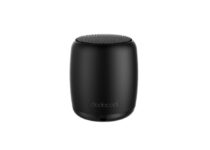
Dodocool wireless speaker

  • Ultra small size, weight is 3 ounces
  • 3W speaker driver
  • Up to 4 hours playing time
  • Short shelf life

The main advantage of this portable speaker is its size: 21.9 x 21.9 x 21.9 inches so it will perfectly fit your pockets.

It comes with a single all-in-one button that you can use to adjust volume asnwer calls, take a selfie.

Other notable specs include 33ft wireless range connectivity, built-in mic, and 4 hours of nonstop playtime.


VTIN R4 portable Bluetooth speaker

  • IPX5 waterproof
  • TF card support
  • 12W 40mm drivers
  • Connection might drop at close range

And last on our list is this  lightweight and compact VTIN speaker which is perfect to use outdoors given the waterproof design and long battery life of 24 hours, when used at 70% volume.

It needs only 2 hours to fully recharge and it also supports charging while in use.

Thanks to the Bluetooth 5.0 technology, it easily connects to your device and offers a clear sound with minimal distortion rate.


So, have you found your favorite pick among these cheapest portable speakers? Let us know which one you like and why in the comments section below.

Microsoft Planner tasks will soon surface relevant files to add as attachments

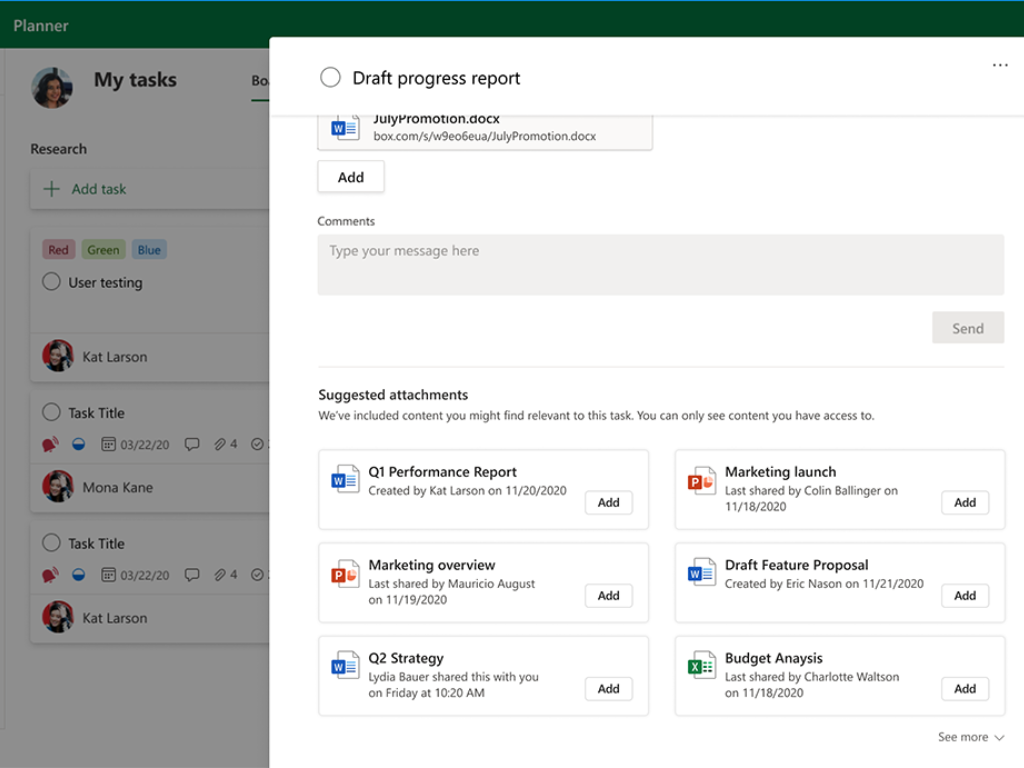
Microsoft Planner is about to get a “File recommendations” feature that will let users choose recommended files to add as attachments to their tasks. The update will start rolling out in early January 2021, as noted in the most recent update to the company’s roadmap.

If you have been using Microsoft Planner, then you probably know that Planner allows you to attach various links, images, and other kinds of files to your tasks. Currently, users need to attach their files manually, but hopefully, this will change very soon.

With this new feature, Microsoft Planner will suggest an intelligently curated list of relevant files, allowing users to add attachments to their tasks quickly. The company detailed that the feature will take into account the task itself as well as the specific user to provide these recommendations.

With online collaboration tools such as Microsoft Planner becoming more important than ever in the ongoing pandemic, and the addition of intelligent file recommendations will likely help users be more productive at work. Do you think that this feature will make it easier to stay organized and focused? Sound off in the comments section below.

Microsoft in the classroom: How to get the most out of Teams and help boost engagement

With the COVID-19 pandemic still raging on, schools are once again (or in some cases still) depending on remote learning. When compared to traditional learning, there are obvious downsides to it, and one of these is student engagement. Sometimes, students might not really feel as immersed with the content you’re sharing, but Teams can help out. Here’s a look at how you can boost your engagement within Teams.

Tip 1: Use insights in Teams

Insights1
Image via Microsoft

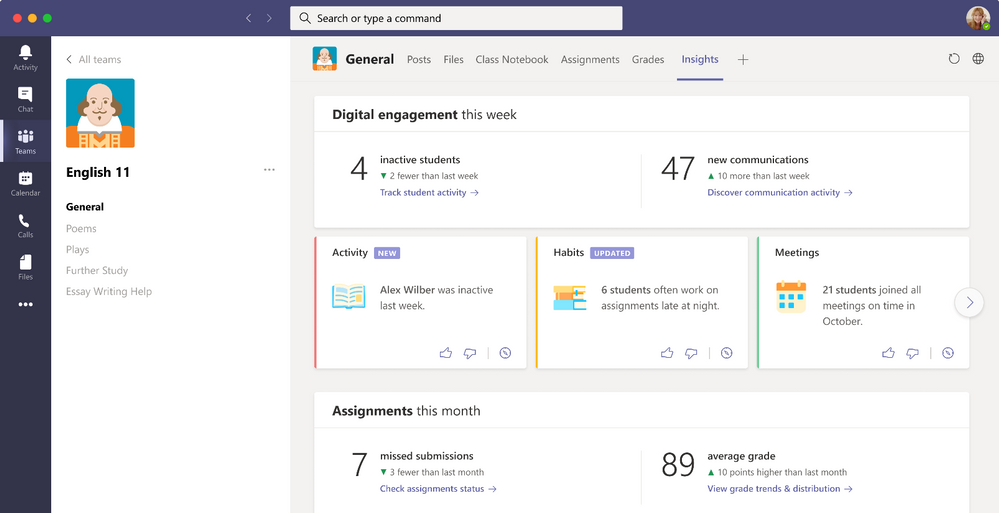
Part of the problem with remote learning is that you’re not always able to “see” your student’s reactions to your lectures during specific classes. Sometimes, some classes could be more “fun,” or more engaging than others. Usually, you can do this by judging the room, or the language of students in real life, or the attendance of a class. Well, did you know that Teams makes that easy for you virtually with the Insights app?

To use Insights in Teams, you just need to add the app to Teams by clicking here. Then, when in Teams, click the . . . more menu and choose insights. Once added, you can pin the app, and click it to open it. You’ll be able to see some statistics for each of your classes. These include inactive students, active students per day, meeting absentees, and how many missed assignments there were in a specific class. There even will be some specific insights about how a class is doing. You’ll be able to see things like student activity, grades, meetings, communications, missed submissions, too. As a teacher, this will all help you find which class needs more of your attention.

Tip 2: Dive deeper into student behavior

Insights2
Image via Microsoft

Another problem with remote learning is that you’re not able to see a student’s behavior during classes. In real learning, you can tell who shows up early, who shows up late, who is on time, and who is working on a specific assignment at any time. Well, Teams can help with that, too.

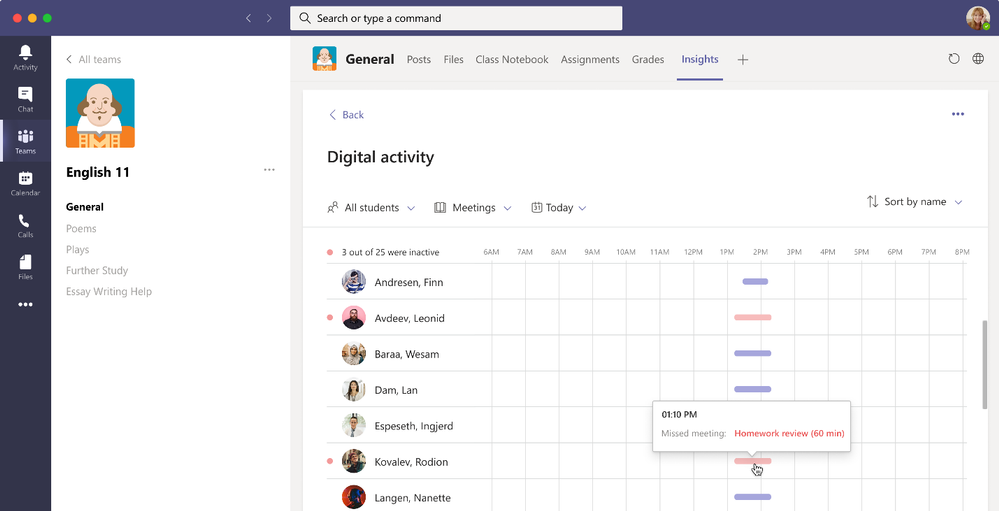
As part of the previously mentioned Teams insights, you can check out the spotlight cards. These cards can show classroom activities that you might have otherwise missed. You’ll be able to peek at student behavior. For instance, you can see how many students were absent on a given week for a meeting, and if a student is working earlier or later than usual. You can even thumbs up the card to see more of those, or hover over the bold text or number to see more student’s name. There’s even a feature that lets you see the filtered digital activity report, for that behavior, too.

Tip 3: Check out student activity and class behaviors

Insights5
Image via Microsoft

Third on our list are some obvious issues of concern. As a teacher, you’ll likely want to see your student’s overall activity and class behaviors. This helps you decide how to plan your lessons, and how to adapt the curriculum to fit student needs. Well, again, thanks to insights, Teams is here to help.

First off, you can see how a student is using Teams for their classes or courses by clicking on a classes’ inactive students from the left-hand rail in the insights app. You also can click track student activity from the main page, too, as well. This will take you to the digital activity view. Where you can see how a student opened a file, how many posts they made, and how many reactions they gave.

In addition, you can also dive deeper into your class’s overall behavior, too. This is known as synchronous behavior. To do this, visit the Insights Tab, and then go to the Digital Activity report. Then, click All Activities and then Meetings. From there, you can select a specific student or a time frame. Just hover over the bars to see a peek at the student behavior. Microsoft color-coded things for you. If you see a red bar, that student missed a meeting. If you see a red dot next to the name, meanwhile, that means they were not active during the time of the meeting.

Other tips!

These are just some tips on how you can get the most out of Teams and help boost your engagement in the online classroom. Of course, there are many other ways, too. You can try using Together Mode, which puts your students in a virtual auditorium, and you can also check out the Microsoft Educator Center for more, too. Microsoft has lots of tools, and is here to help!

Microsoft Edge Canary gets a new Smart Copy option

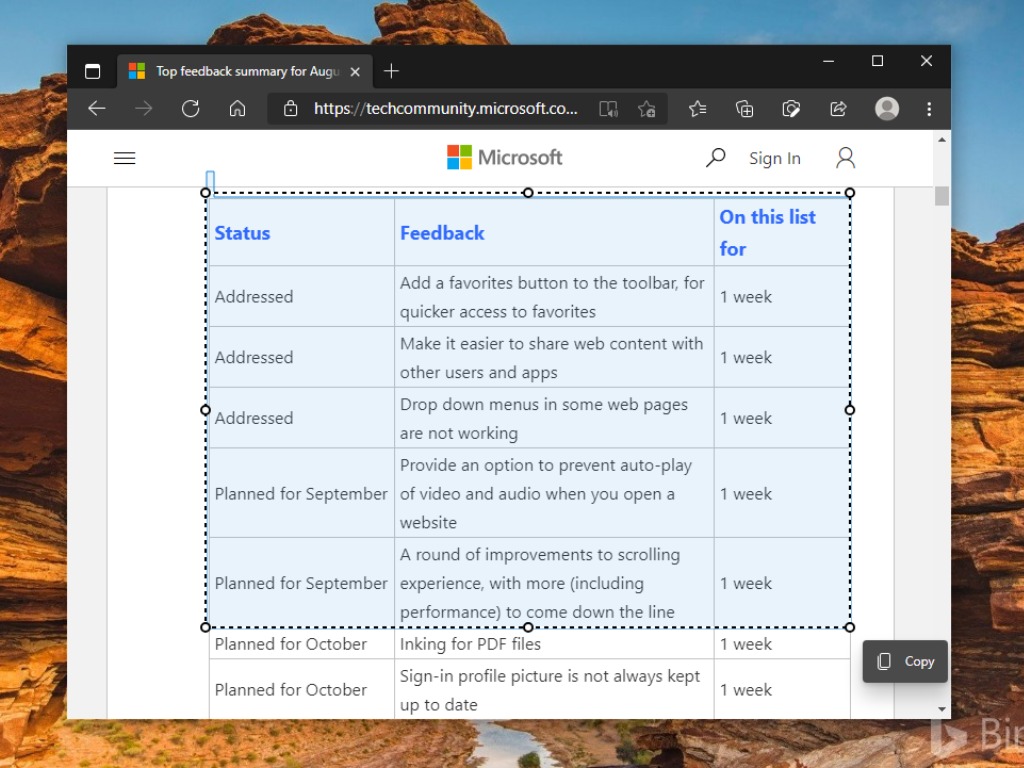
Earlier this year, Microsoft announced that it’s working on a new Smart copy feature for its Edge browser. Sumit, a Windows Insider MVP, spotted the new option today on one of his PCs running the latest Canary build 88.0.705.0, and apparently, the feature is gradually rolling out to everyone.

If you have ever tried to copy a table from a website and paste it into Microsoft Word documents and emails, the result is always messy. One enabled, this feature will help ensure that the pasted table retains its original formatting. This applies to text, tables as well as images available on the website.

The Smart copy experience could be a handy feature for people who find it harder to copy and paste web content such as tables and images. As of this writing, the Smart copy option is still grayed out in the context menu, but the shortcut CTRL + Shift + X works without any problem. But it is important to note that the feature doesn’t support PWAs.

Did you also notice the new Smart copy option on your Windows 10 PCs? Let us know in the comments below.

Best modems compatible with Time Warner Cable

If you’re on a Time Warner Cable, and you’re not happy with the one that came with the service, it’s understandable that you would like a better and faster one.

It’s pretty hard to decide on the right modem but we’ve prepared a list with the best deals so you can be llimit your search.


What are the best modems for Time Warner Cable?

  • Built-in AC1900 Dual Band Wi-Fi gigabit router
  • 1000 Mbps speed
  • Power boost Wi-Fi amplifiers
  • Firewall security
  • Compact design
  • Pretty expensive

Motorola MG7700 is not just a modem because it also has a AC1900 Dual Band Wi-Fi gigabit router inside. That means that if your plan allows it, this device will provide up to a 1000 Mbps connection via cable or Wi-Fi.

More than that, MG7700 is small and comes with its own firewall. It’s also protected against lightning and power surges so you will be absolutely safe from any dirrection.


  • 8 download channels and 4 upload channels
  • Up to 343 Mbps download and 131 Mbps upload speeds
  • 2 year warranty with US based customer service
  • DOCSIS 3.0 technology
  • No Wi-Fi router

If your data plan is limited to 100 Mbps a higher speed modem will not be able to increase the speed. If so, ARRIS SURFboard SB6141 would be perfect for you. It has 8 download channels and 4 upload channels and can go up to 343 Mbps for download and 131 Mbps for upload.

On the downsides, it only offers one Ethernet connection for a router and doesn’t have a Wi-Fi connection.


  • Intel Puma 6 chipset
  • Easy plug and play setup
  • 24 download and 8 upload bonded channels
  • DOCSIS 3.0 standard
  • No Wi-Fi functionality

With high-speed, stable Internet connectivity, the Linksys CM3024 cable modem is designed to work with broadband subscription plans of 250 Mbps and up.

It has a very simple plug-and-play setup that makes it easy to switch from your old modem in no time. 24 download and 8 upload bonded channels are translated by Internet without hassle for the whole family.


  • Built-in Wi-Fi router
  • 2.4 GHz (up to 450Mbps) and 5GHz (up to 1300Mbps) bands
  • 16 downstream and 4 upstream channels
  • 6 internal antenas
  • Not very easy to configure

TP-Link is a long time player in the router and modem business and Archer CR700 is not an exception. It is a dual-band 2.4 GHz and 5 GHz router and modem that works perfectly with any provider, not only with Time Warner Cable,

The latest Docsis 3.0 modem Protocol and the 802.11ac Wi-Fi technology ensures both cable download speeds of up to 680 Mbps and bigabit Wi-Fi speeds.


TP-Link TC-W7960

  • Up to 343 Mbps download and 143 Mbps upload speeds
  • 8 downstream and 4 upstream channels
  • 2-year warranty
  • Sleek and compact design
  • Some users reported dropped connections

if you have a data plan of up to 150 Mbps, then TP-Link’s TC-W7960 can be the perfect choice for you. It’s a 2-in-1 device so it works as both a cable modem and a router so you won’t need an additional device at least if you live in an apartment.

The modem trouter comes with 8 downstream and 4 upstream channels for speeds of up to 343 Mbps for download and 143 Mbps for upload. It’s very compact so you will definitely find a nice space for it.


This is our list with the best cable modems compatible with Time Warner Cable. If you have any additions or suggestions, leave us a comment on the dedicated section below.

[wl_navigator]


5 Best Printers With Feeder Scanner [2026 Guide]

A good printer helps streamline all printing processes for your small office or home, or if you are just preparing your work for an important presentation with your superiors.

Nothing helps you more than a fast printer with the feeder scanner function to increase efficiency. You can stay productive and save valuable time with some useful functions like multi-page copy, scan and fax.

Here are our top picks for the best printers with feeder scanner you can use to breeze through scan and copy your jobs quickly.


What are the best printers with feeder scanner deals?

HP Laserjet Pro M428fdn

  • Print, copy, scan, fax
  • Print speed letter: Up to 40 ppm (black)
  • Auto duplex printing
  • Best-in-class security-detect and stop attacks
  • Difficult Setup

With HP LaserJet Pro M428fdn you can easily print, scan, and copy professional-quality prints. This printer is ideal for 1–3 users, printing less than 2,000 pages per month.

Thanks to its 35-sheet automatic document feeder you can now quickly copy or scan black and white documents, and save precious time with print speeds up to 30 ppm.

You only have to connect your smartphone directly to your printer, and print black and white documents with or without a network signal.


HP OfficeJet Pro 9025

  • Extra paper tray
  • Mobile printing
  • Automatic two-sided printing, copying and scanning
  • Slide-off glass
  • Small LCD screen

The HP OfficeJet Pro 9025 All-in-One is an amazing inkjet printer that scans faster than the previous HP series and offers two 250-sheet full-ream paper trays for high-volume tasks.

You can now increase productivity and save your time thanks to its smart tasks feature and the easy slide-off glass.

The self-healing WI-FI feature helps you to stay connected and reduce interruptions, by detecting issues and automatically undergoing of reconnection.


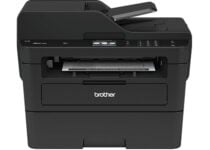
Brother MFCL2750DW

  • Class-leading print speeds
  • Single pass, two-sided copying and scanning
  • Connect to the cloud directly from the printer
  • Wireless printing from mobile devices
  • Expensive toner

The Brother MFC-L2750DW monochrome laser all-in-one printer helps you to improve your office efficiency for the small or home offices.

The printer features up to 50 sheet automatic document feeder and it helps you to save time with single pass duplex (two-sided) copying and scanning. It also features multipage copying, scanning, and faxing.

It prints of up to 36 pages per minute with exceptional quality, and the NFC feature permits adding consumer convenience.


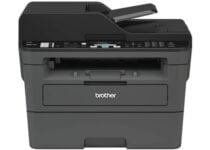
Brother MFCL2710DW

  • Automatic document feeder
  • Multi-page copy, scan and fax
  • Wireless printing from mobile devices
  • Toner Save Mode
  • Cannot print in color

The Brother MFC-L2710DW monochrome laser all-in-one printer offers you print speeds up to 32ppm with wireless networking.

Now you can be productive with its feature of up to 50-sheet automatic document feeder, and fewer refills with 250-sheet paper capacity.

You can have wireless printing from your smartphone, laptop or desktop, thanks to its versatile connection options (built-in Wi-Fi and Ethernet interfaces), or just connect locally to a single computer via its USB interface.


  • Print, scan, and copy versatility
  • Automatic two-sided printing
  • Borderless photos
  • Hands-free 35-page automatic document feeder
  • No install CD

The HP ENVY Pro 6455 Wireless All-in-One is a printer made with 20% recycled plastic.

You can now print, scan, copy versatility, and mobile fax with this amazing device made specially for your needs for 24 months using the HP Smart app.

It features also automatic two-sided printing, borderless photos, and it has a hands-free 35-page automatic document feeder.


A printer with feeder scanner can be a welcome addition to your office daily tasks, especially if you print frequently.

These are some of the best printers with feeder scanner available on the market, so be sure to get them while the discount lasts. Leave us in the comments section below your choice from our list.


[wl_navigator]

10+ best Windows 10/11 gaming laptops [Razer, Dell, Lenovo]

Gaming laptops are normally frowned upon in the PC gaming community, especially when you can build a comparable or better desktop computer at half the price. The price you pay is for the portability – is what most people forget.

If you were to buy a gaming laptop 5 years ago you would be buying a piece of machine that wasn’t really powerful enough, yet was really thick, got really hot and on top of it, all was really expensive.

Today, things have changed and technology has moved towards building smaller and more efficient chips that produce less heat and consume less power – giving direct benefits to portable machines such as laptops.

Obviously, when everyone starts making good machines, deciding which one to buy can become a hard decision. This list will try and help you with that by listing some of the best options.

What are the best Windows 10 gaming laptops?

Razer Blade Pro 17 2020

  • 10th generation Intel Core i7 processor
  • NVIDIA GeForce RTX 2080 SUPER Max-Q
  • 300Hz refresh rate
  • 16GB RAM and 512GB SSD
  • CNC Aluminum body
  • Expensive

The Razer Blade looks like any normal laptop – it is thin, light, and is made out of aluminum; what makes it different though is what is inside it.

The Blade packs an NVidia GeForce RTX 2080 SUPER Max-Q with an Intel Core i7-10875H processor – that’s powering a 17,3” display at a whopping 3840 x 2160 resolution. All that powered with 16 GB of DDR4 RAM and a 1 TB SSD for storage.

These insane specs need insane cooling, so Razer had to design a custom heat dissipation solution called Vapour-Chamber.

MSI GE75 Raider 10SGS

  • 300 Hz refresh rate
  • Intel Core i9-10980HK processor
  • NVIDIA GeForce RTX 2080 Super Max-Q 8G GDDR6 graphics card
  • Wi-Fi 6 AX1650 (2*2 ax) connectivity
  • Low battery life

The MSI GE75 Raider 10SGS might not have a name that rolls of the tongue and might not look like the sleekest thing out there, but it packs a punch in terms of what it offers.

With a 17.3 inch 1080p screen it packs an Intel Core i7-10750H processor clocked at 5 GHz with 64 GB of DDR4 RAM, meanwhile, the graphics are being pushed by an Nvidia GeForce RTX 2080 Super and the display even supports Nvidia GSync.

The keyboard is made in partnership with Steelseries, so you know you are getting the best thing possible. For cooling, you need extreme solutions so this rig has no less than 8 heat pipes to chill its inwards.

Alienware m15 R3

  • 10th gen Intel Core i7 processor
  • 16GB DDR4 RAM and 1TB SSD
  • Nvidia Geforce RTX 2070 Super 8GB GDDR6 graphics card
  • Windows 10 Home
  • It can get hot

Alienware is still a goto brand for pre-built gaming desktops and laptops but the competition caught up to them.

Alienware might not be the best choice anymore and they are definitely not the only choice but they still make great laptops.

The Alienware m15 R3 is a pretty expensive model – at $1,918 you will get a 15.6-inch 1,080p display powered by an NVIDIA GeForce RTX 2060 and an Intel Core i7 10th Gen processor with RAM options up to 16 GB.

ASUS ROG Zephyrus Duo 15

  • 48 GB 2666MHz RAM
  • 8 TB PCIe SSD
  • 10th Generation Intel Core i9 processor
  • 300 Hz refresh rate and 3 ms response time
  • Really expensive

ROG Zephyrus Duo 15 it’s the first Asus attempt at a dual-screen gaming laptop and we might say that it’s a really successful one. But brace yourselves as the top version with a 4K screen and an Intel i9 chip crosses a little over the $4K price range.

The main 15.6-inch screen with 3840 x 2160 pixels resolution is aided by a secondary, reclinable, 3840 x 1100 pixels display (hence the Duo from its name) which can be a huge help in any game.

Of course, this great machine is also powered by an NVIDIA GeForce RTX 2080 Super graphics processor and an 8GB of dedicated memory. It also has a 32 GB RAM limit and a 1 TB SSD.

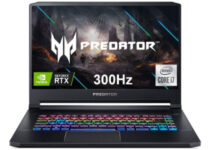
Acer Predator Triton 500

  • NVIDIA GeForce RTX 2070 Super graphics card
  • NVIDIA G-SYNC Display with 300 Hz refresh rate
  • 16GB Dual-Channel DDR4 and 512GB NVMe SSD
  • Per-key RGB backlit keyboard
  • Can heat up while gaming

Acer isn’t a name you would think of when you decide to buy a gaming laptop, but they do make quite decent hardware for the price.

The Acer Predator Triton 500 comes with an Intel Core i7-10750H (up to 5.0GHz)  with 16 GB of DDR4 RAM and an NVIDIA GeForce RTX 2070 Super. 

All of that powers a 15.6-inch 1080p screen and it comes with a 512 GB SSD, and a 1 TB mechanical hard drive.

Acer Predator Helios 300

Acer Predator Helios 300 gives you plenty of configuration options. You can choose between 16 GB, 32 GB and go as far as 64 GB with the RAM. 

You can also play with the hybrid storage configuration selecting a 512 GB, 1TB, or 2TB SSD in tandem with a 1 TB or 2 TB HDD. 

As far as the processor and graphics card, you can only go with an Intel Hexa-Core i7-10750H latest generation and an NVIDIA GeForce RTX 2060.

It’s not as fancy as its Triton 500 brother but it still has a backlit keyboard to help you in battle.

⇒ Check price

Lenovo Legion 5

The Lenovo Legion 5 comes with an AMD Octa-Core Ryzen 7 4800H clocked at 2.9 GHz (can go up to 4.2 GHz) along with up to 64 GB of DDR4 RAM. It also comes packed with a GeForce GTX 1660 Ti with 6 GB of GDDR6 memory.

The display is pretty nice as well: a 144 Hz WVA Anti-Glare display with Dolby Vision Display technology running at 1920 x 1080.

It’s also important to mention the excellent audio with 2 x 2W Harman Kardon speaker system and the Dolby Atmos headphone support.

⇒ Check price

ASUS ROG Strix SCAR 17

All the laptops above are boosting fair 15-inch screens but if you feel like trying a bigger approach, you should definitely try ASUS ROG Strix SCAR 17 that brings a 17.3-inch FHD IPS display into the game.

Add an Intel 10th generation Core i9, 32GB DDR4, and a 1 TB PCIe SSD to the spoils. Of course, you can lower the budget by choosing an i7 processor instead, but you can also go higher because you can fit no less than 3 SSD into its chassis.

As you would probably expect, the gaming time is powered by an NVIDIA GeForce RTX 2080 Super card. 

⇒ Check price

HP Omen X 2S

HP’s OMEN X 2S comes with two displays and the one above the keyboard is a multi-touchscreen. It’s definitely not as big as the one from Asus Zephyrus Duo 15 but it’s still useful because you can interact with apps like Twitch, Discord, Spotify, and the OMEN Command Center during gameplay.

The main 4K and 15.6-inch screen is powered by an NVIDIA GeForce RTX 2080 with Max-Q design and 8 GB GDDR6 dedicated memory. The second screen is only 5.98-inch but it has FHD resolution.

The processor is a hexa-core 9th generation Intel i7-9750H and the RAM goes up to 16 GB. As for the storage, you can count on a 1 TB SSD.

⇒ Check price

ASUS ROG Zephyrus S

Yes, there are a lot of gaming laptop options from ASUS and ROG Zephyrus S is the slimmest and lightest of them all, being only 0.6 inches thick and weighing 4.63 lbs. And that is only thanks to a CNC-milled metal chassis and the narrow bezels of the 15.6-inch screen.

Unfortunately, the small form-factor comes with sacrifices because Asus only fit a GeForce GTX 1070 graphics card and an 8th generation Intel i7 processor so it can’t go against any of its predecessors in terms of power. 

You will have to settle with 24GB DDR4 memory a 1TB PCIe NVMe SSD and its sleek chassis.

⇒ Check price

Dell Inspiron G7

Nothing says gaming more than a big screen and Dell Inspiron G7 packs a big 17.3-inch Full HD display with IPS technology. The machine is powered by an NVIDIA GeForce RTX 2060 graphics card and a 9th generation Intel Core i7-9750H Processor.

The 256 GB SSD is assisted by a 1TB HDD. It’s definitely not the highest storage configuration in this top but it’s enough to get you by for a while.

The USB 3.1 and HDMI 2.0 ports are a nice addition but its 7.28 lbs will pull down your shoulder a bit as you carry it to your LAN party.

⇒ Check price

ASUS ROG Strix SCAR 15

No, you’re not having a deja-vu, ASUS ROG Strix SCAR 15 is ROG Strix SCAR 17’s smaller brother with a 15-inch screen instead of the 17-inch. The screen also has only 240 Hz frequency instead of 300 Hz for the bigger model.

Other than that, they are almost identical. The ports are placed a bit differently and the dimensions and weight are obviously different but even the fact that you can squeeze up to 3 SSDs inside is still the same.

So if you want a slightly less expensive variant ROG Strix SCAR 17, check out the 15 inch one.

⇒ Check price

Lenovo Legion Y740

Another 17-inch screen comes from Lenovo’s Legion Y740, a gaming laptop powered by a 9th generation Intel Core i7-9750H and an NVIDIA GeForce RTX 2080 graphics card with Max-Q.

The laptop has a 16GB DDR4 memory clocked at 2666MHz and a 1 TB HDD aided by a 512 GB SSD for the storage department.

We have to mention that Legion Y740 is pretty slick for a 17-inch laptop, being just 0.9 inches thick and weighing just 6.4 lbs.

⇒ Check price

ASUS ROG Zephyrus M15

Zephyrus M15 is just another ROG gaming laptop by ASUS and it doesn’t surprise with any of the specifications although they are close to maximal.

By that, we mean an NVIDIA GeForce RTX 2070 graphics card with 8GB GDDR6 VRAM and an Intel Hexa-Core i7-10750H CPU. 

The RAM can go as far as 40GB DDR4 and the storage is as high as a 1TB SSD. We welcome the presence of Thunderbolt 3, USB 3.2 Gen 2 Type-C, and DisplayPort 1.4 in the connectivity department.

⇒ Check price

HP Omen 15

Besides the interesting design and the 300 Hz 15.6-inch screen, HP Omen 15 doesn’t surprise with any out of the ordinary feature.

Like many gaming laptops from this top, it features an NVIDIA GeForce RTX 2070 Super Max-Q graphics card, and an Intel Core i7-10750H (10th generation).

It can go up to 64 GB with the memory but it stops at 512 GB when it comes to the SSD storage capacity. Cudos for the Wi-Fi 6 (2×2) and Bluetooth 5.0 connectivities included.

⇒ Check price

These were some of the best gaming laptops you could buy.

Gaming laptops are usually really expensive, but in this competitive market if you want to stay relevant you need to keep your prices in check – which is great for consumers.

There are all sorts of combinations of hardware and price, the decision of which to pick is yours.

This specific deal is part of our bigger selection of the best laptop deals you can find.

Windows 10 news recap: new “Pluton” chip for improved PC security, Project xCloud looks promising on Windows 10, and more

Welcome back to our Windows 10 news recap, where we go over the top stories of the past week in the world of Microsoft’s flagship operating system.

Apple: Windows on M1 Macs “up to Microsoft”

Boot Camp is a favourite amongst those wanting to run Windows on a Mac device. But unfortunately, Apple’s new M1-based Macs don’t have Boot Camp. Now Apple has come out and said that the technology exists on M1 Macs to support running Windows natively, but that it is “up to Microsoft” and needs them to licence it.

Apple M1 Macs

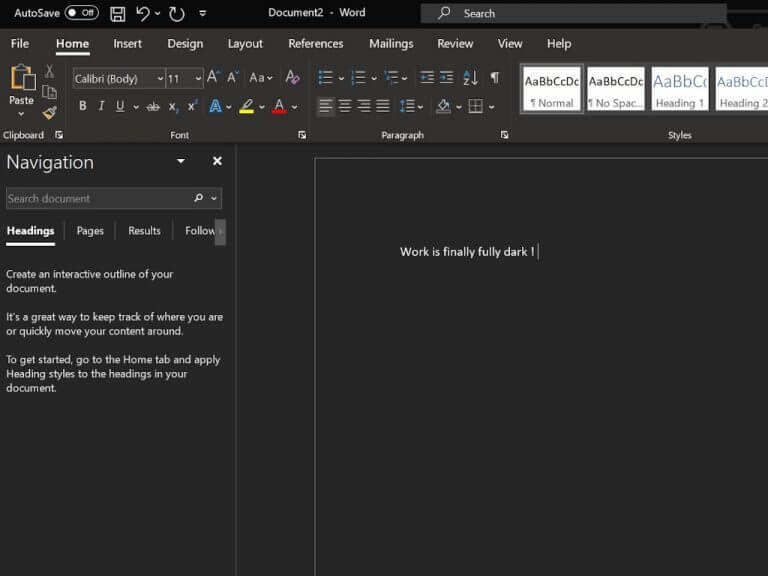
Microsoft is about to really turn off the lights in Word for Windows with improved Dark Mode

Whilst some Office apps have had dark themes for a while, it’s been inconsistent. But now Microsoft Word on Windows is getting ready to have an improved Dark Mode, which will make the application much easier on the eyes in some situations.

Word Dark Mode

Microsoft is working with partners on a new “Pluton” chip for better PC security

Teaming up with AMD, Intel, and Qualcomm, Microsoft is working on a new chip called “Pluton” that aims to improve PC security. It is aimed at providing enhanced security above what the existing Trusted Platform Module (TPM) provides, whilst also providing a dedicated chip for features such as Windows Hello and Bitlocker.

Microsoft Pluton Chip

Project xCloud’s Windows 10 prospects look promising with new leak, possible ARM64 support in tow

A new leak shows that Microsoft’s game streaming service, Project xCloud, has promising prospects on Windows 10. There’s possibly support for ARM64, but more importantly, the stream is said to perform well, with being controls being responsive and near-native.

That’s it for this week. We’ll be back next week with more Windows 10 news.

Microsoft news recap: Minecraft Dungeons cross-platform play arrives, AI noise suppression for Microsoft Teams, and more

Microsoft news recap is a weekly feature highlighting the top Microsoft news stories of the past week. Sit back, grab some coffee, and enjoy the read!

GitHub patches “high” severity security flaw after 104 days

After 104 days, a patch has been released for a “high” severity security flaw, after Google’s Project Zero team identified the flaw, and subsequently disclosed it publicly at the beginning of November.

Microsoft, GitHub

Microsoft Edge will soon run natively on Apple Silicon Macs

With Apple’s new line of Macs making use of its own chip, M1, many will be waiting for applications to be updated to properly support the new Macs. Microsoft Edge has announced it will soon run natively on Apple’s own Silicon Macs.

Microsoft Edge On Macos

Minecraft Dungeons gets cross-platform play today, cross-saves are coming soon

Players across gaming platforms can now join up and play online together in Minecraft Dungeons, thanks to a new cross-platform play update that was released this week. Cross-saves are also on the way, allowing you to move your game save across platforms, ensuring you don’t lose that precious progress.

Minecraft Dungeons video game soundtrack cover.

Microsoft Teams starts rolling out AI-based noise suppression for Meetings

With the rise of video conferencing, it’s likely you’ve experienced unwanted background noise, be it from family members talking in the background, the dog barking, or something else. Microsoft Teams is now rolling out AI-based noise suppression for Meetings which aims to solve this by removing unwanted background noise.

Microsoft Teams Noise Suppression

That’s it for this week. We’ll be back next week with more Microsoft news.

5 best digital photo frames for wall [Dhwazz, Feelcare]

When it comes to digital picture frames, tabletop picture frames have mostly taken the fore. However, there is a lot more to benefit from digital picture frames that can be hung on the wall.

They offer a more aesthetic appeal, more visibility as guests can easily view the pictures and watch the videos, and they can also complement a classic picture frame as well.

Over the past few years, digital picture frames have witnessed an advancement in attributes. These attributes include the ability to play videos, Wi-Fi connectivity, and motion sensitivity.

Depending on the attribute of the picture frame you’re looking for, either aesthetically or technologically, there are a good number of digital picture frames for the wall to choose from.

Therefore, we’ve compiled a detailed list of the best picture frames you can hang on your wall based on these attributes. Just take a closer look below.

What are the best digital frames for wall to buy?

Pix-Star

  • Connect up to 25 frames from one single account
  • Wi-Fi enabled
  • Supports USB stick, SDHC, and SDXC cards
  • Motion sensor included
  • Video and photo sharing by email
  • Color temperature issues

If you are after an amazing photo and video viewing experience, then this Pix-Star digital photo frame at 1024×768 pixels and 4:3 ratio is worthy of your attention.

You can easily manage the frame remotely and connect up to 25 frames from one single online account, completely free.

You can even send pictures from your frame to an individual or several email addresses directly from the frame. Friends and family members will certainly appreciate that!


Atatat

  • Clear, rich, and vibrant colors
  • Different transition effects
  • Repeat mode
  • Plug and play ready
  • Multiple language options
  • Distorted photos when zooming

With a generous 178-degree wide viewing angle IPS screen and 1920×1080 high resolution, this Atatat digital photo frame is another great choice.

You can set up your frame in minutes. No need to setup any software, just turn it on and plug in SD card or USB drive and will automatically play your photos.

Moreover, feel free to adjust the size of the photo in the settings to avoid photo distortion or even insert background music.


NIX

  • IPS display
  • Easy plug and play from USB
  • Calendar and clock built-in
  • Magnetic remote control included
  • User-friendly 24/7 customer service
  • Does not connect to Wi-Fi

The NIX 15-inch digital picture frame offers high-resolution photo clarity and lets you choose from different slideshow transitions.

In fact, this is the only frame that can play both photos and videos in the same slideshow so that you can enjoy all your favorite memories with ease.

As for the energy-saving motion sensor, do note that it automatically turns the frame on and off, while the detachable stand lets you mount the frame on a wall.


Dhwazz

  • Instant photo and video sharing
  • Motion sensor
  • LCD touchscreen
  • Gravity sensor
  • Private and encrypted
  • No color variety

The Dhwazz 10-inch digital frame is a wall-mountable one that features smart sharing of photos and videos. Special moments can be shared through a Wi-Fi connection, regardless of location.

This product is an amazing digital frame for wall, capable of storing up to 60,000 photos. Keep in mind that all of them encrypted through a special encryption channel to ensure the efficient transmission of images.

To maximize your privacy, no one can share or monitor your personal photographs without your authorization, including the manufacturer.


Feelcare

  • Instant photo sharing
  • High definition display
  • Sleep mode
  • Privacy protection
  • One-year warranty
  • Not budget-friendly

The Feelcare 15-inch digital frame for wall makes it possible to share your photos to your family’s frames in seconds.

Wherever you are in the world, you can send your photos to your parents or siblings through the sync technology of your digital photo frame.

This product has huge internal storage and accommodates external storage as well. Moreover, the Full HD display is perfect for both photo and video viewing.


What attributes are you looking for? Aesthetics over technology, or vice-versa? No need to stress about that now, as we’ve picked the best digital picture frames that balance both out perfectly.

If you’re not looking to splurge and go for the more expensive options, we have budget-friendly options as well.

It’s noteworthy that the market is stocked full of amazing digital frames for walls, but we’ve picked our standouts. They were chosen based on what they offer aesthetically and technologically.

We hope one of them makes it to the walls of your home and helps you share and relive those special moments. Let us know your pick in the comments area below.

[wl_navigator]

4 Best Wireless Portable Power Strips

In an age when we are surrounded by devices that need constant recharging, having a power strip at hand can be very useful.

If that power strip is also capable of offering wireless charging capabilities, then you have the ultimate recharging station, even if you forgot your phone’s proprietary charger.

Because of its utility, we’ve decided to compile a list of the best power strips that offer wireless charging capabilities. Additionally, we tried to look for models that are compact, so that you can carry them easily.

What are the best wireless portable power strips to buy?

JACKYLED 13A

  • Overload protection
  • Over-voltage protection
  • Overheating protection
  • Heavy-duty retractable cord (6.5ft)
  • Independent switch on each layer of the power strip
  • Not the cheapest option

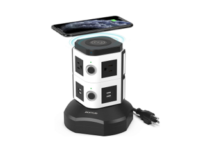
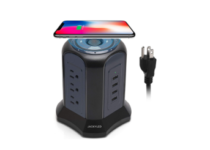
Let’s take a closer look at the JACKYLED tower power strip with a wireless charger that is compatible with all Qi-standard wireless devices.

If any metal object or device without wireless charging function is detected on it, then rest assured that the foreign object detection indicator will flash blue.

Moreover, since safety is essential, do note that it has a built-in surge protector, overload protection, short-circuit protection, over-voltage protection – and not only – to protect your valuable devices.


BESTEK 1500

  • Creative combination of wireless charger and USB power strip
  • Wireless charging: 5V/1A
  • Unique photosensitive USB LED indicators
  • Compatible with all devices which apply with Qi standard
  • Exclusive vertical desktop design
  • Doesn’t deliver power very fast

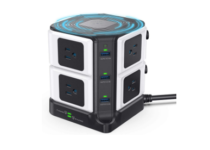
The list itself is about wireless charges that are also portable, and few fit the description better than the BESTEK 1500, as it has a compact design that still manages to offer plenty of tools.

It features 8 AC power outlets, 6 smart USB charging port, and an additional wireless charger on the top, making the tower design extremely convenient for those with little space to spare.

Even more, thanks to the unique photosensitive USB LED indicator, this USB power strip is convenient to use especially at night.


GLCON multi outlet

  • No less than 6 surge-protected outlets (110V-250V)
  • Built-in wireless charger
  • Temperature control
  • Lightning-proof
  • Travel surge protector power strip
  • Random issues charging certain iOS devices

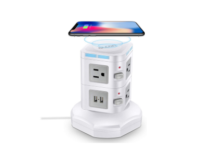
A more compact version of the previous entries, the GLCON power strip tower offers 6 power outlets, 4 USB charging ports and one wireless charging device, allowing you to charge up to 13 devices at once.

More so, the built-in surge protection makes it so that sensitive electronic devices such as PCs, laptops and desktop computers are safe from sudden energy ups and downs.

Long story short, the GLCON power strip tower is the most convenient charging power for your devices and perfectly adaptable with the fastest charging speed.


JACKYLED 4.5A

  • No less than 4 USB slots
  • Surge protection (1080J)
  • Fireproof function
  • Made of pure copper core
  • Tower design, saving space for your desk, office, and room
  • Random heating issues

This JACKYLED power strip tower surge protector is an extra compact tower-design power strip made to take up as little space as possible while allowing up to 14 devices to charge themselves simultaneously.

This is thanks to the 4 USB charging ports, 9 power outlets, and one wireless charging pad. The top wireless charger is compatible with all Qi certified device.

Even more, it is power surged protected, so you don’t have to worry about your devices if you live in an area that is prone to energy issues.


Some rooms aren’t designed to have too many power outlets, and if you are the type that needs a lot of electronic devices plugged in, that can be a problem.

If you have a power strip that is also compact, then you can pretty much say that all of your problems have been solved, especially in small rooms or electronically-crowded office meeting rooms.

[wl_navigator]

5 Best Widescreen Monitors To Buy [Gaming, Work]

Widescreen displays were invented to better mimic the cinematic feel that we get when we go out to the movies.

The extended horizontal image better suits our innate field of view, allowing for a much better immersion into what is happening.

Because of this, it is no wonder that the widescreen trend has come to computer monitors as well. This gives you the chance to better enter the world of whatever movie or TV show you are watching, or of whatever game you may be playing.

Of course, pretty much every brand has some widescreen models, so knowing what to pick can be tricky.

That is why we’ve compiled a list of the most popular widescreen monitors that you can buy today, to spare you the trouble of having to look for hours.

What are the best widescreen monitors that you can buy?

Samsung LC49RG90SSNXZA

  • AMD FreeSync 2 technology
  • Samsung QLED technology
  • Flicker-free and Eye saver modes
  • Compatible with Xbox and PS4
  • Optimized for any game genre
  • Magnet for fingerprints

You cannot find every day a 49-inch super ultrawide dual QHD curved gaming monitor with exquisite image quality and beautiful contrasts.

That’s what this LC49RG90SSNXZA monitor from Samsung is all about. Do note that it comes with AMD FreeSync 2 technology for crisp HDR content display and reduced input latency.

As for the split-screen functions like Picture-by-Picture (PBP), they are ideal to connect two devices while maintaining their original quality.


LG 29WN600-W

  • UltraWide Full HD resolution
  • MAXXAUDIO for a rich sound
  • SRGB 99% Color Gamut
  • HDR 10 Compatible
  • Radeon FreeSync
  • No height adjustment

LG 29WN600-W is a great option for those looking for a larger screen with a 3-side virtually borderless design and don’t want to be left totally broke.

You need to know from the start that you can easily customize the workspace by splitting the display or adjusting basic monitor options with no more than a few mouse clicks.

As for the Dynamic Action Sync feature, it is there too, ready to elevate your gameplay for a pro-level experience.


Acer R240HY

  • Response time of 4ms
  • Premium color performance at any viewing angle
  • Brightness of 250 nit
  • Adjustable stand
  • Acer EcoDisplay design
  • It doesn’t rotate

If you want the very best, Acer hears you, and its R240HY bidx 23.8-inch IPS monitor looks simply stunning.

With Acer Flicker-less technology, you can forget all about the annoying screen flickering. Moreover, with a blue light filter you’re shielded from eye straining blue light.

As for the zero frame design, do note that it creates a unique visual experience without any sort of boundaries.


ViewSonic ELITE XG350R-C

  • Amazing 100Hz refresh rate
  • Incredible detail in 2K resolution
  • ELITE RGB lighting technology
  • AMD FreeSync technology
  • US-based customer service team
  • Expensive

With the ability to decode HDR10 vide signals, this ViewSonic ELITE XG350R-C monitor delivers incredibly detailed video playback.

Besides that, it includes the ClearMotion technology that utilizes backlight strobing to drastically reduce image blur for clear visuals in fast-moving scenarios.

No less important, the adjustable ergonomic stand delivers the comfort you need for marathon gaming sessions.


Dell U3415W

  • Panoramic view
  • Cinematic WQHD resolution
  • Superb sound
  • Supports Picture by Picture and Picture in Picture features
  • Firmware update utility software
  • The backlight is reported to be subpar

If you are looking for a great cinematic experience, you will buy a widescreen monitor, but if you want one of the best cinematic experiences that money can buy, you will get the Dell U3415W.

It features one of the world’s first 34-inch 21:9 curved monitors with a panoramic view, allowing you to immerse yourself in whatever it is you are watching as if you would be at an actual cinema.

Even more, it’s made with eco-conscious materials and has an arsenic-free glass and mercury-free LED panel.


It’s hard to balance out all the specs and requirements you would like into a monitor without slapping a premium-class price tag to it afterward.

The same thing can also be said about widescreen monitors since they aren’t exactly the best when it comes to performance in gaming, but nothing beats them when it comes to the visual eye-candy they offer.

All in all, if you’re the type that enjoys a game for the visuals and prefers movies and TV shows as a favorite pass-time, then a widescreen monitor is definitely the type of monitor that you need.

This specific deal is part of our generous selection of monitors. You might also want to check it out, then let us know your choice in the comments area below.

[wl_navigator]

Best Mice For RPG Games [Smooth Scrolling]

As the architecture and usage of PCs evolved, various components are not used for performing only one single operation, and mice are no different.

In this list, we included the crème de la crème of this year’s mice which will definitely an excellent choice for buying in 2020, as well, so if you had any confusion about which mouse is perfect for you, this will definitely help.

Most of these mice are designed for playing games, but for real, you don’t need a magical mouse for regular use of the computer.

What’s the best mouse for RPG games?

Uhuru Wireless Gaming Mouse

  • You can easily adjust the moving speed, perfect for games and office
  • Wireless gaming mouse for 50ft wireless transmission
  • No need for any driver, plug and play directly
  • 7-Color Changeable Backlight
  • The battery doesn't last as much as with other wireless alternatives

The core aspect of playing an RPG is to always be ready to cast your next spell, and that means getting a mouse that has programmable buttons.

That’s exactly what you will get if you buy the Uhuru wireless gaming mouse since it comes with 7 programmable buttons so that your other hand will be freer on the keyboard.

It also sports a sweet gaming design with a 7-color changeable backlight and an ergonomic shape.

Acer Predator Cestus 330

  • High-precision 16,000 DPI Optical Sensor
  • Customizable RGB color profiles
  • Five onboard memory profiles
  • 7 programmable buttons
  • Issues with the mouse's software

Acer’s Predator series of gaming gear has proven itself to be quite popular among gamers, and the same can be said about the Acer Predator Cestus 330.

It is excellent for RPG games, especially if you are playing multiple ones since it can store up to 5 different memory profiles, so binding your spell,s abilities, and macros has never been easier.

Besides, the design is also very good, with an ergonomic shell and an RGB color scheme that will catch any gamer’s eye.

Razer Naga

  • Revolutionary 12 button thumb grid
  • Features an all-new one-size-fits-all ergonomic form factor
  • The scroll wheel on the Razer Naga now goes left and right
  • The price tag

Razer Naga is one of the most versatile mice of the year, because it features a huge amount of buttons (12 to be precise) on the sides, besides two main buttons.

If you’re buying this mouse for gaming, and you probably would, it is the most effective in playing MMO games like Guild Wars or World of Warcraft.

Razer Naga is perfect for playing MMO games just because of its huge amount of buttons, which can be used to cast spells, just with the click of your thumb, leaving your other fingers free to control your character and camera. 

Razer DeathAdder

  • Two fully programmable thumb buttons
  • Equipped with a 6400 DPI 4G optical sensor
  • Designed to have the perfect bounce back to your fingers
  • Responds onscreen with exacting accuracy and the organic fluidity
  • Clicking can seem loud to some

The Razer DeathAdder is a simple and ergonomic mouse without a bunch of features and buttons, but still well designed and comfortable for use.

Because of its slick design, the DeathAdder fits in both large and small hands without any problems.

Types of mice like the DeathAdder are just perfect for playing RTS games because they rely on how quickly you can adapt to change of conditions, so if you’re using a mouse with a huge amount of features, you might get confused.  

Logitech G502 Proteus

  • Advanced optical sensor
  • 11 programmable buttons
  • Dual-mode Hyper-fast scroll wheel
  • A wide variety of weight and balancing configurations, and custom RGB lighting
  • The rubberized

The G502 Proteus really looks like a mouse from the future, with its textured grips and 11 big, programmable buttons.

Although it looks a little rough, the G502 is very comfortable in its hands and provides a great feeling of use. This mouse isn’t purposed for any specific game genre, but you can use it for playing FPS, RTS and MMO games without any problems.

The device comes with really powerful software, which will completely scan your computer for games and automatically create an appropriate profile for them. You can also adjust its scroll wheel to feel either extremely resistant or almost frictionless. 

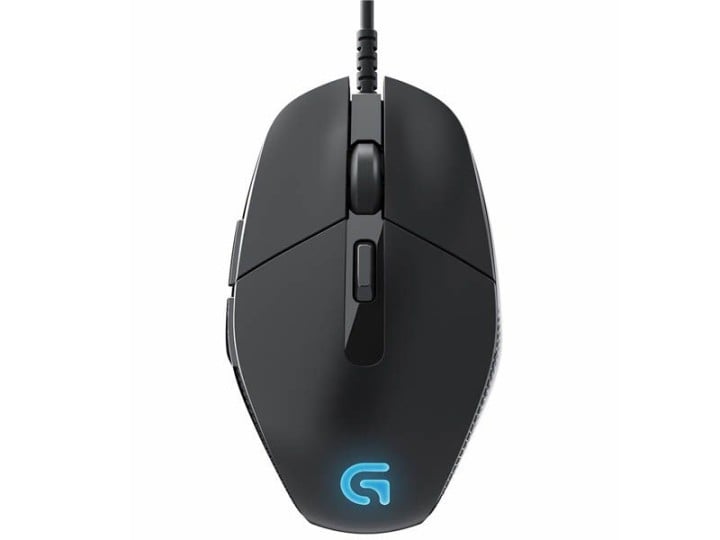
Logitech G302 Daedalus Prime

Logitech G302 Daedalus Prime wind8apps

Here’s another simplistic, but very well designed and comfortable mouse suitable for playing Multiplayer Online Battle Arena games, like League of Legend or Dota 2.

The Logitech G302 is a small, minimalistic mouse which leaves your thoughts focused on the battlefield, without a confusion of what button should you press.

The Logitech G302 is very responsive and feels great in the hand, so if you’re a passionate MOBA player, or even a pro, this mouse is perfect for you. The Logitech G302  is available on Amazon.

Roccat Kova

roccat cova wind8apps

If you’re left handed, no problems, we have an excellent mouse for you. Many gaming mice could be used with both hands, but the Roccat Kova appears to be the best choice.

The Roccat Kova isn’t only designed for lefties, because of its angular design, right handed users could use it equally, as well.

With seven programmable buttons, sensitivity adjustment software, and audio confirmation when switching profiles, the Kova is a very good choice for any gaming genre, and probably the most versatile mouse on our list.

SteelSeries Sensei Wireless

SteelSeries Sensei Wireless wind8apps

It is well known that gamers don’t like wireless mice, and they have a good reason for it, because they may lag sometimes, which can ruin the gaming experience. But, the SteelSeries Sensei may return the faith in wireless mice to gamers.

The Sensei works without any lagging issues and delivers a good and responsive design. It also has a responsive dock on the side which keeps track of the Sensei’s battery life. The mouse is very easy to set up and works in an impressive range.

Although the Sensei is a little bit expensive, you’ll get an amazing performance, which is not easy to find in other gaming mice. You can buy the SteelSeries Sensei for the price of $165.

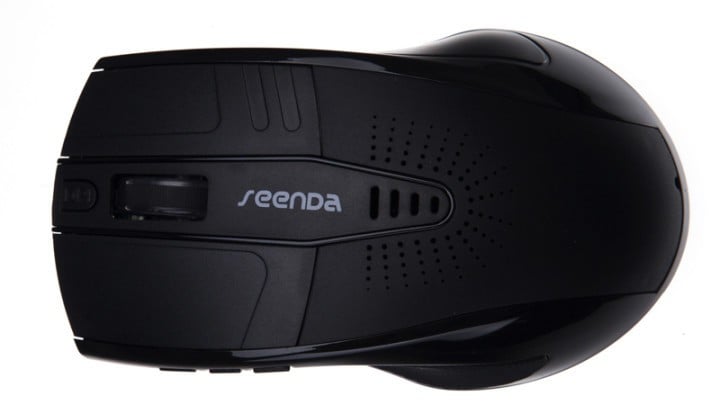
Seenda IBT-C04 Music Mouse

Seenda IBT-C04 Music Mouse wind8apps

And now something a little bit different. Seenda’s IBT-C04 Music Mouse is a wireless mouse that also serves as a speaker and allows you to accept handsfree calls via Bluetooth.

The music mouse could be useful for those who lack desk space or budget for complete computer equipment.

Maybe someone will find this combination strange and unreasonable, but it’s definitely unique and worth mentioning.

5 Best Cat Ear Headphones To Buy [Top Picks]

Cat ear headphones have been with us for quite some time, and they have become popular thanks to their unique design. They make great additions to parties and raves and some models even allow you to share your music with friends.

Ever since they were first invented, quite a few companies have started creating cat ear headphones, and that is why we compiled a list of the ones we think are the best that you can buy today.

Note: Deals are subject to change. Keep in mind that the price tag often varies. We recommend going on the vendor’s website to check the price. Some of the products may be out of stock by the time you’ve made your purchasing decision. So, hurry up and hit the buy button.


What are the best cat ear headphones that I can buy?

Razer Kraken Kitty RGB USB Gaming Headset

  • Retractable active noise-canceling microphone
  • THX 7.1 surround sound capable
  • Stream-responsive RGB lighting
  • On-earcup audio controls
  • All-day comfort
  • The cord could use some strengthening

While Razer may be one of the biggest gaming peripheral manufacturers in the world, not everyone knows that they also make Cat-ear headphones.

Well, they do, and in traditional Razer fashion, they’ve outdone themselves with it, as they feature adjustable RGB lighting that syncs with the beat of your music.

Additionally, they feature 7.1 surround sound, and the cups are very comfortable, so listening to music for hours and hours will feel like heaven.


Brookstone Wired Cat Ear Headphones

  • You can turn on the cat ear speakers to share your music with friends
  • They let you enjoy your music privately
  • Great noise reduction and a secure fit
  • Over-the-ear cushioning
  • The speaker and lights make the headphones last for only about 5 hours per charge

The Brookstone Wired Cat Ear Headphones are the forefathers of the cat ear headphone genre, and for good reason, since they feature all of the qualities that made these products popular.

The design is fabulous and the speakers look and sound amazing, while the lights will surely bring a breath of fresh air to any gathering that you may partake in.


MindKoo Bluetooth Headphones

  • Supports both wired and wireless mode
  • Comfortable earpads for a snug design
  • Stereo HD sound and built-in mic
  • Bright LED lights
  • Cute cat ears
  • Poor durability and material quality

If you’re looking for a pair of headphones that will make you both look and feel cute, then nothing will get you closer to that than the MindKoo Bluetooth Headphones.

These comfortable headphones come with soft ear padding and bright LED lights that will bring a dash of light into anyone that will have the chance to meet you.


Riwbox CT-7

  • Supports both wired and wireless mode
  • Child-friendly design
  • Good quality sound
  • Bright color palette
  • Beautiful lights
  • Keeping the lights on will drain the battery very fast

The Riwbox CT-7 are the perfect pair of cat ear headphones for your children if they love cats, music, or both. This is thanks to its child-friendly design featuring a great color palette, beautiful lights and long battery life that can keep up with a child’s high levels of energy.

The quality of the sound is also great, allowing your children to enjoy their favorite tunes.


LOBKIN Kids Headphones

  • An adjustable headband that makes it good for both children and adults alike
  • Volume-limiting technology makes them safe for children
  • Cute ear design with flashing lights
  • Soft earpads and foldable design
  • Battery life is rather short for this kind of headphone

Yet another entry aimed at the little ones in your life, the LOBKIN Kids Headphones are extremely child-friendly thanks to the comfy earpads and volume-limiting technology.

Of course, they can be adjusted to be used by adults as well, as they too can enjoy the good sound quality that these earphones can provide.


You have to have a certain degree of life in you in order to buy a pair of cat ear headphones, but once you do, you will surely inspire life in the people around you as well.

Their unique design and flashy nature make them great for parties, raves, and they make great gifts for your children or friends.

All in all, cat ear headphones are a great way of saying that you are a fun person that knows how to have a good time, without coming off as annoying.


[wl_navigator]

5 Best VR Workstations To Buy [Top Picks]

VR entertainment has been with us for some time now, but only recently did it start to show its true potential as a means to pretty much revolutionize the way we watch movies and play games.

However, slipping in and out of the virtual worlds isn’t done seamlessly when you don’t have the hardware. Because of that, we’ve decided to compile a list of what we think are the best VR workstations that you can buy today.

Note: Deals are subject to change. Keep in mind that the price tag often varies. We recommend going on the vendor’s website to check the price. Some of the products may be out of stock by the time you’ve made your purchasing decision. So, hurry up and hit the buy button.


What are the best VR workstations that I can buy?

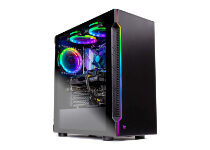
Skytech Shadow

  • Intel Core i5-9400F 6-core 2.9GHz (4.1 GHz Max Boost) CPU Processor
  • NVIDIA GeForce GTX 1660 6GB GDDR5 Graphics Card
  • 500G SSD – Up to 30x Faster Than Traditional HDD
  • B365M Motherboard
  • Their customer service could use some improvements

VR workstations are almost synonymous with VR gaming PCs, so it shouldn’t be a surprise that our first entry is one.

The Skytech Shadow features monster specs that will make even the latest current VR games feel smooth and realistic, all thanks to the powerful CPU and the even more impressive GPU.

Lastly, this Skytech PC comes with an RGB trim, so it won’t just act like a gaming PC, it will also look like one.


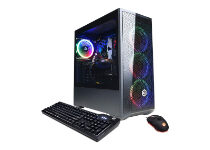
CyberpowerPC Gamer Xtreme

  • Intel Core i5-10400F 2.9GHz 6-Core
  • Intel B460 Chipset
  • 8GB DDR4
  • 500GB PCI-E NVMe SSD
  • A bit expensive given the specs

The next item on our list is yet another gaming desktop that can be used as a VR workstation just as well.

Not only does it hold the RAM, CPU, and GPU necessary to run the latest VR games, but once you’re done with those you can switch to regular games just as easily.

If you have a thing for aesthetics, then the tempered glass side case panel, RGB case lighting, and RGB 7-color gaming mouse will surely make you consider buying it.


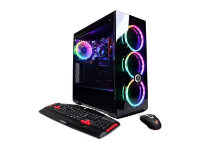
SkyTech Shadow II

  • Ryzen 7 2700 8-Core 3. 2GHz
  • B450M Motherboard
  • NVidia GeForce RTX 2060 6GB GDDR6 Video Card
  • 16 GB gaming Memory DDR4 3000 with heat Spreader
  • You'll probably need a bigger SSD for storing games

The Skytech Shadow II is the spiritual successor of the SkyTech Shadow, and it brings everything that it can bring, with a little bit extra on the side.

Thanks to the ultra-powerful AMD CPU and the equally great Nvidia GPU, VR games of any kind will seem like a walk in the park.

Besides, they took the old model’s visuals and took them to the next level, making this PC truly deserving of the name Shadow.


CyberPowerPC GXiVR8020A6

  • Intel Core i5-9400F 2.9Ghz
  • 8GB DDR4
  • 1TB HDD
  • NVIDIA GeForce GTX 1660 6GB video card
  • Windows side case panel
  • Very affordable considering the performance levels
  • May encounter issues if all USB ports are used at once

If you plan on trying the new VR experience in the comfort of your own home, but you lack the budget for professional VR workstations, then the V is definitely what you need.

Not only is it affordable, but it brings features and performance levels that will make diving into the virtual world to seem smooth and seamless, ensuring a great overall experience.


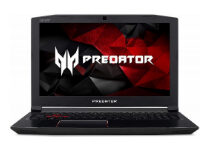
Acer Predator Helios 300

  • Latest 7th Generation Intel Core i7 Processor 2.8GHz with Turbo Boost Technology up to 3.8GHz
  • NVIDIA GeForce GTX 1060 with 6 GB of dedicated GDDR5 VRAM
  • 15.6-inch Full HD (1920 x 1080) widescreen IPS display
  • Red backlit keyboard
  • 16GB DDR4 DRAM Memory & 256GB SSD
  • Actual performance is subpar compared to a VR Ready desktop PC

Despite being the only VR Ready laptop on our list, the Acer Predator Helios 300gaming laptop isn’t shy about showcasing what it can do to make your VR experiences more memorable.

Not only doe sit have the processor, RAM, and graphics card to grant superb VR experiences, but the 7 hours of battery life means that your VR escapades won’t be cut short.


As you may have already noticed, all entries on our list include gaming desktop PCs and laptops. This is because rendering VR worlds requires a lot of processing power, up to a level that only gaming PCs are designed to meet.

Regardless, if you are looking to buy a PC for rendering VR worlds, make sure that you can get the most powerful ones that your budget can handle because nothing destroys a VR experience more than laggy graphics and waiting for world elements to buffer and load.


[wl_navigator]

Best Power Strips With USB-C Port To Buy [2026 Guide]

USB type C has brought some innovation into our lives when it came with reversible charging cables, but it also created the necessity of having power strips with USB type C ports into our homes.

Anker USB C Surge Protector Power Strip, AUKEY USB-C Power Strip, and BESTEK Power Strip with USB are some of the best power strips with USB type C charging slots that you can buy right now.

Note: Deals are subject to change. Keep in mind that the price tag often varies. We recommend going on the vendor’s website to check the price. Some of the products may be out of stock by the time you’ve made your purchasing decision. So, hurry up and hit the buy button.


What are the best power strips with USB-C ports?

BESTEK Power Strip with USB

  • Detachable base for easy mounting
  • Various protections against electrical hazards
  • USB ports can be activated by pushing a button
  • USB charging ports can’t charge devices with higher-than-15W power (laptops, MacBooks)

BESTEK Power Strip with USB could be just a regular power strip if it weren’t for its 3 standard USB slots and its one USB type C charging port.

This unit integrates protection against overvoltage, short circuits, and overloads, all of which are FCC-certified. BESTEK Power Strip with USB features a detachable base that can be mounted on a wall (for instance) and used to fix the power strip securely on it.


JOTO 2 Outlet Surge Protector Power Strip

  • 3-in-1 device with AC outlets, USB and USB type C charging ports
  • Includes surge protection feature
  • Some users complain about a buzzing sound;

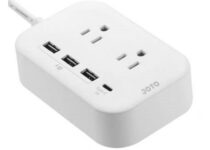
Beyond its standard power strip capabilities, JOTO 2 Outlet Surge Protector Power Strip also surprises its users with 3 standard USB charging ports and, most importantly, a USB type C one.

The unit also has integrated surge protection, so that you can stop worrying about power surges or spikes that might fry any electrical equipment that you left plugged in.


Echogear desk clamp power station

  • Power up to 9 devices at once with the 6 AC outlets, 2 standard USB ports, and 1 USB-C port
  • Universal clamp design holds on tight wherever you need power
  • Charging station clamps onto any surface up to 2.5-inches thick
  • Guards all your gear against power surges
  • Customer support needs improvements

The Echogear desk clamp power station is probably the most unique power strip on our list mostly because of its design, coming with a clamp that lets you fixate it on any surface.

This makes it great for home or office desks that usually hold multiple electronic devices, especially since it comes with 9 AC outlets, 2 standard USB ports, and a USB-C port.

Lastly, you don’t have to worry about overcrowding the outlet or random power surges, since it comes with built-in surge protection.


Anker PowerStrip Pad

  • Can charge your laptop, phone or tablet from the USB ports
  • Toggle USB power on or off at the push of a button
  • Elegant, compact design
  • Some customers complain that the USB ports stop working after a while

It might not look like much, but Anker PowerStrip Pad can save you from a lot of hassle if you’re not in the mood to look for your USB charger or USB type C adapter, aside from letting you plug standard electrical equipment in its AC sockets.

Compared to other similar products, Anker PowerStrip Pad allows you to deliver an optimized 30W charge to your USB Type-C phone, tablet, and even laptop, making it the perfect travel companion if you own at least some of these devices.


Anker USB-C Surge Protector Power Strip

  • Includes surge protection
  • Can charge USB-C laptops and tablets
  • A lot of space between each AC outlet for bulky plugs to fit
  • Some customers complain about the price

Last, but not least, Anker USB C Surge Protector Power Strip is a power strip that encompasses two USB-A and one USB-C charging ports on the side, while also bringing you some mind-soothing surge protection, so you can lift the burden of always unplugging everything.

The unit lets you charge USB-A devices with a maximum charge of 12W, while the USB-C charging port delivers a higher electrical charge of 30W to your devices, making it suitable even for laptops and tablets.


Since not so long ago, USB-C has become a casual part of our lives. Naturally, we started developing power strips that also had USB type C charging ports, aside from their standard AC sockets and maybe USB-A ports.

Anker USB C Surge Protector Power Strip, BESTEK Power Strip with USB, and AUKEY USB-C Power Strip are some of the best power strips with USB-C charging ports that you can buy.


[wl_navigator]

5 Best Orbit Trackball Mice for Precision Scrolling

There was once a time when the most powerful computer in the world had to be carried on wheels despite only managing to store a few MB of information.

Since then, technology has greatly improved and now offers incredibly lighter, more efficient solutions. And as time passes, engineers improve every aspect of the personal computer.

This brings us an innovative invention: the orbit trackball mouse. Different from regular mice or laptop trackpads, the orbit trackball mouse introduces a new way to control the on-screen mouse cursor.

That said, not a lot of people know which orbit mouse is the best to buy. This article will focus on the five best orbit trackball mice currently available on the market.

What are the best orbit trackball mouse deals?

Kensington K64327F

  • Delivers comfort and precision
  • Customizable 2-button design
  • Compatible with Windows and macOS
  • Compact design
  • The ball tends to jump when rolling forward or backward

The Kensington Orbit Trackball Mouse K64327F features quite a few returning qualities as well as some of its own.

The design features a broader space for the hand as well as a more distinctive emphasis on auxiliary buttons. It comes with two customizable buttons which can be user-configured through the TrackballWorks provided software.

The Orbit trackball mouse has support not only for Microsoft’s Windows platform but also for Apple’s macOS.

Kensington K72352US

  • Optical tracking for superior cursor control
  • Unique touch scrolling
  • Ambidextrous design
  • Plug-and-play, no drivers required
  • Ball is smaller than many trackball users are familiar with

The Kensington Orbit Wireless Trackball K72352US mouse has a series of characteristics that make it one of the best orbit mice to buy.

It features a very tight design that resembles that of a traditional mouse except for the big trackball on top. Its additional buttons are on its side rather than on top of the mouse, contributing to its compact nature.

This orbit tracking mouse comes with an USB dongle that helps users control the wireless functions of the mouse.

Logitech Trackman Marble

  • Ambidextrous shape
  • Two control buttons
  • Fast fingertip-based control
  • Marble optical technology
  • The back and forwards buttons are not the most ergonomic to press

An entry that stands out, the Logitech Trackman Marble Mouse comes with a distinct design that helps it be seen. It features a long body and a mounted trackball which puts it in a favorable spot for the hand to reach.

Other than that, it has a couple of other functions that set it apart from competitors. It comes with an optical sensor that allows it to be very precise.

While most orbit trackball mice come with two additional buttons, this model comes with no less than four buttons which are user-programmable.

It is compatible with Windows Vista and up, making it a great fit for Windows, macOS, and Chrome OS.

Kensington K72337US

  • Detachable wrist rest
  • Wired USB connection
  • Unique scroll Ring
  • Plug & play installation
  • Stiff scroll ring

There are quite a few things to be said about the Orbit Trackball mouse K72337US.

This particular orbit mouse comes with great features and a simple and efficient design, offering great hand comfort and maneuverability to make it one of the best mice in this category on the market.

The mouse comes with a scroll ring that adds more precision to the device’s navigation ability.  It is compatible with all modern versions of Windows OS, as well as macOS.

It features a type of scrolling that completely removes clicking from the equation, offering a completely new experience for those that have never owned an orbit mouse.

Logitech M570

  • All-day comfort
  • Logitech Unifying receiver
  • Trackball comfort
  • Compact footprint
  • The trackball needs to be cleaned very often

The Logitech M570 Wireless Trackball mouse features a unique design that takes the traditional on top trackball positioning and places the orbit trackball on the side of the mouse on a small foot pad.

This way, it offers great control and excels whether you’re browsing the internet, navigating software, or even gaming.

It comes with a long range wireless signal that allows users to use the mouse from any position without being rooted at a desk. It is compatible with most modern operating systems.

There are plenty of orbit trackball mouse available on the market, we hope you found in our list something to suit your needs. Do tell us which mouse would you buy in the comments section below.
6 Best Gaming Monitors for a Perfect Gameplay

For both casual gamers and occasional digital warriors, a monitor can make all the difference between victory and defeat.

To get the most out of the latest games, besides a gaming PC with a powerful CPU and GPU, you also need a monitor that is able to display the action without any blurred images, tearing, and other motion issues.

The best display will provide you an edge over your opponents while delivering the smoothest and the most immersive gaming experience you have ever lived.

Screen size, aspect ratio, resolution, refresh rate, response time, panel type, viewing angle, G-Sync, and FreeSync are the essential factors worth considering while you’re shopping for monitors.

What are the best gaming monitors to buy?

LG 34GK950F-B

  • Dynamic Action Sync
  • LG Black Stabilizer
  • Ultra-thin bezel
  • VESA displayed 400
  • Great price
  • Poor lifespan

This LG 34GK950F-B is definitely worthy of your full attention. The 3440 X 1440 ultrawide ultragear QHD display comes with outstanding clarity to ensure long hours of gaming sessions and not only.

After all, the AMD Radeon FreeSync 2 enables smoother motion and less stuttering in some of the most demanding games.

Moreover, the 144Hz refresh rate combined with a 1ms Motion Blur Reduction offer critical accuracy and precision.

Acer Predator X34

  • Two built-in speakers
  • ColorPlus technology
  • Various ambient lighting effects
  • Blue-Light Filtering technology
  • NVIDIA G-SYNC
  • Poor quality control

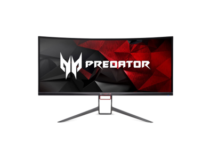
The Predator X34 is designed to provide the ultimate gaming performance and style. Rest assured that it will inevitably transform your viewing experience by immersing you deep into the action.

You need to know from the start that it features the NVIDIA G-SYNC technology that eliminates screen tearing to offer you an epic gaming experience.

The 34-inch display shows all the details and provides a uniform viewing experience lacking blind spots. As for the wide field of view, it offers a better gaming experience compared to a flat display.

AOC Agon AG352UCG

  • Ultrawide QHD resolution
  • AOC Shadow Control
  • Ideal for fluid and responsive gameplay
  • Three levels to adjust the dark portions of the screen
  • LowBlue Mode
  • Full warranty support isn’t included

This 35-inch widescreen allows you to view in-depth details with more spacing in vivid and crisp visuals. The AG352UCG is not great for gaming only; it’s also amazing for watching movies, editing photos, and videos.

The monitor features a curved panel with vibrant colors and it’s configured in such a way to help reduce eye fatigue.

No less important, it comes with the NVIDIA G-SYNC technology that synchronizes the display’s refresh rates to the graphics card.

LG 34UC79G-B

  • Black Stabilizer
  • Dynamic Action Sync feature
  • AMD FreeSync Technology
  • Crosshair Feature
  • Game Mode
  • Expensive

If you’re running games using AMD or Intel-based graphics and you need an ultra-wide monitor that doesn’t cost a fortune, then this is the right option for you.

It comes with the FreeSync technology that offers a seamless gaming experience and provides fluid movement for fast-paced games.

LG 34UC79G-B eliminates tearing and stuttering, not to mention that it reduces blurring and ghosting to make the action smoother and your reactions more precise.

Alienware 25

  • Lightning-fast 240Hz native refresh rate
  • Adjustable height
  • Fully customizable RBG lighting system
  • Easy-to-use dashboard
  • Premium materials with silver and black chrome finish
  • No displayport cable

The Alienware monitor features the iconic design you might already be familiar with for the most exhilarating and immersive gaming experience.

Whether you are just starting in the gaming area or you’re the most advanced enthusiast, Alienware’s features are some of the best for enhancing your gaming experience.

Moreover, the monitor offers responsive gameplay with sharp images thanks to NVIDIA G-Synch tech.

BenQ PD3200U 4K

  • Revolutionary CAD/CAM Mode
  • Animation Mode
  • Comes already calibrated
  • Response time of 4ms
  • VESA wall-mountable
  • Random firmware issues

This is a large 32-inch screen for your desk that was created with business professionals in mind, but this doesn’t mean that it doesn’t have to offer a load of cool features for gamers.

The monitor is focused on offering phenomenal viewing angles and it comes with a Darkroom Mode that adjusts the brightness and the contrast of images.

It provides high clarity and sharpness to all details and rest assured that it creates the optimal setting for gaming in darker environments.

Take your favorite games to the next level with either one of these powerful monitors to match the power of your PC.

They’re all able to deliver a smooth and immersive gaming experience without blur, flicker, and other issues that might stand between you and victory.

Analyze their features and get the one that seems perfect for your needs. Moreover, keep in mind that this article is part of our large selection of great monitors.

Take a look there too, then let us know your final pick. Feel free to use the comments area in that regard.

5 Best browsers for Xiaomi devices

Xiaomi devices have gained massive popularity due to their affordability and great hardware specifications, and this is why many users prefer them.

If you’re using a Xiaomi device, in today’s article we’re going to show you the best browser for Xiaomi devices, so let’s get started.

What is the best browser for Xiaomi devices?

Opera One

Opera One is a well-known web browser with a long history, and this browser is also available on Android. The browser comes with a built-in ad blocker, so you won’t have to ever deal with ads again.

If you’re on limited bandwidth, you’ll be pleased to hear that the browser has a data saving mode, so it will use less data to load pages.

Regarding privacy, the browser has a free built-in VPN with unlimited bandwidth, so you can make your browsing sessions completely private.

Opera One is a great browser, and it will be a perfect choice for all Xiaomi devices, so be sure that you try it out.

Other great features:

  • Flow feature for easy link and file sharing
  • QR and barcode scanner
  • Crypto wallet
  • Personalized news feed
  • Built-in AI

⇒ Download Opera One


Kiwi

kiwi browser best browser for xiaomi

Another great browser for Xiaomi devices is Kiwi Browser. The browser comes with an ad and popup blocker, so you won’t ever have to deal with them again.

Kiwi will also block invasive trackers, thus preventing websites from tracking you. Another useful feature is the support for gestures, and you can use them to quickly close tabs or switch between tabs.

Although the browser offers some great features, it’s worth mentioning that it supports Chrome extensions, so you can enhance it even further.

Overall, Kiwi is a great browser, and if you’re looking for a browser that can be enhanced with extensions, then Kiwi might be the right choice.

Other great features:

  • Cryptojacking protection
  • Ability to disable AMP pages
  • Customizable download settings
  • Fast and responsive

⇒ Download Kiwi


Brave

brave browser best browser for xiaomi

If you need a browser that is focused on user privacy, then Brave might be the perfect choice for you. Just like the previous entries on our list, this browser comes with a built-in adblocker.

The browser offers great performance, and according to the developers, it’s up to four times faster than other web browsers. Also, there’s support for HTTPS Everywhere for extra security.

Brave also has a third-party cookie blocker, script blocker, and it can also sync with your desktop web browser.

Overall, Brave offers some great features, so if you’re looking for a new web browser, be sure to consider Brave browser.

Other great features:

  • Tracking protection
  • Based on Chromium
  • Script blocker
  • Private searching with DuckDuckGo

⇒ Download Brave


Dolphin

Dolphin best browser for xiaomi

Dolphin browser is another great browser for Xiaomi devices, and what separates this browser from the rest is the support for Adobe Flash. The browser also supports gestures which will surely come in handy.

Sharing is a big part of Dolphin, and it allows you to easily share content to Facebook, Evernote, Box, and other services. Of course, support for extensions is available, allowing you to enhance your browser further.

The browser also supports Sonar voice search, and there’s also an ability to bookmark your favorite websites to the sidebar for quick and easy access.

Dolphin browser offers some unique features, so it might be worth checking out.

Other great features:

  • Flash support
  • Gesture support
  • Sidebar for favorite websites
  • Syncing with compatible devices

⇒ Download Dolphin


Puffin Browser

Puffin Browser best browser for xiaomi

Another browser that you might find interesting is the Puffin browser. The browser uses a cloud server to process your requests thus allowing you to access websites faster than before.

All data is compressed, and it will use up to 90% of your bandwidth compared to regular browsing. This is perfect if you have a limited bandwidth plan.

The browser also works with cloud drives, and it allows you to download files directly to your cloud drive thus saving your bandwidth.

Puffin Browser offers some interesting features, and if you’re looking for a browser that will use less data while browsing, be sure to check it out.

Other great features:

  • Cloud processing
  • Fast
  • Bandwidth saving up to 90%
  • Ability to download files directly to the cloud

⇒ Download Puffin Browser


Picking the best browser for your Xiaomi device isn’t the simplest task, but we hope that our guide helped you find a suitable browser for your needs. For more suggestions, please access the comments section below.

Best Private Internet Access Holiday Deals [Cyber Monday]

Private Internet Access is one of the most popular VPN services on the market. If you’re looking for the best PIA VPN deals to get for Cyber Monday and prepare for 2023, you’ve certainly come to the right place.

You can rely on this VPN to hide your IP address, change your location, and evade geoblocks. It supports more than 15,500 VPN and proxy servers in 94 locations.

Plus, PIA is one of the few VPNs optimized for gaming and with full support for the new WireGuard protocol. It also includes OpenVPN.

It has exclusive DNS servers to speed up your Internet connection and a native port forwarding mode to help you easily host game servers over VPN.

What’s the best PIA VPN discount?

  • 2-year + 4 months free plan for $335.72 $56.94 or $2.03/mo. (83% OFF!)
    • Lightning-fast connection speeds
    • 30-day money-back guarantee (no free trial)
    • 24/7 live chat support
Private Internet Access

Private Internet Access

Use this reliable VPN to take your online privacy and security to a whole new level.
83% OFF! Buy it now

Why using Private Internet Access?

Private Internet Access is optimized for secure browsing, streaming, and torrenting. It’s also one of the best VPNs for gaming.

You can set it up on all popular devices, including Windows, macOS, Linux, Android, iOS, Chrome, Firefox, Opera, and routers.

One account covers 10 simultaneous device connections. Netflix fans won’t be disappointed since PIA makes it possible to watch Netflix US from any part of the world.

Check out the PIA features and servers

Plus, Private Internet Access supports a VPN kill switch that cuts off all Internet access in case of sudden VPN connection drops, in order to prevent IP leaks.

It also has split tunneling, along with an ad, malware, and tracker blocker for web browsers called PIA MACE.

Get the best Dell Curved Monitor deals this Cyber Monday

This Cyber Monday many retailers are pushing more and more offers down the line. Amazing discounts can be found as long as you keep an eye on HP flash promotions.

HP just rolled out some of the sweetest deals on their line of curved monitors, some of which will save you hundreds of dollars.

What are the best HP curved monitor deals?

HP X24c Gaming Monitor

  • FHD (1920 x 1080)
  • 4ms GtG (with overdrive)
  • 3000:1 static; 12000000:1 dynamic
  • Muted screen colors

When you are gaming, you are mostly doing it to escape the world you live in, so doing it in a manner that is as immersive as possible is the ideal setup.

That’s exactly what you will get if you choose the HP X24c Gaming Monitor. This monitor’s 1500R curvature pulls the corners of the display closer to you, delivering an immersive FHD experience.

It also supports fast-paced imagery thanks to the 144Hz refresh rate, so online gaming will feel like a walk in the park.

Note: Don’t forget that other retailers may have better deals, so take a look at their offers as well.

⇒ Check price on Amazon


HP 34f 34-inch Curved Display

  • 1000:1 static; 10000000:1 dynamic
  • WQHD (3440 x 1440 @ 60 Hz)
  • 5 ms gray to gray
  • Would be perfect with a 0-bezel design

If you’re looking for a much wider screen, then the HP 34f 34-inch Curved Display is what you need in your life.

Not only does it feature an Ultra-Wide Quad HD screen, but the integrated IPS panel will provide you with a high degree of color fidelity.

Besides, screen tearing will also be a bad memory thanks to the AMD-FreeSync technology, so gaming is also an option, not just watching movies.

Note: Don’t forget that other retailers may have better deals, so take a look at their offers as well.

⇒ Check price on Amazon


HP 27x Curved Display

  • 3000:1 static; 10000000:1 dynamic
  • FHD (1920 x 1080 @ 120 Hz)
  • 1 HDMI; DisplayPort™ 1.2
  • 5 ms gray to gray
  • Connectivity

Well rounded gadgets and devices have always been popular, and the same can be said about curved monitors, one great example being the HP 27x Curved Display.

As for curvature, it has a 1800R curvature and micro-edge design, so immersiveness in games, movies, or photo slideshows will be something that is guaranteed.

While usually $299.99, the price is now down to $219.99, so take advantage while it lasts.

Note: Don’t forget that other retailers may have better deals, so take a look at their offers as well.

⇒ Check price on Amazon

HP 27b Curved Monitor

  • 3000:1 static; 10000000:1 dynamic
  • FHD (1920 x 1080 @ 75 Hz)
  • 1 HDMI; DisplayPort™ 1.2
  • 5 ms gray to gray
  • Pixels may be prone to dying early if mishandled

Crystal-clear imagery is a focus point when discussing buying a new monitor, and this is the focus point of the HP 27b Curved Monitor.

Besides, the HDMI input, DisplayPort, and Audio out. mean that it can work as pretty much anything, from a standard PC monitor to a smaller TV.

Speaking of TV, watch your favorite shows like never before thanks to the  99% sRGB technology that ensures deeper blacks and brighter whites.

Note: Don’t forget that other retailers may have better deals, so take a look at their offers as well.

⇒ Check price on Amazon

This pretty much wraps up our list of HP curved monitor deals that are now available thanks to this ongoing shopping season.

Note: Besides each individual discount, don’t forget that if you get the monitors from the official HP website, you can benefit from these additional discounts:

  • 5% off select HP monitors $50+ by using the discount code BFCMDA5
  • 10% off select HP monitors $200+ by using the discount code BFCMDA10

What’s your take on these fantastic deals?

Let us know which curved monitor you are thinking of buying by leaving your feedback in the comments section below.
5 best hearing aids and hearing amplifiers to buy

Just like how losing your vision due to an accident, illness, or old age, can affect the way read and watch movies, so can losing your sense of hearing affects the way we listen to music.

Fortunately, hearing aids and hearing amplifiers have been with us for quite some time, and some are so good that they even allow you to listen to music with almost crystal-clear clarity.

If you too are looking to buy such a hearing aid, you should check out our top picks for the best hearing aids for musicians.

Note: Deals are subject to change. Keep in mind that the price tag often varies. We recommend going to the vendor’s website to check the price. Some of the products may be out of stock by the time you’ve made your purchasing decision. So, hurry up and hit the buy button.

What are the best hearing aids for clear sound?

OTOFONIX Elite Digital Hearing Amplifier

  • Enhanced clarity and reduction of unwanted background noise
  • 4 different listening programs
  • Excellent customer service
  • Volume loss after a few months of use

Battling hearing loss can be difficult, that is why having some good help at your side can be great, and that is where the Sound World Solutions – Sidekick comes into the picture.

This modern-looking hearing aid features enhanced clarity, reduces ambient noises, have 5-7 days of battery life, and 4 listening programs that can accommodate a variety of environments.


MEDca Digital Hearing Amplifier

  • Lightweight
  • Comfortable
  • Fits perfectly behind the ear
  • No programing or fine-tuning adjustments
  • General quality-control issues

If simplicity is more of your thing and you don’t want to complicate yourself with a  device that features numerous fine-tuning controls and features, then the MEDca Digital Hearing Amplifier is the right choice for you.

You don’t require a medical prescription for it, it is easy to use, and it fits seamlessly behind the ear, being almost invisible.


EarSpoke Hearing Amplifier

  • Programmable
  • Compatible with iPhone or Android phone/tablet
  • Fits left or right ear
  • 4 different modes, great for watching TV, restaurants, outdoors, etc.
  • 1-Year Warranty and 45-day trial/return period
  • The price tag
  • Phone connectivity issues

Hearing aids can now connect to your phone, and dedicated apps exist that allow you to fine-tune the audio settings straight from your mobile device.

Such would be the case with the EarSpoke Hearing Amplifier which features all the neat physical and functional properties of hearing aids while offering several great premade hearing modes for various occasions.


R&L Rechargeable Hearing Amplifier C100

  • Take 4 hours to fully charge and lasts for 3 days
  • Comes with 3 different sizes of domes to fit different ear sizes
  • Advanced signal processing
  • High-quality natural sound and virtually no whistling
  • Adjust volume easily with one finger, no tools needed
  • Easily to turn on/off the device with the power switch
  • A bit large, and may have problems fitting with some ears

Seniors out there that aren’t too tech-savvy will love the R&L Rechargeable Hearing Amplifier C100. This extremely easy-to-use hearing aid was designed with the phrase “simple” in mind.

It has a battery life of almost 3 days and you only need to charge it for 4 hours, and volume controls and turning it on and off can be done with the push of a button.


Neosonic Hearing Amplifier

  • Open fit design
  • Superior, digital CD sound quality with 0.2% harmonic distortion
  • There is no whistling, digital noise cancellation, and no static noise
  • Small and compact design
  • A 35dB peak gain
  • The price tag

If you are looking for a hearing aid that is great for those that love to enjoy the crystal-clear sound of high-quality music, then you will love the way the Neosonic Hearing Amplifier will behave.

It has a sleek and compact design and features several technological features that improve sound quality, reduce background noises, and minimize the presence of static.


Hearing aids are easier to come by these days, and their price tag has gone way down compared to the days they first appeared.

However, if you want to enjoy the pristine sound quality that is good enough to warrant you working in the music industry, then you’ll have to look for the more expensive models.

Nonetheless, knowing that options do exist is way better than having no options at all.


[wl_navigator]

New Acer Swift 5 (2020) has a better screen-to-body ratio

There’s a new Acer Swift 5 on the market, and it brings a better screen-to-body ratio, and higher processing power, compared with its predecessor.

You’ll be able to buy the new notebook as from October 2020, starting at $999.99.

Acer Swift 5 (2020) specs

The new Acer Swift 5 sports ultrathin bezels, which is a feature you’d expect of this specific series. Its predecessor (Swift 5 2019) is super-thin too.

But the latest model boasts a better screen-to-body ratio (90%). It also offers an ultraportable chassis that doesn’t begin to betray the power underneath it.

As far as processing power is concerned, Acer Swift 5 (2020) is the first in the series to feature the next gen Intel Core processors.

It appears that the notebook will be powered by 11th gen Intel processors, also known as Intel Tiger Lake chips. Only laptops and gaming notebooks will be running on these super-powerful microchips.

In addition, the device comes with Intel’s futuristic Xe GPU architecture. The built-in graphics should excite you if you’re a gamer.

That’s because the advanced GPU tech is developed for next-gen gaming devices. As such, the Xe graphics on Acer Swift 5 (2020) make it an excellent candidate for this purpose.

But if you don’t like the idea of integrated graphics, you can go with the available NVIDIA GeForce MX350 GPU option.

Storage-wise, the notebook offers a super-fast 1TB PCle SSD hard drive. Combining that with up to 16 GB of LPDDRAX RAM and a next-gen Intel Core chip gives you a powerful Windows 10 machine trapped in the body of a slim notebook.

  • 8th gen Core i7-8565u
  • 15.6-inch FHD IPS Display
  • Ultra-thin & lightweight
  • Up to 10 hours battery life
  • Complaint about the speakers

This PC is also ideal for enterprise use. Additionally, Acer says that the device suits the preferences of professionals that are constantly on the move.

A productivity powerhouse housed in a sleek and ultraportable chassis, the Swift 5 is an excellent option for professionals who are always on the move and seeking a device capable of keeping up with them.


Ready to sample the new Acer Swift 5 (2020)? Let us know what you think of its next-gen hardware components in the comments section below.
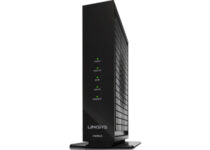
[wl_navigator]

5 best 4K projectors for sports to buy [BenQ, LG]

If you love watching sports games from the comfort of your home, then you’re probably wondering whether your next purchase should be a large flat screen or a video projector.

If you choose a video projector, then you should know which are best suited for the fast-paced imagery that you would usually encounter during a sports match.

You should also go for a 4K projector since projecting on large surfaces leads to image quality loss.

Because of this, we’ve compiled a list of what we think are the best video projectors that fit both criteria.

Note: Deals are subject to change. Keep in mind that the price tag often varies. We recommend going on the vendor’s website to check the price. Some products may be out of stock by the time you’ve made your purchasing decision. So, hurry up and hit the buy button.

What are the best deals of 4K projectors for sports?

BenQ TK850

  • 3840 × 2160 or 8.3 million individual pixels
  • HDR-PRO (HDR10/HLG) projector
  • Dedicated sport mode
  • 1.3X big zoom
  • Doesn't run a long 4k HDMI cable

If you’re watching a football match and want to see the emerald-green grass in a way that is as vivid as possible, then you need a projector that puts emphasis on that matter, such as the BenQ TK850.

It delivers a groundbreaking combination of color, contrast, and resolution for the ultimate entertainment experience.

Every detail comes alive with the 4K Enhancement technology and the 10-Element crystal lens array that can upscale non-4K content to a certain degree without quality loss.


Optoma HD27HDR

  • 3,400 lumens brightness
  • HDR10 technology with DCI-P3 wide color gamut support
  • 1080p (1920×1080) resolution
  • Vertical keystone correction
  • Frequent lamp issues

The Optoma HD27HDR is a 4K projector that lets you enjoy HDR technology and large screen experiences with the 3, 400 lumens HD27HDR 1080p 4K-ready home entertainment projector.

It is great for watching high-paced content such as projecting games or sports events, and the color correction, brightens and saturation makes it great for watching at pretty much any room lighting level.


YABER Y30 Native 1080P

  • 4D Keystone correction
  • Zoom function
  • 1080P native resolution (1920x1080)
  • Support 4k video
  • It doesn’t support Dolby sound

The YABER Y3 Native 1080P is a projector that lets you experience thrilling home cinema in the vivid clarity of real native resolution of 1920×1080, remarkable 7200 lumens bright and high dynamic contrast ratio of 8000:1.

Thanks to its ± 50° 4D (vertical & horizontal) keystone correction function this great projector ensure the projected image is always on a standard rectangle.


BenQ TK800 4K

  • 8. 3 million pixels, 4K UHD image quality
  • Perfectly balanced high visual brightness (> 3000lm)
  • Vivid colors (> 92% rec. 709)
  • Auto HDR color
  • The main menu is a bit complicated

The BenQ TK800 is one of the best 4K sports-dedicated video projectors on the market. Not only does it offer impeccable image and color quality, but it even has dedicated football & Sport modes with Cinema Master Audio+2.

This technology allows you and your friends to enjoy high-paced sports games from the comfort of your yard or home theater, with the same quality as watching from a flatscreen.


Optoma GT1080Darbee

  • DarbeeVision image-enhancement technology
  • 120-inch image projected from 4 feet away
  • Razor-sharp images with 3, 000 lumens
  • Full HD 1080p (1920 x 1080)
  • The price tag

If you’re looking for the ultimate projector for gaming purposes, then the Optoma GT1080Darbee is the projector that your home theater or gaming room needs right now.

It features technology that is perfectly suited to handle fast-paced movements and image shifts, making it great for both competitive gaming and watching sports events smoothly.


There are many advantages to having a video projector instead of a large flatscreen TV.

For example, you can make the image as big or as small as you want, and carrying a 10-pound projector is much easier than having a friend help you carry a 100-inch TV.

More so, it is way cheaper to have a projector, and changing a lamp every 5-6 years is much cheaper than changing the whole TV just because a few pixels decided to die on you.

[wl_navigator]

5 Best Wireless Label Printers [Intelligent New Model]

Do you want to enjoy the convenience of using your wireless network to print labels with ease? Well, you’re in the right place since we are here to tell you more about the best wireless label printers.

As expected, there are countless types of label printers. They range from consumer-grade models that won’t empty your pockets to industrial machines for printing barcodes, product labels, or shipping labels.

Since your focus seems to be printing labels from the comfort at your own home or as part of your daily small business activities, it’s clear that you need the convenience provided by cable-free label printing.

These consumer-grade and lower-end small-business models might surprise you. They are compact, easy to use, and include the latest direct thermal printing tech to avoid tape jamming issues.

What are the best wireless label printers?

Phomem D30

  • Countless fonts and icons
  • Ease of customizing your own labels
  • Print Master smartphone app
  • Printing quality in 203 dpi for black & white texts
  • Printing width from 0.24 to 0.59 in
  • Noting noticeable

To better understand how powerful certain wireless label printers are, take a closer look at Phomemo D30.

You need to know from the start that it offers no less than 4 hours of continuous working time and 30 days standby time after 2.5 hours of charging thanks to the 1200 mAh lithium battery.

Unlike the traditional keyboard label makers you are used to, this revolutionary model connects via Bluetooth to your iPhone or Android smartphone and edits more flexibly by phone.

It efficiently generates patterns on thermal labels by heating, with no ink or other consumables required.

Moreover, if you’re worried about portability, remember it fits in your palm. Therefore, you can easily place it in your bag or your pockets while on the go.

To learn about the product in more detail, check out the detailed review of Phomemo D30, a portable label creator.


Phomemo M110

  • No less than 24 hours of continuous working time
  • One week standby time after 1.5 hours charging
  • Various label templates and label sizes
  • Detailed instruction manual
  • Compact size
  • Noting noticeable

Phomemo M110 is also worthy of your full attention. Cosmetics and skincare daily necessities stores, clothing shops, jewelry stores, and not only may find it perfect.

Firstly, there are various label templates and optional label sizes to pick from, regardless of the industry segment of your business.

Even more, the OCR function in the Phomemo app makes printing your own labels an extremely intuitive process. You just need to set up the format of your label, upload or take a picture of the label you’d like to edit, and the system will recognize the texts.

Then, feel free to make the desired adjustments and print. No less important, note that Phomemo M110 generates patterns on the thermal paper by heating, requiring no ink or extra consumables to worry about.


Phomemo M02

  • No ink or other consumables required
  • Black and white printing (texts and images)
  • Weighs only 6.7 oz
  • Customizable content via app
  • User-friendly customer support
  • Nothing noticeable

If you want a practical pocket printer, Phomemo M02 is clearly up for the task. As you’ll see by yourself, it is an excellent-value label printer for homes and small offices.

Whether you need to print your own labels, notes, stickers while you’re on the go or easily connect your cellphone with the printer, Phomemo M02 should fit the bill.

With connection options via Bluetooth on your iPhone or Android device and 6 to 8 hours of continuous working time, you can clearly see why it is just another great pick on our list!

It could turn into the perfect gift for your loves ones, regardless the season or buy it for yourself. Business travelers like you deserve the very best, even if no traditional desktop inkjet is in the cards.


GECENinov

  • Hundreds of preset modes
  • Bluetooth connection
  • Portable design
  • Clear labels
  • Great 30-day refund guarantee
  • Not the fastest speed

You can also check out this multi-purpose mini label maker. It is suitable for retail labels, shipping labels, jewelry labels, as well as clothing labels.

The intuitive free app has various preset modes to pick from or take your time to design your own personalized labels.

Even more, with a resolution of 203dpi, you can expect getting only high-quality labels. And if you’re not pleased by the result, take advantage of the 30-day refund guarantee.


Micmi shipping label

  • Printing speed of 5 inches per second
  • Full design capabilities for text
  • Thermal Direct technology
  • Simple setup
  • U. S. based tech support
  • MacBook PRO compatibility issues

Micmi shipping label printer is a multi-functional printer waiting to be used in order to easily print shipping labels, product labels, or labels for any other purpose you may have in mind.

Do note that it supports Windows XP and it is quite fast as well. It takes no more than 1.2 seconds to print one 4×6″ shipping label.

In case of encountering any issues, Micmi offers U. S. based tech support training via phone, email, as well as remote desktop.

Which of the previously mentioned wireless label printers is your choice? Consider their versatility, if they are or not lightweight, and the fantastic fonts and templates that can unleash your creativity.

Let us know your pick in the comments area below. We’re sure you’ll be able to start printing professional labels easily, even from the comfort of your home.

5 best DIY subwoofer components [Home Theater]

Sometimes the market doesn’t have what we need, so we decide to make our own products. While this approach does mean that you need to have knowledge of certain things, in the end, you are creating a product that is perfect for you.

The same thing can be said about subwoofers, as you can make them at home. That’s why we’ve compiled a list of what we think are the best components you can use for a DIY subwoofer.

Note: Deals are subject to change. Keep in mind that the price tag often varies. We recommend going to the vendor’s website to check the price. Some of the products may be out of stock by the time you’ve made your purchasing decision. So, hurry up and hit the buy button.


What are the best subwoofer components that I can buy?

Thermaltake Smart 700W

  • 80 PLUS Certified
  • Continuous Power Design
  • Has well Ready
  • Ultra Quiet 120 millimeters Fan
  • The occasional quality control issues

Starting off the list for making a DIY subwoofer is the power supply. This is a crucial part of the subwoofer, so making sure you get a good power supply is mandatory.

The Thermaltake Smart 700W seems to be the best model available that won’t cost you an arm or a leg, and it seems to be designed to last you for quite some time.

Once you’ve taken care of the power supply, you will need a car amplifier. It would be advisable that you look for something which is bridgeable and has a built-in crossover.


BOSS Audio Systems R1100M

  • Maximum Power Output of 1100 Watts at 2 Ohms
  • Uses RCA interconnected cables to link the R1100M with the source unit
  • Has Variable Bass Boost
  • It can be installed in a variety of different places due to its’ slim and compact design
  • Doesn’t seem to be as powerful as advertised in real life

The BOSS Audio Systems R1100M car amplifier comes with 1100 Watts Max Power and MOSFET power supply, taking your vehicle’s audio system to the next level.

You can use it to customize the sound with Variable Low Pass Crossover, Bass Boost, and Remote Subwoofer Control, making them perfect for those that want to add Bass, enhanced sound, and performance to their system at an affordable price.

Even if you’re not an audiophile and you don’t know much about sound systems, the subwoofer’s drivers are probably the component that pretty much everyone recognizes.

These are the heart of the subwoofer and are responsible for the sound quality, so if you want to make sure you are careful with any of the components, it should be this one.


Rockford Fosgate R2Ds

  • Features 2-inch copper-clad aluminum voice coil
  • Stamp cast frame structure
  • Integrated PVC trim ring
  • Mica injected polypropylene cone
  • 250 Watts RMS 500 Watts peak power rating
  • 10-inch, dual 2-ohm subwoofer with 500 watts maximum power handling (250 watts RMS)
  • Mica injected polypropylene cone with poly-foam surround
  • Prone to blow if exerted too much

If you’re looking to build a subwoofer in a way that will make rooms shake from the bass, then you need to buy the Rockford Fosgate R2Ds subwoofer driver.

The parabolic cone designs result in solid bass reproduction and aluminum voice coils keep woofers running cool, even under demanding conditions, meaning that you’ll have a solid performance for years to come.


Pioneer TS-A250D4

  • Improved durability
  • Faithful sound playback
  • Dual 4 ohms voice Coil subwoofer
  • Injection Molded Polypropylene cone provides increased strength and rigidity for optimized bass response.
  • Won’t create a subwoofer that can manage larger rooms

The Pioneer TS-A250D4 is a subwoofer driver that comes with a host of technologies that improve the way you hear and play music. These systems include the Voice Coil Cooling System improves durability and faithfully reproduces the sound of original sources.

Additionally, it is made with high-quality materials that ensure the subwoofer will stay as performant for many years.


PIXNOR DIY Speaker Box Terminal

  • Made from durable plastic, copper and gold-plated metal
  • Terminal cup for speaker subwoofer boxes
  • Gold-plated contacts for optimal signal transfer
  • Screw type terminals ensure a tight and secure connection
  • Rear connections use quick disconnect connectors
  • Positive (Red) and negative (Black) indicators to ensure proper wiring
  • The plastic components may crack if mishandled

The PIXNOR DIY Speaker Box Terminal is a set of 2 professional and practical 2-way speaker terminal round spring cup connectors. They are mainly made of durable plastic and gold-plated metal and are designed for DIY speaker and subwoofer boxes.

The gold-plated contacts for optimal signal transfer and spring terminals ensure a tight and secure connection.


When you hear the word “budget”, you automatically think of the word “cheap”, but that is not always the case.

Building a device using components can many times end up being a smarter choice both in terms of price and quality. The same can be said about DIY subwoofers, as you can create one in the comfort of your home easily.

More so, if you know what you are doing, you may create one that will blow the market version ones out of the sky.

[wl_navigator]

File Manager with Tags to Organise your Files: Top 5

Having access to terabytes of storage is a great feature nowadays. You can store endless amounts of files, documents, videos, games and images of varying sizes on your computer.

This comes at a great cost, however. Having so many files on your computer can get a bit confusing, especially when you wish to find specific ones.

Be it a recent picture you took with your phone or an important document regarding a meeting, many users find themselves lost in the sea of documents trying to find what they are looking for.

While trying to organise your files into specific folders is a good way of keeping track of them, there are other more efficient ways of doing it.

We recommend the use of file managing software, especially those that have a Tagging feature.

We’ll present you a list with the best file managers on the market.


Best software for organising your files with tags

Tabbles

Tabbles is the best software for file managing and tagging on Windows 10, offering many features such as being able to tag any type of file on any system.

The software will not interfere with your file names, nor does it leave hidden files.

Besides creating tags manually, Tabbles will create tags for your folders by itself, based on their path, name and content.

Not only does the program offer a multitude of features, it is also user friendly, having a simple interface.

Here is a list of its key features:

  • Enables you to find files fast
  • Allows for moving tagged folders without losing their tags
  • Supports file synchronisation
  • Supports tagging Outlook emails on any browser
  • Allows for auto-tagging and file sharing between colleagues
  • Deeply integrated with windows explorer

⇒ Try Tabbles


TagSpaces

Another great product that you can download is TagSpaces. The software doesn’t require an internet connection in order to run, so you don’t need to worry about internet outages.

The application is designed to be highly customizable, having an open-source code, allowing for the opening of different file types.

Your files are kept private, thanks to the ability to use the program while offline.

Other great features of TagSpaces:

  • organises your files, photos, documents
  • can be used as a file manager
  • allows the user to add custom thumbnails and text descriptions for every folder

⇒ Try TagSpaces


Tagflow

Tagflow is a multiplatform software which is compatible with Windows, Mac and linux. It allows you to store files by tagging them.

The program has the simplest and the least confusing interface, coupled with a simplified file search system that is based on keywords.

The program automatically generates tags for the files that are being added to it, yet it still allows the user to create custom ones.

⇒ Try Tagflow


RecentX

RecentX is yet another easy to use, fast phased windows file explorer. It automatically detects the files that are the most important on your computer and helps you find them easier.

The program claims to be able to find any file on your computer in less than 3 seconds, no matter how well hidden they are. You no longer need to access deep folder-trees in order to find anything.

Besides its speed, RecentX remembers the files you searched for in the past in case you need them again in the near future. It also remembers everything you copy into the clipboard

⇒ Try RecentX


FileTag

The last product we’re going to talk about is FileTag, which has a wonderful interface, completely integrated and updated to Windows 10.

The application allows you to set notifications regarding important files that you need to be reminded of.

It features a multitude of inputs such as mouse and touch for windows tablets and laptops, as well as having Cortana-integrated voice commands.

⇒ Try Filetag


These are our suggested file managing programs that include tags for Windows 10. They will make storing and finding files less tressful and easier.

Fortunately, because they work on multiple platforms, they can be used on tablets, desktops and laptops without problem.

In case you’re looking for a classical file manager, check our guide on the best file manager for Windows 11 for more options.

If you have any questions or suggestions, feel free to leave some feedback in the comments below.

5 best budget home subwoofers [Home Theater Compatible]

Adding a subwoofer to an audio system can be a great move if you’re planning on improving the quality of your audio. This applies both watching movies and listening to music.

However, as some of you may know, some subwoofers are made for smaller rooms while others are better for larger ones.

Those of you that want a subwoofer for a much larger room, but don’t have much money to spare may have trouble finding the right models.

That is why we’ve compiled a list of what we think are the best budget subwoofers for large rooms that you could buy.

Note: Deals are subject to change. Keep in mind that the price tag often varies. We recommend going on the vendor’s website to check the price. Some products may be out of stock by the time you’ve made your purchasing decision. So, hurry up and hit the buy button.

What are the best budget subwoofers for large rooms deals?

Polk Audio PSW10

  • The uniquely configured directed port provides accurate bass with added depth
  • Enjoy a thrilling yet balanced music experience with rich, deep sound
  • 100 Watts of Dynamic Power with its inbuilt 50 watt RMS amp
  • Sophisticated engineering with best in class resonance-free driver materials
  • Features continuously variable 80 160 Hz crossover and 40 160 Hz ( 3dB) frequency response
  • Distorts sound quality at higher levels

The Polk Audio PSW10 tops our list thanks to its great affordability and the way it manages to blend performance and extremely compact size.

They sound fantastic with games, music, and movies, and they are powerful enough to handle mid-sized and even large rooms.


Sony SACS9

  • 115 Watts
  • Compatible with high-resolution audio
  • 10 inches foamed-mica cellular reinforced woofer
  • Frequency response 28-200 Hz
  • Great for movies, not so great for music

Put more punch in your movie soundtracks with the SA-CS9, 115W Home Theater subwoofer.

It features a 9.84 in cone diaphragm that can move a larger volume of air, producing powerful low-end resonance that makes bass sound rich and authentic.

The subwoofer reinforces low-frequency sounds in movies and music for a great multi-channel home theater experience, and it is powerful enough to handle even large rooms.


Klipsch R-10SW

  • Powerful 10-inch copper-spun front-firing woofer
  • All-digital amplifier delivers 300 watts of dynamic power
  • Equally impressive with music and movies
  • Low pass crossover and phase control
  • Overall quality control issues

The Klipsch Reference R-10SW subwoofer is the ideal companion whether you’re looking to achieve a 5.1 system with powerful bass for both movies and music,

The high-performance subwoofer provides deep bass and placement flexibility thanks to its front-firing driver and all digital amplifier, and the power makes it great for larger rooms.


Acoustic Audio PSW-10

  • 400 Watts peak power
  • Frequency response is 25Hz-250Hz
  • Efficiency is 97dB
  • 8ohm impedance
  • Built-in digital drive high-efficiency amplifier
  • Some complaints about the auto-on feature

The Acoustic Audio PSW-10 is designed with your unique style in mind thanks to the sleek design and unmatched sound that make it a necessary addition to any home theater.

It also features an elegant black ash wood finish that is subtle and complements most home audio systems, seamlessly, so it also looks the part, not just performs the part.


Yamaha NS-SW050BL

  • Advanced YST II (Yamaha Active Servo Technology II)
  • 8-inch cone woofer
  • A stylish addition to any room
  • Dynamic Power of 100 W (5 ohms)
  • Only one line input RCA jack

It would be impossible to make a top 5 audio device article without including a Yamaha.

The Yamaha NS-SW050BL  incorporates a number of advanced, high-performance bass technologies, such as Twisted Flare Port, Advanced YST II, and more.

Additionally, it brings a discrete amp circuitry and a high-quality 8″ woofer unit, resulting in a bass response that is powerfully rich and impactful.


Larger rooms have different acoustics and need more powerful subwoofers to sound good. Additionally, these subwoofers need to maintain a good level of sound quality, even at higher volumes.

As such, searching for subwoofers for larger rooms can be a bit trickier, but that doesn’t mean that it is impossible, or that it will blow your budget away.

[wl_navigator]

Microsoft pushes new build to Dev channel Insiders to test servicing pipeline

Microsoft has just pushed a new cumulative update for Dev Channel Insiders currently testing the Windows 10 preview build 20262. This update (KB4594431) includes no new features and fixes, and its only purpose is to help the Windows Insider team test its servicing channel.

If you have yet to install it, the Windows 10 preview build 20262 that was released on the Dev Channel two days ago brought several fixes related to the Settings app, WiFi and Cellular Connectivity, and touchpad scrolling, but no new features. Things have been pretty calm on the Dev Channel these past few weeks, even though these latest builds are now coming from a new FE_RELEASE development branch.

We likely won’t get a new build next week as the Windows Insider team and the rest of Microsoft’s US workforce are going to take some time off for Thanksgiving. We may not see some exciting new features go live on the Dev channel during the holiday season, though we’ll see what happens in December.

10+ best budget security cameras [In Home, Outdoor]

Home security is crucial and usually, the best way to protect your home is to install an alarm or a security camera.

Security cameras are relatively easy to set up, so today we’re going to show you the best security cameras for your home.

What are the best security camera deals?

Blink Mini

  • 1080P HD indoor
  • Alerts on your smartphone
  • Sets up in minutes
  • Motion detection
  • No individual camera arm/disarm scheduling

If you want to protect your home with a security system, you might want to consider the Blink Mini security camera. The system comes with a motion detection feature that supports both day and night vision, thanks to its built-in infrared.

This security camera, and you can use it to watch recorded or live video from your smartphone anytime you want.

Blink Mini Compact indoor plug-in smart security camera offers amazing features and it will be perfect if you want to protect your home.


Ring Spotlight Cam

  • Lets you see, hear and speak to visitors from your phone, tablet and PC
  • 1080HD video
  • Infrared night vision and Live View
  • Includes built-in LED light strips and a siren
  • Some issues by the motion detection feature

Ring Spotlight Cam Battery HD security camera allows you to c see, hear and speak to visitors from your phone, tablet and PC.

This security system has an a1080HD video as well, and you can add voice control by combining it with a screen Alexa device.

Also, good to mention is that if your camera gets stolen, it will be replaced for free, because it benefits from lifetime theft protection.


All-new Blink Outdoor

  • Wireless battery-powered HD security camera
  • Long-lasting battery life
  • Live view in real time
  • Works with Alexa devices
  • Complaints about the motion sensing

All-new Blink Outdoor security camera offers two-year battery life and is built to withstand the outdoor elements.

You are able to see what’s happening at home with the Blink app using HD live view and infrared night vision. There is no need for professional installation because it has an intuitive setup.

And it also works with Alexa devices. You can now view live streams, motion clips, arm and disarm your system through Alexa devices.


Wyze Cam 1080p HD

  • 1080p -1080p Full HD
  • Motion/sound recording with free cloud storage
  • Night vision
  • Works with Alexa and Google Assistant (US only)
  • Unclear instructions

The Wyze Cam v2 offers you fast and clear, live stream footage direct to your smartphone. You can check your home via the Wyze App (iOS and Android), day or night (night vision up to 30 feet).

 Wyze Cam v2 also works with Alexa, and it can automatically record a 10-15 second alert video when it detects motion or sound.

This security camera is easy to install, there is no need for professional technicians thanks o its small size.


Goowls 1080P Pan/Tilt

  • 1080 high resolution
  • 360° pan/tilt & easy to set up
  • Smart motion detection & secure two way storage
  • IP65 waterproof & dustproof
  • Poor documentation

Protecting your home with a security camera doesn’t have to be a complicated process, and if you want a simple and fast solution you might want to consider this camera.

The Goowls 1080P Pan/Tils security camera is very easy to install. It only takes 5 minutes to complete the setup.

This great security camera has a lot of features like 1080P HD 110° wide view for better screening and also has IR night vision. It works with Alexa Echo Show, and you can use it with IOS, Android, or Windows.

Ring Stick Up Cam

  • Customizable privacy zones
  • Audio privacy
  • Live view
  • Easy setup
  • Poor motion detection zone coverage

This is an outdoor camera and it offers a weather-resistant and wireless design. The camera allows you to set up zones that will trigger the alerts, and it also supports two-way communication.

Of course, the camera comes with infrared LEDs so it fully supports night vision. It’s worth mentioning that the camera also supports cloud video recording so you can easily view any previous recordings online.

Regarding cloud storage, you can store up to 6 months of activity online. We have to mention that the cloud recording feature isn’t free, but you can subscribe to it on a yearly or monthly basis.

Regarding the camera, it supports HD video and it has an 80-degree field of view. The camera has a built-in battery that can last up to 6-12 hours with regular usage. 


CANARY Flex

  • Works with Alexa for voice control
  • Powerful HD camera with night vision
  • Indoor / outdoor HD security
  • 116° wide-angle lens
  • Connection drops on and off

Canary Flex can work as an indoor or outdoor camera since it’s completely weatherproof. This camera delivers 1080p video, and since it comes with a built-in 6700 mAh lithium-ion battery it can work without any wires.

We also have to mention that this camera has an amazing design with a 360-degree magnetic swivel base. The camera has a 116-degree wide-angle lens and it offers high-quality automatic night vision.

The camera uses dual-band Wi-Fi to provides reliable signal and performance, so no cables are required. Canary Flex comes with a dedicated encryption chip and it offers AES 256-bit data encryption and encrypted web storage.

Just like all other security cameras on our list, this one will send you mobile alerts along with recorded video whenever motion is detected.


Google Nest Cam Outdoor

  • Outdoor Wi-Fi camera
  • 130-degree wide angle view
  • 1080p HD
  • Night vision illuminates
  • No memory card slot

The Nest Cam Outdoor Security Camera is a weatherproof security camera and it requires a power supply in order to work. The camera connects directly to the power outlet thus ensuring that you don’t miss a thing.

We have to mention that this camera supports continuous recording and it will record up to 30 days of video and store it in the cloud.

The camera supports notifications so you’ll receive a notification if a motion or sound is detected. If you receive a notification you’ll get pictures from the camera that will be stored in the application for three hours.

With Nest Aware subscription you can get alerts only if a person is detected or if somebody enters a predefined activity zone.


Canary All-in-One

  • Full HD 1080p camera with a 147-degree lens view
  • Built-in alarm system
  • Canary Home Security System
  • Works using Wi-Fi
  • No two-way audio

This camera has a built-in 90dB siren and you can sound the alarm using the dedicated application. In addition, you can also connect directly to your emergency services using the app.

The installation process is quite simple and you just need to place the camera where you want and connect it to the Internet.

Canary All-in-One Home Security Device has a 1080p HD camera with a wide-angle lens so you can easily keep an eye on your home. We also have to mention that this camera has audio and night vision support as well as a motion detector.

It’s also worth mentioning that free cloud storage is included, so you can view the recorded video at any time. This is a solid security camera for your home, and it’s available on Amazon.


Logitech Circle

  • Wi-Fi 2.4 and 5 GHz
  • 135-degree wide angle viewing
  • Auto night vision up to 15 feet
  • Advanced motion detection
  • 8x digital zoom
  • Red LED lights can be seen at night

Logitech Circle is a security camera that comes with a simple and low-profile design. The camera has a 135-degree wide-angle glass lens and it supports 1080p HD video.

The device supports unlimited streaming as well as night vision, so it will keep your home safe at all times. The camera also supports smart alerts, so you’ll get an alert on your smartphone whenever a person is detected in your home.

Every Logi Circle camera comes with 24-hours of free encrypted cloud storage thus allowing you to check previous recordings with ease. It’s also worth mentioning that this camera supports a two-way conversation feature which can be rather useful.

Arlo Q

  • 2-way audio
  • Night vision
  • 130-degree field of view
  • 24/7 continuous recording
  • Motion detection is super sensitive

Another simple security camera for your home is Arlo Q. This is a 1080p camera and it will record video in HD quality.

The camera stores all recordings that are triggered by motion or sound in the cloud for seven days so you can easily view any missed alerts and recordings.

In addition, there’s an option to store 24/7 recordings on the cloud. It’s also worth mentioning that this is a night vision camera so it comes with integrated infrared lights.

The camera has a 130-degree wide-angle lens that will ensure that you don’t miss a thing. This camera also allows you to back up your recordings using the micro USB port.

Unlike previous entries on our list, this one supports Power over Ethernet, so you can power the camera and transfer data using a single cable.


Zmodo Pivot

  • 1080p rotating camera
  • 2 window/door sensors
  • Two-way audio
  • Zmodo mobile app
  • Doesn't have any siren or alarm

Zmodo Pivot is another security camera for your home, but unlike other cameras on our list, this one comes with door and window sensors.

This camera supports remote rotation, and you can rotate it automatically or manually. The camera can rotate automatically to the door sensor as soon as the door or window is open.

It’s worth mentioning that Zmodo Pivot can work with other smart devices such as door sensors, smart lighting and doorbells. Regarding the camera, it records 1080p video and it has a 135-degree wide-angle.

The camera has 360-degree motion detection and an automatic 360 pans when motion is detected.


Amcrest 1080P

  • Wide 90° viewing angle
  • IR LED night vision up to 32 ft
  • Two-way audio
  • Pan, tilt and intelligent digital zoom
  • Doesn't tilt below horizontal

If you want a security camera that is simple to use, you might want to try Amcrest 1080P. This is a full HD camera and it supports 1920×1080 resolution at 30 frames per second.

The camera has a 90-degree viewing angle and it supports remote panning, tilting, and zooming. Another feature of this camera is night vision, and this camera supports night vision up to 32 feet.

The camera also supports two-way audio, which can be rather useful. Regarding the connectivity, the device supports both Wi-Fi and Ethernet.

Amcrest 1080P comes with a dedicated app that will give you a notification whenever a motion is detected.


D-Link DCS-932L

  • 16 feet of night vision
  • Remote viewing (iPhone, iPad, Android, or Windows phones)
  • Motion detection
  • Wi-Fi or Ethernet connection
  • Stops streaming in app after a certain amount of time

D-Link DCS-932L is a simple security camera and you can use it to secure your home or a small office. The camera supports night vision along with motion and sound detection.

Similar to other entries on our list, you can remotely check your camera on any device over the Internet. The camera will send you a snapshot along with an email notification whenever it detects a sound or motion.

The camera features night vision up to 5 meters thanks to the built-in infrared LEDs. It has a VGA CMOS sensor so it offers 640 x 480 resolution at 20fps.

D-Link DCS-932L is a simple security camera, and if you’re looking for an affordable camera with humble specifications this model can be perfect for you.


Netatmo Welcome

  • Full HD 1080p
  • 130° field of view
  • Infrared night vision
  • Video sensor 4MP
  • Pricey

Unlike other security cameras on our list, this one comes with face recognition technology. Thanks to this feature you’ll get a notification whenever a familiar person appears on the camera.

Thanks to the facial recognition feature you can disable notifications or recordings for specific people. This camera comes with a sleek minimalistic design and it can record videos at 1080p resolution.

Thanks to the high-power infrared LED you can also use this camera in the dark. The camera will record video only if motion is detected,  and it offers amazing design along with facial recognition technology.

Samsung SmartCam

  • Pan 350 degrees / Tilt 155 degrees
  • 1080p Full HD
  • Auto tracking
  • Motion Zone Select
  • Night Vision to 16ft (5m)
  • No SD card included

Samsung SmartCam is an HD security camera and it can record 1080p video at 30fps. The camera supports remote panning and tilting so you can easily adjust it at any time.

Another useful feature of this device is auto-tracking. The camera also supports motion zones, and you can set up three motion zones. If any movement is detected in the motion zone you’ll immediately get an alert.

The camera stores all recordings to the microSDXC card, and you can use up to 128 GB of cards with this device. Regarding recording, the camera supports event recording, manual recording, and continuous recording.


Netatmo Smart

  • 1080p Full HD video
  • 100° field of view
  • IR night vision: 15 m/50 ft
  • Encrypted microSD card included
  • Motion detection area cannot be freely drawn

Netatmo Smart is an outdoor security camera and it comes with a mechanism that can detect cars, people or animals. The camera has a 4MP sensor with a 100-degree field of view and it can support resolutions up to 1920×1080.

This camera supports night vision thanks to the infrared LEDs, but there’s also a built-in floodlight that you can use. You can turn on the floodlight from the application or you can configure it to turn itself on if any movement is detected.

The camera comes with a dedicated app that will show notifications if any movement is detected.  Regarding the storage, this camera uses a memory card of up to 32GB for storage, but you can also use Dropbox or FTP server.


  • CMOS sensor (5 mega pixels)
  • 12x zoom
  • Two-way communication
  • Compatible with iOS or Android devices
  • Motion detection is very sensitive

Unlike other security cameras on our list, this one comes with creative design and it should fit in your living room perfectly.

This device has a 5Mpx sensor and it supports 1080p resolution, x12 zoom and night vision. You can always see the camera feed over Wi-Fi or 3G/4G.

The application also supports event tracking and customizable alerts. It’s also worth mentioning that this camera has 135-degree viewing angle and high-quality night vision.

Regarding recording, event recorder feature is supported as well as 48h time-lapse. There’s also a premium plan that allows you to save your recordings for up 30 days.

Security camera is probably one of the best ways to protect your home.

There are all sorts of different security cameras on the market, and almost all cameras on our list allow you to view the camera feed over the Internet and to receive alerts on your smartphone.

Choosing the best security camera for your home isn’t an easy task, but we hope that you found an appropriate camera for you on our list.

5 best rechargeable battery chargers for office deals

We use more batteries than ever before these days. Rechargeable batteries stand out as great solutions for TV remotes, GPS units, toys, headsets, mobile devices and more.

They can easily turn your office work into a real pain when not combined with one of those reliable rechargeable battery chargers.

For one thing, rechargeable batteries save you money in the long run. In addition to that, they are also more environmentally friendly than single-use batteries.

These are practically minimizing your fear of the up-front cost of rechargeable battery chargers. If you have no real clue where to start your searches, read the following lines carefully and enjoy some awesome deals.

Note: Deals are subject to change. Keep in mind that the price tag often varies. We recommend going on the vendor’s website to check the price. Some products may be out of stock by the time you’ve made your purchasing decision. So, hurry up and hit the buy button.

What are the best rechargeable battery chargers deals?

POWEROWL 8 Bay

  • Chip control, when the battery is fully charged
  • USB input interface
  • Size: 104x65x28mm
  • Applicable Batteries: AA and AAA NiMH/NiCD rechargeable batteries
  • Not a fast charger

POWEROWL 8Bay smart charger can charge any number of AA AAA rechargeable batteries. It has a USB input interface, that allows you to use a laptop, car charger, mobile phone charger, etc. to charge your battery.

A great feature of this charger is the chip control witthe LED indicator. When the battery is fully charged, it will automatically stop charging, so that it will extend the battery life and it will charge up to 99%.


XTAR VC4

  • Adapt to any 6V USB power
  • Flame retardant material
  • Polarity protection and short circuit protection
  • Temperature monitoring
  • Doesn’t come with a USB wall adapter

At a low price point, this XTAR VC4 charger still assures great savings over disposable batteries. It is able to charge a wide range of battery sizes.

It is actually one of the few models to handle NiMH cells ranging from AAA to D, and we aren’t only talking about this price range.

Moreover, it features a USB charge cable, which you can plug into just about anything with a USB port.


EBL Smart

  • Charges up to four batteries at a time
  • Smart Auto-detect function
  • Intelligent Individual Battery Charger
  • Includes USB-C backup input port
  • Instructions should be clearer

Inferior chargers tend to charge for a certain amount of time, and they cannot detect bad and incompatible batteries. Therefore, they are less effective and potentially dangerous, but this isn’t EBL’s smart battery charger case.

Even more, if you have a USB wall charger in a spot where you’d like to charge batteries, feel free to plug the EBL into that instead of taking up an entire outlet.


Energizer Recharge Pro

  • Gives you visual and audible alerts on your batteries’ charge levels
  • Fold out plug design
  • Provides a full charge
  • Overcharge protection ready to prevent damage from overcharging
  • It doesn't charge the batteries to 100%

Coming from a top recharge brand, the Energizer Pro rechargeable battery charger charges 2 or 4 AA or AAA NiMH rechargeable batteries.

Its Bad Battery Detection Alert is very useful: when a bad battery is detected, a red x illuminates. The overcharge protection is another great feature of this product.

It prevents your batteries against overcharging, which can shorten the life cycle of your rechargeable battery.


Nitecore D2

  • Charges 2 batteries simultaneously
  • Large LCD panel
  • Five-bar indicator
  • Auto-shutoff feature
  • Only displays the progress of one battery at a time

Nitecore D2 Smart Charger is the next generation of rechargeable battery chargers.

A professional and reliable choice such as this one brings you the advantage of automatically detecting and charging Li-ion, LiFePO4, Ni-MH, and Ni-Cd (AA, AAA, AAAA, or C) batteries.

Besides that, you’ll most likely fall in love with that easy-to-read LCD panel.


No matter which rechargeable battery charger for the office you choose, here are our last tips for maximizing efficiency.

Some electronics manufacturers specifically recommend against the use of rechargeable batteries, so always consult a device’s owner manual for recommendations on battery types.

At the same time, while an inexpensive charger may get the job done in the short-term, features such as automatic shut-off are of utmost importance. That’s why you cannot go wrong with any of the above options.

[wl_navigator]

Microsoft is about to really turn off the lights in Word for Windows with improved Dark Mode

Microsoft is about to release a sweet dark mode update for Word on Windows. The Office apps for Windows gained support for dark theme some time ago, though the execution remains quite inconsistent with only select apps like OneNote and Outlook having turned off the lights for good.

This morning, Twitter user Florian B posted a picture of a new beta version of Word with a full dark theme, with the previously white page now being dark. This is definitely easier on the eyes, though you can see that the Styles section in the ribbon has kept its white boxes.

This full dark theme in Word for Windows is currently available in the beta channel, though Excel and PowerPoint have yet to receive a similar treatment. Anyway, these dark theme improvements for Word for Windows should hit the production channel next month, and they’ll likely make dark mode fans happy. Let us know in the comments if you’re glad to see that Word is about to fully embrace the dark side.

4 best budget Apollo Lake laptops to buy

In a nutshell, Apollo Lake is a unique processor that is the smaller sibling of Kaby Lake. It is designed for notebook computers that are in the entry-level range and it offers unique features such as 4k support.

While Apollo may not be as powerful as other notebook Intel processors, it is more affordable. In fact, laptops that use this processor are typically under the $500 range. If you are looking for the best Apollo Lake laptops currently available on the market, then the list below will help you out.

It is important to note that each of these computers has its unique advantages and disadvantages. Therefore, they are not placed in any order. Rather, this list is designed to help you find the best Apollo lake laptops that suit your taste and needs. Without further ado, let’s get started. 


What are the best Apollo Lake laptops to buy at this moment?

Jumper EZbook X3

  • 13.3-inch1920 x 1080 screen
  • 1 year of Office 365 Personal
  • 4GB RAM and 64GB ROM
  • Frequent issues with the power adapter

This is an extremely lightweight and portable laptop model, measuring 12.40 x 8.10 x 0.71 inches. It’s specs are pretty decent as well for everyday work or school projects: 6 GB RAM and 64 GB storage which can be extended at up to 256GB.

The Apollo Lake processor (was designed with new X86 Goldmont and 14nm processing technique, lowering the consumption to 4W.

Note that it comes with only 2 x USB ports. 


BMAX Intel Apollo Lake N3350

  • Intel 9th Gen UHD Graphics 500
  • Intel Celeron Apollo Lake N3350 2.4GHz
  • 4GB DDR4 and 64GB storage, expandable
  • Might be slow for certain tasks

While this laptop is extremely elegant and portable (dimensions comparable with the previous model), it is only suitable for daily browsing and casual projects. More demanding tasks will slow it down.

One important aspects, though, is the expandable SSD up to 1TB.

You’ll also get  lifetime technical support, a worry-free 30-day return, 12 months of warranty.


BOCCONI Ultra-Thin Laptop, 15.6”

  • 8GB RAM, 256GB SSD
  • 15.6-inch tempered glass screen
  • 8hrs of battery life
  • Battery life shortens quickly

Users describe this Apollo Lake laptop model as a decent one for the price they paid. They appreciated the 15.6-inch screen as well as the large keycap and big touchpad.

The ultra-thin all-metal body design weighting only 3.9 lb and 4.5mm thin frame is noteworthy too.


Jumper EZbook X3 4GB

  • 4GB RAM, 64GB ROM
  • 2.4G/5G WiFi
  • 1.1GHz-2.4GHz, Dual Core processor
  • Preinstalled apps take up a lot of RAM

This Ezbook model is exacly like our first choice for this list, only with less RAM and storage space(though expandable up to 1TB).

And cheaper, of course. So the price might be one big pro for this Apollo Lake device if you’re on a tight budget. And users say that it is just what you might need if you’re not expecting too much from a laptop.


Apollo Lake laptops are unique and ideal for users who need a laptop for their travels. Not to mention that all of the best laptops mentioned in this list are incredibly affordable. Now it is up to you to decide which laptop suits your preference and needs. What do you think is the best Apollo Lake Laptop

This specific deal is part of our bigger selection of the best laptop deals you can find. 

[wl_navigator]

5 best dot matrix printers for carbon paper [Epson, Oki]

Dot-matrix printers are new right now in the printing industry. With their varied range of applications and operating mechanisms utilizing either impact mechanisms or non-impact mechanisms (such as laser, thermal, and inkjet printers), they have taken over the modern market.

These printers work by using a dot-matrix system which is a 2-dimensional patterned array that imprints on paper using a million dots or more to recreate letters and symbols.

Choosing the best dot matrix printer for carbon paper can be a tricky process as you have to consider the texture of carbon paper, as well as the quality of the output you’re likely to get from the printer.

Carbon paper is simply a type of paper coated on one side with pigmented coating, useful for creating an impression on an attached document. Basically, carbon papers are useful for helping you write on two documents at once.

Keeping in mind how dot matrix printers operate, as well as the unique characteristics of carbon paper, it is key that you do the necessary research before purchasing a printer. However, we’re one step ahead of you and have chosen our 5 best dot matrix printers for carbon paper which we think could be just what you need.

Top dot matrix printers for carbon paper

Epson FX-890II Impact Printer

  • Offers high-quality carbon paper printing
  • Advanced handling of paper, since this printer can cater to unbroken forms and cut-sheet paper
  • Fast and economical
  • Occasional loading paper difficulty

The Epson FX-890II Impact printer is the perfect combination of efficiency and affordability, offering a high printing speed of 738 characters per second compared to 500 characters per second of the average printers.

Printing with carbon paper is made easy and seamless with this dot matrix printer.


Epson C11CC24001 Dot Matrix Printer

  • All in one printer best to use for home office
  • Fast and compact
  • Easy printing setup
  • Risk of paper jam

The Epson C11CC24001 Dot Matrix Printer is equipped with two regular pathways for papers and it can effortlessly transition from one application to another. This expensive printer is designed with an intelligent sensor that detects the thickness and width of the paper.

And in the rare instance of a potential paper jam, this printer automatically activates its jam sensor.


Epson LQ-590II 24-pin Dot Matrix Printer – Monochrome

  • Monochrome print capabilities
  • Comes with 24 Pins
  • Capable of handling difficult printing tasks
  • Expensive for a small office use

The Epson LQ-590II print is more than excellent to be used in small offices and not only. It’s durable and efficient and can easily perform daily important prints.

It can cut through cut-sheets and multipart forms up to 7 pages thick. The great thing though, is that the control panel is intuitive and easy to use.

Oki MICROLINE 421 Dot Matrix Printer

  • Reliable and compact machine
  • The cartilage is easy to use
  • Comes with USB or Parallel Printer
  • Staplers, clips, and other office debris can easily slide down

Oki MICROLINE 421 Dot Matrix Printer is an efficient printer that can print carbon paper and carbonless copies. This might be an old-fashioned dot matrix printer, but it works fast.

This printer offers excellent performance and durability. Even in advanced technological times, this impact dot matrix printer is still in high market demand.


Epson LQ-590 Impact Printer (C11C558001)

  • 24-pin dot matrix printer
  • 487 character per second print speed
  • Designed with a memory buffer of 128 kb
  • High-quality carbon paper printer
  • The hardware parts may be hard to find

The Epson LQ-590 Impact Printer is engineered and built for office use. This printer is durable, long-lasting, and highly efficient.

It is easy to manage and control and boosts productivity at home or at work. This is definitely a printer that your office can rely on.


Irrespective of the capacity of work you need to get done or the quality and speed with which the work needs to be done, we’re confident we’ve listed out the best products for everyone interested.

If you’re budget-constrained, a high-function prosumer, or simply an average user, there’s surely a product here that will satisfy your needs.

Do note that while there are thousands of suitable dot matrix printers for carbon paper on Amazon, these are the few that caught our eye and attention. Hopefully, they satisfy your needs as well.


[wl_navigator]

5 best 3D printers for electrical engineers

This buying guide will provide you with a very efficient and concise look at the best 3D printers for engineers available on the market.

Working in this field, you surely understand how important it is to be up to date with the latest advancements in technology, materials that can be used, and construction techniques.

Investing in a good 3D printer that you can use at home to create complex structures can give you the edge you were looking for.

The market is saturated with a large range of different 3D printers. And that can be overwhelming if you’re trying to make a quick purchase.

For this reason, this buying guide will give you a quick and efficient overview of the best deals on 3D printers for engineers.

Note: Deals are subject to change. Keep in mind that the price tag often varies. We recommend going to the vendor’s website to check the price. Some of the products may be out of stock by the time you’ve made your purchasing decision. So, hurry up and hit the buy button.

What are the best deals on 3D printers for engineers?

FlashForge 3D Printer Creator Pro

  • Sturdy, warp-resistant metal frame
  • Precise Z axis movement
  • Flexible conductive filament
  • Insulated chambers
  • The spools' position prevents you from checking the filaments

This Flashforge model makes the first entry on our list for all the right reasons.

Combining power, impressive features, ease of use, and advanced software, this printer can make all the difference when it comes to executing high-precision 3D prints that engineers can rely on.

Designed to withstands extreme conditions thanks to its sturdy, metal frame that is guaranteed not to warp at high temperatures, the printer is also built to allow safe and easy usage.

With cross-platform compatibility (Windows, Linux, and macOS), USB connectivity, and money-saving printing software included, you can only expect the best results.

Monoprice Mini Delta

  • Fully assembled for ABS and PLA
  • Compact size that fits any office
  • The print bed and extrusion nozzle can be heated up to a variety of temperatures, allowing the use of a large range of printing materials
  • 50-micron layer resolution
  • Missing an On/Off switch

The Monoprice Mini Delta 3D printer features a heated build plate that offers a 110 x 110 x 120 mm building surface, offering you a very compact and easy to use product.

This 3D printer features auto-calibration and can be easily used with a free MicroSD card that has been filled with various 3D models.

ELEGOO Mars UV

  • Very efficient printing by using the least amount of resin
  • Equipped with 40W UV lights for fast curing of your model
  • Fully-assembled and ready to print
  • Rather loud fans

The ELEGOO Mars UV 3D printer offers an amazing 3.5-inches smart touch display that can help you customize the way your model turns out in a variety of ways.

The building tray allows for a good size printed model(4.72 inches (L) x 2.68 inches (W) x 6.1 inches (H),  and this 3D printer comes packed with a user-friendly CHITUBOX Slicing Software.

XYZprinting da Vinci 1.0 Pro

  • Can use third-party 1.75mm ABS and PLA filaments without issues
  • An aluminum print bed that heats evenly to create a stable and strong model
  • Dual-laser 3D scanning technology for perfect scans
  • The finished scans are fully editable
  • Issues when printing at the lowest layer resolution

The XYZprinting da Vinci 1.0 Pro 3D printer is another great option for engineers. This printer is a printer and a scanner, making it even easier to manage your complex projects.

Beyond this, it also contains a laser engraver that can be upgraded to suit your needs. This covers almost every aspect of creating a finished 3D model no matter what level of complexity your project requires.

Ultimaker 2 Extended+

  • A heated bed that allows for prints to be created smoothly and with ABS materials
  • An innovative feeder that allows for easy changing and to choose the specific pressure applied
  • Fancaps that are created specifically for optimal airflow
  • Expensive, but worth the investment

The Ultimaker 2 Extended+ 3D printer is another incredible option for engineers, offering an amazingly fast and efficient printing process.

The 3D printing system was designed to be able to easily switch between the included 0.25, 0.4, 0.6, and 0.8 mm nozzles allowing you to make the printing process faster, and to print with more details.


What 3D printer did you choose to buy from this list? Feel free to share your favorite with us via the comments section below.

[wl_navigator]

5 best 1TB and 2TB SSDs to buy

Nowadays SSDs are no longer the uncommon luxuries that they used to be. Prices have gotten lower, and their storage space have gone higher, and they will probably soon replace HDDs for good.

Because there are so many SSD brands out there, figuring out which one is the best for you can be a bit hard. that is why we’ve compiled a list of what we consider to be the best SSDs available that have storage spaces that range between 1 and 2 TB.

Note: Deals are subject to change. Keep in mind that the price tag often varies. We recommend going on the vendor’s website to check the price. Some of the products may be out of stock by the time you’ve made your purchasing decision. So, hurry up and hit the buy button.

What are the best SSDs with 1 & 2TB of storage?

Samsung 860 EVO

  • Comes in storage variants between 250 GB to 4 TB
  • Powered by Samsung V-NAND Technology
  • Good for rendering large-sized 4K videos and 3D data used by the latest applications
  • Sequential read and write performance levels of up to 550MB/s and 520MB/s
  • Includes AES 256-bit hardware-based encryption compliant with TCG Opal and IEEE 1667
  • The price tag is above that of other SSDs with the same storage space

If you’re looking for an SSD that is truly durable and actually achieves the writing speeds that are written on the label, then the Samsung 860 EVO is the perfect choice for you.

Featuring break-neck speed of over 500MB/s in both reading and writing, your computer will boot up and launch applications before you can read the tips on the loading screens.


Kingston A400

  • Comes in storage variants between 120 Gb and 1.92 TB
  • Balances out affordability and performance
  • Fast start-up, loading, and file transfers
  • More reliable and durable than a hard drive
  • Multiple capacities with space for applications or a hard drive replacement
  • Not as fast as other SSDs in the same league

If you’re looking to building a new PC or replacing your old PC’s HDD with your first ever SSD, but lack the budget, then the Kingston A400 is the right choice for you.

If features all of the perks of having an SSD without the premium price tag that you’d expect, without coming out as cheap in any way.


WD Blue 3D NAND

  • Comes in storage variants between 250 Gb and 4 TB
  • Sequential read speeds up to 560MB/s and sequential write speeds up to 530MB
  • WD F.I.T. Lab certification for compatibility with a wide range of computers
  • Doesn’t come with SATA III cable or adapter bracket

If you’re looking for a generic SSD just so that you can upgrade from your old HDD, then the WD Blue 3D NAND is a solid choice for you to consider.

It is fast, it comes in a wide variety of storage capacities, and it has good reading and writing speeds, which will make your PC feel as it is brand new,  but better.


Crucial MX500

  • Comes in storage variants between 250 Gb and 2 TB
  • Sequential reads/writes up to 560/510 MB/s
  • Accelerated by Micron 3D NAND technology
  • Integrated Power Loss Immunity preserves all your saved work if the power unexpectedly gets cut
  • Aes 256 bit hardware-based encryption
  • Proprietary software may act out at times

If you love the idea of keeping your data safe from any potential threat, then the Crucial MX500 is the ideal SSD for you thanks to its Aes 256 bit hardware-based encryption.

What’s more, if you live in an area with frequent power outages, then you will love the Micron 3D NAND technology that saves your data even in case of sudden losses of power.


SanDisk SSD PLUS

  • Comes in storage variants between 120 Gb and 1 TB
  • The perfect balance of performance and reliability
  • Read/write speeds of up to 535MB/s/450MB/s
  • Shock-resistant for proven durability
  • Overall lower building quality compared to the rest

If you’re looking for an SSD that will withstand the test of time like no other, then the SanDisk SSD PLUS is the choice for you, as it is made to resist even in the harshest of conditions,

It provides the high-speed performance that you would expect from an SSD drive being 10 times faster than your typical HDD, and it doesn’t ruin your budget either.


SSDs are becoming cheaper and cheaper, so buying the ones with higher storage capacities becomes easier.

If this trend will continue, then having an HDD will actually be more of a hindrance, as the large storage capacity is the only perk they have left that makes them better than SSDs.

So, if you too are planning to join the SSD revolution, or are planning on getting an upgrade for your already existant SSD, then at least be sure to get your money’s worth.

This specific deal is part of our bigger selection of the best hdd & ssd deals you can find. You might also want to check out our dedicated Black Friday hub for tech deals.