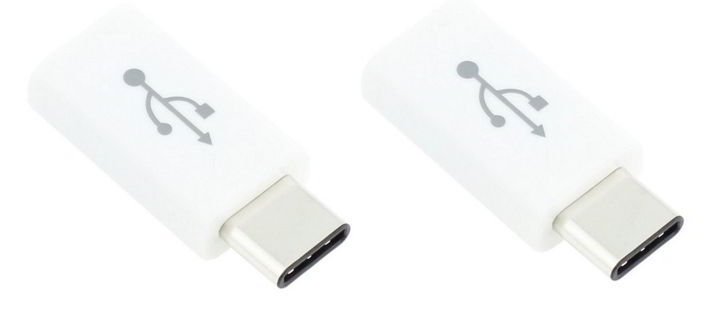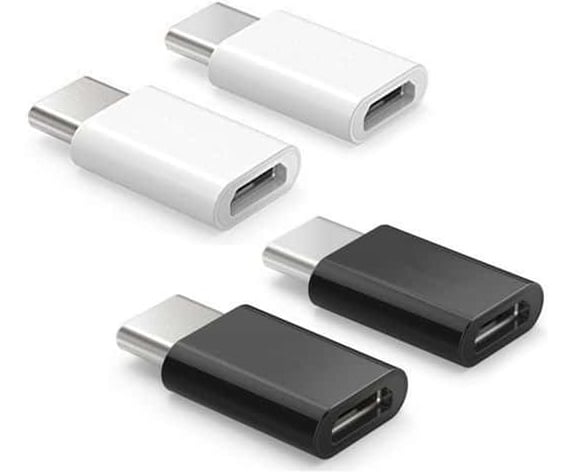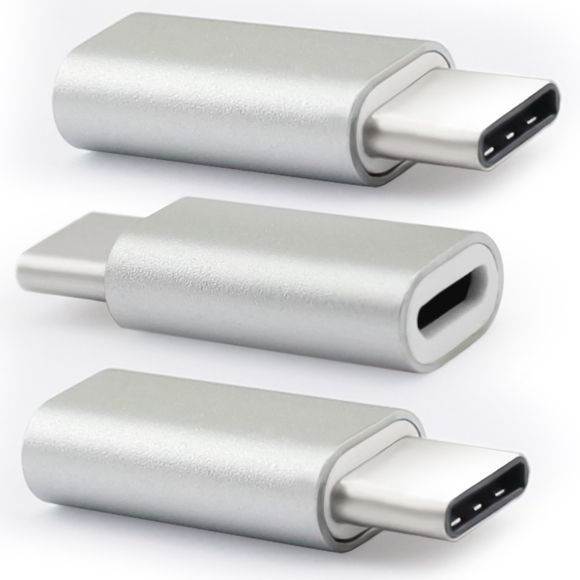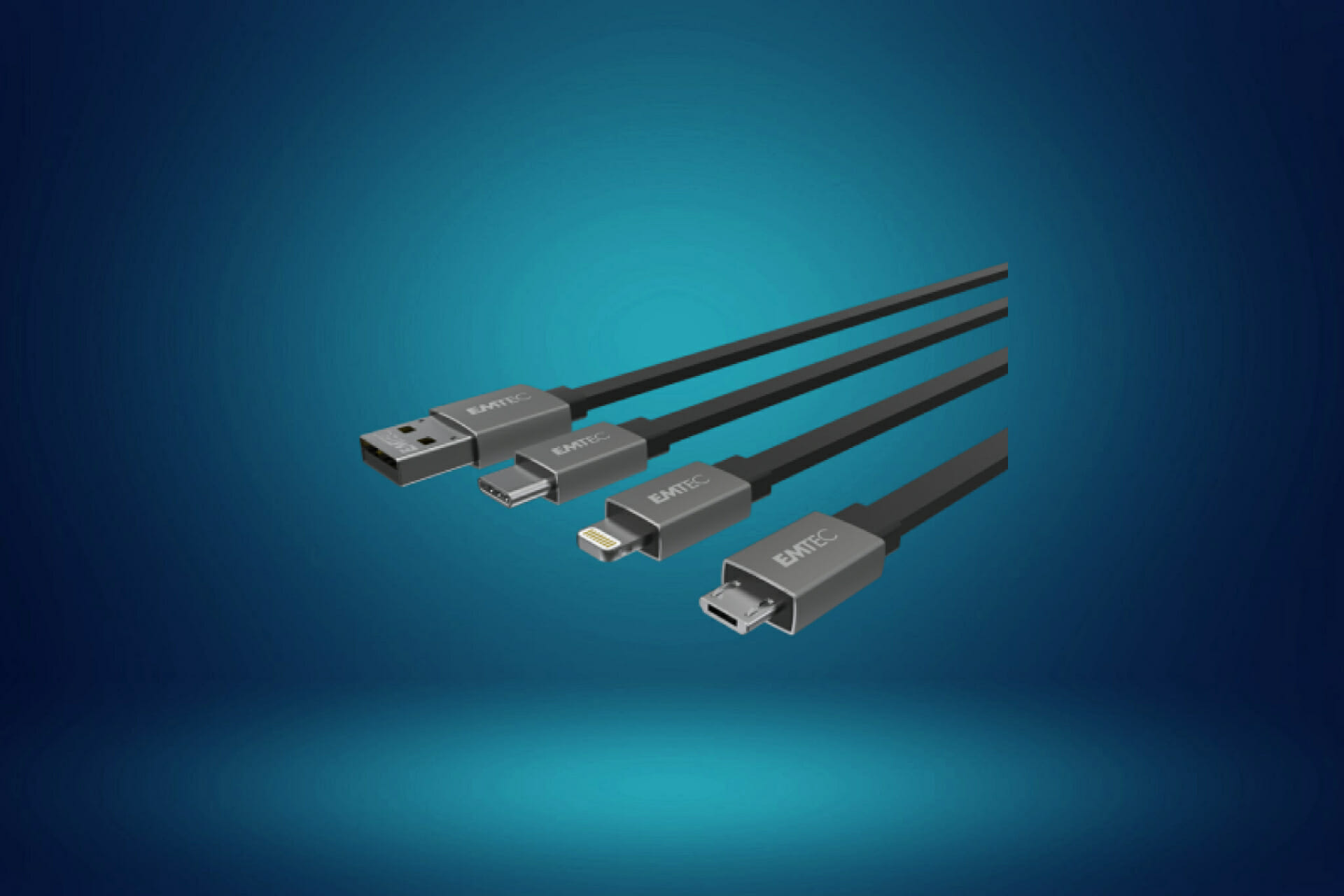
10+ best USB-C to micro USB adapters to get today

USB-C connector is slowly becoming a standard and we already saw desktop computers and laptops that use this type of connector. USB-C standard is similar in size to micro USB, and today we’re going to show you the best USB-C to micro USB cables and adapters.

What are the best USB-C to micro USB cables and adapters?

Cable Matters USB C to Micro USB Cable

  • Connects a computer with a Type-C port to a smartphone, tablet, digital camera, and more
  • Supports Hi-Speed USB 2.0 data transfer rate up to 480 Mbps
  • Lightweight USB C to USB Micro cable is easy to handle
  • Braided jacket design
  • Fully shielded
  • May have problems working on controllers
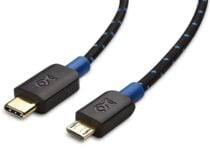
Topping off our list is the Cable Matters USB to Micro USB cable, and for good reason, since it balances performance and design.

You can use it to power the battery of a device, or use it to connect two devices together, such as your phone to your PC.

The cable is sturdy and covered by a sturdy braided jacket that offers both physical resistance and isolation from external power influences.

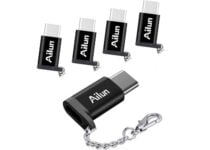
Ailun USB Type C Adapter 5-Pack

  • Meets all USB-C technical standards
  • Easily turn USB-C port into a Micro USB port
  • The type-C adapter has a 56k ohm pull-up resistor
  • It is tested and inspected to meet USB C standards
  • Constructed with high-quality materials for maximum reliability and durability
  • They can be easy to lose

If you’re not much into bulky cables and are only interested in the adapters per say, then you should give the Ailun USB Type C Adapter a try.

Not only is it small and portable, but it also comes with a small keychain, allowing for even easier transportation than before.

Additionally, the order comes with 5 adapters, so you can use multiple devices at once, or have replacements at hand if one gets broken or lost.

UGREEN USB C to Micro USB Adapter

  • Max 480Mbps data syncing rate
  • Support QC 2.0 and Huawei FCP quick charge
  • Convert a Micro USB port to a female USB Type C
  • Reduce the number of cables that you need to carry around
  • Widely compatible with Micro USB 2.0 mobile phones or tablets
  • Better at charging than at data transfer
Yet another small-sized USB-C adapter, the UGREEN USB C to Micro USB Adapter is great if you have plenty of USB-C devices, but lack the necessary number of chargers or data transfer cables compatible with them.

Additionally, they too come with special sockets where you can put key chains, making this adapter easy to carry around and have with you anywhere.

More so, they are quite good at data transfer as well, although they tend to be better at charging.

FANISY Type C USB-C Adapter

  • The adapters meet all USB-C technical standards for use with Type C devices
  • Allows you to connect the adapter into the USB-C devices in any orientation
  • Use it to you can sync, charge and transfer data from your USB-C devices
  • Compatible with tablets and smartphones with USB Type-C connectors
  • Type-C port into a Micro USB port for convenient connection
  • Not all adapters are the same in a pack, so you need to find the right ones
By definition, a USB adapter is something that you put on top of a type of USB cable in order to turn it into a different kind, and the FANISY USB C converter follows the definition to the later.

It is purely an adapter of minute size, with no cables or cases or extra features that aren’t actually needed, making them the most compact type of adapters around.

However, they don’t sacrifice size for quality, since they can easily connect your USB-C devices to your non-USB-C chargers or ports.

Fasgear USB C to Micro USB Cable

  • Conforms to Type C Specification version 1.1
  • Tough nylon braided jacket cover the cables
  • Maximum capacity currently reached 3A
  • The transfer rate is up to 480 M/bps
  • NOT compatible with some DJI controllers
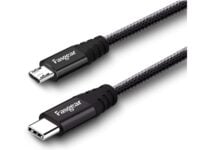
Adapters sometimes come in the form of cables as well, and one problem with many cables is how they resist to physical handling and bending.

Well, the Fasgear USB C to Micro USB Cable is made to last, since it is made of ultra-durable materials that will make it impervious to wear and tear and bending damage.

This is all thanks to the high-quality braided jacket, the metallic shell, and isolation measures that ensure no power is lost during transfers.

Syntech USB C to USB Adapter
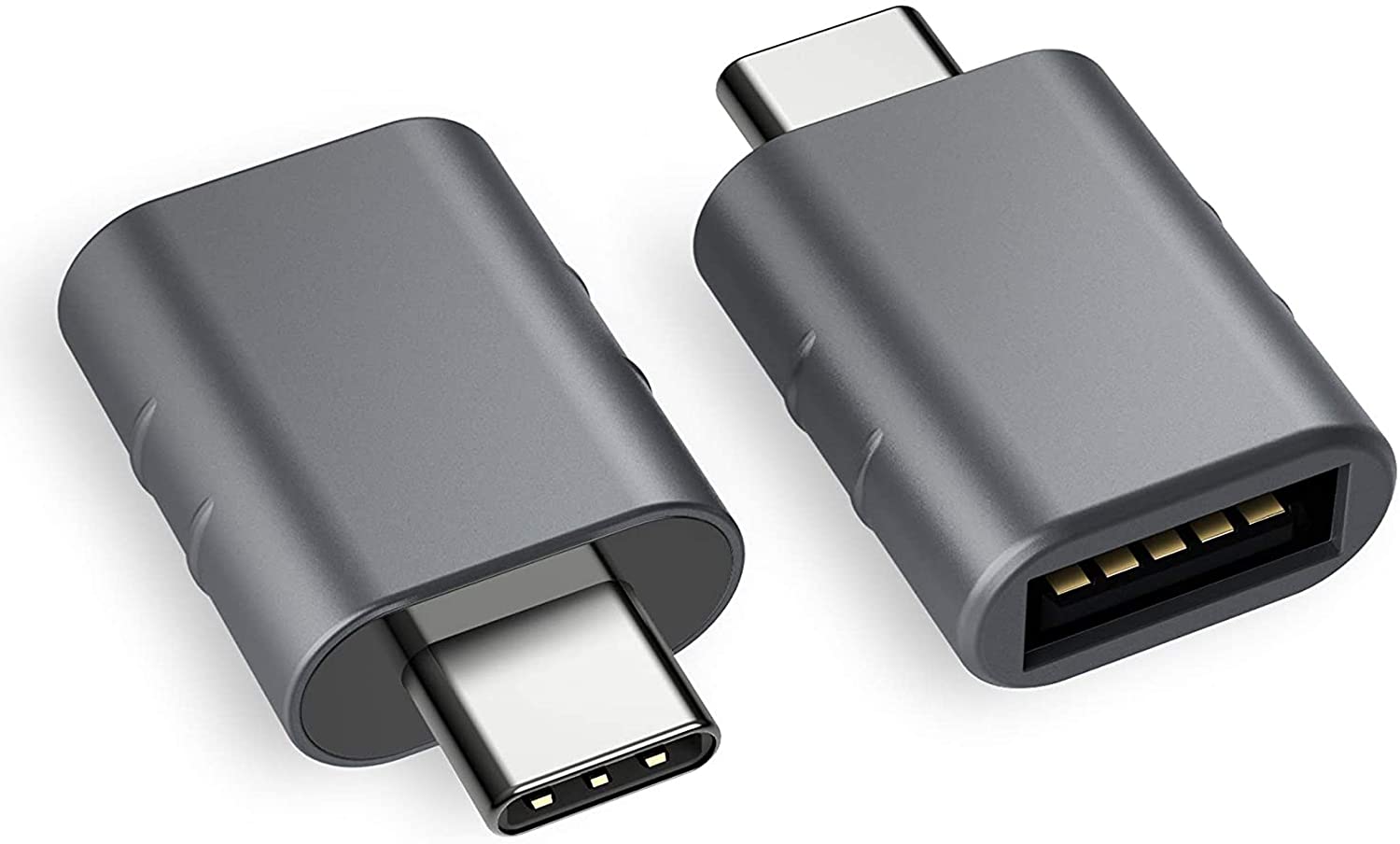
Style and functionality are at a perfect balance with the Syntech USB C to USB Adapter, since they provide excellent data transfer speeds and charging while being small and stylish.

The minimalist design and the gray coloring also make it less distracting, so they are good to keep on your desk as they won’t interrupt your workflow.

Compatible with any type of device that has a USB-C port, it is the universal solution for all of your battery charging and data transfer needs.

⇒ Check price

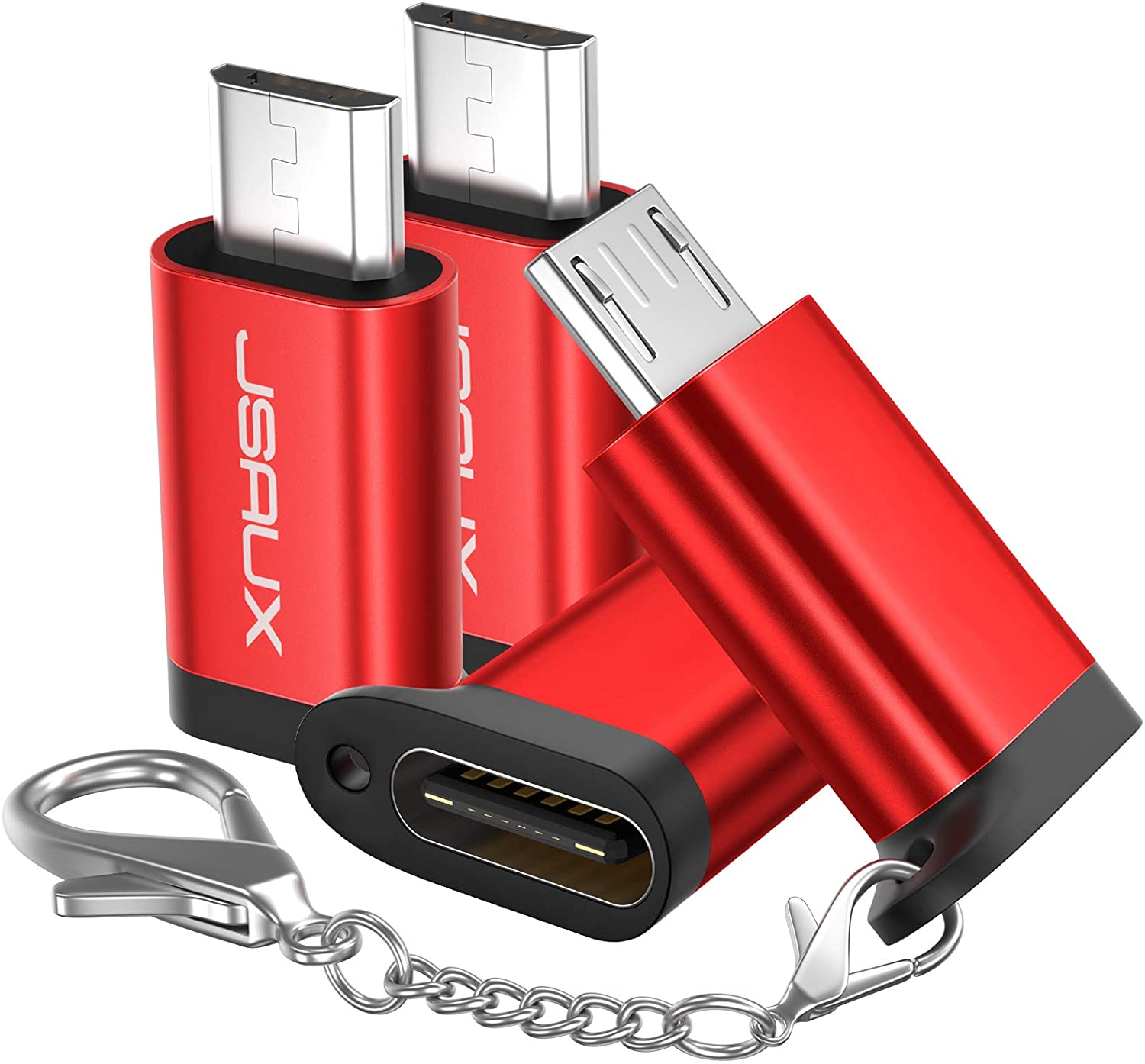
JSAUX USB-C to Micro USB Adapter

The JSAUX USB-C adapter is yet another example of how devices don’t need to be big and bulky in order to fulfil a simple job.

In fact, the product is quite the opposite, having both a keychain slot and small sizes that make it an excellent accessory to have on the go.

But size isn’t its only highpoint, since it works on pretty much any USB-C compatible devices, and provides good data transfer and charging speeds.

⇒ Check price

QCEs USB C Fast Charging Adapter 4Pack
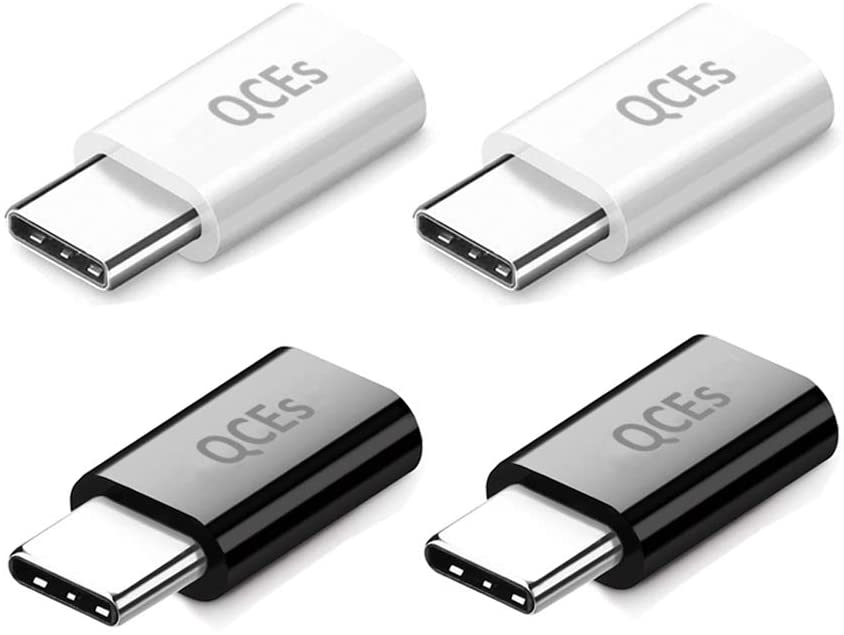
Simplicity is the name of the game when it comes to the QCEs USB-C adapter.

It easily converts USB Type C input to Micro USB, supporting all current models of smartphones, tablets, and laptops.

It also features fast data transfers of up to 480 Mbps, and it has a built-in 56K pull-up resistor for safety and reliability purposes.

⇒ Check price

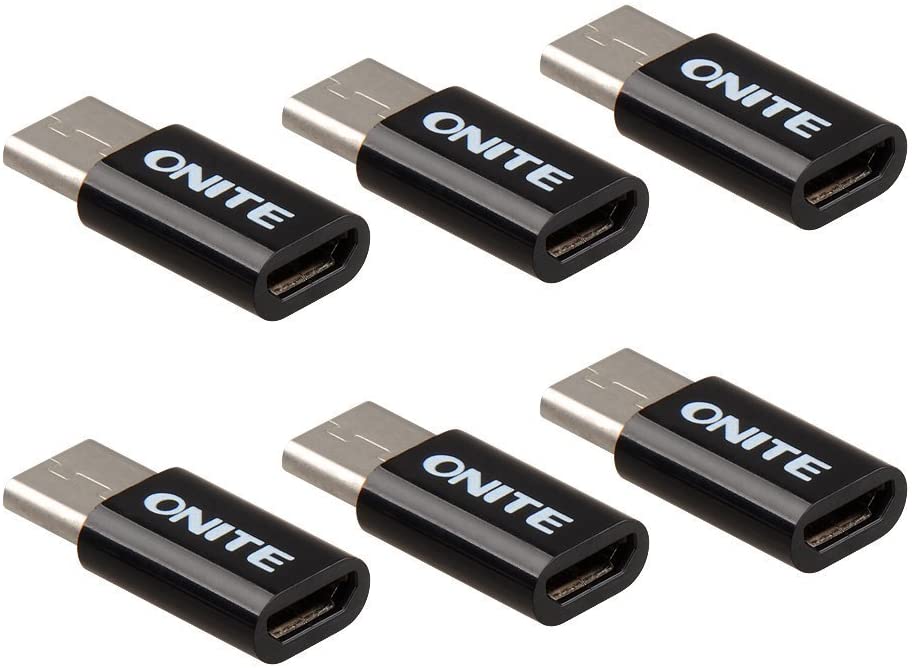
Onite USB-C to Micro USB Adapter

Budget-friendly solutions exist for every type of gadget, and this includes USB-C adapters.

One great example of a simple device that won’t break the bank is the Onite USB-C to Micro USB Adapter since it adopts a simple design in order to fulfill and equally simple purpose.

Perfectly capable of offering charging and syncing capabilities, it doesn’t need any drivers to be installed either, so using it is extremely simple.

⇒ Check price

MIXIT 2.0 USB-C to Micro USB Charge Cable
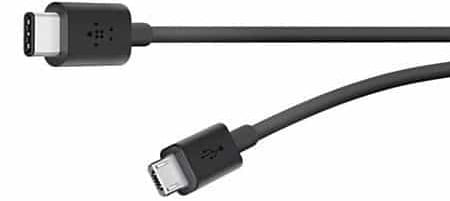
Connecting your micro USB device to your PC is rather simple, but if your PC uses USB-C port you’ll need a special cable. This cable comes with reversible USB-C connector on one side, so you can connect it easily with your PC, and micro USB connector on the other side.

The cable uses USB 2.0 standard so you’re limited to 480 Mbps transfer speed. In addition to data transfer, this cable provides 3A power so you can use it for charging as well. It’s worth mentioning that the cable can work with Thunderbolt 3 port, but you’ll be limited to USB 2.0 transfer speed.

MIXIT 2.0 USB-C to Micro USB Charge Cable has USB-IF certificate and it meets all electrical and mechanical standards. 

⇒ Check price

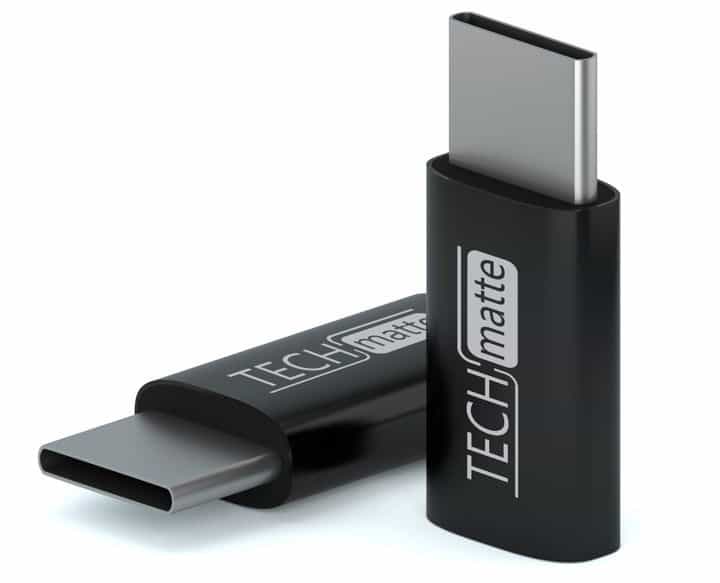
TechMatte USB-C to Micro USB Adapter

If you have a USB-C smartphone or tablet you can use TechMatte USB-C to Micro USB Adapter to transfer files to your phone.

The adapter has a USB-C connector on one end and a micro USB port on the other side. Simply connect the adapter to your USB-C device and then connect the micro USB cable to it and you’re ready to use it.

This adapter has a 56k resistor that will protect your device from high current while charging. In addition to charging, you can use this adapter to transfer files from your computer. 

This is a solid USB-C to micro USB adapter, and it will be perfect if you have a USB-C device that you want to connect with your PC. 

⇒ Check price

PowerLine USB-C to Micro USB Female Adapter
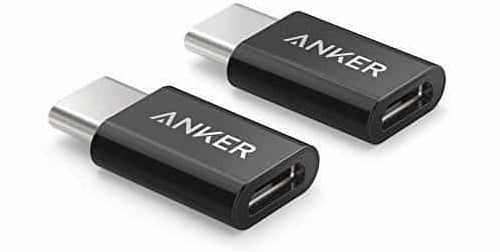
To connect a USB-C device to your PC you’ll usually need a USB-C port and USB-C cable to do so. If you don’t have a USB-C port or USB-C cable, you might be able to fix this problem by using this adapter. The adapter has a USB-C connector on one end and micro USB port on the other side.

The adapter is simple to use, and you just need to connect it to your USB-C device and connect the micro USB cable to the other side. The device supports charging and data transfer, so you can easily connect this device to a wall adapter and charge your phone or tablet. Regarding the file transfer, this device uses USB 2.0 standard so you’re limited to 480Mbps speed.

PowerLine USB-C to Micro USB Female Adapter is a simple and useful device that will allow you to connect any USB-C device to your PC. It’s worth mentioning that this device has a 56k resistor that will protect your device while charging. 

⇒ Check price

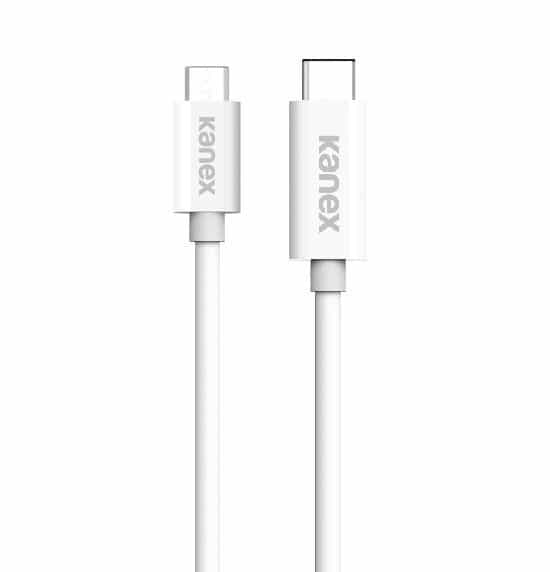
Kanex USB-C to Micro USB Cable

If you want to connect your smartphone to a PC with a USB-C port, you’ll have to use an appropriate cable. Kanex USB-C to Micro USB Cable comes with USB-C connector and micro USB port, so you can use it to connect your old smartphone to the USB-C computer.

The cable supports both charging and data transfer, but keep in mind that your transfer speed will be limited to 480Mbps.

This is just a regular cable, and you can easily connect it to any USB-C port. If you have a device with a micro USB port and a USB-C port on your PC, this cable will be perfect for you. 

⇒ Check price

Samsung USB Type-C to Micro USB adapter
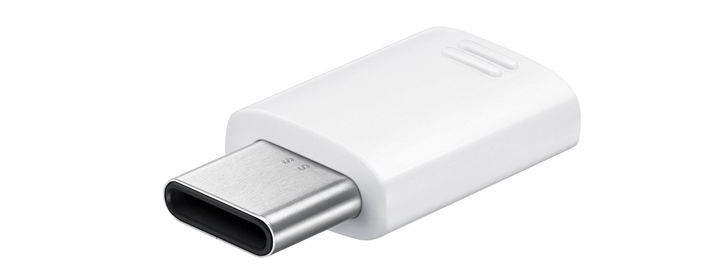
Connecting a USB-C device to your PC is simple if you have an appropriate cable, but if you don’t you’ll have to use an adapter. This adapter comes from Samsung and it has USB-C connector on one end and USB-A port on the other side.

It’s worth mentioning that this adapter has a built-in micro USB connector, so you can use this adapter with micro USB cables.

This allows you to connect your USB-C PC with an old smartphone or to connect a battery pack with your USB-C smartphone.

This is a simple device, but it doesn’t support USB OTG, so you can’t expand your phone’s memory or attach any peripherals by using this adapter.

It’s also worth mentioning that this adapter will provide transfer speed up to 480Mbps.

⇒ Check price

LTNLab Type C to USB Micro Adapter

If you want to connect a USB-C PC with a device that uses micro USB port, you need to have an appropriate adapter. LTNLab Type C to USB Micro Adapter comes with USB-C connector and micro USB port so you can easily connect any micro USB device with your USB-C computer.

Of course, you can use this adapter to connect micro USB devices to your USB-C smartphone or tablet.

This adapter is suitable for both charging and file transfer, but keep in mind that you’re limited to 480Mbps transfer speed.

We also have to mention that there’s no support for USB OTG, so you can’t connect additional storage using this adapter.

⇒ Check price

ARKTeK USB-C to Micro USB Adapter

USB-C devices aren’t compatible with standard USB ports by default, but you can fix that problem by using an adapter. The adapter has a USB-C connector and a micro USB port, so you can connect any micro USB device to your smartphone or PC.

The adapter supports charging and data transfer, and thanks to the 56k resistor your device will remain protected while charging.

Regarding the transfer speed, you’re limited to 480Mbps. The device is simple to use, and it supports OTG so you can connect external storage to your smartphone with this adapter.

⇒ Check price

FanTEK USB Type C Male to Micro USB

If you need to connect a micro USB device to a USB-C smartphone, this adapter might be perfect for you. The adapter comes with a USB-C connector and micro USB port, so you can easily connect any micro USB device to your smartphone or PC.

The device supports charging and data transfer, and it’s incredibly simply to use. As for the data transfer speed, it depends on your smartphone. It’s worth mentioning that this adapter supports USB OTG so you can connect external storage to your phone, as long as the phone supports OTG.

This adapter is small and simple to use, and it’s available in four different colors. In addition, models with the aluminum case are also available.

⇒ Check price

JS Collections USB-C to Micro USB Adapter

The main problem with USB-C port is that it won’t work with standard USB and micro USB connectors, but you can solve that problem by using this adapter. Just like any other USB-C to micro USB adapter, this one has reversible USB-C connector and a micro USB port.

Unlike other adapters on our list, this one has a keychain so you can easily attach it to your keys and carry it with you at all times. The device supports both data transfer and charging, and it has a 56k resistor that will protect your smartphone or tablet.

JS Collections USB-C to Micro USB Adapter is a simple device, and you can easily carry it with you at all times. 

⇒ Check price

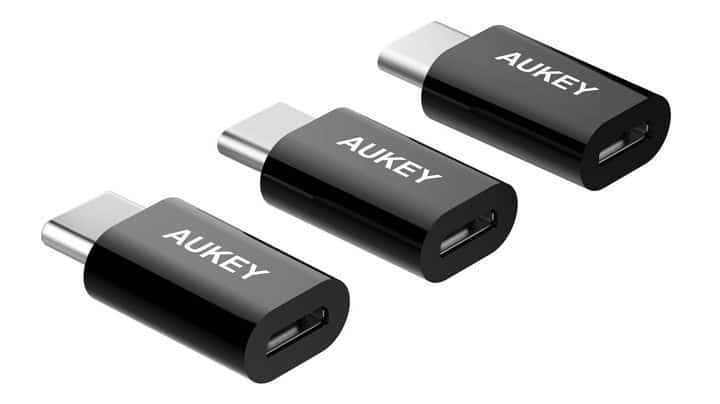
AUKEY USB-C to Micro USB Adapter

Most high-end smartphones and tablets use USB-C port for charging and data transfer. Although USB-C is somewhat universal, it’s not compatible with micro USB devices. To fix this problem you need to use AUKEY USB-C to Micro USB Adapter.

The adapter has a USB-C connector and micro USB port that allows you to connect micro USB devices such as battery packs to your smartphone. You can also use this adapter to connect your micro USB smartphone to USB-C laptop. Regarding the transfer speed, this device supports USB 2.0 standard so it offers 480Mbs transfer speed.

This device is simple to use, and since it has a reversible USB-C connector you can connect it easily to any device. 

⇒ Check price

Verizon Micro USB to USB Type-C Adapter
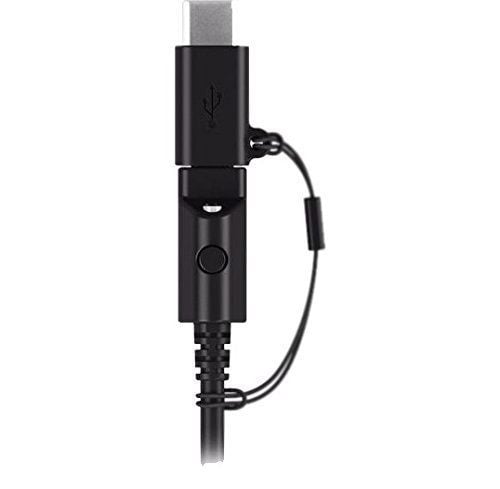
If you have a USB-C device, you might be interested in this adapter. The adapter comes with micro USB port and USB-C connector so you can easily use your USB-C smartphone or tablet with micro USB devices. In addition, this adapter allows you to connect your micro USB smartphone or tablet to your USB-C computer.

The adapter has a reversible USB-C connector, so can connect this adapter easily with any device. The device comes with a lanyard so you can easily carry it with you at all times. 

⇒ Check price

UNU USB-C to Micro USB Aluminum Adapter
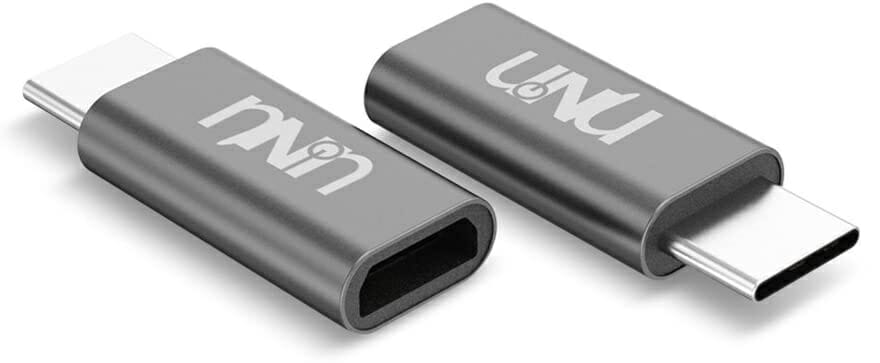
If you need a durable USB-C adapter, you might be interested in this model. This device has premium aluminum housing so it offers decent durability.

The adapter has a reversible USB-C connector, so you can easily connect it to any USB-C device. Of course, the device allows you to connect micro USB devices which is useful if you have USB-C laptop and micro USB smartphone.

The adapter supports file transfer and charging and it can provide 5V 3A current. Regarding the transfer speed, this adapter uses USB 2.0 standard so you’re limited to 480Mbps speed.

This is a decent adapter, but keep in mind that it doesn’t support USB OTG, so you can’t connect external storage to your smartphone.

⇒ Check price

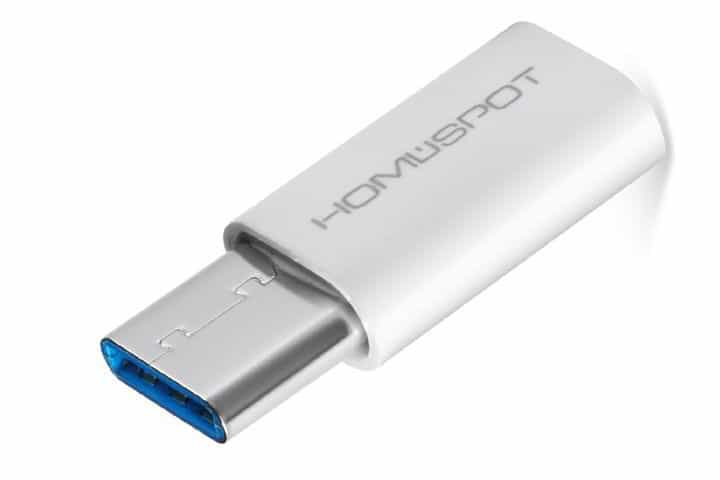
HomeSpot USB C to Micro USB Adapter

This is another simple adapter for USB-C devices. The adapter has a reversible USB-C connector and a micro USB port available. This device has a 56k resistor that will protect your smartphone during the charging process.

The adapter is simple to use and it supports both charging and data transfer. Regarding the file transfer, the adapter supports up to 480Mbps transfer speed. We have to mention that there’s no support for USB OTG so keep that in mind.

⇒ Check price

USB-C is slowly becoming a standard, and if you still use micro USB devices we recommend that you consider any adapter from our list.
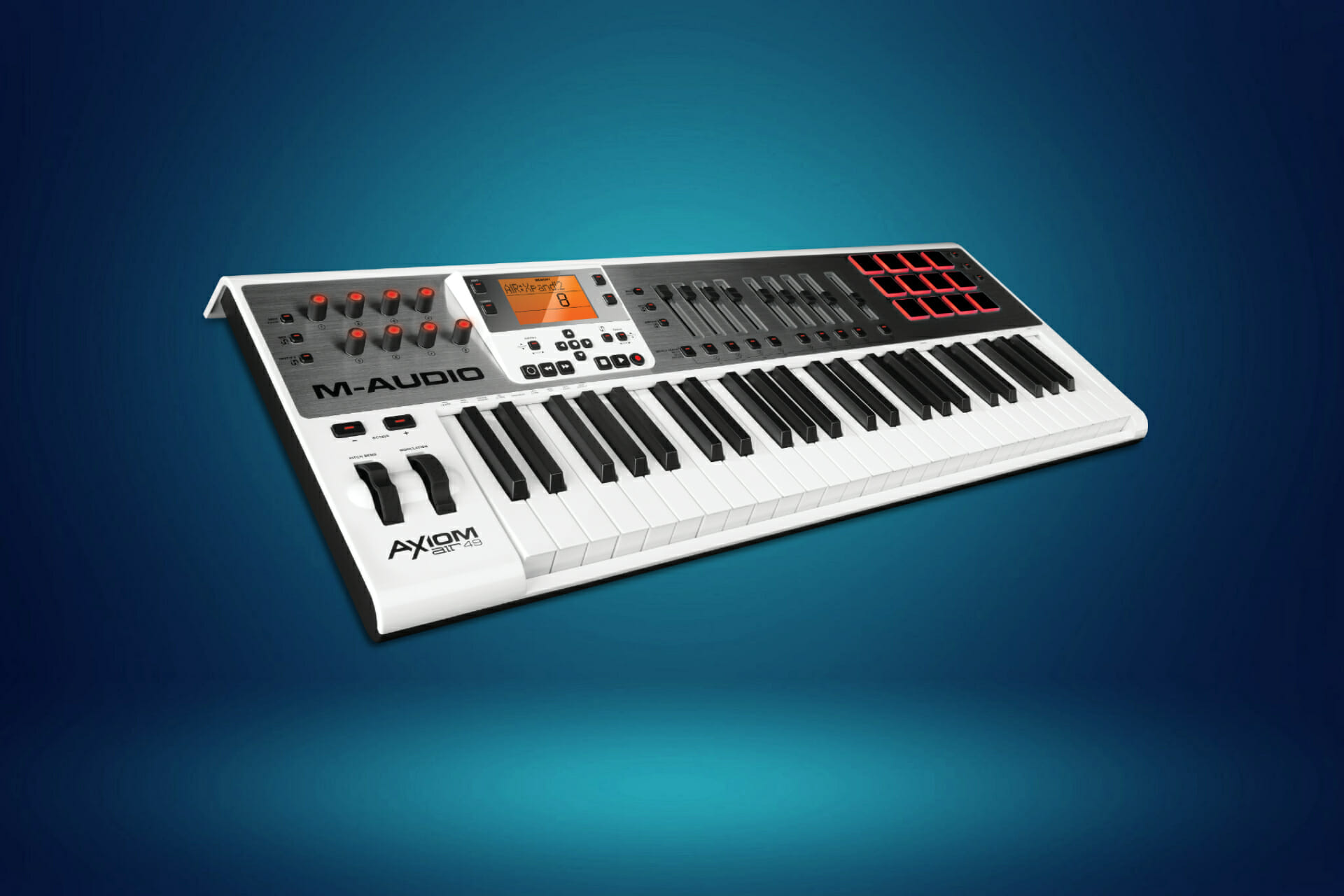
5 best MIDI keyboard controllers for live performance

Whether you are an aspiring musician or a pro, a good MIDI controller can make the difference for your live performances. No matter your music style or performance venue, this versatile tool is an essential gear for the music world of our days. 

The MIDI controller is an interface that enables you to edit and customize a broad variety of sounds and electronic musical instruments.

The market has plenty of offers, so how do you know which one is best for you? We compiled a list of the best MIDI controllers for live performances to help you out. 

Note: Deals are subject to change. Keep in mind that the price tag often varies. We recommend going on the vendor’s website to check the price. Some of the products may be out of stock by the time you’ve made your purchasing decision. So, hurry up and hit the buy button.

Top deals on MIDI keyboard controllers for live performances

AKAI Professional MPD226

  • Free editing and production software bundle
  • Easy to use and connect
  • Fully-Assignable controls
  • Great price for value
  • No feedback on pads

This compact and versatile controller is praised for its flawless build quality, easiness to use, and is an excellent choice for live performances. Music creators focusing on beats or hip hop will be most pleased with this tool.

It does not require any manual mapping, has iOS connectivity, and comes with a comprehensive software suite. This product has an excellent price for value ratio and suits both beginners and advanced users.


Alesis V mini

Very compact Budget-friendly Covers all basics Pad controls could be improved

Money should never stand in the way of your passion, and that’s why we’ve included this reasonably priced USB-MIDI controller, for sensible budgets.

This compact and neat music gear comes with pitch, modulation and sustains keys, 4 programmable rotary knobs, and a license to download editing software and Xpand 2 of Air music.  

If you need to switch patches or play synth parts as a band member, this could be the controller for you.


Arturia KeyLab MKII

  • Excellent quality and design
  • Seamless software integration
  • Rich in features and functionality
  • Comes with Analog Lab software
  • Unlocking extra instruments requires additional licensing

Coming from Arturia, famous producers of synthesizers and other modern-day analog sounds, this MIDI keyboard justifies its higher price by the broad functionality spectrum.

It has velocity-sensitive keys, 10 encoders, 9 sliders, and 10 assignable switches. With seamless software integration, aluminum casing, and 16 RGB performance pads, this is a top of the line MIDI controller. 

It is available in 4 versions of key-counts, from Mini 25 to 25, 49, and 61 keys.


Novation Launchkey Mini

  • Beginner-friendly – just plug in your USB and it’s ready to go
  • Comes with Ableton Live Lite and Loopmasters sample pack
  • Very compact, ultra-portable
  • Budget-friendly
  • Smaller keys might take a while to get used to them

This MIDI Controller can bring a great advantage to live performances.

It is compact, has a neat design, can turn your iPod into a performance instrument for Mac or PC, and is specifically designed for Ableton Live. 

However, don’t let the compact size fool you, since with enough skill you can do plenty of musical wonders with it as well.


Roland 61-key MIDI Keyboard Controller

  • Many connectivity options: USB, 5-pin MIDI Connectors, DC In Jack, pedal jacks
  • Bundled Software available: Cakewalk Production Plus Pack
  • Very lightweight for its size
  • 45 assignable controls
  • Not ideal if you prefer weighted keys

Last but not least, we introduce you to Roland’s take on MIDI keyboard controllers.

This MIDI controller looks and feels like a serious piece of musical gear, and is destined to artists that still want to retain the feeling of playing a real musical instrument, but with the power of modern technology on their side. 

The controls offer a vast array of options and features, boasting a total of 45 knobs, buttons, sliders and other assignable components.

This beautiful piece of equipment has 8 Dynamic Pads for finger drum and enables you to control recordings as well.

A truly amazing controller, companion of some of the best live performances of our days.


No matter the level and music genre, MIDI controllers are here to stay, providing every musician out there with a broader range of functions than ever.

The product of your choice will depend on a variety of personal factors: the depth of musical technicality you need to approach, your budget, and of course, your personal feeling.

We hope this list helped you to narrow your search for the one perfectly compatible with you.


[wl_navigator]

4 best wireless Qi phone chargers for Tesla Model X to buy

Most of the smartphone manufacturers are offering wireless charging option for their smartphone. This technology has now made into the cars as well. However, some car manufacturers like Tesla are yet to implement wireless phone charging feature into their vehicle.

If you want to have wireless charging feature, you need to get an external wireless Qi charger that is compatible with your Tesla Model. These external wireless chargers are usually cost-effective and allow you to organise your central console as well.

In this article, we have listed the best Qi wireless charger for Tesla Model X so that you can charge your phone on the move with ease.

Note: Deals are subject to change. Keep in mind that the price tag often varies. We recommend going on the vendor’s website to check the price. Some of the products may be out of stock by the time you’ve made your purchasing decision. So, hurry up and hit the buy button.

What are the best Qi wireless chargers for Tesla Model X?

YEE PIN Qi charger

  • A durable box with anti-fall and anti-pressure features
  • Temperature protection to protect the smartphone
  • Affordable Tesla Model X Qi wireless charger
  • Does not offer fast charging

YEE PIN’s center console armrest storage comes with Qi wireless charging option for Tesla Model X. It also works with other Tesla models. This wireless charging module can charge the smartphone with a wireless charging function.

YEE PIN’s Qi charger also comes with overcharge protection that prevents cell phone battery from overcharging to protect the device. For durability, it is made from high-quality ABS plastic with an anti-slip coating.


TapTes Qi charger

  • Premium Qi charger
  • Offers dual USB port for fast charging
  • Storage box to manage the center console
  • Requires 12v USB adapter

TapTes Qi charger is compatible with Tesla Model X and Model S. It’s Qi charger is easy to install and works with all the smartphone that supports Qi charging.

TapTes is a little on the expensive side. However, it does offer fast charging with dual USB ports through a USB cable. You can charge two devices at a time, one wirelessly and another with a USB cable. Apart from the charging feature, it also acts as a storage box for your center console.


Topfit Qi Wireless Car Charger

  • 10-Watt wireless fast charging
  • Multi-functional Qi charger with storage box
  • Anti-skid design to prevent movement during the drive
  • Average build quality

Topfit Qi Wireless Car Charger is a multi-functional wireless charging storage box with Qi charging support. It fits all Tesla Model X as well as the Model S’ center console. It can charge any smartphone that is Qi-compatible.

Topfit Qi Wireless Car Charger also offers a container to hold your phone, key case, coins, and so on to keep the center console clean. With the double-coil technology, it claims to support fast charging with 10-Watt wireless charging.


LMZX Qi Charger

Similar to other options in this list, the LMZX Qi Charger is also an armrest box with Qi wireless charging feature. It is compatible with all the versions of Tesla Model X. This wireless charging pad can charge all the Qi-compatible smartphone.

LMZX Qi Charger also has a storage container that can hold keys and coins. The container mingles with the center console making it look like a part of the car. LMZX claims it takes about 8 minutes to charge 1% of the smartphone which makes it reasonably slower for any charger.


Tesla Model X is an excellent vehicle with top-notch features and a futuristic infotainment system. However, not having the Qi charge feature for a smartphone can be a bummer for many users.

We have listed both the budget as well as premium Qi chargers available for Model X so that you can charge your phone without having to deal with the cables.


[wl_navigator]

7 Best Gaming Laptops with Good Cooling [Popular Options]

Laptops have bridged the once gaping specification gulf with desktops considerably. Now there is not nearly so much difference between laptops and desktops in terms of specifications. So laptops are now a viable alternative to desktops when it comes to Windows gaming.

However, laptops still get outdated more quickly than desktops because you can’t future proof them by adding new graphics cards. As such, you’ll probably need a new laptop every three or four years to ensure you can still play most of the latest Windows games.

Now it might be the best time to replace your old laptop so you can enjoy all the latest Windows games in the new year.

When selecting a new gaming laptop, the essential specifications to look at are probably the integrated graphics card (or GPU), display resolution and size, and CPU.

The graphics card is most essential as that will largely determine the overall graphical quality of the games, and laptops with Nvidia GPUs are probably the best to go for at the moment. You’ll also get the best graphical quality with 4K (3,840 x 2,160) resolution VDUs (Visual Display Units).

CPUs are also crucial as they have a big impact on the overall gameplay speed, so it’s best to go for a gaming laptop with a seventh-generation CPU that boasts a high clock speed.

Also, note that the laptop must have a 64-bit processor (and OS) as quite a few of the latest games aren’t compatible with 32-bit platforms. These are a few of the best Windows 10 gaming laptops for 2019.

What are some good gaming laptops this year?

HP Pavilion Micro-EDGE

  • Vr/Mr ready
  • 5.6-inch FHD (60Hz refresh rate) display
  • Advanced thermal management
  • Keyboard might fail

This HP laptop comes right from the start optimized for extensive gameplay of some of the latest games including Fortnight, PUBG, and Overwatch.

While it meets the minimum requirements for Apex Legends, World of Warcraft or The Witcher 3, you might experience lagging or other issues, because the specs are not ideal.

The acid-green backlit keyboard is one of the trademarks for this HP model.

Other notable details are powerful graphics ensured by the NVIDIA GeForce GTX 1050 card, and the 9th Gen Intel Core i5-9300h processor, 2.4GHz up to 4.1GHz with Intel’s Turbo Boost for fast boot and multitasking.


Alienware m15

  • 15.6 inch, FHD display
  • NVIDIA GeForce RTX 2060 graphics
  • Intel Core i7 8750H 2.2 to 4.1 gigahertz (6 Cores)
  • Battery might drain too quickly

Alienware m15 is now lighter and more compact than previous models in the same gaming line.

On this note, this laptop includes the exclusive Narrow-Border Display – a slimmer frame that maximizes viewing space, while still offering seamless graphics thanks to the 300-nits 72% color gamut and a refresh rate of 144 Hz.

The laptop boasts an Nvidia GeForce RTX 2060 GPU, which is one of the fastest graphics cards at the moment. 

The laptop doesn’t have an especially great battery, but few players leave their laptops unplugged when running games anyway.


Razer Blade 15

  • NVIDIA GeForce RTX 2070 SUPER Max-Q
  • FHD 300Hz display
  • RGB keyboard
  • Complaints about getting the wrong laptop model

The Razer Blade 15 laptop has had some rave reviews as it has a stunning display and a quality design-build. 

The standout specification of the Razer Blade 15 is its stunning 4K OLED display that few other laptops can match. 

The laptop has the game-changing RTX 2080 Super graphics card that has amazing frame rates. With an i7-10875H CPU, this laptop boasts a potential 5.1 GHz clock speed.

In addition, the Razer Blade 15 has a fully mechanical keyboard with customizable RGB lighting effects, which is a good touch.


ASUS ROG Zephyrus S Ultra Slim

  • 16GB DDR4, 512GB PCIe SSD
  • Nvidia GeForce GTX 1070 with Max Q technology
  • Upgraded 12V fans
  • Screen bleeding

The ROG Zephyrus S Ultra Slim is undoubtedly one of the hottest new gaming laptops that has scored very highly so far. 

The ROG Zephyrus S is a sleek and lightweight Max-Q laptop that packs in the ground-breaking GTX 1070 GPU. Aside from its innovative design, the laptop has a 144Hz display with a 1,920 x 1,080 (or even 4K) resolution.

In addition, this laptop incorporates a 3.9 GHz Core i7 processor and 16 GB RAM.

Zephyrus S also has some improved features such as the adjustable cooling system that you can set up with a simple click. The upgraded 12v fans and anti-dust tunnels certainly make this laptop a real player.


ASUS ROG Strix Hero II

  • NVIDIA GeForce GTX 1060
  • 256GB Pcie SSD + 1TB HDD
  • 15. 6” display with high refresh rate 144Hz
  • Very loud

The ROG Strix Hero II is a gaming laptop that makes the most of Nvidia’s GeForce GTX 1060 graphics architecture. 

ASUS has designed this laptop to be lightweight and portable without seriously compromising gaming performance.

The best thing about the ROG Strix Hero II is perhaps the narrow-bezel display 144Hz/ 3ms gray-to-gray response time. 

The Hero II also has impeccable audio thanks to its potent built-in speakers, plus an integrated 802.11ac wireless card that checks for the best signal to spot the best connection conditions.


MSI GV62 8RD

MSI GV62 8RD gaming laptops

This is a 15.6-inch device and it comes with a 1920×1080 IPS LCD display. As for the weight, the device weighs about 4.85lb, so it’s relatively light. As for hardware, this model is powered by a 2.3GHz i5-8300H processor.

The device has 8GB of DDR4 RAM that should provide you with 32GB/s read and 36GB/s write speeds. It’s worth mentioning that this model supports RAM expansion, so you can have up to 32GB of RAM. Regarding the storage space, there’s a 1TB HDD along with 16GB Intel Optane.

As for the graphics, the device uses Nvidia GeForce GTX 1050 Ti graphics with 4GB GDDR5 RAM which should be enough for most of your needs.

Regarding the connectivity, we should mention that you can connect two additional monitors to this laptop thanks to the HDMI and Mini DisplayPort 1.2. Wi-Fi 802.11ac and Bluetooth v5 are available for wireless connectivity, and there’s also a Gigabit Ethernet port available.

As for available ports, there’s a single Type-C USB3.1 Gen 1 port, two Type-A USB3.1 Gen 1 ports, and one Type-A USB 2.0 port. The device also has a built-in card reader. In terms of battery, this model has a 6-cell, 41Whr battery available.

Overall, MSI GV62 8RD is a solid gaming laptop, it offers solid performance and great design, so if you’re planning to purchase a new laptop, you should consider this model.

Overview:

  • 6-inch 1920×1080 IPS LCD display
  • 3GHz i5-8300H CPU
  • 8GB DDR4 RAM
  • 1TB HDD + 16GB Intel Optane
  • Nvidia GeForce GTX 1050 Ti
  • USB-C 3.1 Gen 1 port, 2x USB-A 3.1 Gen 1 ports, USB-A 2.0 port
  • 6-cell, 41Whr battery

⇒ Check price


Acer Predator 17

The Acer Predator 17 is a beast of a gaming laptop that boasts generally high specifications. The Predator’s various models have variable RAM, graphics card, storage, and CPU specifications.

The best Acer Predator 17 model, otherwise the G9-793-70DL, is one of the highest specification gaming laptops around. That laptop includes a speedy 2.8 GHz Intel Core i7-7700HQ CPU, but that can be faster still with Turbo Boost.

It boasts an expansive 17-inch VDU with a super-crisp 4K UHD resolution that displays games with breathtaking detail. The laptop’s Nvidia GeForce GTX 1070 graphics card is an eight GB GPU based on the flagship Pascal architecture. So it’s not entirely surprising that this laptop more than holds its own when benchmarked alongside the likes of the GX501, ROG Strix and Razer Blade.

The Acer Predator 17 also comes with a PredatorSense gaming app. That app enables you to select a variety of handy game settings for adjusting keyboard lighting, overclocking the laptop, and switching multimedia modes. You can also utilize that app to set up keyboard macro profiles for games.

Acer Predator 17 Specifications:

  • RAM: 32 GB (expandable to 64 GB)
  • Graphics Card: Nvidia GeForce GTX 1070
  • CPU: 2.8 Ghz Intel Core i7-7700HQ
  • Display: 17.3-inch VDU with 3,840 x 2,160 resolution
  • Storage: Two TB HDD
  • Audio: Four stereo speakers
  • Battery: 8-cell 6,000 mAh battery
  • USB Ports: Five USB ports

⇒ Check price

Those are several laptops with which you can certainly play all the latest Windows games throughout the year with higher graphical settings. They’re great portable alternatives to gaming desktops that have raised the bar for Windows gaming.


Claim the best HP OMEN wireless accessories deals now

As expected, there are countless offers to keep track of in November. Since you want to get ready for the gift-giving season, don’t hesitate to take a closer look at some amazing OMEN wireless accessories deals right away.

We are talking about the HP OMEN Vector mouse, the OMEN 800 headset, as well as the OMEN Spacer TKL keyboard.

They are all great examples of what OMEN truly means since you are about to get reliable products that will surprise your entire family.

What are the best HP OMEN desktop accessories deals?

OMEN Vector mouse

  • E-sport grade OMEN Radar 3 sensor
  • Supports up to 16,000dpi with 99% accuracy
  • Optimized control with up to 25g of weight
  • OMEN Command Center software option
  • Modern design
  • Questionable Omron switches

With an E-sport grade OMEN Radar 3 gaming sensor supporting up to 16,000dpi, rest assured that you’ll never experience any accuracy issues. That’s precisely what the OMEN Vector mouse brings to the table.

Even more, chances are to find the Command Center options perfect for all your needs. They are ranging from 16.8m colors, with no less than 6 programmable buttons at your disposal.

As for the modern design, the black and red color choice is definitely a bold one and can help you stand out from the crowd.


OMEN Spacer TKL keyboard

  • No wires to worry about
  • Warp Wireless technology
  • Zero-Lag technology
  • CHERRY MX Brown Switches
  • Great battery life
  • A little too bulky for some users

If you have a different gift idea in mind, then a keyboard such as OMEN Spacer TKL is definitely worthy of your attention.

With a reliable and consistent connection, the Warp Wireless Technology cannot disappoint you. This keyboard is as fast as wired.

Moreover, the included Zero-Lag technology is a great addition, not to mention the high-quality CHERRY MX Brown Switches that are ready to last up to 100 million keystrokes.


OMEN 800 headset

  • Immersive soundscape
  • Multi-dimensional audio
  • Supreme comfort
  • Lightweight suspension headband
  • Modern, black and red design
  • Inconsistent mic

The Omen 800 headset may look different than what you are used to. In spite of that, the modern design is unquestionable and plenty of users love it.

The headset is huge, measuring no less than 8.1 x 6.9 x 4.0 inches. Even so, rest assured that it doesn’t feel quite at all heavy. The construction is all lightweight steel, with plastic ear cups and a comfortable elastic headband.

Moreover, note that Omen 800 connects via a 3.5mm audio jack, therefore there’s no software to go along with the headset.


Many retailers have decided to treat Black Friday as a month of deals and HP is clearly no exception to that. You should expect new offers from the company on OMEN accessories in the next few days.

⇒ Check out OMEN accessories deals

It’s guaranteed that you’ll get great value for your money on certain products during Black Friday, so let us know which of these OMEN wireless accessories is your pick. Use the comments area in that regard.

[wl_navigator]

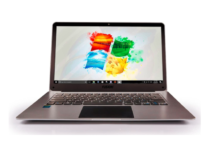
5 Best Laptops For Students: Most Popular to Use in 2026

The market is filled with laptops and picking up just a single one to cover the entire array of activities for a student might be a challenge.

Most of them provide brilliant portability but of course also less flexibility compared to a desktop. You need to think carefully about what exactly you need from a laptop before you hand over your cash for it.

The most important factors you need to consider before purchasing a laptop are size, screen resolution, form factor, connectivity, keyboard, touchpad, performance, graphics, storage, battery life, and of course price.

What are the cheapest Windows 10 laptops for students?

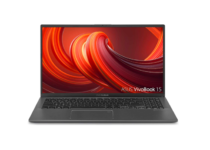
Newest ASUS VivoBook

  • RAM is upgraded to 8GB DDR4 memory
  • Hard Drive - 128GB SSD + 500GB HDD F
  • our-sided wider NanoEdge bezel display
  • Fingerprint reader
  • Ghost Manta 3in1 accessories
  • Random freezing issues

The newest ASUS VivoBook student laptop is the best choice that you can find. With a 15.6 inch FHD (1920 x 1080) LED and a 3500U processor, it provides maximum high-efficiency power to go.

If you want a laptop with a full keyboard layout, then your searches should stop here. Those separated Arrow Keys are a joy.

This laptop is fast and light as well, with a long-lasting battery. Even more, expect getting Ghost Manta 3-in-1 accessories, including a mousepad, an HDMI cable, as well as a USB cable.


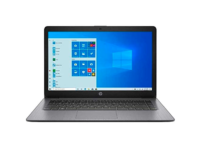
Newest HP Stream

  • Office 365 included
  • No less than 4GB DDR4 memory for multitasking
  • Massive storage space
  • Bundled with NexiGo 128GB MicroSD card
  • Highly portable
  • Not the most affordable option

This HP laptop equipped with an AMD Dual-Core A4-9120e processor and a 4-cell, 41 Wh Li-ion for up to 8 hours of battery life per charge is also an interesting choice.

Note that its hard drive is upgraded to 64GB eMMC in order to provide massive storage space for huge files, so that you can store important digital data with ease.

Do not leave aside those 4GB DDR4 memory for multitasking. Rest assured that you’ll be able to smoothly run multiple applications and browser tabs all at once.


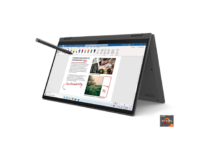
Lenovo Flex 5

  • Packs an AMD Ryzen 5 4500U mobile processor
  • Easy to switch from desktop to tablet mode
  • Digital pen included
  • Up to 10 hours of battery life
  • Portable model
  • Random heating problems

For those of you who don’t know, the Lenovo Flex 5 14″ 2-in-1 laptop is thin and light. It weighs no more than 3.64 pounds and is only 0.82″ thick, so you can easily have it with you during classes.

The digital pen included is a major advantage as well, especially for those who want to finish their design projects in no time.

As for the 10-point, 14-inch FHD (1920 x 1080) IPS touchscreen, it allows the Lenovo Flex 5 2-in-1 laptop to be comfortable and easy to use.


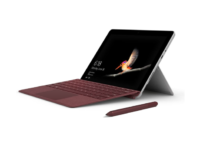
Microsoft Surface Go

  • 10 point multi-touch
  • Ambient light sensor
  • Runs Windows 10 Home in S Mode
  • Includes multi-tasking USB C
  • Laptop, Tablet, and Studio Modes
  • Charger connector issues

Surface Go is the device that everyone’s been waiting for in terms of both form and performance.

Starting with its rounded edges and finishing with its refined selection of accessories, it provides the versatility of a laptop and tablet in one device.

It’s incredibly light; therefore, the machine is ultra-portable. As for those of you worried about the battery life, keep in mind that we are talking about up to 9 hours of unplugged power per charge.


Fusion 5

  • Amazing 1920*1080 Full HD IPS display
  • HDD or SSD is easy to install
  • Intel Cherrytrail Quad-Core processor
  • Light and easy to carry around
  • Full 12 month USA warranty period
  • Muffled audio

Fusion 5 is one of the best and cheapest Windows laptops available on the market. It sports a 14.1″ Full HD screen and it’s actually pretty fast taking into account the hardware configuration.

Speaking of which, here are some of its main specs: an Intel Atom Cherrytrail z8350 CPU, 4GB RAM, 32GB storage, dual-band 5GHz Wi-Fi, and USB 3.0 support.

Indeed, you may want to expand the memory with the help of a micro SD card. The good news is that you can add an extra 256GB of memory storage.

This device weighs only 1346 grams which makes it extra portable and easy to carry around from one class to the next one.

Moreover, keep in mind that it can become totally flat which is a very nice feature to have while taking notes in class.


These are the best and the cheapest laptops targeted at students that you can find on the market.

You can learn more details about their specs and features and no matter which model you decide to get, you can be sure that you’ve picked one of the best laptops for students.

This specific article is part of our generous selection of great laptop deals you can find. Take a closer look and let us know your choice in the comments area below.

[wl_navigator]

How to install and open Questionmark secure browser

Questionmark Secure is a locked-down browser, and it’s designed for running tests and exams in a secure environment.

If you’re not familiar with Questionmark Secure, in this guide we’ll show you how to install and open the Questionmark Secure Browser on your PC.

How can I open Questionmark Secure Browser?

1. Install Questionmark Secure Browser

  1. Visit the Questionmark download section.
    download questionmark secure how to open questionmark secure browser
  2. Now select the version for your platform.
  3. Run the setup file that you just downloaded.
  4. Follow the instructions on the screen to install the software.

The software is pretty simple to install, and it installs just like any other application.


2. Run the Questionmark Secure Browser

  1. Start the Questionmark Secure Browser.
  2. Make sure that pop-ups are enabled in the browser.
  3. Log in to Questionmark.
  4. Select your assessment and click the Start icon.
    start exam how to open questionmark secure browser

Keep in mind that you won’t be able to start the assessment until you close all prohibited applications, so be sure to do so.

You should also keep in mind that Questionmark Secure Browser will take over your computer, and the only way to access other applications is to close it.

Questionmark Secure is a great browser for test-taking and exams, and as you can see, it’s incredibly simple to use.

The browser installs just like any other application, and it doesn’t require any special configuration to use, you just need to follow the instructions on the screen and that’s it.

Using the browser is also simple, and while you won’t be able to browse the web, you should be able to take exams in a secure environment.

Questionmark Secure Browser is simple to use, and we hope that you found our guide helpful. If you have any problems with Questionmark Secure Browser, do let us know in the comment section below.

[wl_navigator]

5 Best Printers For Windows 10 & 11 To Buy [2026 Guide]

This article brings you some of the best printers for Windows 10. We’ll be looking at popular printers that are compatible with Windows 10 PCs.

With the arrival of Windows 10 some years back, there have been several compatibility issues, one of which is the incompatibility of the new OS with certain printers.

So, if you are running Windows 10 on your PC, the printers outlined herein are the recommended ones for you, should you ever need one.

And for your convenience, we’ll be showing you direct Amazon links to these printers.

What are the best printers deals?

HP OfficeJet Pro 6978

  • Fast printing
  • Print remotely using HP Smart app
  • Self-healing Wi-Fi
  • Built-in security essentials
  • Some install issues

HP offers a revolutionary all-in-one wireless printer that’s made from recycled plastic with mobile and automatic two-sided printing.

The HP OfficeJet Pro 6978 All-in-One has great features like the automatic document feeder and scan to email via the HP Smart app.

Other features like Smart Tasks and the color touchscreen helps to streamline tasks and save time.


Brother Compact Monochrome HLL2395DW

  • Flatbed scan glass for quick copying and scanning
  • Mobile device compatibility AirPrint
  • Google Cloud Print 2.0
  • Brother iPrint and Scan, Mopria, Cortado Workplace
  • The setup instructions are lacking

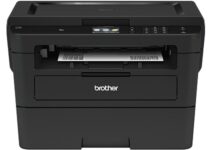
The Brother HL L2395DW monochrome laser printer has a 2.7 color touchscreen, helps you to save precious time by allowing you to create customized shortcuts for your most commonly used features.

It has a 250 sheet paper capacity tray, that allows you to print both letter and legal sized paper.

The Brother HL L2395DW monochrome laser printer is a great choice, if you have been looking for a user-friendly monochrome laser printer with fast printing capacity.


Brother HL – L8360CDW

  • Speeds of up to 33 ppm
  • Wireless or Gigabit Ethernet
  • Automatic two-sided printing feature
  • Resolution: Up to 2400 x 600 dpi class
  • Not suitable for photo printing

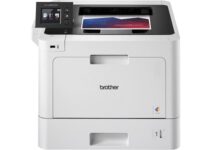
This is one of the latest printers from Brother, and it is arguably the best printer out there for Windows 10. HL – L8360CDW is a color laser printer, with the exceptional print quality and a highly flexible – extensible – platform.

Brother HL – L8360CDW is optimized to run at swift printing speed, which is more than twice the speed of other standard printers.

At optimum capacity, the printer can run up to 33 prints (pages) per minute. Furthermore, it is highly durable, requiring a very little running cost. With this, you don’t have to worry about spending a fortune to service or maintain the printer.

In addition, HL – L8360CDW allows you to print directly from USB thumb drives, without going through much hassle. Other notable features include monochrome (black & white) and color printing, Wi-Fi Direct (peer-to-peer), color touchscreen, and others.


Canon Pixma TR8520

  • Lightweight (17.5 lbs)
  • Optical resolution of up to 1200 x 2400 dpi
  • Interpolated resolution of 19200 x 19200 dpi
  • Auto-Document Feeder
  • Complaints about the color intensity of the prints

Pixma TR8520 is an advanced all-in-one monochrome/color printer from Canon, which offers wireless printing to Windows 10 (and lower version) and Mac computers. It also offers support for smartphones devices like Android and iOS.

This printer is relatively lightweight, with an average weight of 17.5 lbs. Also, it dons a fairly portable build, with a dimension of 17.3″ X 13.8″ X 7.5″ (WxDxH).

Furthermore, the Pixma TR8520 has an optical resolution of up to 1200 x 2400 dpi and an interpolated resolution of 19200 x 19200 dpi. However, the average print resolution of the printer is 4800 x 1200 dpi (max.).

Other notable features of Canon Pixma TR8520 include ADF (Auto-Document Feeder), Contact Image Sensor (CIS), Wireless scanning, 250 pages capacity (maximum), and many others.


Brother MFC – L3770CDW

  • Up to 25ppm print speed
  • Scans up to 20imp black and 22ipm color
  • Unit dimensions: 6.1” W x 20.0” D x 16.3” H
  • Weight: 53.9 lbs
  • No instruction book

MFC – L3770CDW, from Brother, is one of the best printers for Windows 10. It is an all-in-one digital color printer, which offers wireless printing & scanning, duplex scanning and copying, faxing, and so on.

The printer is flexibly designed for both office and home use, and it is compatible with Windows 10, Windows 8 and Windows 7 PC.

This printer’s speed is a little slower compared to the above-outlined Brother HL version.

It has an average print speed to 25 ppm and scanning speed of 29 ipm and 22 ipm, for monochrome scanning and color scanning respectively.

Furthermore, the printer has a memory capacity of 512 MB and a monthly print volume of 1500 pages.

MFC – L3770CDW is a heavyweight printer, with a unit weight of 53.9 lbs. Its unit dimension (W x D x H) is pegged at 16.1″ x 20″ x 16.3″.

Other features of Brother MFC – L3770CDW include NFC support, x4 enlargement & reduction, duplex faxing, color touchscreen, ADF support, 250 sheets input capacity, and much more.


In conclusion, printers outlined in this article have been ranked based on their relative affordability, compatibility (with Windows 10 and other OS), durability, user-base, brand popularity and so on.

5 best laptops with mechanical keyboards

A mechanical keyboard incorporates keys with replaceable switches under them. Mechanical keyboard traditionalists love the clicking and clacking sounds of the switch keys. The mechanical keyboards are sturdier and have better durability than the more prevalent membrane alternatives.

Laptops with mechanical keyboards are a rare breed. However, more manufacturers have been releasing mechanical keyboard laptops since 2015. These are some of the best laptops with mechanical keyboards.

Note: Deals are subject to change. Sometimes, some of the deals listed in our guides may no longer be available by the time you hit the buy button. So, hurry up and grab them while they’re hot.

What are the best laptops with mechanical keyboards?

Aorus 15G

  • Top-notch 10th generation Intel CPU
  • Customizable Auros Fusion keyboard lighting
  • Very lightweight mechanical keyboard laptop
  • Excellent VDU refresh rate
  • VDU doesn’t support G-Sync

The Aorus 15G is the most lightweight mechanical keyboard laptop available right now. This laptop’s keyboard has keys with an optimal 1.6 mm actuation point and 15 million keystroke durability.

Furthermore, its keyboard incorporates customizable Auros Fusion lighting effects.

The Aorus 15G’s spec sheet makes for impressive reading. With a 10th generation Intel Core i9-10980HK processor, this laptop has performed strongly in PC benchmarking.

Its best model is equipped with an RTX 2080 GPU, 32 GB RAM, and Full HD VDU with a 240-300Hz refresh rate.


Aorus 17X

  • Expansive 17.3-inch display with 300Hz refresh
  • Top-range CPU and GPU
  • Mechanical keyword has dazzling lighting effects
  • Graphics Switch enables players to select alternative GPU modes
  • Maximum two TB HDD storage (or one TB SSD)
  • Incorporates Microsoft Azure AI tech to optimize game settings
  • Not as lightweight as the Aorus 15G

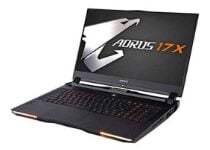
The Aorus 17X is another Gigabyte mechanical keyboard laptop that’s had rave reviews.

It has a full-sized mechanical keyboard that’s comparable to the Aorus 15G’s one. The 17X’s keys have the same optimal actuation point and renowned Aorus Fusion lighting effects.

Its spec sheet also makes for similar reading as the Aorus 15G. It boasts the same Intel processor and NVIDIA graphics card.

However, the bigger Aorus 17X has a larger 17.3-inch display, more storage slots, an additional three-watt subwoofer for audio, and an extra Type-C USB 3.2 USB port.


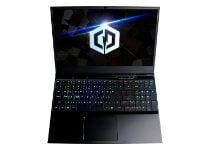
CyberpowerPC Tracer III Slim

  • Great 144Hz refresh rate
  • Full-size mechanical keyboard with full RGB backlighting
  • RTX 2070 GPU enables ray tracing in games
  • Optimized for Vive and Rift VR headsets
  • Lackluster batter

The Tracer III Slim is a good value 15.6-inch gaming laptop. It includes a full-size mechanical keyboard with fast and consistent rapid action keys. That keyboard also features full RGB backlighting with adjustable brightness.

This laptop also has a decent spec sheet. Tracer III’s ninth-generation Intel Core i7 9750H processor and NVIDIA GeForce GTX 1660 Ti GPU make it a pretty fast laptop with a graphics card that can handle advanced ray-tracing effects. Its 15-inch display also boats a great 144Hz refresh rate.


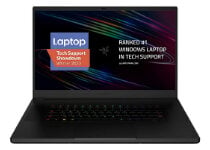
Razer Blade Pro 17

  • Amazing Razer Chroma RGB keyboard lighting
  • Plenty of drive storage
  • High-resolution 4K monitor that supports G-Sync
  • Poor battery

The Razer Blade Pro 17 is a gaming laptop that features a responsive mechanical keyboard with a tactile and precise feel.

It fully incorporates the renowned Razer Chroma RGB lighting effect suite for its keys. So, Blade Pro 17 users can select from a dazzling variety of keyboard lighting effects.

The Pro 17 packs in a 7th generation Intel i7-7820HK CPU and GeForce GTX 1080 GPU with eight GB GDDR5X.

The best thing about this laptop is its expansive 17.3-inch display that has an excellent 4K resolution. Its best models also pack in up to one TB SSD storage and 32 GB RAM.


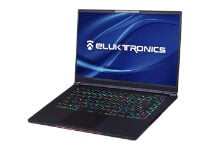
Eluktronics Mag-15

  • Per-key RGB backlit keyboard with mechanical keys
  • Lots of RAM and SSD storage space
  • High frame rate
  • GeForce RTX 2070 GPU enables ray tracing in games
  • Its best models are pricey

The Mag-15 is a 15-inch gaming laptop with many strong points and an optical-mechanical keyboard that has a nice tactile feel to it.

The keyboard incorporates per-key RGB backlighting that enables users to set up custom lighting schemes.

The Mag-15 has a strong specification sheet. The best model of this laptop incorporates a six-core i7-9750H Intel processor, an NVIDIA GeForce RTX 2070 GPU, a whopping 64 GB RAM, and substantial two GB SSD storage.

The Mag-15’s 144Hz VDU also ensures a high frame rate for games.


Those are five laptops with mechanical keyboards that are worth noting.

They’re higher specification gaming laptops with durable and very responsive mechanical keyboards that are optimized for Windows games.

[wl_navigator]

5 Best Laptops Under 1500$ For Video Editing

Video editing requires more resources from your laptop than other computer tasks. This is why it has to be equipped with a powerful hardware configuration.

The CPU has to be strong enough to handle editing software and the amount of RAM memory has to be at least 16GB to work without lagging.

For a better visual experience, I suggest considering a laptop with a dedicated graphics card with a minimum of 4GB.

Usually, a laptop that has the above hardware configuration is a bit pricy, but here is a list of the best models for a budget under 1500$.

ASUS ROG G15

  • 10th Gen Intel Core i7-10750H processor
  • RTX 2070 8GB with ROG Boost
  • 1TB SSD Storage
  • Multiple types of USB port, even USB 3.2 Type-C
  • Second Pro
  • No numerical pad for a 15.6 inches laptop

Asus ROG 15 is well known in the gaming community but the hardware configuration makes it perfect for video editing as well.

The ultrafast 240Hz refresh rate of the display makes the flow of fast-paced video look impeccably smooth.

It comes with the latest 10th generation Intel Core I7 CPU, which in combination with GeForce RTX 2070 GPU makes this laptop a great deal.


ASUS ZenBook 15

  • Wide-view and up to 92% Screen-to-body display ratio
  • GeForce GTX1650 Max-Q discrete graphics
  • Screenpad 2.0 technology
  • Windows 10 Pro
  • No direct ethernet port

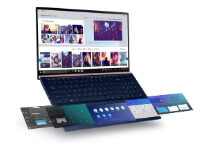
Besides the performance of the hardware configuration, the big plus for Asus ZenBook 15 is the innovative Screenpad 2.0.

The intelligent Screenpad is a 5.65-inch touchscreen with multiple functions that will save you time. You can switch between numeric pad, app navigator, and handwriting. It also allows you to add quick keys to personalize hotkeys sequences.

Another cool feature is its portability, it’s an ultra-slim laptop with only 3.6 pounds. Easy to carry wherever you go.


MSI GL64 Leopard

  • GeForce RTX 2070 8GB
  • 10th Gen Intel Core i7-10750H processor
  • Fast 144Hz FHD IPS Thin-Bezel display
  • Cooling system with 7 heat pipes
  • Only 512GB SSD storage

When speaking of performance, MSI GL64 Leopard is a nice surprise given the price.

Packed with the latest Intel i7 and RTX 2070 graphics on top of the 16GB RAM, gives the impression that nothing will slow it down.

Heavy video editing will heat up any system, but no worries with GL65 Leopard. It comes with a revolutionary cooling system, for both CPU and GPU.


Dell G5 15

  • Enough storage with 256GB SSD+1TB SATA
  • 9th Gen Intel Core i7- 9750H processor
  • Performant Cooling system
  • GeForce GTX 1650 4GB
  • No USB 3.2 or type C ports

Dell is a popular brand, known to build durable and performant laptops on a budget, exactly like Dell G5 15 model.

The 15.6 inches display, with full HD anti-glare LED-Backlit, delivers you stunning visual from every angle.

The dual-fan cooling system helps to keep the system cool under video editing pressure and lets you work uninterrupted.


Acer Nitro 5

  • 9th Gen Intel Core i7- 9750H processor
  • GeForce RTX 2060 6GB
  • 17'3 inches FHD display
  • Battery up to 7 hours
  • Only 256GB SSD storage

Acer might not be your first choice, but the Acer Nitro 5 laptop presented here, is the best you can get with a smaller budget.

Hardware components give you enough performance to work with any editing software you want to.

The display itself is perfect for video editing tasks. It has 17.3 inches, Full HD Widescreen, and IPS technology with 144 HZ refresh rate and 3 ms response time.


The above list will help you find the best laptop for you, depending on your needs, preferences, and budget.

All of them are packed with a dedicated NVIDIA graphic card, 16 GB RAM, and a powerful CPU. The differences are in display technology, storage amount, and unique features depending on the producer.

These characteristics make them perfectly suitable for video editing.

Microsoft Teams enhances user’s productivity with Power Apps integration and more

Microsoft is adding support for Power Apps, Power Automate, and Power Virtual Agents apps for its Microsoft Teams communication platform.

The roll-out of Power Apps, Power Automate, and Power Virtual Agents apps for Teams is now “generally available” and now users will get a lot of their low code, automated templates, and bot support while managing their workflow in Teams. Here’s what you need to know.

  • Power Apps for Teams allows users to build and manage low code apps right within Teams. With an approachable user experience, anyone can now build apps to simplify work.
  • Power Automate app for Teams contains a simplified workflow designer and a number of templates to help anyone get started automating routine tasks.
  • Power Virtual Agents app for Teams makes it easy to build and deploy bots to support a range of scenarios, like IT helpdesk, operations FAQs, and HR issue resolution.

Perhaps, even more, impressive is now with Powers Apps support in Teams users can more easily build and deploy apps and chatbots right from within Teams, making it a one-stop-shop (albeit arguably bloated) for entire workloads for developers.

In addition to the Power Apps support news, Microsoft also piled on another handful of specific apps that would also see Teams support that will now round out the nearly 700 apps that can already speak to the platform in one way or another.

Additional support for Teams integration is rolling out to Workday, Adobe Sign, Slido, Monday.com, Asana, ServiceNow, and toolkits for Visual Studio and Visual Studio Code.

As with a lot of things these days, Microsoft is partly attributing the explosive growth in-app support adoption for Teams to the ever-apparent pandemic.

Over the past year, the pandemic has dramatically changed the way we live and work. Organizations around the world adopted tools like Microsoft Teams to support working-from-home and hybrid work. Today, over 115 million people use Teams every day. And while video conferencing was a key driver for Teams rapid growth and adoption, our customers quickly realized the need to digitally transform beyond meetings to support a new way of work. They want to integrate apps and business processes into where work happens—to better serve customers, streamline work, and improve employee productivity and wellbeing.

To review the growing list of Teams app support you can visit the following Microsoft blog for more information.

Borderlands 3 gets free Xbox Series X|S upgrade, Ultimate Edition also announced

Borderlands 3, the popular loot shooter released a year ago on Xbox One, PlayStation 4, and PC has just received a free next-gen upgrade. Thanks to Smart Delivery, players who already purchased the Xbox One version can now upgrade to the Xbox Series X|S version for free and enjoy the game at up to 4K and 60 frames per second, play the game locally with four-player split-screen, or play it with a single friend with a new vertical split-screen mode.

It’s important to note that this free next-gen upgrade for Borderlands 3 will support cross-gen saves and cross-gen play. All your Borderlands 3 content and save files will seamlessly transfer from your Xbox One to your Xbox Series X|S console, and cross-play across console generations is also available. The Xbox One version of the game will continue to be supported, and it’s also getting the two-player vertical split-screen option now available on Xbox Series X|S.

Developer Gearbox Software released a lot of additional content for Borderlands 3 since its launch last fall, including four campaign DLCs and the brand new Designer’s Cut add-on content. A second Season Pass has been recently announced by Gearbox, which will include the upcoming Borderlands 3: Director’s Cut DLC coming next year, plus multiple bonus cosmetic packs. If you have yet to play the game, you can now purchase the new $99 Borderlands 3: Ultimate Edition which includes all previously-released content plus everything coming with the Season Pass 2.

Borderlands 3 Editions

Microsoft’s Xbox Series X|S consoles launched last week with over 30 optimized games, and more will come before the end of the year. Halo: The Master Chief Collection will get a free patch tomorrow, November 17 alongside the release of Halo 4 on PC. Destiny 2, Bungie’s popular loot shooter will also be upgraded for Xbox Series X|S and PlayStation 5 consoles on December 8, and the free patch will add 60FPS support, faster loading times, and cross-gen play.

Borderlands 3: Ultimate Edition
Developer:
2K
Price:
$99.99

18 Best High Speed HDMI Cables to Buy

Connecting your Windows 10 PC or laptop to an external display is rather simple if you have the appropriate cable, preferably a high speed HDMI cable.

Most modern displays use HDMI ports for input, so today we’re going to show you the best high-speed HDMI cables that you can buy during the Amazon Prime Day sale.

What are the best high-speed HDMI cables?

AmazonBasics High-Speed HDMI Cable – Best in class

  • Comes with HDMI A connector on each end
  • Supports Ethernet, 3D, 4K video and Audio Return Channel
  • It can deliver two video streams and up to four audio streams simultaneously
  • Does not support HDCP

This is a simple HDMI cable, and it comes with an HDMI A connector on each end. The cable supports Ethernet, 3D, 4K video, and Audio Return Channel. The cable is fully compatible with all HDMI devices, including external displays, game consoles, set-top boxes, etc.

This cable meets the latest HDMI standards, and it supports 4K video at 60Hz and 48 bit/px color depth. Regarding the bandwidth, it supports up to 18Gbps bandwidth.

The cable supports a 21:9 video aspect ratio and can deliver two video streams and up to four audio streams simultaneously. In addition, you can have up to 32 audio channels and up to 1536kHz total audio.

The cable has gold-plated corrosion-resistant connectors that will provide the best signal quality. In addition, the cable is protected by a black PVC layer and shielding that will prevent any interference. Of course, this cable is fully compatible with previous HDMI standards.

AmazonBasics High-Speed HDMI Cable is a great HDMI cable, and you can choose from 3 feet to 25 feet in length.

Mediabridge HDMI Cable – A good choice

  • Supports 4K 2160p resolution at 60Hz
  • The cable has 28AWG pure copper conductors
  • The models range from 3 feet to 50 feet
  • Seems that is difficult to sustain a 4k signal over 25ft

Mediabridge HDMI Cable is a high-speed HDMI cable that supports 4K 2160p resolution at 60Hz. Regarding additional features, there’s support for 18Gbps transfer speed, 4K UHD, 3D, 48-bit deep color, HDR, and ARC.

The cable has 28AWG pure copper conductors and gold-plated connectors to ensure high-quality video and sound.

This is a solid HDMI cable, and models are ranging from 3 feet to 50 feet.

Twisted Veins – Offers a long cable

  • Comes with three 3-feet cables and a single 10-feet cable
  • They support high-speed and Audio Return
  • 90-degree adapter
  • The cable is thin and could be of a higher quality

Twisted Veins high-speed receiver pack comes with three 3-feet cables and a single 10-feet cable. The bundle also has three velcro cable ties that will help you manage your cables.

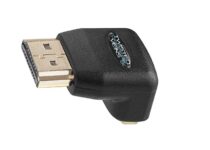
In addition to HDMI cables, you’ll also get a 90-degree adapter so you can easily use these cables in hard-to-reach places.

These cables support HDMI 1.4 standard, and they support high-speed and Audio Return. Besides, there’s support for Ethernet, 1080p resolution, 3D, Deep Color, TrueHD, and DTS-HD.

The cables come with extra shielding. So they will provide a solid signal without any interference. Of course, connectors have gold plating to offer high-quality signals.

Twisted Veins cables offer decent quality and will be perfect for less demanding users.

KabelDirekt HDMI Cable – Better protection

  • Comes with support for Full HD, 4K, and Ultra HD
  • Has double shielding that provides solid protection
  • This cable uses oxygen-free copper
  • Some users reported minor issues while using 4K resolution at 60Hz

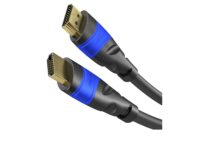
This HDMI cable comes with support for Full HD, 4K, and Ultra HD. The cable also supports 3D, ARC, and Ethernet. It’s worth mentioning that the cable has a full metal HDMI connector and ATC-certified protection.

The cable has double shielding that provides solid protection, but it also uses 24K gold-plated connectors that ensure the highest signal quality. Regarding the inner conductors, this cable uses oxygen-free copper.

KabelDirekt HDMI Cable is a great cable, but some users reported minor issues while using 4K resolution at 60Hz, so keep that in mind before purchasing this cable. There are several models available ranging from 0.5 feet to 50 feet.

4K HDMI Cable 6.6 ft – Delivers high speed

  • High-Speed Data Capacity
  • 4K HDMI Cable HDR
  • Designed for all devices with HDMI 2.0
  • Seems to disconnect easily

4K HDMI Cable is a 6.6 ft cable, so it will be perfect for home theaters. Of course, the cable is fully compatible with any HDMI device. 

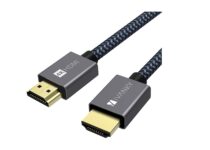
The cable has a black mesh that will protect it from potential damage. This is a solid option that supports 4K resolution or Ethernet, making it one of the best high speed HDMI cables with Ethernet support.

SecurOMax HDMI Cable – Offers Ethernet support

  • HDMI 2.0 compatible
  • It supports 4K resolution at 60Hz
  • The cable also supports Ethernet and Audio Return Channe
  • Some users report not being compatible with 4K

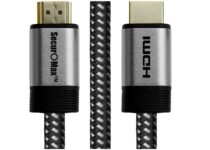
This HDMI cable is HDMI 2.0 compatible, and it supports 4K resolution at 60Hz. Regarding the bandwidth, the cable supports up to 18 Gbps. Of course, the cable also supports Ethernet and Audio Return Channels, so you can use a single HDMI cable for video, audio, and Internet connection.

The cable has a solid aluminum connector housing and braided cord, as well as 28AWG 100% pure copper wiring. Even though this is an HDMI 2.0 cable, it supports older HDMI standards and devices.

This 6-feet cable offers amazing performance, and you can get SecurOMax HDMI Cable on Amazon.

4K HDMI Cable 6 ft – Atevon High Speed – Better compatibility

  • High-speed Data Capacity
  • Designed for all devices with HDMI 2.0 standard
  • 24K High-quality
  • Some users are complaining about its speed

This is a one-directional cable, and to use it, you need to connect it properly. Connectors have input and output labels, so you can easily connect this cable to any HDMI device.

The cable is triple-shielded and has 28AWG cable with 100% solid copper conductors. Of course, connectors are gold-plated, so they offer the best signal.

4K HDMI Cable 6 ft – Atevon High Speed is a great cable; you can connect all your streaming services easily. 

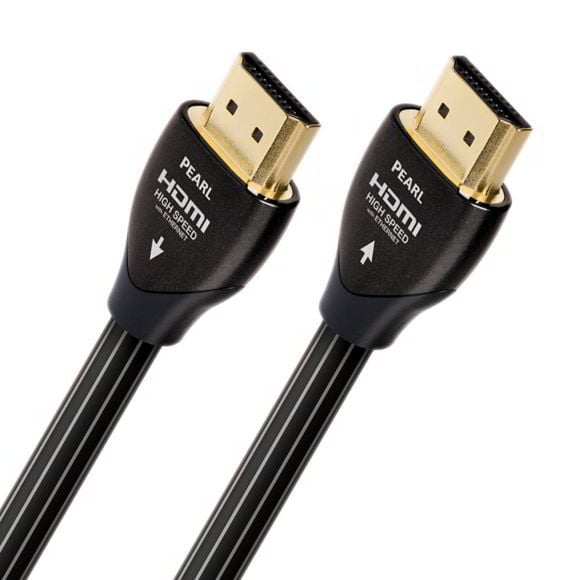
AudioQuest Pearl – High speed and sturdy

This HDMI cable has long-rain copper conductors and Solid High-Density Polyethylene Insulation, so it offers great performance and high-quality video. Thanks to the solid conductors, all strand-interaction distortion is eliminated.

This cable uses air-filled polyethylene insulation that doesn’t absorb any energy, thus keeping your signal free from distortion.

Regarding the specifications, this cable delivers 18Gbps of data, so it’s fully compatible with HDMI 2.0 standards. Of course, 4K resolution at 60Hz is supported.

It’s worth mentioning that this cable supports Ethernet, and all cables up to 32 feet will provide high-speed performance.

⇒ Check price

Blue Jeans Cable – Supports 1080p resolution

Blue Jeans Cable is a 3-feet high-speed HDMI cable. The cable also supports Ethernet, so you can use just a single cable to share an Internet connection between the devices.

This cable has a PVC jacket for protection, and it also has gold-plated HDMI connectors for a high-quality signal.

This is a high-speed Category 2 cable that provides high-quality video. The cable has 28 AWG construction, and it provides high flexibility so you can connect it easily with other devices.

This cable supports 48-bit colors and sound formats such as DTS-HD and TrueHD Dolby. Of course, Auto Return Channel support is available as well. Regarding additional features, the cable supports 4K x 2K and 1080p resolutions as well as 3D.

⇒ Check price

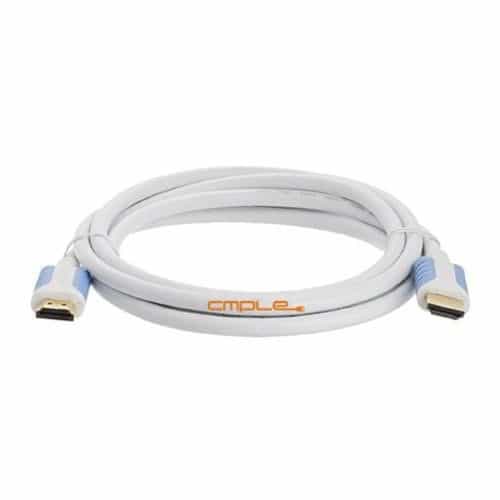
Cmple Ultra High Speed HDMI Cable – Compatible with 3D technology

If you’re looking for a high-speed HDMI cable, you might be interested in Cmple Ultra High-Speed HDMI Cable. This cable supports Audio Return Channel and is fully compatible with 3D technology.

Regarding the resolution, the cable supports 4K x 2K resolution, including 3840 x 2160 and 4096 x 2160.

This is a Category 2 cable, and it offers 10Gbps data transfer, 340MHz, and 48-bit color. The cable has a durable PVC layer, so it offers solid protection. Regarding the connectors, they are gold-plated to deliver optimal signals without distortions.

As for audio, this cable supports True HD Dolby 7.1 and DTS-HD Master Audio. Of course, the cable is fully backward compatible, so it works with older standards and devices.

This is a solid high-speed HDMI cable, and you can purchase the 6-feet model on Amazon. If you need a longer cable, models up to 15 feet are available.

⇒ Check price

Monoprice High-Speed HDMI Cable – High transfer speed

Monoprice High-Speed HDMI Cable offers up to 10.2Gbps data transfer speed. The cable has ferrite cores that protect the cable against electromagnetic and radio interference. The cable also has 28AWG copper conductors and gold-plated connectors.

Regarding the supported features, this cable supports 1080p resolution at 60Hz and 4K resolution at 24Hz. In addition, there’s support for 3D video and Audio Return Channel. As for audio, SA-CD, DVD-Audio, DTS-HD Master Audio, and Dolby TrueHD are supported.

The cable supports deep color up to 16-bits per channel as well as x.v.Color. Monoprice High-Speed HDMI Cable is a decent high-speed cable, and it’s available in eight different colors. Regarding the length, there are models from 1.5 feet to 10 feet available.

⇒ Check price

Monster M1000 – For uninterrupted signal transmission

This HDMI cable supports uncompressed 1080p 120Hz high-definition video with 12-bit deep color. In addition, the cable offers eight channels of 192/24 digital audio for ultimate 7.1 sound. Regarding the bandwidth, this cable can deliver more than 14.9 Gbps.

Each cable comes with a visible speed rating so you can see the speed of your cable before you connect it to your PC. The cable comes with large gauge silver-coated conductors that provide a superior signal.

There’s also high-density quad-layer shielding for ultimate protection from RF and EM interference. The cable has a nitrogen gas-injected dielectric that gives you the best signal strength regardless of the cable length.

Monster M1000 HDMI cable also has 24K gold contacts that will ensure the highest signal quality and protect the cable from corrosion. This is a solid high-speed HDMI cable, and you can purchase models from 4 feet to 25 feet.

This high-speed HDMI cable supports speeds up to 10.2 Gbps or 340MHz. The cable offers refresh rates up to 240Hz, thus providing a crystal clear picture. Regarding the supported resolutions, this cable supports 1080p and 4K resolutions up to 4096×2160. Of course, support for 3D video is also available.

The cable supports 8-bit, 10-bit, 12-bit, and 16-bit colors as well as x.v.Color. There’s also support for Audio Return Channel and high-bandwidth uncompressed digital audio such as Dolby Digital and DTS.

Lossless compressed digital formats such as Dolby TrueHD, Dolby Digital Plus, and DTS-HD Master Audio are also supported.

Cable has 28 AWG oxygen-free copper conductors with HD-PE injected dielectric. There are also gold-plated connectors that provide maximum video performance by preventing signal loss. Regarding protection, the cable uses triple-layer shielding that will prevent EMI and RFI interference. The cable supports the Lip Sync feature, so video and audio are synchronized automatically, thus ensuring absolute accuracy.

If you need a longer cable, there are models up to 16 feet long.

⇒ Check price

Cable Matters HDMI Cable – Best in terms of compatibility

This is a Category 2 HDMI cable, and it’s fully compatible with HDMI 2.0 standard. The cable is compatible with all sorts of HDMI devices, so it will work with your HDTV, video game console, Blu-ray player, or any other device.

The cable uses a 100% bare copper conductor without any copper-clad steel. There are two HDMI Type A connectors, both of which are gold-plated, thus ensuring a high-quality signal. The cable also has molded strain relief that makes connecting a breeze.

Regarding the supported features, this cable supports 3D video and 4K resolution up to 4096×2160. There is also support for uncompressed digital 7.1 channel audio.

We have to mention that this cable supports Audio Return Channel, HDMI Ethernet Channel, and 48-bit Deep Color. Regarding the bandwidth, this cable offers 18Gbps.

This is a solid HDMI cable, and models are available from 3 feet to 15 feet.

⇒ Check price

Monoprice Active Select Series – Miminum signal loss

This HDMI cable comes with active signal regeneration that will ensure lossless signal over long distances. Regarding the bandwidth, this cable offers 10.2Gbps bandwidth.

It’s also worth mentioning that this cable has CL2 in-wall fire safety rating, 28AWG copper conductors, and gold-plated connectors.

Regarding the supported features, there is 1080p video support at 60Hz and 4K video at 24Hz. Of course, 3D video is also supported. The cable has an HDMI Ethernet Channel, so you can use the HDMI cable for Internet access as well.

There’s also an Audio Return Channel, Deep Color up to 16 bits per channel, and x.v.Color. It supports High Definition Audio, including SA-CD, DVD-Audio, DTS-HD Master Audio, and Dolby TrueHD.

We have to mention that this is a directional cable, so be sure to check the markings on each side to see how to properly connect the cable. Monoprice Active Select Series HDMI cable is designed for long distances, and there are models from 6 to 60 feet available.

⇒ Check price

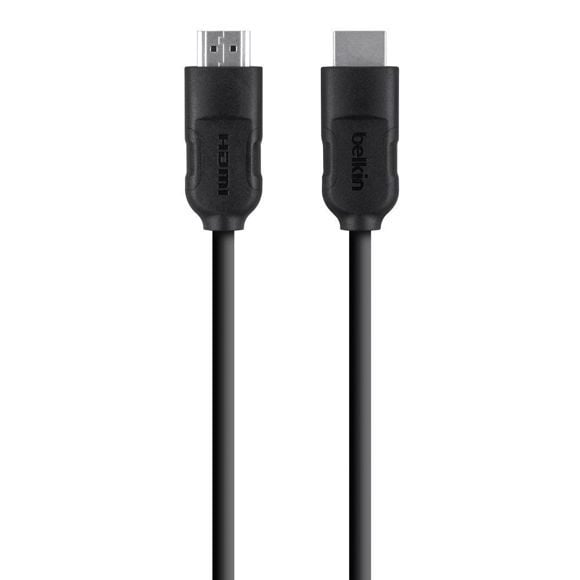
Belkin High-Speed HDMI to HDMI Cable – For high speed transfers

If you’re looking for a high-speed HDMI cable, this one might be perfect for you. This cable can work with your HDTV, but it will also work with any device that has an HDMI port. The list includes gaming consoles, laptops, Blu-ray players, etc.

This cable supports 4K cinema resolution at 50-60 Hz as well as 7.1 digital surround sound. Of course, there’s also support for 3D video.

It’s worth mentioning that this cable has Ethernet support, so you can use it instead of an Ethernet cable with compatible devices. Regarding the speed rating, this cable supports up to 10.2Gbps speed.

Belkin High-Speed HDMI to HDMI Cable comes with high-quality connectors and two-layer shielding that protect your cable from outside interference.

We also have to mention that the cable supports dynamic synchronization of audio and video streams, and it also supports 32 audio channels. If you need a longer cable, models up to 8 feet are available.

⇒ Check price

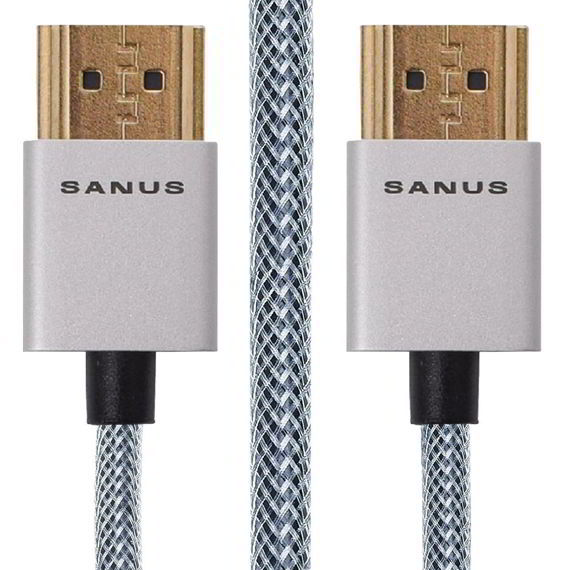
Sanus Super Slim HDMI Cable – Sleek design

This HDMI cable is 50% slimmer than standard HDMI cables, so you can easily connect it to any HDMI device. The cable has an aluminum-plated head that brings a sleek design and decent protection against radio or electromagnetic interference.

It’s also worth mentioning that the connector head is 40% smaller than standard HDMI connector heads. As a result, you can easily connect this cable even with hard-to-reach ports.

We have to mention that this cable is rather flexible, and it comes with polyester braiding wrapped around PVC cable molding. The connectors are 24K gold-plated, so they offer solid connectivity and signal strength.

The cable supports up to 4096×2160 resolution at 60Hz and up to 32 audio channels. Of course, the cable is compatible with Dolby Atmos Home Theater Surround-Sound.

As for additional sound standards, there’s Dolby TrueHD and DTS-HD Master Audio. The cable can also handle four simultaneous audio streams with up to 1536 kHz of high-fidelity audio.

This HDMI cable supports 3D video and comes with an HDMI Ethernet Channel, so you can use this cable for an Internet connection as well. Sanus Super Slim HDMI Cable supports HDMI 2.0 standards, and it offers 48-bit color depth and up to 18Gbps bandwidth.

If you’re looking for a quality high-speed HDMI cable, Sanus Super Slim HDMI Cable will be perfect for you. The cable is slim and 8 feet long, which should be enough for basic users.

⇒ Check price

BlueRigger HDMI Cable – A durable option

If you’re looking for a durable HDMI cable, this one might be perfect for you. The cable has durable nylon-braided construction, so it provides decent durability.

In addition to durability, the cable also supports the latest HDMI 2.0 standard and 4K, UHD, 3D, and Audio Return Channel features. As for bandwidth, the cable has 18Gbps bandwidth and a 600MHz refresh rate.

Additional features include 48-bit deep color, Ethernet support, True HD Dolby 7.1, and DTS-HD Master Audio. The cable has triple shielding and 24K gold-plated connectors, offering a strong, distortion-free signal. If you need a longer cable, there are models up to 25 feet in length.

⇒ Check price

Fusion4K HDMI Cable – Better support

Fusion4K HDMI Cable supports HDMI 2.0 standard as well as 4K resolution up to 4096×2160. Regarding the bandwidth, the cable can provide up to 18Gbps.

We also have to mention that this high-speed HDMI cable supports High Dynamic Range and 32 audio channels. The cable also supports 3D, Audio Return Channel, and HDMI Ethernet Channel.

Additional features include 48-bit color depth with support for x.v.Color, sYCC601, and Adobe RGB. In order to ensure maximum signal strength and bandwidth, the cable uses oxygen-free copper and 24K gold-plated connectors.

This is an amazing HDMI cable, and models range from 3 feet to 50 feet.

⇒ Check price

Finding a proper high-speed HDMI cable isn’t an easy task but is an important one, as an incompatible HDMI cable might cause various issues like can’t scan channels on Insignia TV and LG TV keeps switching inputs.

We hope you found a suitable one for you on our list; tell us about it in the comments section below.

3 Ways to Troubleshoot NVIDIA Virtual Audio Device (Wave Extensible) Errors Easily

If your PC suddenly loses sound or your HDMI audio output disappears, the NVIDIA virtual audio device (wave extensible) (wdm) driver could be the culprit.

This virtual sound driver enables HDMI audio through your NVIDIA GPU, but when it malfunctions, it can cause frustrating playback issues in Windows 11 or 10.

In this guide, we’ll walk you through easy, effective solutions to get your sound working again, without the guesswork.

How can I fix the Nvidia Virtual Audio Device driver problem?

1. Uninstall and reinstall the NVIDIA driver

  1. Press the Windows + R key to open the Run dialog box.
  2. In the Run box type msconfig and click OK.
  3. Click on the Boot tab and mark the checkbox near Safe boot.
  4. Choose the Minimal option and click on OK.
    minimal safe boot
  5. Restart your computer, and it will boot into Safe Mode.
  6. Click on the This PC and open Local Disk (C) and find the Nvidia folder.
  7. Delete this folder and open the Run dialog box.
  8. Enter devmgmt.msc and click on the OK button.
  9. Select Uninstall from the options and follow the instructions.
  10. Restart your machine to finalize the uninstallation.

Reinstall

  1. Open the Run dialog box once again.
  2. Search for MSConfig and hit ENTER to return to the configuration screen.
  3. Uncheck the Safe boot option in Boot options.
  4. Click OK and restart your PC.
  5. Download the right NVIDIA drivers for your machine.
  6. Select Custom Installation and check all the boxes for install options.
  7. Mark the Perform Clean Install checkbox.
  8. Restart your computer.

2. Use GeForce Experience

  1. Download the GeForce Experience application and install it.
  2. Make sure your monitor is connected via the Nvidia GPU.
  3. Launch the GeForce Experience program.
  4. Go to the Drivers tab and click on Check for Updates.
  5. When your most recent drivers are found, they will appear in a list.
  6. Select Custom Install to open the file.

Note: If you are not sure which Nvidia GPU you are using GeForce Experience will help you with these drivers.

There is also the option to use the GeForce Experience auto-detect driver feature. By doing that, the program will automatically detect your GPU and indicate the needed updates

3. Use a driver repair software

Using a dedicated tool like Fortect Driver Updater is one of the fastest ways to resolve stubborn driver issues on Windows. Instead of searching for updates manually, this utility scans your system, identifies outdated or missing drivers, and offers one-click updates.

It’s ideal for fixing problems related to sound, display, or connectivity caused by faulty drivers. With scheduled scans, automatic backups, and a large driver database, Fortect makes it easy to keep your system running smoothly—especially when you’re troubleshooting issues like the NVIDIA virtual audio device (wave extensible) (wdm) error.

This is all. We hope that our solutions helped you fix the Nvidia Virtual Audio Device (Wave Ex) driver problem.

To keep your system running smoothly, learn how to update your NVIDIA drivers in Windows 11 and troubleshoot when your NVIDIA graphics card isn’t detected.

You can either update your drivers manually or use a dedicated tool, such as Outbyte Driver Updater that will do it automatically.

If you have additional comments or recommendations, please let us know in the comments section below.

4 best 3D printers for cookie cutters

If you want to bring your Christmas cookies into the 21st century, the best way to do it is to invest in a 3D printer that allows you to create custom cookie cutters.

It is very important that the right type of 3D printer is used, as the material from which you will print your cookie cutters will be crucial. Most of the materials used for 3D printing can be extremely toxic.

In order to make sure that your newly created cookies will be safe for consumption, it is imperative that the printer can use non-toxic materials like PLA, PP Plastic from RepRap, or HD Glass form FormFutura.

We created this comprehensive list in order to help you choose a 3D printer that will not harm your family and friends. This list will include the best deals found online for 3D printers that will keep your family safe.

Read on to find out more details.

Note: Deals are subject to change. Keep in mind that the price tag often varies. We recommend going on the vendor’s website to check the price. Some of the products may be out of stock by the time you’ve made your purchasing decision. So, hurry up and hit the buy button.

What are the best 3D printers for cookie cutters?

ANYCUBIC 3D Printer Photon

  • Smart Touch Color Screen
  • 2K HD Masking LCD Printer
  • High precision 3D models
  • High-quality CNC parts
  • Resin is not included in the package

Anycubic Photon is one unique 3D printer that is as feature-rich as it is easy to configure and use – almost straight out of the box.

Everything you need to set up your brand new printer is in place starting with clear and easy-to-follow instructions.

Equipped with a 2K HD LCD, the latest generation of slicer software, and a premium quality metal body, the printer will deliver stunningly accurate 3D models of the utmost precision and quality.

Monoprice Mini SLA LCD

  • 118 x 65 x 110 mm size
  • Very affordable
  • Auto-leveling features that move the printing tray up and down depending on the number of layers it is printing
  • 2K LCD curing screen that allows you to quickly dry and set your models
  • Prone to mechanical defects in the long run

The Monoprice Mini SLA LCD 3D printer allows you to use resin-based materials to print your designs.

This enables you to print amazingly intricate cookie cutters easily and to use the resin material to create non-toxic tools.

Dremel DigiLab 3D45

  • 5-inch full-color touch screen
  • Easy setup
  • Wi-Fi connectivity
  • Built-in HD camera
  • If a third-party filament is used, the quality of the finished model is affected

The Dremel DigiLab 3D45 3D printer allows you to use PLA material that is non-toxic and can print complex models with a resolution of up to 50 microns.

MakerBot Replicator Z18

  • USB, Ethernet, or Wi-Fi connectivity
  • Fully compatible with the new MakerBot Smart Extruder+
  • Layer Resolution of 100 microns
  • Hefty price tag

The MakerBot Replicator Z18 is a top-of-the-range 3D printer that is able to create stunningly detailed models, and that can use PLA materials that are non-toxic.

This amazing device is powered by a very user-friendly app that offers you access to all the details of your 3D print.


Even though this article covers 3D printers for cookie cutters, investing in a quality 3D printer that can use non-toxic materials to create complex models can be applied in a variety of fields.

We included 3D printers that cover the entire spectrum of price ranges, allowing you to choose the perfect product for your needs.

We would love to know what option you chose to purchase from the list we presented. Feel free to share your choice with us via the comments section below.

[wl_navigator]

How to open MIME attachment on Windows 10

MIME is a file type that without proper software could not be opened in Windows 10.

This type of file is an internet standard file format that is used by email programs.

Because the MIME format contains 8-bit encoded data instead of the commonly used 7-bit encoding, it can contain file attachments and richer character sets other than ASCII.

The MIME format supports audio, video images or message bodies with multiple parts,.

Many users report getting a message How do you want to open this file? when attempting to open it on their device, without any other additional details.

Don’t worry though, opening MIME attachment is pretty easy and in this article we will show you exactly how you can do that.

How can I open MIME attachment on Windows 10?

1. Give WinZip a try

WinRAR not enough memory

Getting a MIME attachment without knowing how to open it can be a bit frustrating but using a dedicated tool, could solve the issue.

From the many solutions that you can find out here, we have tested most of them and we would like to recommend you to use the best one.

With that in mind, you should give WinZip a try in opening MIME attachments.

This versatile software is compatible with almost all common file formats, such as RAR, 7Z, ISO, IMG, TAR, GZ, TAZ, TGZ, BZ2.

Not only that, but WinZip can also repair faulty files, has advanced security options and you can manage them as it fits your needs.

If you are using it locally on your PC or online via cloud storage like Dropbox, Google Drive, or OneDrive working with WinZip on both cases will be pretty simple.

Using this software is incredibly simple, all you need to do is double click on the file you need to extract and let WinZip do the rest.
Let’s have a look at some of its key features:

  • Compression options.
  • File management and file splitting.
  • Detection and deletion of duplicate files.
  • Microsoft Teams integration.
  • 128/256 AES Encryption Technology.

Here is how you can extract the MIME files using WinZip:

  1. Save the MIME file locally, on your device.
  2. From the start menu, launch WinZip.
  3. Next, click on File and select Open.
  4. Select the MIME file you need to decompress.
  5. Click on Unzip and choose where you want them to be saved.

WinZip

WinZip

Use this complex software to extract and decompress all your MIME files. Get the best deal now!
Free trial Visit website

2. Use an online tool

There is another easy way to open MIME attachments, and that includes using an online app.

You will see that there are many online websites that will do exactly that for you without having to undergo any additional steps.

In general, this kind of website runs locally as a browser app, which will make the process work faster.

Depending on how they were created initially, you may find that some will limit how large the MIME file you are trying to open can be.

Not all of them have this limitation and if your attachment exceeds the allowed size, then you can simply search for another one.

Another really important aspect that you will need to keep in mind is the privacy of your data. Taking into consideration that you will be uploading them online, it’s important to check on their website how secure it also.

We could not recommend enough that you check before downloading the extracted files back on your device, that your antivirus is active and working properly.

Keeping in mind that once the attachment is opened, you will need to download its components over the Internet, is better that you have an extra layer of security, that will keep your privacy in check.

Not doing that you will risk compromising your device and all the stored data on it.

3. Change the MIME file association

Generally, when you are trying to open a MIME file on your PC, it will usually ask the question How do you want to open this file?

What you will need to do next, is choose a program from the list, such as WinZip, that will know how to open this type of file.

However, if when you are trying to open the MIME file, there is no question prompting, then you can simply change the file association from the Control Panel and then try again to open it.

It should work without having to do other additional steps.

There you have it. Extracting and decompressing MIME files in Windows 10 can be done pretty easily.

You can either change the file association, use a dedicated tool such as WinZip, or simply extract them online. 

Whichever option you choose to use would be fine and it will do the job perfectly.

If you have additional comments or suggestions, please let us know in the comments section below.

[wl_navigator]

4 best headphone Amps with optical input

Headphone manufacturers are pushing high-end headphones with a premium price tag to offer the best music listening experience for audiophiles.

However, music sources like your smartphone and laptop possibly don’t have the best sound cards to make the most out of these headphones.

This is where the headphone amplifiers come in handy. These compact devices come equipped with a built-in DAC delivering Hi-Fi sound through your headphones.

In this article, we have listed the best headphone amplifiers with optical input to make the most of your high-end headphones.

Note: Deals are subject to change. Keep in mind that the price tag often varies. We recommend going on the vendor’s website to check the price. Some of the products may be out of stock by the time you’ve made your purchasing decision. So, hurry up and hit the buy button.

What are the best headphone amplifiers with optical input?

Audioengine D1

  • Premium headphone amplifiers
  • USB and optical input plus RCA output
  • Does not require an external power source
  • Streams bit-perfect HD audio based on high-performance AK4369 DAC
  • Hefty price tag

Audioengine D1 is a premium headphone amplifier and comes with a price tag to match it.

It comes with 24-bit DAC and headphone amplifier to use with your computer and TV.

You can use either the USB port or optical input to bypass the computer’s sound card. It can stream bit-perfect 24/96 HD audio through your computer.

Audioengine D1 works with Windows, Linux, and Mac system with plug and play support.

Schiit Magni 3

  • Value for money product
  • Smooth sound
  • Easy to use and install
  • Volume control
  • Limited features

If you are looking for a simple, affordable, excellent sounding headphone amplifier, check out Schiit Magni 3. It is designed to have low distortion along with a low noise floor.

Schiit Magni 3  comes with built-in delayed start-up and instant shut-down without glitches through the headphone or speakers.

With a full 2000mW into 32 ohms, Magni offers enough to power any device.

Fosi Audio DAC-Q5

  • Affordable headphone amplifier
  • Optical input
  • Multi-volume control to adjust RCA and headphone outputs
  • Professional amp chip
  • No bass boost

Fosi Audio DAC-Q5 is one of the few headphone amplifiers that come with rich input and output options.

To begin with, it offers USB, Optical, and coaxial input options and compatible with both headphones and speakers.

Fosi Audio DAC-Q5 comes equipped with a digital decoding chip with a full-size high precision low jitter clock with Burr Brown’s classic op-amp chip OPA2134.

AIYIMA DC5V

  • Excellent headphone amplifier
  • Affordable price tag
  • Optical, Coaxial, and USB input options
  • Can manage digital power from headphone and speakers
  • Nothing noticeable

AIYIMA DC5V is one of the latest entrants in the headphone amp market and offers multiple input options, including optical input.

It comes equipped with a TPA6120+OP275 headphone amplifier chipset for excellent output.

AIYIMA DC5V matches the digital power amplifier analog power amplifier for active speaker, headphone, Smartphone, iPad, DVD, PC, and other devices.


All the headphone amplifiers in this list have power, performance, resolution, and versatility to meet all your headphone needs and make the most out of it.

All the amps also offer excellent sound quality along with multiple input options making it compatible with newer and older devices.

[wl_navigator]

5 best 360-degree USB cameras [Webcam, Actioncam]

There is no doubt that the new wave of 360-degree cameras has raised the bar for digital cameras.

The proliferation of 360-degree USB cameras has taken us into a new era of digital photography.

The viewing of ordinary videos will soon be a thing of the past, and it will steer a vast range of cameras down the road to obsolescence.

This is because just like in virtual reality, 360 degrees videos give you so much information that you get the feeling of being immersed in the action.

But how do you create 360-degree videos? You can use a standard camera, then go and stitch all the images—a common practice used to create virtual tours for real estate.

Today, all you need is a 360 degrees camera to shoot immersive 360-degree videos.

There are many 360-degree USB cameras in the market today and in this article, we are going to introduce you to the best options that won’t break the bank.

Which is the best 360 degree camera?

Ricoh Theta S

  • Takes spherical videos
  • Transfer images via Wifi
  • Various shooting modes available
  • Live 360-degree streaming
  • The resolution could be even higher

Ricoh Theta S is one of the most affordable 360 degrees USB cameras capable of capturing high definition 360-degree videos.

Its simplicity of use is amazing. In fact, it has only one button that makes it extremely easy to capture and record 360 degrees videos.

Its duo wide angled lenses can produce or stitch together full HD videos at 30 frames per second.

When you press the shutter button, the twin cameras simultaneously shoot the video. You can stream the video via HDMI or USB (cable provided) or use the camera’s inbuilt Wi-Fi to transfer footage to your phone.

RICOH THETA SC2 BLUE 360 Camera

  • Image stabilization function
  • High-speed data transfer
  • Supports 4K 360-degree videos
  • Lightweight design
  • Not so suitable for outdoor shooting sessions because most modes require constant Wifi

If high quality is not negotiable for you, then you will fall in love with this one-of-a-kind camera that focuses on performance.

High-resolution 360-degree imagery and footage with the ultimate precision – this is not a lucky shot, but a standard result thanks to the latest stabilization technology incorporated in this camera.

There is support for 4K video as well and you can even capture beautiful content at night thanks to the wider dynamic range and low noise features.

To top it all, the dual-lens exposure allows for extreme variations in contrast making it easy for you to obtain the most spectacular effects.

360Fly 4K VR Capable Action Video Camera

  • Supports 4K video
  • Wifi connectivity
  • Lithium-ion batteries
  • Lightweight design
  • The software could benefit from an upgrade

Lightweight and compact in structure, but feature-rich, this camera will allow you to capture high-quality images and videos with minimal effort.

Wi-fi enabled for your convenience, you get transfer data to and from the camera in a heartbeat.

With 4K support and built-in image stabilization solutions, there is no limit to what you can achieve when using it.

Vuze 3D 360 4K VR Camera Yellow

  • Wide compatibility
  • VR-ready
  • Lightweight and compact
  • Supports 4K, Stereoscopic 3D, and 360 videos and photos
  • Firmware update may trigger SD errors on bootup

With optical sensor technology, wide-angle lens, and extensive video support (4K, 2K, 360-degree footage, and photography), this camera is the go-to solution for passionate professionals.

But passionate amateurs can enjoy its powerful features just the same since it’s also easy to use and designed for optimal portability.

As soon as you’re happy with the results, you can go ahead and share your work directly on Facebook or Youtube.

Vuze XR 5.7K 3D 180 & 360 Camera VR – White

  • Package includes a USB cable, a soft pouch, and a hand strap
  • Wifi and USB connectivity
  • Wide-angle lens
  • Lightweight design
  • Does not have image stabilization

The XR model from Vuze allows for beautiful imagery and high-quality footage with minimal investment. You get more value for your money and more premium features to satisfy all your needs including 4K video capturing.

Equipped with double connectivity (Wifi and USB), wide-angle lens, and optical sensor technology, this camera will keep on impressing you time and again.


The above cameras are all capable of capturing images and recording 360 degrees videos while allowing you to easily charge and transfer files via USB cable.

There is another category of the most powerful and advanced 360 degrees cameras for VR videos, like the Nokia OZO. However, the price tag can be eye-watering.

Our list consists of 360-degree USB cameras that are not only high-performance but affordable too.

[wl_navigator]

9 laptops with the best battery life

One of the most important aspects of every laptop alongside its hardware power is its battery. This is especially important for users that are always on the move and don’t have time to recharge their laptop.

If you’re one of those users and you’re looking for Windows 10 laptop with the best battery, you might be interested in one of the following models.

What are the Windows 10 laptops with the best battery?

LG Gram Laptop

  • Intel 10th Gen Core i7 processor
  • 16GB RAM and 512GB MVMe SSD
  • Thunderbolt 3 port
  • 18.5 Hour Battery Life
  • Minor screen backlight bleed

The LG Gram Laptop is a light 14-inch laptop that runs on Windows 10. This laptop comes with a 10th generation Intel Core i7 processors and integrated graphics.

Additional hardware specifications include up to 16GB DDR4 RAM and 512 GB of SSD storage space. Regarding the battery, this device uses 72 WHr battery that can last up to 18.5 hours, which sounds rather impressive.

If you’re looking for a powerful laptop with a long-lasting battery, the LG Gram laptop might be the right choice for you.

Samsung Galaxy Book Flex

  • Up to 20 hours of battery life
  • 10th generation Intel Core i7 processor
  • QLED touchscreen display
  • Bluetooth-enabled S Pen
  • Expensive

Samsung Galaxy Book Flex is not a regular laptop, it’s a convertible with an amazing 13.3-inch QLED touchscreen display that can be mastered also with the included Bluetooth-enabled S Pen.

This powerhouse powered by a 10th generation Intel Core i7 processor is also extremely slim (0.51 inches thick) and promises up to 20 hours of autonomy which is almost unbelievably good.

The configuration is completed by 8 GB of RAM and a 512 GB SSD for storage.

2020 Newest HP Chromebook

  • 15-hour battery life
  • MediaTek MT8183 8-core processor
  • 11.6-inch HD anti-glare display
  • 128 GB included Micro SD card
  • Only 1366x768 resolution

This new HP Chromebook laptop is prepared with an 8-core MediaTek processor that is both powerfull and very energy efficient. That and the small, 11.6 inches display make this laptop work for up to 15 hours until it needs recharging.

On the downside, there are only 4 GB of RAM, and being a Chromebook, it only comes with the Chrome OS. Of course, you can also buy and install Windows 10 because it will also work very well on this device.

Acer Swift 3

  • 11.5 hours of battery life
  • 14-inch Full HD widescreen IPS LED-backlit display
  • Wi-Fi 6 AX200 802.11ax
  • Backlit keyboard
  • Amazon Alexa enabled
  • Slight software problems

Acer Swift 3 offers a pretty good ballance between power and battery life. It comes with an AMD Ryzen 7 4700U octa-core mobile processor and a 14″ Full HD widescreen IPS LED-backlit display.

The 8 GB LPDDR4 RAM and the 512 GB SSD complete the configuration of a powerful laptop with 11.5 hours of battery life. It is Amazon Alexa enabled and comes with the latest Wi-Fi 6 connectivity.

ASUS VivoBook L203MA-DS04

  • Up to 10 hours of battery life
  • One year of Microsoft 365
  • USB-C
  • Weighs only 2.2 pounds
  • The processor is only dual-core

Truth be told, this ASUS VivoBook model is not the most powerful laptop because it only features an Intel Celeron dual-core CPU but it’s very portable with its 11.6” HD display and it has a very low price.

And because we’re on a list with best battery laptops, this device has an up to 10 hours of battery life. The 4GB RAM and the 64GB storage are also minimal, but enough to run Windows 10 Home in S Mode.

Microsoft Surface Laptop 3

Microsoft Surface 3 features 11.5 hours of battery life so it’s one of the best in the autonomy department, especially if you know that it’s powered by a powerful quad-core Intel i5 processor.

The configuration continues with 8 GB or RAM and an 128 GB SSD for storage. And afterall, we can call this an awesome convertible because the 13.5-inch display is touch-enabled and with superb image quality.

⇒ Check price

Lenovo ThinkPad T460

Next on your list is Lenovo ThinkPad T460. This is a 14-inch laptop equipped with Intel Core processor and up to 32GB or RAM. Additional hardware specs include Intel HD Graphics 520 and battery that can last up to 13 hours.

We also have to mention that this laptop has support for extended hot-swappable battery, therefore you can easily swap batteries without turning off your laptop. Just like all other devices on our list Lenovo ThinkPad T460 runs on Windows 10.

⇒ Check price

Microsoft Surface Book

Microsoft Surface Book is without a doubt one of the most impressive 2-in-1 devices that run on Windows 10. It comes with a detachable display, so you can use it as both a tablet and a laptop.

Regarding the hardware, this 2-in-1 laptop is powered by a Core i5 processor, 8GB of RAM, and offers 128GB SSD storage. Despite the amazing design and powerful hardware, Microsoft Surface Book also features a battery that can last more than 12 hours on a single charge.

Microsoft Surface Book is an amazing device with great battery life, but such a remarkable Windows 10 2-in-1 laptop comes with a price.

⇒ Check price

Dell XPS 13

Dell XPS 13 is a 13.3-inch laptop with Full HD display. This laptop comes with 8GB RAM, 128GB SSD, and Intel Core i5-6200U 2.30 GHz processor.

There are non-touchscreen and touchscreen versions available, and both versions are running on Windows 10. Dell XPS 13 is powered by 4-cell smart lithium-ion 56WHr battery that can last up to 12 hours on a single charge.

⇒ Check price

This specific deal is part of our bigger selection of the best laptop deals you can find. You might also want to check out our dedicated Black Friday hub for tech deals. Moreover, if you’re a college student looking for laptops with a decent battery life, we’ve got you covered.

4 best Kindles for visually impaired to buy

Kindle is probably the world’s most popular brand of ebook readers out there. Their devices provide a quality reading experience, and recent upgrades and the latest models also come with plenty of tools that benefit those that are visually impaired.

Unfortunately, no model has come out yet that can cater to those that are 100% blind. However, those that can still see, even faintly, can use Kindle devices to read thanks to the many functions they have.

Of course, some models are better than the others, so we’ve decided to compile a list of the ones we think cater best to the needs of the visually impaired.

Note: Deals are subject to change. Keep in mind that the price tag often varies. We recommend going on the vendor’s website to check the price. Some of the products may be out of stock by the time you’ve made your purchasing decision. So, hurry up and hit the buy button.

What are the best Kindle devices for the visually impaired?

Kindle Paperwhite

  • 32 GB of storage
  • 3 months Free Kindle Unlimited plan
  • 300 ppi glare-free display
  • Waterproof
  • Not enough reasons to buy this 4th gen Paperwhite if you have the previous model already

The Kindle Paperwhite is the latest version of Kindle so far, and it especially caters to those that are visually impaired or partially impaired.

It features the highest contrast ratio of all Kindle devices, making it even brighter than actual letters printed on paper, but without the glare you’d expect from a regular ebook reader.

Additionally, the adjustable lighting is great for when you’re trying to read in pretty much any area, regardless of how illuminated or dark the room is.


Amazon Kindle

  • Adjustable front light lets you read comfortably for hours—indoors and outdoors, day and night
  • Purpose-built for reading, with a 167 PPI glare-free display
  • A single battery charge lasts weeks
  • Enjoy more books with Audible
  • Has a tendency to sometimes skip pages

The base Kindle model gets minor upgrades every year, making it better and better while still remaining the same reliable ebook-reader everyone loves.

As such, the Kindle got upgraded to have some features that now also benefit those that suffer from visual impairment, as you can now adjust the brightness and contrast ratio more than ever before.

More so, text can be highlighted and zoomed in without ever leaving the page, which is a great added bonus.


Kindle Kids Edition

  • Kindle Kids Edition is purpose-built for reading, with a black & white glare-free display
  • It performs differently than a tablet because it’s geared for reading books
  • Weeks of battery life
  • The lack of games, ads, or videos means zero distractions
  • Tools like Word Wise and Vocabulary Builder help strengthen reading skills
  • Just a Kindle with a few extra programs pre-installed

Kids can also suffer from visual impairment due to various medical conditions, so an ebook reader that is geared more towards their taste is a welcome addition to anyone’s library.

The Kindle Kids Edition is just a re-skin of the basic Amazon Kindle, featuring a few extra features that also help your children improve their reading skills and expand their vocabulary.


Kindle Oasis

  • 300 PPI flush-front paperwhite display
  • Adjustable warm light to shift screen shade from white to amber
  • Waterproof (IPX8)
  • Thin and light ergonomic design with page turn buttons
  • Instant access to millions of books and newspapers
  • Feels heavier and slips easier because of the metallic design

If you love to read comfortably for hours on end, then you’ll need a Kindle that you can easily handle, maybe even one that you can easily hold and use with just one hand.

One model that fits these criteria is the Kindle Oasis, which features a paperwhite display with a high contrast ratio that feels like reading off of real paper, all while wrapped in a compact and very functional design.


Amazon upgrades its Kindles devices almost every year, with the most noticeable upgrades being the ones that are software-related.

Recently, they decided to include various image adjustment tools and font editors that can be really handy for those that have trouble reading.

So, if you’re looking for a Kindle that is good for the visually impaired, look for those that have the latest firmware installed, especially the Kindle Paperwhite.


[wl_navigator]

5 Best TV Soundbars For Hearing Impaired [2026 Guide]

Watching TV with no sound is a burden that many hearing-impaired people struggle with, but nowadays you can find certain devices such as soundbars with hearing aid technology that can help them overcome this situation.

ZVOX SB400, AccuVoice AV203 and ZVOX SoundBase 330 are all viable choices for users who experience hearing loss and want to enjoy watching TV and hearing it at the same time without significant efforts.

Note: Deals are subject to change. Keep in mind that the price tag often varies. We recommend going on the vendor’s website to check the price. Some of the products may be out of stock by the time you’ve made your purchasing decision. So, hurry up and hit the buy button.


What are the best TV soundbars for the hearing impaired?

ZVOX Dialogue clarifying Soundbar

  • Uses built-in hearing aid technology for super-clear voices, even at low volumes
  • Setup is super-simple. One connecting cord…and a one-page manual
  • Patented AccuVoice technology delivers state-of-the-art voice clarity
  • Compact aluminum cabinet delivers room-filling home theater sound
  • Use ZVOX remote…or your current TV/Cable remote
  • The volume intervals may be a bit too far apart

One of the biggest challenges when dealing with sound devices is delivering speech and dialogue to be as crystal-clear as possible since environmental noises aren’t as important.

Well, the ZVOX Dialogue clarifying Soundbar specializes in this, since it uses hearing aid technology to make voices crystal-clear, even at low volumes.

It is all based around a high-speed computer processor and advanced algorithms to separate voices from the rest of the soundtrack.


TaoTronics Soundbar

  • Multiple wireless and wired connections
  • Control your soundbar remotely
  • 3 different equalizer modes
  • Slim to save space
  • Room-filling sound
  • Lacks mounting mechanisms

Home theaters are not so easy to put together, and the sound system is one of the most crucial parts of it.

That being said, if you want to install such a system in your own home, then you might as well go for the TaoTronics Soundbar.

Besides, you can also control it via mobile, allowing full control from anywhere in the house, just as long as you are connected to the device.


DracoLight Soundbar

  • Adopts latest Bluetooth 5.0 which ensure the best speed and most stable transmission
  • You can either place this speaker on a desk either mount it on the wall to save space
  • You can stream your music wirelessly
  • Stylish design and easy pairing
  • Transmission range up to 50 ft
  • May have issues with the power chord

Youngsters always go for devices that are fast responsive and look good, and the DracoLight Soundbarfits all of the criteria.

The speed and stability are guaranteed by the latest Bluetooth 5.0 technology, and it also lets you control it from anywhere in the house.

Lastly, the DracoLight soundbar abandons the typical black mesh design and adopts a sleeker metallic one, making it great not just in terms of performance, but also as a decoration.


Wohome Soundbar

  • Great 3 equalizer modes
  • 90 dB of room-filling
  • Enhanced bass
  • Multiple inputs
  • Issues with the remote design

For all intents and purposes, soundbars are basically regular speakers with just a few design tweaks, so installing and using one shouldn’t be hard at all.

Well, the Wohome Soundbar soundbar follows this idea precisely, as you will hardly ever find a soundbar that is easier to use than this one.

Simply find a place to place it, such as next to the rest of your multimedia system, or on a wall, plug it in, and control it by remote.


AccuVoice AV203

  • AccuVoice hearing aid technology
  • PhaseCue emulates surround sound
  • Output leveling adjusts loud commercials and volume spikes between channels
  • Some users report that it is hard to configure

AccuVoice AV203 is a soundbar that can improve the quality of life of hearing-impaired users by helping them hear the TV sound in a more effortless manner by boosting dialogs through built-in hearing aid technology.

AccuVoice technology has 6 different levels of voice boosting, making it easy to adjust the volume to your own needs. This device comes with PhaseCue technology as well, which emulates surround sound without the actual devices.

The output leveling feature AccuVoice AV203 comes with makes it so that loud commercials aren’t a nuisance anymore and volume spikes between different channels are a thing of the past.

Technology has gotten to the point where specialized products like soundbars with built-in hearing aid technology are created to aid hearing-impaired customers in understanding TV dialog in a more effortless manner.

Whether we’re talking about ZVOX SB400, AccuVoice AV203 or ZVOX SoundBase 330, they are all good choices for products that can lift the burden of hearing loss from the shoulders of the hearing impaired.


[wl_navigator]

Best USB charging accelerators

We’re here to help you stop grieving over your device’s dead battery. For instance, in case you’re faced with a low battery warning on your phone just before you leave the house, we’ll show you a few beat tricks that can help you charge your smartphone faster than usual so that you won’t get stuck with a brick in your hand.

These methods will not give you more battery life but they’ll sure boost the speed of its charging.

Tips to boost your battery’s charging speed

  • If you switch your phone off, it will not have to look for Wi-Fi networks, mark its location on GPS or hop on a 4G. Since it’s turned off, the battery has nothing else to do but to charge itself and it will charge faster than with your phone on.
  • You can also put your device on Airplane Mode to speed up the charging process, but remember that the screen is the biggest battery drain.
  • Another good advice is to use the right adapter and cable for your device, and if the charger has a higher amperage rating, it will charge at a faster rate.
  • You should use a wall plug point not a USB port to avoid that your device charges slower.
  • You have to remove the cases and covers and find a cool spot for your device. It’s beneficial to do all these because smartphones batteries use lithium-ion which follows the most simple principle: a cooler battery is a better one.
  • Don’t forget about charging accelerators!

You can end your energy crisis now with a charging accelerator. We have even prepared for you the best two devices on the market. These charging accelerators will safely accelerate your device’s charging speed, and they are fully plugged and play.
Quick Tip:

The Adaptive Fast Charging is quick to charge and comes with solid construction. It’s an adaptive fast charger that can completely charge your device within 30 minutes.

You can say goodbye to the long waiting time of other chargers. Its design is nice, a compact design that fits your storage necessities and you’ll be able to carry it easily around with you, anywhere you may need to.

  • Charging time 30 minutes
  • Compact and lightweight design
  • Protection from over-current
  • Some users report a pitch buzzing sound

USB charging accelerators

ChargeDr USB Charge Booster

It offers high-speed charging from laptops, and it charges tablets and phones up to 4 times faster than a computer USB port alone.

You can connect the accelerator between a laptop’s USB port and the charging cable of a tablet or smartphone.

It supports Micros USB cables. The accelerator can deliver faster charging for devices that use standard micro USB charging.

The device uses patent-pending technology.

You should take note that since Google Nexus 7 uses a non-standard micro USB charging protocol. So, you can’t use your Windows PC to charge it.

The accelerator weighs 0.28 oz, and its dimensions are 0.375 x 1.875 x 0.875 inches, and it comes in glossy black color. To use it you must have an available USB port.

The technical specs include:

  • Input: USB 2.0 & USB 3.0 Port 5V, o.5A~2.1A
  • Output: USB 5V, up to 2.1A

⇒ Check price

Elivebuy USB Charging Accelerator

  • Comes with USB Type A(male)
  • Built-in advanced smart IC chip
  • Overcurrent & short circuit protection
  • Could be of higher quality

Elivebuy Smart Charging Accelerator comes in a housing with aluminum and it features a pocketed size of 1.77 x 0.28 x 0.59 inches, so it’s small enough to be carried around anywhere you go.

You can use this charging accelerator to increase the current up to 1.5A. The device is equipped with USB Type A (male) to USB Type A (female), and it is compatible with laptops and computers.

It features a built-in advanced smart IC chip to detect your device, and it’s able to deliver lightning-fast charging speeds, according to the manufacturer.

The device offers short circuit protection.

[wl_navigator]

5 Best Fanless Mini-Computers To Buy [2026 Guide]

A fanless mini-computer, also known as a nettop, is a small-sized, inexpensive, low-power, legacy-free desktop computer designed for basic tasks that you can easily carry on with you anywhere.

There are a number of advantages that come with having such a computer. They are not only smaller and cheaper, but they also consume far less power than ordinary desktop PCs.

If you too are planning on adding on such PC to your inventory, but have no idea where to start looking, then you should carry on reading the guide below. We’ve compiled a list of what we think are the best fanless mini-computers that money can buy.

Note: Deals are subject to change. Keep in mind that the price tag often varies. We recommend going on the vendor’s website to check the price. Some of the products may be out of stock by the time you’ve made your purchasing decision. So, hurry up and hit the buy button.

What are the best fanless mini-computers that I can buy?

COOFUN Mini fanless PC

  • With integrated Intel HD graphic to enjoy 4K Web surfing, video playback, and more
  • It can be easily fixed to the back of the monitor with a mounting bracket
  • Support 2.4G/5.8G band WiFi and Bluetooth 4.1.
  • Support Windows 10 Pro and Ubuntu 16.04
  • Intel x5-Z8350 Processor, up to 1.92GHZ
  • Issues with the browsing speeds

The COOFUN Mini fanless PC takes the entire idea of mini-PCs and takes it to an entirely new level, combining powerful inner specs within a small frame, allowing it to be almost as efficient as a regular-sized PC.

One highlight of this model is the cooling system that prevents it from heating up, even during the most intensive apps.

Mounting and storing it is another strong point since you can even mount it at the back of your monitor, saving even more space on your desk.

Kodlix Mini PC

  • Pre-installed with Windows 10, support Ubuntu & Linux
  • N40 Mini PC Intel Celeron Processor N4000
  • Made for electricity savings and zero noise
  • eMMC 64GB system storage
  • DDR4 4GB
  • Processor speeds may vary too much

N40 mini pc, unique appearance design, dissipates heat more efficiently, make the running speed more fast and stable.

N40 supports S5 RTC Wake Settings, Auto Power On, Wake On Lan, PXE Boot etc. 

Overall, it follows the specs of the average mini PC, perfectly balancing out out an incredibly small size with above-average specs.


SMALLART Mini PC

  • You can expand the storage with a Micro SD card up to 128GB, a USB stick, or a USB hard disk
  • It’s base operating frequency 1.44 GHz/s rising to a 1.92 GHz in burst mode
  • Pre-installed with Windows 10 Pro Edition(64bit) OS
  • Quad-Core Intel Atom x5-Z8350 Processor
  • Support Auto-on after power failure
  • Sensitive to physical handling

The SMALLART Mini PC is your typical mini-computer for home and office use that features quite impressive stats given the small size it comes in.

It comes with Windows 10 pre-installed and can be used to do pretty much all of the most basic tasks you could think of using a PC for, including browsing the web, watching some movies, etc.


ACEPC AK1

  • Equipped with Intel HD Graphics and dual output display ports (2*HDMI port)
  • Intel Celeron J3455 processor at 1.50Ghz up to 2.3Ghz in Turbo mode
  • 4K Ultra HD video playback, delight in producing stunning visuals
  • Can be expanded with up to 2 TB of 2.5 inch SSD or HDD
  • Pre-installed with Windows 10 Home Edition(64bit) OS
  • Inferior building quality

If you’re looking to get the convenience of a home PC in the size of your pocket, then the ACEPC AK1 is the mini-computer that you need right now.

It features stunning performance features especially given the compact size, as it can be used to perform tasks like 4K video playback without having any performance issues.


ACEPC T11

  • Quad-core Intel Atom x5-Z8350 processor
  • Pre-installed with Windows 10 Pro (64bit)
  • Supports 2.4G+5G Dual-Band Wi-Fi
  • 1.44GHZ CPU up to 1.92GHz
  • Built-in 4GB of RAM
  • Rather slow compared to other entries on our list

If you fancy the idea of having your very own home theatre system but aren’t keen on moving around your desktop PC or laptop to the living room, then a more portable option like the ACEPC T11 is just what you need.

It features good stats for features that don’t require high-end computers, and it can also be expanded upon for even more storage, making it great for upgrades instead of full-on replacements.


While the extreme portability is indeed a perk few can deny, the fact that these PC are extremely slow compared to their much bigger counterparts, and even laptops for that matter makes buying them very situational.

This doesn’t mean that they aren’t good, just that you shouldn’t be disappointed if it behaves very slowly when you try to run tasks that are even remotely demanding.


[wl_navigator]

Microsoft news recap: Xbox Series X|S had biggest launch in Xbox history, hacking attempts target COVID-19 vaccine makers, and more

Microsoft news recap is a weekly feature highlighting the top Microsoft news stories of the past week. Sit back, grab some coffee, and enjoy the read!

Microsoft reports hacking attempts targeting COVID-19 vaccine makers, some successful

Leading pharmaceutical companies working on COVID-19 vaccines have become the target of state-sponsored cyberattacks by both North Korea and Russia. Microsoft reports that some of the cyberattacks were largely successful. The attacks made use of several different techniques, including spear-phishing emails and password spraying to obtain researchers’ login credentials.

Microsoft Coronavirus Vaccine

Microsoft Authenticator on iOS will soon be able to replace iCloud for auto-filling passwords

Managing passwords on iOS has become easier over the past few updates, with apps being able to become the password manager. Microsoft Authenticator now plans to bring its own password management system to iOS, which can replace the iCloud auto-filling of passwords with Microsoft’s own. This can prove useful if you need to share your passwords across different operating systems, and especially useful for Microsoft Edge users who store their passwords in the browser.

Microsoft Authenticator Ios App

Microsoft’s new Xbox Series X|S had the “largest launch in Xbox history”

This week finally saw Microsoft’s next-generation gaming consoles launch, with the Xbox Series X|S reaching gamers’ homes for the first time. According to Microsoft, the new Xbox’s saw the “largest launch in Xbox history”.

Xbox Series X And Xbox Series S With Controllers

Xbox cloud gaming comes to Australia, Brazil, Japan, and Mexico this month in Project xCloud Preview

Microsoft’s game streaming service, Xbox Cloud Gaming, which is part of the Xbox Game Pass Ultimate subscription, is being extended to gamers across Australia, Brazil, Japan, and Mexico. It will mark a large extension to the game streaming service, reaching millions of additional gamers.

Xbox cloud gaming on Android smartphone.

That’s it for this week. We will be back next week with more Microsoft news.

IPVanish on Sale: 81% Off For Biennial Plan, 71% For Yearly

VPNs are generally known as one of the best (if not the best) ways to protect your online digital presence.

Regardless of where you may be, you can just strap a VPN to your connection and your privacy becomes truly yours.

However, VPNs have this reputation of being somewhat expensive and thus not exactly accessible to many.

Sure, if you want to buy a monthly subscription you may have to pay a small fortune for one year’s worth of VPN service.

However, providers have already thought of this and provided us with deals (such as Black Friday) that apply for bigger subscription plans.

These deals cut a huge chunk of the monthly price. The downside is that you have to buy the whole plan.

Such a provider is IPVanish, which is a popular VPN provider that can anonymize your digital presence in no time.

Just as its name not-so-subtly indicates, your IP will no longer be visible to others. And that goes for other things, as you’ll soon learn.

What are the best IPVanish deals?

VPN

  • Biennial + 3 months free – 81% off ($2.49/mo; $67.23)
  • Yearly + 3 months free – 77% off ($2.99/mo; $44.85)

VPN + Storage (500 GB of data)

  • Annual – $99.99 ⇒ $49.99 (SAVE 50%!, $49.99 first year, then $99.99 per year)
  • Monthly – $10.99 ⇒ $5.49 (SAVE 50%!, $5.49 first month, then $10.99 per month)

Note that the annual discount will apply only to the first billing cycle. After the first billing cycle comes to an end, normal rates will apply.

IPVanish

Check out the IPVanish best deals and protect your privacy at a bargain price.
81% OFF! Buy it now

Why choose IPVanish?

IPvanish

IPVanish is one of the most popular VPN providers for a good reason.

It offers a lot of privacy and security features that will make your connection impenetrable and your identity unrecognizable.

Unless you go around revealing it by yourself, which would render the VPN useless.

But assuming that you aren’t going to do that, you’ll be happy to learn that IPVanish can encrypt your traffic and route it through secure tunnels, away from hackers, firewalls, ISPs, and even the government.

It also has a zero-logging policy, so even if authorities seize IPVanish’s servers, they might find absolutely nothing on you.

Your private online activity remains private, so there’s nothing to share, even with authorities.

IPVanish lets you bypass geo-restrictions for various services, such as Netflix, BBC iPlayer, and Amazon Prime Video.

It may not have as many servers as other services, but it gets the job done, and it does it well.

If you can’t seem to get past geoblocks, just switch the server and all should be fine. It’s a torrenting-friendly VPN, so you can safely engage in P2P/torrenting activities on any of IPVanish’s servers.

Last, but not least, you can connect an unlimited number of devices on the same account, since IPVanish doesn’t meter VPN connections.

Main features of IPVanish

  • Strict zero-logging policy to protect your data
  • P2P/torrenting-friendly
  • Offers over 1500 servers in more than 55 countries
  • Can unblock geo-restricted services such as Netflix and Amazon Prime
  • Military-grade encryption to protect your traffic from being sniffed
  • Lets you connect unlimited devices on the same account
  • SugarSync secure cloud storage included in any IPVanish plan
  • Can remove ISP throttling
  • Doesn’t throttle bandwidth/speed
  • Has SOCKS5 web proxy
  • Provides you with 24/7 customer support

Long story short, if you’ve been delaying purchasing a premium VPN subscription, consider getting a biennial plan for 81% off ($2.49/mo; $67.23 or a yearly plan for 77% off ($2.99/mo; $44.85).

However, purchasing a big subscription plan can help you achieve peace of mind for three months, or even a year, depending on your budget and preferences.

Microsoft details additional Surface product support lifecycles in new documentation

Microsoft on November 13 released a new webpage that details the product support and lifecycle periods for all of its Surface devices. As spotted by Mary Jo Foley at ZDnet, the webpage helps Surface customers plan and manage their hardware and software deployments.

According to Microsoft’s documentation, there are two parts to this support period. It includes the device support period, which is when a Surface will support driver and firmware updates up from when it was released — usually four years. There’s also the OS version support, too, which defines the operating system versions supported by Surface during the device support period.

If you’re confused, here’s what Microsoft has to say, putting it in simpler terms.

Surface devices will receive driver and firmware updates for at least 4 years from when the device was first released. In cases where the support duration is longer than 4 years, an updated end of servicing date will be published in advance of the date of last servicing.

Surface devices will receive driver and firmware updates for Windows OS versions released in the prior 30 months. Surface will not support Windows OS versions earlier than the OS versions supported at device release.

Keeping this in mind, there’s also another interesting note. According to Microsoft, once the device support period is concluded at the End of Servicing Date, devices will continue to receive Windows OS feature and security updates. This is in accordance with the Windows Lifecycle Policy. You can see these Surface support dates in the table below.

Device Name Release Date End of Servicing Date
Surface Pro 4 October 26, 2015 November 13, 2021
Surface Laptop 2 October 16, 2018 October 16, 2022
Surface Pro 6 October 16, 2018 October 16, 2022
Surface Go with LTE Advanced November 20, 2018 November 20, 2022
Surface Laptop 3 October 22, 2019 October 22, 2023
Surface Pro 7 October 22, 2019 October 22, 202
Surface Pro X November 5, 2019 November 5, 2023
Surface Go 2 May 6, 2020 May 6, 2024
Surface Book 3 May 26, 2020 May 26, 2024
Surface Pro X SQ2 October 13, 2020 October 13, 2024
Surface Laptop Go October 13, 2020 October 13, 2024

It’s interesting to see that Microsoft now has such a detailed page documenting the Surface device life cycle. It’s something that many Surface fans long requested.

Black Friday Offer: ExpressVPN 49% Off For a 12-month Plan

Online privacy is a huge issue today as Internet users debate about taking control over their data or letting companies collect it to create a better, personalized web browsing experience.

If you fall in the second group, then a VPN like ExpressVPN would be a huge help.

This VPN service has more than 3,000 VPN servers in 160 locations and 94 countries. It also runs special offers during Black Friday.

What are the best ExpressVPN deals and offers?

  • 12-month plan + 3 months free for $12.95/mo. $6.67/mo. (49% OFF!, billed $155.40 $99.95 every year)

It comes with a 30-day money-back guarantee and 24/7 live chat support. You can also make anonymous payments using Bitcoin.

ExpressVPN

Maximize your online security and unblock streaming content using one of the most powerful VPNs!

Why use ExpressVPN

ExpressVPN is one of the most popular VPNs in the market, thanks to its wide network of servers and super-fast connections.

It has a transparent, no-logging policy, which is backed by zero-knowledge DNS servers and the British Virgin Islands safe jurisdiction, making ExpressVPN trustworthy.

You can get around geo-restrictions, stop ISP throttling, bypass government censorship, as well as use ExpressVPN to unblock Netflix US and other streaming services,

It’s compatible with all major operating systems and devices, including Windows, Mac, iOS, Linux, and routers. You can even use ExpressVPN in China.

If you want to enjoy streaming on devices that don’t support VPN, you can easily do this by turning to ExpressVPN’s Smart DNS service, called MediaStreamer.

The VPN service uses the OpenVPN protocol with up to 256-bit AES encryption to protect your personal data.

It also comes with private DNS to speed up your Internet connection, a kill switch (Network Lock), and split tunneling mode.

Don’t hesitate and get ExpressVPN for 49% off on a 12-month plan and surf the Web privately!

5 best digital photo frames for grandparents and the elderly

Looking for a really cool and convenient way to display all your beautiful family pictures taken over the years? Then you should definitely consider getting a digital photo frame.

A digital photo frame is a device that displays multiple pictures (and sometimes videos) without the need for a printer or a computer.

They basically serve the same purpose as traditional photo frames, but instead of having a single picture inserted, it operates digitally and displays pictures from the cloud, Wi-Fi, or a flash drive.

They have become very popular lately as they decrease clutter and boost the home’s modern-day appeal.

As the holidays approach and the search for the perfect gift thickens, they can be a great option to consider for the elderly and grandparents. What better way to reminisce about the good times and also display multiple pictures of their families than this?

Of course, finding the best ones that don’t require too much technical know-how while also offering the quality that is required can be a bit tricky, which is why we have compiled a list of our 5 best digital photo frames for the elderly.

What are the best digital picure frames for seniors?

Skylight Frame: 10 inch WiFi Digital Picture

  • Can email photos directly from the frame
  • Easy to set up, in just 60 seconds
  • 1280x800 resolution and a 10-inch color touch-screen
  • Not too many customizations options

The Skylight Frame: 10 inch WiFi Digital Picture Frame is the most convenient picture frame to use, and the best option for grandparents. It utilizes a plug and play design which simply requires the upload of pictures onto the frame’s internal storage.

Moreover, the pictures can be sent to Skylight Frame from anywhere, and you will see them in just a few seconds.

It requires no additional software installation or update and plays automatically once connected to a power source.

Feelcare 10 Inch 16GB Digital Picture Frame

  • Free app
  • Sharing photos made easy
  • Detachable solid rack
  • Wall-mountable
  • One year warranty
  • Comes in black color only

The Feelcare 10 Inch 16GB Smart WiFi Digital Picture Frame comes with the ability to wirelessly share your latest captured photos with family members that also have the picture frame.

You are able to share photos with each other, irrespective of distance. This product is capable of storing a maximum of 5,000 photos and comes with a high-resolution display.

Iske 10.1 Inch Wi-Fi Cloud Digital Picture Frame

  • Wirelessly update the photo gallery
  • Built-in 16GB storage
  • Photo sharing through Wi-Fi
  • Gravity sensor
  • Detachable solid rack
  • Auto-rotate
  • Motion sensor
  • No color diversity

The Iske 10.1 Inch Wi-Fi Cloud Digital Picture Frame is an incredible option for the elderly. This picture frame offers an awesome viewing experience on a high-quality resolution screen.

It is user-friendly, as minimal technical knowledge is required. An instruction manual is included in the package as well as a handy and easily accessible dedicated customer service for any extra help.

Nixplay 2K Smart Digital Photo Frame

  • User-friendly interface
  • 2K Ultra Picture Quality
  • Perfect gift for grandparents
  • Stylish design
  • High resolution
  • Very expensive

One of the best digital photo frames for grandparents is the Nixplay 2K Smart Digital Photo Frame. Your grandparents have given their unconditional love and more to you, and they certainly deserve the best.

This product is a remarkable piece of technology. Your grandparents will have the opportunity to share and receive the latest photos of the family wirelessly.

And they can control the frame through their smartphones. They can choose to hang this on the wall or display it on their shelf or table.

Aluratek 17.3” WiFi Digital Photo Frame

  • Touchscreen LCD
  • Extremely clear photos
  • Built-in 16GB memory storage
  • User-friendly navigation system
  • More expensive than average

The Aluratek 17.3” WiFi Digital Photo Frame is the perfect gift for grandparents and the elderly. It is capable of sharing and receiving photos from all over the world.

This picture frame does not require any additional software installation or setup, and it is set to be used once it’s out of the packaging. It requires minimal technical know-how and should be easily utilized by the elderly.


Finding the perfect tech present for grandparents and the elderly can be quite difficult. However, that has been made easy by the introduction of these picture frames.

They are straightforward, easy to use, and offer a wide range of awesome attributes such as being able to sync and share pictures with other family members. We’ve chosen our top 5 picture frames for the elderly covering every category and budget.

While there are thousands of picture frames on Amazon, we’ve chosen the few we consider to be the best based on quality, convenience and storage capacity.


[wl_navigator]

7 best desktop PC speakers [Bluetooth, Wired]

If you often utilize your desktop or laptop for gaming and media player playback, its speakers are one of the most essential peripherals.

Many desktops come with relatively bog-standard external speakers, so it’s usually worth adding a new set of speakers to boost the audio quality.

You can enhance your PC‘s audio with 2.0, 2.1 (which includes a subwoofer for low-pitched audio), and wireless Bluetooth speakers. These are some of the best PC speakers.

PC speakers for music lovers

Creative Pebble Plus 2.1

  • Provides great audio performance
  • Pebble Plus speakers
  • Comes with High Gain Mode feature
  • Can hear a screeching noise

The Creative Pebble Plus 2.1 USB-Powered Desktop Speakers is a versatile set of premium Bluetooth speakers that provides an unprecedented number of connection options.

Aside from Bluetooth connectivity, the speakers include optical and analog aux inputs so that you can hook them up with a wide variety of devices.

Furthermore, you can connect an extra subwoofer (not included) to them to get deeper bass frequencies for some extra rumble.


Razer Leviathan

  • Dolby 5.1 virtual surround sound
  • 25-inch subwoofer, 2×2.5-inch drivers, 2×0.74-inch tweeters
  • Bluetooth aptX technology
  • 180Hz-20KHz frequency range
  • 5mm port
  • Its control panel has no volume indicators

If you’re a gamer and you want to have immerse gaming experience, perhaps this speaker might be just what you need. This speaker has a 5.25-inch subwoofer, 2×2.5-inch drivers and 2×0.74-inch tweeters.

In order to provide you with maximum sound quality, this speaker supports Dolby 5.1 virtual surround. As for the frequency, this device supports 180Hz-20KHz frequency range. It’s worth mentioning that this speaker supports Bluetooth aptX technology, so you can play music remotely from any Bluetooth device.

The device also has a 3.5mm port, so you should be able to connect it to any other device that has a 3.5mm audio port. Overall, Razer Leviathan offers 5.1 virtual surround sound, so it will be a perfect companion for your PC or any other device.

Bluetooth support is another welcome addition, so you can also use this speaker with your Android or iOS device.


Harman Kardon Soundsticks III

  • An innovative transparent design
  • The multimedia sound system provides rich and realistic audio
  • Includes a 3.5 mm audio connection
  • Poorly designed cables

As you can see from the image above, Kardon Soundsticks III has an innovative transparent design. Aside from its stunning design, the 2.1 Soundsticks III multimedia sound system provides rich and realistic audio that few other speakers can match.

As this speaker system comes with an adjustable subwoofer, it pumps out low-frequency audio that really rumbles. Soundsticks III also includes a 3.5 mm audio connection, so you can utilize the speakers with most devices that have stereo line-level outputs.


Cyber Acoustics CA-3602FFP 2.1

  • Delivers 62 watts peak power and 30 watts RMS
  • Quickly to connect your cell phone, tablet, MP3 player, or gaming system
  • Fantastic and attractive design
  • A little overpriced compared to others alike

Cyber Acoustics CA-3602FFP 2.1 Speaker Sound System is a highly rated speaker system that really rocks with its 30-watt RMS. The speakers allow you to enjoy clear, nice sound at any level, expecting it to fill any large room from your house.

The Cyber Acoustics has two volume controls for both the subwoofer and satellite speakers so that you can get just the right balance between the two.


Logitech Z313

  • Easy-access Volume Control
  • PC, Mobile Device, TV, DVD/Blueray Player, and Game Console Compatible
  • 80 Watts Peak/40 Watts RMS
  • Could hear a bit of noise at a higher volume

The Logitech Z313 is one of the best value of 2.1 speakers for 2018. The Logitech provides rich and balanced audio at medium volume, and its subwoofer further enhances bass.

It includes RCA and 3.5 mm inputs with which you can connect tablets, mobiles, DVD players, iPods, and TVs. An alternative Z313 package also includes the Logitech Bluetooth Audio Adapter for wireless connectivity and media streaming.


Audioengine A2+

  • Stylish, wooden design
  • Include three alternative color options
  • 95 dB with substantial bass
  • A static nose could come from the speaker from time to time

This is not a new set of speakers, but the Audioengine A2+ remains renowned 2.0 stereo speakers. These compact six-inch speakers have a stylish, wooden design and include three alternative color options.

For relatively small speakers, the 60 W A2+ pumps out surprisingly high volume at 95 dB with substantial bass.

The A2+ has a good range of connectivity ports, which include 3.5 mm, USB, and RCA. As such, you can use these speakers with DVD players, mobiles, tablets, and consoles as well as desktops and laptops.

You can also add a subwoofer to the A2+ to rev up its rumble. In addition, you can utilize the A2’s W3 wireless adapter for wireless audio playback.


KEF EGG

The KEF EGG is indeed a cracking (LOL) set of Bluetooth speakers for 2018 that has had rave reviews. The main novelty of the EGG digital music system is the rounded oval design that distinguishes it from standard rectangular speakers.

The EGG incorporates innovative audio tech such as the Uni-Q driver array for more coherent frequencies that give it immaculate sound quality.

This is a versatile set of Bluetooth speakers with which you can wirelessly stream full stereo music and connect to TVs, desktops, laptops, and other devices via its 3.5 mm AUX and USB B inputs.

There’s also an additional port for subwoofers so that you can upgrade the KEF EGG to a 2.1 speaker system. Few other speakers can match the EGG’s flexibility and design and sound quality.

Specifications:

  • Max output: 95 dB
  • Amplifier RMS: 50 watt
  • Sampling rate: Up to 96 kHz
  • Analog input: 3.5 mm aux
  • Digital input: USB Type B
  • Wireless: Bluetooth 4.0 (aptX codec)
  • Website: KEF EGG

⇒ Buy it now on Amazon

Those are six great speaker sets that have top-notch audio and designs. You can add the speakers to your Windows desktop or laptop, and utilize them with other devices. So some of those speakers can also considerably enhance audio for tablets and mobile devices.

This specific deal is part of our bigger selection of the speakers deals you can find on the market.


[wl_navigator]

5 Best 11-inch laptops under $500

All laptops are supposed to be portable, right? Yet, higher specification gaming laptops generally have substandard batteries and more expansive displays that greatly reduce their portability. So, gaming laptops are generally best left at home.

Laptops of the 11-6 inch display variety are more lightweight, portable, and affordable alternatives to bigger ones.

The 11-inch laptops are ideal for users who only need more basic productivity PCs they can take out and about. These are some of the better 11-inch laptops available for less than $500.

Note: Deals are subject to change. Sometimes, some of the deals listed in our guides may no longer be available by the time you hit the buy button. So, hurry up and grab them while they’re hot.

What are the best 11-inch laptops for less than $500?

VivoBook L203MA

  • 10-hour battery
  • Good range of ports
  • MicroSD card slot more than doubles its storage
  • Very affordable
  • 180-degree hinge
  • Comes with Windows 10 S

The VivoBook L203MA is a very affordable 11-inch laptop with a premium design. The VivoBook’s Intel Celeron N4000 CPU clocks up to 2.6 GHz with a turbo boost and provides decent performance for a budget laptop.

This laptop also packs in 64 GB storage, four GB RAM, and an Intel UHD Graphics 600 GPU.

The VivoBook also has a surprisingly large number of ports for a small laptop. It incorporates a couple of USB 3.0 ports, one HDMI port, one USB-C 3.1 port along with a micro SD card slot, and headphone/mic jack.


Dell i3168-3272GRY

  • It’s a laptop and a tablet
  • 500 GB hard drive storage
  • N3710 processor has a higher max clock speed than most budget laptops
  • Lacks a full-size SD card reader

The Dell i3168-3272GRY is a higher performance 11-inch laptop that just about falls within $500. This laptop’s Intel Pentium N3710 processor boasts a maximum clock speed of 2.56 GHz.

It also incorporates 500 GB storage, which is much more substantial than the 64 GB storage many budget laptops have.

Another good thing about the Dell i3168-3272GRY is that it’s a 2-in-1 laptop with a 360-degree hinged touchscreen display. So, you can utilize this PC with a tablet, laptop, stand, or tent modes.


HP Stream

  • Decent performance for a budget laptop
  • Long-lasting battery
  • Comes with a one-year Office 365 subscription
  • Ultra cheap and very good value
  • Very limited 32 GB storage space

The HP Stream 11 is an ultra-cheap laptop that compares very favorably with most other budget laptops in performance benchmarking.

It shares the same N4000 processor as the VivoBook L203MA. This laptop also incorporates an Intel HD Graphics 400 GPU, four GB RAM, and 32 GB storage.

The best thing about the HP Stream 11 is its stellar battery. HP claims the battery can last up to 12 hours without a recharge. However, reviews say this laptop’s battery lasts more like nine hours, but that’s still a decent battery time.


Dell Inspiron 11 3000

  • First pro
  • Second Pro
  • First con
  • Second con

The Dell Inspiron 11 3000 has very decent specifications for a laptop under $500. This laptop has a seventh-generation AMD Dual-Core A9 9420e processor and AMD Radeon RG GPU.

It is one of the few 11-inch laptops that pack in eight GB RAM, and its 256 SSD storage eclipses most alternatives.

This is also a 2-in-1 laptop that comes with Windows 10. As a 2-in-1, it’s more flexible than other most other budget laptops with its various tablet stand modes.


Lenovo Flex 3

  • Good range of connectivity ports for a small laptop’s
  • Excellent amount of HDD storage
  • Its Harmony software optimizes Flex 3 for its various modes
  • Includes a one-year subscription for Office 365
  • Slow performance

The Lenovo Flex 3 is a reliable 11-inch laptop with a stylish design. It comes with an Intel Celeron N3050 processor, Intel HD Graphics GPU, and four GB RAM. Its 500 GB hard drive is far bigger than what most other 11-inch laptops offer for storage.

This is another 2-in-1 touchscreen laptop you can utilize as a tablet. So, this laptop offers very similar stand modes to the Dell i3168-3272GRY and Inspiron 11 3000.

The Flex 3 also optimizes settings and recommends apps for the mode you’re utilizing it in.


These 11-inch laptops aren’t great PCs in terms of specifications. However, they’re among the most economical, portable, and flexible laptops.

They’re well worth noting if you only need a laptop for a word processor, spreadsheet, presentation, and web-browsing software.

[wl_navigator]

5 best UPS battery backups to buy on Cyber Monday

If you have ever experienced power outages when you have a deadline-stricken project, then you know how important it is to keep battery-powered tools in the house.

Electric surges, brownouts, and power outages can wreak havoc on your electronics and while a surge protector can keep your gear safe from surges, UPS battery backups will come in handy.

A UPS which stands for Uninterruptible Power Supply is an electronic apparatus that provides backup power in the event of power outages, condition the power as it comes in, and keep your gear safe from surges.

These are the apparatus that will give you enough power to complete your projects uninterrupted, while at the same time protecting your gear from a power surge.

Without UPS protection, there is a risk that your computer or any other electronic device that plugs into the wall could be rendered useless by a single power surge.

To mitigate suck risks, buying a UPS battery backup is something that you should seriously consider. Different types of UPS battery backups exist in the market.

To make it easier for you to choose the right one, we’ve synthesized the multitude of options to bring you only the best 5 UPS battery backups.

What are the best UPS battery backups deals?

APC Back-UPS 600VA

  • Arrives assembled, charged, and ready for use
  • Compatible replacement battery
  • Will work with model BE600M1
  • 1 year replacement warranty included
  • Nothing noticeable

APC has made quite a reputation in the UPS market and their APC Back-UPS 600VA is the top-of-the-line UPS and the product of choice by many.

This is a high-quality rechargeable sealed lead acid battery that is manufactured to provide excellent performance and long service life.

You get 1 year replacement warranty, and the lifetime expectancy is between 3-5 years.


APC UPS 1500VA

  • 5 UPS battery backup with surge protection outlets
  • 5 surge protector only outlets
  • 3-5 year battery life
  • 1 GB network dataline protection
  • Large size

The APC 1500VA UPS backup power supply offer great power protection for your home and small business devices.

Unlike other UPS systems that come with 6-8 outlets, the this backup power supply packs 10 surge protected outlets, 5 of which are for battery backups. It features the Automatic Voltage Regulation (AVR) technology that instantly corrects low/high voltage fluctuations.

In addition to using less electricity in normal operations, the APC 1500VA UPS backup power supply is designed to automatically shut down idle equipment to further conserve energy. 


CyberPower CP1350AVRLCD

  • 1350VA/815W Intelligent LCD battery backup
  • 10 NEMA 5-15R outlets
  • Multifunction LCD panel
  • Automatic Voltage Regulation
  • Strong electronics/plastic smell

The CyberPower 1350 is hailed as one of the best UPS battery backups due to its longevity and the price to performance ratio.

This 810W / 1350 VA UPS has a mini LCD display that gives visual cues with respect to load capacity, battery charge, device’s health, as well as record any issues or faults with the system.

Its design is not bulky but slim enough to fit under a desk and is well designed for computer workstations and for home theater setups.

The CyberPower 1350 UPS utilizes the simulated sine wave output to provide extended battery backup and surge protection for all the connected devices.


APC Smart-UPS 750 VA

  • Intuitive LCD interface
  • Predictive replace battery date
  • Green mode
  • Energy meter
  • Pure sine wave output on battery
  • Nothing noticeable

If you are looking for a high-performance UPS that can back up even your point of sale (POS) devices, then the APC Smart-UPS 750 VA will do you good.

This 750 VA unit has 6 outlets which are all battery-backed and surge-protected, giving all your connected devices the best protection from sudden electrical fluctuations.

The batteries are fully replaceable so you can perform upgrades or replacement that reduces the repair time. It also has an intuitive LCD interface that can display information in multiple languages.


Tripp Lite SMART1500LCDT

  • 10 Outlets protect desktops & all peripherals
  • AVR corrects brownouts & overvoltages
  • Free management software/user replaceable batteries
  • 3-year warranty
  • Fan makes a little noise

The Tripp Lite Smart 900Watts UPS is a high-performance battery backup UPS that has a nominal input voltage of 120V.

This line-interactive UPS has 10 outlets, USB port, LCD screen, and AVR $ surge protection that protects your gear from damage, downtime, and data loss.

The AVR corrects power sags and overvoltages while the battery backup supports the connected devices during outages.

The guaranteed protection is solidified by a $250,000 insurance on equipment and a 3 years warranty.


The UPS market is very diverse and the first thing you should do before buying a power backup is to determine your power requirements.

There are low-end UPS capable of supplying power to your desktop for about 10 minutes after the blackout all the way to high-performance UPS deployed in data centers, capable of keeping a bank running through a storm.

As such, expect the price to vary from a few hundred dollars to more than you can afford.

But if the essence of the UPS is for office or home entertainment purposes, then the above-discussed UPS power backups should get the job done easily and efficiently.

5 best Surface Go keyboards to buy [2020 Guide]

Surface Go devices can be utilized as both tablets and laptops when users have keyboards for them.

However, users who get Surface Go devices without keyboards can only utilize them as tablets with Windows 10’s Tablet mode, which isn’t great.

These are a few of the more highly rated Surface Go keyboards, or type covers, users can turn their SG tablets into laptops with.

Note: Deals are subject to change. Keep in mind that the price tag often varies. We recommend going on the vendor’s website to check the price. Some products may be out of stock by the time you’ve made your purchasing decision. So, hurry up and hit the buy button.

What are the best Surface Go keyboard deals on the market?

Arteck Microsoft Surface Go

  • Bluetooth Keyboard
  • Functional Media Keys and touchpad
  • Comes with a longer two-year warranty
  • Users confirm it also works with Samsung Tab S6
  • Doesn’t have a backlight effect

The Arteck Microsoft Surface Go type cover is a more economical alternative to other SG keyboards. It’s a mechanical keyboard with a rechargeable battery that can last up to about 50 hours without recharge.

This is a slightly more flexible keyboard as users can also utilize it with other tablets, such as the Samsung Tab S6. It’s not especially fancy, but this is a solid and reliable keyboard for Surface Go devices.


Microsoft Surface Go Type Cover

  • Full key set, backlit keys, and large trackpad
  • Slim and compact
  • Alternative color variations
  • Expansive trackpad
  • Pricey compared with alternative Surface Go keyboards

This is Microsoft’s official Surface Go keyboard. It incorporates a mechanical keyset with optimum spacing that ensures fast and fluid typing. The keyboard’s keys include LED backlights that illuminate it in darkness.

In addition, this keyboard is available with alternative burgundy, cobalt, platinum, and black color variations.


Fintie Microsoft Surface Go Type Cover

  • 7-Color elegant LED backlight
  • Built-in 750mAh rechargeable lithium battery
  • Built-in two-button trackpad
  • Slim and Lightweight
  • The backlight is not very bright

The Fintie Microsoft Surface Go type cover is a keyboard that users can connect with Bluetooth. The most notable thing about this keyboard is perhaps its several backlight colors that users can select.

This keyboard incorporates a 750mAh rechargeable battery to support its backlighting for about five hours. There are also five alternative Fintie cases available for this keyboard that users can get separately.


Inateck Surface Go Keyboard

  • Lightweight design
  • Independent shortcut keys
  • Customizable backlight colors
  • Has the latest Bluetooth connectivity
  • Users need to recharge the keyboard’s battery

The Inateck Surface Go Keyboard that is in some respects similar to the Fintie SG type cover. It includes backlit keys that users can customize with several color options and a 750mAh battery.

At the top of the keyboard there’s a row of independent shortcut keys for volume control, screenshots, lock screen, etc. This is also a Bluetooth 5.1 keyboard, which is the latest connectivity specification.


MoKo Microsoft Surface Go Type Cover

  • 7 colors LED backlights
  • Built-in with a responsive trackpad
  • Lightweight design
  • Spaced out keys
  • Bluetooth connectivity can be inconsistent

The MoKo Microsoft Surface Go type cover is a lightweight and durable keyboard for 10-inch SG tablets. This keyboard features slightly more spaced out keys for smoother typing than other SG type covers.

It includes several backlit colors that users can adjust. The keyboard’s magnetic stripe enables users to link it with tablet with two different viewing angles.

MoKo has also released alternative cases for this SG keyboard.


Overall, there isn’t a huge disparity between the various Surface Go keyboards. You may also want to explore the options highlighted in this guide to the best Surface Pro keyboards for a broader comparison.

All the aforementioned type covers will enable users to utilize their Surface Go devices as laptops instead of tablets, which is perhaps the most important thing.

If you really want to have a Surface Go keyboard that isn’t black with a backlighting effect, go for an official burgundy or platinum Microsoft SG type cover.

[wl_navigator]

Best gaming laptops under $400 with great specs

Since the gaming laptops require a dedicated GPU to perform well, these laptops are usually on the expensive side of the spectrum.

However, not all of us is a hardcore gamer and want a laptop for school work and some casual gaming without breaking the bank.

Gaming laptops under $400 are an excellent choice for school going students and working professionals. These laptops offer an outstanding balance of power, performance and value.

In this article, we have listed the best gaming laptops under $400 to help you get the best value for your money.

What are the best gaming laptops under $400?

Acer Aspire 5

  • Excellent battery life
  • Good performance for the price
  • Superfast SSD
  • 15.6″ Full HD backlit display
  • Windows 10 S

Acer’s Spire 5 is an AMD Ryzen powered laptop with good performance and battery life for the price. It is powered by Ryzen 3 3200U processor complemented by Vega 3 integrated graphics. This hardware combination offers decent performance for office work and casual gaming.

The thin and lightweight structure houses a 15.6″ Full HD display – further complimented by a super-fast 128 GB SSD for blazing-fast performance. The laptop only has 4GB of RAM that can be expanded using the expansion slot.

The built-in backlit keyboard gets the job done. For connectivity, it comes equipped with USB 3.1 Gen 1, USB 2.0, and HDMI port out of the box. The Ryzen CPU and GPU combo make it an excellent choice under $400.


ASUS VivoBook F512DA

  • Good build quality and premium look
  • Affordable
  • Good performance with all Ryzen CPU and GPU hardware
  • Good battery life
  • The display could have been better

Being one of the biggest gaming laptop manufacturers, Asus has top of the line gaming laptops from its TUF series, but it also has a budget under $400 gaming laptops such as VivoBook F512DA.

The ASUS VivoBook F512DA is a Ryzen 3200 U powered laptop with Vega 3 integrated graphics offering optimal performance for both professional work and gaming.

ASUS VivoBook F512DA features a 15.6″ Full HD display, 4GB of RAM, 128 of SSD, and Windows 10 Home out of the box. For connectivity, you have a card reader, HDMI, USB 3.1, and 2.0 support.


Lenovo IdeaPad 3

  • Good build quality
  • Solid performance for the price
  • NVMe 256 GB SSD drive
  • Good battery life
  • The keyboard is not backlit

Lenovo IdeaPad 3 is the third budget gaming laptop in this list that comes with the same Ryzen CPU and GPU combination as earlier laptops. A simple office laptop with enough power to take on your casual gaming sessions with ease.

Powered by a Ryzen 3200U CPU and Vega 3 graphics, Lenovo IdeaPad 3 is a well-built laptop for the price. It also houses an 8GB RAM stick with an empty expansion slot, a 256 GB of SSD drive and comes with Windows 10 installed out of the box.

Additionally, it features a standard set of connectivity features including Bluetooth, WiFi, USB 3.1 and 2.0 ports and an HDMI port. Included web camera shutter is a nice touch for privacy concerned people.


ASUS F512JA-AS34 VivoBook 15 

  • First pro
  • Second Pro
  • First con
  • Second con

If you would rather put your money on an Intel laptop, consider the Asus VivoBook 15. This is the lower-end variant of Asus’s VivoBook 15 lineup, but features similar design language, build quality, and decent performance.

Featuring a 10th Gen Intel i3 processor, 8GB of RAM and 128 GB of SSD, Asus VivoBook 15 offer good performance for an entry-level intel laptop. The gaming aspect of the device is fully dependent on its UHD graphics, that can run last-gen games at lower settings.

It also has a fingerprint sensor, backlit keyboard and comes with Windows 10 Home installed out of the box. For connectivity, there is a USB Type_C and USB Type-A Gen 3.2 ports along with HDMI, WiFi and Bluetooth functionality.

The relatively large 15.6″ Full HD display offers a good viewing experience for personal use.


Finding a gaming laptop under $400 can be a difficult task, due to hardware limitations.

Hopefully this guide will help you find the best laptop for your money.

[wl_navigator]

5 best backup batteries for PC you can rely on

Power interruptions are extremely dangerous for your computer. They can cause various hardware problems that, in the worst-case scenario, could force you to replace the damaged equipment.

The best manner to protect your computer against power fluctuations and blackouts is to use a backup battery.

Depending on the size of the backup battery, they can power your computer for a few minutes to a few hours. Backup batteries also help you stay relaxed when there’s a storm outside that could interrupt power and delete your unsaved work.

H2: What are the best backup batteries for computer?

AmazonBasics Standby UPS

  • Comes with 6 outlets in total
  • Compact size
  • 1-year warranty
  • It turns off once the battery power runs off and needs to be open manually

AmazonBasics Standby UPS 400VA provides guaranteed power for desktop computers during blackouts, and can also protect your equipment against power fluctuations, such as spikes caused by storms, lightning, circuit overloads, power cycling, etc.

The device comes with a 1-year warranty, including the battery, and a $75,000 equipment protection policy.

The battery offers 6 total outlets – 3 battery backup, 3 surge-protected outlets. This means that you can plug other valuable electronic devices, such as wireless networking devices, gaming consoles, security systems, and more.

Tripp Lite 600VA PC Battery Backup

  • It comes equipped with 8 outlets
  • Provides reliable battery backup
  • Offers free PowerAlert software
  • The backup supply could be better

This PC backup battery prevents computer damage, data loss, and performance issues due to power problems. It comes equipped with 8 outlets (4 UPS-supported, 4 surges only) and single-line tel/DSL surge protection.

The device provides reliable battery backup that can keep a basic desktop PC operational for up to 17 minutes during blackouts.

Tripp Lite 600VA also offers free PowerAlert software that notifies you about unattended computer shutdown and file saves. The device comes with a 3-year warranty and $100,000 connected equipment insurance.

BE850M2 backup battery

  • Can power your computer for almost an hour
  • Conveniently located USB ports
  • Small, does not occupy much space
  • The battery backup could be of better quality

If you need a powerful backup battery, then the BE850M2 is the right choice for you. Thanks to its 850VA capacity, it can power your computer for almost an hour and your wireless networking equipment for 2 to 6 hours after safely shutting down your PC.

Also, the conveniently located USB ports allow you to charge your mobile devices during power outages. Thanks to its 5.47 x 12.87 x 4.13-inch dimensions, this device doesn’t take too much space on your desk.

Additionally, BE850M2 protects your devices against power surge and lightning. When the power goes out, the APC BE850M2 will continue to power critical devices allowing you to maintain your internet connection and safely shut down equipment.

CyberPower EC850LCD Ecologic

  • Comes with a total of 12 outlets
  • Help reduce power usage and energy costs
  • A 3-year limited warranty
  • Customer service could be improved

With the CyberPower EC850LCD battery backup, your computer is safe from blackouts, brownouts, surges, spikes, sags, and other power abnormalities. With a total of 12 outlets, 6 battery backup, and surge-protected outlets, 6 surge-protected outlets out of which 3 are ECO controlled, EC850LCD allows you to connect and protect all your important devices.

When the battery backup detects that the computer is off or in sleep mode, the peripherals connected to the ECO Mode and surge-protected outlets will be automatically turned off. In this manner, power usage and energy costs are reduced.

EC850LCD is perfect for home and small office computers. A 3-year limited warranty and $100,000 connected equipment guarantee are offered upon purchasing this battery backup.

CyberPower CP750LCD

  • Interactive LCD display
  • Offers 8 output connections
  • 3-year warranty and $150,000 connected equipment guarantee
  • Requires 12V-7Ah battery which is a bit difficult to find

If you’re looking for a PC battery backup that offers detailed information about the remaining battery, you can safely purchase CyberPower CP750LCD. Its interactive LCD display provides runtime in minutes, battery status, load level, and other status information.

The device offers 8 output connections: 4 battery backup and surge-protected outlets, and 4 surge-protected outlets. Its compact design allows for horizontal or vertical placement.

This battery backup comes with a 3-year warranty and a $150,000 connected equipment guarantee. The PowerPanel Personal Edition software is available for free download and features a user-friendly dashboard interface for controlling and monitoring your backup battery system.

This software includes advanced functionality, such as runtime management, self-testing, event logging, and more.


[wl_navigator]

Microsoft shares some data about its biggest Xbox launch ever

Microsoft just had the biggest launch in Xbox history with its new Series X and Series S consoles released in 40 markets on November 10. If Xbox head Phil Spencer reiterated this week that the company won’t discuss console sales numbers, preferring to focus on Xbox Live engagement, the Xbox team does have some new data to share about this exciting console launch.

Liz Hamren, CVP, Gaming Experiences & Platforms said on Xbox Wire today that Microsoft saw this week “more new consoles sold than any prior generation, with Xbox Series S adding the highest percentage of new players for any Xbox console at launch.” At just $299, the Xbox Series S is the most affordable next-gen console on the market right now, being $100 cheaper than Sony’s PlayStation 5 Digital Edition.

Hamren also revealed that the majority of early adopters who purchased the company’s next-gen Xbox consoles this week are Xbox Game Pass subscribers. “Next gen means more ways to discover and play, 70 percent of Series X|S consoles are attached to new and existing Xbox Game Pass members,” the exec wrote.

Additionally, we have another engagement number with the number of Xbox games played since the launch of the Xbox Series X|S. “More games played, 3,594 in total, spanning four generations, setting a record for the most games ever played during an Xbox console launch,” said Hamren.

Last but not least, the exec announced that the company is “working tirelessly with our partners around the world to bring as many new consoles to as many of you as possible over time.” If you didn’t get the chance to get your hands on the new Xbox consoles this week, you’re invited to keep an eye on your local retailers to see when new stock becomes available.

If Microsoft won’t talk about Xbox sales anymore, you can expect Sony to continue to do so. Back in October, Sony Interactive Entertainment CEO Jim Ryan said in an interview with the Financial Times (paywalled) that the company expected to sell over 7.6million PlayStation 5 units by March 31, 2021.

Lenovo Smart Clock Essential review: Simplistic flexibility

Lenovo’s Smart Clock Essential is a fresh breath of smart home air. The simple $49.95 smart clock from Lenovo excels at something perhaps long forgotten as devices mount more and more features to their value proposition, which is the ease of use.

While devices such as Amazon’s Echo Show 5, Google’s Nest Hub, or Facebook’s Portal Mini offer full touchscreen displays with photo gallery support, video conferencing, video playback, and some browser connectivity, it seems that much of The Lenovo Smart Clock Essential’s ambient functionality gets lost in menus and tiny (albeit high resolution) text.

In other words, it can be hard to simply look over at any of those devices and a get clear unadulterated view of information. The Echo Show 5, perhaps comes the closest to matching Lenovo’s Smart Clock Essentials sizable LED white text on black background aesthetic, but the sheer simplicity of the display on the Clock Essential is an ideal blend of functional ambient computing, in my opinion.

Lenovo Clock Essential Front Cropped

For $49.95, buyers get a discretely wedge-shaped designed smart home clock draped in a gray fabric material that offers roundly defined tactile volume up and down buttons as well as play and pause commands. Around the back of the device is just a simplistic as the front and top with a single power outlet connector, a single USB-A port to plug in the occasional nightstand device to charge, a tiny nightlight, and a manual mute switch. The showcase of the Clock Essential resides in the crisp LED display that offers sizeable text for the time, programmed weather conditions, and current alarms or timers.

The Clock Essential is a well-built clock with a premium heft to its compact design that addresses concerns about it shifting on a nightstand, coffee table, or countertop.

Lenovo Clock Essentials Bottom Cropped

In use, the Clock Essential excelled at being a bedside alarm clock equipped with the power of Google Assistant. Each day I was woken up at 5:30 with a Google Assistant schedule that included the time, weather, daily schedule, and continuation from my favorite podcast. While the speakers are admittedly weaker than most other smart speakers and lacking any sort of reasonable bass, they were adequate enough for the confines of my bedroom, in particular, my side of the bed.

The Clock Essential sports an always-on screen which I initially feared would be a concern trying to sleep in the dark, but Lenovo built-in an ambient light sensor that adjusts the brightness of the display to match the light in the room. While the clock’s time and weather were always visible, the contrast of the white text atop the black background can be muted. I also position the clock to face parallel to my bed so the light is never facing me as I sleep.

Lenovo Clock Essential Top Cropped

Without all the bells and whistles of other smart home clocks or speakers, the very focused functionality of the Clock Essential renders this review limited, and quite pleasant. There was no need to fiddle with on-device setups, no-fail points for content, and no software glitches to experience. Perhaps, my favorite thing about the Clock Essential was its ability to reboot back to its saved state. Without a backup power source, the clock is beholden to an always connect electrical current. Here in Florida, when tropical storms hit, home power supplies can be finicky at best. During my reviews, my Clock Essential lost power two or three times, but when power was restored, the time, weather and schedule Google Assistant tasks were all right back in place.

As I mentioned at the top of this review, the Lenovo Smart Clock Essential is a refreshing take on the ambient smart home experience. With voice, touch, and tactile controls as well as large, clear, and simplistic fonts, the Lenovo Clock Essential makes for a great transitional smart home device. For anyone looking to finally get their parents, tech cautious friends, or family into the world of ambient smart home experiences, there is no better device.

No swatting at the device in hidden areas to tune the volume, no yelling commands to mute alarms the Google Assistant doesn’t recognize, and no worrying about touch happy children messing with the display when it comes to the Lenovo Smart Clock Essential.

At the end of the day, the Smart Clock Essential can serve as a simple clock or users can harness the vast potential of Google Assistant, at their own comfort level and gradual experiences, for as simplistic as it appears, this clock offers a lot of flexibility.