Xbox One S error code 107 [FIX]

The Xbox One S is the latest console model that Microsoft has created. It is 40% slimmer than its predecessor, the Xbox One, and offers better graphics quality. Despite the visible progress, the Xbox One S is not an error-free console.

Speaking of errors, many users have recently reported they can’t enjoy their favorite games due to error 107. It appears that this error is prevalent for a particular game: Roblox.

Here’s how one gamer describes this issue:

Having this issue too. My kids play Roblox everyday no issues for almost a year now. Their accounts have a Live account and my main count has Gold. We’ve never had any issues and now all of a sudden I get “Your xbox account is currently not permitted to play multiplayer sessions error code 107” and we get this on every profile, even my main one with Gold
All settings in all profiles and online are set to be able to allow multiplayer and everything is the same, nothing has changed yet we get this message. .

As you can see, error 107 is a code specific for multiplayer issues. The problem is that games will continue to display error 107 even if players update the permissions.

How to fix Xbox One S error 107

Players confirm that error 107 can be fixed by using the quit option from the Xbox menu. Then sign in with a different user profile, and restart the game.

Also, make sure that you’re running the latest game version. If these two solutions didn’t help you, change the option “Share stuff people make” to everybody.

If you’ve come across other solutions to fix error 107, list the troubleshooting steps in the comment section below.

RELATED STORIES YOU NEED TO CHECK OUT:

How to add images on Unsplash to Windows 10, Chrome and Firefox

Unsplash is a website that includes an extensive collection of freely available high-resolution images. So Unsplash has some great photos for you to add to your Windows desktop. You can also add the pictures on that site to the Google Chrome and Firefox browsers with two extensions. This is how you can add Unsplash image wallpaper to both Chrome’s and Firefox’s tab pages as well as the Windows desktop.

Add Photos to Google Chrome with Unsplash Instant

  • First, add the Unsplash Instant extension to Google Chrome by pressing the + Add to Chrome button on this page. Unsplash Instant adds a random image from the website to the browser’s New tab page.
  • When you’ve added the extension, click Chrome’s New tab button. That will open the New tab page in the snapshot below, which now includes a Unsplash image!

  • The New tab page also includes a Download button that you can press to save the Unsplash image to your desktop. So press that button to save the photo to your Downloads folder.
  • Open the Downloads folder in File Explorer.
  • Now you can right-click the image there and select Set as desktop wallpaper to include it on Windows.
  • This extension also includes a browser toolbar button you can open the Unsplash site with. Press the camera button on Chrome’s toolbar and select Unsplash Instant to open the website.
  • You can save photos to Windows directly from the Unsplash site by hovering the cursor over their thumbnails. Then press the Download photo button at the bottom right corner of the photograph’s thumbnail to save it.

Add Unsplash Images to Firefox With Resplash

  • Firefox users can add Unsplash photographs to their New Tab pages with the Resplash add-on. Click here to open the Resplash page, and press the + Add to Firefox button there to add it to the browser.
  • Then press the Ctrl + T hotkey to open the New Tab page in Firefox, which will now include a Unsplash image on it as shown below.

  • To select alternative images, hover the cursor over the camera button at the top left of the page as below.

  • Then you can choose another image category to add an alternative wallpaper to the page tab.

Add Unsplash Photos to Windows 10 With MyerSplash

  • Aside from the browser extensions, you can also add Unsplash photos to the Windows desktop with the MyerSplash app. Click the Get the app button on this web page to add MyerSplash to Windows 10.
  • You can download photos by hovering the cursor over their thumbnails and pressing the arrow buttons.
  • Press the Download arrow button on MyerSplash’s menu bar to open downloaded photographs.
  • Then you can press Set As buttons on the image thumbnails to add a photo to the desktop.

MyerSplash, Resplash and Unsplash Instant are few of the handy extensions and apps with which you can add Unsplash photos to the Windows 10 desktop and Google Chrome’s and Firefox’s tab pages. With those extensions and apps you can add some great high-resolution photography to Windows, Chrome and Firefox.

Microsoft adds highly requested Large Number (BigInt) support to Access

Microsoft’s productivity app Access may not be high on the list of most used Office programs, but for those who depend on it, the Office team has delivered in a big way.

As stated on the Office Blogs, Access 2016 users can now look forward to support for a highly requested data type called Large Number (BigInt).

As a bit of a refresher, a large portion of business solutions that tap into Access do so with the built-in ability to read and write data from sources that leverage BigInt. With BigInt support coming to Office, users can now utilize the following features:

Add Large Number field to local tables

Large Number (BigInt)—now a supported data type—provides additional analytical capability and deepens the integration experience when users are importing/linking BigInt data. When creating new local tables or editing existing ones, Access now allows users to add fields that store BigInt numbers.

Turn on/off Large Number (BigInt) support for linked/imported tables

Customers specifically asked for the ability to import BigInt columns and link to tables with BigInt columns in a native way. We added an option for users to turn on/off support for Large Number in the current database. Turning Large Number support on allows users to import from and link to tables with BigInt columns, and have them represented in Access in a Large Number format.

The new Access support of BigInt will only available to active Office 365 subscribers with the first testers being Office Insiders and eventually rolling out to subscribers later. Today’s news proves that taking the time to respond via the UserVoice forums can pay off.


Get a free ticket to see ‘Beauty and the Beast’ with purchase of a qualifying Disney film from the Windows Store

Seems as though much of the world has developed Beauty and the Beast fever and the folks over in the Windows Store division are looking to help soothe some of the symptoms with a new promotional.

For a limited time (assuming before the new big Disney release) fans can buy selected movies from the Window Store and receive a $13 Fandango movie ticket to see the uber-hyped Beauty and the Beast this March 17th in the US.

The list of qualifying movies includes:

  • Cinderella
  • Alice Through the Looking Glass
  • The Jungle Book

For those jonesing for well-crafted Disney musical to prep them for Beauty and the Beast, head over to the Windows Store to get started.

5 of the best Windows 10/11 collectible card games

Digital trading card games (TCGs) have considerably expanded the card game genre on Windows. Those are games in which players expand their card collections and create customized decks to battle it out with. They were originally tabletop games, but publishers have taken them onto the Windows platform and turned them into online multiplayer games that add a new dimension to TCGs with campaign maps, 3D battlefields, stunning graphical effects and regular tournaments. These are some of the best Windows 10 card games for desktops, laptops and phones.

Order & Chaos Duels


Order & Chaos Duels is one of the biggest trading card games on the Windows, Windows 10 Mobile, Android and iOS platforms, which is based on the Order & Chaos Online MMORPG. It’s a free trading card game app you can add to Windows 10 by pressing the Get the game app button on this web page. This game is partly inspired by World of Warcraft as it contains characters, equipment and fictional universe elements that are similar to those in WoW.

Order & Chaos Duels has three fast and engaging gameplay modes for players to battle it out on. You can play through a single player campaign that has a variety of linear maps, in online ranked battles or set up custom matches by choosing the race and class of opponents. It includes almost 300 cards for you to collect. The game has great graphical quality with some spectacular effects during duels and detailed animations. However, its deep content and strategic gameplay, which incorporates numerous deck strategies, are what really set Order & Chaos Duels apart from run-of-the-mill card games.

Hearthstone: Heroes of Warcraft


The expansion of the digital TCG genre has much to do with Hearthstone: Heroes of Warcraft that revolutionized the card genre. This is the foremost trading card game that’s set in the World of Warcraft universe. A SuperData research manager stated: “Hearthstone changed player expectations. Users now expect deep gameplay in mobile titles and want the ability to share the same account and cards across multiple devices.” You can play the game on various devices without any subscription fee required by downloading the Hearthstone client installer to Windows from the Heroes of Warcraft website.

In Heroes of Warcraft players battle it out with decks of Minions and Spells to defeat the opponent Hero. You can play in classic or ranked PvP multiplayer games or a single player Adventures mode against the AI. The game includes a richly-rewarding Arena mode in which players select to play with one of three classes and then build up decks from randomly selected cards. Plus some can also play in the Hearthstone World Championship Tour for the game’s World Champion title.


Heroes of Warcraft has fantastic fast-paced gameplay, well-organized deck building and some great sound effects with in-game speech and atmospheric music. It also has one of the best free-to-play models with Quests that offer variable amounts of gold for you to get new card packs with. With that in-game purchases for new card games aren’t essential. So Hearthstone: Heroes of Warcraft offers terrific value and goes from strength to strength with new expansions and updates.

Star Realms


Start Realms was originally a tabletop card game that now has an app for desktops, laptops, tablets and mobiles. Unlike a lot of the games in the genre, Star Realms has a futuristic sci-fi theme with spaceship cards and alien factions. This game is compatible with Windows, Mac OS, Android and iOS. The full version of Star Realms is retailing on Steam at $4.99, but you can try out a demo of the game. The full version also has various expansion packs that give you new types of cards, ships and bases.

What sets Star Realms apart from other trading card games is its deck-building mechanic. Instead of building a deck before the game starts, in Star Realms you build up the deck during the course of a game. In that respect, it’s similar to the Ascension TCG; but the gameplay in Star Realms is much faster, which makes it more exciting to play. Star Realms has an immersive story-based single player campaign that puts you at the center of an intergalactic war. The campaign missions alter the core gameplay with modified setups and game rules. You can also play AI opponents one-on-one outside the campaign or battle it out online in open matches. In addition, Star Realms has a unique Pass and Play mode in which you can play against somebody else without a web connection. The game also has some great card artwork and an effective UI design that’s ideal for all devices.

Hex: Shards of Fate

Hex: Shards of Fate combines RPG elements with strategic trading card gameplay to almost establish a new genre. However, it’s also akin to Magic Duels (the latest incarnation of the The Gathering) to such an extent that Wizards of Coast filed a copyright lawsuit. Nevertheless, Shards of Fate is a little more than a Magic Duels clone as it has spectacular effects, extensive campaigns and more customizable cards. This Kickstarter game is freely available with a starter pack that includes more than 200 cards, and you can save its installer to Windows or Mac OS from this web page.

Shards of Fate has an engrossing PvE single player campaign mode that’s effectively a trading card RPG in which players are given quests and explore dungeons across world maps. For campaigns, players can create and customize their own champion character from eight different races and four classes. The most unique aspect of Shards of Fate is undoubtedly its socketed cards that enables players to customize cards with gems that enhance them in various ways. Furthermore, the PvE campaigns include a variety of weapon, armor, helmet, gloves and trinket equipment for players to collect and equip their cards with. Shards of Fate also includes the Frost Ring Arena, which is rendered in 3D with frost animations, where players battle through 20 AI opponents with a preconstructed deck.

There are also various alternative play modes for online PvP games. Players can take on random opponents in F2P casual matches. Or you can select to play in constructed deck, sealed deck and drafting modes among other game formats. Hex: Shards of Fate has myriad daily online tournaments and greater championships. Players need to invest in $2 PvP booster packs to play in the tournaments, but they do offer fairly substantial prizes. Furthermore, Shards of Fate also has an Auction House where you can obtain booster packs for tournaments. Overall, Hex: Shards of Fate offers a wealth of exciting content, and you can still expect plenty more updates and expansions for a game that has only recently stepped out of beta.

Spellweaver


Spellweaver is a TCG with gameplay comparable to Magic: The Gathering, which isn’t entirely surprising given that a Magic National Champion provided some design input for it. However, Spellweaver also has some innovative game mechanics and design elements that give it more strategic depth. This trading card game is exclusively for Windows, and you can download the client software from this page.

Spellweaver has stunning visual presentation with some great card art that perfectly fits the game’s magical fantasy theme. It has super smooth, detailed and colorful graphics. The game even includes a 3D animated background with a board that opens and retracts when the battles start and finish.


Spellweaver has an interactive combat system for more flexible gameplay, and alternative win conditions add more variety to battles. The game includes multipurpose resource Shrine cards that replace the more traditional single resource system in trading card games and further enhance the gameplay’s flexibility. This TCG is probably geared more for PvP matches, but Spellweaver still has a map for single player quests and other PvE events. In addition, it also includes a Trials drafting mode for players to take on the AI and build up their card collections. With sublime graphical quality and intuitive gameplay, Spellweaver is certainly a freemium TCG you should check out.

So forget about Poker, Solitaire, Hearts and Spades, TCGs are the best card games for Windows 10! Spellweaver, Shards of Fate, Star Realms, Heroes of Warcraft and Order and Chaos Duels are a few of the TCGs that shine in an expanding digital card game genre. If you’ve never played a trading card game before, those are some of the TCGs you should check out first.

Posted in PC

Styx: Shards of Darkness PC system requirements

Styx: Shards of Darkness is an impressive stealth adventure game that challenges you to explore huge open environments and sneak past or assassinate new enemies and bosses.

As you fulfill your missions, you’ll climb a dizzying Elven city, traverse the dangerous territory of the Dwarfs, and survive inhospitable lands filled with lethal dangers. If you fail, your kin will suffer dire consequences. Go to the darkest corners or reach the highest heights to hide from enemies. You can learn new skills by spending experience points in the assassination, infiltration, and magic categories. And if you pay attention to all the details around you, you’ll  recover valuable artifacts and find ingredients to build deadly traps for your enemies.

You can choose to sneak alone or with a friend in co-op mode. The co-op mode is a drop-in/drop-out system where you can join or invite your friend whenever you want at every stage of the story. If you want to host the game, simply open a public or private session, invite a friend or wait for random people to come. Best of all: Styx: Shards of Darkness features multi-layered sandbox environments created with Unreal Engine 4.

If you’re planning to buy Styx: Shards of Darkness, don’t forget to check the system requirements to avoid potential technical issues. The game’s publisher hasn’t yet listed the recommended system requirements, but you can already check out the minimum specs necessary to run the game.

Styx: Shards of Darkness system requirements

  • OS: Windows 7/8/10 (64-bit)
  • Processor: AMD FX-6300 (3,5GHz) / Intel i5-2500 (3,3GHz)
  • Memory: 8 GB RAM
  • Graphics: 1 GB, DirectX 11, AMD Radeon R7 260X / NVIDIA GeForce GTX 560
  • DirectX: Version 11
  • Storage: 15 GB available space

Styx: Shards of Darkness is scheduled for release on March 14, but you can already pre-order it for $35.99 from Steam. For more information about the game, you can check out the trailer below:

RELATED STORIES YOU NEED TO CHECK OUT:

This Mac loving developer has given up on Apple and returns to Windows

Apple’s latest products usually get the most attention from the media, and it safe to say that iPhones and MacBooks are often chosen as the gold standards by which all other phones and laptops are judged. And yes, even PC manufacturers and Microsoft do this today: if you check Microsoft’s website, you’ll find a “Compare to Mac” tab on the dedicated page for the Surface Pro 4.

Microsoft Surface Pro 4 Compare to Mac
Microsoft usually compares its Surface devices to Apple’s MacBooks and iPads.

However, something interesting happened last year: Apple’s latest MacBook Pros were criticized for failing to innovate without compromises, while Microsoft’s Surface Studio was praised for pushing forward the all-in-one product category. During this period, Microsoft also launched a MacBook trade-in program, explaining that “the combination of excitement for the innovation of Surface coupled with the disappointment of the new MacBook Pro – especially among professionals – is leading more and more people to make the switch to Surface.”

But has Microsoft really become more innovative than Apple last year? And more importantly, is this true that more and more professional Mac users are leaving Apple for Windows PCs? Owen Williams, fomer editor for The Next Web, developer and “die-hard Apple user” has recently published an interesting blog post to explain why he left Mac for Windows (via Daniel Rubino).

“If you ask anyone who knows me, I’m probably the biggest Apple fan they know” starts Williams, who used to recommend Macs to anynone asking him for tech advice. “But recently, I realized I’d gotten tired of Apple’s attitude toward the desktop. The progress in macOS land has basically been dead since Yosemite, two years ago, and Apple’s updates to the platform have been incredibly small,” he continued.

As a developer, Williams stated his disappointment to see that the company “doesn’t pay any attention to its software,” but he also has harsh words for the company’s latest MacBook Pros. “Their hardware is underpowered, focusing on thinness and a gimmicky touch bar rather than power or functionality, the previous tentpoles of the Mac.”

The Touch bar on the latest MacBook Pros.

It’s worth noting that Williams used to be loyal Windows user, until Microsoft shipped the infamous Windows Vista. “It was obvious the company had no strategy or vision, and while Windows 7 smoothed things over a little, Apple’s side had something I wanted: everything worked together nicely,” he explained. However, he didn’t jump ship until 2013, when he bought a 15-inch Retina MacBook Pro, which he “loved.” But that was before he learned about Microsoft introducing a Linux subsystem in Windows 10, a move which was well received by developers. And another couple months before Microsoft introduced the Creators Update, which will bring other interesting things for developers such as the integrated Windows Holographic shell.

“I realized I’m so damn tired of Apple’s sheer mediocrity in both laptops and desktops, and started actually considering trying Windows again,” explained Williams, who finally decided to build a Windows computer from scratch last month. Now six weeks after a not-so-easy transition, this is one of his most interesting statements:

I don’t say this lightly, but Windows is back, and Microsoft is doing a great job. Microsoft is getting better, faster at making Windows good than Apple is getting better at doing anything to OS X.

That doesn’t mean that Williams is ready to abandon his Mac though, as he’s still “not convinced there’s a good enough Windows laptop yet… but maybe that will change over time.” However, he invites all disappointed Mac users to “take another look at Windows. It’s awesome, and now you’ll be able to get something with incredible power for a great price that’s actually worth using.”

The whole blog post is very interesting to read, especially if you’re a developer or a Mac user (because yes, you can install Windows 10 on your Mac if you want too). Williams also plans to continue to share on his blog his thoughts about Windows 10 from his unique point of view. We would love to know what you think, too! Sound off in the comments if you think Microsoft now iterates faster than Apple in both the software and hardware areas.

Microsoft pushes for TV White Space internet in the US, including unlicensed spectrum

The fight for more widely available internet continues, this time on Microsoft’s home turf in the United States. According to Fierce Wireless, the tech giant is arguing the need for the FCC to approve TV white space in both licensed and unlicensed spectrums.

To fill you in, the availability of TVWS far outreaches the current 4g LTE system in a more affordable manner. The technology has been growing popular in the field in the last few years, surpassing its predecessors with a longer range that can communicate through solid objects.

Image Credit: Fierce Wireless

Dave Heiner, Vice President and Deputy General Counsel of the Regulatory Affairs at Microsoft, spoke at a Senate committee hearing last week. The “Exploring the Value of Spectrum to the U.S. Economy” session discussed the importance between unlicensed spectrum compared to licensed spectrum, both being used widely but the former approximately sixteen times more.

“We strongly support action at the FCC to ensure that enough TV white-spaces channels remain available for unlicensed use and hope the FCC will finalize commercially reasonable white-spaces rules soon so we can move ahead,” Heiner said in written testimony before the Senate Committee on Commerce, Science and Transportation Subcommittee on Communications, Technology, Innovation and the Internet.

While the CTIA is focusing on the economic value of having both spectrums in conjunction in favor of licensed, Microsoft seems to be taking a more societal approach. The tech company has been supporting the development of TVWS in other countries as well as the United States, eager to bring internet to those that cannot afford or reach it. With the unlicensed spectrum, there are less regulatory systems that will encourage innovative use of the TVWS. Their argument for unlicensed internet is strongly exampled by their partnership with Mid-Atlantic Broadband Communications and the Commonwealth of Virginia.

The company wants to put a base transmitter device in schools, covering over 7,500 students with internet access at once. By putting a $50 device into the hands of children without internet at home, Heiner argued to the committee that they could “address the homework gap”.

Of course, at this point, it is a race against time if the United Nation has anything to say about it. The goal is to bring affordable access globally by the year 2020, but as Heiner pointed out, if we are to come close to that then we need to start now. The only thing standing in the way for TVWS is the challenge of controlling it.

“It’s been a little bit of a challenge in the TV white spaces area over the past 10 years where the rules have been a little bit in flux,” he said. “We really feel like we need to move forward with investing in that technology now and we’re sort of redoubling our efforts and we feel like the rules are almost done and so we’re ready to move forward.”

TVWS isn’t a new project for Microsoft. The technology has already been implemented in Africa, India, and other countries. Even the Seattle Center was fitted with TVWS, where over 25,000 users can connect simultaneously to high-speed internet. If approved, it’s possible we could see it begin rolling out publicly within the year if not sooner.

Microsoft adds a new Core i7 Surface Book configuration to Microsoft Store

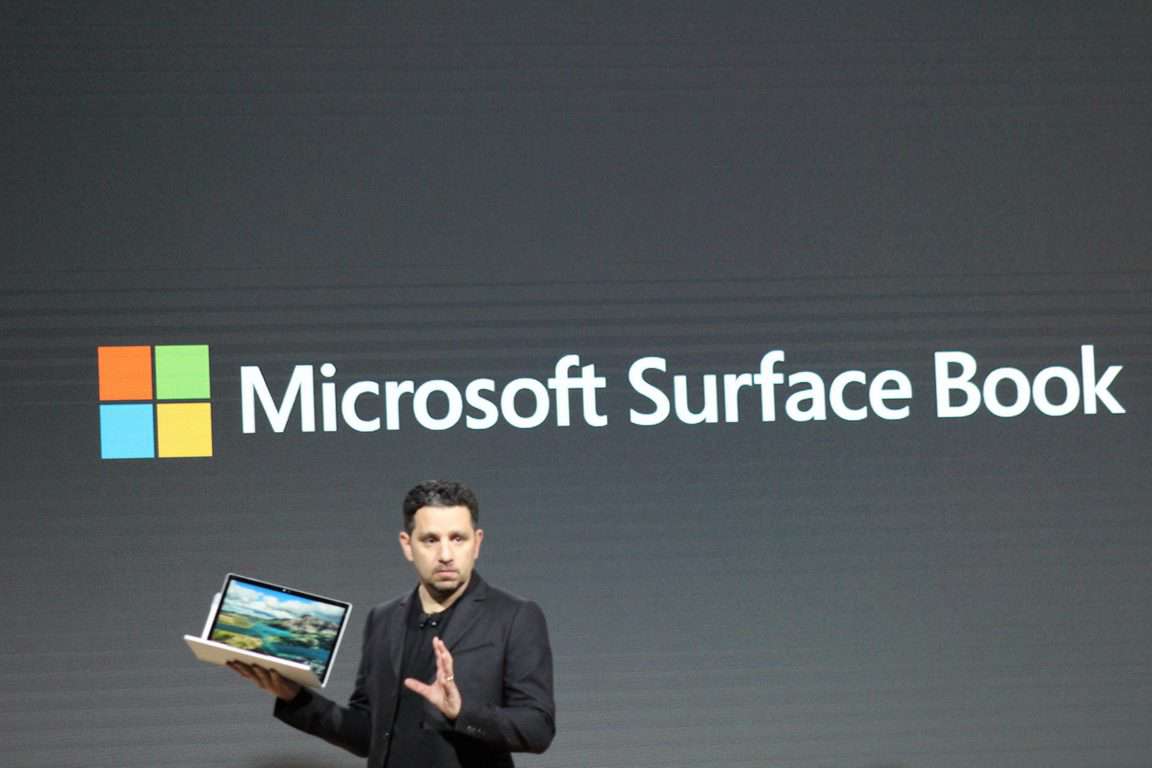
Ever since the entrance of the Surface Book about a year and a half ago, the detachable 2-in-1 laptop has been a big hit for the Surface family and even still continues to make Microsoft money. Today, Neowin reported a new configuration model for the Surface Book with improved specs.

Taking advantage of the Intel Core i7 processor, the new SKU amps up this newest version of Surface Book all the way to $2,999. In comparison to the other more expensive 1TB SSD model released earlier this year, this one doesn’t have a discrete GPU, but it’s $200 cheaper.

Here are the specs:

  • 6th Gen Intel Core i7, 1TB SSD, 16GB RAM
  • 13.5-inch PixelSense touchscreen display
  • Surface Pen included
  • Windows 10 Pro

Unfortunately, the listing from the Microsoft Store doesn’t let you purchase the new i7 Surface Book just yet. Instead, it greets interested parties with an inconvenient “Out of Stock” notice. Looks like we’ll have to wait for an official announcement before they start shipping out.

Microsoft is bringing HDInsight, PowerBI Pro to Azure Government

Microsoft today announced that it is bringing HDInsight, and PowerBI Pro to Azure Government. This marks the company’s commitment to providing the latest in cloud innovation for government customers and means that government organizations can now manage, analyze, and visualize large quantities of data with ease.

With the power of Azure HDInsight in Azure Government, the landscape for building powerful data analysis solutions broadens. According to Microsoft, Examples of uses include the following:

  • Deploy a Big Data analysis cluster in minutes. No upfront costs, get started immediately.
  • Enable streaming and processing of large data sets in real time using Kafka, Storm, and Spark for HDInsight.
  • Build Machine Learning capabilities with Spark and R Server
  • Build intelligent applications that leverage big data to deliver personalized experiences

Similarly, with Power BI Pro for U.S. Government, big data comes to life. The Redmond giant explains that Power BI Pro for Microsoft Cloud for Government includes the following:

  • Power BI service is a cloud-based business analytics service that gives you a single view of your most critical data.
  • Power BI Desktop puts visual analytics at your fingertips with intuitive report authoring; drag-and-drop to place content exactly where you want it on the flexible and fluid canvas, and quickly discover patterns as you explore a single unified view of linked, interactive visualizations.
  • Power BI Mobile helps you stay connected to your data from anywhere, anytime; and get a 360° view of your organization data on the go – at the touch of your fingertips.

Microsoft also is announcing a preview of Cognitive Services in Azure Government. Interested parties can head over to this website to learn more about HDInsight for Azure Government. Additionally, they also can head to this website to learn how to Signup for Power BI Pro for Government, or watch this video to learn more about all these capabilities working together.

Latest Skype Preview Insider app update gets Compact Overlay (picture-in-picture) mode

Back one month ago with Windows 10 Insider build 15031 for PC, Microsoft introduced Compact Overlay mode for UWP apps. While this feature already headed to the Movies & TV app a few weeks ago, Microsoft also recently pushed out an update for Skype Preview which delivers the same picture in picture like experience to the video chatting service.

skype preview compact overlay

As noted by Windows Insider team member Jen Gentleman, support for Compact Overlay was delivered to Windows Insiders by way of a version 11.12.96.0 update to Skype Preview. Just as Microsoft promised in the initial announcement of the feature in build 15031, the support for the feature now means your video and audio calls can now enter a picture in picture mode at the corner of your screen, so you can continue the experience while switching into another app.

It’s very comforting to see Microsoft adopting the new Compact Overlay feature in stock UWP apps, but some still hope that the feature will head to the Microsoft Edge web browser as well. Let us know if you’ve already received this feature and tried it out by dropping us a comment below! Or, if you’re not fully updated, or not using this app, please check the app download button below!

Skype
Skype
Developer:
Skype
Price:
Free

Panasonic launches rugged ToughBook CF-33 2-in-1 tablet for extreme outdoors

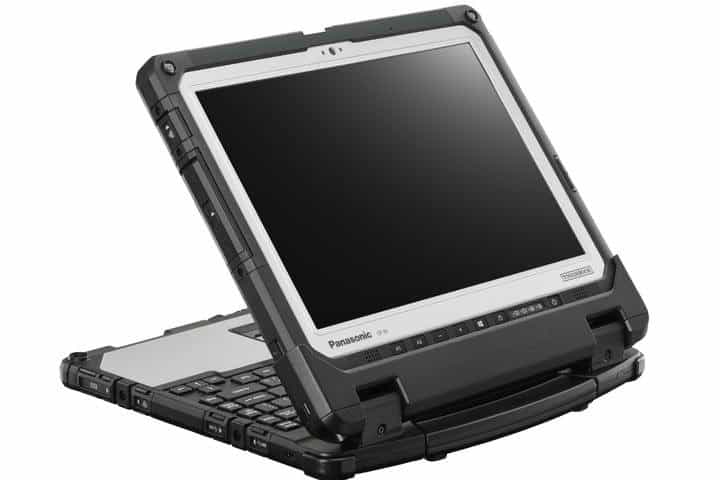
At the most recent Mobile World Congress, 2-in-1 Windows 10 devices were all the rage in the laptop and tablet segments, and Panasonic did not disappoint. While many 2-in-1 tablets on display sported a premium appearance, they did not seem capable of withstanding extreme conditions. Panasonic, on the other hand, bucked the trend with its Toughbook CF-33.

The Panasonic ToughBook CF-33 2-in-1 tablet has an IP65 rating, which means it is dust-resistant and protected against water projected from a nozzle. The device’s ruggedness is due to its magnesium chassis that allows it to endure drops and falls.

Features

Other key features of the tablet include:

  • Windows 10 and up to a 7th generation Intel Core processor
  • A 2MP webcam with stereo microphones and 8MP documentation rear camera that allows you to login quickly and easily with Windows Hello
  • A 4G LTE option, and the option for the latest U-Blox NEO-M8 GPS for precise navigation
  • USB 3.0, HDMI, LAN, micro SD-XC and headset ports
  • Twin hot swappable batteries provide you with the ability to extend the battery life and the choice to change the battery while in use
  • Desktop Port Replicator that allows the Panasonic Toughbook CF-33 2-in-1 detachable laptop to be used as a high-performance desktop device. The four-bay battery charger is ideal for large organizations where the ability to charge multiple batteries can reduce work downtime

The ToughBook CF-33 also sports a 12-inch screen that boasts a resolution of 2160×1440 pixels, with a 3:2 ratio optimal for viewing documents. Like the other high-end tablets, Panasonic’s offering also ships with a stylus rated IP55. The Panasonic Toughbook CF-33 comes in two variants: one with a detachable keyboard and another without.

Pricing and availability

In the U.S., the Panasonic CF-33 will be available in May from accredited Panasonic resellers starting at $3,499. $4,099 gets you the model with the keyboard. In Europe, the tablet will be available in second quarter of 2017 with a standard 3-year warranty. The Toughbook CF-33 2-in-1 detachable laptop model will be available to purchase for €3552/£2627 + VAT, while the Toughbook CF-33 tablet only model will go on sale for €2992/£2213 + VAT.

RELATED STORIES YOU NEED TO CHECK OUT:

Xbox One users are again complaining about the ‘Popular now’ community section of the dashboard

It all started 3 months ago, when luger33 from Reddit started a thread on the Xbox One sub-reddit, complaining about the ‘Popular now’ section of the Xbox One dashboard, which is found in the Community area. Users of Xbox One were complaining about the types of content appearing in the feed, which included people begging for likes, followers and “support.” In addition, some people picked issue with it being used to become “internet famous.”

MS, I do not want this content in my social gaming feed. PLEASE add filters or allow us to disable "Popular Now" if you won’t address this from xboxone

Around that time, it was said that Microsoft would look to rectify the issue and make changes to improve the content that is shown. Unfortunately, 3 months on, that appears to not be the case, with another thread now gaining traction on Reddit:

Anybody else tired of Popular Now? Only 235 likes & 25 mostly negative comments on this one. Phil & Major said this would be looked into ages ago. #EndTheTrend from xboxone

This time, the issue appears to be with the small amount of ‘likes’ needed to show on the Popular section, in this case it only being 235, despite content after it having 3728 and before it 1240.

Some users just want an option to disable this section, so that those who want to see this type of content can, and those who don’t, don’t. It also raises issue with how Microsoft is managing player feedback. 2 highly-upvoted threads on a sub-reddit that is frequented by Xbox’s own Major Nelson is still not enough to kick Microsoft into looking at these complaints.

Do you find the Popular now section distasteful? Would you like the option to disable it? Let us know in the comments below!

Windows 10 news recap: a look at Windows Mixed Reality, Windows 10 market share stalls and more

Welcome back to our Windows 10 news recap. We are continuing the trend of our weekly “Windows 10 news recap” series where we go over the top stories of the past week in the world of Microsoft’s flagship operating system.

Windows 10 market share stalls according to new data

Despite Microsoft’s initial goal of wanting 1 billion devices running Windows 10, it appears the trend of increasing usage has come to a halt, as market share begins to stall, according to NetMarketShare.

Netmarketshare Windows Feburary 2017

Windows 10 usage on Steam dropped for last two months in a row

In addition to NetMarketShare reporting that market share is stalling, Steam’s latest Hardware Survey data shows Windows 10 usage has dropped for 2 consecutive months.

Steam hardware survey february 2017

Take a look at Microsoft’s Windows Mixed Reality in action

Windows Mixed Reality is Microsoft’s answer to Mixed Reality in Windows 10. Bringing the computing experience and the user into a virtual world via a headset. Watch as Sean Ong shows what Windows Mixed Reality currently looks like:

New Windows “hero” wallpaper spotted in latest Windows 10 cloud build

The latest build for Windows 10 Cloud shows a new Windows “hero” wallpaper, one that has become well-known on the Windows 10 desktop.

Slack updates their Windows 10 app with cool new improvements

Slack has released a fairly significant update for its Windows 10 app, which brings performance enhancements, spellcheck for more languages, improved help documentation and more.

Slack Windows 10 App

That’s it for Windows 10 news this week – we’ll be back next week with more!

Microsoft news recap: OneDrive storage limits slashed, Skype WiFi coming to an end and more

Microsoft (MSFT) news recap is a weekly feature highlighting the top Microsoft news stories of the past week. Sit back, grab some coffee, and enjoy the read!

Time has run out, Microsoft is cutting OneDrive storage limits starting today

If you’ve been enjoying unlimited OneDrive storage as part of an Office 365 subscription, you’ll be saddened to know that the unlimited storage has come to an end and will now be limited to 1TB, after Microsoft slashed storage limits on its cloud storage service.

Microsoft releases Skype for Linux Beta version 5.0

Following Microsoft’s commitment to open source and Linux, the company has been focused on bringing an improved Skype to the Linux platform. Microsoft has now released Skype for Linux Beta version 5, which brings performance improvements and bug fixes.

Microsoft loves Linux

Microsoft kills its Skype WiFi service

One of Skype’s lesser-known features was its WiFi service, allowing users to connect to partner WiFi hotspots by paying for access via their Skype credit. Microsoft has announced that Skype WiFi is coming to an end on March 31st.

Microsoft is making gains in the classroom, while Apple falls to a distant third place

New data shows that Microsoft continues to gain traction in the classroom in the United States, despite Google still being in the lead, thanks to its Chromebook offerings. Apple, however, has fallen to 3rd. Microsoft’s Windows 10 Cloud may help it make further gains.

That’s all the top Microsoft news for the past week – we’ll be back next week with more!

Netflix error 0x80240014 [FIX]

Netflix is one of the most popular subscription services for watching TV episodes and movies. If you own a Netflix membership, you can download the app for free on your Windows 10 PC and instantly watch thousands of TV episodes and movies. If you are not a Netflix member, you can test the app for free for one month.

The Netflix app is very stable and reliable. However, you may sometimes encounter various technical issues, especially when trying to download it.

Netflix Error 0x80240014

Thousands of Windows 10 users have recently reported they weren’t able to download and install the Netflix app from the Windows Store due to error 0x80240014.

I am unable to install the Netflix app in the Windows Store.  It downloads and begins the install process the errors out with an error code of 0x80240014

I have downloaded and installed Silverlight, GOM media player and Livemall movies based on potential fixes suggested in other threads but no luck.

How to fix Netflix install error 0x80240014

As one user confims, if you get the aforementioned error code, this means that Windows is unable to identify the installation, not that it is unable to install the app. The good news is that you can simply ignore this error message.

To check if the Netflix app has installed, launch Command Prompt and type explorer shell:AppsFolder. Look for the Netflix app in the list, double click it, fill in your login info and it should be working again. You can also right click the app icon in the apps folder and create a shortcut.

If you can’t find Netflix in the AppsFolder, follow the troubleshooting steps listed below.

1. Run the Windows Store troubleshooter

If you can’t install Netflix, try running Microsoft’s dedicated troubleshooter for Windows apps. You can download the tool from Microsoft’s website.

2. Run a SFC scan

Corrupted system files may block app installs. Run a SFC scan to detect and repair corrupted files.

  1. Type cmd in the search menu > select Command Prompt > run as administrator
  2. Type the command sfc /scannow and hit Enter.

3. Install the latest Windows updates

Go to Setting > Update& Security > Check for updates > install the pending updates.

If you’ve encountered other workarounds to fix error 0x80240014, you can list the troubleshooting steps in the comment section below.

RELATED STORIES YOU NEED TO CHECK OUT:

Xbox news recap: Scorpio reveal coming before E3, Mixed reality coming to Xbox and more

Welcome to our weekly Xbox news recap series, where we go over the top stories of the past week in the world of Xbox. Let’s get started.

Scorpio reveal happening before E3 this year

Scorpio will be getting a reveal before E3 this year, according to Phil Spencer. The news came from the latest episode of IGN’s Unlocked podcast, which Spencer decided to guest star on. On top of talking about this year’s lineup of games and a few other interesting components of Xbox’s strategy, Spencer mentioned that we’ll be getting a look at Scorpio this year before E3 comes along. Since many of us were expecting a news bomb during E3, this is a very weiclcome surprise.

Mixed reality coming to Xbox and Scorpio in 2018

With the success of Playstation VR, HTC Vive, and Oculus Rift, it’s time for Microsoft to start considering what they’re going to do with this new momentum behind headset gaming. Microsoft spoke on the subject just a bit during GDC, and mentioned that they have a strategy going forward for bringing mixed reality to XBox. They cited the success of games like Pokemon GO as a motivator for their work in mixed reality gaming. While we probably won’t see anything on this for a year or two, it’s good to know it’s on the road map.

Microsoft introduces the Xbox Game Pass

Microsoft has announced the Xbox Game Pass, which is being described by many as “Netflix for games.” The Game Pass is following the model of services like EA/Origin Access: taking a monthly subscription fee for unlimited access to a collection of games. The Game Pass costs $10 a month, and it has about 100 games ready to go, including big titles like Halo 5: Guardians. Game Pass has the potential to make huge ripples throughout the industry, and we’re excited to see where it ends up leading.

Microsoft moves their E3 conference to Sunday

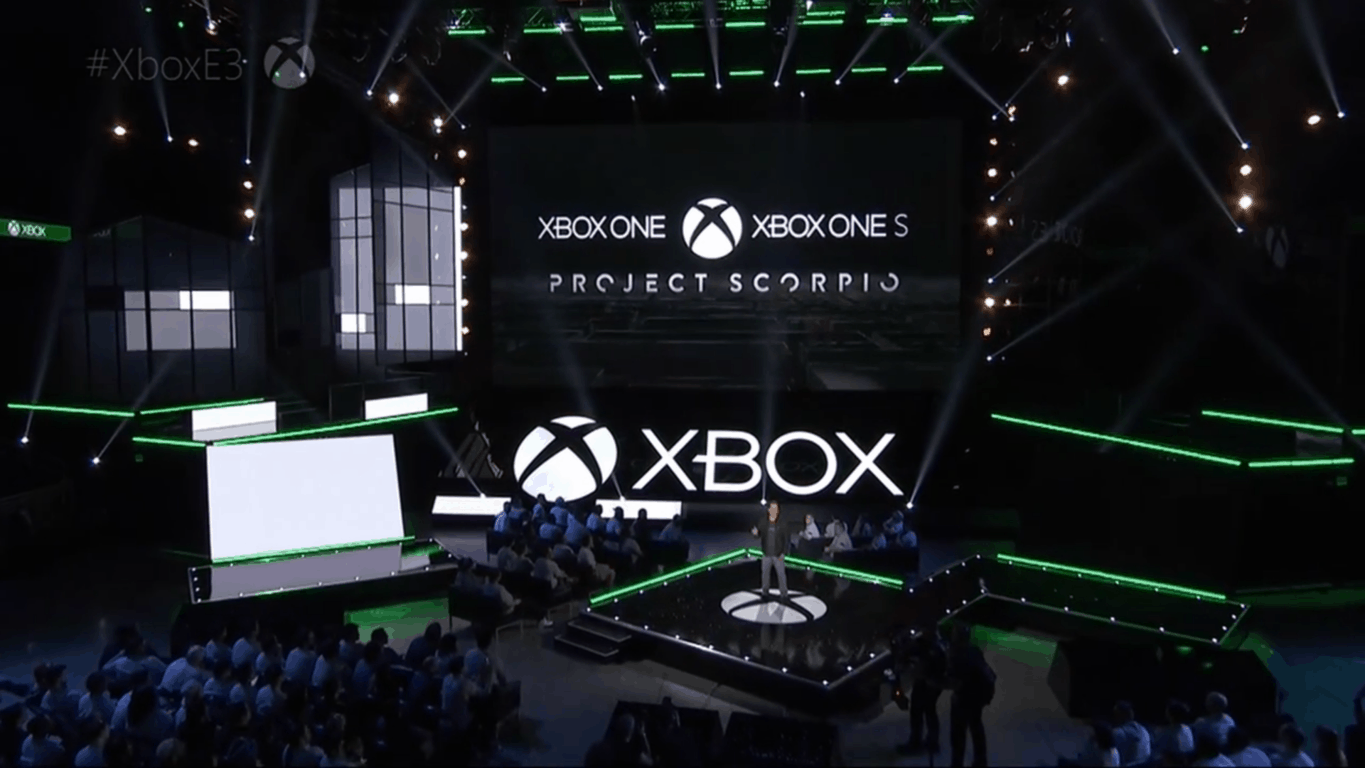
Microsoft has decided to move their E3 conference to Sunday, the last day of the conference. The change in schedule seems to be a precursor to some big announcement that the company has in store, and should actually be a pretty good sign to fans. Microsoft noted that they wanted to give their announcements some “room to breathe.” While this change in schedule is the only hint we really have as far as Microsoft’s E3 plans are concerned, it’s a good start.

Microsoft introduces the Xbox Live Creators Program

Microsoft announced the Xbox Live Creators Program at GDC this year, offering some new tools to prospective Xbox developers. The program’s main purpose is offering developers an easy way to get their titles integrated with Xbox Live, and it should also make a ton of progress towards getting more UWP titles going. This program won’t have a huge impact on gamers right now, but it opens the door for developers in the future to get more done.

UWP will bring more games to Xbox One

The introduction of UWP games has been bringing a lot of Xbox One exclusives to PC, but it hasn’t done much the other way around. One Xbox user brought this concern to the attention of Phil Spencer, and he noted that Microsoft is planning to bring more PC titles to Xbox in the future. He also said that they “Need to work towards AAA games,” suggesting that there may be a road map in place for the evolution of UWP games.

Thanks for joining us. To keep up to date with all the latest Xbox news, keep a close eye on our Xbox One news hub.

Bloons TD 5 video game launches on Xbox One

Ninja Kiwi has brought its 5-star tower defense game to Microsoft’s Xbox One console. The popular game, mainly known for its presence on mobile and handheld consoles, can now be enjoyed on the big screen through Xbox One.

A cool twist with the Xbox One edition of the game is that it supports online multiplayer. You can now play you favourite tower defense game with up to 2 people through co-operative play. Additionally, Bloons TD 5 on Xbox One comes with:

  • HD graphics
  • 21 towers
  • Special missions
  • New tier of Specialty Building upgrades
  • ZOMG3 game modes
  • Freeplay mode

and a whole lot more.

You can get the game now via the Xbox store on Xbox One.

FlatOut 4 video game available to pre-order and pre-download on Xbox One

The next instalment of the FlatOut franchise is on its way, FlatOut 4: Total Insanity, and it’s coming to Xbox One, published by Bigben Interactive. The game is now available to pre-order, which in turn allows you to pre-download the game ready for launch on March 17th.

FlatOut 4: Total Insanity brings us back to the long-awaited demolition racing games enjoyed in the past. Online multiplayer, multiple game modes and more are all playing their part in this release, bringing some of the latest gaming opportunities to the franchise.

Watch the trailer below:

The game can be pre-ordered via the Xbox store on Xbox One.

Wargroove video game announced for Xbox One, bringing multiplayer and more

Wargroove, a turn-based strategy game, has been announced for Xbox One. Developed by Chucklefish, the game provides some similarities to that of Advance Wars, however, the developers note that it is “more complicated than that.”

Supporting multiplayer capabilities, Wargroove allows up to 4 players to play along at the same time. Additionally, the game offers user-created content.

Chucklefish describes the game in a little more detail:

Wargroove is a turn-based strategy game for up to 4 players, in which each player takes control of an army and its commander unit to wage war on their enemies! Wargroove is extremely easy to pick up, with accessibility at the forefront of its design, and very difficult to master, with deep gameplay mechanics that complement strategic play.

Watch the announcement trailer below:

There’s no set release date, but we do know it is releasing this year.

Let us know what you think in the comments below!

Rogue Trooper Redux video game is coming to Xbox One, read to win your very own launch copy

Rogue Trooper Redux has been announced for Xbox One. 2000 AD’s next title is to be developed by TickTock Games, bringing a remastered edition of the previous game (from 2006) to the latest platforms, which also include PC, PS4 and Nintendo Switch.

Take a look at the tease trailer:

There’s no set release date yet, with us only being told it is “coming soon.”

Win your own copy

If you are interested in getting your hands on Rogue Trooper Redux, there’s a chance to win a copy of the game at launch. To enter, simply go to the Rogue Trooper website here and click “Sign up,” you’ll then be able to enter in for a chance to win a copy for yourself on a platform of your choice.

Let us know what you think in the comments below!

Sizer 4 is the best solution for re-sizing windows

While working with Windows, there can be very specific requirements for any particular task. If one of those requirements has to do with window dimensions, users are in luck. There is a very easy way in which windows can be fine-tuned to very specific parameters: with a nifty little tool called Sizer 4, which allows users easily make windows smaller or bigger.

Easy to use and efficient in usage

It’s very easy to use this application as it does not require any type of skill or experience. It’s literally as simple as opening the tool and then starting to resize windows. After the Sizer 4 application is open, users simply have to drag the window frame so that it takes the shape they want it to take. This updates in real time so there is no guessing game involved.

Resizing doesn’t have to be a fully manual task either. Hovering the cursor over the right top corner of any window while Sizer 4 is active will result in the cursor visually letting users know that the window can be resized. A right click will open the list of pre-determined dimensions from which one can choose the one most appropriate to them and what they’re looking for.

The list of pre-determined dimensions can be altered as users see fit. They can either remove one of the options or add a personalized one. Or, both. Thanks to Sizer 4’s ability to set up hotkeys, users can have one or multiple windows instantly re-size with the press of a button.

Great tool for easy tasks

After just a couple of uses, it becomes easy to see that downloading the tool is the most effort that needs to be put in the whole task of re-sizing windows. Today, there are many applications that bring simplicity and efficiency to the table with no hassle, and Sizer 4 is one of them.

New Chrome scam injects a malicious font update into your PC

Security firm Proofpoint uncovered a scam last month that could push malicious script onto Google Chrome for Windows, infecting your computer. A month later, the scam remains unaddressed. Cybersecurity experts are now warning Chrome users about the persistent malware that comes in the form of a font update for the browser.

The malicious script specifically targets insecure web pages by rewriting the compromised page on the infected Chrome browser. This technique is a form of social engineering, which makes the web page in question hard to read so that a fake font issue is created.

Attackers will then lure users into downloading and installing the fake font update to resolve the problem. Proofpoint explained the scam:

The pages are rendered unreadable by storing all the data between HTML tags in an array and iterating over them to replace them with “&#0”, which is not a proper ISO character; as a result, the replacement character � [9] will be displayed instead.

Attackers then present the user with a window that provides details of the “issue” and a “solution.” In reality, the supposed solution is the fake font update pack that contains malware. The security company added:

We believe this campaign began on December 10, 2016; since that time, the downloaded executable “Chrome_Font.exe” is actually a type of ad fraud malware known as Fleercivet.

At this stage, users will remain uninfected if they do not execute the downloaded file.

Proofpoint said last month that while the scam was not new, it was notable for merging social engineering and targeting of Chrome users. The security firm warned about other forms of threats where attackers could exploit the human factor and trick users into loading the malware themselves.

Have you encountered this scam over the past couple of weeks? How did you go about it? Share your thoughts in the comments.

And if you happen to see the HoeflerText font wasn’t found message prompting you to download a file, keep in mind that it’s nothing more than a scam.

Dropbox bug revives deleted files: how to fix the issue

Dropbox has faced what seemed to be a user revolt over the past couple of weeks after a bug-fixing task went awry: the patched bug resulted in the reappearance of deleted files as old as five years. As it turns out, Dropbox mistakenly placed the deleted files in quarantine instead of removing them permanently from its servers.

Dropbox explains that, in case of accidental deletion, it typically retains a file within its server for up to 30 days after a user performed the removal. The retention applies to both the basic and pro accounts. For pro users that have subscribed to Dropbox’s Extended Version History, the deleted files can stay in its servers for as long as one year.

But several users have recently been surprised to see files deleted as far back as five years ago reappearing in their Dropbox folder. In a Dropbox forum thread, one user remarked:

Old files reappeared in my Dropbox folder spanning the past 5 years. In trying to figure out the reason I came across this thread. Your post says the bug has been resolved, but in my case it seems to have taken effect in the past 24-48 hours. The link to technical support is no longer working, but I have sent in a request using the Contact Us page.

The cloud storage provider acknowledged that a bug was preventing files from being permanently removed from its servers. While fixing a bug, a Dropbox engineer inadvertently restored the deleted files and folders back to where they previously belonged. Dropbox went on to clarify that it has not been hacked, contrary to rumors.

How to permanently delete files

Although users tried to delete the old files again, the deleted items kept coming back. Thanks to a fix from the company, you can now permanently delete them. The method requires you to roll back your account to the period prior to the deletion event. To do that, contact a Dropbox support agent and provide the needed details to perform an account rollback. You can choose to revert a single shared folder, multiple shared folders, files that are not shared or your entire Dropbox account.

Be sure to back up your recent files first. Then connect with a Dropbox support and provide an event link.
Microsoft Xbox Game Pass brings rotating game list to subscribers

It’s unfortunate that not everyone can fully act on their desires to play great titles because games often times pass the $50 mark in price. However, great news recently surfaced from Microsoft: the company will be bringing a solution that will make playing games a less expensive occupation.

Xbox Game Pass can make a difference

Microsoft announced a new service called the Xbox Game Pass, a monthly subscription service that allows players to play over 100 games from different genres. It was important for the Windows creator to specify that this won’t be a streaming service and that people need to actually download the games.

Games are made available for download to members of the Xbox Game Pass and they are free to explore the plethora of games put at their disposal.

There are many titles to choose from

It is easy to assume this move is just a gimmick and that players will only be getting access to some less than mediocre games. However, it would seem that so far, the list contains some pretty good titles like Halo 5: Guardians or NBA 2K16. If that’s not necessarily their style, users could go for something like Soul Calibur 2 or PayDay 2, each bringing a different flavor to a play session. Microsoft went on to say:

“Today, we’re continuing our commitment to give you more options to diversify and expand your library of games with Xbox Game Pass, a new gaming subscription service coming later this spring. Xbox Game Pass gives you unlimited access to over 100 Xbox One and backward compatible Xbox 360 games — all for $9.99 per month.

With great games from top industry publishers such as 2K, 505 Games, BANDAI NAMCO Entertainment, Capcom, Codemasters, Deep Silver, Focus Home Interactive, SEGA, SNK CORPORATION, THQ Nordic GmbH, Warner Bros. Interactive Entertainment and Microsoft Studios, there’s something for everyone to enjoy and you will always find something exciting to play across a variety of genres.”

What if subscribers get bored of the list of games offered by Microsoft? Regardless of how cool those games might be, users can only play so much of a title before it becomes rather dull. That problem has been already solved, though: the list of games will change every month.

Promising opportunity

Microsoft intends to rotate numerous games so that the service remains fresh and appealing. In the eventuality that users really enjoy a game and would hate to see it go once the list changes, they can buy it at a discount. This will create a great opportunity for many people to experience and enjoy games that were out of their price ranges before.

RELATED STORIES TO CHECK OUT:

Microsoft is making gains in the classroom, while Apple falls to a distant third place

Over the past couple of years, Chromebooks have slowly taken over the education market in the US, forcing Microsoft and Apple to change their strategies. This week, a new report from Futuresource Consulting is giving us new hard data about how Microsoft, Google and Apple perform in the US K-12 sector and the rest of the world (via MacRumors).

According to the report, PC sales in the US K-12 sector went from 10.7 million units in 2015 to 12.6 million in 2016. Year-over-year, Windows maintained its 22% market share while Chromebooks rose from 50% to 58% in the same period. “The strong combination of affordable devices, productivity tools via G-Suite, easy integration with third party platforms/tools, task management/distribution via Google Classroom and easy device management remains extremely popular with US teachers and IT buyers alike,” explained the consulting company.

FutureSource Consulting K-12 PC schipments

Outside of the US though, PC sales in the education market fell to 13.6 million last year, a 26% year-on-year decline which Futuresource Consulting attributes to “large scale national projects that did not take place in 2016.” However, Windows’ marketshare grew from 56% to 65% last year while Chromebooks rose to 6% (up 3% points). The consulting company  added:

At an OS level, Microsoft remains a dominant market leader with a strong position in both developed and emerging markets. Microsoft has been gaining share against Android, especially in large scale emerging market deals. Whilst 90% of Chromebook global sales remain in the US, Chromebook international sales are steadily increasing in certain territories. In Northern Europe particularly, Chromebooks have been consistently gaining share and 2016 saw Chromebooks gain the #1 spot in Sweden (the first country outside of the US).

Earlier this year, Microsoft made it clear that it was ready to compete with Chromebooks in the education market: the company announced Intune for Education, a new tool that will help schools easily set up and manage classroom devices. Additionally, it revealed new partnerships with PC manufacturers to bring affordable Windows 10 PCs to the education market, starting at $189. For Mike Fisher, Associate Director of Education at Futuresource Consulting, the recent rumors about Windows 10 Cloud being targeted at the education market makes sense:

Microsoft has made huge strides in developing its education ecosystem offering in the past year, with major announcements on both the devices and platform side. To date however, these developments have not stopped Google’s momentum within the US K-12 market. Microsoft continues to face challenges to win back end-user mindshare. Chromebook users and administrators continually refer to the simplicity and ease of use of the platform. With rumours swirling in the technology press (not confirmed by Microsoft) about a potential new OS offering ‘Cloud OS’, a stripped back, simplified OS, designed specifically for cloud with education in mind, would “square the dots” on other recent moves Microsoft has made in education (in particular launching $189 devices).

We still don’t have much details about Windows 10 Cloud, expect that it will be a locked down version of Windows 10 that can only run Windows Store apps (including Win32 apps that have been ported with Desktop App Converter). This new SKU seems to be well suited for the education market, and we should learn more about it Microsoft’s Build 2017 conference.

Bolivia is not happy about Ghost Recon: Wildlands, launching next week on Windows 10, Xbox One

Almost every game is a work of fiction, even when modeled after reality. That’s one point that Ubisoft has been trying to convince the Bolivian government of in defense of their upcoming title Tom Clancy’s Ghost Recon Wildlands. The game set to come out on March 7 was produced by Ubisoft Entertainment SA in their France-based studio.

The story is set in Bolivia, a country with high mountains and appealing environment for a large open world video game. This beautiful setting is quickly interrupted with an antagonistic Mexican drug cartel that takes over the country, producing large amounts of cocaine and using the country to further its agenda.

Unfortunately, the real Bolivian government feels that the game is taking their story too far by targeting their country. Polygon reports that Minister Carlos Romero has filed a formal complaint with the French embassy demanding that they intervene with the game’s launch. If “diplomatic negotiation” isn’t enough, Romero stated that the next step might be legal action.

Ubisoft continues to claim that the game is fiction, set in line with the rest of the Tom Clancy games that portray modern world locations in turmoil. The Ghost Recon series alone have taken place in Russia, Cuba, Kazakhstan, and more. Ubisoft even issued a press statement regarding the concern of Bolivia’s portrayal, (via Polygon):

“Tom Clancy’s Ghost Recon Wildlands is a work of fiction, similar to movies or TV shows. Like all Tom Clancy’s games from Ubisoft, the game takes place in a modern universe inspired by reality, but the characters, locations and stories are all fantasies created solely for entertainment purposes,” Ubisoft said. “Bolivia was chosen as the background of this game based on its magnificent landscapes and rich culture. While the game’s premise imagines a different reality than the one that exists in Bolivia today, we do hope that the in-game world comes close to representing the country’s beautiful topography, and that players enjoy exploring the diverse and open landscapes it moved us to create.”

It will be interesting to see the response Bolivia’s government will have for Ubisoft once the game goes live on Windows, Xbox One, and PS4 in four days. The beta has already been downloaded by over six million users, none of which are likely to see the country in any further negative light due to the fiction. It is unknown at this time if there are any plans on the embassy’s part to interfere with the launch, or even if they are able to.

We’ll keep you posted here at OnMSFT if the story develops further.

Microsoft expands Accessibility website, launches KNFB Reader for the blind

In a new blog post, Microsoft is taking a look back to the past and to the future of accessibility at Microsoft. New additions include the KNFB Reader app for Windows 10 as well as an expanded Microsoft Accessibility website.

The KNFB Reader for Windows 10 was created by Microsoft in partnership with the National Federation of the Blind and Sensotec. It helps blind people be able to read documents by taking pictures of documents, and converts the image to text that can be read aloud by a voice assistant (like Cortana) or converted to Braille, when using a special screen reader.

The KNFB Reader uses audio and vibration guidance to properly line up the camera to take a correct picture of the image for text-to audio or Braille conversion. KNFB Reader is also a helpful Windows 10 app for converting image-based PDF files.  KNFB Reader is available for Windows 10, Android, and iOS. The Windows Store is offering KNFB Reader for a limited introductory price of $19.99 until March 5, 2017. After that, KNFB Reader will be available for its original price of $99.99.

Download KNFB Reader today.

OneStep Reader
OneStep Reader
Developer:
SENSOTEC NV
Price:
Free

Another new development is redesigned and expanded Microsoft Accessibility website. Microsoft relied solely on customer feedback to redesign the Microsoft Accessibility website. The customer feedback also helped Microsoft continue to improve its accessibility features in Windows 10, Office 365, Microsoft Cloud & Enterprise products and services, and even made accessibility improvements to the Xbox One.

On Global Accessibility Awareness Day in 2016, Microsoft shared an update about upcoming accessibility features for Windows 10 and Office 365. The Windows 10 Anniversary Update brought an improved screen reading experience and faster speech-to-text translation in Microsoft Narrator, better accessibility in Microsoft Edge, Outlook Mail, and the Start menu.

Over the last year, Microsoft has made extensive strides in improving its Microsoft Disability Answer Desk, providing additional chat options for people with disabilities. Here is a video of actress Marlee Matlin getting help from the Microsoft Disability Answer Desk about setting up her new Surface Pro 4 communicating in American Sign Language (ASL).

There are more accessibility features coming to other Microsoft products and services. In the coming months, Microsoft’s Cloud & Enterprise division will be making new accessibility improvements to Power BI, Dynamics 365, and Visual Studio by providing enhanced screen reader support, screen magnification and high contrast support, and better keyboard accessibility options.

If you have any comments or suggestions for Microsoft about the KFNB Reader, or the expanded Accessibility website, let Microsoft know through the Disability Answer Desk or the Microsoft Accessibility UserVoice.

911 Operator issues: game freezes, maps won’t load, and more

911 Operator is a game that will definitely change your perspective on the work of 911 operators. As a player, your task is to answer incoming calls and to react properly. You’ll give first aid instructions, advise, and sometimes you’ll just ignore the call. You can choose to play in any city in the world.

911 Operator has received very positive reviews on Steam. However, players also report that the game is affected by a series of technical issues that sometimes severely limit the gaming experience.

911 Operator reported bugs

No mission description

Sometimes, there is no mission description available. Most likely, this is a bug tied to localization. This issue is quite annoying because players don’t know what the goals are in terms of reputation.

Same problem here. I also have Boston, Seattle and Detroit in the career mode. The real problem of this is however, that the next regular city, New York, is locked. The game awaits completion of the previous cities which cannot be completed as no objectives seem to exist

Game freezes

Players also report that when they try to launch the tutorial or select the campaign, the game simply freezes and then closes with an error message.

Whenever i go to select the tutorial or the campaign the game will load for approx 2 seconds and then freeze. After the freeze i get the “this program has stopped working and needs to close” message… has anyone else had this problem? how do I fix it ?

Units don’t move

As a player, you decide when to send units to a particular case. The only problem occurs when the units you’ve assigned to go to a particular area don’t move at all.

The game ist actually unfortunally unplayable for me. I can’t send any unit to a call or whatever, they don’t move at all. Also at every start, one of the Unit I have on the map is leaving it to north-West into nowhere. everytime I try to play, no matter if I try Free Roam, Career or Tutorial mode.

Map won’t load

There are several maps that won’t load, such as Xi’an City, Ustrzyki Dolne and even big city maps like Dubai or Tokyo . The game devs are looking for a solution to fix this problem.

Yes, unfortunately Xi’an City is no playable. We are gathering those problematic cities and working to resolve issues.

Other frequent 911 Operator issues include:

  • In some calls, the text box disappears and the audio will completely stop
  • Some calls don’t end
  • Sometimes incidents appear for a couple of seconds and then disappear.

If you’ve encountered other 911 Operator bugs, you can use this Steam page to provide devs with more details.

RELATED STORIES YOU NEED TO CHECK OUT:

Tom Clancy Ghost Recon Wildlands system requirements for PC

The long-awaited Tom Clancy Ghost Recon Wildlands will soon arrive on the Xbox One and Windows PCs, allowing players to dive into a world full of dangers to stop a powerful cocaine cartel.

Tom Clancy’s Ghost Recon Wildlands is a military shooter set in a massive open world that lets you play solo or in four-player co-op. As a Ghost, you must stop the cocaine cartel by any means necessary. The missions you’ll engage in will take you to the stunning landscapes of the Wildlands both on and off road, in the air, on land, and at sea. You’ll get to use over 60 different vehicles in your pursuits.

Before you buy the game, make sure that your computer meets the necessary system requirements to avoid potential technical issues.

TC Ghost Recon Wildlands minimum system requirements:

  • OS: Windows 7 SP1, Windows 8.1, Windows 10 (64-bit versions only)
  • Processor: Intel Core i5-2400S @ 2.5 GHz or AMD FX-4320 @ 4 GHz or equivalent
  • Memory: 6 GB RAM
  • Graphics: NVIDIA GeForce GTX660 / AMD R9 270X (2GB VRAM with Shader Model 5.0 or better)
  • Storage: 50 GB available space
  • Sound Card: DirectX-compatible using the latest drivers

TC Ghost Recon Wildlands recommended system requirements:

  • OS: Windows 7 SP1, Windows 8.1, Windows 10 (64-bit versions only)
  • Processor: Intel Core i7- 3770@ 3.5 GHz or AMD FX-8350 @ 4 GHz or better
  • Memory: 8 GB RAM
  • Graphics: NVIDIA GeForce GTX970/GTX 1060 or AMD R9 390/RX480 (4GB VRAM with Shader Model 5.0 or better)
  • Storage: 50 GB available space
  • Sound Card: DirectX-compatible using the latest drivers

For more information about the game, check out the trailer below:

You can buy Tom Clancy’s Ghost Recon Wildlands for $59.99 from Steam. Tom Clancy’s Ghost Recon Wildlands Gold Edition is available for $89.99.

RELATED STORIES YOU NEED TO CHECK OUT:

Best PC games to buy

March is a very generous month in terms of new games. If you’re planning to buy a new game, but you can’t decide which one to add to your cart, we’ll give you a helping hand. In this article, we’re going to list the best games to be released this month.

Best PC games


Ricochet Kills: Noir

Ricochet Kills: Noir is a game that stands out from the crowd. It is a puzzle-shooter game in minimalistic noir style. As a player, you’ll use bullet ricochets to kill your enemies. Keep in mind that your ammo is limited, so aim well. You can try your skills on 100 different levels.

You can download Ricochet Kills: Noir from Steam. The game arrives on March, 4.

Ultimate Marvel vs. Capcom 3

Marvel and Capcom join forces to deliver the most frenetic 3 vs. 3 tag battles ever. As a player, you can select some of the most iconic Marvel and Capcom characters, and customize your team. Once you’re sure what your character is capable of, you can go head-to-head against players from around the world to see who is the strongest in the universe.

You can purchase Marvel vs. Capcom 3 for $24.99 from Steam. The game arrives on March, 7.

Tom Clancy’s Ghost Recon Wildlands

If you’re a Tom Clancy fan, this is the perfect game for you. This military shooter is set in a massive open world that you can play entirely solo or in four-player co-op.

As a player, your main task is to take down the Santa Blanca cocaine cartel that has turned Bolivia into a narco-state. Use any means necessary.

You can purchase Tom Clancy’s Ghost Recon Wildlands for $59.99 from Steam. The game arrives on March, 7.

One Sole Purpose

One Sole Purpose is a science fiction first person shooter with a horror twist. The year is 4900. As a player, you’ll take on the role of  Michael, a man who suddenly starts to hear and see things. An alien with a humanoid appearance particularly appears in your visions, claiming to be part of the race that created mankind.
Michael starts to question his own sanity, but decides to go on a quest to find his lost brother before he loses himself to madness.

You can buy One Sole Purpose from Steam. No information is available yet about the game’s price tag. The game arrives on March, 7.

Dead Rising 4

Dead Rising 4 marks the return of Frank West in a new chapter of this popular zombie game franchises. As a player, you’ll face new zombie classes that are harder to kill than ever.

You can also invite your friends to play along in a 4-player co-op multiplayer mode. Dead Rising 4 delivers a heart-pounding experience as it challenges you to explore, scavenge and fight to survive in a world full of zombies.

You can buy Dead Rising 4 for $47.99 until March 14, or $59.99 after the launch date.

Styx: Shards of Darkness

Styx: Shards of Darkness is an impressive stealth adventure game that challenges you to explore huge open environments, and sneak past or assassinate new enemies and bosses. As you strive to fulfill your missions, you’ll climb the dizzying Elven city, traverse the dangerous territory of the Dwarfs, and survive inhospitable lands filled with lethal dangers. If you fail, your kin will suffer dire consequences.

You can choose to sneak alone, or with a friend in co-op mode. The coop-mode is a drop-in / drop-out system where you can join or invite your friend whenever you want, at every stage of the story.

You can buy Styx: Shards of Darkness for $39.99 from Steam. The game arrives on March, 14.


Best Early Access games coming in March

Dark Legion VR

Dark Legion VR is a first person shooter and magic game. As a player, you’ll take on the role of a chief officer on a space mission. Unfortunately, the spaceship breaks down on the way back to earth,and you are forced to land on a mysterious planet. Here you discover that a huge military conspiracy is under way to create mutant creatures to kill the human race. To protect your own race and your own planet, load your weapons and go destroy the dark legion.

Dark Legion VR is an Early Access game that you can download from Steam.

Voodoo

Voodoo is a multiplayer open-world survival game set amidst the fantasy wildlife of primal Africa. As a player, you’ll hunt, gather and craft resources, build your village, and battle for territory and domination at the dawn of civilization.

Voodoo is an Early Access game that you can download from Steam.

Subsiege

The year is 2063, and the world as we know it has ended. A climate disaster, overpopulation and extensive consumption have resulted in the depletion of all natural resources. The last resources on earth lie 30.000ft below the ocean surface and you have to fight to get your hands on them.

Subsiege is an intense real-time tactic game with main focus on massive 12 player battles. As a player, you’ll command a squad of units to contend sea monsters and fierce competitors while your oxygen runs out with every breath.

You can download Subsiege from Steam. The game The game arrives on March, 8.

These are the most interesting games coming in March. Have you decided which one to buy?

RELATED STORIES YOU NEED TO CHECK OUT:

Microsoft planning to reveal Scorpio before E3, says Phil Spencer

Most Xbox fans have been waiting for E3 to hear more about the future of Xbox, but it seems like Microsoft’s Project Scorpio is likely to get a reveal before the convention comes along. It’s not clear just what kind of reveal we can be looking forward to, but we now have a good reason to assume that we’ll be getting information sooner rather than later. The upcoming info leak was revealed on the Unlocked podcast, where Xbox boss Phil Spencer came by to talk a bit about the future and past of Xbox, including the new Xbox Game Pass.

The podcast is an hour long, and it gives us some insight into a lot of different things in the world of Xbox right now. If you don’t feel like listening to the whole thing, you can also take a look at a post written by NeoGAF’s Theorry, who compiled some of the podcast’s highlights.

It’s definitely worth listening to the podcast if you want to learn more about items such as Game Pass, or just if you want to listen to Phil Spencer speak – he’s a great spokesperson for the brand.

Microsoft rises as an enterprise “Superbrand” but consumers aren’t as interested

The annual UK “Superbrand” survey has released for 2017, allowing companies to embrace a bit of pageantry as they get ranked from 1 to 10. The list is split up into two categories – consumer and business – and Microsoft rode to top of the latter one.

Microsoft is nowhere to be found in the top 20 consumer Superbrands, but that shouldn’t come as a huge surprise to fans. Microsoft’s appeal has never been largely focused towards the average consumer unless you’re referring to the Xbox franchise.

While Microsoft may not be making any particularly massive effort to become a consumer “superbrand” in the UK, it’s presence among other businesses is huge enough for that not to be a massive problem. Regardless, the Redmond giant doesn’t exactly need a pat on the shoulder to remind it that it’s a major superpower in technology.

You can check out more about Superbrands on the organization’s website, including this year’s lists and some more information about their featured brands.

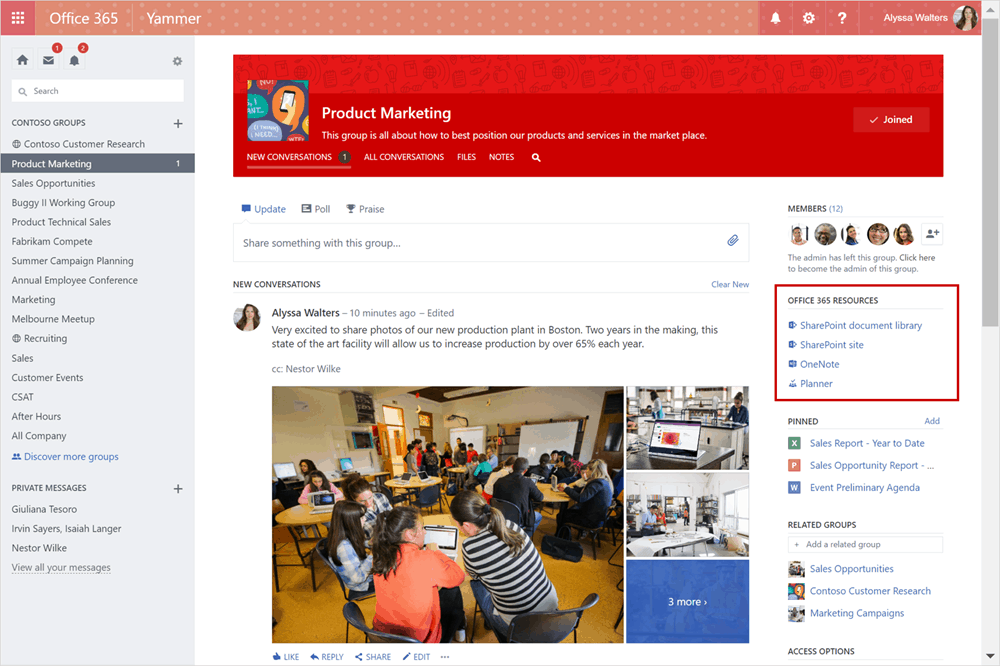
The Yammer integration with Office 365 Groups we told you about yesterday begins officially rolling out

Yesterday, we reported that Yammer would be coming to Microsoft Office 365 Groups “sometime soon”. Seems like that ‘soon’ has broken record time as the update begins to roll out today.

Yammer is by far one of the most popular social networks for team collaborations thus far. Even as Microsoft Teams was announced, users put up their defenses to prepare for competition. However, now the tool can be used in conjunction with Microsoft Office 365 Groups, combining the capabilities of the seamless document and task managements with it.

In an announcement blog post today, Microsoft highlighted the combination can be set up to make teamwork more efficient. To take advantage of the integration, Office 365 identities and tenants must be enforced in the Yammer network and only new Groups will be available, at least for now. According to the post, the team will be establishing a way of converting current groups ‘in the coming months’.

Even so, the first phase is beginning to roll out just today. It’s safe to say that you should expect to see it available just yet, but soon enough you’ll be Yammering with your Office 365 Groups integration with more to come in the future.

Microsoft moved Xbox E3 media event to Sunday so they weren’t “just in the middle”

E3 2017 is still a couple of months away, but Microsoft is already gearing up for what is expected to be one of the most interesting media events of the year. Two weeks ago, the company announced that it would hold its Xbox E3 briefing on Sunday, June 11th at 2PM PDT, two days before the show will open to the public.

In the past, the Xbox team used to hold its E3 media briefing on Monday morning, but this year Microsoft made the bold decision to be the company that kicks off E3 by moving its event a day earlier. Talking to IGN, Xbox head Phil Spencer explained that this change will give the team a better opportunity to lead the gaming narrative:

“I liked opening E3, and I felt when we weren’t opening E3 we were… just in the middle,” Spencer said. “The other platform holders were right behind us, and I felt like, ‘okay well if we’re not getting the benefit of opening E3, we’re not closing….’ It unshackled us to kind of try to go do something else. So we’re gonna try it, we’ll learn.”

Indeed, Microsoft’s previous Monday morning briefings used to be followed by a “cascade of briefings that the press is having to run to, to get everything done,” explained Spencer. “Going on Sunday I think will allow us to tell our story, and it will sit there a little more as opposed to everybody else just instantly following up with their own briefings,” he added.

Microsoft is expected to unveil Project Scorpio during its E3 briefing, a new Xbox console that will support true 4K games, VR and give some good competition to Sony’s Playstation 4 Pro. The company will also reveal more details about its lineup of Xbox exclusives games for 2017, which Spencer is really excited about.