The latest For Honor Patch cripples Shugoki, fails to fix many issues

Ubisoft recently released a new For Honor patch. Patch 1.03 is now available on all platforms and while players hoped for fixes for some of the more common issues, the new patch actually does more harm than good.

Ubisoft forums are full of reports from players about various problems caused by the most recent For Honor patch. So, in case you haven’t installed the new patch yet, keep reading this article so you can know what to expect from it.

For Honor Shugoki bugs

It appears that Shugoki is the champion that suffers the most from the recent bug. One user of the forums listed the most serious issues caused by this update that cripple the character. Here’s the complete list of the problems:

Blocking attacks don’t work

Perhaps the most annoying bug is the inability to block attacks. Namely, even if executed correctly, a player controlling Shugoki will somehow fail to block the attack and will suffer damage. This makes the game almost impossible to play with Shugoki.

“Blocking attack (light / heavy) sometimes fail so you get hit even when correct guard! This happens a lot especially when fighting fast enemies. Even when you block first attack, you can get hit with second even from same direction! Yesterday it happens lots of time (almost in every match)!”

The Charge of the Oni doesn’t start

The Charge of the Oni can be an effective special move, but only if you can perform it correctly. This doesn’t happen to be the case after installing Patch 1.03, at least according to this player:

“First problem is that sometimes it not start Charge of the Oni, but only do front dodge roll. So the enemy have nice 2-3 second to land free attack
Second problem is that you just run through enemy and nothing happens. Bug happens when enemy do some kind of attack?! I do not know, but Shugoki just run through model and enemy just stand still.
Third problem is that some BOTs (and maybe players) can guardbreak this special move! You charge towards the enemy but in front of them Charge of the Oni stops and you get guardbreak. Happens lots of time against BOTs.”

Headbutt doesn’t work

Another move that appears to be broken in Patch 1.03 is the Headbutt:

“Simply it not work. If I have luck, I can land around 20% of Headbutts after successful light / heavy hit. It even not do a guardbreak. Your model just stand still and do nothing! In Open beta I never had a problem with this move and land Headbutt in almost every situation!”

Camera clutter

And finally, this player says there’s something really wrong with the camera when you’re pushed into a corner:

“If you are pushed into a corner camera start do a chaotic move to find better point of view but fighting while camera flying through obstacles / walls is hard. You can not clearly see enemy model.”

Other For Honor 1.03 issues

Apart from Shugoki issues, the new patch also causes some problems related to other elements of the game. These problems are even more annoying because they affect a wider range of users and makes the game almost impossible to play for them.

Connection issues

The biggest For Honor problem so far is connectivity, which is unfortunate since the game’s main feature is multiplayer. And while players hoped for the new patch to resolve connection issues, it seems things only got worse:

“Annnd nothing addressing the disconnect issues. I love this game but  etting dropped from a game 20% of the time is the reason I’m trading it in as soon as ME:A drops.”

Since connection issues are still present and there’s no confirmed solution for any of them right now, Ubisoft definitely needs to do more work to provide a better online experience to players.

Random kick outs

Another bug that prevents For Honor players from playing the game normally is random kickoffs:

“Anyone having issues staying in games after the patch? It’s close to impossible for me to get through a game now without being kicked. And it seems to happen when someone quits (or maybe they’ve gotten kicked first).”

We can now only hope that Ubisoft will release a new patch that actually solves some problems without causing the new ones.

In case you’ve also encountered problems after installing For Honor Patch 1.03, feel free to let us know in the comments.

RELATED STORIES YOU NEED TO CHECK OUT

Microsoft to roll out Creators Update to Windows 10 Mobile after PC launch

While Microsoft is bracing for the release of the Creators Update for PC in April, the update’s arrival on Windows 10 Mobile was unclear – until now. The software giant confirmed in a statement to Softpedia that the Creators Update for Windows 10 Mobile will come after the PC release.

According to Softpedia, Microsoft said the initial release will come to desktops while other versions will get the Creators Update upgrade thereafter. However, that still leaves room for questions about the exact release window for Windows 10 Mobile Creators Update.

Nevertheless, the wait can’t be much longer: recall that Microsoft rolled out the Anniversary Update to Windows 10 Mobile in the summer of 2016 after launching it on PCs two weeks earlier. Also, the first feature update to Windows 10 came in the form of the November Update (version 1511), which launched in November 2015 for PCs, though the mobile version came in March of the following year.

Microsoft is now working on the final touches for the Creators Update due for release in April 2017. Windows Insiders are receiving the RTM version of the update already as the Creators Update is now feature-locked.

Microsoft has so far offered several glimpses of the new features coming with the Creators Update. These include 3D support, privacy and security features, Wi-Fi improvements, Edge improvements, and other features that should enhance user creativity.

Are you excited to get your hands on the Windows 10 Creators Update a few weeks from now? Let us know your thoughts by leaving a comment below.

RELATED STORIES YOU NEED TO CHECK OUT:

No new Windows 10 PC builds today due to lack of data, says Dona Sarkar

Earlier today, Dona Sarkar and the Windows Insider team pushed out build 15051 for Windows 10 Mobile. Windows Insiders, however, might have noticed that mention of Windows 10 PCs were absent from the announcement post. Despite teases that we might see new Fast Ring PC build, Dona Sarkar has revealed that the reason for the absence of a new PC build is due to the fact that the Windows Insider team did not have enough data to flight one.

As the release date for the Windows 10 Creators Update nears, it’s best to give Microsoft some room to perfect builds before release. We will be here all week long to cover the release of any new Windows 10 builds, so be sure to keep it tuned to OnMSFT for all the Windows news and information.

5 Best Online Virtual Piano Apps That Are Free

Do you love playing the piano? If that’s so, you might use virtual piano online or Piano 10 software for Windows.

We prefer virtual pianos since they are easily accessible, and in today’s guide, we’re going to show you the best options to choose from.

How can I play piano online?

  1. Visit any online virtual piano website.
  2. Use your mouse or keyboard to play the notes.
  3. Customize your piano settings if needed.

What is the best online virtual piano to use?

Virtual Piano – Best overall

First, check out the Virtual Piano website, which includes an expansive piano that fills most of your browser’s window. That’s one of the largest virtual pianos that includes more key notes than most alternatives. The piano has some handy extra options such as Key Assist that highlights all the corresponding keyboard buttons on the piano. In addition, you can press Change Styles to select alternative piano colors.

The website also includes an extensive collection of music sheets. You can open music sheets in Song From Movies, Songs From TV, Songs From the Stage, and Songs From Games categories. Another good thing about this site is that you can play a variety of virtual piano videos or even add your own recorded clips to it. So this is certainly a virtual piano keyboard you should check out.

Other great features:

  • Key assist
  • Supports alternative piano colors
  • Offers an extensive collection of music sheets
  • Easy to use

⇒ Try Virtual Piano

Online Pianist – Great user interface

Online Pianist is a website that includes a virtual piano, piano sheets, and extensive tutorials. Once you open the page, you can play with both keyboard keys and mouse. That keyboard includes a couple of options to display piano and corresponding keyboard keys, but has relatively few customization settings.

However, the site has a great selection of piano sheets from notable composers in various genres for you to playback in its animated tutorials. These are mostly locked without a registered Online Pianist account, but you can still play a few of the compositions without signing in. The tutorials have a few alternative display modes and show you all the piano keys pressed, finger positions, and letter notes during the songs’ playback.

Other great features:

  • Offers piano sheets
  • Extensive tutorials
  • Works with both keyboard and mouse
  • The keyboard shows the corresponding keyboard keys

⇒ Try Online Pianist

The Method Behind the Music – Offers basic features

The Method Behind the Music website has a virtual piano you can play on this page. The Flash piano on the site is a little small as it only includes 32 keynotes, while most modern pianos have more like 88.

Nevertheless, you can still play some tunes with it; the Flash piano page also includes a handy option that opens the virtual piano in a separate window so you can browse the rest of the site and play it.

The website also includes some informative pages that explore music theory and history.

Other great features:

  • Offers 32 key notes
  • Can run in a separate window
  • Perfect for absolute beginners

⇒ Try The Method Behind the Music

Zebra Keys – Straightforward to use

Zebra Keys is a piano tutorial site that includes a small virtual keyboard on this web page to play chords and melodies with.

This keyboard is limited to 24 keys, so it’s probably better for beginner songs. Aside from the virtual keyboard, the website includes over 50 free piano lessons incorporating flash visual animations and video tutorials.

Zebra Keys also has some sheet music you can download in PDF format.

Other great features:

  • Has 24 keys
  • Perfect for beginners
  • Offers 50 free piano lessons
  • Ability to download sheet music

⇒ Try Zebra Keys

ButtonBass – Highly customizable

ButtonBass is a great musical website that has a variety of virtual keyboards. This website includes 12 different types of virtual pianos, such Trap, Jungle, ATL, Buttonbass, 8 Bit, and Player Piano.

Each piano has customizable controls for musical effects, and you can adjust the volume levels for every key. The pianos even include microphone options to record some lyrics for songs. In addition, you can also select to display various songs to play on the virtual piano keyboard.

This site isn’t limited to virtual piano keyboards either, as it includes guitars, cubes, drums, and mixers. Many of the instrument widgets on this website are also available for download. Unlike some other sites here, ButtonBass doesn’t provide any instrument tutorials; but its virtual pianos have the most extensive options.

Other great features:

  • Offers 12 different piano types
  • Each piano is fully customizable
  • Microphone support
  • Offers other instruments as well

⇒ Try ButtonBass

So those are five sites that include virtual piano keyboards to play your favorite songs with.

Even if you’ve hardly played the piano before, some websites have extensive piano tutorials and classic compositions for you to playback in the browser.

For more advanced users, we recommend using piano software instead since it offers more features.

The Nintendo Switch’s Joy Con controllers are compatible with Windows 10

One of the cool things Xbox owners can do is use their Xbox wireless controllers to play games on their PCs. The compatibility they have with Windows 10 opens up a lot of opportunities for a good time away from the Xbox itself. A similar thing is now happening with the Joy Con controllers, the small controllers that come with the new Nintendo Switch console.

Joy Con controllers can be used with other devices

Many are buying the new Nintendo Switch and are fascinated by the mechanics behind it. However, some might be interested in playing something other than The Legend of Zelda: Breath of the Wild. In this case, playing some of the games stored on a Windows 10 PC sounds like a great idea. The great thing here is that the Joy Con controllers are actually compatible with Windows 10, meaning that users can use a Bluetooth connection to establish a link between the two.

Just connect them via Bluetooth

It is worth noting that the two controllers have to be connected to the computer through Bluetooth individually. Once they are connected to the Windows 10 PC, the next step involves downloading the JoyToKey app which lets users map out the buttons on the controllers to suite the commands of a PC game.

They are compatible with many devices

Once that’s done, users are free to play games on Windows 10 devices using the Joy Cons. They also work with Android devices, showing that they have a broad palette when it comes to compatible devices. It is yet unknown whether players would be able to connect the controllers to a Windows 10 Mobile device, but it’s only a matter of time before someone on the internet confirms or denies this.

Nintendo has created quite a ruckus in the gaming industry with the launch of its newest console, the Switch. Many are eager to see how Nintendo will handle this very successful launch and how it will proceed as far as new game releases go.

RELATED STORIES TO CHECK OUT:

You won’t be able to ummm… enhance your manhood… in Conan Exiles on Xbox One

If you were hoping to play Conan Exiles on Xbox One for its uniquely customizable character models, you might want to reconsider. According to Glixel (via Kotaku), the early access game’s male endowment slider won’t be available on the Microsoft console.

Since it first became available through Steam, Conan Exiles has gone viral with male enhancement jokes across social media. This was possibly unexpected but welcome publicity for the title from Funcom, boosting it to 3 million copies sold. Joel Bylos, creative director of Conan Exiles, explained in the interview that the choice to include full nudity in the full game just made the most sense.

For those that might not know, Conan Exiles is an open-world survival game in the lands of Conan the Barbarian. Players are exiles left to a wasteland and trapped by a deadly shield where there are enemies, monsters, and fallen gods willing to rip them apart if they can’t fend for themselves. Starting with nothing, including clothing, players learn to build, fight, and survive or die trying.

It’s worth noting that exposure to nudity is by player choice. When creating their character, they have the option to begin dressed, half dressed, or bare. Server owners are even able to limit the amount of nakedness for the players on a broader scale.

Of course, that doesn’t stop Microsoft and others from putting their foot down.

“Xbox has been pretty clear with us that it’s not going to fly,” says Bylos. “It’s just going to be off by default I think. I don’t know if partial nudity might be OK. We haven’t spoken to Xbox about breasts. They do allow breasts in some of their games, but the penises definitely won’t be there.”

Even in Japan, the game might just be outright banned for its bare necessities. ” the Japanese translation team said ‘you’ll be banned in Japan because you have penises. That’s a flat out ban,” Bylos noted, saying that they haven’t heard the complaint officially yet though.

If you’re looking to get the full experience of Conan Exiles, PC might be the way to go about it. It is currently available only as early access on Steam with plans to release the full game on both Xbox One and Playstation 4. However, the latter hasn’t declared their stance on the game’s choice of creative design just yet.

Voodoo Vince: Remastered to be released on April 18 on Xbox One and Windows 10

If you owned the original Xbox console back in the day, then you may well have come accross Voodoo Vince, an Xbox exclusive game developed by Beep Industries and published by Microsoft. A little more than 13 years after its initial release, the puzzle-platformer game has been remastered for the Xbox One and Windows 10 PCs, giving a whole new generation of gamers the chance to discover the old favorite.

“An original Xbox exclusive, Voodoo Vince debuted in September 2003 and never left our hearts,” explains the Xbox team. In Voodoo Vince, gamers play a voodoo doll searching for its owner in the city of New Orleans. The game has been popular for its snarky humor, and this HD remake will improve the game’s rendering and visual effects. You can watch the latest game trailer below:

Voodoo Vince: Remastered will be released on April 18 on the Xbox One and Windows 10 PCs, and the $14.99 title will support Xbox Play Anywhere. If you live near Boston, the game’s creator Clayton Kauzlaric will be at PAX East this weekend to preview the game a month before its global release.

Microsoft signs up another eSIM maker, could sell data connectivity directly from Windows 10 devices

Oberthur Technologies has announced its new eSIM technology, which is certified for use with Windows 10. The eSIM “card” takes the role of a SIM card but eliminates the need for a physical chip, instead relying on software to allow you to switch modify your contract (or even provider) at will.

The eSIM card’s usage is highlighted not just for mobile devices, but for compatible laptops and tablets. Ideally, using this eSIM technology, these devices will no longer need to be tied down to WiFi networks in order to gain connectivity, and will instead be able to consume data much in the way that a cell phone would.

Up until now, laptop and notebook computer users wanting to connect to a cellular network had to plug a physical SIM card into their device. With this eSIM, the physical and Mobile Operator parts of the SIM are separate and the latter can be reprogrammed remotely, which means greater flexibility for users when selecting a network of their choice. This technology will eventually enable them to stay connected on the move, without access to WiFi, by selecting one of the available cellular networks on their device, thus using mobile data in an easy and secure manner.

Just yesterday we wrote about TV White Space (TVWS) and Microsoft’s push to bring that connectivity to the United States. The introduction of this eSIM technology alongside potential TVWS coverage could potentially open up a number of opportunities for connectivity all across the nation.

Microsoft also introduced a Cellular Data app on the Windows Store last year, which allowed users to purchase data on the go, assuming they had a SIM card to work with. At the time it seemed like this was odd – given that not many Surface models have LTE connectivity – but this technology could give it new purpose.

Download web pages as PDF [How To]

The Internet is a wonderful place, full of interesting information. However, finding the right piece of information can sometimes prove to be a difficult task. As a result, when you find the information that you’re looking for, the best thing is to preserve it.

Of course, you can simply select the whole page and then copy it into a Word document, but you’ll lose the original layout. The best solution is to download the web page as PDF. In this article, we’re going to show exactly how to do this.

How to download a web page as PDF

1. Take a screenshot

The easiest way to download a web page is to simply take a screenshot. You can then paste it into Paint or other similar tools, crop it to look neat and then save it using the file format that you want.

2. Print as PDF

Depending on your browser of choice, you can use a built-in option that allows you to print a web page as PDF. For example, here are the steps to follow in Google Chrome: open the menu and select Print. You can also use the CTRL+P shortcut to print the web page as PDF.

A new window will appear, allowing you to select the exact pages that you want to print, as well as adjust various page settings, such as page color, orientation and more.

3. Use a browser extension

Another solution is to download and install a dedicated browser extension. The are plenty of extensions that allow you to save webpages as PDF, and each offer particular features. Save as PDF and Print Friendly & PDF are two of the best such extensions that you can download for Google Chrome.

RELATED STORIES YOU NEED TO CHECK OUT:

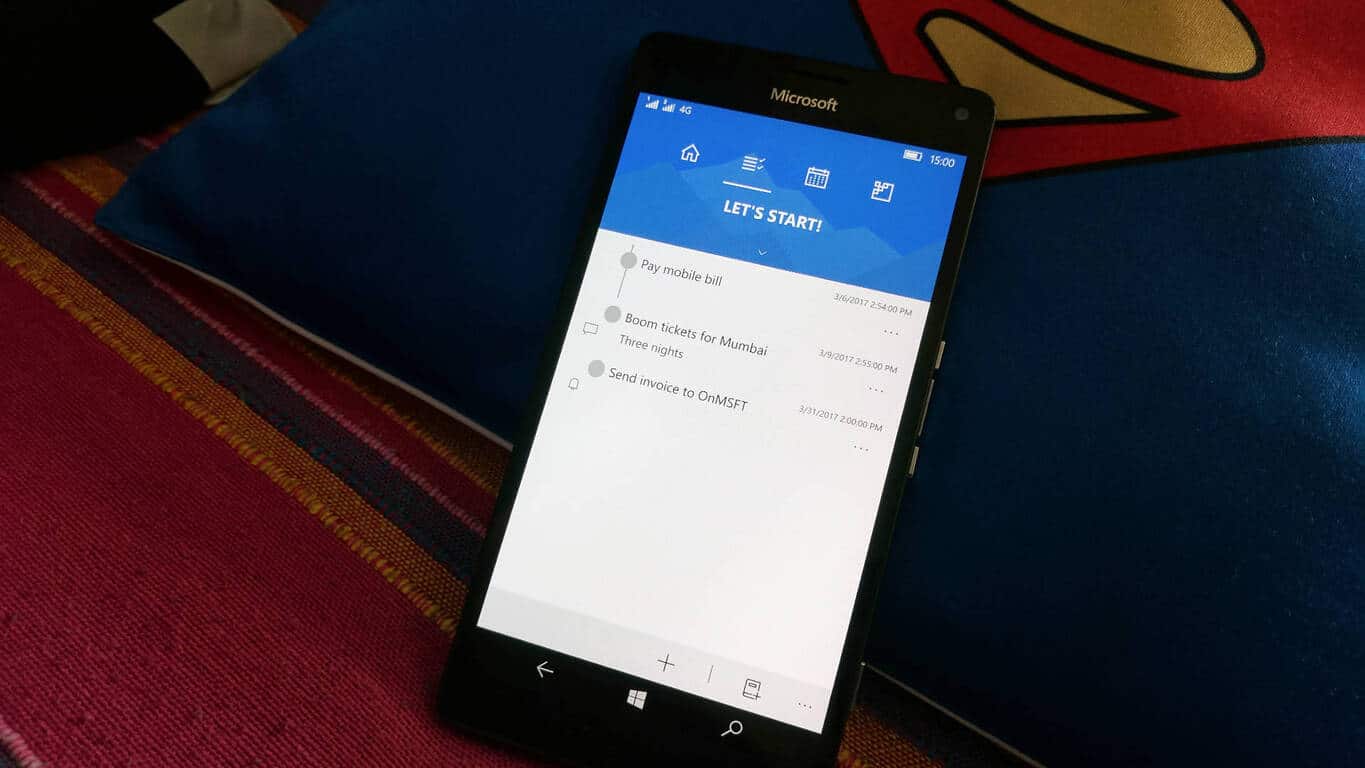
Denna is a well-rounded, universal task management app for Windows 10

While there is no dearth of task management apps on the Windows Store, Denna aims to be a well-rounded to-do list and task management for Windows 10 PCs and tablets as well as Windows 10 Mobile.

The app allows you to plan your daily tasks and habits, and set notifications and alarms for those tasks. The app also pushes reminders on the lock screen as well as the Live Tile. You can also check or postpone your activities. The highlight of Denna is it’s pretty neat and intuitive UI that allows you to see your daily, weekly, and monthly performance summary offering you an at-a-glance view of how productive you were.

With a focus on Windows 10, the app also integrates with Cortana, which is quite useful. You can ask questions like:

  • Hey, what to do today?
  • Hey, what are my habits?
  • Hey, count my habits.
  • Hey, count my tasks.
  • Hey, add a task.
  • Hey, add a habit.
  • Hey, get my performance.

I quite like the Quick Actions support on the Action Center. I can add a task from within the notification that arrives on the Action Center. It’s the quickest way on Windows 10 devices to add a task – even faster than adding a reminder for something to Cortana .

In beta at the moment, Denna supports Persian, English, and German languages and is available for free for Windows 10 PCs, tablets, and phones. The UWP app offers seamless user experience and sports a nice UI. Give it a whirl, and let us know how you like it.

Denna
Denna
Developer:
MAH Studio
Price:
Free

Dona Sarkar reveals big plans for the Windows Insider Program (and hints at a new build for today)

In a pair of tweets today, Windows Insider Chief Dona Sarkar has revealed quite a bit. First of all, in a reply to a tweet with members of the Windows Insider team getting ready to present internally on the program, Sarkar listed a bunch of new stuff coming to the program:

We can’t wait to see how these new programs flesh out, and we’re sure you’re going to enjoy some behind the scenes looks at how Windows is built, not to mention more builds!

Then, and in case you haven’t been paying close attention, Sarkar has been tweeting “no new builds” tweets fairly regularly, and fairly early in the morning, Redmond time (yesterday’s was at 5am!). So when an Insider noticed today that we haven’t had one yet, he was right on:

So get ready for a new build, and for a whole lot of new stuff for the Windows Insider program, coming soon. Of course you can stay tuned to OnMSFT for all the latest!

(and note to our old friend Brandon LeBlanc: lighten up, boy!)

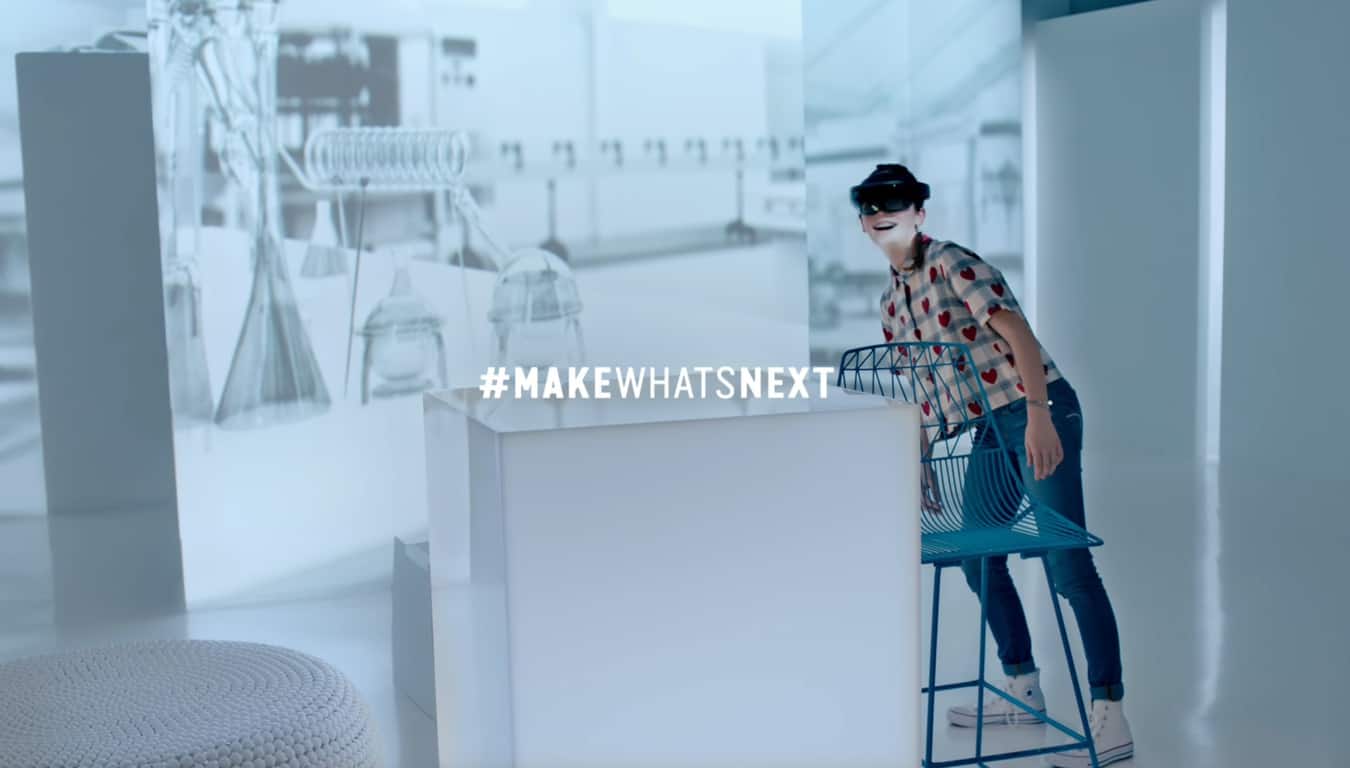
International Women’s Day is tomorrow, and Microsoft wants girls to #MakeWhatsNext

Tomorrow is International Women’s Day and Microsoft is celebrating the day with a new campaign to inspire women around the world to #MakeWhatsNext. Corporate vice president of Microsoft Philanthropies, Mary Snapp, wants #MakeWhatsNext to build upon last year’s campaign and attract more young women to the areas of science, technology, engineering, and math (STEM). The purpose of #MakeWhatsNext Snapp adds, is “to pique their excitement in how they can change the world — if they stay engaged.”

Here’s is the new video that challenges young women to stay in STEM A new video challenges girls to stay in STEM to be better equipped to tackle the world’s problems, whether it be curing cancer or finding ways to combat climate change.

Snapp believes Microsoft and other companies need to “invest time, energy and resources in a number of key areas” to attract more young women to STEM. These 4 key areas include:

  1. Celebrate the many contributions women already make.
  2. Increase access to computer science education.
  3. The technology industry must “step it up,” recruit more women for technical roles, and close the gender gap.
  4. Support female inventors.

Microsoft and LinkedIn launched a new experimental tool to promote #MakeWhatsNext and show how young women can pursue their passions in STEM careers. Snapp notes that “research continues to demonstrate that female role models are crucial for inspiring girls to stay in STEM.”

Therefore, Snapp and Microsoft believe it  is important to highlight the new apps, technology, and other contributions that women make in the tech world. Having a role model to look up to will inspire young women to strive to #MakeWhatsNext.

Xbox One’s Titanfall 2 video game currently 45% off on Amazon

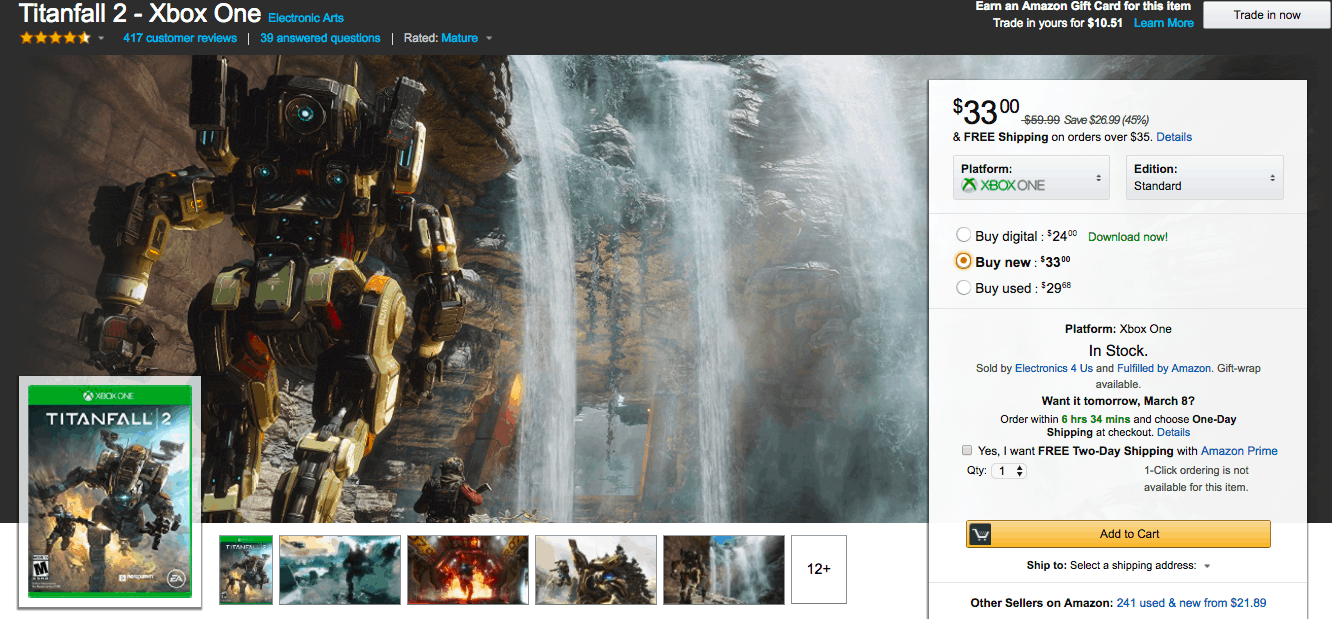
Titanfall 2, the futuristic shooter from Respawn Entertainment, is currently on sale on Amazon. The physical version of the Xbox One game is currently available to purchase for $33 (45% off), which is a pretty good discount for an AAA game that was released nearly six months ago. If you prefer to buy digital games, Amazon is also selling a Titanfall 2 download code for just $24 ($60 off), which is even more interesting.

Titanfall 2 Amazon
Titanfall 2 on Amazon.

As a reminder, you can also get the digital game for just $24 on the Xbox Store during EA’s Publisher Sale, which will last through March 13th. Titanfall 2 struggled a bit to stand out between Battlefield 1 and Call of Duty: Infinite Warfare last fall, but the game received praise for its solo campaign (the first one in the series) and its various, dynamic multiplayer modes. Let us know in the comments if you think the game is a must-have on the Xbox One.

Microsoft account sign-in goes down for some, here’s how to check on your favorite services [Updated]

You may have trouble signing in to several Microsoft online services this morning, including Outlook.com, OneDrive, Skype and Xbox Live. Microsoft has acknowledged the issue on the Skype Heartbeat blog, explaining that “we are currently working hard to resolve a problem, where users can not authenticate into Skype with their Microsoft accounts.” As for Xbox Live, the Xbox Live Status page currently says that users on all platforms could encounter problems when trying to sign in, create an account and more.

Xbox Live Status
The outage is currently affecting Xbox Live too.

According to Down Detector, Outlook.com has been having issues since 6:41 AM EST and the outage seems to be mostly affecting users in Europe and on the East Coast. However, Microsoft’s Service Health page currently says that both Outlook.com and OneDrive work fine.

Outlook.com outage map down detector
According to Down Detector, the Outlook.com outage seems to be mostly affecting users in Europe and on the East Coast.

Some members of our team are currently encountering problems when trying to sign in their Microsoft account, but some of us don’t have any problems right now. We reached out to Microsoft to know more about the outage and we’ll update this post if we learn more about it. Sound off in the comments if you have are also affected by this outage.

Update: 3/7/2017 12 PM PT: A Microsoft spokesperson provided us with the following statement via email, and noted that they are aware of the issue.

“We are aware that some customers are experiencing difficulties signing in to some services. Engineers are working to fully resolve this as soon as possible.”

Phil Spencer hints at future Japanese Xbox One/Scorpio video games

Microsoft’s Phil Spencer recently took a trip to Japan to meet with a number of Japanese third-party game developers in an attempt to encourage the production of more Japanese video games for the Xbox ecosystem.

While he hasn’t revealed the complete details regarding who exactly he met with, how many developers he saw, and what new Japanese video games fans can expect to come to the Xbox One, Spencer did reply to a follower on Twitter and mentioned that overall the Japanese developers showed a lot of interest in the Xbox One and the upcoming Project Scorpio. He also said that he got to preview “a lot” of new games and stated that his trip to Japan was “great”.

The Xbox One (as well as the original Xbox and Xbox 360) have struggled to take off in Japan where gamers prefer consoles designed by Sony and Nintendo. Part of the reason for the lack of support for the Xbox One has been the absence of hit Japanese franchises. This has changed in recent years with some series such as Final Fantasy making their way to Microsoft’s console but there’s still plenty of catching up to do. Something that could greatly help the situation is the growing emphasis of Xbox-branded video games on Windows 10 PCs, hardware that is incredibly popular in Japan for both business and pleasure. With more games launching on both Windows 10 and Xbox One via the Xbox Play Anywhere initiative, the Xbox ecosystem could potentially become much more enticing for Japanese developers to make games for.

What do you think? Do you predict a greater Xbox presence in Japan and visa-versa? What do you think would bring more Japanese devs to Xbox One? Let us know in the comments below.

How to enable IPv6 after installing Windows 10 builds

If you’re a Windows Insider who installs Preview builds regularly, you’re probably familiar with the installation issue in build 15042. This problem wasn’t a pure nightmare, as Microsoft immediately provided a viable solution.

The workaround involves disabling a corrupt registry key, along with IPv6. Since you probably installed the new build by now, Microsoft now advises Insiders to re-enable IPv6 on their computers, in order to have the best possible experience in the upcoming builds. So, you should do the same.

To re-enable IPv6 on your computer, follow these instructions:

  1. Go to Start, and type cmd
  2. Right-click Command Prompt (desktop app) in the results list
  3. Select Run as Administrator, and click Yes to confirm
  4. Paste the following and press Enter:  netsh int ipv6 set locality state=enable
  5. Close the Command Prompt window
  6. Restart your PC

That’s it, this process will re-enable IPv6 on your computer, and you’ll be safe from encountering any potential internet issues.

The latest Windows 10 Preview build 15048 also causes installation issues to some users who try to install it. However, we’ve already talked about this issues in the previous build, and apparently, it still applies to the current release. So, if you still have problems installing Windows 10 Preview builds, and the installation just rolls back to build 15031, check out this article.

In case you have some other problems related to this or previous Windows 10 Preview builds, feel free to let us know in the comments below.

RELATED STORIES YOU NEED TO CHECK OUT:

Witcher, Tomb Raider, and more get massive Deals With Gold discounts on Xbox

The Xbox Deals With Gold, Spotlight Sale, and EA Publisher Sale discounts are now available for the March 7th through 13th campaign period and there are some fantastic bargains to be had for some big video games on both the Xbox One and the Xbox 360 consoles now selling at significantly cheaper prices.

Gamers who have been introduced to the world of The Witcher through the popular Gwent card game and have been curious about trying out the video games from which the card game is based will be happy to know that The Witcher 2: Assassins of Kings Enhanced Edition can now be bought for just $2.99 on Xbox 360. The game is backwards compatible and can also be played on the Xbox One as well. Speaking of the Xbox One, The Witcher 3: Wild Hunt’s downloadable content (DLC) has all been reduced by 40% and The Witcher 3: Wild Hunt Complete Edition, which contains the main game and all of the DLC, has had its price slashed by 50% and can now be bought for $25.

Another big Xbox One game that’s now on sale for a cheaper price is Rise of the Tomb Raider, now $20. The price of the game’s Season Pass has been drastically reduced by 75% which means that all of the DLC can be grabbed for only $7.50. Rise of the Tomb Raider: 20 Year Celebration, which features the base game and all of the DLC, is now $35 with its 50% discount.

Other games to look out for on the Xbox One this week are Battlefield 4, Battlefield Hardline Standard Edition, and Unravel with 75% discounts and Plants vs. Zombies Garden Warfare 2 and Plants vs. Zombies Garden Warfare 2: Deluxe Edition with a whopping 80% savings.

On the Xbox 360, the Battlefield: Bad Company 2 – Vietnam, EA SPORTS SSX: Classic Characters Pack, and Dragon Age: Origins – Awakening DLCs are all 100% free to grab and download. Naturally, each will need their respective main games to be played. Puzzle Fighter HD, Lost Planet Colonies, Lost Planet 2, Final Fight: Double Impact, and Bionic Commando Rearmed 2 have had their prices reduced by 75%.

There are far too many discounts this week to mention them all here but all of the Xbox One and Xbox 360 discounted games should soon be completely listed within the “GOLD” section of the Xbox One dashboard (to the right of the main window). Have you bought any of these games? Share the hype with the community in the comments below.

Xbox One S error code 107 [FIX]

The Xbox One S is the latest console model that Microsoft has created. It is 40% slimmer than its predecessor, the Xbox One, and offers better graphics quality. Despite the visible progress, the Xbox One S is not an error-free console.

Speaking of errors, many users have recently reported they can’t enjoy their favorite games due to error 107. It appears that this error is prevalent for a particular game: Roblox.

Here’s how one gamer describes this issue:

Having this issue too. My kids play Roblox everyday no issues for almost a year now. Their accounts have a Live account and my main count has Gold. We’ve never had any issues and now all of a sudden I get “Your xbox account is currently not permitted to play multiplayer sessions error code 107” and we get this on every profile, even my main one with Gold
All settings in all profiles and online are set to be able to allow multiplayer and everything is the same, nothing has changed yet we get this message. .

As you can see, error 107 is a code specific for multiplayer issues. The problem is that games will continue to display error 107 even if players update the permissions.

How to fix Xbox One S error 107

Players confirm that error 107 can be fixed by using the quit option from the Xbox menu. Then sign in with a different user profile, and restart the game.

Also, make sure that you’re running the latest game version. If these two solutions didn’t help you, change the option “Share stuff people make” to everybody.

If you’ve come across other solutions to fix error 107, list the troubleshooting steps in the comment section below.

RELATED STORIES YOU NEED TO CHECK OUT:

How to add images on Unsplash to Windows 10, Chrome and Firefox

Unsplash is a website that includes an extensive collection of freely available high-resolution images. So Unsplash has some great photos for you to add to your Windows desktop. You can also add the pictures on that site to the Google Chrome and Firefox browsers with two extensions. This is how you can add Unsplash image wallpaper to both Chrome’s and Firefox’s tab pages as well as the Windows desktop.

Add Photos to Google Chrome with Unsplash Instant

  • First, add the Unsplash Instant extension to Google Chrome by pressing the + Add to Chrome button on this page. Unsplash Instant adds a random image from the website to the browser’s New tab page.
  • When you’ve added the extension, click Chrome’s New tab button. That will open the New tab page in the snapshot below, which now includes a Unsplash image!

  • The New tab page also includes a Download button that you can press to save the Unsplash image to your desktop. So press that button to save the photo to your Downloads folder.
  • Open the Downloads folder in File Explorer.
  • Now you can right-click the image there and select Set as desktop wallpaper to include it on Windows.
  • This extension also includes a browser toolbar button you can open the Unsplash site with. Press the camera button on Chrome’s toolbar and select Unsplash Instant to open the website.
  • You can save photos to Windows directly from the Unsplash site by hovering the cursor over their thumbnails. Then press the Download photo button at the bottom right corner of the photograph’s thumbnail to save it.

Add Unsplash Images to Firefox With Resplash

  • Firefox users can add Unsplash photographs to their New Tab pages with the Resplash add-on. Click here to open the Resplash page, and press the + Add to Firefox button there to add it to the browser.
  • Then press the Ctrl + T hotkey to open the New Tab page in Firefox, which will now include a Unsplash image on it as shown below.

  • To select alternative images, hover the cursor over the camera button at the top left of the page as below.

  • Then you can choose another image category to add an alternative wallpaper to the page tab.

Add Unsplash Photos to Windows 10 With MyerSplash

  • Aside from the browser extensions, you can also add Unsplash photos to the Windows desktop with the MyerSplash app. Click the Get the app button on this web page to add MyerSplash to Windows 10.
  • You can download photos by hovering the cursor over their thumbnails and pressing the arrow buttons.
  • Press the Download arrow button on MyerSplash’s menu bar to open downloaded photographs.
  • Then you can press Set As buttons on the image thumbnails to add a photo to the desktop.

MyerSplash, Resplash and Unsplash Instant are few of the handy extensions and apps with which you can add Unsplash photos to the Windows 10 desktop and Google Chrome’s and Firefox’s tab pages. With those extensions and apps you can add some great high-resolution photography to Windows, Chrome and Firefox.

Microsoft adds highly requested Large Number (BigInt) support to Access

Microsoft’s productivity app Access may not be high on the list of most used Office programs, but for those who depend on it, the Office team has delivered in a big way.

As stated on the Office Blogs, Access 2016 users can now look forward to support for a highly requested data type called Large Number (BigInt).

As a bit of a refresher, a large portion of business solutions that tap into Access do so with the built-in ability to read and write data from sources that leverage BigInt. With BigInt support coming to Office, users can now utilize the following features:

Add Large Number field to local tables

Large Number (BigInt)—now a supported data type—provides additional analytical capability and deepens the integration experience when users are importing/linking BigInt data. When creating new local tables or editing existing ones, Access now allows users to add fields that store BigInt numbers.

Turn on/off Large Number (BigInt) support for linked/imported tables

Customers specifically asked for the ability to import BigInt columns and link to tables with BigInt columns in a native way. We added an option for users to turn on/off support for Large Number in the current database. Turning Large Number support on allows users to import from and link to tables with BigInt columns, and have them represented in Access in a Large Number format.

The new Access support of BigInt will only available to active Office 365 subscribers with the first testers being Office Insiders and eventually rolling out to subscribers later. Today’s news proves that taking the time to respond via the UserVoice forums can pay off.


Get a free ticket to see ‘Beauty and the Beast’ with purchase of a qualifying Disney film from the Windows Store

Seems as though much of the world has developed Beauty and the Beast fever and the folks over in the Windows Store division are looking to help soothe some of the symptoms with a new promotional.

For a limited time (assuming before the new big Disney release) fans can buy selected movies from the Window Store and receive a $13 Fandango movie ticket to see the uber-hyped Beauty and the Beast this March 17th in the US.

The list of qualifying movies includes:

  • Cinderella
  • Alice Through the Looking Glass
  • The Jungle Book

For those jonesing for well-crafted Disney musical to prep them for Beauty and the Beast, head over to the Windows Store to get started.

5 of the best Windows 10/11 collectible card games

Digital trading card games (TCGs) have considerably expanded the card game genre on Windows. Those are games in which players expand their card collections and create customized decks to battle it out with. They were originally tabletop games, but publishers have taken them onto the Windows platform and turned them into online multiplayer games that add a new dimension to TCGs with campaign maps, 3D battlefields, stunning graphical effects and regular tournaments. These are some of the best Windows 10 card games for desktops, laptops and phones.

Order & Chaos Duels


Order & Chaos Duels is one of the biggest trading card games on the Windows, Windows 10 Mobile, Android and iOS platforms, which is based on the Order & Chaos Online MMORPG. It’s a free trading card game app you can add to Windows 10 by pressing the Get the game app button on this web page. This game is partly inspired by World of Warcraft as it contains characters, equipment and fictional universe elements that are similar to those in WoW.

Order & Chaos Duels has three fast and engaging gameplay modes for players to battle it out on. You can play through a single player campaign that has a variety of linear maps, in online ranked battles or set up custom matches by choosing the race and class of opponents. It includes almost 300 cards for you to collect. The game has great graphical quality with some spectacular effects during duels and detailed animations. However, its deep content and strategic gameplay, which incorporates numerous deck strategies, are what really set Order & Chaos Duels apart from run-of-the-mill card games.

Hearthstone: Heroes of Warcraft


The expansion of the digital TCG genre has much to do with Hearthstone: Heroes of Warcraft that revolutionized the card genre. This is the foremost trading card game that’s set in the World of Warcraft universe. A SuperData research manager stated: “Hearthstone changed player expectations. Users now expect deep gameplay in mobile titles and want the ability to share the same account and cards across multiple devices.” You can play the game on various devices without any subscription fee required by downloading the Hearthstone client installer to Windows from the Heroes of Warcraft website.

In Heroes of Warcraft players battle it out with decks of Minions and Spells to defeat the opponent Hero. You can play in classic or ranked PvP multiplayer games or a single player Adventures mode against the AI. The game includes a richly-rewarding Arena mode in which players select to play with one of three classes and then build up decks from randomly selected cards. Plus some can also play in the Hearthstone World Championship Tour for the game’s World Champion title.


Heroes of Warcraft has fantastic fast-paced gameplay, well-organized deck building and some great sound effects with in-game speech and atmospheric music. It also has one of the best free-to-play models with Quests that offer variable amounts of gold for you to get new card packs with. With that in-game purchases for new card games aren’t essential. So Hearthstone: Heroes of Warcraft offers terrific value and goes from strength to strength with new expansions and updates.

Star Realms


Start Realms was originally a tabletop card game that now has an app for desktops, laptops, tablets and mobiles. Unlike a lot of the games in the genre, Star Realms has a futuristic sci-fi theme with spaceship cards and alien factions. This game is compatible with Windows, Mac OS, Android and iOS. The full version of Star Realms is retailing on Steam at $4.99, but you can try out a demo of the game. The full version also has various expansion packs that give you new types of cards, ships and bases.

What sets Star Realms apart from other trading card games is its deck-building mechanic. Instead of building a deck before the game starts, in Star Realms you build up the deck during the course of a game. In that respect, it’s similar to the Ascension TCG; but the gameplay in Star Realms is much faster, which makes it more exciting to play. Star Realms has an immersive story-based single player campaign that puts you at the center of an intergalactic war. The campaign missions alter the core gameplay with modified setups and game rules. You can also play AI opponents one-on-one outside the campaign or battle it out online in open matches. In addition, Star Realms has a unique Pass and Play mode in which you can play against somebody else without a web connection. The game also has some great card artwork and an effective UI design that’s ideal for all devices.

Hex: Shards of Fate

Hex: Shards of Fate combines RPG elements with strategic trading card gameplay to almost establish a new genre. However, it’s also akin to Magic Duels (the latest incarnation of the The Gathering) to such an extent that Wizards of Coast filed a copyright lawsuit. Nevertheless, Shards of Fate is a little more than a Magic Duels clone as it has spectacular effects, extensive campaigns and more customizable cards. This Kickstarter game is freely available with a starter pack that includes more than 200 cards, and you can save its installer to Windows or Mac OS from this web page.

Shards of Fate has an engrossing PvE single player campaign mode that’s effectively a trading card RPG in which players are given quests and explore dungeons across world maps. For campaigns, players can create and customize their own champion character from eight different races and four classes. The most unique aspect of Shards of Fate is undoubtedly its socketed cards that enables players to customize cards with gems that enhance them in various ways. Furthermore, the PvE campaigns include a variety of weapon, armor, helmet, gloves and trinket equipment for players to collect and equip their cards with. Shards of Fate also includes the Frost Ring Arena, which is rendered in 3D with frost animations, where players battle through 20 AI opponents with a preconstructed deck.

There are also various alternative play modes for online PvP games. Players can take on random opponents in F2P casual matches. Or you can select to play in constructed deck, sealed deck and drafting modes among other game formats. Hex: Shards of Fate has myriad daily online tournaments and greater championships. Players need to invest in $2 PvP booster packs to play in the tournaments, but they do offer fairly substantial prizes. Furthermore, Shards of Fate also has an Auction House where you can obtain booster packs for tournaments. Overall, Hex: Shards of Fate offers a wealth of exciting content, and you can still expect plenty more updates and expansions for a game that has only recently stepped out of beta.

Spellweaver


Spellweaver is a TCG with gameplay comparable to Magic: The Gathering, which isn’t entirely surprising given that a Magic National Champion provided some design input for it. However, Spellweaver also has some innovative game mechanics and design elements that give it more strategic depth. This trading card game is exclusively for Windows, and you can download the client software from this page.

Spellweaver has stunning visual presentation with some great card art that perfectly fits the game’s magical fantasy theme. It has super smooth, detailed and colorful graphics. The game even includes a 3D animated background with a board that opens and retracts when the battles start and finish.


Spellweaver has an interactive combat system for more flexible gameplay, and alternative win conditions add more variety to battles. The game includes multipurpose resource Shrine cards that replace the more traditional single resource system in trading card games and further enhance the gameplay’s flexibility. This TCG is probably geared more for PvP matches, but Spellweaver still has a map for single player quests and other PvE events. In addition, it also includes a Trials drafting mode for players to take on the AI and build up their card collections. With sublime graphical quality and intuitive gameplay, Spellweaver is certainly a freemium TCG you should check out.

So forget about Poker, Solitaire, Hearts and Spades, TCGs are the best card games for Windows 10! Spellweaver, Shards of Fate, Star Realms, Heroes of Warcraft and Order and Chaos Duels are a few of the TCGs that shine in an expanding digital card game genre. If you’ve never played a trading card game before, those are some of the TCGs you should check out first.

Posted in PC

Styx: Shards of Darkness PC system requirements

Styx: Shards of Darkness is an impressive stealth adventure game that challenges you to explore huge open environments and sneak past or assassinate new enemies and bosses.

As you fulfill your missions, you’ll climb a dizzying Elven city, traverse the dangerous territory of the Dwarfs, and survive inhospitable lands filled with lethal dangers. If you fail, your kin will suffer dire consequences. Go to the darkest corners or reach the highest heights to hide from enemies. You can learn new skills by spending experience points in the assassination, infiltration, and magic categories. And if you pay attention to all the details around you, you’ll  recover valuable artifacts and find ingredients to build deadly traps for your enemies.

You can choose to sneak alone or with a friend in co-op mode. The co-op mode is a drop-in/drop-out system where you can join or invite your friend whenever you want at every stage of the story. If you want to host the game, simply open a public or private session, invite a friend or wait for random people to come. Best of all: Styx: Shards of Darkness features multi-layered sandbox environments created with Unreal Engine 4.

If you’re planning to buy Styx: Shards of Darkness, don’t forget to check the system requirements to avoid potential technical issues. The game’s publisher hasn’t yet listed the recommended system requirements, but you can already check out the minimum specs necessary to run the game.

Styx: Shards of Darkness system requirements

  • OS: Windows 7/8/10 (64-bit)
  • Processor: AMD FX-6300 (3,5GHz) / Intel i5-2500 (3,3GHz)
  • Memory: 8 GB RAM
  • Graphics: 1 GB, DirectX 11, AMD Radeon R7 260X / NVIDIA GeForce GTX 560
  • DirectX: Version 11
  • Storage: 15 GB available space

Styx: Shards of Darkness is scheduled for release on March 14, but you can already pre-order it for $35.99 from Steam. For more information about the game, you can check out the trailer below:

RELATED STORIES YOU NEED TO CHECK OUT:

This Mac loving developer has given up on Apple and returns to Windows

Apple’s latest products usually get the most attention from the media, and it safe to say that iPhones and MacBooks are often chosen as the gold standards by which all other phones and laptops are judged. And yes, even PC manufacturers and Microsoft do this today: if you check Microsoft’s website, you’ll find a “Compare to Mac” tab on the dedicated page for the Surface Pro 4.

Microsoft Surface Pro 4 Compare to Mac
Microsoft usually compares its Surface devices to Apple’s MacBooks and iPads.

However, something interesting happened last year: Apple’s latest MacBook Pros were criticized for failing to innovate without compromises, while Microsoft’s Surface Studio was praised for pushing forward the all-in-one product category. During this period, Microsoft also launched a MacBook trade-in program, explaining that “the combination of excitement for the innovation of Surface coupled with the disappointment of the new MacBook Pro – especially among professionals – is leading more and more people to make the switch to Surface.”

But has Microsoft really become more innovative than Apple last year? And more importantly, is this true that more and more professional Mac users are leaving Apple for Windows PCs? Owen Williams, fomer editor for The Next Web, developer and “die-hard Apple user” has recently published an interesting blog post to explain why he left Mac for Windows (via Daniel Rubino).

“If you ask anyone who knows me, I’m probably the biggest Apple fan they know” starts Williams, who used to recommend Macs to anynone asking him for tech advice. “But recently, I realized I’d gotten tired of Apple’s attitude toward the desktop. The progress in macOS land has basically been dead since Yosemite, two years ago, and Apple’s updates to the platform have been incredibly small,” he continued.

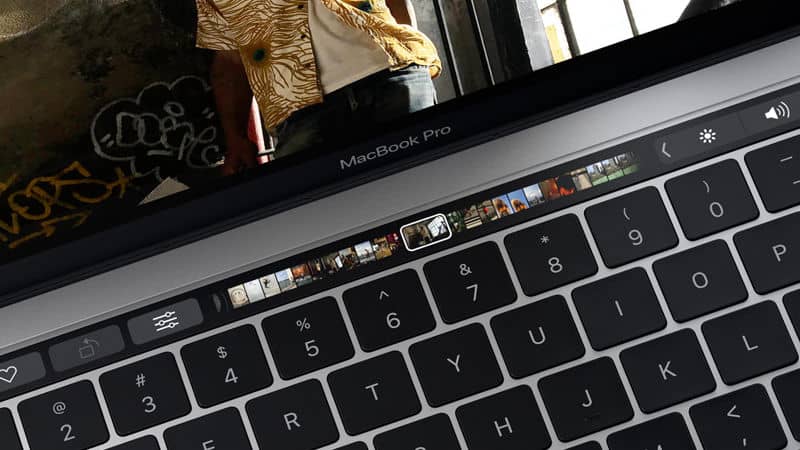
As a developer, Williams stated his disappointment to see that the company “doesn’t pay any attention to its software,” but he also has harsh words for the company’s latest MacBook Pros. “Their hardware is underpowered, focusing on thinness and a gimmicky touch bar rather than power or functionality, the previous tentpoles of the Mac.”

The Touch bar on the latest MacBook Pros.

It’s worth noting that Williams used to be loyal Windows user, until Microsoft shipped the infamous Windows Vista. “It was obvious the company had no strategy or vision, and while Windows 7 smoothed things over a little, Apple’s side had something I wanted: everything worked together nicely,” he explained. However, he didn’t jump ship until 2013, when he bought a 15-inch Retina MacBook Pro, which he “loved.” But that was before he learned about Microsoft introducing a Linux subsystem in Windows 10, a move which was well received by developers. And another couple months before Microsoft introduced the Creators Update, which will bring other interesting things for developers such as the integrated Windows Holographic shell.

“I realized I’m so damn tired of Apple’s sheer mediocrity in both laptops and desktops, and started actually considering trying Windows again,” explained Williams, who finally decided to build a Windows computer from scratch last month. Now six weeks after a not-so-easy transition, this is one of his most interesting statements:

I don’t say this lightly, but Windows is back, and Microsoft is doing a great job. Microsoft is getting better, faster at making Windows good than Apple is getting better at doing anything to OS X.

That doesn’t mean that Williams is ready to abandon his Mac though, as he’s still “not convinced there’s a good enough Windows laptop yet… but maybe that will change over time.” However, he invites all disappointed Mac users to “take another look at Windows. It’s awesome, and now you’ll be able to get something with incredible power for a great price that’s actually worth using.”

The whole blog post is very interesting to read, especially if you’re a developer or a Mac user (because yes, you can install Windows 10 on your Mac if you want too). Williams also plans to continue to share on his blog his thoughts about Windows 10 from his unique point of view. We would love to know what you think, too! Sound off in the comments if you think Microsoft now iterates faster than Apple in both the software and hardware areas.

Microsoft pushes for TV White Space internet in the US, including unlicensed spectrum

The fight for more widely available internet continues, this time on Microsoft’s home turf in the United States. According to Fierce Wireless, the tech giant is arguing the need for the FCC to approve TV white space in both licensed and unlicensed spectrums.

To fill you in, the availability of TVWS far outreaches the current 4g LTE system in a more affordable manner. The technology has been growing popular in the field in the last few years, surpassing its predecessors with a longer range that can communicate through solid objects.

Image Credit: Fierce Wireless

Dave Heiner, Vice President and Deputy General Counsel of the Regulatory Affairs at Microsoft, spoke at a Senate committee hearing last week. The “Exploring the Value of Spectrum to the U.S. Economy” session discussed the importance between unlicensed spectrum compared to licensed spectrum, both being used widely but the former approximately sixteen times more.

“We strongly support action at the FCC to ensure that enough TV white-spaces channels remain available for unlicensed use and hope the FCC will finalize commercially reasonable white-spaces rules soon so we can move ahead,” Heiner said in written testimony before the Senate Committee on Commerce, Science and Transportation Subcommittee on Communications, Technology, Innovation and the Internet.

While the CTIA is focusing on the economic value of having both spectrums in conjunction in favor of licensed, Microsoft seems to be taking a more societal approach. The tech company has been supporting the development of TVWS in other countries as well as the United States, eager to bring internet to those that cannot afford or reach it. With the unlicensed spectrum, there are less regulatory systems that will encourage innovative use of the TVWS. Their argument for unlicensed internet is strongly exampled by their partnership with Mid-Atlantic Broadband Communications and the Commonwealth of Virginia.

The company wants to put a base transmitter device in schools, covering over 7,500 students with internet access at once. By putting a $50 device into the hands of children without internet at home, Heiner argued to the committee that they could “address the homework gap”.

Of course, at this point, it is a race against time if the United Nation has anything to say about it. The goal is to bring affordable access globally by the year 2020, but as Heiner pointed out, if we are to come close to that then we need to start now. The only thing standing in the way for TVWS is the challenge of controlling it.

“It’s been a little bit of a challenge in the TV white spaces area over the past 10 years where the rules have been a little bit in flux,” he said. “We really feel like we need to move forward with investing in that technology now and we’re sort of redoubling our efforts and we feel like the rules are almost done and so we’re ready to move forward.”

TVWS isn’t a new project for Microsoft. The technology has already been implemented in Africa, India, and other countries. Even the Seattle Center was fitted with TVWS, where over 25,000 users can connect simultaneously to high-speed internet. If approved, it’s possible we could see it begin rolling out publicly within the year if not sooner.

Microsoft adds a new Core i7 Surface Book configuration to Microsoft Store

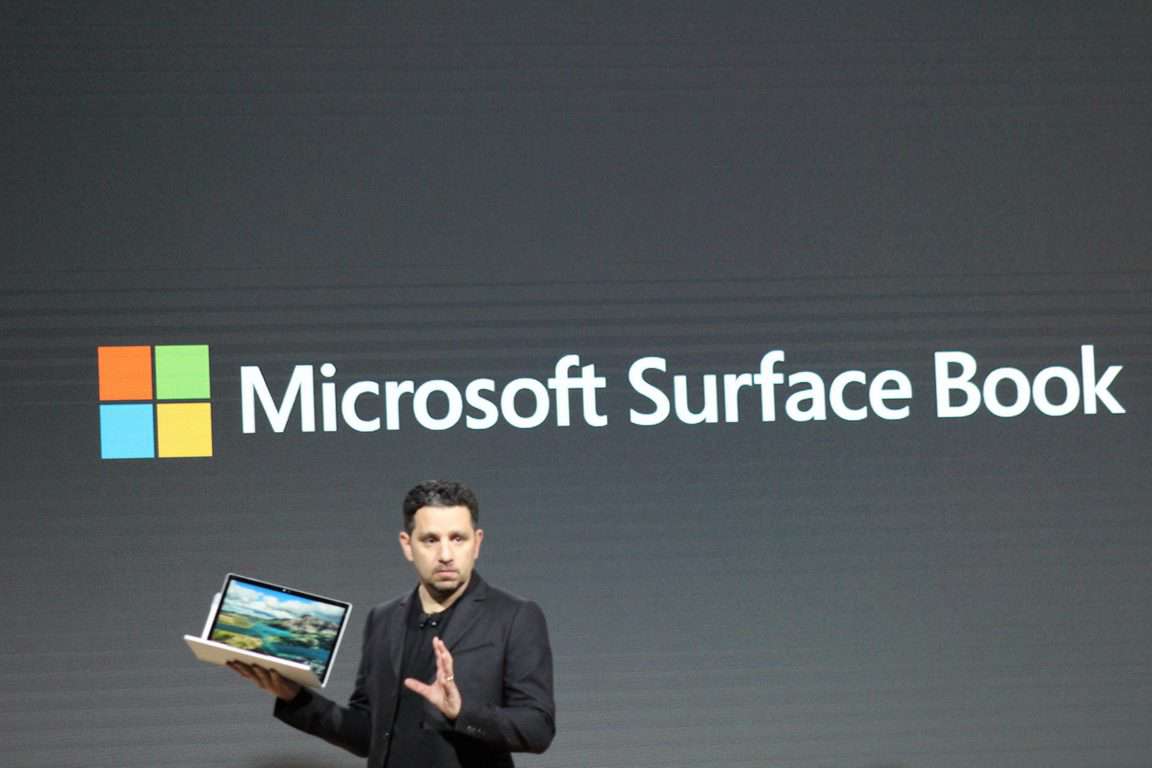
Ever since the entrance of the Surface Book about a year and a half ago, the detachable 2-in-1 laptop has been a big hit for the Surface family and even still continues to make Microsoft money. Today, Neowin reported a new configuration model for the Surface Book with improved specs.

Taking advantage of the Intel Core i7 processor, the new SKU amps up this newest version of Surface Book all the way to $2,999. In comparison to the other more expensive 1TB SSD model released earlier this year, this one doesn’t have a discrete GPU, but it’s $200 cheaper.

Here are the specs:

  • 6th Gen Intel Core i7, 1TB SSD, 16GB RAM
  • 13.5-inch PixelSense touchscreen display
  • Surface Pen included
  • Windows 10 Pro

Unfortunately, the listing from the Microsoft Store doesn’t let you purchase the new i7 Surface Book just yet. Instead, it greets interested parties with an inconvenient “Out of Stock” notice. Looks like we’ll have to wait for an official announcement before they start shipping out.

Microsoft is bringing HDInsight, PowerBI Pro to Azure Government

Microsoft today announced that it is bringing HDInsight, and PowerBI Pro to Azure Government. This marks the company’s commitment to providing the latest in cloud innovation for government customers and means that government organizations can now manage, analyze, and visualize large quantities of data with ease.

With the power of Azure HDInsight in Azure Government, the landscape for building powerful data analysis solutions broadens. According to Microsoft, Examples of uses include the following:

  • Deploy a Big Data analysis cluster in minutes. No upfront costs, get started immediately.
  • Enable streaming and processing of large data sets in real time using Kafka, Storm, and Spark for HDInsight.
  • Build Machine Learning capabilities with Spark and R Server
  • Build intelligent applications that leverage big data to deliver personalized experiences

Similarly, with Power BI Pro for U.S. Government, big data comes to life. The Redmond giant explains that Power BI Pro for Microsoft Cloud for Government includes the following:

  • Power BI service is a cloud-based business analytics service that gives you a single view of your most critical data.
  • Power BI Desktop puts visual analytics at your fingertips with intuitive report authoring; drag-and-drop to place content exactly where you want it on the flexible and fluid canvas, and quickly discover patterns as you explore a single unified view of linked, interactive visualizations.
  • Power BI Mobile helps you stay connected to your data from anywhere, anytime; and get a 360° view of your organization data on the go – at the touch of your fingertips.

Microsoft also is announcing a preview of Cognitive Services in Azure Government. Interested parties can head over to this website to learn more about HDInsight for Azure Government. Additionally, they also can head to this website to learn how to Signup for Power BI Pro for Government, or watch this video to learn more about all these capabilities working together.

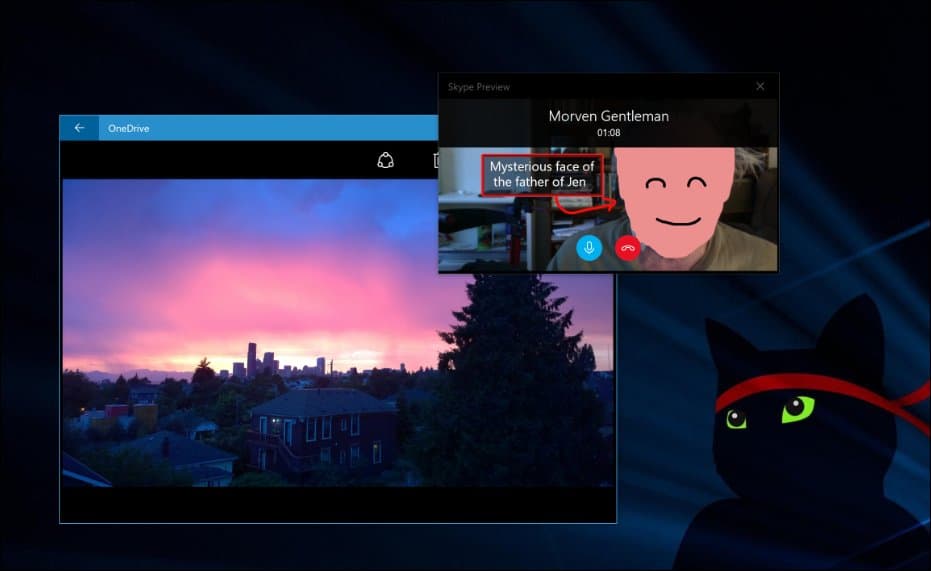
Latest Skype Preview Insider app update gets Compact Overlay (picture-in-picture) mode

Back one month ago with Windows 10 Insider build 15031 for PC, Microsoft introduced Compact Overlay mode for UWP apps. While this feature already headed to the Movies & TV app a few weeks ago, Microsoft also recently pushed out an update for Skype Preview which delivers the same picture in picture like experience to the video chatting service.

skype preview compact overlay

As noted by Windows Insider team member Jen Gentleman, support for Compact Overlay was delivered to Windows Insiders by way of a version 11.12.96.0 update to Skype Preview. Just as Microsoft promised in the initial announcement of the feature in build 15031, the support for the feature now means your video and audio calls can now enter a picture in picture mode at the corner of your screen, so you can continue the experience while switching into another app.

It’s very comforting to see Microsoft adopting the new Compact Overlay feature in stock UWP apps, but some still hope that the feature will head to the Microsoft Edge web browser as well. Let us know if you’ve already received this feature and tried it out by dropping us a comment below! Or, if you’re not fully updated, or not using this app, please check the app download button below!

Skype
Skype
Developer:
Skype
Price:
Free

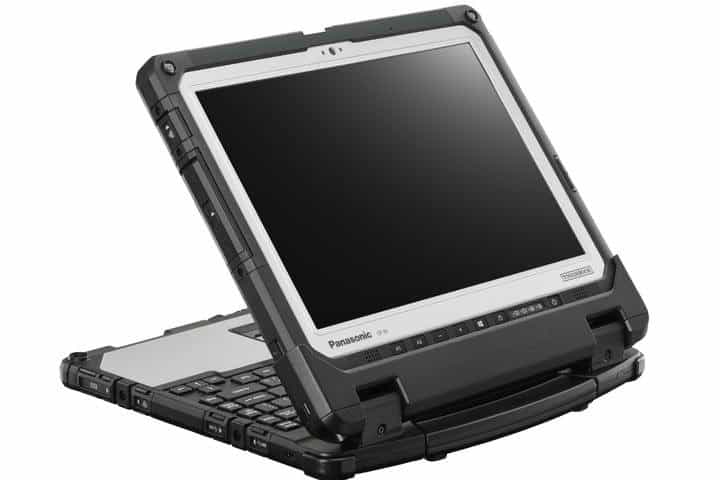
Panasonic launches rugged ToughBook CF-33 2-in-1 tablet for extreme outdoors

At the most recent Mobile World Congress, 2-in-1 Windows 10 devices were all the rage in the laptop and tablet segments, and Panasonic did not disappoint. While many 2-in-1 tablets on display sported a premium appearance, they did not seem capable of withstanding extreme conditions. Panasonic, on the other hand, bucked the trend with its Toughbook CF-33.

The Panasonic ToughBook CF-33 2-in-1 tablet has an IP65 rating, which means it is dust-resistant and protected against water projected from a nozzle. The device’s ruggedness is due to its magnesium chassis that allows it to endure drops and falls.

Features

Other key features of the tablet include:

  • Windows 10 and up to a 7th generation Intel Core processor
  • A 2MP webcam with stereo microphones and 8MP documentation rear camera that allows you to login quickly and easily with Windows Hello
  • A 4G LTE option, and the option for the latest U-Blox NEO-M8 GPS for precise navigation
  • USB 3.0, HDMI, LAN, micro SD-XC and headset ports
  • Twin hot swappable batteries provide you with the ability to extend the battery life and the choice to change the battery while in use
  • Desktop Port Replicator that allows the Panasonic Toughbook CF-33 2-in-1 detachable laptop to be used as a high-performance desktop device. The four-bay battery charger is ideal for large organizations where the ability to charge multiple batteries can reduce work downtime

The ToughBook CF-33 also sports a 12-inch screen that boasts a resolution of 2160×1440 pixels, with a 3:2 ratio optimal for viewing documents. Like the other high-end tablets, Panasonic’s offering also ships with a stylus rated IP55. The Panasonic Toughbook CF-33 comes in two variants: one with a detachable keyboard and another without.

Pricing and availability

In the U.S., the Panasonic CF-33 will be available in May from accredited Panasonic resellers starting at $3,499. $4,099 gets you the model with the keyboard. In Europe, the tablet will be available in second quarter of 2017 with a standard 3-year warranty. The Toughbook CF-33 2-in-1 detachable laptop model will be available to purchase for €3552/£2627 + VAT, while the Toughbook CF-33 tablet only model will go on sale for €2992/£2213 + VAT.

RELATED STORIES YOU NEED TO CHECK OUT:

Xbox One users are again complaining about the ‘Popular now’ community section of the dashboard

It all started 3 months ago, when luger33 from Reddit started a thread on the Xbox One sub-reddit, complaining about the ‘Popular now’ section of the Xbox One dashboard, which is found in the Community area. Users of Xbox One were complaining about the types of content appearing in the feed, which included people begging for likes, followers and “support.” In addition, some people picked issue with it being used to become “internet famous.”

MS, I do not want this content in my social gaming feed. PLEASE add filters or allow us to disable "Popular Now" if you won’t address this from xboxone

Around that time, it was said that Microsoft would look to rectify the issue and make changes to improve the content that is shown. Unfortunately, 3 months on, that appears to not be the case, with another thread now gaining traction on Reddit:

Anybody else tired of Popular Now? Only 235 likes & 25 mostly negative comments on this one. Phil & Major said this would be looked into ages ago. #EndTheTrend from xboxone

This time, the issue appears to be with the small amount of ‘likes’ needed to show on the Popular section, in this case it only being 235, despite content after it having 3728 and before it 1240.

Some users just want an option to disable this section, so that those who want to see this type of content can, and those who don’t, don’t. It also raises issue with how Microsoft is managing player feedback. 2 highly-upvoted threads on a sub-reddit that is frequented by Xbox’s own Major Nelson is still not enough to kick Microsoft into looking at these complaints.

Do you find the Popular now section distasteful? Would you like the option to disable it? Let us know in the comments below!

Windows 10 news recap: a look at Windows Mixed Reality, Windows 10 market share stalls and more

Welcome back to our Windows 10 news recap. We are continuing the trend of our weekly “Windows 10 news recap” series where we go over the top stories of the past week in the world of Microsoft’s flagship operating system.

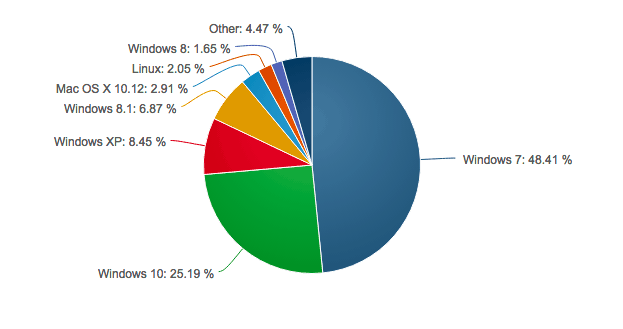
Windows 10 market share stalls according to new data

Despite Microsoft’s initial goal of wanting 1 billion devices running Windows 10, it appears the trend of increasing usage has come to a halt, as market share begins to stall, according to NetMarketShare.

Netmarketshare Windows Feburary 2017

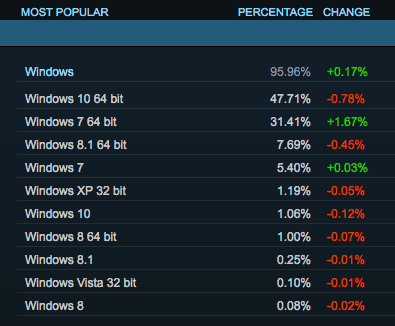
Windows 10 usage on Steam dropped for last two months in a row

In addition to NetMarketShare reporting that market share is stalling, Steam’s latest Hardware Survey data shows Windows 10 usage has dropped for 2 consecutive months.

Steam hardware survey february 2017

Take a look at Microsoft’s Windows Mixed Reality in action

Windows Mixed Reality is Microsoft’s answer to Mixed Reality in Windows 10. Bringing the computing experience and the user into a virtual world via a headset. Watch as Sean Ong shows what Windows Mixed Reality currently looks like:

New Windows “hero” wallpaper spotted in latest Windows 10 cloud build

The latest build for Windows 10 Cloud shows a new Windows “hero” wallpaper, one that has become well-known on the Windows 10 desktop.

Slack updates their Windows 10 app with cool new improvements

Slack has released a fairly significant update for its Windows 10 app, which brings performance enhancements, spellcheck for more languages, improved help documentation and more.

Slack Windows 10 App

That’s it for Windows 10 news this week – we’ll be back next week with more!

Microsoft news recap: OneDrive storage limits slashed, Skype WiFi coming to an end and more

Microsoft (MSFT) news recap is a weekly feature highlighting the top Microsoft news stories of the past week. Sit back, grab some coffee, and enjoy the read!

Time has run out, Microsoft is cutting OneDrive storage limits starting today

If you’ve been enjoying unlimited OneDrive storage as part of an Office 365 subscription, you’ll be saddened to know that the unlimited storage has come to an end and will now be limited to 1TB, after Microsoft slashed storage limits on its cloud storage service.

Microsoft releases Skype for Linux Beta version 5.0

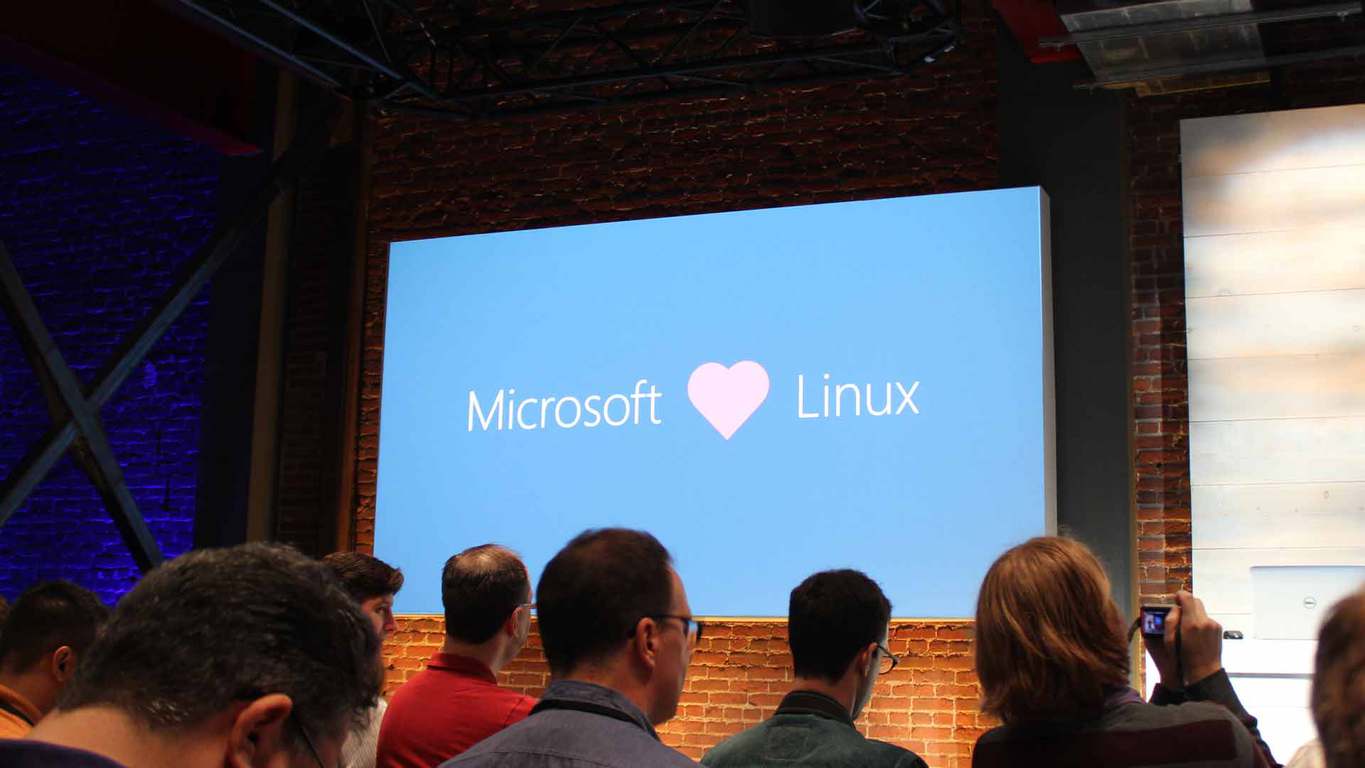
Following Microsoft’s commitment to open source and Linux, the company has been focused on bringing an improved Skype to the Linux platform. Microsoft has now released Skype for Linux Beta version 5, which brings performance improvements and bug fixes.

Microsoft loves Linux

Microsoft kills its Skype WiFi service

One of Skype’s lesser-known features was its WiFi service, allowing users to connect to partner WiFi hotspots by paying for access via their Skype credit. Microsoft has announced that Skype WiFi is coming to an end on March 31st.

Microsoft is making gains in the classroom, while Apple falls to a distant third place

New data shows that Microsoft continues to gain traction in the classroom in the United States, despite Google still being in the lead, thanks to its Chromebook offerings. Apple, however, has fallen to 3rd. Microsoft’s Windows 10 Cloud may help it make further gains.

That’s all the top Microsoft news for the past week – we’ll be back next week with more!

Netflix error 0x80240014 [FIX]

Netflix is one of the most popular subscription services for watching TV episodes and movies. If you own a Netflix membership, you can download the app for free on your Windows 10 PC and instantly watch thousands of TV episodes and movies. If you are not a Netflix member, you can test the app for free for one month.

The Netflix app is very stable and reliable. However, you may sometimes encounter various technical issues, especially when trying to download it.

Netflix Error 0x80240014

Thousands of Windows 10 users have recently reported they weren’t able to download and install the Netflix app from the Windows Store due to error 0x80240014.

I am unable to install the Netflix app in the Windows Store.  It downloads and begins the install process the errors out with an error code of 0x80240014

I have downloaded and installed Silverlight, GOM media player and Livemall movies based on potential fixes suggested in other threads but no luck.

How to fix Netflix install error 0x80240014

As one user confims, if you get the aforementioned error code, this means that Windows is unable to identify the installation, not that it is unable to install the app. The good news is that you can simply ignore this error message.

To check if the Netflix app has installed, launch Command Prompt and type explorer shell:AppsFolder. Look for the Netflix app in the list, double click it, fill in your login info and it should be working again. You can also right click the app icon in the apps folder and create a shortcut.

If you can’t find Netflix in the AppsFolder, follow the troubleshooting steps listed below.

1. Run the Windows Store troubleshooter

If you can’t install Netflix, try running Microsoft’s dedicated troubleshooter for Windows apps. You can download the tool from Microsoft’s website.

2. Run a SFC scan

Corrupted system files may block app installs. Run a SFC scan to detect and repair corrupted files.

  1. Type cmd in the search menu > select Command Prompt > run as administrator
  2. Type the command sfc /scannow and hit Enter.

3. Install the latest Windows updates

Go to Setting > Update& Security > Check for updates > install the pending updates.

If you’ve encountered other workarounds to fix error 0x80240014, you can list the troubleshooting steps in the comment section below.

RELATED STORIES YOU NEED TO CHECK OUT:

Xbox news recap: Scorpio reveal coming before E3, Mixed reality coming to Xbox and more

Welcome to our weekly Xbox news recap series, where we go over the top stories of the past week in the world of Xbox. Let’s get started.

Scorpio reveal happening before E3 this year

Scorpio will be getting a reveal before E3 this year, according to Phil Spencer. The news came from the latest episode of IGN’s Unlocked podcast, which Spencer decided to guest star on. On top of talking about this year’s lineup of games and a few other interesting components of Xbox’s strategy, Spencer mentioned that we’ll be getting a look at Scorpio this year before E3 comes along. Since many of us were expecting a news bomb during E3, this is a very weiclcome surprise.

Mixed reality coming to Xbox and Scorpio in 2018

With the success of Playstation VR, HTC Vive, and Oculus Rift, it’s time for Microsoft to start considering what they’re going to do with this new momentum behind headset gaming. Microsoft spoke on the subject just a bit during GDC, and mentioned that they have a strategy going forward for bringing mixed reality to XBox. They cited the success of games like Pokemon GO as a motivator for their work in mixed reality gaming. While we probably won’t see anything on this for a year or two, it’s good to know it’s on the road map.

Microsoft introduces the Xbox Game Pass

Microsoft has announced the Xbox Game Pass, which is being described by many as “Netflix for games.” The Game Pass is following the model of services like EA/Origin Access: taking a monthly subscription fee for unlimited access to a collection of games. The Game Pass costs $10 a month, and it has about 100 games ready to go, including big titles like Halo 5: Guardians. Game Pass has the potential to make huge ripples throughout the industry, and we’re excited to see where it ends up leading.

Microsoft moves their E3 conference to Sunday

Microsoft has decided to move their E3 conference to Sunday, the last day of the conference. The change in schedule seems to be a precursor to some big announcement that the company has in store, and should actually be a pretty good sign to fans. Microsoft noted that they wanted to give their announcements some “room to breathe.” While this change in schedule is the only hint we really have as far as Microsoft’s E3 plans are concerned, it’s a good start.

Microsoft introduces the Xbox Live Creators Program

Microsoft announced the Xbox Live Creators Program at GDC this year, offering some new tools to prospective Xbox developers. The program’s main purpose is offering developers an easy way to get their titles integrated with Xbox Live, and it should also make a ton of progress towards getting more UWP titles going. This program won’t have a huge impact on gamers right now, but it opens the door for developers in the future to get more done.

UWP will bring more games to Xbox One

The introduction of UWP games has been bringing a lot of Xbox One exclusives to PC, but it hasn’t done much the other way around. One Xbox user brought this concern to the attention of Phil Spencer, and he noted that Microsoft is planning to bring more PC titles to Xbox in the future. He also said that they “Need to work towards AAA games,” suggesting that there may be a road map in place for the evolution of UWP games.

Thanks for joining us. To keep up to date with all the latest Xbox news, keep a close eye on our Xbox One news hub.

Bloons TD 5 video game launches on Xbox One

Ninja Kiwi has brought its 5-star tower defense game to Microsoft’s Xbox One console. The popular game, mainly known for its presence on mobile and handheld consoles, can now be enjoyed on the big screen through Xbox One.

A cool twist with the Xbox One edition of the game is that it supports online multiplayer. You can now play you favourite tower defense game with up to 2 people through co-operative play. Additionally, Bloons TD 5 on Xbox One comes with:

  • HD graphics
  • 21 towers
  • Special missions
  • New tier of Specialty Building upgrades
  • ZOMG3 game modes
  • Freeplay mode

and a whole lot more.

You can get the game now via the Xbox store on Xbox One.

FlatOut 4 video game available to pre-order and pre-download on Xbox One

The next instalment of the FlatOut franchise is on its way, FlatOut 4: Total Insanity, and it’s coming to Xbox One, published by Bigben Interactive. The game is now available to pre-order, which in turn allows you to pre-download the game ready for launch on March 17th.

FlatOut 4: Total Insanity brings us back to the long-awaited demolition racing games enjoyed in the past. Online multiplayer, multiple game modes and more are all playing their part in this release, bringing some of the latest gaming opportunities to the franchise.

Watch the trailer below:

The game can be pre-ordered via the Xbox store on Xbox One.