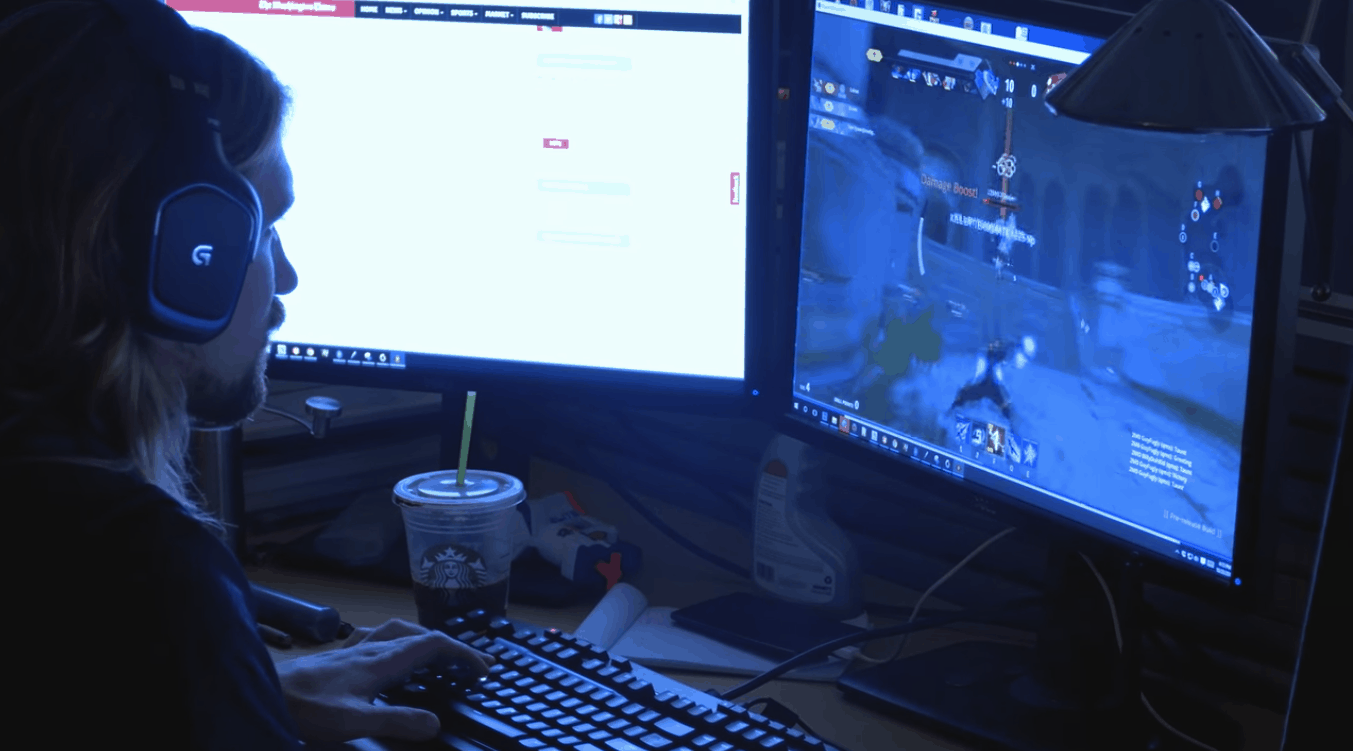
You can play the Gigantic beta for free this weekend on a Windows 10 PC, no key required

Motiga, the developer of the upcoming free-to-play MOBA game Gigantic kicked off a series of closed beta weekends over the last month for Xbox One and Windows users. Today, the company announced that the next closed beta weekend will start this Thursday, December 1 and everyone will be able to participate on their platform of choice:

This weekend, we’re not just opening the gates to everyone who played during a previous beta weekend; we’re inviting you and all your friends to grab an Arc or Xbox One beta key from one of our awesome partners, or to visit the Windows 10 Store and download the game right away– no key necessary! All you need is a valid Microsoft account, and you can download and play Gigantic as soon as the servers are online!

If you’re not familiar with the game, Gigantic’s gameplay pits teams of five heroes and their massive guardians against each other in intense battles across a variety of maps. The game is being developed for the Xbox One, Windows 10 as well as previous Windows versions through a recently announced partnership with Perfect World Entertainment. Last week, the team also published a first developer diary to share some details about the game’s development process:

If you’re interested in trying Gigantic, you can sign up over here and get ready to start playing from Thursday at 9AM PST through Sunday at 11:59 PST. The team will also hold a Gigantic Streaming Weekend on the official Gigantic Twitch channel which will feature various gaming sessions as well as discussions with game developers.

Xbox tops console sales on Black Friday in the US, Playstation leads sales in November

Last year, Microsoft’s Xbox One and Sony’s Playstation were among the top selling electronics during Black Friday 2015 in the US, and this year was not very different. According to new data from Adobe Digital Insights, both consoles were once again among the top selling electronic products on Black Friday and the holiday weekend overall this year, with Microsoft’s Xbox One outselling its Japanese rival 4 on Black Friday. However, Sony’s Playstation 4 led console sales on Cyber Monday and is also the best-selling console for the whole month of November so far (via Venture Beat)

According to the report, the top selling electronic products during this holiday week-end were (in disorder) Samsung 4K TVs, LG TVs, Apple MacBook Air and iPads, Amazon Fire tablets, Sony PlayStation 4 and Microsoft Xbox. Adobe added that Cyber Monday beat Black Friday as the largest online sales day in history with $3.39 billion spent online, and mobile shopping did help to break records as $1.19 billion was spent from mobile devices

As for Microsoft, it’s worth reminding that the Xbox One was the best-selling console for four months in a row in October, though this month was expected to be more difficult as Sony just launched its Playstation 4 Pro on November 10. Ahead of Black Friday, Microsoft announced several discounts on Xbox One S bundles and the company is likely to reiterate in the coming weeks to not let its rival lead the gaming narrative during this lucrative holiday season.

Classic Atari video games given massive discounts on Xbox One this week

Microsoft has revealed their weekly discounted video games for the Games With Gold and Spotlight Sale campaigns and there are some good bargains to be had with Xbox One games, Rugby World Cup 2015 selling for 80% off of its regular retail price and the Letter Quest/Paranautical Activity Bundle, Drawful 2, and Dead Island Retro Revenge having their prices reduced by half. One of the better bargains is the Atari Flashback Classics Volume 1 and 2 game collections which are listed with a 40-50% discount (50% for Xbox Gold Live members). Each of these collections contains 50 classic Atari games and provide excellent value for fans of classic arcade titles.

Also of note is the sale of Worms, Worms 2: Armageddon, Worms Revolution, and Worms Ultimate Mayhem on Xbox 360, which have been given a 50% discount.

Have you bought any discounted games this week? How about in the Black Friday sales? Let us know in the comments below.

Crackdown 3 reportedly in the works

Many gamers have been especially concerned with the development of the open world game Crackdown 3 by Reagent Games. Previously, it was delayed to 2017 and is apparently still in development. Though it has been a long time since we last heard an update regarding the matter. There were rumors in the past weeks that the game might never see the light of the day and had been allegedly canceled.

Recently, Phil Spencer shut the rumors down once and for all. In response to whether Crackdown 3 was still in development, Spencer said,

“@BeastFireTimdog Yep, @shannonloftis and team still working on it.”

“Yep, saw a build the other day, looked good. One thing I love about CD, you know it from a single frame, look is iconic”, Spencer further tweeted.

Microsoft Studio’s general manager also gave a lot of praise to the game in a recent interview claiming that the Crackdown 3 campaign would be worth the wait. She also added that player actions will have huge consequences, something never done before:

“Crackdown development has been going incredibly well. This new chapter both has Crackdown online mode and the traditional Crackdown campaign, which has multiplayer online. We want to launch our online beta soon, so that it’s not too far in advance of the complete campaign. We are more focused on the main campaign right now.”

The third installment in Microsoft’s series of open world shooters dates back to 2014 at the E3 conference and was officially unveiled for the very first time at E3 2015 but failed to appear at E3 2016.

There are also reports that Crackdown 3 is going to be released for Windows 10 as an Xbox Play Anywhere title like the recently released ReCore, Forza Horizon 3 and Gears of War 4. There is still no concrete information on a release date or when the purported open beta for multiplayer is taking place.

It was back in summer when the release of Crackdown 3 was confirmed to happen early next year, so there’s no denying that gamers were overwhelmed by the news given the massive success of the first two Xbox 360 installments. Amidst all let down caused by the cancellation of several titles this year, the reassurance that Crackdown 3 will materialize some time next year has definitely lifted the hopes of many gaming fanatics who have a good taste in shooting games.

If you’d like to see how one of the early builds looked, you can check out some Gamescom 2015 footage below.

5 Free Alternative Operating Systems to Windows

As Windows dominates the desktop and laptop OS industry, it’s easy to forget there are some other notable alternate operating systems.

First, it’s worth noting that Apple and Google operating systems are designed for more specialized desktops and laptops. The Mac OS X is the biggest platform after Windows, but it’s exclusively for Macs. Google developed the Chrome OS for Chromebook laptops.

As such, you can’t install either platform on Windows desktops and laptops with a Mac OS X or Chromebook DVD. The only way you can run Chrome OS and Mac OS X on Windows PC is with virtualization software such as VirtualBox.

Is there an alternative operating system to Windows?

There are various alternate operating systems to Windows. Some can be used on Windows PC, while others, like MacOS, can only be used on the device they are designed for.

We have gathered the best options you can use in the next section of this guide.

What are the best alternate operating systems to Windows?

Linux Platforms – Open-source software

ubuntu linux for surface pro devices

Linux is a UNIX OS version that’s freely available as open-source software. This is a platform developed by Linux distributors such as Zorin Group. There are a variety of Linux-based operating systems that you can add to Windows desktops or laptops.

Ubuntu is one of the best Linux operating systems available for desktops, laptops, and tablets. This operating system has a Launcher on the left side of its Unity desktop.

That’s Ubuntu’s equivalent of the taskbar from which you can open applications and switch between them. Users can also open the Dash from the Launcher, which includes recently opened software and files and a search tool.

Ubuntu also includes virtual desktops that are now incorporated into Windows 10.

Zorin OS is a Linux platform that is much more like Windows XP and 7. The developers developed Zorin OS more specifically for Linux newcomers.

Consequently, it incorporates the taskbar, system tray, and Start menu on the Windows desktop with the AWN dock. This is one of the best Linux platforms for running Windows software. You can add Zorin to your desktop or laptop from this page.

Mint is an elegant Linux OS that includes some bundled proprietary software alongside open-source programs. The inclusion of proprietary plug-ins and codecs for MP3, Flash, and DVD playback certainly enhances the platform’s multimedia support.

OS

Firefox, VLC media player, GIMP, and LibreOffice are some of the default software included in Mint.

The OS also includes a software manager (mintInstall), update manager (mintUpdate), and mintMenu that has filtering, configuration, session management, and other software options.

The SteamOS runs on a modified Linux version. This is a gaming OS primarily for the Steam Machine that’s not exactly a replacement for desktop operating systems. However, you can also add it to a Windows laptop or desktop.

Windows 10 Has a Better Game Performance Than SteamOS

So for PC gaming, this might be a good platform, but it lacks a default file manager or image viewer. It has a GNOME Shell desktop and includes the Iceweasel browser. The OS also has relatively limited multimedia support.

Remix OS – Modified Android UI

os2

Remix OS effectively brings Android to desktops and laptops with ARM or x86 architecture. The OS is based on Android Marshmallow and enables you to run all the latest Android games and apps.

This platform has a modified Android UI that incorporates a taskbar, system tray, and menu with search tools. The Remix OS runs from USB sticks with at least 8 GB storage.

However, you don’t necessarily need Remix OS to add Android to your desktop or laptop. This page includes ISOs that enable you to port Android to desktops and laptops. With one of those ISOs, you can set up a bootable USB drive and then install the OS.

⇒ Get Remix OS

Chromium OS – Google Chrome browser UI

chromium os

The Chrome OS on Chromebooks is a platform with a Google Chrome browser UI. In the Chrome OS desktop, users can run just the browser and Chrome apps.

Chromium OS is an open-source version of Chrome OS that you can install on Windows desktops and laptops with forks such as CloudReady. Chromium OS isn’t exactly the same as Chrome OS, but there isn’t much difference.

⇒ Get Chromium OS

eComStation – Drag-and-drop functionality

Not many will likely have heard of eComStation. This is effectively the OS/2 operating system that Microsoft and IBM originally developed until Microsoft left the partnership.

IBM continued development for the OS that briefly competed with Windows as OS/2 Warp. As the platform never really took off, IBM abandoned it; and Serenity Systems now distributes the OS as eComStation.

This is an OS that has a drag-and-drop UI and includes a command line interface comparable to the Command Prompt. Third-party support for eComStation is a little limited, but it includes a reasonable amount of software.

This platform has home and business editions, with the home version subscriptions retailing at a fair price for its features.

⇒ Get eComStation

Haiku – Vertical taskbar

OS3

Haiku is effectively a continuation of the BeOS platform that also fell by the wayside. This is an open-source OS that clones the BeOS UI. It’s a fast operating system with a clean UI design and a plethora of configuration options.

The most notable aspect of the Haiku desktop is the Tracker, that’s effectively a vertical taskbar from which users can open applications by clicking its blue feather icon.

BePDF, Vision, WonderBrush (an advanced graphics editor), WebPositive, NetSurf, and Pe (a text editor) are some of Haiku’s bundled software packages. It also includes built-in games such as BeMines (a Minesweeper clone), Rolemup, Colorballs, and Pairs.

You can install the platform from Haiku’s home page.

⇒ Get Haiku

So those are some of the alternate operating systems to Windows. You can add them to Windows desktops and laptops. Of those platforms, Linux probably has the most extensive third-party software support.

If you haven’t tried the latest Windows OS that has the aesthetics of MacOS, you can make the jump now and upgrade to Windows 11.

Feel free to let us know the best OS, like Windows, that you enjoy using in the comments below.

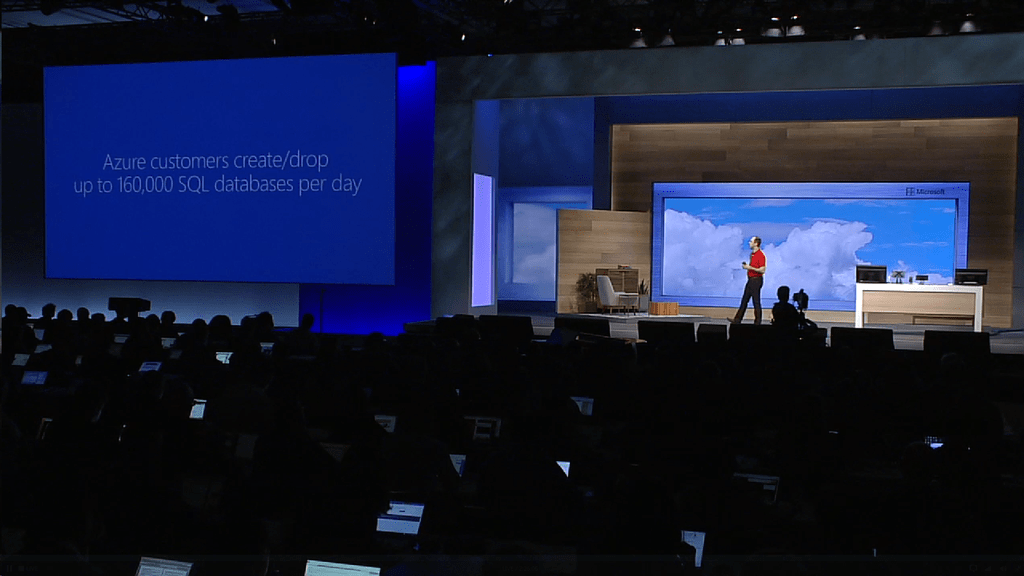
Microsoft highlights the Top 6 cloud myths of 2016

As each day passes, more people, developers, and businesses seem to be getting acquainted with the flexibility and resource saving benefits of cloud computing.

However, despite the advances and growth in the cloud computing market, there are still many (a majority in its own right) that hold reservations about exploring the vast expanses of the cloud in part due to misinformation and myths about the sector.

As we near the end of 2016, Microsoft has gathered what it believes were some of the prevailing myths about the cloud.

In the easily digestible format of a listical, Microsoft’s Azure team posted The Top Cloud Myths of 2016 to their Azure blog today; the list comprises of:

Top 10 best Kickstarter games to play

When it comes to developing games, one of the greatest challenges that developers face is funding. It requires a substantial amount of money to develop some of the rockstar games you see on the internet today. And if you haven’t noticed, the standards for video games continue to rise for each hit game that is released. As such, your creativity as a developer may be thwarted due to lack of funding. It’s a good thing that corporations such as Kickstarter exist that helps bring creative projects to life through funding.

Kickstarter helps developers, filmmakers, musicians, artists, and other creators find support and resources they need to complete their projects. In return, developers promise something for those who help fund their projects, like a copy of the game itself. Though research shows that the golden-age of Kickstarter-funded games development in 2016 is on the decline, we can’t ignore the fact that there are top-rated Kickstarter games on the market. In this article, we’ll highlight 10 of the best Kickstarter funded games.

Read also: 10 best survival horror games for PC


10 of the best Kickstarter games to play right now

Pillars of Eternity

Kickstarter_games_pillars_of_eternity
Funding received: $4,163,208

Release Date: March 2015

Platforms: Windows, Linux, Mac OS

In this role-playing video game developed by Obsidian Entertainment, eternity aims to recapture the magic, nostalgia and depth of classic RPG’s that you’ll enjoy playing. In October 2012, Pillars of Eternity became the most highly funded video game on the Kickstarter platform. The game is characterized by action-packed combat and dungeons diving in the epic exploration of Baldur’s gate. You choose to play as one of the 6 available races: humans, Orlan, Godlike, Elf, Dwarf, and Aumaua. From the looks of the game and feeling when playing to the interaction with the environment and the customization of your characters, you’ll discover that the game is an ornate masterpiece that puts you in a world of its own.

Get Pillars of Eternity from Steam


FTL (Faster than Light)

Kickstarter games - FTL
Funding received: $200,542

Release date:  September 14, 2012

Platforms: Windows, Mac, Linux, iOS

FTL is one of the best Kickstarter games ever made and it revolves around intergalactic combat. So if you are a fun of Dark Matter or Star Trek episodes, then you will definitely fall for FTL. As you explore the galaxy, you are charged with the responsibilities of controlling your crew and fighting off intruders. The combat is difficult and you’ll be forced to make tough decisions that will cost lives, and you will end up being the architect of your own demise. That being said, FTL is a sci-fiction, rogue-like game that allows you to explore space while giving you control over your crew.

Get FTL from Steam


Shadowrun Returns

kickstarter_games_shadowrun_returns
Funds received: $1.83 million

Release date:  July 25, 2013

Platforms: Windows, Mac OS, Android, iOS

Shadowrun Returns is one of the most successful Kickstarter games and is built on a low tech engine with a very interesting story. The game is set in an alternate future where magic returns to the world in 2012, bringing along dragons, elves, and witches. Shadowrunners are the mercenaries, master hackers, freelance ghost busters, and smugglers for hire that create ways between the cracks of the mythical and superstitious dystopia. Set in a world with a thirst for violence, you will have to take the role of one such runner and pick a team of up to 4 to aid you in combat.

Get Shadowrun Returns from Steam


Divinity: Original Sin

kickstarter_games_divinity_original_sin
Funds received: $944,282

Release Date:  June 30, 2014

Platforms: Windows, Mac, Xbox One, PlayStation 4

Divinity: Original Sin is a highly extolled role-playing game that put the players right into the mix of an epic adventure where they fight the evils of Rivellon. As a player, you will have to embark on a perilous adventure where what seemed like a simple murder case turns into hours of quests as you contend with rogue bosses, magical polymorphs, and vicious foes. You are allowed to choose up to three companions as you prepare to bend the very fabric of time. You have to master the environment and use the best combination of tools to annihilate your enemies.

Get Divinity: Original Sin from Steam


Darkest Dungeon

kickstarter_games_darkest_dungeon_1
Funds received: $313,337

Release date: Jan 19, 2016

Platforms:  Windows, Linux, OS X, PlayStation 4, PlayStation Vita

Darkest Dungeon is a gothic roguelike RPG that focuses on the psychological vulnerability of humans as it puts the players in an environment where death is inevitable. You will lead a team of 4 heroes on a precarious adventure, dealing with immense threats from all angles. The dangers you will encounter will range from threats to bodily health to an assault on their mental grit. When over 500 feet underneath the earth, you will not only fight the physical battles but also diseases and famine, while battling time to escape the ever encroaching darkness.

Get Darkest Dungeon from Steam


Wasteland 2

kickstarter_games_wasteland_2
Funds received: 2.9 Million

Release date: March 13, 2012

Platforms: Microsoft Windows, Linux, Mac OS, Xbox One, PlayStation 4

Set in a dangerous post-apocalyptic world in Southwest America, Wasteland 2 is a groundbreaking action RPG series and a sequel to a game that inspired Fallout. It’s also a product of Kickstarter’s one of the most successful campaigns ever. You are the leader of a team of four and your job is to roam about the darkest corners of American Southwest hunting outlaws and saving settlers. Like Fallout, the game allows you to interact with the environment, explore and jump into other people’s lives.

Get Wasteland 2 from Steam


Broken Age

kickstarter_games_broken_age
Funds received: $3.3 Million

Release date: Jan 28, 2014

Platforms: Microsoft Windows, Linux, Mac OS, PlayStation 4, PlayStation Vita, Android, iOS, Ouya

Broken Age is a point and clicks adventure game that revolves around the story of a young boy and girl living parallel lives. The girl is bound to be sacrificed to a fiendish monster after being chosen by her village as the perfect sacrifice, but she decides to fight back. The boy, on the other hand, lives a lavish lifestyle in a spaceship under the care of a motherly computer, but he wants to escape to live an adventurous life. Though the game is split into episodes, the adventure does hold to both its charm and humor throughout the story.

Get Broken Age from Steam


Exploding Kittens

kickstarter games
Funds received: $8.8 Million

Release date: July 2015

Platforms: Windows, Mac OS X, Android, iOS, PS4

Exploding Kittens made history as the most backed crowd-funding campaign in Kickstarter history setting the record with 219,382 backers. Just as the name suggests, the game is about exploding kittens. It’s an innovatively built version of Russian roulette where players are supposed to draw cards until someone picks an exploding kitten. And when that happens, they explode, die, and are out of the game, just like that. Of course, there is an exception to this; that is if the player has a defuse card which can disarm the kitten from exploding using tools like laser pointers.

Get Exploding Kittens


Elite: Dangerous

kickstarter_games_elite_dangerous
Funds received: 1.92 million

Release date: December 16, 2014

Platforms: Microsoft Windows, Mac OS, Xbox One, PlayStation 4

Epic: Dangerous is a highly strategic game that takes you to the very recesses of the galaxy with a sophisticated spaceship as you venture to explore the grandeur of the Milky Way. You have to carve your own path, set against a backdrop of raw anarchy and do whatever it takes to upgrade your ship’s defense system. The game has a massive multi-player system and the player’s actions affect whatever happens to the universe.

Related: Elite Dangerous and Battle Worlds now available on Xbox One

Get Elite: Dangerous from Steam


Hex: Shards of Fate

kickstarter_games_hex_shards_of_fate
Funds received: $2.2 million

Release date: Jan 26, 2016

Platforms: Microsoft Windows, Mac OS, iOS

Hex: Shards of Fate is a complex, engrossing, and a massively multiplayer online trading card game that is incredibly fun to play. It has a robust combination of RPG and TCG elements as well as puzzle elements. Its ability to blend the strengths of traditional trading card games on a digital platform puts it in a league of its own. One of the features that differentiate it from other games of its genre is the socketing and transformation of cards. Your cards have sockets that change what the cards can do which is very innovative. As you learn the game and gain experience, your level increases and you gain access to a wide variety of talents and strategies.

Get Hex: Shards of Fate from Steam


Conclusion

The best thing about Kickstarter is developers’ transparency which means you don’t have to wait for a surprise release date in a press conference. The team’s dedication and handwork will let you know when the game you back is in alpha, beta, and nearing release, plus you get the opportunity to be the first to play when the game is finally ready. Today, there are so many Kickstarter games in the market and more are still in the funding campaign stage which means we’ll be getting more and more Kickstarter games in future. The list above highlights 10 of the best Kickstarter games that are fun and exciting to play. Feel free to comment and share.


Related Stories to check out

You can enable the new Sharing UI in Windows 10 now, here’s how

We recently covered that share menu improvements are heading to Windows 10 and Mobile users in the coming weeks. If you can’t wait, it seems like there is now a way of enabling the yet-to-be-released UI on current Insider builds.

The new menu is supposed to bring a modern interface, and technology, to Windows 10 and Mobile. As registry edits aren’t fully possible and don’t work the same way on phones, this is PC-only for now, but expect the new UI to arrive for Insiders in the Fast Ring very soon.

via WinAero.com
via WinAero.com

Warning

These tweaks require Registry tweaking which could result in permanent damage to your software or even hardware. OnMSFT takes no responsibility for what happens to you, your PC, or your cat, and no matter if the result is a thermonuclear war, you are the one to blame.

So having that said, let’s enable the menu.

  1. Access to the registry – you can do so using the combination of Win + R keys and then typing in regedit in the text box
  2. Navigate to HKEY_LOCAL_MACHINE\SOFTWARE\Microsoft\SharePlatform
  3. Once you reach the directory, create a new DWORD (32-bit) by right-clicking the empty space in the right pane and naming the DWORD: EnableNewShareFlow.
  4. After creating the new value, double-click on it and set the Value data to 1.
  5. After completing the above steps, your registry should look like this:

new-share

If your registry doesn’t look like this, you may be better holding off for now.

The changes should hit regular insiders anytime, so you may not enjoy this exclusivity for long.

Rajiv Sodhi quits as GoDaddy India MD, and joins Microsoft again

According to a news report, Rajiv Sodhi, Managing Director & Vice President at GoDaddy India & Australia, has quit the company to join Microsoft where he’s expected to lead the cloud and server business.

Rajiv is a Microsoft veteran having worked for the company for a decade before quitting in 2012 as Director – SMB, Cloud and Software Sales to joining GoDaddy.

He played a pivotal role in setting up GoDaddy’s India business with a strong focus on small businesses, becoming the first international domain registrar and web-hosting company to go local. Rajiv has already tendered his resignation and will be joining Microsoft in December.

Microsoft brings ArcGIS Maps to Power BI

Two months ago at its Ignite 2016 conference, Microsoft introduced the first preview of ArcGIS Maps for Power BI, a new feature created in collaboration with Esri to allow Power BI users to apply advanced styling properties to maps including map themes, detailed color preferences and more. Today, the company announced that the preview is finally available on PowerBI.com:

When creating reports in PowerBI.com, you can start using the ArcGIS Maps for Power BI visual, pin ArcGIS Maps for Power BI to dashboards and share those dashboards with your colleagues. You can also publish your Power BI Desktop files containing the ArcGIS Maps visual and share them within your organization through the Power BI service.

ArcGIS Maps for Power BI

These enhanced mapping capabilities are expected to become available in the Power BI mobile apps soon, the company explained in today’s blog post. You can learn more about ArcGIS Maps for Power BI on Esri’s website.

Microsoft receives Zero Waste Certification for campus recycling efforts

Microsoft has announced today that it’s the first US technology company to be awarded the Gold Level of Zero Waste Certification for its Redmond campus by the US Zero Waste Business Council. Susan Wagner, Microsoft’s Senior Director of Real Estate & Facilities, Puget Sound explained that « The certification recognizes our work to divert at least 90% of our food, office, and construction waste away from landfills through employee-driven reuse, recycling, and composting programs and sustainable community partnerships. »

This is not the first time that Microsoft is being recognized for its recycling efforts, as the company’s sustainable dining practices have already been awarded the zero waste certification from the Green Restaurant Association for the last eight years. However, the Redmond giant has also set up waste stream management programs as well as several reuse programs to improve how its 500 acres Redmond campus operates.

While Microsoft is well known for its Redmond, Washington roots; the company also has other campuses in the US including one in the Silicon Valley which is expected to receive a green makeover in the coming years. Wagner didn’t explicitly mention it in its blog post; the exec said that “we look forward to expanding our waste diversion program in Redmond and at our facilities around the world, to make our operations even more sustainable in the years to come.”

Microsoft finally fixes the Outlook syncing issue

Outlook is a great tool used by many, especially in business orientated environments, which allows users to manage their email accounts right from their desktops. Through Outlook, you can have a general perspective of all your email addresses and manage them.

Create new emails, read and receive emails on all your accounts, or just move some stuff from spam to trash. Whatever you can normally do on your email via browser is possible with Outlook, but with a much more convenient access point.

As of late, Outlook has been experiencing some technical difficulties, with enough users that it caught Microsoft’s attention. Once word was received that Outlook is not performing like it should, Microsoft further looked into the situation and uncovered that this had been going on as early as November 17.

User would reach a dead end when trying to either use Outlook or access their website. Some complained about email syncing between platforms being down, while others claimed they couldn’t access Outlook altogether.

The problem seems to have had been resolved, as Microsoft has started to roll out a fix for Outlook. Not everyone has received the fix yet, but it is presumed that it will eventually reach all devices. You might be prompted about an update which contains the Outlook fix in the near future if you still haven’t received any word.

The good thing is that Microsoft managed to find out what the problem was and act accordingly, although a public announcement that states the problem has yet to be issued. Some speculate the perpetrator is the update of the entire Outlook service, which might have left some bugs behind.

Even more, Outlook is bound to get multiple features this year, and we already know for sure that Outlook’s Sync option will be released in February 2024.

Use Fedora 25 to switch from Windows to Linux

Fedora 25 was first released as an alpha version and, after that, as a beta version. Now, Fedora 25 is officially available for the public and you can download it from the tool’s official website.

You should know that Fedora is focusing on offering truly free open source software. At the same time, you will be able to count on a very modern version of the Linux kernel that’s available for this new OS.

Providing many of the latest open source developer and desktop tools, Fedora 25 Workstation delivers a host of new features, including the long-awaited official debut of the Wayland display server. Replacing the legacy X11 system, Wayland has been under development for several years and seeks to provide a smoother, richer experience for graphical environments and better capabilities for modern graphics hardware. To further enhance ease-of-use, Fedora 25 Workstation also features GNOME 3.22, which offers multiple file renaming, a redesigned keyboard settings tool and additional user interface improvements. Workstation users will also be pleased with the inclusion of decoding support for the MP3 media format.

The Fedora 25 Workstation will make life easier for all users that have their computers running Windows or macOS. Thanks to the “Fedora Media Writer”, you will be able to easily download Fedora 25 and write it to a USB stick. This means that you will be able to install Fedora 25 on your computer via the bootable USB stick.

Fedora 25: What’s New?

  • Docker 1.12 for building and running containerized applications
  • Node.js 6.5, the latest version of the popular server-side JavaScript engine
  • Multiple Python versions (2.6, 2.7, 3.3, 3.4 and 3.5) to help test across multiple Python configurations
  • Support for Rust, a programming language that aims to make development faster and more stable.

RELATED STORIES TO CHECK OUT:

  • Windows 10 close to becoming the most used Windows OS

Windows 10 news recap: new design language, Samsung selling to Lenovo and more

Welcome to the second Windows 10 recap as OnMSFT. We are continuing the trend of our weekly “Windows 10 news recap” series where we go over the top stories of the past week in the world of Microsoft’s flagship operating system.

Project NEON

Microsoft has been struggling to satisfy the designers present in their communities, and it may finally change thanks to project NEON. People that used Windows Phone before the year 2015 should still remember how fluid, smooth and living the Metro design language was. It got replaced with a universal language called MDL2 (Microsoft Design Language 2) with the release of Windows 10 and it has yet to fill the gap that was left by its predecessor.

Microsoft's promotion of the Metro design language

The Project NEON is a focus towards unifying the different takes at design Microsoft’s services use and reduce the fragmented mess that it is today. It also focuses on bringing a new kind of 3D UI to Microsoft’s Windows 10 Holographic system where the UI would have a new way of functioning.

Lenovo could be buying Samsung’s PC business

The PC OEM behemoth, Lenovo, seems to be looking into expanding their hardware business even more meanwhile Samsung is doing the opposite. Lenovo stepped in the hardware market a few years ago when they acquired IBM’s hardware division and they quickly gained one of the top spots among the different PC brands out there. Samsung has had it pretty rough in the extremely competitive market recently where their phone division has had it much better, with minor issues, and therefore they may be thinking about leaving experimental and unstable markets in favour of subjects the company is more familiar with.

LenovoThinkpadX1Yoga3

This move would probably mean that the Samsung Ativ series and other Windows-powered products (aside from the Galaxy series) would stop existing or be continued under the Lenovo brand, similarly to what they did to IBM’s ThinkPad series.

Upcoming Windows 10 and Mobile builds will feature improved sharing

Both Windows 10 Mobile and Windows 10 desktop feature sharing menus that are just leftovers from their older siblings, Windows 8 and Windows Phone 8 and the system they are running on is very old with a lot of the app not working as intended. Thankfully a fix may be on its way.

A lot of small fixes and improvements have already surfaced with previous Insider Builds and seeing that smaller and less important parts of the system get updated is not all that surprising.

redBus is now available for Windows 10 PC’s

redBus is the largest online bus ticketing service in India, with a lot of users, and with the release of their Windows 10 app, tablet or desktop users can now access the service easily from their start menu with a native interface, specific features and a nice interface.

redbus-screenshot

The app was released very recently and is available as a download on the Windows Store, with a catch, as there is no Xbox, mobile or HoloLens version. However, it’s hard to imagine people ordering bus tickets from a holographic unit or a gaming console so the only users that are really missing out are the ones used to waiting.

This is it for the news this week, but we will have more so make sure to check back here in seven days.

Xbox news recap: Mass Effect Andromeda gameplay, Mario on Xbox, Black Friday deals and more

Welcome to our weekly Xbox news recap series, where we go over the top stories of the past week in the world of Xbox. Let’s get started.

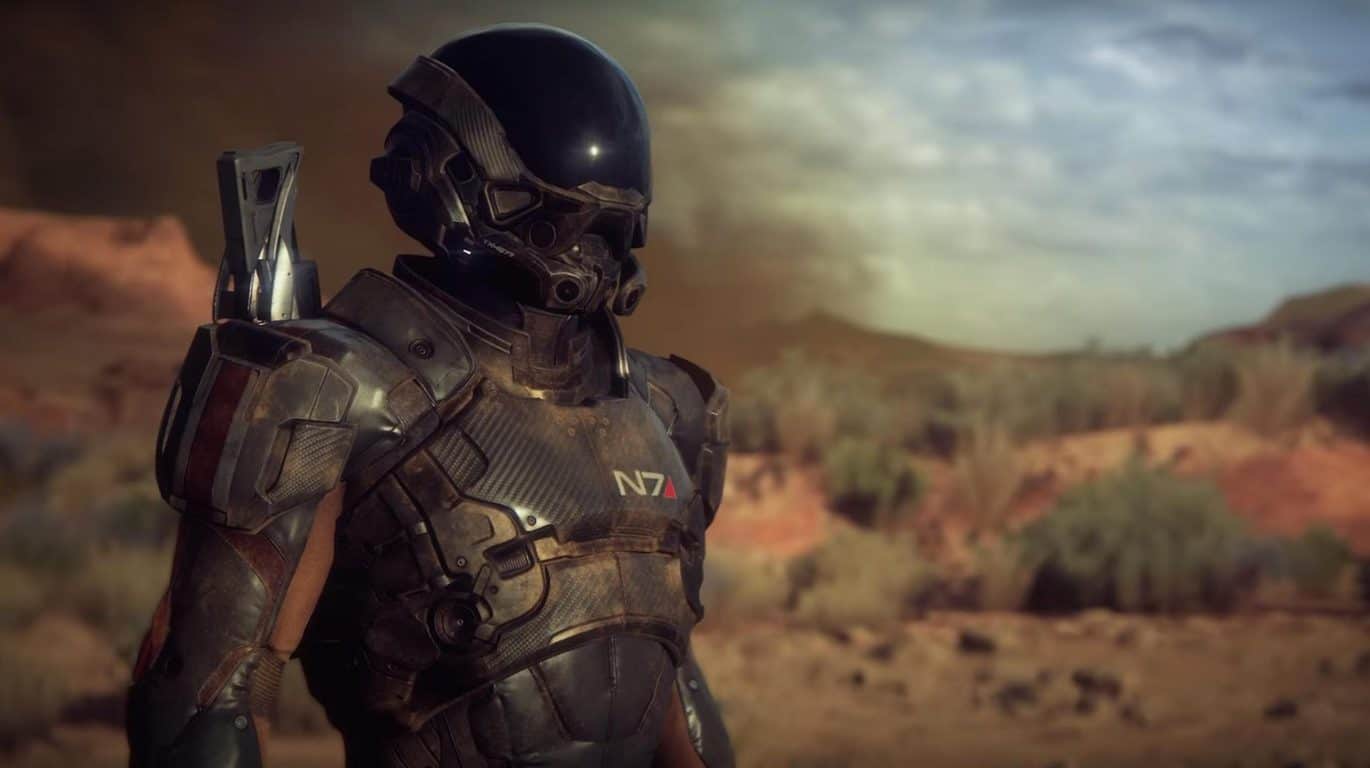
Mass Effect Andromeda gameplay coming at The Game Awards, coming after month of info drops

Mass Effect Andromeda is quite possibly the most anticipated game in years. The original trilogy revolutionized the way that we look at storytelling in video games and created one of the most beloved universes in all of science fiction. To prime gamers for Mass Effect’s (hopefully) triumphant return A tweet from the official Mass Effect Twitter told us this week that all of that news will culminate in a look at gameplay during the annual Game Awards on December 1st.

You can get a real wooden skin for your Xbox One

Have you ever wanted to encase your Xbox One in wood? No? Well, this Oregon based company might change your mind. The company is called Toast, and they’re offering Xbox One users the option to get a slick wooden skin for their console for just under $60. The skin comes in 4 different colors (walnut, ash, bamboo, and ebony) and covers up only the non-critical parts of your Xbox One, leaving the fans plenty of room to breathe and continue operating the way they ought to. The skin is easy to apply – you just need to lay it onto each side of the Xbox One and it’ll stick naturally.

Xbox boss Phil Spencer open to the possibility of more partnerships with Nintendo

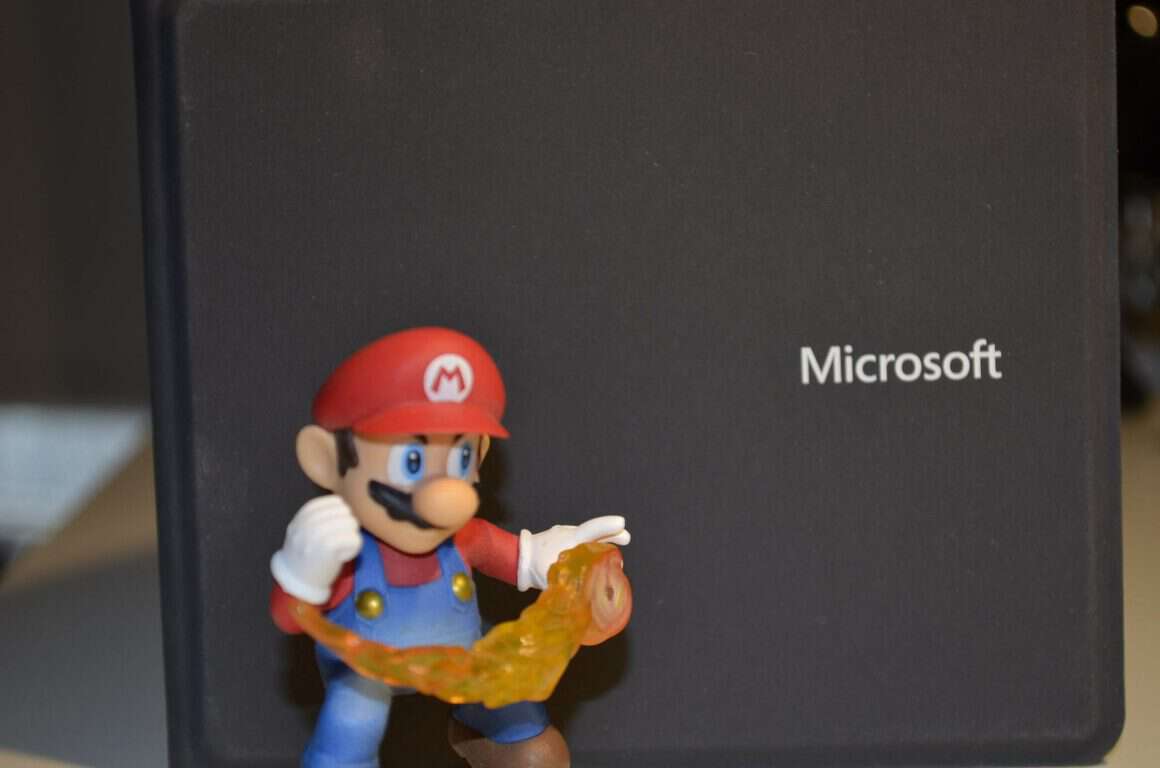
People have been thinking about potential partnerships between Xbox and Nintendo since Minecraft came out on the Wii U. Nintendo hasn’t been doing very well recently with the Wii U struggling to keep up in sales, but the upcoming release of the Nintendo Switch has some people thinking that a revival is on its way. Phil Spencer, head of Xbox, was quoted as saying that having characters like Mario on Xbox “would be great,” and he would lend Microsoft-owned characters like Banjo to Nintendo “in a second.” It’s hard to say whether or not any of this could see the light of day, but it’s nice to know that Phil Spencer would never be the one to get in the way of that partnership.

New Xbox One controller themed around Rogue One

Looking to get your Xbox One and happen to be excited for the newest Star Wars movie? There’s a themed controller for Rogue One that looks pretty great, and would be an amazing gift this holiday season for a gamer who wants to have their Star Wars scratch itched. The controller is up for pre-order at $40 and is going to be available on December 7th, just over a week before the movie comes out.

Black Friday deals galore

Deals usually don’t make the weekly recap, but Black Friday has been a little bit ridiculous this year. The Division was available for $10 and Recore was available for $20. Quantum Break got a $24 price reduction. One jewelry retailer is offering a free Xbox One S Minecraft bundle with a purchase of over $1000. It seems like Microsoft is making a push to use this Holiday season to drive home the recent dominance of Xbox over the console market.

Thanks for joining us. To keep up to date with all the latest Xbox news, keep a close eye on our Xbox One news hub.

Resident Evil 7 will support cross-saves on Xbox One and Windows 10 PCs, could be Xbox Play Anywhere

Resident Evil fans can already get excited, as the next release of the game will support cross-saving on the Xbox One and Windows 10. “The Windows Store version can share play data with the Xbox One version,” said Dengeki from which Capcom confirmed it to IGN.

Cross-saving is one of the driving features behind Microsoft’s Xbox Play Anywhere system, where games are bought once and playable on both Xbox One and Windows 10 PCs. It is not yet clear if the game will use Microsoft’s Xbox Play Anywhere or use a proprietary method of syncing saves across platforms.

Warning: The trailer below may feature content not suitable for readers under the age of 18.

If Capcom decided to release the title using Microsoft’s own method, it would be one of the first third-party titles to take advantage of the system and would likely generate some positive feedback from gamers who use both their console and their PC for entertainment.

It won’t be long before we will know for sure what the plans for the horror game are as the game is due for release on January 24, 2017, which is early next year.

Best Gaming Laptop Deals To Get Now

The Christmas season is here! If you’ve been looking for the perfect gaming laptop, now it’s the time to act. Take advantage of the huge discounts currently available and upgrade up your gaming gear.

If you’re an Alienware fan, we already have a list for you. Check it out because you can save up to $550 if you purchase one of the gaming laptops listed there. Other manufacturers are also offering interesting discounts for a wide variety of gaming laptops.

To save you the struggle of searching for the best deals, we’ve found the most interesting offers in this article. The best Christmas offer allows you to save up to $700.

Note: All the prices and offers in this article are subject to change, so be sure to check the official product page to get the latest deal. If the product/offer you’re looking for is no longer available, you can try to find it on its official manufacturer page or get another one from our list.

Don’t miss these gaming laptop deals

Happy shopping!

Shadow Tactics: Blades of the Shogun needs some fixes before release

Shadow Tactics is a tactical stealth game that takes place in Japan around the Edo period. In it, a new shogun seizes power over Japan and enforces nationwide peace. In order to achieve such a noble goal, he must first battle against conspiracy and rebellion. For this purpose, he recruits five specialists with impressive skills for assassination, sabotage and espionage.

Since the five specialists have very different personalities, working together is not an easy task. Players need to evaluate their options in order to master the challenging missions and try to predict how will the characters behave as a team and who is best equipped for each task. At the same time, gamers need to come up with smart strategies to vanquish their rivals and complete the missions.

Shadow Tactics is scheduled for release on December 6. Since the game is still work in progress, players are affected by many issues. Hopefully, the game developers will fix most of them by the time Shadow Tactics becomes available for the general public.

Shadow Tactics: Blades of the Shogun bugs

1. Gamers report they can’t get past the camera rotating tutorial. As instructed, they rotate the camera using the mouse, but nothing happens. This issue may occur because the ALT key might be stuck physically or by a bug. You can also try pressing ALT and TAB to fix this bug, or just pressing the ALT key again.

2. FPS drops when players zoom out and look at the map. The same issue occurs when they rotate the camera. Stuttering becomes quite visible as FPS drops to 40.

3. When Mugen carries two bodies and tosses them out of the door, he can only toss one of them. The second body is bugged, remains there and players can’t pick it up again unless they punch it again.

4. If one character dies during a leap attack in mid-air, the game doesn’t register it as dead and everything continues. Dialogs and cutscenes continue, while the character remains in mid-air.

5. Gamers can’t change language settings. When they go to Settings to select another language, the default language is enabled again when they launch the game.

As you can see, the issues listed above are not all severe bugs. Mimimi Productions still has almost two weeks to fix all these issues and make sure that the final Shadow Tactics: Blades of the Shogun version offers a smooth gaming experience.

RELATED STORIES YOU NEED TO CHECK OUT:

Disk Activity Monitor Indicator for Windows 10

The hard drive on your laptop or desktop is usually fairly active. Windows reads and writes to the hard disk even when no notable software is open on your taskbar. Background system processes also generate disk activity. Excessive hard drive activity can slow your system down and drain laptop batteries, so sometimes it can be handy to track disk activity.

Both laptops and desktops include hard drive lights that flash or blink to show disk activity. On laptops you’ll find the HDD indicator light on the keyboard. Desktops have them on their cases.

There aren’t that many software packages that specifically fall into a hard drive activity tracker category. Some system resource tools include disk activity tabs. Plus there are also some lightweight utilities that add hard drive activity indicators to system tray and provide further disk usage details for you. These are a few programs and tools that you can track hard drive activity with.

Windows 10 Task Manager

Windows 10 already has not one, but two, hard drive activity tracker tools. One is the Task Manager that you can open by right-clicking the taskbar and selecting Task Manager. Then click the Processes tab as in the shot below.

disk activity

Note that the Processes tab includes a Disk column. This column highlights the programs’ and processes’ disk usage. Click that column to list processes in ascending order with those using the hard disk listed at the top. Then you can right-click a program or process listed there and select End Task to close it.

Click the Performance tab to open the graphs shown in the snapshot directly below. Note that also includes disk graphs that highlights disk activity. The first is an Active time graph and the second is a Disk transfer rate graph that shows you hard drive read and write activity. Below those there are some additional disk statistics.

disk activity2

Windows 10 Resource Monitor

The Resource Monitor is another handy hard drive activity tracker tool included in Windows 10. You can open it by entering ‘Resource Monitor’ in the Cortana search box. Then click Disk on the Resource Monitor window to open the tab in the shot directly below.

disk activity15

This tab shows what processes are using the hard drive under Disk Activity. Its columns shows you the average number of read/writes in real-time. You can filter the Disk Activity list by selecting a process check box. To close a background process, right-click it and select End Process.

disk activity4

On the right there are two disk charts. The first is a disk usage chart, which is actually the same as one of the Task Manager graphs. The second one shows you the disk queue length.

DriveGLEAM

Aside from the Task Manager and Resource Monitor, you can also add some hard drive activity tracker software to Windows 10. One of those is DriveGLEAM, which adds a HDD activity indicator to the system tray. Click Installer on the software’s home page to add it to Windows 10. Then open the software’s window in the snapshot below.

disk activity5

Click the Show in tray check box if it’s not already selected. Then also click the \\ C: check box and press the Apply button. You’ll find a new hard drive activity indicator in the system tray as shown below.

disk activity6

The color codes for the default indicator are: red = write, green = read, yellow = read + write and blue = idle. Note you can also switch the indicator to an alternative one by clicking the Alternative icon check box on the software’s window and pressing Apply. That switches the HDD indicator to the one below.

disk activity7

Process Monitor

Process Monitor is a tool that gives you an overview of disk activity in its File Summary window. Click Download Process Monitor on this page to save its Zip file. Then extract the compressed folder in File Explorer, and open the utility’s window in the shot below.

disk activity8

To monitor hard drive activity, click Tools > File Summary. That will then open a report file for I/O disk activity as shown below. This shows you disk activity up to when you opened the File Summary, but not in real-time. You can also select By Folder and By Extension tabs that highlight hard drive activity for folders and file formats such as EXE.

disk drive activity

DiskMon

DiskMon is a tool that shows you hard disk activity in real-time. Click Download Diskmon on this page to save its Zip to Windows. Then decompress the Zip by pressing the Extract all button in File Explorer. To open the software window in the shot below, right-click Diskmon and select Run as administrator from the context menu.

disk activity9

Note that DiskMon doesn’t highlight what programs or files are using the disk. It only provides sector details. Still, it’s a handy tool that also enables you to minimize a HDD indicator to system tray by pressing Ctrl + M. The green light highlights disk-read activity and red indicates disk-write activity.

disk activity10

Process Hacker

Process Hacker is a system resource utility similar to Task Manager. So this also includes a hard drive activity tracker tab and other handy options. Click the Installer button on this website page to save its setup wizard and add Process Hacker to Windows. Then open its window below. Note you’ll need to run the program as administrator to check disk activity.

disk activity16

Now click the Disk tab on its window to open real-time disk access details as above. This lists software and processes using the hard drive on the left. Disk usage details for read and write rate are also shown in separate columns. You can terminate software and processes listed there by selecting them on the tab and clicking the X button on toolbar.

Click System Information to open a group of graphs as below. That includes an I/O disk chart that displays disk activity and stats. Click on the I/O box to expand the hard drive chart.

disk activity12

Process Hacker can also display hard drive activity on the system tray. Click View > Tray icons and then select both I/O history and Disk history from the submenu. Then you’ll find I/O history and Disk history icons in the system tray. Hover the mouse over one of the icons to expand a process disk activity list as shown below. You can right-click software listed there for extra options.

disk activity13
So those are six handy hard drive activity tracker programs and tools for Windows 10. They provide disk activity info and highlight software hard drive usage. My favorite is Process Hacker as it includes a lot of handy options and a detailed Disk usage tab.

Extract text from images in Windows 10 with Photo Scan app

Google has released a new application called Photo Scan, which uses OCR to extract text out of an image (scanned document or a simple photo with embedded text). It would be awesome if Windows 10 would have this feature out of the box, but at least users are able to download Photo Scan for free from the Windows Store.

For starters, we’ll list the key-features of Photo Scan app:

  • Beautiful UI and Different Themes;
  • Different Languages;
  • Camera Support;
  • Text to Speech Support;
  • Support for File Explorer Open With (PC);
  • Your Recent Photos List;
  • Share, Save and More.

After downloading and installing Photo Scan, which is a Windows 10 universal app, you will launch it, select an image you have stored on your PC or mobile device, then wait a few seconds until the text will be extracted and showed separately. The good news is that if you get your hands on a document, but there’s no scanner around and you really need to copy its content, then use the tablet’s camera, scan the material and let the application extract the text.

Then, you will be able to save the extracted text to a file with one of the supported formats: text format, rich format or HTML file. Or, if you want to open another application and paste the text there, first copy it to the clipboard.

Also, if you click on the Speaker icon on the toolbar, the extracted text will be read by the speech feature, and this will be awesome if you’ll forget to take your glasses with you and can’t see the letters on the small screen of the tablet.

The application runs by default in Dark theme with Link Break enabled in text view, but this can be changed in the Settings page. The annoying thing about Photo Scan is that it comes with ads, so if you no longer wish to see them, you will need to make an in-app purchase.

RELATED STORIES TO CHECK OUT:

Fix Tom Clancy’s The Division connectivity issues on PC and Xbox

Tom Clancy’s The Division is a great online third-person shooter game that bestows very important missions upon players: restore order by investigating the source of a virus.

The game has a large fan base, but even more than 6 months after its release, gamers still encounter connectivity issues. If you’re experiencing such bugs, you can use the solutions listed below to fix these problems.

How to fix Tom Clancy’s The Division connectivity bugs on PC?

1. Check your firewall

If you can’t connect to Tom Clancy’s The Division servers, your firewall could be the culprit. Start by updating any anti-virus or firewall software installed on your computer. If you use the Windows Firewall, you need to install the latest Windows updates.

Then, configure the firewall to allow access to the specific Tom Clancy’s The Division application. Open the exceptions list, and add the game as an exception.

2. Forward your ports

If the first solution doesn’t solve the problem, you’ll need to forward the ports listed below to your computer’s IP address for the best possible connection:
Uplay PC:
TCP: 80, 443, 14000, 14008, 14020, 14021, 14022, 14023 and 14024.

Game Ports:
UDP: 33000 to 33499
TCP: 27015, 51000, 55000 to 55999, 56000 to 56999

3. Disable background apps

Running too many background apps can also cause connectivity issues. Close all the running background apps before launching Tom Clancy’s The Division. Here’s how to do this:

  • Type msconfig in the Search box and hit Enter.
  • In the System Configuration Utility, go to the General tab.
  • Click on the Startup tab > click the Disable All button.
  • Click OK and restart your computer.

4. Clean or reset the Hosts file

The Hosts file is used by Windows to map hostnames to IP addresses. It plays an essential role in addressing network nodes in a computer network. For more information on how to clean or reset the Hosts file, check out Microsoft’s Support page.

Fix Tom Clancy’s The Division connectivity issues on Xbox One

1. Refresh your Internet connection

  • Turn off your Xbox One and your modem/router and wait for 30 seconds
  • Fully power up your modem/router and wait until the connection is re-established
  • Turn on your Xbox One and connect to the Internet.

2. Port Forwarding
If the connectivity issues are still present, a firewall may be interfering with your connection. In this case, you need to configure the following network ports within your router from your PC:

Game ports:
TCP 80, 443, 27015, 51000, 55000 to 55999, 56000 to 56999
UDP 33000 to 33499

Xbox Live ports
TCP: 53, 80, 3074
UDP: 53, 88, 500, 3074, 3544, 4500

3. Place your Xbox One in the router’s DMZ
Placing your Xbox One in the router’s DMZ ensures that the game can connect without a problem. The steps listed below may be slightly different for different router types.

  • Open a web browser
  • Type your router settings page address in the browser’s search bar > type your user name and password
  • Go to Advanced Settings > select Default DMZ Server >type the IP address of your Xbox One console.

We hope that this guide helped you fix the connectivity issues. Other games have similar problems, and we wrote how to resolve Splatoon 3 multiplayer problems effectively in one of our other guides, so don’t miss it.

What solution worked for you? Let us know in the comments below.

Posted in Fix

Hungry Eaters is a new Snake-like game for Windows 10 users

Hungry Eaters is a new little game developed by a German company named Kloppe Media. The German developer has come up with an entertaining arcade-ish game that has players reminiscing of the days when the only mobile game available was Snake. And no one complained, because aside from the fact that playing games on a device made for making phone calls was insane at that time, Snake was actually really fun and entertaining.

Everyone that has ever owned a Nokia device back then can confirm that Snake would make you spend hours trying to beat your own highscore.

Hungry Eaters has pretty much the same concept behind it, but with a few new details. For starters, the game is colored and 3D. Players are presented with an array of characters over the course of the game’s 20 levels, and the main goal of Hungry Eaters remains the same as Snake’s: Eat food and keep growing.

There will be all kinds of obstacles and dead ends waiting for your character, but you can use your ever-growing body to get rid of them. If you hit any of them with your head however, you lose. Sound familiar? The same win condition that made Snake popular can now be experienced in 3D.

Another great aspect about Hungry Eaters is the fact that it’s free. You can start playing immediately free of charge, and get to re-live some of the days of old when mobile phones weren’t packed with endless amounts of 3D games.

RELATED STORIES TO CHECK OUT:

Project NEON in Windows 10 Redstone 3 rumored to have 3D depth, Holographic focus

A massive leak of Microsoft’s plans for the future of Windows 10 Design has surfaced a short while ago, but thanks to Windows Central’s podcast, more details have been revealed.

The Microsoft Design Language (MDL), also known as Metro was first used  back in 2002,  in the Windows XP Media Centre Edition. It has evolved a lot since that and its current implementation is called MDL2. It is used in Windows 10, Outlook, Xbox, Office and basically every piece of software that Microsoft still develops. The successor, or refinement, to this current language, is currently called NEON.

NEON will not be a huge UI/UX change, and will simply be a continuation of what the Microsoft Design Language 2 or MDL2 is right now which means that Redstone 3 will still look familiar but it will be much more polished and feature a more streamlined version of what we currently have.

people1

The recently released Paint 3D preview is a sneak peek of what’s to come, as it isn’t really using NEON but some parts of it are definitely there. The app has been criticized for not following Microsoft’s already lacking guidelines, but it seems like it actually has a reason behind it.

xpaint2-1040x580-png-pagespeed-ic-ys62sjjuyq

Another thing that NEON will focus on is depth, but unlike Google that focused on shadows to mark depth, Microsoft is planning to give some UI elements real 3D depth, where they will be able to render outside the window. It’s still unknown how these UI’s would be handled in a 2D environment.

With NEON focusing on bringing Windows 10 Mobile/Desktop/Console and Windows 10 Holographic together, having these 3D elements will be highly handy in an augmented or virtual world you can see through a HoloLens or a VR headset, and if Microsoft’s handles this well, possibly on desktop too.

Rumor: NEON is Microsoft’s new streamlined design language coming in Redstone 3

The Microsoft Design Language has changed a lot since its first release back in 2002, where it was used in the Windows XP Media Centre Edition, and comparing today’s Microsoft Design Language 2 or MDL2 with what was the most famous part of Windows Phone 7, Metro really shows how much the design has evolved. Microsoft seems to be planning on streamlining and unifying their design in the upcoming Redstone 3 update (Not to be confused with the Creators Update).

The new language seems to be currently called “NEON”, at least internally, based on what Windows Central has revealed. Its goal is to do exactly what Metro did; bring a strict but open, simple yet complex digital design language to Microsoft’s operating system. The project is also often referred to as “basically Metro 2.0“.

Metro was the “perfect design” as described by many Windows Phone and Zune users, and while it had flaws it definitely was unique. While MDL2 focuses on being open and letting developers make a lot of decisions themselves, Metro had strict guidelines and principles which, of course, wasn’t a requirement for developers to get their applications published on the Windows Store, but was something a lot of users welcomed.

But looking modern and simplistic is not all Metro has done. It also kicked off the design language evolution where different companies usually used 3D objects, skeuomorphism and other “Web 2.0” design elements and switched to the flat, minimalist design that different huge design languages like Googles Material Design and Apples Human Design now use.

Languages like Material Design and Human Design have all their own principles for how applications should look like, how they should behave, what animations should occur and much more. MDL2 lacks in that part. It has basically zero guidelines for animations, and the few ones that are there look dull and boring, no strict rules for where blur should be used and much, much more. This is where NEON steps in. NEON, which has been worked on for over a year, is based on what Microsoft already has in their Windows 10 operating system, and fills all the gaps that were left compared to Metro.

The few details we currently have about the big change, is that NEON will include a lot more animations, transitions and polish with a focus of begin “beautiful” and having a fluid UI, which sounds familiar if you ever used a Windows Phone before 2015, as the current implementation is almost static with barely any “movement” happening on screen. According to Windows Central, a source familiar with the matter has described NEON as “Very fluid, lots of motion and nice transitions.”

start81

The new design language is expected to ship with a new name, around the early Fall of 2017, in time for the Surface Phone, but knowing the nature of the Windows Insider Program, fast ring users may see it as early as in early Summer with some versions targeted at Q&A testing surfacing for current Windows 10 Mobile device owners.

The development of the language will continue with Redstone 4 that is expected to arrive in 2018 and should transfer over to all of Microsoft’s devices, which means HoloLens, Mobile, Xbox, Desktop and even IoT with the help of 3rd party developers that may be on board until then.

Windows 10 as a platform is still in its early days, and the real changes are yet to show up.

Microsoft Store brings Black Friday sales to Europe with savings on Xbox, Surface, more

If you’ve been taking advantage of the online shopping opportunities around Black Friday over the last few days, we hope that you’ve read our previous coverage about all the deals that Microsoft is currently offering on the US Microsoft Store, the Windows Store as well as the Xbox Store. But for those of you who live in Europe, Microsoft has published today a handy list of Black Friday deals that are currently available in local Microsoft Stores in 18 European countries (Austria, Belgium, Czech Republic, Denmark, France, Finland, Germany, Ireland, Italy, Luxembourg, The Netherlands, Norway, Portugal, Spain, Sweden, Switzerland, Poland and the UK).

Most of these deals are for Xbox One S bundles, Surface tablets and Lumia handsets and we’ve highlighted a few of them for you below:

France

Germany

Ireland

UK

We invite you to check the full list of deals on Microsoft’s blog post and we hope that you’ll find something interesting to purchase on your local Microsoft Store. However, be aware that most deals will end on Monday, November 28.

Fix: Killing Floor 2 Bugsplat, black screen and start up crashes

Killing Floor 2 is one of the most popular games on Steam at the moment. Your main task is to fight vicious waves of zombies, and prepare your strategy to face powerful bosses and kill them as quickly as possible.

According to gamers’ reports, Killing Floor 2 is affected by many issues. Fortunately, for some of them, there are various workarounds available, and Tripwire Interactive is also working at full trust to roll out a patch and improve the gaming experience as soon as possible.

If you’re experiencing black screen issues, start up crashes or Bugsplat errors, you can use the solutions listed below to fix them.

Here’s how to fix Killing Floor 2 launch issues and black screen bugs


1. Navigate to: C:\Users\[your name]\Documents\My Games. Delete the KillingFloor2 folder. Try launching the game again.


2. Disconnect any controllers you may use and try playing the game now.


3. On the taskbar, double-click the NVIDIA Settings icon > select Manage 3D Settings if it isn’t already selected. Now, on the right-side, go to the Program Settings tab.
3.1. If you only see two groupings (#1 and #2), there’s no need to make any changes.
3.2. If you see three groupings (#1, #2, and a #3), then manually add Killing Floor 2 to #1, then make it use the high performance GPU.


4. Go to Control Panel > Add/Remove programs > uninstall NVIDIA Physx.
Then go to: \Steam\steamapps\common\killingfloor2\_CommonRedist\PhysX\9.14.0702 and run the Physx installer. Try playing the game now and see if it works.


5. Go to Control Panel > Add/Remove programs. Uninstall all versions of 2010 Microsoft C++ Redistribs/ 2012 Microsoft C++ Redistribs.
Go to: Steam\steamapps\common\killingfloor2\_CommonRedist\vcredist. 
In the 2010 folder, install the x64 version, and right-click Run as admin.
In the 2012 folder, install the x64 version, and right-click Run as admin.


These solutions can be used by all Killing Floor 2 gamers. Power users can also check out the workarounds listed in the “Advanced solutions” section of this Steam thread.
RELATED STORIES YOU NEED TO CHECK OUT:

Finally an app for changing the Xbox One background!

An app developer has designed an app for Microsoft’s Xbox One video game console that lets users easily and quickly change the background image of their Xbox One dashboard. Changing the image is something everyone has been able to do for a long time but it requires the transferring of files via a USB drive and can take a while to set up.

This new app, Theme My Xbox, offers a growing library of images to choose from directly from within the app and anyone can upload more images to the service by visiting the app’s website and registering for an account. Here’s the official app description:

Theme My Xbox is an app that gathers user created themes for the xbox into one central location. Users can browse these images and, with the push of a button, make it their Xbox One Dashboard Background.

Have you tried this app yet? Share your thoughts with the OnMSFT community in the comments below.

TMX
TMX
Developer:
Theme My Xbox
Price:
Free+

Windows 10’s Adobe Photoshop Elements 15 app has just been given a MASSIVE discount

Adobe Photoshop Elements 15 has had its price slashed and is now selling for $59.99 down from its usual $99.99 in the Windows Store. The $40 discount will be valid for the next week, after which, the popular image editing app will return to its near-$100 regular price.

Photoshop Elements 15 is a premium graphics app and is mostly used by media professionals. It is updated often. Here are some of its latest new features:

  • NEW Find photos faster with Smart Tags — Photoshop Elements suggests tags for your photos based on subjects like sunsets, birthdays, cats, dogs, and more.
  • NEW Touch your way to great pics — The Organizer and Quick Edit mode are now touch-friendly, so you can tap and swipe to do all your finding, sorting, and quick photo enhancements.
  • NEW Turn frowns upside down — Transform frowns into smiles, adjust squinting eyes, and make other quick tweaks.
  • NEW Picture incredible text — Turn a photo into cool visual text and then add an embossed look and drop shadows to really make it pop. Great for collages, scrapbook pages, cards, signs, and more.
  • NEW Create a collage of effects — Get artistic by adding multiple effects to a single photo.

Are you a fan of Adobe Photoshop Elements 15 or do you prefer another image editing app? Have you taken advantage of any other app discounts this week? Share your thoughts with the community in the comments below.

Adobe Photoshop Elements 15
Developer:
Adobe Inc.
Price:
Free

Microsoft’s Chinese chatbot avoids politics, including chat about Donald Trump

Over the last few years, major US tech companies have struggled to enter the Chinese market and its tightly-controlled version of the Internet. Indeed, Google, Facebook and Twitter are all blocked in China, which is why Microsoft has made an effort to comply with the country’s restrictive laws to continue to operate some of its online services in the country.

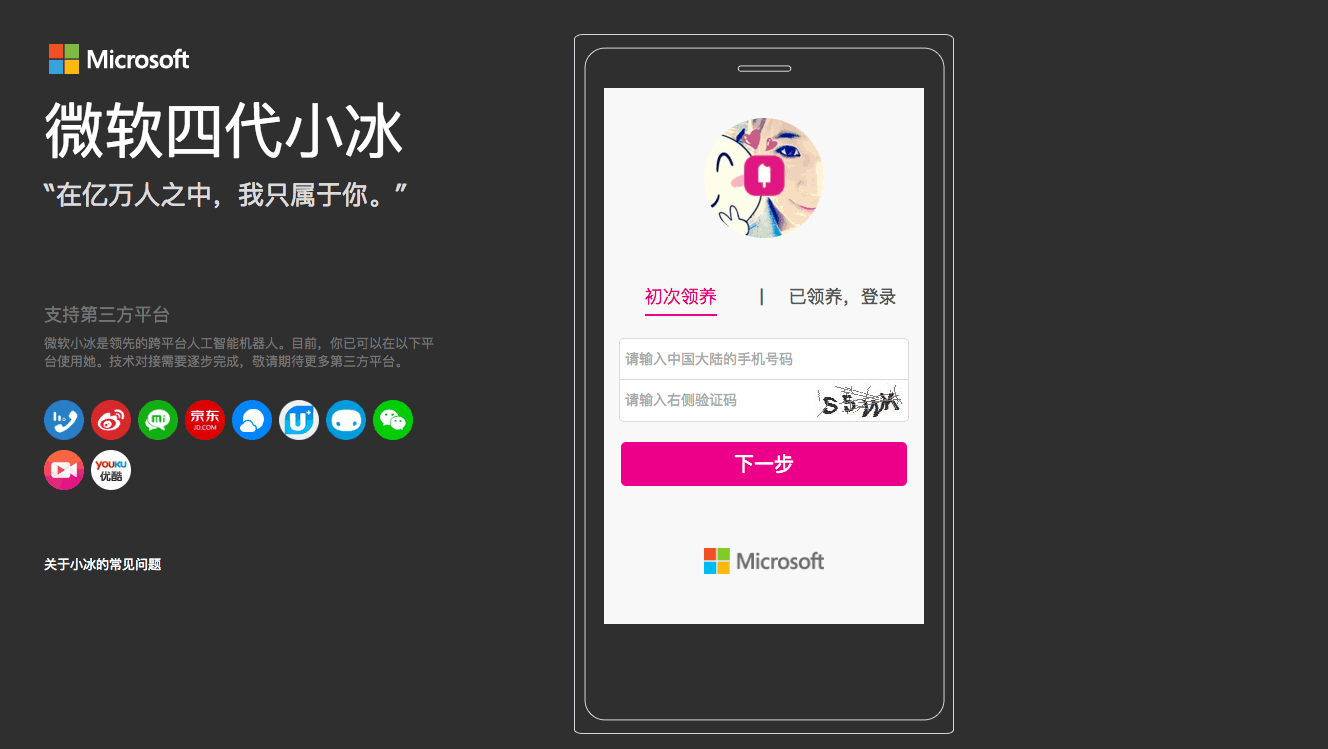
The Redmond giant may well have received some criticism for that, but the company also used China as a test market for some of its most forward-thinking technologies such as XiaoIce, an intelligent chat bot that is currently available on popular Chinese social media apps like WeChat, Weibo and more. According to a new report from CNN, Microsoft may well have tweaked the popular chat bot to make it avoid certain sensitive topics such as the Dalai Lama, Tiananmen Square protests and even USA’s President-elect Donald Trump.

Refusing to talk about sensitive topics suggests XiaoIce has been programmed to avoid prohibited words when asked about them. Microsoft declined to comment.

China pours incredible resources into patrolling the internet, tracking down prohibited content and unwanted posts with an army of more than two million censors.

CNN explained that some Chinese dissidents tried some creative workarounds such as asking XiaoIce about China’s President using his popular nickname, or using the date of the Tiananmen Massacre instead of writing the explicit name, to no avail. “Censors eventually figure out new phrases and nicknames and restrict them online,” explained CNN. Our colleagues also tried to ask XiaoIce some question about politics, and you can see the results below:

credit: CNN.
credit: CNN.
credit: CNN.
credit: CNN.

While Microsoft did not confirm that it did program XiaoIce to give evasive answers about sensitive topics, Amnesty researcher Patrick Poon explained to CNN that this may well be the price to pay for US tech companies to operate in China. “They are legitimizing what the Chinese government is doing, which is convincing foreign tech companies to suppress freedom of speech,” said the researcher.

Win a one-of-a-kind Final Fantasy XV Xbox One console here

Microsoft and Square Enix are joining the massive CW DC super hero crossover next week… kind of. In a rather random promotional campaign on the CW website and on their numerous Twitter accounts, fans of Supergirl, Arrow, The Flash, and DC’s Legends of Tomorrow are being invited to enter the draw to win a one-of-a-kind Xbox One console inspired by the new video game, Final Fantasy XV.

To enter the competition, entrants don’t even have to actually watch any of the four CW shows but they do have to be a resident of the U.S.A. and be over the age of 13. Eligible parties can fill out the form on the campaign webpage any time before November 30th.

Are you going to enter the competition? Are you excited for the CW crossover next week? Let us know in the comments below.

FIX: Everspace won’t start, crashes or freezes on Windows PCs

Everspace is an impressive fast-paced space shooter that forces you to do your best to survive. This is not an easy task, especially in a hostile environment filled with natural hazards, where enemies like outlaws, aliens, and a mysterious space armada are trying to hunt you down.

Everspace is not only about shooting enemies, you must also evade enemy fire if you want to survive.

The game is now available on the Xbox One and supports Xbox Play Anywhere, featuring cross-saves and the ability to buy once and play anywhere with Windows 10.

Speaking of Windows, many PC gamers report that sometimes Everspace crashes or freezes, or won’t even launch. If you’re experiencing such issues, follow the troubleshooting steps listed below.

Fix your game! This is the second time it’s frozen on the sector 6 final mission for me, and didn’t freeze anywhere else. Always when I’m fighting Dafoe.

How to fix Everspace launch issues, crashes and freezes

1. Install the latest graphics drivers

2. Start the game without Steam with admin rights. If the game won’t start, you might get an error message about the root-cause of the problem.

In your Steam library, right-click on Everspace > Properties > Local Files > Browse local files > right-click on Everspace.exe > Start as Administrator.

3. Install the prerequisites manually with admin rights. This action may solve the problem or at least give you an error message.

Go to your Steam library, right-click on Everspace > Properties > Local Files > Browse local files > Go to EngineExtrasRedisten-us > right-click on UE4PrereqSetup_x64.exe (or _x86.exe for 32Bit Windows) > Start as Administrator.

4. Make sure your OS is updated

Go to Start > Control Panel > Windows Update > Check for updates > Install all the available updates, including optional updates. After the updates are installed, restart your computer. If the update process seems to be stuck, you can use our dedicated article to fix this problem.

Don’t forget to start the installation of the redistributables manually from EVERSPACEEngineExtrasRedisten-usUE4PrereqSetup_x64.exe or _x86.exe for 32Bit systems.

If the screen freezes while playing Everspace, disable the “Smoothen framerate” option. Gamers also confirm that starting Everspace from C:Program Files (x86)SteamsteamappscommonEVERSPACERSGBinariesWin32 prevents the game from freezing.

If you’ve come across other workarounds to fix these issues, list the troubleshooting steps in the comment section below.

RELATED STORIES YOU NEED TO CHECK OUT:

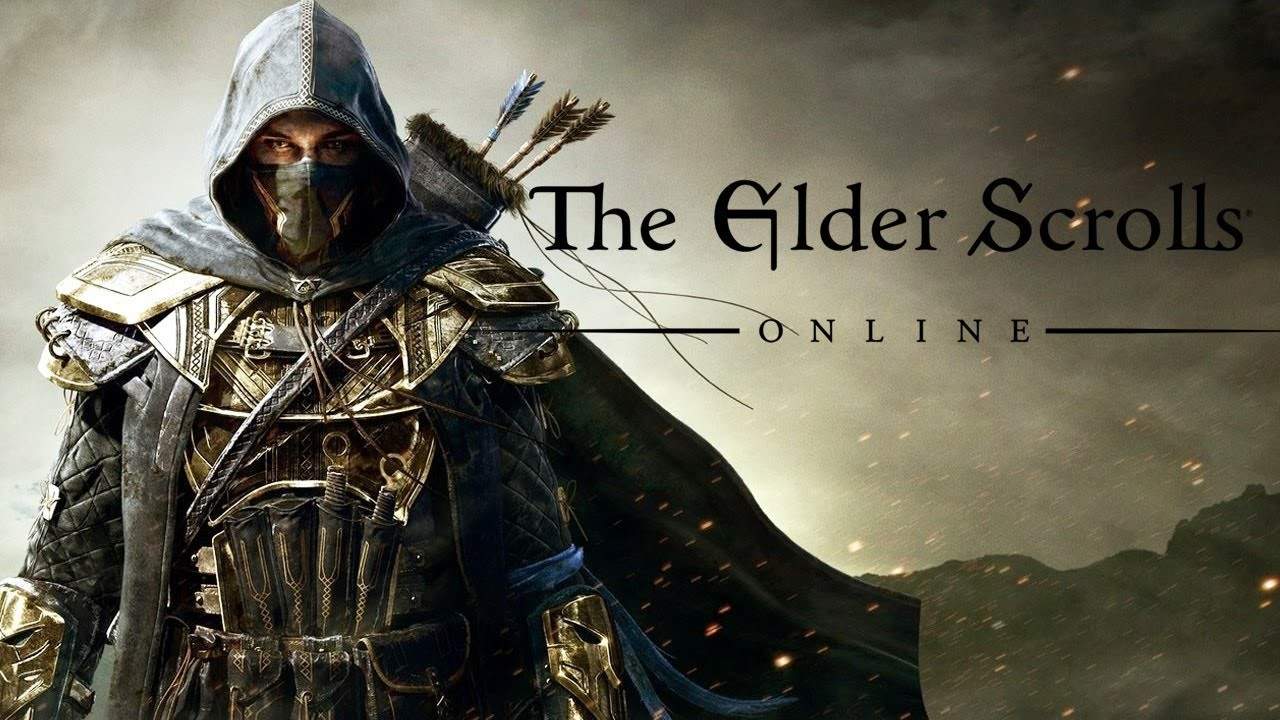
Elder Scrolls Online free to play as a Thanksgiving gift

Good news for all the Bethesda fans that haven’t gotten a chance to play the Elder Scrolls Online yet: During Thanksgiving weekend, starting the 23rd of November at 12 AM and ending the 27th of November at 12PM, players can engage in the rich fantasy world of Elder Scrolls Online. There’s a catch, however: Players must be Xbox Live Gold members. This can be considered a reward,or a way to give thanks (since it’s Thanksgiving) to Xbox Live members that have supported the platform. The version of the game which will be made available is the Tamriel Unlimited version. Players will also receive a total of 500 crowns, the in-game currency used which can be spent at the Crown store.

For those eligible to play Elder Scrolls Online for free on Thanksgiving weekend but don’t know much about the game, the game is set a thousand years before the events that go down in Bethesda’s last Elder Scrolls title, Skyrim. In this Skyrim prequel, players are immersed in a world where three factions battle for supremacy over the continent of Tamriel while bigger threats lurk from the shadows.

The enticing lore that made Skyrim one of the best RPG video games ever created returns in Elder Scroll Online as fans craving a second helping ever since Skyrim launched can now rejoice at the opportunity of playing with their friends online.

If you are interested in giving Elder Scroll Online a try, make sure you have at least 80GB of free space as the online adventure packs quite a punch in terms of storage requirements.

RELATED STORIES TO CHECK OUT:

How to bring back the classic Paint app in Windows 10

Windows Insiders are very lucky because they are able to access new Windows Software before it is released to the public. However, at the same time, they might find bugs and errors which can be quite annoying sometimes.

For example, in the latest Windows 10 version released for Insiders, the company replaced the Windows 10 Paint application with the new Paint 3D application. We have to agree that the new Paint 3D application comes with many new features, but it seems that it is also slower than the old Paint application. At the same time, the user interface of the new 3D Paint application is not as intuitive as the user interface the classic Paint application comes with.

This is the reason why there are many Insiders who are not interested in using the new Paint 3D application. Luckily, there is a way to bring back the old Paint application on the latest Windows 10 version for Insiders.

If you want to bring back the classic Paint application, then you will have to delete the new Paint 3D preview application from your computer. Once you uninstall the new Paint 3D app, you will be able to edit pictures using the old Paint app.

There is another way to do this by creating a new registry key for it:

  • Press the “Windows” key, type “regedit.exe” and press “ENTER”;
  • Now head to “HKEY_CURRENT_USER\Software\Microsoft\Windows\CurrentVersion\Applets\Paint\Settings”; hint: keep in mind that the “Paint” key and subkey should already exist on your computer, but if it doesn’t you will have to manually create them;
  • In the Settings subkey, you will need to create a new “Dword” named “DisableModernPaintBootstrap” and set value “1”;
  • Close the registry and launch the Paint application via the Paint.exe.

RELATED STORIES TO CHECK OUT:

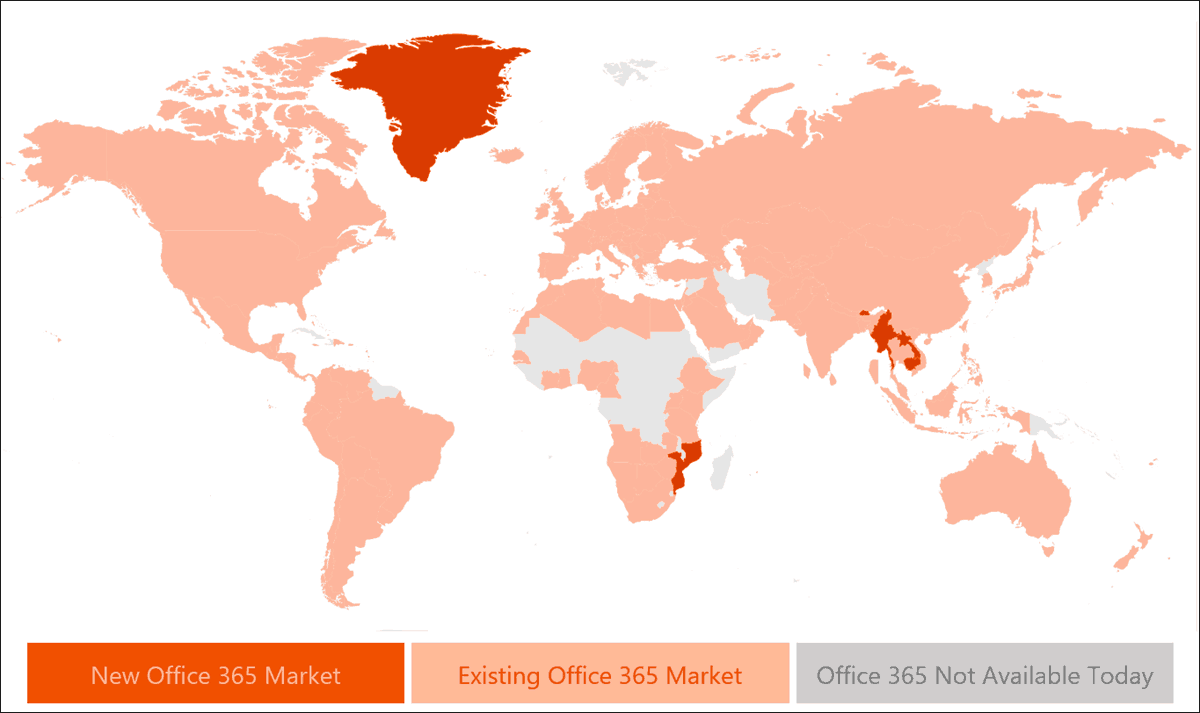
Office 365 comes to the Vatican City and 9 other new markets

Office 365 continues to gain traction across the globe and has now found a new home among users in the Vatican City among other new markets according to an update from the folks on the Office team.

As of today, Office 365  is available in 150 markets and in 44 languages that now include 10 new markets such as Bhutan, Cambodia, Greenland, Guadeloupe, Laos, Maldives, Martinique, Myanmar, Mozambique and now Vatican City.

Collectively, Office usage across the world tops out around 1.2 billion people interacting with the software suite at schools, work, personal and government capacities.

Encouraged by the growth of Office 365, the Office team plans to break new ground in 97 more markets in 2017, meaning new innovative cultural and technical engineering should be coming to the productivity suite soon making it that much more inclusive.

Xbox head Phil Spencer would like Nintendo to bring Mario to the platform

While Nintendo’s Wii U gaming console has struggled to compete against Sony’s Playstation 4 and Microsoft’s Xbox One over the last three years, the Japanese company definitely remains a force to be reckoned with in the gaming industry thanks to its portfolio of very popular IPs. As you may know, Nintendo went back to the drawing board to design its upcoming Switch modular gaming console, and a recent partnership with Apple will finally bring the world’s best known plumber to iOS devices next month.

For now, it’s still not clear if Nintendo plans to continue opening up its popular gaming franchises to other gaming platforms (including non-mobile ones), though Xbox head Phil Spencer recently expressed his thoughts about it in an interview with AusGamers. And as you can expect, the exec would love to see Nintendo games being released on the Xbox one day:

I’d love to see Mario on Xbox. As someone who’s been in this industry and played games forever, I’ll still say it: Nintendo has the strongest first-party of anybody. They’re just fantastic and the memories that they have instilled in so many of us, who’ve played their games and had those delightful experiences, having those on Xbox would be great.

Spencer also recalled that Microsoft and Nintendo already partnered in the past, bringing MineCraft to the Wii U last year as well as Super Mario themed content to the Wii U version of the game back in May. This has been a “great partnership” according to Spencer, who added that he’s completely open to the idea of bringing popular characters from first-party Xbox titles to Nintendo games:

I know I get questions all the time on would I ever like to see Banjo in Super Smash Bros. and I’m, like, “yes, I would do that in a second.” And certain people think I’m saying that as some sort of PR answer and I’m, like, why wouldn’t you?

While such enthusiasm for Nintendo games could seem quite surprising from the head of Xbox, Spencer fully admitted it, he’s a real fan of the company’s games. “I’m a big Nintendo fan and I think they’ve been incredibly important for the games industry, they do a great job with younger audiences, and if we ever had a chance to work with them in the future, I would absolutely do it,” he explained.

EU to clear Microsoft’s LinkedIn acquisition, reports Reuters

Throughout the last few months, we have closely followed Microsoft’s acquisition of the business and employment-oriented social networking service LinkedIn. Last week we reported on the service being banned in Russia, and just a few days ago, amidst growing antitrust concerns,  Microsoft promised the EU that LinkedIn APIs will remain available to all. Today there is more LinkedIn news to report, and this time, it is in regards to the EU clearing Microsoft’s EU LinkedIn acquisition (Via Reuters.)

According to a Reuters report, which cites three people familiar with the matter, European Union antitrust regulators have given the all clear to Microsoft’s $26 billion takeover of LinkedIn.  Microsoft, however, reportedly has to make minor changes to the concessions (commitments) which were originally submitted to the Union last week.

This is a developing story, so be sure to stay tuned to OnMSFT.com, as we will update this story and publish follow-up reports as more details emerge.