Sunset Overdrive developer, Insomniac Games, has tweeted out a couple times this week, stating that it would like to bring the game to Windows 10, however, it is up to Microsoft’s Xbox division to make the call on whether to bring the game to Windows 10.
we'd love it if it could happen but ball is in Xbox's court on it
Now, a spokesperson for Microsoft has reached out to GameSpot to say that the company is “proud” of the game, calling Insomniac Games a “great partner” and that they “love working with them,” however, when asked if Sunset Overdrive would be made available for Windows 10 in the future, the response was the standard non-answer:
We have no further news at this time.
So, for fans of Sunset Overdrive or PC gamers wanting to get ahold of it, there’s no news on when, or if, the game will arrive on Windows 10 PCs at this time.
Steam Hardware survey September 2016 – click to enlarge
Corroborating NetMarketShare’s report, Steam also shows a drop in Windows 10 usage, a drop of 0.05%. Windows 10 64-Bit usage increased by 0.04%, however, the 32-Bit edition dropped by 0.09%, leading to the overall decline of 0.05%.
While this is not a significant change, it does further confirm that Windows 10 share is either decreasing or stalling.
Interestingly, Windows 8.1 64-Bit usage increased by 0.09%, followed by Windows 7 usage dropping by 0.26%, which goes against NetMarketShare’s statistics showing an increase in Windows 7 use.
Looking at the overall picture, Windows usage decreased by 0.33% to 95.38%. Whereas OSX, now macOS, increased by 0.25% to 3.59%. Linux also saw an increase, by 0.11% to 0.94%.
Let us know what you think of the latest statistics in the comments below!
Welcome back to our weekly “Windows 10 news recap” series where we go over the top stories of the past week in the world of Microsoft’s latest operating system. Let’s get started.
NetMarketShare: Windows Phone market share increases, Windows 10 drops while Edge holds steady
Two years ago today, Microsoft launched the Windows Insider Program – a program whereby Microsoft can ask their customers for feedback on products, as well as an avenue to report issues that they’ve discovered.
It has assisted in finding issues surrounding Windows 10 builds on both PC and mobile, and given users a voice when there’s something they feel is missing. Originally announced via a blog post on the Windows Blog, the Insider Program was designed to allow IT Pros access to the Windows 10 Technical Preview, but over time it grew into an all-out feedback hub, literally. Now, thousands of feedback items are posted monthly and teams across Microsoft are engaged in reading what is being said.
Jen Gentleman, one of Microsoft’s evangelists, announced the 2 year anniversary on Twitter, citing its launch of October 1, 2014:
Microsoft recently pushed KB3194496 to the general public, bringing a series of important bug fixes. We expected this cumulative update to become available on Patch Tuesday, but it appears Microsoft considered the update was stable enough to be rolled out to all Windows 10 users.
Maybe it would have been better if Microsoft had waited a bit longer. In this manner, the company would have had the chance to gather thorough user feedback and patch eventual issues. As a quick reminder, update KB3194496 was pushed to the Windows 10 public channel just one day after it had become available for Release Preview and Slow Ring Insiders.
Unsurprisingly, perhaps due to Microsoft’s haste, cumulative update KB3194496 brings issues of its own. Users have reported KB3194496 is breaking mouse and keyboard functionality. More specifically, they can’t use the mouse and the keyboard buttons don’t respond.
KB3194496 breaks mouse and keyboard functionality
So I have a friend who just finished installing the KB3194496 cumulative update for windows 10 a few hours ago. Window’s did it’s typical “Installing X%” and rebooted, but when it rebooted it was trying to do an automatic system repair. It then cuts immediately to a blue screen telling him to choose a keyboard layout, but he can’t use the mouse and the keyboard buttons don’t respond.
Several users already confirmed having the same issues after installing cumulative update KB3194496, and around 100 people already viewed the thread describing this issue. All signs indicate this is not an isolated problem.
Have you already download KB3194496 on your Windows 10 computer? Is everything running smoothly for you? Are you also experiencing mouse and keyboard issues? Tell us more about your experience in the comment section below.
First things first, readers should notice that documentation unique to Azure Information Protection is now being integrated into the rest of the literature. Perhaps, even more, convenient than a single source of info is the new starting page of the documentation that will now suggest or recommend the most updated information for readers, avoiding the infinite scroll issues of other detailed online documents.
Microsoft has also included a Search box to accompany the many changes to the updated documentation reading experience. The new Search box now enables readers to jump to accurate information along with new URLs to document pages that redirect.
Carol Bailey, a Microsoft technical writer, also covers the many nuances in today’s update to Azure Information Protection Documentation for 2016 in her recent posting on the Enterprise Mobility and Security Blog.
The list of articles which contain significant changes since last month’s update to the documentation is fairly long and rather dense.
Updated with information for administrators or consultants, who are looking to understand how Azure Information Protection can classify, label, and protect documents and emails.
Updated for information that is specific to classification and labeling, and was previously in a Requirements for Azure Information Protection page. Removed information about subscriptions, which will now be documented on the Azure Information Protection site.
Have you ever wanted an easier way to access all of your favorite anime? Also, perhaps you’ve been looking for a way to get the latest updates on when an episode releases, as well as to mark when you first started watching the title and follow it through to the end. If so, then an updated Windows 10 app might just be what you’re looking for.
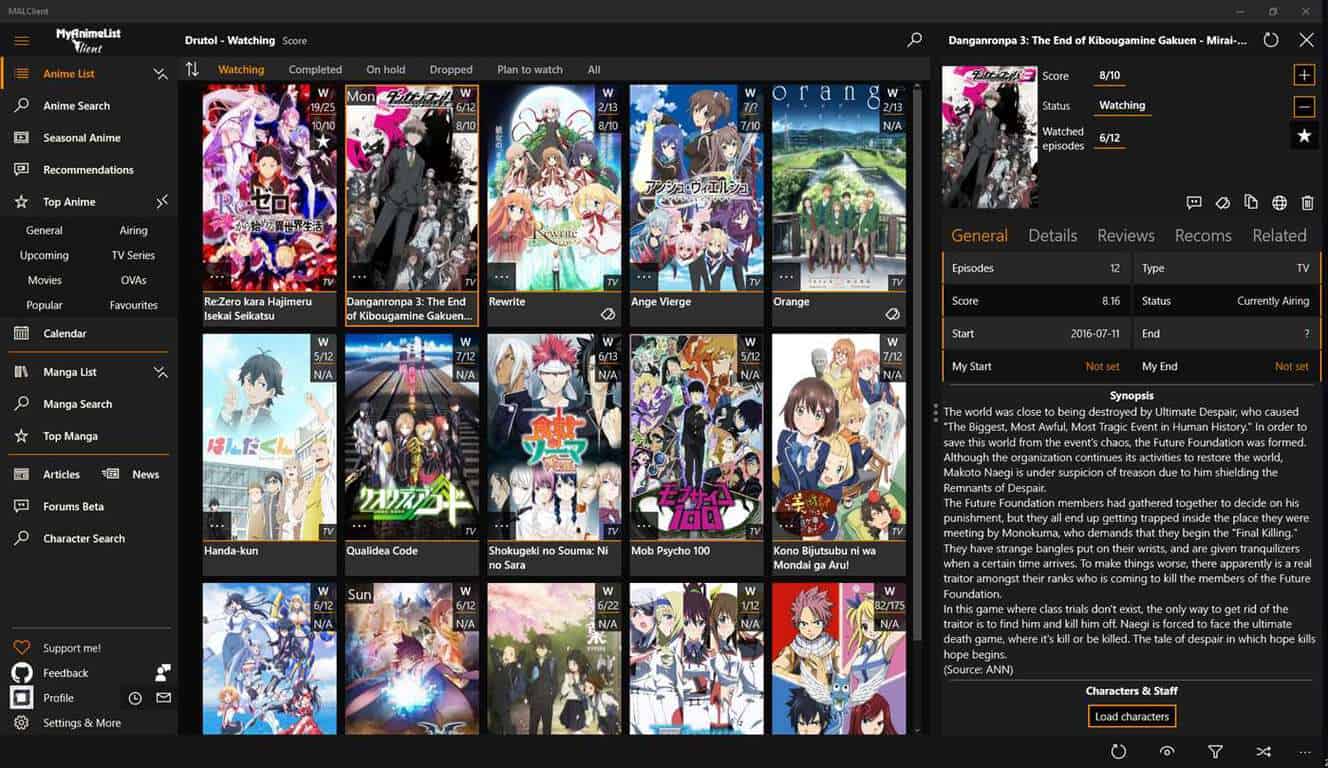
Mardonus from the Windows Phone subreddit shared an update on their anime/manga tracking UWP. Named MALClient in regards to My Anime List, the popular anime and manga website for enthusiasts, the app unofficially provides basically the same services as the site. The ad-free application displays your preferred entertainment from myanimelist and hummingbird.me so you won’t miss anything new. It was first introduced earlier this year in April and now it’s back with a rather large update that completely turns the app on its head.
MALClient is also useful for finding new and upcoming anime or manga with a new search feature that lets you find characters or titles. You can also have full conversations with the private messaging or via the profile comments. Here’s a beefy full list of the impressive update’s features from the store page:
Manga and Anime support.
Browse your own list as well as other’s.
Update your anime entries, including tags.
Check anime reviews.
Lurk&Post on Forums.
Browse related anime.
View top anime and manga.
Search for new anime in MyAnimeList/Hummingbird database.
Pin anime series with customizable tiles.
Search for characters!
Character&Staff details.
Read MAL news & articles.
Read and send MAL messages.
View your history.
Profile comments.
Add and remove favourite shows, characters etc.
Check your own profile stats , favourites etc..
View currently airing anime.
Dark and Light themes.
MALClient is already a smooth and feature-rich client app that works as intended without any advertisements to bog it down or in-app purchases except for various increments of donations. But that’s not all that is in store. Mordonus has additional plans for the application in the future like adding watched topics and maybe even clubs that would let users become more social in their favorite genres.
The creator did take to answering a couple of the questions brought up by users about the update to MALClient. Mordonus clarified that there was only one way to log in due to the API credentials used by the third party client and that further options aren’t likely. On a more technical note, MALClient is also open sourced so you can view the GitHub repository online to learn more about it.
Are you looking for your next anime or manga binge? Try out MALClient by downloading from Microsoft’s Windows Store with the link below.
Announced a few days ago in a press release from integrated global media and entertainment company Starz, owners of an Xbox One and (presumably) Xbox One S will now be able to stream the network’s original shows as well as its licensed entertainment from a new app released on the console. Even though there are STARZ apps being delivered to the Apple TV, iPad, iPhone, Roku, Sony, Android TV and a host of other platforms, the Xbox One app is being described by the company as:
The STARZ app on Xbox One is a single destination for all subscribers who want to stream STARZ premium content. Its intuitive content discovery design and navigation offers ease of use and a compelling user experience, regardless of how the consumer purchased a subscription to STARZ. Subscribers to the STARZ sister networks, STARZ ENCORE and MOVIEPLEX, will also use this single destination app for access to stream. STARZ subscribers* may now download the app for free through the Xbox Live® service on their Xbox One and watch exclusive STARZ Original series including the upcoming season two premieres of “Blunt Talk” and “Ash vs. Evil Dead” on Sunday, October 2; as well as hundreds of movies and first-run films.
Interestingly enough, the STARZ app will use the current subscribers account as access when pair with an Xbox Live membership. Unlike the STARZ app for the App Store, Google Play, or Roku, it appears as though Xbox One owners will need a previous subscription to access content from the app rather than having the ability to purchase a cable-less offering for $8.99.
The new app should be available for download on the Xbox Store today. Any STARZ subscribers out there? Let us know what you think of the quality of the app as it compares to other offerings such as Showtime, HBO GO, or FXX.
Today, the company continues its iterative approach by announcing that the Windows Store for Business now supports offline licensing. For developers, two licensing and distribution solutions are available:
Store-managed (online) is your default option, in which the Store service installs your app and issues entitlements for every user in the organization who installs the app.
Organization-managed (offline) is an optional additional choice, in which the organization can download your app binary with proper entitlements, distribute the apps using their own management tools and keep track of the number of licenses used.
In the blog post, the Windows Apps team notes that several apps are already enabled for organization-managed licensing and distribution in the Windows Store for Business including the Office apps, Outlook Mail and Calendar, OneDrive, Teamviewer, JT2GO from Siemens and more. Developers looking to enable offline offline licensing for their apps will have to log in to the Windows Dev Center dashboard and follow these steps:
Open the app you would like to enable for offline licensing and create a new submission.
In Pricing and availability, go to the Organizational licensing.
Make sure the box for Make my app available to organizations withStore-managed (online) volume licensing is checked.
Also check the box for Allow organization-managed (offline) licensing and distribution for organizations.
Make any other desired changes to your submission, then submit the app to the Store.
Developers can enable offline licensing in the Windows dev Center.
Developers can enable organization-managed licensing and distribution for both free and paid apps. For users, apps distributed with offline licensing will work and update like regular apps though IT administrators may choose to manage app updates. More information on organizational licensing is available on this support page if you need it.
When Microsoft announced its intentions to acquire LinkedIn back in xx, it won a bidding war with Salesforce.com, purportedly winning the business focused social network even though Salesforce had a higher bid. Salesforce CEO Marc Benioff has been taking potshots at Microsoft ever since, up to and including yesterday where he fired off a couple of new tweets reacting to some statements Scott Guthrie made at a Deutsche Telekom conference.
Now today, according to PC World, Salesforce is pushing the European Union to block the acquisition:
Salesforce Chief Legal Officer Burke Norton will argue to the EU’s competition authority that Microsoft’s control of LinkedIn’s dataset following an acquisition would be anticompetitive.
…
“Microsoft’s proposed acquisition of LinkedIn threatens the future of innovation and competition,” Norton said in a statement on Thursday. “By gaining ownership of LinkedIn’s unique dataset of over 450 million professionals in more than 200 countries, Microsoft will be able to deny competitors access to that data, and in doing so obtain an unfair competitive advantage.”
In response, Microsoft President and General Counsel Brad Smith countered in a statement:
“Salesforce may not be aware, but the deal has already been cleared to close in the United States, Canada, and Brazil. We’re committed to continue working to bring price competition to a CRM market in which Salesforce is the dominant participant charging customers higher prices today.”
So, shots fired on both sides, once again, even though Salesforce and Microsoft also announced Skype for Salesforce yesterday, bringing Skype for Business directly into Salesforce.
It’s clear that with LinkedIn, and a new emphasis on Dynamics CRM, that Microsoft is taking aim at Salesforce, and Marc Benioff and his company aren’t about to sit still while that happens. If nothing else, this should be interesting!
Microsoft’s Ignite conference for IT professionals and business people is drawing to a close today in Atlanta, but the company is already getting ready for the next one.
In a tweet on the Microsoft Ignite Twitter account, the dates and place for next years Ignite have been announced, next year’s show will take place in Orlando, Florida on September 25-29, 2017:
This will be Microsoft’s third Ignite conference, a mega-event that has combined the Microsoft Management Summit, Microsoft Exchange, SharePoint, Lync, Project, and TechEd conferences all into one huge event. Last year’s Ignite was held in Chicago in May, and was scheduled to return to the Windy City this year until the schedule was changed from Spring to Fall, and the show was moved to Atlanta.
As she was this year, General Manager Julia White will host next year’s show, by all accounts a very successful four days of deep dives into Office, Office 365, SharePoint and much more.
Microsoft has pushed a new update to the Windows 10 Maps for non Insiders today. The app has been bumped to version 5.1609. 2651.0, which is the same version that the company pushed to Windows Insiders on the Fast Ring just two weeks ago. The latest bits brings dark theme options for both the app and the maps, and you can choose to enable them in the settings. Additionally, the changelog mentions a new feature to quickly check traffic for your commute. Here are the full release notes:
Enjoy dark or light app colors—they now change to match your system settings.
Quickly check traffic for your commute, including live cameras, where available.
You can enable a dark theme for the maps as well.
The Windows 10 Maps was one of the few remaining native apps that didn’t have a dark theme option so it’s nice to finally get it. You can download the new update from the download link below, let us know in the comments what do you think of this new dark theme option.
Five brand new Xbox Challenges went live this week for Xbox Fitness on Microsoft’s Xbox One console. Only one has been advertised within Xbox Fitness but the other four are discoverable when snapping the Achievements app or viewing the Xbox Fitness Game Hub.
Xbox Challenges are like Xbox Achievements but instead of rewarding gamers with Gamerscore points, they provide them with in-game content. Xbox Challenges were plentiful when the Xbox One console first launched but interest in them has waned recently with few developers bothering to take the time to implement them in their games.
While the exact details of these Xbox Challenges’ rewards remain hidden until unlocked, it’s safe to assume that once unlocked they will give gamers Xbox Fitness Loyalty Card stamps as that’s what previous ones have done in the past.
The creation of these appear to be in response to users who had become worried that they would be unable to unlock all of the Xbox Achievements in the game before its Xbox Live Gold content goes offline at the end of 2016 and purchased content follows suit mid-2017. The hardest Xbox Fitness Xbox Achievements require the earning of the 50th, 60th, 70th, 80th, 90th, and 100th Loyalty Cards which are given to players after a certain number of stamps are earned. Even with doing at least one workout a day for a year, it would be difficult to get enough to qualify for these cards. The extra stamps rewarded by the new Xbox Challenges, however many they could be, will go a long way in helping users reach their targets and potentially 100% the game before its closure.
It’s important to note that only one of these new Xbox Challenges is currently active and that it expires in October. The names and descriptions of the other four suggest that they will also be time-sensitive and could average to around one a month until January 2017. Here are their names and descriptions:
Falling for Fitness: Earn two million Fit Points in one month!
Fit Friday: Throw 1,125 punches in two month!
Winter Wonderland: Unlock Winter Wonderland by winning 20 drill challenges.
Jump into the New Year: Jump, climb, and squat your way to 500 meters.
Marching into 2017: Earn a new Personal Best to unlock Marching into 2017.
Are you a fan of Xbox Fitness and will you be trying to complete it before it shuts down? Let us know in the comments below.
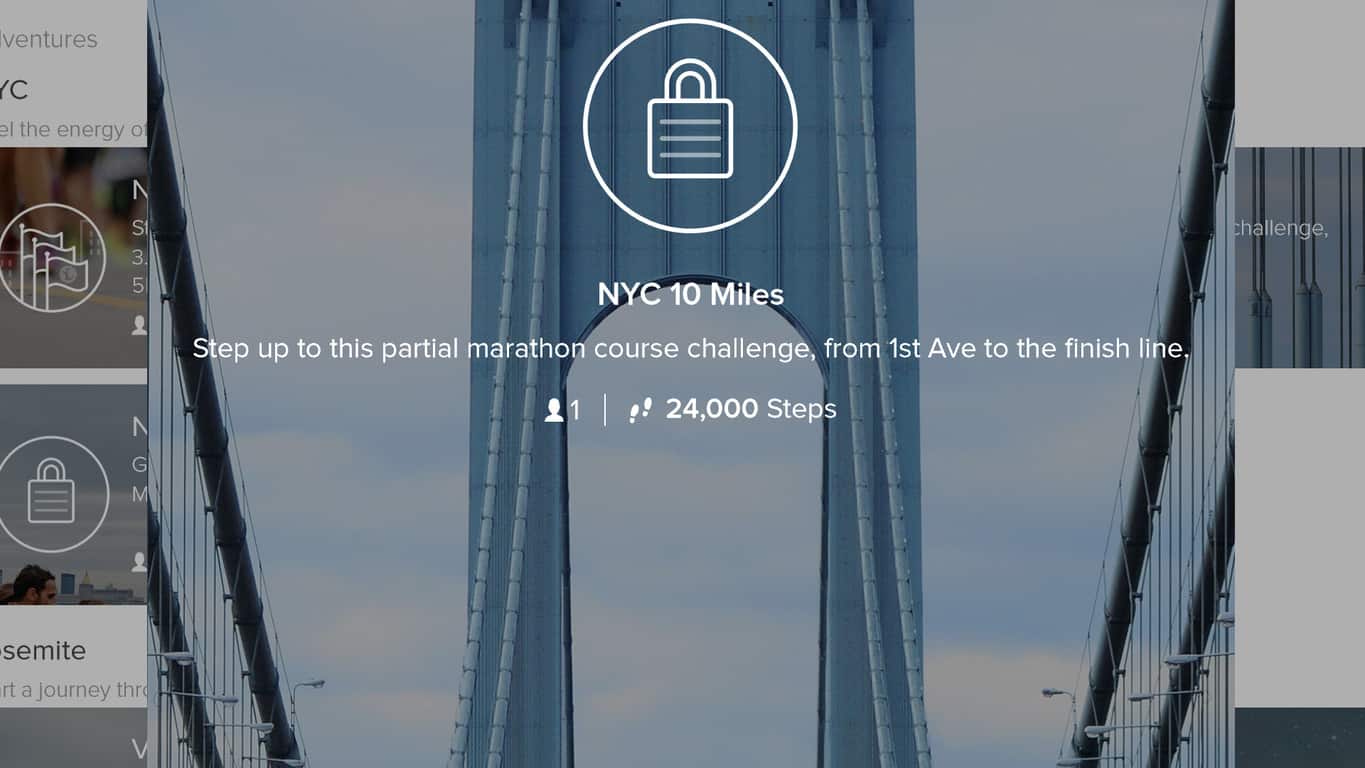
The official Fitbit app updated for Windows 10 devices today with added support for Microsoft’s HoloLens and several new features. Among these new features is the inclusion of three new Adventures set within New York City. Adventures were introduced in the previous update and are essentially virtual map experiences of real-world locations with progress along the digital map correlating to actual steps taken by the user.
This update also improved the display performance of celebrations on the Fitbit app Dashboard and graphs in the reports area, fixed several bugs, and added the ability to save unlocked landmark photos in an Adventure as a desktop background. Here’s the official app description for the Fitbit app:
Live a healthier, more active life with Fitbit, the world’s leading app for tracking all-day activity, workouts, sleep and more. Use the app on its own to track basic activity and runs on your phone, or connect with one of Fitbit’s many activity trackers and the Aria Wi-Fi Smart Scale to get a complete picture of your health—including steps, distance, calories burned, sleep, weight, and more.
TRACK ACTIVITY: Accurately record your steps and distance with MobileTrack when you carry your phone. For all-day tracking of stats like calories burned, active minutes, and sleep, pair the app with a Fitbit tracker.
RUN SMARTER: Enhance runs, walks and hikes by using MobileRun to track your pace, time and distance. You can also control your music, get voice cues or use your phone’s GPS to map your routes.
RECORD WORKOUTS: Use your Fitbit tracker to track your exercise, then check the app to see your stats, their impact on your day, and how your performance is improving.
The Fitbit app has continually updated to maintain feature parity with its iOS and Android counterparts. Do you use the Fitbit app and have you tried one of the new Adventures yet? Let us know in the comments below.
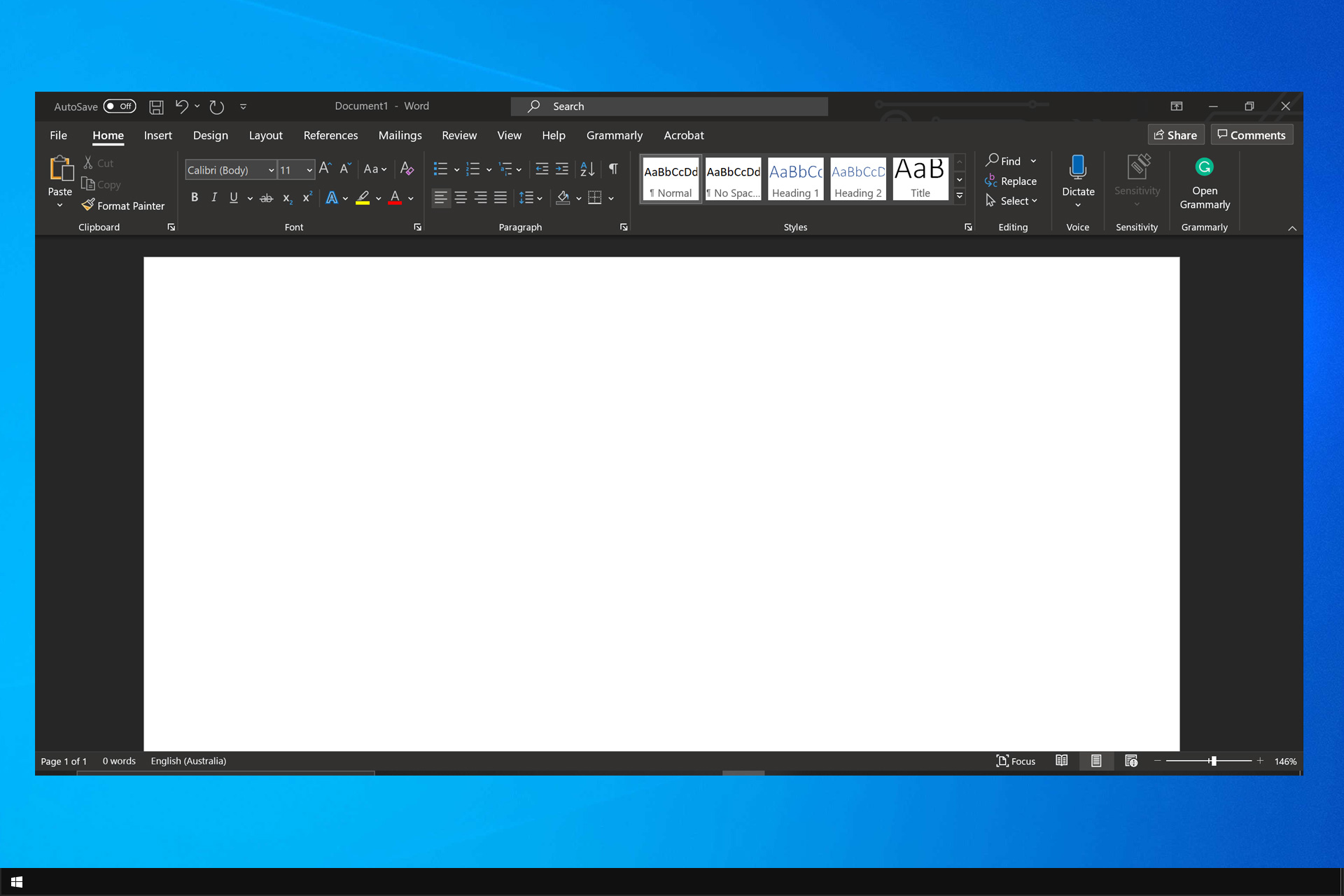
Many users prefer to use dark themes on their software, and many are wondering how to enable Office 2016 black theme on their PC.
This is fairly simple to do, and it requires you to change a couple of settings. Speaking of which, Windows 10 dark theme can be easily enabled, so you might want to try that as well.
Without further ado, let’s see how we can enable the dark theme in your Office software.
How can I turn on black theme in Office 2016?
1. Change application options
Launch the Office program you want to enable the black theme for.
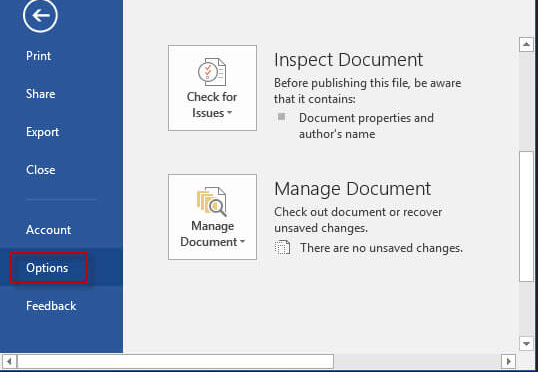
Go to the File and select Options.
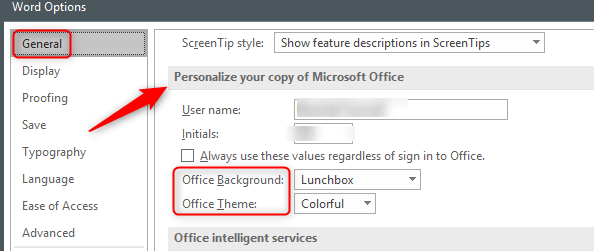
Go to Personalize your copy of Microsoft Office section.
Select Black in the drop-down menu and click on OK.
2. Change Office Theme setting
Launch any Office program.
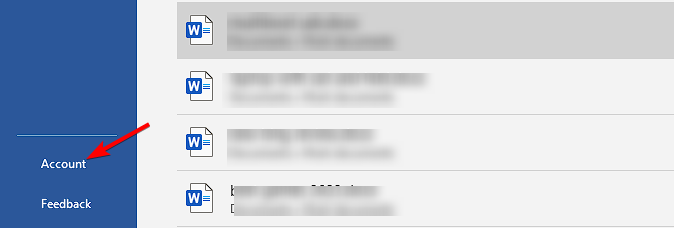
Go to the File menu, and select Account.
Go to Office Theme and select Black in the drop-down menu
The Black theme is now enabled for all your Office programs.
The three other themes, Colorful, Dark Grey and White are still available in Office 2016, and you can enable them at any time.
As you can see, enabling the dark theme is pretty simple in Office 2016. Now that you know how to do it, perhaps you would be interested in a guide that shows you how to remove recommended documents in Office?
Have you already tried out the dark theme in Windows 10? Tell us more about your experience in the comment section below.
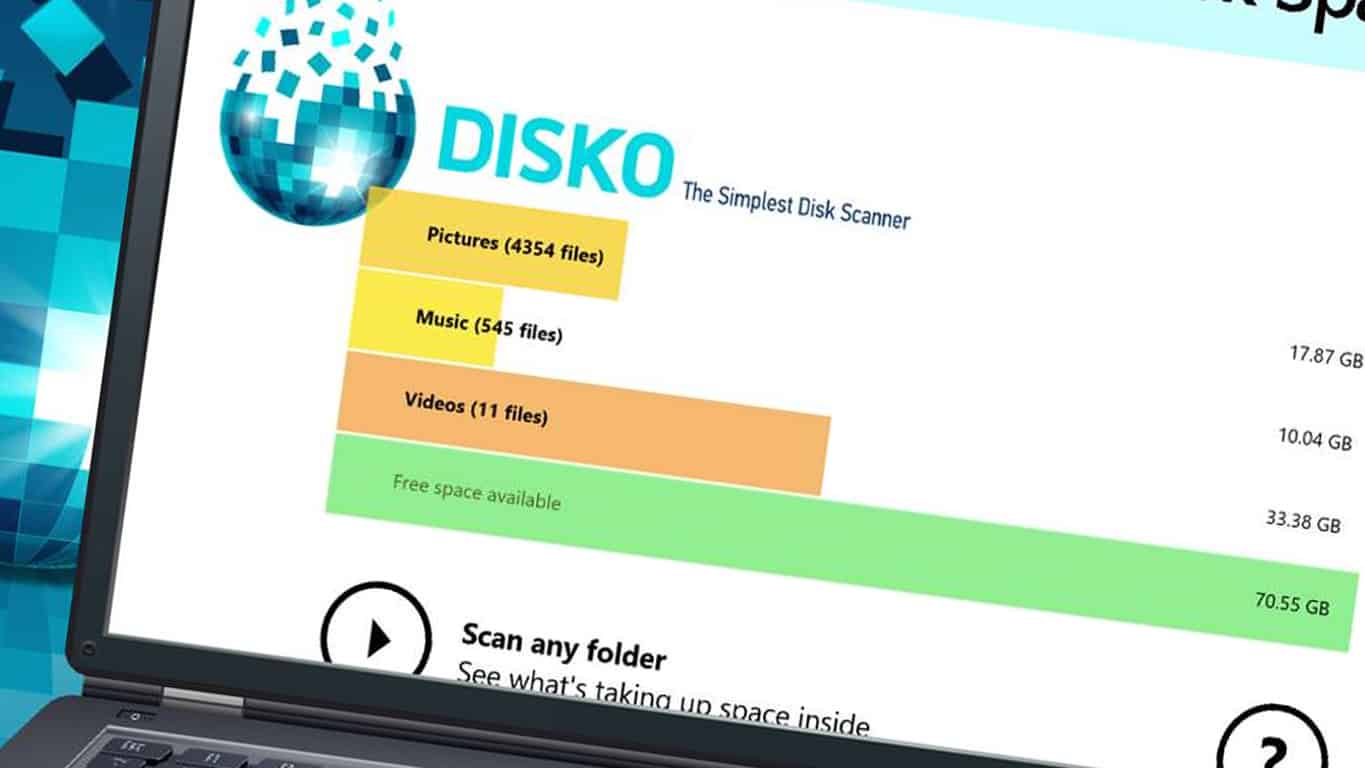
The disk management app, Disko, is currently free in the Windows Store for today and tomorrow. The app usually retails for $9.99 so now is a pretty good time to check it out. Disko is essentially a system memory management tool that scans a Windows 10 device and detects how much memory is being used and which files and programs are using up the most. It can also search for duplicate files and is designed to prevent the deletion of important system files. Here’s the official app description for Disko:
Running out of disk space? Disko is here to help! With Disko’s Auto-Scan, get a disk space usage report without pressing a single button. Then, use Disko to delete unwanted or duplicate files to reclaim your space. Disko tells you what’s taking up your disk space, and then helps you declutter with a few taps. This little app starts scanning your disk as soon as you launch it and lets you delete files while it scans. Its powerful scan engine can analyze more than 10,000 files per minute across your entire system.
Safety first! Disko moves your unwanted files to the Recycle Bin. Just empty the Recycle Bin when you’re done – this will reclaim your disk space and flush the junk away. Disko protects your system by operating in a sandboxed environment – you can use it to delete your unwanted files and folders, but built-in safeguards prevent it from deleting system files. Disko is built exclusively for Windows 10. It is only available from the Windows Store, so you know it’s safe.
Disko is a Universal Windows Platform app and is compatible with Windows 10 PCs and tablets as well as Windows 10 Mobile smartphones. Have you tried Disko yet on your device? Let us know your thoughts about it in the comments below.
Microsoft has pushed a new Windows 10 build for Insiders in the Fast ring. The new build is labelled 14936, and, unlike the previous release, is available on both Windows 10 PC and Mobile.
Windows 10 build 14936 brings a couple of new features, and system improvements. With this release, Microsoft continues to improve the experience in Microsoft Edge, but also brought some functionality enhancements. We should note once again that this build still counts as the ‘early Redstone 2 build,’ so major improvements are not available yet.
Just like we suggested a week ago, Microsoft released three new extensions for Edge. If you’ve been following the situation, you probably guessed that these extensions are Microsoft Shopping Assistant, Turn Off the Lights, and Tampermonkey.
Additionally, Microsoft has introduced some changes to NAS devices and home file servers. So, users might need to adjust their settings in order to be able to access the home network folder again.
After updating to the latest Insider Preview builds, you may have noticed that shared devices on your home network have disappeared from your home network folder. You may have also noticed your mapped network drives are not available. If you change your network to ‘private’ or ‘enterprise,’ it should start working again.
And finally, , the Windows Subsystem for Linux has been improved with Ubuntu version 16.04. The new new version replaces the older Ubuntu 14.04. However, Microsoft said that this change would affect only new instances (lxrun.exe /install or first run of bash.exe). Existing instances with Trusty won’t receive this update automatically.
Known issues and improvements in Windows 10 build 14936
As always, Microsoft presented the list of known issues and system improvements. Once again, the list of known issues is pretty small, which is a good thing, and indeed a lot of Insiders have been reporting that this build works very well. But as always, we’ll check that by ourselves, by searching for reported issues from more Insiders.
Here’s what has been improved in Windows 10 build 14936:
Improvements and fixes for PC
“We fixed the issue causing Narrator to continually speak the progress of a song e.g. update with the current time of the progress bar every second if you navigate to the progress bar while a song is playing in Groove Music.
We fixed the issue where using the tab key to navigate the Settings app wouldn’t work.
We fixed an issue resulting in Explorer.exe frequently crashing for some Insiders, particularly for those with multiple network switches.”
Improvements and fixes for Mobile
“We fixed the issue causing the pin pad to not be visible to unlock the phone even after rebooting the phone.
We fixed the issue where some phones lose the ability to use their SIM cards.
We fixed the mobile hotspot issue where it works the first time but subsequent attempts to use the feature won’t work until the phone is rebooted.
We fixed an issue causing some devices such as the Lumia 650 from failing to install a new build with Error 0x80188308.
We fixed the issue causing some build updates to fail with an 800703ed error code.
We fixed the issue where Action Center no longer closes if you swipe up on the empty space (area of Action Center that doesn’t show any notifications).
We fixed an issue where notifications were unexpectedly showing the app logo within the notification when viewed in Action Center.
We fixed an issue for devices that shipped with Windows Phone 8.1, such as the Lumia 930 and 1520, where if you plugged in a headset during an ongoing call, the audio would not be routed to the headset.”
And, here’s the list of known issues:
Known issues for PC
“Optional components may not work after upgrading to this build. To get it working again, go to “Turn Windows features on or off”, scroll down and check the right optional component and click ok. After a reboot, the optional component will be enabled again.
Tencent apps and games will cause your PC to bugcheck (bluescreen).
Running sfc /scannow in an elevated command prompt will fail at 20% with the error “could not perform the requested operation.””
Known issues for Mobile
“If you have your default storage set to a SD card for apps, installation of apps like WhatsApp, Facebook Messenger and WeChat will fail with an error. As a workaround, set your default location to your device’s onboard storage.”
To download the latest Windows 10 build, just head over to the Settings app > Updates & security, and check for updates. If you’ve already downloaded the build, tell us more about your experience in the comment section below.
Forza Horizon 3 is finally available for the general public. You can now engage in nerve-racking races, push the pedal to the medal and eclipse competition. Select your favorite car, and do everything you can to be the first to pass the finish line.
A fast car is essential if you want to win the race. Also, a reliable wheel can give you an extra boost, allowing you to better control the vehicle. It’s important to know what the wheels supported by Forza Horizon 3 on Windows 10 PCs are because this allows you to avoid annoying situations when can’t properly control the car.
Forza Horizon 3 supports the following wheels:
Thrustmaster T150
Thrustmaster T500 RS
Thrustmaster TMX V1
Thrustmaster TMX V2
Thrustmaster T300RS
Thrustmaster TX
Thrustmaster RGT
Logitech MOMO Force Feedback Racing Wheel
Logitech G920
Logitech G929
Logitech G25
Logitech G27
The Logitech G27 and the Thrustmaster TX wheels, as well as other TX variants, can be used, but they have some limitations with their in-game functionality. In other words, these wheel support the default settings, but gamers may experience issues when using customized settings.
The good news is that additional wheels, such as the Fanatec wheels, will soon be supported thanks to a series of updates that will be pushed to Windows 10. These updates will also bring improvements for the wheels currently supported. For example, gamers already reported the Logitech G25 wheel has FFB issues on tarmac, and it is very poor even on dirt roads.
For the time being, Forza Horizon 3 supports only 12 wheels, which disappointed many fans:
The lack of better wheel support on PC is very disappointing.
There is no decent support for Fanatec most recent models, so what are the people with $600 Fanatec GT2 & GT3 are supposed to do? throw them out the window and go buy “the new one”?
Have you already installed and played Forza Horizon 3? Tell us more about your experience in the comment section below.
Audio content on Internet comes in two versions: the one that you intentionally play (YouTube videos, Spotify songs, etc.), and the annoying one that plays automatically (ads, or notifications). When you want do disable the second kind, all browsers require you to do it manually, which can be as annoying as hearing that sound.
For Google Chrome users, that doesn’t have to be the case anymore. With one handy extension for Google’s browser, you can block sound from any site you want, and avoid hearing unwanted audio. The extension is called Silent Site Sound Blocker, and you can download it from Chrome’s Web Store for free.
This extension serves as an audio firewall for Google Chrome, and gives users complete control over audio playback in the browser. It comes with a few modes and options, so you can choose the regime that fits you the best.
Here’s what modes Silent Sound Blocker offers:
“Allow Whitelisted Only — This setting plays audio only if the site is found on the whitelist.
Block Blacklisted Only — This plays audio on all sites except on sites that are on the blacklist.
Silence All Sites — This blocks audio playback on all sites.
Allow All Sites — This allows audio playback on all sites.”
By default, the extension allows playback only from whitelisted sites (the first mode), but you can easily change that. Whenever you open a site that tries to play audio content, a prompt asking you for permission to play the sound will pop up. From there you have an option to whitelist the site, play audio and reject it only once, or completely blacklist the site. You can also whitelist and blacklist sites manually.
This prompt shows every time a site tries to play audio, as there’s no way to disable it. This, as well, can be annoying to some users, but it’s definitely better than hearing that guy who tries to show you how to make a million in one month.
All in all, this is a very useful extension, if you don’t want to disable audio on each site manually. You can download it for free, from the Chrome Web Store.
If you pay attention to the fashion world, you know that things move fast. This is attributed to “fast fashion,” which has completely turned the art of clothes manufacturing on its head. Back in the day, it used to take up to 30 days for fashion to come from the runway to your clothes store – which, in many cases, was enough time for it to be out of fashion.
With fast fashion, clothes can be ready much quicker, which is an absolute necessity for a market that moves as quickly as this one.
Using Microsoft technologies, Crystal Group is able to make fast fashion even faster. By using Universal Windows Platform applications, they’re able to maximize the mobility of their entire sales force, keeping one cohesive set of tools wherever they go. As far as Crystal Group’s customers are concerned, this also means that they can use automated apps to design their custom clothes, instead of manually trying to figure out each detail. Where the production of a prototype used to take up to 7 days, Crystal Group can now do the same work in under 12 hours. A faster prototype means a happier customer, and that’s always a good thing.
If watching the video wasn’t enough to shed light on Crystal Group’s story, you can also ready Microsoft’s blog post on the subject, which sheds a little bit more light on everything. You’ll also be able to learn a little bit more about Crystal Group by checking out their customer story on Microsoft’s website, where they talk a little bit more about their digital transformation, and what challenges they faced during the process. If you’re considering upgrading your business model to something a little bit more digitally focused, this is a pretty inspirational story.
The September 30 deadline looms closer for developers with abandoned apps on the Windows Store (via Neowin). As of tomorrow, apps that haven’t complied with Policy 11.11 will be removed from the store entirely.
Earlier in June, Microsoft sent out an email that declared their new stance on age ratings. Their attempt to bring compliance by app developers was able to be met by simply filling out a questionnaire that would take approximately five to ten minutes to complete. The multiple choice would then determine the app’s age rating by asking about violence, nudity, and other topics that might change age a child might be restricted from. This includes apps that are in beta whether they are in private or not.
It’s hard not to consider this the smarter move on the part of Microsoft. From what we can understand, there won’t be any bias for popular or long-term apps. It will only depend on if the developer has complied by taking the rating questionnaire. The removal of apps likely will cause a lot of outrage particularly in cases of popular apps that aren’t kept up to date anymore.
However, the attempt to make clearer ratings for their apps will be useful for customers that use the Add Family feature and monitor the downloads and purchases of their children’s Microsoft/Xbox account.
The certainty is that after tomorrow, we will see a lot fewer apps on the Windows Store. Could Microsoft be shooting itself in the foot by removing an undetermined amount of their precious apps? Or will the end justify the means and encourage developers to take the extra step to ensure compliance once Microsoft changes its policy in the future? No doubt it’s a hot topic so make sure to let us know all about what you think in the comments below.
Windows 10 is all about updates! We say that at the beginning of almost every update-related post and this article is not an exception. The system cannot function normally without updates, so it is advised users install them regularly.
However, many users are not satisfied with how Microsoft delivers Windows 10 updates. It all started when Windows 10 was released as a free upgrade for Windows 7 and Windows 8.1. People were furious at Microsoft because the company basically forced them to upgrade to Windows 10.
A year has passed and while Microsoft isn’t offering Windows 10 for free anymore, the problem of updates remain, with users unhappy mainly because they’re not in charge of installing them: Windows 10 forces them to install every new update — including major updates — even if they don’t want to.
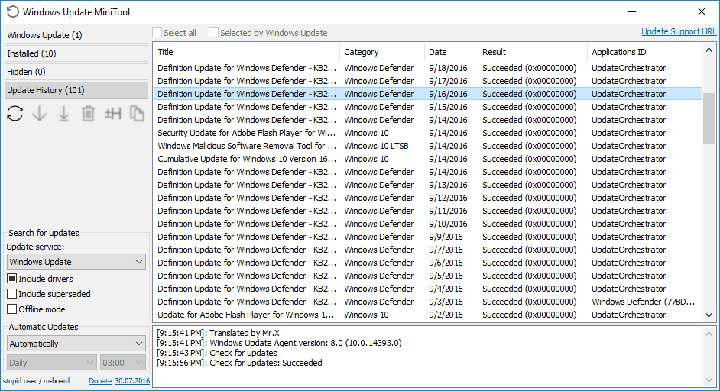
There’s no way to completely control updates installation unless you stick to Windows 10’s features only. But if you’re looking for a third-party solution, there are a couple of options. And while there are a few similar tools allowing users to take control of updates in Windows 10, we decided to choose one called Windows Update MiniTool. Let’s see what this software has to offer.
Windows Update MiniTool controls updates in Windows 10
Windows Update MiniTool is a free tool that allows you to choose which updates you want to install along with some additional options. When you open it, it checks for Windows 10 updates but doesn’t install them manually. It allows you to choose which updates you want to install just like in Windows 7. So, if you want to install a latest driver update but don’t want a new update for Windows Defender, you can just uncheck it from the list of available updates.
You don’t have to worry about downloaded updates because MiniTool downloads them directly from Microsoft’s servers, not from some unverified source. Once updates are downloaded, MiniTool stores them in the SoftwareDistribution folder, just like Windows Update does.
Next, you can choose how updates are installed. The offered options are:
Automatically
Disabled
Notification Mode
Download only
Scheduled
Managed by Administrator
If you choose to install updates automatically they will be installed the same way they are as with Windows Update — something you probably don’t want if you’re using this software. You can completely disable updates, but this is not recommended. You can set the notifications mode to inform you whenever a new update is available. The download only option allows you to just download updates without installing them, later choosing which patches to install. The tool even offers you Update History just like the ‘original’ Windows Update did.
But, there’s one MiniTool feature we especially like. This tool allows you to download every update manually by providing the download links. This is a great way to install the latest updates on computers without internet connection. Also, users won’t have to use Internet Explorer or perform tricks to manually download updates from the Update Catalog.
All in all this is a very useful tool, especially for users who want to change the way of receiving updates. Still, it’s good to be careful with third-party tools that download Windows Updates because some of them might not be what you think they are. However, Windows Update MiniTool is completely safe to use, so have no worries when downloading it.
If you’ve already downloaded Windows Update MiniTool, let us know what do you think about this handy program in the comments.
Microsoft recently rolled out a new Windows 10 build to Release Preview and Slow Ring Insiders. Build 14393.222 improves the Windows Update Agent, shared drives, virtual private network, HTTP downloads, Internet Explorer 11, multimedia playback, and Microsoft Edge.
Since this build was pushed out to the Release Preview ring, it means this version is pretty stable. Its fixes and improvements it brings will most likely be available to the general public on the next Patch Tuesday on October 4. The current build actually comes packaged as cumulative update KB3194496.
Build 14393.222 brings the following improvements:
Improved performance of push and local notifications, Hyper-V platform, and some social media websites using Microsoft Edge.
Addressed issue where mapping a drive from an elevated command prompt doesn’t work with administrator credentials.
Addressed issue causing movies that were ripped using the transport stream (.ts) format to play without sound in Windows Media Player and the Xbox One Media Player app.
Addressed issue causing the Movies & TV app on the Xbox to stop working when attempting to play content that was just purchased from the Store.
Improved support for networks by adding new entries to the Access Point Name (APN) database.
Addressed issue causing “Print all linked documents” to not work in Internet Explorer 11. […]
Addressed additional issues with multimedia, Windows kernel, Windows shell, enterprise security, storage file system, Remote Desktop, core platform, Hyper-V platform, Windows Update for Business, display kernel, near field communication (NFC), input and composition, Bluetooth, Microsoft Lync 2010 compatibility, Windows Storage API, app registration, Trusted Platform Module, Group Policy, Internet Explorer 11, virtual private network (VPN), BitLocker, wireless networking, datacenter networking, Cortana, PowerShell, Active Directory, connection manager and data usage, Microsoft Edge, Windows Recovery Environment, file clustering, Universal Windows Platform (UWP) apps, audio playback settings, DShow Bridge, app compatibility, licensing, cloud infrastructure, domain name system (DNS) server, network controller, USB barcode reader, and Adobe Flash Player.
If you downloaded and tested cumulative update KB3194496, tell us more about your experience in the comment section below.
Earlier this month, we reported that Microsoft’s Xbox One gaming console was outselling Sony’s PlayStation 4 for the second month in a row according to new data from NPD. At the time, Xbox marketing boss Mike Nichols said in a public statement that this success was a consequence of the release of the brand new Xbox One S, “the only console available this holiday with built-in UHD 4K Blu-ray, 4K video streaming, and HDR for video and gaming,” explained the exec.
Today, MCV UK is sharing additional data from GfK proving the early success of the new Xbox One S in the country (via Pocket-Lint):
Xbox One sales have increased by 989% week-on-week.
The Xbox One claimed a 71% share of the console market for the week ending September 24th, which represents an increase of 76% year-on-year.
Sony’s PlayStation 4 had a 19% market share in the country last week, even though the company launched a slimmer PlayStation 4 on September 16th.
Comparing the launch weeks for the Xbox One S and the PlayStation 4 Slim in the country, Microsoft’s sales were 361% higher than its rival.
In a statement released to MCV UK, Xbox UK marketing boss Harvey Eagle reiterated that the Xbox One S 4K UHD Blu-ray player and 4K video streaming support have clearly resonated with consumers:
It’s great to see how popular both the Xbox One S and the FIFA 17 Xbox One S consoles are with fans, not just over the last week but since the Xbox One S was released in August. 4K video streaming and 4K UHD Blu-ray have been extremely well received and we believe there is no better value right now for those looking to upgrade their console.
As of today, Microsoft’s Xbox One S is clearly the best option for 4K video enthusiasts as the console supports both 4K Blu-rays and 4K video streaming. Sony’s PlayStation 4 Pro which is expected to be released in November will also support 4K video streaming, though the premium console won’t feature a 4K Blu-Ray player. It’s not clear yet if 4K video content is a big incentive to upgrade today as 4K TV sets remain pretty expensive for now.
However, we expect Sony to put a heavy emphasis on 4K gaming with its PlayStation 4 Pro later this year, even though President and Global CEO of Sony Interactive Entertainment Andrew House recently explained that “the majority (of games) will be upscaled.” In the end, games are the real system sellers and we can’t wait to see how the upcoming Xbox One exclusives will compare to what Sony will have to offer in the holiday season.
A hotkey is a standalone key or combination of keys that perform a particular task when pressed. You can set hotkeys to launch apps you frequently use because it’s quicker than using a mouse.
However, the hotkeys you set can also be used by other users and could accidentally access restricted content, for example. In order to avoid such situations, you can use Simple Disable Key.
Is Simple Disable Key free?
Simple Disable Key is free software that disables particular keys or key combinations.
This feature is very useful, especially when you are playing a game and want to limit errors caused by hitting the wrong keys.
How do I use Simple Disable Key?
Launch Simple Disable Key.
Press the key or key combination, and then press Add Key.
Configure the settings and click OK on all windows to save the changes.
That’s it! It’s this simple to disable keyboard shortcuts using the software!
The disadvantage is that Simple Disable Key doesn’t support all key combinations, only regular ones. In other words, this tool can’t disable system hotkeys involving Windows or state on its own, such as Caps Lock.
There are three modes available:
Program: Allows you to select any application on your system and turn off the specified key as long as the app is running.
Schedule: This lets you specify exactly when you want the keys to be ineffective.
Always: Permanently disables the specified hotkeys.
The tool’s interface is simple and straightforward. There are nine menus available in the newer versions of Disable Simply Key, but you will mainly use only three, File, Options, and Tools.
The software is easy to use, and a few minutes on it will get you acquainted with most of the actions and features. And we did find it useful, though there were a few drawbacks, as discussed earlier.
Microsoft has been busy expanding its Bug Bounty program this year. So far the company has added rewards for finding exploits in .Net Core, ASP .Net Core, and OneDrive. Last month, Microsoft also added Edge to the Bug Bounty program. Specifically, Microsoft started offering rewards to anyone who found Remote Code Execution vulnerabilities in Edge on Windows Insider Preview builds.
According to a report from The Register, Microsoft is now expanding their Bug Bounty program for Edge beyond just Remote Code Execution. The program will now also payout up to $6,000 for proof of a flaw in Edge that violates W3C standards. W3C is the World Wide Web Consortium is an international standards organization for the web which has produced industry-leading standards that define the Open Web Platform. Microsoft is looking for violations of W3C standards that compromise privacy or integrity of user date. This includes violation of SoP and Referrer spoofs.
In the future, Edge sandboxing might make many bugs a thing of the past.
Violations of XSS will only result in up to $1,500 rewards. Finding a Remote Code Execution bug is still the highest payout, of up to $15,000. The Edge bug bounty program only runs until May 15th, 2017. And it has to be found on Windows 10 Insider Preview builds from the slow ring.
There are also a few standards for what makes up an eligible submission. The include:
Identify an original and previously unreported vulnerability in the current Microsoft Edge on WIP slow
The vulnerability has to reproduce on the recent WIP slow builds in order to qualify for a bounty
If a submission reproduces in a previous WIP Slow build but not the current WIP Slow at the time of your submission then the submission is ineligible
Include concise reproducibility steps that are easily understood. (This allows submissions to be processed as quickly as possible and supports the highest payment for the type of vulnerability being reported.)
Include the WIP slow build number on which the vulnerability reproduces
If you think you might have found a bug in Edge related to RCE or W3C violations, head over to Microsoft’s TechNet site to submit to the Microsoft Edge Web Platform on Windows Insider Preview Bug Bounty Program.
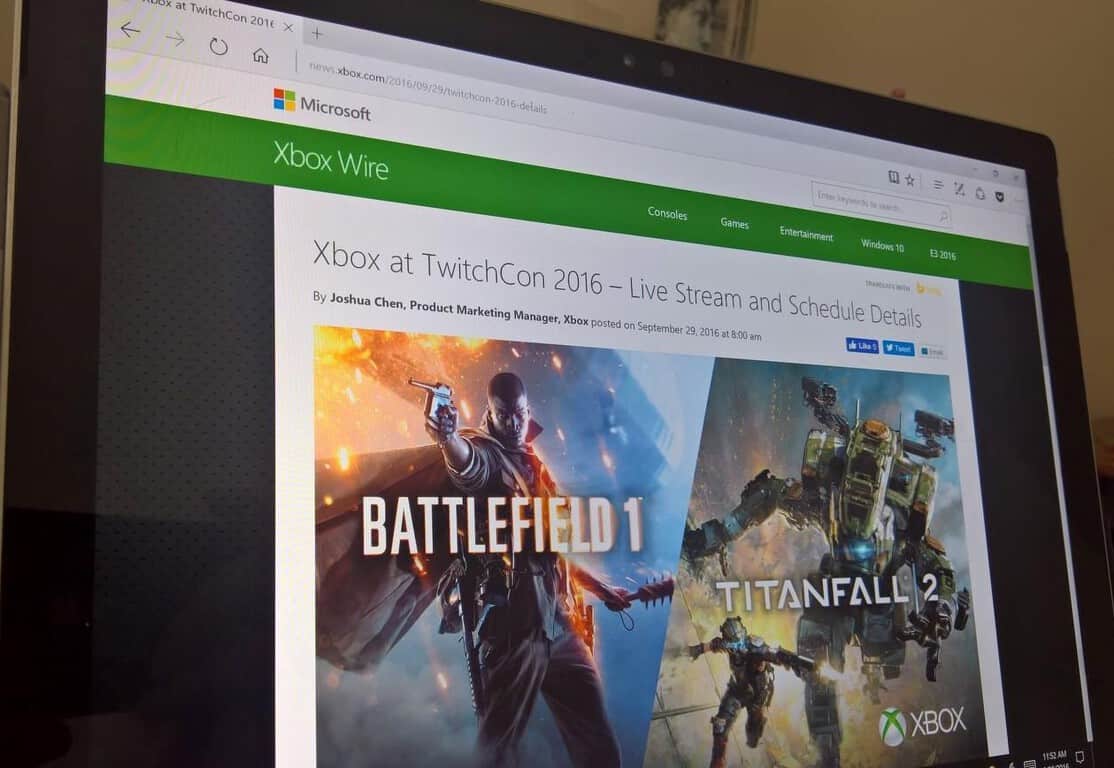
At this year’s TwitchCon, Microsoft is partnering with EA to showcase Battlefield 1 and Titanfall 2 multiplayer gameplay on Xbox One. TwitchCon 2016, in San Diego, will begin this Friday, September 30, and run through Sunday, October 2, 2016.
On Saturday, October 1st, 1:00 pm PDT, Xbox will take a special look at Battlefield’s 1 single player campaign and speak with Eric Holmes, Design Director at DICE, to discuss the new content in the latest Battlefield 1 trailer.
Here’s a look at full broadcast session and guest list for the Xbox EA event at TwitchCon 2016:
In addition, Microsoft will be offering a chance to win four special edition Xbox One S bundles, including: Xbox One S (2TB), an Xbox One S Battlefield 1 Special Edition Bundle (1TB), a custom Battlefield 1 Xbox One S (500GB), or a custom Titanfall 2 Xbox One S (500GB).
The Xbox One S Battlefield 1 Special Edition Bundle (1TB) is a military green Xbox One S console with matching stand and controller, Battlefield 1 Early Enlister Deluxe Edition (play Battlefield 1 early, starting October 18), the Hellfighter Pack, Red Baron Pack, and Lawrence of Arabia Pack, in addition to five extra Battlepacks. The Battlefield 1 Special Edition Bundle also includes one free month of EA Access. To enter, follow @Xbox on Twitter and retweet the Battlefield 1 and Titanfall 2 #XboxSweepstakes tweets.
Head of Xbox Phil Spencer recently visited Australia for the launch of hit first-party title Forza Horizon 3 (which is set in Australia, in case you didn’t know it) and the exec gave an interesting interview to Australian website Stevivor. Spencer, a 27 years Microsoft veteran and long time Xbox exec had a lot to share about the team’s original vision for the Xbox One.
As you may recall, previous Xbox head Don Mattrick initially introduced the Xbox One as an all-in-one entertainment device back in 2013, with a heavy emphasis on Kinect, digital content and TV. While the response from Xbox enthusiasts was far from great at the time, Spencer still thinks that “there were some goals that were genuine and well-founded.” Moreover, the exec explained that the previous Xbox team (which he belonged) thought that a more versatile Xbox could potentially be much more popular in the market than previous consoles which have been laser-focused on video games:
The goal that the team had was to figure out how could we sell 200 million game consoles. We’ve never seen a console sell that many units. The biggest individual console, the PS2, did 120 million or something like that. The approach the team took was people are moving to OTT Video Services [over-the-top, like Netflix and Stan] and television’s getting disrupted — and if we could build a console that could be at the center of this transition and really embrace not only people playing video games, but also people with the changing habits in television, you really take the console market and the gaming market and you expand it potentially.
The original Xbox One with its Kinect sensor.
At the time, the Xbox team executed on this vision pretty well: the Xbox One was a better multimedia machine than the Playstation 4 thanks to an HDMI pass-through that let users connect other peripherals including cable boxes. Microsoft even created Xbox Entertainment Studios to produce first-party TV content for the console (the studio was disbanded in 2014). “I look at all of those and from a pure business standpoint and goals, they’re all completely sound ideas. It’s not like somebody was out with evil thoughts or something. It’s a rational approach,” added Spencer.
However, consumers voted with their wallets and it became clear early on that the Xbox One, which was initially $100 more expensive than the Playstation 4 was trailing behind its rival. When Spencer became the new head of Xbox back in 2014, he knew that the Xbox team should clearly refocus the Xbox One on games:
When we came in after two-and-a-half years ago and started running the Xbox program, I centered us back on not trying to become something other than a game console. You don’t earn the right to be relevant in other categories of usage for the console until you’ve earned the gaming right, so let’s go make sure that’s what we deliver.
While the PlayStation 4 reportedly sold twice as more units than the Xbox One so far, this new strategy still seems to have delivered positive results so far. The brand new Xbox One S received some well-deserved praise following its release in the summer and the upcoming Project Scorpio which promises to bring true 4K games on consoles is really exciting. Additionally, the Xbox Play Anywhere initiative which lets gamers buy a game once and play it on an Xbox One or a Windows 10 PC is a great way to give more value to Xbox enthusiasts.
The new Xbox One S.
According to the current head of Xbox, the technology giant now takes video games very seriously. “The idea that video games are a category that Microsoft should go be in a whole number level, full support, it only happened a number of years ago,” he explained. Moreover, Microsoft execs are well aware that all big tech companies are currently investing in video games and Redmond can’t really afford to lose its edge in this market:
Today, if you sit down with Satya Nadella, the CEO, Amy Hood, the CFO of the company, they will talk about gaming as a core capability of Microsoft, not gaming as a bridge to somethings else, but gaming into itself. It’s not just Microsoft, you see Google investing time in gaming, you see Facebook buying Oculus, you see Amazon buying Twitch, you see multi-billion dollar transactions going on at the gaming space, not so you can go be something else, but because gaming is a very high engagement, high monetization use on any electronic device that you see.
In the end, Microsoft may never be able to sell 200 million Xbox One consoles during this generation, but we guess that it doesn’t really matter anymore for the company. This year, Redmond stopped reporting Xbox One sales during its quarterly earning reports, claiming that Xbox Live engagement was a more important metric to consider, although it will be reporting Gaming Revenue in future earnings reports. Indeed, the Xbox ecosystem now includes Windows 10 devices as well, and the Xbox Play Anywhere initiative and the ID@XBOX program could be instrumental to make Xbox games much more popular and accessible to everyone. Lastly, Microsoft may well delight hardcore gamers disappointed by the recently unveiled PlayStation 4 Pro with its top-of-the-line Project Scorpio next year. Do you trust Phil Spencer and Microsoft to push Xbox to the next level? Let us know your thoughts about the future of Xbox in the comments below.
The rewards quiz poses a series of five Microsoft related questions, all of which can be answered via searches on the Bing search engine. The questions cover a wide area of Microsoft trivia, and might be easy for casual Microsoft fans and hardcore enthusiasts alike. Questions include:
“Microsoft was founded in which state?”
“The Windows 95 launch featured the song ‘Start Me Up’ by which band?”
“Which actor starred in a 2008 Microsoft commercial with co-founder Bill Gates?”
“Microsoft co-founder Paul Allen owns which professional football team?”
“Which brand recently acquired by Microsoft was originally created in Sweden?”
Would you be able to answer these questions without using the help of Bing? (I myself specifically had trouble on the commercial question!) How have you been spending your accumulated points on Microsoft Rewards? Let us know your thoughts by dropping us a comment below.
Bethesda is releasing an update today for both Fallout 4 and the Fallout 4 Nuka-World DLC. This update is coming first to PC and Xbox One players and will update the game to version 1.7.19.
The patch is mostly just big fixes but it spans Fallout 4 and all of its DLC. The latest expansion, Nuka World, just launched at the end of last month and is the final DLC installment for Fallout 4.
Today’s update to version 1.7.19 include the following fixes:
Fallout 4 1.7.19 UpdateFixes General updates to Bethesda.net Mods
Nuka-WorldFixes Fixed issue where “The Grand Tour” could not be completed if Gage was your active companion when the quest started.
Far Harbor and Contraptions Workshop
Far Harbor and Contraptions were also updated on PC, Xbox One and PS4 with minor updates
Far Harbor (JP) was updated to fix untranslated strings
The update should be rolling out now for PC and Xbox One players. PS4 owners will have to wait as Bethesda says it is coming at a later date.
Seems there’s another bit of news coming out of Microsoft today, along with the decidedly sad news that Qi Lu is leaving the company to recover from injuries suffered in a bicycle accident, and Harry Shum will be heading up a new AI and Research Group.
In an internal email obtained by GeekWire, Satya Nadella also revealed that Skype head Gurdeep Singh Pall will be transitioning out of that role:
Gurdeep Singh Pall and I have decided this is the right time for him to transition to his next role. Gurdeep will transition the Skype team to Rajesh over the coming weeks.
Management of Skype will now fall to Rajesh Jha, who is taking over many of Qi Lu’s duties as head of the Office Product Group. It’s a bit unclear whether Gurdeep Singh Pall’s next role will be within the company, we’ll ask Microsoft what his next role may entail.
A month ago, EA Dice and Electronic Arts opened the gates for the limited Battlefield 1 Open Multiplayer Beta on Xbox One, which gave us a first look at the much anticipated shooter. While the multiplayer experience already promises to be enjoyable, not much was known about the game’s solo campaign, which takes place during World War 1.
Two months ago, Reddit user Lobix300 posted that the game’s solo campaign would include seven episodes and 20 missions in total (via OnlySP). Since then, it seems that the leak has been proved to be accurate as the official Battlefield website has now published the name of each of the episodes and they all match the information previously found on the Reddit thread. Please find all the details below:
Episode 0 : Prologue
Chapter 1 : Prologue
Episode 1 : Friends in High Places
Chapter 1 : Flight School
Chapter 2 : Total War
Chapter 3 : Carry Your Friend
Chapter 4 : Blitz
Episode 2 : Nothing is Written
Chapter 1 : Hidden in Plain Sight
Chapter 2 : Young Mens Works
Chapter 3 : Hear The Desert
Episode 3 : Through Mud and Blood
Chapter 1 : Tank Assault
Chapter 2 : Fog of War
Chapter 3 : Out of Gas
Chapter 4 : Steel on Steel
Episode 4 : Avanti Savoia!
Chapter 1 : ?
Chapter 2 : ?
Episode 5 : The Runner
Chapter 1 : ?
Chapter 2 : ?
Chapter 3 : ?
Episode 6 : Epilogue
Chapter 1 : Gallipoli
Chapter : The Runaround
Chapter 3 : Saving a Life
Moreover, the game’s official single player trailer has been published on YouTube earlier this week and you can watch it below:
Battlefield 1 will be available worldwide on Windows, Xbox One and Playstation 4 starting October 21. Sound off in the comments if you’re excited by the game’s solo campaign.
Microsoft has announced that it has formed the Microsoft AI and Research Group, bringing together Microsoft’s world-class research organizations in order to focus on the company’s AI product efforts. The new group is led by computer vision luminary Harry Shum and, in part, marks the company’s dedication to democratize AI and make it accessible and valuable to everyone.
In addition to the leadership of Harry Shum, several other members of Microsoft’s engineering teams will be joining the new group. These teams and members include the Information Platform, Cortana and Bing, and Ambient Computing and Robotics teams led by David Ku, Derrick Connell and Vijay Mital. Ultimately, though, the groups will all combine to encompass AI product engineering, basic and applied research labs, and New Experiences and Technologies. Harry Shum put the situation best and said:
Microsoft has been working in artificial intelligence since the beginning of Microsoft Research, and yet we’ve only begun to scratch the surface of what’s possible… Today’s move signifies Microsoft’s commitment to deploying intelligent technology and democratizing AI in a way that changes our lives and the world around us for the better. We will significantly expand our efforts to empower people and organizations to achieve more with our tools, our software and services, and our powerful, global-scale cloud computing capabilities.
The initiative from the Microsoft AI and Research Group will involve four key areas, including agents, applications, services, and infrastructure. For the complete details on Microsoft’s plans, head over to this webpage. Once you’re checked it out, be sure to come back to WinBeta and let us know what you think by dropping us a comment in the section below.
Microsoft has released a new update to the MSN News, Money, Sports and Weather app for Windows Insiders on the Fast Ring. The four apps have been bumped to version 4.16.14.0 on Windows 10 devices and while there is no new changelog, we spotted that both MSN Money and Sports now support dark theme mode. As a reminder, the dark theme first appeared in the MSN News app two months ago and it’s nice to see that Microsoft is bringing some consistency to its MSN portfolio. You can find the dark theme option in the settings and you can see how it looks in the screenshots below:
MSN Money and Sports now support dark theme.
However, please note that the MSN Weather app has yet to be updated with this new dark theme option. If you’re a Windows Insider in the Fast Ring, you can download the latest versions of the MSN apps right now, let us know in the comments if you spot anything new.
Motorbike racing game, Ride 2, is now available to pre-order on the Xbox One ahead of its October 7th release date. The game boasts over 170 different bikes to choose from and a variety of different racecourses and modes to compete in. Ride 2 supports two player local multiplayer and games with up to 12 players in online multiplayer. The game bears more than a striking resemblance to the Forza race car video game franchise and will likely appeal to the same audience. Here’s the official game description:
Discover, transform and test out the fastest and most iconic motorbikes in the world’s largest digital garage! More than 170 bikes, new models and categories, like the legendary Two-Strokes for real fans, the Supermoto with their ad hoc physics and the Café Racers with their retro style. Collect them all! Travel around the world in an unforgettable and extraordinary sequence of events: GP circuits, country tracks and city tracks. Over 30 tracks, including the legendary Nürburgring Nordschleife.
Set up your bike by customising the aesthetics, motor, brakes, suspension and transmission and enjoy more than 20 brands in Ride 2 to bring your rider to life, choosing gear and riding style! 16 game modes: speed down the queen of tracks, Nürburgring, ride in typical motard style and slalom race through street cones for the most enjoyable riding experience ever!
Ride 2 is available in a special Pre-Order Edition which comes with the main game and the Kawasaki DLC and Ducati Bonus Pack. This pack contains the Ducati Hypermotard SP and Kawasaki ZZR1400 with original liveries and 10 exclusive helmets that feature brands like Nolan, X-Lite, Suomy, and AGV can’t be purchased anywhere else.
Have you been waiting for Ride 2? Do you prefer to play motorbike racing games over car ones? Let us know in the comments below.
A new puzzle game, Castles, is coming to the Xbox One on October 5th. The game is set in a magical fantasy world and involves a combination of action and grid-based puzzle challenges as well as a variety of different modes such as multi-player and a solo-player story mode. Here’s the official game description:
Castles is an exciting puzzle game with high doses of action, set in a fantasy medieval world. Up to two players have to match rows of 3 or more blocks with the same color or tool. The players don’t control blocks, instead, they control the “engineers”, which makes for a very different game experience. The whole game takes place in a 7×7 block grid, in which the perimeter is limited exclusively to the character movement. Blocks will fall from above onto the central 5×5 grid, where the player have to push and pull them in order to make combinations. If you complete the level goals, the tower grows taller. As it grows, different challenges in the shape of weather effects or enemies will get in the way. These challenges will be randomly generated, so you’ll never play the same game twice. In Castles, you lose the game when the 5×5 grid gets full of blocks. Play the Adventure mode to follow the story and defeat Kind Edmund, or the Survival mode where the challenge is to build the tallest tower. If you want to play against a friend you could try Battle mode, where each player builds a tower and tries to ambush his opponent.
Castles isn’t yet available to purchase in the Windows Store but we’ll make sure to post about it as soon as it goes online. Do you enjoy playing puzzle games on the Xbox One? Share your favorite titles with the site community in the comments below.