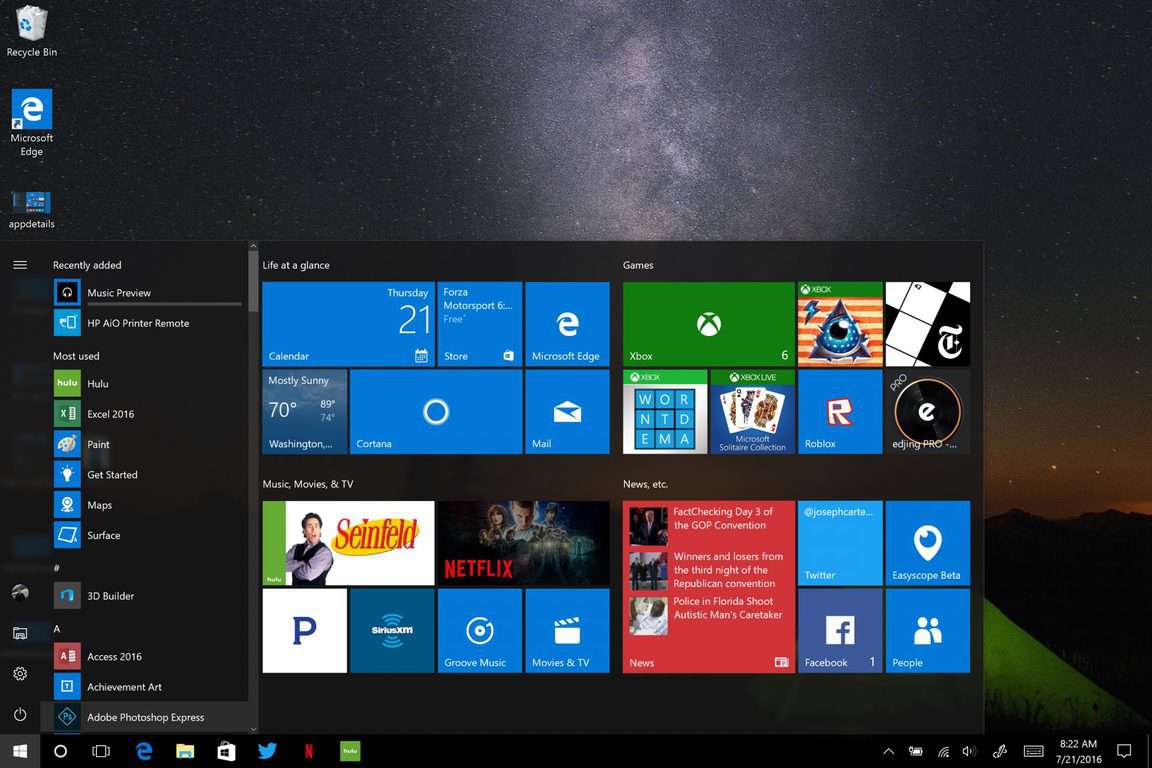
Here’s how to fix Surface Pro 3 battery drain issue without paying $500 for a new battery

The battery drain issue on the Surface Pro 3 is a never-ending saga, just like the random reboots on Lumia 950 and Lumia 950 XL. Actually, all Surface devices have been affected by battery drain issues, although Microsoft tried to fix them by rolling out various updates.

Fortunately, we have good news for all Surface Pro 3 owners. Juanmaq is a Windows Insider who has managed to recover his Surface Pro 3 battery at 100% capacity, after having experienced severe battery problems. It appears that his workaround really works as other Insiders approved and upvoted it.

His solution was tested on a Surface Pro 3 powered by a SIMPLO battery after he noticed that his Surface battery got to 31mWh of full charge capacity, and it was degrading consistently all days 2% to 3%.

The user performed a series of actions meant to improve his Surface Pro 3 battery life: he reinstalled the battery driver, and changed the way he used the equipment, meaning that he always left his Surface Pro 3 disconnected of the electrical power supply or unplugged from the dock after turning it off while he was not using it.

First of all, I went back to the previous version of the driver of the battery and reboot, then update it again with the last driver of the battery and restart.

Afterwards I started to always leave it disconnected from the electrical power supply after turning it off or Hibernate, for many hours, basically throughout the night and part of the day.

Then, each day with patience used it only on battery up to 50% or 60% and then connecting it to charge it. While I was doing this I realized that is was taking more time for  loading when arrived to the 99% and when it got to the 100%, the capacity of load was of 2 to 3% more than the charge capacity of the previous day, and I did it during a week, until now  that it reached the 100% of the capacity again. […]

In order to verify, I’ve tried to use it on battery up to 15% with use of normal light web browsing tasks, eventually some videos, etc. lasting now more than 8 hrs. then charge to the 100% of the normal capacity again.

If you’re experiencing battery issues on your Surface Pro 3, don’t hesitate to use this workaround. The alternative is to pay $500 for a new battery.

RELATED STORIES YOU NEED TO CHECK OUT:

Microsoft releases another Anniversary Update… update – go download 14393.5 now!

As we hinted at this weekend, Microsoft isn’t quite done with updating the Anniversary Update, and has just released another point release, this time 14393.5. According to the Feedback Hub announcement, here are the changes:

We have released a Cumulative Update (KB3176927) to Windows 10 Insider Preview Build 14393 on PCs and Mobile devices which will bring the build number to 14393.5. This Cumulative Update includes a handful of fixes:

  • We have improved reliability and performance of Microsoft Edge with AdBlock and LastPass extensions enabled. These extensions should continue to work after installing other extension updates from the Store.
  • We fixed an issue causing battery to drain due to runaway CPU processes while a device is idle. We also fixed a battery life issue due to the proximity sensor always running on some devices.
  • We fixed an issue causing Store apps to stop launching due to a licensing issue.
  • We have fixed an issue that results in Windows Updates being delayed on systems with Connected Standby.
  • We fixed an issue where the Korean IME would not have the correct composition on some custom TSF3 edit controls on PC.
  • We fixed an issue where you might not be able to type in text into Search or some Store apps without having to restart the process.
  • We have fixed an issue where keyboard input on some Windows tablet devices would not rotate to landscape normally.

If you’re on 14393 already, you should be able to get this latest update via Windows Update, and if you’re waiting til next week’s Anniversary Update release, well it just keeps getting better and better!

Excel’s July 2016 update add new Get & Transform and PowerQuery add-in features

It’s that time of the month again for Microsoft’s Excel 2016 software. The July update included a list of features for its Power Query technology. To be specific, the Get & Transform has been tweaked with many new connectors and controls that enhance the ability to gather and organize data easier.

These updates include the following new or improved data connectivity and transformation features:

  • New SAP HANA connector.
  • New SharePoint Folder connector.
  • New Online Services connectors category.
  • Improved DB2 connector, now leveraging the Microsoft driver for IBM DB2.
  • Improved Text/CSV connector, now exposing editable settings in the preview dialog.
  • Improved relational database connectors, now including Schema information as a part of the Navigation hierarchy.
  • Data Source Settings enhancements, including “Change Source” capability.
  • Advanced Filter Rows dialog mode within the Query Editor.
  • Inline Input controls for Function invocation within the Query Editor.
  • Support for reordering Query Steps within the Query Editor by using drag and drop gestures.
  • Date picker support for input Date values in Filter Rows and Conditional Columns dialogs.
  • New context menu entry to create new queries from the Queries pane within the Query Editor.

Last month, Excel 2016 saw major improvements built into the PivotTables. Users were able to take advantage of the faster OLAP servers thanks to caching improvements, increasing query efficiency and reducing the number of queries. The July update seems to continue building on that, empowering the ability of Power Query through the Get & Transform section on the Data ribbon.

All Office 365 subscribers can take full advantage of the update with their purchase. Likewise, users that have the older 2010 or 2013 Excel versions can download the Power Query add-in for Excel. The team’s blog went into even more detail for each of the new features today so make sure to check out the latest Office 365 blog post.

Microsoft provides updated virtual machines supporting Windows 10 Preview build 14393 and EdgeHTML 14

If you make use of Microsoft’s preconfigured virtual machines to test against the latest Windows 10 builds, then the company wants you to know that some new versions have been published. According to the MS Edge Developer Twitter account, the latest Windows 10 Preview builds with the latest EdgeHTML version are now available.

As you can see, you have a number of choices in which virtual machines you can download:

MIcrosft Edg Dev Virtual Machines
MIcrosft Edg Dev Virtual Machines.

As always, these will expire in 90 days, and so they’re not intended to replace full licenses. Let us know in the comments if you plan to utilize any of these virtual machine images.

Seagate launching Gears of War 4 themed 2TB drive for Xbox One, pre-order now

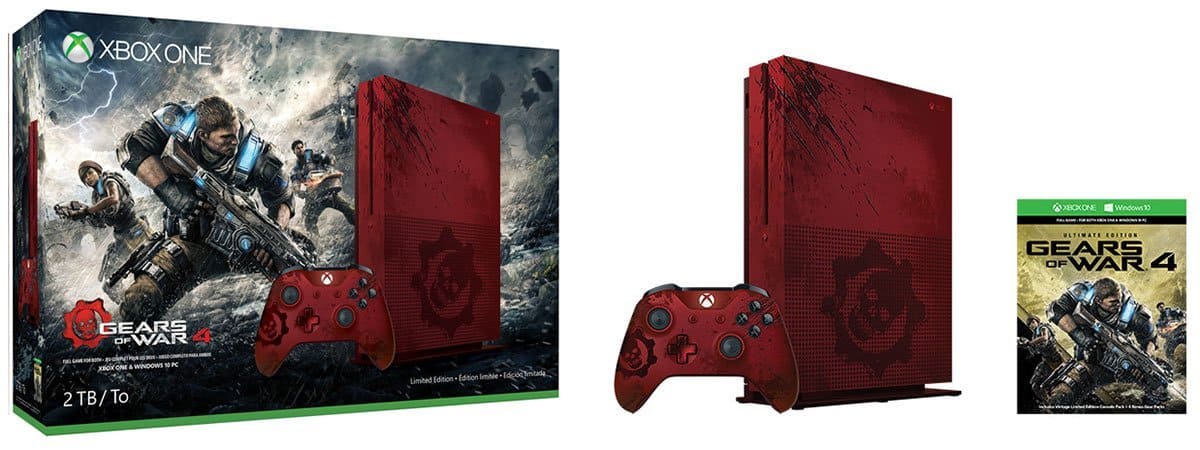
Earlier this month, Microsoft announced that there would be custom Xbox One S consoles for certain bundles, with the first one being an amazing Xbox One S Gears of War 4 Limited Edition 2TB bundle that you can already pre-order for a cool $449.99. However, if you’re a Gears of War fan looking for an external hard drive that matches the design of this custom Xbox One S (or if you’re just looking for an awesome external hard drive for your current Xbox One or PC), Digital Trends is reporting today that Seagate will release a limited edition Gears of War-branded 2TB hard drive which has been designed with input from both Microsoft and Gears of War 4 developer The Coalition.

You can see how it looks below:

This external hard drive will be an even better match with the Xbox One S Gears of War 4 Limited Edition console.

According to Seagate, the 2TB external hard drive, which supports USB 3.0, has also been optimized for Microsoft’s gaming console:

Games playing from the Seagate Game Drive will perform just as if they were playing from the console’s internal hard drive. It is also possible to unplug the Seagate Game Drive and take an entire game library to a friend’s house. It is small enough to slip into a pocket, doesn’t need a power cord, and can store a catalog of downloaded games and achievements for continued gameplay on any Xbox One S or Xbox One console.

The 2TB external hard drive is up for pre-order exclusively at GameStop for $99.99 before its global launch on September 16. Moreover, gamers who buy the Gears of War 4 branded item will also get a digital code for two bonus Gears of War 4 Gear Packs including skins, experience boosts and more.

Do you think this limited edition hard drive is good value for Gears of War fans? Let us know what you think in the comments below.

New version of PicsArt app offers exclusive feature just for Windows 10 users

With over 300 million installs and 75 million monthly active users, PicsArt, the leading photo editing, collage, and drawing app has already been enjoyed by plenty of people worldwide. Today, though, the developers of PicsArt have released a new version of the PicsArt app that brings AutoEdit to the PicsArt experience on Windows 10.

The new version of the app now means you have an easy way to make your pictures look awesome straight from your favorite Microsoft device. So, thanks to the Windows 10 exclusive AutoEdit feature seen in the new version, you can instantly transform your images into works of art with a single tap.  AutoEdit can be used with the vast collection of more than 300,000 #FreeToEdit creations, and can be accessed from the bottom of the toolbar in the Editor.

An AutoEdited image in PicsArt

Additionally, the new version also includes a Square Fit Tool, which enables you to fit any of your rectangular images into a square shape. Using the tool you can adjust the color of your background, use a blurred version of your photo as a background, or choose from a selection of fun background images to make your pictures look amazing.

If you’re not already using PicsArt, we’ve done you a favor and have included a download link for you below! As always, though, once you’ve downloaded the app and tried it out, be sure to drop us a comment below and let us know how the app experience is going for you!

Picsart Photo Editor
Developer:
PicsArt Inc.
Price:
Free

Skype for Linux Alpha 1.2 improves stability, adds device settings and HD avatar support

Nearly two weeks ago, Microsoft announced an alpha release of a Skype client for Linux built on the WebRTC protocol and that looks quite similar to the Skype for web client. This new foundation means that the Skype team is now able to iterate faster, and Neowin reports today the Linux client has been updated to version 1.2.

The new version should improve both stability and usability and you can see the full changelog below:

  • We’ve improved the stability of chat service when you’ve been signed in and chatting for a long time
  • You can now change your audio and video device settings.
  • Opening the app from tray will bring it to the front and into focus.
  • You can now close the app to system tray.
  • Contacts with an apostrophe in their name will now be displayed correctly.
  • You can now Quit the app with Ctrl+Q (although we’d be really sad to see you go).
  • We’ve started to support HD avatars.
  • You can now set your mood message from Profile settings.
  • The Post-install script registers the Debian repository and has the correct architecture specified (64bit).

If you’ve already tried the new Linux client, don’t hesitate to share your feedback on the online Skype community. Of course, you can also share your thoughts about the new client in the comments below.

Starbuck’s official Universal Windows 10 app shows up on website, clearly on its way soon

One of the marquee developers promising support for Microsoft’s vital Windows 10 and Office platforms at this year’s Build 2016 event was Starbucks, the purveyor of expensive and trendy coffee products. There’s a Starbucks add-in for Outlook available, and a Universal Windows 10 app has been planned for Windows 10 PCs and smartphones for awhile now.

Apparently, that support is coming very soon (via Windows Central), because the Windows 10 app is now officially listed on the Starbucks web site. The link isn’t live yet, but that’s not something we imagine Starbucks wants hanging out there for long.

Starbucks Windows 10 app
Starbucks Windows 10 app.

Keep your eyes open for more information on when you can use your Windows 10 device to order your coffee, charge up your cards, and make the most of your Star Rewards points. Let us know in the comments if you’re looking forward to joining the hip crowd using their official Starbucks apps.

Epic Games’ co-founder continues to rail against Windows 10’s moves toward a “closed platform”

Gears of War has long been a very successful title for both Microsoft and Epic Games founder Tim Sweeney. Despite the success, however, the founder of Epic Games famously went on a tear of Microsoft where he detailed how he believed Win32 apps are better for consumers than Microsoft’s UWP. To perhaps add insult to injury, more recently Tim Sweeny went on another rant, and labeled Microsoft as a  monopolistic threat to gaming.  Now a few months removed from these rants, Sweeny is at it again by railing against Windows 10’s moves towards a closed platform (via gamespresso)

In an interview seen in Edge in Edge, Sweeney comments how Microsoft made “sneaky PR moves” with Windows 10 after having Surface RT devices which only would run apps from the Windows Store. As noted by gamespresso, Sweeney says:

“The trouble started when Microsoft began shipping some PCs and regular Surfaces that were so locked down that you couldn’t run Win32 apps; you could only run apps that had been bought from their store. That is a complete travesty. With Windows 10 they removed some more capabilities. They’ve been able to do this via some sneaky PR moves. They make a bunch of statements that sound vaguely like they’re promoting openness, but really they’re not promising anything of the sort.”

Surface RT
A Surface RT with Windows RT

Tim Sweeney also spoke out about the UWP as a phasing-out of Win32 apps, and how he sees it as a forcing of the distribution of games and apps through a closed-platform Windows Store. He tells Edge in Edge:

“The risk here is that, if Microsoft convinces everybody to use UWP (Universal Windows Platform), then they phase out Win32 apps. If they can succeed in doing that then it’s a small leap to forcing all apps and games to be distributed through the Windows Store. Once we reach that point, the PC has become a closed platform. It won’t be that one day they flip a switch that will break your Steam library – what they’re trying to do is a series of sneaky manoeuvres. They make it more and more inconvenient to use the old apps, and, simultaneously, they try to become the only source for the new ones.”

IMG_1079
Windows Store Apps

Of course, it does not end there, and Sweeney mentions how the UWP will “flip a switch which will break your Stream library” and how Microsoft will “force-patch Windows 10 to make Steam progressively worse and more broken.” He says to Edge in Edge:

“They’ll never completely break it, but will continue to break it until, in five years, people are so fed up that Steam is buggy that the Windows Store seems like an ideal alternative. That’s exactly what they did to their previous competitors in other areas. Now they’re doing it to Steam. It’s only just starting to become visible. Microsoft might not be competent enough to succeed with their plan, but they’re certainly trying.”

UWP on various platforms

Regardless of his comments, and with the Windows 10 Anniversary Update just a week away, Microsoft is obviously still pushing its plans for the Universal Windows Platform. In fact, (and perhaps to Sweeney’s dismay,) Universal Windows Platform apps are even coming to the Xbox One, with MSN Weaher just being one prime example.

Again, this is just another set of controversial anti-Microsoft comments from Sweeney. So. regardless of which side of this situation you stand on, we would love to hear your thoughts, and so be sure to drop us a comment below!

US Govt asks court to throw out Microsoft court case on unlawful search and seizures

Over the last few months we have been closely following Microsoft’s battle with the US Government over secrecy orders, otherwise known as the ability for the company to disclose to customers the fact if  private emails have been accessed by government investigators. The U.S. government is now asking the court to throw out Microsoft’s case on unlawful search and seizures (Via Bloomberg).

In its decision, The U.S. government is noting that  federal law permits authorities to obtain electronic communications (such as emails) without a warrant or without disclosure of a specific warrant if it would endanger an individual or an investigation.  The government also highlights that Microsoft has, “no authority to sue over whether its users’ constitutional protections against unlawful search and seizure are being violated.”  A statement from the lawsuit, as seen on Bloomberg, puts this situation best:

“Microsoft’s challenge effectively asks this court to adjudicate the lawfulness of thousands of such court orders from across the U.S., without regard to the basis for, and terms of, those orders, which necessarily vary from case to case.”

In a case that dates back to April, this is just the latest move by the United States government, perhaps indicating that this case my drag on for a long time ahead. Bill Gates, however, recently added his support to Microsoft’s secrecy lawsuit against the US government, and claimed that, “no one was an absolutist” on either side of the digital privacy debate.

Since this issue can be quite controversial for both Microsoft and the U.S. government, we would love to hear your thoughts on what this case means. Do you support Microsoft in this lawsuit? Or do you support the United States government? Please let us know what you think of this highly controversial situation by dropping us a comment below!

Microsoft previews Upgrade Analytics to help businesses with Windows 10 performance tests

Microsoft has just taken to an official blog to announce that Upgrade Analytics  is now available in a public preview. Upgrade Analytics was first announced a few weeks ago, and allows businesses to get telemetry from Windows 10 devices, and also helps them analyze system performance Business apps are performing.

This availability means that Upgrade Analytics can now be added to an existing OMS workspace. New users also can can sign up for a new OMS workspace with the Upgrade Analytics solution enabled. In line with this, Microsoft is noting that Data generated by Upgrade Analytics is not counted towards the OMS quota, so businesses can use a free-tier OMS workspace for Upgrade Analytics. Additionally, Microsoft notes there will be no extra charges generated by Upgrade Analytics data if the business  are using a Standard of Premium tier workspace.

For the complete details on how to see your organization data in Upgrade Analytics, you can visit this official webpage. Microsoft highlights the fact that once the data is sent will usually show up in Upgrade Analytics within 48 hours. Lastly, the Redmond giant also notes that as an IT Pro you decide whether or not data is sent to the service. Data is only sent from Windows 7, 8 and 8.1 computers if the Opt In flag is set as described in step 4 or the computers are opted in to the Customer Experience Improvement Program (CEIP).

Here’s what happens after August 2nd for Windows 10 Insiders

On August 2nd, Microsoft officially releases the Anniversary Update (aka Redstone 1 and Version 1607) for Windows 10. With over 350 million devices running Windows 10, Microsoft is betting big on this new update, which adds numerous new improvements to the Microsoft Edge browser, Cortana, and other key features across the operating system. The August 2nd release is scheduled to be a “global rollout” and not everyone will receive it on that day, but you have nothing to worry about if you are a part of the Windows Insider program.

As an Insider, you will have the Anniversary Update on August 2nd without any further action required. In fact, if you are running Windows 10 build 14393, you already have the Anniversary Update installed. Microsoft will be releasing additional updates and fixes to build 14393 like the recent KB3176925 which bumped the build number slightly from 14393 to 14393.3.

Those of you still enrolled in the Windows Insider program after August 2nd will begin to receive Redstone 2 builds. Redstone 2, for those curious, is the next big update to Windows 10 slated for Spring of 2017, news we exclusively revealed back in March of this year. Redstone 2 is slated to add new improvements and features that did not make the cut in Redstone 1 (aka the Anniversary Update).

Here’s what a Microsoft spokesperson told us:

“Windows Insiders will have the Anniversary Update on August 2nd, no further action will be required. We expect the build number to not change; however, additional updates and fixes are likely for both OS and Apps. After August 2nd, Windows Insiders will continue to receive new builds related to their choice of fast or slow rings.”

For those of you who are not enrolled in the Windows Insider program and are running Windows 10 version 1511, you will be able to download the Anniversary Update beginning August 2nd. It’s going to take time, so don’t freak out if you do not see the update available right away.

As August 2nd nears, we’ve got quite a bit of feature stories lined up for those of you who are new to the update and looking to learn more about what’s new. Stay tuned for that! We also have a hand-on video review of the Anniversary Update in the works.

Disney releases a new coloring book app for Windows 10, Surface Pen supported

Disney recently released a new app for youngest users of Windows 10. The app is called Art of Coloring by Disney, and, as its name says, is a digital coloring book featuring a handful of Disney-themed art and characters.

To complete the experience of on-screen coloring, Disney included support for the Surface Pen. All young users of Windows 10-compatible Surface devices will be able to give their own tone to Disney characters using this accessory.

Here’s the complete list of Art of Coloring by Disney features:

  • “CURATED DISNEY DESIGNS! Create uniquely beautiful designs of your favorite Disney Princesses, characters from The Jungle Book, The Lion King, Frozen and many other classics.

  • FLORALS, ANIMALS, CATS AND MORE! Try your hand at the intricate detail of some of your favorite coloring themes.

  • DOZENS OF ARTISTIC DISNEY PALETTES! Use lots of shades and gradients, and even inspired palettes from such films as Tangled, Cinderella, and Pinocchio to inspire your masterpiece.

  • DESIGNS FOR ALL LEVELS! The intricacy and range of the designs are perfect for all types of artists, from beginners to experts.

  • SHARE YOUR CREATION! Your friends won’t believe what you’ve accomplished!”

As we said,  Art of Coloring by Disney works best on Surface devices, but since it’s a UWP game, it can be used on all compatible Windows 10 and Windows 10 Mobile devices.

The game is completely free (but contains in-app purchases, though), and you can download it from the Windows Store, and give your kid some fun with characters of his/her, and probably yours childhood.

RELATED STORIES YOU NEED TO CHECK OUT:
Readit for Windows 10 receives huge update, numerous fixes and improvements

Third-party Reddit app, Readit, has received a huge update that brings with it many fixes for issues that users were experiencing, as well as some improvements that lead to a better experience when using the app. The app is available across many Windows 10 devices, including PCs, Mobile, HoloLens and the Surface Hub.

The developer behind the app, Caleb Keith, took to his app’s sub-reddit to announce the update. Some of the notable improvements include:

  • Improvements to Mobilizer functionality
  • Receive toast notifications for new posts in a sub-reddit
  • Save entire picture albums
  • Various improvements to user profiles
  • Open links in a new browser window
  • Improved performance and faster loading

There have also been many bug fixes:

  • Fixed slow loading of youtube videos/video players in general
  • The subreddit name and OP name of posts will now be in the same order for post lists and when viewing a single post
  • When submitting a new post, the subreddits list will now be in alphabetical order
  • The subreddits list will now be in alphabetical order for wallpaper and lockscreen subreddit pickers
  • In a new link window from comments (such as viewing an inline image) on mobile, you can now tap on any edge of the screen to dismiss these windows.
  • The comment count, to go directly to comments, now has a larger hitbox and you can tap in the blank space above or below it as well to go directly to comments.
  • Fixed i.reddituploads.com posts not loading in user profile pages
  • Advanced settings will now load immediately
  • Fixed sidebar overflowing above the top of the screen on mobile

To view the full changelog, take a look at the announcement on Reddit.

Readit
Readit
Price:
Free

Windows 10 news recap: data protection concerns, Stan for Windows 10, new Sonic game and more

Welcome back to our weekly “Windows 10 news recap” series where we go over the top stories of the past week in the world of Microsoft’s latest operating system. Let’s get started.

Project Sonic 2017 coming to Windows 10

A teaser trailer has been released for an as yet unnamed Sonic game that is arriving holiday 2017. It will be released for Windows 10 PCs and Xbox One.

Sonic Dash for Windows 10 receives an update

Sega Networks has released an update for its Sonic Dash game on Windows 10, which works on both PC and Mobile. The update adds a new character and level to the free-to-play game.

Microsoft releases an update to its Desktop App Converter Preview

The latest update to the Desktop App Converter Preview adds support for Windows 10 builds 14388 and later. The Desktop App Converter is used to convert standard Windows programs into packageable apps that can be distributed via the Windows Store.

Evernote app for Windows 10 found in the Windows Store

A new app for Evernote on Windows 10 has been discovered in the Windows Store, although, it doesn’t function quite yet and appears that Evernote is still early in the development process.

Dona Sarkar says that not everyone will get the Windows 10 Anniversary Update at the same time

The Windows 10 Anniversary Update begins its rollout on August 2nd, however, those hoping to receive the update on that exact day may be disappointed as Dona Sarkar, Head of the Windows Insider program, took to Twitter to state that it will be a phased rollout and not everyone will receive it at the same time.

Stan, an Australian streaming service, releases it Windows 10 app

Australian streaming service, Stan, has released its Windows 10 app, allowing users to stream movies and TV shows on Windows 10, in a similar vein to Netflix.

Disney launches its now colouring app to show off the Surface Pen

Disney has released a new colouring app on Windows 10 which works just like a colouring book, whilst also offering support for Microsoft’s Surface Pen.

France’s National Data Protection Commission has an issue with the data Windows 10 collects

France’s NCIL has claimed that Windows 10 violates several French laws in regards to data protection, due to the data that it believes Windows 10 collects on its users and their use of the Operating System.

Microsoft updates the Get Windows 10 app

Microsoft has made some changes to its Get Windows 10 app, adding a new countdown clock, as well as a warning icon in the system tray.

Windows 10 Anniversary Update will bring performance improvements to TCP connections

The Anniversary Update for Windows 10 will bring TCP improvements that will lead to improved performance on TCP-based connections that will assist IoT devices and services connecting to the cloud.

In terms of new builds, here’s what we got this week:

And that’s it. Let us know what you think about Windows 10 this week in the comments below.

All versions of Windows, including Windows Server, now headed up by Executive VP Terry Myerson

According to a report by ZDNet, Microsoft is reshuffling its Windows Server engineering team, by moving them out of its Cloud and Enterprise Group and into its Windows and Devices Group.

As part of the change, Executive Vice President Scott Guthrie will no longer head up any of the company’s Windows versions but will continue to be in charge of its Cloud and Enterprise offerings. This reshuffle means that all versions of Windows will be managed by Microsoft’s Executive Vice President Terry Myerson.

Mike Neil and Brad Anderson who oversee the Windows Server engineering team and Remote Desktop Services team respectively will be staying with the company’s Cloud and Enterprise Group, remaining in control of their current teams. A spokesperson for Microsoft released this statement on the way its teams are managed:

As we advance our goal to build operating systems that provide the best experiences from the smallest IoT devices to the largest scale server deployments in public and private clouds, the Windows Server team will move from the Cloud and Enterprise Group to the Windows and Devices Group. These groups already work closely together, and we believe this move will help us bring even more value to our customers as we deliver our most cloud-ready server OS with the Windows Server 2016 launch this fall.

Originally, Microsoft’s Windows Server and Cloud teams were brought together in 2009, as the company believed that having its server team with its cloud team made sense, as they both worked closely on servers, however, as Microsoft moves to a shared core amongst its Operating System offerings with Windows 10, it makes more sense to bring its Windows Server team in-line with its other Windows teams, so that they can work closely together and provide a better product overall.

Pop-out functionality for Outlook Mail app on Windows 10 will return soon

If you were worried about the pop-out functionality for Outlook Mail going missing recently, you don’t have be without it that much longer. In order to calm the fears of people who were worried the feature might not be coming back, Microsoft put out a support forum post today to let everyone know that the pop-out functionality’s absence is strictly a temporary one. According to the post, the feature was taken out of Insider builds so that they could fix a few outstanding bugs before it goes public.

We had the feature enabled for Insiders for a few months and learned through your use and feedback about several bugs, mostly crashes and memory leaks, that we need to fix before releasing broadly to all users. We were keeping the feature isolated to Insiders by limiting it to Anniversary Update builds, but as we approach general availability of the Anniversary Update, we needed to disable the feature while we finish the fixes.

The post is pretty brief, so we’ve got no ETA as to when exactly we’ll get our hands on the feature again. It’s possible that the functionality might be gone until the Anniversary Update goes live, but there’s no telling for sure. For now, all you can count on is that Microsoft is trying their best to get things polished for the live release on August 2nd.

Sonic Dash for Windows 10 gets a cool new character and level

Sonic has a long and storied history of games. Sonic Dash, the franchise’s free to play mobile entry, arguably holds a place in the first category. The reason that Sonic Dash – which plays a lot like Subway Surfers or Temple Run – works is because it scraps all of the design conventions put forth by later games and sticks to the things that people liked in the classic game. Putting the focus on moving very quickly through a level and keeping momentum, Sonic Dash’s gameplay has always felt like something of a love letter to the original Sonic formula.

With this in mind, you shouldn’t be all that surprised that the team is introducing new DLC that lets you relive the original Sonic games – at least a little bit. The DLC comes with the addition of Classic Sonic as a new character and gives us the classic Green Hill Zone as a stage. The model for Classic Sonic is the same one that was used during Sonic Generations, and Green Hill Zone is a pretty faithful adaptation that classic Sonic fans are going to get a kick out of.  If all of this sounds up your alley, the update is available for $5.99 as an in-app purchase, or you can get a chance to pick him up free by participating in a limited time event where you collect cartridges.

Thanks to Ethan for the tip!

Sonic Dash
Sonic Dash
Price:
Free

Microsoft releases Desktop App Converter Preview update supporting Windows 10 build 14388 and later

Microsoft’s efforts to encourage developers to convert their applications to the Universal Windows Platform. With the Desktop App Converter (Project Centennial), allows developers to run their desktop installers in a silent mode.The pre-release tool also lets them convert an MSI  or .exe into an AppX package

The recent update for the converter brought it up to version 0.1.22. The tool is now prepared for builds leading up to the current Anniversary Update preview. Specifically, Windows 10 builds 14388, 14390, and 14393 all are now supported with the Desktop App Converter.

The download is available on its official page. Interested in learning more about converting apps from desktop to UWP? Check out Microsoft’s detailed instructions released earlier this year.

Here’s how to get a free Windows 10 license but still continue using Windows 7/8.x

The saga of the Windows 10 free upgrade is about to end on July 29. At that time, Microsoft will stop offering it to all eligible users of Windows 7 and Windows 8/8.1. For these users, it has been a long year with Microsoft having bombarded them with tricky methods to convince them to upgrade.

As July 29 approaches, a lot of people who chose to stick with Windows 7/8.x are having second thoughts on whether they actually should upgrade to Windows 10 after all or stick with their current OS until its end. No matter how upgrading seems unfair to someone, Microsoft will eventually stop supporting Windows 7 and Windows 8, so users of these operating systems will be left with outdated, insecure operating systems that will lack new features and services. In the end, these users will be forced to upgrade sooner or later.

Microsoft won’t stop supporting Windows 7/8.x quite yet, but when that day comes, users who didn’t upgrade now will have to purchase the license instead of installing Windows 10 for free. This puts a lot of users in an awkward position because they lose either way.

Luckily, for people who still want to use Windows 7/8.x after July 29, there’s a way to get a free Windows 10 license, and continue using their current OS. It will require a little extra work, but it will definitely save you money and nerves later.

How to get a free Windows 10 license and continue using Windows 7/8/8.1

To get a free Windows 10 license valid after July 29, you need to upgrade your current system to Windows 10 (Don’t panic — you’ll get it back!), get your free Windows 10 license, and then REVERT back to Windows 7/8/8.1 again. But hurry up, you’re only able to do that before July 29!

If you fulfill Microsoft’s wish and upgrade to Windows 10 before July 29, you’ll get a free Windows 10 license. Once you initiate the process, your Windows 10 license will automatically become associated with your Microsoft Account and you’ll be able to use it for installing Windows 10 over and over again (only on one machine, of course).

Once you upgrade to Windows 10, you’ll have 30 days to roll back to the initial version. So, all you need to do now is revert back from Windows 10 to Windows 7/8/8.1 and you’ll have your old operating system back. After that, you can upgrade to Windows 10 again any time you want, so you don’t have to worry about buying a license once you’re forced to upgrade.

Of course, to be able to upgrade to Windows 10 you need a legal copy of Windows 7/8/8.1 as well as the Microsoft Account. So, make sure your computer is eligible for the upgrade before you try anything.

We remind you that you have 30 days to play with Windows 10 once you upgrade, so don’t rush rolling it back — you might actually like it, especially when the Anniversary Update gets released.

RELATED STORIES YOU NEED TO CHECK OUT:
Skype will stop supporting Windows Phone in the near future

Windows Phone isn’t the best operating system Microsoft has created. In fact, it was quite terrible, but that didn’t stop Microsoft fans from purchasing mobile devices that ran this operating system. At the same time, a good number of smartphones running Windows Phone are not as expensive as other handsets that run on Android or iOS.

However, it seems that Microsoft realized it needs to step up and have created Windows 10 Mobile as a response. Even if this is not the perfect mobile operating system, it is way better than the Windows Phone. However, not all Windows Phones will be able to be updated to Windows 10 Mobile.

For owners of these “outdated” smartphones, Microsoft has announced that Skype will stop supporting Windows Phone. This will surely be the final slap for many owners of the devices running Windows Phone. Many of them will most likely decide to switch to an Android or iOS device because of this.

Gurdeep Pall from the Skype Team said they need to keep up the pace with other popular mobile applications and in order to bring some new features to Skype, many of them will require Windows 10 Mobile.

Pall also added these decisions were not that easy to make, but they are necessary. If not,  Skype will fall behind rivals on features and options. In other words, if an application doesn’t come with new features and options, users will lose their interest and switch to other applications with better offers.

Skype will continue to be supported on Windows XP, Windows 7, Windows 8, Windows Vista, Yosemite, Android 4.03 (and up) and iOS 8 (and up).

RELATED STORIES TO CHECK OUT:

Lumia 950 and 950 XL restart issue is a never ending saga

The Lumia 950 and Lumia 950 XL are two of the most powerful Windows phones offered by Microsoft. However, users often can’t take advantage of these two interesting pieces of technology because both phones reboot when users need them the most.

We’ve all had restart issues with our phones, but the Lumia 950 and 950 XL have been plagued by this problem ever since they were launched. What’s worse is that Microsoft keeps on using the ostrich policy when it comes to acknowledging and providing a fix for this issue.

If you check out this forum thread on Lumia 950 and 950XL restart issues, you’ll see that user complaints span 44 pages. The most interesting part is that Microsoft’s Support Team hasn’t posted anything on this thread — they haven’t even confirmed they took into consideration this issue, let alone provide a solution.

Here’s how users describe these random restarts:

Mine would restart while it was sitting on my desk.  Nobody touched it or moved it, so there was nothing “jiggling” or “knocking on the screen”.  One day I was just sitting there watching a video on my computer and I noticed it was restarting out of the corner of my eye.

The restarts on Lumia phones occurs for both Insiders and non-Insiders. The Windows 10 Mobile builds Microsoft has rolled out have so far been unable to fix this issue, as Insiders confirm.

The problem is extremely annoying as most Lumia 950 and 950 XL owners use the phone for business purposes. Also, sporting price tags of $600 should offer a superior user experience to what’s currently being experienced.

Judging by user experience, random restarts can be triggered by four main elements (although not all the elements below apply to all users):

  • A microSD card with more than 64 GB
  • Wi-Fi with 802.11ac or 5 GHz band:

Well, since changing the wireless network to use the 2.4GHz band it’s been up and running for just over 19 hours without a restart. I think it’s safe to say that there is some issue with using the  5GHz wireless connection. I hope that Microsoft has a fix that will address the issue. Anyway, the installation of the SanDisk 64GB micro SD card doesn’t seem to cause restarts / reboots […].

Disabling Bluetooth, or enabling Bluetooth only when I needed it, certainly seem to help keeping the random restarts down to a minimum.

Microsoft’s lack of response is definitely very frustrating for users. Since there seems to be no permanent fix for the restart issues on Lumia 950 and 950XL, the best solution would be to simply purchase another phone — despite much as you love your Lumia phone.

RELATED STORIES YOU NEED TO CHECK OUT:

Microsoft Research and Bill Gates look forward to the next 25 years of innovation

Microsoft Research recently celebrated its first 25 years of delving into the underlying concepts that have driven the massive advances in technology we’re enjoying today. At the organization’s recent Faculty Summit, a number of tech luminaries got together to see what the next 25 years might hold.

If you weren’t able to attend, then the Microsoft Research blog was kind enough to post a video of the event covering some of the most interesting bits. From the blog post’s description:

At a Microsoft gathering of top academic and research scientists in Redmond, Washington, last week, leading thinkers including Microsoft co-founder Bill Gates reflected on what computer scientists have accomplished in the last quarter century, and on what they expect to see in the next quarter century.

The annual Faculty Summit coincided with the 25th anniversary of Microsoft Research, which currently has about 1,000 research scientists and engineers in labs throughout the world, working on their own and in collaboration with academic partners.

Watch the video yourself (it’s only nine minutes long) to see some of what Microsoft Research is considering as they prepare to help us accomplish more with our technology over the next quarter century. Let us know in the comments what you hope to see from Microsoft.

Here are the details on that Gears of War 4 Xbox One S bundle, straight from the console designers

Themed bundles for the upcoming Xbox One S have been confirmed, with the first being a Gears of War 4 bundle that’s already available for pre-order. Today, Xbox Live’s Major Nelson (a.k.a., Larry Hryb) took some time with the designers themselves to get some background and details on the new bundle.

Here’s the interview via Major Nelson’s Twitter feed:

There’s some nice information in there, including an overview of how the designers arrived at the console’s design. There’s also some tidbits about the game itself, making the video well worth its eight minutes or so viewing time. Give it a watch, and then let us know in the comments if you plan on getting this bundle or if your pre-order is already in place.

Microsoft releases App Analysis Tool for Windows Bridge for iOS (Project Islandwood)

Microsoft continues to be invested in convincing iOS developers to port their apps to the Universal Windows Platform. The primary tool for doing so remains the Windows Bridge for iOS, an open-source project that makes it easier to create UWP apps that utilize iOS APIs and Objective-C code and run on Windows 10 devices. Today, Microsoft has announced on the Windows blog a new utility to help iOS developers decide if their app was a good candidate for conversion, the iOS App Analysis tool.

According to Microsoft:

We want to make it as easy as possible to get started with the bridge – but until now, even finding out if your app was a good match for the bridge was a multi-step process that included downloading the SDK from GitHub, setting up Windows 10 and Visual Studio 2015, generating a Visual Studio project for your iOS app, and finally running your code.

For the past few months, the iOS bridge team has been soliciting iOS app packages – called IPAs – from our developer community to help test and flesh out the App Analysis tool, and we’re happy to announce it’s ready.

Starting today, you can use the App Analysis tool to immediately get a breakdown of what parts of your app are compatible with the bridge, giving you a good estimate of how much work would be required to turn your iOS app into a UWP app. And since the tool is web-based, there are no downloads and no installs required – just upload your IPA and you’re ready to go.

Essentially, the tool looks at an app and return information on which frameworks and classes are support by the Windows Bridge for iOS. The results will let a developer know how much work will be required to port an app using the bridge, as in the sample image below.

image3
Windows Bridge for iOS App Analysis Tool results.

In addition, the tool will provide some additional assistance on how to proceed:

Where possible, the tool will also provide actionable feedback for unsupported items. For instance, if you used Apple’s MapKit framework in your iOS app (which is currently unsupported by the bridge), you’ll get a recommendation to try using Bing Maps and a XAML map control, along with a link to a sample project and tutorial showing you how to do so. Similarly, if you use third-party libraries that are partially supported, you’ll get feedback on how to incorporate their functionality into your bridged app.

The blog post provides all of the details on how to utilize the tool, and it’s well worth an iOS developer’s time. Access the App Analysis tool here, and make sure you’re on the latest bridge release version. The project’s wiki provides even more information.

Microsoft adds a “Pokemon detector” and lots more to OneDrive photos experience

While the Windows team has been dotting its I’s and crossing it T’s with regards to its updated operating system and core services, the OneDrive team seemed relatively quiet and or complacent in keeping up the development pace. Aside from releasing an arguably blown up version of the Windows 10 Mobile app for the desktop, it’s been a veritable desert of news or mentions coming from the OneDrive team.

That is until today.

Announced through the Office Blogs, the OneDrive team has updated its photo experience and the new features and tweaks should be rolling out to users as soon as today. Perhaps to keep feature parity with its cloud-based photo storage competition, the OneDrive team seems to have retooled its algorithmic and analytical backend infrastructure to offer a more refined pre-emptive collection and sorting experience for users.

Users of OneDrive will now be treated to several new additions that include enhanced searching features, album sorting, folder delegation, better Windows 10 integration, and even a Poke detector option. Here are the details

Automatic albums

You upload photos to OneDrive so you can easily find and relive memories—whether from another device or by sharing them with friends and family. With automatic albums, this experience is now even easier.

OneDrive detects whenever you take a few photos in a short period of time, in a particular location. The highest quality photos are then selected and put into an album. You are even notified when they’re ready to view and share on OneDrive.com, in our mobile apps or via the Windows 10 Photos app. In addition, to celebrate all of the fun stuff you do over the weekend, on Monday morning albums from your weekend photos are automatically created.

Automatic Albums
Automatic Albums

On this day…

On OneDrive.com, you’ll also see the new “On this day” view in your All photos page. We love discovering photos we’ve taken in the past, and this view updates every day with images you have taken over the years on that same day. It’s a great way to relive birthdays or anniversaries or to remember old family vacations.

On this day image collection

Improved search

You can now search directly from the All photos view too. This includes finding photos that have been tagged (such as “cat” or “sunset”) or photos from a specific location (try your last vacation). You can even search using emojis. These searches also work in the OneDrive mobile apps.

Photo folders

We listened to your feedback and now have a dedicated view for your folders that have a lot of photos in them. The new photos view includes a hero image, larger thumbnails and a revised menu to help you quickly create an album or share photos.

OneDrive folder
OneDrive folder

In addition to giving the photos view in our mobile apps a little bit of a facelift, we worked closely with the Windows team to improve the experience in the Windows 10 Photos app. Now, when you sign in to Windows 10 with your Microsoft account, all of your OneDrive photos show up—including albums that were created for you automatically by OneDrive! You can even upload local albums to OneDrive so that those albums roam with you and are available across all your devices.

Poké detector

And finally, we know that the Pokémon* craze has captured everyone’s attention. A lot of players take screenshots of their captured Pokémon to show off to their friends—both digitally and in person. We had to make it easier for you to find all your Pokémon screenshots, so we went to work and partnered with Microsoft Research to bring a Pokémon detector to OneDrive.

Poke Dectector
Poke Dectector

When you have the OneDrive app on your phone and camera upload is turned on, the screenshots you take from the game are automatically saved to OneDrive and 150 Pokémon are identified for your searching and viewing pleasure. You can also search for your favorite Pokémon by name.

The OneDrive updated photo experience blazes a trail for the subsequent Windows 10 Anniversary Update where the two will ideally drive an even more refined computing and photography experience for users.

Even the smallest mistake in We Happy few results in permadeath

We Happy Few is one of the most eagerly awaited games of 2016. The game is already available on the Xbox Store and the Preview version will be released on July 26.

Thanks to various gameplay images distributed by the people who’ve backed the project, we pretty much know what to expect to see in the game.

We Happy Few is the tale of a plucky bunch of moderately terrible people trying to escape from a lifetime of cheerful denial in the city of Wellington Wells. Set in a drug-fuelled, retrofuturistic city in an alternative 1960s England, you’ll have to blend in with its other inhabitants, who don’t take kindly to people who don’t abide by their not-so-normal rules.

However, one very important feature that hasn’t really been brought to the spotlight is permadeath. Yes, We Happy Few includes permadeath, so mistakes are costly and if you die, you’re going to have to start all over again.

Through a lack of checkpoints and save points, the game’s developer wants to instill the fear of consequences in gamers so that they become aware of the danger that exists in Wellington Wells. A safety net would have simply made the game too boring. When a player dies, all progress and items will be lost forever.

We Happy Few is procedurally-generated, which means the game will create a different environment every time you start all over again. Being dropped into unfamiliar territory each time will add to the game’s tension and unpredictability.

Staying alive will not be an easy task since the inhabitants of Wellington Wells won’t hesitate to attack you if they suspect you’re not on Joy. If they find not on the drug, they’ll lynch you. At the same time, you’ve got to be very careful what quantity you consume. Too little and they’ll sense you’re trying to fool them; too much and your character will lose control.

To make things more difficult, your character needs regular sleep and needs to eat and drink as well. If he doesn’t eat when his body urges him to, he’ll collapse.

What do you think about the permadeath feature in We Happy Few? Would you rather have the possibility to resume the game from the moment you die?

Microsoft apps get a pre-Windows 10 Anniversary Update refresh

In anticipation of the Windows 10 Anniversary Update, Microsoft updates its Outlook Mail and Calendar app, as well as Calculator and Camera, with some bug fixes and performance improvements. At the moment, these updates are only available for Windows Insiders on the Fast Ring.

The previous update to Outlook Mail and Calendar has more features and fixes than this new update. There are no noticeable features added to the Camera app; mostly just bug fixes. The Calculator app adds a couple new features and performance improvements.

According to their version notes, here’s a look at each Windows 10 app.

Outlook Mail and Calendar

  • View .eml attachments and save messages in .eml format
  • Print Day, Multi-day, and Work Week views in Calendar

Windows Camera

  • Bug fixes for reliability and performance
  • User experience improvements

Windows Calculator

  • Try the new programmer mode, with added logical operations
  • Scientific mode also includes new functions
  • You can now switch between dark and light themes
  • It’s easier to use and faster than before

Did you notice any of these new updates on Windows 10 or Windows 10 Mobile?

Mail and Calendar
Mail and Calendar
Price:
Free


Windows Camera
Windows Camera
Price:
Free


Windows Calculator
Windows Calculator
Price:
Free

The MSN apps updated for Windows Insiders on the Fast Ring

If you’re a Windows Insider on the Fast Ring, Microsoft has just pushed a new wave of updates to its MSN apps. The MSN News, Weather and Money apps are bumped to version 4.12.184 while the MSN Sports app has been updated to version 4.12.186.

These are minor updates which should bring better performance, but we spotted something new with the MSN News app: the app’s Dark Theme mode for articles has now become a true dark mode, you can see how it looks in the screenshots below:

The new dark theme on the MSN News app.

This will definitely look easier in the eyes if you’re used this app to read news at night, and we’ll see if the MSN Money and Sports will also get this dark theme option in the future. You can get the updated apps from the download links below, and we expect these new versions to roll out to all Windows 10 users in a few weeks along the release of the Anniversary Update.

Microsoft News
Microsoft News
Price:
Free


MSN Money
MSN Money
Price:
Free


MSN Sports
MSN Sports
Price:
Free


MSN Weather
MSN Weather
Price:
Free


Kickstarter game Prey for the Gods coming to Xbox One without a stretch goal

No Matter Studios, the creators behind the popular Kickstarter campaign for the video game, Prey for the Gods, have announced that their game will see release on both Xbox One and PlayStation 4 if they reach their campaign target of $300,00. With 14 days left to reach their fundraising target, the possibility reaching their goal seems likely with almost 8,000 backers having already pledged $271,326.

No Matter Studios posted the following statement on their Kickstarter page:

Prey for the Gods is running and playable on PS4 and Xbox One. We figured this was going to be incredibly difficult to pull off. Initially, we put that stretch goal at $600K so we could hire people to offload Tim’s work allowing him to focus on consoles.

However, we had to respond to the outcry from fans as people were pledging substantial amounts, without even a working computer, just for the chance that we’d hit a stretch goal. So we took it upon ourselves last week to shift our priorities and focus on getting the game to run on consoles. We were surprised and incredibly excited by the results. Within days, we had them playable and running @30 FPS, un-optimized! At that time, we knew we needed to take another look at our stretch goals. We also took this time to be a little more explicit with how we intend to use the funds. Namely, showing that we wish to hire an in-house animator and in-house world builder. We were also able to squeeze in Mac/Steam!! HURRAY!

I’ll be reaching out to each and everyone of you that messaged us about your requests for both console and mac. So now if you back at $25 you will get the console version of your choice without fear of not hitting a stretch goal. So please tell your friends and pledge confidently.

Thank you again for your support.

Prey for the Gods is an action survival game set on a snowy island inhabited by gods. Early footage and images of the game have shown some genuinely impressive concepts and graphics with detailed weather physics and enormous villains that are so large that they can be climbed like terrain. Ian Dorsch, who has been involved with audio for video games such as Gears of War 3, will be composing music for Prey for the Gods.

Do you like to support Kickstarter video games? Let us know your thoughts in the comments below.

New game Touchdown Hero launches on Windows 10 devices with Xbox Achievements

A new game has just launched on Windows 10 devices called, Touchdown Hero: New Season. The game is published by Game Troopers and appears to support PCs and tablets running Windows 8 and upwards and smartphones running Windows Phone 8 and up.

Here’s the official app description: The Big Game of 2016 is finally here! Become a true Touchdown Hero in this top-down tackle-avoider! Choose the right scheme and swiftly rush down the field. Use fakes, pushes and spins to avoid being tackled by aggressive defenders. The unique slow-motion feature will allow you to Spot the Gaps and reach End Zone after End Zone. Get ready to score big! Share your scores and challenge your friends! – Free limitless fun for everyone – Unique slow-motion feature – Easy to learn controls – Loads of teams and characters to unlock – Different types of opponents, fields and weather conditions – Original old school graphics – Great retro-style music and sound effects.

  • Decide when you want to RAM, SPIN or FAKE to breakthrough towards the TOUCHDOWN ZONE!
  • CUSTOMIZE your player from head to toes and show what you’re made of!
  • Score TOUCHDOWN after TOUCHDOWN to beat high-scores and climb the ranks! TOUCHDOWN HERO: NEW SEASON is even bigger, better and more fun!

Touchdown Hero: New Season supports Microsoft’s Xbox Live online gaming network. This connectivity allows it connect players to others on their Xbox friends lists for leaderboard and challenge competitive play and also enables a host of Xbox Achievements that can be unlocked once certain requirements are met. Interestingly, Touchdown Hero: New Season appears to be running on the older version on Xbox Live which was used for the Xbox 360 and Windows Phone 8 video games. The majority of Xbox Live-enabled games on Windows 10 use the never version of the service which is also shared by the Xbox One video game console.

Have you played Touchdown Hero: New Season yet? Let us know your thoughts on it in the comments below.

Touchdown Hero: New Season
Developer:
GAME TROOPERS
Price:
Free

Microsoft unlikely to hit 1 billion devices by 2018 milestone

Back in 2015, Microsoft made a huge deal about wanting to have 1 billion devices running Windows 10 on the market by 2018. At the time, many thought it was impossible and now those doubts seem well-placed because Microsoft doesn’t believe it will hit that milestone either.

Windows 10 on the desktop is going well. Over 350 million computer users have upgraded to the operating system in less than a year after its arrival. One would think Microsoft would have no problem meeting its 1 billion goal with this rate of conversion, but bear in mind that Windows 10 is not all about desktop anymore.

The reason the software giant doesn’t believe its 2018 plan is feasible has everything to do with its mobile strategy. Windows 10 Mobile is going nowhere fast, and will be unable to propel Microsoft to that 1 billion device goal.

The PC and the Xbox One will no doubt soldier on, especially with the Xbox One S set to launch on August 2, 2016 and Project Scorpio for holiday 2017. Unless Microsoft can pull off a miracle with its rumored Surface Phone, then there’s little chance it will hit its goal of 1 billion devices with Windows 10 as the driver.

The company provided a statement as follows to ZDNet:

“Windows 10 is off to the hottest start in history with over 350M monthly active devices, with record customer satisfaction and engagement. We’re pleased with our progress to date, but due to the focusing of our phone hardware business, it will take longer than FY18 for us to reach our goal of 1 billion monthly active devices. In the year ahead, we are excited about usage growth coming from commercial deployments and new devices – and increasing customer delight with Windows.”

From our point of view, Microsoft should blame itself instead of laying the blame on mobile. Before the purchase of Nokia’s devices division, Windows on mobile was actually growing at a slow pace — but growing nonetheless. Microsoft took over and all that growth stopped, with everything quickly tumbling downhill from there.

RELATED STORIES YOU NEED TO CHECK OUT:
CodeWeaver brings Windows x86 apps to Google’s Chromebook

Microsoft is no longer aiming to have Android apps run on Windows 10, but that is not stopping others from attempting to run Windows apps on Android. We doubt the plan will work out well enough seeing as Android already has a strong ecosystem of apps, but it is still interesting nonetheless

The app in question is called CrossOver, but it is not yet available for download. However, the developer did show the app in action running on a Chromebook laptop. The developer, CodeWeavers, demoed the Steam client running smoothly on a Chromebook along with Limbo, a popular indie video game.

The app supports up to DirectX 9 for graphics and even support for keyboard and mouse inputs. The downside here is the fact that the app only supports devices with an x86 processor, which ultimately rules out every Android smartphone and tablet since they are powered by ARM.

What matters right now is that most Chromebooks are powered by Intel processors. As the search giant, Google, continues to roll the Play Store out for these devices, we expect to see a rise in Chromebook sales and the usage of apps such as CrossOver.

We can’t help but feel that not every x86 app will run perfectly on a Chromebook through CrossOver, but that shouldn’t matter to those who want to use their favorite Windows apps on Android.

Time will tell if Microsoft will change its tune and move back to having Android apps run on its Windows 10 platform. At this point, any chance of that happening is impossible, but we can still hope for a change in the future.

While fans of the Windows 10 platform might not be getting Android apps, developers can easily port their Apple iOS apps to the platform at any time. The new Facebook Messenger app is clearly a port from iOS, and we expect many more developers to go down this route.

Check out the video below to see the whole thing in action for the first time in a public setting.

RELATED STORIES YOU NEED TO CHECK OUT:

WeChat app for Windows 10 now available in the Windows Store

Those looking to have the WeChat app installed on their Windows 10 device will not need to wait any longer because it is now available via the Windows store. From what we can tell, the app doesn’t appear to be fully functional at this time, probably due to the app not being officially available.

Whenever a user attempts to scan the QR code to connect the app with their smartphone, it crashes. This happens every time we’ve tried, but we expect the issue to be rectified once the developer opens it up to the public. For now, we can’t say when this will happen, but seeing as WeChat is visible in the Windows Store, it is safe to say the official unveiling could be days away.

The screenshot on the Windows Store shows an app with basic functionality, so version 1.0 might not come with some of the app’s more advanced features. If you’re a fan of Windows 10, though, this should tide you over until more features are added.

Give the app a try by visiting this link. It probably won’t work, but who knows? Luck could be on your side today.

In the past we asked if Tencent would bring a UWP version of WeChat to Windows 10, and clearly this is happening now. But what about SnapChat? Well, it doesn’t appear as if the developer is working on a version of that app for Windows 10 Mobile, and Microsoft doesn’t seem to be making any efforts to get it on the platform.

Nonetheless, the software giant is making moves to get Pokemon GO on Windows 10, so at least that’s happening. If you can’t wait, learn how to play the game on your Windows 10 PC right now with this easy guide.

RELATED STORIES YOU NEED TO CHECK OUT:
  • GroupMe chatting app now available on Windows 10 PCs

Fix released for Surface Book, Surface Pro 4 camera driver issue

Yesterday, Microsoft released the new build for Windows 10 Preview and Windows 10 Mobile Preview called build 14393. The new build brought a lot of system improvements and bug fixes, but it also caused a BSOD issue on Surface Book andSurface Pro 4 devices, due to a camera driver issue.

In the official build announcement blog post, Microsoft promised it will soon deliver a fix for a camera drive issue through Windows Update, and the company kept its promise after just one day. Head of Microsoft’s Insider Program, Dona Sarkar confirmed the new update via her Twitter account.

Surface Book and Surface Pro 4 users who installed the latest build should not face the issue anymore. Microsoft has started delivering the patch through Windows Update, so if you still hasn’t receive it, go to the Settings app, and check for updates. 

Microsoft didn’t want to wait for the next build to fix this issue, but instead released the patching update. That made a lot of people think that build 14393 is actually the Anniversary Update RTM, and the final build until its release. However, Microsoft hasn’t confirm anything, and only Redmond’s employees know for sure what’s going on. 

Did this update solve the BSOD problem on your Surface Book/Surface Pro 4 device, and was that the only problem caused by the new Windows 10 Preview build? Tell us in the comments.

RELATED STORIES YOU NEED TO CHECK OUT:

Microsoft publishes new Dynamics 365 roadmap, packaging and licensing updates on the way

Roadmaps, previews and Insiders programs seem to litter the vascular of the ever-evolving and transitioning Microsoft company. With the development of Windows 10, all three words come into play as the Windows team rushes towards its road mapped goal of an early August release of its latest version of the operating system.

Another Microsoft product using the leaning on public assistance through a clearly identifiable roadmap is Microsoft Dynamics 365. According to ZDNet’s Mary Jo Foley, Microsoft Dynamics 365 has established a new roadmap for its packaging and licensing plans just before the rollout of the service later this year.

Dynamics 365 combination of AX ERP suite, Dynamics CRM Online and small-business commercial offering Project Madeira is scheduled for Office 365 integration alongside a roll out to Office Graph once Microsoft clears its LinkedIn acquisitions through regulation.

The new roadmap for Microsoft Dynamics 365 includes shifting Dynamics 365 Financials availability to fourth quarter 2016 for early adopters in the US and Canada and not until 2017 for an increased general availability.

Specifically, when in 2017 the rollouts will appear is unclear at the moment.

Next up for changes in roadmap targets are Dynamics 365 for Sales and Dynamics 365 for Marketing, which will both be available sometime in 2017, according to MSDynamicsWorld.com

As Foley discussion with Microsoft partner Forceworks points out, the updated road map shows an effort by Microsoft to uncouple components from CRM Online to offer greater licensing flexibility for customers.

Microsoft is deconstructing CRM Online into component parts, i.e.,., sales, marketing, customer service, etc. These ‘parts’ will join field service and project service, which were already ‘parts.’ Once done, you would have the option to license just a part or the whole shebang at the Enterprise level.”

Seems apparent, that demand for better licensing options was heard and received by the Dynamics group and Microsoft as a whole. Hopefully, the rollouts remain on schedule and that the roadmaps remain relatively untouched.