Microsoft testing widget-like info cards on Windows 11 lock screens

Microsoft is expanding its exploration of real-time info embedded on Windows-powered device lock screens as it begins testing the new functionality on Windows 11 PCs with the latest Release Preview build.

Last week, Microsoft’s Windows team began reimplementing Windows 10 era functionality as it brought back finance, sports, and traffic info to the Lock Screen.

With the release of the latest Windows 11 Release Preview build, Insiders are also beginning to see similar Lock Screen info widgets appear at the bottom of their displays.

While its something Microsoft had already experimented with during the height of Windows 10 support, the latest Windows 10 Preview Channel has brought back Lock Screen widgets, but this time around they’re getting a bit of Windows 11 UI treatment with larger and more prominent screen real estate than their simplistic icon and number count predecessors.

The new info-widgets are identical in style to the Weather widget Microsoft introduced to Windows 11 Lock Screens earlier this year, and rest at the bottom of the screen as well.

However, for users who may be annoyed or simply want to keep their Lock Screens as clutter-free as possible, there are ways to revert to the spartan Windows 10 or 11 display.

Users can head to the Start icon, select Setting, then Personalization followed by Lock Screen to change options.

With Microsoft testing this additional functionality in Release Preview Rings, it’s almost certain that it will be included as part the larger AI-focused Windows 11 release scheduled for later this Fall.

The only outstanding question will be if Microsoft offers more customization than it did with Windows 10, which arguably led to a lack of use and the Windows team ultimately shelving development the first time around.

At 165Hz, Lenovo Yoga Pro 9’s new mini LED display is great for gaming

Lenovo has finally unveiled its Yoga Pro 9 laptops, and they come in different versions, each sporting a unique set of technical specifications, but all of them find common ground in one technicality: their mini LED display that makes them great for gaming.

The ultraslim laptops might not seem suitable for gaming, but their specifications surely say the opposite. These beasts sport the latest Intel Core Ultra 7, and Ultra 9 processors, and can be customized to support 16, 32, and 64 GB of RAM, and those interested can choose between Lenovo Yoga Pro 9 which has the NVIDIA GeForce RTX 4050 / 4060 / 4070 graphic cards.

However, these laptops’ true special spec is their mini LED displays, and every gamer knows just how important it is to experience your favorite games on mini LED displays. The technology can enhance both backlighting and local dimming to bring new colors into video games.

Thus, the visuals will be vivid, with vibrant colors, and true black, allowing for a deeper immersion into the games’ worlds.

This is something Lenovo has been learning over the years, to cater to the most pretentious of gamers: from Legion Go to the Legion gaming laptops, the new Lenovo Yoga Pro 9 shouldn’t disappoint, as you can see in the full list of specifications, below:

ProcessorIntel Core Ultra 7 155H
Intel Core Ultra 9 185H
Display16 inches
IPS LCD or Mini LED
Touch (optional)
16:10
Anti-glare or glossy finish
400 nits (IPS) – 1200 nits (Mini LED) brightness
100% P3 and sRGB color gamut
165Hz dynamic refresh rate
RAM16GB
32GB
64GB LPDDR5x-7467
Soldered, Dual-channel
Storage1TB NVMe PCIe 4.0 SSD
Up to 1TB M.2 2280 PCIe 4.0 expansion slot
GraphicsIntegrated Intel Arc
NVIDIA GeForce RTX 4050 / 4060 / 4070
Resolution3.2K (3,200 x 2,000)
Battery84Wh with 100W Type-C
130W Barrel Jack Power Adapter
Webcam5.0MP + IR with e-shutter
FF
Audio4 or 6 stereo speakers
Dolby Atmos
Dimensions362.72 mm x 253.69 mm x 17.90 – 18.30 mm
KeyboardFull-size with dedicated numpad
LED backlighting
Touchpad with PTP support
Weight1.93 – 2.05 kg
Ports2x USB 3.2 Gen 1 Type-A (1x Always on)
1x USB 3.2 Gen 2×2 Type-C
1x Thunderbolt 4
1x HDMI 
1x SD card reader
1x 3.5mm Headphone jack
1x Power interface
ConnectivityWiFi 6E (MIMO) 2×2
Bluetooth v5.3
DesignAluminium body, 
MIL-STD-810H standard passed
ColorsLuna Grey, Tidal Teal
Operating SystemWindows 11

The laptops were announced on March 10, and Lenovo plans to ship them in the following months.

KB5035942 brings more bug fixes to Windows 11, but this ‘bug’ shouldn’t be fixed at all

Microsoft released KB5035942 to the Release Preview Channel on Windows 11 and the Redmond-based tech giant fixed a lot of bugs with this build, including an annoying (or maybe excellent, depending on how you look at the situation) bug that stopped Windows users from getting Windows apps.

And, after Microsoft previewed the richer lock screen experience on Windows 10, which one of our writers says is only more visual clutter, the Redmond-based tech giant will do the same for Windows 11, as well, as the new build adds weather, sports, traffic, and finance cards to the screen.

Either way, you can see all the bugs that were fixed with the release of the KB5035942 build below:

  • New! This update adds more content to your lock screen. In addition to weather, sports, traffic, and finance content will appear. To turn on this feature, go to Settings > Personalization > Lock screen. Note this feature might not be available to all users because it will roll out gradually.
  • New! This update turns on the Autopilot 2.0 feature.
  • New! This update affects Windows Hello for Business. IT admins can now use mobile device management (MDM) to turn off the prompt that appears when users sign in to an Entra-joined machine. To do this, they can turn on the “DisablePostLogonProvisioning” policy setting. After a user signs in, provisioning is off for Windows 10 and Windows 11 devices.
  • New! This update improves the Remote Desktop Session Host. You can now set up its “clipboard redirection” policy to work in a single direction from the local computer to the remote computer. You can also reverse that order.
  • This update supports daylight saving time (DST) changes in Greenland. To learn more, see Greenland 2023 time zone update now available.
  • This update supports DST changes in Kazakhstan. To learn more, see Interim guidance for Kazakhstan time zone changes 2024.
  • This update supports DST changes in Samoa. To learn more, see Interim guidance for Samoa DST changes 2021.
  • This update affects MSIX applications. It helps their UI to localize correctly for all languages when you upgrade your OS.
  • This update addresses an issue that affects the COM+ component. Some applications that depend on it stop responding.
  • This update addresses an issue that stops some apps and features from being available. This occurs after you upgrade to Windows 11.
  • This update addresses a deadlock issue in CloudAP. It occurs when different users sign in and sign out at the same time on virtual machines.
  • This update addresses an issue that affects a network resource. You cannot access it from a Remote Desktop session. This occurs when you turn on the Remote Credential Guard feature and the client is Windows 11, version 22H2 or higher.
  • This update addresses an issue that affects Containers that you create or deploy. Their status does not progress past “ContainerCreating.”
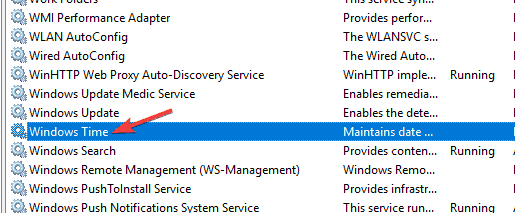
  • This update addresses an issue that affects the time service. You can configure it using mobile device management (MDM) or a Group Policy Object (GPO). But the Windows Settings app does not match what you have configured.
  • This update addresses an issue that affects certain Neural Processing Units (NPU). They do not show in Task Manager.
  • This update addresses an issue that affects the touch keyboard and the candidate window for the Japanese and Chinese Input Method Editors (IME). They do not show after you come out of Modern Standby. To learn more, see Microsoft Japanese IME and What is Modern Standby.
  • This update addresses an issue that occurs when you use LoadImage() to load a top-down bitmap. If the bitmap has a negative height, the image does not load and the function returns NULL.
  • This update addresses an issue that affects the Settings app. It stops responding when you use it to remove Bluetooth devices.
  • This update makes Country and Operator Settings Asset (COSA) profiles up to date for some mobile operators.
  • This update addresses an issue that affects Notepad. It fails to print to certain Internet Printing Protocol (IPP) printers when you use a print support app.
  • This update addresses an issue that affects USB audio. It fails on some processors. This occurs after you pause, play, or resume from sleep.
  • This update addresses an issue that affects Windows Defender Application Control (WDAC). It prevents a stop error that occurs when you apply more than 32 policies.
  • This update addresses an issue that affects the existing AppLocker rule collection enforcement mode. It is not overwritten when rules merge with a collection that has no rules. This occurs when the enforcement mode is set to “Not Configured.”
  • This update addresses an issue that affects the Group Policy service. It fails after you use LGPO.exe to apply an audit policy to the system.
  • This update addresses an issue that affects Secure Launch. It does not run on some processors.
  • This update addresses an issue that affects the Combine taskbar buttons and hide labels setting. The app labels in the taskbar sometimes do not have the correct length, which cuts off the label text. This occurs when this setting is set to “When taskbar is full” or “Never.”
  • This update addresses a reliability issue. It affects a Virtual Remote App product when you use a custom shell to open it.
  • This update addresses an issue that affects some wireless headphones. Bluetooth connections are not stable. This occurs on devices that have firmware from April 2023 and later.
  • This update addresses an issue that affects Transport Layer Security (TLS), version 1.3. It causes Azure App Services to fail. This occurs when the web server attempts to connect to a third-party Lightweight Directory Access Protocol (LDAP) server.
  • This update addresses an issue that affects dsamain.exe. When the Knowledge Consistency Checker (KCC) runs evaluations, it stops responding.
  • This update addresses an issue that affects the Microsoft Message Queue (MSMQ) PowerShell module. It does not load.

You can read the full blog post here.

Surface event brings new Surface Pro keyboard & adaptive accessories for business

At the Surface event, Microsoft announced two new Surface devices for business customers: the Surface Laptop 6 for Business and the Surface Pro 10 for Business. In addition, Microsoft talked about new accessories.

The Redmond tech giant discussed the Surface Pro Keyboard, which provides better accessibility and adaptive accessories for business customers.

The new  Surface Pro keyboard has a bold keyset, bold font, and brighter backlight, which makes it easier to read and reduces eye strain, especially for people with disabilities or those who spend most of their time in front of a screen.

Just like the Surface Laptop 6 for business, it comes with a dedicated Copilot key right next to the arrow keys, which allows you to swiftly access the AI assistant.

However, if you don’t want to use it as a Copilot button, you can switch to other accessibility features, such as live captions, magnifiers, and more.

Microsoft informed us that the keyboard will be available only in the United States and Canada with only a US English layout for now, which is a bummer.

Microsoft’s Adaptive Accessories are now made available for commercial customers, which can be a great help for people who are not used to a traditional mouse and keyboard to create their ideal setup, which thereby can increase productivity and use the apps they like more efficiently.

The devices listed in Adaptive Accessories are:

  • Microsoft Adaptive Mouse – A mouse with a detachable tail and thumb support.
  • Adaptive D-pad Button
  • Adaptive Dual Button 
  • Adaptive Joystick Button

These accessories can be connected to the Microsoft Adaptive Hub or can be used directly with your computers via USB-C cables or Bluetooth.

All these devices mentioned were announced in May 2022 and were made available in October of the same year.

The entire Surface event focused on Microsoft’s work to integrate Copilot into our lives and make people’s lives more efficient with their new Surface devices.

If you want to read more about the Surface Event, we have a list of articles you can check out:

If you want to watch the entire event, click here, and if you’re going to read about it, check this blog.

What do you think about these announcements? Share your thoughts with our readers in the comments section below.

Nvidia’s GeForce Now was down again, for the second time this month

Nvidia’s cloud gaming service, GeForce Now, is reportedly down and has been so for the past hour. Nvidia confirmed the news, stating that it’s working to bring the servers back online.

Investigating – GeForce NOW is currently experiencing a global outage. We are working on a fix to bring back the service as soon as possible. Thank you for your patience!

Nvidia

All global areas are affected, meaning players cannot access their games on the platform, no matter where they’re located. The service is experiencing yet another outage, for the second time this month, after its first outage, earlier this month, on March 10.

It’s quite unfortunate, though: today Alone in the Dark and Dragon’s Dogma 2, two very popular titles were added to the platform, and many users were excited to play them.

The official status says the platform is still down, and Nvidia is currently investigating and bringing the platform back to life.GeForce Now down

Nvidia says it has implemented a fix, and the company is monitoring the results, so the platform should be back online shortly.

GeForce Now should be up and running now, and players should be able to access their favorite games on the platform, as Nvidia deems it operational everywhere.

However, this is the second time this month that the platform has been down, and while Nvidia is quite quick to solve the issues, this might be a sign that GeForce Now is more vulnerable than ever: are the cloud gaming services really that reliable? Could this become a Stadia situation?

You’ll be able to repair the new Surface laptops without having to take them to a service shop

Microsoft introduced the new Surface devices: Surface Laptop 6, which can reduce display reflections up to 50%, and Surface Pro 10, which Microsoft says has the best display ever on such a device, will be shipped to customers starting April 9, but they can be pre-ordered now.

Alongside the latest Intel® Core™ Ultra processors, and equipped with the NPUs ready to take on AI challenges, the new Surface laptops are also quite sustainable. Why? Well, Microsoft has equipped them with QR codes on their internal components, allowing users to easily identify them by scanning these codes.

Microsoft says that this decision will have a significant impact on reducing carbon emissions and waste reduction benefits. But it also allows users to repair their Surface laptops by themselves, without even having to visit a service shop.

Both devices are even easier to service and repair with built-in QR codes that provide convenient access to service guides. In Surface Pro 10 we’ve also included internal markings that identify the number of screws and driver types needed for key components. This increased device repairability can offer significant carbon emissions and waste reduction benefits. We are also making trade-in more convenient and secure for our commercial customers in the U.S. to help limit device waste.

Microsoft

How can you repair your Surface laptops? By simply replacing the damaged internal part with a new one. For instance, for the Surface Laptop 6, you will be able to replace the following parts:

  • Display assembly (including cameras)
  • Keyboard assembly
  • SSD
  • Battery
  • Motherboard (including CPU and soldered RAM)
  • Surface Connect
  • Thermal module
  • Audio jack
  • Speakers
  • Touchpad
  • Casing
  • Rubber feet

For the Surface Pro 10, you’ll be able to replace the following parts:

  • Display module
  • SSD
  • Motherboard (including CPU and soldered RAM)
  • Surface Connect Port
  • Thermal module
  • Microphones
  • SSD door
  • Speakers
  • Casing
  • Front and rear cameras (separately)
  • Power and volume buttons
  • Kickstand

You can read Microsoft’s full blog post here.

Microsoft says the Surface Pro 10 has the best display it has ever shipped on a device

Equipped with the best display Microsoft has ever shipped on a Surface Pro device, so far, the new Surface Pro 10 will be available to users starting April 9, alongside the new Surface Laptop 6, which also has a great display that reduces reflections up to 50%.

However, Surface Pro 10 is a device that debuts many firsts: together with the best display ever on such a device, Microsoft also introduces 5G4 to its Intel Core Ultra processors and the Redmond-based tech giant says this will greatly enhance productivity all around:

It brings a new level of productivity and versatility – whether used as a powerful tablet for frontline workers out in the field, a versatile laptop in the conference room, or anywhere in between – Surface Pro 10 adapts to our customers’ needs and to how they use technology.

Microsoft

The company also adds the Copilot key to the device, allowing users to quickly access the AI capabilities of Windows 11. However, the display will remain the main character on this device, and here’s what Microsoft has to say about it:

This device comes with the best display we’ve ever shipped on a Surface Pro. Whether working under fluorescent office lighting or outside in the field, the display looks incredible in almost any lighting condition. We’ve made it 33% brighter and with a higher contrast ratio and have added a custom designed durable anti-reflective coating, all without making any sacrifices to the experience when using it with touch, and pen.

Microsoft

Below you can find the complete list of specifications for this device:

Surface Pro 10 for Business
Display13″ 2,880 x 1,920 PixelSense Flow display with Adaptive color
3:2 aspect ratio, 600 nits brightness (SDR)
120Hz dynamic refresh rate, 1300:1 contrast ratio
Corning Gorilla Glass 5 with anti-reflective coating
CPUIntel Core 5 Ultra 135U
Intel Core 7 Ultra 165U
RAM8GB, 16GB, 32GB, and 64GB LPDDR5x
StoragePCIe 4.0 256GB, 512GB, and 1TB
Battery48 Wh of nominal capacity, up to 19 hours of “typical use”
39W charger included
Ports2x USB 4/Thunderbolt 4 Type-C
Surface Connect Port
Surface Pro Keyboard Port
Cameras1440p front-facing Surface Studio camera with Windows Hello
10.5MP UHD rear-facing camera
SoundDual Studio microphones with voice focus
Dual 2W stereo speakers with Dolby Atmos
SensorsAmbient Color Sensor
Accelerometer
Gyroscope
Magnetometer
NFC
NetworkWi-Fi 6E, Bluetooth 5.3, and optional 5G (coming later in 2024)
OSWindows 11 Pro or Windows 10 Pro
ColorsPlatinum and Black
PriceStarting at $1,199

Similar to the new Surface Laptop 6, Microsoft will allow users to replace the following parts:

  • Display module
  • SSD
  • Motherboard (including CPU and soldered RAM)
  • Surface Connect Port
  • Thermal module
  • Microphones
  • SSD door
  • Speakers
  • Casing
  • Front and rear cameras (separately)
  • Power and volume buttons
  • Kickstand

You can read Microsoft’s full blog post here.

Surface Laptop 6 reduces reflections by 50%, the most ever, making it perfectly portable

Microsoft just announced the Surface Laptop 6 is available for pre-order, with general shipping starting April 9, and the device looks quite incredible.

The Redmond-based tech giant describes it as the ultimate laptop for business and will allow users to carry and use it everywhere for quite demanding activities such as dealing with huge data documents in Excel or using it to build applications in Visual Studio.

Surface Laptop 6 for Business is the ultimate laptop that’s built for business. It is powered by the latest Intel® Core™ Ultra H-Series processors and designed with improved thermal capacity to deliver incredible performance. 

Microsoft

The laptop is equipped with a new Surface Studio Camera that captures 1080p video and uses AI-driven Windows Studio Effects to enhance the visual quality of video calls. Plus, its display comes with anti-reflective and adaptive color technology that reduces reflections by up to 50% and allows users to see clearly in almost any environment.

As we correctly guessed earlier this year, the laptop will also sport NPUs, alongside its latest Intel® Core™ Ultra H-Series processors, but you can see the full specifications of the laptop below:


Surface Laptop 6 for Business 13.5″
Surface Laptop 6 for Business 15″
Display13.5″ 2,256 x 1,504 Pixel Sense display with Adaptive color
3:2 aspect ratio, 400 nits brightness (SDR)
60Hz, 1300:1 contrast ratio
Corning Gorilla Glass 5 with anti-reflective coating
15″ 2,496 x 1,664 Pixel Sense display with Adaptive color
3:2 aspect ratio, 400 nits brightness (SDR)
60Hz, 1300:1 contrast ratio
Corning Gorilla Glass 5 with anti-reflective coating
Size12.1 x 8.8 x 0.66 inch
308 x 223 x 16.7 mm3.06lbs (1.38 kg)
13.4 x 9.6 x 0.67 inch
340 x 244 x 16.9 mm3.71lbs (1.68 kg)
CPUIntel Core Ultra 5 135H
Intel Core Ultra 7 165H
GPUIntel Graphics (8GB configurations)
Intel Arc Graphics
RAM8GB, 16GB, 32GB, and 64GB LPDDR5x
StoragePCIe 4.0 256GB, 512GB, and 1TB
Battery47Wh of nominal capacity
Up to 18.5 hours of “typical use”
39W charger included
47Wh of nominal capacity
Up to 19 hours of “typical use”
65W charger included
Ports1x USB4/Thunderbolt 4 Type-C
1x USB-A 3.1
1x 3.5 mm headphone jack
Surface Connect port
2x USB4/Thunderbolt 4 Type-C
1x USB-A 3.1
1x 3.5 mm headphone jack
Surface Connect port
Optional smart card reader
Camera1080p Full HD camera with Windows Hello
SoundDual Studio microphones with voice focus
Omnisonic Speakers with Dolby Atmos
SensorsAmbient light sensor
NetworkWi-Fi 6E, Bluetooth 5.3
OSWindows 11 Pro or Windows 10 Pro
ColorsPlatinum and Black
PriceStarting at $1199

Users will also be able to replace the following parts:

  • Display assembly (including cameras)
  • Keyboard assembly
  • SSD
  • Battery
  • Motherboard (including CPU and soldered RAM)
  • Surface Connect
  • Thermal module
  • Audio jack
  • Speakers
  • Touchpad
  • Casing
  • Rubber feet

You can read Microsoft’s blog post here.

OpenAI closes in on updated GPT-5 model release

OpenAI has been sprinting from updated pre-generative large language model (LLM) to (LLM) the past three years as it shifted the underlying platform of its ChatGPT service from GPT-3 to GTP-4 and rumors have it that a fifth iteration could be dropped soon.

According to a report from Business Insider, OpenAI may be gearing up to release an update to ChatGPT with a GPT-5 model as its source as soon as this summer.

Currently ChatGPT is powered by OpenAI’s GTP-4 and 4 Turbo models but over the past few months, users have noticed performance issues that have accompanied the latest update, and it would seem the company is fast tracking a new model to address those concerns.

As Business Insider reports, OpenAI CEO Sam Altman has stated that GPT-5 will be a “materially better” upgrade over GPT-4. Altman and company have already begun “red teaming” and testing internally GPT-5’s capabilities that tease autonomous task performance and enhanced prompt recognition and new features.

While Business Insider is reporting on a summer release for a GPT-5 model, it should be stated that Altman has recently stated that he doesn’t know when GTP-5 will be released, but he does plan to launch an “amazing model” sometime this year.

GPT-5 continues to undergo rigorous testing to address performance issues, reliability, accuracy, response times as well privacy and copyright regulations which takes time, so Altman could be discussing another independent pre-generative model like Sora or MusicFX destined for a release later this year.

AMD’s new FSR 3.1 capability will make your video games look hyper-real

AMD announced FSR 3.1, the next version of its FSR capability, at the Game Developers Conference 2024, and it is coming in Q2 to developers on GPUOpen, and various video games, later this year.

Speaking of video games, FSR 3, which was released last September, will soon be available in 40 games, including Cyberpunk 2077, Dragon’s Dogma 2, Dying Light 2 Stay Human, Frostpunk 2, Ghost of Tsushima Director’s Cut, NARAKA: BLADEPOINT, Ratchet & Clank: Rift Apart, and Warhammer 40,000: Space Marine 2.

But coming back to FSR 3.1, AMD promises some exciting features coming with the new version of this capability. One of them, for instance, is quite exciting, as it will make the video games look hyper-real. We’re talking about the upscaling image quality improvements.

With these new improvements, FSR will be capable of preserving graphic details, and it will also greatly reduce ghosting, which will enable a better gaming experience when connecting your desktop or laptop to external monitors.

These improvements will also deal with flickering and fizziness issues, which means the overall graphic stability when moving or resting in movement will be much higher and more real.

Here are all the new features coming with FSR 3.1:

  • Upscaling image quality improvements:
    • Improved temporal stability at rest and in movement – less flickering and/or shimmering and “Fizziness” around objects in motion.
    • Ghosting reduction and better preservation of detail.
  • Decoupling FSR 3 upscaling from frame generation:
    • Allows FSR 3.1 frame generation technology to work with other upscaling solutions.
  • New AMD FidelityFX API:
    • Makes it easier for developers to debug and allows forward compatibility with updated versions of FSR.
  • Vulkan® and Xbox Game Development Kit (GDK) support.

AMD also provided users with some pragmatic examples, which can be seen in the official blog post about FSR 3.1, and Ratchet Clack, the tech giant was able to show exactly how these new capabilities work: the attention to detail is higher, the graphic quality is better, the framing looks more real.

The GIF examples were taken while running the game at 1080p using AMD FSR 2.2/3.1 Performance mode.

Windows 11 will also release a similar capability in the following weeks, called Auto Super Resolution, which also highly increases attention to detail, and the overall aspect of graphics while playing video games.

You can read more about the new FSR 3.1 from AMD, and the upcoming availability of FSR 3 in this blog post from the tech company.

Windows 11 24H2: All signs, including the HLK build, point to hardware compatibility changes, but are you ready?

Recently, Microsoft introduced preview build 26085 to fix a lot of issues faced in the previous builds, as well as a new Windows Insider Build for Hardware Lab Kit (HLK) under the same build number.

You can download the build on Microsoft’s official website and the description mentioned on the company’s website:

Install Windows HLK Insider Preview

The latest Windows Hardware Lab Kit (Windows HLK) helps you ensure that the drivers and the system you develop are certified as compatible with Windows 10.

To get the RTM version, visit the Hardware Dev Center HLK download page.

According to a post on Xeno on X (formerly Twitter) and the description mentioned above shows that the HLK is compatible with Windows 10 instead of Windows 11, which is a mistake or a glitch:

In response to the post, Brandon LeBlanc, senior program manager of Microsoft, posted:

After a few hours, he posted a comment mentioning the issue was fixed.

The HLK (Hardware Lab Kit) is a tool used in the Windows Hardware Compatibility Program (WHCP). This test framework helps hardware vendors and Microsoft partners test and make sure that their hardware and drivers are compatible with Windows 10 and 11. Once the devices are compatible, they can get Windows Hardware Quality Labs certification, indicating they meet the quality standards.

When Microsoft released HLK for 23H2 in September 2023, the Redmond tech giant informed that they hadn’t made changes that could affect hardware compatibility from 22H2 to 23H2. Therefore, the WHCP certification was not updated and it kept using the same name for version 23H2.

However, this time, the jump from 23H2 to 24H2 will not be the same, and Microsoft is working on making hardware compatibility changes. Rumor has it that the new version of Windows 11 might not support old processors that are missing PopCnt instructions.

Are you ready for the change? Share your thoughts with our readers in the comments section below.

Between by the search box or in the system tray, most prefer Copilot…gone?

Copilot has become the essential Windows 11 feature, and Microsoft has been incorporating it in all of its major services.

Microsoft allows users to choose its location, but the question remains what is the best location for Copilot? In this article, we’ll try to find that out.

What is the best position for Copilot on Windows 11? Here’s what users had to say

Recently, Copilot got its own separate window, and there was an interesting discussion on the Windows 11 subreddit, regarding the preferred placement of Copilot on Windows 11.

Users were asked to choose between the Taskbar or the system tray, but surprisingly, many responded that they don’t even want to use Copilot or have it on their screen at all times:

I disabled it and hid it immediately.

The reasoning for this is probably Microsoft’s campaign to promote Copilot and integrate it into every aspect of Windows.

Me too, like immediately. I’m very intrigued by AI and think copilot is cool, but just the way it was thrust into such prime real estate was ridiculous.

Many are also criticizing Copilot for being a “fancy WebView”:

It’s just a fancy webview tho. Same as using in edge but eating space on the task bar.

Other users find ChatGPT more effective in performing tasks, even though Copilot might be faster:

I wanted to try it with Word & Excel, but so far, copy-pasting stuff in ChatGPT 4 was way more effective. Slower to reply, but it gets much deeper in the writing and doesn’t suddenly decides to stop the conversation because it doesn’t like it.

Many were displeased with Copilot, and they had to share their tips on how to hide it:

you can disable Copilot via Group Policy Management

Disable it via the taskbar’s settings. Does not run unless you initiate it.

Some users don’t want to see built into the operating system, simply because it’s unnecessary.

I use AI chatbots and image cleanup tools but I don’t want or need them built into my OS.

Others just don’t want visual bloat on their screen and they keep the icon hidden and only activate the chatbot with a shortcut.

Disabling it and using Windows + C instead.

One curious user was surprised by the response as much as we were and asked why so many wanted to get rid of Copilot. According to some, it’s not used often by casual users, and it just takes up unnecessary space:

Because not many people use it. It’s just a waste of space for most people.

As you can see, not too many are pleased with Copilot on Windows 11, simply because they don’t use it daily, and therefore having it on your Taskbar or system tray seems unnecessary.

If Copilot becomes able to read all your data and access private files, even more users might stop using it, permanently.

While this comes as a surprise, Microsoft remains confident that Copilot will be successful in the long run.

Users don’t like Bitwarden’s new UI, but its developers confirms it’s not definitive

Bitwarden is a freemium open-source password management service, and also one of the best products of its kind, according to our review of it. The app encrypts credentials and stores sensitive information in encrypted vaults, and it can be used on a variety of platforms: from Windows to macOS, Android, WatchOS, and so on.

The app recently debuted a new design and many of the users are not really happy about it, with some of them questioning the updates made to the app’s navigation interface, claiming that Bitwarden now has a lot of unused space, and inconsistent styling, as well its filtering capabilities, and the lack of more info when accessing the Details page.

On Reddit, for instance, users even posted screenshots circling all the areas in design that would benefit from several changes.

Users agree that the Bitwarden is a great product, nonetheless, but its design should be worked on:

I saw the initial image and got really excited thinking Bitwarden had already updated the UI. I dislike the new UI and want the old one back. This mock up is amazing and makes much more sense than the current Bitwarden web UI.

I understand redesigning a UI takes time, but I would have preferred they hold off on releasing the new one until it was more complete.

Ah well, still a great product.

Reddit user

Others feel that they don’t understand why Bitwarden updates the UI this way:

So we all know Bitwarden recently updated their web app interface. I sincerely could not understand the point of this update. They’ve done their researches but the result is so underwhelming. The only change is that the top bar is now on the side…?

Not to discredit their design team, they did a great job on keeping Bitwarden as funtional as it ever is, but so much more could be done. Especially that none of Bitwarden’s clients follow the design system that the home page uses, they really should move to that direction.

Anyway, here’s my take on how the layout could be improved, using elements on bitwarden.com and a bit of my own thoughts. Would love to know your feedback!

Reddit

However, in the same Reddit post, a Bitwarden developer unveiled that the current UI updates are not final, nor definitive, and the app will suffer some changes based on users’ feedback.

I think it’s important to note that the update we did is just an iterative navigation design update, not an app redesign by any means, so effectively the original design is still there. We have greater plans for more of a redesign like your concept in the future and u/kevinBitwarden and his team are working on those things in the bigger picture of design changes to the Bitwarden product line.

Bitwarden developer

Even more, Bitwarden encourages users to leave their feedback, so that the developers can use it to improve the platform.

Thank you for sharing your thoughts on our recent navigation update. Your feedback is invaluable as we work to enhance the Bitwarden experience for all users. This update is just the beginning of our efforts to improve our products.

We’re excited about the broader design changes we’re working on, starting with our extension. We’d love to hear more of your insights and perspectives. Would you be interested in meeting with our design team to discuss these upcoming changes in more detail? Your input would be greatly appreciated as we continue to evolve Bitwarden.

Bitwarden employee

Do you use Bitwarden? What do you think of the latest updates to the platform?

Ray tracing coming to Diablo 4 by March end, confirms team

We finally have a confirmation that ray tracing is coming to Diablo 4, and the developers are aiming for a March-end release.

Adam Fletcher, Global Community Development Director at Diablo, in the latest campfire chat, confirmed the release. He also informed that an official blog post detailing every aspect concerning the PC and console version of the game will be out by next week.

NVIDIA has previously confirmed the date to be March 26, 2024. According to the guys at NVIDIA, the update will add two ray tracing effects to Diablo 4, shadow and reflection.

With ray tracing, Diablo 4 graphics are looking at a major upgrade. Ray tracing in Dying Light 2 enhances the entire experience, and we expect something similar in Diablo 4.

As it turns out, new driver releases are also supporting ray tracing in Diablo 4, Intel Game On driver version 31.0.101.5379 being one.

Are you excited about ray tracing in Diablo 4? Share with our readers in the comments section.

Windows 11 Insider Preview build 26085 patches the known errors that affect games and more

Windows 11 Insider Preview Build 26085 was recently released to the Canary and Dev Channels. It brought many changes and improvements, including issues with the most popular games.

The Redmond tech giant has mentioned an important note for gamers in the Insider blog:

Most popular games should work correctly again in the most recent Insider Preview builds in the Canary and Dev Channels.

They also urged you to submit feedback in Feedback Hub on any issues you face while playing games on the latest builds.

Microsoft also mentioned that the company is investigating reports of rollbacks with error code 0xC1900101 while installing the latest build.

They are also informed that they are working on a fix for an issue in which some Insiders see File Explorer using the old design, and the tabs are also missing in the latest builds.

The new build temporarily turns off a new pointer indicator accessibility setting for low-vision Windows users. Microsoft introduced this feature with build 26052, and the company plans to enable it.

Furthermore, Insiders with Bluetooth LE Audio capable assistive hearing devices can set up and manage their devices through Settings>Accessibility>Hearing aids.

Here are the known issues and the fixes applied after the new build mentioned in the blog post:

[General]

  • Fixed the underlying issue believed to be the cause of shutdown and hibernation not working in the previous flight.

[File Explorer]

  • Fixed an issue where the context menu in File Explorer was missing an acrylic background.
  • Fixed an issue where when opening the context menu in File Explorer, the icons might appear out of place and overlapping text.
  • Fixed an issue which was causing File explorer to leak GDI objects and heap memory for every folder navigation, leading to stability and rendering issues over time.
  • Fixed a memory leak when interacting with archive folders in File Explorer.
  • Fixed an issue causing thumbnails in File Explorer to sometimes unexpectedly be black in the previous flight.

[Sudo]

  • Fixed an issue believed to be the cause of the setting to enable sudo (under System > For Developers) not working for some Insiders.
  • Fixed an issue where if you ran the command “sudo pwsh”, it wasn’t working properly in recent builds.

[Windows Security]

  • Fixed a high hitting Windows Security app crash in the previous flight, which is believed to potentially be the cause of Insiders reporting that the Windows Security app icon in the system tray was sometimes missing in that flight.

[Input]

  • With this build, the recent issues with the mouse cursor disappearing, and other recent issues related to the mouse cursor behaving abnormally should be fixed.

[Settings]

  • Fixed an underlying issue which was causing Settings to freeze sometimes so you couldn’t interact with any of the pages.
  • Fixed an issue where the list of Bluetooth devices under Bluetooth & Devices wasn’t being read out by screen readers in recent builds.

[Windows Update]

  • Fixed the issue causing Insiders in the Dev Channel to see error 0x80070002 when trying to install cumulative updates.
  • Fixed an issue where using “Update and Shutdown” wasn’t shutting down your PC upon completion.

[Other]

  • Fixed an issue that was causing some Insiders to see bugchecks with CRITICAL_STRUCTURE_CORRUPTION recently.
  • Fixed an issue which was causing Voice Access to crash on launch for some Insiders in recent builds.
  • Fixed an issue where after renaming your printer, it might not work with print support app association.

The Windows Insider blog post also mentioned problems related to Copilot in Windows, including Voice access and Windows Ink. They also acknowledged the issues with Copilot resizing issues and missing bring focus to and refresh buttons.

Soon, all Windows features in the Canary and Dev Channels will be released for general availability. However, to experience them before the public release, you must join the Windows Insiders program.

Are you facing any issues while using the new build? If so, we encourage you to report them on Feedback Hub or mention them in the comments section below.

Experience enhanced precision with controller support on Call of Duty Warzone Mobile

Call of Duty Warzone Mobile, one of the most talked about mobile games, offers controller support. Just connect your gaming controller and play as if you were on an actual console.

Activision disclosed the information when they revealed the March 21 release date in the official blog.

Soon, CharlieIntel, a platform covering games-related news, took to X (previously Twitter) to share about controller support in Call of Duty Warzone Mobile with the community.

According to CharlieIntel, controller support will be present in Call of Duty Warzone Mobile since launch. As per reports, the game supports the following controllers (and more):

To connect your controller, put it in Pairing Mode > open the Bluetooth settings > select the controller name from the list > follow the on-screen instructions to complete the process > launch Call of Duty Warzone Mobile to use the controller.

In another blog post, Activision highlights that some of the game’s functionalities, say, picking a playlist, can only be modified via the touch screen or any native controls.

The developers also underline the fact that, in the initial days after launch, players using controllers and the native touch functionality will be a part of the same matchmaking pool. Later, changes can be expected as the developers analyze things.

At worldwide launch, players using native touch controls, or any type of controller, will be matchmade together in the same pool of recruits. As the game evolves, we will evaluate balancing player matchmaking pools by native touch and controllers, as well as, potentially implementing different rules for control playstyles in competitive play.

Controller support on Call of Duty Warzone Mobile is a welcome step. In a few days, it will be clear how well the feature has been implemented. Similarly, cross-progression between different platforms, too, will undergo scrutiny.

Share your review of using a controller in Call of Duty Warzone Mobile in the comments section.

Running out of space on your Xbox? Get 20% off the WD_BLACK 1TB C50!

Having enough storage on your Xbox is crucial, especially if you tend to download games frequently.

If you’re not too keen on deleting your games, you can easily expand your storage space during Amazon’s Big Spring Sale.

You can get a WD_BLACK 1TB C50 storage expansion card for 20% off on Amazon

Amazon is currently having a Big Spring Sale, with a wide array of products being on a discount, including the WD_BLACK 1TB C50.

As 9to5Toys reports, this model usually costs $150, but it’s currently on sale and you get it for $129.99. The card rarely goes on sale, and it currently costs less than other similar models.

Regarding the features, this card uses Xbox Velocity Architecture and it provides the same performance as the internal storage.

The card is officially licensed with Xbox, so you won’t have any compatibility issues. As for the setup, it’s pretty simple, you just plug it into your console and that’s it!

So, what are you waiting for, head to Amazon and get this expansion card while the discount lasts!

If you’re tired of your Xbox, there are rumors that we might get a handheld gaming PC from Microsoft someday in the future, so stay tuned for more news.

Intel Game On driver 31.0.101.5379: Boosts performance by 174%, adds support for 4 new titles

With Windows emerging as the preferred platform for gaming, developers are more focused than ever on fine-tuning every aspect of their products. The latest Intel Game On driver version 31.0.101.5379 is an example of that!

The Game On graphics driver is focused on gaming, delivering significantly improved performance compared to the previous version. The latest driver also complements the Intel Arc A-Series and Core Ultra, boosting their output.

Improvements in Intel Game On driver version 31.0.101.5379

Support for four new games

The latest driver introduces support for the following games on Intel Arc A-series Graphics:

  • Diablo IV Ray Tracing Update
  • Dragon’s Dogma 2
  • Horizon Forbidden West
  • The Legend of the Condor Heroes

Boost in performance

As per the Intel release notes, the latest Game On driver results in the following improvements on Intel Arc A-Series Graphics compared to the previous version:

  • Assassin’s Creed Origins (DX11)
    • Up to 35% average FPS boost at 1080p with Ultra High settings.
  • Conqueror’s Blade (DX11)
    • Up to 54% average FPS boost at 1080p with Highest settings.
  • Detroit: Become Human (VK)
    • Up to 137% average FPS boost at 1080p with Ultra settings.
    • Up to 172% average FPS boost at 1440p with Ultra settings.
  • Dragon’s Dogma 2 (DX12)
    • Up to 36% average FPS boost at 1080p with High settings and Progressive Rendering Mode.
    • Up to 31% average FPS boost at 1440p with High settings and Progressive Rendering Mode.
  • Fortnite (DX12)
    • Up to 6% average FPS boost at 1080p with Epic settings.
    • Up to 6% average FPS boost at 1440p with Epic settings.
  • God of War (DX11)
    • Up to 36% average FPS boost at 1080p with Ultra settings.
  • Granblue Fantasy: Relink (DX11)
    • Up to 174% average FPS boost at 1080p with Ultra settings.
  • Horizon Forbidden West (DX12)
    • Up to 6% average FPS boost at 1440p with High settings.
  • Sons of the Forest (DX11)
    • Up to 8% average FPS boost at 1080p with Ultra settings.
    • Up to 9% average FPS boost at 1440p with High settings.

Similarly, the improvements on Intel Core Ultra with built-in Intel Arc GPUs compared to the previous driver version are also profound.

  • Assassin’s Creed Origins (DX11)
    • Up to 117% average FPS boost at 1080p with Medium settings.
  • Conqueror’s Blade (DX11)
    • Up to 27% average FPS boost at 1080p with Medium settings.
  • Dragon’s Dogma 2 (DX12)
    • Up to 18% average FPS boost at 1080p with Low settings and Progressive Rendering Mode.
  • Fortnite (DX12)
    • Up to 6% average FPS boost at 1080p with High settings.
  • God of War (DX11)
    • Up to 17% average FPS boost at 1080p with Original settings.
  • Granblue Fantasy: Relink (DX11)
    • Up to 29% average FPS boost at 1080p with Standard settings.
  • Sons of the Forest (DX11)
    • Up to 5% average FPS boost at 1080p with Low settings.

The list of supported products for Intel Game On driver version 31.0.101.5379 can be found on the download page. Known issues with the latest driver can be checked in the release notes.

The latest Intel Game On graphics driver, though compatible with both Windows 10 and Windows 11, may deliver superior results with the latter. Because, as per reports, the latest iteration, Windows 11, is better for gaming!

Has the latest driver improved gaming performance on your PC? Share with our readers in the comments section.

Is it Safe to Use a Second-Hand SSD? (Pros & Cons)

SSDs are known for their reliability and efficiency, but they’re not exactly cheap. As such, you may want to acquire a second-hand SSD card to meet your storage needs.

With faster write speeds and quick boot times, it’s a no-brainer why one would choose an SSD over an HDD. However, because of budget constraints, not everyone may be able to afford a new SSD.

Used or refurbished SSDs are a fraction of the cost of new ones; if you’re lucky, they work just as well.

What should I look out for when purchasing a second-hand SSD?

  • Compatibility – Your second-hand SSD must augur well with your hardware and OS. If not, you’ll experience a lot of performance issues and risk losing data when an inevitable catastrophic crash happens.
  • Health – We all know SSDs have a lifespan so purchasing a second-hand one means that its health is not at 100%. Luckily, you can check its health status and optimize it if need be to stretch out its lifespan a little longer.
  • Manufacturer – A well-known and reputable brand is more likely to sell high-quality second-hand SSDs than unknown brands. Before settling on one, make it a point to check for reviews from previous buyers.
  • Warranty – Just because it’s a second-hand SSD doesn’t meet it shouldn’t have a warranty. This coverage ensures your SSD is covered for any damages for a limited time while you use it.
  • Security – A second-hand SSD should be appropriately formatted and all data from the previous user wiped out. This ensures your data will be secured once you store it.

What are the pros and cons of using a second-hand SSD?

Pros

1. Inexpensive

Used or refurbished SSDs are a fraction of the cost of new ones. To put it in perspective, you’d probably get a 2TB second-hand SSD for the price of a 256GB new SSD. Therefore, you’re getting more for less and excellent performance.

2. Sustainability

Getting a second-hand SSD extends the lifespan of these devices and aids in the recycling of electronic devices, promoting environmental sustainability. This circulation ensures minimal environmental impact when manufacturing new products.

3. High-performance metrics

Although used, a second-hand SSD is still far better than an HDD. SSDs are widely compatible with many devices, and their performance metrics are commendable. You also save on energy, as HDDs are energy monsters compared to SSDs.

Cons

1. Reduced lifespan

A used SSD has a finite lifespan because of the limited write cycles. Other factors like environmental factors, power surges and the workload also greatly reduce the lifespan.

You’re also unaware of the previous owner’s usage patterns and whether the SSD was exposed to excessive stress. If your refurbished SSD has been through a lot of wear and tear, you may only use it for a short period before it gives in and dies.

2. Compatibility issues

Whereas SSDs are compatible with most hardware, second-hand SSDs are usually older models incompatible with newer hardware. Further, they’ve been reconfigured and may lose some functionality that makes it harder to work with your device.

3. Hidden defects

Because a second-hand SSD had a previous owner, you can never be too sure whether you’re getting a legitimate product. There may be hidden defects even after passing all your inspection tests. What’s worse is that these defects may even be unknown to the reseller.

Over time, these defects may start manifesting slowly, and once your SSD starts to malfunction, your data will be at risk.

4. Short warranty period

New SSDs have a warranty period ranging from three to five years. Second-hand SSDs, if you’re lucky, have a warranty period of six months to one year.

Such short periods expose you to additional costs if the SSD malfunctions after the warranty period expires.

5. High risk of data loss

If you purchase your second-hand SSD from an unreliable or unauthorized reseller, there is a chance that previous data was not properly wiped out. Since such resellers do not have quality control, there’s a high risk that your SSD could be counterfeit.

If there is no quality control, there is no guarantee that your data will be safe. Your sensitive information could be exposed to unauthorized parties and risk data corruption from residual data or even software that collects it.

How long does a used SSD last?

Newer SSDs have a longer lifespan compared to used SSDs. However, depending on usage history, environmental conditions, workload, and overall health at purchase, your used SSD can last for a decent time.

Still, there are some best practices you can implement to get more out of your refurbished SSD, such as:

  • Regularly update firmware – Your SSD manufacturer will release performance updates and bug fixes to enhance compatibility and reliability. Keeping up-to-date will extend its lifespan.
  • Perform TRIM – Check how often you should perform a TRIM on your SSD to ensure garbage collection is done in time. This ensures your SSD has no unused data blocks.
  • Back up data – You can never predict an SSD failure but when it slows down, you can assume these are symptoms. A reliable backup software can help mitigate any data loss risks.
  • Data protection – Because you’re unaware of the SSD’s history, it’s good to have SSD encryption software to prevent any data breaches.
  • Check health status regularly – Refurbished SSDs require health monitoring twice as much as new ones. You can use diagnostic tools to monitor health status and reliability.

Overall, purchasing and using a second-hand SSD is compelling, but you have to consider the pros and cons before making that decision. If it were up to us, we’d say go for it. Just emphasize acquiring reliable and functional products.

You’ll be saving money and still getting a high-performance and efficient product. However, if you’re not a fan of used products, we have a collection of the largest SSDs you can get your hands on so feel free to check it out.

For more second-hand items, you can also get your hands on a second-hand RAM or second-hand HDD.

We’re curious. Have you used a refurbished SSD before? What was your experience, and how long did you use it (or are you still using it?)? Share your experience with us and any pointers you would like us to know in the comment section below.

I’ve preloaded Dragon’s Dogma 2 on my Xbox and PS5. Here’s how

Dragon’s Dogma 2 is a highly anticipated game, and many are eager to try it. With the game releasing tomorrow, many want to get a head start and preload the game on their console.

This is pretty simple to do, and it doesn’t require any additional configuration. In this article, we’re going to show you how to properly do that.

Here’s how to preload Dragon’s Dogma 2 on Xbox Series X/S and PS5

As Beebom writes, to preload the game, first you need to pre-purchase it, regardless of the platform you’re using. After that, you just need to follow the steps for your console of choice.

On Xbox Series X/S

  1. Navigate to the Microsoft Store on your console.
  2. Locate Dragon’s Dogma 2 in the store and select it.
  3. Choose the Pre-Install option and wait for the game to download.

Keep in mind that the game requires 69.95 GB of storage space before you can install it. If you’re low on storage, you can get WD_BLACK 1TB C50 for 20% off on Amazon.

On PlayStation 5

  1. Navigate to your library on PS5.
  2. Locate Dragon’s Dogma 2.
  3. Select it and choose the Download option to start the process.

Note that the PS5 version requires 65+ GB of storage available to preload the game.

As the game is releasing tomorrow, by preloading it, you’ll be able to start as soon it launches, without having to wait for the game download first.

Are you excited for Dragon’s Dogma 2? If so, make sure you preload the game and be the first to try it!

Make your Windows desktop look like a Mac with ObjectDock

Stardock, known for making the best customization tools for Windows, has released an update for ObjectDock, making it compatible with Windows 11 and 10. This will make it look like a Mac and help you access your frequently used apps and files.

Here are the list of features added:

  • Allows you to quickly access & launch your frequently used apps, shortcuts, and files.
  • Enables you to create a dock to customize your desktop with various content types and styles.
  • Can change a dock’s size, color, transparency, font, and background
  • Add a tabbed dock to your desktop to keep frequently used apps, files and links.
  • Allows you to add multiple docks to your desktop.
  • Advanced customization tools to set dock on top or hidden when using other apps.
  • Adjust the icon size, effect, transparency and more to change the effects of a dock.

So, whether you are using Windows 10 or 11 for gaming or school or want to keep your desktop organized for better accessibility, ObjectDock can help you make your Windows desktop manageable. It acts as a complete replacement.

For more information, you can visit the official website of ObjectDock. You can try it for 30 days and purchase it for up to 5 active installs.

It now comes in 64-bit, with improvements to animations like Zoom, support for UWP applications, high-resolution displays, and more.

Would you use ObjectDock on your Windows computer? If so, share your thoughts about the readers in the comments section below.

Microsoft, Meta, Epic Games, & Spotify join forces to challenge Apple’s pricing policies

Apple is notorious for its high store fees, and this sparked trouble between Apple and the EU in the past.

This is just the beginning, Epic Games has already filed a lawsuit against Apple, but now it seems that other tech giants are joining in.

Four additional tech companies are joining the fight against Apple

Apple Store policies have been criticized for a while, and as MSPowerUser writes, it seems that Meta, Microsoft, Spotify, Match Group, and Epic Games are teaming up to challenge them.

The main concern is Apple’s commission fees which can reach up to 30% for in-app purchases. Apple already had legal issues due to this, and to address them, it allowed the developers to include a single link to an external payment system.

Other tech giants are arguing that this decision doesn’t follow the court’s decision because the external links don’t allow users to learn properly about different and cheaper alternatives.

Although many are criticizing the high fees, Apple was quick to defend them stating that they are necessary to cover the costs of development, security, and maintenance of the App Store.

Department of Justice is still deciding whether to file an antitrust lawsuit against Apple, and we expect to find out the official verdict soon.

As for Apple and its problems with the EU, after Apple complied with the DMA the number of Opera users is rising which leads us to believe that Apple, like many other tech giants, is using unfair business practices.

Channels and calls made fun with Xbox’s Discord Voice – Soundboard Audio feature

Yesterday, Xbox rolled out a series of new features and bug patches to the Alpha Skip-Ahead ring, Build 2408.240318-2200. What caught our attention was the Discord Voice – Soundboard Audio feature.

The official description read,

Xbox players who have joined Discord Voice will now be able to hear soundboard audio from others in the channel or call. A mute button for soundboard audio can be found in the Discord Voice options in the Guide. At this time, you cannot trigger soundboard audio from the console.

Soundboard lets users play pre-recorded short audio clips, often used to express emotions. It enhances the fun element in calls. And with Soundboard coming to Xbox, you should be in for an exciting ride!

Also, Xbox has introduced a mute button for anyone not in the mood for some playful or weird sounds.

The only problem we see right now is that players on the Xbox console can’t trigger soundboard audio. But with Xbox making strides, extensively introducing new features and enhancing the existing ones, you should, most likely, be able to prompt soundboard audio in future updates.

Details for the update introducing Discord Voice – Soundboard Audio:

  • OS Version: XB_FLT_2408GE\26085.1502.240318-2200
  • Available: 2 P.M. PT – 20 March’24

For more information about Discord Voice – Soundboard Audio on Xbox or to discover the latest fixes, check the release notes.

Recently, Xbox introduced many changes in 2404.240314-2000, including improved search in the Microsoft Store. You can expect more features and enhancements to be included in the coming days!

What do you think of the Discord Voice – Soundboard Audio feature? Share with our readers in the comments section.

Microsoft confirms KB5035857 is riddled with bugs, triggers memory leaks & reboots on DCs

Every few months, the release of a Windows update makes it to the news for all the wrong reasons. This time, it is Windows Server 2022, KB5035857, on OS Build 20348.2340!

Released on March 12, 2024, the buggy security update only affects environments on the Windows Server platform and not home devices.

On the official bug reporting page, the KB5035857 report titled Issue with Kerberos requests on domain controllers may cause LSASS memory leaks reads,

Following installation of the March 2024 security update, released March 12, 2024 (KB5035857), Local Security Authority Subsystem Service (LSASS) may experience a memory leak on domain controllers (DCs). This is observed when on-premises and cloud-based Active Directory Domain Controllers service Kerberos authentication requests.

Extreme memory leaks may cause LSASS to crash, which triggers an unscheduled reboot of underlying domain controllers (DCs).

Affected platforms, as reported by Microsoft, include Windows Server 2022, Windows Server 2019, Windows Server 2016, and Windows Server 2012 R2.

The good news, Microsoft has identified the underlying cause and is working on developing and deploying a patch. Microsoft says all memory leaks, random crashes, and reboot issues with KB5035857 should be resolved in a few days.

Have you faced the same problems with KB5035857? Share with our readers in the comments sections.

Say goodbye to typos in Notepad as Microsoft is testing a new spell-check feature

Notepad has been an integral part of Windows for decades, and it was left unchanged until Windows 11 came.

We saw an array of new features being added to Notepad, and it seems that the most known text editor will get a spell-check feature in the future.

Microsoft is currently testing a spell-check feature for Notepad in Windows 11

Notepad recently got Copilot support with the Explain with Copilot feature,  but Microsoft has additional features planned for it, according to the XDA Developers.

This feature was first discovered by PhantomOcean3 on X, and we can see the new Spelling section in the Notepad settings.

Users will have the option to use spell check along with the autocorrect feature, so they won’t have to worry too much about spelling.

The spell check settings can be expanded and you can choose the file types that you want to use spell check for.

This feature is available in Notepad 11.2402.18.0, but currently, there’s no information regarding its release date.

These brand-new laptops from Lenovo might last for years, with a 9/10 iFixit repairability score

If you are planning to get a new laptop, Lenovo’s latest ThinkPad L series and X13 series would be the perfect pick. Equipped with powerful processors, these two are designed using recycled materials and have an iFixit repairability score of 9/10.

The 13″ Lenovo Thinkpad X13 series comprises the ThinkPad X13 Gen 5 and ThinkPad X13 2-in-1 Gen 5, both featuring similar specifications with the exception of storage. You get up to 1 TB for the former, while the latter offers up to 2 TB. Details of the ThinkPad X13 series:

  • Lenovo ThinkPad X13 Gen 5: Available from April’24, priced at $1239
  • Lenovo ThinkPad X13 2-in-1 Gen 5: Available from April’24, priced at $1399

Need to store more files, go with the latter!

As for the Lenovo ThinkPad L series, it features a 16″, 16:10 ratio display and comes with new tactile markings on the keyboard to help people with blurry vision. The series comprises of:

  • Lenovo ThinkPad L14 i Gen 5: Available from April’24, priced at $1179
  • Lenovo ThinkPad L14 Gen 5 AMD: Available from Mar’24, priced at $999
  • Lenovo ThinkPad L16 i Gen 1: Available from April’24, priced at $1179
  • Lenovo ThinkPad L16 Gen 1 AMD: Available from Mar’24, priced at $999
  • Lenovo ThinkPad L13 Gen 5: Available from April’24, priced at $1199
  • Lenovo ThinkPad L13 2-in-1 Gen 5: Available from April’24, priced at $1319
Tactile markings on keys (Source: Lenovo)

All laptops from the ThinkPad L and ThinkPad X13 series are designed for the latest OS, Windows 11. These feature an NPU (Neural Processing Unit) to boost the machine learning and AI capabilities. Soon, NPUs will become a vital part of PCs, given Microsoft’s push for AI-driven features.

For more information about the series or specifications, check the official blog post.

Why should you care about the iFixit repairability score?

The iFixit repairability score highlights how easy it will be to repair the laptop. The higher the score, the easier it would be!

Devices with higher scores tend to have a simpler design, easy component replacement, and sufficient information from the manufacturer to facilitate third-party repair. This increases the life span of the device by a few years.

Besides, you won’t be forced to contact the manufacturer for every hardware issue, thus saving a significant amount in the long run. Third-party repairs are both quicker and cheaper!

Ever since the right-to-repair movement gathered momentum, we have become more careful with our choices, especially when it comes to expensive electronics like mobiles and laptops. And it makes sense. If you are spending $1,000-1,500 on a device, it should last 5-7 years.

Experts recommend you go for devices with an iFixit repairability score of 7 or higher.

What’s the repairability score of your current device? Share with our readers in the comments section.

Microsoft Edge Super Drag and Drop now supports Google search (sort of)

Edge is constantly getting new features, and not that long ago we wrote about Edge’s Super Drag and Drop feature.

This feature has been improved, and now it allows you to change its default search engine and use something other than Bing.

Super Drag and Drop in Edge now works with Google Search

For the longest time, Microsoft has been trying to push Edge and Bing to unsuspected users. We already wrote how Edge imports Google tabs without the user’s knowledge.

But that’s not all, there are reports that Microsoft is showing Bing pop-ups in Chrome in an attempt to make users switch.

If you’re not familiar with the Super Drag and Drop feature, it allows users to drag and drop links and text anywhere on the page to open in a new tab.

Currently, when users perform this action a new tab will open and Bing will search for the dropped text, ignoring your currently selected default search engine.

Well, that has finally been changed, and Microsoft is testing the feature that will allow you to change the default search engine that Super Drag and Drop uses in Edge Canary.

You can change the default search engine by doing the following:

  1. Open Edge and navigate to edge://flags
  2. Now locate Microsoft Edge Super Drag Drop, enable it, and restart the browser.
     
  3. Next, open Settings and go to Appearance. Select Super Drag and Drop.
  4. Choose Configure Super Drag and Drop.
  5. Set Search mode to Using Default Search Engine.

After that, you’ll finally get rid of Bing and you’ll be able to use your preferred search engine with this feature.

We’re glad that Microsoft is finally giving users the option to properly switch to a different search engine, and we can’t wait to see this feature available to the stable version of Edge.

Amazon Spring Sale brings the Surface Pro 9 to an incredible price

Surface Pro 10 will soon be here, but there aren’t details about its release date. Yet, while waiting for it, you could get the Surface Pro 9 from Amazon for $1,100.49. Additionally, you can buy the keyboard too for $122.99. Also, you could get the keyboard with the signature reader for $124.00 and the Surface Pen 2 for $89.97. However, if you have a Surface device on your wishlist, hurry to get a Pro 9. They might run out of stock soon.

Is Microsoft Surface Pro 9 worth buying?

There are a few things that make Microsoft Surface Pro 9 worth buying. The first one is the Amazon Spring Sale. After all, it’s the reason the price of the tablet dropped by 28%. With the new price, you could get the keyboard too. So, you would have the full utility.

Specifications

Processor12th Gen Intel Core i5-1235U
OSWindows 11 Home
Display13 inches
Resolution2880 x 1920
Storage256 GB
Memory (RAM)16 GB
Battery lifeUpto 15.5 hours
CameraFront: 5 MP, Rear: 10 MP

If you attach the keyboard to a Surface Pro 9, it feels similar to a 2-in-1 laptop. In addition, its selling point is the ultra-portable feature. After all, it weighs less than 1kg and has a long battery life. So, it is a perfect fit if you are working on the run or from various locations. It has decent internal audio capabilities and a good camera. Thus, you can join meetings from anywhere.

Another great feature of the Surface Pro 9 is the display because it is a bright 2880 x 1920 panel with a 120Hz refresh rate. The only downside is the reflectiveness of it. Performance-wise, it is not the greatest tablet. However, it will get office tasks done at the expense of a lot of fan noise.

In a nutshell, the tablet is worth it, especially if you are a Microsoft fan. It can do a lot of tasks, and depending on its specifications, you can increase its performance. While it might fall a bit under other tablets, it gains bonus points for its display and portability.

Alternatively, you can get the tablet and keyboard combo from Best Buy.

What are you thinking? Are you going to buy the tablet and keyboard? Let us know in the comments.

Is It Safe to Buy & Use Second-hand RAM? Here’s What to Look For

It is debatable whether it is safe to buy and use second-hand RAM. While it might not damage your device, it could have other specifications. Also, if you buy it from an unknown seller, test it first. Otherwise, you could even end up with fake RAM. Yet, it isn’t always that bad, but the quality is very different from the real deal.

How to spot fake RAMs?

Only try to cut costs by buying second-hand RAM from somewhere, or you might get a fake one. However, there are a few methods to ensure the authenticity of the new stick. For example, you could search the product for tampering, such as misspellings. A Redditor discovered one with HyperX is a dimsion of Kingston written on its sticker instead of HyperX is a division of Kingston.

Another thing you could do is to paste the following command in the command prompt: wmic memorychip get capacity, manufacturer, speed, tag. It will show you all kinds of information about the component. So, if there is a mismatch, try to refund it. After all, it is not worth using a product that doesn’t meet the showcased specifications. Another way to avoid scams is to check the second-hand RAM code on the manufacturer’s website.

Of course, you should check the integrity of the RAM before buying it. For example, the printed circuit board (PCB) could be chipped or damaged, or the RGB lights could not work. While all of the occurrences mentioned are rare, they could happen. Yet, the sticks are some of the most durable components of a PC.

Is it OK to use second-hand RAM?

If the component is in good condition, it is okay to use second-hand RAM. After all, it is cheaper, and you can guarantee it works. However, you could search for some with available warranties. Also, consider checking for refurbished sticks because you might find them cheaper.

In summary, consider all of the above when buying and using second-hand RAM. To ensure the transaction goes well, you can try using a payment method that protects the buyer, such as PayPal. The company will try to get your money back if the product needs to be fixed. Also, if you want to build more than one PC, second-hand RAM sticks could save you a small fortune.

Speaking of second-hand items, you may also be interested in a second-hand SSD in case yours is dead or need a cheaper replacement.

By the way, if you have any problems, such as RAM not being detected or the PC not using all of it, we’ve got you covered.

What do you think? Will you buy and use second-hand RAM? Let us know in the comments.

WebGPU API will endanger your data while boosting your performance

The WebGPU browser API presents a high risk for your device. Even if the tool boosts your graphics performance while browsing, hackers can use it against you. After all, some browsers ask for your permission to access hardware to enable various tools and services. However, not all of them will need your input. So, by exploiting their vulnerabilities, wrongdoers can access your data and perform side-channel attacks.

What is a GPU attack?

A GPU side-channel attack allows threat actors to use your hardware against you, stealing sensitive data. However, they usually require your approval to access your hardware, which can be tricky for you. After all, sites ask for your permission to enable their APIs and Tools, such as the WebGPU API.

So, when you accept their request, hackers can use the software to access your GPU. Then, using its compressing tools, wrongdoers can steal bits of the data it uses. In addition, attackers abuse how the GPU workloads impact the timing and cache state to spy on you.

According to CyberKendra, one of the GPU methods used by researchers in their WebGPU API study was an inter-keystroke timing attack. The technique allows them to measure the time it takes for your GPU to process keyboard inputs. Thus, by using it, they can figure out if you use common characters or special ones. Also, the code of the attack runs in JavaScript, and researchers can use it more easily than the side-channel attack.

Researchers tried to make tech companies and browser vendors prioritize security. To do this, they showed their proof of concept attacks. However, they weren’t successful because letting us make security decisions we don’t understand could negatively impact our perception. So, they prefer the performance benefits of WebGPU API.

In summary, even if researchers found security vulnerabilities in WebGPU API, tech companies leave this matter in our hands. To protect your data, use a complicated password and only approve some requests from browsers. Additionally, there are a few ways to defend from browser attacks.

What are your thoughts? Will you continue using the WebGPU browser API to boost your performance? Let us know in the comments.

Nvidia launched its Cloud Quantum-Computer Simulation Microservices

Nvidia broke the ice with its new cloud quantum computing services. After all, they allow researchers to use advanced software to explore scientific domains, such as biology, science, and chemistry. The cloud from Nvidia will work as a simulation platform. So, researchers could use it to build and test algorithms and applications with tools for hybrid quantum-classical programming.

According to Nvidia, three-quarters of the companies developing quantum processing units use their CUDA-Q quantum computing platform. Also, it is the first platform that allows hybrid quantum-classical programming. Additionally, it integrates QPUs, quantum emulation, GPUs, and CPUs in one system. On top of that, Nvidia based its Quantum Cloud on that technology.

Does Nvidia have a quantum computer?

Tim Costa revealed to Bloomberg that the company lacks a quantum computer. However, it will provide access to a third-party quantum computer in the future. Until then, they will use a data center stacked with AI chips and systems.

Compared to other companies, Nvidia needs to catch up in quantum computing. Yet, their platform gives researchers a chance to grow. In addition, around fifty quantum computers are available publicly, and over 500,000 researchers. Thus, there is a high demand for quantum clouds. Also, according to Costa, Microsoft and other tech giants will incorporate the Nvidia Quantum Cloud simulator into their plans.

The Quantum Cloud from Nvidia uses powerful features and third-party software integrations to accelerate scientific explorations. The first one is The Generative Quantum Eigensolver, which allows the quantum computer to use a large language model (LLM) to find the ground-state energy of a molecule.

The second tool is Classiq’s integration with CUDA-Q, which lets researchers generate sophisticated quantum applications and analyze and execute quantum circuits. The last tool is the QC Ware Promethium, which deals with complex quantum chemistry problems like molecular simulation.

Ultimately, the Quantum Cloud from Nvidia will allow researchers from different domains to simulate quantum computers. By doing this, they will contribute to the advancements in the quantum field. Furthermore, many tech giants will incorporate the Nvidia Quantum Cloud simulator into their offerings. So, we might see it next to the scalable quantum computer from Microsoft.

By the way, you can apply for the Nvidia Quantum Cloud!

What are your thoughts? Did Nvidia manage to impress you with their Cloud? Let us know in the comments.

Europe approved the AI Act meant to protect us from the risks of AI

AI is everywhere nowadays, especially since Microsoft forces Copilot onto us with every Windows update. Yet, while technology can help us work more efficiently, it is also responsible for sharing factual information.

On top of that, some of us put too much trust in AI models. As a result, they believe everything the AI generates without second-guessing it. So, the European Parliament approved the Artificial Intelligence Act (EU AI Act) to reduce the risks.

What is the EU AI Act 2024?

The new EU AI Act is similar to a rulebook for AI and its developers and provides specific requirements and obligations. For example, developers must ensure their products respect the law before publicly releasing them. In addition, the AI Act classifies AI models using a risk-based approach. According to the EU AI Act, there are four types of risks: minimal, limited, high, and unacceptable.

You can use minimal-risk AI freely. The law doesn’t restrict them because they perform actions such as upscaling graphics and filtering spam emails, similar to plugins and add-ons. However, that’s not the case for limited-risk AI. The new legal framework applies to them. Thus, chatbots need to tell users that they use artificially generated content and notify users that they are talking with a machine.

The EU AI Act considers various AI technologies part of the high-risk category. Some of the most commonly encountered are the ones for scoring exams, transport, evaluation, health care, and border control management. To reduce the chances of a dangerous outcome, developers have to assess them and provide detailed documentation on their system and usage.

Unlike the previous types, the AIs that fall under the unacceptable category, such as the ones used by China for social scoring, will be banned.

Ultimately, the EU AI Act protects us from the risk of using AI without thinking. Additionally, the framework aims to introduce transparency obligations for all AI models. Also, the legislation is future-proof. After all, it verifies the products and obliges developers to thoroughly asses them and their future updates. By the way, the laws could be implemented globally.

What are your thoughts? Is the EU AI Act too strict? Let us know in the comments.

Microsoft AI consumes more water than 670 families a year

Large language models (LLMs) will require more energy than we can generate, and there are other problems. AI consumes large quantities of water daily for the cooling process. After all, according to Jez Gorden, the LLMs from Microsoft and OpenAI use a water bottle to cool down after each query. Also, models like ChatGPT have over 10 million queries daily.

Small towns like Phoenix, Arizona, cannot handle AI’s demands without help. After all, the AI generates a lot of wastewater. Microsoft’s Goodyear facility will use 56 million gallons of drinking water, which is enough for 670 families yearly.

How much water does AI consume?

AI consumes a lot of water, and the amount is hard to quantify. It uses it in two ways: directly for on-site server cooling and indirectly to cool power plants. The technology is still in its early phase, and every advancement requires more resources. Unfortunately, this could lead to dire consequences for the environment. Additionally, according to Shaolei Ren, water scarcity is already one of the most important global challenges.

Local communities are at risk, mainly when data centers use their systems to deal with water waste. In addition, cities like Phoenix, Arizona, are already fighting droughts. Some regions even need to share their drinking water with tech giants, which leads to conflicts. In West Des Moines, Iowa, an AI data center cluster consumed 6% of the district’s water in a month in 2022.

By 2030, tech giants like Microsoft, Google, and Meta plan to replenish more water than they use. On top of that, Microsoft wants to build a few more data centers in Phoenix, and this time, they plan on using air cooling systems. This solution will decrease AI water consumption. However, it will increase the amount used by power plants.

Ultimately, AI consumes more water than companies can replenish. This issue creates tensions between communities and tech giants, and it could lead to significantly higher prices and other water system-related problems.

What are your thoughts? Did you think of any ways to reduce AI water consumption? Let us know in the comments.

Microsoft Edge updated with new AI features in latest release

Microsoft’s Edge browser continues to gain more features with a new stable version testing a beefed-up magnifying experience alongside incorporating the more robust Notebook AI feature that boasts support for a larger character count when prompting.

New Magnify Image experience

Twitter user @leopeva64 spotted some new features in Microsoft Edge that include an expanded character count for Copilot prompts, the addtion of Microsoft Designer as well and a new Magnifying Image experience.

Microsoft recently rolled out an updated build to the Stable Microsoft Edge Insider channel that brings Magnify Image to the browser’s context menu as well as support for the feature through key commands. Most Windows 11 users should be able to test out the new Magnify Image experience today by simply right-clicking on an image or double pressing Ctrl.

The new feature is highlighted with a NEW label next to it in the context menu to help easily identify it and also supports left-click gestures to zoom in for users who prefer a less tactile method with custom mice. There are also options to zoom in and out with a normal click of the mouse, located in the bottom right corner of images that are presented in a popped-out light box experience.

Microsoft Designer on its way to Edge

Microsoft is also looking to bundle much of its new AI-led Microsoft Designer features into the image experience of Edge. Users can now use a similar order of operations to summon the basic Image editing features produced in a similar light box UI when clicking the Edit Image selection from the context menu.

The browser-based version of Image Edit consists of many from the first-party Windows 11 Photos platform such as Crop, Filters, Markup, rotation, and Adjustments to Brightness, Exposure, Contrast, Highlights, Shadows, and more.

However, there is now an additional way to bring up the branded version of Microsoft Designer in Canary Edge builds that includes the following steps:

  1. Type Edge Canary in the Start menu and click the Open file location option.
  2. Next, Right-click on the Microsoft Edge Canary shortcut and select Properties.
  3. Go to the target field and type –enable-features=msEditImageWithDesigner after the path.
  4. Hit Apply and then OK.
  5. Re-launch Edge Canary. Right-click on an image and select the Edit image from the context menu.
  6. A branded version of Microsoft Designer will load.

Users will now be able to edit an image and immediately transfer it into Microsoft Designer for further work with more AI tools.

Large character counts in prompts

Also in the Canary build version of Edge Microsoft is testing a Notebook AI version of Copilot in the browser. As previously mentioned, the Notebook AI version of Copilot allows for more characters in the prompt window. Notebook AI for Edge will accompany the growing list of supported apps that make up the sidebar in Edge if users aren’t already hiding the side toolbar by default.

Unlike the Magnify Image feature, the Notebook version of Copilot or unbranded Microsoft Designer isn’t being automatically pushed to users. Instead, Edge Canary users will need to manually update their browser to enable the more robust version of Microsoft’s AI assistant.

To try out the upgrade to Copilot for Edge browser

  1. Type Edge Canary in the Start menu and click the Open file location option.
  2. Next, Right-click on the Microsoft Edge Canary shortcut and select Properties.
  3. Go to the Target field and type –enable-features=msEdgeChatNotebookHeaderIcon after the path.
  4. Hit Apply and then OK.
  5. Re-launch Edge Canary and click the Copilot icon.
  6. Switch to the newer version by clicking the ellipses in the top corner and select Notebook.

The current consumer version of Edge with Copilot only supports up to four thousand characters per prompt while the Notebook version should allow for 18,000-character prompt limits.

Microsoft continually adds features to Edge, but it has yet to be seen how these new additions will affect performance as the browser gets weighed down with increased experiences.

Meet AutoDev: Microsoft’s AI-driven software development framework

Microsoft researchers revealed AutoDev, an AI-powered software development framework allowing AI agents to tackle various software development tasks autonomously, including complex code editing, advanced Git operations, and comprehensive testing.

The framework is designed to promote autonomy, efficiency, and security. AutoDev leverages Docker containers to perform housing operations to ensure streamlined and secure development processes, securing user privacy and project integrity.

This approach to security showcases Microsoft’s commitment to providing developers with a robust and reliable solution for modern software development challenges.

The primary purpose behind AutoDev is its ability to delegate complex engineering tasks to AI agents equipped with diverse tools and operations.

These AI agents efficiently navigate tasks with exceptional autonomy, seamlessly managing operations like compiling code, editing files, or executing tests.

The automation of these tasks can revolutionize the way developers work. This will allow them to focus on higher-level strategic tasks while AI agents handle the small tasks.

AutoDev Architecture

AutoDev Features

Here are the features of the framework mentioned on GitHub:

  • Languages support: Java, Kotlin, JavaScript/TypeScript, Rust, Python, Golang, C/C++/OC, or others…
  • Auto development mode.
    • AutoCRUD(Spring framework). With DevTi Protocol (like devti://story/github/1102) will auto generate Model-Controller-Service-Repository code.
    • AutoSQL. Context-aware SQL generation.
    • AutoPage. Context-aware Page generation.
    • AutoTesting. create unit test intention, auto run unit test and try to fix test.
    • AutoDocument. Auto generate document.
    • AutoArkUI. Auto generate HarmonyOS ArkUI code.
  • Copilot mode
    • AutoDev will help you find bugs, explain code, trace exceptions, generate commits, and more.
    • Pattern specific.Based on your code context like (Controller, Service import), AutoDev will suggest you the best code.
    • Related code. Based on recent file changes, AutoDev will call calculate similar chunk to generate the best code.
  • Chat mode
    • Chat with AI.
    • Chat with selection code.
    • Chat with code context-aware (To be implemented).
  • Customize.
    • Custom specification of prompt. For example, Controller, Service, Repository, Model, etc.
    • Custom intention action. You can add your own intention action.
    • Custom LLM Server. You can customize your LLM Server in Settings -> Tools -> AutoDev
    • Custom Living documentation.
    • Team prompts. Customize your team prompts in codebase, and distribute to your team.
    • Custom AI Agent. You can integrate your own AI Agent into AutoDev.
    • Prompt override. You can override AutoDev’s prompt in your codebase.
  • Infrastructure / DevOps
    • CI/CD support. AutoDev will auto generate CI/CD config file.
    • Dockerfile support. AutoDev will auto generate Dockerfile.
  • DevIns language
    • Executable AI Agent language.
  • Built-in LLM Fine-tune

AutoDev is another sign of advancement in the field of software development. With the framework, AI’s capabilities are extended beyond simple code suggestions, which means we can expect a more efficient, robust, and secure approach while handling software engineering.

To learn more about it, you can visit AutoDev’s GitHub page. What do you think about this new framework? Share your opinions with our readers in the comments section below.

5 Simple Ways to Fix the Apex Error Code Clock

Apex fanatics are in for the latest headache as code Clock appears on your screen when you’re trying to connect.

When you’re unable to connect to the game server, especially after a long wait time, it probably has to do with an overloaded server or maintenance issues. It is also possible that your internet connection dropped at some point or there’s a time synchronization issue.

How do I fix Apex error code clock?

1. Run the game as administrator

  1. Press the Windows key + S keyboard shortcut to open the search tool. Enter Apex Legends as the search keyword. Right-click it and select Open file location.
  2. Next, right-click the Apex Legends EXE to select Properties.
  3. Click the Compatibility tab then select the Run this program as administrator setting and select the Disable fullscreen optimizations option.
  4. Click the Apply option and press OK to exit the window.

Before you relaunch the game, ensure your internet speeds are optimal, you’re running the latest version of Apex, and all drivers are up-to-date.

2. Synchronize Windows Time

2.1 Restart the Windows Time service

  1. Press the Win + R keys to open the Run dialogue.
  2. Execute the below command. services.msc
  3. On the right side, locate the Windows Time service and double click on it.Windows Time service not installed
  4. Under Startup type, select Automatic.
  5. Also, click the Start button.
  6. Click Apply and OK to save changes.

Over time, your system’s clock may steer away from the correct time and become inaccurate even by a few seconds or minutes. This can be pinned on deteriorating hardware or third-party software.

If such discrepancies are registered and are contributing to errors like the Apex clock code error, restarting the service can fix this issue.

2.1 Force a time sync

  1. Click on Start.
  2. Search for Command Prompt and run it as administrator.Command prompt
  3. Execute the below commands one by one. net stop w32time w32tm /unregister w32tm /register net start w32time w32tm /resync
  4. Restart your PC.

There may be a mismatch between your system clock and the game servers which is causing the Apex error code clock. Forcing a time sync may potentially resolve the issue and get you connected.

2.3 Switch to a different server

  1. Open the Start menu.
  2. Search for Control Panel and open it.control panel
  3. Click on Date and Time.open date and time to from control panel
  4. Switch to Internet Time.Internet Time tab
  5. Click on Change settings.
  6. Select time.nist.gov as the Server and click the Update now button.

Although time servers are almost always identical, some offer better synchronization. This is especially true if one server is facing network issues, instability or congestion. A switch can offer better stability and hence better gameplay.

3. Clear game cache

3.1 Clear Apex cache

  1. Press the Windows + R to open the Run dialog box. Type %ProgramData%/Origin in the text field.
  2. Next, in the opened directory, delete all the folders except for the LocalContent folder.
  3. Then, open the Run command dialog box again. Type %AppData% in the text field, and clear the  Origin folder.
  4. Alternatively, open the Run command dialog again, and type %userprofile% in the box.
  5. Open the AppData folder, navigate to the Local folder, and delete the Origin folder.
  6. Restart your PC.

3.2 Clear Steam cache

  1. Press the Windows + R to open the Run dialog box. Type %ProgramData%/Origin in the text field.
  2. Next, in the opened directory, delete all the folders except for the LocalContent folder.
  3. Then, open the Run command dialog box again. Type %AppData% in the text field, and clear the  Origin folder.
  4. Alternatively, open the Run command dialog again, and type %userprofile% in the box.
  5. Open the AppData folder, navigate to the Local folder, and delete the Origin folder.
  6. Restart your PC.

If synchronization to game servers cannot happen because of corrupted data, clearing cache may help resolve this issue. In future, since you already know Apex Legends is a CPU-hogger, you can make it a point to clear cache regularly.

4. Repair game files

  1. Press the Windows key, type ea, and click Open.
  2. Click My Collection from the left pane.
  3. Locate Apex Legends and click the three dots icon to open Settings.installed files - repair the files -  apex legends memory could not be read
  4. Choose Repair.

Repairing game files may also help with other like errors like the code:clock in Apex.

5. Contact support

If there’s no luck with any of the above solutions, reach out to EA support. They will be able to offer expert assistance and clarify whether the Apex error code clock is a server-side issue or maintenance activity.

Further, they may also be able to give a timeline for the expected downtime. If not, a support assistant may be able to take you through troubleshooting steps you’re yet to try and hopefully get you playing again.

There may also be instances where Apex is not using the GPU, so don’t hesitate to check out our expert article to address this issue. For other Apex server-related errors, check out our detailed guide for more tips.

Have you encountered the Apex error code clock before? Is there a solution that helped you missing from this list? We’d love to hear about it. Drop us a line below.