Microsoft Incident Response can detect threat actors by tricking them with decoy accounts

It’s now known that threat actors will use every technology available, including AI, to release all sorts of threats, from ransomware to phishing, malware, and more.

Microsoft platforms, such as Outlook or Microsoft 365 are some of the most affected by it: for instance, in 2022, alone, more than 80% of Microsoft 365 accounts were hacked, at some point.

However, Microsoft says its Microsoft Incident Response system can employ a variety of cybersecurity tools, from Microsoft Defender for Identity to Microsoft Defender for Endpoint to eradicate such threats in a matter of minutes. Plus, together with the new Copilot for Security, Incident Response can swiftly deal with any kind of cybersecurity issues without worrying that the system is compromised.

The Redmond-based tech giant showcased an example where an organization was targeted by the Qakbot modular malware, which spread to the servers after being accessed in an email.

The Qakbot attacks the infrastructure through a variety of means, and it’s used to steal credentials including but not limited to financial data, locally stored emails, system passwords or password hashes, website passwords, and cookies from web browser caches.

Microsoft stepped in, and with the Incident Response system, it was able to deal with the issue in a multi-platform approach, as it states:

Microsoft Incident Response stepped in and deployed Microsoft Defender for Identity—a cloud-based security solution that helps detect and respond to identity-related threats. Bringing identity monitoring into incident response early helped an overwhelmed security operations team regain control. This first step helped to identify the scope of the incident and impacted accounts, take action to protect critical infrastructure, and work on evicting the threat actor. Then, by leveraging Microsoft Defender for Endpoint alongside Defender for Identity, Microsoft Incident Response was able to trace the threat actor’s movements and disrupt their attempts to use compromised accounts to reenter the environment. And once the tactical containment was complete and full administrative control over the environment was restored, Microsoft Incident Response worked with the customer to move forward to build better resiliency to help prevent future cyberattacks.

Microsoft

One of the most interesting aspects of the Microsoft Incident Response is its ability to use honeytokens, a security method that employs decoy accounts to trick and lure threat actors into believing they’re targeting real accounts.

The decoy accounts are called honeytokens, and they can provide security teams with a unique opportunity to detect, deflect, or study attempted identity attacks. The best honeytokens are existing accounts with histories that can help hide their true nature. Honeytokens can also be a great way to monitor in-progress attacks, helping to discover where attackers are coming from and where they may be positioned in the network.

Microsoft

The Redmond-based tech giant advises customers to get in touch with Microsoft so that the Incident Response system can be properly implemented when dealing with cyber threats or cyberattacks.

You can read the full blog post here.

If you get a Computer has been locked up message from Microsoft, here’s what you can do

Don’t be too worried if you get the Computer has been locked up message. It’s a scam, and your PC is, in all likelihood, safe!

Though the instances have reduced, the message is still a common occurrence. It appears when you visit or are redirected to a hacked website or one hosted for this very purpose.

The scam works by creating a sense of urgency. The message is either the following or along similar lines.

Important security message.  Your computer has been locked up. Your IP address was used without your knowledge or consent to visit websites that contains identity theft virus. To unlock the computer, please call support immediately.  Please do not attempt to shut down or restart your computer. Doing that may lead to data loss and identity theft.   The computer lock is aimed to stop illegal activity.  Please call our support immediately.

Based on our research, the message mostly highlights visiting a website that contains an identity theft virus. This justifies the presence of the message on a browser.

How do I get rid of the Computer has been locked up scam?

  • Terminate the browser: Press Ctrl + Shift + Esc to open the Task Manager > select the browser’s process from the list > click on End task. If this doesn’t work, access Task Manager from the Ctrl + Alt + Del screen.end task
  • Scan the PC: Launch the built-in Windows Security > go to Virus & threat protection > select Scan options > choose Full scan > click Scan now. You can also use an effective third-party antivirus.full scan
  • Uninstall any suspected programs: Press Windows + R to open Run > type appwiz.cpl in the text field and hit Enter > select any recently installed program(s) > click Uninstall > follow the on-screen instructions.uninstall to fix computer has been locked up scam

The message does create confusion. Even if you are certain that it’s a scam, the browser’s non-responsiveness will make you question that. Subsequently, you might call the provided number and end up falling victim to the scam.

Here’s what others who got the message had to say:

I suspect it’s a scam, but wanted to share the info in case it isn’t. I was online, had just paid a bill with my credit card, and was picking up a news article on a site I have accessed several times before. I shut everything down immediately and rebooted.

I received a scam on my computer saying my computer has been locked up and ip address was used to access programs to identiy theft. Call microsoft at 8*4*2*29*2. How do I get rid of this and be able to use my computer? It is locked with this scam on it.

My laptop is locked because my IP address was used without my knowledge or consent to access identity theft. I was given Microsoft support number 1-888-586-6472 is this your support number?

Remember, in such moments, it’s vital to remain calm and think objectively!

Similar tech support scams have been reported in the past, and companies continue to spread awareness. Beyond that, there isn’t much they can do.

How did you deal with the Computer has been locked up scam? Share with our readers in the comments section.

Microsoft Mesh promises hybrid human interaction, but in the end, it feels like a Sims simulation

Microsoft Mesh was released to Teams a while ago, and with it, the Redmond-based tech giant promised organizations a platform where they can host hybrid, but still very human interactions with the help of virtual 3D environments and the use of Teams avatars.

Mesh is somehow a quite useful platform: Microsoft has given developers the ability to work on customized environments, meaning the platform can be set up to support a variety of different settings.

From beaches to mountains to a virtual retreat near the lake, to a camp, even, where employees can take on their virtual avatars and hang out, professionally, and, Microsoft emphasizes, personally.

The platform is quite easy to set up, as well, and it can be done by accessing Teams. However, for a truly immersive experience, a VR set should be used to access these environments.

However, even then, something is off with Microsoft Mesh. We reported, earlier this year, that the platform feels like a Black Mirror episode: it offers a chance to hang out with other work colleagues and forge some sort of bonds, but in the long run, if it proves to be a success (most likely not), the Redmond-based tech giant might be adding ads to it.

Microsoft, on the other hand, says Mesh is helping its employees build connections and strengthen bonds within Mesh. In a blog post published recently, the Redmond-based tech giant says some employees think the whole experience of using Microsoft Mesh is magical and special, and that is due to the spatial audio capabilities of the platform, which makes other users feel as if they are near you.

Most employees agree that this is one of Mesh’s biggest and most intriguing features. The immersive audio capabilities allow users to perceive sounds as they would in real life. For example, the effects of fading in and fading out appear when someone is distancing themselves from a Mesh group.

You’ll get a visual notification on your screen, and you will notice the audio fade out and you can no longer hear those people that you were standing with. But now you can hear this other group that you’ve walked over to. This experience is more akin to being together physically.

Microsoft employee

Others agree:

Spatial audio is amazing. It really does feel like you’re in the room by mimicking real audio behavior, and it helps capture nuances and non-verbal cues that don’t always come through in standard online meetings but are so important for the group dynamic. Immersive spaces makes people confident, and that goes a long way toward building social connections.

Microsoft employee

Microsoft says the Mesh impressed even the most skeptical of testers:

Of course, it was a little unusual at first, because you’re in a meeting room with people, but we’re not actually in a meeting room. But it really did feel like we were in a space together. It’s all just on Teams on the computer, yet it gives you that sense of social connection. It’s more casual. More intimate. And that opens us up to more collaboration and connection, and that engagement enhances any kind of remote or hybrid team experience.

Microsoft employee

However, is it? Is it indeed more casual? Or intimate? According to statistics from Exploding Topics, Metaverse, another immersive virtual space platform, has over 400 million users, so you say the platform is popular. But, over 80% of these users are younger than 16.

So that means that the current generations currently active in the working field: Gen Z, which are now around 20, and older, or Millenials, who are approaching their 40s, are not currently interested in virtual spaces.

Microsoft might mean well, and I really think it does, but for now, Microsoft Mesh seems too early, and way too soon. The recent pandemic changed the whole work dynamic, and hybrid jobs, or remote jobs are becoming more and more popular among the workforce: this means people don’t really want to get personal when it comes to work.

But even if they would want to, a physical and real interaction would still be preferable, to hanging out in a virtual space.

What do you think?

You can read Microsoft’s full blog post here.

Is it Safe to Use a Second-Hand HDD?

An HDD is an essential component for your PC, so if yours has failed but you can’t afford a new one, you should consider second-hand HDDs.

An HDD can be reused as long as it is not damaged. Most HDD errors are bad sector-related, which can be fixed with software. Even if it is damaged, the extent of the damage should be established and evaluated to determine whether components can be reused.

Even though an HDD has an operational lifespan, it’s good to go if it’s in excellent working condition and has been reformated for reuse.

Factors to consider before using a second-hand HDD

  • Health – The health of the HDD should be your main concern. Because HDDs are prone to suffer from physical damage, wear and tear should be easy to tell. However, you may need to check the complete symptoms list of a failing HDD to make a decision.
  • Reliability – If you’re using your second-hand HDD as a secondary HDD for non-critical data, optimal performance is a good benchmark. However, if you’re looking to store critical data, you must test how reliable it is.
  • Security – It is important that the previous owner gets rid of their data completely before handing it over. The last thing you want is to put your data at risk from being infected with unknown viruses from residual data.
  • Compatibility – While the cost may make the purchase attractive, you also have to consider whether the HDD will be compatible with your device. RAID compatibility and interface type are some of the aspects to look out for.

What are the pros and cons of using a second-hand HDD?

Pros

1. Cheaper option

Second-hand HDDs are attractive because they are affordable, as new ones cost quite a penny. Most regular PC users are okay with the integrated HDD, but continued usage can strain the HDD and cause things to slow down.

A second-hand HDD can help even out the workload and unburden your primary HDD. If your PC was slow, introducing a second-hand HDD should speed things up.

2. Availability of older phased-out models

For users who keep souvenirs or are skeptical about letting go of their older hardware, newer HDDs may not be compatible with such models. However, older, used HDDs tend to possess unique features or specifications perfect for such hardware.

Some organizations may be unable to upgrade to newer models, so acquiring a used HDD may be the only option, especially if you require specific configurations only found in older models.

3. Increased storage capacity

Purchasing second-hand HDDs of phased-out models can be a cost-effective way to extend your setup’s storage capacity or performance without investing in entirely new hardware.

old hdd not showing up

Gamers or video editors are a particular group of people who need extra storage, so if you want to increase your storage without breaking the bank, a second-hand HDD will do that for you.

4. Environment-friendly

The manufacturing of new HDDs isn’t exactly environmentally friendly. If you avoid making purchases so often and instead opt for used HDDs, the new HDD market will go down, and the used market will increase.

Cons

1. Unknown mechanical issues

When you purchase a new HDD, you never know what unknown issues you may inherit. The reseller may not disclose the actual health condition of the second-hand drive, and even with diagnostic tests, there may still be hidden mechanical issues that will resurface during usage.

In hindsight, you may spend a lot more resources trying to address the issues, and when added up, it will not make financial sense to purchase a second-hand HDD.

2. Short lifespan

Second-hand HDDs already have a short life span even when straight out of the box. A typical HDD will last you between three to five years. A refurbished one is likely to be a fraction of this time.

Therefore, you’ll have to upgrade sooner than you would have if you bought a new HDD. In the end, the money spent upgrading every year, when compounded, would probably get you a new HDD with better performance metrics.

3. Easily compromised

Even the best HDDs are not exempt from failure. The thing about HDDs is that they’re prone to firmware failure, logical failure and BSODs. Further, ransomware attacks, data breaches, and environmental factors contribute to its failure.

This makes it highly risky to purchase a used HDD. Even in the best-case scenario where the previous owner took good care of it, the vulnerabilities it is exposed to make it a risky purchase.

4. Compatibility issues

Most second-hand HDDs are older and, therefore, outdated. This makes them incompatible with newer OSes and hardware that may require strict system requirements.

And while there may be tricks to bypass these restrictions, they may be costly for you ultimately making the acquiring of the second-hand HDD expensive due to the hidden costs.

5. No warranty

Second-hand HDDs don’t come with warranties that cover any eventualities in case they stop working. And even though your manufacturer may offer a warranty, it will only be for a limited period and much less than if you had bought a new one.

If your HDD were to fail after you’ve bought it, you’ll have to cover the repair costs out of pocket. Worse still, if the issue is recurring. You’ll have to cater for the expenses, which, when added up, acquiring the second-hand HDD doesn’t seem like a cost-saving decision.

How can I improve the performance of a second-hand HDD?

  • Defragmentation – Over time, the data you store on your HDD will become fragmented and cause your PC to slow down. Regular defragmentation will ensure it is at peak performance.
  • Health check – Now more than ever, you need to run regular health checks on your HDD. It’s better to identify potential issues early enough to prevent catastrophic failures.
  • Update OS and drivers – Keeping your system up-to-date will ensure your HDD works well and there are no compatibility issues.
  • Disk Cleanup – Built-up cache and unnecessary clutter have no place in your system because they tank the performance of your device. Regular Disk Cleanup will keep your HDD clutter-free and efficient.

Even though a second-hand HDD has already undergone some wear and tear, you can still perform some tricks to optimize its performance.

Finally, while purchasing a second-hand HDD may cut costs and is a viable option for increasing storage, you must consider many factors. If the benefits outweigh the disadvantages, secure your second-hand HDD.

However, before you make that bold step, ensure you have done your due diligence, thorough testing, and vetting the reseller for legitimate products. You’ll also need to be proactive in maintaining your second-hand HDD for optimal performance, as it already comes degraded.

And if you do get it, you may also be interested in a second-hand SSD. But if you can afford it, we have a collection high-speed HDDs that may be of interest to you.

Have you used or purchased a second-hand HDD before? What was your experience, and is the performance degraded compared to a new one? We’d love to hear about your experiences, so share them with us in the comment section below.

March Madness: YouTube TV gets multiview on iOS and iPadOS but looks like Android has to wait

Google is rolling out multiview support to YouTube TV, letting iOS and iPadOS subscribers watch multiple games simultaneously. However, the feature is not yet available for Android devices, but the company promises to launch on the platform in the coming months.

The feature is already present on TVs, and it comes with preset options, allowing you to watch 2 to 4 games simultaneously. Furthermore, you can use the build-your-own-choice feature to select the games you want.

Subscribers on iPads and iPhones need to update the YouTube app to version 8.11 or later to use the Multiview feature.

The feature can be accessed from the Home tab, which includes other options like Top Picks for You and Watch in Multiview, but it works only for sports events. Once you’ve used it, press the back button to close the Multiview stream.

According to YouTube TV, device and content restrictions apply for Multiview, and it is limited to pre-selected games only.

A basic YouTube TV plan costs $72.99 per month, and other add-on packages are available, including NBA League Pass, which can cost $49.99 for the entire season.

As soon as the company was announced, many users responded to the news on Reddit. One user, thepottsy said:

I tried it out on my iPad yesterday. I was very skeptical that I would ever use it, on such a small display. I was wrong, it’s pretty darn cool.

However, some of the users commented that the company should have released the feature on Android first.

Have you used this feature on your device yet? If so, please share your opinions with our readers in the comments section below.

Harold Halibut & Flintlock: The Siege Of Dawn are coming to Xbox Game Pass in April

Xbox Game Pass is great if you’re looking to try a set of fresh games or get access to Microsoft titles on day one.

We have some good news for all Game Pass owners as several new games have been announced during the Future Games Show event, and they will make their way to the Game Pass upon their release.

These three newly announced games are coming to Xbox Game Pass

Xbox Game Pass is a great source of new games, and according to Pure Xbox, the service is getting three new games.

The first one is Harold Halibut, a story-driven game with a unique art style that follows explorers on a spaceship. The game will be available on all major platforms on April 16th.

If you’re looking for something more exciting, then Still Wakes the Deep might be right up your alley. This is a horror adventure that takes place on an oil rig.

The game offers a claustrophobic and haunting atmosphere, and it’s made in Unreal Engine 5, so it looks impressive. As for the release date, we can see it on all major platforms on June 18th.

The last game is Flintlock: The Siege Of Dawn, and it’s an action role-playing game, somewhat similar to the Dark Souls series. Unfortunately, there’s no exact release date available but is expected to be released this summer.

These are all great games, and if you’re an Xbox Game Pass subscriber, you’ll get them for free. This is great news, especially following the rumors regarding the new digital-only Xbox Series X.

In case you don’t have a Game Pass, no worries, you can try it out for free since earning free Xbox store credit is easier than before.

Microsoft confident of its AI setup, CEO says, not reliant on OpenAI

Microsoft has over $13 billion worth of investment in OpenAI, and the two companies share excellent relations. As per reports, the Redmond-based tech giant relies on OpenAI for several projects.

However, statements from Microsoft CEO Satya Nadella tell us a different picture!

A picture where Microsoft is confident of its independent AI infrastructure, has full faith in the development and deployment domains, and is certain of its dominance in the AI space even in the absence of any support from OpenAI.

These comments came during a podcast with Kara Swisher when OpenAI was in crisis after the termination of Sam Altman. Satya Nadella said,

We have all the IP rights and all the capability. We have the people, we have the compute, we have the data, we have everything. We are below them, above them, around them.

Nadella went on to reassure users and investors about Microsoft’s capabilities and how it won’t be affected if the partnership ceases to exist.

I mean, look, if tomorrow OpenAI disappeared, I don’t want any customer of ours to be worried about it, quite honestly, because we have all of the rights to continue the innovation, not just to serve the products. But we can go and just do what we were doing in partnership, ourselves, and so we have the people, we have the compute, we have the data, we have everything.

Microsoft also recently introduced a new AI division within the company to oversee further development of Copilot, Bing, and Edge and to boost innovations in the field of artificial intelligence.

Microsoft’s relationship with OpenAI over the years

Microsoft’s investments worth billions in OpenAI are known to the world. Satya Nadella played a crucial role in getting Sam Altman reinstated as the CEO of OpenAI after he was terminated from the role last year.

Also, there are reports that Microsoft wanted Altman to lead its new AI division and had already offered him the role before he rejoined OpenAI. Then, Microosft hired Mustafa Suleyman, co-founder of DeepMind, to head Microsoft AI.

In the meanwhile, several Microsoft employees are concerned about the relationship with OpenAI. They believe Microsoft isn’t as focused on its native products, especially ones that don’t cater to an extensive user base.

Ultimately, both companies, Microsoft and OpenAI, benefit from the partnership. Microsoft has employed several technologies developed by OpenAI into its native tools. Similarly, OpenAI gets financial support!

In these times, when every major tech giant, including Google and Apple, is pushing for AI integration, Microsoft’s partnership with OpenAI becomes all the more critical. Especially when it needs to polish out bugs in the native chatbot, Copilot.

What do you think of Satya Nadella’s comments about OpenAI? Share with our readers in the comments section.

Finally, Microsoft Edge will automatically restore tabs after a crash without asking users

Microsoft is testing a change in Edge Canary where it will automatically restore tabs without asking, every time a crash occurs. We have tried to crash the Edge intentionally and it has restored all tabs without asking on the next launch.edge automatically restore tabs

Previously, when a web browser crashed due to navigation to a webpage or other reasons, the browser with all tabs would close immediately. When you open the browser next time, the browser remembers it exited unexpectedly last time and prompts the user to restore tabs that were open at the time of the crash.

Now, Microsoft Edge shows the dialog “Restore pages. Microsoft Edge closed unexpectedly. The browser prompts users to hit the Restore button to get the pages from the previous session back.

Chrome also shows a similar dialog on startup after the crash, and it makes sense since both browsers are based on the Chromium code.

The main benefit of this feature is that now users won’t have to worry about losing their previous crashed browsing experience because they didn’t select the right button, and if I’m being honest, this is one of my main concerns every time this error happens: I always worry that I might somehow miss the button that prompts the browser to restore the pages.

So, ultimately, it’s quite useful and needed.

The feature is currently being A/B tested on select users in Edge Canary, and Microsoft might release it in the following weeks.

Edge Canary also introduced the Tearing of Web App Tabs, allowing users to move webpages from one window to another, within the same session, and Microsoft also gave content creators further options to manage content credentials when creating it using Designer, which is Edge’s newest image editor.

While we don’t know for sure if the features are going to make it to Edge’s stable channel, the Redmond-based tech giant is currently testing them on the Canary version.

Would you use Edge if it automatically restored tabs after a crash?

The playback never stops as Twitter teases minimize video feature

Twitter or X, is a great platform for following certain creators or discovering news, but it has its limitations.

According to the Twitter employees, we might get some interesting changes in the feature regarding video playback.

Twitter engineer teases the ability to minimize videos

While watching videos on Twitter, you’re stuck on the current video, and you can only scroll through the comments.

That’s about to change, according to Twitter’s Joanah Katz.

In a recent tweet, Katz shared a screenshot of a Twitter app with a minimized video playing. The video has a Play/Pause button available, and there’s also a button that you can use to close the video.

We’re not sure how exactly this feature will work, but we expect we’ll be able to scroll through the main feed while the video keeps playing minimized, similar to the YouTube app.

While this seems like a mobile-only feature, users in the comments voiced their desire to see this available on the web app as well, and we’re not opposed to this idea.

Sadly, there’s no information available regarding the release date, but according to Katz, we should see it available soon.

In other news, X launched Grok-1 AI, so if you haven’t tried it, this might be a perfect chance to do so.

Edge is adding support for the Tear of Web App Tabs, allowing users to move webpages from one window to another

Tab tearing is a feature supported by web browsers. It allows users to detach a tab from the current window and move to another. This helps to compare two websites side by side and is useful if you have a multimonitor setup where you can move tabs across screens.

When it comes to Web Apps or Progressive Web Apps, the tearing of a tab opens it as a separate window within the app itself. Until now, Chrome has been the only browser that supported this feature.

However, it seems that Microsoft is adding the tab tearing support to Web apps in Edge, as well. The feature is currently being tested in Edge Canary.

If you use a lot of web apps simultaneously, you may find this useful. Here is how to enable and use it:

  1. Visit edge://flags
  2. Look up Tear Off Web App Tab, and select Enabled.Tear Off Web App Tab
  3. Restart your Edge.

Now, when you try to detach a YouTube app tab, it will automatically open in the App window rather than in the browser window. Do note, that you need to have Respective PWAs installed to try out this feature.

Tab Tearing for Web Apps in Edge is being experimented on Mac, Windows, Linux, and Android platforms. We can confirm Edge for Android has this experimental feature available.

Microsoft also recently made Designer the default image editor in Edge Canary, and together with its AI features, the Redmond-based tech giant is also allowing users to sort of copyright their content by adding and managing content credentials. The features will probably make it to the Edge stable channel in the following weeks.

It’s worth mentioning that not all features presented and tested in Edge Canary make it to the stable channel, and depending on users’ feedback, Microsoft might decide not to release them at all.

Stay on top of your chats: Pin upto 3 messages on WhatsApp

If you actively use WhatsApp for text messages and file sharing, there’s good news!

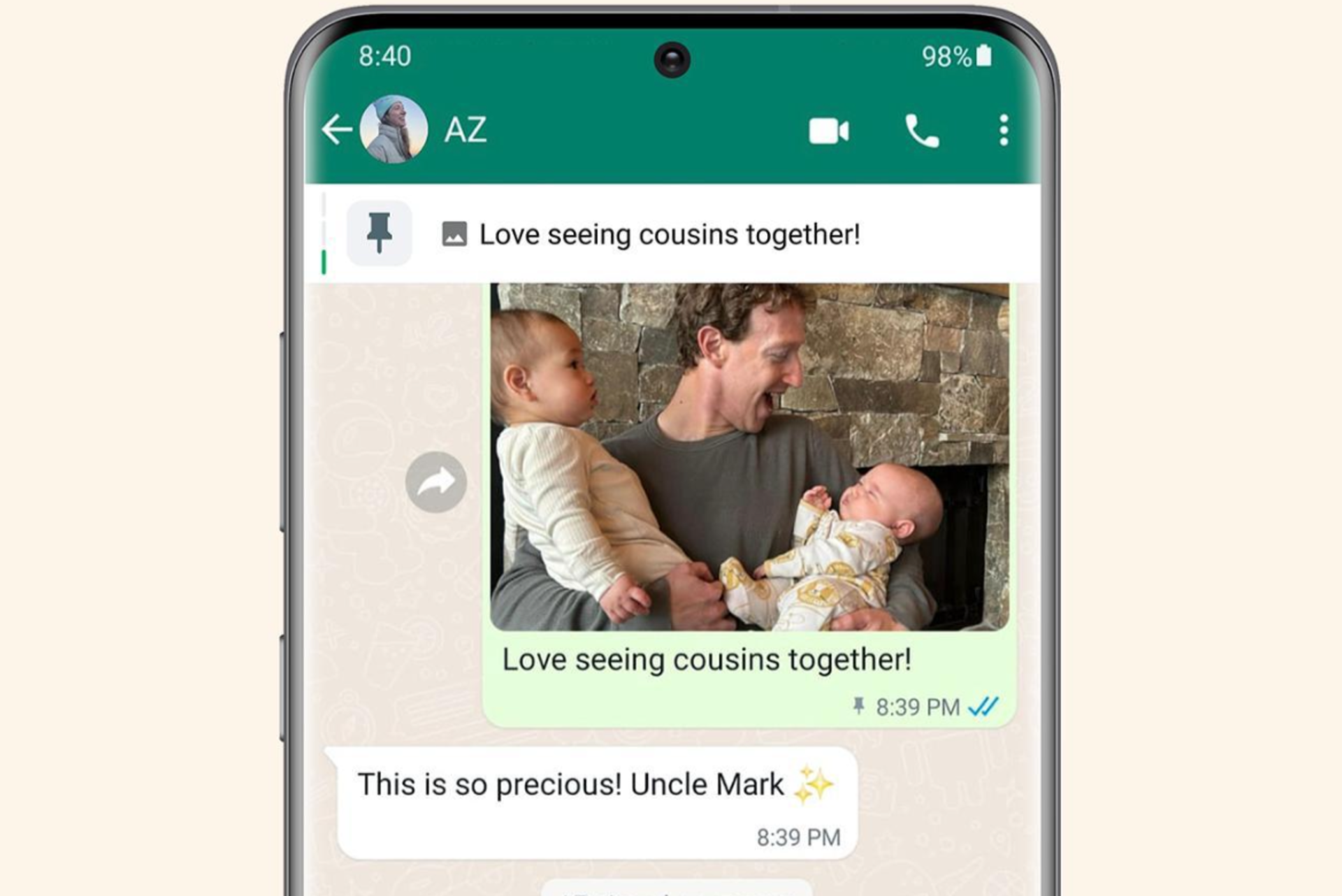
Mark Zuckerberg, on his official WhatsApp channel, announced that you can now pin up to 3 messages in chats. Previously, you could pin only 1.

Source: WhatsApp

To pin a message, tap and hold it and select Pin. Similarly, you can pin two more messages from the chat. You will also see the number of pinned messages in the banner and the most recent one will appear first.

This information has also been updated in the WhatsApp FAQ.

When we tried, the feature wasn’t yet available. After pinning the first message, we couldn’t add any more, and WhatsApp notified us that this action would remove the previous one. An update for WhatsApp on the Apple App Store wasn’t available as well.

Also, there have been no changes to the available time frames for the pinned message. It remains the same at 24 hours, 7 days, and 30 days.

To have any message at the top of the chat for longer, you will have to pin them again. Or to save important messages, simply Star them or forward them to your chat.

What do you think about WhatsApp increasing the pinned message limit to 3? Share with our readers in the comments section.

Microsoft Lists’ Forms feature now helps you gather information like a professional

Microsoft recently announced that the company is releasing the new forms experience in Microsoft Lists for Microsoft 365 work and school.

This move aims to make collecting and gathering information directly into your lists easier, thereby saving time and effort. The updated forms are clean, easier to design and easily shared. Moreover, the respondents can fill them out on any device.

The feature, with feature ID 124865, was already mentioned in the Microsoft 365 roadmap and is expected to roll out in March 2024. Now, the wait is over.

In the blog post on the Microsoft tech community site, the Redmond tech giant also shared a video showing how it works:

The List form has a modern design and can be easily created and shared with anyone within your organization or school through a link.

Once received, the recipient can fill out details without checking the full list, and the submitted responses appear as the new list items right away.

Microsoft mentioned:

Lists forms work well to track recruitment, manage orders, intake customer issues, file expenses, and more. For example, an event organizer can create and manage multiple forms for the same list tracking attendees, feedback, logistics and more – each form collecting elements of the full list.

You can use the built-in features to make your forms more relevant and professional-looking. Soon, you will be able to add custom logos, select from various themes, and add descriptions and questions in place of column names without making changes to the list itself.

Furthermore, form designers give you options to hide unnecessary fields and add new ones. They also allow you to build the whole schema of a list inside the form designer.

How to create forms?

You can click Forms from the command bar at the top of the list. You will have options to create new forms or access the existing ones listed by the list of collaborators.

When you choose to create a new form, the form builder will open and use the fields mentioned from the list schema. You can add or hide fields, change the theme, and, once done, share it through a link.

You can always stop receiving responses whenever you like, but this option is only visible to people who have permission to edit the list.

Once you send the link and receive a response, the information collected is stored in your list as a new list item. It is just like any other item in the list; you can manage it, including applying formatting, rules and adding a rating column to rate the submissions as they are added.

The respondents can fill in the information using a desktop app or mobile browser; it totally depends on them; the only catch is the form the user must sign in with their Microsoft 365 account.

Microsoft also informed:

Note: The new Forms experience in Microsoft Lists are native within Lists and do not use or require Microsoft Forms, Power Apps, or Power Automate. All previous integrations still exist, to further configure and customize your lists, for certain scenarios like reaching anonymous audiences, showcasing a number of data sources in one view, and adding rich business logic/flow – respectively.

Once the feature is rolled out to everyone, you will be able to create forms on all modern lists whenever you have sufficient permissions.

In case you want to see the demo of the new feature, you must watch the  Microsoft 365 & Power Platform community call: Tuesday, April 16th, 2024, at 8:00 AM PDT.

Do you think the update can help you and your organization? Share your opinions with our readers in the comments section below.

Want to become an AI expert? It only takes 11 minutes a day, Microsoft says

It only takes 11 minutes/daily for about 11 continuous weeks to not only become an expert in Copilot but also acknowledge and learn to reap its benefits, says Microsoft, after it experimented with over 1300 Copilot for Microsoft 365 users across different industries.

We asked 1,300 Copilot for Microsoft 365 users across different functions and industries about AI’s impact on their productivity, work enjoyment, and more. Then we analyzed which factors were more likely to influence these outcomes. 

Microsoft

In a blog post, the Redmond-based tech giant says that 11 is a magic number and the common element when it comes to not only adopting AI, but learning to use it for your benefit, and even getting to a point where it becomes indispensable.

What do people need to do?

First off, they need to save up or reserve 11 minutes a day, where they only use AI to work. Microsoft says these minutes can be taken at the end of the day when users can ask AI models, such as Copilot, to complete various tasks for them, from summarising emails to composing them, or listening to meetings, and so on.

First, find the easy wins that immediately save 11 minutes a day. To model how to catch up on missed meetings, tell your people not to worry about taking notes or listening to the recording, and instead ask AI to recap the key points. Executives can use it to summarize long documents or drawn-out email chains. Think about examples specific to different roles too: recruiters, for instance, can easily save 11 minutes by using AI to write up job descriptions.

Microsoft

The second step is to follow the first step for 11 weeks: that is, every day, for 11 weeks, Microsoft wants users to find 11 minutes to use AI for whatever purposes.

After 11 weeks, which is roughly the equivalent of a business quarter, Microsoft said the company saw an increase in Copilot usage in 4 sectors: productivity, meeting relief, work enjoyment, and work-life balance, as follows:Microsoft 11 minutes AI

While Microsoft’s survey is ongoing, and its theory can be a good idea, our survey shows that it takes more than 11 minutes to actually motivate people to use AI: 30% of those who have access to Copilot, never use it, while 16% use it a few times during the day, or week, with 14% using it only when it’s necessary. Only 27% of users claimed they use Copilot all the time.

However, Microsoft’s recommendations are welcomed, and those 11 minutes/daily of using AI are not that much, however, for most of us, it could still feel like a chore.

You can read all about Microsoft’s Copilot experiment here.

Samsung Galaxy M55 5G specs leave M54 in the dust, release date is closer than expected

We have seen amazing devices from Samsung over the years, and it seems that Samsung will expand its roster by releasing Galaxy M55 5G.

Rumors are floating around that the phone will be released soon, and here’s what we know so far.

Samsung Galaxy M55 5G will launch soon, according to leaks

As reported by MSPowerUser, Samsung M55 5G is coming, despite no official announcement from Samsung.

According to the leaked information, the phone will come with a 6.7-inch FHD+ Super AMOLED+ display, 120Hz refresh rate, and 1000 nits brightness.

The device is powered by Qualcomm’s Snapdragon 7 Gen 1 SoC and up to 12GB, so it should be able to handle any task without a hitch.

Regarding the storage, you can choose between 128GB or 256GB, but if that’s not enough, you can expand it with up to 1TB microSD card.

As for cameras, there’s a 50MP OIS Wide-angle main camera, an 8MP Ultra-Wide camera, a 2MP Macro Camera, and a 50MP Selfie camera. In terms of software, the device runs on Android 14 and One UI interface.

Other features:

  • 5000mAh battery
  • Super Fast Charging 2.0 (45W)
  • Under display fingerprint sensor
  • Dolby Atmos support
  • Dual-SIM support
  • Bluetooth v5.2
  • NFC
  • Weighs only 180g

No information is available regarding the price or the release date, but the sources claim that it’s imminent.

If you’re a fan of Samsung, you’ll be pleased to hear that you can now use Samsung Notes on any Windows 11 PC, so be sure to try it out.

Spellcheck still not available in Notepad, here’s why

The introduction of spellcheck in Notepad is one of the most significant changes to the basic text editor in a long time. It has been introduced in Notepad 11.2402.18.0 for users in the Windows 11 insiders in the Canary and Dev Channels.

Microsoft also brought dedicated Spellcheck and Autocorrect settings to help users configure things. As per reports, a few users have already got spellcheck on Notepad in Windows 11.

New Notepad settings

As it turns out, most still don’t have the new Notepad and, subsequently, no spellcheck.

This isn’t a major problem. Much like any other major update, spellcheck in Notepad is also a phased rollout.

Microsoft, in its official blog, said,

We are beginning to roll out spellcheck in Notepad, so it may not be available to all Insiders in the Canary and Dev Channels just yet as we plan to monitor feedback and see how it lands before pushing it out to everyone.

Even if you are a Windows Insider in the Dev and Canary channels, wait for a few days. The feature should make it to your device soon. And if you are not, sign up for the Windows Insider Program.

To anyone who received it, send your feedback. Microsoft will monitor it in the initial days before a mass deployment of the feature.

As for users on the stable Windows 11 builds, reports suggest spellcheck should be released alongside Windows 11 24H2 in a few months.

Have you received the spellcheck Notepad update? If yes, share your honest review in the comments section.

Edge is already updating its Designer editor to allow users to copyright their content easily

Microsoft Edge’s new image editor, Designer, was recently updated with AI features, but as always, the Redmond-based tech giant didn’t stop here, and it quickly followed with a new set of features that make the editor way easier to use.

According to the tech enthusiast, @Leopeva64, who first spotted these features, Designer in Microsoft Edge was updated to support image crop, and will also let users manage their content credentials.

While the image cropping settings can be easily accessed by simply clicking on the crop icon, the management of the content credentials can be easily accessed through the Download button, as you can see below.

The feature will ask users if they want to include additional credentials in the content, possibly as a way to not only mark the content but also copyright it.Microsoft Edge Designer

Certain credentials are applied to work made with generative AI. Would you like to include additional content credentials?

Microsoft Designer

You’ll be given the option to include the content credentials in the files you generate/edit with Microsoft Designer inside Microsoft Edge.

Designer has been recently released to Microsoft Edge, and it already allows users to engage in multiple actions, such as using AI to edit and work on different types of visual content, however, the content credential feature could be a game-changer in the long run.

It could allow users to easily copyright their content, after editing it, even if it was initially created using AI.

Commenting on the spotter’s X (formerly known as Twitter) post, Derek Johnson, Director of Product for Microsoft Designer, also apparently confirmed these features, and he said that users should expect more features coming to Designer soon.

Microsoft Edge has become one of the best browsers around, and in many ways, the Redmond-based tech giant updated it with so many useful features that it is possible the browser might be the best one on the market right now.

However, it pales in terms of popularity, when compared to Google Chrome, for instance. But it’s still the second most used browser.

The features are available in Edge Canary.

LG’s 2026 Gram laptops will have on-device AI, but there’s a catch

LG made a surprising move with their on-device AI for the Gram laptops. Normally, you would expect a company like LG to use popular AI. However, that’s not the case because there’s a catch. LG will use AI services developed by homegrown startups for their 2025 Gram laptops. In addition, they are collaborating with Intel and Microsoft to create an on-device AI challenge program.

How does the LG program work?

The LG project will support ten new startups financially and technologically. To join the program, fledgling Korean companies have to show their worth by creating innovative technologies in various domains for on-device AI. Additionally, the Minister of SMEs and Startups, Oh Young-joo, said that AI is similar to new industry discoveries like logical processors.

In addition, the Korean ministry will support projects like the LG one. After all, it will help small startups gain a leading role on the global scale. Furthermore, according to Jang Ik-hwan, executive vice president of LG Electronics’ corporate IT service business, LG will start helping startups discover innovative on-device AI technologies. Afterward, they will integrate them into the next-gen Gram laptops.

What is on-device AI?

On-device AI technology allows artificial intelligence applications to work without an internet connection. While the 2025 LG Gram laptops will have this tech, we might see it in other devices. For example, we could use it on phones when we travel for real-time translation. Also, think about your data privacy. The on-device AI doesn’t need to send your information to the internet. Additionally, in case of natural disasters, this technology could potentially save a lot of people by guiding them.

By the way, Jang Ik-hwan sees the on-device AI tech as an opportunity to advance in the U.S. service robot market. However, this market is new, and we might need to wait a while for new products.

In a nutshell, the LG 2025 Gram Laptops will use the on-device AI tech developed by startups. On top of this, the Korean ministry will support similar projects in the future, and LG will continue to aid small companies. Also, this tech is safer for our data and is handy because it doesn’t need access to an internet connection.

What are your thoughts? Will you get the 2025 LG Gram laptops for their on-device AI? Let us know in the comments.

OpenAI’s GPT store could be dangerous for you due to its chatbots

The GPT store of OpenAI is not the platform where developers showcase their chatbots as we were expecting. Also, it doesn’t make it easy for us to pick secure generative pre-trained transformers (GPTs). It is the opposite because it harbors various spam and impersonation Bots.

Also, many chatbots available there break the rules. For example, some hide that they are AI, and others that impersonate celebrities. Their presence could jeopardize ChatGPT, especially in the EU, since the AI Act is almost here. According to its regulations, ChatGPT might become an unacceptable risk AI.

Do I need to pay for the GPT store?

You have to pay $20 monthly to use the OpenAI GPT store because you need ChatGPT Plus to access most features. So, if you are not an enthusiast of AI or don’t have a way to get your money’s worth, it would cost you $240 yearly for a product you don’t need. Additionally, you could use the LM Studio instead, which allows you to use local large language models (LLMs).

The OpenAI GPT store has been facing many problems lately due to spam bots and GPT models that break the rules. For example, you might already know how harshly Disney treats people who violate their copyrights, and you can find on the store chatbots featuring Star Wars and Marvel themes. However, the Digital Millennium Copyright Act might protect the company from lawsuits.

In addition, the store holds a plethora of problematic chatbots known as humanizers. They claim to pass detection, and their text is supposedly similar to ours. So, others could use them to trick us. Also, in the store, you could find bots capable of generating adult content or who mimic famous people.

To ban illegal and problematic chatbots, OpenAI has a mix of security protocols based on automatic checks, human reviews, and user reports. Yet, they are not fast enough to deal with the 3 million custom chatbots in the GPT store.

Ultimately, the OpenAI GPT store is a luxury you don’t need unless you use ChatGPT a lot. Even then, there are various free chatbot models that you could try from other sources. So, until the company solves the challenges, the store is just a platform for dangerous tools.

What are your thoughts? Is it worth paying for ChatGPT Plus to access the GPTs available? Let us know in the comments.

The Code Scanning Autofix feature from GitHub will help you with coding

A recent update for the GitHub AI brings you a tool that can automatically fix Code vulnerabilities. The feature, known as code scanning autofix, uses GitHub Copilot and CodeQL. The new option is handy because it simplifies verifying and fixing codebase security problems. So, the tool could become a norm for automated code maintenance and security practices.

Can AI solve programming problems?

AI can solve some programming problems. After all, it can understand, interpret, and generate code while also being capable of analyzing patterns, identifying problems, and finding solutions. In addition, the new code scanning autofix feature from GitHub can give you more details about your programming security problems. On top of that, it can make suggestions to decrease the number of vulnerabilities in your code. Thus, with the help of AI, you can work faster and more efficiently.

How to use the GitHub code scanning autofix feature?

The GitHub code-scanning process incorporates the auto-fix option. So, when it detects security problems, it will let you know. Also, it is smart enough to follow your code and to understand its context. As a result, it generates optimized suggestions and explains them. You can check it out below.

If you are not using GitHub, contact the company and request a demo version. This way, GitHub invites companies and organizations to try their code scanning autofix feature. Also, the company aims to standardize workflows and establish the best practices for projects.

Lately, GitHub introduced many great features among Copilot AI meant to help you grow as a developer. For example, you can learn to code better while having the option to get explanations for other developer’s code.

Ultimately, the platform aims to create a better digital environment for developers, companies, and you. The code scanning autofix feature will be your assistant. After all, with it, you won’t have to spend so much time fixing errors. Thus, you can focus on other projects in your extra time.

What are your thoughts? Will you contact GitHub to request a free trial of the code scanning autofix? Let us know in the comments.

Researchers hacked the Tesla ECU during the Pwn2Own competition

Pwn2Own is an annual hacking competition held at the CanSecWest security conference. The event is similar to a capture-the-flag game for security researchers. If successful, the organizers reward them with the devices and software they exploited and cash prizes. Also, to ensure the safety of the competition, participants have to share their methods in detail.

This year, during the Pwn2Own competition, various products from companies like Microsoft, Oracle, and Tesla got hacked by researchers.

How does the Pwn2Own competition work?

The organizers of the Pwn2Own competition collaborate with tech companies to announce the software and devices that will be present at the competition. For example, some companies that joined this year are Windows 11, Tesla, and Ubuntu Linux. Additionally, they could bring a special version of the product for the event.

The participants of the Pwn2Own competition must prepare exploits to take advantage of the security vulnerabilities they find in software, hardware, or firmware. Also, know that they are zero-day attacks. So, the vulnerabilities are not publicly disclosed and aren’t patched. After all, who would need a competition of hacking if anyone would know about the system’s vulnerability and how to exploit it beforehand?

The stars of the show

Abdul Aziz Hariri was the first contestant of the Pwn2Own competition who swiped a $50,000 prize for gaining code execution on a MacOS. To do this, he exploited a fault in Adobe Reader with the help of an API restriction bypass and a command injection bug. His method could give him complete control of a MacOS by using Adobe Reader.

The Synacktiv team targeted a Tesla Model 3’s Electronic Control Unit. They exploited its system using Integer Overflow and Vehicle (VEH) CAN BUS Control. The first one allowed them to overflow the Tesla ECU system with a specific value. By using this trick, they gained control over the CAN BUS. Afterward, they gained access to the car’s functions. Ultimately, they got a Tesla Model 3 and $200,000. Also, last year, the team won $1,035,000 and a Tesla car for discovering 27 zero-day exploits at the Pwn2Own competition.

The security researchers from Theori, Gwangun Jung, and Junoh Lee targeted the VMware Workstation and earned $130,000. By doing this, they gained SYSTEM-level access to the host Windows OS. In addition, they exploited various vulnerabilities by chain-targeting an uninitialized variable bug, a UAF weakness, and a heap-based buffer overflow.

In a nutshell, the Pwn2Own competition facilitates the discovery of zero-day vulnerabilities. Also, through it, companies can learn how to patch the exploits, especially since the researchers need to provide detailed information about their ways. However, we need to wait 90 days until Trend Micro’s Zero Day Initiative discloses the vulnerabilities used.

If you want to learn more about the contestants or companies in this competition, check out BleepingComputer’s article. Below, you can find the leaderboard.

What are your thoughts? Are you looking forward to seeing the Zero Day exploits used? Let us know in the comments.

Another Microsoft service, Azure SQL Database gets public preview of Copilot

It looks like Microsoft is on a roll. It is announcing the integration of Copilot in its products and services back-to-back, this time in Azure SQL Database.

Recently, the company announced that Copilot in Azure SQL Database will be available in a limited public preview. This step aims to streamline the design, operation, optimization, and health of applications in Azure SQL Database.

This, in turn, provides natural language to SQL conversion and assists in database administration, enhancing productivity in the Azure portal.

Copilot in Azure SQL Database comes with two Azure portal experiences, as explained in the blog post:

  • Natural language to SQL: This experience within the Azure portal query editor for Azure SQL Database translates natural language queries into SQL, making database interactions more intuitive.
  • Azure Copilot integration: This experience adds Azure SQL Database skills into Microsoft Copilot for Azure, provides customers with self-guided assistance, and empowers them to manage their databases and solve issues independently.

Copilot in Azure SQL Database integrates data and formulates applicable responses using public documentation, database schema, dynamic management views, catalog views, and Azure supportability diagnostics.

Natural language to SQL

In the Azure portal query editor for Azure SQL Database, you can interact with your database using natural language. This means you can refer to the table and view names, column names, primary key, and foreign key metadata to generate T-SQL code. Then, you can review and execute the code suggestion.

 Launch inline copilot

To use natural language to SQL in Copilot in Azure SQL Database, click the Launch inline copilot button in the query editor toolbar.

Next, you can go to Table selection and choose an appropriate option.

 go to Table selection and choose an appropriate option.

Type in your question in the input box, then click the Generate Query button. You will get the T-SQL code statement; you can review it and then accept or decline the suggestion.

Generate Query

Once you accept the query, you can click Run to execute it.

Azure Copilot integration

This will enable you to ask and receive context-rich Azure SQL Database suggestions from Microsoft Copilot for Azure within the portal.

Currently, Copilot in Azure SQL Database is in public preview and limited to a few early adopters, and there is no information on when it will be available for the general public.

If you want to sign up for the program to access the feature early, go to the Request Access to Copilot in Azure SQL Database: Limited Access Public Preview page.

Will you be signing up to use Copilot in the Azure SQL Database? Share your thoughts with our readers in the comments section below.

The Long Animation Frames API, a new Chromium-based capability, will finally solve this years-old webpage issue

Chrome developers have been working on the Long Animation Frames API (also shortened as LoAF), which is a new API that will address the issue of animations slowing down webpages, to effectively make these webpages run faster even if they have multiple animation areas playing at the same time.

The Chromium-based browsers, such as Google Chrome, or Microsoft Edge, currently use the existing Long Tasks API, which allows users to monitor for long tasks, tasks that occupy the main thread for 50 milliseconds or longer.

However, while the Long Tasks API can improve a web page’s loading time, it fails to provide why the web page is running so slow when it has animations, in the first place.

Measuring long tasks in the field using a Performance Observer is only somewhat useful. In reality, it doesn’t give that much information beyond the fact that a long task happened, and how long it took.

Chrome developers

The Long Animation Frames API, on the other hand, provides developers with the necessary tools to find out what’s causing the responsiveness problems, effectively allowing them to come up with actionable plans to optimize animations on a webpage.

LoAF is a way to measure how long it takes for animations or visual updates on a webpage to happen. Imagine you’re watching an animation, like a loading spinner or a transition between pages. LoAF measures how slow or fast that animation happens.

In other words, LoAF helps developers understand why animations might be slow and what consequences that has. For example, it can tell us if a long animation frame is blocking user interactions (like clicking buttons) or causing delays.

The Long Animation Frames API is an alternative approach to measuring blocking work. Rather than measuring the individual tasks, the Long Animation Frames API—as its name suggests—measures long animation frames. A long animation frame is when a rendering update is delayed beyond 50 milliseconds (the same as the Long Tasks API’s threshold).

Chrome developers

For a long time, the Long Tasks API was the best and the most efficient way to improve the reliability of webpages that run lots of animations, but this new API might single-handedly give developers the means to understand why there are so many reliability issues with this kind of web pages.

On Chrome, this new way of understating animations will be available to developers starting with version 123 (which is also set to introduce theme support for DevTools), and you can check to see if this API is supported by implementing the following lines:

if (PerformanceObserver.supportedEntryTypes.includes('long-animation-frame')) {
  // Monitor LoAFs
}

Check out the full blog post on the new Long Animation Frames API, and if you’re more on the coding side of things, head over to GitHub to learn more about it.

Microsoft testing widget-like info cards on Windows 11 lock screens

Microsoft is expanding its exploration of real-time info embedded on Windows-powered device lock screens as it begins testing the new functionality on Windows 11 PCs with the latest Release Preview build.

Last week, Microsoft’s Windows team began reimplementing Windows 10 era functionality as it brought back finance, sports, and traffic info to the Lock Screen.

With the release of the latest Windows 11 Release Preview build, Insiders are also beginning to see similar Lock Screen info widgets appear at the bottom of their displays.

While its something Microsoft had already experimented with during the height of Windows 10 support, the latest Windows 10 Preview Channel has brought back Lock Screen widgets, but this time around they’re getting a bit of Windows 11 UI treatment with larger and more prominent screen real estate than their simplistic icon and number count predecessors.

The new info-widgets are identical in style to the Weather widget Microsoft introduced to Windows 11 Lock Screens earlier this year, and rest at the bottom of the screen as well.

However, for users who may be annoyed or simply want to keep their Lock Screens as clutter-free as possible, there are ways to revert to the spartan Windows 10 or 11 display.

Users can head to the Start icon, select Setting, then Personalization followed by Lock Screen to change options.

With Microsoft testing this additional functionality in Release Preview Rings, it’s almost certain that it will be included as part the larger AI-focused Windows 11 release scheduled for later this Fall.

The only outstanding question will be if Microsoft offers more customization than it did with Windows 10, which arguably led to a lack of use and the Windows team ultimately shelving development the first time around.

At 165Hz, Lenovo Yoga Pro 9’s new mini LED display is great for gaming

Lenovo has finally unveiled its Yoga Pro 9 laptops, and they come in different versions, each sporting a unique set of technical specifications, but all of them find common ground in one technicality: their mini LED display that makes them great for gaming.

The ultraslim laptops might not seem suitable for gaming, but their specifications surely say the opposite. These beasts sport the latest Intel Core Ultra 7, and Ultra 9 processors, and can be customized to support 16, 32, and 64 GB of RAM, and those interested can choose between Lenovo Yoga Pro 9 which has the NVIDIA GeForce RTX 4050 / 4060 / 4070 graphic cards.

However, these laptops’ true special spec is their mini LED displays, and every gamer knows just how important it is to experience your favorite games on mini LED displays. The technology can enhance both backlighting and local dimming to bring new colors into video games.

Thus, the visuals will be vivid, with vibrant colors, and true black, allowing for a deeper immersion into the games’ worlds.

This is something Lenovo has been learning over the years, to cater to the most pretentious of gamers: from Legion Go to the Legion gaming laptops, the new Lenovo Yoga Pro 9 shouldn’t disappoint, as you can see in the full list of specifications, below:

ProcessorIntel Core Ultra 7 155H
Intel Core Ultra 9 185H
Display16 inches
IPS LCD or Mini LED
Touch (optional)
16:10
Anti-glare or glossy finish
400 nits (IPS) – 1200 nits (Mini LED) brightness
100% P3 and sRGB color gamut
165Hz dynamic refresh rate
RAM16GB
32GB
64GB LPDDR5x-7467
Soldered, Dual-channel
Storage1TB NVMe PCIe 4.0 SSD
Up to 1TB M.2 2280 PCIe 4.0 expansion slot
GraphicsIntegrated Intel Arc
NVIDIA GeForce RTX 4050 / 4060 / 4070
Resolution3.2K (3,200 x 2,000)
Battery84Wh with 100W Type-C
130W Barrel Jack Power Adapter
Webcam5.0MP + IR with e-shutter
FF
Audio4 or 6 stereo speakers
Dolby Atmos
Dimensions362.72 mm x 253.69 mm x 17.90 – 18.30 mm
KeyboardFull-size with dedicated numpad
LED backlighting
Touchpad with PTP support
Weight1.93 – 2.05 kg
Ports2x USB 3.2 Gen 1 Type-A (1x Always on)
1x USB 3.2 Gen 2×2 Type-C
1x Thunderbolt 4
1x HDMI 
1x SD card reader
1x 3.5mm Headphone jack
1x Power interface
ConnectivityWiFi 6E (MIMO) 2×2
Bluetooth v5.3
DesignAluminium body, 
MIL-STD-810H standard passed
ColorsLuna Grey, Tidal Teal
Operating SystemWindows 11

The laptops were announced on March 10, and Lenovo plans to ship them in the following months.

KB5035942 brings more bug fixes to Windows 11, but this ‘bug’ shouldn’t be fixed at all

Microsoft released KB5035942 to the Release Preview Channel on Windows 11 and the Redmond-based tech giant fixed a lot of bugs with this build, including an annoying (or maybe excellent, depending on how you look at the situation) bug that stopped Windows users from getting Windows apps.

And, after Microsoft previewed the richer lock screen experience on Windows 10, which one of our writers says is only more visual clutter, the Redmond-based tech giant will do the same for Windows 11, as well, as the new build adds weather, sports, traffic, and finance cards to the screen.

Either way, you can see all the bugs that were fixed with the release of the KB5035942 build below:

  • New! This update adds more content to your lock screen. In addition to weather, sports, traffic, and finance content will appear. To turn on this feature, go to Settings > Personalization > Lock screen. Note this feature might not be available to all users because it will roll out gradually.
  • New! This update turns on the Autopilot 2.0 feature.
  • New! This update affects Windows Hello for Business. IT admins can now use mobile device management (MDM) to turn off the prompt that appears when users sign in to an Entra-joined machine. To do this, they can turn on the “DisablePostLogonProvisioning” policy setting. After a user signs in, provisioning is off for Windows 10 and Windows 11 devices.
  • New! This update improves the Remote Desktop Session Host. You can now set up its “clipboard redirection” policy to work in a single direction from the local computer to the remote computer. You can also reverse that order.
  • This update supports daylight saving time (DST) changes in Greenland. To learn more, see Greenland 2023 time zone update now available.
  • This update supports DST changes in Kazakhstan. To learn more, see Interim guidance for Kazakhstan time zone changes 2024.
  • This update supports DST changes in Samoa. To learn more, see Interim guidance for Samoa DST changes 2021.
  • This update affects MSIX applications. It helps their UI to localize correctly for all languages when you upgrade your OS.
  • This update addresses an issue that affects the COM+ component. Some applications that depend on it stop responding.
  • This update addresses an issue that stops some apps and features from being available. This occurs after you upgrade to Windows 11.
  • This update addresses a deadlock issue in CloudAP. It occurs when different users sign in and sign out at the same time on virtual machines.
  • This update addresses an issue that affects a network resource. You cannot access it from a Remote Desktop session. This occurs when you turn on the Remote Credential Guard feature and the client is Windows 11, version 22H2 or higher.
  • This update addresses an issue that affects Containers that you create or deploy. Their status does not progress past “ContainerCreating.”
  • This update addresses an issue that affects the time service. You can configure it using mobile device management (MDM) or a Group Policy Object (GPO). But the Windows Settings app does not match what you have configured.
  • This update addresses an issue that affects certain Neural Processing Units (NPU). They do not show in Task Manager.
  • This update addresses an issue that affects the touch keyboard and the candidate window for the Japanese and Chinese Input Method Editors (IME). They do not show after you come out of Modern Standby. To learn more, see Microsoft Japanese IME and What is Modern Standby.
  • This update addresses an issue that occurs when you use LoadImage() to load a top-down bitmap. If the bitmap has a negative height, the image does not load and the function returns NULL.
  • This update addresses an issue that affects the Settings app. It stops responding when you use it to remove Bluetooth devices.
  • This update makes Country and Operator Settings Asset (COSA) profiles up to date for some mobile operators.
  • This update addresses an issue that affects Notepad. It fails to print to certain Internet Printing Protocol (IPP) printers when you use a print support app.
  • This update addresses an issue that affects USB audio. It fails on some processors. This occurs after you pause, play, or resume from sleep.
  • This update addresses an issue that affects Windows Defender Application Control (WDAC). It prevents a stop error that occurs when you apply more than 32 policies.
  • This update addresses an issue that affects the existing AppLocker rule collection enforcement mode. It is not overwritten when rules merge with a collection that has no rules. This occurs when the enforcement mode is set to “Not Configured.”
  • This update addresses an issue that affects the Group Policy service. It fails after you use LGPO.exe to apply an audit policy to the system.
  • This update addresses an issue that affects Secure Launch. It does not run on some processors.
  • This update addresses an issue that affects the Combine taskbar buttons and hide labels setting. The app labels in the taskbar sometimes do not have the correct length, which cuts off the label text. This occurs when this setting is set to “When taskbar is full” or “Never.”
  • This update addresses a reliability issue. It affects a Virtual Remote App product when you use a custom shell to open it.
  • This update addresses an issue that affects some wireless headphones. Bluetooth connections are not stable. This occurs on devices that have firmware from April 2023 and later.
  • This update addresses an issue that affects Transport Layer Security (TLS), version 1.3. It causes Azure App Services to fail. This occurs when the web server attempts to connect to a third-party Lightweight Directory Access Protocol (LDAP) server.
  • This update addresses an issue that affects dsamain.exe. When the Knowledge Consistency Checker (KCC) runs evaluations, it stops responding.
  • This update addresses an issue that affects the Microsoft Message Queue (MSMQ) PowerShell module. It does not load.

You can read the full blog post here.

Surface event brings new Surface Pro keyboard & adaptive accessories for business

At the Surface event, Microsoft announced two new Surface devices for business customers: the Surface Laptop 6 for Business and the Surface Pro 10 for Business. In addition, Microsoft talked about new accessories.

The Redmond tech giant discussed the Surface Pro Keyboard, which provides better accessibility and adaptive accessories for business customers.

The new  Surface Pro keyboard has a bold keyset, bold font, and brighter backlight, which makes it easier to read and reduces eye strain, especially for people with disabilities or those who spend most of their time in front of a screen.

Just like the Surface Laptop 6 for business, it comes with a dedicated Copilot key right next to the arrow keys, which allows you to swiftly access the AI assistant.

However, if you don’t want to use it as a Copilot button, you can switch to other accessibility features, such as live captions, magnifiers, and more.

Microsoft informed us that the keyboard will be available only in the United States and Canada with only a US English layout for now, which is a bummer.

Microsoft’s Adaptive Accessories are now made available for commercial customers, which can be a great help for people who are not used to a traditional mouse and keyboard to create their ideal setup, which thereby can increase productivity and use the apps they like more efficiently.

The devices listed in Adaptive Accessories are:

  • Microsoft Adaptive Mouse – A mouse with a detachable tail and thumb support.
  • Adaptive D-pad Button
  • Adaptive Dual Button 
  • Adaptive Joystick Button

These accessories can be connected to the Microsoft Adaptive Hub or can be used directly with your computers via USB-C cables or Bluetooth.

All these devices mentioned were announced in May 2022 and were made available in October of the same year.

The entire Surface event focused on Microsoft’s work to integrate Copilot into our lives and make people’s lives more efficient with their new Surface devices.

If you want to read more about the Surface Event, we have a list of articles you can check out:

If you want to watch the entire event, click here, and if you’re going to read about it, check this blog.

What do you think about these announcements? Share your thoughts with our readers in the comments section below.

Nvidia’s GeForce Now was down again, for the second time this month

Nvidia’s cloud gaming service, GeForce Now, is reportedly down and has been so for the past hour. Nvidia confirmed the news, stating that it’s working to bring the servers back online.

Investigating – GeForce NOW is currently experiencing a global outage. We are working on a fix to bring back the service as soon as possible. Thank you for your patience!

Nvidia

All global areas are affected, meaning players cannot access their games on the platform, no matter where they’re located. The service is experiencing yet another outage, for the second time this month, after its first outage, earlier this month, on March 10.

It’s quite unfortunate, though: today Alone in the Dark and Dragon’s Dogma 2, two very popular titles were added to the platform, and many users were excited to play them.

The official status says the platform is still down, and Nvidia is currently investigating and bringing the platform back to life.GeForce Now down

Nvidia says it has implemented a fix, and the company is monitoring the results, so the platform should be back online shortly.

GeForce Now should be up and running now, and players should be able to access their favorite games on the platform, as Nvidia deems it operational everywhere.

However, this is the second time this month that the platform has been down, and while Nvidia is quite quick to solve the issues, this might be a sign that GeForce Now is more vulnerable than ever: are the cloud gaming services really that reliable? Could this become a Stadia situation?

You’ll be able to repair the new Surface laptops without having to take them to a service shop

Microsoft introduced the new Surface devices: Surface Laptop 6, which can reduce display reflections up to 50%, and Surface Pro 10, which Microsoft says has the best display ever on such a device, will be shipped to customers starting April 9, but they can be pre-ordered now.

Alongside the latest Intel® Core™ Ultra processors, and equipped with the NPUs ready to take on AI challenges, the new Surface laptops are also quite sustainable. Why? Well, Microsoft has equipped them with QR codes on their internal components, allowing users to easily identify them by scanning these codes.

Microsoft says that this decision will have a significant impact on reducing carbon emissions and waste reduction benefits. But it also allows users to repair their Surface laptops by themselves, without even having to visit a service shop.

Both devices are even easier to service and repair with built-in QR codes that provide convenient access to service guides. In Surface Pro 10 we’ve also included internal markings that identify the number of screws and driver types needed for key components. This increased device repairability can offer significant carbon emissions and waste reduction benefits. We are also making trade-in more convenient and secure for our commercial customers in the U.S. to help limit device waste.

Microsoft

How can you repair your Surface laptops? By simply replacing the damaged internal part with a new one. For instance, for the Surface Laptop 6, you will be able to replace the following parts:

  • Display assembly (including cameras)
  • Keyboard assembly
  • SSD
  • Battery
  • Motherboard (including CPU and soldered RAM)
  • Surface Connect
  • Thermal module
  • Audio jack
  • Speakers
  • Touchpad
  • Casing
  • Rubber feet

For the Surface Pro 10, you’ll be able to replace the following parts:

  • Display module
  • SSD
  • Motherboard (including CPU and soldered RAM)
  • Surface Connect Port
  • Thermal module
  • Microphones
  • SSD door
  • Speakers
  • Casing
  • Front and rear cameras (separately)
  • Power and volume buttons
  • Kickstand

You can read Microsoft’s full blog post here.

Microsoft says the Surface Pro 10 has the best display it has ever shipped on a device

Equipped with the best display Microsoft has ever shipped on a Surface Pro device, so far, the new Surface Pro 10 will be available to users starting April 9, alongside the new Surface Laptop 6, which also has a great display that reduces reflections up to 50%.

However, Surface Pro 10 is a device that debuts many firsts: together with the best display ever on such a device, Microsoft also introduces 5G4 to its Intel Core Ultra processors and the Redmond-based tech giant says this will greatly enhance productivity all around:

It brings a new level of productivity and versatility – whether used as a powerful tablet for frontline workers out in the field, a versatile laptop in the conference room, or anywhere in between – Surface Pro 10 adapts to our customers’ needs and to how they use technology.

Microsoft

The company also adds the Copilot key to the device, allowing users to quickly access the AI capabilities of Windows 11. However, the display will remain the main character on this device, and here’s what Microsoft has to say about it:

This device comes with the best display we’ve ever shipped on a Surface Pro. Whether working under fluorescent office lighting or outside in the field, the display looks incredible in almost any lighting condition. We’ve made it 33% brighter and with a higher contrast ratio and have added a custom designed durable anti-reflective coating, all without making any sacrifices to the experience when using it with touch, and pen.

Microsoft

Below you can find the complete list of specifications for this device:

Surface Pro 10 for Business
Display13″ 2,880 x 1,920 PixelSense Flow display with Adaptive color
3:2 aspect ratio, 600 nits brightness (SDR)
120Hz dynamic refresh rate, 1300:1 contrast ratio
Corning Gorilla Glass 5 with anti-reflective coating
CPUIntel Core 5 Ultra 135U
Intel Core 7 Ultra 165U
RAM8GB, 16GB, 32GB, and 64GB LPDDR5x
StoragePCIe 4.0 256GB, 512GB, and 1TB
Battery48 Wh of nominal capacity, up to 19 hours of “typical use”
39W charger included
Ports2x USB 4/Thunderbolt 4 Type-C
Surface Connect Port
Surface Pro Keyboard Port
Cameras1440p front-facing Surface Studio camera with Windows Hello
10.5MP UHD rear-facing camera
SoundDual Studio microphones with voice focus
Dual 2W stereo speakers with Dolby Atmos
SensorsAmbient Color Sensor
Accelerometer
Gyroscope
Magnetometer
NFC
NetworkWi-Fi 6E, Bluetooth 5.3, and optional 5G (coming later in 2024)
OSWindows 11 Pro or Windows 10 Pro
ColorsPlatinum and Black
PriceStarting at $1,199

Similar to the new Surface Laptop 6, Microsoft will allow users to replace the following parts:

  • Display module
  • SSD
  • Motherboard (including CPU and soldered RAM)
  • Surface Connect Port
  • Thermal module
  • Microphones
  • SSD door
  • Speakers
  • Casing
  • Front and rear cameras (separately)
  • Power and volume buttons
  • Kickstand

You can read Microsoft’s full blog post here.

Surface Laptop 6 reduces reflections by 50%, the most ever, making it perfectly portable

Microsoft just announced the Surface Laptop 6 is available for pre-order, with general shipping starting April 9, and the device looks quite incredible.

The Redmond-based tech giant describes it as the ultimate laptop for business and will allow users to carry and use it everywhere for quite demanding activities such as dealing with huge data documents in Excel or using it to build applications in Visual Studio.

Surface Laptop 6 for Business is the ultimate laptop that’s built for business. It is powered by the latest Intel® Core™ Ultra H-Series processors and designed with improved thermal capacity to deliver incredible performance. 

Microsoft

The laptop is equipped with a new Surface Studio Camera that captures 1080p video and uses AI-driven Windows Studio Effects to enhance the visual quality of video calls. Plus, its display comes with anti-reflective and adaptive color technology that reduces reflections by up to 50% and allows users to see clearly in almost any environment.

As we correctly guessed earlier this year, the laptop will also sport NPUs, alongside its latest Intel® Core™ Ultra H-Series processors, but you can see the full specifications of the laptop below:


Surface Laptop 6 for Business 13.5″
Surface Laptop 6 for Business 15″
Display13.5″ 2,256 x 1,504 Pixel Sense display with Adaptive color
3:2 aspect ratio, 400 nits brightness (SDR)
60Hz, 1300:1 contrast ratio
Corning Gorilla Glass 5 with anti-reflective coating
15″ 2,496 x 1,664 Pixel Sense display with Adaptive color
3:2 aspect ratio, 400 nits brightness (SDR)
60Hz, 1300:1 contrast ratio
Corning Gorilla Glass 5 with anti-reflective coating
Size12.1 x 8.8 x 0.66 inch
308 x 223 x 16.7 mm3.06lbs (1.38 kg)
13.4 x 9.6 x 0.67 inch
340 x 244 x 16.9 mm3.71lbs (1.68 kg)
CPUIntel Core Ultra 5 135H
Intel Core Ultra 7 165H
GPUIntel Graphics (8GB configurations)
Intel Arc Graphics
RAM8GB, 16GB, 32GB, and 64GB LPDDR5x
StoragePCIe 4.0 256GB, 512GB, and 1TB
Battery47Wh of nominal capacity
Up to 18.5 hours of “typical use”
39W charger included
47Wh of nominal capacity
Up to 19 hours of “typical use”
65W charger included
Ports1x USB4/Thunderbolt 4 Type-C
1x USB-A 3.1
1x 3.5 mm headphone jack
Surface Connect port
2x USB4/Thunderbolt 4 Type-C
1x USB-A 3.1
1x 3.5 mm headphone jack
Surface Connect port
Optional smart card reader
Camera1080p Full HD camera with Windows Hello
SoundDual Studio microphones with voice focus
Omnisonic Speakers with Dolby Atmos
SensorsAmbient light sensor
NetworkWi-Fi 6E, Bluetooth 5.3
OSWindows 11 Pro or Windows 10 Pro
ColorsPlatinum and Black
PriceStarting at $1199

Users will also be able to replace the following parts:

  • Display assembly (including cameras)
  • Keyboard assembly
  • SSD
  • Battery
  • Motherboard (including CPU and soldered RAM)
  • Surface Connect
  • Thermal module
  • Audio jack
  • Speakers
  • Touchpad
  • Casing
  • Rubber feet

You can read Microsoft’s blog post here.

OpenAI closes in on updated GPT-5 model release

OpenAI has been sprinting from updated pre-generative large language model (LLM) to (LLM) the past three years as it shifted the underlying platform of its ChatGPT service from GPT-3 to GTP-4 and rumors have it that a fifth iteration could be dropped soon.

According to a report from Business Insider, OpenAI may be gearing up to release an update to ChatGPT with a GPT-5 model as its source as soon as this summer.

Currently ChatGPT is powered by OpenAI’s GTP-4 and 4 Turbo models but over the past few months, users have noticed performance issues that have accompanied the latest update, and it would seem the company is fast tracking a new model to address those concerns.

As Business Insider reports, OpenAI CEO Sam Altman has stated that GPT-5 will be a “materially better” upgrade over GPT-4. Altman and company have already begun “red teaming” and testing internally GPT-5’s capabilities that tease autonomous task performance and enhanced prompt recognition and new features.

While Business Insider is reporting on a summer release for a GPT-5 model, it should be stated that Altman has recently stated that he doesn’t know when GTP-5 will be released, but he does plan to launch an “amazing model” sometime this year.

GPT-5 continues to undergo rigorous testing to address performance issues, reliability, accuracy, response times as well privacy and copyright regulations which takes time, so Altman could be discussing another independent pre-generative model like Sora or MusicFX destined for a release later this year.

AMD’s new FSR 3.1 capability will make your video games look hyper-real

AMD announced FSR 3.1, the next version of its FSR capability, at the Game Developers Conference 2024, and it is coming in Q2 to developers on GPUOpen, and various video games, later this year.

Speaking of video games, FSR 3, which was released last September, will soon be available in 40 games, including Cyberpunk 2077, Dragon’s Dogma 2, Dying Light 2 Stay Human, Frostpunk 2, Ghost of Tsushima Director’s Cut, NARAKA: BLADEPOINT, Ratchet & Clank: Rift Apart, and Warhammer 40,000: Space Marine 2.

But coming back to FSR 3.1, AMD promises some exciting features coming with the new version of this capability. One of them, for instance, is quite exciting, as it will make the video games look hyper-real. We’re talking about the upscaling image quality improvements.

With these new improvements, FSR will be capable of preserving graphic details, and it will also greatly reduce ghosting, which will enable a better gaming experience when connecting your desktop or laptop to external monitors.

These improvements will also deal with flickering and fizziness issues, which means the overall graphic stability when moving or resting in movement will be much higher and more real.

Here are all the new features coming with FSR 3.1:

  • Upscaling image quality improvements:
    • Improved temporal stability at rest and in movement – less flickering and/or shimmering and “Fizziness” around objects in motion.
    • Ghosting reduction and better preservation of detail.
  • Decoupling FSR 3 upscaling from frame generation:
    • Allows FSR 3.1 frame generation technology to work with other upscaling solutions.
  • New AMD FidelityFX API:
    • Makes it easier for developers to debug and allows forward compatibility with updated versions of FSR.
  • Vulkan® and Xbox Game Development Kit (GDK) support.

AMD also provided users with some pragmatic examples, which can be seen in the official blog post about FSR 3.1, and Ratchet Clack, the tech giant was able to show exactly how these new capabilities work: the attention to detail is higher, the graphic quality is better, the framing looks more real.

The GIF examples were taken while running the game at 1080p using AMD FSR 2.2/3.1 Performance mode.

Windows 11 will also release a similar capability in the following weeks, called Auto Super Resolution, which also highly increases attention to detail, and the overall aspect of graphics while playing video games.

You can read more about the new FSR 3.1 from AMD, and the upcoming availability of FSR 3 in this blog post from the tech company.

Windows 11 24H2: All signs, including the HLK build, point to hardware compatibility changes, but are you ready?

Recently, Microsoft introduced preview build 26085 to fix a lot of issues faced in the previous builds, as well as a new Windows Insider Build for Hardware Lab Kit (HLK) under the same build number.

You can download the build on Microsoft’s official website and the description mentioned on the company’s website:

Install Windows HLK Insider Preview

The latest Windows Hardware Lab Kit (Windows HLK) helps you ensure that the drivers and the system you develop are certified as compatible with Windows 10.

To get the RTM version, visit the Hardware Dev Center HLK download page.

According to a post on Xeno on X (formerly Twitter) and the description mentioned above shows that the HLK is compatible with Windows 10 instead of Windows 11, which is a mistake or a glitch:

In response to the post, Brandon LeBlanc, senior program manager of Microsoft, posted:

After a few hours, he posted a comment mentioning the issue was fixed.

The HLK (Hardware Lab Kit) is a tool used in the Windows Hardware Compatibility Program (WHCP). This test framework helps hardware vendors and Microsoft partners test and make sure that their hardware and drivers are compatible with Windows 10 and 11. Once the devices are compatible, they can get Windows Hardware Quality Labs certification, indicating they meet the quality standards.

When Microsoft released HLK for 23H2 in September 2023, the Redmond tech giant informed that they hadn’t made changes that could affect hardware compatibility from 22H2 to 23H2. Therefore, the WHCP certification was not updated and it kept using the same name for version 23H2.

However, this time, the jump from 23H2 to 24H2 will not be the same, and Microsoft is working on making hardware compatibility changes. Rumor has it that the new version of Windows 11 might not support old processors that are missing PopCnt instructions.

Are you ready for the change? Share your thoughts with our readers in the comments section below.

Between by the search box or in the system tray, most prefer Copilot…gone?

Copilot has become the essential Windows 11 feature, and Microsoft has been incorporating it in all of its major services.

Microsoft allows users to choose its location, but the question remains what is the best location for Copilot? In this article, we’ll try to find that out.

What is the best position for Copilot on Windows 11? Here’s what users had to say

Recently, Copilot got its own separate window, and there was an interesting discussion on the Windows 11 subreddit, regarding the preferred placement of Copilot on Windows 11.

Users were asked to choose between the Taskbar or the system tray, but surprisingly, many responded that they don’t even want to use Copilot or have it on their screen at all times:

I disabled it and hid it immediately.

The reasoning for this is probably Microsoft’s campaign to promote Copilot and integrate it into every aspect of Windows.

Me too, like immediately. I’m very intrigued by AI and think copilot is cool, but just the way it was thrust into such prime real estate was ridiculous.

Many are also criticizing Copilot for being a “fancy WebView”:

It’s just a fancy webview tho. Same as using in edge but eating space on the task bar.

Other users find ChatGPT more effective in performing tasks, even though Copilot might be faster:

I wanted to try it with Word & Excel, but so far, copy-pasting stuff in ChatGPT 4 was way more effective. Slower to reply, but it gets much deeper in the writing and doesn’t suddenly decides to stop the conversation because it doesn’t like it.

Many were displeased with Copilot, and they had to share their tips on how to hide it:

you can disable Copilot via Group Policy Management

Disable it via the taskbar’s settings. Does not run unless you initiate it.

Some users don’t want to see built into the operating system, simply because it’s unnecessary.

I use AI chatbots and image cleanup tools but I don’t want or need them built into my OS.

Others just don’t want visual bloat on their screen and they keep the icon hidden and only activate the chatbot with a shortcut.

Disabling it and using Windows + C instead.

One curious user was surprised by the response as much as we were and asked why so many wanted to get rid of Copilot. According to some, it’s not used often by casual users, and it just takes up unnecessary space:

Because not many people use it. It’s just a waste of space for most people.

As you can see, not too many are pleased with Copilot on Windows 11, simply because they don’t use it daily, and therefore having it on your Taskbar or system tray seems unnecessary.

If Copilot becomes able to read all your data and access private files, even more users might stop using it, permanently.

While this comes as a surprise, Microsoft remains confident that Copilot will be successful in the long run.

Users don’t like Bitwarden’s new UI, but its developers confirms it’s not definitive

Bitwarden is a freemium open-source password management service, and also one of the best products of its kind, according to our review of it. The app encrypts credentials and stores sensitive information in encrypted vaults, and it can be used on a variety of platforms: from Windows to macOS, Android, WatchOS, and so on.

The app recently debuted a new design and many of the users are not really happy about it, with some of them questioning the updates made to the app’s navigation interface, claiming that Bitwarden now has a lot of unused space, and inconsistent styling, as well its filtering capabilities, and the lack of more info when accessing the Details page.

On Reddit, for instance, users even posted screenshots circling all the areas in design that would benefit from several changes.

Users agree that the Bitwarden is a great product, nonetheless, but its design should be worked on:

I saw the initial image and got really excited thinking Bitwarden had already updated the UI. I dislike the new UI and want the old one back. This mock up is amazing and makes much more sense than the current Bitwarden web UI.

I understand redesigning a UI takes time, but I would have preferred they hold off on releasing the new one until it was more complete.

Ah well, still a great product.

Reddit user

Others feel that they don’t understand why Bitwarden updates the UI this way:

So we all know Bitwarden recently updated their web app interface. I sincerely could not understand the point of this update. They’ve done their researches but the result is so underwhelming. The only change is that the top bar is now on the side…?

Not to discredit their design team, they did a great job on keeping Bitwarden as funtional as it ever is, but so much more could be done. Especially that none of Bitwarden’s clients follow the design system that the home page uses, they really should move to that direction.

Anyway, here’s my take on how the layout could be improved, using elements on bitwarden.com and a bit of my own thoughts. Would love to know your feedback!

Reddit

However, in the same Reddit post, a Bitwarden developer unveiled that the current UI updates are not final, nor definitive, and the app will suffer some changes based on users’ feedback.

I think it’s important to note that the update we did is just an iterative navigation design update, not an app redesign by any means, so effectively the original design is still there. We have greater plans for more of a redesign like your concept in the future and u/kevinBitwarden and his team are working on those things in the bigger picture of design changes to the Bitwarden product line.

Bitwarden developer

Even more, Bitwarden encourages users to leave their feedback, so that the developers can use it to improve the platform.

Thank you for sharing your thoughts on our recent navigation update. Your feedback is invaluable as we work to enhance the Bitwarden experience for all users. This update is just the beginning of our efforts to improve our products.

We’re excited about the broader design changes we’re working on, starting with our extension. We’d love to hear more of your insights and perspectives. Would you be interested in meeting with our design team to discuss these upcoming changes in more detail? Your input would be greatly appreciated as we continue to evolve Bitwarden.

Bitwarden employee

Do you use Bitwarden? What do you think of the latest updates to the platform?

Ray tracing coming to Diablo 4 by March end, confirms team

We finally have a confirmation that ray tracing is coming to Diablo 4, and the developers are aiming for a March-end release.

Adam Fletcher, Global Community Development Director at Diablo, in the latest campfire chat, confirmed the release. He also informed that an official blog post detailing every aspect concerning the PC and console version of the game will be out by next week.

NVIDIA has previously confirmed the date to be March 26, 2024. According to the guys at NVIDIA, the update will add two ray tracing effects to Diablo 4, shadow and reflection.

With ray tracing, Diablo 4 graphics are looking at a major upgrade. Ray tracing in Dying Light 2 enhances the entire experience, and we expect something similar in Diablo 4.

As it turns out, new driver releases are also supporting ray tracing in Diablo 4, Intel Game On driver version 31.0.101.5379 being one.

Are you excited about ray tracing in Diablo 4? Share with our readers in the comments section.