Delayed patch makes Friday The 13th game playable; Xbox One matchmaking is still broken

Have you ever just wanted to stab someone without the hassle of falling through the floor? That’s pretty much how many players felt while playing the newly released Friday The 13th video game on Xbox One this last week.

The launch was a bit rough to begin with. starting on May 26, complaints immediately rose up about the game’s performance, bugs, and various issues that made Friday The 13th virtually unplayable. Some couldn’t even log in due to database errors, let alone the multiplayer matchmaking being completely down and the team relying on Xbox One’s LFG to make up for it. It took the entire launch weekend to bring back the server’s on May 29th, but even that didn’t fix all of the problems (via Games Radar.)

Within the week, the PC version on Steam was updated, even though it was rolled back due to errors. Ultimately though, both PC and consoles managed to get the updated patch fix. And just looking at the list, it’s easy to see that there’s very little that wasn’t broken.

-New intro cinematics for Tommy Jarvis spawn, Game Intro, and Game Outro.
-Fixed crash for VoIP that would during gameplay
-Fix for out of memory crash with a bug in the texture system bloating out textures after playing a couple of rounds.
-Fixed getting stuck when interactive with drawers.
-Fixed getting stuck when climbing through windows
-Fixed camera getting stuck when interactive with doors, windows and drawers.
-Fixed Jason getting stuck in a chop loop when breaking down doors.
-Fixed Jason getting off aligned when breaking down doors. He will no longer keep popping back in a new position.
-Fixed environment and grab kills being off.
-Fixed environment and grab kill jittering.
-Made knife pickup grab animations more accurate.
-Fixed some knife pickups from not working.
-Fixed the shotgun and flare gun sometimes not firing.
-Fixed weapon swapping from floating.
-Fixed firecrackers going through the world
-Fixed physics on car. No longer can a group of counselors push it around.
-Fixed getting in and out of a car where animations would get off sync.
-Fixed players standing up in the car.
-Fixed pocket knife not working when getting pulled out of the car.
-Fixed more than one player being able to get into the driver’s seat at the same time.
-Fixed physics on boat. No longer can a group of counselors push it around.
-Fixed getting in and out of a boat where animations would get off sync.
-Fixed players standing up in the boat.
-Fixed more than one player being able to get into the boat driver’s seat at the same time.
-Fixed HUD getting stuck when getting in and out of armoire.
-Fixed blood getting stuck on screen when dying.
-Fixed blood getting stuck on screen when coming back as Tommy Jarvis.
-Fixed repair mini game getting stuck on screen when getting hit with a weapon while doing the mini-game.
-Fixed exploit where users were able to go into combat stance and then sprint sliding around the character but not burning any stamina.
-Fixed Jason sliding around when getting stunned.
-Fixed counselors sliding around when playing the falling animation.
-Fixed Jason grabbing someone out of a car and them becoming a ghost.
-Fixed driving the car getting out of sync with the server / host then teleporting the player back to where they got into a car.
-Made session invitations a lot more reliable.
-Fixed crash where you would exit a match and then start a new Private Match.
-Added movable hair to the female characters.
-Optimized all maps to have a nice performance increase on Xbox One when action gets intense.
-Did a warmer lighting pass to increase visual quality.
-Fixed crash when getting grabbed by Jason.

While a lot has been fixed for Friday The 13th, there’s still the issue of matchmaking on Xbox One. With players at an unrest, the official response from the dev team states that “a lot of big news” about matchmaking is coming. Hopefully, this means another patch will be soon to kill the issues once and for all.
Take a tour of the Xbox Project Scorpio development kit with Major Nelson

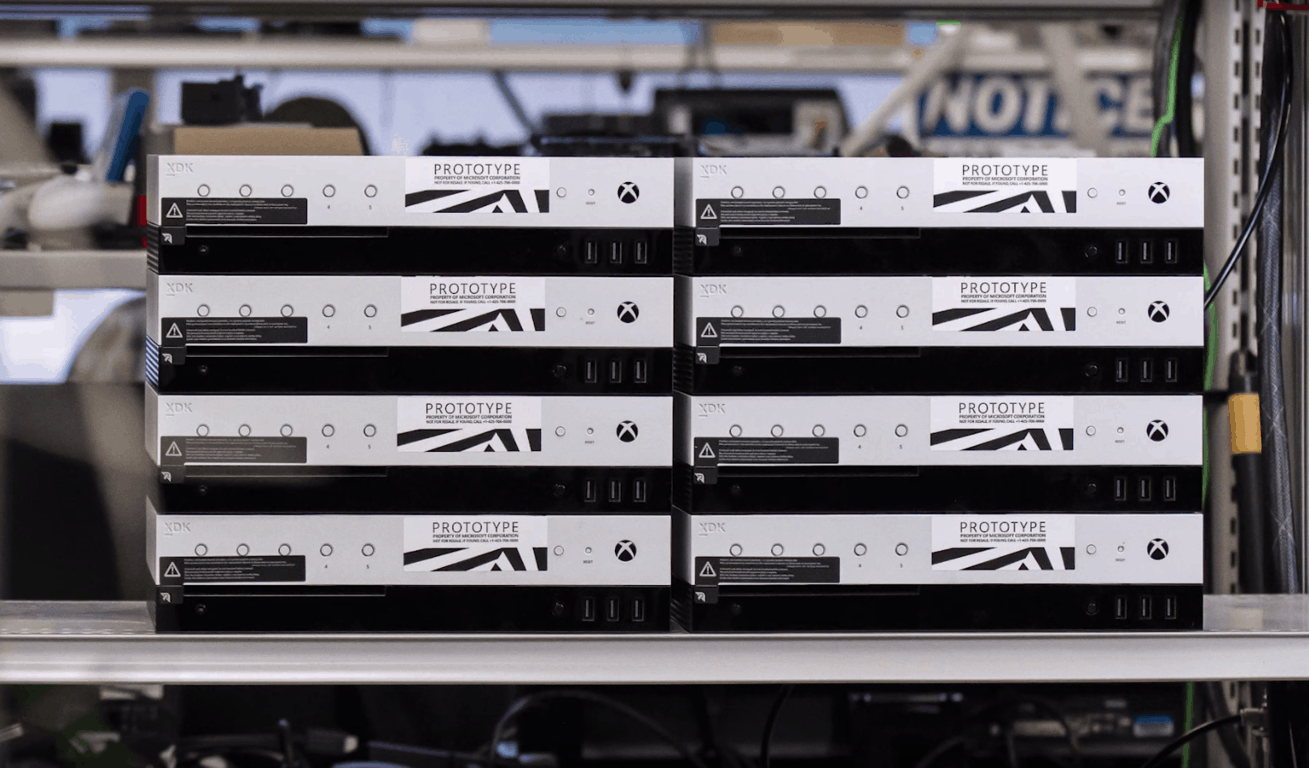
E3 2017, and the reveal of Project Scorpio is just a few days away, and Microsoft is sharpening the appetite of Xbox fans by giving them a tour of a different type of console. Indeed, the company is now showing off the Xbox Project Scorpio development kit which was previously unveiled and started shipping to developers about a month ago.

Seen above, Microsoft’s Kevin Gammill from the Xbox Engineering team recently joined Major Nelson to discuss the power and functionality of theXbox Project Scorpio development kit, and what it means for games and the average consumer. The discussion begins with the revelation that Microsoft choose to create a Project Scorpio dev kit so developers could be enabled to create the games they wanted, with the additional headroom to get games up and running as the retail console gets close to shipping.

Also discussed are the physical differences between the dev kit and retail console. The console has four more CU’s than the retail kit, 12 more GB of RAM, and a 1 TB SSD, so developers can quickly debug something, deploy it to the kit, test the kit, and repeat the process over and over again.

Of course, the extra buttons which are seen on the front of the dev kit are also covered in this discussion. It was revealed that the 5 programmable buttons and front panel display are designed for the development lab, and for scenarios where developers don’t want to have a monitor for each console, and instead use the mini display to change the gameplay.

Project Scorpio Front Panel

Interestingly, Kevin Gammill pointed out that the Project Scorpio development kit also has an additional network port, so developers can monitor the debug network traffic, without colliding with the main network. And along with this is the Xbox Transfer device, which many have noticed stick out from the back of the console. It was explained that this transfer device supports the deployment of game builds from a PC to the console in less than 4 minutes.

With Microsoft giving such a powerful dev kit to the developers, there is no doubt going to be great games for Project Scorpio in the months ahead. Again, we invite you to check out the full video above and to let us know your thoughts in the comments below.

Mistaken release of Windows 10 internal build reveals CShell elements

Last Friday, Microsoft accidentally smacked the big red button and released something they weren’t intending. Across PC and mobile devices, Insiders began to see automatic updates for the release of an internal pre-release build. But what exactly was tucked away in these builds? Zac Bowden from Windows Central discovered a working version of the brand new Windows CShell.

In case you didn’t know, CShell (a.k.a. Composable Shell) is Microsoft’s attempt to make a single platform user experience across all devices. From PCs, to phones, to gaming consoles, and more, the Windows CShell is intended to pull everything together into a scalable UI that will seamlessly integrate together flexibly. As Bowden puts it, it is indeed ‘a big deal’.

So how does CShell look so far? It’s actually looking pretty good! For a pre-release software, CShell is already functioning as we’d expect it to. Most significantly, the Start Menu is the same experience as it is on the Windows 10 desktop including all the bells and whistles. Context menus, more live tile sizes, turning live tiles on/off for individual apps, and more are now on Windows 10 Mobile with CShell.

Even the Action Center with quick actions and interacting with notifications is now possible. The popularly requested landscape mode on mobile is even possible now in CShell, turning Start tiles on their side and even opening apps straight into landscape mode.

Image Credit: Zac Bowden

Not only that, but CShell reboots Windows Continuum with a simple but significant change. When hooking up your Windows 10 Phone to a monitor, you’ll be able to take full advantage of this Windows Phone only feature even more with CShell. Multiple apps can be opened in windowed mode on the desktop as if it were running Windows 10 for PC, only powered by your phone.

There’s still more to learn about Windows CShell, and given the pre-release mix-up, it’s fair to say that the update isn’t ready to go live. Speculations indicate that it could be on the back burner to simmer until the next Windows phone, assisting in Microsoft’s push back into the declining mobile market. We’d love to hear what you think so feel free to leave a comment in the section below.

Microsoft trademarks a gaming console related logo

As you may know, Microsoft is expected to officially unveil Project Scorpio, its new 4K-enabled gaming console during its E3 press briefing this Sunday, June 11. If many gamers are already familiar with the Scorpio name, the company previously said that this was just a codename for the much-anticipated new hardware. Moreover, it seems that Microsoft doesn’t have any trademarks filed for the “Scorpio” name as of today.

Even if Microsoft doesn’t stick with Scorpio for the branding of its new console, the company has recently filed a new trademark for a gaming-related logo at the European Union Intellectual Property Office. The S-shaped logo was discovered on NeoGAF (via Reddit) and the application is still under examination.

With no more information available about this new logo on the EUIPO’s website, it’s not clear if this related to Project Scorpio, or another gaming-related product that has yet to be announced. The “Nice Classification” for the trademark application does provide some clues, however:

9: Computer game software for use with personal computers and video game consoles.

28: Video game consoles for use with an external display screen or monitor; video game interactive remote control units.

We’ll likely get more details about it later this week, let us know your thoughts about this mysterious logo in the comments below!

Microsoft is reportedly working on new Windows 10 SKUs, including a Workstation edition for demanding users

Last week, Microsoft mistakenly released several internal builds for PC and Mobile to both Insiders and non-Insiders, but fortunately, the Windows Insider team was pretty quick to stop the deployment once it realized what was happening. According to the head of the Windows Insider Program Dona Sarkar, only a small portion of Windows 10 users received these internal builds, including the Windows 10 build 16212.

As we previously reported, this build ships with the new Control Center that the Windows Insider team accidentally revealed a few weeks ago, but it also includes some interesting information about several new Windows 10 SKUs that Microsoft is apparently working on.

By digging into the Windows 10 build 16212 pkeyconfig, Twitter user @AndItsTito discovered mentions of “Windows 10 Pro for Advanced PCs,” “Windows 10 Pro N for Advanced PCs” and “Windows Server 2016 ServerRdsh.”


According to leaked slides published by another Twitter user called @GrandMofongo, Microsoft has been using the “Windows 10 Pro for Workstations PCs” moniker for the Windows 10 Pro for Advanced PCs SKU (via The Verge).

The slides reveal that this new Windows 10 edition has been specifically created for advanced users of server grade hardware, with it including the following four key capabilities:

  • Workstation mode: Microsoft plans to optimize the OS by identifying “typical compute and graphics intensive workloads” to provide peak performance and reliability when Workstation mode is enabled.
  • Resilient file system: Microsoft’s file system successor to NTFS, dubbed ReFS, is enabled in this new version, with support for fault-tolerance, optimized for large data volumes, and auto-correcting.
  • Faster file handling: As workstation machines are typically used for large data volumes across networks, Microsoft is including the SMBDirect protocol for file sharing and high throughput, low latency, and low CPU utilization when accessing network shares.
  • Expanded hardware support: Microsoft is also planning to allow Windows 10 Pro for Workstation on machines with up to 4 CPUs and a memory limit of 6TB. Windows 10 Pro currently only supports 2 CPUs.

Microsoft also explained that “the above capabilities are just a starting point” and that it’s committed to supporting its advanced users with more features. The company has yet to officially announce this new Windows SKU, but it’s interesting to see that Microsoft is ready to make Windows 10 a better OS for workstation use cases.

Plan and furnish spaces with the free Planner 5D design app

Planner 5D is a free, user-friendly app that allows you to create beautiful, realistic interior and exterior designs in both 2D and 3D. You have at your disposal a vast palette of interior and exterior items to choose from to plan and furnish your home or other spaces.

Planner 5D features

With this app, you can view your interior and exterior design in 2D and 3D both online and offline. The free version of the app contains more than 150 items and you have the ability to change the size and the texture of any object. If you decide to purchase the full catalog, you will have access to more than 3000 items that will be available on all devices running Windows 10.

Creating realistic photos and interior/exterior designs

The app allows you to create your very own floor plans with accessories, furniture, decor and other items from a catalog that’s updated on a regular basis. You can apply hundreds of colors and textures while also changing the size of your items.

To create the most realistic photos, you just have to choose an angle of your project and to push the Photo Camera icon. After rendering, you can enjoy Full HD pictures of your projects.

Planner 5D system requirements:

  • Windows 10 operating system
  • Integrated touch
  • Keyboard and mouse
  • Version 11 of Direct X
  • 2GB of memory
  • 1GB of HDD available space.

You can buy in-app purchases for $9.99 to $19.99.

Overall, users seem to be pretty satisfied with the app, but some are not very happy because the app lacks export and share features nor the option of walking around through the insides and check out the way everything looks.

You can download Planner 5D from the Windows Store.

RELATED STORIES TO CHECK OUT:

Microsoft revamps Skype and makes it look like Snapchat and Facebook

Skype has been part of our lives since 2003 and now is rebuilt: the next generation app improves the ways you can connect with your favorite friends. This is important because staying connected can be very challenging these days and having a familiar place you can share with those close to you is imperative.

The rebuilt Skype makes chats more expressive and personalized, with the app now offering countless ways to share moment along with creating and playing with the people you care about the most.

Skype offers deeper connections

You are now able to show off your personal style by customizing Skype with your favorite palette of colors. When you’re in a conversation, make sure that your voice is heard and your emoticon is seen by tapping on the action icon next to any message or video call to express your feelings in colorful ways

Check out the new Highlights feature

Highlights allows you create a highlight reel of your day with photos and videos. After you post a one, your friends will get the opportunity to react to it by using emoticons or by jumping into a conversation. Like this, you can now turn talk into action with group discussions, bots, and add-ins. New bots and add-ins will be added to the app to make your Skype experience more robust and richer.

Many users criticized the new Highlights feature, suggesting that Microsoft’s engineers should have used their creativity instead of adding a series of features available on other social media apps. Skype users also say that not every communication app should be revamped to appeal to teenagers.

Skype availability

The new Skype version has been designed so that users enjoy easier everyday communication. You can now take the app anywhere on your favorite devices and now, smart speakers.

The newest Skype began its roll out to mobile devices and will also come to desktops. It will first be available on Android devices and will be released gradually over the future weeks. The versions for iPhone, Mac, and Windows are also on their way, so stay tuned.

RELATED STORIES TO CHECK OUT:

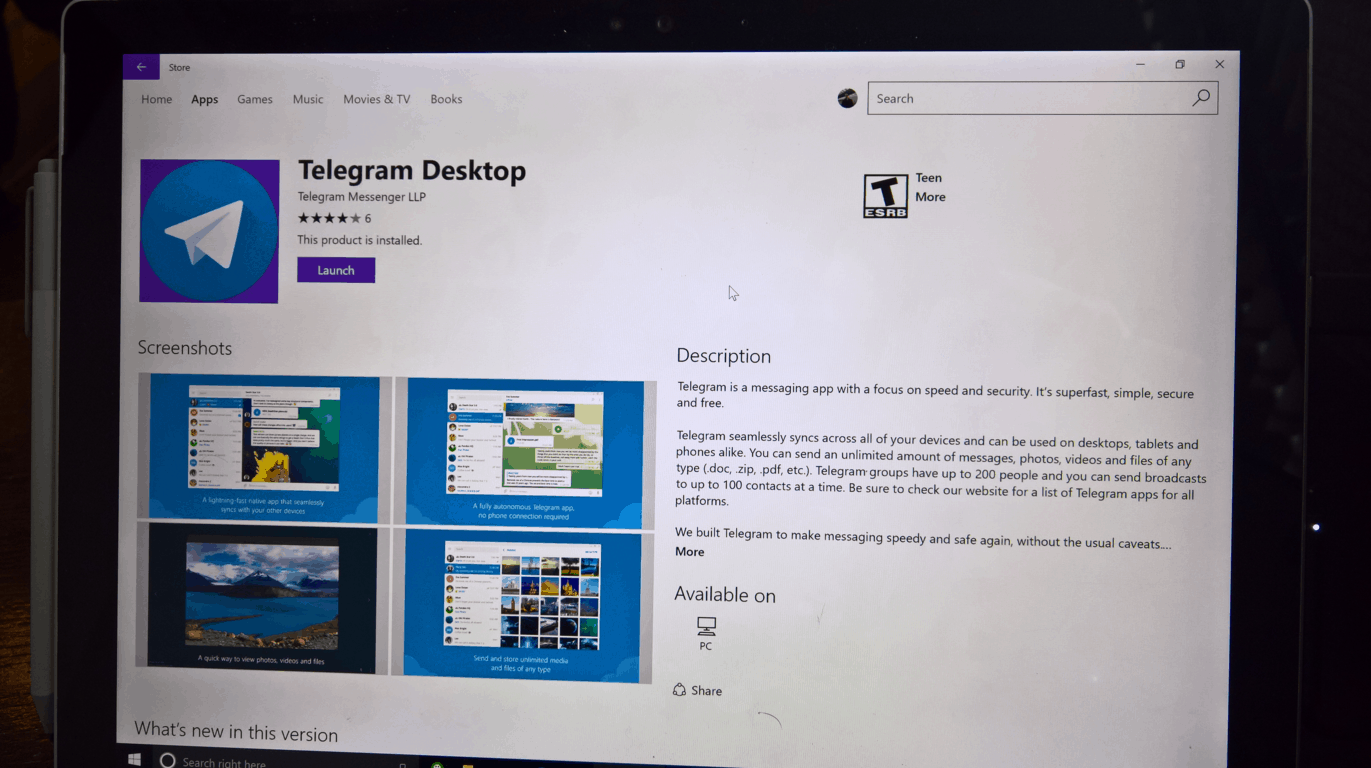
Telegram Desktop gets Picture-in-Picture support and more in latest update on Windows 10 PCs

Telegram is continuing to support its Windows 10 desktop app with fairly significant updates. The latest update for the private communication app has added support for Windows 10’s Picture-in-Picture (via Win Central), allowing you to view video while viewing other windows in Windows 10, as well as a few other changes and additions, as noted in the changelog for version 1.1.7:

  • Improved video messages: radial playback progress, Picture-in-Picture support, duration countdown.
  • Voice and video messages now automatically play one after another.

This update is available now in the Windows Store for Windows 10 PCs.

Telegram Desktop
Telegram Desktop
Price:
Free

Windows 10 news recap: unintentional release of builds, File History could be removed and more

Welcome back to our Windows 10 news recap. We are continuing the trend of our weekly “Windows 10 news recap” series where we go over the top stories of the past week in the world of Microsoft’s flagship operating system.

Microsoft explains the reason for unintentional Windows 10 builds, gives advice for those who installed

This week saw a flurry of builds from various branches being released to Insiders, non-Insiders and on incorrect devices. It all boiled down to an issue with the deployment process, with Dona Sarkar sayingsaying it was an “inadvertent deployment to the engineering system that controls which builds/which rings to push out to insiders.”

Microsoft appears to be planning to remove File History in Windows 10 this year

As incorrect builds were being released, some people managed to dig through them for information on Microsoft’s future plans. One person discovered references to File History being removed in a future version of Windows 10, likely this year.

https://twitter.com/h0x0d/status/870796940056838144

Windows 10 Mobile’s keyboard is coming to Windows 10 PCs with swipe and pen functionality

Adding on to information being discovered from incorrect builds; it would appear that Windows 10 Mobile’s keyboard, or a version very similar to its current state, will be coming to Windows 10 PCs in the future. Information suggests it will incorporate Swiftkey’s technology, a popular third-party Android keyboard that Microsoft acquired last year, as well as support for swiping and pen input.

https://twitter.com/h0x0d/status/870783819862786049


Both Windows 10, Windows 7 gain shares as Windows XP hits its lowest, says NetMarketShare data

As we reached June this week, NetMarketShare have released their latest stats for operating system market share. The stats show that Windows 10’s share has grown slightly, while XP’s has finally hit below 7%, now sitting at around 5.66% share.

That’s all the top Windows 10 news for this week – we’ll be back next week with more!

Microsoft news recap: disappointed with Paris Agreement withdrawal, Microsoft Rewards coming to more countries and more

Microsoft (MSFT) news recap is a weekly feature highlighting the top Microsoft news stories of the past week. Sit back, grab some coffee, and enjoy the read!

Microsoft expresses disappointment at the US withdrawal from Paris Agreement on climate change

This week saw President Donald Trump pull the US out of the Paris Agreement, which aimed to set targets for many countries around the world to meet in terms of emissions, in order to help the environment. Microsoft has expressed disappointment at Trump’s decision to pull out.

Microsoft runs an Outlook.com Spam Fighters program, random users asked to grade email

Email spam plagues email users on a daily basis – constantly – but Microsoft has a program that little know about, called the Spam Fighters program, it aims to help develop its Smartscreen system on Outlook.com to detect if an email is spam or not, by asking recipients to vote on whether they perceive it to be spam.

Outlook.com Spam Fighters Program

Microsoft rolling out curated Bing Video Feed, currently in beta

To help users of Bing discover videos that they may be interested in, Microsoft is opening up a beta of a new Bing Video Feed, which is a curated feed of videos from around the internet, from sites such as YouTube, Dailymotion and others.

Microsoft Rewards comes to UK, coming soon to France, Germany, Canada

Microsoft has officially confirmed that Microsoft Rewards is now available in the UK and, has also said that it is coming to other European countries, including France and Germany but, also Canada.

Microsoft Rewards

That’s it for this week – we’ll be back next week with more Microsoft news!

Open any RAR file instantly with the RAR Opener free app

The free RAR Opener app from the Windows Store can open RAR files along with more popular file types such as 7Z, TAR, Zip, LZH and more.

RAR Opener, the tiny & fast utility

Don’t overwhelm your computer with file openers that don’t work properly: the RAR Opener app focuses on RAR files and will not clog up your machine or waste more RAM than necessary.

The utility features a small file size and memory footprint to maintain fast operation without slowing down your device. The app is regularly updated, with the last update having brought a faster RAR expansion process and a slick, new mobile-friendly layout. The utility promises to the easiest, smallest, fastest and most efficient RAR opener. It features newly added support for dozens of other file formats, as well.

The app is available on Windows Holographic, PC and mobile devices. The necessary requirements for the utility include Windows 10, Windows 8.1 and Windows 10 Mobile operating systems and ARM x86 or x64. You also have the opportunity to benefit from in-app purchases for $1.99.

RAR Opener vulnerability

Regarding user opinions and reviews of the app, most of them are very satisfied with the way it works.

I’ve only had this program for a few days but so far it’s been one of the best in terms of ease and reliability.

However, there were also some particular cases in which some users were not able to find their program after it was unzipped. The issue is related to a vulnerability discovered by Intel and a patch to fix it will soon be released.

You can download RAR Opener for free from the Windows Store.

RELATED STORIES TO CHECK OUT:

Microsoft appears to be planning to remove File History in Windows 10 this year

In a build that accidentally escaped outside of Microsoft earlier this week, we’ve been able to discover new information, such as Windows 10 Mobile’s keyboard coming to Windows 10 PCs but, now we’re finding out that Microsoft looks to be planning to remove its built-in backup solution, File History, from Windows 10.

WalkingCat, well-known for digging out information from builds, has discovered references in build 16212 to dialogs that state “File History is no longer supported”:

https://twitter.com/h0x0d/status/870796940056838144

With no official announcement from Microsoft, it is unclear what the company’s plans will be, as File History is commonly used for backups, negating the need to rely on potentially confusing and costly third-party alternatives.

The Windows 10 Mail app now features image previews

The Mail application in the Windows 10 Insider Fast Ring is receiving image previews. The information was offered by a Windows 10 Insider who was able to view a few picture attachments as a preview of the contents, OnMSFT reports.

The early availability of the message list image previews seems to only to be working for a few Fast Ring devices and doesn’t work on others for some reason. In the same way, some users can view the option as a grayed out feature that is ‘not available for any of their accounts.’ Either way, it is interesting to see this new feature pop up without any notice.

The app was last updated in February

The new version of Outlook Mail was rolled out to Fast Ring Insiders back in February and featured some interesting new UI tweaks at the time. Back then, Fast Ring Insiders noticed colorful contact icons next to each one of the emails along with the first letter of every contact’s name. The vivid image popped up next to any contact that wasn’t already on the users’ phone. If the contact was stored in the device along a picture, users could see the image instead. While it was a minor change, but overall it did manage to make the app look better.

The Mail and Calendar apps can be downloaded from the Windows Store and can help you stay updated on your email, manage your schedule and also stay in touch with people you care about the most. These apps are designed for both work and home and will help you communicate quicker and focus on everything that is important across all of your accounts.

RELATED STORIES TO CHECK OUT:

Microsoft expresses disappointment at the US withdrawal from Paris Agreement on climate change

Yesterday, President Donald Trump announced that the United States intends to withdraw from the Paris Agreement for climate change. And Microsoft couldn’t be more disappointed.

“We all live on a small planet and every nation needs to work with others to protect it,” Brad Smith explained in the company’s official address to the current events. According to the statement via LinkedIn, Microsoft has been a headstrong supporter to the Paris Agreement since its initiation in 2015. Of course, when the newly appointed Trump Administration declared their interest in withdrawing ‘for economic growth in America’, the tech giant attempted to sway the decision.

In the last few months, Microsoft admits that it has worked in tandem with other American business leaders to plead the case of retaining a position in Paris Agreement. Even so much as to use full-page ads in New York Times, Wall Street Journal, and New York Post.

We believe that continued U.S. participation benefits U.S. businesses and the economy in important and multiple ways. A global framework strengthens competitiveness for American businesses. It creates new markets for innovative clean technologies, from green power to smart grids to cloud-enabled solutions. And by strengthening global action over time, the Agreement reduces future climate damage to people and organizations around the world.

It’s been no secret that Microsoft has been advocating for cleaner carbon emissions and overall global health. The tech company has its hands in various declarations and initiatives that help worldwide environmental organizations.

Whether it’s a stance for business innovation or a sincerely a concern for the health of people everywhere, more than likely both, Microsoft wants the public to know their stance is in favor of tackling climate change. And that they, once again, oppose President Trump’s actions.

Earn Xbox Game Pass access with Microsoft Rewards points

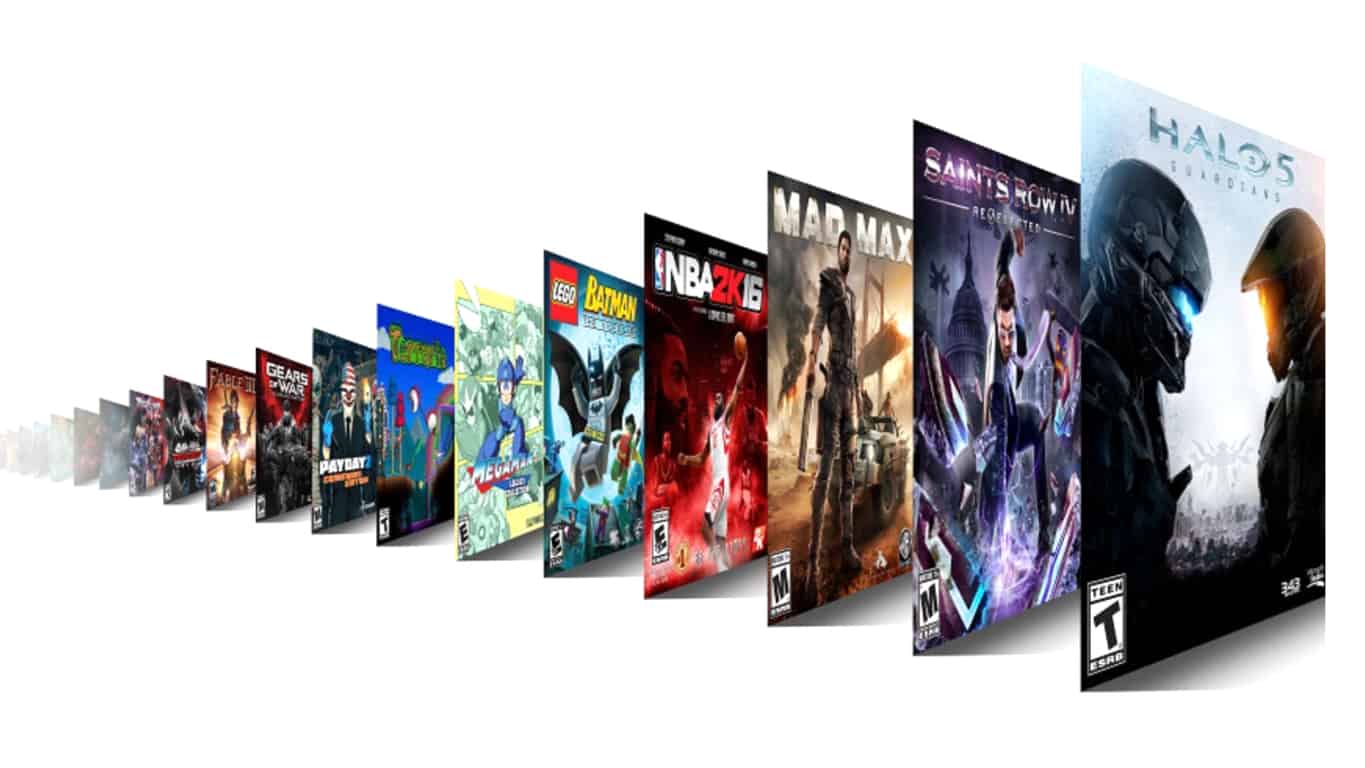
Microsoft just introduced Xbox Game Pass, a $9.99/month subscription service that gives you access to around 100 Xbox One and Xbox 360 games to download and play, all for one low monthly price. If you’re new to Xbox gaming, or don’t have a catalog of titles built up, it’s a pretty good deal, although the list doesn’t include the latest titles or even all of the most popular ones.

You can give Xbox Game Pass a try with its 14 day free trial, but if you want a way to get the games for nearly free, Microsoft has just added Xbox Game Pass as an option at Microsoft Rewards.

Xbox Game Pass on Microsoft Rewards

For 7000 points (less if you have levelled up in Rewards), it’s an achievable monthly goal if you use Edge, Bing, and don’t mind clicking through a quiz or two to build up points. The Xbox Game Pass on Microsoft Rewards is a pretty good deal in its own right, as a good rule of thumb is 5,000 Microsoft Rewards points equals about $5 in rewards.

Of course, you can use Microsoft Rewards points for other items and services, too, including gift cards, subscriptions to Xbox Live and Groove Music, sweepstakes entries, and a lot more. Microsoft Rewards has been US only, but just this week has expanded to Canada, France, the UK, and Germany, so Microsoft fans from all over can win cool stuff by amassing points.

You can learn more about Microsoft Rewards and Xbox Game Pass from these links.

(via Reddit)

Microsoft will livecast the Xbox E3 briefing on June 11th from all over the place (and you can watch it here)

The Electronic Entertainment Expo (E3) 2017 is just around the corner, and Microsoft today is reminding fans how they can watch the upcoming Xbox E3 Briefing on June 11th. Our own Kip Kniskern will be on the ground in Los Angeles at E3, and we’re going to be bringing you live coverage here too, so here are all the ways how you can watch!

The briefing is scheduled to begin on Sunday, June 11th at 2:00 PM PDT. It will be live-casted on Xbox One, and various platforms, including Microsoft’s own Mixer. Other platforms (and the links) can be seen below.

As you recall, last year’s E3 was quite exciting for Microsoft, as the company announced announcement of Forza Horizon 3, teased the upcoming next generation Project Scorpio Xbox console, and announced Xbox Play Anywhere.

Xbox chief Phil Spencer is impressed with the lineup of games set to be announced a week from Sunday:

We’re expecting another big show this year, including the full unveil of Project Scorpio, so be sure to keep it tuned to OnMSFT for all your Xbox news and information!

Buy Tekken 7 on Xbox One and get Xbox 360’s Tekken 6 for free

Tekken 7 is now available to play on Microsoft’s Xbox One console. The game is the first in the franchise to launch on the Xbox One with the previous entry, Tekken 6, having come out on the Xbox 360. Here’s the official game description:

Discover the epic conclusion of the Mishima clan and unravel the reasons behind each step of their ceaseless fight. Powered by Unreal Engine 4, TEKKEN 7 features stunning story-driven cinematic battles and intense duels that can be enjoyed with friends and rivals alike through innovative fight mechanics. Love, Revenge, Pride. Everyone has a reason to fight. Values are what define us and make us human, regardless of our strengths and weaknesses. There are no wrong motivations, just the path we choose to take. Expand your fighter’s journey by purchasing the Tekken 7 Season Pass separately and gain access to stunning additional content.

Buy Tekken 7 on Xbox One

As a special offer, those who purchase the digital version of Tekken 7 will also be sent a code to unlock the full version of Tekken 6 which is playable on the Xbox One via backwards compatibility.

Have you played Tekken 7 yet? Let us know if it’s worth the purchase in the comments below.

Microsoft ending Content Network and Content Ads in the US, affects Bing Ads, Windows Media, and Windows Apps

Today, Microsoft has announced that it will be sunsetting its Content Network and Content Ads (powered by Bing Ads) in the United States, having already ended it in other non-US markets. The Content Network allowed advertisers to display ads on Windows Media and Windows Apps,  somewhat similar to Google AdWords’ Display campaigns, albeit with much less reach.

The Content Network is being sunset due to “low traffic” and Microsoft wants to “deliver great ROI” for their Bing Ads advertisers.

In the announcement post, the Bing Ads team outlines the timeline for closing out the Content Network and associated Content Ads:

Through July 30th:

  • Bing Ads UI: Content ads creation as an option in the Bing Ads UI. After July 30th, we will stop the ability to create ad groups with a content distribution or update ad groups’ content distribution based information. In addition, customers will not see the content distribution option when creating or editing ad groups.
  • Bing Ads Editor: When syncing account changes, customers can try to create a search + content ad group, but it will be saved as a search ad group. If customers try to create a content only ad group or update content ads distribution information, an error will be shown. In later BAE versions, the option to make these changes will be removed completely.
  • API: When trying to add a new search + content ad group, it will save it as a search ad group. If you try to add a content ad group an error will be shown. If you try to update content ads based information an error will be shown.
  • Google Import: If you import a Search and Display campaign from AdWords, the ad group distribution will be changed to Search in Bing Ads. If you try to import a Display campaign from Adwords, it will not be imported, since Bing Ads does not have Display Advertising.

After July 30th:

  • Current search + content ad groups will automatically become search ad groups in the next few months. For the few customers who have content only ad groups, those will automatically become paused search ad groups.

Bing Ads’ search ads will continue to work as normal.

First 1706 build for Xbox One is coming to Preview Beta Insiders, along with Mixer Twist for other rings

Xbox One Insiders in the Beta ring are finally about to get their hands on the build we told them about a couple days ago. Users in the Alpha ring of Xbox Insiders already received this build earlier in the week, but the first build of 1706 will be coming out very soon – and in full – to Beta ring users who want to get their hands on it.

You can check out our post earlier this week for the full patch note rundown, but the highlights are definitely the addition of Mixer co-streaming and controller sign-in – two things that fans have been wanting for a while now.

It’s also worth mentioning that Xbox’s Brad Rossetti tweeted that they’ll be enabling Mixer Twist for Preview Ring 3 & 4 members along with the Beta ring update, so get ready for that.

The Alcatel Idol 4S is with Windows 10 is coming to Germany

The Alcatel Idol 4s came out almost a year ago and provided a relatively well-received Windows 10 Mobile experience for the people who still wanted to jump on Microsoft’s mobile train. Strangely enough, it seems like the device is about to be released in Germany, under the name “Idol 4 Pro.”

The news was discovered by German website Windows United, which also tapped into some rumors about pricing. If Windows United is right, the Alcatel Idol 4 Pro will be launching in Germany on July 1st and will run for €599 – which seems strange, considering the phone has dropped below $300 in most places.

We don’t know anything about whether or not the Idol 4 Pro will be releasing with a VR kit like it did elsewhere, but it would be surprising if it didn’t, considering the hefty price point that’s rumored. You can keep an eye out for more solid news soon since the phone’s release date is well on its way.

Microsoft introduces Bing Visual Search – find objects in images

Bing is improving their images search with a new feature that sets it apart, for now. The Bing Visual Search makes it possible for users to not only search for related images or products but to crop out a selection of image results to better fine tune what they are looking for.

As of today, images on Bing’s search engine have a small magnifying glass to the top left. This is called the ‘visual search’ button. Clicking on it results in a box that you can adjust (or redraw) on the image to select an area of the image. The Bing team expects that the tool will be most useful when shopping. By default, the visual image search will result in related products but will also have a related images based on the selection.

Visual search

So how effective is it? Taking one of the first images from searching ‘Overwatch’ I decided to pick out Blizzard’s favorite character: Tracer. Because who doesn’t love Tracer? This is the hero that is the poster child of Overwatch. She’s on all of the box art and promotional images, as well as considered a community favorite. Immediately I noticed the magnifying glass that lets me use the visual search for related images. Sure enough, there were Tracer images, but not immediately. First I had to finagle the size and shape, which can have different results depending on the smallest of changes. For the most part, Tracer was recognizable half of the time only after tweaking.

Blizzard’s favorite character: Tracer.

It’s worth noting that the image quality does play a major part in the Visual Search experience. Also, any crowded images will affect the results, so it’s better to find objects that are separate in images rather than close to others. But as the Bing development team explained, the feature is in its infancy.

How to view your data usage in Windows 10

The increased speeds of Internet connections and the higher quality streaming content of the modern web makes it easier than ever to consume large amounts of data without even noticing. You can stay in control of your data consumption by using Windows 10’s Data Usage screen to check out much you’ve been using.

While basic, this feature could save you expense if it alerts you that you’re close to your data cap before you blow through it. It’s available on Windows 10 PCs and phones and is accessed via the same procedure on both.

Screenshot of Windows 10 datS usage screenTo start off, open the Settings app and head to the Network & Internet category. On mobile devices, it’s called Network & Wireless. Tap “Data usage” to head to the relevant page.

Screenshot of the Windows 10 data usage details screenYou’ll see a graph that illustrates your total data usage for the past 30 days across your different network connections. If you click or tap the “View usage details” link, you can get a breakdown of data consumption by app. This lets you identify apps that might be stealthily consuming data in the background. While the data usage screen won’t let you throttle offenders, you can remove the app or adjust its settings based on the knowledge you’ve acquired.

Screenshot of the Windows 10 Mobile Data plan screenIf you’re using a phone or tablet with mobile data, you’ll also see an option to set a data usage cap. This lets you define a one-time or recurring limit so you’ll be alerted when you’ve nearly used up your allowance. As you approach the limit, Windows will automatically reduce background app activity to eke your remaining megabytes out for a little longer.
Windows’ data usage screen is a simple way to keep tabs on your Internet usage across your device’s connectivity options. Microsoft warns it may not align exactly with your provider’s records but it should be a close enough match to keep you aware of the impact of streaming Netflix while on the train to work. As an added option, you can pin a Data usage live tile to your Start screen by long-pressing from the Settings menu, giving you an at-a-glance overview of your consumption from the past 30 days.

Custom Gamerpics are now rolling out to Preview Ring 3 and 4 Xbox Insiders

A couple of weeks after Custom Gamerpics started to roll out to Xbox Insiders on the Preview Alpha Ring, Preview Ring 3 & 4 participants can now upload their own profile image on Xbox Live. According to Xbox’s Brad Rossetti, the new feature should automatically appear in the profile section of the Xbox One dashboard, but Xbox Insiders who don’t see the option yet can reboot their console to enable it.

According to the Xbox team, Custom Gamerpics were a top fan-requested feature on Xbox Live, and the new customization option previously rolled out to the Windows 10 Xbox app as well as the Xbox beta app on Android. As a reminder, you’ll need to choose a .png or .jpg image which is at least 1080×1080 pixels, and the easiest way to import it is to save it first on an a USB flash drive that you’ll plug into the gaming console.

What are the dangers of using scammy TV streaming sites?

Streaming TV on your PC is a great leisure. The setup procedure is rather simple, fees are rather affordable and service is spot on. But, without additional fuss, that’s just a simple, ages old trick that can be utilized on any computer since the 90s.

But, then we get into a gray area of the internet. Namely, a simple google search for ”streaming TV online” will give you millions of results with thousands of available sites that offer streaming services. Most of the time for free or with some minor requirements, like registering, providing your email, or installing some browser extensions or even programs.

Now, don’t get us wrong, some of them are really doing exactly that: streaming TV online in exchange for one-time payments or monthly/yearly subscription. But that’s the main catch: there’s no such thing as free streaming without some hidden drawbacks.

As Andrew Lewis once told, ”If you are not paying for it, you’re not the customer; you’re the product being sold”. We wouldn’t completely agree with this statement, but its the matter of fact that, if you want safe and reliable service, you need to pay most of the time.

What are the dangers of scam streaming services, you may ask? Well, firstly, the streaming quality is blatantly subpar comparing to regular streaming procedures. No one wants to wait through numerous ads for the stream to crash unexpectedly or to experience a clunky lag that renders your favorite program unwatchable. And that’s something that you’ll experience most certainly with those pesky pseudo-services.

Another thing that’s even worse, in the long run, is malware. This is one friendly advice you should take into consideration: never install extensions or applications of any kind if you don’t trust them. Some of them will ask for special players, other for simple browser extensions. Either way, it’s certain that they will infect your PC/browser with bloatware or, in worst case scenario, with a whole plethora of viruses.

Now, there are some ways you can indeed stream TV on your PC with peer-to-peer services, but they are not exactly legal in most states, so we won’t talk about them in details. We are sure that you’ll find your own way around the world wide web.

That should do it. We hope this was informative and helped you protect yourself from scams. Thank you for reading and don’t forget to post questions or suggestions in the comments section below.

RELATED STORIES YOU NEED TO CHECK OUT:

How to Watch TV on Windows 10 Computer

Even though the new age media is taking over from classical media, that doesn’t mean TV is out of the picture. Some exclusive programs and shows can only be seen in an old-fashioned way, like live news or public-favorite, talk shows. Now, since digital television can be watched on PC streams, a lot of users nowadays search for a way to watch television on Windows 10.

Watching TV on your computer has several benefits, especially when your TV is not working properly and keeps switching inputs by itself.

Utilizing your PC as a TV may be a great experience, but it heavily depends on the software/media you use and the size and quality of your screen. So, unifying these two platforms is a bit limited. Nevertheless, we’ll try to provide you with the easiest, safest, and fastest way to watch TV on your computer. Illegal streaming sites are not exactly advised since the risk is grave and quality is often lackluster.

Below you should find more than enough to experience TV in a seamless and enjoyable manner, like back in the old days when everything was at least slightly simpler.

How to watch TV on Windows 10?

Tuner or a TV card is a hardware part that you’ll need to install in order to watch TV. This isn’t exactly the most expensive hardware component, as it can be found for quite an affordable price. The placement is rather simple. It’s placed in the casing compartment as same as a graphic card or a sound card. After you set it up, you’ll need to get the appropriate software in order to run this nifty device.

With the introduction of Windows 10, Microsoft gave up on a widely popular Media Center that worked like a charm for so many users. A bit unreasonable act, but that’s not a strange occurrence for the Redmond giant. Luckily, after the dismissal of the Windows-native application, other software solutions emerged. The leader in the field at the moment is Kodi.

Once established for Xbox as an open-source media player, KODI is nowadays a valid successor of Media Center. It’s free, it’s reliable and easy to use. Furthermore, we’ll show you how to utilize KODI to watch television and use standard features simultaneously.

  1. Download and install KODI for Windows. You can find the download link on this page.
  2. Connect the cable cord to your PC by plugging it in the TV tuner card.
  3. Open KODI.
  4. Under the Sidebar, click on Add-ons.
  5. Select My Add-ons.
  6. Open PVR clients.
  7. Find the appropriate Add-on that matches your hardware.
  8. Download and install it.
  9. Now, get back to the Home screen and click TV.

With that, you should be able to watch a large variety of televisions on your PC, especially if you are facing issues like can’t scan channels on Insignia TV. You can use an overlay window that lets you watch TV while doing everyday tasks on your PC.

Enjoy your time with the television, and don’t forget to share your experience in the comments below.

Rising Storm 2: Vietnam bugs include launch issues, freezes, and more

Rising Storm 2: Vietnam is a brutal war game that will hook you for hours on end. For that, the game received very positive reviews, despite the numerous bugs reported by players.

In this article, we’re going to list the most frequent Rising Storm 2: Vietnam issues reported by gamers as well as their corresponding workarounds whenever available.

Rising Storm 2: Vietnam reported bugs

Bullets hit invisible walls

I encountered it several times; trying to shoot out of a window just over the lower frame, you hit the window instead of shooting outside. Same for shooting slighty over a hill.

Rising Storm 2: Vietnam freezes

After a few seconds I join a server everything just freeze. People run in one place or keep running the same direction they were running to before the freeze happened, they even run towards objects. And if someone shoots with their gun right before the freeze happens, the sound just never stops. And I don’t get stuck, I can keep moving but I can’t reload or interact with anything.

Memory leaks

Sometimes I can play 30 min and get a message from windows 7 that my memory is full. I saw that on task manager too.
And sometimes 2 hours without issues.

Many players report that Rising Storm 2: Vietnam is wasting computer memory even on systems that boast 8GB or 16GB of RAM. Memory is leaking until the game crashes.

Mouse sensitivity issues

i got 100+ fps and when im looking down the sight and i squeeze the trigger it would stop sometimes after a few bullets and then after a second it will continue. another issue i got is that sometime looking down on sight would get stuck and i have to click my right mouse button a few times to get back to hip fire or opposite.

Rising Storm 2: Vietnam freezes and a black screen appears on launch

If I play the game after I turned on my PC everything is fine. However, once I close the game and start it again, it either gives me a blackscreen after the intro FMVs played or it freezes in the main menu.

If you use RivaTuner Statistics Server, disable the “On-Screen Display Support” option and this should fix the problem.

Game freezes when full screen

The game starts windowed. When I go to options / video and choose Full screen the game freezes, music keeps playing. Then I close the game via task mananger and cant restart it without crash.

Rising Storm 2: Vietnam won’t launch

When I click on “play” well … nothing happened, does someone have the same problem here ? 🙁

Server issues

There are several server bugs affecting Rising Storm 2: Vietnam players. Here are some of the most common of them:

  • Gamers get stuck on the “Connecting to server” screen
  • The server browser remains completely blank
  • Players get kicked out of servers with error “Invalid Packet”

FPS drops

However, about 15-20 minutes into a given session, my game will begin running at unplayable framerates (about 5-20 fps) whenever I move my mouse. This occurs ONLY when I move my mouse. And that’s not even the strangest part: When I exit Rising Storm 2 and enter a new game, for example Overwatch, I recieve the same kind of lag when I move my mouse. It will only go away when I reboot my computer.

If you’ve encountered other issues while playing Rising Storm 2: Vietnam, report them on the game’s official Steam page.

RELATED STORIES YOU NEED TO CHECK OUT:

How to fix common bugs in the The Long Journey Home

The Long Journey Home is a game that challenges players to explore an endlessly shifting universe in which alliances are forged with alien races while players manage their crew’s skills and engage in space combat. The ultimate goal? Make it home.

Players report that The Long Journey Home is affected by a series of bugs, ranging from audio to mouse and keyboard issues. The good news is that Daedalic Entertainment already published a list of FAQs that may help you to fix some of the bugs that you encountered.

How to fix Long Journey Home issues

  • I can’t find my savegames

Savegames and logs are stored at this address:
C:\Users\YOUR USERNAME\AppData\Local\tljh\Saved

  • Some UI elements don’t display correctly

If you’re using an aspect ratio other than 16:9, you may experience some overlaps or cutoffs of UI elements. This issue will be fixed in a future update.

  • The minimap icons are too small

This is a known issue when playing on a resolution higher than 1920×1080. This limitation will be fixed in a future update.

  • There is no game sound

To properly play audio, simply restart the game.

  • The game takes too long to load

When you first launch The Long Journey Home, loading the game may take longer than expected. The game may appear frozen during this time. Wait for a few minutes for the game to load.

If the game still won’t finish loading after about 10 minutes, disable background processes, restart your computer and launch the game again.

  • The pixel limit is set to 1000k

When you mute any of the volume settings, the pixel limit is automatically set to 1000k. The game’s developers will patch this bug in a future game update.

  • Some achievements won’t trigger

There are two known achievements that won’t trigger: Ports of Call and Open Hailing Frequencies. This bug will be fixed in future update.

RELATED STORIES YOU NEED TO CHECK OUT:

Posted in Fix

The Sims 4 Parenthood DLC bugs: Erratic character values, empty cribs, and more

Like every other game ever made for PC, The Sims 4: Parenthood DLC is affected by a series of technical issues. In this article, we’ll list the most common Parenthood DLC bugs reported by players as well as their corresponding workarounds, if available.

The Sims 4: Parenthood DLC issues

Players can’t purchase the game pack

I’m having issues when I try to purchase the new GP through Origin, an error message pops up. I’m not sure what to do, I’ve tried restarting my PC and checked the internet but that didn’t help.

If you can’t buy the Parenthood DLC throughOrigin, try using the Origin website instead. If this too doesn’t work, you need to contact EA Help.

Empty cribs randomly appear in children’s bedrooms

This started happening with the family I am playing with the new Parenthood pack – empty cribs keep randomly appearing in the children’s bedroom. There are no babies (there are twin toddlers), and the mom Sim is not pregnant. Once there were even two cribs stacked on top of each other.

The player who first reported this problem also confirmed that the empty cribs disappeared once the toddler became a child.

Toddler have max qualities

One of the twins somehow has max good manners and max bad conflict resolution (again, this is a toddler) even though the parents haven’t worked with him near enough for this. This same Sim also keeps resetting like he’s fresh out of the crib and the aging up box appears every time that happens.

While this is not a game-breaking bug, toddlers should not possess these characteristics until they have become children and only after players have worked to develop such skills.

Babies remain completely still

Since installing Parenthood, my sim’s baby (born before the upgrade) doesn’t seem to sleep, dirty a diaper or eat. For a time, I actually thought it was dead (unchanging dark background in the thumbnail) but now, it seems to be stuck on green.

Character values level up erratically 

So I’ve been having an issue with my character values. For some reason, they are acting weird because either I can’t see them properly (missing Icons) or they are either leveling up negatively or positively but it’s a little erratic. […] I just wanted to see if anyone else was having this issue

These are the most common The Sims 4 issues reported by players after they installed the Parenthood DLC. Unfortunately, we couldn’t find any workarounds to fix these bugs. If, by any chance, you’ve come across various solutions to fix The Sims 4: Parenthood DLC bugs, feel free to list the troubleshooting steps in the comment section below.

RELATED STORIES YOU NEED TO CHECK OUT:

Tom Clancy Games see big discounts on Xbox One and Xbox 360

Looking for some new shooters to pad your library out? Or do you just want some add-ons for the ones you already have? Either way, from now until June 5, you’ve got a huge array of deals to choose from when it comes to Tom Clancy games. From Ghost Recon to The Division, just about everything with “Tom Clancy” in the name is going on sale in the Xbox Store.

The list of content on sale is absolutely massive, so it’s unlikely that there’s a Tom Clancy title or add-on that you can’t get a hefty deal on. If you’re interested, you can check out the blog post for the full library of games going on sale, along with links to the Xbox Store where you can pick them up.

It is worth noting that, if you want to buy The Division (the base game, that is) you’ll have to get it bundled with Rainbow Six Siege. If this list is to be believed, The Division isn’t on sale this week, individually. If you want to pick up the bundle, it’s going to run you about $46 – netting you a $100 value, if you take each product at the full retail price. Not too shabby.

Windows 10 Creators Update begins rolling out for Surface Hub

When the Windows 10 Creators Update began rolling out earlier this Spring, Microsoft warned that the update would reach some devices later than others. The Surface Hub, the popular team collaboration device for Fortune 500 companies, was low on the totem pole having just started receiving the spring update as of today.

But that might be for good reason. The Surface Hub is a different beast altogether with an intense focus on meetings and sharing information rather than a personal device. In its own right, the Surface Hub has received its own brand of features with the Windows 10 Creators Update.

Collaboration with the Surface Hub has gotten easier through the update. It’s been enhanced with better sign-on capabilities to maneuver easily between Office 365 accounts and navigate quickly to meeting essentials. Furthermore, audio and performance tweaks have been improved overall, particularly for conference calls. Skype itself was updated with easier controls and a meeting carousel, making interactive work on the Surface Hub easier in or out of a location.

Of course, with the new update came plenty of security features for the Surface Hub including:

  • The ability to set Surface Hub to wipe all data at the end of each session by default;
  • The option to require BitLocker encryption for USB ports to prevent malware and other security threats;
  • Support for additional Mobile Device Management (MDM) features, so IT administrators can change settings remotely; and
  • Support for two-factor authentication, to enable users to approve an authentication request easily on their companion device.

To top it all off, Microsoft Whiteboard is officially on Surface Hub devices as a private preview. This lets multiple users ink across other devices to seamlessly share their thoughts, ideas, and notes without the need for rendering. Microsoft Whiteboard is planned for a big app update release for Surface Hub in mid-June. Features include digital inking, geometry recognition, table conversion, and more to come, all to other Surface devices later in the year.


Todoist for Windows 10 reviews new features, plans for picture-in-picture mode

Todoist on Windows 10 is a quick and easy way to organize projects for you or your team. In an effort to simplify the process, the developers at Doist over the last year have released updates to improve the app’s user experience overall with easier navigation.

Since its initial release last April, Todoist has added a number of ways to get projects started and moving faster. Minute details such as adding easier project creation, importing/exporting projects with others, and archiving projects all attribute to the ease that ToDoist wants to embrace. Further UI design implementations included vamping the quick add that recognizes details and making the task scheduler simpler to use also attributed.

However, it’s what’s coming up for Todoist that the developers seem most excited for. Their recent blog post reviewing the features added in the last year also came with a glimpse into the future: including taking advantage of Windows 10 picture-in-picture mode.

This feature probably one of the most underused additions to applications from the Windows 10 Creators Update so far. The capability makes it so apps can pop out and sit on top of others without being too intrusive. Which seems to be a perfect idea, according to the Todoist announcement, to bring out your list of tasks while you work.

Other additions include the seamless offline syncing and ability to hide the left panel of the app. But needless to say, it’s the picture-in-picture mode that’s caught the most attention. Still, there isn’t an estimated time for the upcoming updates as of yet.


Steve Ballmer regrets not transforming Microsoft into “a world-class hardware company”

“People who are really serious about software should make their own hardware,” said American computer scientist Alan Kay in the eighties, and this quote still sounds very much relevant as of today. When you look at Microsoft, which remains one of the biggest software companies in the world today, it’s clear that the launch of the first Surface devices in 2012 had a significant impact on both the PC market as whole and the way that the company was perceived.

No, Microsoft didn’t immediately became “cool” following the launch of the Surface Pro and Surface RT hybrid PCs, but the company showed everyone that it had real design chops and a clear vision for the future of computing devices. More importantly, creating its own hardware certainly helped Microsoft to develop Windows 10, which is a much more versatile and “touch-friendly” OS than Windows 8 was.

The Surface line was created when Steve Ballmer was still CEO of Microsoft, and the former exec was also the man behind the acquisition of Nokia’s phone business (something that the board disagreed with at first). At the time, Ballmer wanted to transform Microsoft into a “devices and services” company, but the Nokia deal happened too late and clearly didn’t pay off for the company.

In a recent interview during Recode’s CodeConference, Ballmer shared some of his regrets as the former CEO of Microsoft, and as you can guess hardware is a big part of it. “I think I was too slow in cases to recognize the need for new capability, particularly in hardware,” explained Ballmer, without specifically mentioning Surface or Lumia devices. “I wish we’d built the capability to be a world-class hardware company, because one of the new expressions of software is essentially the hardware,” he added. “The company under my leadership should have built that capability earlier than we did.”

It’s not the first time that the former CEO looks back at his past decisions, as he previously discussed with Bloomberg how he would have done Windows Phone differently. Speaking about the acquisition of Nokia’s phone business, he explained that “if executed in the certain way, I think it made a lot of sense. The company chose to go in another direction and that’s the decision the company made.”

With Satya Nadella as its new CEO, Microsoft inaugurated a “mobile-first, cloud-first” strategy, with increased support for the most popular mobile platforms out there. In the same time, Microsoft clearly doubled down on its Surface hardware while neglecting Lumia phones and other devices categories.

The Surface line shows that Microsoft has become a great PC maker, but the company may have not learned all lessons from the past. Indeed, the Redmond giant is already late on some exciting new markets such as connected speakers or wearables, allowing Amazon, Google and Apple to become early leaders (Cortana-powered speakers are coming though). Microsoft seems to bet on mixed reality becoming the next big platform, but it’s still not clear if many consumers are excited about Windows Mixed Reality devices.

We’re not forgetting about the ultimate mobile device that Microsoft is reportedly working on, but the company will probably need more than great design and a more versatile OS to attract Android and iOS users. Yes, being a world-class hardware company is important to succeed in highly competitive markets, but timing may be even more important than that.

Microsoft Data Insights Summit next month will help you transform your business with data

Microsoft will host another technology conference in Seattle next month. The Microsoft Data Insights Summit 2017 will be held on June 12-13 and will be aimed to help you create a data culture at your organization, and change the way you work.

The event will feature keynotes from James Phillips, special guest Alberto Cairo, and authors of the bestselling Freakonomics series – Stephen Dubner and Steven Levitt. James is the Corporate Vice President at Microsoft for the Business Intelligence Products Group and known for his award-winning achievements in infographics and multimedia, Alberto serves as the Knight Chair in Visual Journalism at the University of Miami (UM).

The summit will aim to help organizations learn trends, tips and BI best practices, and how to transform data to insights and actions. Attendees will be able to take a deep-dive into the latest innovations, covering a range of topics across Microsoft Power BI, SQL Server BI, Excel, PowerApps, and Flow.

While the three keynotes and nine of the most popular sessions will be streamed live, I’ll be there at the summit to bring you more information from the ground. So, stay tuned!

Microsoft partners with Intel, OEMs and operators to deliver “Always Connected PCs” using eSIM technology

Earlier today, Microsoft and Qualcomm announced at Computex that ASUS, HP and Lenovo will be the first manufacturers to bring Windows 10 on ARM devices to the market. By leveraging Qualcomm’s top-of-the-line Snapdragon 835 SoC which already powers some premium Android smartphones, these OEMs will be able to create thin and light PCs with always-on LTE connectivity and great battery life.

However, Microsoft doesn’t want all “connected PCs” to be Windows 10 on ARM devices: that’s why the company is also partnering with Intel (which also has mobile modem solutions) as well as various PC OEMs and operators to make PCs more connected. As Microsoft explained in a blog post today, all these devices will use embedded SIM cards (eSIM):

We are collaborating with our ecosystem on a shared vision. This starts with a close partnership at the silicon layer, with Intel and Qualcomm and with our mobile operator partners to provide seamless eSIM connectivity. Microsoft device partners ASUS, HP, Huawei, Lenovo, VAIO, and Xiaomi, are committed to this new category of Always Connected PCs using eSIM technology.

The first mobie operators that are committed to support these upcoming always connected PCs with eSIM technology are AT&T, DTAG/T Mobile, BT/EE, Vodafone, Orange, Tele2, Swisscom, 3, China Mobile, KDDI, Gemalto, Oberthur, Gigsky and Transatel (via ZDNet). As LTE networks are probably faster than most WiFi networks you can find these days, bringing integrated LTE connectivity to mobile PCs is probably going to change how we use our devices in the future. Microsoft didn’t reveal today when these first connected PCs will come to the market, but it’s good to see that Microsoft and its partners have a forward-looking approach towards mobile connectivity.

Microsoft and Qualcomm share more details about the first Windows 10 on ARM PCs at Computex

Last year at WinHEC 2016 in China, Microsoft announced that it was working on a new version of Windows 10 running on ARM processors, more specifically Qualcomm’s Snapdragon 835 SoC which already powers some high-end phones such as the Galaxy S8. The purpose of Windows 10 ARM is to allow manufacturers to build “connected PCs” with always-on capabilities, and the more power-efficient ARM chip from Qualcomm also makes it possible for OEMs to build thinner and lighter devices with better battery life.

Unlike the now deprecated Windows RT, Windows 10 on ARM will also support all legacy Win32 apps through emulation: for consumers, this means that this new Windows 10 SKU will behave just like any Windows 10 PC, with full support for both Windows Store apps and Win32 apps such as Adobe Photoshop or other popular productivity apps.

Nearly six months after this initial announcement, Microsoft and Qualcomm announced today at Computex that ASUS, HP and Lenovo will be the first manufacturers to create Windows 10 on ARM PCs. “Each company is set to produce sleek, thin and fanless PCs running a Windows 10 experience with unparalleled LTE connectivity for an always connected, on the go experience,” said Qualcomm in a press release. “Coupled with the incredible 10nm leading node efficiency of the Snapdragon 835 Mobile PC Platform, these devices will feature beyond all-day battery life.” .

Matt Barlow, Microsoft’s corporate vice president, Windows marketing added that “this collaboration offers consumers something new and that they have been craving – the best of a mobile computing experience with the best of Windows 10, all in one thin, light, connected device.” Back in December at WinHEC, Microsoft said that the first Windows 10 on ARM PCs would come to market “as early as next year,” but today both companies shared no additional details expect that they’re coming “soon.” Windows 10 on ARM could very well change the PC market as we know it, and we’re looking forward to learn more about it in the coming months.

Xbox One pre-orders for the latest Sonic video game are now open

Sonic Mania is now available to pre-order on Xbox One ahead of its August 16th 2017 release date. The game is a return to the old school graphics of the original Sonic video games and features a variety of playable characters and game modes. Here’s the official description:

Experience the ultimate celebration of past and future in Sonic Mania, an all-new 2D Sonic adventure running at a crisp 60FPS with stunning HD retro-style graphics. Multiple playable characters give you the ability to go explosively fast as Sonic, soar as Tails, or power through tough obstacles with Knuckles’ brute strength. You can re-live the Sonic of the past with an exciting new twist on classic zones while fighting against new bosses and Dr. Eggman’s evil robot army. Go head to-head with players in Competition Mode or play in Co-Op Mode with a friend. Sonic Mania was developed by Christian Whitehead, Headcannon, and PagodaWest Games in collaboration with Sonic Team. Welcome to Sonic Mania!

Pre-order Sonic Mania on Xbox One

Are you a Sonic fan and will you be buying this game? Let us know in the comments below.