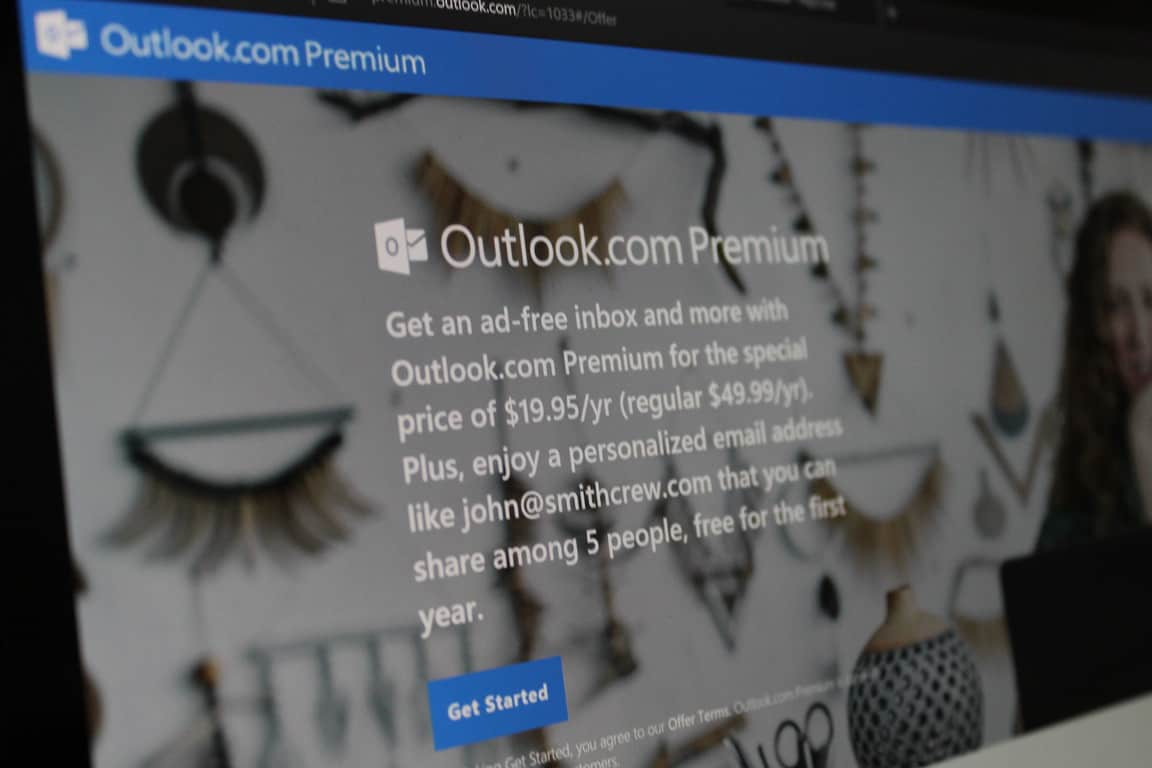
If you’ve been thinking of purchasing a subscription to Outlook Premium, then you should be aware that Microsoft has just extended the promotional pricing on the service through June. This latest news comes right as the deadline on the original promotion expired on March 31st, ultimately meaning that you can now still pay $19.95 a year for the premium email service (via Thurrott.com)
Outlook Premium is an enhanced email service which syncs your own personalized email domain (such as Jane@Doe_Family.com) with your Outlook.com mailbox (as well as hotmail.com, live.com, or msn.com) for up to five users, and removes banner ads from your Outlook.com mailbox. The service came out of a preview stage in February, but was first limited to the US and most recently expanded to six new countries across the globe.
Interestingly enough, if you check the full details at checkout for the service, you will see that it’s a 1-year auto-renewal subscription at the promotional rate, meaning you will end up paying $19.95 a year for life, which is much lower than the usual price of $49.95 a year. So, if you’re willing to shell out the money for the service, be sure to head over to this Microsoft web page now and get the process started before time runs out on the latest promotion!
(Update: The app appears to be working for our commenters now. Does it work for you?)
The latest update for the Netflix app for Windows 10 PCs brings the ‘Download & Go’ feature that was launched for Android and iOS apps a few months ago. The feature brings support for offline streaming so that you can download your favorite movies, TV shows, and documentaries and watch at a later time when you’re off network specially during flights or when you’re on the move.
Downloading a video is seamless. All you need to do is click the small download button displayed on video details screen, and it will be downloaded for offline viewing. You can see all your downloaded videos in the ‘My Downloads’ section of the app accessible from the hamburger menu. You can also specify the download quality – Standard or High – depending on your internet connection and storage capacity.
However, all is not hunky-dory for Windows users still. One, the feature has come through only on Windows 10 app for PCs and not for Mobile. Since, the Netflix app is not on UWP, there are two separate apps for desktops and smartphones, and as of now, the feature hasn’t arrived on Windows 10 Mobile app. It’s a shame because the smartphone app is actually where people need offline streaming more to catch their video-fix during daily commutes and long flights. Second, the download just doesn’t work!
While the app is updated to mimic the download and viewing experience on Android and iOS app, each time you attempt to download something, an error pops up. I’ve tried this with several videos of different kinds, but no go. Maybe, a quick fix will take care of the issue, but we know for sure that the feature is here finally. For Windows 10 Mobile, we’ll have to wait I guess.
Does the download option work for you? Tell us in the comments!
There are several PDF viewing and editing apps on the Windows Store, but there are only a few that offer inking and annotation support, and I just discovered a pretty good one.
Awkwardly named, Jack for PDF is a nice app for viewing and editing PDF files, including password-protected ones. You can edit the text of the document and add your own as well as add different figures like lines, circles, squares, and draw in the documents.
While editing, you can highlight, underline, or strikethrough the text or add more text and change the color and transparency of the added text. The app allows you to draw on the document, which is even more useful if you have a stylus or a Surface Pen. You can change the transparency of the drawn elements, add figures, and change the color of contour and fill of added figures.
You can also change the scale of the document or the brightness of the background document, and view the entire change history with the ability to undo or redo changes.
Made for Windows 10, the app supports Windows Hello and Cortana, and contains no advertising. A universal app, you can download Jack for PDF on your Windows 10 and Windows 10 Mobile devices.
The Windows 10 Creators Update is scheduled for release in April. Many users are looking forward to installing the update on their computers as it will bring a series of interesting new features to the table and users are really curious to test them out. Despite the excitement, a distinct group of Windows 10 users actually prefer to postpone the upgrade.
Why? Oftentimes, major Windows updates cause various technical issues. For example, many users who installed the Windows 10 Anniversary Update reported various bugs soon after upgrading. Taking this into account, many users are planning to delay upgrading to Windows 10 Creators Update.
How to defer the Windows 10 Creators Update
1. Go to Settings
2. Select Update & Security
3. Select Advanced options
4. Check the Defer Updates box
This action takes your computer to the Business branch. In this manner, major updates are delivered only after the consumer branch validates them. Validation takes place after least four months of usage, which is enough time for possible bugs to be detected.
Once you check the Defer Updates box, your computer should receive updates only after August 2017. It is worth mentioning that the option to defer Windows 10 updates is available only on Windows 10 Pro.
When using Windows for professional purposes, the best solution is to make sure the OS and the subsequent updates are fully stable and reliable in order to avoid the potential bugs which could impact your business.
If you’re running Windows 10 Home, you’ll need to resort to other solutions to postpone installing the Windows 10 Creators Update. For more information on how to defer updates on Windows 10 Home, check out the articles listed below:
Welcome back to our Windows 10 news recap. We are continuing the trend of our weekly “Windows 10 news recap” series where we go over the top stories of the past week in the world of Microsoft’s flagship operating system.
Windows 7 edges closer to 50% market share while Windows 10 increases marginally
The latest NetMarketShare stats have been released and it shows an interesting picture of what’s happening in the world of Windows. Windows 7 is getting ever-closer to the 50% market share; Windows 10, on the otherhand, has increased usage slightly, although, it is within the margin of error.
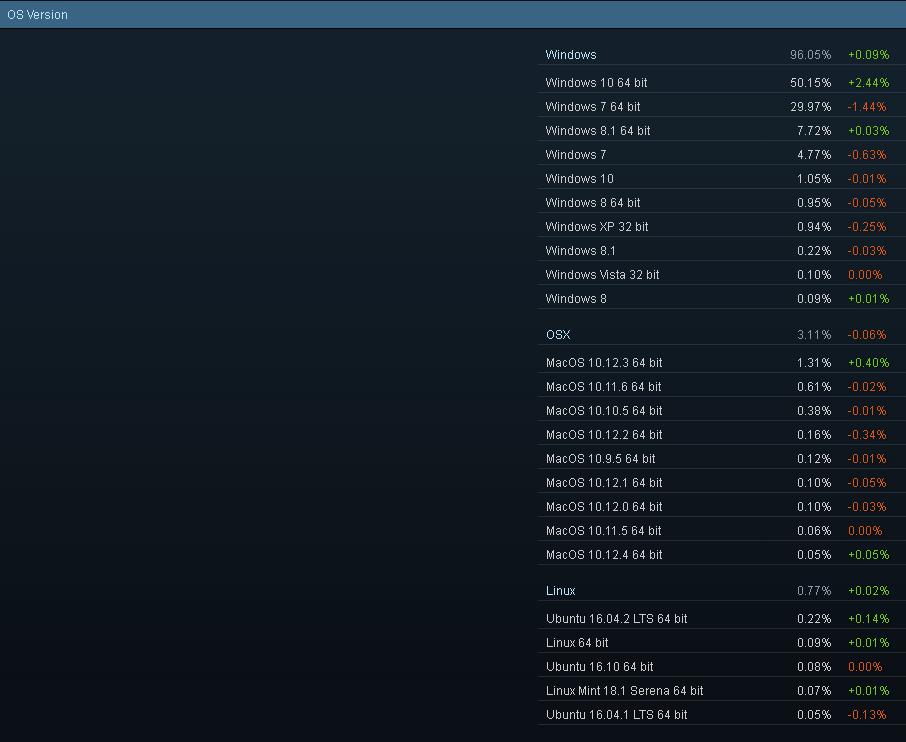
Windows 10 now accounts for more than 50% of Steam users
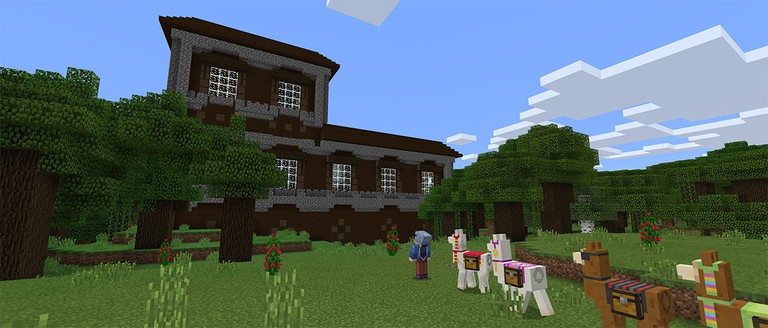
Adventure in Woodland Mansions: Trade with the new Cartographer villager to get treasure maps, follow the map, and journey to the woodland mansion. Battle Illagers – the villagers gone bad – to claim fantastic treasure.
Exploration: Beef up your storage with Shulker Boxes, Encounter Llamas (!!!) (OMG) (SERIOUSLY OMG) in the wild and make llama trains, Dyeable Beds, Smelt ingots to reclaim materials from tools, build colorful structures with Glazed Terracotta or Concrete blocks, and enchant your equipment with Frostwalking or Mending.
Add-Ons: Movement will become data-driven, meaning you’ll be able to create remixed movement properties in your Add-Ons.
And adding a third gameplay mode, Adventure Mode, for folks who like to make custom games and scenarios.
It’s official: Windows 10 Creators Update to begin official rollout on April 11th
Beat Cop is a retro, pixel art style adventure game set in New York. The title is inspired by the 80’s cop shows and you’ll notice this detail as soon as you hit the play button.
As a player, you take on the role of Jack Kelly and you’ve been framed for murder. Your task as a regular beat cop is to find out who did that.
Beat Cop features a thick crime story, lots of black humor and many dark secrets.
Unfortunately, Beat Cop is affected by a few issues that can sometimes limit your gaming experience.
Beat Cop reported bugs
Players get locked in conversation
Everytime I enter the church I get locked into the conversation with the chief.
Game freezes
game randomly freezes, already in Day 1. Tried many times (7-8x?) and every time happens the same. Usually around church, but it’s not a rule. I love the concept behind the game, tried to run it windowed, reinstalled, checked files integrity… Any more ideas what to try? Game just freezes, can’t do anything and nothing happens, even if I wait.
Black screen on startup
I am trying to run the game i have higher than what is required to run the game pc wise but i am getting a black screen on start up. Please help. […] Unfortunatly it just launches into a black screen and i don’t see any of the main game when i cntrl alt delte it says the process in running fine and hasn’t crashed.
Audio settings won’t save
Hi! I am really enjoying Beat Cop so far! One problem — the audio level resets on reloading the game. (This is slightly problematic for recording 🙂
These are the most frequent Beat Cop issues reported by players. To report other bugs, use this Steam page to provide the devs with more details about the issue that you’ve encountered.
Google has implemented a new change that should grasp the attention of developers. The company made modifications which changed the way their browser, Google Chrome, handles JavaScript popup scenarios. Unlike previously, Chrome will now restrict JavaScript popups and thus alter the way they are treated and responded to naturally by the platform.
JavaScript popups are being used in different ways
The change impacts multiple dialog types referring to JavaScripts. The Chrome Canary based modification makes alert(), confirm() and prompt() dialogs be treated differently when they show up on a web page. Different web pages might attempt to incorporate these dialogs more or less in the Chrome browser, so Google’s modification will see to it that users won’t have to deal as much with them.
The situation before this implementation was quite different. Previously, Chrome users would have to endure seeing Chrome take care of them for every browser window, giving the browser a lot of extra work to do. This was the case not only with the public, tested build version of Chrome, but also with the Beta version of the software.
These popups have dangerous potential
This was a huge nuisance and also a potential security risk. The way it worked more specifically, is that popups would appear on screen blocking the browser at the same time. This made the browser impossible to interact to until the popup was gone. And the only way to make the popup go away was by interacting with it. This made website owners guarantee for themselves that users would have no choice but to interact with the popups.
There are multiple applications that were discovered and that people now know of. One of them is quite harmless, although annoying, as people would use the popups to prank websites to put website users on a continuous loop which never ended and the second one if intended for malicious purposes.
It is easy to use this popup to inflict considerable harm to systems by completely restricting all access users have to their browser until the popup is interacted with. By deploying different methods of corrupting the system, attackers can use the popups to secure help from the other side.
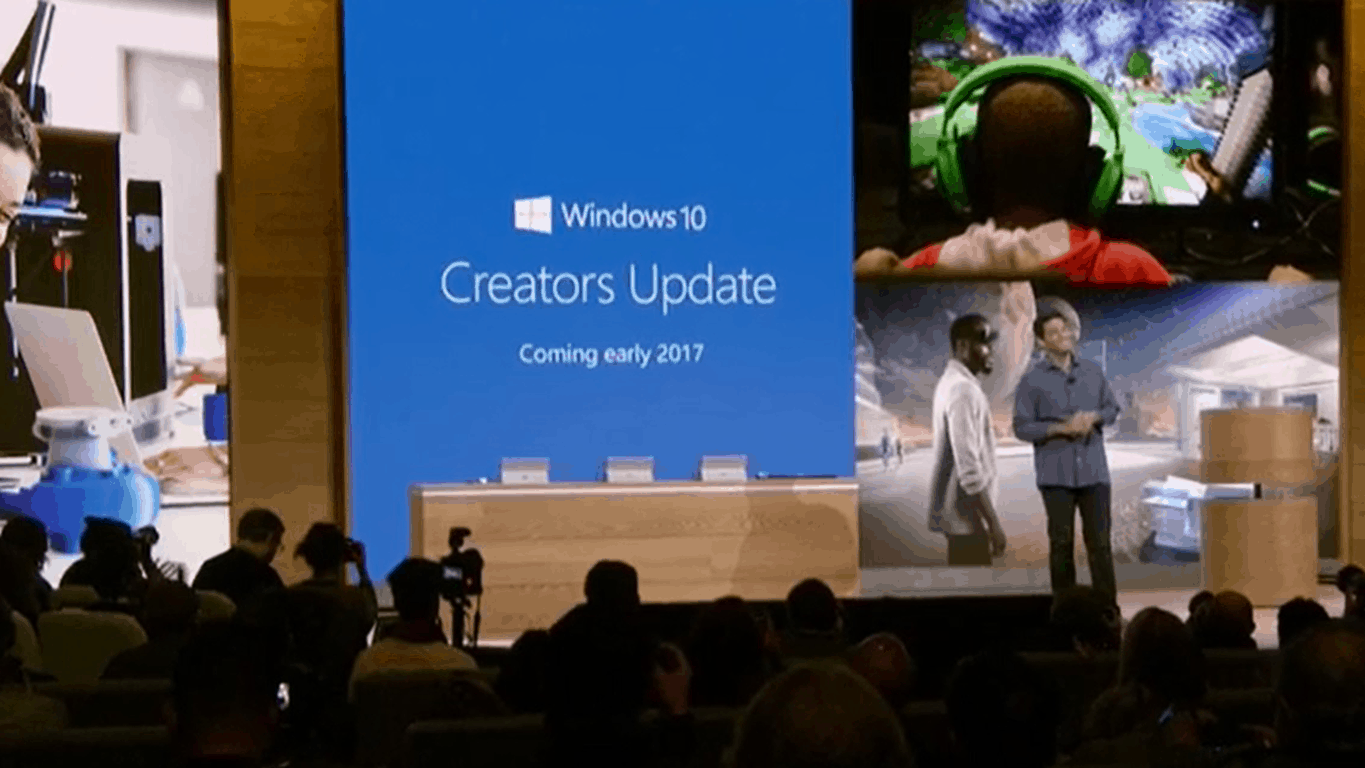
Today has been generous in terms of information regarding the much anticipated Creators Update for Windows 10, which Microsoft plans to release in the very near future. The update has been expected for a really long time and it looks like the time for it to shine has finally arrived.
Just a matter of days are left before Microsoft will officially unveil and release what most Microsoft Windows users deem the most important Windows update in modern history. Also, it’s one of the biggest as well, with a plethora of departments improved or built upon with brand new features which work to give the OS a new shine.
Recently, it has been revealed that Microsoft intends on releasing the new update on the 11th of April, which put a smile on Windows users’ faces. This seems to have changed in the meanwhile, although for the better. The reason for that is the fact that now, the update will be coming on the 5th of April, which is almost a full week earlier.
There is still some waiting to do
Users that are excited for the news shouldn’t get too anxious however, as there is a catch. While users are promised that the Windows 10 Creators Update deployment will start on the 5th of April, it is uncertain when they will actually receive it.
The reason for this is that the company is looking to release the new patch gradually. This automatically means that not everyone is going to get the Creators Update in the first day of its launch. It might take a while before everyone is up to date and has the new update installed on their device.
Fragmented delivery
To make sure this process goes smoothly and the end result is that of a happy community with the Creators Update installed, Microsoft has decided to deliver the update in two phases rather than just one. For starters, the first phase will concentrate on bringing the update to all device brands, focusing on the newer ones. The second phase is where older and more varied device types will get a look at Microsoft’s latest creation, thus rounding up the process of procuring the Creators Update for everyone.
RELATED STORIES TO CHECK OUT:
Microsoft brings Creators Update to Windows 10 users on April 11
Thimbleweed Park is a game that challenges players to do heavy detective work and uncover the deep connections between five characters that apparently have nothing in common. Players can switch between the five playable characters to uncover the surreal secrets of the strange town of Thimbleweed Park where a dead body is the least of your problems.
Unfortunately, your detective work may sometimes be interrupted by various technical issues.
Thimbleweed Park reported bugs
Game won’t launch
Players report that the launch process sometimes stops a few second after they hit the play button. No error message appears on the screen.
The game doesn’t launch. The message “preparing to launch” is there, in the Library list is “Running” for a few seconds but then stops without any error message.
Audio quality issues
Thimbleweed Park is also affected by a few audio issues. For example, sometimes audio is unbalanced and comes out only from the right side of the headphones. Sometimes the voices will not reproduce, or reproduce at a very low volume.
that stereo effect on the voices …
I would like to have an option to deactivate it. […]
A character can move from right to left while talking, and the sound still comes from the right.
And then, even if the talking character is on the right side of the screen, the stereo effect is so strong, that while I see the character in the one o’clock position, I hear him talking from 3 o’clock or even 4 o’clock. This creates a heavy dissonace between where I see and where I hear someone.
Game crashes
The good news is that game crashes occur pretty rarely in Thimbleweed Park, but they do happen.
When I try to enter “B Street” the game crashes immediately without any error.
Constant stuttering
Some players report that the game is affected by constant stuttering, irrespective of the settings they use.
The game seems to stutter quite often for some reason, seems to happen both when interacting with stuff and seemingly at random times. Quite annoying.
These are the most common Thimbleweed Park bugs reported by players. If you’ve experienced other issues, you can use this forum thread to provide the devs with more details about the bugs that you’ve encountered.
If you’ve come across various solutions to fix the issues listed above, feel free to list the troubleshooting steps in the comment section below.
Welcome to our weekly Xbox news recap series, where we go over the top stories of the past week in the world of Xbox. Let’s get started.
Creators Update launched and ready to go
The Creators Update has launched on Xbox One, with all of the new features rolling out steadily throughout the week. The update is being called the March Update, and it includes a ton of new features to help empower Xbox One users to be a bit more creative. The highlight of the update is most certainly its support for Beam Streaming, which should give the streaming service a whole lot more activity.
Destiny 2 trailer launched
If you’re like me, you spent the majority of this week giddy about Bungie’s newest title. After years of gallivanting throughout the solar system in Destiny, the sequel has finally gotten its proper announcement. Two trailers have been put out so far, and they’re pretty hype-worthy. We’ll be getting our first look at gameplay this May.
Guardians of the Galaxy Telltale game releasing on April 18th
If you’re a fan of Telltale, you should keep your eye out for their newest title – the Guardians of the Galaxy game. The game will release its first episode on April 18th, giving the world the first taste of Telltale’s spin on one of the most beloved Marvel franchises to be introduced to us in a long time.
Xbox admits its Xbox One mistakes, and pledges to “do right.”
The announcement of the Xbox One was a disaster. It was seen as a predatory and out-of-touch approach to the future of the Xbox Brand, and it was universally rejected. Years afterwards – where the Xbox One has recovered entirely from that reputation, and enjoys a loving fanbase – Microsoft’s Yusuf Mehdi – Corporate VP of Xbox – pushed a post out to LinkedIn about the experience.It’s an interesting read, and it highlights Xbox’s intention in the future to “Do right,” “Make exceptional products,” “Create connection,” and “Surprise and delight customers.”
Picture in picture not coming to Xbox One now, but you can help make it happen
Xbox’s Mike Ybarra went on Twitter recently to confirm that they’re not currently working on bring a picture-in-picture mode to Xbox One. While he didn’t offer any hope to the users who have been wanting this feature, he gave them the opportunity to vote for it and make sure that the team knows that it’s in demand.
Thanks for joining us. To keep up to date with all the latest Xbox news, keep a close eye on our Xbox One news hub.
Users of Microsoft’s Skype communication service have begun complaining that malware, served via ads in the program, is making its way on to their PCs.
For those who aren’t aware, Microsoft displays advertisements alongside conversations and on the programs start page. These ads are only present in the traditional, Win32 desktop program of Skype, not in the Windows 10 version of Skype.
The first report of malware being spread through Skype’s ads came up on reddit, with one user saying it happened after turning on the PC and Skype loaded, through its option to open automatically on startup:
As seen above, the user has worked out a method of blocking the ads from showing, although, it requires some changes that many Skype users won’t be aware of. Additionally, Skype’s support team have denied it could be ads causing the issue.
Ads in Skype are loaded through embedded Internet Explorer object and, as most of us know, Internet Explorer isn’t known for being the most secure browser.
In a statement given to ZDNet, Microsoft avoided accepting responsibility for the ads showing, saying:
We’re aware of a social engineering technique that could be used to direct some customers to a malicious website. We continue to encourage customers to exercise caution when opening unsolicited attachments and links from both known and unknown sources and install and regularly update antivirus software.
Have you been affected by malware being spread through Skype? Let us know below!
Many people are convinced that VR is future of gaming. Thanks to this technology, players can fully immerse into the gameplay. A few year ago, VR gaming was an almost unattainable dream due to technology constraints.
Fortunately, VR has now become accessible and affordable for many gamers. And there is also a particular category of gamers who really enjoy playing VR games: kids.
The only issue is that there aren’t too many titles especially developed for kids. If you’re looking for a fun, challenging and engaging VR game for your kids, you’ve come to the right place. In this article, we’re going to list the best VR games that your kids can play on PC.
Best VR games for kids
The Diner Duo VR
Players take on the role of a chef who needs to satisfy his customers in a limited amount of time. The game also includes a local multiplayer mode, allowing your kids to share their gaming experience with a friend. The first recipes may seem easy, but chaotic levels are waiting for players as they progress through the game.
The Diner Duo VR features 30 levels of increasing difficulty, many cosmetic customization options, 14 different recipes to master, as well as randomized orders, and fully adjustable kitchen for all sizes and heights.
Player review: First VR game I could get both my 7-year-old son and my wife into, great memories for them. At the end of the video, you hear my son tell my wife he’s proud of her, lol. The option to have someone in VR and a 2nd person with a controller is awesome!
Audioshield is one of the most popular VR games at the moment and it’s easy to see why. The game puts players at the point of impact for every hit in their favorite songs. Players‘ task is to block incoming orbs with their shields. In other words, this game allows your kids to fight music in VR.
Audioshield works with any song file, and online music streaming service. This is a great tool to keep your kids busy for hours on end. Not to mention that they’ll get a fair dose of physical exercise as well.
You can buy Audioshield for $19.35 from GamesDeal. The game is compatible with the HTC Vive VR headset.
Tilt Brush
If your kids love painting, then Tilt Brush is the perfect game for them. Tilt Brush lets players paint in 3D space with virtual reality. Your kids can unleash their creativity with three-dimensional brush strokes, stars, light, and even fire. This game turns your house into a canvas with endless possibilities.
Player review: I was showing Tilt Brush to a friend and his son, he’s maybe 8yo? His son sits on the floor and pulls his knees up, and makes these sweeping arcs overhead. I can see his POV from my monitor but have no idea what he’s painting, everything is mostly white. […] It’s an igloo. His very first time using VR and trying Tilt Brush, the kid immediately understood he could build 3D inhabitable objects.
You can buy Tilt Brush for $26.88 from GamesDeal. The game is compatible with both the HTC Vive and Oculus Rift VR headsets.
Fruit Ninja VR
As its name suggests, Fruit Ninja VR challenges players to take on the role of a powerful ninja fighting against waves of hostile fruit.
When players step into the Fruit Ninja universe, they need to become extremely alert because fruit will attack from all angles. Your kids will slice shedloads of fruit in a virtual reality environment that will keep them busy for hours on end.
Fruit Ninja VR features five modes:
Dual wielding – Double the blades, double the fun.
Classic Mode – Slice fruit and avoid bombs.
Arcade Mode – Slice as much fruit as you can in 60 seconds.
Zen Mode – 90 seconds, all fruit, no bombs. A great way to hone your ninja skills.
Survival Mode – Face off against flying cannons in the game‘s hardest mode.
If your kids love strategy games, we’re sure they’ll enjoy playing Castle Must Be Mine. This game is similar to KingdomRush, it is a tower defense game developed for VR.
Players need to constantly collect coins in order to have enough resources to build and upgrade defensive towers, as well as manage the skills of their soldiers. Castle Must Be Mine is a bird-eye’s view game that will make your kids feel like army generals. They’re in control of the game and can command the hero to attack enemies and get more experience point to level up.
The game features over 20 different monsters, including land monsters and fly monsters, five forest-style maps and four desert-style maps.
There’s a group of naughty moles that are wandering in the vegetable field of the backyard, ruining your crops. Players‘ task is to attack all kinds of moles with the hammer, and eliminate them within a specific limited time.
But be careful, don’t accidentally injure the kind-hearted rabbit. Bear in mind that some moles will put up a fight and will throw all kinds of things at players. Also, watch out for flying saucer props and think twice before picking them up, because they can turn your hammer into a smaller one and make your task even more difficult.
Player review: I played it briefly to see if my 6-year old daughter would like it and I think this game is very nice! Perfect for kids! Beautiful world, game mechanics work very good, nice sound effects,… she’s gonna love it! If you’re looking for a VR game for your little kids, this is definitely a game you should buy.
UMA-War VR challenges players to end a vicious UMA invasion. UMA stands for Unidentified Mysterious Animal, and trust us, there will be many of them. Players‘ task is to use the bow or the crossbow to shoot the UMAs. There’s also a catch: you can only use arrows of the same color to shoot the UMAs. As players progress through the game, the UMA attacks will intensify and it will be more and more difficult to stop them.
There you go, we hope that this list helped you to pick a VR game for your kid(s). If you’ve come across other kid friendly VR games that you think should be included on this list, use the comment section below to tell us more about your gaming experience.
One of the individuals who helped shape the way we see Microsoft today has passed away. Pam Edstrom (left), co-founder of Waggener Edstrom Communications, died at 71 earlier this week due to lung cancer.
Edstrom first joined Microsoft in 1982 as public relations director when it was still a small technology company. She was described as always being ahead of the trends and taking a personal approach to PR, a style she carried with her when helping co-found WE Communications in Bellevue.
New York Times technology reporter John Markoff was just one of many that knew her well. Her approach to working with the press resulted in the First Response team at WE Communications, a group of people directly involved with handling news and responding when events occur. “She was the architect, she created the image for Microsoft,” Markoff recalled to The Seattle Times.
WE Communications continues to handle significant portions of Microsoft’s communications in her stead, building on what Edstrom has contributed for hopefully years to come.
Windows 10 users have a love-hate relationship with Windows Update. On one hand, they are aware they need to install the latest updates on their machines in order to keep their systems secure and enjoy the newest features. On the other hand, it seems that Windows 10 installs the latest updates at the worst possible moment. Moreover, there are various technical issues that occur soon after users download and install the latest Windows 10 updates.
The good news is that the Windows 10 Creators Update offers enhanced update options, allowing users to schedule updates as we first reported back in December. In other words, Windows 10 users can schedule updates just like they can do with restarts. In this article, we’re going to show you what steps to follow to schedule pending Windows 10 updates.
Schedule updates in the Windows 10 Creators Update OS
Pause updates
Go to Settings > Update & Security > Windows Update > scroll down to Advanced Settings > Toggle Pause Updates
It is worth mentioning that you can temporarily pause updates for 35 days. However, some updates, such as Windows Defender definition updates, will continue to install.
Use the new Pick a time and Snooze options
When new updates are available, the Windows 10 Creators Update displays a pop-up window offering users three options: Restart now, Pick a time and Snooze.
If you click Snooze, you can delay the update install process by 3 days. If you select Pick a time, you can actually pick the date and time when you want the PC to install the pending updates. In this manner, Windows 10 will no longer restart when you’re working on a very important task.
As the title implies, some of us more than enthusiastic followers of Microsoft news are left a bit underwhelmed (because whelmed is not a word) at the final prospect of the company’s latest update to Windows 10. While the Creators Update brings the platform forward in a direction that emphasizes production, gaming, creativity and overall cohesiveness that has been lacking thus far; the new feature additions of in-app Compact Overlays, Blue Light Filter, Game Mode, 3D Paint and a slew of Edge browser improvements to list a few are still only half the story of the Creators Update, with the other half of tantalizing features left somewhere in the deep recesses of the company’s development rooms.
When Microsoft first introduced the Creators Update back in October 2016, it did so with the overwhelming focus of introducing 3D support to the OS and allowing developers to dip their toes into what the company is touting as the next platform for creativity in mixed reality.
However, it was the lesser touted plans for the operating system which included a user behavior change with how contacts and platform level communication would be engaged with, a cool new real-time 3D mapping mobile app, 3D support in Office apps as well as the promise of an army of mixed reality headsets that may have stolen audiences attention and unfortunately, Microsoft has chosen to ship the Creators Update without any of them in tow.
As a bit of a recap, during Microsoft’s fall announcement of the Creators Update, the company also brought out Microsoft general manager Megan Saunders to show off a cool handheld 3D mapping app on the newly released HP Elite x3. Here’s a look at the demo, overlaid with some snarky comments by the guys over at TWiT:
Saunders walks around a couple of real-life objects and simply pointed the 3D mapping enabled Elite x3 at them and began mapping objects in real time that would eventually be transferred to the updated version of Microsoft Paint in the Creators Update. In what seemed like a seamless real-world demo of the app and supporting software, Saunders gave many on-the-fence Windows phone users a breath of hope that Windows 10 Mobile would still be a platform worth investing in.
Sadly, Saunders demo remains a demo with no app release date, any idea of how the software actually works or whether it’s even in development at the moment. Without the app, Microsoft’s Paint 3D efforts are somewhat hamstrung and could cripple its Windows 10 3D messaging.
Next up was the My People app, which has taken on several faces since the introduction of Windows 10 three years ago. Reintroduced last fall during a 7 and half minute demo, My People appeared to be an evolution of Windows 10’s original vision of system level communication for the OS that included bundling efforts with Skype, Messaging, and Mail apps for Windows 10.
For whatever reason, the Windows teams love to show off this integration with almost every update and they point out how evolved the idea has become since the last time it was mentioned, but with each new release thus far, the feature continues to sit on the shelf. Perhaps worse off, Windows Insiders have yet to even test out the integration in any form in three years and since cutting it from the Creators Update, there is no indication of when it will be re-introduced or if it’s still in production.
Mixed reality headsets were another big showing for Microsoft during the Creators Update and have since been met with silence by supposed partnering OEM’s. Perhaps, many are waiting to co-brand their marketing efforts with the release of the Creators Update to spur PC sells, but of the companies mentioned to be partnering with Microsoft to drive down the price of VR and AR headsets, almost none have brought to light any future facing plans for devices.
Even when given the chance to showcase proof-of-concept devices at CES months later, most partnering OEMs were seen chasing Amazon Alexa integration instead. The omission of partnering OEMs for mixed reality may also put a hamper on the HoloTour built into Windows as well getting people to check the new HoloLens configurations in the updated Settings menu.
Furthermore, it could have been the tertiary mentions and glances to software that got a lot a people’s excitement meters peaking such as Xbox Arenas that allowed for game tournament configurations, a passing glance at Groove Music Maker, 3D PowerPoint or even the proposed tighter Edge and reminder integration. All have since either been removed from test builds or never to be mentioned again during subsequent system announcements.
Again, the Windows 10 Creators Update brings much to the table for Windows 10 users and lays even further groundwork for expanding Microsoft’s ecosystem, but it’s hard to not feel a little let down that many of the seemingly exciting and consumer facing features some have been waiting on since last Fall are being shelved without so much as an explanation.
Even more worrisome for fans is that the Windows team has not even hinted at when these projects will see the light of day. Some are expecting many of the missing features to show up in a Redstone 3 release or future Windows 10 updates, but without a word from the Windows team, I guess we can only wait for the next demo.
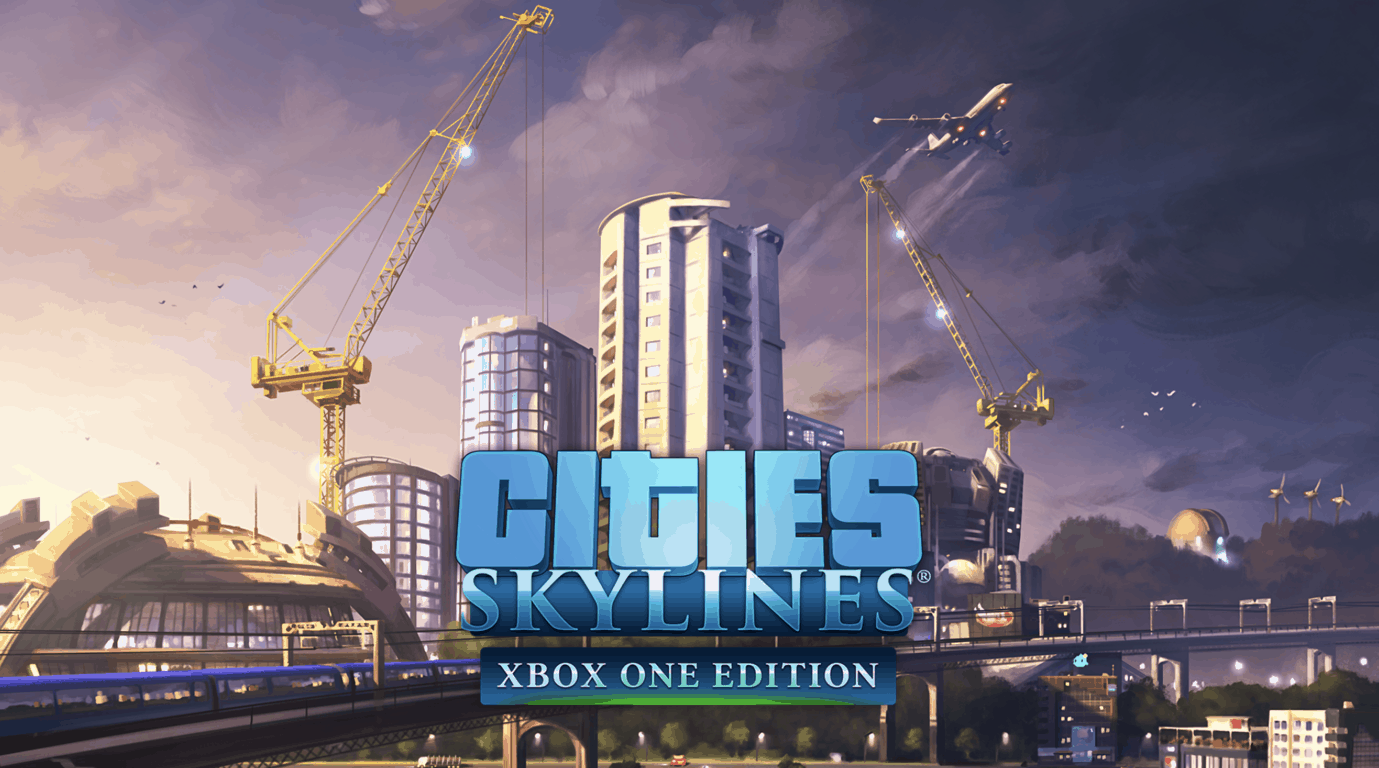
If you’re a fan of city building video games, you’ll be pleased to learn that Cities: Skylines will launch on the Xbox One on April 21 (via Windows Central). The game is already available to pre-order on the Xbox Store and will cost you $39.99. While that seems a bit expansive compared to the $29.99 standard PC version, this Xbox One Edition also includes the game’s first expansion called After Dark which adds a day-night lifecycle to the gameplay.
As you can expect, the popular PC game has been optimized for the Xbox One controller and you can see some gameplay elements in the trailer below the official game description:
Cities: Skylines – Xbox One Edition puts you in charge of a growing city – from the ground-breaking of its first streets to the ever-changing needs of thousands of citizens. Design, build, and manage the city of your dreams, from public services to civic policies, and challenge yourself to grow from a simple town to a bustling metropolitan hub.
It’s great to see that the Xbox One is welcoming more diverse games, and we’re looking forward to see how Xbox fans will respond to this new addition. Let us know in the comments if you plan to purchase Cities: Skylines on your Xbox One.
Users of Microsoft’s Office suite have reasons to celebrate, especially if they are members of the company’s Fast Ring Insider Program: an auto-save feature for online documents and the ability to co-author documents created with Microsoft Excel.
Improvements are on the way
The Slow Ring of the Preview platform was also shown some love as a ton of new features made their way to users on the ring. Here are the goodies that are expected from the upcoming release on the Slow Ring:
PowerPoint is getting the QuickStarter function which allows users to request an outline automatically created and suggested to them based on what they want to talk about and what should be incorporated in a given presentation.
The Flowchart options in Visio are getting massive improvements with the addition of two new option: Basic Flowchart options and Cross-Functional Flowchart options. These both use Visio templates in the Data Visualizer and this tool is designed for users of Excel app.
Emails are getting improvements thanks to a new Outlook update giving users the ability to separate emails into two categories: the Focused category and the Other tab. The Focused tab will feature important email messages while the Other section will host emails that aren’t so urgent or important.
Professionalism and innovation reach new heights with the Designer feature in PowerPoint, incorporating more ideas and lists that can help in appropriate scenarios.
Email translation is now available through the Outlook translation add-in. This neat tool is accessible through a simple tap and offers 60 languages to choose from. This guarantees that a language barrier won’t be quite a barrier anymore.
Windows 7 is still a beloved version of Microsoft’s operating system with many companies still showing interest as well as a huge market share of Windows users that still show love to the now outdated operating system.
Using an outdated version of an operating system can present massive security risks, so many are wondering what the best antivirus solutions for Windows 7 are. Luckily, the answer is now here thanks to research by AV-TEST, a security company from Germany, who determined the best antivirus solutions as of January and February of 2017.
The research featured multiple tests and a system which awarded antivirus suites points that competed based on the performance given in various categories. When it came to overall performance, protection, and usability, the top scorers were from well-known such as Kaspersky or Bitdefender. Other software, such as Symantec and Trend MicroSolutions, were also present and scored among the highest.
It was a significant challenge
The test was no walk in the park for the competing software solutions as it consisted of scanning a huge amount of files — 1.3 million to be exact — and dealing with a very large number of malware threats. In total, there were a total of 11,500 malware attacks directed at the competing security products with 19 competitors in total.
Great results got Microsoft some props
Microsoft managed to distinguish itself not by topping the charts on these tests but by doing well enough to demonstrate that it’s not offering what everybody thinks is a generic protection solution in the form of Security Essentials. Microsoft’s performance isn’t something to be casually pushed aside: the company managed to challenge established security solution providers such as AVG, Avast, or Avira, something that is quite an accomplishment and clearly shows that Microsoft has put a lot of focus and effort into its security suite.
The latest updates that came to Windows 10, as well as its upcoming ones, are part of a grand transformation put into motion by Microsoft that considerably boosts areas of the OS that were previously neglected.
One of those tumultuous battles is being fought in Iowa as legislation is being brought to the Iowa Constitution which would offer protections against the unreasonable search and seizure of citizens electronic communications and data. The protection is being pushed through Iowa legislature as a special constitutional amendment.
The resolution is supported by lobbyists representing Microsoft Corp.; Google Inc.; Amazon.com; and the Iowa Association for Justice. In addition, the Motion Picture Association of America is monitoring the bill and is listed as undecided. No groups are registered as opposed to the bill.
As it stands, the lobbying power of the big three seems to be holding sway over the proceedings as House Joint Resolution 1 has already been approved by the Iowa House with huge support in with the state Senate subcommittee.
Despite the positive momentum of the changes being attempted, it is far from a done deal as the changes will need to be approved by a simple majority in both the Senate and House sometime after the 2018 elections. If all goes well, Iowa state citizens will eventually see the new amendment up for vote in the 2020 elections.
At the end of the day, Iowa is one of several battlefields where the evolution of privacy and security are being fought and today, Iowan’s just got a win.
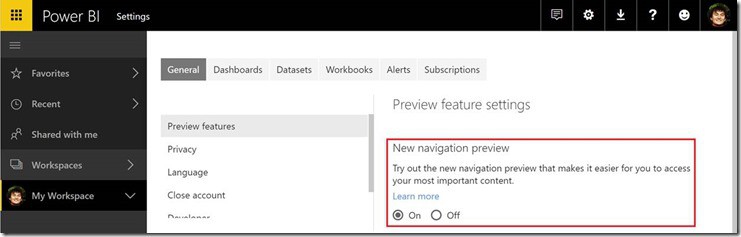
Power BI’s latest update is something that should add a good bit of convenience to the usual Power BI experience. The feature is called View Related Content, and as you might imagine, it lets you quickly and easily check out content that’s related to what you’re looking at. It can be found in the Preview Feature Settings section of Power BI, and can be opted in and out of at will, should you decide against using it in the future.
The update is a part of the Power BI preview, so you should be aware that bugs are likely to show up. That being said, it’s now available in all regions and is ready to go for the adventurous users who think it’s something they’d be interested in. If you want to learn the specifics about Power BI’s newest feature, you can read up on it through the Power BI blog post. If you want to chat with the community about the feature and suggest something else to be added, you can join the discussion on their forum.
In just over two years, Microsoft’s Windows Insider Program has now reached more than 10 million members courtesy of its fan-centric culture. The public Windows testing group was born in October 2014 along with the first public Windows 10 Technical Preview. Two months later, the Insider Program reached 1.5 million members, marking a solid start for the initiative.
Windows Insiders provide Microsoft feedback about the new features the software giant develops for its operating system. The program’s main goal is to keep bugs at bay before the general release of updates.
Yusuf Mehdi, corporate vice president of Microsoft’s Windows and Devices Group, said in a blog post on LinkedIn:
We count over 10M Windows Insiders today, many of them fans, who test and use the latest build of Windows 10 on a daily basis. Their feedback comes fast and furious, they have a relentless bar of what they expect, but it so inspires our team and drives our very focus on a daily basis.
Mehdi also discussed Microsoft’s efforts to create a “fan-centric culture”:
My learning is that you cannot create fans, you have to earn them. As our team has embarked on the journey to build a fan-centric culture at Microsoft, I have learned so much about how to focus our efforts. There are four things things, that while simple and maybe obvious, make all the difference.
He also touts the Windows Insider program as exemplifying Microsoft’s ability to develop a connection with clients, all of whom are now a critical part of Microsoft’s product development initiatives:
Many companies treat the initial transaction with the customer as the most important part of the journey. Any fan-centric company should treat that as just the starting point. In fact, every interaction with the customer after that is more important and should build a deeper relationship. Customers should feel like they have joined a community – a family. Don’t be a faceless company. Enable your fans to interact with real people at your company, people who are fans themselves. This requires real commitment, time and effort. A fan is not only going to tell you what they think, but they are going to expect to hear back, to see you take action on their feedback.
Through the Windows Insider Program, Microsoft has improved the way it listens to customers. The program also proves its significant impact on Microsoft’s operations.
Although it’s one of the main tools for downloading pirated content, thus posing a threat to the business of legit content providers like Spotify, Netflix, Pandora, and even Microsoft, wpTorrent keeps getting updates on the Windows Store.
The WPTorrent app is a native bit torrent downloader for Windows 10, and it’s getting a new name: wTorrent. The rebranding follows a recent update to the app that also upgraded wTorrent to the Universal Windows Platform format.
wTorrent runs on both the Windows 10 PCs and Windows 10 Mobile devices. It also includes support for background downloads and uploads, download and upload rate options, and built-in video playback.
On its Windows Store listing, the app’s features include:
Rich torrent features. Including magnet link support, setting file priorities, download/upload rate limit, incoming listen port, etc.
Video playback integrated. Let you to watch downloaded videos while downloading is in progress.
Power saving options. You may choose to stop downloading when battery is low, when downloads complete, or when WIFI is not available.
Being the world’s most used desktop operating system often means that each day a new bulls eye is drawn on its back as attackers seek to use it a vessel for their own personal gains. The Microsoft Windows and security teams are constantly dealing with an exploit or nefarious piece of code daily, and recently a zero-day vulnerability cropped up that should have the teams and website developers working to patch sites hosted on Microsoft IIS 6 web servers from attacks but they most likely won’t.
According to a report from PCWorld, a proof-of-concept exploit has been published regarding Microsoft’s Internet Information Services 6.0. While that version is not being supported it is still being used these days and the exploit still poses a big issue.
The exploit allows attackers to execute malicious code on Windows servers running IIS 6.0 with the privileges of the user running the application. Extended support for this version of IIS ended in July 2015 along with support for its parent product, Windows Server 2003.
Even so, independent web server surveys suggest that IIS 6.0 still powers millions of public websites. In addition, many companies might still run web applications on Windows Server 2003 and IIS 6.0 inside their corporate networks, so this vulnerability could help attackers perform lateral movement if they access such networks through other means.
Worse yet, a recent publishing of the exploit on GitHub has potentially put it in the hands of countless hackers seeking to cause harm or manipulate the code to create other threat actors based on the original proof-of-concept. According to a web analytics from the firm Netcraft, there could be up to 185 million websites still hosted on 300,000 servers vulnerable to this exploit because they are running Windows Server 2003. Since Windows Server 2003 is no longer being supported, Microsoft is not offering a patch or a solution to this vulnerability.
However, for those still using IIS 6.0 a possible way to mitigate the vulnerability is to disable the WebDAV service that accompanies the installation. There are also some other free micro patches that can be applied such as ARCOS Security’s offering.
Logically, the best solution is to move old websites built on this server to newer and supported IIS and Windows Server.
Screenshots often make it easy for you to carry out certain tasks like writing an article or sharing something on your screen with friends. In Windows 10, however, taking screenshots has not been an easy task. Thanks to the upcoming Creators Update, you can now capture your screen with a few key strokes.
While there are tons of options for taking screenshots, including third-party programs and the Snipping Tool, these are not intuitive methods for the task. On the other hand, the Creators Update introduces a simple way to take screenshots: Windows + Shift + S.
These key strokes offer a new way to take screen grabs in Windows 10 without the need for third-party tools. It is a system-wide feature that will be coming with the Creators Update due for release next month. The native method also allows you to choose a certain portion of the screen to capture.
The Windows + Shift + S method is available to users with the Windows build 15063 or later. It then triggers the gray overlay, which signals that you can now select a specific area of the screen using your mouse. The tool then copies the chosen area to your clipboard and allows you to paste the image into an editor.
In Windows 7, the Snipping Tool offers relatively the same function. However, it was not applicable system-wide, so there are limitations in terms of the screens that you can grab.
Do you find the native tool for taking screenshots in Windows 10 handy? Share your thoughts in the comments below.
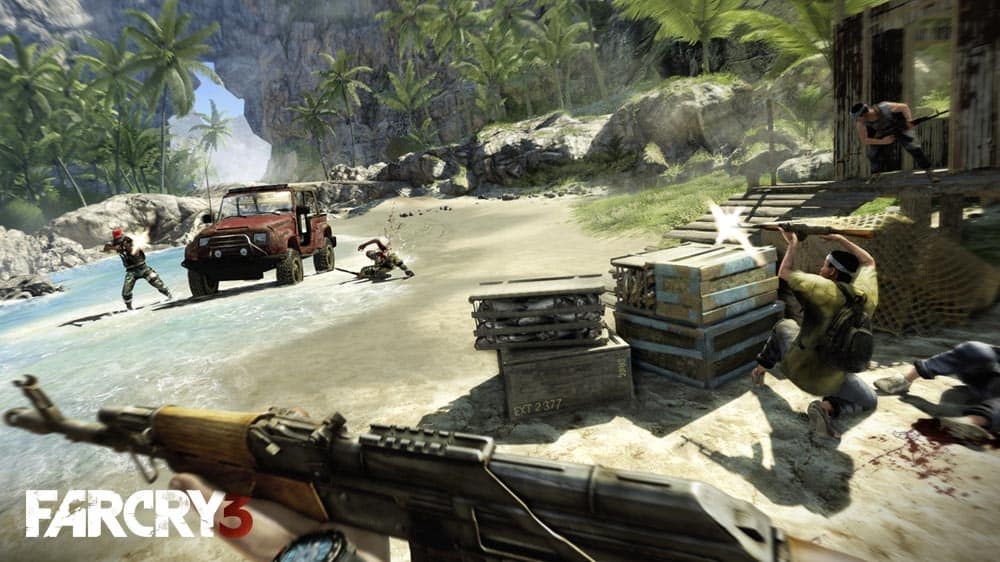
Good news for Xbox One owners, Far Cry 3, the critically-acclaimed shooter from Ubisoft, is joining the Xbox One Backward Compatibility list today. The game was released on the Xbox 360 back in 2012, and it pushed the franchise to the next level with its vivid open-world setting, great gameplay and unforgettable villain.
The game was recently discounted during Ubisoft’s latest Publisher Sale, but you can currently purchase it for $19.99 on the Xbox Store. The official description notes:
Far beyond the reach of civilization is a mysterious island overrun with violence and suffering. While traveling with friends, you are taken captive and brutalized. Your only hope of survival lies in unraveling the dark secrets of the island and its deranged inhabitants. Alone at the edge of the world, where nothing is what it seems, you must find a way to fight back and escape this island of insanity.
Far Cry 3: Blood Dragon, a standalone expansion set a retro-futuristic world also became backward compatible on the Xbox One last year. If you love shooters and have yet to try these games, both titles are highly recommended.
For too long, Uber has been the main app for ride sharing on Windows Phone. Now, serious competitor Lyft has released their Windows 10 UWP app for both PC and mobile. Consumers will be able to experience the more personal touch of Lyft as they go from Point A to Point B.
Here’s the app description:
Need a lift? Use Lyft to get an affordable ride in minutes. Instead of hailing a cab or waiting for the bus, just request a car with the tap of a button, and get picked up by a nearby friendly driver who’ll take you to your destination right away. Enjoy a welcoming, affordable, and memorable ride today. Our app is cheaper than a taxi, faster than the bus, and easy to use. And now you can use your Windows mobile phone or tablet to request your Lyft rides.
– Getting Started: After downloading Lyft and signing up, simply open the app and request a ride.
– Paying: Never worry about having cash for a cab or the bus again — with Lyft, you pay through your phone. It’s easy, fast, and secure.
– Split the Cost: Easily split the cost of a ride with friends through the app. No more IOU’s.
The Windows 10 Lyft app is available today for most users, but it might not be rolled out just yet for everyone. Be sure to check it out on the Windows Store in case you need a ride.
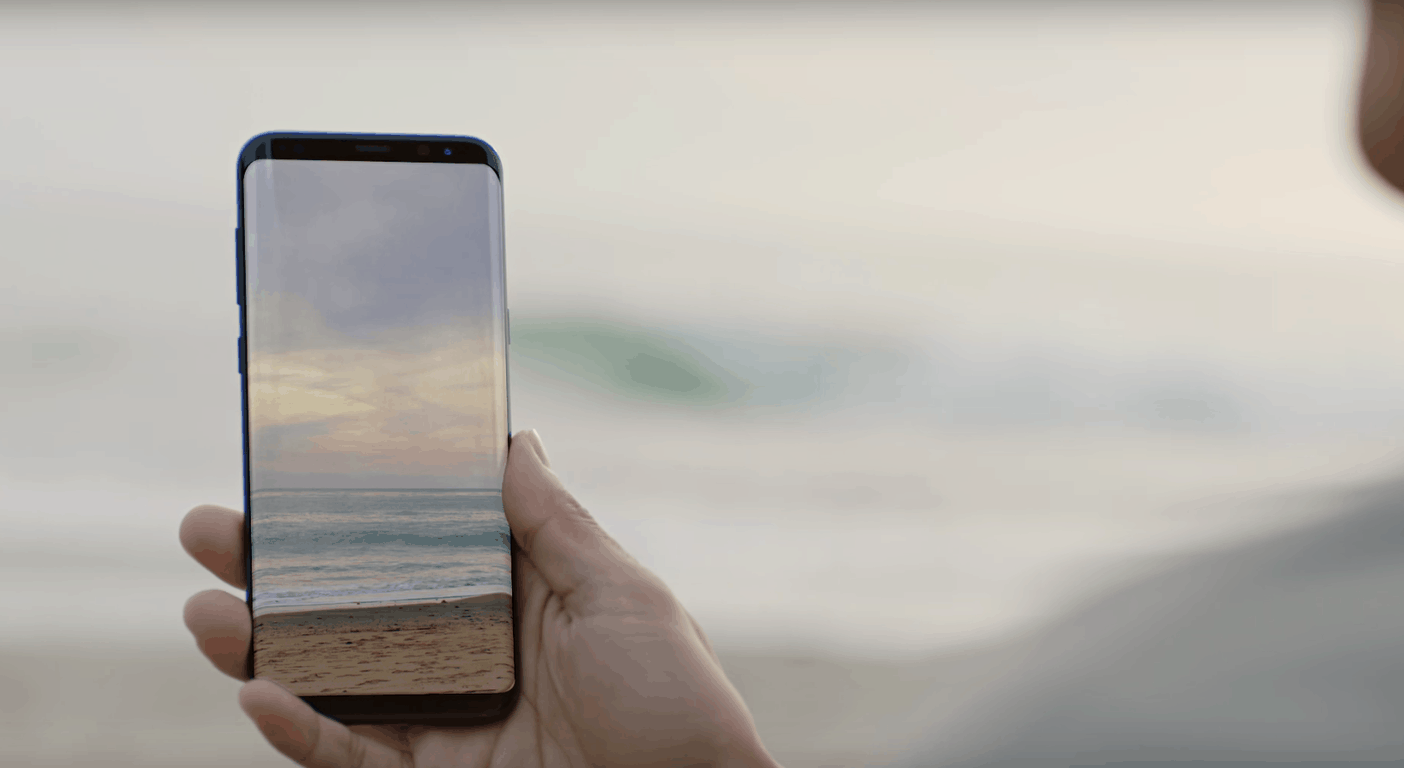
Yesterday the internet was buzzing when Samsung announced the next generation of Galaxy devices, the Galaxy S8 and the Galaxy S8+. While the hype storm surrounding the phones has died down a bit, some Windows Phone loyalists might now have cause for a storm of their own. Microsoft Store associates will soon assist Samsung Galaxy S8 customers to set-up their devices in the store to ensure that every customer is ready to work, play and connect on their device when they leave.
According to the latest reports, Microsoft will sell their own customized version of the Samsung Galaxy S8, dubbed the “Samsung Galaxy S8 Microsoft Edition.” Available for purchase on April 21st, the new Samsung phones are now eligible for pre-order today at US Microsoft retail stores.
Customers can purchase the Samsung Galaxy S8 devices at Microsoft Stores and experience Microsoft’s best-in-class productivity experience applications such as Office, OneDrive, Cortana, Outlook and more. It is worth nothing, however, that applications do not come pre-loaded on the device. A Microsoft spokesperson provided the following statement in regards to the Samsung devices.
“A Microsoft customization is applied to the Samsung Galaxy S8 and Galaxy S8+ Microsoft Edition when the devices are unboxed and connected to Wi-Fi… This customization ensures customers a best-in-class productivity experience with Microsoft applications such as Office, OneDrive, Cortana, Outlook and more”
While Microsoft and Samsung have had disputes over royalties in the past, things have since settled, since the two have apparently reached a new deal involving the Galaxy S8. Microsoft also previously bundled their apps on the Samsung Galaxy S6, but the latest news that the company would actually sell physical Android phones in their retail store is definitely interesting. Could this be Microsoft’s way of expanding its reach into one of Android’s most popular phone lines? Let us know your thoughts below.
Update: We’ve received some further information and have updated this post to clarify that Microsoft apps and services aren’t pre-installed on the phones.
A few weeks ago, Microsoft released Windows 10 SDK Insider Preview build 15052, bringing no API changes but bug fixes and “under development changes to the API Surface area.” While the much newer Windows 10 SDK build 15063 had previously leaked via a download link, Windows developers can now finally officially download the latest Windows 10 SDK build 15063 in a much more official matter (via Baboo.com)
Microsoft has yet to make an official announcement about the availability of the Windows 10 SDK build 15063, but a visit to this web page reveals that it, and Mobile Emulator Insider Preview Build 15063, are both available for developers to download. Changelogs are also not yet available, but the availability comes after Microsoft officially released the ISO files for the standard PC version of the very same build, likely meaning that this could be the final version of the SDK.
The Creators Update is set for an April 11th rollout to PCs, but Microsoft is still officially calling this latest SDK a pre-release. The company also recommends that this release should only be installed on test machines since it is not supported in a production environment. The Windows 10 Creators Update SDK is somewhat different from standard Windows 10, since it provides the latest headers, libraries, metadata and tools for developers to build their Windows 10 apps.
It’s been just a day since the Xbox One March Update rolled out to all Xbox One owners, but that doesn’t mean that the Xbox team is taking a break. Indeed, a new preview build is already available to download for Preview Alpha members, and this one brings various fixes for Cortana, the Movies & TV UWP app and more.
There are no new features in this new build, though the Xbox team is expected to release several new features such as Arena on Xbox Live, enhanced profile and activity feed later this month. You can find the full changelog below:
DETAILS
OS version released: rs2_release_xbox_1704.170326-1700
Available: 6:00PM PDT 3/29 (1:00AM GMT 30/3)
NEW FEATURES:
Welcome to 1704 on Xbox One! This month we’re rolling out several feature updates inspired by your feedback.
You can read more about the features coming in this update on the Xbox News Wire.
NOTE: Not all planned features for this update are available at this time.
FIXES:
• Settings
Fixed an issue which prevented some users from adding a new payment method.
• Cortana
“Hey Cortana” should now function when searching for Store content.
• Movies & TV
Fixed an issue which could sometimes cause Movies & TV to crash to Home immediately after launch.
• Sign-In
Resolved an issue which prevented users from adding a new profile.
KNOWN ISSUES:
• Settings – Display & sound
The Audio output page is under construction and some of the new settings are not yet functional. New support is planned for Dolby Atmos for home theater, Dolby Atmos for headphones, and more in upcoming builds. An announcement will be made when these new features are ready to try out; enabling these settings now will have no effect.
• Wireless Display
The Wireless Display app fails to launch and immediately crashes to Home.
In a previous tweet, Microsoft’s Brad Rossetti explained that this preview build will hit the Xbox Beta Ring “mid next week.” It’s good to see that the Xbox Insider Program is still very much active, and we’re looking forward to see what’s coming next for the gaming console.
While few new features were added with these updates, two previous ones were completely removed from the Windows 10 apps; the OneGuide tab and the TV remote control functionality. OneGuide was used to curate shows, movies, and TV channels for viewing on the console while the remote control could be used to pause and play video and even change channels. With the latest Xbox One update, the OneGuide feature remains on the console but the ability to snap live TV was removed. This coupled with the app changes could signal a gradual phasing out of support for live TV on the Xbox One but it’s also possible that Microsoft is planning to integrate television in a different way sometime in the future.
Xbox One owners are currently being encouraged to vote for a picture-in-picture mode on Microsoft’s User Voice website to show that they’re interested in multitasking TV viewing with their gaming and while the company hasn’t made a statement on the changes to the Windows 10 Xbox apps, those who miss these features should use the aforementioned website to express their interest in those as well.
Did you use the OneGuide and control options in the Xbox apps? Let us know in the comments.
Good news ahead for Mafia enthusiasts: the third installment in the franchise is looking at recruiting a new family member pretty soon. And pretty soon actually means tomorrow. Hangar 13 made it clear that the 28th of March will mark the coming of Mafia 3’s expansion pack titled Faster,Baby! This expansion set won’t come out by itself, however, but rather accompanied by an important addition: a demo of Mafia 3. The demo will allow players to test the game out and experience a specific portion of the game.
New expansion coming, so time to prepare
Faster, Baby! was announced a few weeks ago, having made it a fixture in the calendars of those that can’t get enough Mafia 3. Those that play the game on Xbox One should make sure that they have an extra 5GB of space on their consoles because Hangar 13 is pushing out a patch of that size to the game to prepare it for the upcoming expansion.
There isn’t much information available regarding the contents of this 5GB patch. While it is known that it will feature some gameplay changes, it’s not said if it will be a mix of features and optimization or just a strong inclination towards one of the two. The gameplay changes in question address things like the ability to throw grenades while driving, something that wasn’t an option in the game until now. Mines will also play a part in this new 5GB patch, too.
Civil Rights are still a priority
Mafia 3’s unbeaten record of raising social awareness about discrimination and civil rights will continue since those themes are revisited in the plot of Faster, Baby! The new expansion pack will grant players access to a new zone in the game called Sinclair Parish, too, so there’s lot of new content for fans to digest!
Narcosis is a horror survival game that will send shivers down your spine. The game takes players to the sunless depths of the Pacific Ocean. As a player, you take on the role of an industrial diver stranded on the seafloor with low light and few tools at your disposal. You need to surface before your oxygen and sanity give out. Narcosis also comes with a VR mode that highlights the hostile environment the game is set in.
Unfortunately, Narcosis is affected by a few technical issues that sometimes limit the gaming experience, as players report.
Narcosis reported bugs
Flare gun aims off-center
The flare gun’s aiming reticle is not very well centered, forcing players to turn their heads in order to get a center shot.
when I try to use the flare gun, the aiming reticle is very far to the left. I acutally had to turn my head away and look out the corner of my eye to hit the targets in the training pool.
Game crashes
Players also report the game randomly crashes. It appears that the crashes are prevalent for the level “Follow the procedure”.
Hi. My game keeps crashing […] I can walk in any direction for 4-7 minutes and then it simply crashes (it happened at least 5 times already). I’m playing on Win7 X64 on a GTX980.
Players fall through the elevator
There is a “falling trough” bug with the elevator in the room with the fusebox u have to reset
plus second-usebug of the elevator. you can only klick it again if u dash against it
How to fix common Narcosis bugs
First, make sure that your computer meets the necessary system requirements before you buy the game. In this manner, you’ll avoid severe technical issues.
Narcosis minimum system requirements
OS: Windows 7 (64 bits)
Processor: Intel i5 or better
Memory: 4 GB RAM
Graphics: Nvidia GTX 560 or better
DirectX: Version 11
Storage: 8 GB available space
Sound Card: Any sound card
Narcosis recommended system requirements
S: Windows 7 (64 bits)
Processor: Intel i5/7 second generation or better
Memory: 8 GB RAM
Graphics: Nvidia GTX 970 / AMD R9 290
DirectX: Version 11
Storage: 8 GB available space
Sound Card: Any sound card
Additional Notes: This is the minimum configuration to play in VR.
Fix: Oculus Rift won’t connect
Close SteamVR > launch the game with the Play option.
The option “Launch Narcosis in Oculus VR Mode” should now be visible.
How to fix graphics issues in Narcosis
Make sure your DirectX version is up to date. Narcosis requires DirectX 11 compatible hardware.
If DirectX is up to date and you’re still experiencing graphics issues on Windows 7, download the Platform Update for Windows 7.
Go to Narcosis > Properties > General > Set Launch Options and select”-force-d3d11″
In line with the Creators Update launching on the Xbox One today, Microsoft has now released an update to the Xbox app on iOS, providing notifications for Beam, achievement leaderboards and rarity and more.
Here is the full changelog:
Get notified when your friends are streaming on Beam
Added gamerscore leaderboards
Ability to share the gamerscore leaderboard
Identify hard-to-earn achievements with achievement rarity
If you’re getting several notifications when receiving a message, uninstalling and reinstalling the Xbox app should fix the problem.
This update brings the app to version 1703.324.1309.
Let us know what you think of the latest update in the comments below!
After a spate of rumors last week, Bungie has now officially confirmed the release of Destiny 2, the sequel to its massively multiplayer online first-person shooter game this year. Despite the announcement via Twitter, the exact date for the launch remains unknown. Nevertheless, it is possible the game could roll out at E3 in June this year.
Details about the launch are still scant at the moment. Earlier this year, Activision announced that Destiny 2 was on track for a 2017 debut. While previous reports confirmed that Destiny 2 would be available on PS4 and Xbox One, fresh rumors indicate a PC version is also underway. Bungie also previously announced that players wouldn’t be able to migrate the items or abilities they unlocked over the past three years to Destiny 2. Nonetheless, they can transfer the characters over from the original Destiny to its sequel.
Virtual reality support
While it’s now confirmed that Destiny 2 is actually happening, it remains unclear whether a PC release is also taking place. Whether or not a PC version is happening, there are several reasons why Destiny 2 should include virtual reality support as outlined by Upload VR.
First, making the game playable in VR means downgrading its visuals to maintain strong performance, a sacrifice that Upload says is worth taking if the alternative is not having Destiny 2 in VR at all. Destiny 2 also seems to work best as a gamepad title on VR headsets thanks to the in-game characters’ multiple abilities and options during combat.
Also, the game experience inside a head-mounted device is better due to Destiny 2’s fast-paced gameplay. Immersion-wise, Destiny 2’s setting would enrich the player’s experience with a HUD inside a head-mounted device. Finally, first-person shooters are gaining more traction than any other games at present, giving Destiny 2 great selling factor.
The Walking Dead: A New frontier — Episode 3 ‘Above the Law’ further explores Javier Garcia’s complex family dynamics. This installment relies on flashbacks that offer more information about Javier’s life soon after the outbreak. Above the Law reveals more dark family secrets and forces players to make difficult decisions.
According to player reports, Episode 3’s flow may sometimes be interrupted by various technical issues. In this article, we’re going to list the most common bugs reported by players.
The Walking Dead — Episode 3 ‘Above the Law’ issues
Save files missing
Players report that after installing Episode 3 Above the Law, they lost all game progress. This is a very annoying thing as many players are now forced to start all over again.
I came in for episode 3, to discover that all of my save files were gone. I looked online and found lots of people with the same issue, but no solutions. Advice?
If you’re experiencing this issue, here’s what you can do to retrieve the save files.
Solution 1:
Backup your save game data from C:\Users\X\Documents\Telltale Games\The Walking Dead – A New Frontier (Season 3)
Delete everything from the folder.
Launch the game and enable cloud save. The game will download the data from the TellTale cloud and you should have your progress back.
Solution 2:
Turn off Steam save > close Steam.
Delete all the files from the Telltale New Frontier folder > disable the Network adapter > move saved data back in.
Open the New frontier folder again with no Internet connection > the save files are there.
While in game, enable your Internet connection > copy the save files to slot 2,3 or 4.
Copy the local save back to the Telltalle cloud save.
Infinite load on startup
Other players can’t even launch the game as they often get stuck in an infinite loading screen.
Hey. I’m having this problem of getting stuck in infinite loading screen. After it tells me “looking for DLC” it goes black and shows a loading sign, but it doesn’t go past there. Anyone had this problem before and solved it?
Texture glitch
Episode 3 Above the Law is also affected by a few graphics issues. Players report that Javier appears to be stretched all over the screen. Luckily this happens only for a few scenes, and it’s not a permanent bug.
For some reason, Javier has a horrible texture clipping glitch, where he’s stretched all over the screen. This didn’t happen in Episodes 1 & 2, only Episode 3 with the new update. Anyone else having this issue? What can I do to fix this?
These are the most frequent The Walking Dead: A New frontier — Episode 3 ‘Above the Law’ issues reported by gamers. As you can see, there are only three main bugs affecting the game.
If you’ve come across other issues that we didn’t list in this article, use the comment section below to tell us more about your experience.
Microsoft’s Windows 10 Creators Update is in the news once more as it approaches its official release date. Users of Microsoft’s Insider program will recognize that build 15063 is the latest one available on the platform, but that’s not all. Recently, it was also confirmed that this indeed the final build for the Creators Update, meaning that it is the direct inspiration for the official retail build which will be pushed out on launch day. And since update 15063 is already up on the Insider platform, many now believe that there will not be a lot of time left before it becomes available.
Microsoft was asked on Twitter via its Windows Insider chief Dona Sarkar about the appearance of ISOs for the build since it is already out on the Insider platform. Sarkar confirmed that there should be new ISOs released within a week as a direct reply to the tweet.
The new update ill come gradually
While the official release date for Microsoft’s Windows 10 Creators Update is 11th of April, not everyone will be getting the patch on that day. Instead, the Creators Update will be deployed gradually. This means the new OS won’t be available for everyone using Microsoft Windows 10 right away, with Microsoft deciding to fragment its release for less problems down the road.
It shouldn’t be any longer now
The retail versions of the new Creators Update will also get their own ISOs and also incorporate some very important tools. Among these tools is the Media Creation Tool and the Update Assistant which will help facilitate a faster deployment of the update. There is no release date yet on any of the build ISOs but it is expected that Microsoft will officially announce them soon.




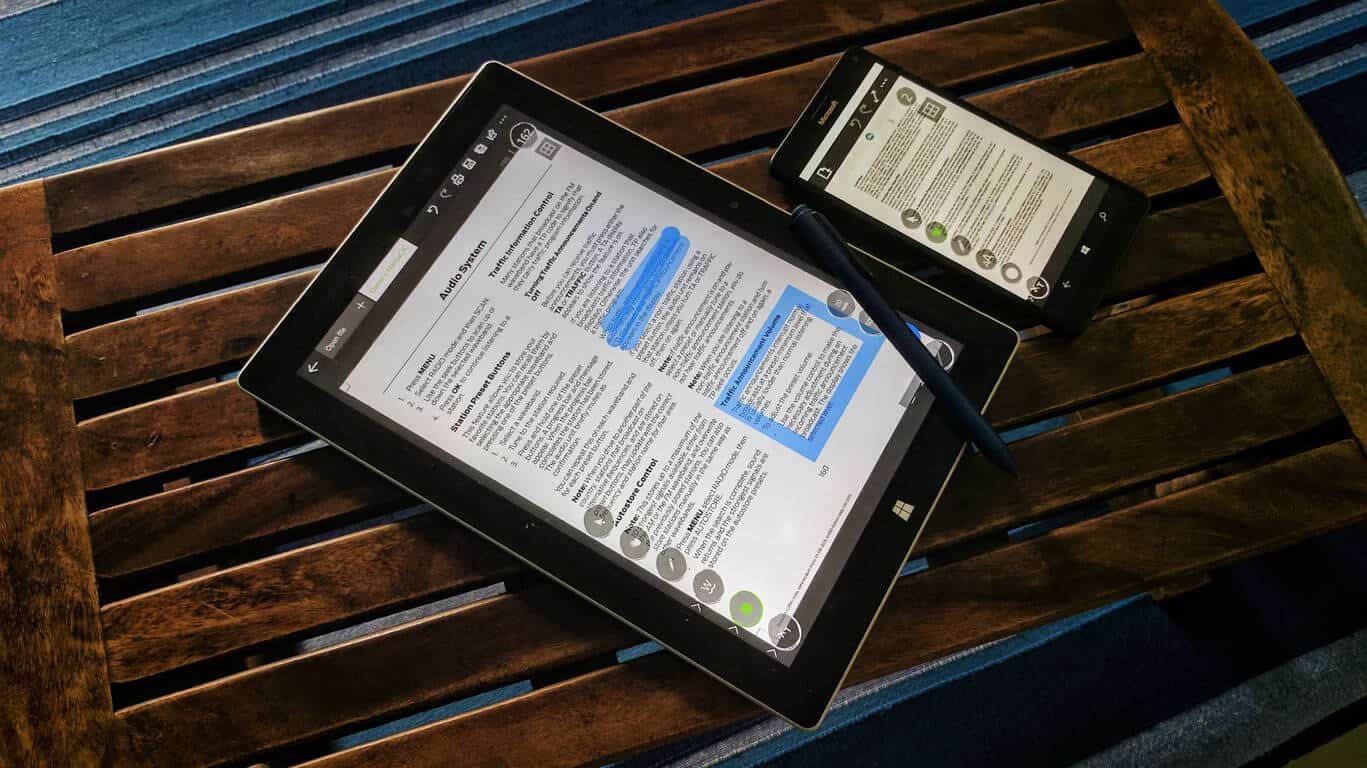
 While editing, you can highlight, underline, or strikethrough the text or add more text and change the color and transparency of the added text. The app allows you to draw on the document, which is even more useful if you have a stylus or a Surface Pen. You can change the transparency of the drawn elements, add figures, and change the color of contour and fill of added figures.