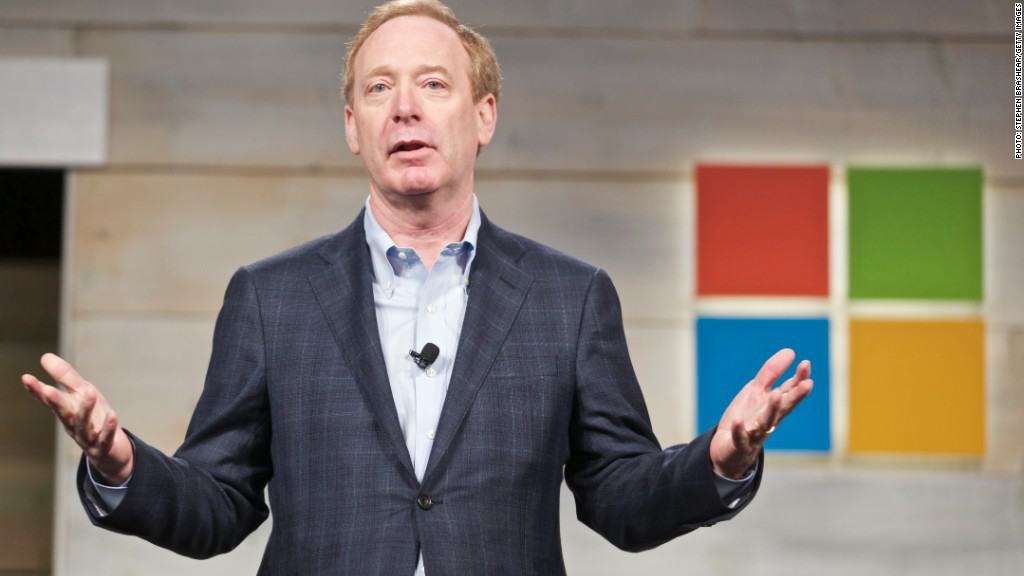
On ‘Safer Internet Day’, Microsoft challenges everyone to embrace “digital civility”

Today, on Safer Internet Day, Microsoft is challenging people around the world to embrace “digital civility” and to treat each other with respect and dignity online.

A Microsoft research shows people are concerned about the tone of online interactions and worry that risks will increase in the future. The research has prompted the company to create a Digital Civility Index – a new measure of people’s safety online and exposure to risks.

Safer Internet Day (SID) is organised by the joint Insafe-INHOPE network, with the support of the European Commission.

Digital Civility Index

The research is based on a study conducted in 14 countries, gauging the attitudes and perceptions of teens (ages 13-17) and adults (ages 18-74) about the state of digital civility today. It measured survey respondents’ lifetime exposure to several online risks across four categories: behavioral, reputational, sexual, and personal/intrusive.

The Digital Civility Index works like a golf score: the lower the value (on a scale from zero to 100), the lower the respondents’ risk exposure and the higher the perceived level of online civility among people in that country. The international Digital Civility Index score stands at 65.

Results show a person, on average, experienced 2.2 online safety risks out of the 17 included in the study. Countries that registered the lowest index readings (and thus the highest levels of perceived digital civility) were the UK (45) Australia (51), and the US (55) while the countries on the lower end were South Africa (78), Mexico (76), and Russia (74).

Digital Civility Challenge

Microsoft is introducing a Digital Civility Challenge that calls on people to commit daily to four ideals and to share their pledge on social media using the hashtags #Challenge4Civility and #Im4DigitalCivility.

Live the Golden Rule by acting with empathy, compassion and kindness in every interaction, and treating everyone they connect with online with dignity and respect.

Respect differences and honor diverse perspectives, and when disagreements surface to engage thoughtfully, and avoid name-calling and personal attacks.

Pause before replying to things people disagree with, and not posting or sending anything that could hurt someone else, damage reputations or threaten people’s safety.

Stand up for myself and others by supporting those who are targets of online abuse or cruelty, reporting activity that threatens anyone’s safety, and preserving evidence of inappropriate or unsafe behavior.

The company aims to start a conversation about how being civil online can benefit society with this new initiative thereby fostering vibrant, engaged communities.
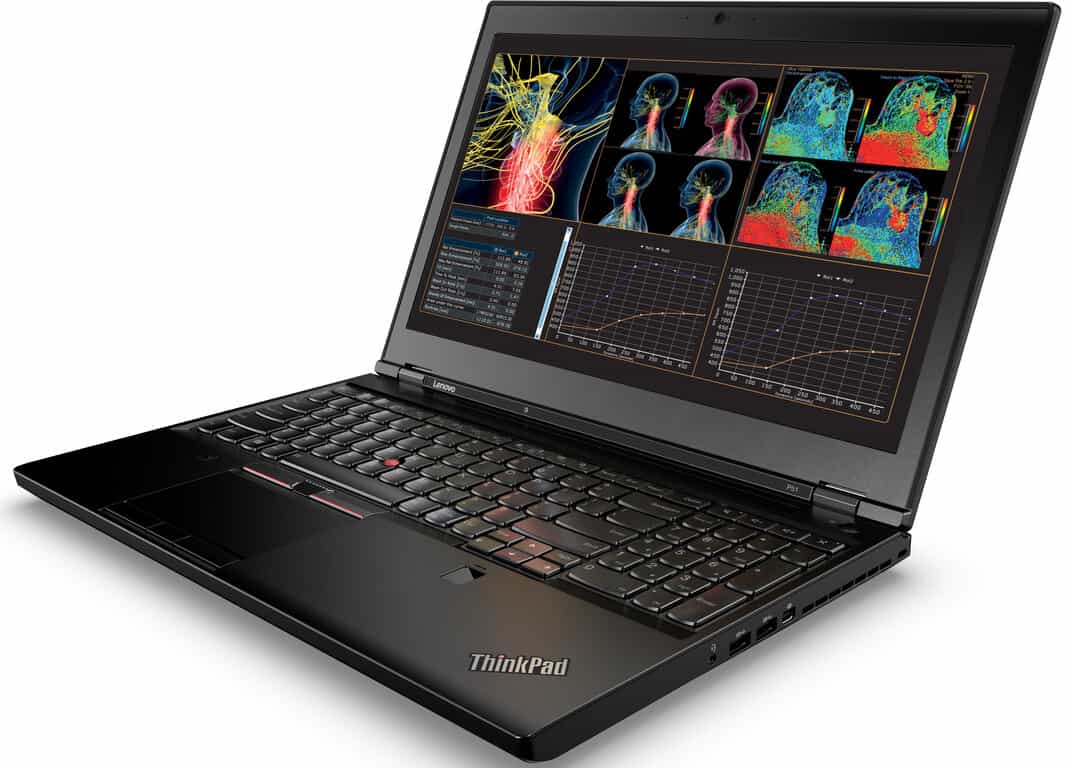
Lenovo unveils refreshed line of Windows 7 and Windows 10 powered ProThinkPad P-series laptops

The Solidworks World 2017 event hosted this week in Los Angeles, CA is home to quite a few announcements and technology previews. Today, Lenovo announced a refreshed line of Thinkpad P-series (via Neowin). These mobile workstations include the P51, P51s, and P71 laptops.

With a heavy focus on performance, all three of these devices are configured towards portable workloads starting at $1,049 for the Lenovo ThinkPad P51s. These will be released in March and boast the NVIDIA Quadro M520M GPU.

For $1,399 in April, you’ll also be able to get your hands on the ThinkPad P51. Unlike its lighter version, this beast comes with a Xeon E3-v6 processor and NVIDIA Quadro M2200M with up to 64GB DDR4 RAM. Uniquely, you can choose the Red Hat Enterprise Linux or Ubuntu Linus OS instead of the Windows 10 Home.

Following up the quick list of reveals, the P71 is the upgraded version with a large 17-inch display and NVIDIA Quadro P5000M GPU. It’s also worth noting that this Lenovo device is also VR ready, making it the king of the new reveals at a whopping $1,849 price tag. It will be available in April as well.

Perhaps more interesting for these devices is that you’ll be able to choose Windows 7 Professional as an optional OS.

Will you be chasing down one of these new Lenovo devices? Let us know which one you’re saving up for in the comments below!


Microsoft expands Surface Multi-National Purchasing Program to Europe

It’s been no secret that Microsoft has been focusing most of their efforts towards building up better businesses. Particularly with their marketing of various devices, software, and cloud computing strictly for enterprise opportunities. Today, they announced that they are extending their reach even further beyond the U.S. borders.

In response to the success of Microsoft’s Surface Enterprise Initiative in the United States, the company is expanding further to four European resellers.  The Surface Enterprise Initiative was started to expand the availability of Surface devices to organizations. These select partners made it possible for businesses and groups to get their hands on Surface from new hires to executives.

Previously, U.S. companies could access the initiative through CDW, Insight, SHI and Zones:

“Zones has been incredible to work with on getting us globally set up on the Microsoft Surface. The speed and efficiency in enabling us on our pricing globally has made it easy for us to standardize all of our new hires on the Surface Book and Pro 4. Zones makes it even better with being able to order it via their global portal so any of my employees can order the Surface no matter where they are in the world.”

Now EU businesses will be able to reach out through ATEA, Bechtle and Computacenter to equip their employees with all the Surface tech they could possibly need. Furthermore, Microsoft shared that they intend to bring the same program to Asia-Pacific (APAC) region ‘soon’.

Microsoft joins nearly 100 other tech companies with brief opposing US immigrant travel ban

Last friday, a Washington State judge issued a temporary restraining order on US President Donald Trump’s Executive Order banning travel to the US from 7 predominantly Muslim countries. Then, on Sunday night, the US Government appealed the ruling, sending the state and the Executive Office back into court.

In support of a decision to rescind the Executive Order, some 97 companies, mostly from Silicon Valley but including Microsoft, have filed a “friends of the court” brief, calling the order “illegal.” These companies have business dealings with the countries in question, and also have employees who are affected.

https://twitter.com/briangoldman/status/828521860836974592

In addition, a group of former national security officials have also filed an amicus brief, also opposing the Executive Order.

Now the new administration will have to fight for the order in court, which could have a bearing not only on this case, but on future actions regarding H1B visas, which could severely affect Microsoft and other tech players. We’ll keep you posted on the proceedings.

OneNote UWP app updated for Windows Insiders on the Fast ring

If you’re a Windows Insider on the Fast Ring, you might want to pause your Bug Bash quests, and also consider checking out the OneNote UWP app. According to reports, the folks over at Microsoft have delivered an update for the UWP version of the digital note taking app for Windows Insiders, and it’s packed full of new features.

As seen above, OneNote Central points out that Microsoft recently updated the OneNote UWP app for Windows Insiders in the Fast Ring to version 17.7830. Interestingly enough, the above Tweet also links to a OneNote Online notebook, which dives into all the details on what has changed and what is new. Please have a look at the changes below:

  • Section name > Context menu > Password Protection = Create password protected sections (+ change password, unlock etc)
  • Image > Context menu > Save as = Save any image from OneNote
  • Page tab > Context menu > New page = Insert new page below the current one
  • File attachment > Context menu > Save as = Save attached files from OneNote
  • Home > Bullet menu now offers Bullet gallery
  • Insert > Shapes gallery – Tip: pressing Shift creates perfect shape.  Still missing: Lock Drawing Mode and Snap to Grid
  • Diamond-shaped paragraph handles
  • Table tool menu, with almost all table features, except Hide Borders and Header Row.
  • Reorder notebooks in the notebook list – simply drag and drop.
  • Section group name > Context menu > Rename Section Group

What are your thoughts on these changes? Do you think they bring the UWP app close enough to the desktop version of OneNote? Let us know what you think by dropping us a comment below!

Final Fantasy XV director approves PC port, but there’s a catch

Final Fantasy XV is probably coming to Windows PC, according to director Hajime Tabata. However, while this is amazing for all PC gamers around the globe, there is no absence of fear: Many console-to-PC ports are underwhelming and badly optimized.

Hajime Tabata also stated that, if the decisive moves are made, the PC version should have various extra features. One that he specifically highlighted is mods support. Most of the developers are silently agreeing to in-game modding. Japanese directors are, on the contrary, insisting on them.

His idea is to let the community and players themselves improve on the gameplay by adding their own patches and mods. Large parts of the world are unused and this way, they can be reworked and upgraded. Additionally, he spoke about self-made quests that would vastly improve the story experience. The story that was, as many faithful players said, below their expectations.

“I want to show PC users Final Fantasy XV running on high-end machines, and we personally would like to see it, too. Also, I would like to try developing on PC to pursue a unique way of playing with PC-exclusive features like making your own quests and enjoying the world using things like mods.” said Tabata in an interview with Japanese gaming magazine Famitsu.

Moreover, Tabata said that there is a possibility of reworking unused parts of the map that were unreachable for the players. However, that could take a while, approximately a year or even more.

Square Enix director also spoke about some upcoming patches for FFXV. His primary objectives are related to fast travel loading time and upgrade to cars and their use.

We can certainly expect some innovations from Square Enix and Final Fantasy XV’s leading director. And no, Tabata haven’t mentioned any dates or deadlines, so we can only wait and hope for the best.

RELATED STORIES YOU NEED TO CHECK OUT:

BattlEye game anti-cheat service: What you need to know about it

Most players are against anti-hacking and anti-cheat game tools, such as Denuvo and BattlEye. They suggest that these services only limit the gaming experience, causing various issues. On the other hand, game developers rightfully try to block hackers from copying and illegally distributing their creations or using various cheats.

While the debate about Denuvo is unlikely to end anytime soon, chances are players may view BattlEye differently after reading this article:

I was going to get this game until I found out you chose Battleye as your anti cheat software. The worst choice possible. Theres no way im letting that process hungry, privacy invasive POS anywhere near my system

BattlEye game anti-cheat tool

BattlEye is an anti-cheat service whose role is to scan an OS for hacks. If it finds any, it immediately blocks or bans gamers altogether. You can always disable the BattlEye filter, but then you won’t be able to join servers where “BattlEye Required” is required.

If you permanently decline BattlEye installation by clicking “Do not ask me again”, when connecting to a BattlEye -enabled server, you’ll get kicked with a request to restart the game. To fix this, go to the BattlEye folder in your game directory and double-click the Install_BattlEye.bat file.

If you use common software programs while playing your favorite game, BattlEye won’t ban you. The tool fully supports non-cheat overlays and visual enhancement tools like SweetFX.

BattlEye installs only on Windows as a system service. The tool is active only when you are playing a BattlEye-protected game with BattlEye enabled. If you want to uninstall it, go to the BattlEye folder and locate the “Uninstall_BattlEye.bat” file. Then simply run it to completely uninstall BattlEye.

RELATED STORIES YOU NEED TO CHECK OUT:

Windows 10 news recap: the Windows 10 mirror, over 25% market share and more

Welcome back to our Windows 10 news recap. We are continuing the trend of our weekly “Windows 10 news recap” series where we go over the top stories of the past week in the world of Microsoft’s flagship operating system.

Hands-on: Windows 10 Creators Update build 15025 for PC

Microsoft pushed Windows 10 build 15025 to Windows 10 Insiders for PC this week. The update brought many changes, including allowing Night Time Mode to be set to an even lower temperature at 1200k, Mixed Reality settings screen, as well as Collections for Feedback Hub which aims to reduce duplicate feedback submissions. Take a look at the build in our hands-on video below:

Take a look into the Dirror, the Windows 10 powered digital mirror that you can buy today

Ever thought to yourself “I need a digital mirror”? Me neither. But one company has gone ahead and made a mirror that incorporates a computer running Windows 10. The mirror, known as Dirror, acts like a Windows 10 tablet. Here is a video:

Windows 10 market share inches upward, now over 25%, says NetMarketShare

Microsoft’s latest operating system, Windows 10, continues to gain market share, as it now edges past the 25% mark, according to the latest stats from NetMarketShare.

Netmarketshare Windows 10 January 2017

Microsoft to Windows 10 PC makers: here’s what we want you to make this holiday season

Microsoft wants Windows 10 PC makers to start delivering the “modern PC,” but what exactly does this entail? According to Microsoft, these new PCs should incorporate some of Windows 10’s key features, which include:

  • Cortana
  • Windows Hello
  • Pen support

That’s all the top Windows 10 news for the past week. We’ll be back next week with more.

Bing Wallpaper refreshes your desktop every day

If you’re the kind of person that enjoys seeing new wallpaper every day, you might’ve just stumbled over something made specifically for you. Bing Wallpaper is an application that works in sync with Bing’s image of the day feature and will give users the ability to set their desktop background image to change every day.

You will get high-resolution images that will contribute to the overall aesthetics of your setup. More often than not, we see people sporting low-resolution images as their desktop background that are unclear and don’t fit the whole screen.

It’s a shame to drag down the way your desktop looks by choosing an image that isn’t fit for the job. With Bing Wallpaper, you will get a variety of images by plugging your desktop directly to Bing’s image of the day, so you can expect to see images from all kinds of themes and categories pop up on your desktop. This means you won’t have the same boring theme for your desktop every time you go about changing the image.

You will have access to fun and interesting information about various topics without moving a muscle, as well. The application also comes with a feature that allows you to access a search result based on that image. If you get an image that features a type of plant, the features search result of the day will take you to more information and images about that plant species.

Bing Wallpaper is a great way to spice up your desktop’s appearance. The desktop background is one of the very first things we see when we turn on the computer, so having something refreshing each day can set the tone for the entire session. All you need to run this application is Windows 7 or above as your operating system.

RELATED STORIES TO CHECK OUT:

Latest SMITE patch marks the start of the title’s fourth season

Hi-Rez Studios, the developer behind one of the most popular MOBA games SMITE, has released a new patch that marks the beginning of a new season, on that will enjoy gameplay additions with a few valuable improvements and rebalancing changes.

This is a large patch that will massively impact the gameplay’s pace and visuals while improving battle at the same time. Additionally, the client received some of the statistical upgrades with a revamped T-Screen feature. Moreover, the awards for the last seasons will be granted to eligible players.

We bring to you the most distinctive changes and features below.

SMITE Season Four Patch 4.1

 Gods skins and voice packs

Many of the gods received different skins for the new season. There are changes for default, Recolor and Mastery skins. Additionally, with the new skins, the gods will also get the voice pack and cards updates:

  • Such Cold Skadi
  • Modern Mercenary Nemesis
  • Iron Tyrant Xing Tian
  • NRG AO Kuang
  • Nike Mastery Skins
  • ULLR Mastery Skins
  • Full Metal Vulcan
  • Encore Agni
  • Dragonsbane ULLR
  • Agony Bellona
  • Terror-Dactyl Camazotz
  • Idusa Elite Medusa
  • Vamana

New Avatars, Emotes, Loading frames, Recalls, Wards, and Achievements

To improve aesthetics and the overall experience, the team behind the game included various additions. (These changes won’t affect gameplay):

  • Avatar – Cutesy Doge
  • Emote – Vulcan Dance
  • Global Emotes – Diamond Adept, Diamond Mastery, Diamond God, Season Ticket 2017
  • Loading Frames – Diamond Conquest and Joust, Masters Conquest and Joust, Platinum Conquest and Joust, and Season Ticket Loading frame.
  • Recalls – Student, Master, and God FX Recalls.
  • Wards – eSports NRG Bundle Ward
  • Achievements – Morrigan gets Mirror Match and 3vs3 achievements.

Client improvements

The greatest client-related upgrade is the return of the T-Screen which will enable you to access various in-game statistics at any time. Additionally, new Mastery features have been added. With those, advanced players with multiple Diamond Gods can unlock impressive recalls as their Diamond count grows.

Ranked Awards for Season 3

Players with Gold 5 volume or higher will receive Tyrant Xing Tian. On the other hand, the ones with the Platinum 5 or higher will receive Loading frames according to their achievements. However, to be eligible for this awards, players had to reachtheir respective requirements by January, 31st.

Ranked Update

All MMR records have been restarted prior to the new season. Additionally, qualifiers and rankings are made to better suit players. Other interesting upgrades are:

  • Ranked Pause, a 1-minute pause per game
  • Leaderboards
  • Ranked Rewards
  • Better matchmaking for low-population regions.

Season Ticket 2017

Season tickets will have new premium awards and unlockables. Free Play awards and unlockables were also added.

Updated Clash and Conquest Maps

Two maps are getting updates with various changes that will improve gameplay. The developer’s focus is on game pace.

New Items: Consumables and Chalices

Besides the Elixirs and Potion of Might, the new patch also brings Consumables. They will be obtainable after level 10. You can use them once per purchase to receive a Relic or Ability-like boost.

On the other hand, the players with lower levels will get Chalices. Basically, they perform as a stack of potions with specified maximum charges.

Item Updates

New item updates are meant for providing a more potent impact while balancing classes. Some of the classes that are not playable will become more viable for selection.

We are sure you’ll enjoy the new season in SMITE. As you can see, this is a massive update with a lot of new game features and most of its players will certainly like it. You can check the official patch release notes for any additional info.

RELATED STORIES YOU NEED TO CHECK OUT:

Xbox news recap: Xbox One support after Project Scorpio, Beam streaming and more

Welcome to our weekly Xbox news recap series, where we go over the top stories of the past week in the world of Xbox. Let’s get started.

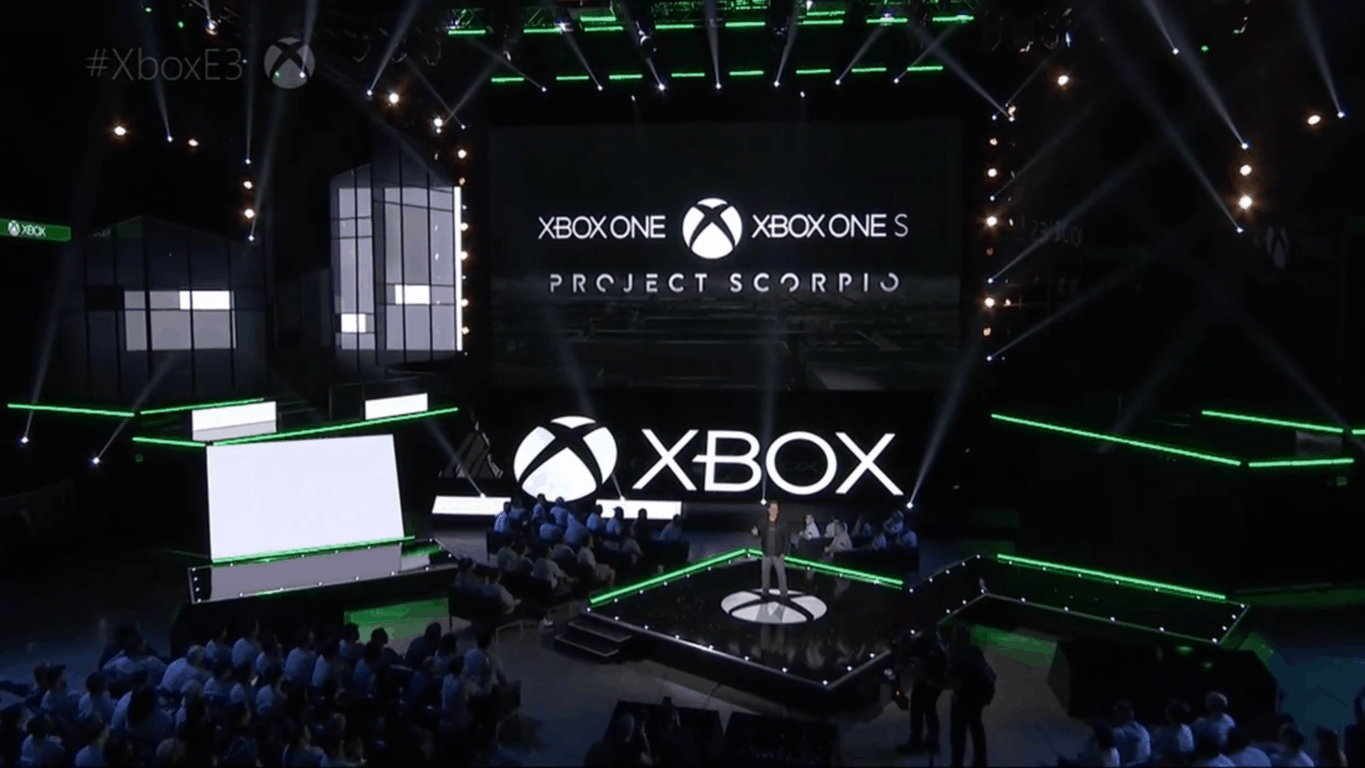
Xbox One to be supported after Project Scorpio

This shouldn’t come as a surprise to most people, but it’s still a relief to hear. According to a new tweet from Phil Spencer, the “Xbox One and S will be supported consoles for many years.” The tweet came in reply to a concerned Xbox gamer who asked if the Xbox One would become obsolete following the release of Project Scorpio. While many Xbox One gamers assumed that Xbox One would continue to be supported, it’s great to have this set out in the open.

Xbox One getting native streaming on Beam

Xbox’s Mike Ybarra tweeted recently that he would be doing a stream on Xbox One of the new Ghost Recon: Wildlands. A curious Twitter user called him out, reminding him that Beam streaming is currently not yet supported on Xbox One, but only on Windows 10. Ybarra’s response was quite cheeky – “I have builds you do not yet have.” This is a pretty strong hint towards the eventuality that Beam streaming is on its way to Xbox One. Get ready!

Fallout Shelter to become a Play Anywhere game next week

If you’re like most Fallout fans and have at least dipped your toes into the world of Fallout Shelter, you might be returning to the game soon. Bethesda’s Fallout spin-off came to Mobile devices back on the day of the announcement of Fallout 4, and it became quite a hit among gamers who were using it to bide their time until the game’s release. With the game having been out for a long time now, Bethesda decided that it’s time for a re-release. The game will be available on Xbox One and Windows 10 PC’s as a Play Anywhere title soon.

Fallout Shelter Windows 10 Xbox One

FFXV director wants a PC release and mod support

The director of Final Fantasy XV, Hajime Tabata, said in an interview this week that he would love to make a “technical attempt” to release the latest Final Fantasy game on PC at some point. On top of that, he also said that he wants to provide mod support for the game, so that gamers can create “their own adventures.” This doesn’t even come close to a confirmation of a PC version of FFXV, but the fact that the desire is there is a good first step.

Xbox Live getting more expensive for Canadians

If you live in Canada and like to spend your time on Xbox Live, you’re going to be paying a bit more. The existing yearly fee of $59.99 being increased by 10 dollars to $69.99, and the subscription options for 1, 3, and 6 month subscriptions are also getting a price increase to $11.99, $29.99, and $44.99 respectively. This is another hit to Canadian gamers among many, as the country already pays quite a bit more for games than their American neighbors.

Thanks for joining us. To keep up to date with all the latest Xbox news, keep a close eye on our Xbox One news hub.

Xbox Insiders in the Beta ring receive their first build

Microsoft is pushing the first Xbox Insider build to Insiders who are on the Beta ring. This update brings the console to build 1703.170128-2057.

With this build, several new features are being delivered that previously rolled out to the Alpha ring, which includes the improved Guide, system update process improvements, as well as more, as announced on the Xbox Wire.

In addition to new features, there are also some known issues:

Cortana
• Cortana may be too responsive to phrases which sound like “Hey Cortana”. The development team is continuing to tune and improve this.
• Cortana may take a long time to respond when activated while playing certain games.
• Scheduled Cortana reminders will not provide a notification if the user who created the reminder is signed in, but not the current active user.

Ubisoft Club
When launching the Ubisoft Club app, the screen automatically starts scrolling down, and prevents the user from scrolling back up.

Sign-in
With profile sign-in settings set to “Lock it down”, you may be unable to sign-in again after playing a game, then signing out.
Workaround: Hard reset the console (hold down the button on the front of the console for five seconds until it fully powers down, then power it back on).

EA Access
The EA Access app may indicate you are not an EA Access subscriber when you are. This does not affect your ability to download or play games from the Vault, or receive discounts on EA titles.

Guide
Microsoft Edge webpages which have been pinned on the Guide tab fail to launch the webpage.

Screen Dimming
The screen may dim after a short amount of time while viewing videos in certain apps (Hulu Plus).

Settings – Ease of Access
When enabling the Mono output setting in Ease of Access – Audio, Settings becomes unresponsive, crashes, and fails to launch on subsequent attempts.
Workaround: To launch Settings, perform a hard reset (hold down the button on the front of the console for five seconds until it fully powers down, then power it back on).

Settings – Display & sound
The Audio output page is under construction and some of the new settings are not yet functional. New support is planned for Dolby Atmos for home theater, Dolby Atmos for headphones, and more in upcoming builds. An announcement will be made when these new features are ready to try out; enabling these settings now will have no effect.

IGN
The IGN app launches and immediately crashes to Home.

Wireless Display
The Wireless Display app fails to launch and immediately crashes to Home.

This update should be available now and will prompt those on the Beta ring to update before using their console.

Microsoft expanding Xbox Insiders to new people, says Mike Ybarra

The Xbox Insider program is much more closed than its big brother, the Windows 10 Insider program, with participants having to be invited by people already in the program and there be a limited number of places, as decided by Microsoft.

In addition to this, being part of the program no longer means that you’ll necessarily receive builds, or as often – as the Xbox team added ‘rings’ to the program, which decides how many builds you’ll receive, this again however, is a selective process and you’d have to be active in the program to get up the rings.

Now, Mike Ybarra of the Xbox team at Microsoft, took to Twitter to announce that they’re adding more Xbox Insiders over the coming days:

So, keep an eye on your status for the Xbox Insider program and you may just be lucky enough to get in. It’s unknown how far the program will be expanded, in terms of how many new people will be added.

Gabe Aul pushes his own red button with the release of Git Virtual File System

The former Windows Insider program lead isn’t done pushing big red buttons just yet. Gabriel Aul, now the Vice President of the Windows and Devices Group (WDG) Engineering Systems, helped to announce some of the latest tech behind the scenes at Microsoft: the Git Virtual File System (GVFS).

Microsoft’s shift to becoming more open source has been a major play for its software and product development. But even their teams admit that the Git client wasn’t really able to meet their needs when it came to speed. According to the announcement post, the Windows codebase has over 3.5 mill files and runs up to 270GB. “This Git client was never designed to work with

“This Git client was never designed to work with repos with that many files or that much content,” the post explained. “You can see that in action when you run “git checkout” and it takes up to 3 hours, or even a simple “git status” takes almost 10 minutes to run.”

So instead of giving up and leaving Git altogether, Microsoft decided to build it up. The GVFS cuts down hours into minutes exponentially. This is because the files are only downloaded the first time they are opened instead of having to download everything that may be unnecessary.

Even GVFS is open source on GitHub, so if that’s something that interests you, go ahead and check it out.

First screenshots leak of Windows Cloud, Microsoft’s rumored lightweight new OS

News filtered out recently about a new, lightweight version of Windows, dubbed “Windows Cloud,” that’s rumored to be in the works and has been showing up in some registry notations in the latest Windows 10 Insiders builds.

Now, Windows Blog Italia has published (via Windows Phone Arena) what it purports to be the first screenshots of this new mysterious Chromebook-like operating system, that’s said to only run apps from the Windows Store (although if they’re in the store, it will supposedly run more than just UWP apps, unlike Microsoft’s previous attempt at this sort of thing, Windows RT):

Windows Cloud leaked imageAnother Windows Cloud leaked image

As you can see, not much looks different about the purported new OS, but according to the screenshots Windows Blog Italia has published, a look at the registry shows the OS’s EditionID as “Cloud”:

Windows Cloud registry

Unfortunately, without any information from Microsoft as to the intent of this new OS, which at first blush seems like another attempt at a Windows RT-like “Windows Lite,” we’re just left to speculate on what the true nature of this newly discovered variation on Windows is all about. That’s where you come in, of course, so speculate away in the comments!

Fallout Shelter coming to Xbox One and Windows 10 as Play Anywhere game next week

Fallout Shelter, the popular nuclear vault management simulator from Fallout 4 developer Bethesda, will be released on the Xbox One and Windows 10 as an Xbox Play Anywhere title on February 7. On Xbox Wire, the Xbox team explained that the game will be free to play, just like the pre-existing versions on iOS, Android and Windows PCs.

That’s right, the game was released on Windows PCs last year, a full year after the initial release on iOS and Android devices. Fallout Shelter was the first mobile game from Bethesda and it successfully introduced Fallout’s post-apocalyptic universe to a brand new audience: the game puts you in charge of an underground nuclear vault, and you’ll have to learn how to keep your dwellers happy and protect them from the dangers of the wasteland.

Like all Xbox Play Anywhere titles, gamers will be able to start playing the game on their Xbox One and then pick up where they left off on their Windows 10 PC, with shared progress and achievements. “The game has also been fully adapted to work with the Xbox One controller, so players can experience Vault life bigger and better, right from their TV,” explained the Xbox team. The free-to-play game is definitely a great addition to the Xbox Store and we can’t wait to try it next week.

Don’t forget the Windows 10 Insiders Bug Bash, starting today!

As Microsoft announced with the release of Windows 10 Insider build 15025, the latest Bug Bash, where Dona Sarkar and team set up a series of Quests for Insiders to test and provide feedback via the Feedback Hub. Sarkar and Bug Bash leader Anita George explain:

This latest installment of the Bug Bash is extended, running from today (February 3rd) until a week from Sunday, February 12th. Quests are being run a bit differently too: instead of daily quests that are only good for that day, once a quest is introduced you’ll be able to access it throughout the week of bashing.

The Insider team will also be running not one but two Bugbash Webcasts on Beam.pro, the first on Tuesday Feb 7 from 2-4pm (PST), and the second on Saturday February 11th from 7-9pm PST.

You can read more about the Bug Bash on the Windows Insider blog, or just head over to the Feedback Hub on your Windows 10 Insider PC to get to bashing!

Skype promotes updated apps, will retire older apps beginning March 1st

Last year, the Skype team explained that it was hard at work to complete a migration from a peer-to-peer infrastructure to an Azure-based one. This transition was necessary step to improve reliability and performance (especially on mobile devices), but it also allowed the team to introduce new features such as mobile group video calling, video message saving and more.

Unfortunately, this move also means that some old Skype apps will also stop working in the coming weeks. Today, the Skype team published a new blog post inviting all users to update to the latest Skype desktop apps before March 1:

Because we want to provide our users with the best possible Skype experience, necessary changes must be made along the way. So, beginning March 1, users running older versions of Skype for Windows desktop (7.16 and below) or Skype for Mac (7.0 to 7.18) will no longer be able to sign in.

It’s worth reminding that Skype for Windows desktop currently supports all Windows versions from Windows XP SP3 (32-bit and 64-bit versions) to Windows 10. If you have installed the Windows 10 Anniversary Update on your PC though, you may prefer to use the Skype Preview universal app which leverages more Windows 10 features such as the notification center. As for Mac users, you’ll need to run Mac OS X 10.10 or higher to use Skype for Mac starting March 1.

Although the Skype team didn’t mention it today, we also expect some Skype mobile apps to stop working in March. Last year, the team updated its support site to explain that the Skype clients on Windows RT, Windows Phone 8.1, Android 4.0.2 and iOS 7 would “continue to work (possibly with some limitations) until early 2017, when we finish moving Skype calling to the cloud”. The support site still has the same information today, so if you’re still using one of these platforms you may need to switch to other messaging apps in the coming weeks.

Microsoft kills Office 365 “Project Osaka,” a table sharing app still in private preview

Not every Microsoft preview is a success. Just three weeks after the revelation that Project Osaka was actually CollabDB, Microsoft is closing the shutters.

In case you’re confused, CollabDB is a collaboration tool that lets teams create and share tables in real-time. The premise was similar to that of Google Sheets where the group could import files from Excel.

Unfortunately, ZDNet reports that the preview is shutting down. The select Office 365 previewers recently noticed a big red banner at the top of the tool announcing that Project Osaka would no longer be available after March 31, 2017.

“Beginning today, we’re winding down Project Osaka and it will be fully retired on March 31st, 2017. We understand that this transition won’t be an easy one and we’re working hard to make this process as easy as possible. Please see the instructions for migrating your data. We’ve enjoyed working with each of you and we have deep admiration for the things you’ve built. Thank you for using Project Osaka.” Image Credit: ZDNet

CollabDB has been in private testing for two years now so it has made a pretty good run. Perhaps Microsoft is turning their focus onto more pressing collaborative tools. The only official statement about it, however, is the small dismissive banner. Who knows, maybe we’ll see Project Osaka/CollabDB from Microsoft again someday.

Microsoft makes move from suburbs to downtown Detroit official

Last month, we learned that Microsoft was reportedly ready to move its Southfield, Michigan staff in downtown Detroit. The official announcement was made today by Bedrock Real Estate Services CEO Jim Ketai at One Campus Martius, a building owned in part by founding partner Dan Gilbert (via Fox 2). Microsoft will move its 50,000 square foot offices to the building, displacing a part of the Quicken Loans team from its headquarters along the way, explained Gilbert.

The news is a pretty big deal for the Motor City, which saw many business moving out due to the economic recession over the past few years. A previous report from Detroit Free press explained that Microsoft may be wanting to move to the heart of Detroit to pursue development on its connected car platform, which was demonstrated back at CES 2017.

During the news conference this morning, business magnate Dan Gilbert shared his enthusiasm for Detroit becoming one of the biggest worldwide tech hubs in the next 15 years. According to Fox 2, the Microsoft Technology Center in Southfield will also follow Microsoft’s staff downtown.

Is Messaging Everywhere back in Windows 10 Insider build 15025? (update, it’s sync notifications)

(Update: a “nevermind” is in order, and yes I did miss something. This is the return of Sync Notifications, not Messaging Anywhere. I apologize for the confusion, but yes I was confused. Thanks for the clarifications in the comments. Still, Sync notifications is back for my Windows phone, which has not worked for some time (or maybe it just got turned on), so there’s that).

Microsoft released Windows 10 Insider build 15025 for PC yesterday, and the same build number for Windows 10 Mobile this morning, but it wasn’t until I got home tonight and needed to log in to Gmail using 2 factor authentication that I realized an old friend looks like it’s made a reappearance: Messaging Everywhere.

Just as a refresher, we (meaning WinBeta at the time) first introduced you to Messaging Everywhere, the feature that brought SMS messaging from your phone to your desktop and back again, back in June last year. The feature seemed popular, but then in a note in the 14376 build announcement, Microsoft pulled the plug on Messaging Everywhere as a standalone service:

We have been testing with Windows Insiders a preview of the “Messaging everywhere” feature that allows you to receive and send text messages from your Windows 10 phone directly to and from your Windows 10 PC. The experience was well-received by Insiders however we believe we can deliver an even better experience through the Skype app. Because of this, we decided not to release this feature as part of the Windows 10 Anniversary Update this summer. Starting with Build 14376 and going forward, Insiders will no longer have the ability to reply to text messages from their phone via the Messaging app on their PCs. The ability to reply to text messages on your PC using Cortana is unaffected. Going forward, we will be working with the Skype Team on delivering a great “messaging everywhere” experience on your Windows 10 devices through the Skype app. We will share more details about this experience in the months ahead.

Users weren’t all that happy about the development, with many preferring to have the service work independently of Skype, but there you go. SMS messaging for Skype Preview was introduced with build 14926, and Skype Preview build 11.8.180, at least for some users.

Fast forward to tonight, though, and when requesting the 2 factor auth code for Gmail, a message popped up on my Windows 10 build 15025 machine:

Messaging Everywhere 2FA build 15025Hmm, that was surprising. I then checked through the release notes for build 15025 and didn’t find anything, or find any mention on the web. I then tried sending a text from a spare Lumia 635 I have laying around to my Lumia 950 XL, running 15025, and sure enough, a message popped up on my PC:

Messaging Everywhere testing build 15025From there, I typed in a return message, to see if I could send from the PC back to the phones. Sure enough, the message went through:

Messaging Everywhere on phones, build 15025

Just a note, the Lumia 950 XL (the scratched up one on the left) is running 15025, and the Lumia 635 is running the latest Anniversary Update build, 14393.693. I did check, and SMS Sync is enabled in Skype Preview, but there’s “no phone connected,” and I haven’t had any messages pop up since 14376. I also just checked on my Surface Pro 3, also running 15025, and it did not receive any SMS messages.

After a bit of further checking, opening the messaging app on the SP3 shows the usual boilerplate message about what the app can do:

messaging message 15025…but on the PC, trying to open the same app (on the same build, 15025) results in just a transparent box:

Hmmm. Hmmmm. Hmmm.

So, to conclude, it sure looks like Messaging Everywhere is back, in some form, at least some machines. For how long, or why, or if it’s coming back for everyone, who knows?

Are you seeing Messaging Everywhere? Is it just me? Did I miss something? Let us know in the comments below.

Windows 10 build 15025 issues: installation fails, Settings app crashes, and more

Microsoft has just released the new build 15025 for Windows 10 Preview. The core purpose of the new build is to serve as a premier build for this week’s Bug Bash, that Microsoft announced a few days ago.

However, besides a lot of bug fixes, and a couple of new features, build 15025 also caused some issues to Insiders who installed it. We’ve wandered Microsoft’s forums today, in order to find a problem reports that Microsoft didn’t originally include in its “Known issues” list.

So, if you yet have to install this build, read through this article, to see what you can expect from the latest Windows 10 Preview release.

Windows 10 Preview build 15025 issues

Unable to download the new build

As usual, we start off our report with the reported installation issues. Why? Well, because that the problem basically every new Windows 10 Preview build brings. Build 15025 is not an exception, as a few users reported they’re unable to acquire the new build through Windows Update:

  • “I am running Build 15019. Updates are available and says downloading updates at 0% I am trying to get 15025 build.”
  • “I am getting an error code  0x800700b7 when attempting to install build 15025 on a 64 bit computer.”

Unfortunately, we don’t have a confirmed solution for this issue. However, if you’ve experienced any installation problems, you can try with some of the usual solutions, like resetting Windows Update, running the WUReset script, or disabling your antivirus program.

Settings app crashes

Although not directly related to downloading the new update, there are some additional issues that may prevent you from normally installing it. For example, one user has reported on the forums that as soon as he opens the Update & security section of the Settings app, the whole app crashes:

“After updating to build 15025 when I go to “Update & security” the whole Settings app crashes. I can use other settings like System or Devices.”

Edge favorites missing

The new build didn’t bring any new features or improvements for Windows 10’s default browser, Microsoft Edge, but it did cause a few problems to some users. For example, one user complained that his favorites are missing from Microsoft Edge:

“In build 15014, my favorites were duplicating, now they are missing entirely in this build. Attempted to restore them by re-importing using the Chrome and Firefox options, yet was unsuccessful. Please provide a resolution soon.”

That’s about it for the most common problems in Windows 10 Preview build 15025. As you can see, the new build isn’t as troublesome as some previously-released builds, which is definitely a positive thing.

In case you’ve encountered some problems we didn’t list in the article, don’t hesitate to let us know in the comments below.

RELATED STORIES YOU NEED TO CHECK OUT:

Windows 10 Creators Update moves Troubleshooters to the Settings page

Microsoft continues to improve Windows 10 prior to the Creators Update rollout this fall, this time by moving the Troubleshooters section from Control Panel to the Settings app as part of the Windows 10 build 15019 now available on the Fast Ring.

The migration of Troubleshooters to the Settings app aims to improve the accessibility of troubleshooting options in Windows 10. The move is also in line with Redmond’s effort to get rid of the traditional Control Panel, with Microsoft gradually transitioning everything to the new menu.

Dona Sarkar, software Engineer for Windows and Devices Group at Microsoft, said in a note announcing the preview build 15019:

Troubleshooters can find and fix many common problems for you. With Build 15019, we bring the latest piece of our ongoing effort to converge Control Panel into Settings and are happy to let you know that the Troubleshooters section of Control Panel has been migrated into Settings. We also flattened the hierarchy to make them easier to find, and added more solutions, too!  Head to Settings > Update & security > Troubleshoot to see the complete list.

The new section in the Settings app, now called Troubleshoot, categorizes the many troubleshooting options available for your operating system. Supporters of the Control Panel continue to make the case that the option should stay with Windows 10, though Microsoft is now showing its resolve to remove it in the future.

Nevertheless, it is likely that the Control Panel will still be available when the Creators Update rolls out, but not for long. The Control Panel is expected to depart by the time the Redstone 3 update arrives in the fall.

RELATED STORIES YOU NEED TO CHECK OUT:

Microsoft fixes a known mouse and keyboard issue in Windows 10

Microsoft released the new Windows 10 build 15019 last week. The new build brings a lot of new features, mostly gaming-related, but also fixes some of the known bugs in the system.

One of the bugs Microsoft addressed in build 15019 is a long-standing issue with mouse and keyboard. Reportedly, some users have reported in the past that their mouse and keyboard tend to go unresponsive, without any particular reason, so Microsoft finally provided a viable solution.

We fixed an issue some insiders may have experienced recently with the mouse and keyboard sometimes going unresponsive for a few seconds at a time.

However, we’re still not sure what was the cause of this problem, neither what was done to address it. So, the only thing you need to do, if you’ve encountered this issues in the previous builds is to install the current one.

To install the latest Windows 10 build, first and foremost, you need to be on the Fast ring of Windows 10 Preview, because the build still isn’t available for other versions of the system. To acquire the new build, go to Settings > Updates & security, and check for updates.

In case you notice the issue still persists, you can check out our article about mouse and keyboard problems in Windows 10. We hope you’ll find a proper solution there.

You can tell us about whether the new build indeed fixed the mouse and keyboard issue in the comments, in case you’ve already checked.

RELATED STORIES YOU NEED TO CHECK OUT:

Eador. Imperium issues: Missing items, resolution problems, and more

Eador. Imperium is not your average fantasy game. This turn-based strategy and role-playing hybrid certainly drew attention from fans of both genres but when the game was released, players weren’t as cheerful as expected.

The game received mixed reviews on Steam, which means not everyone is satisfied with it. Those reviews were mainly provoked by Eador’s gameplay. Still, that’s not the only thing players find unsatisfying about the game.

We’ve wandered around Steam forum and found a few problems early adopters face.

Eador. Imperium issues


Missing in-game items

Items and equipment are very important for every strategy or RPG game, but it appears that Imperium players have problems acquiring the needed items as they simply don’t show up in the game.

Ok I’m confused. I had an encounter with a injured pheonix, I selected to create clothes from it. I paid a foreign craftsman 500 gold to create a cloak and supposedly got a pheonix cloak. But its not on character, nor in his inventory, or in treasury storage. where has it gone? I have noticed this at other times with different items but didn’t make any mention of it but it seems to be an ongoing thing.


Can’t change game resolution

There are some problems with video settings, as well. Namely, a few players reported they’re unable to change the in-game resolution.

Can’t change screen rez, cant play game!!! Cmon fix it alreadys plz!


Miscellaneous bugs

There’s a special thread on Steam where players report their issues with Eador. Imperium. So, if you have a problem, you can look for the solution there. Here are some of the most common issues we’ve found in this thread:

  1.  “Known idle hero bug (you want to get a message if you end your turn and one of your heroes does nothing) was not fixed – message for idle heroes is still not working”
  2. “I don’t understand that my flying units can fly on inaccessible points but cannot be deployed on such points at the start of the fight; the first campaign map with Ernizar where you have to win within 90 days ends in my game after day 73 automatically.”
  3. “When finishing a campaign map I don’t get a screen with the statistics (end at turn xy, finished at difficulty level y, fulfilled quests, killed dragons and so on)”
  4. “At the 2nd map of the campaign my 2nd hero is attacked – he is standing in a corner and an enemy is standing nearby but the hero cannot attack (he has stamina and can cast spells); maybe a result of the bug that units that cannot move (e.g. because of the terrain) cannot attack?”
  5. “I don’t know wheather that is intended: at the campaign all of the save games are combined with the name of the capitel – that means that now I have instead of 5 auto saves lots of useless further autosaves of maps that I already finished. Edit: meanwhile there are 15 autosaves spammed at the top of the list of saves.”

If you’ve encountered some problem that we didn’t list in this article, feel free to share it with us in the comments or submit your report on the above-mentioned Steam page.

RELATED STORIES YOU NEED TO CHECK OUT:

Check out these NFL and Xbox Super Bowl Experiences

The Super Bowl is just three days away here in the United States, and Microsoft wants you to know that they have come together with the NFL this year to bring the best experiences to Football and Microsoft fans ahead of the biggest game of the year. Experiences included Madden NFL 17 tournaments, special appearances by NFL football legends at local Microsoft Stores, and exclusive hands-on activations at the NFL Experience in Houston.

Leading off the experiences is the Madden Bowl Finals. With this, you can watch the final competitors play for $250,000 at the Madden Bowl Live Finals, the 2nd event in the Madden Championship Series. The event is down to 4 competitors, and culminates this Friday, February 3 in Houston, Texas during Super Bowl week. A live stream is available on Twitch starting Friday, February 3 with the semi-finals starting at 4 p.m. CT and the finals starting at 8:30 p.m. CT.

Next up on the list of activities is the Fan Tournament Championship Event at Microsoft Store. With this event, four dedicated gamers from across the country will travel to Houston to go head-to-head on the digital field of Madden NFL 17 for a chance to win tickets to Super Bowl LI. Those who are in the Houston area can even come cheer them on and meet Hall of Fame Quarterback Warren Moon who will emcee the event and kick off the Super Bowl weekend at the Microsoft Store.

For some even more fun, Microsoft Stores in Atlanta, Boston and Houston will have special appearances by NFL players. The first 100 who enter each store will get to meet and receive an autographed photo from former Atlanta Falcon and New England Patriot players.  Players include the following:

  • Roddy White at the Microsoft Store at Lenox Square (Atlanta) on Thursday, February 2 (6-8 p.m. local time)
  • Lawyer Milloy at the Microsoft Store at Prudential Center (Boston) on Friday, February 3 (6-8 p.m. local time)
  • Matt Light at the Microsoft Store at Baybrook Mall (Houston) on Friday, February 3 (6-8 p.m. local time)
  • Tony Gonzalez at the Microsoft Store at The Woodlands Mall (Houston) on Saturday, February 4 (11:30 a.m. – 1:30 p.m. local time)


Creating Cleat design on Surface

Last, but not least, you can check out Microsoft Creator’s Lab at NFLX. The product showcase features Microsoft Surface Products, and fans who are attending can their creativity to design their own custom football art, 3D objects, and more on Paint 3D and Sketchable and watch them come to life in an immersive projection dome.

As we previously reported, NFL Super Bowl fans can even use Microsoft’s Surface Studio to create cleat designs using Sketchable. How are you celebrating the Super Bowl? Let us know what you think by dropping us a comment below!

Microsoft asks US Government for exception to Trump’s US entry ban order

Brad Smith, President and Chief Legal Officer for Microsoft, has been hard at work since this last weekend. In light of President Trump’s executive order last Friday to restrict travel, the tech giant has decided to propose a request for exceptions (via Seattle Times.)

This isn’t too far beyond the pale. After all, the executive order gives the right to Secretaries of State and Homeland Security to grant exceptions.

As of today, Microsoft has filed a formal request to allow “Responsible Known Travellers with Pressing Needs” entrance into the country. These individuals are defined by a list of criteria to travel if:

  • The applicant initially must fall into one of three categories: (a) an individual who already holds a valid nonimmigrant work visa sponsored by a U.S. employer enrolled in the E-Verify program, which helps ensure responsible visa use; (b) an individual who already holds an F-1 student visa to pursue a degree at an accredited U.S. university and can provide documentation from the university showing that he or she is currently enrolled and in good standing; or (c) be an immediate family member of one of these individuals and hold a derivative nonimmigrant visa;
  • The individual must have committed no crime in the United States;
  • If applying to depart from the U.S. and subsequently re-enter, the purpose of the travel must be for an exigent family-related emergency or for the business need of an employer. The travel abroad would be for a duration of no longer than two weeks; and
  • Business travel abroad would not include passage through the countries covered by the executive order. Personal travel abroad for exigent family-related emergencies may allow for travel to any country on a case-by-case basis.

It is obvious that Microsoft feels strongly about the global reach of knowledge and technology, particularly when it comes to their own. The company, as we know, has many branches across the globe and air travel is simply part of the routine. But since the executive order, almost 76 employees were affected.

In the proposal, Smith even explained that for many of these individuals have already vetted by the U.S. government to apply for the nonimmigrant visas in the first place. Much of the evaluation process includes a background check by the Interagency Border Inspection System (IBIS) and any unresolved anomalies result in an application decline.

The Microsoft statement did clearly express that national security is important, as is the need of allowing these individuals that fill ‘critical roles in the organizations that employ them’. They also make an argument that foreign students pursuing an education in the United States should be in consideration.

The full formal request can be read online.

Built-in game streaming to Beam coming soon to Xbox One, reveals Xbox exec

This weekend, Xbox and Windows gaming executive Mike Ybarra will be streaming the beta of Tom Clancy’s Ghost Recon Wildlands straight from his Xbox One. But how, you may wonder, will he be doing that if Beam streaming isn’t even available yet for Xbox Insiders.

His answer: I have builds you do not yet have.

That’s right, Ybarra quite clearly flexed his executive muscles at Xbox and Windows gaming fans. Not only is the beta stream exclusive to the mini-event, but the addition of the Beam support to Xbox One is a highly anticipated feature.

Currently, only Windows 10 Insiders have the feature available for the Game bar. In fact, it was one on a list of exciting new game features released in preview build 15019 last week.

Ybarra was clever enough not to mention when gamers might be expecting the next update for Microsoft console. All we know is that the corresponding build with Beam integration into Xbox One is expected ‘soon’ according to Xbox Wire.

Microsoft launches East Africa Fellowship as part of #Insiders4Good

Over the past couple of months, the Windows Insider program has evolved into something much bigger than a beta testing program for Windows enthusiasts. Under the leadership of Dona Sarkar, the Windows Insider team launched the #Insiders4Good initiative, aiming to bring together Windows Insiders wanting to solve problems creatively through the use of Microsoft products.

Last September, the Windows Insider team traveled to Lagos, Nigeria to create the fist #Insiders4Good Fellowship, selecting local 25 entrepreneurs with inspiring ideas to do some good in the area. “We’re not done learning yet. Not even close. In fact, we’re doubling down,” explained yesterday Dona Sarkar in the blog post announcing the Windows 10 preview build 15025.

Indeed, the Windows Insider team announced yesterday the creation of an #Insiders4Good East Africa Fellowship at the NexTech Africa Conference in Nairobi, Kenya: once again, the team is looking for 25 entrepreneurs from from Kenya, Rwanda, Tanzania, and Uganda that will be offered a suite of Microsoft hardware and software plus a 6-month mentorship program:

We are calling all East African entrepreneurs with projects in the early stage to apply to become part of our second cohort of #Insiders4Good Fellows. Twenty-five entrepreneurs will be selected and will receive a premier suite of Windows hardware and software, and a 6-month mentorship program will be kicked off by a special one-week learning event for Fellows and mentors. The 6-month mentorship will include tailored technical and strategic mentorship from local and international leaders to help bring your unique idea to the next level.

Windows Insiders that have an idea for a product or service that will improve the lives of East African people can apply until March 31, 2017 on the dedicated website. “We look forward to deepening our relationships with these exceptional entrepreneurs across East Africa and to supporting their goals with this Fellowship,” added Sarkar.

Microsoft Schools Program aims to transform classrooms and empower students

Microsoft yesterday took to their education blog to invite schools to join the Microsoft Schools program. The program aims to help transform classrooms, empower students, and help educators expand their passion for teaching by using technology.

Registration for the program is open to educators at anytime and will bring many other benefits to the classroom. As per the blog post, this program is focused on leading and learning, and for those who just are starting to explore (or expressed interest in) Microsoft solutions, programs, or devices. Benefits of the program include:

  • Access for school leaders to enroll via our social channel, Yammer, into a global community of practice and reach over 1,000 other school leaders
  • Quick start guide filled with assets and resources to support school leaders
  • Monthly e-newsletter with the best of Microsoft Teaching and Leading resources
  • Early updates (via newsletter and social communities) on new products, offers and opportunities
  • Curated resources for leaders and leading educators available from the Microsoft Educator Community
  • Global recognition by being placed on our Microsoft And Showcase School list (updated monthly)
  • Opportunity to participate in our quarterly global connect calls

Microsoft has been heavily involved in supporting innovative schools worldwide, and also has the Microsoft Showcase Schools program. Schools in this program are elite and have thoughtfully considered the role of technology as they explore new ways to redesign learning spaces, restructure curriculum, reinvent pedagogy, and reimagine what 21st century leading and learning looks like across diverse contexts.

You can head to this website to register and learn more about the programs. Once you’ve checked it out, let us know what you think by dropping us a comment below!

Windows 10 builds finally fix Settings app crashes

Various issues in Windows 10 builds are a common sight. That’s just how the system works, though: An issue occurs, users report it, and Microsoft fixes the problem in one of the next builds.

Recently, Microsoft addressed one of the annoying problems that have been bothering Windows Insiders for quite some time: Windows 10 build 15019 finally fixed the problem which caused the Settings app to crash each time users set up an option to look for an app in the Store under “Choose default app“.

We fixed an issue where Default apps Settings would crash of you clicked an app under “Choose default app” and selected the option to look for an app in the Store.

Microsoft let us know about this fix in the Windows 10 build 15019 announcement post. However, the company didn’t precise what exactly was done. So, if you’re asking what caused this problem and how Microsoft managed to resolve it, we couldn’t tell you. However, the important thing is that the issue doesn’t occur anymore.

All you need to do to fix this problem is install the latest Windows 10 build by going to Settings > Updates & security, and checking for updates. Remember, you need to be on the Fast Ring of the Windows Insider program.

On the other hand, if the build didn’t solve the problem and the crash still occurs when you try to change a default app for a certain operation, please let us know about it in the comments below.

RELATED STORIES YOU NEED TO CHECK OUT:

Cortana causes high CPU usage: Latest Wind10 build fixes the issue

Windows 10 build 15014 brought a few improvements for Microsoft’s virtual assistant, Cortana. At the same time, the build also caused some issues that were quite annoying for Insiders who installed it.

One of the known issues in that build is the problem where Cortana caused high CPU usage. This was a major problem since it made it impossible for some users to normally use their computers. Luckily, with the latest Windows 10 build, the problem was resolved by Microsoft.

We fixed an issue from Build 15014 where using Hey Cortana might result in SpeechRuntime.exe using an unexpected amount of CPU.

So, if you’ve experienced high CPU usage because of Cortana‘s SpeechRuntime.exe process, installing the new build should fix everything.

The build, however, is only available to Windows Insiders on the Fast Ring. To obtain it, go to Settings > Updates & security, and check for updates.

Apparently, build 15019 for Windows 10 Preview fixes many issues caused by previous builds, including apps crashes, mouse and keyboard problems, and more. However, the new build also causes some issues of its own, but that’s just how Windows 10 builds work, so we shouldn’t worry much about it.

We sincerely hope the new build indeed fixes the issue for you. If not, you’ll probably want to check out our articles about Cortana issues and high CPU usage in Windows 10, for some additional solutions.

Once you’ve tried our solutions or installed the build, let us know if the issue still persists in the comments.

RELATED STORIES YOU NEED TO CHECK OUT:

Rumor: Could Xbox/Windows exclusive games be coming to Steam on PC?

The gaming community has been buzzing this afternoon due to the recent update to Steam’s beta client. Not because of any new cool features, though. Instead, because reputable Steam community site SteamDB tweeted this image that they extracted from the beta client’s files.

At first glance, the “SteamU” looks like an update to the UI. However, looking closer you might see some unique titles.

Image Credit: Going4Quests

That’s right, the file titled as “ClientExtracted/clientui/resource/images/Placement_Guide.png” lists a couple of your favorite Xbox/Windows exclusive titles like Halo 5 Guardians and Forza Motorsport 5.

Of course, the PC gaming community have already began their debates over the potential of these games coming to PC through Steam. Many agree that the concept art is only intended by the UI designers to give a general idea of game placements. One telltale is that the list of games repeats itself twice. However, some gamers are still holding onto hope. After all, why would a Steam UI designer use titles that they do not have on their market in a placeholder?

On another interesting note, the Lethal Foot account shown on the image has quite an interesting steam id in its url: “Steam Universal”. Further in the files, more images cropped up with this “Steam U” in the image names. As one Reddit user pointed out, this UI has been seen before in leaked images from Steam developers.

Steam may be getting the major UI tweak in the future, but they don’t seem ready to share. Promptly after the discovery, the Lethal Foot account went private and Valve released an updated beta client excluding the controversial files. There hasn’t been an official statement yet.

What do you think about Steam’s slip up? Are the games listed in the image related to an announcement for Xbox/Windows exclusive games in the future? Or do you think they were simply placeholders used by a fan? Let us know what you think in the comments below or tweet us @OnMSFT

Thank you for the tip, Going4Quests!

GTA Online character transfers from Xbox 360 to Xbox One end in March

Grand Theft Auto V came out years ago, and it’s still widely enjoyed and regarded by many as the best open world game to have come out in quite a while. One of the things that attributes to the GTAV dominance is the Grand Theft Auto Online mode, which lets players come together and enjoy the urban playground of Los Santos with several friends and foes.

For players who haven’t yet transferred their GTAO characters from the last gen consoles, time is running out. According to a blog post from Rockstar announcing the latest update to the game, the character transfer service will be gone after March 6th.

While most people who are interested in getting a next generation console most likely have done so already, there’s still a little bit of time left for those holdouts to join the current generation and switch their character over to an Xbox One or PS4. If you wait until after March 6th, you’ll have to start a whole new character in GTAO – there’s no claiming your old one after the cutoff date.

Microsoft Visual Studio 2017 gets new update

If you’re following Microsoft’s projects, you might know that the company has been developing an IDE (Integrated Development Environment) under the name Visual Studio 15. Fully named Microsoft Visual Studio 2017, the service was the focus of multiple iterations as Microsoft tested it over the recent months

New build available

A new update for the IDE has been now released, including multiple noteworthy improvements and modifications. There is a highly noticeable gap between the first iteration and the most recent update. One of the areas of focus for this update was how the IDE handles development that takes place across multiple platforms, specifically in the mobile spectrum.

Those that have kept up with the service’s progress might notice that certain elements are no longer present. Microsoft explains that elements that don’t cut it for the final release build will ultimately get cut off the feature list. Such is the case for Python Development and Data Science. Users will not be seeing these features if Microsoft is to keep removed files removed.

Another interesting change pertaining to this category is the removal of foreign language translations. These can be acquired separately as an additional download but won’t be included in the base package.

More changes underway

Although it is still a work in progress, users that check out the current build of Visual Studio 2017 are encouraged to voice their opinions and provide feedback. This will help the company better optimize the final product and mold into so that it may reflect the needs of its user base.

Microsoft also posted a change log for the important modifications made to the current build, and it seems that they have touched on aspects such as Team Explorer experience improvement, addressing issues that occur during installation or touching on the .NET Core and ASP.NET Core workloads.

RELATED STORIES TO CHECK OUT: