Microsoft news recap: OneDrive storage limits slashed, Skype WiFi coming to an end and more

Microsoft (MSFT) news recap is a weekly feature highlighting the top Microsoft news stories of the past week. Sit back, grab some coffee, and enjoy the read!

Time has run out, Microsoft is cutting OneDrive storage limits starting today

If you’ve been enjoying unlimited OneDrive storage as part of an Office 365 subscription, you’ll be saddened to know that the unlimited storage has come to an end and will now be limited to 1TB, after Microsoft slashed storage limits on its cloud storage service.

Microsoft releases Skype for Linux Beta version 5.0

Following Microsoft’s commitment to open source and Linux, the company has been focused on bringing an improved Skype to the Linux platform. Microsoft has now released Skype for Linux Beta version 5, which brings performance improvements and bug fixes.

Microsoft loves Linux

Microsoft kills its Skype WiFi service

One of Skype’s lesser-known features was its WiFi service, allowing users to connect to partner WiFi hotspots by paying for access via their Skype credit. Microsoft has announced that Skype WiFi is coming to an end on March 31st.

Microsoft is making gains in the classroom, while Apple falls to a distant third place

New data shows that Microsoft continues to gain traction in the classroom in the United States, despite Google still being in the lead, thanks to its Chromebook offerings. Apple, however, has fallen to 3rd. Microsoft’s Windows 10 Cloud may help it make further gains.

That’s all the top Microsoft news for the past week – we’ll be back next week with more!

Netflix error 0x80240014 [FIX]

Netflix is one of the most popular subscription services for watching TV episodes and movies. If you own a Netflix membership, you can download the app for free on your Windows 10 PC and instantly watch thousands of TV episodes and movies. If you are not a Netflix member, you can test the app for free for one month.

The Netflix app is very stable and reliable. However, you may sometimes encounter various technical issues, especially when trying to download it.

Netflix Error 0x80240014

Thousands of Windows 10 users have recently reported they weren’t able to download and install the Netflix app from the Windows Store due to error 0x80240014.

I am unable to install the Netflix app in the Windows Store.  It downloads and begins the install process the errors out with an error code of 0x80240014

I have downloaded and installed Silverlight, GOM media player and Livemall movies based on potential fixes suggested in other threads but no luck.

How to fix Netflix install error 0x80240014

As one user confims, if you get the aforementioned error code, this means that Windows is unable to identify the installation, not that it is unable to install the app. The good news is that you can simply ignore this error message.

To check if the Netflix app has installed, launch Command Prompt and type explorer shell:AppsFolder. Look for the Netflix app in the list, double click it, fill in your login info and it should be working again. You can also right click the app icon in the apps folder and create a shortcut.

If you can’t find Netflix in the AppsFolder, follow the troubleshooting steps listed below.

1. Run the Windows Store troubleshooter

If you can’t install Netflix, try running Microsoft’s dedicated troubleshooter for Windows apps. You can download the tool from Microsoft’s website.

2. Run a SFC scan

Corrupted system files may block app installs. Run a SFC scan to detect and repair corrupted files.

  1. Type cmd in the search menu > select Command Prompt > run as administrator
  2. Type the command sfc /scannow and hit Enter.

3. Install the latest Windows updates

Go to Setting > Update& Security > Check for updates > install the pending updates.

If you’ve encountered other workarounds to fix error 0x80240014, you can list the troubleshooting steps in the comment section below.

RELATED STORIES YOU NEED TO CHECK OUT:

Xbox news recap: Scorpio reveal coming before E3, Mixed reality coming to Xbox and more

Welcome to our weekly Xbox news recap series, where we go over the top stories of the past week in the world of Xbox. Let’s get started.

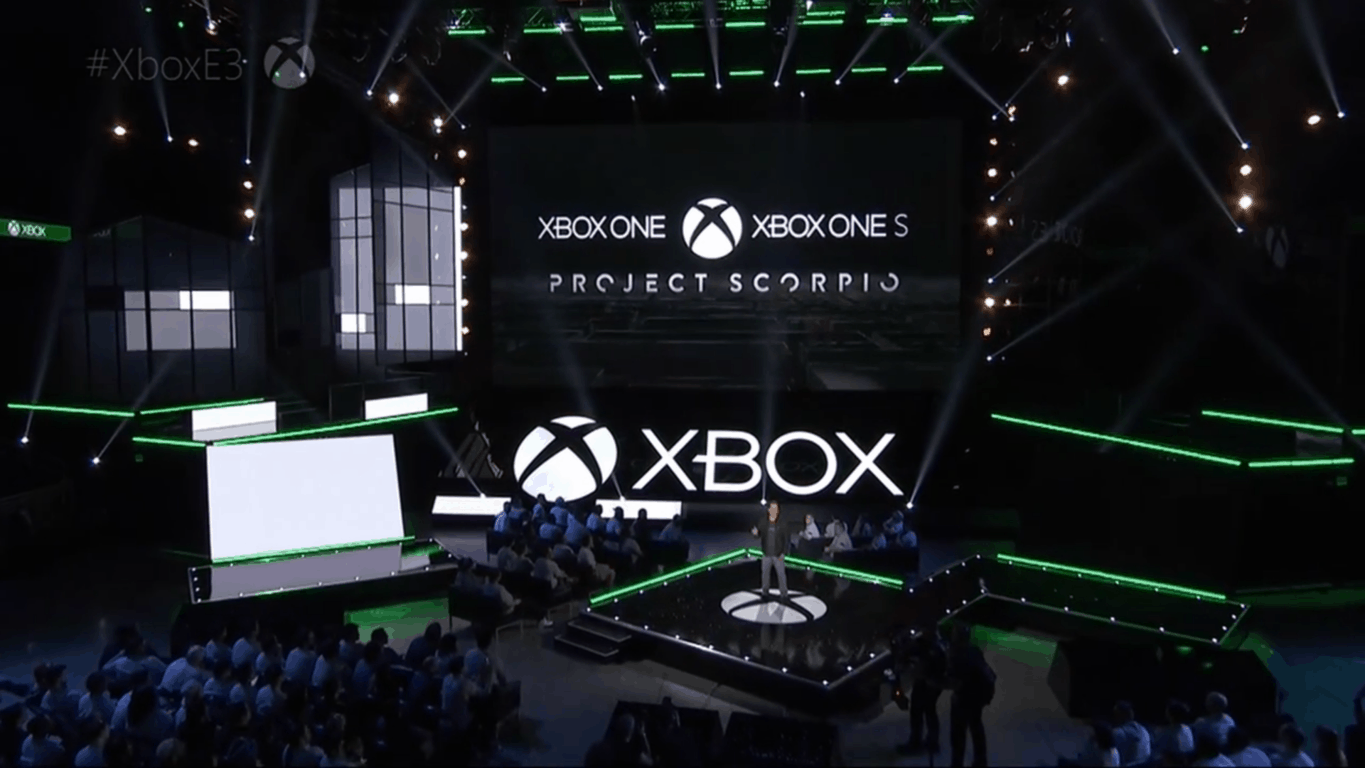
Scorpio reveal happening before E3 this year

Scorpio will be getting a reveal before E3 this year, according to Phil Spencer. The news came from the latest episode of IGN’s Unlocked podcast, which Spencer decided to guest star on. On top of talking about this year’s lineup of games and a few other interesting components of Xbox’s strategy, Spencer mentioned that we’ll be getting a look at Scorpio this year before E3 comes along. Since many of us were expecting a news bomb during E3, this is a very weiclcome surprise.

Mixed reality coming to Xbox and Scorpio in 2018

With the success of Playstation VR, HTC Vive, and Oculus Rift, it’s time for Microsoft to start considering what they’re going to do with this new momentum behind headset gaming. Microsoft spoke on the subject just a bit during GDC, and mentioned that they have a strategy going forward for bringing mixed reality to XBox. They cited the success of games like Pokemon GO as a motivator for their work in mixed reality gaming. While we probably won’t see anything on this for a year or two, it’s good to know it’s on the road map.

Microsoft introduces the Xbox Game Pass

Microsoft has announced the Xbox Game Pass, which is being described by many as “Netflix for games.” The Game Pass is following the model of services like EA/Origin Access: taking a monthly subscription fee for unlimited access to a collection of games. The Game Pass costs $10 a month, and it has about 100 games ready to go, including big titles like Halo 5: Guardians. Game Pass has the potential to make huge ripples throughout the industry, and we’re excited to see where it ends up leading.

Microsoft moves their E3 conference to Sunday

Microsoft has decided to move their E3 conference to Sunday, the last day of the conference. The change in schedule seems to be a precursor to some big announcement that the company has in store, and should actually be a pretty good sign to fans. Microsoft noted that they wanted to give their announcements some “room to breathe.” While this change in schedule is the only hint we really have as far as Microsoft’s E3 plans are concerned, it’s a good start.

Microsoft introduces the Xbox Live Creators Program

Microsoft announced the Xbox Live Creators Program at GDC this year, offering some new tools to prospective Xbox developers. The program’s main purpose is offering developers an easy way to get their titles integrated with Xbox Live, and it should also make a ton of progress towards getting more UWP titles going. This program won’t have a huge impact on gamers right now, but it opens the door for developers in the future to get more done.

UWP will bring more games to Xbox One

The introduction of UWP games has been bringing a lot of Xbox One exclusives to PC, but it hasn’t done much the other way around. One Xbox user brought this concern to the attention of Phil Spencer, and he noted that Microsoft is planning to bring more PC titles to Xbox in the future. He also said that they “Need to work towards AAA games,” suggesting that there may be a road map in place for the evolution of UWP games.

Thanks for joining us. To keep up to date with all the latest Xbox news, keep a close eye on our Xbox One news hub.

Bloons TD 5 video game launches on Xbox One

Ninja Kiwi has brought its 5-star tower defense game to Microsoft’s Xbox One console. The popular game, mainly known for its presence on mobile and handheld consoles, can now be enjoyed on the big screen through Xbox One.

A cool twist with the Xbox One edition of the game is that it supports online multiplayer. You can now play you favourite tower defense game with up to 2 people through co-operative play. Additionally, Bloons TD 5 on Xbox One comes with:

  • HD graphics
  • 21 towers
  • Special missions
  • New tier of Specialty Building upgrades
  • ZOMG3 game modes
  • Freeplay mode

and a whole lot more.

You can get the game now via the Xbox store on Xbox One.

FlatOut 4 video game available to pre-order and pre-download on Xbox One

The next instalment of the FlatOut franchise is on its way, FlatOut 4: Total Insanity, and it’s coming to Xbox One, published by Bigben Interactive. The game is now available to pre-order, which in turn allows you to pre-download the game ready for launch on March 17th.

FlatOut 4: Total Insanity brings us back to the long-awaited demolition racing games enjoyed in the past. Online multiplayer, multiple game modes and more are all playing their part in this release, bringing some of the latest gaming opportunities to the franchise.

Watch the trailer below:

The game can be pre-ordered via the Xbox store on Xbox One.

Wargroove video game announced for Xbox One, bringing multiplayer and more

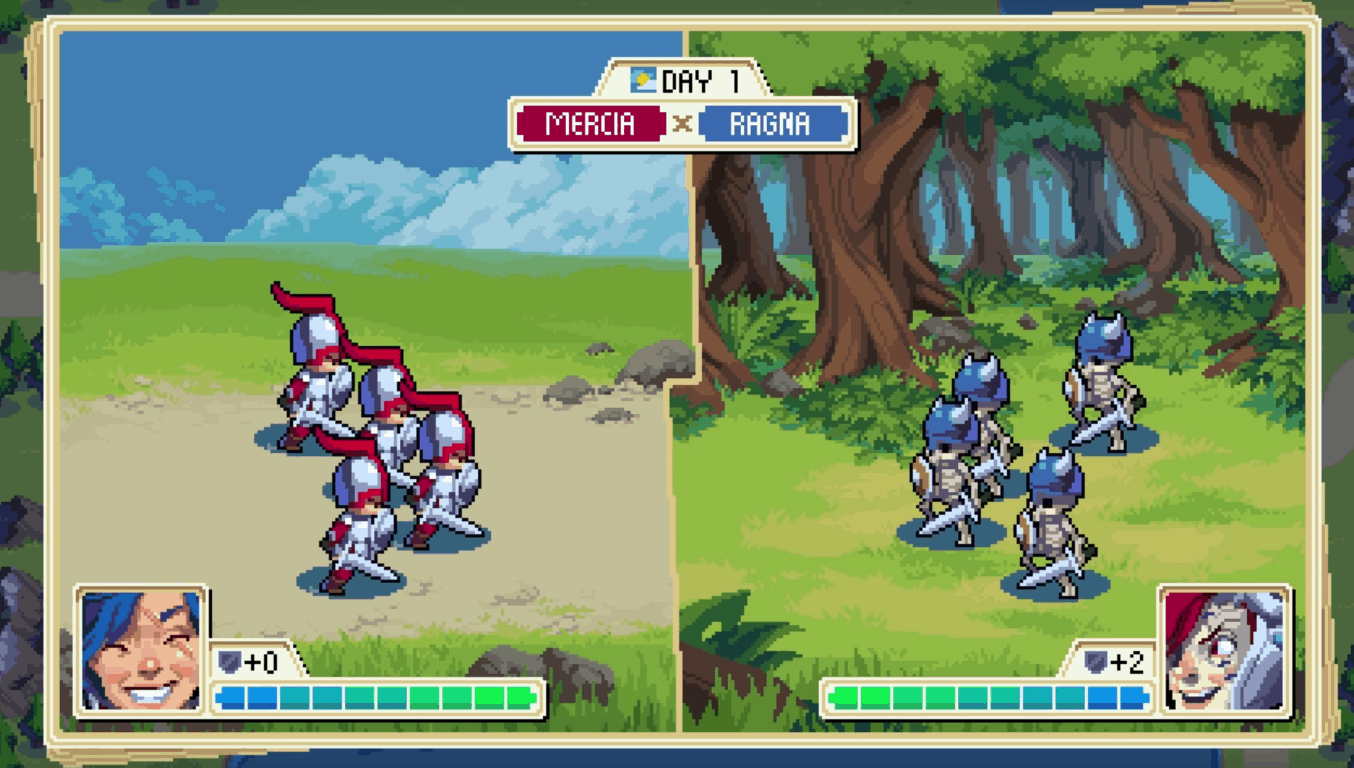
Wargroove, a turn-based strategy game, has been announced for Xbox One. Developed by Chucklefish, the game provides some similarities to that of Advance Wars, however, the developers note that it is “more complicated than that.”

Supporting multiplayer capabilities, Wargroove allows up to 4 players to play along at the same time. Additionally, the game offers user-created content.

Chucklefish describes the game in a little more detail:

Wargroove is a turn-based strategy game for up to 4 players, in which each player takes control of an army and its commander unit to wage war on their enemies! Wargroove is extremely easy to pick up, with accessibility at the forefront of its design, and very difficult to master, with deep gameplay mechanics that complement strategic play.

Watch the announcement trailer below:

There’s no set release date, but we do know it is releasing this year.

Let us know what you think in the comments below!

Rogue Trooper Redux video game is coming to Xbox One, read to win your very own launch copy

Rogue Trooper Redux has been announced for Xbox One. 2000 AD’s next title is to be developed by TickTock Games, bringing a remastered edition of the previous game (from 2006) to the latest platforms, which also include PC, PS4 and Nintendo Switch.

Take a look at the tease trailer:

There’s no set release date yet, with us only being told it is “coming soon.”

Win your own copy

If you are interested in getting your hands on Rogue Trooper Redux, there’s a chance to win a copy of the game at launch. To enter, simply go to the Rogue Trooper website here and click “Sign up,” you’ll then be able to enter in for a chance to win a copy for yourself on a platform of your choice.

Let us know what you think in the comments below!

Sizer 4 is the best solution for re-sizing windows

While working with Windows, there can be very specific requirements for any particular task. If one of those requirements has to do with window dimensions, users are in luck. There is a very easy way in which windows can be fine-tuned to very specific parameters: with a nifty little tool called Sizer 4, which allows users easily make windows smaller or bigger.

Easy to use and efficient in usage

It’s very easy to use this application as it does not require any type of skill or experience. It’s literally as simple as opening the tool and then starting to resize windows. After the Sizer 4 application is open, users simply have to drag the window frame so that it takes the shape they want it to take. This updates in real time so there is no guessing game involved.

Resizing doesn’t have to be a fully manual task either. Hovering the cursor over the right top corner of any window while Sizer 4 is active will result in the cursor visually letting users know that the window can be resized. A right click will open the list of pre-determined dimensions from which one can choose the one most appropriate to them and what they’re looking for.

The list of pre-determined dimensions can be altered as users see fit. They can either remove one of the options or add a personalized one. Or, both. Thanks to Sizer 4’s ability to set up hotkeys, users can have one or multiple windows instantly re-size with the press of a button.

Great tool for easy tasks

After just a couple of uses, it becomes easy to see that downloading the tool is the most effort that needs to be put in the whole task of re-sizing windows. Today, there are many applications that bring simplicity and efficiency to the table with no hassle, and Sizer 4 is one of them.

New Chrome scam injects a malicious font update into your PC

Security firm Proofpoint uncovered a scam last month that could push malicious script onto Google Chrome for Windows, infecting your computer. A month later, the scam remains unaddressed. Cybersecurity experts are now warning Chrome users about the persistent malware that comes in the form of a font update for the browser.

The malicious script specifically targets insecure web pages by rewriting the compromised page on the infected Chrome browser. This technique is a form of social engineering, which makes the web page in question hard to read so that a fake font issue is created.

Attackers will then lure users into downloading and installing the fake font update to resolve the problem. Proofpoint explained the scam:

The pages are rendered unreadable by storing all the data between HTML tags in an array and iterating over them to replace them with “&#0”, which is not a proper ISO character; as a result, the replacement character � [9] will be displayed instead.

Attackers then present the user with a window that provides details of the “issue” and a “solution.” In reality, the supposed solution is the fake font update pack that contains malware. The security company added:

We believe this campaign began on December 10, 2016; since that time, the downloaded executable “Chrome_Font.exe” is actually a type of ad fraud malware known as Fleercivet.

At this stage, users will remain uninfected if they do not execute the downloaded file.

Proofpoint said last month that while the scam was not new, it was notable for merging social engineering and targeting of Chrome users. The security firm warned about other forms of threats where attackers could exploit the human factor and trick users into loading the malware themselves.

Have you encountered this scam over the past couple of weeks? How did you go about it? Share your thoughts in the comments.

And if you happen to see the HoeflerText font wasn’t found message prompting you to download a file, keep in mind that it’s nothing more than a scam.

Dropbox bug revives deleted files: how to fix the issue

Dropbox has faced what seemed to be a user revolt over the past couple of weeks after a bug-fixing task went awry: the patched bug resulted in the reappearance of deleted files as old as five years. As it turns out, Dropbox mistakenly placed the deleted files in quarantine instead of removing them permanently from its servers.

Dropbox explains that, in case of accidental deletion, it typically retains a file within its server for up to 30 days after a user performed the removal. The retention applies to both the basic and pro accounts. For pro users that have subscribed to Dropbox’s Extended Version History, the deleted files can stay in its servers for as long as one year.

But several users have recently been surprised to see files deleted as far back as five years ago reappearing in their Dropbox folder. In a Dropbox forum thread, one user remarked:

Old files reappeared in my Dropbox folder spanning the past 5 years. In trying to figure out the reason I came across this thread. Your post says the bug has been resolved, but in my case it seems to have taken effect in the past 24-48 hours. The link to technical support is no longer working, but I have sent in a request using the Contact Us page.

The cloud storage provider acknowledged that a bug was preventing files from being permanently removed from its servers. While fixing a bug, a Dropbox engineer inadvertently restored the deleted files and folders back to where they previously belonged. Dropbox went on to clarify that it has not been hacked, contrary to rumors.

How to permanently delete files

Although users tried to delete the old files again, the deleted items kept coming back. Thanks to a fix from the company, you can now permanently delete them. The method requires you to roll back your account to the period prior to the deletion event. To do that, contact a Dropbox support agent and provide the needed details to perform an account rollback. You can choose to revert a single shared folder, multiple shared folders, files that are not shared or your entire Dropbox account.

Be sure to back up your recent files first. Then connect with a Dropbox support and provide an event link.

Microsoft Xbox Game Pass brings rotating game list to subscribers

It’s unfortunate that not everyone can fully act on their desires to play great titles because games often times pass the $50 mark in price. However, great news recently surfaced from Microsoft: the company will be bringing a solution that will make playing games a less expensive occupation.

Xbox Game Pass can make a difference

Microsoft announced a new service called the Xbox Game Pass, a monthly subscription service that allows players to play over 100 games from different genres. It was important for the Windows creator to specify that this won’t be a streaming service and that people need to actually download the games.

Games are made available for download to members of the Xbox Game Pass and they are free to explore the plethora of games put at their disposal.

There are many titles to choose from

It is easy to assume this move is just a gimmick and that players will only be getting access to some less than mediocre games. However, it would seem that so far, the list contains some pretty good titles like Halo 5: Guardians or NBA 2K16. If that’s not necessarily their style, users could go for something like Soul Calibur 2 or PayDay 2, each bringing a different flavor to a play session. Microsoft went on to say:

“Today, we’re continuing our commitment to give you more options to diversify and expand your library of games with Xbox Game Pass, a new gaming subscription service coming later this spring. Xbox Game Pass gives you unlimited access to over 100 Xbox One and backward compatible Xbox 360 games — all for $9.99 per month.

With great games from top industry publishers such as 2K, 505 Games, BANDAI NAMCO Entertainment, Capcom, Codemasters, Deep Silver, Focus Home Interactive, SEGA, SNK CORPORATION, THQ Nordic GmbH, Warner Bros. Interactive Entertainment and Microsoft Studios, there’s something for everyone to enjoy and you will always find something exciting to play across a variety of genres.”

What if subscribers get bored of the list of games offered by Microsoft? Regardless of how cool those games might be, users can only play so much of a title before it becomes rather dull. That problem has been already solved, though: the list of games will change every month.

Promising opportunity

Microsoft intends to rotate numerous games so that the service remains fresh and appealing. In the eventuality that users really enjoy a game and would hate to see it go once the list changes, they can buy it at a discount. This will create a great opportunity for many people to experience and enjoy games that were out of their price ranges before.

RELATED STORIES TO CHECK OUT:

Microsoft is making gains in the classroom, while Apple falls to a distant third place

Over the past couple of years, Chromebooks have slowly taken over the education market in the US, forcing Microsoft and Apple to change their strategies. This week, a new report from Futuresource Consulting is giving us new hard data about how Microsoft, Google and Apple perform in the US K-12 sector and the rest of the world (via MacRumors).

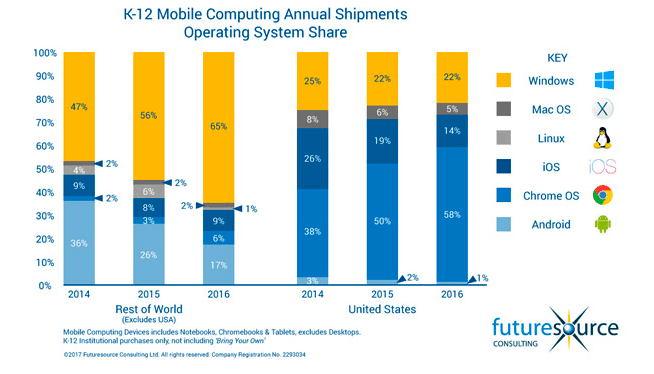
According to the report, PC sales in the US K-12 sector went from 10.7 million units in 2015 to 12.6 million in 2016. Year-over-year, Windows maintained its 22% market share while Chromebooks rose from 50% to 58% in the same period. “The strong combination of affordable devices, productivity tools via G-Suite, easy integration with third party platforms/tools, task management/distribution via Google Classroom and easy device management remains extremely popular with US teachers and IT buyers alike,” explained the consulting company.

FutureSource Consulting K-12 PC schipments

Outside of the US though, PC sales in the education market fell to 13.6 million last year, a 26% year-on-year decline which Futuresource Consulting attributes to “large scale national projects that did not take place in 2016.” However, Windows’ marketshare grew from 56% to 65% last year while Chromebooks rose to 6% (up 3% points). The consulting company  added:

At an OS level, Microsoft remains a dominant market leader with a strong position in both developed and emerging markets. Microsoft has been gaining share against Android, especially in large scale emerging market deals. Whilst 90% of Chromebook global sales remain in the US, Chromebook international sales are steadily increasing in certain territories. In Northern Europe particularly, Chromebooks have been consistently gaining share and 2016 saw Chromebooks gain the #1 spot in Sweden (the first country outside of the US).

Earlier this year, Microsoft made it clear that it was ready to compete with Chromebooks in the education market: the company announced Intune for Education, a new tool that will help schools easily set up and manage classroom devices. Additionally, it revealed new partnerships with PC manufacturers to bring affordable Windows 10 PCs to the education market, starting at $189. For Mike Fisher, Associate Director of Education at Futuresource Consulting, the recent rumors about Windows 10 Cloud being targeted at the education market makes sense:

Microsoft has made huge strides in developing its education ecosystem offering in the past year, with major announcements on both the devices and platform side. To date however, these developments have not stopped Google’s momentum within the US K-12 market. Microsoft continues to face challenges to win back end-user mindshare. Chromebook users and administrators continually refer to the simplicity and ease of use of the platform. With rumours swirling in the technology press (not confirmed by Microsoft) about a potential new OS offering ‘Cloud OS’, a stripped back, simplified OS, designed specifically for cloud with education in mind, would “square the dots” on other recent moves Microsoft has made in education (in particular launching $189 devices).

We still don’t have much details about Windows 10 Cloud, expect that it will be a locked down version of Windows 10 that can only run Windows Store apps (including Win32 apps that have been ported with Desktop App Converter). This new SKU seems to be well suited for the education market, and we should learn more about it Microsoft’s Build 2017 conference.

Bolivia is not happy about Ghost Recon: Wildlands, launching next week on Windows 10, Xbox One

Almost every game is a work of fiction, even when modeled after reality. That’s one point that Ubisoft has been trying to convince the Bolivian government of in defense of their upcoming title Tom Clancy’s Ghost Recon Wildlands. The game set to come out on March 7 was produced by Ubisoft Entertainment SA in their France-based studio.

The story is set in Bolivia, a country with high mountains and appealing environment for a large open world video game. This beautiful setting is quickly interrupted with an antagonistic Mexican drug cartel that takes over the country, producing large amounts of cocaine and using the country to further its agenda.

Unfortunately, the real Bolivian government feels that the game is taking their story too far by targeting their country. Polygon reports that Minister Carlos Romero has filed a formal complaint with the French embassy demanding that they intervene with the game’s launch. If “diplomatic negotiation” isn’t enough, Romero stated that the next step might be legal action.

Ubisoft continues to claim that the game is fiction, set in line with the rest of the Tom Clancy games that portray modern world locations in turmoil. The Ghost Recon series alone have taken place in Russia, Cuba, Kazakhstan, and more. Ubisoft even issued a press statement regarding the concern of Bolivia’s portrayal, (via Polygon):

“Tom Clancy’s Ghost Recon Wildlands is a work of fiction, similar to movies or TV shows. Like all Tom Clancy’s games from Ubisoft, the game takes place in a modern universe inspired by reality, but the characters, locations and stories are all fantasies created solely for entertainment purposes,” Ubisoft said. “Bolivia was chosen as the background of this game based on its magnificent landscapes and rich culture. While the game’s premise imagines a different reality than the one that exists in Bolivia today, we do hope that the in-game world comes close to representing the country’s beautiful topography, and that players enjoy exploring the diverse and open landscapes it moved us to create.”

It will be interesting to see the response Bolivia’s government will have for Ubisoft once the game goes live on Windows, Xbox One, and PS4 in four days. The beta has already been downloaded by over six million users, none of which are likely to see the country in any further negative light due to the fiction. It is unknown at this time if there are any plans on the embassy’s part to interfere with the launch, or even if they are able to.

We’ll keep you posted here at OnMSFT if the story develops further.

Microsoft expands Accessibility website, launches KNFB Reader for the blind

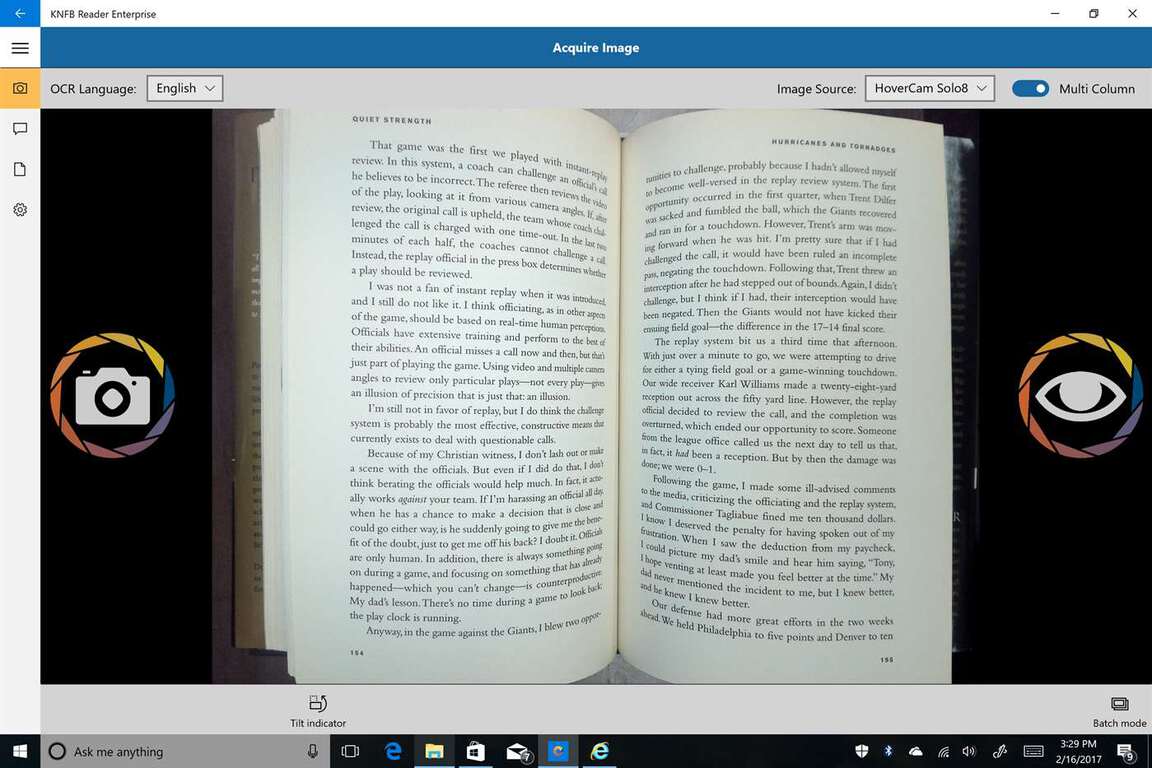
In a new blog post, Microsoft is taking a look back to the past and to the future of accessibility at Microsoft. New additions include the KNFB Reader app for Windows 10 as well as an expanded Microsoft Accessibility website.

The KNFB Reader for Windows 10 was created by Microsoft in partnership with the National Federation of the Blind and Sensotec. It helps blind people be able to read documents by taking pictures of documents, and converts the image to text that can be read aloud by a voice assistant (like Cortana) or converted to Braille, when using a special screen reader.

The KNFB Reader uses audio and vibration guidance to properly line up the camera to take a correct picture of the image for text-to audio or Braille conversion. KNFB Reader is also a helpful Windows 10 app for converting image-based PDF files.  KNFB Reader is available for Windows 10, Android, and iOS. The Windows Store is offering KNFB Reader for a limited introductory price of $19.99 until March 5, 2017. After that, KNFB Reader will be available for its original price of $99.99.

Download KNFB Reader today.

OneStep Reader
OneStep Reader
Developer:
SENSOTEC NV
Price:
Free

Another new development is redesigned and expanded Microsoft Accessibility website. Microsoft relied solely on customer feedback to redesign the Microsoft Accessibility website. The customer feedback also helped Microsoft continue to improve its accessibility features in Windows 10, Office 365, Microsoft Cloud & Enterprise products and services, and even made accessibility improvements to the Xbox One.

On Global Accessibility Awareness Day in 2016, Microsoft shared an update about upcoming accessibility features for Windows 10 and Office 365. The Windows 10 Anniversary Update brought an improved screen reading experience and faster speech-to-text translation in Microsoft Narrator, better accessibility in Microsoft Edge, Outlook Mail, and the Start menu.

Over the last year, Microsoft has made extensive strides in improving its Microsoft Disability Answer Desk, providing additional chat options for people with disabilities. Here is a video of actress Marlee Matlin getting help from the Microsoft Disability Answer Desk about setting up her new Surface Pro 4 communicating in American Sign Language (ASL).

There are more accessibility features coming to other Microsoft products and services. In the coming months, Microsoft’s Cloud & Enterprise division will be making new accessibility improvements to Power BI, Dynamics 365, and Visual Studio by providing enhanced screen reader support, screen magnification and high contrast support, and better keyboard accessibility options.

If you have any comments or suggestions for Microsoft about the KFNB Reader, or the expanded Accessibility website, let Microsoft know through the Disability Answer Desk or the Microsoft Accessibility UserVoice.

911 Operator issues: game freezes, maps won’t load, and more

911 Operator is a game that will definitely change your perspective on the work of 911 operators. As a player, your task is to answer incoming calls and to react properly. You’ll give first aid instructions, advise, and sometimes you’ll just ignore the call. You can choose to play in any city in the world.

911 Operator has received very positive reviews on Steam. However, players also report that the game is affected by a series of technical issues that sometimes severely limit the gaming experience.

911 Operator reported bugs

No mission description

Sometimes, there is no mission description available. Most likely, this is a bug tied to localization. This issue is quite annoying because players don’t know what the goals are in terms of reputation.

Same problem here. I also have Boston, Seattle and Detroit in the career mode. The real problem of this is however, that the next regular city, New York, is locked. The game awaits completion of the previous cities which cannot be completed as no objectives seem to exist

Game freezes

Players also report that when they try to launch the tutorial or select the campaign, the game simply freezes and then closes with an error message.

Whenever i go to select the tutorial or the campaign the game will load for approx 2 seconds and then freeze. After the freeze i get the “this program has stopped working and needs to close” message… has anyone else had this problem? how do I fix it ?

Units don’t move

As a player, you decide when to send units to a particular case. The only problem occurs when the units you’ve assigned to go to a particular area don’t move at all.

The game ist actually unfortunally unplayable for me. I can’t send any unit to a call or whatever, they don’t move at all. Also at every start, one of the Unit I have on the map is leaving it to north-West into nowhere. everytime I try to play, no matter if I try Free Roam, Career or Tutorial mode.

Map won’t load

There are several maps that won’t load, such as Xi’an City, Ustrzyki Dolne and even big city maps like Dubai or Tokyo . The game devs are looking for a solution to fix this problem.

Yes, unfortunately Xi’an City is no playable. We are gathering those problematic cities and working to resolve issues.

Other frequent 911 Operator issues include:

  • In some calls, the text box disappears and the audio will completely stop
  • Some calls don’t end
  • Sometimes incidents appear for a couple of seconds and then disappear.

If you’ve encountered other 911 Operator bugs, you can use this Steam page to provide devs with more details.

RELATED STORIES YOU NEED TO CHECK OUT:

Tom Clancy Ghost Recon Wildlands system requirements for PC

The long-awaited Tom Clancy Ghost Recon Wildlands will soon arrive on the Xbox One and Windows PCs, allowing players to dive into a world full of dangers to stop a powerful cocaine cartel.

Tom Clancy’s Ghost Recon Wildlands is a military shooter set in a massive open world that lets you play solo or in four-player co-op. As a Ghost, you must stop the cocaine cartel by any means necessary. The missions you’ll engage in will take you to the stunning landscapes of the Wildlands both on and off road, in the air, on land, and at sea. You’ll get to use over 60 different vehicles in your pursuits.

Before you buy the game, make sure that your computer meets the necessary system requirements to avoid potential technical issues.

TC Ghost Recon Wildlands minimum system requirements:

  • OS: Windows 7 SP1, Windows 8.1, Windows 10 (64-bit versions only)
  • Processor: Intel Core i5-2400S @ 2.5 GHz or AMD FX-4320 @ 4 GHz or equivalent
  • Memory: 6 GB RAM
  • Graphics: NVIDIA GeForce GTX660 / AMD R9 270X (2GB VRAM with Shader Model 5.0 or better)
  • Storage: 50 GB available space
  • Sound Card: DirectX-compatible using the latest drivers

TC Ghost Recon Wildlands recommended system requirements:

  • OS: Windows 7 SP1, Windows 8.1, Windows 10 (64-bit versions only)
  • Processor: Intel Core i7- 3770@ 3.5 GHz or AMD FX-8350 @ 4 GHz or better
  • Memory: 8 GB RAM
  • Graphics: NVIDIA GeForce GTX970/GTX 1060 or AMD R9 390/RX480 (4GB VRAM with Shader Model 5.0 or better)
  • Storage: 50 GB available space
  • Sound Card: DirectX-compatible using the latest drivers

For more information about the game, check out the trailer below:

You can buy Tom Clancy’s Ghost Recon Wildlands for $59.99 from Steam. Tom Clancy’s Ghost Recon Wildlands Gold Edition is available for $89.99.

RELATED STORIES YOU NEED TO CHECK OUT:

Best PC games to buy

March is a very generous month in terms of new games. If you’re planning to buy a new game, but you can’t decide which one to add to your cart, we’ll give you a helping hand. In this article, we’re going to list the best games to be released this month.

Best PC games


Ricochet Kills: Noir

Ricochet Kills: Noir is a game that stands out from the crowd. It is a puzzle-shooter game in minimalistic noir style. As a player, you’ll use bullet ricochets to kill your enemies. Keep in mind that your ammo is limited, so aim well. You can try your skills on 100 different levels.

You can download Ricochet Kills: Noir from Steam. The game arrives on March, 4.

Ultimate Marvel vs. Capcom 3

Marvel and Capcom join forces to deliver the most frenetic 3 vs. 3 tag battles ever. As a player, you can select some of the most iconic Marvel and Capcom characters, and customize your team. Once you’re sure what your character is capable of, you can go head-to-head against players from around the world to see who is the strongest in the universe.

You can purchase Marvel vs. Capcom 3 for $24.99 from Steam. The game arrives on March, 7.

Tom Clancy’s Ghost Recon Wildlands

If you’re a Tom Clancy fan, this is the perfect game for you. This military shooter is set in a massive open world that you can play entirely solo or in four-player co-op.

As a player, your main task is to take down the Santa Blanca cocaine cartel that has turned Bolivia into a narco-state. Use any means necessary.

You can purchase Tom Clancy’s Ghost Recon Wildlands for $59.99 from Steam. The game arrives on March, 7.

One Sole Purpose

One Sole Purpose is a science fiction first person shooter with a horror twist. The year is 4900. As a player, you’ll take on the role of  Michael, a man who suddenly starts to hear and see things. An alien with a humanoid appearance particularly appears in your visions, claiming to be part of the race that created mankind.

Michael starts to question his own sanity, but decides to go on a quest to find his lost brother before he loses himself to madness.

You can buy One Sole Purpose from Steam. No information is available yet about the game’s price tag. The game arrives on March, 7.

Dead Rising 4

Dead Rising 4 marks the return of Frank West in a new chapter of this popular zombie game franchises. As a player, you’ll face new zombie classes that are harder to kill than ever.

You can also invite your friends to play along in a 4-player co-op multiplayer mode. Dead Rising 4 delivers a heart-pounding experience as it challenges you to explore, scavenge and fight to survive in a world full of zombies.

You can buy Dead Rising 4 for $47.99 until March 14, or $59.99 after the launch date.

Styx: Shards of Darkness

Styx: Shards of Darkness is an impressive stealth adventure game that challenges you to explore huge open environments, and sneak past or assassinate new enemies and bosses. As you strive to fulfill your missions, you’ll climb the dizzying Elven city, traverse the dangerous territory of the Dwarfs, and survive inhospitable lands filled with lethal dangers. If you fail, your kin will suffer dire consequences.

You can choose to sneak alone, or with a friend in co-op mode. The coop-mode is a drop-in / drop-out system where you can join or invite your friend whenever you want, at every stage of the story.

You can buy Styx: Shards of Darkness for $39.99 from Steam. The game arrives on March, 14.


Best Early Access games coming in March

Dark Legion VR

Dark Legion VR is a first person shooter and magic game. As a player, you’ll take on the role of a chief officer on a space mission. Unfortunately, the spaceship breaks down on the way back to earth,and you are forced to land on a mysterious planet. Here you discover that a huge military conspiracy is under way to create mutant creatures to kill the human race. To protect your own race and your own planet, load your weapons and go destroy the dark legion.

Dark Legion VR is an Early Access game that you can download from Steam.

Voodoo

Voodoo is a multiplayer open-world survival game set amidst the fantasy wildlife of primal Africa. As a player, you’ll hunt, gather and craft resources, build your village, and battle for territory and domination at the dawn of civilization.

Voodoo is an Early Access game that you can download from Steam.

Subsiege

The year is 2063, and the world as we know it has ended. A climate disaster, overpopulation and extensive consumption have resulted in the depletion of all natural resources. The last resources on earth lie 30.000ft below the ocean surface and you have to fight to get your hands on them.

Subsiege is an intense real-time tactic game with main focus on massive 12 player battles. As a player, you’ll command a squad of units to contend sea monsters and fierce competitors while your oxygen runs out with every breath.

You can download Subsiege from Steam. The game The game arrives on March, 8.

These are the most interesting games coming in March. Have you decided which one to buy?

RELATED STORIES YOU NEED TO CHECK OUT:

Microsoft planning to reveal Scorpio before E3, says Phil Spencer

Most Xbox fans have been waiting for E3 to hear more about the future of Xbox, but it seems like Microsoft’s Project Scorpio is likely to get a reveal before the convention comes along. It’s not clear just what kind of reveal we can be looking forward to, but we now have a good reason to assume that we’ll be getting information sooner rather than later. The upcoming info leak was revealed on the Unlocked podcast, where Xbox boss Phil Spencer came by to talk a bit about the future and past of Xbox, including the new Xbox Game Pass.

The podcast is an hour long, and it gives us some insight into a lot of different things in the world of Xbox right now. If you don’t feel like listening to the whole thing, you can also take a look at a post written by NeoGAF’s Theorry, who compiled some of the podcast’s highlights.

It’s definitely worth listening to the podcast if you want to learn more about items such as Game Pass, or just if you want to listen to Phil Spencer speak – he’s a great spokesperson for the brand.

Microsoft rises as an enterprise “Superbrand” but consumers aren’t as interested

The annual UK “Superbrand” survey has released for 2017, allowing companies to embrace a bit of pageantry as they get ranked from 1 to 10. The list is split up into two categories – consumer and business – and Microsoft rode to top of the latter one.

Microsoft is nowhere to be found in the top 20 consumer Superbrands, but that shouldn’t come as a huge surprise to fans. Microsoft’s appeal has never been largely focused towards the average consumer unless you’re referring to the Xbox franchise.

While Microsoft may not be making any particularly massive effort to become a consumer “superbrand” in the UK, it’s presence among other businesses is huge enough for that not to be a massive problem. Regardless, the Redmond giant doesn’t exactly need a pat on the shoulder to remind it that it’s a major superpower in technology.

You can check out more about Superbrands on the organization’s website, including this year’s lists and some more information about their featured brands.

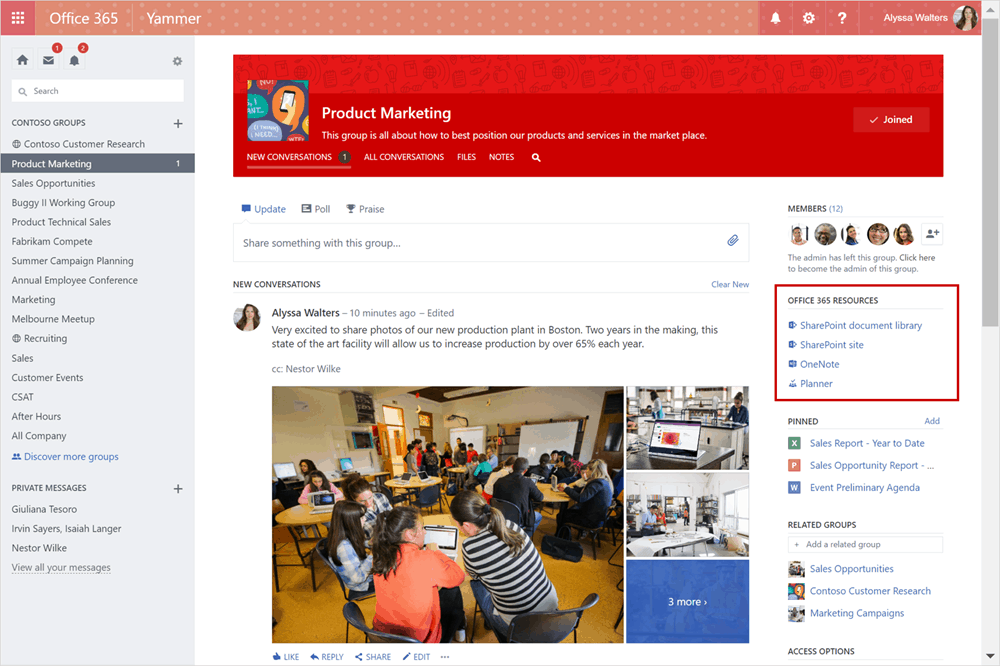
The Yammer integration with Office 365 Groups we told you about yesterday begins officially rolling out

Yesterday, we reported that Yammer would be coming to Microsoft Office 365 Groups “sometime soon”. Seems like that ‘soon’ has broken record time as the update begins to roll out today.

Yammer is by far one of the most popular social networks for team collaborations thus far. Even as Microsoft Teams was announced, users put up their defenses to prepare for competition. However, now the tool can be used in conjunction with Microsoft Office 365 Groups, combining the capabilities of the seamless document and task managements with it.

In an announcement blog post today, Microsoft highlighted the combination can be set up to make teamwork more efficient. To take advantage of the integration, Office 365 identities and tenants must be enforced in the Yammer network and only new Groups will be available, at least for now. According to the post, the team will be establishing a way of converting current groups ‘in the coming months’.

Even so, the first phase is beginning to roll out just today. It’s safe to say that you should expect to see it available just yet, but soon enough you’ll be Yammering with your Office 365 Groups integration with more to come in the future.

Microsoft moved Xbox E3 media event to Sunday so they weren’t “just in the middle”

E3 2017 is still a couple of months away, but Microsoft is already gearing up for what is expected to be one of the most interesting media events of the year. Two weeks ago, the company announced that it would hold its Xbox E3 briefing on Sunday, June 11th at 2PM PDT, two days before the show will open to the public.

In the past, the Xbox team used to hold its E3 media briefing on Monday morning, but this year Microsoft made the bold decision to be the company that kicks off E3 by moving its event a day earlier. Talking to IGN, Xbox head Phil Spencer explained that this change will give the team a better opportunity to lead the gaming narrative:

“I liked opening E3, and I felt when we weren’t opening E3 we were… just in the middle,” Spencer said. “The other platform holders were right behind us, and I felt like, ‘okay well if we’re not getting the benefit of opening E3, we’re not closing….’ It unshackled us to kind of try to go do something else. So we’re gonna try it, we’ll learn.”

Indeed, Microsoft’s previous Monday morning briefings used to be followed by a “cascade of briefings that the press is having to run to, to get everything done,” explained Spencer. “Going on Sunday I think will allow us to tell our story, and it will sit there a little more as opposed to everybody else just instantly following up with their own briefings,” he added.

Microsoft is expected to unveil Project Scorpio during its E3 briefing, a new Xbox console that will support true 4K games, VR and give some good competition to Sony’s Playstation 4 Pro. The company will also reveal more details about its lineup of Xbox exclusives games for 2017, which Spencer is really excited about.

Here are the new features in Office 365’s February Insider Slow update

Yesterday, Microsoft announced the February Insider Slow update for Office 365. As usual, this update is packed with new features, and if you’re a Office Insider, you can take advantage and download it now by heading to File > Account > Update Options > Update Now.

Overall, this update pushes the newest version to Version 1702 (Build 7870.2013.) For the details on what has changed, you can check Microsoft’s official changelog below.

  • A quick start to your research: PowerPoint QuickStarter gives you research ideas and design suggestions for a presentation on a subject of your choosing. Just choose the QuickStarter template from File > New, and specify the subject you want to study.
  • Set things straight: On devices that have touch screens, you can use the Ruler on the Draw tab of the ribbon to draw straight lines or to align a set of objects. The Ruler pivots to any position you want: horizontal, vertical, or anything in between: it has a degrees setting so that you can set it at a precise angle, if necessary. (We’re rolling out this feature gradually, so if you don’t see the Ruler button on the Draw tab right away, don’t worry. It’s coming soon.)
  • Enhanced digital writing assistant: With additional intelligent services built-in, Editor is better able to recognize your words in context and offer the right spelling suggestions. Look for these improvements in Word and Outlook.
  • Easier background removal: In Word, Excel, PowerPoint, and Outlook, we’ve made it easier to remove and edit the background of a picture. You no longer have to draw a rectangle around the foreground of your picture; instead, the app will automatically detect the general background areas. In addition, the pencil for marking areas to keep or remove can now draw free-form lines, rather than being limited to straight lines.
  • Move pages from side to side: In Word, navigate pages in Print Layout view by sliding them side-to-side like a stack of paper. To try it, click View > Side to Side.
  • From Visio to PowerPoint in a few clicks: Take snippets of a Visio drawing and export them as slides to PowerPoint. To get started, open a diagram and click View > Slide Snippets Pane. In the pane, click Add to snip portions of your diagram and Export to send your slide snippets to a new PowerPoint slide deck.

As always, you can sign up to become an Office Insider by visiting this link. It is worth noting that signing up and installing these builds will give you access to new features, but may result in an unstable experience. Let us know what you think of these latest updates by dropping us a comment below!

Windows 10 usage on Steam dropped for last two months in a row

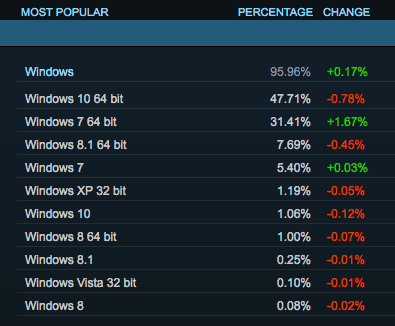
Steam has just published its latest hardware survey for the month of February, which shows that Windows 10 usage is now down for two months in a row. After reaching a 50.35% OS share back in December, the new OS has fallen to 48.77% last month (down 0.9% points) while Windows 7 rose to 36.81 (+1.7% points) in the same period. Actually, the seven years-old OS was the only version of Windows that saw its usage grow in February.

Steam hardware survey february 2017
Steam hardware survey, February 2017.

Windows 10 still remains the most popular OS on Steam by quite a large margin, but this trend is quite worrying for Microsoft. Yesterday, we also reported that Windows 10 global market share fell to 25.19% last month according to NetMarketShare, who saw Windows 7 rise to 48.41% in the same period.

Microsoft may still has some Windows 10 tricks up its sleeves to win back Steam gamers in the coming months, such as the Game Mode feature that will debut with the Creators Update in April. Windows Insiders can already test the setting which gives games priority access to system resources, and gamers should probably expect Microsoft to bang the Game Mode drum quite loudly in the coming months.

Sea of Thieves will have another Alpha play session on Xbox One this weekend

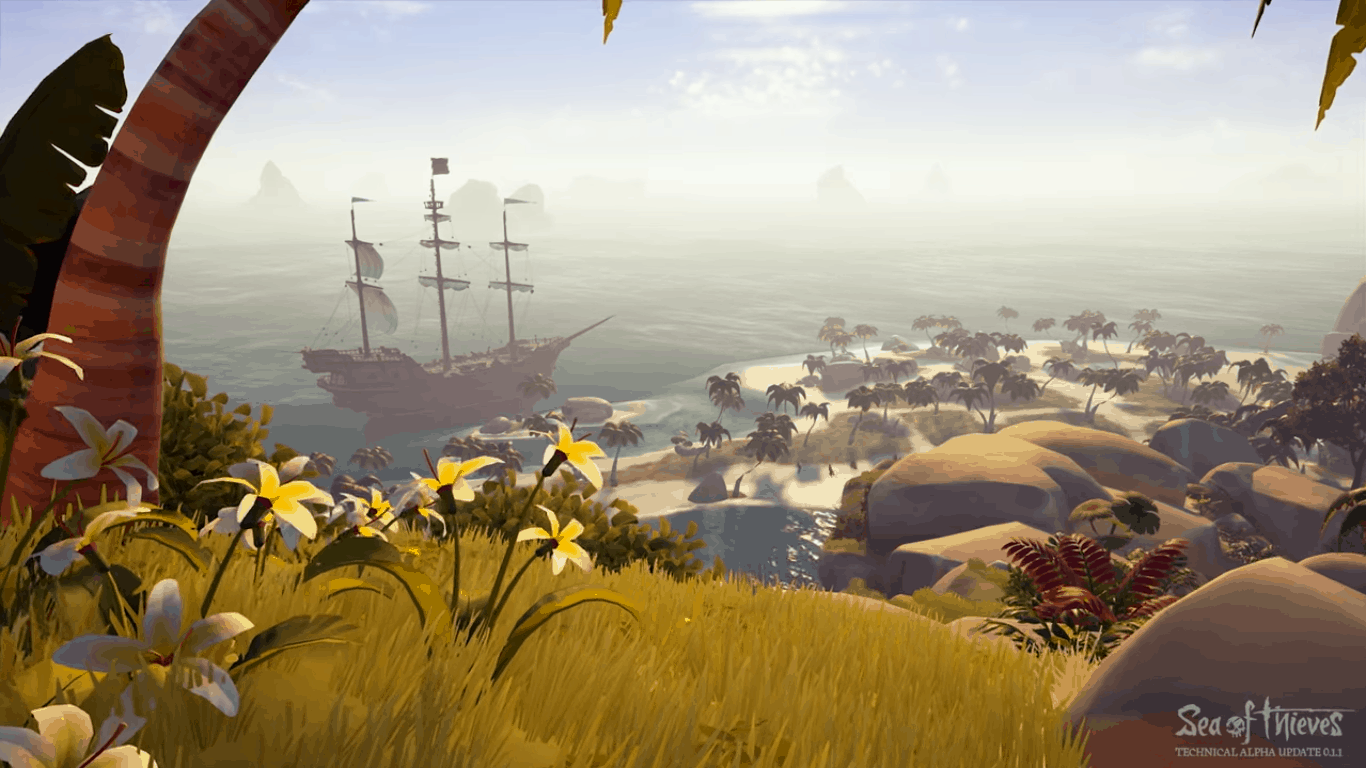
Sea of Thieves, the upcoming pirate game from UK-based studio Rare will have another technical alpha play session on Xbox One this weekend. The developer sent email invitations to members of the Insider Programme last night, and this time 8.000 new players will be invited to join the fun.

Sea of Thieves is being developed for both the Xbox One and Windows 10 PCs and will support Xbox Play Anywhere, but be aware that this new alpha play session will be for console players only. “We’ll have a PC Update for Insiders soon,” explained Rare in another tweet.

If you have not been invited for the Technical Alpha this time, you will still have a chance to try the game in future play sessions: just make sure to join the Sea of Thieves Insider Programme on the game’s official website.

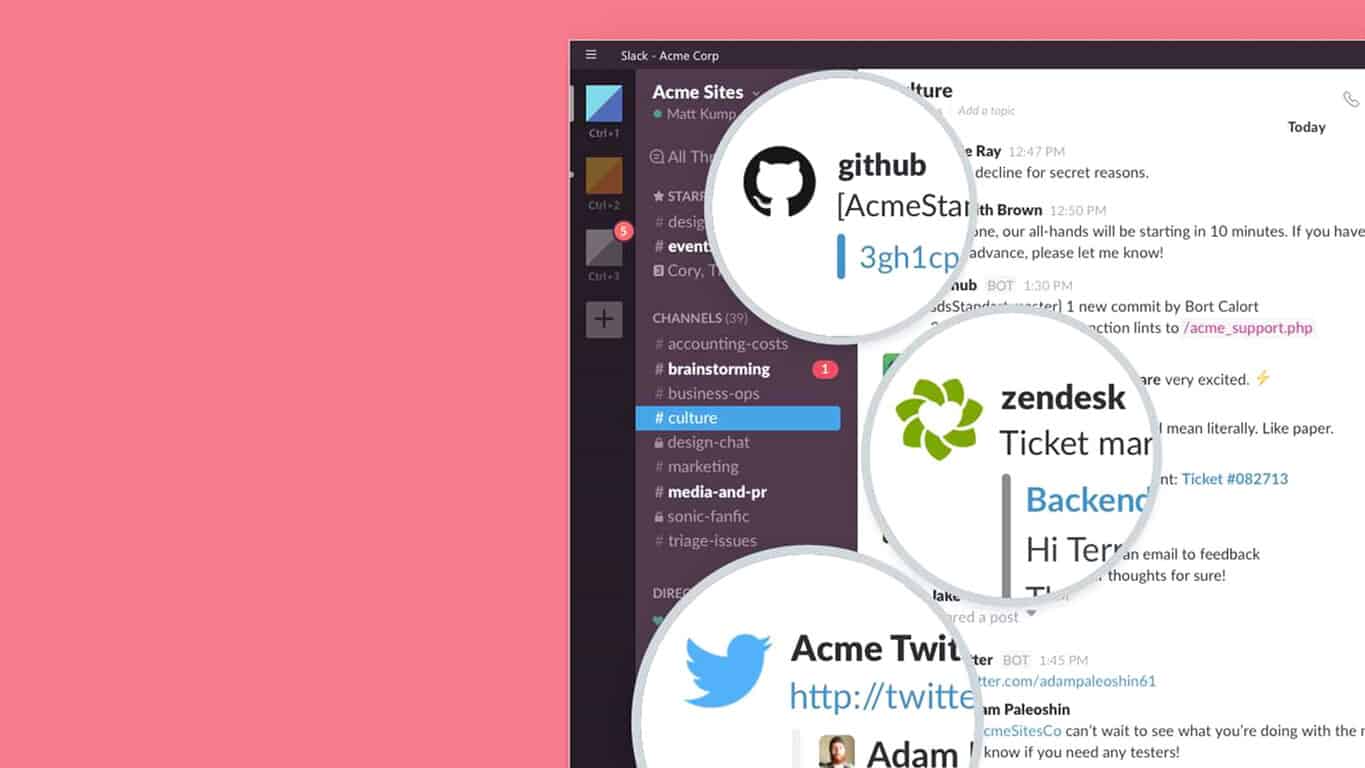
Slack updates their Windows 10 app with cool new improvements

The official Windows 10 Slack app has updated to Version 2.5.1 and has made quite a few changes such as adding support for more languages in spellcheck, better help documentation, style copying, and more. Here’s the official release notes:

The way we load teams you don’t view often has been changed to improve the memory footprint of the app. One day, it will be a pitter patter of tiny footprints. For now, it’s a tad slower, a little less hefty, and a lot more attractive. Think “brontosaurus in a nice hat.”

Folks consistently unable to load the app will now be greeted by a troubleshooting page that offers suggestions on making their situation better. (Spoiler: it’s usually to do with over-zealous antivirus software).

Those pasting text with style into a Post then finding their text to have “no style” can now Paste & Match Style under the Edit menu.

You can see our Help Center documentation in – of all places – the Help menu. The almost over-intuitively named Open Help Center item will be your friend.

Spellcheck support for three (세!) additional languages; writers of Korean, Portugese (Brazilian), and Albanian type a little easier.

Slack is a sort of chat app that’s used mostly for team collaboration and communication instead of the more social use of apps like WhatsApp and Facebook Messenger. Do you use Slack? Let us know your thoughts on this update in the comments below.

Slack
Slack
Price:
Free

Latest Xbox Insider build creates issues for Alpha ring users

The latest Xbox Insider Preview build has begun to roll out to testers in the Alpha ring and while Version rs2_release_xbox_1703.170226-1700 does have a few minor fixes and improvements, this build comes with mostly issues that could severely impact the gaming of anyone who installs it. Here’s the full list of problems that users may encounter:

  • “Portal” accessories used with games like Skylanders, LEGO Dimensions, and Disney Infinity are not recognized.
  • The Xbox Accessories app Device Details page may appear blank. Workaround: Update the device firmware, and view Device Details on a console not enrolled in Preview.
  • Copilot does not function at this time. You can disable Copilot from the power menu (hold the Xbox button on the controller) if desired.
  • Cortana: If Cortana was enabled prior to entering connected standby, you may encounter an error when resuming from connected standby.
  • Cortana may take a long time to respond when activated while playing certain games.
  • Scheduled Cortana reminders will not provide a notification if the user who created the reminder is signed in, but not the current active user.
  • Using voice dictation sometimes causes the virtual keyboard to become unresponsive.
  • Notifications: Some users may not receive certain types of notifications.
  • Game Clips: After capturing a game clip, the game clip fails to automatically post to the Activity Feed (if your profile is configured to do so). Workaround: Manually view game clips in Profile > Captures > Manage captures and post to the Activity Feed.
  • EA Access: The EA Access app may indicate you are not an EA Access subscriber when you are. This does not affect your ability to download or play games from the Vault, or receive discounts on EA titles.
  • Screen Dimming: The screen may dim after a short amount of time while viewing videos in certain apps (Hulu Plus).
  • Settings – Ease of Access: When enabling the Mono output setting in Ease of Access – Audio, Settings becomes unresponsive, crashes, and fails to launch on subsequent attempts. Workaround: To launch Settings, perform a hard reset (hold down the button on the front of the console for five seconds until it fully powers down, then power it back on).
  • Settings – Display & sound: The Audio output page is under construction and some of the new settings are not yet functional. New support is planned for Dolby Atmos for home theater, Dolby Atmos for headphones, and more in upcoming builds. An announcement will be made when these new features are ready to try out; enabling these settings now will have no effect.
  • Wireless Display: The Wireless Display app fails to launch and immediately crashes to Home.

The Xbox Insiders program is used to test new features and OS builds for glitches before rolling them out to the general public for widespread usage. Are you an Xbox Insider? Let us know your impressions of the latest build in the comments below.

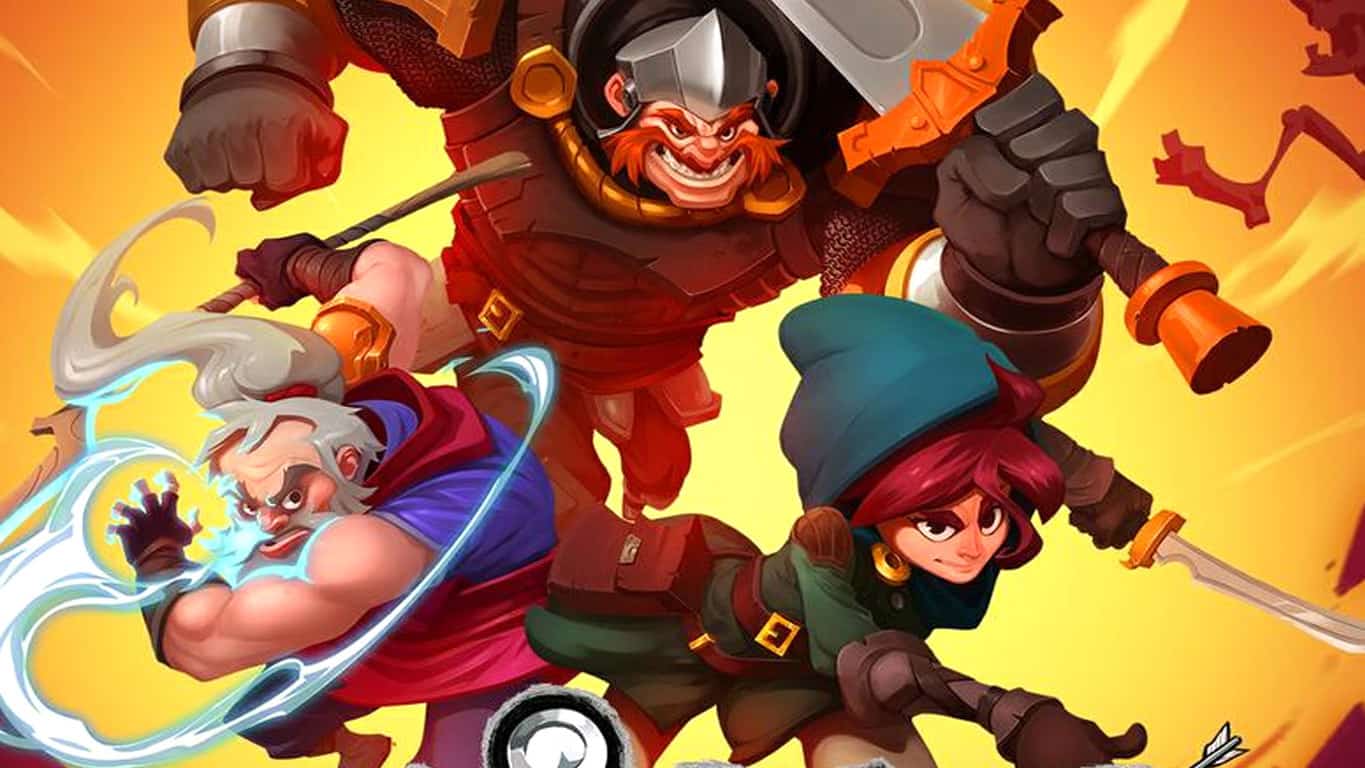
Has-Been Heroes video game pre-order goes live on Xbox One

The upcoming video game, Has-Been Heroes, is now available to pre-order on the Xbox One. The game is a Western fantasy roleplaying game inspired by Japanese titles and is expected to release on March 28th. Here’s the official description:

Embark on an epic journey with the Has-Been Heroes, a group of legendary champions once celebrated throughout the kingdom – almost forgotten until the King has one more quest, the most epic of them all:TO TAKE THE TWIN PRINCESSES TO SCHOOL!Key features:* Meet the epic band of heroes as the young and eager Rogue, joining the company of the wise monk Metacles, the giant-wrestling warrior Crux… wait until you meet the others, incl. the Anthropologist turned Mexican Wrestler, the ever-vigilant and paranoid Sheikh, and many more!* Unlock and collect hundreds of game-changing items and spells, boosting the heroes’ powers and making each run unique!* Combine spells for devastating effects, learning the power of magic as you gain more elements.* Face countless monsters, each bigger and more menacing than the next. Can you wipe out the army of evil led by the Great Ghoul?* In roguelike fashion, die and try again – choose your heroes wisely and prepare for battle!

Pre-Order Has-Been Heroes on Xbox One

Have you pre-ordered any new Xbox One games recently? Let us know which ones in the comments below.

Blackwake issues: low FPS, game crashes, full screen issues, and more

Blackwake is a recently launched  multiplayer naval first person shooter focused on teamwork and cooperation. As a player, you’ll fire cannons, sink enemy ships or take control over them with firearms and steel. This game truly offers you the opportunity to unleash the pirate within.

Blackwake also brings issues of its own, as players report. In this article, we’re going to list the most frequent Blackwake bugs reported by  gamers, as well as their corresponding solutions, if available.

Blackwake bugs

1. Low FPS

Players report that Blackwake is sometimes affected by low FPS issues, on both low and high end rigs. If you’re experiencing low FPS on high end computers, follow these troubleshooting steps:

1. Make sure your Nvidia GPU is not in “Power saving mode” and set to max performance instead. For more information, check out Nvidia’s support page.
2. Gaming monitors above 60hz may cause crashing consistently if Vsync is turned off.
3. Try setting “-window-mode exclusive” as a launch option on Steam.
4. Try “-force-d3d9” as a launch option on Steam.

2. Servers freeze

Sometimes, the game disconnects but players are not informed about this and they appear to be still connected to servers. Blackwake’s devs have already pushed a quick patch to fix this issue, but it’s not a permanent solution.

The first problem is still here. Yesterday I could play with no problem. Today, i can’t connect to ANY server! I get in for 1 minute and then get disconnected.

Speaking of server issues, players also report that they can’t detect any servers in the server browser and the refresh button does nothing.

3. Sound issues

Steam users also report that sometimes there is no sound when starting up the game. Actions such as closing and launching the game again don’t fix this problem.

No sound starting up the game i restarted steam, checked if sound was off or all the way down, ran it in admin
has anyone had similar issues and its this game beacuse ive ran several other games all have sound music etc

4. Mouse won’t respond

Other players report that they can’t use their wireless mice to control their characters. The device is completely unresponsive, leaving them no option but to use the trackpad.

I’ve got a Microsoft Mobile Mouse 3500 […] but once I get into a game, I can’t use it to look around, or to use the left or right mouse buttons – I have to use my trackpad. When I toggle the cursor with ‘T’, it will let me use it, but not in regular gameplay, which makes aiming with weapons incredibly difficult.

5. Game crashes

Using the microphone may cause Blackwake to crash. Other players report that although the game does not crash, it stutters all the time when they are using VOIP (squad and proximity).

whenever I try to use my mic, no matter which chat I use it in, the game goes unresponsive and crashes shortly after. Anyone else experience this issue so far?

Other common issues include:

  • Window minimizing when full screen, flickering when in windowed
  • Players cannot join factions
  • Blackwake breaks the connection to Wi-Fi
  • High GPU temperature.

If you’ve come across other Blackwake bugs, you can use this bug reports and technical issues thread on Steam to provide the game’s devs with more details about the problem you’ve encountered.

RELATED STORIES YOU NEED TO CHECK OUT:

Microsoft’s Creators Update allows smartphones to unlock Windows devices

The next major update for Windows 10 is predicted to drop sometime during the month of April. Everyone is anticipating the many new cool features that will be coming with. What many do not expect, however, is the built-in support the Creators Update has for Samsung smartphones to unlock any Windows 10-machine.

Samsung Flow brings a new way of connecting devices

Samsung’s Flow application will allow users to transition from one device to another with ease and includes support for Windows devices such as the Galaxy TabPro S, a tablet running Windows 10.

While the tablet is the only device that seems to this type of connectivity at the moment, it is expected for Samsung to make it functional for any PC or device using Microsoft’s Creators Update. On top of that, there will be extra features coming to the app as well.

The information was made available through a Samsung reply to a user comment on the Play Store comments section for the app. The user was clearly not satisfied that the app wouldn’t work on their Windows 10 device. Samsung responded by presenting the information above.

Still a while until release

The Flow app from Samsung and others like it are setting the first building blocks for a new era of interconnectivity where devices of various kinds will communicate more than ever.

The only thing left is for the Creators Update to actually be released, but that will take a little longer since the closest estimated release date puts the long awaited patch due in April. More information on the upcoming Flow features might surface in the meantime!

RELATED STORIES TO CHECK OUT:

Microsoft renames Windows Holographic to Windows Mixed Reality due to ‘broader vision for the platform’

Microsoft’s approach to mixed reality has, up until now, been referred to as “Windows Holographic.” The name made sense as a descriptor of Microsoft’s approach towards holograms in their headsets, but it seems like the company had a different idea about how to move forward. Microsoft spoke at the Game Developers Conference (GDC) earlier today about Acer’s new “Windows Mixed Reality Dev Kit,” seemingly ditching the old “Windows Holographic” for some new terminology.

We reached out to Microsoft about the use of this new language to describe its mixed reality initiative, and we received this response from a Microsoft spokesperson:

Microsoft renamed “Windows Holographic” to “Windows Mixed Reality” to be more encompassing of the company’s broader vision for the platform. We’re unifying the mixed reality ecosystem around a platform that enables shared experiences and interoperability between headsets. By opening up the Windows Mixed Reality platform to the industry at large, we anticipate the growth of holographic apps will make for stronger experiences and better devices for everyone.

The change in name seems to exist solely because Microsoft thinks it allows for some broader use – which sounds about right. As Microsoft starts to open the floodgates for new headsets, now seems as good a time as any to make sure that all terminology is correct.

Windows 10 market share stalls according to new data

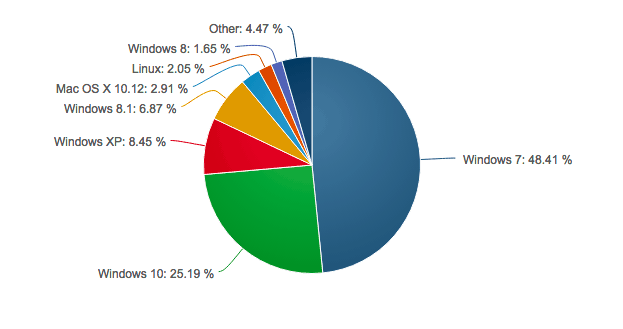
According to the latest NetMarketShare monthly statistics report, Windows 10 market share fell slightly from 25.30% in January to 25.19% last month. The slight drop is not exactly the ideal Windows 10 growth that Microsoft would like to see. Windows 7 saw the greatest increase in market share, growing from 47.20% to 48.41%. Windows XP is at 8.45%, followed by Windows 8.1, at 6.87% and Windows 8 at 1.65%.

Netmarketshare Windows Feburary 2017
NetMarketShare, February 2017.

All versions of Microsoft Windows still hold a commanding lead over all other operating systems at 91.76%, with Mac users a distant second at 6.19%, followed by Linux at 2.05%. In September 2016, Microsoft reported that Windows 10 was installed on more than 400 million devices. About three months ago, ZDNet predicted that Windows 10 could overtake Windows 7 by December 2017. After looking at the last month’s data though, it’s not clear if the new OS will actually reach this milestone this year.

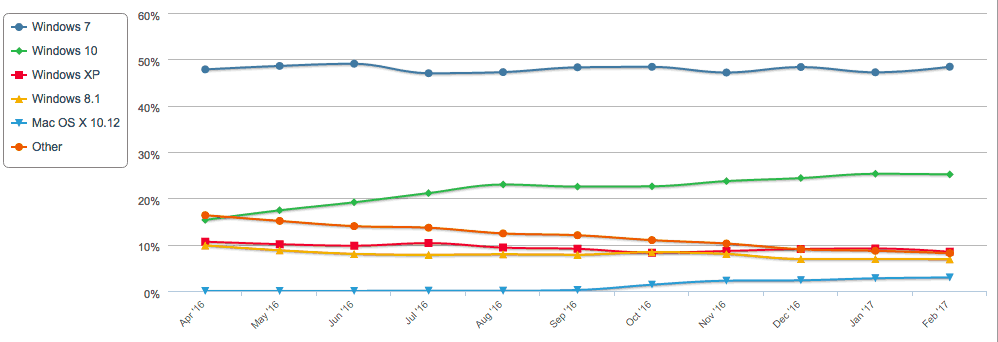
NetMarketShare desktop trend by version February 2017
Desktop trends by version, NetMarketShare.

Obviously, Windows 10 will need to experience a more meteoric rise to overtake Windows 7 by December 2017. Microsoft is reportedly working on Windows 10 Cloud and Windows 10 on ARM to make Windows 10 PCs more competitive and affordable, but we still don’t know if these new SKUs will be released this year.

Office 365 Service Health Dashboard now available for all admins

Managing your network with Office 365 Administration just got a bit easier. After months going through several stages of preview, the new Service health dashboard has entered general availability. If you haven’t been following the changes being made to the service through its preview program, here are the major improvements.

Access rich and more actionable incident insights—The dashboard now features a view that separates major business critical outages from others and splits them into two categories: Incidents and Advisories. This view makes it easy for you to identify issues that you might want to act on immediately.

Quickly understand the incident—A summary view surfaces the most relevant and critical details to you in two short sentences—easy and quick to consume. If you want to access additional details, you can go to a more detailed view that provides you with all available information, including workarounds and message history. You can also access a history of incidents and advisories that occurred in the past 30 days.

Easily see the impact for your organization—The dashboard allows you to quickly understand the impact of the service incident on your organization by showing you the number of impacted users. (Please note: This functionality is currently available for Exchange Online–related incidents only and will be extended to other workloads over time.)

Quickly provide feedback—A rating option now enables admins to provide feedback on the accuracy and usefulness of the information of each post on the Service health dashboard.

As is often the case with Microsoft services, this launch only constitutes a starting point for the Service health dashboard. The blog post accompanying the launch also mentioned that there are many additional features they plan to launch in the coming months. Here’s a bit of what they have in mind:

  • Tell us about issues
  • Stay informed through your preferred channel
  • Access user level details
  • Check the health of your users
  • In-product messaging

This update has just begun rolling out to all Office 365 Administration users. If you don’t yet have access to it, you may have to give it a bit of time – these roll-outs tend to happen by region, and can drop at different times for different people.

Turn Off the Lights app now available for Windows 10 as a desktop port

If you’re the kind that likes to take control of the things on your screen, then you should be aware that Turn Off the Lights app is now available on the Windows 10 Store as a desktop port. The application allows Windows users to dim their screens while working on productivity tasks, and also protects your eyes at night from applications that have a white background.

Overall, Turn Off the Lights for Desktop is simple to use, and you can dim the screen with one click on the lamp button. And with a two finger click, you get a quick settings menu to change the color and the opacity value of the dark layer. Other features in the app include:

  • One click on the lamp button to dim the page
  • Support multiple monitors screens
  • Customize the layer tint color/image/video, opacity value up to 100%, keyboard shortcuts
  • Option to start automatically with your computer
  • Option to play video layer on to top of your desktop screen
  • Option to shows a spotlight around your mouse cursor
  • Option fade effects
  • Option to focus the app in front of the black layer
  • Advanced Eye Protection planner
  • Notification center widget

This $25 paid version is not to be confused with Turn Off the Lights, which is a lesser functioning free UWP app from the same developer. You may find the app via the link below. Once you’ve checked it out, do leave us a comment to let us know how the experience is going for you.

Turn Off the Lights for Desktop
Developer:
Stefan vd
Price:
$24.99

Middle-Earth: Shadow of War leaked much to fan delight

Those that loved Middle-Earth: Shadow of Mordor should prepare for a real kicker: a sequel to the game was leaked and is slated to be released in the near future. The new game’s details were leaked by Target and makes it clear that it will be arriving for Xbox One, although it is highly anticipated that PS4 and PC will also get some love.

A little backstory will help you appreciate it more

Those fascinated by the Lord of the Rings universe will definitely have a rewarding experience in both Shadow of Mordor and Shadow of War. The game’s plot revolves around the main character Talion alongside the Elf Celebrimbor. The latter’s spirit has infiltrated the body of the ranger Talion and together they must work against the forces of evil and bring an entire army to its knees before it gets a chance to strike at Middle-Earth.

When the first game came out, many were thrilled because it filled some of the 60 year gap left between the Lord of the Rings and its prequel story The Hobbit.

New faces and features in every corner

The new expansion to the Shadow of Mordor universe will bring a lot of everything. That means new enemies and allies alike will help or try to stop the main character along with the new included playable character to go about their mission. With an orc army behind them, players must destroy fortresses and conquer new land all while deeply engaged with the iconic bad guys of the universe, Sauron and his wraith goons.

With a critical focus of forging a brand new Ring of Power, players will have a lot to juggle with throughout the game. This title also marks the return of the Nemesis system, which was critically acclaimed for the way it turned Shadow of Mordor into an all-around beloved game.

The difficult part starts now: players will have to wait quite a while before getting their hands on this title. It is slated for an August 22nd release, meaning that there’s a lot of time in between now and when it launches for more information to surface.

RELATED STORIES TO CHECK OUT:
Microsoft introduces Xbox Live Creators Program at GDC

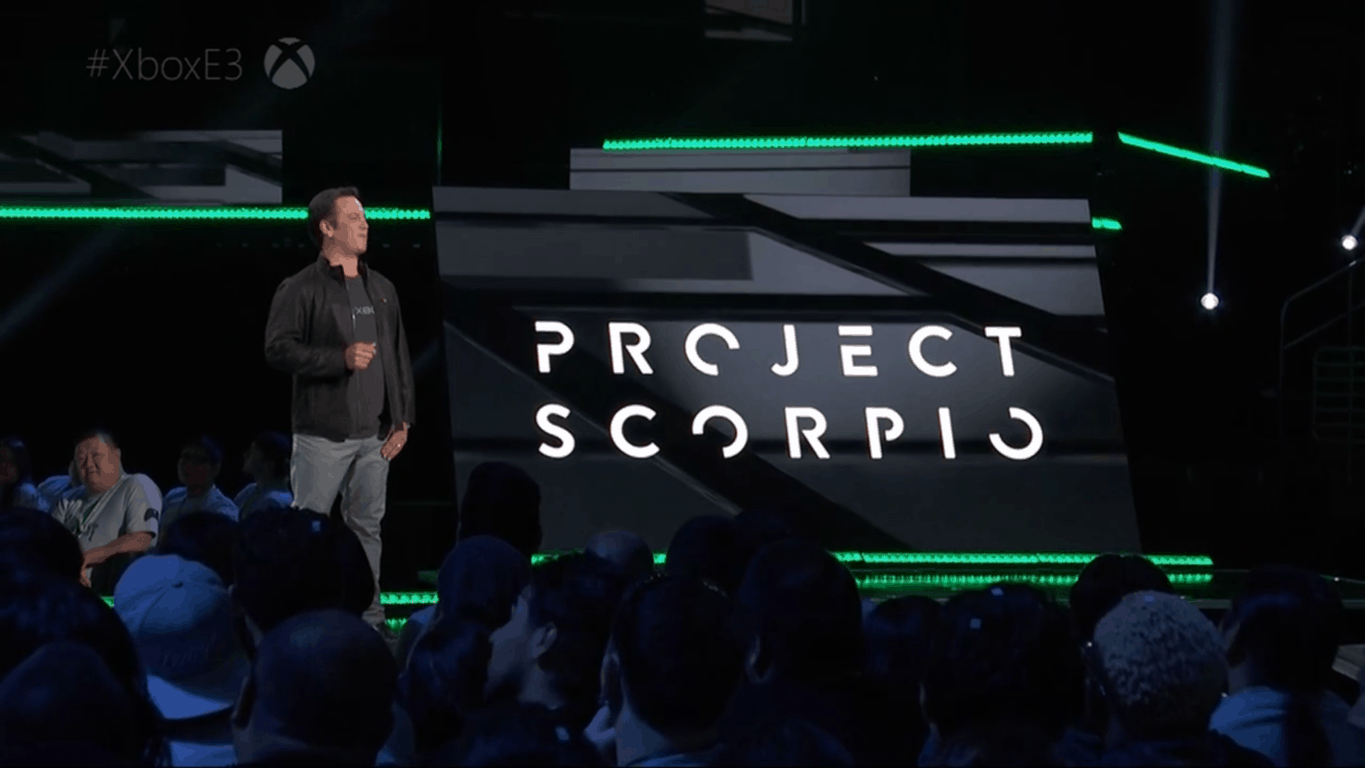
It’s been a busy day for Xbox news, and another big story has just entered the fray. Today, Chris Charla, director of ID@Xbox, introduced the Xbox Live Creators Program, which will allow any developer to integrate Xbox Live into their game and publish to Xbox One and Windows 10 without the need for concept approval.

While the program is still in preview, the program will ultimately allow developers to rapidly publish Xbox Live-enabled games on Xbox One and Windows 10 PCs. Creators Program developers will be able to include integrate Xbox Live sign-in, presence, and social features into their UWP games, then publish their game to Xbox One and Windows 10. Chris Charla describes how the program works:
This means their title can see exposure to every Xbox One owner across the Xbox One family of devices, including Project Scorpio this holiday, as well as hundreds of millions of Windows 10 PCs, and millions of folks using the Xbox app on mobile platforms. The Creators Program offers a straightforward way for developers to address a huge audience across Windows and Xbox One, with minimal additional development time. An important element is that developers can continue using the tools they’re already using today to create UWP games. Game engines with “out of the box” support for UWP games include Construct 2, MonoGame, Unity, and Xenko.

Interestingly, Charla points out that the program works with retail Xbox One consoles, which means there is no need a dev kit to get started. Additionally, developers who want access to more Xbox Live capabilities and gain additional development and marketing support for their game, can also still enroll in the ID@Xbox program even after their game ships.  The differences between the Creators Program and ID@Xbox can be seen in the graphic below.

ID@Xbox vs Creator's Program
ID@Xbox vs Creator’s Program

Details on how to enroll in the program can be found here, and it’s as easy as following four simple steps: creating a Microsoft Account, a Dev Center account, taking a survey, and reading the necessary documentation. It is also worth noting that for Windows 10, Creators program games will be available on the Windows Store, and on Xbox One, games from the Creators Program will appear in a new, distinct Creators games section in the Store.