Here’s how to get a free Windows 10 license but still continue using Windows 7/8.x

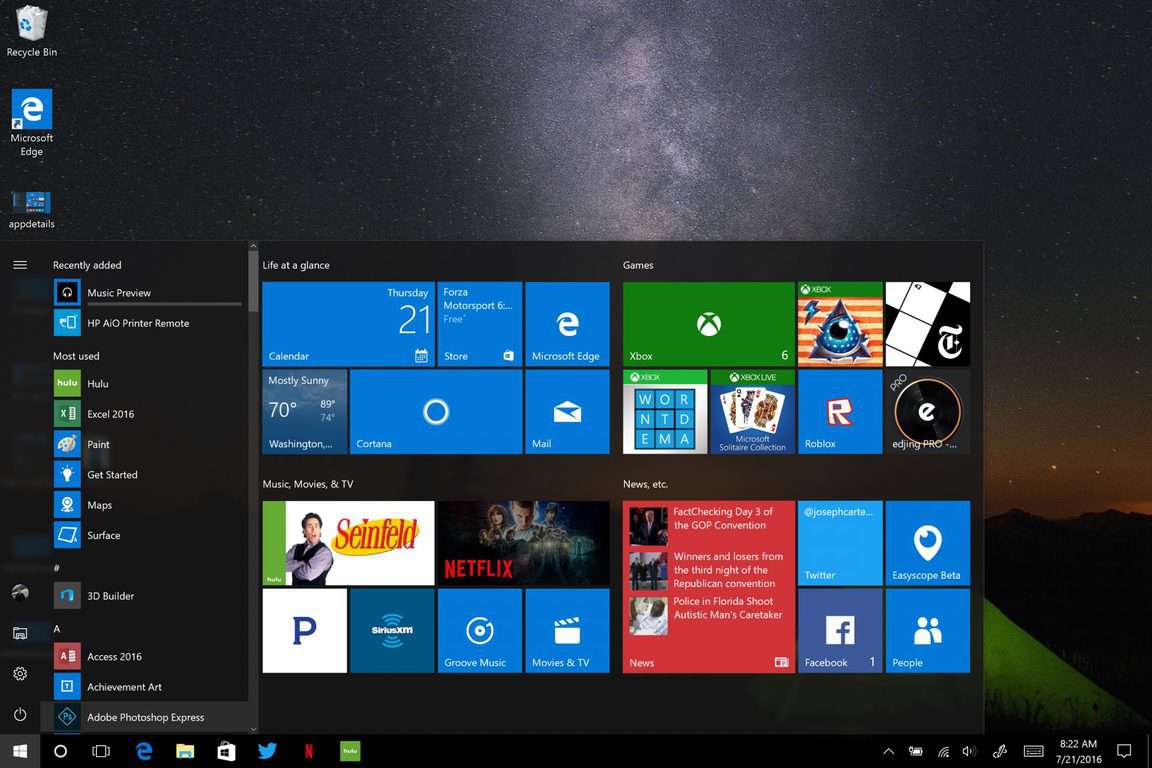
The saga of the Windows 10 free upgrade is about to end on July 29. At that time, Microsoft will stop offering it to all eligible users of Windows 7 and Windows 8/8.1. For these users, it has been a long year with Microsoft having bombarded them with tricky methods to convince them to upgrade.

As July 29 approaches, a lot of people who chose to stick with Windows 7/8.x are having second thoughts on whether they actually should upgrade to Windows 10 after all or stick with their current OS until its end. No matter how upgrading seems unfair to someone, Microsoft will eventually stop supporting Windows 7 and Windows 8, so users of these operating systems will be left with outdated, insecure operating systems that will lack new features and services. In the end, these users will be forced to upgrade sooner or later.

Microsoft won’t stop supporting Windows 7/8.x quite yet, but when that day comes, users who didn’t upgrade now will have to purchase the license instead of installing Windows 10 for free. This puts a lot of users in an awkward position because they lose either way.

Luckily, for people who still want to use Windows 7/8.x after July 29, there’s a way to get a free Windows 10 license, and continue using their current OS. It will require a little extra work, but it will definitely save you money and nerves later.

How to get a free Windows 10 license and continue using Windows 7/8/8.1

To get a free Windows 10 license valid after July 29, you need to upgrade your current system to Windows 10 (Don’t panic — you’ll get it back!), get your free Windows 10 license, and then REVERT back to Windows 7/8/8.1 again. But hurry up, you’re only able to do that before July 29!

If you fulfill Microsoft’s wish and upgrade to Windows 10 before July 29, you’ll get a free Windows 10 license. Once you initiate the process, your Windows 10 license will automatically become associated with your Microsoft Account and you’ll be able to use it for installing Windows 10 over and over again (only on one machine, of course).

Once you upgrade to Windows 10, you’ll have 30 days to roll back to the initial version. So, all you need to do now is revert back from Windows 10 to Windows 7/8/8.1 and you’ll have your old operating system back. After that, you can upgrade to Windows 10 again any time you want, so you don’t have to worry about buying a license once you’re forced to upgrade.

Of course, to be able to upgrade to Windows 10 you need a legal copy of Windows 7/8/8.1 as well as the Microsoft Account. So, make sure your computer is eligible for the upgrade before you try anything.

We remind you that you have 30 days to play with Windows 10 once you upgrade, so don’t rush rolling it back — you might actually like it, especially when the Anniversary Update gets released.

RELATED STORIES YOU NEED TO CHECK OUT:

Skype will stop supporting Windows Phone in the near future

Windows Phone isn’t the best operating system Microsoft has created. In fact, it was quite terrible, but that didn’t stop Microsoft fans from purchasing mobile devices that ran this operating system. At the same time, a good number of smartphones running Windows Phone are not as expensive as other handsets that run on Android or iOS.

However, it seems that Microsoft realized it needs to step up and have created Windows 10 Mobile as a response. Even if this is not the perfect mobile operating system, it is way better than the Windows Phone. However, not all Windows Phones will be able to be updated to Windows 10 Mobile.

For owners of these “outdated” smartphones, Microsoft has announced that Skype will stop supporting Windows Phone. This will surely be the final slap for many owners of the devices running Windows Phone. Many of them will most likely decide to switch to an Android or iOS device because of this.

Gurdeep Pall from the Skype Team said they need to keep up the pace with other popular mobile applications and in order to bring some new features to Skype, many of them will require Windows 10 Mobile.

Pall also added these decisions were not that easy to make, but they are necessary. If not,  Skype will fall behind rivals on features and options. In other words, if an application doesn’t come with new features and options, users will lose their interest and switch to other applications with better offers.

Skype will continue to be supported on Windows XP, Windows 7, Windows 8, Windows Vista, Yosemite, Android 4.03 (and up) and iOS 8 (and up).

RELATED STORIES TO CHECK OUT:

Lumia 950 and 950 XL restart issue is a never ending saga

The Lumia 950 and Lumia 950 XL are two of the most powerful Windows phones offered by Microsoft. However, users often can’t take advantage of these two interesting pieces of technology because both phones reboot when users need them the most.

We’ve all had restart issues with our phones, but the Lumia 950 and 950 XL have been plagued by this problem ever since they were launched. What’s worse is that Microsoft keeps on using the ostrich policy when it comes to acknowledging and providing a fix for this issue.

If you check out this forum thread on Lumia 950 and 950XL restart issues, you’ll see that user complaints span 44 pages. The most interesting part is that Microsoft’s Support Team hasn’t posted anything on this thread — they haven’t even confirmed they took into consideration this issue, let alone provide a solution.

Here’s how users describe these random restarts:

Mine would restart while it was sitting on my desk.  Nobody touched it or moved it, so there was nothing “jiggling” or “knocking on the screen”.  One day I was just sitting there watching a video on my computer and I noticed it was restarting out of the corner of my eye.

The restarts on Lumia phones occurs for both Insiders and non-Insiders. The Windows 10 Mobile builds Microsoft has rolled out have so far been unable to fix this issue, as Insiders confirm.

The problem is extremely annoying as most Lumia 950 and 950 XL owners use the phone for business purposes. Also, sporting price tags of $600 should offer a superior user experience to what’s currently being experienced.

Judging by user experience, random restarts can be triggered by four main elements (although not all the elements below apply to all users):

  • A microSD card with more than 64 GB
  • Wi-Fi with 802.11ac or 5 GHz band:

Well, since changing the wireless network to use the 2.4GHz band it’s been up and running for just over 19 hours without a restart. I think it’s safe to say that there is some issue with using the  5GHz wireless connection. I hope that Microsoft has a fix that will address the issue. Anyway, the installation of the SanDisk 64GB micro SD card doesn’t seem to cause restarts / reboots […].

Disabling Bluetooth, or enabling Bluetooth only when I needed it, certainly seem to help keeping the random restarts down to a minimum.

Microsoft’s lack of response is definitely very frustrating for users. Since there seems to be no permanent fix for the restart issues on Lumia 950 and 950XL, the best solution would be to simply purchase another phone — despite much as you love your Lumia phone.

RELATED STORIES YOU NEED TO CHECK OUT:

Microsoft Research and Bill Gates look forward to the next 25 years of innovation

Microsoft Research recently celebrated its first 25 years of delving into the underlying concepts that have driven the massive advances in technology we’re enjoying today. At the organization’s recent Faculty Summit, a number of tech luminaries got together to see what the next 25 years might hold.

If you weren’t able to attend, then the Microsoft Research blog was kind enough to post a video of the event covering some of the most interesting bits. From the blog post’s description:

At a Microsoft gathering of top academic and research scientists in Redmond, Washington, last week, leading thinkers including Microsoft co-founder Bill Gates reflected on what computer scientists have accomplished in the last quarter century, and on what they expect to see in the next quarter century.

The annual Faculty Summit coincided with the 25th anniversary of Microsoft Research, which currently has about 1,000 research scientists and engineers in labs throughout the world, working on their own and in collaboration with academic partners.

Watch the video yourself (it’s only nine minutes long) to see some of what Microsoft Research is considering as they prepare to help us accomplish more with our technology over the next quarter century. Let us know in the comments what you hope to see from Microsoft.

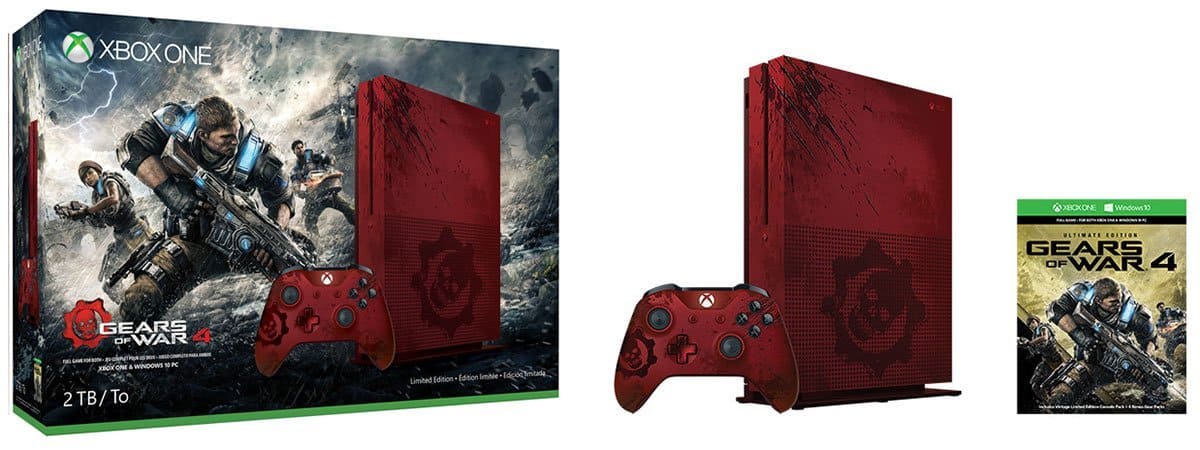
Here are the details on that Gears of War 4 Xbox One S bundle, straight from the console designers

Themed bundles for the upcoming Xbox One S have been confirmed, with the first being a Gears of War 4 bundle that’s already available for pre-order. Today, Xbox Live’s Major Nelson (a.k.a., Larry Hryb) took some time with the designers themselves to get some background and details on the new bundle.

Here’s the interview via Major Nelson’s Twitter feed:

There’s some nice information in there, including an overview of how the designers arrived at the console’s design. There’s also some tidbits about the game itself, making the video well worth its eight minutes or so viewing time. Give it a watch, and then let us know in the comments if you plan on getting this bundle or if your pre-order is already in place.

Microsoft releases App Analysis Tool for Windows Bridge for iOS (Project Islandwood)

Microsoft continues to be invested in convincing iOS developers to port their apps to the Universal Windows Platform. The primary tool for doing so remains the Windows Bridge for iOS, an open-source project that makes it easier to create UWP apps that utilize iOS APIs and Objective-C code and run on Windows 10 devices. Today, Microsoft has announced on the Windows blog a new utility to help iOS developers decide if their app was a good candidate for conversion, the iOS App Analysis tool.

According to Microsoft:

We want to make it as easy as possible to get started with the bridge – but until now, even finding out if your app was a good match for the bridge was a multi-step process that included downloading the SDK from GitHub, setting up Windows 10 and Visual Studio 2015, generating a Visual Studio project for your iOS app, and finally running your code.

For the past few months, the iOS bridge team has been soliciting iOS app packages – called IPAs – from our developer community to help test and flesh out the App Analysis tool, and we’re happy to announce it’s ready.

Starting today, you can use the App Analysis tool to immediately get a breakdown of what parts of your app are compatible with the bridge, giving you a good estimate of how much work would be required to turn your iOS app into a UWP app. And since the tool is web-based, there are no downloads and no installs required – just upload your IPA and you’re ready to go.

Essentially, the tool looks at an app and return information on which frameworks and classes are support by the Windows Bridge for iOS. The results will let a developer know how much work will be required to port an app using the bridge, as in the sample image below.

image3
Windows Bridge for iOS App Analysis Tool results.

In addition, the tool will provide some additional assistance on how to proceed:

Where possible, the tool will also provide actionable feedback for unsupported items. For instance, if you used Apple’s MapKit framework in your iOS app (which is currently unsupported by the bridge), you’ll get a recommendation to try using Bing Maps and a XAML map control, along with a link to a sample project and tutorial showing you how to do so. Similarly, if you use third-party libraries that are partially supported, you’ll get feedback on how to incorporate their functionality into your bridged app.

The blog post provides all of the details on how to utilize the tool, and it’s well worth an iOS developer’s time. Access the App Analysis tool here, and make sure you’re on the latest bridge release version. The project’s wiki provides even more information.

Microsoft adds a “Pokemon detector” and lots more to OneDrive photos experience

While the Windows team has been dotting its I’s and crossing it T’s with regards to its updated operating system and core services, the OneDrive team seemed relatively quiet and or complacent in keeping up the development pace. Aside from releasing an arguably blown up version of the Windows 10 Mobile app for the desktop, it’s been a veritable desert of news or mentions coming from the OneDrive team.

That is until today.

Announced through the Office Blogs, the OneDrive team has updated its photo experience and the new features and tweaks should be rolling out to users as soon as today. Perhaps to keep feature parity with its cloud-based photo storage competition, the OneDrive team seems to have retooled its algorithmic and analytical backend infrastructure to offer a more refined pre-emptive collection and sorting experience for users.

Users of OneDrive will now be treated to several new additions that include enhanced searching features, album sorting, folder delegation, better Windows 10 integration, and even a Poke detector option. Here are the details

Automatic albums

You upload photos to OneDrive so you can easily find and relive memories—whether from another device or by sharing them with friends and family. With automatic albums, this experience is now even easier.

OneDrive detects whenever you take a few photos in a short period of time, in a particular location. The highest quality photos are then selected and put into an album. You are even notified when they’re ready to view and share on OneDrive.com, in our mobile apps or via the Windows 10 Photos app. In addition, to celebrate all of the fun stuff you do over the weekend, on Monday morning albums from your weekend photos are automatically created.

Automatic Albums
Automatic Albums

On this day…

On OneDrive.com, you’ll also see the new “On this day” view in your All photos page. We love discovering photos we’ve taken in the past, and this view updates every day with images you have taken over the years on that same day. It’s a great way to relive birthdays or anniversaries or to remember old family vacations.

On this day image collection

Improved search

You can now search directly from the All photos view too. This includes finding photos that have been tagged (such as “cat” or “sunset”) or photos from a specific location (try your last vacation). You can even search using emojis. These searches also work in the OneDrive mobile apps.

Photo folders

We listened to your feedback and now have a dedicated view for your folders that have a lot of photos in them. The new photos view includes a hero image, larger thumbnails and a revised menu to help you quickly create an album or share photos.

OneDrive folder
OneDrive folder

In addition to giving the photos view in our mobile apps a little bit of a facelift, we worked closely with the Windows team to improve the experience in the Windows 10 Photos app. Now, when you sign in to Windows 10 with your Microsoft account, all of your OneDrive photos show up—including albums that were created for you automatically by OneDrive! You can even upload local albums to OneDrive so that those albums roam with you and are available across all your devices.

Poké detector

And finally, we know that the Pokémon* craze has captured everyone’s attention. A lot of players take screenshots of their captured Pokémon to show off to their friends—both digitally and in person. We had to make it easier for you to find all your Pokémon screenshots, so we went to work and partnered with Microsoft Research to bring a Pokémon detector to OneDrive.

Poke Dectector
Poke Dectector

When you have the OneDrive app on your phone and camera upload is turned on, the screenshots you take from the game are automatically saved to OneDrive and 150 Pokémon are identified for your searching and viewing pleasure. You can also search for your favorite Pokémon by name.

The OneDrive updated photo experience blazes a trail for the subsequent Windows 10 Anniversary Update where the two will ideally drive an even more refined computing and photography experience for users.

Even the smallest mistake in We Happy few results in permadeath

We Happy Few is one of the most eagerly awaited games of 2016. The game is already available on the Xbox Store and the Preview version will be released on July 26.

Thanks to various gameplay images distributed by the people who’ve backed the project, we pretty much know what to expect to see in the game.

We Happy Few is the tale of a plucky bunch of moderately terrible people trying to escape from a lifetime of cheerful denial in the city of Wellington Wells. Set in a drug-fuelled, retrofuturistic city in an alternative 1960s England, you’ll have to blend in with its other inhabitants, who don’t take kindly to people who don’t abide by their not-so-normal rules.

However, one very important feature that hasn’t really been brought to the spotlight is permadeath. Yes, We Happy Few includes permadeath, so mistakes are costly and if you die, you’re going to have to start all over again.

Through a lack of checkpoints and save points, the game’s developer wants to instill the fear of consequences in gamers so that they become aware of the danger that exists in Wellington Wells. A safety net would have simply made the game too boring. When a player dies, all progress and items will be lost forever.

We Happy Few is procedurally-generated, which means the game will create a different environment every time you start all over again. Being dropped into unfamiliar territory each time will add to the game’s tension and unpredictability.

Staying alive will not be an easy task since the inhabitants of Wellington Wells won’t hesitate to attack you if they suspect you’re not on Joy. If they find not on the drug, they’ll lynch you. At the same time, you’ve got to be very careful what quantity you consume. Too little and they’ll sense you’re trying to fool them; too much and your character will lose control.

To make things more difficult, your character needs regular sleep and needs to eat and drink as well. If he doesn’t eat when his body urges him to, he’ll collapse.

What do you think about the permadeath feature in We Happy Few? Would you rather have the possibility to resume the game from the moment you die?

Microsoft apps get a pre-Windows 10 Anniversary Update refresh

In anticipation of the Windows 10 Anniversary Update, Microsoft updates its Outlook Mail and Calendar app, as well as Calculator and Camera, with some bug fixes and performance improvements. At the moment, these updates are only available for Windows Insiders on the Fast Ring.

The previous update to Outlook Mail and Calendar has more features and fixes than this new update. There are no noticeable features added to the Camera app; mostly just bug fixes. The Calculator app adds a couple new features and performance improvements.

According to their version notes, here’s a look at each Windows 10 app.

Outlook Mail and Calendar

  • View .eml attachments and save messages in .eml format
  • Print Day, Multi-day, and Work Week views in Calendar

Windows Camera

  • Bug fixes for reliability and performance
  • User experience improvements

Windows Calculator

  • Try the new programmer mode, with added logical operations
  • Scientific mode also includes new functions
  • You can now switch between dark and light themes
  • It’s easier to use and faster than before

Did you notice any of these new updates on Windows 10 or Windows 10 Mobile?

Mail and Calendar
Mail and Calendar
Price:
Free


Windows Camera
Windows Camera
Price:
Free


Windows Calculator
Windows Calculator
Price:
Free

The MSN apps updated for Windows Insiders on the Fast Ring

If you’re a Windows Insider on the Fast Ring, Microsoft has just pushed a new wave of updates to its MSN apps. The MSN News, Weather and Money apps are bumped to version 4.12.184 while the MSN Sports app has been updated to version 4.12.186.

These are minor updates which should bring better performance, but we spotted something new with the MSN News app: the app’s Dark Theme mode for articles has now become a true dark mode, you can see how it looks in the screenshots below:

The new dark theme on the MSN News app.

This will definitely look easier in the eyes if you’re used this app to read news at night, and we’ll see if the MSN Money and Sports will also get this dark theme option in the future. You can get the updated apps from the download links below, and we expect these new versions to roll out to all Windows 10 users in a few weeks along the release of the Anniversary Update.

Microsoft News
Microsoft News
Price:
Free


MSN Money
MSN Money
Price:
Free


MSN Sports
MSN Sports
Price:
Free


MSN Weather
MSN Weather
Price:
Free


Kickstarter game Prey for the Gods coming to Xbox One without a stretch goal

No Matter Studios, the creators behind the popular Kickstarter campaign for the video game, Prey for the Gods, have announced that their game will see release on both Xbox One and PlayStation 4 if they reach their campaign target of $300,00. With 14 days left to reach their fundraising target, the possibility reaching their goal seems likely with almost 8,000 backers having already pledged $271,326.

No Matter Studios posted the following statement on their Kickstarter page:

Prey for the Gods is running and playable on PS4 and Xbox One. We figured this was going to be incredibly difficult to pull off. Initially, we put that stretch goal at $600K so we could hire people to offload Tim’s work allowing him to focus on consoles.

However, we had to respond to the outcry from fans as people were pledging substantial amounts, without even a working computer, just for the chance that we’d hit a stretch goal. So we took it upon ourselves last week to shift our priorities and focus on getting the game to run on consoles. We were surprised and incredibly excited by the results. Within days, we had them playable and running @30 FPS, un-optimized! At that time, we knew we needed to take another look at our stretch goals. We also took this time to be a little more explicit with how we intend to use the funds. Namely, showing that we wish to hire an in-house animator and in-house world builder. We were also able to squeeze in Mac/Steam!! HURRAY!

I’ll be reaching out to each and everyone of you that messaged us about your requests for both console and mac. So now if you back at $25 you will get the console version of your choice without fear of not hitting a stretch goal. So please tell your friends and pledge confidently.

Thank you again for your support.

Prey for the Gods is an action survival game set on a snowy island inhabited by gods. Early footage and images of the game have shown some genuinely impressive concepts and graphics with detailed weather physics and enormous villains that are so large that they can be climbed like terrain. Ian Dorsch, who has been involved with audio for video games such as Gears of War 3, will be composing music for Prey for the Gods.

Do you like to support Kickstarter video games? Let us know your thoughts in the comments below.

New game Touchdown Hero launches on Windows 10 devices with Xbox Achievements

A new game has just launched on Windows 10 devices called, Touchdown Hero: New Season. The game is published by Game Troopers and appears to support PCs and tablets running Windows 8 and upwards and smartphones running Windows Phone 8 and up.

Here’s the official app description: The Big Game of 2016 is finally here! Become a true Touchdown Hero in this top-down tackle-avoider! Choose the right scheme and swiftly rush down the field. Use fakes, pushes and spins to avoid being tackled by aggressive defenders. The unique slow-motion feature will allow you to Spot the Gaps and reach End Zone after End Zone. Get ready to score big! Share your scores and challenge your friends! – Free limitless fun for everyone – Unique slow-motion feature – Easy to learn controls – Loads of teams and characters to unlock – Different types of opponents, fields and weather conditions – Original old school graphics – Great retro-style music and sound effects.

  • Decide when you want to RAM, SPIN or FAKE to breakthrough towards the TOUCHDOWN ZONE!
  • CUSTOMIZE your player from head to toes and show what you’re made of!
  • Score TOUCHDOWN after TOUCHDOWN to beat high-scores and climb the ranks! TOUCHDOWN HERO: NEW SEASON is even bigger, better and more fun!

Touchdown Hero: New Season supports Microsoft’s Xbox Live online gaming network. This connectivity allows it connect players to others on their Xbox friends lists for leaderboard and challenge competitive play and also enables a host of Xbox Achievements that can be unlocked once certain requirements are met. Interestingly, Touchdown Hero: New Season appears to be running on the older version on Xbox Live which was used for the Xbox 360 and Windows Phone 8 video games. The majority of Xbox Live-enabled games on Windows 10 use the never version of the service which is also shared by the Xbox One video game console.

Have you played Touchdown Hero: New Season yet? Let us know your thoughts on it in the comments below.

Touchdown Hero: New Season
Developer:
GAME TROOPERS
Price:
Free

Microsoft unlikely to hit 1 billion devices by 2018 milestone

Back in 2015, Microsoft made a huge deal about wanting to have 1 billion devices running Windows 10 on the market by 2018. At the time, many thought it was impossible and now those doubts seem well-placed because Microsoft doesn’t believe it will hit that milestone either.

Windows 10 on the desktop is going well. Over 350 million computer users have upgraded to the operating system in less than a year after its arrival. One would think Microsoft would have no problem meeting its 1 billion goal with this rate of conversion, but bear in mind that Windows 10 is not all about desktop anymore.

The reason the software giant doesn’t believe its 2018 plan is feasible has everything to do with its mobile strategy. Windows 10 Mobile is going nowhere fast, and will be unable to propel Microsoft to that 1 billion device goal.

The PC and the Xbox One will no doubt soldier on, especially with the Xbox One S set to launch on August 2, 2016 and Project Scorpio for holiday 2017. Unless Microsoft can pull off a miracle with its rumored Surface Phone, then there’s little chance it will hit its goal of 1 billion devices with Windows 10 as the driver.

The company provided a statement as follows to ZDNet:

“Windows 10 is off to the hottest start in history with over 350M monthly active devices, with record customer satisfaction and engagement. We’re pleased with our progress to date, but due to the focusing of our phone hardware business, it will take longer than FY18 for us to reach our goal of 1 billion monthly active devices. In the year ahead, we are excited about usage growth coming from commercial deployments and new devices – and increasing customer delight with Windows.”

From our point of view, Microsoft should blame itself instead of laying the blame on mobile. Before the purchase of Nokia’s devices division, Windows on mobile was actually growing at a slow pace — but growing nonetheless. Microsoft took over and all that growth stopped, with everything quickly tumbling downhill from there.

RELATED STORIES YOU NEED TO CHECK OUT:

CodeWeaver brings Windows x86 apps to Google’s Chromebook

Microsoft is no longer aiming to have Android apps run on Windows 10, but that is not stopping others from attempting to run Windows apps on Android. We doubt the plan will work out well enough seeing as Android already has a strong ecosystem of apps, but it is still interesting nonetheless

The app in question is called CrossOver, but it is not yet available for download. However, the developer did show the app in action running on a Chromebook laptop. The developer, CodeWeavers, demoed the Steam client running smoothly on a Chromebook along with Limbo, a popular indie video game.

The app supports up to DirectX 9 for graphics and even support for keyboard and mouse inputs. The downside here is the fact that the app only supports devices with an x86 processor, which ultimately rules out every Android smartphone and tablet since they are powered by ARM.

What matters right now is that most Chromebooks are powered by Intel processors. As the search giant, Google, continues to roll the Play Store out for these devices, we expect to see a rise in Chromebook sales and the usage of apps such as CrossOver.

We can’t help but feel that not every x86 app will run perfectly on a Chromebook through CrossOver, but that shouldn’t matter to those who want to use their favorite Windows apps on Android.

Time will tell if Microsoft will change its tune and move back to having Android apps run on its Windows 10 platform. At this point, any chance of that happening is impossible, but we can still hope for a change in the future.

While fans of the Windows 10 platform might not be getting Android apps, developers can easily port their Apple iOS apps to the platform at any time. The new Facebook Messenger app is clearly a port from iOS, and we expect many more developers to go down this route.

Check out the video below to see the whole thing in action for the first time in a public setting.

RELATED STORIES YOU NEED TO CHECK OUT:
WeChat app for Windows 10 now available in the Windows Store

Those looking to have the WeChat app installed on their Windows 10 device will not need to wait any longer because it is now available via the Windows store. From what we can tell, the app doesn’t appear to be fully functional at this time, probably due to the app not being officially available.

Whenever a user attempts to scan the QR code to connect the app with their smartphone, it crashes. This happens every time we’ve tried, but we expect the issue to be rectified once the developer opens it up to the public. For now, we can’t say when this will happen, but seeing as WeChat is visible in the Windows Store, it is safe to say the official unveiling could be days away.

The screenshot on the Windows Store shows an app with basic functionality, so version 1.0 might not come with some of the app’s more advanced features. If you’re a fan of Windows 10, though, this should tide you over until more features are added.

Give the app a try by visiting this link. It probably won’t work, but who knows? Luck could be on your side today.

In the past we asked if Tencent would bring a UWP version of WeChat to Windows 10, and clearly this is happening now. But what about SnapChat? Well, it doesn’t appear as if the developer is working on a version of that app for Windows 10 Mobile, and Microsoft doesn’t seem to be making any efforts to get it on the platform.

Nonetheless, the software giant is making moves to get Pokemon GO on Windows 10, so at least that’s happening. If you can’t wait, learn how to play the game on your Windows 10 PC right now with this easy guide.

RELATED STORIES YOU NEED TO CHECK OUT:

  • GroupMe chatting app now available on Windows 10 PCs

Fix released for Surface Book, Surface Pro 4 camera driver issue

Yesterday, Microsoft released the new build for Windows 10 Preview and Windows 10 Mobile Preview called build 14393. The new build brought a lot of system improvements and bug fixes, but it also caused a BSOD issue on Surface Book andSurface Pro 4 devices, due to a camera driver issue.

In the official build announcement blog post, Microsoft promised it will soon deliver a fix for a camera drive issue through Windows Update, and the company kept its promise after just one day. Head of Microsoft’s Insider Program, Dona Sarkar confirmed the new update via her Twitter account.

Surface Book and Surface Pro 4 users who installed the latest build should not face the issue anymore. Microsoft has started delivering the patch through Windows Update, so if you still hasn’t receive it, go to the Settings app, and check for updates. 

Microsoft didn’t want to wait for the next build to fix this issue, but instead released the patching update. That made a lot of people think that build 14393 is actually the Anniversary Update RTM, and the final build until its release. However, Microsoft hasn’t confirm anything, and only Redmond’s employees know for sure what’s going on. 

Did this update solve the BSOD problem on your Surface Book/Surface Pro 4 device, and was that the only problem caused by the new Windows 10 Preview build? Tell us in the comments.

RELATED STORIES YOU NEED TO CHECK OUT:

Microsoft publishes new Dynamics 365 roadmap, packaging and licensing updates on the way

Roadmaps, previews and Insiders programs seem to litter the vascular of the ever-evolving and transitioning Microsoft company. With the development of Windows 10, all three words come into play as the Windows team rushes towards its road mapped goal of an early August release of its latest version of the operating system.

Another Microsoft product using the leaning on public assistance through a clearly identifiable roadmap is Microsoft Dynamics 365. According to ZDNet’s Mary Jo Foley, Microsoft Dynamics 365 has established a new roadmap for its packaging and licensing plans just before the rollout of the service later this year.

Dynamics 365 combination of AX ERP suite, Dynamics CRM Online and small-business commercial offering Project Madeira is scheduled for Office 365 integration alongside a roll out to Office Graph once Microsoft clears its LinkedIn acquisitions through regulation.

The new roadmap for Microsoft Dynamics 365 includes shifting Dynamics 365 Financials availability to fourth quarter 2016 for early adopters in the US and Canada and not until 2017 for an increased general availability.

Specifically, when in 2017 the rollouts will appear is unclear at the moment.

Next up for changes in roadmap targets are Dynamics 365 for Sales and Dynamics 365 for Marketing, which will both be available sometime in 2017, according to MSDynamicsWorld.com

As Foley discussion with Microsoft partner Forceworks points out, the updated road map shows an effort by Microsoft to uncouple components from CRM Online to offer greater licensing flexibility for customers.

Microsoft is deconstructing CRM Online into component parts, i.e.,., sales, marketing, customer service, etc. These ‘parts’ will join field service and project service, which were already ‘parts.’ Once done, you would have the option to license just a part or the whole shebang at the Enterprise level.”

Seems apparent, that demand for better licensing options was heard and received by the Dynamics group and Microsoft as a whole. Hopefully, the rollouts remain on schedule and that the roadmaps remain relatively untouched.

Stay up to date on system status by streaming Azure Diagnostic Logs to Event Hubs

If you’re using Azure, there’s a good chance you’re a big fan of its new and efficient ways to read data. Azure Diagnostic Logs, which provide insight into the operation of resources, are now going to be able to be streamed through Event Hubs. Up until now, you were only able to store Azure Diagnostic Logs in your storage account, but the addition of Event Hubs support gives users a lot more in the way of options.

Here’s what the change allows you to do, according to Microsoft’s Azure blog post:

  • Stream logs to 3rd party logging and telemetry systems – Over time, Event Hubs streaming will become the mechanism to pipe your Diagnostic Logs into 3rd party SIEMs and log analytics solutions.
  • View service health by streaming “hot path” data to PowerBI – Using Event Hubs, Stream Analytics, and PowerBI, you can easily transform your diagnostics data into near real-time insights on your Azure services.
  • Build a custom telemetry and logging platform – If you already have a custom-built telemetry platform or are just thinking about building one, the highly scalable publish-subscribe nature of Event Hubs allows you to flexibly ingest diagnostic logs.

This isn’t a major change, but it frees up some options for people who consider themselves data hounds. Event Hubs is a service that’s already constantly streaming information to its user, so adding the data from Azure Diagnostic Logs just makes sense. If you want to learn a little bit more about what Event Hubs has to offer, you can check out its official site here.

Windows 10 and Windows Server 2016 get new TCP improvements with Anniversary Update

Microsoft is committed to improving its Windows Transmission Control Protocol and will soon roll out a series of improvements to this platform via the upcoming Anniversary Update. These improvements have two main goals: increase TCP startup speed and decrease time to recover from packet loss.

The TCP update for Windows 10 and Windows Server 2016 includes five new features:

  • TCP Fast Open (TFO) for zero RTT TCP connection setup
  • Initial Congestion Window 10 (ICW10) by default for faster TCP slow start
  • TCP Recent ACKnowledgment (RACK) for better loss recovery
  • Tail Loss Probe (TLP) for better Retransmit TimeOut response
  • TCP LEDBAT (Windows Low Extra Delay BAckground Transport) for background connections

More specifically, TCP Fast Open generates a TFO cookie during the first three-way handshake (3WH) connection setup to achieve a zero RTT connection setup time. All the subsequent connections to the same server can use the TFO cookie to connect in zero-RTT.

TFO is one full Round Trip Time (RTT) faster than the standard TCP setup which requires a three way-handshake. This leads to latency savings and is very relevant to short web transfers over the Internet where the average latency is on the order of 40 msec.

The Initial Congestion Window 10 default value in Windows 10 and Server 2012 R2 is 4 MSS. Once the new improvements are rolled out, the default value will be 10 MSS.

This change in Windows TCP’s startup behavior designed to keep pace with the increased emission rates of network routing equipment used on the Internet today. The ICW determines the limit on how much data can be sent in the first RTT. Like Windows TFO, IW10 mostly affects small object transfers over the Internet. Windows IW10 can transfer small Internet objects up to twice as quickly as ICW4.

The new TCP Recent ACKnowledgment feature uses the notion of time instead of counting duplicate acknowledgments to detect missing packets for TCP Fast Recovery. A packet is considered lost if  it was sent “sufficiently later” and has been cumulatively or selectively acknowledged.

The new Tail Loss Probe improves Windows TCP’s behavior when recovering from packet loss. TLP converts Retransmit TimeOuts (RTOs) into Fast Retransmits for much faster recovery.

TLP transmits one packet in two round-trips when a connection has outstanding data and is not receiving any ACKs. The transmitted packet (the loss probe), can be either new or a retransmission. When there is tail loss, the ACK from a loss probe triggers SACK/FACK based fast recovery, thus avoiding a costly retransmission timeout.

The TCP LEDBAT feature is aimed at enabling background transport that does not interfere with other TCP connections.

Windows LEDBAT is implemented as an experimental Windows TCP Congestion Control Module (CCM). Windows LEDBAT transfers data in the background and does not interfere with other TCP connections. LEDBAT does this by only consuming unused bandwidth. When LEDBAT detects increased latency that indicates other TCP connections are consuming bandwidth it reduces its own consumption to prevent interference.

For more details about the upcoming Windows 10 and Windows Server 2016 improvements, check out Microsoft’s blog post.

RELATED STORIES YOU NEED TO CHECK OUT:
Looking for tips on how to become a Microsoft intern? There’s a FAQ for that

Is getting an internship at Microsoft your dream job? The company asked their social media followers exactly what they would ask a university recruiter. Many of the questions were combined into a convenient blog post over at Microsoft Jobs.

The FAQ answered common questions that some potentials might find themselves confused about. Microsoft encouraged applicants to apply earlier in the year, rather than later, and to make sure to include all important dates and information–a mistake that many people seem to forget!  The FAQ also covers topics such as interning from out of the United States, how to follow up on the status of an application, and how to get in touch with a recruiter.

Microsoft has always had a soft spot for expanding education for the youth of today. Throughout the UK, Microsoft and Risual teamed up to bring five new academies to bridge the digital skills gap. Likewise, the company put together a list of resource, inspiration, and advice to help college graduates aiming for their dream job in technology.

The company is always posting more job listings on the Microsoft Careers website, and you can keep up to date through their Facebook and Twitter feeds. Let us know in the comments if you plan to apply for a Microsoft internship.

Futuremark releases new benchmark tool for Windows 10’s DirectX 12

DirectX 12 is the future of computer gaming to many as the API promises to deliver low-level game development similar to that of consoles, meaning developers will be better able to squeeze more out of both new and old graphic cards like never before.

At the moment, DirectX 12 is only available for Windows 10, so gamers interested in seeing what their graphic cards can really do will have little choice but to upgrade to the new Microsoft operating system.

Before playing a DirectX 12 supported video game to see what the fuss is all about, we recommend doing some benchmark tests first. Futuremark recently updated its 3DMark benchmarking tool with a new demo known as Time Spy made specifically for Windows 10 computers for gamers to test out their DirectX 12 capable machines.

Here’s what Futuremark had to say:

With its pure DirectX 12 engine, built from the ground up to support new features like asynchronous compute, explicit multi-adapter, and multi-threading, Time Spy is an ideal benchmark for testing the DirectX 12 performance of the latest graphics cards.

Time Spy is free and only available with the newest version of 3DMark. If you want to unlock custom settings for Time Spy, you’ll be required to purchase 3DMark Advanced Edition.

The advanced edition at this moment costs only $9.99, but the price will rise to $29.99 after July 23, 2016. Visit the Steam Store to purchase 3DMark Advanced Edition right now.

With Rise of the Tomb Raider now supporting DirectX 12 with improvements and Oculus deciding to support the API as well, things are definitely looking up for the platform.

RELATED STORIES YOU NEED TO CHECK OUT:

Microsoft launches Azure Security Center

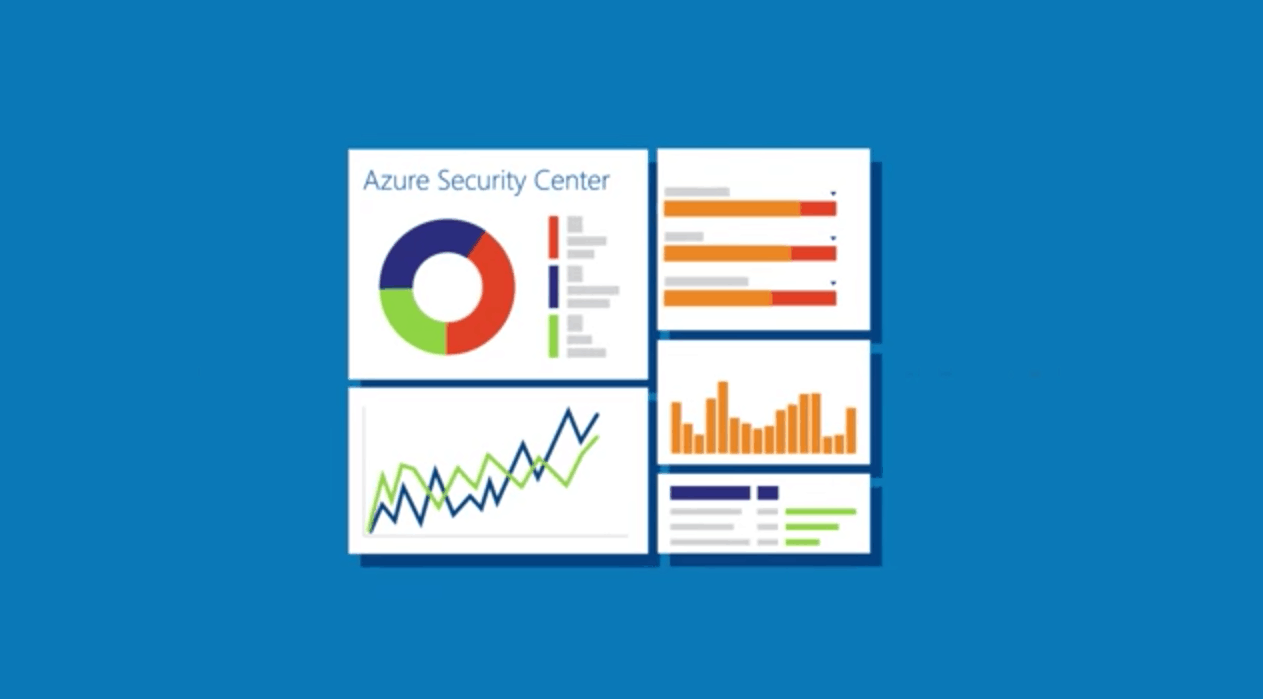
Microsoft’s Azure Security Team announced today that the Azure Security Center is now generally available to Azure customers. Azure Security Center gives Azure customers a central view of the security state of all of their Azure resources. The dashboard was introduced in preview last December, and Principal Program Manager for Azure Cybersecurity Sarah Fender highlighted today how Azure Customers leveraged it to manage their Azure resources:

During its preview period, Azure Security Center helped customers such as Chronodrive, Jet.com and Metro Bank gain visibility into the security state of their Azure resources, let them take control of cloud security policies, and monitored security configurations while helping them detect and respond to active attacks.

Azure Security Center provided customers more than 500,000 recommendations to improve the security health of their resources. It used advanced analytics, including machine learning, and Microsoft’s vast global threat intelligence, to detect more than 140,000 threats per month – providing actionable alerts and dramatically reducing detection and response times.

Now that Azure Security Center is out of preview, Microsoft is also adding the following new features :

  • Log integration. A new connector for Azure streamlines the process of getting security data, including Azure Security Center alerts, into security information and event management solutions, such as HP ArcSight, IBM Qradar, Splunk, and others.
  • Support for more Azure resource types. Security Center can now more extensively monitor the security of RedHat and many more Linux distros, including system update status, OS configurations, and disk encryption. It can also monitor security health for Cloud Services (Web and Worker Roles) and recommend outdated OS instances be updated.
  • Email notifications. Respond to threats more quickly with email notification when a new high severity security alert is detected.
  • New detections. Security Center now has improved ability to detect lateral movement, outgoing attacks, and malicious scripts, and researchers are constantly adding new capabilities.
  • Security incidents. By using analytics to connect the dots between distinct security alerts, Security Center can now provide a single view of an attack campaign and all of the related alerts so you can quickly understand what actions the attacker took and what resources were impacted.
  • REST APIs. For customers who want to integrate with their existing change management or security operations systems, we published REST API documentation.
  • Integrated vulnerability assessment. In the coming weeks, customers will be able to deploy vulnerability assessment solutions from partners like Qualys in just a few clicks.

To get started with Azure Security Center, we invite you to go on the dedicated website to learn how the tool can help you to understand your cloud security state. The service is offered in two tiers, Free and Standard, with a 90 day trial for the Standard tier. If you already tested the service during the preview period, let us know in the comments what do you think of the new features introduced today.

Microsoft has sold over 500 Surface Hubs, exceeding initial forecasts

Throughout the last few months we’ve been closely following the Surface Hub news. From demo videos of the device, to it being used in the coverage of the U.S. Presidential primaries, it has been a busy few months since the device launched. Today, however, we have learned (Via Neowin) that Microsoft has sold over 500 Surface Hubs, exceeding the company’s initial forecasts.

The news comes from a Microsoft statement seen at Petri, after the website asked the Redmond Giant about the availability of the device. Microsoft tells Petri,

“Demand for Surface Hubs is very strong and exceeded initial forecasts. To date, we’ve shipped to over 500 customers worldwide and that number continues to grow. We are ramping up production to meet this strong demand via our partner reseller channel as soon as possible. Customers are encouraged to speak with their sales representative if interested in ordering Surface Hubs.”

This is some very interesting news, as the Surface Hub device is priced at $8,999 for the 55inch model and $21,999 for the 84 inch model. Obviously out of budget for the average consumer, the device is fit for companies, and shows Microsoft’s interests in moving companies on from using white boards to evoleve the landscape of business boardrooms.

Microsoft Translator adds Cantonese text translation

Microsoft has just announced that Microsoft Translator now supports Cantonese text translation. This is just the one of the latest languages to be added to Translator and shows Microsoft’s commitment to permanently breaking down the language barriers that separate us.

The Redmond Giant is noting that with the new language, governments, communities and, people will be able to communicate back and forth across borders for both business and personal purposes. Cantonese, nonetheless, is spoken by about 55 million people in China, and another 20 million globally, so this is a very important move.

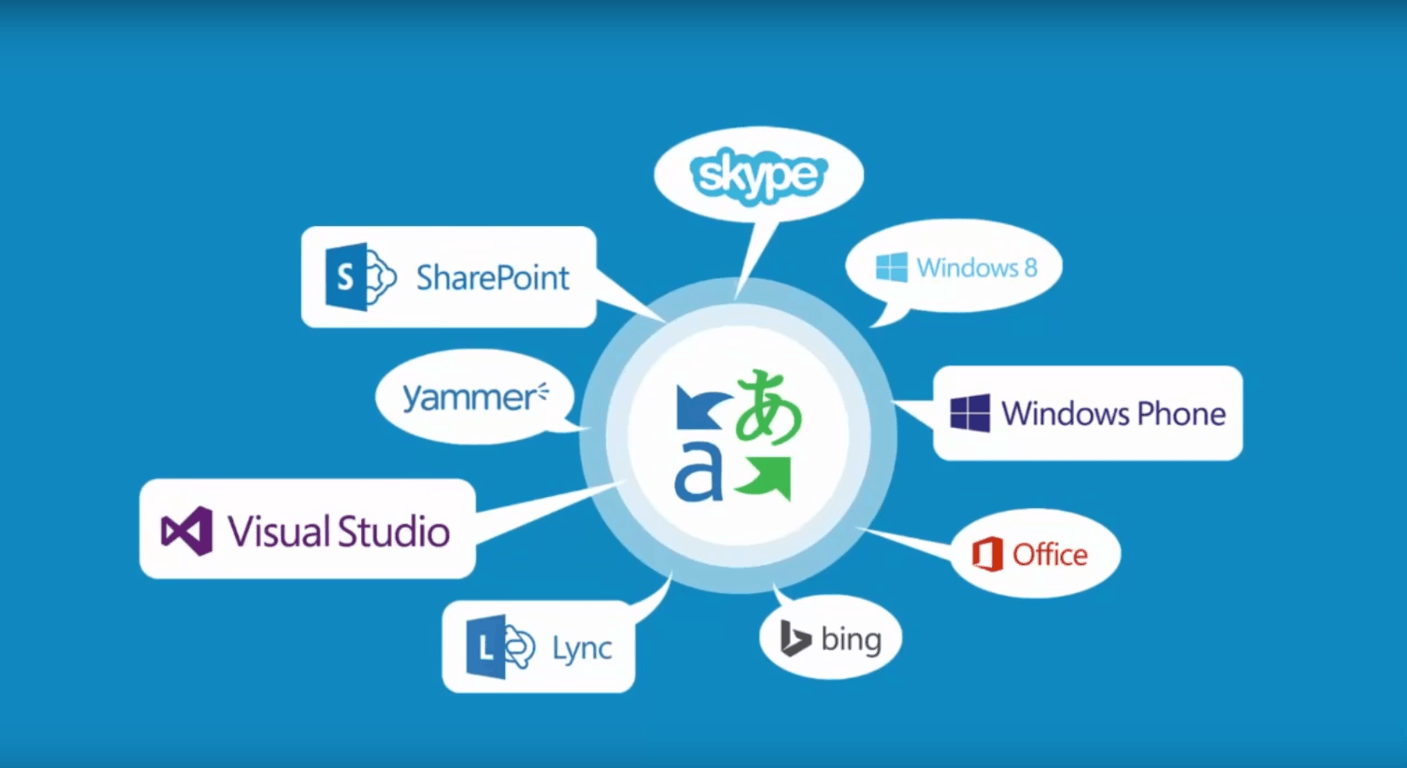
A very wide range of Microsoft Products currently support Microsoft Translator. Bing, Microsoft Office, SharePoint, Cortana, and Yammer all have support for translation. There are also a full suite of Microsoft Translation apps for PC’s including Windows, Windows Phone, Android, Android Wear, iPhone, iPad, and Apple Watch.  So, in line with these products and apps, Microsoft is also noting that Cantonese will also be available as an instant messaging language in Skype for Windows desktop so that you can communicate in real time around the world.

The Turing Test, a high-tech puzzle solving game, comes to Xbox One August 30th

Soon you will be able to see what it means to transcend the line between man and machine and solve puzzles only a human can solve. It’s all a part of The Turning Test, a new Xbox One Game from Bulkhead Interactive and Square Enix Collective which will be heading your way on  August 30th, 2016.

After discovering the truth of Humanity’s research base on Europa, in The Turning Test you will you wrack your brain trying to solving puzzles. You will do so using your EMT (Energy Manipulation Tool) to transpose power out from one object and into another. You will also power up and take control of artificially intelligent machines, manipulate giant structures, and solve complex tasks. All of this is even woven into a multi-layered story based on the human struggle for power, which can only be experienced through the interactive medium of video games.

So, what are your thoughts on The Turning Test? Do you think you will pick this game up once it launches? Let us know your reactions by dropping us a comment below!

Xbox One background music to be powered by Groove

Earlier this month, we reported that the Windows 10 Anniversary Update would soon bring background music on the Xbox One. As the feature had been previously implemented on the Xbox 360, background music has been one of the most asked features on the next generation gaming console, to say the least.

According to a new report from Windows Central, Microsoft is currently teasing a “new app experience” on the Groove Music app on the Xbox One that will include background music playback. Twitter user Christian Schröer shared a picture of the announcement yesterday:

This new Groove Music app may well be available to members of the Xbox One Preview programs before the public roll out of the Anniversary Update in August. Over the last few days, Microsoft has been delivering several new Xbox One Preview builds to members of the program, and we also reported this morning that the UWP MSN Weather app was one of the first UWP apps to appear on the Xbox One. We’ll let you know as soon as we learn more about this new background music experience on the gaming console, in the meantime let us know in the comments if you’re can’t wait to get the feature on your Xbox One.

Download Windows Media Encoder on Windows 10 [How to]

Over the years Microsoft released many great and useful tools, but unfortunately, the development of certain tools had to be canceled, including Windows Media Encoder.

The industry has changed and many switched to H.265 encoder software, but if you still want to use it, we’ll show you how to do that.

What is Windows Media Encoder?

  • Windows Media Encoder is a freeware media encoder that allows you to convert and record both live and prerecorded audio and video.
  • This tool encodes videos by using Windows Media Video version 7, 8, or 9.
  • Regarding audio, this application uses Windows Media Audio version 9.2 or version 10
  • It supports two-pass encoding in order to enhance the quality of on-demand content.
  • Another useful feature of this tool is the variable bitrate that can be used for high-motion sequences in order to ensure the highest quality.
  • This application supports scripted encoding with wmcmd.vbs VBScript file thus allowing users to encode a large number of media files.

Does Windows Media Encoder work on Windows 10?

  • This is a discontinued software, and as such, it has compatibility issues with Windows 10.
  • After the removal of Windows Media DRM in Windows 10, the software is no longer fully compatible as of May 2017.

How do I install and use Windows Media Encoder on Windows 10?

Download the software from a third-party source

  1. Download Windows Media Encoder. Be sure to select the version that matches your operating system.
  2. Find the WMEncoder file that you just downloaded and run it.
    windows-media-encoder-setup-file
  3. Setup welcome screen will now show. Click Next.
    windows-media-encoder-install-next
  4. Read the License Agreement, select I accept the terms in the License Agreement and click Next.
    windows-media-encoder-i-accept
  5. Select the installation folder and click Next.
    windows-media-encoder-installation-folder
  6. Click Install button to start the installation.
    windows-media-encoder-install-button
  7. Wait for the installation to complete.
    windows-media-encoder-installation-progress
  8. Once the install is completed, click Finish.
    windows-media-encoder-finish-button

How can I use Windows Media Encoder?

Once the setup process is completed, you can start the application by clicking its shortcut.

windows-media-encoder-shortcut

Once you start the application, a New Session window will appear. From here you can choose between several predefined presets or you can create your own custom session.

windows-media-encoder-session-start

If you choose to create your own session you can change a wide range of options including audio and video sources, output, compression rate, etc.

windows-media-encoder-encoder-session-properties

By choosing a certain preset, you’ll start a New Session Wizard. In our example we used Capture audio or video preset and the preset wizard allowed us to choose between different audio and video sources.

In addition, there’s an option to configure both audio and video source.

windows-media-encoder-recording-1

After selecting the source, we choose the destination directory.

windows-media-encoder-recording-2


After that you need to choose the method of distribution. By choosing any of these options the software will automatically use certain encoding settings.

windows-media-encoder-recording-3

In addition, there’s an option to change the quality and encoding settings.

windows-media-encoder-recording-4

Now you just need to enter relative information regarding your recording such as title, author name and description. Lastly, you just need to review your settings before you start recording.

windows-media-encoder-recording-5

To start recording just click the Start Encoding button.

windows-media-encoder-start

During the recording session you’ll see all the necessary information such as remaining disk space, CPU load, etc.

windows-media-encoder-recording-live

Windows Media Encoder is perfect if you’re planning to broadcast content, and with a built-in screen recording feature this tool is great if you want to create a video tutorial.

In addition to Windows Media Encoder, there are two more applications available. First is Windows Media Stream Editor which allows you to add source files and mix and match audiences.

windows-media-encoder-stream-editor

Next tool is Windows Media Profile Editor, and using this tool you can edit both audio and video profiles. After editing a certain profile, you can export it and create a completely new profile for you.

windows-media-encoder-profile-editor

What replaced Windows Media Encoder?

Unfortunately, there’s no official replacement for Windows Media Encoder from Microsoft, and the company decided to focus on different tasks.

Your only option is to use third-party video compression software as an alternative.

As you can see, you might encounter some issues while running Windows Media Encoder software, so you might be better off considering an alternative.

To learn more, we have a great guide on the best video codecs, so be sure to check it out.

What software do you use for encoding videos? Let us know in the comments section below.

MSN Weather app now live on Xbox One for Preview users

A few Xbox One Preview Program users saw signs of the MSN Weather app on their game consoles yesterday but it’s now officially launched and is available for download.

The MSN Weather app is one of many newly designed apps created in the Universal Windows Platform (UWP) app format that are being made available on the Xbox One. Apps have been available on the Xbox One console since it first launched but after the transition to the Windows 10-powered operating system a few months ago, the console gained the ability to run UWP apps and many developers have begun the process of converting their existing apps to the format or have started the creation of all-new apps.

UWP apps essentially allow developers to create one app that can be run on multiple devices. This concept cuts back on development costs and time as previously a company would have needed separate apps for PC, smartphone, console, and even Microsoft Band and HoloLens. The aim of this new app format is to increase the number of apps on devices that have been suffering from an app shortage such as Microsoft’s Windows phone.

While all updated Xbox One consoles currently have the ability to run UWP apps, none have launched publically yet. Microsoft is currently testing the apps with the small group of Xbox One users enrolled within the Xbox One Preview Program. This program allows for Microsoft to test future versions of operating systems, features, and apps before rolling them out to the general public. Feedback is often gathered from participants and features are changed based on the user experience. One example of this happening would be the testing of Cortana on the Xbox One. Microsoft initially replaced the origin “Xbox One” voice commands with “Hey, Cortana” but after negative feedback from Preview Program members, Microsoft allowed for both old and new voice commands to be used.

Are you looking forward to using more apps on your Xbox One? Let us know which ones you’d like to use in the comments below.

Windows 10 app ScreenShot Tool Pro completely free for 24 hours

For the next 24 hours, the Windows 10 app ScreenShot Tool Pro is being given away for free in the Windows Store. The app is a desktop screenshot app but also features a variety of camera and image editing features that earn it the “Pro” in its title.

Here’s the official app description: It is the best ScreenShot Tool Pro ever! Try it once and you’ll never go back. Quick and easy ScreenShot Tool Pro has everything you need to make high-quality screenshots and indicate the important details in them. Also you can share created images to your friend, classmates or colleagues. ScreenShot Tool Pro is simple and at the same time it is a really useful! Try right now! ?

And here’s its complete list of features:

  • Support for Windows 10 features: Cortana, Ink tool, Windows Hello.
  • It has a lot of things to draw and indicate the desired places on your screenshots:
  • pencil to draw (you can change the color, thickness and transparency);
  • lines and geometric figures – square, circle (you can change the color, thickness and transparency);
  • text (you can change size and color).
  • Ability to share screenshots.
  • Ability to take a photo by the device’s camera and then edit it.
  • Edit any image on your device.
  • Edit photos from the gallery.
  • Undo / Redo operations.
  • Adaptive style on the edit page to the theme of user.

Do you use ScreenShot Tool Pro and would you recommend it to other Windows 10 users? Let us know in the comments below.

ScreenShot Tool Pro
ScreenShot Tool Pro
Developer:
Denita Global
Price:
Free

Minecraft Story Mode Episode 7: Access Denied to be released this month

Minecraft is a very popular sandbox game developed by Mojang, bought by Microsoft for $2.5 billion back in 2014. Many Minecraft fans thought that Microsoft would use its power to release new versions of Minecraft only on Windows, Xbox 360 and Xbox One consoles, but soon enough, the company confirmed it wouldn’t change anything and that Mojang would keep releasing updates for this game for the all supported platforms.

One of the more popular results from this purchase has to be Minecraft: Story Mode, a game developed by Telltale Games, a developer famous for The Walking Dead: Season Two and The Wolf Among Us, among others.

The first episode of Minecraft: Story Mode is called “The Order Of The Stone” and was released back on October 13 2015 for Windows, OS X, PS3, PS4, Xbox 360 and Xbox One. Two days later, the episode was also released for Android and iOS. Below is a list of every episode and their release date.

– Episode 2: Assembly Required (October 27, 2015)
– Episode 3: The Last Place You Look (November 24, 2015)
– Episode 4: A Block and a Hard Place (December 22, 2015)
– Episode 5: Order Up! (March 29, 2016)
– Episode 6: A Portal to Mystery (June 7, 2016)

Now, Telltale has announced that the seventh episode of Minecraft: Story Mode will be named “Access Denied” and will be released for Windows, OS X, PS3, PS4, Xbox 360 and Xbox One on July 26, 2016.
Below you can see a trailer of the upcoming Minecraft: Story Mode – Access Denied episode:

RELATED STORIES TO CHECK OUT:

Skype Preview for Windows 10 Mobile released with SMS support

Microsoft will release the Windows 10 Anniversary Update on August 2, and Skype Preview will be the new application replacing replace the existing Skype and other messaging applications introduced last year in Windows 10. The new Skype Preview is currently being tested by users who registered for the Windows Insider Program and those who own a Windows 10 Mobile device.

According to the Skype Garage Blog, “This release brings one of our most requested Skype features to your Windows 10 phone: the ability to make group video calls. You can have up to 25 friends and family come together on a free group video call, talk face-to-face with a 1:1 call, message your friends in an instant to share photos, video messages, your location and even send emoticons and Mojis to liven up your conversation. You can also quickly reply to Skype messages – no need to open Skype.”

Recently, Microsoft pulled the Messaging Everywhere feature from the Anniversary Update Preview for both Slow and Fast Ring Insiders, saying the company has bigger goals of introducing SMS messaging into the Skype app. While no specific date was set for the release of this feature, some users have expressed their indignation at the decision.

Gurdeep Pall, Corporate Vice President of Skype, explained why it’s in the user’s benefit to embrace the unified experience: They will rely on Skype app for Windows 10, which will still be linked to the People and Messaging apps. With the introduction of unified Skype client, Messaging Everywhere will be also extended to other platforms. The application itself has gone through many changes lately, now supporting 300MB file transfers, bots, and SMS relay, which will help Skype become more popular than before.

RELATED STORIES TO CHECK OUT:

Microsoft responds to France’s CNIL notice about Windows 10 data protection concerns

We reported earlier today about a formal notice issued to Microsoft by the French National Data Protection Commission (NCIL). In the notice, the French data protection authority expressed concerns over the amount of data being sent to Redmond via Windows 10, and Microsoft was given three months to address the issues or face formal sanctions.

Just now, we received an email with a response from Microsoft Vice President and General Counsel David Heiner:
“Earlier today Microsoft received a notice from the French data protection authority, the Commission Nationale de l’Informatique et des Libertés or CNIL, raising concerns about certain aspects of Windows 10. The notice gives Microsoft three months to address the issues.

We built strong privacy protections into Windows 10, and we welcome feedback as we continually work to enhance those protections. We will work closely with the CNIL over the next few months to understand the agency’s concerns fully and to work toward solutions that it will find acceptable.

“The CNIL noted that the Safe Harbor framework is no longer valid for transferring data from European Union to the United States. We fully understand the importance of establishing a sound legal framework for trans-Atlantic data transfers, and that is why Microsoft has been very supportive of the efforts on both side of the Atlantic that led to last week’s adoption of the Privacy Shield.

“As the European Commission observed, Microsoft’s January 2016 Privacy Statement states that the company adheres to the principles of the Safe Harbor Framework. Microsoft has in fact continued to live up to all of its commitments under the Safe Harbor Framework, even as the European and U.S. representatives worked toward the new Privacy Shield. As we state in our privacy statement, in addition to the Safe Harbor Framework we rely on a variety of legal mechanisms as the basis for transferring data from Europe, including standard contractual clauses, a data transfer mechanism established by the European Commission and approved by European data protection authorities, to cover data flows from the European Union to the United States.

“Microsoft will release an updated privacy statement next month, and that will say Microsoft intends to adopt the Privacy Shield. We are working now toward meeting the requirements of the Privacy Shield.”

In short, Microsoft is committed to preserving the privacy and security of its customer’s data and has built Windows 10 around protecting that data, and will be working with the CNIL to address their concerns. An updated privacy statement will be coming from Microsoft in August, confirming Microsoft’s intention to adopt the European Commission’s Privacy Shield for which the company has already expressed support.

We’re happy to see Microsoft address this issue head-on, and will be following it over the next few months. Clearly, the company is concerned about how Windows 10 is perceived, and privacy and security remain important. Let us know in the comments what you think of Microsoft’s response to the CNIL, and how you think things will shake out as Windows 10 continues to grow.

Microsoft Surface 3 powers Children’s Mercy CHAMP tool to help monitor at-risk infants’ vital statistics

It’s hard to imagine a situation more stressful than being a parent caring for a child with a potentially mortal illness. One such illness that has been the cause of great tragedy for many parents is Hypoplastic Left Heart Syndrome (HLHS), which is a severe cardiac issue that causes a child to be born with only one ventricle in their heart. Children afflicted with HLHS need to be kept under constant supervision with every aspect of their life being recorded, and even under the best care, 25% of babies don’t make it to their second surgery.

In one of Microsoft’s most recent blog posts, they tell the story of the Cardiac High Acuity Monitoring Program, also known as CHAMP. CHAMP, conceived in 2012 by pediatric cardiologist Dr. Girish Shirali, is an app that lets parents plug in pertinent figures every day in order to keep their medical team informed. If any of the numbers are outside of the norm or if the parent decides something is amiss, the team gets alerted on the spot. CHAMP runs on a Surface Pro 3 with Windows 10, using the power of the Microsoft cloud for good.

“Maybe with smarter analytics, we’ll realize there are softer thresholds that will let us treat the baby quicker and even avoid hospitalization altogether,” Shirali says. “Rather than the analysis simply telling us that saturation is low, it could instead tell us that the risk of an adverse cardiac event in the next three days just went from 2 percent to 40 percent, and tell us why.”

So far, babies that are being taken care of with the use of CHAMP have a 100% survival rate, and the parents of those children are reporting that they feel somewhat safe because of the safety net that the app has to offer. While no software could ever put the minds of these parents at ease, CHAMP’s ability to give doctors a consistent and comprehensive idea of their patient’s well-being helps to avoid much of the risk that children afflicted by HLHS tend to face – especially given that 75% of HLHS fatalities happen unexpectedly.

The team behind CHAMP is hoping to bring the app to other children’s hospitals soon, and even get it working for other diseases. It’s very possible that the time will come when CHAMP is being used widely as an early detection service for patients of all ages with any number of medical complications. For now, however, it’s evident that the use of the app has saved several lives, and will continue to do so.

Microsoft Research calling for IoT research projects with offer of Azure for Research IoT resources

“Calling all Internet of Things researchers…” the Microsoft Research blog post starts. Released earlier today and written by the Kenji Takeda and Arjmand Samuel, the Microsoft Research team post is putting out feelers for experienced parties that are interested in bringing about the emerging reality of the Internet of Things (IoT).

IoT is expected to have a significant impact across the world in many different industries. It could very well redefine the way our cultures interact with technology on a brand new scale. The reach of IoT lumps together everyday home use such as security systems and extends as far as industry equipment and devices. The expanse of the Azure IoT Suite can scale up to millions of devices and that number is growing quickly.

With the Microsoft Azure for Research program, Microsoft is searching worldwide to recruit researchers to develop solutions, discover new applications, and explore challenges as they come up for the IoT. Free cloud computing resources are given to the program participants to support their efforts.

Some of the potential research topics are:

  • System design for E2E deployment of scaled IoT infrastructure
  • Security and privacy for IoT scenarios
  • Machine learning models to detect anomalies and other insights from IoT data
  • Data visualization to gain insights from large IoT data sets
  • IoT infrastructure design and deployment challenges in a variety of domains, such as industrial automation, connected cars, smart cities, healthcare, etc.
  • Graduate and undergraduate curriculum for teaching cyber physical systems and Internet of Things technologies

This is a wonderful opportunity to join the ‘Invisible Revolution’ by teaming up with Microsoft Azure to connect the world around us. If you have a project proposal for Microsoft Research, check out the program details page. Researchers interested in the program must be affiliated with an academic institution.

According to the application instructions, projects pertaining to the public health are of special interest to Microsoft at this time. To submit a proposal, submit the online application form on or before August 15, 2016.

Microsoft outlines the best ways to build secure Windows IoT Core apps

Observers have simplified Microsoft’s single operating system yet multi-platform experience to three primary consumer-facing categories that include PC, Mobile, and Interactive whether it be HoloLens or Xbox.

However, Microsoft’s cohesive OS strategy involves a fourth larger prong rarely discussed and that is IoT. Perhaps due to Microsoft’s seemingly laissez-faire handling of the topic or the public’s limited interest in understanding the underpinnings of IoT infrastructure, the discussion appears to be a tempered one.

Windows 10 IoT
Windows 10 IoT

Not quite. Microsoft seems set to ignite a fire under developers interested in creating secure IoT experiences for Windows. The Windows Apps team has issued a blog post walking would be IoT developers through the process of crafting secure communications between cloud infrastructures and sensory devices.

The post is a bit lengthy but very informative. Interested developers will find answers to questions such as what cryptographic protocols are best used when validating an identity, or how using Azure leads to better protection of security-sensitive information.

Other highlighted points of interest could also include a brief tutorial on device provisioning with Azure, using the inherent Windows 10 Trusted Platform Module to offer enterprise-level security to IoT devices and finally reconfiguring devices using Windows Device Portal.

Storing secure information, such as a password or a certificate, on a device could make it vulnerable to exposure. A leaked password is a surefire way to compromise the security of a device or an entire system. Human operators take pains to avoid divulging secret information and IoT devices should too, but they must do it better than humans.”

Also included in today’s blog post walkthrough are several step-by-step examples that include snippets of test code and links to Microsoft.Devices.Tpm libraries as NuGet package. Developers are encouraged to grab an SAS token to create a DeviceClient to begin testing the security aspects of Windows IoT Core.

DeviceClient.Create code

For those who read the above as a bunch of acronyms and gobbly-goop, the simple takeaway is that Microsoft is treating its IoT service similar to its Windows 10 operating system for the desktop. With the promise of Windows 10 everywhere, it’s no wonder that security (to which Windows has had an arguably checkered past with) is put front and center of the company’s focus on the devices that contain user’s most sensitive data.

Microsoft’s Big Compute product team will represent Azure at Siggraph 2016

Microsoft announced today that its Big Compute product team will attend the Siggraph 2016 Conference starting July 24 in Anaheim, California. If you’re not familiar with the event, Siggraph is an international conference and exhibition for computer and vision graphics, and Microsoft previously attended the 2014 edition to talk about the about the benefits of DirectX 12.

According to today’s blog post by the Azure team, Microsoft’s Big Compute product team will be there to highlight its partner ecosystem that leverages Azure to shift rendering and simulation workloads to the cloud. The team will showcase Azure’s N-Series Virtual Machines, which uses NVIDIA GPUS to provide visualization and compute capabilities in the cloud.

But that’s not all:

At the Microsoft booth we’ll also be talking about other recent announcements such as the availability of Avere on Microsoft Azure and showcase Azure capabilities such as our flagship HPC as a Service offering, Azure Batch, which helps customers scale to thousands of VMs for large scale rendering projects. Additionally, we’ll talk about how Azure is MPAA compliant. Some of our customers will also be sharing their experiences, such as Jellyfish Pictures who are a BAFTA award winning VFX studio based in London, bursting into Azure for their rendering needs, scaling up to tens of thousands of cores.

If you plan to attend the conference, you may visit Microsoft’s Big Compute product team at booth 843. Moreover, the team will also hold 2 exhibitor sessions:

  • “Why you should be rendering in the cloud” on Tuesday, July 26 at 2:00 PM at room 304C
  •  “Leveraging Microsoft’s Azure N-Series for Rendering Workloads and Visualization” on Wednesday July 27 at 10:30 AMat NVIDIA’s Theatre.

Let us know in the comments if you plan to attend Siggraph 2016.