Microsoft takes sides in Brexit debate, says UK should stay in EU

While citizens of the United Kingdom will soon have to go to the polls to decide if their country should stay in or leave the European Union, Microsoft UK CEO Michel Van Der Bel has just shared his perspective on the Brexit debate via an open letter released today on Microsoft UK website (via the New York Times). In the letter, the executive claims that Microsoft currently has more than 5,000 employees in the country and also chose to leverage on the UK’s attractivity by opening its first overseas R&D laboratory in Cambridge.

And so, it’s not so surprising to see Van der Bel publicly take a stance and explaining that “the UK remaining in the EU supports important criteria for continued and future investment by Microsoft and others.” Please find the full letter below:

Ahead of the referendum in June, we’ve been asked by employees, customers and partners about Microsoft’s view on the UK’s membership of the European Union. As a business in an industry which will be affected by the decision we have carefully examined our position.

Ahead of the referendum in June, we’ve been asked by employees, customers and partners about Microsoft’s view on the UK’s membership of the European Union. As a business in an industry which will be affected by the decision we have carefully examined our position.

First and foremost, we want to emphasise that we firmly believe this is a decision for individual voters to make, based on the issues that are most important to them. We appreciate and respect that there are a range of reasons that motivate people on both sides of the debate, but as a business that is very committed to this country, our view is that the UK should remain in the EU.

We have a long history here. It’s where we opened our first international office in 1982 and we have been investing in the UK ever since. We have more than 5,000 highly qualified people working in fields including support, marketing, gaming, communications, cybersecurity and computer science research. We’ve built a global centre of excellence for the development of artificial intelligence and other computing disciplines. We’ve also worked in partnership with innovators, entrepreneurs and people with a passion for technology to help to create a thriving partner network of around 25,000 British businesses.

Historically, the UK being part of the EU has been one of several important criteria that make it one of the most attractive places in Europe for the range of investments we have made. At key moments in our international growth we have specifically chosen to invest in our capabilities here in the UK. Most recently, we announced that we would start offering cloud services this year from new UK-based data centres. And as we’ve grown, so too have the UK technology businesses we work with.

For us, the UK’s membership of a wider EU was also a key reason why we chose to invest in our first overseas R&D laboratory in Cambridge. Why? Because we knew that the world-leading scientists we wanted to attract would want and need to work directly alongside other great researchers from across the region. This flexibility of doing business attracts the best people, and the investment that follows them, to the UK.

Whatever the outcome of the referendum, we respect the decisions made by UK voters. Our commitment to our staff and business here remains firm, but we also believe the UK remaining in the EU supports important criteria for continued and future investment by Microsoft and others.

Your sincerely
Michel Van der Bel
UK CEO
Microsoft Ltd

The UK is set to have its referendum on June 23 and the latest opinion polls have shown uncertain results. Do you think Microsoft’s UK CEO is right to publicly take a stance in the debate? Please tell us what you think below.

SongArc goes Universal, appears in the Windows 10 Store

Ever since the advent of Windows 10, the Windows Store on PC has been slowly populated with more and more quality games in a variety of genres (thanks in no small part to Microsoft’s effort in bringing over Xbox exclusives); one category that it is still sorely lacking, however, is in rhythm games. or those clamoring for a solid musical gaming experience from the Store, we have good news: critically acclaimed Windows Phone game SongArc has become a Universal Windows App.

The name should be no stranger to Windows Phone enthusiasts, or even just general Windows Phone users of years past: SongArc – from the titular is one of the highest-quality games for the platform, with consistent support from the developers, a shining beacon in the proverbial Windows Phone gaming desert (comparatively). That is not to say SongArc is merely “better than nothing”: the game is a phenomenal rhythm game by itself, with great minimalistic graphics, a touch-optimized playstyle reminiscent of Guitar Hero, and the ability to play with music sheets created from existing songs on your device, share your sheets as well as purchase pre-created sheets with in-game coins (more than 140,000 sheets created at this point).

From initial impression, the transition of the game to Windows 10 Store has thankfully not cost it any of its luster: the game is nicely optimized for high-resolution big screens, and still look pin-sharp on a Surface Book. The gameplay is just as addictive as ever; the big screen, however, adds a level of easiness or challenge depending on your view it: consecutively notes are spaced out easier to hit, but there’s more ground to cover. The game’s most unique feature, the Sheet Creator, seems to also be working as intended; unfortunately, there were no songs on my computer to test it on, and  from the video tutorial, it looks like a certain level of musical affinity will be needed.

Overall, the app is a great addition to the list of high-quality Universal Windows Apps games, and should making fans of the game on other platforms, rhythm games enthusiasts, or simply gamers with a creative side, happy for some time to come.

SongArc
SongArc
Developer:
Response
Price:
Free

Xbox Live Gold prices are reportedly going up in select markets

According to a report Gameinformer, Microsoft will soon increase the price of the Xbox Live Gold subscription in Austria, Hungary, Israel, South Africa, Sweden, and Turkey starting June 20 to adjust on currency fluctuation. Our colleagues learned about the price increase after a reader from South Africa sent them the following email from the Xbox team:

Microsoft sent this email to an Xbox Live Gold subscriber in South Africa (credit: GameInformer).
Microsoft sent this email to a Xbox Live Gold subscriber in South Africa (credit: GameInformer).

In the US, the current price of the Xbox Live gold monthly subscription is $9.99 per month (or $59.99 per year). In South Africa, the increased monthly fee (R159) will represent about $10.33. While Microsoft didn’t share the adjusted prices for Hungary, Israel, Sweden and Turkey, it has already told GameInformer that “the new price in Austria aligns with other European markets,” which is currently €6.99.

A Microsoft representative also shared more details about the price increase in a email to Gameinformer:

We occasionally update pricing in a given market to provide a balance of service and value, and in some instances, meet currency fluctuations within the region, and will be adjusting the price of Xbox Live Gold subscription in a small number of markets on June 20, 2016. We do so always keeping in mind that our goal is to offer our members the premium gaming and entertainment service at a fair price.

While this price increase is obviously not good news for Xbox owners in the affected markets, the Xbox Live subscription (which is optional) is still great value for your Xbox One or even your Xbox 360: the subscription will not only allow you to play multiplayer games on Xbox Live and use social features with your friends such as party chat but also grant you free games and exclusive discounts every month. Last, it’s still possible to pay less for Xbox Live Gold  by choosing an annual subscription or by buying a discounted code on the Internets (which are not region-locked). If you’re a Xbox Live Gold subscriber living in one of the markets affected by the price increase, please tell us in the comments if these changes may push you to reconsider your subscription in the coming months.

Microsoft and SAP partner on bringing SAP HANA platform to Azure

SAP announced today at its annual SAPPHIRE NOW conference that it has expanded its partnership with Microsoft to provide more choice for SAP deployments. Following this announcement, Microsoft is now claiming that its Azure cloud platform “offers the most comprehensive platform for running SAP workloads, with a broad range of choice and capabilities for enterprise customers.”

First, the enterprise application software company will get a new deployment option for the SAP HANA cloud platform on Microsoft Azure, and the Redmond giant has detailed on a dedicated blog post on the Azure blog all different deployments options now available for SAP applications :

  • SAP HANA on Azure with multi-node support for deployments capable of scaling up to 32 TBs of memory for SAP HANA Enterprise OLAP applications like SAP BW.
  • SP HANA on Azure with single-node support up to 3 TB each of memory for SAP HANA Enterprise OLTP applications like S/4HANA.
  • SAP HANA One images in Azure Marketplace
  • Controlled Availability of SAP S/4HANA on Azure GS5 [i]

Additionally, the following new scenarios are available today:

  • SAP HANA Enterprise on Azure GS5 for OLAP (single node) in production and non-production scenarios
  • SAP HANA Enterprise on Azure GS5 for OLTP NetWeaver solutions for non-production scenarios

But that’s not all, as both companies have also announced new integrations between Microsoft Office 365 and cloud solutions from SAP to “combine Office 365 communications, collaboration, calendar, documents and other data with cloud solutions from SAP, including Concur, SAP Fieldglass®, SAP SuccessFactors®, and SAP Ariba® solutions, helping employees improve their overall productivity.” These new cloud services integrations will be available in the third quarter of 2016, with plans to release additional integration features in the future.

Last, Microsoft has also announced that it is extending the certification and support of SAP Business Suite, NetWeaver and SAP HANA Developer Edition on Azure Linux Virtual Machines. The Azure team added that “customers can choose to deploy a 2-tier or a 3-tier SAP configuration with various Azure VM sizes available to support SAP workloads ranging from 200 SAPS to 20,000 SAPS capacity.”

SAP CEO Bill McDermott shared the following statement in the press release:

“We believe the IT industry will be shaped by breakthrough partnerships that unlock new productivity for customers beyond the boundaries of traditional platforms and applications. SAP and Microsoft are working together to create an end-user experience built on unprecedented insight, convenience and agility. The certification of Microsoft Azure infrastructure services for SAP HANA along with the new integration between Microsoft Office 365 and cloud solutions from SAP are emblematic of this major paradigm shift for the enterprise.”

Microsoft to host Research Faculty Summit 2016 in Rio de Janeiro on May 18-20

Microsoft has just announced that it will be hosting the tenth annual Microsoft Research Latin America Faculty Support in Rio De Janeiro, Brazil from May 18th- May 20th, 2016.

Overall, the event explores with researchers how innovations in computing, fueled by academic and industry research, can rise to meet the regional scale challenges of today. The three-day event will also be divided up into three sessions, with one for each day. The three sessions include Recent advances in Information Technology, Open source software and industry, and Microsoft Academic: new applications and research opportunities. The full details from each of these sessions, as described by Microsoft, can be seen below.

Recent advances in Information Technology: May 18, 08:30-09:30 PT

In this talk we present an overview of recent developments in information technology, especially in the areas of computer vision, speech and natural language processing, and new computer interfaces, in particular those developed at Microsoft Research. Many of these technologies are the result of the new developments in computer architecture, machine learning and deep neural networks, and big data.

Open source software and industry: exploring the reality: May 19, 04:30 – 05:30 PT

In this talk we shall survey this landscape, present statistics and examples of some of Microsoft Research’s OSS tools, explore the challenges, and make some predictions as to where the most exciting industry OSS developments will launch in the future.

Microsoft Academic: New applications and research opportunities: May 20, 4:30 – 9:30 PT

Microsoft Research is determined to change the way that research information is discovered, analyzed, and exploited. The Microsoft Academic Graph is a new entity graph of research publications, authors, venues, organizations, and topics which is now driving new features in Bing, Cortana, and Microsoft Academic. In addition, Microsoft Research has opened up this dataset to the community new APIs to support further research, experimentation, and development. This talk will highlight how Microsoft is surfacing this information in novel ways, and how the research community can take advantage of these data and APIs to fuel new research opportunities.

Speakers at the event include Paula Bellizia, General Manager of Microsoft Brazil, Rico Malvar, the chief scientist at Microsoft Research, and Judith Bishop, and Alex Wade of Microsoft Research. All the sessions will be streamed live on Channel 9, which can be accessed by clicking here or the links for each of the sessions above.


Microsoft highlights speech and Cortana in Universal Windows Platform Apps

A cool feature of Microsoft’s Universal Windows Platform (UWP) app format is the support it gives for developers to incorporate Window’s Cortana and voice controls into their apps. Microsoft, in an attempt to educate developers on the feature’s potential, have begun a blog series that explores the benefits of using voice and how to implement it into a variety of apps.

This first entry in the series goes in-depth with what specific code to use to incorporate voice-controls in a UWP app, how to choose language and grammar settings, and also how to use specific hardware such as different microphone inputs.

Microsoft admits that not all apps and situations call for voice-controls however and gives the example of how it could be used when driving yet would be impractical when a user is walking through a busy street and may not be able to be heard properly. “Context is king, and it’s not easy to always get it right even with a modern device that’s packed with sensors,” Microsoft’s developer evangelist, Mike Taulty says. “Consider your scenarios carefully and look at our guidance around these types of interactions before getting started.”

Microsoft has been pushing Cortana heavily since the launch of Windows 10 and has been promoting it as one of the operating system’s main features. The company has even launched Cortana apps on iOS and Android and continues to evolve the feature across the board.

Cortana recently updated on Android and gave users on that ecosystem a more convenient way to access the app’s services. A more controversial change to Cortana recently has been Microsoft’s decision to only let it function with the company’s Edge internet browser instead of the various other options such as Firefox and Chrome. The reason given was that Microsoft wanted to essentially improve the user experience but one can’t help but wonder if it was just done to encourage more people to use Edge.

How do you use Cortana? Let us know in the comments below.

Play Homefront: The Revolution now on Xbox One

Homefront: The Revolution is now available to download and play on Microsoft’s Xbox One video game console. The title is a first-person shooter set in an expansive open-world environment. It features both a single player campaign mode and a multiplayer co-op mode. Here’s the official game description:

Four years into the brutal military occupation, America is on its knees. Philadelphia – once the birthplace of Independence – has become a ghetto, where surveillance drones and armoured patrols keep the population at heel, crushing any dissent with savage force.

Her once-proud citizens live in a police state, forced to collaborate just to survive, their dreams of freedom long since extinguished.

But in the badlands of the Red Zone, in the bombed out streets and abandoned subways, a Resistance is forming. A guerrilla force, determined to fight for their freedoms despite overwhelming odds and ignite the second American Revolution.

But Freedom always has a price…

The game is a sequel to the 2011 Homefront game which was released on Windows, Xbox 360, and Sony’s PlayStation 3. This latest entry in the series had been planned for a while but was significantly delayed after Homefront’s publisher, THQ, filed for bankruptcy. Crytek acquired the rights in 2013 and had been working on The Revolution but they eventually sold the rights to Koch Media and development was transferred to Dambuster Studios.

Homefront: The Revolution is being sold in two different versions. The standard release of Homefront: The Revolution comes with just the game but the Freedom Fighter Bundle comes with the game and a host of extras such as rare combat gear, motorbike and pistol skins, weapon unlocks, single player expansions, and special co-op bonuses.

Have you been hanging out for Homefront: The Revolution on Xbox One? Which content excites you the most? Let us know in the comments below.

Buy Homefront: The Revolution Freedom Fighter Bundle on Xbox One

Buy Homefront: The Revolution on Xbox One

Forza Motorsport 6: Apex for Windows 10 gets content update, brings stability fixes and gameplay modifications

Forza Motorsport 6: Apex received its first update, improving on an already incredible game. The update focuses on fixing the stability issues reported by players, introduces new UI features and game modifications, and allows players to disable Vsync.

If you want to disable Vsync, you need to update to a specific Windows version, OS Build 10586.318. Then, follow the following steps:

  1. Select the performance from the Performance Target screen.
  2. Make sure your application matches your screen resolution settings. Set the “Force Resolution” video option to OFF, and this will automatically match your game resolution to your native resolution.
  3. Run your application in full screen.

Other improvements include:

  • Stability and performance updates spanning a number of machine configurations, with specific focus on AMD devices

  • Gameplay/objective modifications to a handful of events in both the Showcase Tour and Spotlight Series

  • Improved integration between Apex and Forza Hub, as well as improved redemption flow for the free Nissan GT-R bonus car

  • Additional UI fixes and general improvements, including: Expiration times for Spotlight Series events are now shown in local time; “New” UI designation now only applies to events that are actually new; Total medals available in Spotlight Series now only counts for active events.

This update also caused the 501 Error Code message to appear on the screen when launching the game. Simply ignore it as this is not a blocking error. To bypass it, hold the “Page Up” button on your keyboard and then click on the “Quit” option in the popup.

Players greeted these updates added a few more on the list, hoping developers will take them into account for the next update:

  • Ultrawide (21:9) support
  • Optimization for hyper-threading CPUs
  • More tracks and cars
  • The possibility to upgrade the engine block, the suspension and make build cars

RELATED STORIES YOU NEED TO CHECK OUT:

Project CARS now fully supports the HTC Vive and Oculus Rift VR headsets

Project CARS is a motorsport simulator racing video game that has been released for Xbox One, PlayStation 4 and Windows PC. The game has been developed by Slightly Mad Studios and published by Bandai Namco Entertainment.

Today we have some good news for the gamers that play Project CARS on their computers, as a new patch has just been released on Steam, which brings full support to the game for HTC Vive headset.

Since Project CARS is now fully supporting HTC Vive, it also supports SteamVR’s room customization option, which will show you the StreamVR room whenever you are inside the game menu.

Project CARS 11.0 patch: Change log

– HTC Vive support;
– Gaze control has been implemented, which means that you will be able to use hands-free interaction in the User Interface;
– The mouse pointer control in HMD view has been implemented;
– The photo mode is now fully working;
– Depth of Field effects are now fully working;
– When you will remove the HMD, the game will retain controller focus;
– The rendering system for Sun flares and Crepuscular rays has been improved;
– The rendering of rain drops and dirt on Helmet visor has been improved;
– The default seat position has been improved;
– The default HUD position has been improved;
– The default camera settings that prevents the car tilting independently from the player at steep inclines has been improved;
– A refresh issue on the User Interface that was caused when returning from a race to the main menu has been fixed.

At the same time, the new update comes with usual performance improvements and bug fixes, which will make the game run smoother and without any issues.

UPDATE: Project CARS is now supporting Oculus Rift as well.

RELATED STORIES TO CHECK OUT:

Newly announced Azure Media Services feature can detect motion in security video feeds

As many of Microsoft’s latest moves and acquisitions indicate, the company is pivoting towards a future led by connected cloud tools, apps, and software. That not-to-distant future Microsoft is betting on also combines the cloud with an ever-increasing dependency on the use of Internet of Things hubs and sensors to encapsulate an always-connected living experience.

Ironically, the Windows Store currently trails market leaders Google Play and Apple’s App Store when it comes to apps that can tap into smart home capabilities. However, the lack of Windows-focused app development isn’t going to stop Microsoft from competing in the market with technological backend support.

Announced today, Microsoft’s Azure Media Analytics will now have support for motion detection. Azure Media Services program manager Richard Li walked developers through what the new motion detection support means in the grand scheme of the company’s IoT efforts.

We are very excited for the free public preview of the Azure Media Motion Detector, and this blog will detail the use and output of this technology. This Media Processor (MP) can be used with static camera footage to identify where in the video motion occurs. Targeted towards security video feeds, this technology is able to differentiate between real motion (such as a person walking into a room), and false positives (such as leaves in the wind, along with a shadow or light changes). This allows you to generate security alerts from camera feeds without being spammed with endless irrelevant events while being able to extract moments of interest from extremely long surveillance videos.”

In an information-packed post on Microsoft’s Azure blog, Li explains that with motion detection support in Azure Media Analytics, users can now eliminate false positive tracking rendered by changes in lighting and shadows.

The details on motion detection in AMA also include:

  • Video format support includes MP4, MOV, and WMV currently
  • Users can access the new service by creating or signing in with a Media Services account or use the company’s REST API/SDK.
  • Lastly, motion detection takes a video and JSON configuration as input and generates a JSON file containing this metadata with timestamps and the bounding region where the event occurred.

For those interested in testing out Microsoft’s new motion detection software, the company is encouraging users to visit the blog or contact them through the mailto:[email protected] email portal.

Halo 5 Guardians Memories of Reach DLC released

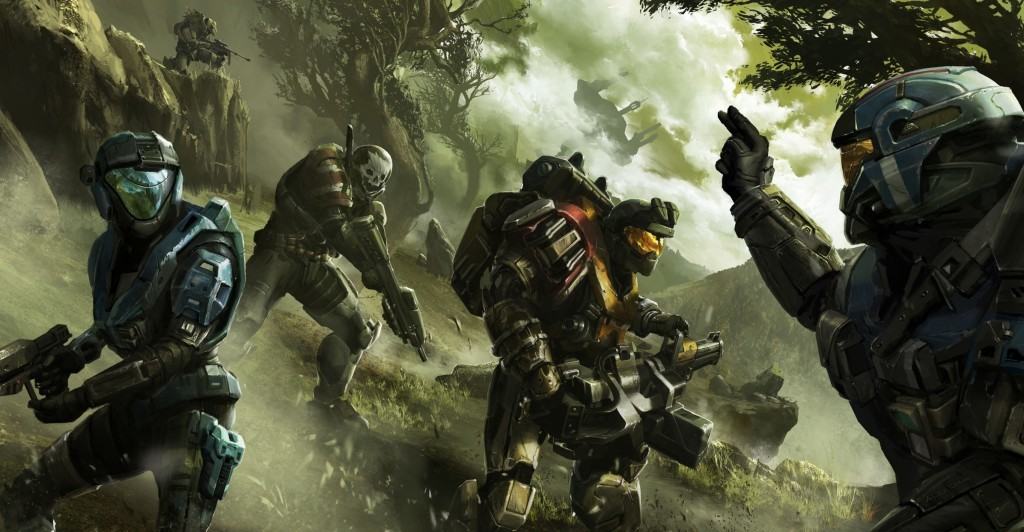
Halo 5: Guardians was released on October 27, 2015 for Xbox One, and since then received a number of content updates. Its latest DLC is titled Memories of Reach, which comes with the long awaited Infection game mode, new armor sets inspired by the legendary Noble Team from Halo: Reach, and a new Arena map with Statis.

In addition, some new weapons have also been added to the game, such as Jorge’s Chaingun and the Brute Plasma Rifle, along with character customizations such as weapon skins, assassinations, and emblems. As expected, the new DLC also fixes some of the issues fans have been reporting, one of which will make many gamers happy: the ability to modify the matchmaking search preferences.

If you own Halo 5: Guardians, the next time you launch it will prompt the Memories of Reach Update Pack download, a free, one-time pack. The Memories of Reach REQ Pack will also be available for 120,000 REQ points, or $14.99 USD. With this pack, you will unlock three new permanent REQs.

If you are an eSports fan, the HCS Pro League Online Qualifiers event this weekend will determine who will move on to participate in the Last Change Qualifier on May 21 and 22.

This isn’t it for Halo releases: the Wild Hog update, featuring the Warzone Firefight game mode, is getting ready to be released soon as well.

What are your thoughts about the new Halo 5: Guardians Memories of Reach DLC?

Microsoft announces Quantum computing challenge winners

Microsoft has always attempted to be on the edge of the latest technology advances. It was two years ago that Microsoft made an official statement that their sights had turned inwards to the development of topological quantum computing. The field indeed has made significant leaps since Microsoft has invested their time and vision into it with teams such as the Quantum Architecture and Computation Group (QuArC) leading the way. These scientists and engineers have focused on finding solutions to real-world quantum algorithms and developing software to advance the implementation of quantum computing as a whole.

That is why they introduced the Microsoft Quantum Challenge. Students, some of which have never worked with quantum computer simulators before,  were tasked with resolving real-world solution with the QuArC’s latest release. The Language Integrated Quantum Operations Simulator, also known as LIQUi|> (Liquid), is used to define quantum circuits, render them to graphical formats, then execute them as cross-platform simulations. It can translate high -level programming to lower-level machine instructions for quantum devices. The toolkit being developed by the QuArC includes compilers, optimizers, translators, simulators, and built-in examples.

Today, Microsoft announced the winners of the challenge. There were four runner-up publications:

Johannes Bausch (University of Cambridge, UK) – “Quantum Neural Networks: A Hamiltonian Complexity Approach”

Andras Pal Gilyen (University of Amsterdam, The Netherlands) – “Testing Quantum State Engineering Protocols via LIQUi|> Simulations”

Vojtěch Havlíček (ETH Zurich, Switzerland), Anthony Milne, and Andrew Simmons (Imperial College, United Kingdom) – “Solving Maximally-Constrained 1-SAT Problems with Oracular Access”

Ali Husain (University of Illinois Urbana-Champaign, USA) – “Catching Nature in the Act: Real-Time Imaging of Quantum Systems with LIQUi|>”

The $5,000 Grand Prize winner was given to Thien Nguyen (Australian National University) for his publication titled “Simulating Dynamical Input-Output Quantum Systems with LIQUi|>”. The paper he wrote explained the simulation of complex engineered open quantum systems by discretizing the physical system composition through the use of a dissipation emulator. The judges were impressed by Nguyen’s paper, offering that “Thien extended LIQUi|>’s capabilities by supplementing the existing Hamiltonian simulator with an innovative gadget for simulating dissipation. This clever use of amplitude-damping noise enables a quantum computer to be used to simulate open quantum systems as well as closed systems, and has important applications in real-world situations.”

Nguyen had been aspiring to get his hands on a quantum simulator from QuArC for nearly two years, finally achieving his goal and setting the standards high for other grad students like himself. The team is filing this challenge under a high success not only for the advantage of higher learning but to understand the direction that students want to take quantum computing going into the future. Events like the Microsoft Quantum Challenge are wonderful opportunities for innovators to connect with ideas and projects that will make strides, and it’s likely we haven’t seen the last of them.

If you would like to learn more about how the QuArC team are advancing the future of technology through quantum computing, visit their Microsoft research page.

To get your hands on the LIQUi|> toolkit, download it for free on Github.


Microsoft might be selling its Nokia phone business to Foxconn

It’s no secret that Microsoft’s phone business isn’t going according to plan. Last quarter alone saw a 46% drop in phone revenue, slightly better than the 49% drop the quarter before that. On hearing that news, we suggested that the company put a nail in the coffin and accept that there are bigger players in the smartphone market it cannot successfully compete against.

In the end, it seems that Microsoft is finally realizing this: According to rumors, the tech giant is considering licensing 50% of its mobile business to Foxconn — in other words, the Nokia brand it had purchased for 10 years, until 2024. It appears that negotiations have reached very advanced stages, with Microsoft and Foxconn currently deliberating the final clauses of the deal.

Microsoft does not want to abandon its phone business altogether as it has expressed interest in keeping the Lumia division intact. If the deal does go through, the Lumia department would be integrated with the Surface team. A grim future awaits 50% of the employees working on the Microsoft Mobile project since most of them will have to find work elsewhere if the company cannot find other positions in the company for them.

By merging the Mobile and  Surface teams, Microsoft is searching for a cure to its phone revenue woes. Both the Surface Book and Surface Pro 4 are two of Microsoft’s main revenue streams, bringing in real cash to the company’s coffers. In fact, Surface revenue increased 61% in last quarter after years of constant declines.

[irp posts=”29615″ name=”Microsoft patents low-power tethering Wi-Fi, could make it to its next flagship phone”]

As shocking as this may be, there are some strong arguments in its favor, the most important one being the upcoming Surface Phone scheduled for release in April 2017. Why would Microsoft develop a Surface Phone when it has — well, still has — a dedicated phone division? In addition, Microsoft talked more about Android and iOS than it did about its own mobile offering at Build 2016. Was it because Windows on Mobile is no longer relevant to Microsoft? There are too many signals pointing in the same direction to simply ignore them.

As painful as this may be for many Microsoft Mobile fans, burying a large portion of its Mobile business is the right choice to make. Potential buyers are not interested in Windows Phones while many Windows phone owners are switching sides. Why continue to pump money into a dying project, hoping to miraculously revive something that is visibly on its last leg? Directing resources towards a new project is the wisest decision Microsoft can make.

RELATED STORIES YOU NEED TO CHECK OUT:

Microsoft Store celebrates Military Appreciation Month with matched digital gift card donations

Microsoft has teamed up the United Services Organization (USO) to thank the deployed armed service members throughout the globe for Military Appreciation Month. All May long, Microsoft will be matching any gift card donations, up to $25,000, made to the USO until May 21, 2016. The USO will be sending the gift cards and personalized messages out to service members throughout the states and overseas.

The USO has been in charge in supporting and entertaining service members for over 75 years. USO Northwest will be holding special events at the Microsoft Store in Bellevue and University Village so you can also have an opportunity to meet with service members in the Seattle area and write your own appreciation messages in person.

You can pick your favorite Military Appreciation gift card design, pick any amount you would like to donate to a service member (up to $100), sign into your Microsoft Account and send the gift card to [email protected]. Here is a list of the dates and hours that the Military Appreciation Month event hours for the Microsoft Stores in Bellevue and University Village.

Microsoft Store Bellevue:

May 18 – 19, 1:00 PM – 4:00 PM
May 20, 9:30 AM – 1:30 PM
May 21, 4:00 PM – 9:00 PM

Microsoft Store University Village:

May 18, 12:00 PM – 2:00 PM
May 19, 12:00 PM – 4:00 PM
May 20, 12:00 PM – 8:00 PM
May 21, 10:00 PM – 9:00 PM

If you are interested in learning other ways that you can donate, you can visit the USO on their website.

Microsoft set to re-release nearly 1 million Xbox gamertags starting this Wednesday

This Wednesday, beginning at 11am PDT, Microsoft will be re-releasing nearly 1 million gamertags to Xbox Live Gold members, remnants of the original Xbox era. The gamertags were never migrated to the Xbox 360, and have been inactive for years, but unavailable to new or existing Xbox gamers.

There are a few details, you need to be an Xbox Live Gold member with an active subscription and at least 1 year of Xbox Live Gold tenure. The tags will be released in batches over a 24 hour period, giving gamers around the world an equal chance, so if your dream gamertag isn’t available right at 11am, you should keep trying.

The gamertags fall into a number of popular categories, including:

  • Proper Names
  • Pop culture references (Entertainment, sports, gaming)
  • Types of Food
  • Geography and Travel
  • Science and Technology
  • Math and Numbers
  • Animals
  • Some of the greatest inventions of all time

According to the post on MajorNelson.com, the easiest way to get a new gamertag is via Xbox.com:

Access to these newly-released Gamertags will be available on Xbox.com, which is the most convenient way to make a Gamertag change. Xbox Live Gold members can also access these Gamertags within the Xbox App on Windows 10 and on the Xbox One console. Xbox 360 owners will need to use Xbox.com, the Xbox App on Windows 10, or an Xbox One console to participate given that access to these newly-released Gamertags is not available from an Xbox 360 console. Click here to change your Gamertag on the web.

You can check your subscription tenure status on your profile, and get ready to get the gamertag you’ve always wanted!

Quantum Break joins Gears of War in supporting Windows 10 frame rate and sync improvements

It’s been nearly a week since Microsoft released an update to Windows 10 that finally allows UWP games to run as smoothly as their Win32 counterparts. While developers still need to update their games to enable support for unlocked frame rates as well as AMD’s FreesyncTM and NVIDIA’s G-SYNC technologies, Gears of War Ultimate: Edition was the first UWP game to be updated last week with v-sync options and more.

However, according to a new report from Windows Central, another Microsoft Studios title is next in line to receive a similar update that will likely please gamers on Windows 10 PCs: according to a tweet from Remedy’s Head of PR Thomas Puha, the Quantum Break developer is currently working on an update that will bring support for G-Sync/FreeSync to the game which will help eliminate lag, screen tearing and stutter issues.

While Puha didn’t share an ETA for the update, we can’t wait to see how it will improve the gameplay experience on gaming PCs. As a reminder, the game’s recommended specs are pretty high with an Intel Core i5-4690 3.9GHz CPU, an NVIDIA GeForce GTX970 or AMD Radeon R9 390 and 16 GB of RAM. Did you already tried Quantum Break on your Windows 10 PC? Please tell us about your experience in the comments.

Misfit Link and Misfit Home apps now available for Windows 10

The American wearable technology company Misfit has released two new apps, Misfit Link and Misfit Home, to work with their devices (via Windows Central). Misfit Link connects with the company’s wearable devices including Misfit Shine 2, Flash and Flash Link, allowing users to take control of their devices and perform various functions such as the ability to take selfies with phone’s camera app, control music, manage presentation slides and much more. In fact, users can even make use of Microsoft’s digital assistant Cortana to switch between modes using voice recognition.

Misfit link app description reads:

Misfit Link is a new software experience that makes your wearable an even more powerful tool to control and connect with the world around you. The Misfit Link app lets you use any Misfit Shine 2, Flash or Flash Link to take a selfie with your phone camera app; control your music; advance slides in a presentation and much more. Use Cortana to switch between different modes using just your voice.

On the other hand, the Misfit home works with company’s wireless smart bulb, Bolt. With the app, users can control the smart bulb and transform their room with different lighting effects, design customer lightscapes from your photos, adjust bulb brightness, change colors of the bulb and much more. You can check out the complete list of features Misfit Home has to offer to its users below.

Misfit Home app features:

  • Transform your room using dynamic lightscapes, from a warm glow to an ever changing rainbow.
  • Design custom lightscapes from your favorite photos.
  • Select from millions of colors.
  • Adjust the brightness to just the right level to fit your mood.
  • Create and manage multiple rooms.
  • Wake up to a simulated sunrise.

Head over to the Windows Store to download the Misfit Home and Misfit Link apps using the links below.

Misfit Link
Misfit Link
Price:
Free


Misfit Home
Misfit Home
Price:
Free

Updated Instagram app for Windows 10 gets new icon, simplier design

Last week, Instagram released a new update for Android and iPhone, introducing its brand new design and a new logo to complement it. The reaction received from users were mixed, some liked it while others preferred the old one. It was also confirmed that the new Instagram app will make its way to Windows 10 devices, and it seems the time has arrived.

The company has released the updated Instagram app for Windows 10 devices and can be downloaded from the Windows Store using the link below. The new update brings the new rainbow camera logo introduced last week as well as the simplistic design to make sure browsing the image sharing website is smooth and helps you browse the images in a better way.
The version notes mention:

We have a new look! Our updated icon stays true to the camera and rainbow. The simpler design puts more focus on your photos and videos without changing how you navigate the app.

Let us know about your thoughts if you’ve already upgraded the app on your Windows 10 device.

Instagram
Instagram
Developer:
Instagram
Price:
Free

We answer: What is PowerShell in Windows 10 and how to use it?

Command Prompt has been present on all all versions of Windows, and it’s without a doubt one of the most powerful tools on Windows 10. In addition to Command Prompt, there’s also PowerShell available, and today we are going to show you what is PowerShell and how can you use it.

What is PowerShell and how to use it?

PowerShell is a task automation and configuration management framework that comes in a form of a command line. PowerShell is based on .NET framework, and you can use it to perform all sorts of advanced tasks. PowerShell is far superior to Command Prompt, and it might eventually replace Command Prompt, so let’s learn more about PowerShell.

PowerShell was first introduced in 2003 as a project Monad, but the first official release came in 2006. Over the years, PowerShell was enhanced by new features such as the ability to execute commands remotely from a different machine or to schedule certain commands. These are some of the basic abilities that PowerShell possesses, and thanks to the great level of customization, PowerShell is a perfect tool for network administrators or any advanced Windows 10 user.

PowerShell can be used for a wide range of operations, and most importantly, it supports all the standard Command Prompt commands. For example, you can terminate a certain process directly from PowerShell or you can set a certain task to run in background. In addition, you can use PowerShell to uninstall and reinstall Windows 10 default apps, by using Get-AppxPackage and Remove-AppxPackage commands.

get-appt-powershell

As we previously mentioned, this is rather important tool for network administrators, and if you are a network administrator and you need to perform a single task on multiple PCs, you can set PowerShell script to do it for you. Since you can execute PowerShell scripts remotely, you won’t even have to leave your computer.

PowerShell comes with a learning curve, and you’ll need to spend some time with it before you master it. Fortunately, in Windows 10 there’s PowerShell ISE that comes with graphical interface that makes the scripting process a lot simpler. We wrote briefly about PowerShell ISE in 7 best tabbed command line tools for Windows 10 article, so make sure you read it for more information.

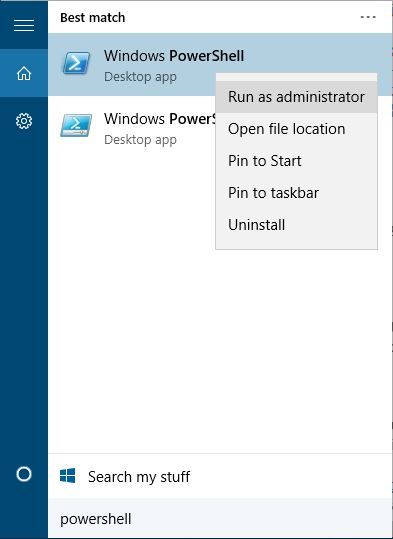
To access PowerShell on Windows 10, you just need to press Windows Key + S, enter PowerShell, and select it from the list of results.

powershell-run-as-admin

PowerShell is extremely powerful tool that can be used to remove Windows 10 core components, files and default applications. Since this command line tool offers so much power, it can also be rather dangerous if you’re not careful, so use this tool responsibly.

For example, you can use PowerShell to add and output data from your Clipboard. Since PowerShell uses principles of object-oriented programming you can perform all sorts of advanced commands. For example, you can add a dir command, a command used for displaying directories, to the Clipboard and call it by doing the following:

  1. Open PowerShell as Administrator.
  2. Enter dir | Set-Clipboard to add it to clipboard.
  3. Enter Get-Clipboard -Format FileDropList and you will call and run dir command from your Clipboard.
    get-clipboard
  4. Optional: You can also use (Get-Clipboard -Format FileDropList).name command to output only folder names.
    get-clipboard-name

Another feature of PowerShell is the ability to list all drivers that are installed on a specific computer. To do that, follow these simple steps:

  1. Start PowerShell as Administrator.
  2. Enter Get-WindowsDriver -Online.
    get-windows-driver

PowerShell can also be used to perform a system scan on a computer using Windows Defender by following these steps:

  1. Start PowerShell as Administrator.
  2. Enter Start-MpScan -ScanType quick.

These are some of the most basic functions PowerShell can do, and currently PowerShell supports more 1285 different commands meaning that you can create advanced automated scripts that you can run on your or any other remote computer. As you can see, PowerShell has unlimited potential, as long as you manage to master it.

For an average everyday user PowerShell might seem intimidating with its interface and scripting language, but for network administrators and advanced users this tool is irreplaceable. Even though PowerShell might seem hard to learn, this tool has unlimited potential, and if you’re an advanced user, PowerShell might be the perfect tool for you.

Windows 10 news recap: New build, cumulative updates, and more

Welcome back to our weekly Windows 10 news recap, in which we recap the top news stories regarding Windows 10 for the week. Let’s dive straight in.

Microsoft releases Windows 10 cumulative update KB3156421, build 10586.318

Kicking things off this week, Microsoft released new cumulative updates for Windows 10 users running the latest public release. Build 10586.318 was released to both PC users and mobile users, which introduced a number of new bug fixes and performance improvements, like most cumulative updates. Here’s what’s new:

  • Improved reliability in a number of areas including Cortana, Bluetooth, Shell, Internet Explorer 11, Microsoft Edge, Miracast, and USB.
  • Fixed memory leak that occurs when opening a portable document format (PDF) form multiple times.
  • Fixed issues with text alignment for right to left languages in Internet Explorer 11 and Microsoft Edge.
  • Fixed issue that affected Bluetooth function when a PC resumes from sleep.
  • Fixed issue where user accounts weren’t locked out after a number of failed sign in attempts.
  • Fixed issue with revised daylight saving time.
  • Fixed issue that sometimes corrupts CompactFlash cards inserted into a card reader.
  • Fixed issue that caused recorded video to be lost when answering an incoming call on some phones.
  • Fixed issue that could result in unexpected battery drain while the phone screen is off.
  • Fixed additional security issues with kernel mode drivers, remote procedure calls, the Microsoft Graphics Component, Internet Explorer 11, Microsoft Edge, Windows Shell, Windows Journal, Virtual Secure Mode, Schannel, and Jscript.


Windows 10 build 14342 now available for Windows Insiders, apparently

Next up, Microsoft released a new Insider build for fast ringed insiders. Weirdly however, the build was accidently pushed a little bit earlier due to an error with Microsoft’s internal staging system. Luckily, Microsoft was planning to release this build anyway and decided to initiate a full rollout.

This new build features new UI changes to the UAC prompt, Action Center and Windows Ink Workspace, Microsoft Edge improvements such as Swipe navigation, and a whole lot more.

Microsoft simplifies Edge extensions installation in latest Windows 10 Insider build 14342

This weeks Insider build also improved the way extensions are installed on Microsoft Edge. Previously, Insiders had to sideload extensions by downloading, extracting and then storing said extension in a safe place before asking Edge to load it up. Now, extensions are downloaded and installed automatically via the Windows Store.

While some Edge extensions such as Pinterest’s Pin It Button have already been released on the Windows Store, the Windows Store is now the official place where Windows Insiders can satisfy their Edge extensions needs. However, Microsoft has also warned yesterday that the Insider build 14342 will erase all preinstalled extensions on an Insider machine, which will force Windows Insiders to visit the Windows Store to reinstall their favorite Edge extensions. Painful, certainly, but the new installation process is straightforward and makes sense.

Windows 10 Anniversary Update to increase the number of Promoted Apps displayed

Finally, this week saw news of changes coming to the Windows 10 Start Menu with the Anniversary Update. Microsoft is increasing the number of Promoted Apps on the Start menu from 6 to 10, which probably isn’t great news for those who dislike ads.

That clutters things up a bit more than presently, and whether or not you like this change depends largely on whether or not you appreciate app suggestions. Who knows, maybe Microsoft will present you will an app that you wouldn’t otherwise know about–and the Promoted Apps are easy enough to uninstall. And certainly, helping developers promote their apps to users is an important step in growing the Windows Store and the Universal Windows Platform.

OEMs can configure this however, so that’s good news.

That’s all for this week, what was your favorite story? Let us know below.
Microsoft needs to focus on bigger, bolder investments

Microsoft needs to focus on making bigger, bolder, and better investments in order to expand beyond Windows, failures with mobile, and set itself up to for another 40 years.

One of the big stories this past week was that Apple invested $1 billion in Didi Chuxing, a Chinese ride-sharing company that has been compared to Uber. Didi is worth around $20 billion and the terms of the deal were undisclosed, but it shows that Apple is willing to put money on the line in order to further its market position.

Microsoft is unlikely to get much from investing in a ride-sharing app, but there are other areas that would be ripe for an investment.

Last year, the company was rumoured to be investing in Cyanogen, the company behind the most popular third-party Android skin. The money, however, did not materialise and Microsoft ended up forming a partnership instead, which meant that Office, and other important apps, are now featured on over 10 million phones.

There are many things that Microsoft is not good at and investments — and partnerships, to a lesser extent — are an easy way to plug the holes.

Startups around the world are clamouring for money — especially as the V.C. funding market cools — and Microsoft has lots of it.

According to Microsoft’s most recent earnings report, the company has over $100 billion in cash, or marketable securities, on hand. That money, much of which is most likely held overseas, could be used to invest, acquire, and partner with any number of companies.

Acquiring companies, as I have argued before, would be a good way for Microsoft to expand into new markets, especially mobile, and really drive home the advantages the company has already.

Apple, while not exactly identical to Microsoft, is currently undergoing a period of intense outsider scepticism as iPhone sales fall. Investing in other companies, especially buzzy startups, seems like a good way to get out of that rut, and that is symbolised by the fact the deal took just three weeks to fully come together. In other words, Apple saw an opportunity and grabbed it.

Google has, through its venture capital arm, Google Ventures, also made some strategic bets on big-name companies like Uber, Nest, 23andMe, Slack, and many others. These companies do not do exactly what Google does, but if any of them ever IPO, get acquired, or do well for themselves then Google makes its money back and then some.

For Microsoft, this should look attractive.

There are signs that Microsoft is embracing this new area. One of Satya Nadella’s first outside hires was Peggy Johnson, who now oversees developer outreach in Silicon Valley, which is the exact place startups are located — and Microsoft should be interested.

When asked about Microsoft’s attitude towards other companies, Johnson said that “[Microsoft has] really chosen to focus on partnerships and look for areas of collaboration,” even if the company competes with what Microsoft already offers.

This new ethos, which is largely driven by Satya Nadella, gives hope to the idea that more partnerships, investments, and potentially acquisitions are coming.

Striking a balance is critical for Microsoft, which is looking to expand beyond Windows and onto every platform. Cyanogen is a good start, but there is more that could — and should — be done, especially as Lumia sales dropped 50% every quarter.

New companies, like Slack, would have been the ideal candidate for a strategic Microsoft investment: They do something Microsoft does, but better, and will likely grow into multi-billion-dollar companies which will then IPO or get acquired.

If Microsoft had been aware of Slack from the start, it could have invested or acquired it earlier on, as Microsoft executives wanted to do. Another little-known startup could provide the same thing and Microsoft needs to get ahead of that, invest, and then reap the rewards.

Johnson will likely be critical for this mission and that is why Nadella hired her so early on and has given her a wide birth within the company to what she wants.

Ultimately, Microsoft needs to invest in promising companies so that it can break out of its current situation of being behind on mobile and at risk of being outflanked by smaller, more agile companies in its key markets, like enterprise security or messaging.

There is no perfect formula to investments like this, but something is better than nothing and could, in the long run, help cement the turnaround that Microsoft executives are chasing.

You will soon see Overwatch trailers and cinematics at a movie theater near you

Blizzard just partnered with various cinemas across the US to show Overwatch trailers and cinematics on May 22 — perfect timing to promote the game as its release is just two days after.

“For one night only, on May 22, selected theaters in the United States and Canada will dedicate their projectors to Blizzard’s new team-based shooter, broadcasting a collection of Overwatch cinematics, hero trailers, and animated shorts—including two new episodes, featuring the Shimada brothers, Hanzo and Genji, and the masked vigilante, Soldier: 76. As an added bonus, attendees will also get a behind-the-scenes look at the game’s lore and storytelling efforts during a special developer panel hosted by Michele Morrow (not to mention some pretty sweet swag). “

Since this special event at US cinemas is for one night only, anyone that would like to see the upcoming MOBA shooter on the bigger screen better reserve their tickets soon. Blizzard already revealed the list of cinemas going to show Overwatch videos on May 22. The list includes:

  • Cinemark Mesa 16 (Mesa, AZ)
  • Century 16 (Salt Lake City, UT)
  • Lincoln Square Cinemas (Bellevue, WA)
  • Century San Francisco Centre 9 (San Francisco, CA)
  • Cinemark 18 & XD (Los Angeles, CA)
  • Century Stadium 25 & XD (Orange, CA)
  • Cinemark Tinseltown 20 & XD (Pflugerville, TX)
  • Cinemark Legacy & XD (Plano, TX)
  • Century 12 Evanston/Cinearts 6 & XD (Evanston, IL)

As Blizzard stated, the projection may be held even at cinemas that are not on the list. But to make this possible, people who want to watch Overwatch videos in their city would have to organize and purchase at least 100 tickets by May 12.

Blizzard recently completed the Overwatch open beta and players are now anticipating the big event of May 24 when the game is officially launched. Overwatch will be released to Windows PCs, Xbox One, and PlayStation 4, and it is already available for pre-purchase.

For anyone interested in attending the Overwatch event, you can purchase tickets here.

RELATED STORIES YOU NEED TO CHECK OUT:

Titanfall 2 scheduled for release in the 4th quarter of this year

Outside of Battlefield 1, EA has another first person shooter set to come out this year. All the hype surrounding Battlefield 1 and Call of Duty: Infinite Warfare has managed to overshadow one key game, Titanfall 2.

A new report claims the game could be released in the 4th quarter of 2016. This could be real due to the information coming from Electronic Arts’ quarterly earnings report. We might not get an exact date until the gameplay reveal on June 12, 2016, just a day before E3 2016 begins.

We’ve seen the first teaser trailer of the title a month ago, but it failed to garner the same attention as the Battlefield 1 trailer. However, it does have a decent enough following due to the release of the first game on the Xbox One.
The first game was developed by several former Infinity Ward employees who left the studio and Activision to venture down a different path.

From what we have seen and played, Titanfall is similar in many ways to the Call of Duty franchise, but is instead set far into the future where humans have located several planets. Some of these planets are home to dragons among other creatures, so this game is more science fiction than anything else, and that’s a great differentiator. There’s also a Titanfall companion app available for Windows 10.

Titanfall 2 is expected to play on the key elements that allowed the first game to be a success. In the first game, all gamers have the ability to use jetpacks to get around the map. When compared to similar games, the jetpack is very important as each map is designed with this feature in mind.

What’s more important, however, is the option to call on huge robots known as Titans. Players can manually maneuver these giant war machines, or have them automatically cause havoc.

RELATED STORIES YOU NEED TO CHECK OUT:

Microsoft releases critical patch for Internet Explorer and graphics

Microsoft released an important patch recently designed to fix problems with Internet Explorer and graphics-related issues. The patch also dealt with problems in Microsoft Edge, among other things that are highly important.

Other issues this patch is designed to fix include the memory corruption flaws found in Microsoft Office along with a  Graphics RCE vulnerability situated in Microsoft’s important application suite. If you’re still a Windows Journal user for some reason, there’s an important fix in this patch that needs to be downloaded, as well. Its issue can allow attackers to remotely execute software on your machine, so it is very important for the user to install the patch and protect their computer system.

There’s also a flaw in Windows Shell capable of allowing a website hosting dangerous malware to inject code into your computer. This is different from the high CPU usage caused by Windows Shell Experience host of which there’s a fix.

Here is more information on the flaws addressed by the recent patch, compiled and provided by The Register:

• MS16-058 Internet Information Services gets an important fix that would stop an infection if a user is dumb enough to download a malicious app and try to run it on their machine.
• MS16-059 A flaw in Windows Media Center would allow pwnage if a specially crafted (.mcl) file containing malware is run by the application.
• MS16-060 There’s a fix for Windows Kernel that would allow an attacker to raise privileges from a simple user to admin-level control, which is particularly dangerous considering some of the critical flaws in May’s bundle.
• MS16-061 Microsoft has fixed a similar privilege escalation flaw in the Remote Procedure Call protocol for Windows with this fix.

We urge PC users to download this patch right away because it mends several security risks present in Windows right now. Malware attackers will no doubt be tuning into the document to learn of what can be exploited in hopes to infect a computer that hasn’t been updated in a long time.

RELATED STORIES YOU NEED TO CHECK OUT:

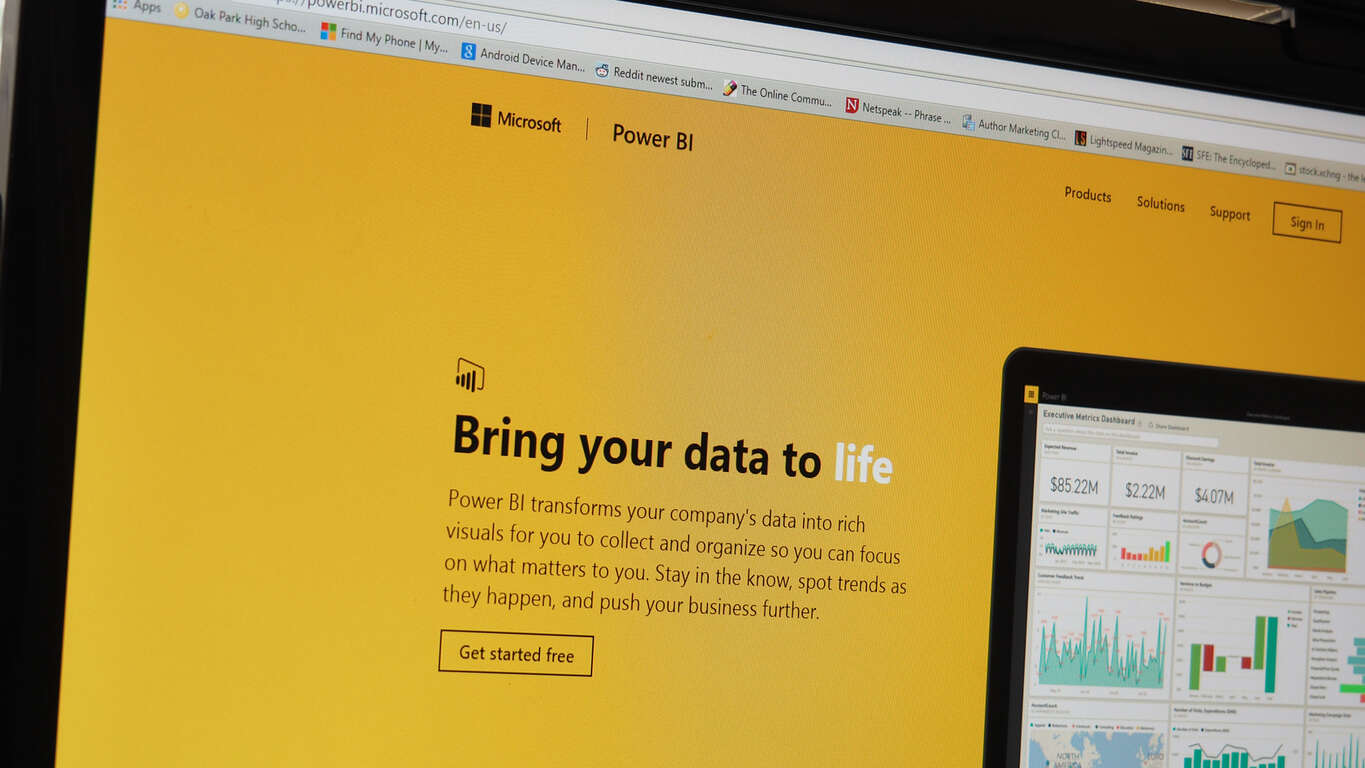
Microsoft announces major improvement to Excel reports in Power BI

Power BI has been fairly successful, so it makes sense that the team behind it is pumping the effort of improving it into overdrive. The Microsoft team has just made an announcement that Power BI users are going to have some more options for uploading their Excel files into Power BI – a feature that was previously only available to OneDrive users. From now on you’ll be able to upload your Excel files from everywhere, including locally from your computer’s hard drive.

While it doesn’t seem like a big change, it’s a fairly significant improvement to people who value convenience. Not everybody uses OneDrive, so it’s nice to give them the option to take a file from their computer or other storage device and plug it straight into Power BI.

The functionality isn’t perfect just yet. In the blog post, it’s mentioned that “data connections refresh is still not supported for Excel reports that are uploaded from local files,” but they’re working to fix that as soon as possible.

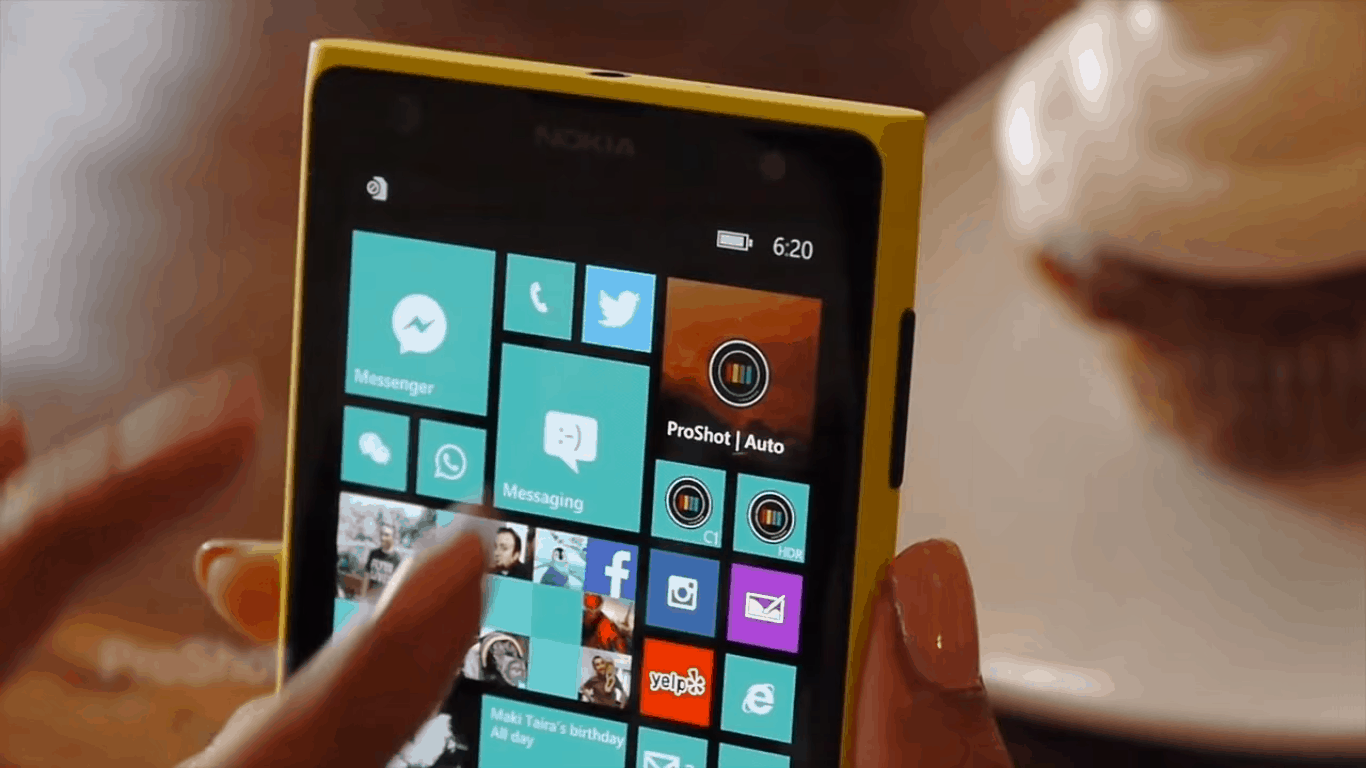
ProShot app for Windows 10 gets teased in new video

We got word that ProShot would be developing a Windows 10 app several months ago, and it seems like that promise is finally coming through. Just recently, the creator of ProShot uploaded a brief video showing off the Windows 10 version of the app and teasing some of the features he’ll be explaining to us in future videos.

All we know for sure now is that the UI for ProShot has been completely redone, and looks better than ever. With the new UI, ProShot seems sleek, easy to use, and easy to understand for people who aren’t quite used to playing around with a camera’s more advanced features.

It was also confirmed in the video that this isn’t just going to be a Windows 10 Mobile app and will be given the complete Universal Windows Platform treatment, making it so that people using Windows 10 on Mobile, PC, or any other Windows 10 device will be able to easily use the new version of ProShot.

We don’t know when the UWP version of ProShot will be coming out, but it was confirmed that new videos are on the way to give us more information as time goes on.

Why the rumored new Xbox One is not an upgrade but a Slim

Rumors have it that Microsoft is working on a new Xbox One device that could see the light of day at E3 2016 next month. Several pieces of information came through the grape vine claiming the console could be a whole new system or something else entirely.

The question remains: If Microsoft is indeed finalizing plans to reveal a new Xbox One system during its E3 2016 press conference in June, what type of Xbox would the company reveal? While that’s a tough question to answer, there is only one likely scenario here.

Microsoft would no doubt launch an Xbox One Slim instead of an entirely new system. Seeing as the current Xbox One is just over two years old and its sales are tracking ahead of the Xbox 360,  the next five to eight years will likely be more successful than the recently defunct Xbox 360.

This comes opposites of rumours suggesting that Sony is moving to launch a new version of the PlayStation 4, dubbed Neo. Sony has a reason for doing this seeing as the Japanese giant will release its PSVR goggles later in the year. From what we have come to know of VR, it requires a powerful machine for gamers to gain a better experience. The PlayStation 4 in its current form is not powerful enough to run VR, though we expect all future VR games to be released on the system nonetheless.

When it comes to Microsoft, the company does not have any reason to launch a beefed up Xbox One. It doesn’t have any virtual reality hardware set to hit the market any time soon, but the software giant is indeed working on a software to deal with nausea issues when using VR. and its HoloLens AR project is years away from prime time. With that being the case, Microsoft has no reason to release a new and improved Xbox One.

An Xbox One Slim will likely improve sales to help keep the system ahead of the Xbox 360. Furthermore, it could also usher in a $299 Xbox One, another recipe for increased sales.

Now, if there is a time for Microsoft to release a new Xbox, it would be in 2017 or 2018. These are the times we expect Nintendo to release its NX console, and by then, Microsoft would not be able to compete against two consoles that are more powerful than the Xbox One.

Do you agree the Xbox One Slim will be announced at E3 2016 instead of a whole new system? Let’s hear it in the comments.

Visual Studio 15 preview 2 is now available for download

Microsoft recently released Visual Studio 15 preview 2 — not to be confused with Visual Studio 2015, software that was released back in 2015. (Microsoft is still a bit weird with the names and it appears this habit won’t end anytime soon.)

This preview is only for developers, with Microsoft making it clear that it is only for testing purposes. Bear in mind that there are bugs, so do not use it on your main machine because it could hamper your work.

The following is what Microsoft had to say about the new Visual Studio 15 preview:

This preview like the previous one, lays groundwork for the next version of Visual Studio. We primarily focused on bug fixes and a few feature updates. New features include; making the account settings dialog more accessible to screen readers, diagnostics improvements to help track down focus related issues, Edit and Continue for XAML apps, and simplified debug configuration in Folder view. Preview 2 also includes the latest Visual Studio Tools for Apache Cordova Update 9 which supports Cordova 6.1.1.
Director of Program Management for Visual Studio, John Montgomery, also talked about the new development on his blog, but mainly on a specific issue:

There is one breaking change I want to call out. The change is in how Visual Studio consumes templates and requires that you define templates in template manifest files. This change will not impact anyone in this release, but it is a heads up that templates not defined in template manifest files will stop working in the next Visual Studio “15” release. This change will only impact anyone who authors Visual Studio project templates

The software giant has documented all known issues facing the software right now, so if you’re hoping to give it a spin, jump in. Check this MSDN link to learn more about Visual Studio 15. As for how to get access to Visual Studio 15, just visit this page.

RELATED STORIES YOU NEED TO CHECK OUT:

Windows 10 Anniversary Update to increase the number of Promoted Apps displayed

If you’re not a fan of the “promoted apps” feature in Windows 10 where you’re presented with ads for apps to try out from the Windows Store, then that’s one of the things you’re likely not to appreciate in the Windows 10 Anniversary update coming this summer. As Neowin has discovered, buried in a slide presentation from Microsoft’s WinHEC event, new machine owners or reinstallers are going to be presented with a larger number of promoted adds once the Anniversary Update goes live on July 29, 2016.

As Neowin points out, the number of static Microsoft apps that will be pinned to the Start Menu when you first start up Windows 10 on a new or reinstalled machine (the out-of-box-experience, or OOBE) is dropping from 17 down to 12. At the same time, the number of Start Menu spots allocated to promoted apps (which launch the Windows Store when clicked) will increase to 10, from the current five.

Anniversary Update changes to promoted apps.

Microsoft’s explanation for the change in provided in the slide below:

Here’s why they’re making the changes.

That clutters things up a bit more than presently, and whether or not you like this change depends largely on whether or not you appreciate app suggestions. Who knows, maybe Microsoft will present you will an app that you wouldn’t otherwise know about–and the Promoted Apps are easy enough to uninstall. And certainly, helping developers promote their apps to users is an important step in growing the Windows Store and the Universal Windows Platform.

Let us know in the comments what you think of this impending Anniversary Update “feature.”

Update: Story clarified to indicate that this appears to apply to how OEMs can configure machines in the out of box experience, or OOBE, and how machines will look when Windows 10 is reinstalled from scratch. This isn’t how machines will appear once the Anniversary Update is applied, which was implied in the original version.

You can now download Edge extensions from the Windows Store

Microsoft changed the way users install extensions for Microsoft Edge in the latest Windows 10 Preview build. Extensions can now be installed directly from the Store, instead of downloading and extracting them from Microsoft’s site.

This is a good thing because when Microsoft introduced Edge extensions earlier this year, many users found the method of installing them too complicated. Installing an extension required downloading it from Microsoft’s website and then extracting it in the browser. It’s good that Microsoft recognized this as an inefficient way to install extensions, deciding to change it in the most recent Preview build.

edge extensions

Microsoft warned users that due to the new way of installing extensions, all currently installed extensions are going to be removed upon installing the latest Windows 10 Preview build. To re-obtain those same extensions, install them from the Store once again. Microsoft will delete extensions only in this build as they will be re-installed in the future releases, so users don’t have to install them every time they install the new build.

AdBlock finally debuts in Microsoft Edge

An even bigger highlight than the new method of installing extensions is the arrival of the long-awaited AdBlock and AdBlock Plus extensions. This extension was among first announced extensions for Microsoft Edge as its developers revealed it way back in 2015.

Windows Insiders who install AdBlock will be able to block ads on every site, just like they do in other browsers. Microsoft also advised users to run only one AdBlock extension because running both at the same time might cause some crashes.

AdBlock is available for free download in the Store alongside other Microsoft Edge extensions that include the Pin It Button, Mouse Gestures, Reddit Enhancement Suite, Microsoft Translator, and OneNote Web Clipper.

You can also enhance your media experience as Microsoft Edge embraces AVIF and AV1 formats. We covered this subject in detail in a separate article, so don’t miss it.

Tell us in the comments below: What do you think about the new way Microsoft Edge extensions are installed?

Need for Speed takes one-year break to prep for 2017 launch

Need for Speed, the long-running racing series, will allow its engine to cool down for a year. According to the game’s developer, Ghost Games, it won’t release any new installment until 2017, opting to use this time to consult with fans in the aim of gathering feedback on how the next version should look like.

Ghost Games also announced that the SpeedList update would be their last free update in 2016. In the 2016-2017 period, the company will be focusing on finding inspiration for the next NFS game from their fans:

That’s not to say that we’re going quiet between now and then… far from it. We’ll be working with our community and there will be multiple opportunities to bring many of you into the studio in the coming months to get your feedback on where we’re headed.

Ghost Games also thanked its fans for the feedback they have already offered, much of which has been used to shape the free content updates for NFS. Fans have already started to present their wishlist of features for the 2017 game version of the NFS forum:

In my opinion these features would be great to see in NFS 2017.
Cars: Purely everyday rides combined with muscle cars, vintage cars and exotics with a maximum top speed of 155 mph. […]
World: At least some variety in the environment, it doesn’t have to be set in a huge world.
DLC: Give us at least DLC that is worth the time, energy and maybe money that is worth it to download.
Others: A good story, a good variety in race types (not 4 types of the same kind of races like in NFS 2015). If there would be a pursuit system, let there be a good one or just leave it for multiplayer only or remove it completely. As for music I would like to see radio stations.

If you haven’t yet tried the game, check out its trailer for Windows PC. The game was initially released for Xbox One but has recently landed on Windows PCs as well, offering up to ten hours of car racing adventures with no restrictions.

What new features would you like to see in NFS 2017? Write your ideas in the comment section below and don’t forget to send your feedback to Ghost Games as well — they just might make your dream come true.

RELATED STORIES YOU NEED TO CHECK OUT:

Misfit app for Windows 10 snags a new refined look

The fitness and wellness tracking industry is becoming a hotly contested space with a few names rising as wearable leaders. As per the nature of these devices and services, users want the data collected from their preferred device to be as mobile as they are (or in most cases, want to be). Unfortunately, that has left many Windows users out in the cold on this trend as most development steers towards iOS and Android as more mobile-friendly solutions.

Fortunately, activity and life tracker company, Misfit, offers a wide range smart connected peripherals that include wrist-based wearables, smart bulbs, and mattress-based sleep monitors that can be tracked and studied via Windows devices as well.

Recently, Twitter user @tomsnicetweets noticed the Misfit app in the Windows Store underwent a UI revamp that brings it on par with its iOS cousin. Perhaps, the Misfit developers are among the tiny sliver of early Islandwood (iOS porting tool) users who have used the tool bring over a similar iOS experience to Windows users.

Also, the revamped Misfit app for Windows appears to bring Live Tile functionality with it. Beyond the physical redesign, users of the Misfit app on Windows get access to:

  • Goal Setting – track your running, cycling, swimming and more
  • Activity Meter – check your activity progress and see your steps, calories, and distance travelled.
  • Intensity Graph – See your activity level grow over time
  • Sleep Tracking – Sleep quality, duration, and sleep goals
  • Weight Tracking – Keep track of your long-term progress and fitness goals.
  • Shine with Friends – Personalize your profile, add friends and compare your daily activity

For obvious reasons, to access stats and metrics from the Misfit app and service on Windows, users need to already process a Misfit Shine or Flash sensor. The Misfit app supports Windows 10, 8.1 on both PCs and mobile devices.

If you happen to have the combination of Misfit hardware and a Windows device, let us know about the redesign and what other new features we may have missed.

Misfit
Misfit
Price:
Free

The long and winding history of Windows Live Mail, now that it’s gone

Late last week, Microsoft announced that due to some API changes, Windows Live Mail, a desktop email application bundled as part of “Windows Essentials” and once a pillar of the Windows Live initiative, would no longer work as a client for Outlook.com.

As you may know, I was managing editor and before that a writer for LiveSide.net, a site that for nine years covered all things Windows Live, so hearing the news brought a few twinges of sadness and a wave of nostalgia.

It’s been 10 years now since Microsoft introduced Windows Live, and it dates me to think that basically a whole generation of computer users has grown up in a post Windows Live world, so I thought it would be fun to take a look back at the evolution of, in this case, Microsoft’s consumer email clients and services.

It’s quite a convoluted story, beginning back in the really old days, all the way back to 1996. Microsoft’s first email client for consumers, Microsoft Internet Mail and News, dates back to the days just following the release of Internet Explorer 3. That was followed by the rebranding to Outlook Express, a program that was at first bundled with IE 4 and then shipped with Windows 98.

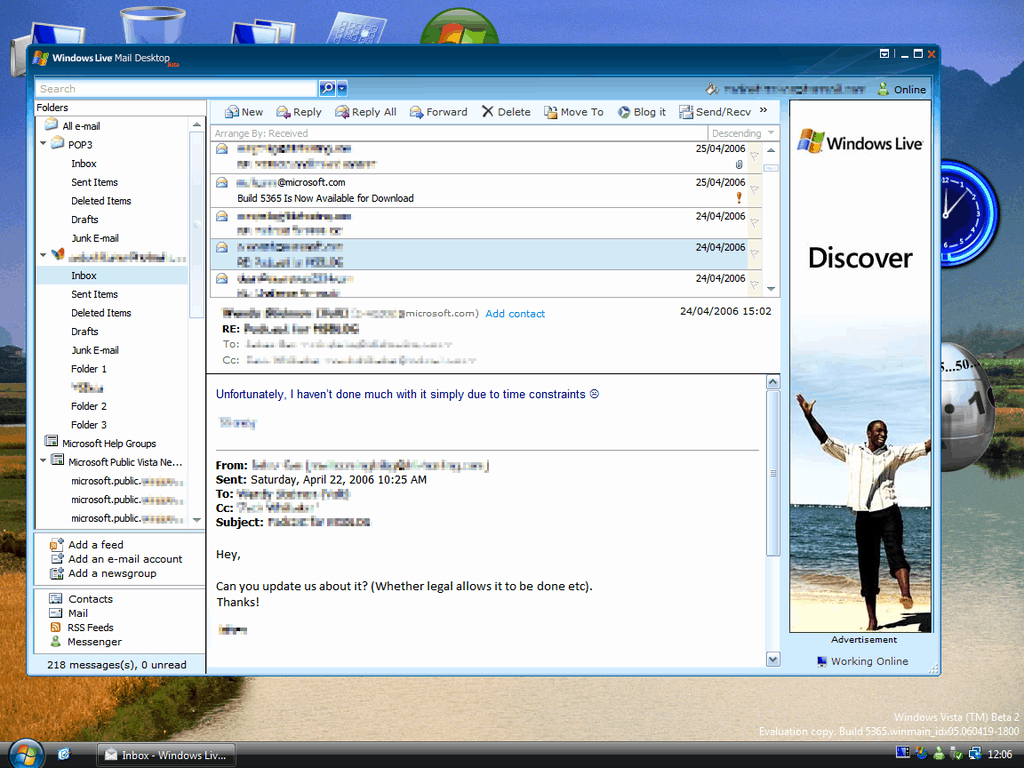
Windows Live Mail
Windows Live Mail

Outlook Express sort of opened the door for a long history of confusing naming for email clients, and we’ve had Windows Mail, Windows Live Mail, Windows Live Mail desktop, Windows Live Hotmail (and before and after that Hotmail, of course), Windows Live Mail (again), and Mail. Each of these were separate clients or services, stemming from back in the days when Microsoft engineering existed in silos, and the guys up in Red West (the Windows Live teams) didn’t have much to do with the Windows teams on the main campus, who developed Windows Mail, the successor to Outlook Express (that is, a bundled email client shipping with Windows), pretty much separately from Windows Live.

Outlook Express had its own naming problems, too, as the client really had nothing at all to do with Outlook (except for the name and that they were both email clients, of course), bringing us back full circle to when Hotmail was renamed Outlook.com (again, having nothing to do really with Outlook).

Windows Live Hotmail

But I miss Windows Live Mail. It’s still (or was, up until these latest API changes) a more full featured email client than Windows 10’s Mail (although that’s not saying much). The Windows Live clients, part of a suite of what came to be known as “Essentials” (first Windows Live Essentials and then Windows Essentials, of course, can’t leave a name unchanged for long!), shared common dependencies and couldn’t be installed independently, kind of the antithesis to today’s apps, which run on a built in platform without needing to install various .Net and redistributable packages, making quite a mess of Programs and Features (itself renamed from Add or Remove Programs).

The look and feel of Windows Live, as different as it was from the new “Metro” design language, still had a design language and a charm all its own, light and airy and, well, “modern.” Unfortunately, I gave up on Windows Live Mail and Windows Essentials some time ago, moving on to the new paradigms of Windows 8 and 10, but there’s still a tinge of nostalgia lingering for Windows Live, and those earlier, somehow more innocent days.

Microsoft to build four new Dublin data centers, costing $1 billion

Ireland is going to benefit greatly from Microsoft’s new green-lit project of building four data centers in the country’s capital, Dublin, reports the Independent, Ireland’s largest daily newspaper.

The project, reportedly involving up to 900 million euros (more than $1 billion) of investment from Microsoft, will be spanning three years, with an expected 140 new full-time jobs created. The town, Clondalkin, 10 km west of Dublin, already houses one of Microsoft’s data centers at Grange Castle, where the new ones are reportedly also to be built.

“These data centre facilities were originally designed to meet Microsoft Ireland’s data centre server requirements based on projections completed in 2007,” “Since that time, the demand for online services has expanded exponentially and additional data centre development is required to allow Microsoft Ireland to meet an ever-growing worldwide demand for the services it offers over the internet”.

Ireland was reportedly chose as the location for Microsoft’s data centers due to its “temperate climate” and also based on “strategic business considerations”. The sentiment seems to be shared by other technology giants, as Amazon, Apple, Google and Facebook also have, or are planning to build, data centers in the country. The combined investment from these behemoths is expected to transform Ireland in the upcoming years.

Feature Image: Microsoft’s Grange Castle data center. Credit: Independent.

Feedback Friday: How would you improve Messaging in Windows 10?

With the success of the Windows Insider program, Microsoft now lets anyone give them formal feedback through the Windows Feedback app. In our new series we’re breaking down some of the most intriguing feedback and suggestions. We’ll do our best to dive into the lists of feedback rather than just have “dark theme everywhere.” This week we look at messaging in Windows 10.

Microsoft is mid transition when it comes to their vision of messaging. They’ve tested integrating Skype messages with the main messaging app, will soon let users SMS text through their PC, and are working on making their messaging app a big feature in Windows 10. There have been some solid improvements of the app and some controversial decisions but overall feedback does seem to play a factor in how Microsoft shapes messaging. Here’s some of the best or most intriguing feedback for messaging on Windows 10 and Windows 10 Mobile. I’ve left out Skype integration because that’s already a hot debate that most people know about but it’s worth mentioning briefly.

“GIF support in Messaging, please” (from mobile feedback app)

Being able to send various forms of media is what makes a modern messaging app great. Any messaging app can share text messages but photos, videos, audio files, and other ways to communicate add a depth to conversations. Just yesterday I got into a sticker conversation with one of my best friends (okay maybe that’s too far for some but they can be fun). Adding GIF support directly within the messaging app would prevent people from having to jump through a link or anything else to see their short videos. It also helps the Windows messaging app compete with other popular apps including Facebook Messenger which just launched a Windows 10 app with GIF support and more.

“Circle pictures do not fit with modern UI” (from mobile feedback app)

They absolutely don’t fit in, valued feedback sharer. Windows 10’s UI has improved over time (though there are still a million different dropdown menus) but some things just don’t seem to fit in. Look at icons for example. People kicked off about them and after being updated, they look much more native in the OS. The circle profile icons used in the messaging app and other apps for that matter don’t fit the design language in many people’s opinions and at minimum waste space by cutting off the corners.

“Delete text message by swipe like emails” (from mobile feedback app)

At the moment swiping on a message or conversation in the messaging app does nothing. Microsoft could use that already familiar gesture of swiping to add a nice feature. It’s not a huge change since you can multi select messages or entire conversations but it would make it a bit faster.

“Enter key should send message in the quick response for SMS responses and not add a new line to the message” Windows 10 Feedback app

This piece of feedback is pretty self explanatory. If this isn’t wanted by everyone Microsoft could make it a setting similar to what Facebook does. Hitting enter to send message is pretty normal regardless of what app you’re using so it’s no surprise that people are asking for it here.

In my opinion the messaging app is an untapped resource from Microsoft. It’s felt a bit like spot filler because of its low feature list and basic design. That may be because they are unveiling one of its most important features this summer in messaging through PCs. I think a little more polish and a consistent upgrade in features could make messaging in Windows 10 a selling point, not just a spot filler. Another big factor is how the upcoming UWP Skype app turns out. Microsoft is spending a lot of man hours on messaging so we’ll have to see how it improves over the next few months.

Zotac launches the new ZBOX Mini PC powered by Windows 10

There’s no shortage of USB-sized mini PCs in the market — we’ve already seen the Intel Compute Stick, and now Zotac has introduced its new dongle-sized ZBOX Mini PC. The USB sized PC stick comes in two configurations, the ZBOX PI220 and PI221.

Zotac said in a post,

“With space increasingly becoming a luxury, size is a critical factor in determining the solution for your needs. Often times this means compromising between size and functionality. The PI220 and PI221 pack the functionality of a full size PC in the form of a stick. Equipped with Intel’s 14nm Cherry Trail quad core processor, performance and power efficiency are improved over previous generation processors.”

Both variants are powered by Intel Cherry Trail processor coupled with 2GB of RAM and 16GB of internal storage. There’s one HDMI port, Bluetooth 4.0, 802.11ac WiFi capability with external antenna, USB 3.0 port and a full size Ethernet port. As far as the operating system is concerned, both variants come with Windows 10 Home 32-bit pre-installed out of the box.

Unfortunately, the company failed to reveal information about the pricing and exact availability date of the PC Stick. However, they did mention the device will be showcased at the Computex 2016 in Taiwan next month. We’ll update you as soon as we get any detail about the pricing and availability of the ZBOX Mini PC.