A growing conflict between Nextcloud and OnlyOffice is drawing attention across the open-source community, as both sides dispute the legal and philosophical boundaries of the AGPL license. At the center is “Euro-Office,” a fork of OnlyOffice positioned as an alternative to Microsoft Office.
What Sparked the Conflict
The dispute began after Euro-Office removed OnlyOffice branding and logos from its fork. OnlyOffice claims this move violates the GNU Affero General Public License v3 (AGPLv3), arguing that attribution requirements extend beyond just code.
In response, OnlyOffice terminated its eight-year partnership with Nextcloud, signaling a major breakdown in collaboration.
Nextcloud’s Legal Position
Nextcloud argues that forcing logo usage conflicts with open-source principles. The company maintains that logos fall under trademark law, not copyright, and should not be enforced through a software license.
It also relies on the AGPLv3 “self-cleaning” clause, which allows removal of additional restrictions that go beyond the license itself. This interpretation aligns with guidance from the Free Software Foundation and legal opinions from Bradley M. Kühn, one of the authors behind AGPL.
OnlyOffice Pushes Back
OnlyOffice rejects this interpretation, stating that Free Software Foundation guidance does not carry legal authority. The company insists that only the original 2007 AGPL text should apply.
It further argues that “author attribution” remains undefined within the license, giving room for its branding requirements. According to OnlyOffice, these rules existed long before recent reinterpretations of AGPL surfaced.
Proposed Resolution and Broader Impact
OnlyOffice has shifted its demands away from logos and toward clearer attribution. It proposes that Euro-Office include an “About” page identifying OnlyOffice as the original developer, retain origin notices in the source code, and publicly label the project as a derivative work.
The outcome remains uncertain, but the case could influence how future open-source projects handle branding, attribution, and licensing boundaries. At its core, the dispute highlights a deeper tension between open-source ideals and commercial interests.
Anthropic’s new cybersecurity AI model, Mythos, which was supposed to be accessible to a small group of partner companies, has reportedly been accessed by a group of unauthorized users. That’s according to Bloomberg, which reported that the group has managed to get early access to the model via a third-party vendor.
Unauthorized users reportedly accessed Mythos early
Per the report, a private online forum is behind the unauthorized access. Speaking with TechCrunch, a spokesperson for Anthropic confirmed that the company is investigating the claim, saying the issue is related to its Claude Mythos Preview.
“We’re investigating a report claiming unauthorized access to Claude Mythos Preview through one of our third-party vendor environments.”
As of now, the company says there is no evidence that its internal systems were directly affected.
However, the unauthorized access part itself is what stands out here. The group is said to have used connections linked to a contractor working with Anthropic. From there, they tried multiple methods before successfully getting into the system.
Discord group used model after launch
Members of the group are reportedly part of a Discord community focused on tracking unreleased AI tools. They allegedly gained access on the same day Mythos was announced and have been using it since. According to the report, the group figured out where the model might be hosted based on patterns from earlier Anthropic deployments. They then tested that assumption until it worked.
Interestingly, the intent does not appear malicious, at least for now. The group is said to be more interested in exploring new models rather than causing damage.
At the time Mythos was announced, Anthropic said that it was shared with a small group of partners, including companies like Apple, under Project Glasswing. The company wanted to keep access limited as it warned about its misuse if it falls into the wrong hands.
Well, that plan now looks a bit shaky, even if Anthropic’s core systems remain untouched, third-party access points are tough to lock down.
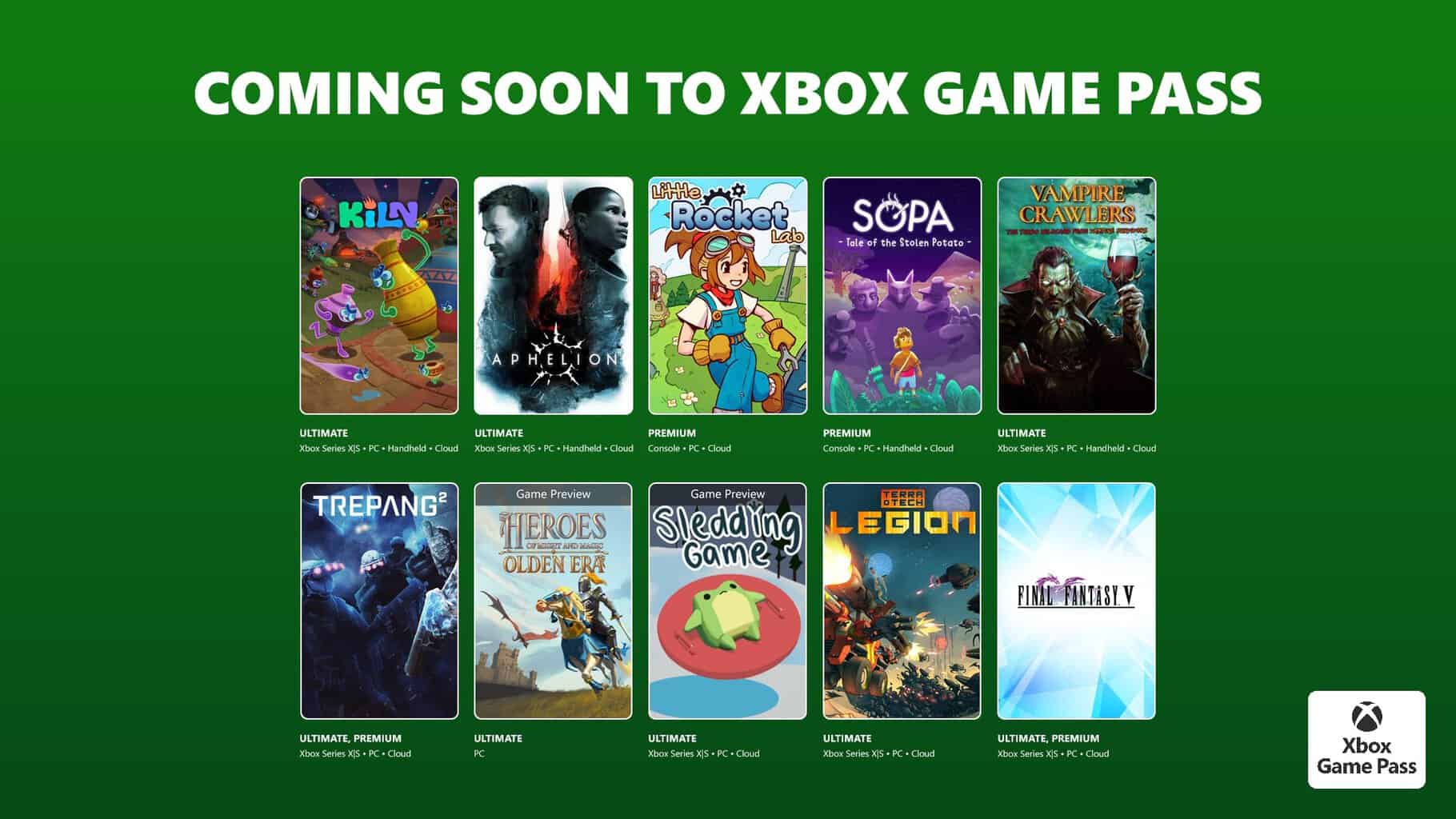
Microsoft is reassessing the long-term future of Xbox Game Pass after internal concerns revealed the service may be too expensive to sustain at its current scale. The shift comes as the company adjusts pricing and steps back from including Call of Duty titles as day-one releases.
Call of Duty Challenges the Game Pass Model
As Windows Central writes, the core issue lies in how blockbuster franchises like Call of Duty interact with a subscription model. Unlike most first-party titles, Call of Duty operates as a massive standalone revenue engine, generating billions through full-price sales and ongoing live-service content.
Including such a title in Game Pass introduces a clear trade-off. Instead of selling copies at $70, Microsoft risks lowering overall revenue per user. High development costs and continuous infrastructure support only add pressure, making it difficult for the subscription model to absorb the impact.
This imbalance already shows signs of strain, with weaker-than-expected sales for recent entries like Black Ops 7 raising concerns about cannibalization.
Why Some Services Stay Outside Game Pass
The same logic explains why Microsoft avoids bundling certain subscription-based services into Game Pass. Offerings like World of Warcraft subscriptions, Fallout First, and Minecraft Realms remain separate.
Each of these services generates recurring revenue on its own. Folding them into Game Pass would dilute their value and reduce overall profitability, mirroring the issues seen with Call of Duty.
Internal Cost Allocation Adds More Pressure
Microsoft uses an internal system that effectively “charges” Game Pass for lost retail sales. When a major title enters the service, the associated revenue loss gets reflected in the studio’s budget.
For large franchises, this creates a ripple effect. A single title like Call of Duty can consume a significant portion of the Game Pass budget, potentially limiting funding for new projects and smaller studios.
Price Increases and User Backlash
To offset these pressures, Microsoft has already raised the price of Game Pass Ultimate. The move aims to balance rising costs, but it has not landed well with users.
Higher pricing combined with selective content availability has led to growing frustration. Some users question the value of paying more for content they may not use, especially when major titles are no longer guaranteed at launch.
This shift could also lead to subscription drop-offs, particularly among players who primarily engage with a single franchise.
Player Behavior Reveals a Split Audience
Usage patterns highlight a divide in how players interact with Game Pass. Call of Duty players tend to prefer buying the game outright, ensuring full access and long-term ownership.
In contrast, Game Pass subscribers often value variety. They use the service to explore multiple titles rather than commit to a single live-service game.
This mismatch creates a perception issue. Some users feel they are subsidizing content that does not align with their gaming habits.
Microsoft Moves Toward Flexible Subscription Plans
To address these challenges, Microsoft is exploring a more modular approach to Game Pass. Early signs point to a “pick your own plan” model, where users can customize their subscriptions based on preferences.
The current Game Pass model shows clear strain under the weight of blockbuster, live-service games. Microsoft now faces the challenge of balancing price, content, and user expectations.
A more flexible system could restore the perception of Game Pass as the best value in gaming. Success will depend on how well Microsoft aligns its offerings with actual player behavior while protecting the economics behind its biggest franchises.
Microsoft has released an emergency out-of-band update for .NET, addressing a critical security vulnerability that could allow attackers to gain elevated privileges and access sensitive data. The issue surfaced after reports of decryption failures in .NET 10.0.6, prompting immediate action.
The vulnerability, tracked as CVE-2026-40372, carries a severity score of 9.1 and falls under elevation of privilege (EoP). Attackers could exploit it to forge authentication cookies, decrypt protected data, and potentially escalate access to SYSTEM-level privileges.
Flaw Linked to DataProtection Component
The root cause lies in Microsoft.AspNetCore.DataProtection component, specifically within its HMAC validation process. The system computed the hash on incorrect payload bytes, then discarded validation results, effectively opening the door for exploitation.
This flaw impacts applications built on .NET versions 10.0.0 through 10.0.6 that rely on the affected package under certain configurations.
Limited but High-Risk Exposure
The vulnerability does not affect all environments equally. It targets systems that meet specific conditions:
Applications referencing the vulnerable DataProtection package
Projects using net462 or netstandard2.0 assets
Deployments running on Linux, macOS, or other non-Windows platforms
While this setup remains relatively uncommon, Microsoft warns that affected systems face serious risk if left unpatched.
Microsoft Pushes Urgent Fix with .NET 10.0.7
To address the issue, Microsoft released .NET 10.0.7 as an out-of-band update. The company urges developers and organizations to install the latest version immediately, then rebuild and redeploy affected applications.
Successful exploitation could allow attackers to access and modify files, escalate privileges, and potentially carry out supply chain attacks.
This emergency release highlights the urgency of the threat, as out-of-band patches typically signal active risk or high exploit potential. It also follows recent reports of the RedSun exploit campaign, and multiple other zero-day vulnerabilities.
Microsoft has outlined its OneDrive roadmap for 2026, focusing heavily on AI integration, faster workflows, and improved collaboration tools. The update positions OneDrive as more than just cloud storage, evolving it into a central productivity hub within the Microsoft 365 ecosystem.
Copilot Integration Takes Center Stage
A key highlight is deeper integration with Copilot, which now appears directly inside OneDrive. Users can summarize documents, review PDFs, and compare files without leaving the platform.
This builds on earlier AI additions, including agent-based features already introduced across Microsoft services.
Expanded File Support and Editing
Microsoft is also expanding file support. OneDrive will now handle Markdown (.md) files natively, allowing users to view and edit them directly in the browser.
This change targets developers and content creators who rely on lightweight file formats for documentation and publishing.
Mobile and Accessibility Improvements
On mobile, improvements focus on accessibility and convenience. OCR support for PDFs allows users to extract text from scanned documents.
iPad users gain offline search functionality, making files easier to locate without an internet connection.
Smarter Sharing and Access Control
Sharing and file management are also getting upgrades. The new “Hero link” feature simplifies sharing by offering a single link with flexible permissions.
Microsoft is also improving ownership transfer, making it easier for organizations to reassign files when employees leave.
Desktop Enhancements on Windows and macOS
Desktop experiences see notable enhancements as well. On Windows, users can move folders to OneDrive directly from File Explorer with a right-click.
Group Policy updates allow admins to customize the OneDrive folder root to avoid path length issues, while Copilot+ PCs gain semantic search in File Explorer for more natural file discovery.
Preview Features and Future Direction
Preview features push scalability further. OneDrive Sync will support up to one million files on supported Windows Insider systems.
A new “Ask Copilot” button in File Explorer is also in testing, signaling deeper AI integration across the OS.
Microsoft’s broader direction is clear: OneDrive is becoming an AI-powered workspace designed to streamline how users create, manage, and share files. This aligns with recent Microsoft 365 changes, including Copilot Mobile uploading local files directly to OneDrive and updates to how deleted cloud files are handled locally.
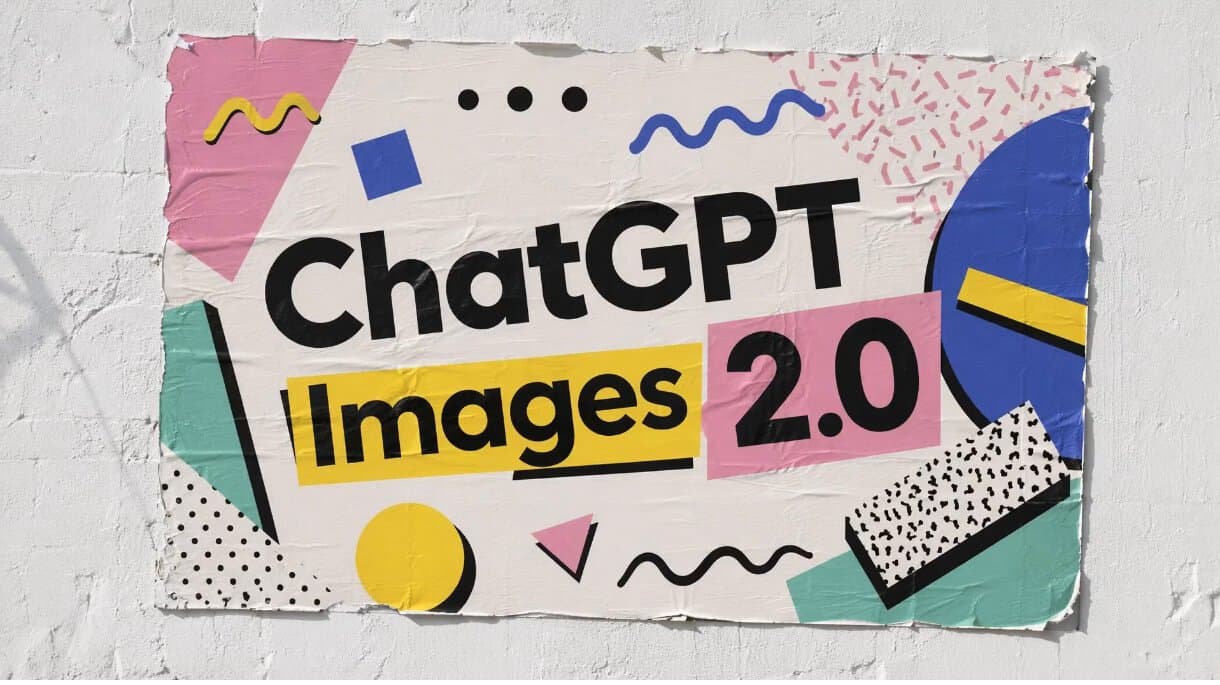
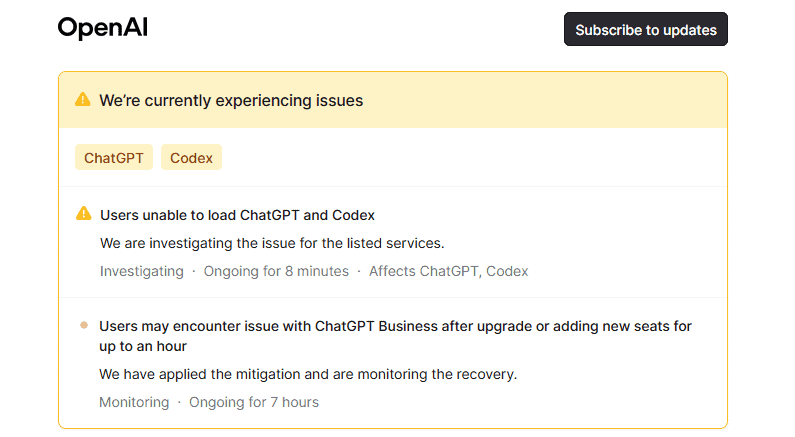
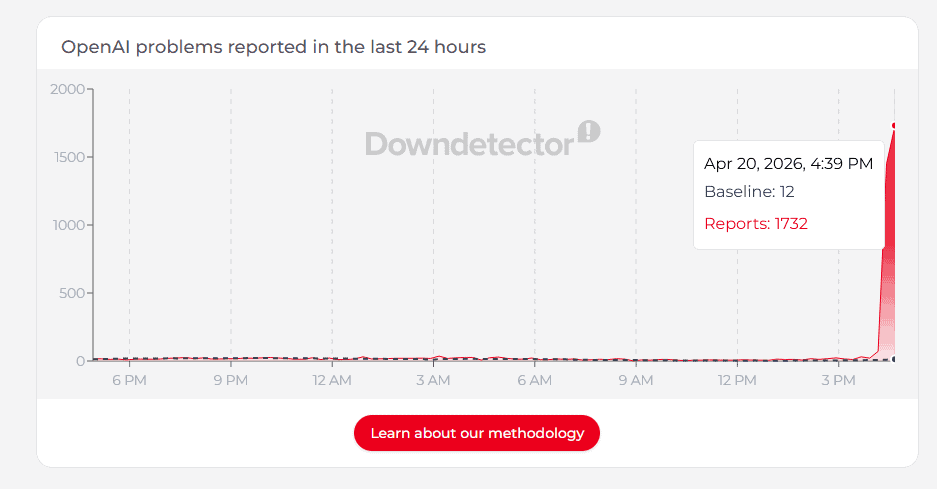
OpenAI has unveiled ChatGPT Images 2.0, a new image generation model designed to push beyond standard text-to-image tools and into structured design work. The update, announced during a livestream, also lands alongside expanded efforts for Codex in enterprise through a new Codex Labs initiative.
ChatGPT Images 2.0 targets design-level output
At a time when AI image tools are rapidly converging, OpenAI is leaning into a more ambitious direction. ChatGPT Images 2.0 is being positioned not just as a generator, but as a system capable of building structured visual layouts, including multi-page content like magazines.
The company demonstrated how the model can handle more complex creative workflows, including layouts that go beyond single images. It also highlights improved text rendering, which has long been a weak point in earlier image generation systems.
That being said, the most noticeable change appears to be how images are constructed around instructions, with better control over spacing, typography, and composition.
Real-World Intelligence
ChatGPT Images 2.0 has an updated knowledge cutoff of December 2025 and intelligence that allows it to expertly handle tasks end-to-end, from copywriting to analysis to design composition. pic.twitter.com/gMZaNtCt76
Higher resolution, web-aware generation, and dual modes
Speaking of capabilities, ChatGPT Images 2.0 now supports up to 2K resolution and multiple aspect ratios, giving users more flexibility for different formats. OpenAI also says the model can generate images in both Instant and Thinking modes, depending on how much reasoning is required.
The Thinking mode is particularly important here. It allows the model to pull in up-to-date web information before generating visuals, which may help improve accuracy in data-driven or reference-heavy images. On top of that, language support has been expanded beyond Latin scripts, improving output quality for languages such as Japanese, Chinese, Korean, Hindi, and others, where earlier systems often struggled with text clarity.
The ChatGPT Images 2.0 Instant model is now rolling out to all ChatGPT and Codex users, while the more advanced Thinking model is limited to ChatGPT Plus, Pro, and Business tiers.
Xbox updates Game Pass pricing and Call of Duty games’ rollout
As a result, Xbox Game Pass Ultimate is now priced at $22.99 per month, down from $29.99. PC Game Pass is also seeing a drop, moving from $16.49 to $13.99 per month. Do note that prices may vary depending on region.
Besides the price cuts, Microsoft has confirmed that new Call of Duty titles will no longer launch on Game Pass Ultimate or PC Game Pass at day one. Not surprising, given that we have been hearing about it for a few weeks now. So, what’s changed? Well, these games will arrive later during the following holiday season, roughly a year after release.
Meanwhile, existing Call of Duty titles already available on Xbox Game Pass will remain unaffected and continue to be accessible to subscribers.
Despite the adjustment in release timing, Game Pass Ultimate still includes hundreds of games across console and PC. That includes current Call of Duty entries, online multiplayer access, in-game perks, and major day-one releases from other publishers.
Speaking of public image, Microsoft reportedly opened hiring for a new senior communications role related to Xbox. The job posting on LinkedIn, first spotted by @HazzadorGamin on X, was for Senior Manager, Xbox Brand and Reputation. But it seems the position has been filled, as the company is no longer accepting applications for the role, according to Windows Central.
Microsoft hires for Xbox brand and reputation role
The job posting talks about shaping how Xbox is presented across global audiences. While the role is no longer accepting applications, its responsibilities give a clear idea of where Xbox may be heading down the line.
According to the job description, the applicant is expected to lead global communication strategies, develop messaging for Xbox leadership, and ensure consistency across marketing, PR, and public-facing content. It also involves working closely with internal teams, including engineering, public affairs, and social media, to align the overall brand narrative.
Another key part of the role includes managing relationships with media, influencers, and the gaming community, along with overseeing PR agencies. The position is also tasked with tracking performance metrics and guiding broader communication strategies across Xbox.
What stands out is the emphasis on “protect and elevate the Xbox brand,” which was highlighted as a core responsibility. The role is described as high-impact, with involvement in both proactive storytelling and handling corporate-level issues tied to the gaming business. Here is what the overview of the role reads:
Reporting to the Xbox Head of Brand and Platform Communications, you will partner closely with the Xbox comms and marketing teams as well as Xbox leadership, social media, public affairs, and engineering teams to drive storytelling to protect and elevate the Xbox brand. This is a high-impact role that will lead business-critical proactive and reactive work across gaming corporate issues as well as larger narratives including business momentum. This role will also build and nurture relationships with key business and industry press as well as analysts, and will help manage an external agency team to drive both strategy and best practices across our corporate narrative and issues management.
While Microsoft has not publicly commented on any shift in strategy, the scope of this role suggests a stronger focus on messaging, brand perception, and how Xbox communicates its long-term vision. It will be interesting to see how this internal move shapes Xbox’s public image going forward.
Microsoft says most Windows 11 users no longer need third-party antivirus software, as Windows Security has evolved into a full protection stack. The guidance applies to users running updated systems with default security features enabled.
Built-In Protection Covers Everyday Threats
According to Microsoft, protection remains sufficient when systems receive regular updates and users follow basic safety practices. The latest Patch Tuesday fixed 167 vulnerabilities, while Defender updates continue to improve detection capabilities.
SmartScreen plays a key role by checking websites, downloads, and app reputation. As long as users install software from trusted sources, the system can block most common threats before they cause harm.
Windows Defender handles real-time protection, background scanning, and automatic threat detection without requiring additional software. This makes traditional antivirus tools less necessary for standard use.
Defender Has Become a Full Security Platform
Windows Defender now includes behavior monitoring, cloud-based detection, and heuristic analysis. These systems allow it to identify unknown threats and zero-day attacks, even without known signatures.
Microsoft’s security ecosystem processes trillions of signals daily, helping improve detection accuracy across billions of devices. Independent tests also show strong results, with top scores in protection, usability, and performance, and detection rates reaching up to 100%.
Built-In Features Strengthen System-Level Security
Windows 11 integrates multiple security layers into a single system. SmartScreen blocks suspicious files and websites, while Smart App Control prevents unsigned or unknown apps from running.
Ransomware protection adds another layer through Controlled Folder Access, which protects important folders like Documents, Desktop, and OneDrive from unauthorized changes.
These tools work directly within the operating system, giving them deeper access and better coordination than most third-party solutions.
Third-Party Antivirus Still Has Specific Use Cases
Microsoft notes that some users may still benefit from external antivirus software. Enterprise environments often require centralized management and advanced monitoring tools.
Families may need parental controls and content filtering, while advanced users sometimes prefer bundled services like VPNs or identity protection.
For most users, however, these features remain optional rather than essential.
Performance Trade-Offs With Third-Party Tools
Third-party antivirus software can increase system resource usage, leading to higher CPU and RAM consumption. Running multiple real-time scanners may also cause conflicts, reducing system stability.
Because of this, adding extra antivirus tools can sometimes create more issues than benefits on modern Windows systems.
In 2026, Windows 11 will provide complete built-in protection for most users. Windows Security covers real-time threats, behavioral detection, phishing protection, and system-level security without requiring additional software.
Third-party antivirus remains useful in specific scenarios, but for everyday use, Microsoft Defender now offers everything most users need.
The UK is stepping up its push to regulate social media platforms, and this time, Telegram has come under scrutiny. The country’s communications regulator has officially launched an investigation into the platform over concerns related to harmful content involving minors.
Ofcom opens investigation into Telegram over child safety concerns
According to the announcement, Ofcom is investigating whether Telegram is complying with its duties under the Online Safety Act 2023. The move comes after evidence suggested that illegal content related to child abuse may have been circulating on the platform.
It’s worth noting that this is part of a broader push in the UK to hold tech platforms more accountable. The government has been actively working to strengthen protections for children online, with ongoing discussions even pointing toward a possible social media ban for users under 16.
That being said, Ofcom claims it remained unsatisfied even after engaging with Telegram directly. The regulator says it reviewed findings, including inputs from the Canadian Centre for Child Protection, before deciding to move forward with a formal probe.
Telegram, however, is pushing back against the claims. As reported by Reuters, the company has “categorically” denied the allegations, stating that it has significantly reduced the spread of such content since 2018 using detection systems. It also raised concerns that the investigation may be part of a broader push against platforms that emphasize privacy and free speech.
We recently got our hands on the latest release of AppControl and wanted to give you a firsthand look at how it compares to Windows Task Manager.
At a glance, it might just look like a pretty reskin, but under the hood it does all the things we wished Task Manager could do.
The tool is completely free to download and runs with very little system impact. This makes it suitable as a permanent background utility rather than something you only open when your computer slows down.
AppControl vs Windows Task Manager: Head-to-Head
For casual users, Task Manager has always been the default way to check what is happening on a PC. However, for power users who want more control, deeper insights, and a way to investigate what happened before a problem occurred, AppControl offers a much more complete solution.
Monitoring System Performance
Windows Task Manager gives you a live snapshot of your PC’s performance. You can quickly check CPU usage, memory consumption, disk activity, GPU load, and network traffic in real time. For immediate troubleshooting, that is often enough.
AppControl takes this much further by recording a rolling history of performance data over time. Instead of only showing what your system is doing right now, it allows you to go back and inspect what happened minutes or even hours earlier.
This makes a major difference when trying to diagnose sudden CPU or GPU spikes, memory leaks, disk bottlenecks, and other random slowdowns.
With Task Manager, if the issue disappears before you open it, the evidence is gone. AppControl preserves that history for up to 72 hours so you can investigate after the fact.
Its timeline view makes it easy to trace performance problems back to the exact moment they occurred by clicking on timestamps or visual spikes.
Monitoring System Temperatures
One major limitation of Task Manager is that while it focuses on hardware resource usage, temperature monitoring is limited. Some GPU temperatures may appear on supported systems, but CPU temperatures are not shown, and thermal behavior is largely hidden.
AppControl includes dedicated temperature monitoring for hardware components, making it much easier to understand how hard your PC is working and the risk of overheating.
You can monitor:
CPU temperatures
GPU temperatures
Thermal spikes
Cooling behavior
Temperature changes over time
The historical timeline is especially useful here. Instead of just seeing the current temperature, you can identify exactly when overheating started and what applications played a role.
For users with gaming systems, workstations, or laptops that frequently run hot, this can reveal problems that Task Manager simply cannot show.
Viewing System Events
Task Manager focuses on processes, but it does not provide a meaningful event history.
AppControl introduces a full event monitoring system that tracks important changes occurring on your computer, including:
Application launches
Background updates
Service changes
Driver installations
First-time program launches
Hardware access events
This gives users a chronological view of system behavior.
For example, if your computer freezes for ten seconds and then returns to normal, Task Manager usually cannot tell you what caused it. AppControl can show the exact event that occurred at that moment.
View Running Apps and Processes
Both programs allow you to see currently running apps and background processes.
Task Manager presents this in a familiar list showing the process name, CPU usage, memory usage, disk activity, and network activity
AppControl shows similar information but organizes it in a smarter way. Instead of presenting dozens of individual entries in one long list, it can group applications by publisher. E.g., Google, Adobe, Nvidia, etc. This makes it easier to distinguish legitimate software from unknown or suspicious programs.
It also tags unsigned apps, which are apps without a known or verified publisher. These can be legitimate, but most unwanted programs or malware will be unsigned. This gives you a quick way to identify them.
Kill Apps and Processes
Task Manager allows users to force-close unresponsive software by selecting a process and clicking End Task. This works well for immediate troubleshooting.
AppControl can also kill processes, but it expands on that functionality by allowing you to kill groups of processes or all processes from a single publisher. You can also prevent relaunching and disable apps from launching at all.
The difference is important because Task Manager treats process termination as temporary. The application can often restart automatically.
AppControl gives you more permanent control over what can run on the system. For users dealing with stubborn software, background utilities, or unwanted bundled apps, this is a useful advantage.
Priorities and Processor Affinity
This is one area where Windows Task Manager still has a unique advantage.
It lets you manually set processor affinity, allowing a process to run only on selected CPU cores. This can help with older single-core software and when trying to manually allocate processing power.
Likewise, you can set the priority given to each process. For example, you might set the process for a game to high and browser to low, for maintaining the best in-game performance.
AppControl currently focuses more on monitoring and system control than advanced CPU tuning, so it does not emphasize processor affinity or priority.
Managing Apps and Startup Programs
Task Manager includes a Startup tab where users can disable programs that launch when Windows starts. This is useful for improving boot speed, but the control is limited.
AppControl improves on this by allowing you to manage not just startup items, but almost any app or background process that attempts to run without uninstalling it completely. You can:
Disable apps completely
Block unwanted background launches
Stop recurring processes
Prevent software from relaunching
This turns AppControl into more of a system management tool than a simple process viewer.
Instead of reacting after software starts consuming resources, users can prevent the issue before it happens.
Privacy
Task Manager can show that a process exists, but it provides very little context about whether that process is safe.
AppControl adds a layer of transparency that makes it more useful for privacy-conscious users.
As well as labelling unsigned apps and logging events, you can also clearly see which apps have webcam, microphone, and location access.
You can also set up alerts for certain behavior. This includes when a new app launches unexpectedly, a process accesses the mic or camera, background updates, and more.
This gives users a level of transparency that Windows does not provide by default.
While AppControl is not an antivirus program, it helps you spot unusual system behavior much faster than Task Manager can.
AI Agents
Perhaps the most modern feature AppControl introduces is AI integration.
Task Manager gives raw technical data and leaves users to interpret it themselves.
AppControl can now connect with AI assistants, especially Claude, that analyze your system history and can answer your questions in plain language.
So, instead of manually interpreting the timeline or logs, you can ask things like:
What caused my CPU spike?
Which apps ran while I was away?
What accessed my webcam?
Which program uses the most memory over time?
The AI can then interpret the logs and provide meaningful explanations.
This makes AppControl especially valuable for users that don’t have the time or experience to examine the data themselves.
Task Manager Advantages
Even though AppControl expands on many of Task Manager’s weaknesses, the native utility still has a few exclusive features.
Task Manager lets you quickly launch a new process directly from the Run new task option. This gives you direct access to any executable, the Command Prompt, PowerShell, Registry Editor, and Explorer.
This can be beneficial if your system has frozen or something has crashed and you cannot restart it the regular way.
Task Manager also has a built-in services tab. While AppControl monitors Windows services, Task Manager lets you view, stop, and start them.
Finally, Task Manager has a Users tab for managing Windows user accounts. You can view, monitor user resource usage, and sign out users from within Task Manager. This is useful for managing remote desktops or shared PCs.
Final Verdict
Ultimately, Windows Task Manager is still useful for quick checks and basic troubleshooting and has a handful of exclusive features.
However, AppControl greatly expands on core functionality. The most important being historical monitoring, allowing you to go back in time to see what your system was doing and why.
It also offers better process and app control, temperature tracking, event logging, and a clearer overview of security vulnerabilities. I.e., unsigned apps and which apps have access to mic, webcam, and location.
For power users or anyone who wants to truly understand what their computer is doing, AppControl feels like a superpowered Task Manager with a more intuitive interface.
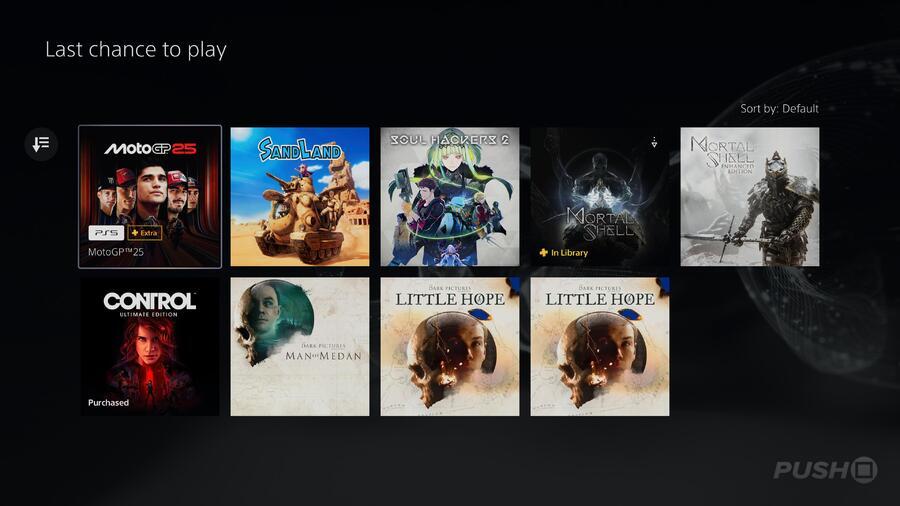
If you have been wondering which games are set to leave PS Plus Extra tier in May 2026, this news is for you. As spotted by folks at PushSquare, PS Store has listed the names of seven initial games in the “Last Chance to Play” section. Meaning, the games will leave PS Plus Extra next month.
That said, there’s always a possibility of Sony making changes to the removals lineup or simply remove additional games without even notifying. Not to forget, the listing appeared the same day Sony announced the April 2026 lineup.
Games confirmed to leave PS Plus Extra in mid-May
MotoGP 25
Sand Land
Soul Hackers 2
Control Ultimate Edition
The Dark Pictures Anthology: Man of Medan
The Dark Pictures Anthology: Little Hope
Mortal Shell
Mortal Shell Enhanced Edition
Image credit: PushSquare
As of now, the list looks confirmed, but it’s still possible that Sony may pull out some more games from the said subscription tier. Last but not least, the aforementioned games will leave the service by May 19 to make way for new additions on the PS Plus subscription tiers. As a reminder, six games have been removed from the service today.
Which of the aforementioned games are you sad to see leave the service? Let us know in the comments below.
Microsoft has introduced two new dynamic backgrounds for Xbox consoles, expanding customization options for users. As reported by TrueAchievements, the new themes are based on Kiln and Overwatch, and both are available now at no cost.
Kiln background brings a quirky animated theme
The Kiln dynamic background ties into the game’s upcoming Game Pass release on April 23, 2026, as part of the April Wave 2 lineup. The design features animated pots preparing for combat, combined with a furnace emitting smoke and slow-moving clouds. The overall presentation remains simple but effectively captures the game’s distinctive and quirky style.
Overwatch background focuses on iconic visuals
The Overwatch dynamic background uses a bold red and blue color palette, highlighting recognizable heroes that move subtly across the screen. Light particles and fire effects add some motion, although the dynamic aspect is more restrained compared to other backgrounds, focusing more on visual identity than animation.
Easy way to refresh the Xbox dashboard
Users can enable these backgrounds through the personalization settings, where they appear under the Games or Featured sections. The process is straightforward and does not require any additional downloads.
More customization options arrive for Xbox users
These new additions provide a simple way to refresh the dashboard experience without extra effort or cost. They continue Microsoft’s push to offer more personalization features across the Xbox ecosystem.
The next-gen Steam Controller was unveiled last year by Valve alongside the Steam Machine and Steam Frame. If you have been waiting for its release, the good news is that it may be closer than initially expected. The latest rumor around the imminent launch of the Steam Controller stems from an unboxing video listing.
Steam Controller unboxing listing hints at possible launch soon
As reported by Notebookcheck, the latest detail comes via Brad Lynch on X, who spotted a video listing on SteamDB titled “steam_controller_unboxing_2026.” The video itself is not live yet, but the listing alone suggests that Valve may already be preparing launch materials behind the scenes.
This follows a string of recent leaks around the controller. Earlier this month, Lynch also pointed out that Valve imported a large batch of wireless PC controllers. When asked about the source of the information, he cited public import records on the Global Trade Data website. Around the same time, backend references to setup and pairing processes were also discovered.
It’s still unclear how Valve is going to approach the launch of its upcoming products. But, at the moment, the Steam Controller seems to be the first priority. Previously, the company indicated that it wants to launch the Steam Controller alongside other hardware, including the rumored Steam Machine and Steam Frame.
However, ongoing supply constraints, especially around memory and storage, may have delayed those plans. Earlier expectations pointed to an early 2026 release, but the launch timeline has since shifted. That said, the company is still aiming to launch the Steam Machine in 2026. As for the Steam Controller, the leaked unboxing video listing suggests that the launch might be around the corner.
For those unaware, the upcoming controller aims to bring every game in your Steam Library right to your fingertips. Valve describes it as “all the inputs to play all the games on Steam, wherever Steam is.” For more details, you can check our explainer guide about the Steam Controller.
Microsoft is reportedly working on its next-generation Xbox console, codenamed Project Helix, with new leaks pointing to a broader hardware strategy. While the company has confirmed its focus on a first-party console, emerging details suggest the underlying chip could appear in more than one type of device.
AMD RDNA 5 chip may extend beyond the main console
According to reports from Pure Xbox and known leaker KeplerL2, Microsoft plans to use custom AMD silicon built on RDNA 5 architecture for Project Helix. However, the Helix chip may not remain exclusive to a single console.
The same architecture could power additional hardware from third-party manufacturers. Names like ASUS and MSI have surfaced, with potential devices ranging from gaming PCs to handheld systems.
Project Helix will be available as a 1st party Xbox console.
These would not be traditional Xbox consoles, but rather Xbox-powered devices that integrate Microsoft’s gaming ecosystem in different form factors.
Microsoft prioritizes first-party hardware
Jason Ronald has confirmed that Microsoft’s primary focus remains its own next-gen console. The company has not officially acknowledged any third-party Helix-based devices.
This keeps the current information firmly in the realm of leaks and speculation. Microsoft continues to position its first-party hardware as the central Xbox experience.
Backward compatibility could stay exclusive
One of the biggest questions surrounds backward compatibility. Full support for legacy Xbox titles may remain limited to Microsoft’s own console.
Licensing restrictions and platform control could prevent third-party devices from offering the same experience. That could lead to differences in how games run or what titles are supported.
Xbox ecosystem expansion remains uncertain
If Microsoft allows Helix-based chips in partner devices, the Xbox ecosystem could expand beyond a single console. Players could access Xbox games across consoles, PCs, and handheld systems with more flexibility.
However, key features might remain locked to official hardware, limiting how open the platform becomes.
Performance issues rarely arrive with warnings. Most of the time, systems slow down quietly. A new feature adds a few extra queries. A helper function runs more often than expected. A small shortcut avoids refactoring. None of this looks dangerous on its own.
This is why experienced teams rely on code review services not just to validate correctness, but to notice early performance risks that are invisible in happy-path testing. Whether you are building desktop applications for Windows, working with .NET services, or maintaining enterprise tools that run across thousands of Windows workstations, a structured code review process becomes one of the most reliable ways to keep software responsive as it grows.
This article explores how performance-focused code review works, what reviewers should look for, and how teams can prevent slowdowns long before users complain.
Why Performance Problems Are Hard to Spot Early
Performance issues usually do not break functionality. Everything still works. Apps launch. APIs respond. Tests pass.
The problem is time.
A response that takes 200 milliseconds instead of 80 still feels fine. Until traffic doubles. Or data grows. Or a new dependency slows down unexpectedly. A Windows desktop app that loads quickly on a developer’s high-end machine might lag noticeably on a mid-range office PC with slower storage and less RAM.
By the time performance becomes visible in monitoring dashboards or user complaints, the root cause is often buried deep in earlier decisions. Reviewing code with performance in mind is one of the few moments when teams can pause and ask questions before those decisions harden.
Performance as a Review Concern, Not a Separate Phase
Many teams treat performance as a later concern. First, make it work. Then, make it fast.
This approach works only for very small systems. In real products — whether they are Windows services, enterprise applications, or cloud-backed tools — performance debt accumulates faster than technical debt. Once users rely on a workflow, changing it becomes risky.
When performance considerations are part of code review, teams shift from reactive optimization to preventive thinking. The review is not about tuning everything. It is about noticing when a change quietly increases cost.
Common Performance Regressions Hidden in Plain Sight
Most performance issues are introduced by ordinary-looking code. Reviewers should train themselves to spot patterns, not mistakes.
Typical examples include:
Database calls inside loops that grow with data size
Missing pagination in endpoints that return collections
Repeated parsing or transformation of the same data
Synchronous calls to slow external services
Inefficient filtering applied after data is loaded instead of before
Heavy UI rendering on the main thread, blocking user interaction in desktop apps
For Windows-based applications specifically, watch for patterns like excessive disk I/O during startup, unoptimized registry access, or blocking calls on the UI thread that cause the dreaded “Not Responding” state.
None of these changes are wrong by themselves. The risk depends on context. Code review provides that context.
Thinking in Terms of Growth, Not Current Load
One of the biggest mistakes in performance review is judging code based only on today’s usage.
Good reviewers mentally simulate growth:
What happens if this dataset becomes ten times larger?
What if this endpoint becomes part of a critical user flow?
What if this function runs on every request instead of occasionally?
What if this Windows app needs to run on machines with half the RAM or an HDD instead of an SSD?
This mindset does not require precise forecasts. It requires curiosity about how code behaves under pressure.
A Practical Checklist for Performance-Oriented Review
Performance review should be structured. Otherwise, it becomes vague and subjective.
A simple checklist helps reviewers stay focused.
Data access and storage
Reviewers should check:
How many queries are executed
Whether indexes support common access patterns
If large objects are loaded unnecessarily
Whether caching opportunities exist
Data access is often the biggest performance lever — this applies equally to SQL Server queries behind a Windows service and to local SQLite databases in a desktop application.
Algorithmic efficiency
Not every developer thinks in terms of complexity, but reviewers should.
Questions to ask:
Does this logic scan the same collection multiple times?
Are nested loops avoidable?
Is sorting or filtering done more often than needed?
Even small inefficiencies add up, especially when running on lower-powered hardware that is common in enterprise Windows environments.
Memory and object lifecycle
Memory pressure affects performance indirectly.
Reviewers should notice:
Large in-memory structures kept longer than necessary
Objects copied instead of referenced
Caches without eviction strategies
Unmanaged resources not properly disposed, leading to memory leaks in long-running Windows processes
These issues often appear harmless until traffic spikes or when an application has been running for hours on a user’s machine.
Performance Review in Backend vs Frontend Code
Performance concerns differ by layer, but the principle stays the same.
Backend reviews
Backend reviewers focus on:
Query efficiency
Network calls
Blocking operations
Thread and connection usage
A single slow backend path can cascade through the system. For teams running Windows Server infrastructure or IIS-hosted services, connection pool exhaustion and thread starvation are common culprits.
Frontend and desktop application reviews
On the frontend and in desktop applications, performance review includes:
Bundle size growth for web apps, or startup time for native Windows applications
Unnecessary re-renders or UI redraws
Expensive computations on the main thread
Over-fetching data from APIs or local storage
User perception matters more here than raw speed. A Windows application that blocks the UI thread for half a second feels broken, even if the operation itself is not slow.
Avoiding Premature Optimization During Review
Performance review does not mean optimizing everything.
Over-optimized code often becomes harder to read, harder to change, and harder to debug.
Good reviewers distinguish between performance-sensitive paths and low-impact, rarely executed code. If a reviewer is unsure, asking for basic measurements is better than guessing.
Using Evidence Instead of Opinions
Performance discussions can become subjective quickly.
Strong reviews rely on evidence, even lightweight evidence. This may include:
Simple benchmarks run locally
Before-and-after profiling screenshots
Query execution plans
Logs showing execution time changes
Windows Performance Analyzer traces or Event Tracing for Windows (ETW) data for native applications
Evidence turns performance review into a shared investigation, not a debate.
Performance Review in Distributed and Microservice Architectures
In distributed systems, performance problems often emerge between services, not inside them.
Reviewers should pay attention to:
Chatty service communication
Missing timeouts and retries
Large payloads passed repeatedly
Synchronous chains of dependent calls
Each service may look fine on its own. Together, they can become slow and fragile. This is particularly relevant for teams operating hybrid Windows environments where on-premises services communicate with cloud APIs.
Teaching Performance Through Review Feedback
One of the quiet benefits of performance-oriented review is education.
When reviewers explain why a query pattern is risky, why caching helps in a specific case, or why a loop scales poorly, other developers start recognizing these patterns themselves. Over time, performance-aware thinking becomes part of the team’s instinct.
When Internal Reviews Miss Performance Risks
Teams that work on the same system for years develop blind spots. Certain delays feel normal. Certain workarounds feel acceptable.
A fresh perspective often notices things internal teams overlook. This is why, during performance audits or scaling phases, some companies involve external experts like DevCom to review critical paths and data flows. The value lies in seeing the system without historical assumptions.
Making Performance Review Sustainable
Performance review should not slow teams down.
To keep it effective:
Focus deeply on high-impact changes
Accept trade-offs when deadlines are real
Document known performance risks instead of blocking progress
Revisit decisions when conditions change
Sustainability matters more than strictness.
Conclusion: Code Review as a Quiet Performance Strategy
Performance optimization does not always require complex tooling or dramatic refactoring. Often, it starts with someone asking the right question at the right time.
Code review provides that moment. A pause before code becomes permanent. A chance to see growth, not just functionality.
When teams consistently review code with performance in mind, systems age more gracefully. Users feel fewer slowdowns. Engineers spend less time firefighting.
In the long run, performance-focused code review is not about speed alone. It is about foresight.
As Windows Central reports, a new US legislative proposal, known as the “Parents Decide Act,” could introduce mandatory age verification across major operating systems, including Windows, macOS, and Linux. The initiative aims to strengthen protections for minors while giving parents more control over how children access digital content.
OS-Level Verification Could Change How Apps Access User Data
Under the proposal, users would need to enter their date of birth during the initial operating system setup. Operating system vendors would then need to provide a standardized system that allows apps to verify a user’s age directly from the OS.
This approach would shift responsibility away from individual apps and centralize age verification at the platform level. In practice, apps could request age-related data, such as date of birth, without requiring users to repeatedly input the same information.
More Control for Parents, But Added Friction for Users
The proposal positions itself as a tool for parental oversight, potentially giving guardians more visibility and control over how minors interact with apps and online services.
At the same time, it could introduce added friction during device setup and increase the amount of personal data shared between operating systems and third-party apps. For everyday users, this may translate into more steps before accessing devices and services.
Privacy and Security Questions Remain Unanswered
One of the biggest concerns revolves around how sensitive data, such as age or date of birth, would be stored and protected. The proposal does not yet clarify whether simple self-reported input would be enough, or if stronger identity verification methods would be required.
Questions also remain about who can access this data and how it would be secured against misuse or breaches. These uncertainties could become a major sticking point as the proposal moves forward.
Linux Faces Unique Enforcement Challenges
While centralized platforms like Windows and macOS may adapt more easily, Linux presents a different challenge. Its decentralized ecosystem lacks a unified account system, and distributions operate independently.
This raises a key question: how can age verification be enforced consistently across open-source environments without compromising their core principles?
Growing Trend, But Likely Pushback Ahead
Efforts to implement age verification at a broader level have often faced resistance. Privacy advocates and users frequently push back against systems that require personal data sharing, especially when the implementation lacks transparency.
Recent examples highlight this tension, including Discord delaying its own age verification rollout after user backlash. As similar initiatives gain traction, the balance between protecting minors and preserving user privacy will remain a central debate.
If adopted, the Parents Decide Act could mark a significant shift in how digital identity and age verification work at the operating system level, with long-term implications for both users and developers.
LinkedIn has announced a new way for users to try out some of the latest AI models without worrying about token limits or paying for separate subscriptions. The feature is currently rolling out to LinkedIn Premium users in the United States.
LinkedIn lets users compare AI models with new Crosscheck feature
Per Hari Srinivasan’s announcement LinkedIn post, the feature is called Crosscheck, and it works like a side-by-side comparison tool for AI responses. Users can enter a prompt and receive two different answers, each generated by a separate AI model. Interestingly, the model names are hidden at first.
Image credit: LinkedIn
It’s worth noting that only after selecting the preferred response does LinkedIn reveal which model generated each answer. The company describes this as a “blind taste test” approach, which would help users evaluate outputs without bias.
Crosscheck already appears to support a wide range of models. In early testing, responses were generated using models from OpenAI, Anthropic, Google, Microsoft, as well as others like Mistral and Amazon.
That being said, the feature is still limited in some ways. Crosscheck only supports text-based prompts for now, meaning users can’t generate images, upload files, or access more advanced tools available on native platforms. However, there are no limits on the number of text queries, which removes the need to track usage or tokens.
LinkedIn also noted that anonymized data from these interactions will be shared with model providers to help improve performance across different industries. The company says no personally identifiable information will be shared. As of now, Crosscheck is still labeled as an early experiment from LinkedIn Labs.
The announcement came yesterday from the Mountain View giant, which noted that Gemini in Chrome is now being rolled out to desktop and iOS users across regions like Australia, Japan, South Korea, and Singapore.
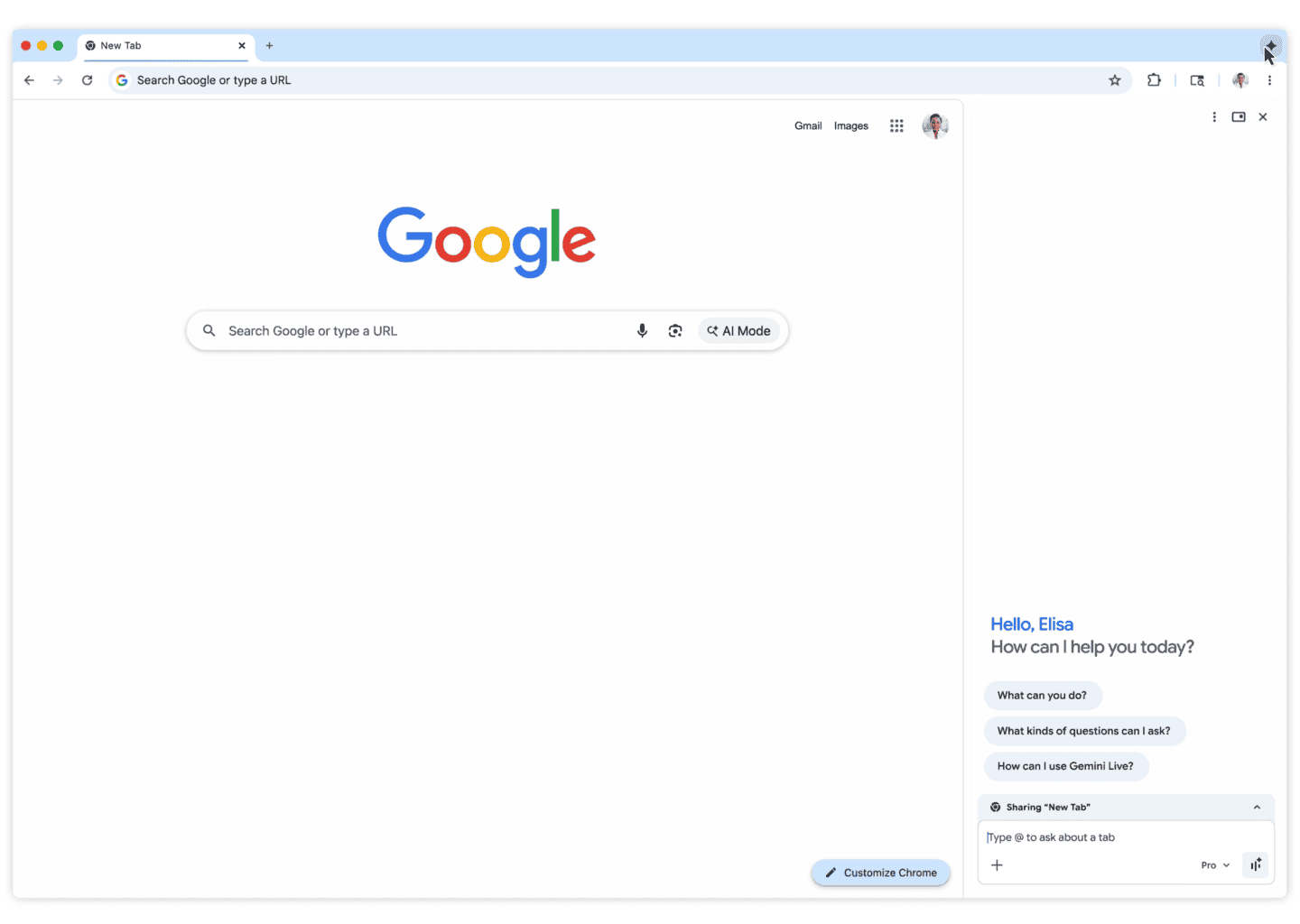
With Gemini in Chrome, users can now interact with a built-in assistant that helps summarize long pages, compare information across multiple tabs, and answer questions in real time without switching apps.
Image credit: Google
The integration goes a step further by integrating AI into Google’s app ecosystem. For example, users can schedule meetings through Calendar, check locations via Maps, draft emails in Gmail, and even ask questions about YouTube videos directly from the same page. It essentially turns Chrome into a more unified workspace rather than just a browser.
Google is also adding new features alongside the expanded rollout. The company has confirmed new Nano Banana 2-related features that allow you to transform images on the web using a text prompt in the Gemini in Chrome side panel.
Next up, with Personal Intelligence, Gemini in Chrome can remember context from past conversations, so you get uniquely personalized answers to whatever you’re looking for across the web.
Google isn’t compromising on the safety part as well. In the short update, the company further noted that Gemini in Chrome includes built-in protections against threats like prompt injection and will ask for confirmation before performing sensitive actions.
OpenAI is expanding its Codex capabilities with a new feature called Chronicle, now available in research preview for macOS users. The opt-in tool aims to make AI-assisted coding more seamless by automatically capturing context from a user’s screen.
Chronicle Adds Screen Awareness to Codex
Chronicle builds on Codex’s existing memory system by analyzing recent on-screen activity and turning it into usable context. It allows the AI to understand what users are working on without requiring constant manual input.
Last week, we released a preview of memories in Codex.
Today, we’re expanding the experiment with Chronicle, which improves memories using recent screen context.
Now, Codex can help with what you’ve been working on without you restating context. pic.twitter.com/b3p8I5eXOy
For example, Codex can detect error messages directly from the screen instead of relying on users to paste them into prompts. This approach reduces friction and helps streamline development workflows.
The feature relies on background agents and screen capture mechanisms to learn user habits, tools, and workflows over time. As a result, Codex can infer missing context and provide more relevant suggestions in real time.
Limited Availability and Setup Requirements
Chronicle is currently limited to ChatGPT Pro users on macOS and is not available in regions such as the EU, UK, and Switzerland. To activate it, users need to enable Memories in settings, turn on Chronicle under Personalization, and grant macOS permissions for Screen Recording and Accessibility so the system can access and interpret screen activity.
Privacy and Security Concerns Emerge
Despite its potential, Chronicle introduces several concerns tied to how it operates in the background. The feature can consume rate limits quickly due to continuous context capture, which may impact usage for some users.
Security is another consideration, as analyzing screen content exposes the system to possible prompt injection through malicious or sensitive on-screen data. In addition, stored memories are saved locally as unencrypted markdown files, raising questions about data protection. Although screen captures are deleted after six hours, they may still contain sensitive information during that time window.
Chronicle marks a shift toward more context-aware AI tools that reduce the need for manual input and improve workflow efficiency. At the same time, its limitations and privacy implications highlight the trade-offs that come with deeper system-level integration.
The next-gen Xbox, Project Helix, is still far away from us, as rumors point towards a late 2027 launch. However, we continue to hear tidbits about it, thanks to the rumor mill. At GDC 2026, Microsoft confirmed that the next-gen Xbox console will use a custom AMD SoC that will help it run both Xbox console and PC games.
Fresh Project Helix rumor hints at standard GPU design, hinting at easier PC ports
A fresh detail around Project Helix has started making rounds yet again, and it adds a bit more clarity to how Microsoft is approaching its next-gen hardware. This time, the claim comes from KeplerL2 over on NeoGAF, who previously shared insights about the system’s custom design.
Back in March, the leaker claimed that Helix would rely on a custom SoC handling the CPU, NPU, media, and display blocks. Now, in a latest update, KeplerL2 suggests that Microsoft is not tweaking the GPU side this time, noting there is “0 customization on the GPU side” (via Notebookcheck).
That points toward a setup where the GPU is likely a standard AT2 chiplet, while the rest of the system remains custom-built. In simple terms, it looks like Microsoft may be mixing a fixed GPU design with a tailored overall package, rather than going fully off-the-shelf or fully custom across the board.
More recently, the company has started outlining what that actually means for Project Helix. Microsoft says the system is being built with next-gen DirectX and FSR in mind, and it is aiming to bridge the gap between traditional console gaming and the flexibility of PC.
It will be interesting to see how things play out. But if the leaker’s claim holds true, this kind of setup could make life easier for developers, especially when moving games between PC and Xbox. That’s because the graphics side would be more in line with standard designs rather than a heavily customized block.
A new leak for the rumored Assassin’s Creed: Black Flag remake, reportedly titled “Resynced,” has surfaced online just days before its official reveal, as IGN writes. The footage, partially circulating ahead of schedule, offers the first look at in-game scenes and confirms several returning characters.
First Gameplay Footage Appears Online
The leaked trailer showcases multiple iconic moments featuring Edward Kenway, Blackbeard, and Adéwalé. Scenes include Edward striking his signature dual-cutlass pose, interactions aboard Blackbeard’s ship, and crew members preparing cannons for naval combat.
Ship battles also appear more dynamic, hinting at expanded mechanics and improved scale compared to the original game.
First look at Assassins Creed Black Flag Resynced gameplay.
Early reactions highlight major improvements in character models and lighting. The level of detail seen in faces, environments, and ship interiors suggests this is a full remake rather than a simple remaster.
The upgraded visuals align with earlier rumors pointing to a modernized version built for current-generation hardware.
The leak also confirms that Matt Ryan reprises his role as Edward Kenway. This matches previous hints from the actor and adds credibility to the project’s authenticity.
Community Reaction Builds Ahead of Reveal
Initial fan reactions remain largely positive, with excitement growing as more details emerge. Many players welcome the return of one of the franchise’s most popular entries, especially with modern enhancements.
The event will stream globally at 9 AM PT, 12 PM ET, and 5 PM UK, giving players across multiple regions the chance to tune in simultaneously and watch the full reveal as it happens.
With the trailer leak already gaining traction, anticipation for the official showcase continues to rise.
According to newly spotted FidelityFX SDK entries, AMD is working on support for multi-frame generation. This would allow developers to go beyond the current ~2x frame generation limit and define custom scaling ratios.
The feature appears through a new option labeled IADLX3DFidelityFXFrameGenUpgradeRatioOption, which gives developers more control compared to fixed presets. This change signals a shift toward more dynamic and customizable performance scaling.
Potential RDNA 4 Hardware Limitation
While AMD has not officially confirmed the feature, early indications suggest that multi-frame generation could be limited to RDNA 4 GPUs. This would mirror NVIDIA’s approach, where similar technology is restricted to newer architectures like the RTX 50 series.
If true, older Radeon GPUs may not receive official support, which could impact adoption across existing users.
Performance Gains vs Latency Trade-Off
Multi-frame generation could deliver higher frame rates, especially in demanding titles. However, generating additional frames introduces latency, which may affect responsiveness in fast-paced games.
To address this, AMD is expected to rely on its latency reduction technologies. Radeon Anti-Lag 2, which may be rebranded to FSR Latency Reduction 2.0, aims to minimize input lag and balance performance with responsiveness.
AMD vs NVIDIA: Closing the Gap
NVIDIA already offers multi-frame generation with dynamic scaling tied to monitor refresh rates. AMD’s approach appears to focus on flexibility through developer-defined ratios, which could provide more granular control.
Whether AMD can match NVIDIA’s latency handling will likely determine how competitive this feature becomes.
FSR 4.1 Already Available to Developers
While multi-frame generation remains unconfirmed, FSR 4.1 is already available via SDK. Developers can begin integrating the latest improvements immediately, setting the stage for future enhancements like MFG.
Overall, AMD is clearly pushing to expand FSR’s capabilities. If multi-frame generation arrives, its success will depend on hardware support and how effectively latency is managed.
Google has expanded the availability of its “Connect Room” feature, bringing it to all Google Workspace customers using Google Meet hardware. The update focuses on faster, more seamless meeting access in physical rooms without manual setup.
No Codes Needed: How Connect Room Works
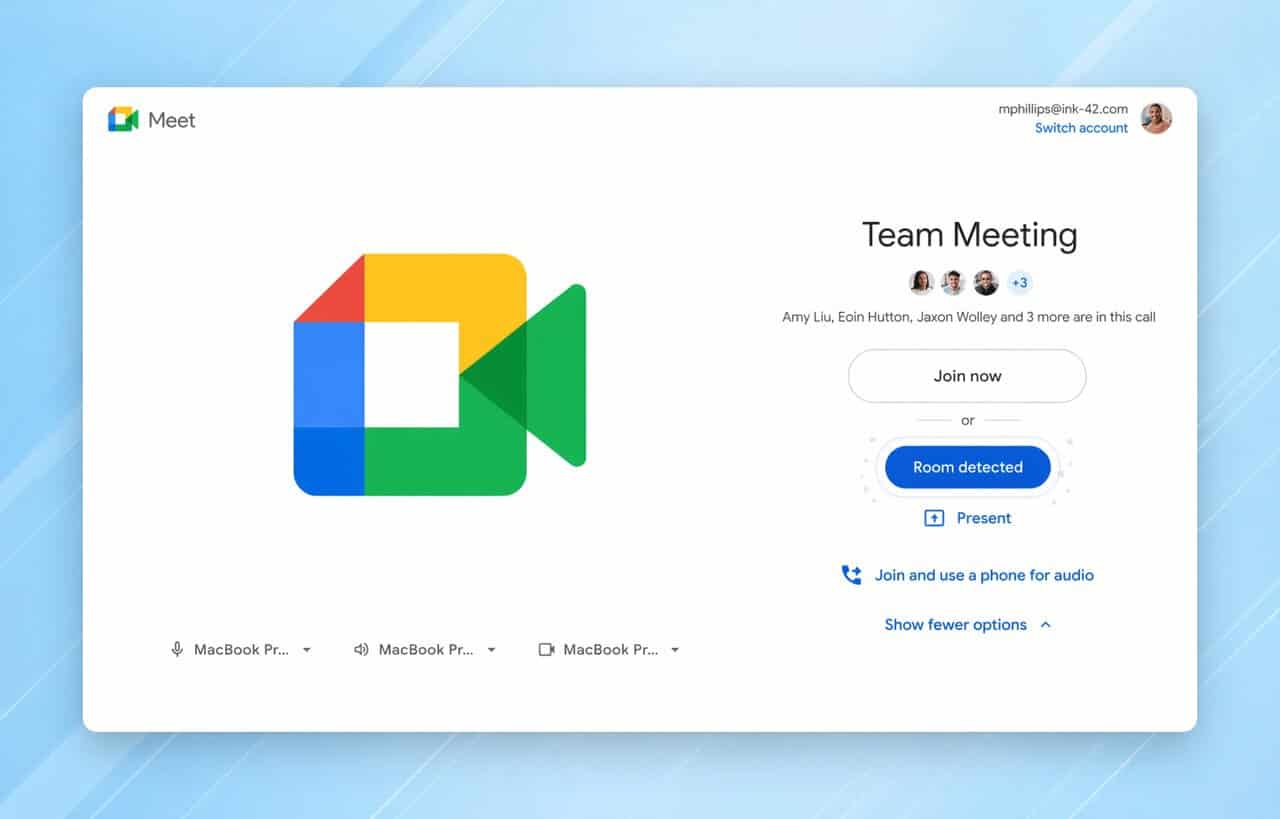
The Connect Room feature removes the need to enter meeting codes when joining from a laptop. Instead, users can connect directly from the pre-join “green room” screen in Google Meet.
It relies on ultrasound proximity detection. Your laptop microphone picks up a high-frequency signal emitted by nearby meeting room hardware. Once detected, the usual “Use Companion mode” option changes into a “Connect room” button.
Clicking it instantly starts the meeting on the room device while placing your laptop into Companion mode, letting you interact without duplicating audio or video.
Improvements for Multi-Room Environments
Google has added smarter handling for offices with multiple meeting rooms nearby. If more than one room is detected, users now receive a prompt to select the correct one.
There’s also new on-screen guidance. Meeting room displays now show instructions for users who still try to join meetings manually with codes, helping reduce confusion.
Limitations and Controls
The feature uses continuous ultrasound signals, which may raise concerns. While most users won’t notice it, people with sensitive hearing or nearby animals could detect the sound.
Admins and users can disable the feature directly from the Google Meet touch controller if needed.
Practical Benefits for Offices
Connect Room enables quicker access to meeting spaces, especially for unplanned or ad-hoc sessions. Users can walk into an available room, connect instantly, and even take over reserved but unused spaces.
This reduces friction in shared office environments while improving overall meeting efficiency.
Google’s expanded rollout of Connect Room focuses on speed and convenience. The feature streamlines how users interact with meeting room hardware and reduces common friction points in hybrid work setups.
Sony appears to be rolling out a new requirement for PS5 users in select regions. Players in the UK and Ireland are reportedly being notified that age verification will soon become mandatory for those looking to use certain features on the console.
PS5 users in UK and Ireland to verify age for chat features
According to the notification sent to users, those who want to continue using messaging and voice chat on PlayStation 5 will need to verify their age later this year. The move is said to be in compliance with evolving global regulations around online safety.
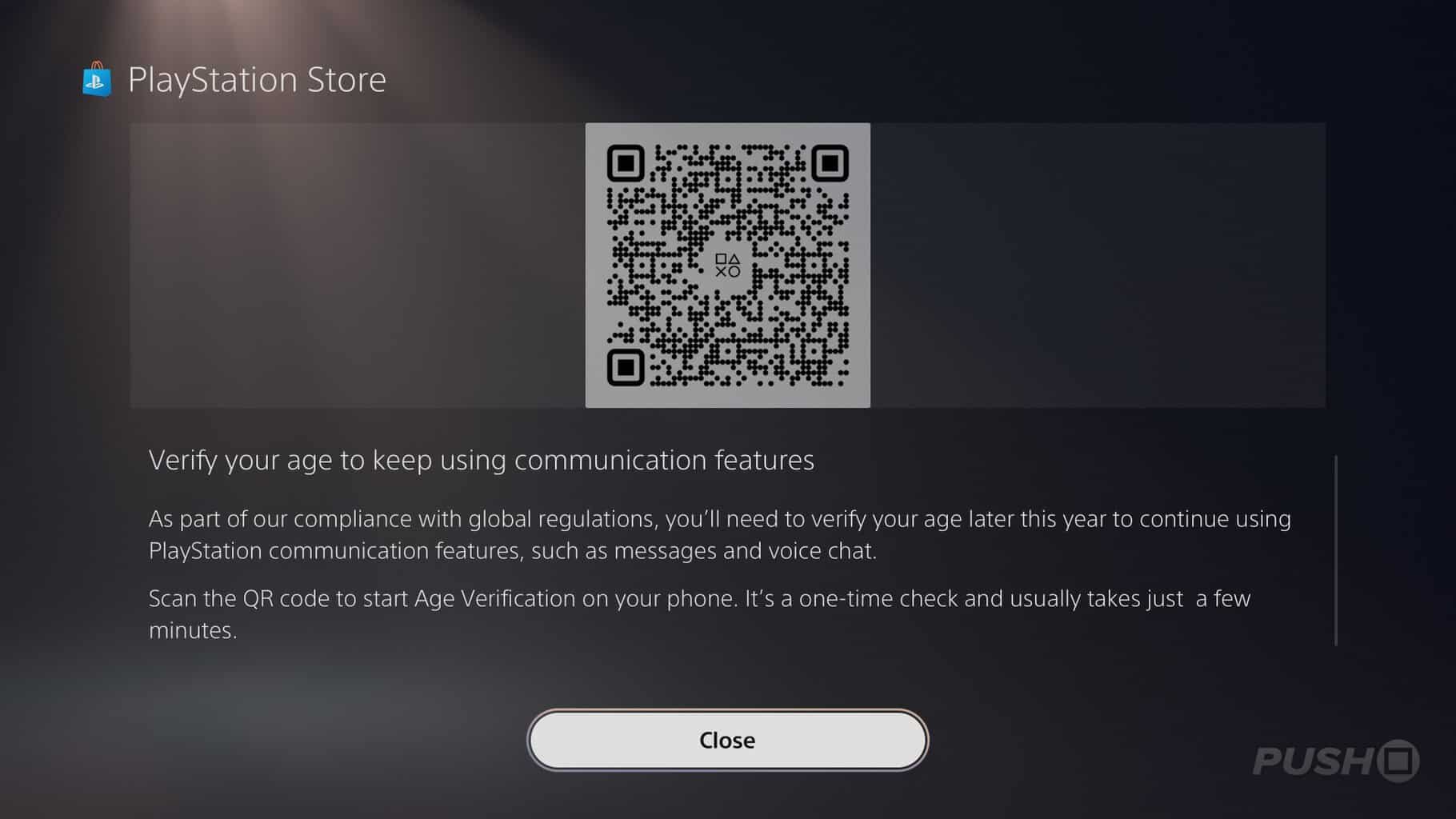
The process itself looks fairly straightforward, at least on paper. Users can scan a QR code shown on their console, which redirects them to Sony’s official verification page. From there, three options are available.
First, there is a facial scan option, where users can take a selfie for an automated age estimation. Next, there is ID verification using documents like a passport or driver’s license. Lastly, users can opt for mobile verification, which involves entering a code sent via text message.
That being said, this rollout seems limited for now. At the time of writing, only users in the UK and Ireland are seeing these prompts, though it may expand to other regions over time. Sony has detailed everything related to age verification check in a FAQ page.
Image credit: PushSquare
Privacy concerns may shape how players respond
At a time when stricter online safety laws are being enforced, especially across Europe, this kind of verification is not entirely surprising. Similar measures are already being applied across platforms like Reddit that host age-restricted content. However, concerns around data privacy and security are likely to surface. While Sony has provided multiple verification methods, it is still unclear how users will respond to sharing personal data, especially for features like voice chat.
Amazon and Anthropic have announced their AI partnership in a big way. The two companies have announced a massive long-term deal that could see over $100 billion spent on cloud infrastructure, alongside fresh investment commitments and expanded access to Claude models on AWS.
Amazon doubles down on Anthropic with massive AI infrastructure push
At the center of this move is Anthropic committing to use Amazon Web Services as its primary training and deployment platform for the next decade. This includes securing up to 5 gigawatts of compute capacity, powered largely by Amazon’s custom Trainium chips.
That being said, Amazon is not just providing infrastructure here. The company is also investing $5 billion immediately, with plans to add up to $20 billion more based on certain milestones. This builds on the roughly $8 billion it has already invested in Anthropic since 2023.
Speaking of scale, more than 100,000 customers are already running Claude models through AWS, making it one of the most widely used AI model families on Amazon Bedrock. The new deal expands that further, with Anthropic’s full Claude platform now becoming directly accessible inside AWS without separate logins or billing setups.
Meanwhile, both companies are continuing to push infrastructure limits. Their joint effort, Project Rainier, is already one of the largest AI compute clusters globally, reportedly powered by hundreds of thousands of Trainium chips.
A growing AI arms race around custom chips and scale
At a time when AI demand is skyrocketing, this partnership highlights a clear shift toward custom silicon and massive compute clusters. Amazon’s Trainium and Graviton chips are now central to that strategy, offering lower cost and scalable performance.
Back in earlier cycles, cloud providers mostly competed on pricing and availability. Now, it appears the battle is shifting toward who can deliver the most efficient AI training infrastructure at scale. There is also a geographic angle here. The partnership includes expansion into Asia and Europe, suggesting that global demand for AI inference is becoming harder to ignore.
Here it’s worth noting that OpenAI and Amazon recently entered $50 billion AWS deal. Interestingly, report from last month hinted that Microsoft has threatened to sue both the companies as it believes he deals “would violate the spirit, if not the letter, of their agreement.”
According to TechCrunch, Meta is currently testing a new subscription called WhatsApp Plus. This move aligns with a broader push toward paid features across its ecosystem, focusing on personalization and added functionality.
Premium features focused on customization and messaging
The WhatsApp Plus tier introduces several upgrades aimed at power users. Customization plays a central role, allowing users to change app themes, icons, and even set custom ringtones.
Messaging features also receive a boost, with support for premium stickers and the ability to pin up to 20 chats, significantly more than the standard limit.
Meta is also experimenting with additional tools, including access to an “Update” or “Upgrade List” that helps users track contact activity more closely. These features suggest a shift toward deeper user control and potentially more AI-driven interactions over time.
Limited rollout with expected subscription pricing
The rollout remains limited for now, with only a small group of users gaining access during testing. Pricing has not been officially confirmed, but early estimates suggest a monthly fee of around €2.49 in Europe.
Some users may also receive a one-month free trial as part of the onboarding experience. Meta’s approach reflects a broader industry trend toward subscription-based models, especially for apps with large user bases.
By introducing optional premium tiers, the company aims to diversify revenue streams while keeping core messaging features free.
In other news, Meta is also partnering with Broadcom to develop custom AI chips, signaling continued investment in AI infrastructure alongside its monetization efforts.
Microsoft has issued a new warning about a surge in cyberattacks that abuse external collaboration features in Microsoft Teams. The attacks rely on impersonation and social engineering to trick employees into granting access to corporate systems.
Security researchers, as reported by Bleeping Computer, say attackers pose as IT or helpdesk staff and target enterprise users through cross-tenant chats.
Attackers impersonate IT staff via external Teams chats
The campaign focuses on exploiting trust inside organizations. Attackers initiate conversations from external tenants and pretend to assist with account or security issues.
The goal remains the same: gain remote access and extract sensitive company data.
Victims tricked into launching remote access sessions
Once trust is established, attackers convince users to start a remote session using tools such as Quick Assist.
This step gives attackers direct control over the system, allowing them to move quickly without exploiting software vulnerabilities.
After access is granted, attackers begin reconnaissance using built-in tools like Command Prompt and PowerShell. They check privileges, domain membership, and network visibility to plan the next steps.
Attackers deploy payloads in user-writable directories such as ProgramData. They then execute malicious code using DLL side-loading techniques.
To avoid detection, they rely on trusted, signed applications, including software from Autodesk and Adobe, as well as Windows Error Reporting components.
This approach helps malicious activity blend with legitimate system processes.
Persistence and lateral movement target high-value systems
After establishing a foothold, attackers set up HTTPS-based command-and-control channels. They also modify the Windows Registry to maintain persistence across reboots.
For lateral movement, they use Windows Remote Management (WinRM) to reach domain-joined systems. High-value targets such as domain controllers often become the next objective.
Data exfiltration designed for stealth
Instead of large data transfers, attackers filter and extract only valuable information. This minimizes network noise and reduces the chance of detection.
Because the activity relies heavily on legitimate tools and native protocols, it often appears similar to routine IT operations.
Microsoft urges caution with external Teams messages
Microsoft recommends treating all external Teams messages as untrusted by default. Organizations should restrict and monitor remote assistance tools and closely track WinRM activity.
Users should also pay attention to built-in warnings about external participants and possible phishing attempts inside Teams.
Microsoft is rolling out new features for Microsoft Teams and Microsoft Outlook, focusing on usability, performance, and deeper AI integration through Copilot. The updates appear on the Microsoft 365 Roadmap and are scheduled to roll out gradually through mid-2026.
The changes introduce interface tweaks, resource optimizations, and new AI-powered workflows aimed at improving everyday productivity.
Microsoft Teams gets UI redesign and performance improvements
Microsoft plans a toolbar redesign for Teams in June 2026, aiming to simplify meeting controls and reduce accidental actions. Users will be able to pin, unpin, and reorder toolbar items, while the “Leave” button moves to the far-right side to avoid misclicks. The hand raise option will now sit under the reactions menu for better grouping.
Alongside UI updates, Microsoft is introducing an Efficiency Mode designed to reduce system resource usage. This feature should improve performance on lower-end devices, although the activation method remains unclear.
Additional Teams updates include support for breakout rooms with up to 1,000 participants, expanding capabilities for large meetings and events. Microsoft will also disable the profanity filter by default for live captions in the EU to comply with regional regulations. Users will gain the ability to report external participants directly within meetings.
Outlook expands Copilot features and calendar tools
Microsoft Outlook is also receiving several updates, with a strong focus on Copilot integration and calendar management.
On iOS, users will be able to access Copilot directly from the file previewer, making it easier to summarize and interact with attachments. On Windows, Outlook will allow users to save calendar events as .ics files and preview them before importing, improving scheduling workflows. These features are expected to roll out in May.
A new meeting follow feature, expected in June 2026, will let users follow meetings even if they do not attend. The feature can prompt organizers to record sessions and send follow-up notifications, helping users stay informed without joining every call.
Microsoft is also adding Copilot account switching within the Outlook Calendar sidepane, making it easier to manage multiple accounts.
In July 2026, Outlook search will gain Copilot-powered summaries. These AI-generated summaries will appear directly in search results, with an option to continue exploring results through Copilot chat.
Availability may vary based on rollout and feedback
Microsoft notes that all listed features remain subject to change. Some updates may be delayed, modified, or canceled depending on user feedback and testing outcomes.
GitHub has announced major changes to its Copilot Individual plans as demand for AI coding tools continues to surge. The company is tightening access and introducing new limits to keep infrastructure costs under control.
The update affects both new users and existing subscribers, especially those relying on premium AI models like Claude Opus.
Copilot plan signups paused and model access reduced
GitHub has paused new subscriptions for several Copilot tiers, including Pro, Pro+, and Student plans. This move signals a temporary slowdown in onboarding while the company stabilizes usage levels.
At the same time, GitHub removed access to Claude Opus models from lower-tier plans. Users on the Pro plan can no longer use these models, while access to Claude Opus 4.7 is now restricted to the higher-tier Pro+ plan, although the model remains available through Microsoft Foundry.
Older versions, including Opus 4.5 and 4.6, have also been removed entirely from Pro+ access, consolidating availability around newer infrastructure.
Rising demand and agentic workflows driving the shift
GitHub links these changes to the rapid growth of agent-based coding workflows. Developers increasingly rely on autonomous agents and subagents to generate, review, and optimize code.
This shift significantly increases compute demand. In some cases, users generate workloads that exceed the cost of their subscription, putting pressure on GitHub’s infrastructure.
To manage this, GitHub is focusing on sustainability and fair resource distribution across its user base.
New usage limits introduced across Copilot
To reduce strain during peak usage, GitHub has implemented new limits for Copilot users. These include session-based caps and weekly token usage limits.
Once users hit these thresholds, access to premium models is disabled. The system then switches to an automatic model selection mode, which uses less resource-intensive AI models.
These changes aim to prevent excessive usage while maintaining service availability for all users.
Improved transparency for tracking usage
GitHub has also introduced better visibility into usage metrics. Users can now monitor their consumption directly within tools like Visual Studio Code and the Copilot CLI.
This allows developers to track how close they are to limits in real time and adjust their workflows accordingly.
Broader shift toward sustainable AI access
Overall, GitHub’s latest update reflects a broader trend in AI services. As adoption accelerates, companies are moving to balance performance, cost, and accessibility.
By tightening plan access and introducing usage caps, GitHub aims to ensure long-term stability while continuing to support advanced AI-powered development.
In related developments, GitHub Copilot has reportedly started showing promotional content inside pull requests, raising questions about future monetization strategies.
Mozilla has released Firefox 150, introducing new features, quality-of-life improvements, and expanded security protections. The update focuses on productivity tools, better tab management, and stronger privacy controls across all platforms.
Split View gets smarter and faster
Firefox 150 improves Split View with more flexible controls. Users can now open links directly in Split View using the right-click menu, making multitasking quicker. The browser also lets users search open tabs when setting up Split View and includes a new “Reverse Tabs” option to instantly swap positions.
Tab sharing and organization improvements
Mozilla enhanced tab sharing by allowing multiple tabs to be shared at once. When users paste links, Firefox now automatically includes both the page title and URL, improving clarity when sharing content.
Built-in PDF editor gets major upgrade
The integrated PDF editor now supports more advanced actions. Users can reorder pages, copy and paste content, delete pages, and export edited files without relying on third-party tools. This makes Firefox a more complete document-handling solution.
Stronger security for local network access
Firefox 150 expands its local network protections to all users. Websites must now request permission before accessing local devices or services. Previously, this feature was limited to users with strict tracking protection enabled, but it now applies more broadly.
Private translation tools expand
Mozilla continues improving its privacy-focused translation features. Real-time translations are available through the about:translations page, and users can quickly access them by typing “translate” in the address bar.
Platform-specific updates
On Linux, Firefox now supports the GTK emoji picker with Ctrl + . shortcut and introduces a new .rpm package for distributions like Fedora and openSUSE.
On Windows, Mozilla added support for installing web apps via the Microsoft Store. The update also brings a new profile management system to all users, including options to back up profiles on Windows 10 and 11.
More control over tabs and profiles
Firefox 150 introduces improved profile handling and customization options. Users can disable drag-and-drop tab group creation from Settings > Tabs, giving more control over how tabs behave.
Firefox 150.0 is now available for download and is rolling out through automatic updates.
After months of multiple leaks and rumors, Ubisoft has finally locked in the moment many have been waiting for. The company today confirmed that Assassin’s Creed Black Flag Resynced will get its official reveal this week on April 23.
Ubisoft sets April 23 reveal for Black Flag remake
The announcement came via Ubisoft’s X account, where the company sort of confirmed that it was aware of leaks and rumors around the official reveal. Here’s the official tweet:
We know you know, but how about we tell you some more now? Tune in for Assassin's Creed Black Flag Resynced's Worldwide Reveal Showcase on April 23rd at 4PM UTC – 6PM CEST – 9AM PDT. https://t.co/9goc3LsZhFpic.twitter.com/mCzZnOEHrB
The showcase is scheduled to stream on April 23 at 4 PM UTC / 6 PM CEST / 9 AM PDT. As of now, the event is confirmed to be broadcast live on YouTube, with expectations pointing toward a first proper look at gameplay.
That being said, Ubisoft is still holding back on specifics. There is no official confirmation on what exactly will be shown, but early expectations include visual upgrades, gameplay tweaks, and possibly a release window. Last week, a report exclusively revealed the official release date of Assassin’s Creed Black Flag Resynced.
It’s still unclear how far Ubisoft will go with changes. The studio may stick close to the original, or it could take a more ambitious route with deeper systems and new content. For your ease of access, we have embedded the YouTube livestream link below:
After weeks of leaks and rumors, Microsoft has finally taken the wraps off from the highly anticipated Forza Horizon 6 Limited Edition accessories. This new collection includes a vibrant Xbox Wireless Controller and Headset designed to capture the high-energy atmosphere of Japanese car culture and the iconic music of the series.
Microsoft announces Limited Edition Forza Horizon 6 Xbox Wireless Controller & Headset
The limited-edition gear flaunts a striking palette of transparent cyan and lime, accented by hot pink and silver, ensuring that these pieces stand out in any collector’s display. Speaking of the Xbox Wireless Controller – Limited Edition Forza Horizon 6, you’ll find a transparent cyan blue top case that transitions into a metallic gradient. Designers drew direct inspiration from the “Touge,” the winding mountain roads of Japan where drifting was born, incorporating a top-down aesthetic of these routes into the hardware.
Besides the gorgeous looks, the controller is built for performance with a silver metallic D-pad, two-tone rubberized diamond grips, and a battery life that lasts up to 40 hours. It comes with full compatibility across Xbox Series X|S, PC, and mobile devices via Xbox Wireless and Bluetooth.
Image credit: Microsoft
On the audio side, the Xbox Wireless Headset – Limited Edition Forza Horizon 6 mirrors the festival’s flashy aesthetic with transparent cyan and volt green flourishes. Microsoft has gone the extra mile for immersion by integrating custom sound effects; actions like powering on the device or muting the mic trigger a unique audio mix of a Japanese V8 engine and the Forza Horizon 6 UI.
Image credit: Microsoft
Do note that specs remain top tier here, with support for spatial audio tech like Dolby Atmos and DTS Headphone: X. For those playing on Windows 11, the inclusion of Bluetooth LE Audio ensures low-latency, high-quality stereo sound even during intense party chats.
8BitDo’s Limited-edition Forza Horizon 6 Charging Dock
To round out the ecosystem, Xbox collaborated with 8BitDo to release a matching Limited Edition Charging Dock. This officially licensed accessory mirrors the collection’s design and provides a magnetic alignment system that can fully charge the controller in approximately three hours using the included 1100mAh rechargeable battery pack.
Image credit: Microsoft
If you want to start your journey as a Horizon Legend, pre-orders are available now via Xbox.com and major retailers, with the controller priced at $89.99 and the headset at $134.99.
Xbox has just locked in its next showcase, and this one looks packed. The company confirmed that the ID@Xbox April 2026 Showcase will go live on April 23, with “tons” of indie titles set to take the spotlight, many of which are expected to land on Xbox Game Pass.
What to expect from ID@Xbox X IGN April showcase
A few titles are already confirmed. Aphelion, which is launching on Game Pass on April 28, will make an appearance. Alongside it, Mistfall Hunter, Solo Leveling Arise Overdrive, and There Are No Ghosts at the Grand are also lined up.
That being said, this is just a small slice of what’s coming. The showcase is being hosted in partnership with IGN, and it is expected to feature exclusive trailers, fresh gameplay, and new reveals across a roughly 50-minute runtime.
When and where to watch ID@Xbox X IGN April showcase
Speaking of timing, the event kicks off at 10 AM PT / 1 PM ET / 5 PM GMT on April 23. The stream will be available across multiple platforms including YouTube, Twitch, and other major outlets:
What stands out here is the growing emphasis on indie titles within the Xbox ecosystem. Over the past year, ID@Xbox showcases have quietly become a key pipeline for Game Pass additions, especially day-one launches. At a time when blockbuster releases dominate headlines, Xbox appears to be doubling down on smaller, experimental projects to keep its subscription pipeline active. It’s a strategy that has worked well so far, especcially with consistent day-one drops.
That said, it’s still unclear how many of these upcoming reveals will actually land on Game Pass immediately. While a few titles are confirmed, the rest of the lineup remains under wraps for now.
[UPDATE: April 20, 20:59 IST] OpenAI has updated its status page with the following message:
“We are investigating the issue for the listed services. Impacted users are currently unable to access ChatGPT, Codex and API Platform.”
As of now, the company hasn’t provided any resolution time. However, on Downdetector, user reports appear to be decreasing, which means that users are noticing some improvement.
[ORIGINAL STORY] If you have been getting constant errors on ChatGPT this morning, let me tell you the AI assistant is down right now. Yes, you read that correct.
Over on OpenAI’s Status page, the company has confirmed widespread outage across Codex and ChatGPT. The company has said, “We are investigating the issue for the listed services.” The issue started at 08:35 AM PDT / 11:35 AM EDT.
At the time of writing this, on DownDetector, over 1700 user reports regarding ChatGPT have been recorded, hinting that it is a widespread issue.
Well, this isn’t the first time we have reported an outage for ChatGPT. Earlier this year, similar reports surfaced where users were unable to interact with the AI assistant.
Users have reported constant failure with the option to “Retry” under their query. While in some cases, ChatGPT isn’t responding at all.
When we tried accessing ChatGPT, we were hit by the following error:
We’ll continue to monitor the situation and update this story.
Microsoft has just confirmed that ten new games are making way to Xbox Game Pass from April 21 through May 5. The good news is that bunch of these games are day-one release on Xbox Game Pass.
Kiln, Final Fantasy 5, Aphelion, and more included in Xbox Game Pass Wave 2 lineup
Kiln, which was announced at Xbox’s January Developer Direct by Double Fine Productions, is “a pottery power‑fantasy celebrating both creativity and destruction, the pleasure of making beautiful things, then smashing them to smithereens.” It is releasing day one on Xbox Game Pass on April 23.
But, before that, Vampire Crawlers: The Turbo Wildcard will land on Xbox Game Pass as yet another day one release. It’s coming on April 21st across Cloud, Xbox Series X|S, Handheld, and PC. The Xbox Wire post describes that the game “turns the thrill of Survivors into a hyper turn‑based, rogue-lite card‑driven blobber.”
Next in the line for day on Game Pass release is Aphelion, and it’s coming on April 28th. Here’s what the except of the game reads, “After crash-landing on a frozen planet, astronaut Ariane must traverse harsh terrain and shifting realities to save her injured partner, Thomas. Players control both characters in a story rooted in real-world science, created in partnership with the European Space Agency.”
Moving on, two other games, Heroes of Might & Magic: Olden Era and Sledding Game will be releasing day one on Xbox Game Pass April 30th. Do note that both of these games will release in preview. Besises these, Little Rocket Lab and Sopa: Tale of the Stolen Potato will join Xbox Game Pass on April 21st. Meanwhile, Trepang2, TerraTech Legion, and Final Fantasy V will be joining Xbox Game Pass on April 29, April 30, and May 5, respectively.
Here’s a quick look at the games and their Xbox Game Pass release date:
Game Title
Release Date
Little Rocket Lab
April 21
Sopa: Tale of the Stolen Potato
April 21
Vampire Crawlers: The Turbo Wildcard from Vampire Survivors