Microsoft highlights tech support scams, details their “holistic approach” to problem

Scams are everywhere. As advertisements become more and more prevalent on just about every website, it becomes easier for the more crafty con artists to sneak their way inside of your computer and take a swing at your wallet – or worse, your identity. One of the most common forms of rip-off in the digital realm takes the form of the “tech support scam,” which tries to convince you of a problem with your computer, and get you to fork over information to “fix” it.

There’s a good chance that, if you’re tech savvy enough to frequent this website, you’re the sort of person who doesn’t fall for these under any circumstances. If you have any computer newbies in your family, however, you may want to take a look at Microsoft’s new blog post detailing some of the scams.

Microsoft detailed quite a few different types of scams in its blog post, of varying severity. The first couple are ones that you’ve probably seen quite a few times – FakeBSOD and TechBrolo.

FakeBSOD and TechBrolo.

These are pretty common, and you’ve likely come across them once or twice while you’re out in the wilds of the internet. While spoofing an innocent looking web page, or even making you think you’re experiencing a Blue Screen of Death, these pop-ups are going to throw some spooky looking jargon at you to get you to call their number and take part in the scam. While common, these ones are usually harmless. Killing your browser through task manager is usually going to do the job and prevent any further intrusion.

Real vs Fake

Sometimes, TechBrolo scams will spoof a browser inside of your browser, while forcing your REAL browser to go to full screen. It’s a scam that, if you’re not paying attention, can completely pull the wool over your eyes. Rule of thumb? Just never call a phone number when you get one of these pop ups.

A scam

Microsoft capped off the post by mentioning scams like Cusax, which can actually cause some harm well beyond the normal, spooky pop-up. These things can get inside your computer and screw around with your registry, actually spoofing real problems to try and convince you to enter information into a dialogue box, or call a phone number. These are seriously nasty, and can be difficult to fix if they get to you.

How does Microsoft recommend you fend off these scams? Well, by using Microsoft products, of course. It’s recommended you upgrade to Windows 10, use Microsoft Edge, and keep up to date with Windows Defender if you want to stay safe out there. While it’s a little bit cheesy to hear Microsoft plug their stuff like this, there’s a lot of truth in it – just sticking with Windows 10 will cut out a whole lot of unnecessary threats.

The best devices compatible with the Windows 10 Creators Update OS

The Windows 10 Creators Update OS lets users unleash their creative potential. This new OS revolves around 3D, allowing users to better express their creativity.

At the same time, the new Creators Update features make the Windows OS more autonomous, reducing the need for third-party solutions. You’ve got everything that you need in one place. For more information about the new features and improvements, you can check out the Windows 10 Creators Update changelog.

However, before installing the Creators Update, make sure that your device is compatible with the OS.

Best Windows 10 Creators Update-compatible devices

The Dell Canvas

The Dell Canvas is a 27-inch QHD smart workspace that offers content creators and designers the perfect support to create, communicate and express ideas with touch, digital pen, or dials. This device really takes drawing to the next level.

The Dell Canvas also incorporates software solutions from well-known partners such as Adobe, Autodesk, AVID, SolidWorks and many more in order to allow users to unleash their creative genius.

You can buy the Dell Canvas for $1,799.


The Surface Studio

https://www.youtube.com/watch?v=ifZXp2geVKI

The Surface Studio is the ultimate graphic designing tool. Microsoft really hopes that the Creators Update OS and Surface Studio combo will make 3D modelling mainstream.

The Surface Studio is equipped with a 28-inch, 12.5 mm thick 4500×3000 screen. Pixel density is breathtaking — 13.5 million pixels. The screen is touch-enabled, allowing users to use a pen to interact with it.

The device also comes with is own brand new Studio mode. This mode gives users the impression of an actual workboard, and is perfect for drawing, sketching, and other graphical work.

You can buy the Surface Studio for $2,999.00 from the Microsoft Store.


The ASUS ZenBook Flip UX360 convertible

The ASUS ZenBook Flip UX360 is an elegant and versatile convertible that offers a 360°-rotatable display. This ultra-thin and ultra-light device can power you for up to12 hours. The ZenBook Flip is crafted from solid aluminum, and it’s ultra-portable: it’s 13.9mm thin, weighing just 1.3kg.

The device comes with a FHD or QHD+ display, and optional Windows Hello fingerprint reader. It has a very friendly price tag of $700, which won’t break the bank.

You can buy the ASUS ZenBook Flip UX360 for $499.00 from the Microsoft Store.


The Surface Pro 4

Microsoft’s Surface Pro 4 doesn’t need any introduction. The device can be described as a powerful, ultrathin laptop — or a beautiful tablet that can stand on its own. If you need a device capable of powering you through the day, you can rely on the Surface Pro 4 and its 9-hour battery life.

You can unleash your creativity and write and draw directly on the stunning 12.3-inch PixelSense display. If you’re curios to see what it’s like to draw on the Surface Pro 4, check out the video below:


The Lenovo Miix 720

The Lenovo Miix 720 is equipped with a 12-inch display with Gorilla Glass protection and a resolution of 2880 x 1920, similar to Microsoft’s Surface Pro 4. This 2-in-1 detachable is powered by Intel’s Kaby Lake powerful processor, and includes an integrated Intel HD Graphics 620, up to 16GB of RAM, and up to 1TB of PCIe SSD storage. With a 41WHr battery, the Miix 720 can power you for up to 8 hours.

The Lenovo Miix 720 can be paired with the $59.99 Lenovo Active Pen 2, a tool that provides a writing/drawing experience as though you were creating directly on paper.

You can buy the Lenovo Miix 720 for $999.00 from Lenovo. If you’re looking for a model with a more friendly price-tag, we recommend buying the Lenovo Miix 510. This device can be yours for $599.00.


The ASUS ROG Strix GL502

If you want to test out the Creators Update’s gaming potential, install the OS on the ASUS ROG Strix GL502 gaming laptop. This a powerful, lightweight VR ready gaming laptop will definitely impress you.

It’s equipped with the latest hardware that can power it through heavy gaming or multitasking, and the display can be seen clearly up to 160 degree. NVIDIA G-SYNC perfectly synchronizes the display refresh rates to the GPU, eliminating screen tearing, stutter and input lag.

You can buy the ASUS ROG Strix GL502 laptop for $1,399.00 from Microsoft.


The Dell Alienware 15 R3 laptop

Alienware 15 R3 is a great laptop for you to test the Beam and Game Mode features in the Windows 10 Creators Update. You’ll experience amazing visuals thanks to the VR-ready NVIDIA GeForce GTX 10 series and 15.6-inch Full HD display.

You can buy the Alienware 15 R3 starting from $1,199.00 from Dell.


The Acer Spin 7 convertible

The Spin 7 laptop is 0.43 inches thin and weighs 2.6 pounds. The 14-inch FHD IPS Corning Gorilla Glass touchscreen display with a narrow bezel makes the Spin 7 convertible perfect for drawing with Windows Ink.

Acer’s 360° convert hinge provides 4 modes for you to work on your Spin 7 laptop. Start drawing when you feel inspired and place the device in whatever mode is more comfortable.

You can buy the Acer Spin 7 for $1,299.00 from the official Acer website.


The HP EliteBook x360

The HP EliteBook x360 is a monster in terms of battery life. This Creators Update-compatible laptop can power your creation needs for up to 16 hours. The device is optimized for Windows Ink and comes equipped with a full-size Wacom pen and digitizer.

The HP EliteBook x360 features a 13.3 inch UHD screen capable of rendering 4K images and is powered by a Kaby Lake processor providing top notch processing power.

You can buy the  HP EliteBook x360 for $1,579.00 from HP’s online store.


The Lenovo Yoga Book

The Lenovo Yoga Book is the world’s slimmest and lightest tablet. The device includes a Wacom dual-use stylus that writes both on paper and screen. Real ink tips are also available, so users can write on pieces of paper that cover the multi-use keyboard panel. You can doodle, draw or take notes —the information is instantly digitized and saved on Microsoft OneNote.

You can buy the Lenovo Yoga Book for $549.99 from Lenovo’s online store.


The Toshiba Portege X20W

If you often use your notebook or tablet to take notes, then the Toshiba Portege X20W is the perfect choice for you. Toshiba’s TruPen Wacom Feel technology can detect 2,048 levels of pressure, allowing you to quickly take notes, draw on web pages in Microsoft Edge, and more.

You can buy the Toshiba Portege X20W for $1,199.00 from the Microsoft Store.


The Dell XPS 13

https://www.youtube.com/watch?v=DxC7pJevEIw

The Dell XPS 13 is the perfect tool to set your ideas into motion with the magic of Windows Ink.  The best part is that you don’t even have to log in to capture notes.

The Dell XPS 13 allows users to pair ink with Office and start editing. The device comes with an optional Dell Active Pen, offering a natural handwriting experience. Features like quick response, optimized pen tip materials and palm rejection make the pen feel close to writing on standard paper.

You can buy the Dell XPS 13 starting from $999.00 from Dell’s online shop.


We’re sure that more manufacturers will design new Windows 10 Creators Update-compatible devices once the OS becomes available for the general public. We promise you to update this list when this happens.

RELATED STORIES YOU NEED TO CHECK OUT:

Vote for the Excel World Championship winner now and help send them to Seattle!

Last summer, Microsoft announced the Excel World Championship, placing competing Excel users from around the world in a tough battle through questions which focus on data management, data visualization, and formula management.  Now that the competition has settled, there is one Excel competition from each country and Microsoft is calling on you to help determine the winner!

According to Microsoft, submissions for the data visualization challenge are now posted on the #ExcelWorldChamp website and you can visit the site anytime between April 4 and April 6, 2017 to vote for your favorite submissions.  Each vote will help determine contestant’s final score, so be sure to keep voting and tune on at the #ExcelWorldChamp website on April 7, 2017 at 10 a.m. EDT to hear who is the ultimate Excel champion!

As a reminder, the winner of the Excel World Championship will win a trip to Seattle, Washington, and chance to meet with the Excel product team to provide feedback on the next features added to Excel. So, if you have a favorite, be sure to keep the votes coming!

HP computers compatible with the Windows 10 Creators Update

Before you upgrade your computer to Windows 10 version 1703, you should first check if your device is compatible with Microsoft’s latest OS. If you own an HP computer, or you’re planning to buy one and install the Creators Update OS on it, make sure that your device is perfectly capable of running the OS.  In this manner, you’ll avoid severe update issues, including install issues, freezes, crashes, and more.

Fortunately, HP has published a list of all its computer models compatible with the Windows 10 Creators Update OS to make your task easier.

It is worth mentioning that if you bought your HP computer before August 2013, it might not have the complete set of hardware and/or drivers required to use all of the features in Windows 10. In other words, you shouldn’t be surprised if you encounter various bugs after upgrading to the Creators Update OS.

The information below lists HP products that have been tested with Windows 10 Creators Update. Any PC product that is not listed in the Windows 10 Creators Update table was not tested by HP for this update and may not be supported by HP for Windows 10.

The new HP PCs designed for Windows 10 offer the highest level of functionality, allowing users to take full advantage of the new OS features.

HP computers compatible with the Creators Update OS

Consumer notebook PC series

HP ENVY Notebook 15 (m6-p100 ~ m6-p199; ah100 ~ ah199)
HP Pavilion Notebook 15 (ak000 ~ ak099)
HP Pavilion x2 Detachable PC 12 (b000 ~ b099)
HP Notebook PC 15t-ay000
HP ENVY x360 Convertible 15t-w200
HP ENVY Notebook 15z-ah100
HP Pavilion Notebook 15t-ak000
HP Pavilion x2 Detachable PC 12t-b000
HP 250 G5 Notebook PC
HP Pavilion x360 Convertible PC 15 (bk100 ~ bk199)
HP Stream x360 11 (p100-p199)
HP Pavilion Notebook 15 (ab200 ~ ab299; ab500 ~ ab599)
HP Spectre x360 Convertible PC 15 (ap000 ~ ap099)
HP 256 G5 Notebook PC
HP Pavilion x360 Convertible PC 15t-bk100
HP Stream x360 11t-p100
HP Pavilion Notebook 15t-ab200
HP Spectre x360 Convertible PC 15t-ap000
HP Notebook PC 17 (x000 ~ x099; AC0XX; AD0XX)
HP ENVY x360 Convertible PC m6-aq1XX
HP ENVY Notebook 15 (ae100 ~ ae199; m6-ae100 ~ m6-ae199)
HP Pavilion Notebook 15 (an000 ~ an099)
HP ENVY Notebook PC 13 (d100 ~ d199)
HP Notebook PC 17t-x000
HP ENVY x360 Convertible PC 15-aq1XX
HP ENVY Notebook 15t (ae100 ~ ae199)
HP Pavilion Notebook 15t-an000
HP ENVY Notebook PC 13t-d100
HP Envy x360 Convertible PC m6-ar0XX
HP ENVY x360 Convertible PC 15t-aq100
HP 15-af1XX
HP Pavilion Notebook 17 (g100 ~ g199)
HP Spectre Pro x360 G2 Convertible PC
HP Envy x360 Convertible PC 15-ar0XX
HP Pavilion x360 Convertible PC m3 (u100 ~ u199)
HP 15z-af100
HP Pavilion Notebook 17t-g100
HP Spectre x360 Convertible 13 (4200 ~ 4299)
HP Envy x360 Convertible PC 15z-ar000
HP Pavilion x360 Convertible PC 13 (u100 ~ u199)
HP 15-af1XX 255 G4
HP ENVY Notebook 17 (s000 – s099)
HP Spectre x360 Convertible 13t-4200
HP Pavilion Notebook PC 14 (av001 ~ av099)
HP Pavilion x360 Convertible PC 13t-u100
HP 15z-af100 255 G4
HP ENVY Notebook 17t-s000
HP Pavilion x2 Detachable PC 12 (b100 ~ b199)
HP Pavilion Notebook PC 14z-av000
HP Pavilion x360 Convertible PC m1 (u100 ~ u199)
HP ENVY 13 (d000 ~ d099)
HP Pavilion Notebook 15 (ab100 ~ ab199)
HP Pavilion x2 Detachable PC 12t-b100
HP Pavilion Notebook PC 15 (aw001 ~ aw099)
HP Pavilion x360 Convertible PC 11 (u100 ~ u199)
HP ENVY 13t (d000 ~ d099)
HP Pavilion Notebook 15z-ab100
HP Spectre Notebook PC 13 (v000 ~ v099)
HP Pavilion Notebook PC15z-aw000
HP Pavilion x360 Convertible PC 11t-u100
HP ENVY Notebook 14 (j100 ~ j199)
HP Pavilion Notebook 14 (ab100 ~ ab199)
HP Spectre Notebook PC13t-v000
HP Notebook PC 14 (ax0XX; as0XX; au0XX)
HP ENVY Notebook PC 15 (as100 ~ as199)
HP ENVY Notebook 14t-j100
HP Pavilion Notebook 14z-ab100
HP Spectre Pro 13 G1 Notebook PC
HP Notebook PC 14z-an000
HP ENVY Notebook PC 15t-as100
HP ENVY Notebook 17 (n100 ~ n199; r100 ~ r199; m7-n100 ~ m7-n199; m7-r100 ~ m7-r199)
HP Spectre x2 Detachable 12 (a000 ~ a099)
HP Envy x360 Convertible PC m6-aq0XX
HP 245 G5 Notebook PC
HP ENVY Notebook PC m7 (u100 ~ u199)
HP ENVY Notebook 17t (n100; r100)
HP Spectre x2 12t-a000
HP Envy x360 Convertible PC 15-aq0XX
HP Notebook PC 15 (ba000 ~ ba099; bf000 ~ bf099; bg000 ~ bg099)
HP ENVY Notebook PC 17 (u100 ~ u199)
HP 340 G3 Notebook PC
HP Spectre Pro x360 G1 Convertible PC
HP Envy x360 Convertible PC 15t-aq000
HP Notebook PC 15z-ba000
HP ENVY Notebook PC 17t-u100
HP 346 G3 Notebook PC
HP Stream 11 (r000 ~ r099)
HP ENVY Notebook PC 15 (as000 ~ as099)
HP 255 G5 Notebook PC
HP ENVY Notebook PC 13 (ab001 ~ ab099)
HP 348 G3 Notebook PC
HP Stream 11t-r000
HP ENVY Notebook PC 15t-as000
HP Notebook PC 17 (y000~y099)
HP ENVY Notebook PC 13t-ab000
HP Pavilion x2 10-n2XX
HP Stream 11 (r000 ~ r099) Pro
HP ENVY Notebook PC m7 (u000 ~ u099)
HP Notebook PC 17z-y000
HP 340/346/348 G4 Notebook PC
HP Pavilion x2 10t-n200
HP Stream 11t-r000 Pro
HP ENVY Notebook PC 17 (u000 ~ u099)
HP Stream Laptop PC 11-y0XX
HP Notebook PC 15 (ay100 ~ ay199; bd100 ~ bd199; be100 ~ be199)
HP Pavilion x2 10-n1xx
HP Stream 13 (c100 ~ c199)
HP ENVY Notebook PC 17t-u000
HP Stream Laptop PC 11t-y000
HP Notebook PC 15t-ay100
HP Pavilion x2 10t-n100
HP ENVY Convertible 15 (u400 ~ u499)
HP Pavilion x360 Convertible PC m1 (u000 ~ u099)
HP Stream 11 Pro G3 Notebook PC
HP Notebook PC 15 (ba100 ~ ba199)
HP x2 210 G1 Tablet
HP Spectre x360 Convertible 13 (4100 ~ 4199)
HP Pavilion x360 Convertible PC 11 (u000 ~ u099)
HP Spectre x360 Convertible PC 13 (w000 ~ w099)
HP Notebook PC 15z (ba000 ~ ba100)
HP ENVY Notebook 15-q6xx
HP Spectre x360 Convertible 13t-4100
HP Pavilion x360 Convertible PC m3 (u000 ~ u099)
HP Spectre x360 Convertible PC 13t w000 ~ w099
HP Notebook PC 14 (am1XX; aq1XX; ar1XX)
HP ENVY 15t-q600
HP Notebook 11-f1XX
HP Pavilion x360 Convertible PC 13 (u000 ~ u099)
HP ENVY x360 Convertible PC 13-y0XX
HP Notebook PC 14t-am100
HP 14-af1XX
HP Notebook 11t-f100
HP Pavilion x360 Convertible PC 13t-u000
HP ENVY x360 Convertible PC 13t-y0XX
HP Stream x360 Convertible PC 11-aa0XX
HP 14z-af100
HP ENVY Notebook 17 (k300 ~ k399)
HP Pavilion Notebook PC 14 (al000 ~ al099)
HP x2 Detachable PC 10-p0XX
HP Stream x360 Convertible PC 11t-aa000
HP 14-af1XX 245 G4
HP ENVY 17t-k300
HP Pavilion Notebook PC 14t-al000
HP x2 Detachable PC 10t-p000
HP Spectre Notebook PC 13 (v100 ~ v199)
HP 14z-af100 245 G4
HP Pavilion Notebook 17 (g100 ~ g199)
HP Pavilion Notebook PC 15 (au000 ~ au099)
HP x2 210 G2 Tablet
HP Spectre Notebook PC 13t-v100
HP 14 (ac1xx; 14g-ad1XX; 14q-aj1XX)
HP Pavilion Notebook 17z-g100
HP Pavilion Notebook PC 15t-au000
HP ENVY Notebook PC 17 (s100 ~ s199)
HP Pavilion Notebook PC 15 (bc200 ~ bc299)
HP 14t-ac100
HP Pavilion 13 x360 (a300 ~ a399)
HP Pavilion Notebook PC 15 (bc000 ~ bc099)
HP ENVY Notebook PC 17t-s100
HP Pavilion Notebook PC 15t-bc200
HP 14 240 G4 (ac1xx; 14g-ad1XX; 14q-aj1XX)
HP Pavilion 13t-a300 x360
HP Pavilion Notebook PC 15t-bc000
OMEN by HP Laptop PC 17 (w101~ w199)
HP Pavilion Notebook PC 17 (ab201 ~ ab299)
HP 14t-ac100 240 G4
HP Notebook 15-f3XX
HP Pavilion Notebook PC 17 (ab001 ~ ab099)
OMEN by HP Laptop PC 17t-w100
HP Pavilion Notebook PC 17t-ab200
HP ENVY Notebook 15-q4xx
HP 15z-f3xx Notebook
HP Pavilion Notebook PC 17t-ab000
OMEN by HP Laptop PC 15 (ax100 ~ ax199)
OMEN by HP Laptop PC 17 (w201 ~ w299)
HP ENVY 15t-q400
HP Pavilion Convertible 13 (m3-s100 ~ m3-s199; s100 ~ s199 )
OMEN by HP Laptop PC 15 (ax000 ~ ax099)
OMEN by HP Laptop PC 15t-ax100
OMEN by HP Laptop PC 17t-w200
HP Pro Tablet 408 G1
HP Pavilion Convertible 13t-s100
OMEN by HP Laptop PC 15t-ax000
HP Pavilion Notebook PC 14 (al100 ~ al199)
OMEN by HP Laptop PC 15 (ax200 ~ ax299)
HP Envy 8 Note 5000 Tablet
HP Pavilion 11 x360 (k100 ~ k199)
OMEN by HP Laptop PC 17 (w001 ~ w099)
HP Pavilion Notebook PC 14t-al100
OMEN by HP Laptop PC 15t-ax200
HP Pavilion Beats 15 (p300 ~ p399 )
HP Pavilion 11t-k100 x360
OMEN by HP Laptop PC 17t-w000
HP Pavilion Notebook PC 15 (au100 ~ u199)
HP Spectre x360 Convertible PC 13 (ac000 ~ ac099)
HP Notebook 15-f2XX
HP 11 x360 310 G2
HP Pavilion x360 Convertible PC 15 (bk000 ~ bk099)
HP Pavilion Notebook PC 15t-au100
HP Spectre x360 Convertible PC 13t-ac000
HP 15t-f2XX Notebook
HP ENVY Convertible 15 (m6-w100 ~ m6-w199, w100 ~ w199)
HP Pavilion x360 Convertible PC 15t-bk000
HP Stream Laptop PC 14-ax0XX
HP Spectre x360 Convertible PC 15 (bl000 ~ bl099)
HP Pavilion Notebook 14 (ab100~ab199)
HP ENVY Convertible 15t-w100
HP Notebook PC 14 (am0XX; aq0XX; ar0XX)
HP Stream Laptop PC 14t-ax000
HP Spectre x360 Convertible PC 15t-bl000
HP Pavilion Notebook 14t-ab100
HP OMEN Notebook 15 (5200 ~ 5299)
HP Notebook PC 14t-am000
HP Notebook PC 17 (x100 ~ x199; ac1XX; ad1XX)
HP Notebook 17 (p100 ~ p199)
HP OMEN 15t-5200
HP 240 G5 Notebook PC
HP Notebook PC 17t-x100
HP Notebook 17z (p100 ~ p199)
HP Pavilion Notebook PC 11 (s000 ~ s099) HP Pavilion Notebook PC 11t-s000
HP Notebook PC 15 (ay000 ~ ay099: bd000 ~ bd099; be000 ~ be099)
HP ENVY x360 Convertible 15 (w200 ~ w299)

Consumer Desktop and All-in-One PCs

HP Pavilion 22-a0xx All-in-One PC
HP Pavilion 550-0xx Desktop PC
HP 20-r0xx All-in-One PC
HP 460-0xx Desktop PC
OMEN by HP 870xxx Desktop PC
HP Pavilion 22-a0xx All-in-One PC
HP Pavilion 550-axx Desktop PC
HP 20-r0xx All-in-One PC
HP 460-e0xx Desktop PC
OMEN by HP 870xxx Desktop PC
HP Pavilion 22-a0xx All-in-One PC
HP Pavilion 550-axx Desktop PC
HP 20-r0xx All-in-One PC
HP 460-a0xx Desktop PC
HP Omen 900-0xx
HP Pavilion 22-a0xx All-in-One PC
HP ENVY Phoenix 850-0xx Desktop PC
HP 20-r0xx All-in-One PC
HP 460-0xx Desktop PC
HP Envy 27-b000~b099
HP Pavilion 23-q0xx All-in-One PC
HP ENVY Phoenix 850-0xx Desktop PC
HP 20-r0xx All-in-One PC
HP 460-e0xx Desktop PC
HP Pavilion 24-b0xx All-in-One PC
HP Pavilion 23-q0xx All-in-One PC
HP ENVY Phoenix 850-0xx Desktop PC
HP 23-r0xx All-in-One PC
HP 460-a0xx Desktop PC
HP Pavilion 27-a0xx All-in-One PC
HP Pavilion 23-q0xx All-in-One PC
CQ 18-40xx PC
HP 23-r0xx All-in-One PC
HP Pavilion 510-a1xx Desktop PC
HP Pavilion 24-a0xx All-in-One PC
HP Pavilion 23-q0xx All-in-One PC
HP 18-50xx PC
HP 23-r0xx All-in-One PC
HP 460-0xx Desktop PC
HP 20-c0xx All-in-One PC
HP Pavilion 27-n0xx All-in-One PC
HP Pavilion 500-0xx PC
HP 23-r0xx All-in-One PC
HP 460-e0xx Desktop PC
HP 22-b0xx All-in-One PC
HP Pavilion 27-n0xx All-in-One PC
HP Envy Curved 34-a0xx All-in-One PC
HP 280 G1 Slim Tower Business PC
HP 460-a0xx Desktop PC
HP 24-g0xx All-in-One PC
HP 20-e0xx All-in-One
HP All-in-One 20-20xx PC
HP 200 G1 Slim Tower Business PC
HP 510-0xx Desktop PC
HP Omen 900-0xx
HP 20-e0xx All-in-One
HP All-in-One 19-xxxx PC
HP 22-30xx All-in-One PC
HP 510-e0xx Desktop PC
HP Omen 900-0xx
HP ENVY 750-0xx Desktop PC
HP Envy 27-m0xx All-in-One PC
HP 20-r0xx All-in-One PC
HP Pavilion 510-p1xx Desktop PC
HP Envy 27-b000~b099
HP ENVY 750-0xx Desktop PC
HP ENVY 24-m0xx All-in-One PC
HP 23-r0xx All-in-One PC
HP 510-0xx Desktop PC
HP Envy 34-b000~b099
HP ENVY 750-0xx Desktop PC
HP Pavilion Mini Desktop 300-0xx
HP Pavilion 24-b0xx All-in-One PC
HP 510-e0xx Desktop PC
HP Pavilion 570-a0xx Desktop PC
HP ENVY 750-0xx Desktop PC
HP Slimline Desktop PC 410-xxx
HP Pavilion 24-b0xx All-in-One PC
HP Pavilion 510-a1xx Desktop PC
HP Pavilion 570-a0xx Desktop PC
HP ENVY 750-0xx Desktop PC
HP Slimline Desktop PC 410-xxx
HP Pavilion 24-b0xx All-in-One PC
HP Slimline 260-e0xx Desktop PC
HP Pavilion 570-p0xx Desktop PC
Compaq 230-axx Desktop PC
HP Slimline 450-axx Desktop PC
HP Pavilion 27-a0xx All-in-One PC
HP Slimline 260-a0xx Desktop PC
HP Slimline 270-p0xx Desktop PC
HP 251-0xx Desktop PC
HP Slimline 450-axx Desktop PC
HP Pavilion 24-a0xx All-in-One PC
HP Slimline 260-p1xx Desktop PC
HP Slimline 270-a0xx Desktop PC
HP 251-0xx Desktop PC
HP Slimline 450-axx Desktop PC
HP 20-c0xx All-in-One PC
HP Slimline 260-e0xx Desktop PC
HP ENVY 750-4xx Desktop PC
HP 251-axx Desktop PC
HP Slimline 450-0xx Desktop PC
HP 20-c0xx All-in-One PC
HP Slimline 260-a0xx Desktop PC
HP Pavilion 560-p0xx Desktop PC
HP 251-axx Desktop PC
HP Slimline 450-axx Desktop PC
HP 20-c0xx All-in-One PC
HP Slimline 260-a1xx Desktop PC
HP Pavilion Wave 600-a000~a099 Desktop PC
HP 251-axx Desktop PC
HP Slimline 450-0xx Desktop PC
HP 22-b0xx All-in-One PC
HP Slimline 260-a0xx Desktop PC
OMEN by HP 870xxx Desktop PC
HP 251-axx Desktop PC
HP 22-30xx All-in-One PC
HP 22-b0xx All-in-One PC
HP Slimline 260-a1xx Desktop PC
OMEN by HP 870xxx Desktop PC
HP 251-axx Desktop PC
HP 22-30xx All-in-One PC
HP 22-b0xx All-in-One PC
HP Pavilion 510-p1xx Desktop PC
HP Pavilion 550-0xx Desktop PC
HP 22-30xx All-in-One PC
HP 24-g0xx All-in-One PC
HP ENVY 750-4xx Desktop PC
HP Pavilion 550-0xx Desktop PC
HP 22-30xx All-in-One PC
HP 24-g0xx All-in-One PC
HP Pavilion 560-p0xx Desktop PC
HP Pavilion 550-0xx Desktop PC
HP 22-30xx All-in-One PC
HP 24-g0xx All-in-One PC
HP Pavilion Wave 600-a000~a099 Desktop PC

Business notebooks, desktops, and workstations

In the tables below, blank cells indicate that HP didn’t test the specified version of Windows on that computer. Preinstalled means that HP conducted full testing with preinstalled OS and preinstalled drivers and apps.

Model
version 1507/1511
version 1607
version 1703
Folio 1040 G3
Preinstall
Preinstall
Preinstall
Folio 1020 G2
Preinstall
Preinstall
Preinstall
Elite x2 1012 G2
Preinstall
Preinstall
Limited Support (compatible driver support)
EliteBook 850 G3
Preinstall
Preinstall
Preinstall
EliteBook 840 G3
Preinstall
Preinstall
Preinstall
EliteBook 820 G3
Preinstall
Preinstall
Preinstall
EliteBook 755 G3
Preinstall
Preinstall
Limited Support (compatible driver support)
EliteBook 745 G3
Preinstall
Preinstall
Limited Support (compatible driver support)
EliteBook 725 G3
Preinstall
Preinstall
Limited Support (compatible driver support)
ProBook 655 G2
Preinstall
Preinstall
Limited Support (compatible driver support)
ProBook 650 G2
Preinstall
Preinstall
Preinstall
ProBook 645 G2
Preinstall
Preinstall
Limited Support (compatible driver support)
ProBook 640 G2
Preinstall
Preinstall
Preinstall
ProBook 470 G3
Preinstall
Preinstall
Preinstall
ProBook 455 G3
Preinstall
Preinstall
Preinstall
ProBook 450 G3
Preinstall
Preinstall
Preinstall
ProBook 440 G3
Preinstall
Preinstall
Preinstall
ProBook 430 G3
Preinstall
Preinstall
Preinstall
ZBook 17 G3
Preinstall
Preinstall
Preinstall
ZBook 15u G3
Preinstall
Preinstall
Preinstall
ZBook 15 G3
Preinstall
Preinstall
Preinstall
ZBook 14 G3
Preinstall
Preinstall
Preinstall
EliteBook 1040 G2
Preinstall
Limited Support (compatible driver support)
Folio 1020 G1
Preinstall
Limited Support (compatible driver support)
Elite x2 1011 G1
Preinstall
Limited Support (compatible driver support)
ElitePad 1000 G2
Preinstall
Preinstall
Limited Support (compatible driver support)
ElitePad 1000 G2 Rugged
Preinstall
ElitePad 1000 G2 Healthcare
Preinstall
Folio 9480m
Preinstall
Limited Support (compatible driver support)
EliteBook 850 G2
Preinstall
Limited Support (compatible driver support)
EliteBook 840 G2
Preinstall
Limited Support (compatible driver support)
EliteBook 820 G2
Preinstall
Limited Support (compatible driver support)
Revolve 810 G3
Preinstall
Preinstall
Limited Support (compatible driver support)
EliteBook 755 G2
Preinstall
Limited Support (compatible driver support)
EliteBook 745 G2
Preinstall
Limited Support (compatible driver support)
EliteBook 725 G2
Preinstall
Limited Support (compatible driver support)
ProBook 655 G1
Preinstall
Limited Support (compatible driver support)
ProBook 645 G1
Preinstall
Limited Support (compatible driver support)
ProBook 650 G1
Preinstall
Limited Support (compatible driver support)
ProBook 640 G1
Preinstall
Limited Support (compatible driver support)
Pro Tablet 612 G1
Preinstall
Preinstall
Limited Support (compatible driver support)
Pro Tablet 608 G1
Preinstall
Preinstall
Limited Support (compatible driver support)
ProBook 470 G2
Preinstall
Limited Support (compatible driver support)
ProBook 455 G2
Preinstall (TH1)
Limited Support (compatible driver support)
ProBook 450 G2
Preinstall
Limited Support (compatible driver support)
ProBook 445 G2
Preinstall
Limited Support (compatible driver support)
ProBook 440 G2
Preinstall
Limited Support (compatible driver support)
ProBook 430 G2
Preinstall
Limited Support (compatible driver support)
Tablet 408 G1
Preinstall
Preinstall
Limited Support (compatible driver support)
HP 255 G4
Preinstall
Preinstall
Limited Support (compatible driver support)
Model
version 1507/1511
version 1607
version 1703
HP 250 G4
Preinstall
Preinstall
Limited Support (compatible driver support)
HP 245 G4
Preinstall
Preinstall
Limited Support (compatible driver support)
HP 240 G4
Preinstall
Preinstall
Limited Support (compatible driver support)
ProBook 11 G1
Preinstall
Limited Support (compatible driver support)
EE 10 G1
Preinstall
Preinstall
Limited Support (compatible driver support)
ZBook 17 G2
Preinstall
Limited Support (compatible driver support)
ZBook 15u G2
Preinstall
Limited Support (compatible driver support)
ZBook 15 G2
Preinstall
Limited Support (compatible driver support)
ZBook 14 G2
Preinstall
Limited Support (compatible driver support)
TX1 POS 200
Preinstall
Limited Support (compatible driver support)
Pro Tablet Retail
Preinstall
Limited Support (compatible driver support)
MX10 w/NFC
Preinstall
Folio 1040 G1
Supported
Limited Support (compatible driver support)
EliteBook 850 G1
Supported
Limited Support (compatible driver support)
EliteBook 840 G1
Supported
Limited Support (compatible driver support)
EliteBook 820 G1
Supported
Limited Support (compatible driver support)
Revolve 810 G2
Supported
Limited Support (compatible driver support)
ProBook 470 G1
Supported
Limited Support (compatible driver support)
ProBook 470 G0
Supported
Limited Support (compatible driver support)
ProBook 455 G1
Supported
Limited Support (compatible driver support)
ProBook 450 G1
Supported
Limited Support (compatible driver support)
ProBook 450 G0
Supported
Limited Support (compatible driver support)
ProBook 445 G1
Supported
Limited Support (compatible driver support)
ProBook 440 G1
Supported
Limited Support (compatible driver support)
ProBook 440 G0
Supported
Limited Support (compatible driver support)
ProBook 430 G1
Supported
Limited Support (compatible driver support)
HP 355 G2
Supported
Limited Support (compatible driver support)
HP 350 G2
Supported
Limited Support (compatible driver support)
HP 345 G2
Supported
Limited Support (compatible driver support)
HP 340 G2
Supported
Limited Support (compatible driver support)
Spectre x360 G1
Supported
Preinstall
Limited Support (compatible driver support)
x360 310 G2
Supported
Preinstall
Limited Support (compatible driver support)
HP 255 G3
Supported
HP 255 G2
Supported
HP 250 G3
Supported
HP 250 G2
Supported
HP 245 G3
Supported
HP 245 G2
Supported
HP 240 G3
Supported
HP 240 G2
Supported
Ultrabook 215 G1
Supported
Limited Support (compatible driver support)
Ultrabook 210 G1
Supported
Limited Support (compatible driver support)
Spectre x2 13 SMB Pro
Supported
Limited Support (compatible driver support)
ZBook 17 G1
Supported
Limited Support (compatible driver support)
ZBook 15 G1
Supported
Limited Support (compatible driver support)
ZBook 14 G1
Supported
Limited Support (compatible driver support)
Spectre 13
Supported
Limited Support (compatible driver support)
Folio 9470m
Limited Support (compatible driver support)
ElitePad 900  G1
Limited Support (compatible driver support)
EliteBook 8770w
Limited Support (compatible driver support)
Model
version 1507/1511
version 1607
version 1703
EliteBook 8570w
Limited Support (compatible driver support)
Revolve 810
Limited Support (compatible driver support)
ProBook 6570b/8570p
Limited Support (compatible driver support)
ProBook 6475b
Limited Support (compatible driver support)
ProBook 6470b/8470p/8470w
Limited Support (compatible driver support)
Tablet 610 G1
Limited Support (compatible driver support)
ProBook 4740s
Limited Support (compatible driver support)
ProBook 4545s
Limited Support (compatible driver support)
ProBook 4540s
Limited Support (compatible driver support)
ProBook 4445s/4446s
Limited Support (compatible driver support)
ProBook 4440s/4441s
Limited Support (compatible driver support)
ProBook 4340s/4341s
Limited Support (compatible driver support)
EliteBook 2570p
Limited Support (compatible driver support)
EliteBook 2170p
Limited Support (compatible driver support)
EliteDesk 800 G2 TWR
Preinstall
Preinstall
Preinstall
EliteDesk 800 G2 SFF
Preinstall
Preinstall
Preinstall
EliteDesk 800 G2 DM 65W
Preinstall
Preinstall
Preinstall
EliteDesk 800 G2 DM 35W
Preinstall
Preinstall
Preinstall
EliteOne 800 G2 AiO
Preinstall
Preinstall
Preinstall
EliteOne 800 G2 AiO GPU
Preinstall
Preinstall
Preinstall
EliteDesk 705 G2 DM
Preinstall
Preinstall
Limited Support (compatible driver support)
EliteDesk 705 G2 SFF/MT
Preinstall
Preinstall
Limited Support (compatible driver support)
EliteOne 705 G2 AiO Touch
Preinstall
Preinstall
Limited Support (compatible driver support)
ProDesk 600 G2 SFF/MT
Preinstall
Preinstall
Preinstall
ProOne 600 G2 AiO
Preinstall
Preinstall
Preinstall
ProDesk 600 G2 DM
Preinstall
Preinstall
Preinstall
ProDesk 490 G3 MT
Preinstall
Preinstall
Preinstall
ProDesk 480 G3 MT
Preinstall
Preinstall
Preinstall
ProDesk 400 G3 MT
Preinstall
Preinstall
Preinstall
ProDesk 400 G3 SFF
Preinstall
Preinstall
Preinstall
ProDesk 400 G2 DM
Preinstall
Preinstall
Preinstall
ProOne 400 G2 AiO
Preinstall
Preinstall
Preinstall
RP9, Model 9015 G1
Preinstall
Preinstall
Preinstall
RP9, Model 9018 G1
Preinstall
Preinstall
Preinstall
EliteDesk 800 G1 USDT
Preinstall
Limited Support (compatible driver support)
EliteDesk 800 G1 Tower
Preinstall
Limited Support (compatible driver support)
EliteDesk 800 G1 SFF
Preinstall
Limited Support (compatible driver support)
EliteDesk 800 G1 DM
Preinstall
Limited Support (compatible driver support)
EliteOne 800 G1 AIO 23″ T/NT
Preinstall
Limited Support (compatible driver support)
EliteOne 800 G1 AIO 21.5″ NT
Preinstall
Limited Support (compatible driver support)
EliteDesk 705 G1 DM
Preinstall
Limited Support (compatible driver support)
EliteOne 705 G1 AIO
Preinstall
Limited Support (compatible driver support)
EliteDesk 705 G1 SFF/MT
Preinstall
Limited Support (compatible driver support)
EliteDesk 700 G1 SFF
Preinstall
Limited Support (compatible driver support)
EliteDesk 700 G1 MT
Preinstall
Limited Support (compatible driver support)
ProDesk 600 G1 SFF/TWR
Preinstall
Limited Support (compatible driver support)
ProDesk 600 G1 DM
Preinstall
Limited Support (compatible driver support)
ProOne 600 G1 AIO
Preinstall
Limited Support (compatible driver support)
ProDesk 490 G2 MT
Preinstall
Limited Support (compatible driver support)
ProDesk 480 G2 MT
Preinstall
Limited Support (compatible driver support)
Model
version 1507/1511
version 1607
version 1703
HP 406 G1 MT
Preinstall
Limited Support (compatible driver support)
ProDesk 405 G2 MT E1
Preinstall
Limited Support (compatible driver support)
ProDesk 405 G2 MT A8
Preinstall
Limited Support (compatible driver support)
ProDesk 405 G2 MT A4
Preinstall
Limited Support (compatible driver support)
ProDesk 400 G2.5 SFF
Preinstall
Limited Support (compatible driver support)
ProDesk 400 G2 SFF
Preinstall
Limited Support (compatible driver support)
ProDesk 400 G2 MT
Preinstall
Limited Support (compatible driver support)
ProDesk 400 G1 SFF
Preinstall
Limited Support (compatible driver support)
ProDesk 400 G1 MT
Preinstall
Limited Support (compatible driver support)
ProOne 400 G1 AIO 19.5″ NT
Preinstall
Limited Support (compatible driver support)
ProOne 400 G1 AIO 21″ T
Preinstall
Preinstall
Preinstall
ProOne 400 G1 AIO 23″
Preinstall
Limited Support (compatible driver support)
ProDesk 400 G1 DM
Preinstall
Limited Support (compatible driver support)
HP 285 G1 MT Pro
Preinstall
Limited Support (compatible driver support)
HP 280 G1 MT
Preinstall
Preinstall
Limited Support (compatible driver support)
HP 260 G1 DM
Preinstall
Limited Support (compatible driver support)
HP 205 G2 AIO 18.5”
Preinstall
Limited Support (compatible driver support)
HP 202 G2 MT
Preinstall
Limited Support (compatible driver support)
HP 200 G1 MT
Preinstall
Limited Support (compatible driver support)
RP2, Model 2000
Preinstall
Preinstall
Preinstall
RP2, Model 2020
Preinstall
Limited Support (compatible driver support)
RP2, Model 2030
Preinstall
Preinstall
Preinstall
RP5, Model 5810
Preinstall
Preinstall
Preinstall
RP7, Model 7800
Preinstall
MP9, Model 9000
Preinstall
Limited Support (compatible driver support)
Retail 800 G1 AiO
Preinstall
Limited Support (compatible driver support)
Retail 800 G2 DM
Preinstall
Limited Support (compatible driver support)
ProDesk 490 G1 MT
Supported
Limited Support (compatible driver support)
ProDesk 480 G1 MT
Supported
Limited Support (compatible driver support)
ProDesk 405 G1 MT E1
Supported
Limited Support (compatible driver support)
ProDesk 405 G1 MT A4
Supported
Limited Support (compatible driver support)
ProDesk 405 G1 MT A6
Supported
Limited Support (compatible driver support)
HP 402 G1 SFF
Supported
Limited Support (compatible driver support)
Compaq 6305 Pro SFF/MT
Supported
Compaq 8300 Elite SFF/MT
Limited Support (compatible driver support)
Compaq 8300 Elite AiO NT
Limited Support (compatible driver support)
Compaq 8300 Elite AiO T
Limited Support (compatible driver support)
Compaq 6300 Pro SFF/MT
Limited Support (compatible driver support)
Compaq 6300 Pro USDT
Limited Support (compatible driver support)
Compaq 6300 Pro CMT
Limited Support (compatible driver support)
Compaq 6300 Pro AiO
Limited Support (compatible driver support)
Compaq 4300 Pro SFF
Limited Support (compatible driver support)
Pro 4300 AiO
Limited Support (compatible driver support)
EliteBook 1040 G4
Preinstall
Preinstall
HP Elite x2 1012 G2
Preinstall
Preinstall
EliteBook 850 G4
Preinstall
Preinstall
EliteBook 840 G4
Preinstall
Preinstall
EliteBook 830 G1 x360
Preinstall
Preinstall
EliteBook 820 G4
Preinstall
Preinstall
EliteBook 755 G4
Preinstall
Preinstall
Model
version 1507/1511
version 1607
version 1703
EliteBook 745 G4
Preinstall
Preinstall
EliteBook 725 G4
Preinstall
Preinstall
ProBook 650 G3
Preinstall
Preinstall
ProBook 655 G3
Preinstall
Preinstall
ProBook 650 G3 Quad
Preinstall
Preinstall
ProBook 640 G3
Preinstall
Preinstall
Pro x2 612 G2
Preinstall
Preinstall
ProBook 645 G3
Preinstall
Preinstall
ZBook 17 G4
Preinstall
Preinstall
ZBook 15 G4
Preinstall
Preinstall
Zbook Studio G4
Preinstall
Preinstall
ZBook 15u G4
Preinstall
Preinstall
ZBook x2 G4
Preinstall
Preinstall
EliteBook Folio G1
Preinstall
Preinstall
ProBook 470 G4
Preinstall
Preinstall
ProBook 455 G4
Preinstall
Preinstall
ProBook 450 G4
Preinstall
Preinstall
ProBook 440 G4
Preinstall
Preinstall
ProBook 430 G4
Preinstall
Preinstall
HP 340 G4
Preinstall
Limited Support (compatible driver support)
HP 340 G3
Preinstall
Limited Support (compatible driver support)
ProBook x360 11 EE
Preinstall
Preinstall
Spectre Pro 13 G1
Preinstall
Limited Support (compatible driver support)
HP x2 210 G2 Tablet
Preinstall
Preinstall
HP x2 210 G1 Tablet
Preinstall
Limited Support (compatible driver support)
Stream 11 G3 Pro
Preinstall
Preinstall
ProBook 11 G2 EE
Preinstall
Preinstall
ProOne 800 G3 AiO 23.8″ T/NT GPU
Preinstall
Preinstall
EliteDesk 800 G3  TWR
Preinstall
Preinstall
EliteDesk 800 G3  SFF
Preinstall
Preinstall
EliteDesk 800 G3  AiO T/NT
Preinstall
Preinstall
EliteDesk 800 G3  DM
Preinstall
Preinstall
ProDesk 680 G3  MT
Preinstall
Preinstall
ProOne 600 G3 AiO 21.5″ T
Preinstall
Preinstall
ProDesk 600 G3  MT
Preinstall
Preinstall
ProDesk 600 G3  SFF
Preinstall
Preinstall
ProDesk 600 G3  DM
Preinstall
Preinstall
ProDesk 400 G4 MT
Preinstall
Preinstall
ProOne 400 G3 AiO 20″ T/NT
Preinstall
Preinstall
ProDesk 400 G4  SFF
Preinstall
Preinstall
ProDesk 400 G3  DM
Preinstall
Preinstall
Slice / Slice Collaboration
Preinstall
Preinstall
HP ENVY Pro Curved AiO
Preinstall
Limited Support (compatible driver support)
EliteOne 800 G1 AIO 23″ NT
Preinstall
Preinstall
EliteDesk 705 G3 SFF/MT
Preinstall
Preinstall
EliteDesk 705 G3 DM
Preinstall
Preinstall
HP 406 MT
Preinstall
Preinstall
HP 285 G2
Preinstall
Limited Support (compatible driver support)
HP 280 G2 SFF
Preinstall
Preinstall
HP 280 G2 MT Legacy
Preinstall
Limited Support (compatible driver support)
Model
version 1507/1511
version 1607
version 1703
HP 280 G2 MT
Preinstall
Limited Support (compatible driver support)
HP 260 G2
Preinstall
Preinstall
HP 205 G3 AiO
Preinstall
Preinstall
HP 200 G1 Slim
Preinstall
Limited Support (compatible driver support)
MP9 G2 Retail System
Preinstall
Preinstall
EliteBook x360 1020 G2
Preinstall
Preinstall
ProBook x360 11 G2 EE
Preinstall
Preinstall
HP RP1 G1 AiO Retail
Preinstall
Preinstall
HP 280 G3 MT
Preinstall
Preinstall
HP 280 G2 MT
Preinstall
Preinstall

RELATED STORIES YOU NEED TO CHECK OUT:

  • HP mini desktop, all-in-one and tower PCs make their way into the Elite lineup
  • HP Pro x2 aims to take on Microsoft’s Surface devices

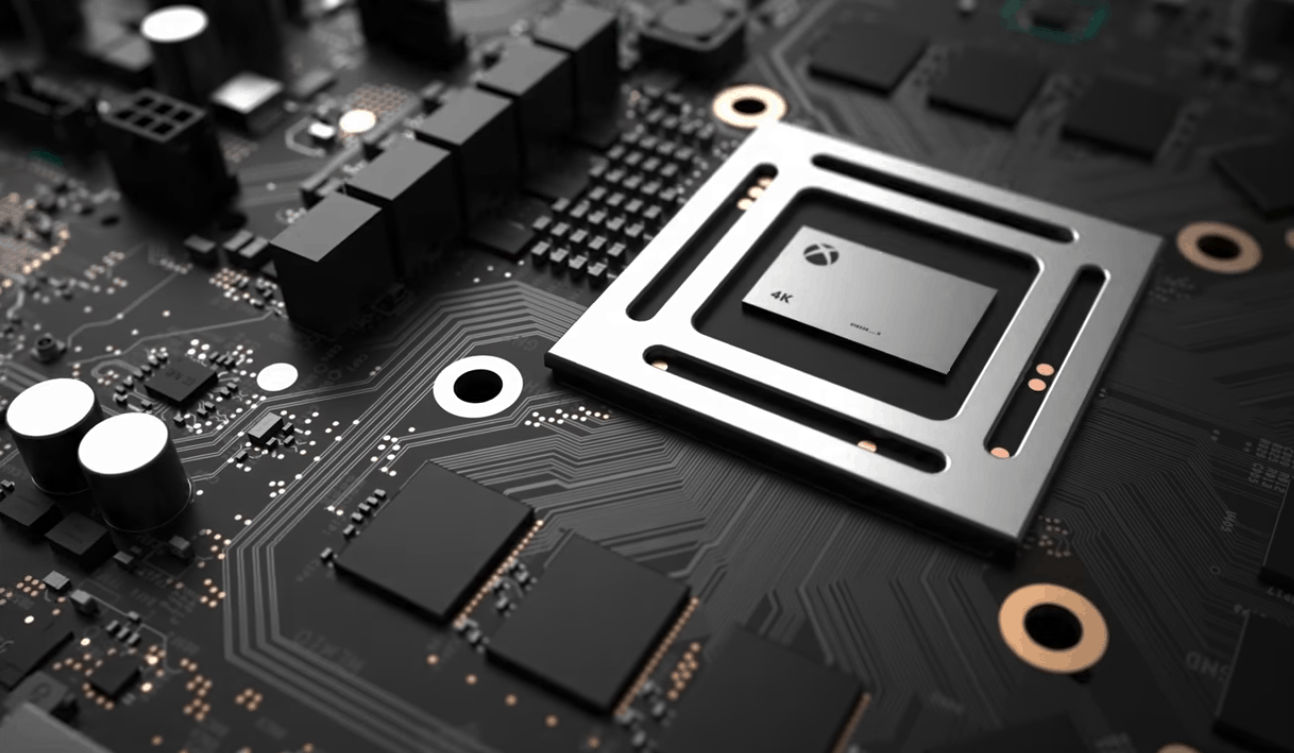
That exclusive Xbox Project Scorpio reveal is coming Thursday on Eurogamer at 6am PDT

Earlier this week, we learned that Microsoft could reveal all the hardware details about Project Scorpio, its much-anticipated new gaming console as soon as this week. This echoed what Xbox head Phil Spencer said a couple of weeks ago, hinting that keeping all the details for Microsoft’s E3 press conference could be counterproductive.

As it turns out, the rumors were on point. Eurogamer and Digital Foundry have just announced that they will have an exclusive Xbox Scorpio reveal this Thursday, April 6 at 6AM PST:

Microsoft already revelead some hardware details about Project Scorpio back at E3 2016, emphasizing the 6 teraflops of computing power and the true 4K games. However, many questions remain unanswered: will Project Scorpio be as slim as the Xbox One S, even with an internal power brick? Will it drop the Kinect port, too? Will it support Bluetooth (current Xbox One models don’t have it)? There is so much we want to know, including details about VR, power consumption, accessories, and much more.

Overall, it makes sense for Microsoft to reveal Project Scorpio ahead of E3. By doing so, the company will be able to focus its E3 press event on games, which is what gamers really care about. Following the launch of the more powerful Playstation 4 Pro last Fall, it’s clear that Xbox fans have really high expectations about Project Scorpio, and Microsoft can’t really afford to disappoint them. The Xbox team has a really good shot at leading the gaming narrative in the next few weeks and we’re really looking forward to get all the details on Thursday, as we bring them to you. Stay tuned!

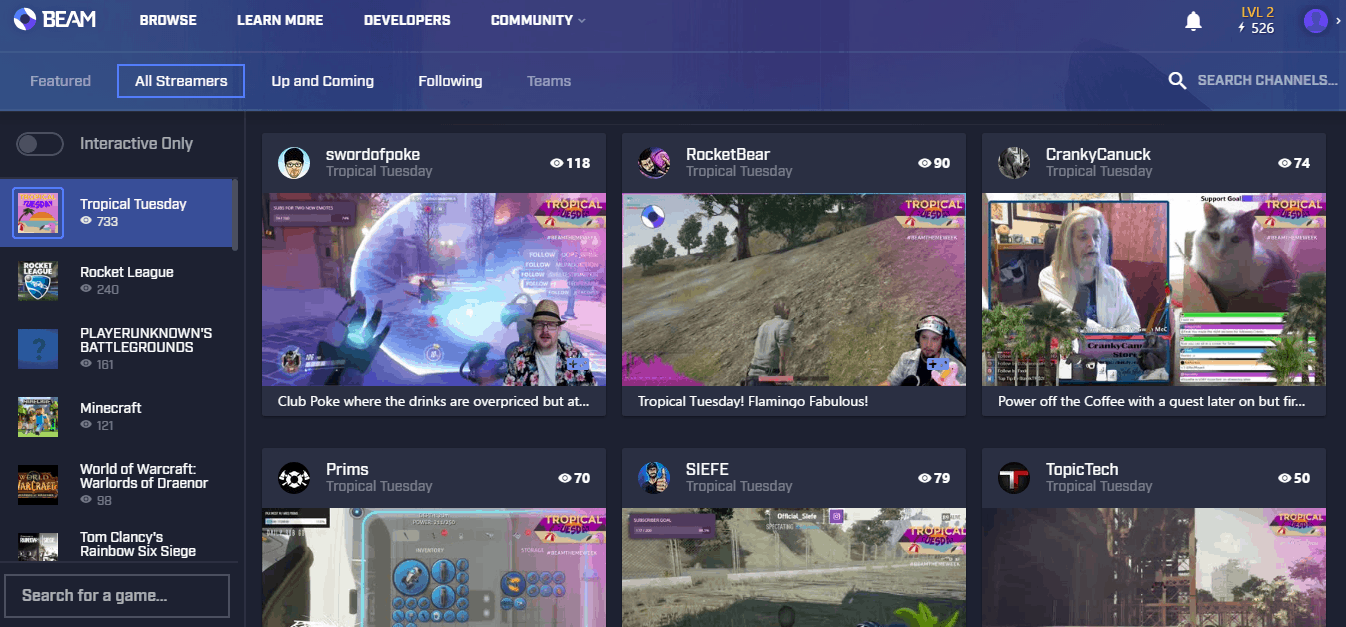
It’s Tropical Tuesday on Beam week at Xbox Wire

Today marks the second day of the #BeamThemeWeek event celebrating the global launch of the Beam app on Xbox One. As we reported yesterday, Xbox Wire news posts have been commandeered with everything there is to know about Beam. Today we’re learning about the #BeamLove because everything is in hashtags nowadays.

When the team mentions #BeamLove, they are mainly talking about what they call the unique community of streamers. The team at Beam love when streamers interact with each other, collaborating and hosting ‘friendly raids’ where hosts take their followers to visit another person’s channel for a while.

Built as an interactive streaming service, it isn’t surprising that the support is advertised as highly engaged with their partners. According to the Xbox Wire post, support tickets average less than fifteen minutes with 24/7 service. Furthermore, Beam also has a feedback.beam.pro forum similar to UserVoice where users can submit ideas and vote.

Today’s streaming partners on Beam are themed with Tropical Tuesday, whether it be gameplay, recipes, or costumes. If you’re looking for a chance to win one of the 2,000 prizes in Beam Pro and Xbox codes, then join in on one of the chats.

Xbox Insider Preview Alpha Ring gets a new build with a single fix

Following the release of the Xbox One March update last week, the Xbox team is still busy working on new features that will roll out first to Xbox Insiders in the coming weeks. In the meantime, Preview Alpha participants can now download a new preview build which fixes an issue that could cause Home to crash when the console is configured to certain locales.

You can find the full changelog below, be aware that this new build still has the same known issues as before:

DETAILS

OS version released: rs2_release_xbox_1704.170330-1900
Available: 6:00PM PDT 4/3 (1:00AM GMT 4/4)

FIXES:

  • Language Settings: Fixed an issue which could cause Home to crash when the console is configured to certain locales (JA-JP, ZH-HK, ZH-TW, JA, ZH-SG, ZH-HAN).

KNOWN ISSUES:

  • Settings – Display & sound: The Audio output page is under construction and some of the new settings are not yet functional. New support is planned for Dolby Atmos for home theater, Dolby Atmos for headphones, and more in upcoming builds. An announcement will be made when these new features are ready to try out; enabling these settings now will have no effect.
  • Wireless Display: The Wireless Display app fails to launch and immediately crashes to Home.

Last but not least, Microsoft’s Brad Rossetti shared that custom gamerpics will roll out very soon to Preview Alpha users. “An ETA on Custom gamerpics being turned on for the Alpha ring is now next week as we work through some fine tuning,” he explained. Let us know in the comments if you’re looking forward to get more personalization options on Xbox Live.

Microsoft releases UWP Community Toolkit 1.4

Today’s release of the UWP Community Toolkit is the fourth, bringing it up to version 1.4. In it, the team has added a few improvements for the controls added in 1.3 as well as some new developers tools.

Here is a list of the new features:

  1. Carousel: A new control that presents items in a list, where the selected item is always in the center and other items are flowing ­around it. This reacts not only to the content but also to layout changes, so it can adapt to different form factors automatically. The carousel can be horizontal or vertical.
  2. ViewExtensions: ApplicationViewExtensions, StatusBarExtensions & TitleBarExtensions provide a declarative way of setting AppView, StatusBar & TitleBar properties from XAML.
  3. NetworkHelper: Provides functionality to monitor changes in network connection, and allows users to query for network information without additional lookups.
  4. Saturation: Provides a behavior to selectively saturate a XAML element. We also introduced the CompositionBehaviorBase to ease creation of new composition-based behaviors (Blur now uses this).
  5. Twitter streaming API support: Twitter Service was missing support for Twitter’s streaming service; we added support for live tweets and events.
  6. Search box for Sample App: The new Sample App allows you to search for a sample directly from the main menu.

The toolkit also includes a new ‘dev only’ projects called Microsoft.Toolkit.UWP.DeveloperTools including a Focus Tracker to display information about your application’s focus control and the Alignment Grid to align controls on the page.

The full changelog can be read on GitHub where the open source UWP Community Toolkit is available for download as well.

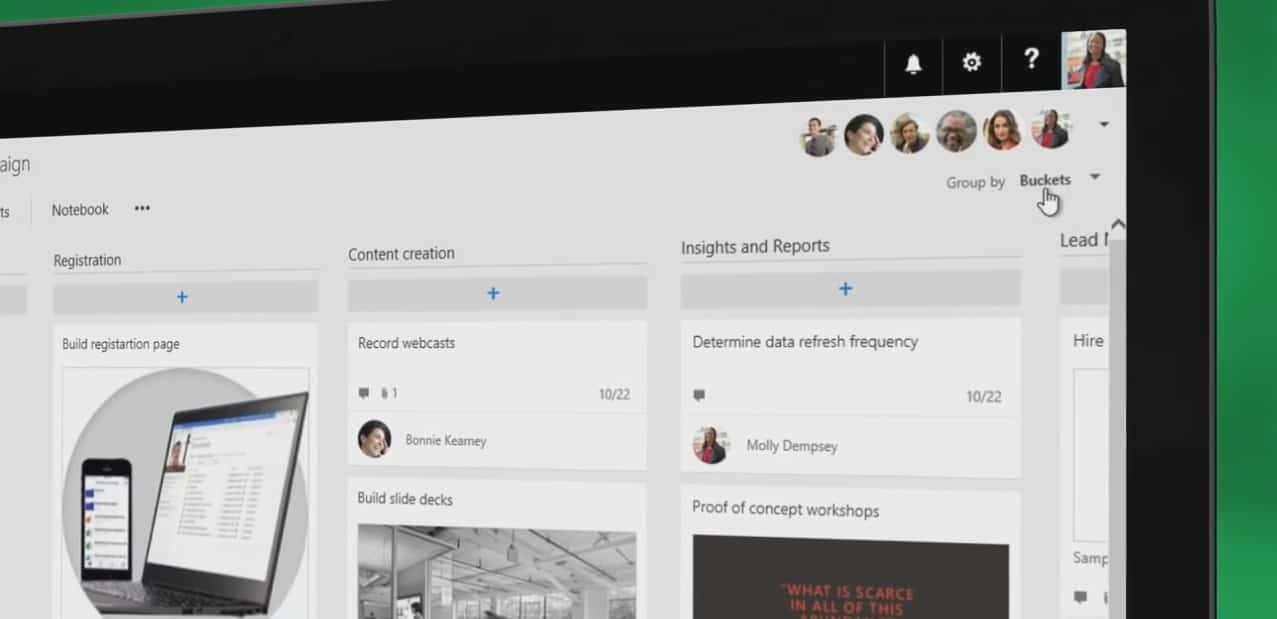
You can now assign multiple users to a Task in Microsoft Planner

Microsoft Planner, the Trello-like organizational planning tool in Office 365, has just received a sweet update today. It’s finally possible to assign multiple people to a task, which is a no-brainer for a team collaboration app. According to the Planner team, the addition was one of the most requested features from Office 365 customers, and we can say that we definitely agree (OnMSFT just moved to Office 365, if you missed the news).

It’s now possible to assign multiple users to a task.

Microsoft is just getting started with Planner, and you can expect a lot more new features to be added in the coming months. “Our goal is to support additional collaboration, and we will continue to develop features and enhancements that our users want,” shared the Planner team. According to the UserVoice website, the team is currently working on email notifications and alert options, guest access, mobile apps and more. Feel free to share your feedback on Planner on this same website!

Beam takes over Xbox Wire this week: first up, Beam 101

In celebration of Beam on Xbox One going live, the streaming service is taking over the Xbox Wire blogs. For the full week, Beam will be hosting themed days to promote the service and give away participation prizes for viewers.

Beam is the livestreaming app with nearly no delay between host and viewers. The FTL protocol was created with more interaction between the two in mind, adorned with fun features such as triggering events in the streamer’s game, activating soundboards, and even the potential to control robots in the streamer’s room. Beam is also a major feature of the Windows 10 Creators Update, coming next week.

The daily Xbox Wire posts will be replaced with details about Beam, how to use it, and learning its features. Furthermore, Beam streamers are hosting #BeamThemeWeek events with nearly 2,000 Beam Pro codes, Xbox Live Gold 3-month codes, and ID@Xbox game codes available to win via viewer chat.

Here is the lineup for the week:

  • Mighty Monday: Vanquish the Monday blues by getting heroic! This could mean being a superhero (Anti-Procrastination Man, anyone?), paying tribute to your personal heroes, or even cosplaying as a character from mythology.
  • Tropical Tuesday: BYOP (Bring Your Own Parrot. Or pineapple. Palm tree, even.)
  • Onesie Wednesday: Try saying that five times fast! We think this day is fairly self-explanatory.
  • Thursday of the Dead: Zombies, and monsters, and ghouls! Oh my!
  • Fancy Friday: Time to suit up! Feel free to be as swanky or gaudy as you like.

If you want to join in, all you have to do is participate in any streamer’s chat with the theme name. Also, you can host your own stream with custom category tags made specifically for the event.

We’ll learn more about Beam throughout the next five days, so be on the lookout for daily news.

Do you know what time it is? Windows Time Service experiencing errors (Updated)

Windows Time Service, the time protocol that provides automatic network clock synchronization for Windows PCs seems to be affected by some issues today (via The Next Web). Many users on Twitter and Reddit, noticed that time.windows.com was returning the wrong time on their PCs , and it’s not clear if all Windows users are being affected. On our own PCs, the clock is functioning normally though we’re seeing the following error:

time.windows.com seems to be affected by some issues today.

Microsoft has yet to acknowledge the issue, which could not only affect Windows machines but also Internet Information Services servers. For consumers, wrong time synchronization could lead to many problems with apps and security features. “Time synchronization is critical for the proper operation of many Windows services and line-of-business applications,” explains Microsoft on its Windows IT Center.

If your system clock is out of date on your PC, you can check your Date and Time settings and check if you can sync your clock with time.windows.com. If you get an error, you may try to sync with another time service. We’ve reached Microsoft for comment and we’ll update this story if we learn more about the issue.

Update: A Microsoft spokesperson told us that “we investigated and quickly resolved the issue our time service experienced.” We just checked the Date and time settings and our own PCs and everything seems back to normal.

Buy Minecraft Xbox One Edition Favorites Pack and get Battle Map Pack Season Pass free

If you have yet to purchase Minecraft on your Xbox One, now may be the time to check the Minecraft: Xbox One Edition Favorites Pack on the US Microsoft Store. For a limited time, you can purchase the bundle for $29.99 and get the Minecraft Battle Map Pack Season Pass ($10 value) for free along your purchase, giving you a lot more content to enjoy in the sandbox game (via Xbox Wire).

Minecraft: Xbox One Edition Favorites Pack is slightly more expensive than the $19.99 standard Xbox One Edition of the game, but it comes with the following fan-favorite DLCs:

  • Battle & Beasts Skin Pack
  • Battle & Beasts 2 Skin Pack
  • Natural Texture Pack
  • City Texture Pack
  • Fantasy Texture Pack
  • Festive Mash-up
  • Halo Mash-up

As for the Minecraft Battle Map Pack Season Pass, it includes four map packs (that’s 12 maps in total) for the Battle Mini Game, where you can battle against up to seven players. The offer will be available through April 15 at the US Microsoft Store and other participating retailers including Best Buy, GameStop or Walmart.com. Following your purchase, you’ll receive a digital download code for the Minecraft Battle Map Pack Season Pass within ten days. Sound off in the comments if you think this a deal Xbox One owners shouldn’t miss.

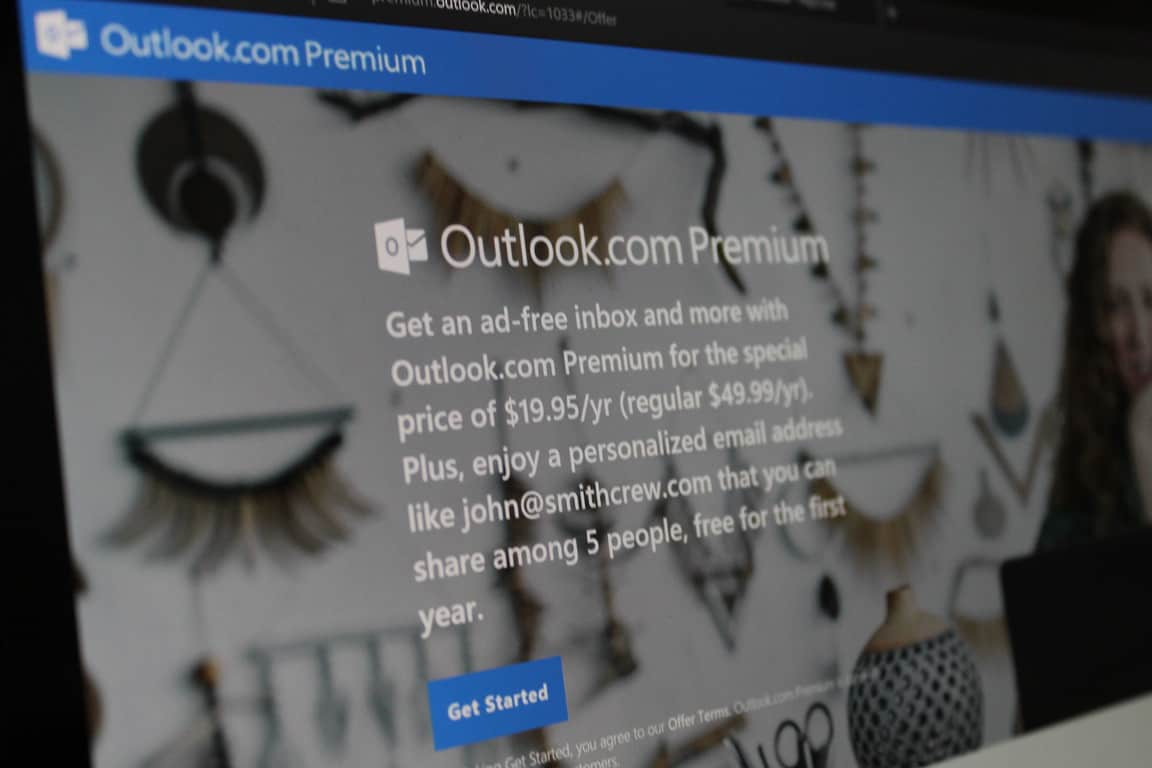
Microsoft extends Outlook.com Premium promotional pricing through June

If you’ve been thinking of purchasing a subscription to Outlook Premium, then you should be aware that Microsoft has just extended the promotional pricing on the service through June. This latest news comes right as the deadline on the original promotion expired on March 31st, ultimately meaning that you can now still pay $19.95 a year for the premium email service (via Thurrott.com)

Outlook Premium is an enhanced email service which syncs your own personalized email domain (such as Jane@Doe_Family.com) with your Outlook.com mailbox (as well as hotmail.com, live.com, or msn.com) for up to five users, and removes banner ads from your Outlook.com mailbox. The service came out of a preview stage in February, but was first limited to the US and most recently expanded to six new countries across the globe.

Interestingly enough, if you check the full details at checkout for the service, you will see that it’s a 1-year auto-renewal subscription at the promotional rate, meaning you will end up paying $19.95 a year for life, which is much lower than the usual price of $49.95 a year. So, if you’re willing to shell out the money for the service, be sure to head over to this Microsoft web page now and get the process started before time runs out on the latest promotion!

Netflix for Windows 10 gets offline streaming support (updated)

(Update: The app appears to be working for our commenters now. Does it work for you?)

The latest update for the Netflix app for Windows 10 PCs brings the ‘Download & Go’ feature that was launched for Android and iOS apps a few months ago. The feature brings support for offline streaming so that you can download your favorite movies, TV shows, and documentaries and watch at a later time when you’re off network specially during flights or when you’re on the move.

Downloading a video is seamless. All you need to do is click the small download button displayed on video details screen, and it will be downloaded for offline viewing. You can see all your downloaded videos in the ‘My Downloads’ section of the app accessible from the hamburger menu. You can also specify the download quality – Standard or High – depending on your internet connection and storage capacity.

However, all is not hunky-dory for Windows users still. One, the feature has come through only on Windows 10 app for PCs and not for Mobile. Since, the Netflix app is not on UWP, there are two separate apps for desktops and smartphones, and as of now, the feature hasn’t arrived on Windows 10 Mobile app. It’s a shame because the smartphone app is actually where people need offline streaming more to catch their video-fix during daily commutes and long flights. Second, the download just doesn’t work!

While the app is updated to mimic the download and viewing experience on Android and iOS app, each time you attempt to download something, an error pops up. I’ve tried this with several videos of different kinds, but no go. Maybe, a quick fix will take care of the issue, but we know for sure that the feature is here finally. For Windows 10 Mobile, we’ll have to wait I guess.

Does the download option work for you? Tell us in the comments!

Netflix
Netflix
Developer:
Netflix, Inc.
Price:
Free

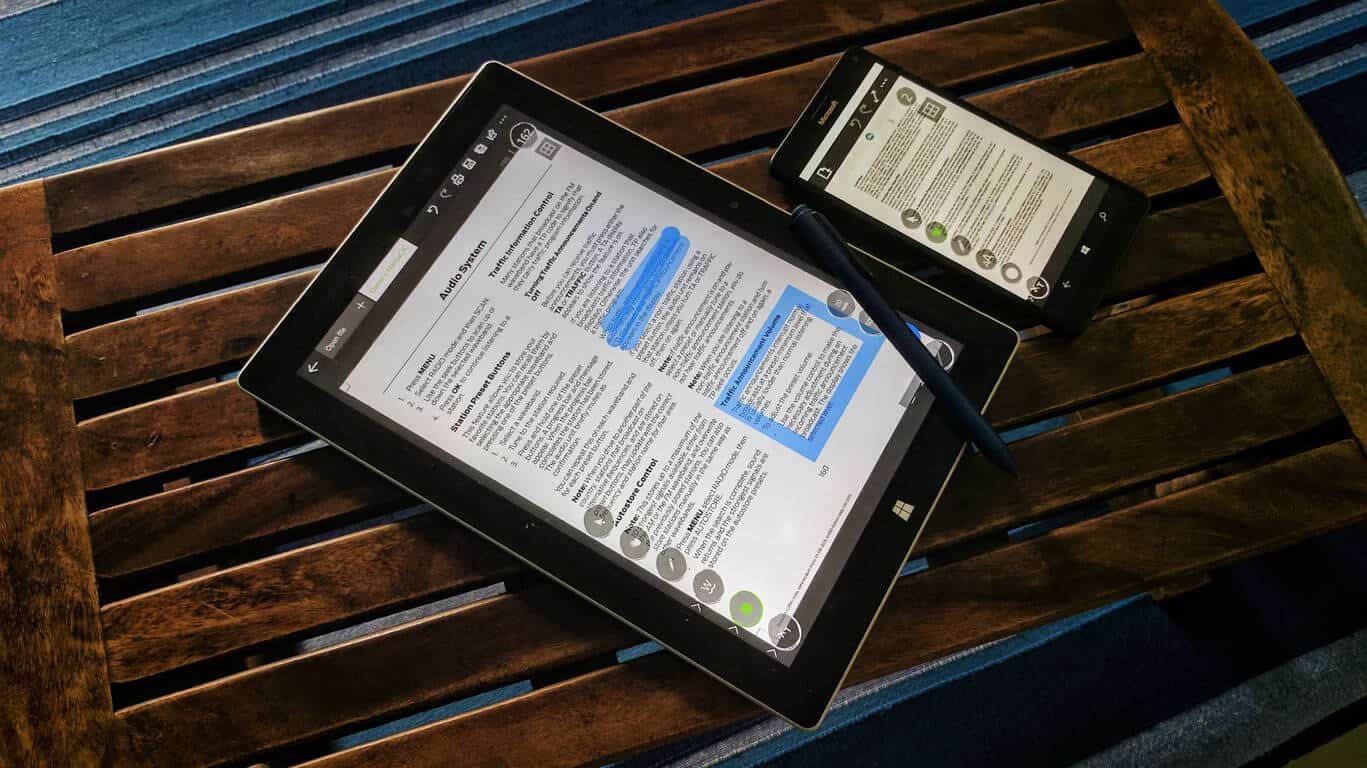
Jack for PDF is a useful app for editing and annotating PDFs on Windows 10

There are several PDF viewing and editing apps on the Windows Store, but there are only a few that offer inking and annotation support, and I just discovered a pretty good one.

Awkwardly named, Jack for PDF is a nice app for viewing and editing PDF files, including password-protected ones. You can edit the text of the document and add your own as well as add different figures like lines, circles, squares, and draw in the documents.

While editing, you can highlight, underline, or strikethrough the text or add more text and change the color and transparency of the added text. The app allows you to draw on the document, which is even more useful if you have a stylus or a Surface Pen. You can change the transparency of the drawn elements, add figures, and change the color of contour and fill of added figures.

You can also change the scale of the document or the brightness of the background document, and view the entire change history with the ability to undo or redo changes.

Made for Windows 10, the app supports Windows Hello and Cortana, and contains no advertising. A universal app, you can download Jack for PDF on your Windows 10 and Windows 10 Mobile devices.

I found it better, and more functional, than Inky, another UWP PDF reader that I wrote about sometime back. Jack for PDF is a free app, so there’s no reason for you to not give it a whirl. Let us know how your experience is.

Jack for PDF
Jack for PDF
Developer:
Andrii Leshchinskiy
Price:
Free

How to delay upgrading to Windows 10 Creators Update

The Windows 10 Creators Update is scheduled for release in April. Many users are looking forward to installing the update on their computers as it will bring a series of interesting new features to the table and users are really curious to test them out. Despite the excitement, a distinct group of Windows 10 users actually prefer to postpone the upgrade.

Why? Oftentimes, major Windows updates cause various technical issues. For example, many users who installed the Windows 10 Anniversary Update reported various bugs soon after upgrading. Taking this into account, many users are planning to delay upgrading to Windows 10 Creators Update.

How to defer the Windows 10 Creators Update

1. Go to Settings
2. Select Update & Security

advanced options update

3. Select Advanced options

4. Check the Defer Updates box

defer updates anniversary update

This action takes your computer to the Business branch. In this manner, major updates are delivered only after the consumer branch validates them. Validation takes place after least four months of usage, which is enough time for possible bugs to be detected.

Once you check the Defer Updates box, your computer should receive updates only after August 2017. It is worth mentioning that the option to defer Windows 10 updates is available only on Windows 10 Pro.

When using Windows for professional purposes, the best solution is to make sure the OS and the subsequent updates are fully stable and reliable in order to avoid the potential bugs which could impact your business.

If you’re running Windows 10 Home, you’ll need to resort to other solutions to postpone installing the Windows 10 Creators Update. For more information on how to defer updates on Windows 10 Home, check out the articles listed below:

Windows 10 news recap: Lyft arrives in the Windows Store, Creators Update releases April 11th and more

Welcome back to our Windows 10 news recap. We are continuing the trend of our weekly “Windows 10 news recap” series where we go over the top stories of the past week in the world of Microsoft’s flagship operating system.

Windows 7 edges closer to 50% market share while Windows 10 increases marginally

The latest NetMarketShare stats have been released and it shows an interesting picture of what’s happening in the world of Windows. Windows 7 is getting ever-closer to the 50% market share; Windows 10, on the otherhand, has increased usage slightly, although, it is within the margin of error.

Windows 10 now accounts for more than 50% of Steam users

Painting a slightly different picture to NetMarketShare, the Steam Hardware Survey shows Windows 10 64-Bit usage increasing a fair bit for Steam users, as it is now used by over 50% of the active Steam population, while Windows 7 drops slightly.

Ride sharing service Lyft is coming to Windows 10

Uber has been part of the Windows 10 platform for some time now, offering an app on Windows 10 and Windows 10 Mobile – now, Uber competitor Lyft is also bringing an official app to Windows 10.

Minecraft announces next big update, the 1.1 Discovery Update for Windows 10 and Pocket Edition

Minecraft on Windows 10 (as well as the Pocket Edition) is receiving its next big update for players of the hit sandbox game. Here is the changelog:

  • Adventure in Woodland Mansions: Trade with the new Cartographer villager to get treasure maps, follow the map, and journey to the woodland mansion. Battle Illagers – the villagers gone bad – to claim fantastic treasure.
  • Exploration: Beef up your storage with Shulker Boxes, Encounter Llamas (!!!) (OMG) (SERIOUSLY OMG) in the wild and make llama trains, Dyeable Beds, Smelt ingots to reclaim materials from tools, build colorful structures with Glazed Terracotta or Concrete blocks, and enchant your equipment with Frostwalking or Mending.
  • Add-Ons: Movement will become data-driven, meaning you’ll be able to create remixed movement properties in your Add-Ons.
  • And adding a third gameplay mode, Adventure Mode, for folks who like to make custom games and scenarios.

It’s official: Windows 10 Creators Update to begin official rollout on April 11th

Saving the best till last. The much-awaited Windows 10 Creators Update will begin its rollout to those not part of the Insider program on April 11th, according to Microsoft.

Windows 10 Creators Update

That’s all the Windows 10 news for this week – we’ll be back next week with more!

Beat Cop issues: black screen, game freezes, and more

Beat Cop is a retro, pixel art style adventure game set in New York. The title is inspired by the 80’s cop shows and you’ll notice this detail as soon as you hit the play button.

As a player, you take on the role of Jack Kelly and you’ve been framed for murder. Your task as a regular beat cop is to find out who did that.
Beat Cop features a thick crime story, lots of black humor and many dark secrets.

Unfortunately, Beat Cop is affected by a few issues that can sometimes limit your gaming experience.

Beat Cop reported bugs

  • Players get locked in conversation

Everytime I enter the church I get locked into the conversation with the chief.

  • Game freezes

game randomly freezes, already in Day 1. Tried many times (7-8x?) and every time happens the same. Usually around church, but it’s not a rule. I love the concept behind the game, tried to run it windowed, reinstalled, checked files integrity… Any more ideas what to try? Game just freezes, can’t do anything and nothing happens, even if I wait.

  • Black screen on startup

I am trying to run the game i have higher than what is required to run the game pc wise but i am getting a black screen on start up. Please help. […] Unfortunatly it just launches into a black screen and i don’t see any of the main game when i cntrl alt delte it says the process in running fine and hasn’t crashed.

  • Audio settings won’t save

Hi! I am really enjoying Beat Cop so far! One problem — the audio level resets on reloading the game. (This is slightly problematic for recording 🙂

These are the most frequent Beat Cop issues reported by players. To report other bugs, use this Steam page to provide the devs with more details about the issue that you’ve encountered.

RELATED STORIES YOU NEED TO CHECK OUT:

Google Chrome changes affect JavaScript popup management drastically

Google has implemented a new change that should grasp the attention of developers. The company made modifications which changed the way their browser, Google Chrome, handles JavaScript popup scenarios. Unlike previously, Chrome will now restrict JavaScript popups and thus alter the way they are treated and responded to naturally by the platform.

JavaScript popups are being used in different ways

The change impacts multiple dialog types referring to JavaScripts. The Chrome Canary based modification makes alert(), confirm() and prompt() dialogs be treated differently when they show up on a web page. Different web pages might attempt to incorporate these dialogs more or less in the Chrome browser, so Google’s modification will see to it that users won’t have to deal as much with them.

The situation before this implementation was quite different. Previously, Chrome users would have to endure seeing Chrome take care of them for every browser window, giving the browser a lot of extra work to do. This was the case not only with the public, tested build version of Chrome, but also with the Beta version of the software.

These popups have dangerous potential

This was a huge nuisance and also a potential security risk. The way it worked more specifically, is that popups would appear on screen blocking the browser at the same time. This made the browser impossible to interact to until the popup was gone. And the only way to make the popup go away was by interacting with it. This made website owners guarantee for themselves that users would have no choice but to interact with the popups.

There are multiple applications that were discovered and that people now know of. One of them is quite harmless, although annoying, as people would use the popups to prank websites to put website users on a continuous loop which never ended and the second one if intended for malicious purposes.

It is easy to use this popup to inflict considerable harm to systems by completely restricting all access users have to their browser until the popup is interacted with. By deploying different methods of corrupting the system, attackers can use the popups to secure help from the other side.

RELATED STORIES TO CHECK OUT:

Windows Creators Update to come earlier but in two phases

Today has been generous in terms of information regarding the much anticipated Creators Update for Windows 10, which Microsoft plans to release in the very near future. The update has been expected for a really long time and it looks like the time for it to shine has finally arrived.

Just a matter of days are left before Microsoft will officially unveil and release what most Microsoft Windows users deem the most important Windows update in modern history. Also, it’s one of the biggest as well, with a plethora of departments improved or built upon with brand new features which work to give the OS a new shine.

Recently, it has been revealed that Microsoft intends on releasing the new update on the 11th of April, which put a smile on Windows users’ faces. This seems to have changed in the meanwhile, although for the better. The reason for that is the fact that now, the update will be coming on the 5th of April, which is almost a full week earlier.

There is still some waiting to do

Users that are excited for the news shouldn’t get too anxious however, as there is a catch. While users are promised that the Windows 10 Creators Update deployment will start on the 5th of April, it is uncertain when they will actually receive it.

The reason for this is that the company is looking to release the new patch gradually. This automatically means that not everyone is going to get the Creators Update in the first day of its launch. It might take a while before everyone is up to date and has the new update installed on their device.

Fragmented delivery

To make sure this process goes smoothly and the end result is that of a happy community with the Creators Update installed, Microsoft has decided to deliver the update in two phases rather than just one. For starters, the first phase will concentrate on bringing the update to all device brands, focusing on the newer ones. The second phase is where older and more varied device types will get a look at Microsoft’s latest creation, thus rounding up the process of procuring the Creators Update for everyone.

RELATED STORIES TO CHECK OUT:

Thimbleweed Park issues: game won’t launch, constant stuttering, and more

Thimbleweed Park is a game that challenges players to do heavy detective work and uncover the deep connections between  five characters that apparently have nothing in common. Players can switch between the five playable characters to uncover the surreal secrets of the strange town of Thimbleweed Park where a dead body is the least of your problems.

Unfortunately, your detective work may sometimes be interrupted by various technical issues.

Thimbleweed Park reported bugs

  • Game won’t launch

Players report that the launch process sometimes stops a few second after they hit the play button. No error message appears on the screen.

The game doesn’t launch. The message “preparing to launch” is there, in the Library list is “Running” for a few seconds but then stops without any error message.

  • Audio quality issues

Thimbleweed Park is also affected by a few audio issues. For example, sometimes audio is unbalanced and comes out only from the right side of the headphones. Sometimes the voices will not reproduce, or reproduce at a very low volume.

that stereo effect on the voices …
I would like to have an option to deactivate it. […]
A character can move from right to left while talking, and the sound still comes from the right.
And then, even if the talking character is on the right side of the screen, the stereo effect is so strong, that while I see the character in the one o’clock position, I hear him talking from 3 o’clock or even 4 o’clock. This creates a heavy dissonace between where I see and where I hear someone.

  • Game crashes

The good news is that game crashes occur pretty rarely in Thimbleweed Park, but they do happen.

When I try to enter “B Street” the game crashes immediately without any error.

  • Constant stuttering

Some players report that the game is affected by constant stuttering, irrespective of the settings they use.

The game seems to stutter quite often for some reason, seems to happen both when interacting with stuff and seemingly at random times. Quite annoying.

These are the most common Thimbleweed Park bugs reported by players. If you’ve experienced other issues, you can use this forum thread to provide the devs with more details about the bugs that you’ve encountered.

If you’ve come across various solutions to fix the issues listed above, feel free to list the troubleshooting steps in the comment section below.

RELATED STORIES YOU NEED TO CHECK OUT:

Xbox news recap: Creators Update launches, Destiny 2 trailer drops and more

Welcome to our weekly Xbox news recap series, where we go over the top stories of the past week in the world of Xbox. Let’s get started.

Creators Update launched and ready to go

The Creators Update has launched on Xbox One, with all of the new features rolling out steadily throughout the week. The update is being called the March Update, and it includes a ton of new features to help empower Xbox One users to be a bit more creative. The highlight of the update is most certainly its support for Beam Streaming, which should give the streaming service a whole lot more activity.

Destiny 2 trailer launched

If you’re like me, you spent the majority of this week giddy about Bungie’s newest title. After years of gallivanting throughout the solar system in Destiny, the sequel has finally gotten its proper announcement. Two trailers have been put out so far, and they’re pretty hype-worthy. We’ll be getting our first look at gameplay this May.

Guardians of the Galaxy Telltale game releasing on April 18th

If you’re a fan of Telltale, you should keep your eye out for their newest title – the Guardians of the Galaxy game. The game will release its first episode on April 18th, giving the world the first taste of Telltale’s spin on one of the most beloved Marvel franchises to be introduced to us in a long time.

Telltale Games' Guardians of the Galaxy on Xbox One

Xbox admits its Xbox One mistakes, and pledges to “do right.”

The announcement of the Xbox One was a disaster. It was seen as a predatory and out-of-touch approach to the future of the Xbox Brand, and it was universally rejected. Years afterwards – where the Xbox One has recovered entirely from that reputation, and enjoys a loving fanbase – Microsoft’s Yusuf Mehdi – Corporate VP of Xbox – pushed a post out to LinkedIn about the experience.It’s an interesting read, and it highlights Xbox’s intention in the future to “Do right,” “Make exceptional products,” “Create connection,” and “Surprise and delight customers.”

Picture in picture not coming to Xbox One now, but you can help make it happen

Xbox’s Mike Ybarra went on Twitter recently to confirm that they’re not currently working on bring a picture-in-picture mode to Xbox One. While he didn’t offer any hope to the users who have been wanting this feature, he gave them the opportunity to vote for it and make sure that the team knows that it’s in demand.

Thanks for joining us. To keep up to date with all the latest Xbox news, keep a close eye on our Xbox One news hub.

Skype’s traditional desktop program is spreading malware through ads

Users of Microsoft’s Skype communication service have begun complaining that malware, served via ads in the program, is making its way on to their PCs.

For those who aren’t aware, Microsoft displays advertisements alongside conversations and on the programs start page. These ads are only present in the traditional, Win32 desktop program of Skype, not in the Windows 10 version of Skype.

The first report of malware being spread through Skype’s ads came up on reddit, with one user saying it happened after turning on the PC and Skype loaded, through its option to open automatically on startup:

FYI: Skype currently serving infected ads from sysadmin

As seen above, the user has worked out a method of blocking the ads from showing, although, it requires some changes that many Skype users won’t be aware of. Additionally, Skype’s support team have denied it could be ads causing the issue.

Ads in Skype are loaded through embedded Internet Explorer object and, as most of us know, Internet Explorer isn’t known for being the most secure browser.

In a statement given to ZDNet, Microsoft avoided accepting responsibility for the ads showing, saying:

We’re aware of a social engineering technique that could be used to direct some customers to a malicious website. We continue to encourage customers to exercise caution when opening unsolicited attachments and links from both known and unknown sources and install and regularly update antivirus software.

Have you been affected by malware being spread through Skype? Let us know below!

7 best VR games for kids to play on PC

Many people are convinced that VR is future of gaming. Thanks to this technology, players can fully immerse into the gameplay. A few year ago, VR gaming was an almost unattainable dream due to technology constraints.

Fortunately, VR has now become accessible and affordable for many gamers. And there is also a particular category of gamers who really enjoy playing VR games: kids.

The only issue is that there aren’t too many titles especially developed for kids. If you’re looking for a fun, challenging and engaging VR game for your kids, you’ve come to the right place. In this article, we’re going to list the best VR games that your kids can play on PC.

Best VR games for kids

The Diner Duo VR

Players take on the role of a chef who needs to satisfy his customers in a limited amount of time. The game also includes a local multiplayer mode, allowing your kids to share their gaming experience with a friend. The first recipes may seem easy, but chaotic levels are waiting for players as they progress through the game.

The Diner Duo VR features 30 levels of increasing difficulty, many cosmetic customization options, 14 different recipes to master, as well as randomized orders, and fully adjustable kitchen for all sizes and heights.

Player review: First VR game I could get both my 7-year-old son and my wife into, great memories for them. At the end of the video, you hear my son tell my wife he’s proud of her, lol. The option to have someone in VR and a 2nd person with a controller is awesome! 

You can buy The Diner Duo VR for $14.99 from Steam. The game is compatible with both the HTC Vive and Oculus Rift VR headsets.


Audioshield

Audioshield is one of the most popular VR games at the moment and it’s easy to see why. The game puts players at the point of impact for every hit in their favorite songs. Players‘ task is to block incoming orbs with their shields. In other words, this game allows your kids to fight music in VR.

Audioshield works with any song file, and online music streaming service. This is a great tool to keep your kids busy for hours on end. Not to mention that they’ll get a fair dose of physical exercise as well.

You can buy Audioshield for $19.35 from GamesDeal. The game is compatible with the HTC Vive VR headset.


Tilt Brush

If your kids love painting, then Tilt Brush is the perfect game for them. Tilt Brush lets players paint in 3D space with virtual reality. Your kids can unleash their creativity with three-dimensional brush strokes, stars, light, and even fire. This game turns your house into a canvas with endless possibilities.

Player review: I was showing Tilt Brush to a friend and his son, he’s maybe 8yo? His son sits on the floor and pulls his knees up, and makes these sweeping arcs overhead. I can see his POV from my monitor but have no idea what he’s painting, everything is mostly white. […] It’s an igloo. His very first time using VR and trying Tilt Brush, the kid immediately understood he could build 3D inhabitable objects. 

You can buy Tilt Brush for $26.88 from GamesDeal. The game is compatible with both the HTC Vive and Oculus Rift VR headsets.


Fruit Ninja VR

As its name suggests, Fruit Ninja VR challenges players to take on the role of a powerful ninja fighting against waves of hostile fruit.

When players step into the Fruit Ninja universe, they need to become extremely alert because fruit will attack from all angles. Your kids will slice shedloads of fruit in a virtual reality environment that will keep them busy for hours on end.

Fruit Ninja VR features five modes:

  • Dual wielding – Double the blades, double the fun.
  • Classic Mode – Slice fruit and avoid bombs.
  • Arcade Mode – Slice as much fruit as you can in 60 seconds.
  • Zen Mode – 90 seconds, all fruit, no bombs. A great way to hone your ninja skills.
  • Survival Mode – Face off against flying cannons in the game‘s hardest mode.

You can buy Fruit Ninja VR for $13.97 from GamesDeal.


Castle Must Be Mine

If your kids love strategy games, we’re sure they’ll enjoy playing Castle Must Be Mine. This game is similar to KingdomRush, it is a tower defense game developed for VR.

Players need to constantly collect coins in order to have enough resources to build and upgrade defensive towers, as well as manage the skills of their soldiers. Castle Must Be Mine is a bird-eye’s view game that will make your kids feel like army generals. They’re in control of the game and can command the hero to attack enemies and get more experience point to level up.

The game features over 20 different monsters, including land monsters and fly monsters, five forest-style maps and four desert-style maps.

You can buy Castle Must Be Mine for $11.99 from Steam.


WackyMoles

There’s a group of naughty moles that are wandering in the vegetable field of the backyard, ruining your crops.  Players‘ task is to attack all kinds of moles with the hammer, and eliminate them within a specific limited time.

But be careful, don’t accidentally injure the kind-hearted rabbit. Bear in mind that some moles will put up a fight and will throw all kinds of things at players. Also, watch out for flying saucer props and think twice before picking them up, because they can turn your hammer into a smaller one and make your task even more difficult.

Player review: I played it briefly to see if my 6-year old daughter would like it and I think this game is very nice! Perfect for kids! Beautiful world, game mechanics work very good, nice sound effects,… she’s gonna love it! If you’re looking for a VR game for your little kids, this is definitely a game you should buy.

You can buy WackyMoles for $5.99 from Steam.


UMA-War VR

UMA-War VR challenges players to end a vicious UMA invasion. UMA stands for Unidentified Mysterious Animal, and trust us, there will be many of them. Players‘ task is to use the bow or the crossbow to shoot the UMAs. There’s also a catch: you can only use arrows of the same color to shoot the UMAs. As players progress through the game, the UMA attacks will intensify and it will be more and more difficult to stop them.

You can buy UMA-War VR for $3.99 from Steam.


There you go, we hope that this list helped you to pick a VR game for your kid(s). If you’ve come across other kid friendly VR games that you think should be included on this list, use the comment section below to tell us more about your gaming experience.

RELATED STORIES YOU NEED TO CHECK OUT:

Microsoft’s first PR director Pam Edstrom has passed away

One of the individuals who helped shape the way we see Microsoft today has passed away. Pam Edstrom (left), co-founder of Waggener Edstrom Communications, died at 71 earlier this week due to lung cancer.

Edstrom first joined Microsoft in 1982 as public relations director when it was still a small technology company. She was described as always being ahead of the trends and taking a personal approach to PR, a style she carried with her when helping co-found WE Communications in Bellevue.

New York Times technology reporter John Markoff was just one of many that knew her well. Her approach to working with the press resulted in the First Response team at WE Communications, a group of people directly involved with handling news and responding when events occur. “She was the architect, she created the image for Microsoft,” Markoff recalled to The Seattle Times.

WE Communications continues to handle significant portions of Microsoft’s communications in her stead, building on what Edstrom has contributed for hopefully years to come.

How to schedule or snooze updates in Windows 10 Creators Update

Windows 10 users have a love-hate relationship with Windows Update. On one hand, they are aware they need to install the latest updates on their machines in order to keep their systems secure and enjoy the newest features. On the other hand, it seems that Windows 10 installs the latest updates at the worst possible moment. Moreover, there are various technical issues that occur soon after users download and install the latest Windows 10 updates.

The good news is that the Windows 10 Creators Update offers enhanced update options, allowing users to schedule updates as we first reported back in December. In other words, Windows 10 users can schedule updates just like they can do with restarts. In this article, we’re going to show you what steps to follow to schedule pending Windows 10 updates.

Schedule updates in the Windows 10 Creators Update OS

  • Pause updates

Go to Settings > Update & Security > Windows Update > scroll down to Advanced Settings > Toggle Pause Updates

It is worth mentioning that you can temporarily pause updates for 35 days. However, some updates, such as Windows Defender definition updates, will continue to install.

  • Use the new Pick a time and Snooze options

When new updates are available, the Windows 10 Creators Update displays a pop-up window offering users three options: Restart now, Pick a time and Snooze.

If you click Snooze, you can delay the update install process by 3 days. If you select Pick a time, you can actually pick the date and time when you want the PC to install the pending updates. In this manner, Windows 10 will no longer restart when you’re working on a very important task.

RELATED STORIES YOU NEED TO CHECK OUT:

Windows 10 Creators Update most sought after features remain on the cutting room floor

As the title implies, some of us more than enthusiastic followers of Microsoft news are left a bit underwhelmed (because whelmed is not a word) at the final prospect of the company’s latest update to Windows 10. While the Creators Update brings the platform forward in a direction that emphasizes production, gaming, creativity and overall cohesiveness that has been lacking thus far; the new feature additions of in-app Compact Overlays, Blue Light Filter, Game Mode, 3D Paint and a slew of Edge browser improvements to list a few are still only half the story of the Creators Update, with the other half of tantalizing features left somewhere in the deep recesses of the company’s development rooms.

When Microsoft first introduced the Creators Update back in October 2016, it did so with the overwhelming focus of introducing 3D support to the OS and allowing developers to dip their toes into what the company is touting as the next platform for creativity in mixed reality.

However, it was the lesser touted plans for the operating system which included a user behavior change with how contacts and platform level communication would be engaged with, a cool new real-time 3D mapping mobile app, 3D support in Office apps as well as the promise of an army of mixed reality headsets that may have stolen audiences attention and unfortunately, Microsoft has chosen to ship the Creators Update without any of them in tow.

3d everyone

As a bit of a recap, during Microsoft’s fall announcement of the Creators Update, the company also brought out Microsoft general manager Megan Saunders to show off a cool handheld 3D mapping app on the newly released HP Elite x3. Here’s a look at the demo, overlaid with some snarky comments by the guys over at TWiT:

Saunders walks around a couple of real-life objects and simply pointed the 3D mapping enabled Elite x3 at them and began mapping objects in real time that would eventually be transferred to the updated version of Microsoft Paint in the Creators Update. In what seemed like a seamless real-world demo of the app and supporting software, Saunders gave many on-the-fence Windows phone users a breath of hope that Windows 10 Mobile would still be a platform worth investing in.

Sadly, Saunders demo remains a demo with no app release date, any idea of how the software actually works or whether it’s even in development at the moment. Without the app, Microsoft’s Paint 3D efforts are somewhat hamstrung and could cripple its Windows 10 3D messaging.

Next up was the My People app, which has taken on several faces since the introduction of Windows 10 three years ago. Reintroduced last fall during a 7 and half minute demo, My People appeared to be an evolution of Windows 10’s original vision of system level communication for the OS that included bundling efforts with Skype, Messaging, and Mail apps for Windows 10.

For whatever reason, the Windows teams love to show off this integration with almost every update and they point out how evolved the idea has become since the last time it was mentioned, but with each new release thus far, the feature continues to sit on the shelf. Perhaps worse off, Windows Insiders have yet to even test out the integration in any form in three years and since cutting it from the Creators Update, there is no indication of when it will be re-introduced or if it’s still in production.

Microsoft Skype UWP App with MyPeople

Mixed reality headsets were another big showing for Microsoft during the Creators Update and have since been met with silence by supposed partnering OEM’s. Perhaps, many are waiting to co-brand their marketing efforts with the release of the Creators Update to spur PC sells, but of the companies mentioned to be partnering with Microsoft to drive down the price of VR and AR headsets, almost none have brought to light any future facing plans for devices.

Even when given the chance to showcase proof-of-concept devices at CES months later, most partnering OEMs were seen chasing Amazon Alexa integration instead. The omission of partnering OEMs for mixed reality may also put a hamper on the HoloTour built into Windows as well getting people to check the new HoloLens configurations in the updated Settings menu.

Furthermore, it could have been the tertiary mentions and glances to software that got a lot a people’s excitement meters peaking such as Xbox Arenas that allowed for game tournament configurations, a passing glance at Groove Music Maker, 3D PowerPoint or even the proposed tighter Edge and reminder integration. All have since either been removed from test builds or never to be mentioned again during subsequent system announcements.

Again, the Windows 10 Creators Update brings much to the table for Windows 10 users and lays even further groundwork for expanding Microsoft’s ecosystem, but it’s hard to not feel a little let down that many of the seemingly exciting and consumer facing features some have been waiting on since last Fall are being shelved without so much as an explanation.

Even more worrisome for fans is that the Windows team has not even hinted at when these projects will see the light of day. Some are expecting many of the missing features to show up in a Redstone 3 release or future Windows 10 updates, but without a word from the Windows team, I guess we can only wait for the next demo.

(hat tip to PC World)

Cities: Skylines will be available on Xbox One on April 21

If you’re a fan of city building video games, you’ll be pleased to learn that Cities: Skylines will launch on the Xbox One on April 21 (via Windows Central). The game is already available to pre-order on the Xbox Store and will cost you $39.99. While that seems a bit expansive compared to the $29.99 standard PC version, this Xbox One Edition also includes the game’s first expansion called After Dark which adds a day-night lifecycle to the gameplay.

As you can expect, the popular PC game has been optimized for the Xbox One controller and you can see some gameplay elements in the trailer below the official game description:

Cities: Skylines – Xbox One Edition puts you in charge of a growing city – from the ground-breaking of its first streets to the ever-changing needs of thousands of citizens. Design, build, and manage the city of your dreams, from public services to civic policies, and challenge yourself to grow from a simple town to a bustling metropolitan hub.

It’s great to see that the Xbox One is welcoming more diverse games, and we’re looking forward to see how Xbox fans will respond to this new addition. Let us know in the comments if you plan to purchase Cities: Skylines on your Xbox One.

Microsoft Office gets new updates with PowerPoint improvements

Users of Microsoft’s Office suite have reasons to celebrate, especially if they are members of the company’s Fast Ring Insider Program: an auto-save feature for online documents and the ability to co-author documents created with Microsoft Excel.

Improvements are on the way

The Slow Ring of the Preview platform was also shown some love as a ton of new features made their way to users on the ring. Here are the goodies that are expected from the upcoming release on the Slow Ring:

  • PowerPoint is getting the QuickStarter function which allows users to request an outline automatically created and suggested to them based on what they want to talk about and what should be incorporated in a given presentation.
  • The Flowchart options in Visio are getting massive improvements with the addition of two new option: Basic Flowchart options and Cross-Functional Flowchart options. These both use Visio templates in the Data Visualizer and this tool is designed for users of Excel app.
  • Emails are getting improvements thanks to a new Outlook update giving users the ability to separate emails into two categories: the Focused category and the Other tab. The Focused tab will feature important email messages while the Other section will host emails that aren’t so urgent or important.
  • Professionalism and innovation reach new heights with the Designer feature in PowerPoint, incorporating more ideas and lists that can help in appropriate scenarios.
  • Email translation is now available through the Outlook translation add-in. This neat tool is accessible through a simple tap and offers 60 languages to choose from. This guarantees that a language barrier won’t be quite a barrier anymore.

RELATED STORIES TO CHECK OUT:

Microsoft Security Essentials ranks among best antiviruses for Windows 7

Windows 7 is still a beloved version of Microsoft’s operating system with many companies still showing interest as well as a huge market share of Windows users that still show love to the now outdated operating system.

Using an outdated version of an operating system can present massive security risks, so many are wondering what the best antivirus solutions for Windows 7 are. Luckily, the answer is now here thanks to research by AV-TEST, a security company from Germany, who determined the best antivirus solutions as of January and February of 2017.

The research featured multiple tests and a system which awarded antivirus suites points that competed based on the performance given in various categories. When it came to overall performance, protection, and usability, the top scorers were from well-known such as Kaspersky or Bitdefender. Other software, such as Symantec and Trend MicroSolutions, were also present and scored among the highest.

It was a significant challenge

The test was no walk in the park for the competing software solutions as it consisted of scanning a huge amount of files — 1.3 million to be exact — and dealing with a very large number of malware threats. In total, there were a total of 11,500 malware attacks directed at the competing security products with 19 competitors in total.

Great results got Microsoft some props

Microsoft managed to distinguish itself not by topping the charts on these tests but by doing well enough to demonstrate that it’s not offering what everybody thinks is a generic protection solution in the form of Security Essentials. Microsoft’s performance isn’t something to be casually pushed aside: the company managed to challenge established security solution providers such as AVG, Avast, or Avira, something that is quite an accomplishment and clearly shows that Microsoft has put a lot of focus and effort into its security suite.

The latest updates that came to Windows 10, as well as its upcoming ones, are part of a grand transformation put into motion by Microsoft that considerably boosts areas of the OS that were previously neglected.

RELATED STORIES TO CHECK OUT:

Microsoft backs amendment that protects Iowan’s electronic communications rights

The political climate around digital search and seizures is becoming a tumultuous battlefield for those forced to choose a side between the veil of privacy or the allure of security.

One of those tumultuous battles is being fought in Iowa as legislation is being brought to the Iowa Constitution which would offer protections against the unreasonable search and seizure of citizens electronic communications and data. The protection is being pushed through Iowa legislature as a special constitutional amendment.

While it would seem normal everyday citizens and consumers appear to be losing large battles such as these to deep-pocketed and heavily entrenched players, Iowan’s are being backed by the firepower of Amazon, Google, and Microsoft in this fight.

According to the Des Moines Register,

The resolution is supported by lobbyists representing Microsoft Corp.; Google Inc.; Amazon.com; and the Iowa Association for Justice. In addition, the Motion Picture Association of America is monitoring the bill and is listed as undecided. No groups are registered as opposed to the bill.

As it stands, the lobbying power of the big three seems to be holding sway over the proceedings as House Joint Resolution 1 has already been approved by the Iowa House with huge support in with the state Senate subcommittee.

Despite the positive momentum of the changes being attempted, it is far from a done deal as the changes will need to be approved by a simple majority in both the Senate and House sometime after the 2018 elections. If all goes well, Iowa state citizens will eventually see the new amendment up for vote in the 2020 elections.

At the end of the day, Iowa is one of several battlefields where the evolution of privacy and security are being fought and today, Iowan’s just got a win.

Power BI update makes it easier to jump between related dashboards

Power BI’s latest update is something that should add a good bit of convenience to the usual Power BI experience. The feature is called View Related Content, and as you might imagine, it lets you quickly and easily check out content that’s related to what you’re looking at. It can be found in the Preview Feature Settings section of Power BI, and can be opted in and out of at will, should you decide against using it in the future.

The update is a part of the Power BI preview, so you should be aware that bugs are likely to show up. That being said, it’s now available in all regions and is ready to go for the adventurous users who think it’s something they’d be interested in. If you want to learn the specifics about Power BI’s newest feature, you can read up on it through the Power BI blog post. If you want to chat with the community about the feature and suggest something else to be added, you can join the discussion on their forum.

Windows Insider Program crosses 10 million-member mark

In just over two years, Microsoft’s Windows Insider Program has now reached more than 10 million members courtesy of its fan-centric culture. The public Windows testing group was born in October 2014 along with the first public Windows 10 Technical Preview. Two months later, the Insider Program reached 1.5 million members, marking a solid start for the initiative.

Windows Insiders provide Microsoft feedback about the new features the software giant develops for its operating system. The program’s main goal is to keep bugs at bay before the general release of updates.

Yusuf Mehdi, corporate vice president of Microsoft’s Windows and Devices Group, said in a blog post on LinkedIn:

We count over 10M Windows Insiders today, many of them fans, who test and use the latest build of Windows 10 on a daily basis. Their feedback comes fast and furious, they have a relentless bar of what they expect, but it so inspires our team and drives our very focus on a daily basis.

Mehdi also discussed Microsoft’s efforts to create a “fan-centric culture”:

My learning is that you cannot create fans, you have to earn them. As our team has embarked on the journey to build a fan-centric culture at Microsoft, I have learned so much about how to focus our efforts. There are four things things, that while simple and maybe obvious, make all the difference.

He also touts the Windows Insider program as exemplifying Microsoft’s ability to develop a connection with clients, all of whom are now a critical part of Microsoft’s product development initiatives:

Many companies treat the initial transaction with the customer as the most important part of the journey. Any fan-centric company should treat that as just the starting point. In fact, every interaction with the customer after that is more important and should build a deeper relationship. Customers should feel like they have joined a community – a family. Don’t be a faceless company. Enable your fans to interact with real people at your company, people who are fans themselves. This requires real commitment, time and effort. A fan is not only going to tell you what they think, but they are going to expect to hear back, to see you take action on their feedback.

Through the Windows Insider Program, Microsoft has improved the way it listens to customers. The program also proves its significant impact on Microsoft’s operations.

RELATED STORIES YOU NEED TO CHECK OUT:
WPTorrent app for Windows 10 gets UWP version and a new name

Although it’s one of the main tools for downloading pirated content, thus posing a threat to the business of legit content providers like Spotify, Netflix, Pandora, and even Microsoft, wpTorrent keeps getting updates on the Windows Store.

The WPTorrent app is a native bit torrent downloader for Windows 10, and it’s getting a new name: wTorrent. The rebranding follows a recent update to the app that also upgraded wTorrent to the Universal Windows Platform format.

wTorrent runs on both the Windows 10 PCs and Windows 10 Mobile devices. It also includes support for background downloads and uploads, download and upload rate options, and built-in video playback.

On its Windows Store listing, the app’s features include:

  • Rich torrent features. Including magnet link support, setting file priorities, download/upload rate limit, incoming listen port, etc.
  • Video playback integrated. Let you to watch downloaded videos while downloading is in progress.
  • Power saving options. You may choose to stop downloading when battery is low, when downloads complete, or when WIFI is not available.

The UWP app is now available to download from the Windows Store.

RELATED STORIES YOU NEED TO CHECK OUT:

Exploit for Microsoft’s old IIS6 web server published, potentially affecting millions of sites

Being the world’s most used desktop operating system often means that each day a new bulls eye is drawn on its back as attackers seek to use it a vessel for their own personal gains. The Microsoft Windows and security teams are constantly dealing with an exploit or nefarious piece of code daily, and recently a zero-day vulnerability cropped up that should have the teams and website developers working to patch sites hosted on Microsoft IIS 6 web servers from attacks but they most likely won’t.

According to a report from PCWorld, a proof-of-concept exploit has been published regarding Microsoft’s Internet Information Services 6.0. While that version is not being supported it is still being used these days and the exploit still poses a big issue.

The exploit allows attackers to execute malicious code on Windows servers running IIS 6.0 with the privileges of the user running the application. Extended support for this version of IIS ended in July 2015 along with support for its parent product, Windows Server 2003.

Even so, independent web server surveys suggest that IIS 6.0 still powers millions of public websites. In addition, many companies might still run web applications on Windows Server 2003 and IIS 6.0 inside their corporate networks, so this vulnerability could help attackers perform lateral movement if they access such networks through other means.

Worse yet, a recent publishing of the exploit on GitHub has potentially put it in the hands of countless hackers seeking to cause harm or manipulate the code to create other threat actors based on the original proof-of-concept. According to a web analytics from the firm Netcraft, there could be up to 185 million websites still hosted on 300,000 servers vulnerable to this exploit because they are running Windows Server 2003. Since Windows Server 2003 is no longer being supported, Microsoft is not offering a patch or a solution to this vulnerability.

However, for those still using IIS 6.0 a possible way to mitigate the vulnerability is to disable the WebDAV service that accompanies the installation. There are also some other free micro patches that can be applied such as ARCOS Security’s offering.

Logically, the best solution is to move old websites built on this server to newer and supported IIS and Windows Server.

How to take PC screenshots directly in Windows 10 Creators Update

Screenshots often make it easy for you to carry out certain tasks like writing an article or sharing something on your screen with friends. In Windows 10, however, taking screenshots has not been an easy task. Thanks to the upcoming Creators Update, you can now capture your screen with a few key strokes.

While there are tons of options for taking screenshots, including third-party programs and the Snipping Tool, these are not intuitive methods for the task. On the other hand, the Creators Update introduces a simple way to take screenshots: Windows + Shift + S.

These key strokes offer a new way to take screen grabs in Windows 10 without the need for third-party tools. It is a system-wide feature that will be coming with the Creators Update due for release next month. The native method also allows you to choose a certain portion of the screen to capture.

The Windows + Shift + S method is available to users with the Windows build 15063 or later. It then triggers the gray overlay, which signals that you can now select a specific area of the screen using your mouse. The tool then copies the chosen area to your clipboard and allows you to paste the image into an editor.

In Windows 7, the Snipping Tool offers relatively the same function. However, it was not applicable system-wide, so there are limitations in terms of the screens that you can grab.

Do you find the native tool for taking screenshots in Windows 10 handy? Share your thoughts in the comments below.

RELATED STORIES YOU NEED TO CHECK OUT: