Doom set to launch “Free Update 2” tomorrow, then new DLC on August 5th

Developer id Software and publisher Bethesda Softworks have announced today that they will release a new free update for their popular shooter Doom tomorrow, July 29 (via Polygon). The “Free Update 2” will bring two new multiplayer modes as well as new features and content for the SnapMap level creation tool for all Doom players.

In case you’re wondering, the following new multiplayer modes will be playable on any existing or future maps:

  • “Exodus” is a one-flag capture-the-flag mode with an added twist of constantly moving bases and flags.
  • “Sector” is an objective-based capture-and-hold mode where players compete to take control of zones and then hold them to score points.

Next, SnapMap is getting the following new content and updates:

  • Customizable weapon wheel functionality – so players can carry and select multiple weapons, just like the campaign.
  • Jump pads with logic to set distance, speed and direction.
  • 30 brand-new Hell-themed modules.
  • An expanded weapon list.
  • A new playable demon, the Mancubus.
  • A laundry list of improvements to the Community HUB, editor and logic capabilities.

To invite all Doom players to try the new features as soon as tomorrow, id Software and Bethesda Softworks have also announced a double XP weekend from July 29 to 31. You can watch a video recap of the “Free Update 2 below:

But that’s not all, as the game’s first premium multiplayer DLC, “Unto the Evil”, will be released on August 5. The downloadable content will include three new multiplayer maps, a brand-new playable demon called The Harvester, a new weapon (the EMG Mark V pistol), the new Kinetic Mine equipment, a bad-ass robotic armor set with new customization options, new hack modules, taunts and more. The add-on will cost $14.99/€14.99/£11.99 and all the new content will be usable in all existing maps and modes.

After the shooter’s single campaign has received critical acclaim earlier this year, it’s great to see that id Software is now focusing on making Doom’s multiplayer mode a great experience as well. Let us know in the comments if you’re looking forward to trying the game’s new multiplayer content.

Windows 10 Anniversary Update: The Top 6 Things To Know

In less than a week, Microsoft will release the awaited Windows 10 Anniversary Update, after months of intense work. The Redstone 1 OS promises to take the Windows experience to the next level by introducing series of interesting new features across every area of the operating system.

The release of the Anniversary Update is a complex operation which will trigger a series of changes for the OS, the Insider Program, and the Windows platform.

Here’s what will happen on the day of its release, and after:

  • On August 2, Microsoft will roll out the Anniversary Update in waves. Insiders will be the first to receive the update, and Windows PCs and phones will be the first devices to get the Anniversary Update.
  • Anyone who wishes to upgrade to Windows 10 will have to shell out $119 to get their hands on Microsoft latest operating system. The free Windows 10 upgrade offer ends on July 29, which means you still have time to take advantage of this offer.
  • Microsoft won’t end its Windows Insider Program after the Anniversary Update is released. If you choose to stay in the program, you will continue to receive new Windows 10 builds leading to the Redstone 2 update.
  • All Windows 10 PC users will be able to use Edge extensions, and this will probably determine many users to switch to the Edge browser. Microsoft’s browser currently has a 5% market share, but the company isn’t satisfied with that and is constantly trying to convince users that Edge is the best browser out there.
  • The update for the Xbox One and HoloLens won’t be released August 2nd. Since the two platforms are running modified versions of Windows 10, it takes longer to prepare the update. While Microsoft hasn’t confirmed anything about the date when the Xbox One and HoloLens will get the Anniversary Update, we expect this to happen sometime in October. In this manner, Microsoft has enough time to collect feedback on the update, and roll out a more stable Windows 10 version for the Xbox One and HoloLens.
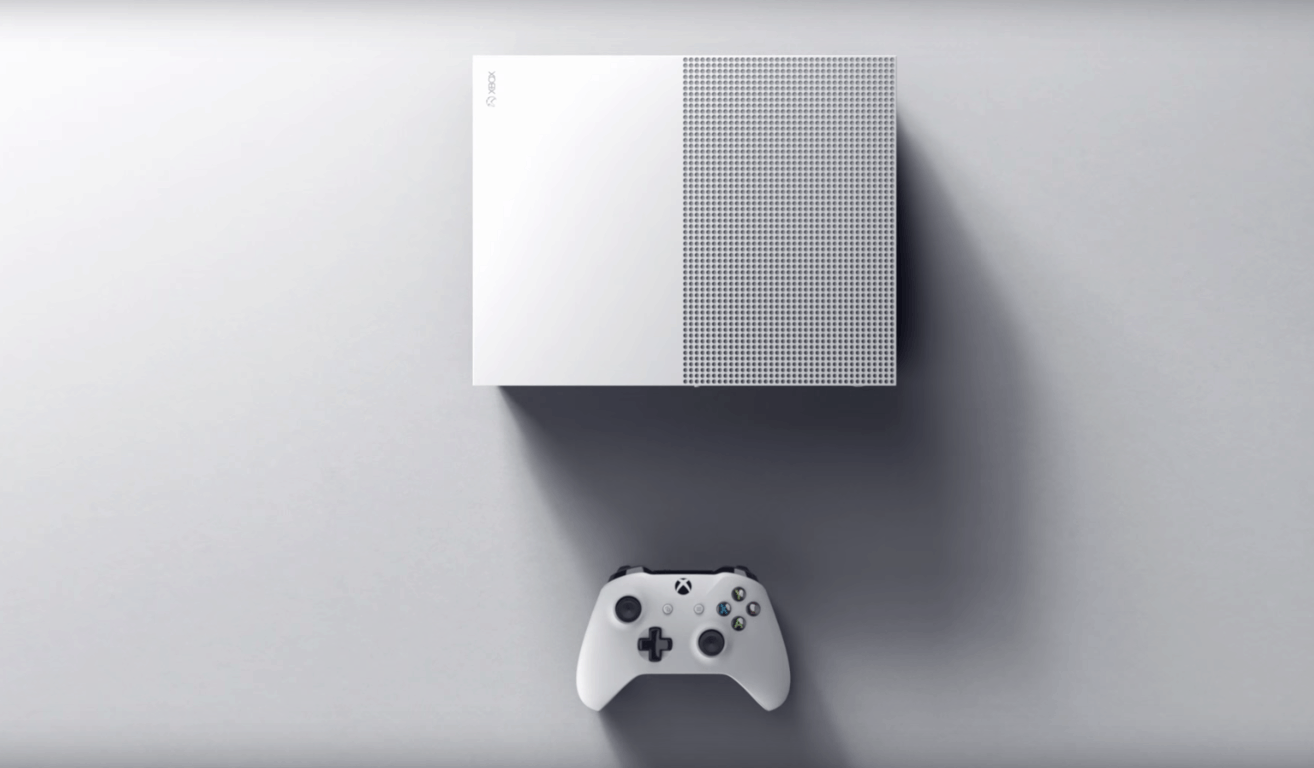
  • Speaking of consoles, the Xbox One S will hit the stores on August 2nd. The Xbox One S 1TB will be sold for $349, while the Xbox One S 500GB will cost $299.

Stay tuned for more information about the upcoming Windows 10 Anniversary Update!

RELATED STORIES YOU NEED TO CHECK OUT:

Skype creates new Mojis to promote Coldplay’s latest album

British rock band Coldplay has collaborated with Skype to bring some now Mojis to the app’s already massive library. The band is celebrating its upbeat album Head Full of Dreams, released in December 2015. The vibrant video clips were created based on tracks from the album and fixed up by their band’s producer Rik Simpson.

The band’s drummer Will Champion explained to Skype’s blog that their music always tries to create a sense of togetherness, with hope, positivity, and love. Those positive feelings are often shared in many ways through the creative process. As Chris Martin explained:

“Often in the studio we have a room where we go and paint and draw and stuff. We think about the artwork as the music is coming, at the same time. What’s also cool is the artwork for this album has lots of little motifs anyway… so they lent themselves for use on some of the Mojis.”

Skype is always adding new Mojis to the mix with events such a movie promotions and holidays. How better to express yourself than adding a few new Coldplay Mojis to lift your spirits? Try them out in the latest update for Skype.

NBC Sports Windows 10 app updated, just in time for the Olympics

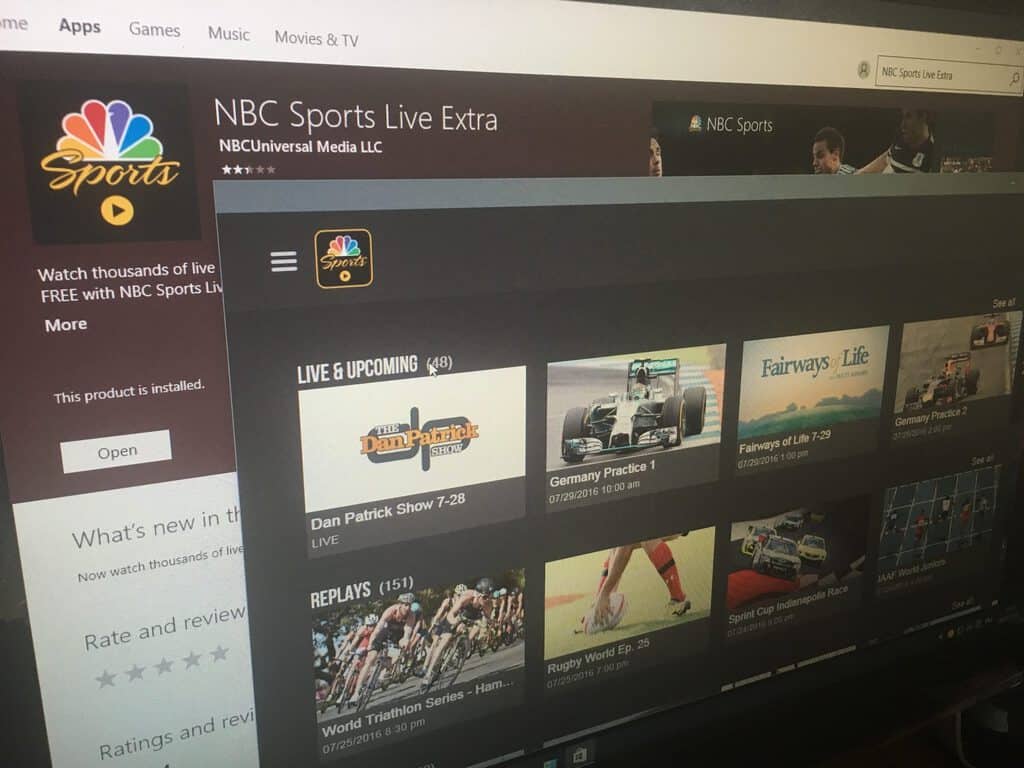
NBC has released a significant update to their NBC Sports Live Extra app, as the new version 1.9.20909 is now a true Windows 10 app (via Windows Central). Once you update the app, you will see that the home section lets you easily navigate between Live & Upcoming content, Replays and Highlights while the hamburger menu lets you access general sports categories as well as a dedicated 2016 Summer Olympics section.

The NBC Sports app features a dedicated 2016 Summer Olympics section.

To get access to more content, it’s also possible to log into your cable provider right from the app. Additionally, the apps has a nice scalable UI and also supports notifications. As for the current Windows Phone app, it has yet to receive an update and it’s not clear if NBC will make its new Windows 10 app a true universal app. Anyway, this update is already a nice addition to the Windows Store. You can get the app from the download link below, let us know in the comment what do you think of this update.

NBC Sports
NBC Sports
Price:
Free+

Minecraft rolls out Villains Skin Pack for Windows 10 and Pocket Editions today

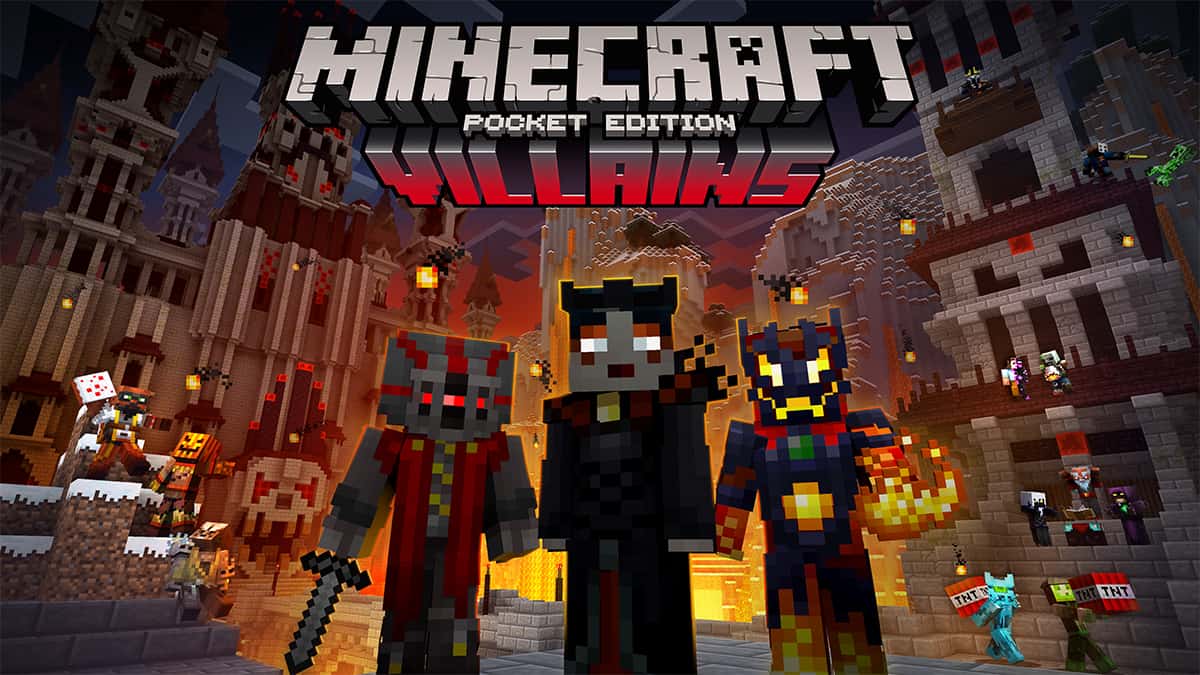
Minecraft developer Mojang has announced in a blog post today that a new skin pack will be available later today for both Minecraft Pocket Edition and Minecraft Windows 10 Edition Beta. The $1.99 “Villains Skin Pack” includes a total of 17 skins and will allow you to “let your inner demons out:”

The Villains Skin Pack will be rolling out across devices at some point today. Grab it and join forces with Minecraft’s most dastardly denizens: slink from the shadows as the sinister Stronghold Seer, unleash the fury as the ferocious Lava Fiend, or, er, sell silverfish as the monstrous Silverfish Monger. The evilest of all mongers!
Then there’s the grotesque Patchkin, the enigmatic Endergaunt, the chilling Eyece, the Terror Spawner, Dungeon Spectre, Slymime and Cake Maniac.

Minecraft Villains Skin pack

Earlier this week, the Minecraft developer also announced that the console edition of Minecraft was getting two new DLCs, the Battle Map Pack 2 and the Redstone Specialists skin pack. Sound off in the comment if you think these are nice additions to the cult-classic game.

Minecraft for Windows
Developer:
Microsoft Studios
Price:
Free


‎Minecraft
‎Minecraft
Developer:
Mojang
Price:
$6.99+


Minecraft
Minecraft
Developer:
Mojang
Price:
$6.99

Find ’em All updated for Windows 10 devices, brings notifications for nearby Pokemon and more

While there is still no Pokemon Go for Windows 10 Mobile, users of Microsoft’s mobile platform can still make use of their devices to assist them in their search for Pokemon. A couple days ago we noted that Daniel Gary, a Windows app developer, had released Find ’em All, an app that is made to allow users to cheat and find Pokemon more easily.

Today, an update has been released for the app, which brings a couple nice new features and some improvements:

  • Pokemon filters
  • Notifications when a Pokemon is nearby
  • Night mode
  • Improvements to the error messages when login has failed
  • New alert for when you try to login with Location disabled

Possibly the biggest feature in this update is the notifications for when a Pokemon is nearby. No longer will players need to endlessly stare at their iOS or Android devices, instead, they can keep their Windows 10 Mobile with them and be alerted when one is within your vicinity, helping save battery life and eyes.

Grab the latest update from the Windows Store now.

Find 'Em All
Find 'Em All
Developer:
Daniel Gary
Price:
Free

Electron apps can now be converted to Windows Apps and distributed via the Windows Store

Electron apps can now be converted to the Universal Windows Platform using Microsoft’s new tool, as well as be distributed via the Windows Store. Apps built on the Electron framework enjoy the benefits of being able to work cross-platform, as the apps are based on HTML, CSS and JavaScript, allowing a truly cross-platform experience across operating systems such as Windows, OS X and Linux.

Microsoft has developed a new tool that effectively places the standard Electron executable file into an .appx wrapper, allowing it to be distributed via the Windows Store. On top of this, the company also allows the app to have an invisible background app, which will act as the Universal Windows Platform host, allowing it to make use of standard UWP features such as Cortana and Push Notifications.

This latest push by Microsoft to get more apps in the store will be welcomed by many, allowing them to find yet more of their favourite Win32-based programs in the store, rather than having to search the internet, which could result in viruses. It also streamlines the auto-updating functionality.

The new tool by Microsoft has been detailed in Electron’s documentation with a tutorial on how to get started with using it.

Converted apps, at the time of writing, cannot run on Windows 10 Mobile, Xbox or HoloLens, as it is still using the Win32 architecture underneath.

Apps built on the Electron framework vary widely, but some of the notable names are: Slack, GitKraken, Discord, WordPress.com and Postman. The new functionality won’t be widely available until August 2nd when the Anniversary Update drops.

Warhammer: End Times Vermintide Xbox One release date and trailer revealed

A new trailer has just been released for the upcoming Xbox One video game, Warhammer: The End Times Vermintide. The game is set in the popular Warhammer universe and will use a brand new story written by Games Workshop creators.

Warhammer: The End Times Vermintide will also feature drop-in and drop-out online multiplayer, five unique heroes, hundreds of different weapons, 13 levels, a dynamic spawn system, and the expected Xbox Achievements.

Here’s the official game description: The time of mortals is ending, and the reign of Chaos draws ever closer. The Dark Gods are at last united in a singular purpose, losing their madness across the world as never before. In the Empire of Sigmar, Karl Franz’s gaze is focused on the incursion of the savage northmen, but it is not the only threat. As the Chaos moon Morrslieb waxes full, shrill voices echo through tunnels gnawed far beneath the Empire’s cities, and a Skaven host swarms towards the surface. It emerges first in the city of Ubersreik, a screeching mass that consumes all before it. Soon Ubersreik is a charnel-town, drowning beneath the malevolent shadow of the Horned Rat.

Warhammer: The End Times Vermintide on Xbox One

Yet even in the darkest times, there are always champions to light the way. As Ubersreik cowers, five heroes, united by capricious fate, carry the fight to the rat-men. It remains to be seen whether they have the strength to survive, let alone work together long enough to thwart the invaders. One truth, however, is beyond all doubt: should these five fall, then Ubersreik will fall with them.

Warhammer: The End Times Vermintide is expected to launch on Xbox One on October 4th 2016. The console version will contain all of the downloadable content that has been released for the PC version since its launch.

Are you excited for Warhammer: The End Times Vermintide? Let us know in the comments below.

Violence-free video game, Shiny, coming to Xbox One on August 31st

The new video game, Shiny, has been given the release date of August 31st for its debut on the Xbox One. The game is a futuristic platformer with one twist; there’s zero violence in it. With 20 expansive levels and numerous power-ups, the aim of Shiny is to rescue other characters and navigate the post-apocalyptic landscape.

Here’s the official description: Left to fend for himself after mankind abandoned the doomed planet Aurora, robot Kramer 227 must find a way to harvest energy and rescue his robotic friends before Aurora crashes into its sun. In his journey, Kramer will probe the planet itself and overcome challenging obstacles, all while trying to conserve his limited life energy to power himself and his friends on their way to safety.

Kramer will gather and share energy with his fellow robots, helping them escape dire situations and predicaments. He will have to jump and explore every platform in every corner of the 20 extensive levels to find all of his friends. Energy is running low on Aurora, so Kramer will have to collect batteries or use generators to recharge, as every action drains his power. Various power-ups collected along the way, such as jetpacks, energy spheres and temperature regulators, can help him on this crucial journey.

Shiny is about saving lives, so it contains no blood or violence

Shiny has been garnering a lot of hype after numerous showings at different video game expos and conventions. It’s developed by the Brazillian game developer studio, Garage 227, who are also working on another future Xbox One video game, Dead Flowers. Unlike Shiny though, Dead Flowers will be a third-person action game with a nonlinear storyline and dynamic world. This game will also be powered by Unreal Engine 4.

Are you looking forward to Shiny or Dead Flowers? Let us know in the comments below.

How to get Windows 10 for free after July 29

If you can’t decide whether or not to upgrade to Windows 10 and don’t want to miss the opportunity to install Microsoft’s latest operating system for free, we have a good news for you: you can still get Windows 10 for free even after July 29.

Microsoft announced that users who choose to upgrade to Windows 10 after July 29 will have to shell out $119 for the package. However, if you move fast, you can upgrade to Windows 10 when you want for free. Check out our tips below to make it happen.

How to get Windows 10 for free after July 29

  1. Back up ALL your files. Since this process involves a factory reset, back up all your files so that you can restore everything later.
  2. Create a recovery disk which allows you to install Windows using your product key. 

For Windows 7:

  1. Find your product key. If you bought Windows 7 pre-installed on your computer or laptop, you can find the product key printed on the sticker on the bottom of your laptop/back of your tower. If you purchased Windows 7 from a store, the key is usually available in the DVD case or in the confirmation email you received.
  2. Visit the Windows 7 download site. As long as you have your product key, you can download the Windows 7 disc image file or ISO. The file is several gigabytes large and may take a few minutes to finish downloading. Select the Windows version you want — 32-bit or 64-bit — and download it.

windows 7 iso file download

  1. Download and install the Windows DVD/USB Download tool from Microsoft. This free program allows you to create a bootable DVD or USB drive that contains the Windows 7 ISO file.
  2. Insert a blank DVD or 4 GB USB drive. The USB storage device needs to be at least 4GB large. Make sure you don’t have important files stored on it because all of the data will be deleted.
  3. Launch the Windows DVD/USB Download tool and load your ISO file.
  4. Follow the instructions to create the disc or USB drive. This may take a bit longer to complete, but when it’s done you’ll have a fully-functional Windows 7 installation disc.

For Windows 8.1

You can use Microsoft’s Media Creation Tool to get a clean version of the OS.

3. You can now upgrade to Windows 10. When you buy a copy of Windows, you own that Windows license. Fortunately, the Windows license is tied to a machine, which means that when you upgrade to Windows 10, you’ll have a Windows 10 license tied to you computer. It’s as simple as that.

4. Restore the original OS by using the recovery disk you created. You can also use a simple method to do this: go to Settings > Update & Security > Recovery. However, this solution works only within 30 days after you upgrade to Windows 10. After 30 days, you’ll have to use your recovery disk.

Once again, the Windows 10 upgrade process associates a Windows 10 license to your computer, which means that you won’t need an activation key for future installations.

Yes, free! This upgrade offer is for a full version of Windows 10, not a trial. 3GB download required; internet access fees may apply. To take advantage of this free offer, you must upgrade to Windows 10 within one year of availability. Once you upgrade, you have Windows 10 for free on that device.

Windows 10 Upgrade Offer is valid for qualified and genuine Windows 7 and Windows 8.1 devices, including devices you already own.

Are you willing to give Windows 10 a chance? If so, hurry up because the clock is ticking!

RELATED STORIES YOU NEED TO CHECK OUT:

Both Marvel Ultimate Alliance games are now live on Xbox One

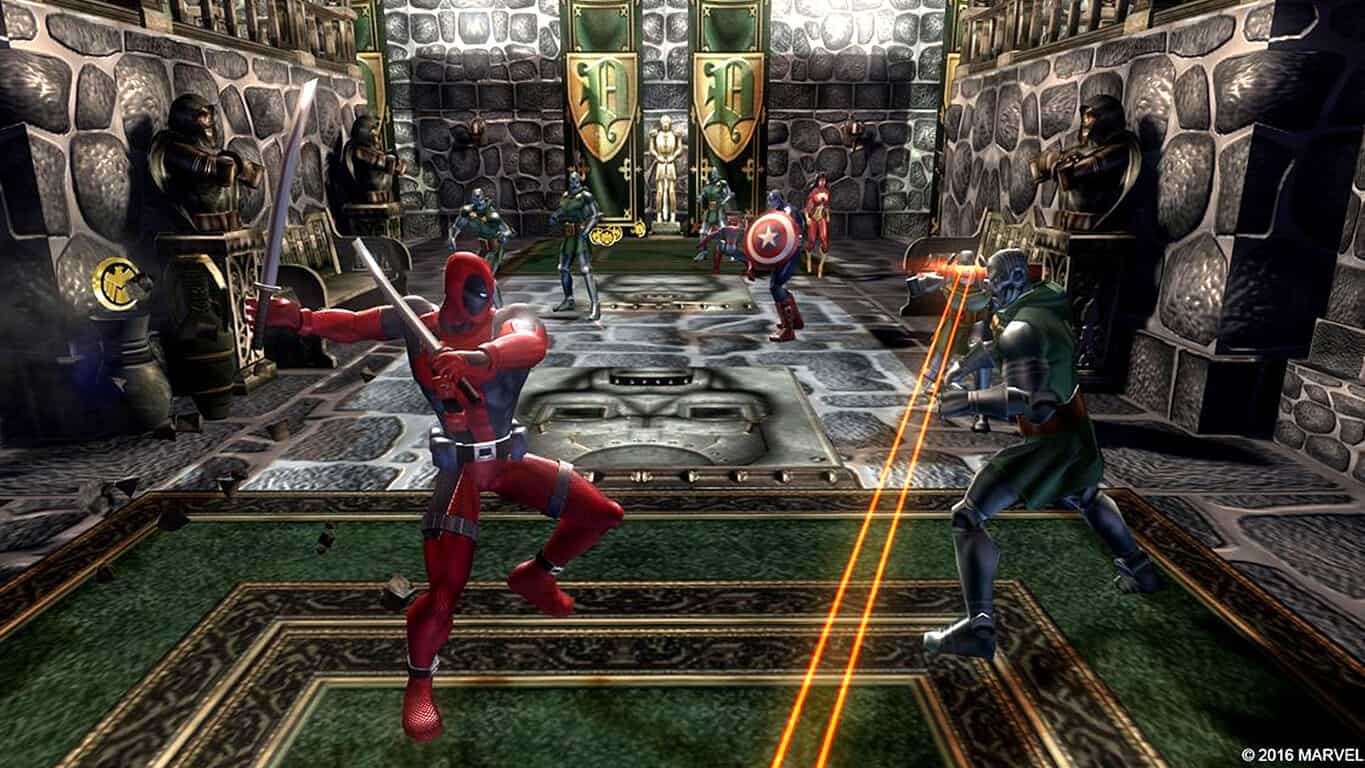
The re-releases of Marvel Ultimate Alliance and its sequel, Marvel Ultimate Alliance 2, are now available to buy, download, and play on Microsoft’s Xbox One console. Both games are a sort of roleplaying game where the player can create their own unique team of Marvel Comics characters taken from some of the company’s biggest franchises such as The Avengers and X-Men. Both games support local and online multiplayer and have been given graphical and UI updates for the release on Xbox One.

Here’s the official description for Marvel Ultimate Alliance on Xbox One: UNLEASH THE GREATEST SUPER HERO ALLIANCE EVER.  Marvel: Ultimate Alliance lets players create their ultimate team from the largest superhero alliance ever as they engage in an epic quest to determine the fate of the Marvel universe.  Players can create and control their own completely unique team, selecting from the largest roster of legendary superheroes ever assembled in one game, including Spiderman, Hulk, Wolverine, Captain America, Ironman, and The Thing.  Through the epic campaign, the heroes will battle, team-up, and interact with over 140 characters from the Marvel universe and ultimately confront notorious villains such as Dr. Doom, Galactus and The Masters of Evil.

Buy Marvel Ultimate Alliance on Xbox One

And here’s the official description for Marvel Ultimate Alliance 2 on Xbox One: The Marvel Universe is being torn apart. The Superhuman Registration Act becomes law and Super Heroes must register as weapons of mass destruction, becoming licensed government agents. As Civil War is stirred, Iron Man leads the Pro-Registration side while Captain America spearheads the stand on Anti-Registration. The enemies you battle and the missions you accomplish depend on which side you choose.

Marvel Ultimate Alliance 2 on Xbox One

Both games are available separately or together for a slightly cheaper price with the Marvel: Ultimate Alliance Bundle. Have you played either of these games yet? Let us know in the comments below.

This new cheap tablet dual-boots Windows 10 and Android-based Remix OS

If you’re looking for a solid tablet at a reasonable price, we have a suggestion for you: the new Chuwi Vi10 Plus Windows 10 dual-boot tablet. This impressive tablet comes in two configurations: one with the Android-based Remix OS, and a second configuration that dual-boots Remix OS and Windows 10.

Chuwi Vi10 Plus is powered by an Intel Atom Cherry Trail X5 processor with 8th Gen Intel HD Graphics. The 10.8-inch display offers a 1920x1280px resolution, while the 2MP frontal and the rear cameras can take satisfactory photos.

This tablet is equipped with one USB 3 Type-C port and supports 5V/3A quick charging, a very useful feature when you’re on the go.

Other features include:

  • 8400mAh Li-polymer battery
  • Detachable magnetic docking keyboard (sold separately)
  • Chuwi HiPen H2 stylus (sold separately)
  • Dimensions: 276.4 x 184.8 x 8.8mm / 10.9 x 7.3 x 0.4-inches
  • Weight: 686.5g / 1.5 lbs
  • Picture format: BMP,GIF,JPEG,JPG,PNG
  • Music format: 3GP,AAC,MA4,MP3,OGG,WAV,WMA
  • Video format: 3GP,AVI,MJPEG,MP4,WMA
  • E-book format: PDF,TXT
  • Pre-installed Language: Supports multi-language
  • The storage capacity can be extended by up to 128GB.
  • The 2GB/ 4GB of RAM should be enough to smoothly run your games, photos, and other applications, as well as multiple programs and browser tabs all at the same time.

The Vi10 Plus is available in two models:

  • Version 1: 2GB RAM/32GB ROM, pre-installed the Remix OS 2.0 operating system.
  • Version 2: 4GB RAM/64GB ROM, pre-installed the Windows 10/Remix OS 2.0 operating system.

The Remix OS 2.0 version of the Vi10 Plus tablet is available for $143.77 from GearBest, while the dual-boot version with Windows 10 costs $239,but is currently unavailable although it has officially been launched.

RELATED STORIES YOU NEED TO CHECK OUT:

Unstream app brings Twitch to Windows 10 users

There isn’t an official Twitch app for Windows 10 and Windows 10 mobile, so users have to make due with the third-party offerings. The best of the bunch is an app known as Unstream, an app some say is even better than the official Twitch app on other platforms.

In the past, Unstream was a paid experience, but after a recent update to version 4.0, it is now completely free without ads. We’re not sure if this is part of a promotion or if ads will come into play over time, but as of right now, Ustream is a solid experience that should be downloaded by all Twitch fans on Windows 10.

The developer added several improvements, much of what can be seen in the list below:

  • Unstream is now completely free of ads
  • Chat Replay is here!! You can now watch VODs and view chat messages as they were sent.
  • Added ‘auto’ stream/video quality. Playback quality now automatically adjusts to your bandwidth.
  • Added channel feeds! View channel feed posts via new pivot item in profile page (view posts and reactions only at the moment – posting reactions and comments coming soon).
  • Added option to enable or disable mini-player mode
  • (Re)Added ability to follow/unfollow games
  • Added notification aggregation. If there are more than 5 followed streams live, you will only be notified that there are ‘multiple streamers live” and not one notification for each (some people may have followed streamers and would therefore be spammed)
  • Added donations option to About page

As far as an official Twitch app for Windows 10 goes, we have no idea when Amazon will have its team release one for the platform. It may take a while, which is why right now we are a bit miffed that Microsoft failed to acquire Twitch because the app would be available on all platforms by now.

Download Unstream directly from the Windows Store for both Windows 10 PC and Mobile.

RELATED STORIES YOU NEED TO CHECK OUT:

Security and information protection in Office 365 requires a “systematic approach”

Adding to the growing repertoire of their informational poster sets, the cyber security consulting team and Office 365 worked together to create some graphs for security and information protection.

The first set is the Microsoft Cloud Security for Enterprise Architects. It includes information on secure services and platform, customer responsibilities to mitigate security risks, top security certifications, and security offerings provided by Microsoft consulting services. These are perfect for IT architects that need cheat sheets of resources and categories, as well as information on connecting with the Microsoft cybersecurity consulting team.

Introduction to Security in the Cloud

Echoing the urgency of secure protection strategies, the other poster created is titled Information Protection for Office 365. These graphic resources show you the best ways to protect your corporate assets, providing methodical approaches to organization security.

All of the posters can be downloaded from the Technet library as PDF, Visio, or from Docs.com.


Microsoft and Red Hat now working together to bring Azure Linux support to government

Microsoft has announced today an expansion of its partnership with Red Hat that has led to government organizations being able to utilize additional migration options when moving their current Red Hat subscriptions to Microsoft Azure Government. Specifically, customers using Red Hat’s Cloud Access tool can now move their RH subscriptions between physical or on-premises systems to both Microsoft Azure and Azure Government Cloud platforms, according to a press release from Microsoft.

Other tidbits about the announcement include:

This extends Microsoft Azure’s certification as a Red Hat Certified Cloud and Service Provider (CCSP) to now serve our U.S. Government customers via Microsoft Azure Government.

Red Hat products enabled for Cloud Access on Azure Government include Red Hat Enterprise Linux 6.7 and above and Red Hat Enterprise Linux 7.2 and above, Red Hat JBoss Middleware, Red Hat OpenShift Container Platform and Red Hat Gluster Storage. For any subscriptions that migrate, you will continue to maintain your direct relationship with Red Hat even when your subscription benefits move to Azure Government.”

For Red Hat customers still hesitant about transitioning to either of Microsoft’s governmental cloud solutions, the company would like to remind them that “Microsoft Azure Government fulfills a broad range of platform level compliance standards critical to U.S. federal, Department of Defense (DoD) and state and local requirements.”

Furthermore, Microsoft has also announced recently that it has added three more compliance supports to its Azure Government service that impact the Informational Impact Level 4 DoD Provisional Authorization with regards to (DISA Level 4 PA), International Traffic in Arms Regulations (ITAR) and FedRAMP High Provisional Authorization.

Microsoft is encouraging interested parties to register their newly purchased Red Hat subscriptions with Azure Government as soon as possible. Customers can also seek step-by-step directions for Red Hat Cloud Access migration to Microsoft Azure Government migration at the RedHat.com site.

Microsoft officially releases Azure Active Directory B2C in North America

Microsoft has announced today the general availability of Azure Active Directory B2C in North America. If you’re not familiar with it, Azure AD B2C is built on Azure Active Directory, Microsoft’s secure cloud identity platform that handles billions of authentications per day. Azure AD B2C aims to provide companies with an identity management service for consumer apps that can be easily integrated into mobile and web platforms. Swaroop Krishnamurthy, Senior Program Manager, Azure Active Directory added:

It is a game changer for organizations of all sizes that want to offer consumers secure access to their apps, by allowing consumers to reuse their existing social accounts or creating new app-local ones. It lets you focus on your app’s core functions and on growing its consumer base, by handling all of the app’s identity management needs, and not just sign-in.

Since its preview announcement, Microsoft says that the service has seen “explosive growth in usage and interest,” with high-profile customers such as Real Madrid and the State of Indiana already using it. Azure AD B2C will remain free of charge until early 2017, and the Azure team plans to make it generally available in Europe Asia Pacific in the coming months.

New features are also in the pipeline such as support for access tokens and multiple languages. You can already check the team’s roadmap and vote for the features you would like to be developed on the Azure UserVoice website.

Microsoft is bringing Edge’s ChakraCore javascript engine to Linux and OS X

Microsoft’s embrace of the open source community has been nothing short of impressive for some devoted fighters of proprietary technology. For observers looking in, Microsoft appeared to have not only softened its stance on open sourced software but embraced the necessity of its involvement in advancing the tech community.

To that degree, Microsoft recently open-sourced a garage full of its systems, services, and programs. Among its newly open-sourced projects is its ChakraCore, the Chakra JavaScript engine that powers the Microsoft Edge browser for Windows 10 and its Universal Windows Platform.

Taking it a step further, Microsoft announced at the NodeSummit today, which its efforts in exposing its ChakraCore to the open source community has helped it develop, the first experimental implementation of the ChakraCore interpreter and runtime for x64 Linux and OS X 10.9+. An additional experimental Node.js. Node-ChakraCore) has also been developed for x64 Linux. The Linux testing of the ChakraCore’s have been primarily housed in Ubuntu 16.04 LTS, but the Microsoft Edge team believes the work should easily be translated to other modern Linux distributions.

CharkraCore OSX and Linux

In a post written Limin Zhu and Arunesh Chandra of the Edge Developer team, interested parties are given examples and tips to building cross-platform applications with ChakraCore and how the team managed to get Node.js working in ChakraCore.

Bringing ChakraCore to Linux and OS X is all about giving developers the ability to build cross-platform applications with the engine. The JavaScript Runtime (JSRT) APIs to host ChakraCore were originally designed for Windows, so they inevitably had a few Windows dependencies – for example, Win32 usage of UTF16-LE encoding for strings, where other platforms might use UTF8-encoded strings. As part of the enabling cross-platform support, some of the JSRT APIs have been refactored and redesigned to allow developers to write platform-agnostic code to embed ChakraCore. Maintaining backwards compatibility is a core principle that we follow – so applications written with the previous set of JSRT APIs on Windows will continue to work as is. You can build the engine and write a Hello-world app to get started with ChakraCore on the Windows/Linux/OS X.

According to the Edge development team, there is plenty more planned for ChakraCore and cross-platform support. As for now, the team seems primarily focused on ensuring non-Windows ChakraCore users are afforded the same top-tier JavaScript performance Windows users currently experience.

NodeChakraCore
NodeChakraCore

Per the nature of open-source development, the Edge development team appears eager to receive as much feedback as possible on their progress as well as their planned schedule. For those interested in providing either useful suggestions or critical feedback, head over to the Node-ChakraCore repo or reach out to the development team via the Twitter handle @CharkaCore.

Microsoft announces Windows 10 Education SKUs

Microsoft has just taken to the Technet blog to announce Windows 10 editions for education customers. With the Windows 10 Anniversary update around the corner, Microsoft notes that these editions show the company’s commitment to bringing productivity, security, and privacy for all customers. It also shows that Windows commercial editions can be configured to support the needs of schools, through group policies, domain join, and more.

The first of the two editions is Windows 10 Pro Education. Microsoft notes that this edition builds on the commercial version of Windows 10 Pro and provides important management controls needed in schools. This edition also provides education-specific default settings including the removal of Cortana. The Windows 10 Pro Education edition is available on new devices pre-installed with Windows 10, version 1607 that are purchased with discounted K-12 academic licenses through OEM partners. Existing devices with Windows 10 Pro activated with an OEM digital product key will upgrade automatically to Windows 10 Education as part of the Windows 10, version 1607 installation.

Windows 10
A Windows 10 sign at the Microsoft Store in NYC

The second of the editions is Windows 10 Education. Much like Windows 10 Pro Education, this edition builds on Windows 10 Enterprise and provides the enterprise-grade manageability and security desired by schools. Windows 10 Education is available through Microsoft Volume Licensing. Microsoft highlights the fact that customers who are already running Windows 10 Education can upgrade to Windows 10, version 1607 through Windows Update or from the Volume Licensing Service Center.

To learn more about these editions, and the other in-depth differences between them, you can check out this link here. So, does your school or educational institution use Windows 10? Are you looking forward to all the education centered features which will be heading to Windows 10 with the Anniversary Update? As always, we would love to hear your answers to these questions, and your other thoughts on these Windows 10 Editions! Be sure to drop us a comment below!

Microsoft launches new app to help bring iOS apps to Windows 10

Microsoft is augmenting its efforts to bring iOS applications to Windows 10 with the company’s newly released tool named App Analysis Tool. It will help developers scan an iOS application and see which of its features might be incompatible with the Windows 10. In addition, the application offers instructions and tips on how to do use it effectively.

If you are an iOS developer, then you will just need the IPA file of your application. After that, you will need to scan it using the App Analysis Tool. Once the scan is complete, you will get information on how to make it a Universal Windows App for Windows 10.

The tool will provide you information in several sections, showing exactly which part of your app is not compatible with Windows 10. In addition, you will get some instructions that will help you address these issues.

Thanks to this new tool, we will most likely see more developers bringing their iOS applications to Windows 10. Currently, there are a good number of apps that have joined the Universal Windows App program, but in a few months, we will see more and more developers porting their applications to the popular operating system.

In the past, Microsoft also tried to bring Project Astoria to life, a tool that allowed Android developers to bring their applications to Windows 10. However, for some reason, the company hasn’t released that tool, instead choosing to develop the App Analysis Tool for iOS applications.

Will you use this tool to port your iOS application to Windows 10?

RELATED STORIES TO CHECK OUT:

Win an Xbox One S with Elite Controller from Major Nelson

Yesterday, we reported that the Xbox team was bringing back its Summer Spotlight giveaway: over the next six weeks through September 5, 25 new digital Xbox One titles will be released on the Xbox Store, and the Xbox team is celebrating by giving away an Xbox One S, Xbox Elite Wireless Controllers, and copies of every Summer Spotlight title including We Happy Few, Inside, and Kerbal Space Program.

To enter for a chance to win, you will have to check the dedicated blog post on Xbox Live’s Major Nelson official blog, watch the Summer Spotlight trailer and register using the form below it. Please find what you can win below:

  • The first place winner will receive an Xbox One S, Xbox Elite Wireless Controller and digital Xbox One codes for each title featured in Summer Spotlight.
  • The second place winner will receive an Xbox Elite Wireless Controller and digital Xbox One codes for each title featured in Summer Spotlight.
  • The third place winner will receive digital Xbox One codes for each title featured in Summer Spotlight.

The contest is open to everyone, though prize availability might not be available in all regions. There is only one entry per person and the deadline to enter is 11:00 am ET / 8:00 am PT on Tuesday, September 6 (winners will be notified on or about September 7). In the coming weeks, you’re invited to keep the blog post in your bookmarks as Major Nelson will update it every Tuesday to announce the additional Xbox One games to be released during Summer Spotlight.

As a reminder, we will also be giving our Microsoft-themed, OnMSFT.com engraved custom controller to one of our readers, so stay tuned to WinBeta to get more details about the contest (spoiler: that’s not all we will be giving away as part of our rebranding to OnMSFT.com!). We wish everyone good luck!

Microsoft appears to be open sourcing PowerShell

PowerShell is an automation platform and scripting language for Windows and Windows Server that allows you to simplify the management of your systems. It appears now, though, that Microsoft may be making moves to open sourcing the scripting language.

https://twitter.com/tomhounsell/status/758313989487091712

As seen above, the move was noticed by both Tom Hounsell and WalkingCat on Twitter. Like the photo in the tweet proves, Tom noticed a message in the package metadata stating, “PowerShell is an open-sourced, cross platform, scripting language and rich object shell.”

No official announcements have not yet been made from Microsoft, but once one happens we will be here to cover it for you. Be sure to follow us on Twitter at @OnMSFT, when we bring you the news. Also, and as always, be sure to drop us a comment below to let us know your thoughts on what this means for the future of PowerShell.

Watch Microsoft Fuse Lab’s Botness conference sessions, now online

Earlier this year, Microsoft held its Build 2016 annual developer conference where it announced the Microsoft Bot Framework. The new platform aims to encourage developers to build AI-based chat bots and reinvent how we interact with online services.

Hot on the news of the announcement, the Microsoft Bot Framework team later held a two-day gathering dubbed “Botness” in June in San Francisco, inviting all the companies interested in the platform such as Kik, Slack, Uber, Howdy, Highway 1, and Betaworks to further collaborate on bots and the idea of “conversation as a platform.” If you’re looking to know more about what happened during the event, Microsoft Engineer and General Manager Lili Cheng announced today on a blog post that all the talks are now posted on the official site.

There are nearly 50 different sessions to watch, and you should really have a look at the full list of sessions featuring developers and engineers discussing how bots could simplify and reinvent UI and UX  around a conversational experience. Let us know in the comments what do you think of potential of “conversation as a platform.”

Poll: Do you like being a Windows Insider?

Microsoft has run beta programs for its software and services for years, but there’s never been anything quite like the Windows Insiders program. Initially slated to be capped at 50,000 users or so, the program has grown to include over 5 million Windows Insiders, testing out new builds, joining Fast Rings or Slow Rings, and getting to new builds in some cases earlier than those working at Microsoft.

It’s been an unqualified success, thanks to the Red Button, Gabe Aul, and now Dona Sarkar, who has big plans for the program as we move from the Anniversary Update to the next phase of testing, only known so far as “RS2.”

But now that the program has a chance to take a breather with next week’s release of the Windows 10 Anniversary Update, we thought we’d take an informal little poll and find out what you think of being a Windows Insider:

See the poll results

Has it been fun for you? Do you feel like you’re contributing? Has the pace of new builds been too much, too little, or just right? Let us know what you thing of the Windows Insider program and how it’s going for you in the comments below!

Don’t forget to follow us on Twitter @OnMSFT for all the latest Microsoft news.

Download Microsoft Security Essentials for Windows

Protecting your PC from online threats such as malware and viruses is crucial. This is why Microsoft developed its own antivirus software called Microsoft Security Essentials, one of the most popular antivirus programs in the past.

Let’s take a look at how this tool works on Windows 10.

How to install Microsoft Security Essentials on Windows 10?

Microsoft Security Essentials is a free antivirus software designed to protect your PC from computer viruses, spyware, rootkits and other online threats.

The first version of this software was released in 2009, and it supported Windows XP and all newer versions of Windows.

Just like many other antivirus tools, this one provides the same type of protection by scanning your computer in real time while monitoring downloaded files for viruses.

Microsoft Security Essentials was designed as a replacement for Windows Live OneCare and Windows Defender in earlier versions of Windows.

If Microsoft Security Essentials locates malicious software, the user will be asked for the course of action. If the user doesn’t choose any action in 10 minutes, the program will perform the default action and deal with the threat.

It’s worth mentioning that Microsoft Security Essentials received positive reviews due to its simplistic user interface, freeware license, and low resource consumption.


Want to know how Microsoft Security Essentials compares to other antiviruses? Check out this article for more info.


However, users weren’t pleased with its protection rating. Compared to other antivirus tools, Microsoft Security Essentials achieved lower results than its competitors.

Unlike other tools on the market, Microsoft Security Essentials doesn’t include firewall protection but managed to still achieve tremendous popularity around the world.

Due to this fact, malicious clones of Microsoft Security Essentials have appeared over the years.

Microsoft is still developing this tool, and the latest stable version was released in February. Since this is such a popular tool, we decided to test it and see if it works on Windows 10.

As we previously mentioned, Microsoft Security Essentials was designed as a replacement for Windows Defender in previous versions of Windows, since Windows Defender only provided adware and spyware protection until Windows 8.


Looking for the best antivirus to use on Windows 10? Check out this list with our top picks.


This means that Microsoft Security Essentials works only on older operating systems, excluding Windows 8 and Windows 10.

Both Windows 10 and Windows 8 use Windows Defender as the default antivirus software, and since Windows Defender uses the same antivirus definitions as Microsoft Security Essentials, it means that Windows Defender is a successor of Microsoft Security Essentials.

When you try to install Windows Security Essentials on Windows 10 you’ll get an error message saying that you already have Windows Defender installed, and offers the same level of protection along with some new features that aren’t available in Windows Security Essentials.
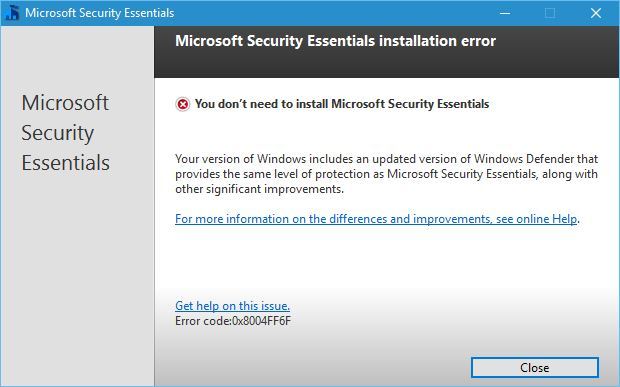
microsoft-security-essentials-install-error

Windows Defender comes preinstalled with Windows 10 and runs automatically every time you start your PC. This tool offers real-time protection, but it also comes with browser integration that scans files before they are downloaded.

Unfortunately, this feature doesn’t support third-party browsers and it currently works only with Internet Explorer and Microsoft Edge.

It’s worth mentioning that Windows Defender will turn itself off if you have a third-party antivirus software installed in order to avoid causing interference.


Don’t expose yourself to unnecessary risks. Find out why Windows Defender is the only malware barrier you need!


If you have a third-party antivirus software installed you won’t be able to start Windows Defender at all, so keep that in mind.

Windows Defender offers decent protection out of the box but in most cases, third-party antivirus software should offer better protection.

To check Windows Defender configuration, just press Windows Key + S and enter defender and choose Windows Defender from the list of results.
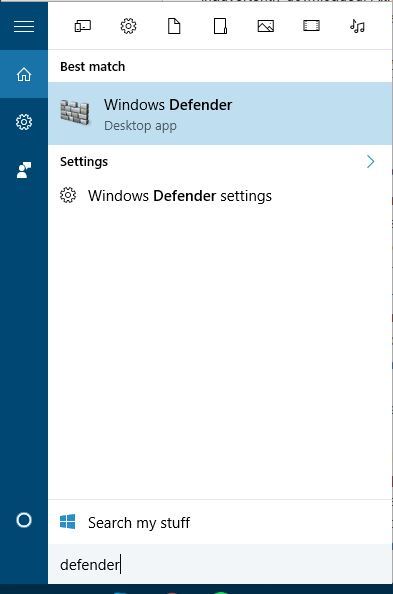
microsoft-security-essentials-defenderIf you have a third-party antivirus installed, you should see a message saying that Windows Defender is turned off.

The only way to enable Windows Defender again is to completely remove your third-party antivirus software — and that might not be the best solution, especially if you have a premium license for your antivirus program.
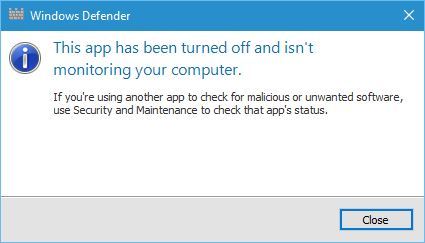
microsoft-security-essentials-defender-error

Microsoft Security Essentials can’t be installed on Windows 8 or later because it’s replaced with Windows Defender.

Windows Defender might be a decent antivirus software, but if you have any other third-party antivirus software installed, you won’t be able to use Windows Defender at all.

If you have any more questions or suggestions, don’t hesitate to reach for the comments section below.

READ ALSO:

TIMVision to launch all-new Universal Windows 10 app

In Italy, TIMVision is a popular streaming app which lets folks watch TV series, cartoons, films, and documentaries from anywhere, anytime, and from any device for just 5 euros a month.  The service long had an app available on Windows Phone, but it never proved to be too popular with Windows Phone fans.  A Universal Windows Platform version of the app, however, is now in the works (via WindowsBlogItalia.)

TIMVision Windows 10 Mobile
TIMVision Windows 10 Mobile (Image from WindowsBlogItalia.)

Seen above, The Italian Windows supersite managed to get their hands on an early version of the app. According to a rough translation, the website is even claiming that the new app is cross-platform and has the ambition of offering TIM customers with Windows service on a par with other platforms.  As is expected with the Universal Windows Platform, there is even a Windows 10 desktop version of the app, which looks pretty sleek, clean, and modern (seen below.)

3
TIMVision Windows 10 desktop (Image from WindowsBlogItalia.)

If anything, this is perhaps an indication that more and more developers are embracing the Universal Windows Platform, and are also listening to the complaints of Windows Phone fans.  We would love to hear your thoughts on the look of this app, so be sure to drop us a comment below!

Here’s what’s good, bad, and ugly in tonight’s new Xbox One Preview Build

The latest Xbox Preview Build (rs1_xbox_rel_1608.160725-1822) will begin rolling out in a few hours and it will feature a variety of refinements to the current version as well as a few more improvements.

Here are the official notes concerning the changes for the new release. Of note is the information on how being in the Xbox Preview Program affects game purchases (for now) and the inclusion of Microsoft’s SmartScreen security feature:

  • Certain content (games, apps, DLC) purchased in the new Store may only be available on consoles enrolled in the latest Preview update. This means…
  • Games purchased on a console running the latest Preview update can only be played on that console or other consoles running the latest Preview update.
  • Games purchased via Xbox.com can be played on any console.
  • Games purchased on a console running the previous update can be played on any console.
  • Certain parental control features aren’t functioning appropriately in the current build. As a result, we encourage users to exercise caution when letting children access a console that is using the latest Xbox One update until these issues are resolved.
  • We’ve added several settings that are already found on Windows today. These include SmartScreen Filter, which sends URLs you visit in apps to Microsoft to check against a list of potentially harmful sites, and advertising ID, which helps Microsoft present you with more personalized ads in Universal Windows Apps. You can choose to turn these off and manage your preferences for how Xbox One uses your information in Settings.

Here are the official notes on the fixes in this build.

  • My Games & Apps: Resolved an issue which could cause a blank tile to remain after uninstalling a universal app. Resolved an issue which could sometimes cause universal apps to fail to launch.
  • Home Universal app tiles should no longer show up as 0% installation progress on the Home dashboard.

There are some problems that users will still encounter with this build, mostly regarding apps and media on the Xbox One. This is to be expected when taking part in the Xbox Preview Program which is literally used by Microsoft to test for bugs like these. Here are the notes.

  • If a universal app version of an app is available, the version which is not currently installed may appear under Ready to Install (causing what appears to be the same app both installed and in Ready to Install).
  • You may encounter an an installation error (0x800700002) when attempting to install or update universal apps. Workaround: Uninstall and reinstall the app. If you have the app installed on both the internal hard drive and an external hard drive, be sure to uninstall from both.
  • You may be unable to answer calls through Skype notifications.
  • You may experience a “Do you own this game or app?” error when launching or using Netflix if it was installed by another user on the console. Workaround: While signed in as the primary user, uninstall Netflix, navigate to the Store, search for Netflix and select Free to download and install it.
  • When selecting “Add new” to add a new profile, the add profile interface may take up to 30 seconds to appear.
  • If you have pins on your Home to movies, TV shows, or music, they will disappear from Home when that app takes its new app update. The pins for the apps will stay on your Home, easy to get to.
  • Community Calendar Links to the Store in Community Calendar event details do not currently function.

A lot of these features (if not all of them) are expected to roll-out to the general public with the big Xbox One Anniversary Update next month. Are you looking forward to this update? Let us know your thoughts in the comments below.

Help the Windows Insider program choose an official t-shirt design, vote now!

The Windows Insiders are a group of people who are all fairly devoted to one cause: crushing bugs and making Windows 10 a better operating system. Like any group of like-minded individuals, it only makes sense that the Insiders get themselves a fancy new t-shirt to signify their love of the community. If grabbing a t-shirt like that sounds good to you, then you ought to go take a peek at the latest survey coming from the Insider team, which asks you to take your pick of which potential t-shirt design you prefer.

They aren’t making any firm commitments that the winner of the survey is going to be the shirt that ends up on the store, but it’s clear that just like input into the Windows Insider program itself, your opinion is going to be valuable in the decision making process. There are designs ranging from minimalist shirts to shirts that almost look like they belong in a biker gang, ensuring that people of all tastes should be able to find something they like.

shirt2
very fancy!
shirt6
The Windows family
shirt7
Bug Crusher!

There are seven t-shirts in all to choose from: check them out and then vote simply by clicking on the one you like and then hitting “submit” at the bottom. No information just yet on how to get one of these beauties, we’ll keep you posted! Which one is your favorite?

IMO.IM app is now available for Windows phones

If you’re a chat fan, you may want to check out the new IMO.IM app for Windows phone. IMO is a free app, allowing users to send text messages and make voice and video calls with their friends, no matter what device they are on.

Here are the features offered by the IMO.IM app:

  • “Send unlimited instant messages
  • Group chat with friends, family, roommates and others
  • Keep chats in sync with mobil
  • Make high-quality video and voice calls
  • Share photos and videos
  • Express yourself with hundreds of free stickers.”

However, there are some features available on the other platforms, which are not yet supported by the IMO.IM app for Windows. For example, in the official app description for Android, users are informed they can make group video calls with friends, whereas the Windows version of the app supports only the group chat feature.

Also, the Android version for the app clearly mentions that chats and calls are encrypted, whereas the Windows description of IMO.IM doesn’t mention anything about such a security feature.

Judging by the user feedback, the IMO.IM for Windows Phone is not a very good app, as it currently has a rating of 3 out of 5 stars.

When you first install the app, you need to provide a valid phone number so that the app can send a verification code to that number. However, it appears there is a problem with the verification code, as many users reported they didn’t receive it and cannot access the app.

Where’s my verification code?? I’m still waiting for the verification code :\


I don’t get the verification code so the app is totally useless!!

You can download IMO.IM for Windows Phone 8.1 and Windows 10 Mobile from the Windows Store.

RELATED STORIES YOU NEED TO CHECK OUT:

Microsoft will give you a free tablet when you buy a Windows 10 PC

The Microsoft Store in both the U.S. and Canada is running a new promotion where customers who purchase a Windows 10 PC walk away with a brand new 8-inch tablet from NuVision. It’s a good deal, but will only last for a limited time so if you’re interested, make a move now.

The NuVision tablet usually goes for $99, so consumers are not getting a powerful piece of kit, just something for basic use. In the past, Microsoft made a similar deal where it offered the same tablet for $40 along with a purchase of a Windows 10 computer.

Bear in mind that not all Windows 10 PCs are eligible. There are a selected few and Microsoft made sure to list them for all to see before they decide to jump in. The cheapest Windows 10 PCs on this list go for $699 while the most expensive is $3,499.

Most computers on the list are on sale. One in particular, the Alienware 15 Touch Signature Edition Gaming Laptop, sports a $500 discount that brings it MSRP down to $1,999.

There’s ample time to take advantage of this deal seeing as it won’t go out of commission until September 9, 2016. Microsoft is clearly targeting those who are in full back to school mode, and the plan might just work out in the software giant’s favor.

If you’re not seeking a Windows 10 computer but a smartphone instead, the Acer Liquid Jade Primo is going for cheap on the Microsoft Store right now.

RELATED STORIES YOU NEED TO CHECK OUT:

IDC: Microsoft in third in Worldwide Cloud Systems Management Software, and gaining fast

Businesses are constantly looking for better deals in cloud computing. The prospect of a cost-effective and simple management across products and services is appealing for enterprise customers. Every day, consumers embrace the expanding market for cloud services. Premier market intelligence firm IDC estimates that “worldwide spending on commercial cloud systems management software and SaaS solutions grew 24.6% and totaled $2.9 billion in 2015.”

IDC expects that by the end of 2017, over 80% of enterprise IT organizations will commit to hybrid cloud architectures encompassing multiple public cloud services, as well as private cloud and/or noncloud infrastructure resources.

Following the tireless creed of “Cloud first, Mobile first,” Microsoft has made certain to cement their spot near the top of the list. In fact, the recent report by Mary Johnston Turner, IDC research vice president, gave detail to the expanding growth of Microsoft Azure as a worldwide cloud system compared to its competitors.

Worldwide Cloud Systems Management Software Market Share
Source: IDC.

According to the publication, Microsoft is hot on the tail of market leader VMware. Both offered cost efficient management suites and unified licenses to their customers, a strategy that seems to be working well in the market for many vendors.

Worldwide Cloud Systems Management Software Revenue by Vendor
Source: IDC.

The report attributes much of Microsoft’s growth to a variety of announcements and innovations as a result of the ‘cloud first’ solution. Such as the release of Microsoft Operations Management Suite and Azure Stack.

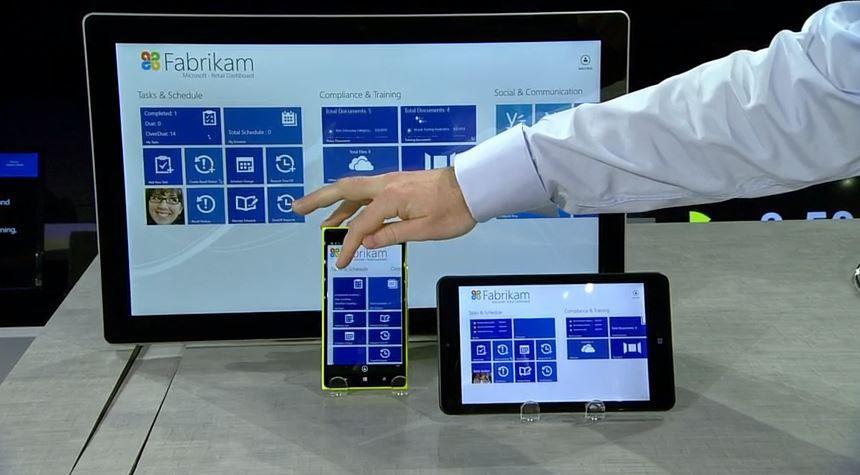
Microsoft emphasized it will continue to support on-premises System Center upgrades and deployments for many years. As Azure gains traction with enterprise customers, more and more Microsoft systems management software including portions of System Center, Window InTune, and OMS are being deployed to support cloud.

Turner also noted in the analysis that the market demand for cloud systems are still strongest in the Americas. That doesn’t count out the rest of the world, though. Interest has continued to build in EMEA and Asia/Pacific regions compared to previous data.

While the report doesn’t note any expected predictions for the next year’s growth, it does state that the market did meet their former expectations. Customers are gaining confidence and selecting cloud systems that meet their needs at low costs with efficient services. Microsoft intends to provide just that through the Azure cloud as they race their way towards the top.

Boom Boom Rocket and Syberia join in the Xbox One Backward Compatible fun

One of the more popular and, dare we say, successful Microsoft programs has been the Backward Compatible feature for Xbox One. The growing list of Xbox 360 titles that can be played on Microsoft’s latest console continues to add value, and Microsoft seems intent on continuing the stream of games that can be played on the Xbox One.

Today, two new titles were added, according to Major Nelson’s Twitter account:

Boom Boom Rocket: $9.99

Boom Boom Rocket.

Set off an amazing display of fireworks with Boom Boom Rocket. As rockets fly against a spectacular cityscape, time their detonation to the beat of the music to unleash some awesome pyrotechnics. Featuring four game modes including two multiplayer modes, and a great soundtrack, Boom Boom Rocket is the explosive must-have game for Xbox Live Arcade. Download the trial version now.

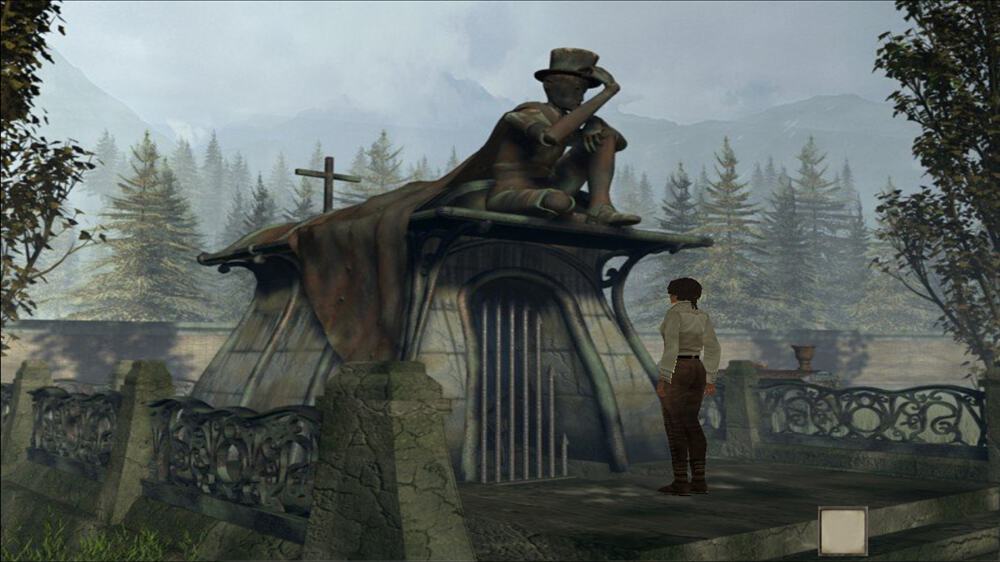
Syberia: $9.99

Syberia.

The critically acclaimed adventure jewel from Benoit Sokal arrives on Xbox Live Arcade.Embark on an unforgettable journey into Syberia’s enigmatical universe and explore a bewitching world full of larger than life automatons! Incarnate Kate Walker, in her quest to unveil the mystery around the disappearance of the Voralberg factory’s heir, a formerly glorious company, and experience situations that will put Kate’s lifestyle under question!

There you have it, the latest two additions to the Xbox One Backward Compatible program. Let us know in the comments if you plan to play either of these titles on your Microsoft console.

This Windows 10 app helps Pokémon Go fans cheat

It’s a shame that Windows 10 Mobile users can’t play Pokémon Go, a topic that’s been of some interest since the augmented reality title became the most popular mobile game ever. Rumors abound that an app might be coming to Windows smartphones, petitions keep popping up, and Microsoft’s most important Pokémon Go platform so far has been HoloLens.

Pokémon Go Find ’em app running on Windows 10.

That didn’t stop some developers from putting together a Windows 10 app that utilizes an exploit to helps Pokémon Go players all of the important Pokémon’s in their general vicinity. According to Windows Central:

Find ’em all is a new app from developer Daniel Gary, who threw the it together literally in one night. The concept is simple: using data gathered from the Pokémon Go servers, users can see in real-time where Pokémon are based on their current location. Tapping any Pokémon on the display reveals the name and time the imaginary collectible expires. Tapping anywhere else on the map will initiate a scan in that region.

If you’re a Pokémon Go player and registered with the Pokémon Trainer Club, then you can at least use your Windows 10 device to get a head start on local Pokémon’s. You can download the app here (it may not be active in the Windows Store quite yet), and let us know in the comments what you think of using your Windows 10 device to get a leg up on your competitors.

Xbox Summer Spotlight returns, highlighting new games today through September 5th

The Xbox team is bringing back its Summer Spotlight. Judging by the list, this summer’s gameplay will be dominated by exclusive betas for the month of August 2016. The idea behind Xbox’s Summer Spotlight is to highlight new games coming to the Xbox One over the next six weeks (July 26 – Sept 5) as summer kicks into full swing, and the lure of air condition gameplay grows even stronger. Major Nelson is planning big things for the Summer Spotlight:

To celebrate the Summer Spotlight, I will be giving away an Xbox One S, Xbox Elite Wireless Controllers and copies of every Summer Spotlight title. Details coming soon!

But wait there’s more! Earn 4,000 Rewards Credits for diving into these releases featured in Summer Spotlight. Just spend $40 on featured game betas, previews, and digital releases Enjoy these great games with the convenience of downloading them right from your living room to your Xbox One!

For those interested, here are names and dates of games soon to be available for download:

15 July:

Kerbal Space Program

The Solus Project

19 July:

Sword Coast Legends

26 July:

We Happy Few (Game Preview)

Dungeon Punks

Hyper Light Drifter

27 July:

Action News Heroes (coming soon)

29 July:

Uno (coming soon)

Most notably among the betas is We Happy Few which was well received by crowds at this year’s E3 2016 convention. Rewards members will be among the first to get their hands on this eerily dystopian version of BioShock. As previously stated, there will be more titles coming down the pipe and the gamers are encouraged to follow either Xbox representative Major Nelson or the various official Xbox social media accounts for updated listings every Tuesday.

Here’s August’s Xbox Games with Gold and this week’s Deals With Gold savings

Another month has passed in the world of Xbox, and that means it’s time for a fresh set of free Games With Gold titles. We’ve checked out August’s free titles, and the weeks Deals With Gold savings and have detailed them for you below.

August Xbox One Games With Gold:

August 1st- August 16th- WARRIORS OROCHI 3 Ultimate ($59.99 ERP)

The WARRIORS OROCHI series is a series of tactical action games in which heroes from the DYNASTY WARRIORS and SAMURAI WARRIORS franchises work together in an effort to defeat Orochi, the Serpent King. The latest title in the series, WARRIORS OROCHI 3, features over 120 playable characters, who can be played freely in three-character teams. Themes of loyalty, betrayal, friendship and love are explored in the human drama created as these heroes clash on the field of battle.

August 16th to September 15th- WWE 2K16 ($39.99 ERP) :

Get in the ring and Raise Some Hell with WWE 2K16!  The undisputed champion of wrestling games returns with the biggest roster in WWE games history and the “Texas Rattlesnake” Stone Cold Steve Austin as its Cover Superstar!  Play as your favorite Superstars from the past, present and future and experience the most authentic, comprehensive, in-your-face WWE video game of all-time!

Xbox One Deals With Gold:

As always, this week’s Xbox One Deals with Gold savings includes a wide range of titles and add ons. On the add on side, Battlefield Hardline Crimnal Activity becomes free because of Deals with Gold, and Killer Insict Character Aria sees a 80% discount.  When it comes down to actual games, however, the following titles have been discounted:

  1. Metal Gear Solid: Ground Zeroes  75% off
  2. Worms Battlegrounds 75% off
  3. EA SPORTS Rory McIlroy PGA TOUR 70% off
  4. The Escapists 66% off
  5. Another World – 20th Anniversary Edition 50 % off
  6. Bridge Constructor 50% off
  7. Starpoint Gemini 50% off
  8. Knight Squad 33% off
  9. Metal Gear Solid: The Phantom Pain 33% off
  10. Pro Evolution Soccer 2016: Digital Exclusive Bundle 33% off
  11. Sheltered 33% off
Xbox One
Xbox One With Controller

August Xbox 360 Games With Gold:

August 1st- August 15th Spelunky ($19.99 ERP) :

Spelunky is a unique platformer with randomized levels that offer a new and challenging experience each time you play! Journey deep underground and explore fantastic places filled with monsters, traps, and treasure. Fully-destructible environments open up lots of strategies and make it a blast to master the game’s many secrets.

August 16th- August 31st: Beyond Good & Evil HD ($14.99 ERP) :

Beyond Good & Evil™, the award-winning action-adventure game is back! This time play through this innovative thriller in full high-definition graphics. Play as Jade, a young investigative reporter, and expose a terrible government conspiracy. It is up to you and your loyal pig friend Pey’j to save your planet and its inhabitants.

Xbox 360 Deals With Gold:

Just like on Xbox One, there are many savings on DLCs and Xbox 360 titles this week. On the DLC side is once again Battlefield Hardline Criminal Activity. There are also 50% discounts on a few Xbox 360 Arcade titles such as Castlevania: Symphony of the Night, Frogger,  and Alien Breed. Other deals include the following Xbox 360 games:

  1. Pro Evolution Soccer 2016 25% off
  2. Metal Gear Solid V: The Phantom Pain 33% off
  3. Metal Gear Rising Revengeance 50% off
  4. METAL GEAR SOLID 2 and 3 HD 50% off
  5. Metal Gear Solid HD Collection 50% off
  6. Metal Gear Solid Peace Walker HD Edition 50% off
  7. Castlevania: Lords of Shadow 2 75% off
  8. Metal Gear Solid V: Ground Zeroes 75% off
An Xbox 360
An Xbox 360

So, there you have it! Those are this week’s Deals With Gold savings, and August’s Games With Gold. The fun is always doubled for those who have Xbox Live Gold, because as part of the Games with Gold program you can play both Xbox 360 titles on your Xbox One with Backward Compatibility.

As always, please let us know what you think of these deals and titles by dropping us a comment below!

Microsoft kicks off internal //oneweek with Hackathon

On Monday, 14,000 Microsoft employees from over 72 countries around the world opened up the first day of the annual //oneweek festivities, including a Hackathon.

ready for Hackathon
ready for Hackathon

Complete with thunder sticks, capes, and sunglasses, the employees all came together at the event to see and demo the latest Microsoft products, ask questions about what’s coming in the next fiscal year, volunteer in their communities and celebrate their accomplishments.  In an official post about the event, Microsoft notes that there are more than 3,200 registered Hackathon projects, and employees hack everything Microsoft, from bots, to HoloLens, and more. It is also noted that the employees focus on cognitive services, accessibility, and  inclusive design while at the event.

This is the third annual //oneweek gathering. The event first started back in 2013 , and is centered on helping Microsoft employees become aware of the company’s ambitions.  We would love to hear your thoughts on //oneweek, so be sure to drop us a comment below!

New video games Hyper Light Drifter and Dungeon Punks out now on Xbox One

Hyper Light Drifter and Dungeon Punks are both now available on the Xbox One.

Dungeon Punks is a brawler which can be played with a single player or up to three players in local multiplayer. It features 12 different areas, a variety of boss battles, over 12 hours of gameplay in story mode, and a special New Game Plus Mode. Here’s the official description: Dungeon Punks is a fast paced Action RPG with a unique Tag-Team fighting system and Local Player vs. Player Brawl Mode. Adventure awaits whether you’re going solo, playing with friends, or beating each other to a pulp in one of the many battle arenas! Total mayhem is bound to break loose as you blast your enemies senseless with crazy magical spells and custom combo attacks. If you enjoy other Arcade-Style Brawlers or Action RPGs, you’re going to absolutely love Dungeon Punks. We spent almost five years on it to bring you what we hope you’ll agree is the most fun 2.5D brawler of all time!

Buy Dungeon Punks on Xbox One

Hyper Light Drifter is an action and adventure title with hand-drawn animation, upgradable weapons, and branching skill trees. Here’s the official description: Echoes of a dark and violent past resonate throughout a savage land, steeped in treasure and blood. Hyper Light Drifter is an action adventure RPG in the vein of the best 16­bit classics, with modernized mechanics and designs on a much grander scale.

Drifters of this world are the collectors of forgotten knowledge, lost technologies and broken histories. Our Drifter is haunted by an insatiable illness, traveling further into the lands of Buried Time, hoping to discover a way to quiet the vicious disease.

Buy Hyper Light Drifter on Xbox One

Have you played either Hyper Light Drifter or Dungeon Punks on Xbox One? Let us know which one you think is best in the comments below.