Many Xbox One users have been requesting keyboard and mouse support for quite some time. At the beginning of the year, Microsoft confirmed the Xbox team was working on developing full keyboard and mouse support for the Xbox One to satisfy these requests.
Six months later, Phil Spencer, head of Microsoft’s Xbox division, confirms once again that the team is working on it, revealing the keyboard mode is indeed working in dev kit modes. The bad news is that mouse support is a bit further away as the Xbox team hasn’t really managed to integrate both keyboard and mouse support.
Spencer didn’t go as far as directly stating that keyboard and mouse support was years away. Rather, he simply said that full support was “months away.” In the best case scenario, this means that this feature will be available in a year’s time, maybe one and a half years’ time at most. In the worst case scenario, it could take more than two years to see full keyboard and mouse support on the Xbox One.
I keep talking about it in the press and my platform team keeps shaking their head, because they… Truthfully in our dev kit modes now keyboard works, mouse support is a little bit further away. I say it because I know it’s not years away, it’s more like months away, but we don’t have an exact date yet.
However, taking into account how fast the gaming console world is evolving, we’d bet on the first scenario as Microsoft needs to roll out new features and new Xbox devices to keep customers interested.
Xbox One owners suggest that Microsoft should add joystick support as well. This feature seems a bit far-fetched now, taking into account that the Xbox Team is currently struggling to make keyboard and mouse support work.
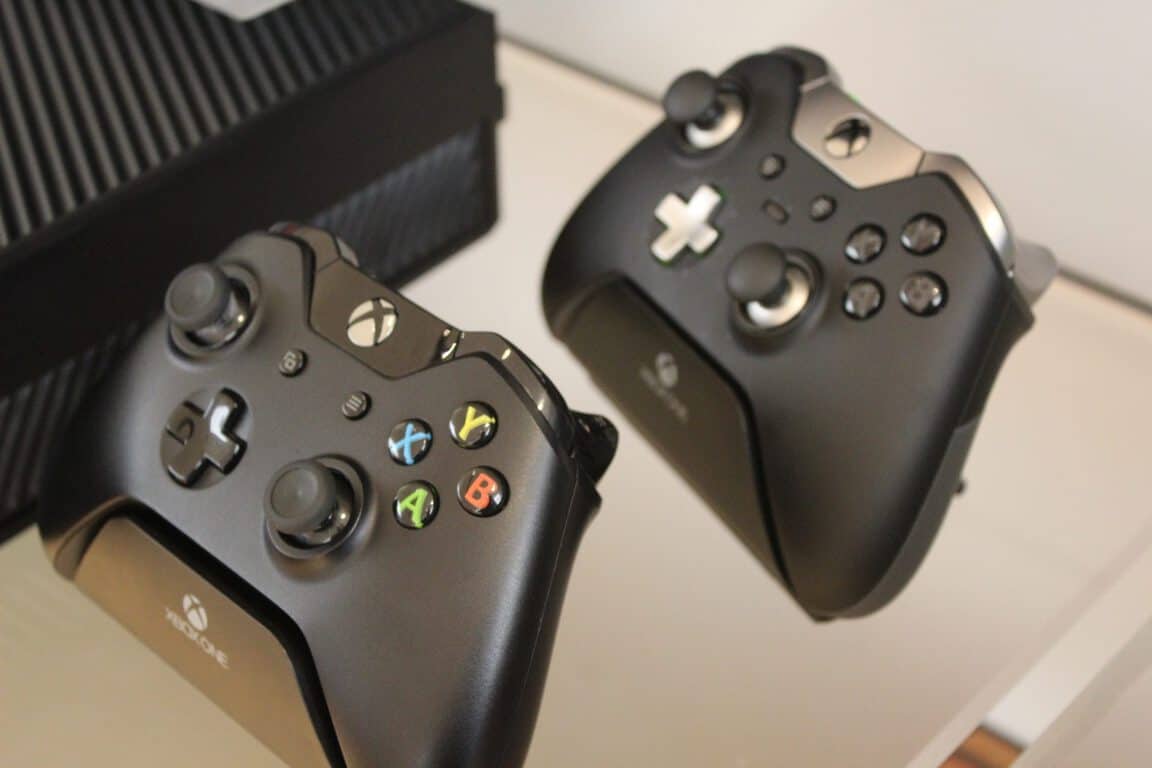
Meanwhile, you can test out the new Xbox controller, compatible with both the Xbox One and Windows 10 PCs, and see if it satisfies you until Microsoft integrates keyboard and mouse support.
If you think your computer is a little bit outdated, it may be time to consider upgrading to something a little bit stronger. Even if you’re not looking for a powerhouse, the latest big sale on the Microsoft Store is offering people some pretty serious deals when it comes to picking up new computers. The deals go all the way up to $1000 off, and there’s a hefty discount available to suit the taste of anyone – professionals, gamers, artists, or whatever else your needs might be.
These are all some pretty high-quality machines, and the deals Microsoft is presenting here can get pretty ludicrous. $1000 off of that Alienware laptop is massive – the laptop comes with an Nvidia GTX 970M GPU, an Intel Core i7 processor, and a 4K screen, so it’s pretty cutting edge all things considered. If you want to check out all of the deals in one place, you can do so right here. Remember that the deal is only going on until the 20th, so you’re going to want to hurry up if at all possible!
During an interview at E3 2016, Todd Howard, the head of Bethesda Game Studios, claimed the company has at least two major projects in the pipeline before we hear anything about the next Elder Scrolls installment.
While speaking with Geoff Keighley during YouTube’s E3 2016 coverage, Howard admitted that Elder Scrolls 6 is something Bethesda Game Studios will work at some point, but it will take quite some time before this will happen.
Howard added that the team has a lot in mind for this particular game and if he were to reveal how they want the game to be like once it will be released, many gamers and critics will criticize the company for lacking the technology to make it happen. So, instead of talking about this upcoming game, the head of Bethesda Game Studios is deciding to stay mum about the next title altogether.
However, Howard said that the team’s other two large projects are even bigger than anything that they’ve done up until now. Still, despite their size, it won’t take long before we hear some news about them. In fact, these two new projects are expected to be released before The Elder Scrolls 6 is even announced.
At E3, Bethesda announced a Special Edition of The Elder Scrolls 5: Skyrim, which is slated to be released on October 28, 2016 for Xbox One, PlayStation 4 and Windows PC. The new version of the game will come with better graphics and is sure to please all fans of the game series.
You can watch the interview with Todd Howard below:
When do you think that The Elder Scrolls 6 will be released?
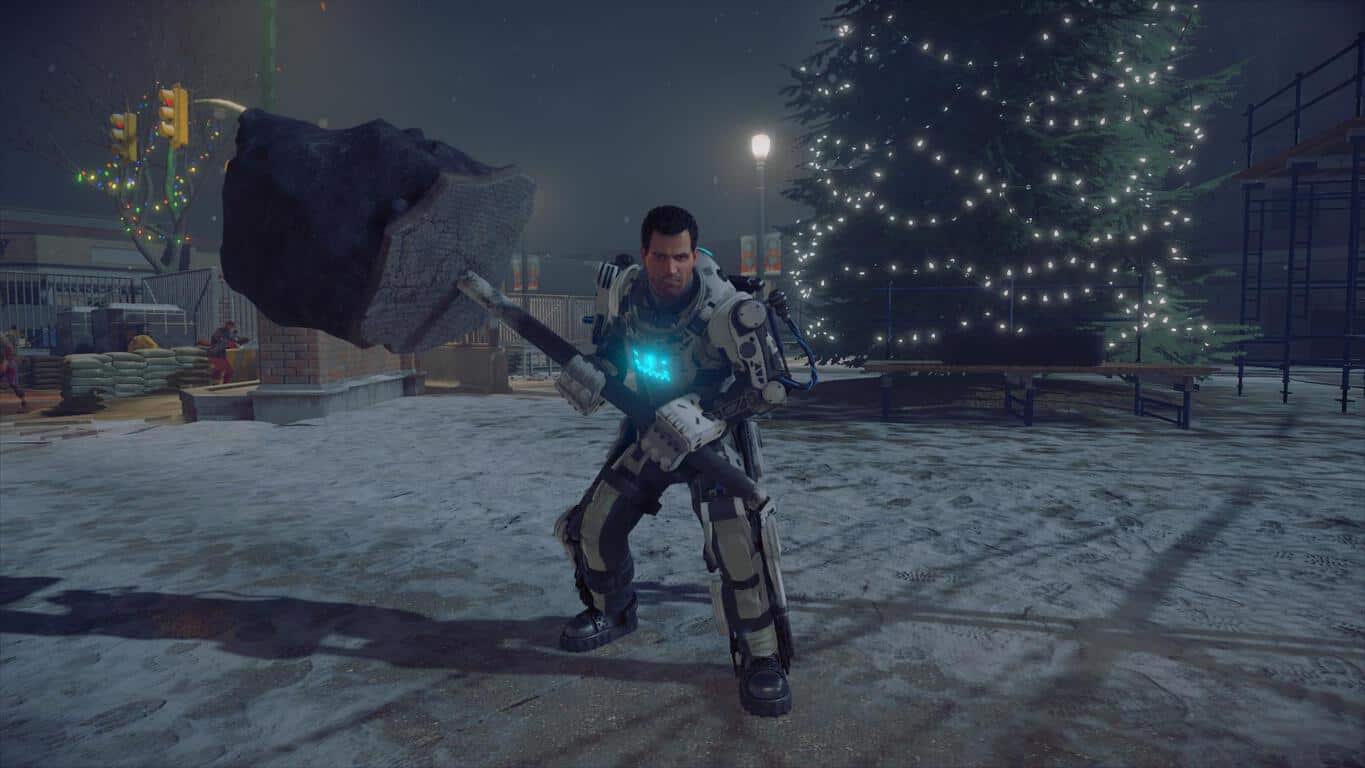
While the Dead Rising 4 reveal during Microsoft’s Xbox One gaming keynote helped bolster the number of game trailers and demos the company was able to trout on stage, it looks like the company’s public association with the game will be relatively short lived.
According to a Gamespot report, Dead Rising 4 will only be a “timed exclusive” for Xbox One users and the game “could eventually make its way to PS4 and Steam.”
In an act of transparency, the Xbox division issued the following statement regarding Dead Risings partial exclusivity:
Dead Rising 4′ on Xbox One is developed by Capcom and will be published in partnership with Microsoft. Fans will be able to play ‘Dead Rising 4’ first on Xbox One and Windows 10 PC this December. It will remain a Windows 10 exclusive for the first 90 days and console exclusive on Xbox One for one year. We’ve had a close and longstanding relationship with Capcom including the launch of Dead Rising as an Xbox 360 exclusive and Dead Rising 3 as an Xbox One exclusive. We’re thrilled to partner with Capcom once again to help bring their ambitious vision for Dead Rising 4 to life.”
While there was no direct mention of availability for the PS4, Microsoft’s statement explicitly highlights the length of Capcom’s agreement with division regarding console exclusivity. Whereas, last year’s Dead Rising 3 game was offered to PC gamers after 10 months and remains an Xbox One console exclusive till this day.
Come December 2017; PS4 owners may be able to get their hands on a copy of Dead Rising 4, at the very least, PC and Xbox One gamers should be able to play in the post-infected zombie open world arena together for the next year.
While both of Microsoft’s tablets run the latest Windows 10 Pro operating system, the company is constantly releasing new updates in order to improve their performance. Next month marks the release of the Windows 10 Anniversary Update, celebrating the first anniversary of Windows 10’s launch, but until then Microsoft will continue to release builds with bug fixes and improvements. This includes both of its Surface Pro 4 and Surface Book tablets with company having announced that it will push out new firmware and driver updates for them
The Surface Book received the following driver updates:
– Microsoft driver update for Surface Base Firmware Update
– Microsoft driver update for Surface UEFI
– Microsoft driver update for Surface Integration
The Surface Pro 4 received the following driver updates:
– Microsoft driver update for Surface UEFI
– Microsoft driver update for Surface Integration
UEFI stands for Unified Extensible Firmware Interface, the replacement for the standard BIOS on Surface tablets which was introduced with the Surface Pro 3. Now, Microsoft is improving the UEFI to allow access to the Secure Boot Control and Trusted Platform Module (TPM) features.
In order to access the UEFI, shut down the device, simultaneously press and hold the volume-up button, then press and release the power button. When the Surface logo appears, release the volume-up button. In a few seconds, you will see the UEFI menu and be warned that making any changes to the system may affect its stability.
Users can manually check for updates by going to their tablet’s Settings > Update & security > Windows Updates > Check for updates. Before starting the installation process, they will need to make sure that the battery of their Surface is at least 40% charged.
Tom Clancy’s The Division is one of the most popular games out there now, managing to gain much popularity in just two months after its launch. Taking into account its success among fans, Ubisoft officially announced the game’s first full expansion to take advantage, even teasing gamers with a trailer that offered them a glimpse at the upcoming DLC.
We expected Ubisoft to announce the Underground DLC ever since we reported about the leaked DLC information on Amazon. In a late attempt to correct the mistake, the retail giant quickly removed the information and informed us that The Division DLC was unavailable. The company added that it did not know when or if the item would be back in stock.
A week later, the game developer confirmed the existence of this DLC and revealed it would launch it on June 28, on the exact same date rumored by the leak. Ubisoft didn’t mention anything about the pricetag, but it should be in the range of $15 since this is the price listed on the leaked images.
Underground is an expansion that takes players even deeper into the tunnels and sewers of New York city, in an attempt to squash regrouped enemy forces.
The Division: Underground brings randomly generated new missions, deadly urban dungeons, and new fighting scenarios. You will dive deep into the underbelly of New York and explore the underground maze beneath its streets: sewer networks, tunnels, flooded stations, derelict facilities, collapsed infrastructures, and more.
The Division remains one of the most popular games of the moment although it recorded a significant drop in the number of players. Some suggest this happened because of the game’s policy to permanently ban cheaters, while others claim this is because of the frequent in-game bugs.
Rumors suggest that Tom Clancy’s The Division could soon enjoy a movie adaptation starring Jake Gyllenhaal, but no official confirmation is available yet.
One of the most popular RPG franchises ever its 15th sequel later this year. The franchise’s next installment is predictably called Final Fantasy XV, and will arrive on Xbox One and PlayStation 4 on September 30, 2016.
At the E3 conference developer of the game, Square Enix showcased the new gam, by playing the first ever demo of Final Fantasy XV running on Xbox One. The demo showed off a part of the game called “Trial of Titan,” where developers fought against a huge titan.
The video also showed us some new combat mechanics that weren’t characteristic to previous games from the Final Fantasy franchise. For example, there’s a new dash mode that teleports player from one place to another. This dash move is a good defensive mechanism as it allows you to dodge various attacks.
The demo was played from a single character’s perspective, but other characters were also present. This could mean that Trial of Titan will be a multiplayer mode, but Square Enix didn’t officially confirm anything, yet.
You can watch the first ever Final Fantasy XV demo video below:
Final Fantasy XV will be released on September 30 on Xbox One and PlayStation 4. We expect the game to be available for pre-order during this summer but once again, no official dates were mentioned.
What do you think about the new Final Fantasy game? Will you buy it when it gets released? Tell us in the comments below!
The folks at 2K Games sure know how to create an exhilarating video game. During E3 2016, the company showcased 20 minutes of Mafia 3 in action, and it proved an explosive experience from start to finish.
The 20-minute demo is narrated by Haden Blackman, one of the leads on the game’s development team. Blackman shows us what the game is all about and what the lead character’s role is in the plot, set in 1968. Players will cause havoc in the city of New Bordeaux, an alternate version of New Orleans. The aim of the player is to rise up in the crime world to become the ultimate leader in organized crime within the city.
The lead character from the previous Mafia games is to show up in Mafia 3 as well, but as an associate and not a main character.
The first two games were fun to play, and the third appears to be going down the same route. If it can bring the fun and interesting story from the other games along with fixing some of their major issues, we could be in for the best Mafia game yet.
What else did we see at E3 2016? Well, Microsoft showed off an interesting trailer of State of Decay 2, the sequel to the much-praised State of Decay for the Xbox 360, Xbox One, and Windows PC. We also got the chance to see Scalebound’s multiplayer gameplay in action. While a bit chaotic, it looks to have some potential so we’re keeping our fingers crossed.
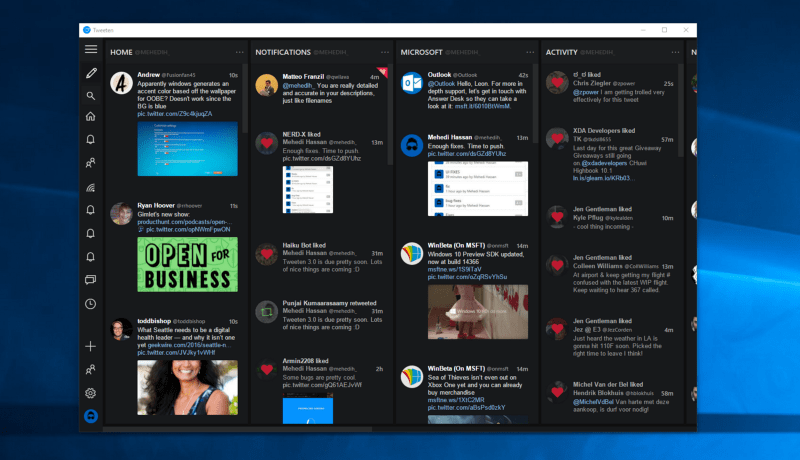
There are a number of excellent Twitter apps in the Windows 10 Store, but an alternative has been available for a wider variety of systems, specifically Tweeten for Windows 7, 8, and 10 and macOS machines. Now, the app has hit version 3.0 and brings with it a few new features.
Save GIFs and Images
Simply put, Tweeten can now save GIFs as intended, as .gif files, a feature that the developer indicates isn’t available on other major Twitter clients.
GIF saving is a feature which requires a lot of things as Twitter stores GIFs as .mp4 on their servers. Therefore, when you save a GIF using Tweeten, it may take a little while for it to download — based on the GIF’s size and quality. When you download a GIF using Tweeten, you will get a dialog saying that the download has started and you can continue browsing your timeline while the GIF gets processed in the background. Quite handy, right?
Save GIFs and other images.
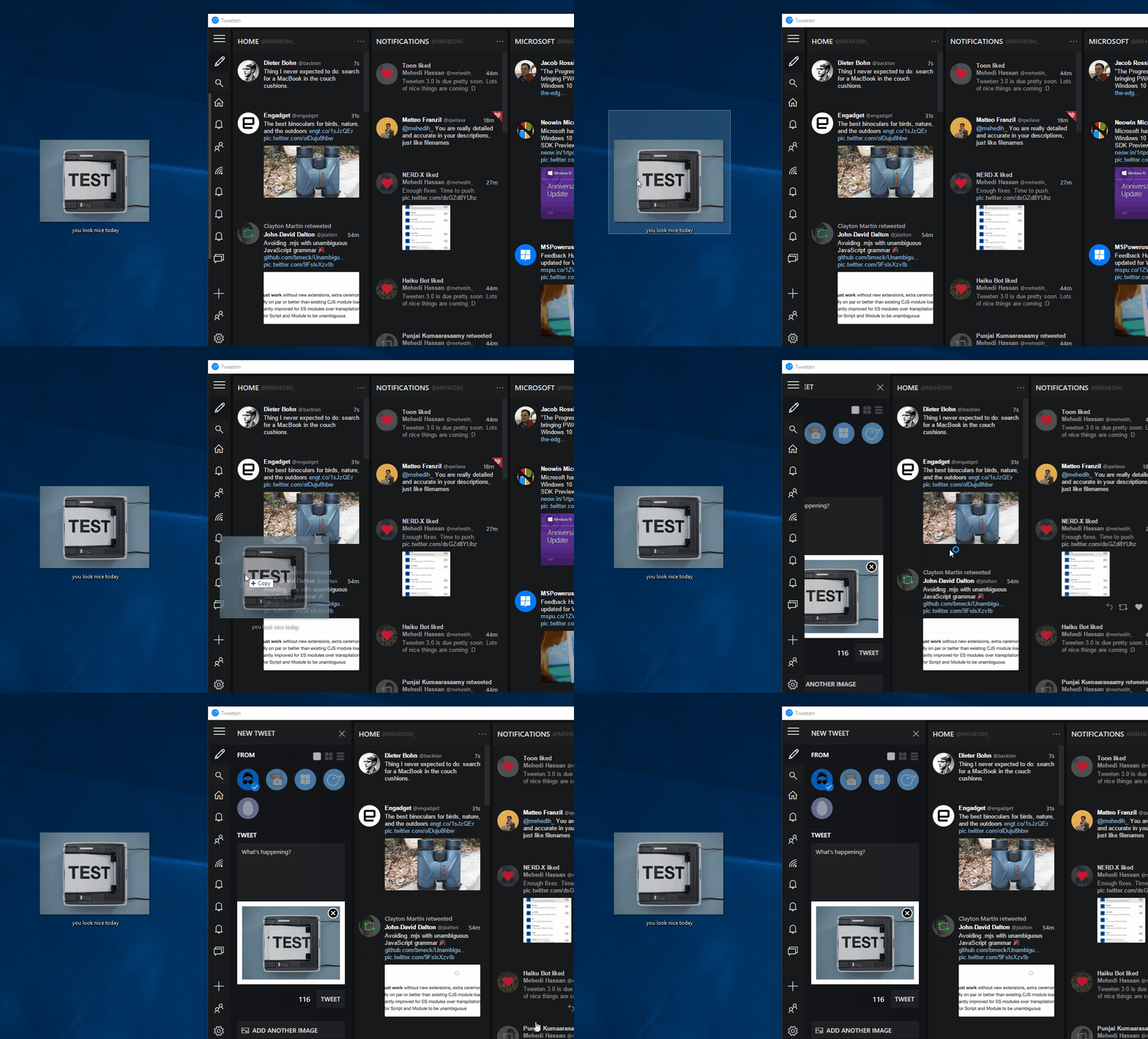
Drag and Drop
Tweeten now allows images and GIFs to be dragged and dropped into the app.
Drag and drop support.
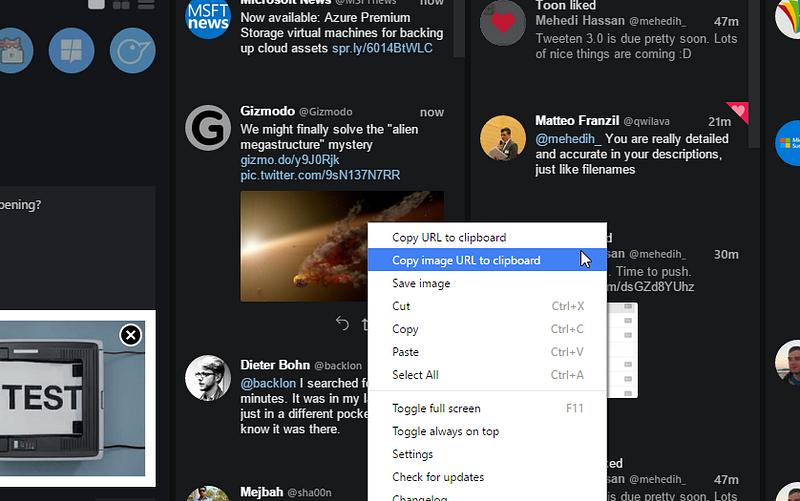
Copy URLs
URLs can now be copied directly to the clipboard, including image URLs, tweet URLs, links to tweets, links to user profiles, and more.
Copy URLs.
In addition, the app has received some other changes:
Firstly, there’s a new font for Tweeten on macOS which looks a lot nicer than the previous one.
The Settings window (finally) closes by itself when you click “Save Settings”
We have added support for TweetDeck’s native polls (you can only view the results for now)
We have fixed the overlay issue for videos and GIFs
We have fixed a bunch of other UI issues and optimized some parts of the app with Tweeten 3.0.
Download the Windows version and the macOS version and give the new version a try. If you’re a regular user of the app or are giving it a try for the first time, let us know what you think in the comments.
After a year of anticipation, Microsoft finally showed off Sea of Thieves to less than positive results.
From what we can tell, it seems like the type of game where players can plunder islands and the deep sea for treasure. What surprised us is how Microsoft went about showing off the game. Instead of giving us a straight gameplay, the company demonstrated pre-recorded segments.
In the footage, some Microsoft employees sailed ships and fire cannons at each other, but instead of coming away impressed, we came away annoyed. The players screamed and talked too much which made it difficult for us to lose ourself in what was being shown on screen.
Sea of Thieves is a game filled with potential, but Microsoft is finding it hard to get gamers excited for it. We hope whenever the software giant shows off this title again, it will allow for a long gameplay session to give players a true preview of what to expect.
Sea of Thieves wasn’t the only game announced at E3 by Microsoft as it also announced the Xbox One Slim to much fanfare. Things got even louder when Xbox head man, Phil Spencer, introduced Project Scorpio as the next best thing — and there is nothing Sony can do about it.
Microsoft has sent out an email to app developers who currently have apps in the Windows Store to ensure the age rating has been set. Developers who are not in compliance by September 30th of this year will have their app unpublished from the Windows Store. Here’s the email that was sent out to app developers:
As part of our continuing efforts to improve the Store experience for customers, we’re bringing enforcement of the Windows Store age rating policy to published apps that are not yet rated by using the new Dev Center age rating questionnaire. We’ve identified one of more of your apps as not having a rating based on the questionnaire.
To bring your app into compliance, just log in to Dev Center, click Update to edit Age Ratings and take the brief age rating questionnaire. When you’re finished, click Submit to the Store to publish the updated submission with the new age ratings in place. Learn more about the process here.
Apps that aren’t rated by September 30, 2016 will be unpublished.
Thank you,
The Windows Store Team
If you are an active Windows Store app developer, head over to the Dev Center to make sure your app’s age rating is all squared away.
Are you excited for the Gears of War 4 and Halo Wars 2 that were shown off at E3 2016? Xbox has just the way to help you advertise for them. Pick up some goodies to show off your favorite game. While the Gears of War 4 items have been available for quite some time, the Halo Wars 2 items have just been added this week in celebration of the official announcement.
Other items that have been recently added since the E3 2016 include a couple of XCOM 2 objects for the game coming later to console later this fall and more ‘Solid Gold’ collection items.
While the avatar items have microtransactions tied to them, they unlock permanently for your account. Mix and match to share your personality, advertise your favorite games, or just plain look cool. We’re sure to see plenty more given the hype surrounding the upcoming titles such as We Happy Few, Forza Horizon 3, and Titanfall 2.
For more about the games released at E3 2016, make sure to check out our recap!
With the success of the Windows Insider program, Microsoft now lets anyone give them formal feedback through the Feedback app. In this series we break down some of the most intriguing feedback and suggestions. We’ll do our best to dive into the lists of feedback rather than just have “dark theme everywhere.” This week we look at the desktop, a key area of Windows 10.
Note that the links to feedback items work by opening the Feedback Hub in Windows 10.
The desktop on Windows has come a long way. Windows 10 brought the merging of apps that were introduced in Windows 8 and the desktop in the form of windowed apps. It also brought virtual desktops and many more features to the environment.
The desktop serves as a home base for users and is a staple within Windows. While I think the desktop in Windows 10 is very good, there are always ways to improve. Here’s some intriguing and best feedback related to the desktop on Windows 10.
Give people options about one pixel borders
Personally I strongly dislike the one pixel borders surrounding Windows. I just can’t see why people would want a bright, barely visible but visible enough to be noticeable border around a Windows in the desktop but Microsoft has it as part of the design language of Windows 10. This piece of feedback calls for an option regarding borders. I know Microsoft tries to have a certain look and modern feel but with something so many people dislike such as these borders it would be nice to see options.
“Allow different backgrounds for each virtual desktop”
Virtual desktops were so demanded by users that they rejoiced when they were announced during the development of Windows 10. That being said, there are some improvements that people would like to see. This piece of feedback calls for separate background depending on the virtual desktop. This would help the effect of virtual desktops feeling like two distinct environments even though they are within the same PC.
On multi-monitor setups allows users to have a preference to where apps open
Let me walk you through a very common occurrence on my PC. I have an app open on one monitor, as my day progresses I drag the app between my two monitors. I switch my video playing app to one monitor to have on in the background while I do something else. When I go to open an app to be productive by clicking on a taskbar in the monitor I want it to be in BAM it opens on my other monitor. It may seem like a little thing but I always feel like I’m chasing apps when I open them on a multi-monitor setup. I could just be multi-monitor illiterate but it seems like they could also make it easier.
So I say a thousand times yes and upvote this piece of feedback which calls for the option to open things based on the monitor you click the taskbar from.
“Replace the speaker icon in the system tray with a similar headphones icon when the system detects they are plugged in”
This speaker related feedback asks for Windows 10 to switch the icon from a speaker to a headphone when you have them plugged in. This would be a great little touch to Windows 10 but unfortunately isn’t on the way any time soon. A Microsoft engineer responded to this feedback with “… we decided against making this change, because there are a few places where headphones are reported as speakers or vice versa. So to avoid potential confusion, we’re going to keep things as they are for now.”
Unfortunately there are some things preventing this from being a feature but hopefully they can work something out or as a Andrew S. suggested in that same feedback thread “As a compromise why then don’t you show a slightly different icon to represent that ‘something’ is plugged into the audio jack.”
Overall the desktop is very nice and it’s worlds ahead of where it was just a few years ago with Windows 8.1. I think Microsoft is making solid strides to improve it and hopefully the ones mentioned above will make the cut.
Please let us know what you would change about the current desktop and what you would like to see in future Feedback Friday posts.
The console space has always been quite an exclusive environment, even in this day and age of interconnectedness, with each machine having their own servers for online play. There have been very few games that have dared reach out to the other side, and one new game from Japan may very well be breaking the barrier: Tekken 7.
Specifically, in an interview with the creator of Tekken 7 – Katsuhiro Harada – at E3 2016, posted on Reddit, a tough question was posed: Will cross-play become a reality? Katsuhiro’s answer were decidedly vague, yet offers a glimmer of hope for groups of friends who are split on two sides of the battle zone: cross-play is not technically difficult, and it’s on the board for consideration. Nevertheless, there are a few things the developer will have to consider regarding the feature.
The first is about “policies”, in other words, console makers’ willingness to allow cross-play to happen. Microsoft overall have been pretty cool about the whole prospect, with Xbox executives consecutively going on the record as close as April this year to profess the One’s readiness for such an occasion; in fact, Microsoft even reportedly extended an invitation to interested networks to connect to Xbox Live, PlayStation Network included. Sony, on the other hand, have been mum about it, and it might be a while yet before the competitiveness cool off enough to benefit the players.
The second point of consideration, surprisingly, concerns a third, non-console platform. Yes, we are talking about the PC. Doing cross-play with PC is even easier than doing it between console according to Katsuhiro, due to the open nature of the platform. It is this openness, however, that also pose a challenge: it creates loopholes for cheaters to ruin the gaming experience for everyone – a pain point for any online PC games in general, that will also badly affects cross-play console gamers. Ultimately, it will be up to the gaming community to decide if cross-play should be implemented, Katsuhiro said.
This may also mean that, whether Tekken 7 will join Microsoft’s newly-announced Xbox Play Anywhere program – cross-play and cross-buy between Xbox and Windows – or not, remains on the table. We have to say, however, that a fighting game would be the perfect venue for cross platform together fun. Also, with Street Fighter 5 going the PS4-PC exclusive route, there may well be a potential opening for Tekken 7 to become the “all gamers’ champion” and retake the spot of the King of fighting games it once had, if cross-play becomes a reality. Stay tuned for more exciting Tekken 7 and Xbox news in the future.
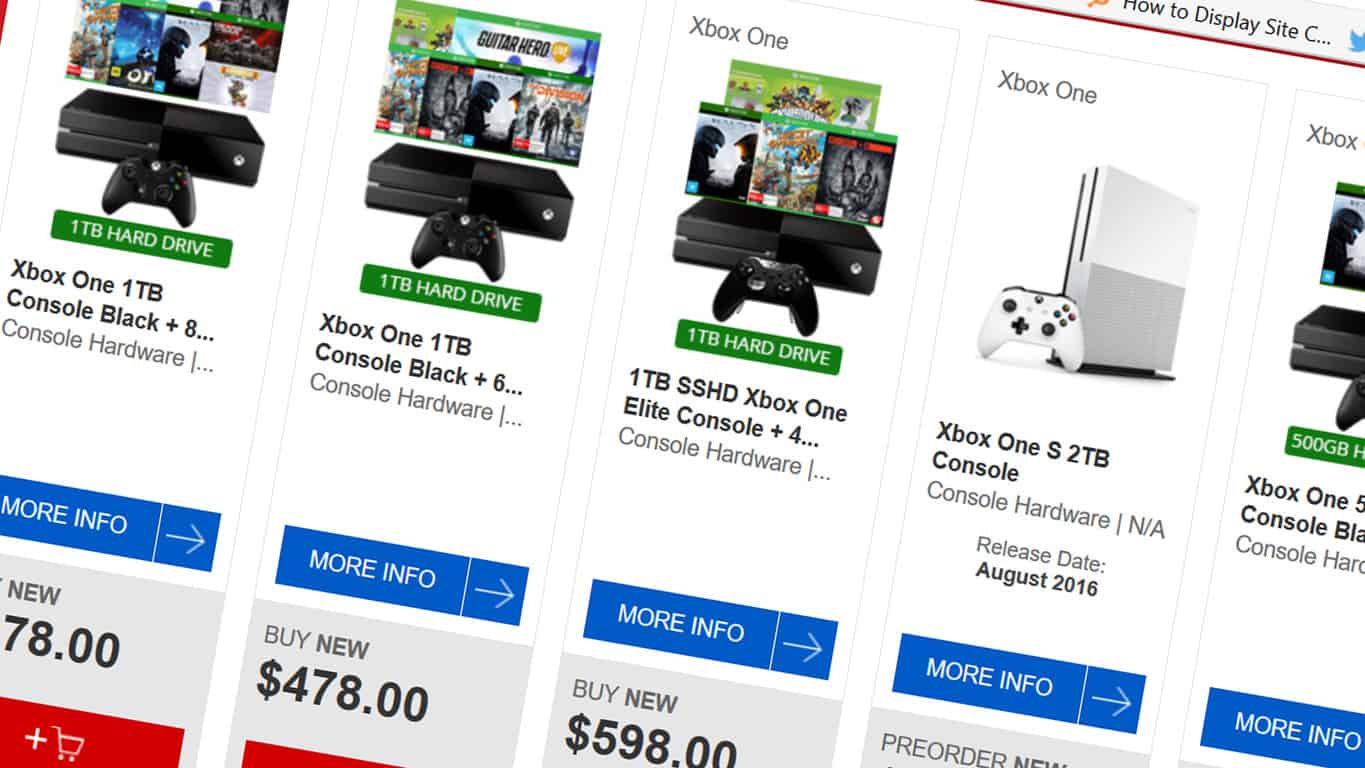
With the imminent launch of the new Xbox One S model coming in just a few months, many stores have begun selling the original Xbox One video game console for a variety of heavily reduced prices. Several stores in Australia in particular are currently offering gamers some fantastic deals that are worth checking out, especially for those that have yet to make the transition to the current generation of video game consoles.
One of the best deals is at Big W, which is selling new Xbox One consoles along, with download codes for The Lego Movie and Minecraft along with one of four other titles, for just AU$299. The listing is currently promoted on the Big W website here but can only be purchased in-store.
EB Games has a variety of bundles and discounts worth checking out with the 1TB Xbox One console and eight games AU$478 bundle being one of the more noteworthy options. They are also offering a 1TB Xbox One console with six games for the same price (slightly more interesting games), and a bundle with the Elite Controller, 1TB console, Skylanders Swap Force, Halo 5, Sunset Overdrive, and Evolve for AU$598. Their cheapest bundle is the $398 one with a 500GB Xbox One console with Gears of War and Halo 5.
Another good option for Australians looking for a cheap Xbox One console is JBHiFi which has several affordable bundles. The best one would have to be the AU$379 one which comes with the 1TB Xbox One console and a copy of Quantum Break and Alan Wake.
Incidentally, both EB Games and JBHiFi are already accepting pre-orders for the Xbox One S console which is due for release in August. It’s currently selling for AU$549 at both stores. No games are included (at the time of this writing) but the console does have 2TB of storage which is more than double the memory in some of the original Xbox One models. For more information on the Xbox One S, make sure to check out our full report on it here.
Are you planning to take advantage of the Xbox One discounts or are you waiting until the launch of the Xbox One S in August (or even the Project Scorpio in 2017)? Let us know in the comments below.
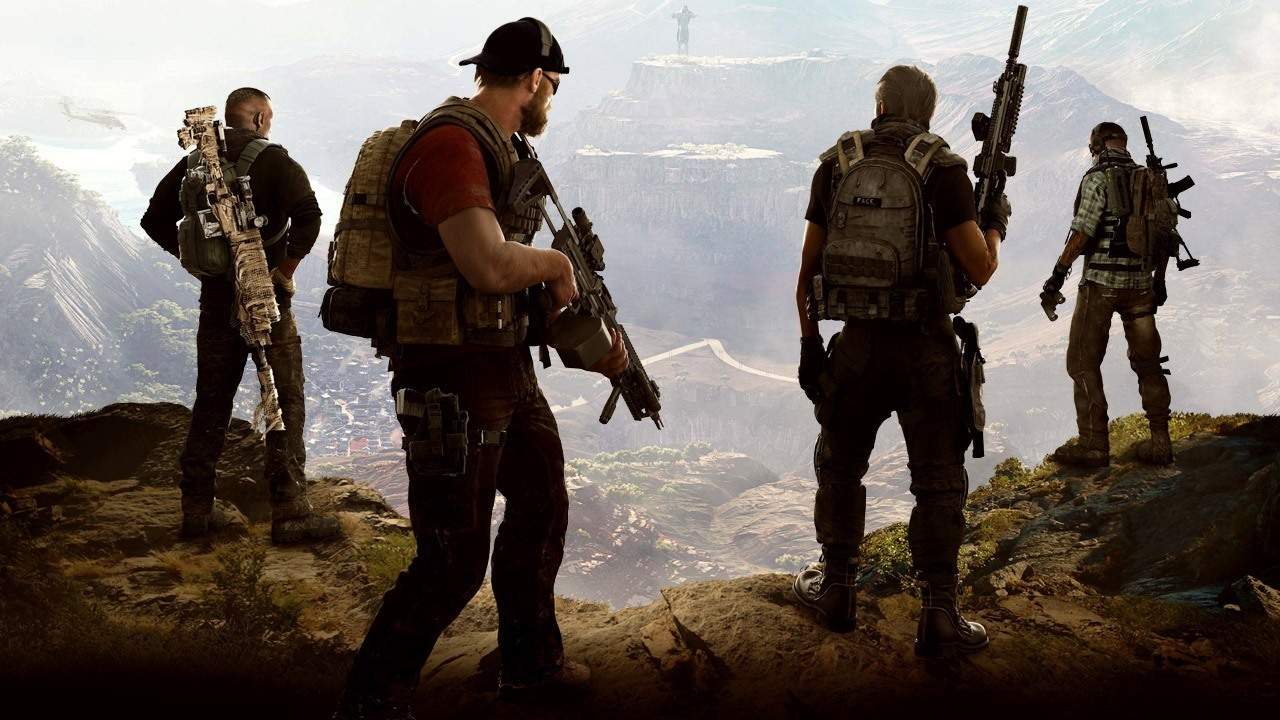
Yesterday, Ubisoft was at the E3 2016 event and revealed its upcoming Tom Clancy’s game, Ghost Recon Wildlands. Take a look below at the official cinematic trailer below:
Tom Clancy’s Ghost Recon Wildlands is an open world tactical shooter under development by Ubisoft Paris. According to Ubisoft, it will be one of the biggest open world games it has ever published.
In this game, you’ll be able to explore Bolivia on and off-road, on land, in the air and even at sea with 60 different vehicles. In this game, the Santa Blanca drug cartel has transformed the South American country of Bolivia into a violence and dangerous narco-state.
The people who live in Bolivia are terrified, but all hope is not lost: Ghosts, an elite US Special Forces team, can save the country by eliminating this dangerous group of people. Ghosts come armed with the latest weapons technology and can go deep behind enemy lines in order to exterminate them right at their roots. To make things even more difficult, the Bolivian government is corrupt and cooperates with the cartel, which means that the Special Forces team will need to annihilate the alliance between them, too.
Here is the gameplay trailer:
The game’s graphics are pretty awesome and we are pretty certain the developer will not skimp out on the story. Tom Clancy’s Ghost Recon Wildlands will be released for Windows PC, Xbox One and PlayStation 4 on March 7, 2017.
What are your thoughts about the upcoming Tom Clancy’s Ghost Recon Wildlands? Do you like tactical shooter video games?
Microsoft has officially released a new tool for Windows Insiders allowing for the clean installation of Windows 10. We learned about this tool not too long ago, and the download was made available yesterday. If you missed the news, you can check it out here. Here’s what Microsoft had to say:
We’ve heard from many of you that are attempting to perform a clean installation of Windows that it can sometimes be hard to get started. To help, we are providing a new tool that enables an easy and simple way to start fresh with a clean installation of Windows. This tool is now available from the Settings app for Windows Insiders using the latest builds that installs a clean copy of the most recent version of Windows 10 and removes apps that were installed on your PC. You can visit this Microsoft Community page (which has been updated) to learn more about the tool and download it.
As Microsoft points out, in order to use this tool, you will need to be on Windows 10 Insider Preview Home or Pro editions. This tool will install a clean copy of Windows 10 from a recent Insider Preview Fast released build — and this can be risky, so be cautious.
The build installed by this tool is not guaranteed to be the latest build available to Insiders, and at times may install a Windows 10 build that is older that you had previously.
Only three languages are supported — English, Chinese, and Japanese. Microsoft also points out that digital licenses may not transfer after using the tool.
During this preview period, we cannot guarantee your digital licenses, digital content associated with applications, or other digital entitlements for applications will be carried through after using the tool, which may impact your ability to use paid-for apps or apps-related content. For this reason, we don’t recommend installing the preview on any PC where you wish to ensure all of your applications and application-related content (including Microsoft applications such as Office) remain properly installed and licensed.
Ubisoft at the E3 conference in Los Angeles just announced a new expansion for its successful shooter, Tom Clancy’s The Division. The upcoming DLC will be called Survival and it will arrive for the Xbox One, PlayStation 4, and Windows PC in September 2016.
“Tom Clancy’s The Division is a revolutionary next-gen experience that brings the RPG into a modern military setting for the first time. In the wake of a devastating pandemic that sweeps through New York City, basic services fail one by one, and without access to food or water, the city quickly descends into chaos. As an agent of The Division, you’ll specialize, modify, and level up your gear, weapons, and skills to take back New York on your own terms.”
Ubisoft also showcased the trailer of the new DLC, which you can check out below:
In the DLC, you’ll play as a survivor of a helicopter crash traveling to the blizzard-hit New York in order to survive and escape.
This is the second expansion for Tom Clancy’s The Division Ubisoft recently revealed. Last week, the game developer announced the first DLC pack dubbed Underground which is slated to arrive on June 28 on Microsoft’s Xbox One, and on August 2 on PlayStation 4 and Windows PCs.
We don’t have much details about Survival, as its pricing and release date are still unknown. We only know that the DLC will arrive later this year, probably in September.
Tell us in the comments below: what do you expect from expansions for Tom Clancy’s The Division, and will you buy one?
Microsoft released cumulative update KB3163018 for Windows 10, as a part of June’s Patch Tuesday. At first look, the update is not so significant for regular users, as it just fixes some known problems in Microsoft Edge, IE 11, Cortana, and some other system’s features.
However, this update is actually more serious than we thought, because besides fixing some minor issues, it also brought some problems of its own! Over the course of past two days, Microsoft’s Community forums became flooded with various users’ complaints about issues caused by the most recent cumulative update.
Windows 10 cumulative update KB3163018 reported problems
Most complaints refer to failed installation of the update. A lot of users reported that they were actually able to download the update, but when it came to installing, it simply failed. Although this doesn’t look like an issue that could do harm to people’s PCs, it actually can cause a big mess.
When installation of the update fails, Windows Update will automatically re-attempt to install it, which can lead into some kind of loop, that can prevent Windows from installing further updates. Since Windows 10 is all about updates, that’s something users would definitely like to fix as soon as possible.
Microsoft didn’t say anything about this issue yet, so the solution remains unknown. We can recommend you to use the WUReset script to fix this issue, but we cannot guarantee it will work.
While failed installs bother most users, there are a few people who actually installed the update, but encountered some issues caused by the patch itself.
One user of the Community forums said that the power icon on his computer disappeared upon installing the update. Unfortunately, no one had a proper solution for this issue, but a good thing is that nobody else reported the same problem, so we assume this flaw affected just the majority of users.
Another reported issue is the problem with OneDrive after installing KB3163018. Namely, one user reported on the forums that all his OneDrive files disappeared after the update. A Microsoft Engineer actually reached to him, but his solution was apparently useless.
That would be all for our KB3163018 issues report, as you can see failed installation it the main problem, but this issue has been a common sight in Windows 10 updates since day one, so users should not be so surprised by it. In case you encountered some issue we didn’t cover here, please feel free to share it with us in the comments.
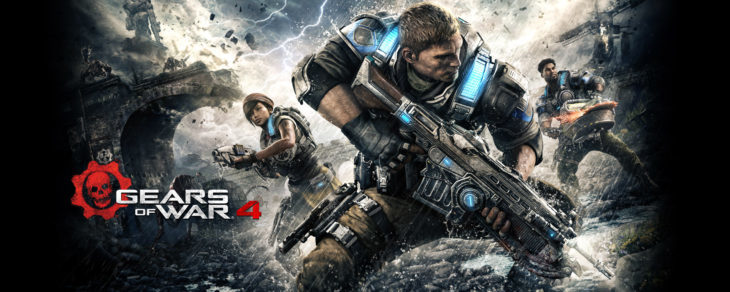
It’s confirmed: Gears of War 4 will come to Windows 10 in October, and will be part of the Xbox Play Anywhere program. This means that when you buy the game digitally, you’ll be able to play it on both your Xbox One console and Windows 10 PC, with your progress and achievements saved through Xbox Live and then shared across both platforms at no additional costs.
The Xbox One release date for this game is scheduled for October 11, with Microsoft confirming that Gears of Wars will be “released on both platforms.” Since the game will enter the Xbox Play Anywhere program, it’s safe to say it will land on Windows 10 at the same time although Microsoft hasn’t clearly confirmed this.
Microsoft made this announcement at E3, confirming the rumors from March this year, and added that Gears of War 4 would be exclusively released on the Xbox One and Windows 10. Moreover, the tech giant also confirmed that every game mode would support cross-platform play.
Microsoft has visibly improved the franchise’s graphics, resulting in major improvements in lighting and texture quality. Overall details are better as more elements are visible in the background and you can see many environment nuances as you look around. To boast about these changes, Microsoft presented amazing gameplay footage to the E3 audience, teasing them ahead of the October 11 official launch.
The footage begins with a gory scene, then switches the focus to the commando team searching shelter on a harsh winter day. Excellent face and gear details are visible as the team prepares for more war. The colors of the game are well balanced and long-range alien killing scenes are combined with moments when dead aliens travel in the air towards you.
With Gears of War 4, Microsoft decided to stick to the old recipe. The new game will have similar gameplay elements as previous ones and will be powered by Unreal Engine 4 for high-quality graphics. Gears of War 4 is set 25 years after Gears of War 3 and its main characters will be Marcus Fenix’s son, JD Fenix, and two other characters: Kait and Del. The entire game spans the course of just 24 hours.
As happy as Windows 10 gamers are to hear that Gears of War 4 will be on PC, we can’t help but wonder why Microsoft is limiting the game to the Windows 10 platform. Windows 10 is indeed the most popular OS among Steam gamers and gained a 2% market share over the last two months, but there are many Windows 7 and Windows 8.x players interested in purchasing the game.
Could this limitation be part of Microsoft’s strategy to convince Windows users to accept to upgrade to Windows 10? If this is the case, then Microsoft is consciously limiting its game revenue since Windows 10 has a market share of only 17.43%.
For users that have an established television provider, shows like American Horror Story, The Americans, Archer, The Strain, and absolutely all episodes of The Simpsons is at your fingertips. With Cortana integration, users are able to say “FXNOW, play the latest (insert show name here) episode” which will launch the app and navigate to the show that you want to watch without any hassle.
With Cortana integration, users are able to say “FXNOW, play the latest (insert show name here) episode” which will launch the app and navigate to the show that you want to watch without any hassle. As a step further, the app uses live tiles when pinned to the Start menu that switches to the highlighted show of the day.
FXNOW is available right now in the Windows 10 store, so go check it out!
Microsoft rolled out Windows 10Build 14366 a couple of days ago, and as always, users flooded Microsoft’s Forum after they installed and tested it. Many Insiders reported that Windows displayed an unusual “class not registered” error message when trying to access Settings, Edge, Groove and OneDrive.
And this is not all, as Insiders can’t open the Action Center, and the Search and Desktop apps are unresponsive, they don’t do anything when selected.
Have installed build 14366. When it was finished, it generates a “Class not Registered” error when attempting to access the following apps: Edge, Settings, OneDrive, Groove. […] Cannot open the Action Center, Search, or desktop (it does nothing when selecting them).
Luckily, it would appear that I can still access email (outlook 365) and IE11.
As I cannot access the settings folder, I can’t back out. As, I essentially am stuck in the mud, can anyone please help???
Insiders restarted the system, and tried other troubleshooting methods – all to no avail. It appears that this issue is usually caused by a third party security program that has detected a new Windows file as a false positive. As a results, it prevented it from getting properly set up in the registry.
This usually happens when Insiders don’t cleanly uninstall any third party security program before upgrading to a new build. If you’re in this situation, you need to do a clean ISO install, and then uninstall the Webroot.
Here are the steps to follow:
Go to https://www.microsoft.com/en-us/software-download/windowsinsiderpreviewadvanced to download the latest ISO. The latest ISO available should be Build 14342 English.
Once your data files have been moved to a separate data partition (you can also backed it up online), boot to the install media and perform a clean install. The clean install replaces all content of the partition into which it is installed, and you will need to reinstall all of your programs after the clean install.
If your computer is already activated, click the “I don’t have a key” box on the page where it asks for a key.
Companies do their best to market specific features and design choices during events with often flowery and over produced marketing material to combat the exhaustive and sometimes repetitive reporting nature their devices may receive.
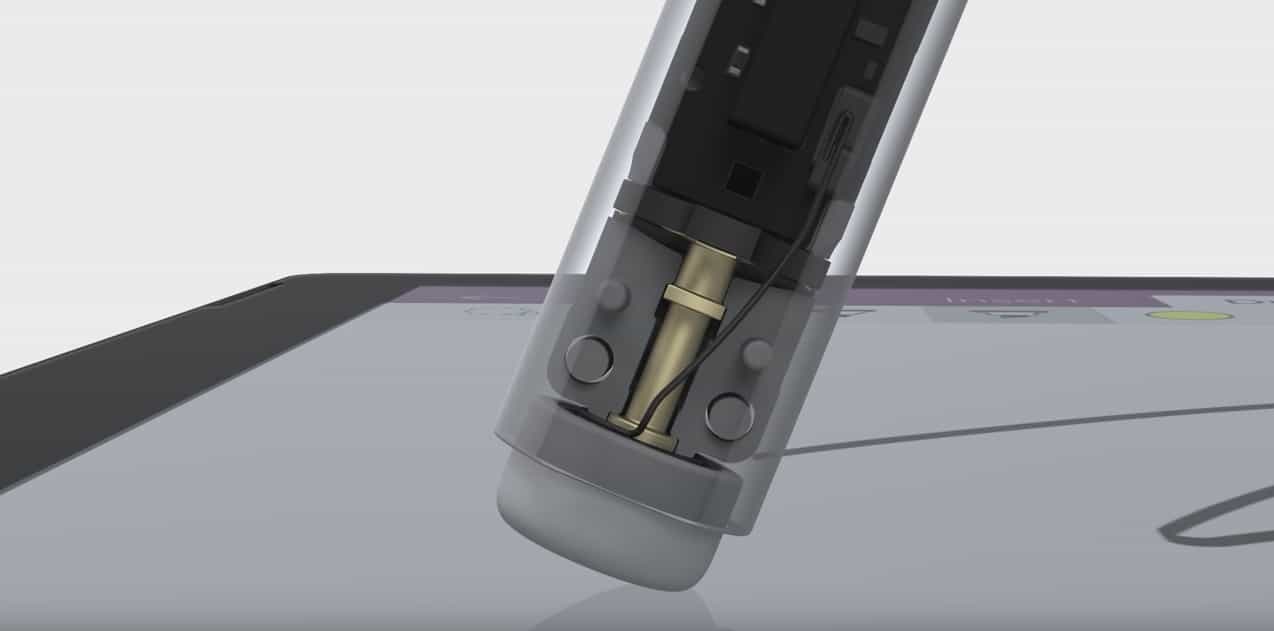
Take, for instance, the Surface Pen. During its hardware unveiling event last October, Microsoft’s head of devices, Panos Panay spoke cursory of the Pen’s functionality, but in a showcase jam-packed with announcements, he was forced to limit the extent of its engineering prowess to just a few key highlights.
Surface Book unveiling
For most, the Surface Pen is an ancillary device that helps those who need it accomplish the task, while for others a peripheral to monitor in the loose crevasses of their work bags. However, understanding the work and thought that went into the making of the pen as well as an in-depth look the various nooks and crannies of its functionality may help some get even more use out the device.
Thankfully, Microsoft has a short but detailed video for just that occasion.
In the four-and-a-half minute video, a program management director walks users through how the battery LED light works, the thought that went into into positioning the select button, the Pen’s deep sleep mode, its multiple functioning tail button, and more.
Understandably, four minutes is a lifetime on YouTube, but if users have the time, the video is jammed-packed with useful information.
According to the New York Times, Microsoft is the first major company to offer support for software tracking for legal marijuana companies, from “seed to sale.” While marijuana is still illegal in the eyes of the US federal government, commercial sale and personal possession are legal in Alaska, Colorado, Oregon, and Washington state. In Washington, D.C., possession is legal, but commercial sale is not.
For the most part, banks and businesses have shied away from supporting marijuana companies, but the tide appears to be changing. Microsoft is the first big-name company to break the line and support new software developed by a Los Angeles-based start-up, Kind. With the help of Microsoft Azure, Kind’s software was developed to help states where marijuana medical and non-medical use is legalized to keep track of sales and commerce to make sure every sale of marijuana is legitimate and not crossing any legal boundaries.
Kind offers number of different marijuana business products, including an ATM that dispenses marijuana instead of money. Microsoft will be working with Kind’s government solutions division to offer software to state and local governments to help build compliance software to help keep track of all the marijuana sales.
Another five states will vote on legalizing marijuana for recreational use this Fall, including the third biggest state in the US, California. Twenty-five states have legalized marijuana for medical use, with the step towards recreational use not so far away.
Kimberly Nelson, executive director of state and local government solutions at Microsoft, thinks there is a good opportunity available for Microsoft by partnering with Kind and helping market the software that Kind developed:
“We do think there will be significant growth. As the industry is regulated, there will be more transactions, and we believe there will be more sophisticated requirements and tools down the road. This is an entirely new field for us. We would have to figure out which conference might be the premier conference in this space. That’s not outside the realm of possibility.”
For the pot industry, Microsoft partnering with a marijuana business like Kind is a huge step towards legitimacy for marijuana businesses. David Dinenberg, CEO, and founder of Kind, is excited about his company’s partnership with Microsoft:
“Every business that works in the cannabis space, we all clamor for legitimacy. I would like to think that this is the first of many dominoes to fall.”
Microsoft is certainly turning heads these days after its recent purchase of LinkedIn. There’s no telling what company or industry Microsoft will partner with next.
Lumia 830 loves being in the spotlight. Unfortunately for users, this time it’s not because of a positive feature, but rather because of camera issues. Many Insiders reported their Lumia 830 camera app displayed the error code 0xA00F424A(0xC00D3704) on the screen, preventing them from using the camera.
Users tried to solve this issue by employing various methods: they performed a soft and hard reset, WDRT, NSC, they switched from Slow Ring to Fast Ring, and all to no avail. Users who encountered this error code also noticed that the flashlight stopped working along with the camera.
Camera app shows the following error code: 0xA00F424A(0xC00D3704)
I’m on release preview ring .318, tried soft and hard reset, WDRT, NSC, slow & fast ring, and update advisor. So please don’t come up with those… if not a solution at least I would like some info about the error code. […]
Now there’s something new! […]
The flashlight stoped working along with the camera, but now if I attempt to use it the phone goes **** and dies…
According to Microsoft’s Support Team, the error 0xA00F424A means that the PhotoCaptureLens failed to initialize and points to a problem related to the low level camera driver. More precisely, the low level driver isn’t responding and it’s trying to use the default lens instead. This results in a failure for the device, as the phone needs the low level camera driver to operate and enable the specialized features of the camera.
If none of the solutions listed above work, the last case scenario would be roll back to a previous Windows OS version. If this action doesn’t solve the issue either, this means your phone has a hardware problem. You could try to find the necessary spare parts to replace the camera module, but this doesn’t guarantee you that the camera will work.
There is no clear fix for this issue, and unfortunately more and more users are complaining about this camera problem on Microsoft’s forum, revealing that the number of impacted Lumia 830 users is not to be ignored.
I also have the same issue. Ever since one of the updates the camera on my 830 has been giving that error code. Was working just fine before the upgrade. So many people have the same issue after updrading, hard to imagine everyone’s hardware failed at the same time.
Just a week after releasing the previous Windows 10 Preview build, Microsoft is now pushing a new one. Build 1436 is available to Insiders on the Fast Ring on both Windows 10 Preview and Window 10 Mobile Insider Preview.
The release of the new build is not a surprise. Dona Sarkar, the new head of the Insider program, promised last week that a new build would be released soon with the aim of kicking off the Windows 10 Anniversary Update June Bug Bash.
This month’s Bug Bash is now live and will last until Sunday. During this period, users will be able to participate in various quests posted by Microsoft in order to test Windows 10 features and provide detailed feedback to the company.
Over the course of next four days, Microsoft will be publishing multiple Quests to Feedback Hub that focus on a different aspect of the system each day. Quests will be divided into two categories:
LIMITED TIME Quests: Quests marked as “LIMITED TIME” will expire within 24hrs of being published so make sure you get to these before the time runs out and they’re replaced with new Quests.
ADVANCED Quests: Quests marked as “ADVANCED” are more technical and may require changing the system configuration on your device and require an understanding on how to revert the changes after the Quest is done. You should only perform Quests that you feel comfortable doing, if something goes wrong you’ll need to be able to troubleshoot how to get back to a good state on your PC.”
Just as we predicted, with the Anniversary Update near, Microsoft is now heavily focused on improving the system and fixing all possible issues. Therefore, Microsoft won’t release any major new features in the future builds in order to have as stable operating system as possible when it finally arrives for all Windows 10 users.
New features and improvements in Windows 10 Preview build 14366
Although new features are not the highlight of the new Windows 10 Preview build, Microsoft actually introduced a few with this release.
The biggest addition is the introduction of the Office Online extension for Microsoft Edge. Users who install this extension will be able to view, edit, and create new Office files within the browser. What’s even better about this feature is that it doesn’t require Office installed on your computer.
The second addition is a minor update for the Windows Store. The new build brings the Windows Store to the version 11606.1000.43.0 and mainly enhances overall performance and fixes some known bugs. Microsoft didn’t release detailed information about the new Store update, though.
Just like we do with every new Windows 10 Preview release, we’re going to write an article with reported issues in build 14366. If you’ve already installed the new build and have encounered some issues, please feel free to let us know in the comments and we’ll make sure to include your complaint in our report.
Fresh off of a big E3 2016, Major Nelson has just taken to Twitter to announce that new titles have just been added to the Backward Compatibility list. Left For Dead, Portal 2, Flashback, Brain Challenge, and Bable Rising are all the new titles on the list. As always, we have given the titles a look and have included download links, trailers, and game descriptions for your convenience.
The highly anticipated sequel to 2007’s Game of the Year, Portal 2 is a hilariously mind-bending adventure that challenges you to use wits over weaponry in a funhouse of diabolical science. Using a highly experimental portal device, you’ll once again face off against a lethally inventive, power-mad A.I. named GLaDOS. Break the laws of spatial physics in ways you never thought possible, with a wider variety of portal puzzles and an expansive story that spans a single player and co-op game mode.
Left 4 Dead™ is a new game that casts up to four “Survivors” in an epic struggle against hordes of swarming zombies and terrifying “Boss Infected” mutants. Are you ready for the Zombie Apocalypse?
Take on the role of Conrad B. Hart of the G.B.I. and uncover a vast and deadly alien conspiracy that threatens everything it means to be human. But before you can save the human race you must rediscover who you are, as you desperately search for the missing data files containing your memory to piece the puzzle together. 20 years after the original game’s launch, Conrad is enlisted back to active service for the triumphant return of one of the best adventure-action games ever created. It’s Flashback re-imagined by its creators.
Ready to start down the road to excellent mental fitness? Upgrade to the full version of Brain Challenge™ to unlock twenty different mini-games in five brain-building categories. Daily exercises challenge you to increase your mental capacity: they never repeat, and the better you do, the harder they get! Challenge your brain, monitor your progress, and watch your mental capacity grow!
Babel Rising (not in Xbox 360 store)
As always, we would love to know what you think of these latest additions to the Backward Compatibility list. Be sure to drop us a comment below with your thoughts and reactions!
Casino-entertainment providers Caesars Entertainment Corporation has created a new, connected room experience that is leveraging the Universal Windows 10 platform as well as the Microsoft Cloud. The solution is currently being piloted in two suites at The Cromwell, Caesars Entertainment’s newest boutique hotel in Las Vegas and Microsoft is sharing all the technical details in a blog post today.
The “Connected Room” experience is designed to help bring together all aspects of guests’ stay into a single system controlled from one handheld device, and it can also integrate with any in-room environment control or energy management systems:
Guests at The Cromwell will be able to use a Windows 10 tablet, currently available in two suites, to self-serve and control all aspects of their stay. Through the device, guests can adjust the lighting, control the thermostat and even control the in-room TV. They’ll also have the option to order room service, make dinner reservations at GIADA, request housekeeping or discover entertainment and nightlife options before they leave the comfort of their room. For the property, the Connected Room allows employees to update in-room guest content, including menu items, promotions and shows, which change frequently in Las Vegas.
The Connected Room experience could be brought to all 188 rooms at The Cromwell by mid-2017 and to other Caesars Entertainment properties going forward. Scot Campbell, Vice President and Chief Architectural Officer of Caesars Entertainment shared:
We believe this level of customization will help differentiate The Cromwell by providing a unique ‘wow’ personal experience our guests have come to expect, building loyalty with guests each time they visit Las Vegas,” said Scot Campbell, Vice President and Chief Architectural Officer of Caesars Entertainment.
Microsoft will showcase this Connected Room experience at HITEC 2016 in New Orleans on June 20-23, and you can also get more information on Windows hospitality solutions over here. Let us know in the comments if you’re delighted to see that Windows 10 is enabling unique and memorable guest experiences by allowing guests to personalize their room environment.
The Xbox Ambassadors program is a community program that recognizes Xbox Live gamers and rewards them for organizing community events, advocating for the Xbox brand, and more. With the Xbox Ambassadors program, you can earn experience points (XP) for completing Xbox Missions to level up through different program tiers and participate in special Xbox sweepstakes to win Xbox One consoles, games, accessories, and more.
Am I eligible to join the Xbox Ambassadors Program?
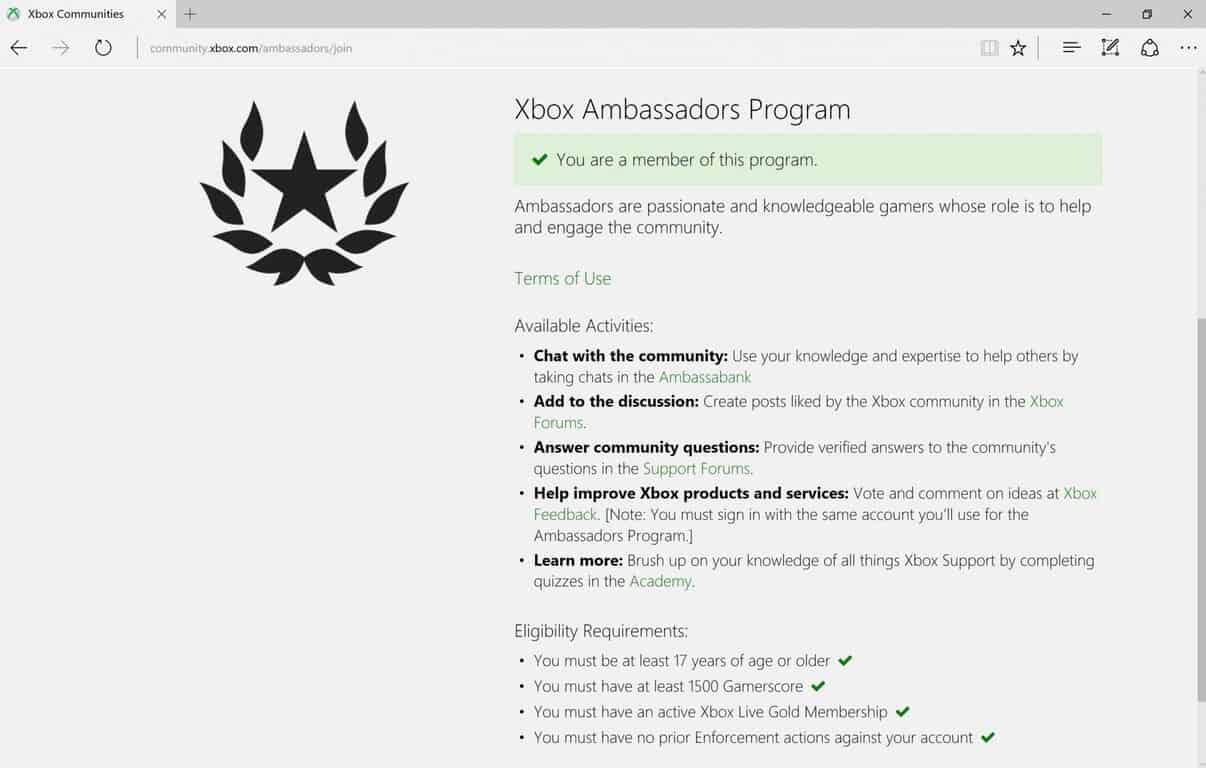
To be eligible to join the Xbox Ambassadors program, you must:
I am eligible, now how do I join the Xbox Ambassadors program?
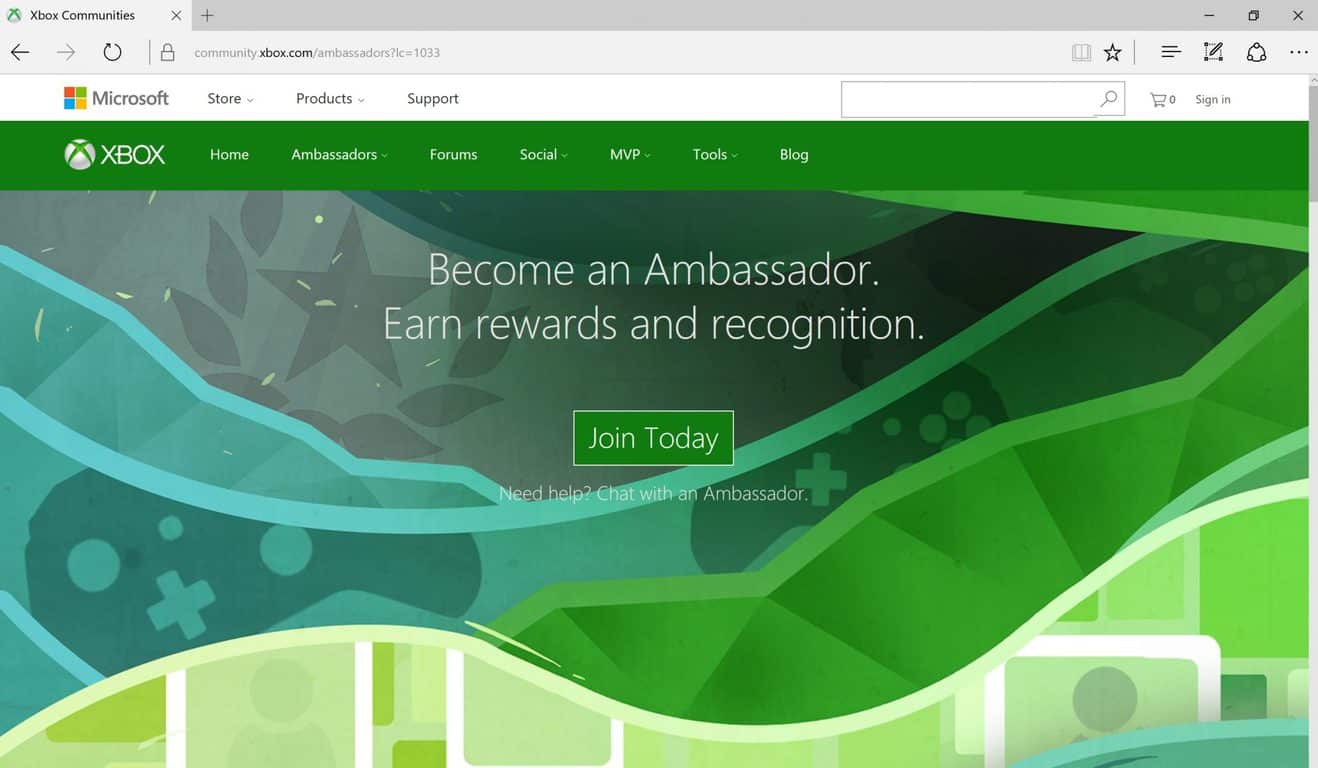
Once you know you are eligible to be an Xbox Ambassador, joining is relatively easy. Just go to the Xbox Ambassadors website and clicking “Join Today.” You’ll then be prompted to sign in with the Microsoft account associated with your Xbox Live Gamertag.
Xbox Ambassador homepage
Once you sign in with your Microsoft account, it may take up to 96 hours (4 days) for Microsoft to confirm your eligibility and set up your Xbox Ambassadors account. Check back at the Xbox Ambassadors website to see if your account is ready.
Xbox Ambassador details page
I am an Xbox Ambassador, now what?
Now that you are an Xbox Ambassador, you can get started on earning XP and completing Xbox Missions. Xbox Missions are specified with a specific set of activities to gain the listed reward(s). In the case below, the reward is an Xbox Ambassador Lanyard and an Xbox Ambassador Exclusive E3 2016 pin.
Can I talk about being a part of the Xbox Ambassadors on Twitter, Facebook, or YouTube?
Absolutely. Microsoft wants you to proudly declare your love for all things Xbox on all social media. All Microsoft wants you to do is to include #XboxAmbassadors when displaying your social media content.
Please note: if you are sharing content on YouTube on behalf of Xbox Ambassadors, Microsoft would prefer you use the following statement:
“I am a member of the Xbox Ambassadors Program and can earn different rewards and recognition for my involvement. To learn more about what it means to be an Xbox Ambassador, visit ambassadors.xbox.com.”
Where can I find more information about beingan Xbox Ambassador?
If you have more questions about being an Xbox Ambassador, you can contact the Xbox Ambassadors Team via email at [email protected], @XboxAmbassadors on Twitter, post a question in the Official Xbox Ambassadors Forums, or visit the Xbox Ambassadors FAQ. You can also ask me, I am an Xbox Ambassador. My Xbox Live Gamertag is DavidVanDamage. If I don’t know the answer, we can always find an Xbox Ambassador who does!
This means Xbox, ID@Xbox, Bing Ads and the Windows and Devices, Windows Experience, Windows Phone, Consumer Security and Surface MVPs will be moved to new and so far publicly unspecified programs.
Now, however, WinBeta has learned that these former consumer MVPs will instead remain in the program, but as “Windows Insider” MVPs. All current Windows Experience, Surface, Windows Phone, and Consumer Security MVPs will be reclassified with the new designation, beginning July 1st. The transitioned awardees will apparently be required to join the Windows Insider program, and can opt out of being re-awarded if they so desire, but expertise in, or even much knowledge of, the Insider program apparently isn’t necessary. These MVPs will simply be reassigned, and “grandfathered (or grandmothered) in.”
Microsoft has announced dates for its annual MVP Summit, to be held Nov 7-10 in Redmond. The affair was supposed to have been downsized, but adding these consumer MVPs back into the mix may swell the attendee list a bit, as the new Windows Insider MVPs will be invited to attend.
MVP logo
It’s unclear whether Microsoft will award more capable Windows Insider MVPs in July as well, or if these transitioned MVPs will have to at some point show some affinity for the Insider program, other than just joining it. In fact, Microsoft is looking at a number of factors, including participation in Microsoft forums, product feedback, blogs and websites, and a number of others, including but not limited to “Engagement with Insider Builds,” so it appears that the Windows Insider MVP may become a sort of a catch all for consumer awardees in the future.
Why Microsoft apparently felt it was better to develop a myriad of separate programs all with the same goal (an idea from which they’ve since apparently backtracked), or why being a “Windows Insider” MVP is better for the program than being a “Surface” MVP is also unclear, but there it is.
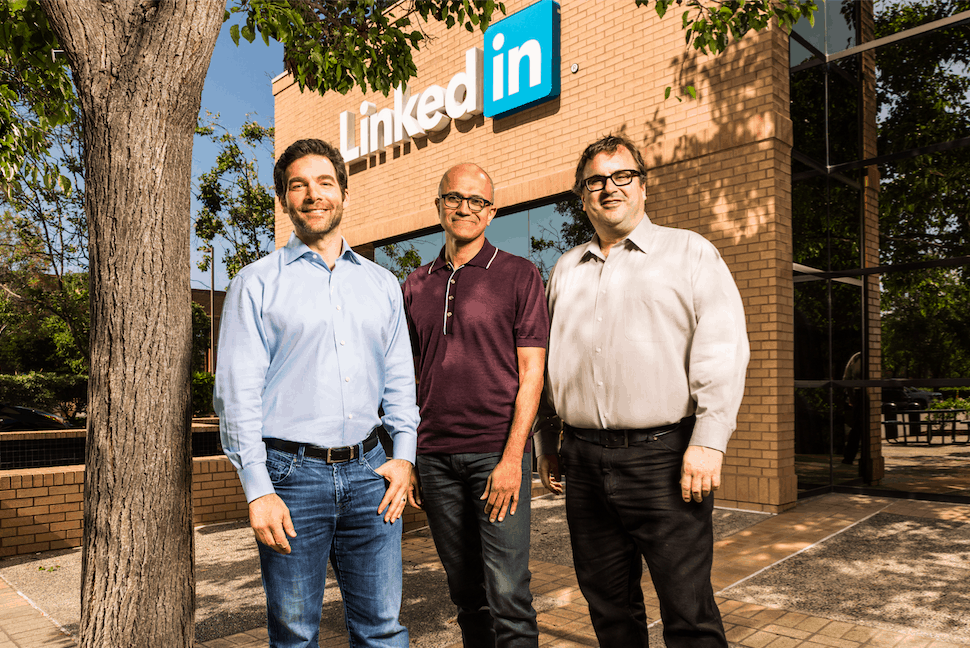
Today, technology journalist Jessi Hempel has published an extensive interview with Hoffman on Backchannel and the LinkedIn co-founder shared many insights on his company, Satya Nadella and his upcoming role in the new ensemble. We are sharing with you the most interesting bits below.
His tech and business background
Hoffman is a tech veteran who was an early believer in social networking. He helped launch dating service Socialnet in 1997, and he was also an early investor in Facebook. While he’s LinkedIn co-founder and Chairman, he actually doesn’t have a “real” job at the company anymore since he appointed Jeff Weiner CEO seven years ago. Today, he’s also a partner at the venture firm Greylock Partners and he has also written two best-selling business books, and is working on a third.
What he thinks about LinkedIn
LinkedIn logo
Hoffman truly believes that LinkedIn’s purpose is to make the world better for every professionnals. “We wanted to help people accomplish critical tasks in a shorter amount of time”, he explained, not without being aware that being a professional social network always set LinkedIn apart from its competitors in the early 2000’s: “Being the boring one was totally fine”, he added.
Hoffman also explained that while LinkedIn currently has a freemium business model the professional network will always keep its free offering going forward:
Our members are the most important thing, even though only a small number are paying us money. That’s because we are building a lifelong relationship through which we are trying to help them change their career trajectories. We are trying to do it for every professional, which means LinkedIn has to be free. A culture that has that kind of mission orientation is important to us to preserve forever.
What he thinks of Satya Nadella
Hoffman met Satya Nadella just a few months after he was appointed CEO of Microsoft. The LinkedIn co-founder also shares that early on, both of them “kicked around whether we could do a business development deal.” However, they came to realize that a full acquisition would be more valuable to both companies: “To really help people doing work inside corporations, the level of integration has to be so deep that this just made more sense than anything else,” he shared.
Furthermore, Hoffman is also convinced that Satya Nadella understands social and that he has been able to initiate a culture shift at Microsoft:
This event is definitely a very strong positive expression of my view of Satya’s Microsoft culture. If there wasn’t a strong cultural alignment, there’s no chance that we would be having this conversation. And not just the culture. Satya and Jeff are both driven by mission. They share a similar kind of leadership style. Part of making that work is preserving what is great about each of the companies independently. We will still operate as a network company and they will still operate as a corporate productivity company.
Why he thinks the deal had to happen
LinkedIn Headquarters in Mountain View, CA
Hoffman revealed that he actually thought about a partnership with Microsoft pretty soon after launching LinkedIn:
It’s funny, one of the thing things that I remember my cofounders and I talking about literally the first month after we launched in ’03 was, ‘what is the thing we’d most like to have happen to accomplish our mission?’ It was integration in Outlook.
Since then, the LinkedIn co-founder has become convinced that both companies are complementary and have always focused on enabling their users to achieve more:
Combined with Microsoft, we can do so much more. We do a lot with companies and we enable companies and individuals to connect because it’s very valuable to both of them. But we start with the individual professional. Microsoft starts with the company — with helping the organization be productive. Putting those two things together amplifies both sides.
Moreover, when asked about what LinkedIn is going to look like in a decade, Hoffman shared an interesting artificial intelligence use case. He thinks that both companies may be able to develop a very insightful personal assistant that could help professionals make the best choices for their careers:
What if we could offer every member a personal assistant for their career? Members could ask: what are the skills that are going to be really important to me in three to five years? What is the best way to develop those? Which courses both here and across the internet would be the right ones to do? Which would be the people in my network at one, two and three degrees that I should connect with? Which LinkedIn groups are the most valuable for doing that? With Microsoft, that kind of future goes from “oh well maybe someday we’ll do that” to “maybe we can start deploying technology on that very soon.”
What he thinks about his future role at LinkedIn
Once the deal is done, Hoffman anticipates that “very little from my role will change,” though he could have an expanded role at Microsoft by working with Satya Nadella on “some areas that interest both of us. Artificial intelligence. Quantum Computing.” According to Hoffman, his work currently goes into three buckets:
One bucket is working with Jeff and the executive team on our key strategies and what we see going on in the world around us. We predict the impact of various types of technology from blockchain to artificial intelligence, and decide how to chart that strategically. Second, I spend a lot of time on certain key projects. And then third, I think about culture. This is mostly in conversations with Jeff. We strive to make the value we embed in the product also the way that we operate.
Lastly, Hoffman didn’t reveal what would be his official title or whether he would join Microsoft’s Board of Directors at the end of the year. We invite you to read the full interview over here.
How can the Xbox chief not know about an Xbox game nearing release? But that’s exactly what happened with Phil Spencer and one of the more interesting announcements to come out of Microsoft’s portion of E3, reports Polygon: the re-release of Phantom Dust.
It’s ok for you to not know what Phantom Dust is: after all, the game is one of those critically-acclaimed sleeper hits of the Xbox era. In the words of Shanon Loftis – Microsoft Studios head of first-party publishing – Phantom Dust is “a collectable card game wrapped in action RPG”, designed by Yukio Futatsugi, the same man behind classics from the Sega Saturn era like Panzer Dragoon.
“Shannon runs a big part of our organization, so she has money that she just squirreled away to go do something. She brings in this video — I don’t actually know what video they released, I’m sure it wasn’t what they showed me — but it said “reimagined for Xbox Live.” She went through all of the things, and it said “early 2017,” I think, and then it said “Phantom Dust.” So I asked “What is this?” And she said, “It’s Phantom Dust. It’s happening.” And I said “What are you talking about, it’s happening?!” And she said that it was almost done.”
– Phil Spencer, Head of Xbox
Like many other quirky but awesome games, it somehow got an exclusive release in Japan in 2003 (despite being from Microsoft Studios) and very limited availability in the West. Too bad, because apparently people who had the chance to play the game had some pretty positive things to say about it. Heck, it elicited the below response from Phil Spencer, who literally got informed about Phantom Dust’s existence three weeks before E3.
Phantom Dust on Xbox One will be a re-release, not a re-master or remake, meaning the whole game will be brought over to Microsoft’s current console from the original Xbox, albeit with some light tweaks to fit the modern age of gaming; in other words, it will be a “way-back machine into gaming” in Loftis words. The game is expected to be a paid, value title, though no potential price were disclosed.
All in all, the re-release of Phantom Dust sounds like a big love letter to long-time Xbox fans, and gaming fans in general, showing Microsoft’s reinvigorated focus on gamers for its Xbox consoles going forward. Loftis is already putting out a challenge to gamers: apparently in the 13-years of the original Phantom Dust’s existence, no one has ever been able to make a perfect “arsenal” (or card collection”) in the game. Will you be the one? 2017 will be your chance to shine when the game is released. Stay tuned for more exciting Phantom Dust and Xbox news going forward.
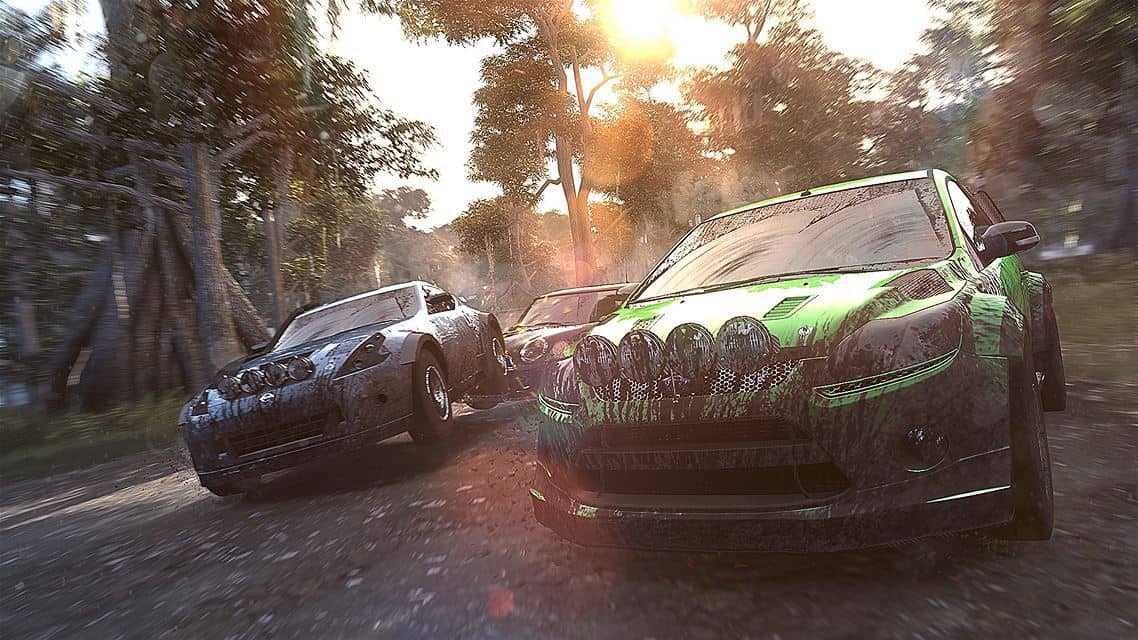
If you’re a fan of racing games, and have an active Xbox Live Gold subscription, there’s some good news for you. Ubisoft’s popular racing game, The Crew, is now available for free for Xbox Live Gold members. The game takes racing to an all-new level, and allow you to connect with players from across the globe. You can compete with them in various locations in the United States, and test your driving skills.
Here’s the game description: The Crew is a revolutionary action-driving MMO that connects players online like never before. The Crew takes you and your friends on a wild ride across a massive, open-world recreation of the United States that is richly detailed and loaded with endless challenges. Generous in content and tailored for the connected generation, The Crew is the next-gen game that redefines action-driving.
After all of their big E3 game announcements, Microsoft has released the details for this week’s Deals With Gold promotional campaign which discounts several major franchise titles for Xbox Live Gold subscribers.
Battlefield 4 and Battlefield Hardline on Xbox One have both had their prices reduced by 85% while Peggle 2 Magical Masters Edition is currently 67% cheaper and EA SPORTS Rory McIlroy PGA TOUR is 60% cheaper.
All versions of The Elder Scrolls Online: Tamriel Unlimited are now selling for 50% off their regular price as is the Forza Motorsport 6 – Porsche Expansion, Forza Motorsport 5: Racing Game of the Year Edition, and Forza Horizon 2 Standard – 10th Anniversary Edition.
The regular version of STAR WARS Battlefront and its Deluxed Edition are now 35% cheaper while the Ultimate Edition got a 30% price reduction. The Ultimate Edition of Forza Motorsport 6 also received a 30% discount as did Forza Horizon 2 Ultimate – 10th Anniversary Edition. Forza Motorsport 6 Deluxe Edition and Forza Horizon 2 Deluxe – 10th Anniversary Edition are now 35% cheaper.
On Xbox 360, Crash Mind Over Mutant, Crysis 2, Crysis 3, Forza Horizon Season Pass, Kingdoms of Amalur: Reckoning, SKATE 3, and SSX are now 75% off their retail price and Forza Horizon 2 is 33% cheaper.
Tekken Tag Tournament 2 on Xbox 360 and Limbo on Xbox One are currently being given away for completely free.
All of these special discounts are valid until the 20th of June 2016 and are only available for Xbox Live Gold subscription members. Xbox Gold Live is a paid service for Xbox One and Xbox 360 users who want to participate in online multiplayer gaming. As an extra bonus for paying the monthly or annual fee, Xbox Live Gold members are given a variety of free Xbox One and Xbox 360 video games every month and access to special discounts promoted under the Deals With Gold banner. Do you take advantage of these special discounts? Let us know which games you’ve bought in the comments below.
Rumors have long suggested that a new Quake game would soon be announced, and those rumours were confirmed when Bethesda unveiled Quake Champions at E3 with a spectacular trailer full of monsters and mayhem.
Quake Champions is a competitive arena-style first-person shooter for PC. The game promises to be very fast-paced, which means that players have to be extremely alert if they want to survive for more than five minutes. There are plenty of characters you can choose from each with different abilities and skills.
Bethesda hasn’t offered any additional details but did announce that the game would be making an appearance at Quakecon in August. As always, we expect the company to reveal information about the game’s structure and characters from time to time.
For the time being, all we have is the game trailer which focuses on combat. The trailer mixes fast-paced fight moves with slow-motion images, isolating spectacular combat moments.
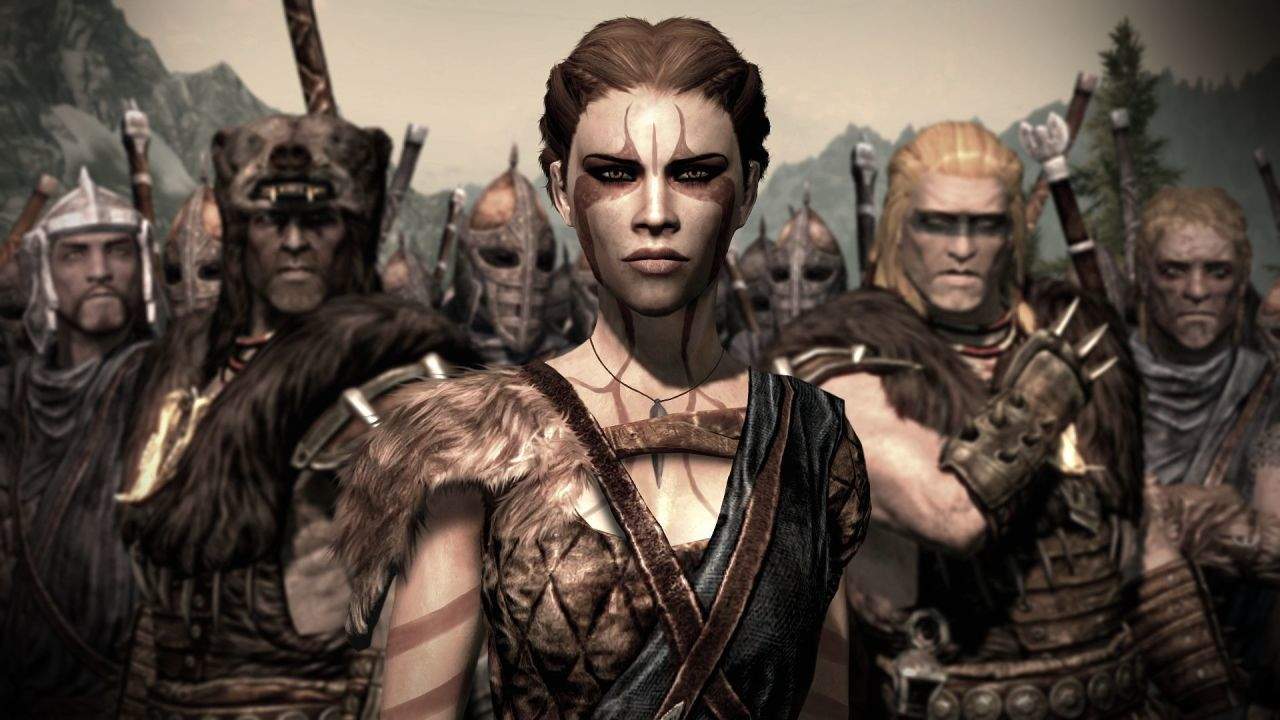
Quake is a first-person shooter legend and judging by what Bethesda has announced lately, it appears the company is heavily focusing on reviving old games. The game developers also unveiled Elder Scrolls V: Skyrim Special Edition, too.
Bethesda adopted the same strategy for both games, teasing fans with amazing trailers and revealing only general information — enough to awaken fan interest but not quite quench their thirst.
It would be interesting to see how successful these game remakes can be. Games like Quake Champions or Skyrim Special Edition will definitely appeal to fans. As far as the younger generation of gamers is concerned, we are not sure they’ll be that into playing Quake Champions or Skyrim Special Edition. Time will tell.
Many wonderful game trailers have been premiered around or at the E3 event as major game developers are trying to draw public attention to their products. If you are a FIFA fan, you will be happy to learn that the upcoming FIFA 17 has an all new single-player career mode that follows the professional and private life of Alex Hunter.
In Journey mode, you’ll step into the shoes of this character and experience his life on and off the pitch. As he becomes a better football player and advances through the ranks, he’ll have the chance to play for a Premier League club.
For the first time ever in FIFA, live your story on and off the pitch as the Premier League’s next rising star, Alex Hunter. Play on any club in the Premier league, for authentic managers and alongside some of the best players on the planet. Experience brand new worlds in FIFA 17, all while navigating your way through the emotional highs and lows of The Journey.
A touted prospect, 17-year old Alex Hunter has the chance to make it to the Premier League. He is one of the best young prospects in the academy, but his career is in your hands. Will you be committed enough? Will you deliver?
His career is influenced by your performance on the pitch and the decisions you make off of it. Try to find a balance between his private and professional life. Make critical decisions throughout the game that will change what happens next and how other characters react to you. Will you choose to put yourself first or will you be a true team player?