Microsoft has officially announced the highly anticipated Xbox Games Showcase 2025, scheduled to stream live on Sunday, June 8.
This annual digital event always promises to deliver thrilling updates from Microsoft’s first-party studios and its valued third-party partners, and this year is no different. This year’s showcase comes with a bonus treat for fans of The Outer Worlds: immediately following the main event, there will be a dedicated presentation, The Outer Worlds 2 Direct.
Hosted by Obsidian Entertainment, this segment will dive into the development of the eagerly awaited sci-fi RPG sequel, offering an in-depth look at gameplay and additional exclusive insights.
The event will take place as it follows:
PDT: June 8, 10am
EDT: June 8, 1pm
BST: June 8, 6pm
CEST: June 8, 7pm
JST: June 9, 2am
AEST: June 9, 3am
Plus, Microsoft also wants to make sure you’ll be able to access the event on your preferred platform:
Recently, we reported Google is working with Microsoft to make Chrome’s scrollbar color match the browser theme. The flag responsible for that is now available in Edge Canary, and the feature works in Edge when you enable it.
Microsoft Edge, like Chrome, has scrollbars that respect the operating system theme settings or default browser styling. These Chromium-based browsers’ scrollbars do not automatically adapt to custom browser themes.
Like many contributions to Chromium, Microsoft has helped develop this feature to enable scrollbars to follow browser themes – improving personalization and making Chrome and Edge’s interface feel more integrated when using custom-colored themes.
Microsoft Edge Canary introduces a flag that allows the main scrollbar of the browser window to dynamically adjust its colors to match the Edge browser theme.
‘If enabled, makes the root scrollbar follow the browser’s theme color.’ — The ‘root scrollbar follows browser theme’ flag description reads.
Make the Scrollbar follow the theme flag in Edge Canary. Image Credit: WindowsReport.
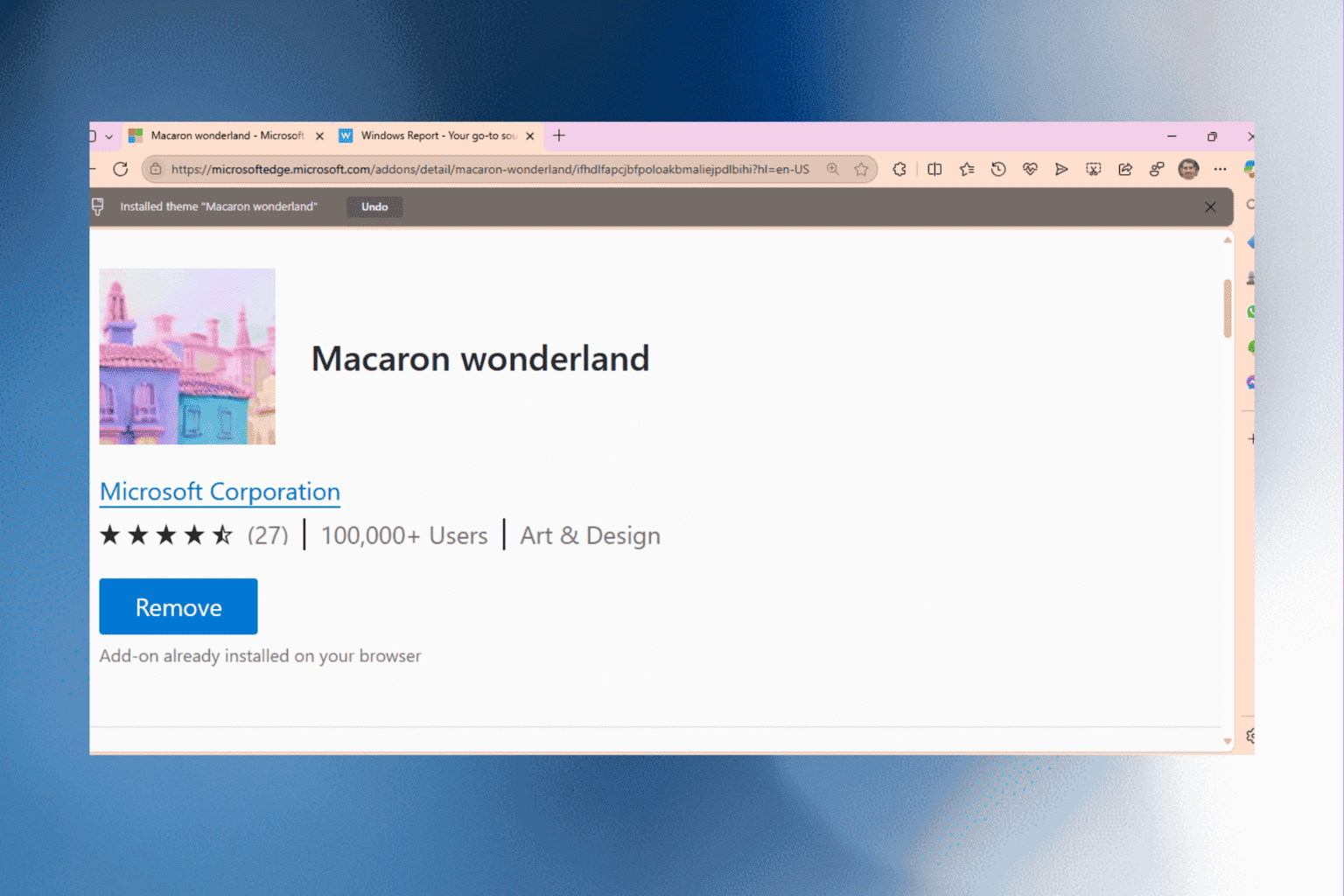
Until now, if you apply image themes available in Edge’s appearance settings, scrollbars won’t follow them. Now, Edge’s scrollbars match them, including even if you install custom themes available in the Microsoft Edge Add-ons Store.
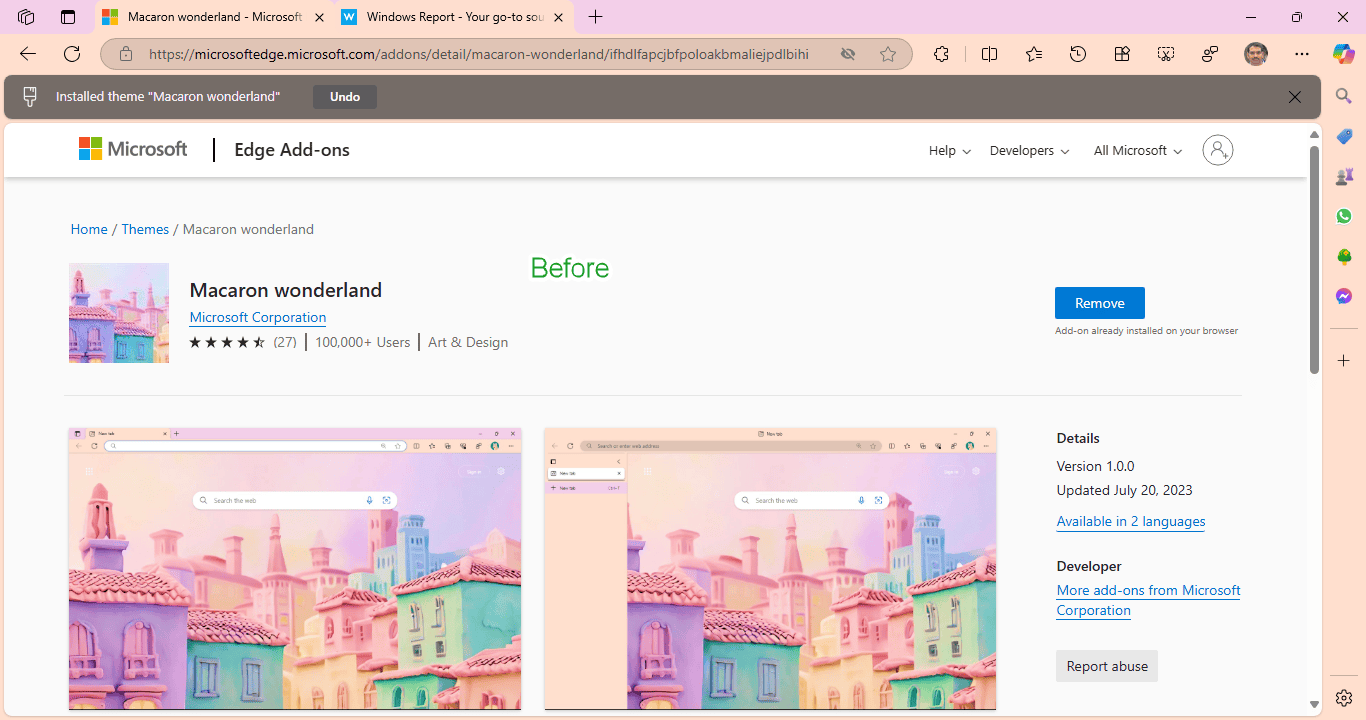
Before enabling make the scrollbar follow the browser theme flag. image Credit: WindowsReport.
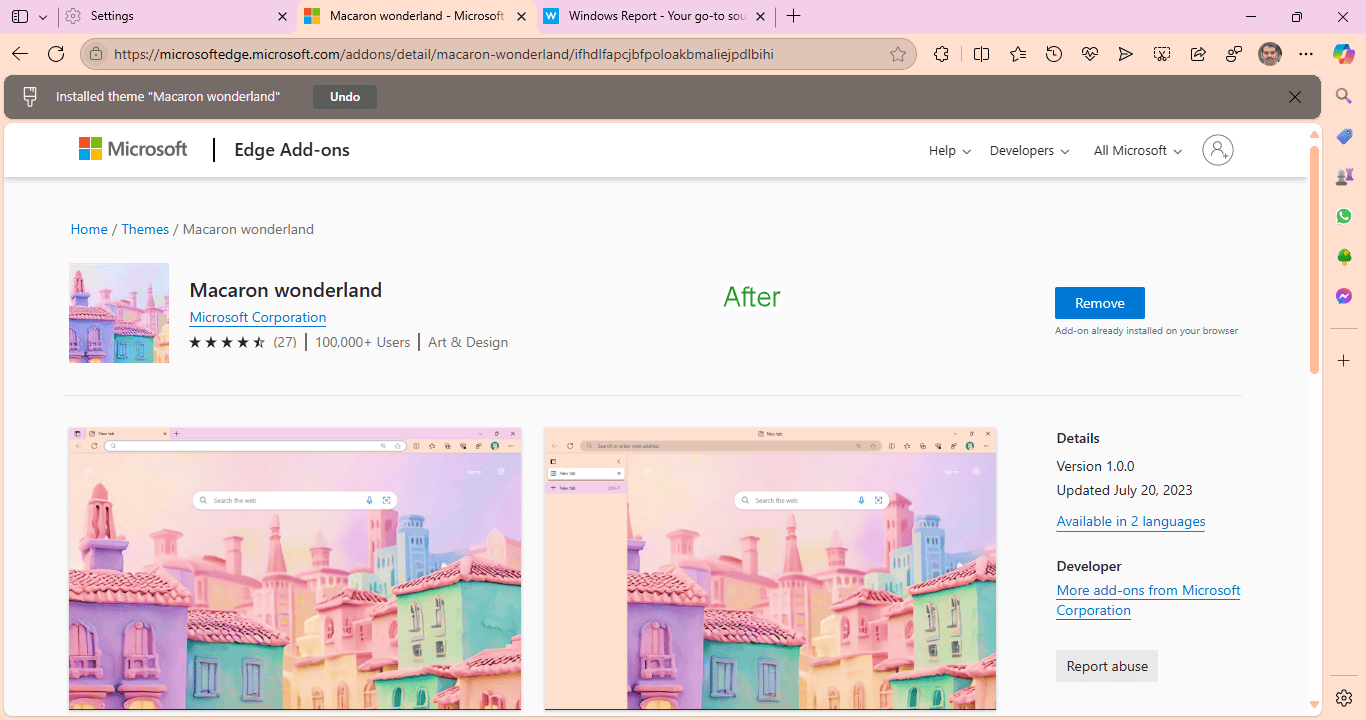
We have tested various colored themes in Edge, including this theme from Microsoft from the Edge Add-ons Store—the scrollbar blended with the theme beautifully. This comes as another improvement in browser customization and personalization.
After enabling the Make scrollbar follow the browser theme flag. Image Credit: WindowsReport.
Microsoft’s theme-aware scrollbars align root scrollbar colors with browser themes to improve personalization and UI consistency. Fluent Scrollbars are ideal for this feature due to their simple design and high contrast, while CSS-styled scrollbars remain unaffected.
Fluent Scrollbars are enabled by default starting with version 133 and are set to become the standard in the future.
We also noticed themed scrollbars support Chrome’s internal pages, such as the New Tab Page, whereas Microsoft Edge doesn’t for NTP.
Microsoft has announced changes to its Teams desktop and virtual desktop infrastructure (VDI) apps to enforce updates and enhance security and compliance.
Starting in April 2025, versions of the new Teams client released more than 90 days prior will be blocked. Users must update to the latest version or switch to the web version of Teams to continue accessing the platform.
Key dates for the update policy include:
April 11, 2025: Blocking begins for Windows desktop app users.
May 6, 2025: Blocking begins for VDI environment users.
May 15, 2025: Blocking begins for Mac desktop app users.
To ensure users are informed, Microsoft will display an in-app warning banner 60 days before blocking occurs, with VDI users seeing the warning 30 days prior.
Impact and Recommended Actions
Organizations using outdated Teams versions risk app access being blocked, potentially disrupting workflows. Microsoft emphasizes updating the latest Teams version to ensure optimal security and functionality. Administrators are urged to:
Enable automatic updates for Teams to keep clients within the 90-day compatibility window.
Configure Microsoft AutoUpdate (MAU) correctly for macOS devices.
Verify that network and device management settings allow updates.
Ensure Windows policies do not interfere with updates for Teams or the Webview2 updater.
This issue primarily affected Kerberos Authentication devices with the Credential Guard security feature enabled. It led to authentication failures and marked devices as stale, disabled, or deleted.
While the problem was confined to enterprise environments and did not typically affect personal or home users running Windows Home Edition, it created significant challenges for businesses relying on Kerberos Authentication.
Microsoft resolved the issue in its April 2025 Windows security update (KB5055523) and subsequent patches. The update also temporarily disables the affected Credential Guard feature, which relies on password rotation, until a permanent solution is implemented.
Enterprise users are encouraged to install the latest updates to ensure their systems are secure and fully operational.
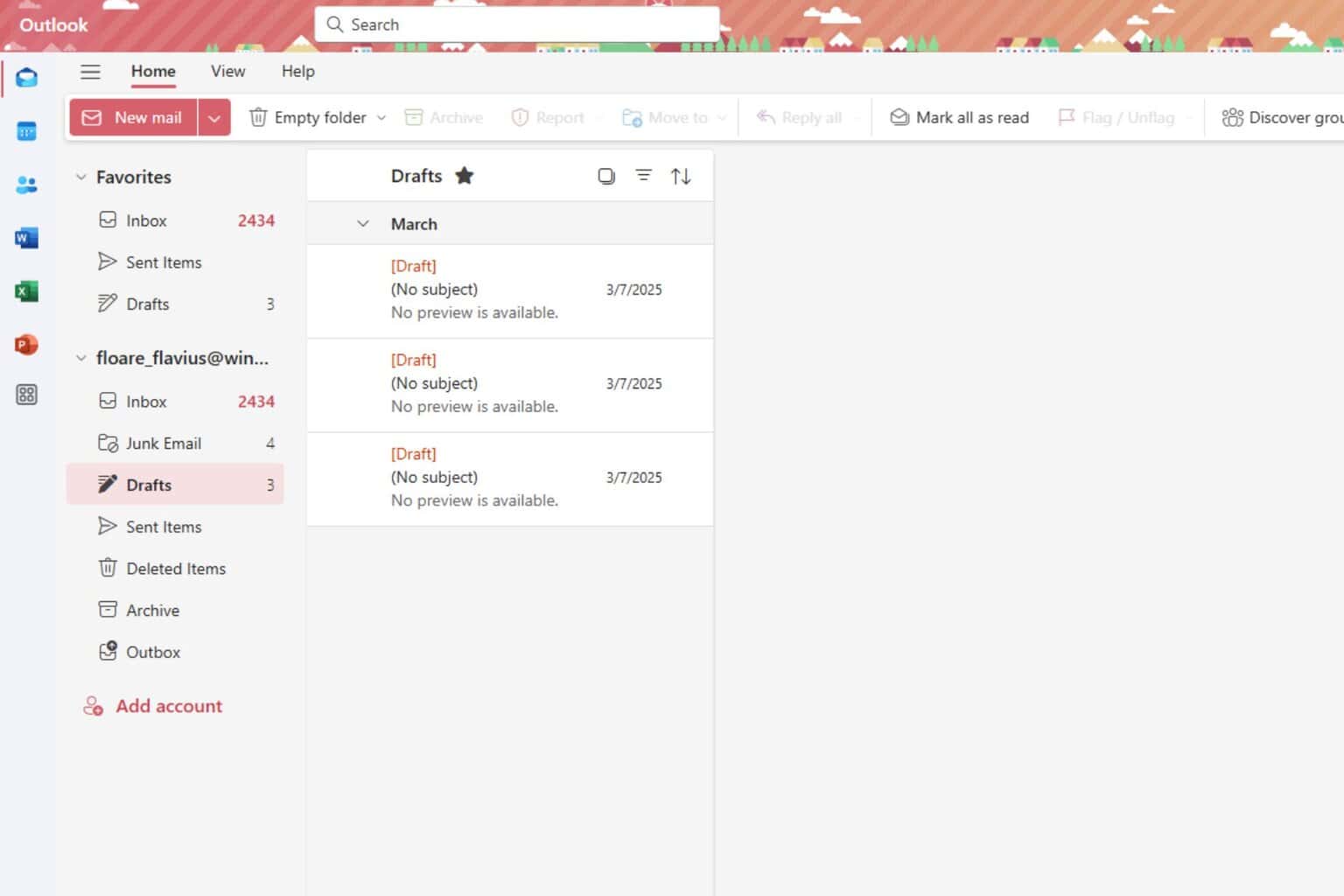
Microsoft will update the email subject header section to enhance the user experience when reading emails.
The improvements include changes to the header component that displays meeting information in meeting invitations and other similar sections.
One of the key highlights of this update is its responsive design. The subject header section will better adapt to available screen space, making sure that users can view the content comfortably on smaller devices, such as smartphones, or displays with high scale factors where elements are resized for better visibility.
The subject header section that shows up at the top when reading an email will be improved. This includes the component that contains meeting information when looking at a meeting invitation and other similar components. The subject header section will be more sensitive to available space and allow for a more comfortable reading experience when on smaller screens or on displays with high scale factors.
The enhancement will be added to Outlook this month.
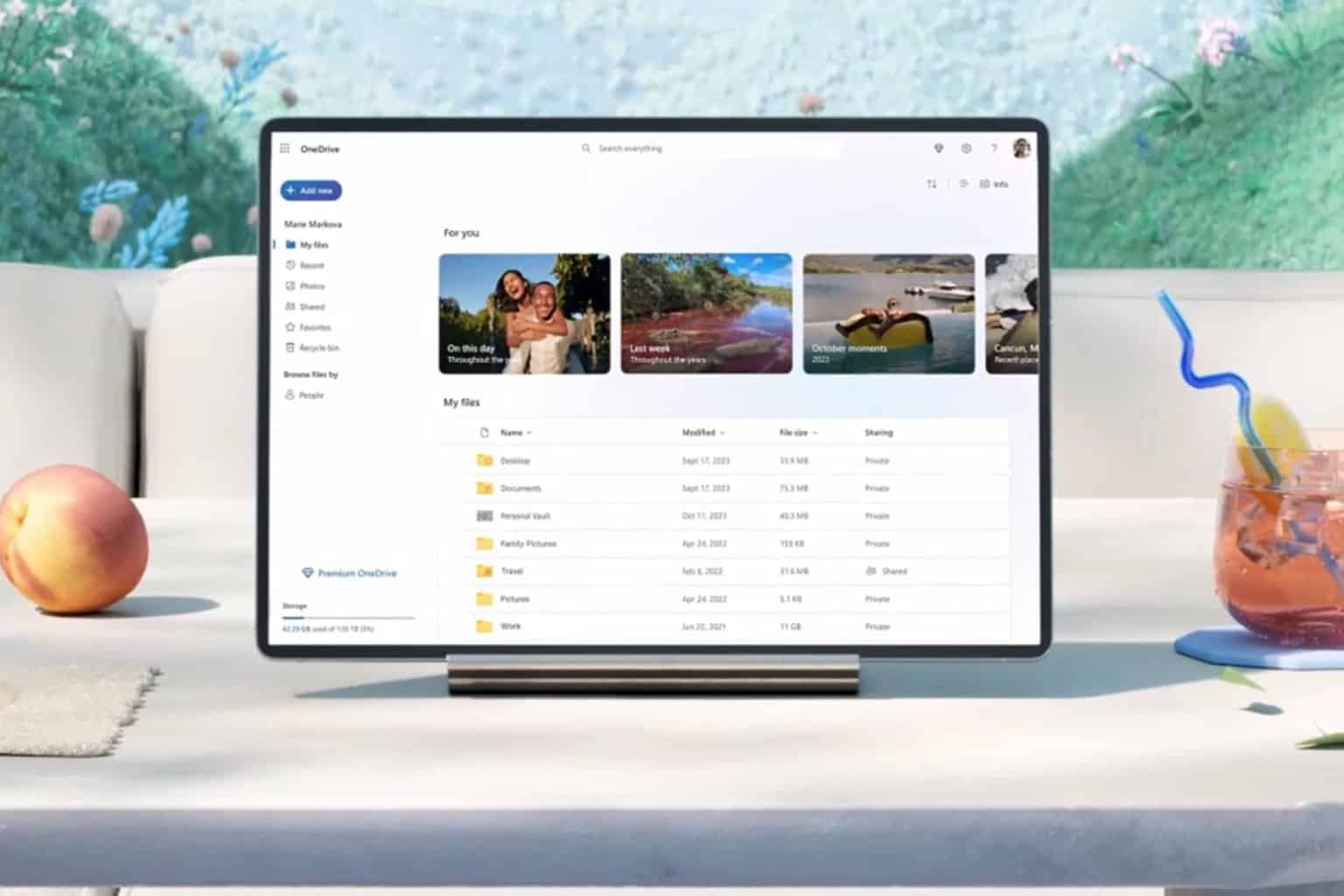
Microsoft will unveil a new functionality in OneDrive for Web, allowing users to reduce the size of PDF files quickly.
This update, announced in a recent entry to Microsoft 365, offers a compress feature that provides three distinct compression levels, enabling users to tailor file size reduction to their specific needs.
The compression options include higher compression for significant size reduction, moderate compression for balanced results, and minimal compression to preserve quality while saving space.
OneDrive for Web now lets you reduce PDF file size with compress feature. You can choose from three different compression levels that best fit your needs.
This feature is ideal for users and admins looking to manage storage more efficiently or share files seamlessly online, mainly where size limitations apply. Microsoft says this enhancement will be added to OneDrive for Web this month.
Speaking of which, OneDrive has also recently changed how users interact with files and folders on the platform. The Redmond-based tech giant has enhanced it with a People View capability, allowing users to work with multiple files simultaneously.
Microsoft has updated Edge Game Assist, an in-game browser designed for PC gaming, with new features and improvements, including support for World of Warcraft, Assassin’s Creed Shadows, and Monster Hunter Wilds.
This means you can now use Edge Game Assist to help you complete quests, do your dailies, and make sure you have everything you need during your raid or M+ run.
Alongside the new support for these games, the April update for Game Assist makes the platform default to desktop versions of websites for better compatibility. It supports Edge sidebar apps alongside browser tabs.
It also expands extension support to sidebar apps and automatically switches to new tabs created by the webpage.
The April patch for Edge Game Assist also fixes many issues: the app will no longer open dozens of tabs at once. Based on users’ feedback, the Edge Canary/Dev version of the app will also remove the sidebar to maximize space for the webpage.
Other enhancements include an improved UI, streamlined navigation, and new keyboard shortcuts for managing tabs. These updates aim to enhance the gaming experience and make Game Assist more user-friendly, and complement the ones released last month.
Microsoft has announced new features for the Copilot app on Windows, which are now rolling out to Windows Insiders.
Copilot Vision is now available to all users. The feature, which was announced and released to Insiders a while ago, allows users to share browser or app windows with Copilot for analysis and insights.
For example, Copilot Vision will help users when shopping online, planning a trip, learning something new, or browsing the web.
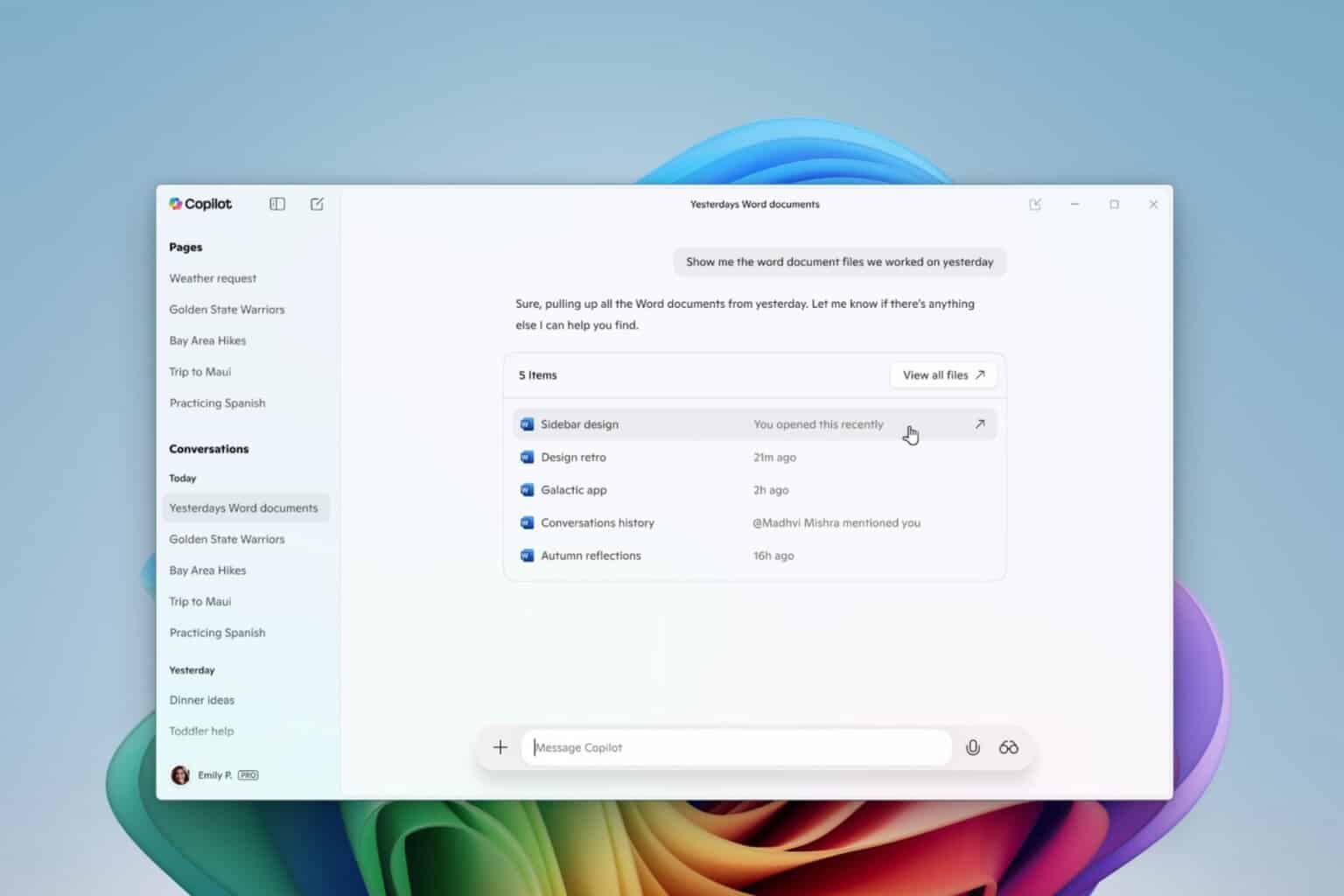
Copilot is also getting the File Search enhancement that enables users to locate and ask questions about file contents directly within the app.
For example, users can ask Copilot questions like “Can you find my resume”, “Open the trip planning doc I was working on last week”, or “Look at my budget file and tell me how much I spent on dining last month”, and the AI model will look into files and provide answers.
File Search supports various file types, such as .docx, .xlsx, .pptx, .txt, .pdf, and .json.
Microsoft has released its April 2025 Patch Tuesday updates, addressing 134 security vulnerabilities across its products.
Among the most critical fixes is the resolution of an actively exploited zero-day vulnerability in the Windows Common Log File System (CLFS), designated as CVE-2025-29824. This flaw, a use-after-free bug, enables attackers to gain SYSTEM privileges, posing a significant security risk to affected systems.
The updates also tackle other high-priority vulnerabilities, including remote code execution flaws in Windows Remote Desktop Services and Microsoft Office, safeguarding users against potential cyberattacks.
To further enhance security, Microsoft has introduced Hash-based Message Authentication Codes (HMAC) for CLFS log files, a mitigation designed to protect against advanced threats.
Below is the full list of all the security issues addressed with this fix:
Microsoft released the April 2025 Patch Tuesday updates for Windows 11, and as always, these will enhance the security, stability, and functionality of Windows 11 across various versions. Key updates include:
KB5055523 for OS Build 26100.3775.
KB5055528 for OS Builds 22621.5189 and 22631.5189.
Both of these patches significantly enhance Windows 11’s stability, including resolving issues related to login and credential verification, ensuring a smoother user experience. Like Windows 10’s Patch Tuesday updates, KB5055523 and KB5055528 also bring updates for Chile that reflect the latest changes in time settings.
However, the patches also include fixes for unexpected feature behaviors, enhancing overall reliability and optimizations for AI-related components, likely targeting better performance and accuracy. Enhancements to the servicing stack are essential for delivering reliable Windows updates.
Additionally, Microsoft acknowledged known issues, such as problems with Roblox on ARM devices, and is working on solutions.
The updates address a variety of system issues and include quality improvements. For example, Microsoft released enhancements to system reliability to ensure smoother performance.
The updates also fixed a problem with thumbnail previews not displaying correctly in File Explorer, a common frustration for users. Additionally, Windows 10 will finally accommodate daylight saving time changes in Chile, keeping the system’s time settings accurate.
It’s important to note that support for Windows 10 is gradually winding down, with the official backing ending in October 2025. Users have already started to migrate to Windows 11, with the operating system amassing its biggest number of users since its release.
However, if you want to keep using Windows 10, you can opt for ESU, which is short for Extended Security Updates, but you’ll have to pay a yearly fee.
You can get KB5055518 from the Microsoft Update Catalog.
Hundreds of gamers on Reddit agree that Xbox might be the superior console from a pro-consumer platform perspective. In the console war between Microsoft, Nintendo, and Sony, where the latter two are always a step ahead in the competition, Microsoft seems to be winning gamers’ hearts with the extra services that are part of the Xbox console.
For example, someone on Reddit says that Xbox offers more attractive features, such as Game Pass or free next-gen upgrades from Xbox One to Xbox X, which neither Nintendo nor Sony does.
Moreover, Microsoft’s decision to release Xbox games for PC and PlayStation is another reason the company built the most pro-consumer gaming platform.
The same Reddit user goes on to state that if the next Xbox runs Windows and allows gamers to access Steam, it would only make it more accessible.
However, one of the most interesting perspectives comes from another gamer who states that Xbox losing the console war is the reason why Xbox is doing so much to become a pro-consumer platform.
Being a distant third means you have to do things to try and win hearts and minds. Remember when xbox were doing well after the 360 we got the full raft of anti consumer MS moves.
Others agree:
It’s not irony. When you’re losing you give it your all. When you’re winning you think you can get away with everything.
Xbox has been seen as the big loser of the console war, after the latest devices, Xbox Series S, and X haven’t managed to sell as much as PlayStation 5 or Nintendo consoles. However, Microsoft flipped the table and came up with Xbox Game Pass, a sort of Netflix for games, where users pay a subscription to access hundreds of games without paying for them. The model soon became an industry standard, and much of the Xbox revenue has been coming from it.
Is Xbox losing the console war the reason the company came up with alternatives? We don’t know for sure, but that’s the only logical answer if you think about it.
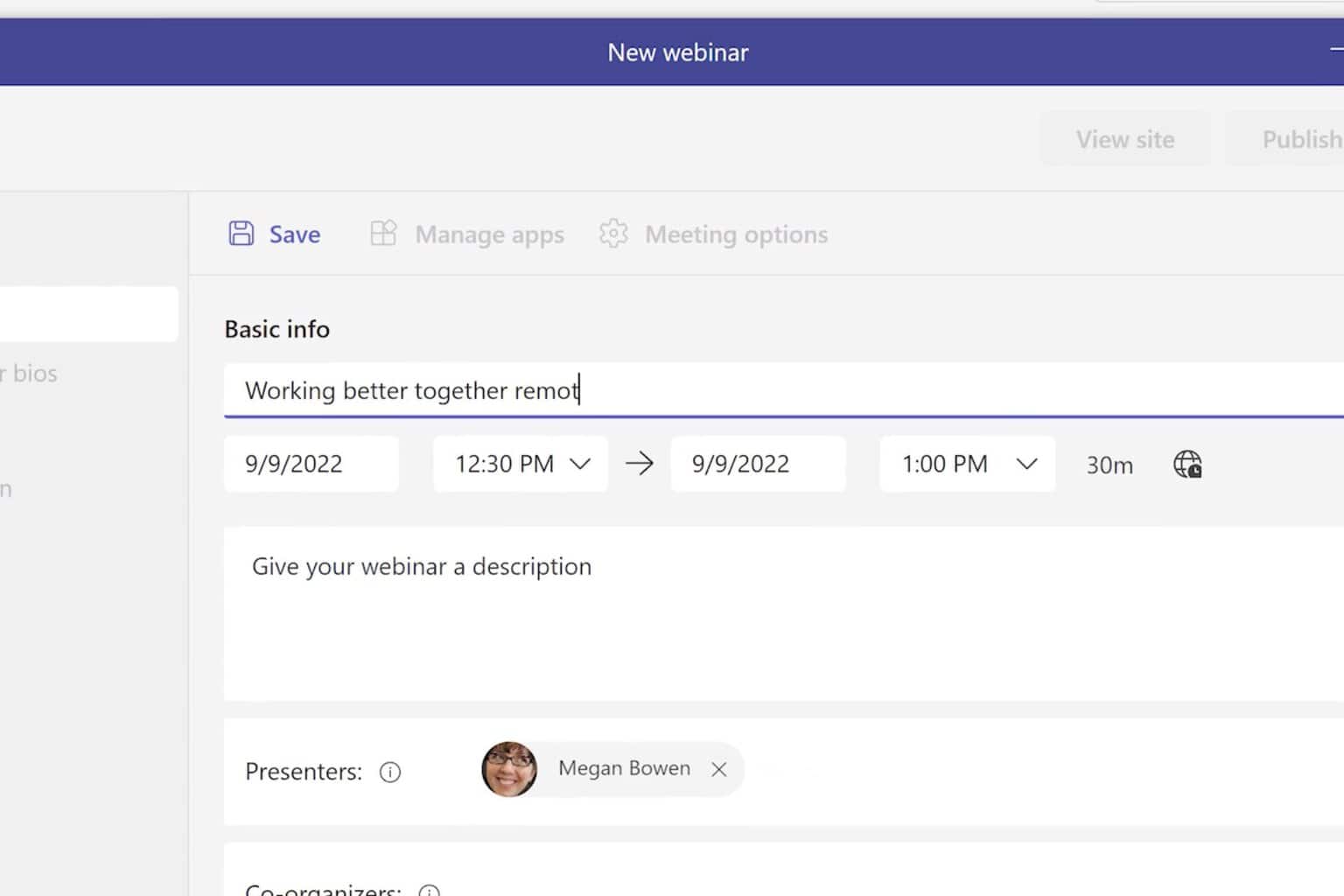
Microsoft has unveiled a new feature for its “Town Hall” events in Microsoft Teams, aiming to enhance event management and coordination. The update allows organizers to assign specific individuals as screen managers, granting them special permissions to oversee the event.
With this feature, designated screen managers can handle crucial tasks such as starting the event, controlling what attendees see, and ending the event when it’s over.
The enhancement was announced in a recent entry to the Microsoft 365 Roadmap, and it’s set to make these events way easier to manage. That’s always welcome, considering Town Hall events were recently enhanced to allow tens of thousands of participants at a time.
A new option in Town hall lets organizers designate who can manage the screen during the event. Now selected individuals will be able to start the event, manage what attendees see, and end the event, ensuring a smoother and more organized event experience.
The new enhancement will be added to Teams in May. Around the same time, the platform will be enhanced to hide sensitive information from being shown in such meetings, meaning these kinds of events will be even easier to manage.
Microsoft Teams Mobile will roll out a new feature to simplify how users share content during conversations.
According to a recent entry in the Microsoft 365 Roadmap, the newly introduced “content picker” feature offers an intuitive way to attach files, images, and other media directly from your mobile device. Users can easily access the unified attach flow with just a tap on the paperclip icon in the compose overflow menu.
This streamlined process makes sure that attaching content—regardless of its storage location—becomes hassle-free, boosting productivity and collaboration.
Why? Because the content picker integrates seamlessly into the Teams Mobile interface, and it allows users to easily attach a document from their phone or add an image stored in the cloud.
Introducing a new content picker for Teams Mobile! Attach any type of content, whether files or media, from the paperclip icon in the compose overflow menu. Our unified attach flow makes it easy and intuitive to attach content from any source location.
The roadmap says this new update will be added to Teams in June.
Speaking of Microsoft Teams, the platform will be enhanced to let users know when sensitive content is being shared in a meeting. This will successfully stop the spreading of confidential info or even unsafe-for-work content.
Microsoft Copilot is revolutionizing how users draft content by introducing advanced context-aware features.
Annoounced in a recent entry to the Microsoft 365 Roadmap, this enhancement allows users to reference additional resources seamlessly while creating or editing content, leading to more accurate and contextually enriched outputs.
So what does this mean? Well, traditionally, drafting with Copilot meant working directly with the content selected within the document. With this new approach, Copilot expands its capabilities by integrating contextual resources beyond the active text.
For example, if external documents or references are available, Copilot intelligently incorporates relevant details, making sure that the final draft aligns with the broader purpose and tone of the document.
Just like when you’re using Copilot to draft content on a blank line in your document, you can reference resources that provide context in addition to the content you’ve selected in your document.
This enhancement is set to be released in August in Microsoft 365, and it will impact Copilot across all platforms.
In a surprising turn of events, Microsoft has announced that it will not proceed with its ambitious $1 billion investment to build three data centers in Licking County, Ohio. The decision, confirmed on April 7, 2025, marks a significant shift in the tech giant’s infrastructure expansion strategy and comes weeks after it announced that it wouldn’t proceed with building data centers in Europe either.
According to the reports, the project, initially revealed in October 2024, was set to include facilities in New Albany, Heath, and Hebron. These data centers were expected to serve as critical components for Microsoft’s Azure cloud computing platform, addressing the growing demand for data storage and cloud technology. Construction was slated to begin this summer, with completion projected for December 2027.
Despite the cancellation, Microsoft has pledged to honor its development agreements, including funding roadway and utility upgrades. The company also plans to ensure that the land at two sites can be repurposed for farming. Additionally, Microsoft remains committed to supporting local communities through initiatives focused on digital skills development and restoration efforts.
Local officials, including New Albany Mayor Sloan Spalding, have expressed an understanding of the challenges associated with large-scale projects. Spalding emphasized the city’s continued engagement with Microsoft throughout the process.
While the decision to halt the Licking County projects may disappoint some, Microsoft has assured stakeholders that it will continue to evaluate these sites in accordance with its investment strategy.
Microsoft has released its new Copilot Gaming Experiences, an experimental program, part of Copilot Labs, which showcases the potential of AI to transform how games are created and played.
One of the standout features of Copilot Gaming Experiences is its ability to generate gameplay in real time. Using advanced AI models like Muse and WHAMM (World and Human Action Mask GIT Model), Microsoft has recreated a classic gaming experience—Quake II.
Unlike traditional game engines, the AI dynamically generates every frame based on player inputs, offering a unique and interactive experience.
While the AI-generated version of Quake II is still in its early stages, it provides a glimpse into the future of gaming. Players can explore a single game level, experiencing AI-driven visuals and interactions, as you can see in the features image above.
Copilot Gaming Experiences is definitely exciting, and it is capable of many gaming capabilities, such as improved frame rates and resolution. However, there are some limitations, including occasional environmental inconsistencies or stuttering.
In the official announcement, Microsoft says it envisions Copilot Gaming Experiences as a tool for developers, enabling faster prototyping and revitalizing classic games for modern platforms. With it, the Redmond-based tech giant wants to emphasize its commitment to innovation, blending nostalgia with cutting-edge technology.
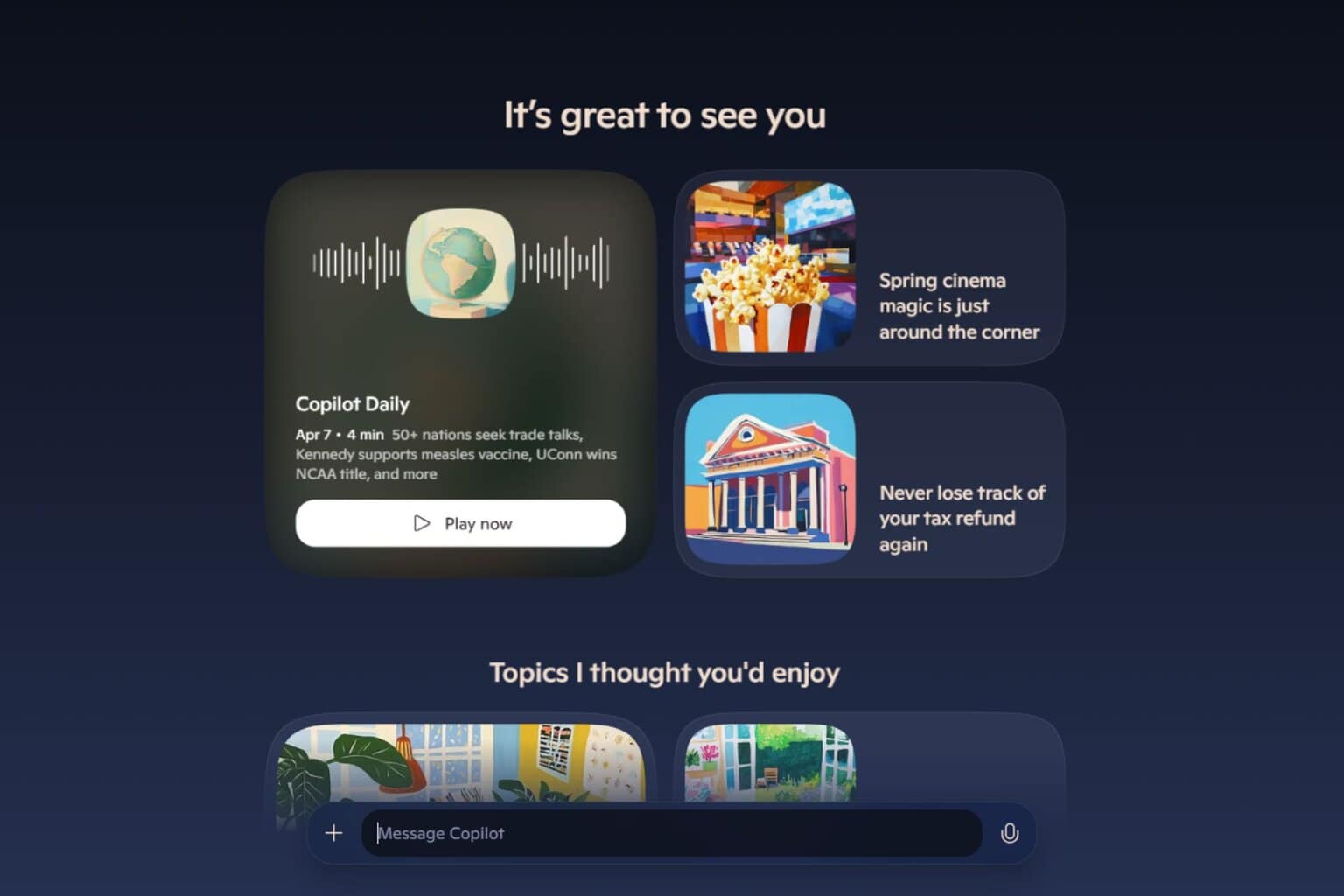
Together with Copilot Gaming Experiences, Microsoft also released Copilot Podcasts, a platform that creates personalized podcasts based on users’ favorite topics.
What do you think about all these changes coming to Copilot?
Microsoft has announced the continuation of driver synchronization support for Windows Server Update Services (WSUS). This decision reverses the company’s earlier plan to discontinue the feature in April 2025.
The initial proposal to phase out WSUS driver synchronization was part of Microsoft’s broader strategy to encourage the adoption of modern, cloud-based driver management solutions.
However, feedback from organizations, particularly those relying on WSUS for disconnected device scenarios, prompted a reevaluation of the timeline. According to the official blog post, effective immediately, WSUS will continue synchronizing driver updates from the Windows Update service and the Microsoft Update Catalog.
Even though it has reversed the plan, Microsoft is also encouraging users to explore alternative technologies, such as Windows Autopatch and Microsoft Intune.
Now is a good time to start exploring ways to use alternative in-support technology for better security and productivity. Consider what’s available for Windows 11 devices through Microsoft Intune and Windows Autopatch.
WSUS was supposed to be deprecated this month, and Microsoft announced it a while ago so that users could prepare to migrate to the alternatives. However, this is no longer the case.
Microsoft continues its commitment to refining the Windows 11 experience by releasing Insider Preview Build 22635.5170, or KB5055623, for the Beta Channel. This latest update introduces new features, enhancements, and fixes to improve beta testers’ usability and overall system stability.
One of the standout improvements in this build is the update to File Explorer, which now allows users to open folders in new tabs by default. This enhancement streamlines file management, making multitasking even more efficient. The update also addresses issues that previously led to crashes during file operations, ensuring a smoother user experience.
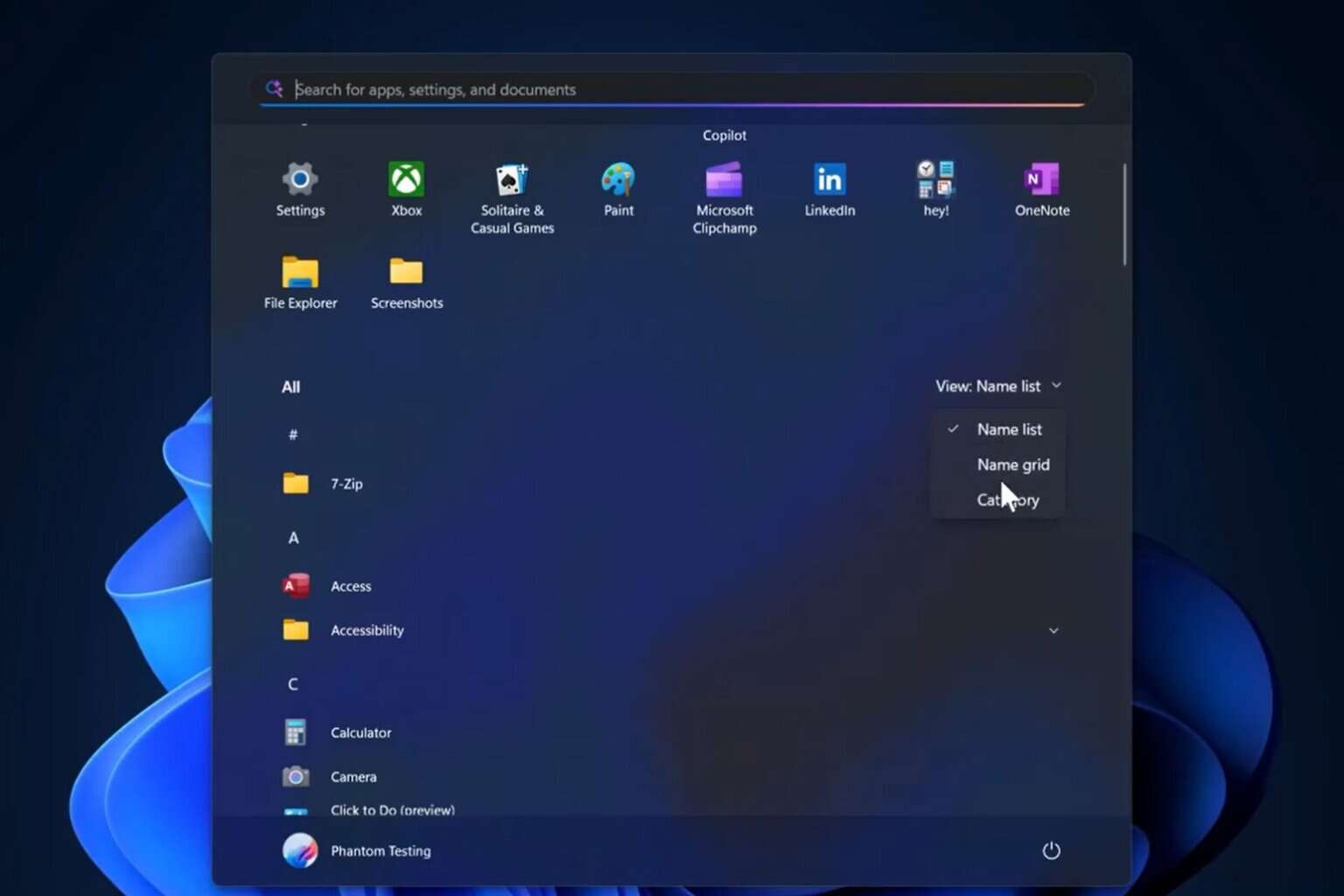
KB5055623 also addressed the Start menu. Improvements to grid and category views enhance navigation and accessibility. However, Microsoft has acknowledged known issues with the new Start menu views and encouraged testers to provide feedback for future refinements.
The build has one known issue: when right-clicking on an app, the “Start settings” context menu flashes before the app’s context menu appears.
However, the Redmond-based tech giant will most likely address it in the following patch.
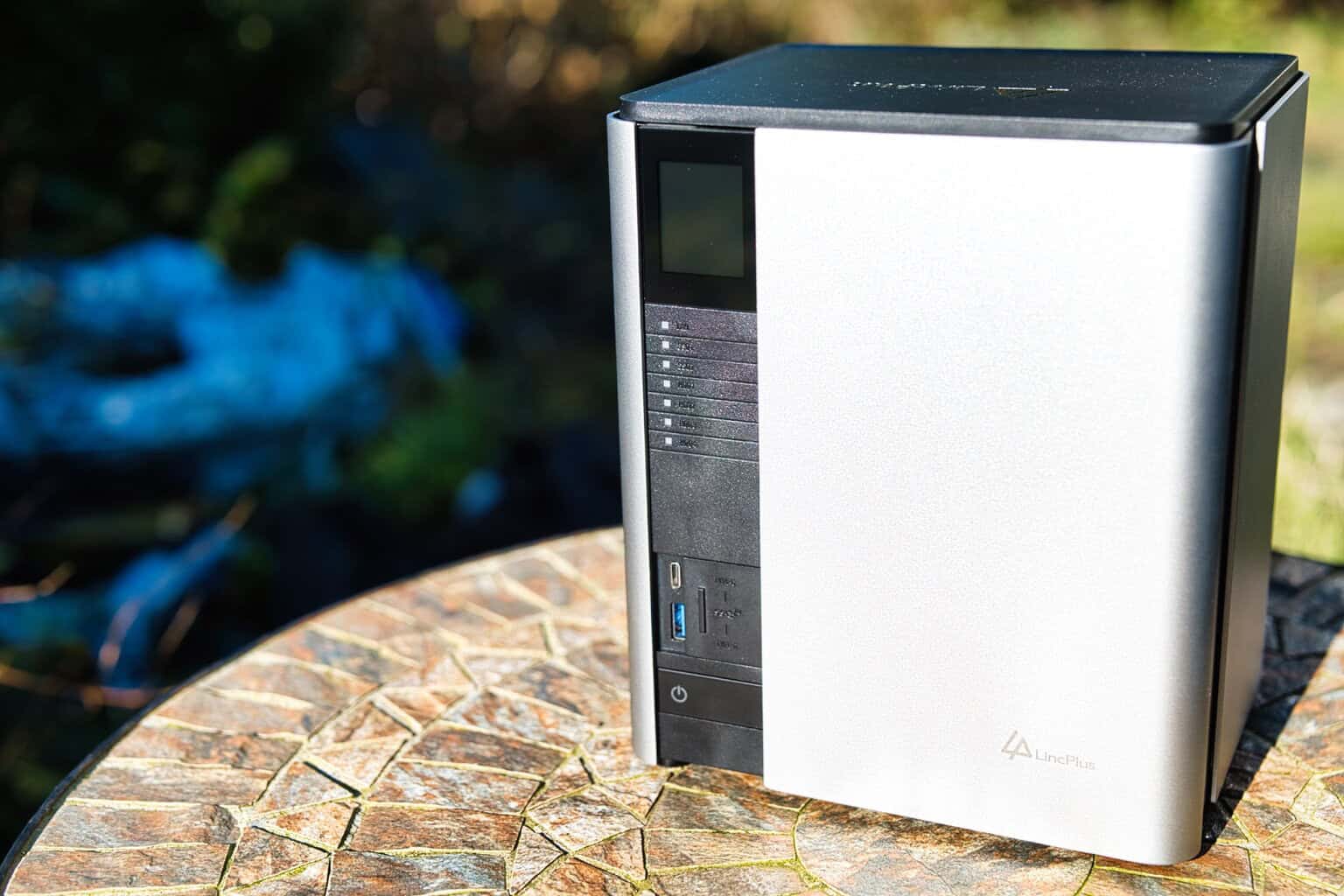
The LincStation S1 is the latest in LincPlus’s budget NAS series, designed to accommodate up to four full-size HDDs, with two NVMe SSD slots, 8GB of upgradable DDR5 RAM, and an Intel N97 CPU. It’s compact, efficient, and boasts excellent build quality. But that’s not what makes it special.
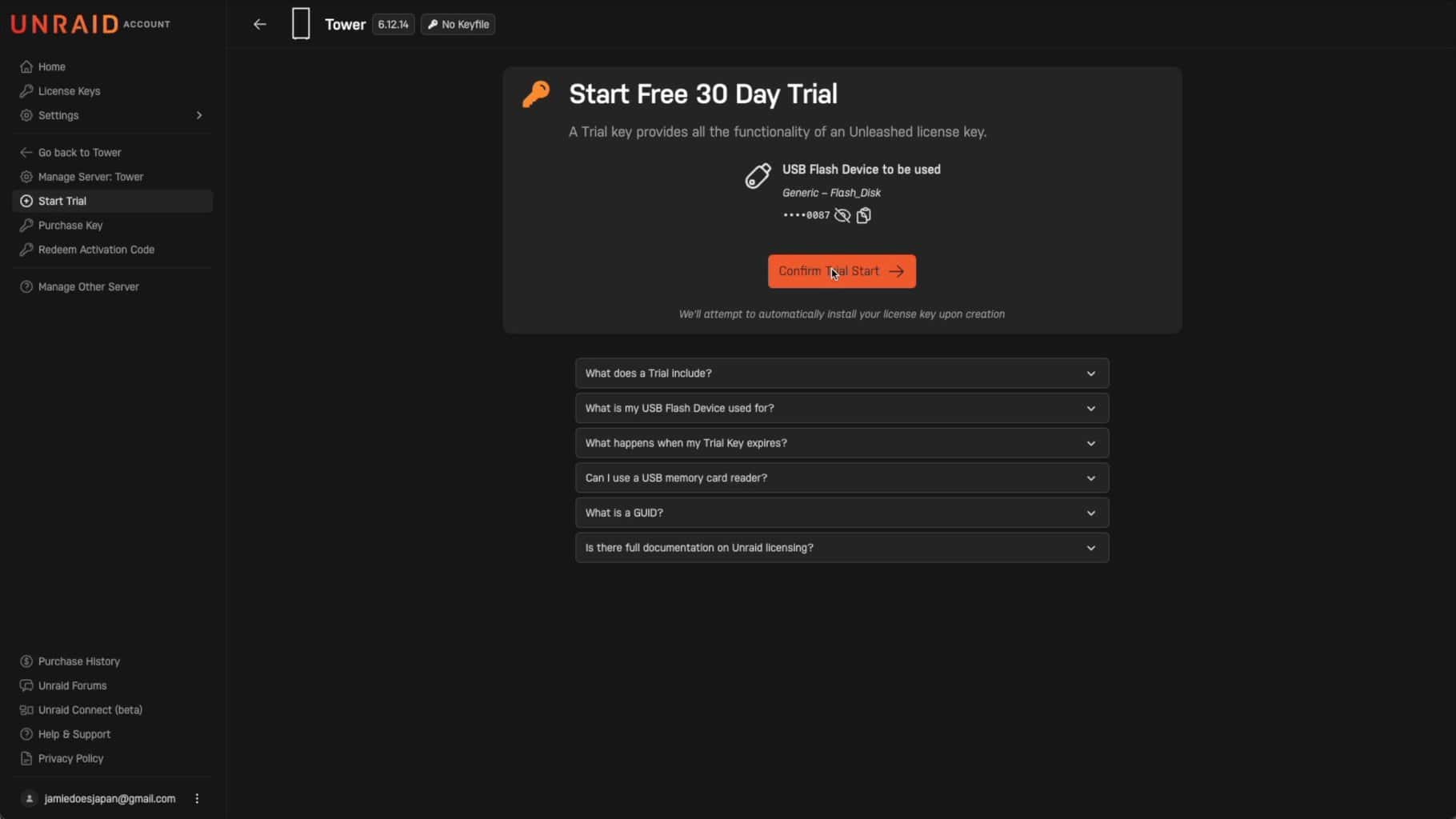
What makes the S1 genuinely interesting is that—rather than pushing some annoying proprietary OS—LincPlus has taken the very sensible decision to load it with UnRAID. That’s right: it’s a turnkey, prebuilt UnRAID server.
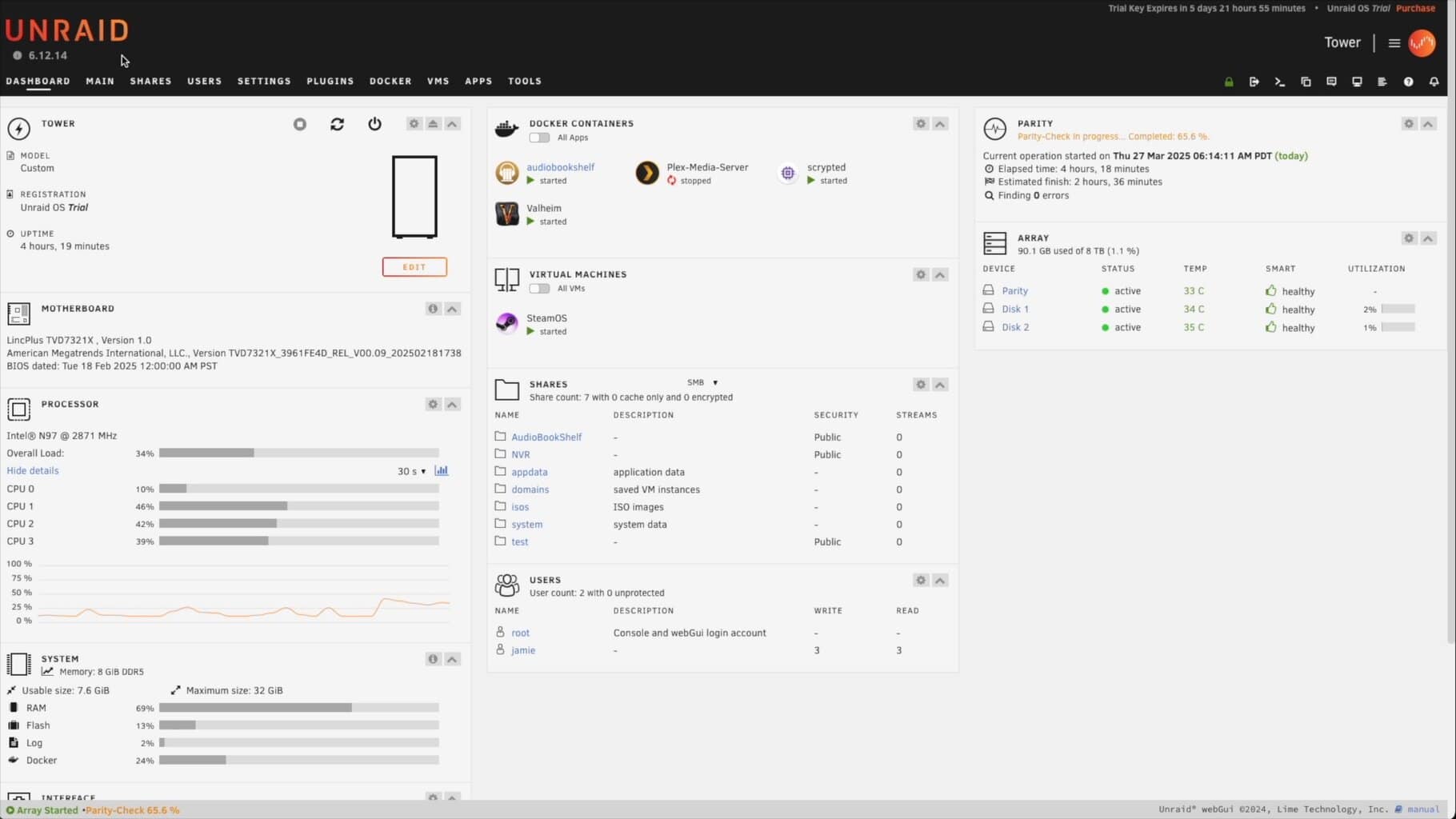
Out of the box, you’re getting a system compatible with thousands of virtual machines, apps, and Docker images, plus a huge existing community of users ready to help.
So is this the right NAS for you—whether you’re a first-time home user, a small business, or a networking enthusiast? Keep reading to find out.
This Is a Kickstarter
This is a pre-launch Kickstarter unit I received for testing. However, LincPlus had zero editorial input on this review—this review is not sponsored, and I won’t be pulling any punches.
Normally, I’d insert a standard Kickstarter warning here: don’t invest more than you can afford to lose. But in this case, LincPlus is an established company. I’ve reviewed their stuff before. This is not a prototype, and I genuinely don’t think there’s any risk here—it’s more of a marketing launch than a roll of the dice.
The campaign ends April 12th. The super early bird price is $430, with a retail price of $620. That’s for the unit without drives—expect to spend another $500–600 on storage depending on what you need.
Also, note that LincPlus is offering two models on Kickstarter. The other, the N2, uses NVMe and 2.5-inch drives in a slimline portable form factor. But the S1 is where it’s at for most users, especially if you’re looking to use good old-fashioned spinning disks for maximum storage value.
Specs Overview
The LincStation S1 offers:
CPU: Intel Alder Lake N97, quad-core, up to 3.6GHz
RAM: 8GB DDR5 SODIMM (user-replaceable)
Storage: 4 x 3.5” SATA bays + 2 x M.2 NVMe SSD slots
OS Drive: 64GB eMMC
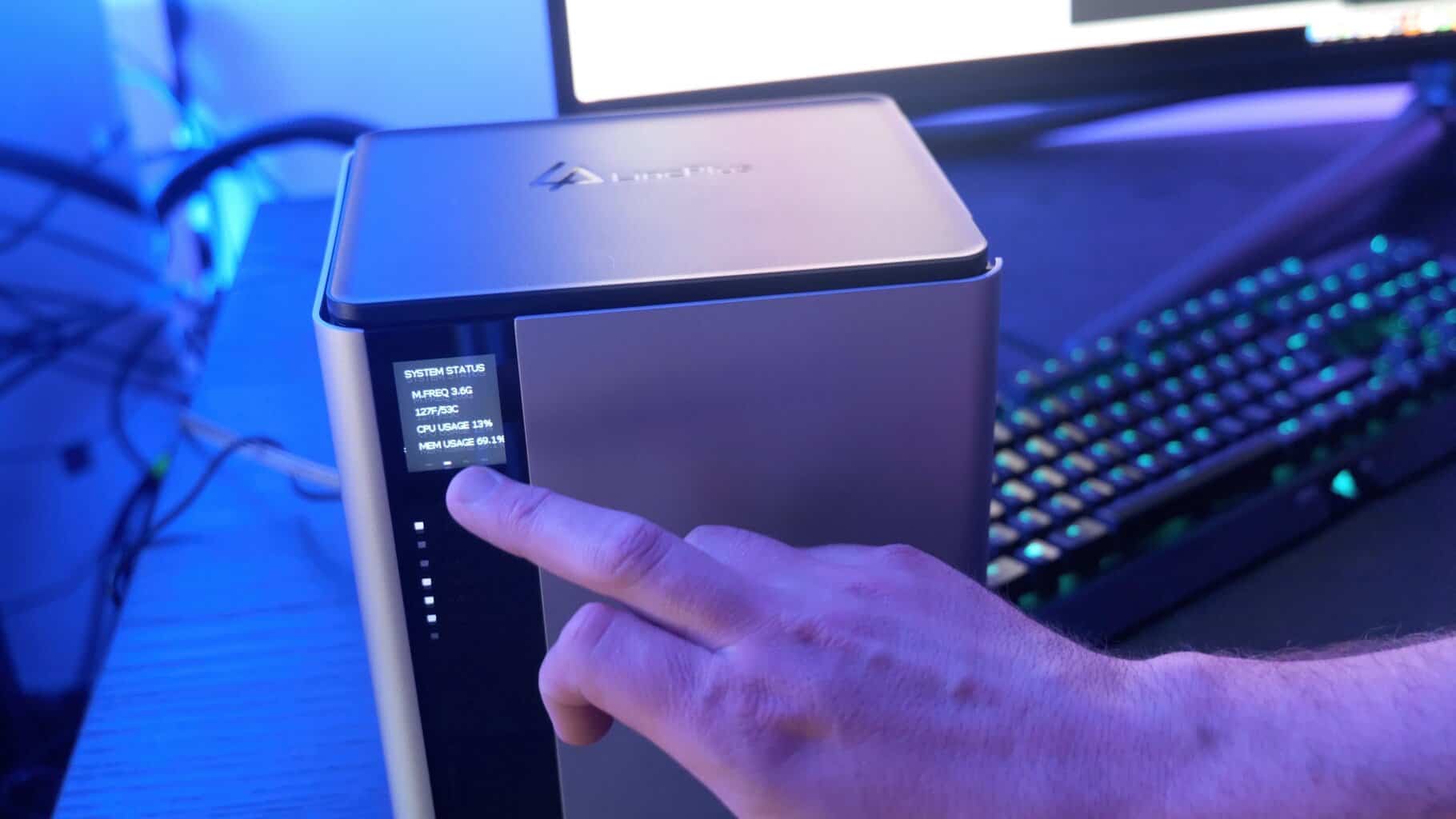
Display: 1.77” touchscreen
Networking: Dual 2.5GbE
Ports: 2 x USB-C, 2 x USB 3.2, 2 x USB 2.0, 1 x HDMI 2.0
The touchscreen offers basic system info like IP address. Personally, I prefer using the mDNS hostname—by default, just type tower.local into your browser or connect to smb://tower to access the file shares.
As for those dual 2.5GbE ports? Realistically, you won’t saturate them with just SATA drives alone, which top out around 150–200MB/s total—but you might see some benefit if you add NVMe caching drives.
The HDMI port is a bit odd to see on a NAS. You likely won’t use it, but it does give you access to a terminal, which could be handy for diagnostics or troubleshooting. In theory you should also be able to run a media player on it—but that’s not really the point of a NAS.
Design and Build Quality
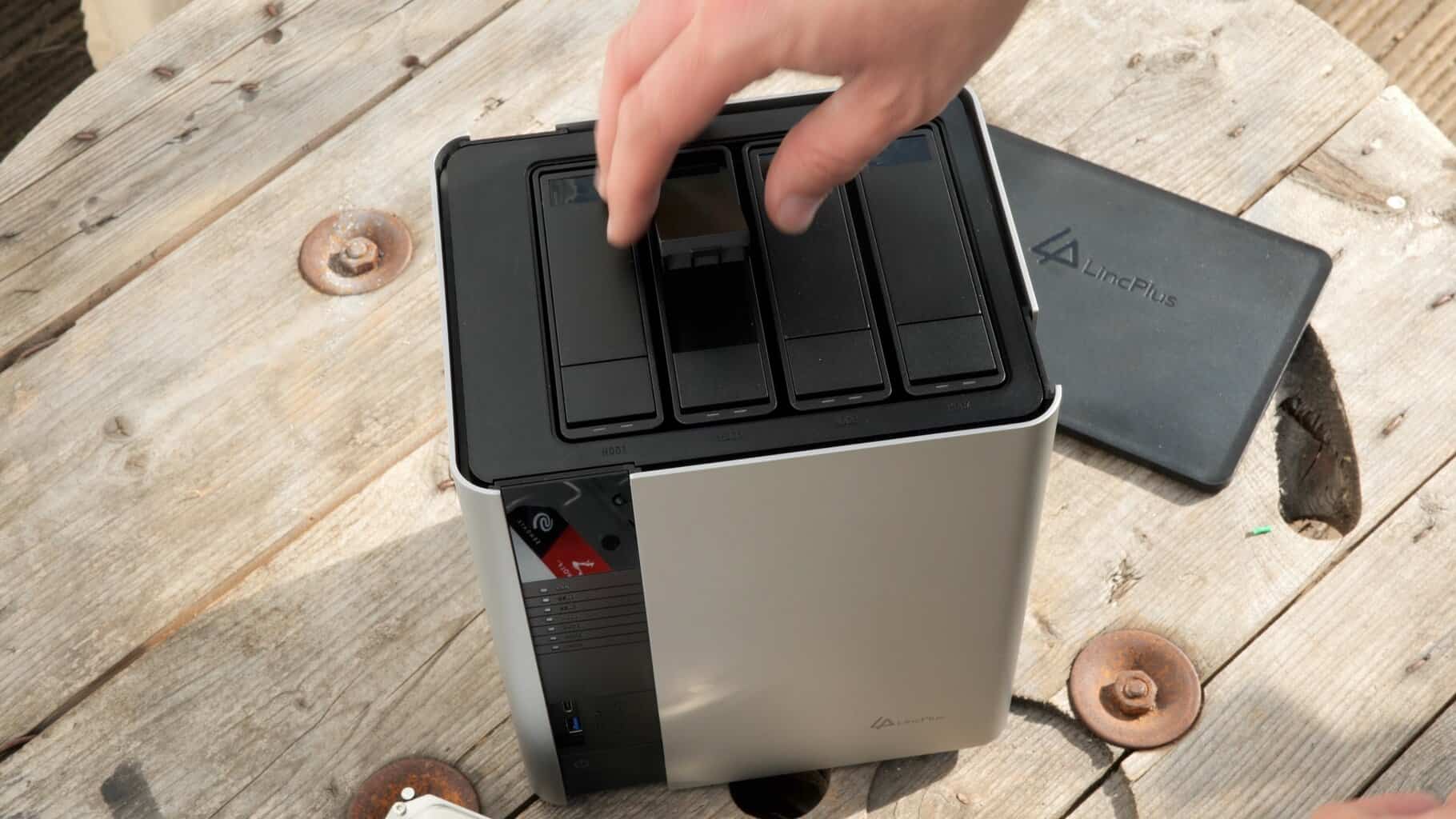
This is one of the better-looking NAS boxes I’ve used. The drives slot in from the top behind a magnetic panel, and it’s a completely toolless install—just click the drives into place.
Removing the side panel reveals the upgradeable memory, M.2 NVMe slots, and even the BIOS coin battery—something you’ll be thankful for the day it inevitably needs changing.
There are seven LED indicators, a slide-out front panel revealing more ports, and—thoughtfully—toggles on the back to disable both the lights and the screen if needed.
Power-wise, it ships with a 120W brick, but in use it only draws about 20W idle, and up to 50W at full tilt. It’s compact, attractive, well-built, and keeps everything accessible. LincPlus has done a great job here.
That said, it does run dual fans for cooling, which push heat downward rather than out the back. It’s the loudest NAS I’ve ever reviewed—but it does stay cool.
Why Software Matters More Than Specs
Having played with a lot of NAS systems over the years, I’ve come to this conclusion: hardware matters less than software.
Synology, for instance, lead the way with the most user-friendly interface out there. It’s polished and beginner-friendly, with features like Hybrid RAID that let you mix and match drives with ease.
I’ve also used more powerful systems with far better specs, only to have the experience ruined by terrible software. You can’t underestimate how much of a difference that makes.
LincPlus’s approach with the S1 is bold but brilliant: they’ve bundled UnRAID—a rock-solid, mature, community-supported NAS OS—and included a full license key.
It comes preinstalled. All you need to do is set a password and activate it.
That said, I strongly recommend using the 30-day free trial first. Once you activate the included license, you can’t return the unit. So it’s worth making sure UnRAID suits your needs first.
The starter license lasts for one year of updates. After that, you’ll still get security fixes, but no new features—unless you subscribe at $36/year. Some people hate that, but frankly, UnRAID needs to fund development somehow, especially when they’re not selling hardware themselves.
I’ve not used UnRAID in over a decade. Last time I tried, it was on a full tower PC—far too loud and power-hungry to act as a 24/7 server.
The LincStation S1 fixes all that. It’s small, relatively power efficient, and packed with features.
Getting Started with UnRAID
Now, I won’t lie: UnRAID is not beginner-friendly. There’s no first-boot wizard, just a license activation screen, and then… well, good luck.
Fortunately, setting up your drives is relatively simple. I used three drives.
There’s no need to understand traditional RAID levels here. You just assign drives to a pool and set one as parity. That’s your “backup” disk, in a loose sense—it holds enough information to rebuild data if a drive fails.
You can mix and match drive sizes, too, but your largest drive must be used for parity. And parity syncing takes time—on my setup, a 4TB parity sync took about six hours, during which your array is vulnerable.
UnRAID’s approach means files are written in full to one disk at a time. That’s great for data recovery, since you can pull a drive and still access files. But it does limit performance and file sizes to the size of your largest disk—so don’t try to archive 10TB .tar files on a 4TB disk. Traditional RAID setups are able to get a performance boost by striping files across all disks simultaneously; but your data is more vulnerable should the array go offline.
You’ll find two M.2 NVMe slots inside the S1. Don’t use these for bulk storage—SSDs have a limited write lifespan—but they’re perfect for caching or virtual machines.
Assign one as a cache drive, and anything you write to the array will be stored there first, then transferred later. This is invisible to the user—it still shows up in your file shares as normal, but behaves much faster.
UnRAID Frustrations
I’d be remiss if I didn’t mention the pain points. UnRAID is not intuitive. I had to look up some really basic things—like how to find the path to a share, or why I couldn’t access anything over SMB. Or how to actually view the file storage from the web interface (you can’t: there’s no built-in file browser!)
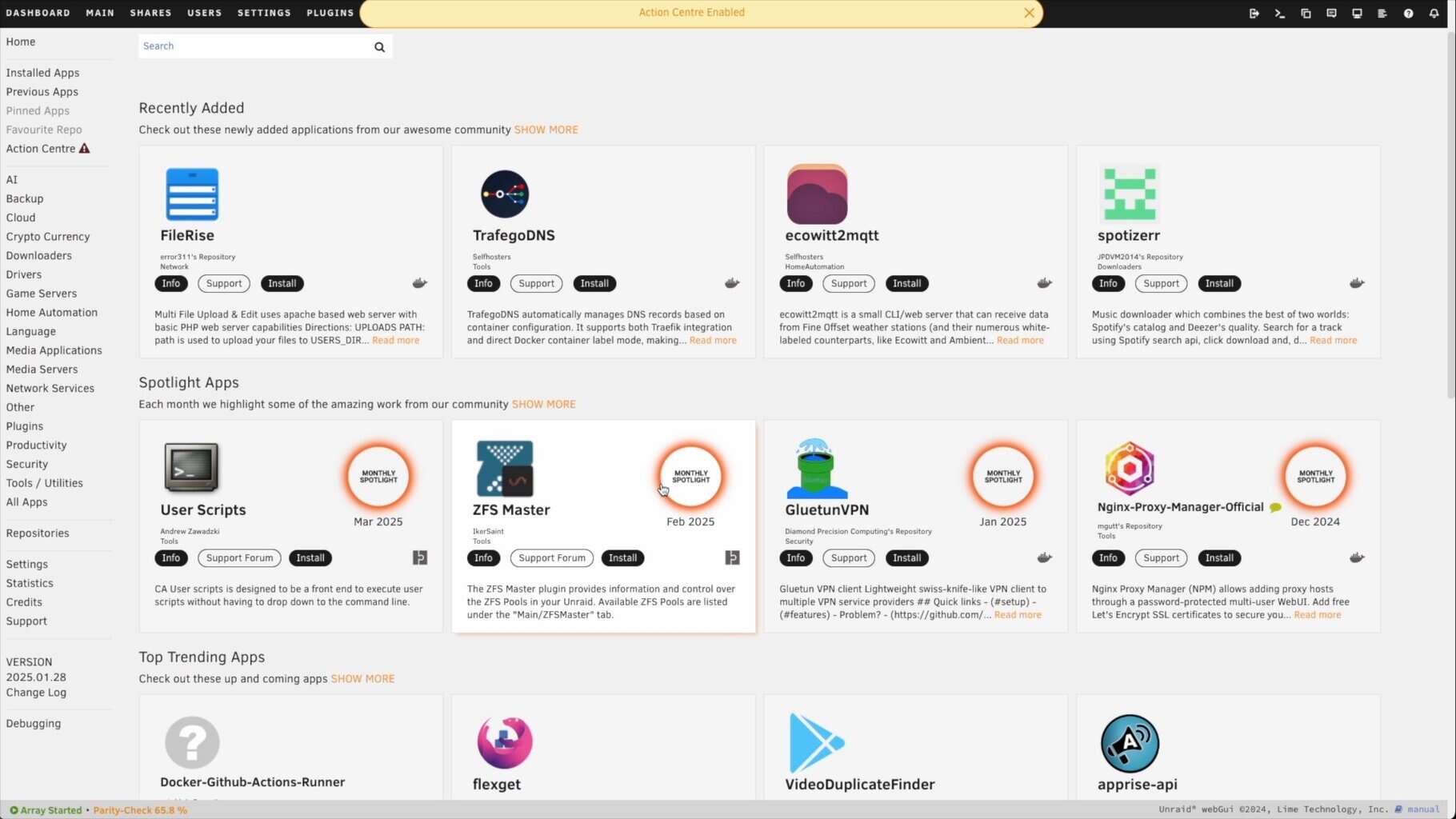
Install the Dynamix File Browser from the App Store immediately—it gives you a basic file browser, which should’ve been included by default.
That said, I managed to get some Docker images running without too much hassle: a Scrypted CCTV recorder, Plex media server, etc. I even tried installing SteamOS as a VM, but ran into some boot errors—likely user error, but it’s still frustrating.
If you’re new to UnRAID, watch a YouTube setup guide first. I probably have dozens of security holes right now. Cynical me suspects UnRAID is deliberately obtuse just to support a whole cottage industry of YouTubers.
Performance Testing
For testing, I copied various large files across a 2.5GbE wired connection from my Mac. Write speeds averaged 40–50MB/s, despite initially jumping up fast and then crawling to a finish.
Read speeds were much better: 172MB/s from the NAS to my machine.
I also ran the BlackMagic Disk Speed Test: write speeds averaged 70MB/s, reads hit 244MB/s. Again, very uneven performance, which caching could help solve—but I didn’t have spare NVMe drives to test that with.
Plex playback worked fine with raw files, including 4K and 8K HEVC. I even configured hardware transcoding by passing through Intel QuickSync (but the transcoded stream refused to playback, and I have no idea what went wrong there).
There are tons of apps available through UnRAID’s App tab. Just scroll carefully—after adding a community repository, there were about a dozen versions of Plex alone.
Should You Buy the LincStation S1?
The LincStation S1 feels like a ready-made DIY solution. That may sound contradictory, but it hits the sweet spot between polished hardware and tinkerer-friendly software.
You’re not limited by some slow manufacturer who hasn’t updated their flavor of the package you want in years. You’ve got loads of ports and expansion options. And UnRAID is a rock-solid network OS—once you know how to use it.
That said, UnRAID is not for beginners. If you’re completely new to NAS, I’d still recommend Synology. Yes, you’ll pay more for less powerful hardware, but the ease of use and excellent OS is worth it when you’re just getting started.
For tech-savvy users who want a solid UnRAID platform with well-designed hardware? The S1 is excellent. Just be aware you’ll need time, patience, or prior experience to make the most of it.
At the Kickstarter price of just over $400, it’s a great deal. At the full $600+ retail price… I’d hesitate, especially if you’re comfortable building your own low-power mini PC NAS. So, if you’re tempted—move fast.
Microsoft released Edge 135 to the Stable Channel, and with it, the Redmond-based tech giant is bringing some huge changes to the browser to improve users’ productivity and security.
Firstly, Microsoft Edge’s root certificate store, part of the Microsoft Trusted Root Program, has been updated to enhance security. Certificates that validate to specific Entrust root certificates will no longer be trusted by default if their earliest Signed Certificate Timestamp (SCT) is after April 16, 2025.
This measure is designed to mitigate potential vulnerabilities, and enterprises are encouraged to replace impacted certificates or take alternative steps, such as locally trusting the root certificate—though with careful consideration of associated risks.
With the new update, Microsoft Edge for Business has also started work-related searches in the address bar to M365.cloud.microsoft instead of Bing.com. This update facilitates more straightforward access to work-related content such as documents, bookmarks, and people. A dedicated search feature allows users to type “work” in the address bar for quick results.
Another huge change coming with Edge 135 is the overhaul of the Work Feed on the enterprise New Tab Page (NTP). Beginning mid-April 2025, Work Feed-eligible commercial users with Microsoft 365 subscriptions will experience a refreshed My Feed, focusing on productivity tools such as recent documents, SharePoint sites, Outlook events, and To-Do tasks. Content related to network activity will no longer be available.
Microsoft Edge 135 is introducing several new features, including:
Feature Usage Data Sync: This addition to Edge Sync allows users to synchronize data about their feature usage across devices.
Trending Suggestions in Address Bar:Microsoft Bing’s trending suggestions now appear in the address bar dropdown on the New Tab Page. Administrators can manage this feature via the AddressBarTrendingSuggestEnabled policy.
Authorized Group Settings for Enhanced Compliance: Edge will respect compliance settings for printer groups, USB device groups, and network share groups, ensuring Data Loss Prevention (DLP) protections cannot be bypassed.
Microsoft will enhance the Edge browser by integrating Copilot Chat agents directly into the Edge Sidebar. The enhancement, announced in a recent entry to the Microsoft 365 Roadmap, aims to simplify users’ day-to-day tasks by providing a smart, interactive assistant within their browsing experience.
The Copilot Chat agents were announced a while ago, and in the Edge Sidebar, they are designed to streamline productivity. By leveraging advanced AI capabilities, these agents can assist users in managing tasks, answering queries, summarizing information, and navigating complex workflows—all directly from the browser.
This integration naturally means more AI in Edge, but as with any other similar capabilities, it is also optional. Users can choose not to engage with AI agents.
Use agents in Copilot Chat on Edge Sidebar to simplify tasks.
So, what does simplifying tasks mean? The Copilot Chat agents in Edge can be used for work, research, or personal tasks. The enhancement is set to be added to Edge this month.
It’s also a strategy for Microsoft to attract more users to Edge. The browser is already gaining popularity, and it’s actually better than Chrome when it comes to some features, so it might be worth it.
Microsoft says Copilot is a game changer for students and graduates navigating the often overwhelming post-graduation job and internship search.
In a blog post, the Redmond-based tech giant says Copilot is designed to help users stand out in a competitive job market by offering a suite of AI-driven tools tailored to tackle key aspects of the application process.
One standout feature is its ability to refine resumes. Copilot analyzes job descriptions, identifies relevant skills and experience, and ensures resumes are polished and tailored to specific roles. The same level of detail and customization is applied to cover letters, as Copilot crafts compelling narratives that align with potential employers’ requirements.
Beyond traditional application materials, Copilot guides users in optimizing their LinkedIn profiles—an essential tool for professional networking in today’s digital-first world. It offers suggestions for profile improvement, ensures keywords are included for visibility, and even provides tips on engaging with professional communities.
Additionally, Copilot shares advice on building networking strategies, which are critical for connecting with industry professionals and uncovering hidden job opportunities. These insights will encourage users to take proactive steps in their career development.
The Redmond-based tech provided a list of comprehensive prompts to address to Copilot to get the AI model to come up with the best results on how to make your CV shine. You can read all about it here.
Or, you know, you can always ask it to come up with a podcast on how to land a job.
Microsoft has recently put a safeguard hold on the Windows 11 24H2 update for specific devices. This is due to a compatibility issue with the sprotect.sys driver, which is linked to specialized security software designed for encryption protection.
The affected driver has been causing severe problems during the update process, including system freezing and blue or black screen errors, but Microsoft has acknowledged the issues.
To address this, Microsoft has temporarily blocked the update from being installed on impacted devices. This proactive measure ensures that users won’t encounter disruptions while resolving the issue.
Microsoft is working with SenseShield Technology Co on a compatibility issue between Windows 11, version 24H2 and the sprotect.sys driver. This issue causes affected devices to become unresponsive and display a blue or black screen error. The sprotect.sys driver provides encryption protection and is used by specialized security software and enterprise solutions. This driver can be automatically introduced into a system as part of the installation process of many different applications. The issue impacts devices with any version of the sprotect.sys driver (1.0.2.372 and 1.0.3.48903).
The Redmond-based tech giant advises not to manually install the update until a resolution is provided.
Microsoft is introducing significant updates to Copilot, enhancing its functionality across multiple platforms.
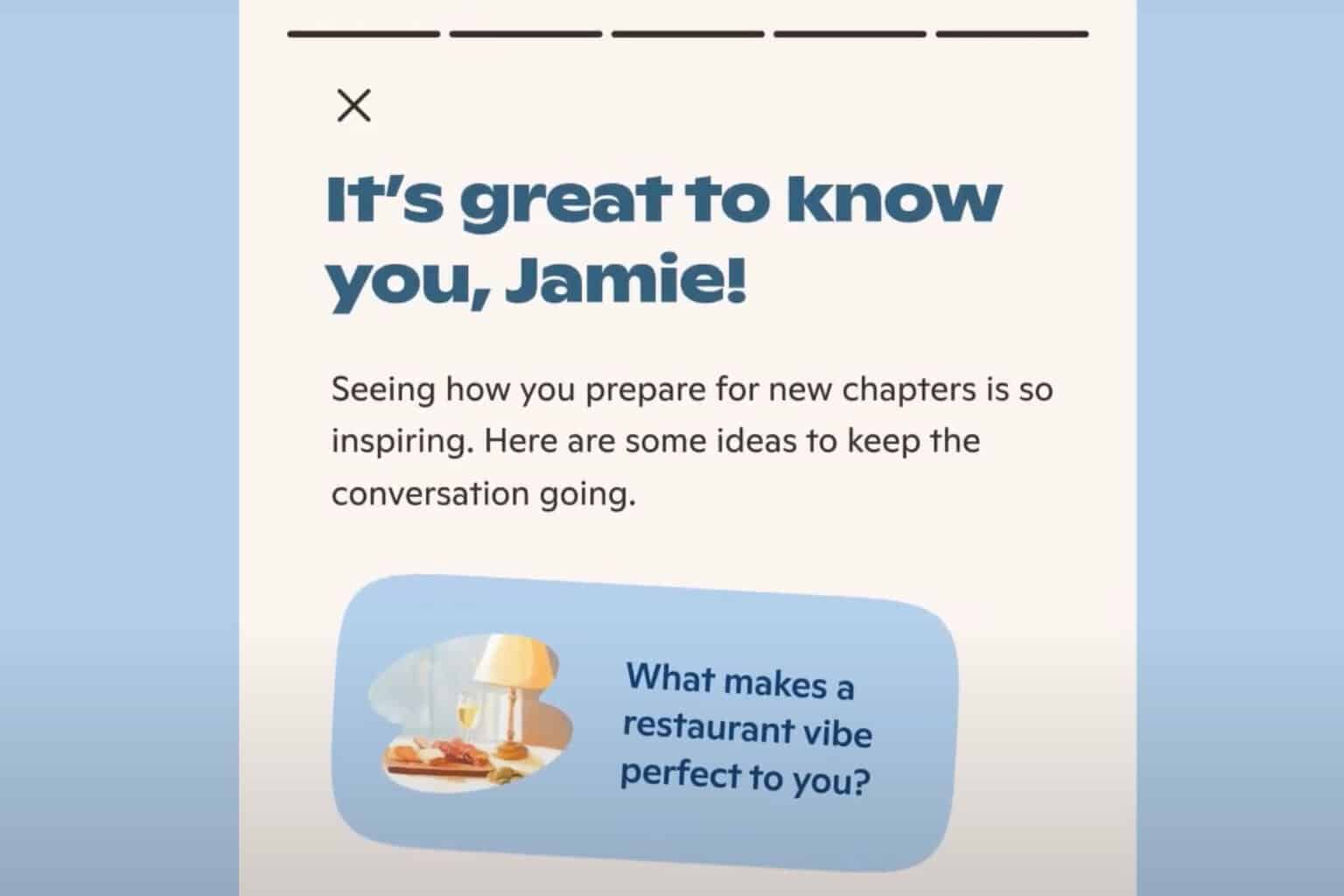
From generating personalized podcasts to being enhanced with Avatars that will bring popular assistants, such as Clippy, back, the Redmond-based tech giant will also enhance Copilot with a memory, the Copilot Memory.
This feature aims to deliver context-aware responses tailored to individual needs, but it will also consider previous interactions to provide a meaningful conversation.
Memory is essential for creating a true AI companion. With Memory, Copilot can remember important details: your favorite food, the types of films you enjoy and your nephew’s birthday and his interests. As you interact with Copilot, it notes your preferences, building a richer user profile and offering tailored solutions, proactive suggestions and timely reminders. Copilot prioritizes security and privacy, giving you control through the user dashboard and the option to choose which types of information it remembers about you or to opt out entirely. You remain in control.
Below, you can watch a trailer for the new capability.
Mozilla has ramped up its efforts when it comes to using AI in the Firefox browser. Most recently, the company has quietly started testing AI-powered link previews on hover-over. Here is our first look and hands-on experience.
When you come across a website with links to some articles, link previews help readers decide which ones to click and view by checking the contents in the preview. The link preview will be especially useful when you are dealing with search results, where hovering over a link helps determine whether the article is worth visiting.
Firefox aims to give users this useful feature powered by Artificial Intelligence. Here is how the feature works in Firefox.
How the Firefox’s AI-powered Link Preview feature works
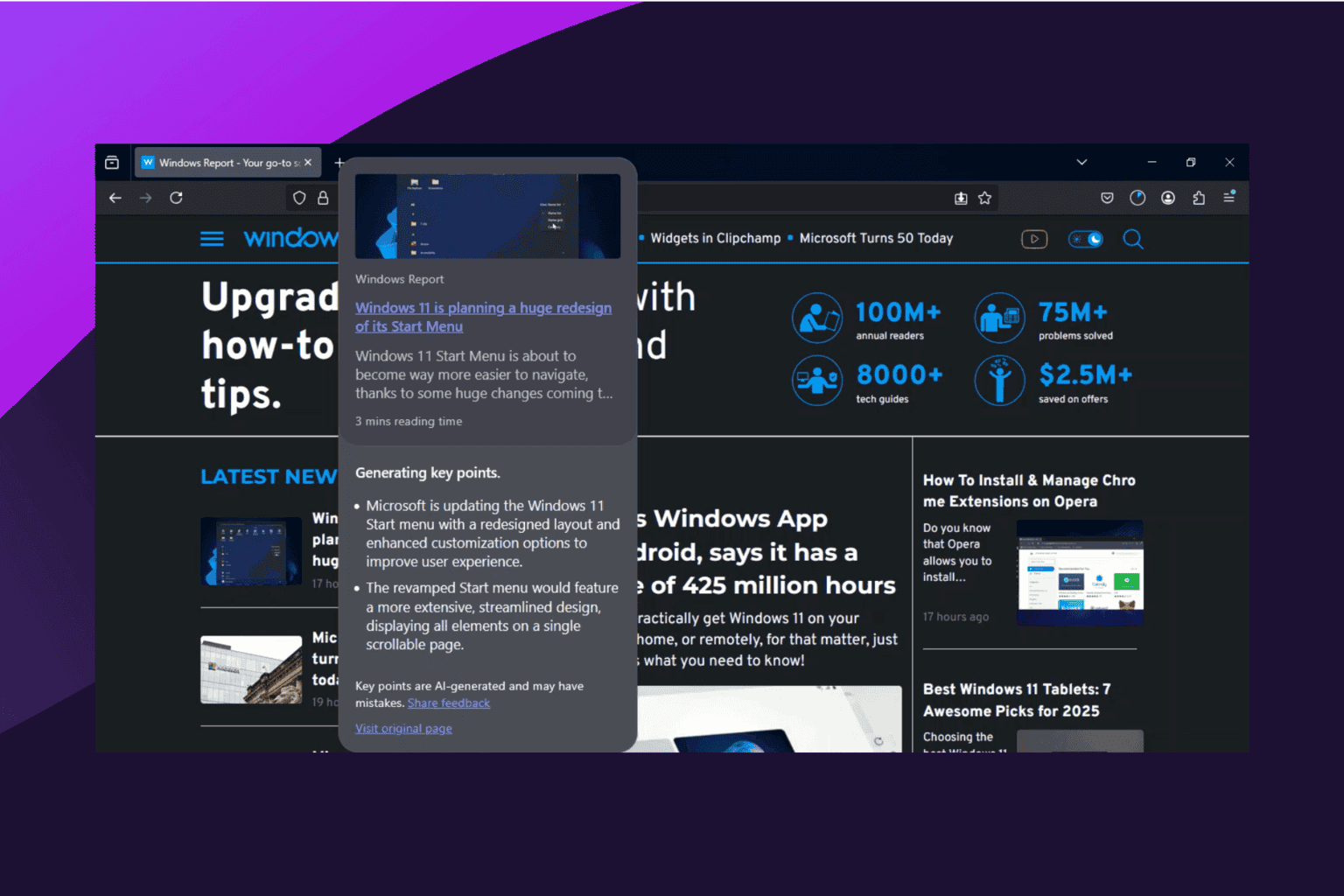
When active, hovering over a link with a shortcut generates a preview with a summary of the article and a list of “key points” below. While generating content, the preview panel states, “Key points are generated by AI and may contain mistakes,” with a link to the original page at the bottom.
Image Credit: WindowsReport
The preview with a summary at the top also contains a link to the article with an “estimated reading time”, which helps you decide whether it’s worth spending your time on it.
Image Credit: WindowsReport.
The link preview (or preview panel) will close when you press Esc or click any empty space on the page.
Image Credit: WindowsReport.
Mozilla is testing the feature, and shortcuts will be available for Firefox on Windows and Mac. As we said at the beginning, the link preview feature is especially useful on search results with multiple links, such as Google, Bing, DuckDuckGo, etc.
Image Credit: WindowsReport.
In our testing, the feature worked quite well with most of the sites, but AI-generating key points in the preview panel might take some time. We hope this will speed up as the feature development progresses, and that Mozilla will also take care to ensure no offensive words are created by AI.
Image Credit: WindowsReport.
Link previews are not new. Google rolled out this feature to Chrome publicly in a release version sometime back after extensive testing. Chrome offers a right-click option for previewing a link, as well as a keyboard shortcut (Alt + Hover). However, Chrome doesn’t use AI—here, Firefox is, and that’s the difference.
The Link Preview feature in Firefox is still being developed and is in the testing phase. Since it’s an AI feature, it might be made completely optional and generally not enabled by default.
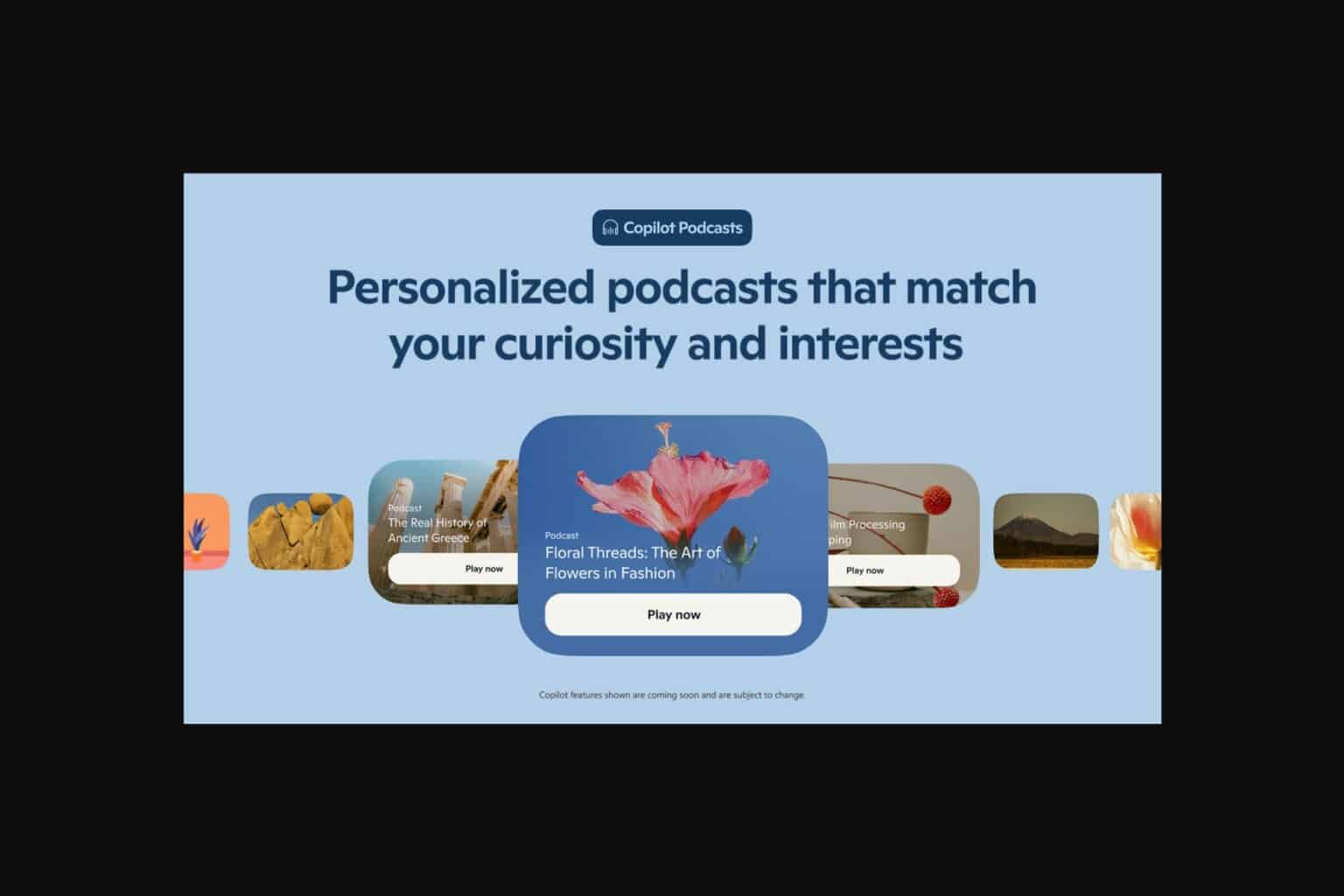
Microsoft has introduced an innovative feature for Copilot that is poised to revolutionize how people consume information: personalized AI-generated podcasts.
According to the announcement, this new capability allows users to create podcasts tailored to their interests and needs. Whether summarizing web content, distilling insights from user-provided sources, or delivering engaging narratives, Copilot adapts its podcast content to suit each user’s preferences.
What’s truly groundbreaking is the dynamic and interactive nature of these podcasts. Users can actively engage with Copilot during the podcast, asking questions, seeking clarification, or exploring additional topics.
This transforms the traditional one-way podcast listening experience into a two-way conversational interaction, making learning and entertainment more engaging and personalized.
Announced last week to celebrate Microsoft’s 50th anniversary, this feature is part of the Redmond-based tech giant’s broader strategy to enhance Copilot’s capabilities and establish it as a versatile AI assistant beyond conventional functions.
With Copilot’s new podcast feature, Microsoft is also positioning itself as a strong contender against Google’s NotebookLM. Given how many Windows users have access to Copilot, the company might succeed.
Copilot will also be enhanced with an Avatar capability coming to the AI model later this year. Microsoft says it’s trying to make the AI model more fun, engaging, and useful.
Microsoft turned 50 last week, and as part of the celebration, the Redmond-based tech giant announced some big things coming to Copilot, including a Copilot Avatar capability.
You know how we said not so long ago that Microsoft should bring all assistant characters back after it teased Clippy at the beginning of the year?
Well, it seems the company might do just that: Among the innovative features, Copilot Avatar will allow users to customize Copilot’s appearance with a virtual face or body.
This feature aims to add a layer of personality and relatability to the AI, making interactions more engaging.
But the other characters are not out of the question. Assistants such as Rover, Mother Earth, F1, Earl, The Dot, or even Cortana, for that matter, might make a comeback.
For now, though, Microsoft hasn’t specified when this feature will be available to the public, and it only said that it’s early in development. Still, the goal is to make Copilot more engaging, fun, and customizable. However, the Redmond-based tech giant will announce to users when the preview is available.
Microsoft plans to redesign the Windows 11 Start menu with a refreshed layout and enhanced customization options to improve user experience.
The revamped Start menu would feature a more extensive, streamlined design, displaying all elements on a single scrollable page. The “All Apps” list, which showcases installed applications, would be located below the recommendations section for easier access.
One of the biggest changes is the ability to turn off the recommendations section entirely, granting users more control over their Start menu. This customization option has been highly requested by users seeking a cleaner interface.
Additionally, the “Pinned” apps list, which highlights frequently used applications, will be adjusted to display only two rows by default. However, users can expand this section to include more apps if needed.
Hidden in today's Dev/Beta CUs: a major update to the Windows 11 Start menu! It has a new, larger layout with everything on one scrollable page, with the "All" list below recommendations – which can FINALLY be turned off! Pinned list is now limited to 2 rows, but can be expanded. pic.twitter.com/JkP3V2I5g6
To put it in perspective, Microsoft was founded on April 4, 1975, by Bill Gates and Paul Allen, precisely 50 years ago, or half a century. Ever since, the two childhood friends’ company has grown to be, at times, the most prominent organization in the world.
While Microsoft will hold a conference later today, where it will probably discuss new products and services and even the latest Xbox console, it’s also worth examining the tech giant’s legacy.
Despite turning 50, Microsoft is still more powerful and bigger than ever. One of the leading companies in the world, the tech giant has not only survived fierce competition (Apple, for example) but also the touchscreen era of smartphones, tablets, and laptops.
The company has reinvented itself over and over again. Despite its mistakes when it comes to providing the best services (the whole Windows 10 vs. Windows 11 debacle), or the best marketing (renaming products and services over and over again, as well), the Redmond-based tech giant has achieved incredible things: look at Xbox, and the Xbox Game Pass, which is now the gaming industry’s standard. Look at its Surface laptops; they are some of the best (and I don’t say this lightly since I own one) devices around. Look at its investemnts in AI.
So, Microsoft as a tech company turning 50 is a huge deal. It’s one of the companies with such a good reputation that it looks good on any CV. And I’m not writing this to praise them, because it also has its negative parts. Despite these, the company has always managed to push through and deliver better and sometimes underrated products, such as Microsoft Edge.
Microsoft is not going anywhere anytime soon!
What do you like about the company? Which Microsoft services and products are your favorite? Let us know in the comments section below.
Microsoft Teams will be enhanced with a new feature to alert users when sensitive content is shared in virtual meetings.
This innovative technology safeguards this kind of content during presentations by actively detecting sensitive information displayed on shared screens and alerting the presenter and meeting organizers when such content appears.
The feature was announced in a recent entry to the Microsoft 365 Roadmap, and it works seamlessly by monitoring the shared content in real time and identifying any confidential or private material, such as personal data or classified documents.
Once detected, the presenter receives an alert, allowing them to address the situation promptly and ensure the privacy of sensitive information.
This addition aims to minimize the risk of accidental exposure of sensitive material during meetings, supporting professional and personal settings where confidentiality is crucial.
Microsoft wants to take on Google with its latest innovation, Copilot Search, a feature designed to enhance the search experience by integrating advanced AI capabilities. This move positions Microsoft as a strong competitor to Google’s AI-powered search tools.
As the name suggests, Copilot Search leverages generative AI to provide users with more contextual and conversational search results.
Unlike traditional search engines, this feature allows users to interact with the AI more naturally and intuitively, making finding relevant information more straightforward and completing tasks efficiently.
For example, we used Microsoft’s new Copilot Search to search for Windows Report, and the results were impressive. Not only did it suggest Windows Report, as the main result, but it also offered additional resources on the same topic – Microsoft and Windows-related subjects, as you can see below.
The feature is part of Microsoft’s broader strategy to integrate AI across its ecosystem, including Windows, Office, and Azure. By doing so, Microsoft aims to redefine how users interact with technology, offering a seamless and intelligent experience.
Intel has announced that its Unison app, which connects Windows PCs and smartphones, will be discontinued by the end of June 2025. The app, which debuted at Intel’s Innovation 2022 event, offered features such as making phone calls, sending text messages, viewing notifications, and transferring files between devices.
The decision to discontinue the app comes as Intel shifts focus away from this utility. While the app will cease functioning for most platforms by June 30, 2025, Lenovo Aura platforms will retain service throughout the year.
Intel Unison was praised for its seamless integration with iOS and Android devices, making it a popular alternative to Microsoft’s Phone Link app.
Users are encouraged to explore other multi-device experience alternatives, such as Microsoft’s Phone Link app, which now supports iPhones and offers deep integration with Windows 11.
Microsoft has officially launched the Windows App on Android, marking the end of the Remote Desktop app on the platform. This new application serves as a unified access point for Microsoft’s virtualization services, including Remote Desktop, Windows 365, Azure Virtual Desktop, and Microsoft Dev Box.
The Windows App brings several enhancements over its predecessor, such as a redesigned user interface, improved user experience, and support for Chrome OS. Additionally, the app introduces passkey support for modern security and authentication, ensuring a safer and more streamlined connection process.
Microsoft has been gradually phasing out the Remote Desktop app across various platforms, with support for the app set to end on May 27, 2025. The Windows App is now available on macOS, iOS, web, and Android and can also be downloaded on Windows, where it will eventually replace the old Remote Desktop app.
The company reports that the Windows App has already logged over 425 million hours of usage across all platforms. While the new app has been praised for its functionality, some users have expressed concerns about its name, finding “Windows App” less intuitive than “Remote Desktop App.”
The Windows App came just in time, as the new Windows 365 Link device became available worldwide. If you don’t know, this pocket-sized device is the newest Cloud PC from the Redmond-based tech giant.
Microsoft has unveiled significant updates to the licensing and pricing structure for its on-premises server products, set to take effect in July 2025.
Key updates include the general availability of Exchange Server Subscription Edition and Skype for Business Server Subscription Edition. These products will transition from a three-year version cycle to a “version-less” model, offering regular updates under the Modern Lifecycle Policy. To deploy these subscription editions, customers must have active Software Assurance (SA) or cloud subscription licenses for all users and devices accessing them.
Additionally, Microsoft has announced a 10% price increase for standalone on-premises server products, including SharePoint Server, Exchange Server, and Skype for Business Server. The Core CAL Suite and Enterprise CAL Suite will see price hikes of 15% and 20%, respectively. These adjustments aim to support ongoing maintenance and updates for on-premises solutions.
Significantly, these changes will not impact pricing for cloud-based services such as SharePoint Online, Exchange Online, or Microsoft Teams, available through Microsoft 365 licenses.
In a blog post, Microsoft says these changes reflect the company’s commitment to supporting customers who rely on on-premises deployments while aligning with modern lifecycle policies.
However, the changes might not go well with customers, as we could see earlier this year when the Redmond-based tech giant increased the prices for Microsoft 365 subscriptions.
For more details, you can visit the official announcement here.
Microsoft has released Windows 11 Insider Preview Build 26200.5518, KB5055625, to the Dev Channel. This build introduces several new features and improvements to enhance user experience and productivity, including a revamp of File Explorer. Here’s how:
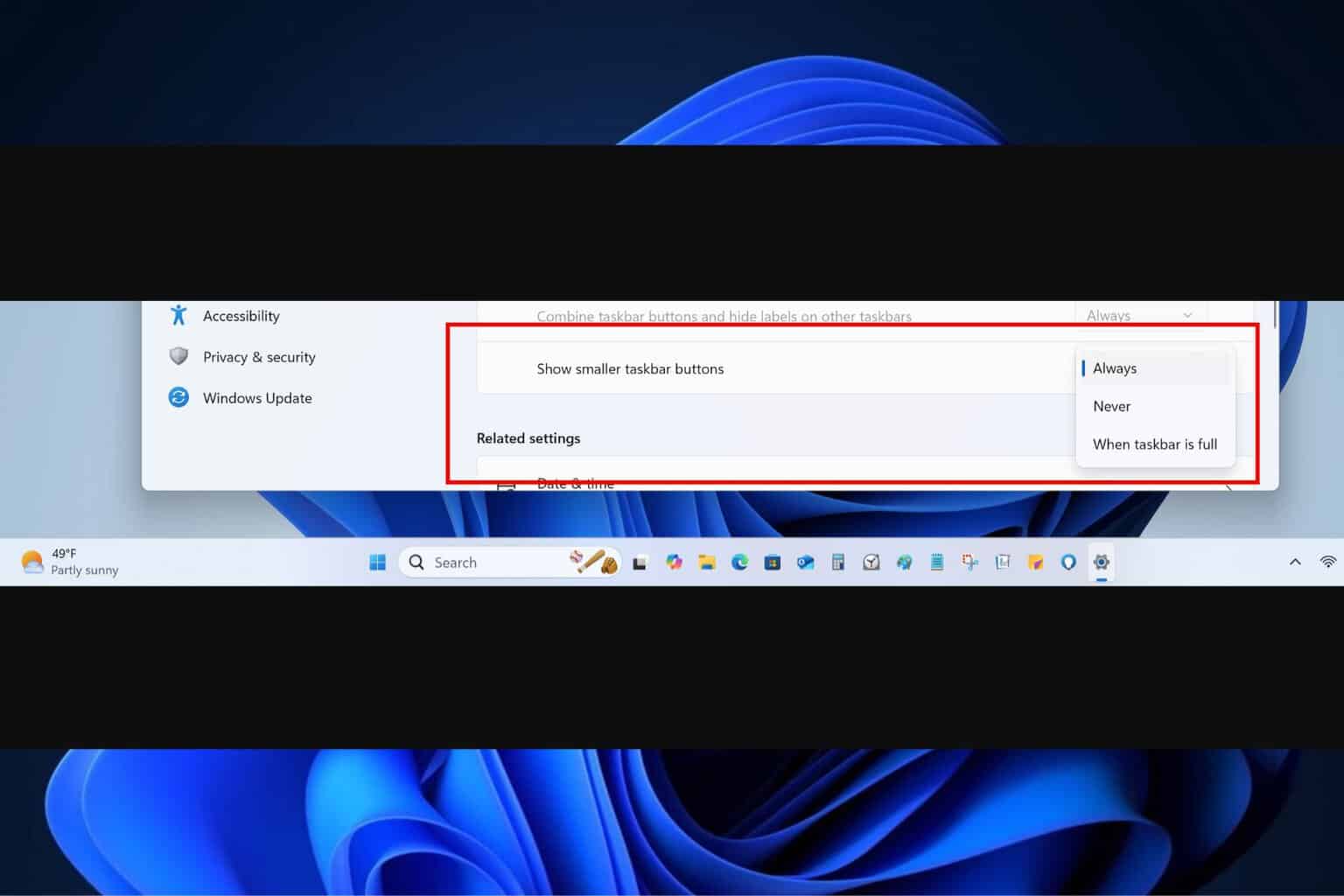
One of the standout features is taskbar icon scaling, which allows users to manage crowded taskbars more efficiently. Icons will automatically scale down when the taskbar becomes full, ensuring quick access to apps without diving into secondary menus.
Users can customize this feature to suit their preferences, choosing between “Always,” “Never,” or “When taskbar is full” settings.
Another notable addition is the drag tray feature for file sharing. This feature simplifies sharing files by displaying a tray at the top of the screen when a file is dragged.
Users can drop the file into one of the displayed apps or open the Windows share window for more options.
KB5055625 also brings Click to Do to the Dev and Beta Insiders. The feature allows you to send selected text or images to Copilot and let the AI model perform a series of actions on them, such as summarising, creating a list, or rewriting.
As for known issues, Quick Assist will not work for non-admin users, and despite making Windows Sandbox available in the operating system, Microsoft says it is not available in this build.
For more details, you can visit the official announcement here.