PUBG to release three limited edition Cosmetic Packs to celebrate Xbox One launch

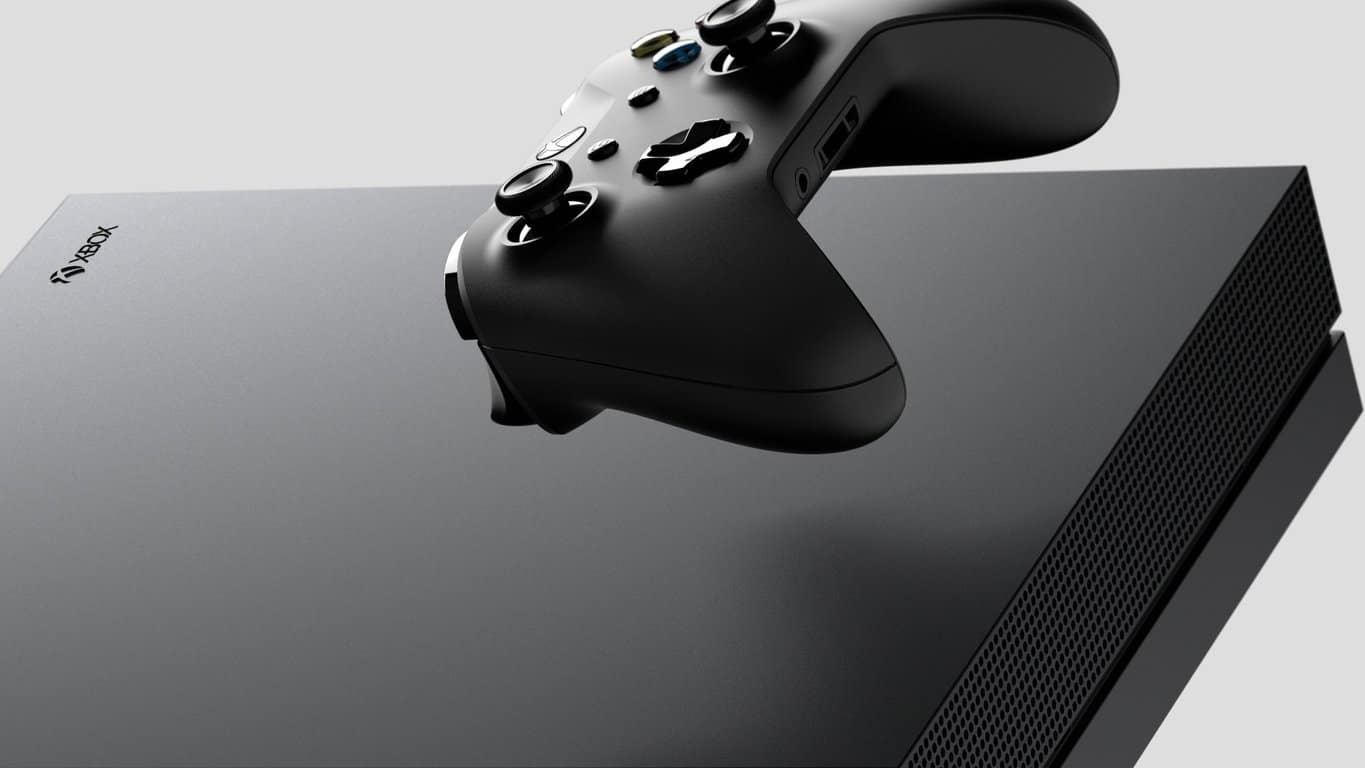
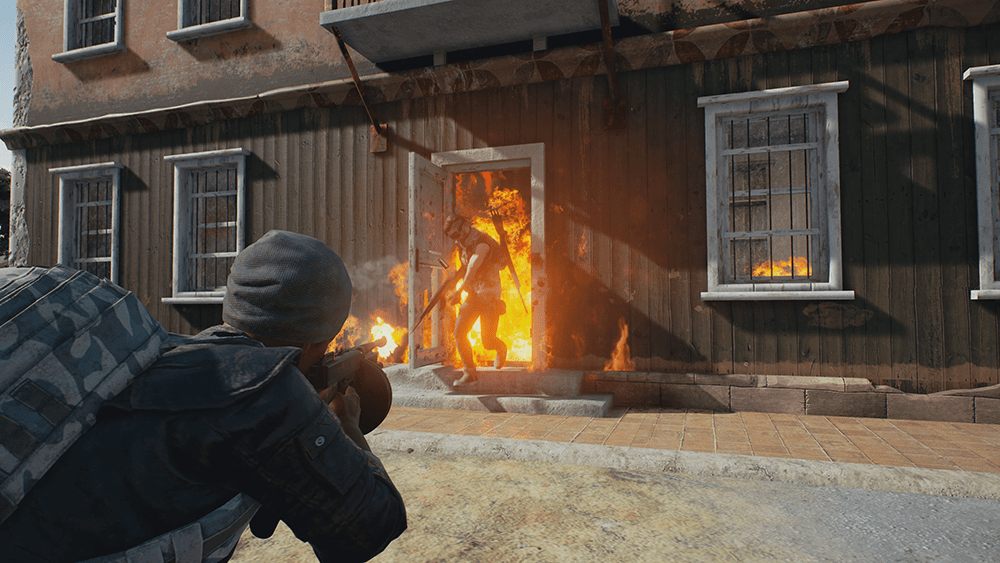
With PUBG set to launch on December 12 on Xbox One, developer Bluehole will release three limited-edition cosmetic packs that will be exclusive to the Xbox One version of the game. The first of those packs, the PUBG Warrior Pack will be available to purchase starting tomorrow, December 7 for $9.99 (the Store listing will go live at 7PM PST).

The PUBG Warrior Pack includes a balaclava hat, camo t-shirt, pants and tennis shoes.

On December 14, the PUBG Accessory Pack will be available to purchase for $4.99, followed by the Tracksuit Pack (also $4.99) on December 21. “These packs are exclusive to Xbox fans as standalone offers available for a limited time and as there are no plans to feature any in-game purchases in the Xbox Game Preview version, are the only items that can be purchased during the preview period,” the Xbox team explained.

The PUBG Accessory Pack (left) and Tracksuit Pack (right).

PUBG is already available to pre-order from the Microsoft Store and it’s currently priced at $29.99, just like the Steam early-access version. The Xbox One version of the game has been much anticipated, though we recently learned that it will run at 30FPS on both the Xbox One X and the standard Xbox One. That’s a bit disappointing for a shooter game, but remember that PUBG is still in preview and things could change in the future. “We’re constantly refining the game & exploring options to increase FPS, but this early in dev, we’re unable to confirm more,” Game Director Brendan Greene recently explained.

Xbox One’s DELTA & OMEGA Beta build 1711.171203-1700 fixes network issue

Build 1711.171203-1700 in the new Preview DELTA & OMEGA Beta has begun to rollout to select Xbox Insiders. It’s main focus appears to be fixing wireless internet connectivity bugs, something that had been frustrating users since the last build. Here’s the full release notes.

FIXES:

Networking: Fixed an issue which caused certain wireless networks to be missing from the list when scanning for available wireless networks. Fixed an issue which sometimes caused unexpected network disconnections when using a wireless connection.

Games/apps not installing/updating/launching: We investigated reports of some users in ASIA/APAC(Australia & Pacific) countries  that could note install/update/launch any games or apps.  We have conduced service changes in the global network for ASIA and APAC countries that should resolve these errors.

KNOWN ISSUES:

Display: We are investigating the inaccurate RGB colors that have been reported when displaying in 4K HDR mode when playing a UHD disc.

Tournaments: The left and right navigation for selecting date and time during Tournament creation is currently reversed when the console language is set to Arabic or Hebrew. Left and right navigation in Tournament twists is reversed when the console language is set to Arabic or Hebrew. Left and right navigation in the bracket view of Tournaments is reversed when the console language is set to Arabic or Hebrew

Avatars on Home: Users wishing to represent themselves as an avatar can do so by changing their settings under My profile > Customize profile > Show my avatar.

Narrator: Narrator can stop reading large amounts of text.

These preview builds are made available to Xbox Insiders, Xbox One console users who have opted-in to help Microsoft test features before they’re pushed out to the average user. Are you an Insider and have you installed this build yet? Let us know in the comments below.

Microsoft launches public preview of IoT Central

Microsoft today launched their public preview of Microsoft IoT Central, the company’s software-as-a-solution product designed to assist businesses and organizations in building IoT (Internet of Things) applications quickly, easily, and efficiently.

“Microsoft IoT Central takes the hassle out of creating an IoT solution by eliminating the complexities of initial setup as well as the management burden and operational overhead of a typical IoT project. That means you can bring your connected product vision to life faster while staying focused on your customers and products. The end-to-end IoT SaaS solution equips you to harness the “digital feedback loop” to draw better insights from your data and convert them into intelligent actions that result in better products and experiences for your customers,” Azure IoT director, Sam George said in the official announcement.

“By reducing the time, skills, and investment required to develop a robust enterprise-grade IoT solution, Microsoft IoT Central also sets you up to quickly reap the powerful business benefits of IoT. You can get started quickly, connecting devices in seconds and moving from concept to production in hours. The complete IoT solution lets you seamlessly scale from a few to millions of connected devices as your IoT needs grow. Moreover, it removes guesswork thanks to simple and comprehensive pricing that makes it easier for you to plan your IoT investments and achieve your IoT goals.”

Microsoft also launched a new IoT Central website alongside today’s announcement and those interested in trying the new service are encouraged to check out the free trial here.

FIX: Skype kicks me out of game

Team speaking is a must-have feature if you play with your friends and without it, you don’t really have an edge over other random players. Now, for that purpose, a lot of gaming enthusiasts choose Skype over other third-party programs. And it’s all good until the alt-tab minimization shows its ugly face and you’re kicked out of the game.

Now, hear us out, we indeed provided a few solutions that should, more or less, subdue Skype. However, for the permanent resolution of the problem, we strongly advise you to check out other, specialized VoIP programs that are both free and better-suited for the job. They go easier on your bandwidth and their latency is rather low.

Either way, check out the steps we provided below and decide for yourself.

How to prevent Skype from minimizing a game in a few simple steps

  1. Disable ”Show call controls when Skype is in the background”
  2. Select ”Do not disturb”
  3. Disable notifications
  4. Use better VoIP alternatives

Solution 1: Disable ”Show call controls when Skype is in the background”

Even though Skype is probably the most used VoIP (Voice over IP) application in the world, it’s still fairly limited when it comes to cooperation with gaming. Basically, once you start it, it won’t shy from acknowledging its presence in the background. All the time. Since we all know that online games don’t like frequent alt-tabs while playing. Some of those even identify it as cheating and that’s the last thing we want, isn’t it?

The first thing you can do to subdue the unwanted activity from Skype while gaming is to disable Call controls from showing up. What we want in this scenario is to make Skype as tranquil as possible. Here’s how to do it in a few simple steps:

  1. Open Skype.
  2. Click on Tools and then on Options.skype kicks me out of game
  3. Select Calls.
  4. Click on Call settings.skype kicks me out of game
  5. Choose ”Show advanced options”.
  6. Uncheck the ”Show call controls when Skype is in the background” box and save changes.skype kicks me out of game

Solution 2: Select ”Do not disturb”

Furthermore, a ”Do not disturb” should be your go-to online status in Skype while playing the game. With it, you’ll be able to avoid all unneeded notifications and prompts, while maintaining the connection with your friends. So, once you’re all set and the connection with friends is established, make sure to select the ”Do not disturb” mode. Follow the instructions below to do it:

  1. Open Skype.
  2. Navigate to your Account heading (under the profile pic) and expand the status menu.
  3. Select ”Do not disturb”.skype kicks me out of game

After that, Skype shouldn’t kick you out the game. In case it still does, make sure to check the next step.

Solution 3: Disable notifications

Another way to keep Skype to low-key status is to disable notifications. There’s a whole bunch of notifications that are rather unuseful, especially when you need Skype to stay out of your business during the gaming session. In addition, you can disable them all and enable everything later on, when you’re done with raining no-scope 360 havoc in Call of Duty or Battlefield.

Here’s how to disable Skype notifications in a few simple steps:

  1. Open Skype.
  2. Open Tools.
  3. Click Options.skype kicks me out of game
  4. Select Notifications from the left pane.
  5. Uncheck the ”Enable Skype for Windows desktop notifications” and save changes.skype kicks me out of game

Solution 4: Use better VoIP alternatives

Finally, if none of the above is fitting, you can always turn to alternatives. It’s 2017 and, well, online gaming is at its peak. Meaning that, besides the abundance of games, we have a myriad of supporting programs that are much better than Skype for the job at hand. Besides the better integration, these programs are, feature-wise, a great improvement over Skype.

Use Skype for everything else, but for team chat, make sure to take into consideration one of the following programs:

Every single one of them has an upper hand on Skype in regards to online gaming and voice chat with your friends. They are all free, but some of them come with launchers or clients, respectively. Our choice would probably be TS3 or Discord, which are widely used and regarded as reliable and well-designed pieces of software.

That should conclude it. In case you have an alternative solution we forgot or questions regarding the Skype minimizing we haven’t answered, make sure to tell us in the comments section below. We’ll be glad to hear from you.

RELATED STORIES YOU SHOULD CHECK OUT:

Destiny 2 gets Xbox One X 4K Ultra, HDR enhancements

While the Xbox One X may lack the first party exclusives most major new consoles use as a purchase crutch initially, Microsoft seems to be banking on the device’s horsepower to turn current games into ‘like-new’ experiences.

Head of Xbox Games and Marketing Arron Greenberg just announced via Twitter that Xbox One X owners can now experience Destiny 2 in 4K Ultra HD and HDR thanks to console enhancements.

Seems as though the tipping point for 4K console gaming is on the horizon for Xbox gamers. All that’s left now is to buy yourself a brand new 4K enabled TV to get the most out of your Xbox One X console, be it gaming or Netflix.

The Asus NovaGO and HP Envy x2 are the first Windows 10 on ARM laptops

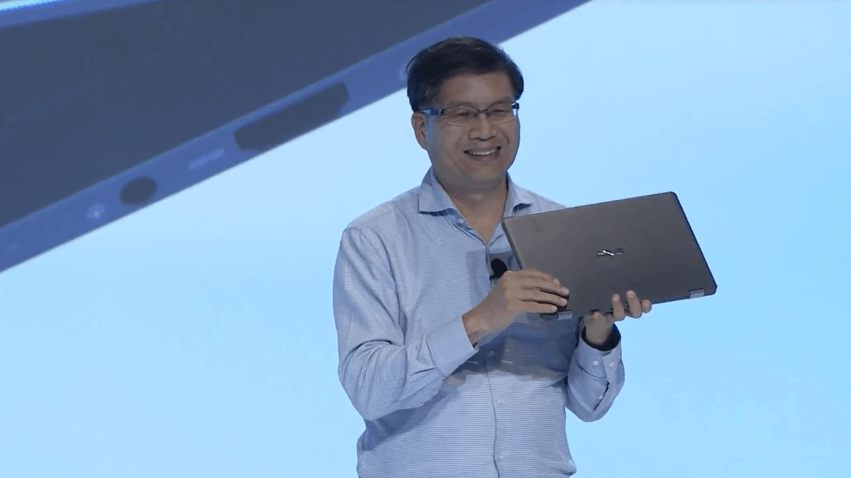
ASUS and HP have just announced the first PCs running Windows 10 on ARM today in Hawaii. Both companies were present at Qualcomm’s Snapdragon Technology summit, and Asus was the first company to unveil its always-connected PC powered by a Qualcomm Snapdragon 835 processor.

Asus’ first Windows 10 on ARM device is called the NovaGo, and it will deliver Gigabit LTE speeds thanks to its 4×4 MiMO antennas. Just like the freshly released Surface Pro with LTE, it will come with both an embedded SIM and a Nano SIM tray for popping in your own SIM card. Interestingly, the Asus NovaGo will run Windows 10 S, but customers will be able to upgrade for free to Windows 10 Pro through September 2018.

As for the specs, Asus promised up to 22 hours of video playback and over 30 days of battery life when on standby. The company also mentioned support for Windows Ink, Windows Hello and. Cortana. Two models will be available, a base with 4GB of RAM and 64GB storage for $599 USD, and a higher-end model with 8GB of RAM and 256GB of storage for $799. Unfortunately, Asus didn’t share a release date for the NovaGo today, but it should available in 7 markets at launch including the US, the UK, France, Germany and China.

HP Envy x2

HP also unveiled the Snapdragon 835-powered Envy x2 today, which will be a new edition of the existing model with an Intel processor. This detachable PC will also run Windows 10 S out of the box, offer “lightning-fast 4G LTE” and provide up to 20 hours battery life. We don’t have any more details about specs or pricing, but HP said that it was coming in Spring 2018.

Microsoft has said they are continuing to work closely with Lenovo as they build their Always Connected PC, so you can expect more of these types of devices soon. Are you excited about these first Windows 10 on ARM PCs? Sound off in the comments below.

Mega Man 11 announced, All 8 Mega Man X games coming to Xbox One

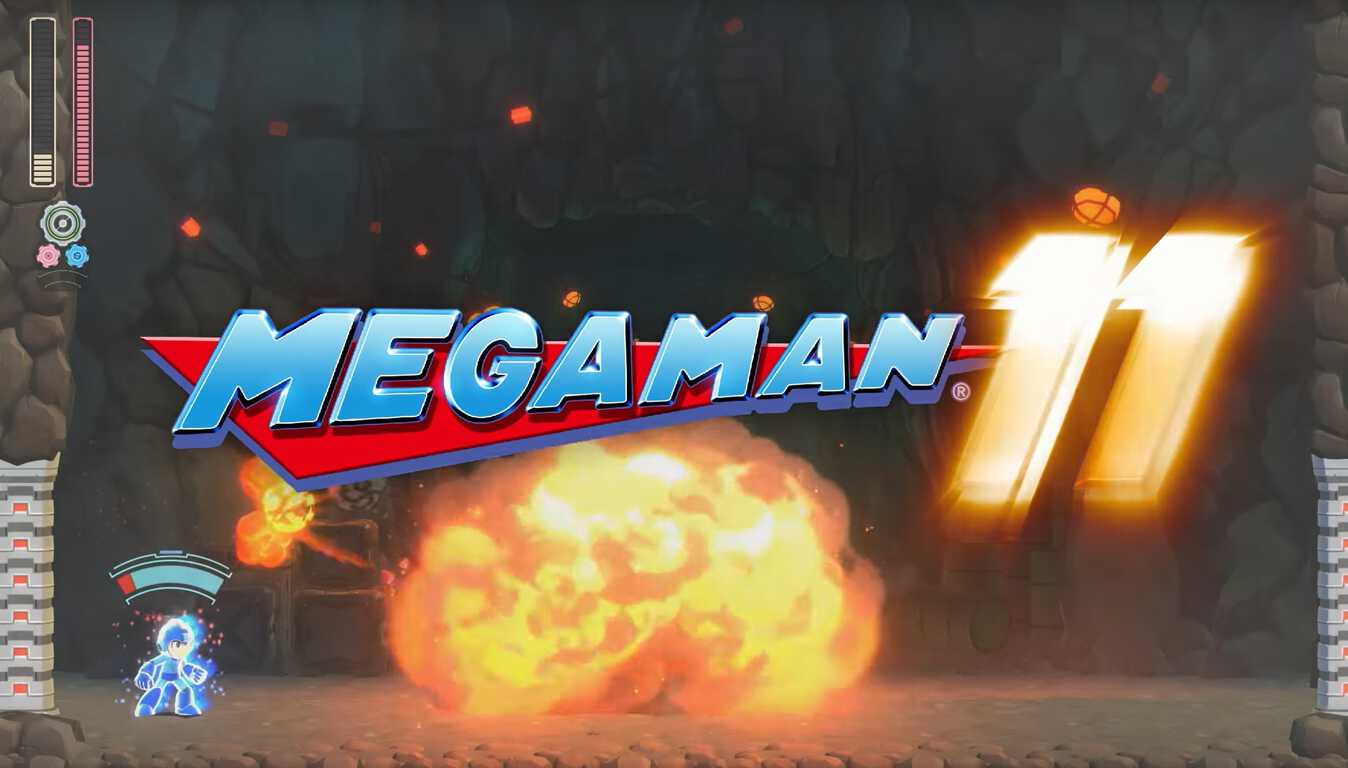
Capcom announced that Mega Man 11 will be coming to Xbox One, Windows 10 PC, and other platforms in 2018.

Aside from a new look, Capcom isn’t abandoning the side scrolling action seen in the previous Mega Man games. Sometimes, game developers like to try to mess with popular formulas; think Bionic Commando on Xbox 360. Capcom learned their lesson on Bionic Commando and it looks like Capcom chose to stick what has worked for the past 30 years with Mega Man.

In other great news, Capcom will be releasing all 8 Mega Man X game titles to Xbox One and Windows 10 PCs too. Coming soon, you will be able to pre-order Mega Man 11 on Xbox One and Windows 10 PC. Stay tuned for Mega Man 11!

TomTom co-founders answer questions about their expanded Microsoft partnership

A few weeks ago Microsoft announced new Azure Location Based Services, with the mapping data for the services being provided by TomTom. Today, the TomTom co-founders made an appearance on Microsoft’s Transform blog, discussing more on their expanded Microsoft partnership.

In the blog post, Peter Frans Pauwels talks about TomTom already having office infrastructure hosted by Microsoft, with real-time map data hosted on Azure. He remarks that the two companies share synergies.

We’ve got to be sure transportation is going to be safe, clean and enjoyable. Getting there will require a lot of work. The scale of Microsoft and its cloud — the security, safety, availability — those are really important to us to realize our vision, so we can scale up and make the technology we have today much more accessible to many more parties.

Anders Truelsen also mentions how TomTom and Microsoft both share a clear common goal and a very clear common strategy, with a lot of interests being shared between the two companies.

…Any enterprise customer or developer using Azure now has access to our products. You can combine connected devices, avoid traffic and accidents, search for the nearest restaurants, and make sure you have a route with a strong cellular connection the whole way…. There is a lot of common interest between the companies. We make our data more accessible than ever to a wide audience of users.

The two discuss many other topics, including how the partnership benefits consumers, how transit is becoming more personal, and the security challenges of big data. Feel free to check out the full interview here, and let us know your thoughts in the comments below.

Office 365 Advanced Threat Protection is now available for SharePoint, OneDrive, and Teams

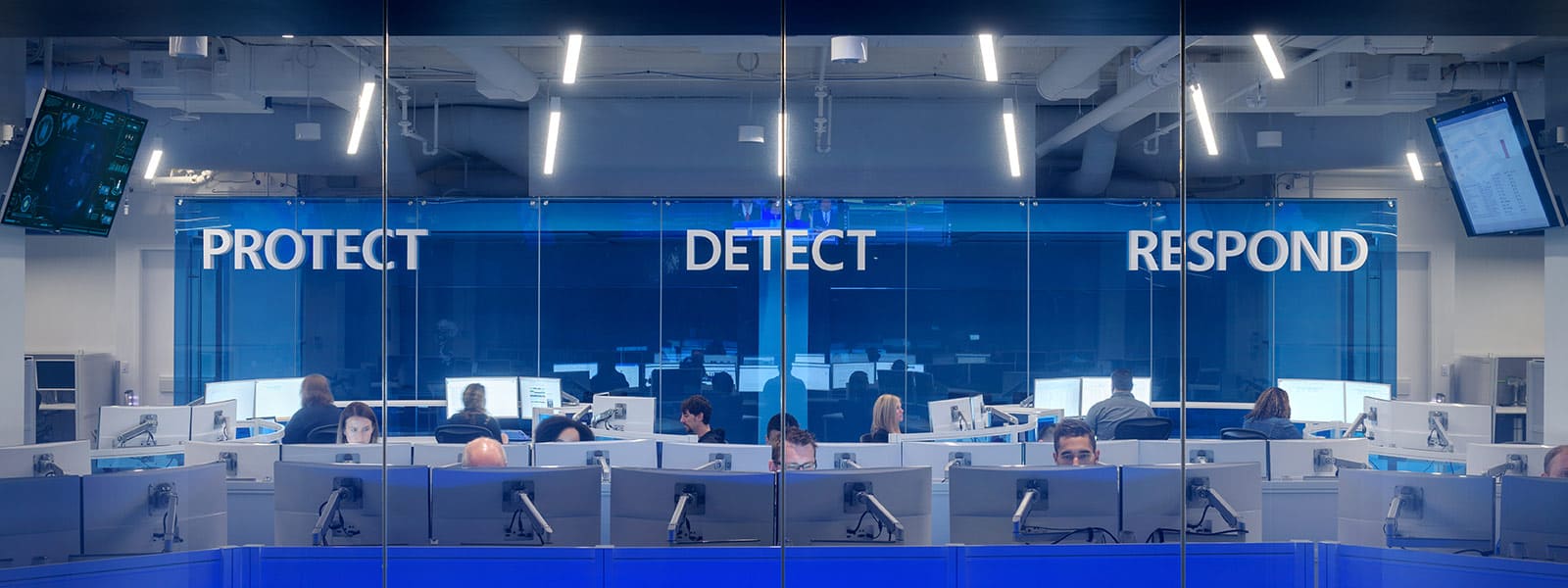
Office 365 Advanced Threat Protection, Microsoft’s preventive technology that can detects attacks and zero-day exploits, is now generally available for SharePoint, OneDrive and Microsoft Teams. ATP is currently included in Office 365 Enterprise E5 and Office 365 Education A5, and it can also be added to many Exchange and Office 365 subscription plans.

By enabling Office 365 ATP, companies can make sure that they’re protected against any kind of malicious content within their tenant. “Examples of file activity signals include anonymous, company wide or explicit sharing, or activity from guest users,” the company explained. “Threat feeds that Office 365 Advanced Threat Protection leverages include known malware in email or SharePoint, Windows Defender/Defender ATP detections, suspicious or risky logins or other indicators of irregular file activity within your tenant.”

Office 365 ATP can be configured by IT admins in the Office 365 Security and Compliance Center. You can learn more about how to enable it for SharePoint, OneDrive and Microsoft Teams on this support page.

Microsoft is expanding in Silicon Valley, too, with its smartest, greenest campus

Last week, Microsoft announced a significant expansion of its Redmond campus, which has been the company’s official headquarters since 1986. The “Redmond giant,” like we often call it is also planning to modernize its other workplaces around the world, including its Silicon Valley Campus that currently welcomes more than 2,000 employees.

The company has just started a 643,000-square-foot modernization of its 32-acre Mountain View location, a project that will become the company’s smartest and greenest campus once it’s completed. In addition to an integrated water management system and the use of solar panels, Kevin Scott, Chief Technology Officer at Microsoft shared that the new campus will deliver “the best employee experience in the industry.” He continued:

The modern workspaces throughout the campus will promote collaboration and productivity, providing areas that help generate creativity and allow for focused concentration. The neighborhood and courtyard concept makes it easy for our employees to move from outdoor to indoor spaces. Employees will have access to natural light through a glass exterior from anywhere on campus. The renovated dining facilities will provide healthy meal options as part of our commitment to the WELL Building standard. The campus will also feature athletic fields and a new onsite fitness facility for our employees. Finally, the new conference center, theater and Microsoft Technology Center will create space for us to demonstrate how our technology and services are empowering everyone on the planet to achieve more.

Microsoft arrived in the Silicon Valley more than 36 years ago, and this new eco-friendly campus shows that the company is definitely here to stay. “We estimate it will take two years to complete and be ready for occupancy in December 2019,” explained Scott. To compare, the massive refresh project at Microsoft’s Redmond campus will kick off next fall and should take up to seven years to be completed.

Is this the Windows on ARM announcement? Watch Qualcomm’s Tech Summit keynote here

Over the past few months, there’s been plenty of talk about Windows 10 on ARM. Microsoft has promised that the devices would come “later this year,” and we’ve even heard about all day battery life, seen leaked specs for devices, and more. Today may finally be the day that things become official, as Qualcomm is holding its Tech Summit keynote.

A live stream for the second annual keynote is expected to begin from Hawaii today on Qualcomm.com at 8:30 am HAST (10:30 am PST/1:30 PM EST/6:30 pm GMT.) It will be hosted by Cristiano Amon, Executive Vice President, Qualcomm Technologies, Inc. Though Qualcomm did not officially announce what will be discussed or showed off at the event, a press release makes vague mention of always-connected PCs.

“This year’s Snapdragon Technology Summit will feature an inside look at the latest innovations built into Qualcomm Snapdragon Mobile Platforms, along with demonstrations that exhibit upcoming technologies and advancements that will continue to shape the way we use mobile devices, always connected PCs and other future technologies.”

This event will definitely be a great way to close out the year for Qualcomm and Microsoft, so best to keep tuned for more throughout the day. We will be monitoring the stream and will be updating you with the biggest news from the event.

Redesigned Cortana Notebook section now rolling out to select Windows Insiders

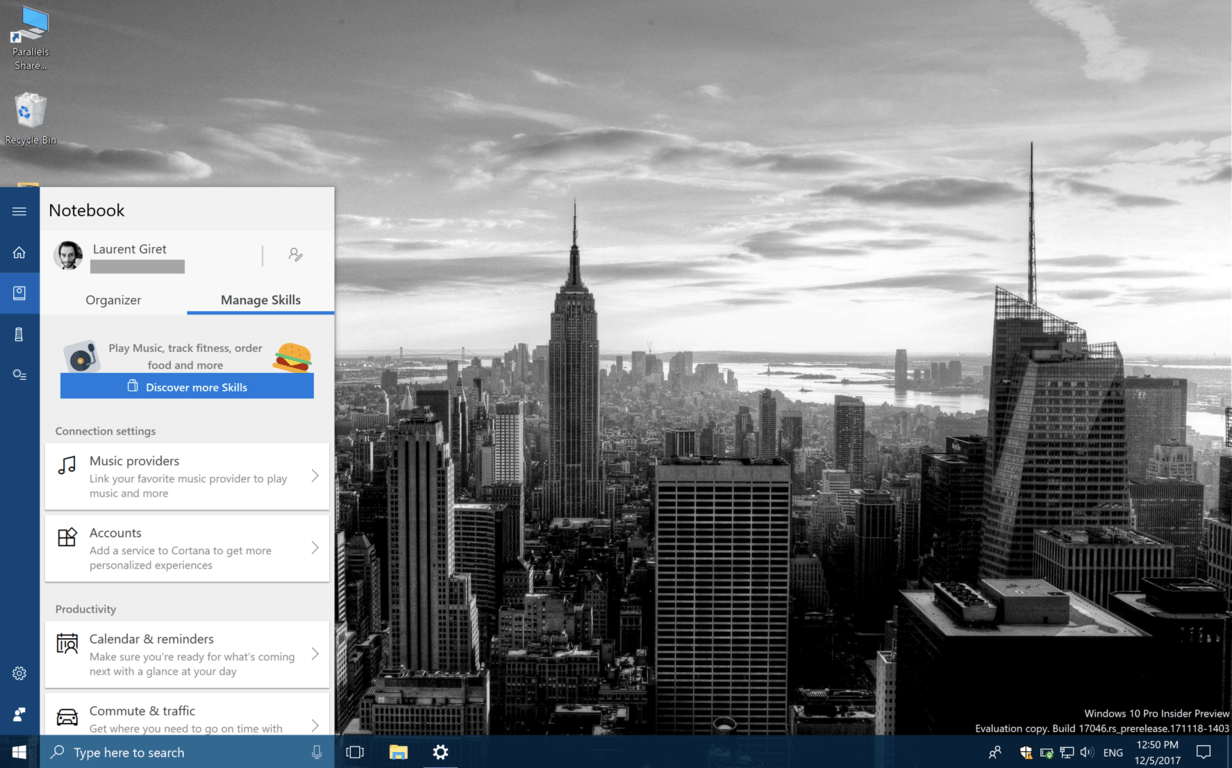
Microsoft is currently testing a new UI for Cortana’s Notebook section on Windows 10 PCs. The new design has been discovered by Reddit user Noam_ha (via Thurrott.com), and it’s currently rolling to some Windows Insiders running the latest Redstone 4 build.

As you can see in the screenshots below, Cortana’s Notebook has now two sections: the “Organizer” page lets you create To-Do lists and Reminders, while the “Manage Skills” lists all the different Skills that were previously available in the old UI, but they have now been regouped under different categories such as Connection settings, Productivity, Stay up-to-date and Lifestyle.

It’s still not clear if this redesigned Notebook UI could roll out soon to all Windows 10 users, but we find it slightly more usable and organized than what’s currently available on Windows 10 and Windows 10 Mobile. We already know that Microsoft is planning a lot more changes for Cortana on the desktop, and the digital assistant could look and work more like macOS Spotlight in Redstone 4.

Did you also notice this new Notebook UI on your Windows 10 PC? If so, let us know your thoughts about it in the comments below.

Check out this week’s Deals with Gold including a bundle sale on ID@Xbox titles

This week’s Deals with Gold are officially out, along with a big bundle sale on ID@Xbox titles. On the Xbox One, Xbox Live Gold members can save up to 75% off Divinity: Original Sin Enhanced Edition, Dungeon Defenders II, the Metro Redux Bundle, Unravel and The Technomancer. Additionally, everyone can save up to 75% off the INSIDE & LIMBO Bundle, the Jackbox Party Bundle, The Kinect Triple Bundle: Beats & Booms & Squids and many more indie titles.

On the Xbox 360, this week’s highlights include Battlefield 3, Bionic Commando Rearmed 2, Dead Space 3, NBA JAM and Street Fighter IV Arcade Edition. You can find the full list of discounted titles on Major Nelson’s blog, but as usual we’ve added more details about our favorite deals below.

Xbox One Deals

Divinity: Original Sin – Enhanced Edition ($10)

Easing a new generation into the world of cRPGs, Original Sin: Enhanced Edition features isometric, party-based gameplay, turn based combat, and hours of fully voiced and remastered dialogue in a story that will have you embroiled in a fantasy world of free exploration thanks to a new split-screen friendly UI. Sneak, stab, explode, poison or talk your way through Rivellon in this extended and enhanced version of 2014’s hottest RPG title.

Dungeon Defenders II – Deluxe Edition Bundle ($25)

Give yourself a bigger kickstart into Dungeon Defenders II with the Deluxe Edition.  This edition contains: – 3,000 Gems to purchase Heroes, Tower Skins, Costumes and more – 1,000,000 Gold for a quick boost in leveling your loot – 2 Hero Cards to create and keep more heroes – Five Campaign Shard Packs to gear up your heroes faster – Five Chaos I Shard Packs to gear up faster in the Trials – Legendary Autumeow Pet to make your enemies fall before you

Metro Redux Bundle ($7.50)

Including the epic single-player campaigns of both Metro 2033 and Metro: Last Light, Metro Redux takes you on a journey from the forgotten catacombs beneath the subway to the desolate wastelands above, where your actions will determine the fate of mankind.

Xbox 360 Deals

Battlefield 3 ($4.99)

In Battlefield 3, players step into the role of the elite U.S. Marines where they will experience heart-pounding single player missions and competitive multiplayer actions ranging across diverse locations from around the globe including Paris, Tehran and New York.

Dead Space 3 ($4.99)

Dead Space 3 brings Isaac Clarke and merciless soldier John Carver on a journey across space to discover the source of the Necromorph outbreak. Crash-landed on the frozen planet of Tau Volantis, Isaac must comb the harsh environment for raw materials and scavenged parts. He will then put his engineering skills to the ultimate test to create and customize weapons and survival tools. The ice planet holds the key to ending the Necromorph plague, but first Isaac must overcome avalanches, treacherous ice-climbs, and the violent wilderness.

Street Fighter IV Arcade Edition ($11.99)

Street Fighter IV took the world by storm and now it’s back, and more Super than ever with Super Street Fighter IV! Ten new fighters, nostalgic Bonus Stages, new spectator features and the awesome Replay Channel will draw you in for one more brutal fight!

All discounts will be valid through Monday, December 11, let us know in the comments if you found any interesting games to pick up in the list.

Fix: We found one or more settings that might affect battery life

Windows 10 is a smart firmware designed to offer a great and intuitive experience even for entry-level users. So, that’s why there are so many system notifications displayed on your device.

While in most situations these notifications are there to help you optimize and improve your overall Windows 10 experience, sometimes everything can turn out to be quite annoying. Such example is the battery notification message saying that ‘We found one or more settings that might affect battery life: Screen brightness is set to 100%, Sleep is set to Never’.

Shortly, the OS is telling you that your battery will drain out faster because you aren’t properly configuring some built-in settings like screen brightness and generic idle modes. The strange thing is that you receive these notifications even when your computer is connected to AC. And since you set sleep mode to never, it really means that you don’t want to put your computer to sleep mode due to specific reasons. So, in these situations the Windows 10 Action Center notifications functionality might turn out to be a real annoying thing.

Therefore, you can consider in disabling / turning off the battery notifications along with the other similar system notifications that acts in the same way – for example, similar messages can be displayed by Windows Defender (mostly when there’s nothing to worry about) or each time a new update is made available. Well, as already outlined, if the Windows 10 notifications are driving you crazy, you should disable the Windows 10 Action Center system and here is what you need to follow:

How to turn off the ‘We found one or more settings that might affect battery life’ notification

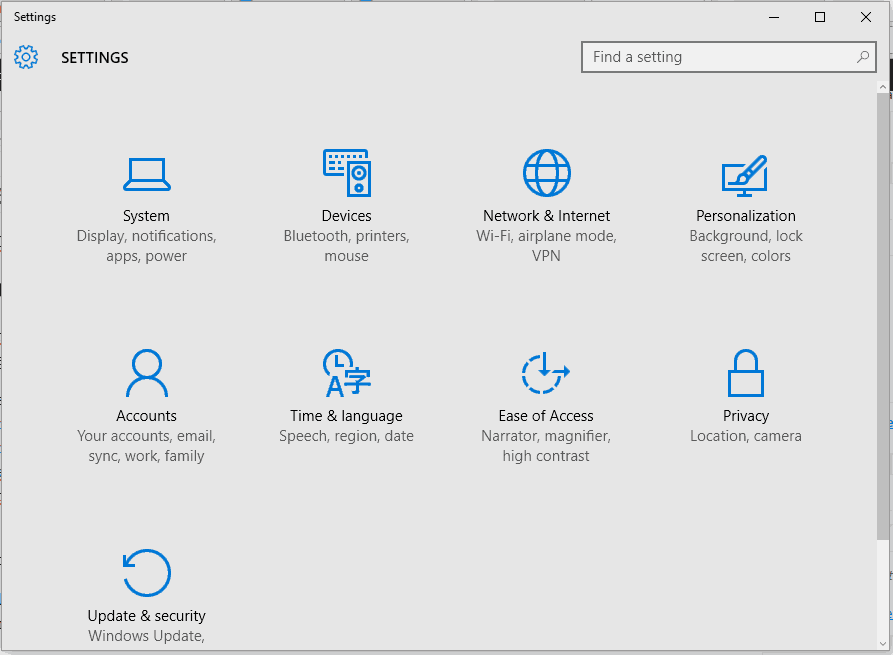
  1. Press the Win+I keyboard hotkeys.
  2. The System Settings window will be displayed.fix update and security not working windows 10
  3. From there click on System.
  4. From the next window, from the left panel choose Notifications & actions.
  5. Scroll down and find the Battery saver entry.turn off battery saver notification
  6. Just turn off the slider for disabling the Battery saver notifications.

If you cannot turn off this slider (if it’s turned grey and you cannot turn it off / on) make sure that your Windows 10 device isn’t connected to a power source. So, unplug it from the power source and then try to disable the Battery saver notifications again – if the slider is still grayed and disabled, reboot your computer and retry.

If you still cannot turn off Battery Saver, make sure that the ‘Get notifications from apps and other sender’ is enabled (this feature can be located with the same steps from above); then turn off Battery Saver notification and re-disable ‘Get notifications from apps and other sender’.

Additionally, you can also try to: navigate towards System Settings – > Power & sleep – > Additional power settings – > Change plan settings – > Change advanced power settings – > Battery and turn off Low Battery Notifications for on-batter or plugged-in situations. And yes, the battery saver icon shouldn’t be set to ‘on’ but to ‘off’.

In that way you can successfully disable / turn off the Battery Saver notifications within the Windows 10 system. So, after applying these tweaks you shouldn’t receive the ‘We found one or more settings that might affect battery life’ notification message anymore.

If you still have questions or if you cannot manage to properly apply the troubleshooting steps explained above, don’t hesitate and share your experience and your observations with us.

RELATED STORIES TO CHECK OUT:

Windows 10 KB4051963 fixes browser crashes and game launch issues

Microsoft recently rolled out Windows 10 KB4051963, adding a series of improvements and bug fixes to the Fall Creators Update OS.

The update addresses a script-related bug that may cause Internet Explorer to stop working.

KB4051963 also fixes the issue where apps may stop responding for users who rely on Internet or web proxies that use PAC script configurations.

So, if you encountered various issues where Outlook cannot connect to Office365 or Internet Explorer and Microsoft Edge cannot successfully render content (local computer content and web content included), simply install this update on your computer to fix them.

If you’re a gamer, and particularly a fan of Forza Motorsport 7 and Forza Horizon 3, install KB4051963 to fix the issue that prevents these two games from running on certain high-end gaming laptop configurations.

Speaking of Forza Motorsport 7 and Forza Horizon 3, check out the troubleshooting guides below to learn how to fix common bugs affected the games:

Windows 10 KB4051963 changelog

Other important fixes and improvements include:

  • Addressed a performance regression when users run full-screen Microsoft DirectX 9 games and applications.
  • Fixed the issue where user selections for Feedback Frequency in Settings > Privacy > Feedback & diagnostics aren’t saved.
  • Addressed the issue where RNDIS5 networking devices don’t get a valid IP address or don’t show network connectivity.
  • If a user manually changes the system’s time zone and doesn’t log off or restart, the new time should now display correctly on the Lockscreen clock.
  • Addressed the issue that prevented some Epson and TM (POS) printers to print on x86 and x64-based systems.

For more information about the full changelog, go to Microsoft’s support page.

You can download and install KB4051963  automatically through Windows Update. You can also get the standalone package from the Microsoft Update Catalog website.

Windows 10 KB4051963 issues

The update also comes with a minor bug. Namely, after installing it, Internet Explorer 11 users who use SQL Server Reporting Services may not be able to scroll through a drop-down menu using the scroll bar. Microsoft is working on fixing this problem.

Have you come across other issues after installing this update?

This new tool helps Windows Insiders track build flights all in one place

When you have multiple devices enrolled in the various rings of the Windows Insider program, keeping track of all the builds flighted by Microsoft can sometimes be tricky. Well, Senior Program Manager on the Windows Insider Program, Brandon Leblanc, has created a little tool from scratch to help Insiders sort things out. He learned coding to make the tool, and the results of his labor are pretty nifty.

This tool is actually a website, which Leblanc is appropriately calling “Flight Hub.” The goal of the website is to give Insiders one central dashboard for all things related to previewing builds. For now, it’s just in a preview state and lists the latest Insider Preview releases for PC, Server, IoT, and SDKs and  ISO images. There are also dates for when builds were released, and links to the appropriate blog posts.

Flight Hub

Brandon has said that the preview of Flight Hub is just the start, and will be expanding into apps (maybe even a UWP app?) soon. There’s also plans to integrate it into the Windows Insider website and the Windows 10 Feedback Hub, and even bring the list back all the way to the beginning of the Windows Insider Program. This is a really good initiative, and we’re looking forward to see how this project evolves over the coming months.

[Updated] Windows Update broken for some Windows 7 users, no word yet on fix

Windows Update is supposed to help keep your system up to date and safe, but according to a report from ZDNet, the feature is not working at all for some Windows 7 users. Even worse, there’s still no word from Microsoft about the issue as of yet, and it appears as though a simple expiration date hidden in the system registry may be the problem.

Again, the issue appears to be affecting a broad set of Windows 7 users, as noted on the Microsoft Answers forum. Some users are seeing an 80248015 error code when trying to update (with no other info), and some are getting a follow-up message telling them that the Update Service cannot currently check for updates because it is not running, or no updates are available (when in fact there are updates available).

This is all rather strange, primarily because Microsoft is supporting Windows 7 until January 2020. Anyway, it is being recommended by some users to change the system date back in time to March 12, 2017 as a temporary workaround to the issue. We’ll be updating this article is Microsoft issues an official fix or statement.

Update: Microsoft has apparently corrected the problem. Though no details were provided, a spokesperson said: “We resolved the issue causing a delay in the update delivery service.”

Tom Clancy’s The Division is free to play with Xbox Live Gold this weekend

With Tom Clancy’s The Division set to receive a free content update tomorrow, December 5, the Xbox team has just announced that the game will be free to play with Xbox Live Gold starting December 6 at 11:01 p.m. PST. The free weekend will end on Sunday, December 10 at 10:59 p.m. PST, and the game’s three expansions will also be free to play for everyone during this period.

For those unfamiliar with it, the online action-RPG title was released back in March 2016 on the Xbox One, and it’s set in a post-apocalyptic version of Manhattan, which has been hit by a deadly virus. Xbox Wire shared the following details about the upcoming free update to be released tomorrow:

With update 1.8 arriving on December 5, a whole new area of the city will be opened up for exploration. The West Side Pier is an industrial port in the northwest corner of the map dominated by a massive aircraft carrier, and it will play host to two new game modes. Resistance will pit Division agents against an unprecedented alliance of enemy factions, challenging players to fight off waves of powerful foes and formidable bosses. In Skirmish, two teams of four will fight to subdue each other in a trio of new arenas. New rules for going rogue in the Dark Zone, new exotic weapons, and the spread of sinister Hunter enemies will ensure that returning players have their hands full.

Starting December 6, the game and all of its three expansions will also be discounted up to 70% off on the Microsoft Store. Keep an eye on the Gold section of your Xbox One dashboard if you don’t want to miss the upcoming free weekend.

Laptop Starts Charging Then Stops [Fix]

Laptops are great if you’re on the move, however, many reported that the laptop starts charging then stops suddenly.

If this happens, you should use laptop battery health software to ensure that your battery is working properly.

You can use other methods, and we’ll explore them further in this guide.

Why does my laptop start charging then stops?

  • Hardware damage – It’s possible that your battery is worn out or your cables or adapters aren’t working properly.
  • Battery glitches – These can be caused by bad drivers or outdated BIOS.

What can I do if laptop charges for a second and then stops?

Before we start fixing this issue, there are a few checks that you can perform:

  • Check jack, adapter, and battery – Your hardware may be having issues, so be sure to check the cable and jack for physical damage as well as your battery health.
  • Update BIOS – In some instances, updating BIOS can solve this issue. To see how to do that, check our guide on how to flash BIOS.

1. Reinstall a driver

  1. Disconnect charger and shut down your computer.
  2. Remove the battery and re-connect the charger.
  3. Power On your PC.
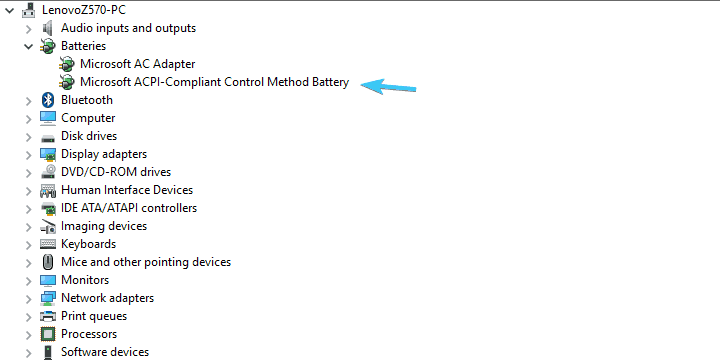
  4. Right-click on the Start button and open Device Manager.
  5. Expand the Batteries section.
  6. Right-click on the Microsoft ACPI Compliant Control Method Battery device and Uninstall it.computer charges then stops
  7. Shut down PC again and disconnect the charger.
  8. Insert the battery and re-connect the charger.
  9. Power On the PC again and it the system should reinstall Microsoft ACPI Compliant Control Method Battery device.

In addition, you can remove the battery-related software provided by OEM. For example, Samsung has a tool called Battery Life Extender that will limit the charging percentage to 80% in order to extend the battery life.

This is a simple solution and it might help you if the laptop starts charging then stops.

2. Discharge the battery

  1. Charge your battery as much as you can and disconnect the DC charger.
  2. Use the computer until the battery is fully depleted.
  3. Once the laptop shuts down, remove the battery if possible.
  4. Press and hold the power button for approximately 60 seconds.
  5. Insert the battery again and reconnect the DC charger.
  6. Don’t turn On the laptop until the battery is charged completely.

The standard Lithium-Ion battery is predetermined to last up to 300 full recharge cycles. Meaning that it takes 300 full recharges to wear it off. Now, users are rarely going to fully discharge the battery and charge it again to 100% or regular basis, even though it’s arguable, the best way to extend your battery’s life.

In addition, the constant half cycles can cause a stir in the supporting software and prevent your battery from charging.  In other words, discharging has multiple roles, which might help you resolve the issue at hand.

These are just some of the solutions that might help if your laptop starts charging and then stops.

Before you leave, find out how to limit the battery charge in Windows and extend the battery’s lifespan.

We certainly hope that this was a helpful read. In case you have some questions or suggestions regarding the battery charging issue we addressed today, make sure to post them in the comments section below.

Microsoft news recap: Outlook.com showing ads in the inbox, Samsung debunks ‘Microsoft Edition Samsung S8’ and more

Microsoft (MSFT) news recap is a weekly feature highlighting the top Microsoft news stories of the past week. Sit back, grab some coffee, and enjoy the read!

Wall St Journal gets pounded after suggesting finance pros drop Excel

the Wall Street Journal recently published a story accusing Microsoft Excel of not keeping up with the needs of the financial sector, and subtly advising people to drop the software as a result. That, however, didn’t go down too well with some people in the financial sector.

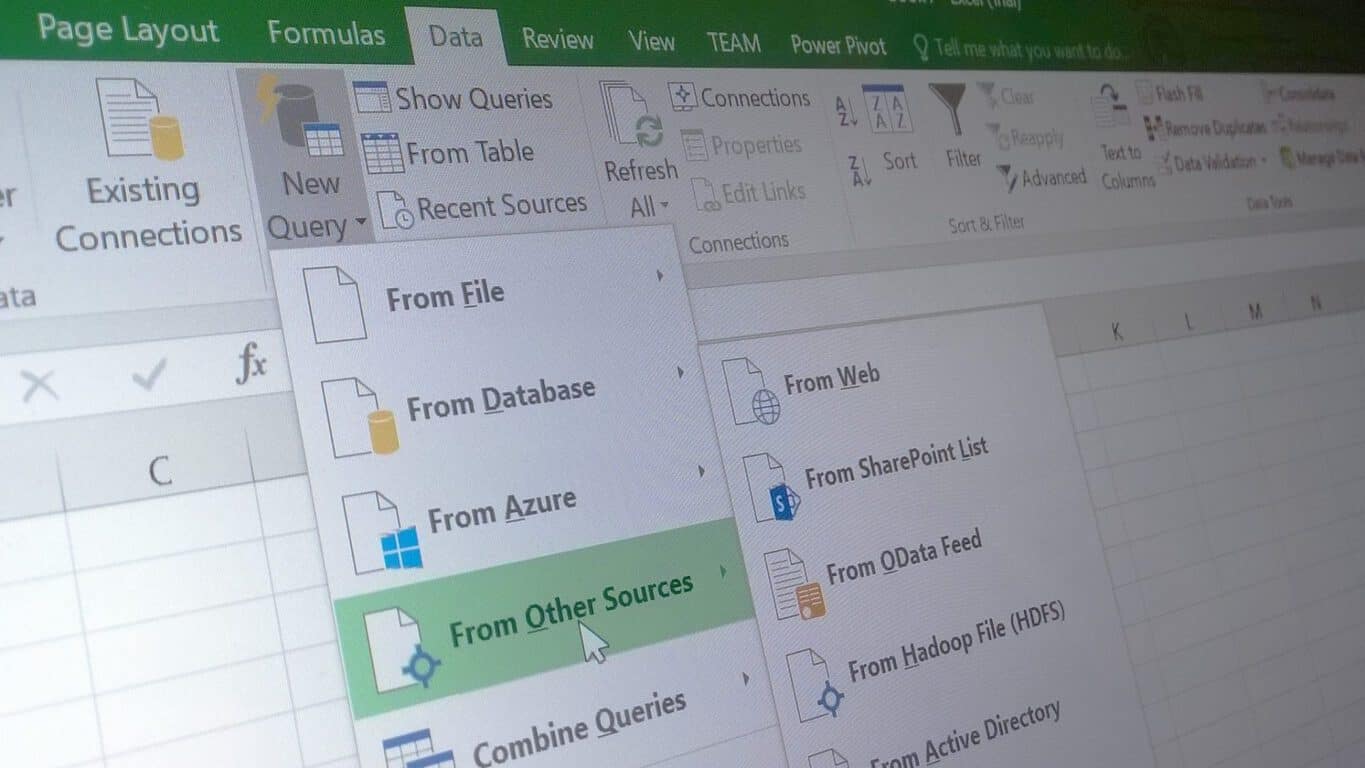
Excel 2016 new Data capabilities

Inbox ads spotted in Outlook.com, are you seeing them?

For free users of Microsoft’s hosted email service, Outlook.com, it appears that the company is beginning to show inbox ads, where ads will appear in the inbox similar to how an email message would look. Those on an ad-free premium subscription do not see these.

Samsung clears up the mystery behind the Microsoft Edition S8 and S8 Plus

Despite rumours of a Microsoft Edition Samsung S8, Samsung has come out and debunked the myth, stating that there is no ‘Microsoft Edition’ of any of its devices, but does confirm that Microsoft is aiming to offer a unique edition from within its own retail stores.

Microsoft Teams Guest access for Microsoft Accounts is delayed again, apparently

Microsoft Teams’ Guest Access feature is still being worked on, with yet another delay, although Private Channels are well underway. Guest access is needed for those who aren’t necessarily part of an organisation, but are doing work for them, such as a freelancer.

That’s it for this week. We’ll be back next week with more Microsoft news.

Xbox news recap: PUBG will be 30FPS despite previous claims, Destiny 2 now has a free trial and more

Welcome to our weekly Xbox news recap series, where we go over the top stories of the past week in the world of Xbox. Let’s get started.

PUBG will run at 30FPS, despite previous claim

PUBG is going to be running at 30FPS at launch on both the Xbox One X and the Xbox One, according to new claims. Earlier in the week we had a “confirmation” that Bluehole’s popular battle royale game will launch at 60FPS on Xbox One X, but the company has backtracked. The latest tweet from the official PUBG Twitter account says that “this early in dev, we’re unable to confirm” anything about future framerate. PUBG will be launching at 30FPS on both consoles, and there’s a chance that they could increase that in the future.

Destiny 2 gets free trial on Xbox

Destiny 2 now has a free trial on Xbox One, similar to the trial that the original Destiny got after the release of its third expansion, The Taken King. The trial is designed, like most trials, with the intention of getting users to try out the game for a bit before they decide they’re interested in purchasing the whole thing. With Destiny 2 being an MMO-like experience, this format is fairly successful as a way to hook players into the game’s core gameplay, while still promising a bounty of content going forward. This also comes just before the release of the first expansion – Curse of Osiris – which is due on December 5th.

Bethesda games are now Xbox One X enhanced

Fallout 4 and Skyrim, as well as a suite of other Bethesda titles, have received updates on Xbox One X to get them looking shiny and new. The games on Xbox One X are now equipped with 4K texture packs, improved draw distances, some changes to framerate limits, and more. You can check out our full article for specifics on the changes, but you can rest assured that most recent Bethesda games are affected in some way, shape, or form. If you have an Xbox One X and have been waiting to dive into a Bethesda game recently, now’s the time.

Marvel Heroes Omega shuts down, Marvel forced to offer refunds

Marvel Heroes Omega has been shut down, and with it, Gazillion entertainment has been shuttered. This comes as part of some internal licensing issues at Disney, and it’s brought a very abrupt end to a game that was relatively well liked. The set date for the game to shut down its servers was December 31st, but to add insult to injury, the company then decided to shut the game down effective immediately, blowing off the grace period for fans to say goodbye. Fans who reach out to Microsoft will be refunded any in-game purchases, so you should make a point to get that money back as soon as possible if you’ve sunk anything into the game.

Thanks for joining us. To keep up to date with all the latest Xbox news, keep a close eye on our Xbox One tag.

Eye tracking laptops: Their applications and the technology behind them

The world of computers is ever evolving, with new hardware innovations released and ever more intelligent software developed every day. Eye tracking laptops are one such technology in which interest is growing.

These are laptops equipped with high-performance hardware sensors consisting of customised components and advanced optics. Well,  that’s the rather elitist definition of eye tracking laptops.

In this article, we will delve deeper into the subject of eye-tracking laptops and, in the process, get to understand the concept of eye tracking, the technology behind it, and the applications for eye tracking on laptops. This should also help us break down and simplify what eye-tracking laptops really are about.

Hopefully, by the end of this article, we will have a better understanding of the concept of eye-tracking as it applies to laptops and its many potential applications.

Understanding eye-tracking laptops

Eye tracking is the study, recording, and measurement of either the point of gaze or the movement of eyes relative to the head. In general, gaze refers to where one is looking, and specifically where one’s eyes are focused.

Eye tracking on laptops is thus the process of electronically locating where a person’s eyes are focused on as they gaze on the laptop screen. The gaze must, of course, last a reasonable time.

Similarly, eye tracking on laptops can be understood as the recording of eye movements as the eyes gaze on or follow an object, lines of text, or any other visual stimulus on the laptop screen.

Eye tracking data collected on laptops now make it possible to objectively qualify human attention in real time and monitor when and where one’s eyes are focused.

How eye tracking is applied to laptops

To implement eye tracking on a laptop, we first need to equip the laptop with an eye tracker, which is hardware that acts as an input device for human-computer interaction. An eye tracker enables the recording and measurement of eye positions and movements.

An eye tracker consists of sensors (camera and advanced micro near-infrared (NIR) projectors), and image-processing algorithms. Eye tracking devices use a concept commonly referred to as pupil centre corneal reflection (PCCR). Near-infrared (NIR) projectors are used to create a reflection pattern of near-infrared (NIR) on the eyes.

The generated near-infrared (NIR) light is directed toward the center of the eye (pupil), causing visible reflections in the cornea (outermost optical element of the eye). The high-frame-rate images of the eye and reflection patterns are captured and tracked by small digital video cameras or web camera (webcam).

The digital cameras, which are mounted on the laptop screen (monitor attached) or embedded within the monitor, are configurable and angled to capture eye tracking digital images at eye level.

Webcams are more accessible and can be used in place of monitor embedded cameras, but they do not deliver the same level of accuracy as infrared eye trackers.

Eye tracking software

The final piece of technology to complete an eye-tracking laptop is the application layer, which is the eye tracking software that records and analyzes the digital images captured by the eye tracking device.

The image-processing algorithms find specific details in the eyes and reflection patterns, and use the technological interpretation of the stream of images generated by the sensors, to calculate the eye’s point of gaze on the laptop screen.

Free, open-source, or commercial eye tracking software, compatible with a variety of eye trackers or eye tracking hardware from vendors such as Tobii, SMI, Eye Tech, Eye Tribe, GazePoint, is available from third-party software vendors.

Accurate and reliable eye tracking software, allow tracking from both near-infrared (NIR) and visible spectrum illumination. The software enables comprehensive data analysis that assists in visual research and human decision making.

Eye tracking laptops’ applications

Eye tracking technology is getting more advanced by the day. There are now eye trackers that not only establish exactly where one’s eyes are focused, but can also determine presence, attention, drowsiness, conscientiousness or other mental states of the person sitting in front of the laptops.

This opens the door to many exciting applications for eye-tracking laptops. We have even seen big software developers like Microsoft jumping to embrace the technology. There is even support for eye trackers on the Windows 10.

A more accessible technology for people living with physical disabilities

Eye tracking technology can be used in place of a PC mouse or touchpad. It now also allows people with severe physical disabilities to use gaze for computer commands they would otherwise need a keyboard for.

For instance, people afflicted with Amyotrophic Lateral Sclerosis (also called ALS or “Lou Gehrig’s disease”), who have paralysis of voluntary muscles or have lost their voice but are able to move their eyes, can use eye-tracking technology to better interact with computers.

Amyotrophic Lateral Sclerosis (ALS) is a rapidly progressive and fatal neuromuscular disease that is characterized by the degeneration of a select group of nerve cells and motor neurons in the brain and spinal cord.

The loss of motor neurons leads to paralysis of voluntary muscles. But there is generally little impairment of the brain or senses. Eye-tracking technology thus enables ALS sufferers ability to benefit from using computers through eye-enabled logins, hands-free typing, and other tools made possible by the technology.

Better quality of consumer research data

Eye tracking technology can also be harnessed in many exciting ways by digital marketers. The technology now allows webmasters and other digital marketers a better way to learn how users interact with digital media.

For example, we can deduce what attracts people attention more as they browse web pages as well how they interact with products and advertisements.

Website designers and owners can accurately pinpoint areas they need to concentrate their efforts to lower bounce rates, increase time on page, and optimize conversions. All this is data consumers may not willingly give up or disclose in focus groups and other traditional methods of consumer research.

Using information gleaned from the data analysis availed by eye tracking software, we can now confirm whether or not an advertisement is actually seen. Advertisers are now in a better position to determine which types of adverts generate the most interest.

You can deduce the amount of time a person gazes at an advert to mean the advert has had some effect on them. The opportunities for advertisers and marketers in general to harness the power of eye-tracking technology are thus endless.

There are even more exciting applications for eye-tracking technology for gaming laptops. Add the growing scope of face recognition software, the rapid pace of growth in the world of artificial intelligence, and eye-tracking laptops may go mass market sooner than we think.

As the eye-tracking technology is still in its formative stages, both the hardware and software will be pricey. However, as interest in the technology grows, as it should judging by the rapid growth of other machine learning technologies, demand will also rise. The growing demand should meet with a corresponding drop in costs as both hardware manufacturers and software developers scale up.

RELATED ARTICLES YOU NEED TO CHECK OUT

No new Redstone 4 build today due to bug with UWP apps, says Dona Sarkar

Since Microsoft announced earlier this week that Timeline would finally be available for testing with the next Redstone 4 build, we’ve been really looking forward to try this new feature. Unfortunately, Head of the Windows Insider Program Dona Sarkar has just tweeted that a bug with UWP apps is preventing the team from releasing a new build today:

It’s certainly not the first time that a blocking bug forces the team to delay the release of a new build, but make no mistake, there are definitely some fun times ahead. In addition to Timeline, tabs for UWP apps (aka “Windows Sets”) will also be tested with select Fast Ring Insiders over the coming weeks, and this is really one of the most exciting features to be added to Windows 10 since launch. It’s really exciting to be a Windows Insider these days, and we hope we won’t have to wait too long to get a new Redstone 4 build.

Wall St Journal gets pounded after suggesting finance pros drop Excel

As slow as Microsoft often moves to assert itself with new trends, most of its business customers are even slower and less willing to change to accommodate new communications, workflows, or integrate ‘modern’ software. The glacial pace of Microsoft’s software pivots have been undeniably tied to its most profitable contributors in the enterprise sector and for good cause as a financial executive recently found out as he attempted to extract Microsoft’s Excel software from CPA’s on the floor.

The Wall Street Journal published a brief article last week where it posited that Microsoft’s Excel software has not kept up with contemporary needs the finance sector requires and subsequently resulted in financial chiefs asking their staffers to part ways with the aging piece of software. Predictably, that did not go over well with people who have embedded Excel in their most vital workflows.

One CPA went as far as to respond to the article via Twitter with a declaration that, “You can have my Excel after you ripped it from my cold, dead hands.” Another management consultant summed up his fellow co-workers affair with Excel as being similar to an addiction, “asking finance professionals if they’ve given up Excel is “like asking whether we’ve given up drinking.”

While, probably, a bit of hyperbole, the sentiment seemingly was unanimously felt across employees in the financial services industry that felt Excel was needed to maintain consistency and familiarity with tasks with responses and anecdotes to the article came pouring in over the Thanksgiving break in both the comment section and on Twitter.

Daniel Blumen, a treasury management consultant in Naperville, Ill., said he was astonished to find that one of his clients in the solar industry had bought a treasury management system that likely cost more than $250,000 but had never properly implemented it. The company was using an Excel spreadsheet to track several hundred million dollars in letters of credit.

Understandably, executives and IT managers are finding themselves at ends with employees as they attempt to introduce newer and more mission-tailored technology, according to a follow-up article by the Wall Street Journal on the same topic.

Mr. Schiller, the Virginia software engineer hired by a boutique insurer, said he wasn’t shocked that the actuarial staff was still working in Excel. What he couldn’t fathom, he said, was that sometimes they crunched numbers on a calculator, too.
In his 17-year career, Mr. Schiller said he’s never encountered so much resistance to change. At meetings, he said, “everybody was pleasant to each other.” Afterward, however, they would buttonhole their bosses to lobby against the technology project.
When the company finally adopted a new platform, he said, 4½ years had passed.

Slowly, Excel’s grip on the enterprise market is loosening as businesses opt to use custom software for more task-specific operations, but that doesn’t mean Microsoft is idly sitting by allowing its software to stale. With more than 90% of the Fortune 500 financial companies being powered by Office 365 in the cloud, Brian Jones head of Excel is closely monitoring the UserVoice suggestion boxes from those users to keep the software as competitive as possible.

Inbox ads spotted in Outlook.com, are you seeing them?

A few months ago, Microsoft started pushing premium Outlook.com features to Office 365 subscribers including a new option for an ad-free Outlook experience and other enhancements. Noted by Paul Thurrott, Microsoft may now be using inbox ads with standard Outlook.com users who do not have the premium features bundled with Office 365.

This is a first for Outlook.com, which generally does not punish users with this very intrusive type of inbox advertising. It’s also very similar to the kind of ads which may occasionally appear in Gmail, Yahoo, and other free email services. With that so, it will be interesting to see how the Outlook.com community reacts this type of change, or if it will be pushing more Outlook users into buying an Office 356 subscription for premium features and a cleaner and more secure inbox.

Do you find the inbox ads troublesome or intrusive to the traditionally clean Outlook.com experience? Let us know your thoughts below.

Give the gift of tech: Microsoft launches 2017 holiday gift guide

Buying new tech gadgets for that special someone on your list this holiday season can be tricky, but Microsoft is here to help. The tech giant recently launched their 2017 holiday gift guide website, which features a series of videos explaining the top tech products and accessories from Microsoft and it’s partners this holiday season.

The videos and guides to gifts are aimed at mothers, fathers, the traveling gifter, fashionistas, trendsetting techies, mobile professionals, music lovers, and gaming gurus. Microsoft Store employees and scenery from the company’s retail stores even make appearances in the videos, which is especially thoughtful.

Anyway, store employees discuss the top tech products this holiday season, be it from Microsoft or it’s partners. We noticed the Fitbit Alta HR, Surface Pro, Surface Laptop, Windows Mixed Reality headsets, and much more in some these holiday gift guide videos.

Nice to see Microsoft helping those who aren’t always up to date on tech find the best gifts this holiday season. We invite you to check out the guide for yourself and would love to hear your thoughts in the comments section below.

PUBG developer backtracks, says the game will run at 30fps at launch across all Xbox One consoles

Yesterday, we learned that PUBG developer Bluehole was working hard to make the game run at 60 FPS on both the Xbox One X and the standard Xbox One. In an interview with gamesTM magazine, Director Brendan “PlayerUnknown” Greene shared that the game would “definitely” hit 60FPS on the freshly released Xbox One X, but he was still “not sure if we’ll get there” on the older console.

Earlier today though, Greene backtracked on his comments and shared on Twitter that the game will run at 30FPS on both consoles at launch:

This turnaround is really disappointing, especially when popular online FPS such as Call of Duty: WW2, Battlefield 1 and Titanfall 2 all run at 60FPS on next-gen consoles (Destiny 2 is the notable exception). PUBG is probably the biggest Xbox exclusive title of 2017, and it’s sad to see that the PC version of the game will continue to provide the best gameplay experience for the time being.

Unfortunately, it’s also some kind of bad PR for the Xbox One X, which Microsoft is marketing as the most powerful console ever released. PUBG will be enhanced for the Xbox One X with 4K graphics, but we assume that most players would much prefer smoother framerates over sharper textures. But as Greene previously said to gamesTM, it’s the standard Xbox One that seems to be causing issues. “The last time I saw it, it was running at about 30 to 40,” the Game Director explained.

Still, Greene said in his tweet that the team was “constantly refining the game & exploring options to increase FPS,” so it may well get better in the future. In the meantime, are you still interested in playing PUBG on your Xbox One even if it’s locked at 30FPS? Sound off in the comments below.

Warhammer: End Times Vermintide and Child of Eden are now free with Xbox Live Gold

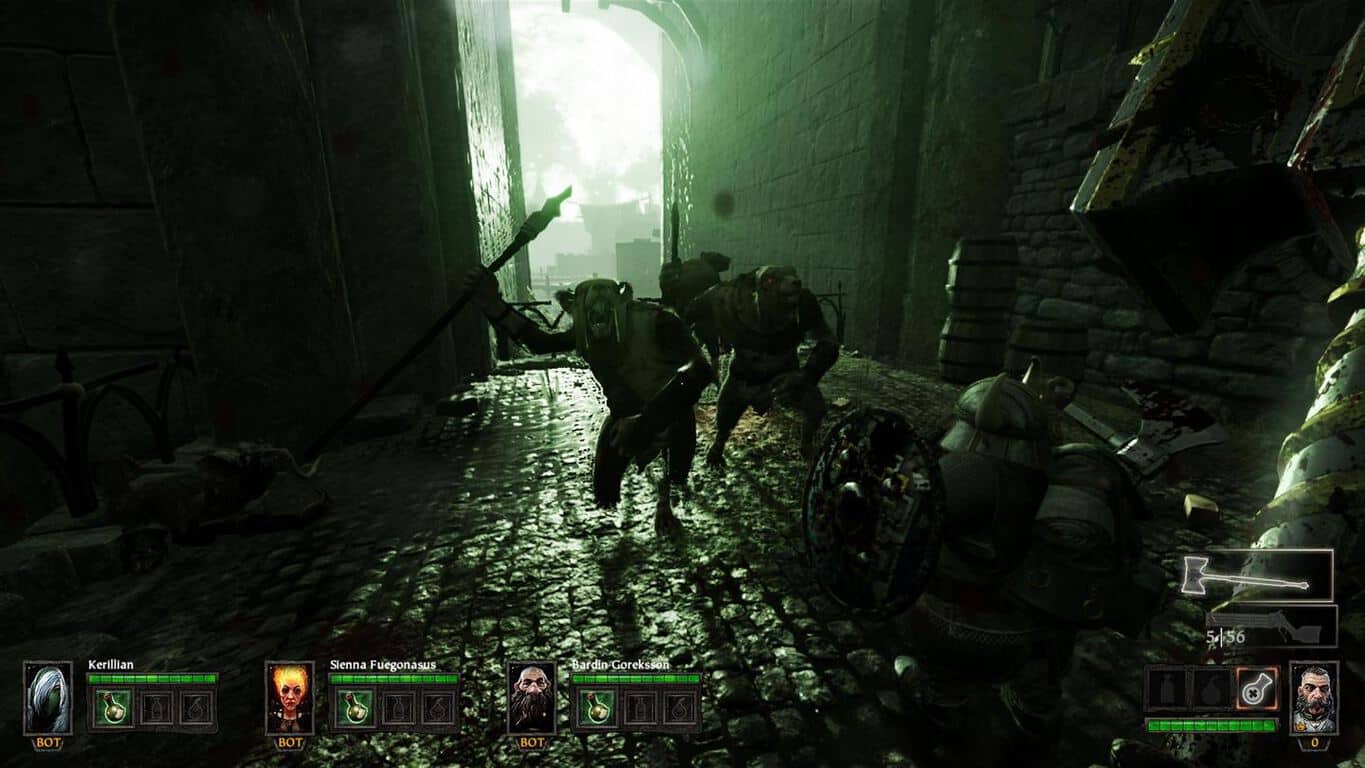
Today is the December 1st, which means that Xbox Live Gold subscribers now have two new games to add to their game library for free. This month, the first Games with Gold titles are the online FPS Warhammer: End Times – Vermintide and the Kinect-enabled game Child of Eden. The first one is already enhanced for the Xbox One X with support for 4K graphics. You can find more details about both games below.

Warhammer: End Times – Vermintide ($39.99 value):

The world is ending… though few believe it. The once proud city of Ubersreik now stands in ruin at the hands of the dreaded Skaven army. Few have survived their ruthless invasion. Team up with 3 friends and work together to thin out the ratmen’s forces and drive them out of the city. Assume the role of one of five heroes, and hack, slash, smash, burn and pierce the vile Skaven using a multitude of weapons. Fight your way through the city of Ubersreik, from the top of the Magnus Tower to the bowels of the Under Empire. This is our last stand and only you can stem the Vermintide.

Child of Eden ($29.99 value):

One of the most anticipated games of 2011 for Kinect. Winner of 9 awards at E3 for innovative graphics, music, and gameplay. Child of Eden is the “multi-sensory shooter” that will send players diving into a visual matrix of synchronized music and mind-blowing visuals. It will usher forth yet another landmark game experience from the mind of renowned game designer Tetsuya Mizuguchi.

As a reminder, the two other Games with Gold titles to be available starting December 16 are Back to the Future: The Game and Marlow Briggs and the Mask of the Death. Anf If you haven’t done it yet, you can still download the excellent Tales from the Borderlands Complete Season for free through December 15.

Microsoft tests a redesigned Windows 10 People app with Fast Ring Insiders

Windows Insiders on the Fast Ring can now test a redesigned version of the Windows 10 People app, which now looks slightly more consistent with the native Mail and Calendar apps (via Aggiornamenti Lumia). The big headers for “Contacts,” “What’s new” and “Groups” are gone, replaced with a hamburger menu with Acrylic transparency effects.

Clicking on a contact will open a card on the right where you can see contact details, recent conversations and upcoming events with this contact. There is also a pin button to add contacts to your taskbar (next to the My People shortcut) or your Start Menu.

We’re not seeing the update on Windows 10 Mobile yet, but the new desktop app is quite an improvement over the previous version. If you’re on the Fast Ring, the version 10.3.3241.0 of the People app is what you’re looking at, let us know in the comments if you like this new design.

Spotify Windows 10 app picks up Live Tile support with latest update

When Spotify launched in the Microsoft Store earlier this year, it was ported using Microsoft’s Desktop Bridge tool. Though still a solid option for fans of the service who also own a Windows 10 PC, the app did not include support for some of Windows 10’s unique features such as Live Tiles or notifications.

Well, Spotify has finally delivered, and a recent update to the app finally introduces support for Live Tiles (via Windows Central.) The Live Tile support is still a minor addition, but it’s appreciated nonetheless. Turned on by default, it is available in three tile sizes (medium, wide, large) but will only show suggested playlists and songs, and not what is currently playing. As usual, the user can also turn the Live Tile off by right-clicking and choosing “Turn live tile off.” from the “more” sub-menu.

The three sizes of the Live Tile

This is still a very far way from the native Groove Music app, but also a small step forward, opening up hope for additional features in later updates to come. You should be seeing this update now in the Microsoft Store. If you’re not seeing it, you can manually trigger the update by clicking the link below and opening the Microsoft Store on your PC.

Spotify Music
Spotify Music
Developer:
Spotify AB
Price:
Free+

Play The Escapists 2 Special Edition right now on Xbox One

Looking for a new strategy game? Something a little different than the usual run-n-gun, hack-n-slash action? The Escapists 2: Special Edition is now available on Xbox One, giving you all access to a pretty solid strategy sandbox game on your favorite console. The special edition includes the base game, the season pass, and the “Wicked Ward” add-on. In other words, it gives you about as complete of an experience as you can get.

The Escapists is a pretty storied franchise of games at this point, having built up a dedicated following after the first game’s release. Now, after being a relatively successful series on consoles, the creators at Team 17 are enjoying a thriving franchise across all platforms. If you’re interested in picking up the special edition, it’ll run you about 30 dollars.

Samsung clears up the mystery behind the Microsoft Edition S8 and S8 Plus

Despite a handful of publicly announced partnerships, it seems Samsung would like its customer to know it’s still fully committed to the big G and that rumored Galaxy S8 Microsoft Edition phone is nothing more than a rumor.

According to Windows Central, the often whispered Galaxy S8 and S8 Plus Microsoft Edition phones were never an actual product. In hindsight, it seems a bit obvious that Samsung would not go out of its way to produce a phone with specific Microsoft software onboard, but for many, the idea of a Microsoft Edition phone conjured up those exact expectations.

As we, along with Windows Central reported back in the day, the concept of a Microsoft Edition phone was a fairly straightforward affair where employees at the company’s retail outlets would sell a purchased Samsung Galaxy S8 or S8 Plus running Android and then walk customers through the process of Microsoftizing it by downloading items such as Arrow Launcher, Microsoft Apps, and Bing Search.

Galaxy S8+ with Lumia 950 XL

Samsung was in enough agreement with the idea that when issuing its clarification about the non-existent S8 and S8 Plus Microsoft Edition phones, they detailed experiences as such.

Samsung Galaxy S8, Galaxy S8+, and Galaxy Note8 devices are available in the Microsoft online and retail stores with a unique Microsoft experience which ensures their customers, particularly small-to-midsize business owners and entrepreneurs, a best-in-class productivity experience. There is not a ‘Microsoft Edition’ brand of any Samsung Galaxy products.

So, long story short, there is not and perhaps never will be a Microsoft Edition branded phone coming from Samsung and as far as we know, was never officially announced to have been. What Microsoft fans and Windows Phone converts can look forward to, is turning every Android phone into a Microsoft Edition phone thanks to a handful of applications and tweaks.

Get a free engraving with any Xbox Design Lab controller

As if customizing your very own Xbox controller with your whatever wacky color combination your hearts desires isn’t enough, Microsoft is now offering free engravings to make sure your friend’s Cheetos-laden fingers never mistake your controller for theirs.

What used to cost an additional $9.99 for anyone visiting the Xbox Design Lab website looking to brand their controller with whatever quip or signature they could come up with is now free for what we believe is a limited time.

Further sweetening the pot, Microsoft is also claiming early takers of this deal should get their custom controllers in time for Christmas.

For those interested, head over to the Xbox Design Labs website to try out a few customizations and engraving options before dolling out the $79.99 for that personalized piece of hardware. Anecdotally, I tried out several options to actually match the decor in my living room straight from the website and the results were awesome.

Share with us below in the comments your ideal customized controller.

Defend the Earth, play Sonic Adventure 2 with today’s Xbox One Backward Compatibility titles

Earth Defense Force 2017 and Sonic Adventure 2 are the latest Xbox 360 games you can play on your Xbox One console. These two titles follow the addition of Peggle 2 and Marlow Briggs and the Mask of the Death to the Backward Compatibility list two days ago.

For those unfamiliar, Earth Defense Force 2017 is a futuristic third-person shooter developed by Japanese developer Sandlot, and the first game in the series to be released in North America. As for Sonic Adventure 2, it’s a remastered version of the platform game originally released on the Sega Dreamcast back in 2001. You can find more details about both games below.

Earth Defense Force 2017 ($14.99)

Earth Defense Force is a shooting action game and follow-up to “The Earth Defense Force” and “The Earth Defense Force 2”, released in Japan. In this game, the player becomes a soldier of an international army, the EDF, trying to defeat an alien army that suddenly arrives on Earth. The PS2 predecessors have sold over 350,000 copies in Japan, and now the popular series has made its way to the XBOX 360. To take advantage of the console’s high definition capability, the graphics and gameplay have been improved, while the design and game world have been completely revamped.

Sonic Adventure 2 ($9.99)

In the fight between heroes and villains, will you choose to save the world or conquer it? The hunt for the Chaos Emeralds is on and battle lines have been drawn between Hero and Dark. Experience two unique adventures featuring both long-time heroes and new and returning villains as they battle for the fate of the world! Sonic Adventure™ 2 makes its return on Xbox LIVE Arcade with a full cast of playable heroes and villains, exciting two-player competitive modes, Chao Gardens, and more than 30 action-packed stages, all remastered in HD!

Overall, nine new Xbox 360 games have been added to the Xbox One Backward compatibility list this month, and we’re looking forward to see what’s in the pipeline for December.

Dead Space 3 is now available in EA Access on Xbox One

There’s another Xbox backward compatibility game title available for EA Access subscribers. This time it’s Dead Space 3, an Xbox 360 exclusive, released in 2013.

EA Access subscribers can now play Dead Space 3 on the original Xbox One, Xbox One S, Xbox One X. Dead Space 3 on EA Access has all of the Season Pass content, including Dead Space 3: Awakening.

If you don’t already have one, I suggest getting an EA Access subscription. It’s a cheaper option if you want to play some of the best EA game titles without buying each one individually. EA Access is just $30 for the year, a 50% savings over the $5 monthly plan.

Right now, EA Access subscribers can play games like Mass Effect: Andromeda, Titanfall 2, NHL 17, and more. EA Access also allows players to play new Xbox One games (on a trial basis) before you buy and you get an additional 10% off any EA games you decide to buy. Join EA Access today.

Dead Space 3 is currently available to buy for $19.99 from the Microsoft Store.

Dead Space™ 3
Dead Space™ 3
Developer:
Electronic Arts
Price:
Free

Microsoft adds four new members to Board of Directors, announces quarterly dividend

Microsoft yesterday held its annual shareholders meeting, where CEO Satya Nadella discussed the future direction of the company and how Microsoft is helping customers and partners thrive. Four new Board of Directors members were voted on and added during the meeting, and the company also announced its quarterly dividend.

The Microsoft Board of Directors now sees the addition of Reid Hoffman, Hugh Johnston, Penny S. Pritzker, and Arne Sorenson. Hoffman is a partner at Greylock Partners and was a co-founder of LinkedIn, Johnston is the CFO of PepsiCo Inc, Pritzker was a former US Secretary of Commerce, and Sorenson is president and chief executive officer of Marriott International.  Other proposals were acted on by the company’s shareholders can be seen below.

  • Approved, on a nonbinding advisory basis, the fiscal year 2017 compensation of the company’s named executive officers. The advisory measure received more than 95 percent of votes cast.
  • Approved a yearly advisory vote on executive compensation. The advisory measure received more than 90 percent of votes cast.
    Ratified the selection of Deloitte & Touche LLP as the company’s independent auditor for fiscal year 2018, with over 98 percent of votes cast.
  • Approved material terms of the performance goals under the Microsoft Corporation Executive Incentive Plan, with a vote of more than 98 percent of votes cast.
  • Approved the Microsoft Corporation 2017 Stock Plan, with a vote of 96 percent of votes cast.

In addition, the Microsoft Board of Directors declared a quarterly dividend of $0.42 per share, payable on March 8, 2018 to shareholders of record on Feb. 15, 2018, with an ex-dividend date on Feb. 14, 2018.  Appearing front of the same board members, Satya Nadella also discussed Microsoft’s pursuit of a $100 billion gaming industry and Windows 10 reaching 600 million monthly active devices.